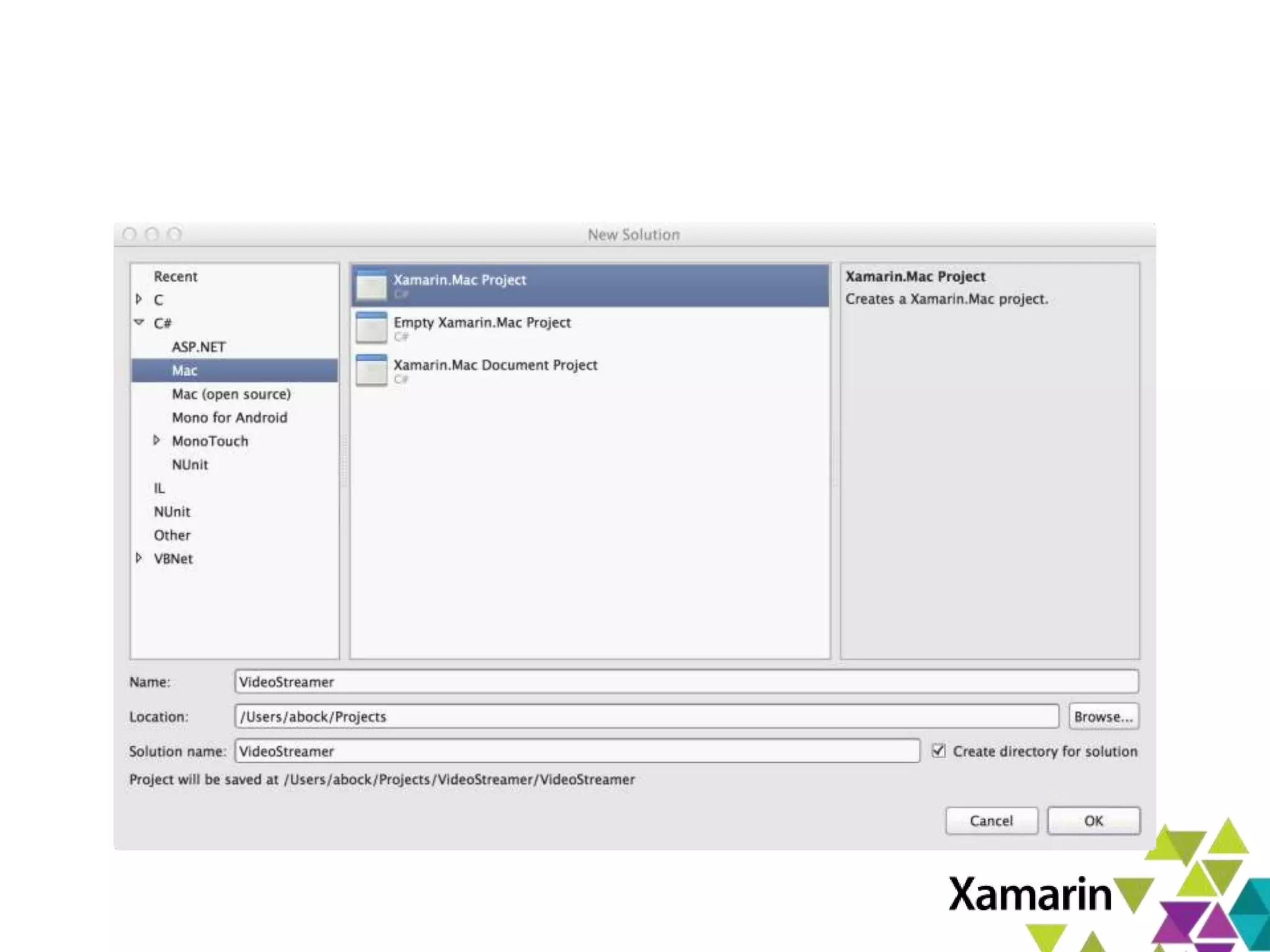


Xamarin.Mac Introduction
Miguel de Icaza, CTO Xamarin
miguel@xamarin.com
January 10th 2013
Xamarin.Mac Overview
• Build Mac applications with C#
– Use C# and .NET libraries on Mac
– All that you love:
• LINQ, Task Parallel Library, async
• GC, type safety, generics, dynamic and more.
– Mac AppStore ready
• Native Applications
– Use native APIs to deeply integrate with OSX
Xamarin.Mac Overview
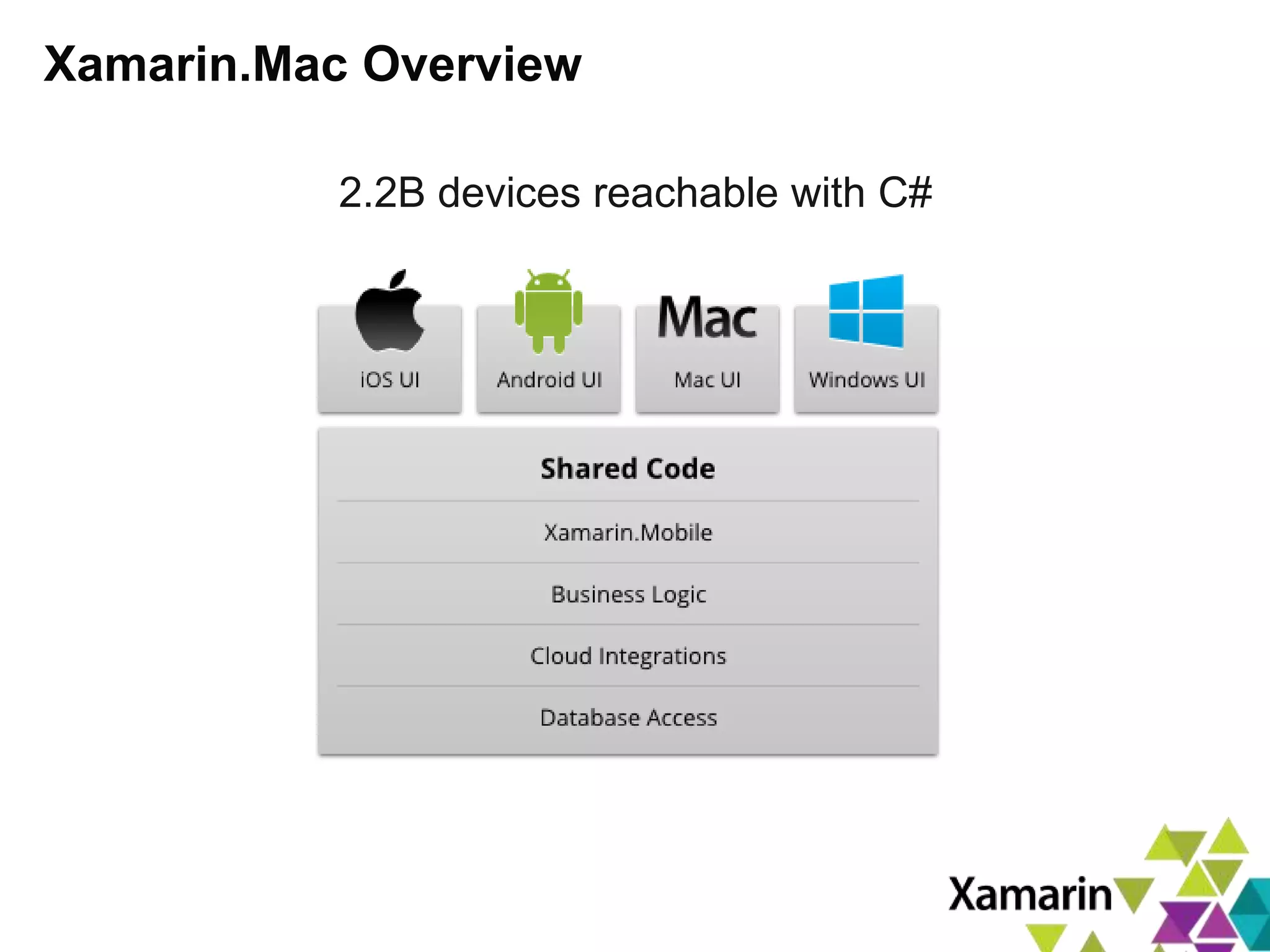
2.2B devices reachable with C#
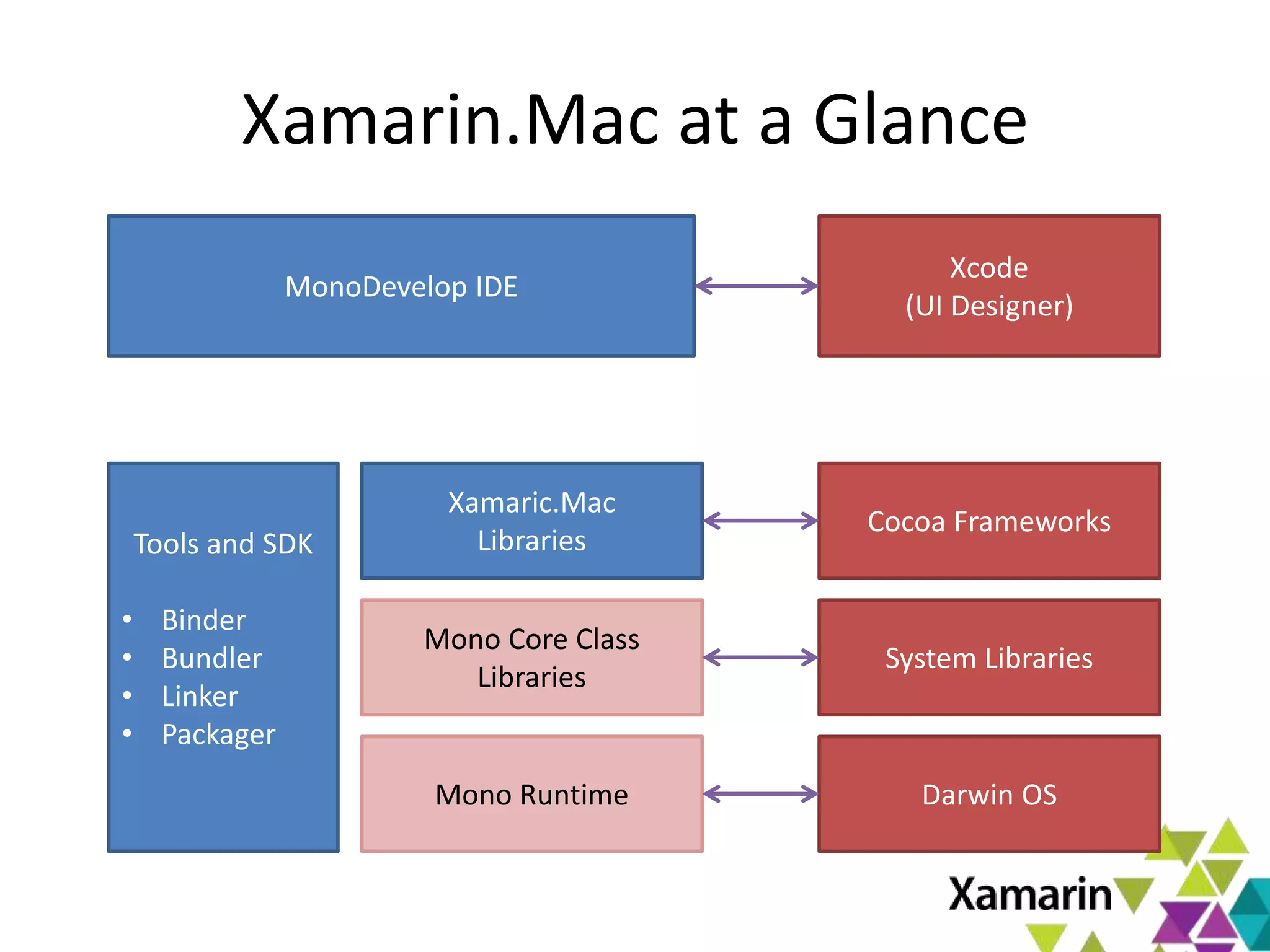
Xamarin.Mac at a Glance
Mono Runtime
Xamaric.Mac
Libraries
Mono Core Class
Libraries
Tools and SDK
• Binder
• Bundler
• Linker
• Packager
MonoDevelop IDE
Xcode
(UI Designer)
Cocoa Frameworks
System Libraries
Darwin OS
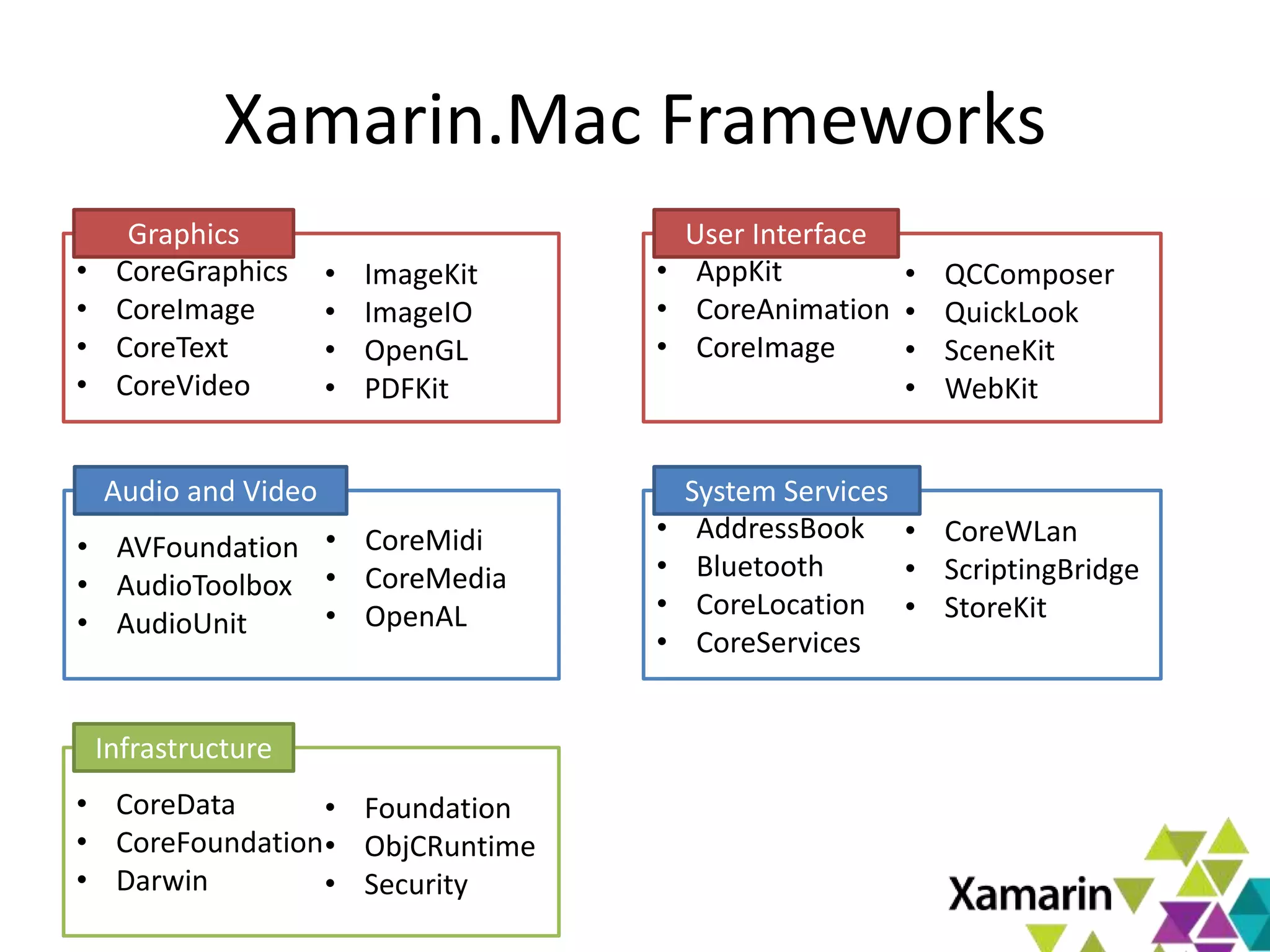
Xamarin.Mac Frameworks
• CoreGraphics
• CoreImage
• CoreText
• CoreVideo
Graphics
• ImageKit
• ImageIO
• OpenGL
• PDFKit
• AppKit
• CoreAnimation
• CoreImage
User Interface
• QCComposer
• QuickLook
• SceneKit
• WebKit
• AVFoundation
• AudioToolbox
• AudioUnit
Audio and Video
• CoreMidi
• CoreMedia
• OpenAL
• AddressBook
• Bluetooth
• CoreLocation
• CoreServices
System Services
• CoreWLan
• ScriptingBridge
• StoreKit
• CoreData
• CoreFoundation
• Darwin
Infrastructure
• Foundation
• ObjCRuntime
• Security
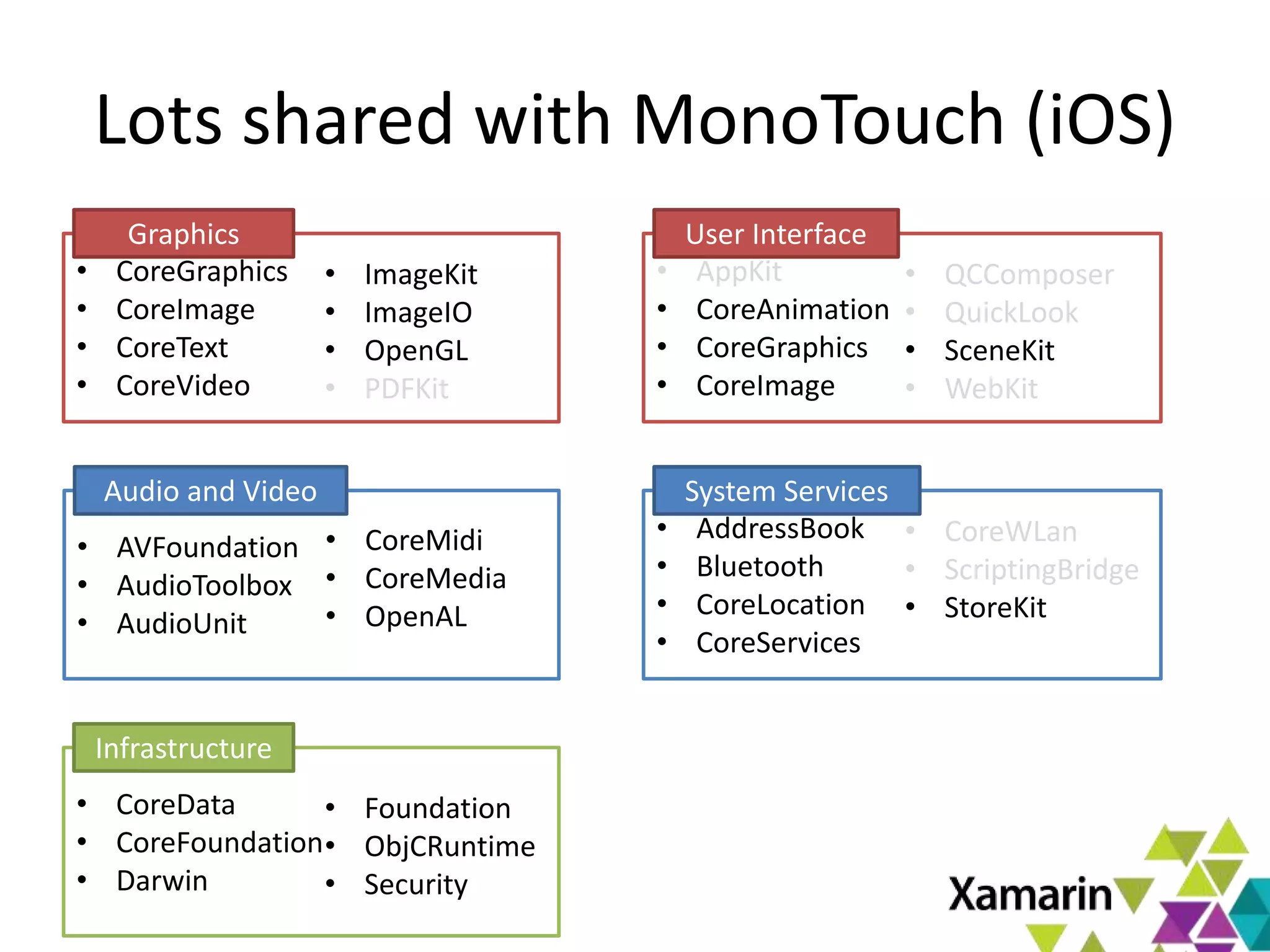
Lots shared with MonoTouch (iOS)
• CoreGraphics
• CoreImage
• CoreText
• CoreVideo
Graphics
• ImageKit
• ImageIO
• OpenGL
• PDFKit
• AppKit
• CoreAnimation
• CoreGraphics
• CoreImage
User Interface
• QCComposer
• QuickLook
• SceneKit
• WebKit
• AVFoundation
• AudioToolbox
• AudioUnit
Audio and Video
• CoreMidi
• CoreMedia
• OpenAL
• AddressBook
• Bluetooth
• CoreLocation
• CoreServices
System Services
• CoreWLan
• ScriptingBridge
• StoreKit
• CoreData
• CoreFoundation
• Darwin
Infrastructure
• Foundation
• ObjCRuntime
• Security
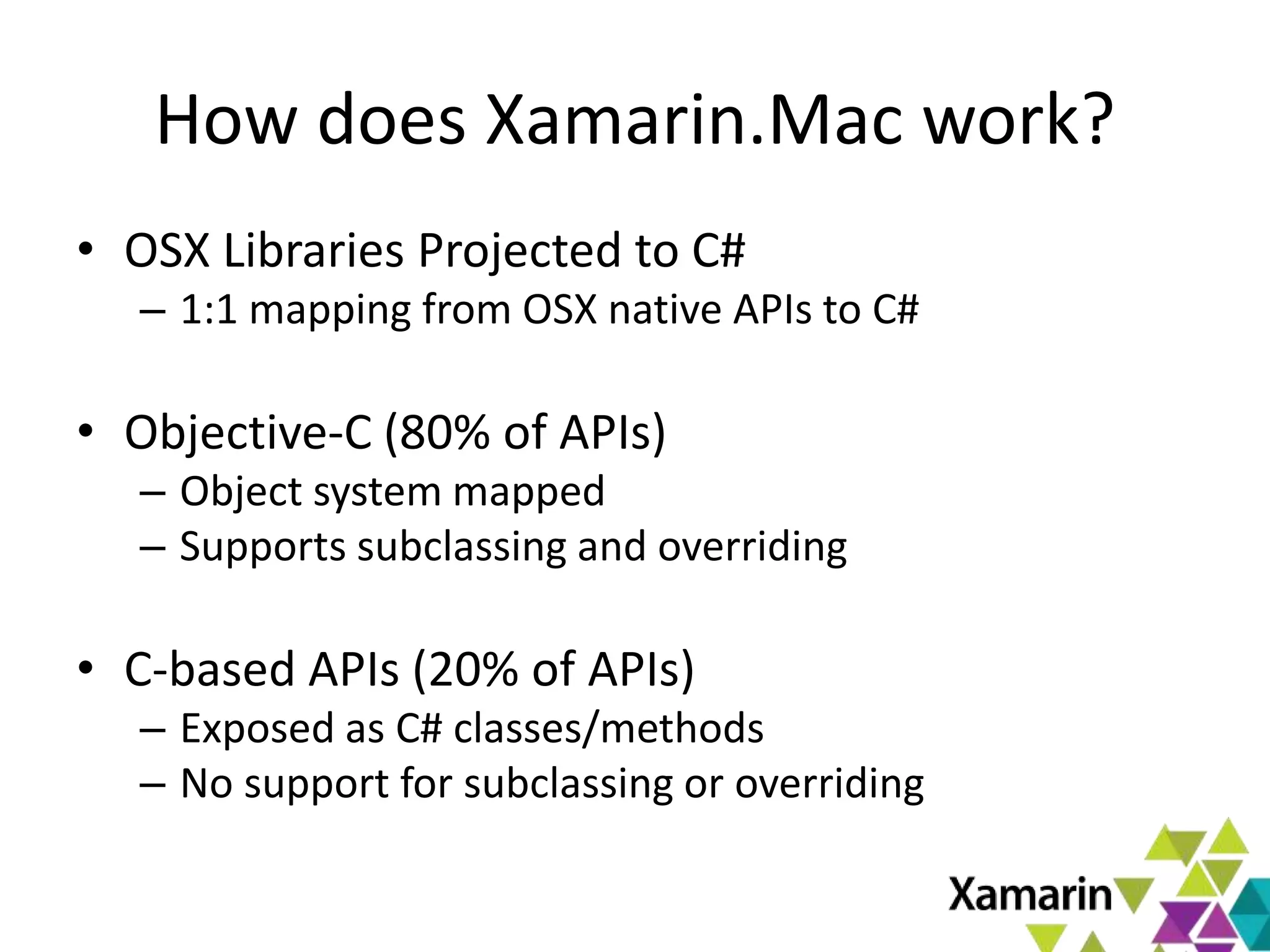
How does Xamarin.Mac work?
• OSX Libraries Projected to C#
– 1:1 mapping from OSX native APIs to C#
• Objective-C (80% of APIs)
– Object system mapped
– Supports subclassing and overriding
• C-based APIs (20% of APIs)
– Exposed as C# classes/methods
– No support for subclassing or overriding
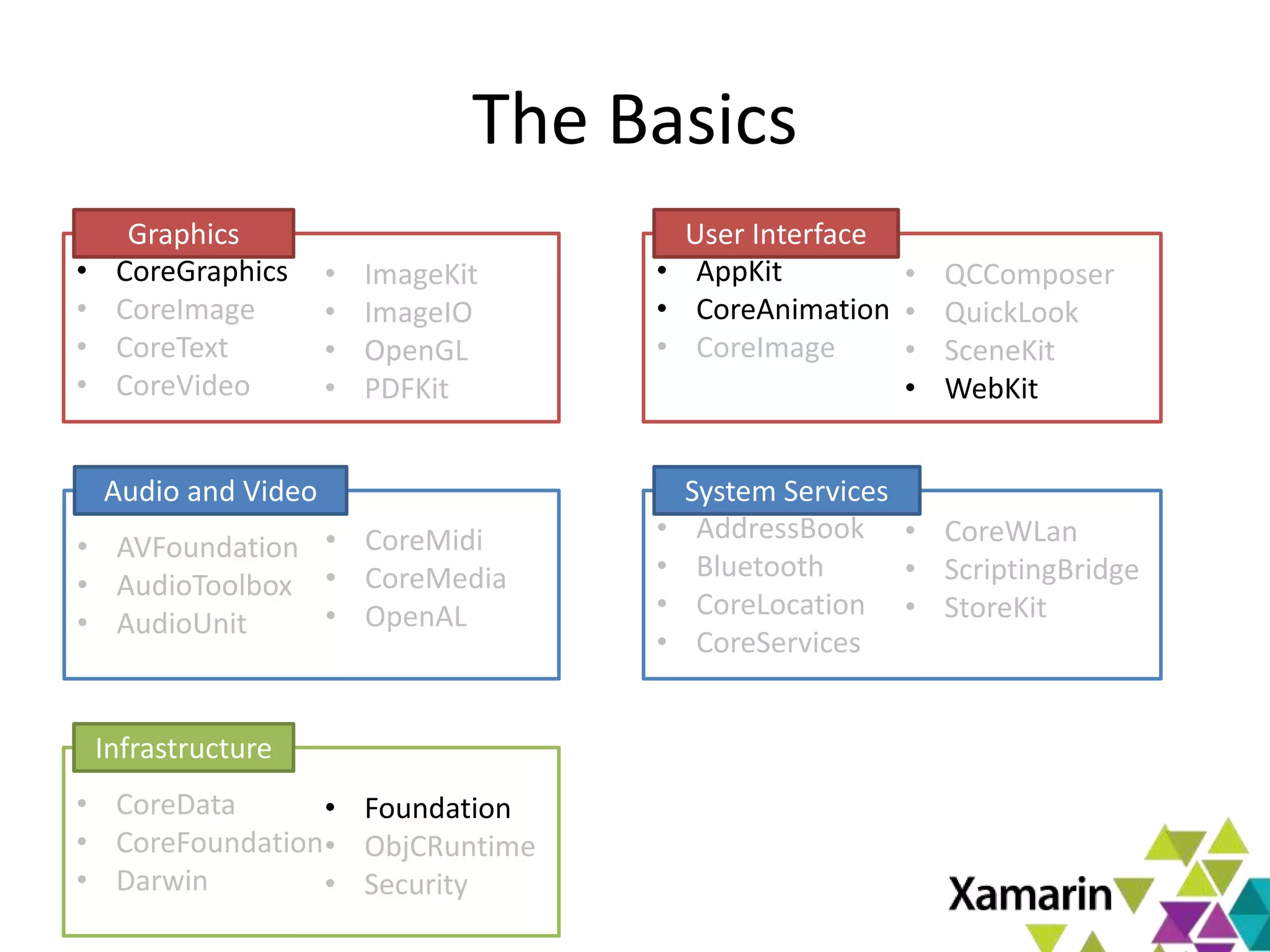
The Basics
• CoreGraphics
• CoreImage
• CoreText
• CoreVideo
Graphics
• ImageKit
• ImageIO
• OpenGL
• PDFKit
• AppKit
• CoreAnimation
• CoreImage
User Interface
• QCComposer
• QuickLook
• SceneKit
• WebKit
• AVFoundation
• AudioToolbox
• AudioUnit
Audio and Video
• CoreMidi
• CoreMedia
• OpenAL
• AddressBook
• Bluetooth
• CoreLocation
• CoreServices
System Services
• CoreWLan
• ScriptingBridge
• StoreKit
• CoreData
• CoreFoundation
• Darwin
Infrastructure
• Foundation
• ObjCRuntime
• Security
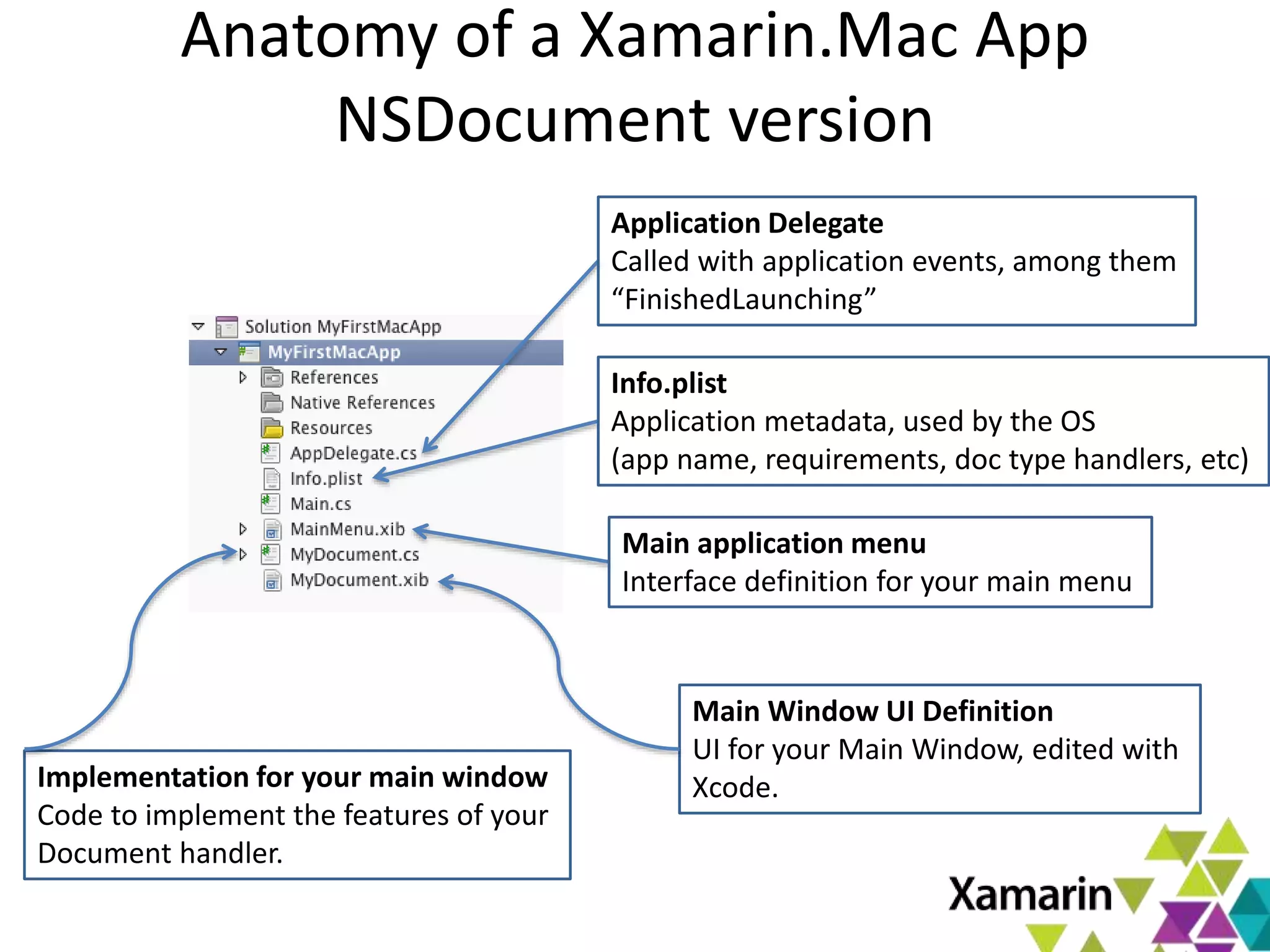
Anatomy of a Xamarin.Mac App
NSDocument version
Application Delegate
Called with application events, among them
“FinishedLaunching”
Info.plist
Application metadata, used by the OS
(app name, requirements, doc type handlers, etc)
Main application menu
Interface definition for your main menu
Implementation for your main window
Code to implement the features of your
Document handler.
Main Window UI Definition
UI for your Main Window, edited with
Xcode.
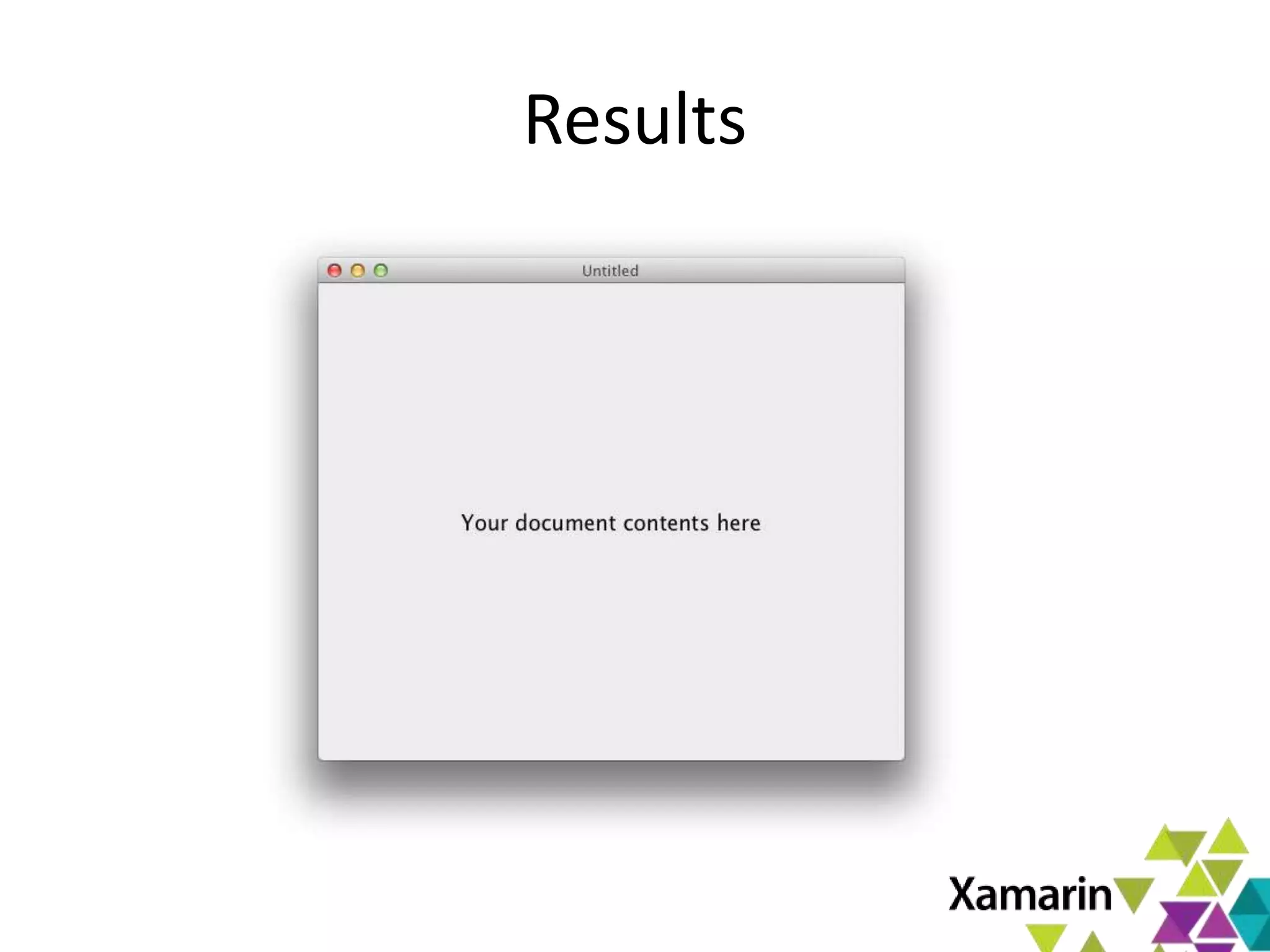
Results
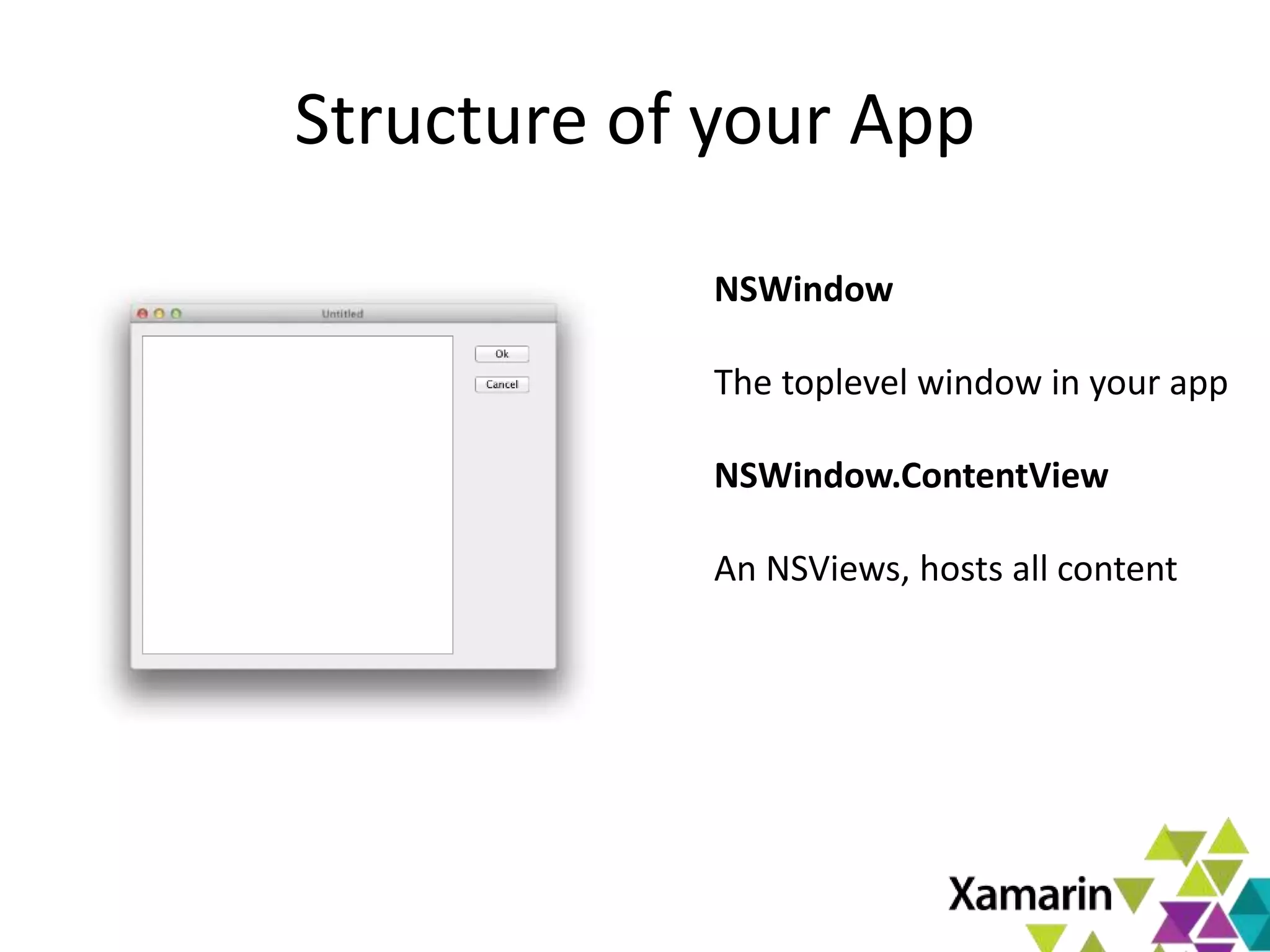
Structure of your App
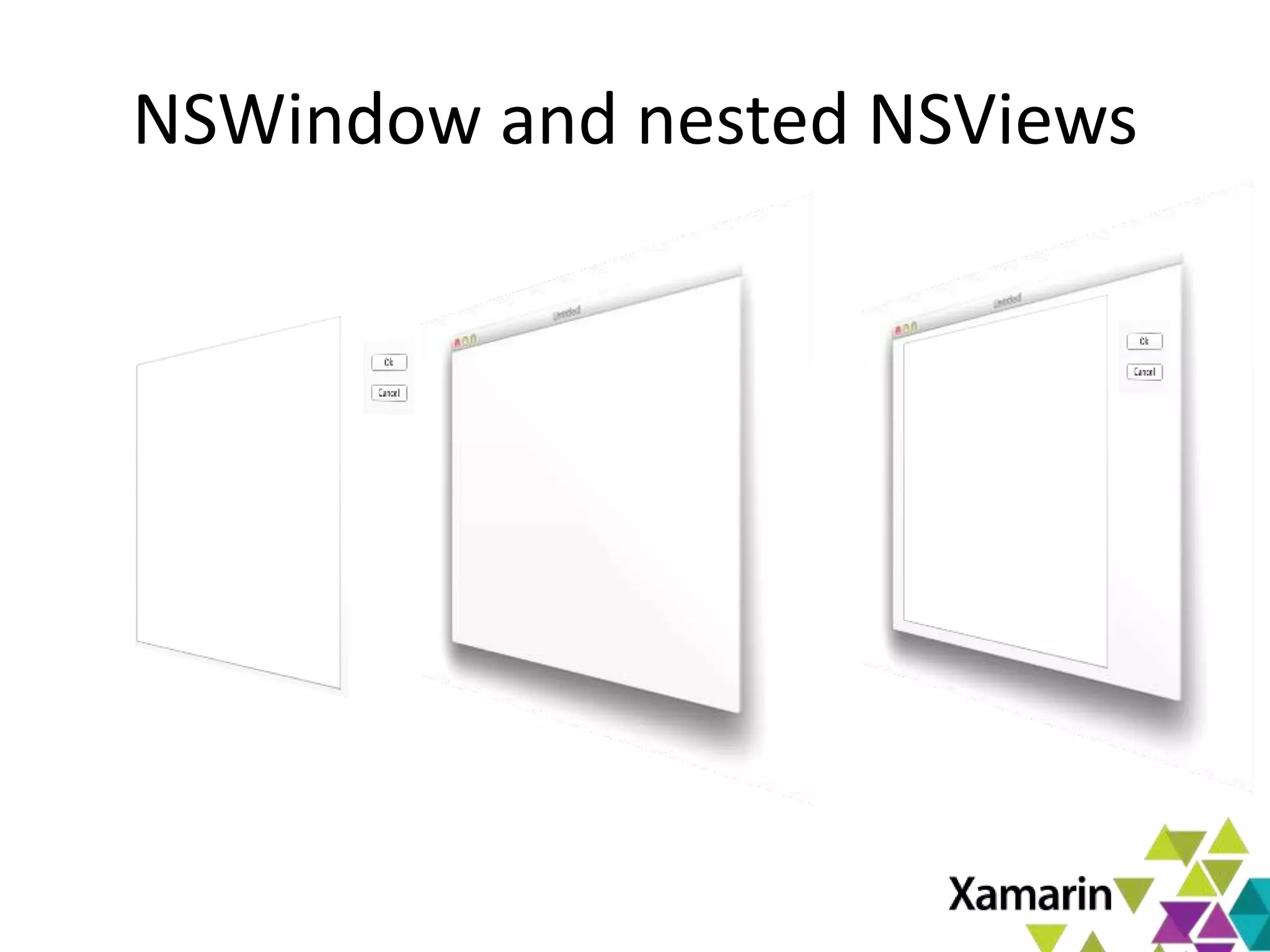
NSWindow
The toplevel window in your app
NSWindow.ContentView
An NSViews, hosts all content
NSViews – Powerful containers
• NSViews can contain other NSViews
• NSViews can handle events
• NSViews can paint themselves
• NSViews can layout their nested NSViews
• NSViews can be backed by a CALayer
– CALayers are GPU accelerated
• NSView properties can be animated
NSWindow and nested NSViews
AppKit - Application Framework
• Pervasive use of Model View Controller
– Unless you are writing a custom control
– All logic goes into your controller class
– Controller orchestrates work of views
• Goes beyond the standard offering
– High-level NSDocument does the heavy lifting
– Full Menu, Saving, Loading, multi-window support
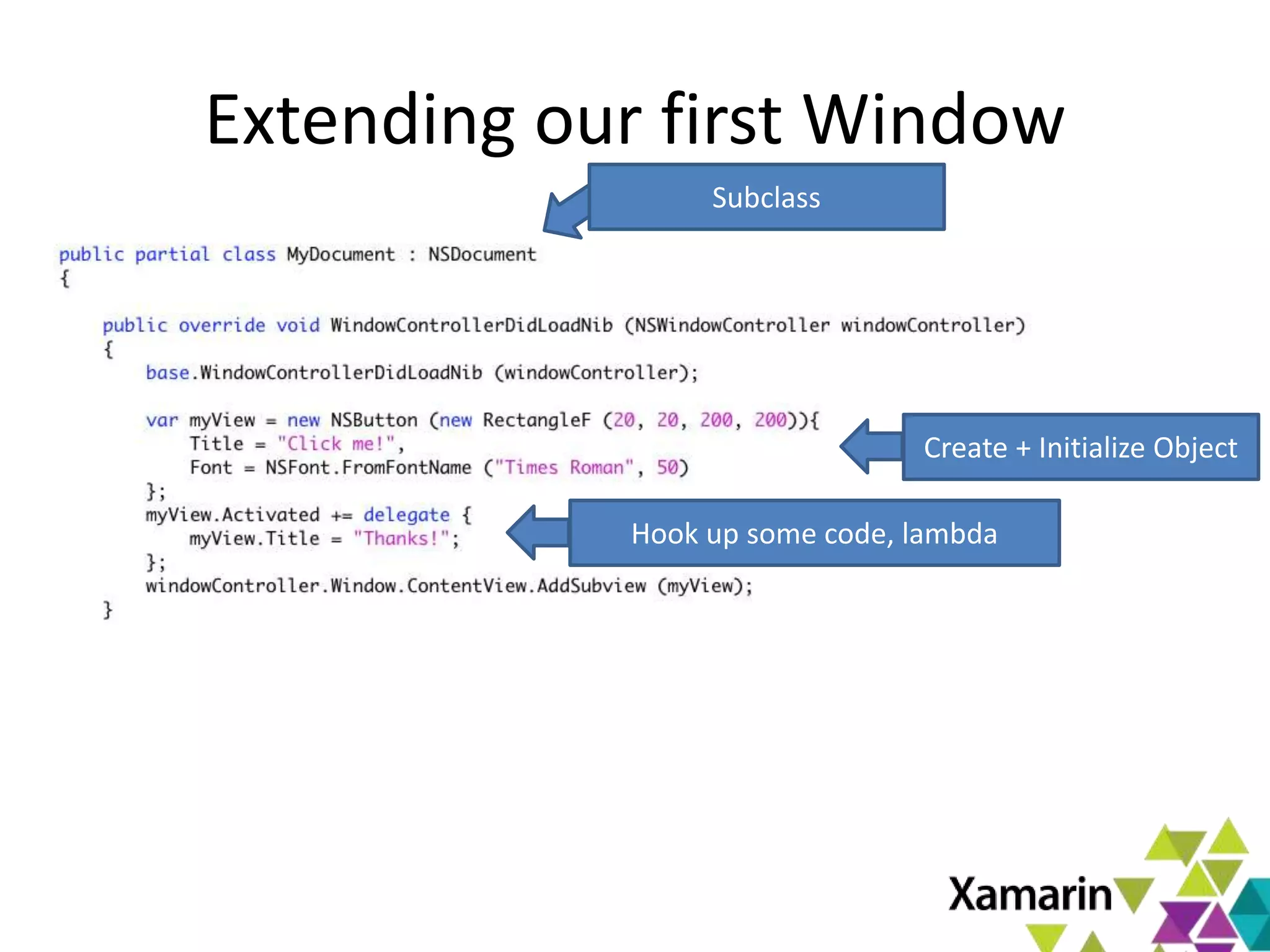
Extending our first Window
Create + Initialize Object
Hook up some code, lambda
Subclass
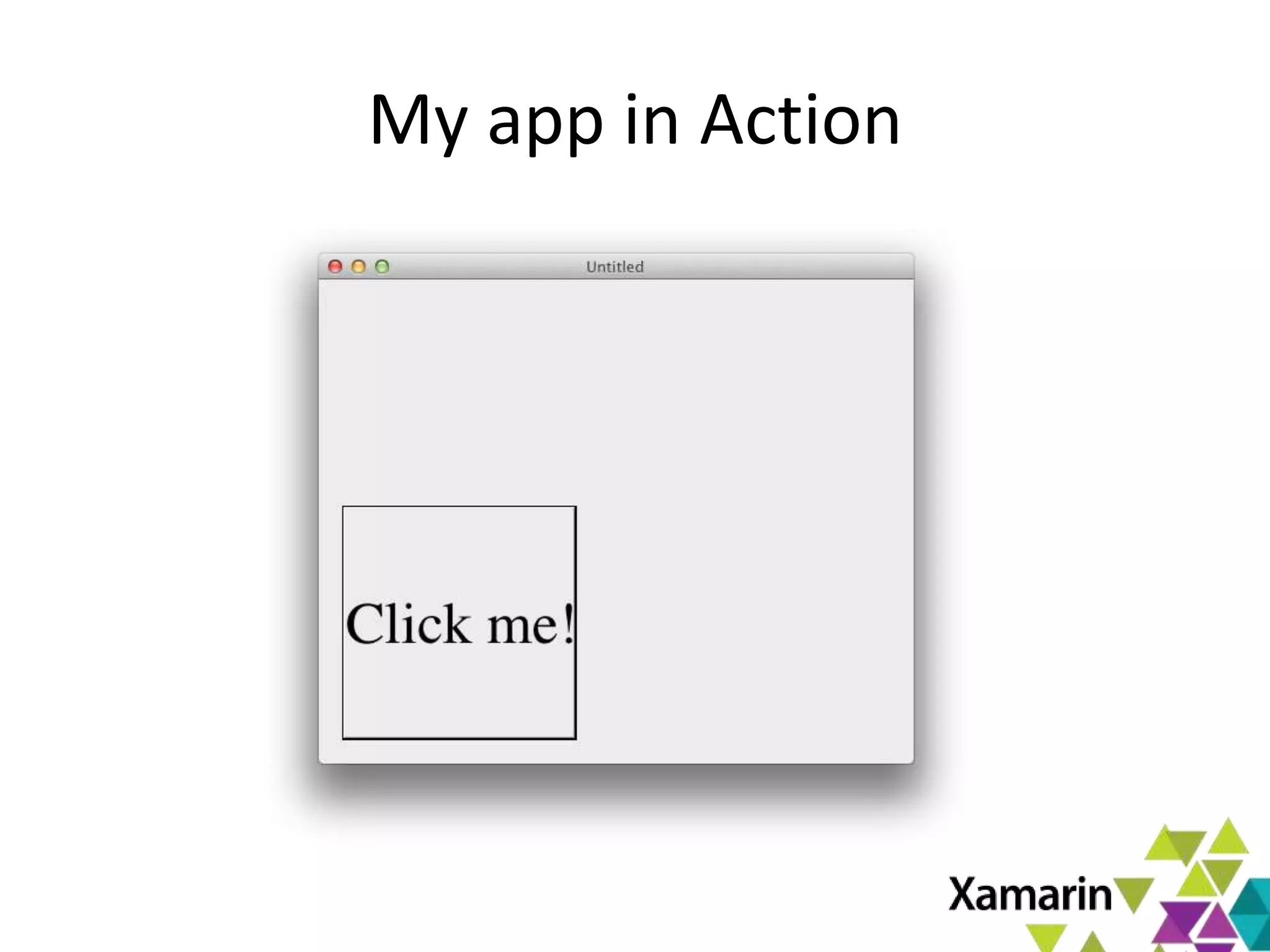
My app in Action
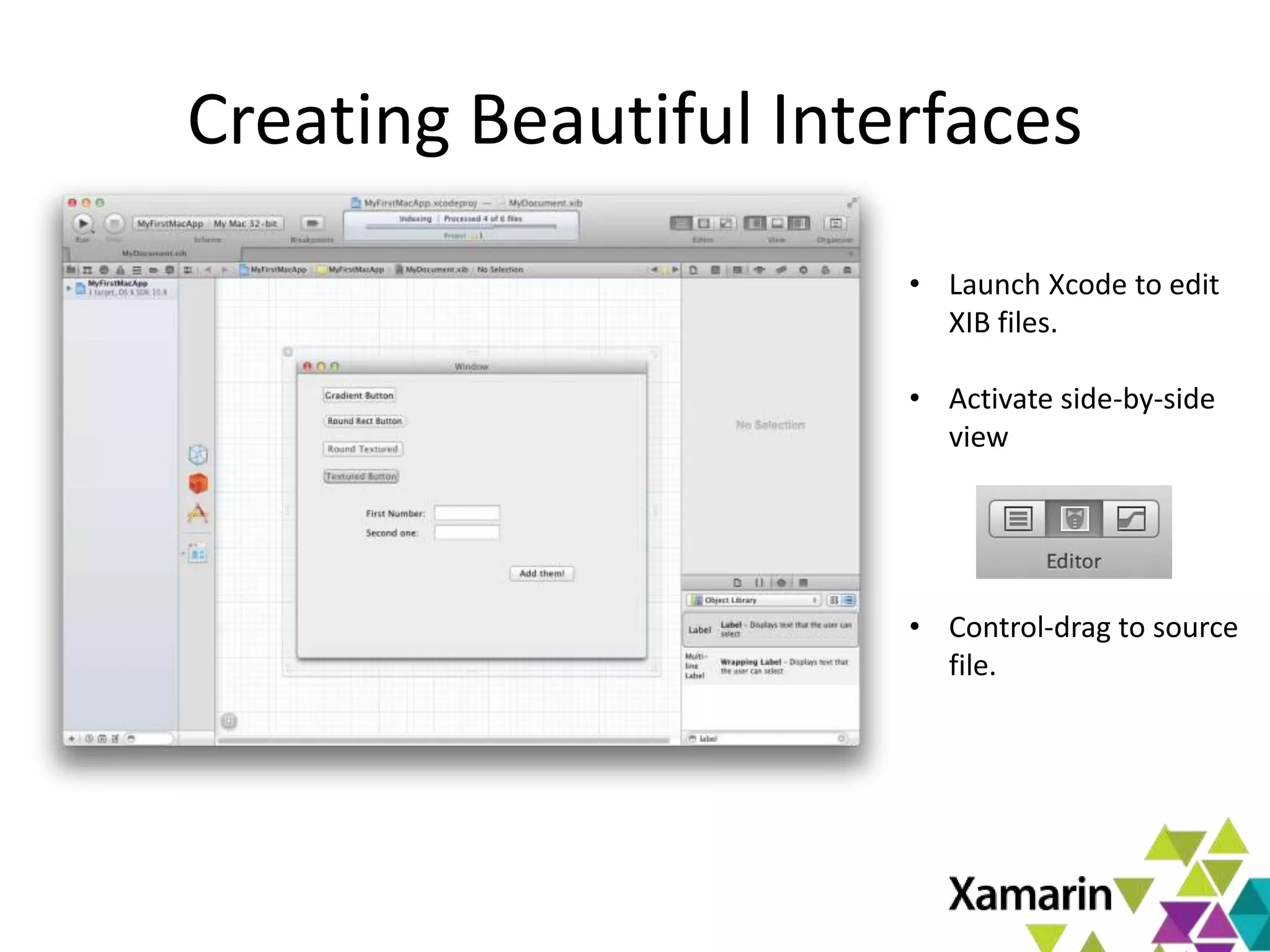
Creating Beautiful Interfaces
• Launch Xcode to edit
XIB files.
• Activate side-by-side
view
• Control-drag to source
file.
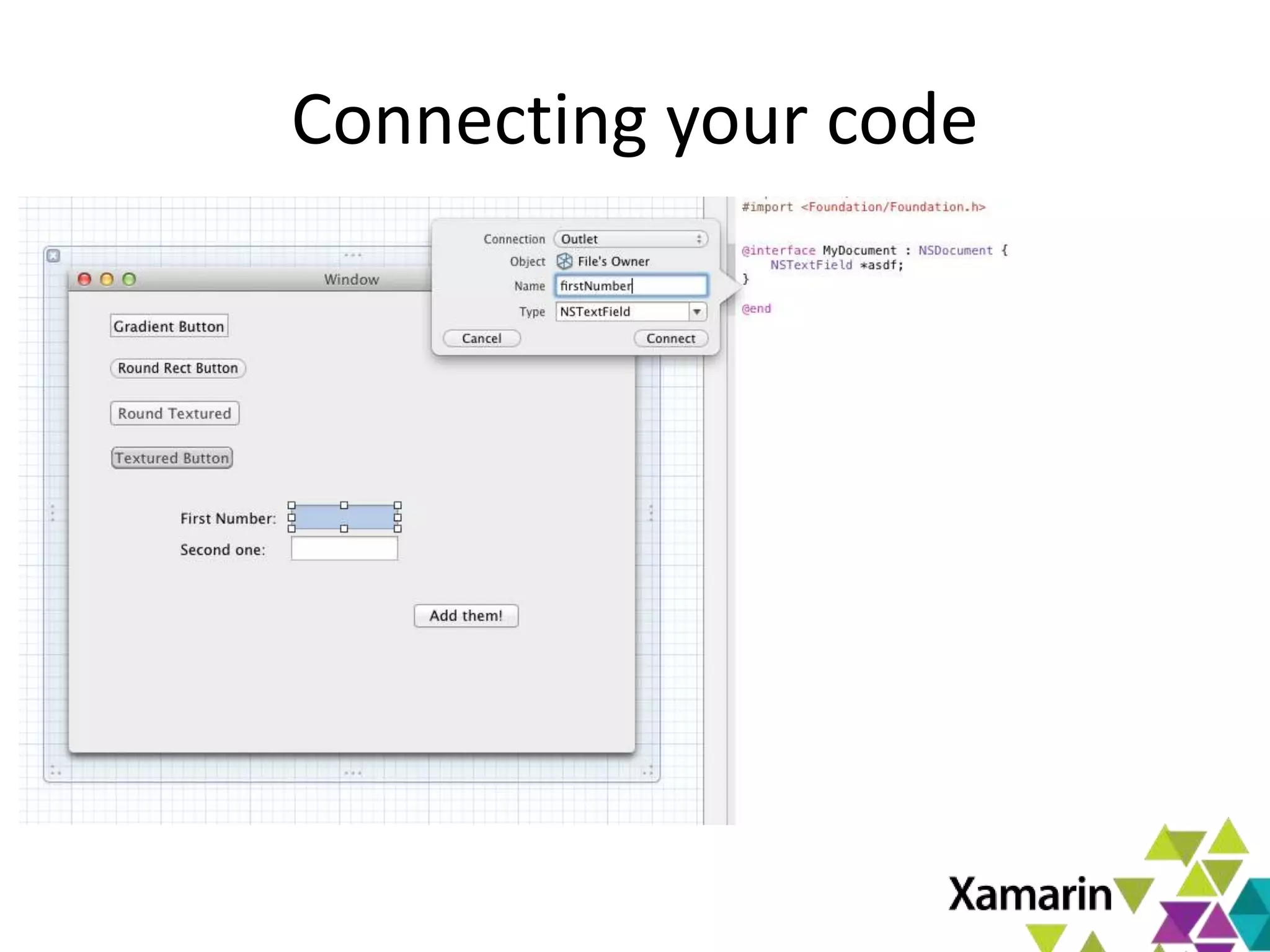
Connecting your code
Exposing the UI to Code
• Outlets
– Allows you to reference an object from code
– Control-drag to source pane, and give it a name
• Actions
– Allows a method to be invoked as a response
– Control drag to source pane, and give a name
• In C# land
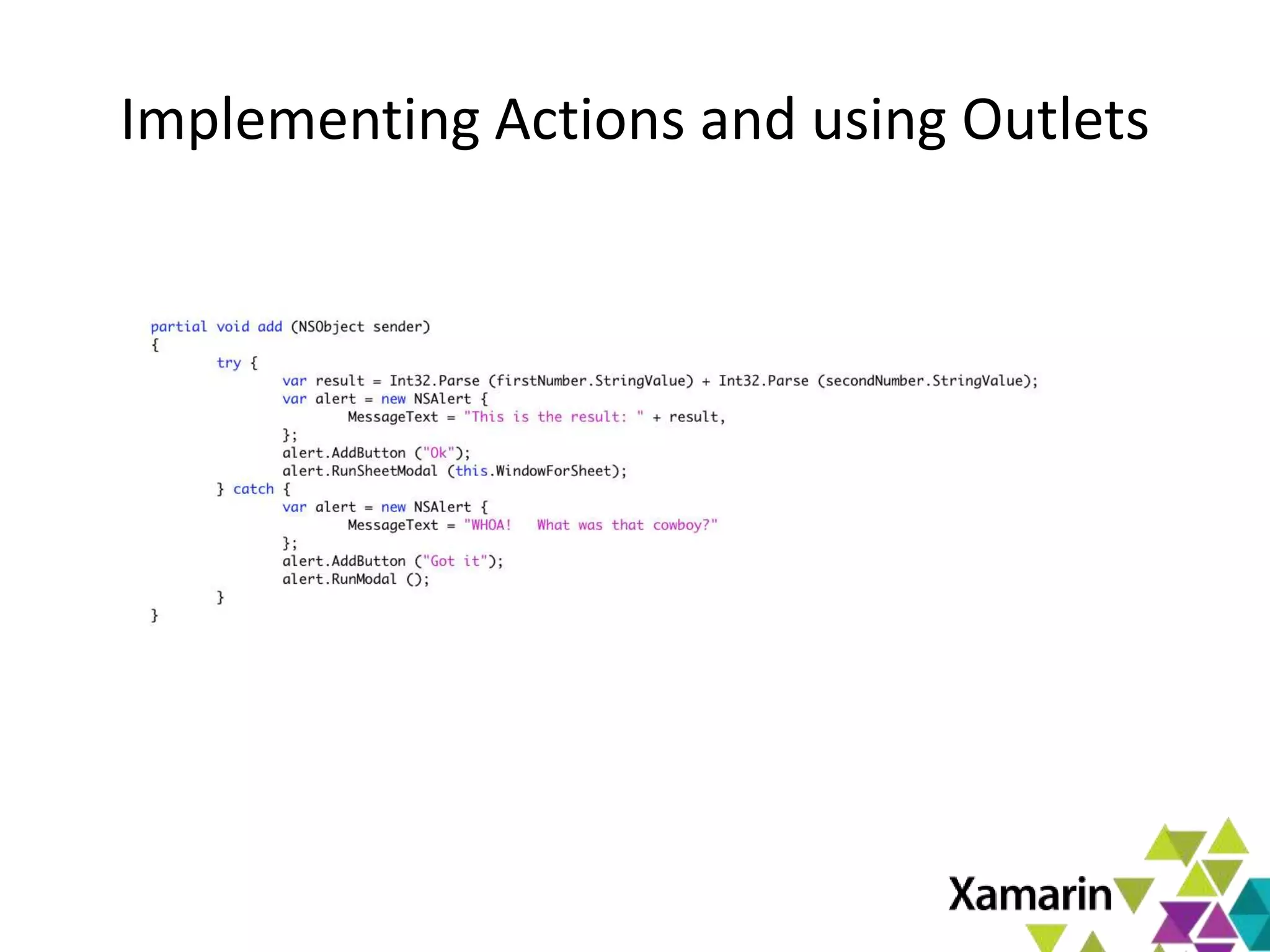
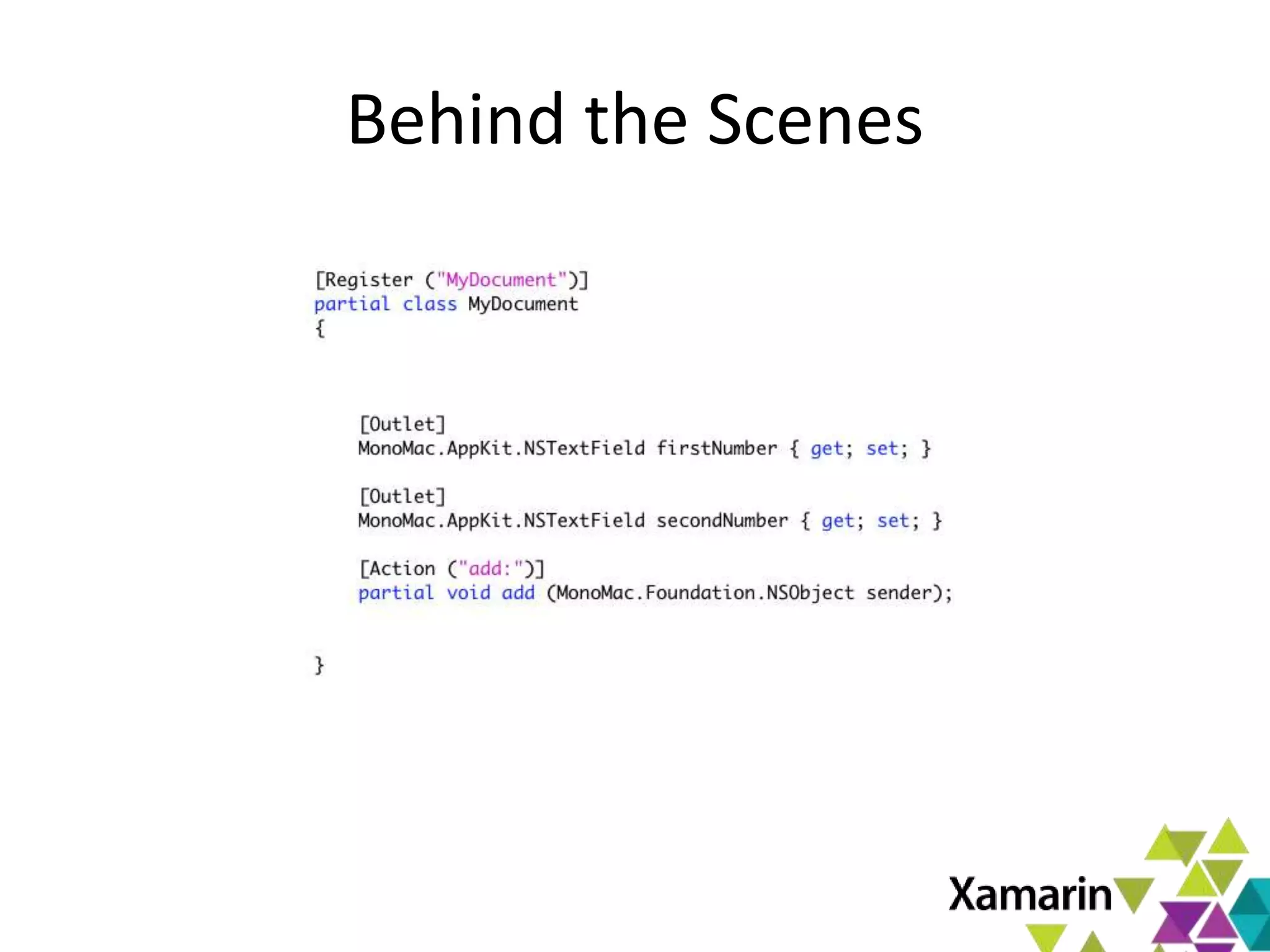
– Actions become partial methods in your class
– Outlets become properties in your class
Implementing Actions and using Outlets
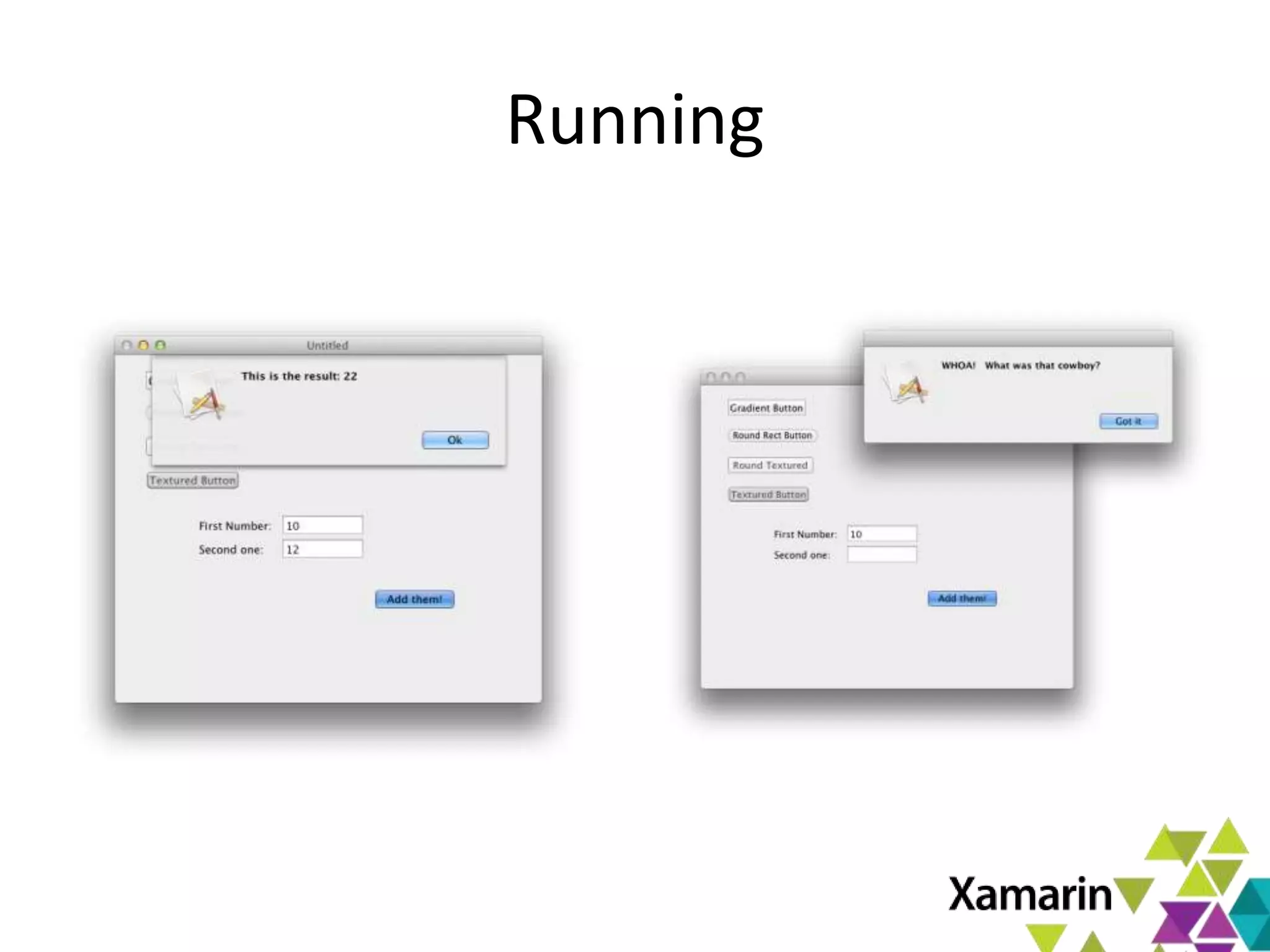
Running
Behind the Scenes
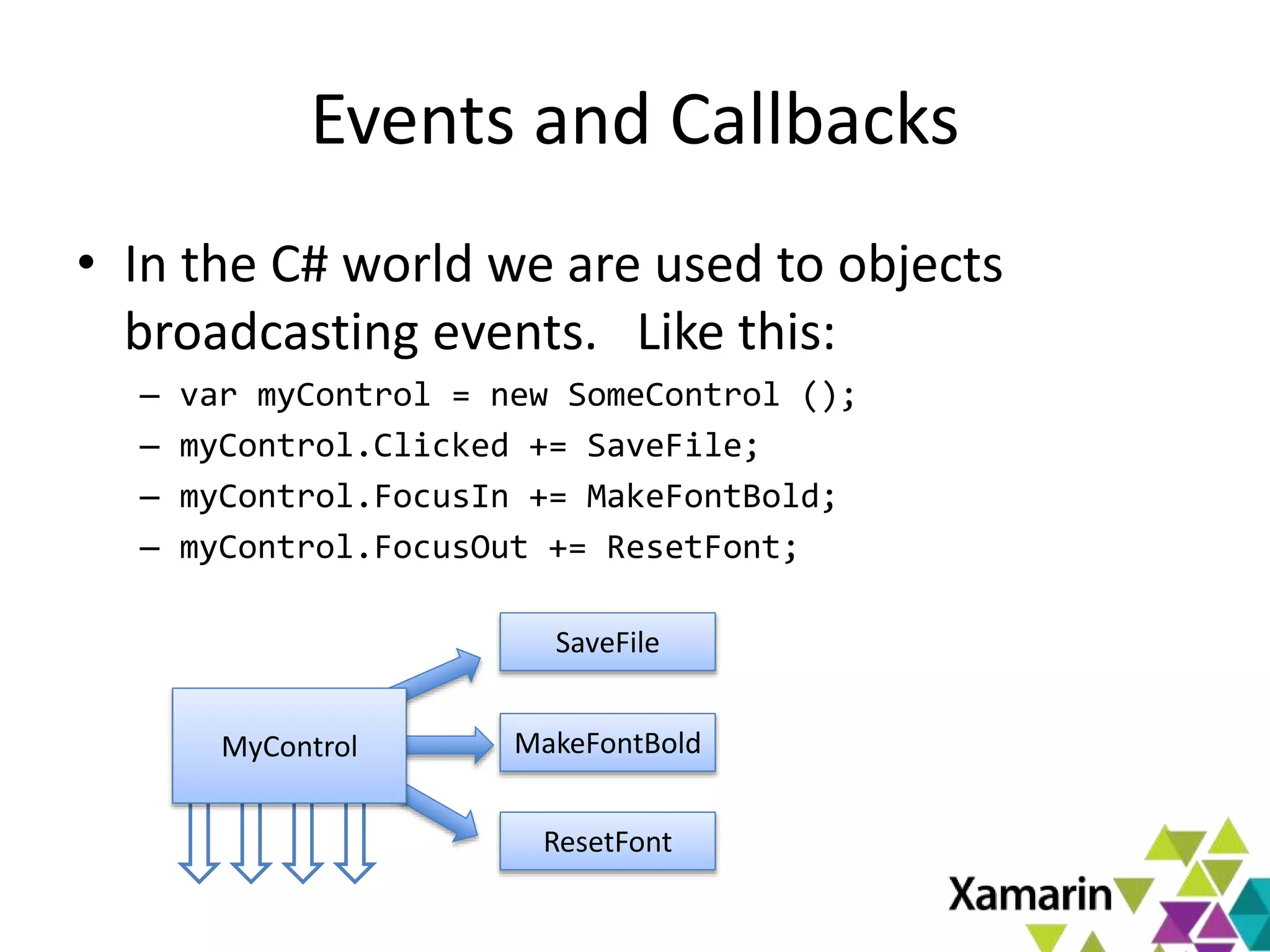
Events and Callbacks
• In the C# world we are used to objects
broadcasting events. Like this:
– var myControl = new SomeControl ();
– myControl.Clicked += SaveFile;
– myControl.FocusIn += MakeFontBold;
– myControl.FocusOut += ResetFont;
MyControl
SaveFile
MakeFontBold
ResetFont
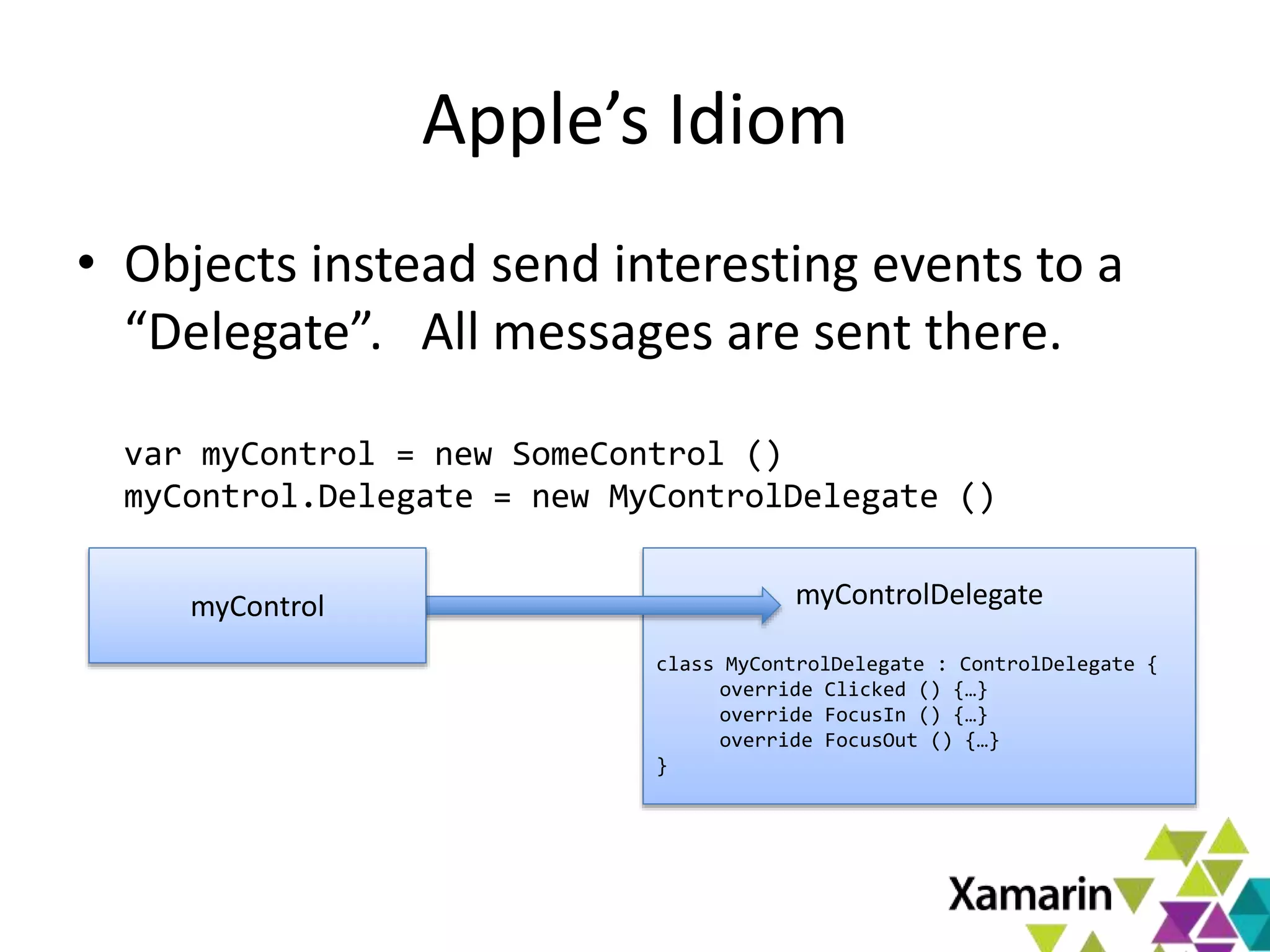
Apple’s Idiom
• Objects instead send interesting events to a
“Delegate”. All messages are sent there.
var myControl = new SomeControl ()
myControl.Delegate = new MyControlDelegate ()
myControlDelegate
class MyControlDelegate : ControlDelegate {
override Clicked () {…}
override FocusIn () {…}
override FocusOut () {…}
}
myControl
Xamarin.Mac and Delegates
• Both models are supported
– You get to choose in a per-instance basis
• Apple Delegate pattern mapped to C# events
– Internally, we create the Delegate class, map it to
your C# lambda/anonymous method/delegate
• One replaces the other
SHIPPING YOUR APP
Shipping Your App - Yourself
• App has full access to the system
• Applications are shipped as “bundles”
– Directory with .app extension
– Self-contained, with no external dependencies
– Optionally: generate installer from IDE as well.
• MacOS recently enabled GateKeeper
– This requires you to sign your app
– Or apps wont start on modern systems1 (by default)
1. Technically any Mac running Mountain Lion (10.8.xx) or Lion 10.7.5 and newer
Shipping your App - AppStore
• Mac App Store
– Must apply to Apple for developer program
– Must sign application
– Submit app for review
• App will be sandboxed
• IDE signs, packages and launches uploader
• See Xamarin’s docs for tutorial
MacOS X Sandbox
• Kernel enforced sandbox
• Limits access to the system:
– Limitations on file system access
– Use special Open/Save dialog panels
– Limits access to services, and some kernel APIs
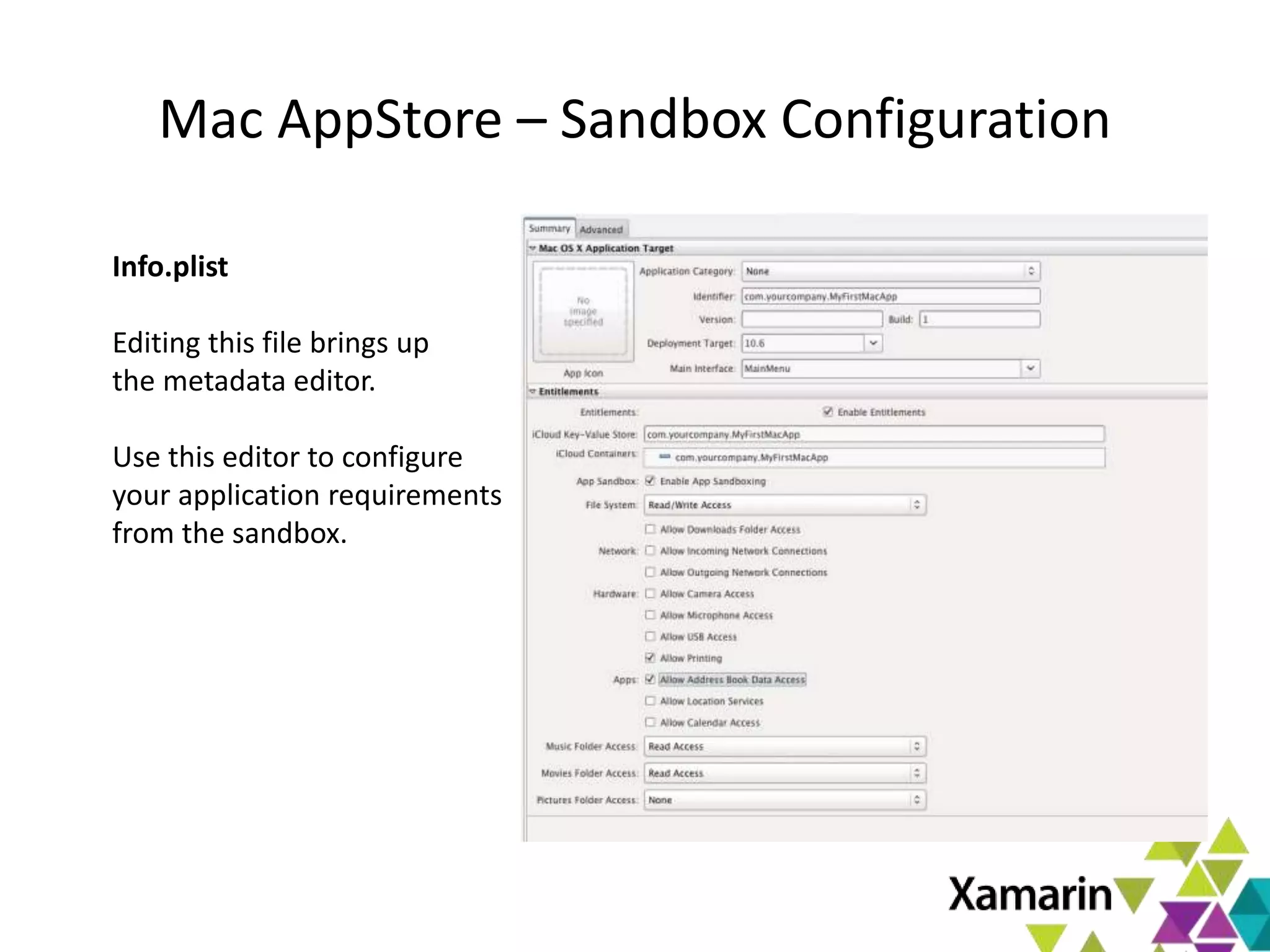
Mac AppStore – Sandbox Configuration
Info.plist
Editing this file brings up
the metadata editor.
Use this editor to configure
your application requirements
from the sandbox.
Next Steps
Learn more at:
- xamarin.com/mac
- Docs.xamarin.com
Free trial:
- xamarin.com/trial
April 14 – 17, Austin, TX
2 Days of Xamarin Technical Training &
Certification
2 Conference days covering all things mobile
Keynotes by Nat, Miguel and Scott Hanselman
Call for speakers officially open & sponsorship
information available at evolve@xamarin.com
Deep Dive at Xamarin Evolve 2013
Pricing
• Free trial at xamarin.com/trial
• Professional: $399
• Enterprise: $999 per seat
• Enterprise Priority: $2,499 per seat
Resources
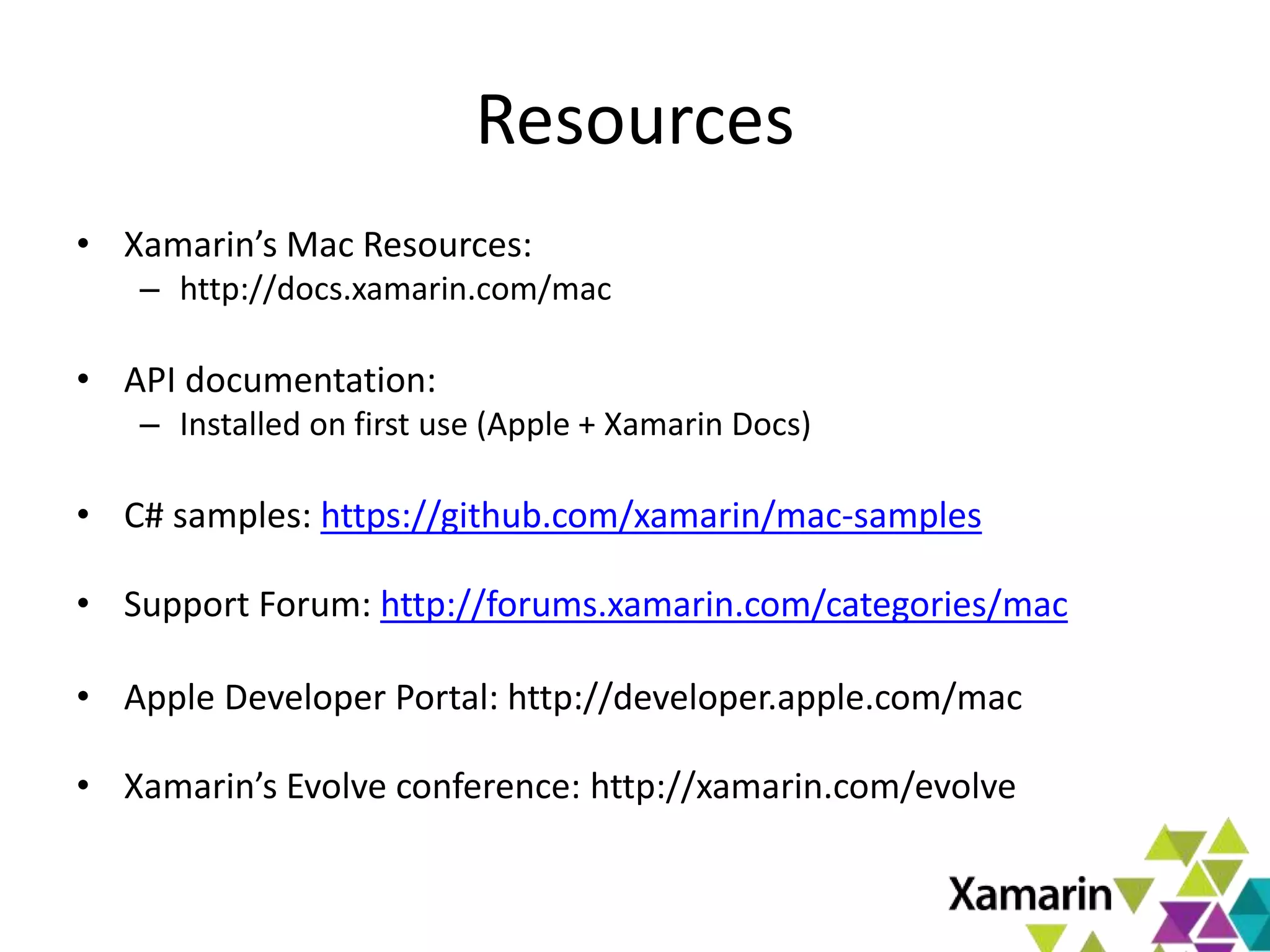
• Xamarin’s Mac Resources:
– http://docs.xamarin.com/mac
• API documentation:
– Installed on first use (Apple + Xamarin Docs)
• C# samples: https://github.com/xamarin/mac-samples
• Support Forum: http://forums.xamarin.com/categories/mac
• Apple Developer Portal: http://developer.apple.com/mac
• Xamarin’s Evolve conference: http://xamarin.com/evolve
MORE INFORMATION
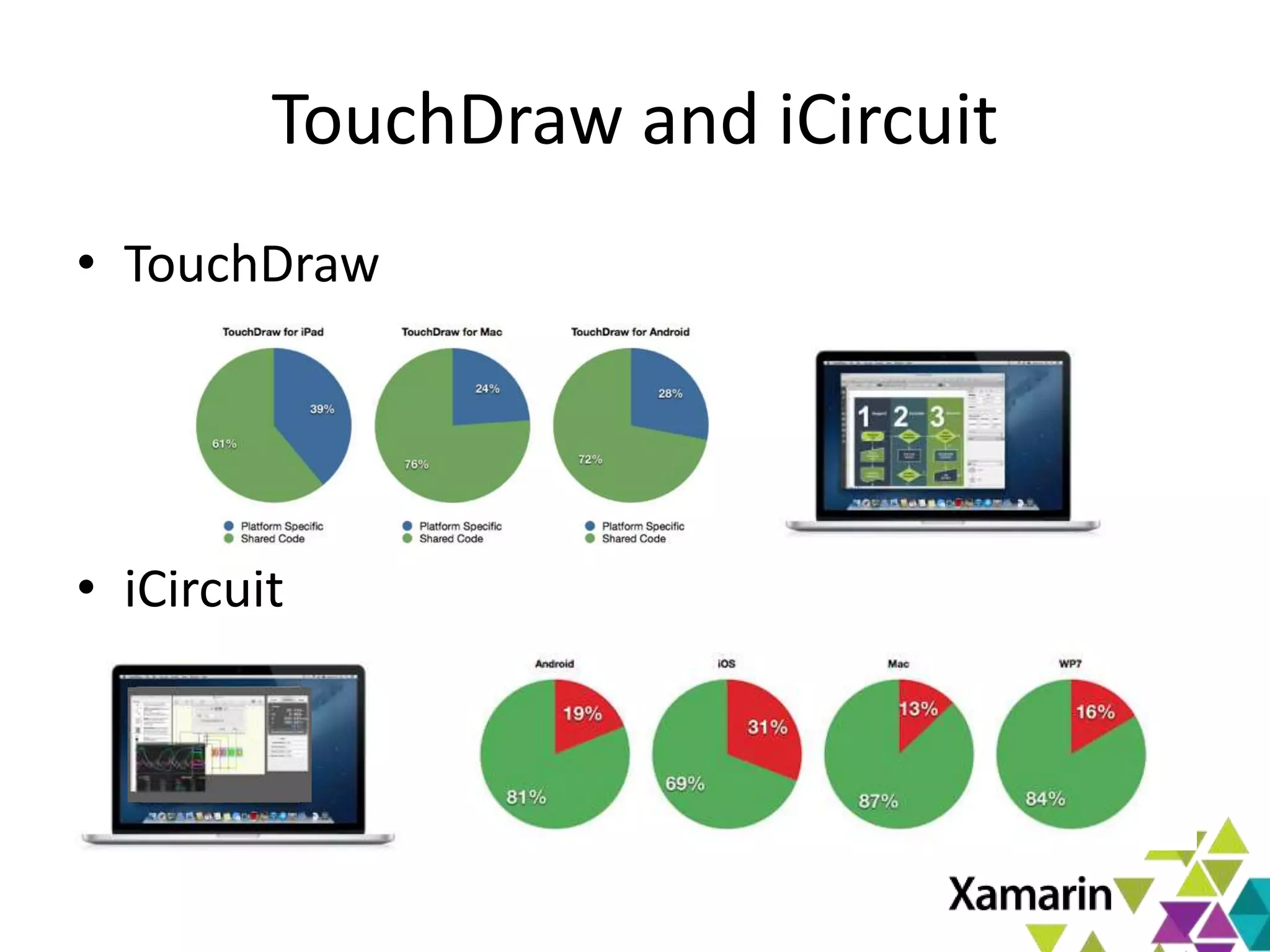
TouchDraw and iCircuit
• TouchDraw
• iCircuit
PROJECTIONS
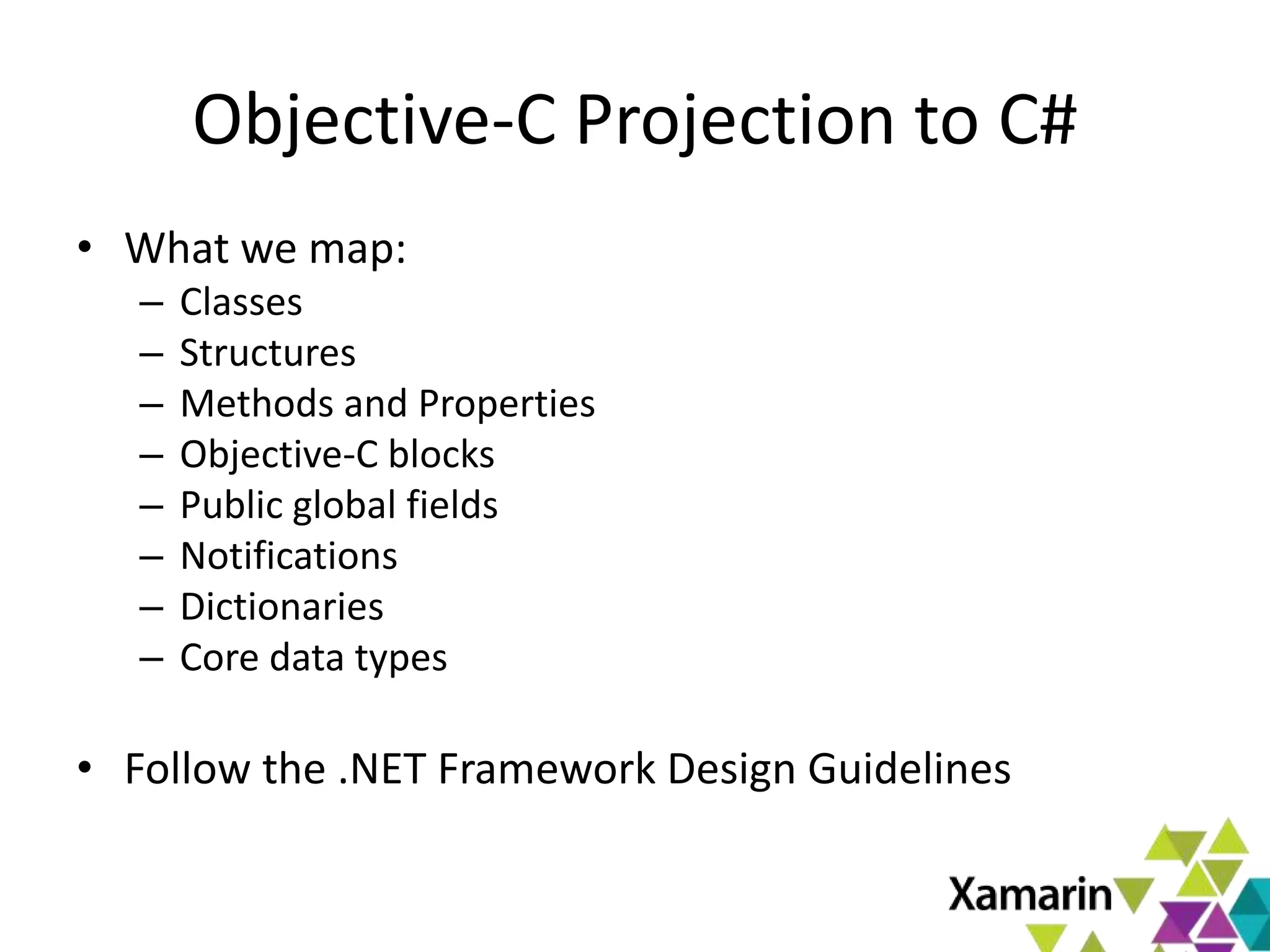
Objective-C Projection to C#
• What we map:
– Classes
– Structures
– Methods and Properties
– Objective-C blocks
– Public global fields
– Notifications
– Dictionaries
– Core data types
• Follow the .NET Framework Design Guidelines
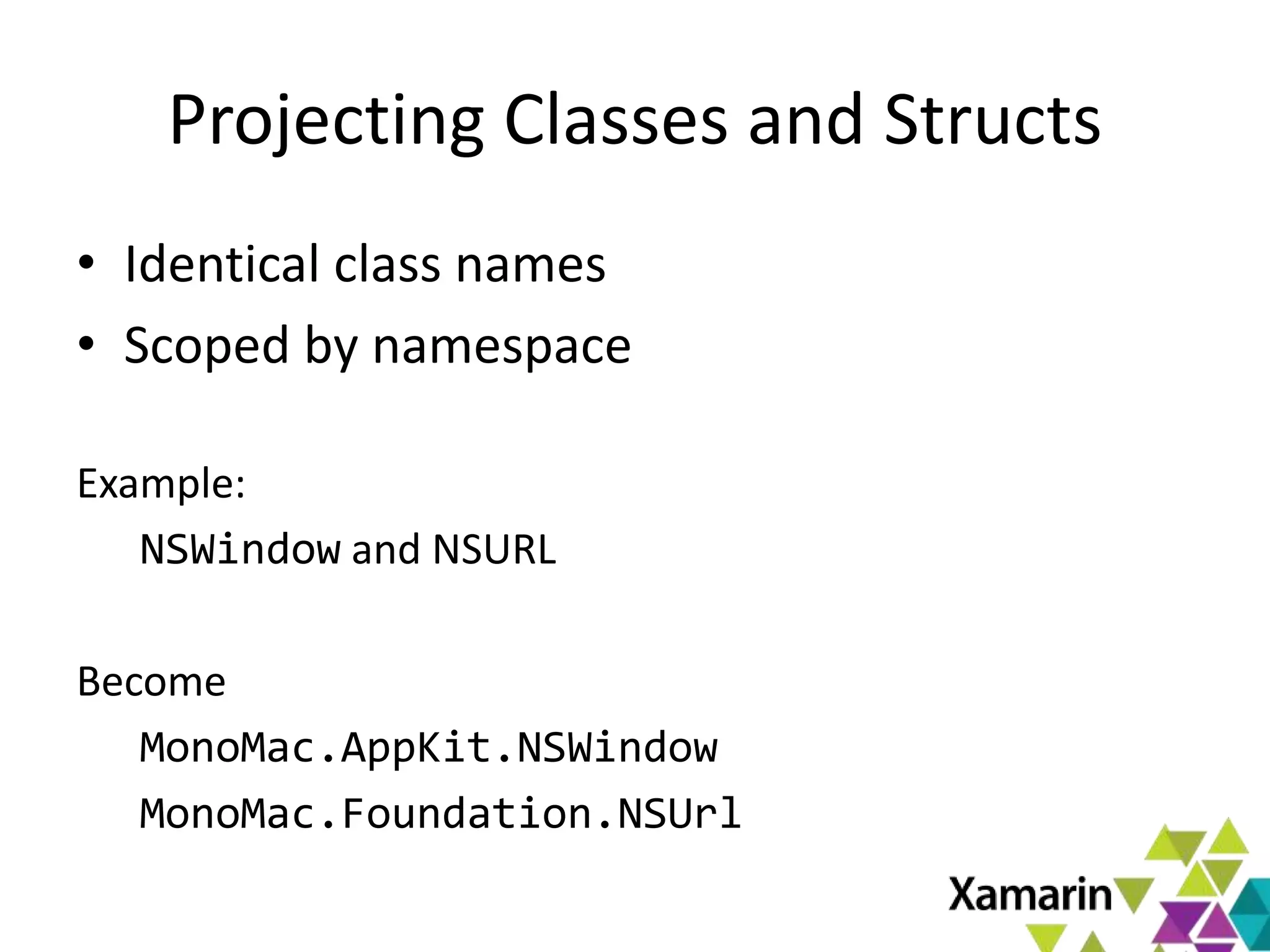
Projecting Classes and Structs
• Identical class names
• Scoped by namespace
Example:
NSWindow and NSURL
Become
MonoMac.AppKit.NSWindow
MonoMac.Foundation.NSUrl
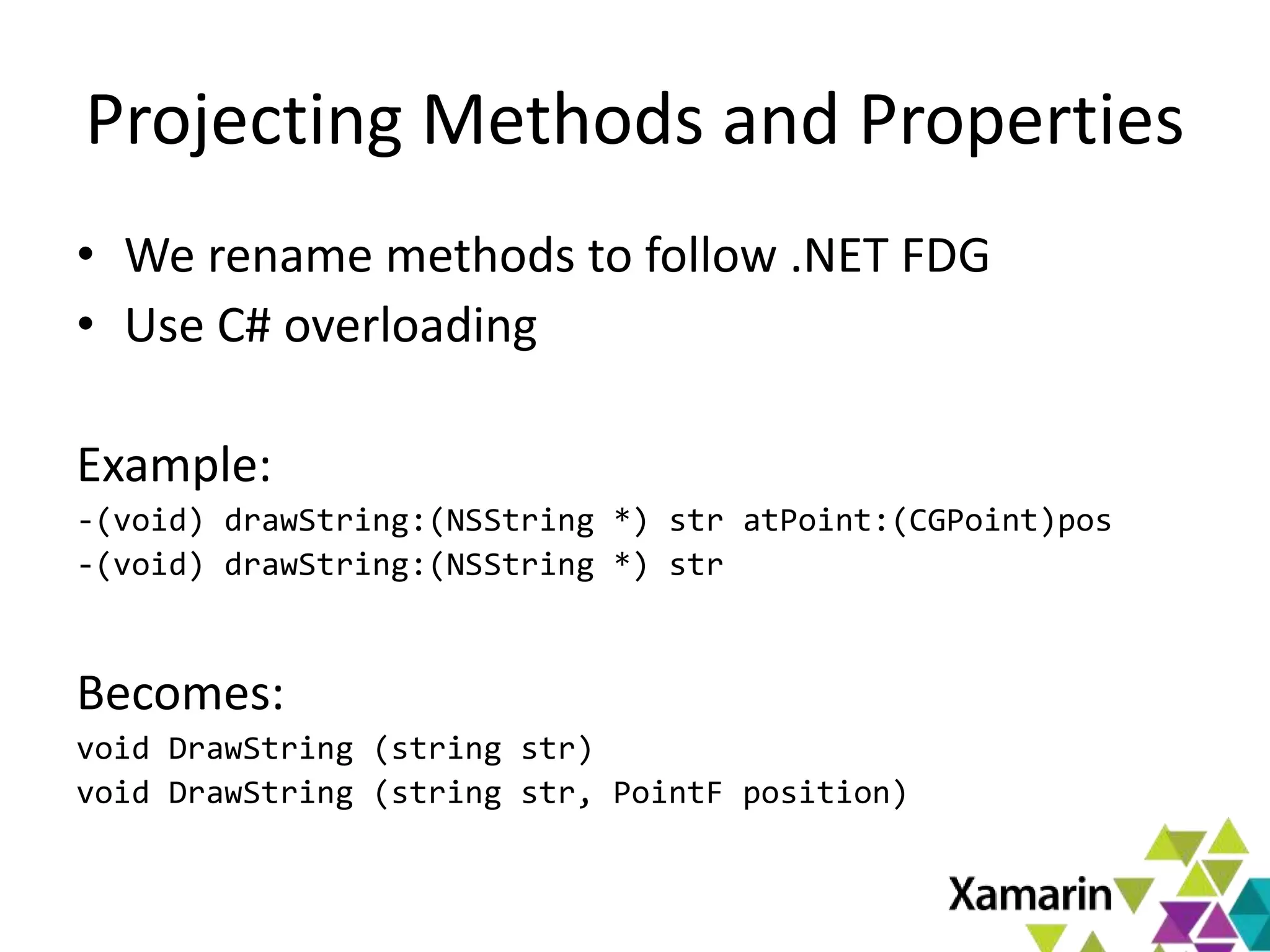
Projecting Methods and Properties
• We rename methods to follow .NET FDG
• Use C# overloading
Example:
-(void) drawString:(NSString *) str atPoint:(CGPoint)pos
-(void) drawString:(NSString *) str
Becomes:
void DrawString (string str)
void DrawString (string str, PointF position)
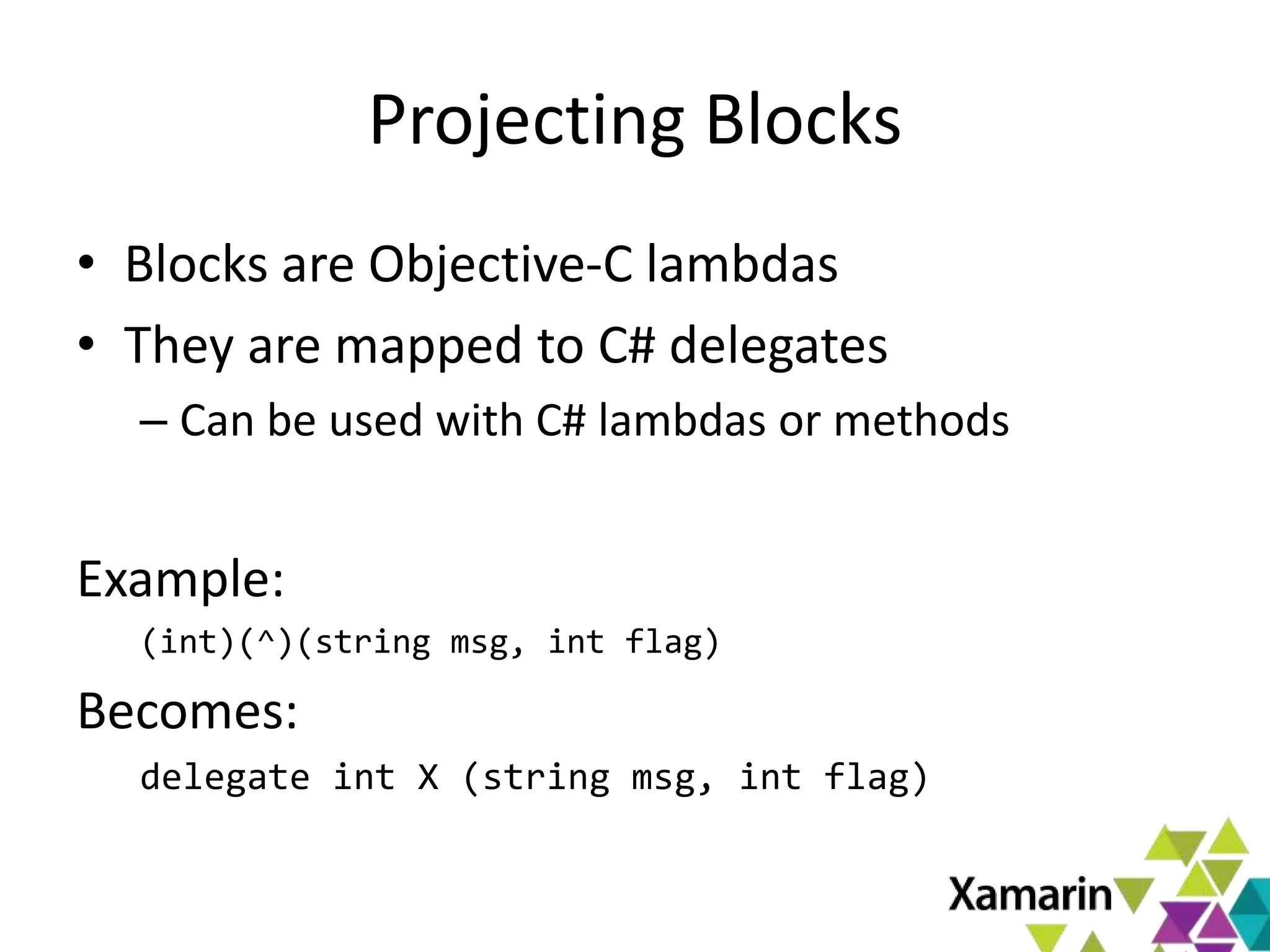
Projecting Blocks
• Blocks are Objective-C lambdas
• They are mapped to C# delegates
– Can be used with C# lambdas or methods
Example:
(int)(^)(string msg, int flag)
Becomes:
delegate int X (string msg, int flag)
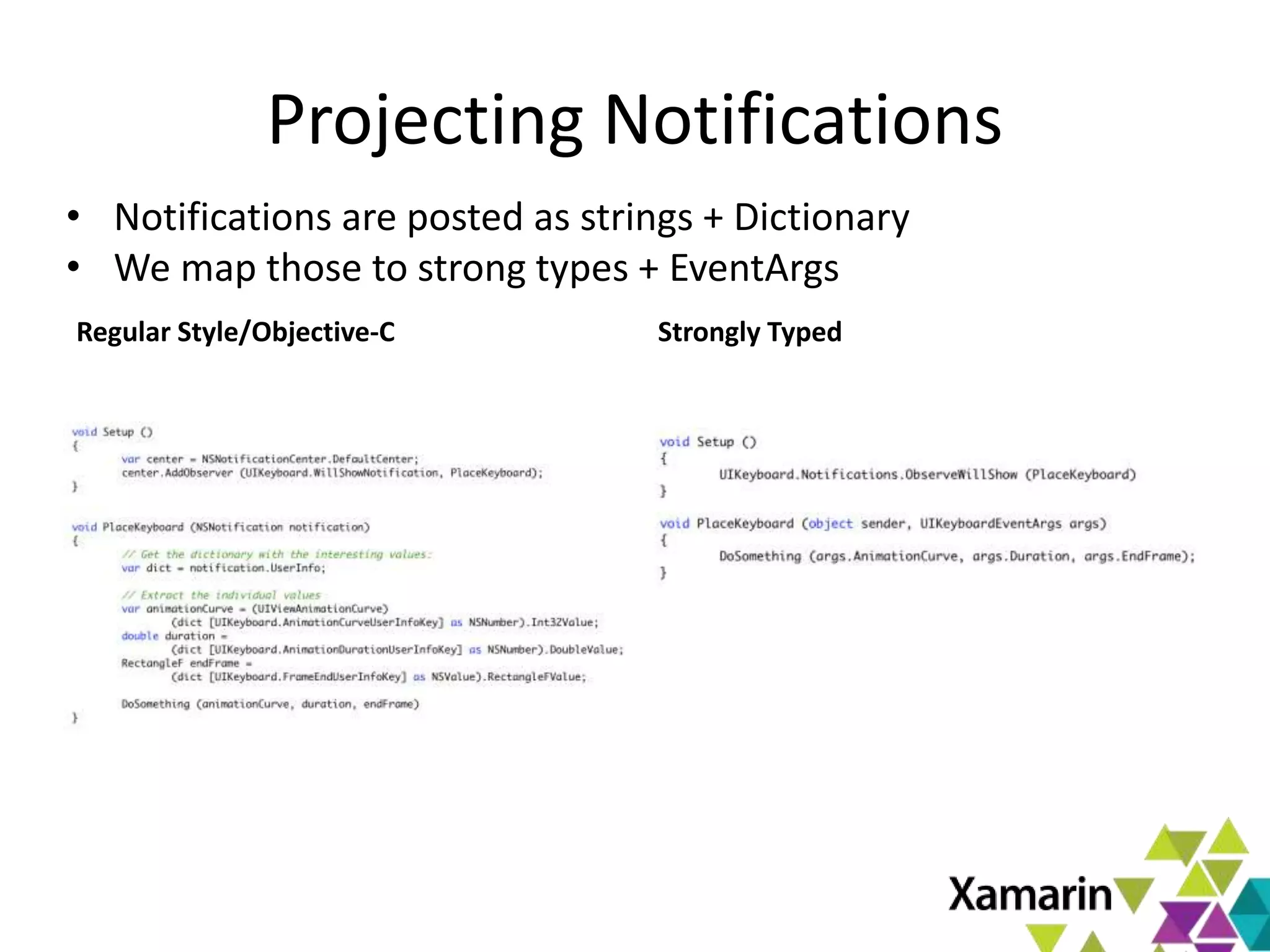
Projecting Notifications
Regular Style/Objective-C Strongly Typed
• Notifications are posted as strings + Dictionary
• We map those to strong types + EventArgs
Projecting NSDictionary Options
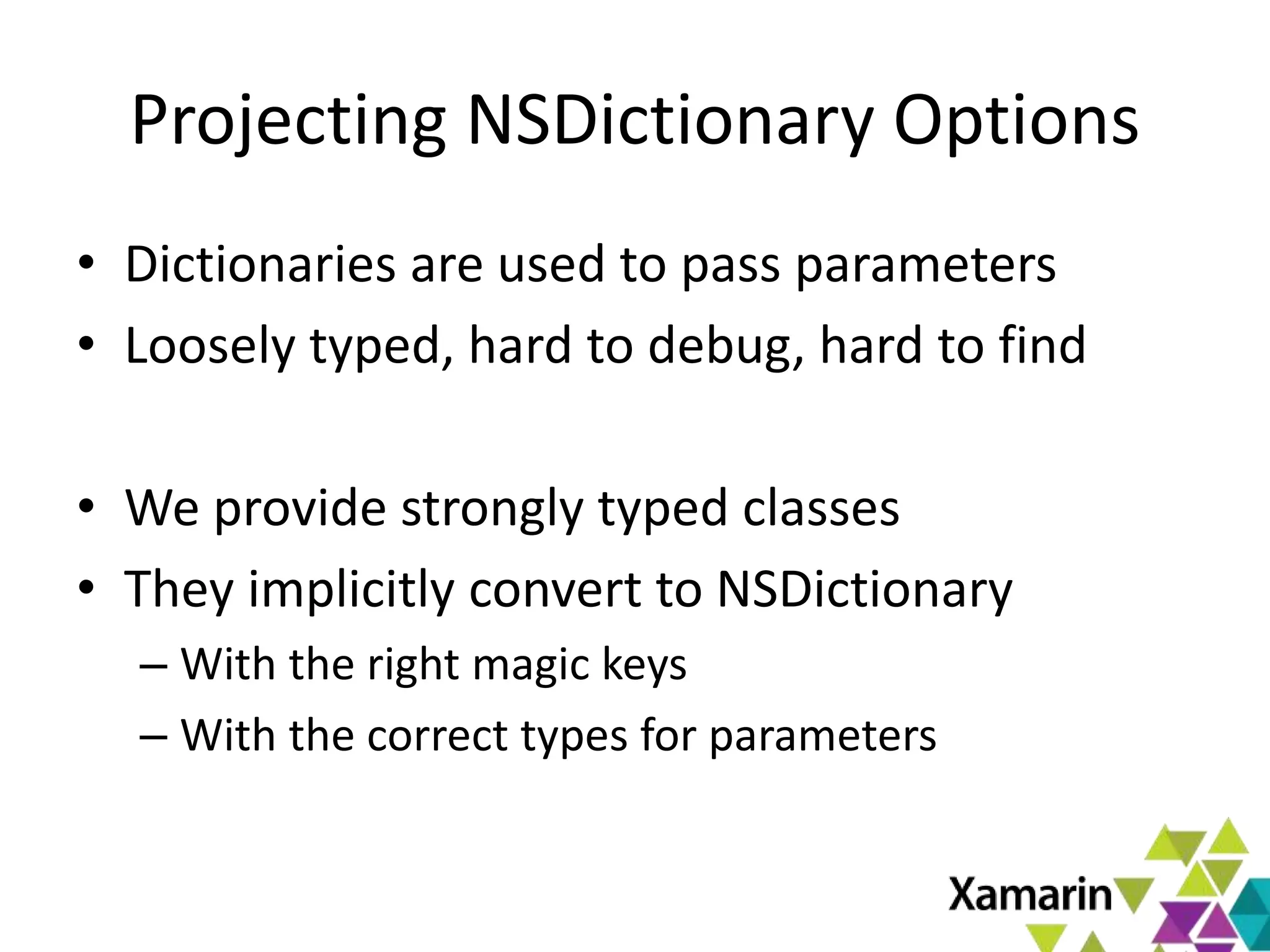
• Dictionaries are used to pass parameters
• Loosely typed, hard to debug, hard to find
• We provide strongly typed classes
• They implicitly convert to NSDictionary
– With the right magic keys
– With the correct types for parameters
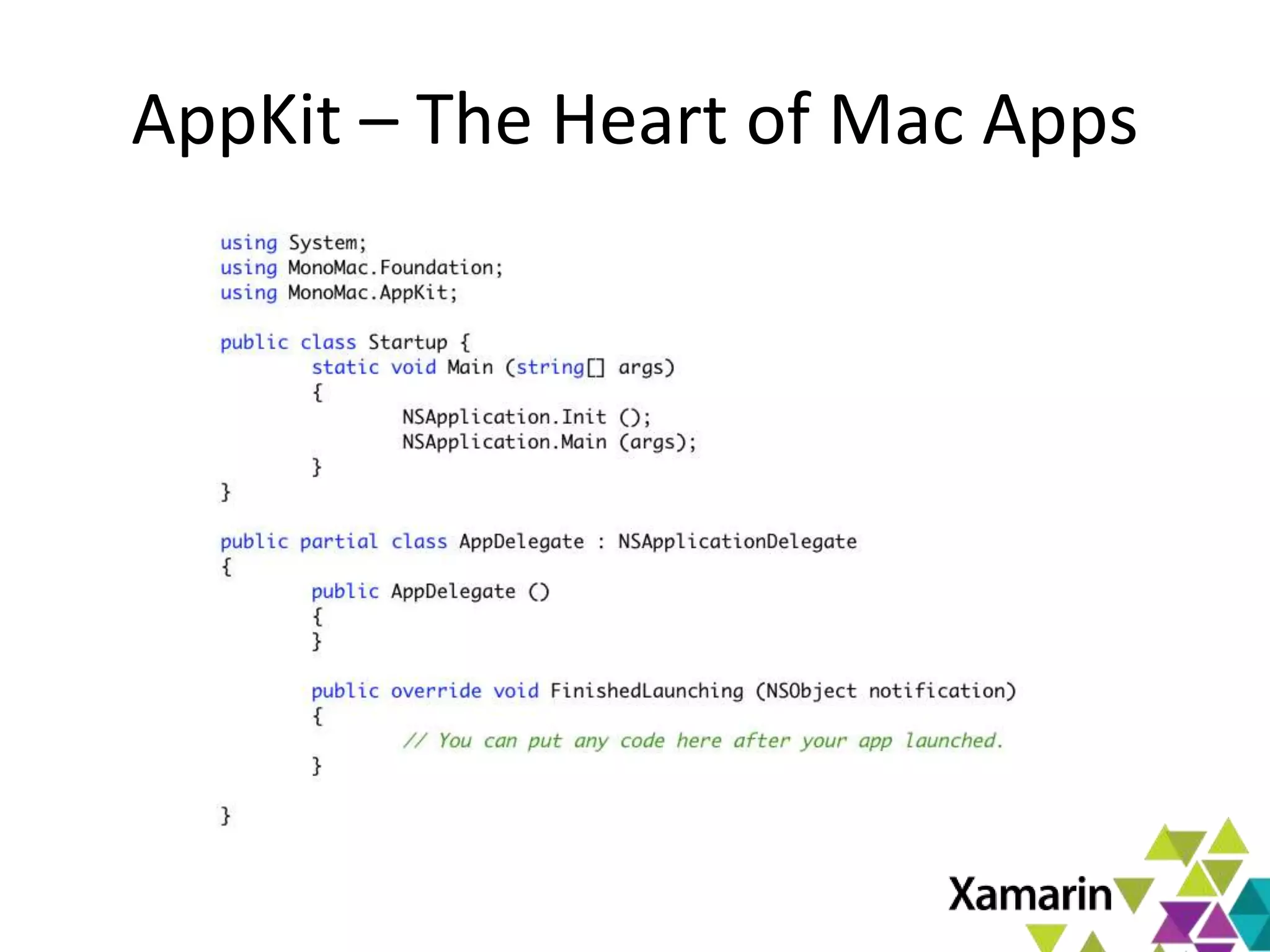
AppKit – The Heart of Mac Apps

Xamarin.Mac Introduction

  • 1.
    Xamarin.Mac Introduction Miguel deIcaza, CTO Xamarin miguel@xamarin.com January 10th 2013
  • 2.
    Xamarin.Mac Overview • BuildMac applications with C# – Use C# and .NET libraries on Mac – All that you love: • LINQ, Task Parallel Library, async • GC, type safety, generics, dynamic and more. – Mac AppStore ready • Native Applications – Use native APIs to deeply integrate with OSX
  • 3.
  • 4.
    Xamarin.Mac at aGlance Mono Runtime Xamaric.Mac Libraries Mono Core Class Libraries Tools and SDK • Binder • Bundler • Linker • Packager MonoDevelop IDE Xcode (UI Designer) Cocoa Frameworks System Libraries Darwin OS
  • 5.
    Xamarin.Mac Frameworks • CoreGraphics •CoreImage • CoreText • CoreVideo Graphics • ImageKit • ImageIO • OpenGL • PDFKit • AppKit • CoreAnimation • CoreImage User Interface • QCComposer • QuickLook • SceneKit • WebKit • AVFoundation • AudioToolbox • AudioUnit Audio and Video • CoreMidi • CoreMedia • OpenAL • AddressBook • Bluetooth • CoreLocation • CoreServices System Services • CoreWLan • ScriptingBridge • StoreKit • CoreData • CoreFoundation • Darwin Infrastructure • Foundation • ObjCRuntime • Security
  • 6.
    Lots shared withMonoTouch (iOS) • CoreGraphics • CoreImage • CoreText • CoreVideo Graphics • ImageKit • ImageIO • OpenGL • PDFKit • AppKit • CoreAnimation • CoreGraphics • CoreImage User Interface • QCComposer • QuickLook • SceneKit • WebKit • AVFoundation • AudioToolbox • AudioUnit Audio and Video • CoreMidi • CoreMedia • OpenAL • AddressBook • Bluetooth • CoreLocation • CoreServices System Services • CoreWLan • ScriptingBridge • StoreKit • CoreData • CoreFoundation • Darwin Infrastructure • Foundation • ObjCRuntime • Security
  • 7.
    How does Xamarin.Macwork? • OSX Libraries Projected to C# – 1:1 mapping from OSX native APIs to C# • Objective-C (80% of APIs) – Object system mapped – Supports subclassing and overriding • C-based APIs (20% of APIs) – Exposed as C# classes/methods – No support for subclassing or overriding
  • 8.
    The Basics • CoreGraphics •CoreImage • CoreText • CoreVideo Graphics • ImageKit • ImageIO • OpenGL • PDFKit • AppKit • CoreAnimation • CoreImage User Interface • QCComposer • QuickLook • SceneKit • WebKit • AVFoundation • AudioToolbox • AudioUnit Audio and Video • CoreMidi • CoreMedia • OpenAL • AddressBook • Bluetooth • CoreLocation • CoreServices System Services • CoreWLan • ScriptingBridge • StoreKit • CoreData • CoreFoundation • Darwin Infrastructure • Foundation • ObjCRuntime • Security
  • 10.
    Anatomy of aXamarin.Mac App NSDocument version Application Delegate Called with application events, among them “FinishedLaunching” Info.plist Application metadata, used by the OS (app name, requirements, doc type handlers, etc) Main application menu Interface definition for your main menu Implementation for your main window Code to implement the features of your Document handler. Main Window UI Definition UI for your Main Window, edited with Xcode.
  • 11.
  • 12.
    Structure of yourApp NSWindow The toplevel window in your app NSWindow.ContentView An NSViews, hosts all content
  • 13.
    NSViews – Powerfulcontainers • NSViews can contain other NSViews • NSViews can handle events • NSViews can paint themselves • NSViews can layout their nested NSViews • NSViews can be backed by a CALayer – CALayers are GPU accelerated • NSView properties can be animated
  • 14.
  • 15.
    AppKit - ApplicationFramework • Pervasive use of Model View Controller – Unless you are writing a custom control – All logic goes into your controller class – Controller orchestrates work of views • Goes beyond the standard offering – High-level NSDocument does the heavy lifting – Full Menu, Saving, Loading, multi-window support
  • 16.
    Extending our firstWindow Create + Initialize Object Hook up some code, lambda Subclass
  • 17.
    My app inAction
  • 18.
    Creating Beautiful Interfaces •Launch Xcode to edit XIB files. • Activate side-by-side view • Control-drag to source file.
  • 19.
  • 20.
    Exposing the UIto Code • Outlets – Allows you to reference an object from code – Control-drag to source pane, and give it a name • Actions – Allows a method to be invoked as a response – Control drag to source pane, and give a name • In C# land – Actions become partial methods in your class – Outlets become properties in your class
  • 21.
  • 22.
  • 23.
  • 24.
    Events and Callbacks •In the C# world we are used to objects broadcasting events. Like this: – var myControl = new SomeControl (); – myControl.Clicked += SaveFile; – myControl.FocusIn += MakeFontBold; – myControl.FocusOut += ResetFont; MyControl SaveFile MakeFontBold ResetFont
  • 25.
    Apple’s Idiom • Objectsinstead send interesting events to a “Delegate”. All messages are sent there. var myControl = new SomeControl () myControl.Delegate = new MyControlDelegate () myControlDelegate class MyControlDelegate : ControlDelegate { override Clicked () {…} override FocusIn () {…} override FocusOut () {…} } myControl
  • 26.
    Xamarin.Mac and Delegates •Both models are supported – You get to choose in a per-instance basis • Apple Delegate pattern mapped to C# events – Internally, we create the Delegate class, map it to your C# lambda/anonymous method/delegate • One replaces the other
  • 27.
  • 28.
    Shipping Your App- Yourself • App has full access to the system • Applications are shipped as “bundles” – Directory with .app extension – Self-contained, with no external dependencies – Optionally: generate installer from IDE as well. • MacOS recently enabled GateKeeper – This requires you to sign your app – Or apps wont start on modern systems1 (by default) 1. Technically any Mac running Mountain Lion (10.8.xx) or Lion 10.7.5 and newer
  • 29.
    Shipping your App- AppStore • Mac App Store – Must apply to Apple for developer program – Must sign application – Submit app for review • App will be sandboxed • IDE signs, packages and launches uploader • See Xamarin’s docs for tutorial
  • 30.
    MacOS X Sandbox •Kernel enforced sandbox • Limits access to the system: – Limitations on file system access – Use special Open/Save dialog panels – Limits access to services, and some kernel APIs
  • 31.
    Mac AppStore –Sandbox Configuration Info.plist Editing this file brings up the metadata editor. Use this editor to configure your application requirements from the sandbox.
  • 32.
    Next Steps Learn moreat: - xamarin.com/mac - Docs.xamarin.com Free trial: - xamarin.com/trial April 14 – 17, Austin, TX 2 Days of Xamarin Technical Training & Certification 2 Conference days covering all things mobile Keynotes by Nat, Miguel and Scott Hanselman Call for speakers officially open & sponsorship information available at evolve@xamarin.com Deep Dive at Xamarin Evolve 2013
  • 33.
    Pricing • Free trialat xamarin.com/trial • Professional: $399 • Enterprise: $999 per seat • Enterprise Priority: $2,499 per seat
  • 34.
    Resources • Xamarin’s MacResources: – http://docs.xamarin.com/mac • API documentation: – Installed on first use (Apple + Xamarin Docs) • C# samples: https://github.com/xamarin/mac-samples • Support Forum: http://forums.xamarin.com/categories/mac • Apple Developer Portal: http://developer.apple.com/mac • Xamarin’s Evolve conference: http://xamarin.com/evolve
  • 35.
  • 36.
    TouchDraw and iCircuit •TouchDraw • iCircuit
  • 37.
  • 38.
    Objective-C Projection toC# • What we map: – Classes – Structures – Methods and Properties – Objective-C blocks – Public global fields – Notifications – Dictionaries – Core data types • Follow the .NET Framework Design Guidelines
  • 39.
    Projecting Classes andStructs • Identical class names • Scoped by namespace Example: NSWindow and NSURL Become MonoMac.AppKit.NSWindow MonoMac.Foundation.NSUrl
  • 40.
    Projecting Methods andProperties • We rename methods to follow .NET FDG • Use C# overloading Example: -(void) drawString:(NSString *) str atPoint:(CGPoint)pos -(void) drawString:(NSString *) str Becomes: void DrawString (string str) void DrawString (string str, PointF position)
  • 41.
    Projecting Blocks • Blocksare Objective-C lambdas • They are mapped to C# delegates – Can be used with C# lambdas or methods Example: (int)(^)(string msg, int flag) Becomes: delegate int X (string msg, int flag)
  • 42.
    Projecting Notifications Regular Style/Objective-CStrongly Typed • Notifications are posted as strings + Dictionary • We map those to strong types + EventArgs
  • 43.
    Projecting NSDictionary Options •Dictionaries are used to pass parameters • Loosely typed, hard to debug, hard to find • We provide strongly typed classes • They implicitly convert to NSDictionary – With the right magic keys – With the correct types for parameters
  • 44.
    AppKit – TheHeart of Mac Apps

Editor's Notes

  • #4 Showcase some applications Frameworks available/bound Introduction to MacOS frameworks C# and Objective-C integration Kinds of programs you can build Small, depend on Mono Self-contained AppStore distribution The structure of a Xamarin.Mac app Main program Main loop Info.plist Editing properties Hands on Section Creating an app with a single window Structure of a project Menus Components. NSAlert (Sheets/Dialogs) Using NSDocument to leverage multiple toplevels What you get with it Debugging
  • #8 Basically, it is what dreams are made of.
  • #33 Learn almost everything there is to know about mobile development with Xamarin by attending our two-day Training & Certification program, for only $1,000, on April 14 & 15. Our fast-paced professional training days will give you an opportunity to dive deep and expand your expertise. And then join us for the Xamarin Evolve 2013 Conference, priced at $899, on April 16 & 17. Buy your tickets now–the first 100 to register will receive a 20% discount. The conference will include inspiring keynotes, a diverse lineup of must-see talks and presentations, and engaging activities like a party and hackathon.