Working with Cocoa / Objective-C
Table of Contents
• Swift Import Process
• Interacting with Objective-C APIs
• Integrating with Interface Builder


and more…
Swift Import Process
Importing Objective-C
frameworks
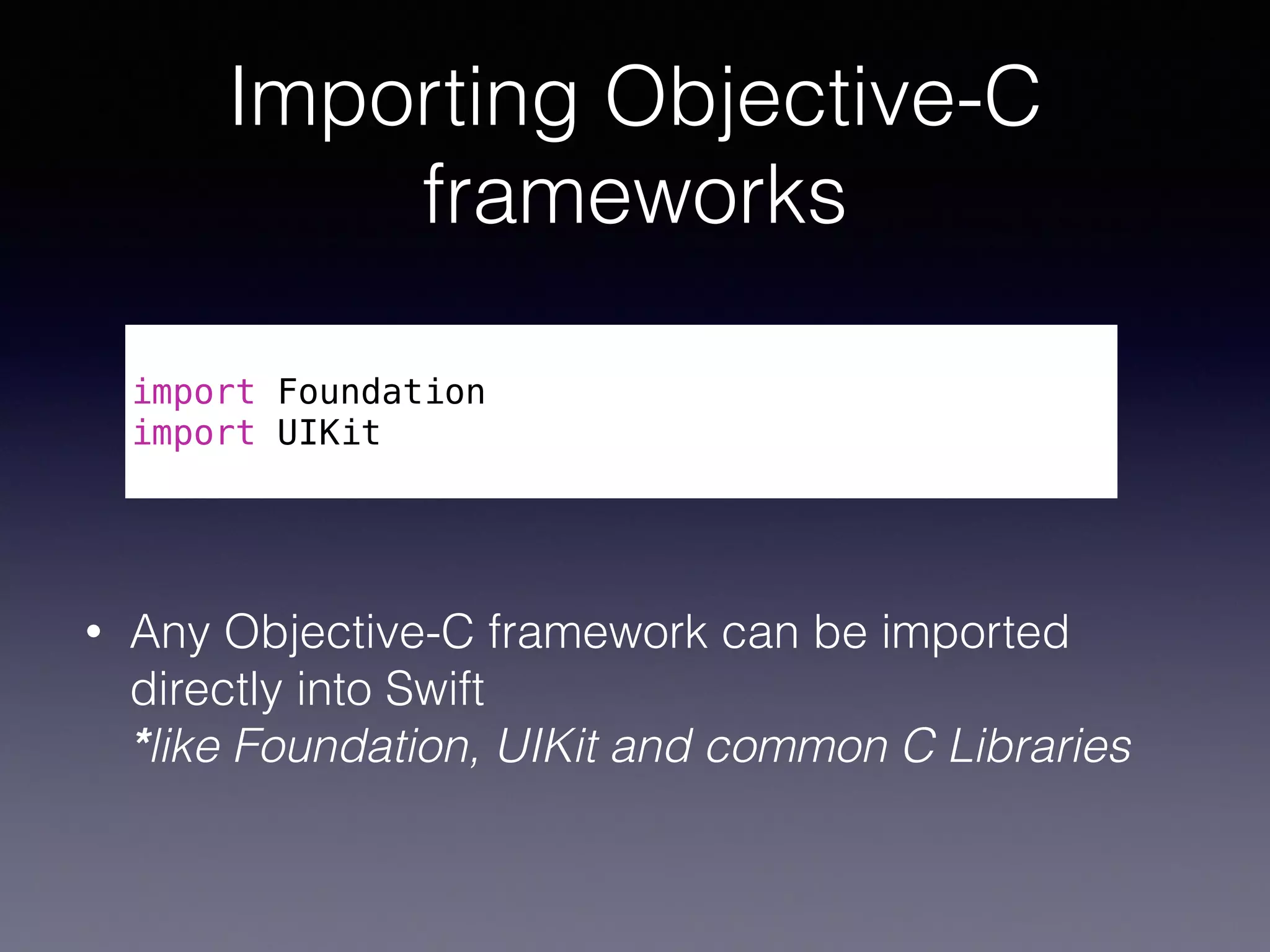
• Any Objective-C framework can be imported
directly into Swift

*like Foundation, UIKit and common C Libraries
!
import Foundation
import UIKit
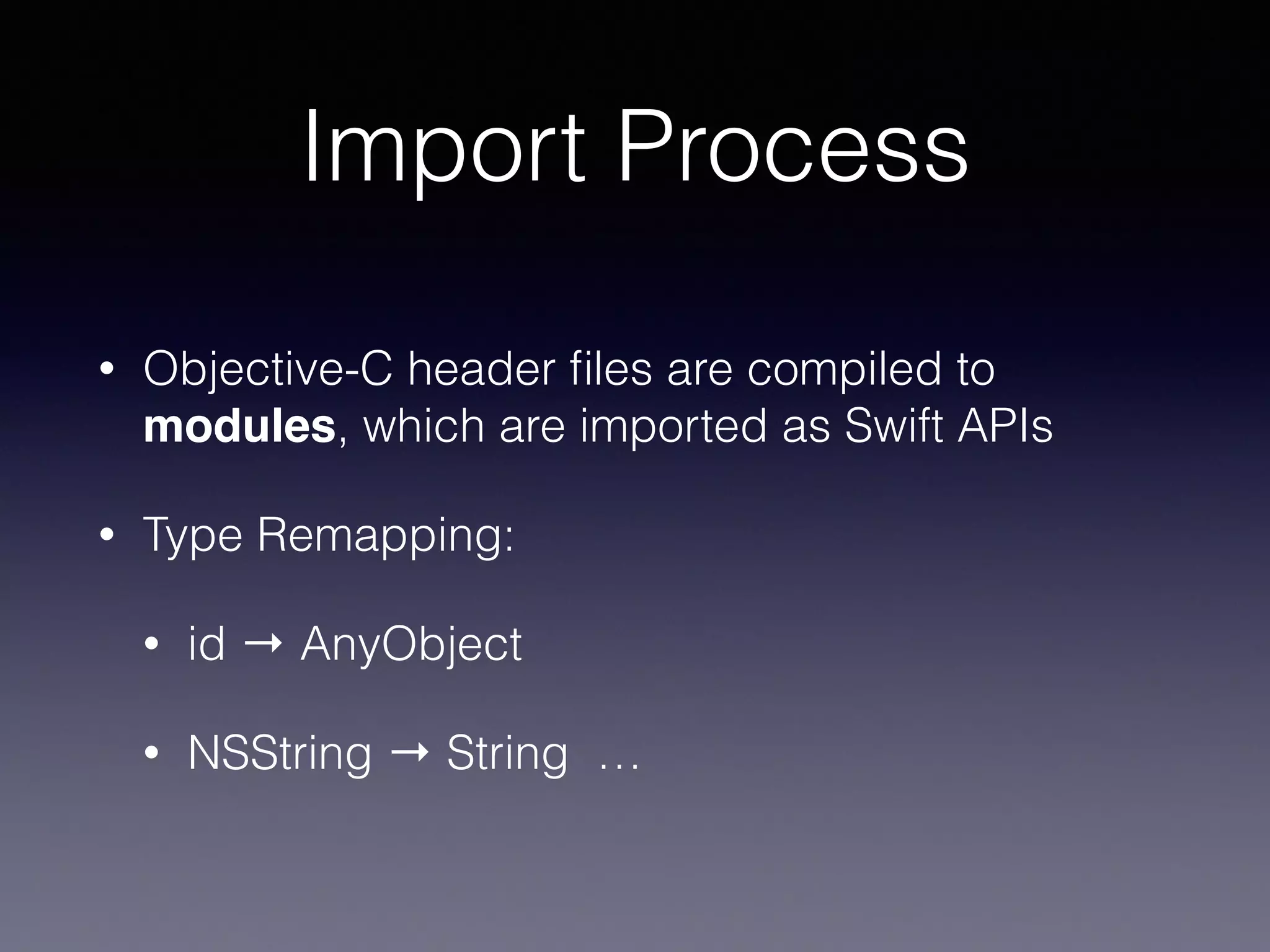
Import Process
• Objective-C header files are compiled to
modules, which are imported as Swift APIs
• Type Remapping:
• id → AnyObject
• NSString → String …
Interacting with Objective-C
APIs
Initialization
Initializers
• No alloc in Swift!
!
// Objective-C
UITableView *myTableView = [[UITableView alloc]
initWithFrame:CGRectZero style:UITableViewStyleGrouped];
!
// Swift
let myTableView = UITableView(frame: CGRectZero, style: .Grouped)
Factory Methods
• Objective-C factory methods get mapped to
convenience initialisers in Swift
!
// Objective-C
UIColor *color = [UIColor colorWithRed:0.5 green:0.0
blue:0.5 alpha:1.0];
!
// Swift
let color = UIColor(red: 0.5, green: 0.0, blue: 0.5,
alpha: 1.0)
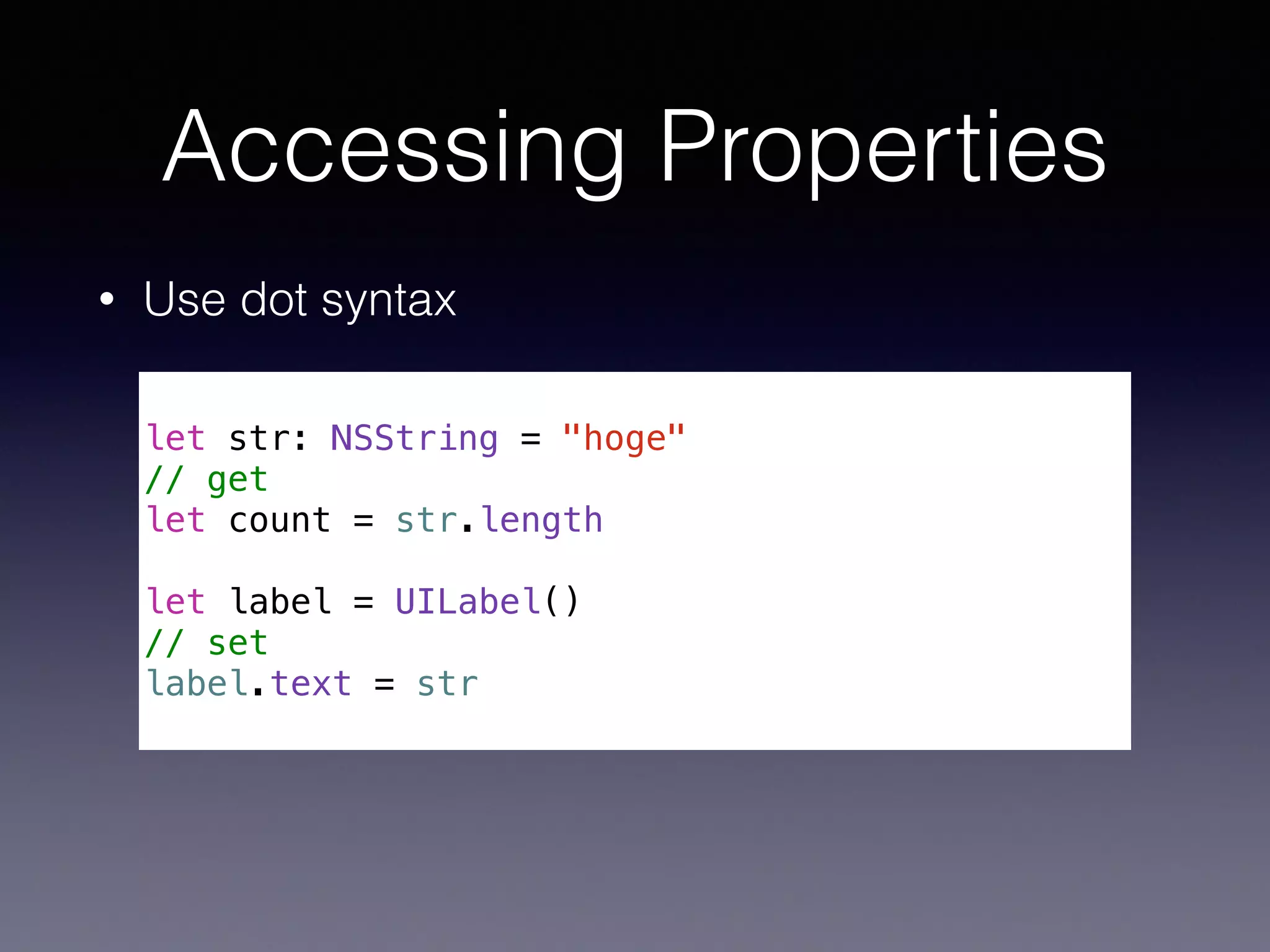
Accessing Properties
• Use dot syntax
!
let str: NSString = "hoge"
// get
let count = str.length
!
let label = UILabel()
// set
label.text = str
Methods
Methods
• Use dot syntax
!
// Objective-C
[myTableView insertSubview:mySubview atIndex:2];
!
!
// Swift
myTableView.insertSubview(mySubview, atIndex: 2)
• () are needed 

even when a method doesn’t have any arguments
!
myTableView.layoutIfNeeded()
id
AnyObject
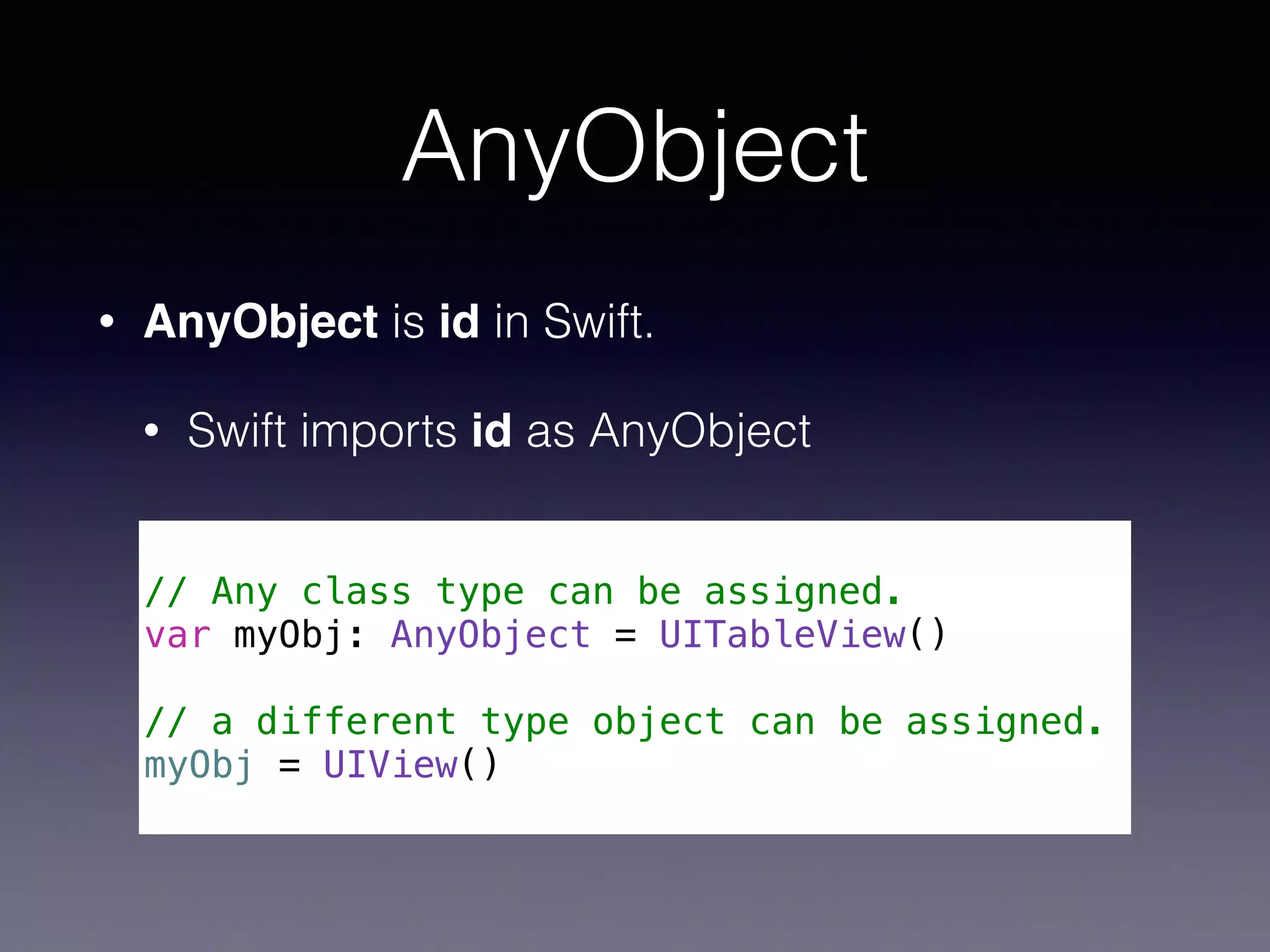
• AnyObject is id in Swift.
• Swift imports id as AnyObject
!
// Any class type can be assigned.
var myObj: AnyObject = UITableView()
!
// a different type object can be assigned.
myObj = UIView()
Unsafe Code
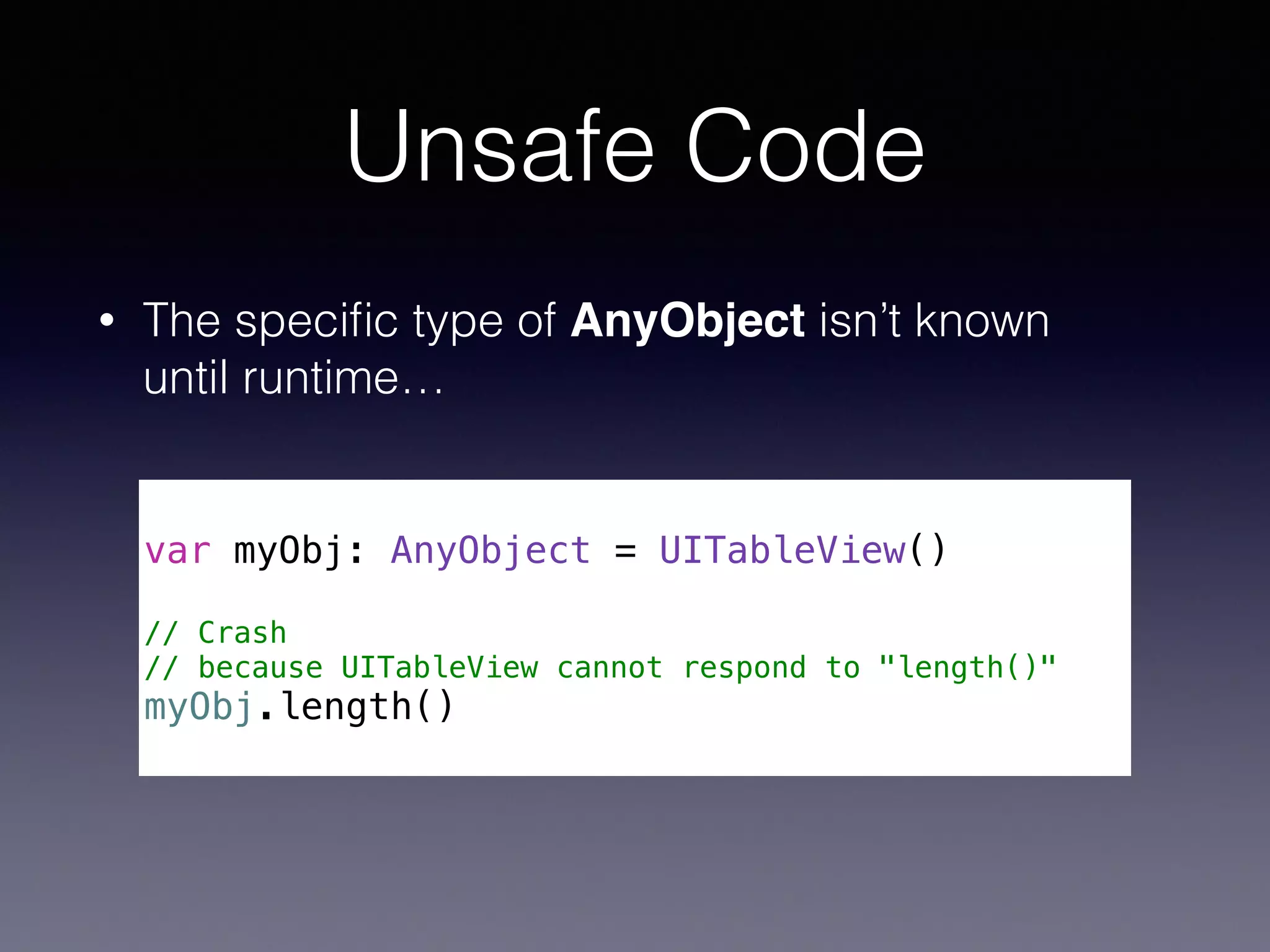
• The specific type of AnyObject isn’t known 

until runtime…
!
var myObj: AnyObject = UITableView()
!
// Crash
// because UITableView cannot respond to "length()"
myObj.length()
Optionals!
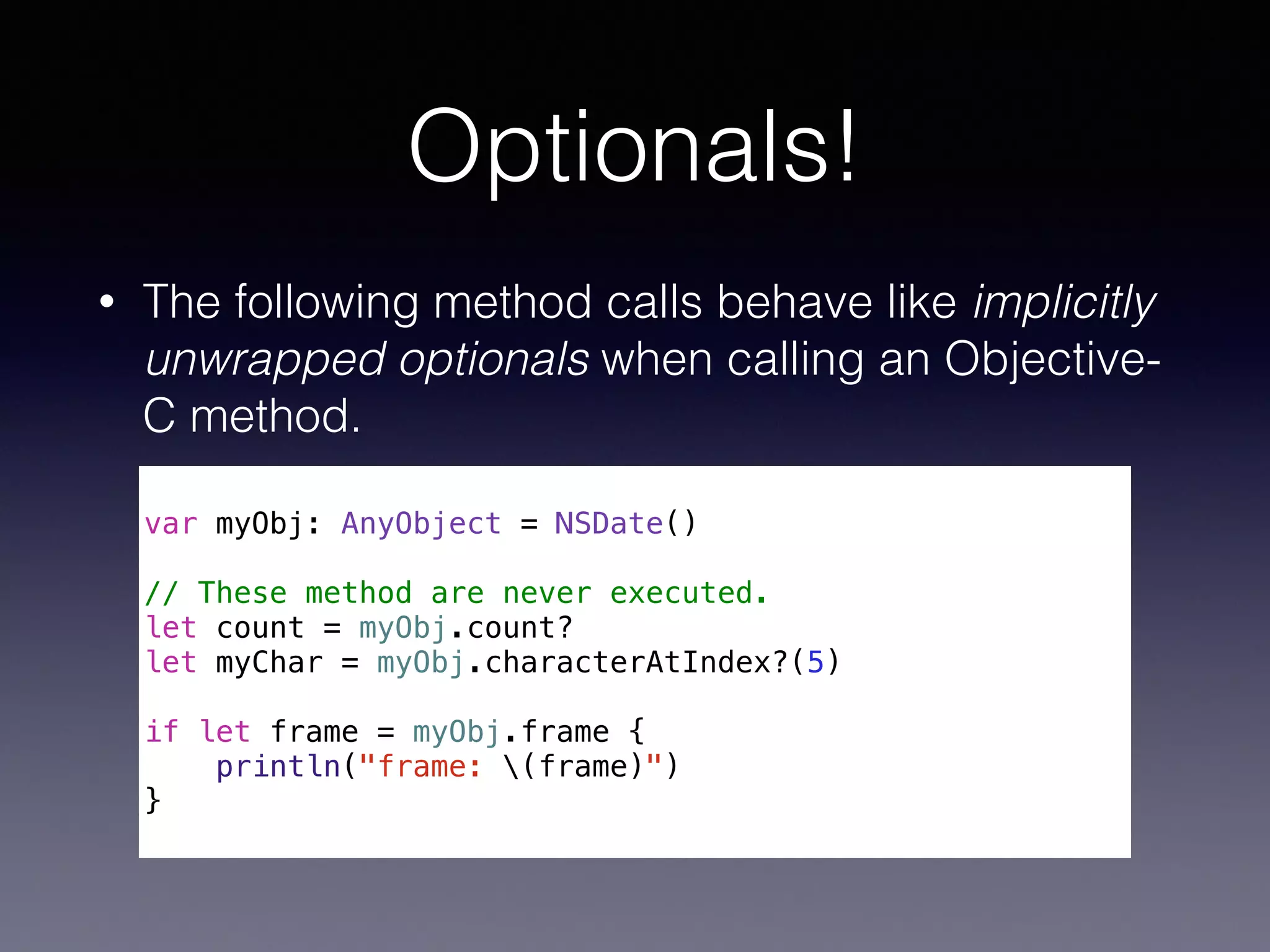
• The following method calls behave like implicitly
unwrapped optionals when calling an Objective-
C method.
!
var myObj: AnyObject = NSDate()
!
// These method are never executed.
let count = myObj.count?
let myChar = myObj.characterAtIndex?(5)
!
if let frame = myObj.frame {
println("frame: (frame)")
}
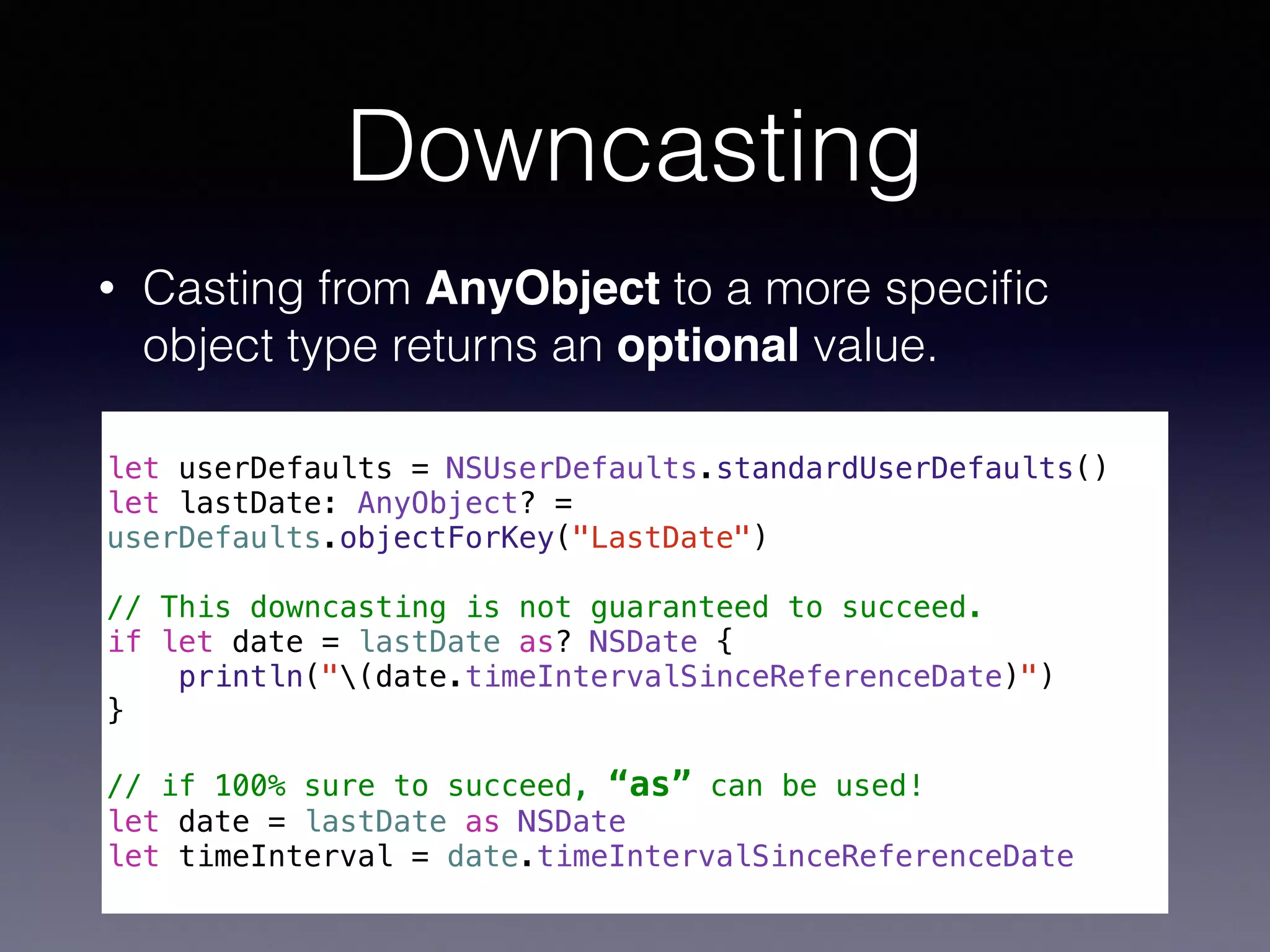
Downcasting
• Casting from AnyObject to a more specific
object type returns an optional value.
!
let userDefaults = NSUserDefaults.standardUserDefaults()
let lastDate: AnyObject? =
userDefaults.objectForKey("LastDate")
!
// This downcasting is not guaranteed to succeed.
if let date = lastDate as? NSDate {
println("(date.timeIntervalSinceReferenceDate)")
}
!
// if 100% sure to succeed, “as” can be used!
let date = lastDate as NSDate
let timeInterval = date.timeIntervalSinceReferenceDate
nil
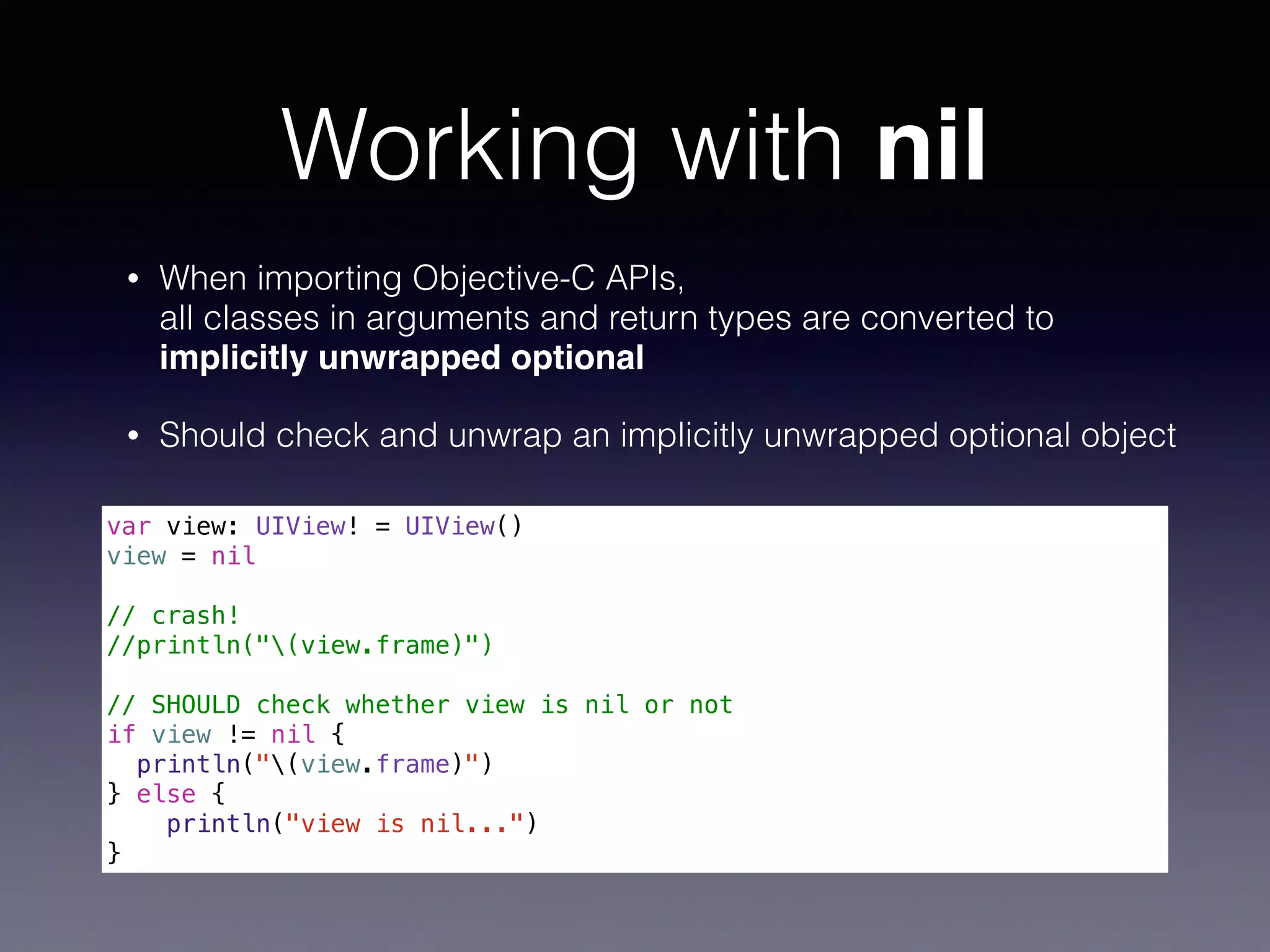
Working with nil
• When importing Objective-C APIs, 

all classes in arguments and return types are converted to
implicitly unwrapped optional!
• Should check and unwrap an implicitly unwrapped optional object

var view: UIView! = UIView()
view = nil
!
// crash!
//println("(view.frame)")
!
// SHOULD check whether view is nil or not
if view != nil {
println("(view.frame)")
} else {
println("view is nil...")
}
Blocks
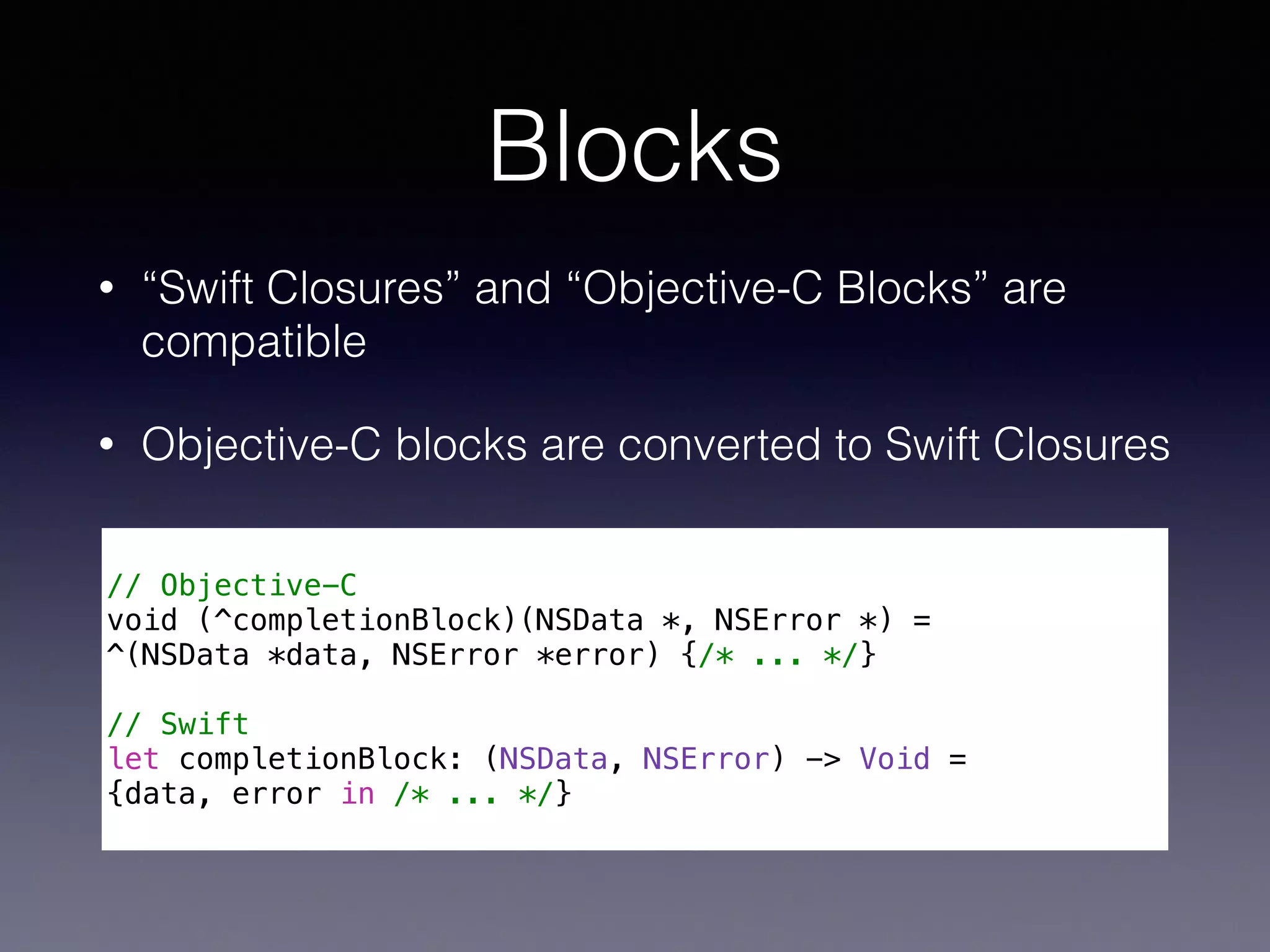
Blocks
• “Swift Closures” and “Objective-C Blocks” are
compatible
• Objective-C blocks are converted to Swift Closures
!
// Objective-C
void (^completionBlock)(NSData *, NSError *) =
^(NSData *data, NSError *error) {/* ... */}
!
// Swift
let completionBlock: (NSData, NSError) -> Void =
{data, error in /* ... */}
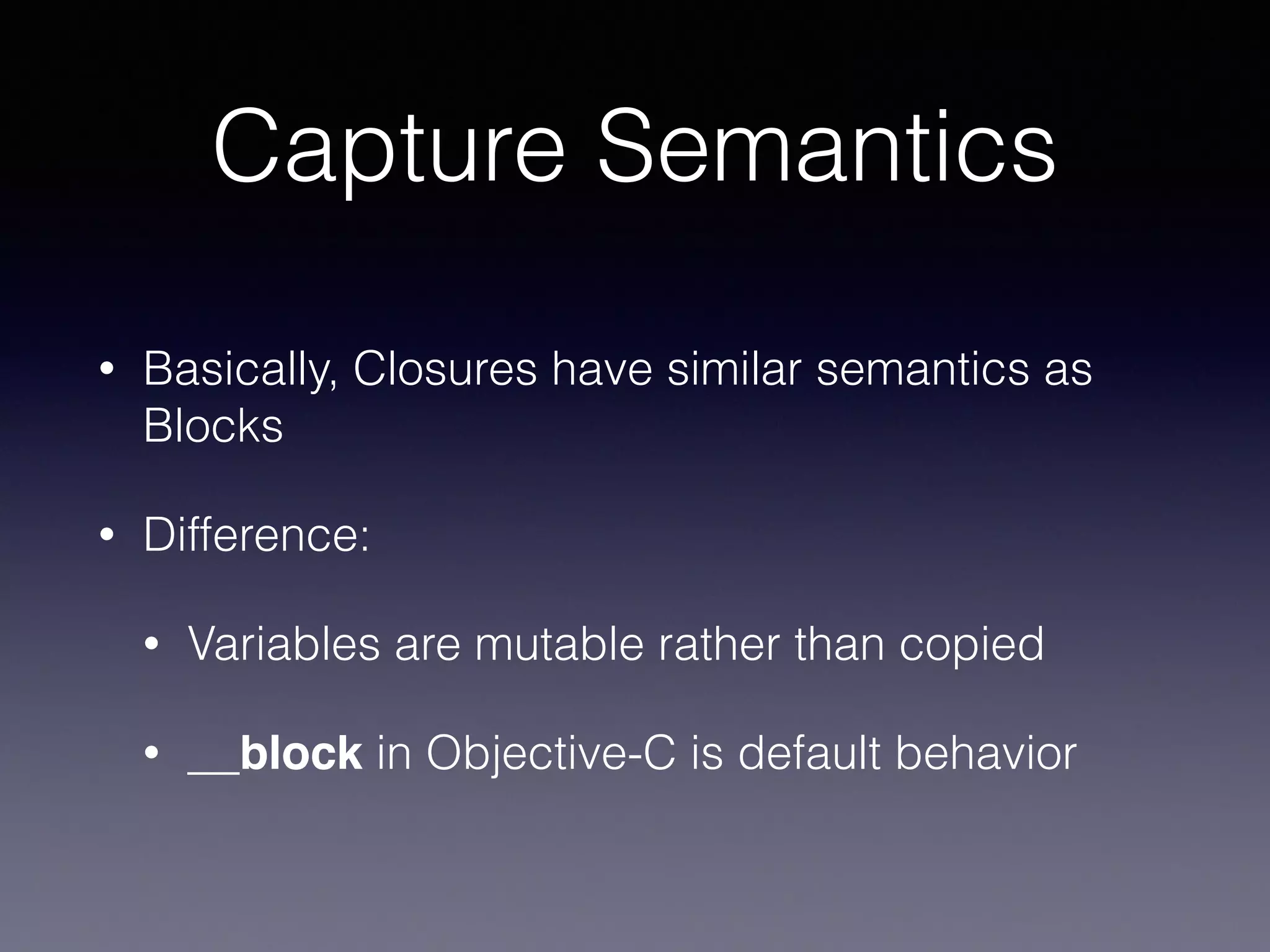
Capture Semantics
• Basically, Closures have similar semantics as
Blocks
• Difference:
• Variables are mutable rather than copied
• __block in Objective-C is default behavior
Swift Type Compatibility
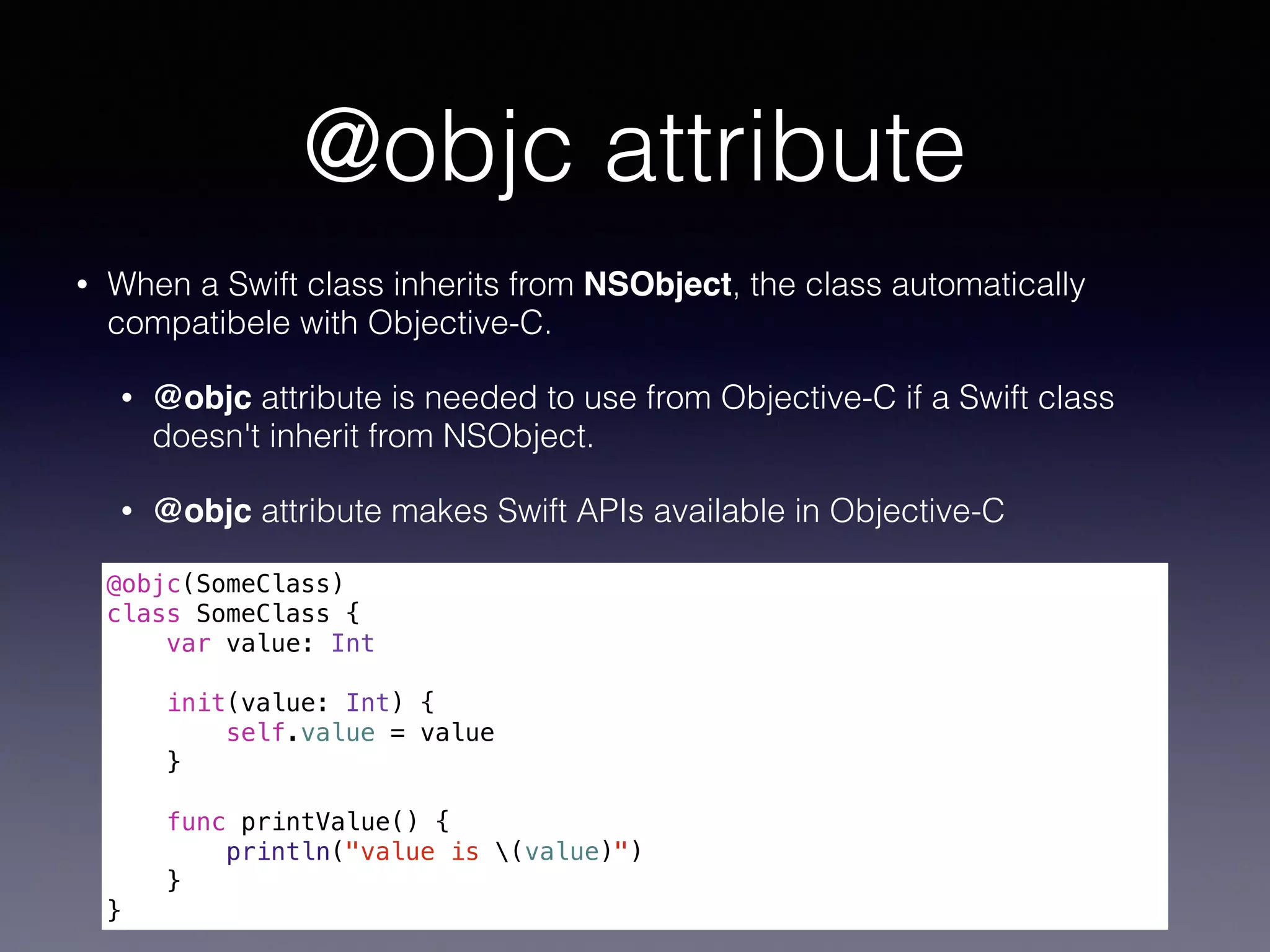
@objc attribute
• When a Swift class inherits from NSObject, the class automatically
compatibele with Objective-C.
• @objc attribute is needed to use from Objective-C if a Swift class
doesn't inherit from NSObject.
• @objc attribute makes Swift APIs available in Objective-C
@objc(SomeClass)
class SomeClass {
var value: Int
init(value: Int) {
self.value = value
}
func printValue() {
println("value is (value)")
}
}
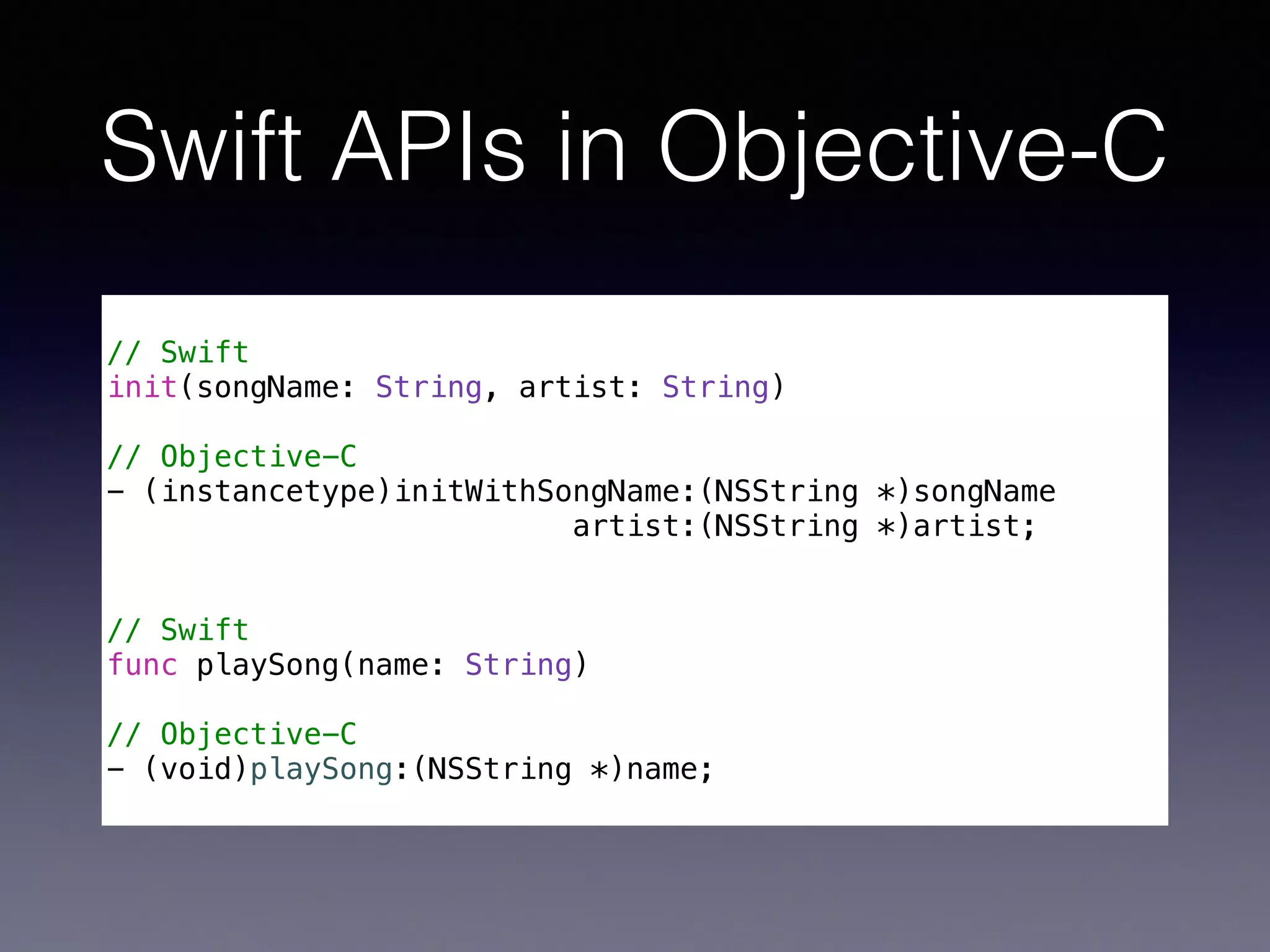
Swift APIs in Objective-C
!
// Swift
init(songName: String, artist: String)
!
// Objective-C
- (instancetype)initWithSongName:(NSString *)songName
artist:(NSString *)artist;
!
!
// Swift
func playSong(name: String)
!
// Objective-C
- (void)playSong:(NSString *)name;
Objective-C Selectors
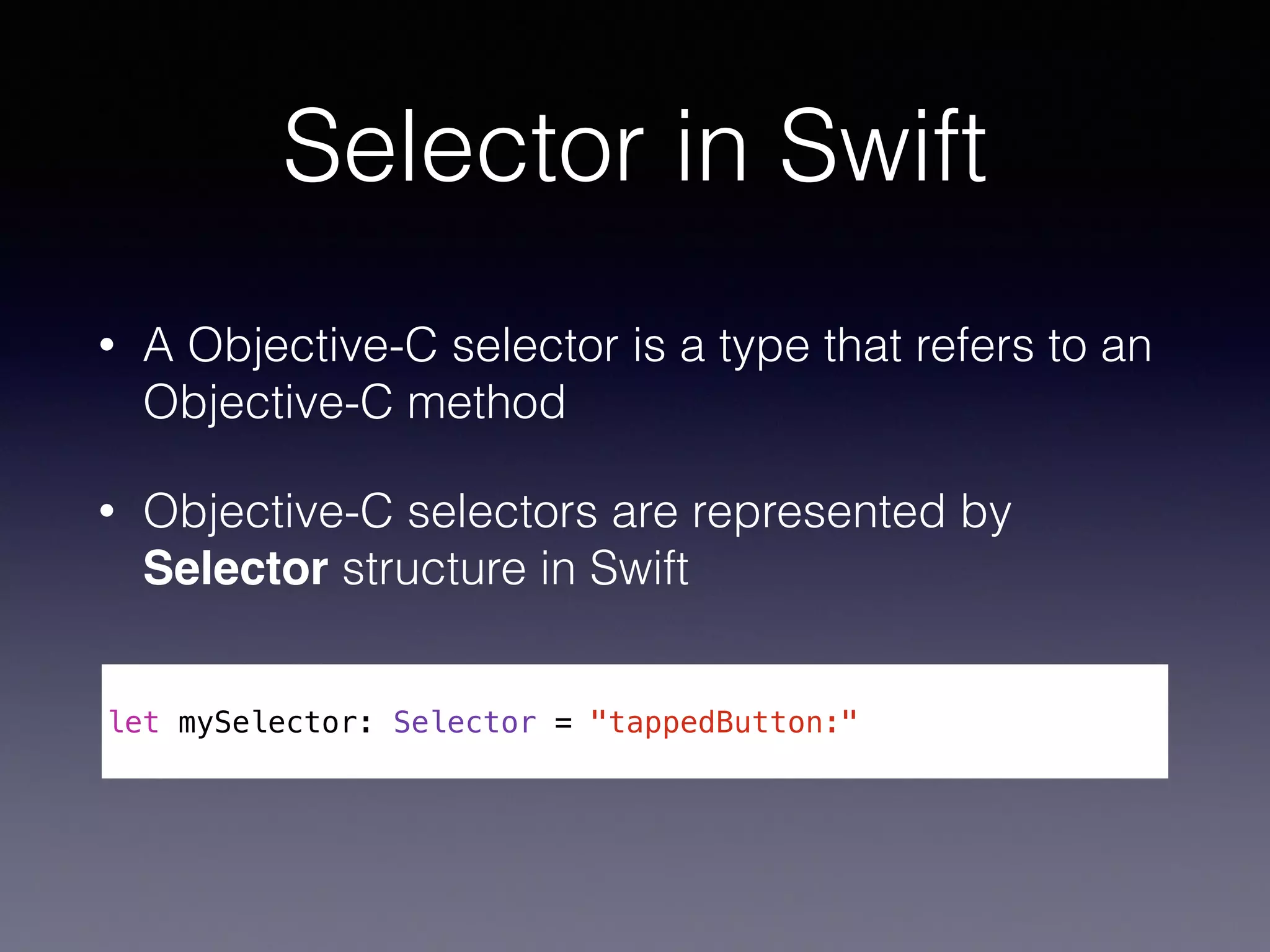
Selector in Swift
• A Objective-C selector is a type that refers to an
Objective-C method
• Objective-C selectors are represented by
Selector structure in Swift
!
let mySelector: Selector = "tappedButton:"
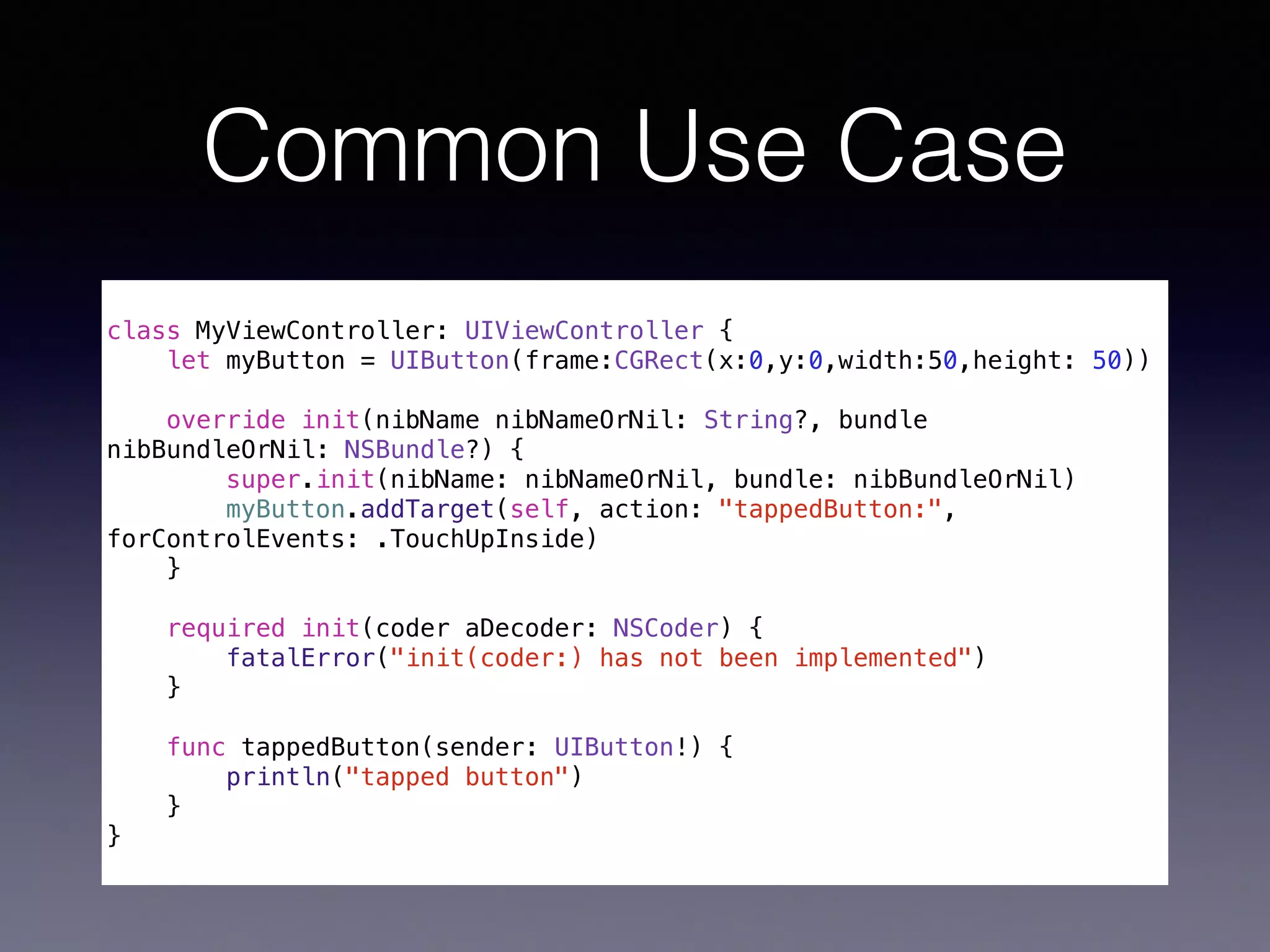
Common Use Case
!
class MyViewController: UIViewController {
let myButton = UIButton(frame:CGRect(x:0,y:0,width:50,height: 50))
override init(nibName nibNameOrNil: String?, bundle
nibBundleOrNil: NSBundle?) {
super.init(nibName: nibNameOrNil, bundle: nibBundleOrNil)
myButton.addTarget(self, action: "tappedButton:",
forControlEvents: .TouchUpInside)
}
!
required init(coder aDecoder: NSCoder) {
fatalError("init(coder:) has not been implemented")
}
func tappedButton(sender: UIButton!) {
println("tapped button")
}
}
Integrating with 

Interface Builder
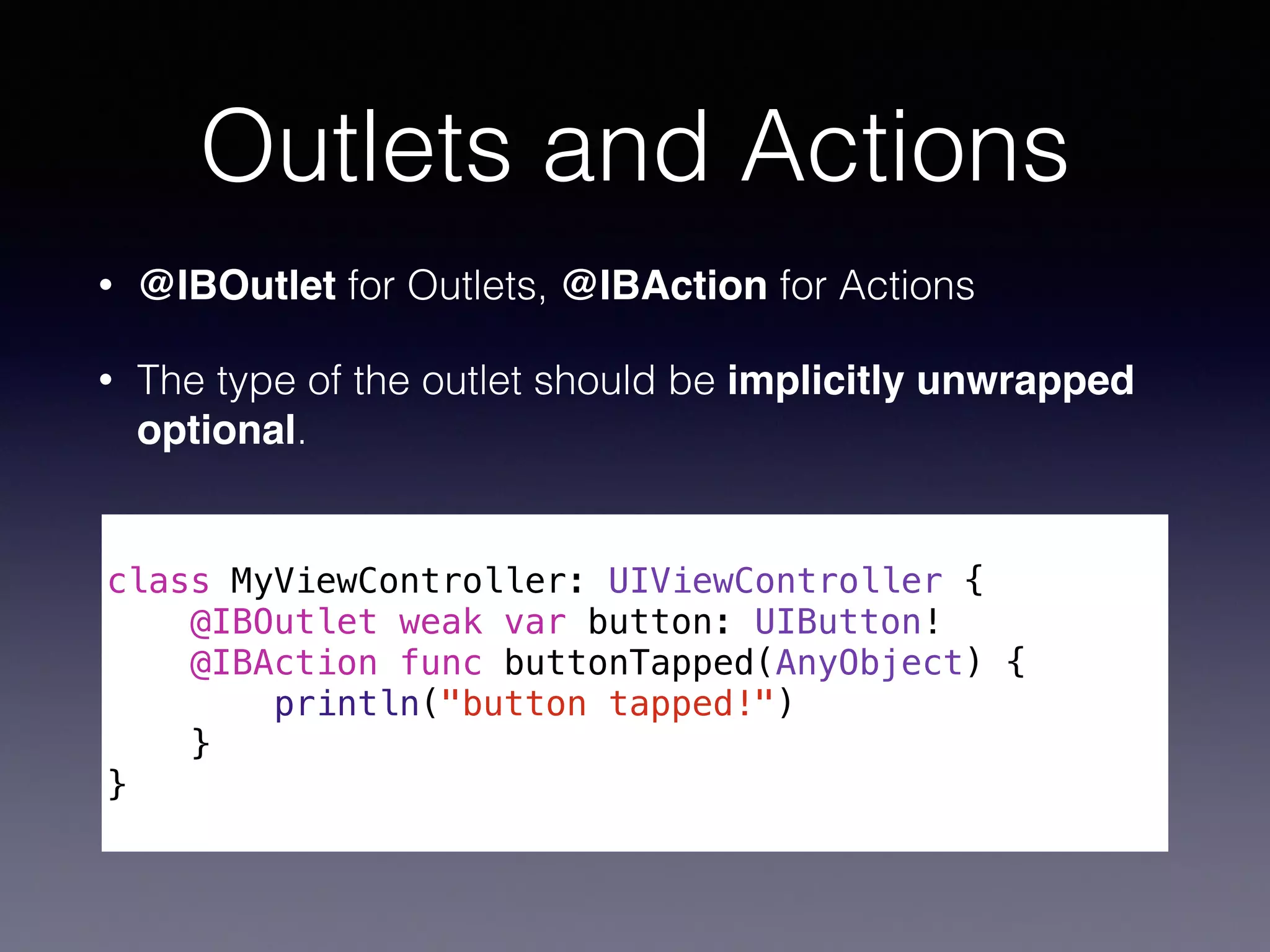
Outlets and Actions
• @IBOutlet for Outlets, @IBAction for Actions
• The type of the outlet should be implicitly unwrapped
optional.
!
class MyViewController: UIViewController {
@IBOutlet weak var button: UIButton!
@IBAction func buttonTapped(AnyObject) {
println("button tapped!")
}
}
Property Attributes
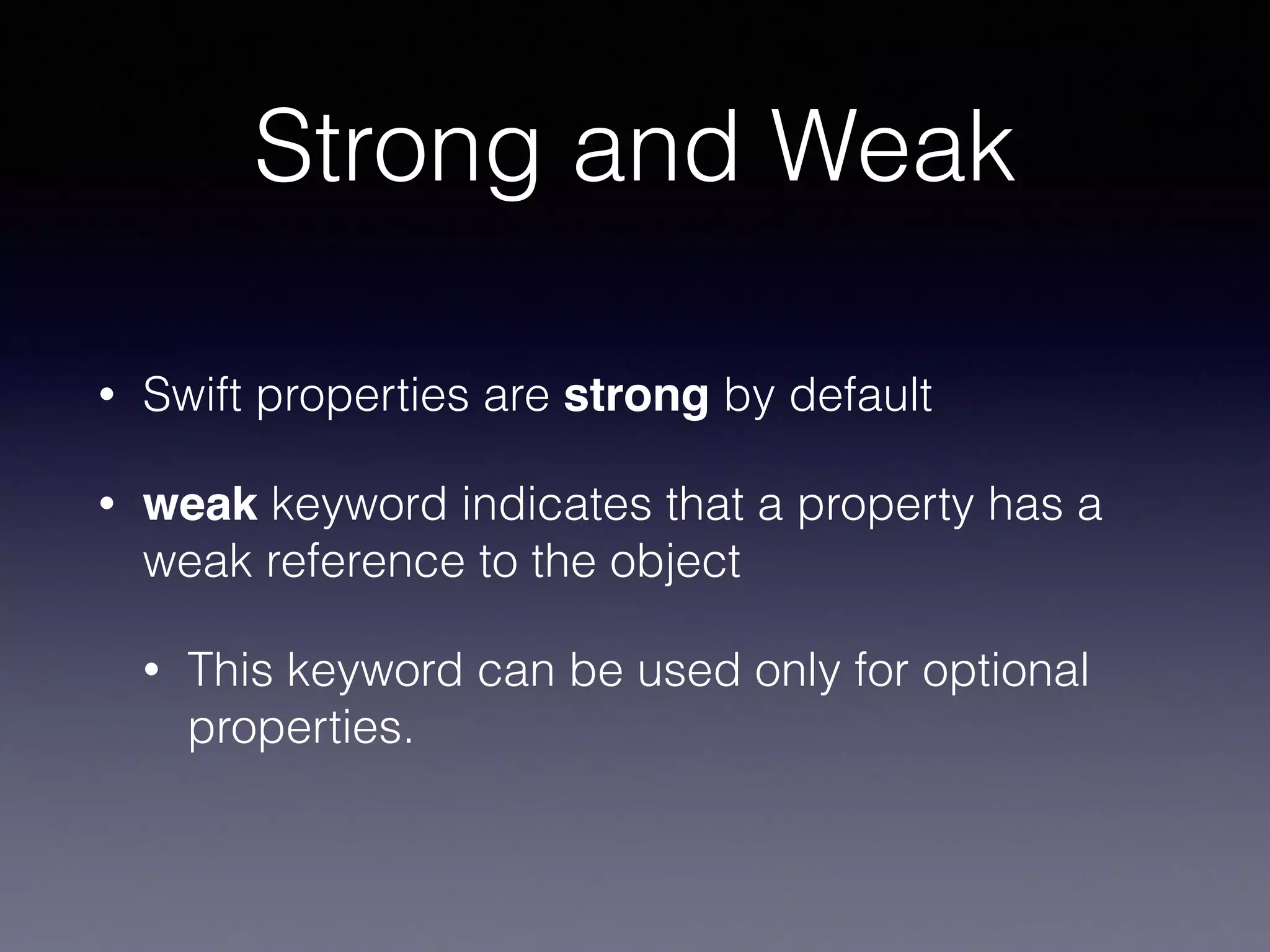
Strong and Weak
• Swift properties are strong by default
• weak keyword indicates that a property has a
weak reference to the object
• This keyword can be used only for optional
properties.
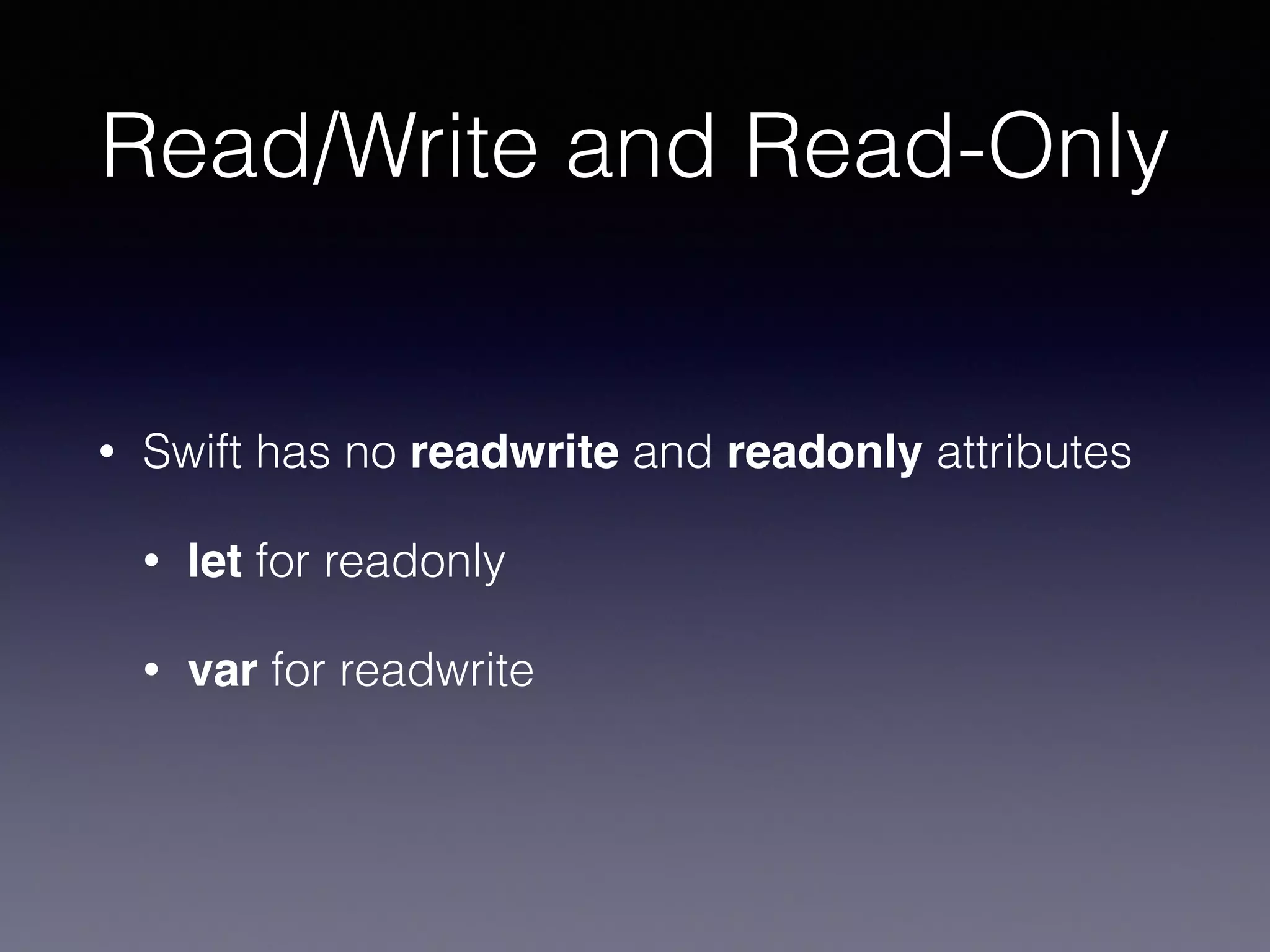
Read/Write and Read-Only
• Swift has no readwrite and readonly attributes
• let for readonly
• var for readwrite
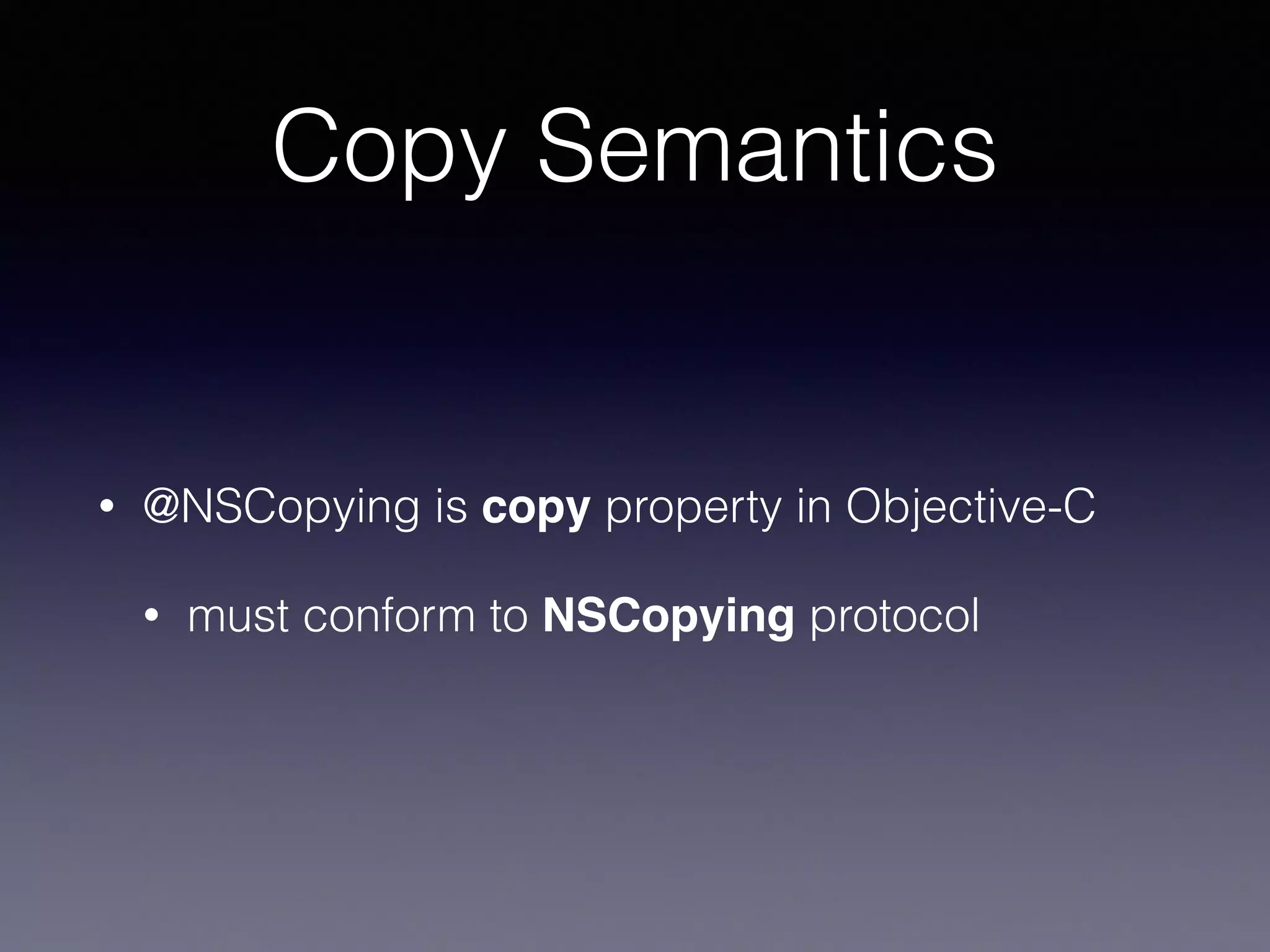
Copy Semantics
• @NSCopying is copy property in Objective-C
• must conform to NSCopying protocol
Wrap Up
• Looking through how to work with Cocoa /
Objective-C
• For more detail,


Using Swift with Cocoa and Objective-C

https://developer.apple.com/library/ios/
documentation/Swift/Conceptual/
BuildingCocoaApps/
Thank you

Working with Cocoa and Objective-C

  • 1.
    Working with Cocoa/ Objective-C
  • 2.
    Table of Contents •Swift Import Process • Interacting with Objective-C APIs • Integrating with Interface Builder
 
 and more…
  • 3.
  • 4.
    Importing Objective-C frameworks • AnyObjective-C framework can be imported directly into Swift
 *like Foundation, UIKit and common C Libraries ! import Foundation import UIKit
  • 5.
    Import Process • Objective-Cheader files are compiled to modules, which are imported as Swift APIs • Type Remapping: • id → AnyObject • NSString → String …
  • 6.
  • 7.
  • 8.
    Initializers • No allocin Swift! ! // Objective-C UITableView *myTableView = [[UITableView alloc] initWithFrame:CGRectZero style:UITableViewStyleGrouped]; ! // Swift let myTableView = UITableView(frame: CGRectZero, style: .Grouped)
  • 9.
    Factory Methods • Objective-Cfactory methods get mapped to convenience initialisers in Swift ! // Objective-C UIColor *color = [UIColor colorWithRed:0.5 green:0.0 blue:0.5 alpha:1.0]; ! // Swift let color = UIColor(red: 0.5, green: 0.0, blue: 0.5, alpha: 1.0)
  • 10.
  • 11.
    Accessing Properties • Usedot syntax ! let str: NSString = "hoge" // get let count = str.length ! let label = UILabel() // set label.text = str
  • 12.
  • 13.
    Methods • Use dotsyntax ! // Objective-C [myTableView insertSubview:mySubview atIndex:2]; ! ! // Swift myTableView.insertSubview(mySubview, atIndex: 2) • () are needed 
 even when a method doesn’t have any arguments ! myTableView.layoutIfNeeded()
  • 14.
  • 15.
    AnyObject • AnyObject isid in Swift. • Swift imports id as AnyObject ! // Any class type can be assigned. var myObj: AnyObject = UITableView() ! // a different type object can be assigned. myObj = UIView()
  • 16.
    Unsafe Code • Thespecific type of AnyObject isn’t known 
 until runtime… ! var myObj: AnyObject = UITableView() ! // Crash // because UITableView cannot respond to "length()" myObj.length()
  • 17.
    Optionals! • The followingmethod calls behave like implicitly unwrapped optionals when calling an Objective- C method. ! var myObj: AnyObject = NSDate() ! // These method are never executed. let count = myObj.count? let myChar = myObj.characterAtIndex?(5) ! if let frame = myObj.frame { println("frame: (frame)") }
  • 18.
    Downcasting • Casting fromAnyObject to a more specific object type returns an optional value. ! let userDefaults = NSUserDefaults.standardUserDefaults() let lastDate: AnyObject? = userDefaults.objectForKey("LastDate") ! // This downcasting is not guaranteed to succeed. if let date = lastDate as? NSDate { println("(date.timeIntervalSinceReferenceDate)") } ! // if 100% sure to succeed, “as” can be used! let date = lastDate as NSDate let timeInterval = date.timeIntervalSinceReferenceDate
  • 19.
  • 20.
    Working with nil •When importing Objective-C APIs, 
 all classes in arguments and return types are converted to implicitly unwrapped optional! • Should check and unwrap an implicitly unwrapped optional object
 var view: UIView! = UIView() view = nil ! // crash! //println("(view.frame)") ! // SHOULD check whether view is nil or not if view != nil { println("(view.frame)") } else { println("view is nil...") }
  • 21.
  • 22.
    Blocks • “Swift Closures”and “Objective-C Blocks” are compatible • Objective-C blocks are converted to Swift Closures ! // Objective-C void (^completionBlock)(NSData *, NSError *) = ^(NSData *data, NSError *error) {/* ... */} ! // Swift let completionBlock: (NSData, NSError) -> Void = {data, error in /* ... */}
  • 23.
    Capture Semantics • Basically,Closures have similar semantics as Blocks • Difference: • Variables are mutable rather than copied • __block in Objective-C is default behavior
  • 24.
  • 25.
    @objc attribute • Whena Swift class inherits from NSObject, the class automatically compatibele with Objective-C. • @objc attribute is needed to use from Objective-C if a Swift class doesn't inherit from NSObject. • @objc attribute makes Swift APIs available in Objective-C @objc(SomeClass) class SomeClass { var value: Int init(value: Int) { self.value = value } func printValue() { println("value is (value)") } }
  • 26.
    Swift APIs inObjective-C ! // Swift init(songName: String, artist: String) ! // Objective-C - (instancetype)initWithSongName:(NSString *)songName artist:(NSString *)artist; ! ! // Swift func playSong(name: String) ! // Objective-C - (void)playSong:(NSString *)name;
  • 27.
  • 28.
    Selector in Swift •A Objective-C selector is a type that refers to an Objective-C method • Objective-C selectors are represented by Selector structure in Swift ! let mySelector: Selector = "tappedButton:"
  • 29.
    Common Use Case ! classMyViewController: UIViewController { let myButton = UIButton(frame:CGRect(x:0,y:0,width:50,height: 50)) override init(nibName nibNameOrNil: String?, bundle nibBundleOrNil: NSBundle?) { super.init(nibName: nibNameOrNil, bundle: nibBundleOrNil) myButton.addTarget(self, action: "tappedButton:", forControlEvents: .TouchUpInside) } ! required init(coder aDecoder: NSCoder) { fatalError("init(coder:) has not been implemented") } func tappedButton(sender: UIButton!) { println("tapped button") } }
  • 30.
  • 31.
    Outlets and Actions •@IBOutlet for Outlets, @IBAction for Actions • The type of the outlet should be implicitly unwrapped optional. ! class MyViewController: UIViewController { @IBOutlet weak var button: UIButton! @IBAction func buttonTapped(AnyObject) { println("button tapped!") } }
  • 32.
  • 33.
    Strong and Weak •Swift properties are strong by default • weak keyword indicates that a property has a weak reference to the object • This keyword can be used only for optional properties.
  • 34.
    Read/Write and Read-Only •Swift has no readwrite and readonly attributes • let for readonly • var for readwrite
  • 35.
    Copy Semantics • @NSCopyingis copy property in Objective-C • must conform to NSCopying protocol
  • 36.
    Wrap Up • Lookingthrough how to work with Cocoa / Objective-C • For more detail,
 
 Using Swift with Cocoa and Objective-C
 https://developer.apple.com/library/ios/ documentation/Swift/Conceptual/ BuildingCocoaApps/
  • 37.