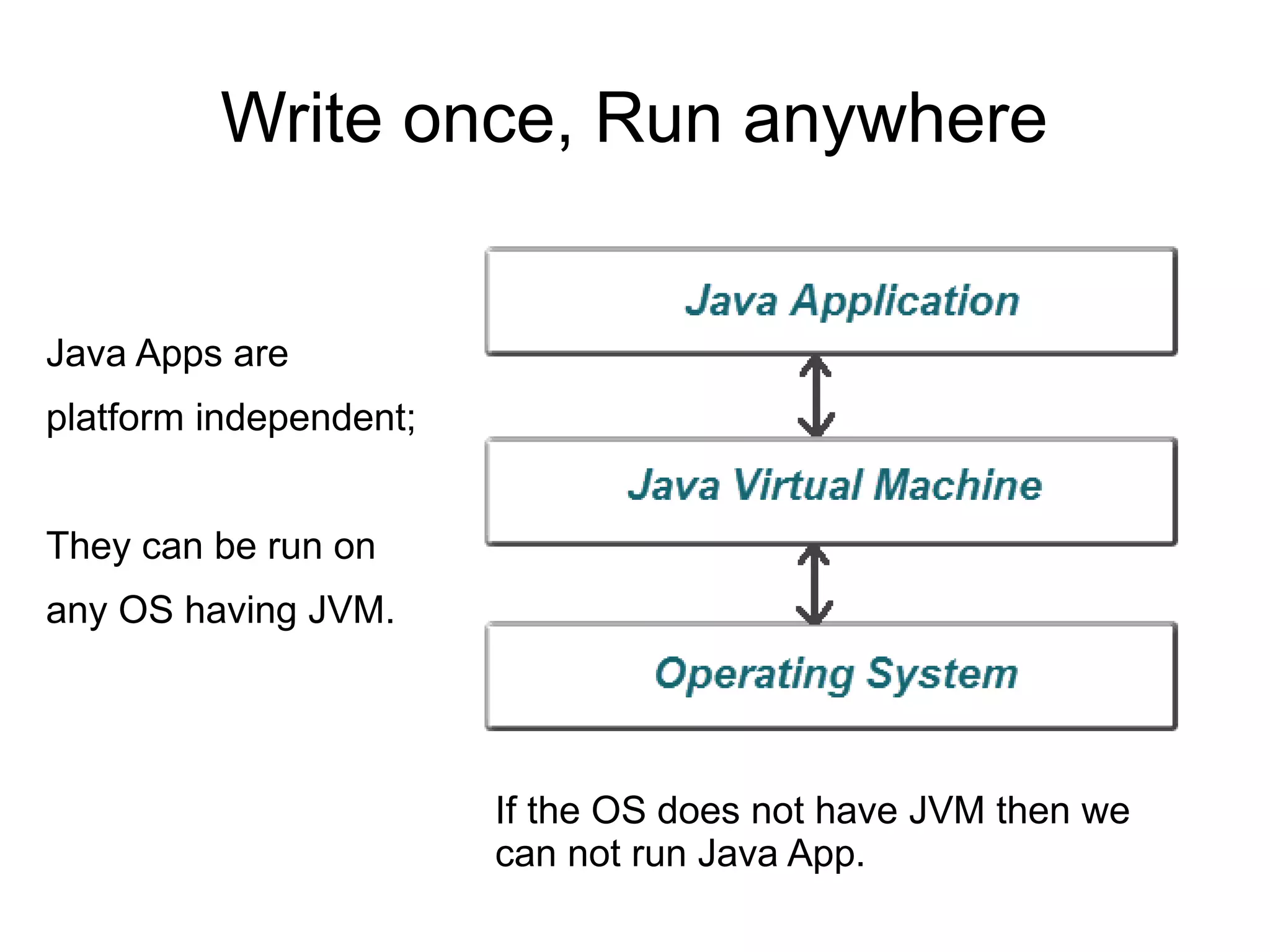
Write once, Run anywhere 
Java Apps are 
platform independent; 
They can be run on 
any OS having JVM. 
If the OS does not have JVM then we 
can not run Java App.
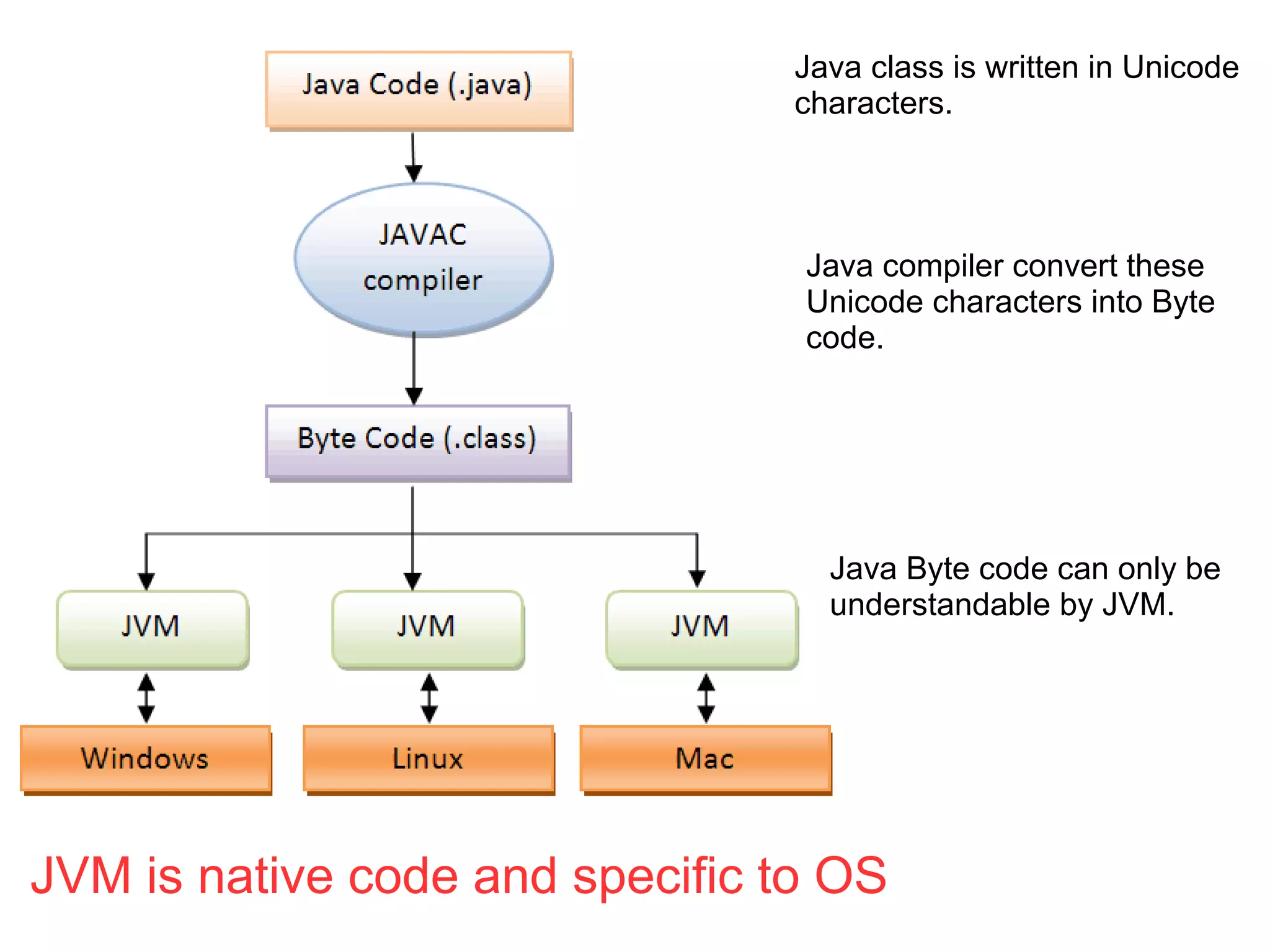
Java class is written in Unicode 
characters. 
Java compiler convert these 
Unicode characters into Byte 
code. 
Java Byte code can only be 
understandable by JVM. 
JVM is native code and specific to OS
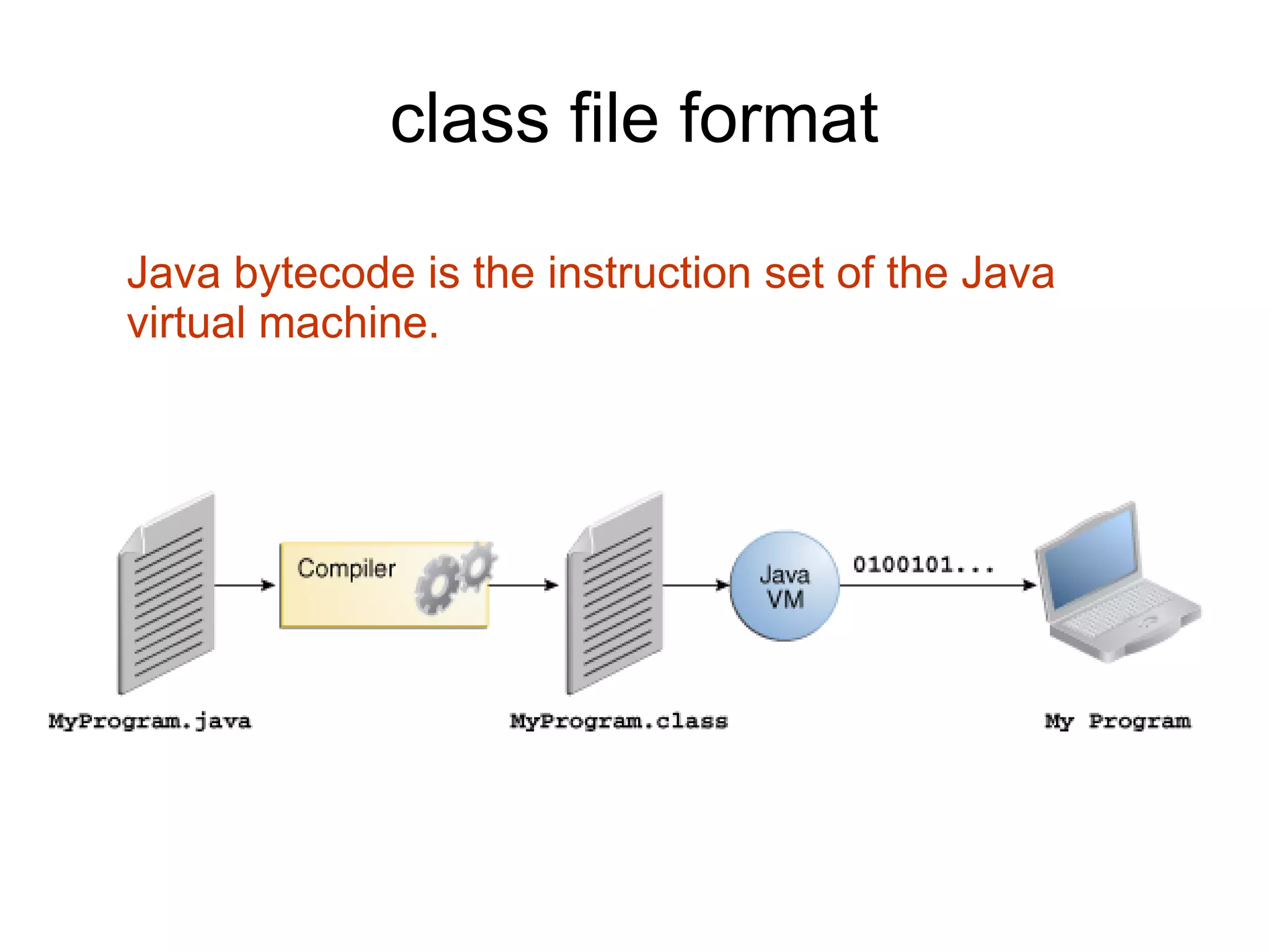
class file format 
Java bytecode is the instruction set of the Java 
virtual machine.
other languages can turn to the 
Java virtual machine as a delivery 
vehicle 
any language with functionality that can be 
expressed in terms of a valid class file can be 
hosted by the Java virtual machine.
Bytecode Outline plugin for Eclipse 
Shows disassembled bytecode of current java 
editor or class file. 
The best way to learn JVM is to write a Java source file 
and then view Bytecode using this plugin.
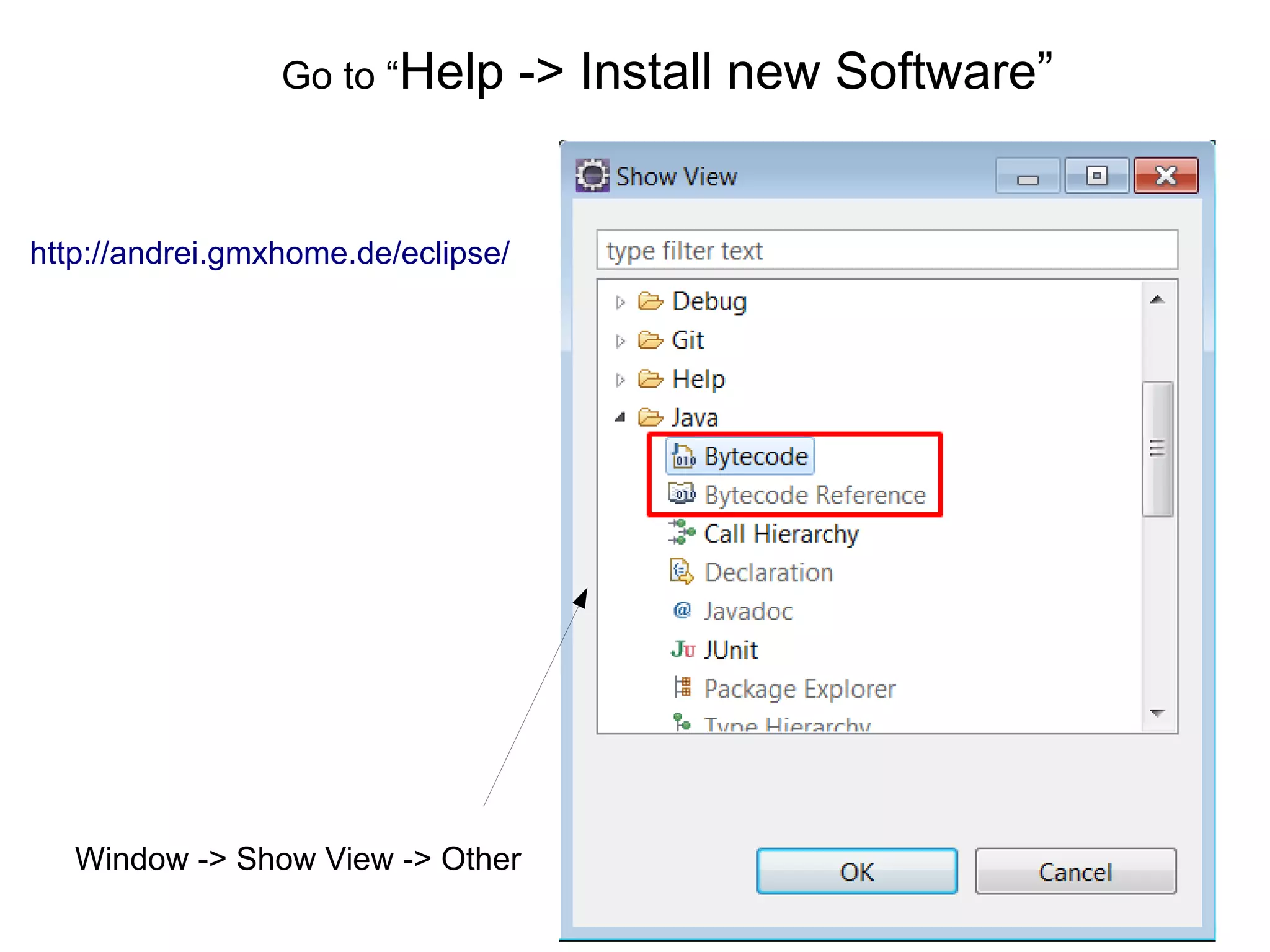
Go to “Help -> Install new Software” 
http://andrei.gmxhome.de/eclipse/ 
Window -> Show View -> Other
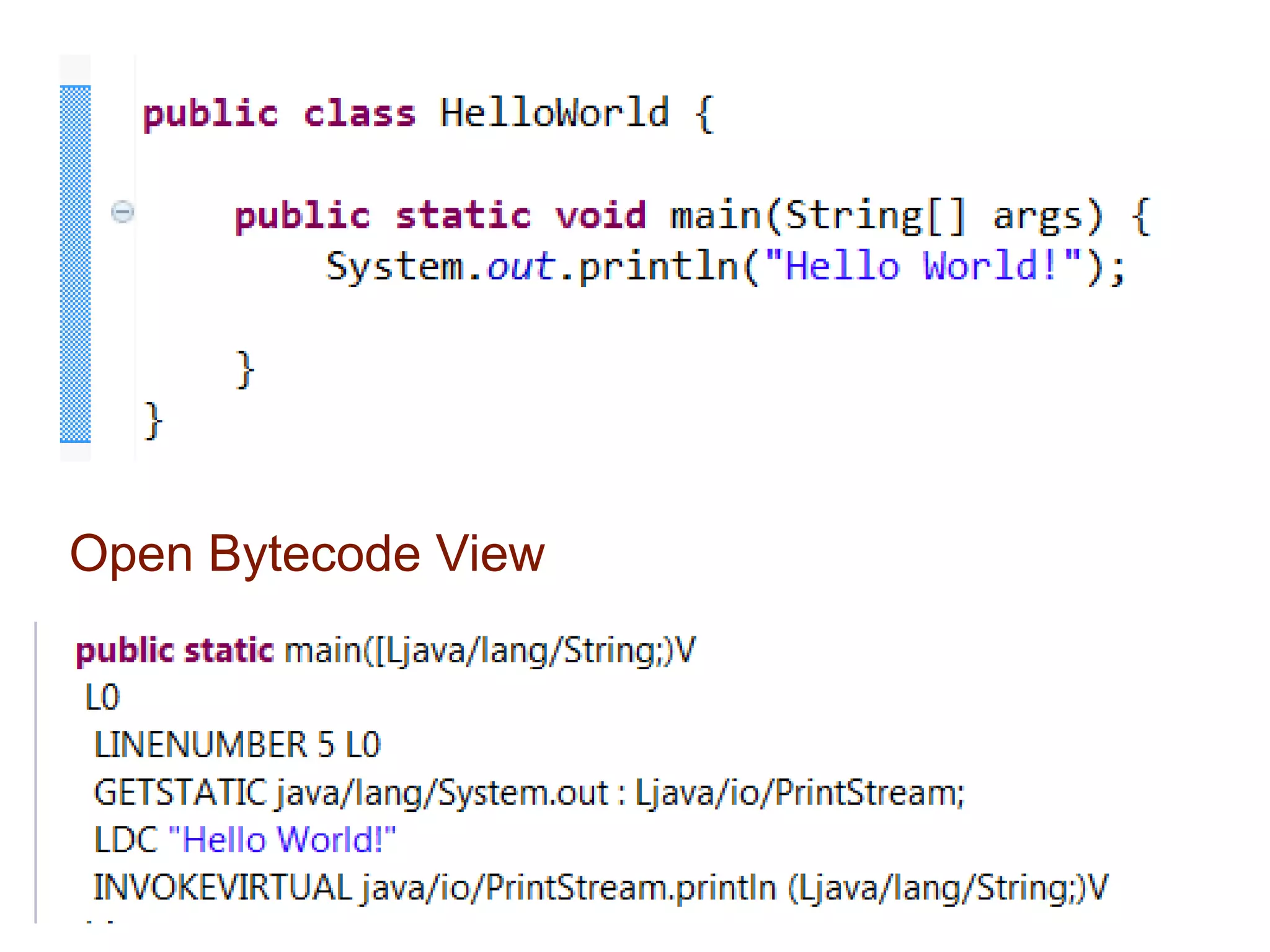
Open Bytecode View
LDC "Hello World!" 
● Open Bytecode Reference view 
● Click “LDC” 
ldc : push single-word constant onto stack
Java allows you to play 
online games, chat with 
people around the world, 
calculate your mortgage 
interest, and view images 
in 3D, just to name a few. 
It’s also integral to the intranet applications 
and other e-business solutions that are 
the foundation of corporate computing.
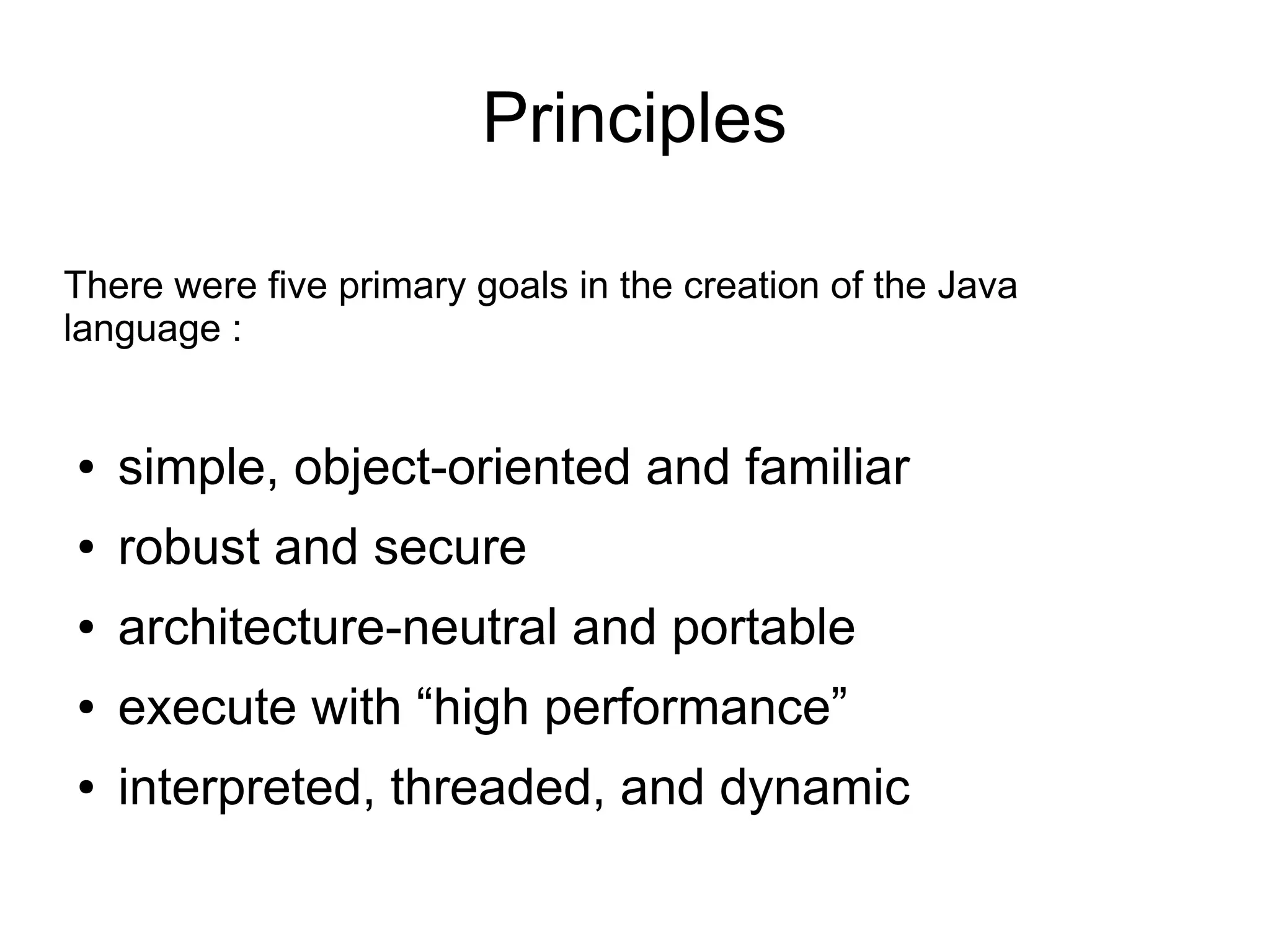
Principles 
There were five primary goals in the creation of the Java 
language : 
● simple, object-oriented and familiar 
● robust and secure 
● architecture-neutral and portable 
● execute with “high performance” 
● interpreted, threaded, and dynamic
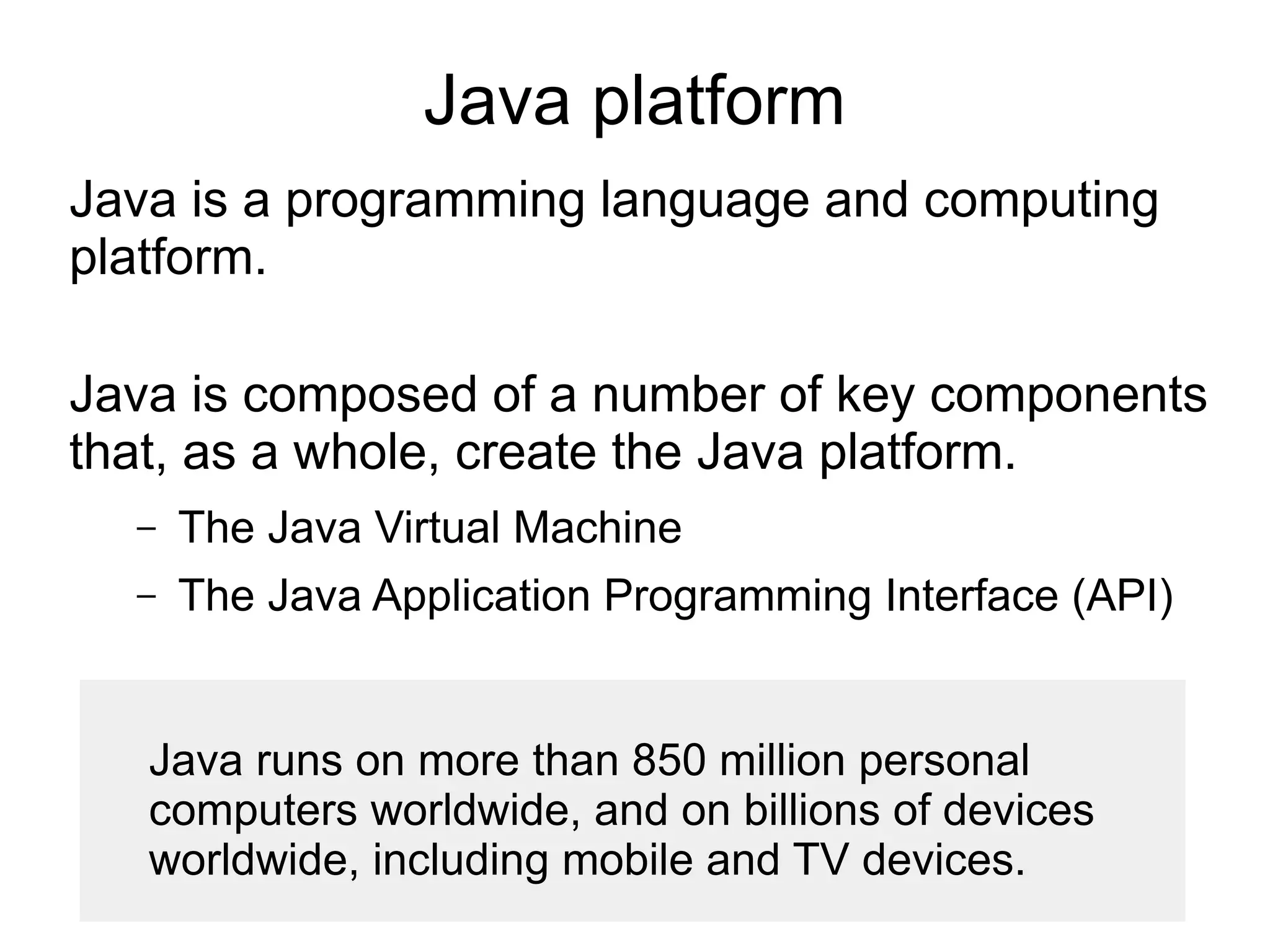
Java platform 
Java is a programming language and computing 
platform. 
Java is composed of a number of key components 
that, as a whole, create the Java platform. 
– The Java Virtual Machine 
– The Java Application Programming Interface (API) 
Java runs on more than 850 million personal 
computers worldwide, and on billions of devices 
worldwide, including mobile and TV devices.
Java API (Rich Standard Library) 
The API is a large collection of ready-made 
software components that provide many useful 
capabilities. It is grouped into libraries of related 
classes and interfaces; these libraries are known 
as packages. 
Java includes a vast number of premade 
objects that can be used to perform such 
tasks as input/output, networking, and date 
manipulation.
java.lang 
– Provides classes that are fundamental to the design 
of the Java programming language. 
java.io 
– Provides for system input and output through data 
streams, serialization and the file system. 
java.sql 
– Provides the API for accessing and processing data 
stored in a data source
Java Environment 
Java comes in two flavors : 
● JRE - Java Runtime Environment 
● JDK – Java Development Kit 
You can download any of these two.
JRE 
JRE provides components to run applications 
written in the Java programming language : 
● Java Virtual Machine 
● Java API 
● Tools to run Java Apps 
The JRE does not contain tools and utilities such as 
compilers or debuggers for developing applications.
Java Development Kit (JDK) 
JDK is a collection of tools for developing, 
packaging and distributing Java applications. 
JDK is a superset of the JRE, and contains 
everything that is in the JRE, plus tools such as 
the compilers and debuggers necessary for 
developing applications.
Java class loaders 
The Java Classloader is a part of the JRE that 
dynamically loads Java classes into the JVM. 
Usually classes are only loaded on demand. The 
Java run time system does not need to know 
about files and file systems because of 
classloaders.
Popular Java Editors 
● Notepad++ 
● Eclipse
What is-java

What is-java

  • 1.
    Write once, Runanywhere Java Apps are platform independent; They can be run on any OS having JVM. If the OS does not have JVM then we can not run Java App.
  • 2.
    Java class iswritten in Unicode characters. Java compiler convert these Unicode characters into Byte code. Java Byte code can only be understandable by JVM. JVM is native code and specific to OS
  • 3.
    class file format Java bytecode is the instruction set of the Java virtual machine.
  • 4.
    other languages canturn to the Java virtual machine as a delivery vehicle any language with functionality that can be expressed in terms of a valid class file can be hosted by the Java virtual machine.
  • 5.
    Bytecode Outline pluginfor Eclipse Shows disassembled bytecode of current java editor or class file. The best way to learn JVM is to write a Java source file and then view Bytecode using this plugin.
  • 6.
    Go to “Help-> Install new Software” http://andrei.gmxhome.de/eclipse/ Window -> Show View -> Other
  • 7.
  • 8.
    LDC "Hello World!" ● Open Bytecode Reference view ● Click “LDC” ldc : push single-word constant onto stack
  • 9.
    Java allows youto play online games, chat with people around the world, calculate your mortgage interest, and view images in 3D, just to name a few. It’s also integral to the intranet applications and other e-business solutions that are the foundation of corporate computing.
  • 10.
    Principles There werefive primary goals in the creation of the Java language : ● simple, object-oriented and familiar ● robust and secure ● architecture-neutral and portable ● execute with “high performance” ● interpreted, threaded, and dynamic
  • 11.
    Java platform Javais a programming language and computing platform. Java is composed of a number of key components that, as a whole, create the Java platform. – The Java Virtual Machine – The Java Application Programming Interface (API) Java runs on more than 850 million personal computers worldwide, and on billions of devices worldwide, including mobile and TV devices.
  • 12.
    Java API (RichStandard Library) The API is a large collection of ready-made software components that provide many useful capabilities. It is grouped into libraries of related classes and interfaces; these libraries are known as packages. Java includes a vast number of premade objects that can be used to perform such tasks as input/output, networking, and date manipulation.
  • 13.
    java.lang – Providesclasses that are fundamental to the design of the Java programming language. java.io – Provides for system input and output through data streams, serialization and the file system. java.sql – Provides the API for accessing and processing data stored in a data source
  • 14.
    Java Environment Javacomes in two flavors : ● JRE - Java Runtime Environment ● JDK – Java Development Kit You can download any of these two.
  • 15.
    JRE JRE providescomponents to run applications written in the Java programming language : ● Java Virtual Machine ● Java API ● Tools to run Java Apps The JRE does not contain tools and utilities such as compilers or debuggers for developing applications.
  • 16.
    Java Development Kit(JDK) JDK is a collection of tools for developing, packaging and distributing Java applications. JDK is a superset of the JRE, and contains everything that is in the JRE, plus tools such as the compilers and debuggers necessary for developing applications.
  • 17.
    Java class loaders The Java Classloader is a part of the JRE that dynamically loads Java classes into the JVM. Usually classes are only loaded on demand. The Java run time system does not need to know about files and file systems because of classloaders.
  • 18.
    Popular Java Editors ● Notepad++ ● Eclipse