Network Topology Overview
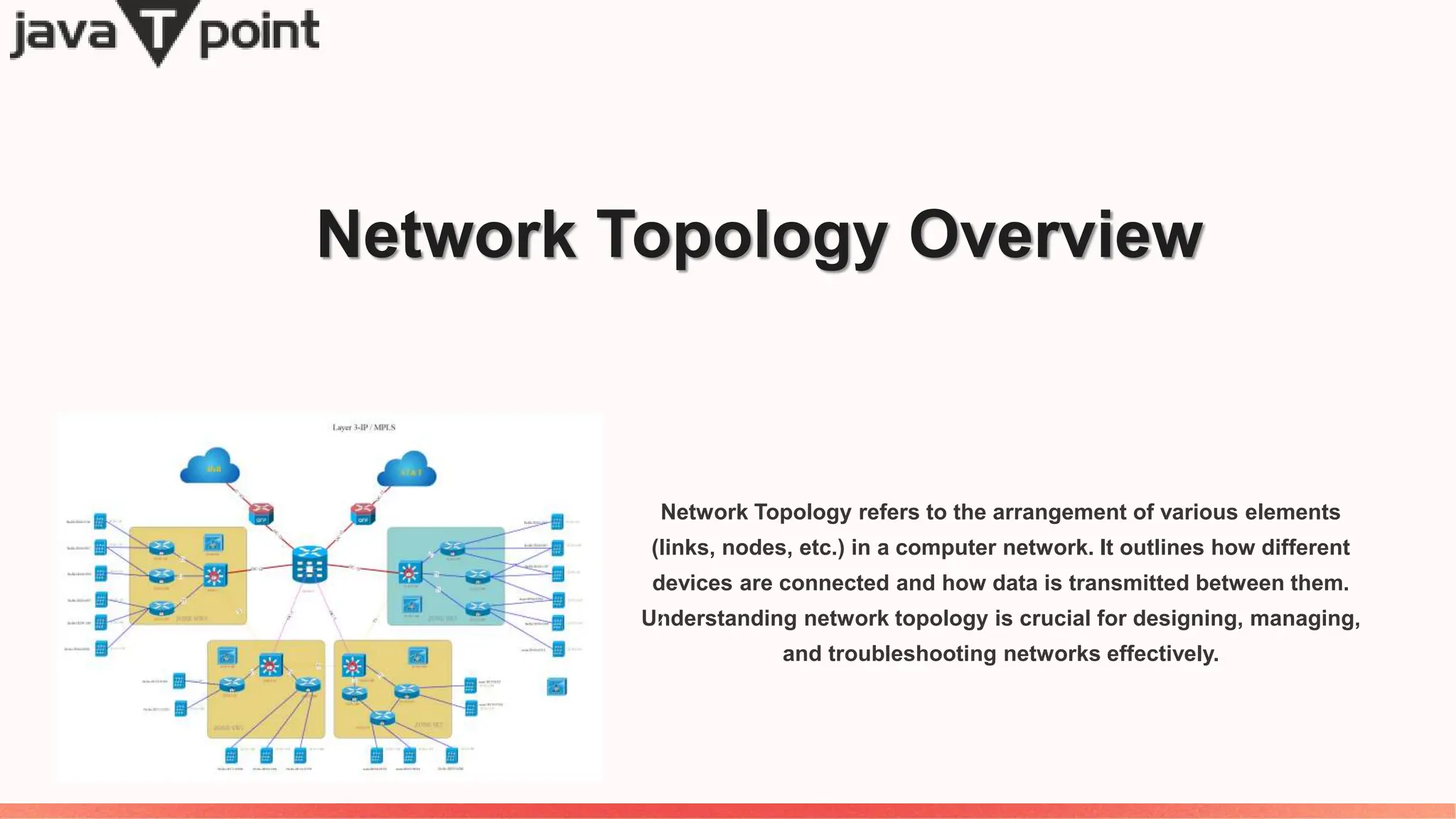
Network Topology refers to the arrangement of various elements
(links, nodes, etc.) in a computer network. It outlines how different
devices are connected and how data is transmitted between them.
Understanding network topology is crucial for designing, managing,
and troubleshooting networks effectively.
The Importance of Network Topology
1 Efficient Resource Use
Network topology allows for efficient
utilization of resources and helps in
identifying potential bottlenecks or
areas for improvement.
2 Security and Fault Tolerance
By understanding network topology,
security measures and fault-tolerant
configurations can be implemented
effectively.
3 Scalability and Performance
Proper network topology design ensures scalability and high performance, critical for
modern networks handling large volumes of data.
Exploring Different Types of Network Topology
1 Bus Topology
This type uses a single main cable to connect all devices.
2 Star Topology
Devices are connected to a central hub or switch.
3 Ring Topology
Each device is connected to exactly two other devices, forming a ring.
Understanding Bus Topology
Single Main Cable
All devices in a bus
topology are connected to
a single cable, acting as
the backbone of the
network.
Shared
Communication
Devices share the same
communication channel for
transmitting data packets.
No Network Traffic
Isolation
Issues with one device can
affect the entire network
due to the shared nature
of the communication
medium.
Insight into Star Topology
Centralized Connection
All devices connect to a central hub, which
manages data traffic and provides a single
point of control.
Scalability
Easy to add or remove devices without
impacting the rest of the network.
Reliable
Failure of one link does not affect the rest of
the network.
Performance
High performance due to dedicated links
between devices and the central hub.
Unraveling Ring Topology
1 Circular Structure
Devices form a closed loop, creating
a continuous pathway for data
transmission.
2 Data Flow Direction
Data travels in a single direction
around the ring, ensuring efficient
data movement.
3 Fault Isolation
Isolates network issues to specific segments, minimizing the impact on the entire
network.
Discovering Mesh Topology
Redundancy
Multiple interconnections
provide redundant paths
for data, increasing fault
tolerance.
High Reliability
Data can take multiple
routes, ensuring high
availability and reliability.
Complexity
Setup and maintenance
of mesh topology can be
complex due to
numerous connections.
Hybrid Topology in Action
1 Combination of Topologies
Utilizes the strengths of different topologies to create a robust and flexible
network structure.
2 Customizable
Allows for tailoring the network to specific organizational needs, balancing
cost and performance.

What Is Network Topology In Computer Networking

  • 1.
    Network Topology Overview NetworkTopology refers to the arrangement of various elements (links, nodes, etc.) in a computer network. It outlines how different devices are connected and how data is transmitted between them. Understanding network topology is crucial for designing, managing, and troubleshooting networks effectively.
  • 2.
    The Importance ofNetwork Topology 1 Efficient Resource Use Network topology allows for efficient utilization of resources and helps in identifying potential bottlenecks or areas for improvement. 2 Security and Fault Tolerance By understanding network topology, security measures and fault-tolerant configurations can be implemented effectively. 3 Scalability and Performance Proper network topology design ensures scalability and high performance, critical for modern networks handling large volumes of data.
  • 3.
    Exploring Different Typesof Network Topology 1 Bus Topology This type uses a single main cable to connect all devices. 2 Star Topology Devices are connected to a central hub or switch. 3 Ring Topology Each device is connected to exactly two other devices, forming a ring.
  • 4.
    Understanding Bus Topology SingleMain Cable All devices in a bus topology are connected to a single cable, acting as the backbone of the network. Shared Communication Devices share the same communication channel for transmitting data packets. No Network Traffic Isolation Issues with one device can affect the entire network due to the shared nature of the communication medium.
  • 5.
    Insight into StarTopology Centralized Connection All devices connect to a central hub, which manages data traffic and provides a single point of control. Scalability Easy to add or remove devices without impacting the rest of the network. Reliable Failure of one link does not affect the rest of the network. Performance High performance due to dedicated links between devices and the central hub.
  • 6.
    Unraveling Ring Topology 1Circular Structure Devices form a closed loop, creating a continuous pathway for data transmission. 2 Data Flow Direction Data travels in a single direction around the ring, ensuring efficient data movement. 3 Fault Isolation Isolates network issues to specific segments, minimizing the impact on the entire network.
  • 7.
    Discovering Mesh Topology Redundancy Multipleinterconnections provide redundant paths for data, increasing fault tolerance. High Reliability Data can take multiple routes, ensuring high availability and reliability. Complexity Setup and maintenance of mesh topology can be complex due to numerous connections.
  • 8.
    Hybrid Topology inAction 1 Combination of Topologies Utilizes the strengths of different topologies to create a robust and flexible network structure. 2 Customizable Allows for tailoring the network to specific organizational needs, balancing cost and performance.