Using the Function  in Excel COMPUTER LITERACY FORM 1
Function A  function  is a predefined formula that performs a common or complex calculation.
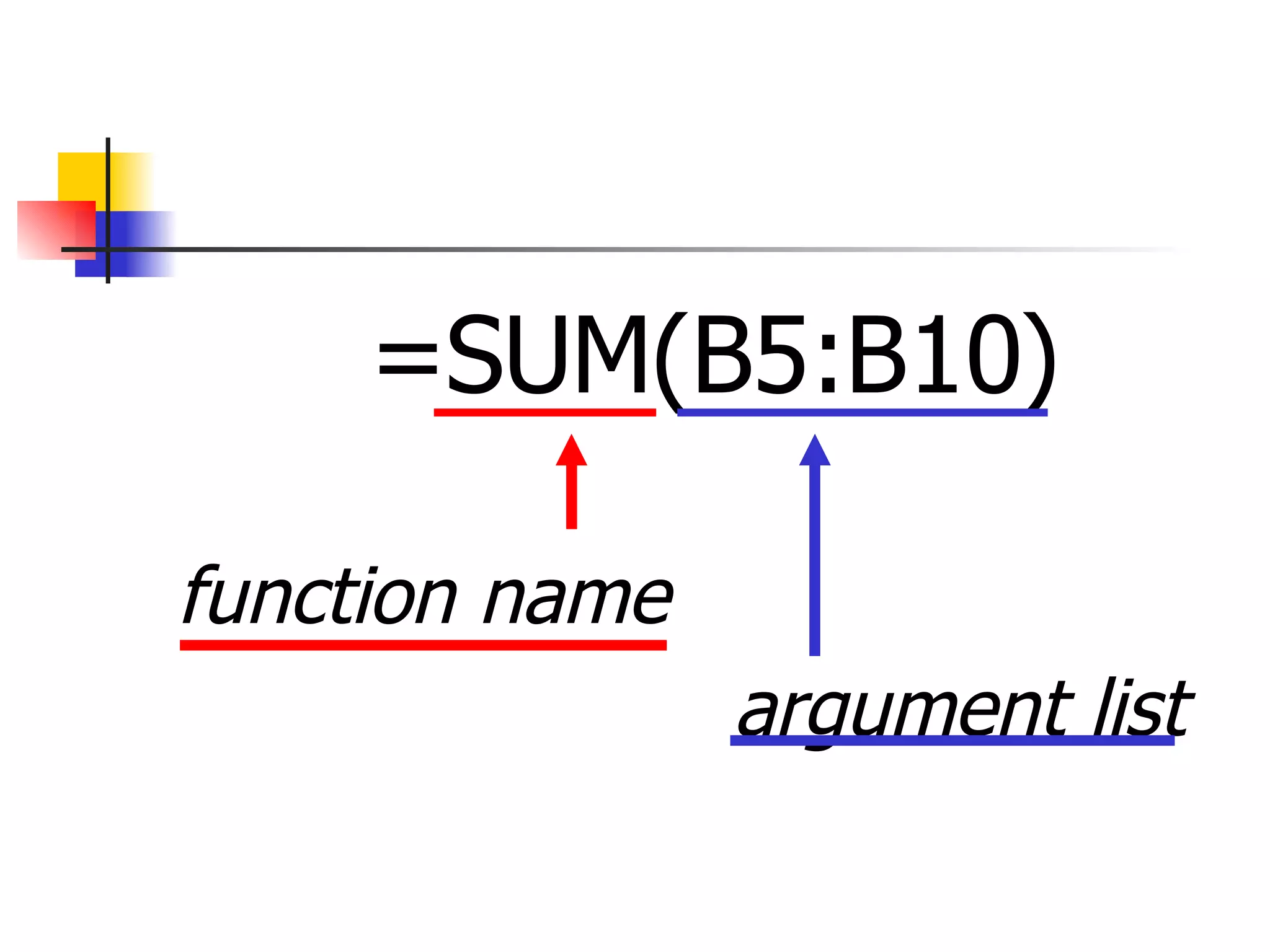
A function consists of two components: the  function name  and, in most cases, an  argument list .
For example, the SUM function adds values or a range of cells.
You enter the range of cells as an argument to the function, and Excel calculates the total of the range.
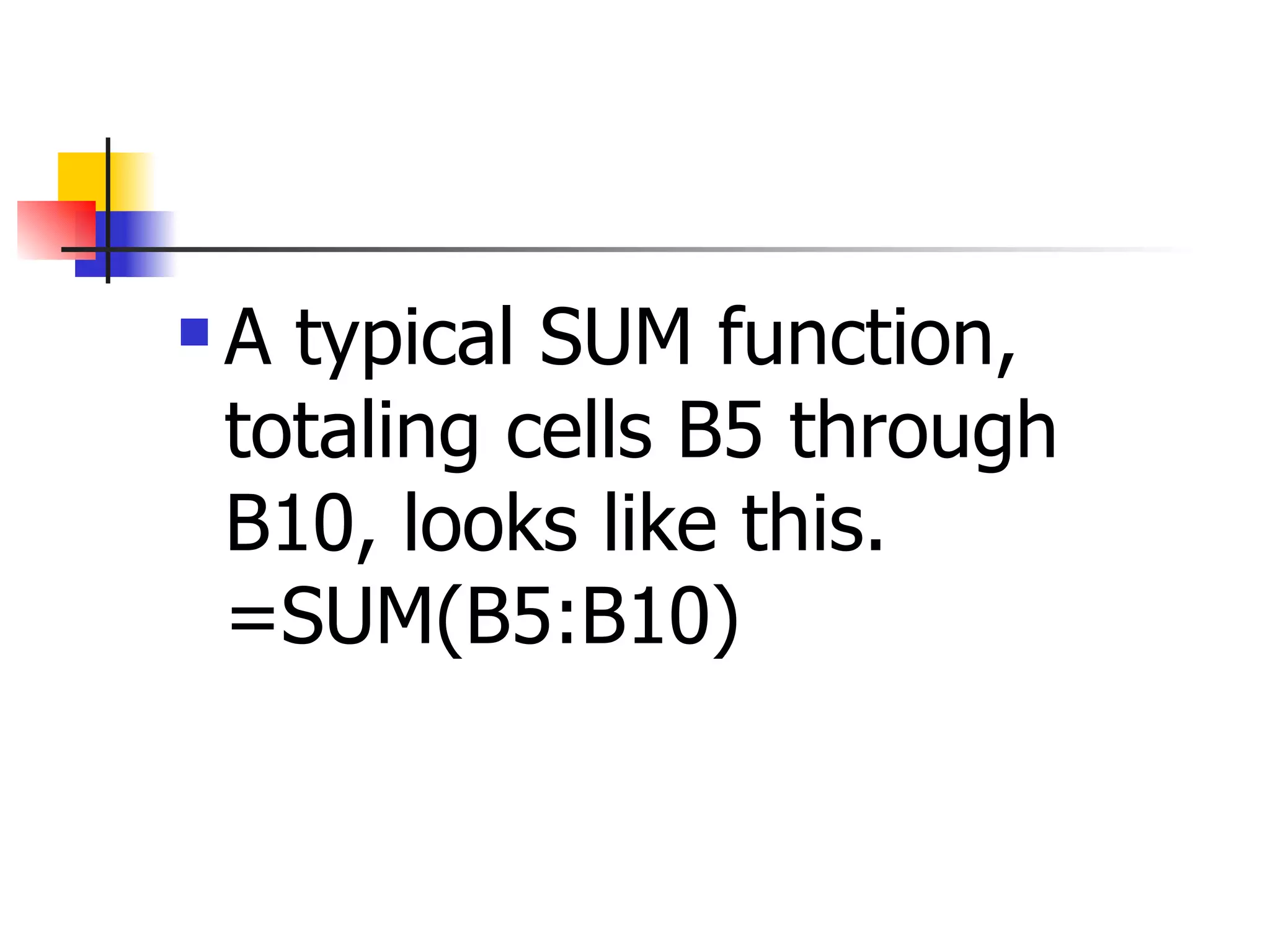
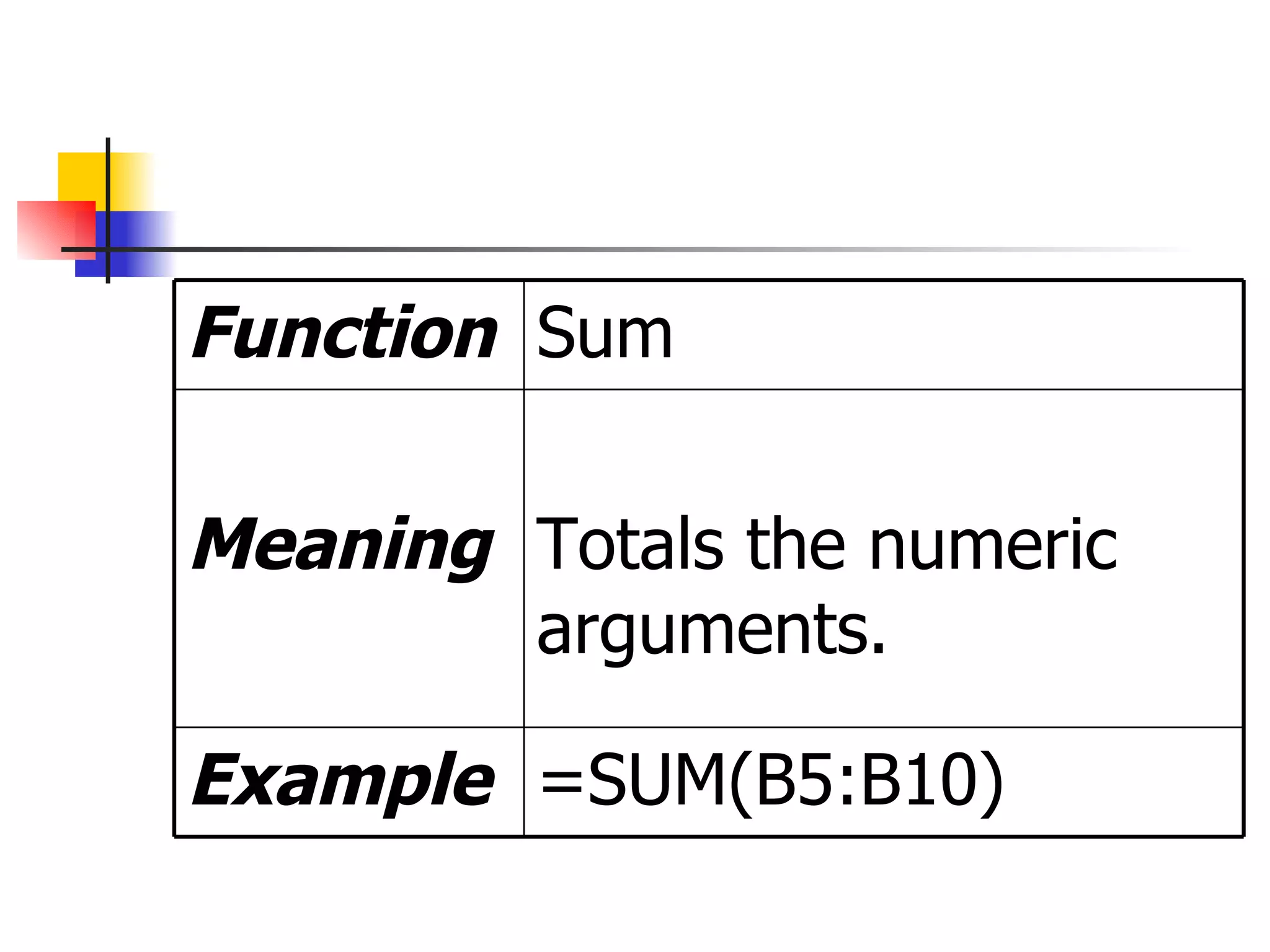
A typical SUM function, totaling cells B5 through B10, looks like this.  =SUM(B5:B10)
  =SUM(B5:B10) function name    argument list
Excel’s  AutoSum  feature offers a shortcut for entering SUM functions to total ranges of cells.
When you click the AutoSum button on the Standard toolbar, Excel totals cells directly above or to the left of the cell containing the function.
Using Basic Statistical Functions Excel offers hundreds of functions, many of which are very specific to certain tasks or to people in certain occupations.
There are a couple of functions that you use all of the time and many that you will never have reason to use.
Excel’s basic and most  frequently used functions  are shown in the following  table.
=SUM(B5:B10) Example Totals the numeric arguments. Meaning Sum Function
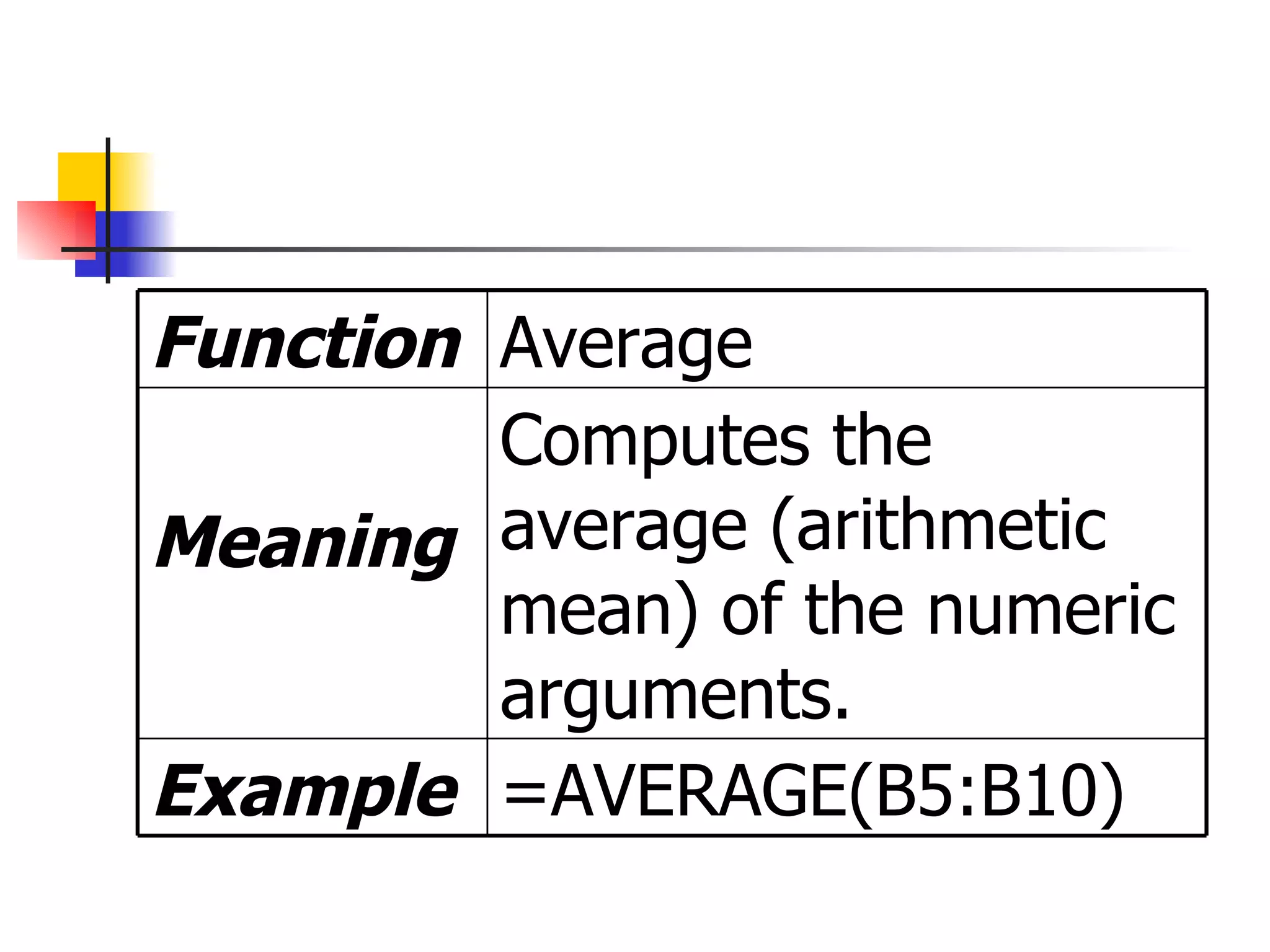
=AVERAGE(B5:B10) Example Computes the average (arithmetic mean) of the numeric arguments. Meaning Average Function
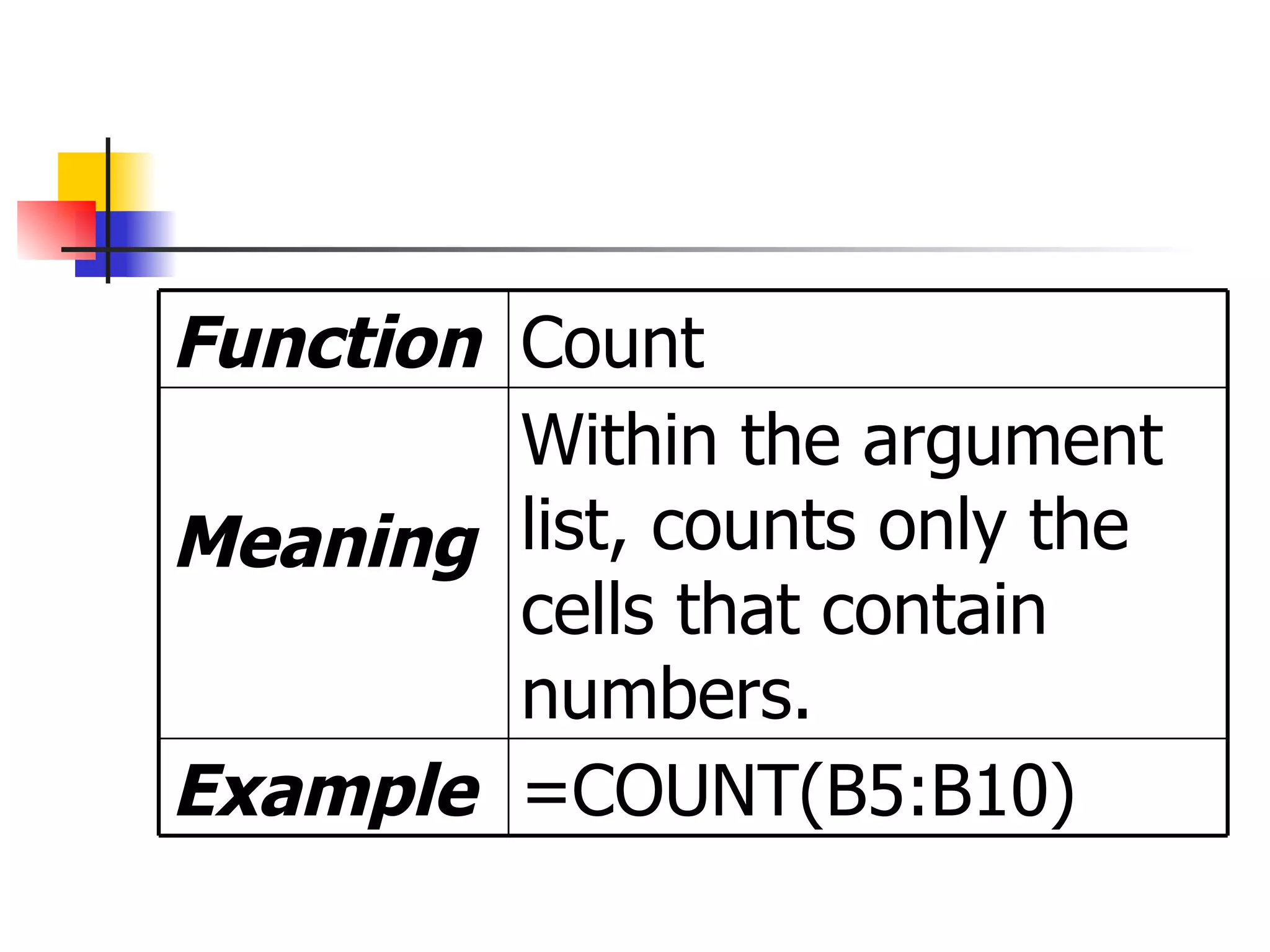
=COUNT(B5:B10) Example Within the argument list, counts only the cells that contain numbers. Meaning Count Function
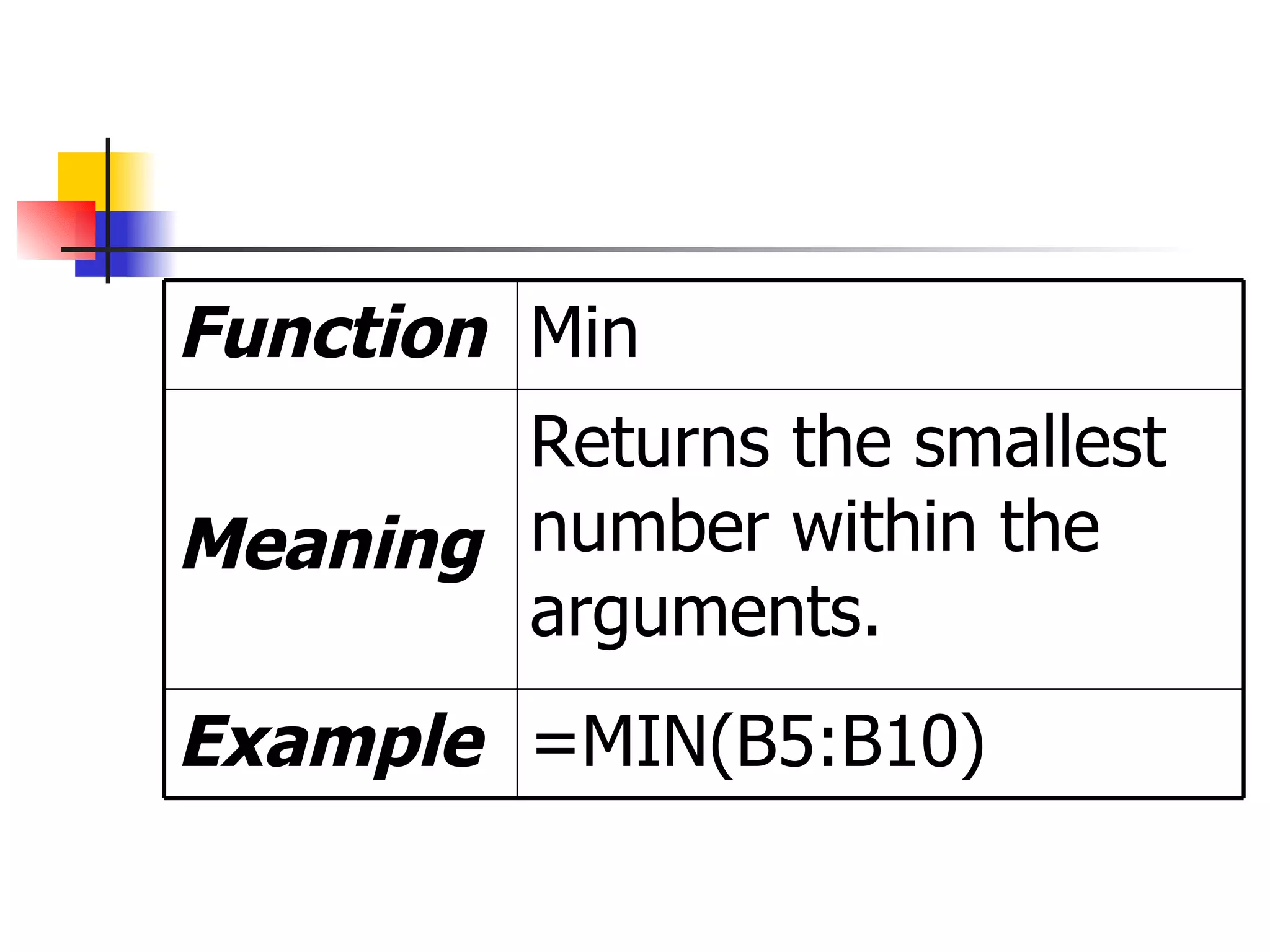
=MIN(B5:B10) Example Returns the smallest number within the arguments. Meaning Min Function
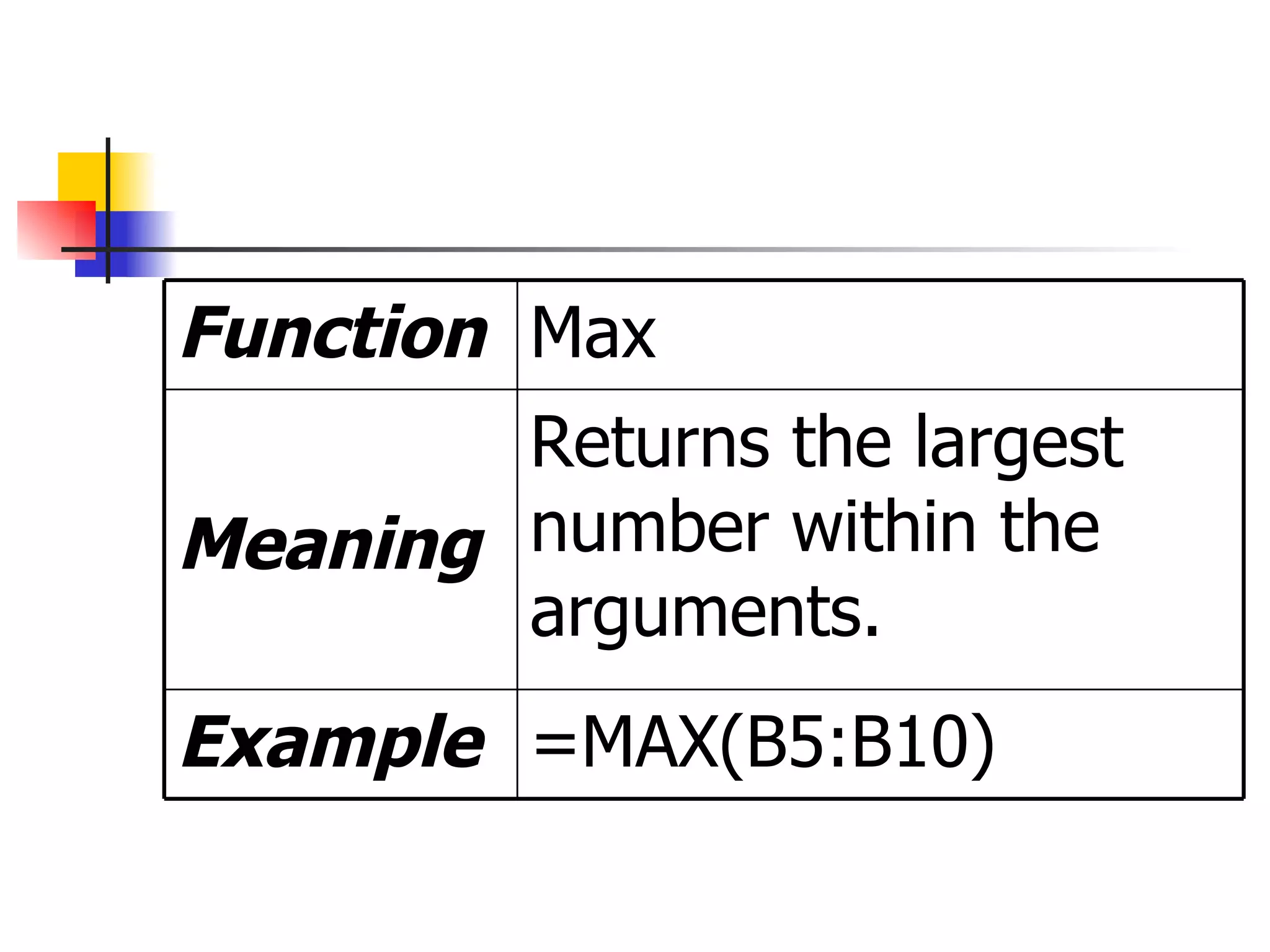
=MAX(B5:B10) Example Returns the largest number within the arguments. Meaning Max Function

Using The Function In Excel 3