MVC with Kentico 8
Thomas Robbins
Radek Pribyl
Introduction to MVC
Thomas Robbins
thomasr@Kentico.com
A history lesson..
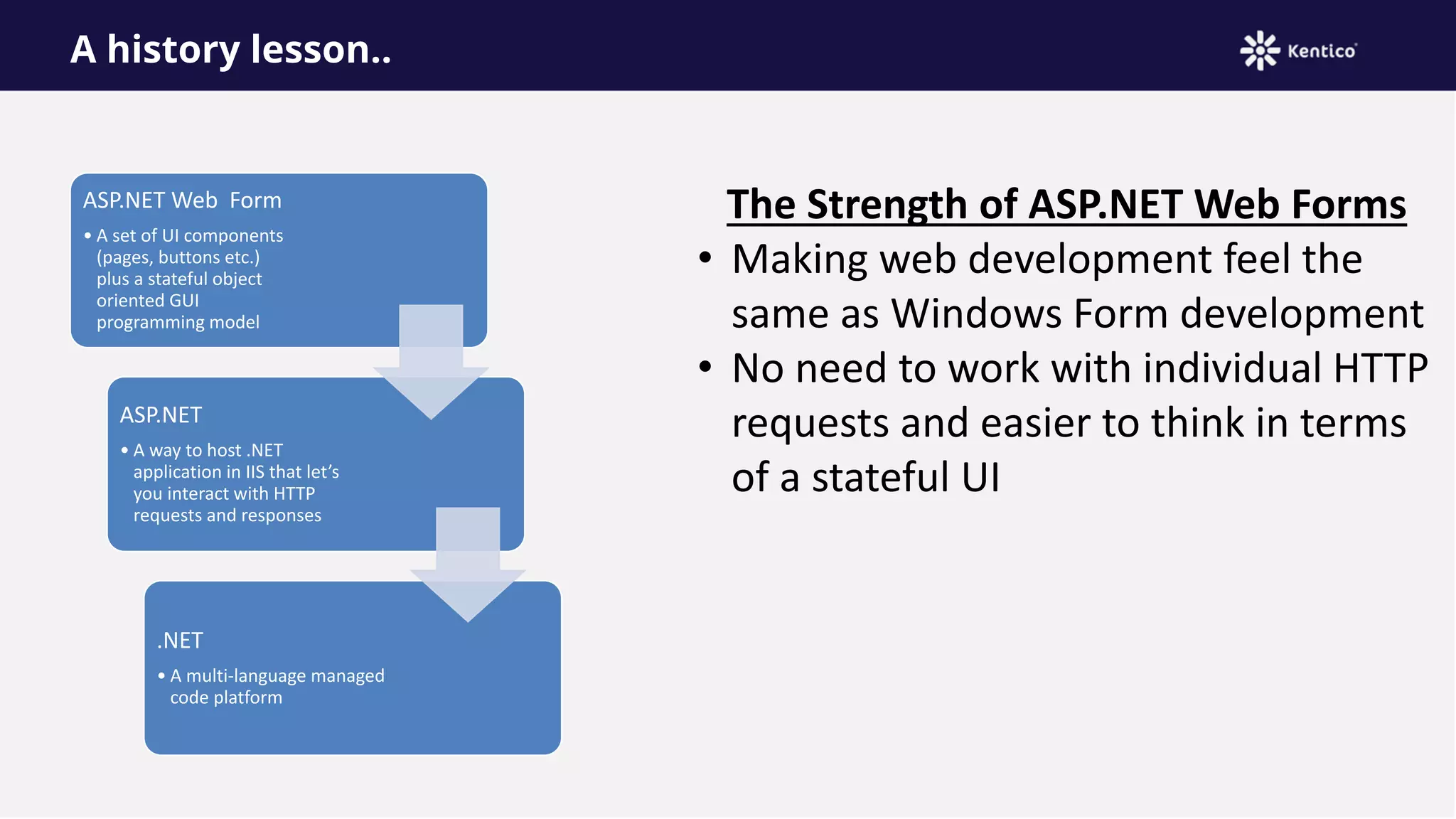
ASP.NET Web Form
• A set of UI components
(pages, buttons etc.)
plus a stateful object
oriented GUI
programming model
ASP.NET
• A way to host .NET
application in IIS that let’s
you interact with HTTP
requests and responses
.NET
• A multi-language managed
code platform
The Strength of ASP.NET Web Forms
• Making web development feel the
same as Windows Form development
• No need to work with individual HTTP
requests and easier to think in terms
of a stateful UI
Some problems with ASP.NET Web Forms
View state weight – Mechanism for maintaining state (view state) results in large
blocks of data between client and server
Page life cycle – Connecting client side events with server side event handler code
is complicated and delicate
False sense of separation – ASP.NET web Forms code behind model provides a
means to take application code out of HTML markup. Unfortunately, this allows for
mix presentation models (manipulating a server side tree)
Limited control over HTML – Server side controls render themselves as HTML but
not always the HTML you want
Low testability – Nobody could have anticipated that automated testing would
become essential
Not all bad – ASP.NET Web Forms provide a quick
results and allows reasonably complex web
applications to be built quickly!
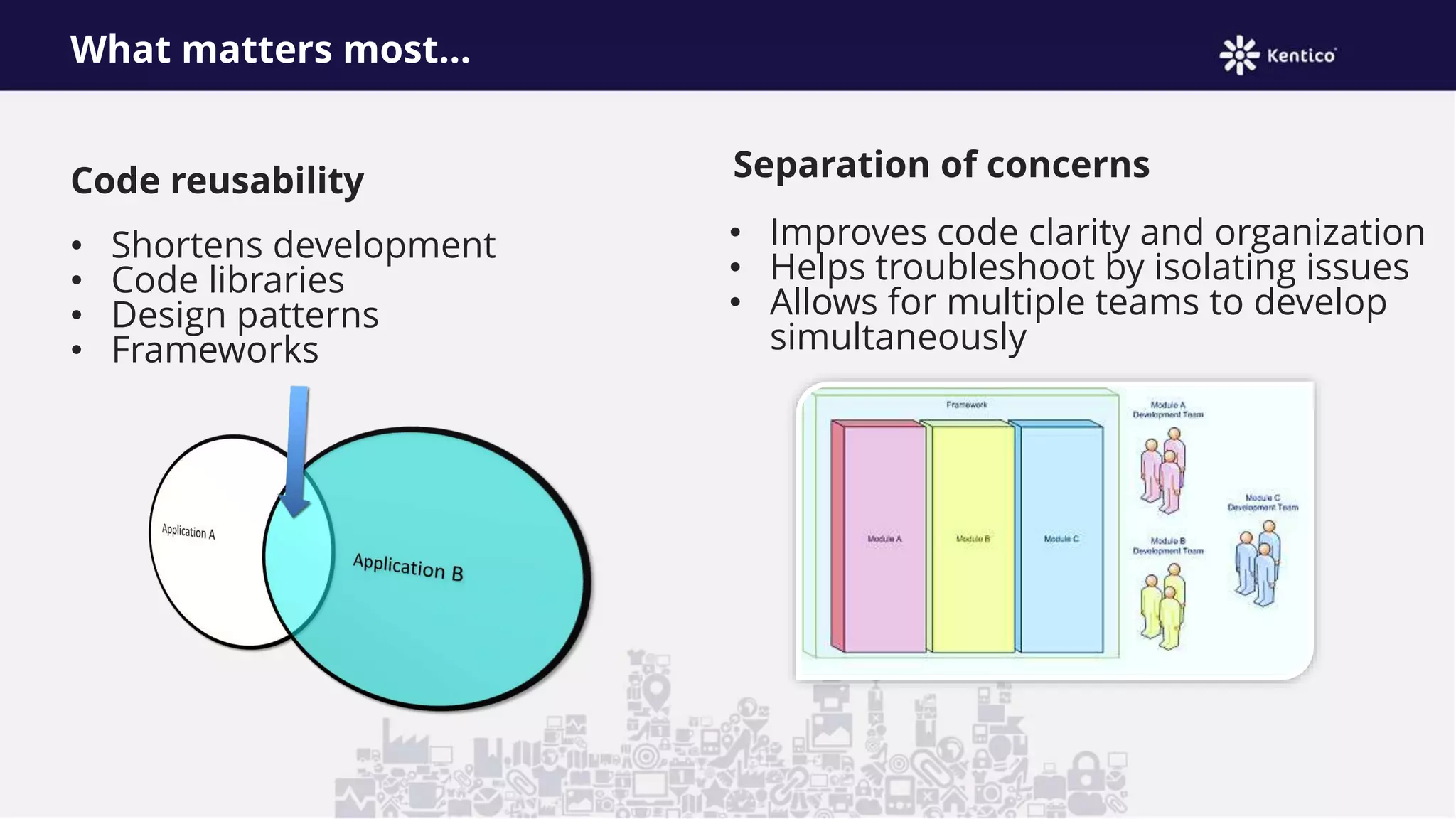
What matters most…
Code reusability
• Shortens development
• Code libraries
• Design patterns
• Frameworks
Separation of concerns
• Improves code clarity and organization
• Helps troubleshoot by isolating issues
• Allows for multiple teams to develop
simultaneously
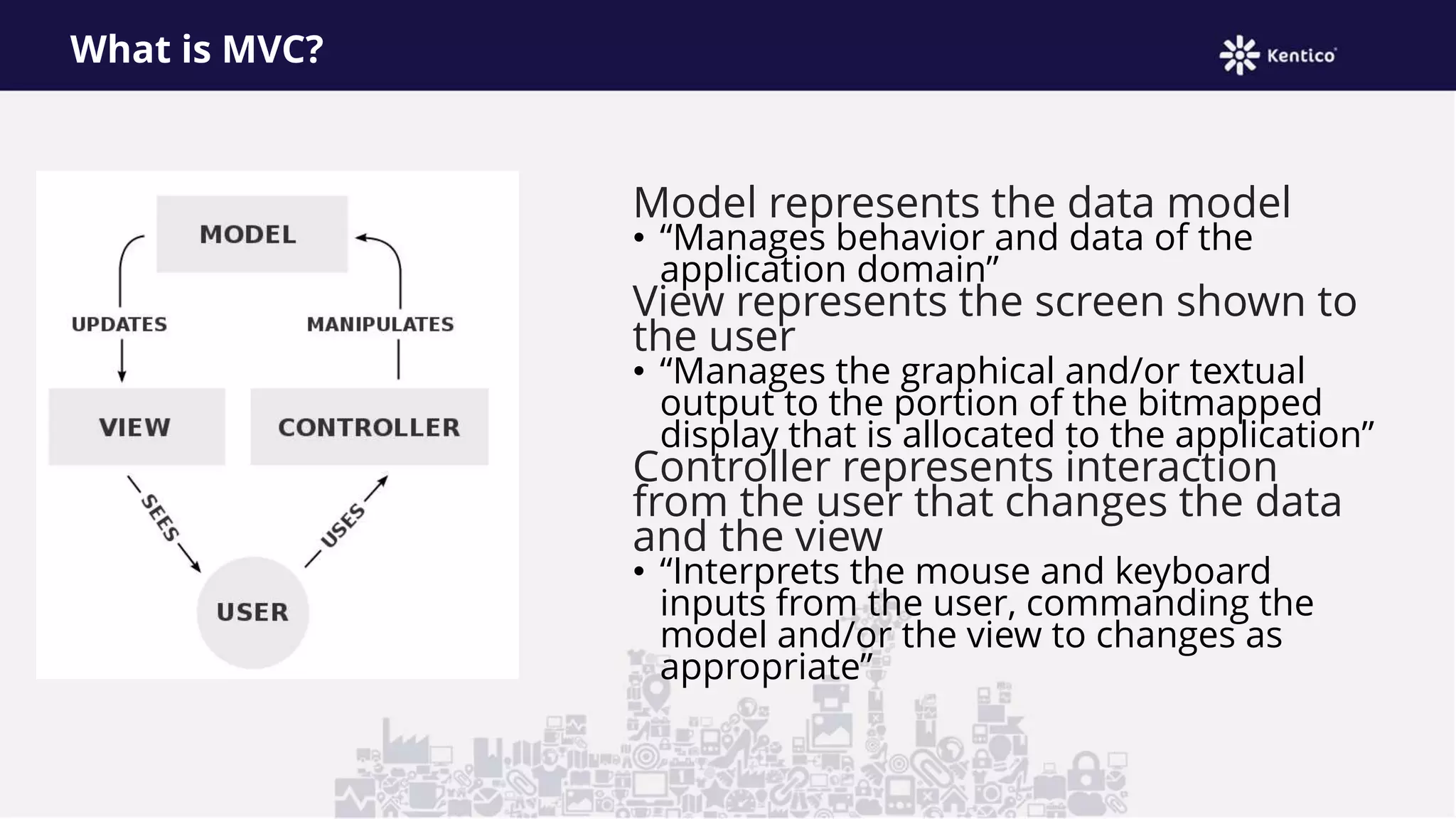
What is MVC?
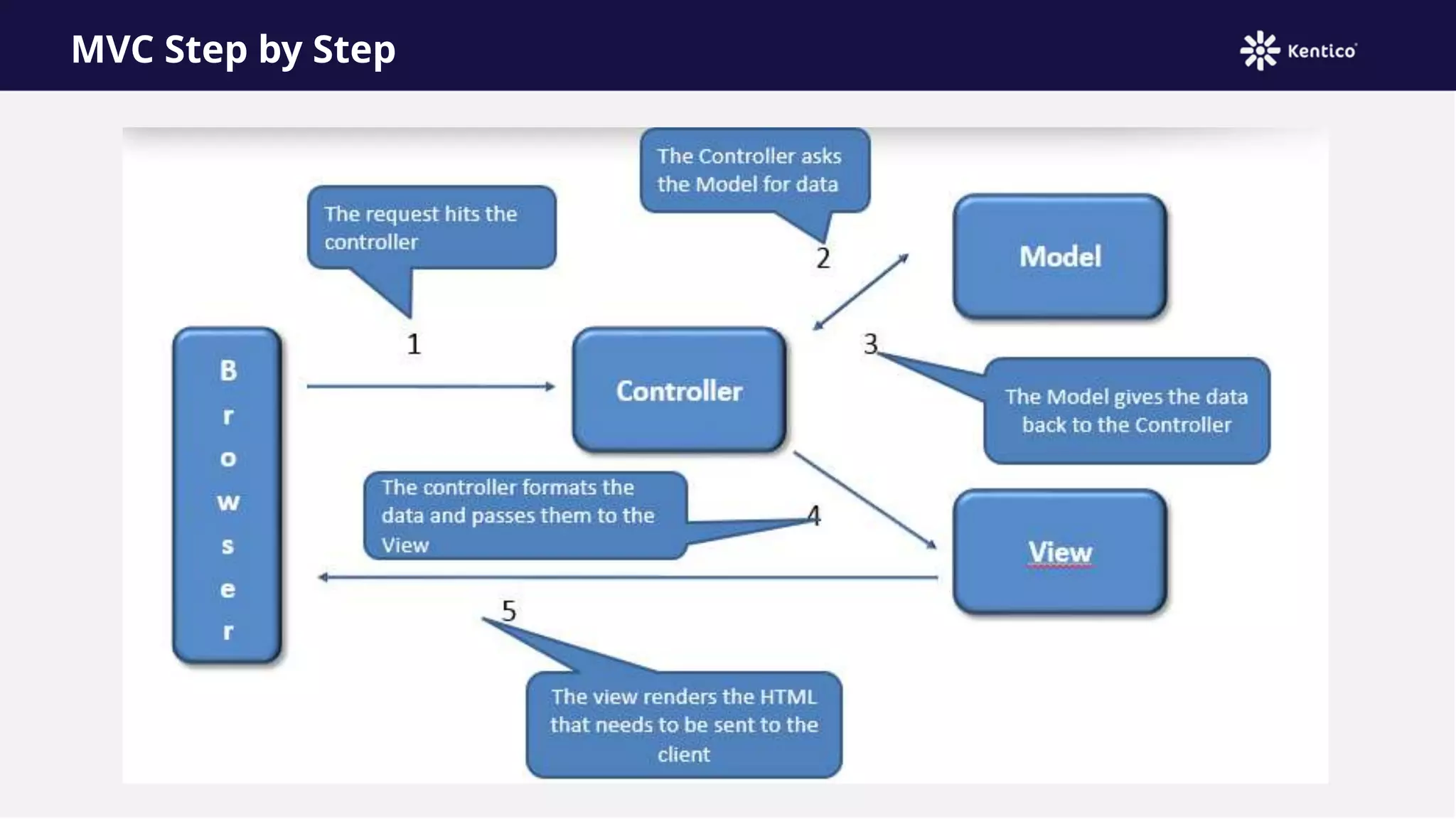
Model represents the data model
• “Manages behavior and data of the
application domain”
View represents the screen shown to
the user
• “Manages the graphical and/or textual
output to the portion of the bitmapped
display that is allocated to the application”
Controller represents interaction
from the user that changes the data
and the view
• “Interprets the mouse and keyboard
inputs from the user, commanding the
model and/or the view to changes as
appropriate”
MVC isn’t new!
Presented by Trygve Reenskaug
in 1979
First used in the Smalltalk-80
framework
• Used in making Apple interfaces
(Lisa and Macintosh)
MVC Step by Step
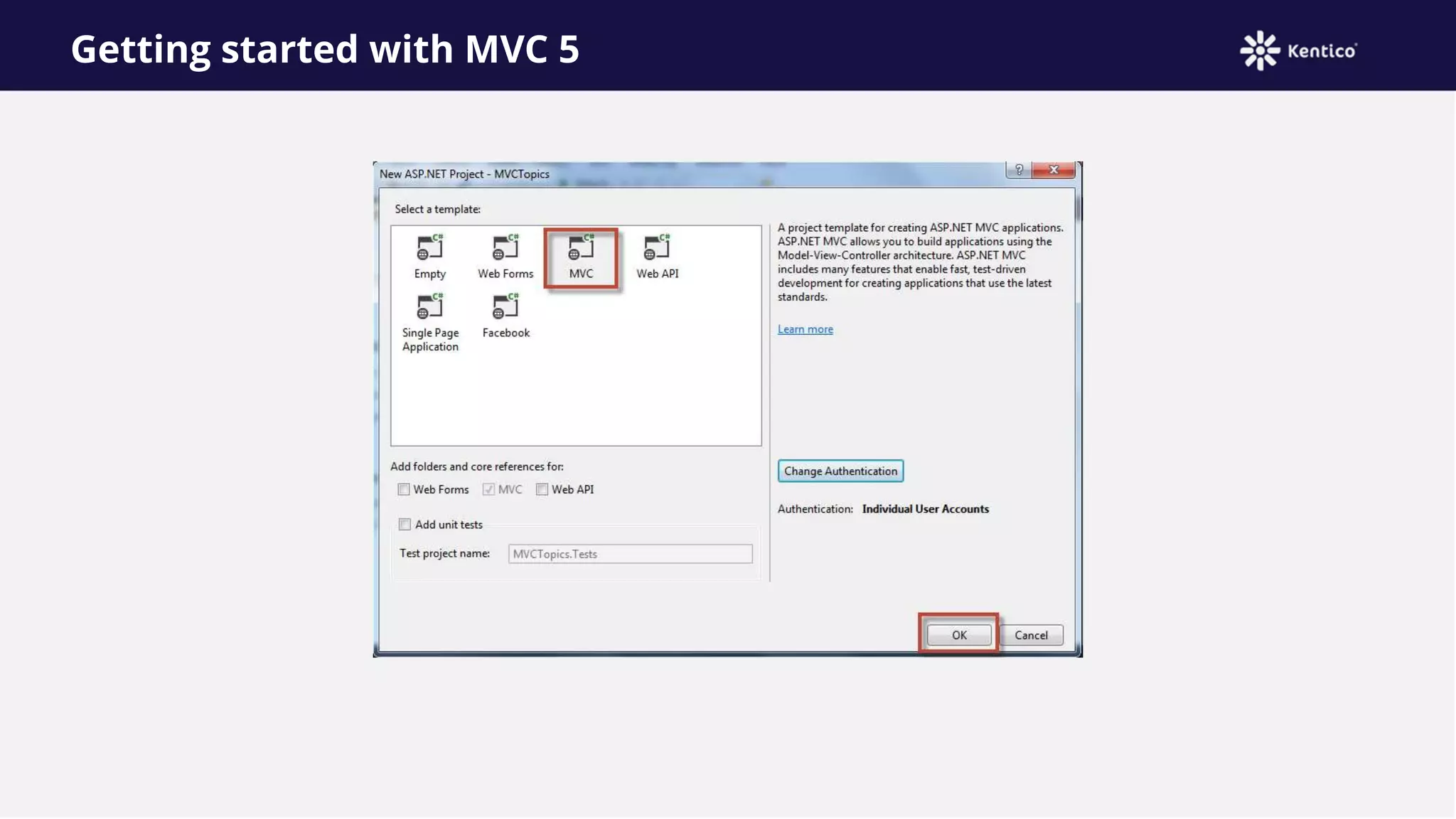
Getting started with MVC 5
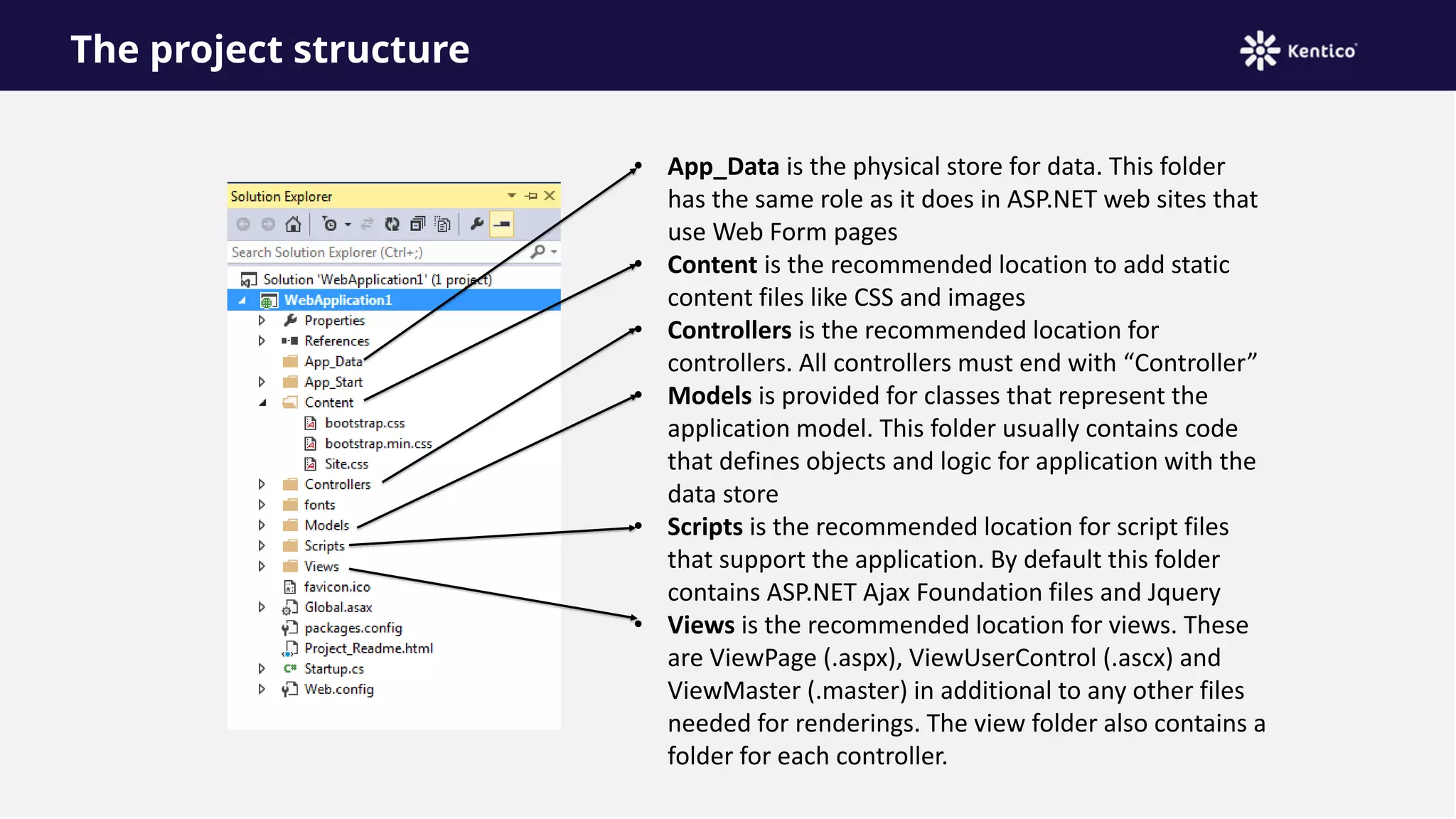
The project structure
• App_Data is the physical store for data. This folder
has the same role as it does in ASP.NET web sites that
use Web Form pages
• Content is the recommended location to add static
content files like CSS and images
• Controllers is the recommended location for
controllers. All controllers must end with “Controller”
• Models is provided for classes that represent the
application model. This folder usually contains code
that defines objects and logic for application with the
data store
• Scripts is the recommended location for script files
that support the application. By default this folder
contains ASP.NET Ajax Foundation files and Jquery
• Views is the recommended location for views. These
are ViewPage (.aspx), ViewUserControl (.ascx) and
ViewMaster (.master) in additional to any other files
needed for renderings. The view folder also contains a
folder for each controller.
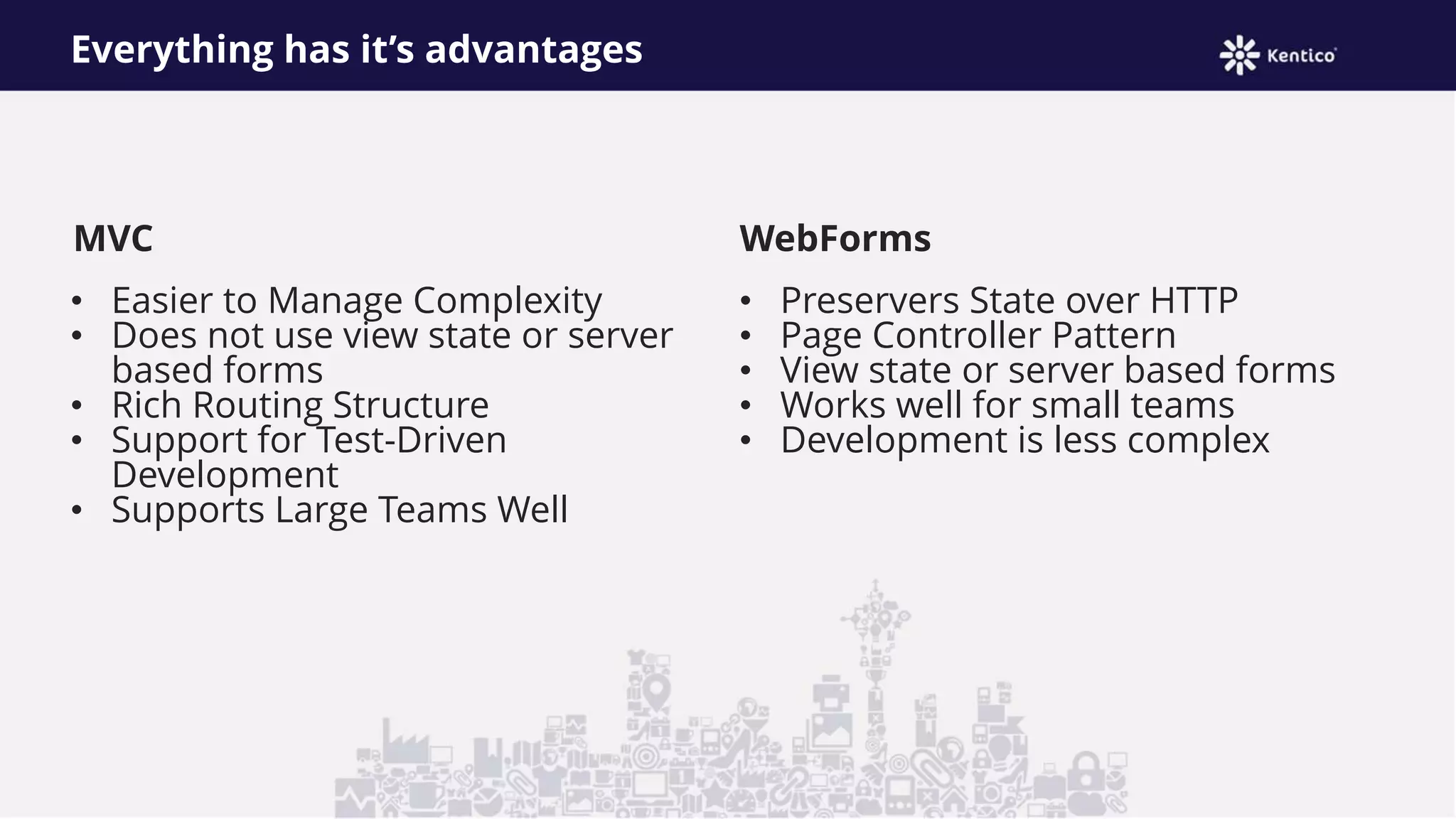
MVC
• Easier to Manage Complexity
• Does not use view state or server
based forms
• Rich Routing Structure
• Support for Test-Driven
Development
• Supports Large Teams Well
WebForms
• Preservers State over HTTP
• Page Controller Pattern
• View state or server based forms
• Works well for small teams
• Development is less complex
Everything has it’s advantages
MVC Routes
• A route is an object that parses a requested URL and it
determines the controller and action to which the request is
forwarded
• Routing operates on the directories and the file name of tin the
relative URL
Uses the format
/[Controller]/[ActionName]/[Parameters]
What’s the route
Matching a URL request to a route depends on all of the following conditions:
• The route patterns that you have defined or the default route patterns, if any, that are included
in your project type.
• The order in which you added them to the Routes collection.
• Any default values that you have provided for a route.
• Any constraints that you have provided for a route.
• Whether you have defined routing to handle requests that match a physical file.
MVC in Kentico 8
Radek Pribyl
(Technical leader - Portal engine, MVC)
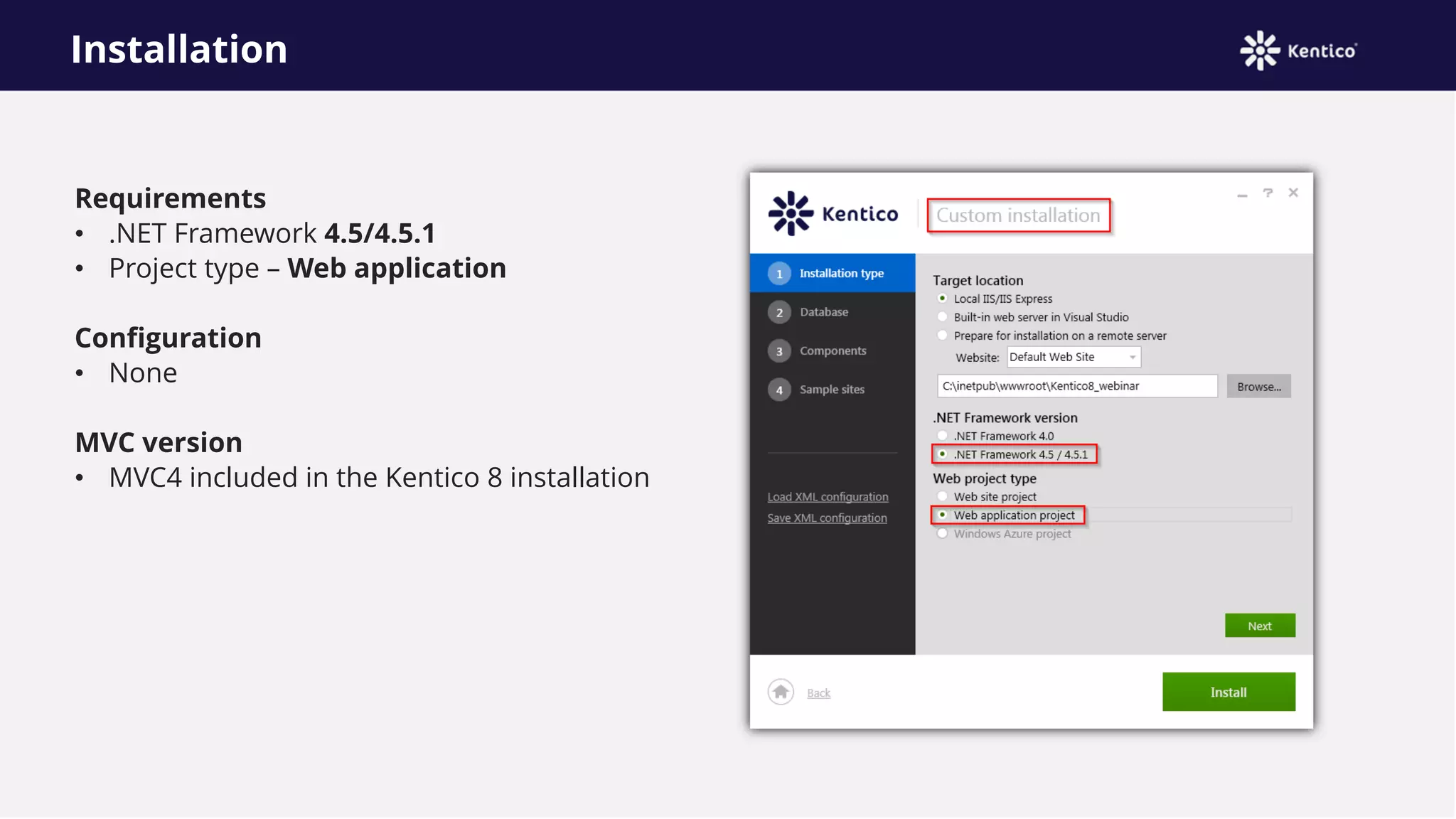
Installation
Requirements
• .NET Framework 4.5/4.5.1
• Project type – Web application
Configuration
• None
MVC version
• MVC4 included in the Kentico 8 installation
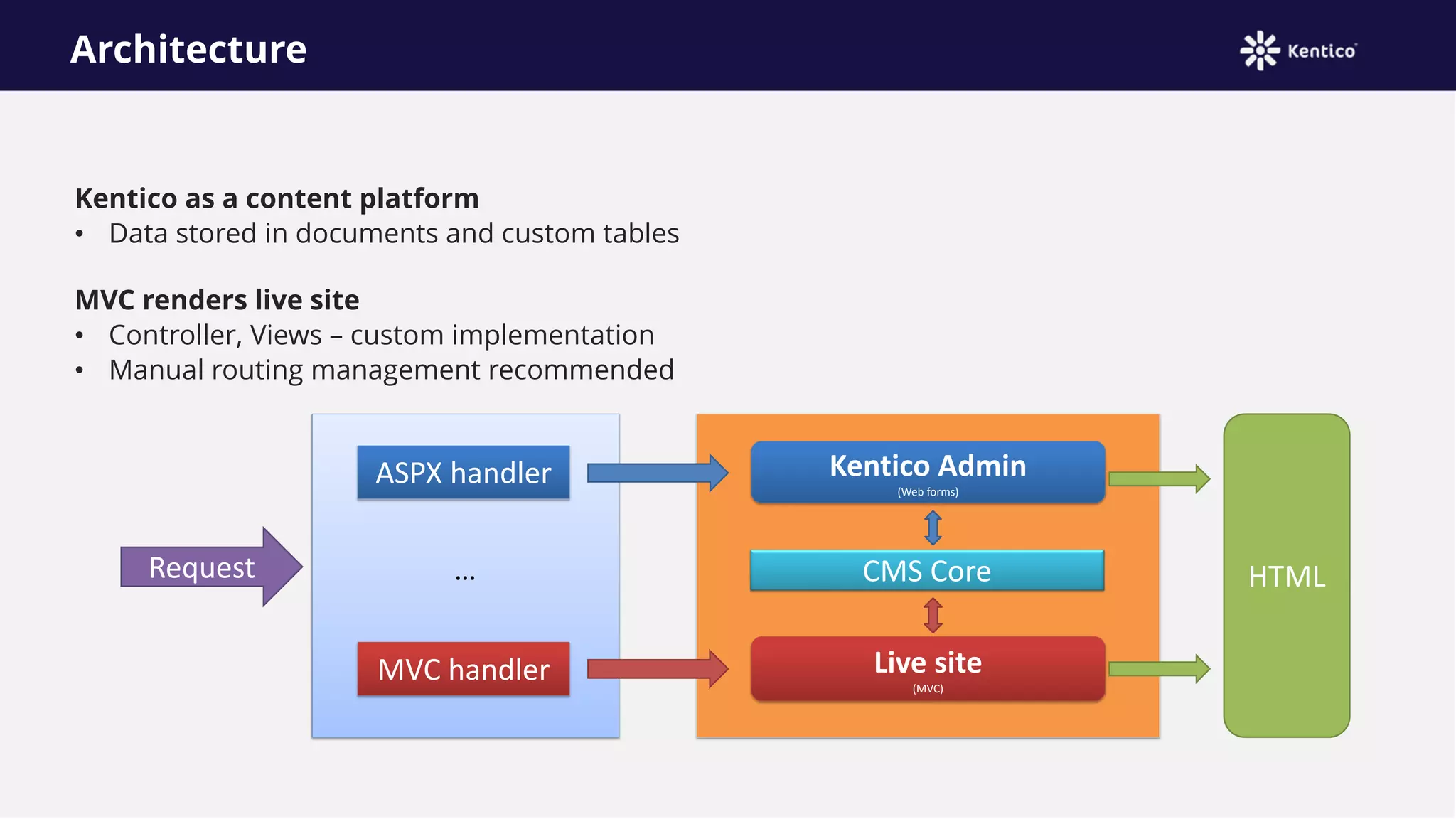
Architecture
Kentico as a content platform
• Data stored in documents and custom tables
MVC renders live site
• Controller, Views – custom implementation
• Manual routing management recommended
MVC handler
Request
Live site
(MVC)
ASPX handler
CMS Core
Kentico Admin
(Web forms)
HTML…
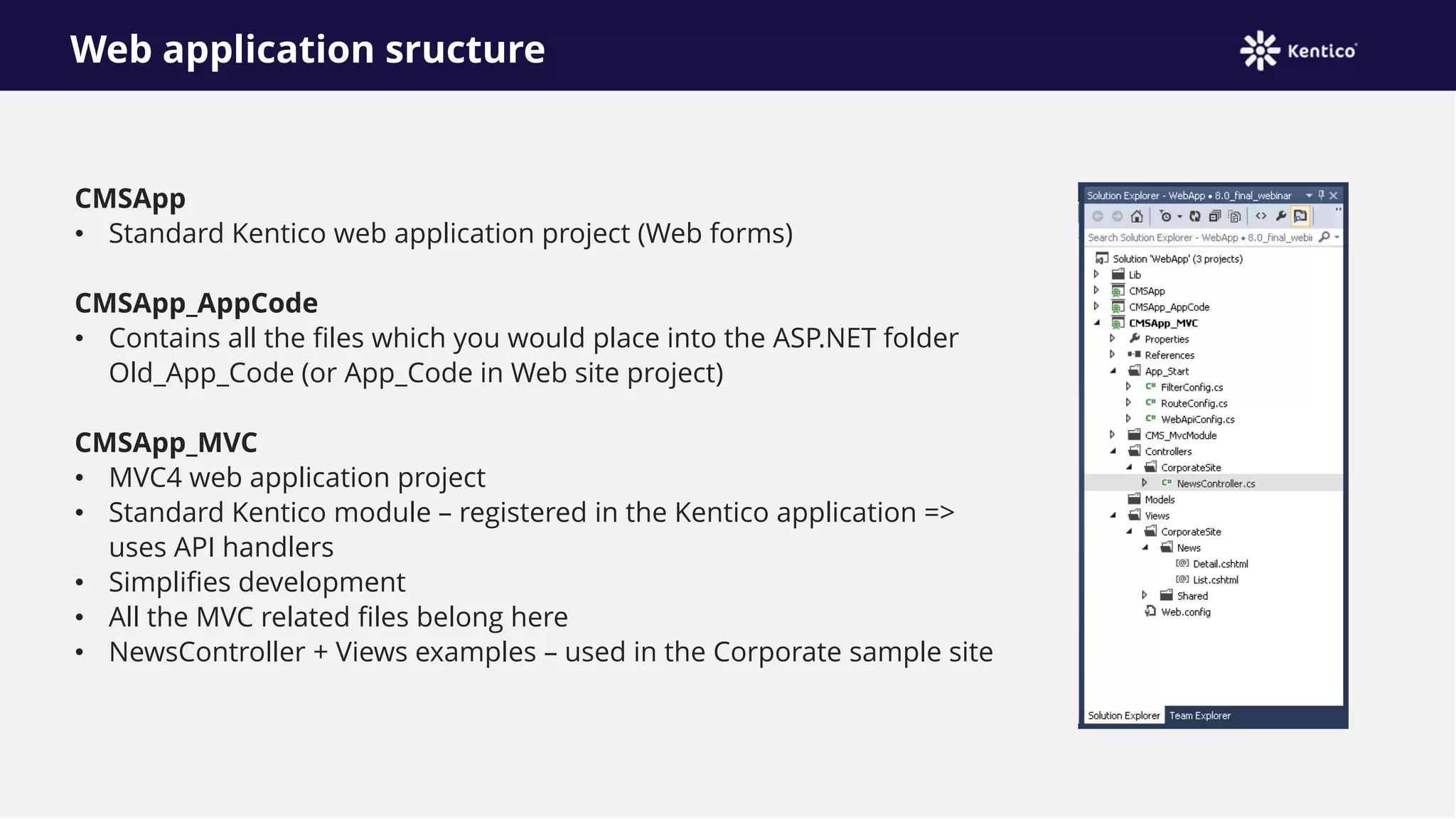
Web application sructure
CMSApp
• Standard Kentico web application project (Web forms)
CMSApp_AppCode
• Contains all the files which you would place into the ASP.NET folder
Old_App_Code (or App_Code in Web site project)
CMSApp_MVC
• MVC4 web application project
• Standard Kentico module – registered in the Kentico application =>
uses API handlers
• Simplifies development
• All the MVC related files belong here
• NewsController + Views examples – used in the Corporate sample site
CMSApp_MVC project
App_Start
• Standard MVC project folder
• RouteConfig.cs
• FilterConfig.cs
CMS_MvcModule
• Connects the project (module) to the Kentico
application
Controllers
• Custom controllers
• Sample controller
Models
• Custom model classes
Views
• Custom views
• Sample views
Development tips #1
Architecture
• Kentico as a content platform
• Live site generated by MVC
Controllers
• Try out new DocumentQuery API
• Implement caching
o MVC caching
o Kentico caching
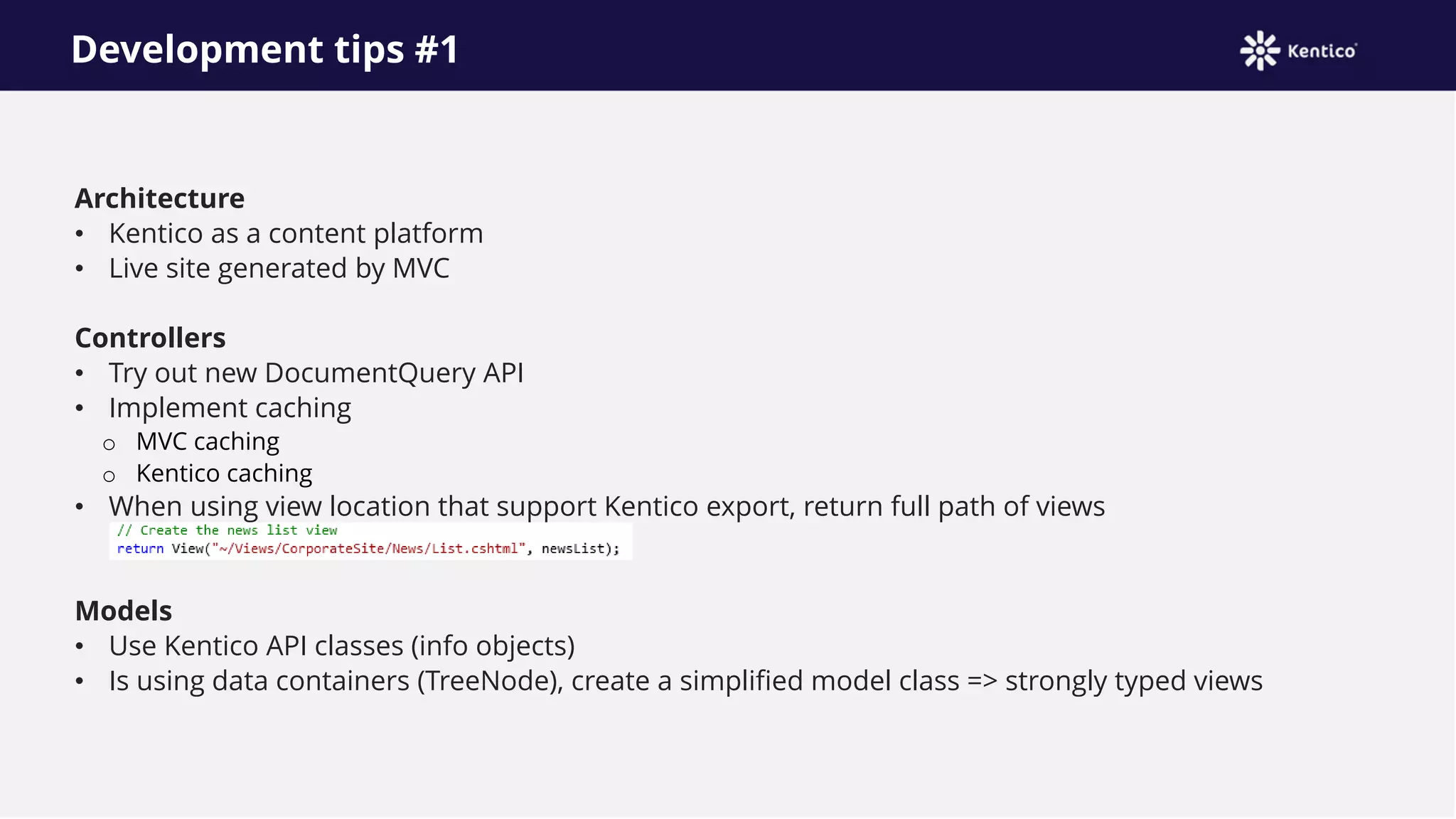
• When using view location that support Kentico export, return full path of views
Models
• Use Kentico API classes (info objects)
• Is using data containers (TreeNode), create a simplified model class => strongly typed views
Development tips #2
Views
• View engines – no restrictions
• Razor recommended
Routes
• Route registration
o App_Start/RouteConfig.cs – manual export
o Attribute routing
• Avoid using route placeholders at the start of the route: {controller}/{action}/{id}
• Especially when using together with extension-less
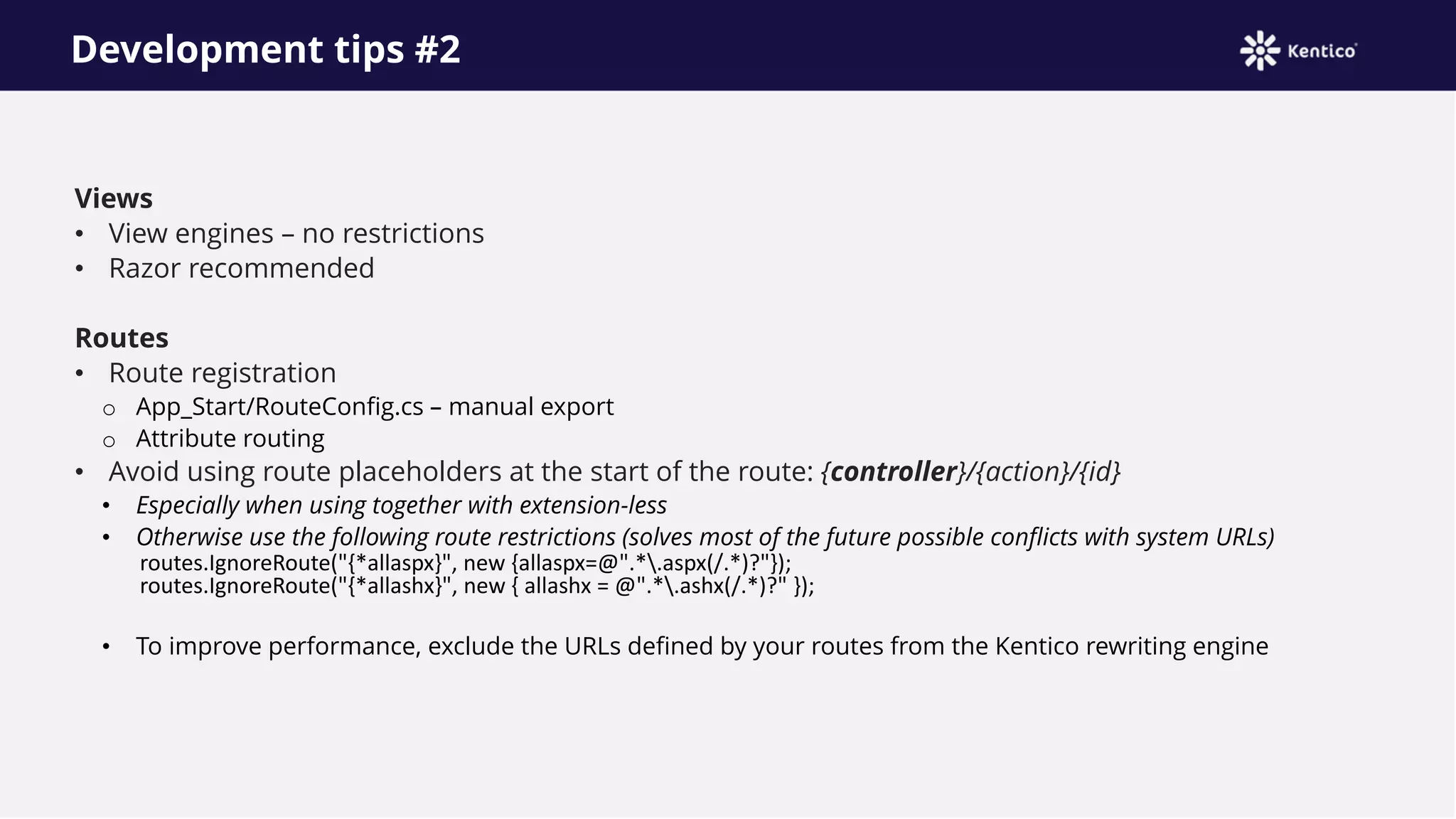
• Otherwise use the following route restrictions (solves most of the future possible conflicts with system URLs)
routes.IgnoreRoute("{*allaspx}", new {allaspx=@".*.aspx(/.*)?"});
routes.IgnoreRoute("{*allashx}", new { allashx = @".*.ashx(/.*)?" });
• To improve performance, exclude the URLs defined by your routes from the Kentico rewriting engine
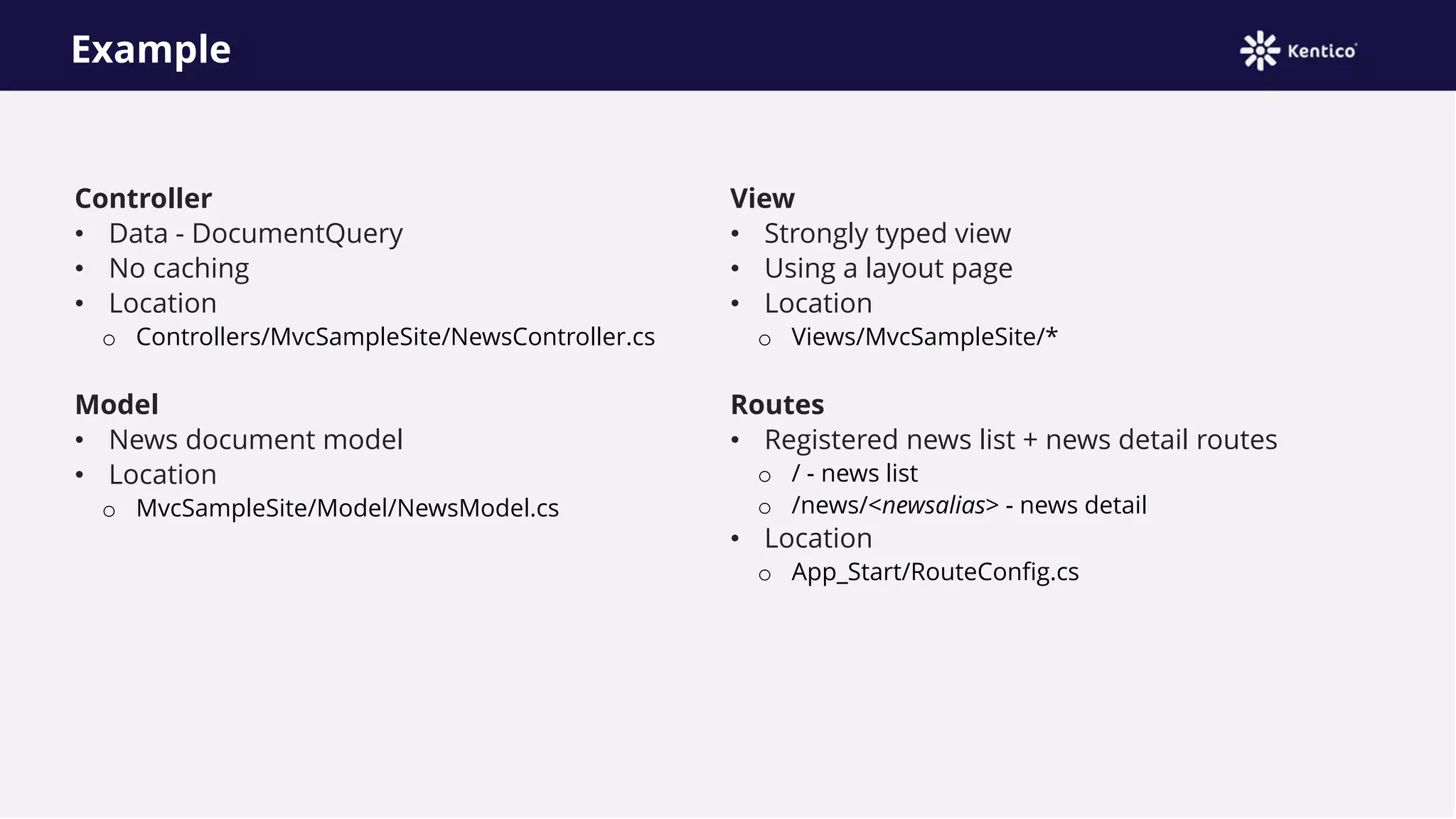
Example
Controller
• Data - DocumentQuery
• No caching
• Location
o Controllers/MvcSampleSite/NewsController.cs
Model
• News document model
• Location
o MvcSampleSite/Model/NewsModel.cs
View
• Strongly typed view
• Using a layout page
• Location
o Views/MvcSampleSite/*
Routes
• Registered news list + news detail routes
o / - news list
o /news/<newsalias> - news detail
• Location
o App_Start/RouteConfig.cs
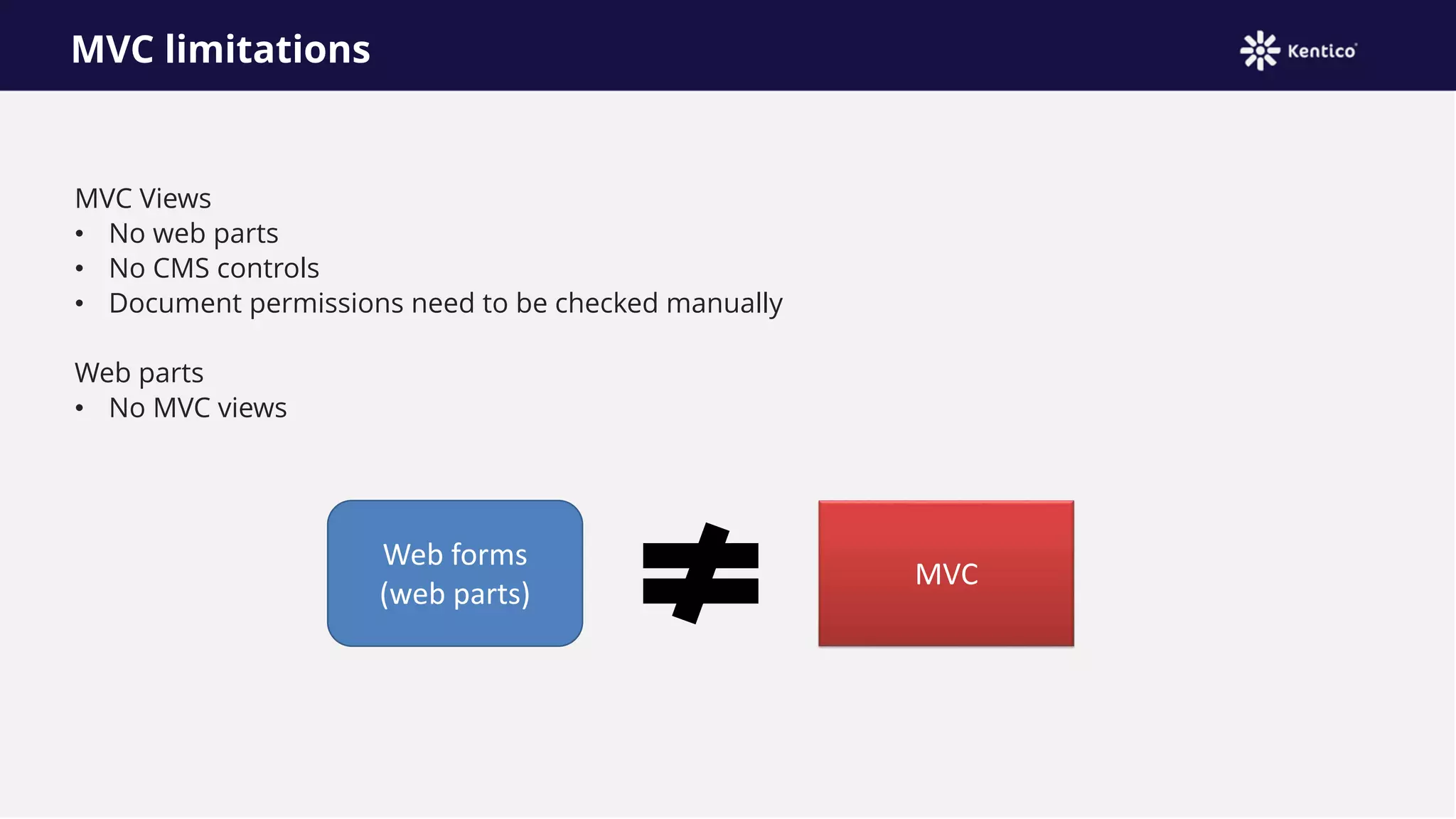
MVC limitations
MVC Views
• No web parts
• No CMS controls
• Document permissions need to be checked manually
Web parts
• No MVC views
Web forms
(web parts)
MVC
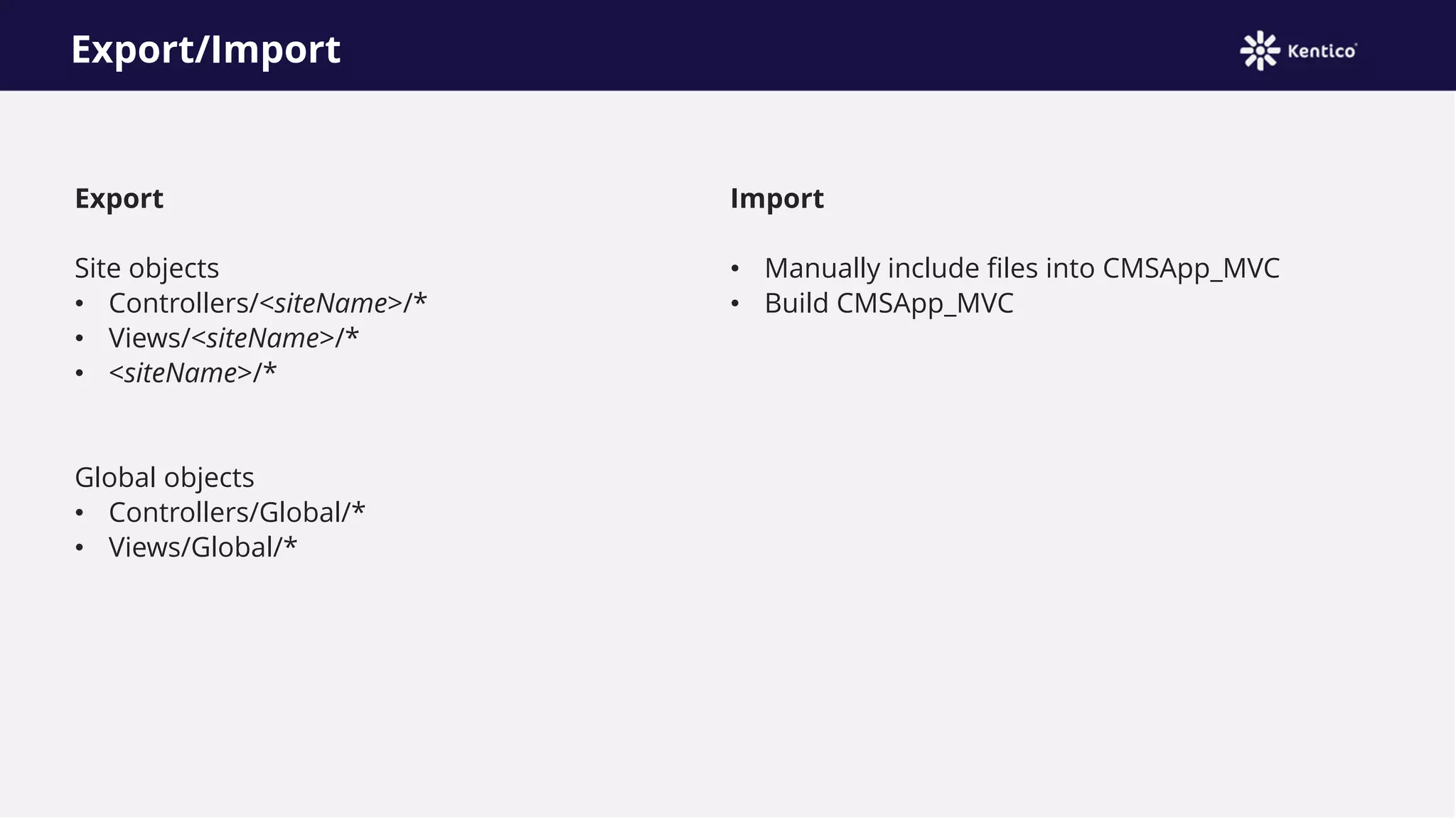
Export/Import
Export
Site objects
• Controllers/<siteName>/*
• Views/<siteName>/*
• <siteName>/*
Global objects
• Controllers/Global/*
• Views/Global/*
Import
• Manually include files into CMSApp_MVC
• Build CMSApp_MVC
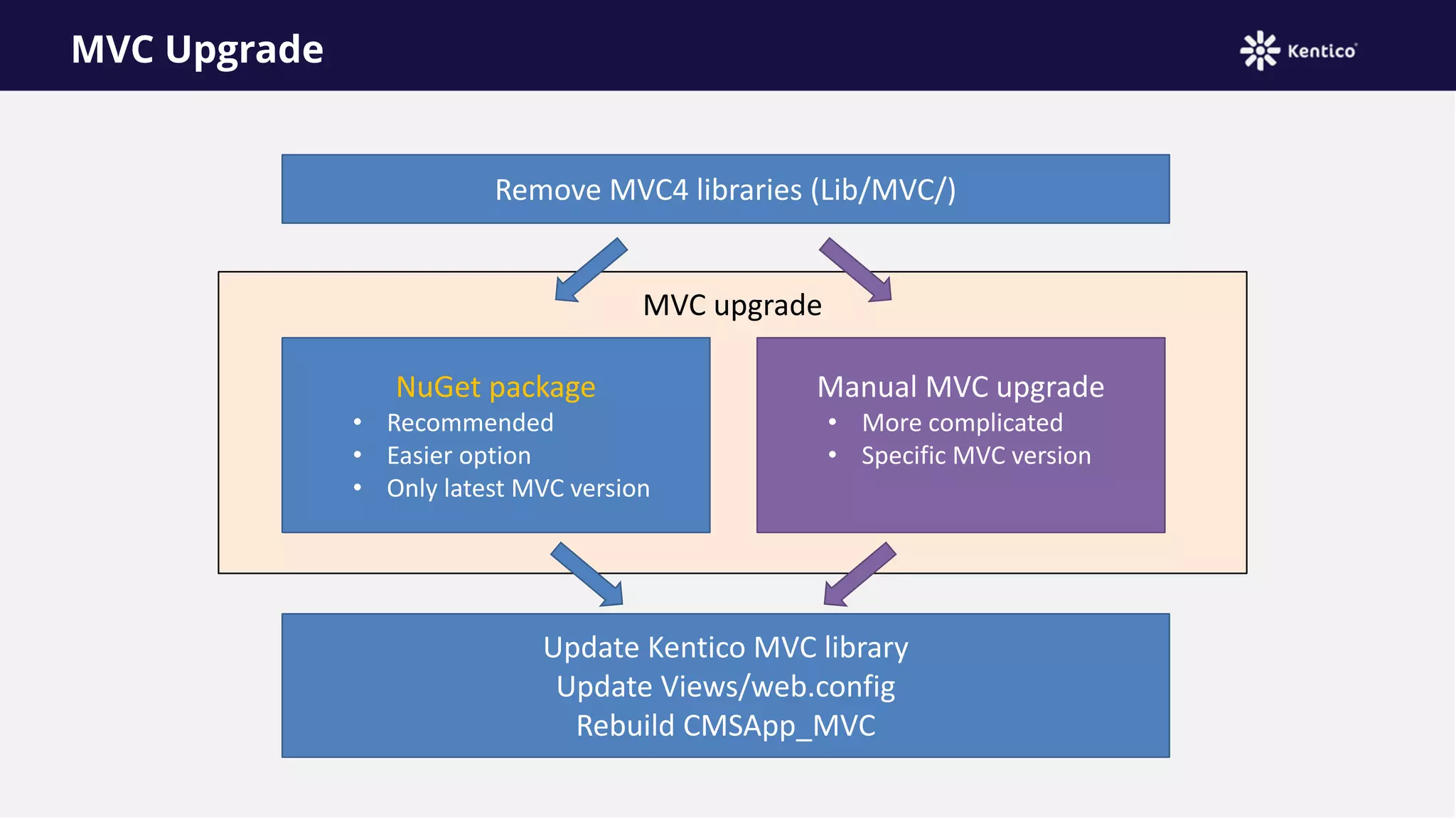
MVC upgrade
MVC Upgrade
Remove MVC4 libraries (Lib/MVC/)
NuGet package
• Recommended
• Easier option
• Only latest MVC version
Manual MVC upgrade
• More complicated
• Specific MVC version
Update Kentico MVC library
Update Views/web.config
Rebuild CMSApp_MVC
Resources
Kentico MVC
https://docs.kentico.com/x/qYFG
Upgrade MVC
https://docs.kentico.com/x/UgBcAw
API examples
https://docs.kentico.com/x/VABcAw
Document API
https://docs.kentico.com/x/5oAbAg
Using MVC with Kentico 8

Using MVC with Kentico 8

  • 1.
    MVC with Kentico8 Thomas Robbins Radek Pribyl
  • 2.
    Introduction to MVC ThomasRobbins thomasr@Kentico.com
  • 3.
    A history lesson.. ASP.NETWeb Form • A set of UI components (pages, buttons etc.) plus a stateful object oriented GUI programming model ASP.NET • A way to host .NET application in IIS that let’s you interact with HTTP requests and responses .NET • A multi-language managed code platform The Strength of ASP.NET Web Forms • Making web development feel the same as Windows Form development • No need to work with individual HTTP requests and easier to think in terms of a stateful UI
  • 4.
    Some problems withASP.NET Web Forms View state weight – Mechanism for maintaining state (view state) results in large blocks of data between client and server Page life cycle – Connecting client side events with server side event handler code is complicated and delicate False sense of separation – ASP.NET web Forms code behind model provides a means to take application code out of HTML markup. Unfortunately, this allows for mix presentation models (manipulating a server side tree) Limited control over HTML – Server side controls render themselves as HTML but not always the HTML you want Low testability – Nobody could have anticipated that automated testing would become essential Not all bad – ASP.NET Web Forms provide a quick results and allows reasonably complex web applications to be built quickly!
  • 5.
    What matters most… Codereusability • Shortens development • Code libraries • Design patterns • Frameworks Separation of concerns • Improves code clarity and organization • Helps troubleshoot by isolating issues • Allows for multiple teams to develop simultaneously
  • 6.
    What is MVC? Modelrepresents the data model • “Manages behavior and data of the application domain” View represents the screen shown to the user • “Manages the graphical and/or textual output to the portion of the bitmapped display that is allocated to the application” Controller represents interaction from the user that changes the data and the view • “Interprets the mouse and keyboard inputs from the user, commanding the model and/or the view to changes as appropriate”
  • 7.
    MVC isn’t new! Presentedby Trygve Reenskaug in 1979 First used in the Smalltalk-80 framework • Used in making Apple interfaces (Lisa and Macintosh)
  • 8.
  • 9.
  • 10.
    The project structure •App_Data is the physical store for data. This folder has the same role as it does in ASP.NET web sites that use Web Form pages • Content is the recommended location to add static content files like CSS and images • Controllers is the recommended location for controllers. All controllers must end with “Controller” • Models is provided for classes that represent the application model. This folder usually contains code that defines objects and logic for application with the data store • Scripts is the recommended location for script files that support the application. By default this folder contains ASP.NET Ajax Foundation files and Jquery • Views is the recommended location for views. These are ViewPage (.aspx), ViewUserControl (.ascx) and ViewMaster (.master) in additional to any other files needed for renderings. The view folder also contains a folder for each controller.
  • 11.
    MVC • Easier toManage Complexity • Does not use view state or server based forms • Rich Routing Structure • Support for Test-Driven Development • Supports Large Teams Well WebForms • Preservers State over HTTP • Page Controller Pattern • View state or server based forms • Works well for small teams • Development is less complex Everything has it’s advantages
  • 12.
    MVC Routes • Aroute is an object that parses a requested URL and it determines the controller and action to which the request is forwarded • Routing operates on the directories and the file name of tin the relative URL Uses the format /[Controller]/[ActionName]/[Parameters]
  • 13.
    What’s the route Matchinga URL request to a route depends on all of the following conditions: • The route patterns that you have defined or the default route patterns, if any, that are included in your project type. • The order in which you added them to the Routes collection. • Any default values that you have provided for a route. • Any constraints that you have provided for a route. • Whether you have defined routing to handle requests that match a physical file.
  • 14.
    MVC in Kentico8 Radek Pribyl (Technical leader - Portal engine, MVC)
  • 15.
    Installation Requirements • .NET Framework4.5/4.5.1 • Project type – Web application Configuration • None MVC version • MVC4 included in the Kentico 8 installation
  • 16.
    Architecture Kentico as acontent platform • Data stored in documents and custom tables MVC renders live site • Controller, Views – custom implementation • Manual routing management recommended MVC handler Request Live site (MVC) ASPX handler CMS Core Kentico Admin (Web forms) HTML…
  • 17.
    Web application sructure CMSApp •Standard Kentico web application project (Web forms) CMSApp_AppCode • Contains all the files which you would place into the ASP.NET folder Old_App_Code (or App_Code in Web site project) CMSApp_MVC • MVC4 web application project • Standard Kentico module – registered in the Kentico application => uses API handlers • Simplifies development • All the MVC related files belong here • NewsController + Views examples – used in the Corporate sample site
  • 18.
    CMSApp_MVC project App_Start • StandardMVC project folder • RouteConfig.cs • FilterConfig.cs CMS_MvcModule • Connects the project (module) to the Kentico application Controllers • Custom controllers • Sample controller Models • Custom model classes Views • Custom views • Sample views
  • 19.
    Development tips #1 Architecture •Kentico as a content platform • Live site generated by MVC Controllers • Try out new DocumentQuery API • Implement caching o MVC caching o Kentico caching • When using view location that support Kentico export, return full path of views Models • Use Kentico API classes (info objects) • Is using data containers (TreeNode), create a simplified model class => strongly typed views
  • 20.
    Development tips #2 Views •View engines – no restrictions • Razor recommended Routes • Route registration o App_Start/RouteConfig.cs – manual export o Attribute routing • Avoid using route placeholders at the start of the route: {controller}/{action}/{id} • Especially when using together with extension-less • Otherwise use the following route restrictions (solves most of the future possible conflicts with system URLs) routes.IgnoreRoute("{*allaspx}", new {allaspx=@".*.aspx(/.*)?"}); routes.IgnoreRoute("{*allashx}", new { allashx = @".*.ashx(/.*)?" }); • To improve performance, exclude the URLs defined by your routes from the Kentico rewriting engine
  • 21.
    Example Controller • Data -DocumentQuery • No caching • Location o Controllers/MvcSampleSite/NewsController.cs Model • News document model • Location o MvcSampleSite/Model/NewsModel.cs View • Strongly typed view • Using a layout page • Location o Views/MvcSampleSite/* Routes • Registered news list + news detail routes o / - news list o /news/<newsalias> - news detail • Location o App_Start/RouteConfig.cs
  • 22.
    MVC limitations MVC Views •No web parts • No CMS controls • Document permissions need to be checked manually Web parts • No MVC views Web forms (web parts) MVC
  • 23.
    Export/Import Export Site objects • Controllers/<siteName>/* •Views/<siteName>/* • <siteName>/* Global objects • Controllers/Global/* • Views/Global/* Import • Manually include files into CMSApp_MVC • Build CMSApp_MVC
  • 24.
    MVC upgrade MVC Upgrade RemoveMVC4 libraries (Lib/MVC/) NuGet package • Recommended • Easier option • Only latest MVC version Manual MVC upgrade • More complicated • Specific MVC version Update Kentico MVC library Update Views/web.config Rebuild CMSApp_MVC
  • 25.
    Resources Kentico MVC https://docs.kentico.com/x/qYFG Upgrade MVC https://docs.kentico.com/x/UgBcAw APIexamples https://docs.kentico.com/x/VABcAw Document API https://docs.kentico.com/x/5oAbAg