Me - BenHowenstein
● Gameplay programmer
● Austin area game developer since 2014
● Previous studios/projects
○ Arkane Austin - Prey, Mooncrash
○ Airship Syndicate - Darksiders: Genesis, Wayfinder
○ WolfEye Studios - Weird West, Unannounced
Contact: ben.howenstein@gmail.com
3.
GAS vs. CustomAbility System
Considerations
● Complexity of needs
● Provides conceptual and concrete structure for major gameplay system for “free”
● Stat-driven design (ala RPG)
● What’s the inflection point?
○ Programming resources wrespect to complex system development
● Multiplayer
○ GAS provides out of the box support for replication
● Debugging
○ System introduces significant indirection which complicates debugging
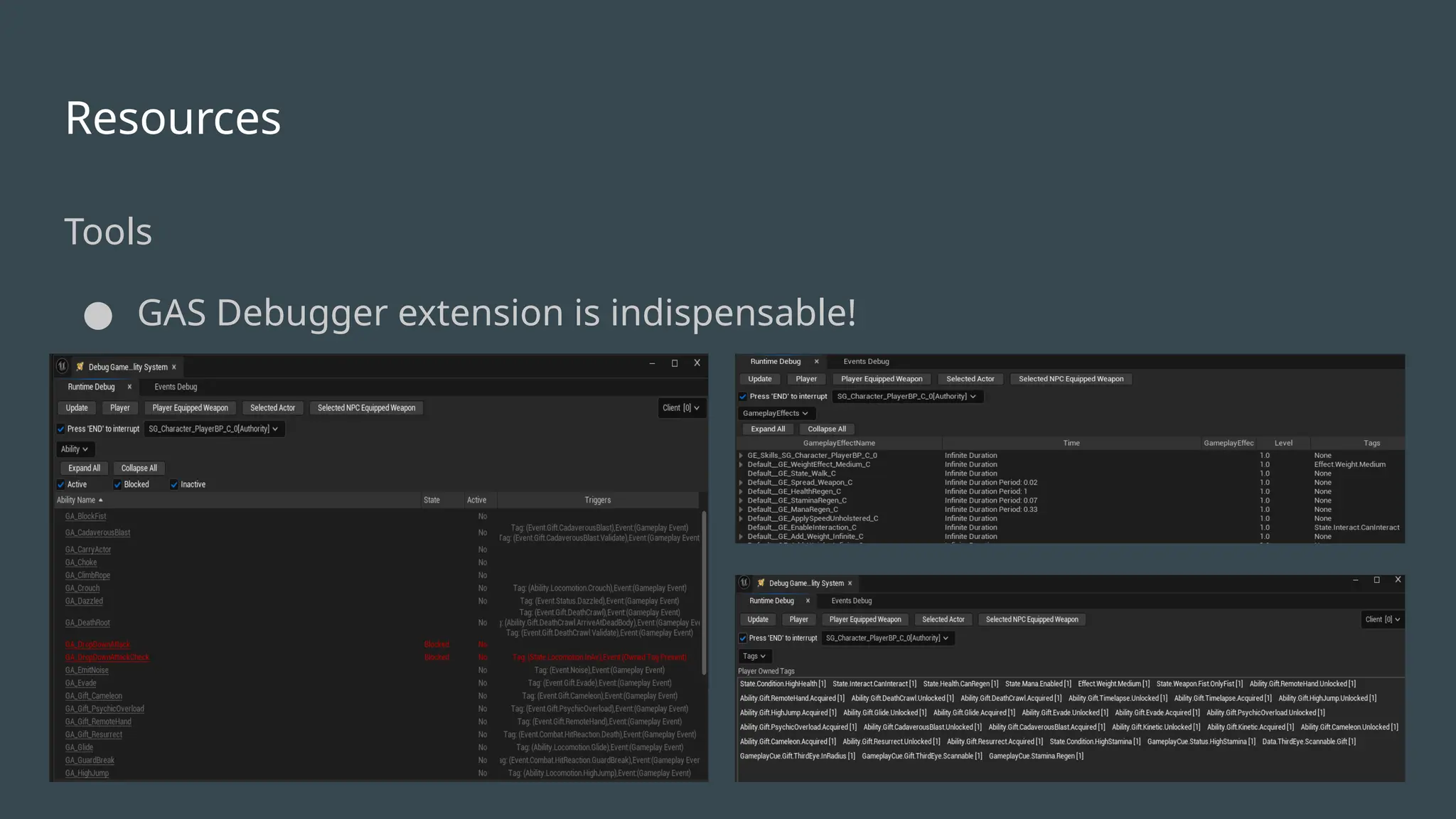
■ Can be mitigated with tooling/debug support (see GAS Debugger extension)
4.
Ability System Component
Foundationof GAS implementation
● Responsible for all work wrespect to running abilities, applying effects, triggering cues, etc.
Which actors need one?
● Perf implications for hundreds of ASCs - not a bottleneck in practice
Possible to implement attribute support without underlying ASC
● Applicable to actors that need data but don’t require support from abilities or effects (e.g. Item class)
● Avoids small ASC performance overhead (ticking)
● Appropriate for “immutable” stats (no modification at runtime)
5.
Principal Concepts
Attributes
● Representsstate of gameplay objects
○ e.g. Health, Speed, Melee Damage, Jump Height, etc.
Abilities
● Outer unit for executing gameplay logic, comprised of atomic tasks
Effects
● Mechanism for modifying attributes
Tags
● Represent state and trigger events
Cues
● VFX/SFX - aesthetic, not meant for gameplay logic
6.
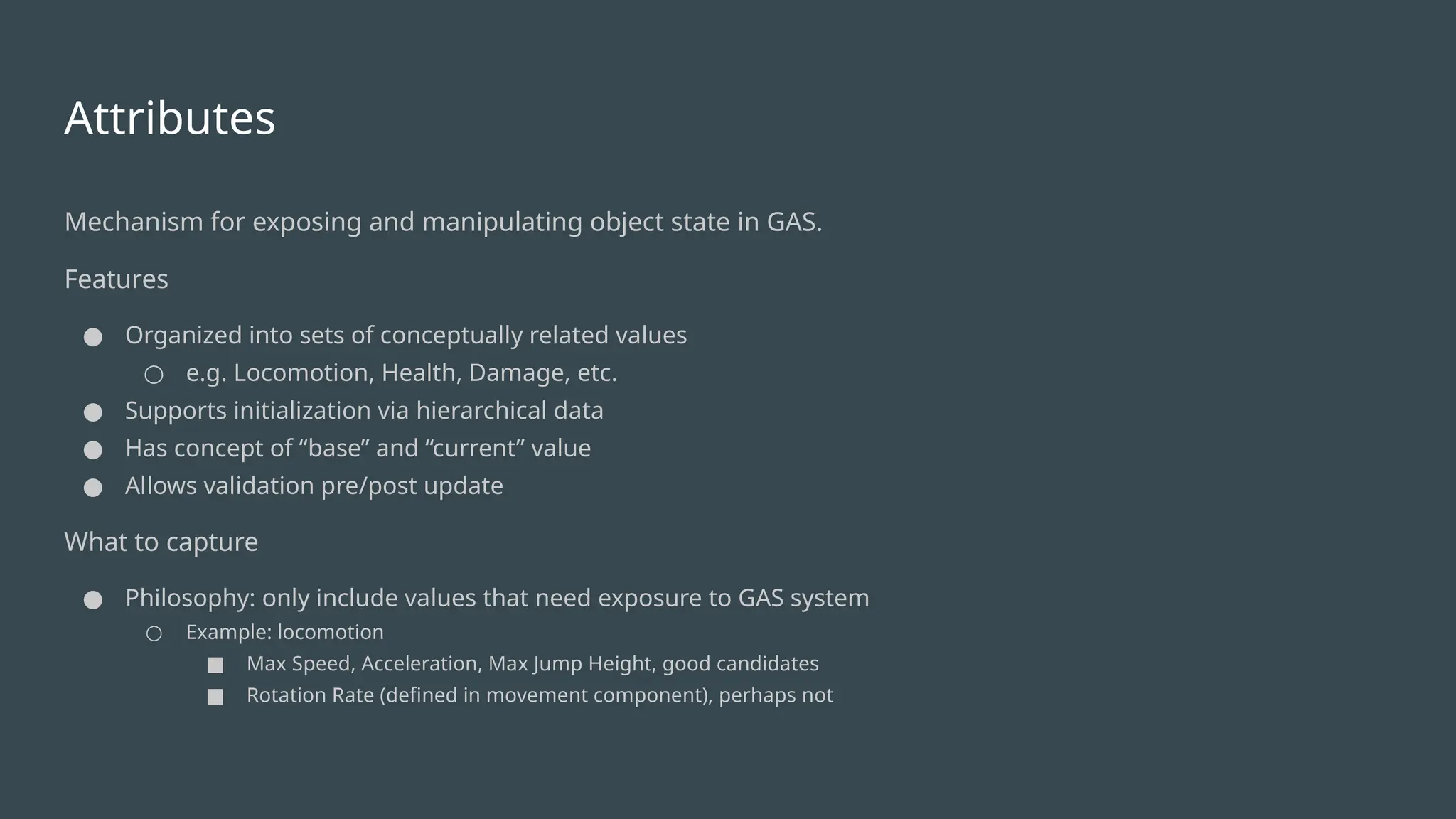
Attributes
Mechanism for exposingand manipulating object state in GAS.
Features
● Organized into sets of conceptually related values
○ e.g. Locomotion, Health, Damage, etc.
● Supports initialization via hierarchical data
● Has concept of “base” and “current” value
● Allows validation pre/post update
What to capture
● Philosophy: only include values that need exposure to GAS system
○ Example: locomotion
■ Max Speed, Acceleration, Max Jump Height, good candidates
■ Rotation Rate (defined in movement component), perhaps not
7.
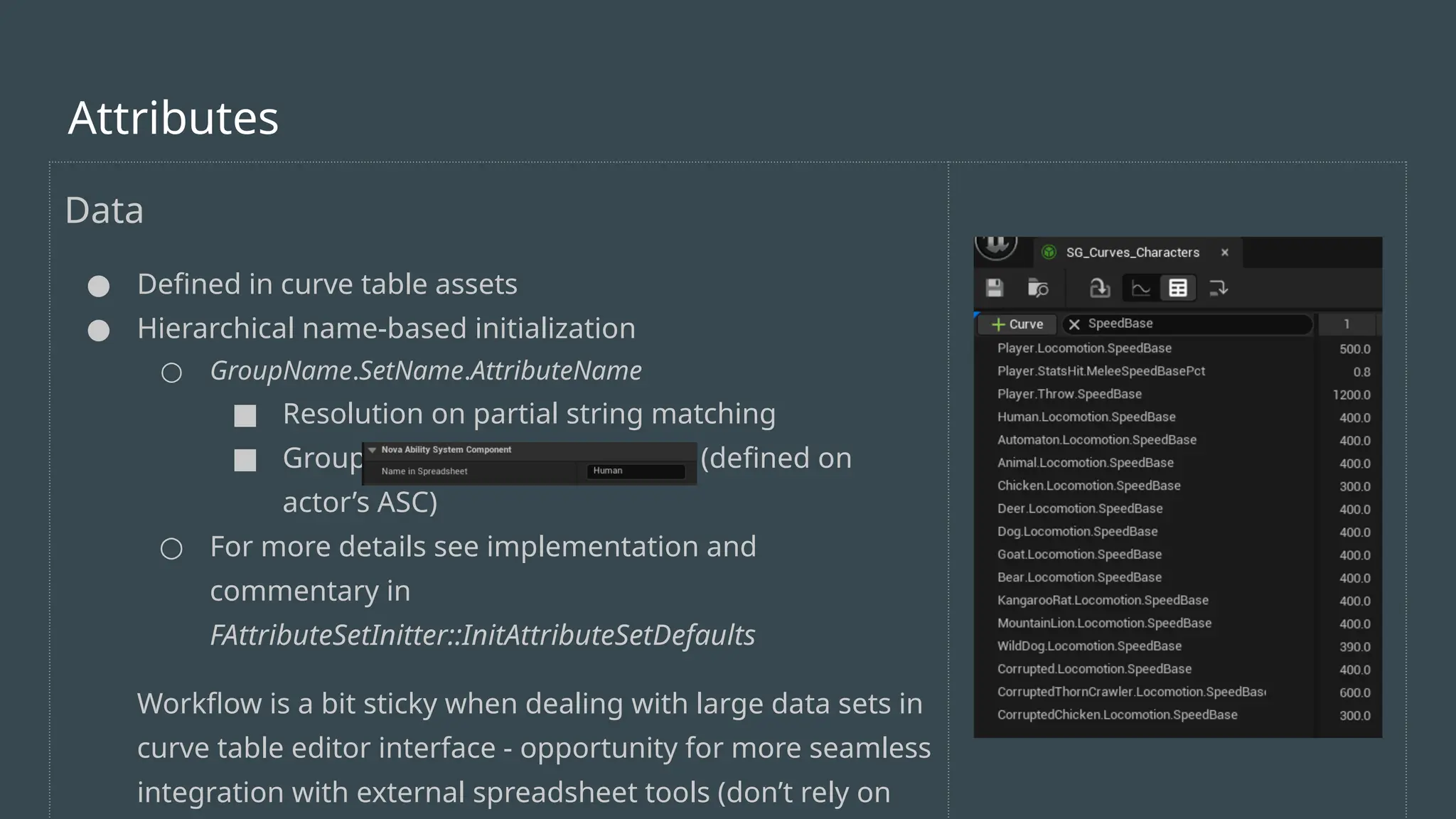
Data
● Defined incurve table assets
● Hierarchical name-based initialization
○ GroupName.SetName.AttributeName
■ Resolution on partial string matching
■ Group name resolved per class (defined on
actor’s ASC)
○ For more details see implementation and
commentary in
FAttributeSetInitter::InitAttributeSetDefaults
Workflow is a bit sticky when dealing with large data sets in
curve table editor interface - opportunity for more seamless
integration with external spreadsheet tools (don’t rely on
Attributes
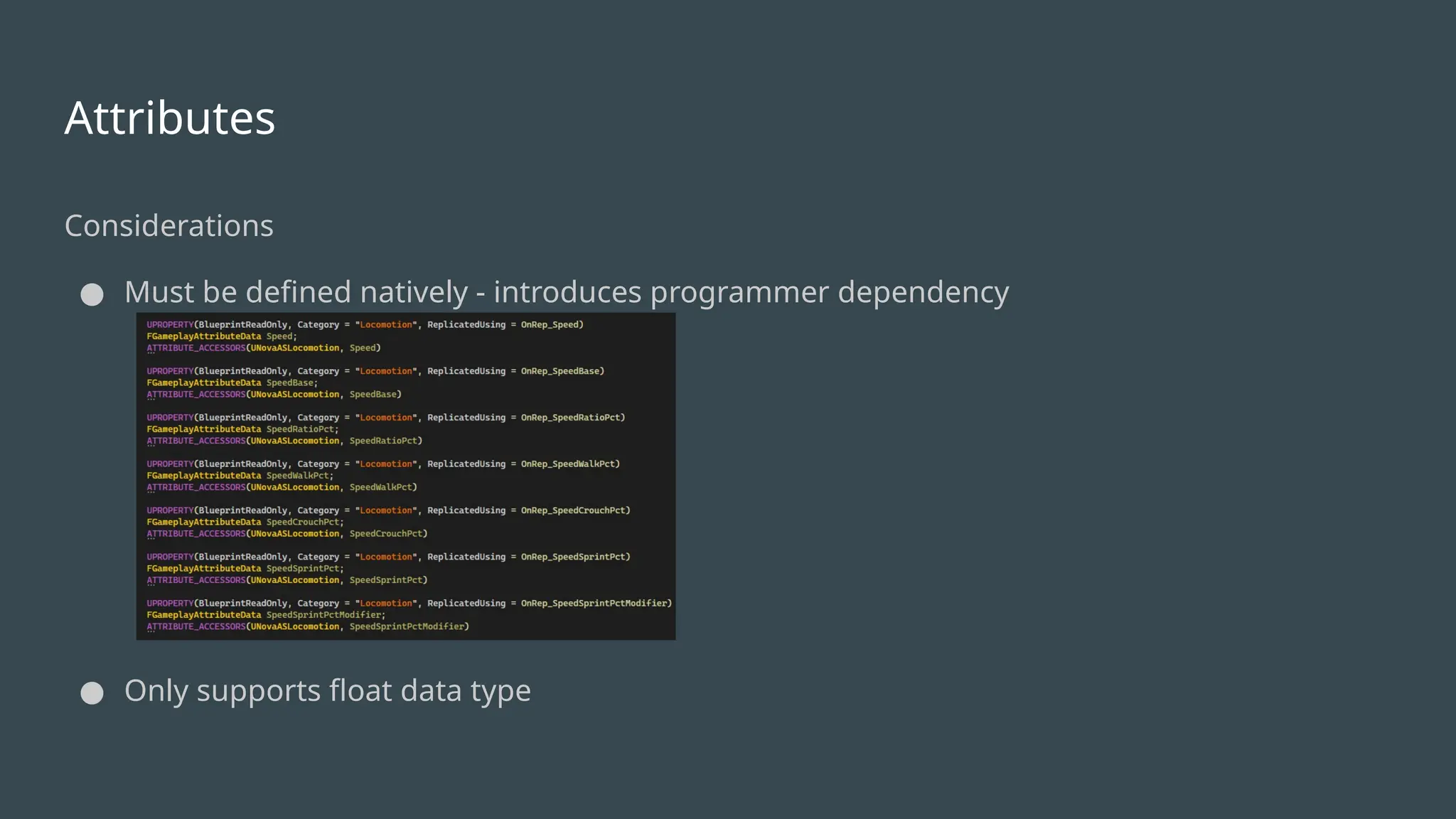
Attributes
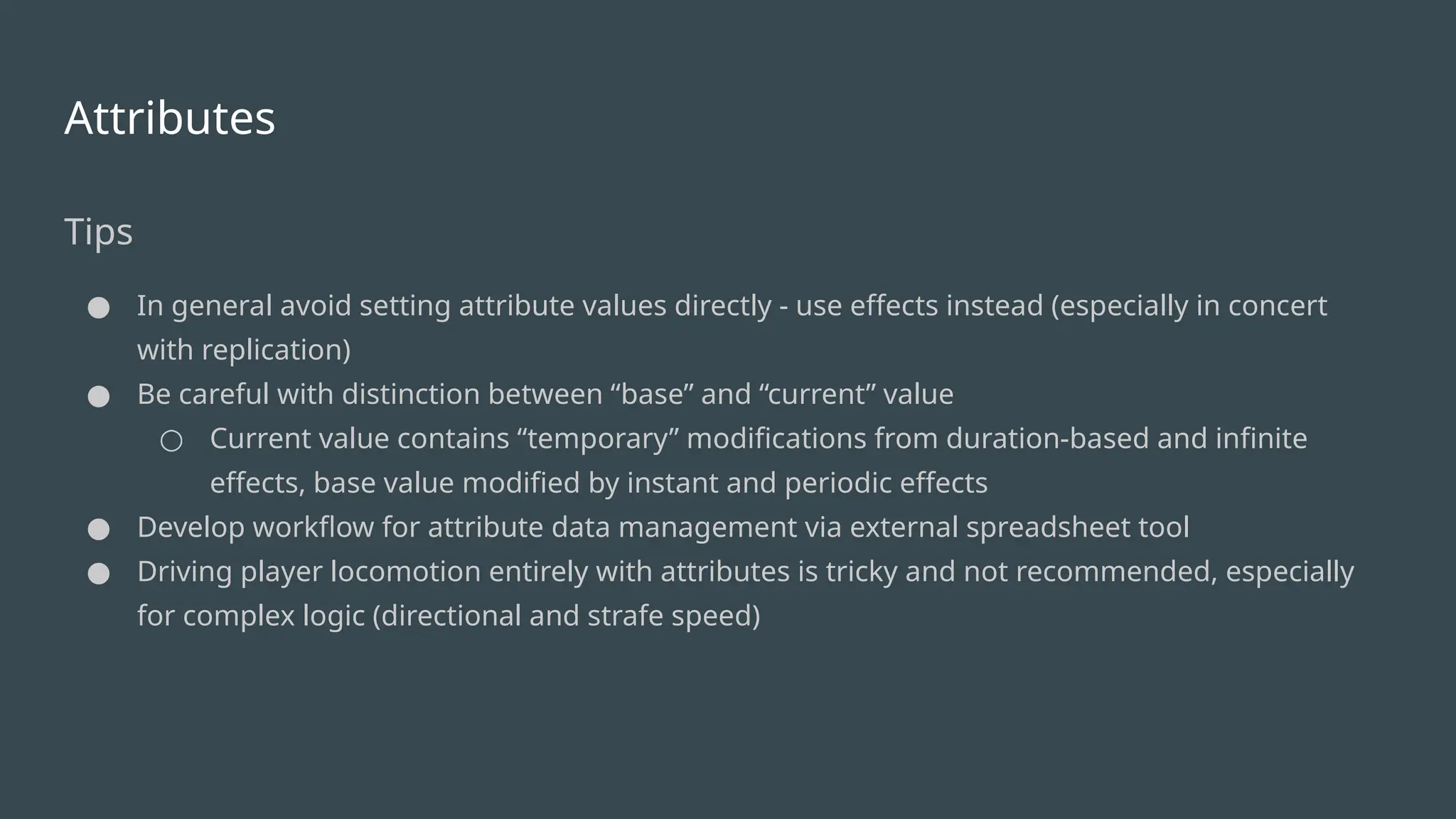
Tips
● In generalavoid setting attribute values directly - use effects instead (especially in concert
with replication)
● Be careful with distinction between “base” and “current” value
○ Current value contains “temporary” modifications from duration-based and infinite
effects, base value modified by instant and periodic effects
● Develop workflow for attribute data management via external spreadsheet tool
● Driving player locomotion entirely with attributes is tricky and not recommended, especially
for complex logic (directional and strafe speed)
10.
Abilities
● Comprised oftasks (work units)
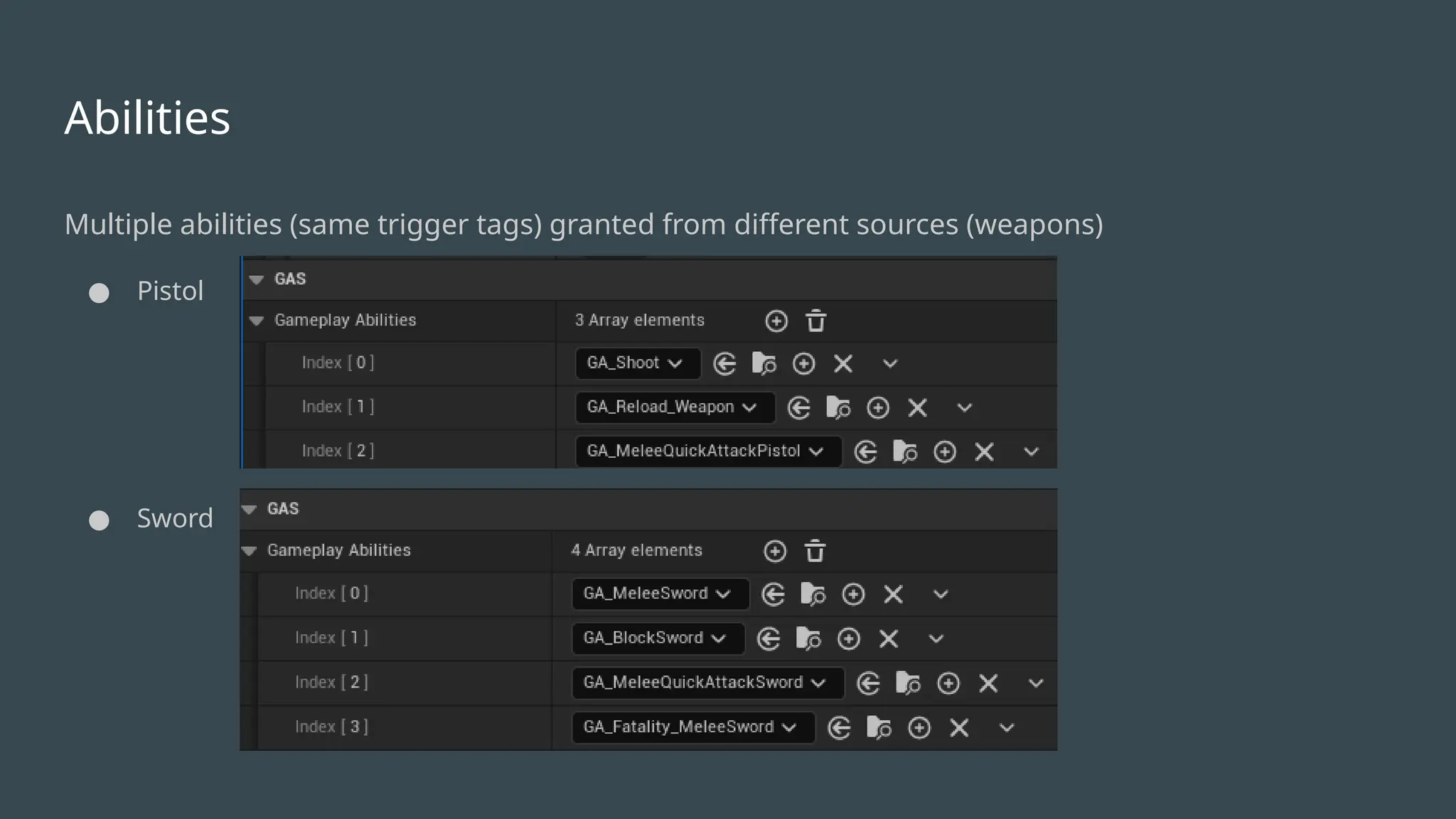
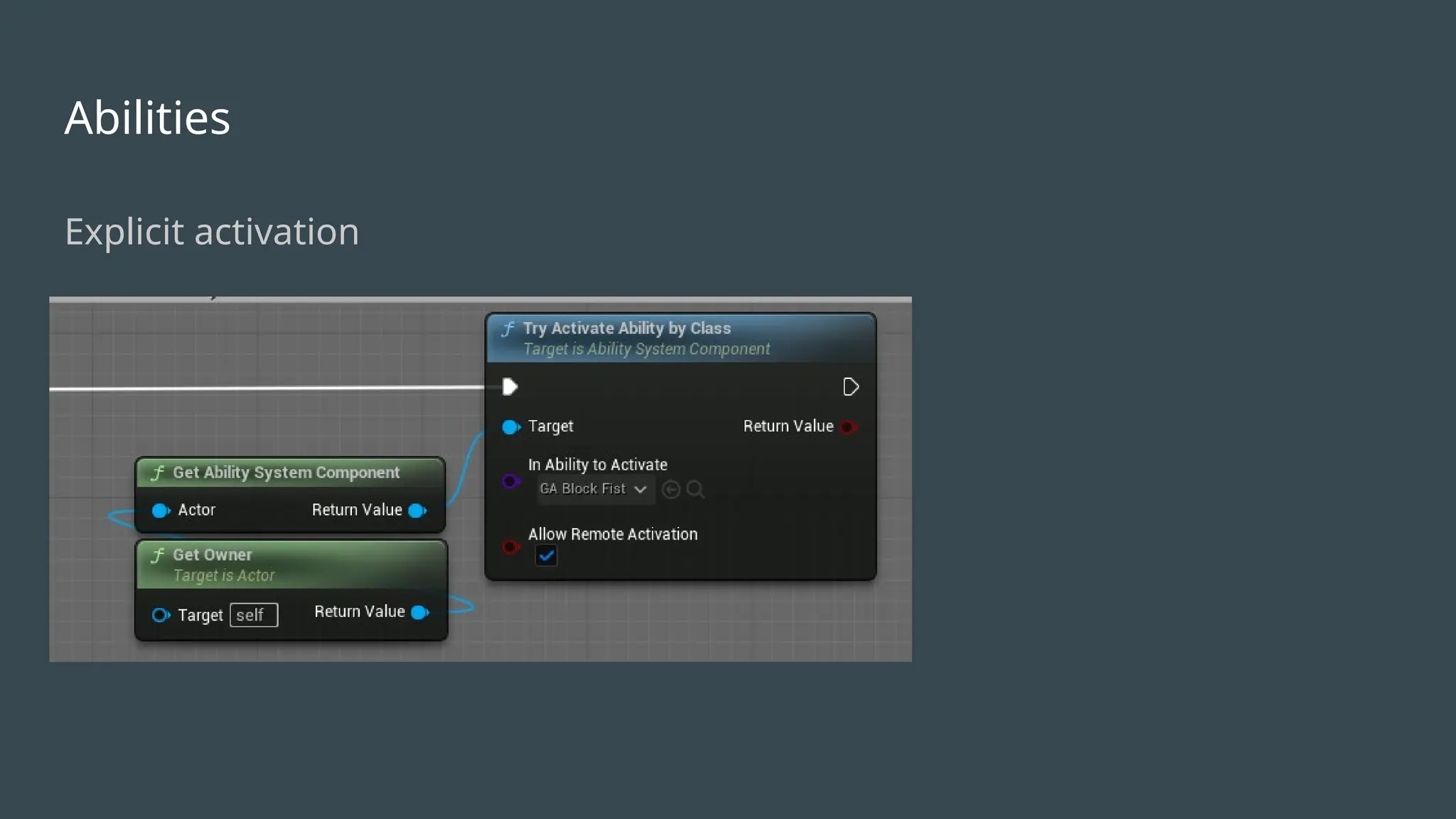
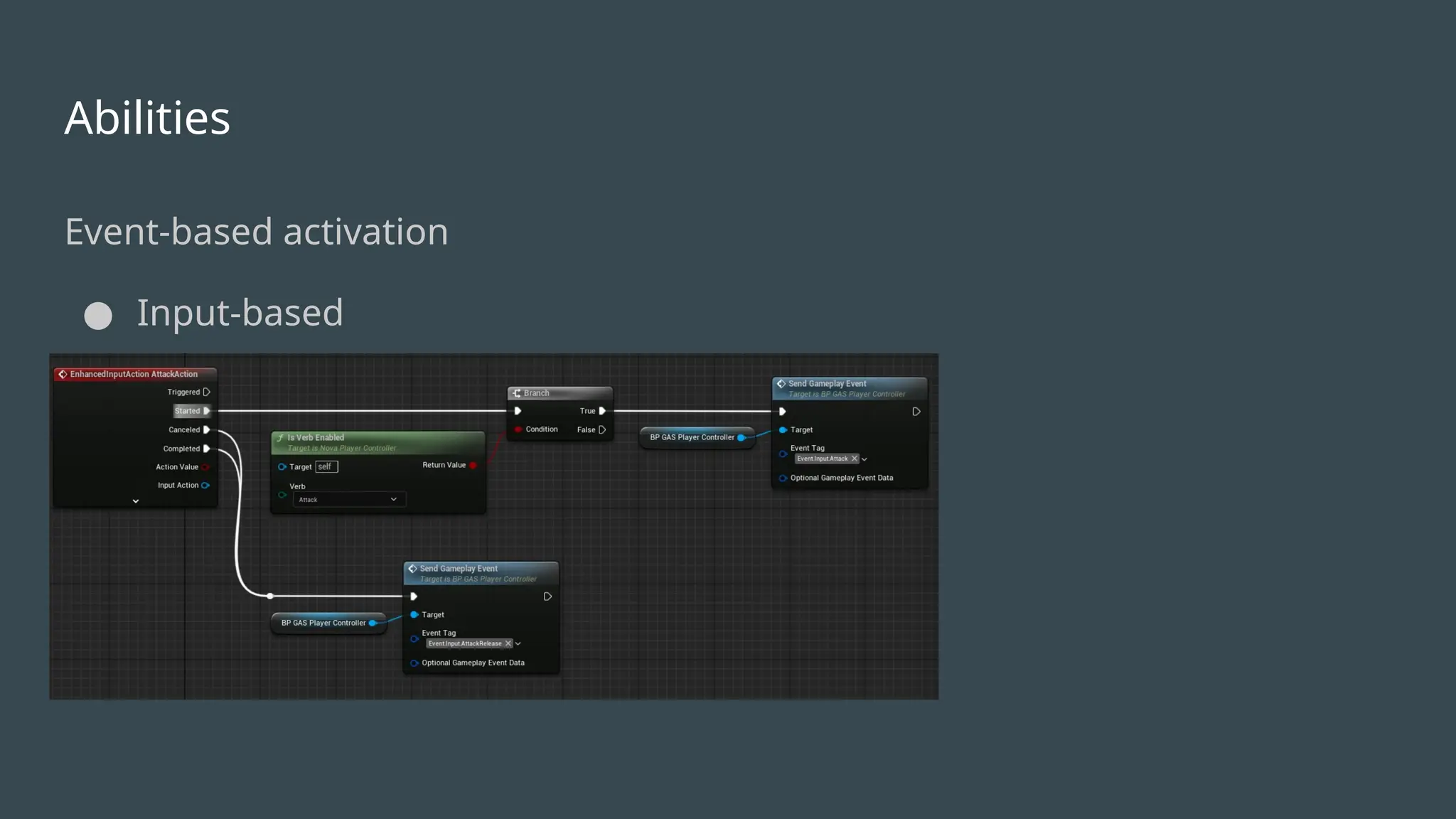
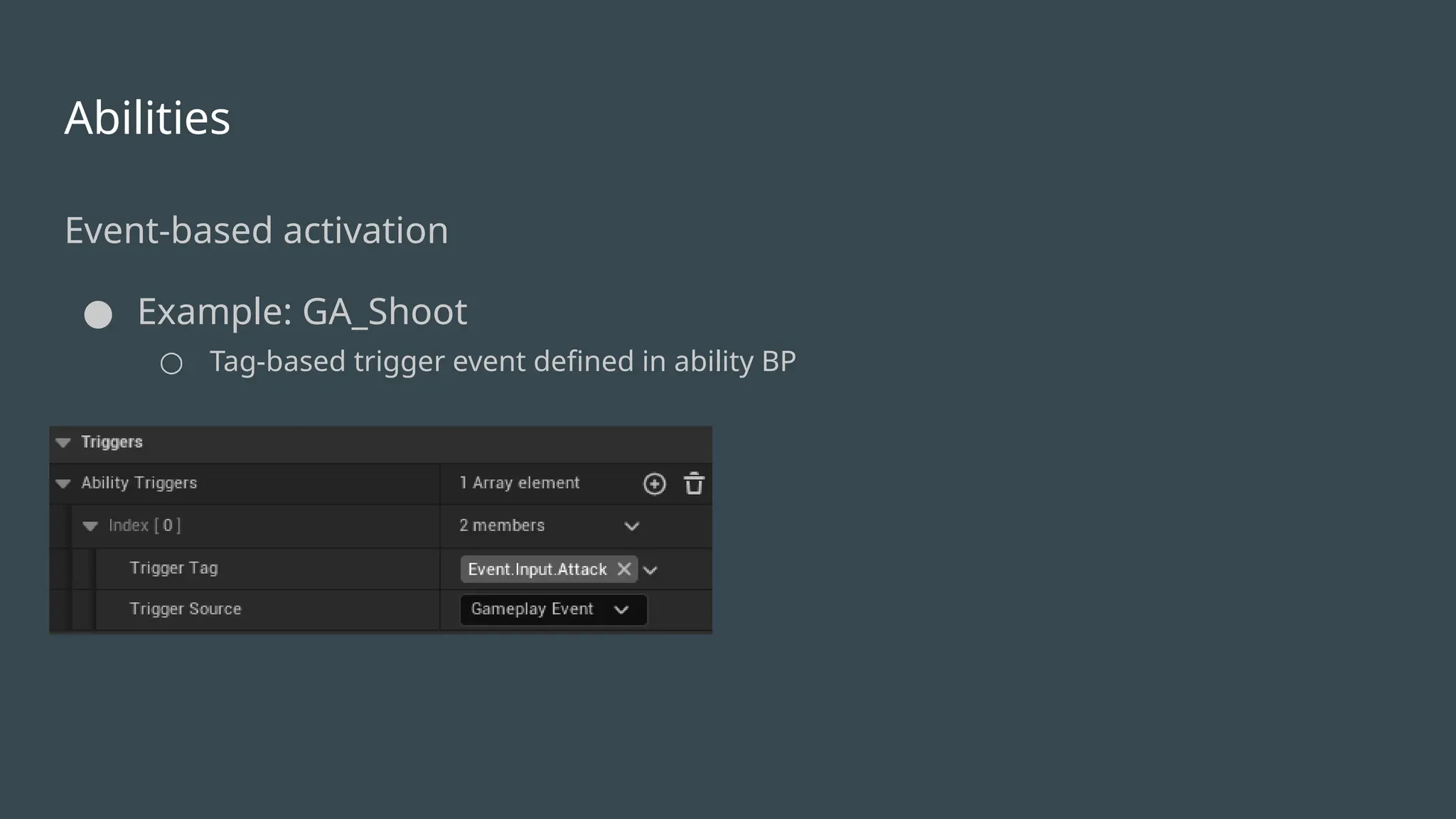
● Must be granted before activation
○ Strategies for managing overlapping abilities
■ Multiple abilities with same trigger condition granted from different sources
● Pistol and sword attack abilities granted/revoked by weapon on equip
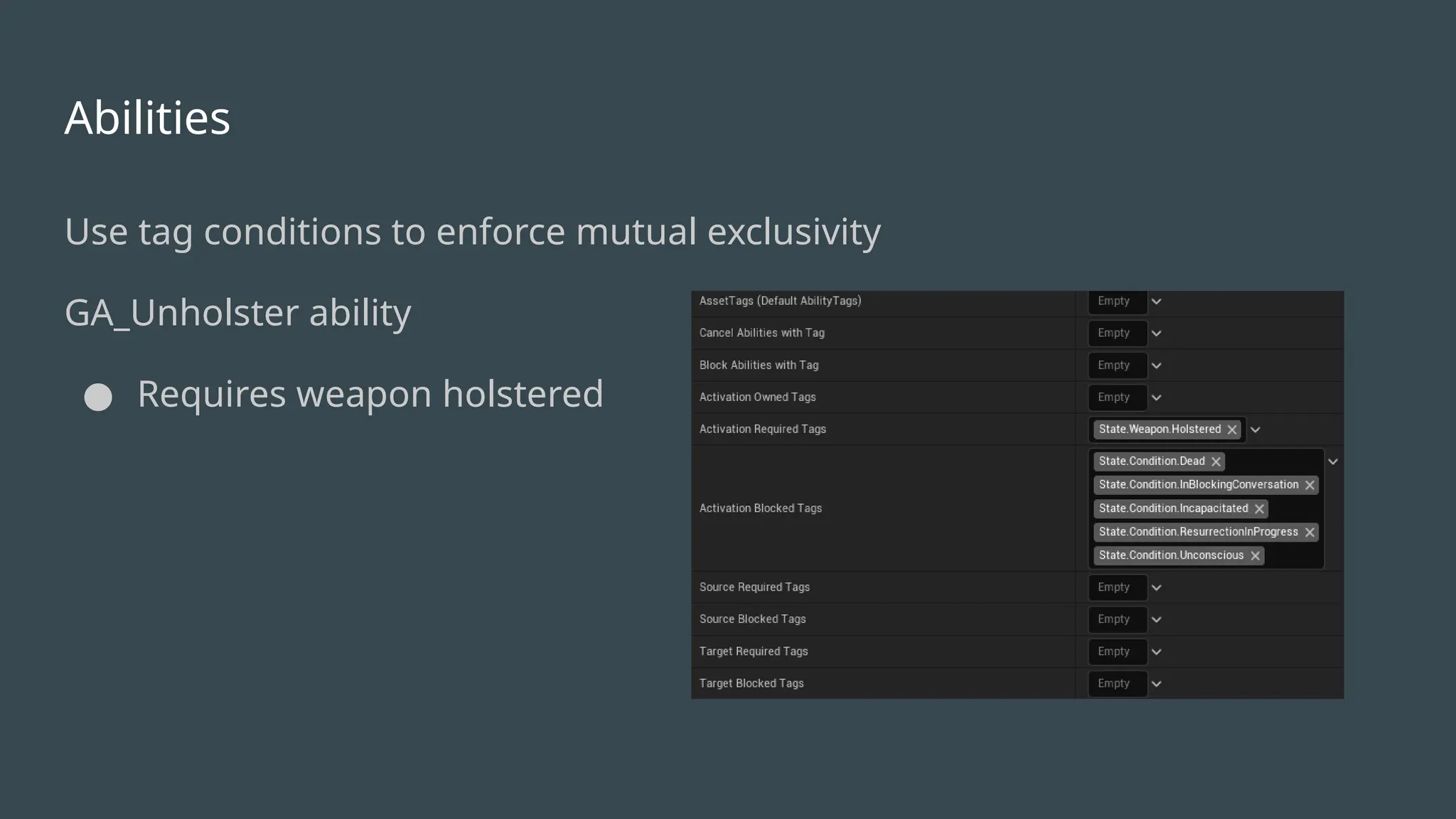
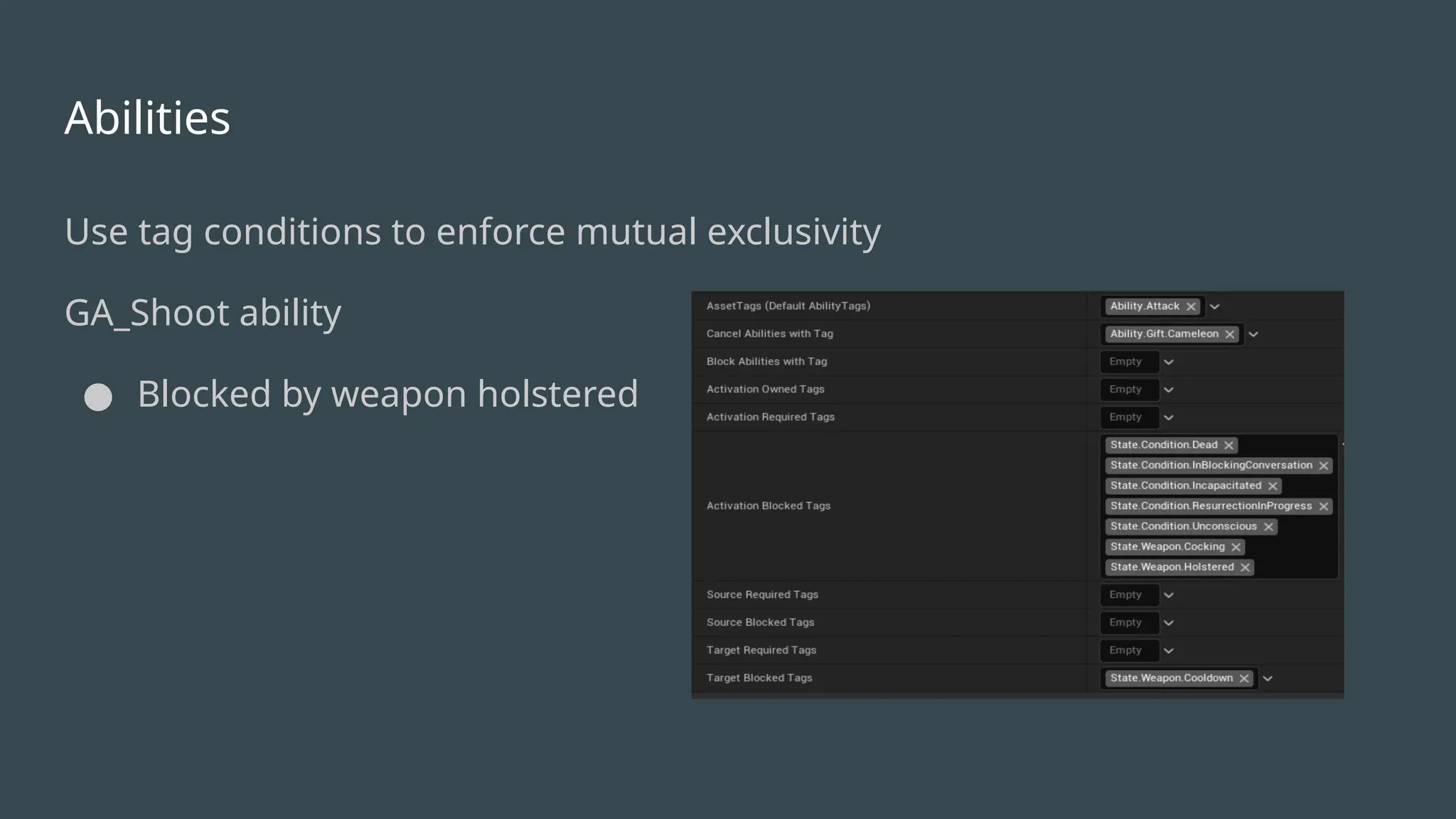
■ Use tag conditions to enforce mutual exclusivity
● Enforces rules for activation
Abilities
● Grouping abilities- e.g. AbilitySet type
○ Convenience for managing groups of abilities instead of granting/revoking one-by-one
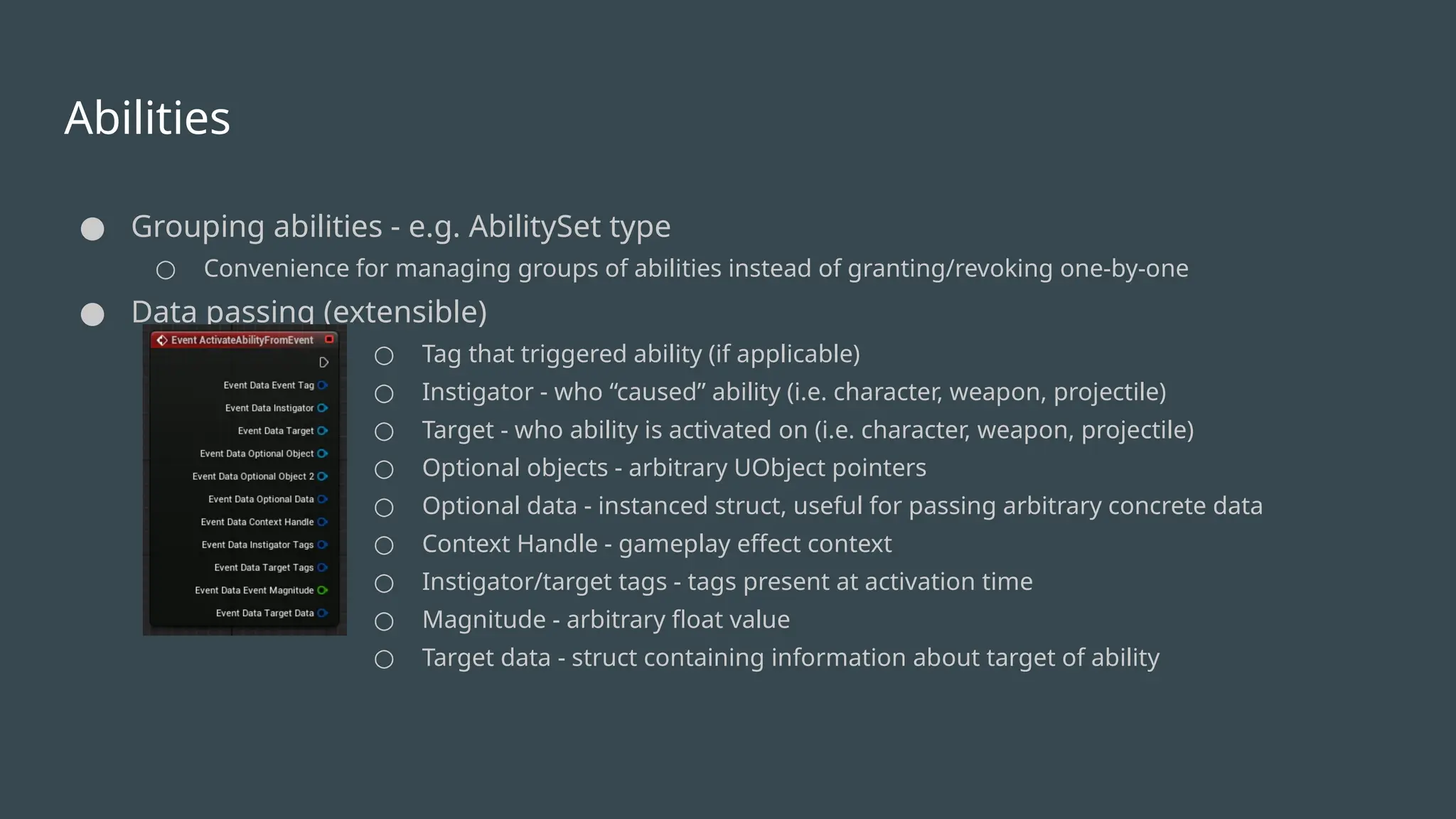
● Data passing (extensible)
○ Tag that triggered ability (if applicable)
○ Instigator - who “caused” ability (i.e. character, weapon, projectile)
○ Target - who ability is activated on (i.e. character, weapon, projectile)
○ Optional objects - arbitrary UObject pointers
○ Optional data - instanced struct, useful for passing arbitrary concrete data
○ Context Handle - gameplay effect context
○ Instigator/target tags - tags present at activation time
○ Magnitude - arbitrary float value
○ Target data - struct containing information about target of ability
18.
Effects
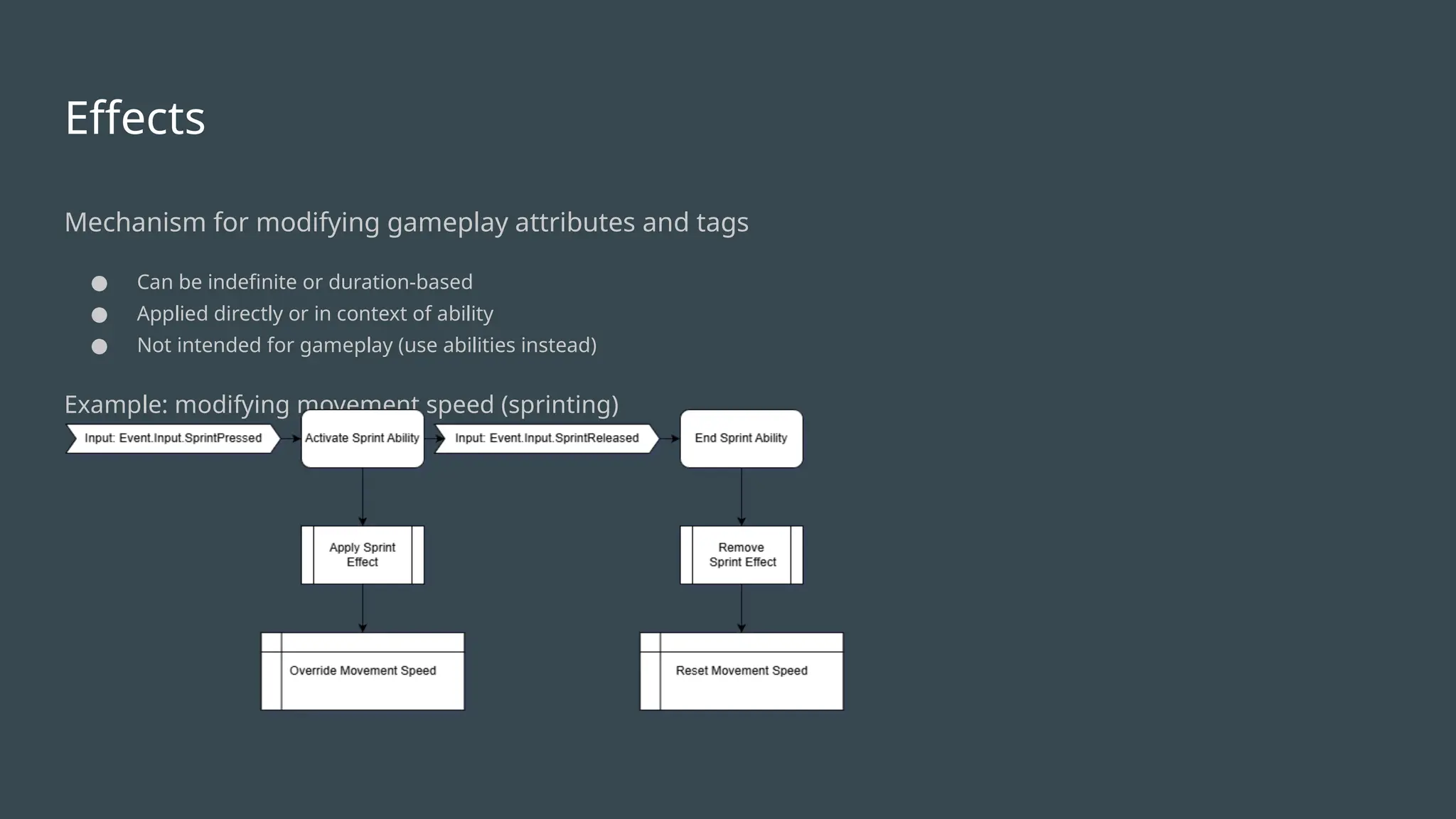
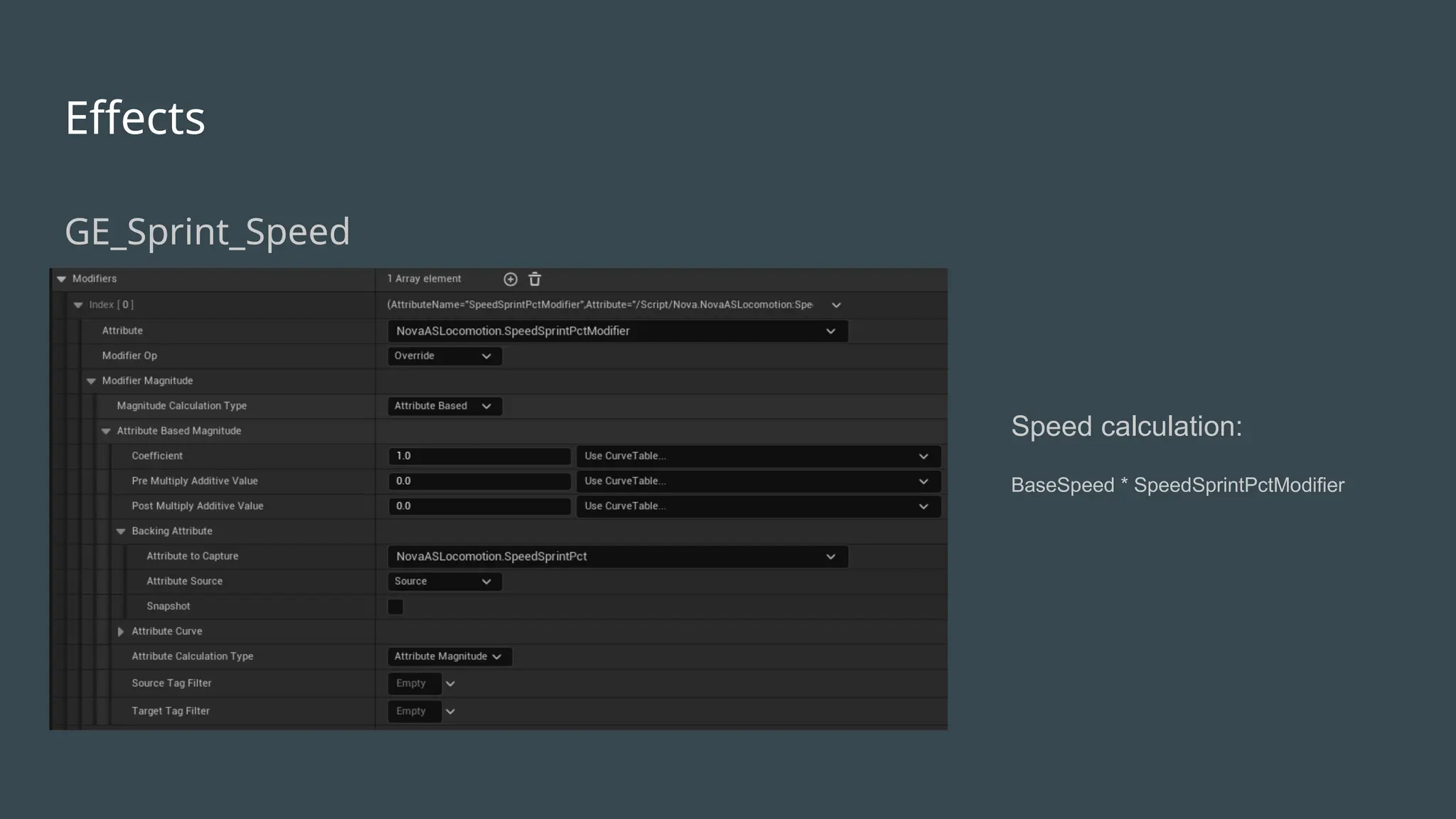
Mechanism for modifyinggameplay attributes and tags
● Can be indefinite or duration-based
● Applied directly or in context of ability
● Not intended for gameplay (use abilities instead)
Example: modifying movement speed (sprinting)
Effects
Tips
● Pass gameplayeffect context via ability payload
● Implement non-trivial calculations in custom calculation class
○ In general don’t invoke gameplay logic during custom calculation execution
Tags
Tips
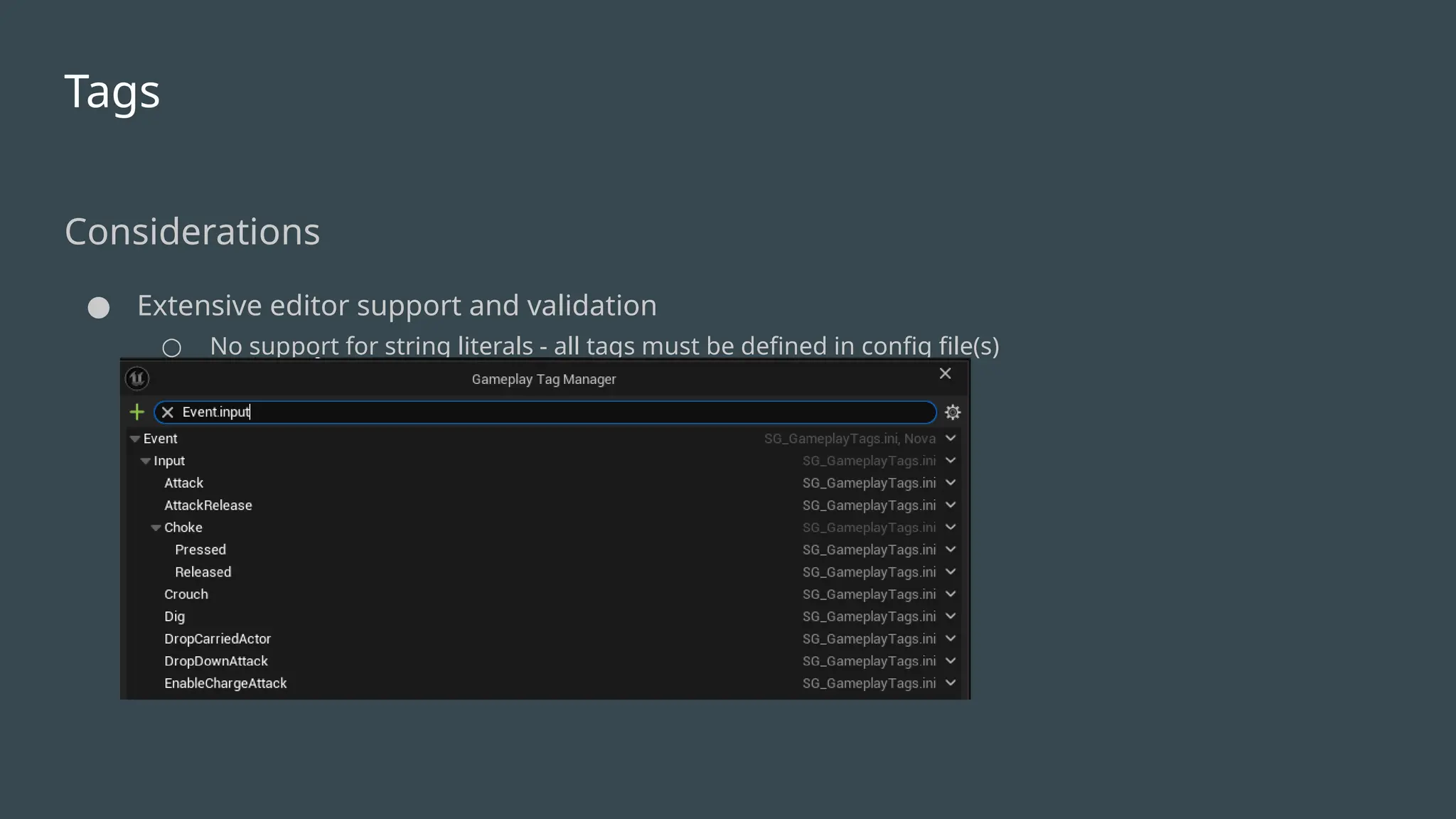
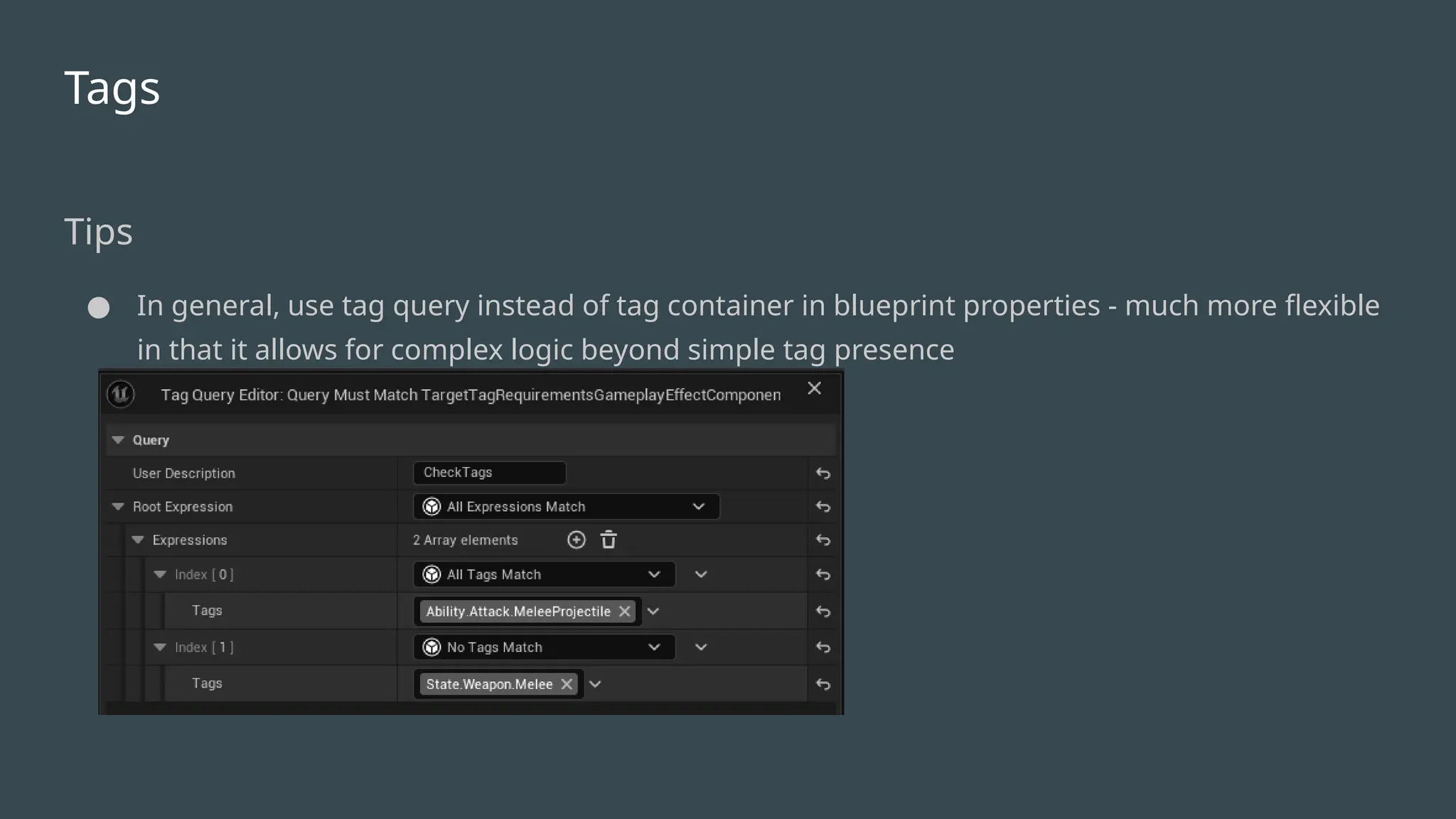
● In general,use tag query instead of tag container in blueprint properties - much more flexible
in that it allows for complex logic beyond simple tag presence
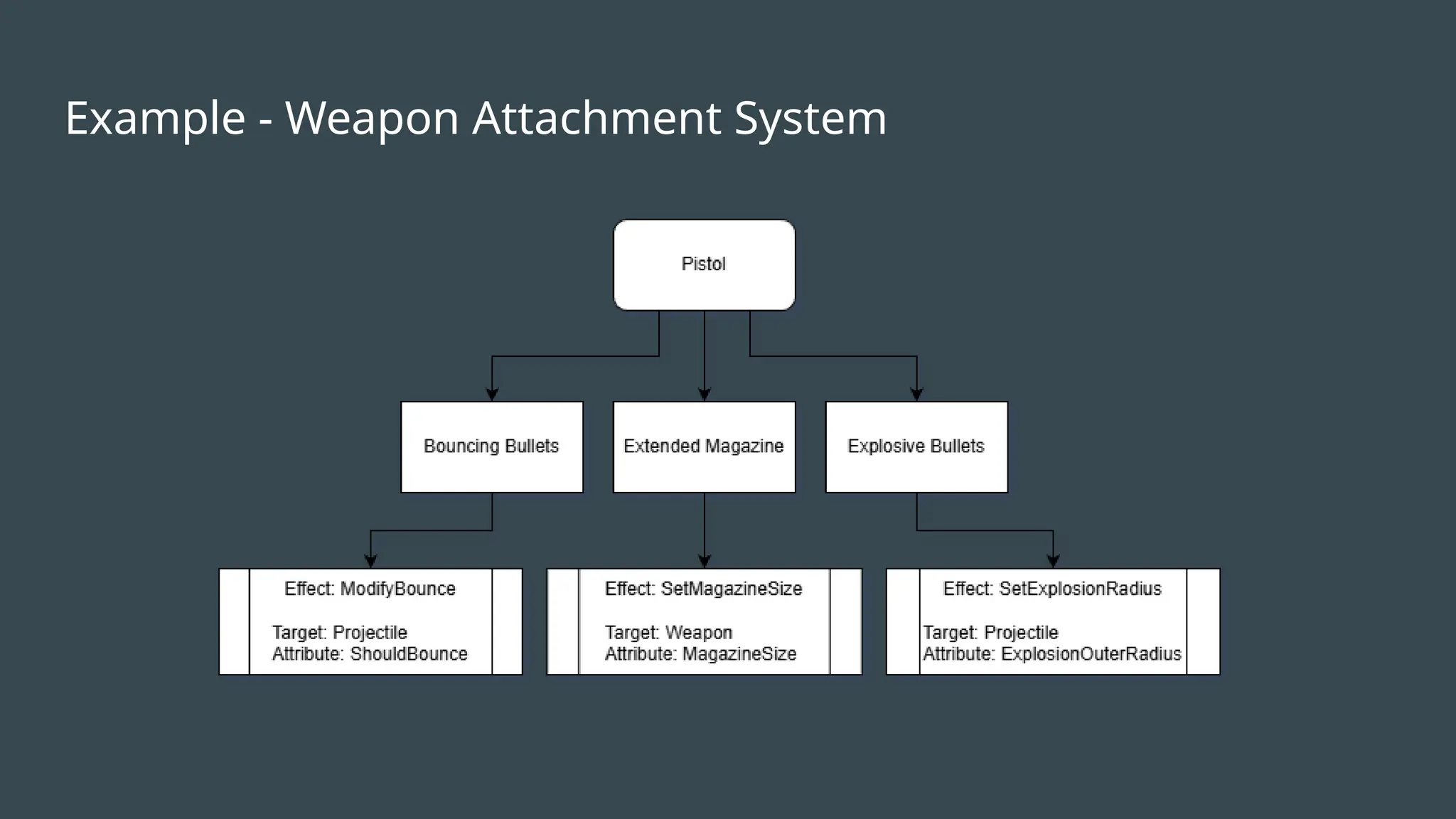
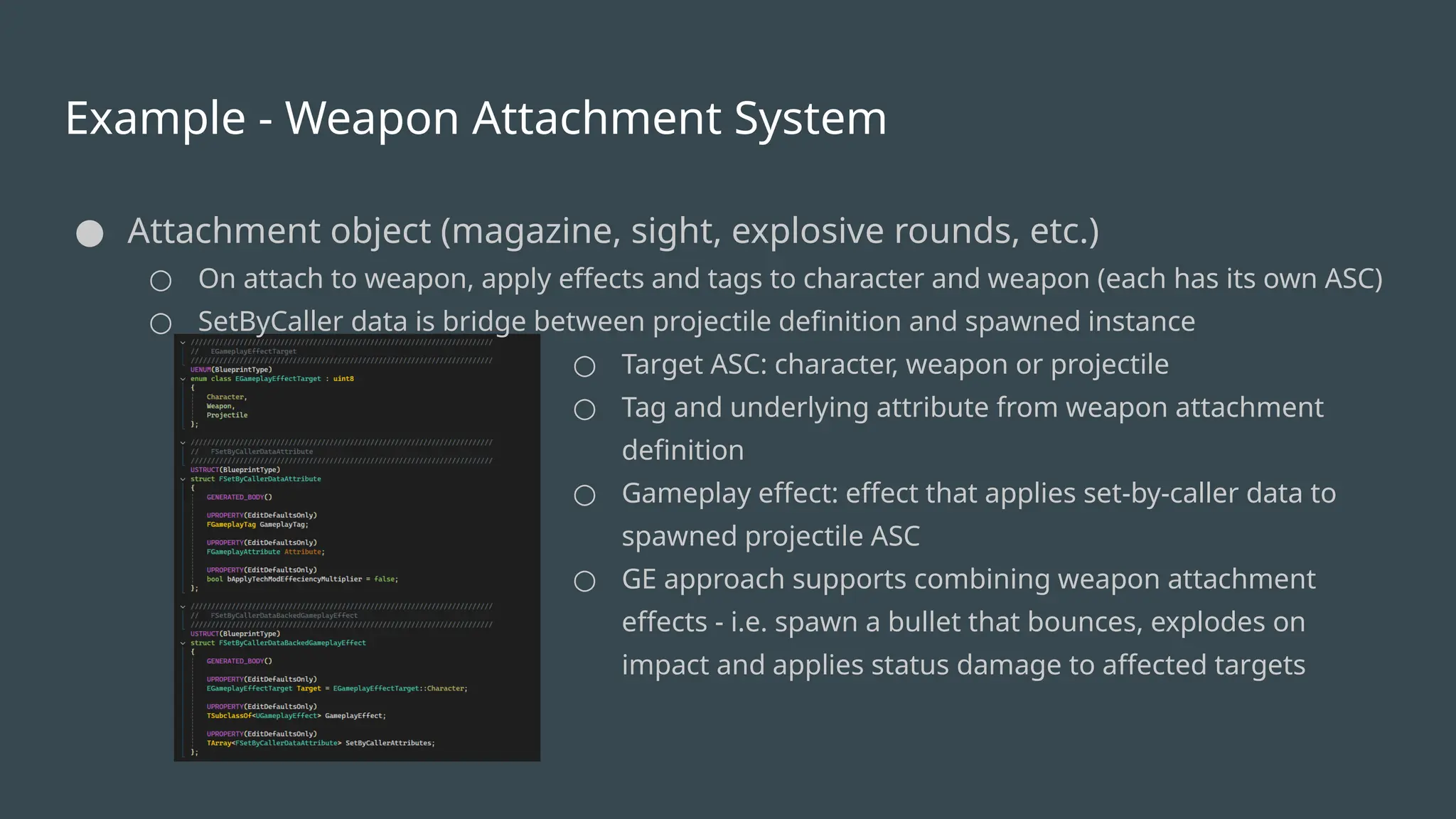
Example - WeaponAttachment System
● Attachment object (magazine, sight, explosive rounds, etc.)
○ On attach to weapon, apply effects and tags to character and weapon (each has its own ASC)
○ SetByCaller data is bridge between projectile definition and spawned instance
○ Target ASC: character, weapon or projectile
○ Tag and underlying attribute from weapon attachment
definition
○ Gameplay effect: effect that applies set-by-caller data to
spawned projectile ASC
○ GE approach supports combining weapon attachment
effects - i.e. spawn a bullet that bounces, explodes on
impact and applies status damage to affected targets
27.
Example - FiringExplosive Projectile
Idea
● Execute projectile fire GA
○ Spawn projectile at correct moment via anim notify gameplay event
● Apply gameplay effect(s) to projectile on spawn
○ Gameplay effect sets attributes and tags on projectile/weapon/character
■ Damage, explosion radius, etc.
● Apply gameplay effect on projectile impact
○ Apply direct damage GE to impacted target
○ Spawn explosion volume
■ Apply GE to targets in damage volume
28.
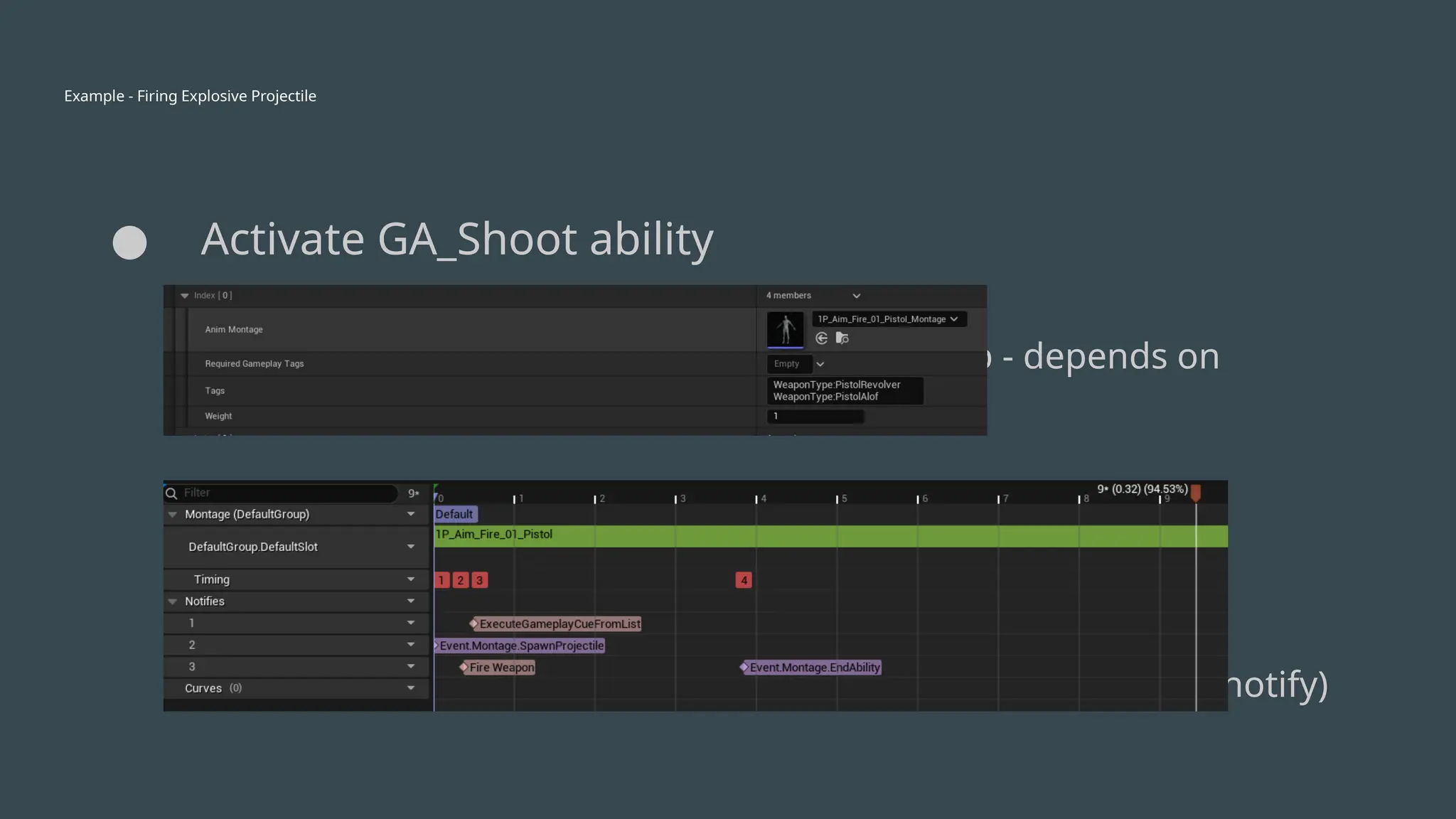
Example - FiringExplosive Projectile
● Activate GA_Shoot ability
○ Set up target info
○ Play fire montage (based on tag lookup - depends on
attachment supplied-tags)
○ Wait for “spawn projectile” gameplay event (via anim notify)
29.
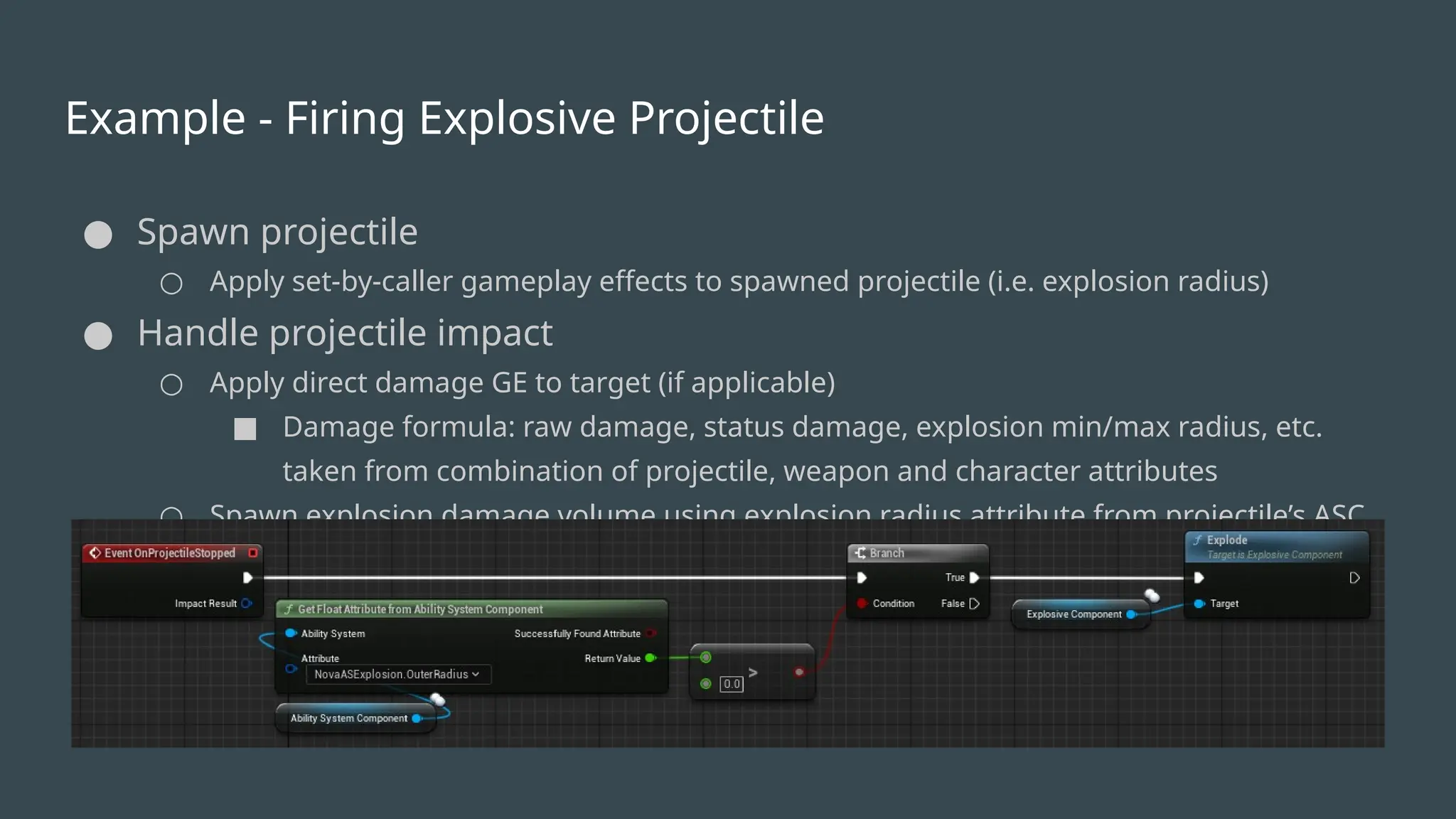
Example - FiringExplosive Projectile
● Spawn projectile
○ Apply set-by-caller gameplay effects to spawned projectile (i.e. explosion radius)
● Handle projectile impact
○ Apply direct damage GE to target (if applicable)
■ Damage formula: raw damage, status damage, explosion min/max radius, etc.
taken from combination of projectile, weapon and character attributes
○ Spawn explosion damage volume using explosion radius attribute from projectile’s ASC