Petri Lankoski
Contents
 Waypoint track
 Enemy following waypoint track
 PlayerLogic keeping track of Power and
  Health stats
     Displaying health & power meter with GUI
 Scaling GUI to different screen sizes
 PowerUp
Waypoint
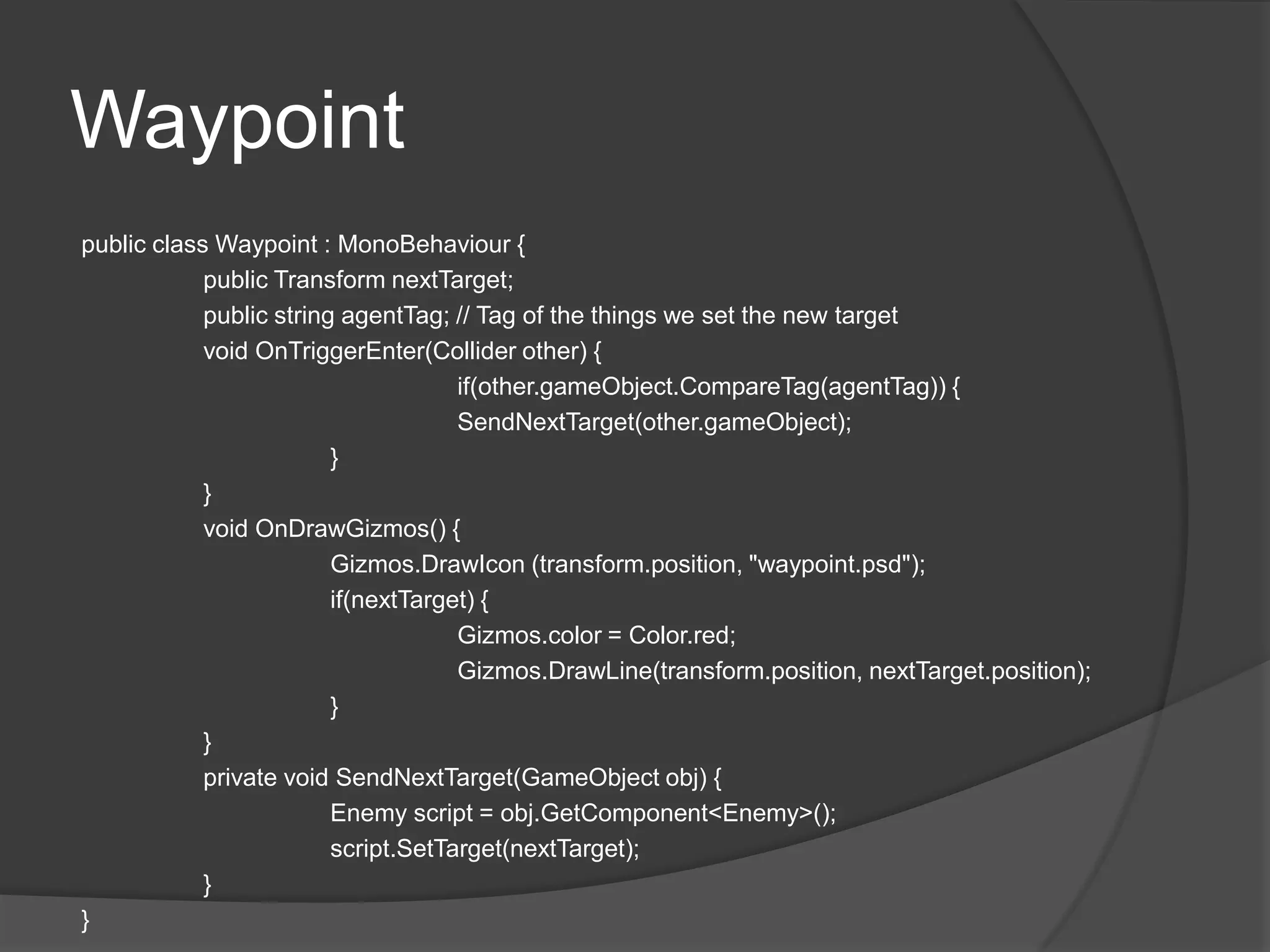
public class Waypoint : MonoBehaviour {
            public Transform nextTarget;
            public string agentTag; // Tag of the things we set the new target
            void OnTriggerEnter(Collider other) {
                                     if(other.gameObject.CompareTag(agentTag)) {
                                     SendNextTarget(other.gameObject);
                         }
            }
            void OnDrawGizmos() {
                         Gizmos.DrawIcon (transform.position, "waypoint.psd");
                         if(nextTarget) {
                                     Gizmos.color = Color.red;
                                     Gizmos.DrawLine(transform.position, nextTarget.position);
                         }
            }
            private void SendNextTarget(GameObject obj) {
                         Enemy script = obj.GetComponent<Enemy>();
                         script.SetTarget(nextTarget);
            }
}
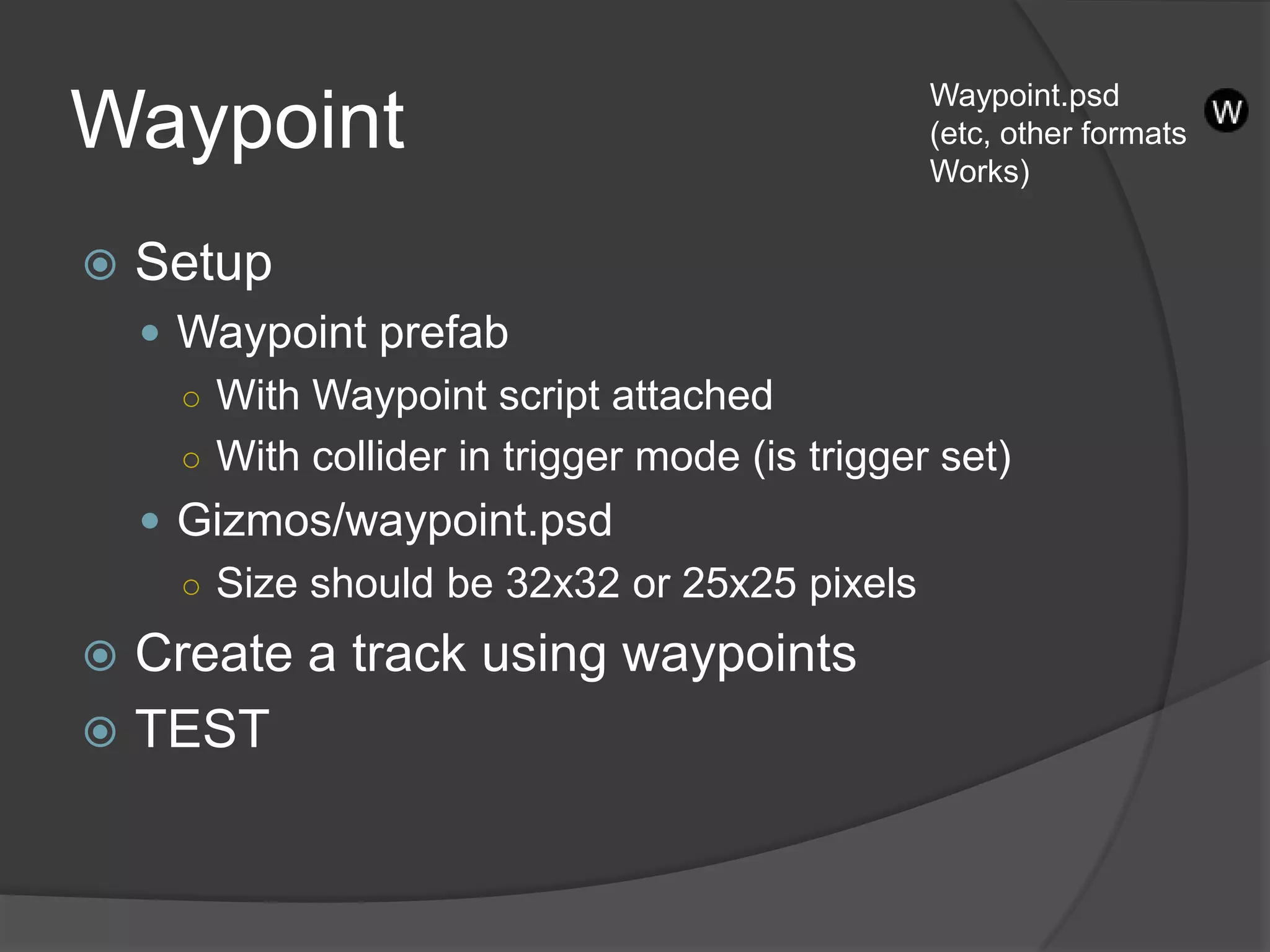
Waypoint.psd
Waypoint                                         (etc, other formats
                                                 Works)


   Setup
     Waypoint prefab
      ○ With Waypoint script attached
      ○ With collider in trigger mode (is trigger set)
     Gizmos/waypoint.psd
      ○ Size should be 32x32 or 25x25 pixels

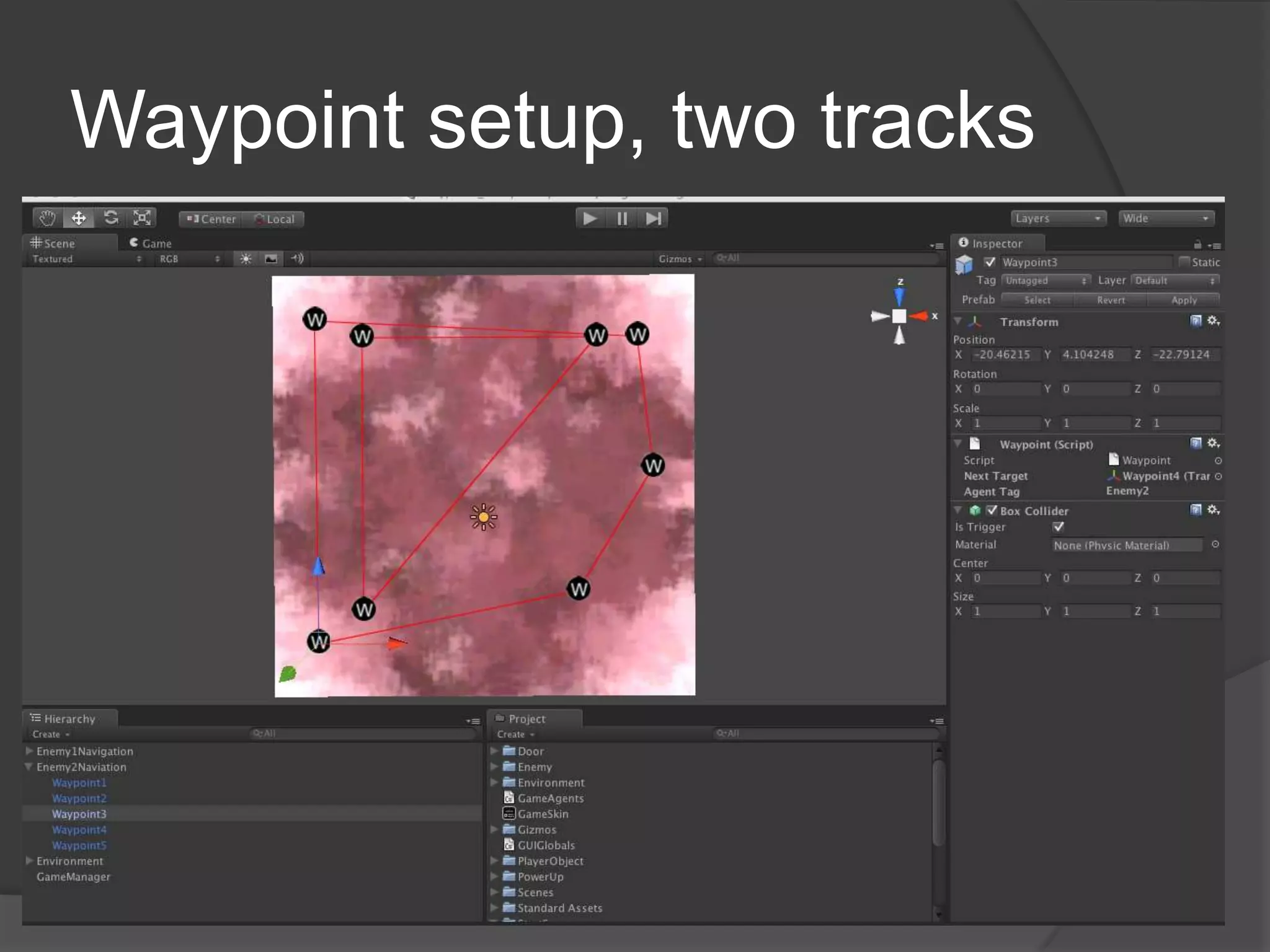
 Create a track using waypoints
 TEST
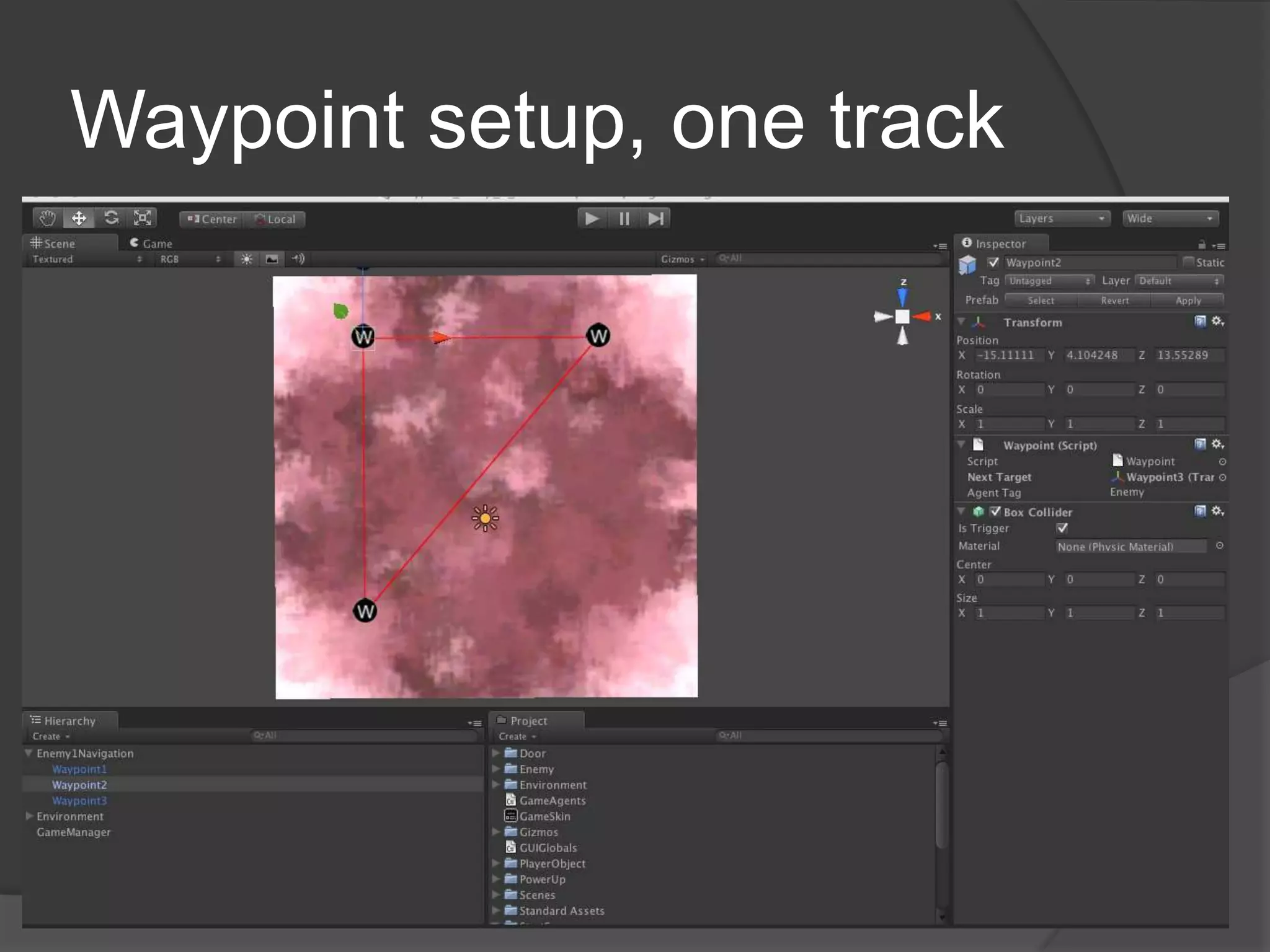
Waypoint setup, one track
Waypoint setup, two tracks
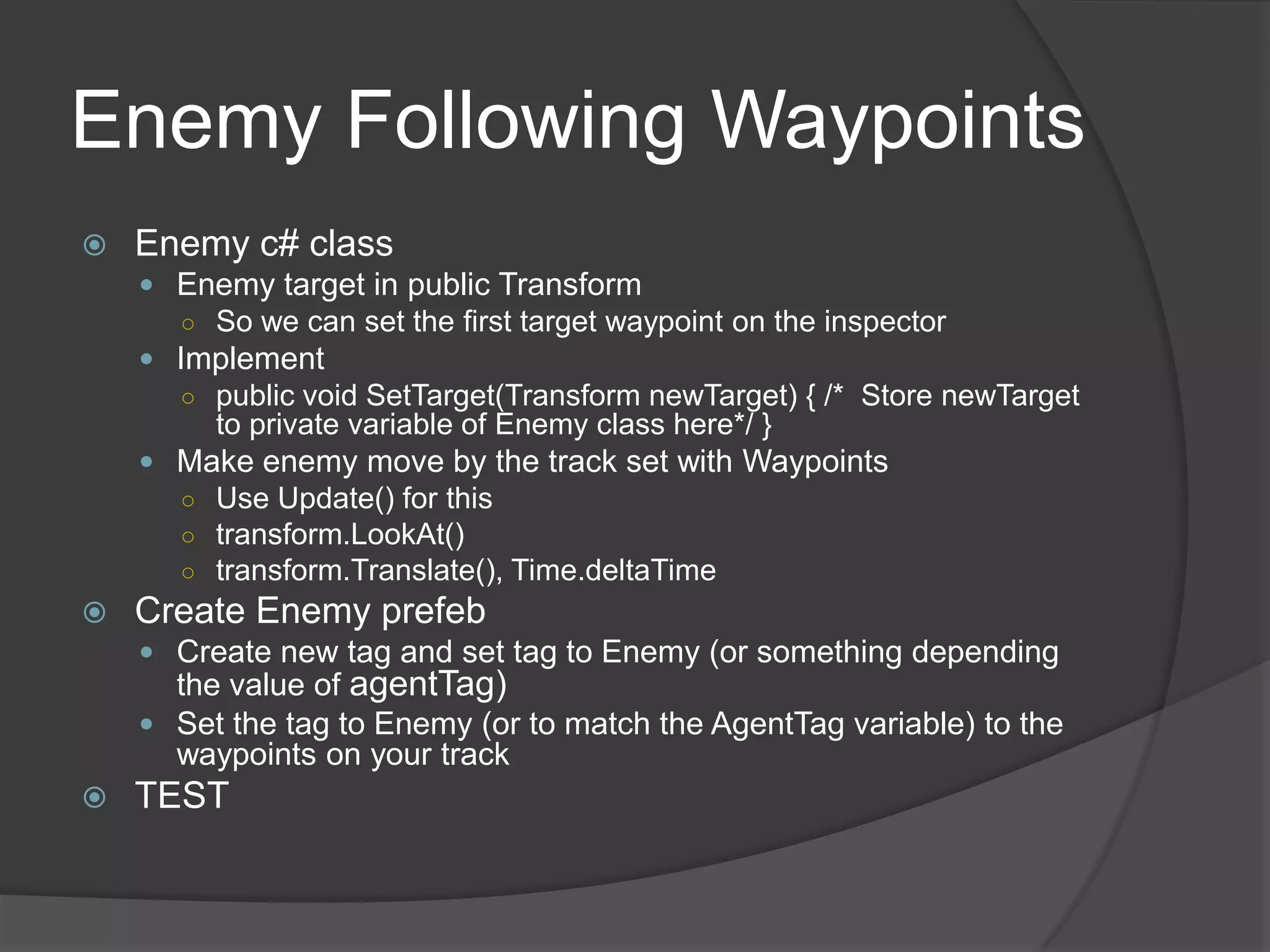
Enemy Following Waypoints
   Enemy c# class
     Enemy target in public Transform
      ○ So we can set the first target waypoint on the inspector
     Implement
      ○ public void SetTarget(Transform newTarget) { /* Store newTarget
         to private variable of Enemy class here*/ }
     Make enemy move by the track set with Waypoints
      ○ Use Update() for this
      ○ transform.LookAt()
      ○ transform.Translate(), Time.deltaTime
   Create Enemy prefeb
     Create new tag and set tag to Enemy (or something depending
      the value of agentTag)
     Set the tag to Enemy (or to match the AgentTag variable) to the
      waypoints on your track
   TEST
Second Enemy
   Make an enemy follow different track
     Create new tag and set tag to Enemy
     Set the tag (to the AgentTag variable) to the
     waypoints on your track
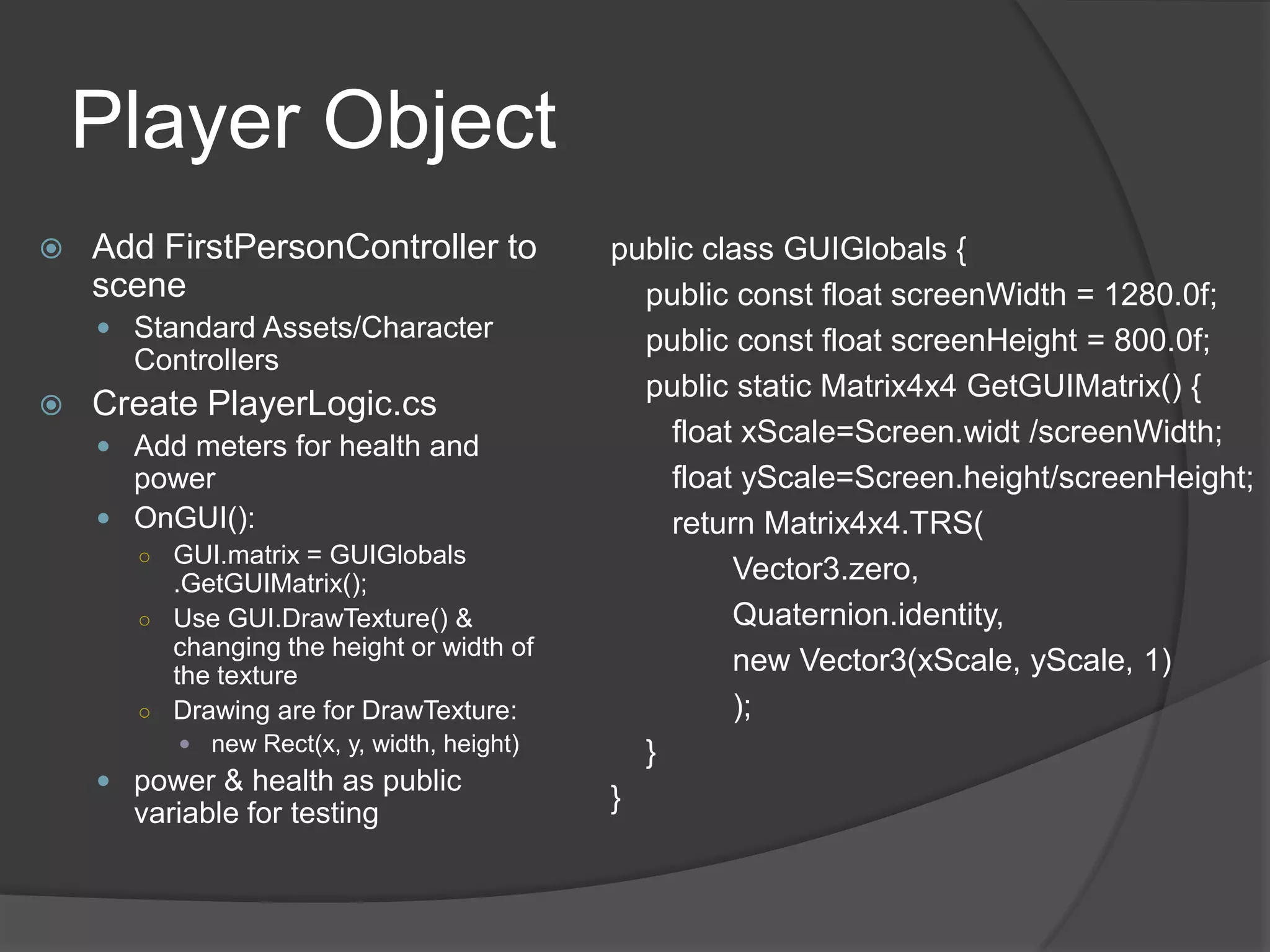
Player Object
   Add FirstPersonController to           public class GUIGlobals {
    scene                                    public const float screenWidth = 1280.0f;
     Standard Assets/Character              public const float screenHeight = 800.0f;
      Controllers
                                             public static Matrix4x4 GetGUIMatrix() {
   Create PlayerLogic.cs
     Add meters for health and
                                               float xScale=Screen.widt /screenWidth;
      power                                    float yScale=Screen.height/screenHeight;
     OnGUI():                                 return Matrix4x4.TRS(
      ○ GUI.matrix = GUIGlobals
        .GetGUIMatrix();                            Vector3.zero,
      ○ Use GUI.DrawTexture() &                     Quaternion.identity,
        changing the height or width of
        the texture
                                                    new Vector3(xScale, yScale, 1)
      ○ Drawing are for DrawTexture:                );
          new Rect(x, y, width, height)     }
     power & health as public
      variable for testing
                                           }
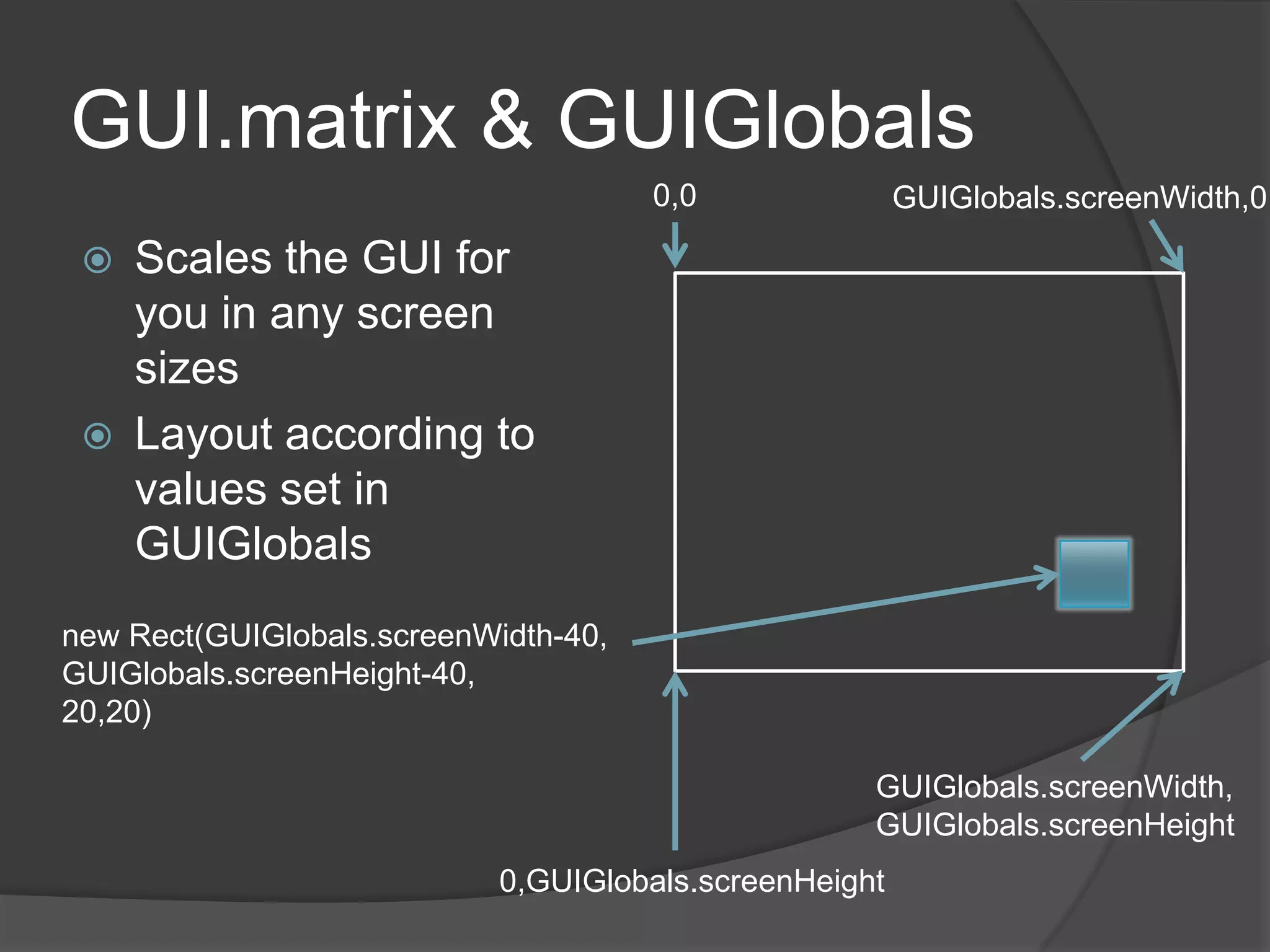
GUI.matrix & GUIGlobals
                                      0,0               GUIGlobals.screenWidth,0

    Scales the GUI for
     you in any screen
     sizes
    Layout according to
     values set in
     GUIGlobals
new Rect(GUIGlobals.screenWidth-40,
GUIGlobals.screenHeight-40,
20,20)

                                                    GUIGlobals.screenWidth,
                                                    GUIGlobals.screenHeight
                            0,GUIGlobals.screenHeight
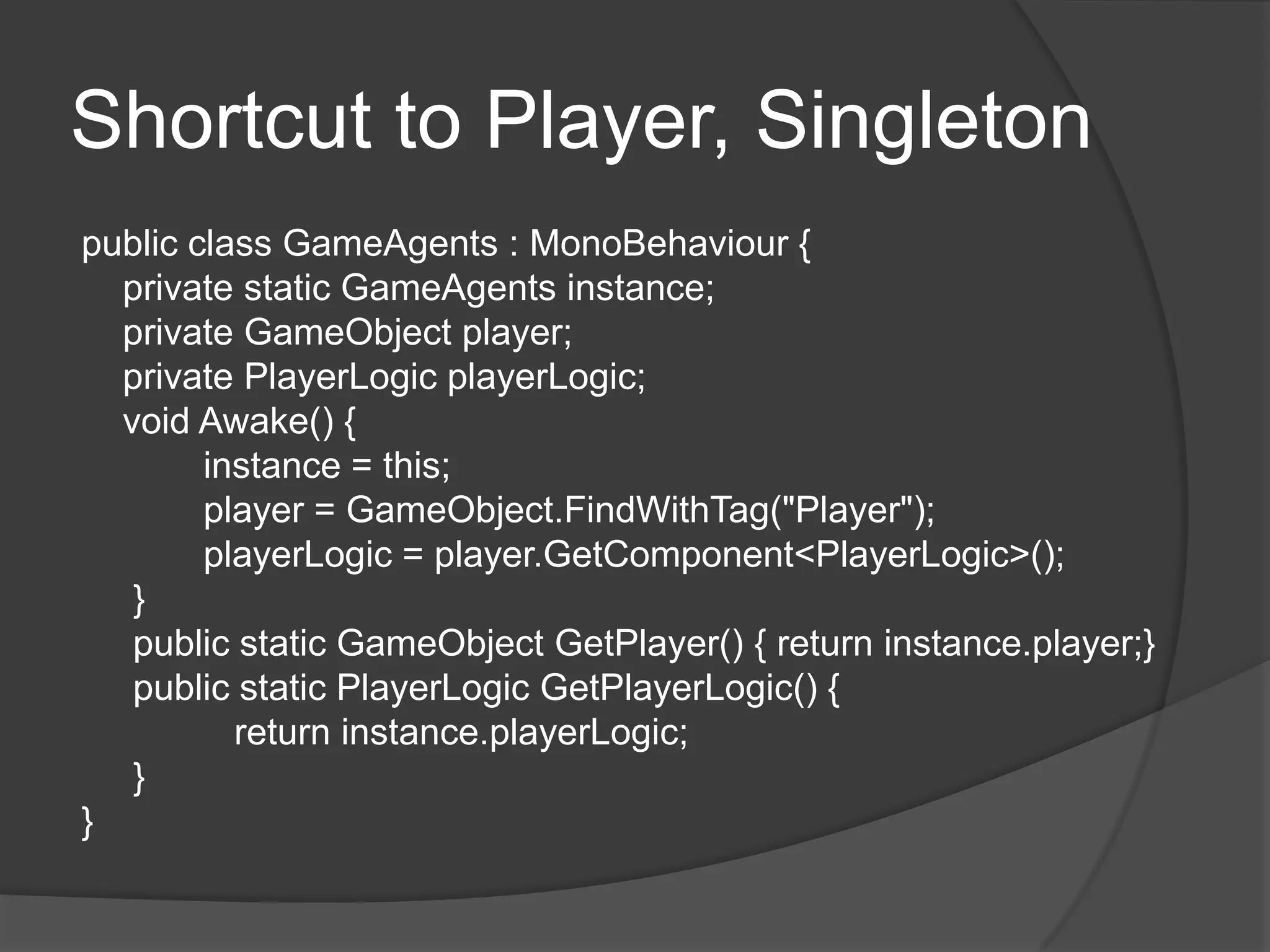
Shortcut to Player, Singleton
public class GameAgents : MonoBehaviour {
  private static GameAgents instance;
  private GameObject player;
  private PlayerLogic playerLogic;
  void Awake() {
        instance = this;
        player = GameObject.FindWithTag("Player");
        playerLogic = player.GetComponent<PlayerLogic>();
   }
   public static GameObject GetPlayer() { return instance.player;}
   public static PlayerLogic GetPlayerLogic() {
          return instance.playerLogic;
   }
}
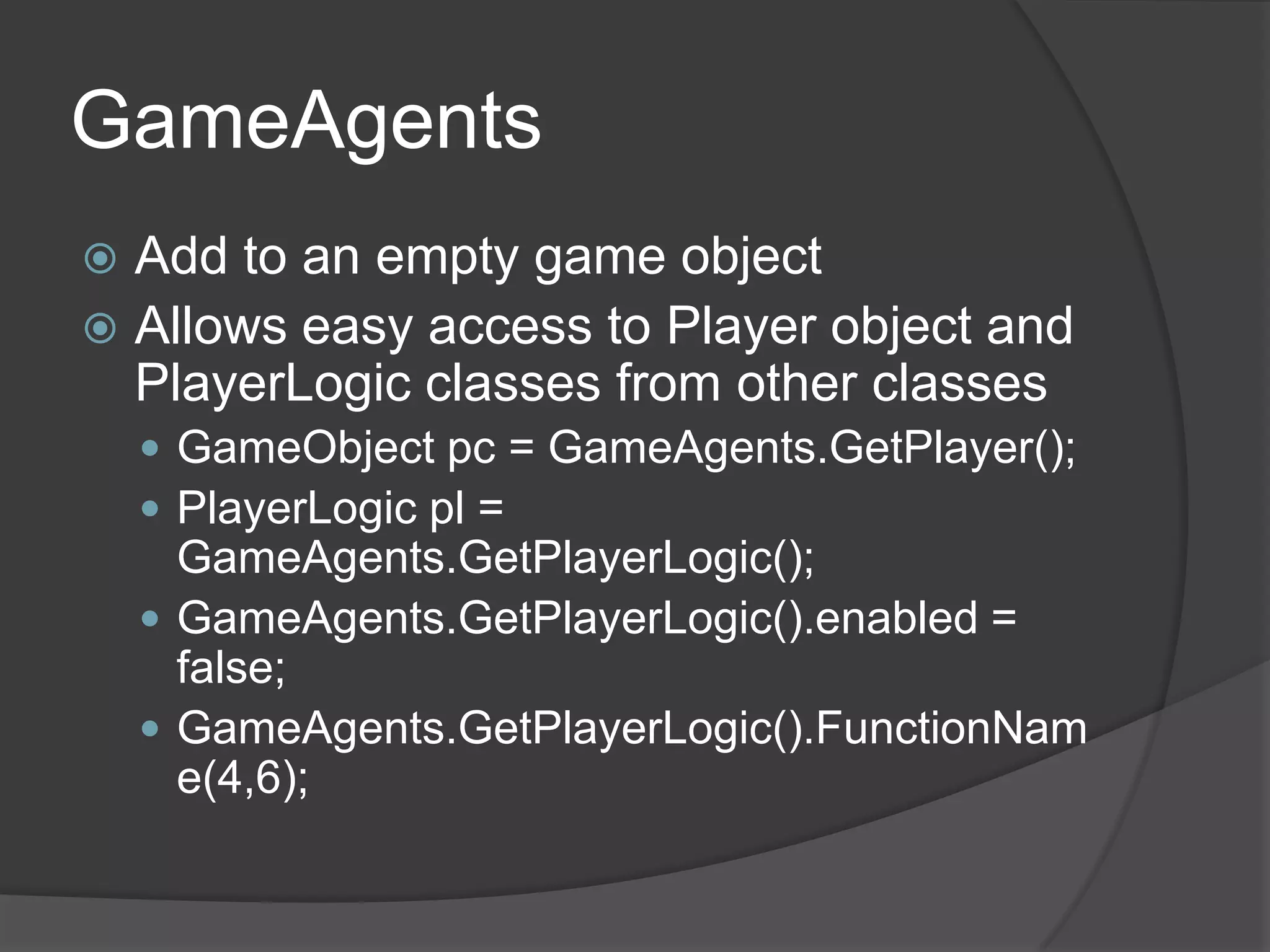
GameAgents
 Add to an empty game object
 Allows easy access to Player object and
  PlayerLogic classes from other classes
     GameObject pc = GameAgents.GetPlayer();
     PlayerLogic pl =
      GameAgents.GetPlayerLogic();
     GameAgents.GetPlayerLogic().enabled =
      false;
     GameAgents.GetPlayerLogic().FunctionNam
      e(4,6);
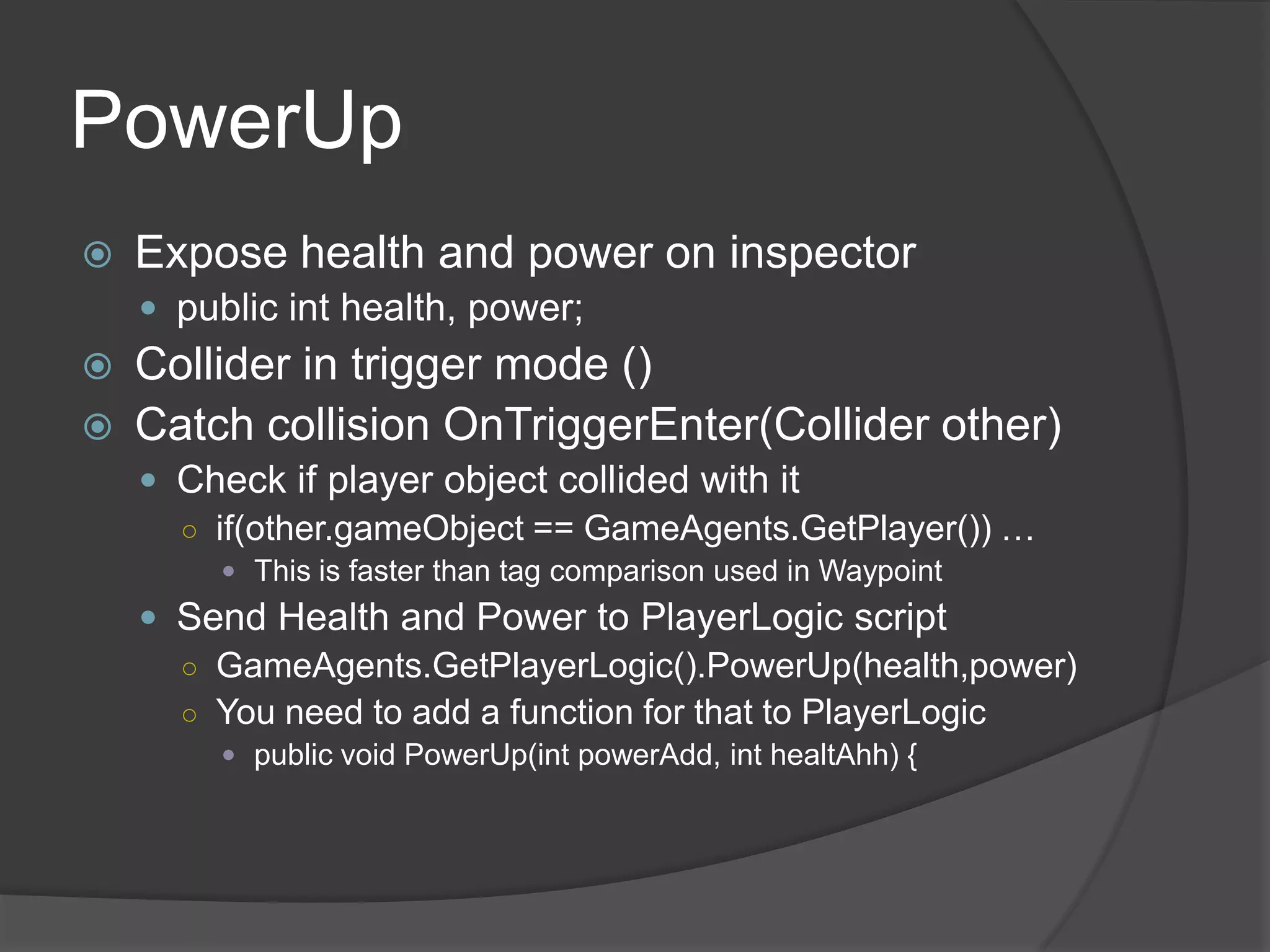
PowerUp
   Expose health and power on inspector
     public int health, power;
   Collider in trigger mode ()
   Catch collision OnTriggerEnter(Collider other)
     Check if player object collided with it
      ○ if(other.gameObject == GameAgents.GetPlayer()) …
          This is faster than tag comparison used in Waypoint
     Send Health and Power to PlayerLogic script
      ○ GameAgents.GetPlayerLogic().PowerUp(health,power)
      ○ You need to add a function for that to PlayerLogic
          public void PowerUp(int powerAdd, int healtAhh) {

Unity programming 1

  • 1.
  • 2.
    Contents  Waypoint track Enemy following waypoint track  PlayerLogic keeping track of Power and Health stats  Displaying health & power meter with GUI  Scaling GUI to different screen sizes  PowerUp
  • 3.
    Waypoint public class Waypoint: MonoBehaviour { public Transform nextTarget; public string agentTag; // Tag of the things we set the new target void OnTriggerEnter(Collider other) { if(other.gameObject.CompareTag(agentTag)) { SendNextTarget(other.gameObject); } } void OnDrawGizmos() { Gizmos.DrawIcon (transform.position, "waypoint.psd"); if(nextTarget) { Gizmos.color = Color.red; Gizmos.DrawLine(transform.position, nextTarget.position); } } private void SendNextTarget(GameObject obj) { Enemy script = obj.GetComponent<Enemy>(); script.SetTarget(nextTarget); } }
  • 4.
    Waypoint.psd Waypoint (etc, other formats Works)  Setup  Waypoint prefab ○ With Waypoint script attached ○ With collider in trigger mode (is trigger set)  Gizmos/waypoint.psd ○ Size should be 32x32 or 25x25 pixels  Create a track using waypoints  TEST
  • 5.
  • 6.
  • 7.
    Enemy Following Waypoints  Enemy c# class  Enemy target in public Transform ○ So we can set the first target waypoint on the inspector  Implement ○ public void SetTarget(Transform newTarget) { /* Store newTarget to private variable of Enemy class here*/ }  Make enemy move by the track set with Waypoints ○ Use Update() for this ○ transform.LookAt() ○ transform.Translate(), Time.deltaTime  Create Enemy prefeb  Create new tag and set tag to Enemy (or something depending the value of agentTag)  Set the tag to Enemy (or to match the AgentTag variable) to the waypoints on your track  TEST
  • 8.
    Second Enemy  Make an enemy follow different track  Create new tag and set tag to Enemy  Set the tag (to the AgentTag variable) to the waypoints on your track
  • 9.
    Player Object  Add FirstPersonController to public class GUIGlobals { scene public const float screenWidth = 1280.0f;  Standard Assets/Character public const float screenHeight = 800.0f; Controllers public static Matrix4x4 GetGUIMatrix() {  Create PlayerLogic.cs  Add meters for health and float xScale=Screen.widt /screenWidth; power float yScale=Screen.height/screenHeight;  OnGUI(): return Matrix4x4.TRS( ○ GUI.matrix = GUIGlobals .GetGUIMatrix(); Vector3.zero, ○ Use GUI.DrawTexture() & Quaternion.identity, changing the height or width of the texture new Vector3(xScale, yScale, 1) ○ Drawing are for DrawTexture: );  new Rect(x, y, width, height) }  power & health as public variable for testing }
  • 10.
    GUI.matrix & GUIGlobals 0,0 GUIGlobals.screenWidth,0  Scales the GUI for you in any screen sizes  Layout according to values set in GUIGlobals new Rect(GUIGlobals.screenWidth-40, GUIGlobals.screenHeight-40, 20,20) GUIGlobals.screenWidth, GUIGlobals.screenHeight 0,GUIGlobals.screenHeight
  • 11.
    Shortcut to Player,Singleton public class GameAgents : MonoBehaviour { private static GameAgents instance; private GameObject player; private PlayerLogic playerLogic; void Awake() { instance = this; player = GameObject.FindWithTag("Player"); playerLogic = player.GetComponent<PlayerLogic>(); } public static GameObject GetPlayer() { return instance.player;} public static PlayerLogic GetPlayerLogic() { return instance.playerLogic; } }
  • 12.
    GameAgents  Add toan empty game object  Allows easy access to Player object and PlayerLogic classes from other classes  GameObject pc = GameAgents.GetPlayer();  PlayerLogic pl = GameAgents.GetPlayerLogic();  GameAgents.GetPlayerLogic().enabled = false;  GameAgents.GetPlayerLogic().FunctionNam e(4,6);
  • 13.
    PowerUp  Expose health and power on inspector  public int health, power;  Collider in trigger mode ()  Catch collision OnTriggerEnter(Collider other)  Check if player object collided with it ○ if(other.gameObject == GameAgents.GetPlayer()) …  This is faster than tag comparison used in Waypoint  Send Health and Power to PlayerLogic script ○ GameAgents.GetPlayerLogic().PowerUp(health,power) ○ You need to add a function for that to PlayerLogic  public void PowerUp(int powerAdd, int healtAhh) {