Unit testing

    (basic)
  November 2011
What is Unit Testing

Unit test is a method by which individual units of source code
are tested to determine if they are fit for use.
A unit is the smallest testable part of an application like
method or class.

Unit tests are written from a programmer’s perspective.
They ensures that a particular method of a class successfully
performs a set of operations.

Unit testing drives design: developer is concerned about how
client will use the interface of the class that is under the test.
What is not for?
It's not for testing correct inter-operation of multiple
subsystems.
NOTE: It should be a stand-alone test which is not related
to other subsystems.

It should not rely on external resources like(RDBMS,LDAP etc).
NOTE: Introducing dependencies on external resources or
data turns unit tests into integration tests.

In many cases you can't write a unit test to reproduce bug
appeared in production.
NOTE: it's not regression testing. with unit test you can
check logic responsible for interaction between different
layers.
The advantages of Unit Testing
● Ensure code continues to work as intended(only if it has a
  good coverage)

● Safe refactoring. Allows refactoring without fear to break the
  code.

● Fewer bugs. Find some tricky bugs in logic on first stage
  NOTE: tricky unit test scenarios may prevent many bugs.

● Developer concentrates more on the code and design.
  NOTE: less build/deploy cycles to see some progress.
  green bar shows you the progress

● Documentation
Disadvantages of Unit testing
Big time investment. For the simple case you lose about 20%
of the actual implementation, but for complicated cases you lose
much more.
NOTE: If you correctly follow TDD it will going to save you
time later in long-term perspective!

Design Impacts. Sometimes the high-level design is not clear
at the start and evolves as you go along - this will force you to
completely redo your test which will generate a big time lose.
NOTE: postpone unit tests in this case until you have
clarified high-level design.
Best Practices
 ● Make sure your tests test one thing and one thing only.
 ● Readability is important for tests. (see Example)
 ● Each unit test should be independent from the other.
 ● Separate you concerns. Extract layers to improve the
   design. (see Example with DAO layer)
 ● Mock behavior with mocks to concentrate on test
   scenario.
 ● Test Coverage(Check coverage during testing)
 ● Tests should run automatically to provide continuous
   feedback.
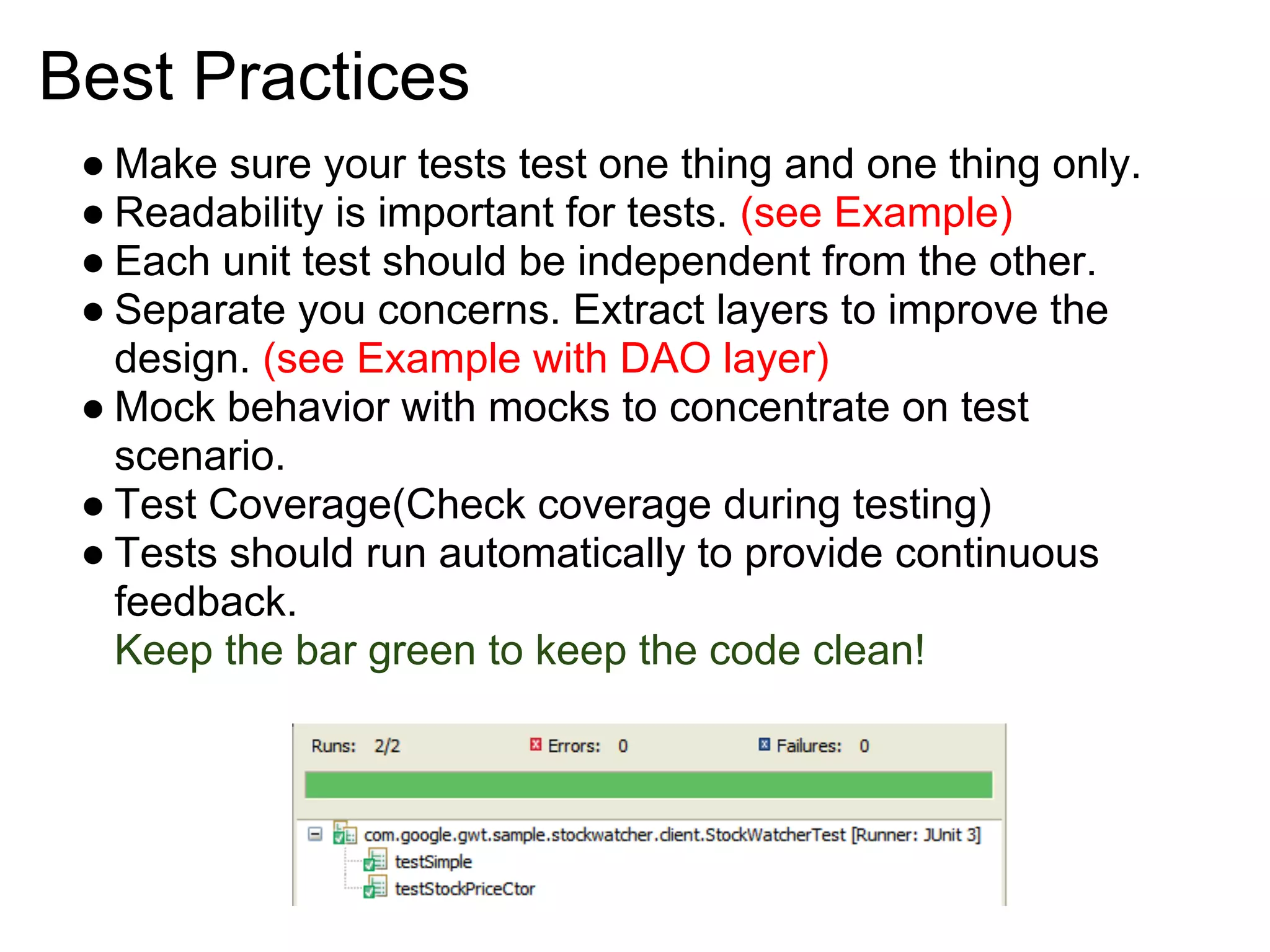
   Keep the bar green to keep the code clean!
Bad practices
● A singleton gets implemented using a static method. Static
  methods are avoided by people who do unit testing
  because they cannot be mocked or stubbed.
  Static methods are death to unit testability ref

● Don't rely on external resources

● Do not test the GUI.
JUnit - Adding new test case
Mark your test cases with @Test annotations.

Use @Before and @After to run method before and after
every test case. Several tests need similar objects created
before they can run. (See Example)

Use @BeforeClass and @AfterClass to run for one time
before and after all test cases.(Use it only to share expensive
setup)

Static imports makes code more readable: (See Example)
import static org.mockito.Mockito.*;
import static org.junit.Assert.*;

@RunWith(MockitoJUnitRunner.class)
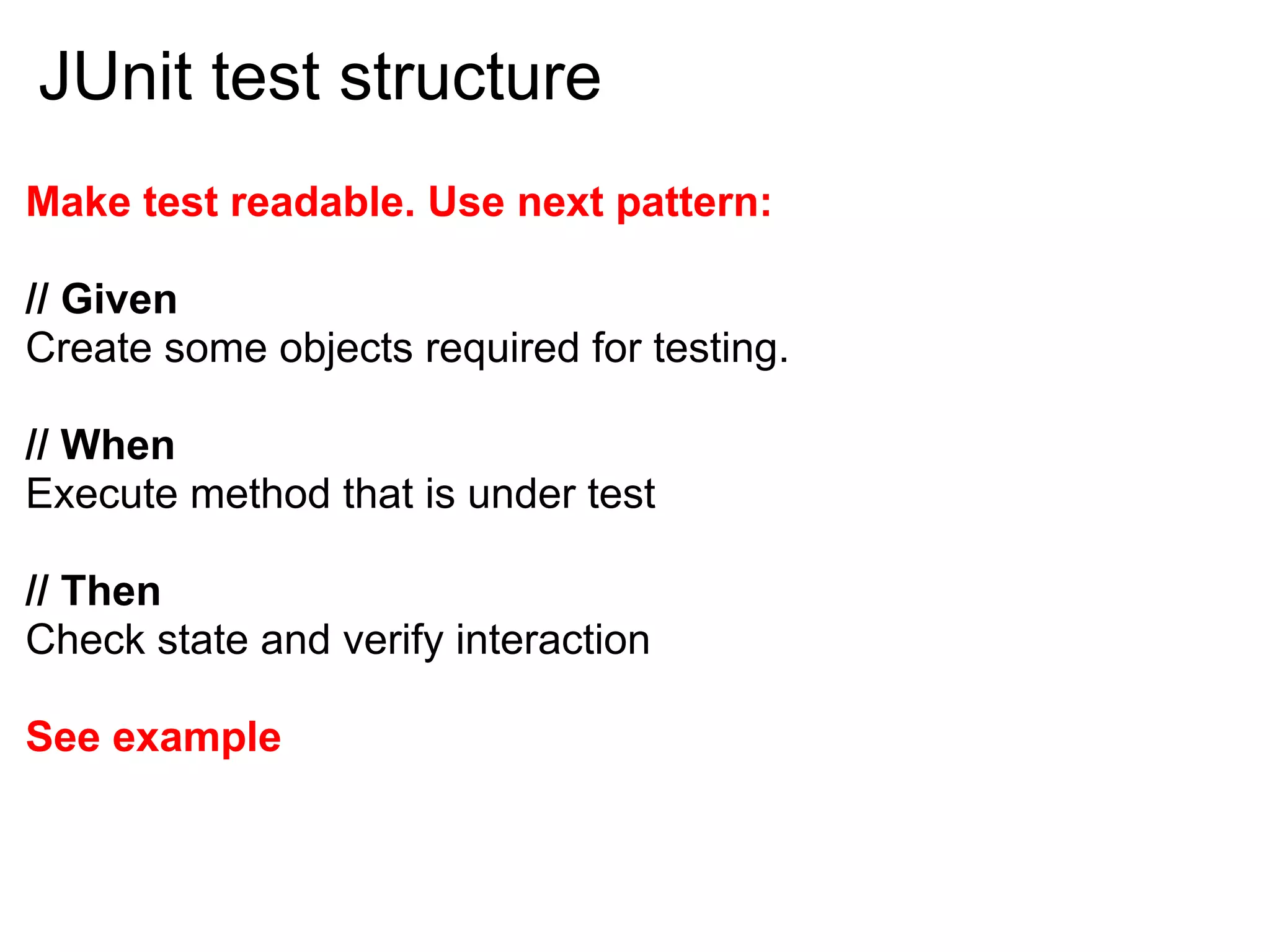
JUnit test structure
Make test readable. Use next pattern:

// Given
Create some objects required for testing.

// When
Execute method that is under test

// Then
Check state and verify interaction

See example
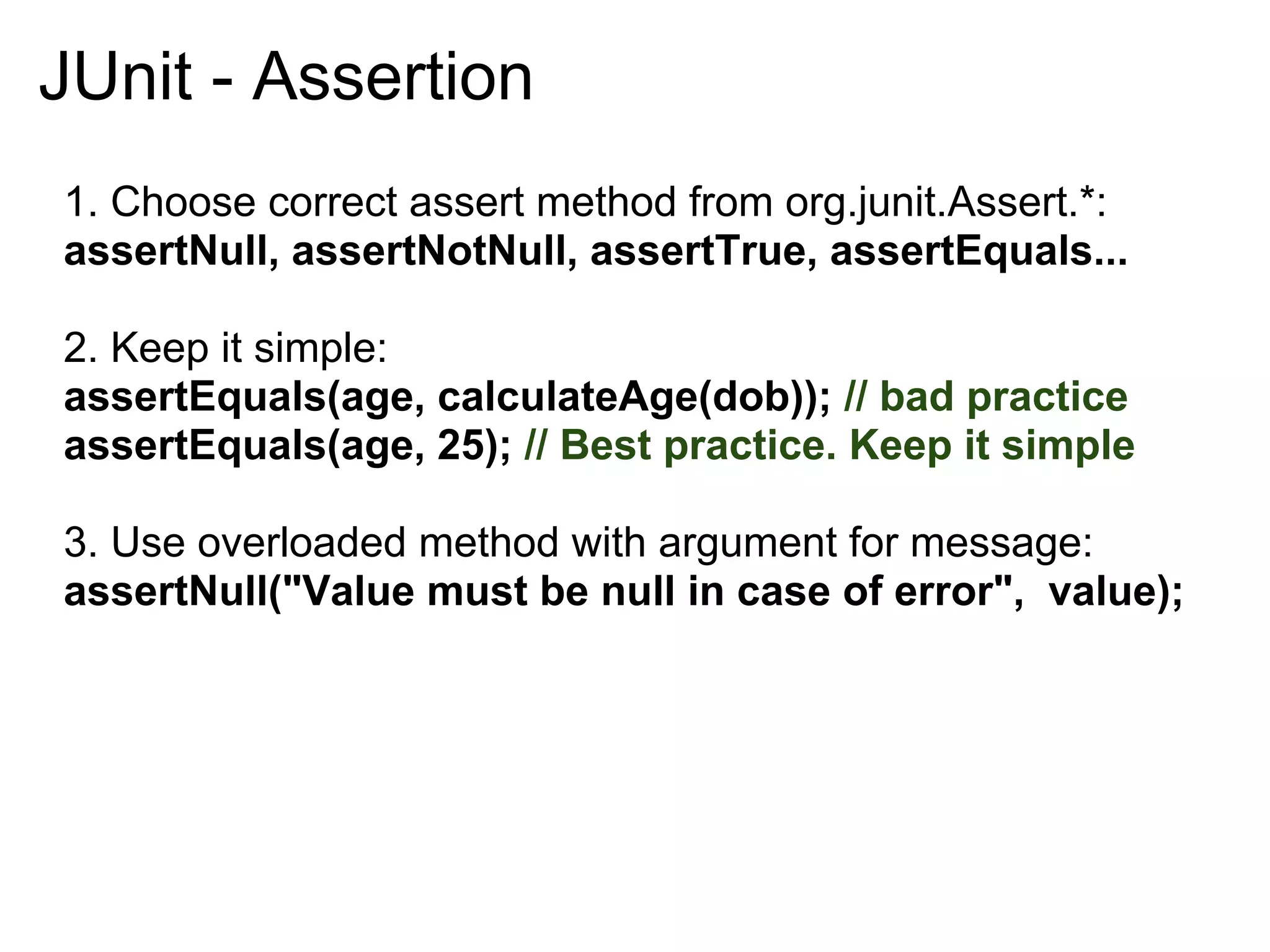
JUnit - Assertion
1. Choose correct assert method from org.junit.Assert.*:
assertNull, assertNotNull, assertTrue, assertEquals...

2. Keep it simple:
assertEquals(age, calculateAge(dob)); // bad practice
assertEquals(age, 25); // Best practice. Keep it simple

3. Use overloaded method with argument for message:
assertNull("Value must be null in case of error", value);
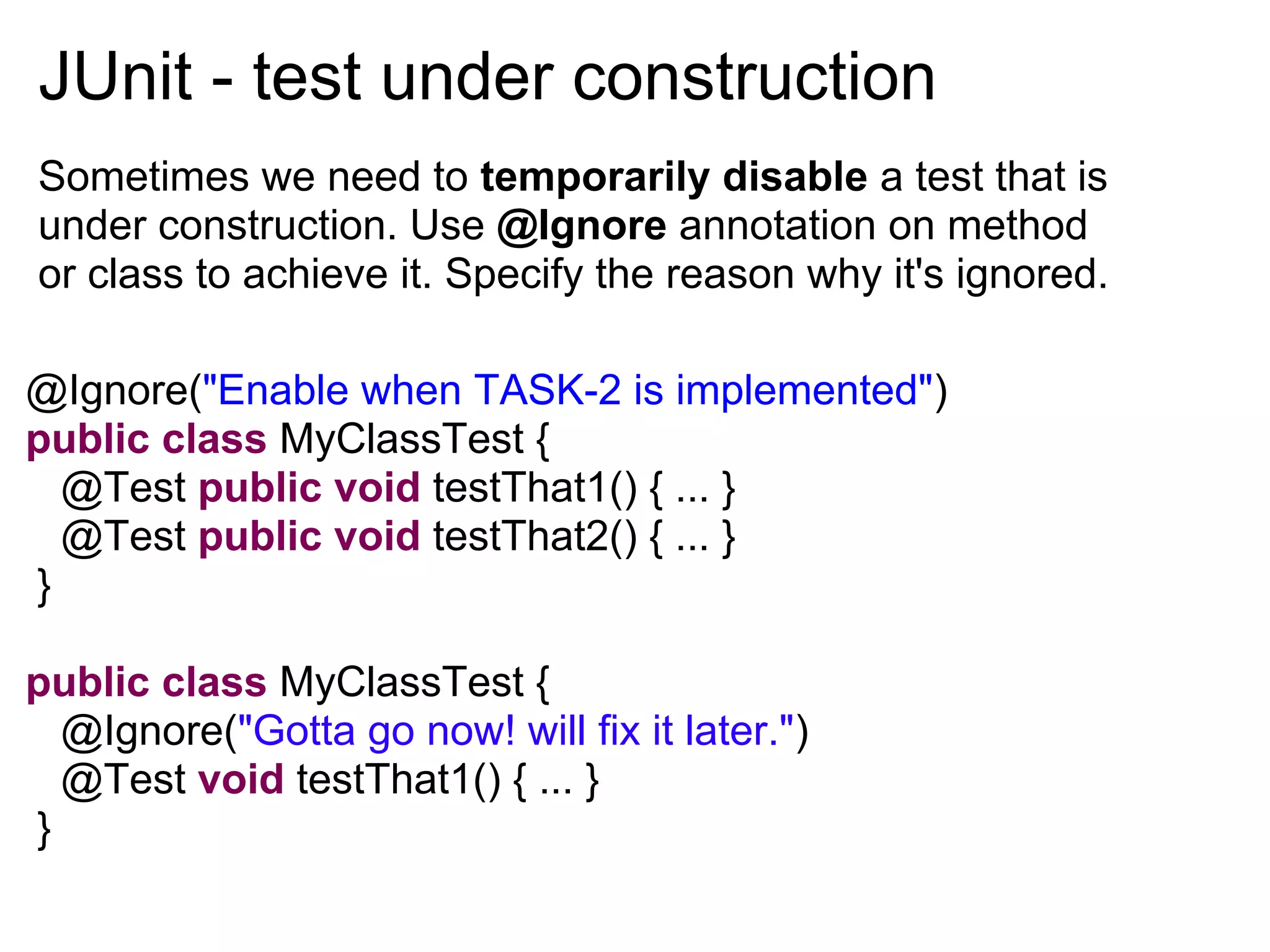
JUnit - test under construction
Sometimes we need to temporarily disable a test that is
under construction. Use @Ignore annotation on method
or class to achieve it. Specify the reason why it's ignored.

@Ignore("Enable when TASK-2 is implemented")
public class MyClassTest {
  @Test public void testThat1() { ... }
  @Test public void testThat2() { ... }
}

public class MyClassTest {
  @Ignore("Gotta go now! will fix it later.")
  @Test void testThat1() { ... }
}
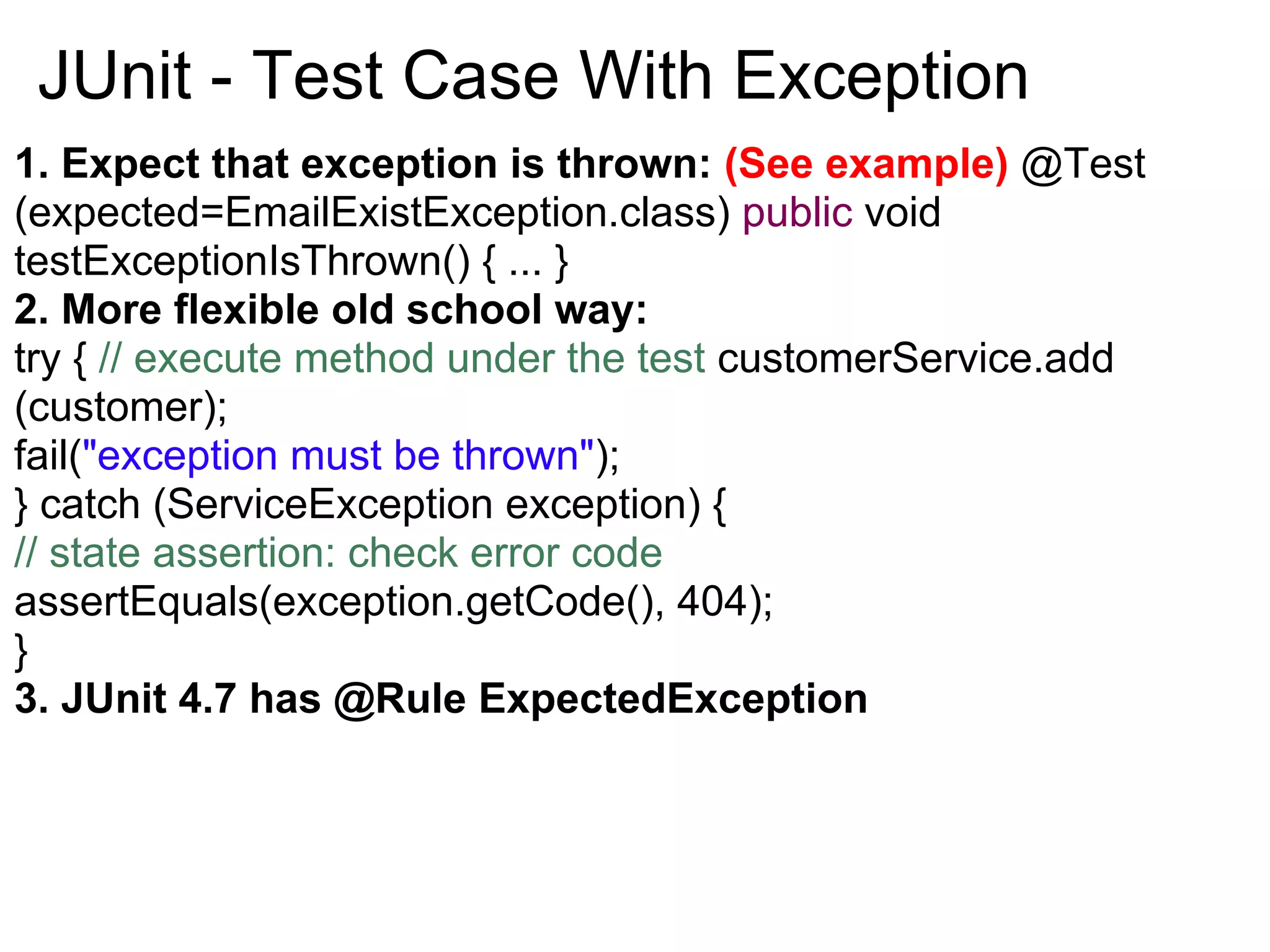
JUnit - Test Case With Exception
1. Expect that exception is thrown: (See example) @Test
(expected=EmailExistException.class) public void
testExceptionIsThrown() { ... }
2. More flexible old school way:
try { // execute method under the test customerService.add
(customer);
fail("exception must be thrown");
} catch (ServiceException exception) {
// state assertion: check error code
assertEquals(exception.getCode(), 404);
}
3. JUnit 4.7 has @Rule ExpectedException
State vs Interaction testing
State testing asserts properties on an object
Example: Verify that after tested method execution object has
properties: assertEquals(2, item.getCount());

Interaction testing verifies the interactions between objects.
Example: Did my controller correctly call my services in
specified order? Can be used only with mocked objects.

Mockito is a framework for interactions testing.

Mockito is a mocking framework
that tastes really good!
Mock behavior with mocks.
Mocks or mock objects simulate the behavior of complex, real
(non-mock) objects and are therefore useful when a real object
is impractical or impossible to incorporate into a unit test.

 They provide:
 ● Default values unless stubbed
 ● Can help verify interactions, order of interaction, method
   parameters etc.

Mockito is a Java based mocking framework that allows you to
write beautiful tests with clean & simple API.
Why Mockito is good?

● with Mockito, you only stub what you need and go on
  happily completing the functionality. No need to stub
  everything.

● simple and clean syntax

● all required documentation can be found in javadocs to org.
  mockito.Mockito.

● Has an ability to create partial mocks.

● It tastes really good
JUnit - Mock in Mockito
This will mock all methods in MyService class and provide
default values:

 1. @Mock MyService myService;
    All classes with @Mock annotation will be injected to
    @InjectMocks class by type automatically when using
    @RunWith(MockitoJUnitRunner.class).

 2. You can mock and inject services manually:
    MyService myService = mock(MyService.class);
    ServiceUnderTest service = new ServiceUnderTest();
    service.setMyService(myService);
You can mock concrete classes, not only interfaces!
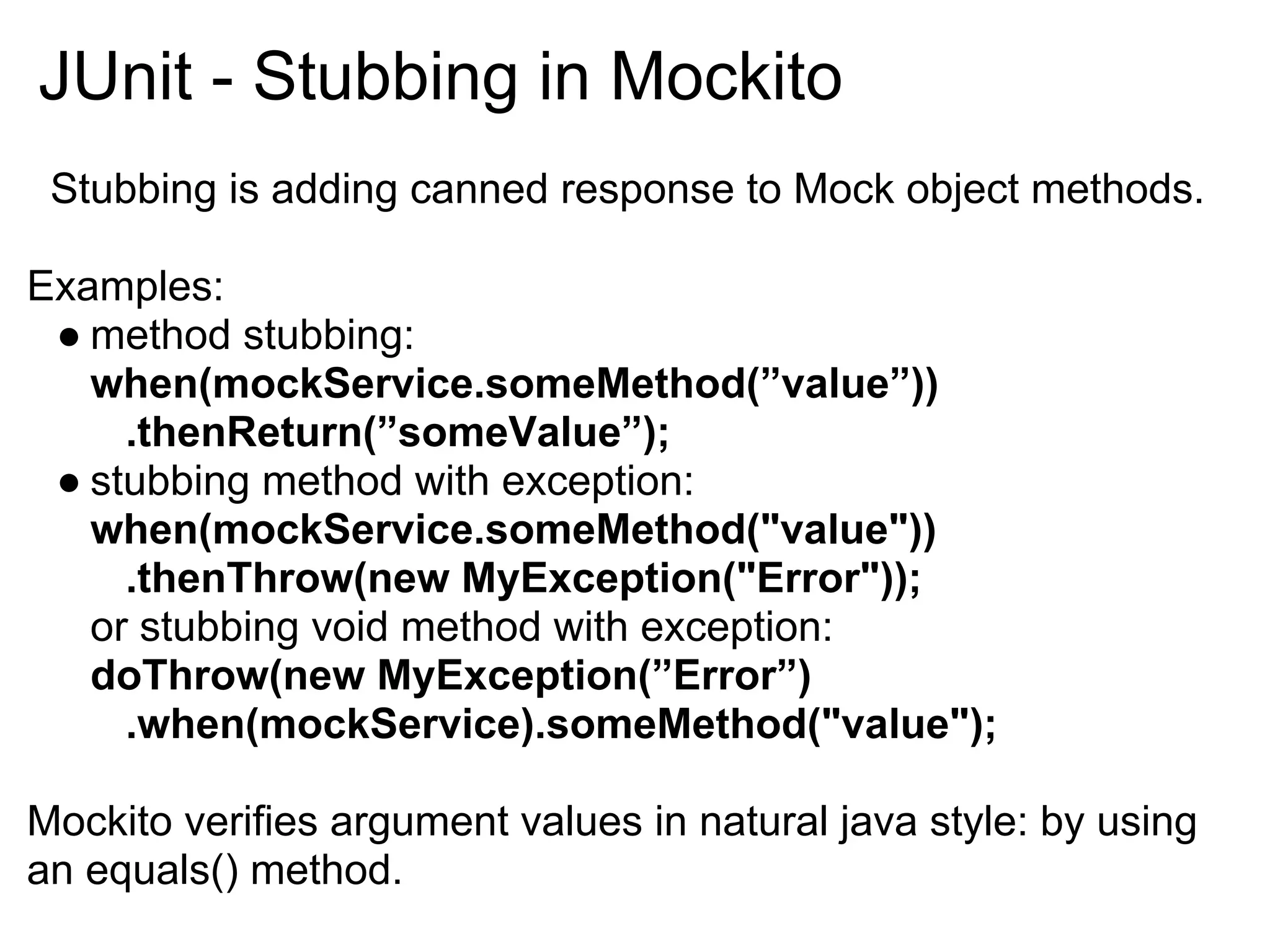
JUnit - Stubbing in Mockito
 Stubbing is adding canned response to Mock object methods.

Examples:
 ● method stubbing:
   when(mockService.someMethod(”value”))
     .thenReturn(”someValue”);
 ● stubbing method with exception:
   when(mockService.someMethod("value"))
     .thenThrow(new MyException("Error"));
   or stubbing void method with exception:
   doThrow(new MyException(”Error”)
     .when(mockService).someMethod("value");

Mockito verifies argument values in natural java style: by using
an equals() method.
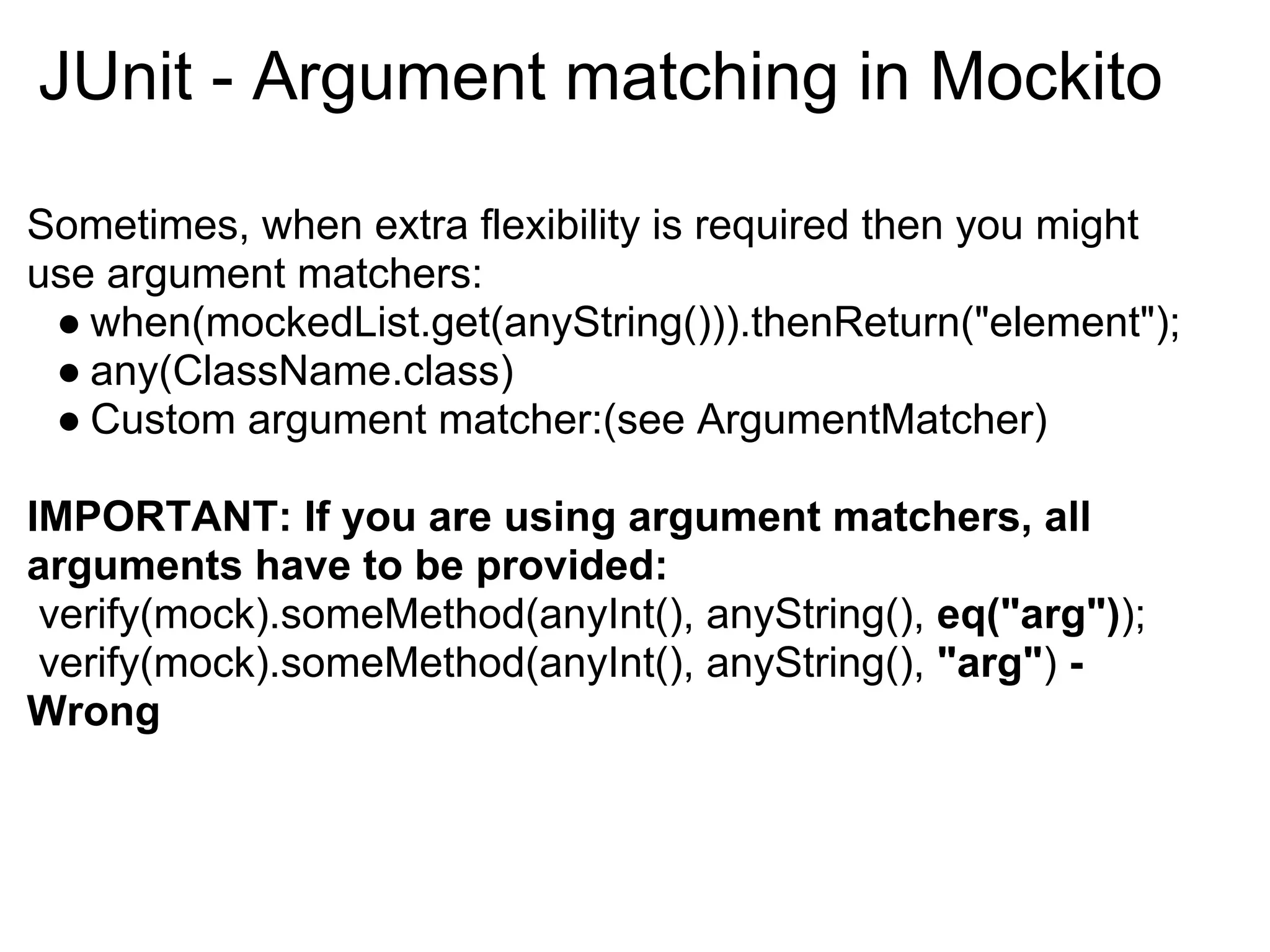
JUnit - Argument matching in Mockito

Sometimes, when extra flexibility is required then you might
use argument matchers:
 ● when(mockedList.get(anyString())).thenReturn("element");
 ● any(ClassName.class)
 ● Custom argument matcher:(see ArgumentMatcher)

IMPORTANT: If you are using argument matchers, all
arguments have to be provided:
 verify(mock).someMethod(anyInt(), anyString(), eq("arg"));
 verify(mock).someMethod(anyInt(), anyString(), "arg") -
Wrong
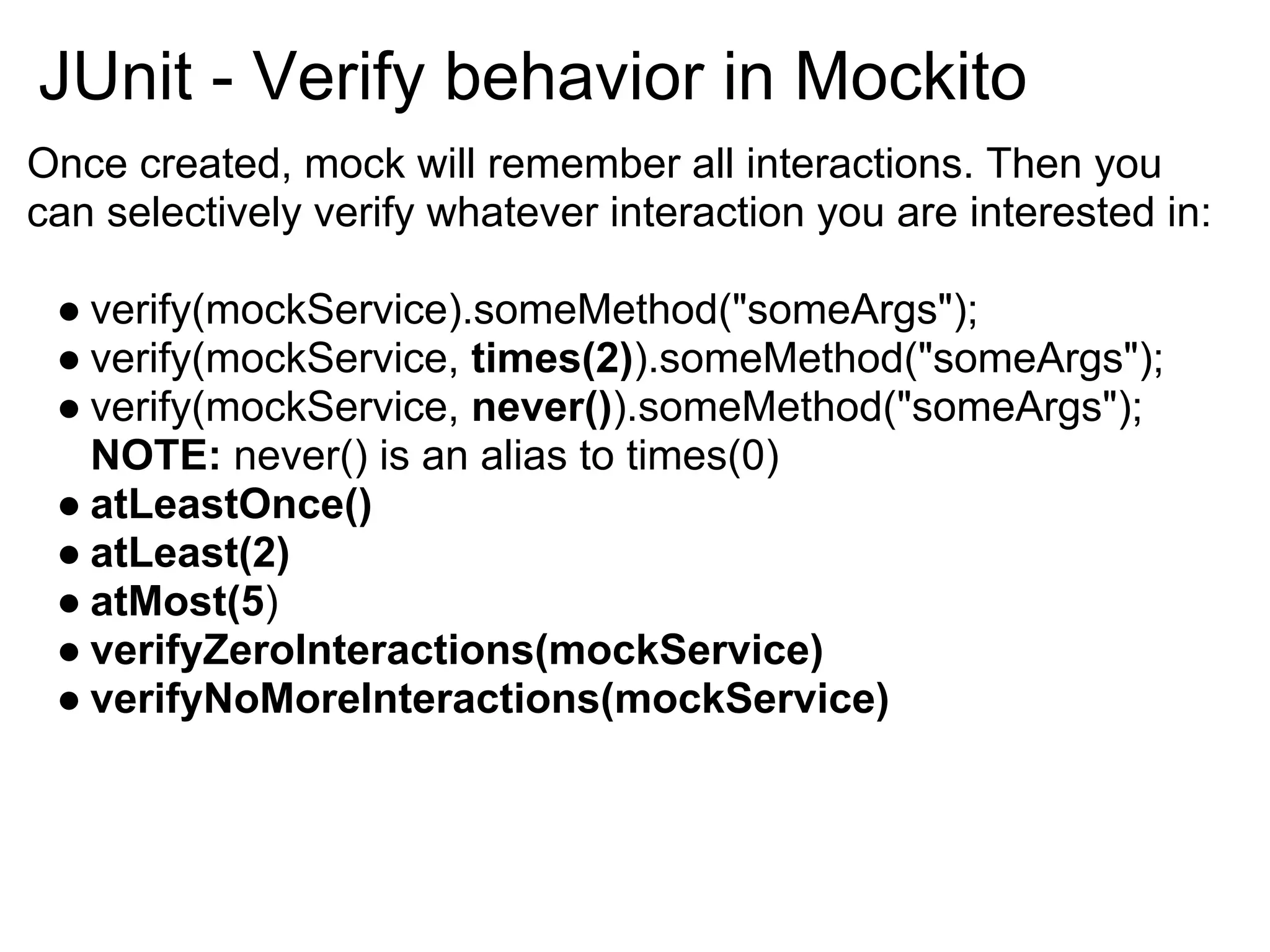
JUnit - Verify behavior in Mockito
Once created, mock will remember all interactions. Then you
can selectively verify whatever interaction you are interested in:

 ● verify(mockService).someMethod("someArgs");
 ● verify(mockService, times(2)).someMethod("someArgs");
 ● verify(mockService, never()).someMethod("someArgs");
   NOTE: never() is an alias to times(0)
 ● atLeastOnce()
 ● atLeast(2)
 ● atMost(5)
 ● verifyZeroInteractions(mockService)
 ● verifyNoMoreInteractions(mockService)
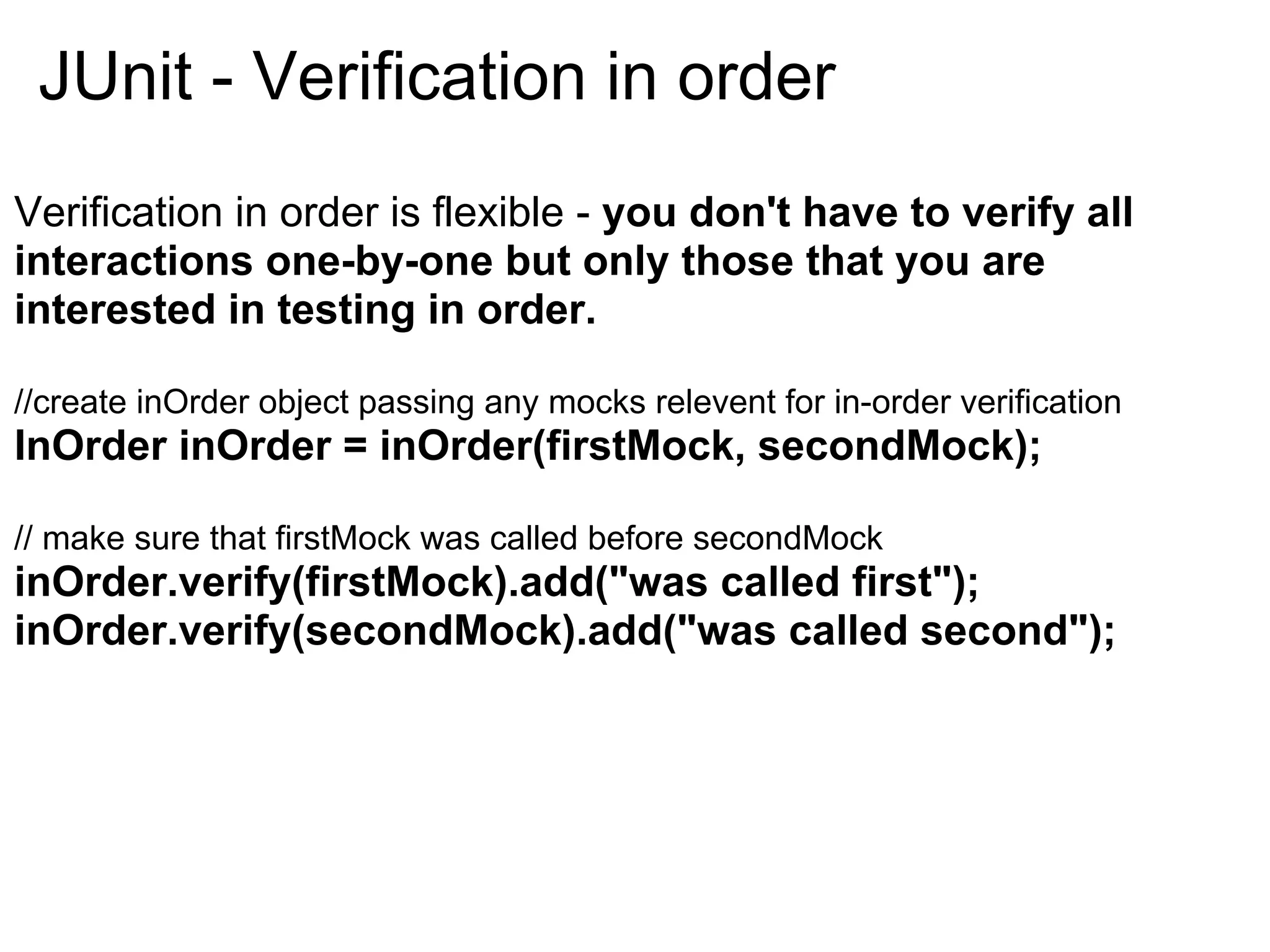
JUnit - Verification in order
Verification in order is flexible - you don't have to verify all
interactions one-by-one but only those that you are
interested in testing in order.

//create inOrder object passing any mocks relevent for in-order verification
InOrder inOrder = inOrder(firstMock, secondMock);

// make sure that firstMock was called before secondMock
inOrder.verify(firstMock).add("was called first");
inOrder.verify(secondMock).add("was called second");
JUnit - Spy(Partial mocking) in Mockito
When you use the Spy then the real methods are called (unless
a method was stubbed).
  ● Calls real methods unless the method is stubbed.
  ● Use of too much spy is potential code smell.

   MyService myService = new MyService();
   MyService spy = spy(myService);
   //optionally, you can stub out some methods when(spy.
   someMethod()).thenReturn(val);
   //real method logic will be executed
   spy.realMethod();

   See Example
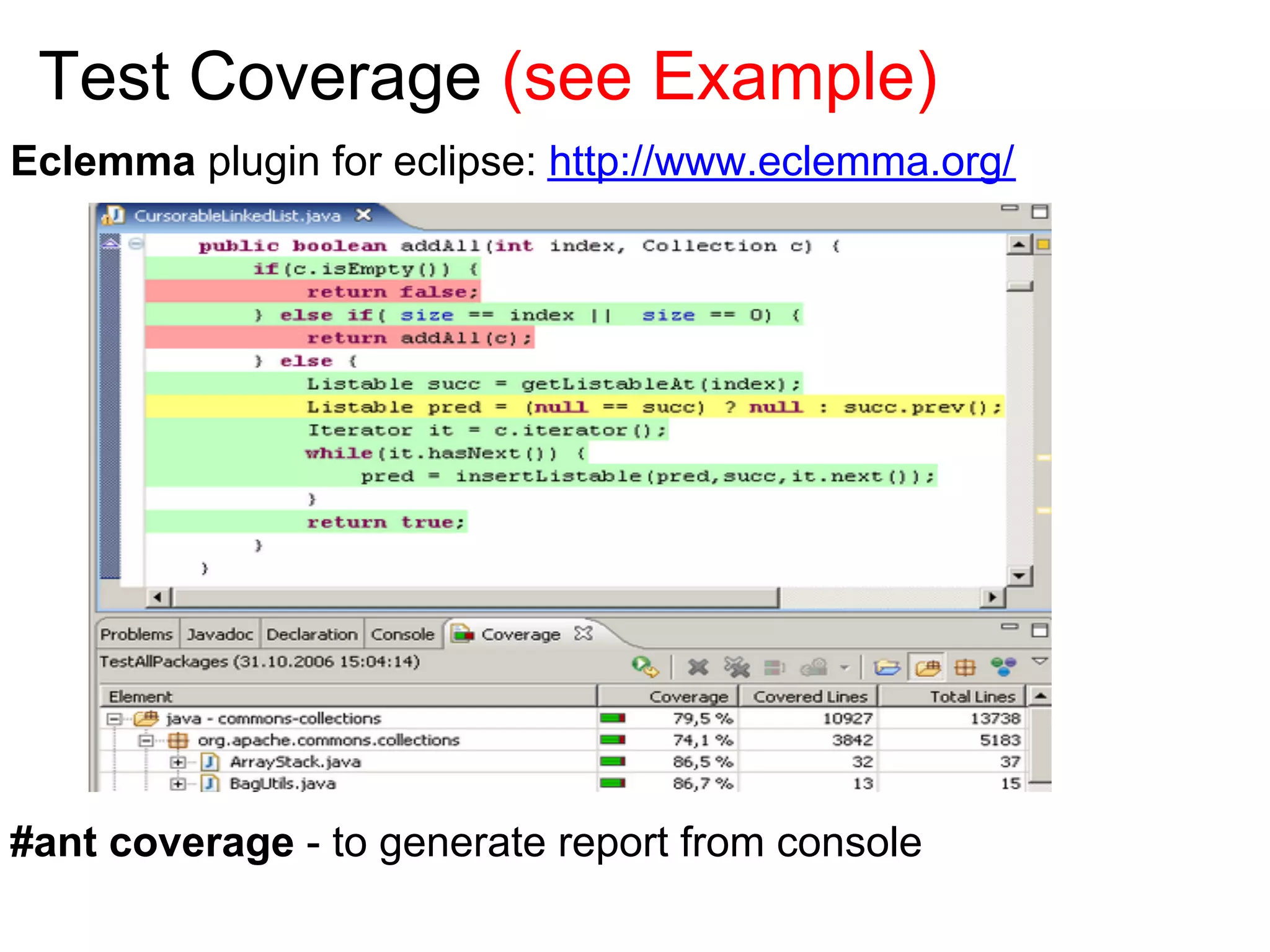
Test Coverage (see Example)
Eclemma plugin for eclipse: http://www.eclemma.org/


#ant coverage - to generate report from console
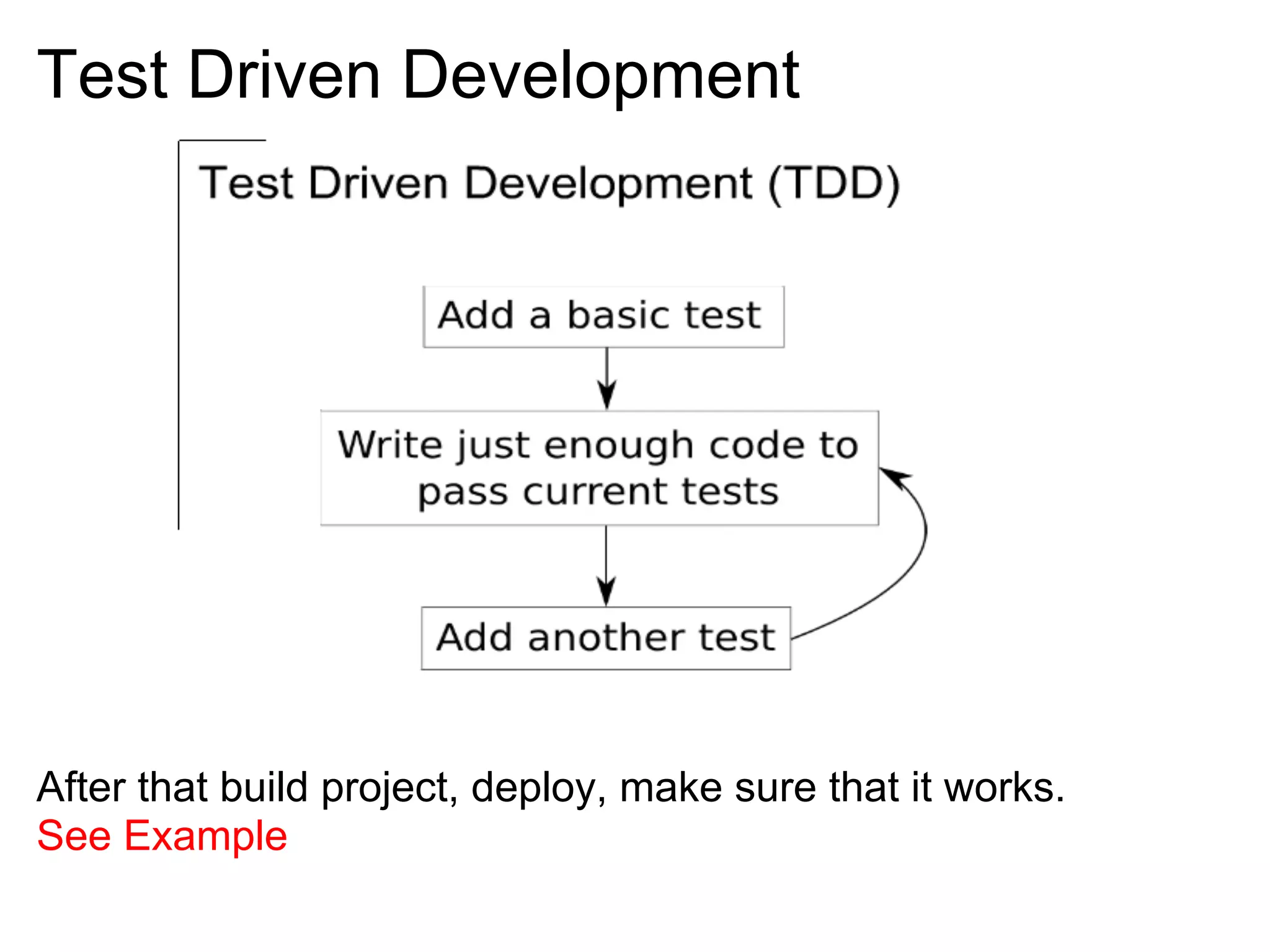
Test Driven Development


After that build project, deploy, make sure that it works.
See Example
Unit testing is a lot like going to the gym
No pain, no gain

*
Let's drink!


Contact Information
Email: yuri.anischenko@gmail.com

Unit testing basic

  • 1.
    Unit testing (basic) November 2011
  • 2.
    What is UnitTesting Unit test is a method by which individual units of source code are tested to determine if they are fit for use. A unit is the smallest testable part of an application like method or class. Unit tests are written from a programmer’s perspective. They ensures that a particular method of a class successfully performs a set of operations. Unit testing drives design: developer is concerned about how client will use the interface of the class that is under the test.
  • 3.
    What is notfor? It's not for testing correct inter-operation of multiple subsystems. NOTE: It should be a stand-alone test which is not related to other subsystems. It should not rely on external resources like(RDBMS,LDAP etc). NOTE: Introducing dependencies on external resources or data turns unit tests into integration tests. In many cases you can't write a unit test to reproduce bug appeared in production. NOTE: it's not regression testing. with unit test you can check logic responsible for interaction between different layers.
  • 4.
    The advantages ofUnit Testing ● Ensure code continues to work as intended(only if it has a good coverage) ● Safe refactoring. Allows refactoring without fear to break the code. ● Fewer bugs. Find some tricky bugs in logic on first stage NOTE: tricky unit test scenarios may prevent many bugs. ● Developer concentrates more on the code and design. NOTE: less build/deploy cycles to see some progress. green bar shows you the progress ● Documentation
  • 5.
    Disadvantages of Unittesting Big time investment. For the simple case you lose about 20% of the actual implementation, but for complicated cases you lose much more. NOTE: If you correctly follow TDD it will going to save you time later in long-term perspective! Design Impacts. Sometimes the high-level design is not clear at the start and evolves as you go along - this will force you to completely redo your test which will generate a big time lose. NOTE: postpone unit tests in this case until you have clarified high-level design.
  • 6.
    Best Practices ●Make sure your tests test one thing and one thing only. ● Readability is important for tests. (see Example) ● Each unit test should be independent from the other. ● Separate you concerns. Extract layers to improve the design. (see Example with DAO layer) ● Mock behavior with mocks to concentrate on test scenario. ● Test Coverage(Check coverage during testing) ● Tests should run automatically to provide continuous feedback. Keep the bar green to keep the code clean!
  • 7.
    Bad practices ● Asingleton gets implemented using a static method. Static methods are avoided by people who do unit testing because they cannot be mocked or stubbed. Static methods are death to unit testability ref ● Don't rely on external resources ● Do not test the GUI.
  • 8.
    JUnit - Addingnew test case Mark your test cases with @Test annotations. Use @Before and @After to run method before and after every test case. Several tests need similar objects created before they can run. (See Example) Use @BeforeClass and @AfterClass to run for one time before and after all test cases.(Use it only to share expensive setup) Static imports makes code more readable: (See Example) import static org.mockito.Mockito.*; import static org.junit.Assert.*; @RunWith(MockitoJUnitRunner.class)
  • 9.
    JUnit test structure Maketest readable. Use next pattern: // Given Create some objects required for testing. // When Execute method that is under test // Then Check state and verify interaction See example
  • 10.
    JUnit - Assertion 1.Choose correct assert method from org.junit.Assert.*: assertNull, assertNotNull, assertTrue, assertEquals... 2. Keep it simple: assertEquals(age, calculateAge(dob)); // bad practice assertEquals(age, 25); // Best practice. Keep it simple 3. Use overloaded method with argument for message: assertNull("Value must be null in case of error", value);
  • 11.
    JUnit - testunder construction Sometimes we need to temporarily disable a test that is under construction. Use @Ignore annotation on method or class to achieve it. Specify the reason why it's ignored. @Ignore("Enable when TASK-2 is implemented") public class MyClassTest { @Test public void testThat1() { ... } @Test public void testThat2() { ... } } public class MyClassTest { @Ignore("Gotta go now! will fix it later.") @Test void testThat1() { ... } }
  • 12.
    JUnit - TestCase With Exception 1. Expect that exception is thrown: (See example) @Test (expected=EmailExistException.class) public void testExceptionIsThrown() { ... } 2. More flexible old school way: try { // execute method under the test customerService.add (customer); fail("exception must be thrown"); } catch (ServiceException exception) { // state assertion: check error code assertEquals(exception.getCode(), 404); } 3. JUnit 4.7 has @Rule ExpectedException
  • 13.
    State vs Interactiontesting State testing asserts properties on an object Example: Verify that after tested method execution object has properties: assertEquals(2, item.getCount()); Interaction testing verifies the interactions between objects. Example: Did my controller correctly call my services in specified order? Can be used only with mocked objects. Mockito is a framework for interactions testing. Mockito is a mocking framework that tastes really good!
  • 14.
    Mock behavior withmocks. Mocks or mock objects simulate the behavior of complex, real (non-mock) objects and are therefore useful when a real object is impractical or impossible to incorporate into a unit test. They provide: ● Default values unless stubbed ● Can help verify interactions, order of interaction, method parameters etc. Mockito is a Java based mocking framework that allows you to write beautiful tests with clean & simple API.
  • 15.
    Why Mockito isgood? ● with Mockito, you only stub what you need and go on happily completing the functionality. No need to stub everything. ● simple and clean syntax ● all required documentation can be found in javadocs to org. mockito.Mockito. ● Has an ability to create partial mocks. ● It tastes really good
  • 16.
    JUnit - Mockin Mockito This will mock all methods in MyService class and provide default values: 1. @Mock MyService myService; All classes with @Mock annotation will be injected to @InjectMocks class by type automatically when using @RunWith(MockitoJUnitRunner.class). 2. You can mock and inject services manually: MyService myService = mock(MyService.class); ServiceUnderTest service = new ServiceUnderTest(); service.setMyService(myService); You can mock concrete classes, not only interfaces!
  • 17.
    JUnit - Stubbingin Mockito Stubbing is adding canned response to Mock object methods. Examples: ● method stubbing: when(mockService.someMethod(”value”)) .thenReturn(”someValue”); ● stubbing method with exception: when(mockService.someMethod("value")) .thenThrow(new MyException("Error")); or stubbing void method with exception: doThrow(new MyException(”Error”) .when(mockService).someMethod("value"); Mockito verifies argument values in natural java style: by using an equals() method.
  • 18.
    JUnit - Argumentmatching in Mockito Sometimes, when extra flexibility is required then you might use argument matchers: ● when(mockedList.get(anyString())).thenReturn("element"); ● any(ClassName.class) ● Custom argument matcher:(see ArgumentMatcher) IMPORTANT: If you are using argument matchers, all arguments have to be provided: verify(mock).someMethod(anyInt(), anyString(), eq("arg")); verify(mock).someMethod(anyInt(), anyString(), "arg") - Wrong
  • 19.
    JUnit - Verifybehavior in Mockito Once created, mock will remember all interactions. Then you can selectively verify whatever interaction you are interested in: ● verify(mockService).someMethod("someArgs"); ● verify(mockService, times(2)).someMethod("someArgs"); ● verify(mockService, never()).someMethod("someArgs"); NOTE: never() is an alias to times(0) ● atLeastOnce() ● atLeast(2) ● atMost(5) ● verifyZeroInteractions(mockService) ● verifyNoMoreInteractions(mockService)
  • 20.
    JUnit - Verificationin order Verification in order is flexible - you don't have to verify all interactions one-by-one but only those that you are interested in testing in order. //create inOrder object passing any mocks relevent for in-order verification InOrder inOrder = inOrder(firstMock, secondMock); // make sure that firstMock was called before secondMock inOrder.verify(firstMock).add("was called first"); inOrder.verify(secondMock).add("was called second");
  • 21.
    JUnit - Spy(Partialmocking) in Mockito When you use the Spy then the real methods are called (unless a method was stubbed). ● Calls real methods unless the method is stubbed. ● Use of too much spy is potential code smell. MyService myService = new MyService(); MyService spy = spy(myService); //optionally, you can stub out some methods when(spy. someMethod()).thenReturn(val); //real method logic will be executed spy.realMethod(); See Example
  • 22.
    Test Coverage (seeExample) Eclemma plugin for eclipse: http://www.eclemma.org/ #ant coverage - to generate report from console
  • 23.
    Test Driven Development Afterthat build project, deploy, make sure that it works. See Example
  • 24.
    Unit testing isa lot like going to the gym
  • 25.
  • 26.
    Let's drink! Contact Information Email:yuri.anischenko@gmail.com