Decision Making and looping in Java
If statement:
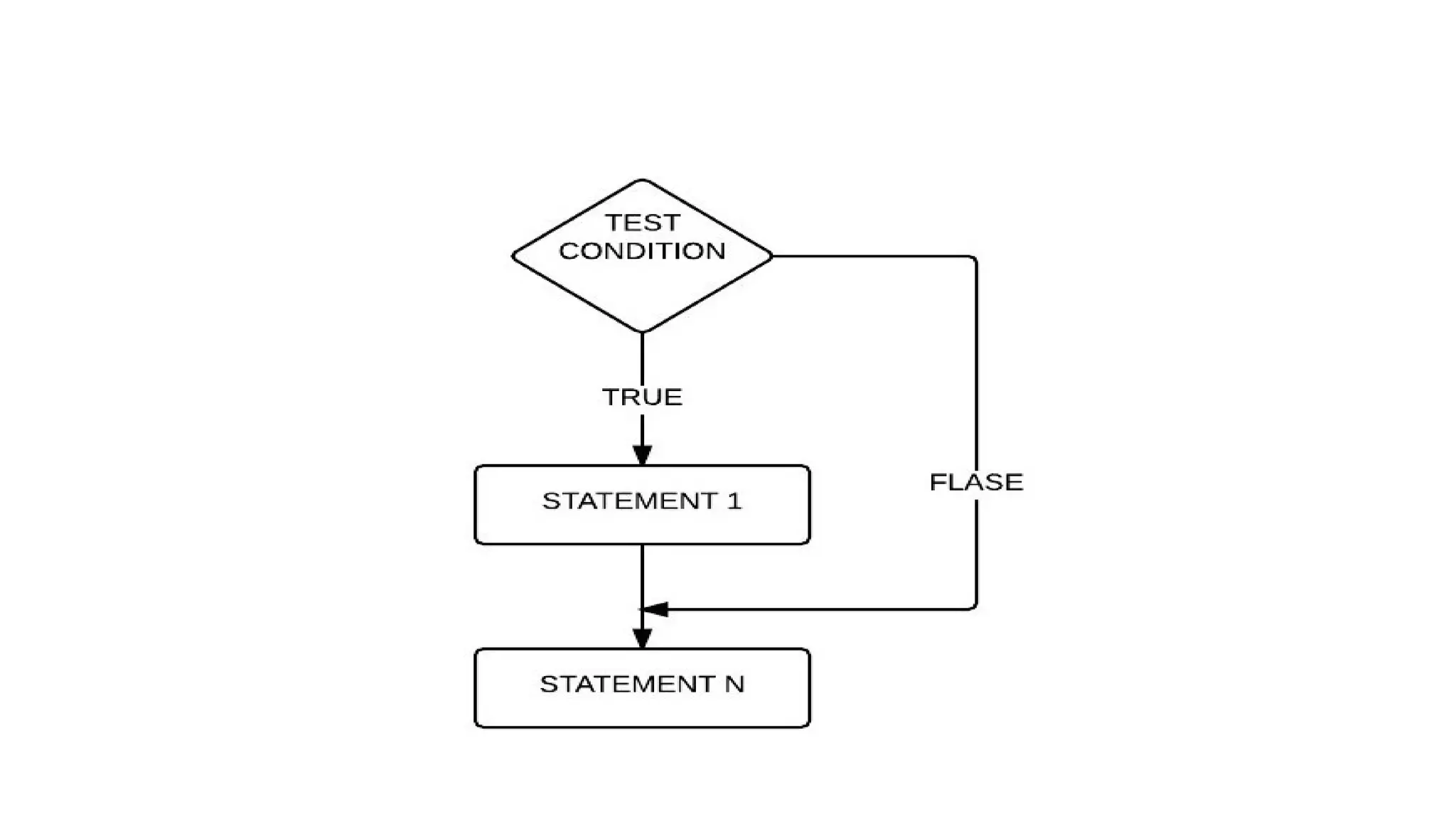
If the test condition is true, then STATEMENT 1 is executed,
followed by STATEMENT N. If the condition is False, then
the STATEMENT N will run.
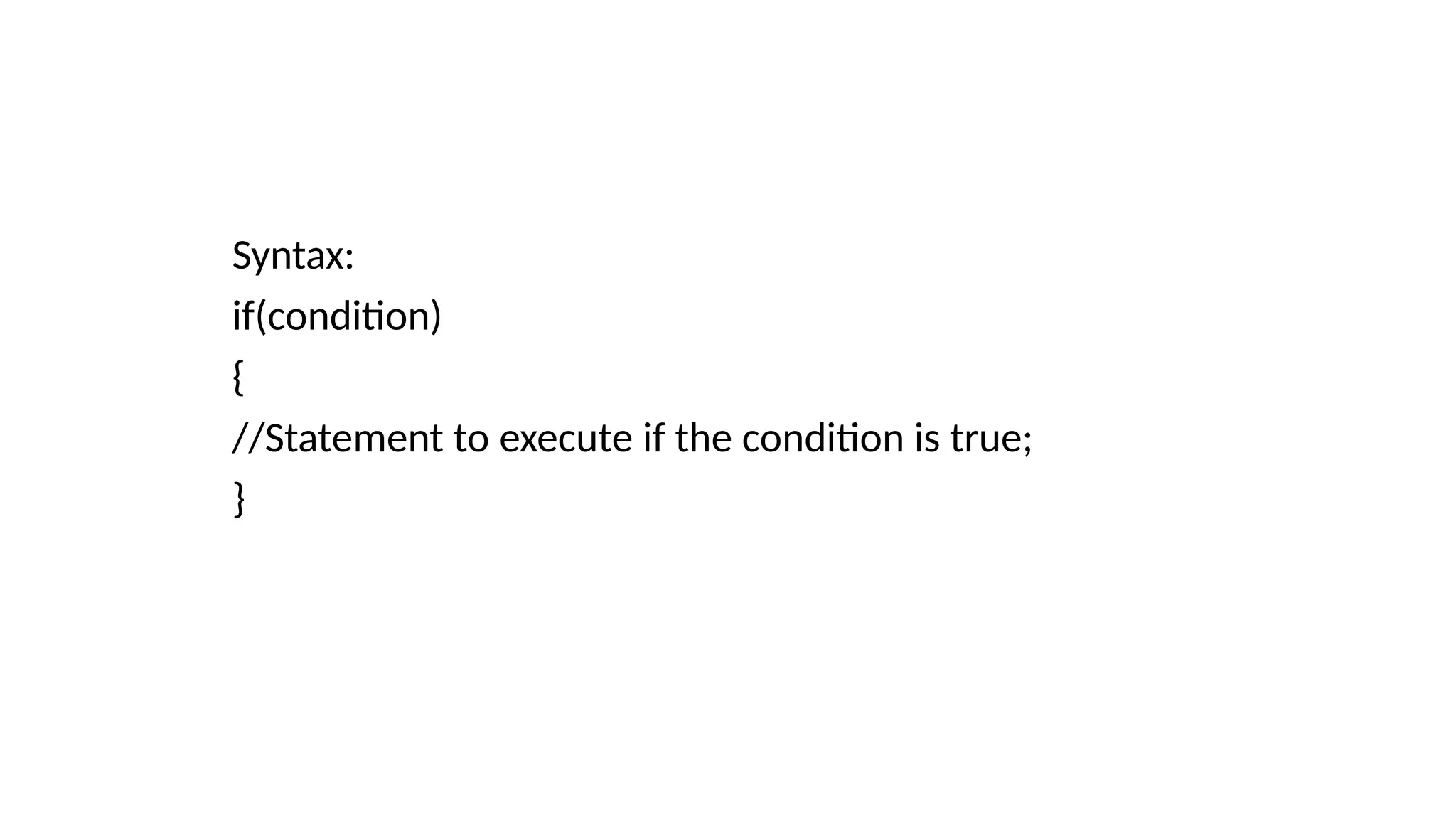
Syntax:
if(condition)
{
//Statement to execute if the condition is true;
}
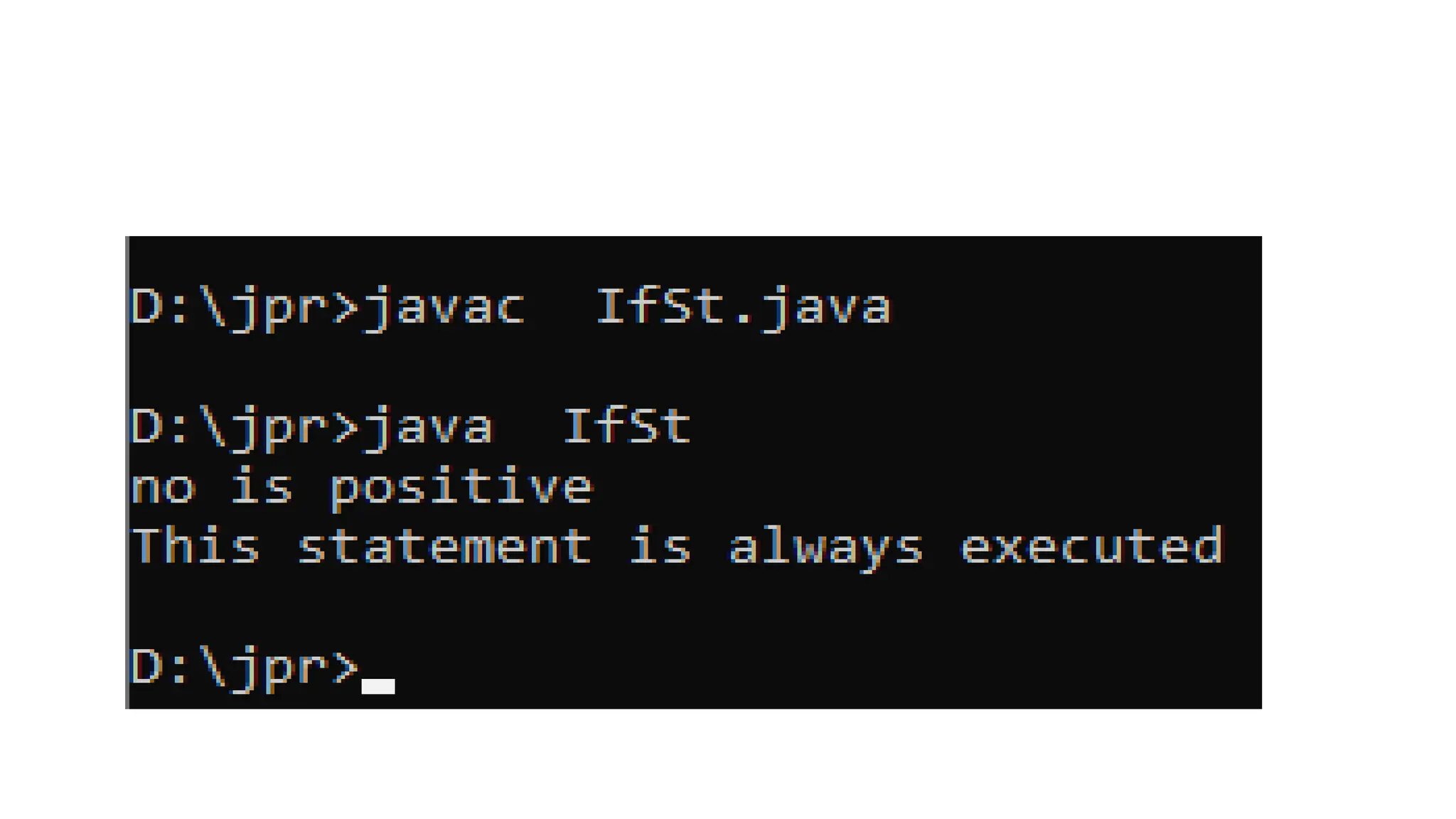
class IfSt
{
public static void main(String args[])
{
int no=10;
if(no>0)
{
System.out.println("no is positive");
}
System.out.println("This statement is always executed");
}
}
If-else statement
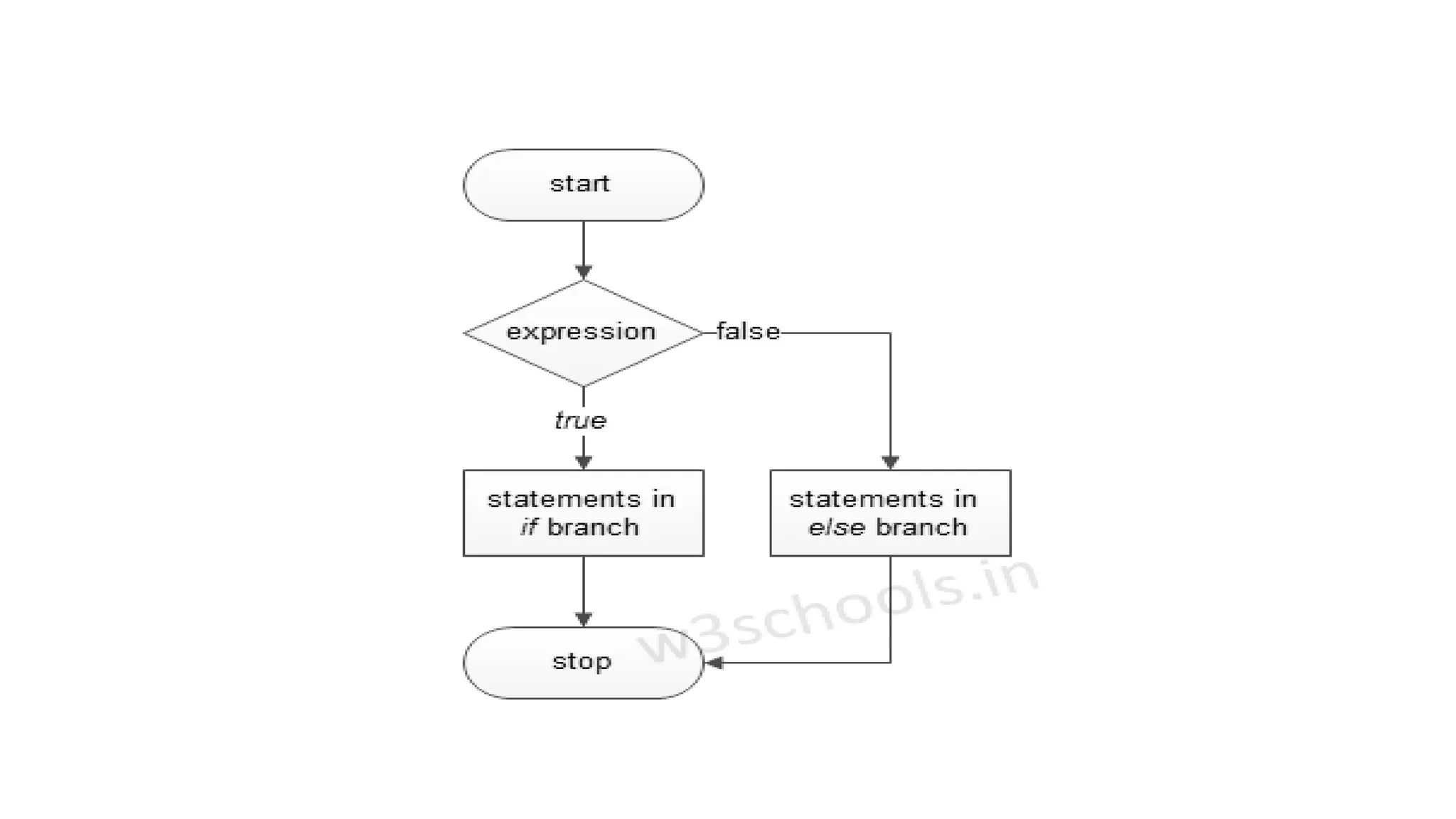
If else statements in Java is also used to control the program
flow based on some condition, only the difference is: it's used to
execute some statement code block if the expression is
evaluated to true, otherwise executes else statement code
block.
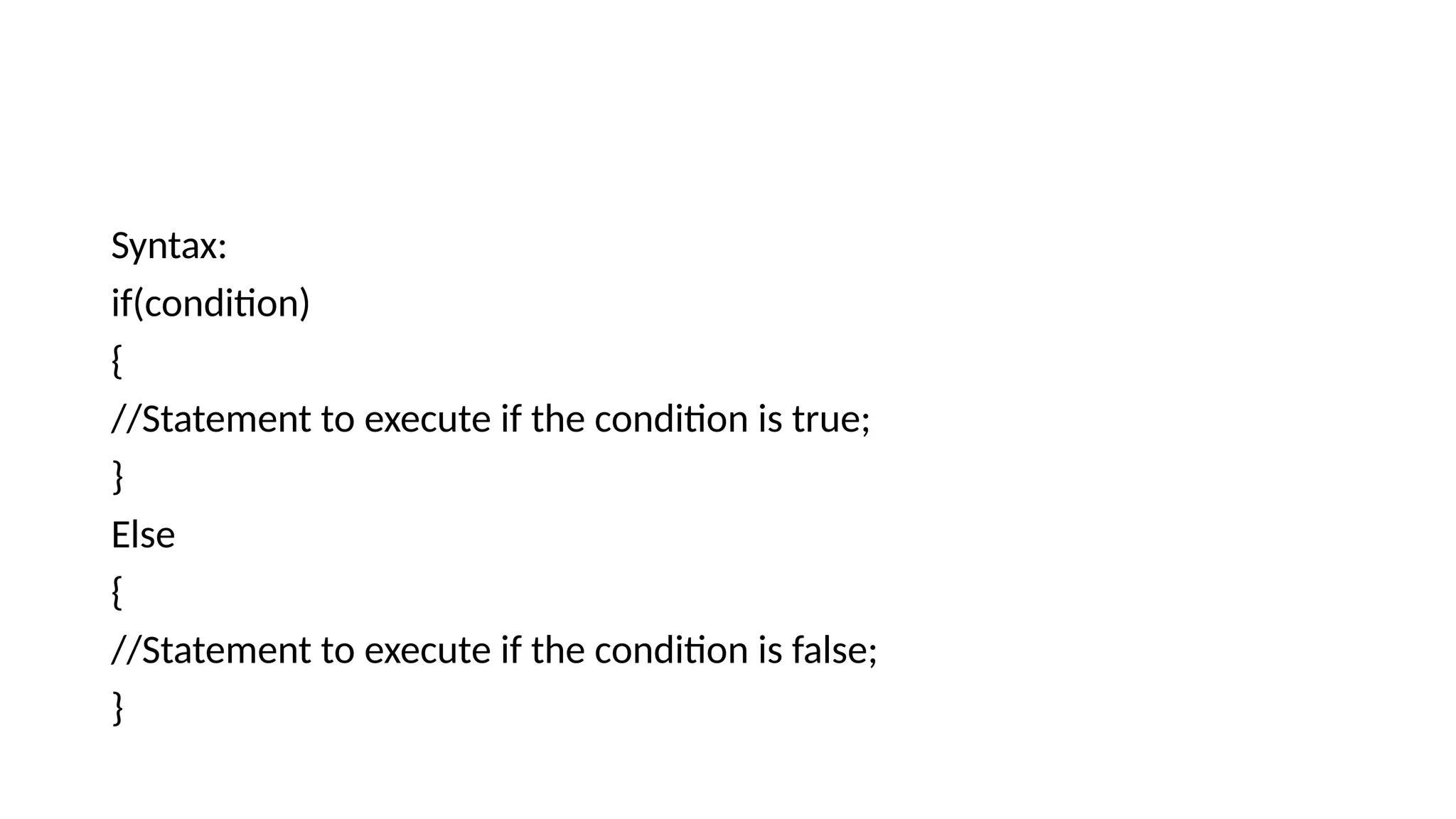
Syntax:
if(condition)
{
//Statement to execute if the condition is true;
}
Else
{
//Statement to execute if the condition is false;
}
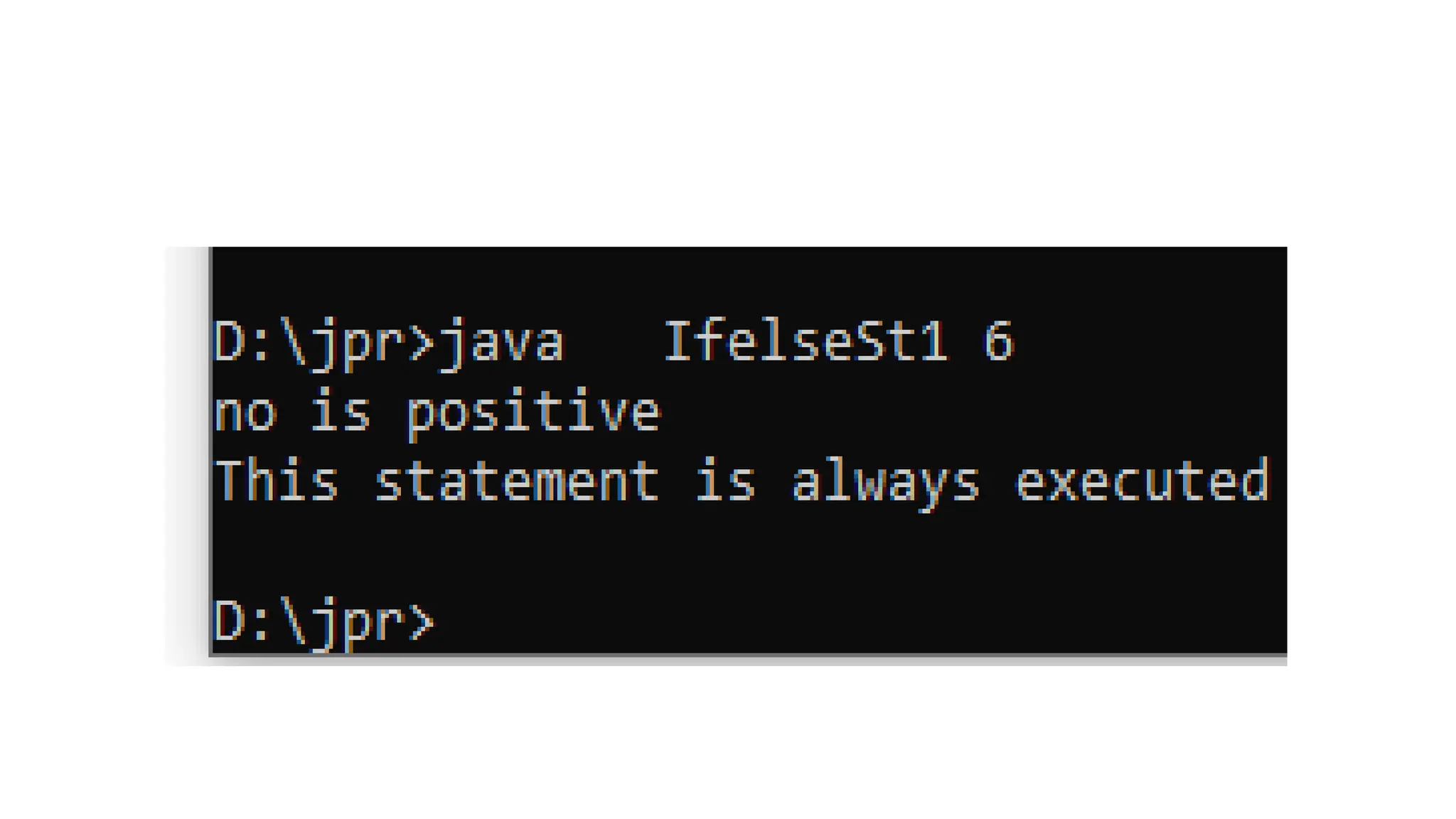
class IfelseSt1
{
public static void main(String args[])
{
int no=Integer.parseInt(args[0]);
if(no>0)
{
System.out.println("no is positive");
}
else
{
System.out.println("no is negative");
}
System.out.println("This statement
is always executed");
}
}
Nested if-else
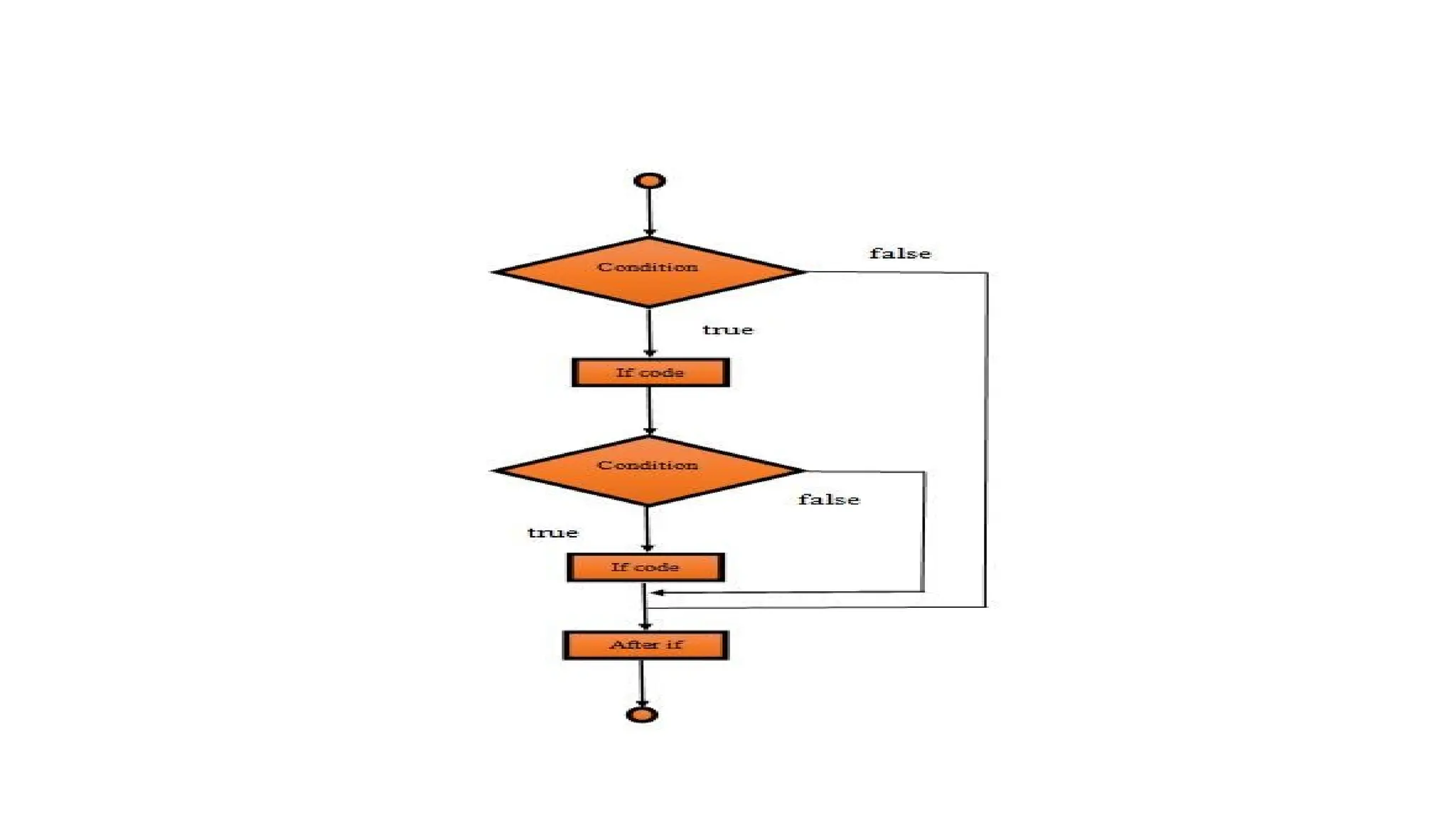
In Java, the Nested if statement is a if inside another if. In this,
one if block is created inside another if block when the outer
block is true then only the inner block is executed.
Syntax:
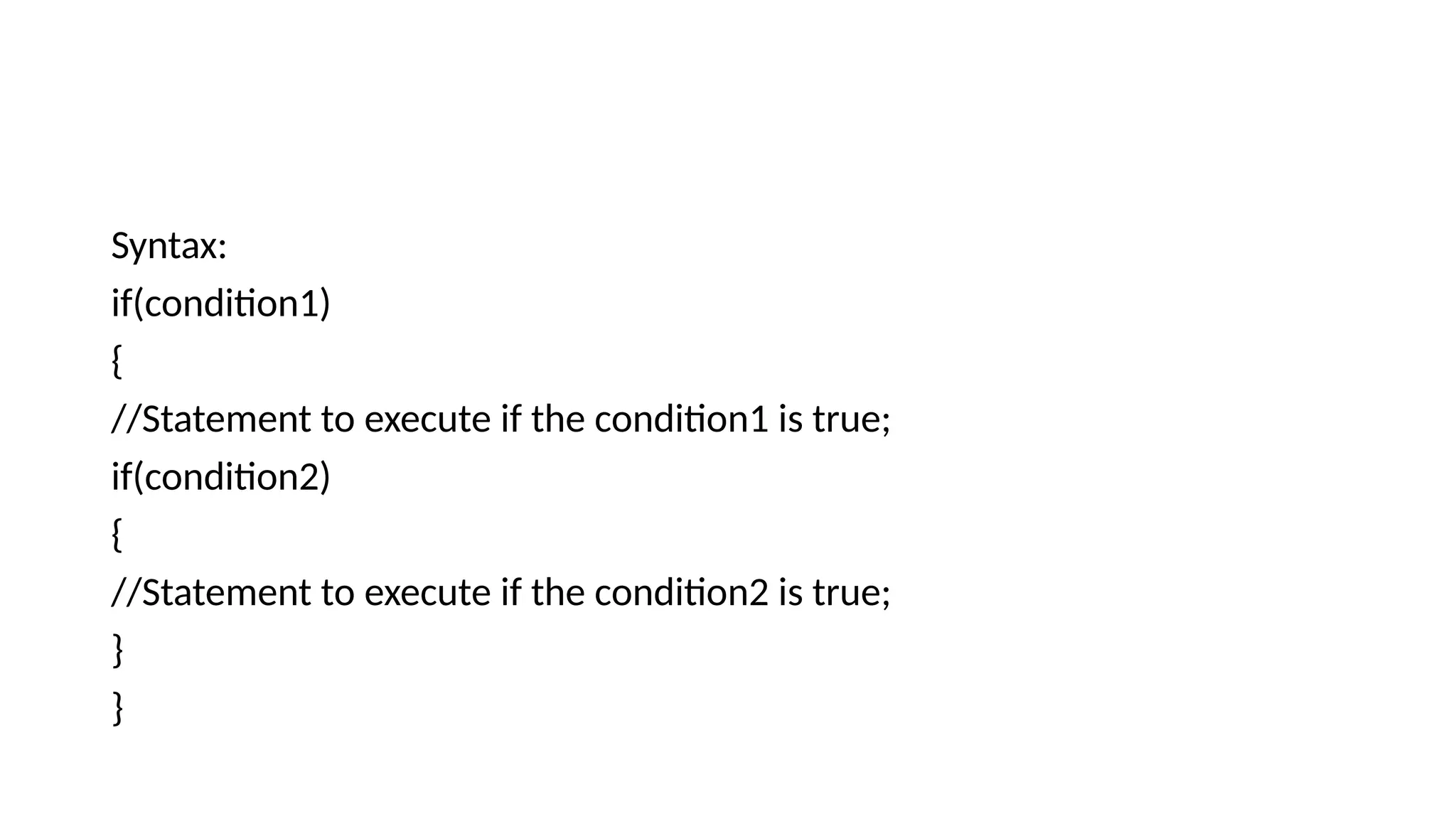
Syntax:
if(condition1)
{
//Statement to execute if the condition1 is true;
if(condition2)
{
//Statement to execute if the condition2 is true;
}
}
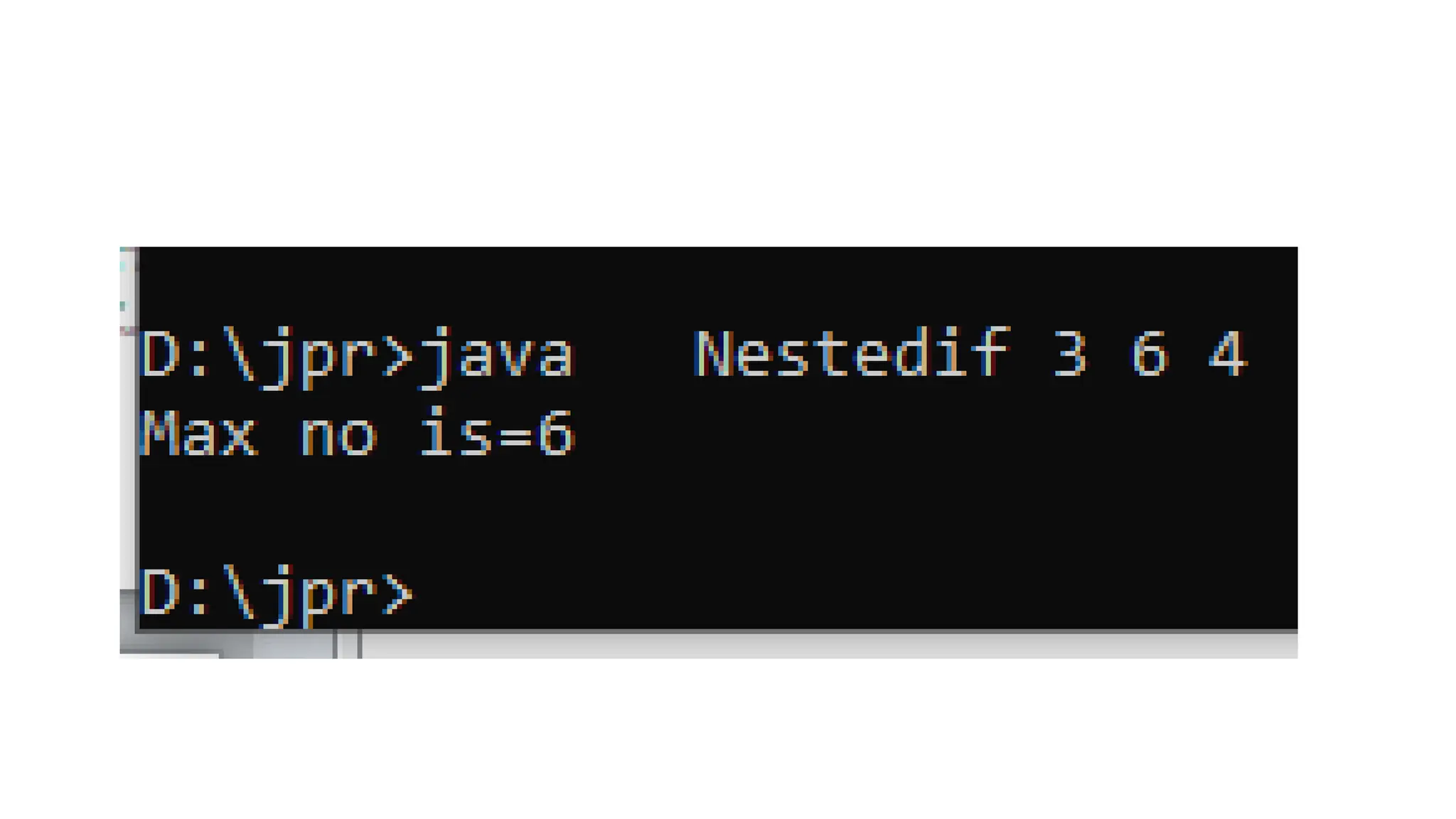
class nestedif
{
public static void main(String args[])
{
int a=Integer.parseInt(args[0]);
int b=Integer.parseInt(args[1]);
int c=Integer.parseInt(args[2]);
int max;
if(a>=b)
{
if(a>=c)
{
max=a;
}
else
{
max=c;
}
}
else
{
if(b>=c)
{
max=b;
}
else
{
max=c;
}
}
System.out.println("Max no is="+max);
}
}
If-else-if ladder
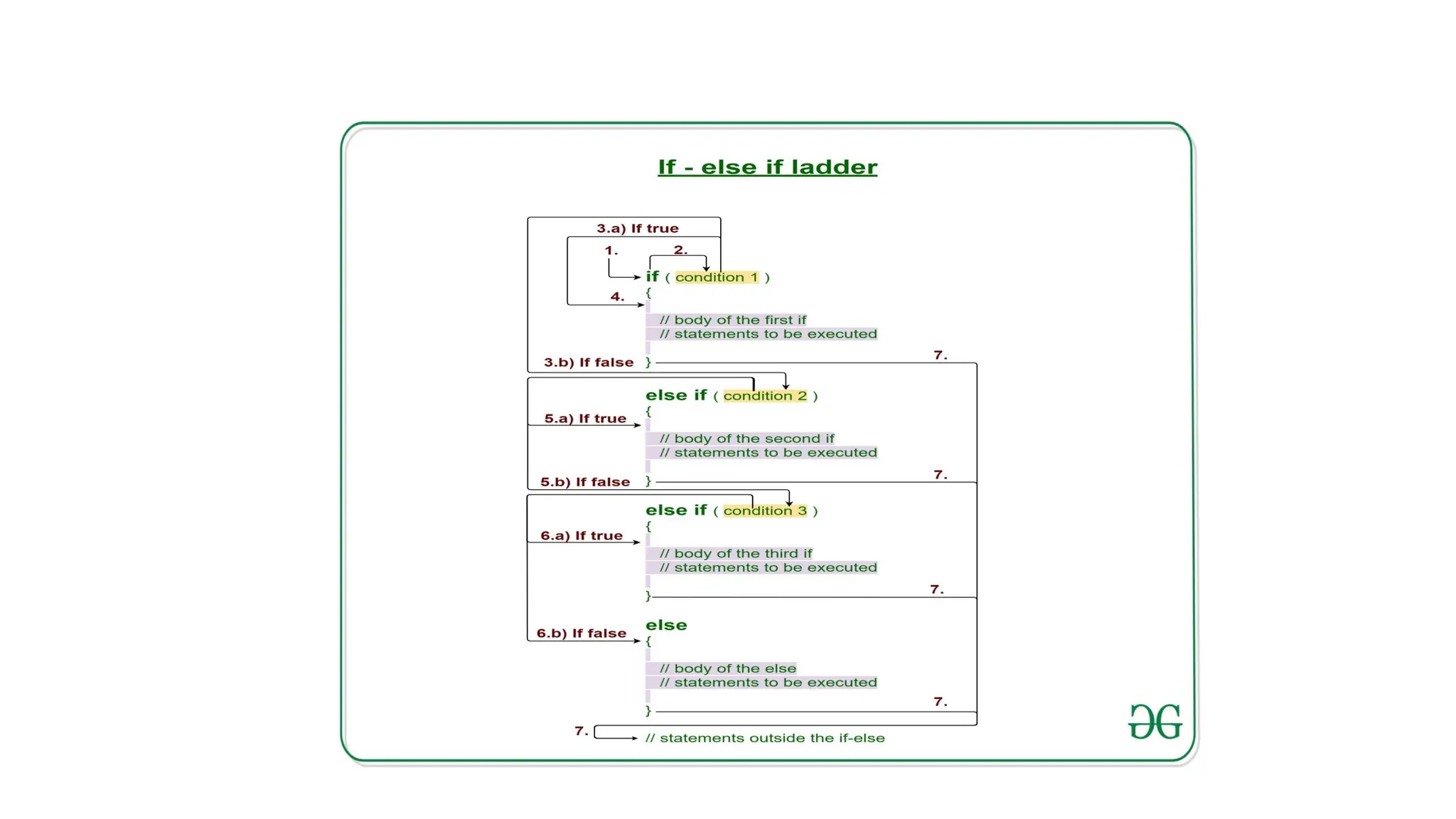
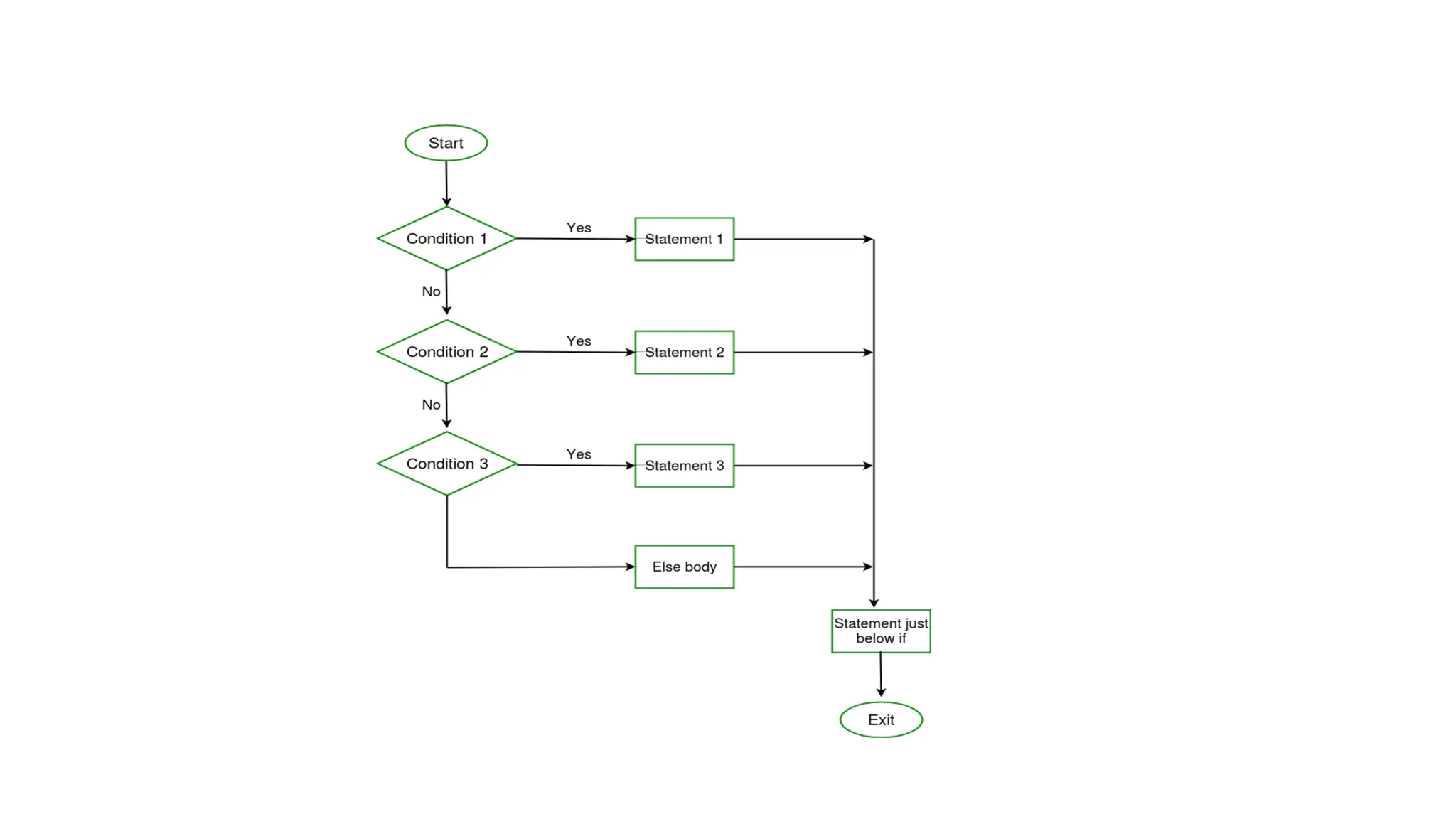
• Java if-else-if ladder is used to decide among multiple options.
The if statements are executed from the top down. As soon as one
of the conditions controlling the if is true, the statement associated
with that if is executed, and the rest of the ladder is bypassed. If
none of the conditions is true, then the final else statement will be
executed.
Syntax:
if (condition)
statement 1;
else if (condition)
statement 2;
. .
else statement;
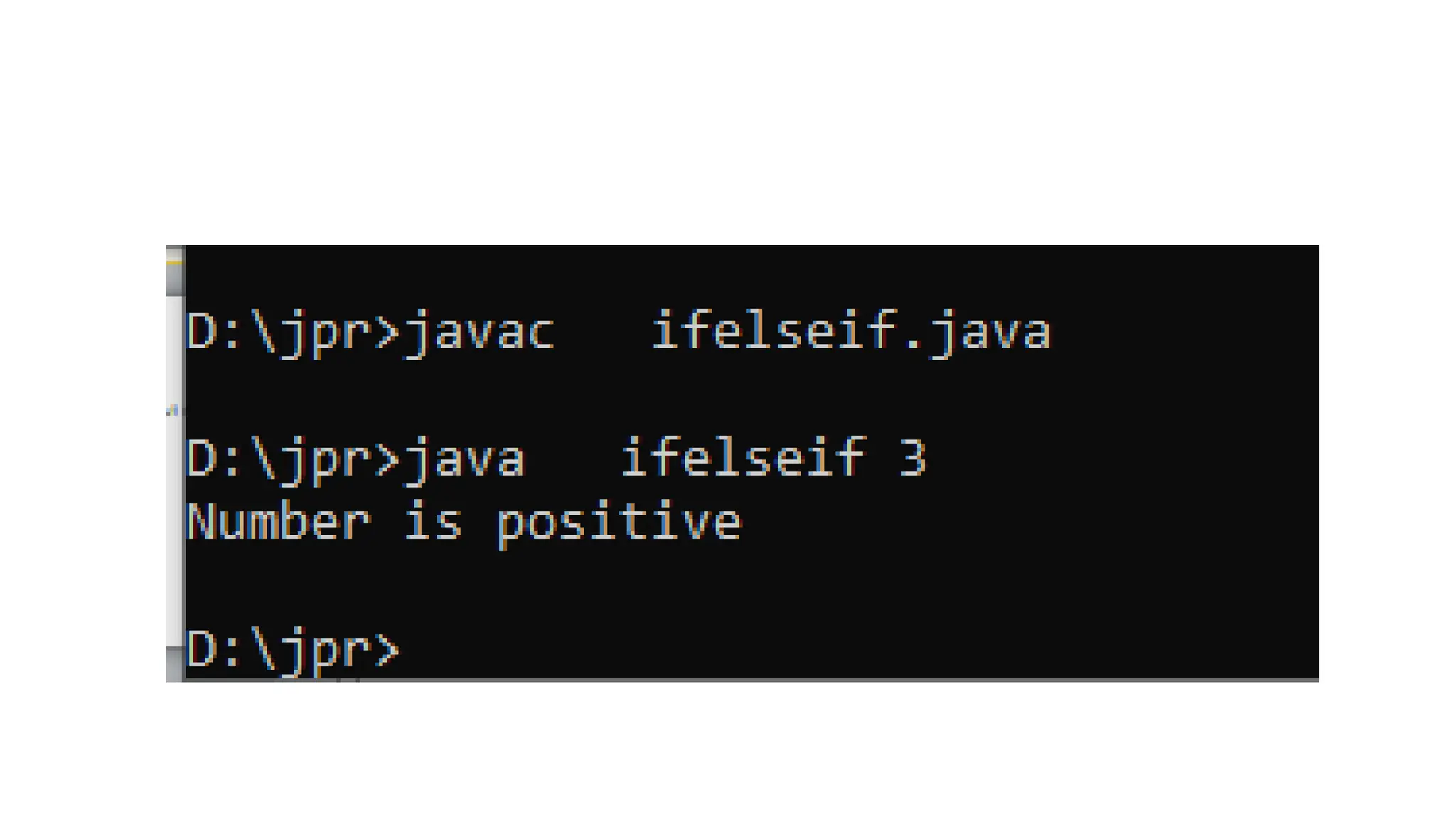
class ifelseif
{
public static void main(String args[])
{
int a=0;
a=Integer.parseInt(args[0]);
if(a>0)
{
System.out.println("Number is
positive");
}
else if(a<0)
{
System.out.println("Number is
negative");
}
else
{
System.out.println("Number is zero");
}
}
}
While statement
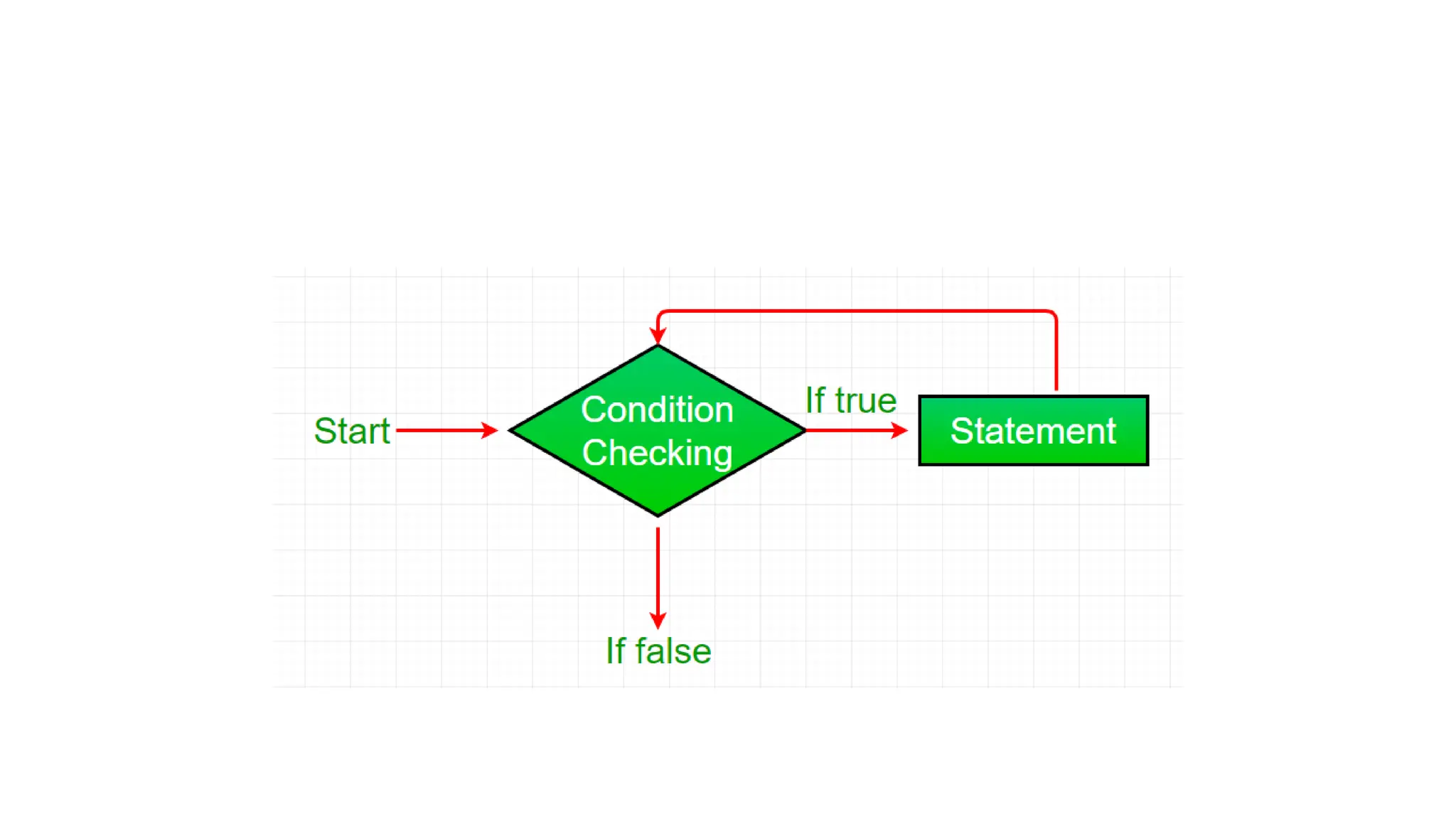
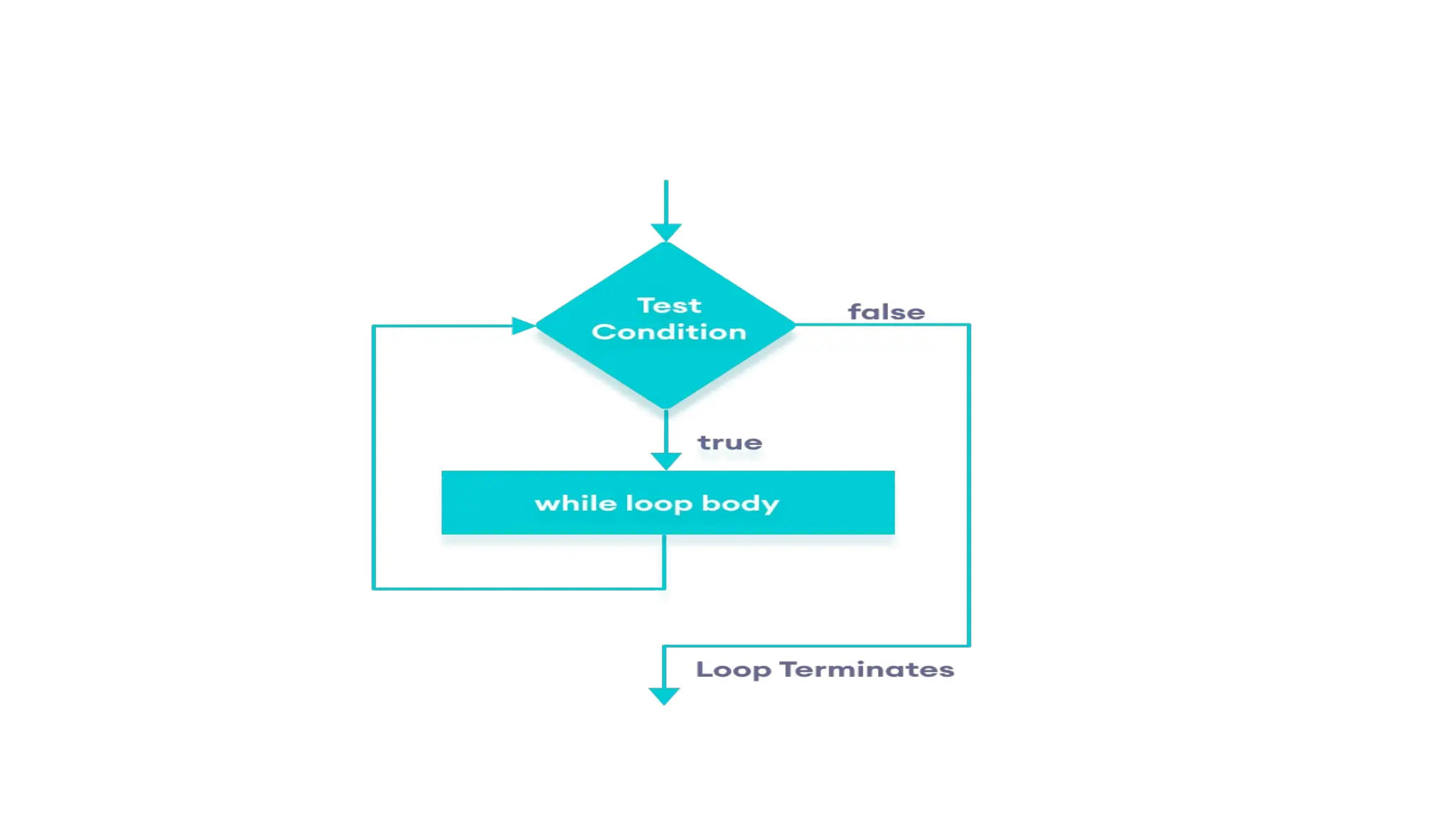
Java while loop is a control
flow statement that allows
code to be executed repeatedly
based on a given Boolean
condition. The while loop can
be thought of as a repeating
if statement. ... If the condition
evaluates to true then we will
execute the body of the loop
and go to update expression.
Syntax:
while
(test_expression)
{
// statements
update_expression;
}
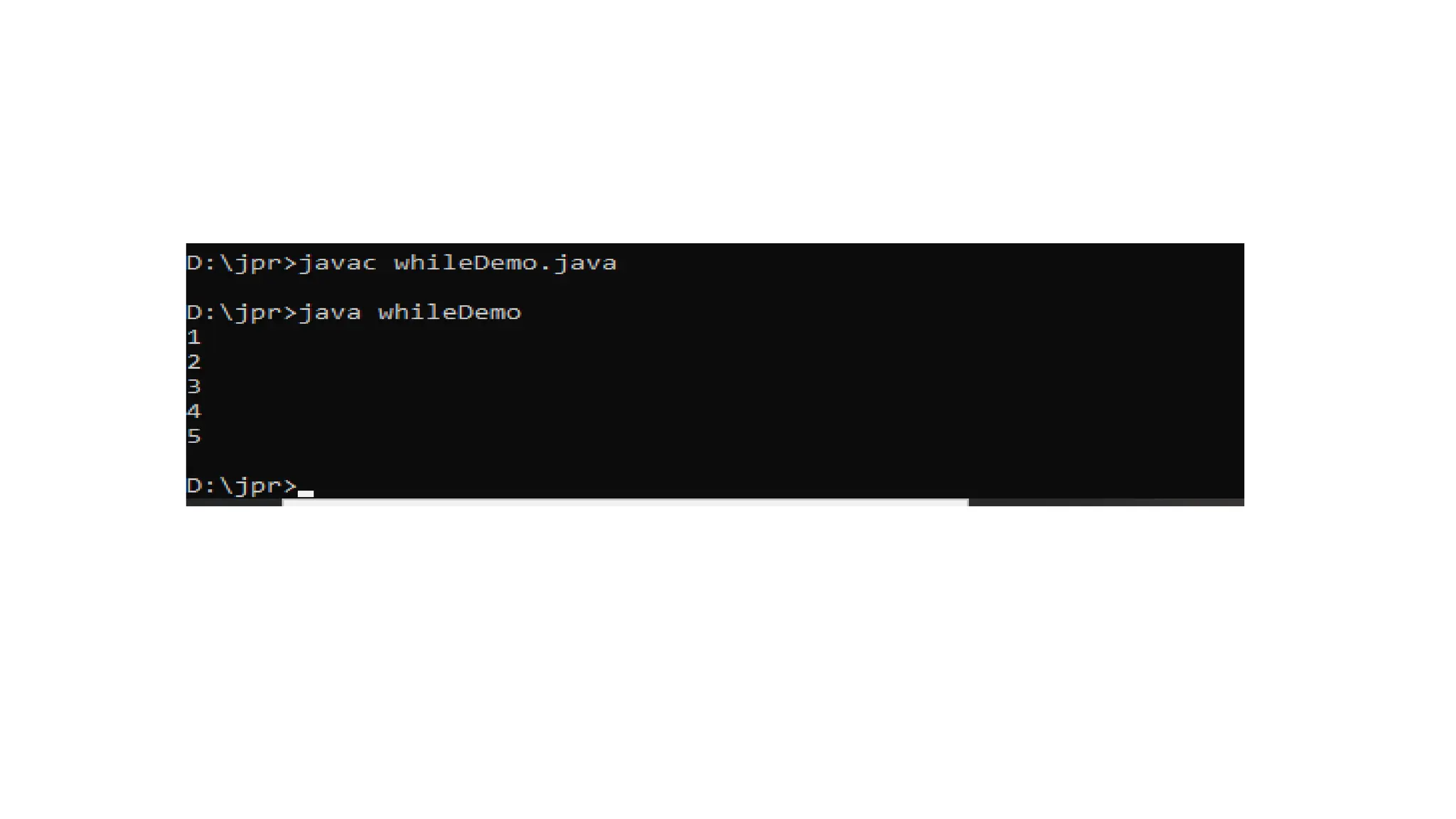
class whileDemo
{
public static void main(String[] args)
{
int count=1,i=0;
while(count<=5)
{
i=i+1;
System.out.println(+i);
count++;
}
}
}
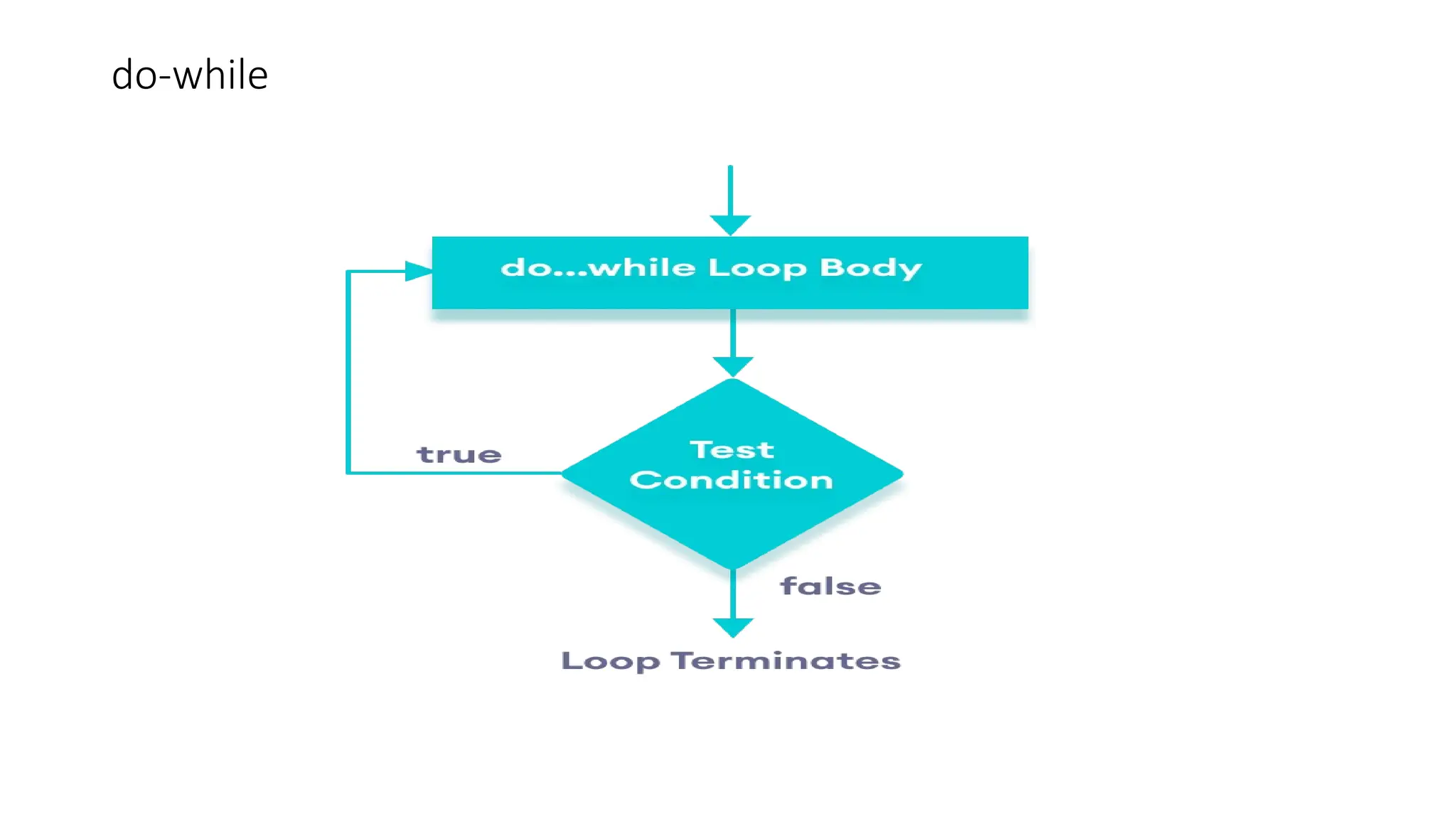
do-while
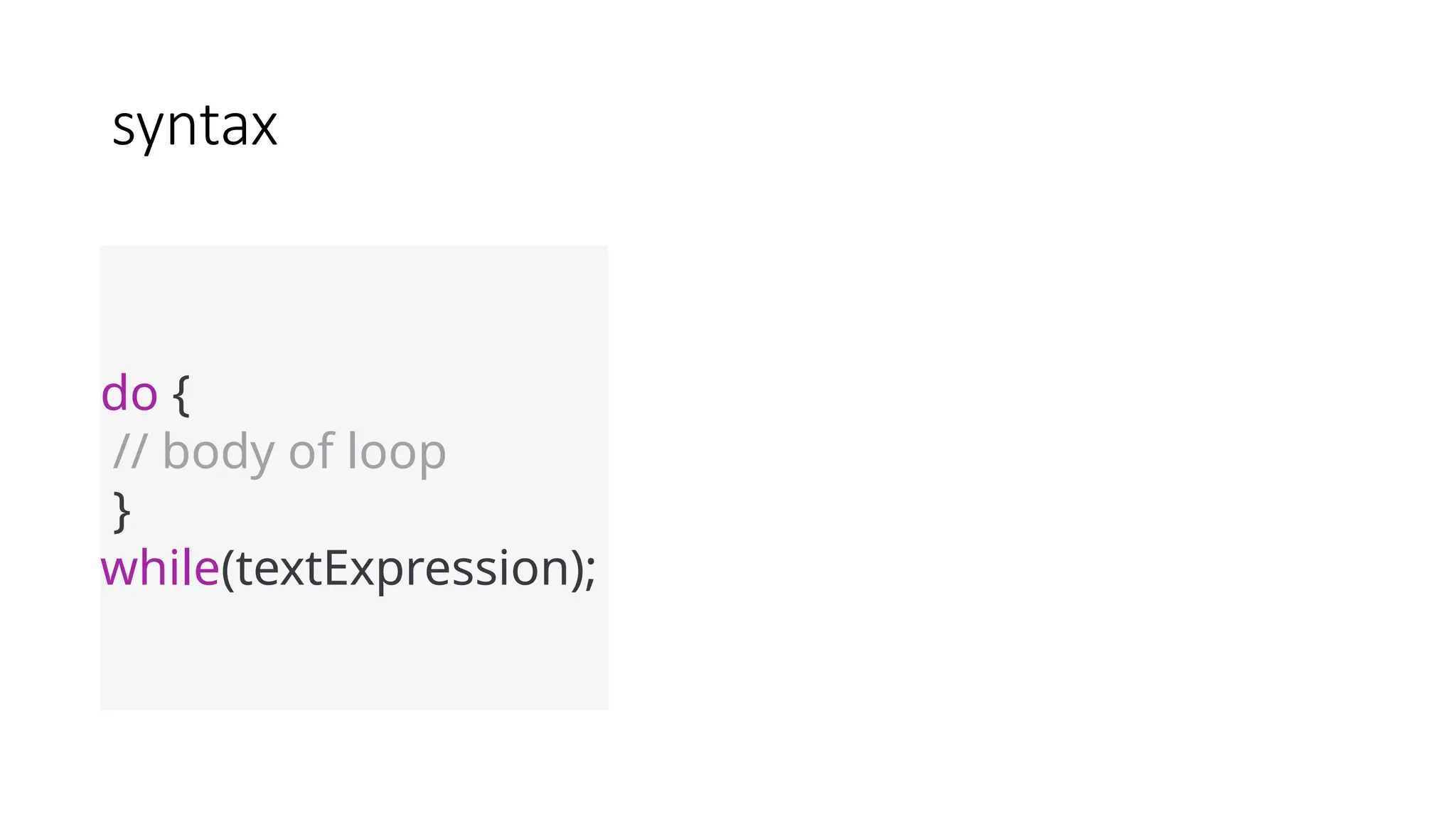
syntax
do {
// body of loop
}
while(textExpression);
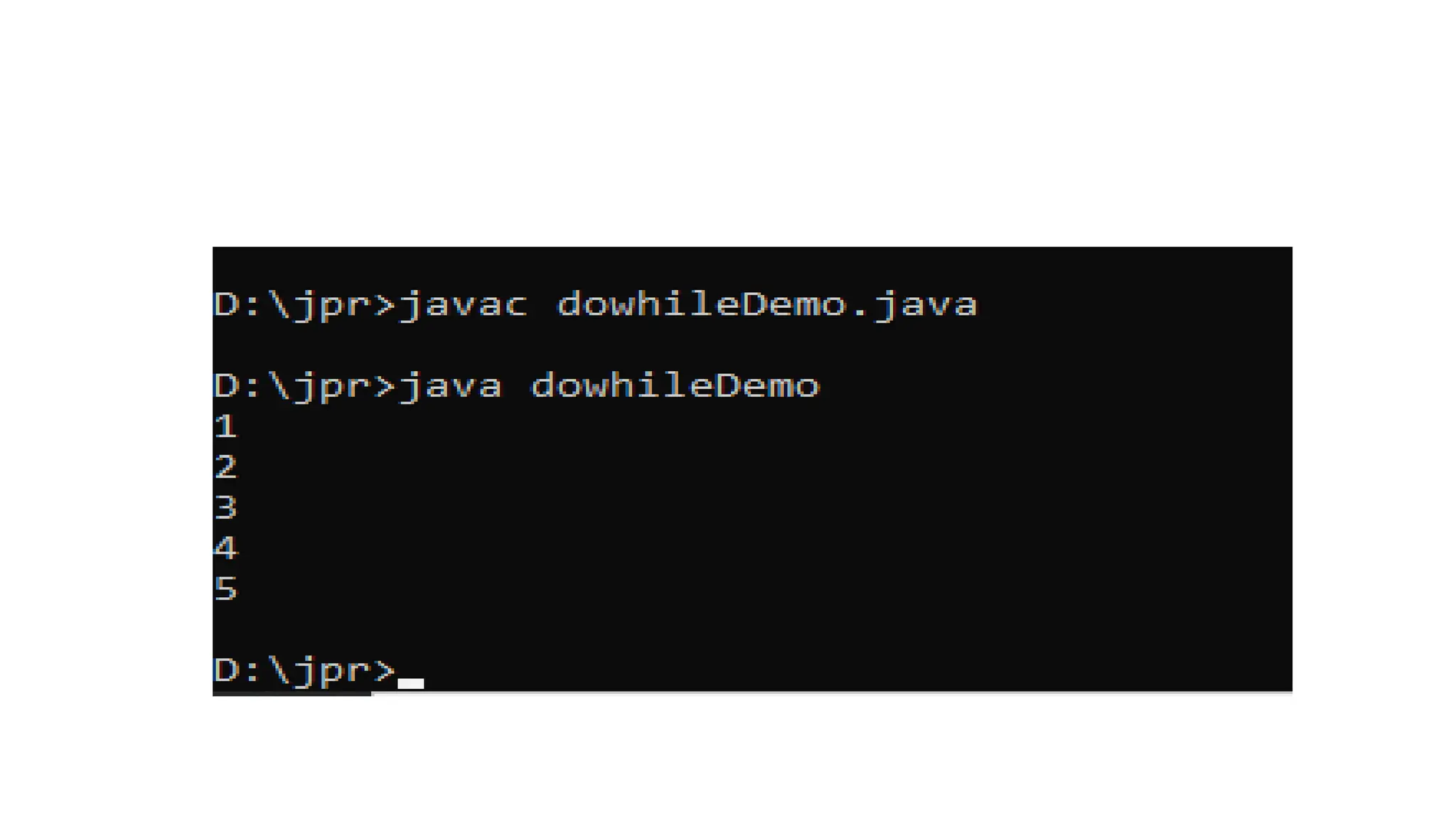
class dowhileDemo
{
public static void main(String[] args)
{
int count=1,i=0;
do{
i=i+1;
System.out.println(+i);
count++;
}while(count<=5);
}
}
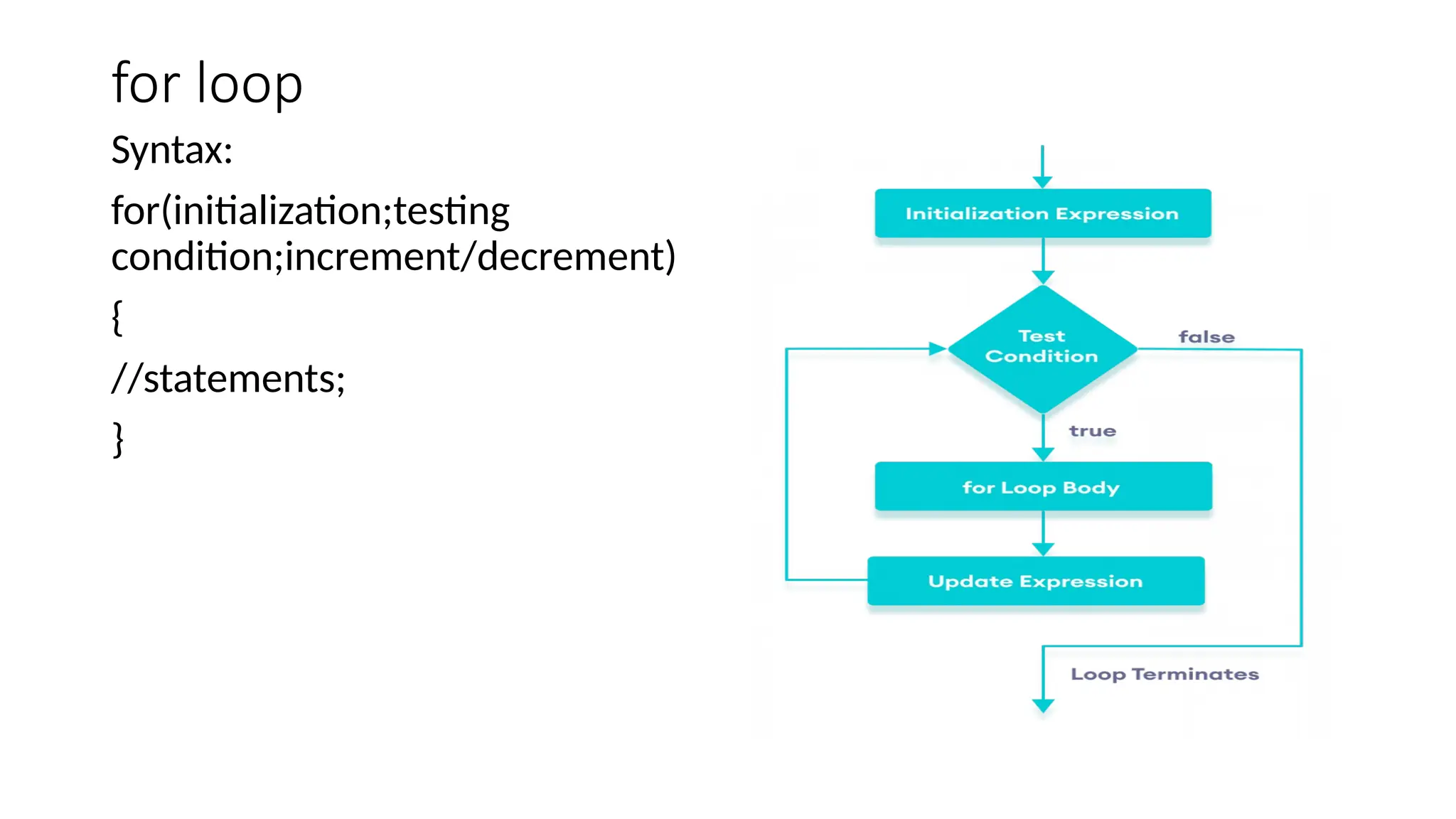
for loop
Syntax:
for(initialization;testing
condition;increment/decrement)
{
//statements;
}
class forDemo
{
public static void main(String[] args)
{
for(int i=0;i<=5;i++)
{
System.out.println(+i);
}
}
}
class forDemoFibo
{
public static void main(String[] args)
{
int f1=1,f2=1,f3;
for(int i=0;i<=10;i++)
{
System.out.println(+f1);
f3=f1+f2;
f1=f2;
f2=f3;
}
}
}
class fornestedDemo
{
public static void main(String[] args)
{
for(int i=1;i<=3;i++)
{
System.out.println("i="+i);
for(int j=1;j<=3;j++)
{
System.out.print("j="+j);
}
System.out.println("n--------");
}
}
}
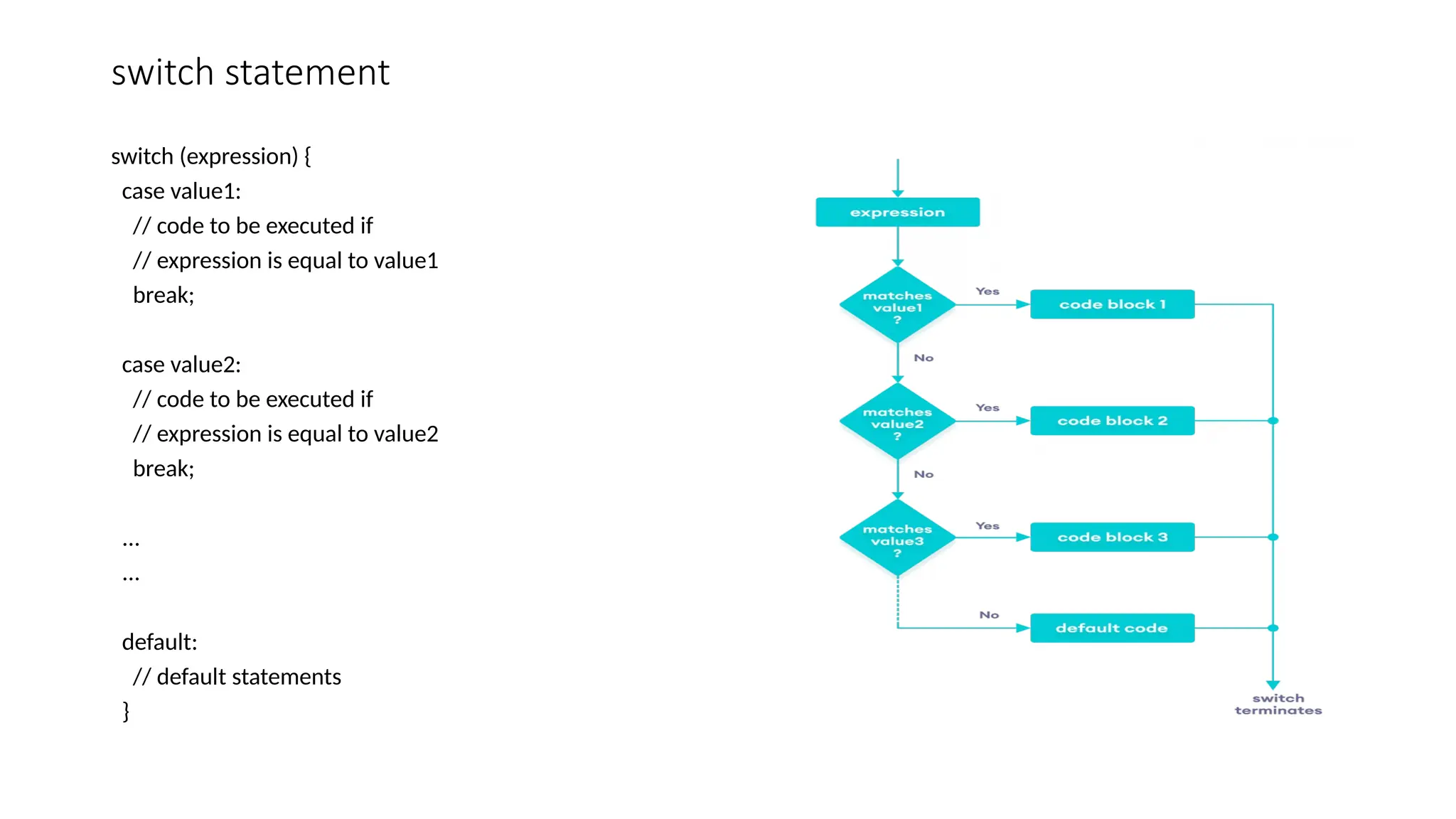
switch statement
switch (expression) {
case value1:
// code to be executed if
// expression is equal to value1
break;
case value2:
// code to be executed if
// expression is equal to value2
break;
...
...
default:
// default statements
}
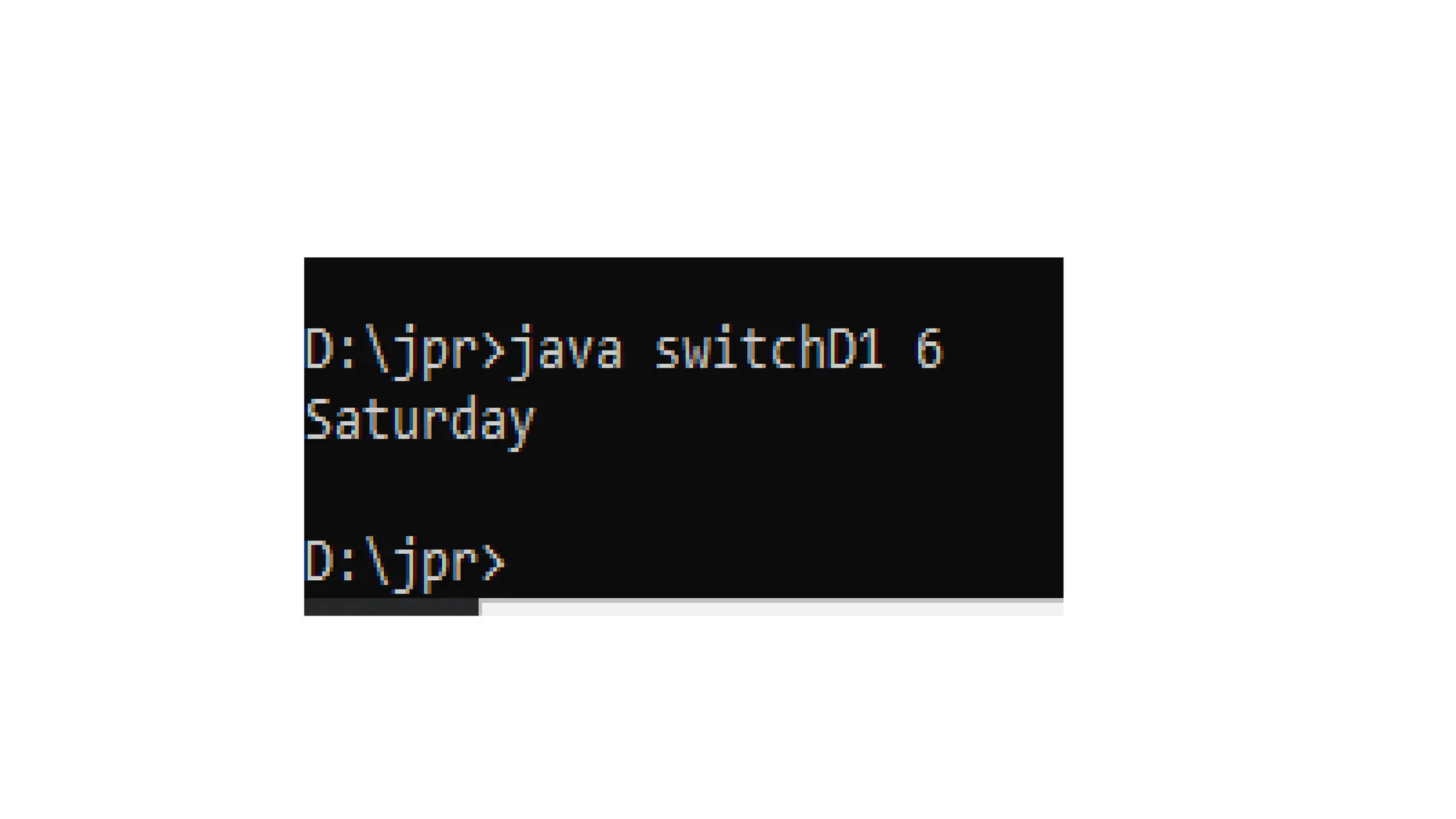
class switchD1
{
public static void main(String
args[])
{
int num;
num=Integer.parseInt(args[0]);
switch(num)
{
case 1:
System.out.println("Monday");
break;
case 2:
System.out.println("Tuesday");
break;
case 3:
System.out.println("wednsday");
break;
case 4:
System.out.println("Thursday");
break;
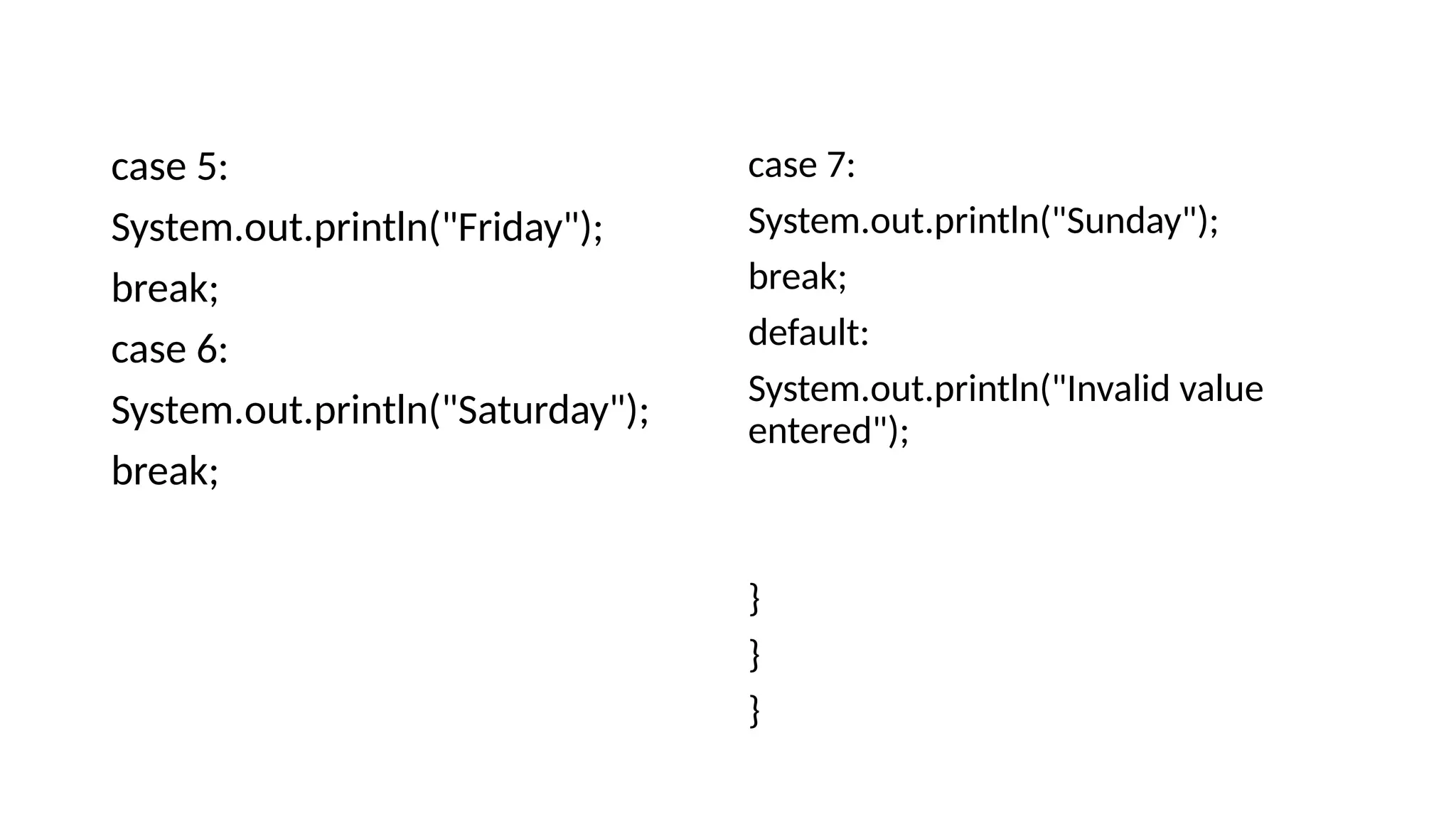
case 5:
System.out.println("Friday");
break;
case 6:
System.out.println("Saturday");
break;
case 7:
System.out.println("Sunday");
break;
default:
System.out.println("Invalid value
entered");
}
}
}
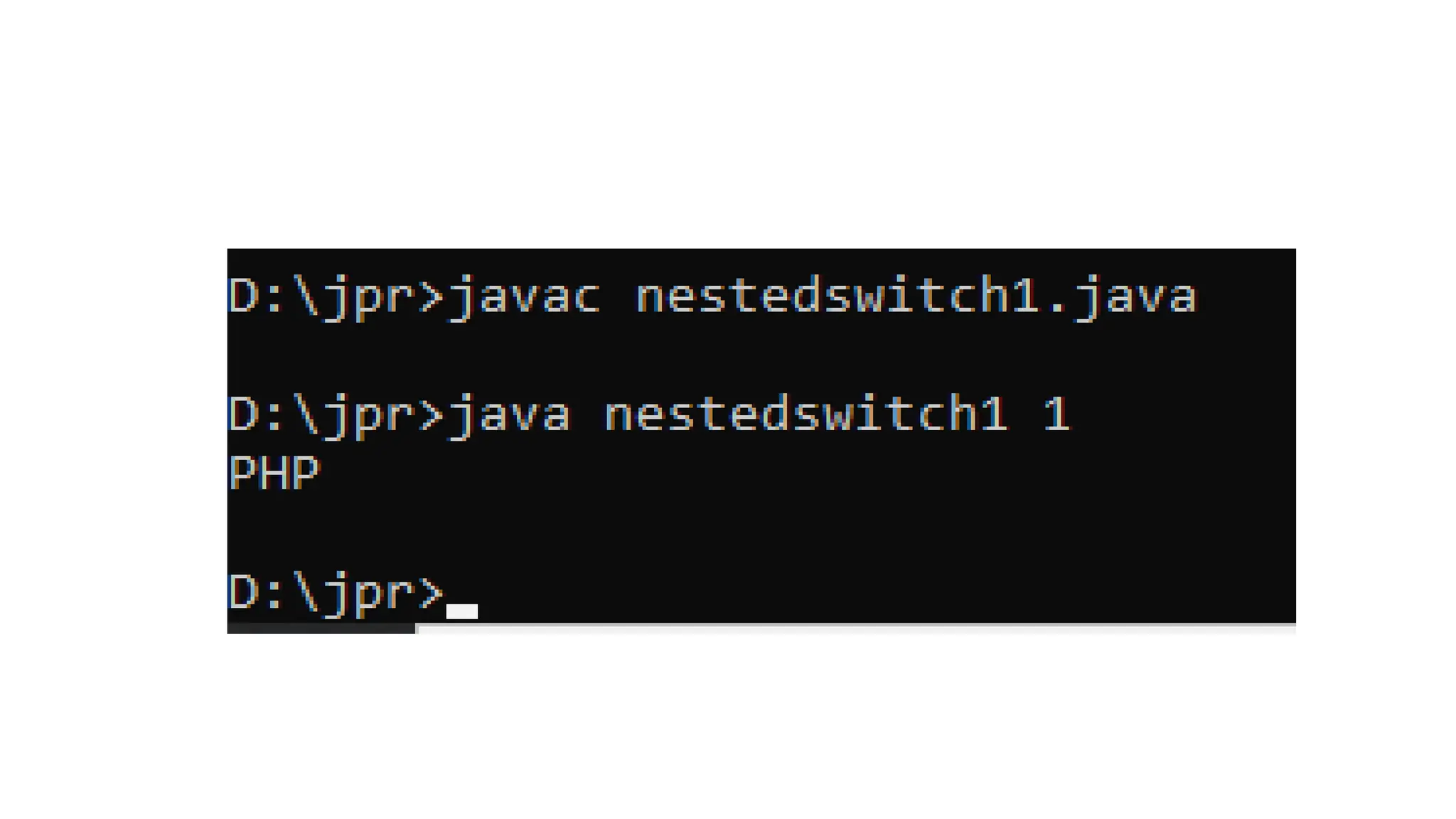
Nested switch
class nestedswitch1
{
public static void main(String args[])
{
int a=1,b=2;
switch(a)
{
case 1:
switch(b)
{
case 1:
System.out.println("Java");
break;
case 2:
System.out.println("PHP");
break;
}
break;
case 2:
switch(b)
{
case 1:
System.out.println("Java");
break;
case 2:
System.out.println("OOP");
break;
}
break;
}
}
}
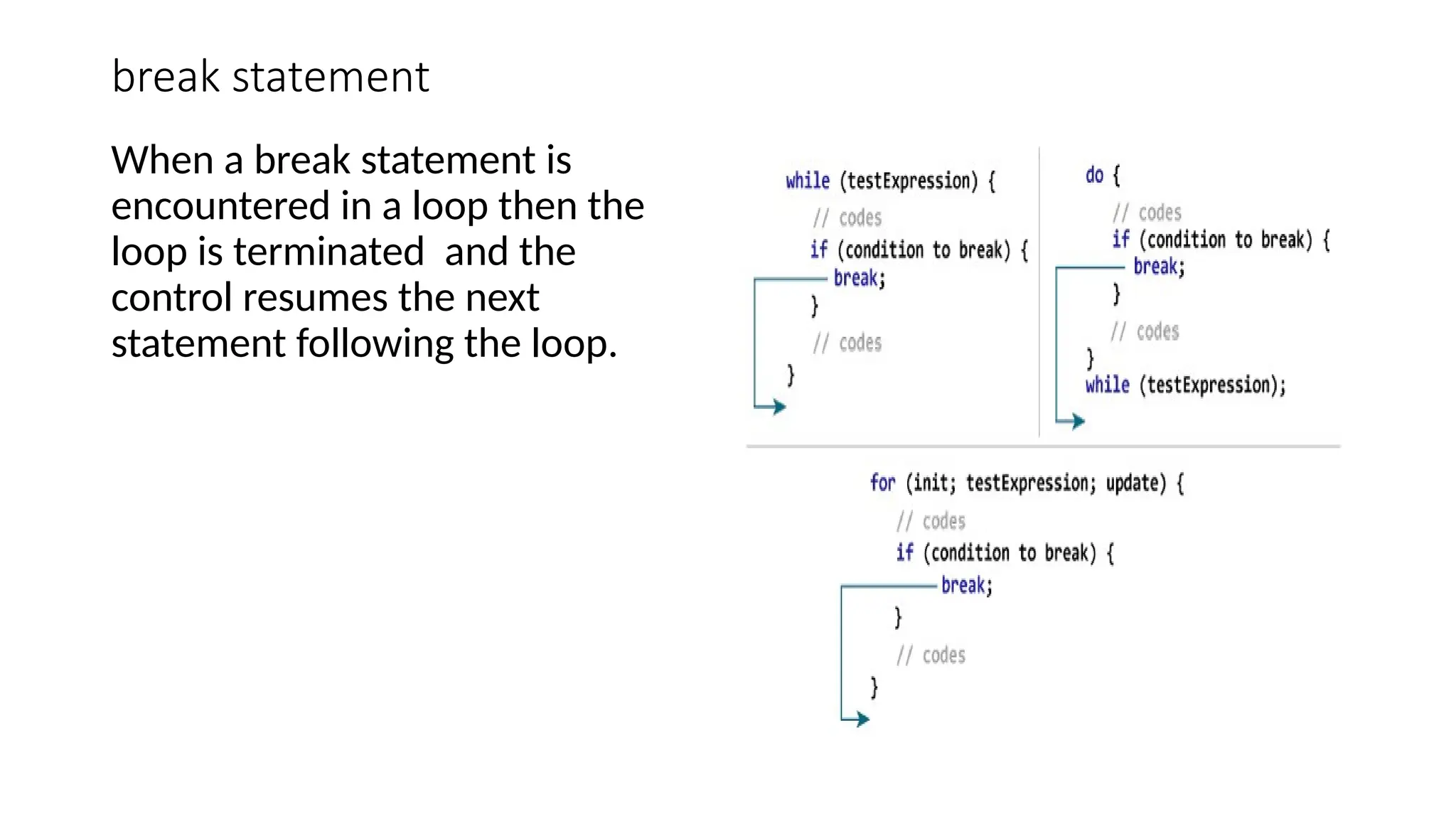
break statement
When a break statement is
encountered in a loop then the
loop is terminated and the
control resumes the next
statement following the loop.
class breakloop
{
public static void main(String args[])
{
for(int i=0;i<10;i++)
{
if(i==5)
break;
System.out.println("i:"+i);
}
System.out.println("loop complete.");
}
}
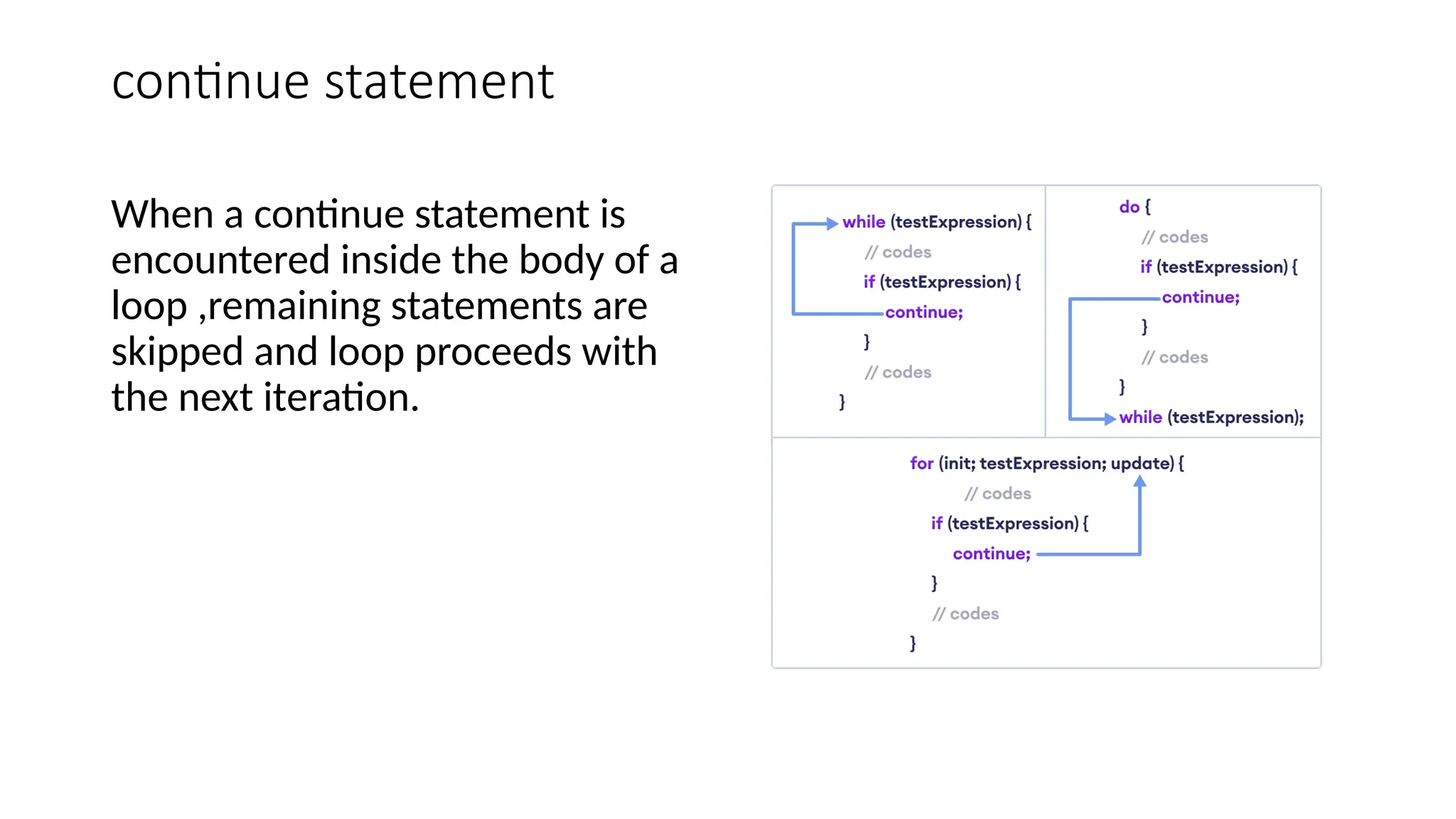
continue statement
When a continue statement is
encountered inside the body of a
loop ,remaining statements are
skipped and loop proceeds with
the next iteration.
class contineloop
{
public static void main(String args[])
{
for(int i=0;i<10;i++)
{
if(i%2==0)
continue;
System.out.print(i+ " ");
}
}
}
return statement
A return statement causes the
program control to transfer
back to the caller of a method.
Every method in Java is
declared with a return type and
it is mandatory for
all java methods. ... The
variable receiving the value
returned by a method must
also be compatible with
the return type specified for
the method.
Conditional if(ternary operator)
Syntax:
Result=testStatement?
value1:value2;
class ConOperator
{
public static void main(String[] args)
{
int a=10,b=20,c;
c = (a > b) ? a : b;
System.out.println(c+ " is greater");
}
}

Unit- 1 -Java - Decision Making . pptx

  • 1.
    Decision Making andlooping in Java If statement: If the test condition is true, then STATEMENT 1 is executed, followed by STATEMENT N. If the condition is False, then the STATEMENT N will run.
  • 2.
  • 4.
    class IfSt { public staticvoid main(String args[]) { int no=10; if(no>0) { System.out.println("no is positive"); } System.out.println("This statement is always executed"); } }
  • 6.
    If-else statement If elsestatements in Java is also used to control the program flow based on some condition, only the difference is: it's used to execute some statement code block if the expression is evaluated to true, otherwise executes else statement code block.
  • 7.
    Syntax: if(condition) { //Statement to executeif the condition is true; } Else { //Statement to execute if the condition is false; }
  • 9.
    class IfelseSt1 { public staticvoid main(String args[]) { int no=Integer.parseInt(args[0]); if(no>0) { System.out.println("no is positive"); } else { System.out.println("no is negative"); } System.out.println("This statement is always executed"); } }
  • 11.
    Nested if-else In Java,the Nested if statement is a if inside another if. In this, one if block is created inside another if block when the outer block is true then only the inner block is executed. Syntax:
  • 12.
    Syntax: if(condition1) { //Statement to executeif the condition1 is true; if(condition2) { //Statement to execute if the condition2 is true; } }
  • 14.
    class nestedif { public staticvoid main(String args[]) { int a=Integer.parseInt(args[0]); int b=Integer.parseInt(args[1]); int c=Integer.parseInt(args[2]); int max; if(a>=b) { if(a>=c) { max=a; } else { max=c; } } else { if(b>=c) { max=b; } else { max=c; } } System.out.println("Max no is="+max); } }
  • 16.
    If-else-if ladder • Javaif-else-if ladder is used to decide among multiple options. The if statements are executed from the top down. As soon as one of the conditions controlling the if is true, the statement associated with that if is executed, and the rest of the ladder is bypassed. If none of the conditions is true, then the final else statement will be executed. Syntax: if (condition) statement 1; else if (condition) statement 2; . . else statement;
  • 19.
    class ifelseif { public staticvoid main(String args[]) { int a=0; a=Integer.parseInt(args[0]); if(a>0) { System.out.println("Number is positive"); } else if(a<0) { System.out.println("Number is negative"); } else { System.out.println("Number is zero"); } } }
  • 21.
    While statement Java whileloop is a control flow statement that allows code to be executed repeatedly based on a given Boolean condition. The while loop can be thought of as a repeating if statement. ... If the condition evaluates to true then we will execute the body of the loop and go to update expression. Syntax: while (test_expression) { // statements update_expression; }
  • 24.
    class whileDemo { public staticvoid main(String[] args) { int count=1,i=0; while(count<=5) { i=i+1; System.out.println(+i); count++; } } }
  • 26.
  • 27.
    syntax do { // bodyof loop } while(textExpression);
  • 28.
    class dowhileDemo { public staticvoid main(String[] args) { int count=1,i=0; do{ i=i+1; System.out.println(+i); count++; }while(count<=5); } }
  • 30.
  • 31.
    class forDemo { public staticvoid main(String[] args) { for(int i=0;i<=5;i++) { System.out.println(+i); } } }
  • 32.
    class forDemoFibo { public staticvoid main(String[] args) { int f1=1,f2=1,f3; for(int i=0;i<=10;i++) { System.out.println(+f1); f3=f1+f2; f1=f2; f2=f3; } } }
  • 33.
    class fornestedDemo { public staticvoid main(String[] args) { for(int i=1;i<=3;i++) { System.out.println("i="+i); for(int j=1;j<=3;j++) { System.out.print("j="+j); } System.out.println("n--------"); } } }
  • 34.
    switch statement switch (expression){ case value1: // code to be executed if // expression is equal to value1 break; case value2: // code to be executed if // expression is equal to value2 break; ... ... default: // default statements }
  • 35.
    class switchD1 { public staticvoid main(String args[]) { int num; num=Integer.parseInt(args[0]); switch(num) { case 1: System.out.println("Monday"); break; case 2: System.out.println("Tuesday"); break; case 3: System.out.println("wednsday"); break; case 4: System.out.println("Thursday"); break;
  • 36.
    case 5: System.out.println("Friday"); break; case 6: System.out.println("Saturday"); break; case7: System.out.println("Sunday"); break; default: System.out.println("Invalid value entered"); } } }
  • 38.
    Nested switch class nestedswitch1 { publicstatic void main(String args[]) { int a=1,b=2; switch(a) { case 1: switch(b) { case 1: System.out.println("Java"); break; case 2: System.out.println("PHP"); break; } break; case 2: switch(b) { case 1: System.out.println("Java"); break; case 2: System.out.println("OOP"); break; } break; } } }
  • 40.
    break statement When abreak statement is encountered in a loop then the loop is terminated and the control resumes the next statement following the loop.
  • 41.
    class breakloop { public staticvoid main(String args[]) { for(int i=0;i<10;i++) { if(i==5) break; System.out.println("i:"+i); } System.out.println("loop complete."); } }
  • 42.
    continue statement When acontinue statement is encountered inside the body of a loop ,remaining statements are skipped and loop proceeds with the next iteration.
  • 43.
    class contineloop { public staticvoid main(String args[]) { for(int i=0;i<10;i++) { if(i%2==0) continue; System.out.print(i+ " "); } } }
  • 44.
    return statement A returnstatement causes the program control to transfer back to the caller of a method. Every method in Java is declared with a return type and it is mandatory for all java methods. ... The variable receiving the value returned by a method must also be compatible with the return type specified for the method.
  • 45.
    Conditional if(ternary operator) Syntax: Result=testStatement? value1:value2; classConOperator { public static void main(String[] args) { int a=10,b=20,c; c = (a > b) ? a : b; System.out.println(c+ " is greater"); } }