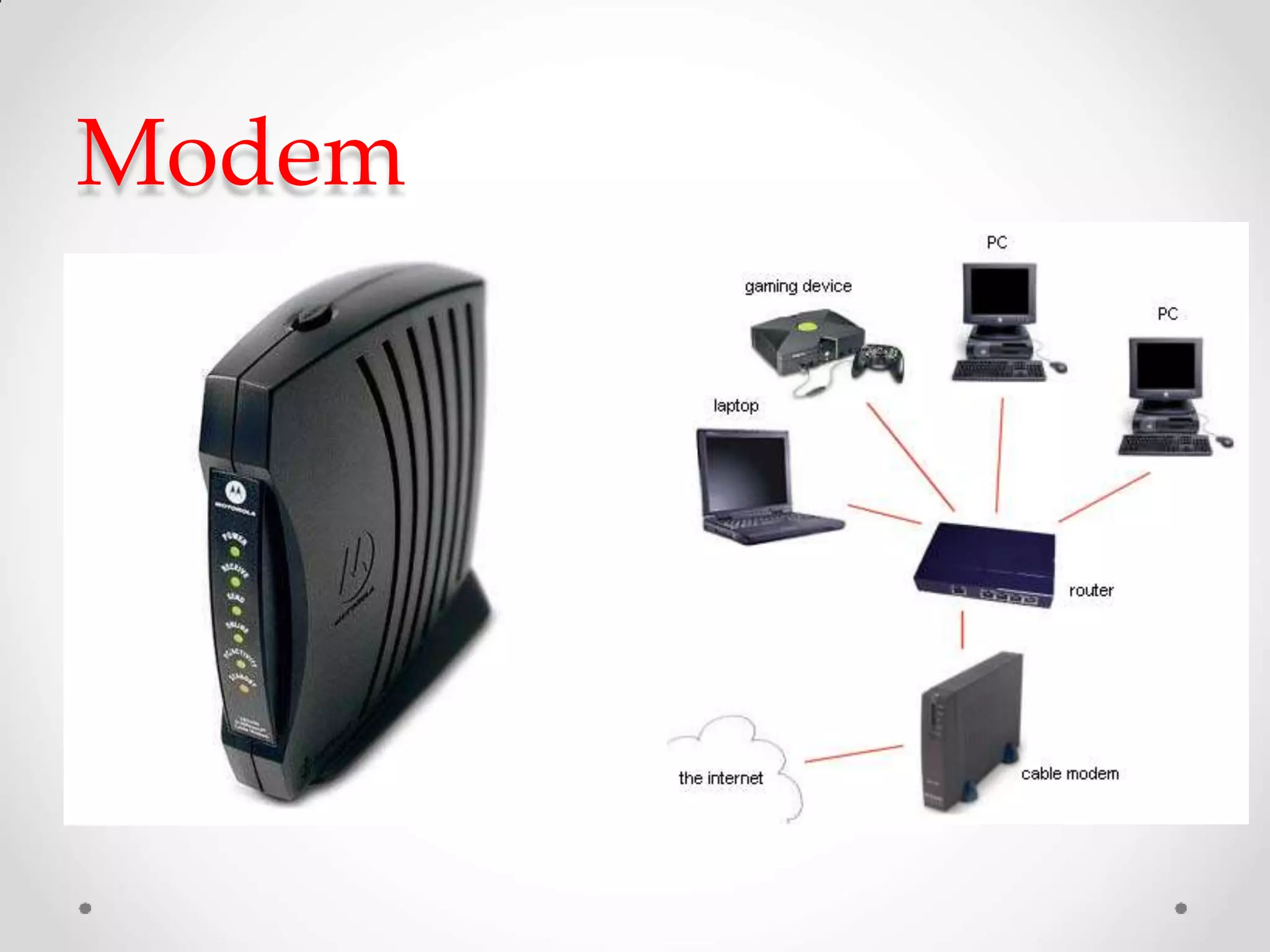
Modem
Introduction:
• A modem [Modulator -Demodulator] is a device.
• Data communication means transmitting digital
information form one computer to other computers
through the comunication channels.
• Communicate equipment used for long distance data
transfer through telephone lines.
• A pair of modems are needed to communication
Modem
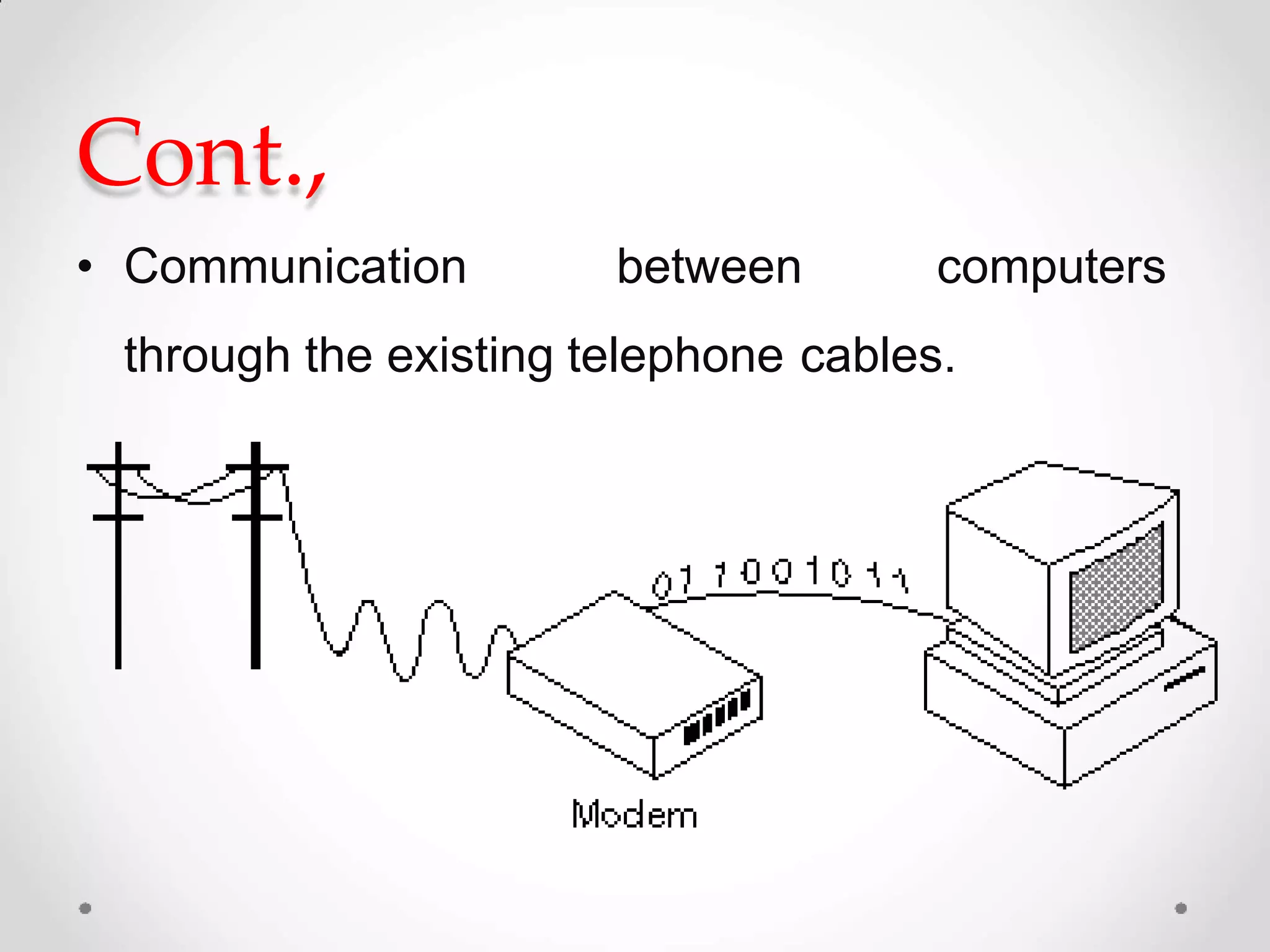
Cont.,
• Communication between computers
through the existing telephone cables.
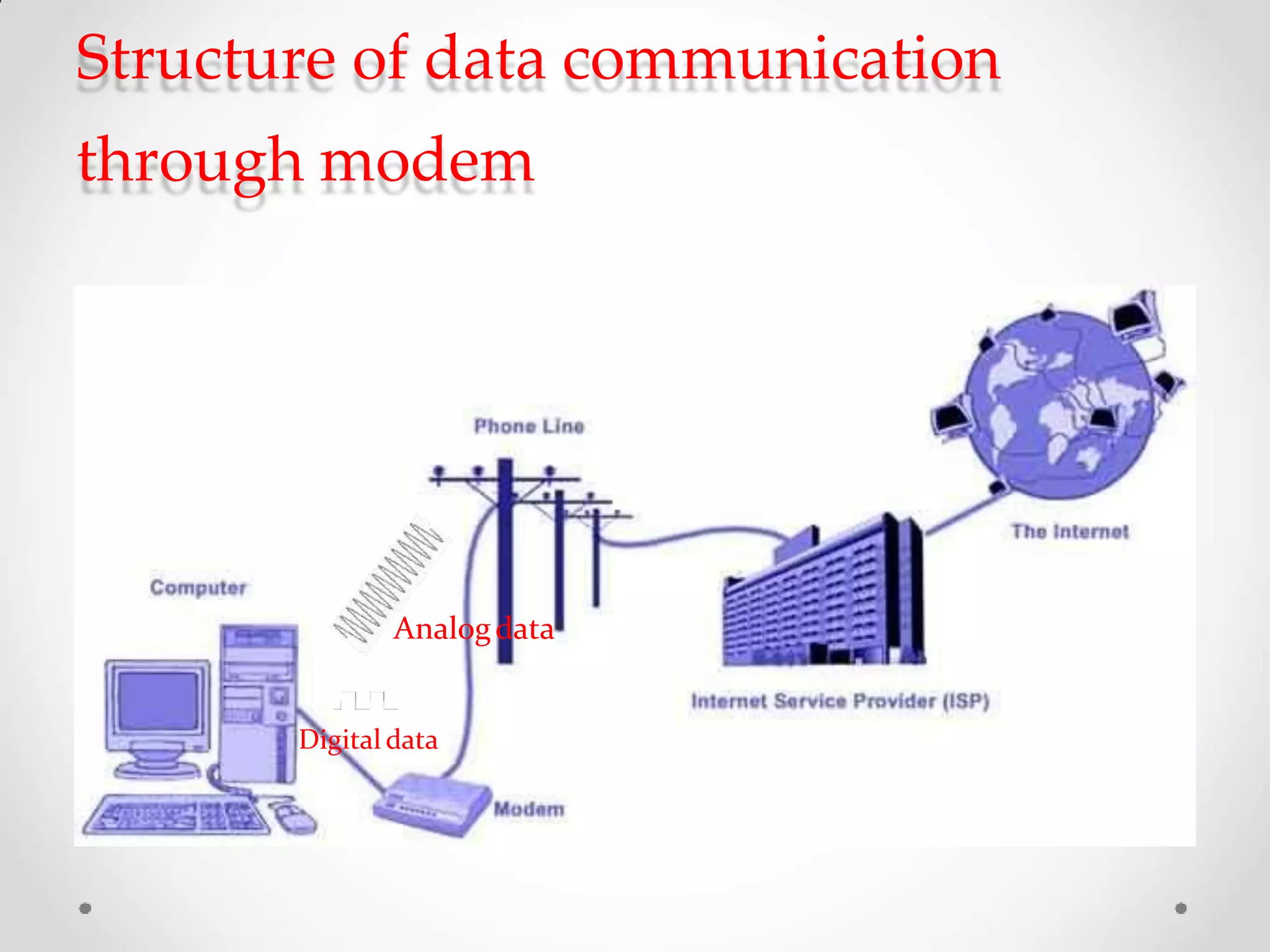
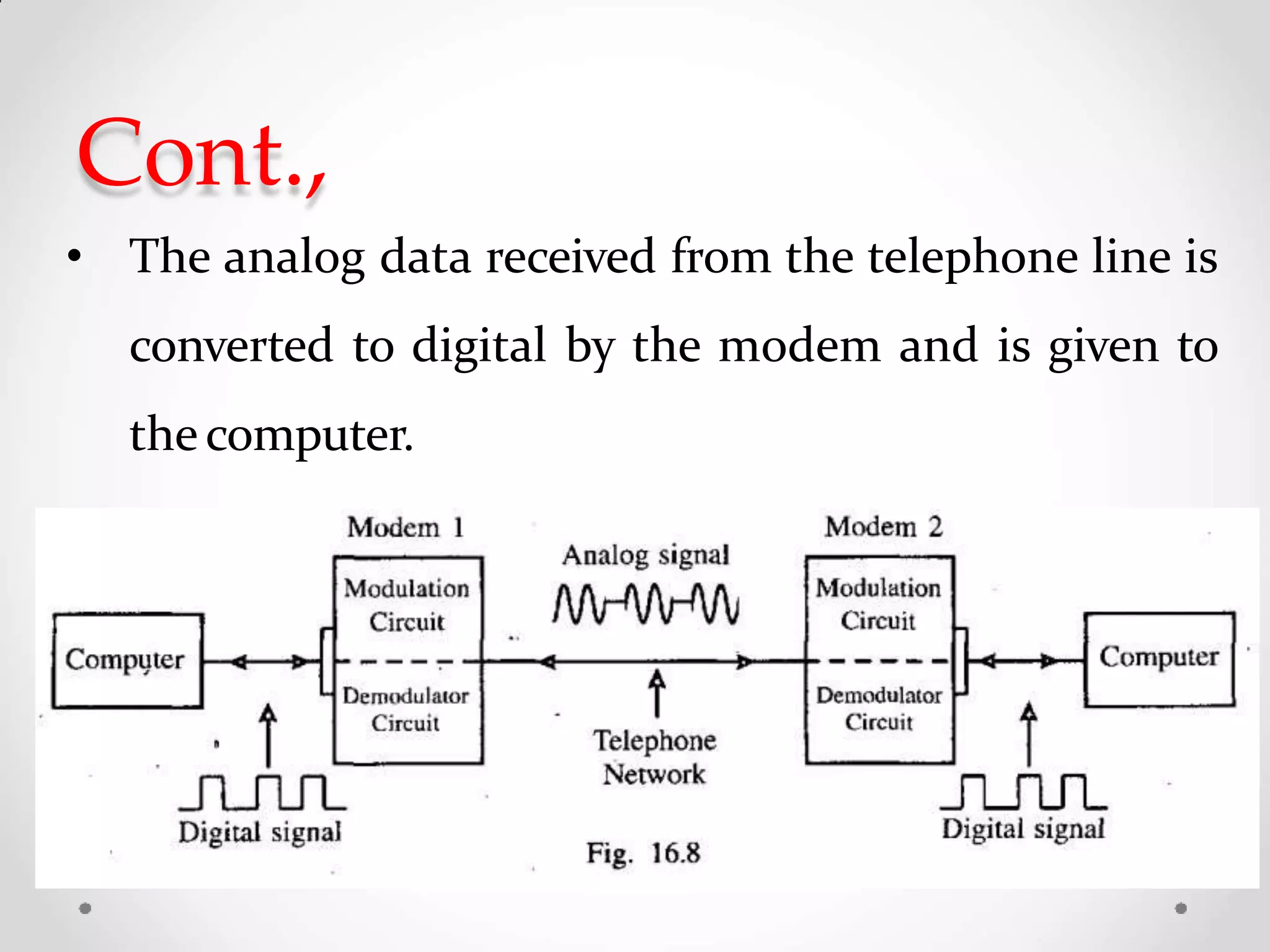
Structure of data communication
through modem
Analogdata
Digital data
Working principle
• The digital
converted
data from the computer
is into analog
data
by the
over themodem and are transmitted
telephone line.
Cont.,
• The analog data received from the telephone line is
converted to digital by the modem and is given to
thecomputer.
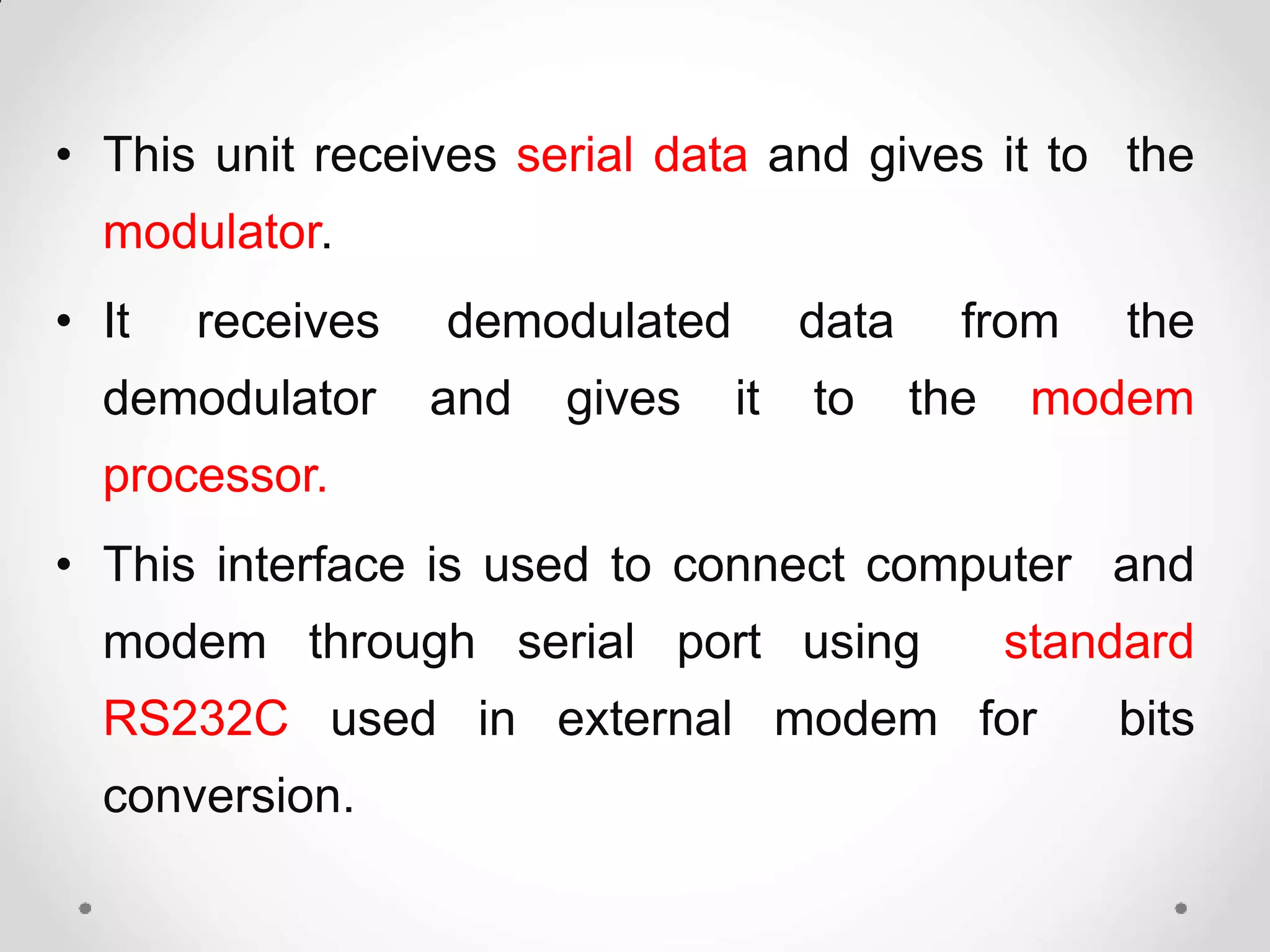
• This unit receives serial data and gives it to the
modulator.
• It receives demodulated data from the
demodulator and gives it to the modem
processor.
• This interface is used to connect computer and
modem through serial port using standard
RS232C used in external modem for bits
conversion.
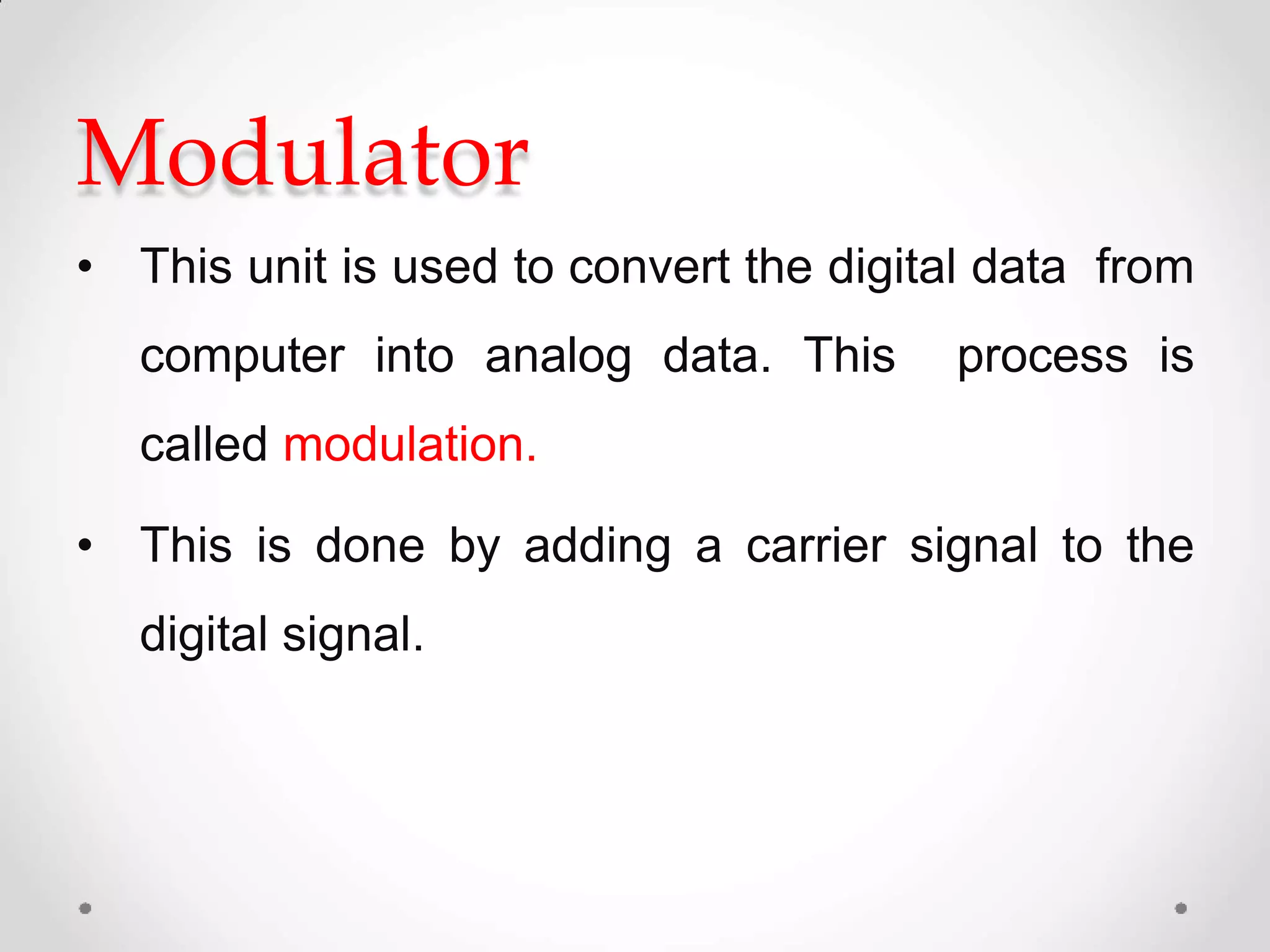
Modulator
• This unit is used to convert the digital data from
computer into analog data. This process is
called modulation.
• This is done by adding a carrier signal to the
digital signal.
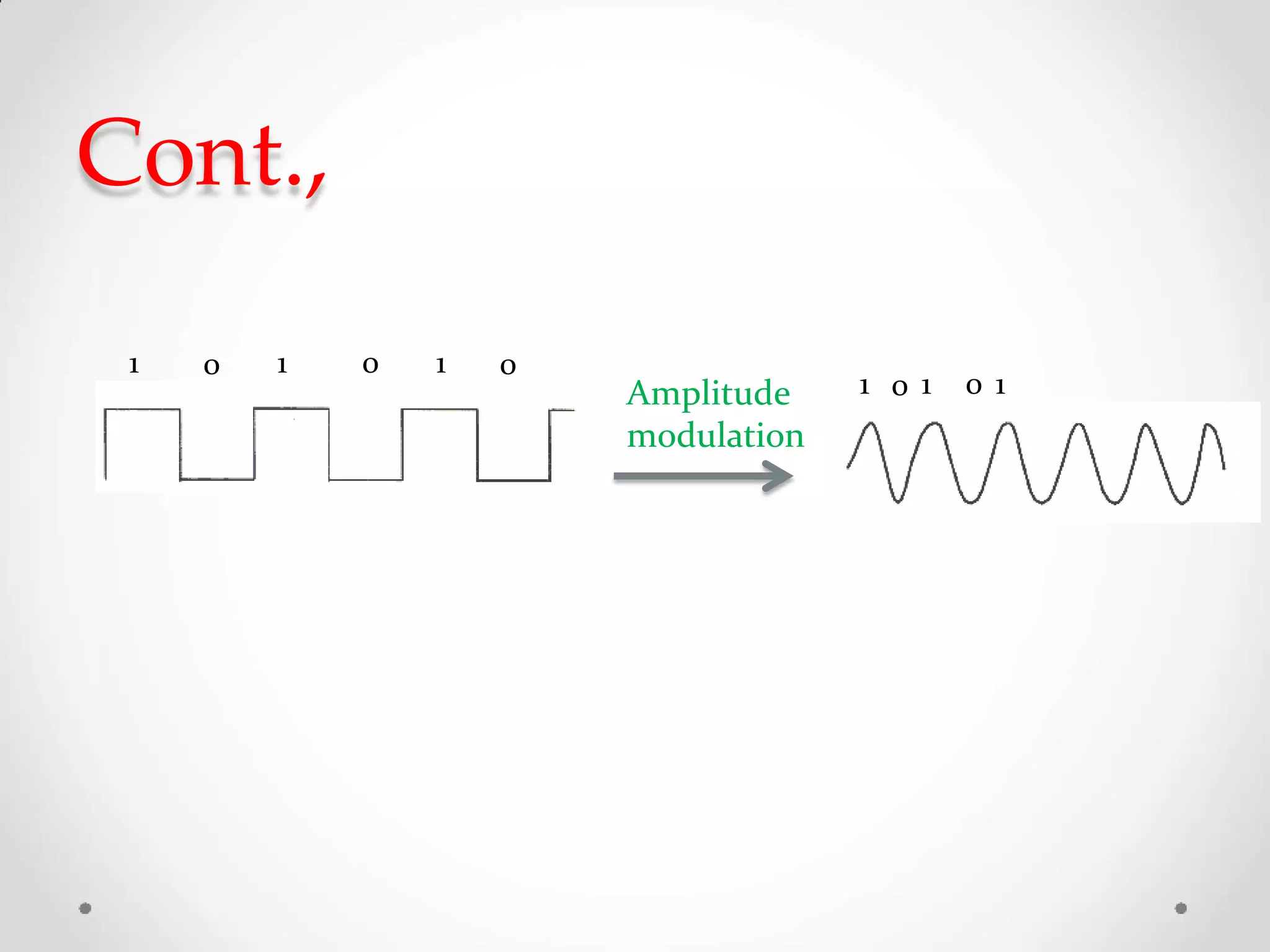
Cont.,
0 01 1 0 1
1 0 1 0 1Amplitude
modulation
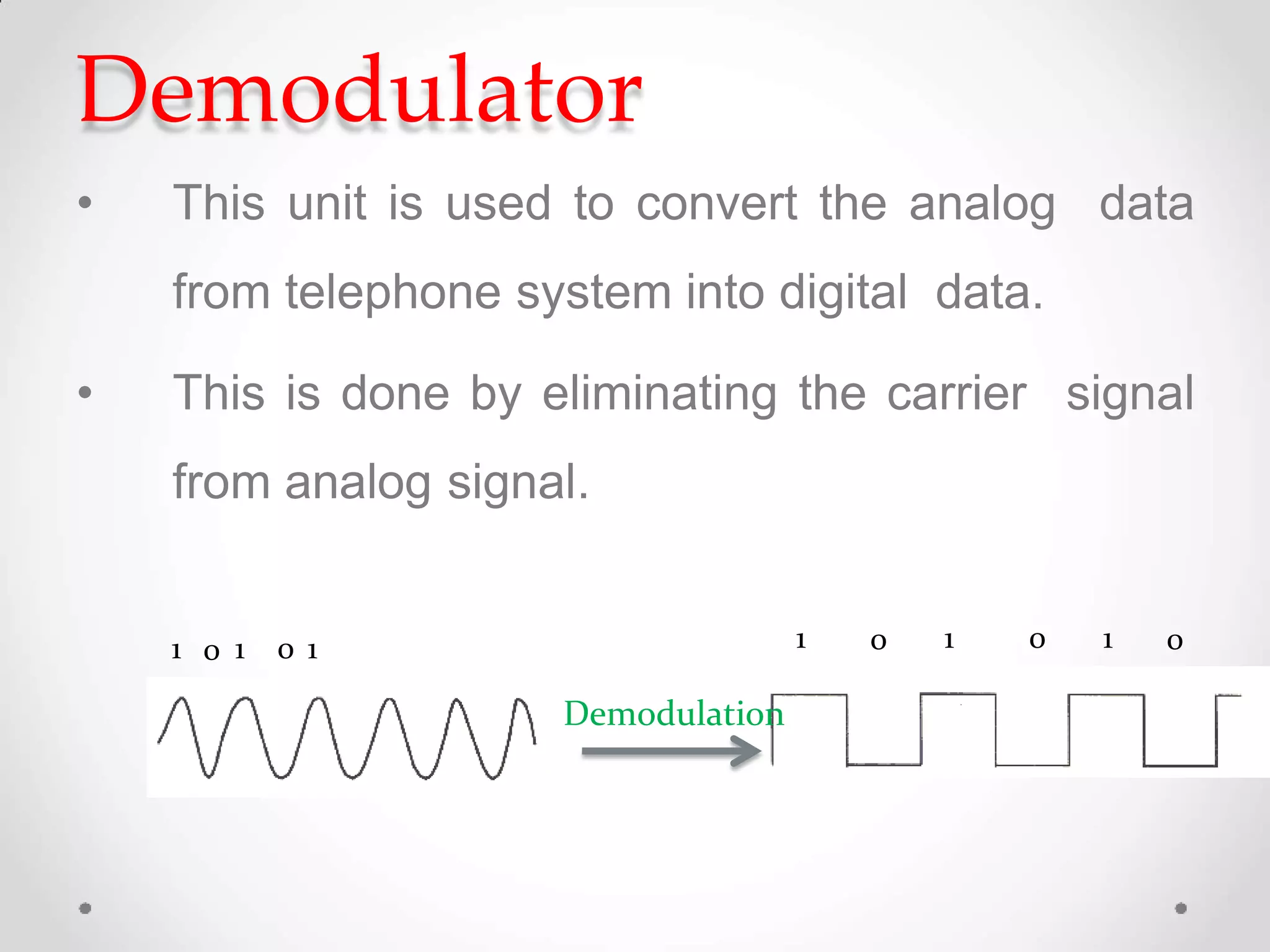
Demodulator
• This unit is used to convert the analog data
from telephone system into digital data.
• This is done by eliminating the carrier signal
from analog signal.
1 0 1 0 1 1 0 1 0 1 0
Demodulation
Phone interface
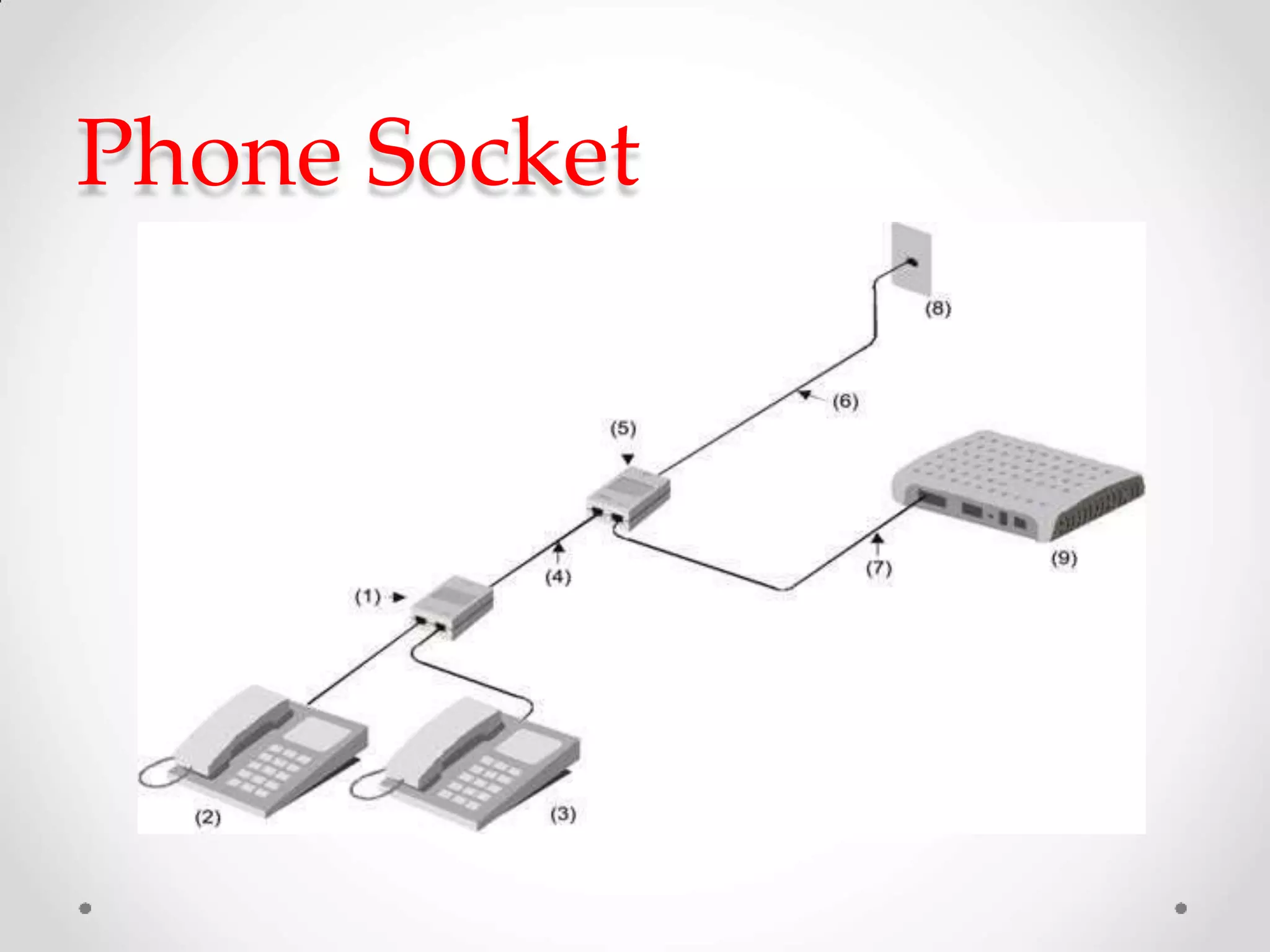
• Connect modem with the phone socket.
• Dial the umber for making communication.
• Detect the incoming ring signals.
• Connect speaker
information, ring
for
tone,
giving
data
voice
tone,
engaged tone etc.,
Phone Socket
Types of modems
Two types of modem.
 External modem
 Internal modem
External modem
External modem
• External modem is separate device and
is kept outside the computer.
• A 9 pin (DB9) or 25 pin serial cable connects
the PC serial port to the modem. Thus CPU
need not be opened during modem installation.
• External modems avoid hardware conflicts such
as (conflict of I/O address lines and that of
interrupt lines) the external modem setup is
faster and easier than internal modems.
Internal modem
• Internal modem is a part of the computer
and is connected inside the system.
Internal modem
• Internal modem that plugs directly into PCI or ISA
expansion slot.
• Peripheral Component Interconnect
• Industry Standard Architecture
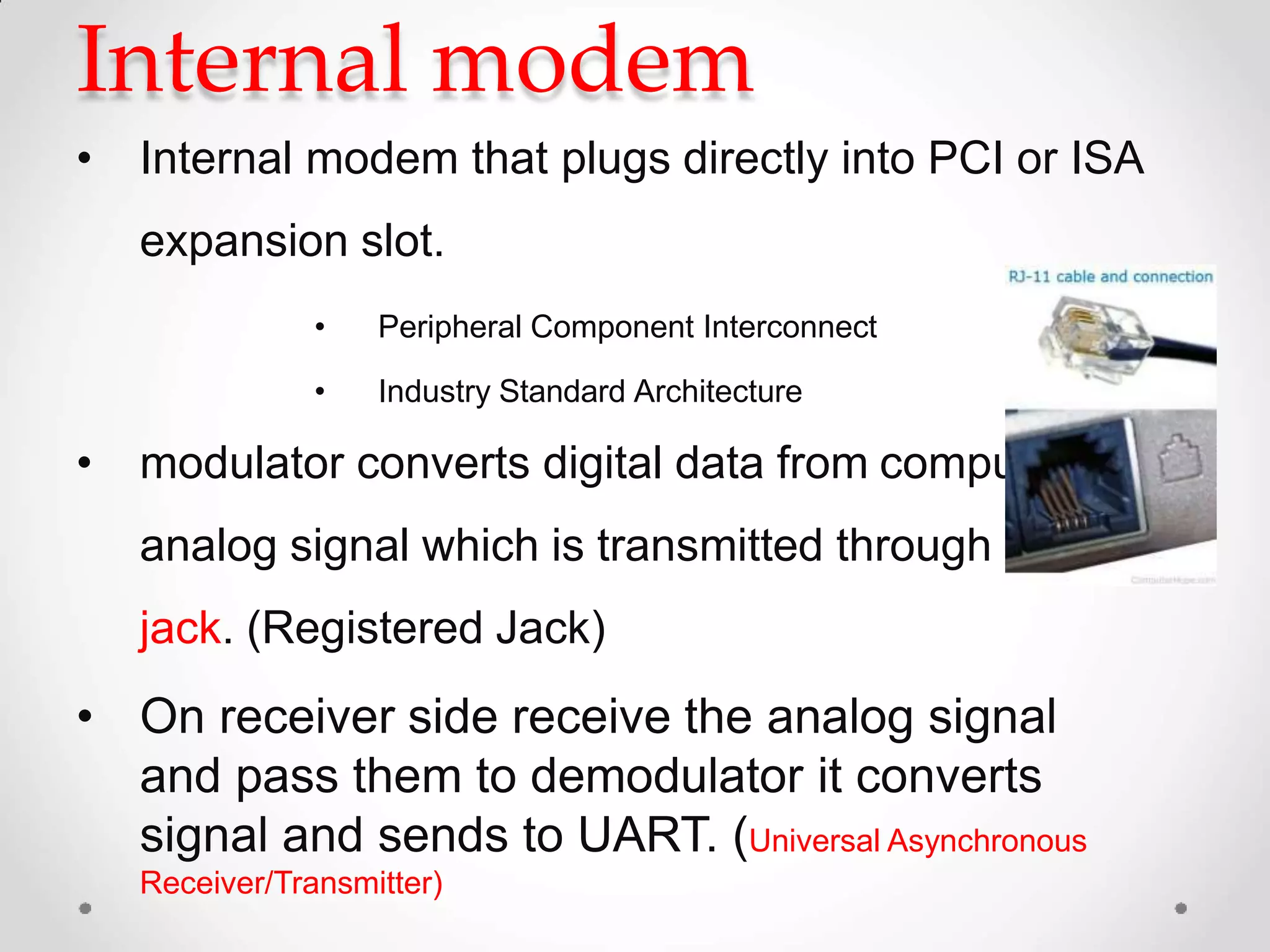
• modulator converts digital data from computer into
analog signal which is transmitted through RJ-11
jack. (Registered Jack)
• On receiver side receive the analog signal
and pass them to demodulator it converts
signal and sends to UART. (Universal Asynchronous
Receiver/Transmitter)
Internal modem
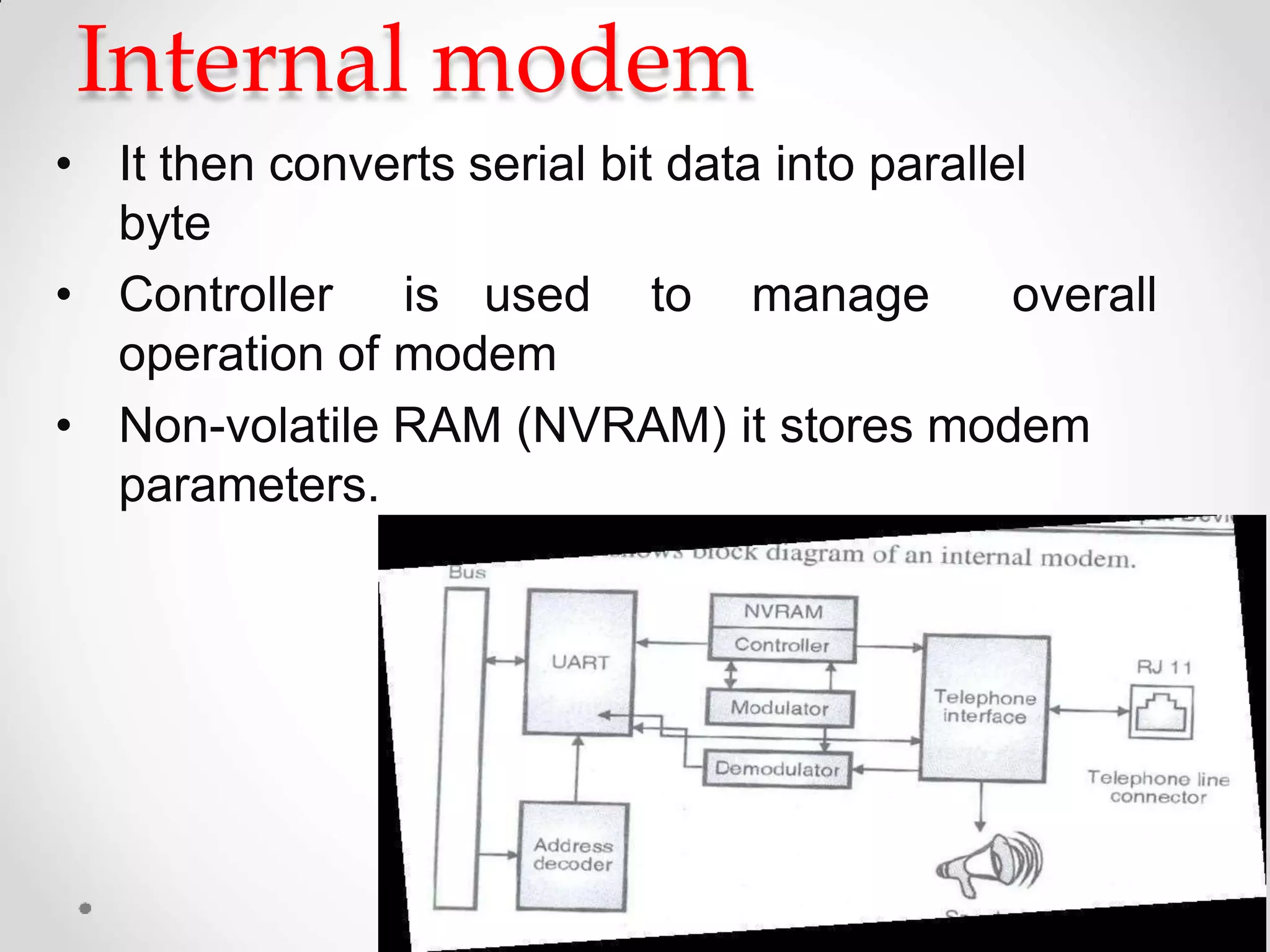
• It then converts serial bit data into parallel
byte
• Controller is used to manage overall
operation of modem
• Non-volatile RAM (NVRAM) it stores modem
parameters.
Installing
• Switch off the computer and connect the
modem.
• The computer is switched on , it detect the
modem and displays new hardware found
dialog box.
• Insert the installation CD.
• After completing installation close the windows
and restart the computer.
• Test the modem by the phone dialer option
given in the accessories.

Types of Computer Modem

  • 1.
    Modem Introduction: • A modem[Modulator -Demodulator] is a device. • Data communication means transmitting digital information form one computer to other computers through the comunication channels. • Communicate equipment used for long distance data transfer through telephone lines. • A pair of modems are needed to communication
  • 2.
  • 3.
    Cont., • Communication betweencomputers through the existing telephone cables.
  • 4.
    Structure of datacommunication through modem Analogdata Digital data
  • 5.
    Working principle • Thedigital converted data from the computer is into analog data by the over themodem and are transmitted telephone line.
  • 6.
    Cont., • The analogdata received from the telephone line is converted to digital by the modem and is given to thecomputer.
  • 7.
    • This unitreceives serial data and gives it to the modulator. • It receives demodulated data from the demodulator and gives it to the modem processor. • This interface is used to connect computer and modem through serial port using standard RS232C used in external modem for bits conversion.
  • 8.
    Modulator • This unitis used to convert the digital data from computer into analog data. This process is called modulation. • This is done by adding a carrier signal to the digital signal.
  • 9.
    Cont., 0 01 10 1 1 0 1 0 1Amplitude modulation
  • 10.
    Demodulator • This unitis used to convert the analog data from telephone system into digital data. • This is done by eliminating the carrier signal from analog signal. 1 0 1 0 1 1 0 1 0 1 0 Demodulation
  • 11.
    Phone interface • Connectmodem with the phone socket. • Dial the umber for making communication. • Detect the incoming ring signals. • Connect speaker information, ring for tone, giving data voice tone, engaged tone etc.,
  • 12.
  • 13.
    Types of modems Twotypes of modem.  External modem  Internal modem
  • 14.
  • 15.
    External modem • Externalmodem is separate device and is kept outside the computer. • A 9 pin (DB9) or 25 pin serial cable connects the PC serial port to the modem. Thus CPU need not be opened during modem installation. • External modems avoid hardware conflicts such as (conflict of I/O address lines and that of interrupt lines) the external modem setup is faster and easier than internal modems.
  • 16.
    Internal modem • Internalmodem is a part of the computer and is connected inside the system.
  • 17.
    Internal modem • Internalmodem that plugs directly into PCI or ISA expansion slot. • Peripheral Component Interconnect • Industry Standard Architecture • modulator converts digital data from computer into analog signal which is transmitted through RJ-11 jack. (Registered Jack) • On receiver side receive the analog signal and pass them to demodulator it converts signal and sends to UART. (Universal Asynchronous Receiver/Transmitter)
  • 18.
    Internal modem • Itthen converts serial bit data into parallel byte • Controller is used to manage overall operation of modem • Non-volatile RAM (NVRAM) it stores modem parameters.
  • 19.
    Installing • Switch offthe computer and connect the modem. • The computer is switched on , it detect the modem and displays new hardware found dialog box. • Insert the installation CD. • After completing installation close the windows and restart the computer. • Test the modem by the phone dialer option given in the accessories.