Tool Development
Appendix A: Git
Nick Prühs
Objectives
• To get an overview of version control systems in
general
• To learn how to use Git in a production
environment
• To understand advanced concepts of branching and
merging
2 / 58
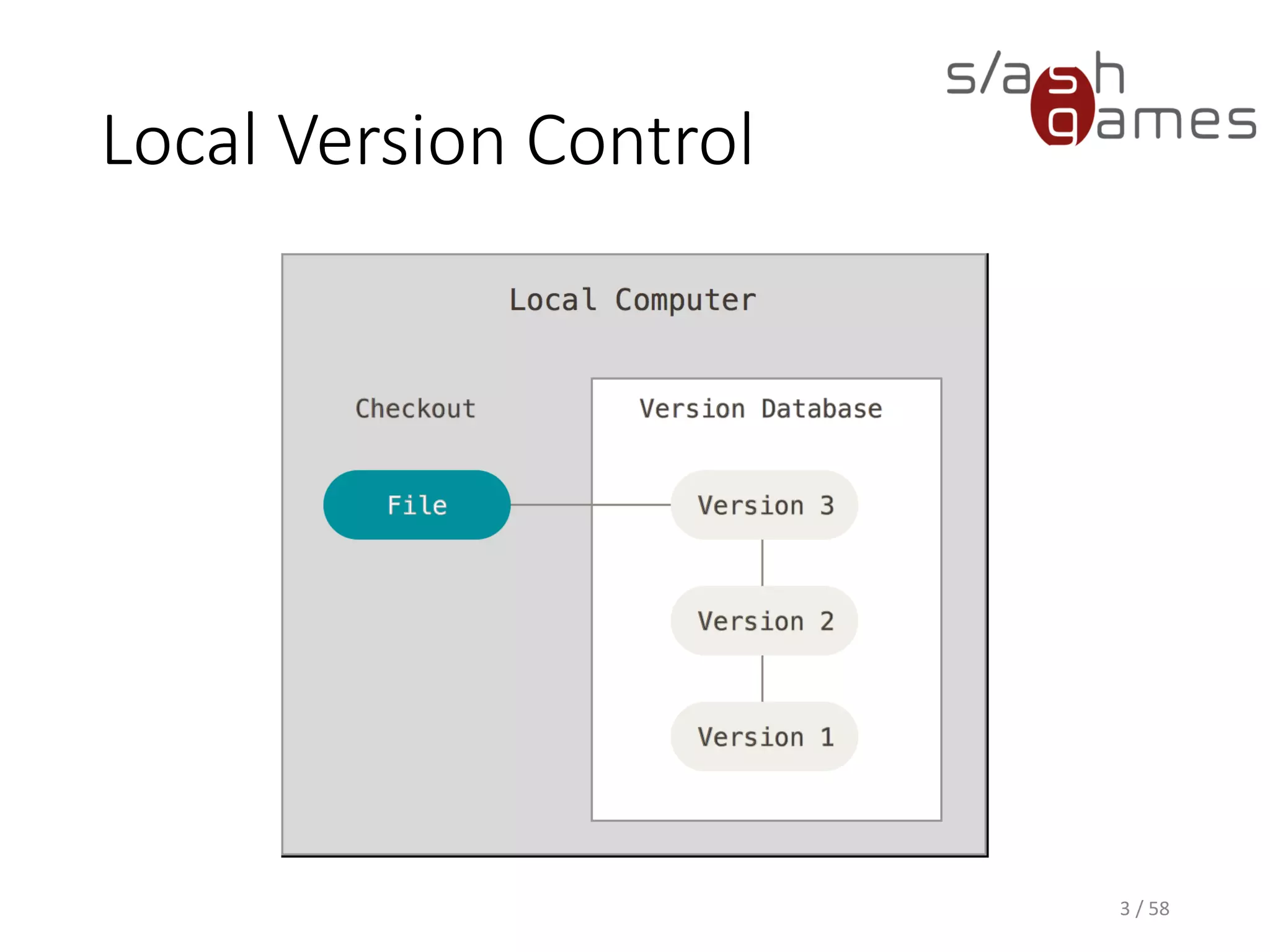
Local Version Control
3 / 58
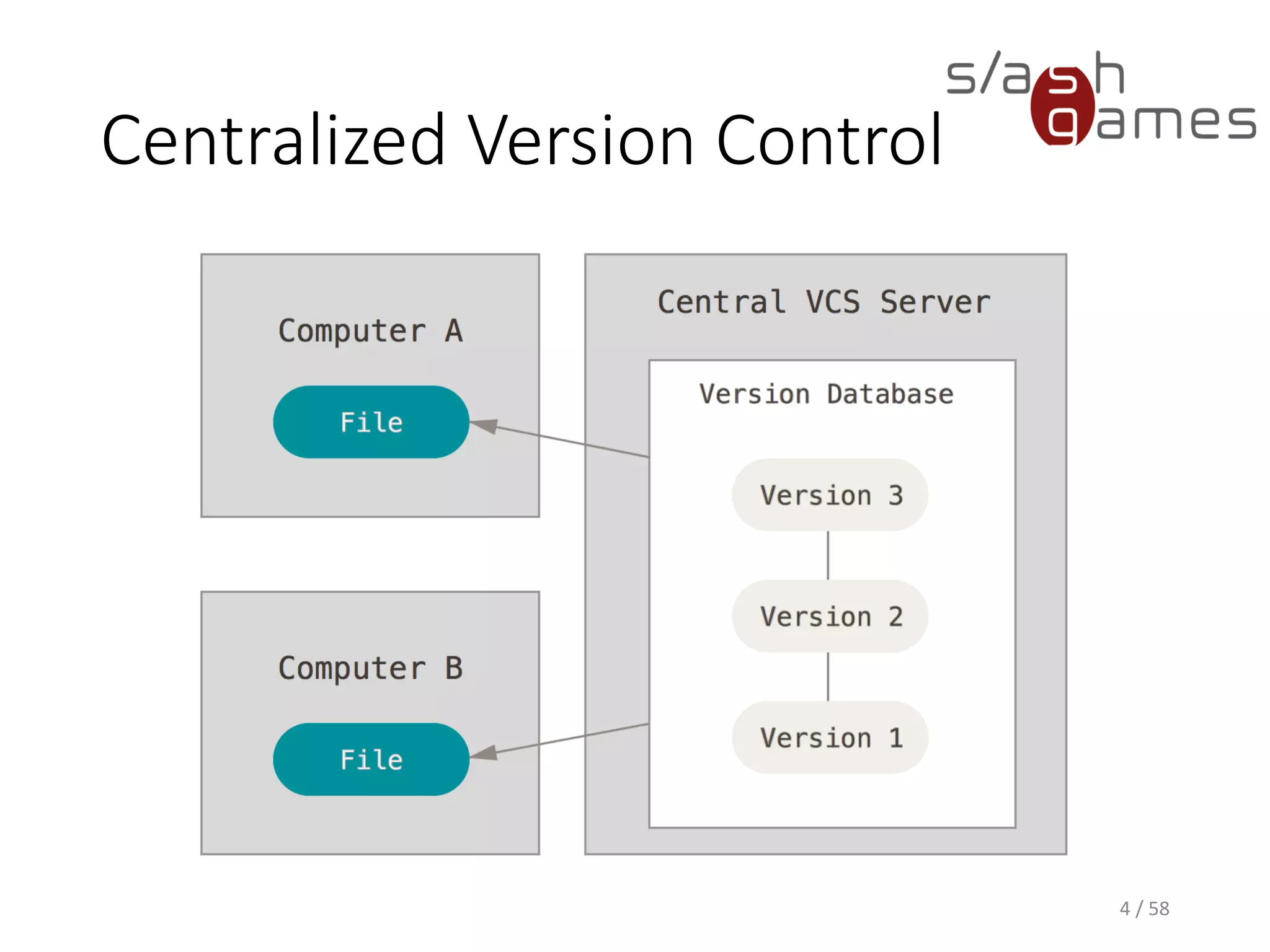
Centralized Version Control
4 / 58
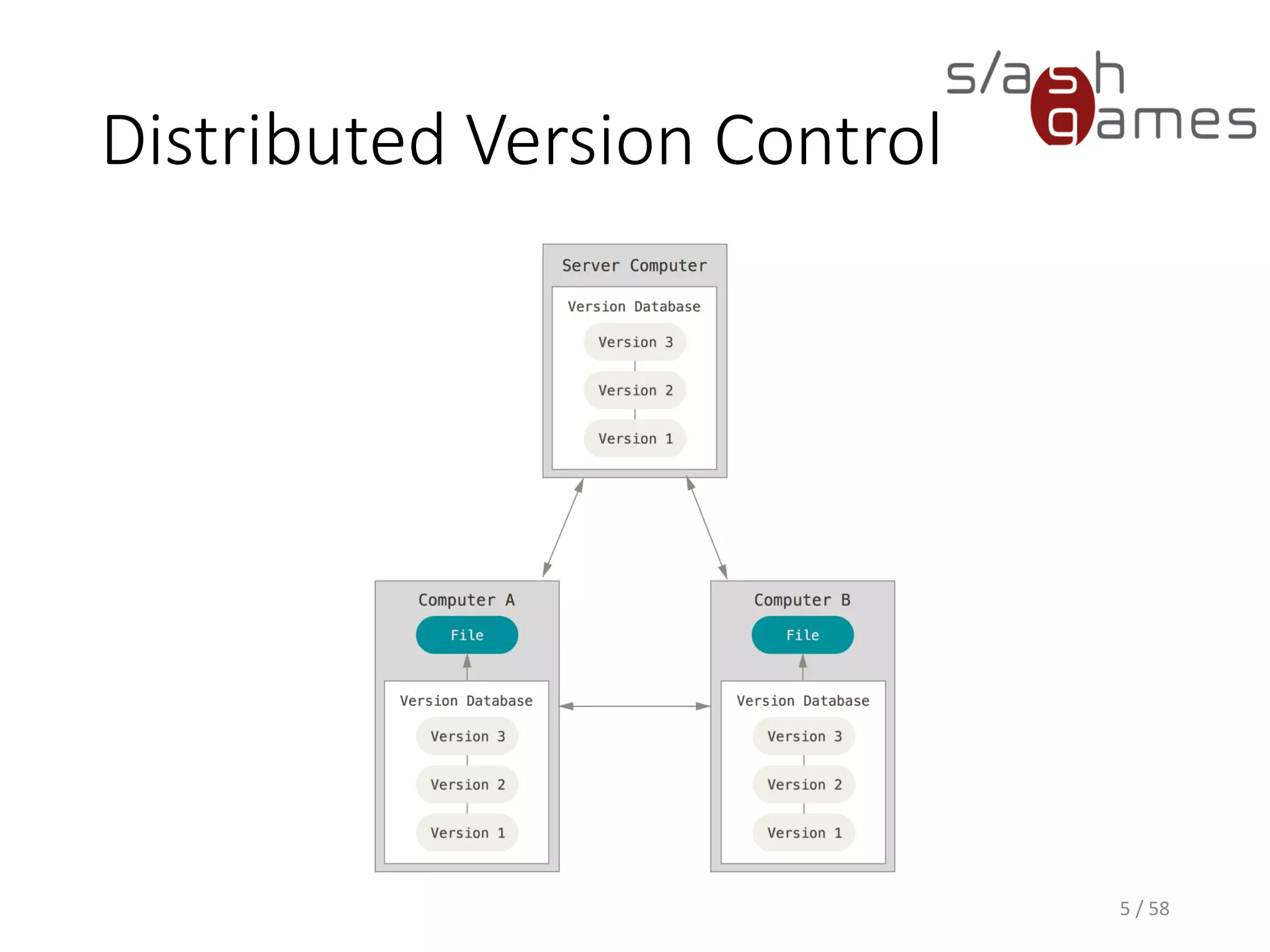
Distributed Version Control
5 / 58
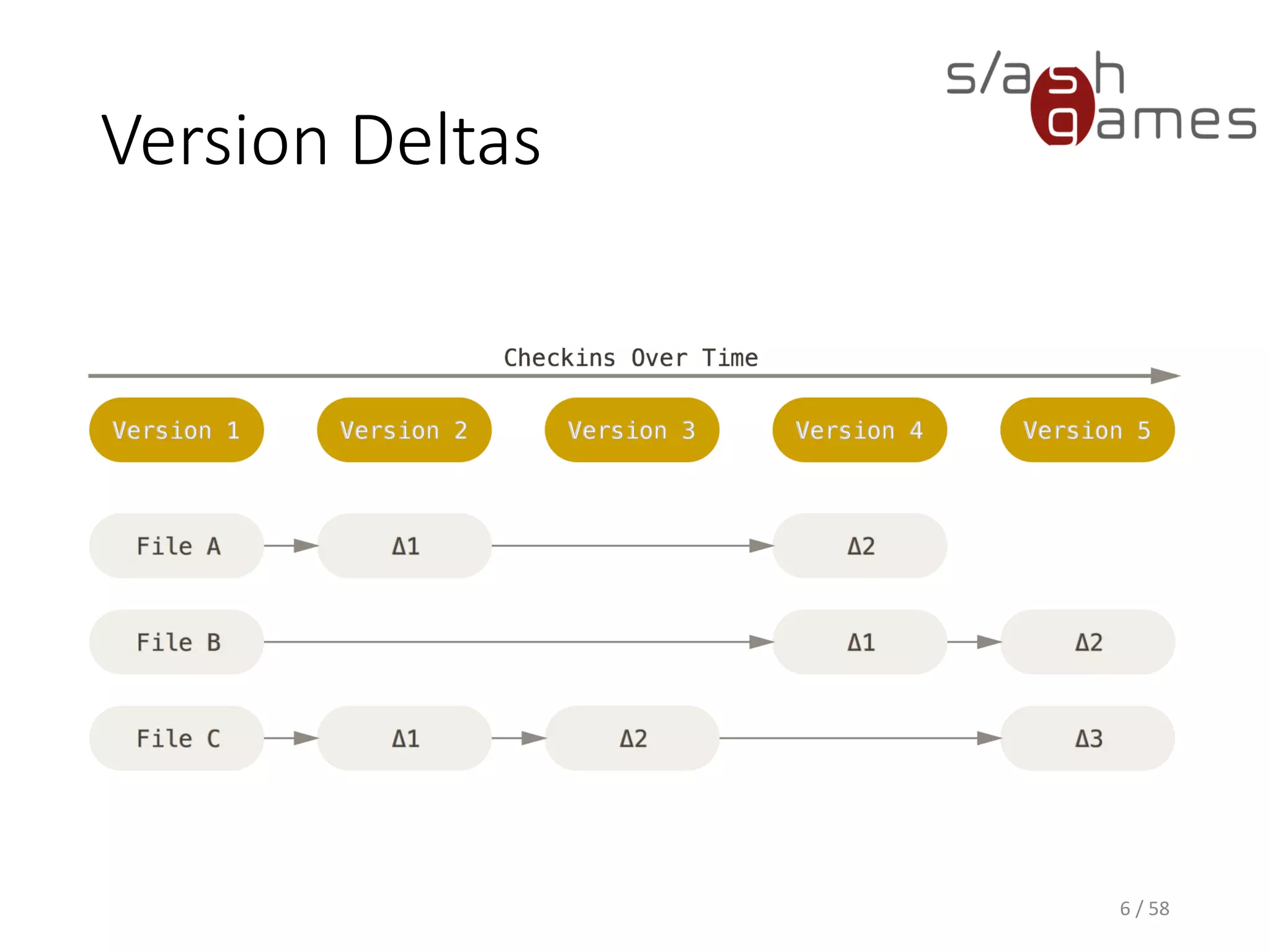
Version Deltas
6 / 58
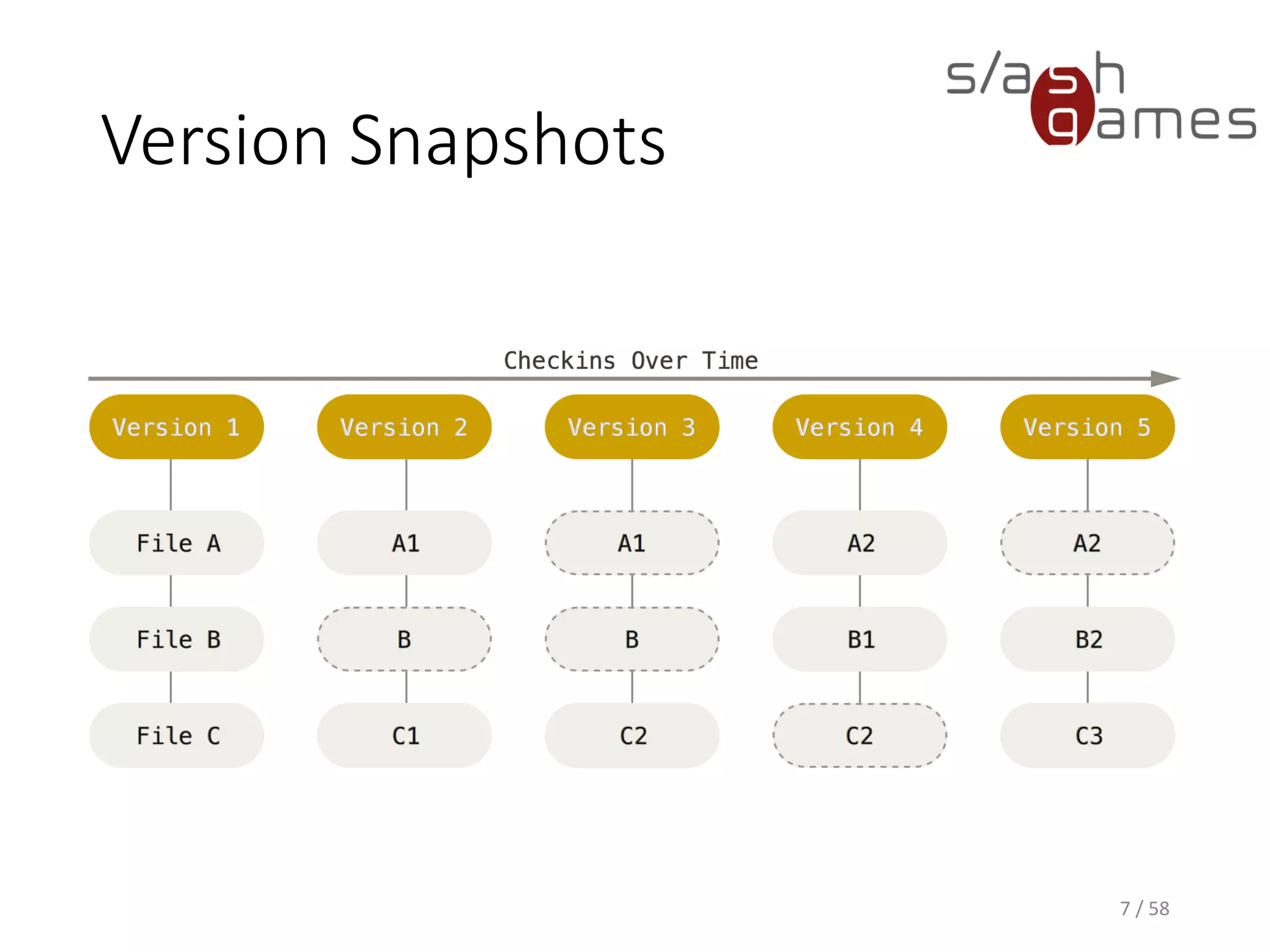
Version Snapshots
7 / 58
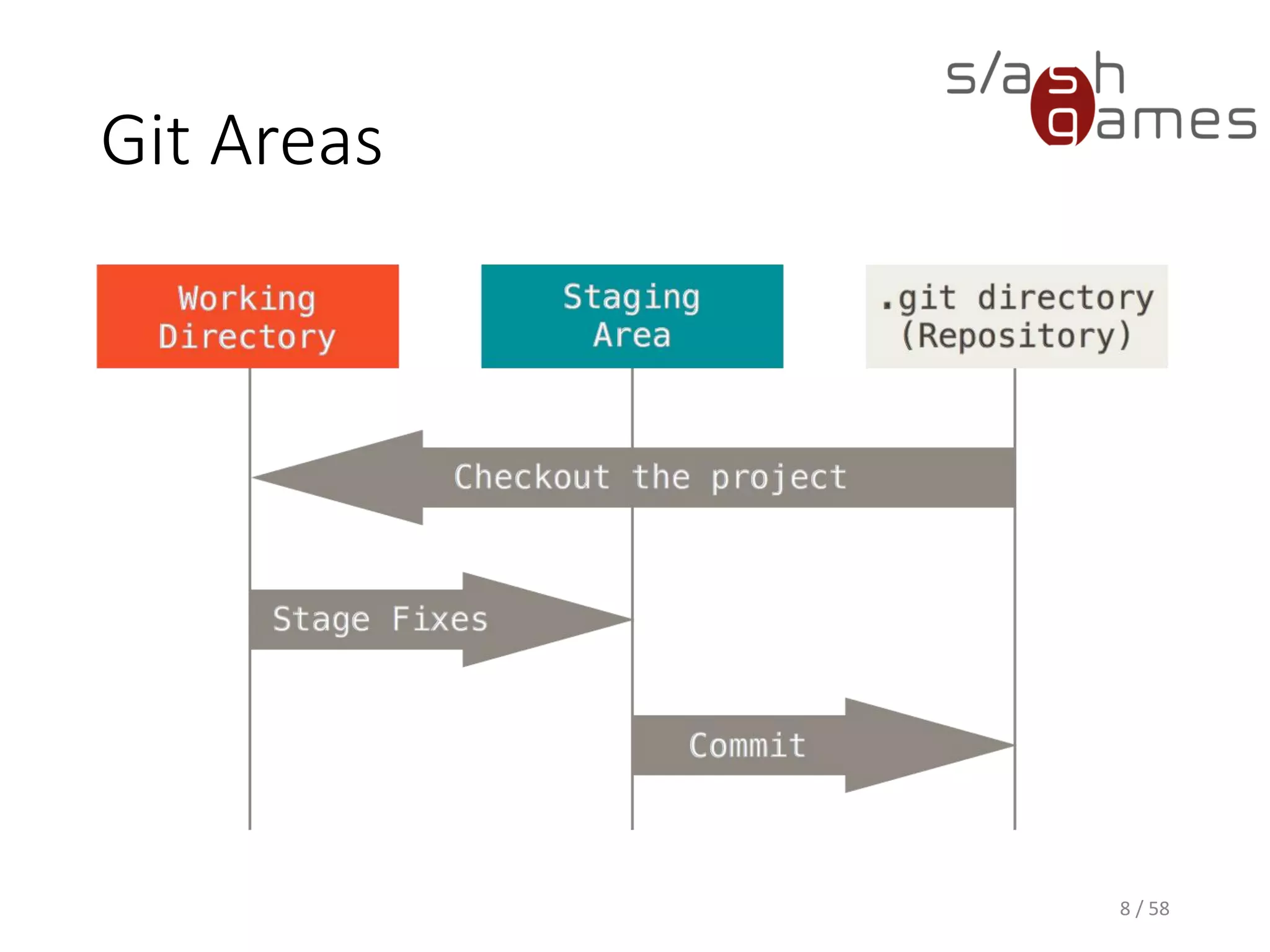
Git Areas
8 / 58
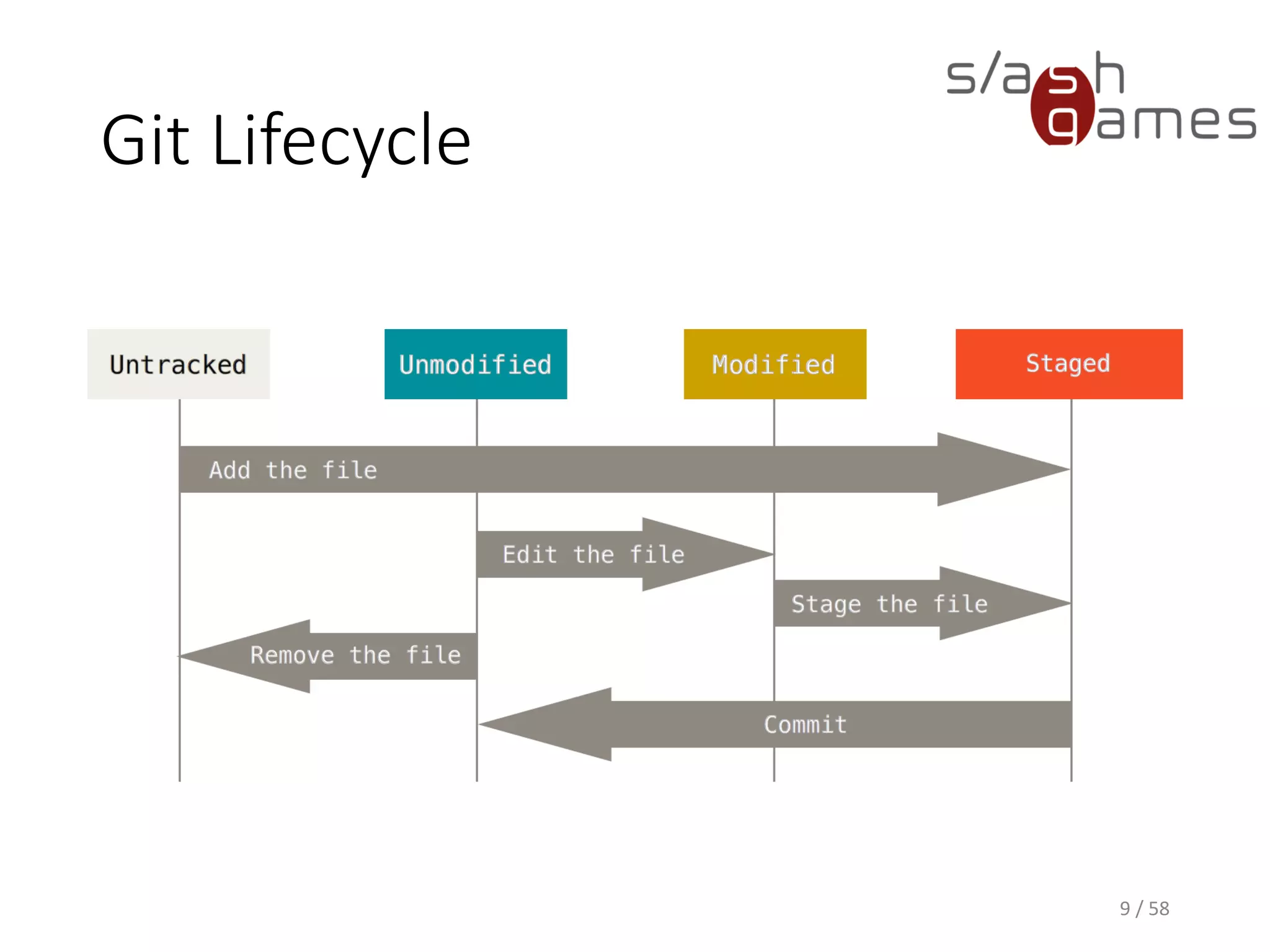
Git Lifecycle
9 / 58
DEMO
• Installing Git
• Installing SourceTree
• Creating a GitHub account
• Creating a Git repository
• Cloning the repository
10 / 58
DEMO
• Check file status
• Adding new files
• Viewing changes
• Staging modified files
• Moving files
• Removing files
11 / 58
DEMO
• Pulling
• Commiting changes
• Pushing
12 / 58
DEMO
• Unstaging files
• Reverting files
13 / 58
DEMO
• Viewing history
• Ignoring files
• Tagging
14 / 58
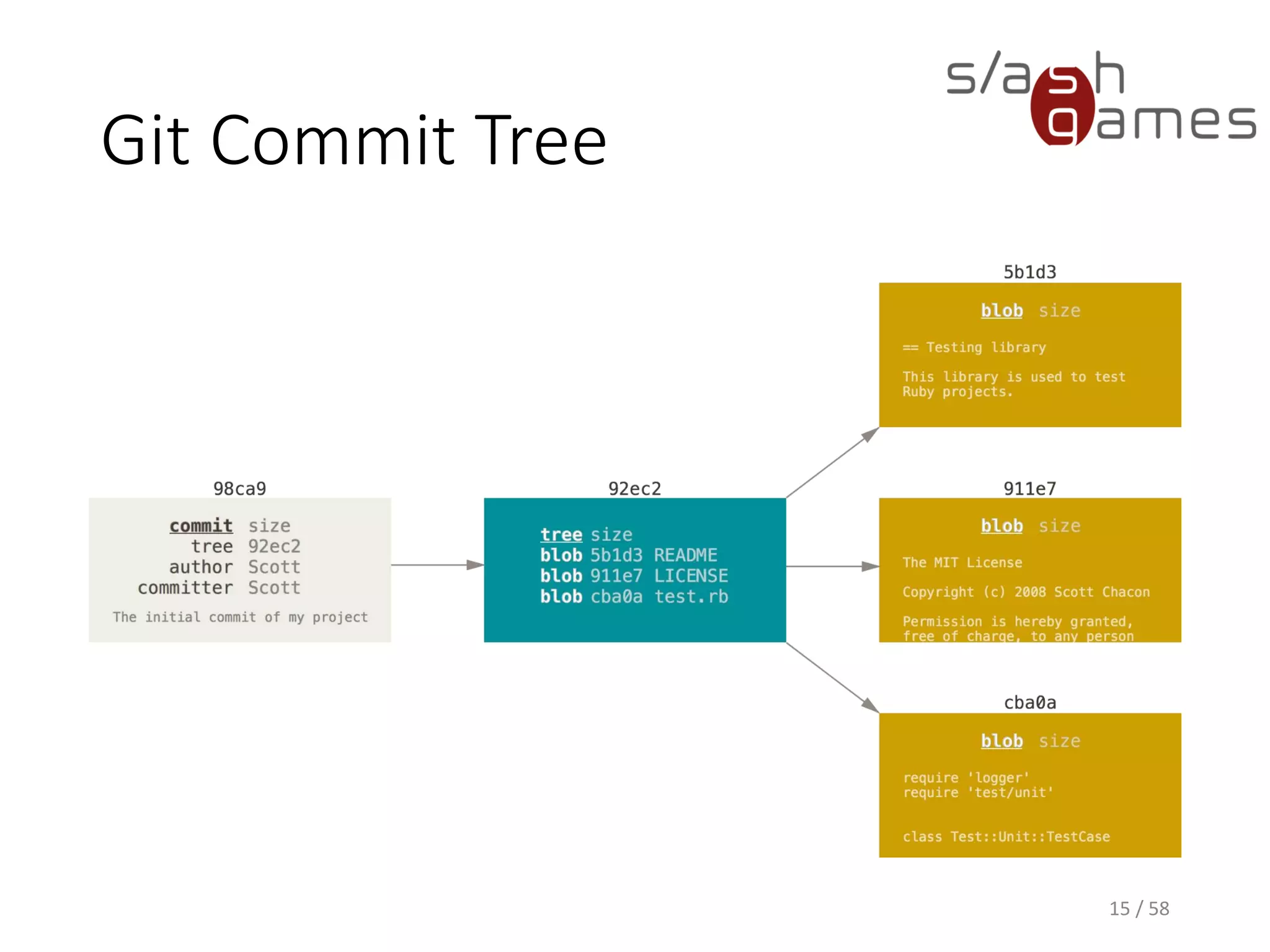
Git Commit Tree
15 / 58
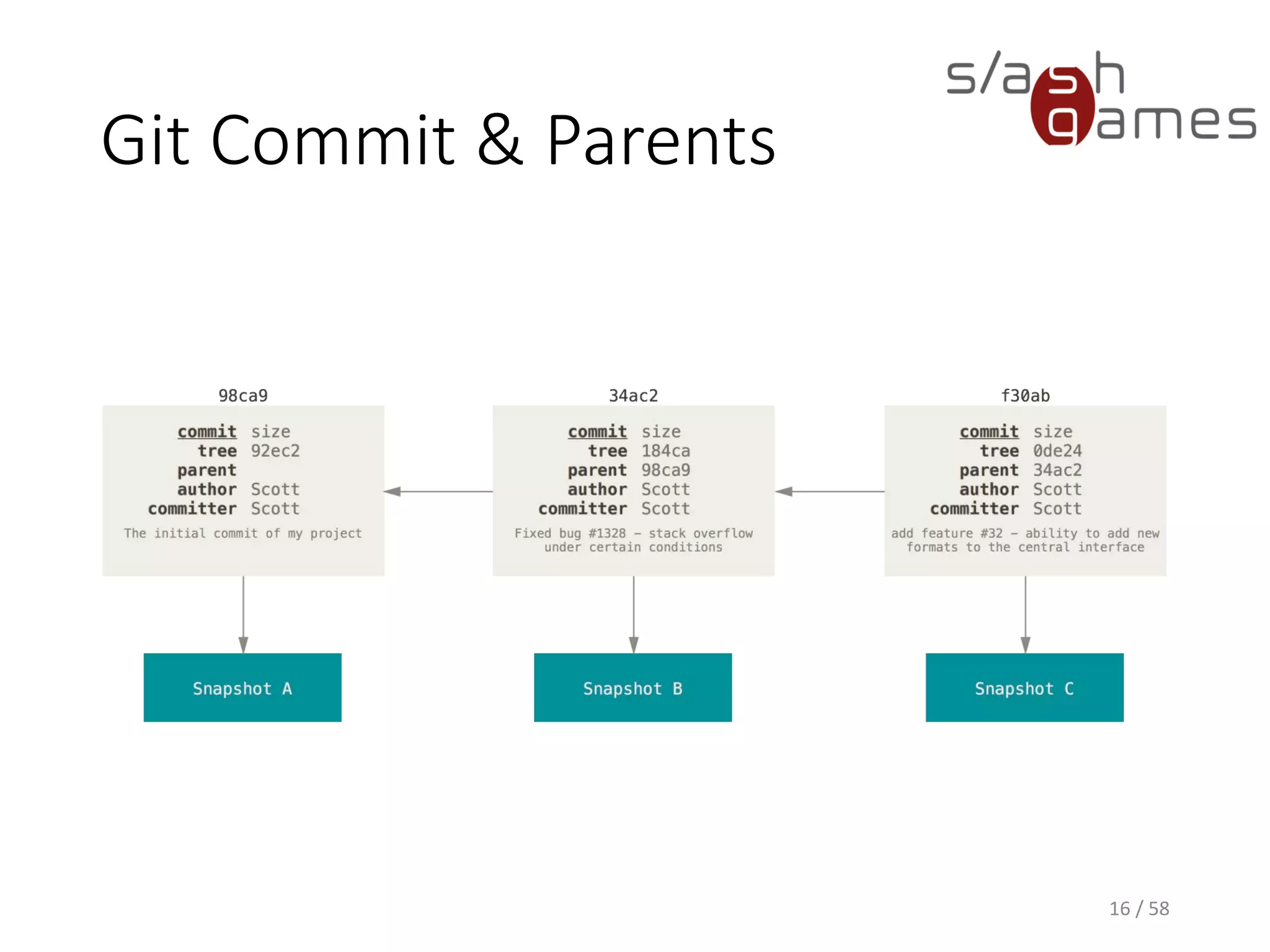
Git Commit & Parents
16 / 58
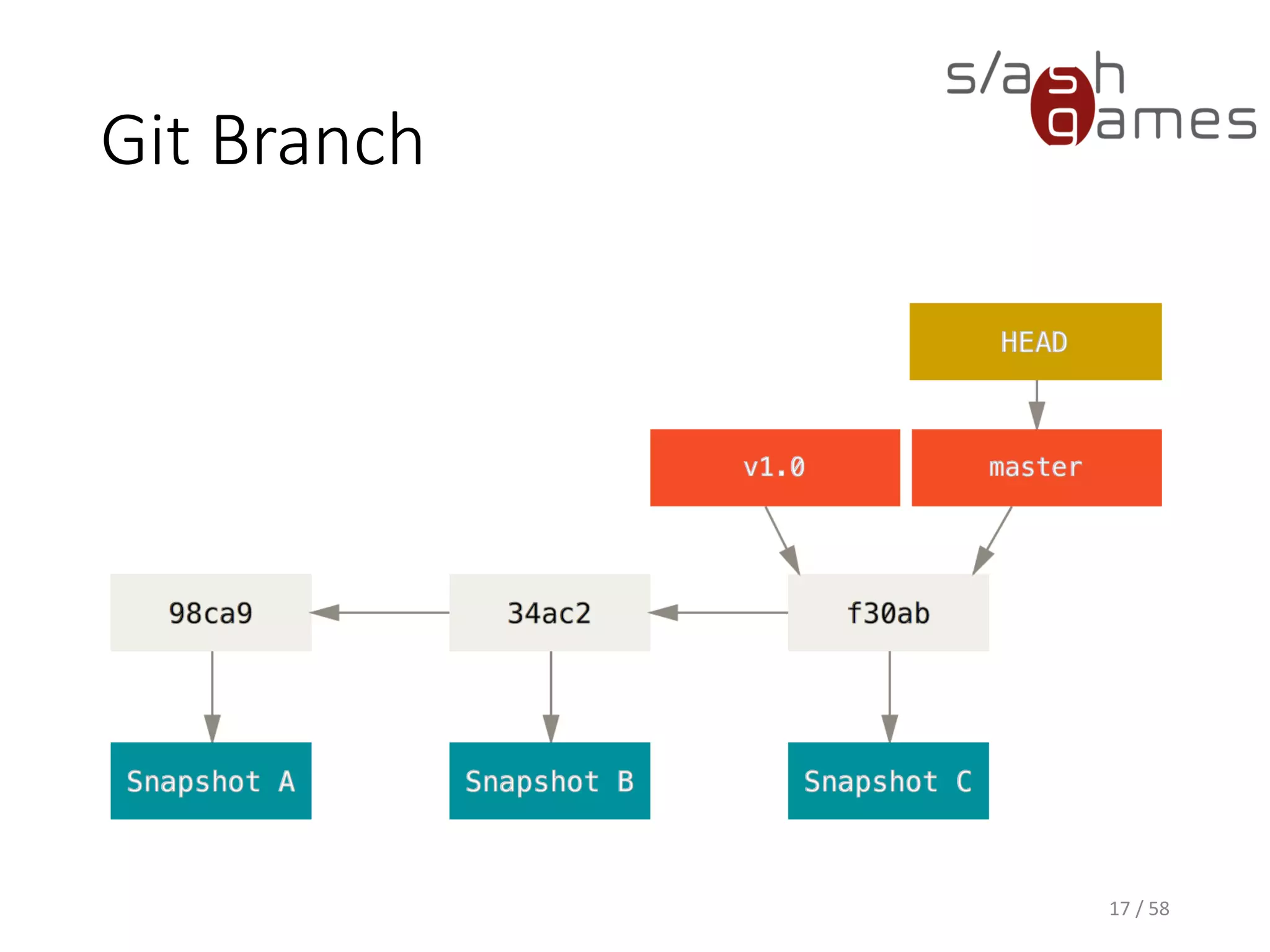
Git Branch
17 / 58
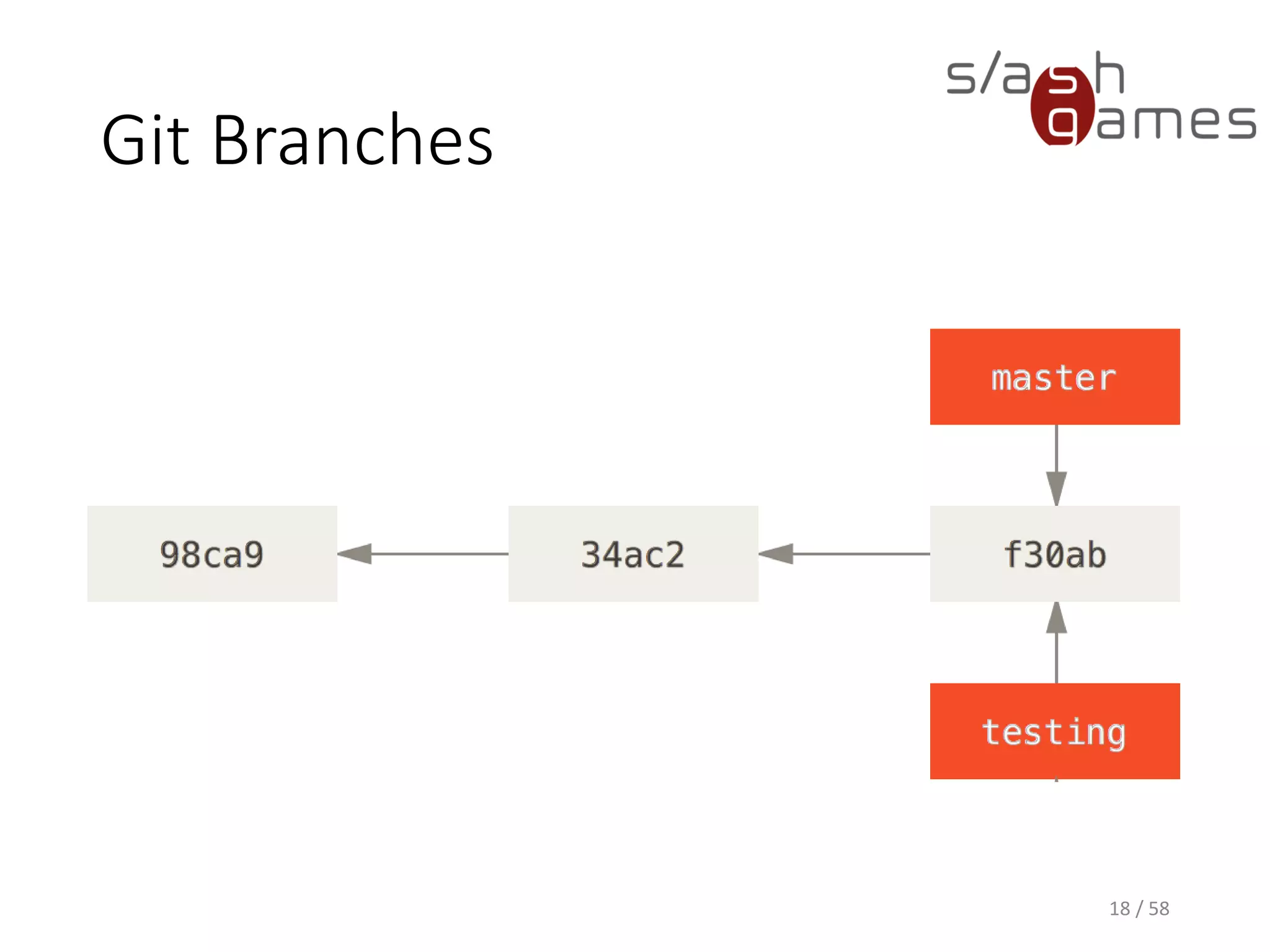
Git Branches
18 / 58
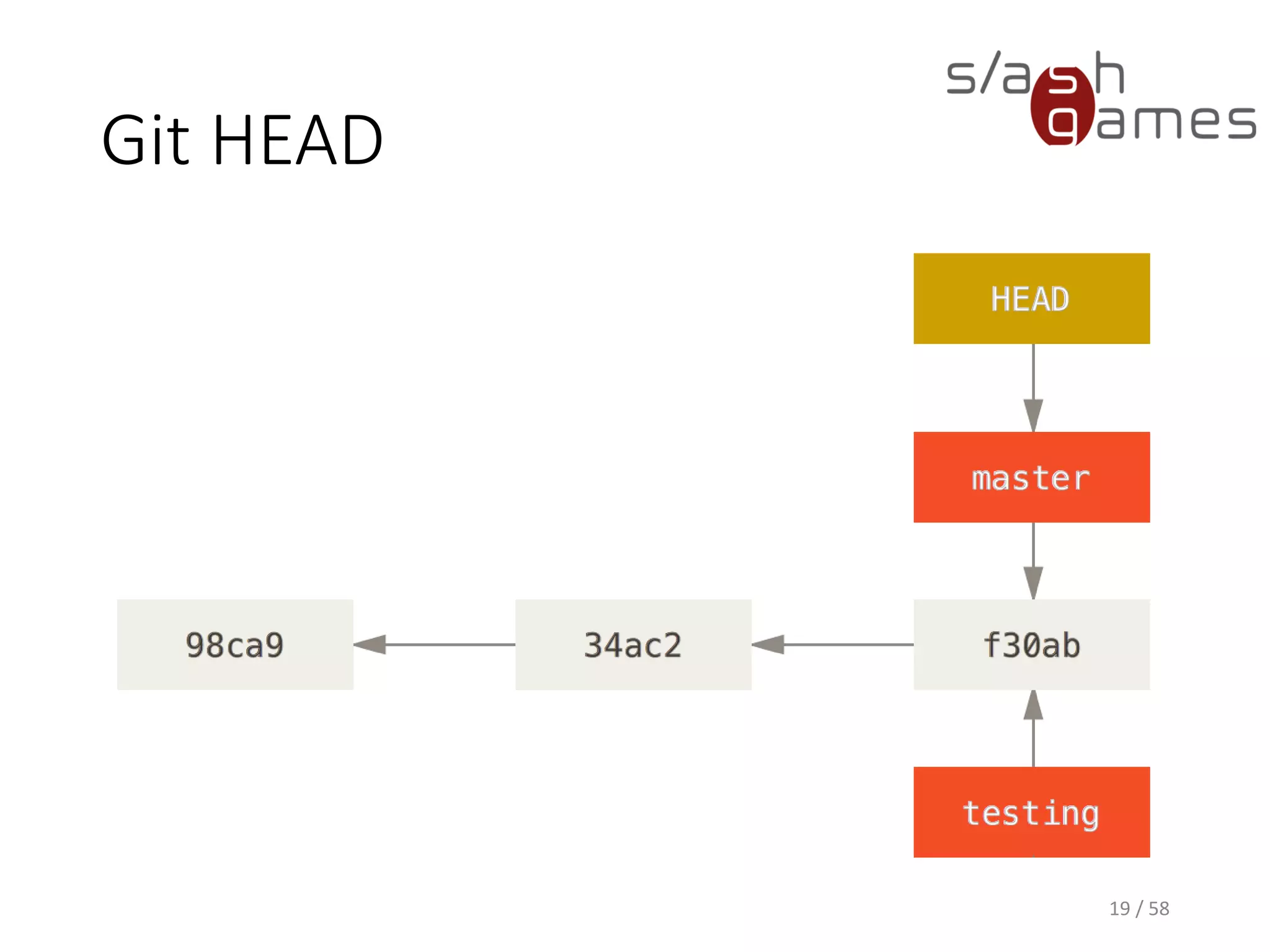
Git HEAD
19 / 58
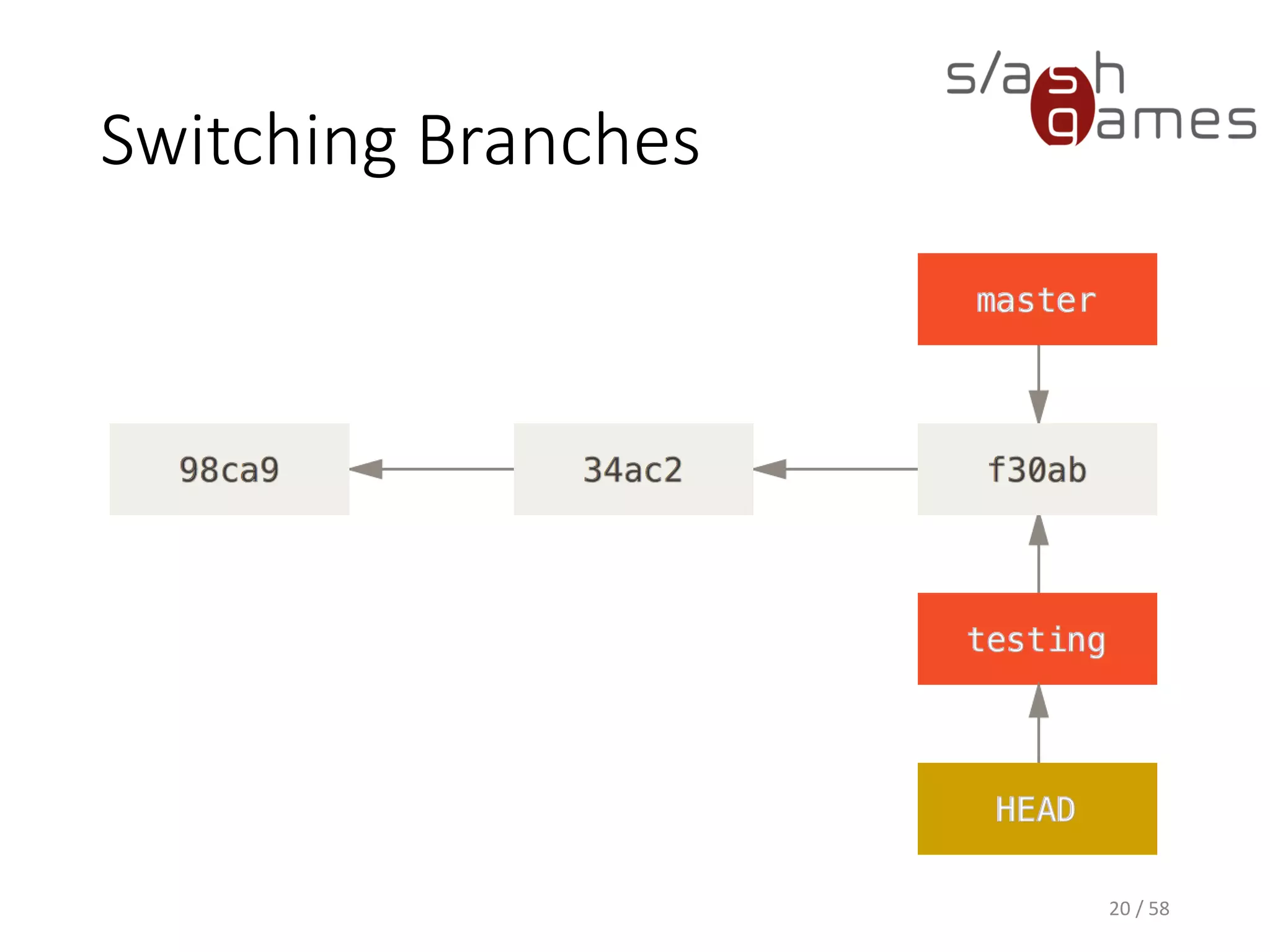
Switching Branches
20 / 58
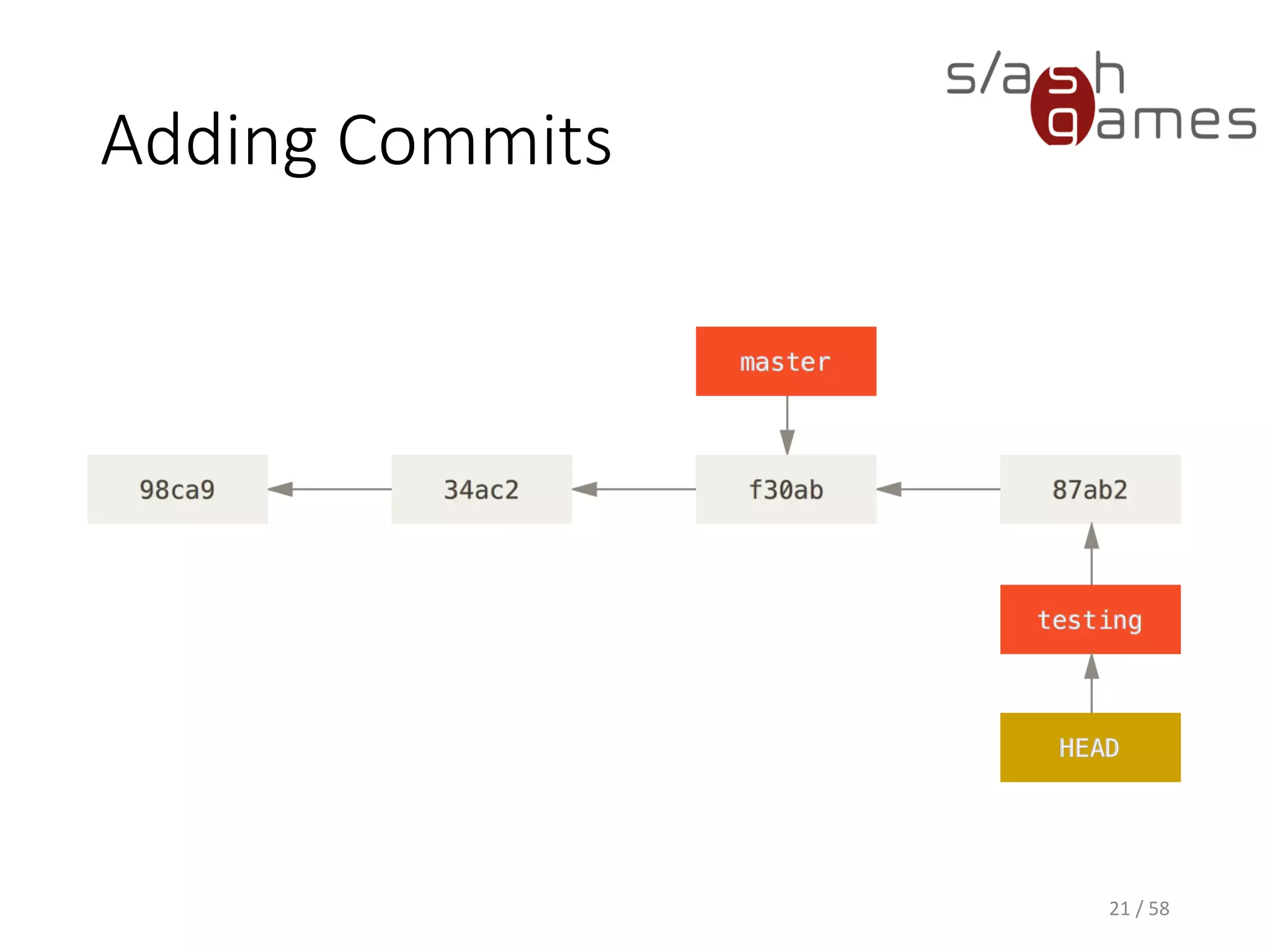
Adding Commits
21 / 58
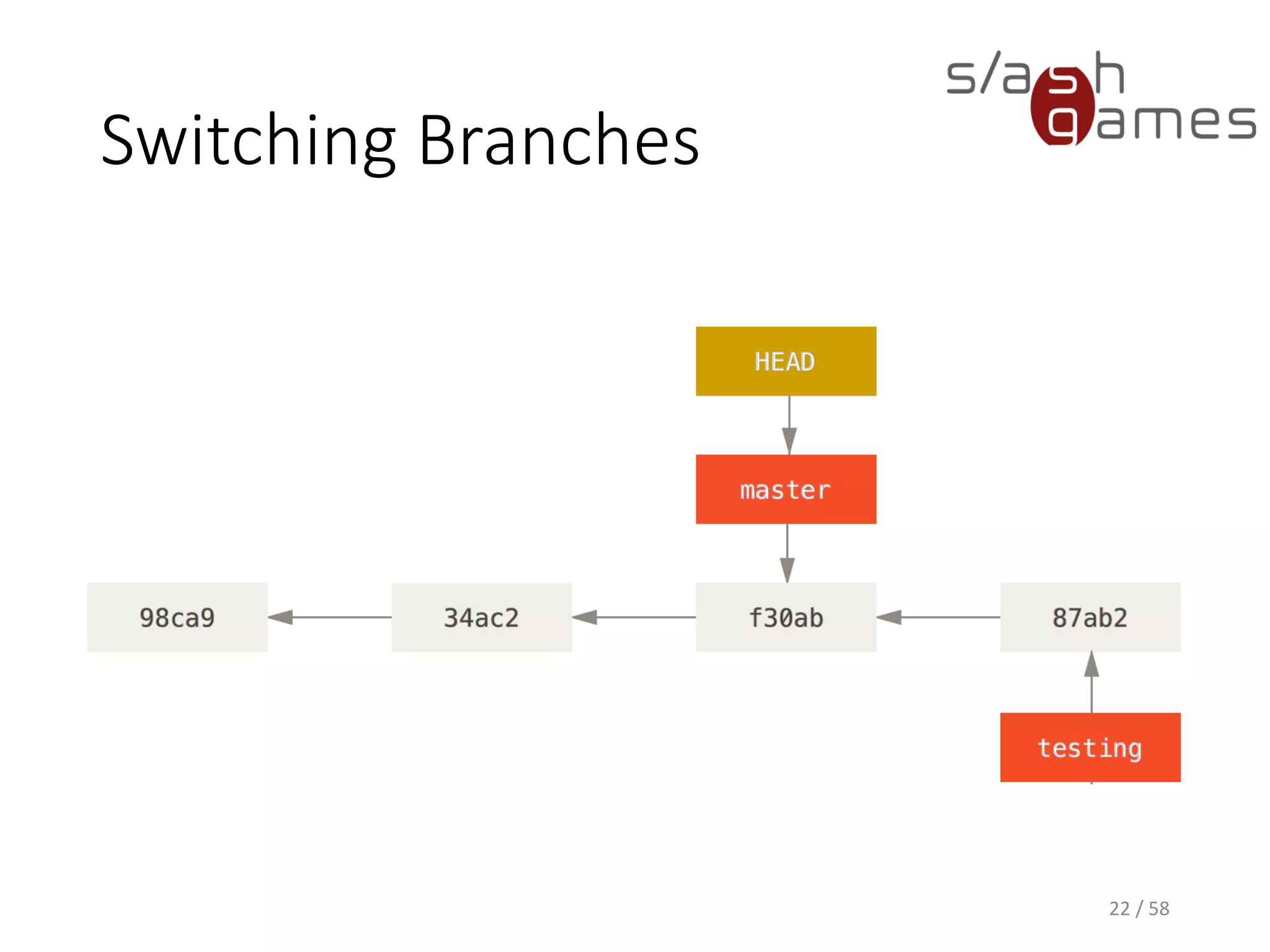
Switching Branches
22 / 58
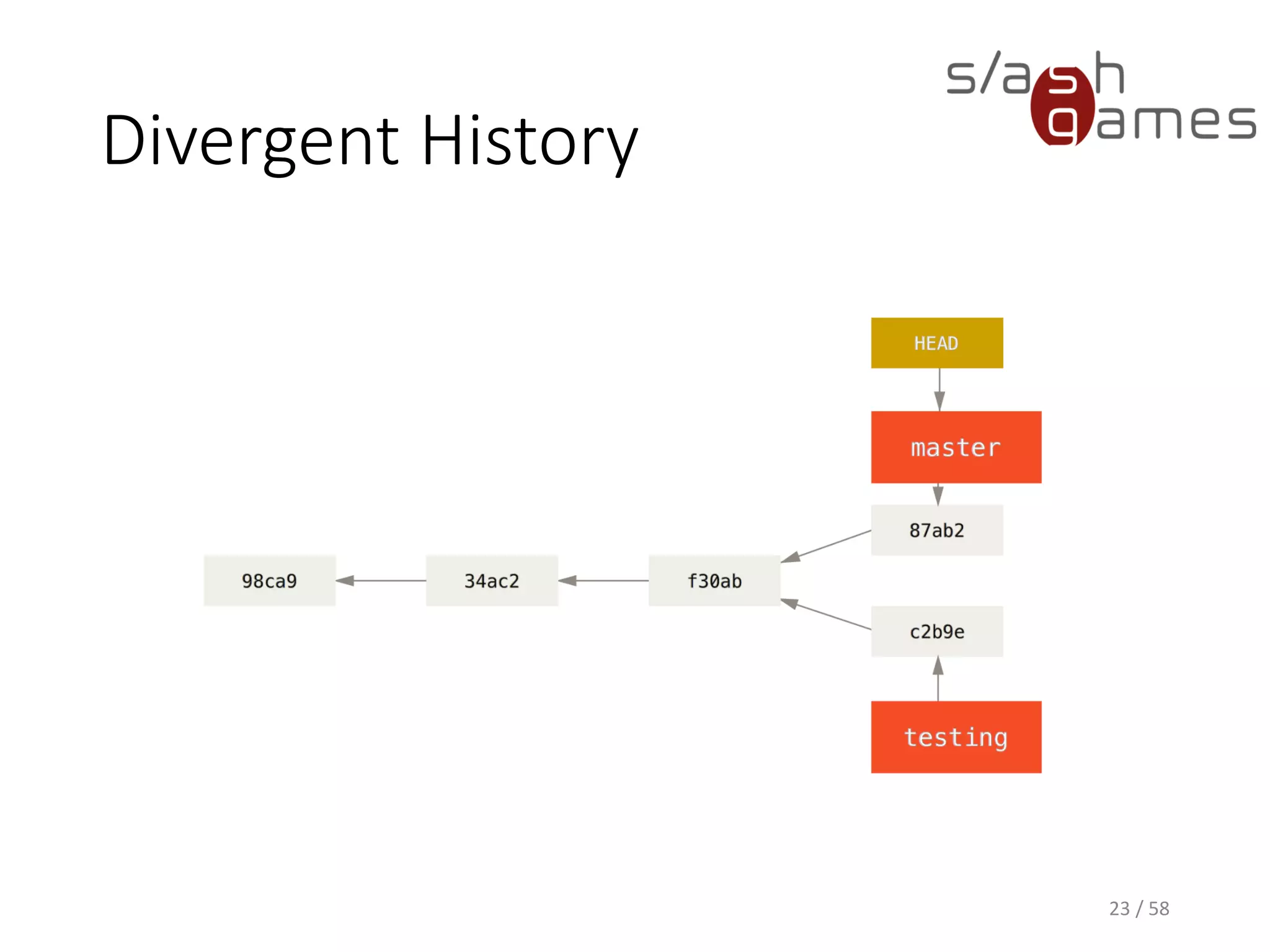
Divergent History
23 / 58
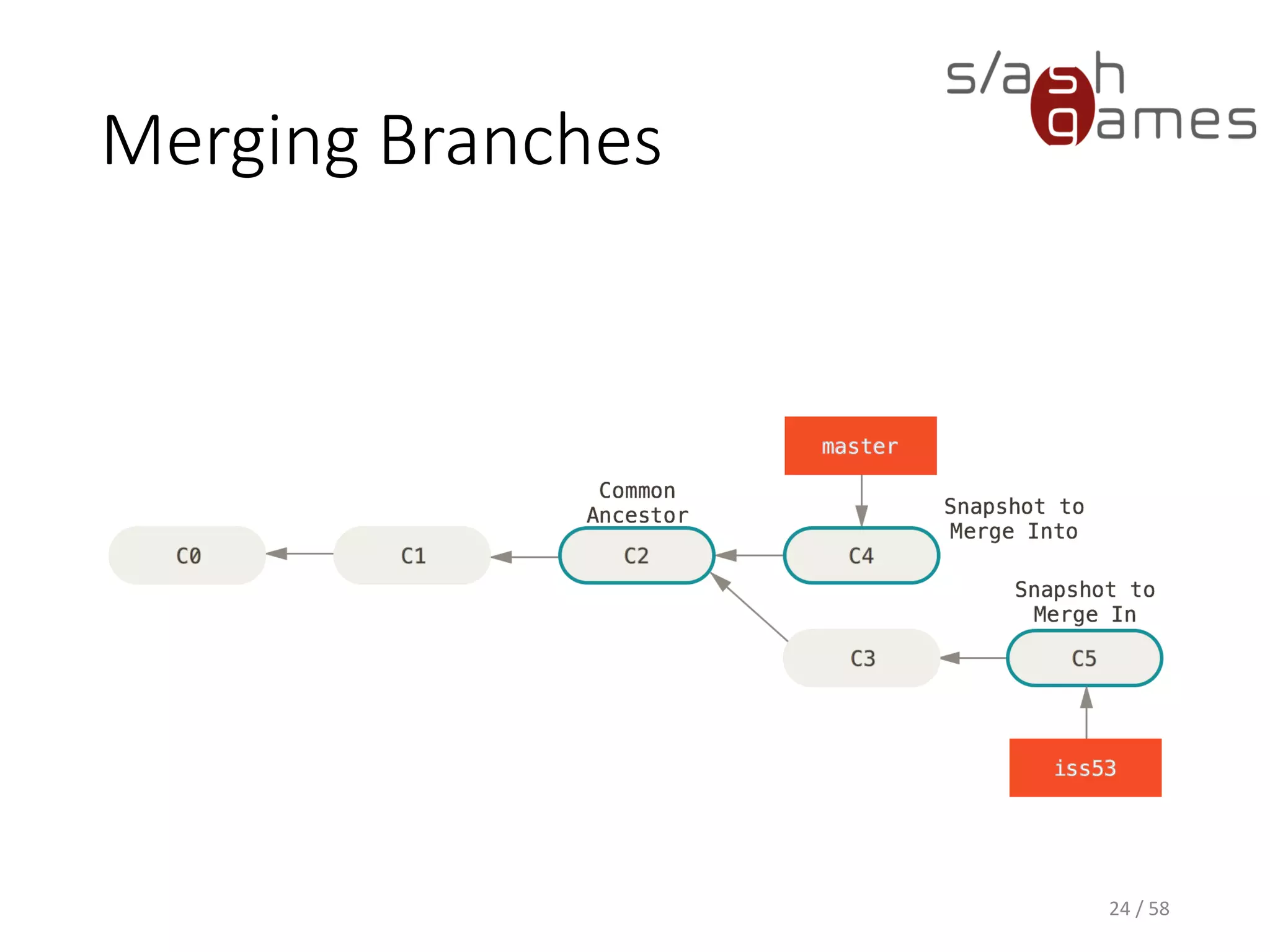
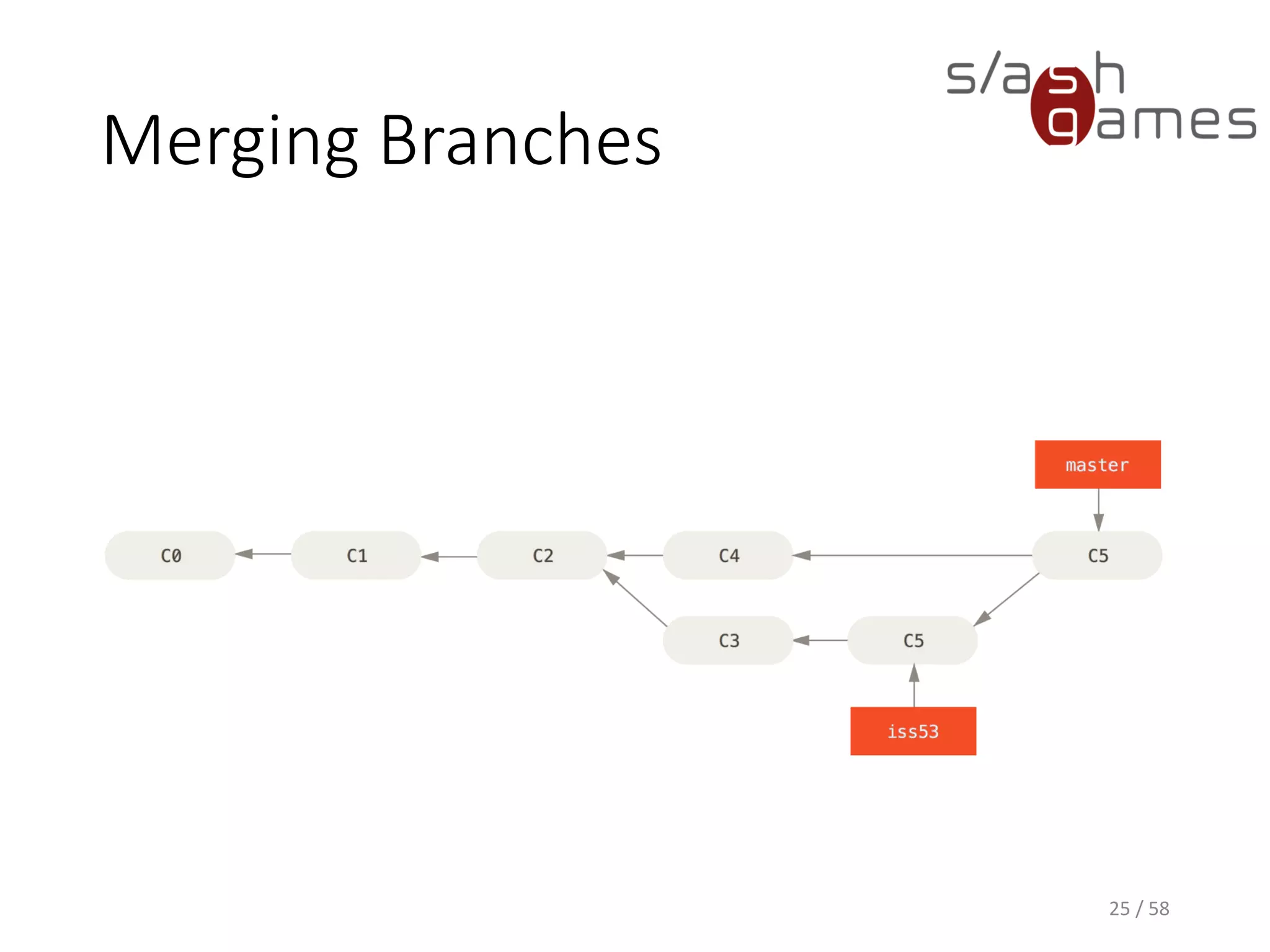
Merging Branches
24 / 58
Merging Branches
25 / 58
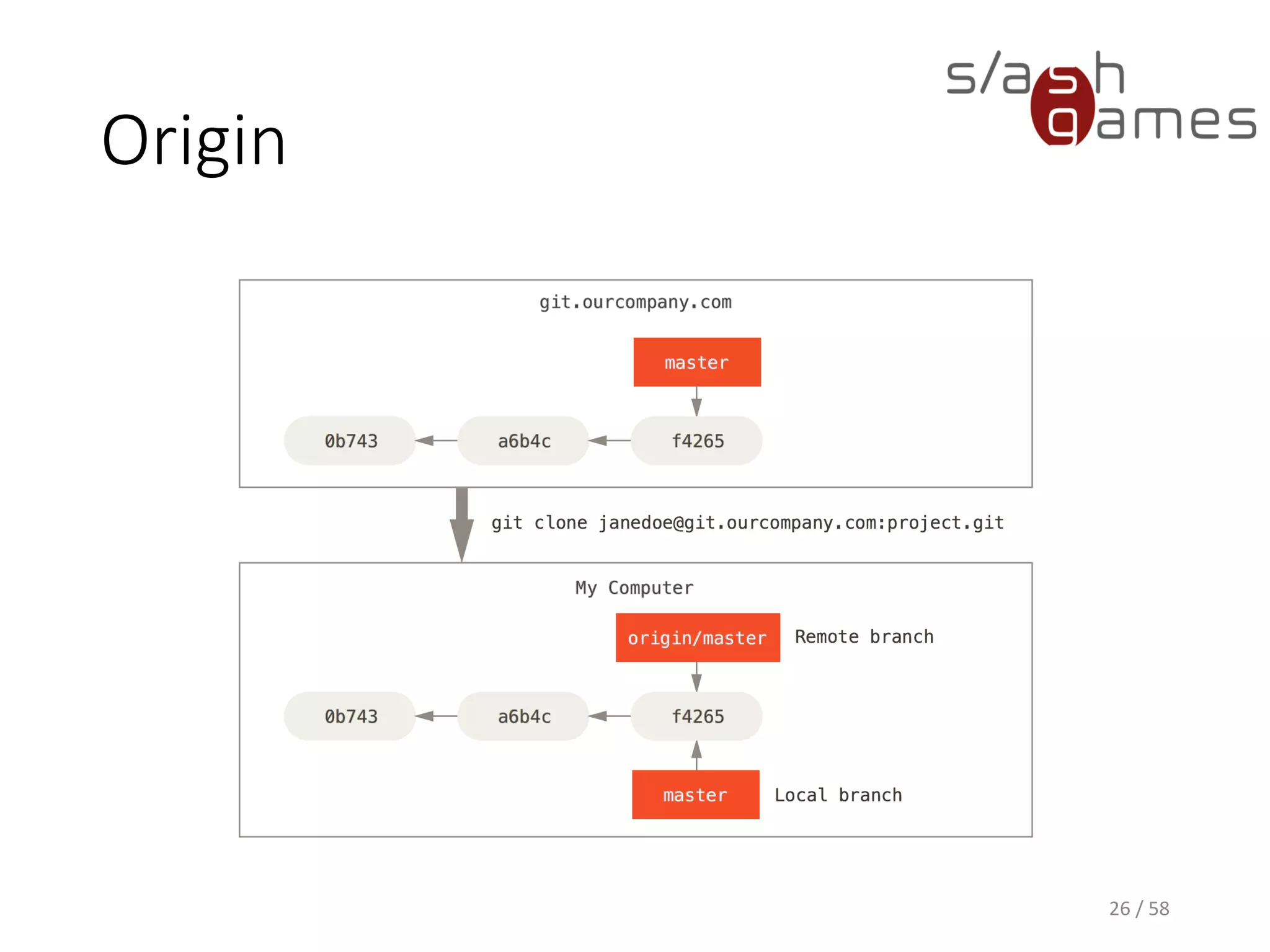
Origin
26 / 58
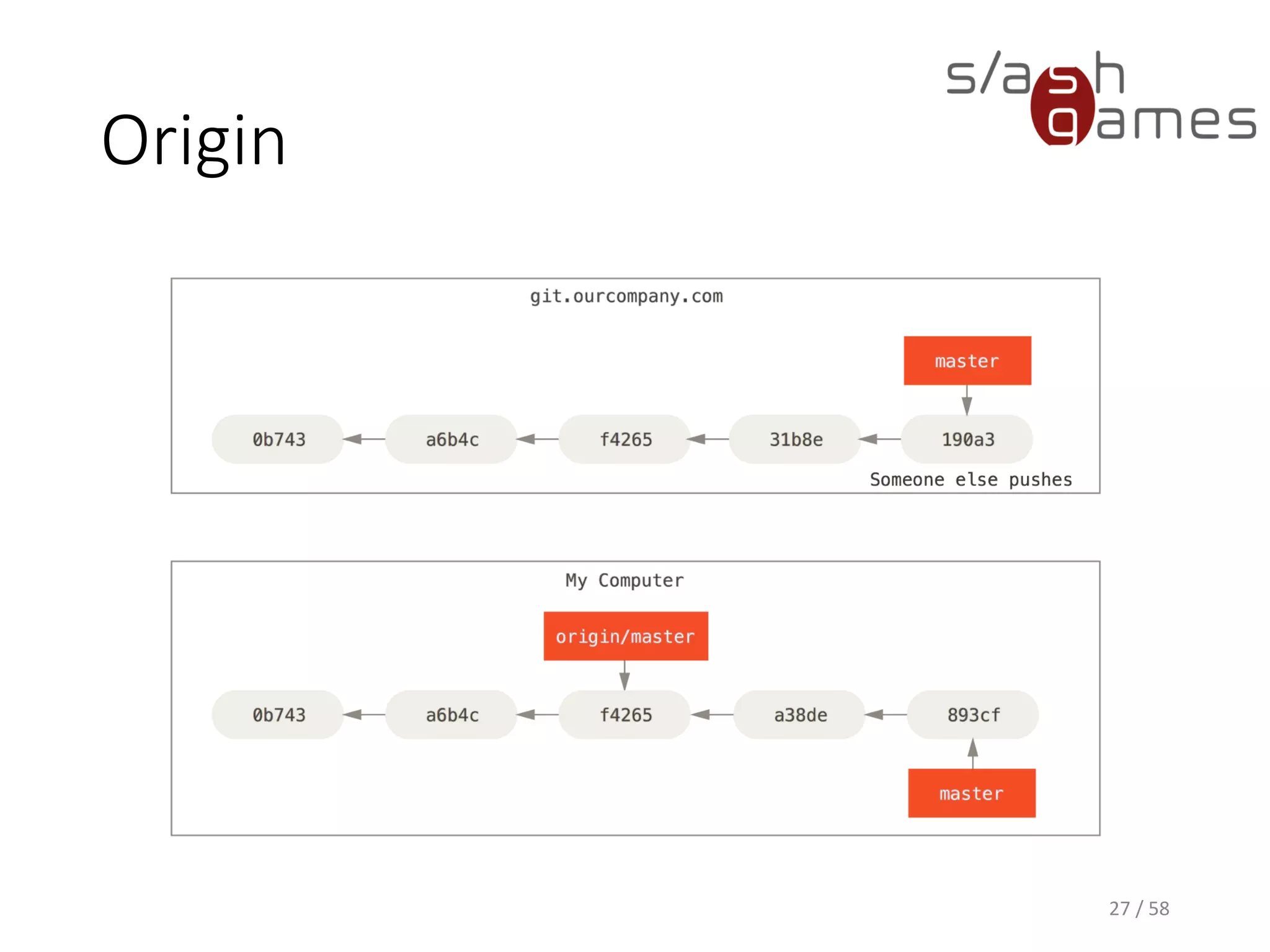
Origin
27 / 58
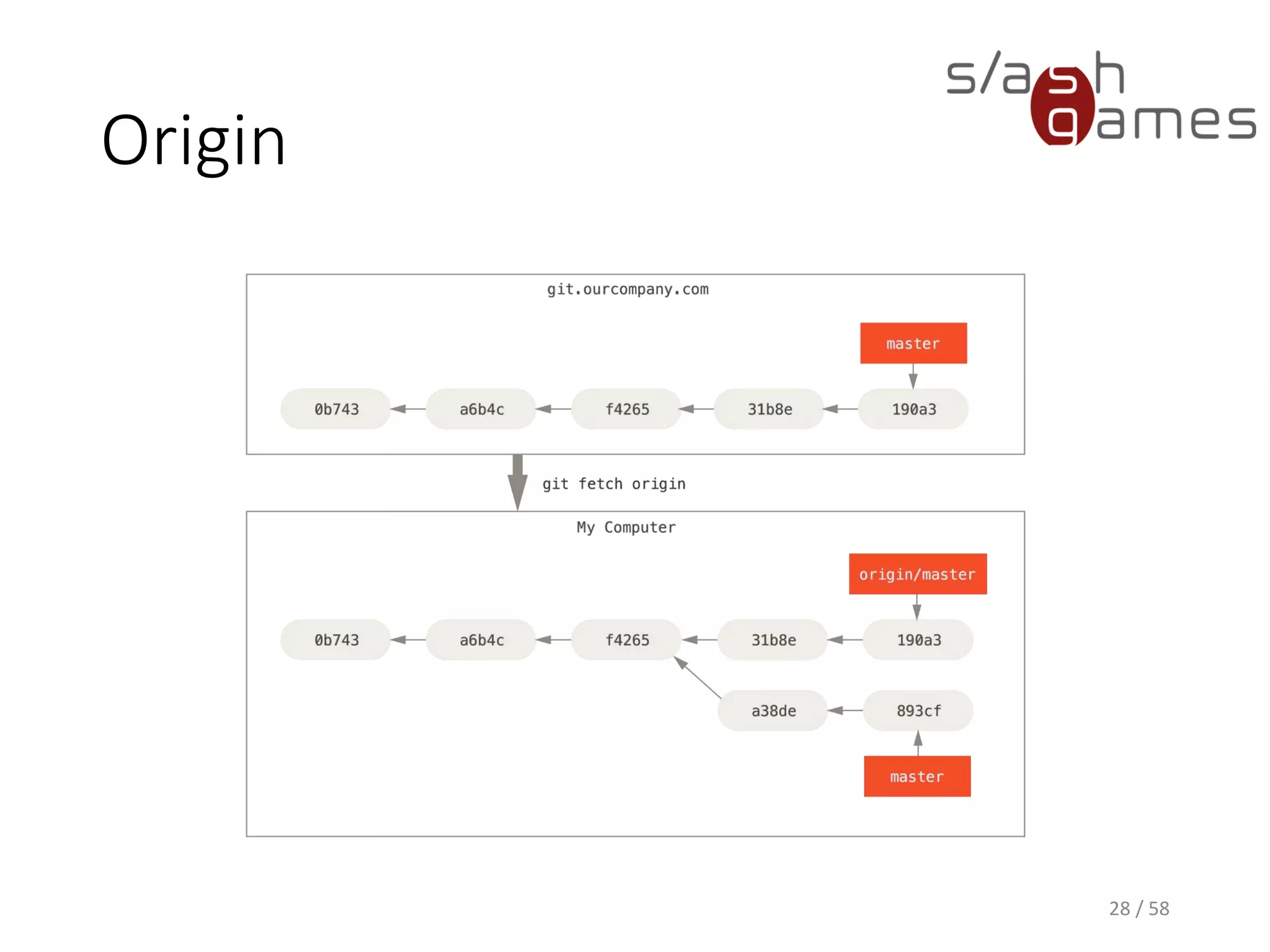
Origin
28 / 58
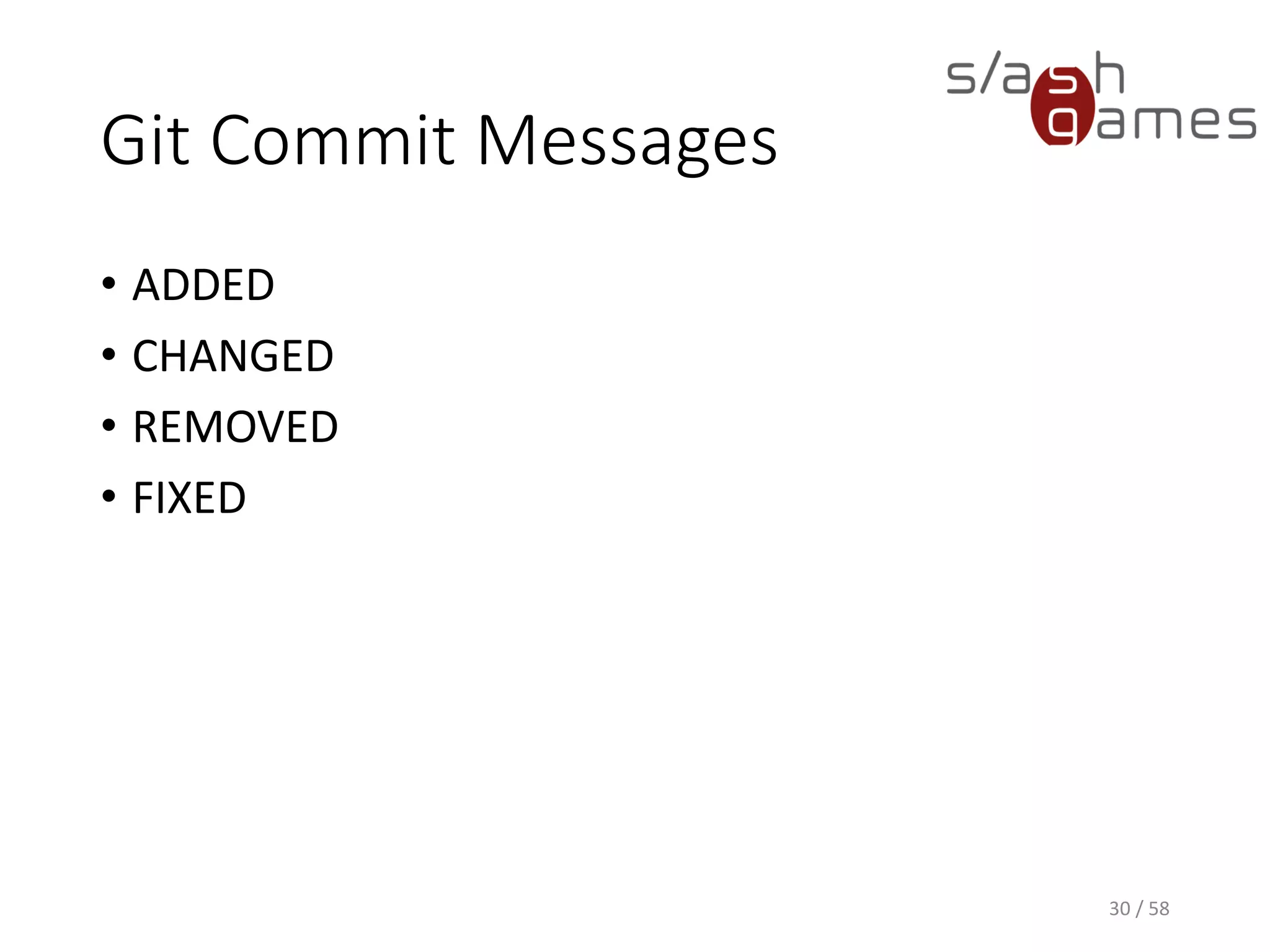
Hint
Split your work up into small,
unrelated commits!
29 / 78
Git Commit Messages
30 / 58
• ADDED
• CHANGED
• REMOVED
• FIXED
GitFlow
• Originally developed by Vincent Driessen
• Assigns very specific roles to different branches,
and defines how and when they should interact
• Allows merging and branching to be part of your
daily workflow
31 / 58
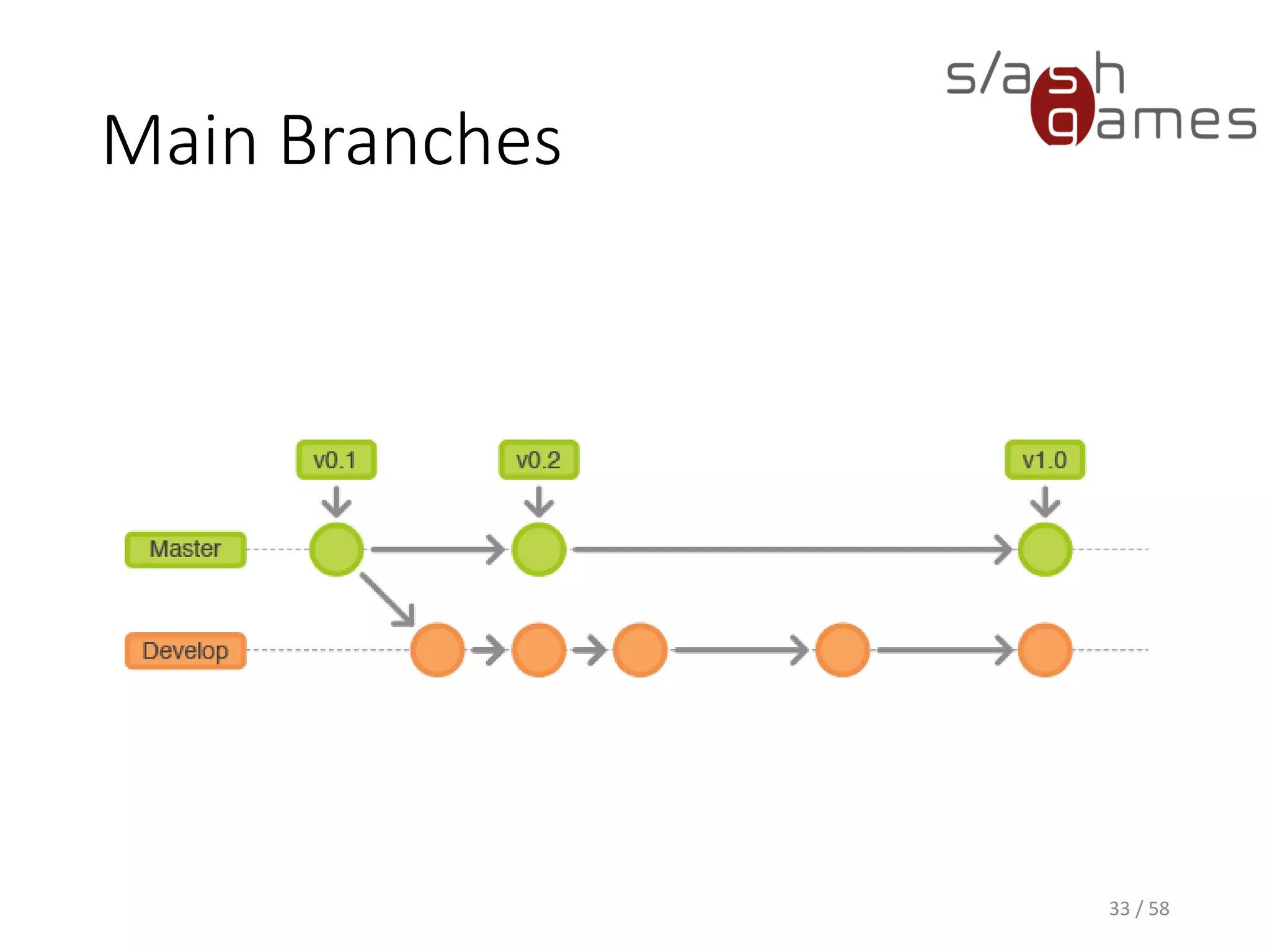
Main Branches
• master
• origin/master HEAD is always ready for production
• develop
• origin/develop HEAD always contains the latest
delivered development changes
• Nightly builds are created from this branch
• Whenever considered stable, merged back into master
and tagged
32 / 58
Main Branches
33 / 58
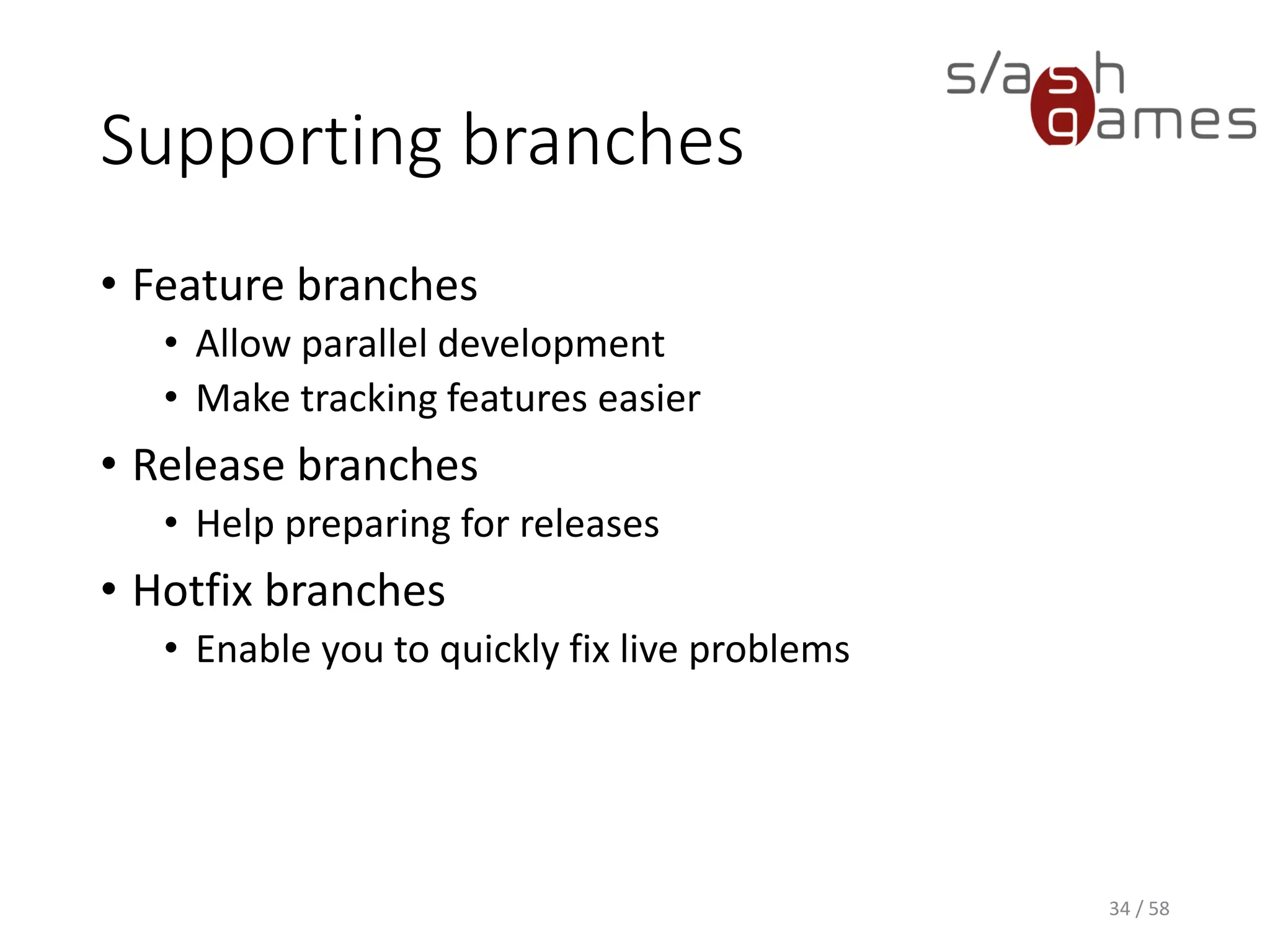
Supporting branches
• Feature branches
• Allow parallel development
• Make tracking features easier
• Release branches
• Help preparing for releases
• Hotfix branches
• Enable you to quickly fix live problems
34 / 58
Feature Branches
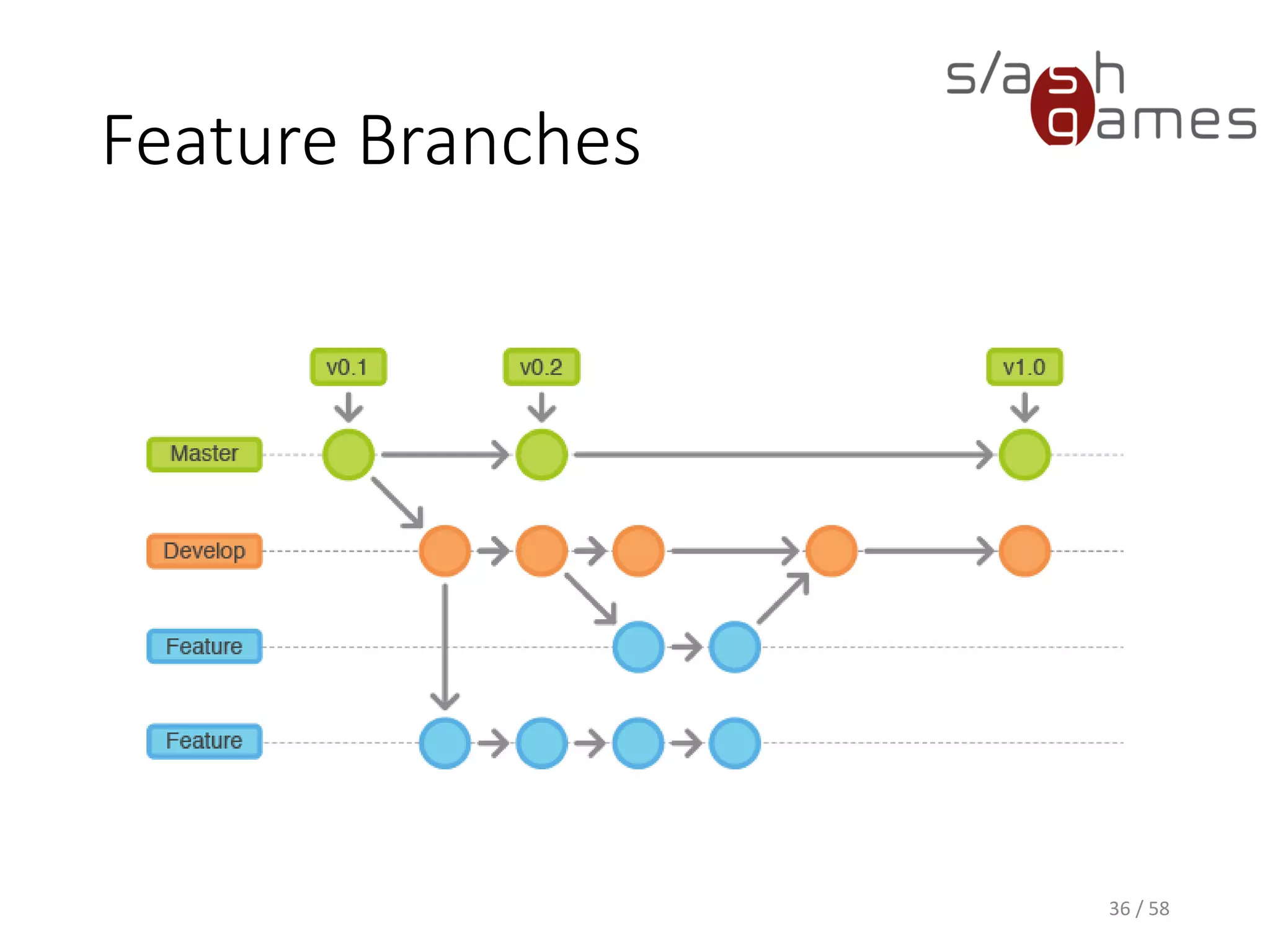
• Branch from and merge back into develop
• Used for developing new features
• Exists while the feature is in development
• Will eventually be
• Merged back, to include the new feature in the next
release, or
• Discarded, if the feature should not be included
• Never directly interact with the master branch
35 / 58
Feature Branches
36 / 58
Hint
Merging with the “no fast-forward”
option causes the merge to always
create a new commit. This makes
tracking of your branches a lot
easier!
37 / 78
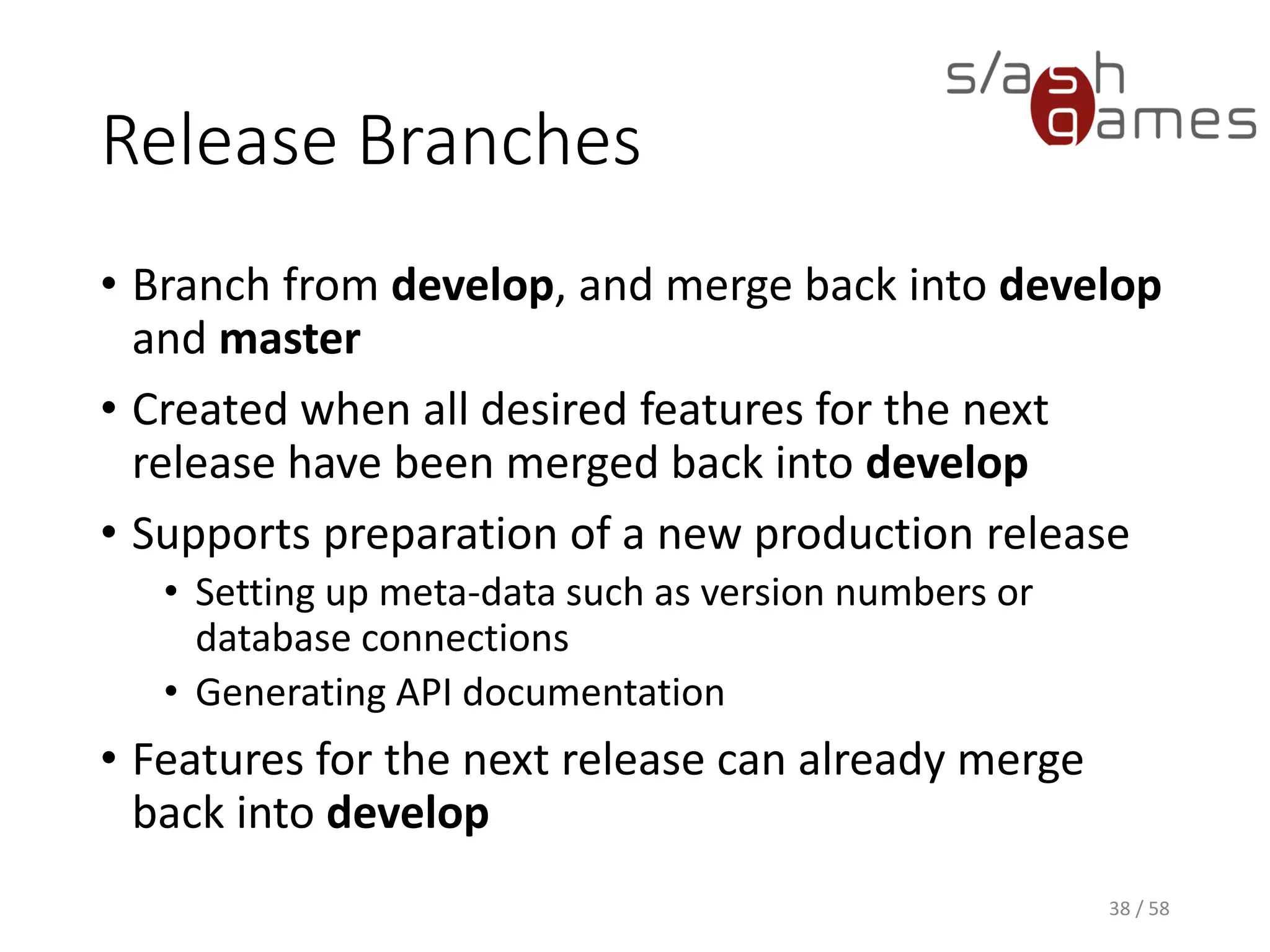
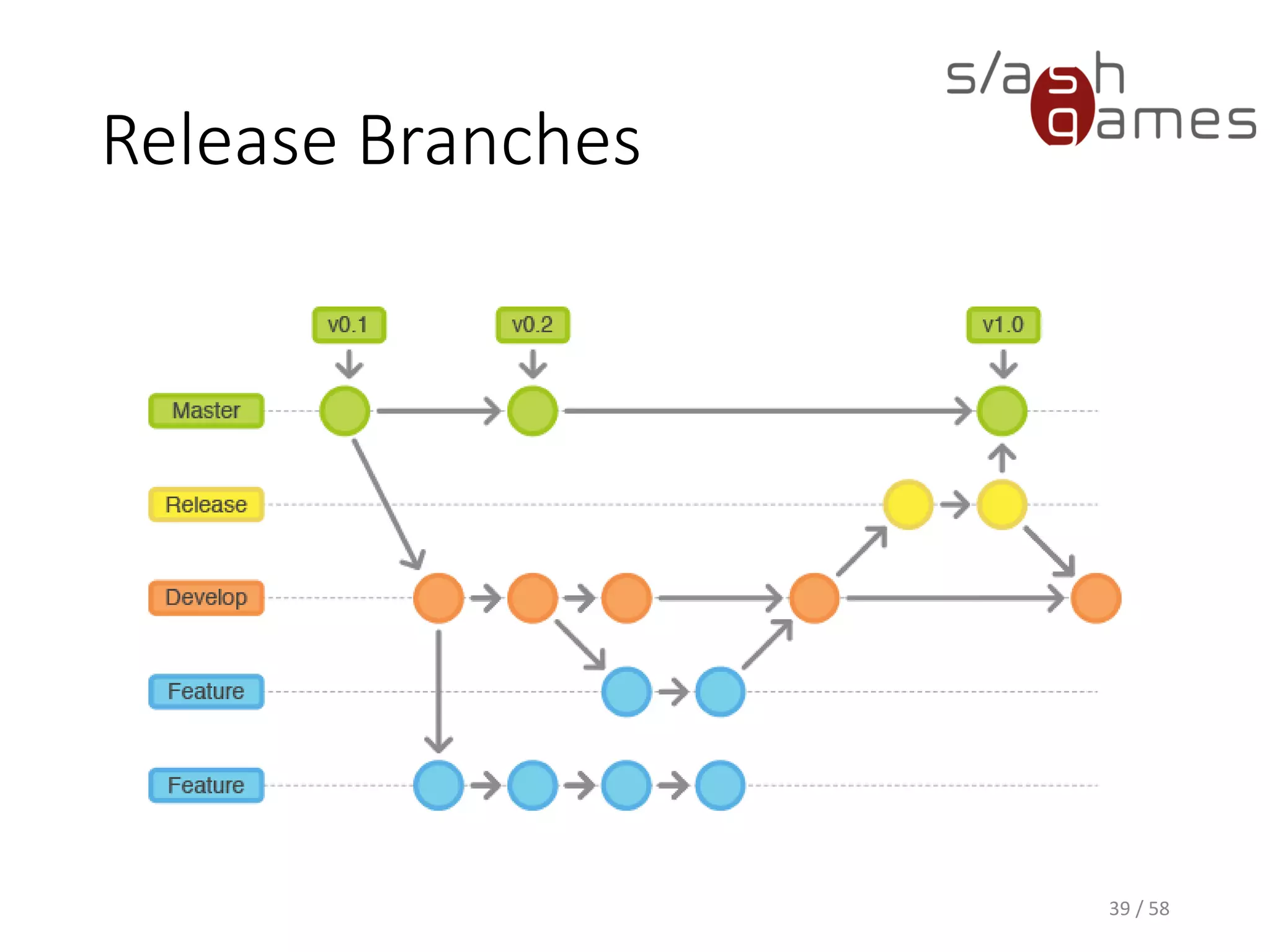
Release Branches
• Branch from develop, and merge back into develop
and master
• Created when all desired features for the next
release have been merged back into develop
• Supports preparation of a new production release
• Setting up meta-data such as version numbers or
database connections
• Generating API documentation
• Features for the next release can already merge
back into develop
38 / 58
Release Branches
39 / 58
Hint
Whenever changes are merged
back into master, this is a new
production release by definition!
40 / 78
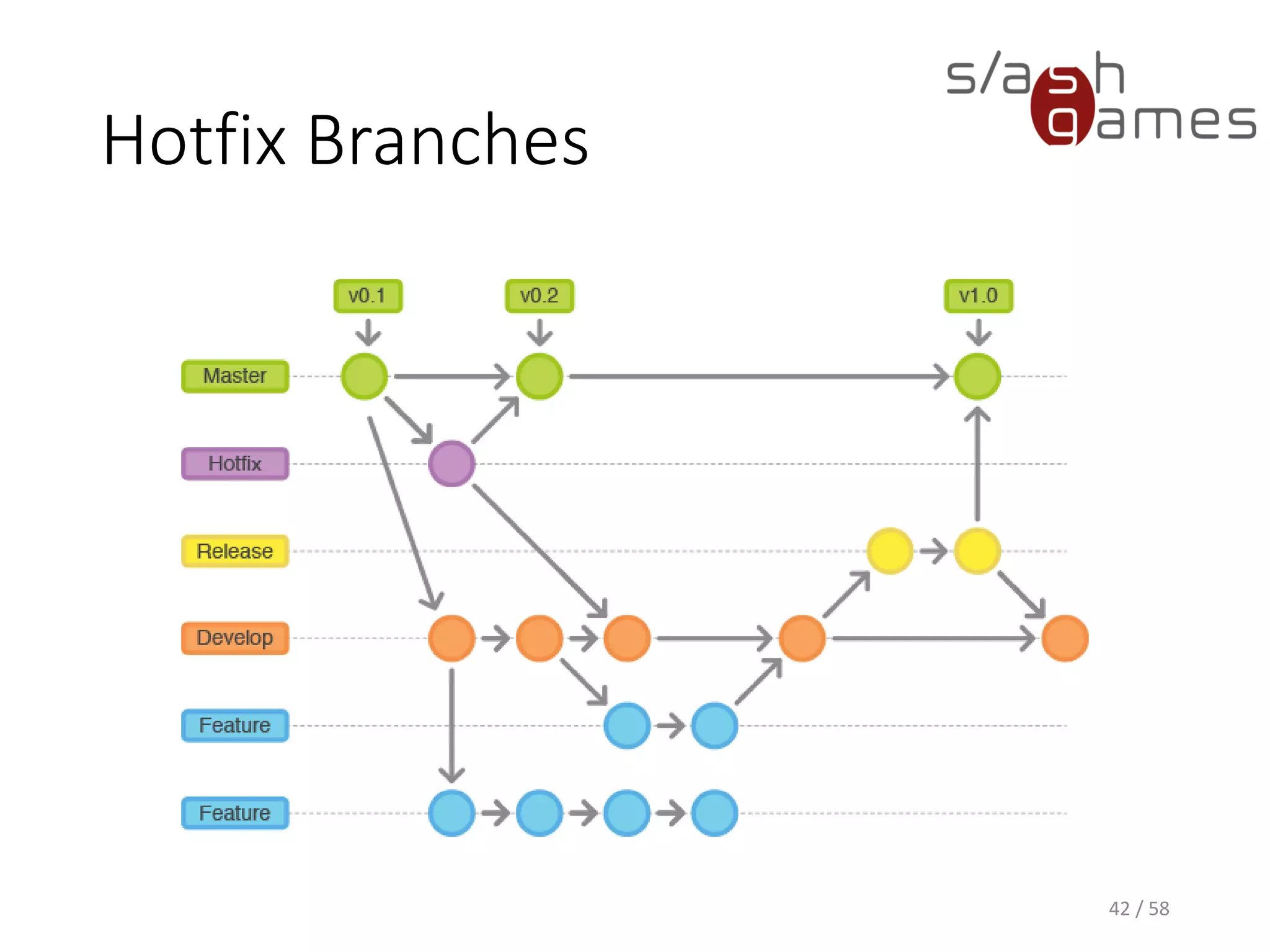
Hotfix Branches
• Branch from master, and merge back into develop
and master
• Created when a critical bug in a production release
has to be resolved immediately
• Other team members can continue working on new
features or the next release
41 / 58
Hotfix Branches
42 / 58
Hint
Unlike the two main branches, all
supporting branches will be merged
and removed eventually!
43 / 78
References
• Chacon, Straub. Pro Git. 2nd Edition. Apress,
December 24, 2014. http://www.git-scm.com/doc
• Vincent Driessen. A successful Git branchin model.
http://nvie.com/posts/a-successful-git-branching-
model/, January 5, 2010.
• Atlassian. Gitflow Workflow.
https://www.atlassian.com/git/workflows#!workflo
w-gitflow, June 2014.
44 / 58
Thank you for your attention!
Contact
Mail
dev@npruehs.de
Blog
http://www.npruehs.de
Twitter
@npruehs
Github
https://github.com/npruehs
45 / 58

Tool Development A - Git