THE GRID
The future of CSS layout
Evolution of web layout
<table>
float
display: inline-block
display: table
position: absolute
CSS Frameworks
display: flex
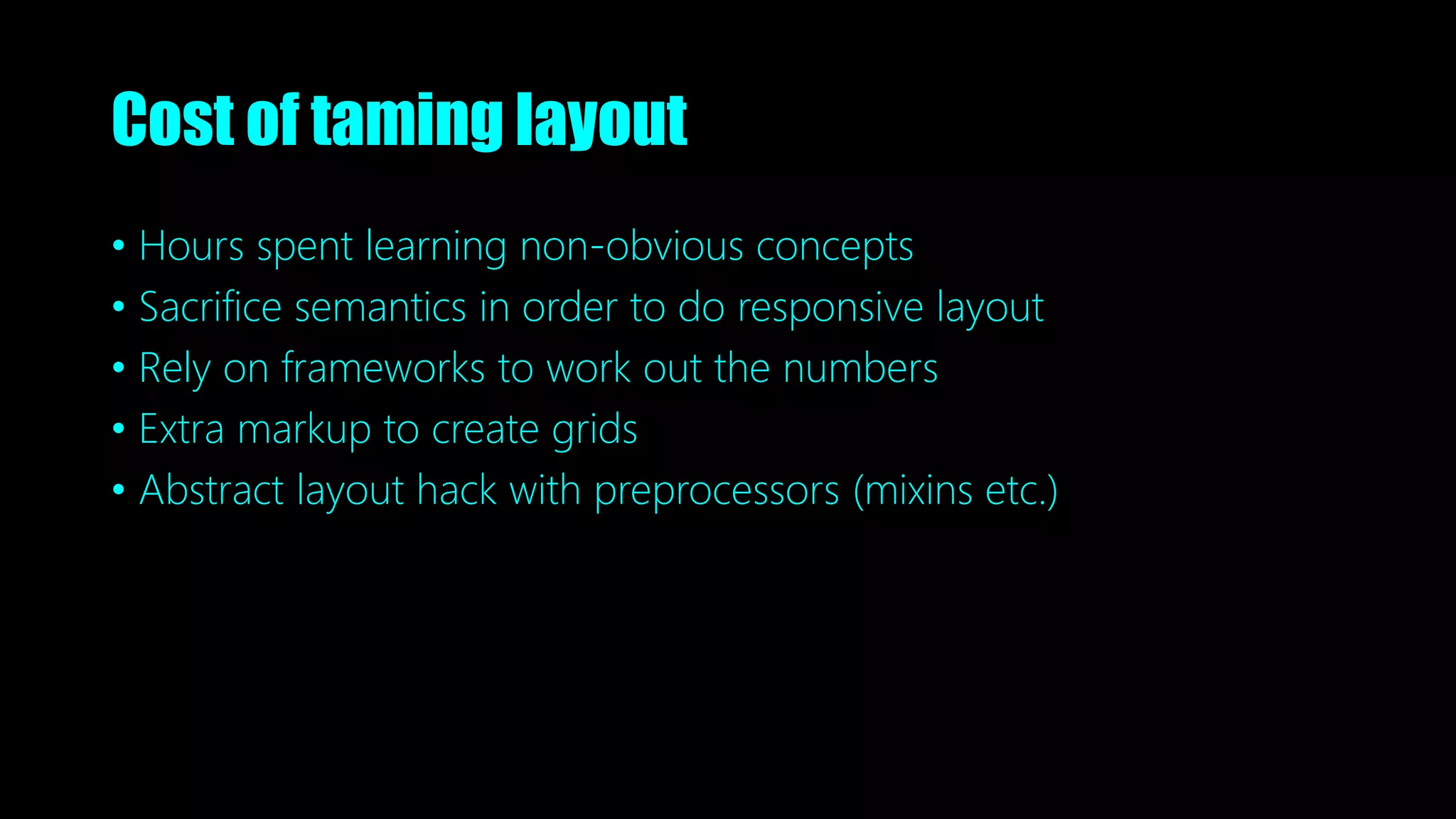
Cost of taming layout
• Hours spent learning non-obvious concepts
• Sacrifice semantics in order to do responsive layout
• Rely on frameworks to work out the numbers
• Extra markup to create grids
• Abstract layout hack with preprocessors (mixins etc.)
display: grid
CSS Grid layout
A system
designed for handling «2 dimentional» layout
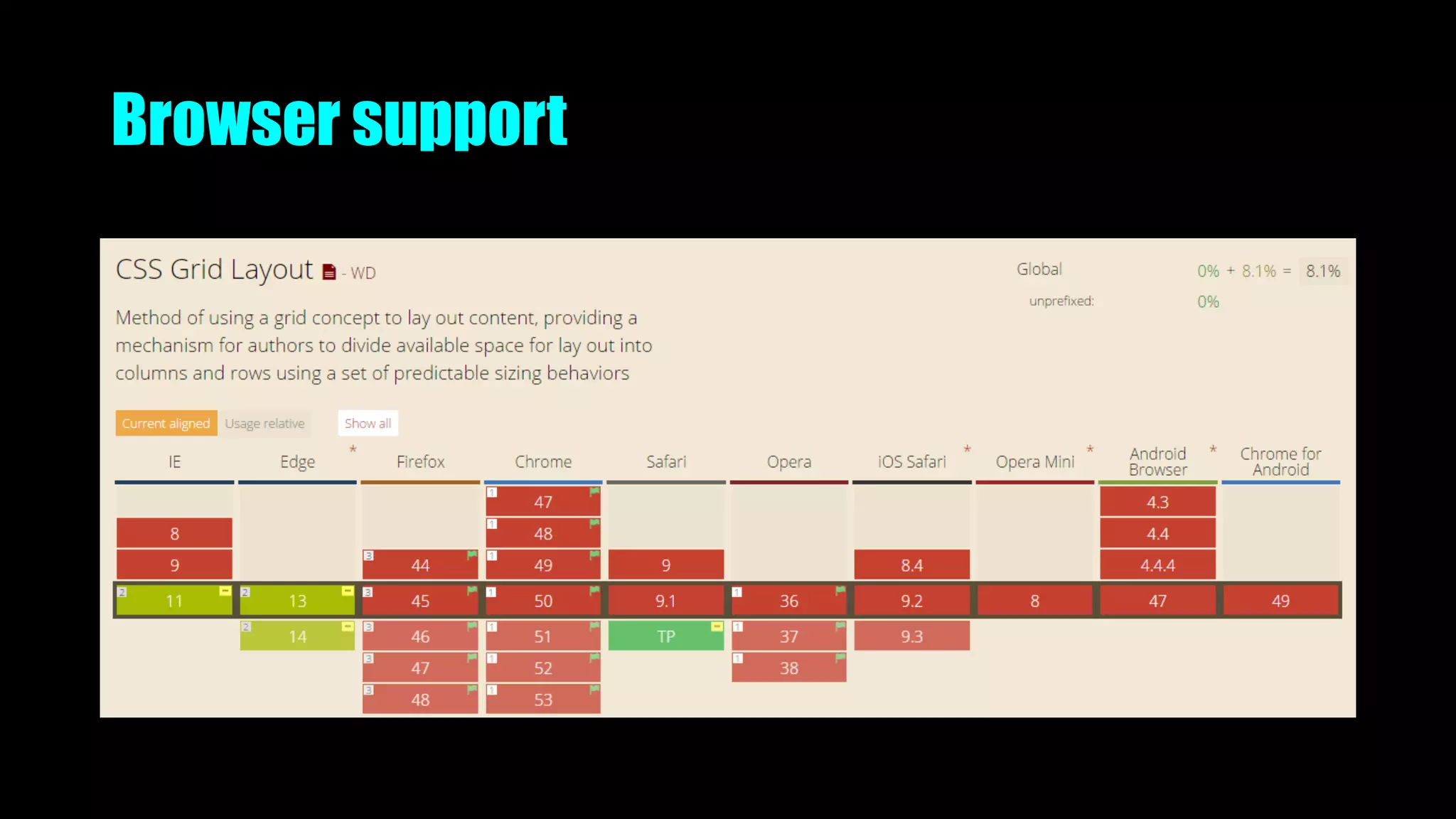
Browser support
In-development. Unprefixed support with flag enabled
In-development. Some features supported unprefixed in nightlies
-webkit prefix supported in Webkit Nightlies
IE10 support old syntax with –ms prefix
Is on Edge backlog, marked as High Priority
The basics
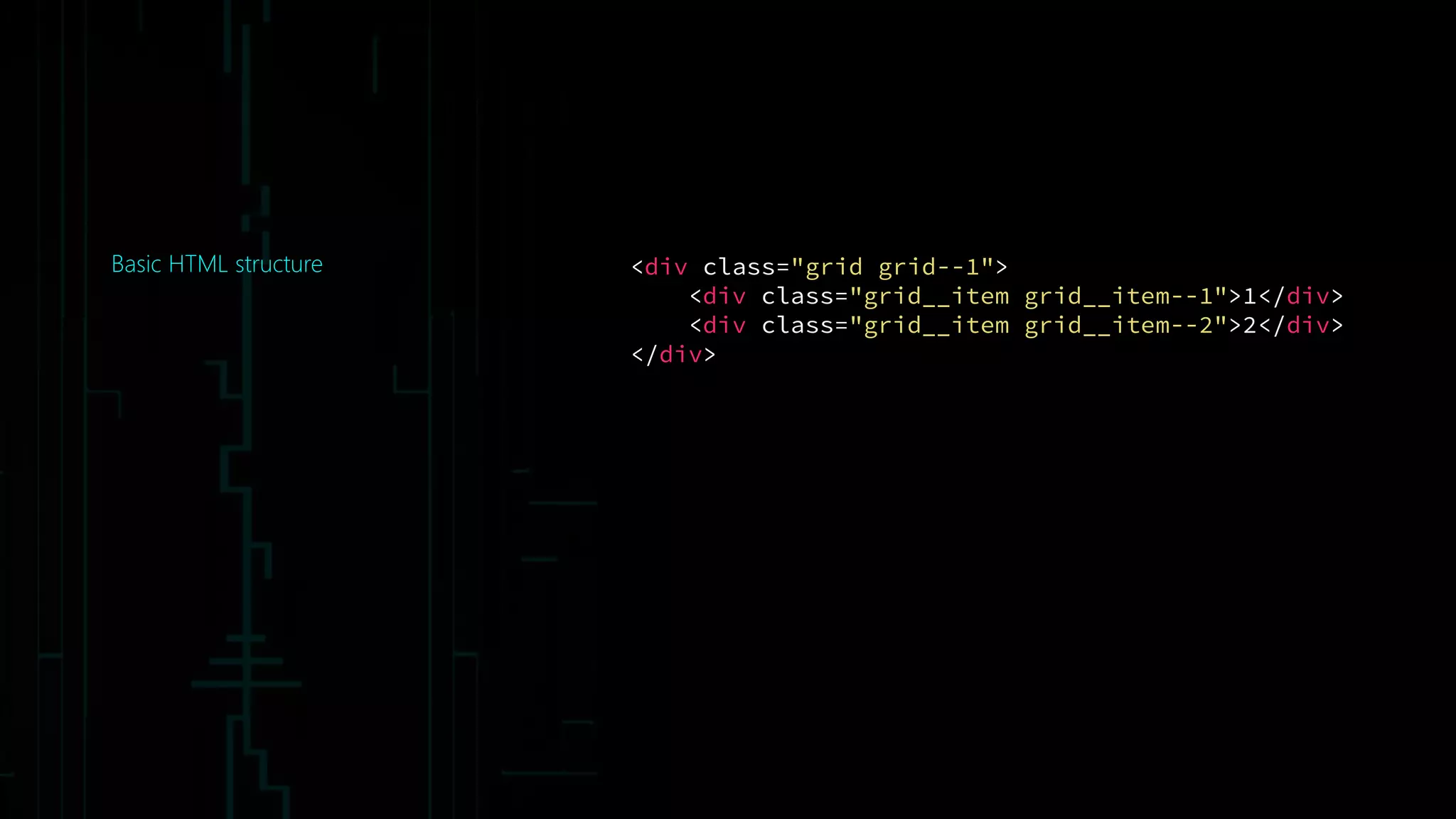
Basic HTML structure <div class="grid grid--1">
<div class="grid__item grid__item--1">1</div>
<div class="grid__item grid__item--2">2</div>
</div>
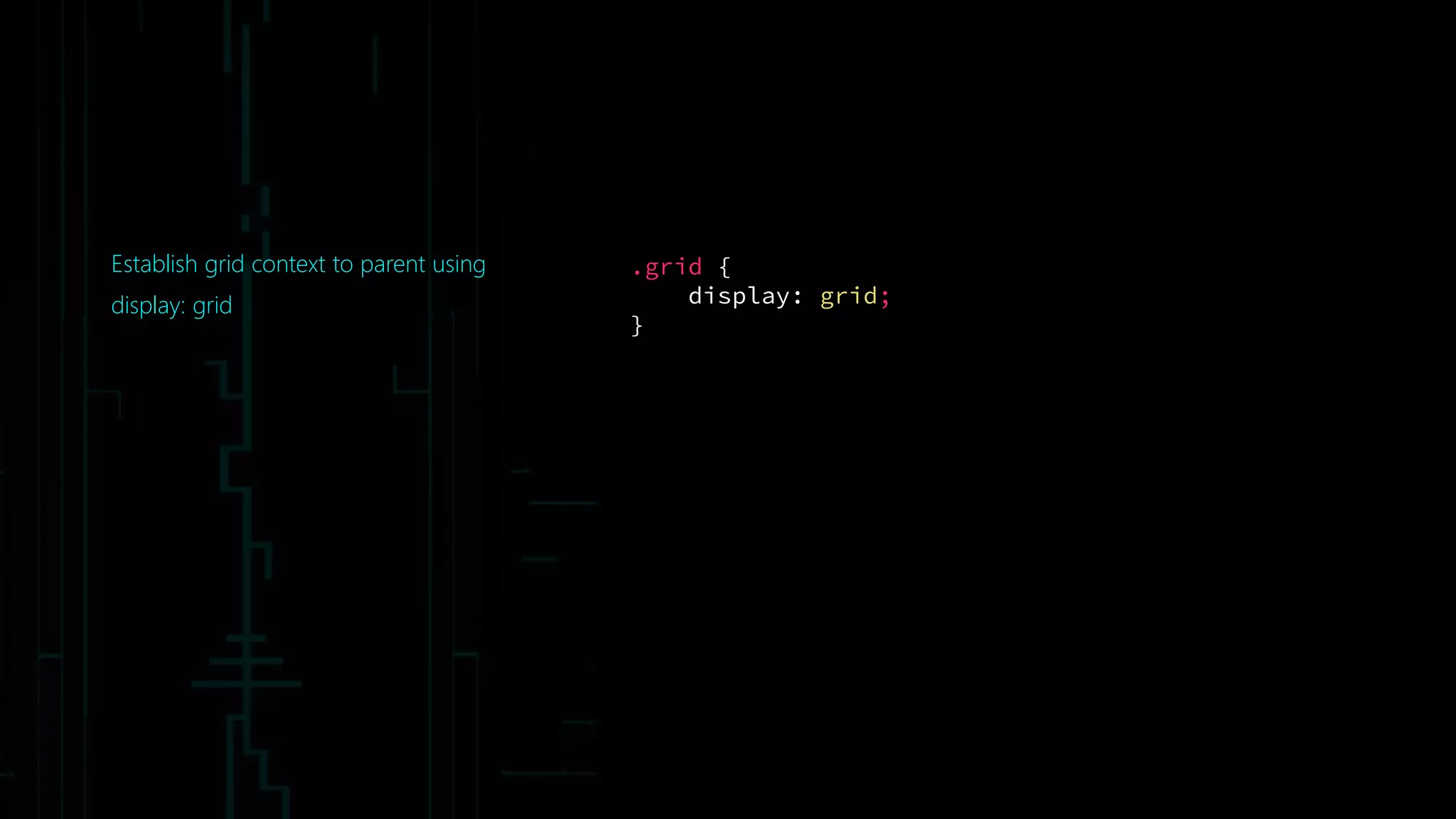
Establish grid context to parent using
display: grid
.grid {
display: grid;
}
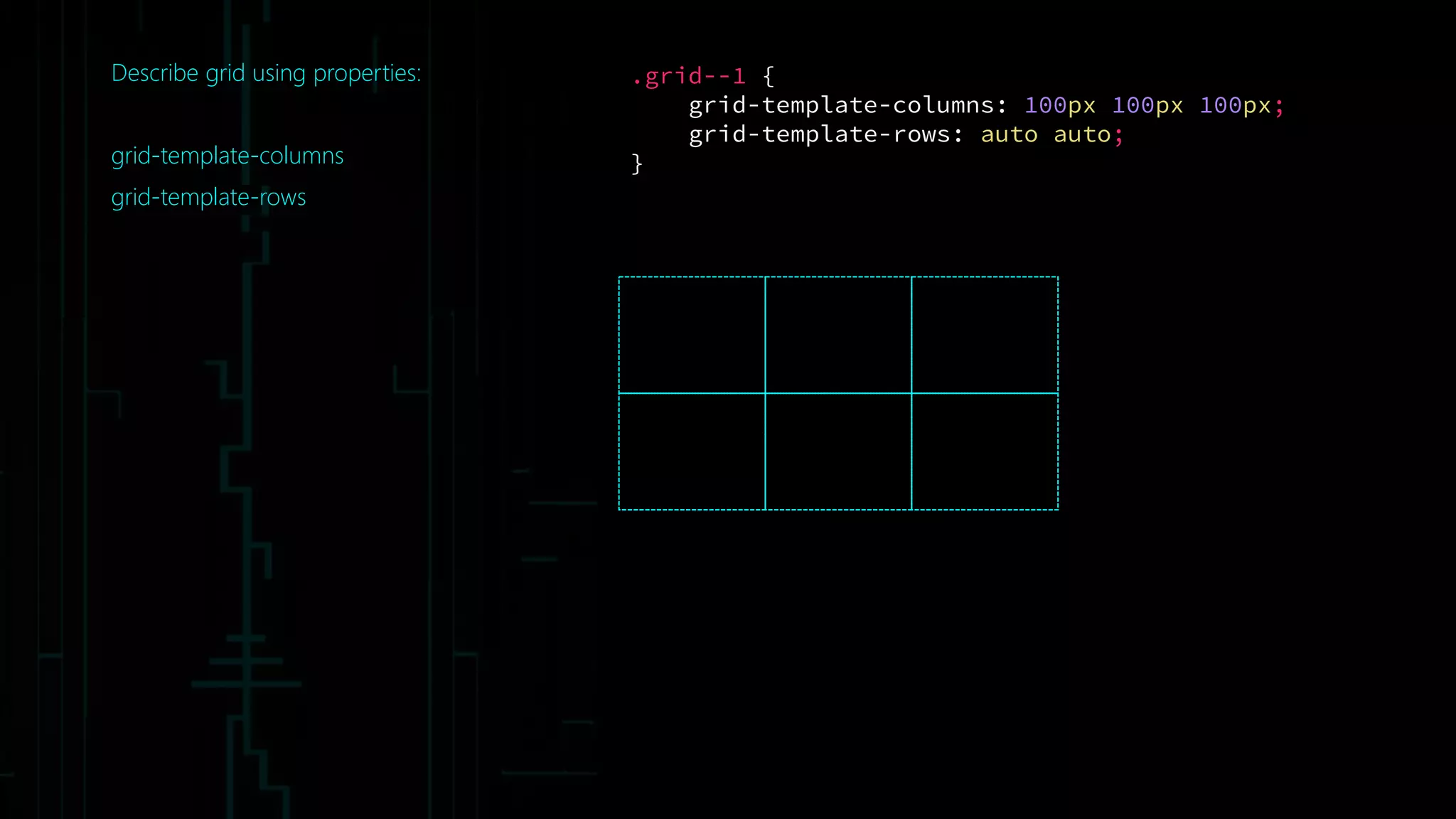
Describe grid using properties:
grid-template-columns
grid-template-rows
.grid--1 {
grid-template-columns: 100px 100px 100px;
grid-template-rows: auto auto;
}
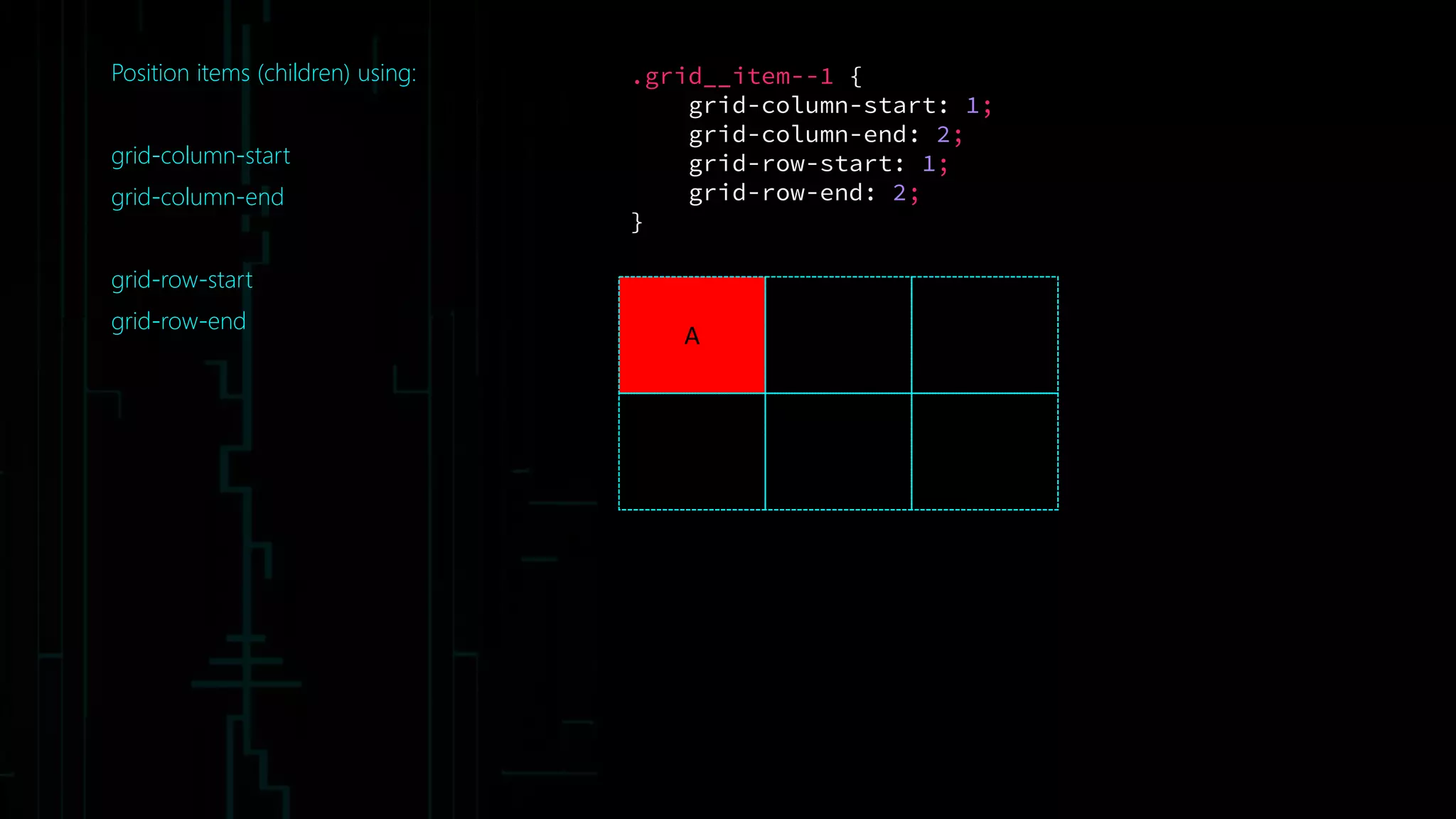
Position items (children) using:
grid-column-start
grid-column-end
grid-row-start
grid-row-end
A
.grid__item--1 {
grid-column-start: 1;
grid-column-end: 2;
grid-row-start: 1;
grid-row-end: 2;
}
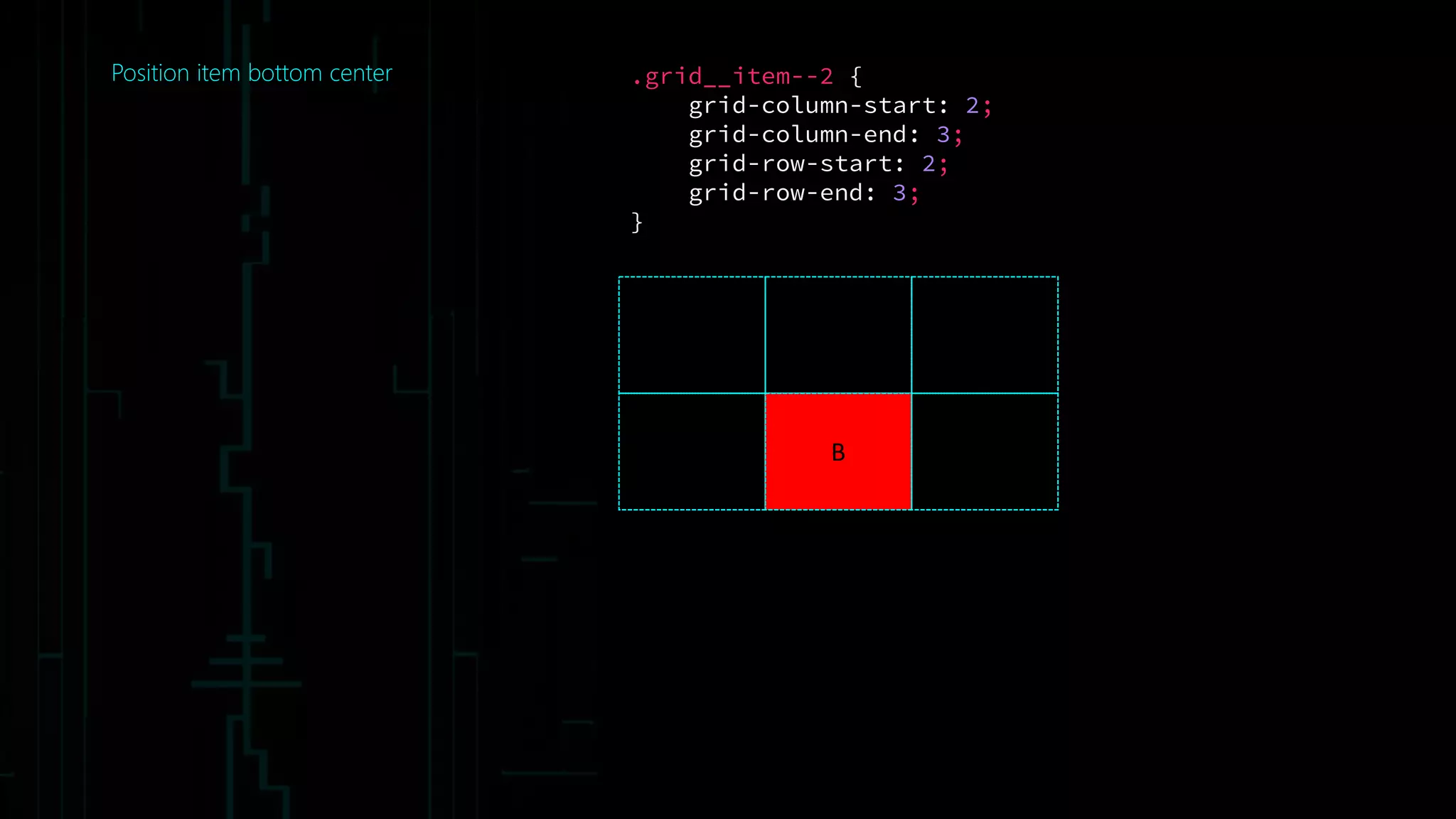
Position item bottom center
B
.grid__item--2 {
grid-column-start: 2;
grid-column-end: 3;
grid-row-start: 2;
grid-row-end: 3;
}
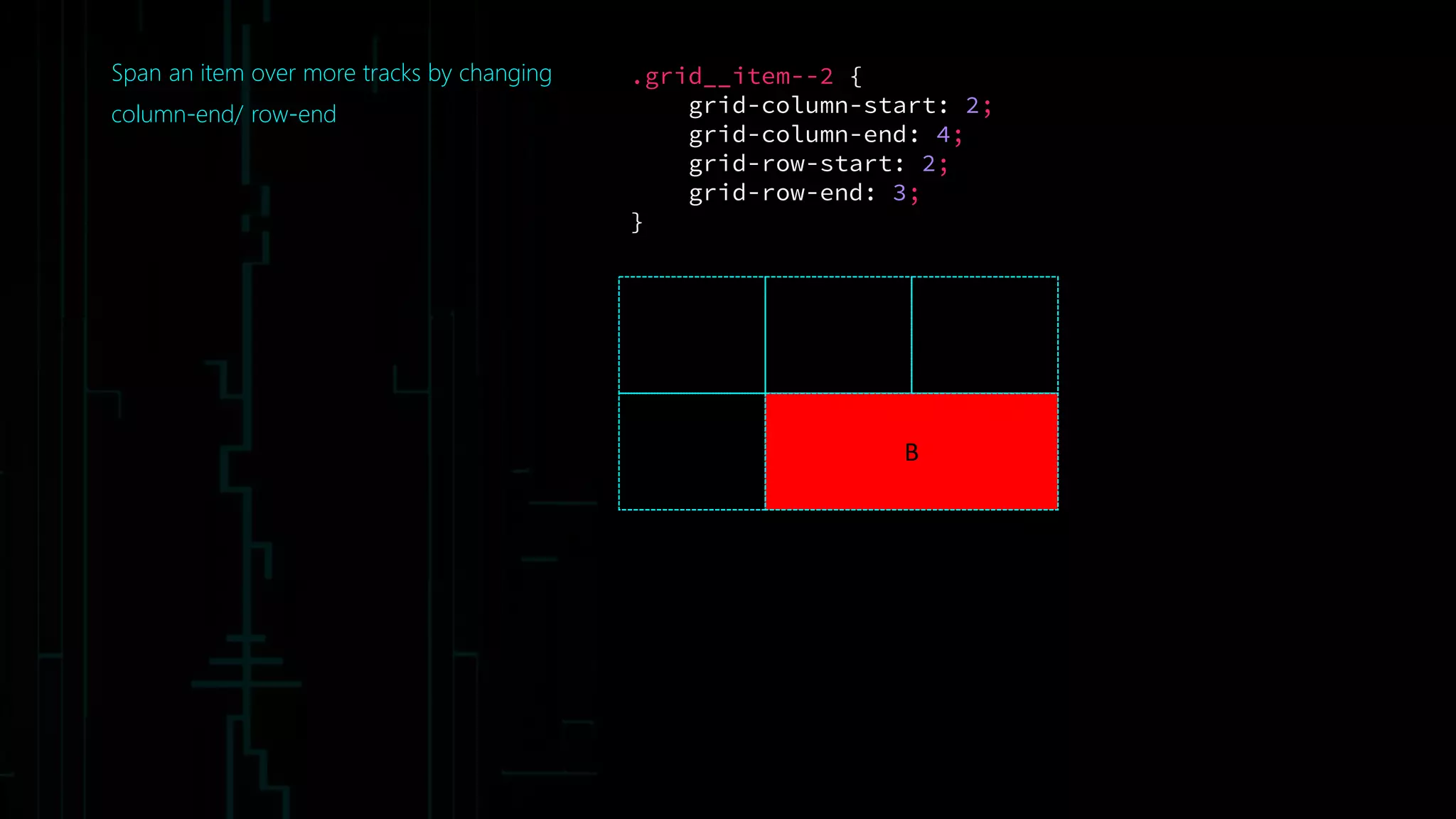
Span an item over more tracks by changing
column-end/ row-end
B
.grid__item--2 {
grid-column-start: 2;
grid-column-end: 4;
grid-row-start: 2;
grid-row-end: 3;
}
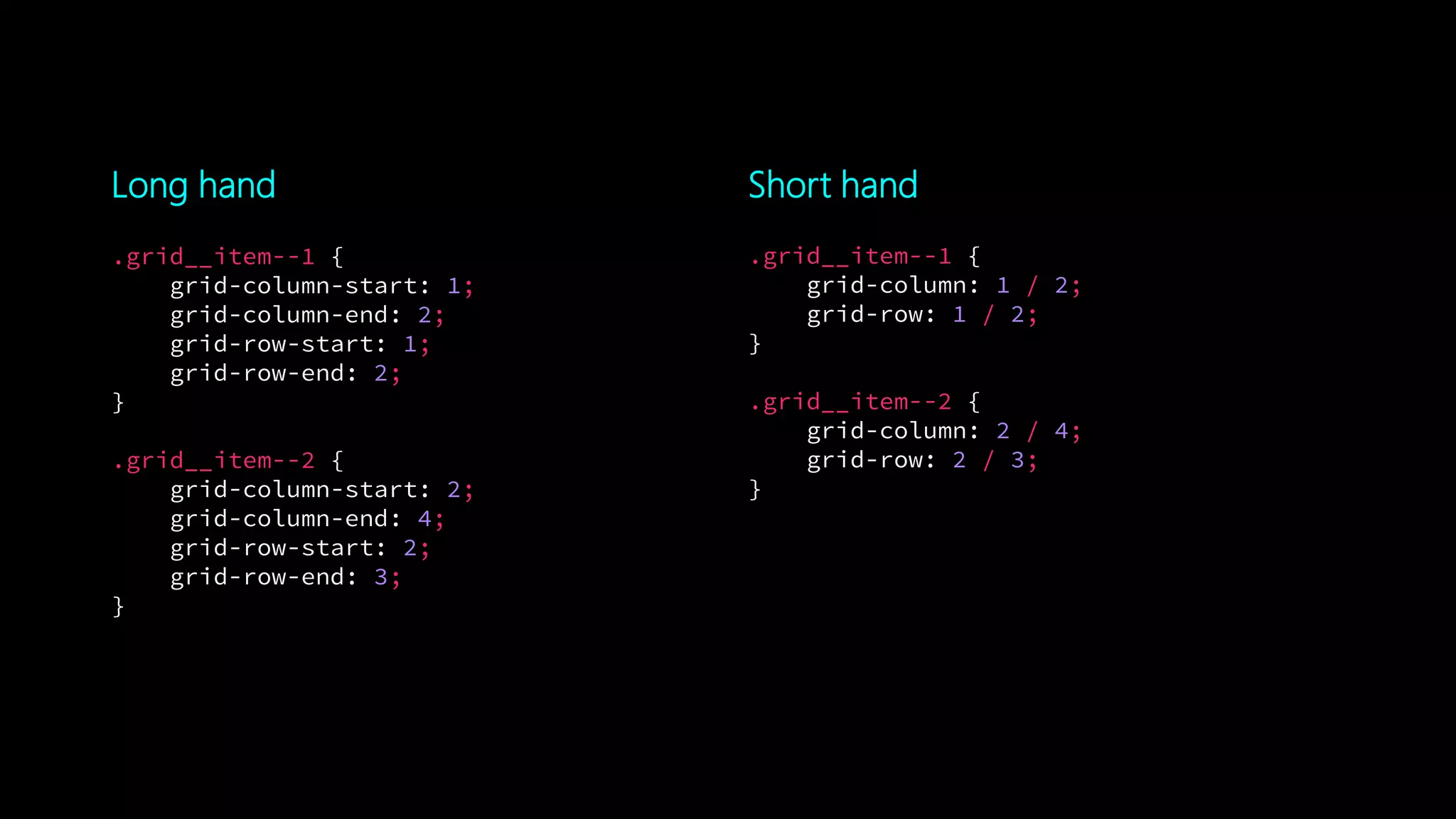
Long hand Short hand
.grid__item--1 {
grid-column: 1 / 2;
grid-row: 1 / 2;
}
.grid__item--2 {
grid-column: 2 / 4;
grid-row: 2 / 3;
}
.grid__item--1 {
grid-column-start: 1;
grid-column-end: 2;
grid-row-start: 1;
grid-row-end: 2;
}
.grid__item--2 {
grid-column-start: 2;
grid-column-end: 4;
grid-row-start: 2;
grid-row-end: 3;
}
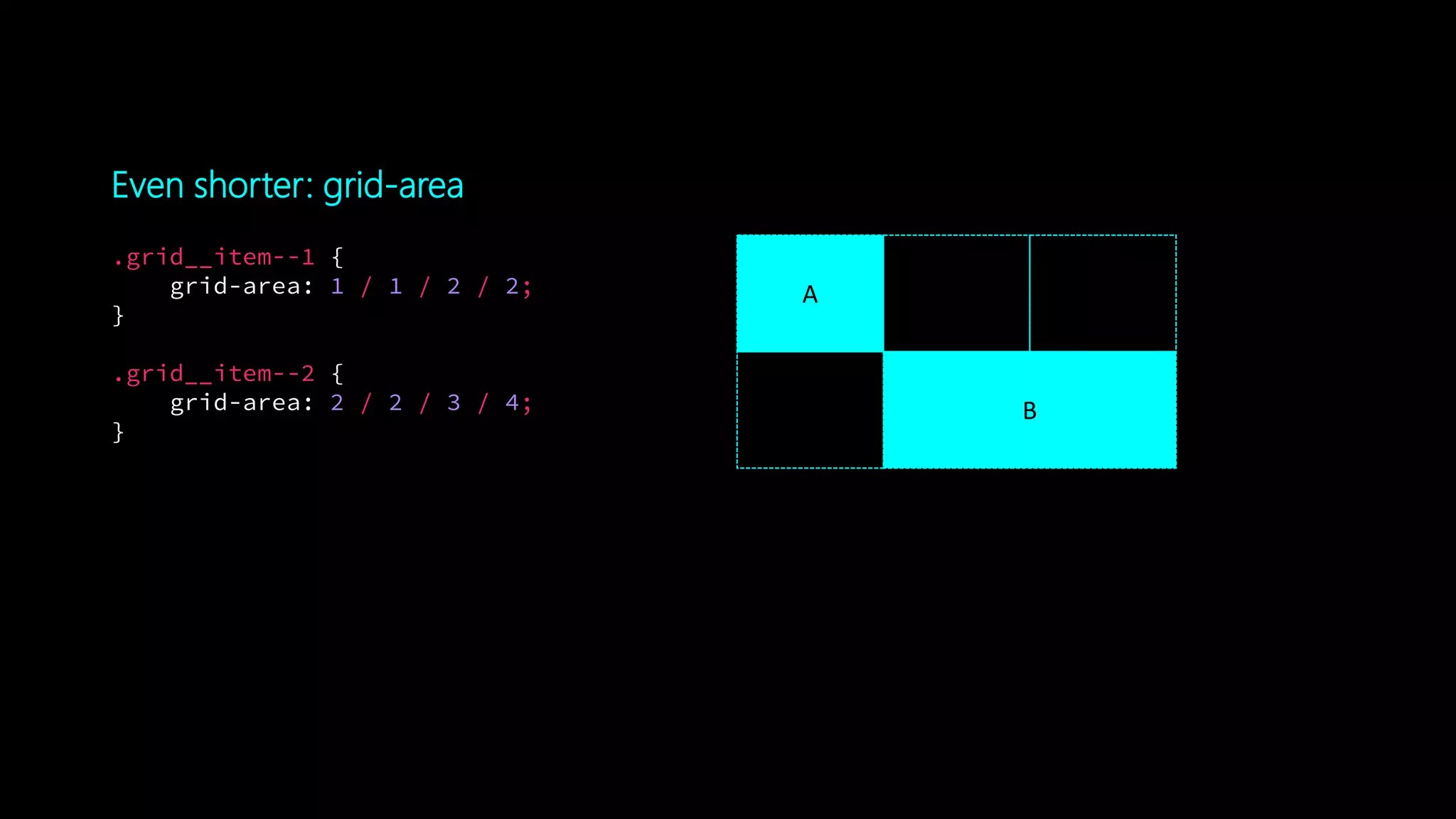
Even shorter: grid-area
.grid__item--1 {
grid-area: 1 / 1 / 2 / 2;
}
.grid__item--2 {
grid-area: 2 / 2 / 3 / 4;
}
A
B
Terminology
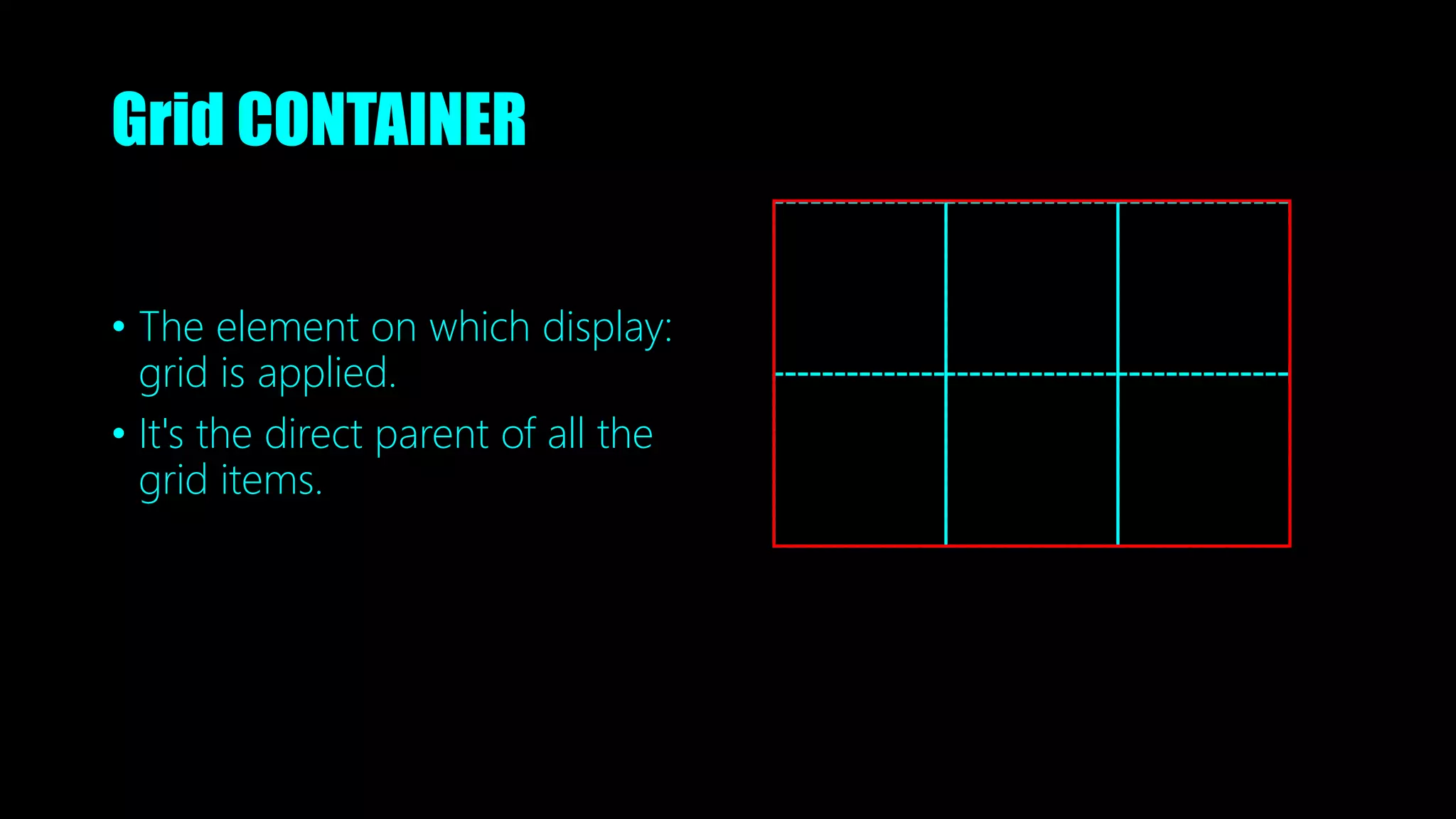
Grid CONTAINER
• The element on which display:
grid is applied.
• It's the direct parent of all the
grid items.
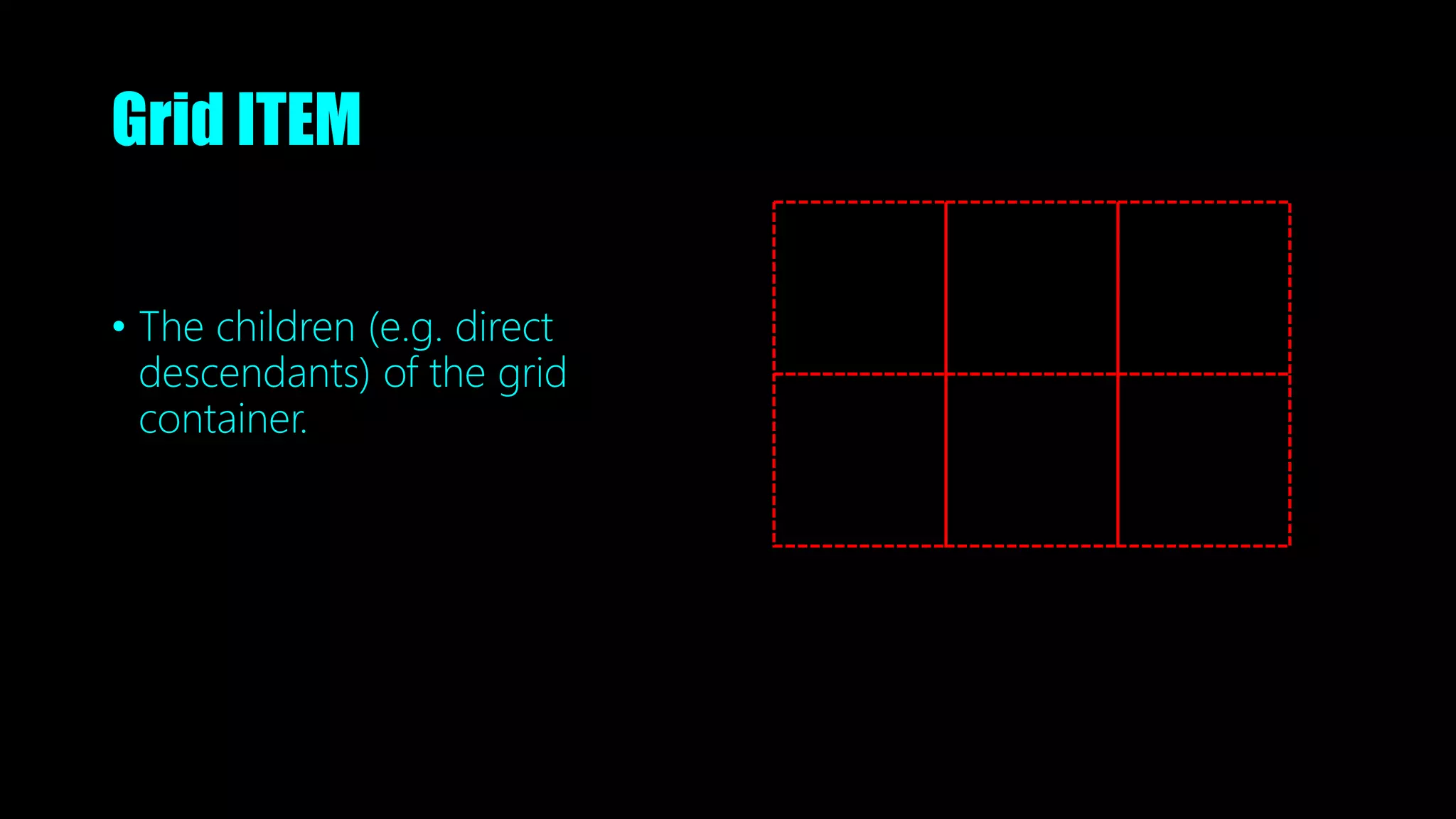
Grid ITEM
• The children (e.g. direct
descendants) of the grid
container.
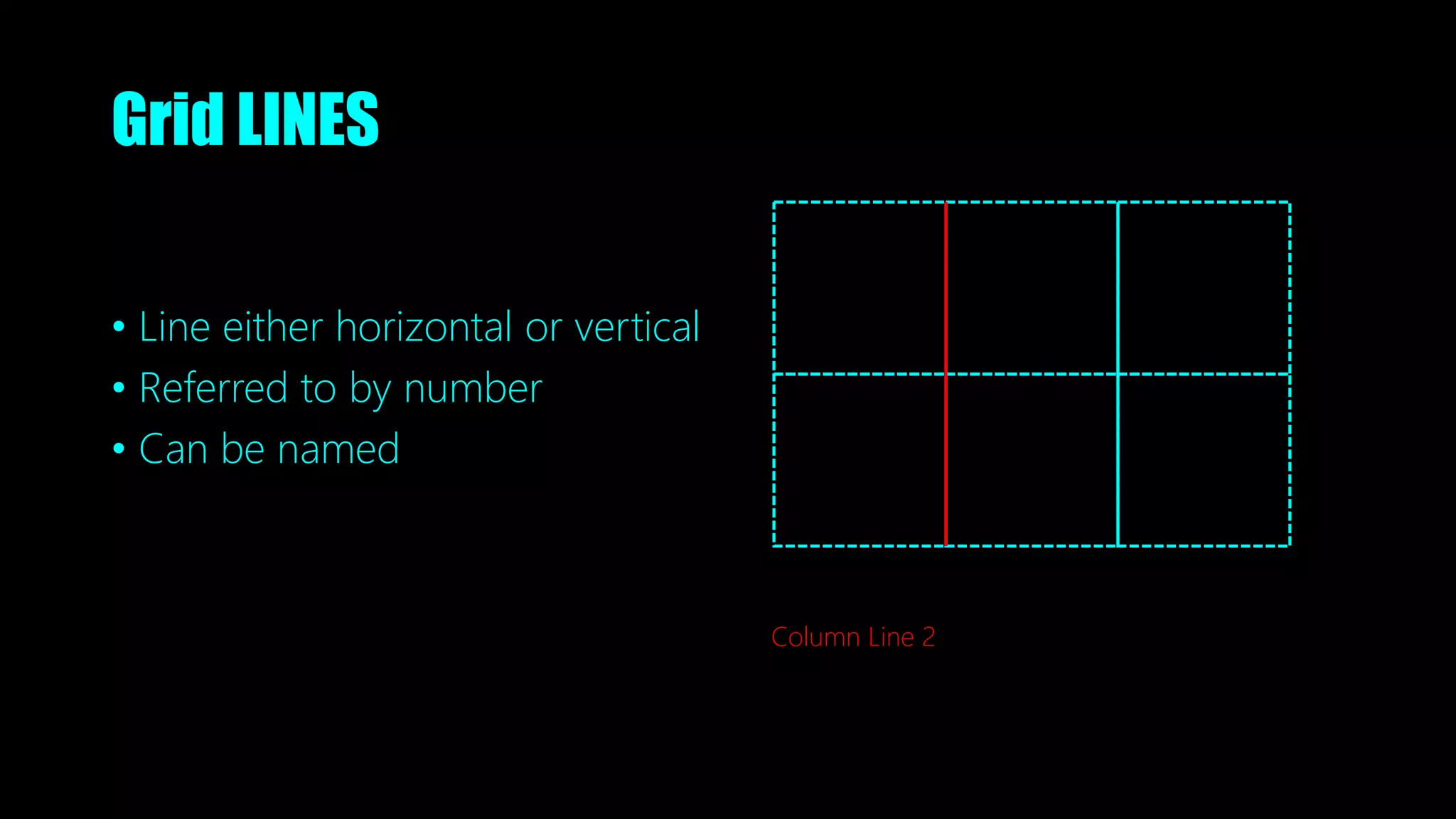
Grid LINES
• Line either horizontal or vertical
• Referred to by number
• Can be named
Column Line 2
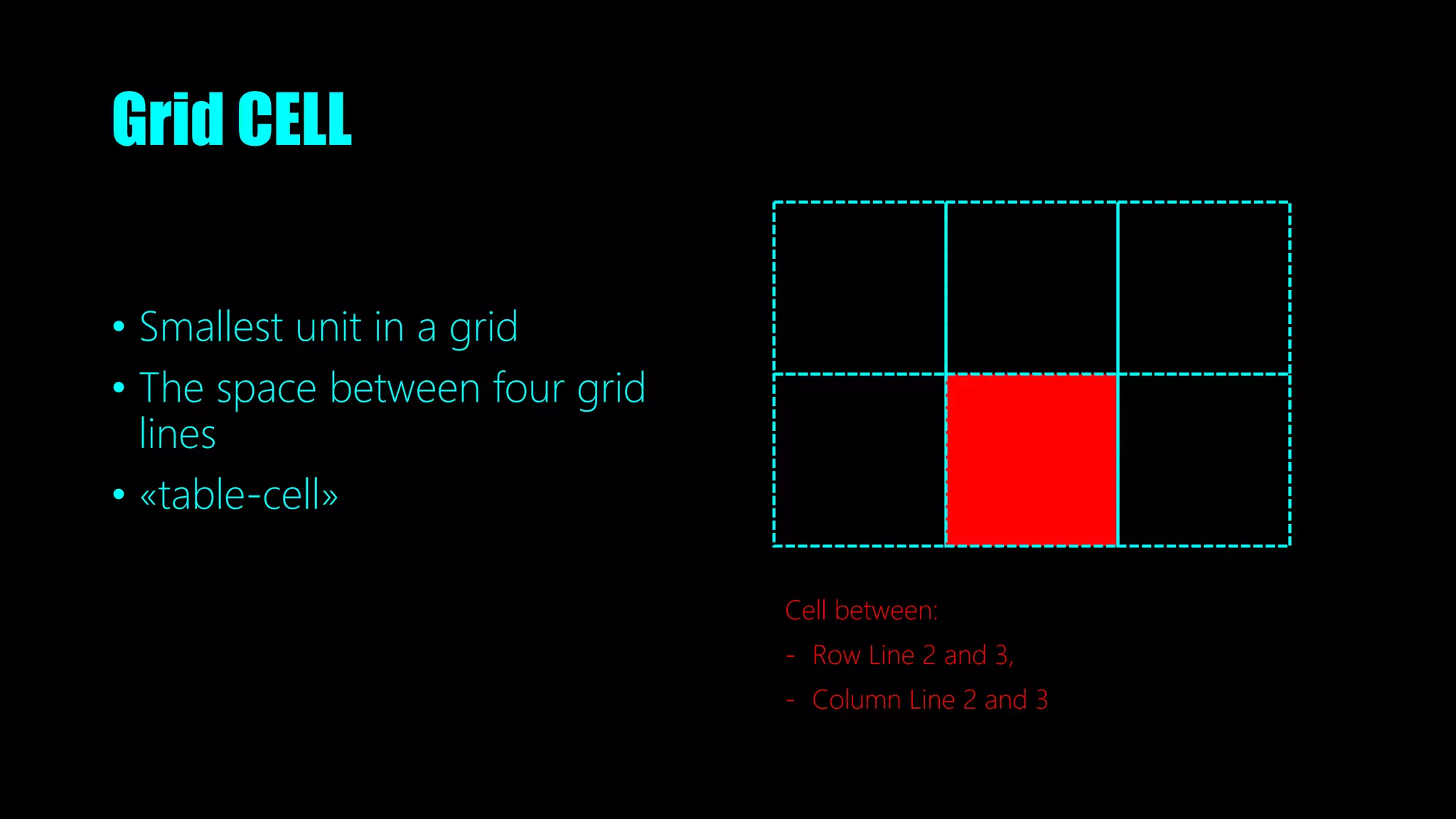
Grid CELL
• Smallest unit in a grid
• The space between four grid
lines
• «table-cell»
Cell between:
- Row Line 2 and 3,
- Column Line 2 and 3
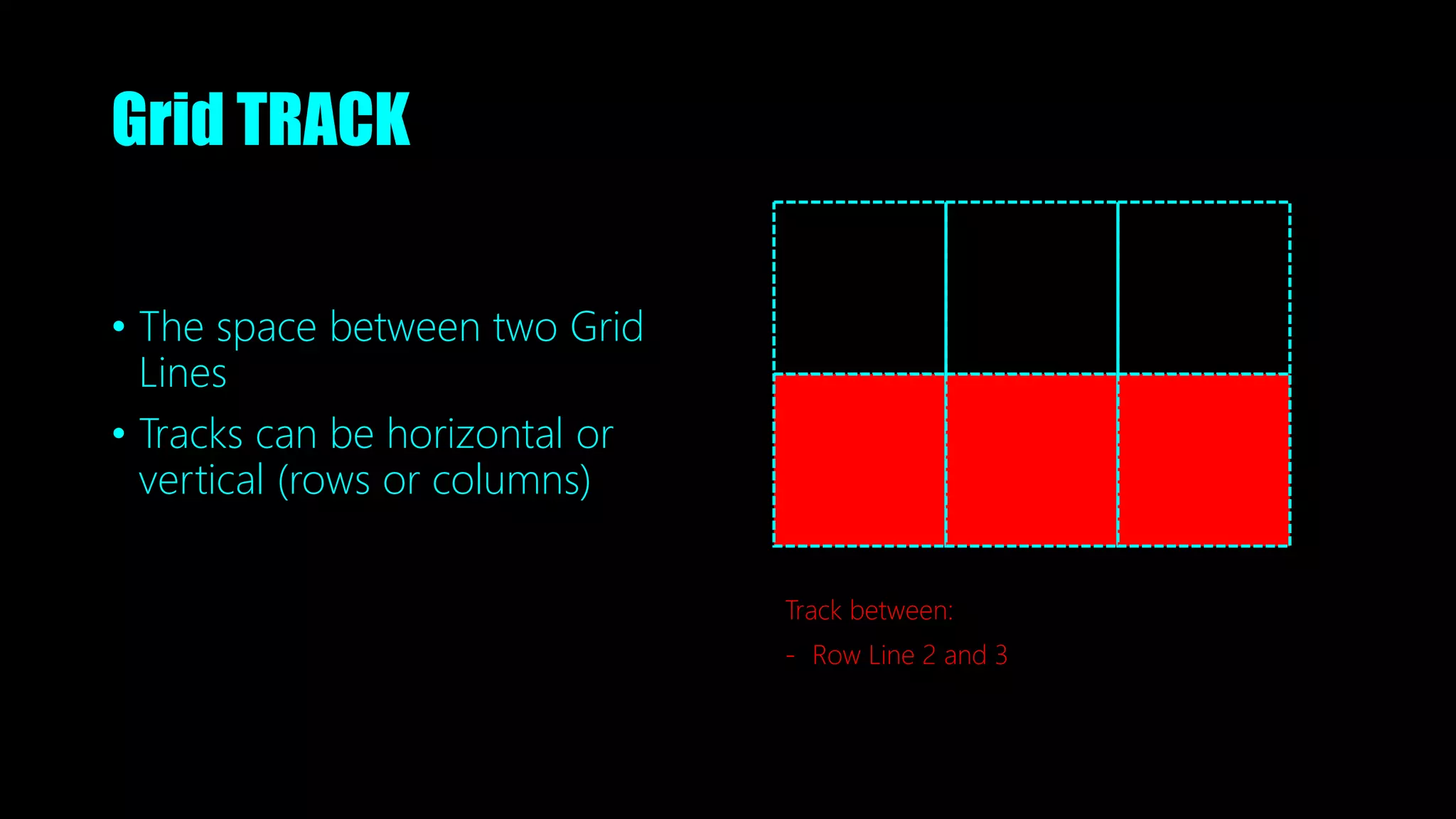
Grid TRACK
• The space between two Grid
Lines
• Tracks can be horizontal or
vertical (rows or columns)
Track between:
- Row Line 2 and 3
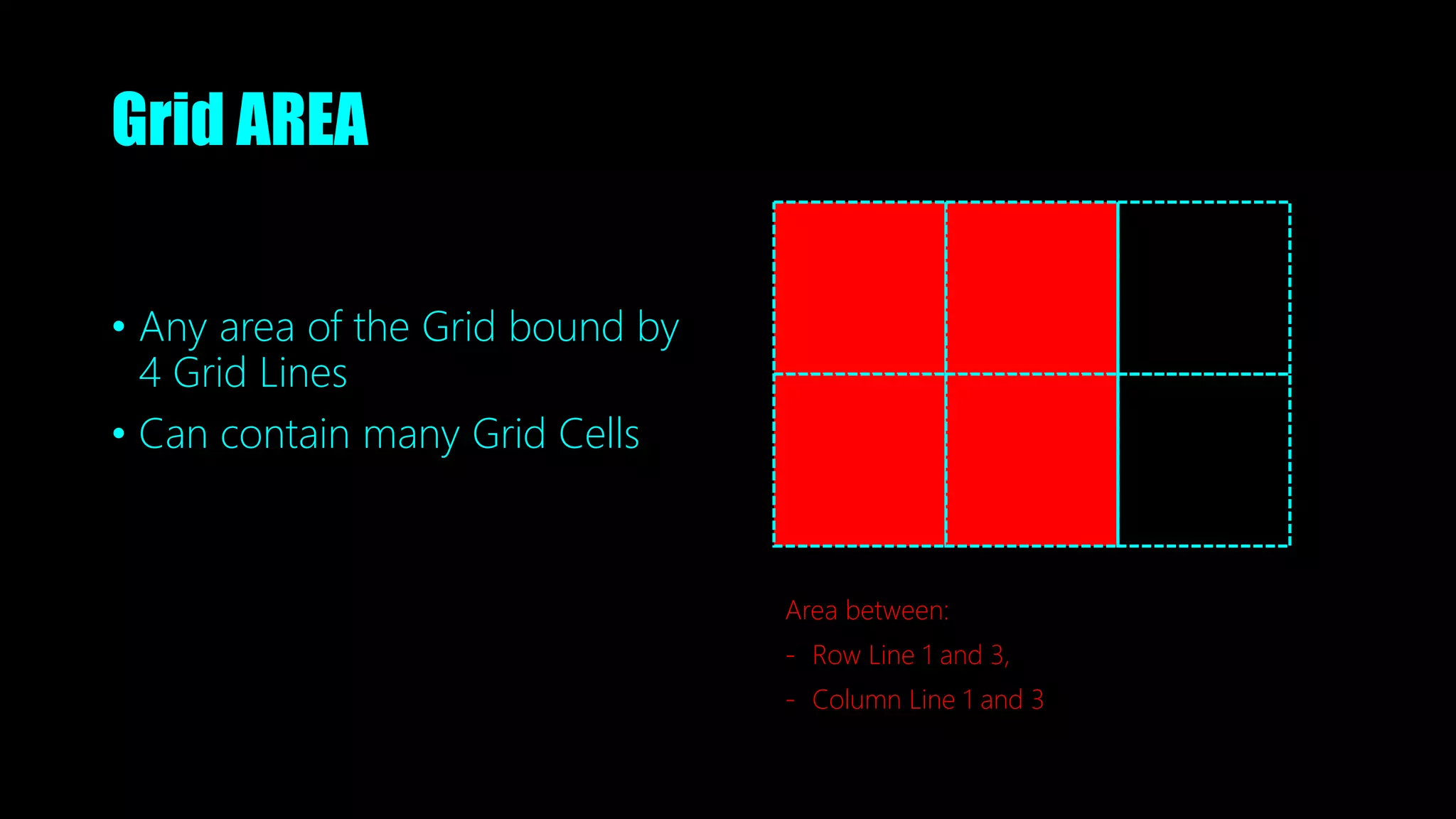
Grid AREA
• Any area of the Grid bound by
4 Grid Lines
• Can contain many Grid Cells
Area between:
- Row Line 1 and 3,
- Column Line 1 and 3
Movin’ on
The fr unit
• A fraction is a part of the available space in a Track
• Essentially a part of whats left after space is subtracted
• Acts similar as flex-grow in Flexbox
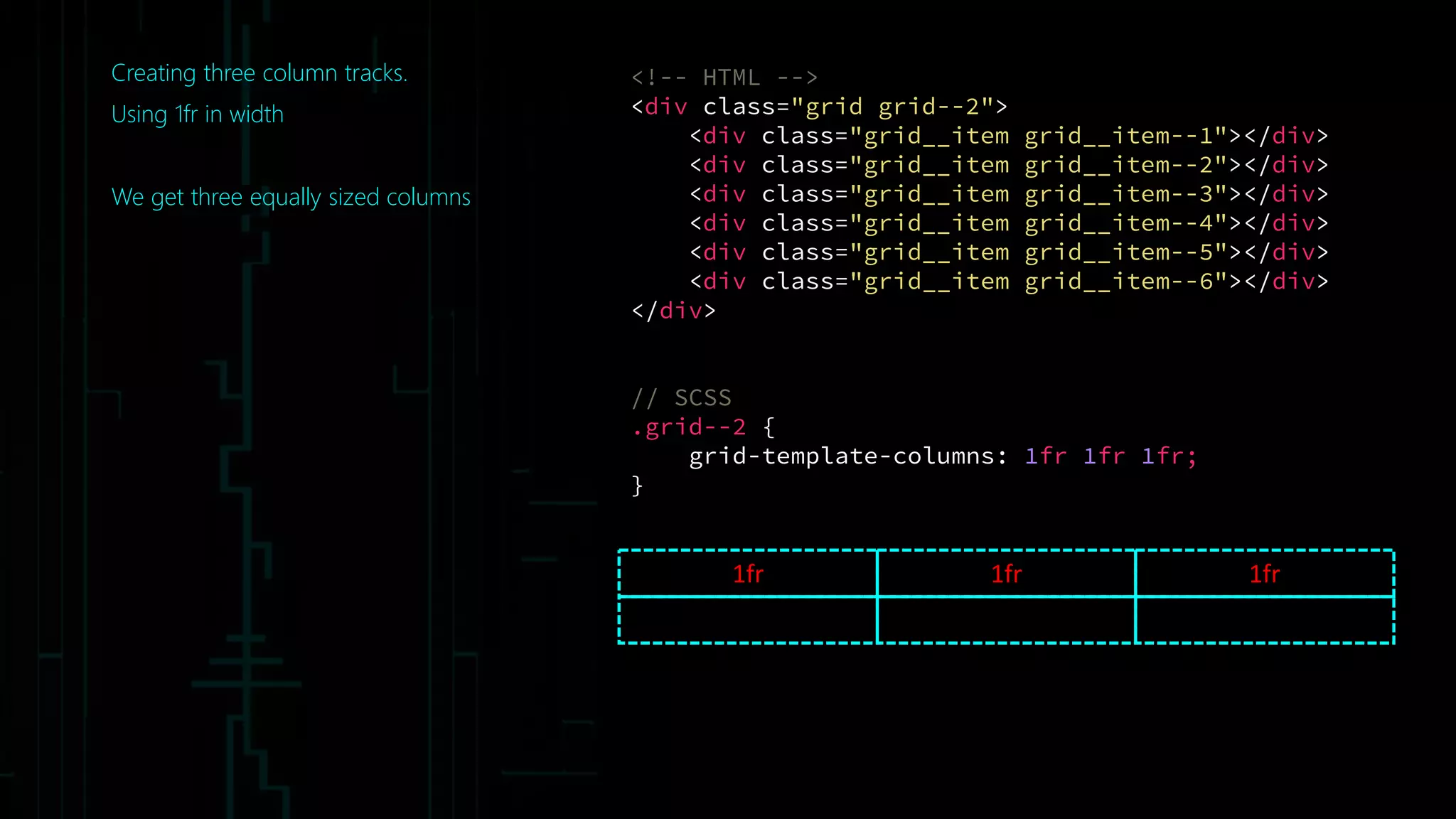
Creating three column tracks.
Using 1fr in width
We get three equally sized columns
1fr 1fr 1fr
<!-- HTML -->
<div class="grid grid--2">
<div class="grid__item grid__item--1"></div>
<div class="grid__item grid__item--2"></div>
<div class="grid__item grid__item--3"></div>
<div class="grid__item grid__item--4"></div>
<div class="grid__item grid__item--5"></div>
<div class="grid__item grid__item--6"></div>
</div>
// SCSS
.grid--2 {
grid-template-columns: 1fr 1fr 1fr;
}
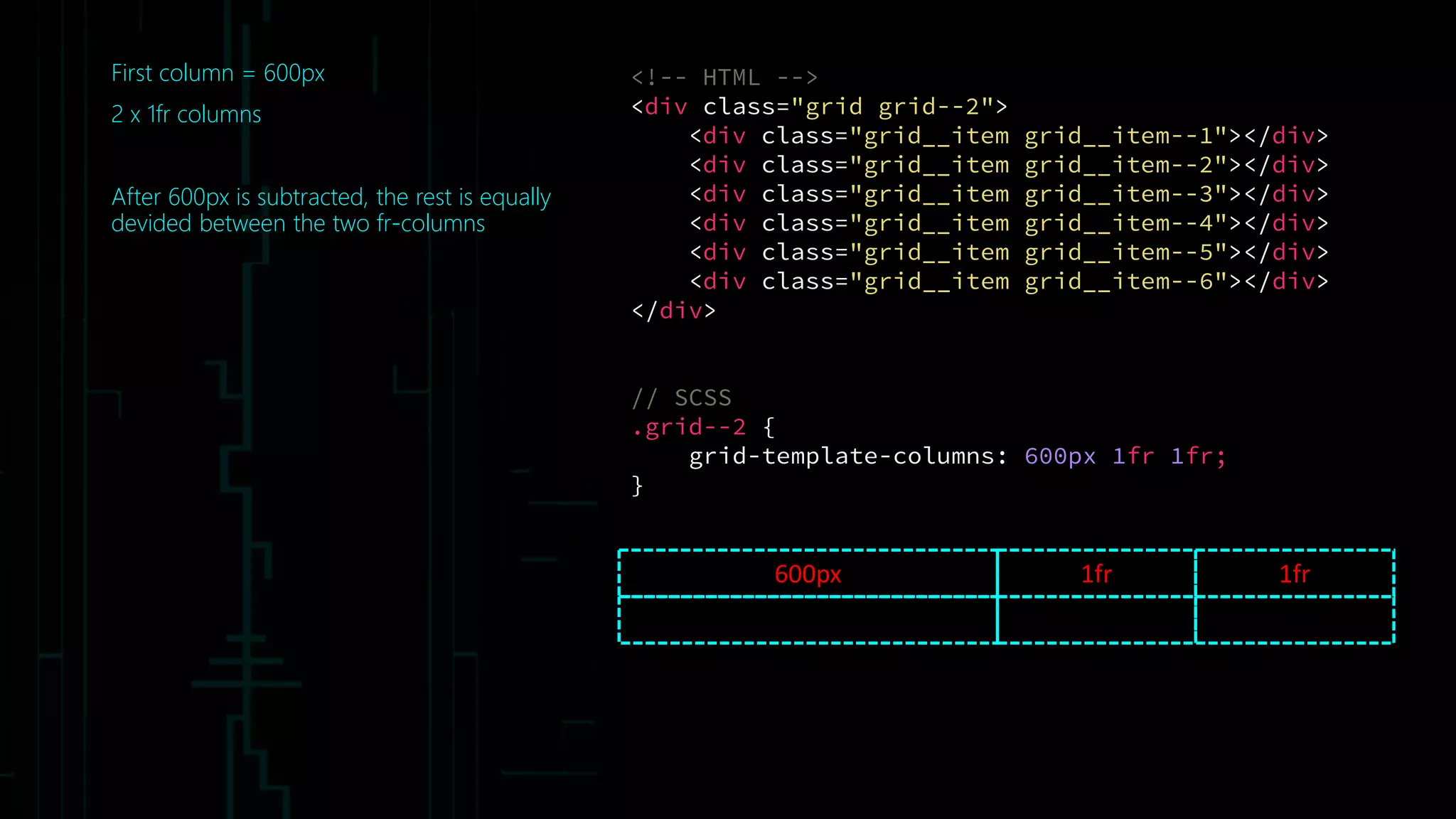
First column = 600px
2 x 1fr columns
After 600px is subtracted, the rest is equally
devided between the two fr-columns
600px 1fr 1fr
<!-- HTML -->
<div class="grid grid--2">
<div class="grid__item grid__item--1"></div>
<div class="grid__item grid__item--2"></div>
<div class="grid__item grid__item--3"></div>
<div class="grid__item grid__item--4"></div>
<div class="grid__item grid__item--5"></div>
<div class="grid__item grid__item--6"></div>
</div>
// SCSS
.grid--2 {
grid-template-columns: 600px 1fr 1fr;
}
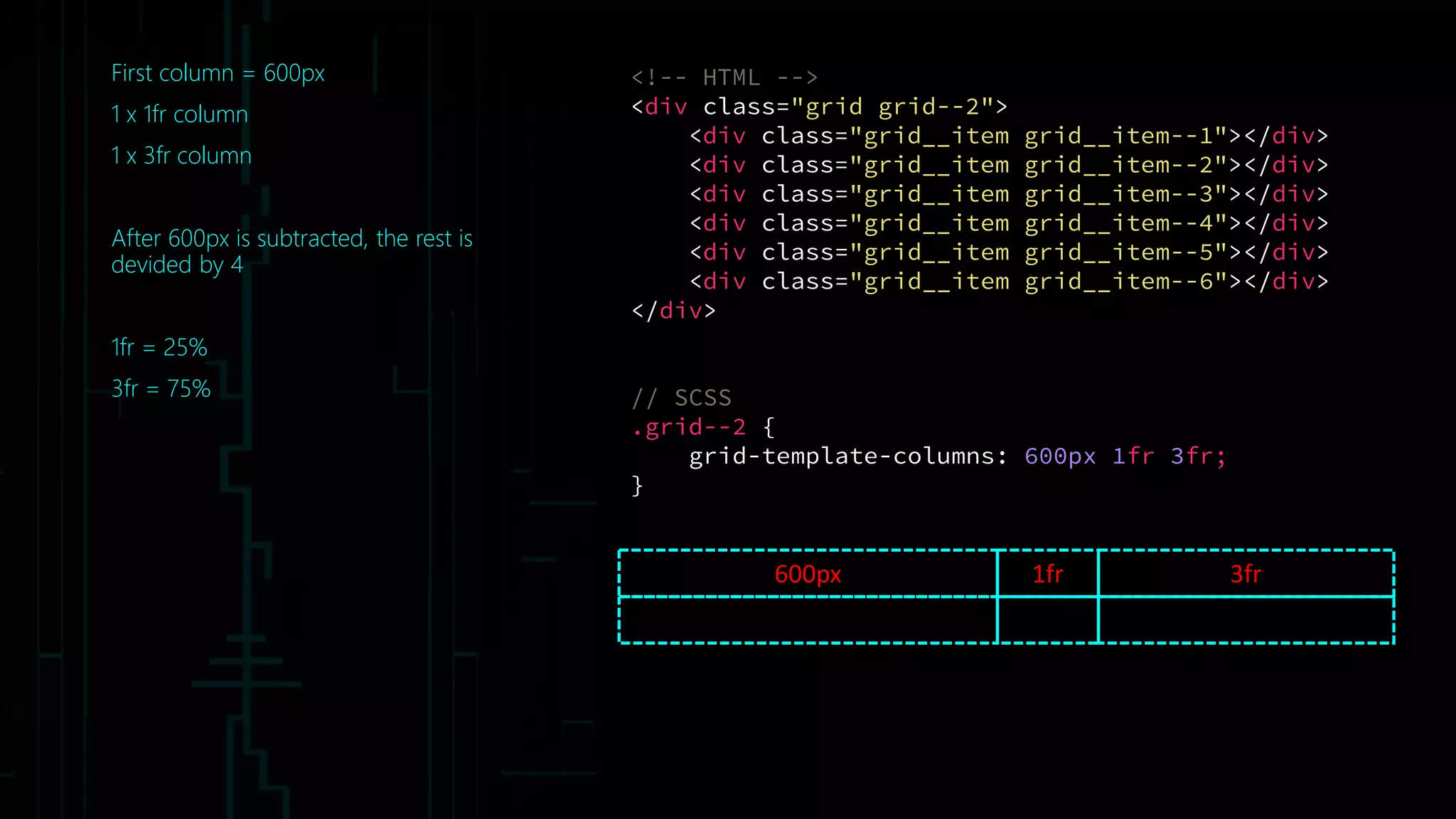
First column = 600px
1 x 1fr column
1 x 3fr column
After 600px is subtracted, the rest is
devided by 4
1fr = 25%
3fr = 75%
600px 3fr
<!-- HTML -->
<div class="grid grid--2">
<div class="grid__item grid__item--1"></div>
<div class="grid__item grid__item--2"></div>
<div class="grid__item grid__item--3"></div>
<div class="grid__item grid__item--4"></div>
<div class="grid__item grid__item--5"></div>
<div class="grid__item grid__item--6"></div>
</div>
// SCSS
.grid--2 {
grid-template-columns: 600px 1fr 3fr;
}
1fr
<!-- HTML -->
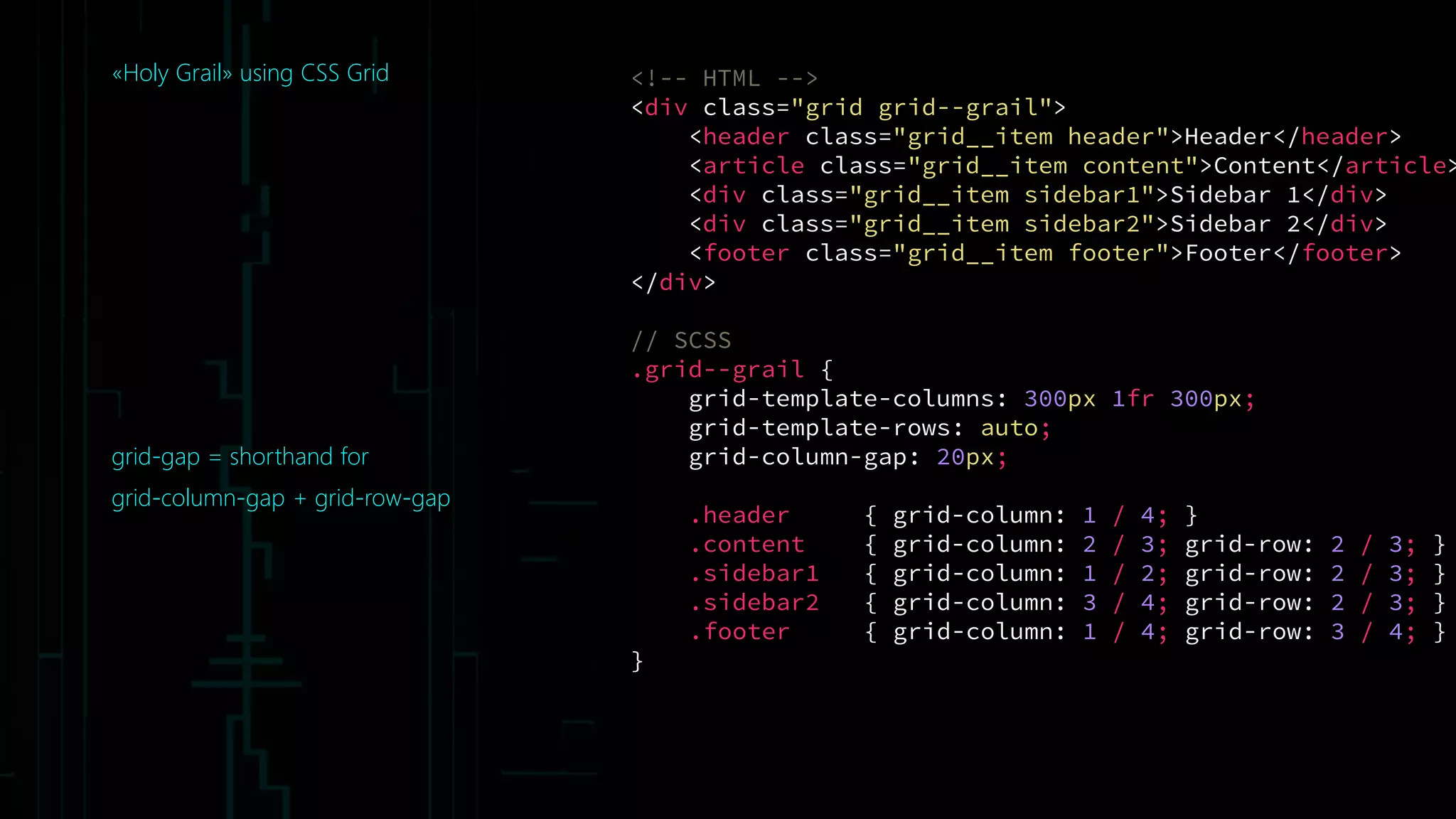
<div class="grid grid--grail">
<header class="grid__item header">Header</header>
<article class="grid__item content">Content</article>
<div class="grid__item sidebar1">Sidebar 1</div>
<div class="grid__item sidebar2">Sidebar 2</div>
<footer class="grid__item footer">Footer</footer>
</div>
// SCSS
.grid--grail {
grid-template-columns: 300px 1fr 300px;
grid-template-rows: auto;
grid-column-gap: 20px;
.header { grid-column: 1 / 4; }
.content { grid-column: 2 / 3; grid-row: 2 / 3; }
.sidebar1 { grid-column: 1 / 2; grid-row: 2 / 3; }
.sidebar2 { grid-column: 3 / 4; grid-row: 2 / 3; }
.footer { grid-column: 1 / 4; grid-row: 3 / 4; }
}
«Holy Grail» using CSS Grid
grid-gap = shorthand for
grid-column-gap + grid-row-gap
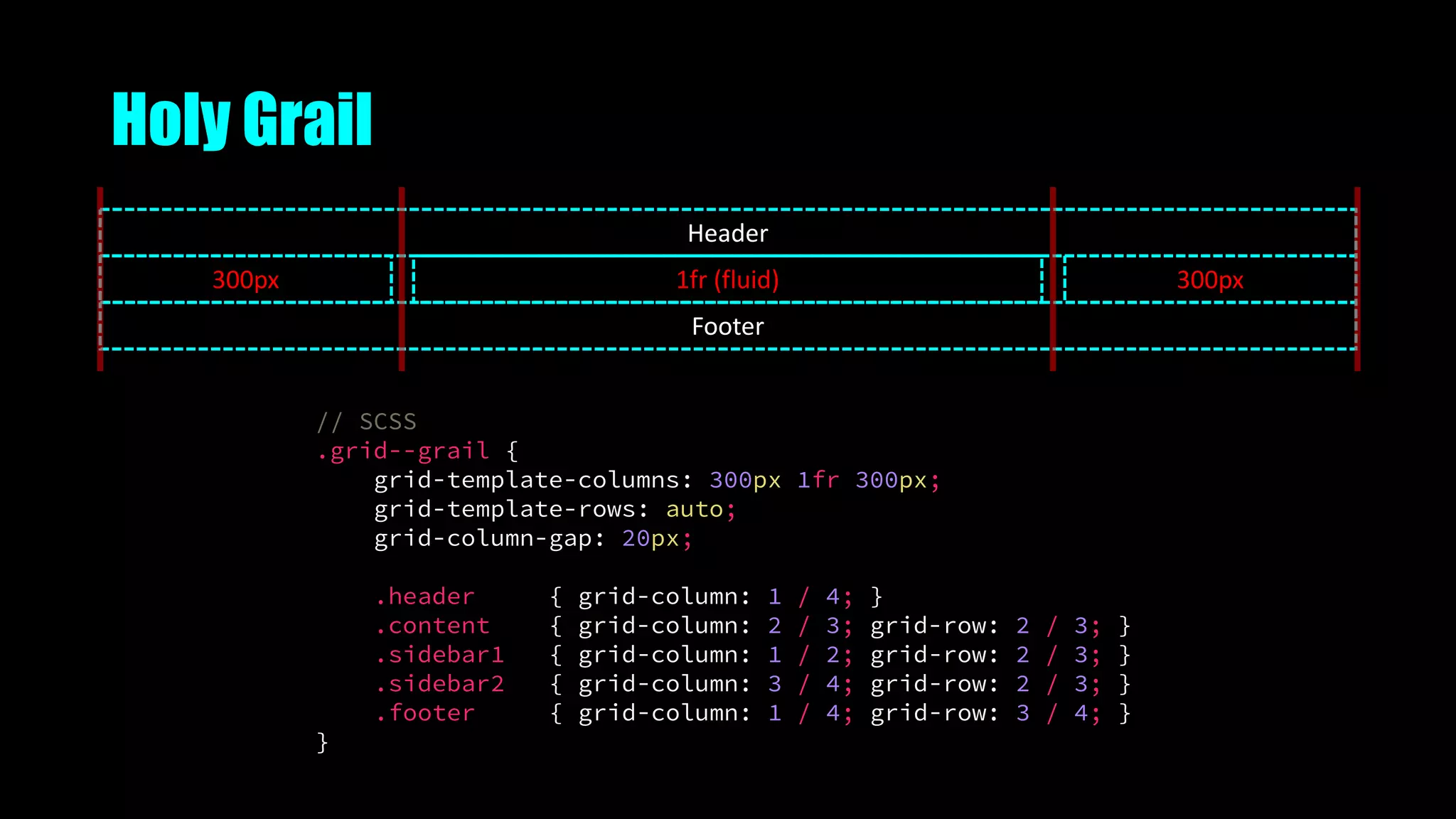
Holy Grail
300px
Footer
Header
1fr (fluid) 300px
// SCSS
.grid--grail {
grid-template-columns: 300px 1fr 300px;
grid-template-rows: auto;
grid-column-gap: 20px;
.header { grid-column: 1 / 4; }
.content { grid-column: 2 / 3; grid-row: 2 / 3; }
.sidebar1 { grid-column: 1 / 2; grid-row: 2 / 3; }
.sidebar2 { grid-column: 3 / 4; grid-row: 2 / 3; }
.footer { grid-column: 1 / 4; grid-row: 3 / 4; }
}
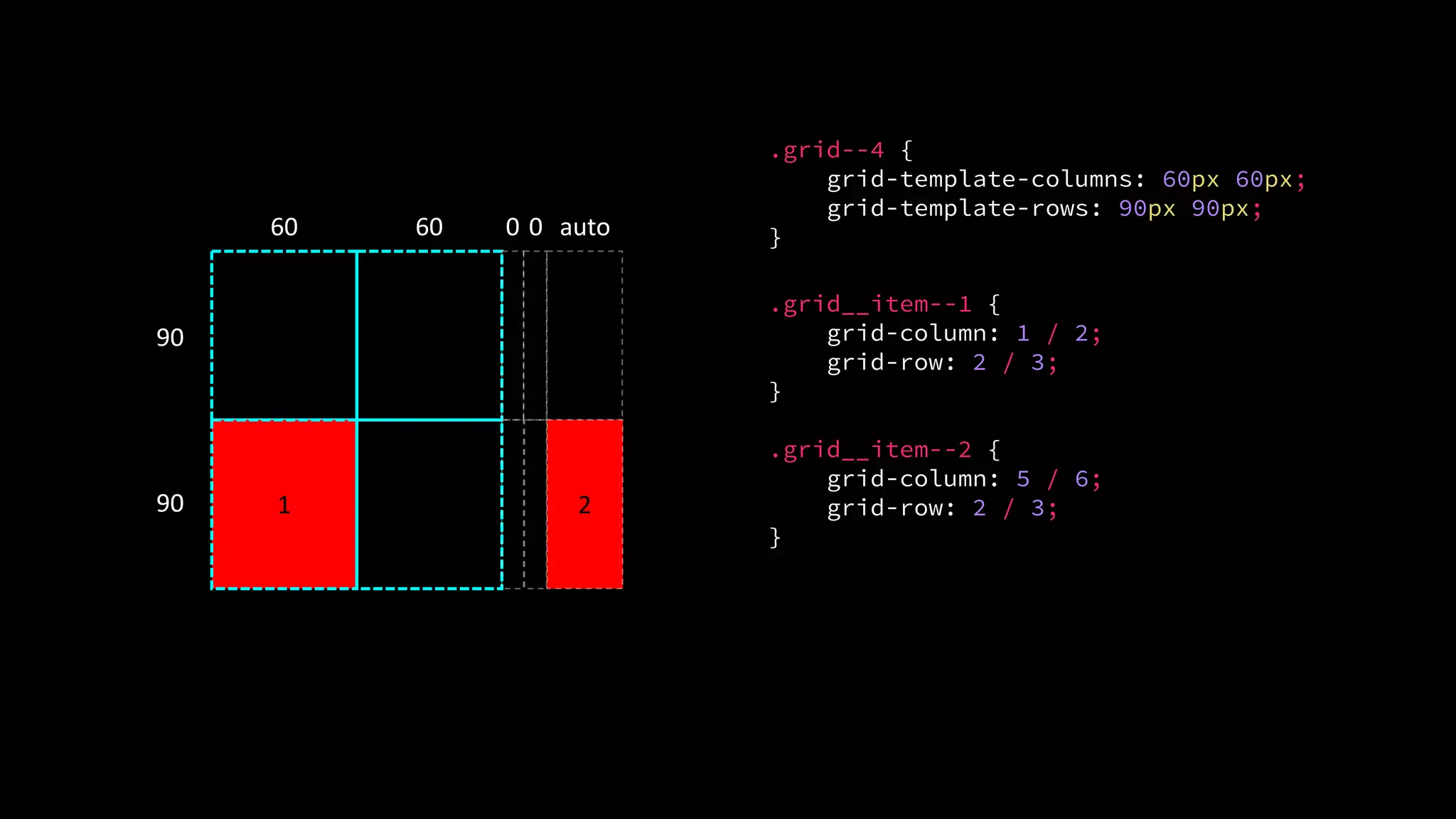
Explicit or implicit Grid Lines
• Explicit lines are specified using grid-template-rows or grid-
template-columns
• Implicit lines are created when you place elements into a row or
column track OUTSIDE of the explicit grid
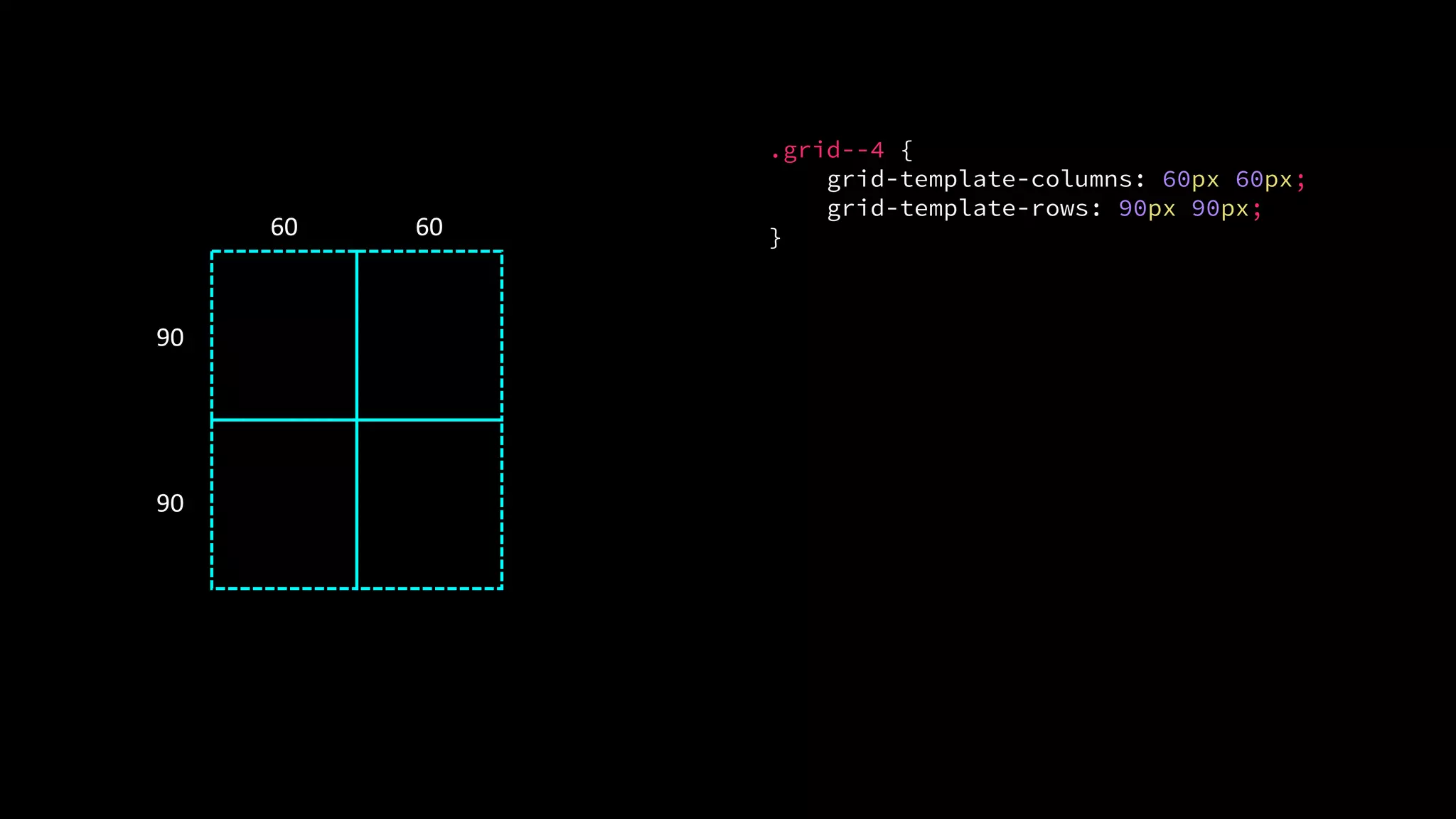
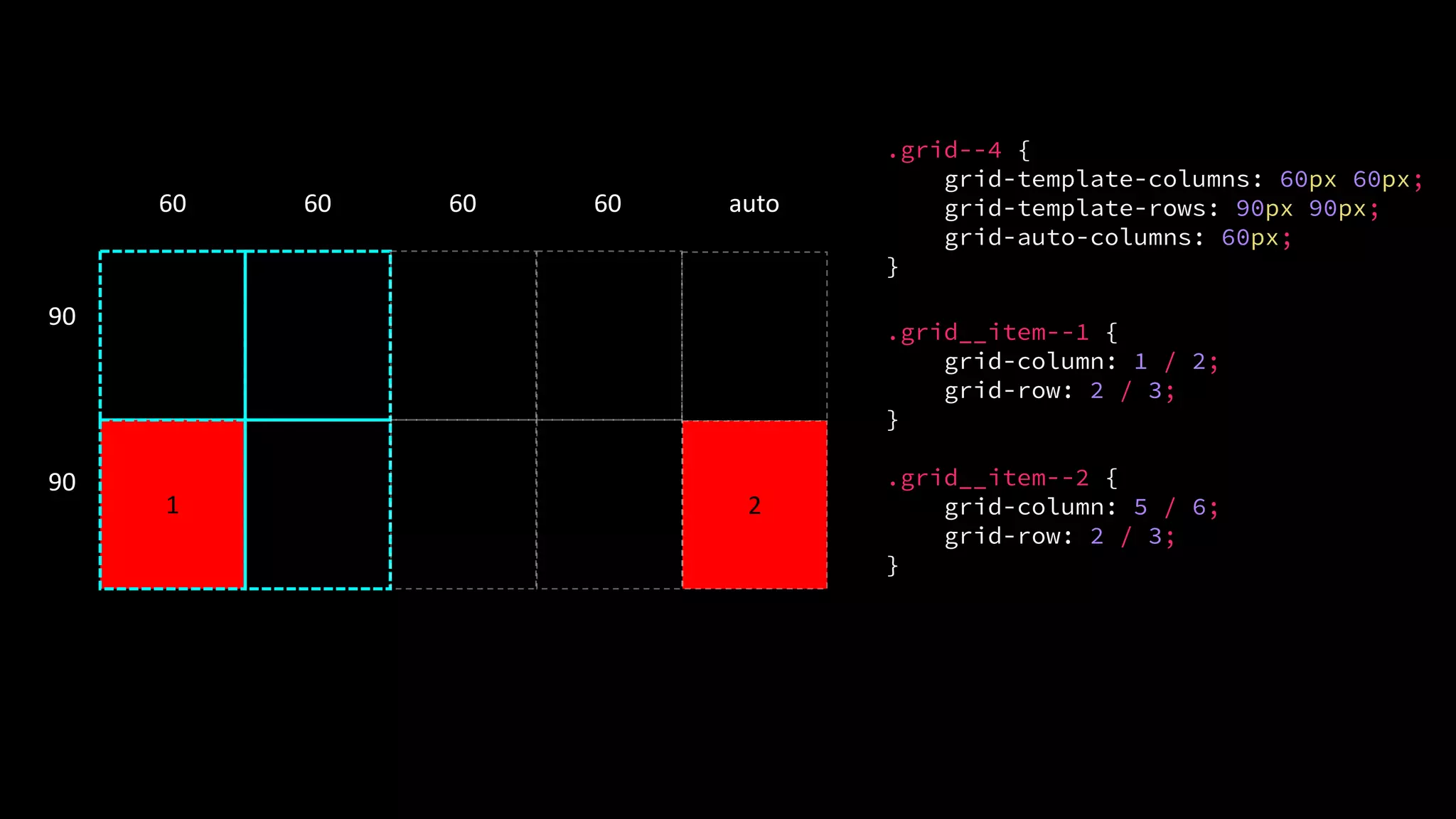
• Default behaviour = auto sized
• You can specify a size with the grid-auto-columns and grid-
auto-rows properties
.grid--4 {
grid-template-columns: 60px 60px;
grid-template-rows: 90px 90px;
}60 60
90
90
1 2
.grid--4 {
grid-template-columns: 60px 60px;
grid-template-rows: 90px 90px;
}60 60
90
90
.grid__item--1 {
grid-column: 1 / 2;
grid-row: 2 / 3;
}
.grid__item--2 {
grid-column: 5 / 6;
grid-row: 2 / 3;
}
0 0 auto
1 2
60 60
90
90
.grid--4 {
grid-template-columns: 60px 60px;
grid-template-rows: 90px 90px;
grid-auto-columns: 60px;
}
.grid__item--1 {
grid-column: 1 / 2;
grid-row: 2 / 3;
}
.grid__item--2 {
grid-column: 5 / 6;
grid-row: 2 / 3;
}
60 60 auto
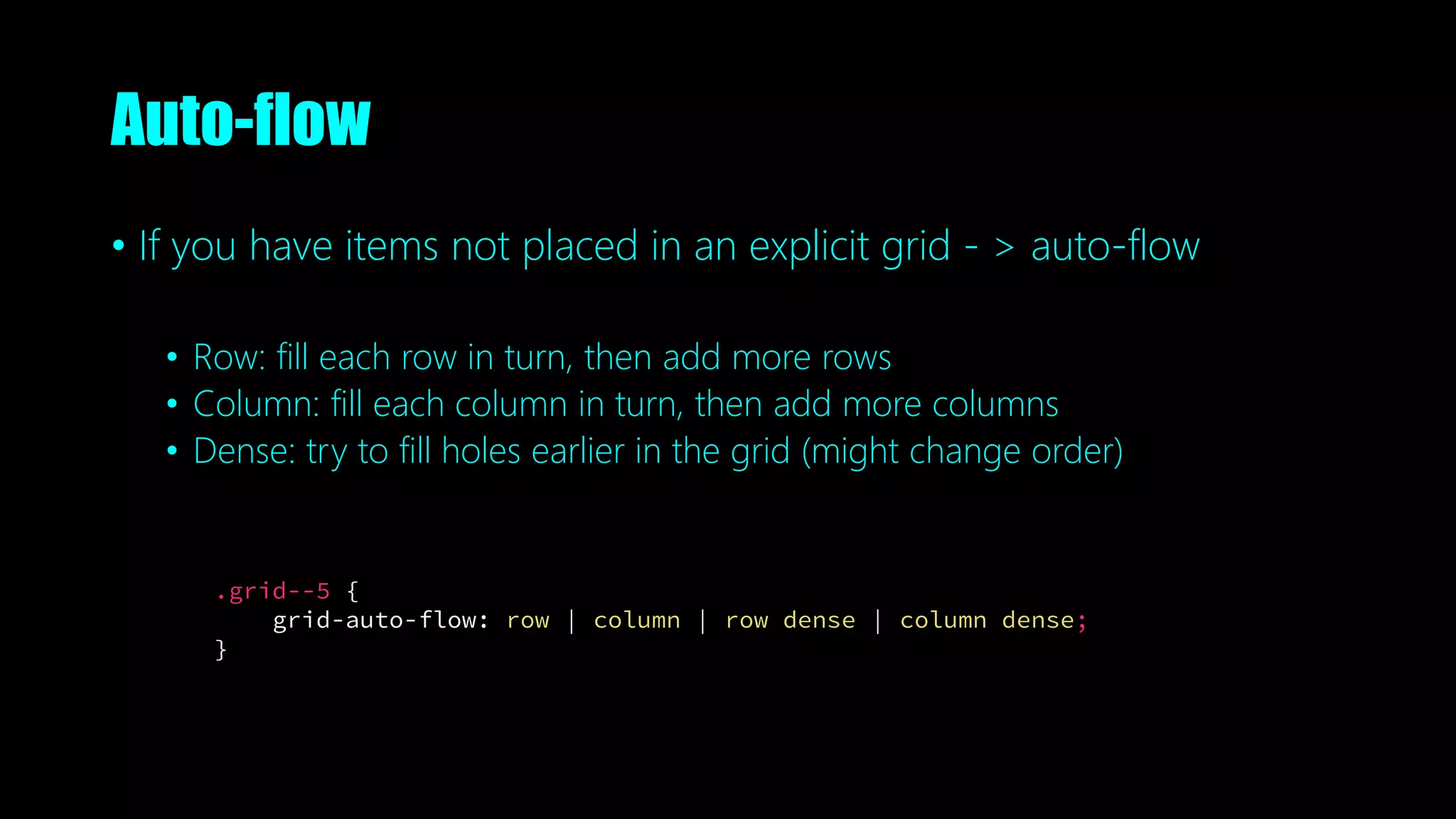
Auto-flow
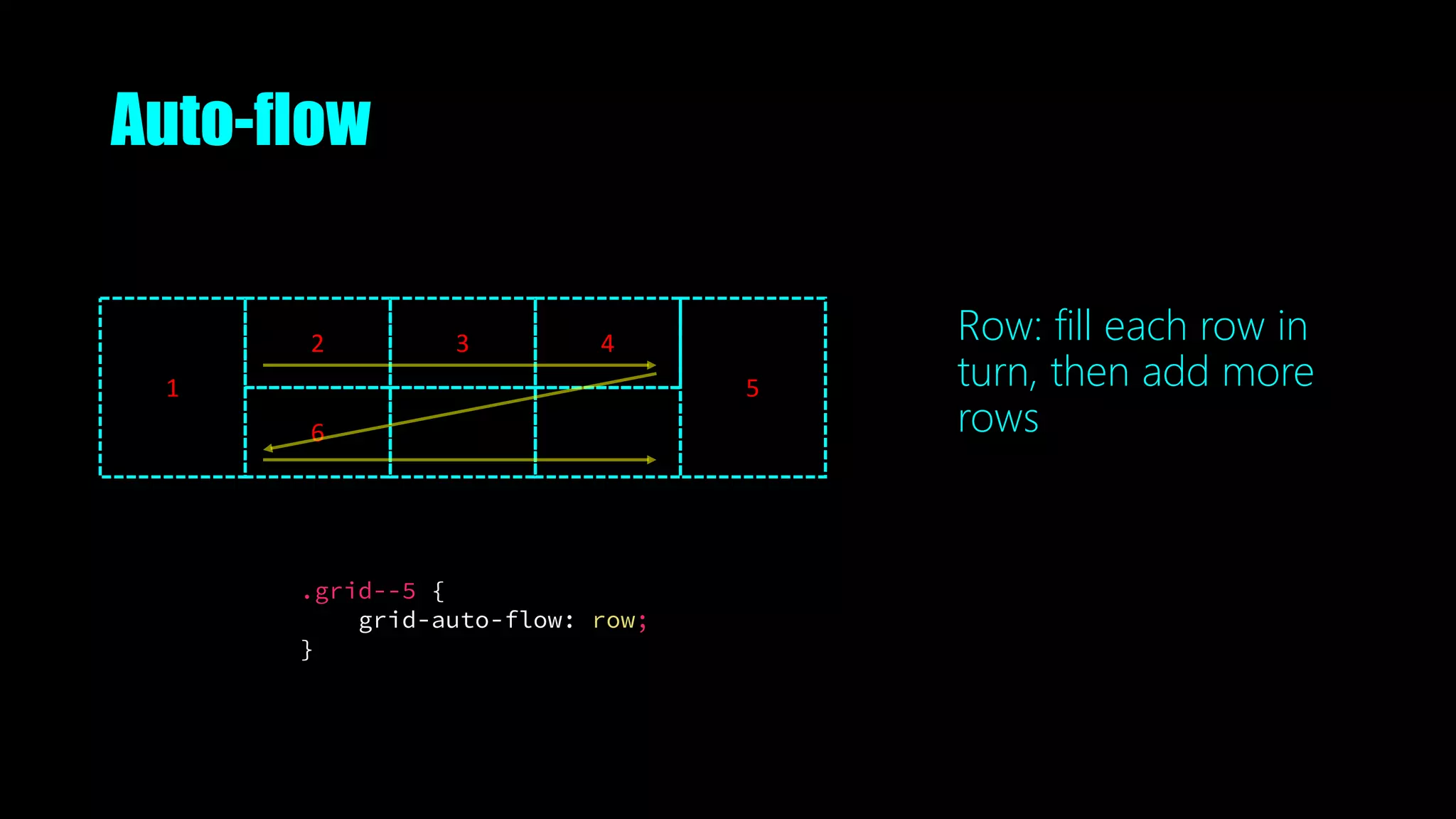
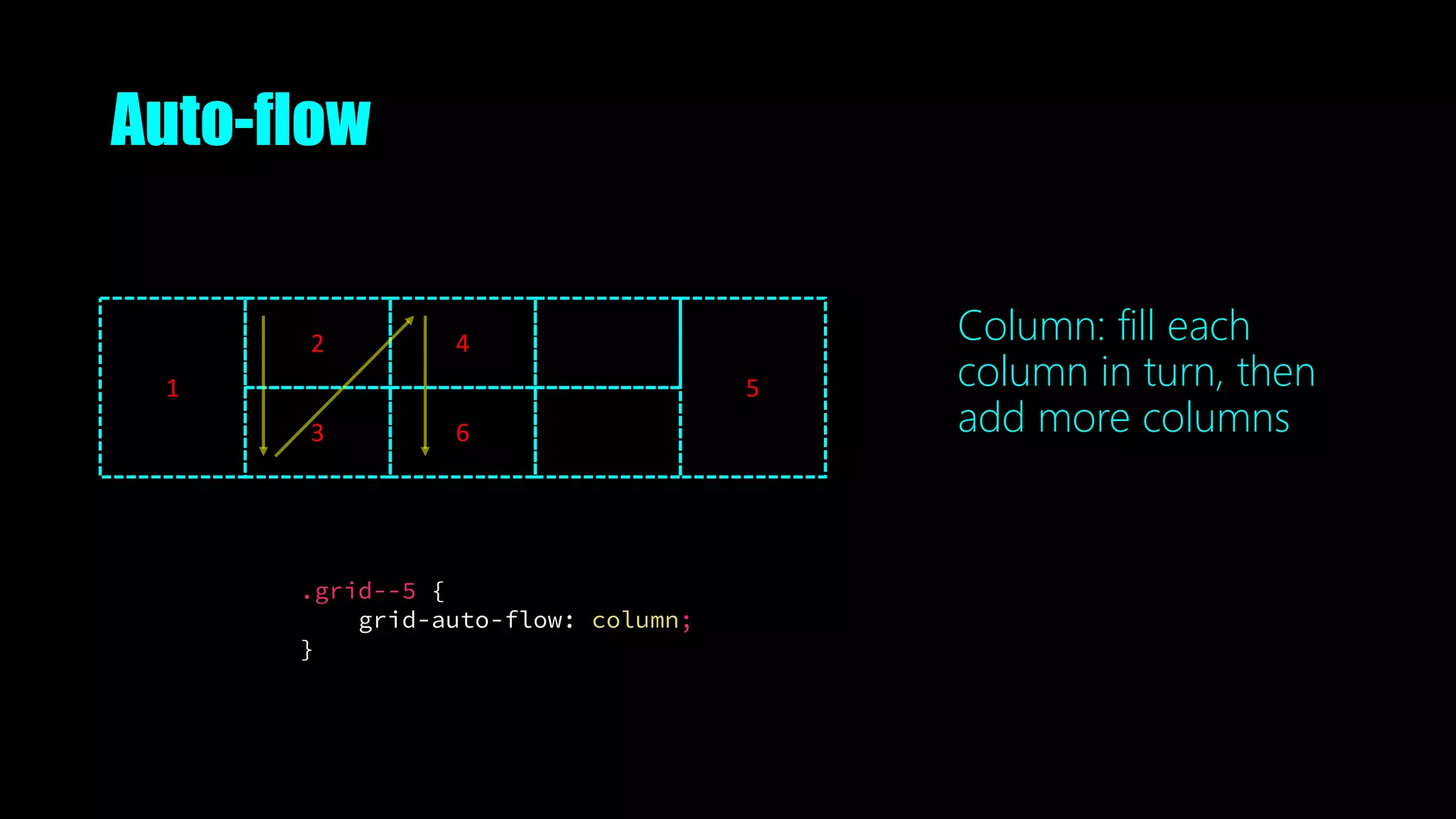
• If you have items not placed in an explicit grid - > auto-flow
• Row: fill each row in turn, then add more rows
• Column: fill each column in turn, then add more columns
• Dense: try to fill holes earlier in the grid (might change order)
.grid--5 {
grid-auto-flow: row | column | row dense | column dense;
}
Auto-flow
.grid--5 {
grid-auto-flow: row;
}
1
2
6
3 4
5
Row: fill each row in
turn, then add more
rows
Auto-flow
.grid--5 {
grid-auto-flow: column;
}
1
2
3
4
6
5
Column: fill each
column in turn, then
add more columns
Grid is kinda like <table>
• But does not rely on content source order
• Semantic
• Can move items around with breakpoints
Grid item placement and reordering must not be used as a substitute for
correct source ordering, as that can ruin the accessibility of the document.
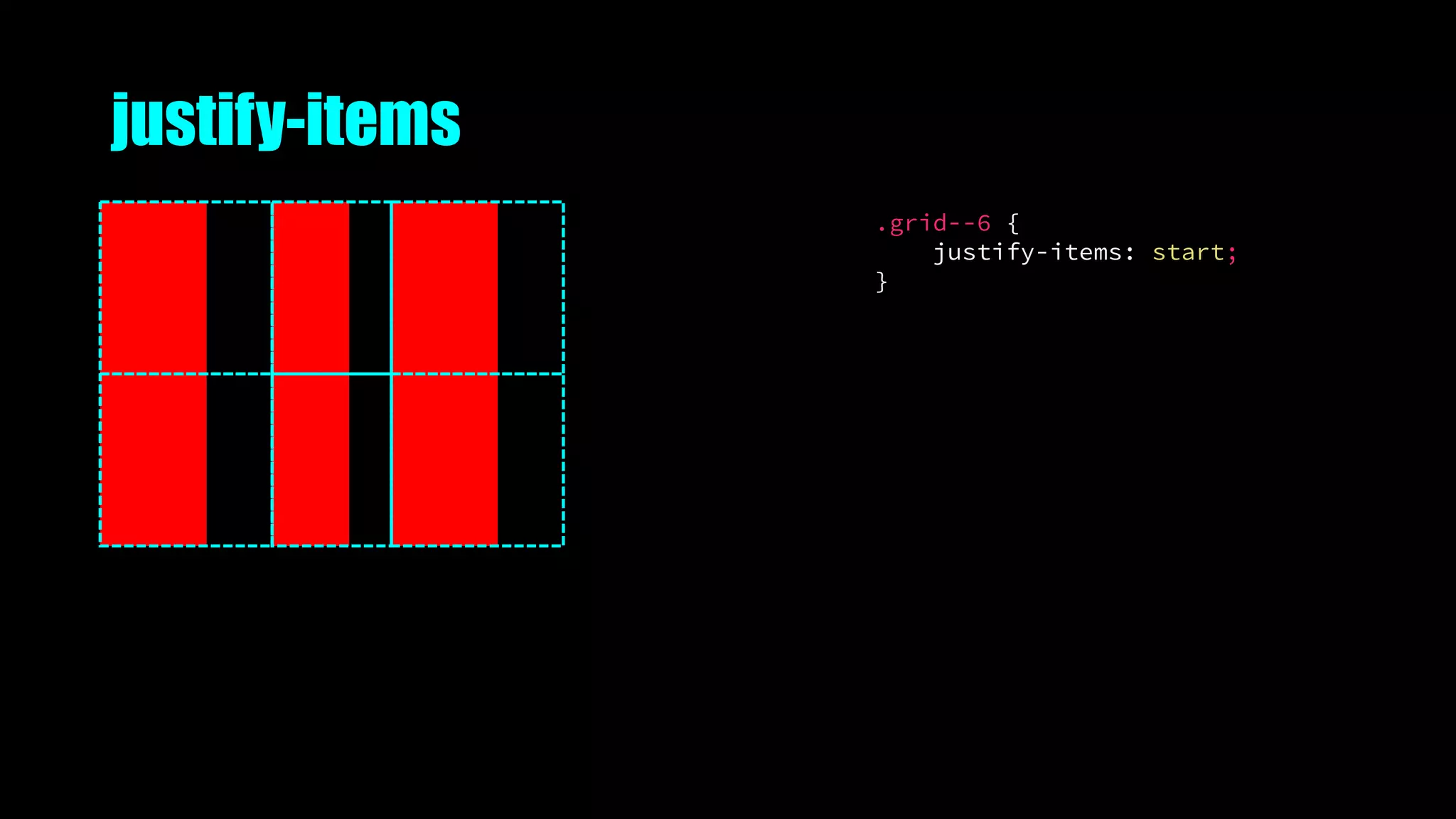
Alignment
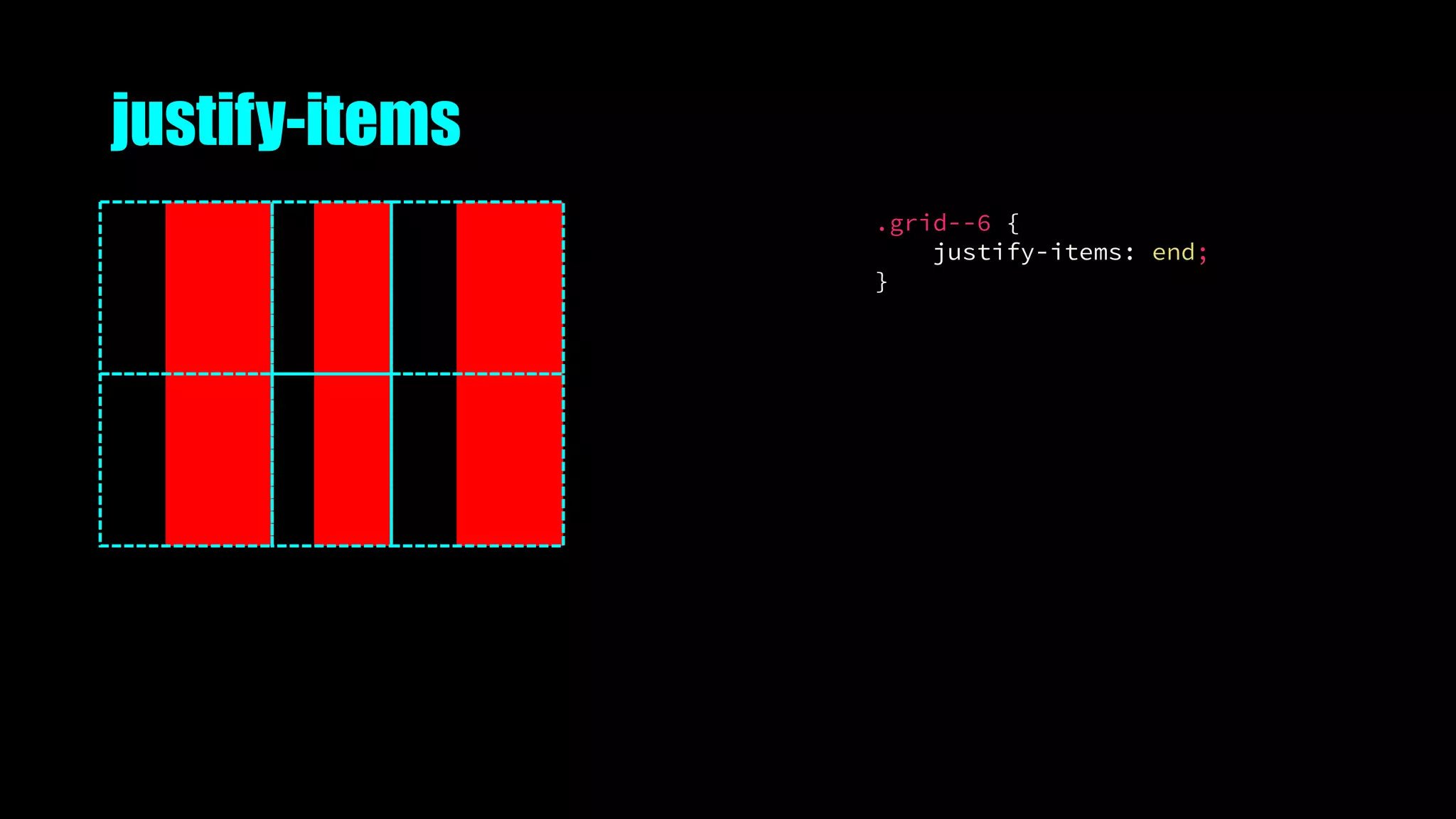
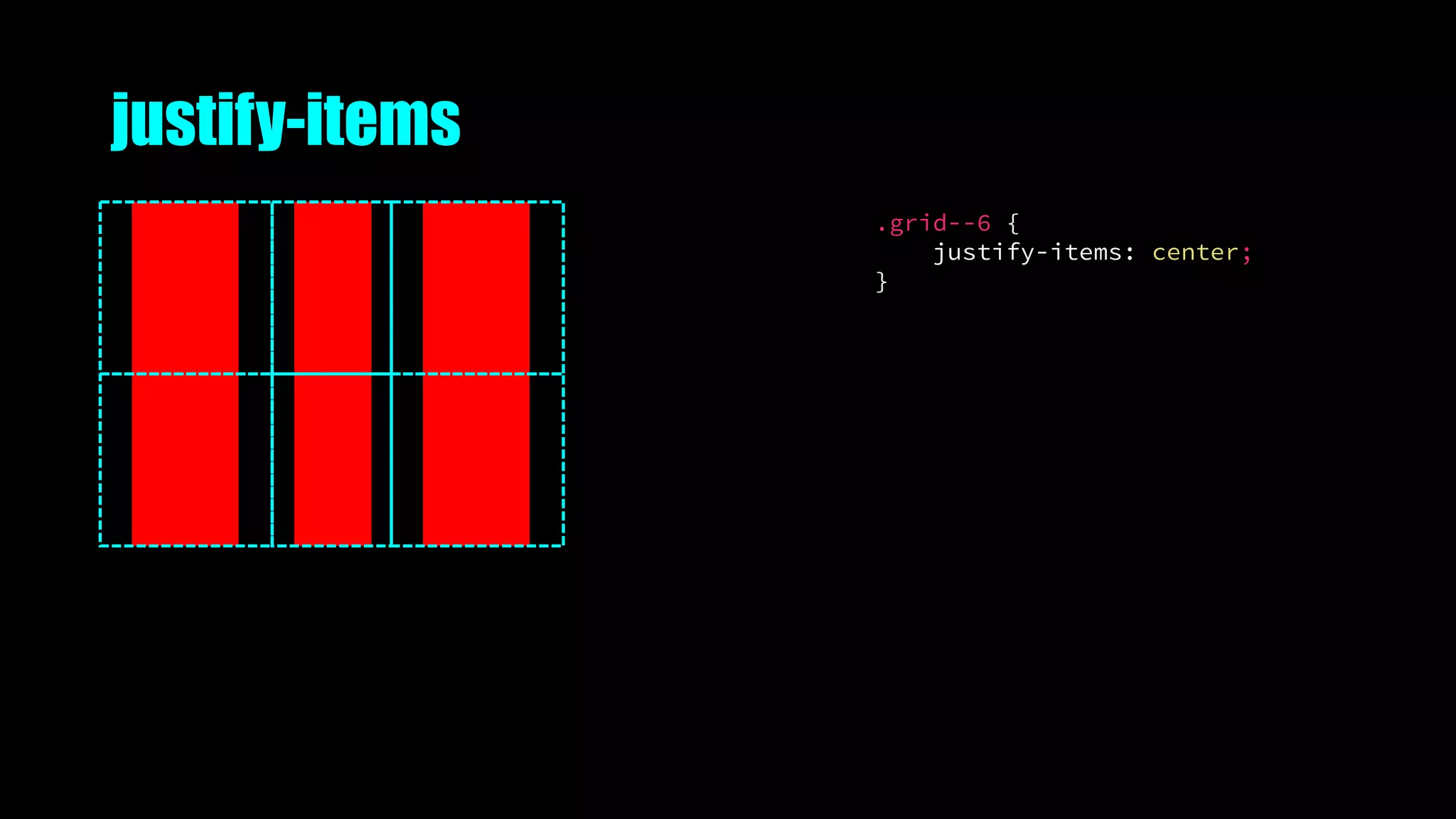
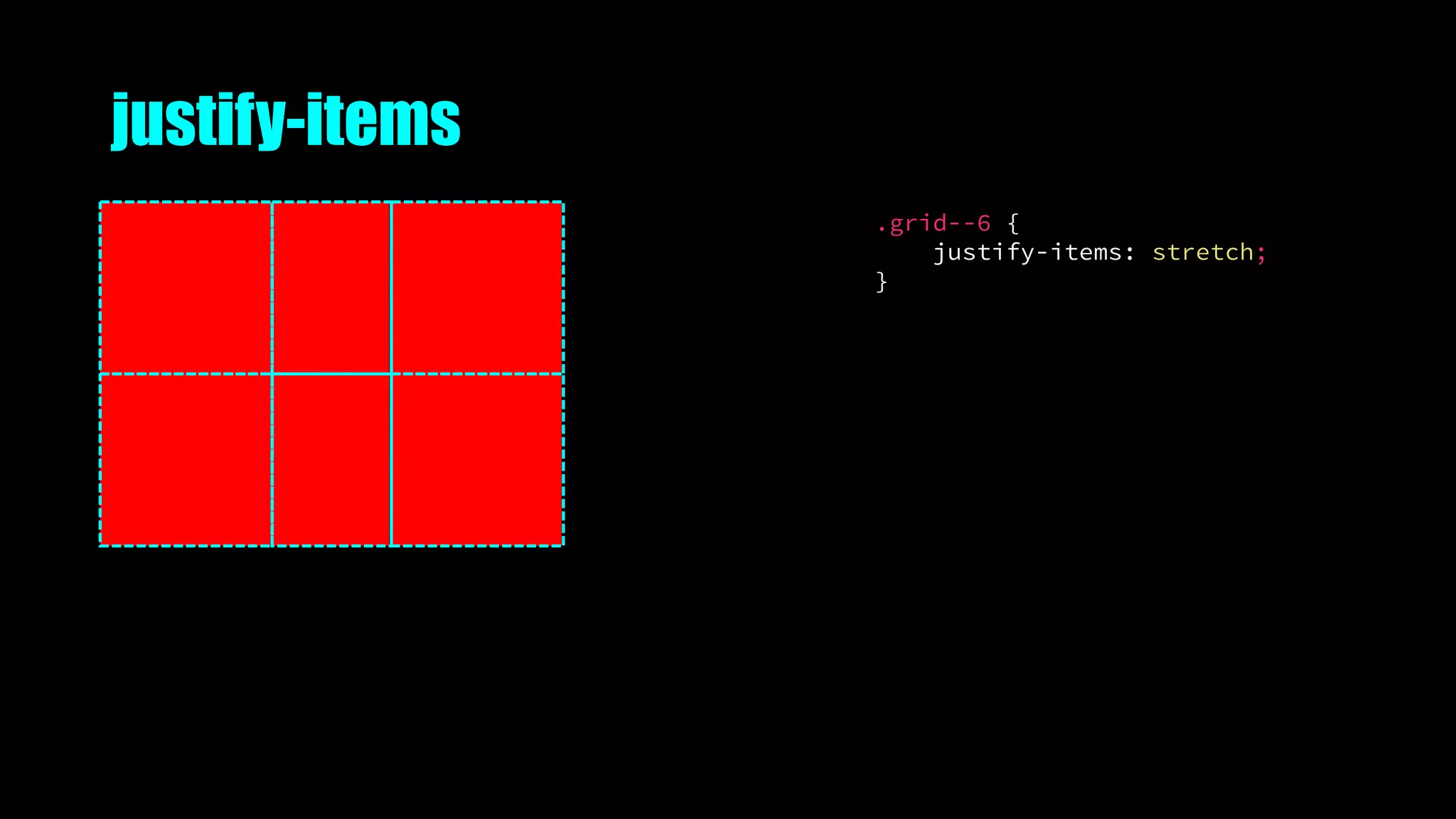
justify-items
.grid--6 {
justify-items: start;
}
justify-items
.grid--6 {
justify-items: end;
}
justify-items
.grid--6 {
justify-items: center;
}
justify-items
.grid--6 {
justify-items: stretch;
}
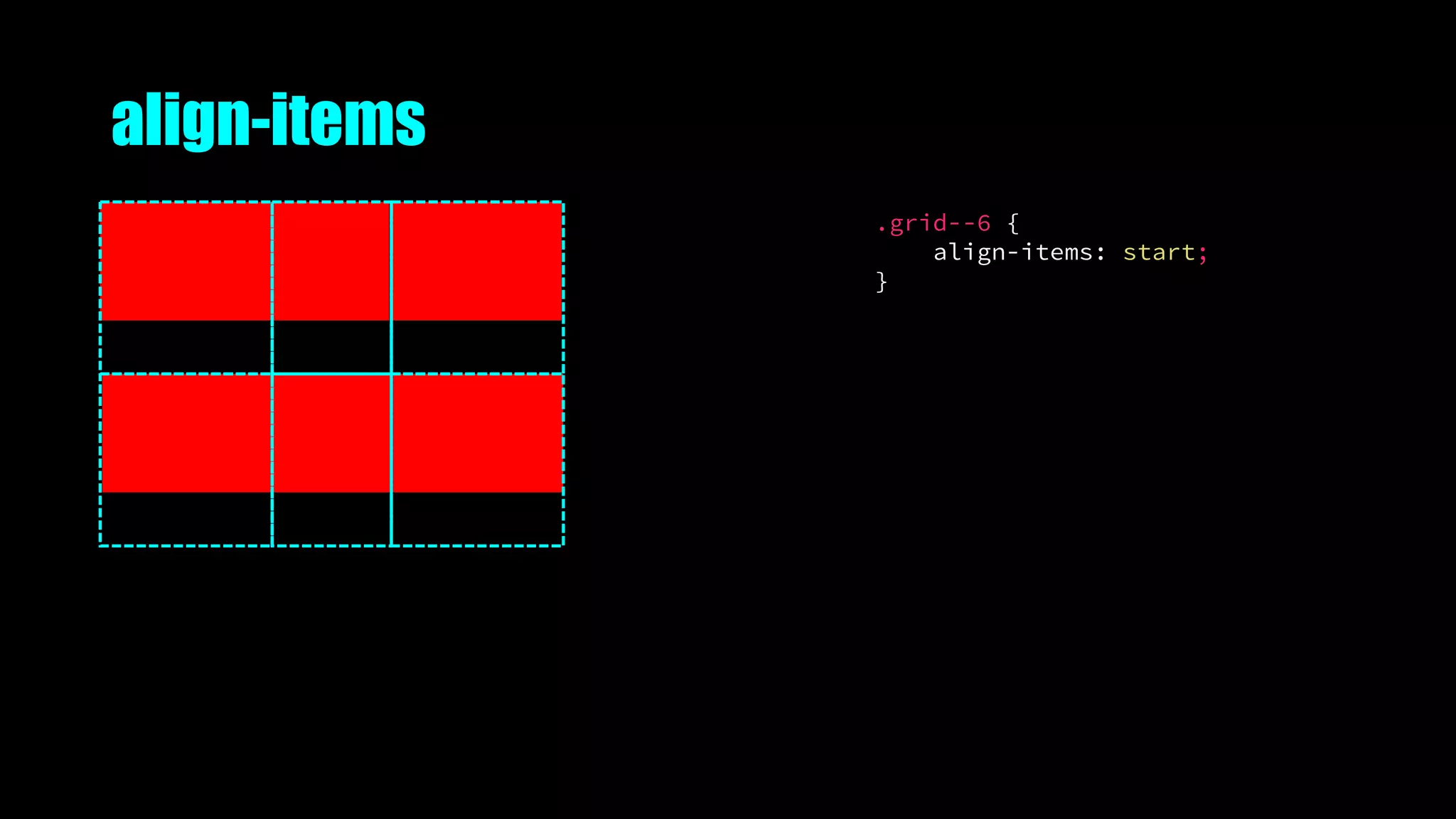
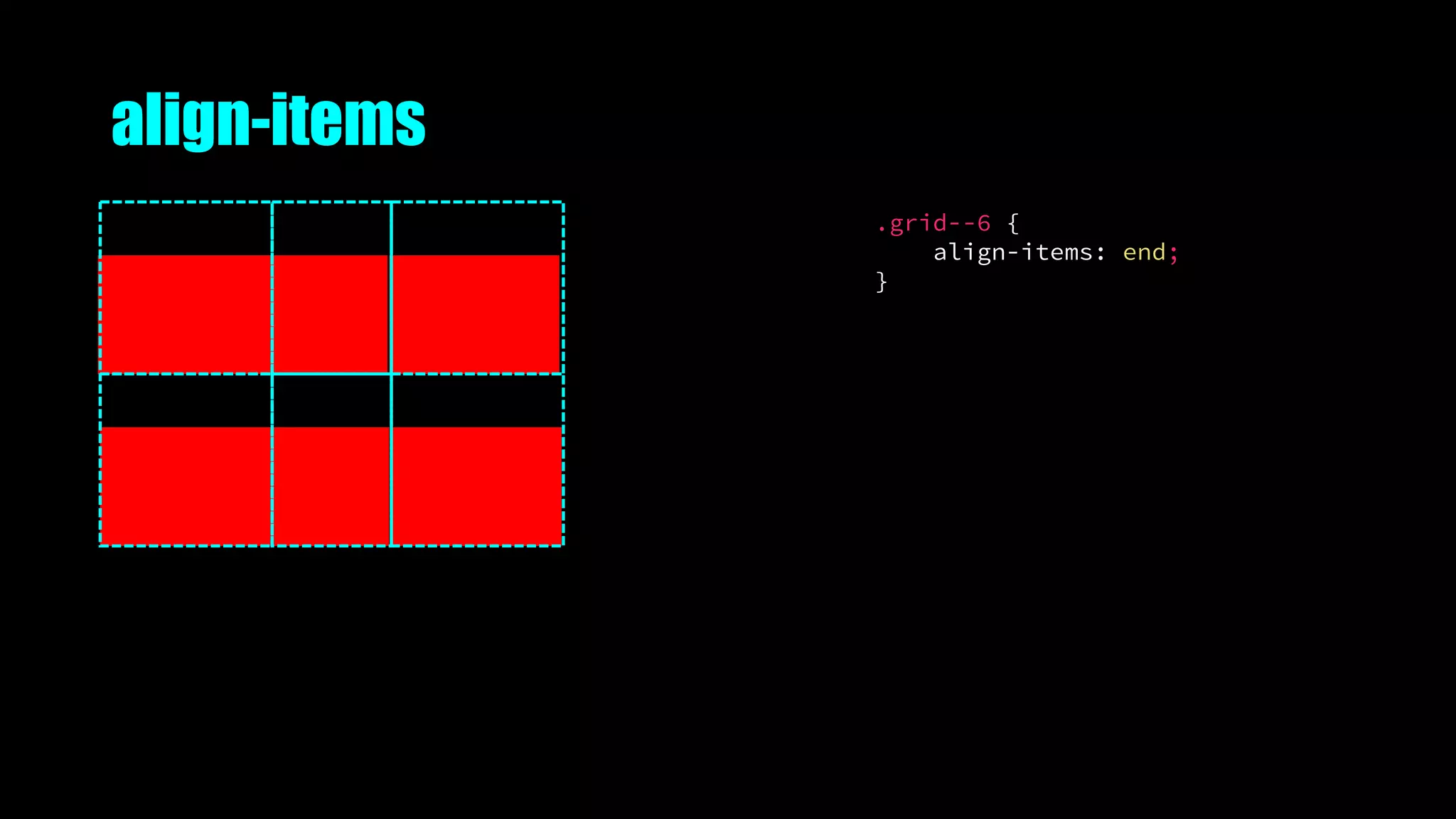
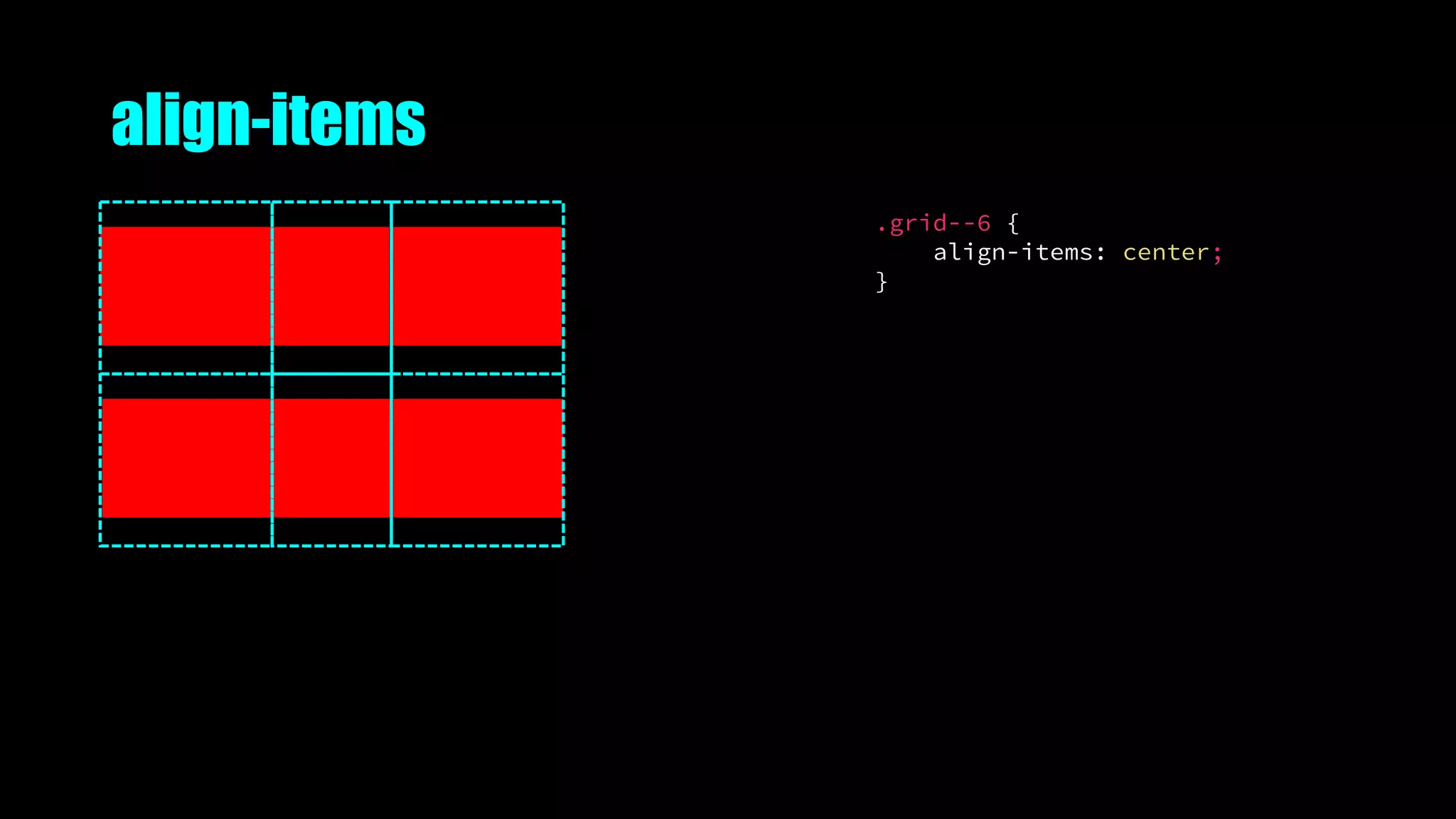
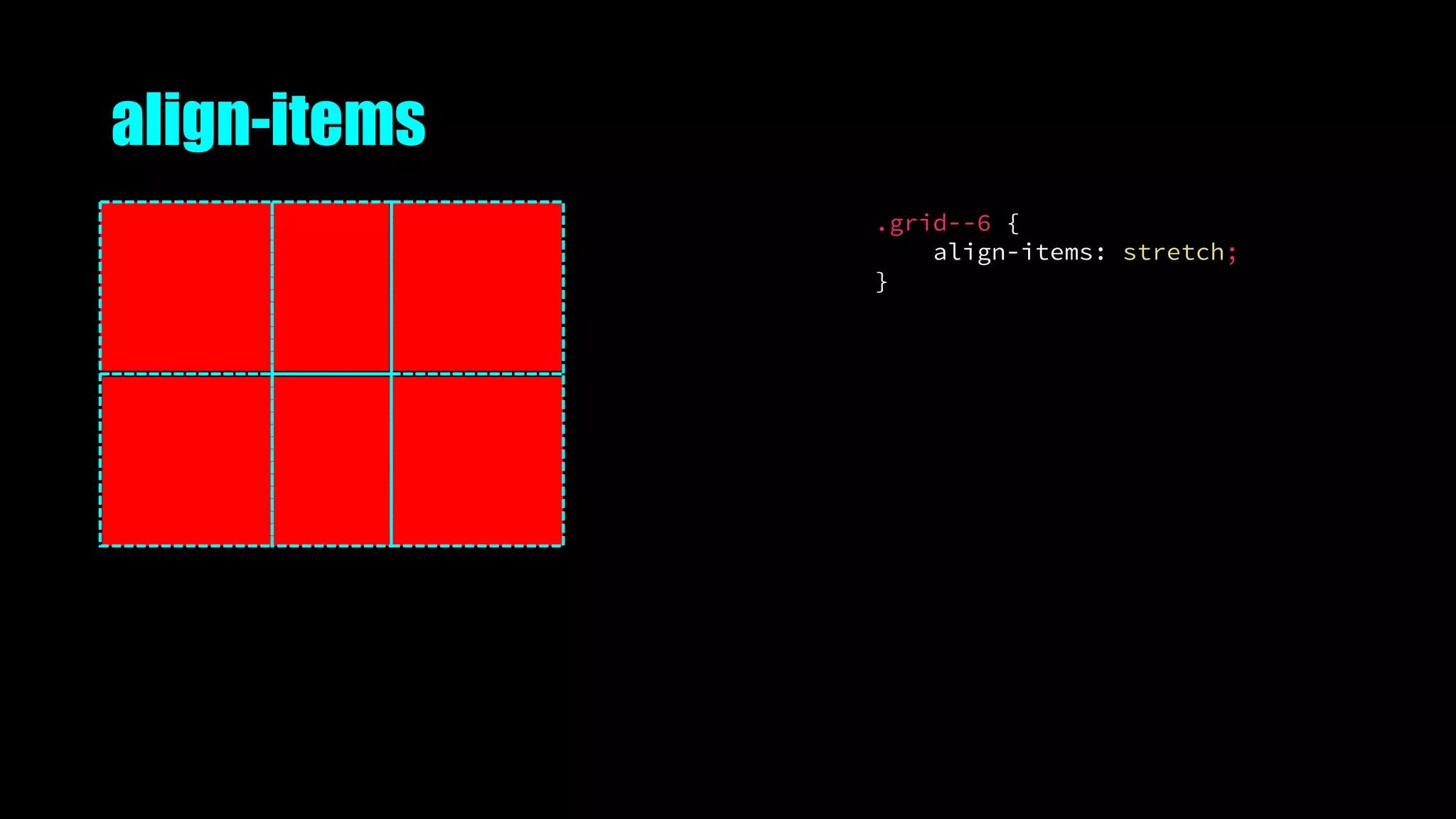
align-items
.grid--6 {
align-items: start;
}
align-items
.grid--6 {
align-items: end;
}
align-items
.grid--6 {
align-items: center;
}
align-items
.grid--6 {
align-items: stretch;
}
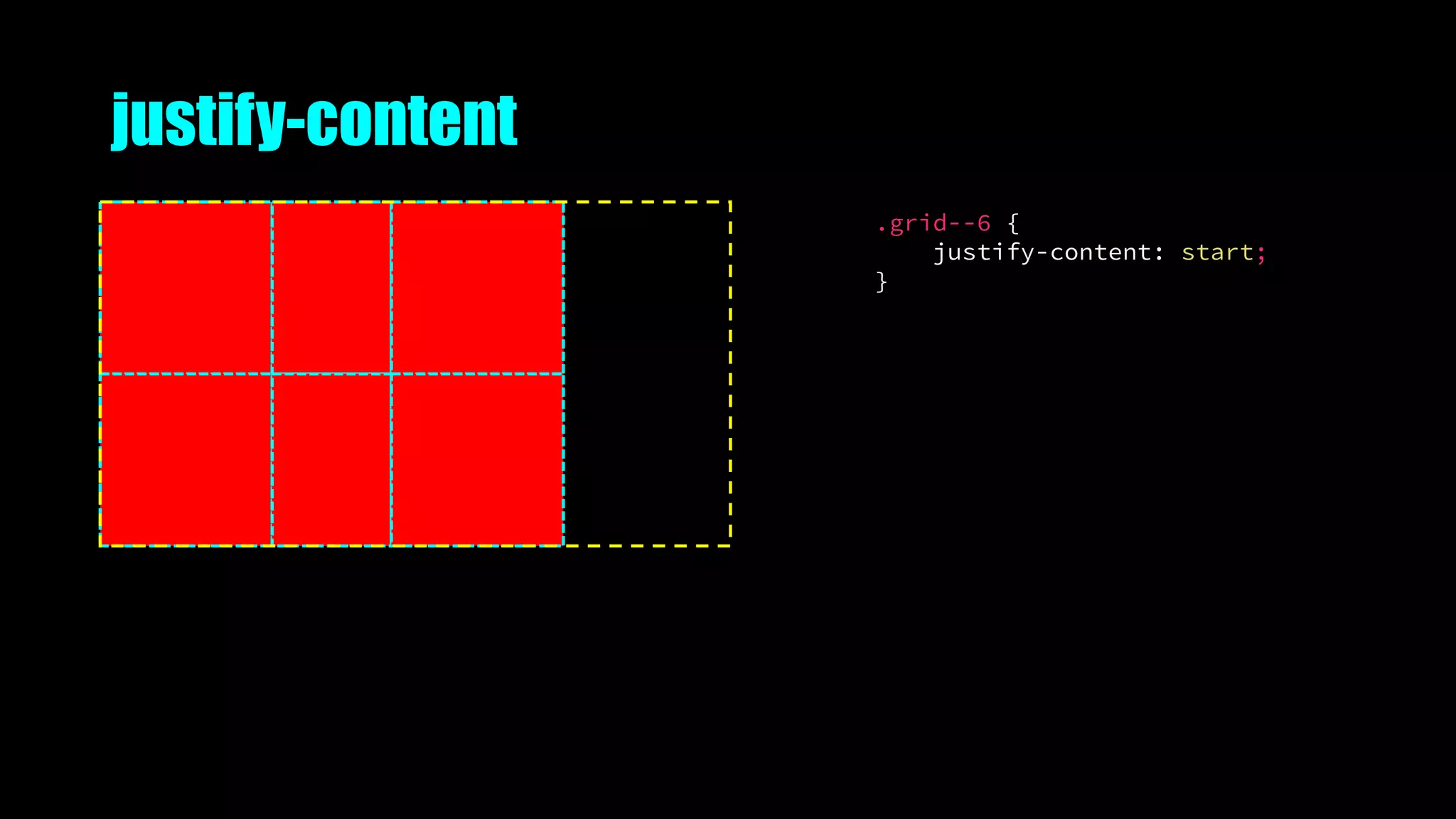
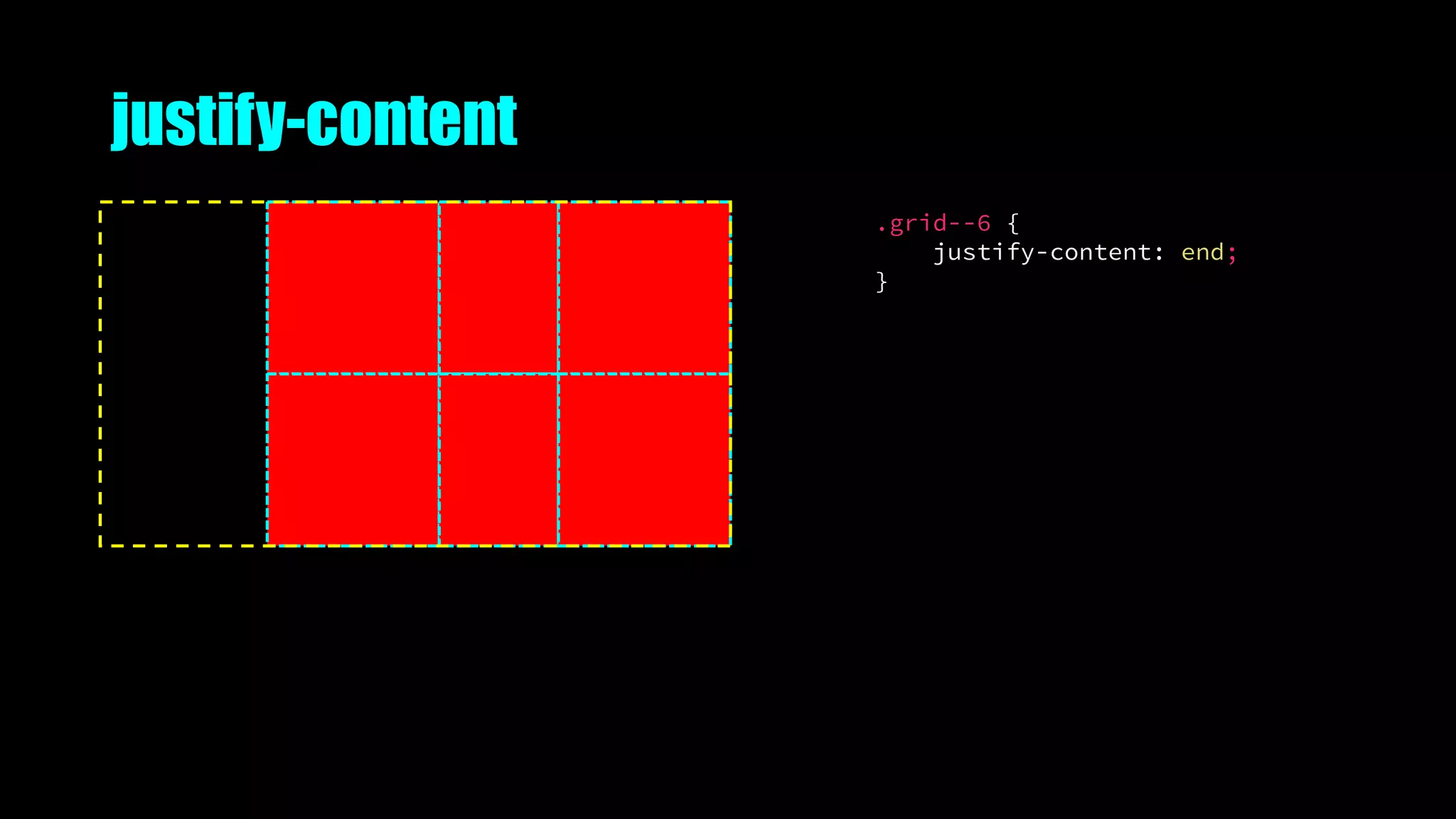
justify-content
.grid--6 {
justify-content: start;
}
justify-content
.grid--6 {
justify-content: end;
}
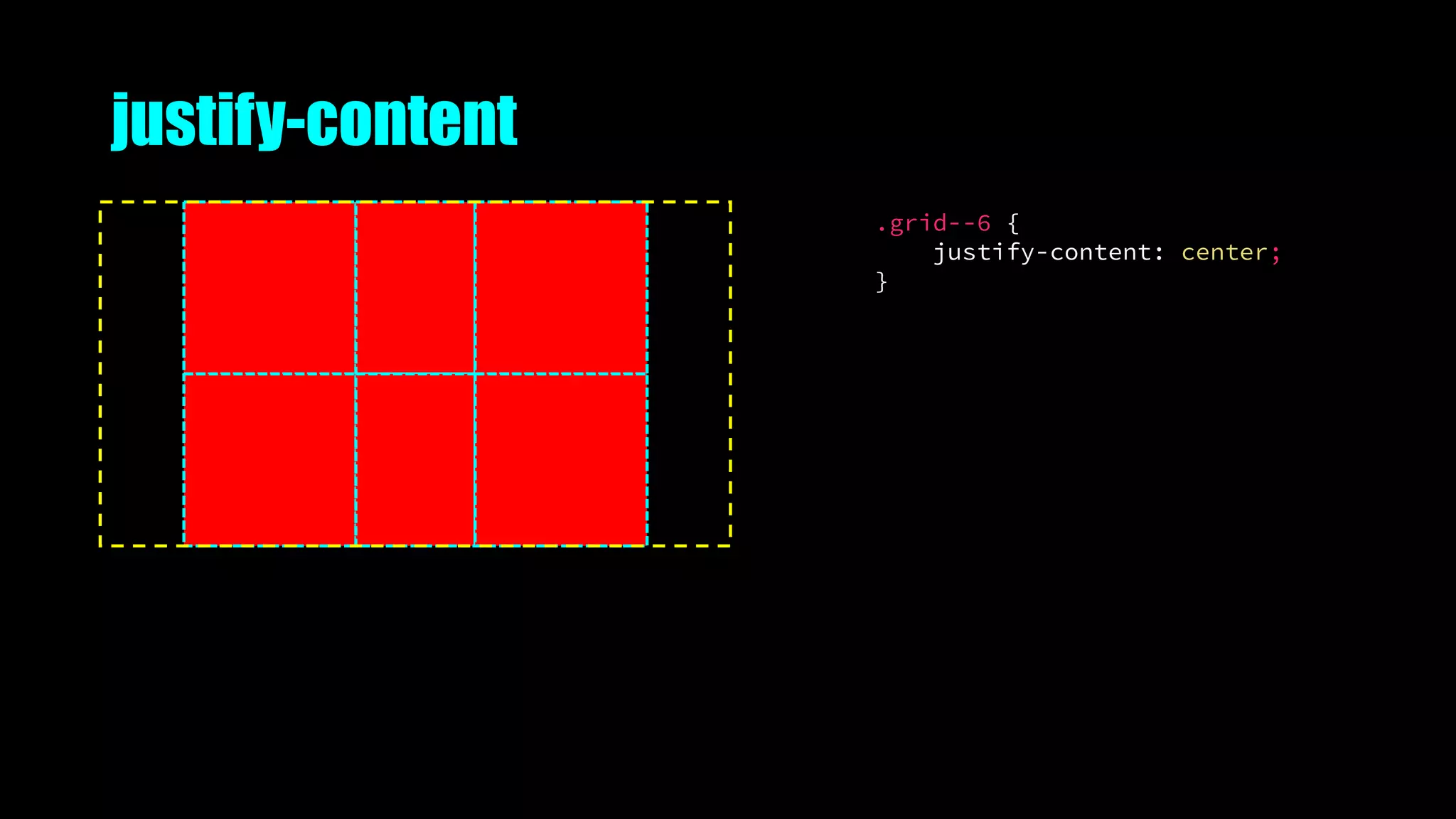
justify-content
.grid--6 {
justify-content: center;
}
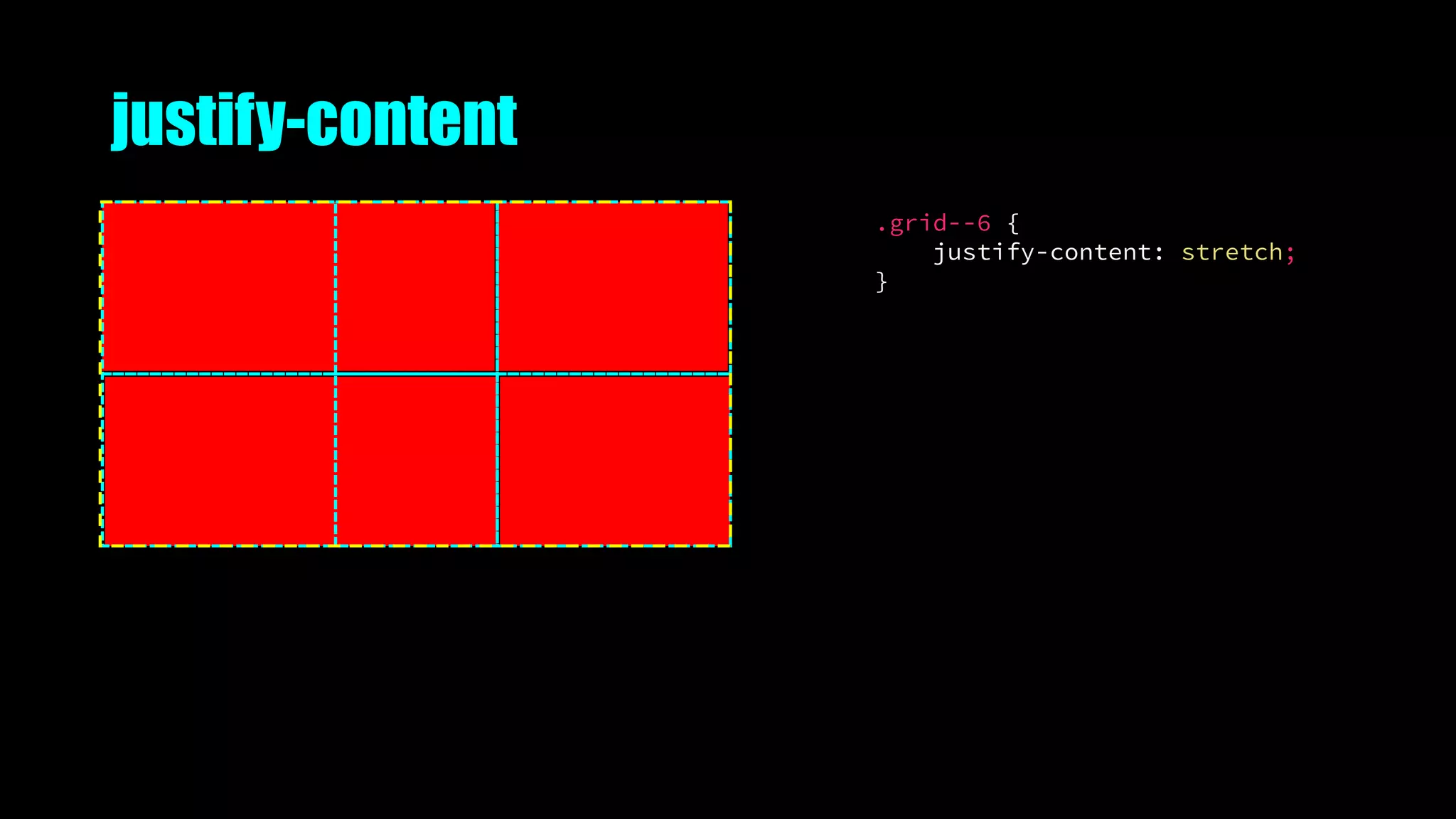
justify-content
.grid--6 {
justify-content: stretch;
}
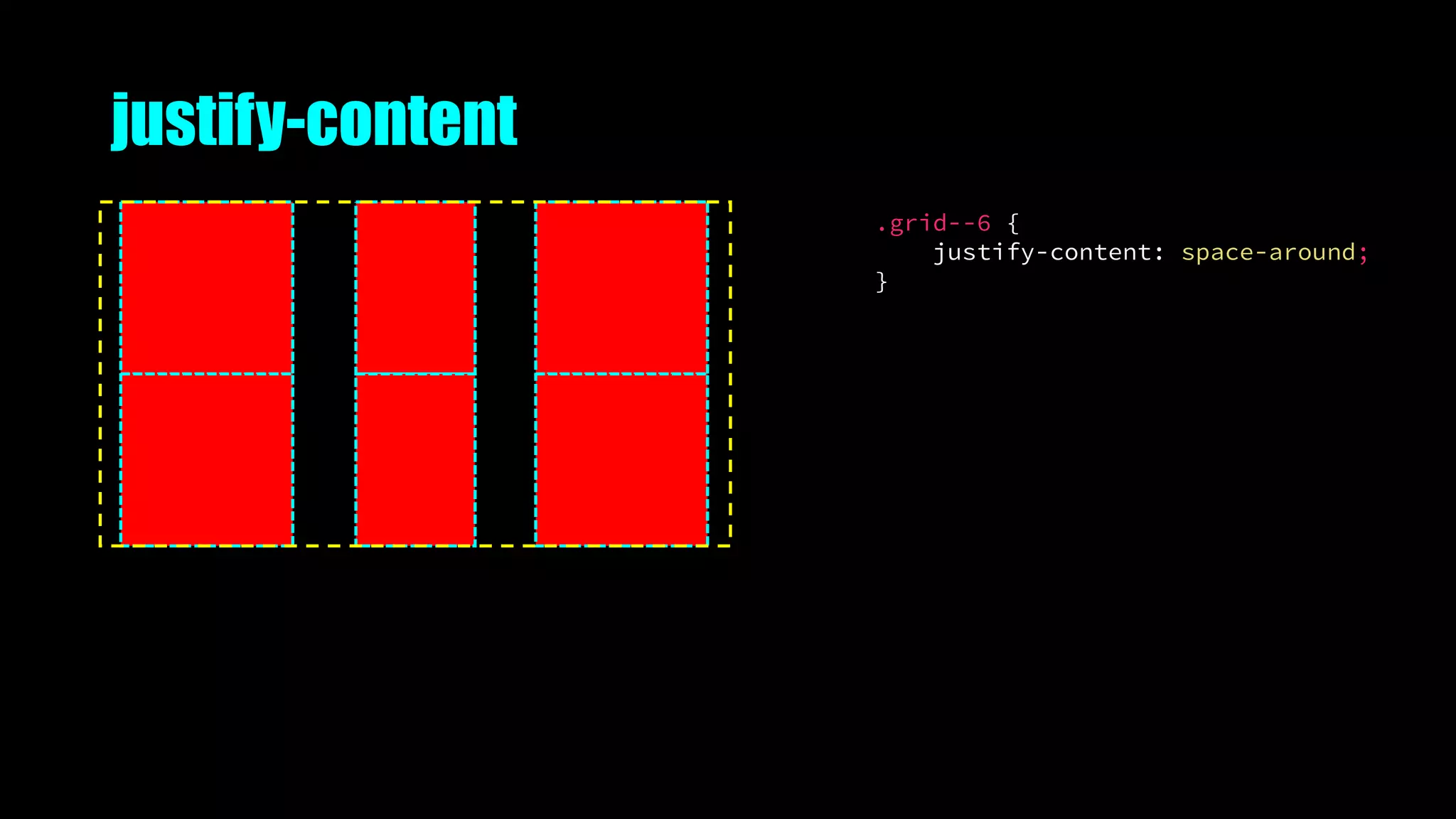
justify-content
.grid--6 {
justify-content: space-around;
}
justify-content
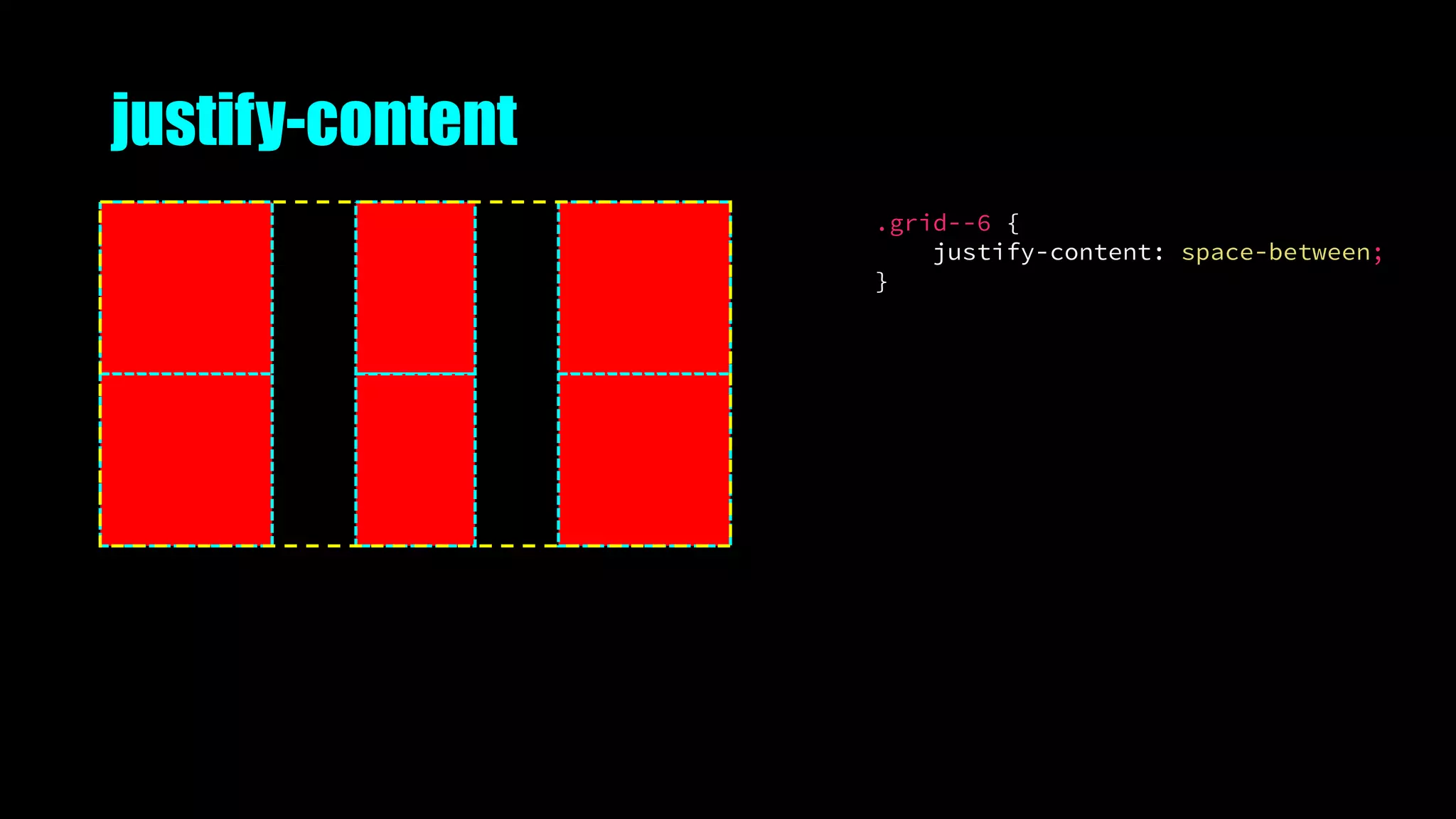
.grid--6 {
justify-content: space-between;
}
justify-content
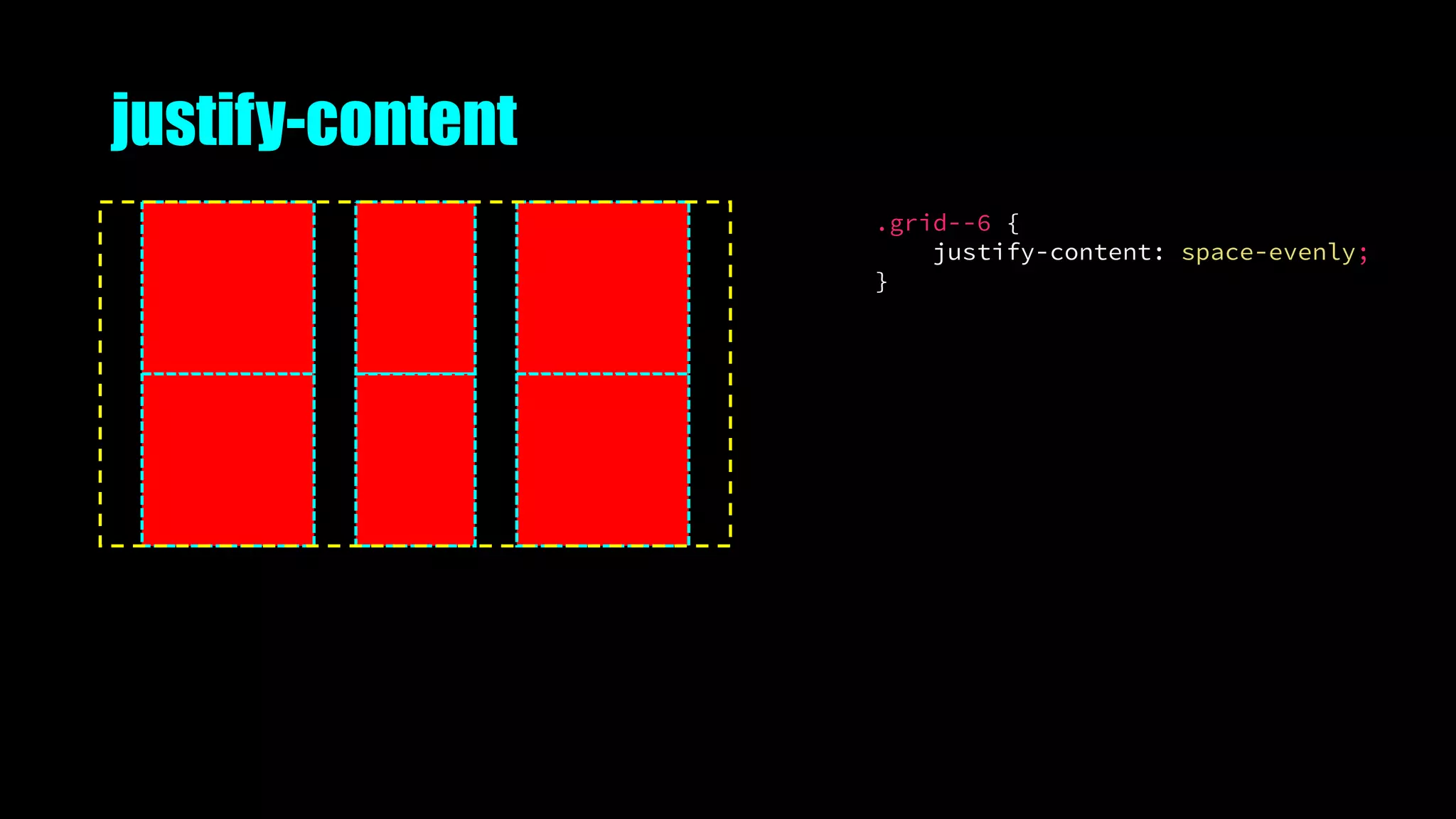
.grid--6 {
justify-content: space-evenly;
}
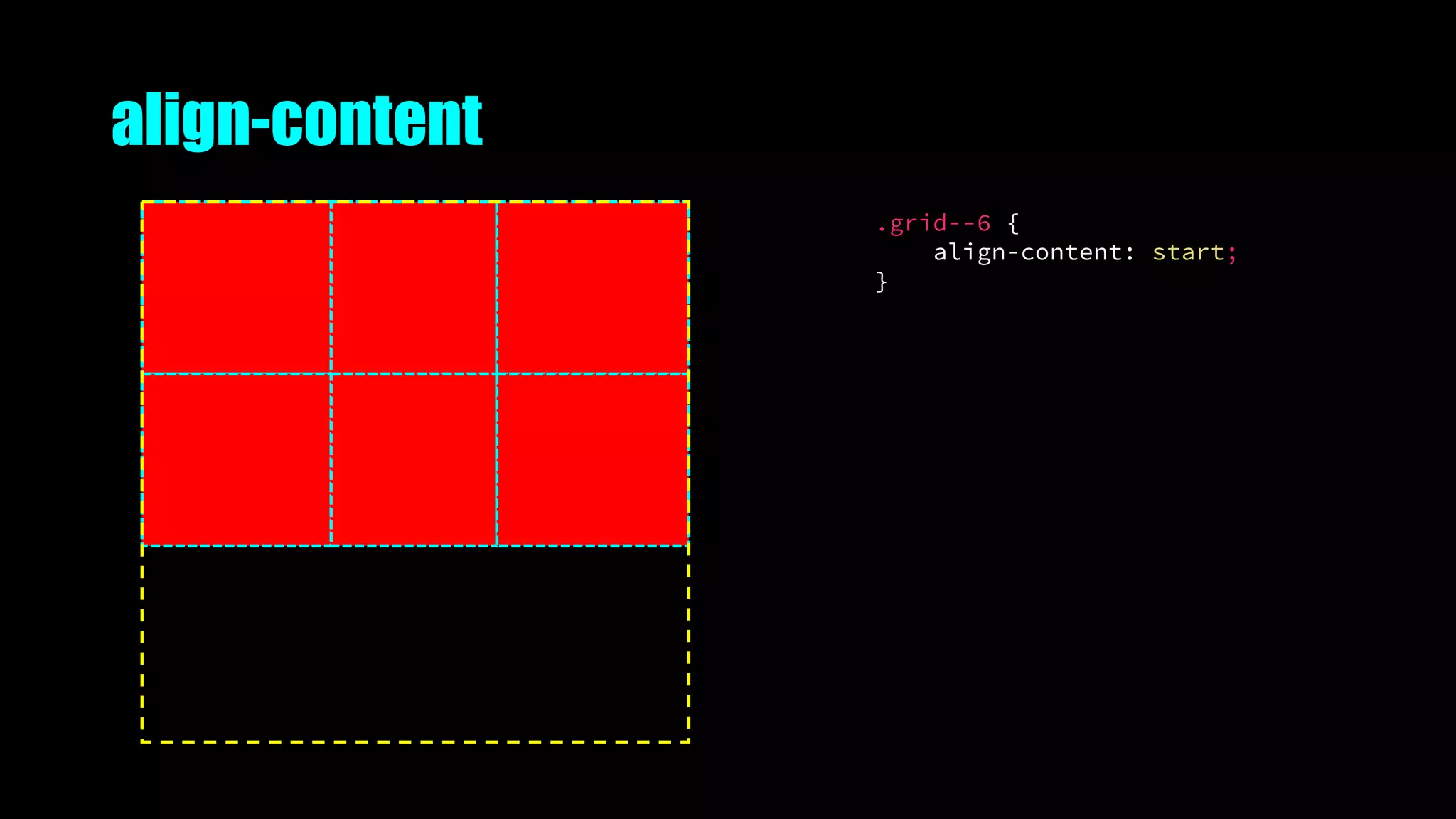
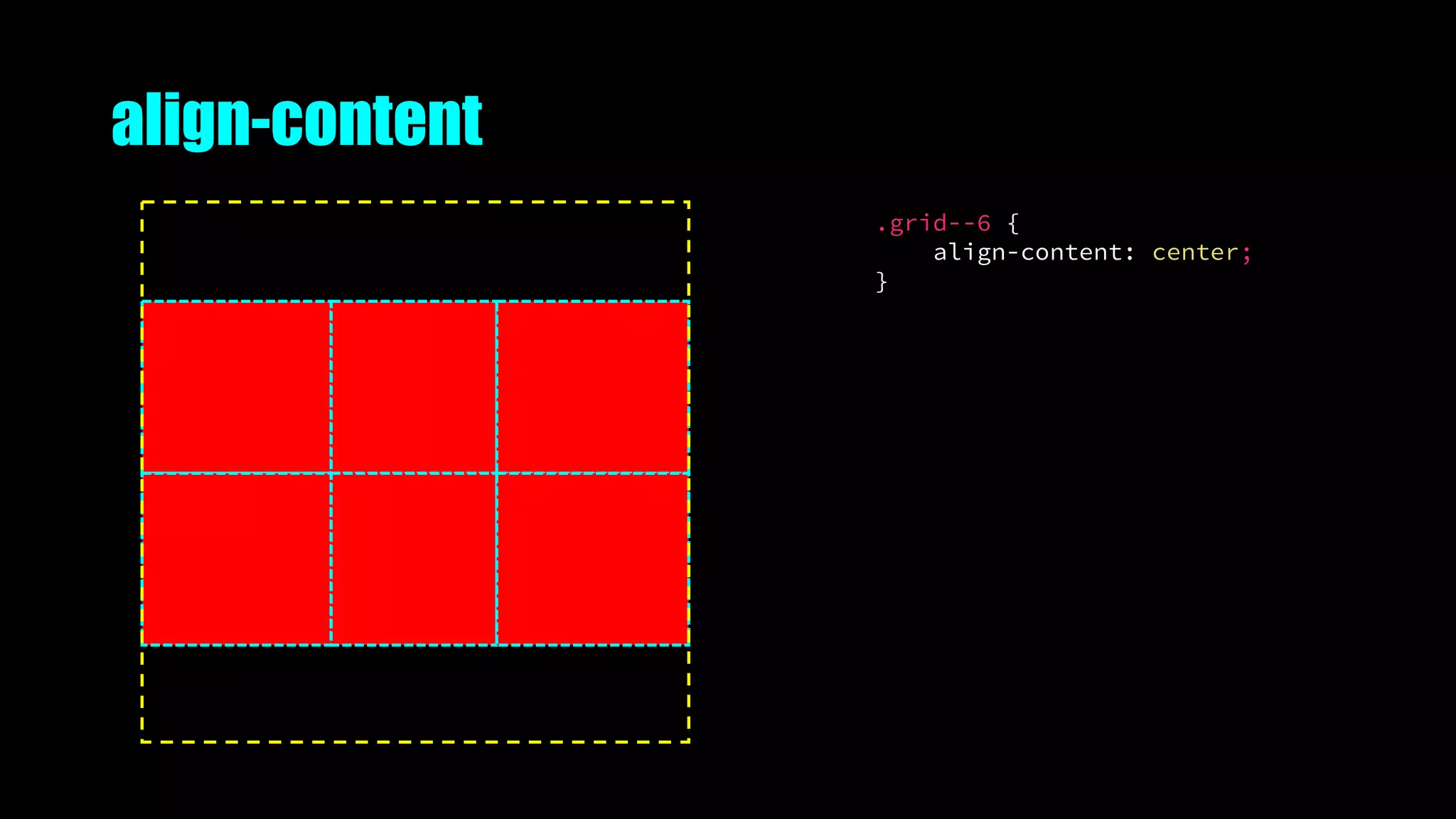
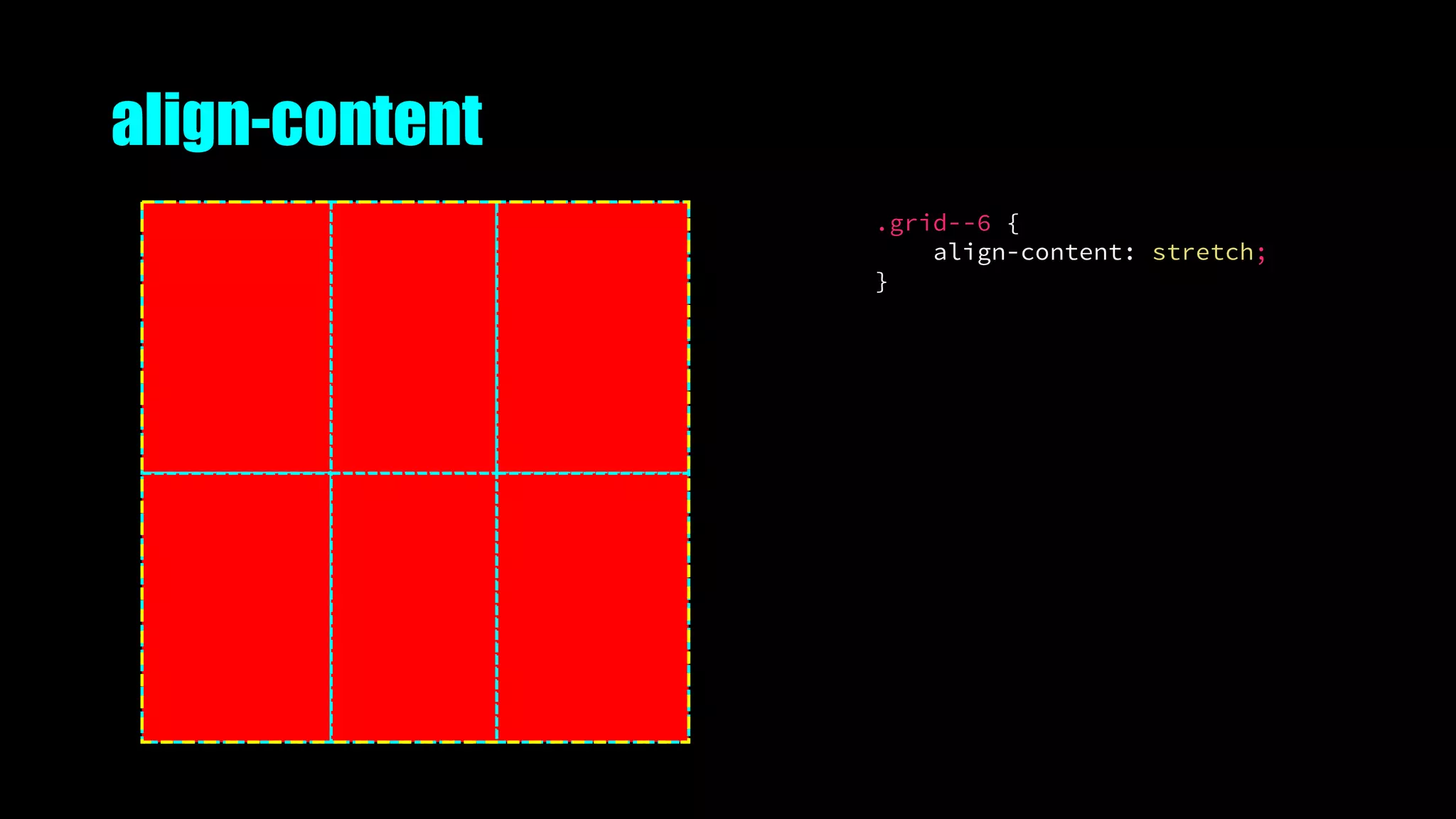
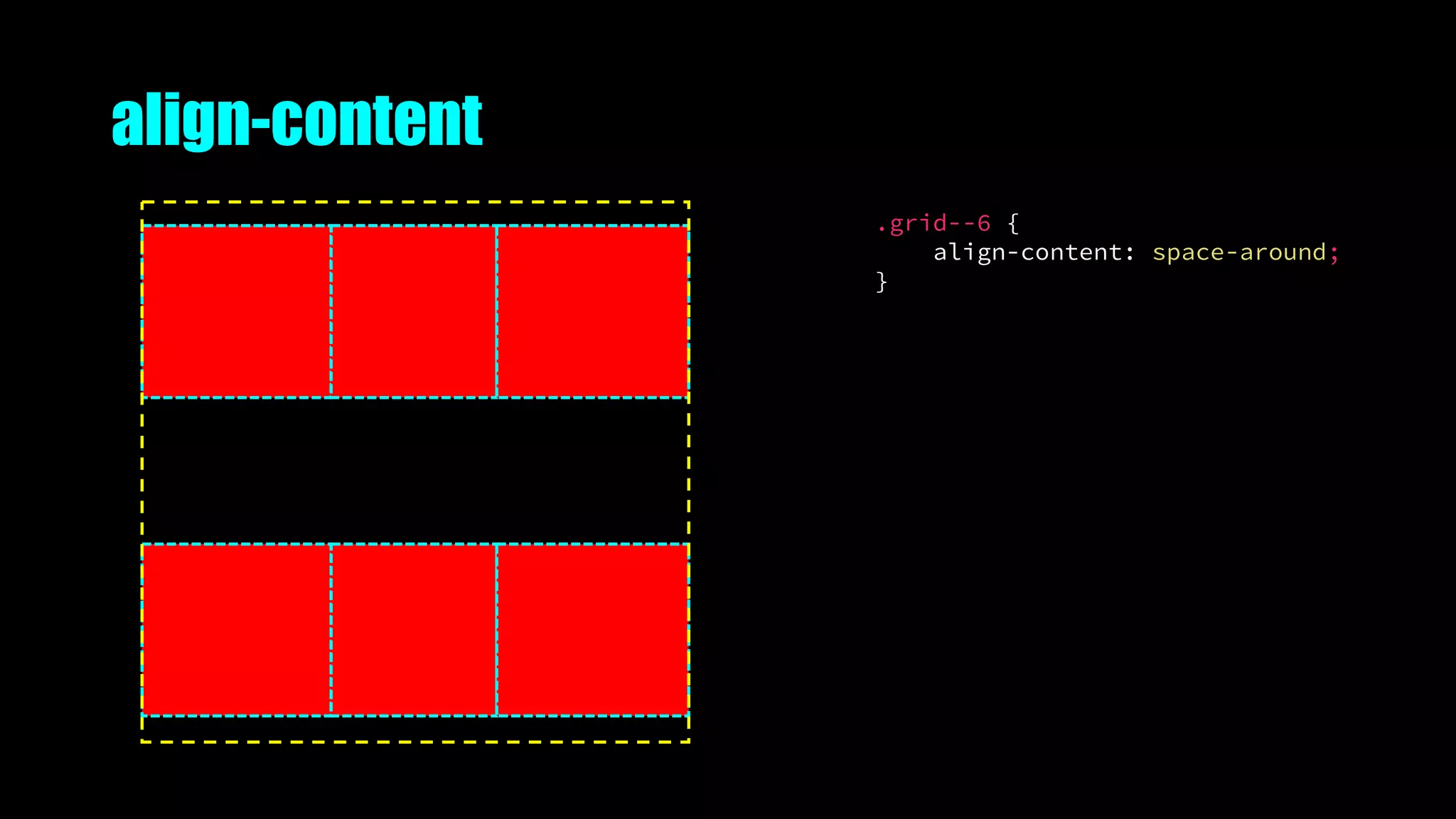
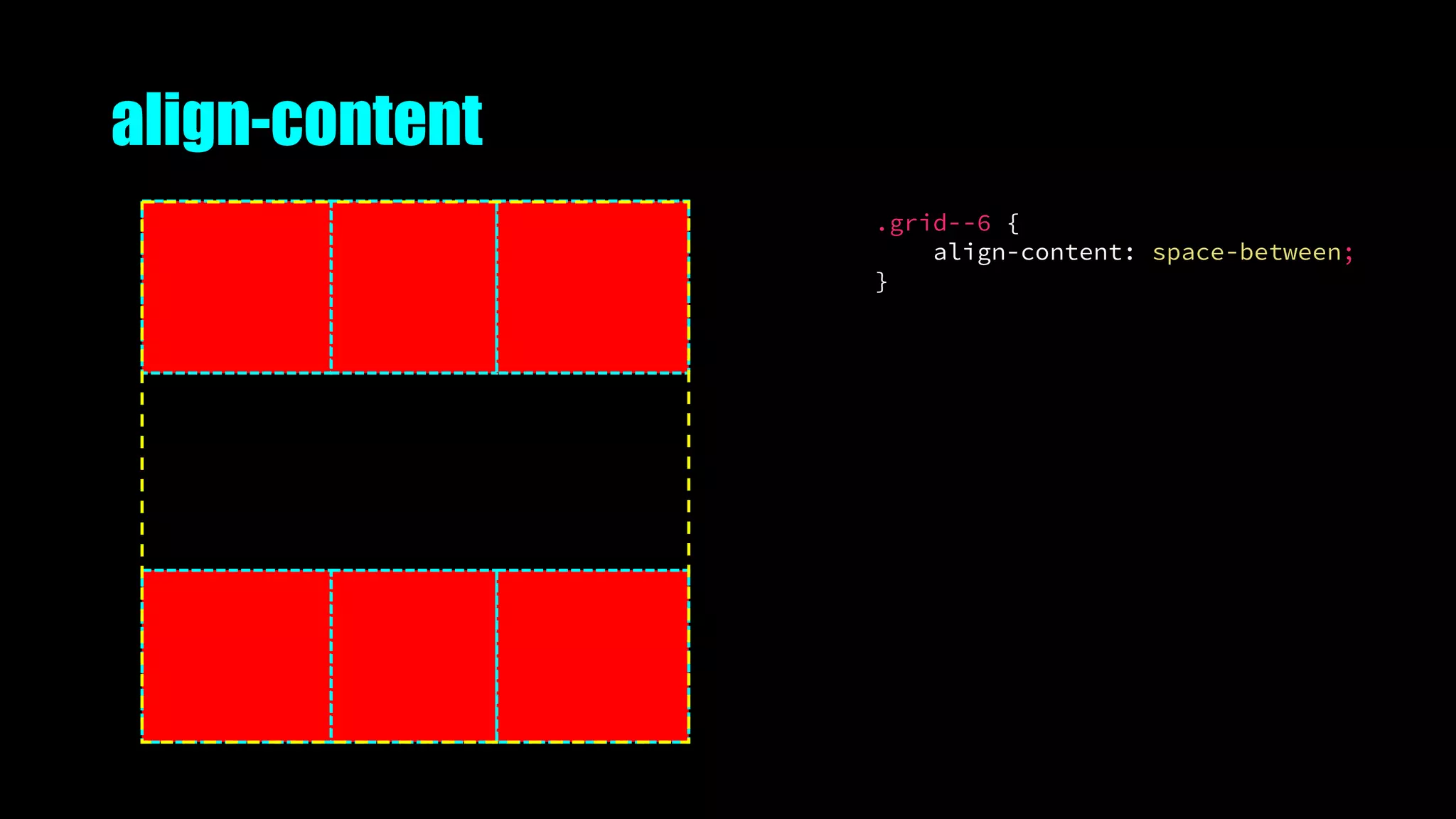
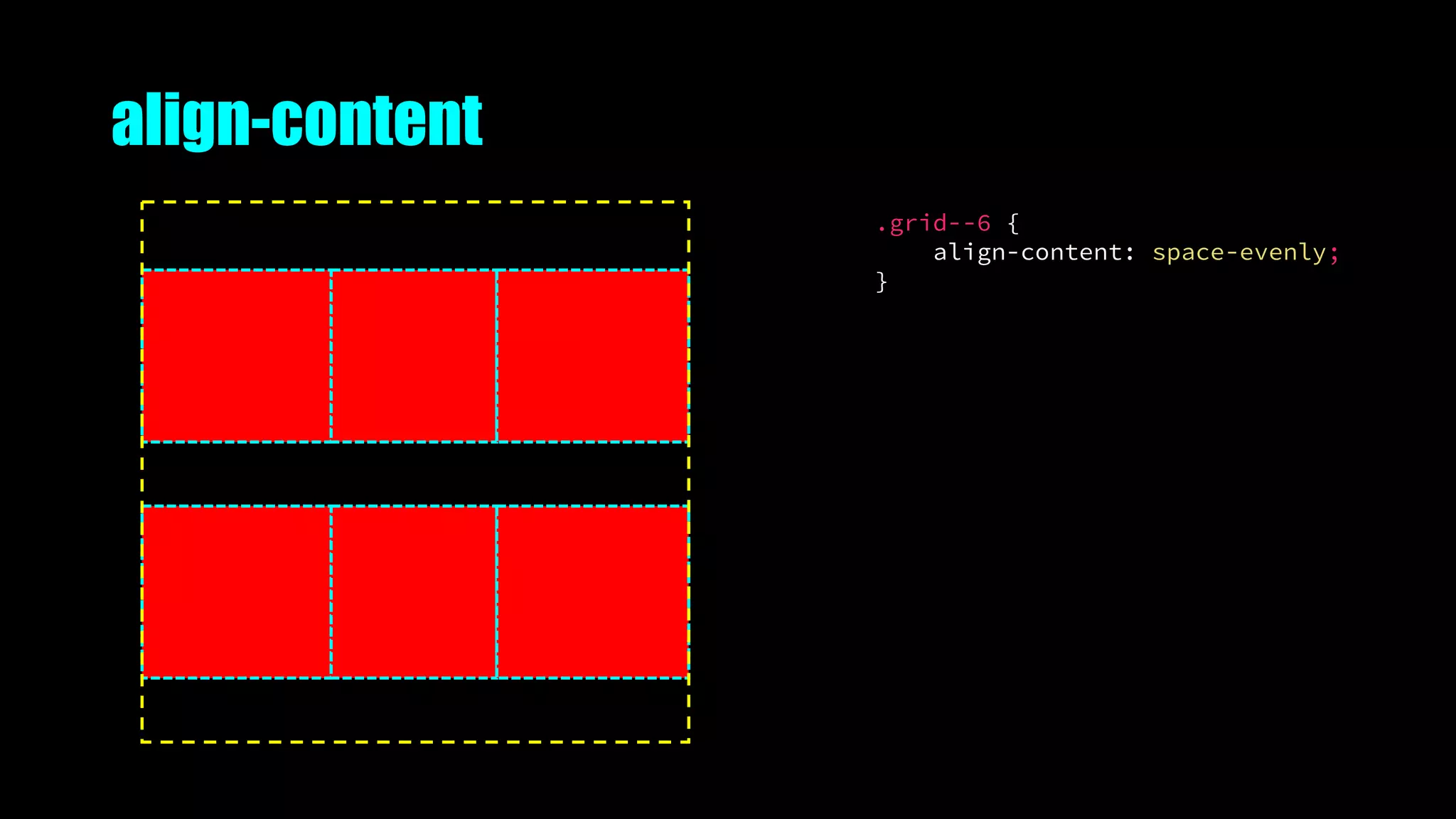
align-content
.grid--6 {
align-content: start;
}
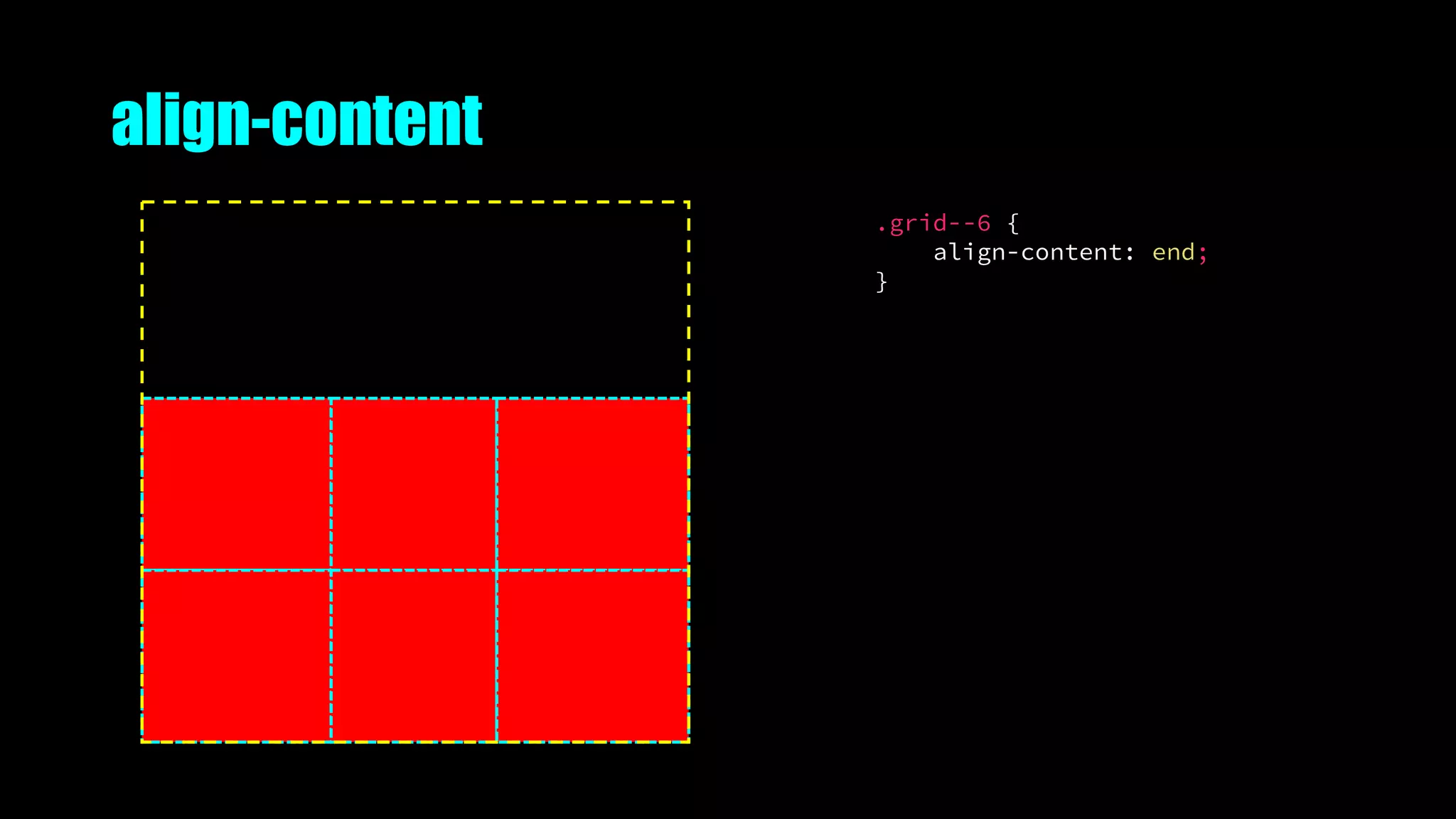
align-content
.grid--6 {
align-content: end;
}
align-content
.grid--6 {
align-content: center;
}
align-content
.grid--6 {
align-content: stretch;
}
align-content
.grid--6 {
align-content: space-around;
}
align-content
.grid--6 {
align-content: space-between;
}
align-content
.grid--6 {
align-content: space-evenly;
}
Naming things
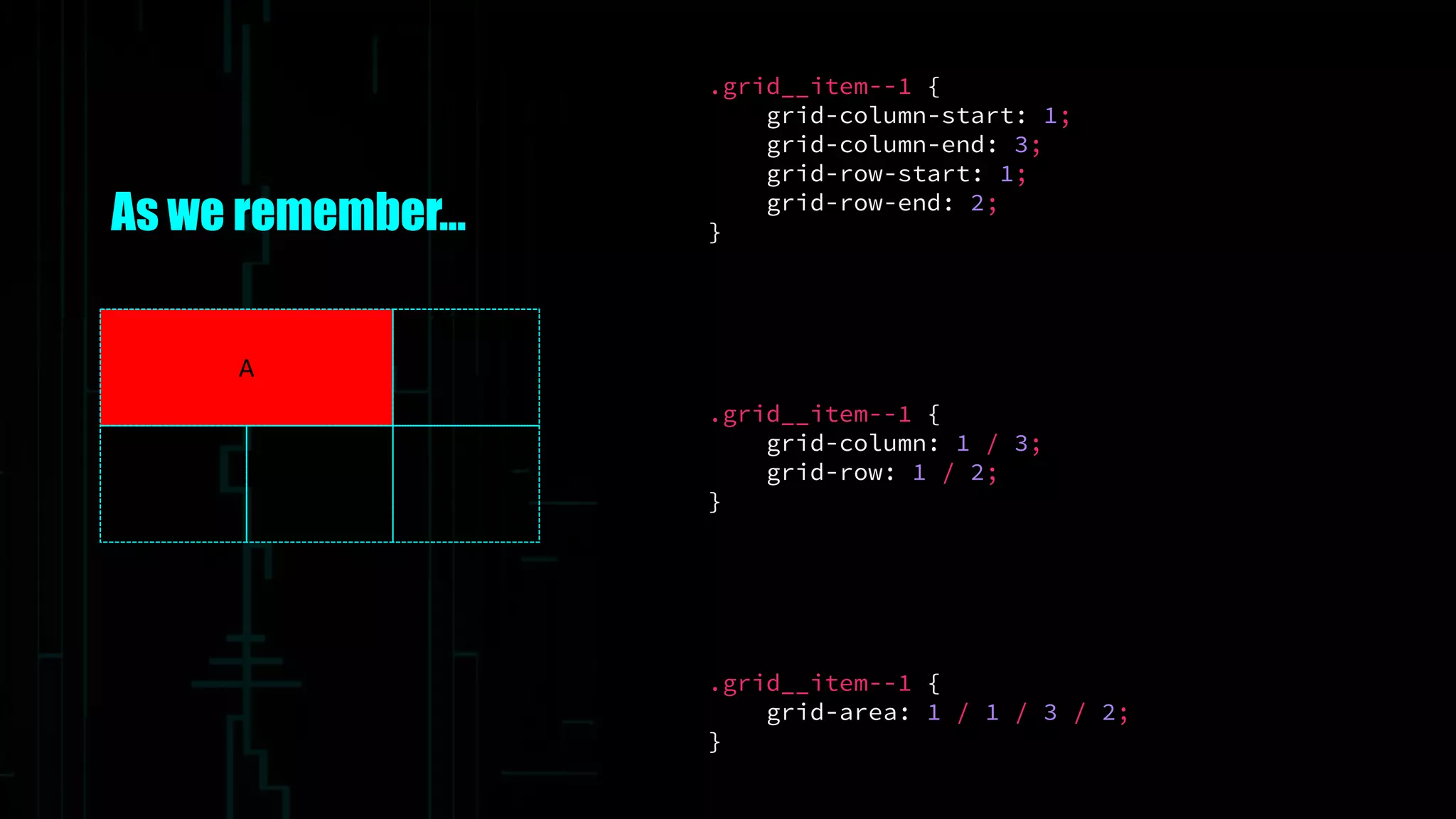
As we remember…
.grid__item--1 {
grid-column: 1 / 3;
grid-row: 1 / 2;
}
.grid__item--1 {
grid-column-start: 1;
grid-column-end: 3;
grid-row-start: 1;
grid-row-end: 2;
}
.grid__item--1 {
grid-area: 1 / 1 / 3 / 2;
}
A
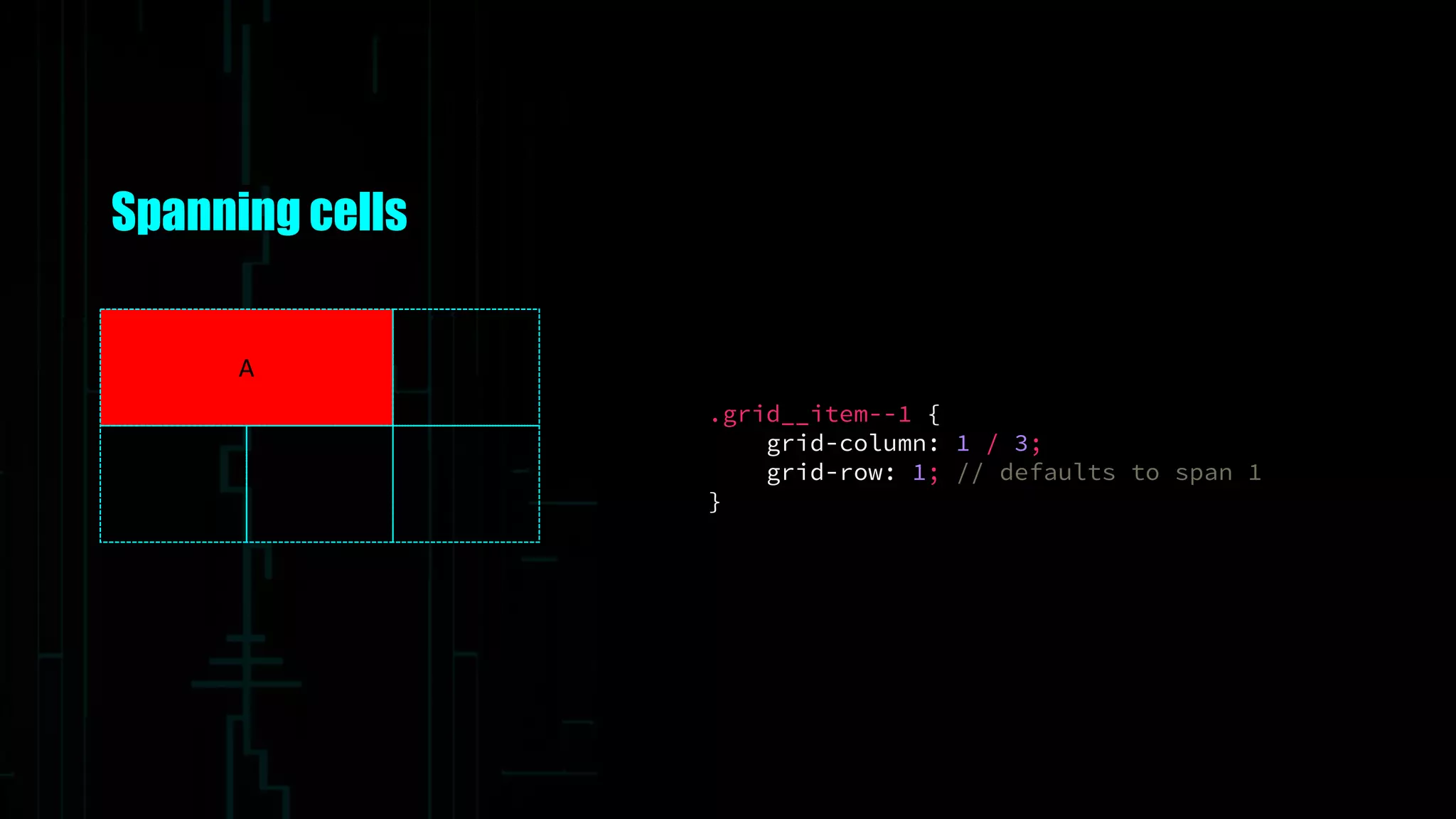
Spanning cells
.grid__item--1 {
grid-column: 1 / 3;
grid-row: 1; // defaults to span 1
}
A
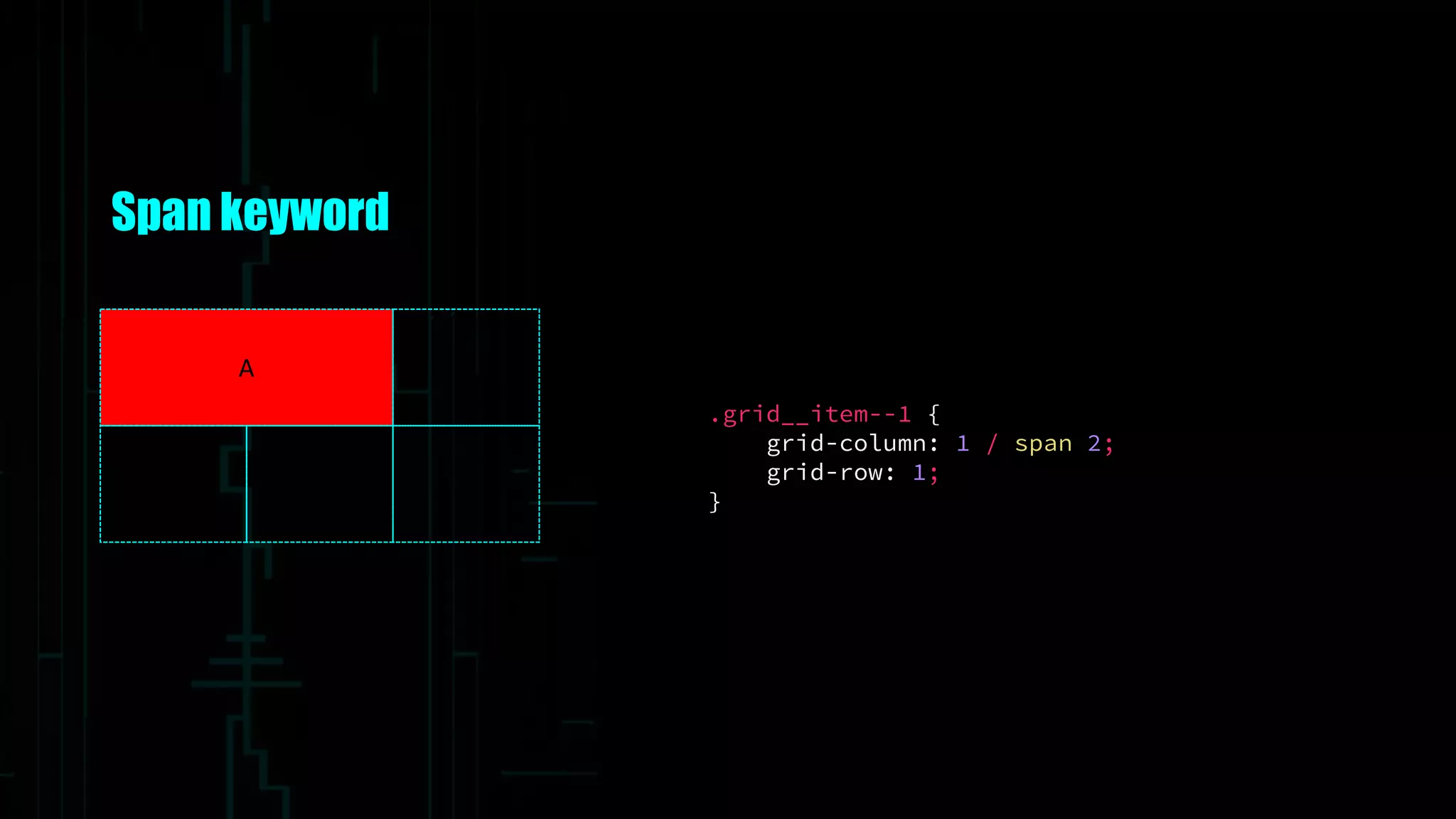
Span keyword
.grid__item--1 {
grid-column: 1 / span 2;
grid-row: 1;
}
A
Named lines
.grid__item--1 {
grid-column: col1-start / col3-start;
grid-row: row1-start;
}
A
.grid--5 {
grid-template-columns: [col1-start] 100px
[col2-start] 100px
[col3-start] 100px
[col3-end];
grid-template-rows: [row1-start] auto
[row2-start] auto
[row2-end];
}
Named lines with span
.grid__item--1 {
grid-column: col / span 2;
grid-row: row;
}
A
.grid--5 {
grid-template-columns: [col] 100px
[col] 100px
[col] 100px
[col];
grid-template-rows: [row] auto
[row] auto
[row];
}
Repeat keyword
.grid__item--1 {
grid-column: col / span 2;
grid-row: row;
}
A
.grid--5 {
grid-template-columns: repeat(3, [col] 100px);
grid-template-rows: repeat(2, [row] auto);
}
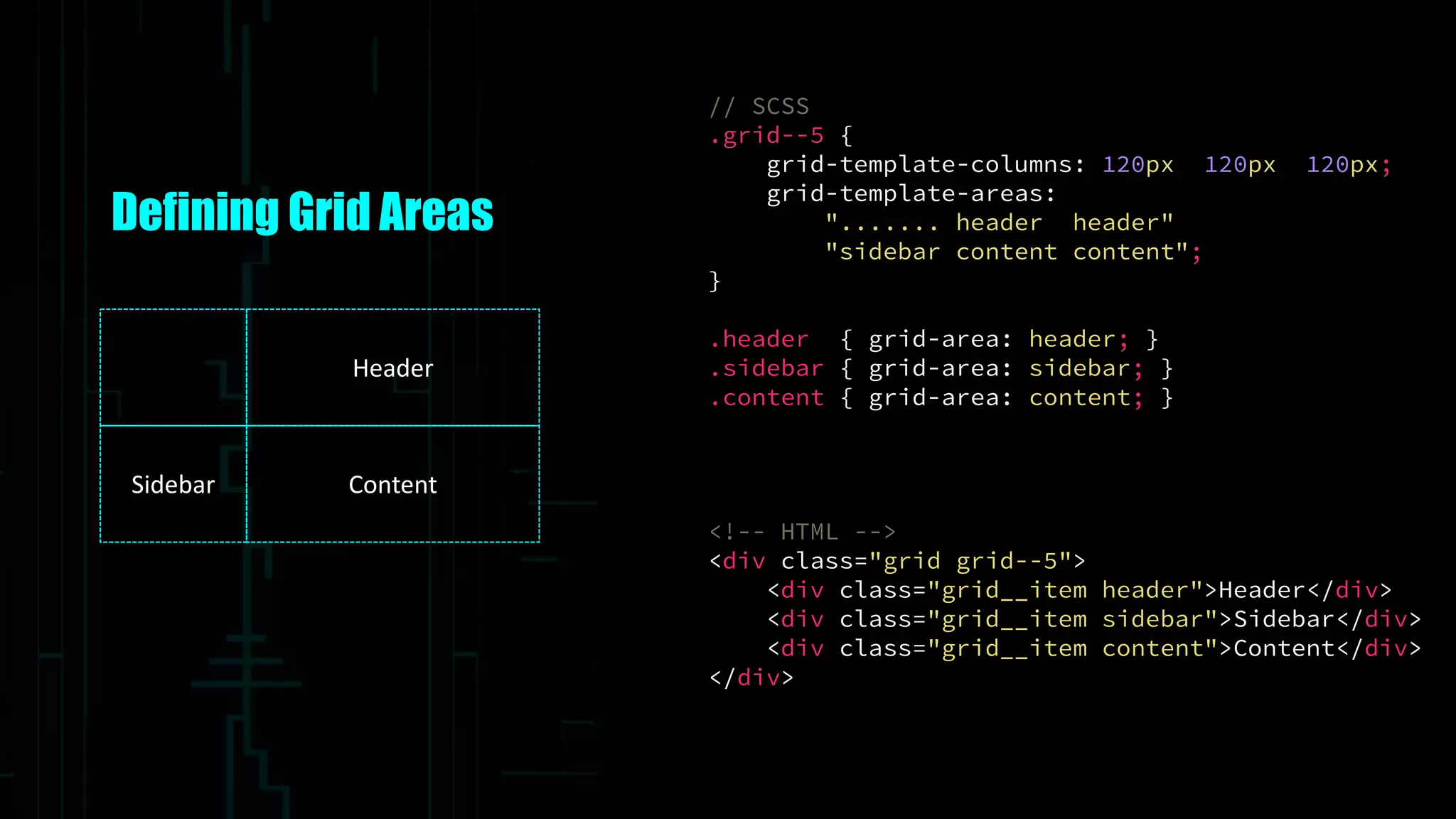
Defining Grid Areas
Header
Sidebar Content
// SCSS
.grid--5 {
grid-template-columns: 120px 120px 120px;
grid-template-areas:
"....... header header"
"sidebar content content";
}
.header { grid-area: header; }
.sidebar { grid-area: sidebar; }
.content { grid-area: content; }
<!-- HTML -->
<div class="grid grid--5">
<div class="grid__item header">Header</div>
<div class="grid__item sidebar">Sidebar</div>
<div class="grid__item content">Content</div>
</div>
Grids within grids
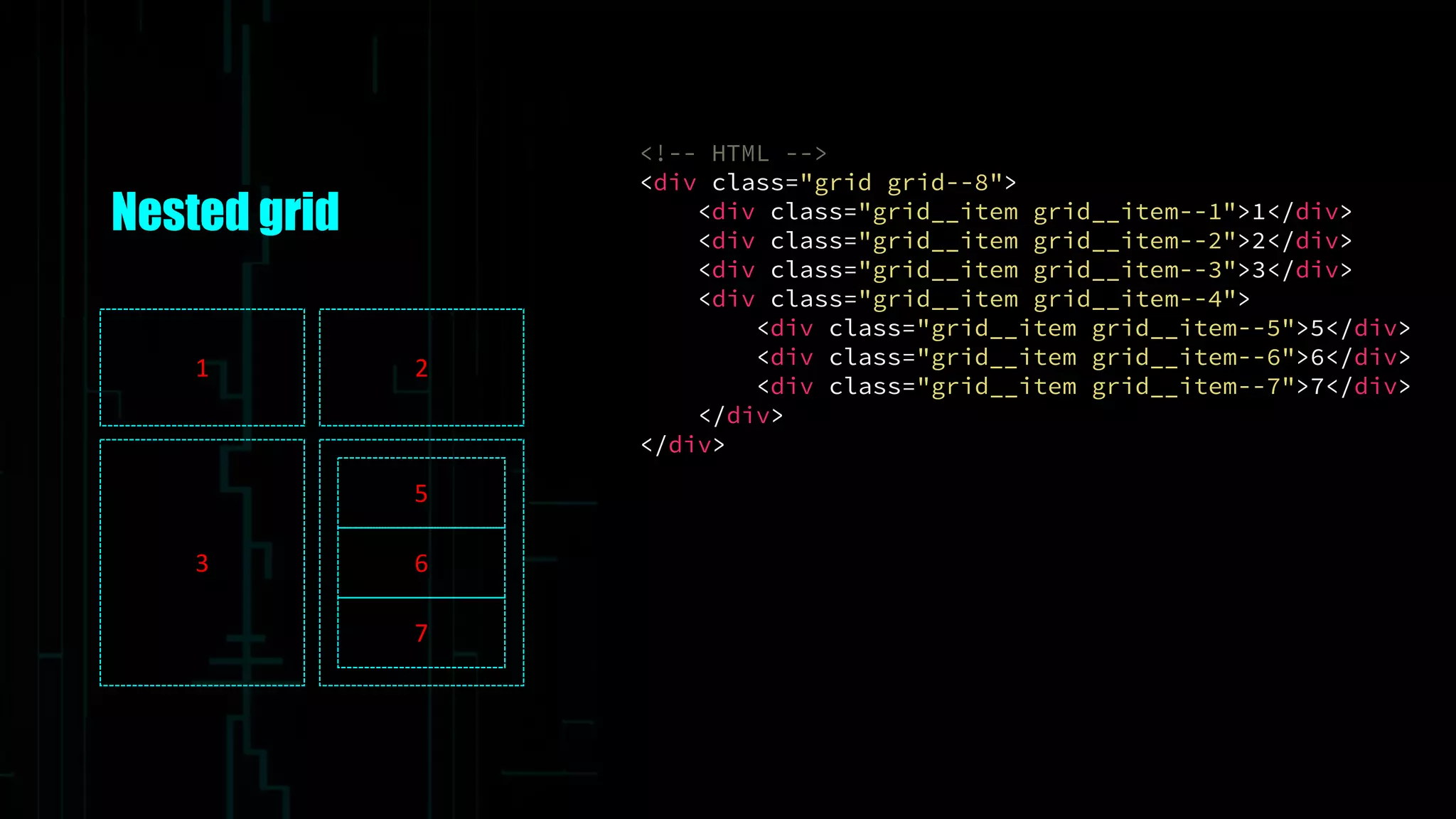
Nested grid
<!-- HTML -->
<div class="grid grid--8">
<div class="grid__item grid__item--1">1</div>
<div class="grid__item grid__item--2">2</div>
<div class="grid__item grid__item--3">3</div>
<div class="grid__item grid__item--4">
<div class="grid__item grid__item--5">5</div>
<div class="grid__item grid__item--6">6</div>
<div class="grid__item grid__item--7">7</div>
</div>
</div>
1 2
3
5
6
7
Nested grid
// SCSS
.grid--8 {
grid-gap: 10px;
grid-template-columns:
repeat(4, [col] 150px);
repeat(4, [row] auto);
}
1 2
3
5
6
7
.grid-item--1 {
grid-column: col / span 2; grid-row: row;
}
.grid-item--2 {
grid-column: col 3 / span 2; grid-row: row;
}
.grid-item--3 {
grid-column: col / span 2; grid-row: row 2;
}
.grid-item--4 {
grid-column: col 3 / span 2; grid-row: row 2;
}
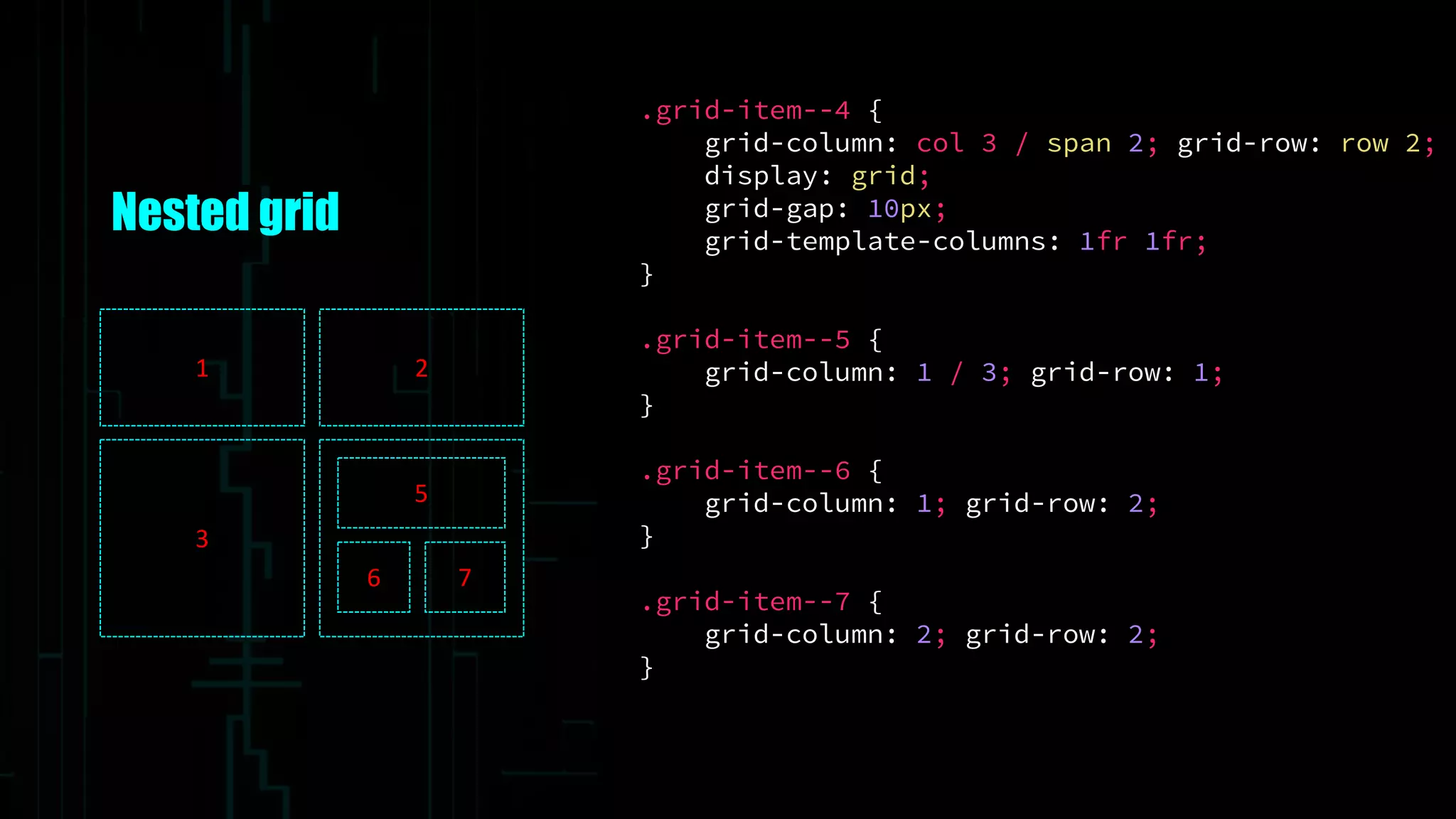
.grid-item--4 {
grid-column: col 3 / span 2; grid-row: row 2;
display: grid;
grid-gap: 10px;
grid-template-columns: 1fr 1fr;
}
.grid-item--5 {
grid-column: 1 / 3; grid-row: 1;
}
.grid-item--6 {
grid-column: 1; grid-row: 2;
}
.grid-item--7 {
grid-column: 2; grid-row: 2;
}
Nested grid
1 2
3
5
6 7
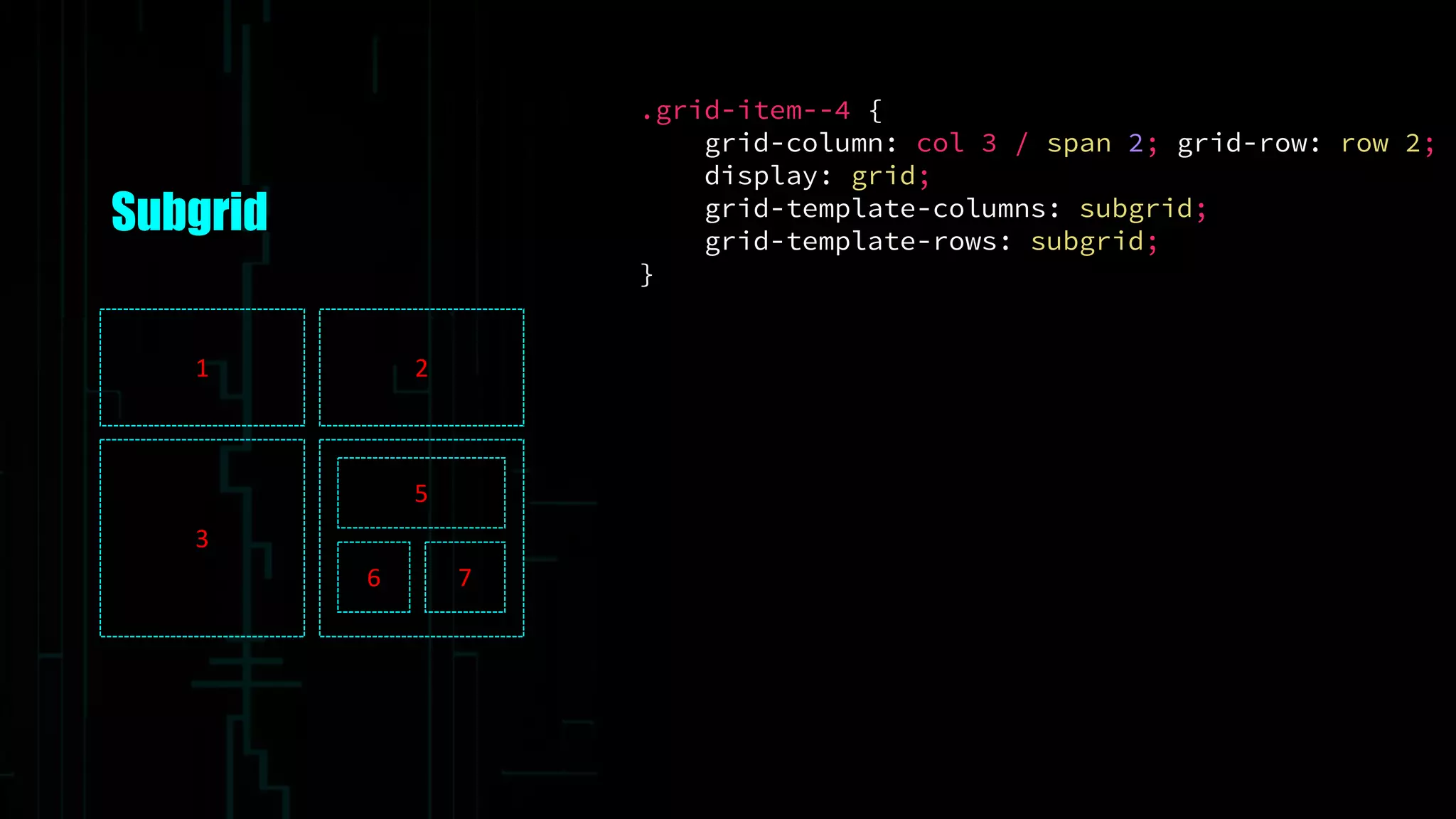
.grid-item--4 {
grid-column: col 3 / span 2; grid-row: row 2;
display: grid;
grid-template-columns: subgrid;
grid-template-rows: subgrid;
}
Subgrid
1 2
3
5
6 7
Subgrid
“The following feature are at-risk, and may be dropped during the CR period:
the subgrid value of grid-template-columns and grid-template-rows, and it’s
component parts individually”
Resources
• http://gridbyexample.com/
• https://www.youtube.com/watch?v=GRexIOtGhBU
• http://www.slideshare.net/rachelandrew/css-grid-layout-for-topconf-linz
• http://www.thedotpost.com/2015/12/rachel-andrew-the-new-css-layout
• https://css-tricks.com/snippets/css/complete-guide-grid/
• https://hacks.mozilla.org/2015/09/the-future-of-layout-with-css-grid-layouts/
• http://igalia.github.io/css-grid-layout/index.html
• https://github.com/FremyCompany/css-grid-polyfill
• https://medium.com/@patrickbrosset/css-grid-layout-6c9cba6e8a5a#.ls5y5g53h
Thank You

The Grid - The Future of CSS Layout