

The AngularJS way 
Boyan Mihaylov, Ebita
Agenda 
• Why AngularJS? 
• Hello, world 
• How does it work? 
• Foundation: the basic components 
• Real-case scenario development 
2
3
Why AngularJS? 
• Need to handle complex clients 
• jQuery is too low-level 
• MV* pattern on the client 
• No DOM operations 
• Data models are POJO 
• Huge community 
• 64 920+ questions on Stack Overflow 
• 11 701+ questions on Google Groups 
4
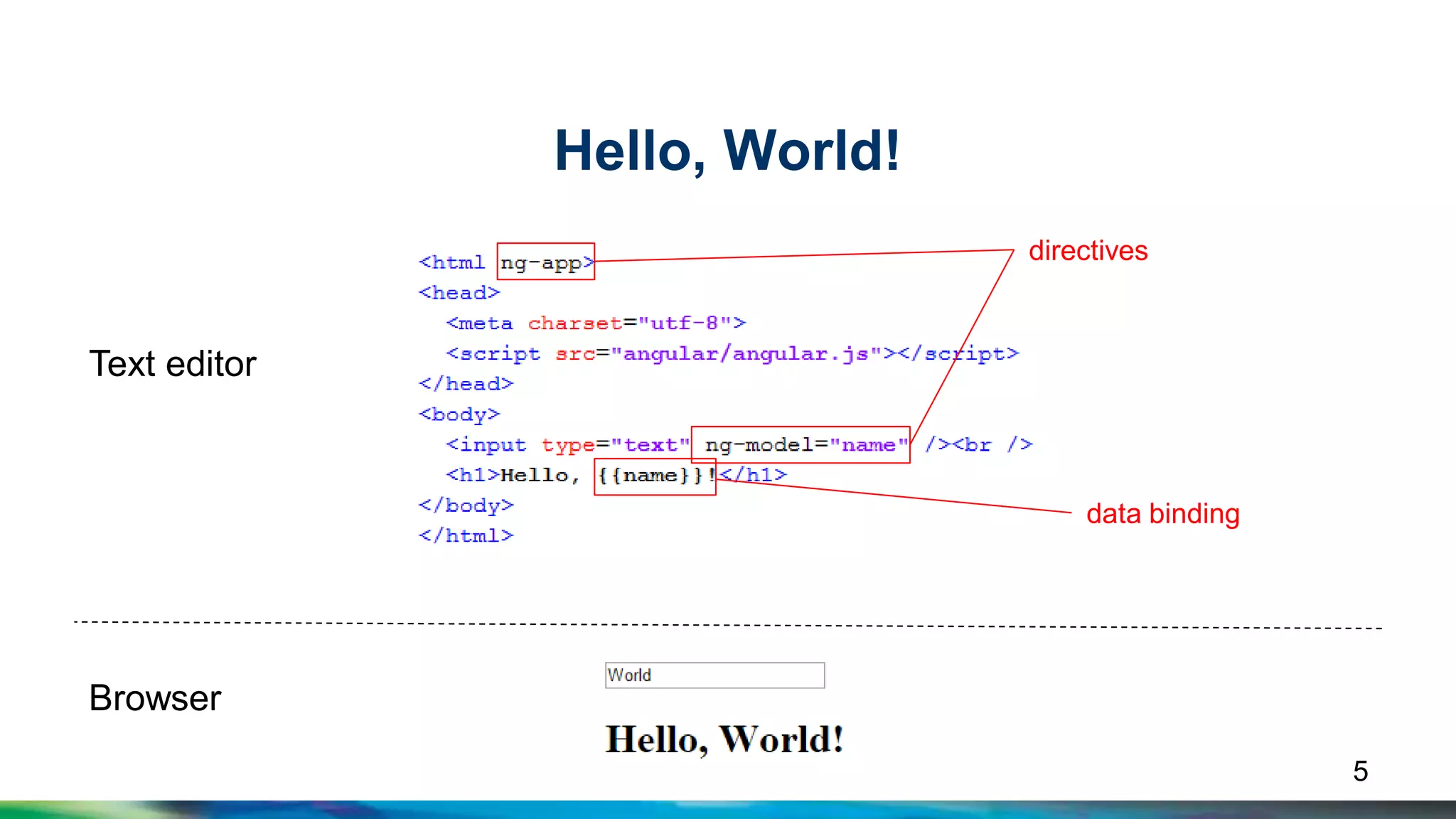
Hello, World! 
Text editor 
Browser 
directives 
data binding 
5
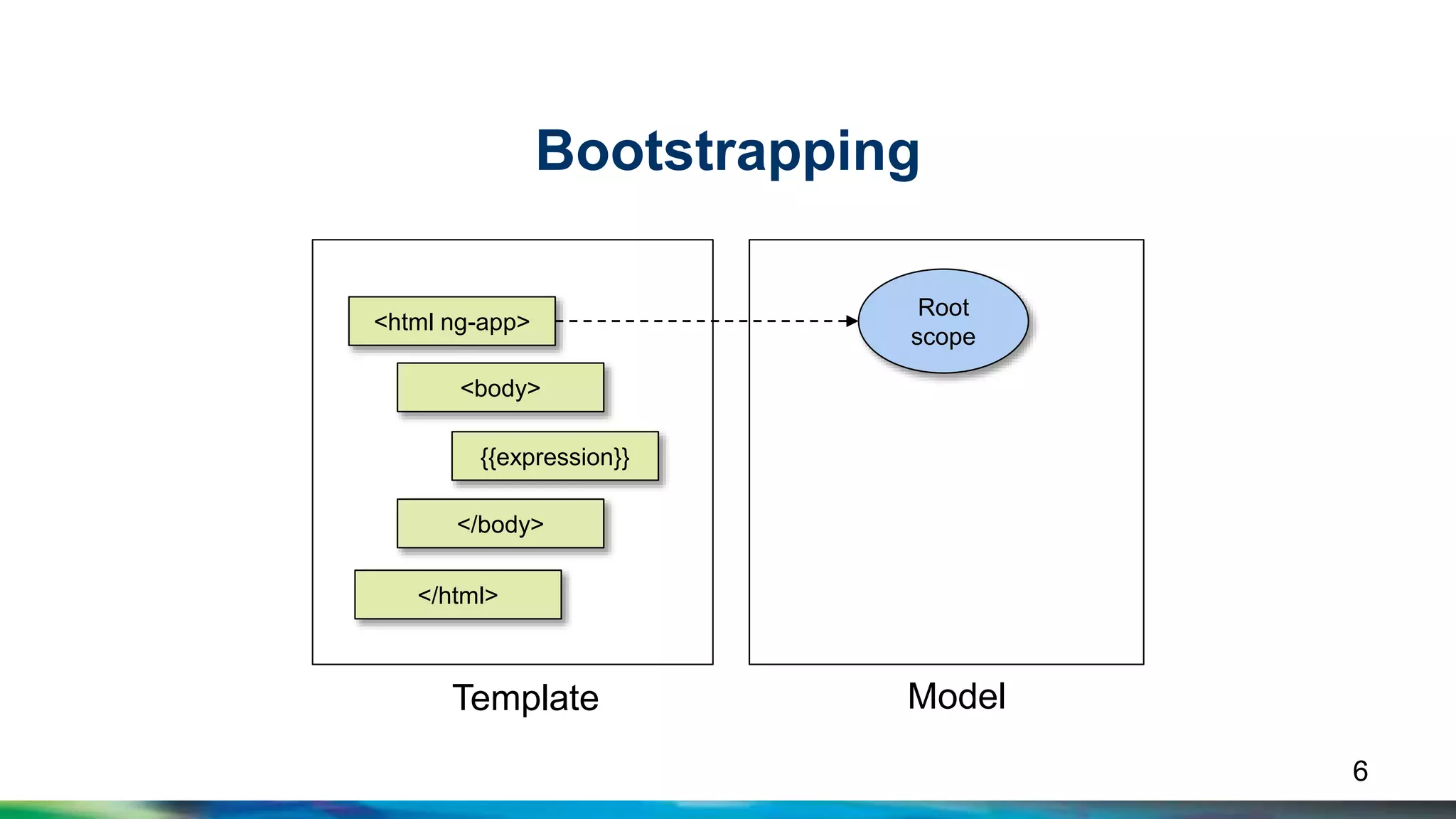
Bootstrapping 
<html ng-app> 
<body> 
{{expression}} 
</body> 
</html> 
Root 
scope 
Template Model 
6
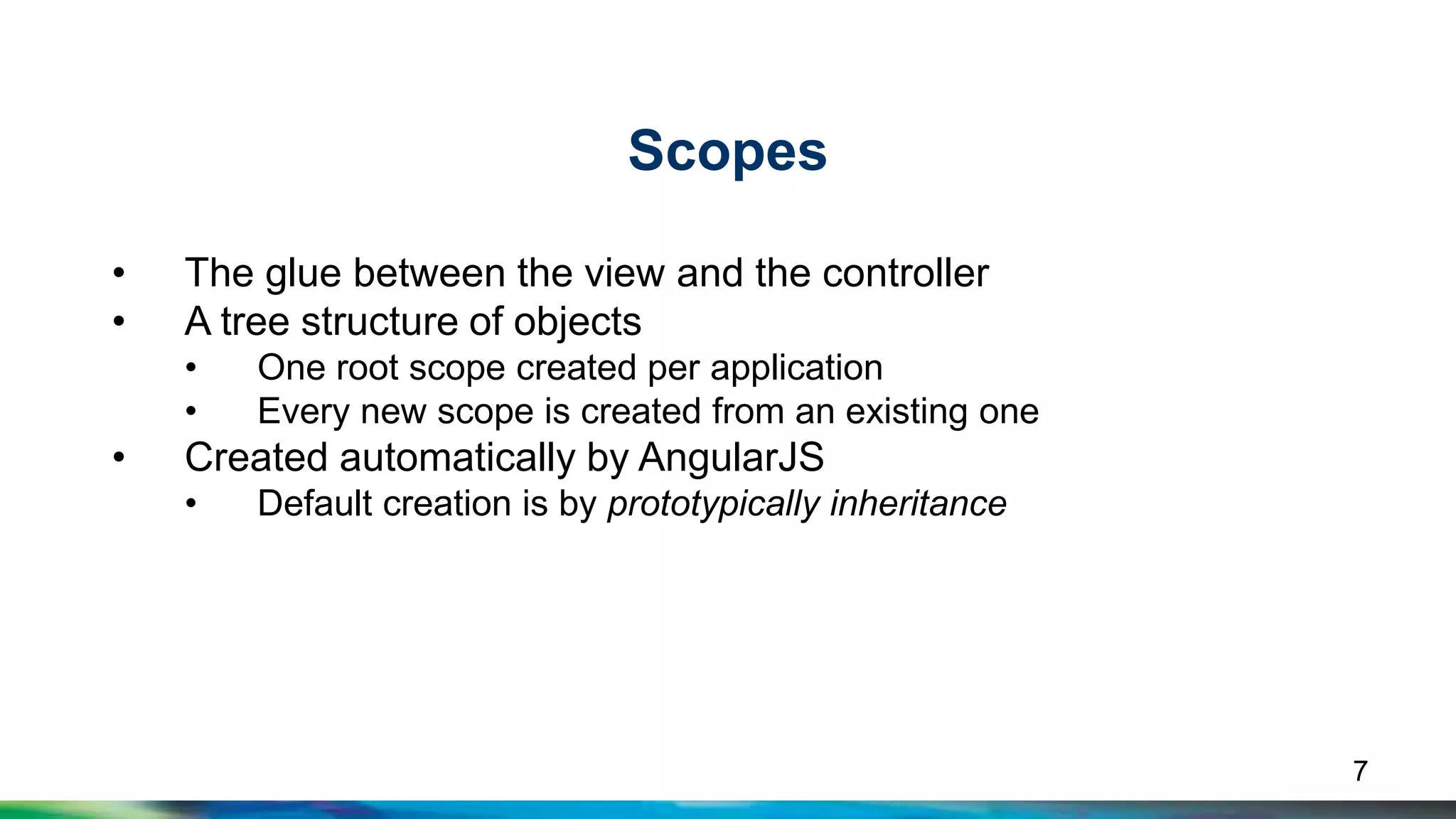
Scopes 
• The glue between the view and the controller 
• A tree structure of objects 
• One root scope created per application 
• Every new scope is created from an existing one 
• Created automatically by AngularJS 
• Default creation is by prototypically inheritance 
7
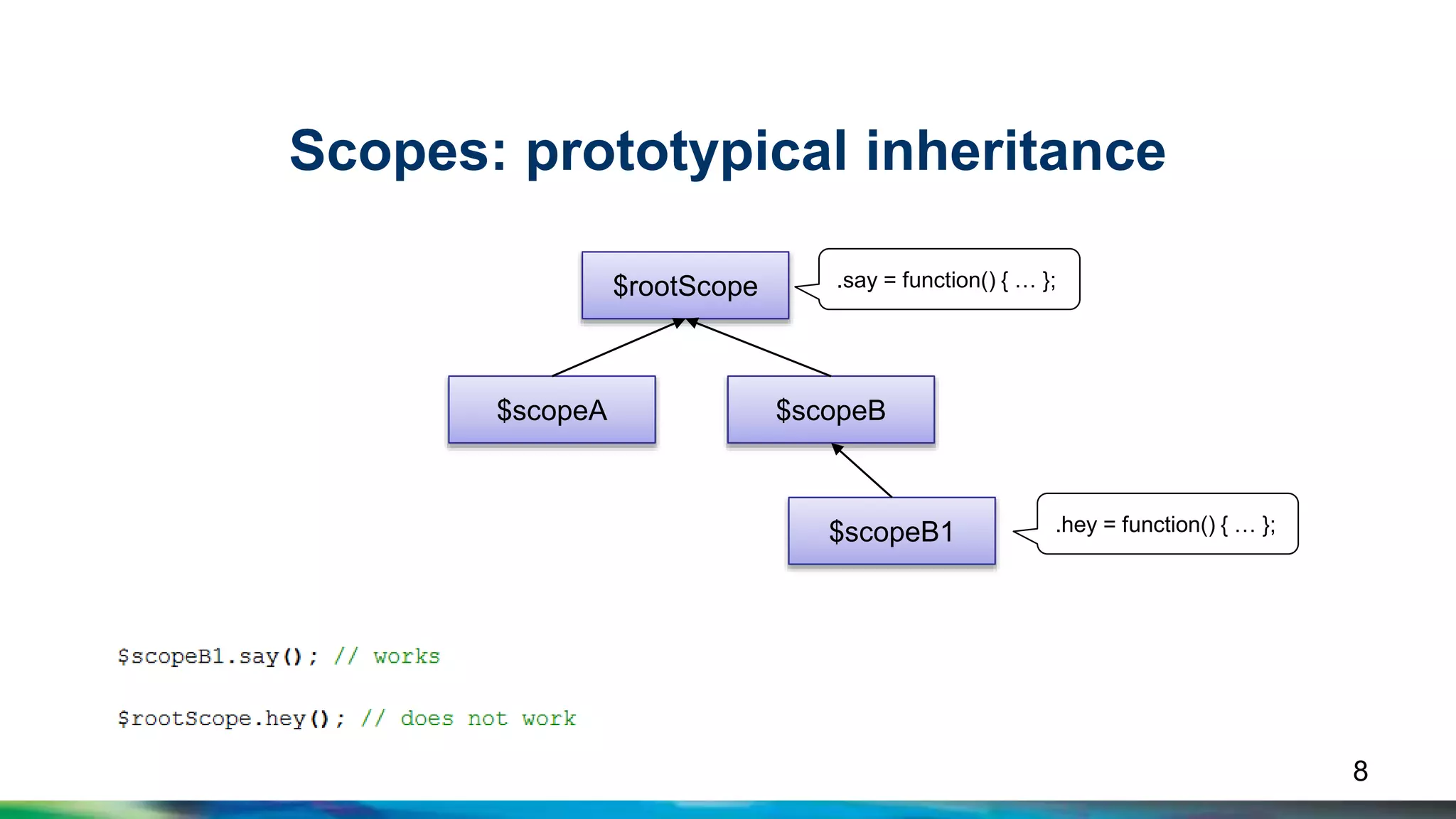
Scopes: prototypical inheritance 
$rootScope 
.say = function() { … }; 
$scopeA $scopeB 
$scopeB1 
.hey = function() { … }; 
8
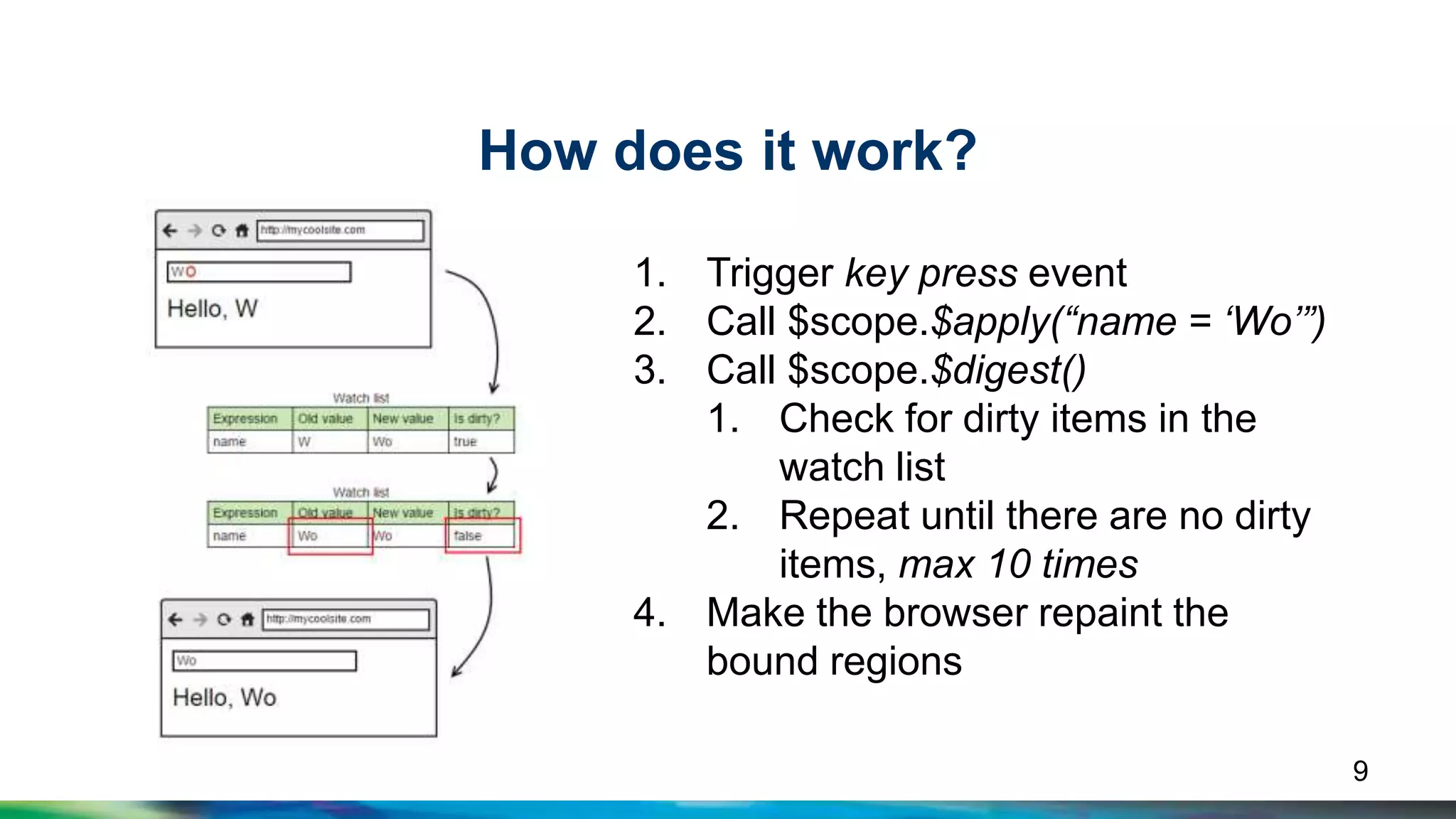
How does it work? 
1. Trigger key press event 
2. Call $scope.$apply(“name = ‘Wo’”) 
3. Call $scope.$digest() 
1. Check for dirty items in the 
watch list 
2. Repeat until there are no dirty 
items, max 10 times 
4. Make the browser repaint the 
bound regions 
9
Foundation 
10
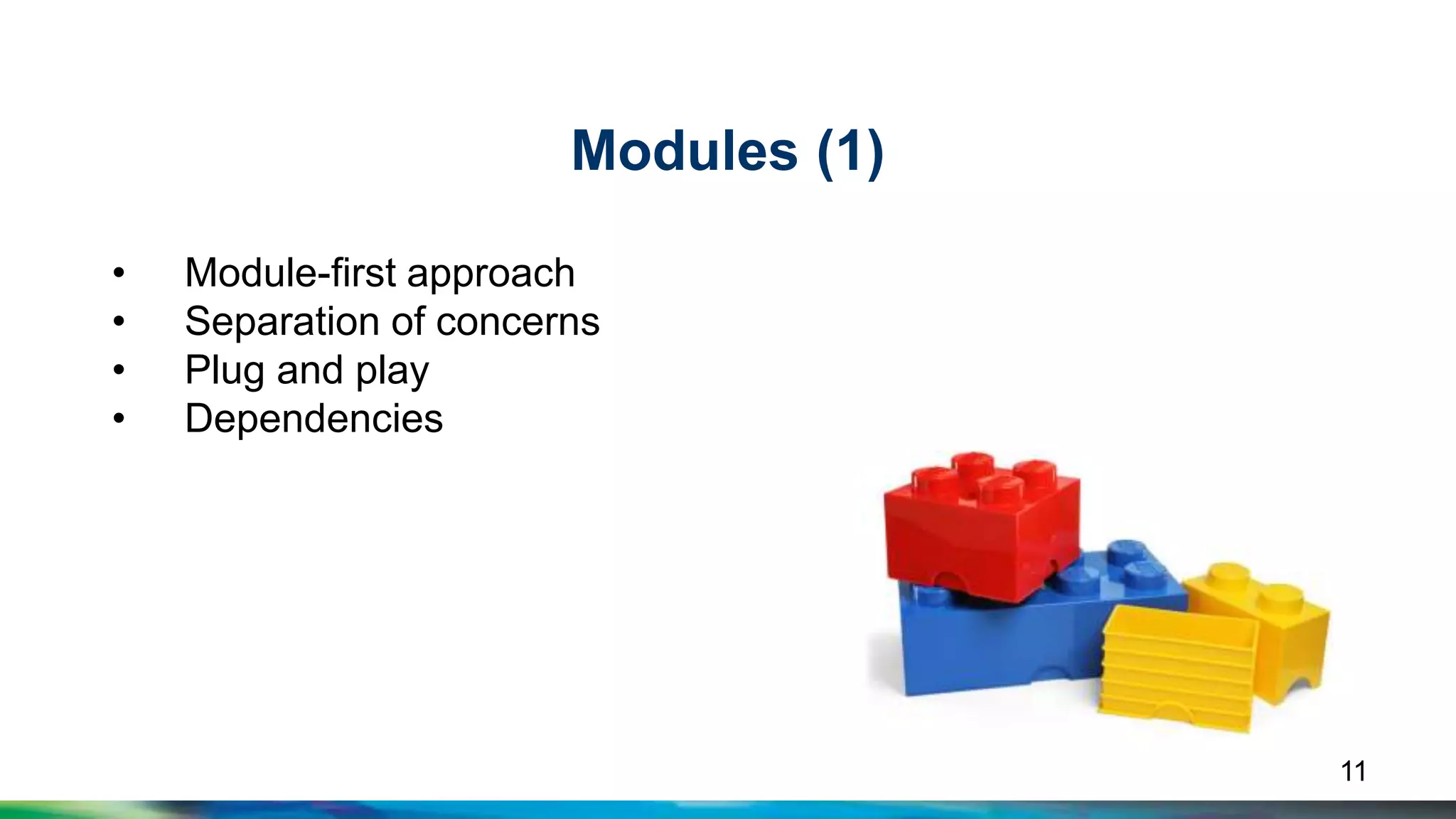
Modules (1) 
• Module-first approach 
• Separation of concerns 
• Plug and play 
• Dependencies 
11
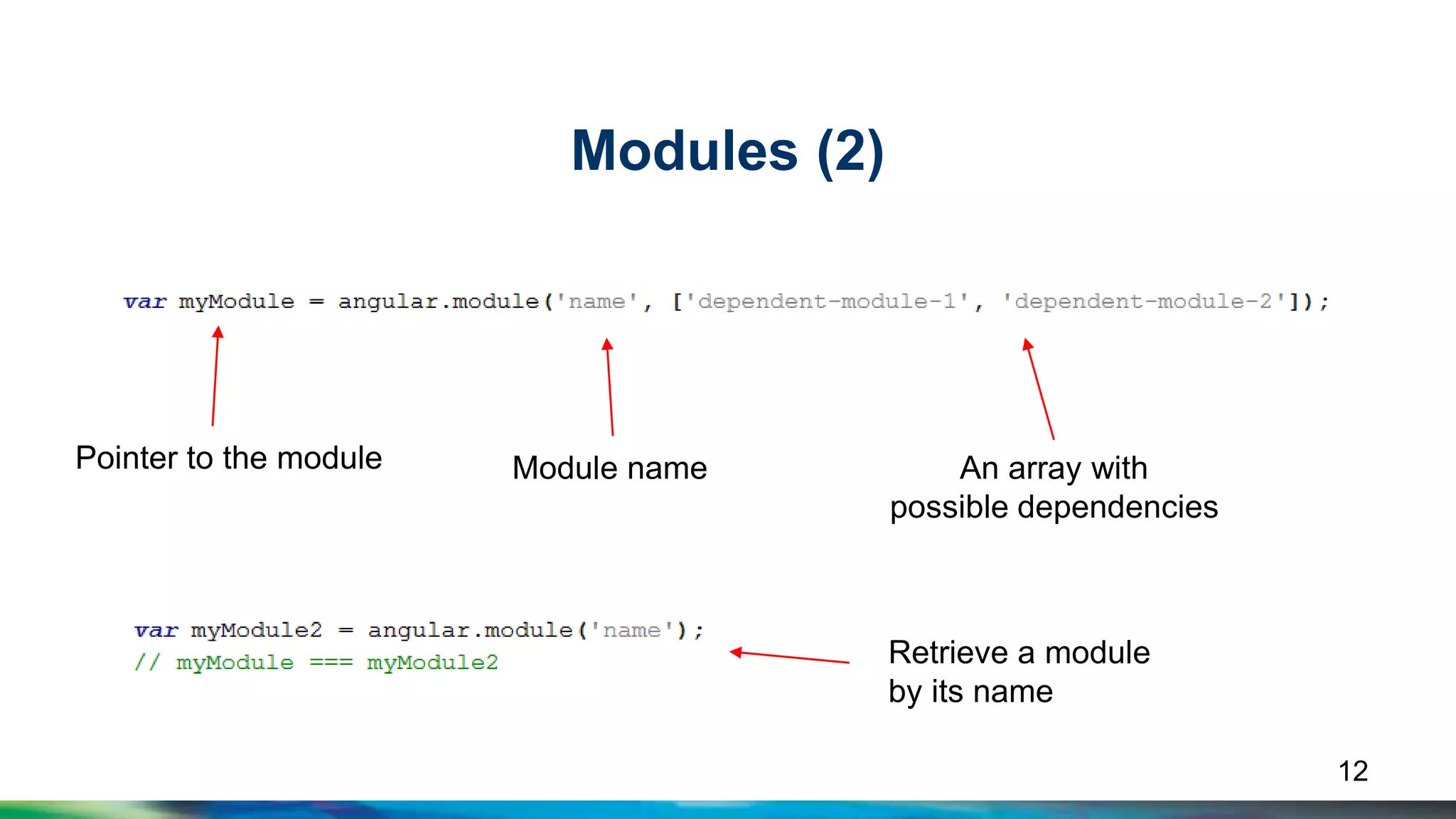
Modules (2) 
Pointer to the module Module name An array with 
possible dependencies 
Retrieve a module 
by its name 
12
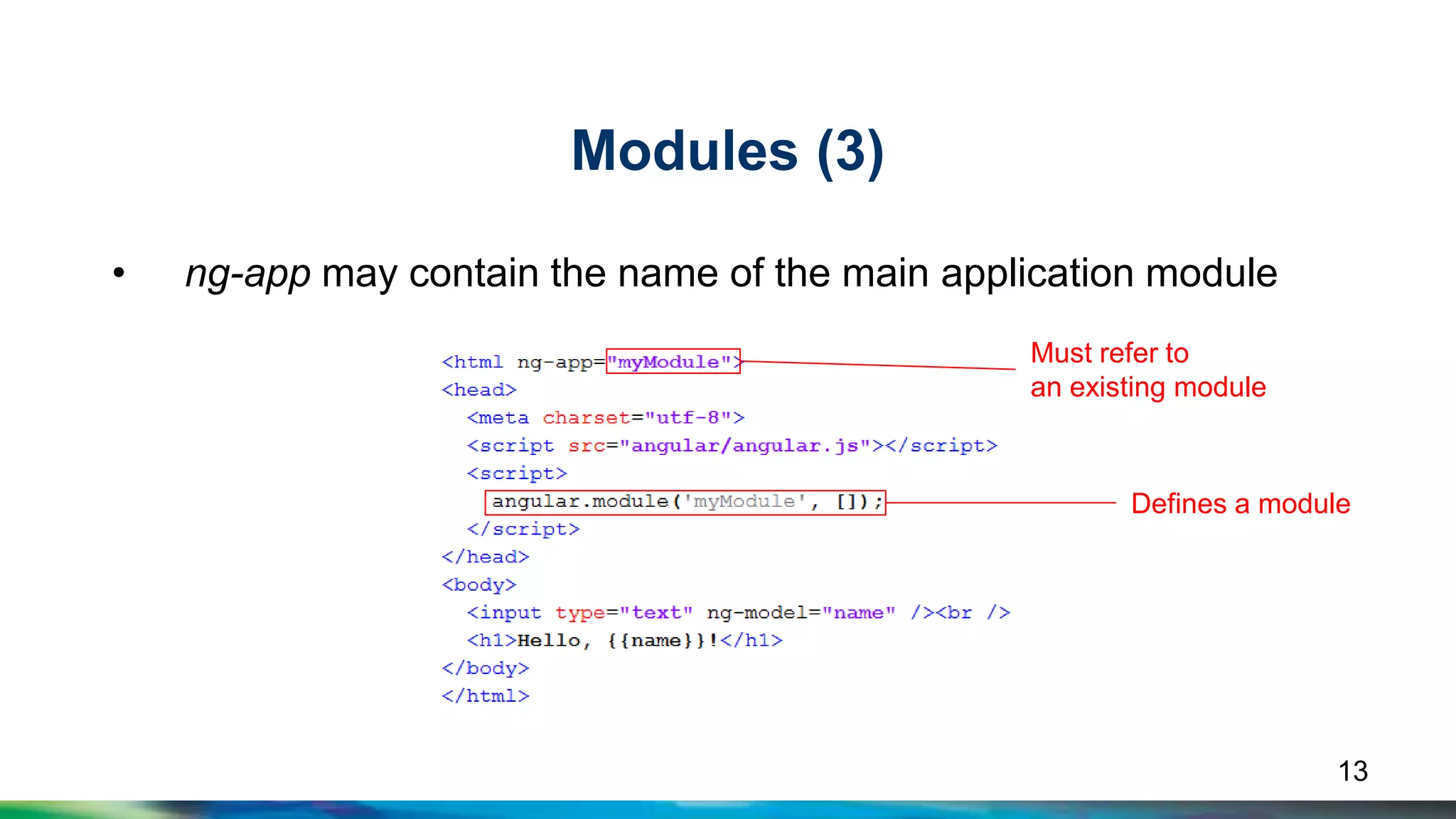
Modules (3) 
• ng-app may contain the name of the main application module 
Must refer to 
an existing module 
Defines a module 
13
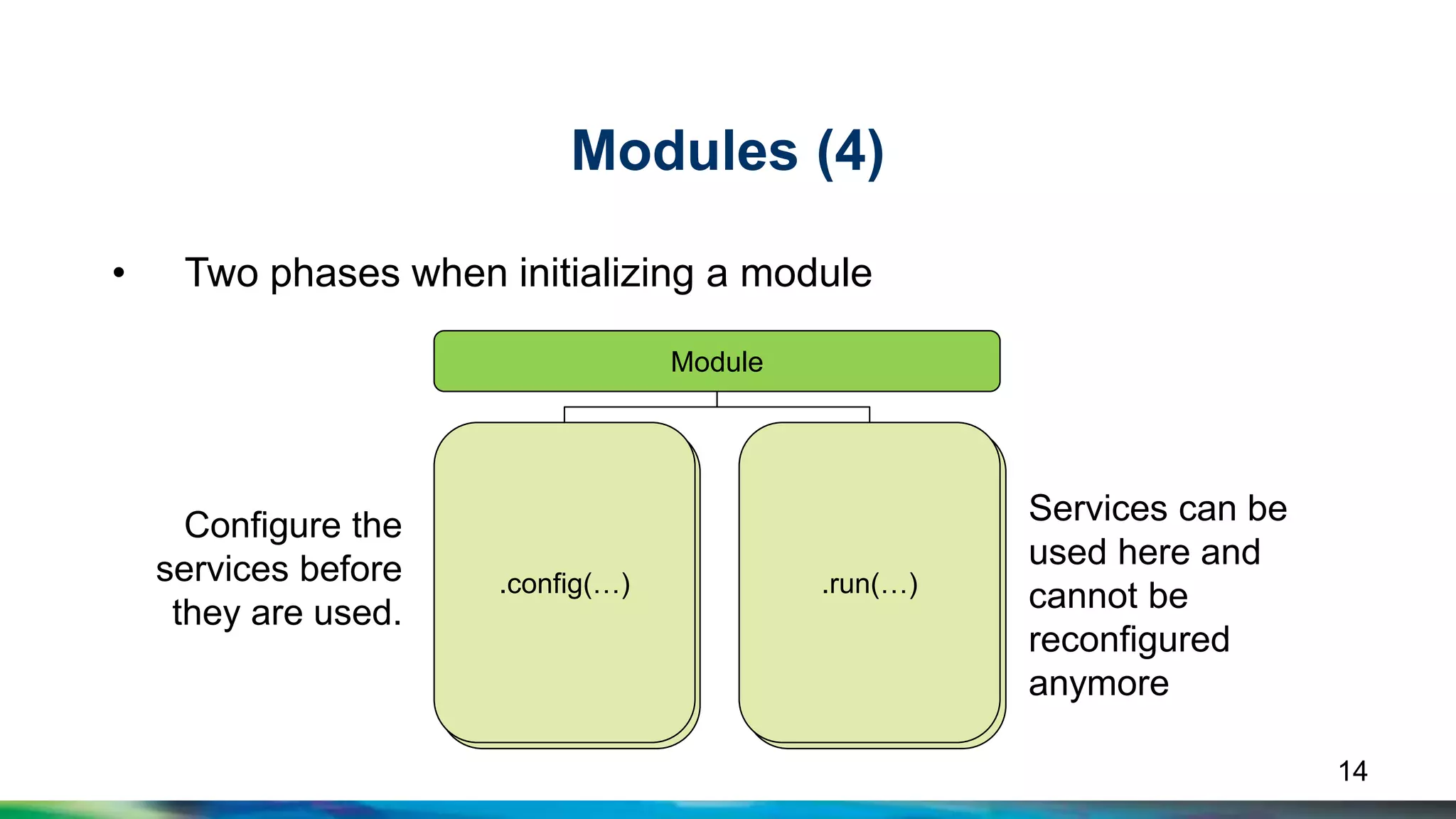
Modules (4) 
• Two phases when initializing a module 
Module 
.config(…) .run(…) 
.config(…) .run(…) 
Configure the 
services before 
they are used. 
Services can be 
used here and 
cannot be 
reconfigured 
anymore 
14
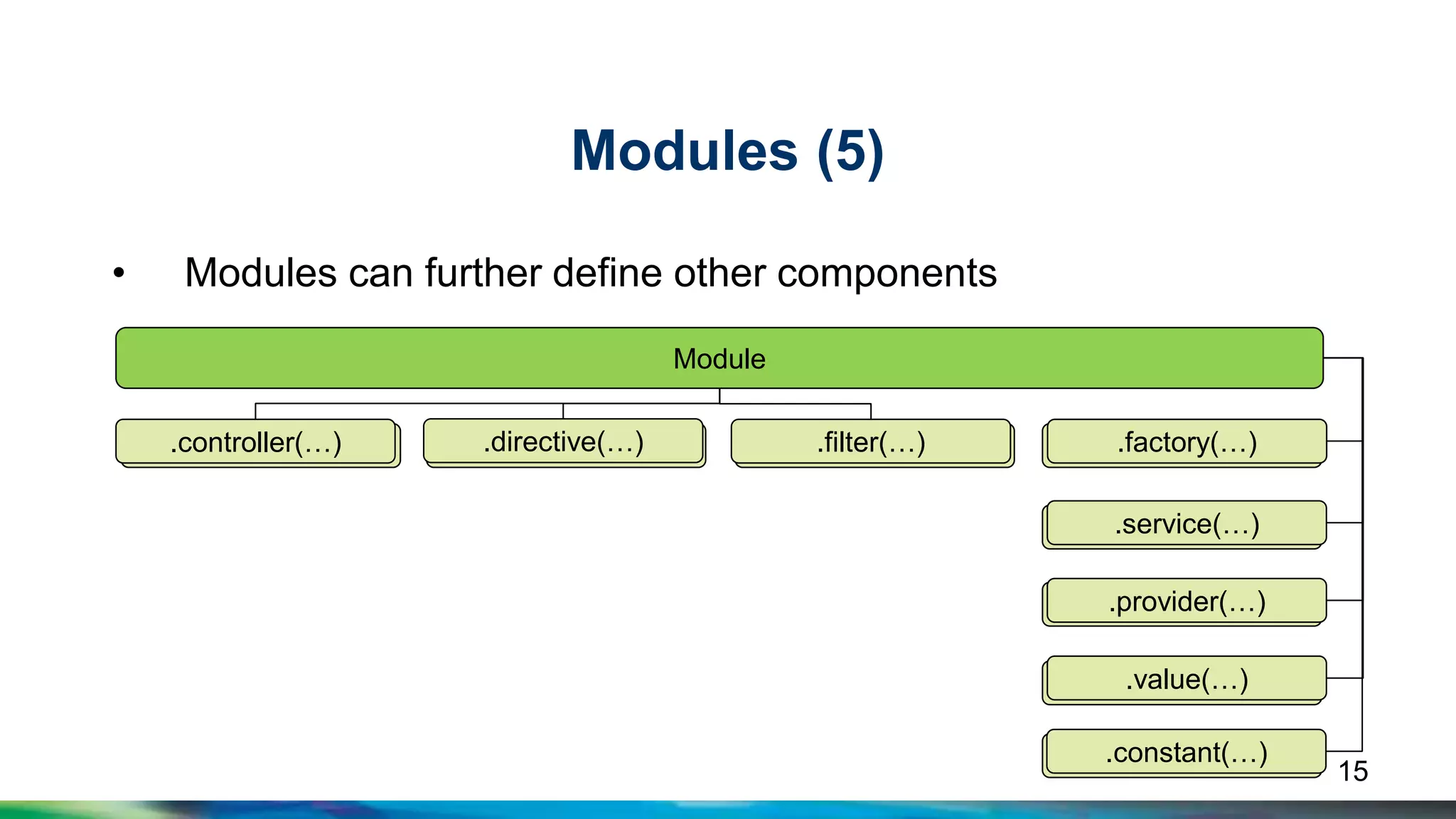
Modules (5) 
• Modules can further define other components 
.controller(…) .directive(…) .filter(…) .factory(…) 
.service(…) 
.provider(…) 
.value(…) 
.constant(…) 
Module 
.controller(…) .directive(…) .filter(…) .factory(…) 
.service(…) 
.provider(…) 
.value(…) 
.constant(…) 
15
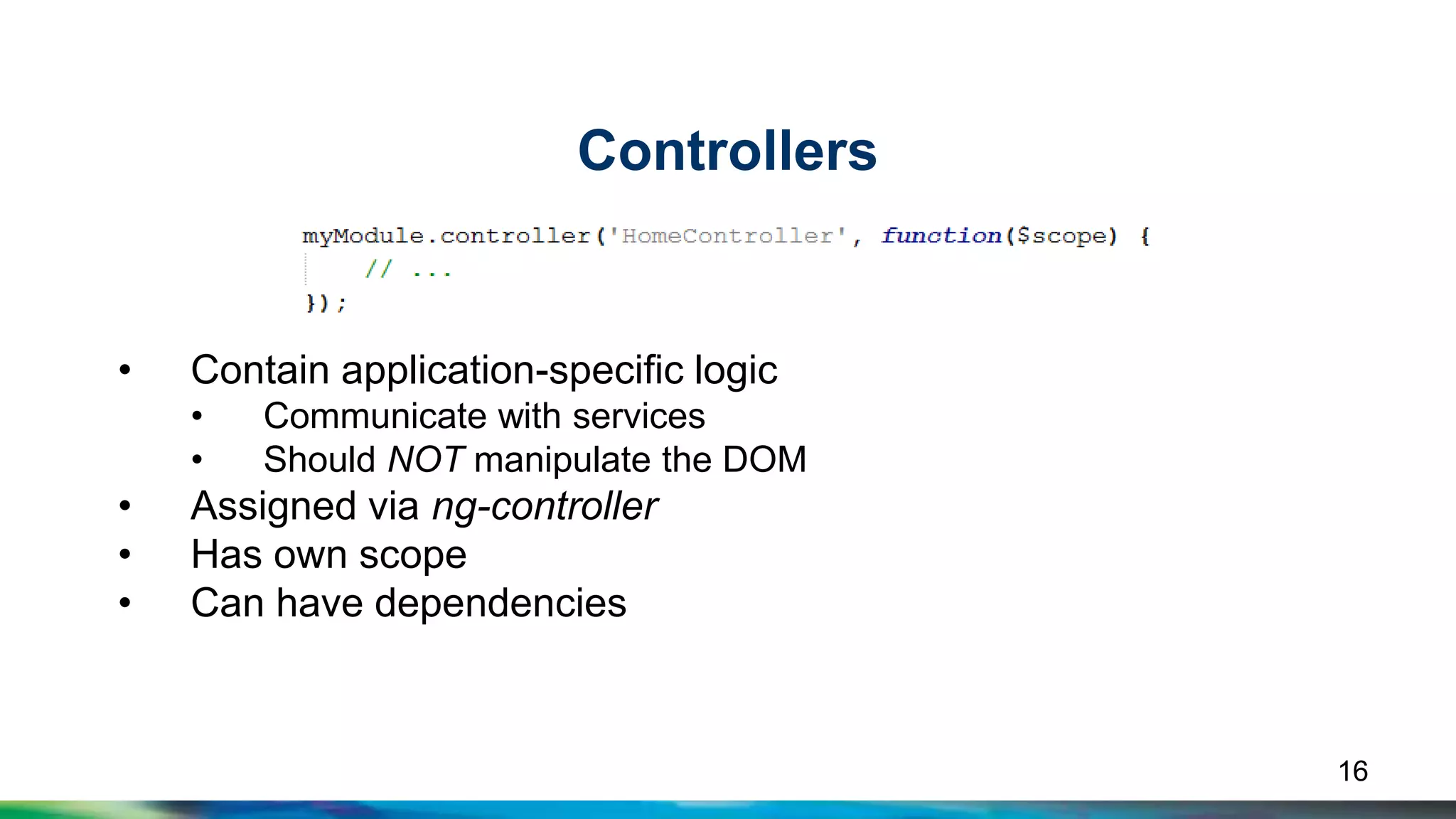
Controllers 
• Contain application-specific logic 
• Communicate with services 
• Should NOT manipulate the DOM 
• Assigned via ng-controller 
• Has own scope 
• Can have dependencies 
16
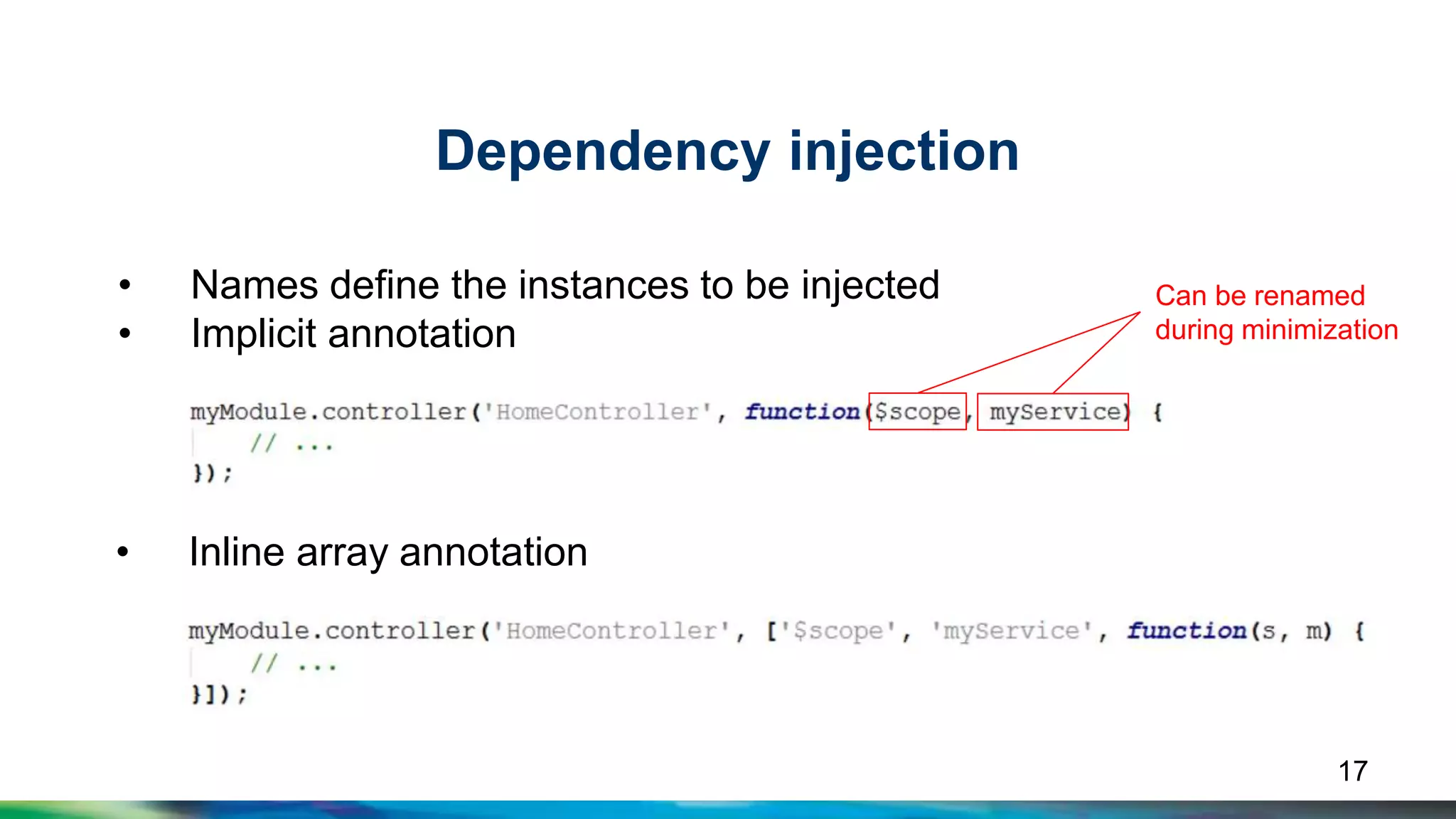
Dependency injection 
• Names define the instances to be injected 
• Implicit annotation 
17 
• Inline array annotation 
Can be renamed 
during minimization
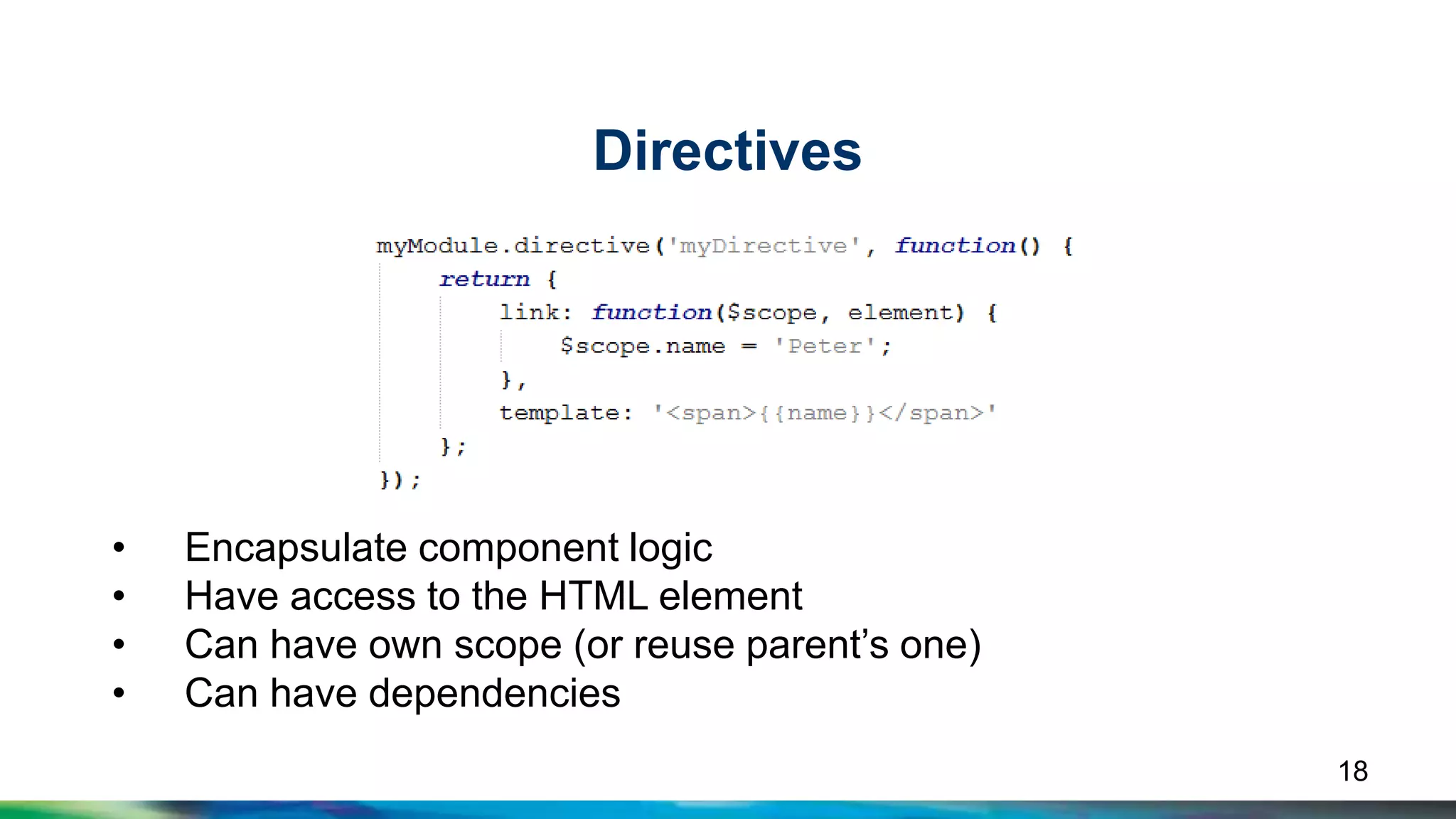
Directives 
• Encapsulate component logic 
• Have access to the HTML element 
• Can have own scope (or reuse parent’s one) 
• Can have dependencies 
18
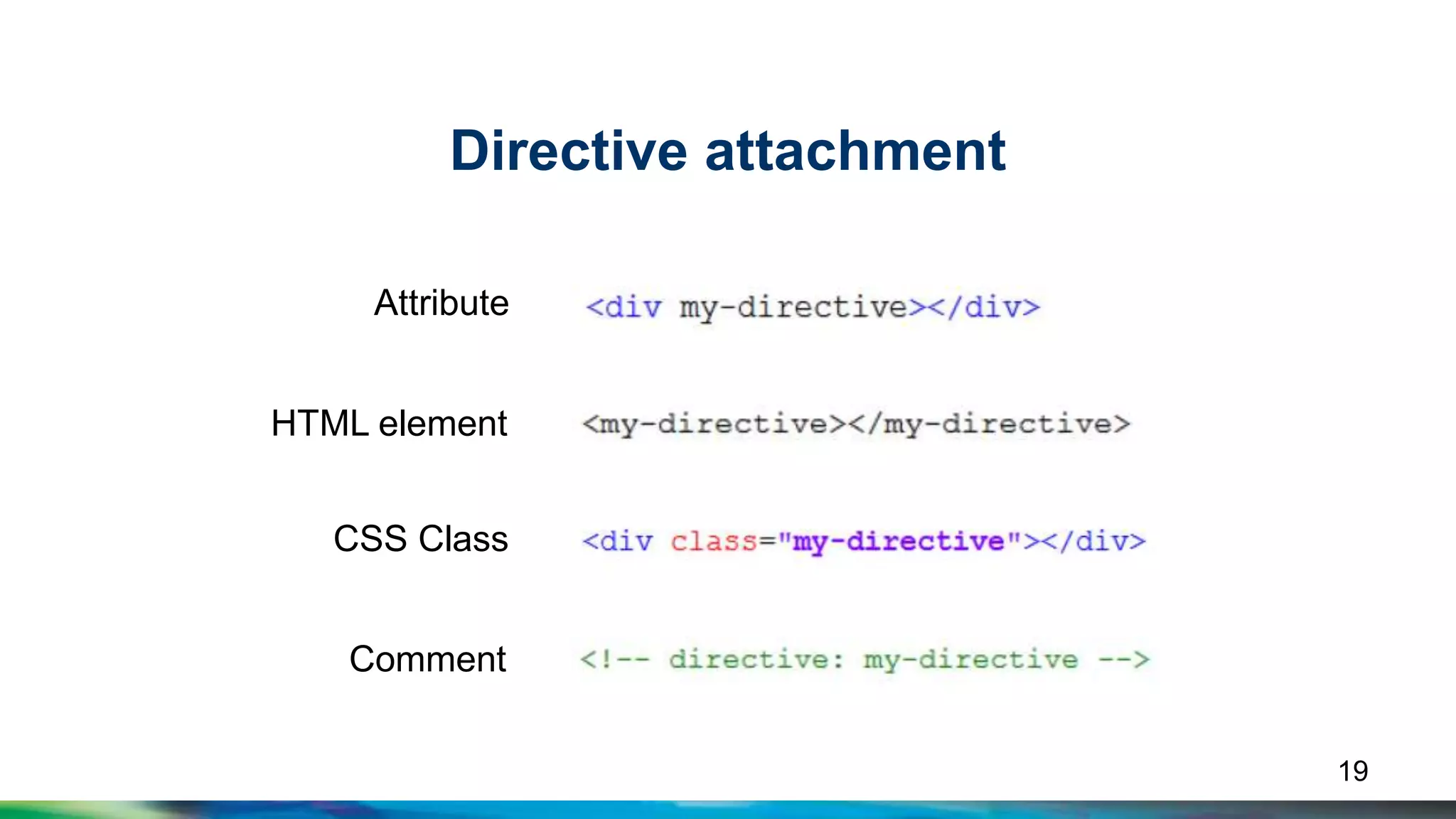
Directive attachment 
Attribute 
CSS Class 
19 
HTML element 
Comment
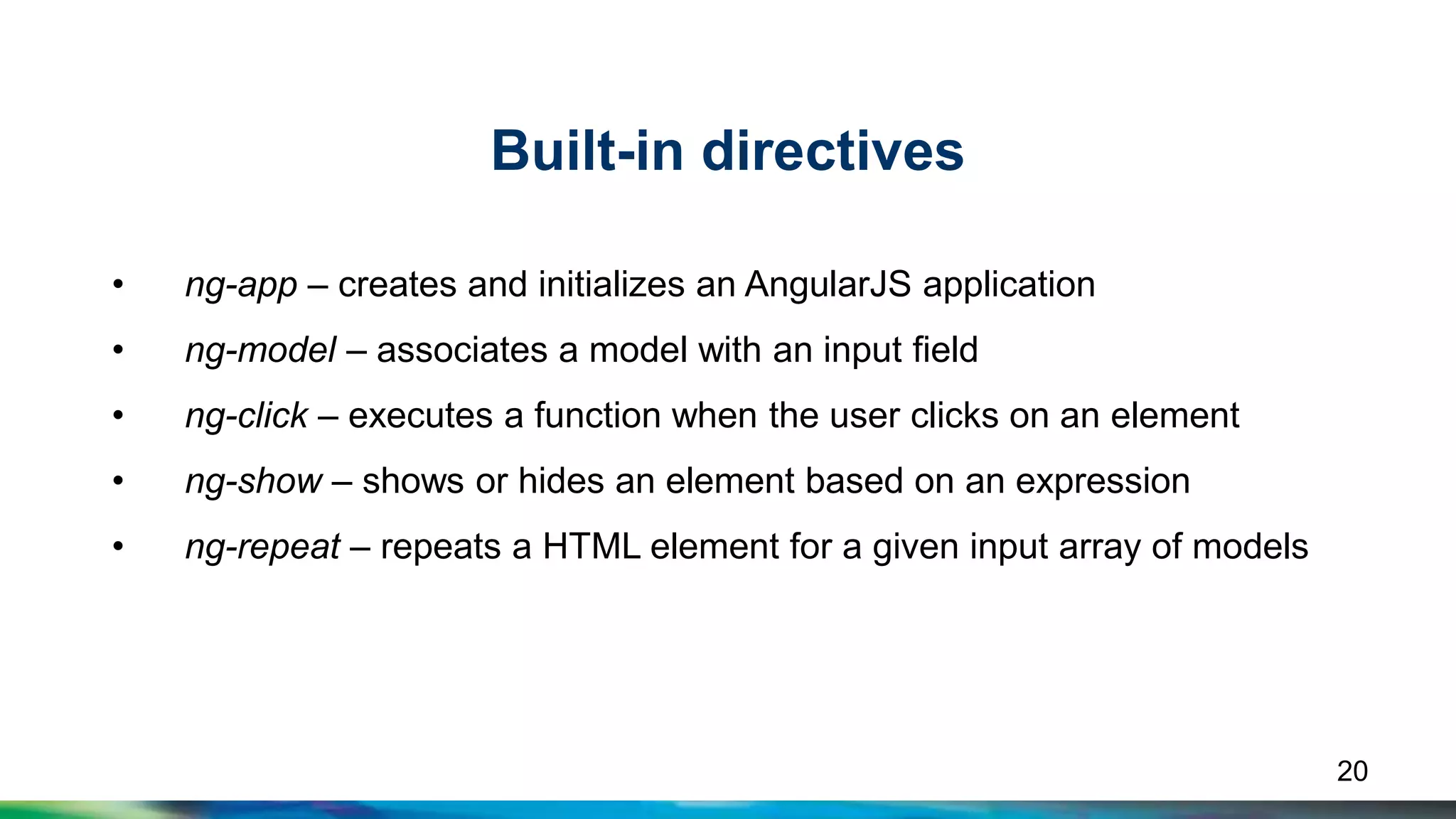
Built-in directives 
• ng-app – creates and initializes an AngularJS application 
• ng-model – associates a model with an input field 
• ng-click – executes a function when the user clicks on an element 
• ng-show – shows or hides an element based on an expression 
• ng-repeat – repeats a HTML element for a given input array of models 
20
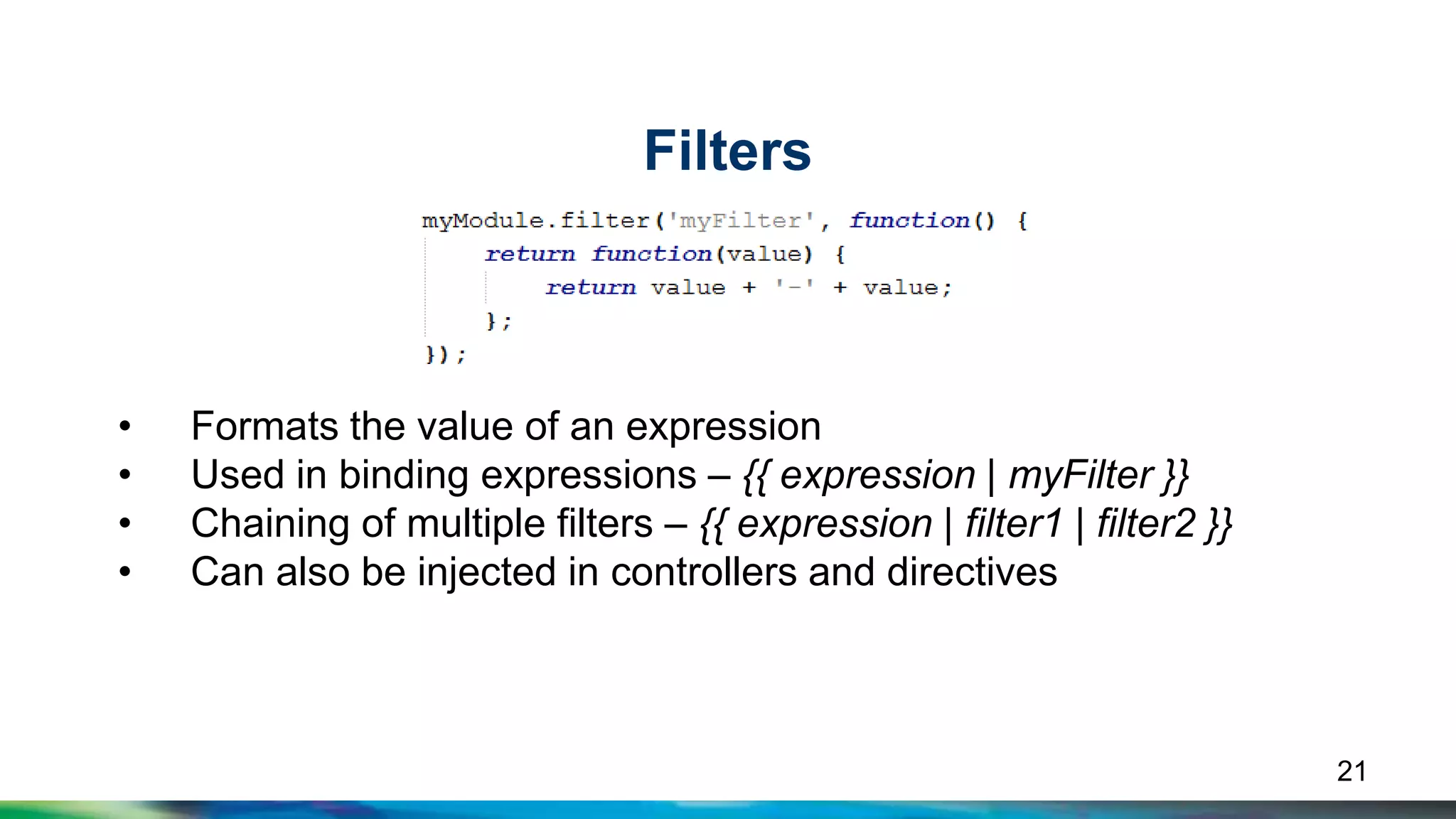
Filters 
• Formats the value of an expression 
• Used in binding expressions – {{ expression | myFilter }} 
• Chaining of multiple filters – {{ expression | filter1 | filter2 }} 
• Can also be injected in controllers and directives 
21
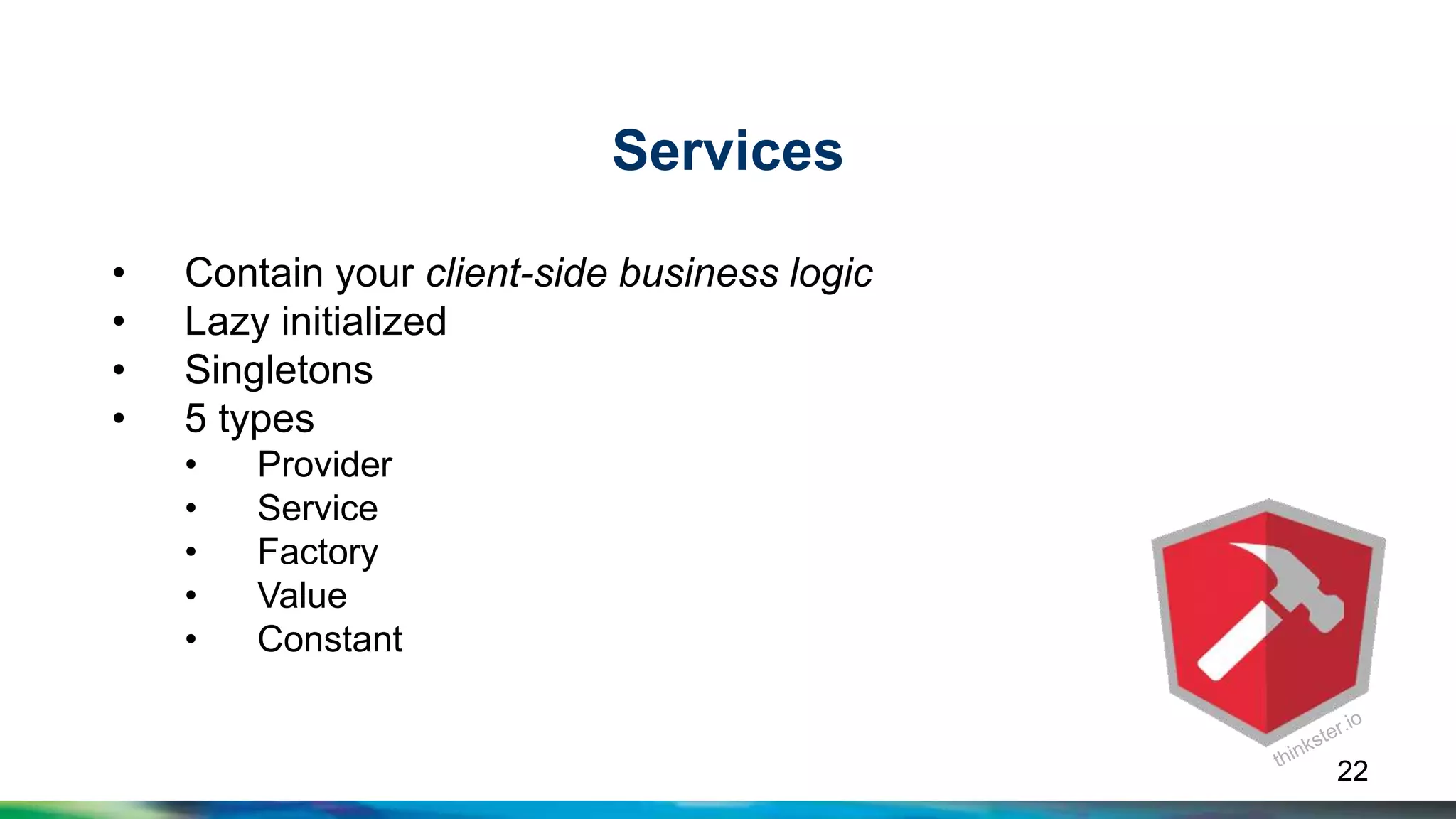
Services 
• Contain your client-side business logic 
• Lazy initialized 
• Singletons 
• 5 types 
• Provider 
• Service 
• Factory 
• Value 
• Constant 
22
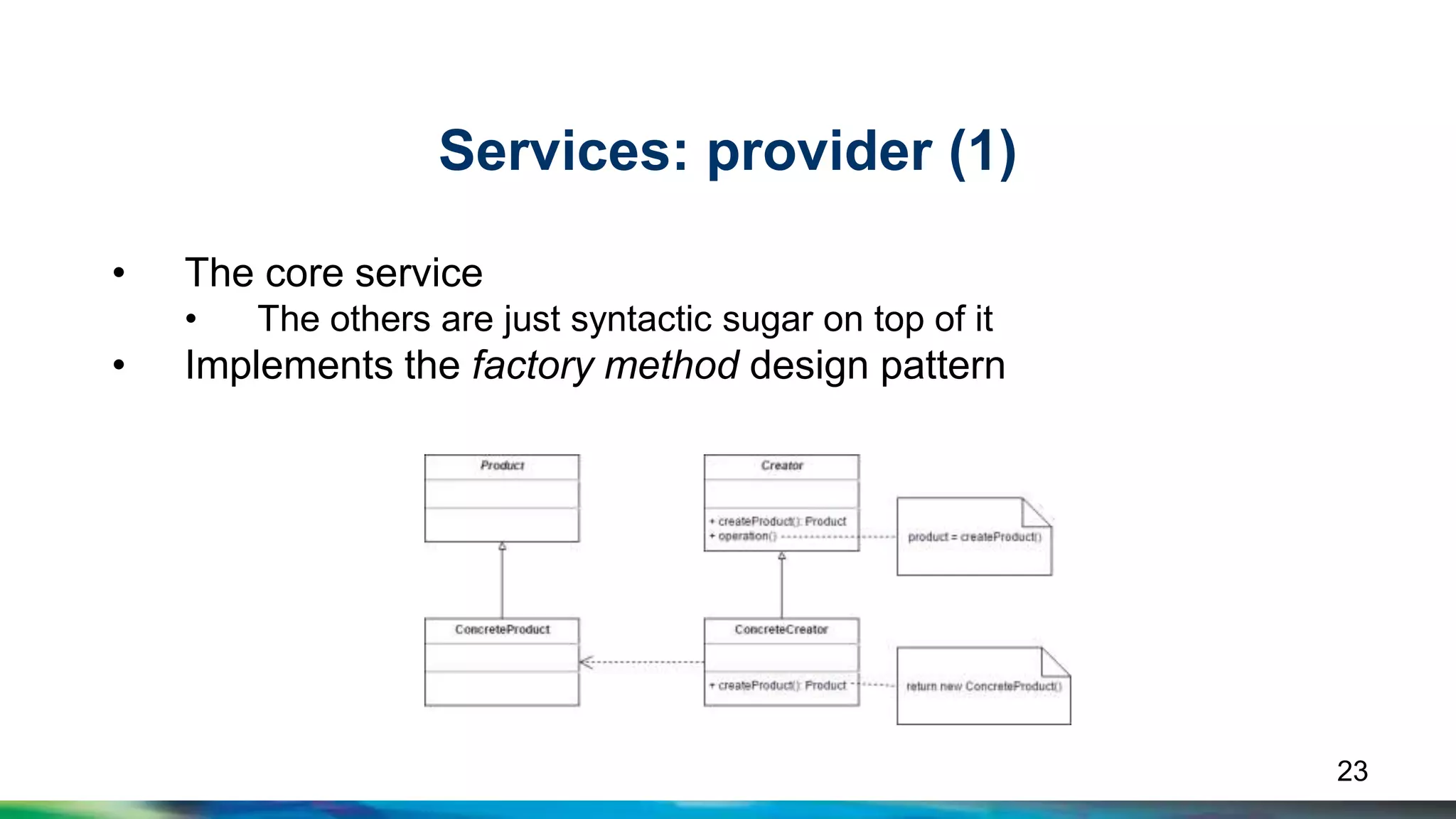
Services: provider (1) 
• The core service 
• The others are just syntactic sugar on top of it 
• Implements the factory method design pattern 
23
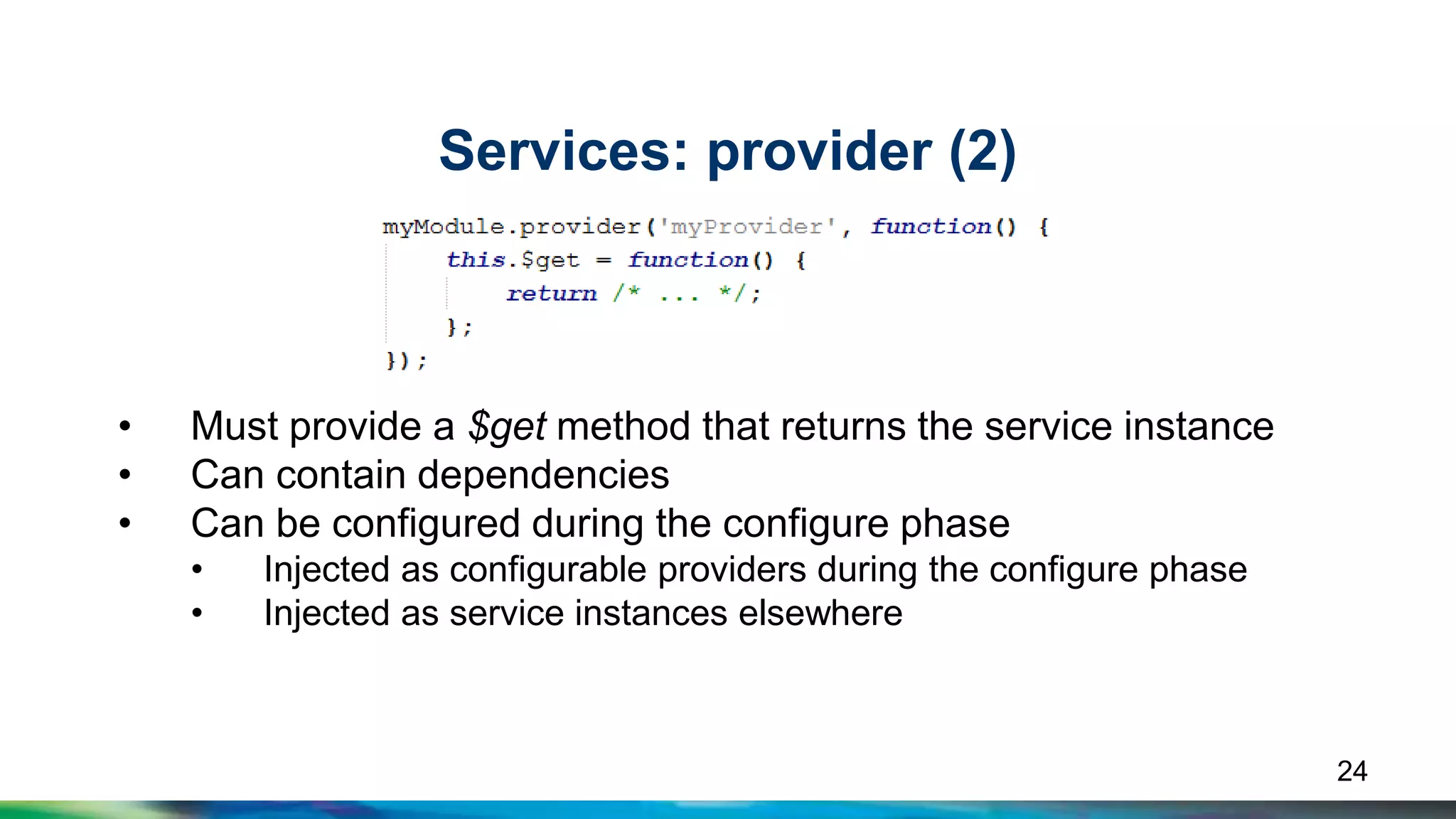
Services: provider (2) 
• Must provide a $get method that returns the service instance 
• Can contain dependencies 
• Can be configured during the configure phase 
• Injected as configurable providers during the configure phase 
• Injected as service instances elsewhere 
24
Services: factory and service 
• Can contain dependencies 
• Bigger control over the 
instance initialization 
• You get the value, returned 
from the provided function 
• Can contain dependencies 
• Produces a service by 
invoking a constructor with 
the new operator 
• You get a new instance of 
the provided function 
25
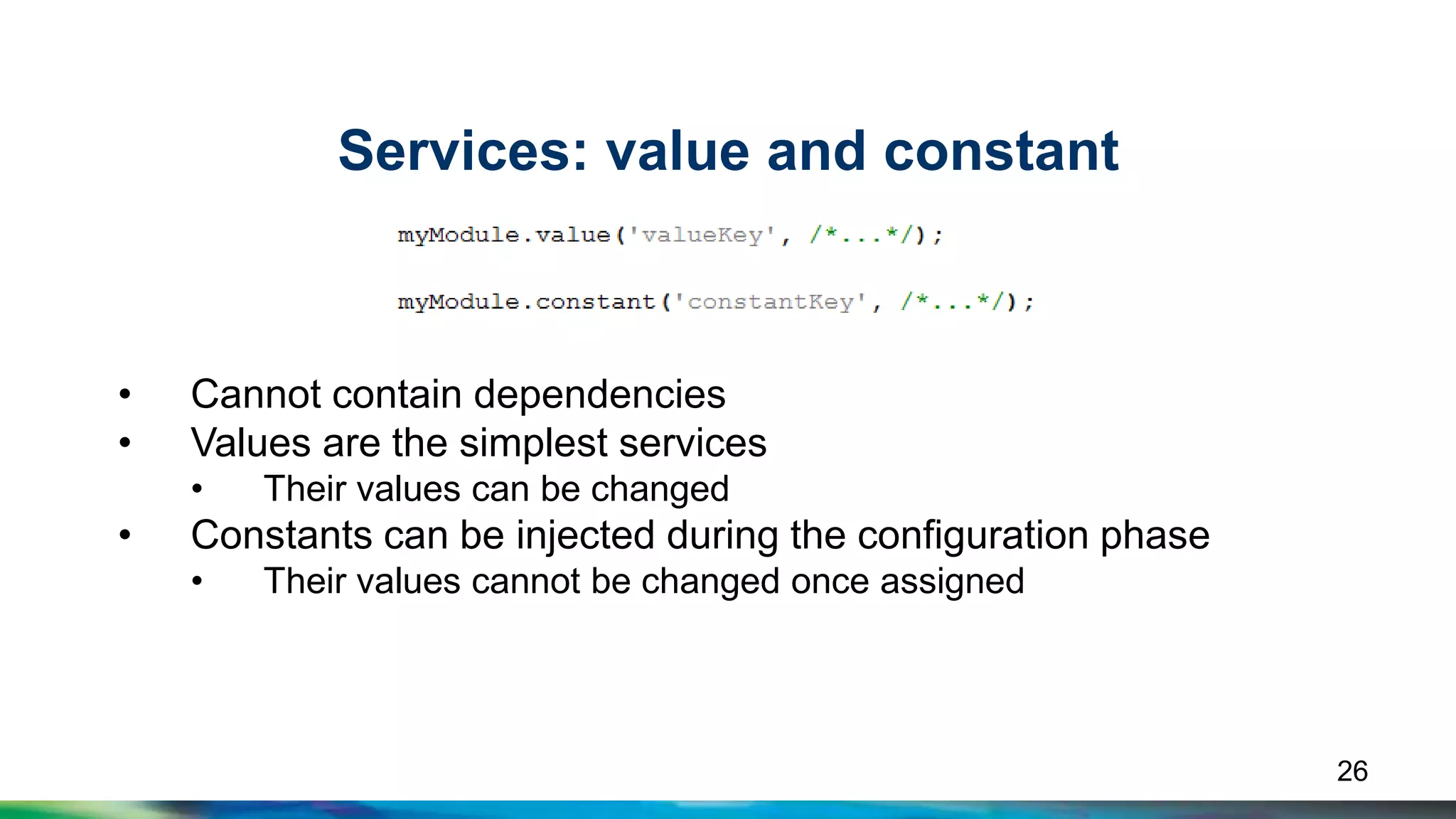
Services: value and constant 
• Cannot contain dependencies 
• Values are the simplest services 
• Their values can be changed 
• Constants can be injected during the configuration phase 
• Their values cannot be changed once assigned 
26
Let’s get our hands dirty 
27 
https://github.com/omeganet/The-Book-Rat/
Q&A 
28
Thank you! 
Boyan Mihaylov 
bm@ebita.dk

The AngularJS way

  • 1.
    The AngularJS way Boyan Mihaylov, Ebita
  • 2.
    Agenda • WhyAngularJS? • Hello, world • How does it work? • Foundation: the basic components • Real-case scenario development 2
  • 3.
  • 4.
    Why AngularJS? •Need to handle complex clients • jQuery is too low-level • MV* pattern on the client • No DOM operations • Data models are POJO • Huge community • 64 920+ questions on Stack Overflow • 11 701+ questions on Google Groups 4
  • 5.
    Hello, World! Texteditor Browser directives data binding 5
  • 6.
    Bootstrapping <html ng-app> <body> {{expression}} </body> </html> Root scope Template Model 6
  • 7.
    Scopes • Theglue between the view and the controller • A tree structure of objects • One root scope created per application • Every new scope is created from an existing one • Created automatically by AngularJS • Default creation is by prototypically inheritance 7
  • 8.
    Scopes: prototypical inheritance $rootScope .say = function() { … }; $scopeA $scopeB $scopeB1 .hey = function() { … }; 8
  • 9.
    How does itwork? 1. Trigger key press event 2. Call $scope.$apply(“name = ‘Wo’”) 3. Call $scope.$digest() 1. Check for dirty items in the watch list 2. Repeat until there are no dirty items, max 10 times 4. Make the browser repaint the bound regions 9
  • 10.
  • 11.
    Modules (1) •Module-first approach • Separation of concerns • Plug and play • Dependencies 11
  • 12.
    Modules (2) Pointerto the module Module name An array with possible dependencies Retrieve a module by its name 12
  • 13.
    Modules (3) •ng-app may contain the name of the main application module Must refer to an existing module Defines a module 13
  • 14.
    Modules (4) •Two phases when initializing a module Module .config(…) .run(…) .config(…) .run(…) Configure the services before they are used. Services can be used here and cannot be reconfigured anymore 14
  • 15.
    Modules (5) •Modules can further define other components .controller(…) .directive(…) .filter(…) .factory(…) .service(…) .provider(…) .value(…) .constant(…) Module .controller(…) .directive(…) .filter(…) .factory(…) .service(…) .provider(…) .value(…) .constant(…) 15
  • 16.
    Controllers • Containapplication-specific logic • Communicate with services • Should NOT manipulate the DOM • Assigned via ng-controller • Has own scope • Can have dependencies 16
  • 17.
    Dependency injection •Names define the instances to be injected • Implicit annotation 17 • Inline array annotation Can be renamed during minimization
  • 18.
    Directives • Encapsulatecomponent logic • Have access to the HTML element • Can have own scope (or reuse parent’s one) • Can have dependencies 18
  • 19.
    Directive attachment Attribute CSS Class 19 HTML element Comment
  • 20.
    Built-in directives •ng-app – creates and initializes an AngularJS application • ng-model – associates a model with an input field • ng-click – executes a function when the user clicks on an element • ng-show – shows or hides an element based on an expression • ng-repeat – repeats a HTML element for a given input array of models 20
  • 21.
    Filters • Formatsthe value of an expression • Used in binding expressions – {{ expression | myFilter }} • Chaining of multiple filters – {{ expression | filter1 | filter2 }} • Can also be injected in controllers and directives 21
  • 22.
    Services • Containyour client-side business logic • Lazy initialized • Singletons • 5 types • Provider • Service • Factory • Value • Constant 22
  • 23.
    Services: provider (1) • The core service • The others are just syntactic sugar on top of it • Implements the factory method design pattern 23
  • 24.
    Services: provider (2) • Must provide a $get method that returns the service instance • Can contain dependencies • Can be configured during the configure phase • Injected as configurable providers during the configure phase • Injected as service instances elsewhere 24
  • 25.
    Services: factory andservice • Can contain dependencies • Bigger control over the instance initialization • You get the value, returned from the provided function • Can contain dependencies • Produces a service by invoking a constructor with the new operator • You get a new instance of the provided function 25
  • 26.
    Services: value andconstant • Cannot contain dependencies • Values are the simplest services • Their values can be changed • Constants can be injected during the configuration phase • Their values cannot be changed once assigned 26
  • 27.
    Let’s get ourhands dirty 27 https://github.com/omeganet/The-Book-Rat/
  • 28.
  • 29.
    Thank you! BoyanMihaylov bm@ebita.dk