SwiftUI
Serj Miskiv
iOS SE at PiñataFarms
& Teacher at APPS UCU
Animations
• Declarative UI framework
• No IB, 100 % code only
• Swift only
What is SwiftUI?
• iOS 13+
Apparently it is not!
SwiftUI is really really raw these days, more stuff will come along
SwiftUI a Silver Bullet?
…sooner or later 😁
View
View - a type that represents SwiftUI view
• require a body computed property
• protocol for each and every view in SwiftUI
View Construction
• SwiftUI compose View type on the compilation time
• each modifier on View wraps it to another “layer”
• Modifiers order really matters
• When state changed, the concrete View type won't
• only content
struct ContentView: View {
@State var counter = 0
var body: some View {
VStack {
Button(action: { self.counter += 1 }, label: {
Text("Tap me!")
.padding()
.background(Color(.tertiarySystemFill))
.cornerRadius(5)
})
if counter > 0 {
Text("You've tapped (counter) times")
} else {
Text("You've not yet tapped")
}
}
.debug()
}
}
View Construction
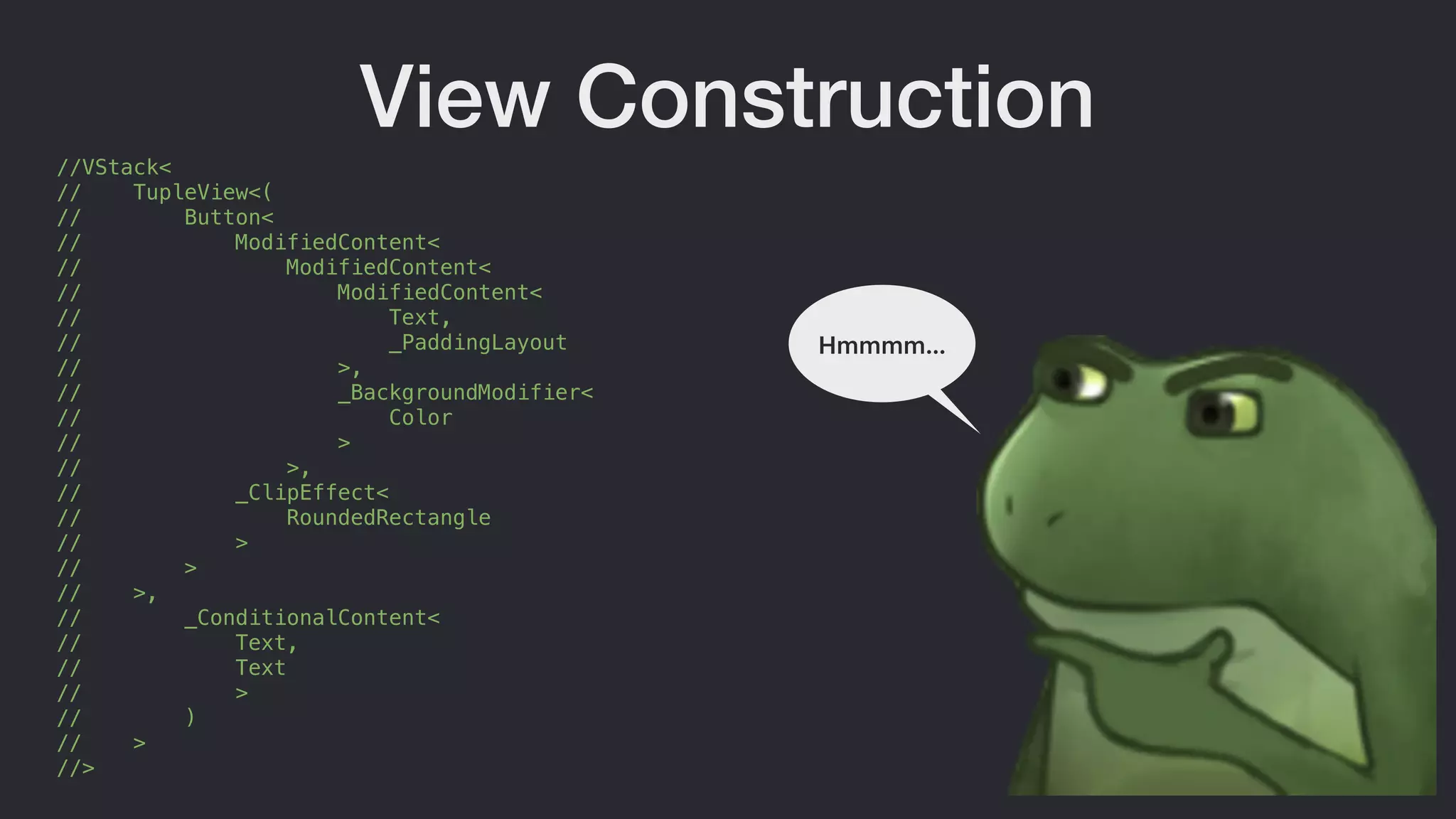
//VStack<
// TupleView<(
// Button<
// ModifiedContent<
// ModifiedContent<
// ModifiedContent<
// Text,
// _PaddingLayout
// >,
// _BackgroundModifier<
// Color
// >
// >,
// _ClipEffect<
// RoundedRectangle
// >
// >
// >,
// _ConditionalContent<
// Text,
// Text
// >
// )
// >
//>
View Construction
Hmmmm…
View Construction
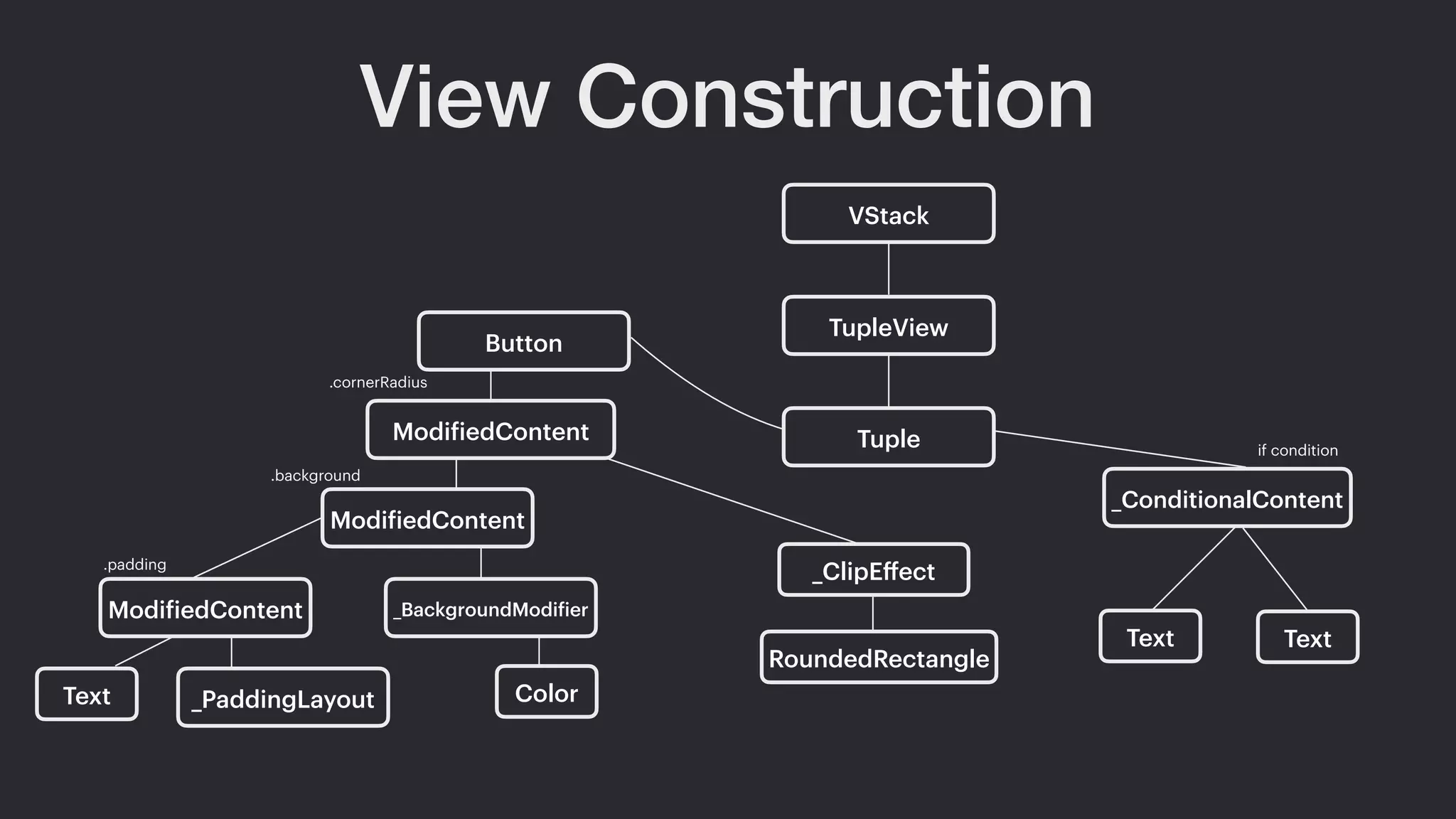
VStack
TupleView
if condition
Text Text
Tuple
Button
_ConditionalContent
ModifiedContent
.cornerRadius
_ClipEffect
RoundedRectangle
ModifiedContent
.background
ModifiedContent _BackgroundModifier
Text _PaddingLayout Color
.padding
View Construction
So, the actual components translated to:
• if statement around component becomes Component?
• sole component (Text or Image) to same type
• if/else becoming ConditionalContent with two arguments
• two or more components will become TupleView
• component with modifier becomes ModifiedContent
View Layout
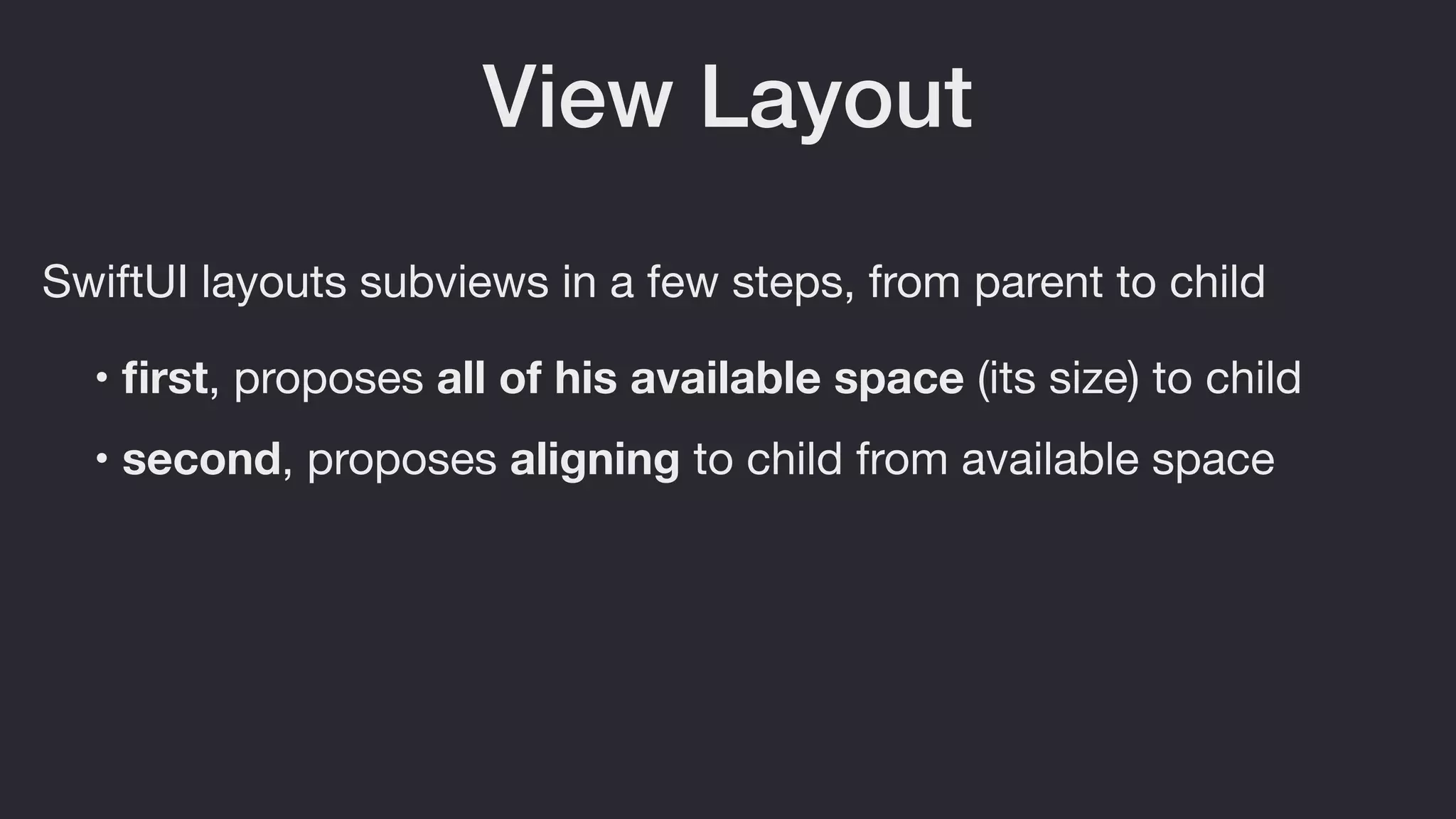
SwiftUI layouts subviews in a few steps, from parent to child
• first, proposes all of his available space (its size) to child
• second, proposes aligning to child from available space
Animations
There are few ways to add animate UI elements in SwiftUI
• use explicit animations
• use implicit animations
• create the custom ones
Implicit Animations
• Looks like standard modifier, that we apply on the View
• Triggers by state updates
• only they are AnimatableModifiers
Animatable
A type for animating views (c) Apple
Seems legit!!!
Animatable
Actually pretty simple:
• require to provide animatableData as computed property
• a protocol, which define what would be animated
AnimatablePair
Same as Animatable, but:
• also need animatableData, but as AnimatablePair<T,U>
• generic type for two parameters
AnimatableModifier
Just Animatable + ViewModifier protocols combined:
struct SomeNewModifier: AnimatableModifier {
var someStuffToAnimated: CGFloat = 0
var animatableData: CGFloat {
get { someStuffToAnimated }
set { someStuffToAnimated = newValue }
}
func body(content: Content) -> some View { // Some body }
}
Implicit Animations
struct ImplicityAnimationView1: View {
@State var selected: Bool = false
var body: some View {
Button(action: { self.selected.toggle() }) {
RoundedRectangle(cornerRadius: 10)
.fill(selected ? Color.red : .green)
.frame(
width: selected ? 100 : 50,
height: selected ? 100 : 50
)
}
.animation(.default)
.debug()
}
}
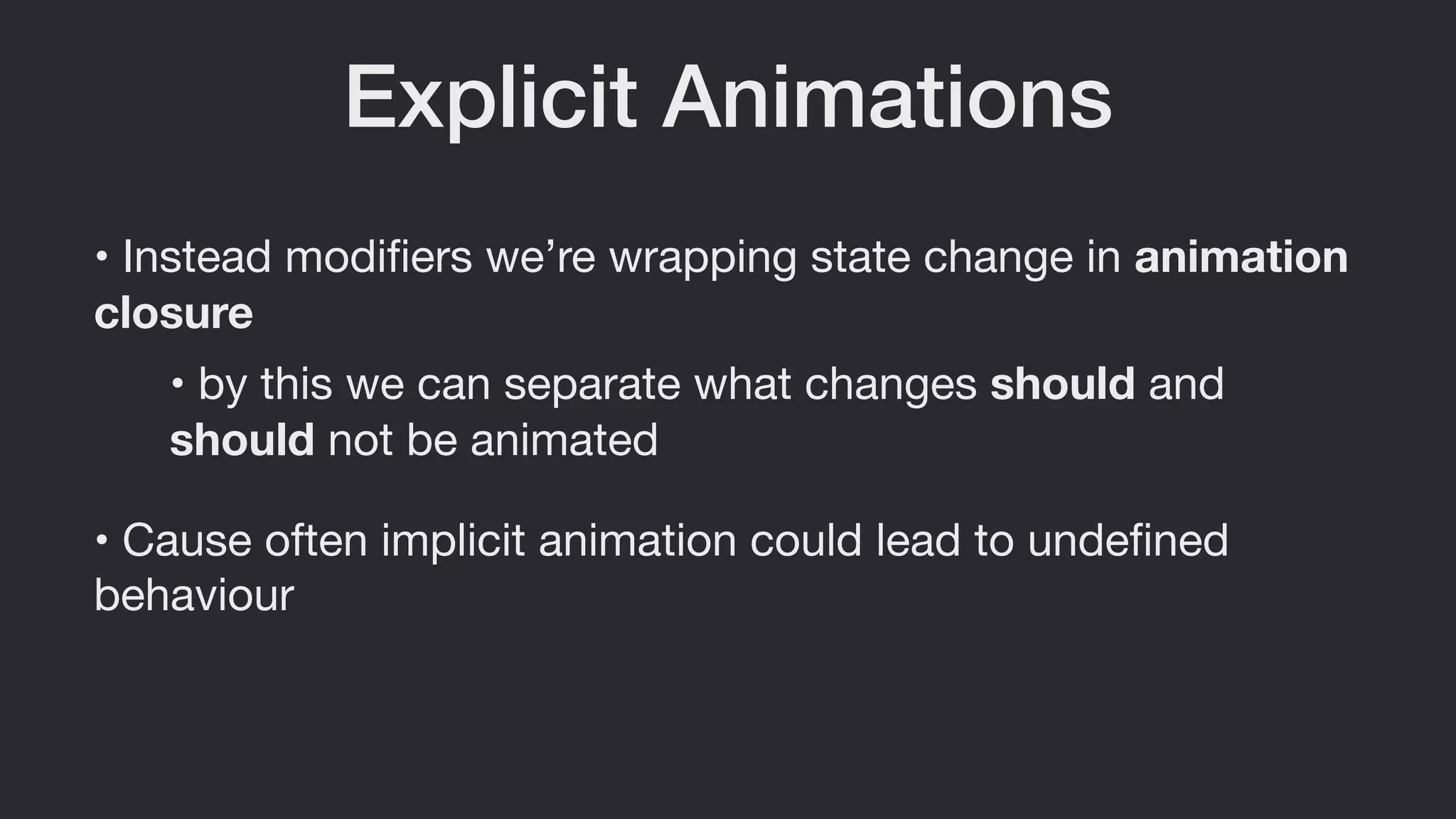
Explicit Animations
• Instead modifiers we’re wrapping state change in animation
closure
• Cause often implicit animation could lead to undefined
behaviour
• by this we can separate what changes should and
should not be animated
Explicit Animations
struct ExplicityAnimationView2: View {
@State var appeared = false
var body: some View {
ZStack {
Circle()
.fill(Color.red)
.frame(width: 45, height: 45)
Circle()
.fill(Color.accentColor)
.frame(width: 15, height: 15)
.offset(y: -50)
.rotationEffect(
appeared ? Angle.degrees(360) : .zero
)
.onAppear {
withAnimation(self.animation) {
self.appeared = true
}
}
}
}
}
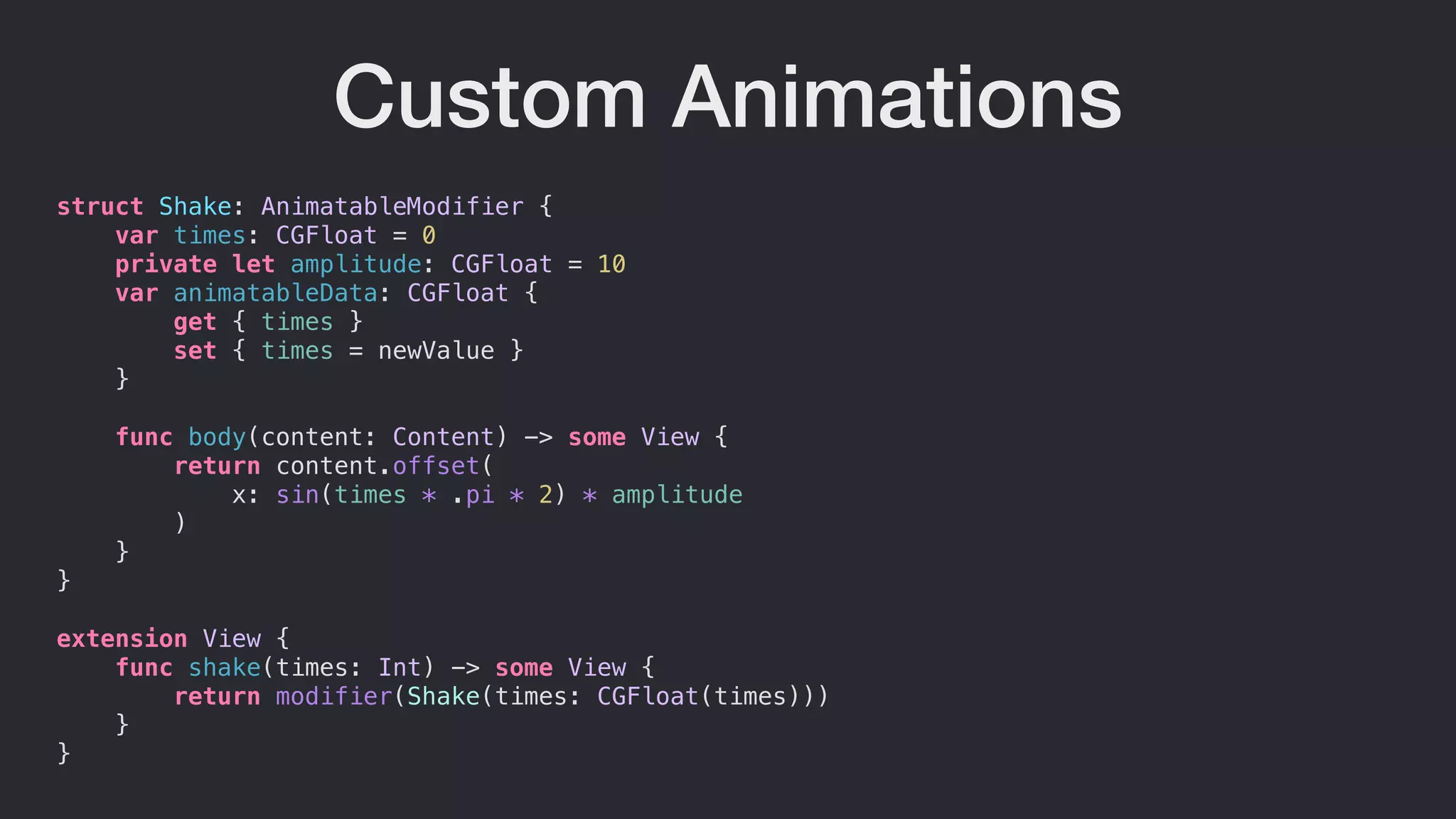
Custom Animations
We could always consider creating our own stuff
• we’ll have to create custom AnimatableModifier object
• and put it to View extension for easy calling
Custom Animations
struct Shake: AnimatableModifier {
var times: CGFloat = 0
private let amplitude: CGFloat = 10
var animatableData: CGFloat {
get { times }
set { times = newValue }
}
func body(content: Content) -> some View {
return content.offset(
x: sin(times * .pi * 2) * amplitude
)
}
}
extension View {
func shake(times: Int) -> some View {
return modifier(Shake(times: CGFloat(times)))
}
}
Custom Animations
struct CustomAnimationView1: View {
@State private var taps: Int = 0
var body: some View {
Button("Hello") {
withAnimation(.linear(duration: 5)) {
self.taps += 1
}
}
.shake(times: taps * 3)
.debug()
}
}
Some Real Animations?
without with
Demo
Useful Links
• Hacking with Swift by Paul Hudson
• Docs
• Tutorials
• WWDC 2019 SwiftUI videos
Questions?
Сергій Міськів, «SwiftUI: Animations»

Сергій Міськів, «SwiftUI: Animations»

  • 2.
    SwiftUI Serj Miskiv iOS SEat PiñataFarms & Teacher at APPS UCU Animations
  • 3.
    • Declarative UIframework • No IB, 100 % code only • Swift only What is SwiftUI? • iOS 13+
  • 4.
    Apparently it isnot! SwiftUI is really really raw these days, more stuff will come along SwiftUI a Silver Bullet? …sooner or later 😁
  • 5.
    View View - atype that represents SwiftUI view • require a body computed property • protocol for each and every view in SwiftUI
  • 6.
    View Construction • SwiftUIcompose View type on the compilation time • each modifier on View wraps it to another “layer” • Modifiers order really matters • When state changed, the concrete View type won't • only content
  • 7.
    struct ContentView: View{ @State var counter = 0 var body: some View { VStack { Button(action: { self.counter += 1 }, label: { Text("Tap me!") .padding() .background(Color(.tertiarySystemFill)) .cornerRadius(5) }) if counter > 0 { Text("You've tapped (counter) times") } else { Text("You've not yet tapped") } } .debug() } } View Construction
  • 8.
    //VStack< // TupleView<( // Button< //ModifiedContent< // ModifiedContent< // ModifiedContent< // Text, // _PaddingLayout // >, // _BackgroundModifier< // Color // > // >, // _ClipEffect< // RoundedRectangle // > // > // >, // _ConditionalContent< // Text, // Text // > // ) // > //> View Construction Hmmmm…
  • 9.
    View Construction VStack TupleView if condition TextText Tuple Button _ConditionalContent ModifiedContent .cornerRadius _ClipEffect RoundedRectangle ModifiedContent .background ModifiedContent _BackgroundModifier Text _PaddingLayout Color .padding
  • 10.
    View Construction So, theactual components translated to: • if statement around component becomes Component? • sole component (Text or Image) to same type • if/else becoming ConditionalContent with two arguments • two or more components will become TupleView • component with modifier becomes ModifiedContent
  • 11.
    View Layout SwiftUI layoutssubviews in a few steps, from parent to child • first, proposes all of his available space (its size) to child • second, proposes aligning to child from available space
  • 12.
    Animations There are fewways to add animate UI elements in SwiftUI • use explicit animations • use implicit animations • create the custom ones
  • 13.
    Implicit Animations • Lookslike standard modifier, that we apply on the View • Triggers by state updates • only they are AnimatableModifiers
  • 14.
    Animatable A type foranimating views (c) Apple Seems legit!!!
  • 15.
    Animatable Actually pretty simple: •require to provide animatableData as computed property • a protocol, which define what would be animated
  • 16.
    AnimatablePair Same as Animatable,but: • also need animatableData, but as AnimatablePair<T,U> • generic type for two parameters
  • 17.
    AnimatableModifier Just Animatable +ViewModifier protocols combined: struct SomeNewModifier: AnimatableModifier { var someStuffToAnimated: CGFloat = 0 var animatableData: CGFloat { get { someStuffToAnimated } set { someStuffToAnimated = newValue } } func body(content: Content) -> some View { // Some body } }
  • 18.
    Implicit Animations struct ImplicityAnimationView1:View { @State var selected: Bool = false var body: some View { Button(action: { self.selected.toggle() }) { RoundedRectangle(cornerRadius: 10) .fill(selected ? Color.red : .green) .frame( width: selected ? 100 : 50, height: selected ? 100 : 50 ) } .animation(.default) .debug() } }
  • 19.
    Explicit Animations • Insteadmodifiers we’re wrapping state change in animation closure • Cause often implicit animation could lead to undefined behaviour • by this we can separate what changes should and should not be animated
  • 20.
    Explicit Animations struct ExplicityAnimationView2:View { @State var appeared = false var body: some View { ZStack { Circle() .fill(Color.red) .frame(width: 45, height: 45) Circle() .fill(Color.accentColor) .frame(width: 15, height: 15) .offset(y: -50) .rotationEffect( appeared ? Angle.degrees(360) : .zero ) .onAppear { withAnimation(self.animation) { self.appeared = true } } } } }
  • 21.
    Custom Animations We couldalways consider creating our own stuff • we’ll have to create custom AnimatableModifier object • and put it to View extension for easy calling
  • 22.
    Custom Animations struct Shake:AnimatableModifier { var times: CGFloat = 0 private let amplitude: CGFloat = 10 var animatableData: CGFloat { get { times } set { times = newValue } } func body(content: Content) -> some View { return content.offset( x: sin(times * .pi * 2) * amplitude ) } } extension View { func shake(times: Int) -> some View { return modifier(Shake(times: CGFloat(times))) } }
  • 23.
    Custom Animations struct CustomAnimationView1:View { @State private var taps: Int = 0 var body: some View { Button("Hello") { withAnimation(.linear(duration: 5)) { self.taps += 1 } } .shake(times: taps * 3) .debug() } }
  • 24.
  • 25.
  • 26.
    Useful Links • Hackingwith Swift by Paul Hudson • Docs • Tutorials • WWDC 2019 SwiftUI videos
  • 27.