Presenter: Neha Sinha, Mindfire Solutions
Date: 10/06/2015
Swift vs Objective C
Presenter: Neha Sinha, Mindfire Solutions
One of the goals of the new Swift programming language was
to be interoperable with the older Objective-C
What we will deal with in today’s seminar?
•Compare Language Syntax
•Compare Data Types
•Use Swift & Objective C in the same project.
Presenter: Neha Sinha, Mindfire Solutions
Why Care about This?
Many years of Objective-C code
Patterns & practices developed in Objective-C
Swift provides features Objective-C can’t.
Interoperability is not equal
Demand is greater for new Swift to existing Objective-C
Swift understands Objective-C better than Objective-C
understands Swift.
Swift provides features Objective-C doesn’t recognize.
5
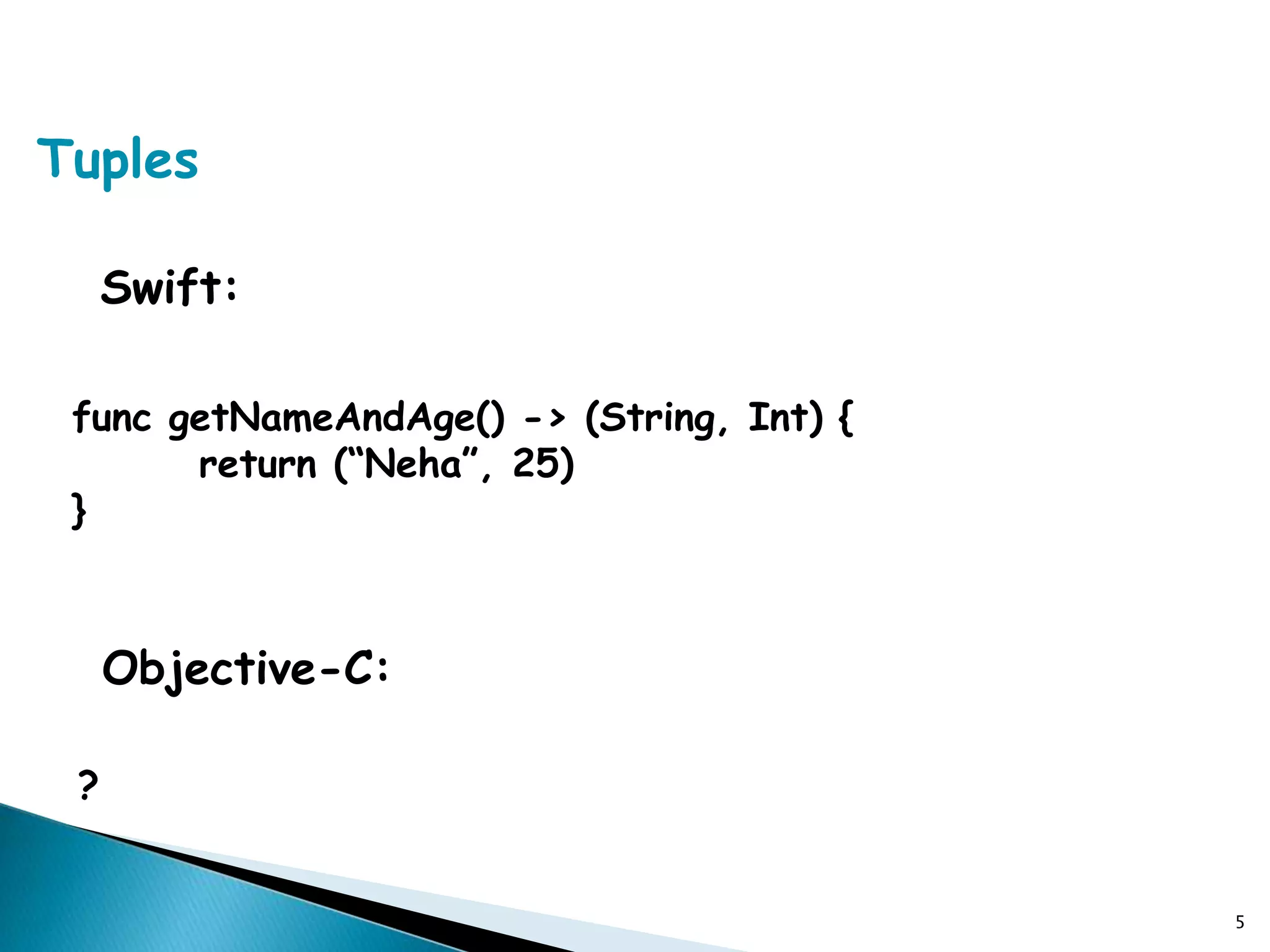
Swift:
func getNameAndAge() -> (String, Int) {
return (“Neha”, 25)
}
Objective-C:
?
Tuples
Instantiating Objects
Swift:
var myDate = NSDate()
Objective-C:
NSDate* myDate = [NSDate alloc] init];
Using Initializers
Swift:
let myTableView: UITableView = UITableView(frame:
CGRectZero, style: Grouped)
Objective-C:
UITableView* myTableView = [[UITableView alloc]
initWithFrame:CGRectZero style:UITableViewStyleGrouped];
Mapping Factory Methods
Swift:
let color = UIColor(red: 0.5, green: 0.0, blue: 0.5, alpha:
1.0)
Objective-C:
UIColor* color = [UIColor colorWithRed:0.5 green:0.0
blue:0.5 alpha:1.0];
Factory methods & Objective-C classes are typically just
mapped to their equivalent normal Swift initializers.
Failable Initialization
Objective-C:
UIImage* myImage = [UIImage
imageWithContentsOfFile:@“”];
An Objective-C initializer can return ‘nil’.
Swift demands that variables & constants always exist in a
valid state.
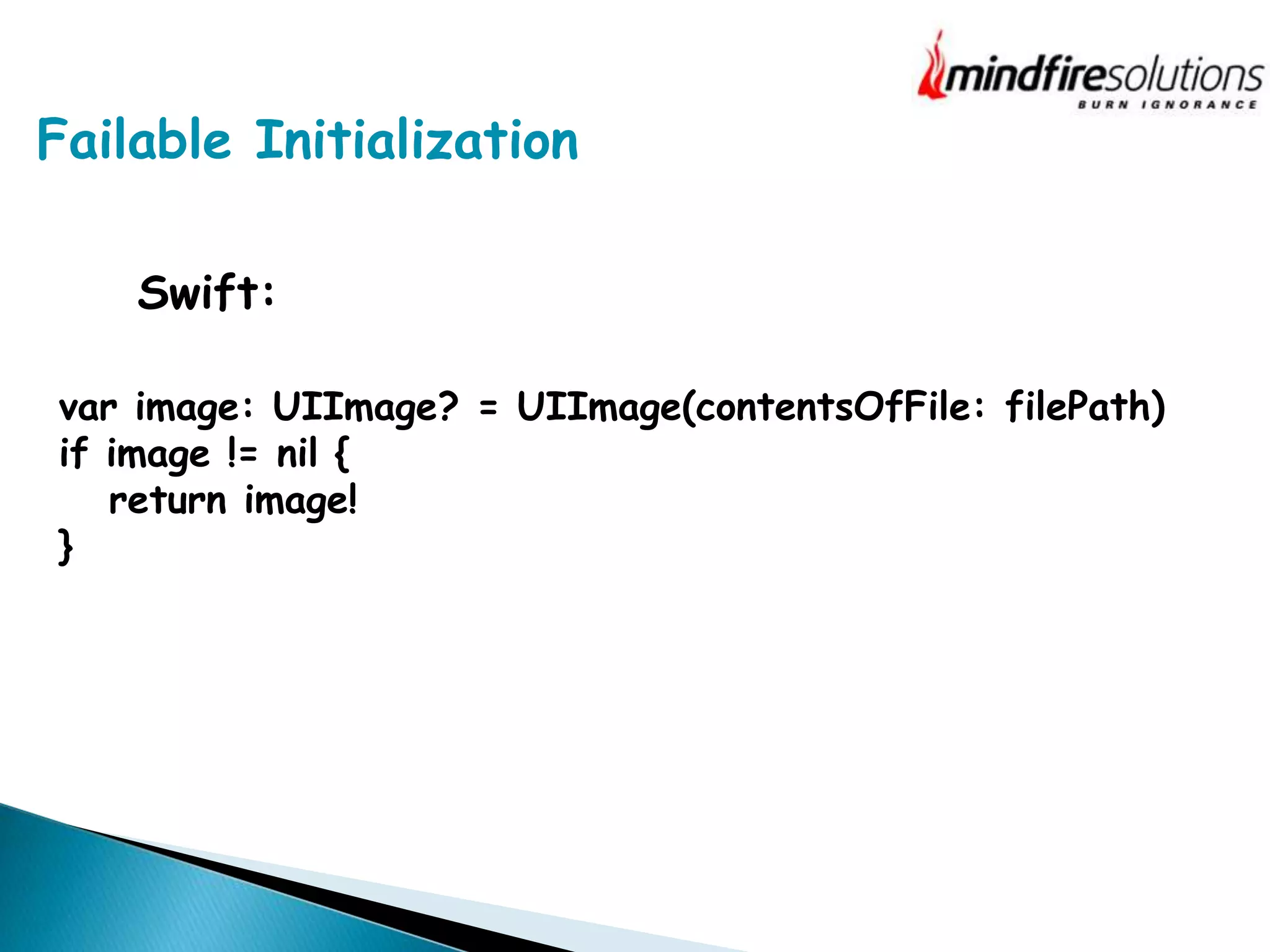
Failable Initialization
Swift:
var image: UIImage? = UIImage(contentsOfFile: filePath)
if image != nil {
return image!
}
Calling Methods
Swift:
myTbView.layoutIfNeeded()
myTbView.insertSubView(mySubView, atIndex:2)
Objective-C:
[myTbView layoutIfNeeded];
[myTbView insertSubView:mySubView atIndex:0];
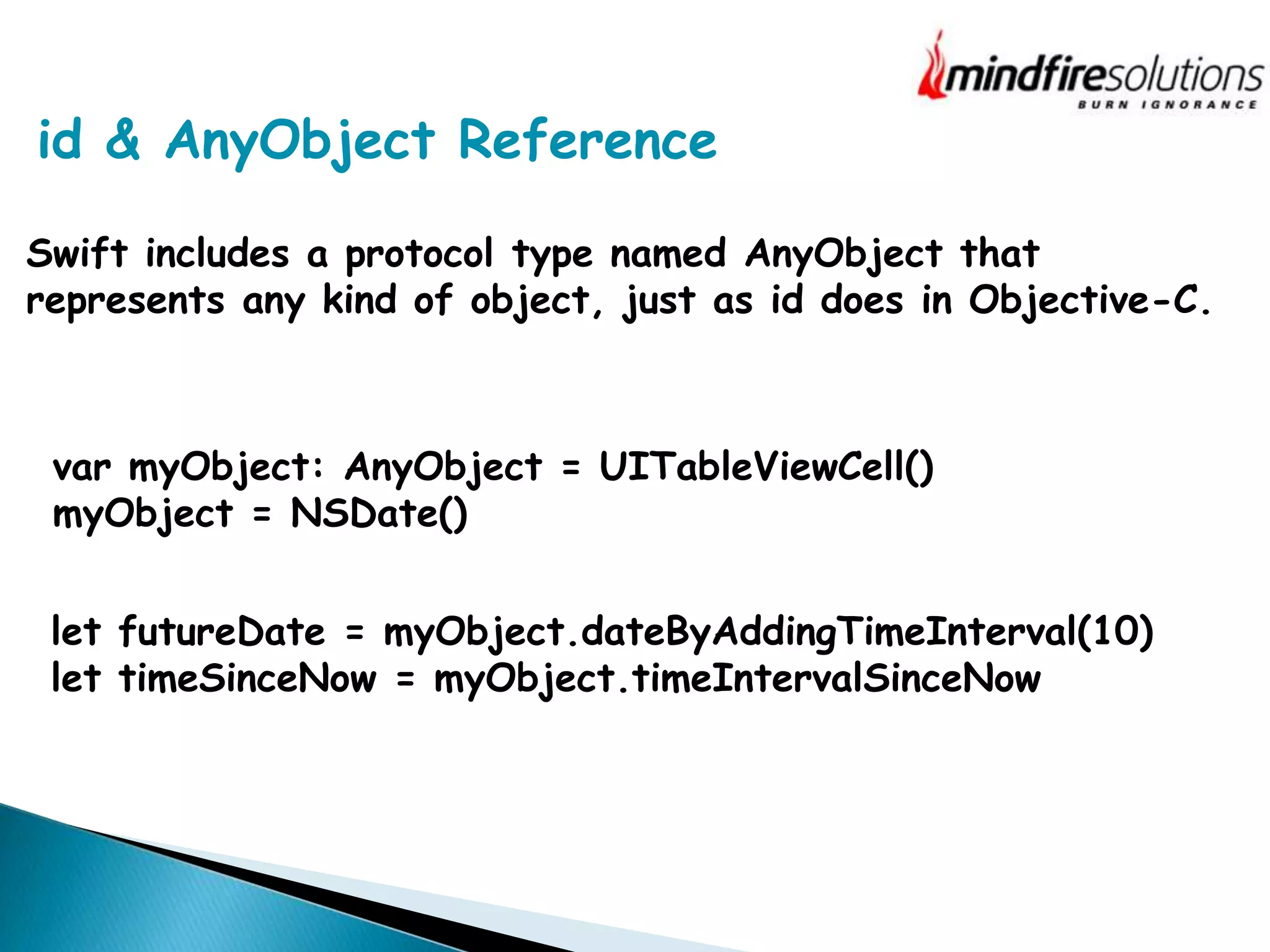
id & AnyObject Reference
Swift includes a protocol type named AnyObject that
represents any kind of object, just as id does in Objective-C.
var myObject: AnyObject = UITableViewCell()
myObject = NSDate()
let futureDate = myObject.dateByAddingTimeInterval(10)
let timeSinceNow = myObject.timeIntervalSinceNow
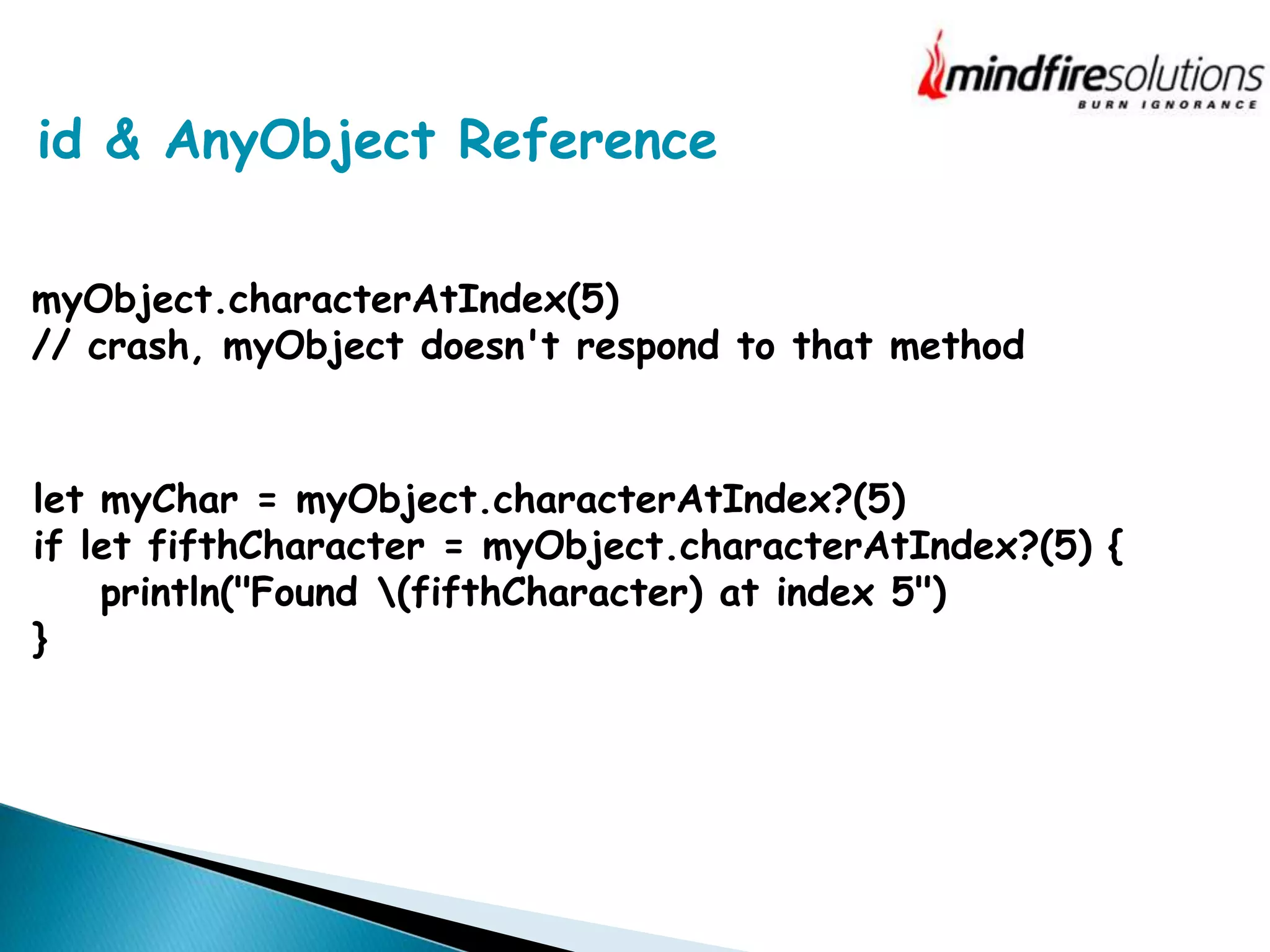
id & AnyObject Reference
myObject.characterAtIndex(5)
// crash, myObject doesn't respond to that method
let myChar = myObject.characterAtIndex?(5)
if let fifthCharacter = myObject.characterAtIndex?(5) {
println("Found (fifthCharacter) at index 5")
}
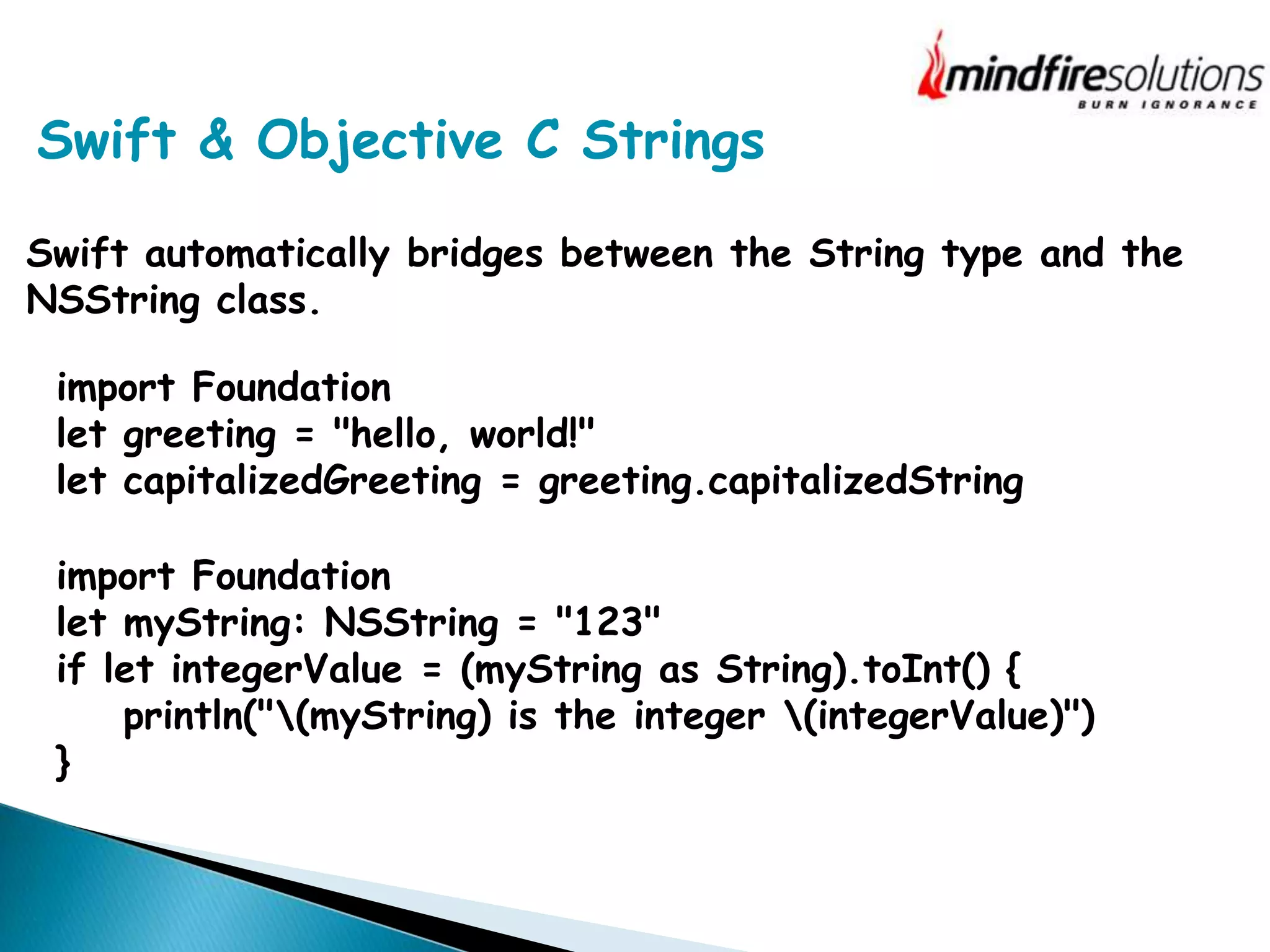
Swift & Objective C Strings
Swift automatically bridges between the String type and the
NSString class.
import Foundation
let greeting = "hello, world!"
let capitalizedGreeting = greeting.capitalizedString
import Foundation
let myString: NSString = "123"
if let integerValue = (myString as String).toInt() {
println("(myString) is the integer (integerValue)")
}
Arrays, Dictionaries & Numbers
Arrays: When you bridge from an NSArray object to a Swift
array, the resulting array is of type [AnyObject].
let swiftArray = foundationArray as [AnyObject]
if let downcastedSwiftArray = swiftArray as? [NSView] {
// downcastedSwiftArray contains only NSView objects
}
for aView in foundationArray as! [NSView] {
// aView is of type UIView
}
This cast is a forced cast, and results in a
runtime error if the cast does not succeed.
Arrays, Dictionaries & Numbers
Arrays: When you bridge from a Swift array to an NSArray
object, the elements in the Swift array must be AnyObject
compatible.
let schoolSupplies: NSArray = ["Pencil", "Eraser", "Notebook"]
// schoolSupplies is an NSArray object containing NSString
objects
Arrays, Dictionaries & Numbers
Dictionaries: When you bridge from an NSDictionary object to
a Swift dictionary, the resulting dictionary is of type
[NSObject: AnyObject].
The Swift compiler replaces the NSDictionary class with
[NSObject: AnyObject] when it imports Objective-C APIs.
When you cast in the reverse direction, from a Swift
dictionary to an NSDictionary object —the keys and values
must be instances of a class or bridgeable to an instance of a
class.
Arrays, Dictionaries & Numbers
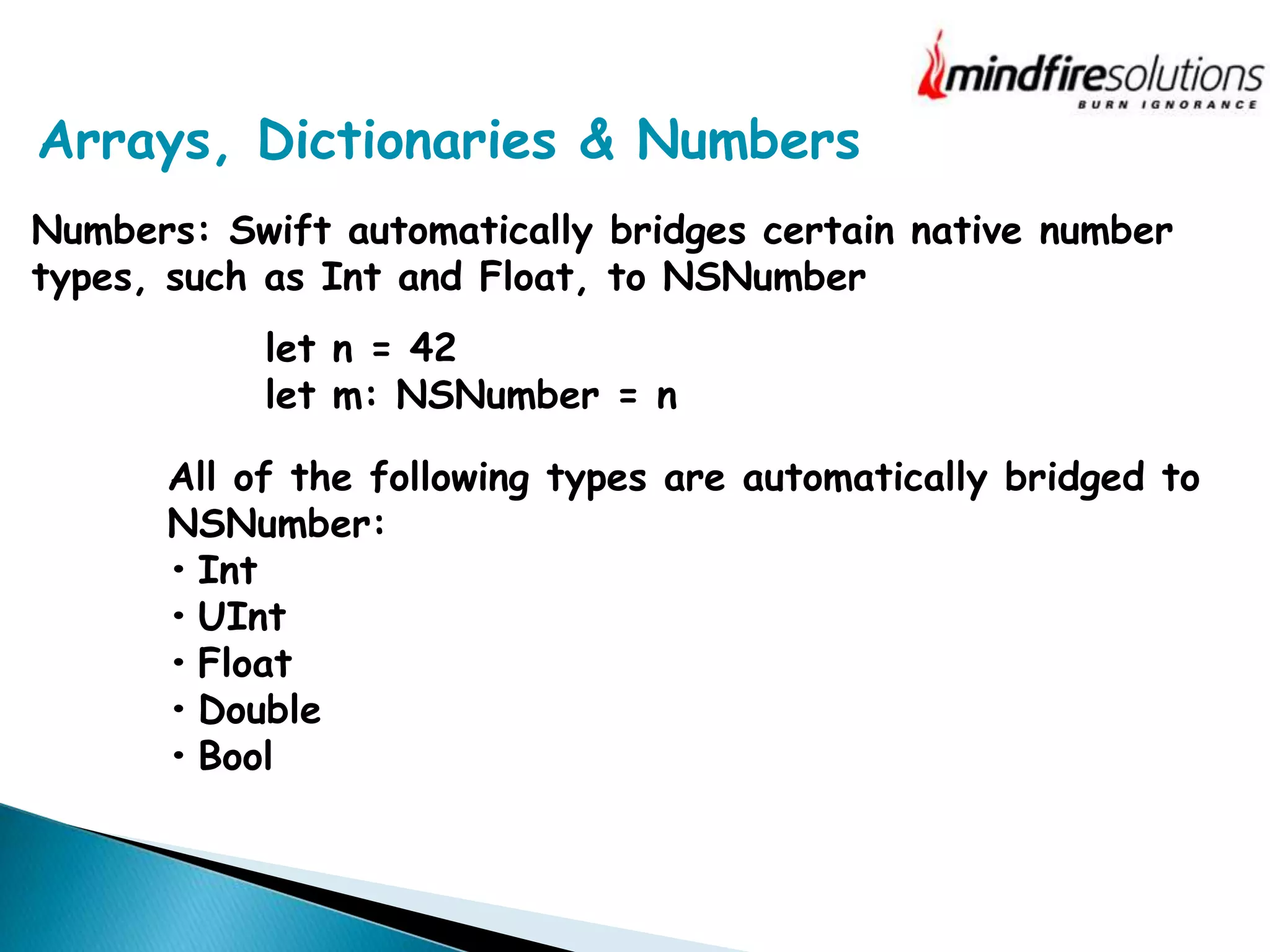
Numbers: Swift automatically bridges certain native number
types, such as Int and Float, to NSNumber
All of the following types are automatically bridged to
NSNumber:
• Int
• UInt
• Float
• Double
• Bool
let n = 42
let m: NSNumber = n
Working with NSError in Swift
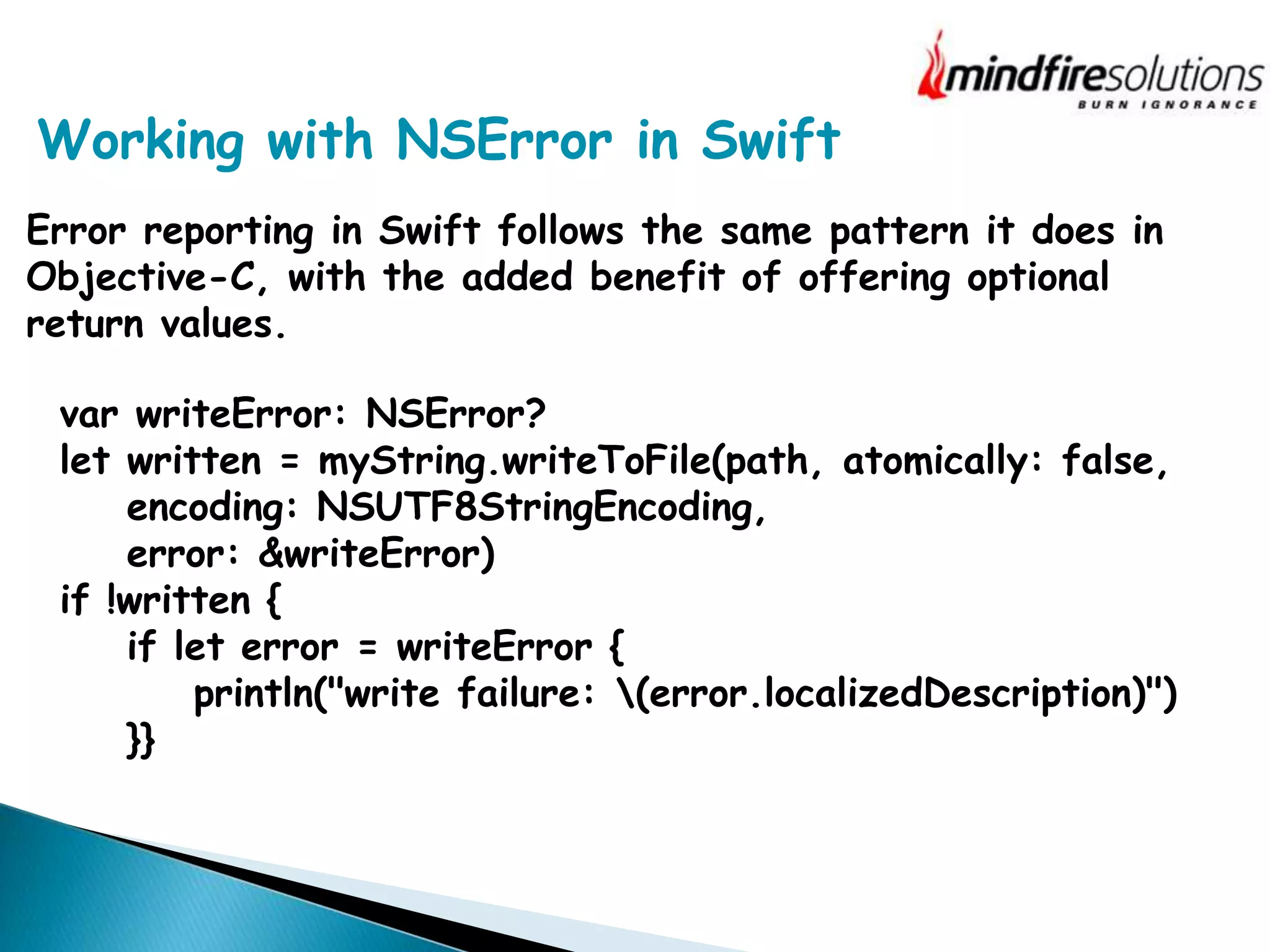
Error reporting in Swift follows the same pattern it does in
Objective-C, with the added benefit of offering optional
return values.
var writeError: NSError?
let written = myString.writeToFile(path, atomically: false,
encoding: NSUTF8StringEncoding,
error: &writeError)
if !written {
if let error = writeError {
println("write failure: (error.localizedDescription)")
}}
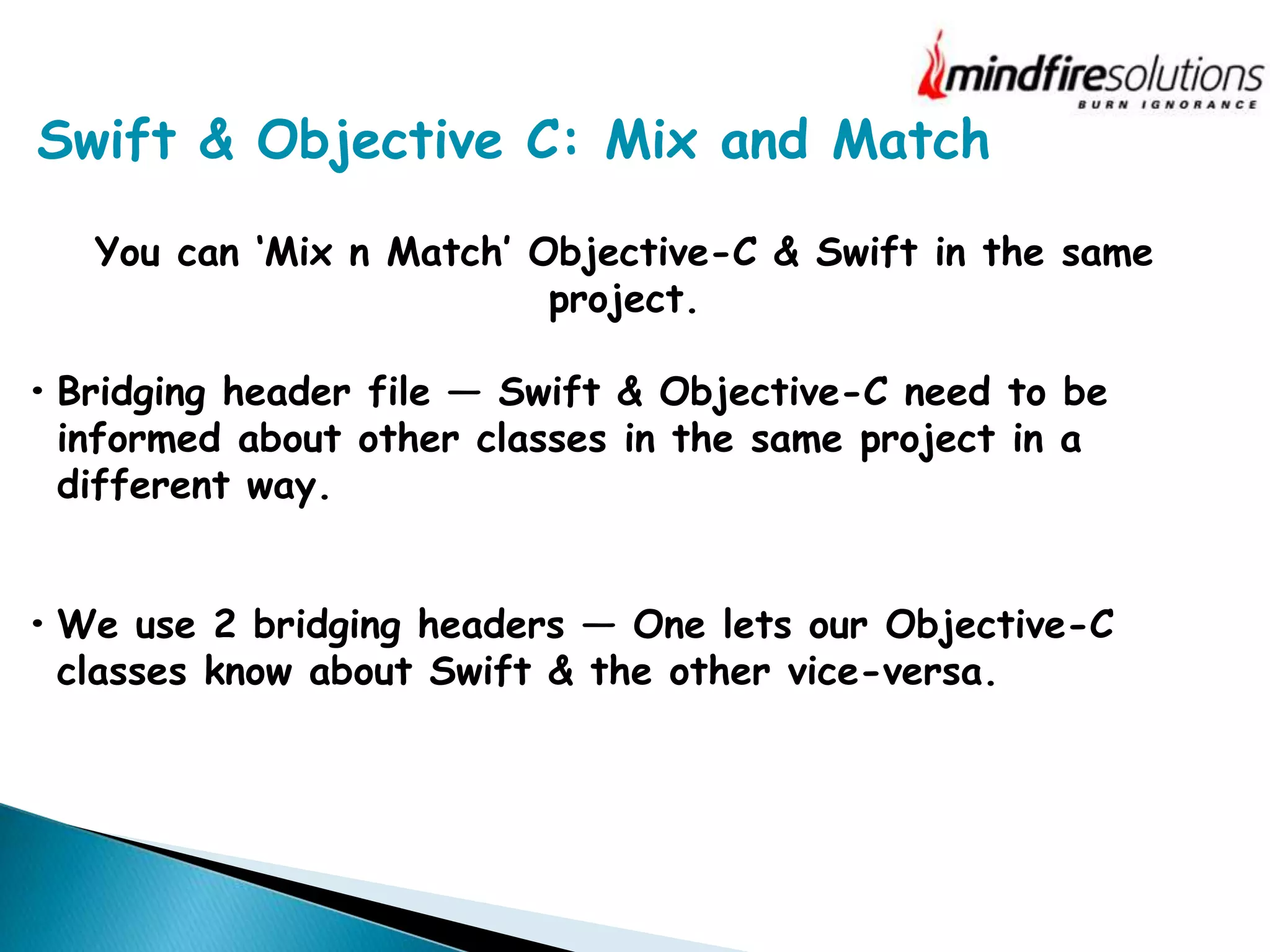
Swift & Objective C: Mix and Match
You can ‘Mix n Match’ Objective-C & Swift in the same
project.
• Bridging header file — Swift & Objective-C need to be
informed about other classes in the same project in a
different way.
• We use 2 bridging headers — One lets our Objective-C
classes know about Swift & the other vice-versa.
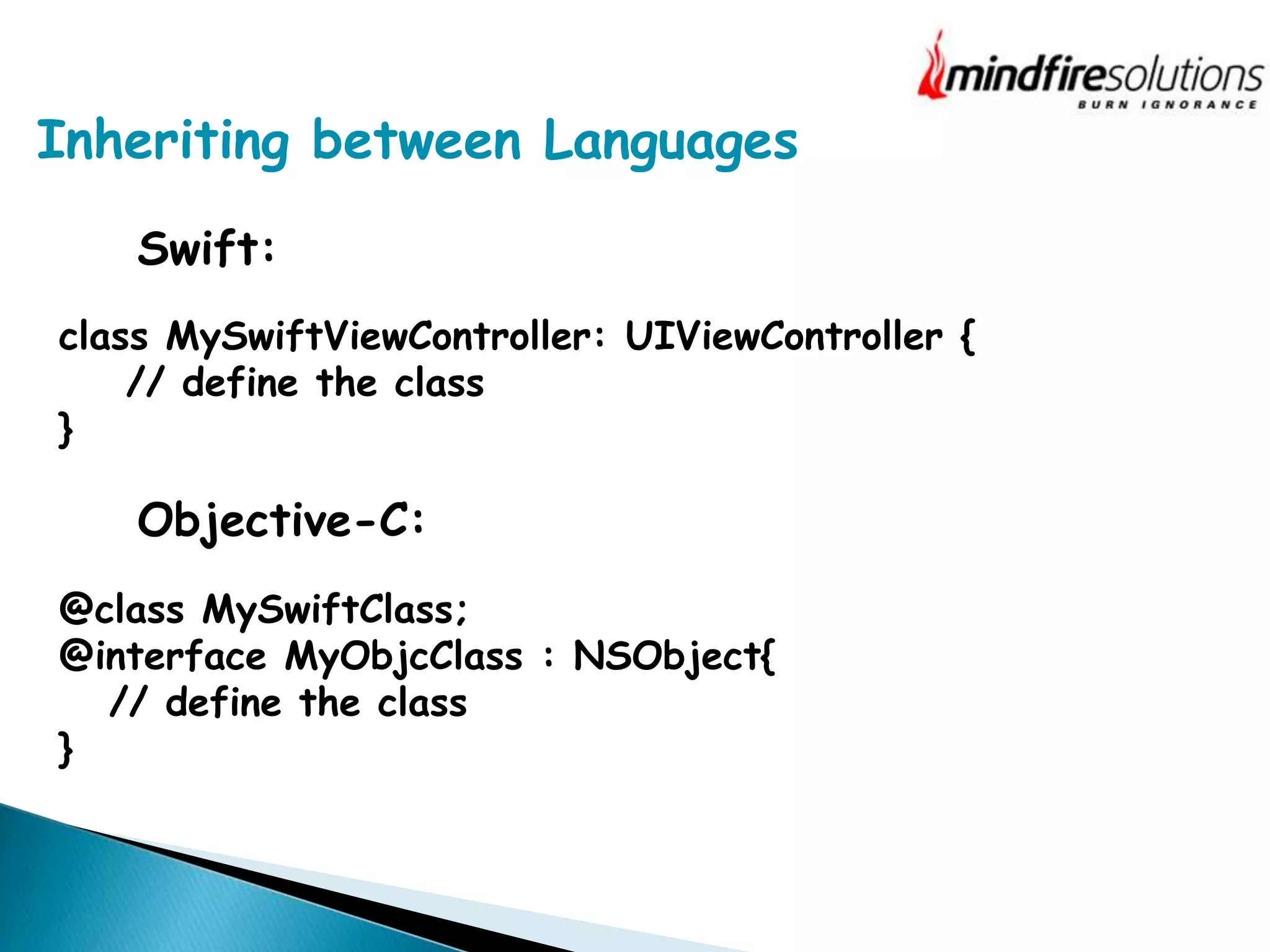
Inheriting between Languages
Swift:
class MySwiftViewController: UIViewController {
// define the class
}
Objective-C:
@class MySwiftClass;
@interface MyObjcClass : NSObject{
// define the class
}
Migrating from Objective C to Swift
The most effective approach for migrating code to Swift is on
a per-file basis, that is, one class at a time.
Because you can’t subclass Swift classes in Objective-C, it’s
best to choose a class in your app that doesn’t have any
subclasses. You’ll replace the .m and .h files for that class
with a single .swift file.
The Future Favors Swift
Swift: The more approachable, full-featured language
• Easier to maintain
• Is Considered Safer & Faster
• Is Unified with Memory Management
• Encourages interactive coding
Presenter: Neha Sinha, Mindfire Solutions
Questions?
References
https://developer.apple.com/library
http://www.infoworld.com/article/2920333/mobile-
development/swift-vs-objective-c-10-reasons-the-future-
favors-swift.html?page=2
http://mobileoop.com/the-comparison-between-swift-and-
objective-c-programming-language
Presenter: Neha Sinha, Mindfire Solutions
Thank You
www.mindfiresolutions.com
https://www.facebook.com/MindfireSolutions
http://www.linkedin.com/company/mindfire-solutions
http://twitter.com/mindfires

Swift vs Objective-C

  • 1.
    Presenter: Neha Sinha,Mindfire Solutions Date: 10/06/2015 Swift vs Objective C
  • 2.
    Presenter: Neha Sinha,Mindfire Solutions One of the goals of the new Swift programming language was to be interoperable with the older Objective-C What we will deal with in today’s seminar? •Compare Language Syntax •Compare Data Types •Use Swift & Objective C in the same project.
  • 3.
    Presenter: Neha Sinha,Mindfire Solutions Why Care about This? Many years of Objective-C code Patterns & practices developed in Objective-C Swift provides features Objective-C can’t.
  • 4.
    Interoperability is notequal Demand is greater for new Swift to existing Objective-C Swift understands Objective-C better than Objective-C understands Swift. Swift provides features Objective-C doesn’t recognize.
  • 5.
    5 Swift: func getNameAndAge() ->(String, Int) { return (“Neha”, 25) } Objective-C: ? Tuples
  • 6.
    Instantiating Objects Swift: var myDate= NSDate() Objective-C: NSDate* myDate = [NSDate alloc] init];
  • 7.
    Using Initializers Swift: let myTableView:UITableView = UITableView(frame: CGRectZero, style: Grouped) Objective-C: UITableView* myTableView = [[UITableView alloc] initWithFrame:CGRectZero style:UITableViewStyleGrouped];
  • 8.
    Mapping Factory Methods Swift: letcolor = UIColor(red: 0.5, green: 0.0, blue: 0.5, alpha: 1.0) Objective-C: UIColor* color = [UIColor colorWithRed:0.5 green:0.0 blue:0.5 alpha:1.0]; Factory methods & Objective-C classes are typically just mapped to their equivalent normal Swift initializers.
  • 9.
    Failable Initialization Objective-C: UIImage* myImage= [UIImage imageWithContentsOfFile:@“”]; An Objective-C initializer can return ‘nil’. Swift demands that variables & constants always exist in a valid state.
  • 10.
    Failable Initialization Swift: var image:UIImage? = UIImage(contentsOfFile: filePath) if image != nil { return image! }
  • 11.
  • 12.
    id & AnyObjectReference Swift includes a protocol type named AnyObject that represents any kind of object, just as id does in Objective-C. var myObject: AnyObject = UITableViewCell() myObject = NSDate() let futureDate = myObject.dateByAddingTimeInterval(10) let timeSinceNow = myObject.timeIntervalSinceNow
  • 13.
    id & AnyObjectReference myObject.characterAtIndex(5) // crash, myObject doesn't respond to that method let myChar = myObject.characterAtIndex?(5) if let fifthCharacter = myObject.characterAtIndex?(5) { println("Found (fifthCharacter) at index 5") }
  • 14.
    Swift & ObjectiveC Strings Swift automatically bridges between the String type and the NSString class. import Foundation let greeting = "hello, world!" let capitalizedGreeting = greeting.capitalizedString import Foundation let myString: NSString = "123" if let integerValue = (myString as String).toInt() { println("(myString) is the integer (integerValue)") }
  • 15.
    Arrays, Dictionaries &Numbers Arrays: When you bridge from an NSArray object to a Swift array, the resulting array is of type [AnyObject]. let swiftArray = foundationArray as [AnyObject] if let downcastedSwiftArray = swiftArray as? [NSView] { // downcastedSwiftArray contains only NSView objects } for aView in foundationArray as! [NSView] { // aView is of type UIView } This cast is a forced cast, and results in a runtime error if the cast does not succeed.
  • 16.
    Arrays, Dictionaries &Numbers Arrays: When you bridge from a Swift array to an NSArray object, the elements in the Swift array must be AnyObject compatible. let schoolSupplies: NSArray = ["Pencil", "Eraser", "Notebook"] // schoolSupplies is an NSArray object containing NSString objects
  • 17.
    Arrays, Dictionaries &Numbers Dictionaries: When you bridge from an NSDictionary object to a Swift dictionary, the resulting dictionary is of type [NSObject: AnyObject]. The Swift compiler replaces the NSDictionary class with [NSObject: AnyObject] when it imports Objective-C APIs. When you cast in the reverse direction, from a Swift dictionary to an NSDictionary object —the keys and values must be instances of a class or bridgeable to an instance of a class.
  • 18.
    Arrays, Dictionaries &Numbers Numbers: Swift automatically bridges certain native number types, such as Int and Float, to NSNumber All of the following types are automatically bridged to NSNumber: • Int • UInt • Float • Double • Bool let n = 42 let m: NSNumber = n
  • 19.
    Working with NSErrorin Swift Error reporting in Swift follows the same pattern it does in Objective-C, with the added benefit of offering optional return values. var writeError: NSError? let written = myString.writeToFile(path, atomically: false, encoding: NSUTF8StringEncoding, error: &writeError) if !written { if let error = writeError { println("write failure: (error.localizedDescription)") }}
  • 20.
    Swift & ObjectiveC: Mix and Match You can ‘Mix n Match’ Objective-C & Swift in the same project. • Bridging header file — Swift & Objective-C need to be informed about other classes in the same project in a different way. • We use 2 bridging headers — One lets our Objective-C classes know about Swift & the other vice-versa.
  • 21.
    Inheriting between Languages Swift: classMySwiftViewController: UIViewController { // define the class } Objective-C: @class MySwiftClass; @interface MyObjcClass : NSObject{ // define the class }
  • 22.
    Migrating from ObjectiveC to Swift The most effective approach for migrating code to Swift is on a per-file basis, that is, one class at a time. Because you can’t subclass Swift classes in Objective-C, it’s best to choose a class in your app that doesn’t have any subclasses. You’ll replace the .m and .h files for that class with a single .swift file.
  • 23.
    The Future FavorsSwift Swift: The more approachable, full-featured language • Easier to maintain • Is Considered Safer & Faster • Is Unified with Memory Management • Encourages interactive coding
  • 24.
    Presenter: Neha Sinha,Mindfire Solutions Questions?
  • 25.
  • 26.
    Presenter: Neha Sinha,Mindfire Solutions Thank You
  • 27.