Streams, Streams
Everywhere!
An Introduction to Rx
Corkdev.io - 15th December 2015
Andrzej Sitek
<author>
<name>Andrzej Sitek</name>
<title>Android Developer</title>
<company>Digisoft.tv / Progressive Apps</company>
<email>andy@progressiveapps.co</email>
<twitter>@andrzej_sitek</twitter>
<google-plus>+AndrzejSitek</google-plus>
</author>
Let me introduce myself
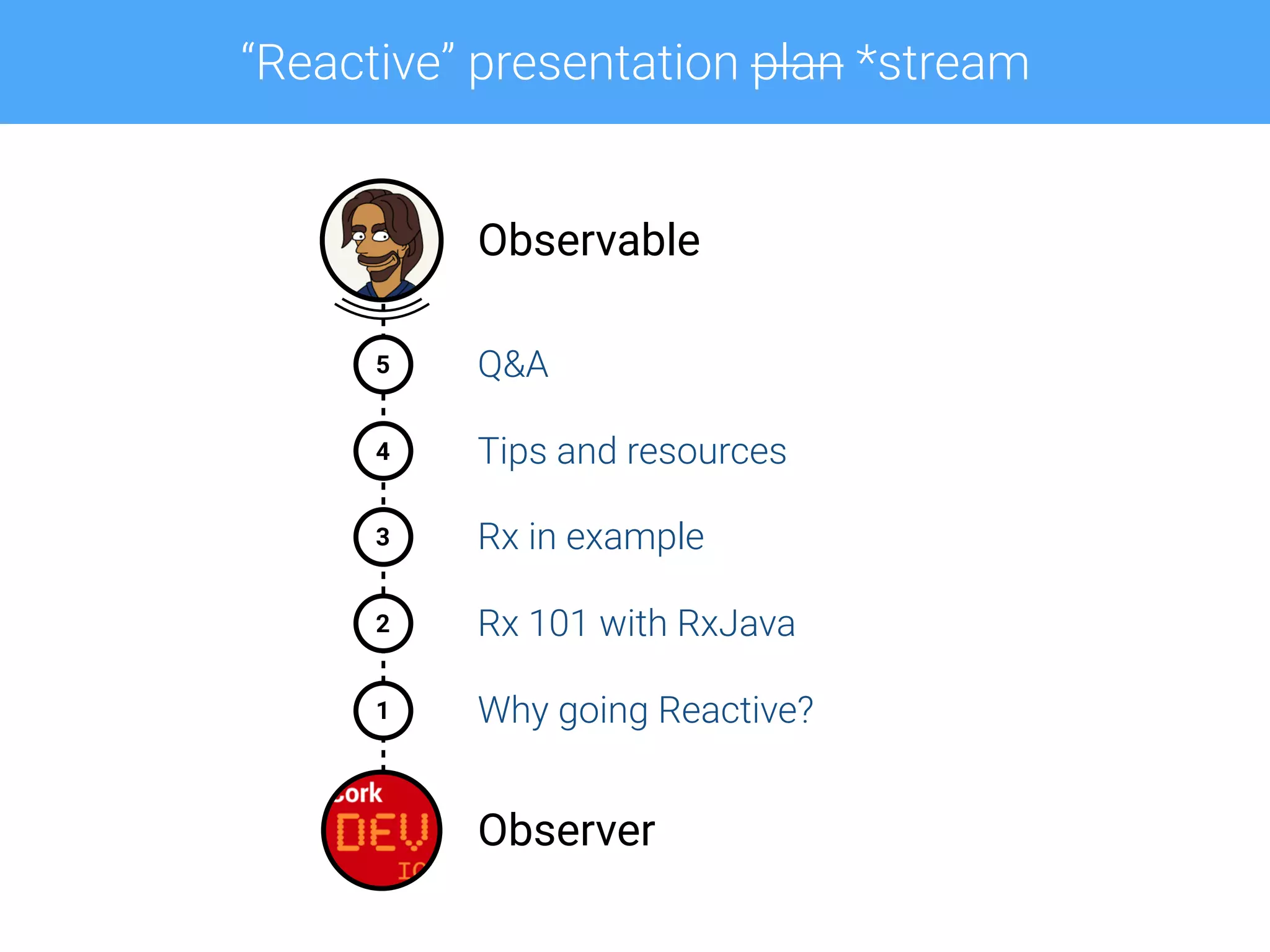
“Reactive” presentation plan *stream
5
4
1
2
3
Observable
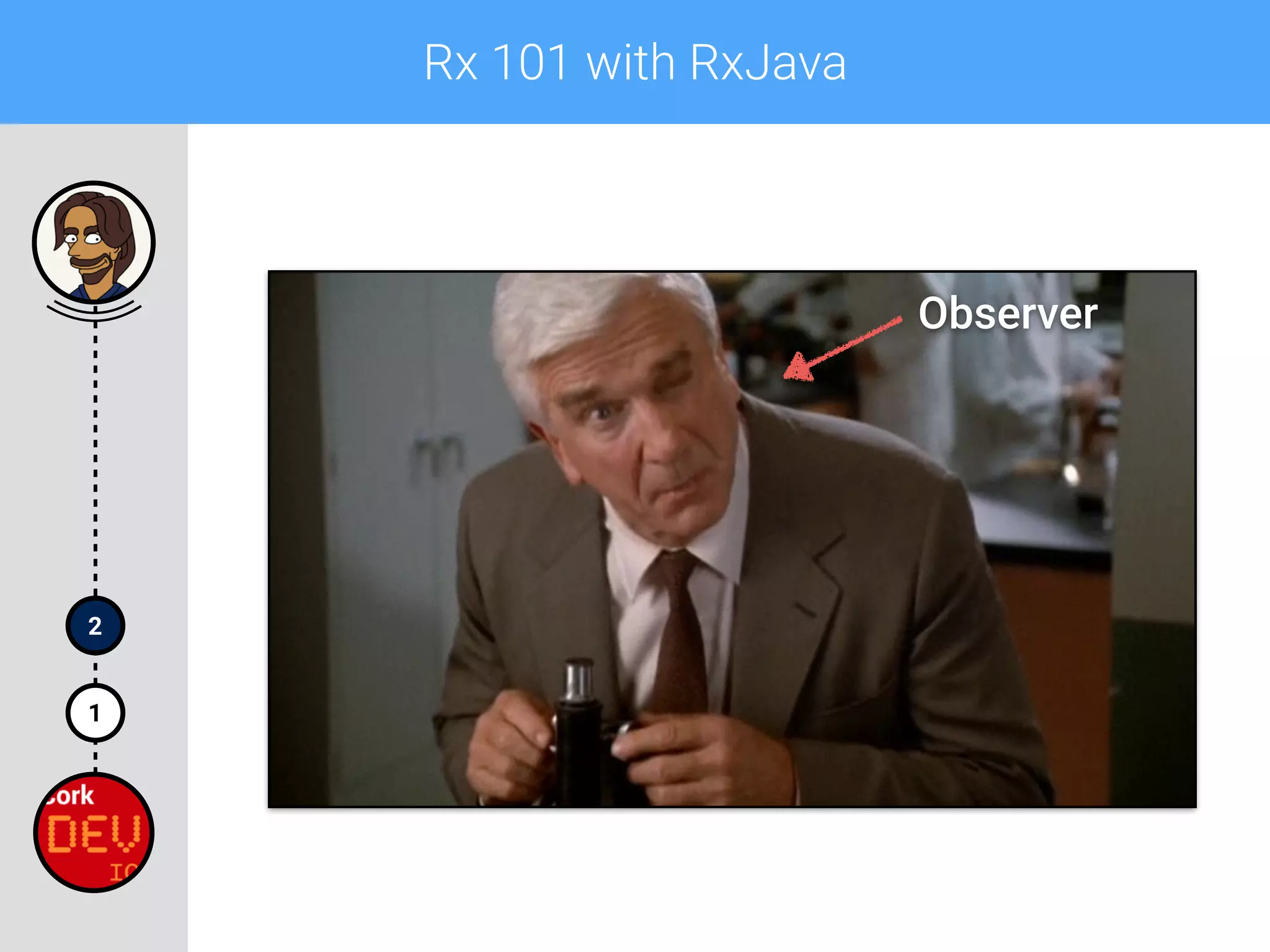
Observer
Q&A
Tips and resources
Rx in example
Rx 101 with RxJava
Why going Reactive?
1
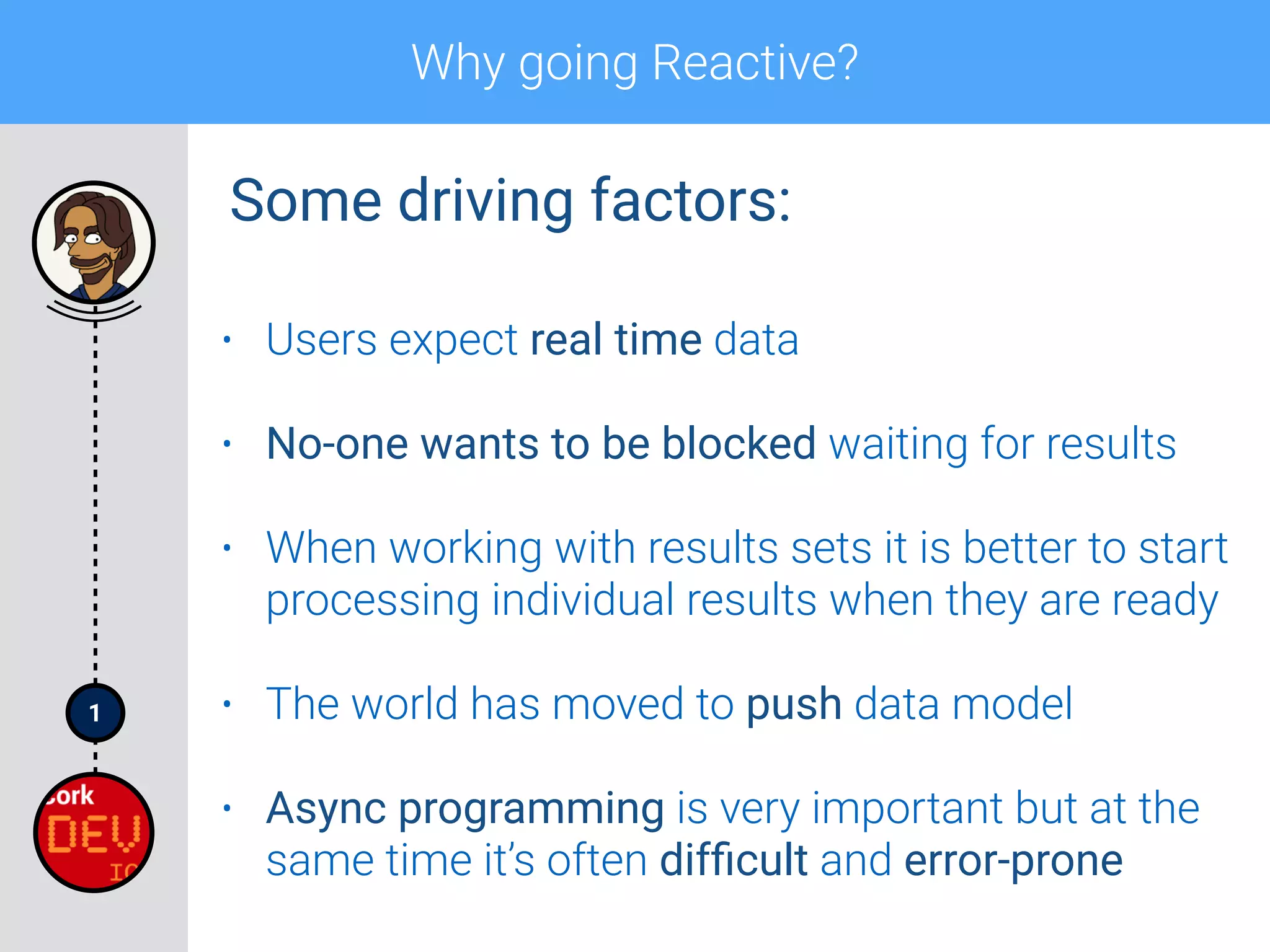
Why going Reactive?
• Users expect real time data
• No-one wants to be blocked waiting for results
• When working with results sets it is better to start
processing individual results when they are ready
• The world has moved to push data model
• Async programming is very important but at the
same time it’s often difficult and error-prone
Some driving factors:
1
Why going Reactive?
• A buzz word
• Pronunciation: /rɪˈaktɪv/
• “Showing a response to a stimulus.”
• “Acting in response to a situation rather than
creating or controlling it.”
Reactive:
1
Why going Reactive?
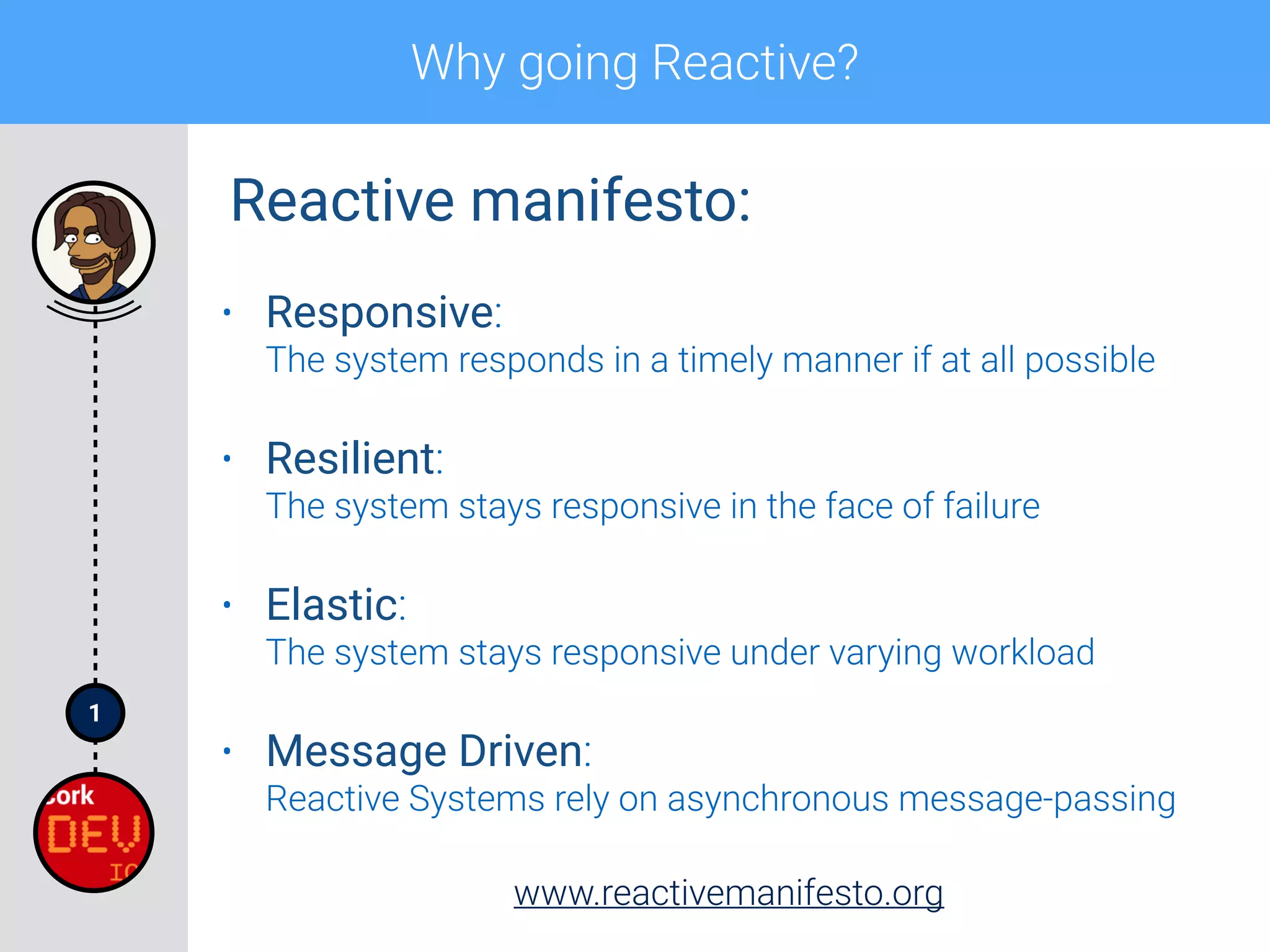
• Responsive:

The system responds in a timely manner if at all possible
• Resilient:

The system stays responsive in the face of failure
• Elastic:

The system stays responsive under varying workload
• Message Driven:

Reactive Systems rely on asynchronous message-passing
www.reactivemanifesto.org
Reactive manifesto:
1
Why going Reactive?
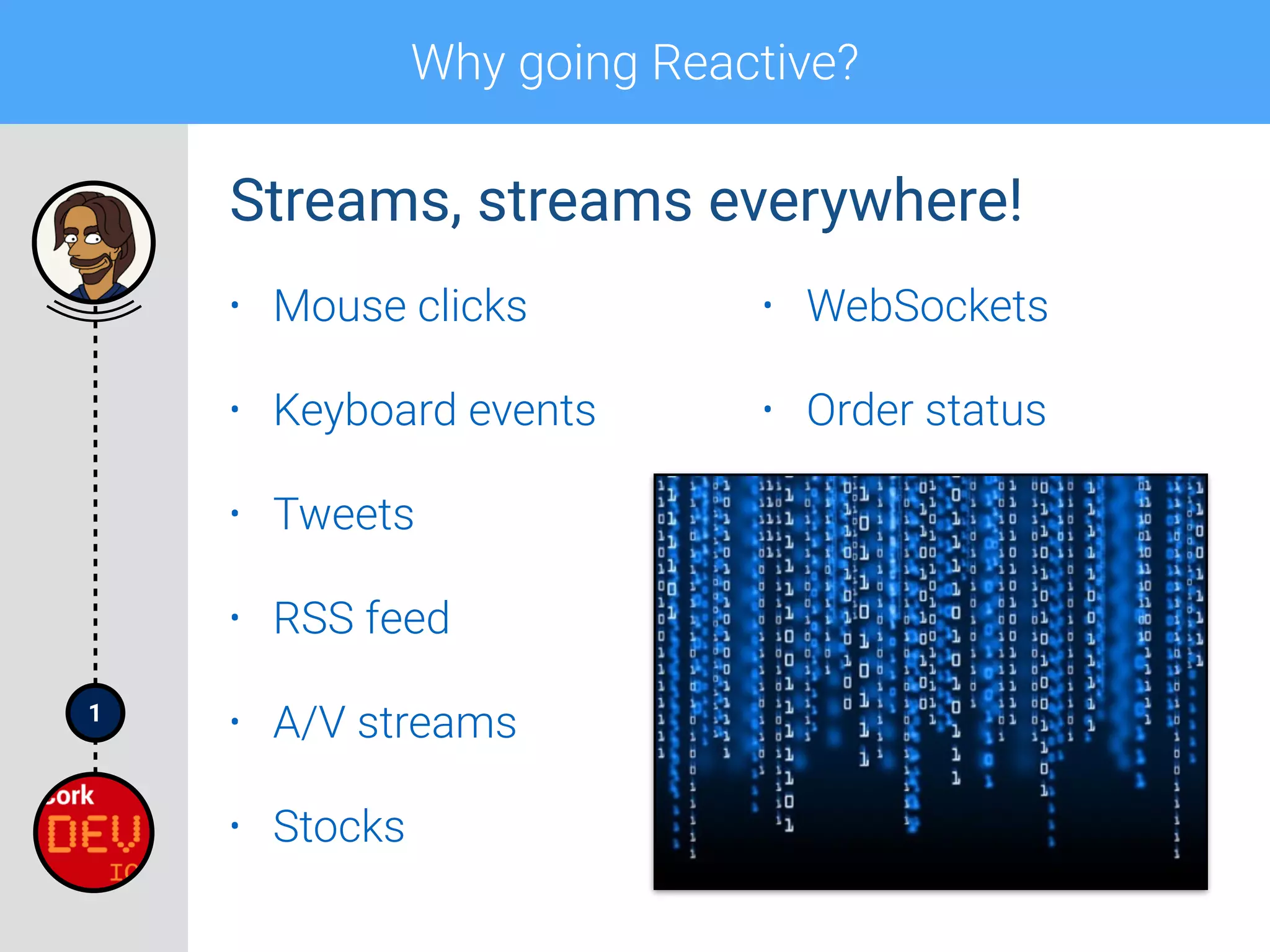
• Mouse clicks
• Keyboard events
• Tweets
• RSS feed
• A/V streams
• Stocks
• WebSockets
• Order status
Streams, streams everywhere!
1
Why going Reactive?
• RP: a paradigm oriented around asynchronous
data flows and the propagation of change
• Basically:
• Reactive model is Push rather than Pull
• Programming with async data sequences
• Discrete values emitted over time
• It’s not “Functional Reactive Programming”!
Reactive Programming:
1
Why going Reactive?
• Rx stands for Reactive Extensions
• “A library for composing asynchronous and event-
based programs by using observable sequences.”
• Created by Erik Meijer (Microsoft) for the .NET
• Version 1.0 released 17/11/2009
• Version 2.0 released 15/08/2012
• Ported to different languages thereafter
ReactiveX:
1
Why going Reactive?
• Provides a collection of operators
• Observer pattern “on steroids”:
• Support sequences of data and/or events
• Compose sequences using declarative way
• Abstract away concerns about low-level stuff
• Concurrent data structures and non-blocking I/O
• Threading and Thread Safety
ReactiveX:
1
Why going Reactive?
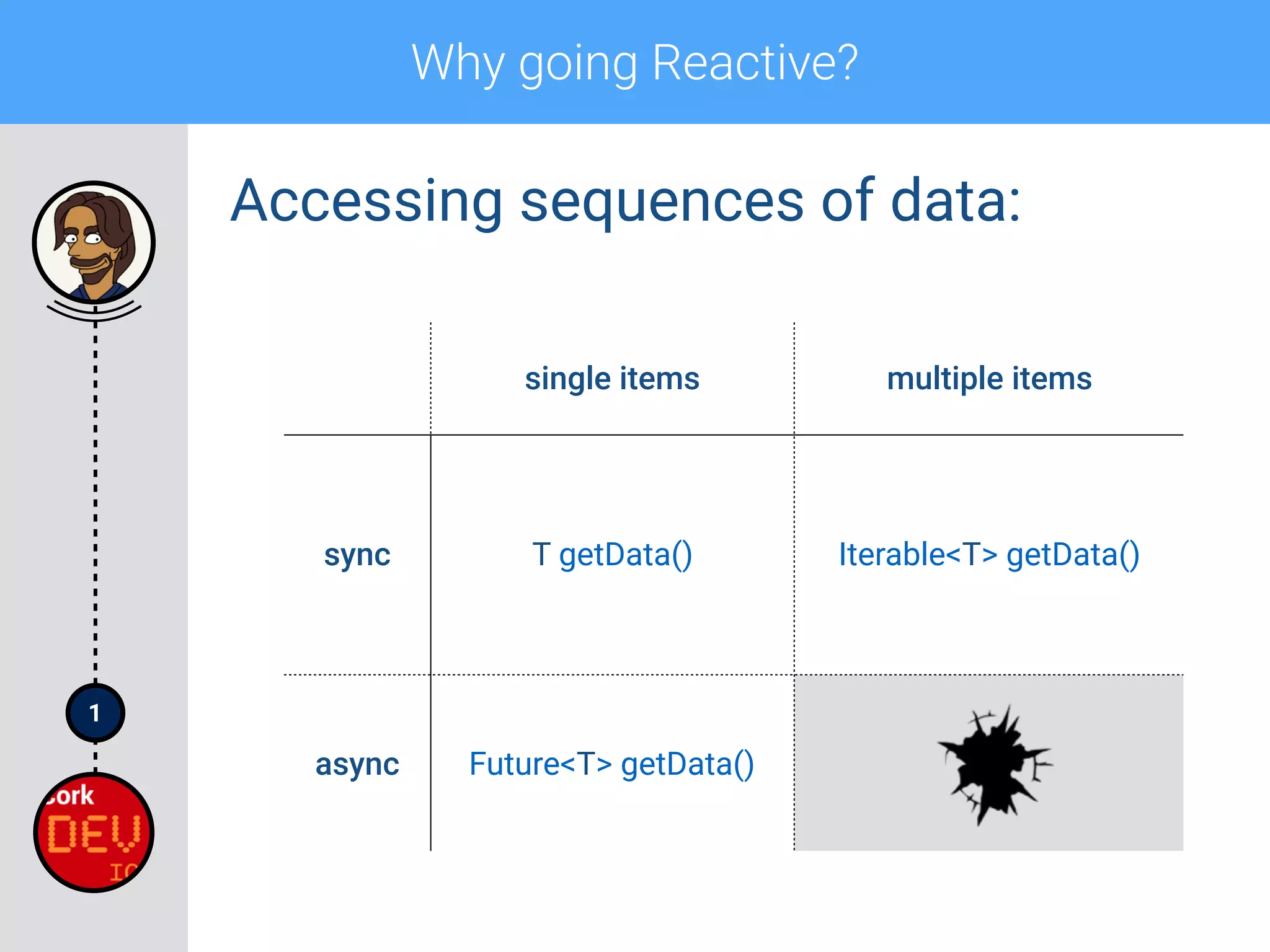
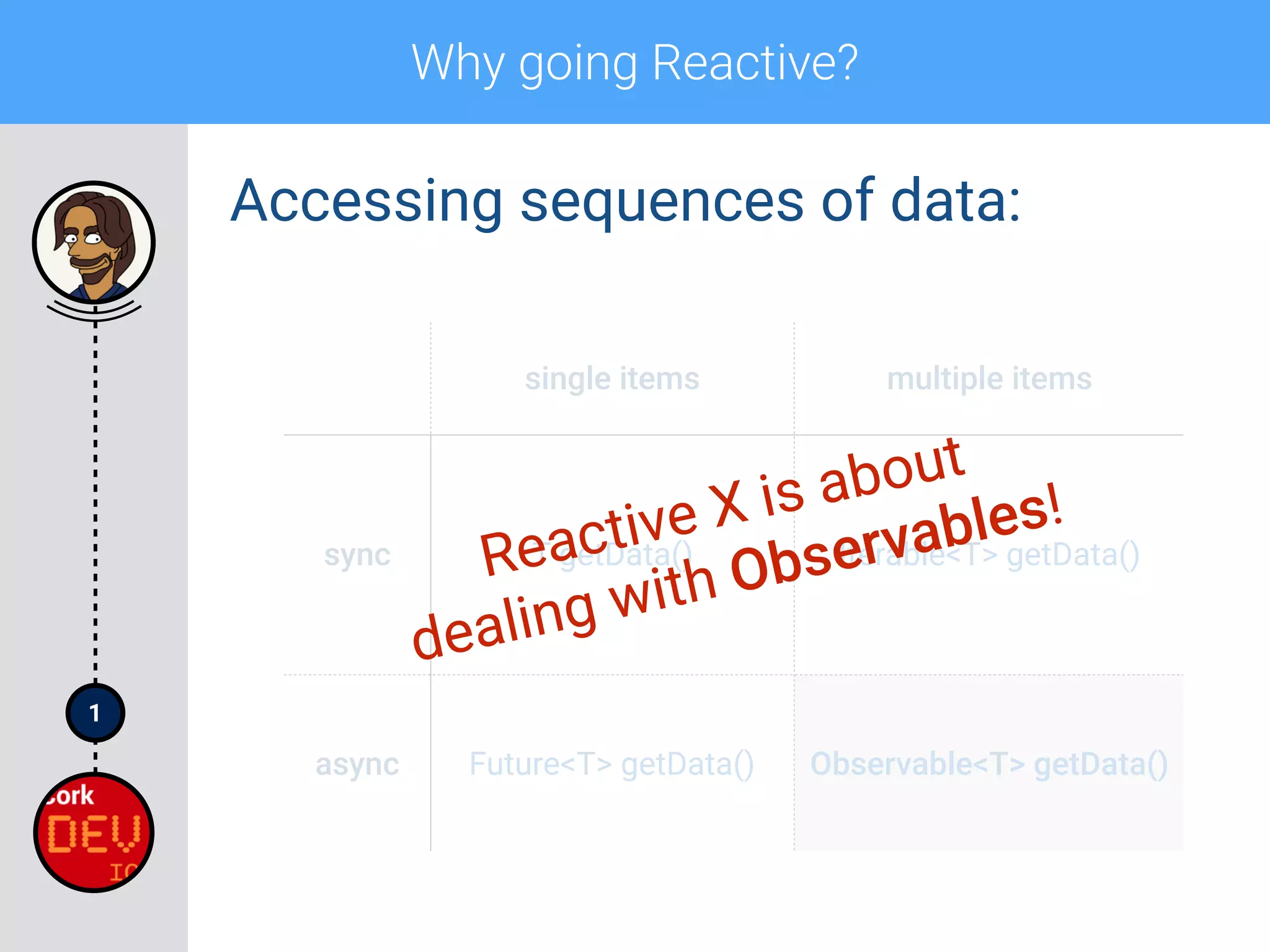
Accessing sequences of data:
single items multiple items
sync T getData() Iterable<T> getData()
async Future<T> getData()
1
Why going Reactive?
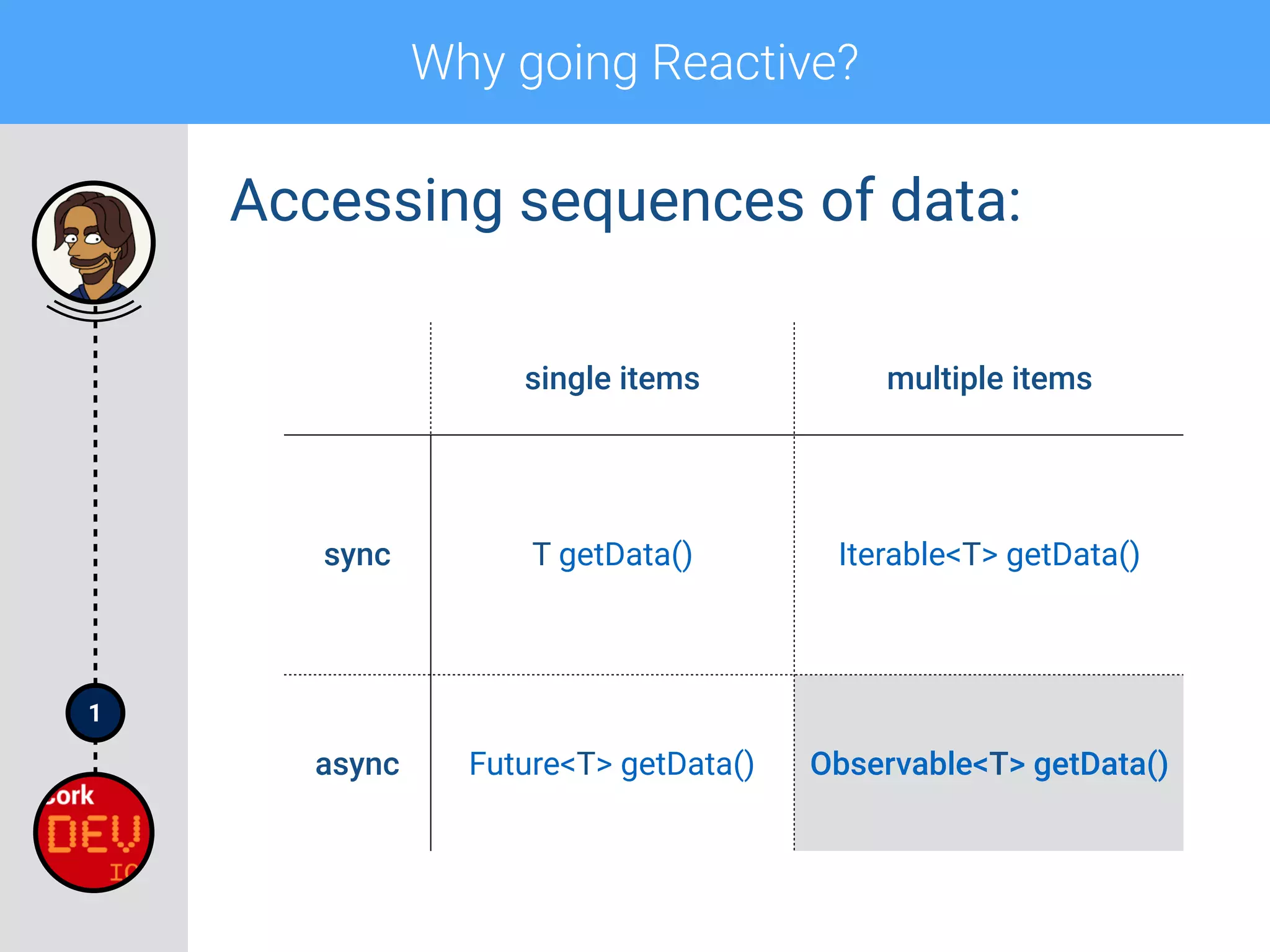
Accessing sequences of data:
single items multiple items
sync T getData() Iterable<T> getData()
async Future<T> getData() Observable<T> getData()
1
Why going Reactive?
Accessing sequences of data:
single items multiple items
sync T getData() Iterable<T> getData()
async Future<T> getData() Observable<T> getData()
Reactive X is about
dealing with Observables!
1
Why going Reactive?
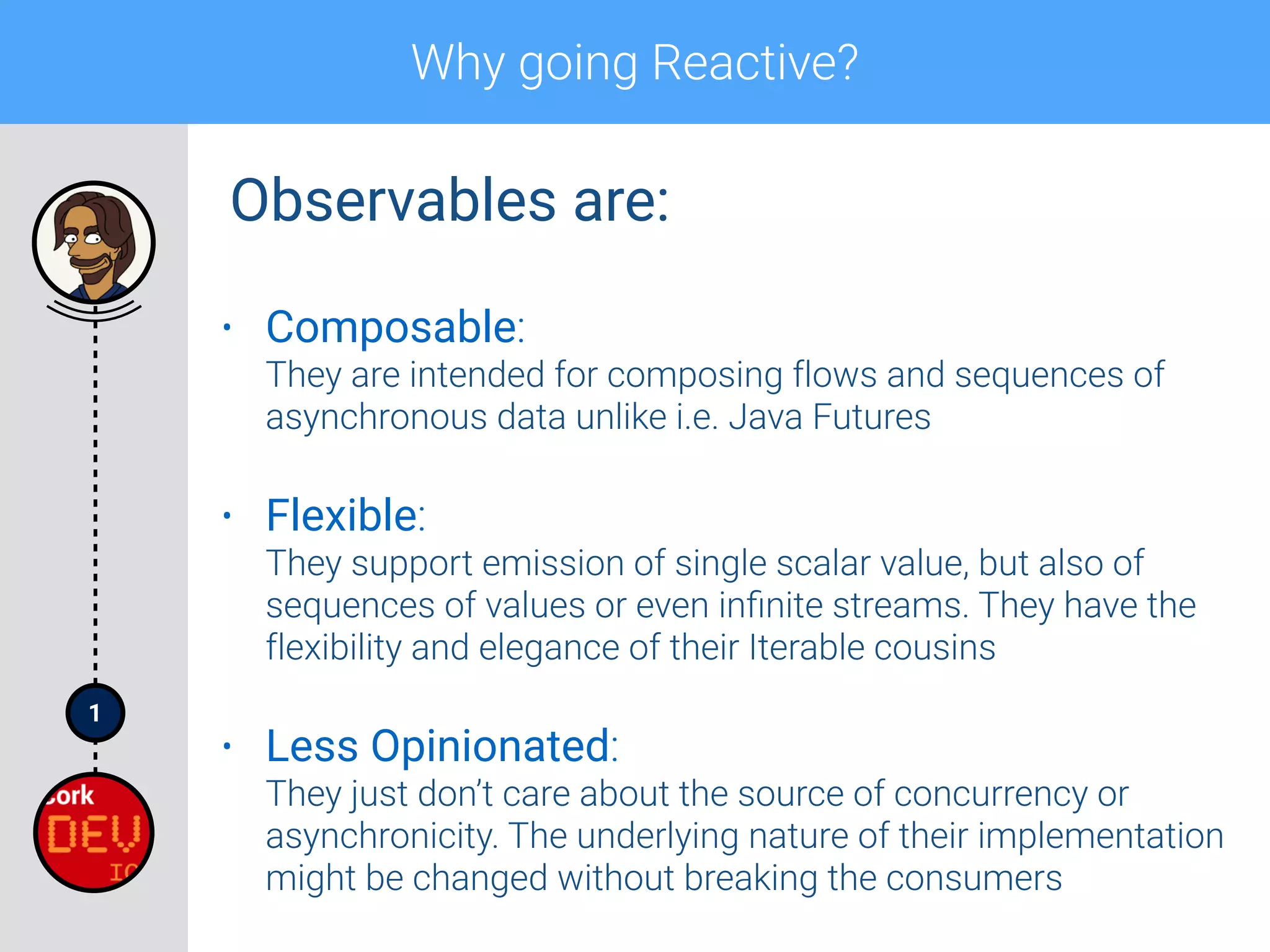
• Composable:

They are intended for composing flows and sequences of
asynchronous data unlike i.e. Java Futures
• Flexible:

They support emission of single scalar value, but also of
sequences of values or even infinite streams. They have the
flexibility and elegance of their Iterable cousins
• Less Opinionated:

They just don’t care about the source of concurrency or
asynchronicity. The underlying nature of their implementation
might be changed without breaking the consumers
Observables are:
1
Why going Reactive?
1
Why going Reactive?
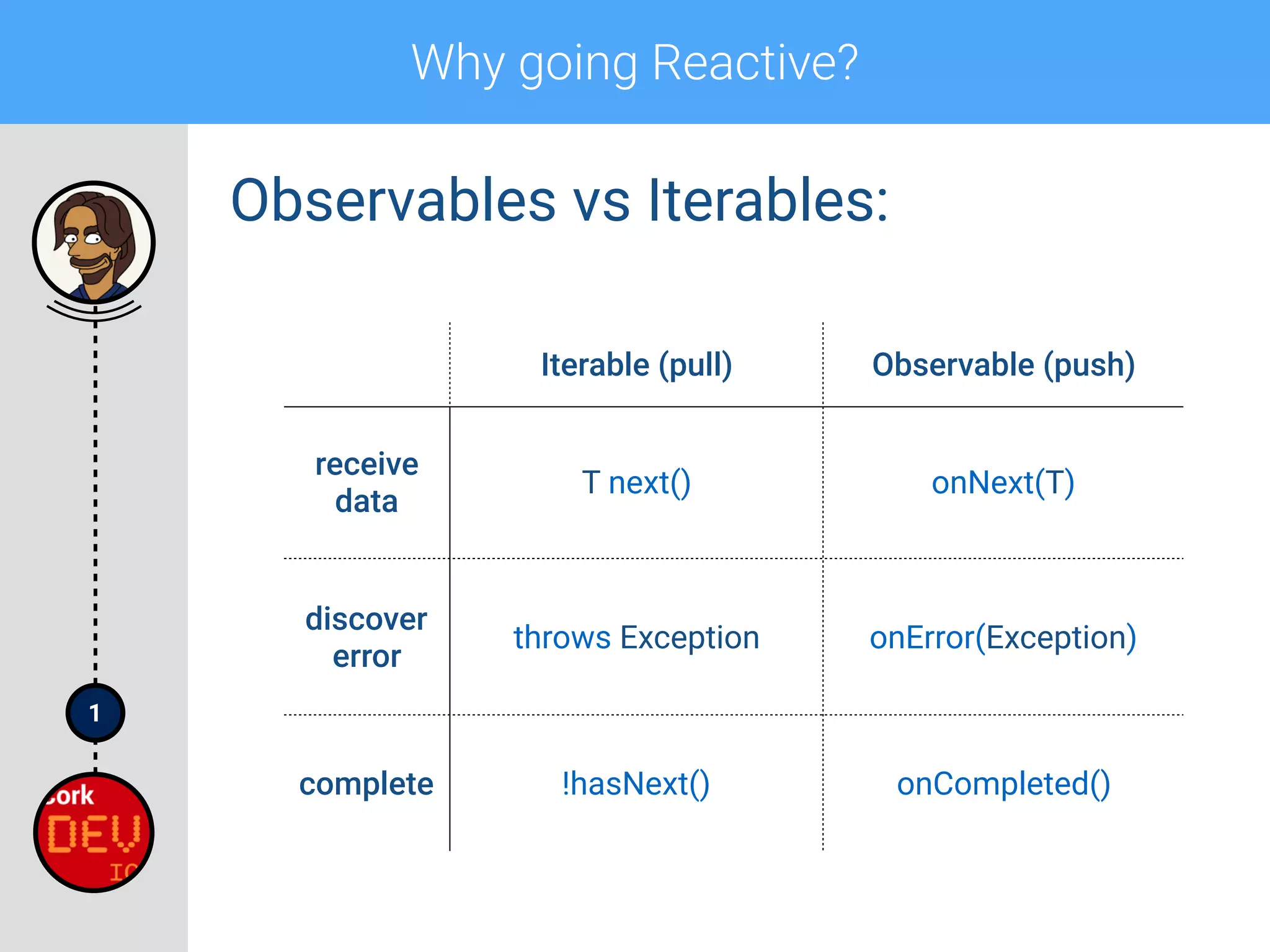
Observables vs Iterables:
Iterable (pull) Observable (push)
receive
data
T next() onNext(T)
discover
error
throws Exception onError(Exception)
complete !hasNext() onCompleted()
1
Why going Reactive?
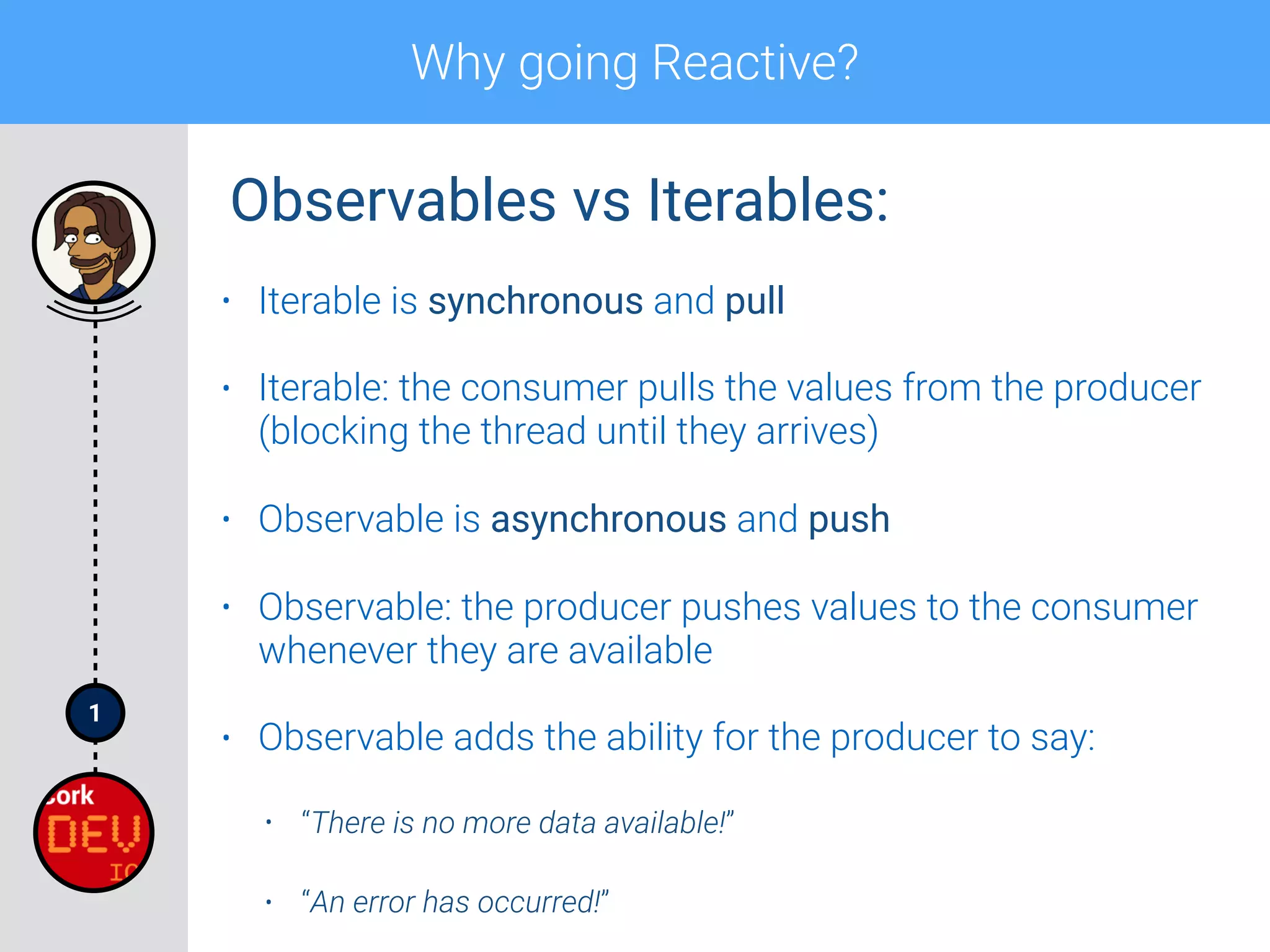
• Iterable is synchronous and pull
• Iterable: the consumer pulls the values from the producer
(blocking the thread until they arrives)
• Observable is asynchronous and push
• Observable: the producer pushes values to the consumer
whenever they are available
• Observable adds the ability for the producer to say:
• “There is no more data available!”
• “An error has occurred!”
Observables vs Iterables:
1
Why going Reactive?
1
Why going Reactive?
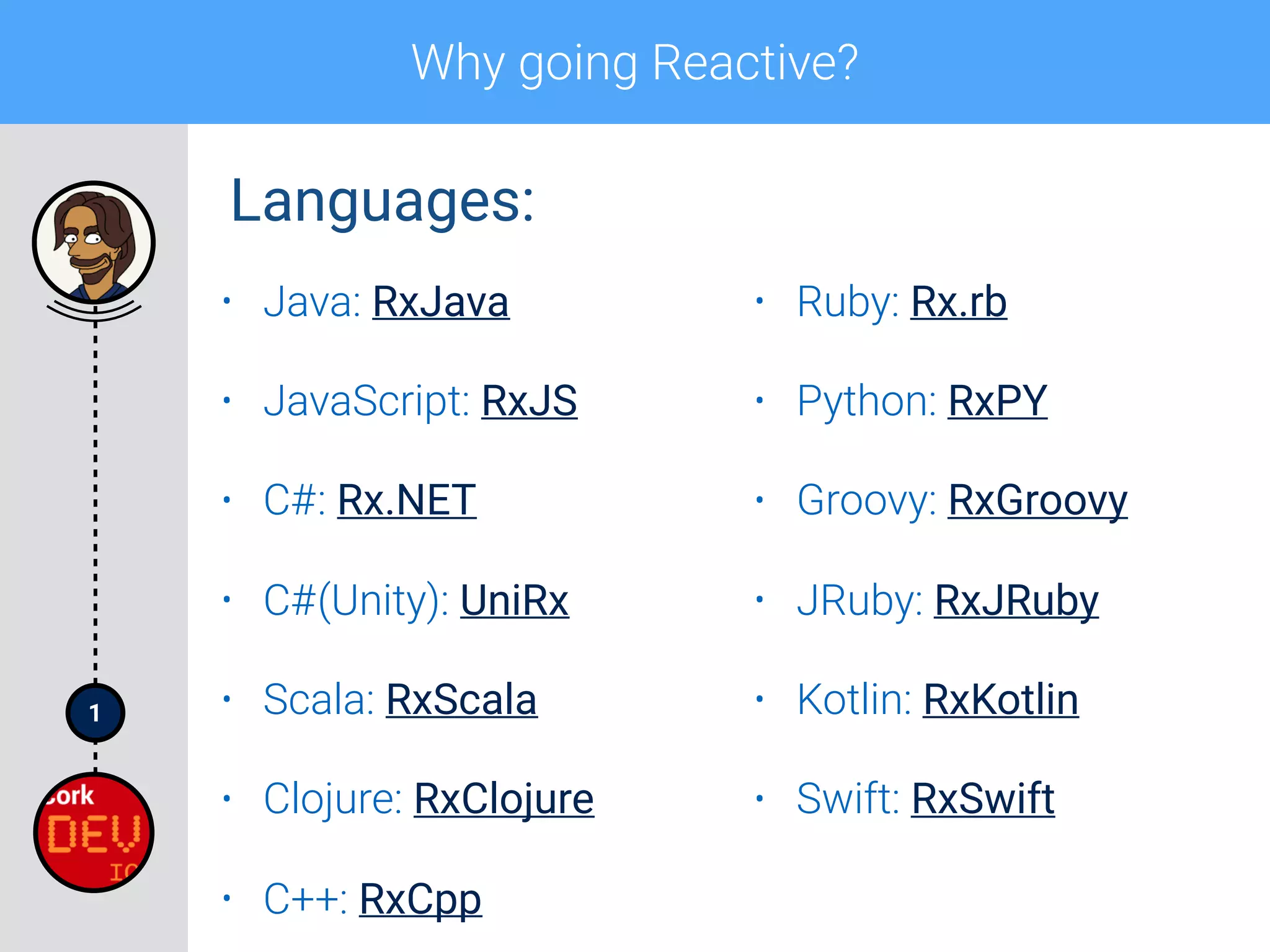
• Java: RxJava
• JavaScript: RxJS
• C#: Rx.NET
• C#(Unity): UniRx
• Scala: RxScala
• Clojure: RxClojure
• C++: RxCpp
• Ruby: Rx.rb
• Python: RxPY
• Groovy: RxGroovy
• JRuby: RxJRuby
• Kotlin: RxKotlin
• Swift: RxSwift
Languages:
1
Why going Reactive?
• Java: RxJava
• JavaScript: RxJS
• C#: Rx.NET
• C#(Unity): UniRx
• Scala: RxScala
• Clojure: RxClojure
• C++: RxCpp
• Ruby: Rx.rb
• Python: RxPY
• Groovy: RxGroovy
• JRuby: RxJRuby
• Kotlin: RxKotlin
• Swift: RxSwift
Languages:
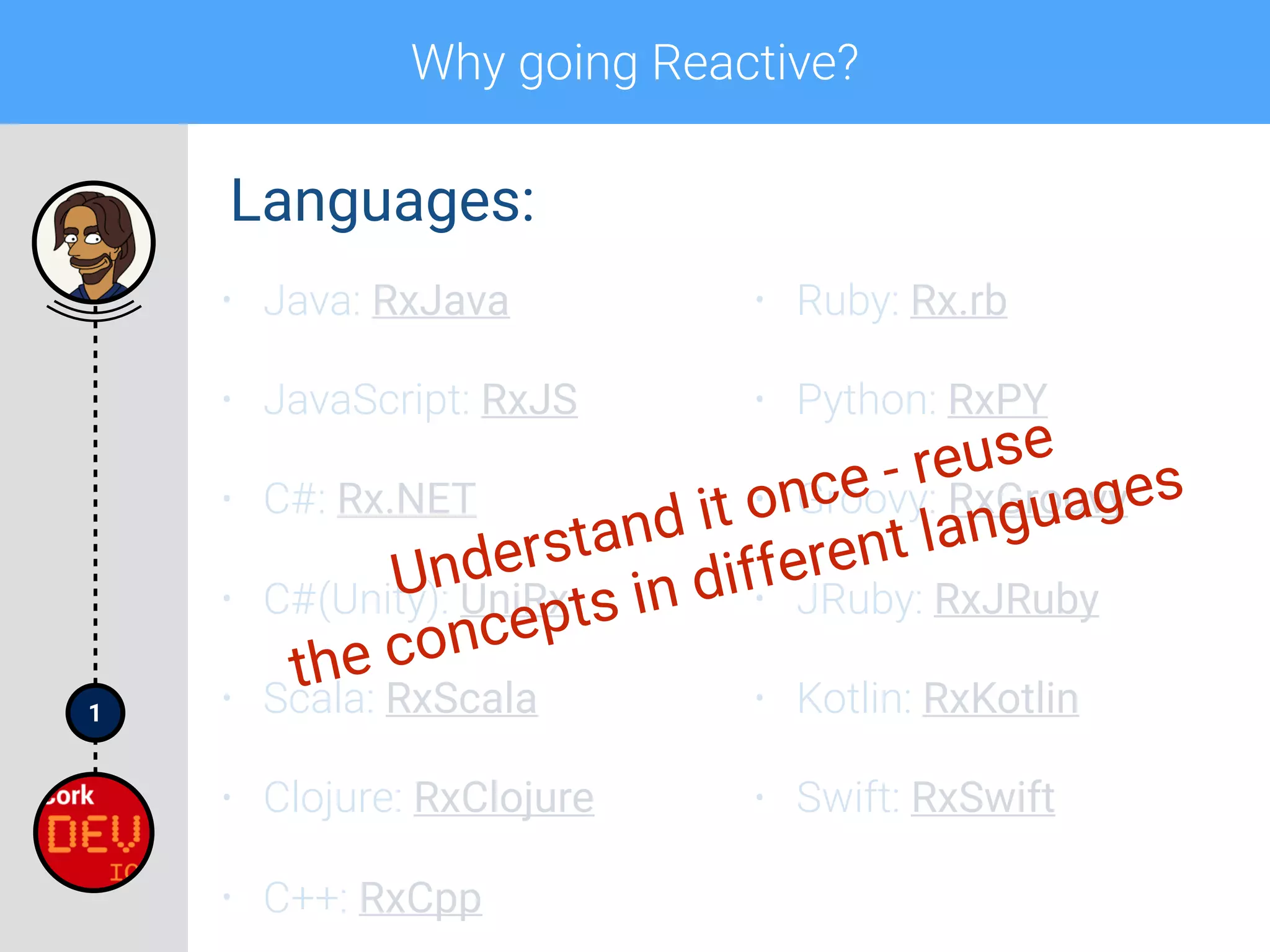
Understand it once - reuse
the concepts in different languages
Section 1
Rx 101*
with RxJava
Section 1
Rx 101*
with RxJava
* The road is steep, the road is long, the talk is relatively short.
Rx 101 with RxJava
1
2
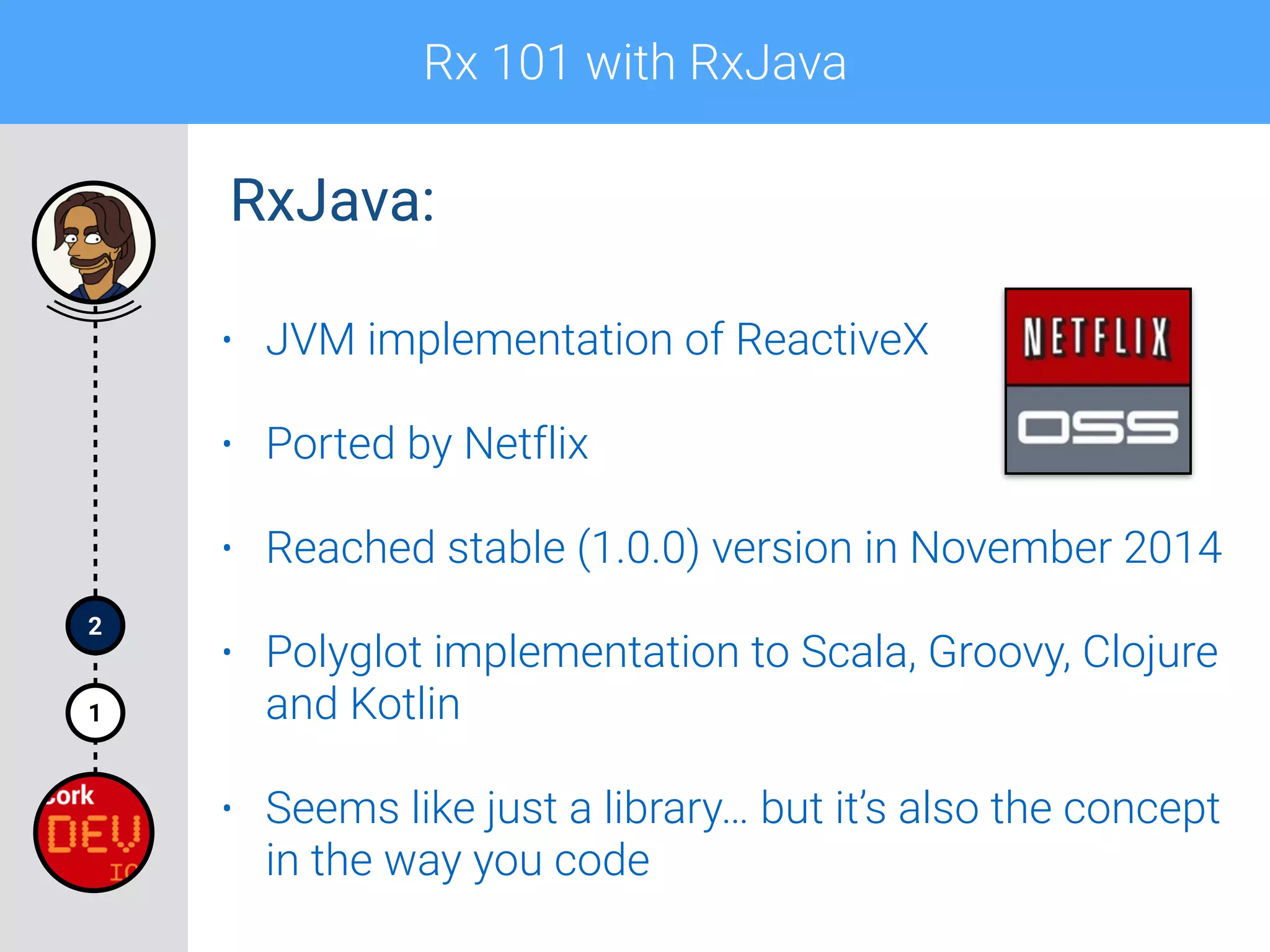
• JVM implementation of ReactiveX
• Ported by Netflix
• Reached stable (1.0.0) version in November 2014
• Polyglot implementation to Scala, Groovy, Clojure
and Kotlin
• Seems like just a library… but it’s also the concept
in the way you code
RxJava:
Rx 101 with RxJava
1
2
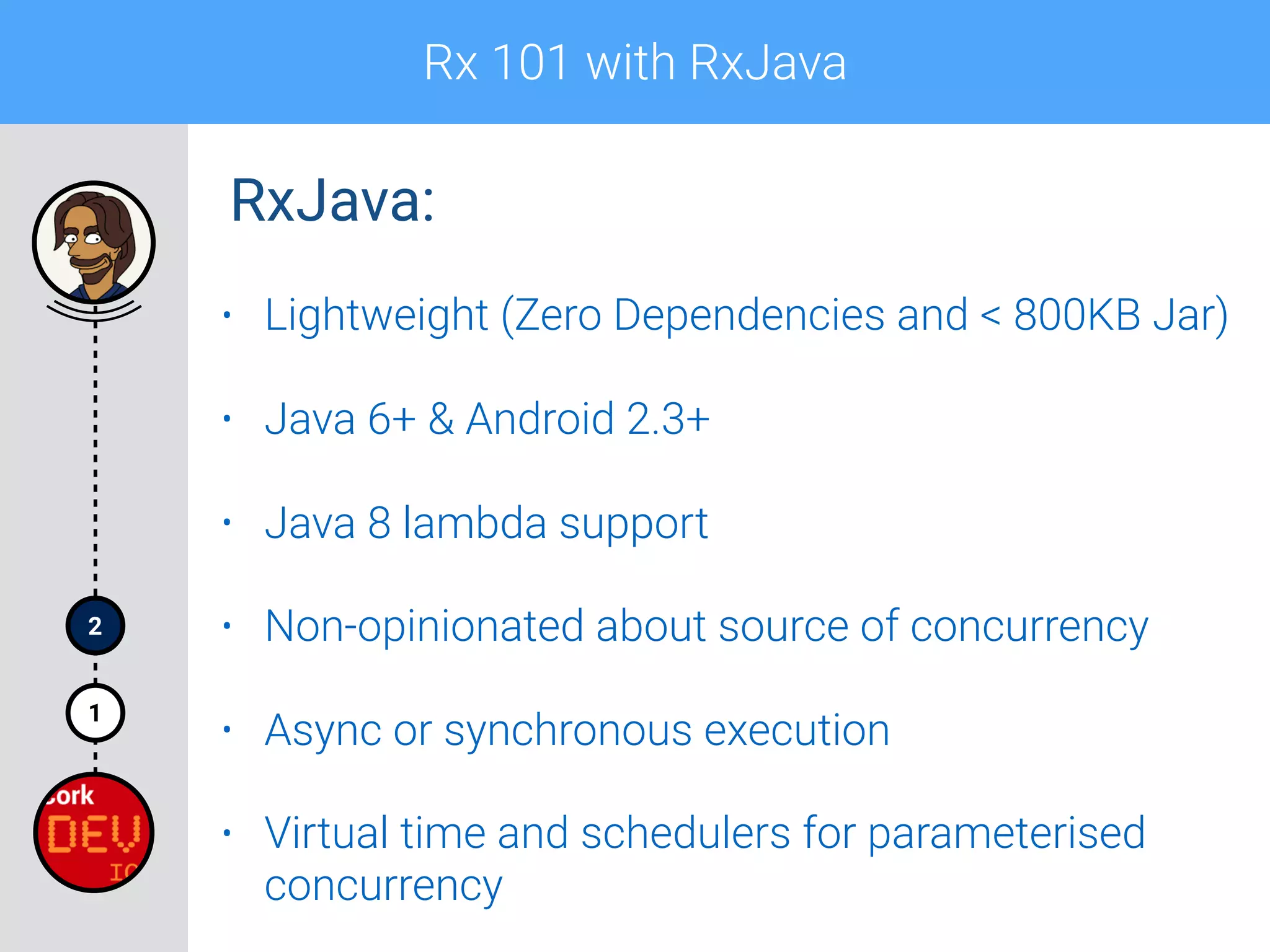
• Lightweight (Zero Dependencies and < 800KB Jar)
• Java 6+ & Android 2.3+
• Java 8 lambda support
• Non-opinionated about source of concurrency
• Async or synchronous execution
• Virtual time and schedulers for parameterised
concurrency
RxJava:
Rx 101 with RxJava
1
2
RxJava:
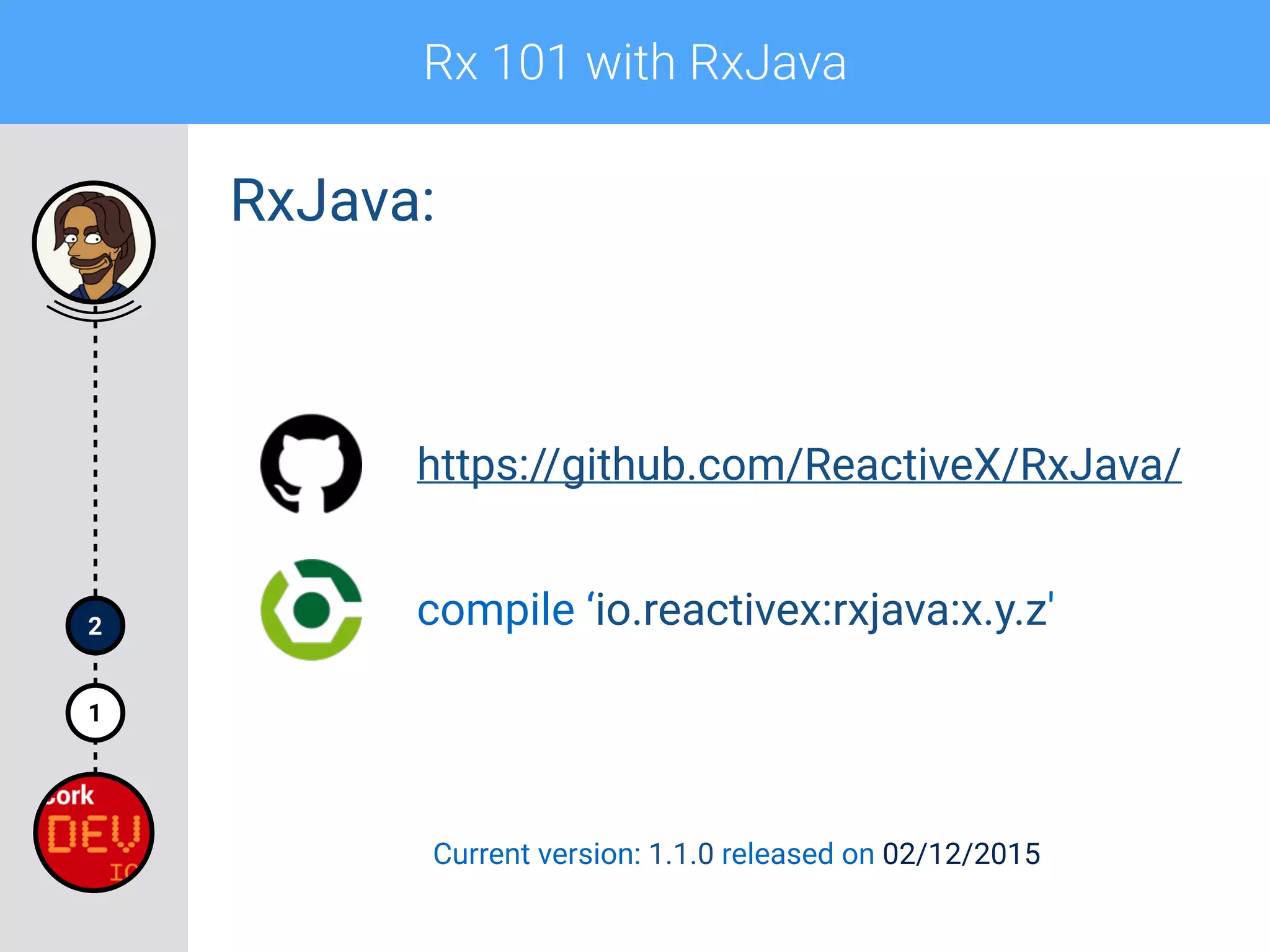
compile ‘io.reactivex:rxjava:x.y.z'
https://github.com/ReactiveX/RxJava/
Current version: 1.1.0 released on 02/12/2015
Rx 101 with RxJava
1
2
• Observable
• Observer
• Subscription
• Marble diagrams
• Operators
• Schedulers*
Rx 101 topics:
Rx 101 with RxJava
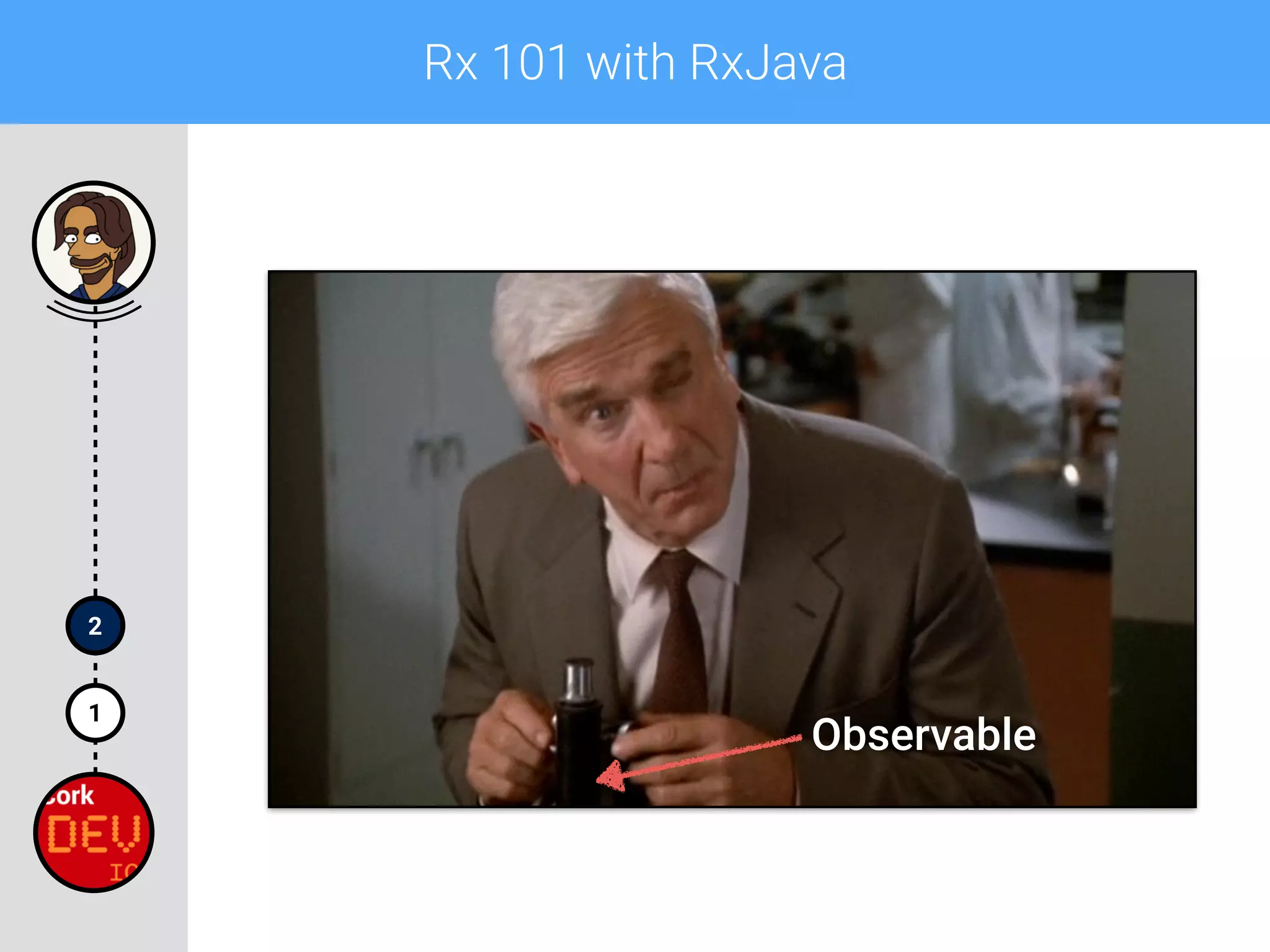
Observable
1
2
Rx 101 with RxJava
1
2
• Emits zero or more items (values)
• Notifies the Observer using onNext(T data)
method when the item is ready to be pushed
• Calls Observer’s onCompleted() method when the
sequence is finished
• Calls Observer’s onError(Throwable t) method
when a serious error happened
• It’s either onCompleted() or onError(Throwable t)
Observable:
Rx 101 with RxJava
1
2
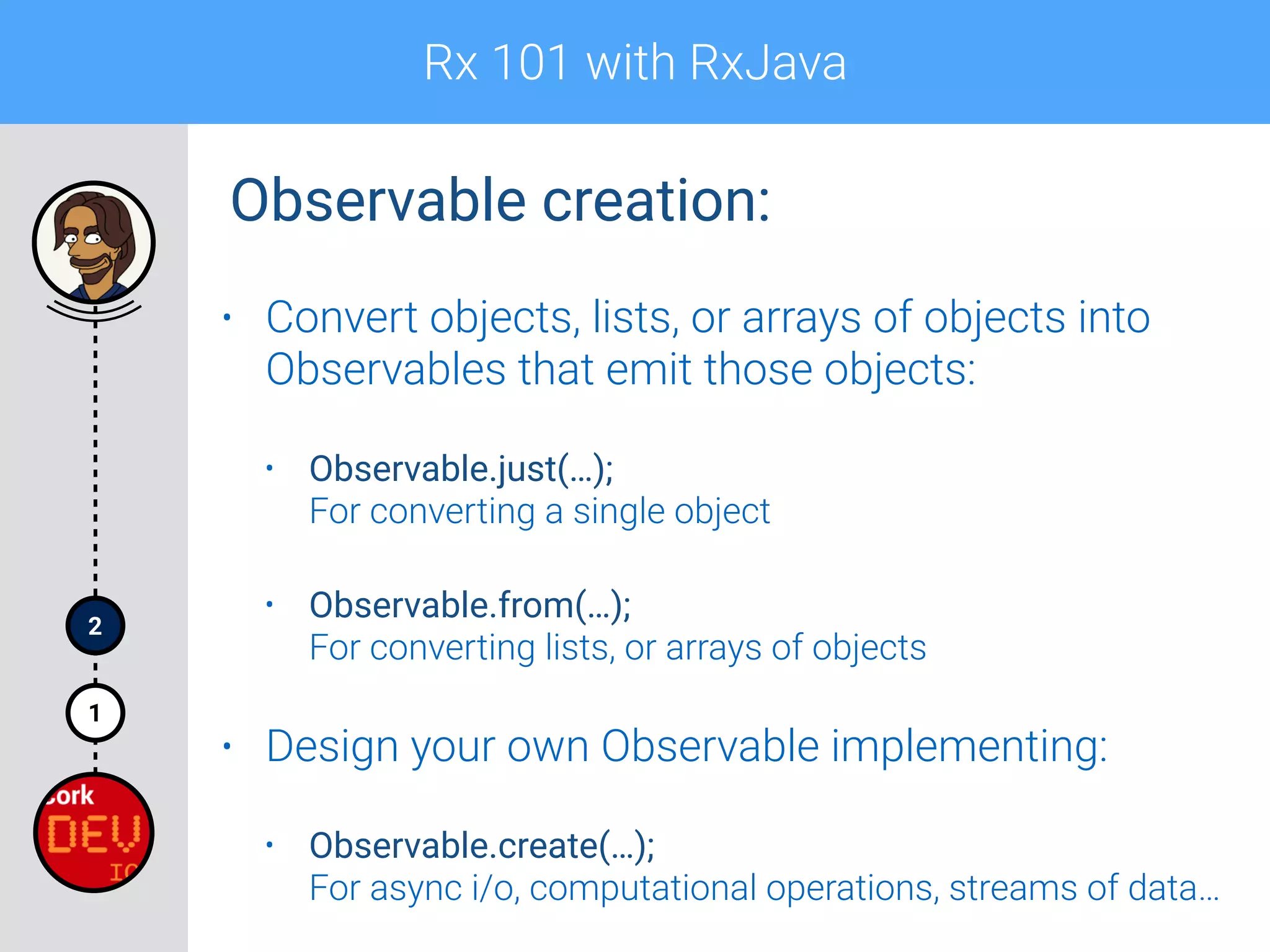
Observable creation:
• Convert objects, lists, or arrays of objects into
Observables that emit those objects:
• Observable.just(…);

For converting a single object
• Observable.from(…);

For converting lists, or arrays of objects
• Design your own Observable implementing:
• Observable.create(…);

For async i/o, computational operations, streams of data…
Rx 101 with RxJava
1
2
Observable creation:
• There are many more practical ways of creating
Observables:


https://github.com/ReactiveX/RxJava/wiki/Creating-Observables
Rx 101 with RxJava
1
2
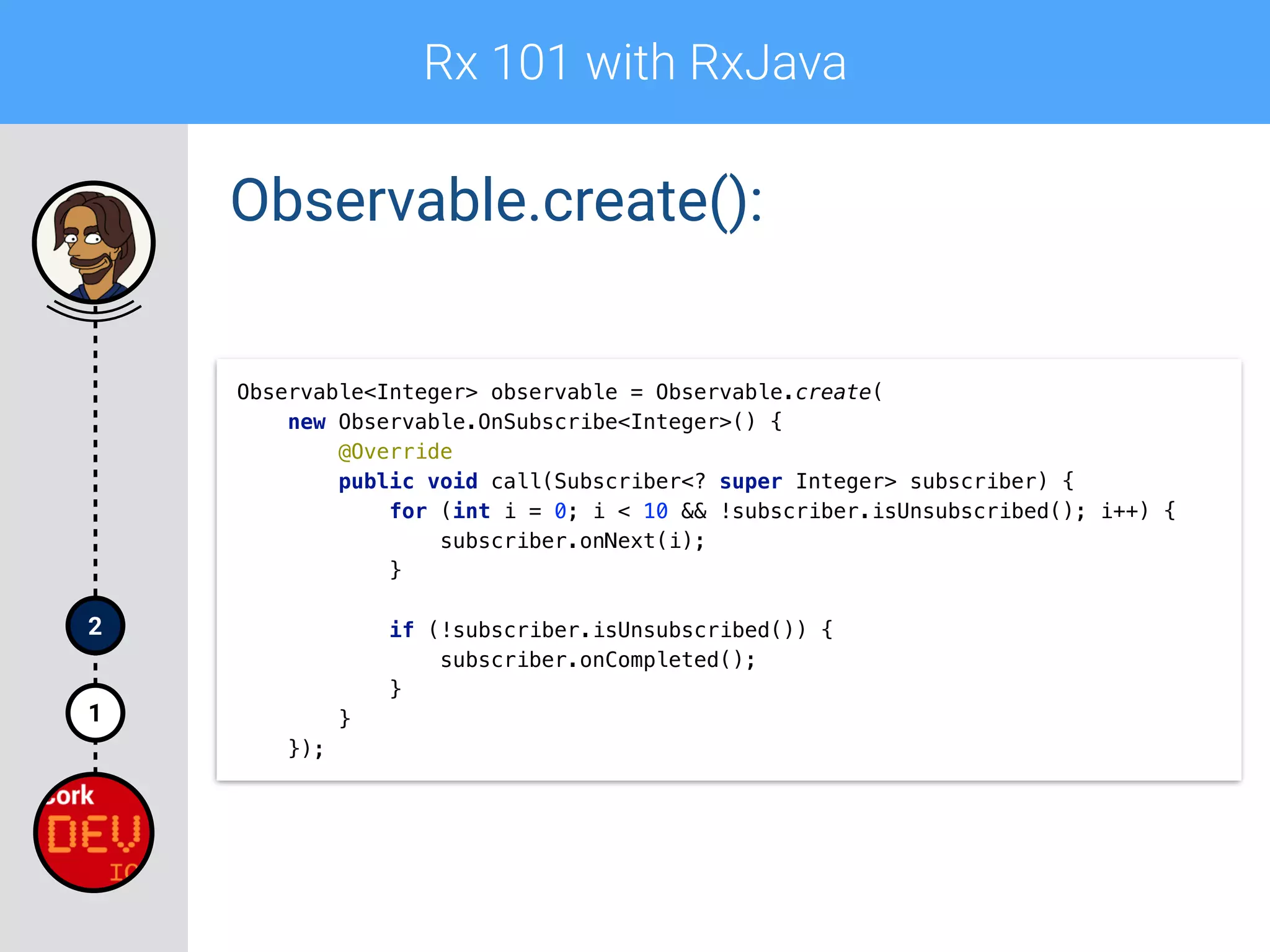
Observable.create():
Observable<Integer> observable = Observable.create(
new Observable.OnSubscribe<Integer>() {

@Override

public void call(Subscriber<? super Integer> subscriber) {

for (int i = 0; i < 10 && !subscriber.isUnsubscribed(); i++) {

subscriber.onNext(i);

}


if (!subscriber.isUnsubscribed()) {

subscriber.onCompleted();

}

}

});
Rx 101 with RxJava
1
2
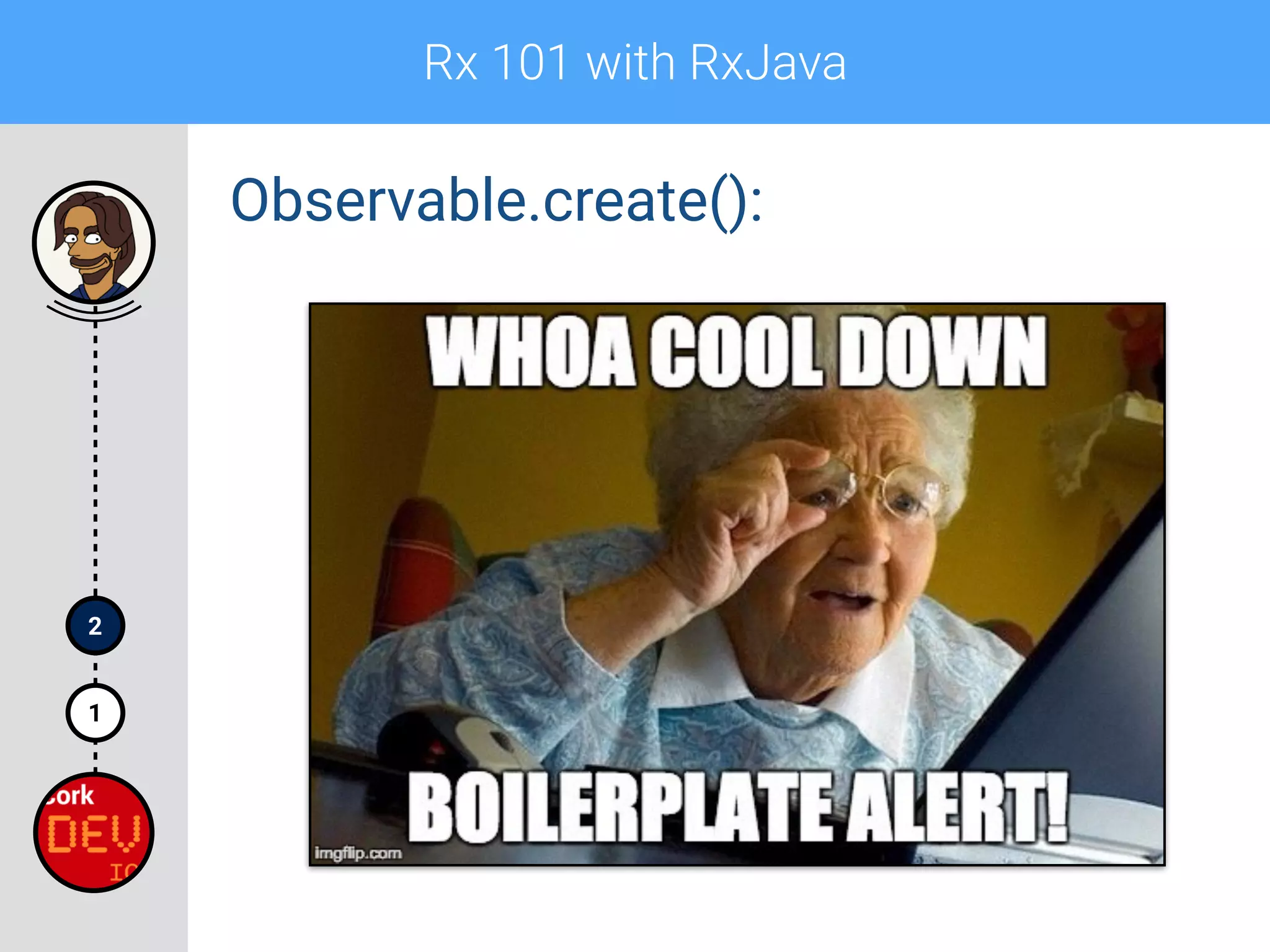
Observable.create():
Rx 101 with RxJava
1
2
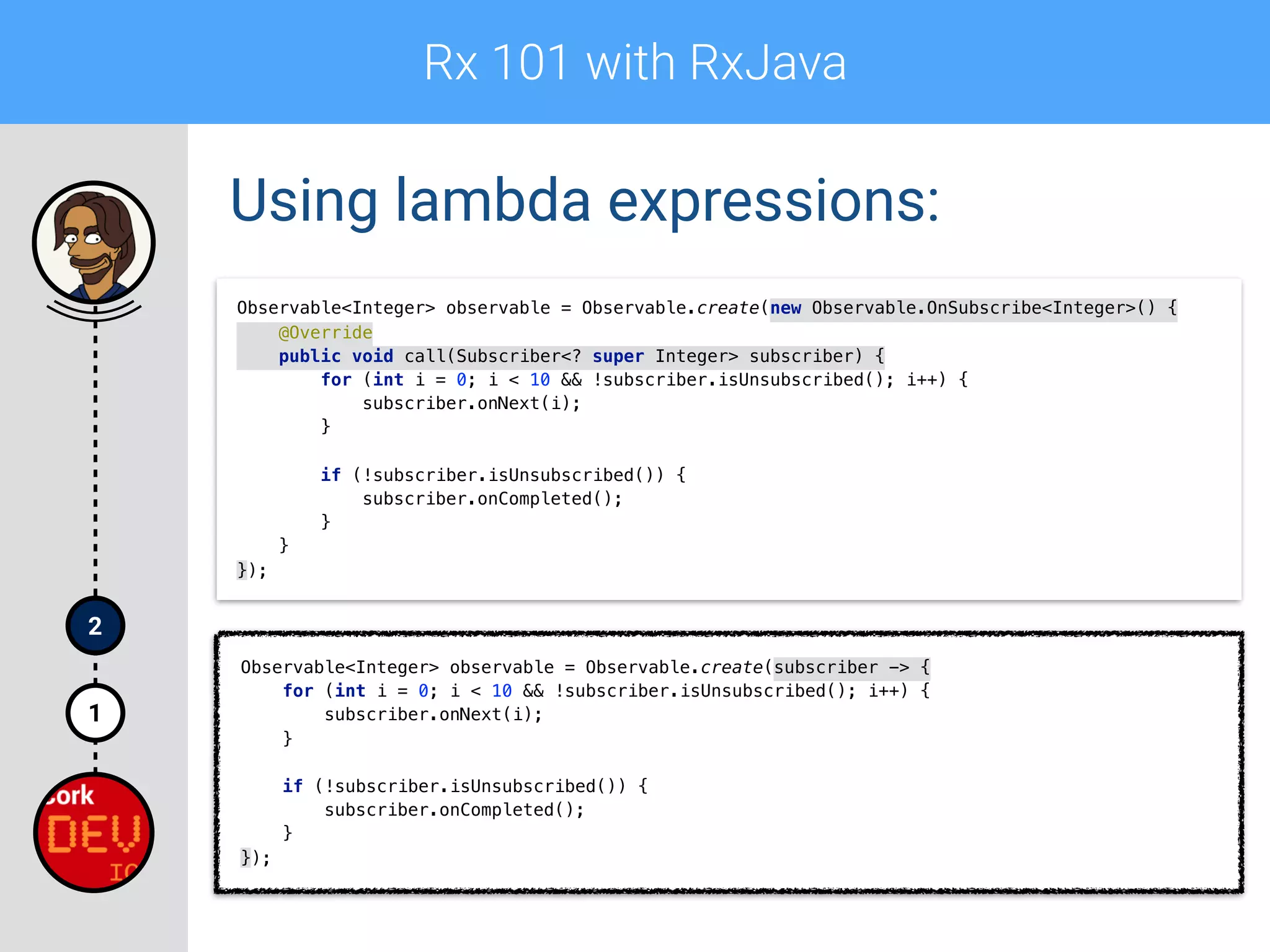
Using lambda expressions:
Observable<Integer> observable = Observable.create(new Observable.OnSubscribe<Integer>() {

@Override

public void call(Subscriber<? super Integer> subscriber) {

for (int i = 0; i < 10 && !subscriber.isUnsubscribed(); i++) {

subscriber.onNext(i);

}


if (!subscriber.isUnsubscribed()) {

subscriber.onCompleted();

}

}

});
Observable<Integer> observable = Observable.create(subscriber -> {

for (int i = 0; i < 10 && !subscriber.isUnsubscribed(); i++) {

subscriber.onNext(i);

}


if (!subscriber.isUnsubscribed()) {

subscriber.onCompleted();

}

});
Rx 101 with RxJava
1
2
Using lambda expressions:
Observable<Integer> observable = Observable.create(new Observable.OnSubscribe<Integer>() {

@Override

public void call(Subscriber<? super Integer> subscriber) {

for (int i = 0; i < 10 && !subscriber.isUnsubscribed(); i++) {

subscriber.onNext(i);

}


if (!subscriber.isUnsubscribed()) {

subscriber.onCompleted();

}

}

});
Observable<Integer> observable = Observable.create(subscriber -> {

for (int i = 0; i < 10 && !subscriber.isUnsubscribed(); i++) {

subscriber.onNext(i);

}


if (!subscriber.isUnsubscribed()) {

subscriber.onCompleted();

}

});
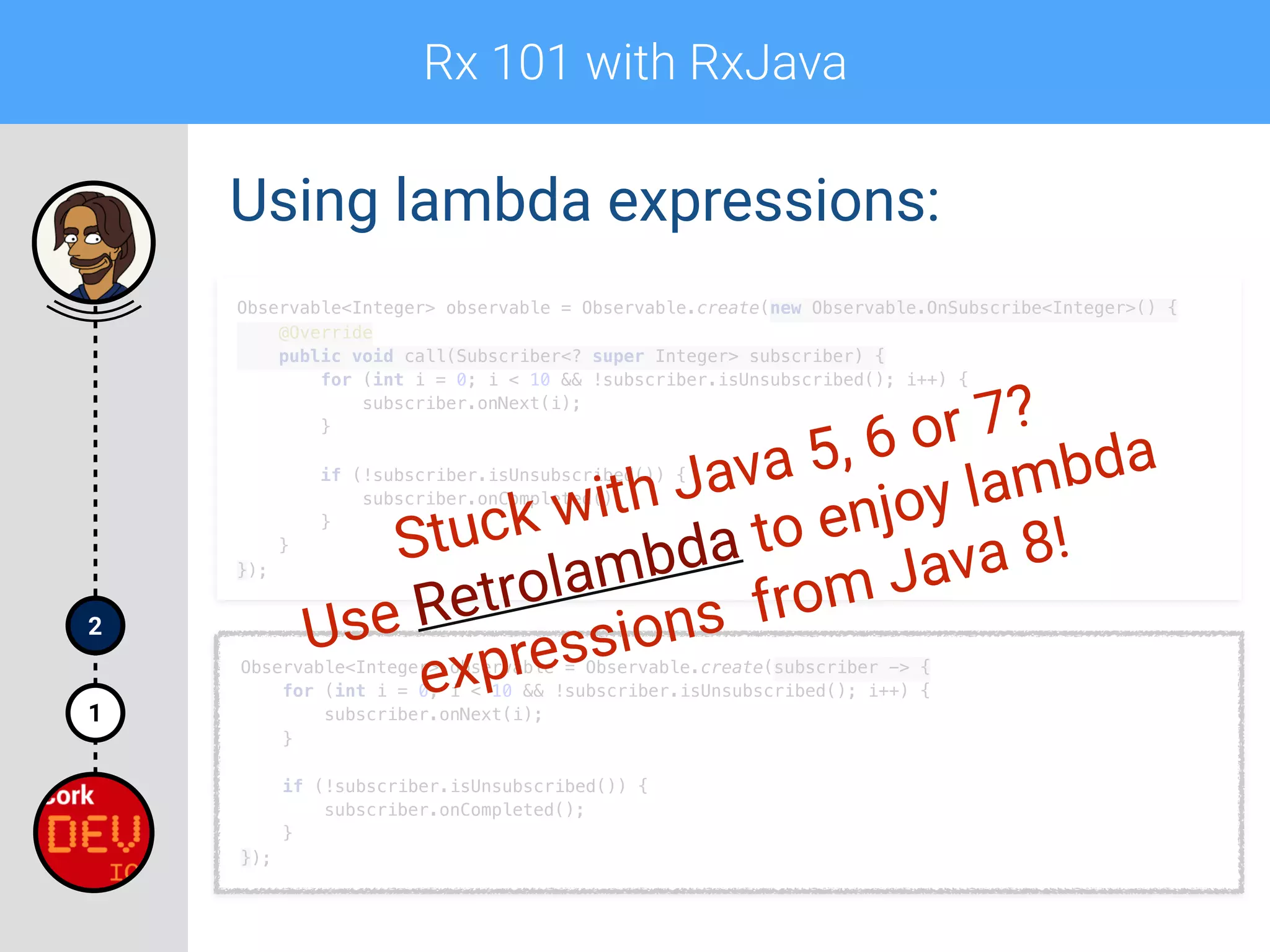
Stuck with Java 5, 6 or 7?
Use Retrolambda to enjoy lambda
expressions from Java 8!
Rx 101 with RxJava
1
2
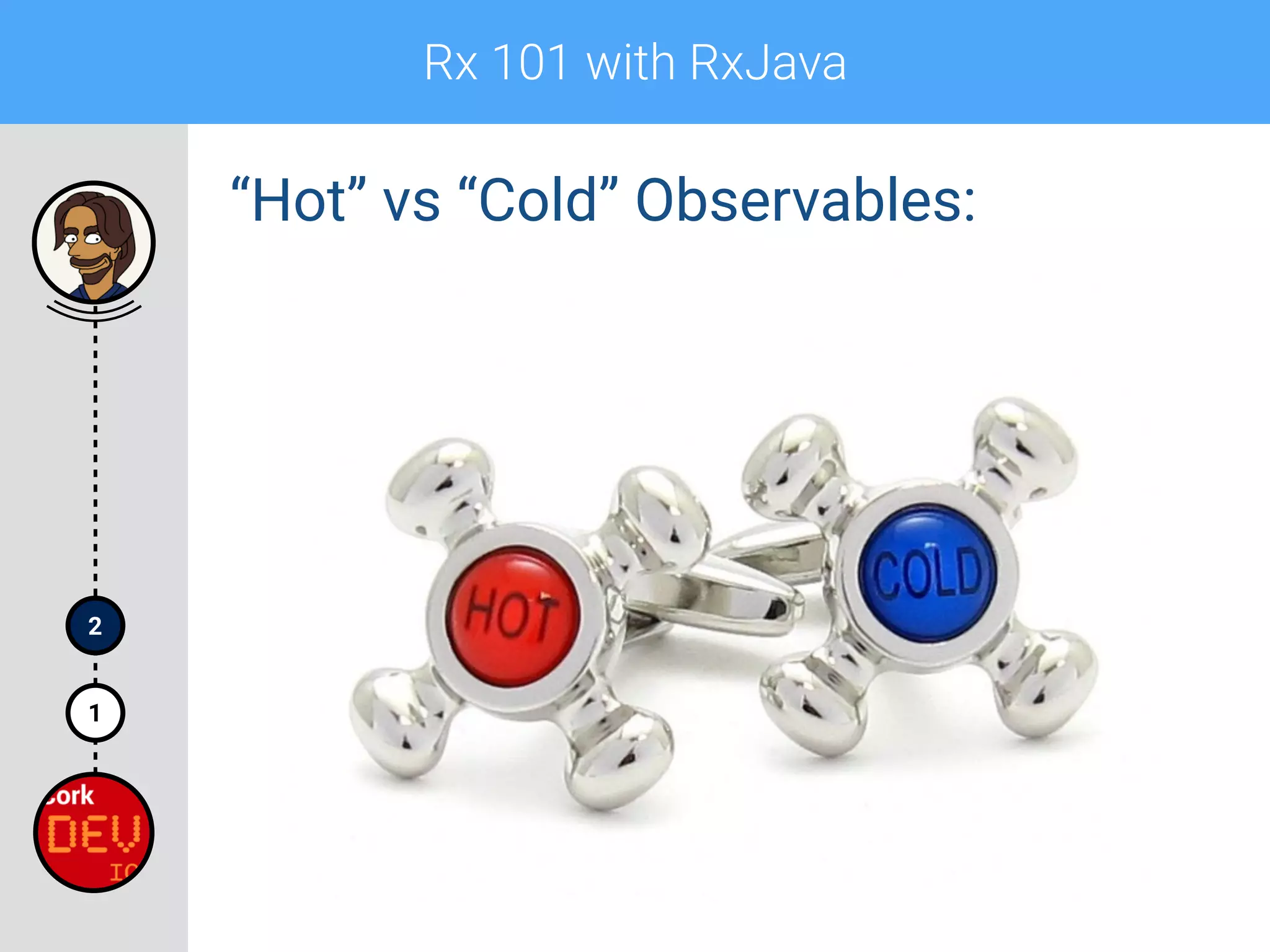
“Hot” vs “Cold” Observables:
Rx 101 with RxJava
1
2
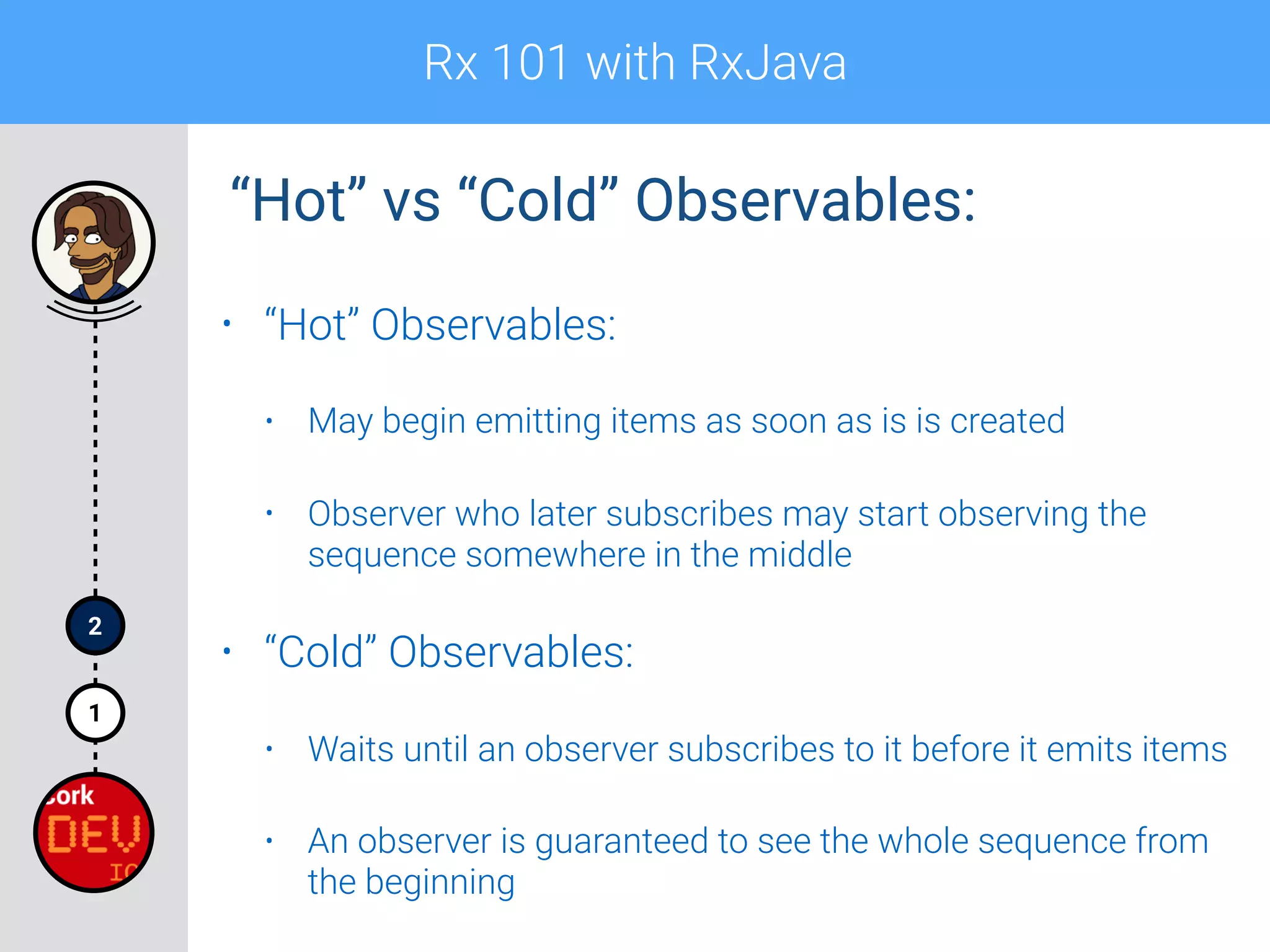
• “Hot” Observables:
• May begin emitting items as soon as is is created
• Observer who later subscribes may start observing the
sequence somewhere in the middle
• “Cold” Observables:
• Waits until an observer subscribes to it before it emits items
• An observer is guaranteed to see the whole sequence from
the beginning
“Hot” vs “Cold” Observables:
Rx 101 with RxJava
1
2
• “Hot” Examples:
• Stream of mouse click events
• Tweets
• “Cold” Examples:
• Network request
• A/V Stream
“Hot” vs “Cold” Observables:
Rx 101 with RxJava
Observer
1
2
Rx 101 with RxJava
1
2
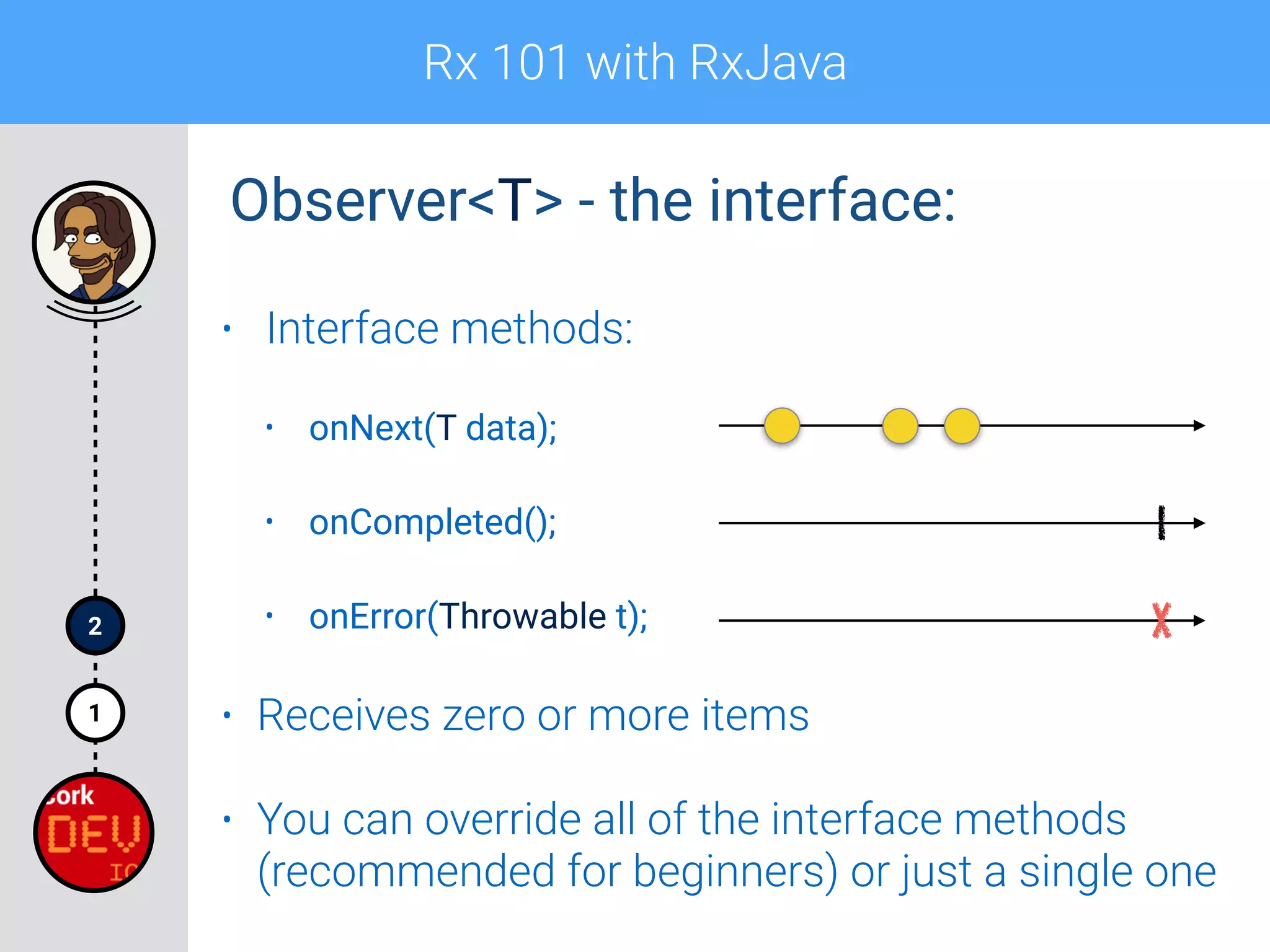
• Interface methods:
• onNext(T data);
• onCompleted();
• onError(Throwable t);
• Receives zero or more items
• You can override all of the interface methods
(recommended for beginners) or just a single one
Observer<T> - the interface:
Rx 101 with RxJava
1
2
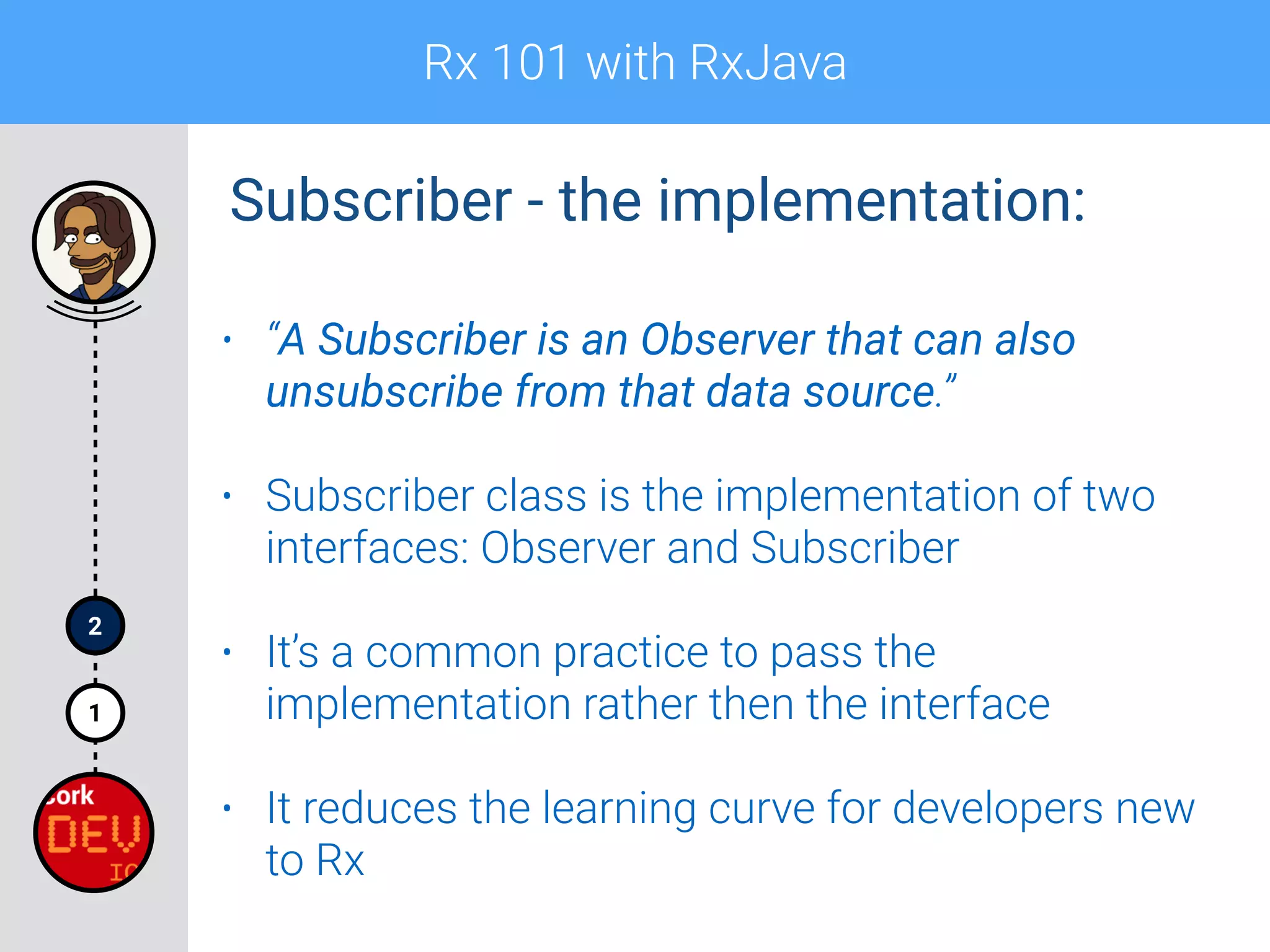
• “A Subscriber is an Observer that can also
unsubscribe from that data source.”
• Subscriber class is the implementation of two
interfaces: Observer and Subscriber
• It’s a common practice to pass the
implementation rather then the interface
• It reduces the learning curve for developers new
to Rx
Subscriber - the implementation:
Rx 101 with RxJava
1
2
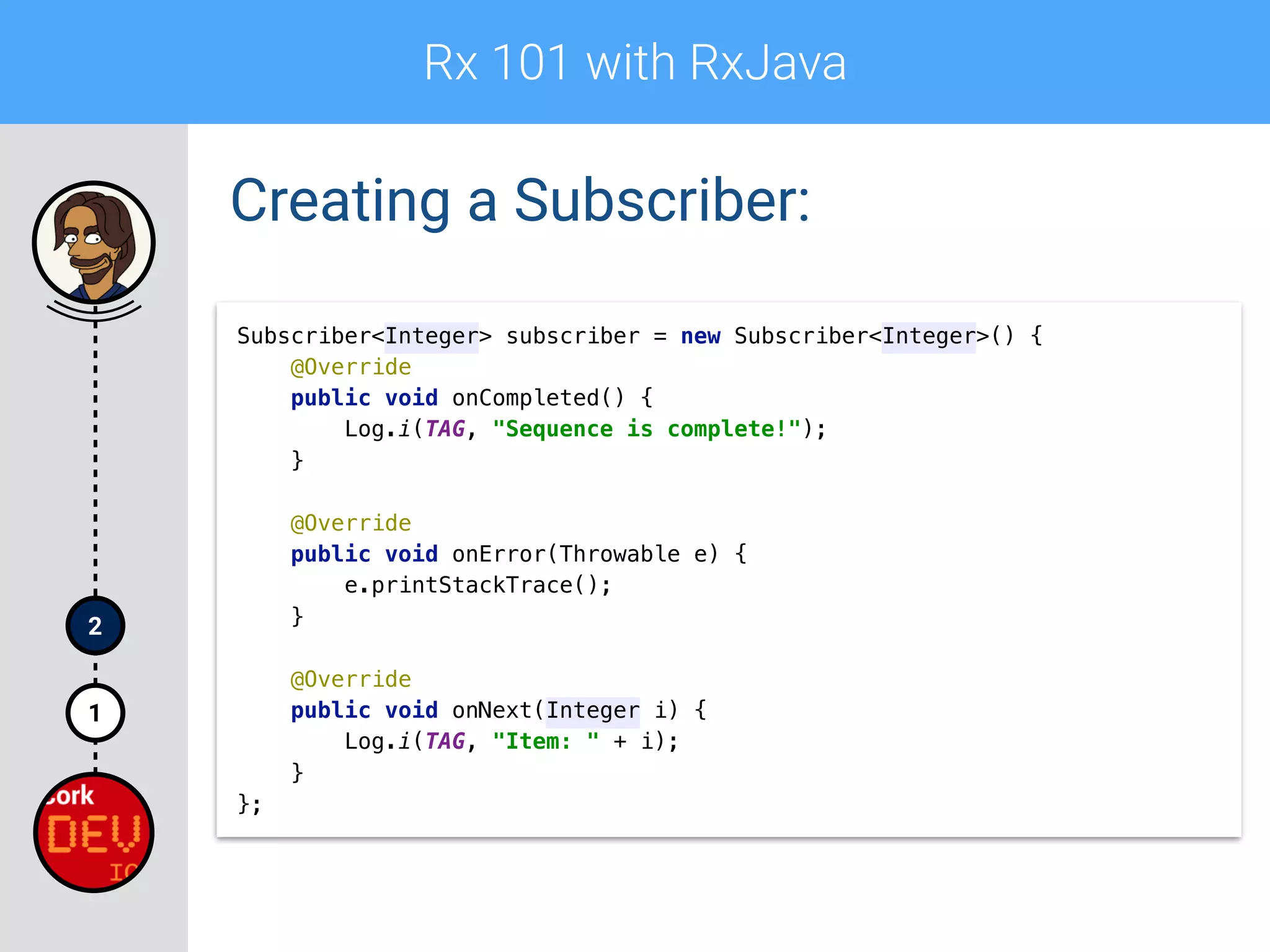
Creating a Subscriber:
Subscriber<Integer> subscriber = new Subscriber<Integer>() {

@Override

public void onCompleted() {

Log.i(TAG, "Sequence is complete!");

}


@Override

public void onError(Throwable e) {

e.printStackTrace();

}


@Override

public void onNext(Integer i) {

Log.i(TAG, "Item: " + i);

}

};
Rx 101 with RxJava
1
2
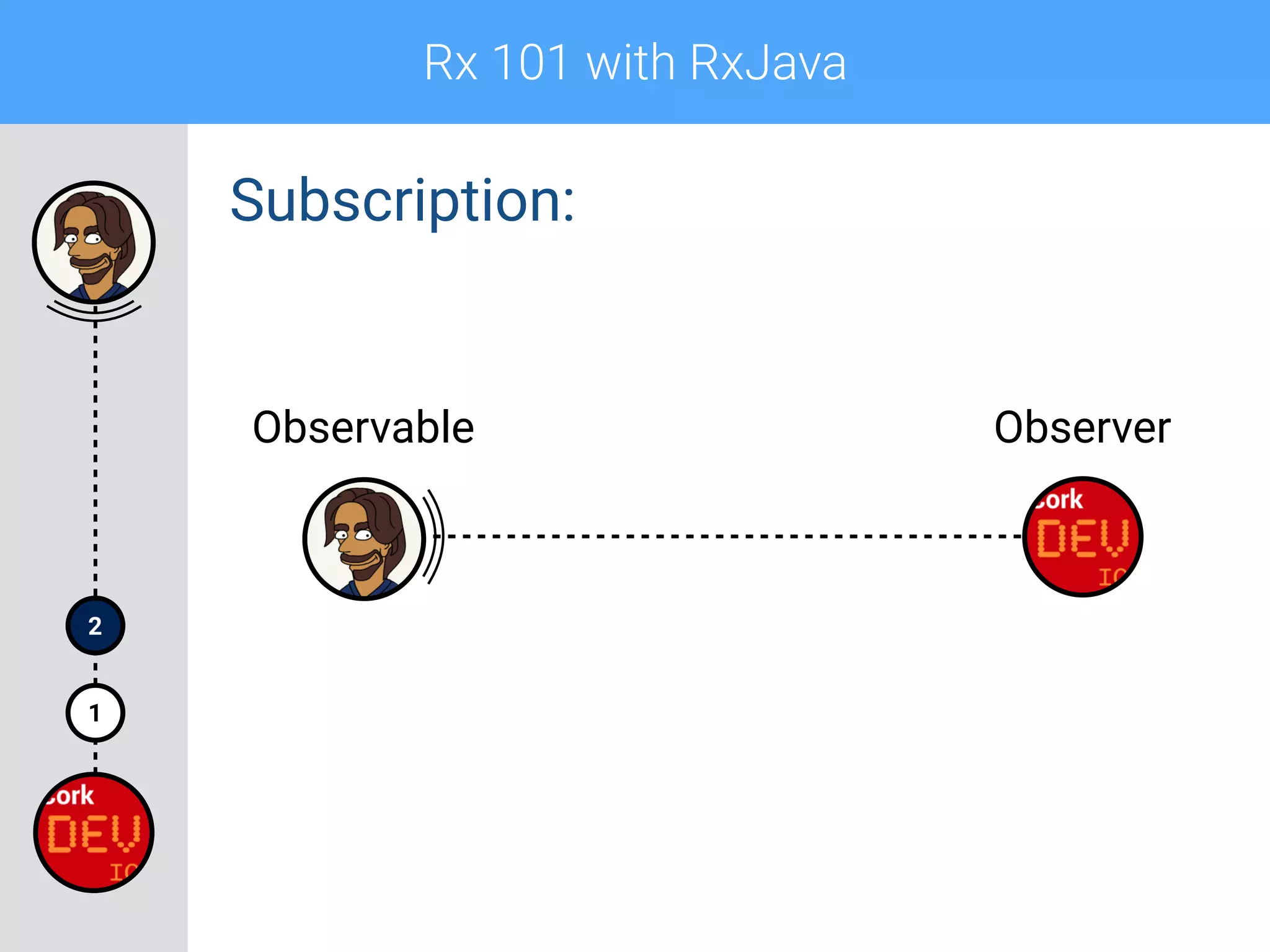
Subscription:
Observable Observer
Rx 101 with RxJava
1
2
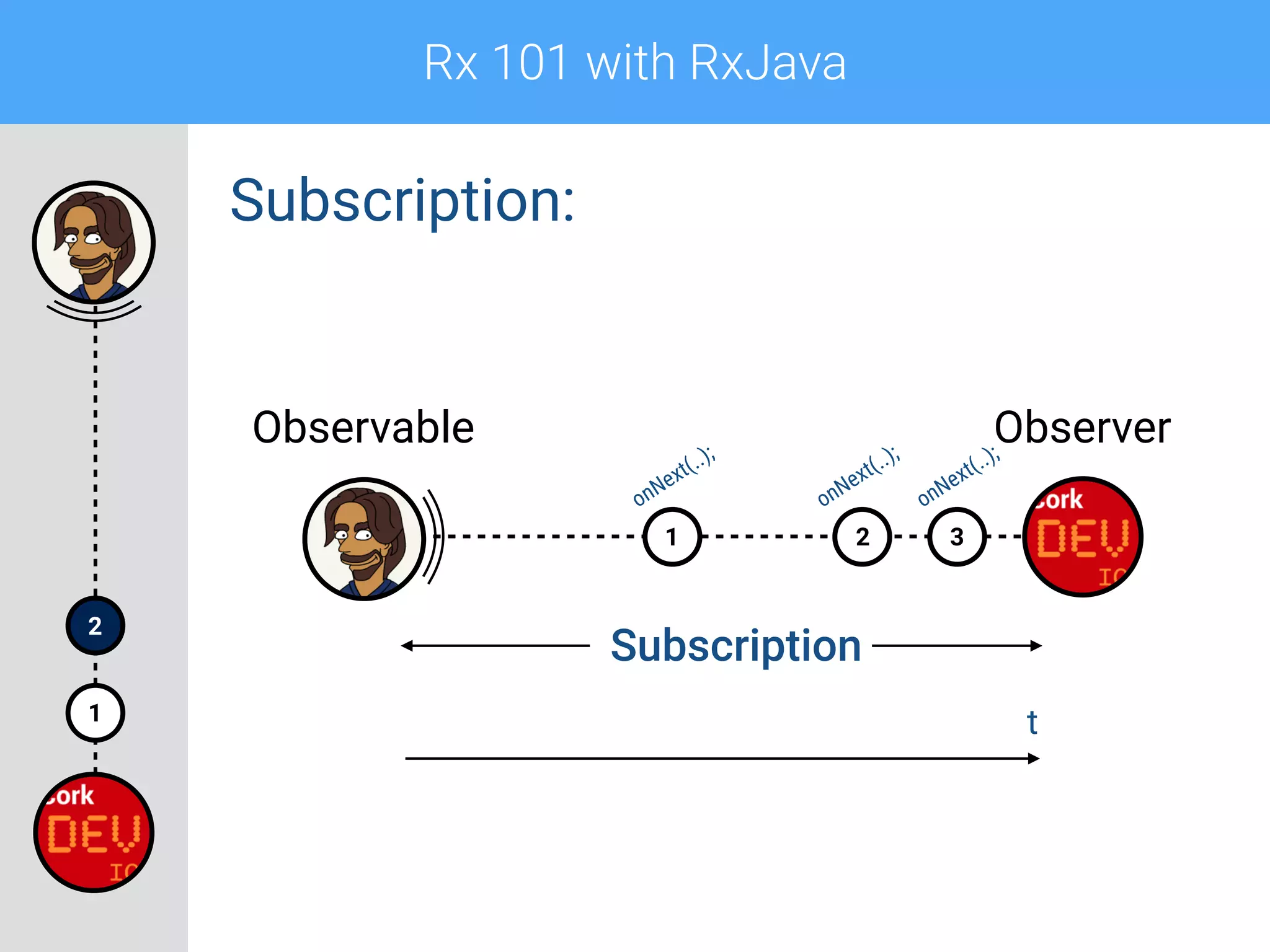
Subscription:
321
Observable Observer
Subscription
onNext(..);
onNext(..);
onNext(..);
t
Rx 101 with RxJava
1
2
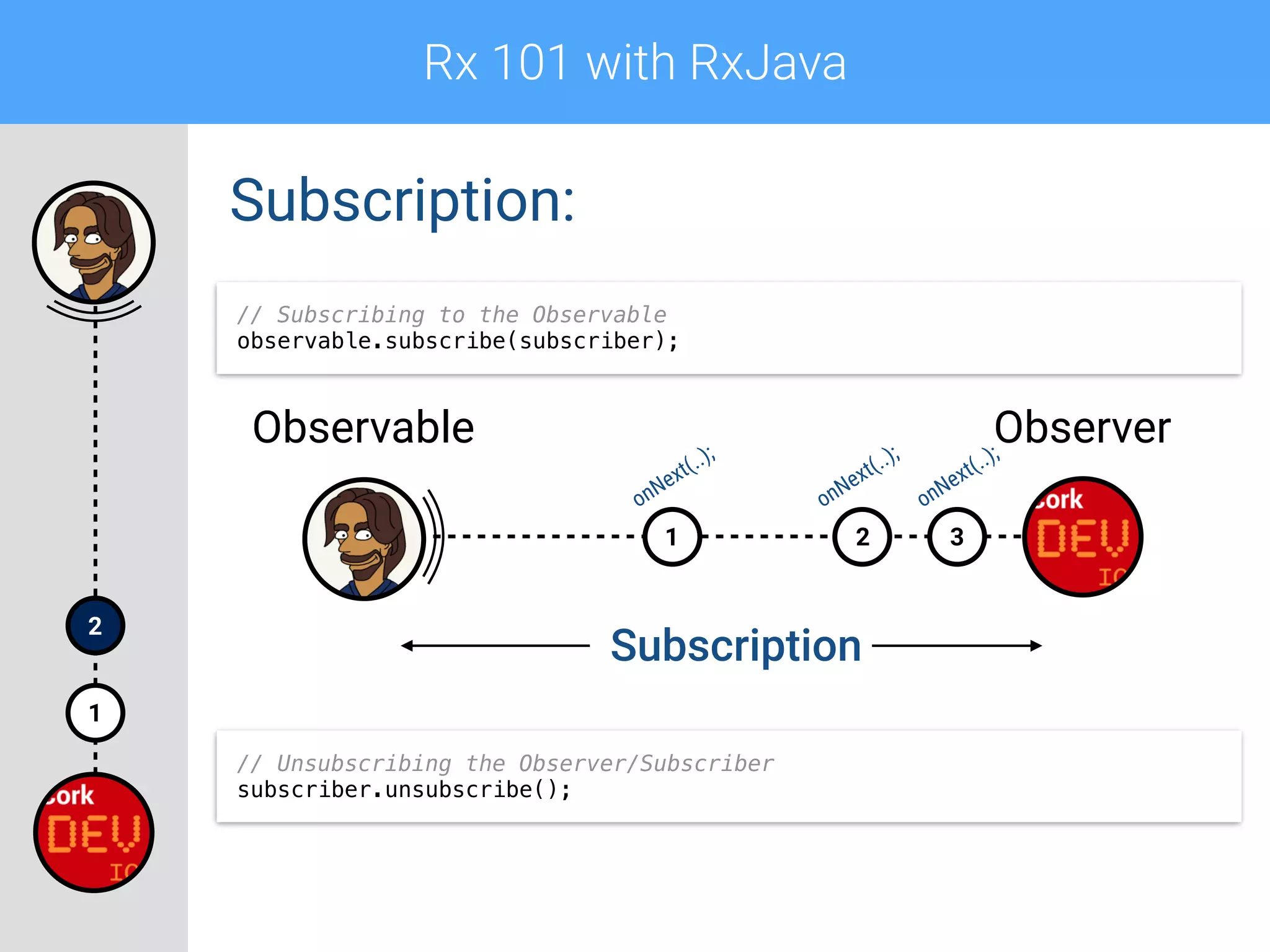
Subscription:
321
Observable Observer
Subscription
onNext(..);
onNext(..);
onNext(..);
// Unsubscribing the Observer/Subscriber
subscriber.unsubscribe();
// Subscribing to the Observable
observable.subscribe(subscriber);
Rx 101 with RxJava
1
2
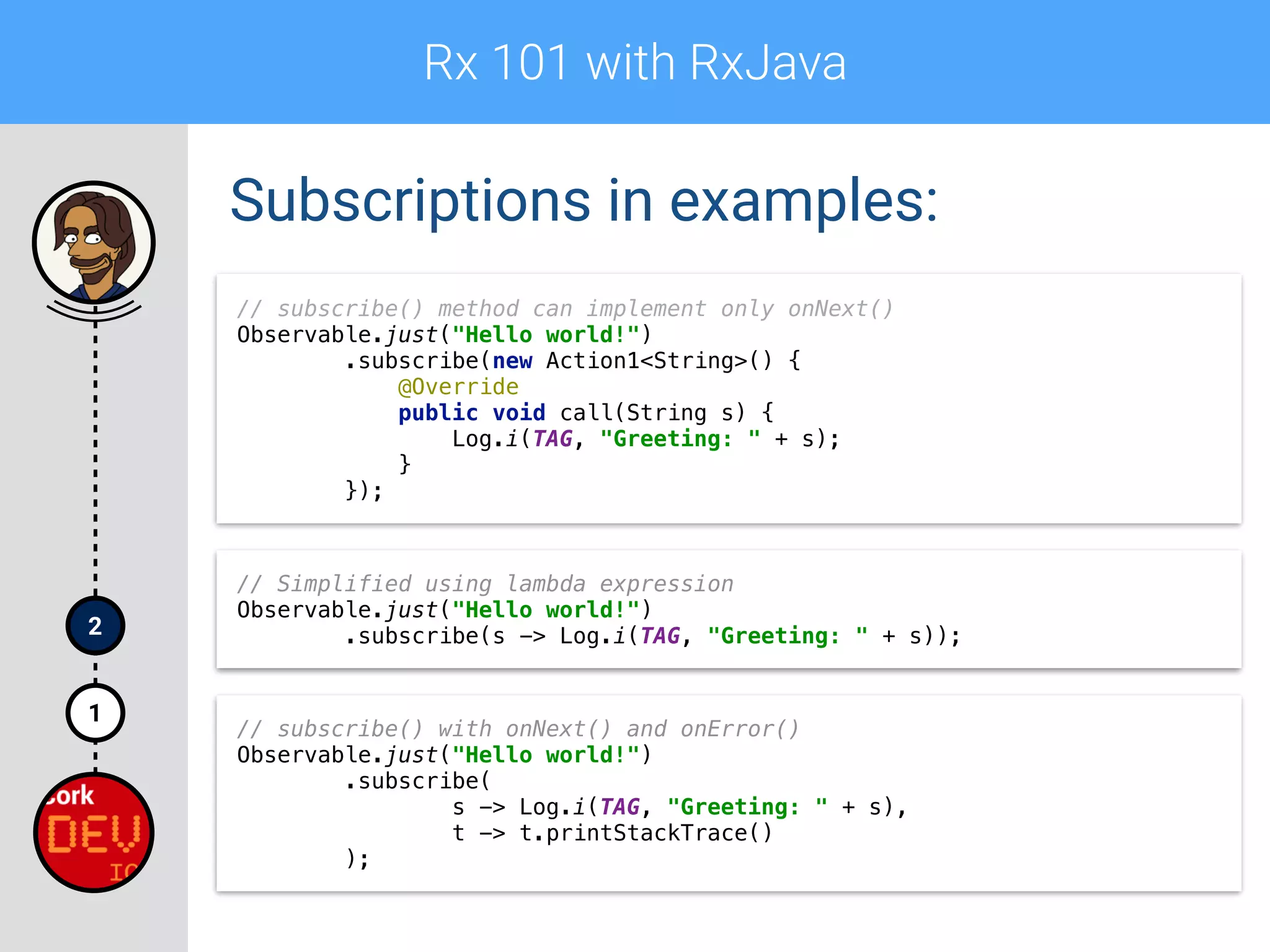
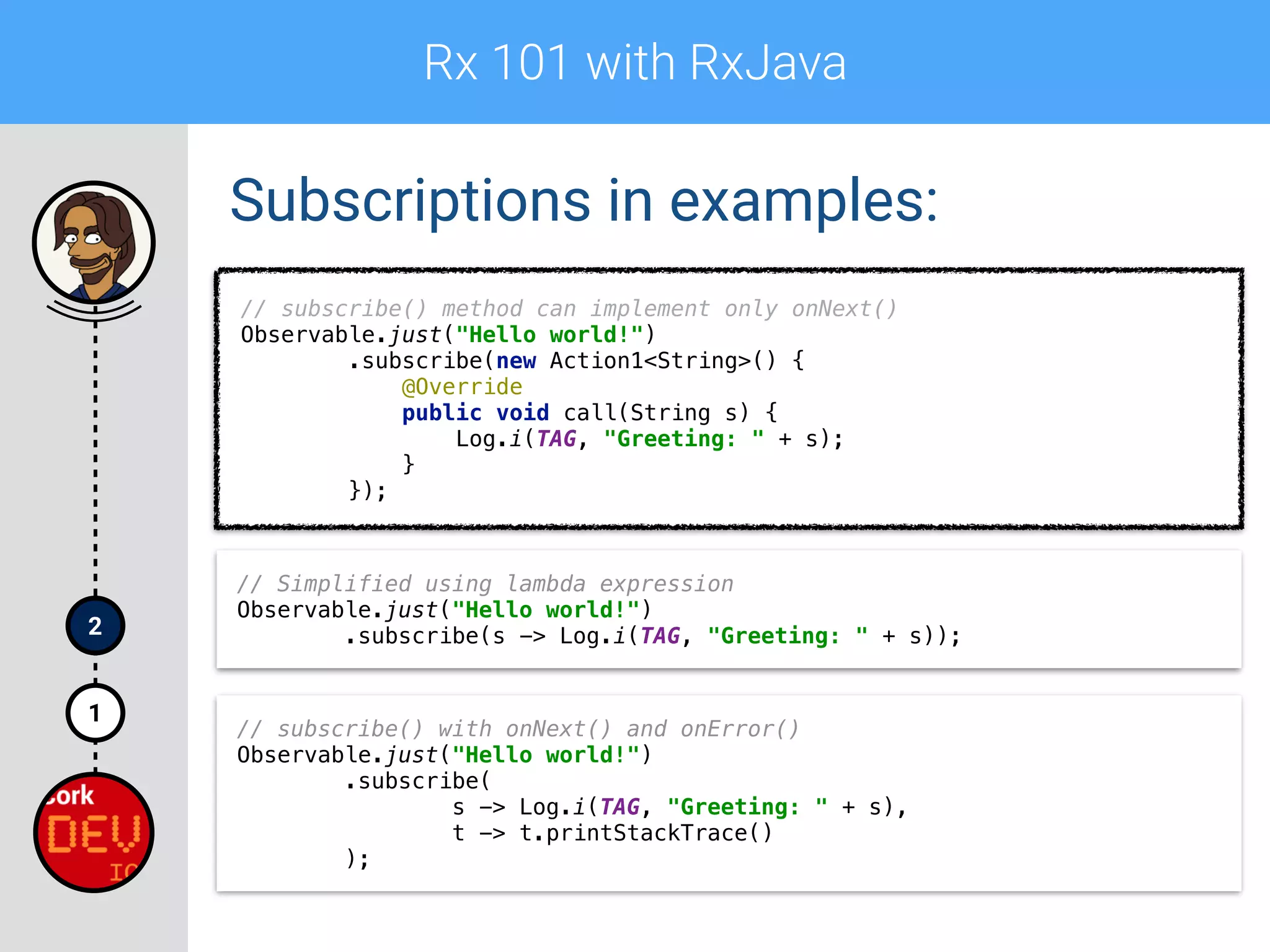
Subscriptions in examples:
// subscribe() method can implement only onNext()

Observable.just("Hello world!")

.subscribe(new Action1<String>() {

@Override

public void call(String s) {

Log.i(TAG, "Greeting: " + s);

}

});
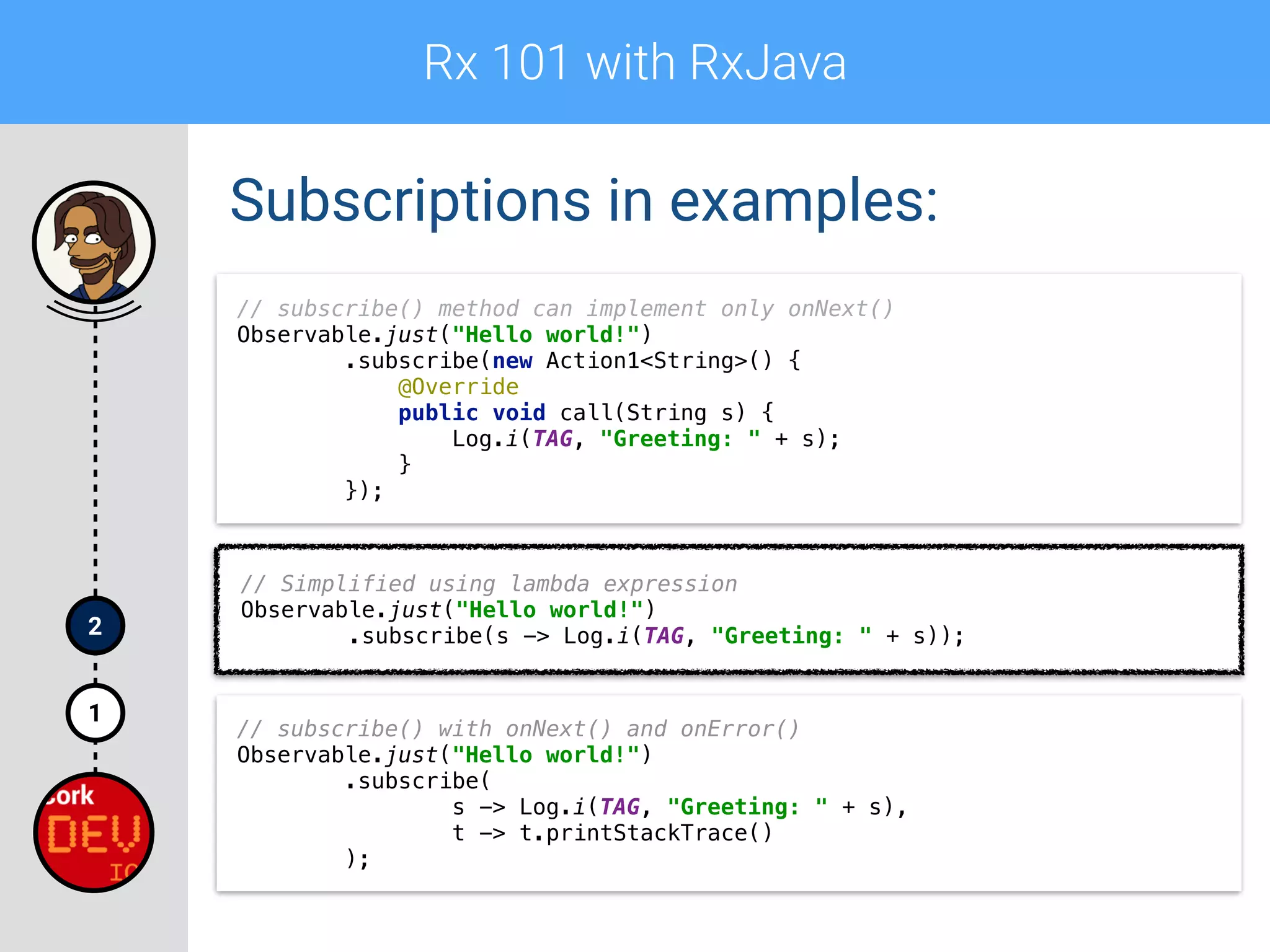
// Simplified using lambda expression

Observable.just("Hello world!")

.subscribe(s -> Log.i(TAG, "Greeting: " + s));
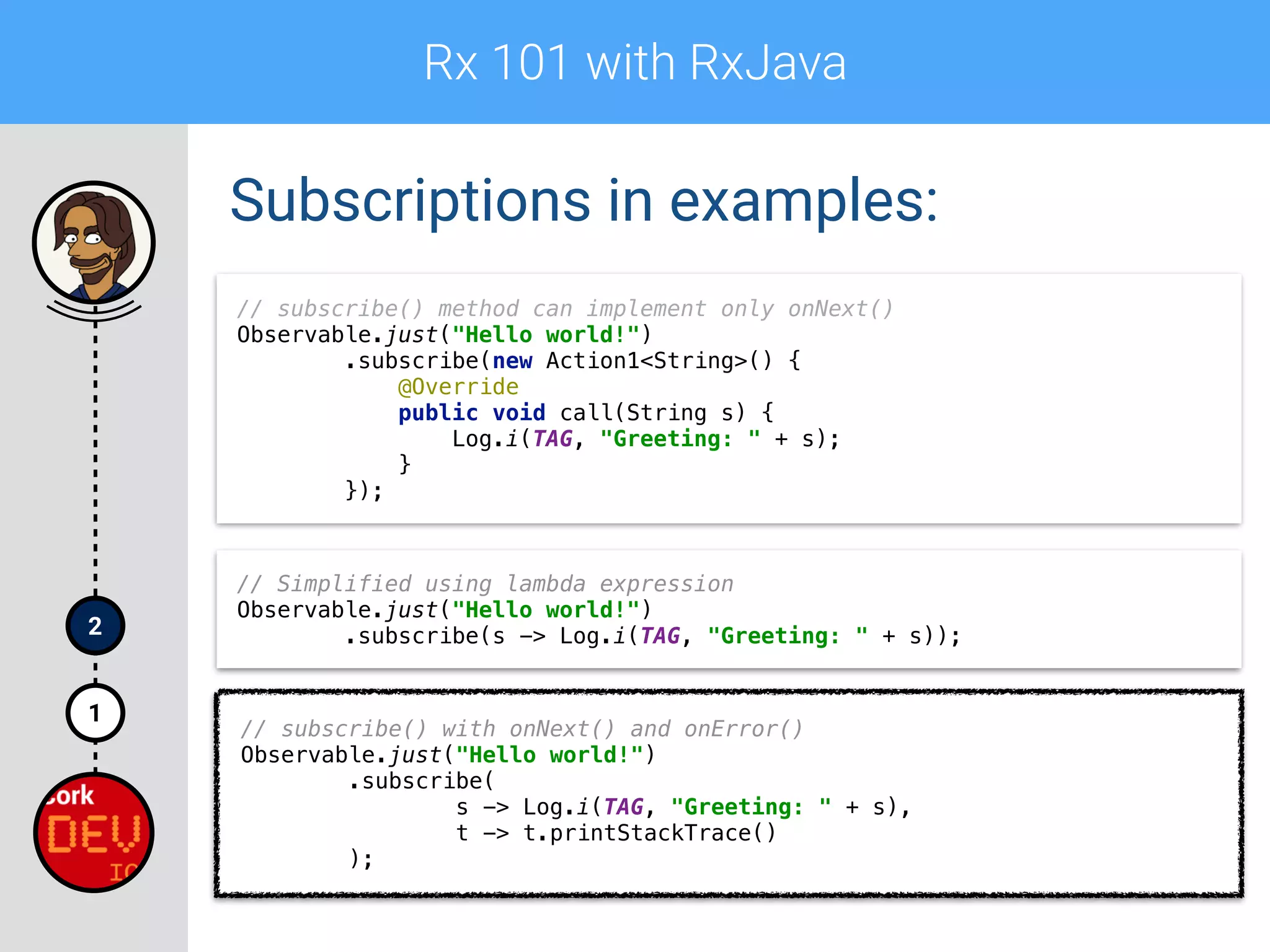
// subscribe() with onNext() and onError()
Observable.just("Hello world!")

.subscribe(

s -> Log.i(TAG, "Greeting: " + s),

t -> t.printStackTrace()

);
Rx 101 with RxJava
1
2
Subscriptions in examples:
// subscribe() method can implement only onNext()

Observable.just("Hello world!")

.subscribe(new Action1<String>() {

@Override

public void call(String s) {

Log.i(TAG, "Greeting: " + s);

}

});
// Simplified using lambda expression

Observable.just("Hello world!")

.subscribe(s -> Log.i(TAG, "Greeting: " + s));
// subscribe() with onNext() and onError()
Observable.just("Hello world!")

.subscribe(

s -> Log.i(TAG, "Greeting: " + s),

t -> t.printStackTrace()

);
Rx 101 with RxJava
1
2
Subscriptions in examples:
// subscribe() method can implement only onNext()

Observable.just("Hello world!")

.subscribe(new Action1<String>() {

@Override

public void call(String s) {

Log.i(TAG, "Greeting: " + s);

}

});
// Simplified using lambda expression

Observable.just("Hello world!")

.subscribe(s -> Log.i(TAG, "Greeting: " + s));
// subscribe() with onNext() and onError()
Observable.just("Hello world!")

.subscribe(

s -> Log.i(TAG, "Greeting: " + s),

t -> t.printStackTrace()

);
Rx 101 with RxJava
1
2
Subscriptions in examples:
// subscribe() method can implement only onNext()

Observable.just("Hello world!")

.subscribe(new Action1<String>() {

@Override

public void call(String s) {

Log.i(TAG, "Greeting: " + s);

}

});
// Simplified using lambda expression

Observable.just("Hello world!")

.subscribe(s -> Log.i(TAG, "Greeting: " + s));
// subscribe() with onNext() and onError()
Observable.just("Hello world!")

.subscribe(

s -> Log.i(TAG, "Greeting: " + s),

t -> t.printStackTrace()

);
Rx 101 with RxJava
1
2
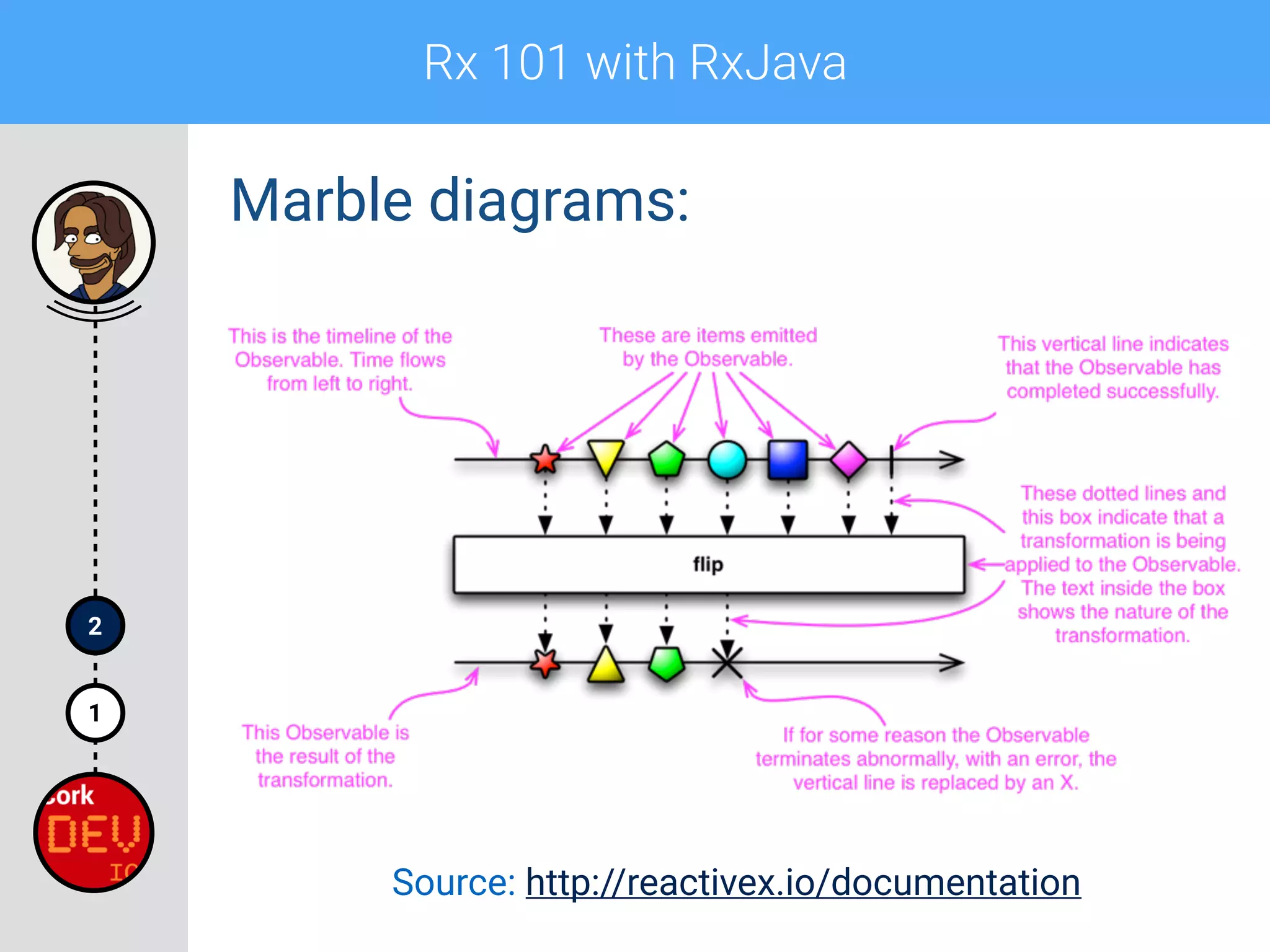
Marble diagrams:
Rx 101 with RxJava
1
2
Marble diagrams:
Source: http://reactivex.io/documentation
Rx 101 with RxJava
1
2
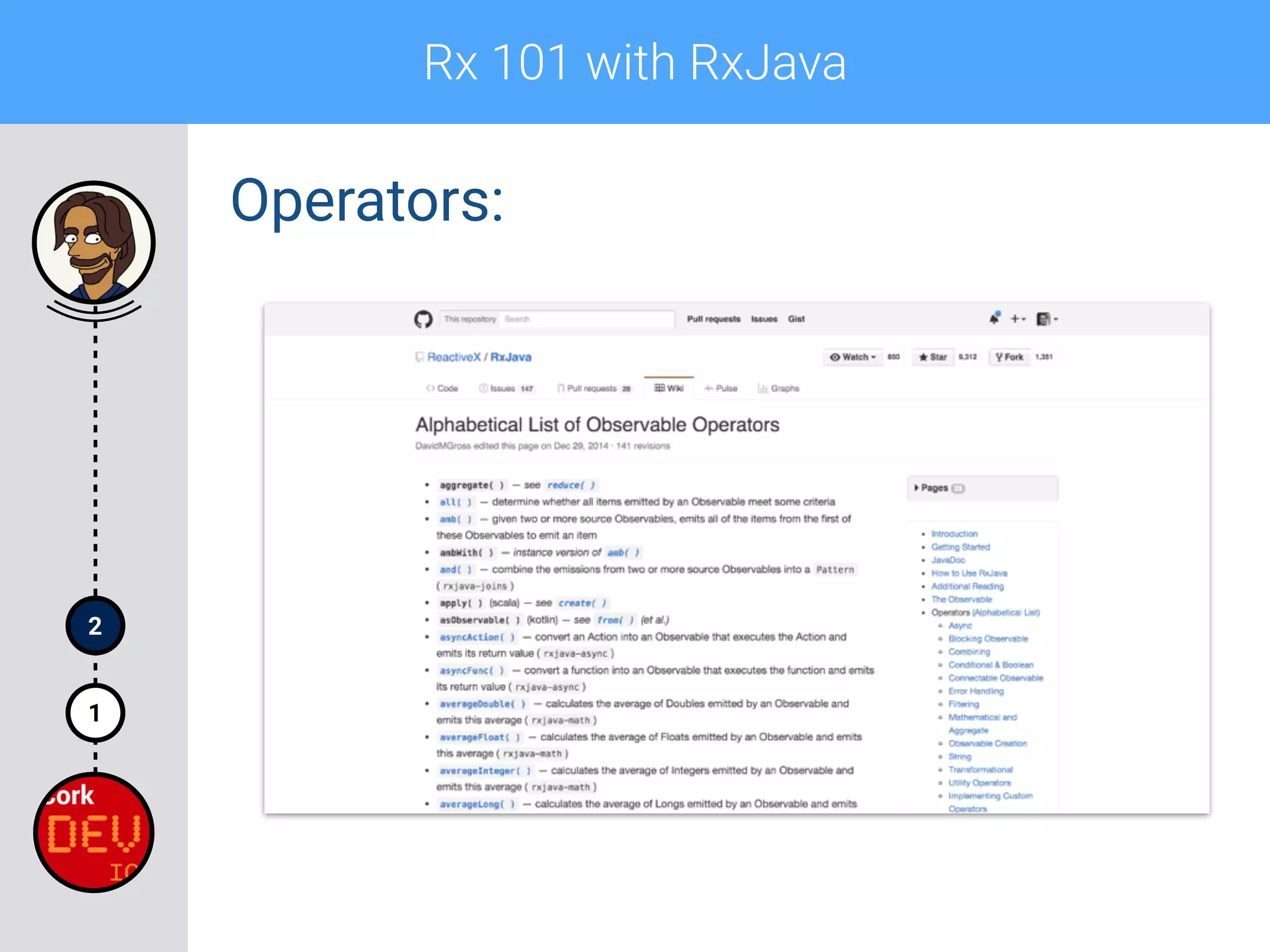
Operators:
Rx 101 with RxJava
1
2
Operators:
Rx 101 with RxJava
1
2
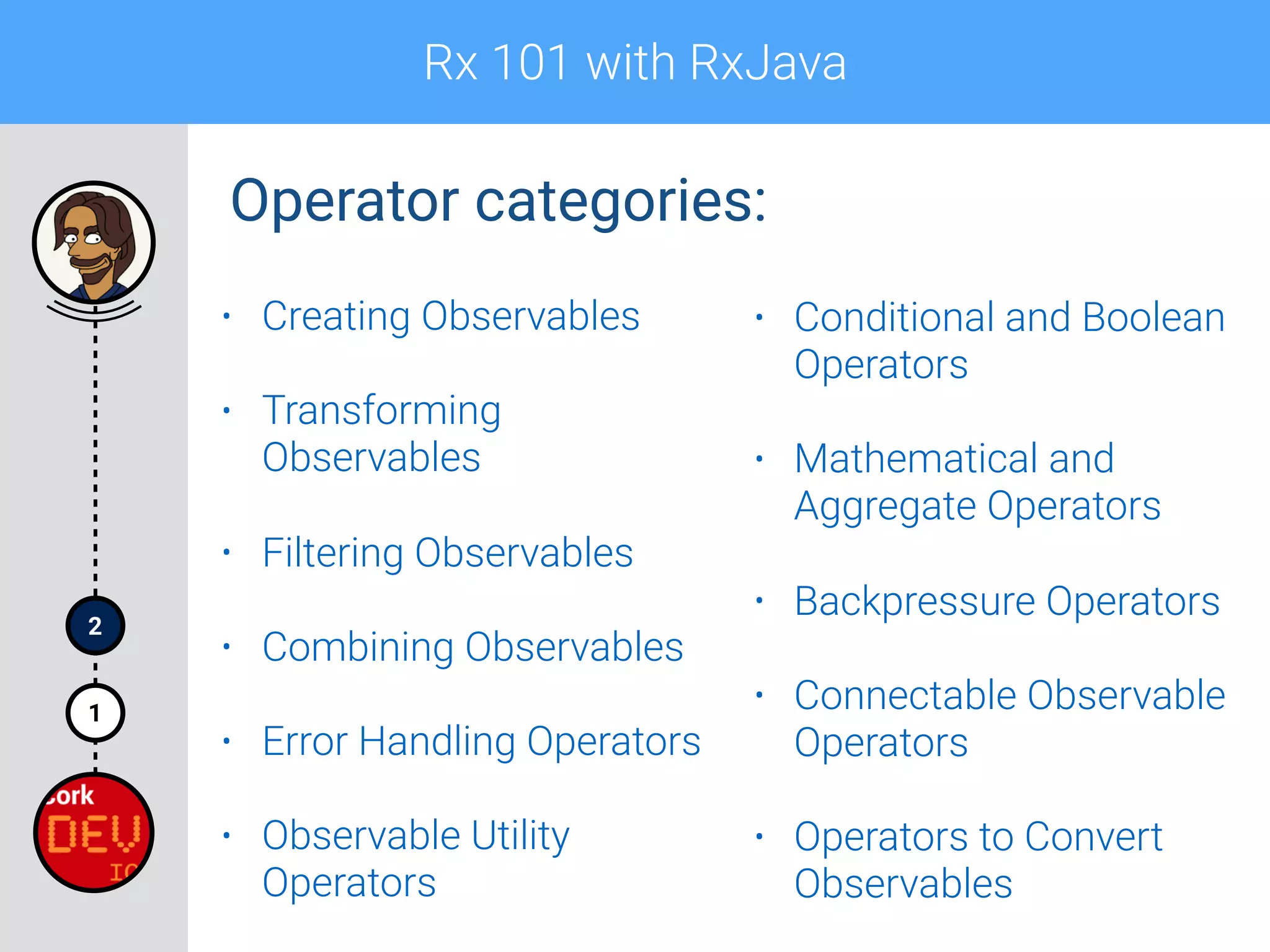
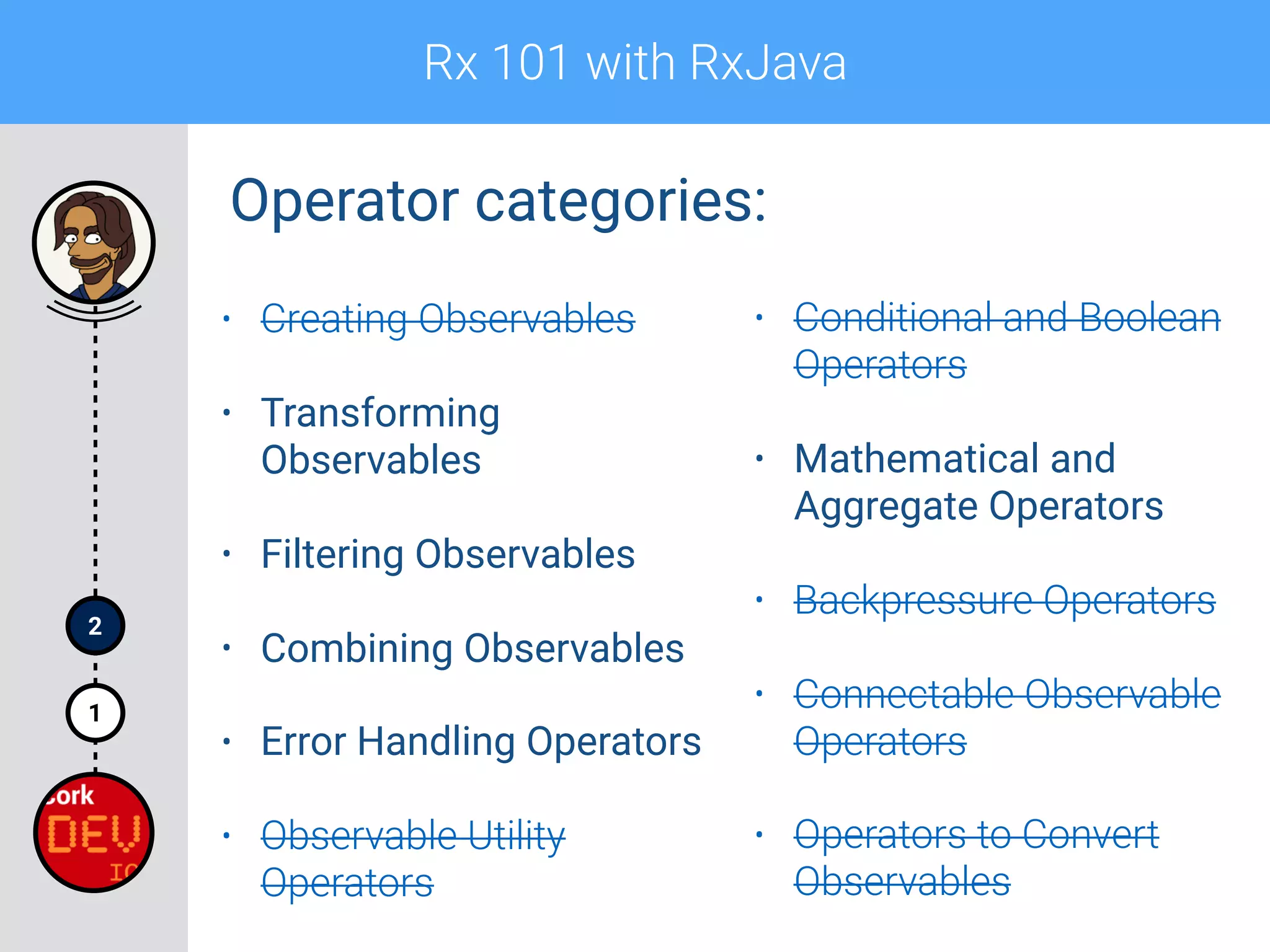
Operator categories:
• Creating Observables
• Transforming
Observables
• Filtering Observables
• Combining Observables
• Error Handling Operators
• Observable Utility
Operators
• Conditional and Boolean
Operators
• Mathematical and
Aggregate Operators
• Backpressure Operators
• Connectable Observable
Operators
• Operators to Convert
Observables
Rx 101 with RxJava
1
2
Operator categories:
• Creating Observables
• Transforming
Observables
• Filtering Observables
• Combining Observables
• Error Handling Operators
• Observable Utility
Operators
• Conditional and Boolean
Operators
• Mathematical and
Aggregate Operators
• Backpressure Operators
• Connectable Observable
Operators
• Operators to Convert
Observables
Rx 101 with RxJava
1
2
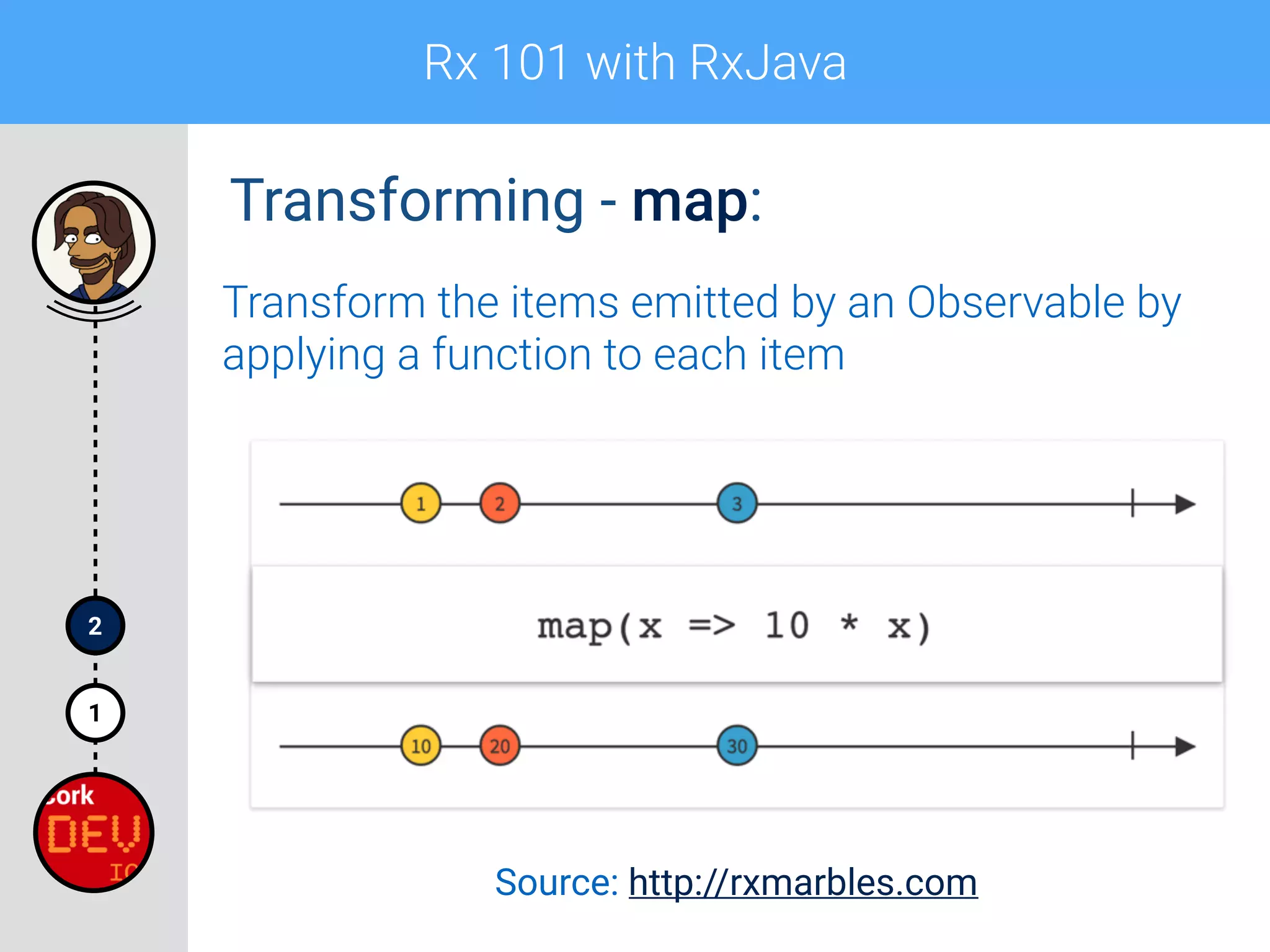
Transforming - map:
Transform the items emitted by an Observable by
applying a function to each item
Source: http://rxmarbles.com
Rx 101 with RxJava
1
2
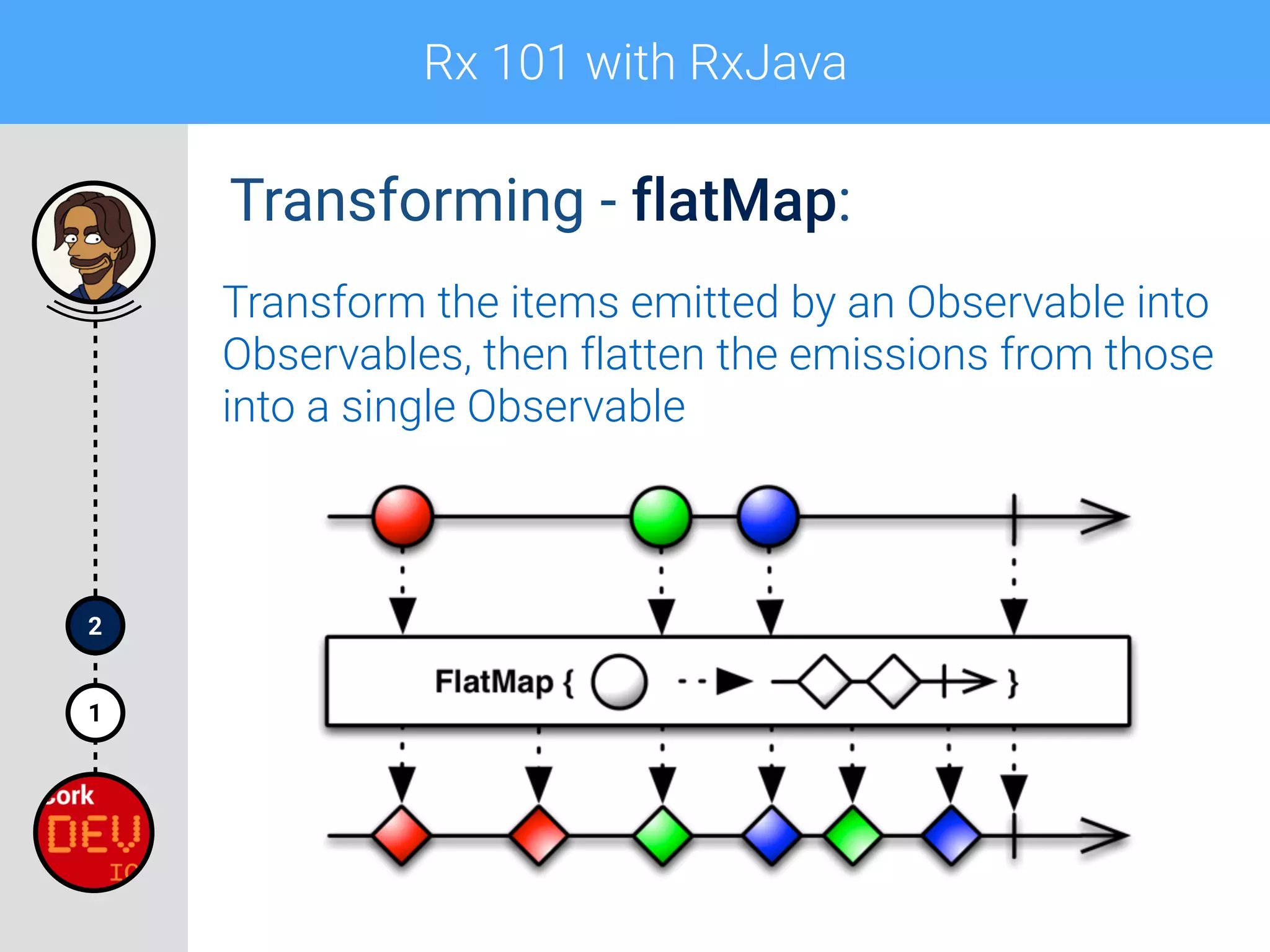
Transforming - flatMap:
Transform the items emitted by an Observable into
Observables, then flatten the emissions from those
into a single Observable
Rx 101 with RxJava
1
2
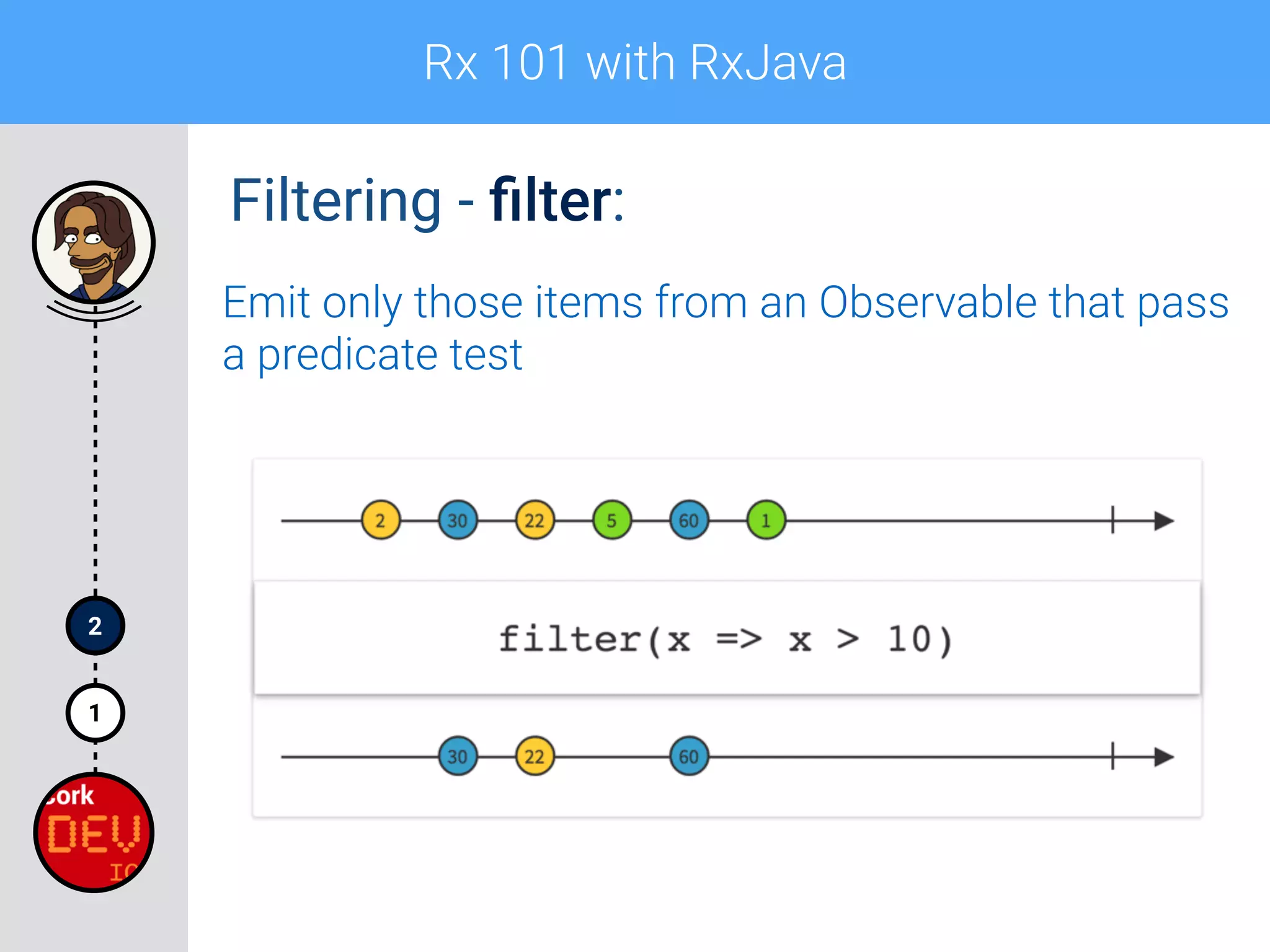
Filtering - filter:
Emit only those items from an Observable that pass
a predicate test
Rx 101 with RxJava
1
2
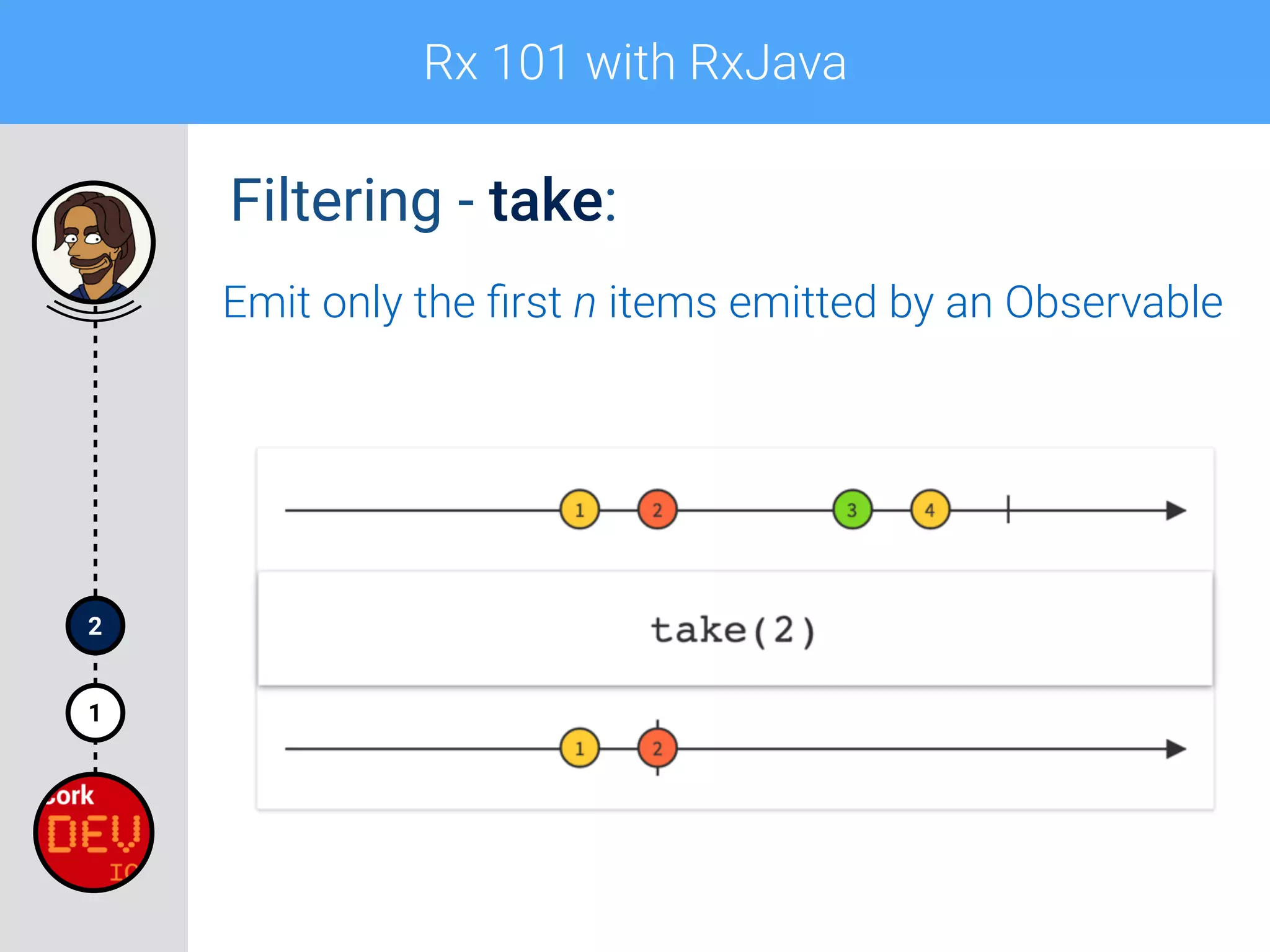
Filtering - take:
Emit only the first n items emitted by an Observable
Rx 101 with RxJava
1
2
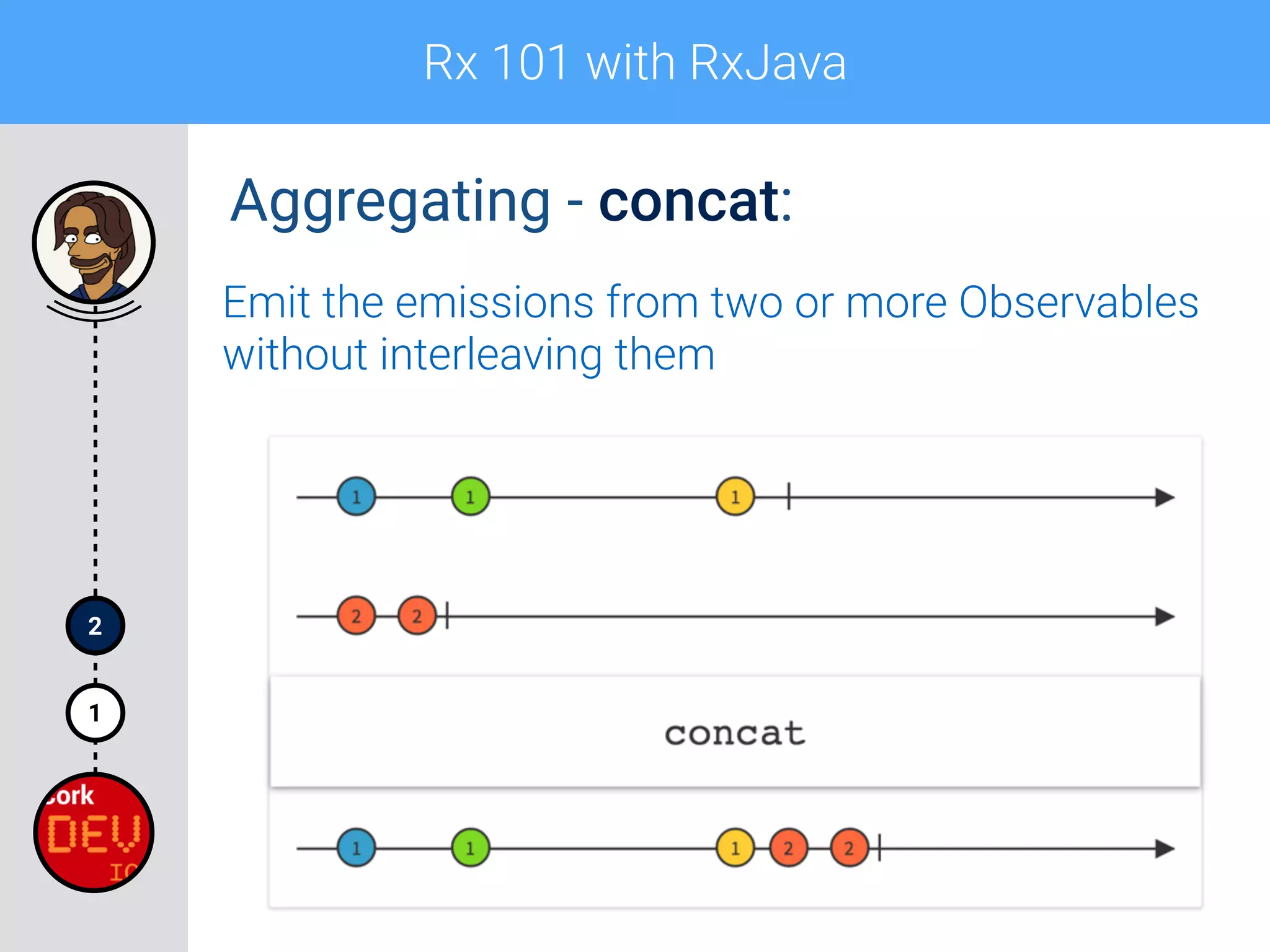
Aggregating - concat:
Emit the emissions from two or more Observables
without interleaving them
Rx 101 with RxJava
1
2
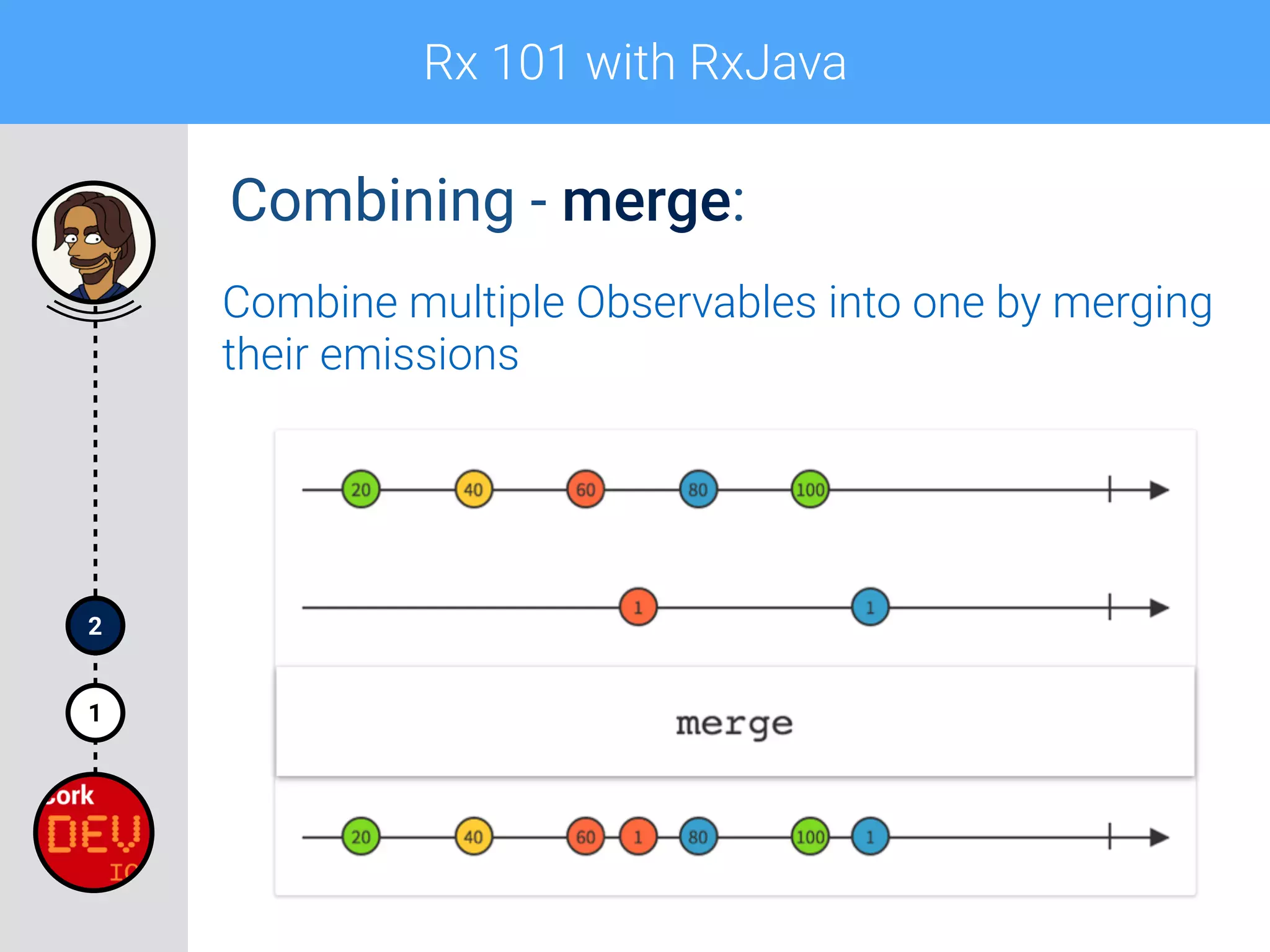
Combining - merge:
Combine multiple Observables into one by merging
their emissions
Rx 101 with RxJava
1
2
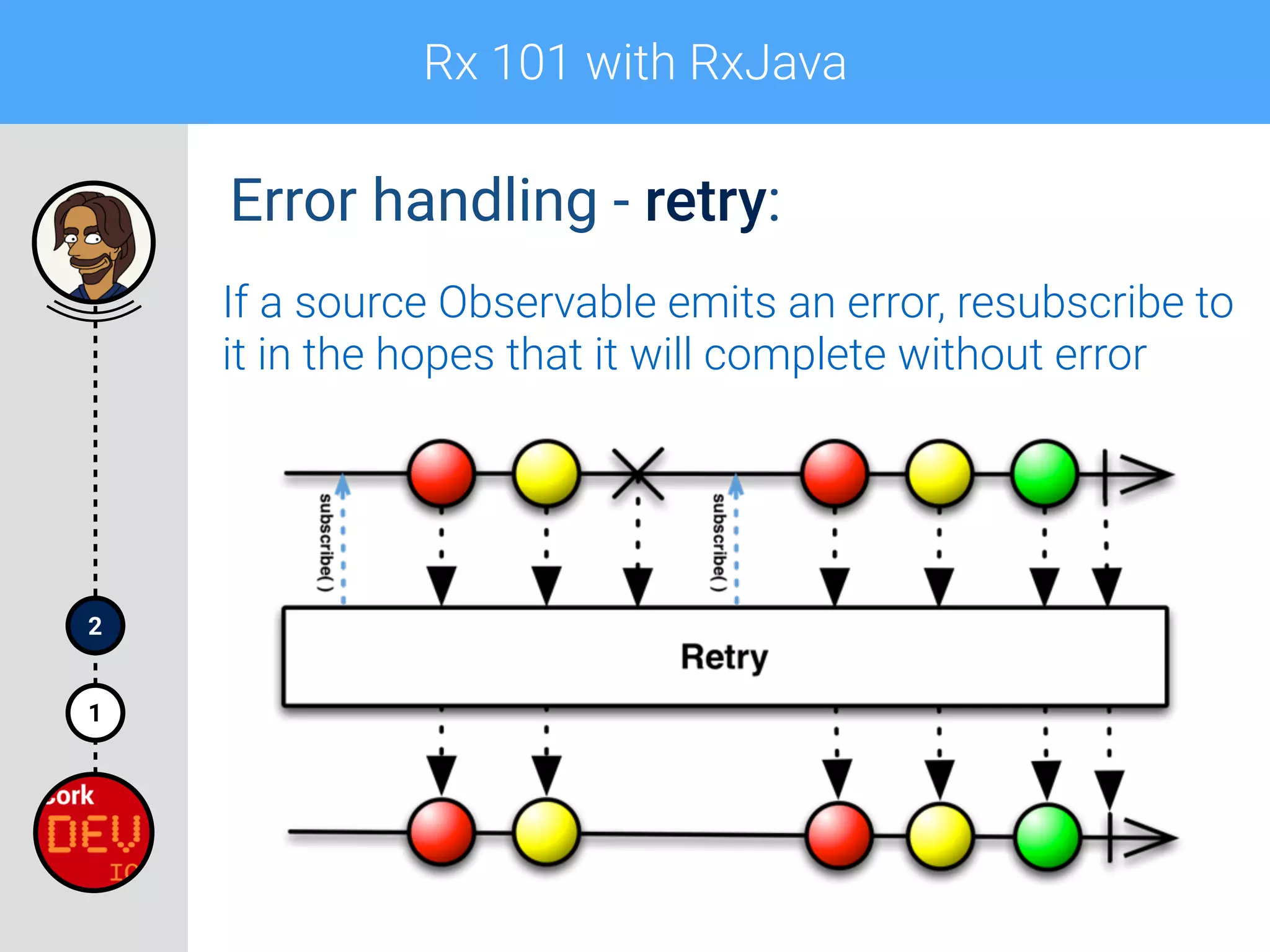
Error handling - retry:
If a source Observable emits an error, resubscribe to
it in the hopes that it will complete without error
Rx 101 with RxJava
1
2
Operators - example:
String[] strings = {"Andrzej", "Sitek", "Rx", "101"};


Observable.from(strings)

.flatMap(new Func1<String, Observable<Integer>>() {

@Override

public Observable<Integer> call(String s) {

return Observable.just(s.length());

}

})

.take(3)

.filter(new Func1<Integer, Boolean>() {

@Override

public Boolean call(Integer i) {

return i > 5;

}

})

.map(new Func1<Integer, Integer>() {

@Override

public Integer call(Integer i) {

return i * 10;

}

})

.subscribe(new Action1<Integer>() {

@Override

public void call(Integer i) {

Log.i(TAG, "After few operations: " + i); 

}

});
Rx 101 with RxJava
1
2
Operators - example:
String[] strings = {"Andrzej", "Sitek", "Rx", "101"};


Observable.from(strings)

.flatMap(new Func1<String, Observable<Integer>>() {

@Override

public Observable<Integer> call(String s) {

return Observable.just(s.length());

}

})

.take(3)

.filter(new Func1<Integer, Boolean>() {

@Override

public Boolean call(Integer i) {

return i > 5;

}

})

.map(new Func1<Integer, Integer>() {

@Override

public Integer call(Integer i) {

return i * 10;

}

})

.subscribe(new Action1<Integer>() {

@Override

public void call(Integer i) {

Log.i(TAG, "After few operations: " + i); 

}

});
Lots of anonymous classes..
Use lambdas to reduce the
boilerplate!
Rx 101 with RxJava
1
2
Operators - example simplified:
String[] strings = {"Andrzej", "Sitek", "Rx", "101"};


Observable.from(strings)

.flatMap(s -> Observable.just(s.length()))

.take(3)

.filter(i -> i > 5)

.map(i -> i * 10)

.subscribe(i -> Log.i(TAG, "After few operations: " + i));
I/MainActivity: After few operations: 70
Rx 101 with RxJava
1
2
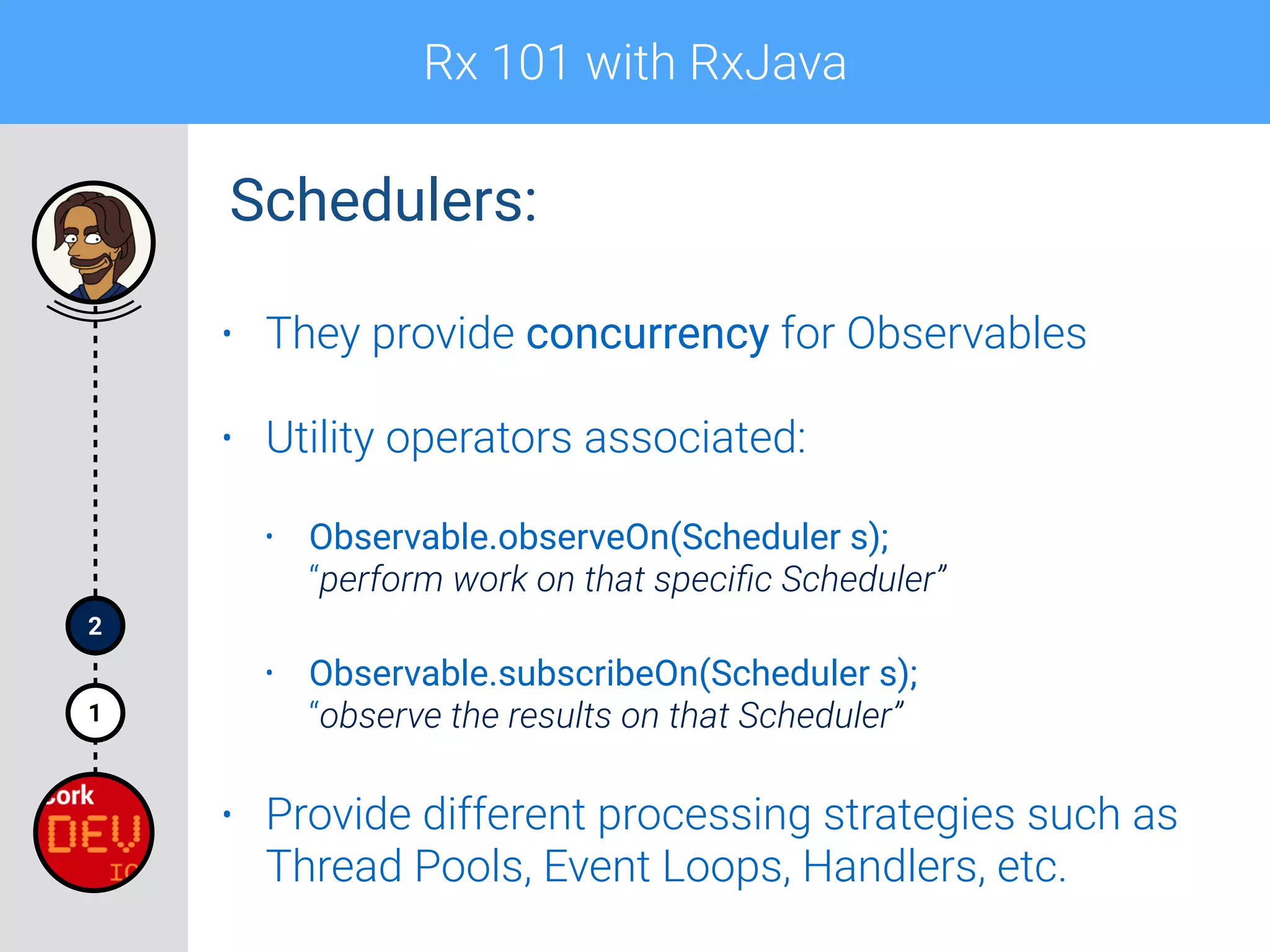
Schedulers:
• They provide concurrency for Observables
• Utility operators associated:
• Observable.observeOn(Scheduler s);

“perform work on that specific Scheduler”
• Observable.subscribeOn(Scheduler s);

“observe the results on that Scheduler”
• Provide different processing strategies such as
Thread Pools, Event Loops, Handlers, etc.
Rx 101 with RxJava
1
2
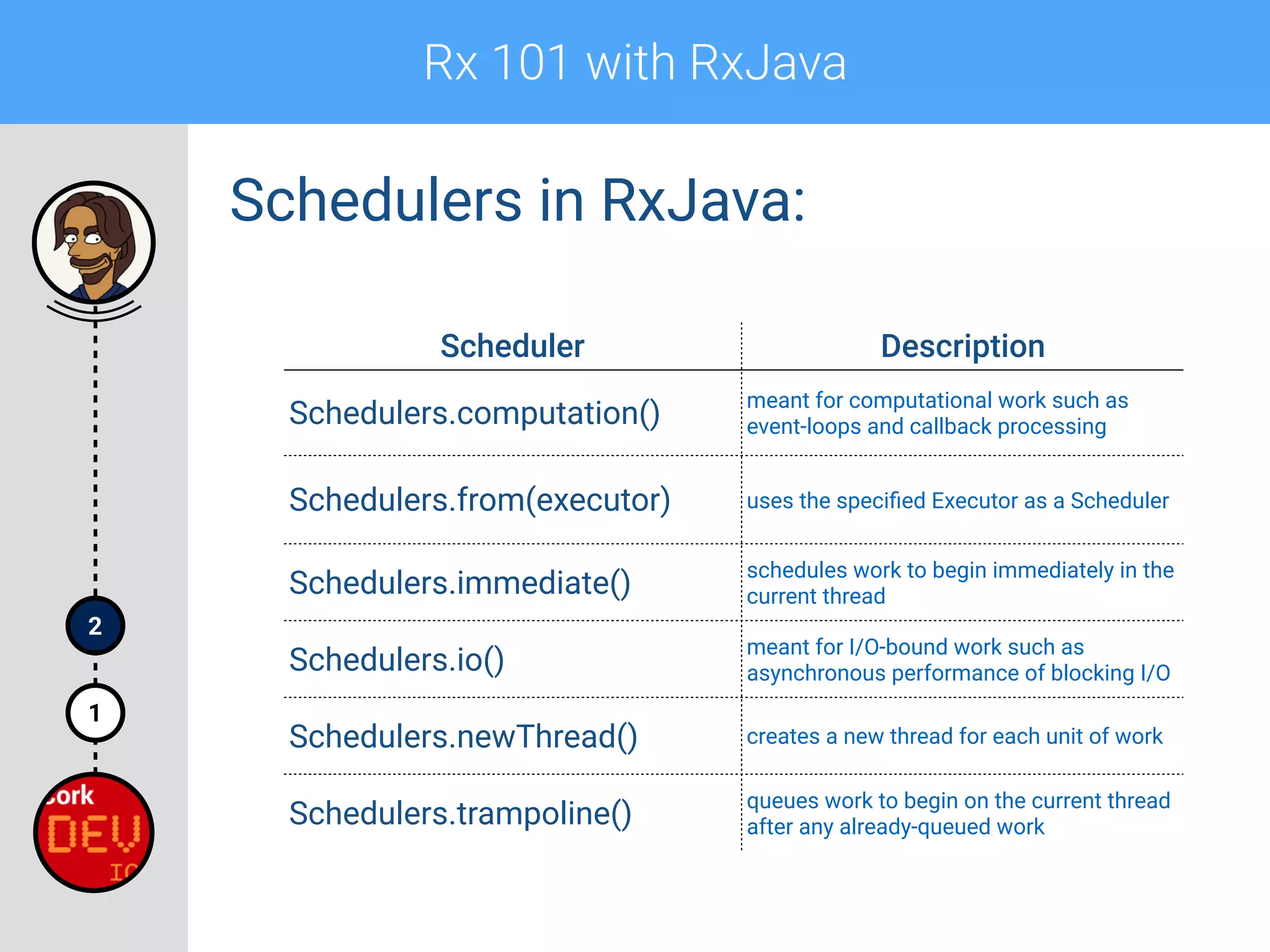
Schedulers in RxJava:
Scheduler Description
Schedulers.computation()
meant for computational work such as
event-loops and callback processing
Schedulers.from(executor) uses the specified Executor as a Scheduler
Schedulers.immediate()
schedules work to begin immediately in the
current thread
Schedulers.io()
meant for I/O-bound work such as
asynchronous performance of blocking I/O
Schedulers.newThread() creates a new thread for each unit of work
Schedulers.trampoline()
queues work to begin on the current thread
after any already-queued work
Rx 101 with RxJava
1
2
Schedulers - example:
Observable<String> observable = Observable.create(subscriber -> {

Log.d(TAG, "Executing on: " + Thread.currentThread());

subscriber.onNext("Schedulers Example");

subscriber.onCompleted();

});


observable.subscribeOn(Schedulers.newThread())

.observeOn(Schedulers.io())

.subscribe(s -> {

Log.i(TAG, "Observing on: " + Thread.currentThread());

Log.i(TAG, s);

});
D/MainActivity: Executing on: Thread[RxNewThreadScheduler-1,5,main]
I/MainActivity: Observing on: Thread[RxCachedThreadScheduler-1,5,main]
I/MainActivity: Schedulers Example
Rx in example
1
2
3
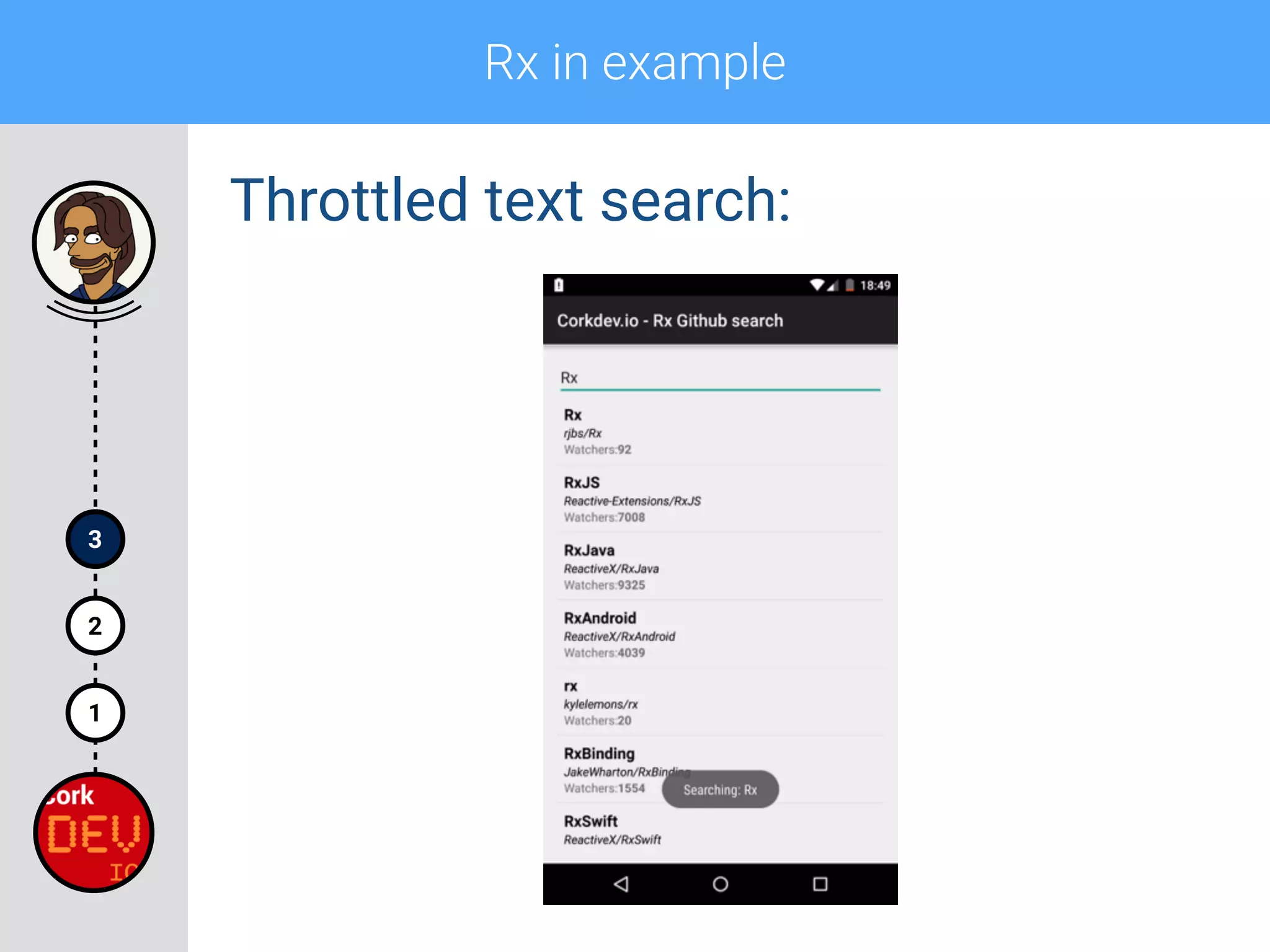
Throttled text search:
Rx in example
1
2
3
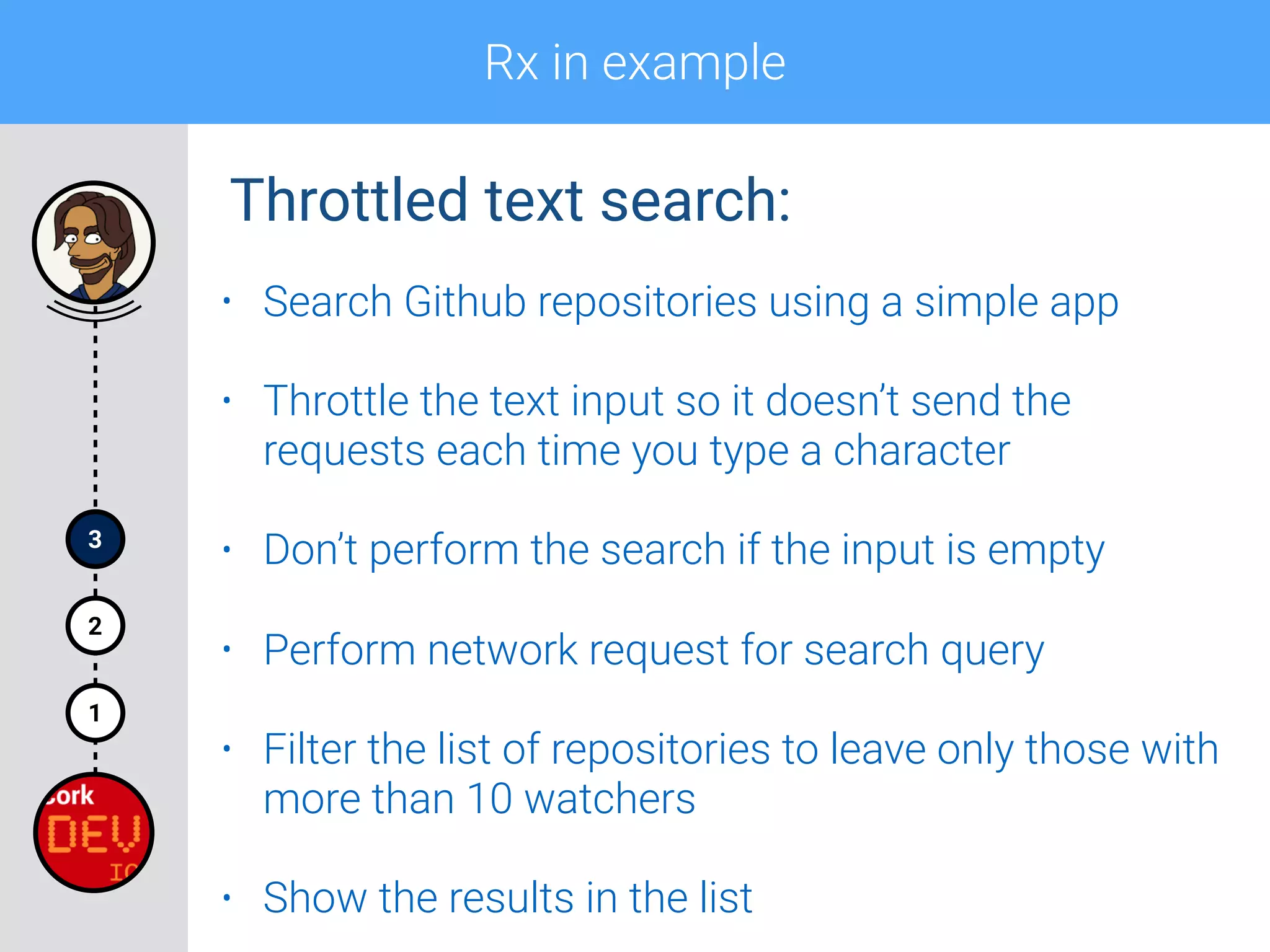
Throttled text search:
• Search Github repositories using a simple app
• Throttle the text input so it doesn’t send the
requests each time you type a character
• Don’t perform the search if the input is empty
• Perform network request for search query
• Filter the list of repositories to leave only those with
more than 10 watchers
• Show the results in the list
Rx in examples
1
2
3
Rx in example
1
2
3
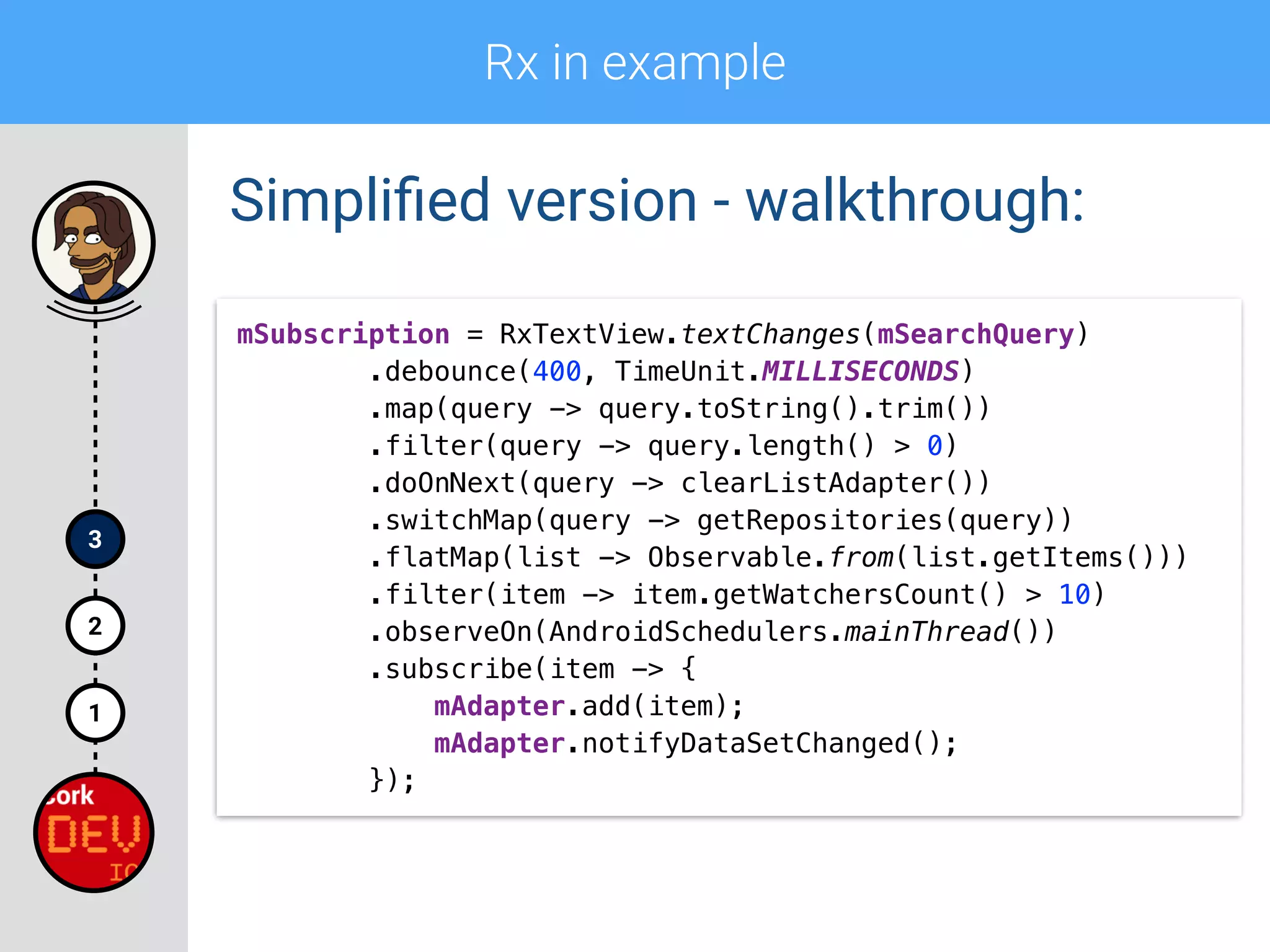
Simplified version - walkthrough:
mSubscription = RxTextView.textChanges(mSearchQuery)

.debounce(400, TimeUnit.MILLISECONDS)

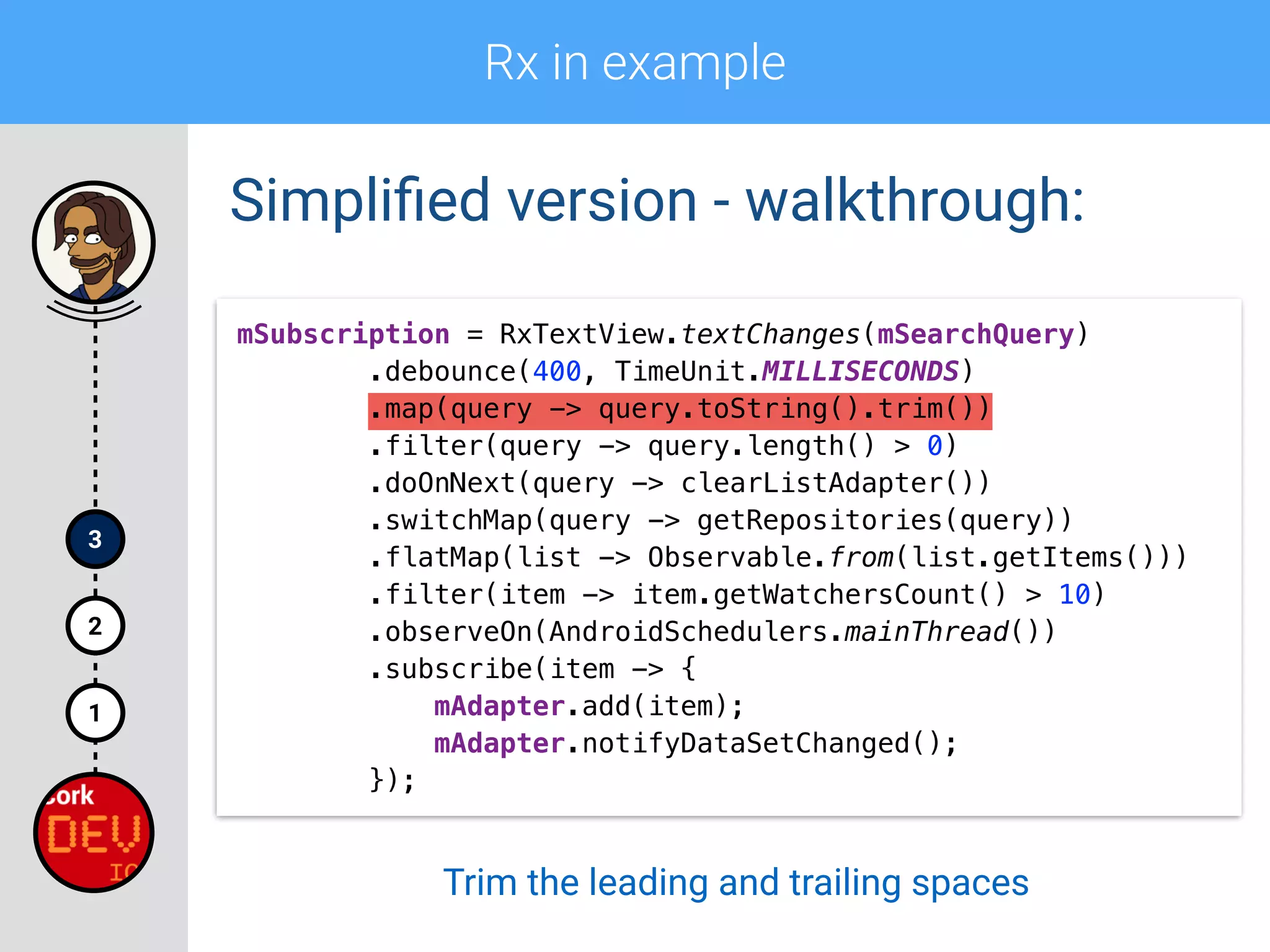
.map(query -> query.toString().trim())

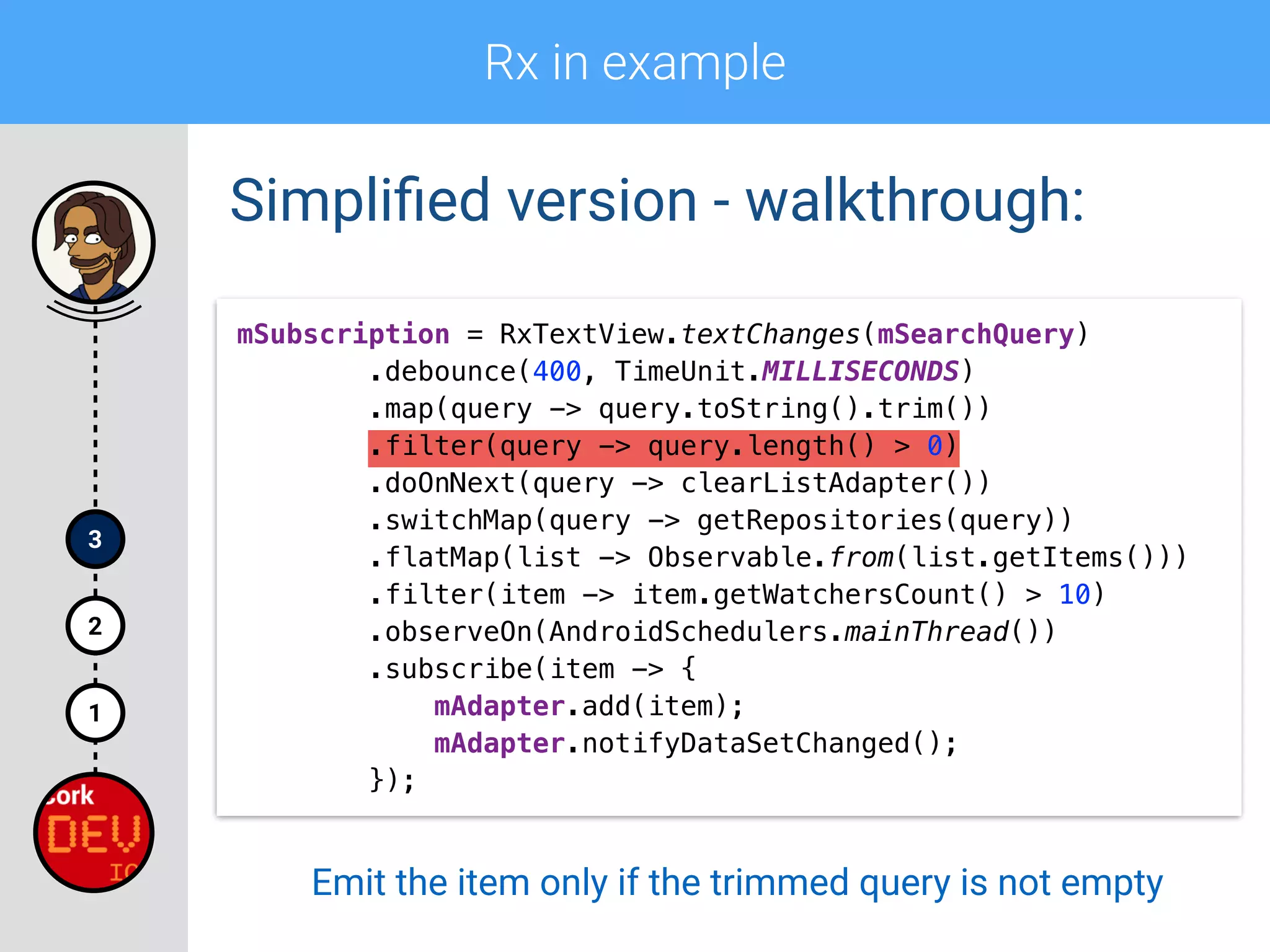
.filter(query -> query.length() > 0)
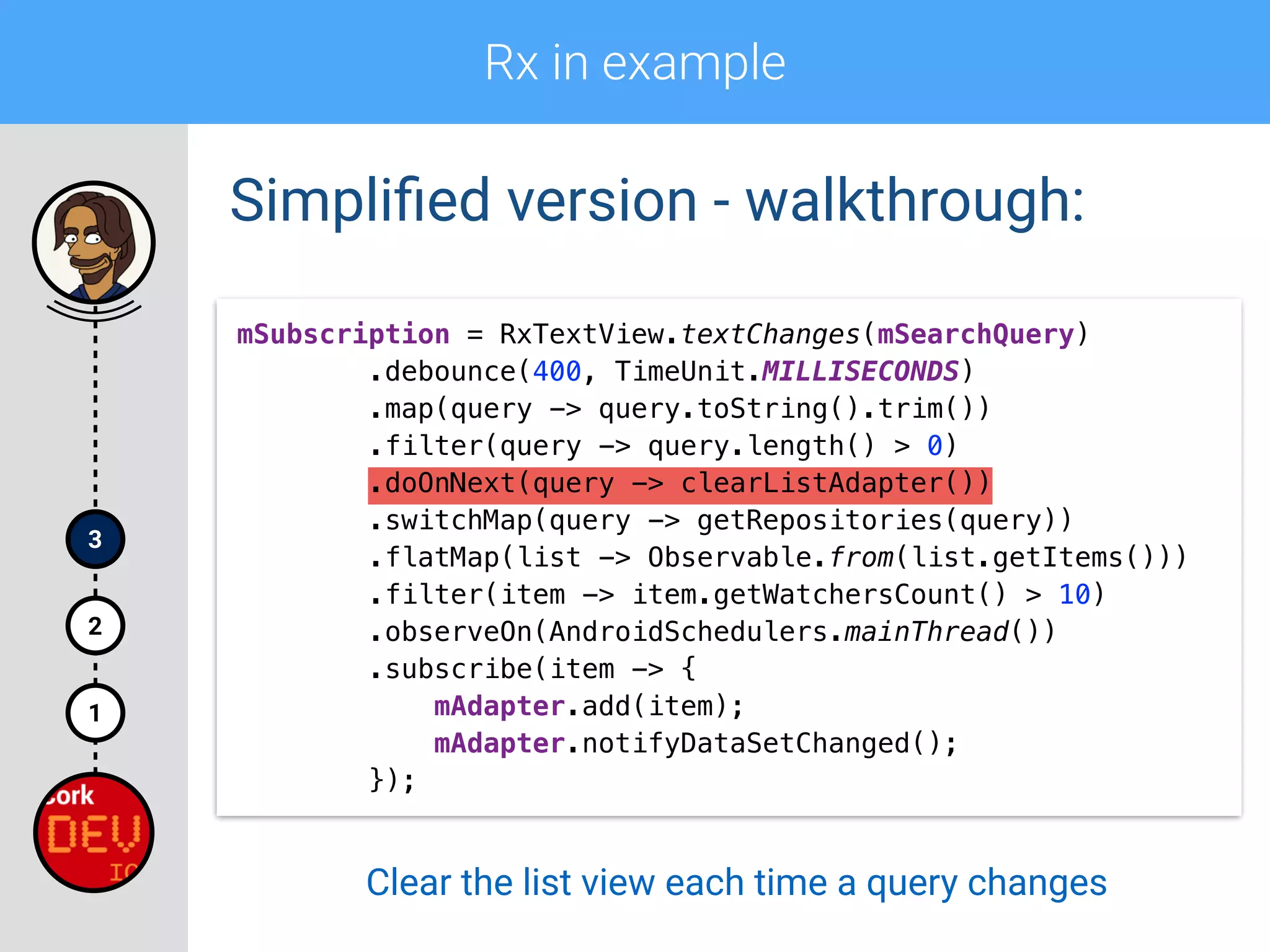
.doOnNext(query -> clearListAdapter())

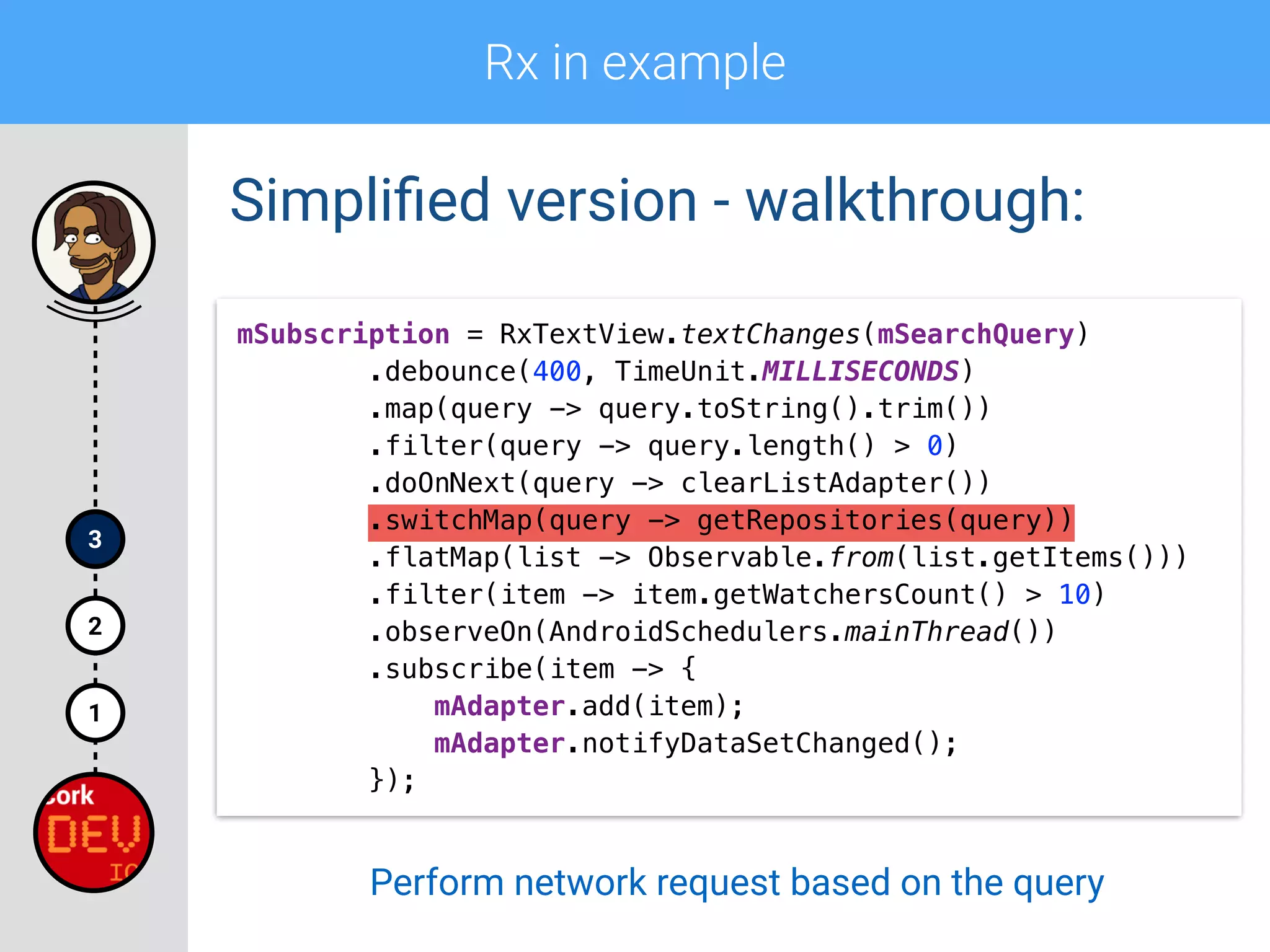
.switchMap(query -> getRepositories(query))

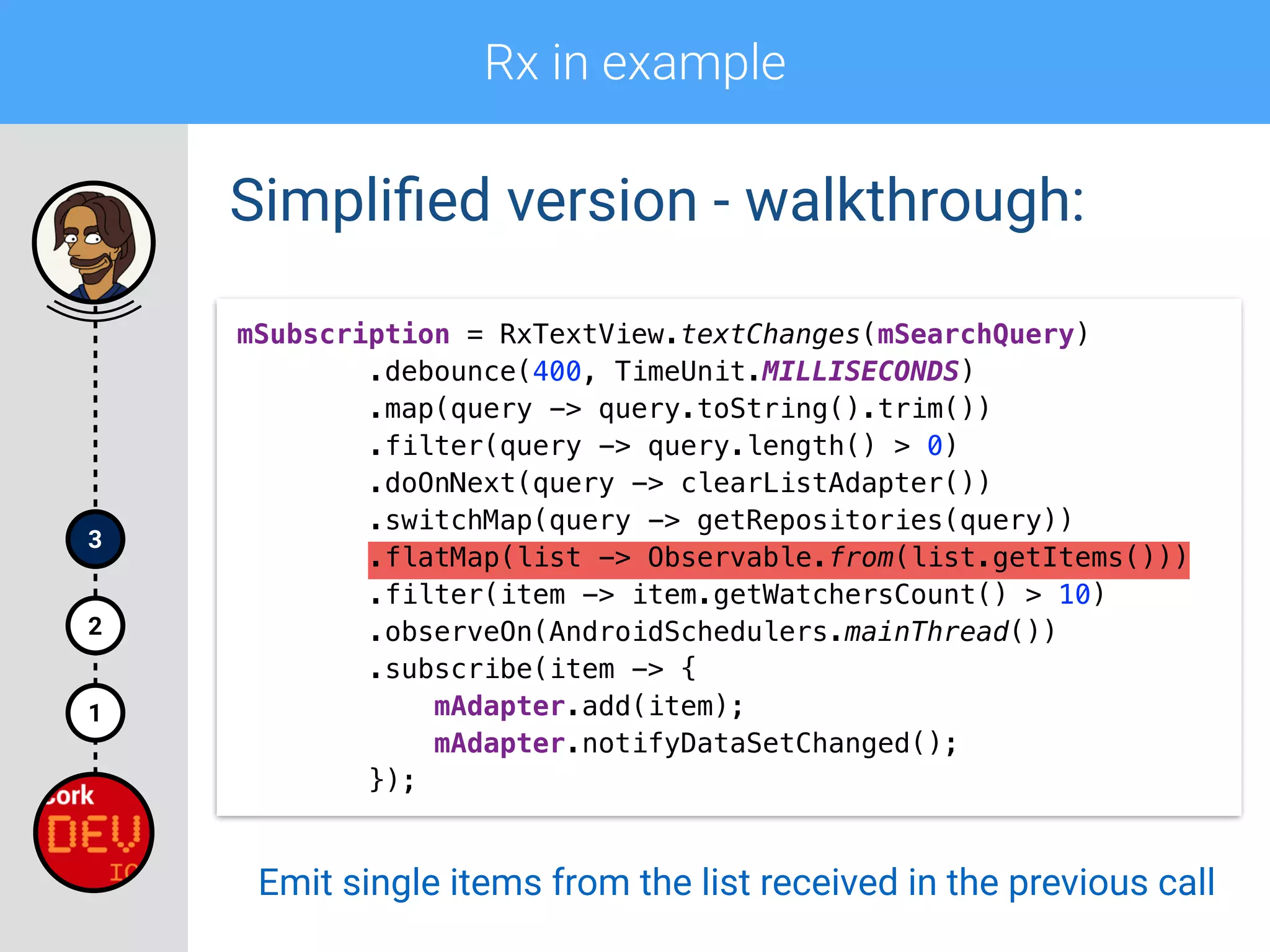
.flatMap(list -> Observable.from(list.getItems()))

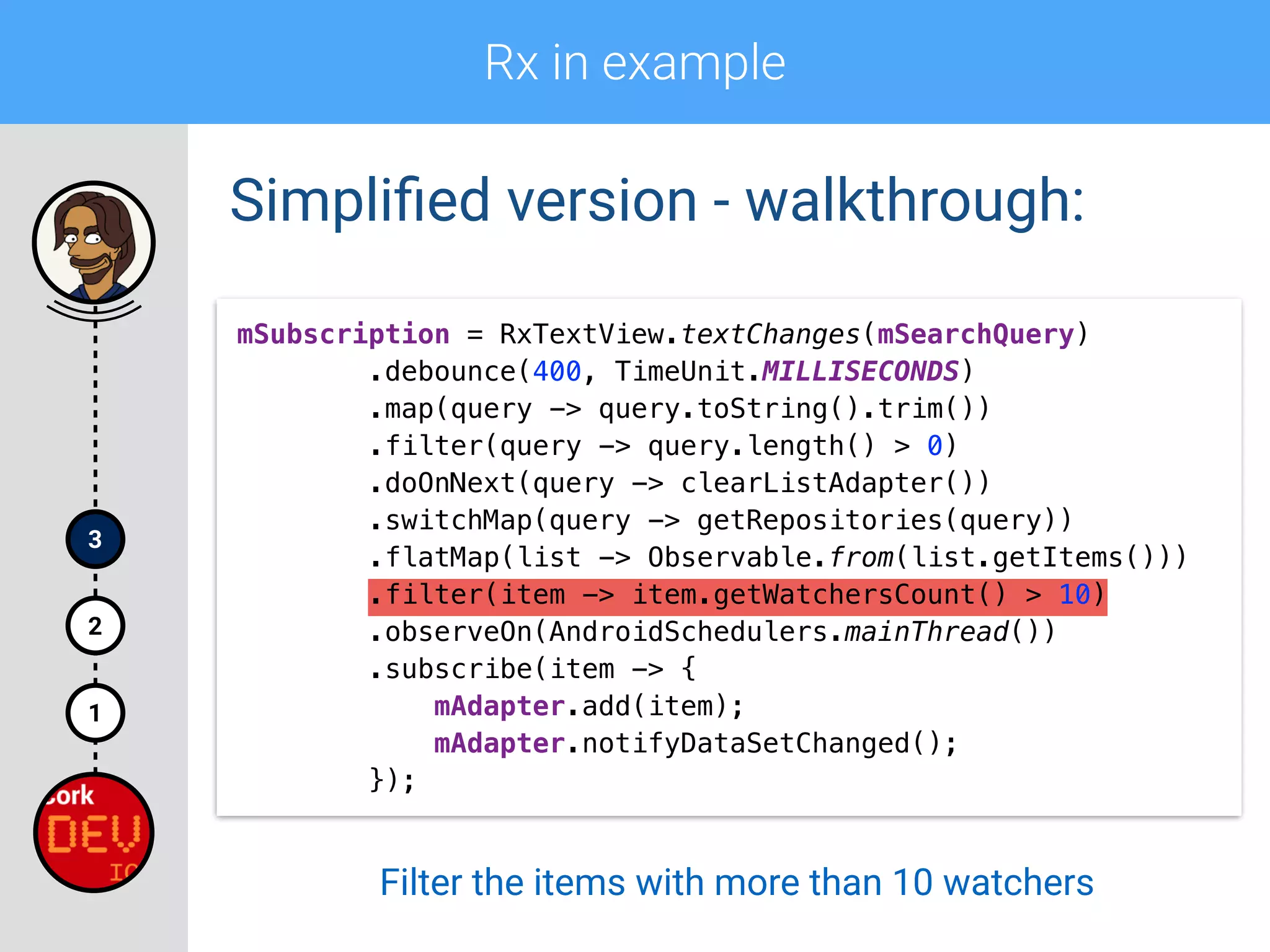
.filter(item -> item.getWatchersCount() > 10)

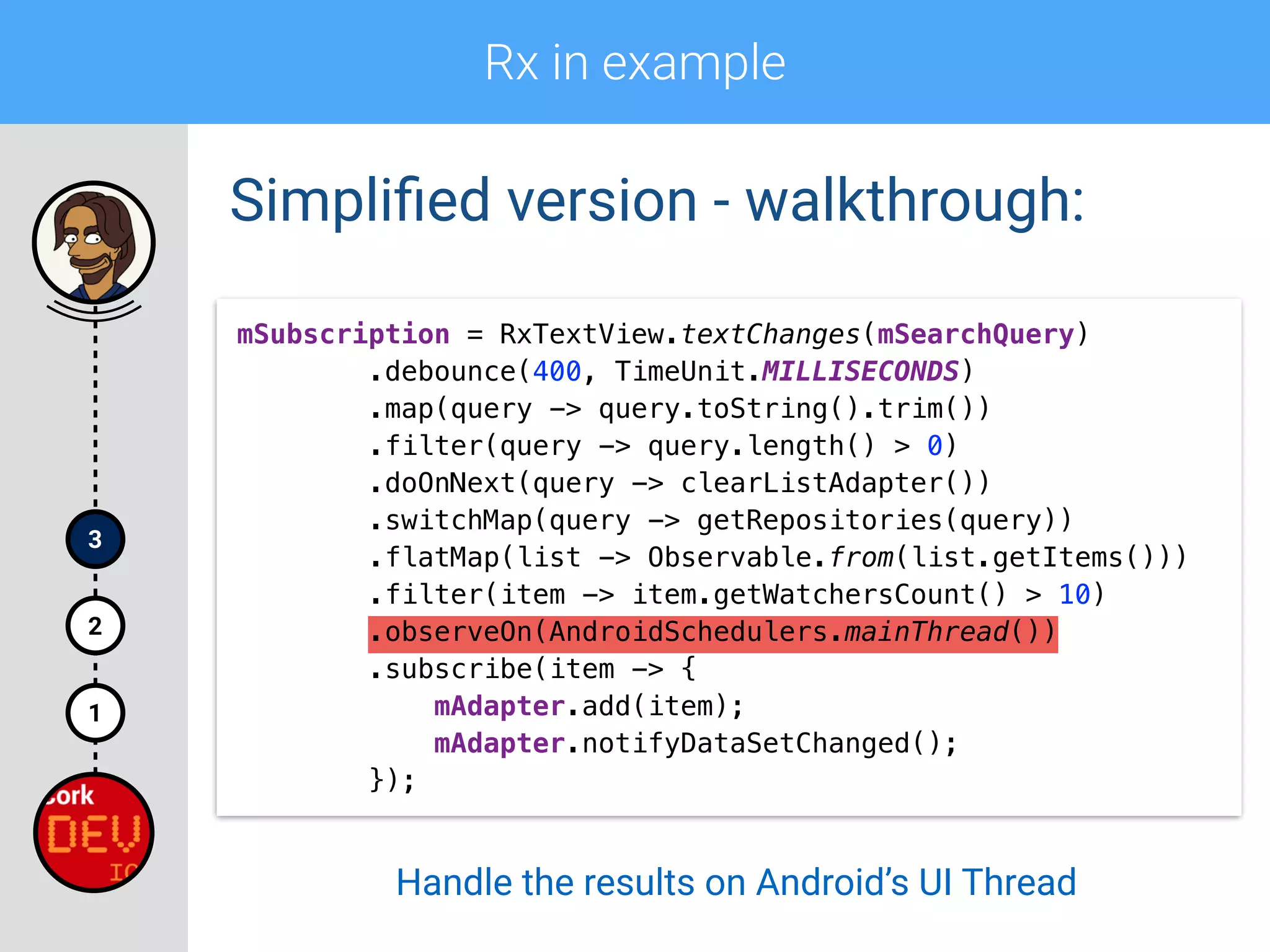
.observeOn(AndroidSchedulers.mainThread())

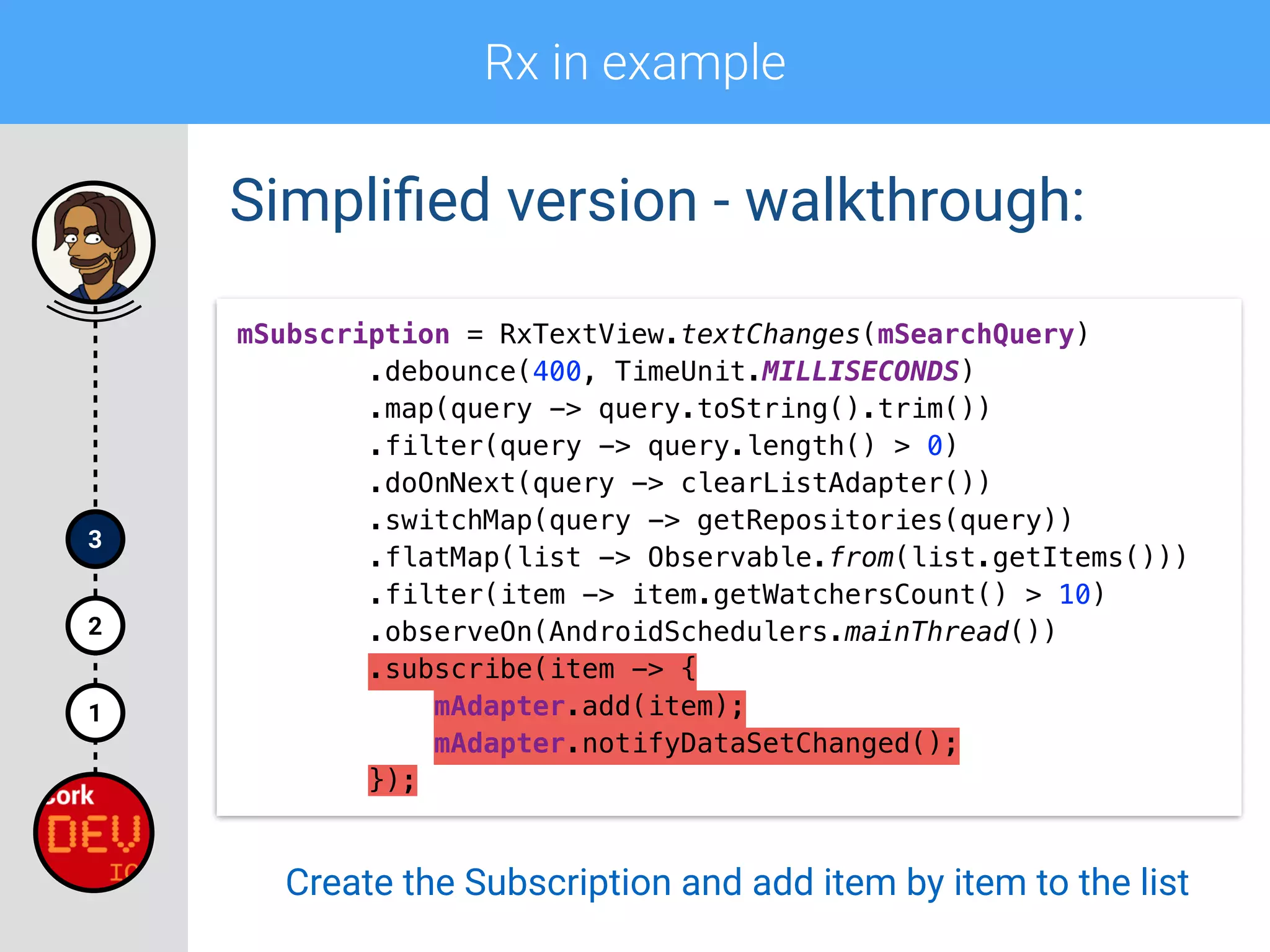
.subscribe(item -> {

mAdapter.add(item);

mAdapter.notifyDataSetChanged();

});
Rx in example
1
2
3
Simplified version - walkthrough:
mSubscription = RxTextView.textChanges(mSearchQuery)

.debounce(400, TimeUnit.MILLISECONDS)

.map(query -> query.toString().trim())

.filter(query -> query.length() > 0)
.doOnNext(query -> clearListAdapter())

.switchMap(query -> getRepositories(query))

.flatMap(list -> Observable.from(list.getItems()))

.filter(item -> item.getWatchersCount() > 10)

.observeOn(AndroidSchedulers.mainThread())

.subscribe(item -> {

mAdapter.add(item);

mAdapter.notifyDataSetChanged();

});
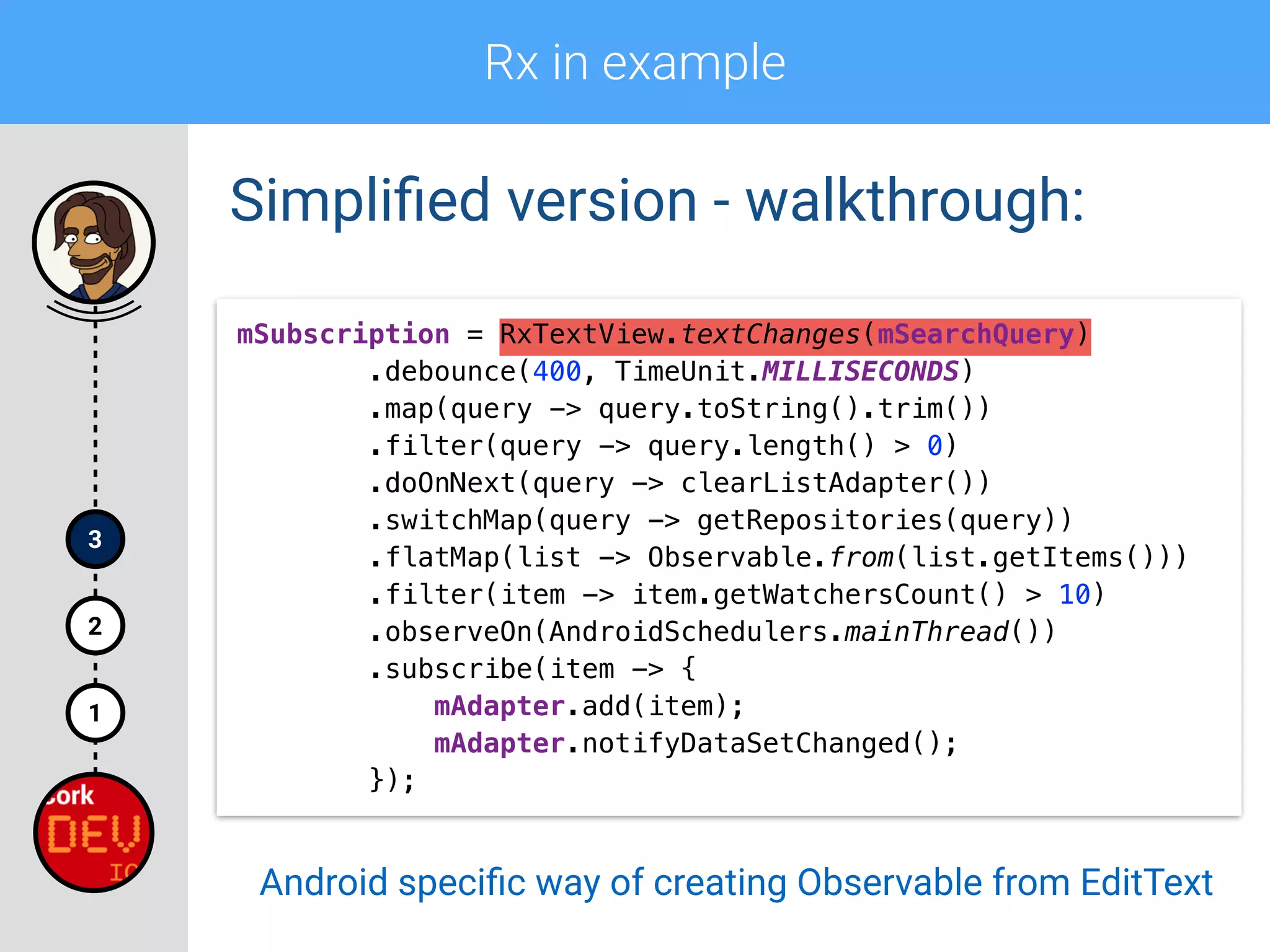
Android specific way of creating Observable from EditText
Rx in example
1
2
3
Simplified version - walkthrough:
mSubscription = RxTextView.textChanges(mSearchQuery)

.debounce(400, TimeUnit.MILLISECONDS)

.map(query -> query.toString().trim())

.filter(query -> query.length() > 0)
.doOnNext(query -> clearListAdapter())

.switchMap(query -> getRepositories(query))

.flatMap(list -> Observable.from(list.getItems()))

.filter(item -> item.getWatchersCount() > 10)

.observeOn(AndroidSchedulers.mainThread())

.subscribe(item -> {

mAdapter.add(item);

mAdapter.notifyDataSetChanged();

});
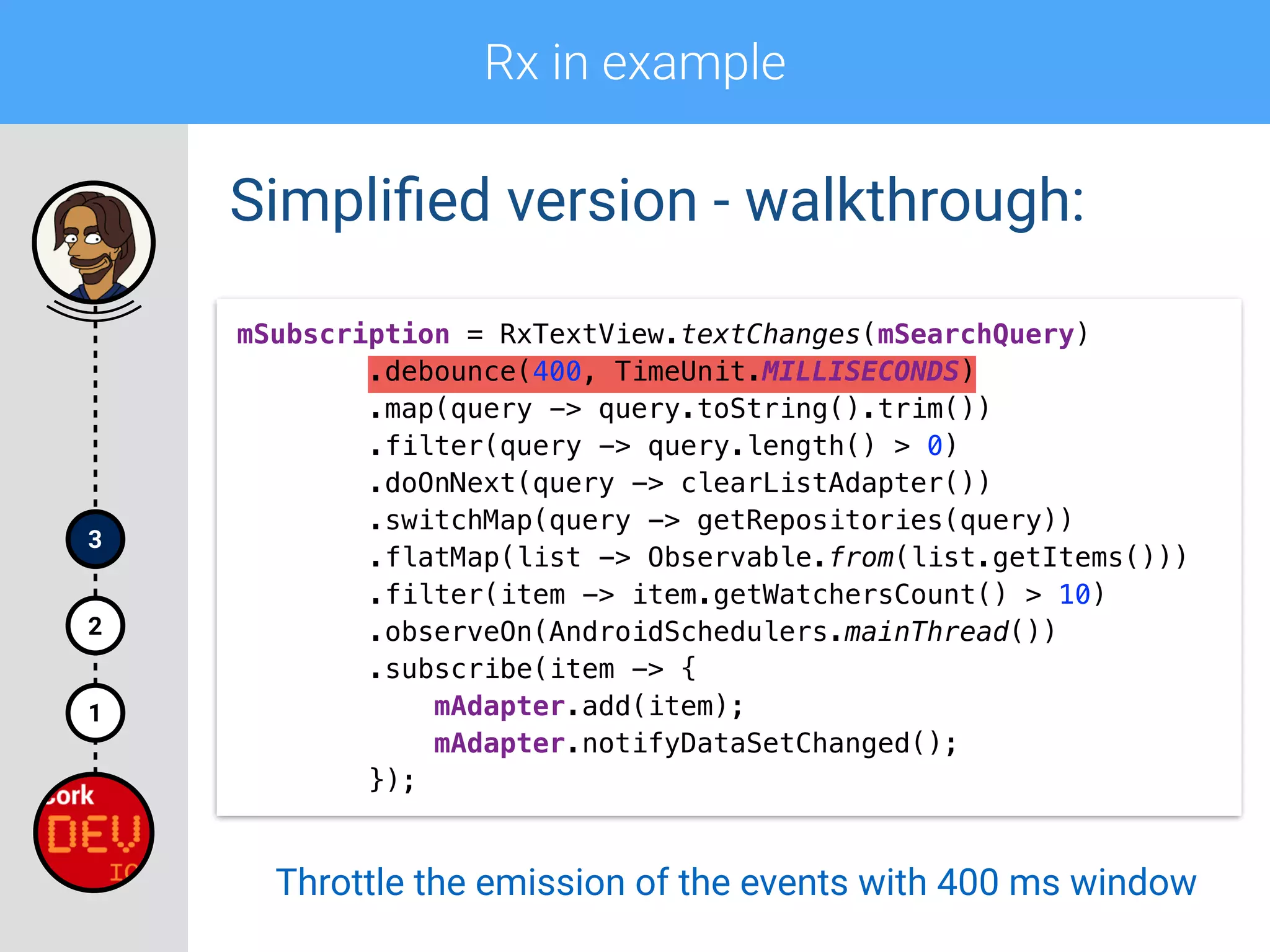
Throttle the emission of the events with 400 ms window
Rx in example
1
2
3
Simplified version - walkthrough:
mSubscription = RxTextView.textChanges(mSearchQuery)

.debounce(400, TimeUnit.MILLISECONDS)

.map(query -> query.toString().trim())

.filter(query -> query.length() > 0)
.doOnNext(query -> clearListAdapter())

.switchMap(query -> getRepositories(query))

.flatMap(list -> Observable.from(list.getItems()))

.filter(item -> item.getWatchersCount() > 10)

.observeOn(AndroidSchedulers.mainThread())

.subscribe(item -> {

mAdapter.add(item);

mAdapter.notifyDataSetChanged();

});
Trim the leading and trailing spaces
Rx in example
1
2
3
Simplified version - walkthrough:
mSubscription = RxTextView.textChanges(mSearchQuery)

.debounce(400, TimeUnit.MILLISECONDS)

.map(query -> query.toString().trim())

.filter(query -> query.length() > 0)

.doOnNext(query -> clearListAdapter())
.switchMap(query -> getRepositories(query))

.flatMap(list -> Observable.from(list.getItems()))

.filter(item -> item.getWatchersCount() > 10)

.observeOn(AndroidSchedulers.mainThread())

.subscribe(item -> {

mAdapter.add(item);

mAdapter.notifyDataSetChanged();

});
Emit the item only if the trimmed query is not empty
Rx in example
1
2
3
Simplified version - walkthrough:
mSubscription = RxTextView.textChanges(mSearchQuery)

.debounce(400, TimeUnit.MILLISECONDS)

.map(query -> query.toString().trim())

.filter(query -> query.length() > 0)

.doOnNext(query -> clearListAdapter())
.switchMap(query -> getRepositories(query))

.flatMap(list -> Observable.from(list.getItems()))

.filter(item -> item.getWatchersCount() > 10)

.observeOn(AndroidSchedulers.mainThread())

.subscribe(item -> {

mAdapter.add(item);

mAdapter.notifyDataSetChanged();

});
Clear the list view each time a query changes
Rx in example
1
2
3
Simplified version - walkthrough:
mSubscription = RxTextView.textChanges(mSearchQuery)

.debounce(400, TimeUnit.MILLISECONDS)

.map(query -> query.toString().trim())

.filter(query -> query.length() > 0)
.doOnNext(query -> clearListAdapter())

.switchMap(query -> getRepositories(query))

.flatMap(list -> Observable.from(list.getItems()))

.filter(item -> item.getWatchersCount() > 10)

.observeOn(AndroidSchedulers.mainThread())

.subscribe(item -> {

mAdapter.add(item);

mAdapter.notifyDataSetChanged();

});
Perform network request based on the query
Rx in example
1
2
3
Simplified version - walkthrough:
mSubscription = RxTextView.textChanges(mSearchQuery)

.debounce(400, TimeUnit.MILLISECONDS)

.map(query -> query.toString().trim())

.filter(query -> query.length() > 0)
.doOnNext(query -> clearListAdapter())

.switchMap(query -> getRepositories(query))

.flatMap(list -> Observable.from(list.getItems()))

.filter(item -> item.getWatchersCount() > 10)

.observeOn(AndroidSchedulers.mainThread())

.subscribe(item -> {

mAdapter.add(item);

mAdapter.notifyDataSetChanged();

});
Emit single items from the list received in the previous call
Rx in example
1
2
3
Simplified version - walkthrough:
mSubscription = RxTextView.textChanges(mSearchQuery)

.debounce(400, TimeUnit.MILLISECONDS)

.map(query -> query.toString().trim())

.filter(query -> query.length() > 0)
.doOnNext(query -> clearListAdapter())

.switchMap(query -> getRepositories(query))

.flatMap(list -> Observable.from(list.getItems()))

.filter(item -> item.getWatchersCount() > 10)

.observeOn(AndroidSchedulers.mainThread())

.subscribe(item -> {

mAdapter.add(item);

mAdapter.notifyDataSetChanged();

});
Filter the items with more than 10 watchers
Rx in example
1
2
3
Simplified version - walkthrough:
mSubscription = RxTextView.textChanges(mSearchQuery)

.debounce(400, TimeUnit.MILLISECONDS)

.map(query -> query.toString().trim())

.filter(query -> query.length() > 0)
.doOnNext(query -> clearListAdapter())

.switchMap(query -> getRepositories(query))

.flatMap(list -> Observable.from(list.getItems()))

.filter(item -> item.getWatchersCount() > 10)

.observeOn(AndroidSchedulers.mainThread())

.subscribe(item -> {

mAdapter.add(item);

mAdapter.notifyDataSetChanged();

});
Handle the results on Android’s UI Thread
Rx in example
1
2
3
Simplified version - walkthrough:
mSubscription = RxTextView.textChanges(mSearchQuery)

.debounce(400, TimeUnit.MILLISECONDS)

.map(query -> query.toString().trim())

.filter(query -> query.length() > 0)
.doOnNext(query -> clearListAdapter())

.switchMap(query -> getRepositories(query))

.flatMap(list -> Observable.from(list.getItems()))

.filter(item -> item.getWatchersCount() > 10)

.observeOn(AndroidSchedulers.mainThread())

.subscribe(item -> {

mAdapter.add(item);

mAdapter.notifyDataSetChanged();

});
Create the Subscription and add item by item to the list
Tips & resources
4
1
2
3
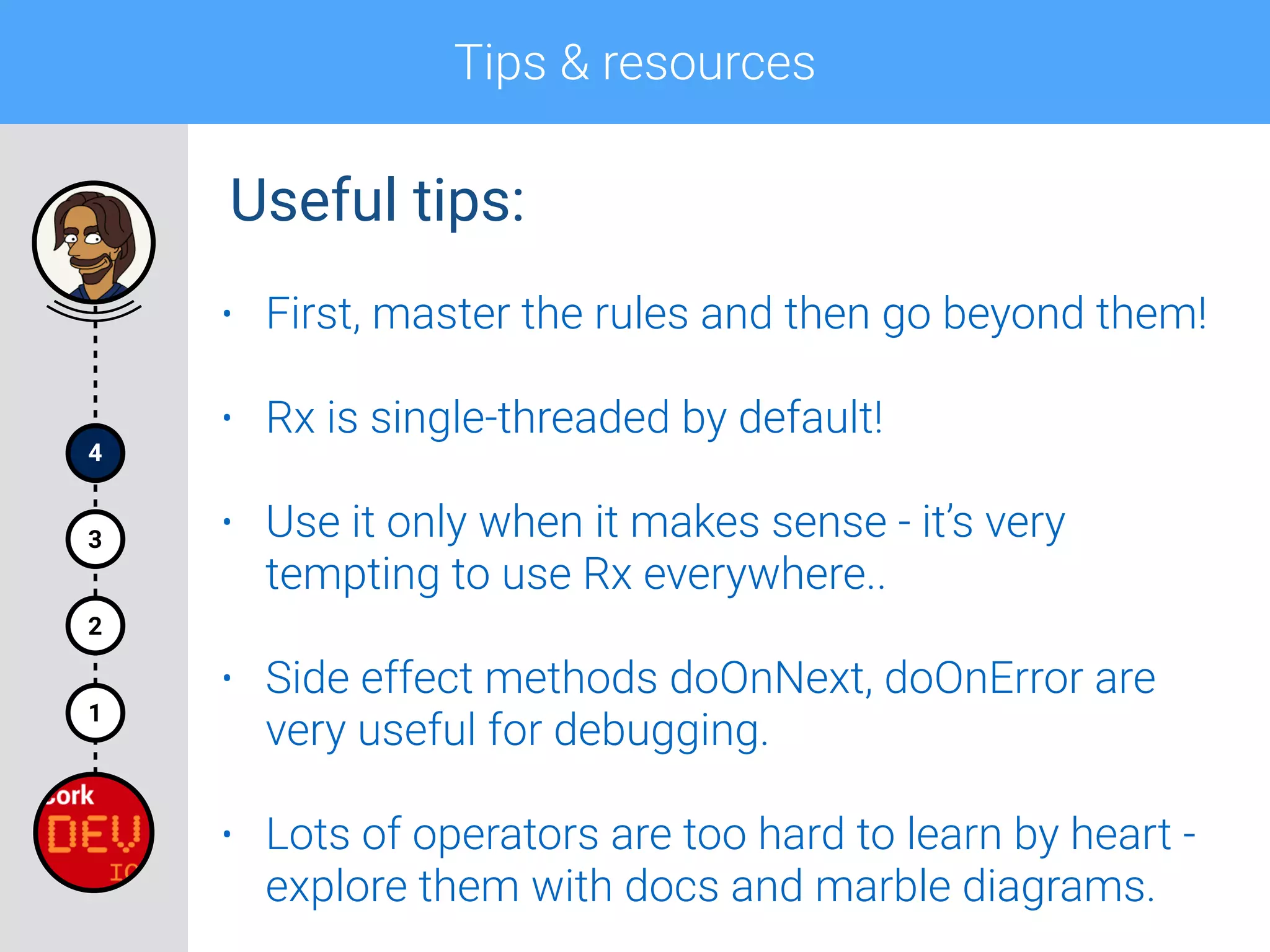
• First, master the rules and then go beyond them!
• Rx is single-threaded by default!
• Use it only when it makes sense - it’s very
tempting to use Rx everywhere..
• Side effect methods doOnNext, doOnError are
very useful for debugging.
• Lots of operators are too hard to learn by heart -
explore them with docs and marble diagrams.
Useful tips:
Tips & resources
4
1
2
3
And the most important one:
Tips & resources
4
1
2
3
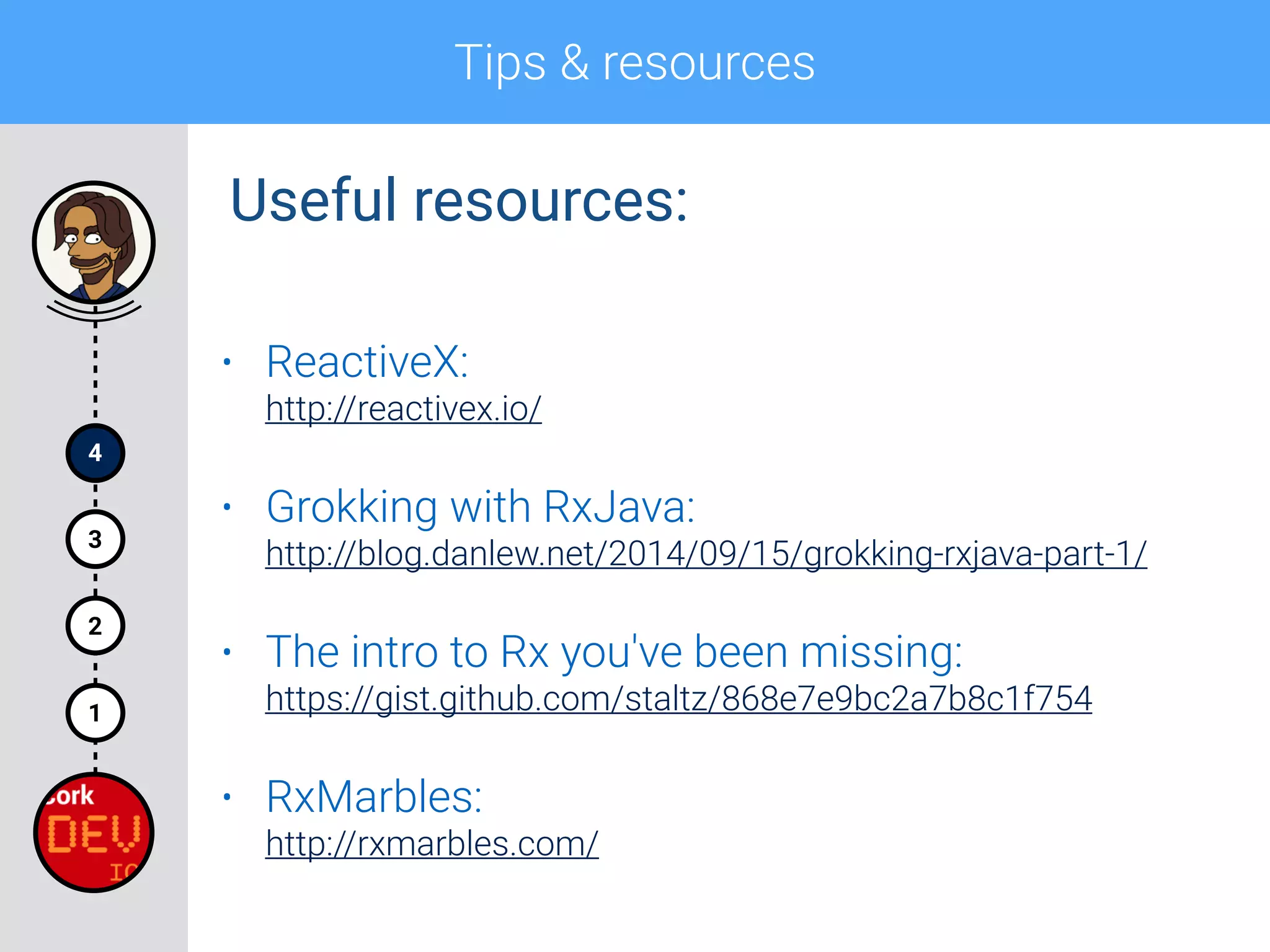
• ReactiveX:

http://reactivex.io/
• Grokking with RxJava:

http://blog.danlew.net/2014/09/15/grokking-rxjava-part-1/
• The intro to Rx you've been missing:

https://gist.github.com/staltz/868e7e9bc2a7b8c1f754
• RxMarbles:

http://rxmarbles.com/
Useful resources:
Tips & resources
4
1
2
3
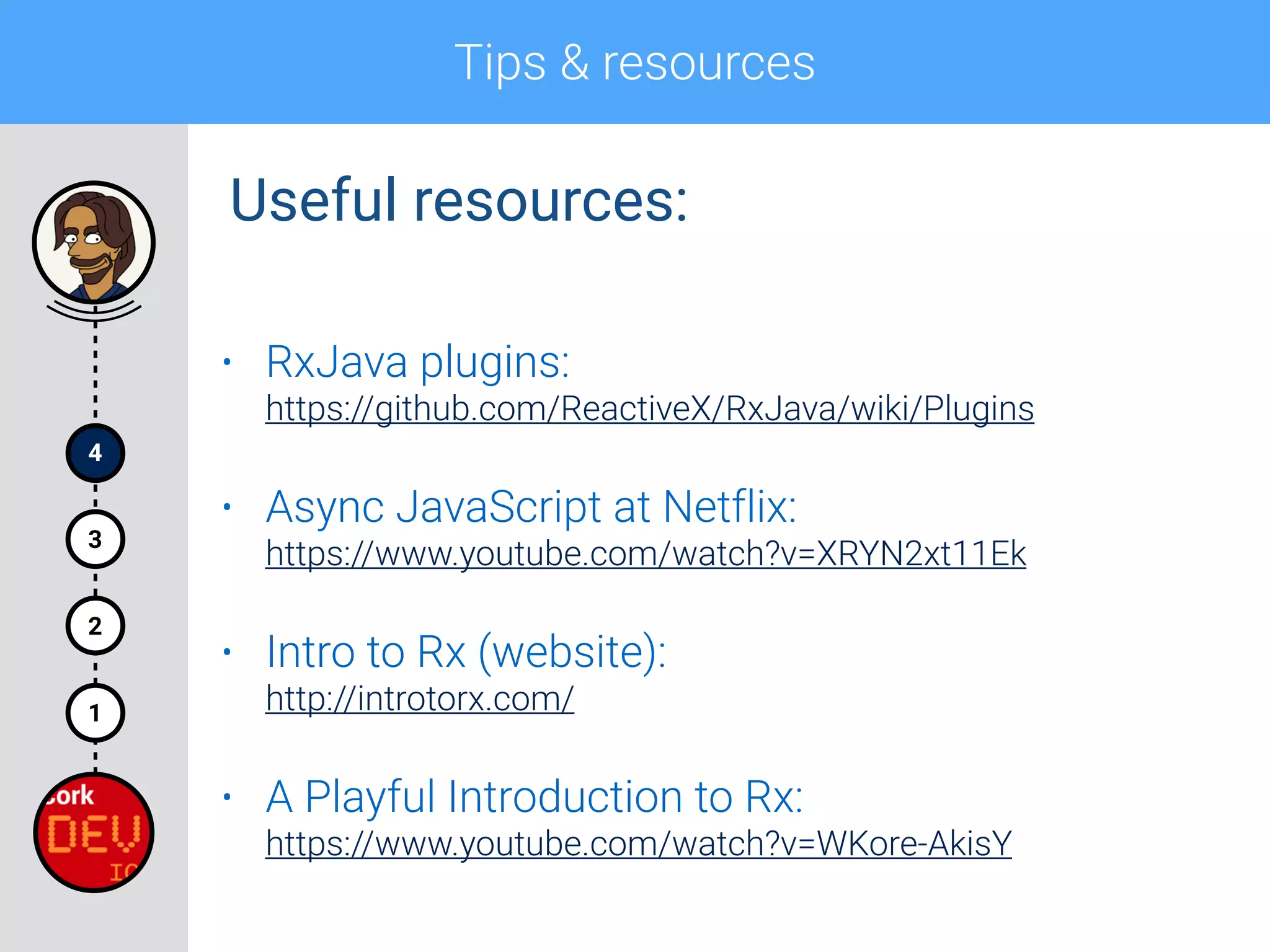
• RxJava plugins:

https://github.com/ReactiveX/RxJava/wiki/Plugins
• Async JavaScript at Netflix:

https://www.youtube.com/watch?v=XRYN2xt11Ek
• Intro to Rx (website):

http://introtorx.com/
• A Playful Introduction to Rx:

https://www.youtube.com/watch?v=WKore-AkisY
Useful resources:
Q&A
5
4
1
2
3
onComplete((s) -> Log.i(“Thank you!”));
Thanks for your attention!
I’d really appreciate your
feedback!
Stay in touch!
@andrzej_sitek
+AndrzejSitek

Streams, Streams Everywhere! An Introduction to Rx

  • 1.
    Streams, Streams Everywhere! An Introductionto Rx Corkdev.io - 15th December 2015 Andrzej Sitek
  • 2.
    <author> <name>Andrzej Sitek</name> <title>Android Developer</title> <company>Digisoft.tv/ Progressive Apps</company> <email>andy@progressiveapps.co</email> <twitter>@andrzej_sitek</twitter> <google-plus>+AndrzejSitek</google-plus> </author> Let me introduce myself
  • 3.
    “Reactive” presentation plan*stream 5 4 1 2 3 Observable Observer Q&A Tips and resources Rx in example Rx 101 with RxJava Why going Reactive?
  • 4.
    1 Why going Reactive? •Users expect real time data • No-one wants to be blocked waiting for results • When working with results sets it is better to start processing individual results when they are ready • The world has moved to push data model • Async programming is very important but at the same time it’s often difficult and error-prone Some driving factors:
  • 5.
    1 Why going Reactive? •A buzz word • Pronunciation: /rɪˈaktɪv/ • “Showing a response to a stimulus.” • “Acting in response to a situation rather than creating or controlling it.” Reactive:
  • 6.
    1 Why going Reactive? •Responsive:
 The system responds in a timely manner if at all possible • Resilient:
 The system stays responsive in the face of failure • Elastic:
 The system stays responsive under varying workload • Message Driven:
 Reactive Systems rely on asynchronous message-passing www.reactivemanifesto.org Reactive manifesto:
  • 8.
    1 Why going Reactive? •Mouse clicks • Keyboard events • Tweets • RSS feed • A/V streams • Stocks • WebSockets • Order status Streams, streams everywhere!
  • 9.
    1 Why going Reactive? •RP: a paradigm oriented around asynchronous data flows and the propagation of change • Basically: • Reactive model is Push rather than Pull • Programming with async data sequences • Discrete values emitted over time • It’s not “Functional Reactive Programming”! Reactive Programming:
  • 10.
    1 Why going Reactive? •Rx stands for Reactive Extensions • “A library for composing asynchronous and event- based programs by using observable sequences.” • Created by Erik Meijer (Microsoft) for the .NET • Version 1.0 released 17/11/2009 • Version 2.0 released 15/08/2012 • Ported to different languages thereafter ReactiveX:
  • 11.
    1 Why going Reactive? •Provides a collection of operators • Observer pattern “on steroids”: • Support sequences of data and/or events • Compose sequences using declarative way • Abstract away concerns about low-level stuff • Concurrent data structures and non-blocking I/O • Threading and Thread Safety ReactiveX:
  • 12.
    1 Why going Reactive? Accessingsequences of data: single items multiple items sync T getData() Iterable<T> getData() async Future<T> getData()
  • 13.
    1 Why going Reactive? Accessingsequences of data: single items multiple items sync T getData() Iterable<T> getData() async Future<T> getData() Observable<T> getData()
  • 14.
    1 Why going Reactive? Accessingsequences of data: single items multiple items sync T getData() Iterable<T> getData() async Future<T> getData() Observable<T> getData() Reactive X is about dealing with Observables!
  • 15.
    1 Why going Reactive? •Composable:
 They are intended for composing flows and sequences of asynchronous data unlike i.e. Java Futures • Flexible:
 They support emission of single scalar value, but also of sequences of values or even infinite streams. They have the flexibility and elegance of their Iterable cousins • Less Opinionated:
 They just don’t care about the source of concurrency or asynchronicity. The underlying nature of their implementation might be changed without breaking the consumers Observables are:
  • 16.
  • 17.
    1 Why going Reactive? Observablesvs Iterables: Iterable (pull) Observable (push) receive data T next() onNext(T) discover error throws Exception onError(Exception) complete !hasNext() onCompleted()
  • 18.
    1 Why going Reactive? •Iterable is synchronous and pull • Iterable: the consumer pulls the values from the producer (blocking the thread until they arrives) • Observable is asynchronous and push • Observable: the producer pushes values to the consumer whenever they are available • Observable adds the ability for the producer to say: • “There is no more data available!” • “An error has occurred!” Observables vs Iterables:
  • 19.
  • 20.
    1 Why going Reactive? •Java: RxJava • JavaScript: RxJS • C#: Rx.NET • C#(Unity): UniRx • Scala: RxScala • Clojure: RxClojure • C++: RxCpp • Ruby: Rx.rb • Python: RxPY • Groovy: RxGroovy • JRuby: RxJRuby • Kotlin: RxKotlin • Swift: RxSwift Languages:
  • 21.
    1 Why going Reactive? •Java: RxJava • JavaScript: RxJS • C#: Rx.NET • C#(Unity): UniRx • Scala: RxScala • Clojure: RxClojure • C++: RxCpp • Ruby: Rx.rb • Python: RxPY • Groovy: RxGroovy • JRuby: RxJRuby • Kotlin: RxKotlin • Swift: RxSwift Languages: Understand it once - reuse the concepts in different languages
  • 22.
  • 23.
    Section 1 Rx 101* withRxJava * The road is steep, the road is long, the talk is relatively short.
  • 24.
    Rx 101 withRxJava 1 2 • JVM implementation of ReactiveX • Ported by Netflix • Reached stable (1.0.0) version in November 2014 • Polyglot implementation to Scala, Groovy, Clojure and Kotlin • Seems like just a library… but it’s also the concept in the way you code RxJava:
  • 25.
    Rx 101 withRxJava 1 2 • Lightweight (Zero Dependencies and < 800KB Jar) • Java 6+ & Android 2.3+ • Java 8 lambda support • Non-opinionated about source of concurrency • Async or synchronous execution • Virtual time and schedulers for parameterised concurrency RxJava:
  • 26.
    Rx 101 withRxJava 1 2 RxJava: compile ‘io.reactivex:rxjava:x.y.z' https://github.com/ReactiveX/RxJava/ Current version: 1.1.0 released on 02/12/2015
  • 27.
    Rx 101 withRxJava 1 2 • Observable • Observer • Subscription • Marble diagrams • Operators • Schedulers* Rx 101 topics:
  • 28.
    Rx 101 withRxJava Observable 1 2
  • 29.
    Rx 101 withRxJava 1 2 • Emits zero or more items (values) • Notifies the Observer using onNext(T data) method when the item is ready to be pushed • Calls Observer’s onCompleted() method when the sequence is finished • Calls Observer’s onError(Throwable t) method when a serious error happened • It’s either onCompleted() or onError(Throwable t) Observable:
  • 30.
    Rx 101 withRxJava 1 2 Observable creation: • Convert objects, lists, or arrays of objects into Observables that emit those objects: • Observable.just(…);
 For converting a single object • Observable.from(…);
 For converting lists, or arrays of objects • Design your own Observable implementing: • Observable.create(…);
 For async i/o, computational operations, streams of data…
  • 31.
    Rx 101 withRxJava 1 2 Observable creation: • There are many more practical ways of creating Observables:
 
 https://github.com/ReactiveX/RxJava/wiki/Creating-Observables
  • 32.
    Rx 101 withRxJava 1 2 Observable.create(): Observable<Integer> observable = Observable.create( new Observable.OnSubscribe<Integer>() {
 @Override
 public void call(Subscriber<? super Integer> subscriber) {
 for (int i = 0; i < 10 && !subscriber.isUnsubscribed(); i++) {
 subscriber.onNext(i);
 }
 
 if (!subscriber.isUnsubscribed()) {
 subscriber.onCompleted();
 }
 }
 });
  • 33.
    Rx 101 withRxJava 1 2 Observable.create():
  • 34.
    Rx 101 withRxJava 1 2 Using lambda expressions: Observable<Integer> observable = Observable.create(new Observable.OnSubscribe<Integer>() {
 @Override
 public void call(Subscriber<? super Integer> subscriber) {
 for (int i = 0; i < 10 && !subscriber.isUnsubscribed(); i++) {
 subscriber.onNext(i);
 }
 
 if (!subscriber.isUnsubscribed()) {
 subscriber.onCompleted();
 }
 }
 }); Observable<Integer> observable = Observable.create(subscriber -> {
 for (int i = 0; i < 10 && !subscriber.isUnsubscribed(); i++) {
 subscriber.onNext(i);
 }
 
 if (!subscriber.isUnsubscribed()) {
 subscriber.onCompleted();
 }
 });
  • 35.
    Rx 101 withRxJava 1 2 Using lambda expressions: Observable<Integer> observable = Observable.create(new Observable.OnSubscribe<Integer>() {
 @Override
 public void call(Subscriber<? super Integer> subscriber) {
 for (int i = 0; i < 10 && !subscriber.isUnsubscribed(); i++) {
 subscriber.onNext(i);
 }
 
 if (!subscriber.isUnsubscribed()) {
 subscriber.onCompleted();
 }
 }
 }); Observable<Integer> observable = Observable.create(subscriber -> {
 for (int i = 0; i < 10 && !subscriber.isUnsubscribed(); i++) {
 subscriber.onNext(i);
 }
 
 if (!subscriber.isUnsubscribed()) {
 subscriber.onCompleted();
 }
 }); Stuck with Java 5, 6 or 7? Use Retrolambda to enjoy lambda expressions from Java 8!
  • 36.
    Rx 101 withRxJava 1 2 “Hot” vs “Cold” Observables:
  • 37.
    Rx 101 withRxJava 1 2 • “Hot” Observables: • May begin emitting items as soon as is is created • Observer who later subscribes may start observing the sequence somewhere in the middle • “Cold” Observables: • Waits until an observer subscribes to it before it emits items • An observer is guaranteed to see the whole sequence from the beginning “Hot” vs “Cold” Observables:
  • 38.
    Rx 101 withRxJava 1 2 • “Hot” Examples: • Stream of mouse click events • Tweets • “Cold” Examples: • Network request • A/V Stream “Hot” vs “Cold” Observables:
  • 39.
    Rx 101 withRxJava Observer 1 2
  • 40.
    Rx 101 withRxJava 1 2 • Interface methods: • onNext(T data); • onCompleted(); • onError(Throwable t); • Receives zero or more items • You can override all of the interface methods (recommended for beginners) or just a single one Observer<T> - the interface:
  • 41.
    Rx 101 withRxJava 1 2 • “A Subscriber is an Observer that can also unsubscribe from that data source.” • Subscriber class is the implementation of two interfaces: Observer and Subscriber • It’s a common practice to pass the implementation rather then the interface • It reduces the learning curve for developers new to Rx Subscriber - the implementation:
  • 42.
    Rx 101 withRxJava 1 2 Creating a Subscriber: Subscriber<Integer> subscriber = new Subscriber<Integer>() {
 @Override
 public void onCompleted() {
 Log.i(TAG, "Sequence is complete!");
 }
 
 @Override
 public void onError(Throwable e) {
 e.printStackTrace();
 }
 
 @Override
 public void onNext(Integer i) {
 Log.i(TAG, "Item: " + i);
 }
 };
  • 43.
    Rx 101 withRxJava 1 2 Subscription: Observable Observer
  • 44.
    Rx 101 withRxJava 1 2 Subscription: 321 Observable Observer Subscription onNext(..); onNext(..); onNext(..); t
  • 45.
    Rx 101 withRxJava 1 2 Subscription: 321 Observable Observer Subscription onNext(..); onNext(..); onNext(..); // Unsubscribing the Observer/Subscriber subscriber.unsubscribe(); // Subscribing to the Observable observable.subscribe(subscriber);
  • 46.
    Rx 101 withRxJava 1 2 Subscriptions in examples: // subscribe() method can implement only onNext()
 Observable.just("Hello world!")
 .subscribe(new Action1<String>() {
 @Override
 public void call(String s) {
 Log.i(TAG, "Greeting: " + s);
 }
 }); // Simplified using lambda expression
 Observable.just("Hello world!")
 .subscribe(s -> Log.i(TAG, "Greeting: " + s)); // subscribe() with onNext() and onError() Observable.just("Hello world!")
 .subscribe(
 s -> Log.i(TAG, "Greeting: " + s),
 t -> t.printStackTrace()
 );
  • 47.
    Rx 101 withRxJava 1 2 Subscriptions in examples: // subscribe() method can implement only onNext()
 Observable.just("Hello world!")
 .subscribe(new Action1<String>() {
 @Override
 public void call(String s) {
 Log.i(TAG, "Greeting: " + s);
 }
 }); // Simplified using lambda expression
 Observable.just("Hello world!")
 .subscribe(s -> Log.i(TAG, "Greeting: " + s)); // subscribe() with onNext() and onError() Observable.just("Hello world!")
 .subscribe(
 s -> Log.i(TAG, "Greeting: " + s),
 t -> t.printStackTrace()
 );
  • 48.
    Rx 101 withRxJava 1 2 Subscriptions in examples: // subscribe() method can implement only onNext()
 Observable.just("Hello world!")
 .subscribe(new Action1<String>() {
 @Override
 public void call(String s) {
 Log.i(TAG, "Greeting: " + s);
 }
 }); // Simplified using lambda expression
 Observable.just("Hello world!")
 .subscribe(s -> Log.i(TAG, "Greeting: " + s)); // subscribe() with onNext() and onError() Observable.just("Hello world!")
 .subscribe(
 s -> Log.i(TAG, "Greeting: " + s),
 t -> t.printStackTrace()
 );
  • 49.
    Rx 101 withRxJava 1 2 Subscriptions in examples: // subscribe() method can implement only onNext()
 Observable.just("Hello world!")
 .subscribe(new Action1<String>() {
 @Override
 public void call(String s) {
 Log.i(TAG, "Greeting: " + s);
 }
 }); // Simplified using lambda expression
 Observable.just("Hello world!")
 .subscribe(s -> Log.i(TAG, "Greeting: " + s)); // subscribe() with onNext() and onError() Observable.just("Hello world!")
 .subscribe(
 s -> Log.i(TAG, "Greeting: " + s),
 t -> t.printStackTrace()
 );
  • 50.
    Rx 101 withRxJava 1 2 Marble diagrams:
  • 51.
    Rx 101 withRxJava 1 2 Marble diagrams: Source: http://reactivex.io/documentation
  • 52.
    Rx 101 withRxJava 1 2 Operators:
  • 53.
    Rx 101 withRxJava 1 2 Operators:
  • 54.
    Rx 101 withRxJava 1 2 Operator categories: • Creating Observables • Transforming Observables • Filtering Observables • Combining Observables • Error Handling Operators • Observable Utility Operators • Conditional and Boolean Operators • Mathematical and Aggregate Operators • Backpressure Operators • Connectable Observable Operators • Operators to Convert Observables
  • 55.
    Rx 101 withRxJava 1 2 Operator categories: • Creating Observables • Transforming Observables • Filtering Observables • Combining Observables • Error Handling Operators • Observable Utility Operators • Conditional and Boolean Operators • Mathematical and Aggregate Operators • Backpressure Operators • Connectable Observable Operators • Operators to Convert Observables
  • 56.
    Rx 101 withRxJava 1 2 Transforming - map: Transform the items emitted by an Observable by applying a function to each item Source: http://rxmarbles.com
  • 57.
    Rx 101 withRxJava 1 2 Transforming - flatMap: Transform the items emitted by an Observable into Observables, then flatten the emissions from those into a single Observable
  • 58.
    Rx 101 withRxJava 1 2 Filtering - filter: Emit only those items from an Observable that pass a predicate test
  • 59.
    Rx 101 withRxJava 1 2 Filtering - take: Emit only the first n items emitted by an Observable
  • 60.
    Rx 101 withRxJava 1 2 Aggregating - concat: Emit the emissions from two or more Observables without interleaving them
  • 61.
    Rx 101 withRxJava 1 2 Combining - merge: Combine multiple Observables into one by merging their emissions
  • 62.
    Rx 101 withRxJava 1 2 Error handling - retry: If a source Observable emits an error, resubscribe to it in the hopes that it will complete without error
  • 63.
    Rx 101 withRxJava 1 2 Operators - example: String[] strings = {"Andrzej", "Sitek", "Rx", "101"}; 
 Observable.from(strings)
 .flatMap(new Func1<String, Observable<Integer>>() {
 @Override
 public Observable<Integer> call(String s) {
 return Observable.just(s.length());
 }
 })
 .take(3)
 .filter(new Func1<Integer, Boolean>() {
 @Override
 public Boolean call(Integer i) {
 return i > 5;
 }
 })
 .map(new Func1<Integer, Integer>() {
 @Override
 public Integer call(Integer i) {
 return i * 10;
 }
 })
 .subscribe(new Action1<Integer>() {
 @Override
 public void call(Integer i) {
 Log.i(TAG, "After few operations: " + i); 
 }
 });
  • 64.
    Rx 101 withRxJava 1 2 Operators - example: String[] strings = {"Andrzej", "Sitek", "Rx", "101"}; 
 Observable.from(strings)
 .flatMap(new Func1<String, Observable<Integer>>() {
 @Override
 public Observable<Integer> call(String s) {
 return Observable.just(s.length());
 }
 })
 .take(3)
 .filter(new Func1<Integer, Boolean>() {
 @Override
 public Boolean call(Integer i) {
 return i > 5;
 }
 })
 .map(new Func1<Integer, Integer>() {
 @Override
 public Integer call(Integer i) {
 return i * 10;
 }
 })
 .subscribe(new Action1<Integer>() {
 @Override
 public void call(Integer i) {
 Log.i(TAG, "After few operations: " + i); 
 }
 }); Lots of anonymous classes.. Use lambdas to reduce the boilerplate!
  • 65.
    Rx 101 withRxJava 1 2 Operators - example simplified: String[] strings = {"Andrzej", "Sitek", "Rx", "101"}; 
 Observable.from(strings)
 .flatMap(s -> Observable.just(s.length()))
 .take(3)
 .filter(i -> i > 5)
 .map(i -> i * 10)
 .subscribe(i -> Log.i(TAG, "After few operations: " + i)); I/MainActivity: After few operations: 70
  • 66.
    Rx 101 withRxJava 1 2 Schedulers: • They provide concurrency for Observables • Utility operators associated: • Observable.observeOn(Scheduler s);
 “perform work on that specific Scheduler” • Observable.subscribeOn(Scheduler s);
 “observe the results on that Scheduler” • Provide different processing strategies such as Thread Pools, Event Loops, Handlers, etc.
  • 67.
    Rx 101 withRxJava 1 2 Schedulers in RxJava: Scheduler Description Schedulers.computation() meant for computational work such as event-loops and callback processing Schedulers.from(executor) uses the specified Executor as a Scheduler Schedulers.immediate() schedules work to begin immediately in the current thread Schedulers.io() meant for I/O-bound work such as asynchronous performance of blocking I/O Schedulers.newThread() creates a new thread for each unit of work Schedulers.trampoline() queues work to begin on the current thread after any already-queued work
  • 68.
    Rx 101 withRxJava 1 2 Schedulers - example: Observable<String> observable = Observable.create(subscriber -> {
 Log.d(TAG, "Executing on: " + Thread.currentThread());
 subscriber.onNext("Schedulers Example");
 subscriber.onCompleted();
 });
 
 observable.subscribeOn(Schedulers.newThread())
 .observeOn(Schedulers.io())
 .subscribe(s -> {
 Log.i(TAG, "Observing on: " + Thread.currentThread());
 Log.i(TAG, s);
 }); D/MainActivity: Executing on: Thread[RxNewThreadScheduler-1,5,main] I/MainActivity: Observing on: Thread[RxCachedThreadScheduler-1,5,main] I/MainActivity: Schedulers Example
  • 69.
  • 70.
    Rx in example 1 2 3 Throttledtext search: • Search Github repositories using a simple app • Throttle the text input so it doesn’t send the requests each time you type a character • Don’t perform the search if the input is empty • Perform network request for search query • Filter the list of repositories to leave only those with more than 10 watchers • Show the results in the list
  • 71.
  • 72.
    Rx in example 1 2 3 Simplifiedversion - walkthrough: mSubscription = RxTextView.textChanges(mSearchQuery)
 .debounce(400, TimeUnit.MILLISECONDS)
 .map(query -> query.toString().trim())
 .filter(query -> query.length() > 0) .doOnNext(query -> clearListAdapter())
 .switchMap(query -> getRepositories(query))
 .flatMap(list -> Observable.from(list.getItems()))
 .filter(item -> item.getWatchersCount() > 10)
 .observeOn(AndroidSchedulers.mainThread())
 .subscribe(item -> {
 mAdapter.add(item);
 mAdapter.notifyDataSetChanged();
 });
  • 73.
    Rx in example 1 2 3 Simplifiedversion - walkthrough: mSubscription = RxTextView.textChanges(mSearchQuery)
 .debounce(400, TimeUnit.MILLISECONDS)
 .map(query -> query.toString().trim())
 .filter(query -> query.length() > 0) .doOnNext(query -> clearListAdapter())
 .switchMap(query -> getRepositories(query))
 .flatMap(list -> Observable.from(list.getItems()))
 .filter(item -> item.getWatchersCount() > 10)
 .observeOn(AndroidSchedulers.mainThread())
 .subscribe(item -> {
 mAdapter.add(item);
 mAdapter.notifyDataSetChanged();
 }); Android specific way of creating Observable from EditText
  • 74.
    Rx in example 1 2 3 Simplifiedversion - walkthrough: mSubscription = RxTextView.textChanges(mSearchQuery)
 .debounce(400, TimeUnit.MILLISECONDS)
 .map(query -> query.toString().trim())
 .filter(query -> query.length() > 0) .doOnNext(query -> clearListAdapter())
 .switchMap(query -> getRepositories(query))
 .flatMap(list -> Observable.from(list.getItems()))
 .filter(item -> item.getWatchersCount() > 10)
 .observeOn(AndroidSchedulers.mainThread())
 .subscribe(item -> {
 mAdapter.add(item);
 mAdapter.notifyDataSetChanged();
 }); Throttle the emission of the events with 400 ms window
  • 75.
    Rx in example 1 2 3 Simplifiedversion - walkthrough: mSubscription = RxTextView.textChanges(mSearchQuery)
 .debounce(400, TimeUnit.MILLISECONDS)
 .map(query -> query.toString().trim())
 .filter(query -> query.length() > 0) .doOnNext(query -> clearListAdapter())
 .switchMap(query -> getRepositories(query))
 .flatMap(list -> Observable.from(list.getItems()))
 .filter(item -> item.getWatchersCount() > 10)
 .observeOn(AndroidSchedulers.mainThread())
 .subscribe(item -> {
 mAdapter.add(item);
 mAdapter.notifyDataSetChanged();
 }); Trim the leading and trailing spaces
  • 76.
    Rx in example 1 2 3 Simplifiedversion - walkthrough: mSubscription = RxTextView.textChanges(mSearchQuery)
 .debounce(400, TimeUnit.MILLISECONDS)
 .map(query -> query.toString().trim())
 .filter(query -> query.length() > 0)
 .doOnNext(query -> clearListAdapter()) .switchMap(query -> getRepositories(query))
 .flatMap(list -> Observable.from(list.getItems()))
 .filter(item -> item.getWatchersCount() > 10)
 .observeOn(AndroidSchedulers.mainThread())
 .subscribe(item -> {
 mAdapter.add(item);
 mAdapter.notifyDataSetChanged();
 }); Emit the item only if the trimmed query is not empty
  • 77.
    Rx in example 1 2 3 Simplifiedversion - walkthrough: mSubscription = RxTextView.textChanges(mSearchQuery)
 .debounce(400, TimeUnit.MILLISECONDS)
 .map(query -> query.toString().trim())
 .filter(query -> query.length() > 0)
 .doOnNext(query -> clearListAdapter()) .switchMap(query -> getRepositories(query))
 .flatMap(list -> Observable.from(list.getItems()))
 .filter(item -> item.getWatchersCount() > 10)
 .observeOn(AndroidSchedulers.mainThread())
 .subscribe(item -> {
 mAdapter.add(item);
 mAdapter.notifyDataSetChanged();
 }); Clear the list view each time a query changes
  • 78.
    Rx in example 1 2 3 Simplifiedversion - walkthrough: mSubscription = RxTextView.textChanges(mSearchQuery)
 .debounce(400, TimeUnit.MILLISECONDS)
 .map(query -> query.toString().trim())
 .filter(query -> query.length() > 0) .doOnNext(query -> clearListAdapter())
 .switchMap(query -> getRepositories(query))
 .flatMap(list -> Observable.from(list.getItems()))
 .filter(item -> item.getWatchersCount() > 10)
 .observeOn(AndroidSchedulers.mainThread())
 .subscribe(item -> {
 mAdapter.add(item);
 mAdapter.notifyDataSetChanged();
 }); Perform network request based on the query
  • 79.
    Rx in example 1 2 3 Simplifiedversion - walkthrough: mSubscription = RxTextView.textChanges(mSearchQuery)
 .debounce(400, TimeUnit.MILLISECONDS)
 .map(query -> query.toString().trim())
 .filter(query -> query.length() > 0) .doOnNext(query -> clearListAdapter())
 .switchMap(query -> getRepositories(query))
 .flatMap(list -> Observable.from(list.getItems()))
 .filter(item -> item.getWatchersCount() > 10)
 .observeOn(AndroidSchedulers.mainThread())
 .subscribe(item -> {
 mAdapter.add(item);
 mAdapter.notifyDataSetChanged();
 }); Emit single items from the list received in the previous call
  • 80.
    Rx in example 1 2 3 Simplifiedversion - walkthrough: mSubscription = RxTextView.textChanges(mSearchQuery)
 .debounce(400, TimeUnit.MILLISECONDS)
 .map(query -> query.toString().trim())
 .filter(query -> query.length() > 0) .doOnNext(query -> clearListAdapter())
 .switchMap(query -> getRepositories(query))
 .flatMap(list -> Observable.from(list.getItems()))
 .filter(item -> item.getWatchersCount() > 10)
 .observeOn(AndroidSchedulers.mainThread())
 .subscribe(item -> {
 mAdapter.add(item);
 mAdapter.notifyDataSetChanged();
 }); Filter the items with more than 10 watchers
  • 81.
    Rx in example 1 2 3 Simplifiedversion - walkthrough: mSubscription = RxTextView.textChanges(mSearchQuery)
 .debounce(400, TimeUnit.MILLISECONDS)
 .map(query -> query.toString().trim())
 .filter(query -> query.length() > 0) .doOnNext(query -> clearListAdapter())
 .switchMap(query -> getRepositories(query))
 .flatMap(list -> Observable.from(list.getItems()))
 .filter(item -> item.getWatchersCount() > 10)
 .observeOn(AndroidSchedulers.mainThread())
 .subscribe(item -> {
 mAdapter.add(item);
 mAdapter.notifyDataSetChanged();
 }); Handle the results on Android’s UI Thread
  • 82.
    Rx in example 1 2 3 Simplifiedversion - walkthrough: mSubscription = RxTextView.textChanges(mSearchQuery)
 .debounce(400, TimeUnit.MILLISECONDS)
 .map(query -> query.toString().trim())
 .filter(query -> query.length() > 0) .doOnNext(query -> clearListAdapter())
 .switchMap(query -> getRepositories(query))
 .flatMap(list -> Observable.from(list.getItems()))
 .filter(item -> item.getWatchersCount() > 10)
 .observeOn(AndroidSchedulers.mainThread())
 .subscribe(item -> {
 mAdapter.add(item);
 mAdapter.notifyDataSetChanged();
 }); Create the Subscription and add item by item to the list
  • 83.
    Tips & resources 4 1 2 3 •First, master the rules and then go beyond them! • Rx is single-threaded by default! • Use it only when it makes sense - it’s very tempting to use Rx everywhere.. • Side effect methods doOnNext, doOnError are very useful for debugging. • Lots of operators are too hard to learn by heart - explore them with docs and marble diagrams. Useful tips:
  • 84.
    Tips & resources 4 1 2 3 Andthe most important one:
  • 85.
    Tips & resources 4 1 2 3 •ReactiveX:
 http://reactivex.io/ • Grokking with RxJava:
 http://blog.danlew.net/2014/09/15/grokking-rxjava-part-1/ • The intro to Rx you've been missing:
 https://gist.github.com/staltz/868e7e9bc2a7b8c1f754 • RxMarbles:
 http://rxmarbles.com/ Useful resources:
  • 86.
    Tips & resources 4 1 2 3 •RxJava plugins:
 https://github.com/ReactiveX/RxJava/wiki/Plugins • Async JavaScript at Netflix:
 https://www.youtube.com/watch?v=XRYN2xt11Ek • Intro to Rx (website):
 http://introtorx.com/ • A Playful Introduction to Rx:
 https://www.youtube.com/watch?v=WKore-AkisY Useful resources:
  • 87.
  • 88.
    onComplete((s) -> Log.i(“Thankyou!”)); Thanks for your attention! I’d really appreciate your feedback! Stay in touch! @andrzej_sitek +AndrzejSitek