SQL Server Database Engine:
Select Topics
2014-01-18
First dot Last at gmail
License: CC BY-SA 4.0 (except images), by Jay Coskey
Background
SQL is based in research on relational models of data (E. F. Codd, 1969/1970)
SQL over time (first covered by ANSI in 1986, and by ISO in 1987):
Pre-ISO versions of SQL: SQL 86, SQL 89, SQL 92 (& SQL/PSM)
ISO/IEC 9075: SQL:1999 (a.k.a. SQL3), SQL:2003, SQL:2008, SQL:2011
And SQL various across vendors, each with their own changes/enhancements
Microsoft: Transact-SQL (a.k.a. T-SQL)
Oracle: PL/SQL
PostgreSQL: PL/pgSQL
MySQL
Background: T-SQL commands:
DQL/DRL - Data Query/Retrieval Language: SELECT
DML - Data Manipulation Language: UPDATE, INSERT, DELETE, etc.
DDL - Data Definition Language: CREATE, ALTER, DROP, etc.
TCL - Transactional Control Language: COMMIT, ROLLBACK, etc.
DCL - Data Control Language: GRANT, REVOKE, DENY, etc.
The above list is not exhaustive.
In addition to T-SQL, SQL Server also supports MDX or DMX (Data Mining Extensions).
INFORMATION_SCHEMA (an ISO standard)
Common cmds to get info include: sp_databases, sp_tables, sp_help ‘objName’, sp_who2
Also, each SQL Server DB has a table called INFORMATION_SCHEMA that has info on all tables, columns, etc., in the
DB. This can be used to find tables and columns of interest, to find all users with access, and more.
SELECT * FROM MyDb.INFORMATION_SCHEMA.TABLES
Also present: COLUMNS, PARAMETERS, ROUTINES, etc.
Here is an example of finding columns that contain the string “EmployeeId”.
SELECT t.name AS table_name,
SCHEMA_NAME(schema_id) AS schema_name,
c.name AS column_name
FROM sys.tables AS t
INNER JOIN sys.columns c ON t.OBJECT_ID = c.OBJECT_ID
WHERE c.name LIKE '%EmployeeId%'
ORDER BY schema_name, table_name;
SQL-Server-specific tables, stored procs, & commands
● Read & Write:
○ sp_help ‘objName’ -- For a shortcut: Highlight TableName and hit ALT+F1
○ DBCC is a general purpose command for changing DB configuration.
● Iterator over DB objects:
○ sp_MSforeachdb runs a given cmd w/ ? replaced by each DB name.
○ sp_MSforeachtable runs a cmd w/ ‘?’ replaced by each table name in a DB.
E.g., exec sp_msforeach “dbcc dbreindex(‘?’)”
● You can also attach documentation to SQL Server objects:
○ sp_updateextendedproperty @name = N’MS_Description’, @value = ‘Foo’
@level0type = N’Schema’, @level0name = dbo,
@level1type = N’Table’, @level1name = ‘<tableName>’
@level2type = N’Column’, @level2name = ‘<columnName>’
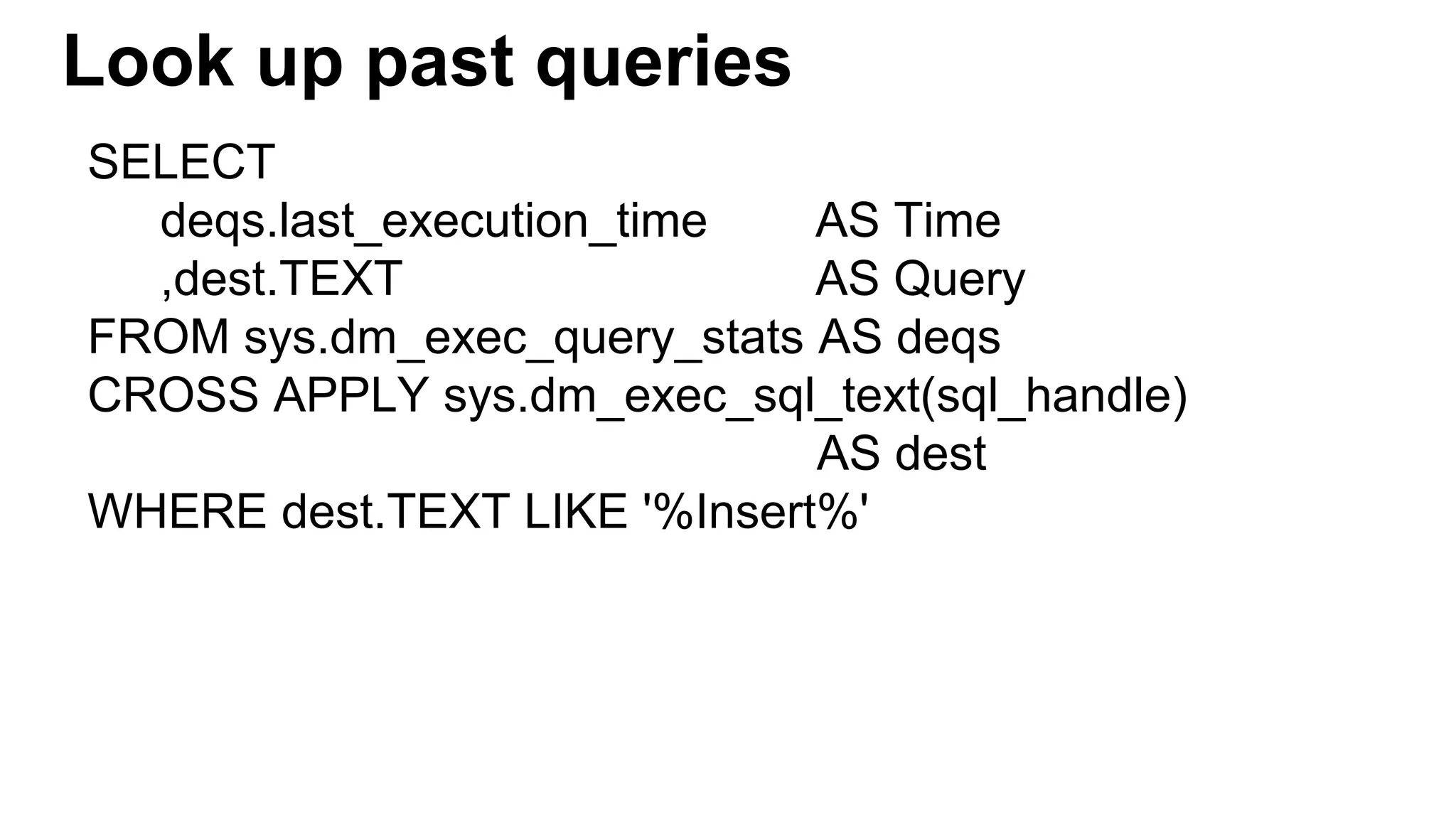
Look up past queries
SELECT
deqs.last_execution_time AS Time
,dest.TEXT AS Query
FROM sys.dm_exec_query_stats AS deqs
CROSS APPLY sys.dm_exec_sql_text(sql_handle)
AS dest
WHERE dest.TEXT LIKE '%Insert%'
Isolation levels (in conjunction w/ locking)
Definitions:
● Dirty Reads T1’s uncommitted data can be seen from another transaction, T2.
● Non-repeatable Reads: T1’s reads change due to commits from T2.
● Phantom Reads: T1’s deleted or inserted rows can have reads fail from T2.
The transaction (T) level affects ACID [Atomicity, Consistency, Isolation, Durability] properties.
SET TRANSACTION ISOLATION LEVEL <arg>, where <arg> is one of the following.
1. READ UNCOMMITTED: Dirty reads can happen.
2. READ COMMITTED [Default]: Can have “Non-repeatable Reads and “Phantom Reads”.
3. REPEATABLE READ: No Non-repeatable reads, but Phantom Reads possible.
4. SERIALIZABLE: Highest possible live isolation level.
5. READ COMMITTED SNAPSHOT: Data is read as it existed at beginning of transaction.
6. SHAPSHOT ISOLATION: Data is read as it existed at beginning of transaction w/o locks.
Pivot tables
INSERT INTO FurnitureInfo (ProductName, DaysToManufacture, Cost)
VALUES ('BarcaLounger', 5, 750), ('DeckChair', 1, 50), ('DiningRoomChair', 1, 145), ('DiningRoomTable', 3, 550)
,('LoveSeat', 3, 250), ('Sofa2Cushion', 5, 850), ('Sofa3Cushion', 8, 1050), ('SofaPillow', 1, 40), ('ThrowPillow', 1, 25)
SELECT DaysToManufacture,AVG(Cost) AS AvgCost FROM FurnitureInfo GROUP BY DaysToManufacture
DaysToManufacture AvgCost
1 65
3 400
5 800
8 1,050
The table at left looks like a rotated version of this table :
DaysToManufacture 1 3 5 8
AvgCost 65 400 800 1,050
Here is a query that will return the table above:
SELECT 'AvgCost' AS DaysToManufacture,[1],[3],[5],[8]
FROM (SELECT DaysToManufacture, Cost FROM FurnitureInfo) AS SourceTable
PIVOT( AVG(Cost) FOR DaysToManufacture IN ([1],[3],[5],[8]) ) AS PivotTable
Note: This is sometimes called a static pivot table. There is a way of using a more complex query to
dynamically discover the “pivot values”. Such a variation is sometimes called a dynamic pivot table.
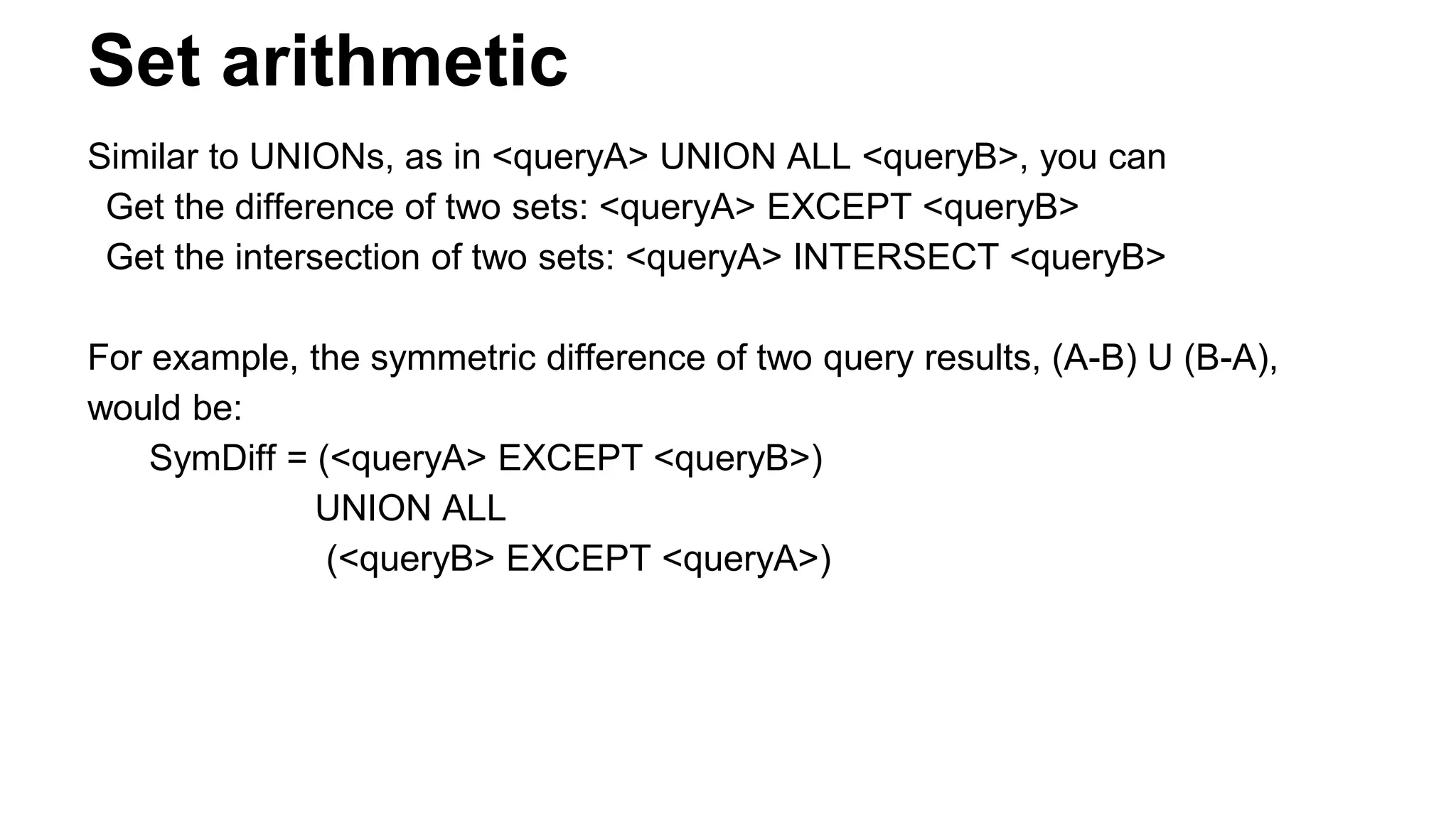
Set arithmetic
Similar to UNIONs, as in <queryA> UNION ALL <queryB>, you can
Get the difference of two sets: <queryA> EXCEPT <queryB>
Get the intersection of two sets: <queryA> INTERSECT <queryB>
For example, the symmetric difference of two query results, (A-B) U (B-A),
would be:
SymDiff = (<queryA> EXCEPT <queryB>)
UNION ALL
(<queryB> EXCEPT <queryA>)
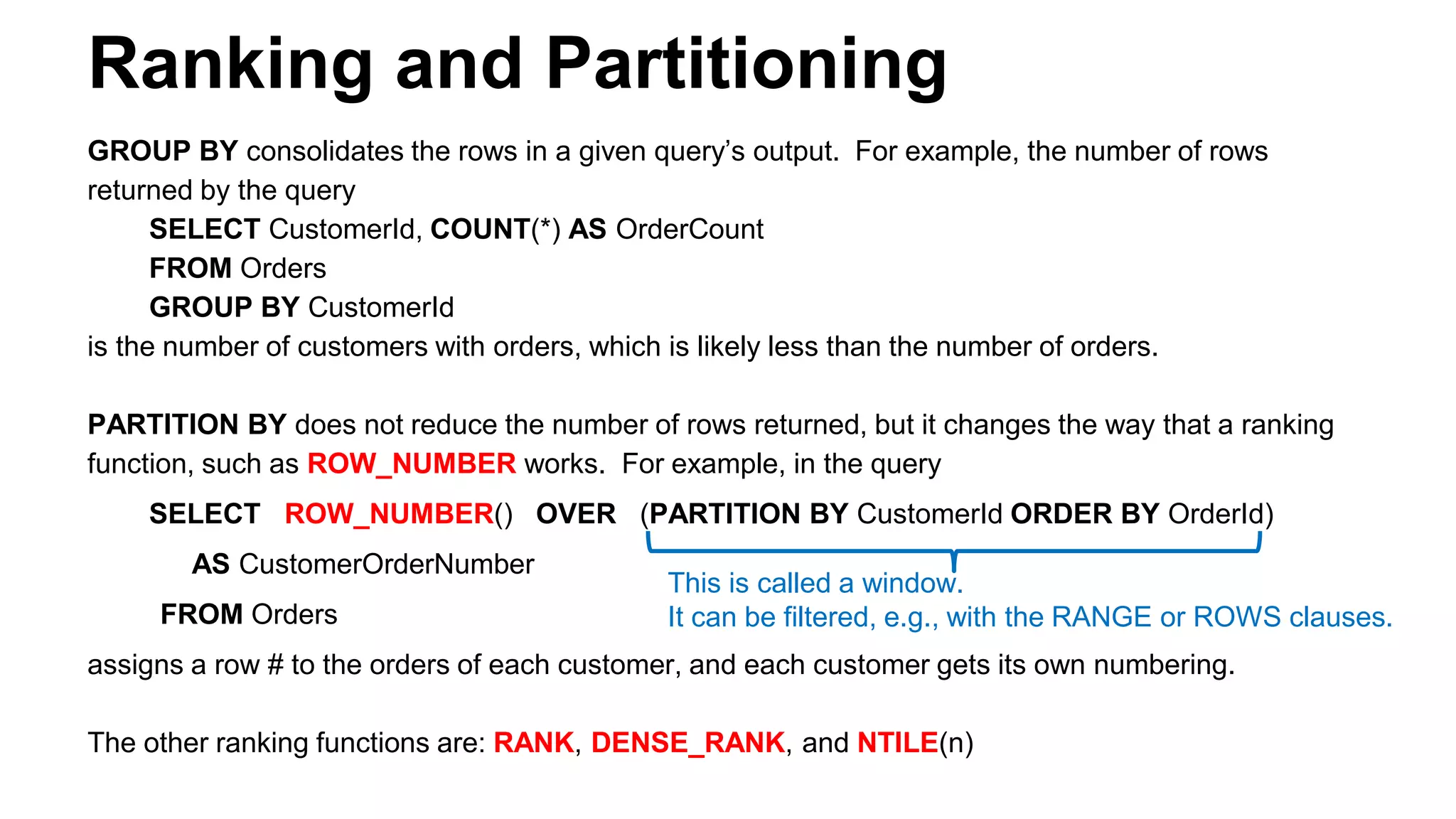
Ranking and Partitioning
GROUP BY consolidates the rows in a given query’s output. For example, the number of rows
returned by the query
SELECT CustomerId, COUNT(*) AS OrderCount
FROM Orders
GROUP BY CustomerId
is the number of customers with orders, which is likely less than the number of orders.
PARTITION BY does not reduce the number of rows returned, but it changes the way that a ranking
function, such as ROW_NUMBER works. For example, in the query
SELECT ROW_NUMBER() OVER (PARTITION BY CustomerId ORDER BY OrderId)
AS CustomerOrderNumber
FROM Orders
assigns a row # to the orders of each customer, and each customer gets its own numbering.
The other ranking functions are: RANK, DENSE_RANK, and NTILE(n)
This is called a window.
It can be filtered, e.g., with the RANGE or ROWS clauses.
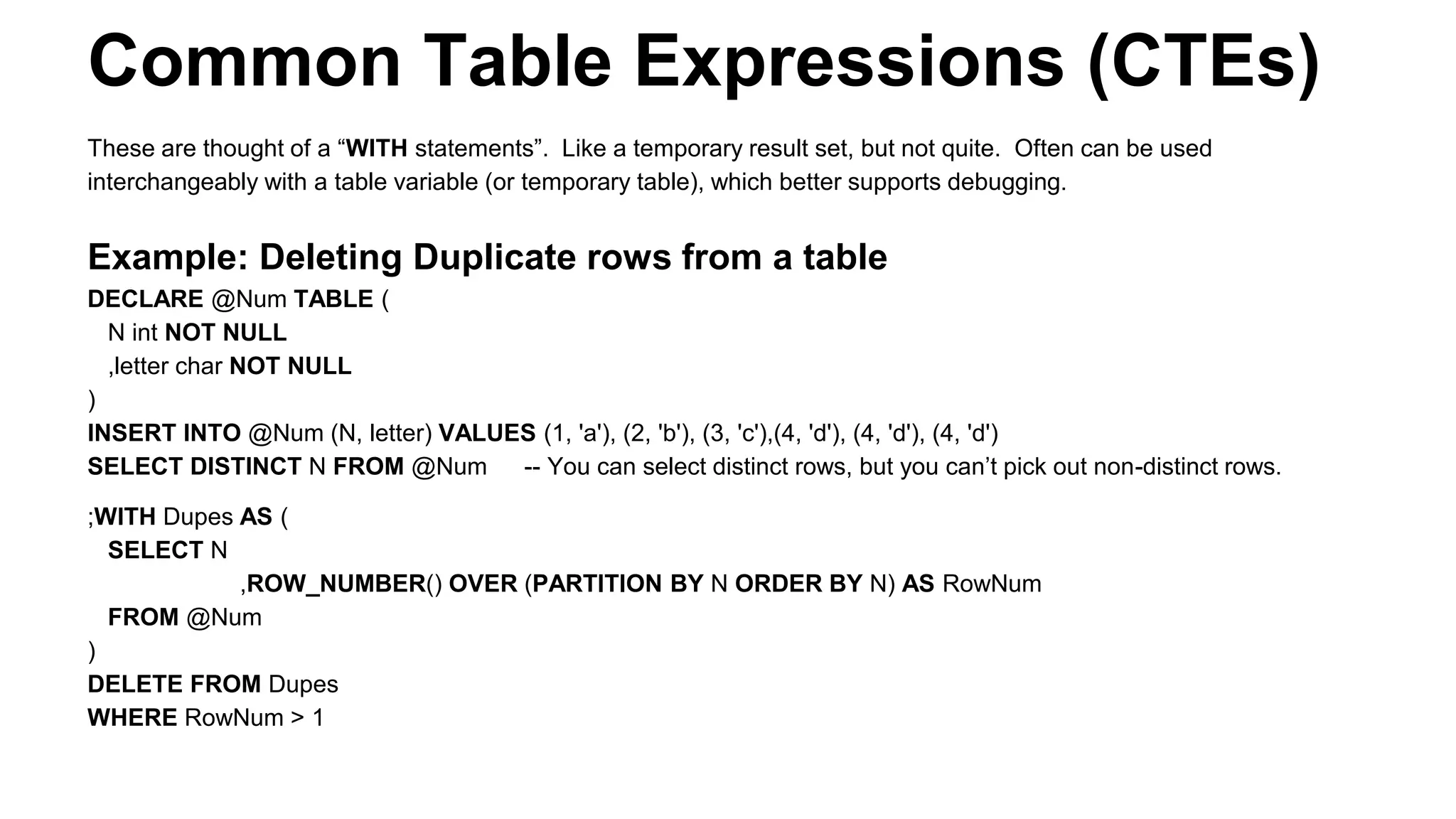
Common Table Expressions (CTEs)
These are thought of a “WITH statements”. Like a temporary result set, but not quite. Often can be used
interchangeably with a table variable (or temporary table), which better supports debugging.
Example: Deleting Duplicate rows from a table
DECLARE @Num TABLE (
N int NOT NULL
,letter char NOT NULL
)
INSERT INTO @Num (N, letter) VALUES (1, 'a'), (2, 'b'), (3, 'c'),(4, 'd'), (4, 'd'), (4, 'd')
SELECT DISTINCT N FROM @Num -- You can select distinct rows, but you can’t pick out non-distinct rows.
;WITH Dupes AS (
SELECT N
,ROW_NUMBER() OVER (PARTITION BY N ORDER BY N) AS RowNum
FROM @Num
)
DELETE FROM Dupes
WHERE RowNum > 1
Recursive CTEs, intro
CTEs can be recursive when the WITH expression has at
least one “anchor” case, and at least one “recursive” case.
Example uses:
● Pre-computing data tables
● Solving equations using iterative solutions
● Traversing trees or more general graphs
Warning: An buggy CTE can cause an infinite loop.
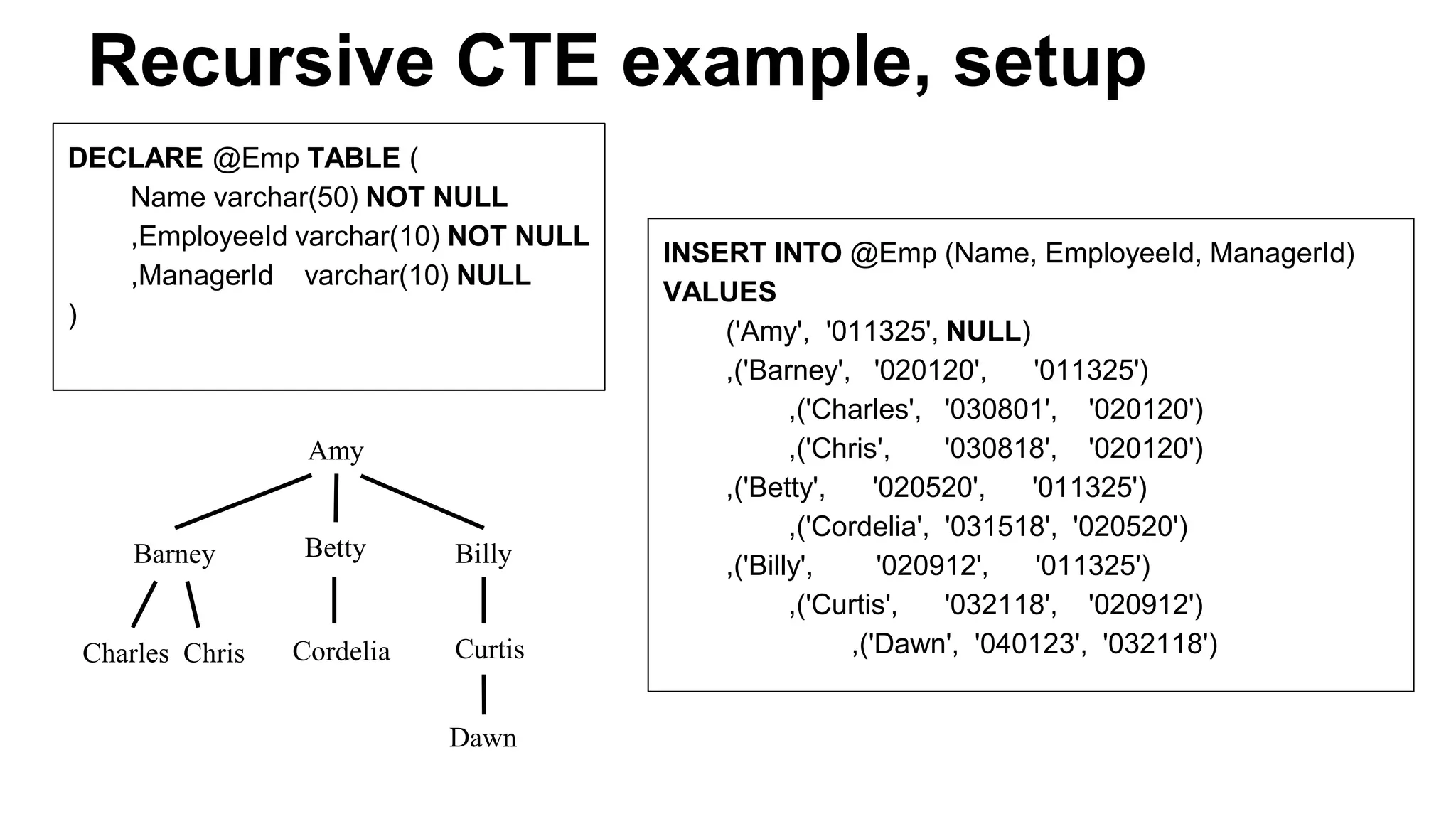
Recursive CTE example, setup
DECLARE @Emp TABLE (
Name varchar(50) NOT NULL
,EmployeeId varchar(10) NOT NULL
,ManagerId varchar(10) NULL
)
INSERT INTO @Emp (Name, EmployeeId, ManagerId)
VALUES
('Amy', '011325', NULL)
,('Barney', '020120', '011325')
,('Charles', '030801', '020120')
,('Chris', '030818', '020120')
,('Betty', '020520', '011325')
,('Cordelia', '031518', '020520')
,('Billy', '020912', '011325')
,('Curtis', '032118', '020912')
,('Dawn', '040123', '032118')
Amy
BettyBarney Billy
Charles Chris Cordelia Curtis
Dawn
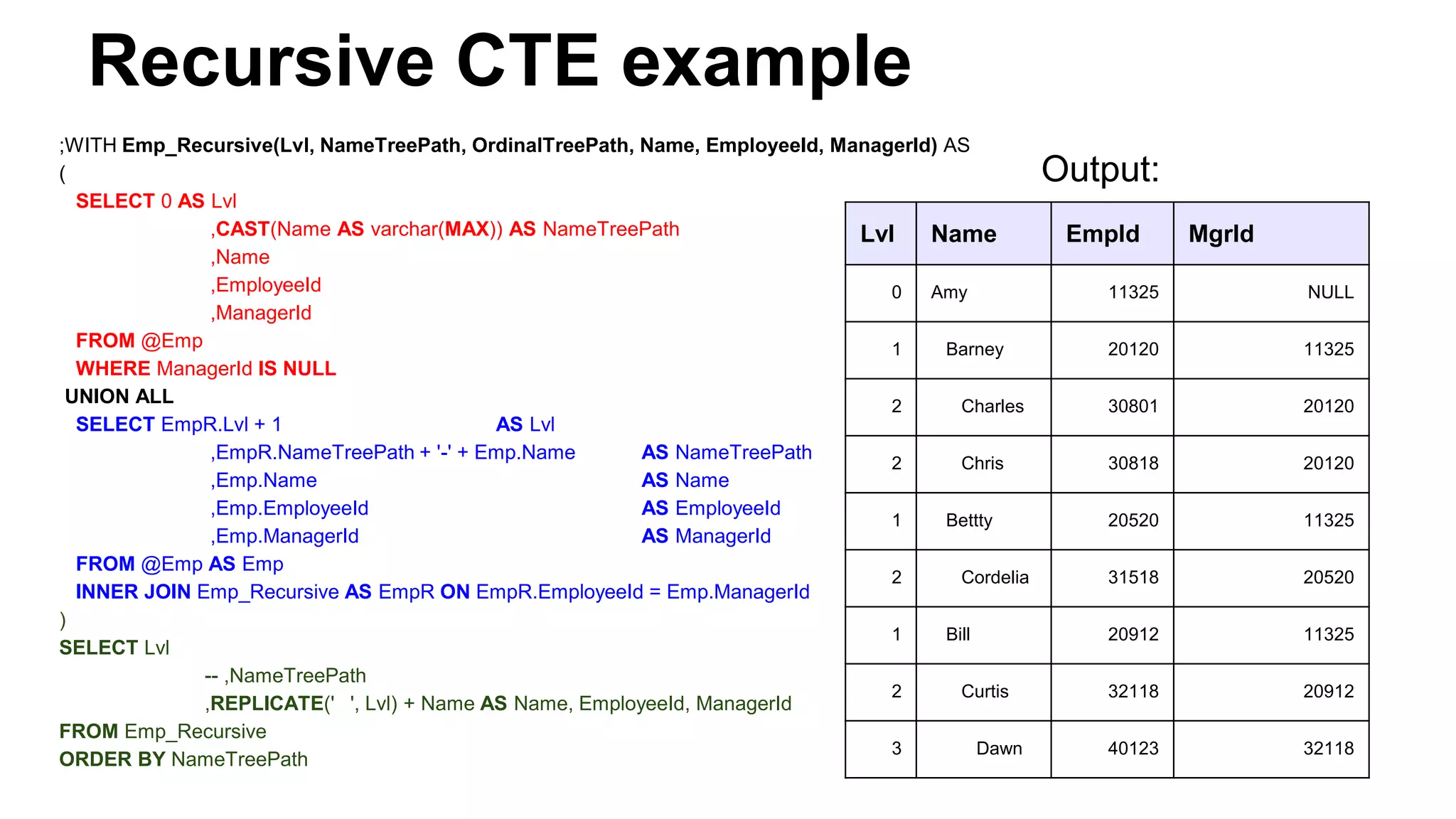
Recursive CTE example
;WITH Emp_Recursive(Lvl, NameTreePath, OrdinalTreePath, Name, EmployeeId, ManagerId) AS
(
SELECT 0 AS Lvl
,CAST(Name AS varchar(MAX)) AS NameTreePath
,Name
,EmployeeId
,ManagerId
FROM @Emp
WHERE ManagerId IS NULL
UNION ALL
SELECT EmpR.Lvl + 1 AS Lvl
,EmpR.NameTreePath + '-' + Emp.Name AS NameTreePath
,Emp.Name AS Name
,Emp.EmployeeId AS EmployeeId
,Emp.ManagerId AS ManagerId
FROM @Emp AS Emp
INNER JOIN Emp_Recursive AS EmpR ON EmpR.EmployeeId = Emp.ManagerId
)
SELECT Lvl
-- ,NameTreePath
,REPLICATE(' ', Lvl) + Name AS Name, EmployeeId, ManagerId
FROM Emp_Recursive
ORDER BY NameTreePath
Output:
Lvl Name EmpId MgrId
0 Amy 11325 NULL
1 Barney 20120 11325
2 Charles 30801 20120
2 Chris 30818 20120
1 Bettty 20520 11325
2 Cordelia 31518 20520
1 Bill 20912 11325
2 Curtis 32118 20912
3 Dawn 40123 32118
A T-SQL User Defined Type (UDT)
● Create a new type sharing an underlying type w/ another.
● CREATE RULE TriBool AS @value IN (‘T’, ‘F’, ‘U’)
● sp_addtype ‘TriBool’, ‘CHAR(1)’, ‘NOT NULL’
● sp_bindrule ‘TriBoolRule’, ‘TriBool’
○ Note: Deprecated: use Unique/Check Constraints.
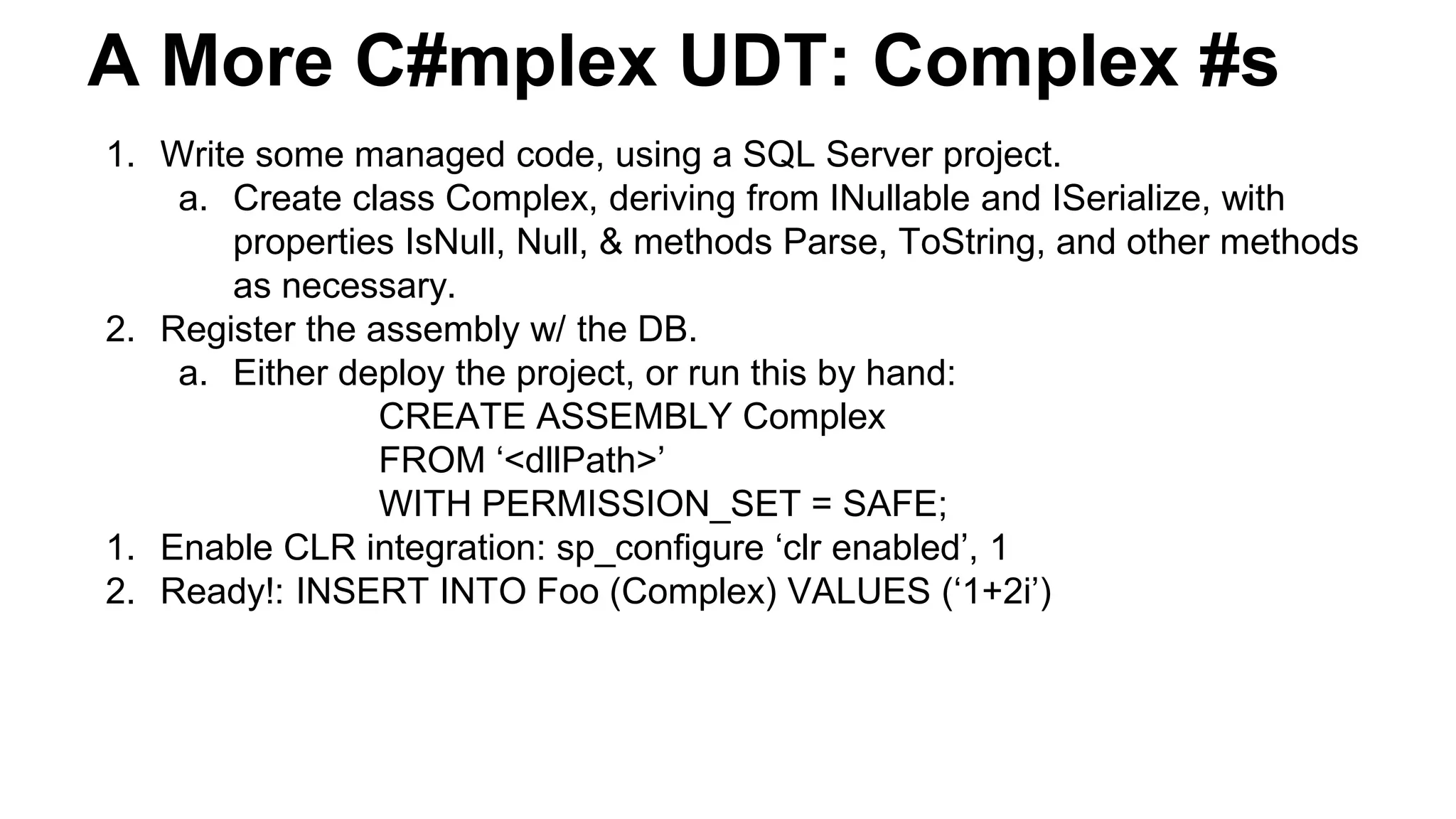
A More C#mplex UDT: Complex #s
1. Write some managed code, using a SQL Server project.
a. Create class Complex, deriving from INullable and ISerialize, with
properties IsNull, Null, & methods Parse, ToString, and other methods
as necessary.
2. Register the assembly w/ the DB.
a. Either deploy the project, or run this by hand:
CREATE ASSEMBLY Complex
FROM ‘<dllPath>’
WITH PERMISSION_SET = SAFE;
1. Enable CLR integration: sp_configure ‘clr enabled’, 1
2. Ready!: INSERT INTO Foo (Complex) VALUES (‘1+2i’)
More SQL Server Types: Geometry
Microsoft.SqlServer.Types.SqlGeometry is a class that supports a custom type called geometry.
● This is based on x & y coordinates. There are many methods available. Here are a few.
CREATE TABLE SpatialTable
( id int IDENTITY (1,1),
GeomCol1 geometry,
GeomCol2 AS GeomCol1.STAsText() );
INSERT INTO SpatialTable (GeomCol1)
VALUES (geometry::STGeomFromText('LINESTRING (100 100, 20 180, 180 180)', 0));
INSERT INTO SpatialTable (GeomCol1)
VALUES (geometry::STGeomFromText('POLYGON ((0 0, 150 0, 150 150, 0 150, 0 0))', 0));
-- [Declarations omitted]
SELECT @geom1 = GeomCol1 FROM SpatialTable WHERE id = 1;
SELECT @geom2 = GeomCol1 FROM SpatialTable WHERE id = 2;
SELECT @result = @geom1.STIntersection(@geom2);
SELECT @result.STAsText();
More SQL Server Types: Geography
Microsoft.SqlServer.Types.SqlGeometry is a class that supports a custom type called geometry.
● This is based on lat & long coordinates. There are many methods available. Here are a few.
CREATE TABLE SpatialTable
( id int IDENTITY (1,1),
GeogCol1 goegraphy,
GeogCol2 AS GeogCol1.STAsText() );
INSERT INTO SpatialTable (GeogCol1)
VALUES (geography::STGeomFromText('LINESTRING(-122.360 47.656, -122.343 47.656 )', 4326));
INSERT INTO SpatialTable (GeogCol1)
VALUES (geography::STGeomFromText('POLYGON((-122.358 47.653 , -122.348 47.649, -122.348
47.658, -122.358 47.658, -122.358 47.653))', 4326));
-- [Declarations omitted]
SELECT @geom1 = GeogCol1 FROM SpatialTable WHERE id = 1;
SELECT @geom2 = GeogCol1 FROM SpatialTable WHERE id = 2;
SELECT @result = @geog1.STIntersection(@geog2);
SELECT @result.STAsText();
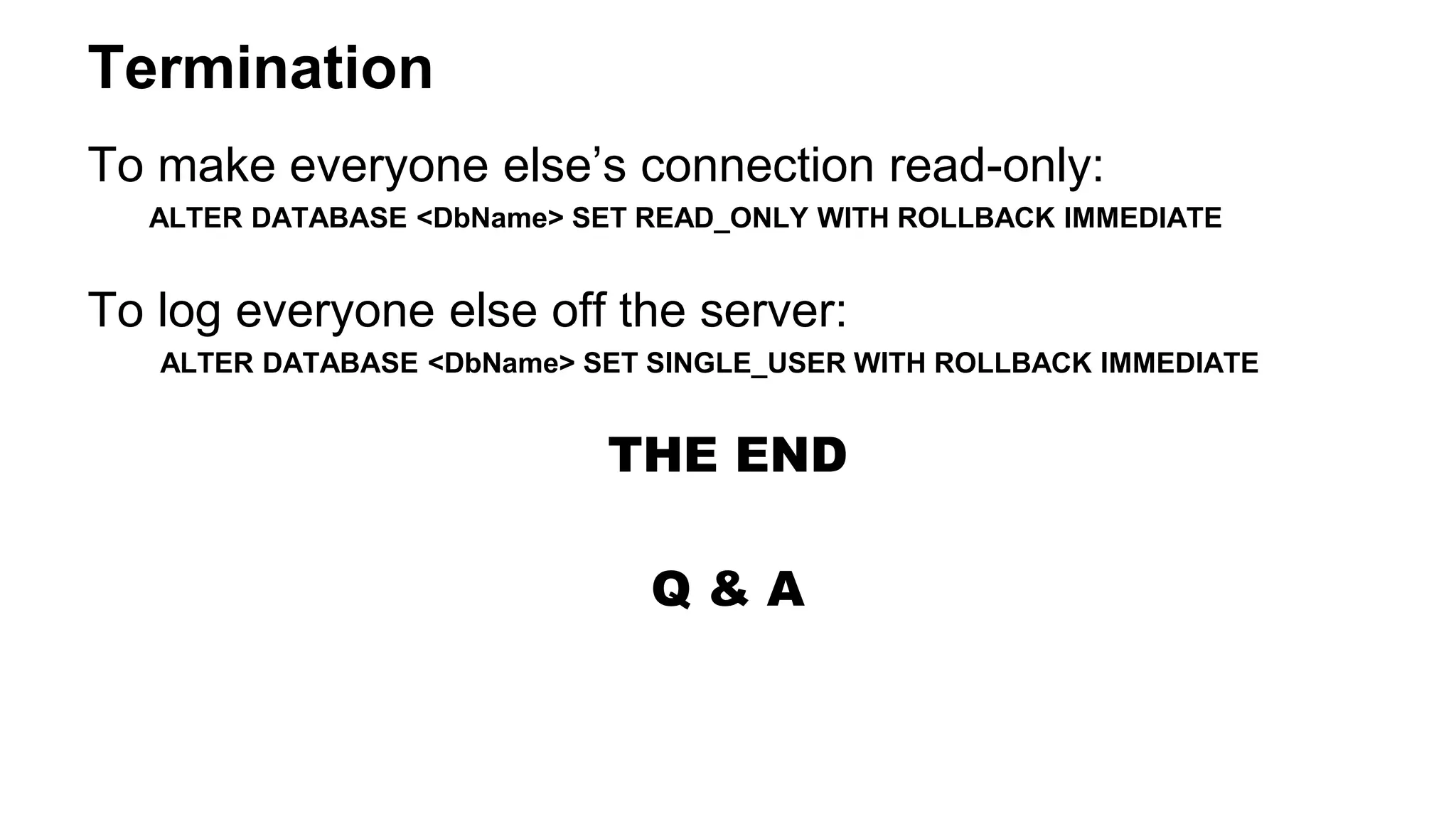
Termination
To make everyone else’s connection read-only:
ALTER DATABASE <DbName> SET READ_ONLY WITH ROLLBACK IMMEDIATE
To log everyone else off the server:
ALTER DATABASE <DbName> SET SINGLE_USER WITH ROLLBACK IMMEDIATE
THE END
Q & A
Appendix
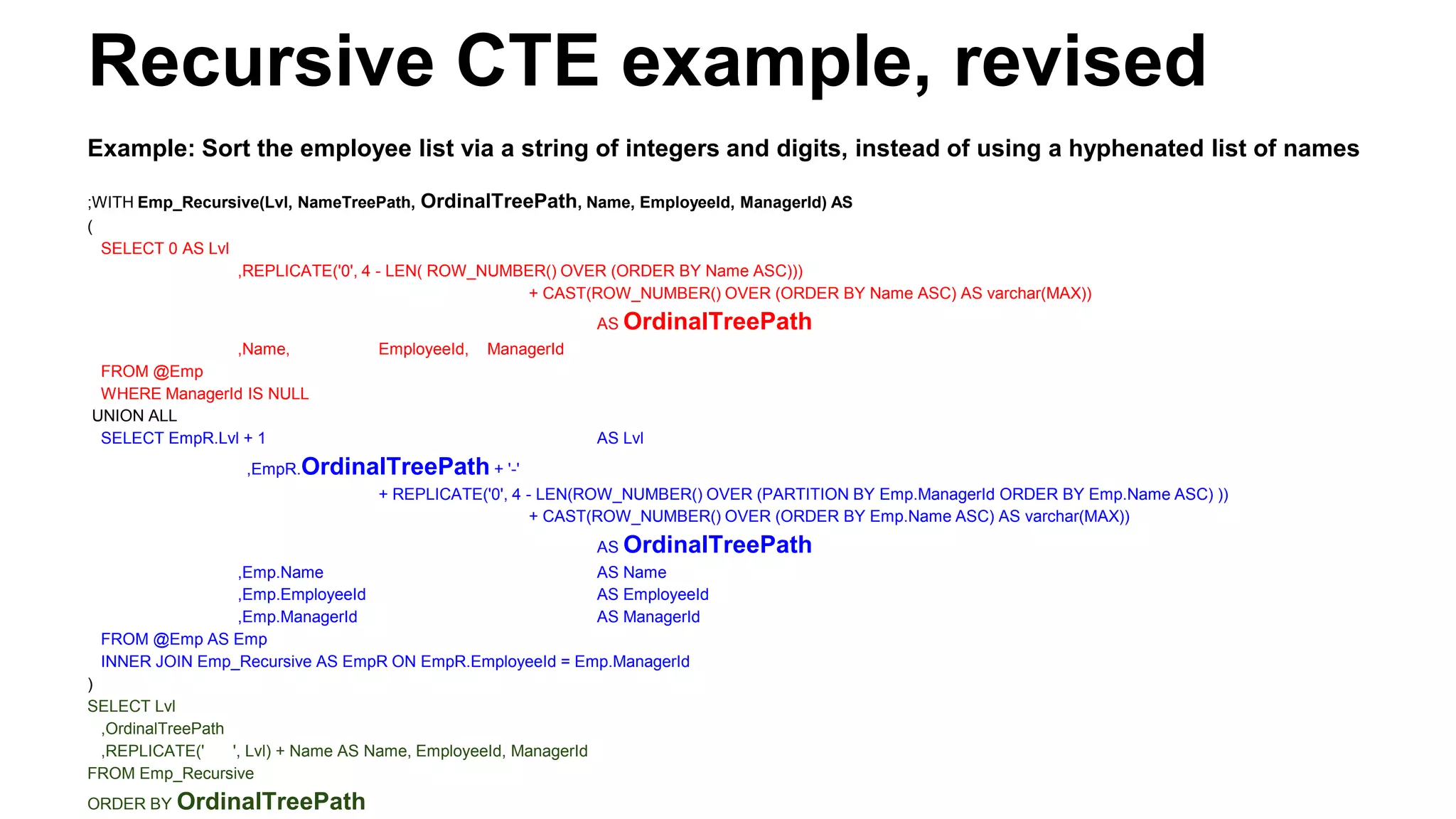
Recursive CTE example, revised
Example: Sort the employee list via a string of integers and digits, instead of using a hyphenated list of names
;WITH Emp_Recursive(Lvl, NameTreePath, OrdinalTreePath, Name, EmployeeId, ManagerId) AS
(
SELECT 0 AS Lvl
,REPLICATE('0', 4 - LEN( ROW_NUMBER() OVER (ORDER BY Name ASC)))
+ CAST(ROW_NUMBER() OVER (ORDER BY Name ASC) AS varchar(MAX))
AS OrdinalTreePath
,Name, EmployeeId, ManagerId
FROM @Emp
WHERE ManagerId IS NULL
UNION ALL
SELECT EmpR.Lvl + 1 AS Lvl
,EmpR.OrdinalTreePath + '-'
+ REPLICATE('0', 4 - LEN(ROW_NUMBER() OVER (PARTITION BY Emp.ManagerId ORDER BY Emp.Name ASC) ))
+ CAST(ROW_NUMBER() OVER (ORDER BY Emp.Name ASC) AS varchar(MAX))
AS OrdinalTreePath
,Emp.Name AS Name
,Emp.EmployeeId AS EmployeeId
,Emp.ManagerId AS ManagerId
FROM @Emp AS Emp
INNER JOIN Emp_Recursive AS EmpR ON EmpR.EmployeeId = Emp.ManagerId
)
SELECT Lvl
,OrdinalTreePath
,REPLICATE(' ', Lvl) + Name AS Name, EmployeeId, ManagerId
FROM Emp_Recursive
ORDER BY OrdinalTreePath
TODO
●Full-text search
●Semantic Search
●Table variables vs. temp tables
○Many myths, and surprisingly many differences
○http://stackoverflow.com/questions/11857789/when-
should-i-use-a-table-variable-vs-temporary-table-in-
sql-server
○http://dba.stackexchange.com/questions/16385/what
s-the-difference-between-a-temp-table-and-table-
variable-in-sql-server/16386#16386

SQL Server Select Topics

  • 1.
    SQL Server DatabaseEngine: Select Topics 2014-01-18 First dot Last at gmail License: CC BY-SA 4.0 (except images), by Jay Coskey
  • 2.
    Background SQL is basedin research on relational models of data (E. F. Codd, 1969/1970) SQL over time (first covered by ANSI in 1986, and by ISO in 1987): Pre-ISO versions of SQL: SQL 86, SQL 89, SQL 92 (& SQL/PSM) ISO/IEC 9075: SQL:1999 (a.k.a. SQL3), SQL:2003, SQL:2008, SQL:2011 And SQL various across vendors, each with their own changes/enhancements Microsoft: Transact-SQL (a.k.a. T-SQL) Oracle: PL/SQL PostgreSQL: PL/pgSQL MySQL Background: T-SQL commands: DQL/DRL - Data Query/Retrieval Language: SELECT DML - Data Manipulation Language: UPDATE, INSERT, DELETE, etc. DDL - Data Definition Language: CREATE, ALTER, DROP, etc. TCL - Transactional Control Language: COMMIT, ROLLBACK, etc. DCL - Data Control Language: GRANT, REVOKE, DENY, etc. The above list is not exhaustive. In addition to T-SQL, SQL Server also supports MDX or DMX (Data Mining Extensions).
  • 3.
    INFORMATION_SCHEMA (an ISOstandard) Common cmds to get info include: sp_databases, sp_tables, sp_help ‘objName’, sp_who2 Also, each SQL Server DB has a table called INFORMATION_SCHEMA that has info on all tables, columns, etc., in the DB. This can be used to find tables and columns of interest, to find all users with access, and more. SELECT * FROM MyDb.INFORMATION_SCHEMA.TABLES Also present: COLUMNS, PARAMETERS, ROUTINES, etc. Here is an example of finding columns that contain the string “EmployeeId”. SELECT t.name AS table_name, SCHEMA_NAME(schema_id) AS schema_name, c.name AS column_name FROM sys.tables AS t INNER JOIN sys.columns c ON t.OBJECT_ID = c.OBJECT_ID WHERE c.name LIKE '%EmployeeId%' ORDER BY schema_name, table_name;
  • 4.
    SQL-Server-specific tables, storedprocs, & commands ● Read & Write: ○ sp_help ‘objName’ -- For a shortcut: Highlight TableName and hit ALT+F1 ○ DBCC is a general purpose command for changing DB configuration. ● Iterator over DB objects: ○ sp_MSforeachdb runs a given cmd w/ ? replaced by each DB name. ○ sp_MSforeachtable runs a cmd w/ ‘?’ replaced by each table name in a DB. E.g., exec sp_msforeach “dbcc dbreindex(‘?’)” ● You can also attach documentation to SQL Server objects: ○ sp_updateextendedproperty @name = N’MS_Description’, @value = ‘Foo’ @level0type = N’Schema’, @level0name = dbo, @level1type = N’Table’, @level1name = ‘<tableName>’ @level2type = N’Column’, @level2name = ‘<columnName>’
  • 5.
    Look up pastqueries SELECT deqs.last_execution_time AS Time ,dest.TEXT AS Query FROM sys.dm_exec_query_stats AS deqs CROSS APPLY sys.dm_exec_sql_text(sql_handle) AS dest WHERE dest.TEXT LIKE '%Insert%'
  • 6.
    Isolation levels (inconjunction w/ locking) Definitions: ● Dirty Reads T1’s uncommitted data can be seen from another transaction, T2. ● Non-repeatable Reads: T1’s reads change due to commits from T2. ● Phantom Reads: T1’s deleted or inserted rows can have reads fail from T2. The transaction (T) level affects ACID [Atomicity, Consistency, Isolation, Durability] properties. SET TRANSACTION ISOLATION LEVEL <arg>, where <arg> is one of the following. 1. READ UNCOMMITTED: Dirty reads can happen. 2. READ COMMITTED [Default]: Can have “Non-repeatable Reads and “Phantom Reads”. 3. REPEATABLE READ: No Non-repeatable reads, but Phantom Reads possible. 4. SERIALIZABLE: Highest possible live isolation level. 5. READ COMMITTED SNAPSHOT: Data is read as it existed at beginning of transaction. 6. SHAPSHOT ISOLATION: Data is read as it existed at beginning of transaction w/o locks.
  • 7.
    Pivot tables INSERT INTOFurnitureInfo (ProductName, DaysToManufacture, Cost) VALUES ('BarcaLounger', 5, 750), ('DeckChair', 1, 50), ('DiningRoomChair', 1, 145), ('DiningRoomTable', 3, 550) ,('LoveSeat', 3, 250), ('Sofa2Cushion', 5, 850), ('Sofa3Cushion', 8, 1050), ('SofaPillow', 1, 40), ('ThrowPillow', 1, 25) SELECT DaysToManufacture,AVG(Cost) AS AvgCost FROM FurnitureInfo GROUP BY DaysToManufacture DaysToManufacture AvgCost 1 65 3 400 5 800 8 1,050 The table at left looks like a rotated version of this table : DaysToManufacture 1 3 5 8 AvgCost 65 400 800 1,050 Here is a query that will return the table above: SELECT 'AvgCost' AS DaysToManufacture,[1],[3],[5],[8] FROM (SELECT DaysToManufacture, Cost FROM FurnitureInfo) AS SourceTable PIVOT( AVG(Cost) FOR DaysToManufacture IN ([1],[3],[5],[8]) ) AS PivotTable Note: This is sometimes called a static pivot table. There is a way of using a more complex query to dynamically discover the “pivot values”. Such a variation is sometimes called a dynamic pivot table.
  • 8.
    Set arithmetic Similar toUNIONs, as in <queryA> UNION ALL <queryB>, you can Get the difference of two sets: <queryA> EXCEPT <queryB> Get the intersection of two sets: <queryA> INTERSECT <queryB> For example, the symmetric difference of two query results, (A-B) U (B-A), would be: SymDiff = (<queryA> EXCEPT <queryB>) UNION ALL (<queryB> EXCEPT <queryA>)
  • 9.
    Ranking and Partitioning GROUPBY consolidates the rows in a given query’s output. For example, the number of rows returned by the query SELECT CustomerId, COUNT(*) AS OrderCount FROM Orders GROUP BY CustomerId is the number of customers with orders, which is likely less than the number of orders. PARTITION BY does not reduce the number of rows returned, but it changes the way that a ranking function, such as ROW_NUMBER works. For example, in the query SELECT ROW_NUMBER() OVER (PARTITION BY CustomerId ORDER BY OrderId) AS CustomerOrderNumber FROM Orders assigns a row # to the orders of each customer, and each customer gets its own numbering. The other ranking functions are: RANK, DENSE_RANK, and NTILE(n) This is called a window. It can be filtered, e.g., with the RANGE or ROWS clauses.
  • 10.
    Common Table Expressions(CTEs) These are thought of a “WITH statements”. Like a temporary result set, but not quite. Often can be used interchangeably with a table variable (or temporary table), which better supports debugging. Example: Deleting Duplicate rows from a table DECLARE @Num TABLE ( N int NOT NULL ,letter char NOT NULL ) INSERT INTO @Num (N, letter) VALUES (1, 'a'), (2, 'b'), (3, 'c'),(4, 'd'), (4, 'd'), (4, 'd') SELECT DISTINCT N FROM @Num -- You can select distinct rows, but you can’t pick out non-distinct rows. ;WITH Dupes AS ( SELECT N ,ROW_NUMBER() OVER (PARTITION BY N ORDER BY N) AS RowNum FROM @Num ) DELETE FROM Dupes WHERE RowNum > 1
  • 11.
    Recursive CTEs, intro CTEscan be recursive when the WITH expression has at least one “anchor” case, and at least one “recursive” case. Example uses: ● Pre-computing data tables ● Solving equations using iterative solutions ● Traversing trees or more general graphs Warning: An buggy CTE can cause an infinite loop.
  • 12.
    Recursive CTE example,setup DECLARE @Emp TABLE ( Name varchar(50) NOT NULL ,EmployeeId varchar(10) NOT NULL ,ManagerId varchar(10) NULL ) INSERT INTO @Emp (Name, EmployeeId, ManagerId) VALUES ('Amy', '011325', NULL) ,('Barney', '020120', '011325') ,('Charles', '030801', '020120') ,('Chris', '030818', '020120') ,('Betty', '020520', '011325') ,('Cordelia', '031518', '020520') ,('Billy', '020912', '011325') ,('Curtis', '032118', '020912') ,('Dawn', '040123', '032118') Amy BettyBarney Billy Charles Chris Cordelia Curtis Dawn
  • 13.
    Recursive CTE example ;WITHEmp_Recursive(Lvl, NameTreePath, OrdinalTreePath, Name, EmployeeId, ManagerId) AS ( SELECT 0 AS Lvl ,CAST(Name AS varchar(MAX)) AS NameTreePath ,Name ,EmployeeId ,ManagerId FROM @Emp WHERE ManagerId IS NULL UNION ALL SELECT EmpR.Lvl + 1 AS Lvl ,EmpR.NameTreePath + '-' + Emp.Name AS NameTreePath ,Emp.Name AS Name ,Emp.EmployeeId AS EmployeeId ,Emp.ManagerId AS ManagerId FROM @Emp AS Emp INNER JOIN Emp_Recursive AS EmpR ON EmpR.EmployeeId = Emp.ManagerId ) SELECT Lvl -- ,NameTreePath ,REPLICATE(' ', Lvl) + Name AS Name, EmployeeId, ManagerId FROM Emp_Recursive ORDER BY NameTreePath Output: Lvl Name EmpId MgrId 0 Amy 11325 NULL 1 Barney 20120 11325 2 Charles 30801 20120 2 Chris 30818 20120 1 Bettty 20520 11325 2 Cordelia 31518 20520 1 Bill 20912 11325 2 Curtis 32118 20912 3 Dawn 40123 32118
  • 14.
    A T-SQL UserDefined Type (UDT) ● Create a new type sharing an underlying type w/ another. ● CREATE RULE TriBool AS @value IN (‘T’, ‘F’, ‘U’) ● sp_addtype ‘TriBool’, ‘CHAR(1)’, ‘NOT NULL’ ● sp_bindrule ‘TriBoolRule’, ‘TriBool’ ○ Note: Deprecated: use Unique/Check Constraints.
  • 15.
    A More C#mplexUDT: Complex #s 1. Write some managed code, using a SQL Server project. a. Create class Complex, deriving from INullable and ISerialize, with properties IsNull, Null, & methods Parse, ToString, and other methods as necessary. 2. Register the assembly w/ the DB. a. Either deploy the project, or run this by hand: CREATE ASSEMBLY Complex FROM ‘<dllPath>’ WITH PERMISSION_SET = SAFE; 1. Enable CLR integration: sp_configure ‘clr enabled’, 1 2. Ready!: INSERT INTO Foo (Complex) VALUES (‘1+2i’)
  • 16.
    More SQL ServerTypes: Geometry Microsoft.SqlServer.Types.SqlGeometry is a class that supports a custom type called geometry. ● This is based on x & y coordinates. There are many methods available. Here are a few. CREATE TABLE SpatialTable ( id int IDENTITY (1,1), GeomCol1 geometry, GeomCol2 AS GeomCol1.STAsText() ); INSERT INTO SpatialTable (GeomCol1) VALUES (geometry::STGeomFromText('LINESTRING (100 100, 20 180, 180 180)', 0)); INSERT INTO SpatialTable (GeomCol1) VALUES (geometry::STGeomFromText('POLYGON ((0 0, 150 0, 150 150, 0 150, 0 0))', 0)); -- [Declarations omitted] SELECT @geom1 = GeomCol1 FROM SpatialTable WHERE id = 1; SELECT @geom2 = GeomCol1 FROM SpatialTable WHERE id = 2; SELECT @result = @geom1.STIntersection(@geom2); SELECT @result.STAsText();
  • 17.
    More SQL ServerTypes: Geography Microsoft.SqlServer.Types.SqlGeometry is a class that supports a custom type called geometry. ● This is based on lat & long coordinates. There are many methods available. Here are a few. CREATE TABLE SpatialTable ( id int IDENTITY (1,1), GeogCol1 goegraphy, GeogCol2 AS GeogCol1.STAsText() ); INSERT INTO SpatialTable (GeogCol1) VALUES (geography::STGeomFromText('LINESTRING(-122.360 47.656, -122.343 47.656 )', 4326)); INSERT INTO SpatialTable (GeogCol1) VALUES (geography::STGeomFromText('POLYGON((-122.358 47.653 , -122.348 47.649, -122.348 47.658, -122.358 47.658, -122.358 47.653))', 4326)); -- [Declarations omitted] SELECT @geom1 = GeogCol1 FROM SpatialTable WHERE id = 1; SELECT @geom2 = GeogCol1 FROM SpatialTable WHERE id = 2; SELECT @result = @geog1.STIntersection(@geog2); SELECT @result.STAsText();
  • 18.
    Termination To make everyoneelse’s connection read-only: ALTER DATABASE <DbName> SET READ_ONLY WITH ROLLBACK IMMEDIATE To log everyone else off the server: ALTER DATABASE <DbName> SET SINGLE_USER WITH ROLLBACK IMMEDIATE THE END Q & A
  • 19.
  • 20.
    Recursive CTE example,revised Example: Sort the employee list via a string of integers and digits, instead of using a hyphenated list of names ;WITH Emp_Recursive(Lvl, NameTreePath, OrdinalTreePath, Name, EmployeeId, ManagerId) AS ( SELECT 0 AS Lvl ,REPLICATE('0', 4 - LEN( ROW_NUMBER() OVER (ORDER BY Name ASC))) + CAST(ROW_NUMBER() OVER (ORDER BY Name ASC) AS varchar(MAX)) AS OrdinalTreePath ,Name, EmployeeId, ManagerId FROM @Emp WHERE ManagerId IS NULL UNION ALL SELECT EmpR.Lvl + 1 AS Lvl ,EmpR.OrdinalTreePath + '-' + REPLICATE('0', 4 - LEN(ROW_NUMBER() OVER (PARTITION BY Emp.ManagerId ORDER BY Emp.Name ASC) )) + CAST(ROW_NUMBER() OVER (ORDER BY Emp.Name ASC) AS varchar(MAX)) AS OrdinalTreePath ,Emp.Name AS Name ,Emp.EmployeeId AS EmployeeId ,Emp.ManagerId AS ManagerId FROM @Emp AS Emp INNER JOIN Emp_Recursive AS EmpR ON EmpR.EmployeeId = Emp.ManagerId ) SELECT Lvl ,OrdinalTreePath ,REPLICATE(' ', Lvl) + Name AS Name, EmployeeId, ManagerId FROM Emp_Recursive ORDER BY OrdinalTreePath
  • 21.
    TODO ●Full-text search ●Semantic Search ●Tablevariables vs. temp tables ○Many myths, and surprisingly many differences ○http://stackoverflow.com/questions/11857789/when- should-i-use-a-table-variable-vs-temporary-table-in- sql-server ○http://dba.stackexchange.com/questions/16385/what s-the-difference-between-a-temp-table-and-table- variable-in-sql-server/16386#16386

Editor's Notes

  • #2 http://stackoverflow.com/questions/1239512/sql-server-features-commands-that-most-developers-are-unaware-of WITH TIES WHEN MATCHED THEN <merge_matched> WHEN NOT MATCHED [BY TARGET] THEN <merge_not_matched> WHEN NOT MATCHED BY SOURCE THEN <merge_matched> WITH(FORCESEEK) - forces the query optimizer to use only an index seek operation as the access path to the data in the table. FOR XML COALESCE How to shrink the database and log files CTRL + 0 to insert null SQL Server 2014 resource governor http://www.dbnewsfeed.com/category/sql-server-2014/ SQL Server Performance Tuning http://use-the-index-luke.com/ http://www.reddit.com/r/SQLServer/comments/1sme8i/recommended_reading_for_performance_tuning/ For Graph-recursive algorithms in T-SQL, see http://hansolav.net/sql/graphs.html OUTER vs. CROSS APPLY http://stackoverflow.com/questions/9275132/real-life-example-when-to-use-outer-cross-apply-in-sql
  • #7 Applications: * Changing to READ UNCOMMITTED might improve performance of some statements. - But if we really cared about performance, we would profile. - For daily inserts, moving from regular insert to BULK INSERT would likely help more. - When improving the performance of backfills, temporarily removing all indices would probably help more.
  • #10 RANK - Within each partition, numbering is unique except for ties. Example of a tie: 1,2, 3,3,3, 6, 7. DENSE_RANK - Within each partition, numbering is unique except for ties. Example of a tie: 1,2, 3,3,3, 4, 5. NTILE - Within each partition, numbering is not unique, but rather grouped by percentile. Example of NTILE(4): 1,1,1,2,2,2,3,3,3,4,4,4. SQL Server 2012 introduced: * window order and frame clauses * offset functions (LAG, LEAD, FIRST_VALUE, LAST_VALUE) * window distribution functions (PERCENT_RANK, CUME_DIST, PERCENTILE_DISC, PERCENTILE_CONT