

© 2003-2014 PAIT Group
Maximizing the SharePoint User
Experience with Free 3rd Party
jQuery Libraries
Mark Rackley
Mark Rackley
mrackley@paitgroup.com
SPTechCon Dev Days
Mark Rackley / Partner & CTO
• 20+ years software architecture and
development experience
• SharePoint Junkie since 2007
• Event Organizer
(SharePointalooza.org)
• Blogger, Writer, Speaker
• Bacon aficionado
@mrackley
www.SharePointHillbilly.com
www.PaitGroup.com
www.SharePointaLooza.org
www.StratusForms.com
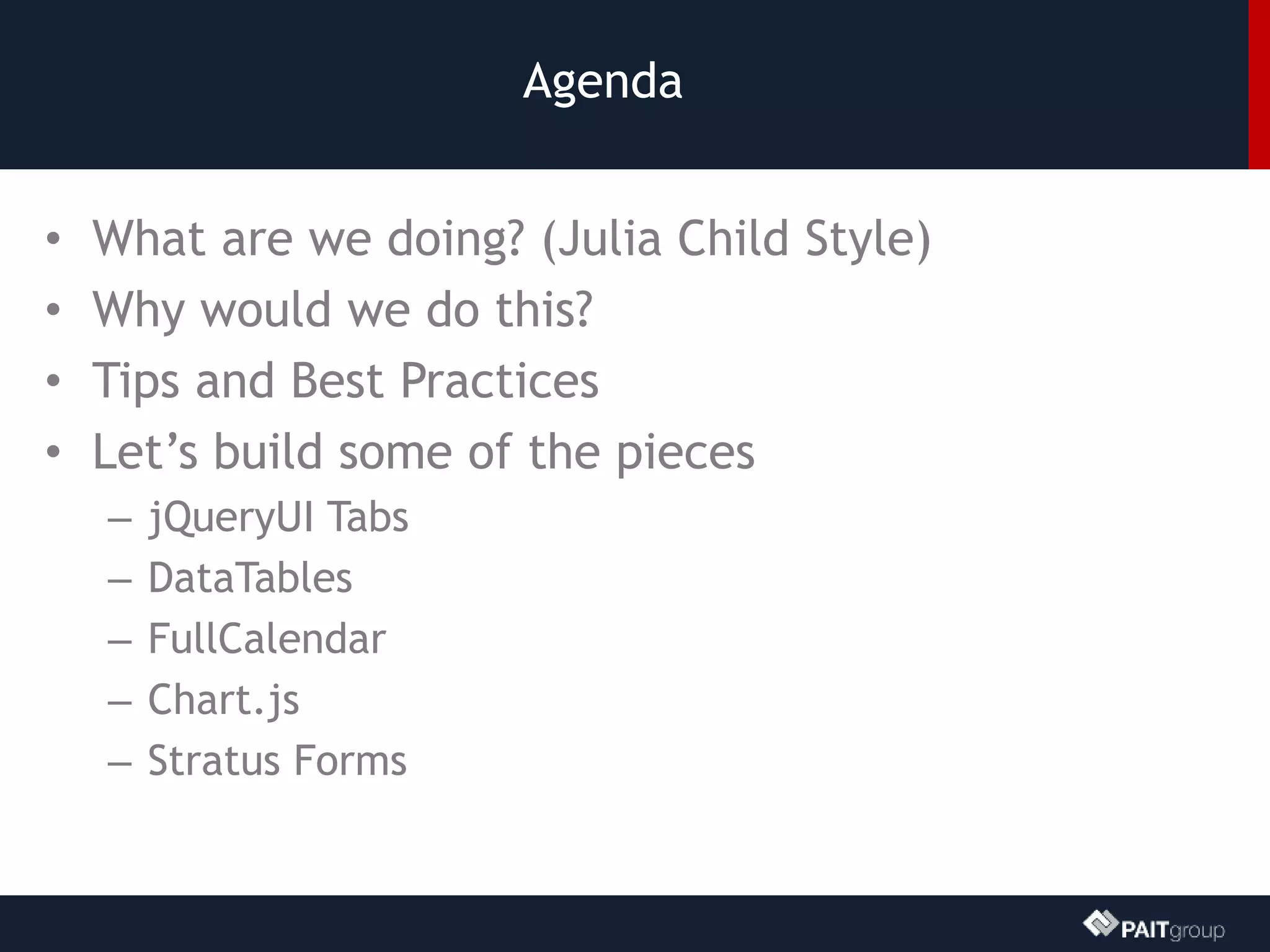
Agenda
• What are we doing? (Julia Child Style)
• Why would we do this?
• Tips and Best Practices
• Let’s build some of the pieces
– jQueryUI Tabs
– DataTables
– FullCalendar
– Chart.js
– Stratus Forms
DEMO: Contract
Management Solution
SharePoint gets you 85% of the way there, client side
development can’t do the rest…
Why bother with client side dev?
• Stay off the server
• Deployment and maintenance can be easier
• Upgrades can be painless
• You don’t have to be a development guru
• You don’t need expensive tools like Visual
Studio… well you don’t NEED any tools at all.
Development basics
• Store scripts in a document library
• To deploy a script across a site collection use a Custom
Action
• Avoid directly adding scripts to Master Page
• Can be more difficult to maintain and debug
• To deploy script to a page, add a Content Editor Web
Part and link to script
• Avoid placing scripts directly in CEWP
• Scripts can get mangled and there is no reuse / backup.
How about some best practices?
• Avoid global variables
• Write scripts in small digestible chunks
• Code with performance in mind
• Minify files, but make updates in un-minified files
• Be consistent in structure and syntax ESPECIALLY if
developing as part of a team
• Document what you’ve done
jQueryUI
• http://jqueryui.com/
• jQuery UI is a curated set of user interface interactions, effects,
widgets, and themes built on top of the jQuery JavaScript Library.
Whether you're building highly interactive web applications or you
just need to add a date picker to a form control, jQuery UI is the
perfect choice.
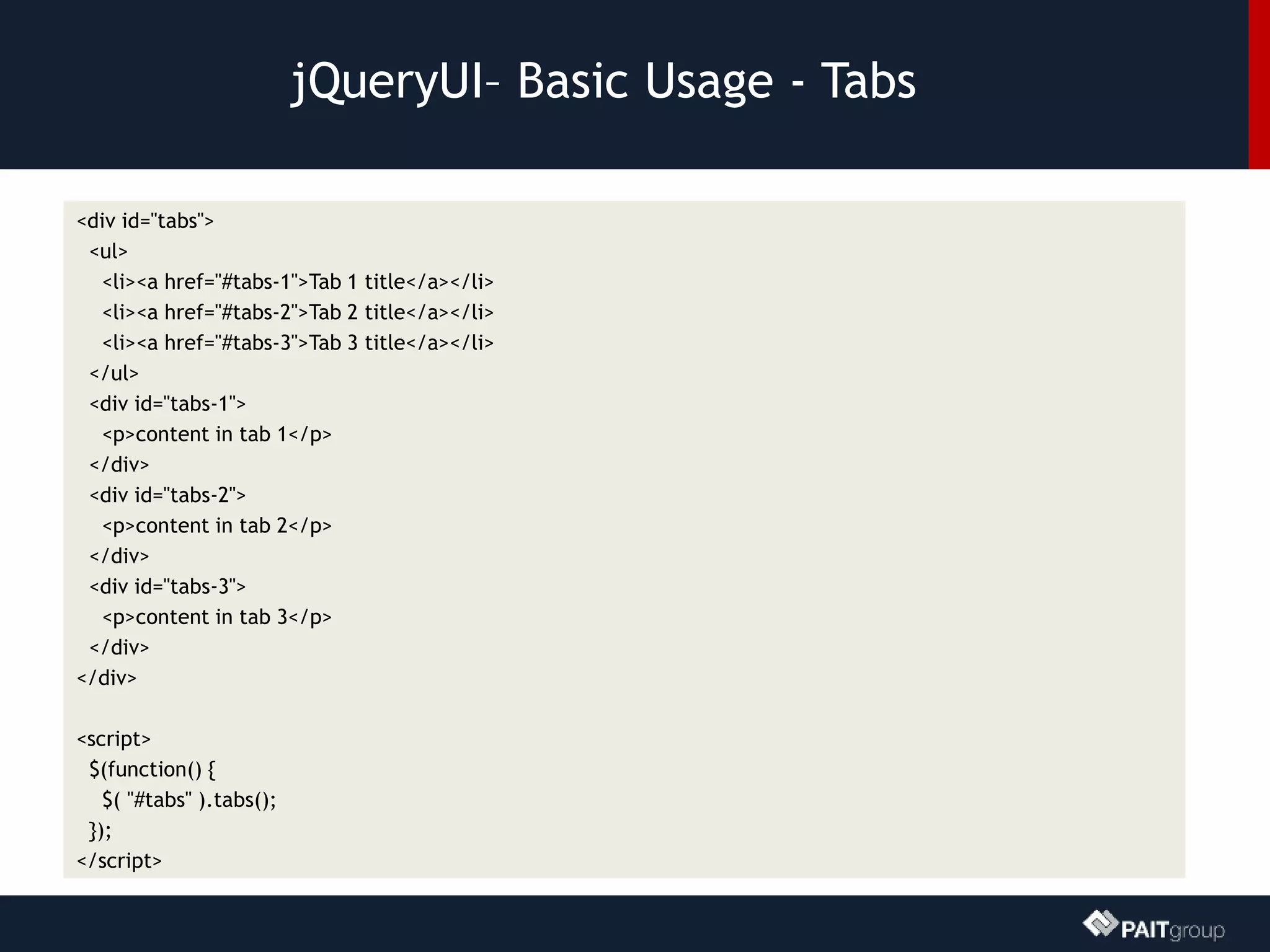
jQueryUI– Basic Usage - Tabs
<div id="tabs">
<ul>
<li><a href="#tabs-1">Tab 1 title</a></li>
<li><a href="#tabs-2">Tab 2 title</a></li>
<li><a href="#tabs-3">Tab 3 title</a></li>
</ul>
<div id="tabs-1">
<p>content in tab 1</p>
</div>
<div id="tabs-2">
<p>content in tab 2</p>
</div>
<div id="tabs-3">
<p>content in tab 3</p>
</div>
</div>
<script>
$(function() {
$( "#tabs" ).tabs();
});
</script>
DEMO: jQuery ui tabs
How to place web parts into jQuery UI Tabs
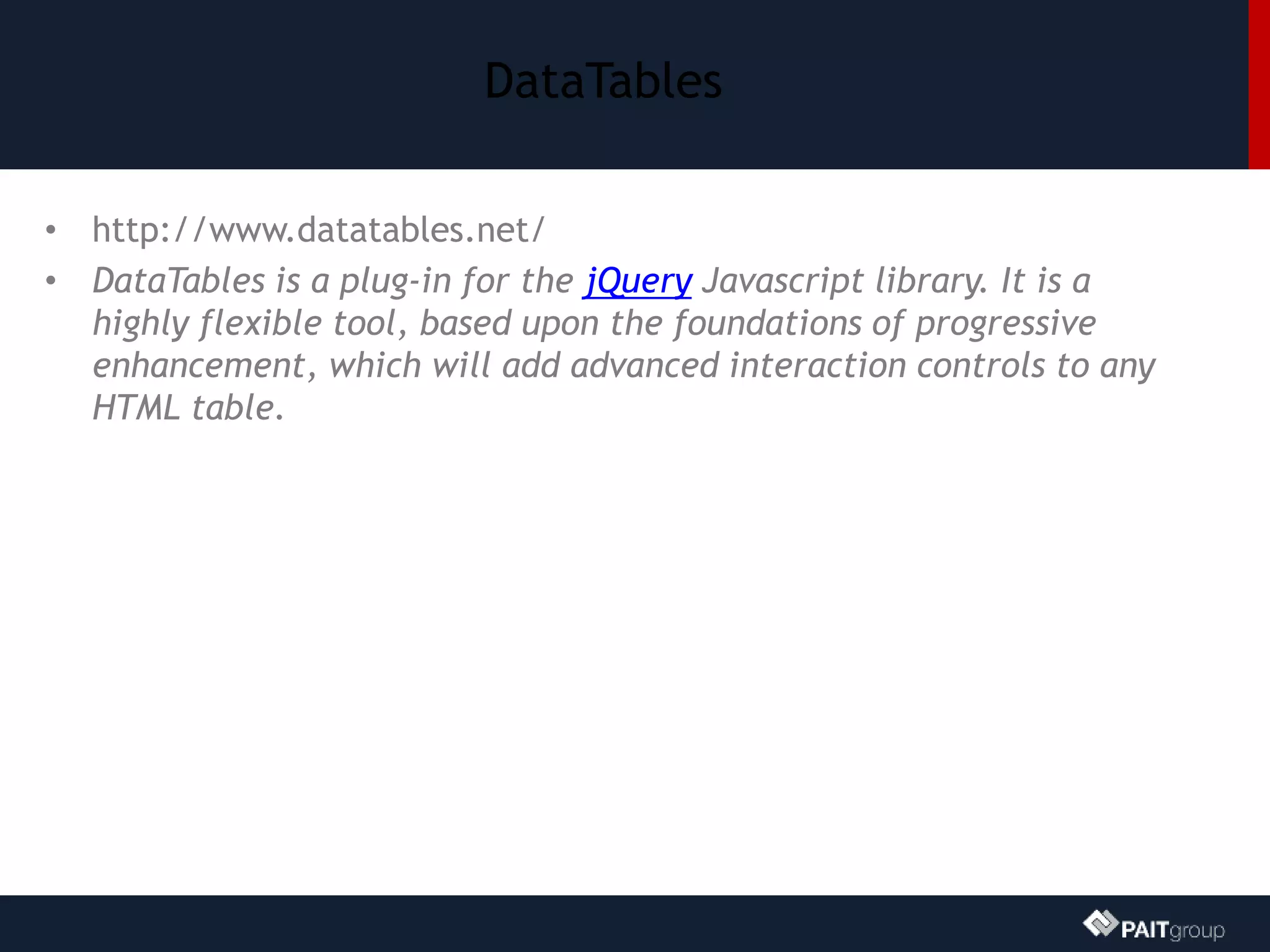
DataTables
• http://www.datatables.net/
• DataTables is a plug-in for the jQuery Javascript library. It is a
highly flexible tool, based upon the foundations of progressive
enhancement, which will add advanced interaction controls to any
HTML table.
DataTables – Basic Usage
//array of arrays
$('#example').dataTable( {
"aaData": [
["row 1","value"],
["row 2","value 2"],
],
"aoColumns": [ //field count must match column count
{ "sTitle": "Column Name" },
{ "sTitle": "Column Name 2" }
]
});
//array of objects
$('#example').dataTable({
"bProcessing": true,
"aaData": vendors, //array of objects
"aoColumns": [
{ "mData": "Vendor" }
]
});
DEMO: Creating a list view
with datatables
Bringing REST and Datatables together to build list views
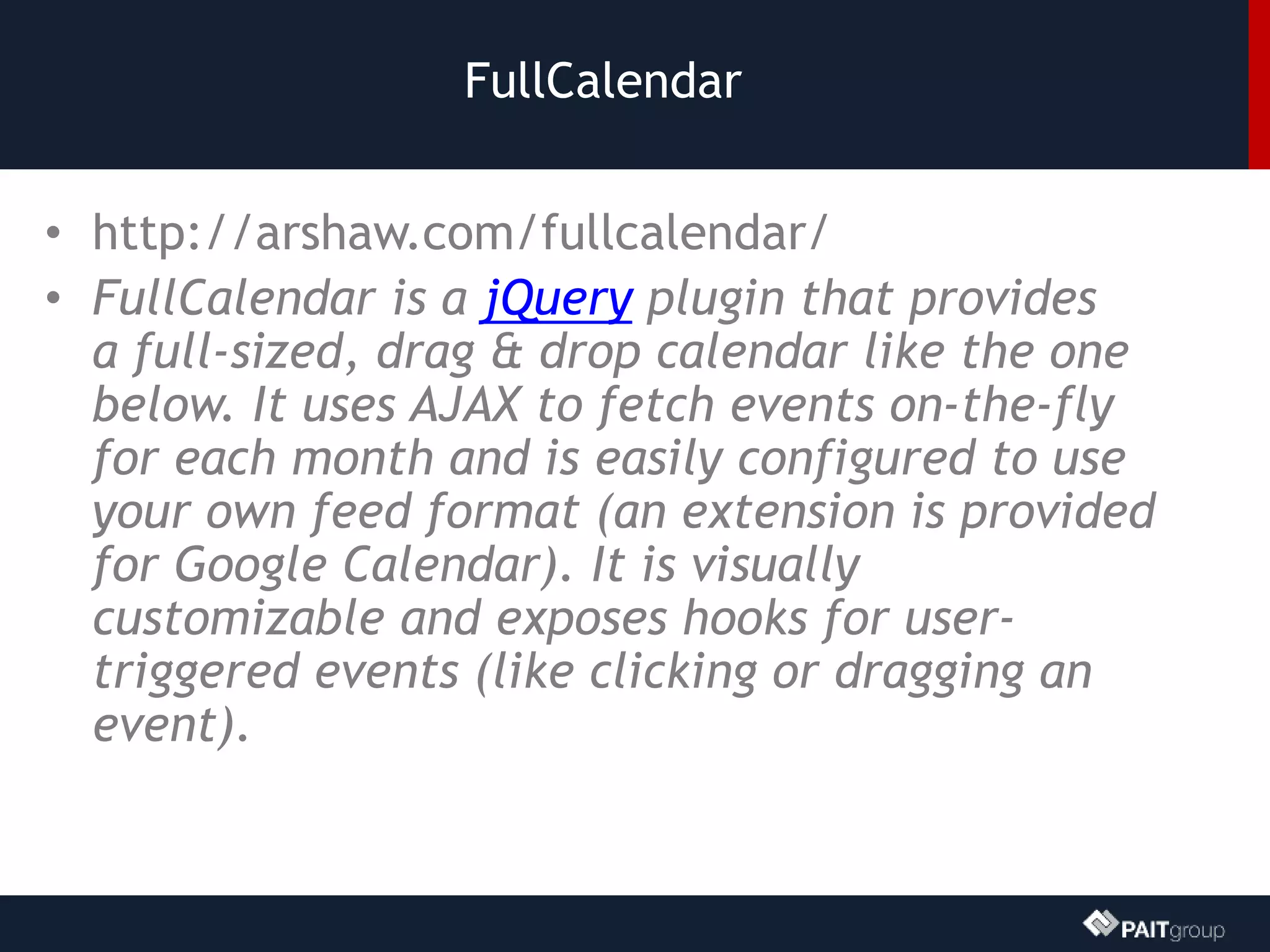
FullCalendar
• http://arshaw.com/fullcalendar/
• FullCalendar is a jQuery plugin that provides
a full-sized, drag & drop calendar like the one
below. It uses AJAX to fetch events on-the-fly
for each month and is easily configured to use
your own feed format (an extension is provided
for Google Calendar). It is visually
customizable and exposes hooks for user-
triggered events (like clicking or dragging an
event).
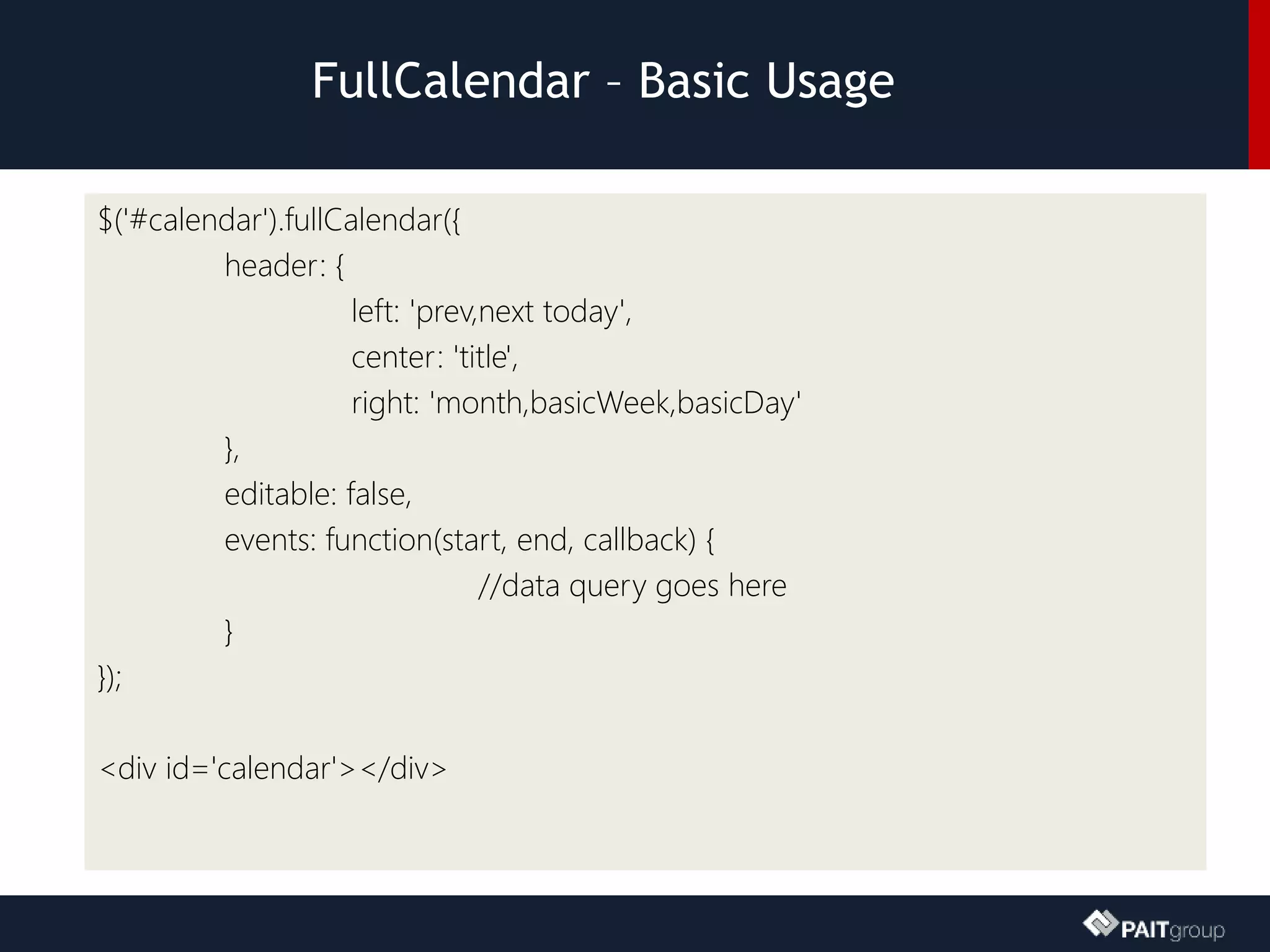
FullCalendar – Basic Usage
$('#calendar').fullCalendar({
header: {
left: 'prev,next today',
center: 'title',
right: 'month,basicWeek,basicDay'
},
editable: false,
events: function(start, end, callback) {
//data query goes here
}
});
<div id='calendar'></div>
DEMO: Fullcalendar demo
Create a dynamic calendar view of tasks and list items that
contain multiple date fields
Chartjs
• http://chartjs.org/
• Visualize your data in 6 different ways. Each of
them animated, with a load of customization
options and interactivity extensions.
Chartjs – Basic Usage
<div id="canvas-holder">
<canvas id="chart-area" width="300" height="300"/>
</div>
<script>
var pieData = [
{
value: 120,
color: "#4D5360",
highlight: "#616774",
label: "Dark Grey"
}
];
window.onload = function(){
var ctx = document.getElementById("chart-area").getContext("2d");
window.myPie = new Chart(ctx).Pie(pieData);
};
</script>
DEMO: Chartjs demo
Pie Charts, Bar Charts, and more…
Stratus Forms
www.StratusForms.com
• A lightweight InfoPath alternative
• 100% Client Side Based
• Engine is 100% Free
• Build forms using standard HTML, CSS, and
JavaScript
– They can look EXACTLY like you want
– You can write additional business logic using
JavaScript to interact with other systems
– All form fields MUST have unique ID’s
Stratus Forms
• Works in SharePoint 2007, 2010, 2013, & O365
• Stores all form fields in one object
• Can promote fields in the form to SharePoint
list fields
• Supports many field types including People
Pickers (2013 only)
• Other features
– Repeating content
– Reporting
– Form and Field encryption/password protection
The Basics
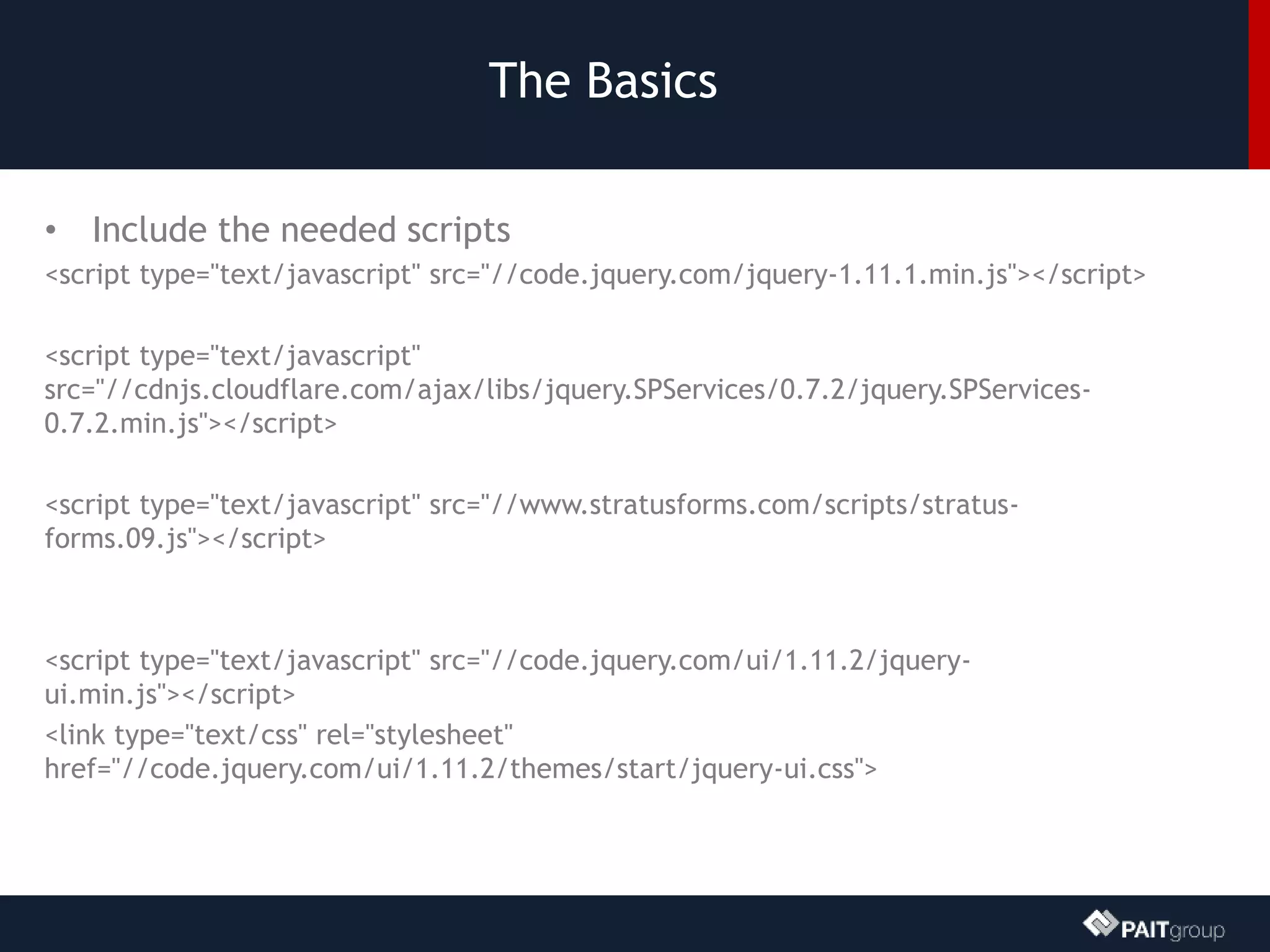
• Include the needed scripts
<script type="text/javascript" src="//code.jquery.com/jquery-1.11.1.min.js"></script>
<script type="text/javascript"
src="//cdnjs.cloudflare.com/ajax/libs/jquery.SPServices/0.7.2/jquery.SPServices-
0.7.2.min.js"></script>
<script type="text/javascript" src="//www.stratusforms.com/scripts/stratus-
forms.09.js"></script>
<script type="text/javascript" src="//code.jquery.com/ui/1.11.2/jquery-
ui.min.js"></script>
<link type="text/css" rel="stylesheet"
href="//code.jquery.com/ui/1.11.2/themes/start/jquery-ui.css">
The Basics
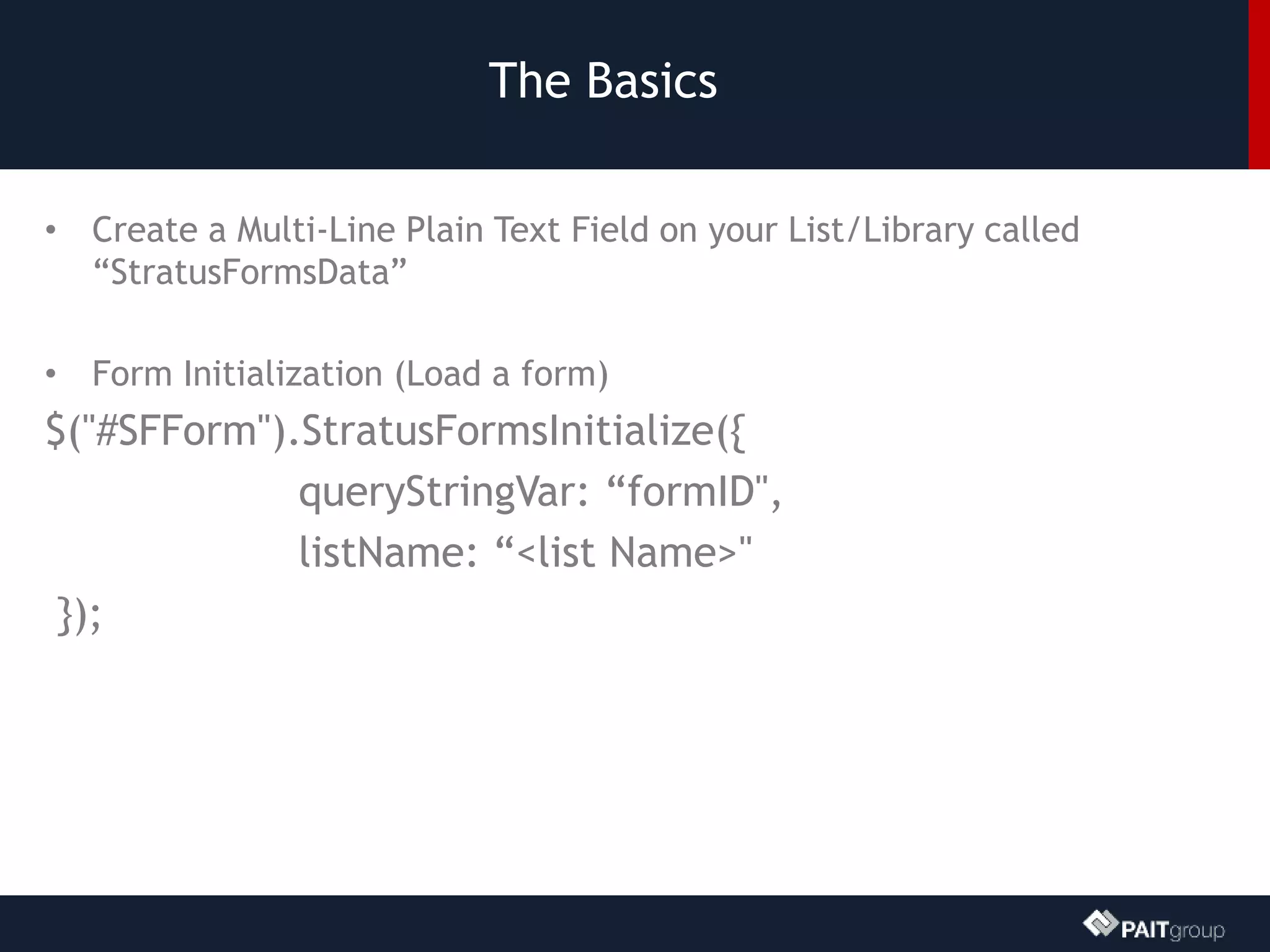
• Create a Multi-Line Plain Text Field on your List/Library called
“StratusFormsData”
• Form Initialization (Load a form)
$("#SFForm").StratusFormsInitialize({
queryStringVar: “formID",
listName: “<list Name>"
});
The Basics
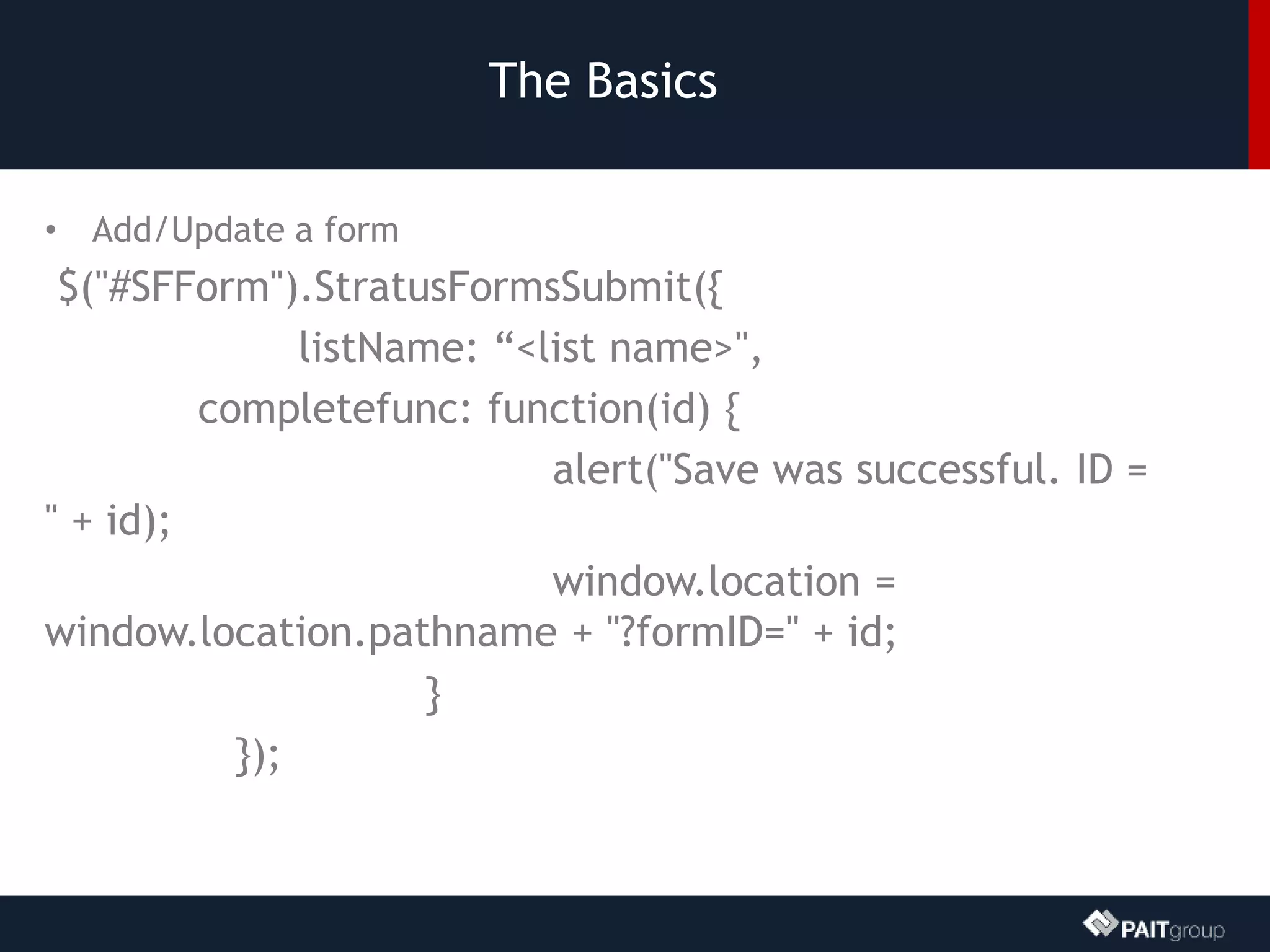
• Add/Update a form
$("#SFForm").StratusFormsSubmit({
listName: “<list name>",
completefunc: function(id) {
alert("Save was successful. ID =
" + id);
window.location =
window.location.pathname + "?formID=" + id;
}
});
The Basics
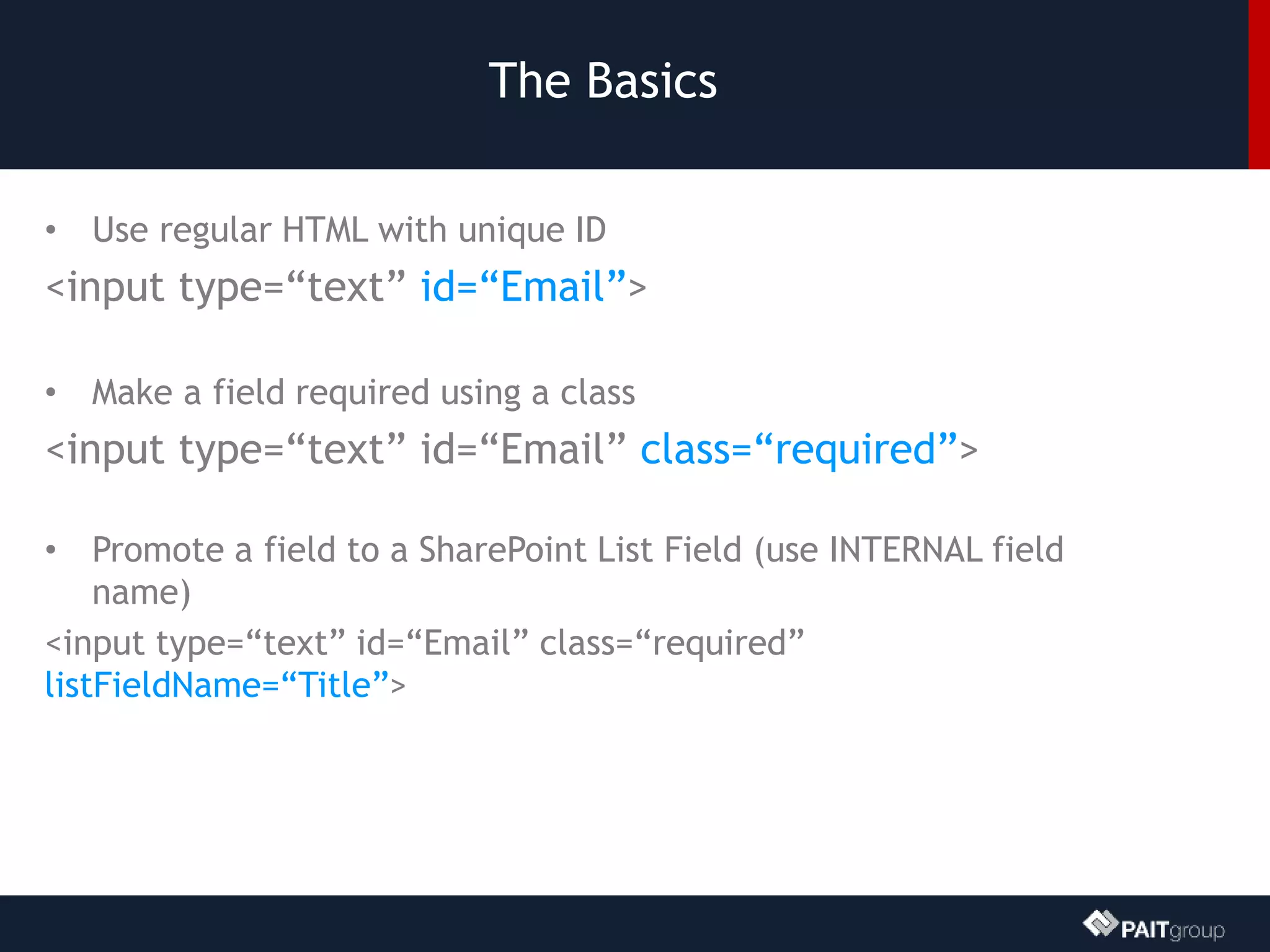
• Use regular HTML with unique ID
<input type=“text” id=“Email”>
• Make a field required using a class
<input type=“text” id=“Email” class=“required”>
• Promote a field to a SharePoint List Field (use INTERNAL field
name)
<input type=“text” id=“Email” class=“required”
listFieldName=“Title”>
The Basics
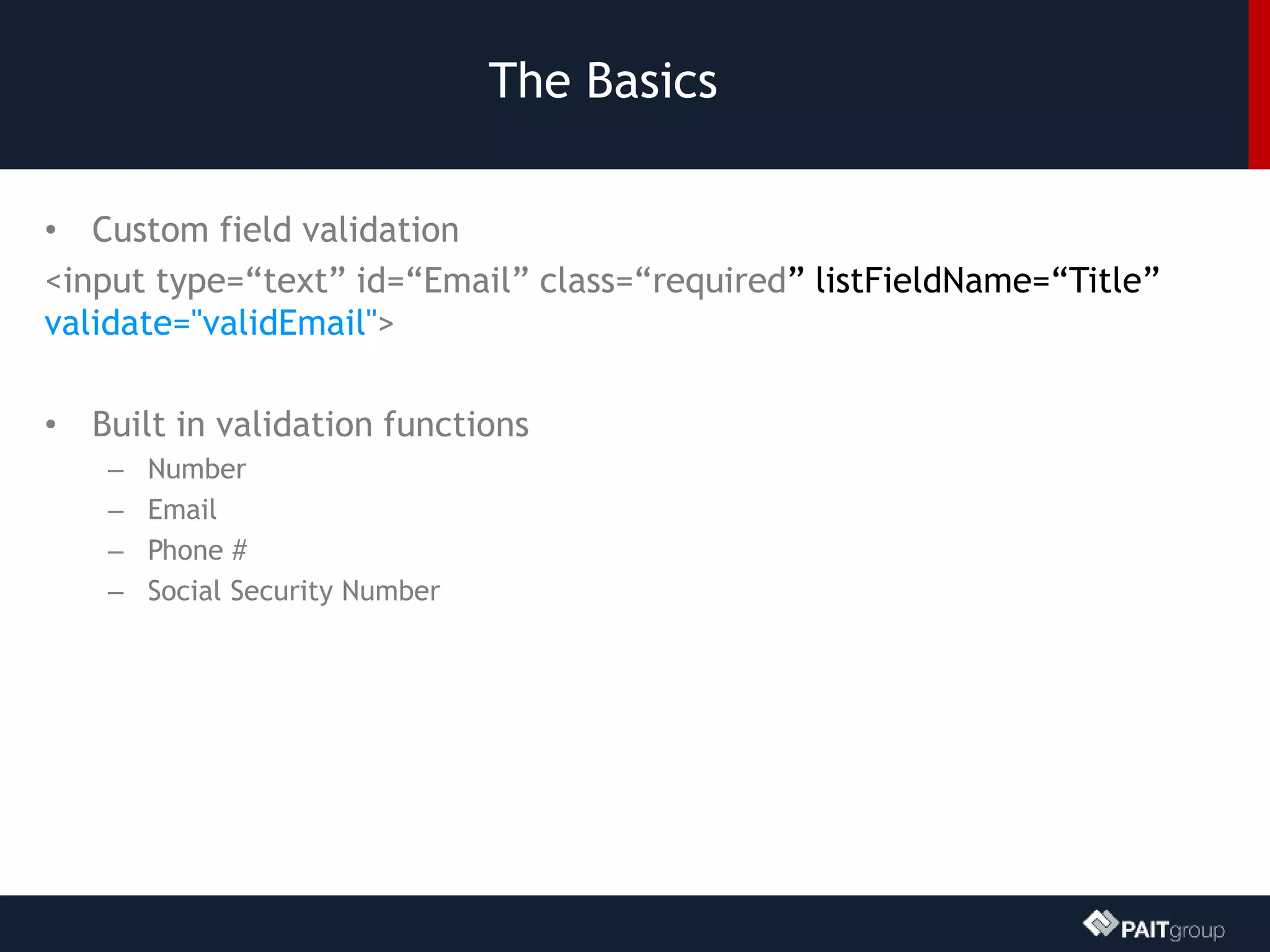
• Custom field validation
<input type=“text” id=“Email” class=“required” listFieldName=“Title”
validate="validEmail">
• Built in validation functions
– Number
– Email
– Phone #
– Social Security Number
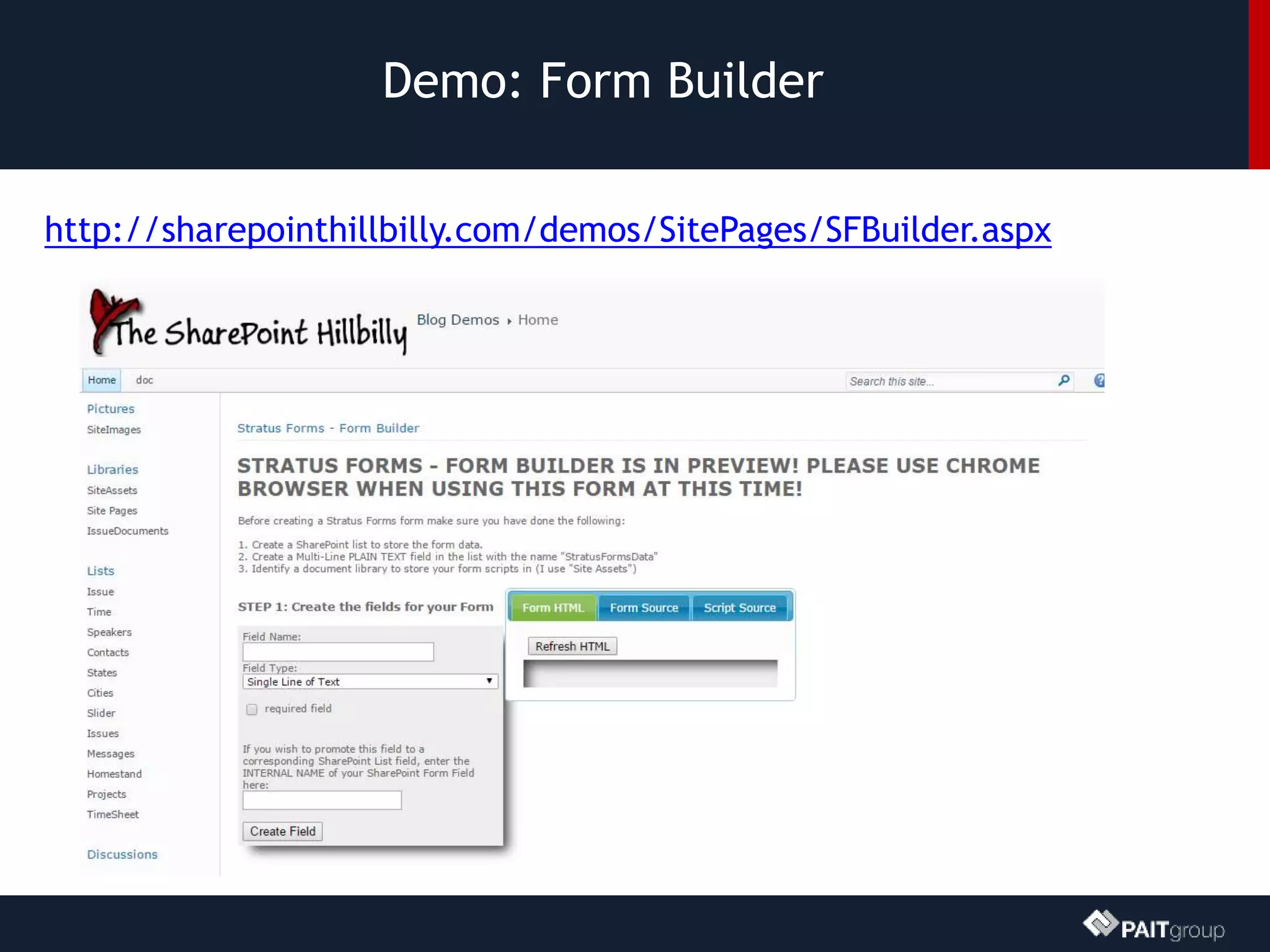
Demo: Form Builder
http://sharepointhillbilly.com/demos/SitePages/SFBuilder.aspx
DEMO: Stratus Forms
InfoPath? We don’t need no stinking InfoPath!
Mark Rackley
mrackley@paitgroup.com
www.markrackley.net
@mrackley

SPTechCon Dev Days - Third Party jQuery Libraries

  • 1.
    © 2003-2014 PAITGroup Maximizing the SharePoint User Experience with Free 3rd Party jQuery Libraries Mark Rackley Mark Rackley mrackley@paitgroup.com SPTechCon Dev Days
  • 2.
    Mark Rackley /Partner & CTO • 20+ years software architecture and development experience • SharePoint Junkie since 2007 • Event Organizer (SharePointalooza.org) • Blogger, Writer, Speaker • Bacon aficionado @mrackley www.SharePointHillbilly.com www.PaitGroup.com www.SharePointaLooza.org www.StratusForms.com
  • 3.
    Agenda • What arewe doing? (Julia Child Style) • Why would we do this? • Tips and Best Practices • Let’s build some of the pieces – jQueryUI Tabs – DataTables – FullCalendar – Chart.js – Stratus Forms
  • 4.
    DEMO: Contract Management Solution SharePointgets you 85% of the way there, client side development can’t do the rest…
  • 5.
    Why bother withclient side dev? • Stay off the server • Deployment and maintenance can be easier • Upgrades can be painless • You don’t have to be a development guru • You don’t need expensive tools like Visual Studio… well you don’t NEED any tools at all.
  • 6.
    Development basics • Storescripts in a document library • To deploy a script across a site collection use a Custom Action • Avoid directly adding scripts to Master Page • Can be more difficult to maintain and debug • To deploy script to a page, add a Content Editor Web Part and link to script • Avoid placing scripts directly in CEWP • Scripts can get mangled and there is no reuse / backup.
  • 7.
    How about somebest practices? • Avoid global variables • Write scripts in small digestible chunks • Code with performance in mind • Minify files, but make updates in un-minified files • Be consistent in structure and syntax ESPECIALLY if developing as part of a team • Document what you’ve done
  • 8.
    jQueryUI • http://jqueryui.com/ • jQueryUI is a curated set of user interface interactions, effects, widgets, and themes built on top of the jQuery JavaScript Library. Whether you're building highly interactive web applications or you just need to add a date picker to a form control, jQuery UI is the perfect choice.
  • 9.
    jQueryUI– Basic Usage- Tabs <div id="tabs"> <ul> <li><a href="#tabs-1">Tab 1 title</a></li> <li><a href="#tabs-2">Tab 2 title</a></li> <li><a href="#tabs-3">Tab 3 title</a></li> </ul> <div id="tabs-1"> <p>content in tab 1</p> </div> <div id="tabs-2"> <p>content in tab 2</p> </div> <div id="tabs-3"> <p>content in tab 3</p> </div> </div> <script> $(function() { $( "#tabs" ).tabs(); }); </script>
  • 10.
    DEMO: jQuery uitabs How to place web parts into jQuery UI Tabs
  • 11.
    DataTables • http://www.datatables.net/ • DataTablesis a plug-in for the jQuery Javascript library. It is a highly flexible tool, based upon the foundations of progressive enhancement, which will add advanced interaction controls to any HTML table.
  • 12.
    DataTables – BasicUsage //array of arrays $('#example').dataTable( { "aaData": [ ["row 1","value"], ["row 2","value 2"], ], "aoColumns": [ //field count must match column count { "sTitle": "Column Name" }, { "sTitle": "Column Name 2" } ] }); //array of objects $('#example').dataTable({ "bProcessing": true, "aaData": vendors, //array of objects "aoColumns": [ { "mData": "Vendor" } ] });
  • 13.
    DEMO: Creating alist view with datatables Bringing REST and Datatables together to build list views
  • 14.
    FullCalendar • http://arshaw.com/fullcalendar/ • FullCalendaris a jQuery plugin that provides a full-sized, drag & drop calendar like the one below. It uses AJAX to fetch events on-the-fly for each month and is easily configured to use your own feed format (an extension is provided for Google Calendar). It is visually customizable and exposes hooks for user- triggered events (like clicking or dragging an event).
  • 15.
    FullCalendar – BasicUsage $('#calendar').fullCalendar({ header: { left: 'prev,next today', center: 'title', right: 'month,basicWeek,basicDay' }, editable: false, events: function(start, end, callback) { //data query goes here } }); <div id='calendar'></div>
  • 16.
    DEMO: Fullcalendar demo Createa dynamic calendar view of tasks and list items that contain multiple date fields
  • 17.
    Chartjs • http://chartjs.org/ • Visualizeyour data in 6 different ways. Each of them animated, with a load of customization options and interactivity extensions.
  • 18.
    Chartjs – BasicUsage <div id="canvas-holder"> <canvas id="chart-area" width="300" height="300"/> </div> <script> var pieData = [ { value: 120, color: "#4D5360", highlight: "#616774", label: "Dark Grey" } ]; window.onload = function(){ var ctx = document.getElementById("chart-area").getContext("2d"); window.myPie = new Chart(ctx).Pie(pieData); }; </script>
  • 19.
    DEMO: Chartjs demo PieCharts, Bar Charts, and more…
  • 20.
    Stratus Forms www.StratusForms.com • Alightweight InfoPath alternative • 100% Client Side Based • Engine is 100% Free • Build forms using standard HTML, CSS, and JavaScript – They can look EXACTLY like you want – You can write additional business logic using JavaScript to interact with other systems – All form fields MUST have unique ID’s
  • 21.
    Stratus Forms • Worksin SharePoint 2007, 2010, 2013, & O365 • Stores all form fields in one object • Can promote fields in the form to SharePoint list fields • Supports many field types including People Pickers (2013 only) • Other features – Repeating content – Reporting – Form and Field encryption/password protection
  • 22.
    The Basics • Includethe needed scripts <script type="text/javascript" src="//code.jquery.com/jquery-1.11.1.min.js"></script> <script type="text/javascript" src="//cdnjs.cloudflare.com/ajax/libs/jquery.SPServices/0.7.2/jquery.SPServices- 0.7.2.min.js"></script> <script type="text/javascript" src="//www.stratusforms.com/scripts/stratus- forms.09.js"></script> <script type="text/javascript" src="//code.jquery.com/ui/1.11.2/jquery- ui.min.js"></script> <link type="text/css" rel="stylesheet" href="//code.jquery.com/ui/1.11.2/themes/start/jquery-ui.css">
  • 23.
    The Basics • Createa Multi-Line Plain Text Field on your List/Library called “StratusFormsData” • Form Initialization (Load a form) $("#SFForm").StratusFormsInitialize({ queryStringVar: “formID", listName: “<list Name>" });
  • 24.
    The Basics • Add/Updatea form $("#SFForm").StratusFormsSubmit({ listName: “<list name>", completefunc: function(id) { alert("Save was successful. ID = " + id); window.location = window.location.pathname + "?formID=" + id; } });
  • 25.
    The Basics • Useregular HTML with unique ID <input type=“text” id=“Email”> • Make a field required using a class <input type=“text” id=“Email” class=“required”> • Promote a field to a SharePoint List Field (use INTERNAL field name) <input type=“text” id=“Email” class=“required” listFieldName=“Title”>
  • 26.
    The Basics • Customfield validation <input type=“text” id=“Email” class=“required” listFieldName=“Title” validate="validEmail"> • Built in validation functions – Number – Email – Phone # – Social Security Number
  • 27.
  • 28.
    DEMO: Stratus Forms InfoPath?We don’t need no stinking InfoPath!
  • 29.