Spring Boot
Prepared
By:-
Kale Jaydeep
Spring Boot
Zero Configuration In-built Server
Starter POM Rapid Application Development
Spring Boot
Learn
Brain
1. Spring Boot an open source Java-based framework
developed by Pivotal Team.
2. Spring Boot makes it easy to create stand-alone,
production-grade Spring based Applications that you can
"just run".
3. Spring Boot provides production-ready features such as
metrics, health checks and externalized configuration.
4. It simplifies the bootstrapping and development of Spring
Applications.
5. Spring Boot reduces application development time
6. Spring Boot provides Embedded HTTP servers like
Tomcat, Jetty etc. to develop and test our web applications
very easily.
Spring Boot Starter
1. The main intention of Spring Boot Starter is to
combine a group of common or related
dependencies into single dependencies.
2. If we want to prepare any web application with
tomcat server and with Database then we have to
add the number of Jars like Spring bean jar,
Spring core jar, Spring context jar etc.
3. The above approach will increase no of
dependencies in our build file, it will increase
build file size and it is very much difficult task to
manage all these dependencies
Spring Boot Starter cont.
4. To overcome all the above problems, we have
to use Spring Boot Starter Component
5. > Spring Boot Starter component combines all
related jars into single jar file so that we can add
only jar file dependency to our build files instead
of adding above jars files to our build file, we
need to add one and only one jar file like spring-
boot-starter-web jar file.
6. When we add spring-boot-starter-web jar file
dependency to our build file, then Spring Boot
Framework will automatically download all
required jars and add to our project classpath.
Spring Boot AutoConfigurator
1. In general, in spring based applications we have to provide lot of configuration
details either through XML files or through Annotations.
EX: Beans configurations and their dependencies
HandlerMapping Configuration
ViewResolver configurations
Spring Boot AutoConfigurator cont..
2. To avoid all the above configurations Spring Boot has provided an
autoConfigurator. Spring Boot Autoconfigurator will come automatically when we
add "spring-boot-starter-web" dependency in build file, it will resolve views and
Viewresolvers in Spring web MVC applications with out having Spring
configuration file and if we use @SpringBootApplication annotation then it will
avoid the explicit utilization of @Configuration, @ComponentScan and
@EnableAutoConfiguration and provide them all these annotations to the Java
Class internally.
@SpringBootApplication = @Confioguration + @ComponentScan + @EnableAutoConfiguration
Ways to create Spring Boot Project
1. Using Simple MAVEN project in Eclipse IDE.
2. STS IDE
3. Spring Boot Initializer
4. Spring Boot CLI[Command Line Interface]
POM.xml
1. It is Project Object Model (POM) file.
2. It serves as the central configuration file for your Spring
Boot project and is used by Maven to manage the build,
dependencies, and other project-related tasks.
3. <groupId>, <artifactId>, and <version> specify the
unique identifier, name, and version of your project.
4. <properties> allows you to define project-specific
properties, such as the Java version
5. <dependencies> lists the dependencies required for
your Spring Boot application. You can add additional
dependencies specific to your project here.
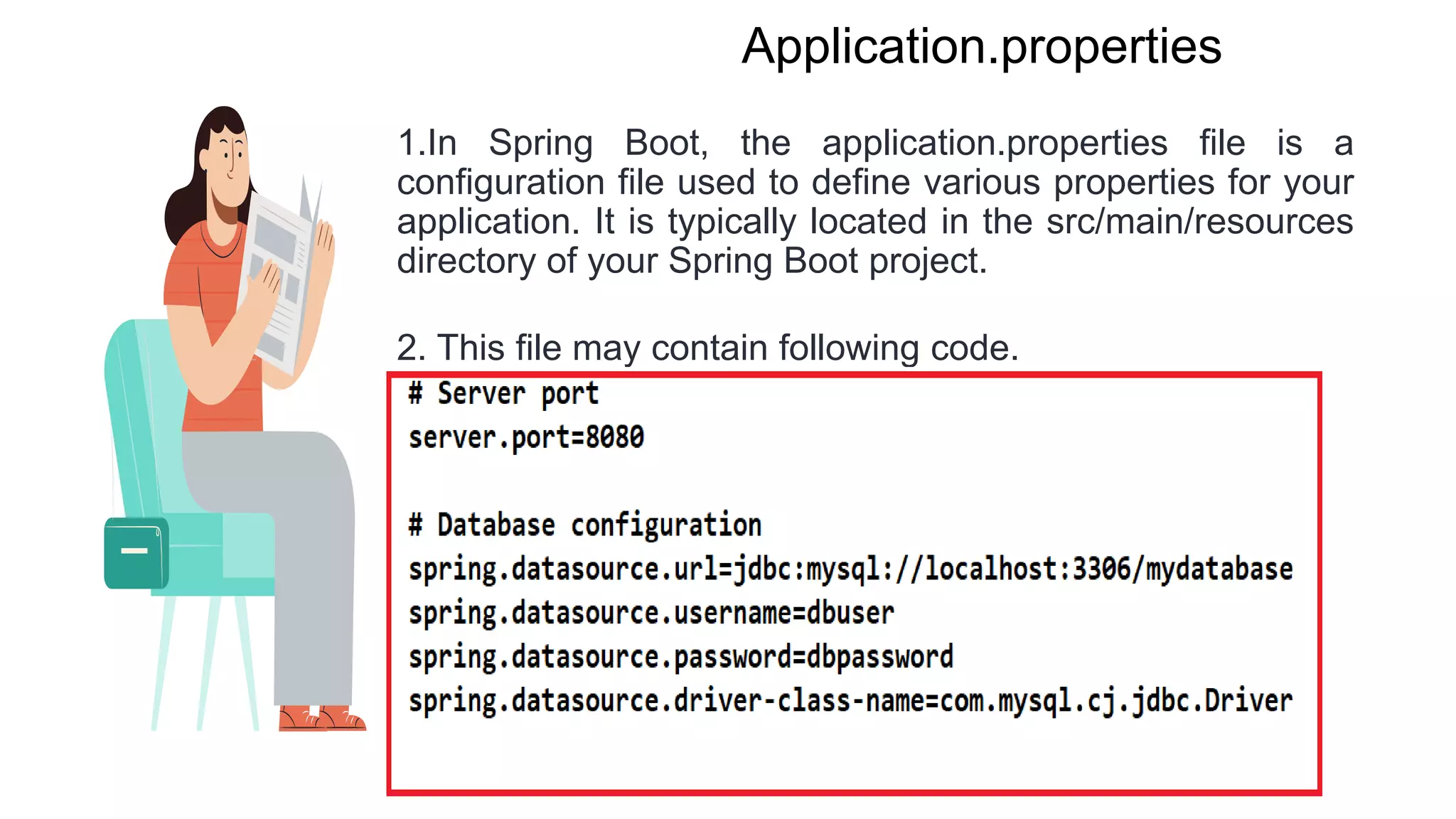
Application.properties
1.In Spring Boot, the application.properties file is a
configuration file used to define various properties for your
application. It is typically located in the src/main/resources
directory of your Spring Boot project.
2. This file may contain following code.
Annotations
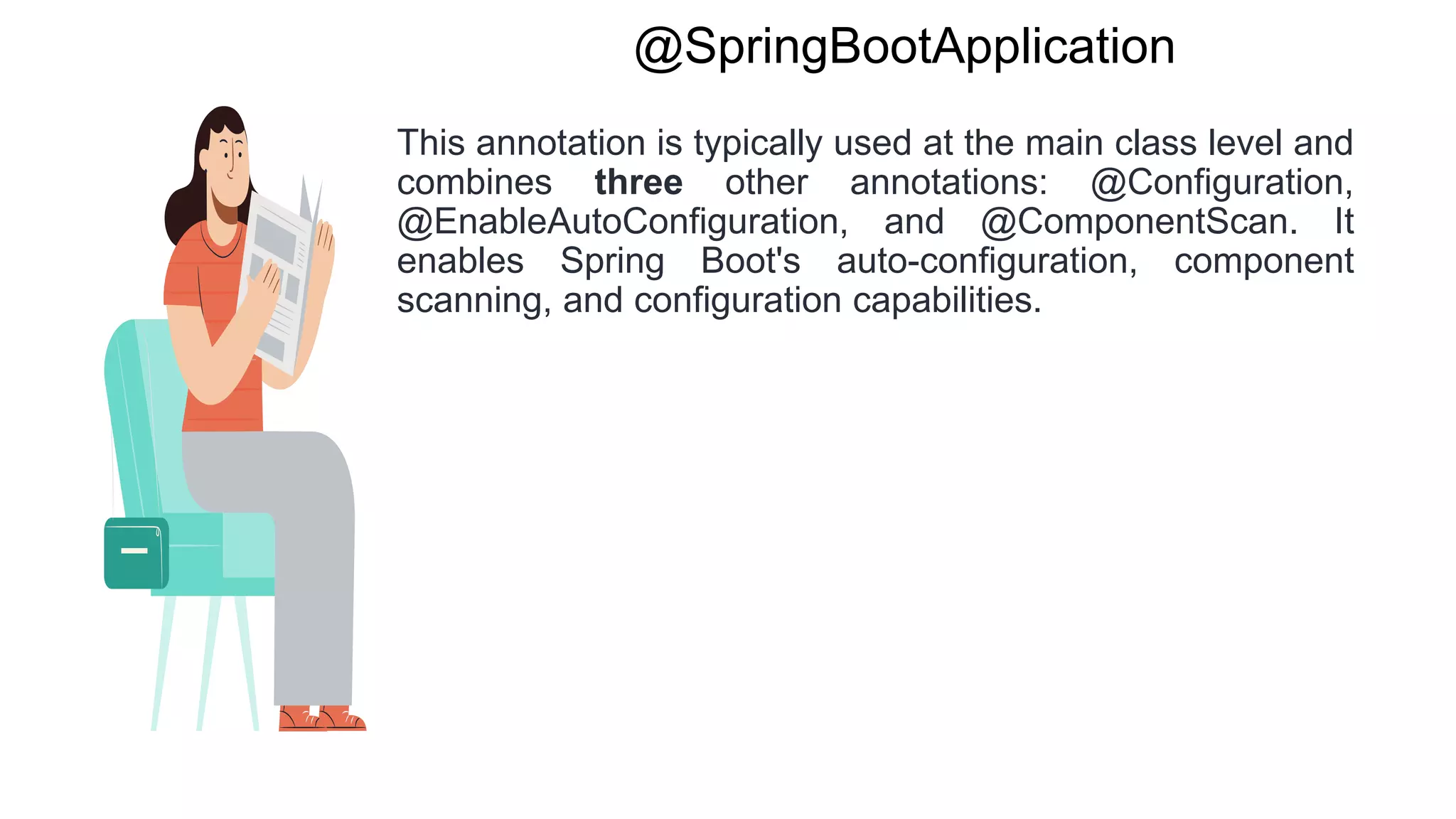
@SpringBootApplication
This annotation is typically used at the main class level and
combines three other annotations: @Configuration,
@EnableAutoConfiguration, and @ComponentScan. It
enables Spring Boot's auto-configuration, component
scanning, and configuration capabilities.
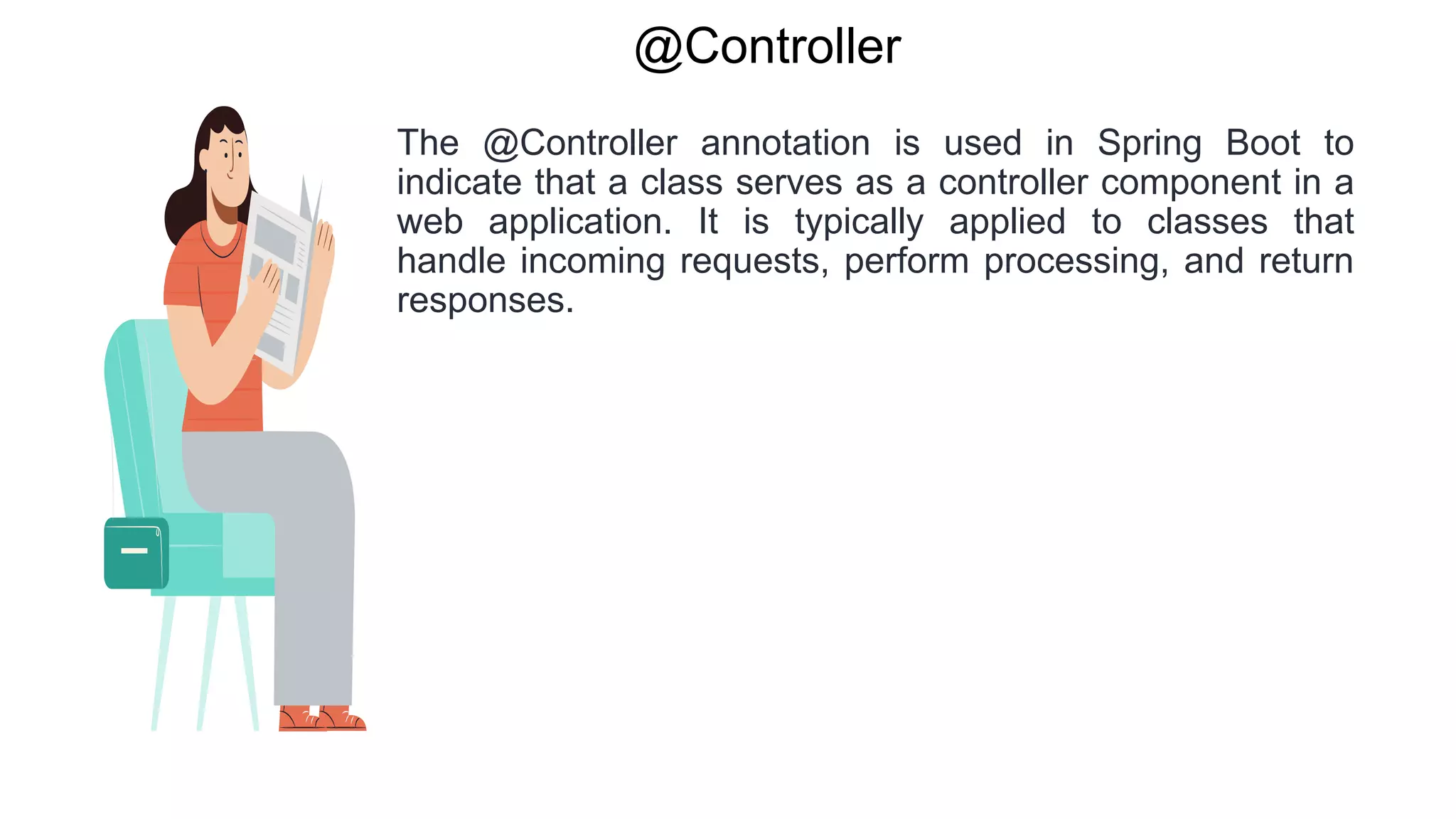
@Controller
The @Controller annotation is used in Spring Boot to
indicate that a class serves as a controller component in a
web application. It is typically applied to classes that
handle incoming requests, perform processing, and return
responses.
@RestController
The @RestController annotation in Spring Boot is a
specialized version of the @Controller annotation. It is
used to indicate that a class serves as a RESTful web
service controller, where the methods within the class are
responsible for handling incoming requests and returning
responses in a RESTful manner.
@Autowired
This annotation is used for automatic dependency
injection. It allows Spring to automatically wire
dependencies into beans. You can apply it to fields,
constructors, or setter methods to indicate the
dependencies that need to be injected.
@Service
This annotation is used to mark a class as a service
component. It is typically applied to classes that provide
business logic or perform specific operations within the
application.
@Repository
This annotation is used to mark a class as a repository
component. It is commonly applied to classes that interact
with the database or external data sources.
@GetMapping
The @GetMapping annotation is used in Spring Boot to
handle HTTP GET requests mapped to specific URL paths.
It is a shortcut for the combination of @RequestMapping
with the HTTP method set to GET.
@PostMapping
The @PostMapping annotation is used in Spring Boot to
handle HTTP POST requests mapped to specific URL
paths. It is a shortcut for the combination of
@RequestMapping with the HTTP method set to POST.
@RequestParam
The @RequestParam annotation is used to bind individual
request parameters from the query string or form data to
method parameters in Spring Boot.
@RequestBody
The @RequestBody annotation in Spring Boot is used to
bind the request body to a method parameter. It indicates
that the incoming request body should be converted into
the specified method parameter type.

Spring Boot

  • 1.
  • 2.
    Spring Boot Zero ConfigurationIn-built Server Starter POM Rapid Application Development
  • 3.
    Spring Boot Learn Brain 1. SpringBoot an open source Java-based framework developed by Pivotal Team. 2. Spring Boot makes it easy to create stand-alone, production-grade Spring based Applications that you can "just run". 3. Spring Boot provides production-ready features such as metrics, health checks and externalized configuration. 4. It simplifies the bootstrapping and development of Spring Applications. 5. Spring Boot reduces application development time 6. Spring Boot provides Embedded HTTP servers like Tomcat, Jetty etc. to develop and test our web applications very easily.
  • 4.
    Spring Boot Starter 1.The main intention of Spring Boot Starter is to combine a group of common or related dependencies into single dependencies. 2. If we want to prepare any web application with tomcat server and with Database then we have to add the number of Jars like Spring bean jar, Spring core jar, Spring context jar etc. 3. The above approach will increase no of dependencies in our build file, it will increase build file size and it is very much difficult task to manage all these dependencies
  • 5.
    Spring Boot Startercont. 4. To overcome all the above problems, we have to use Spring Boot Starter Component 5. > Spring Boot Starter component combines all related jars into single jar file so that we can add only jar file dependency to our build files instead of adding above jars files to our build file, we need to add one and only one jar file like spring- boot-starter-web jar file. 6. When we add spring-boot-starter-web jar file dependency to our build file, then Spring Boot Framework will automatically download all required jars and add to our project classpath.
  • 6.
    Spring Boot AutoConfigurator 1.In general, in spring based applications we have to provide lot of configuration details either through XML files or through Annotations. EX: Beans configurations and their dependencies HandlerMapping Configuration ViewResolver configurations
  • 7.
    Spring Boot AutoConfiguratorcont.. 2. To avoid all the above configurations Spring Boot has provided an autoConfigurator. Spring Boot Autoconfigurator will come automatically when we add "spring-boot-starter-web" dependency in build file, it will resolve views and Viewresolvers in Spring web MVC applications with out having Spring configuration file and if we use @SpringBootApplication annotation then it will avoid the explicit utilization of @Configuration, @ComponentScan and @EnableAutoConfiguration and provide them all these annotations to the Java Class internally. @SpringBootApplication = @Confioguration + @ComponentScan + @EnableAutoConfiguration
  • 8.
    Ways to createSpring Boot Project 1. Using Simple MAVEN project in Eclipse IDE. 2. STS IDE 3. Spring Boot Initializer 4. Spring Boot CLI[Command Line Interface]
  • 9.
    POM.xml 1. It isProject Object Model (POM) file. 2. It serves as the central configuration file for your Spring Boot project and is used by Maven to manage the build, dependencies, and other project-related tasks. 3. <groupId>, <artifactId>, and <version> specify the unique identifier, name, and version of your project. 4. <properties> allows you to define project-specific properties, such as the Java version 5. <dependencies> lists the dependencies required for your Spring Boot application. You can add additional dependencies specific to your project here.
  • 10.
    Application.properties 1.In Spring Boot,the application.properties file is a configuration file used to define various properties for your application. It is typically located in the src/main/resources directory of your Spring Boot project. 2. This file may contain following code.
  • 11.
  • 12.
    @SpringBootApplication This annotation istypically used at the main class level and combines three other annotations: @Configuration, @EnableAutoConfiguration, and @ComponentScan. It enables Spring Boot's auto-configuration, component scanning, and configuration capabilities.
  • 13.
    @Controller The @Controller annotationis used in Spring Boot to indicate that a class serves as a controller component in a web application. It is typically applied to classes that handle incoming requests, perform processing, and return responses.
  • 14.
    @RestController The @RestController annotationin Spring Boot is a specialized version of the @Controller annotation. It is used to indicate that a class serves as a RESTful web service controller, where the methods within the class are responsible for handling incoming requests and returning responses in a RESTful manner.
  • 15.
    @Autowired This annotation isused for automatic dependency injection. It allows Spring to automatically wire dependencies into beans. You can apply it to fields, constructors, or setter methods to indicate the dependencies that need to be injected.
  • 16.
    @Service This annotation isused to mark a class as a service component. It is typically applied to classes that provide business logic or perform specific operations within the application.
  • 17.
    @Repository This annotation isused to mark a class as a repository component. It is commonly applied to classes that interact with the database or external data sources.
  • 18.
    @GetMapping The @GetMapping annotationis used in Spring Boot to handle HTTP GET requests mapped to specific URL paths. It is a shortcut for the combination of @RequestMapping with the HTTP method set to GET.
  • 19.
    @PostMapping The @PostMapping annotationis used in Spring Boot to handle HTTP POST requests mapped to specific URL paths. It is a shortcut for the combination of @RequestMapping with the HTTP method set to POST.
  • 20.
    @RequestParam The @RequestParam annotationis used to bind individual request parameters from the query string or form data to method parameters in Spring Boot.
  • 21.
    @RequestBody The @RequestBody annotationin Spring Boot is used to bind the request body to a method parameter. It indicates that the incoming request body should be converted into the specified method parameter type.