Chapter 4C# .NET: Variables
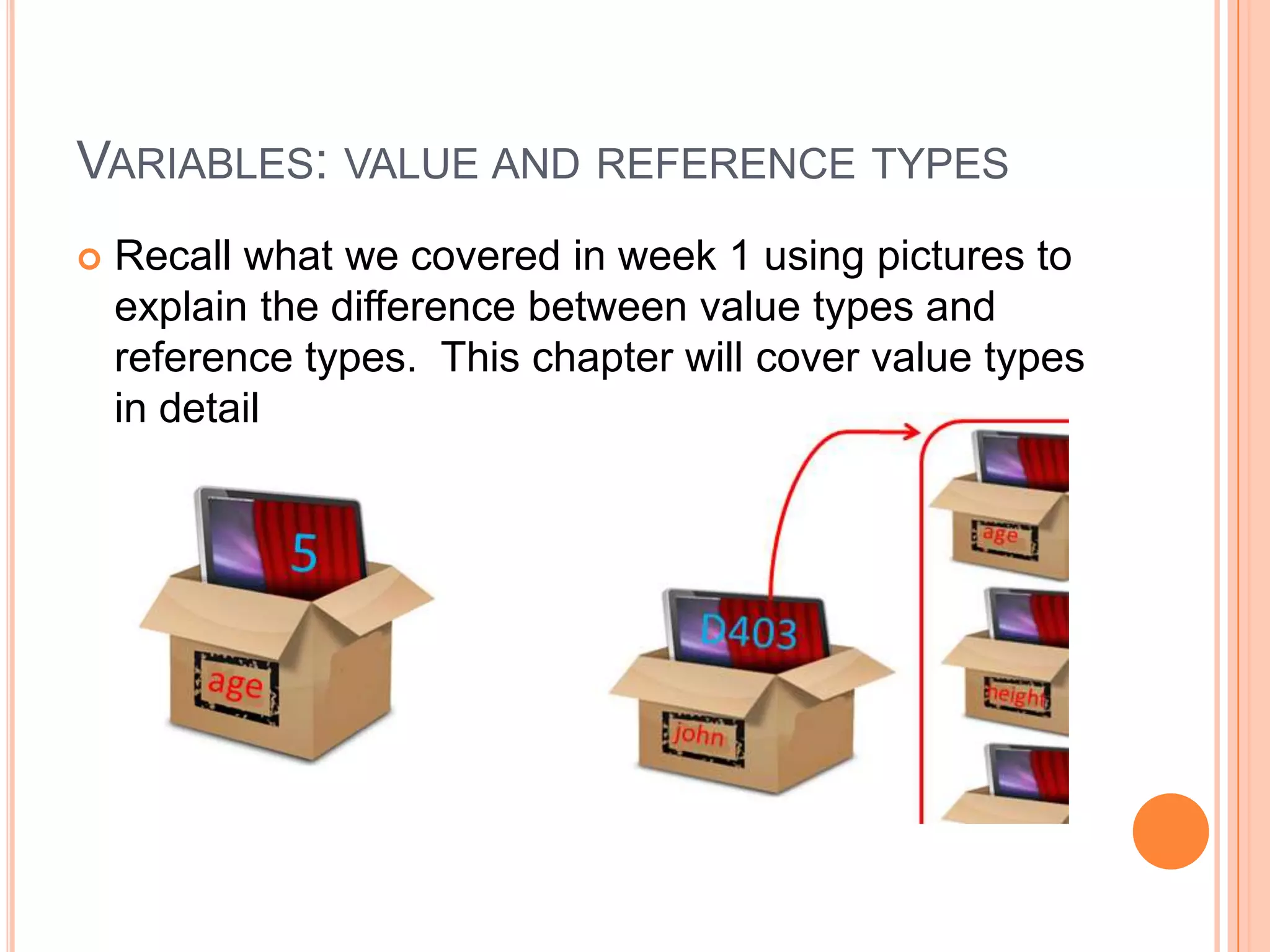
Variables: value and reference typesRecall what we covered in week 1 using pictures to explain the difference between value types and reference types.  This chapter will cover value types in detail
Chapter 4 topicsVariables in detailsNumber – byte, int and longDecimal – float and doubleCharacterBooleanStringImplicit and explicit conversion Numbers, Decimals and their operations (=, +, -, *, / and others)Strings and operations (assigning value, concatenation)
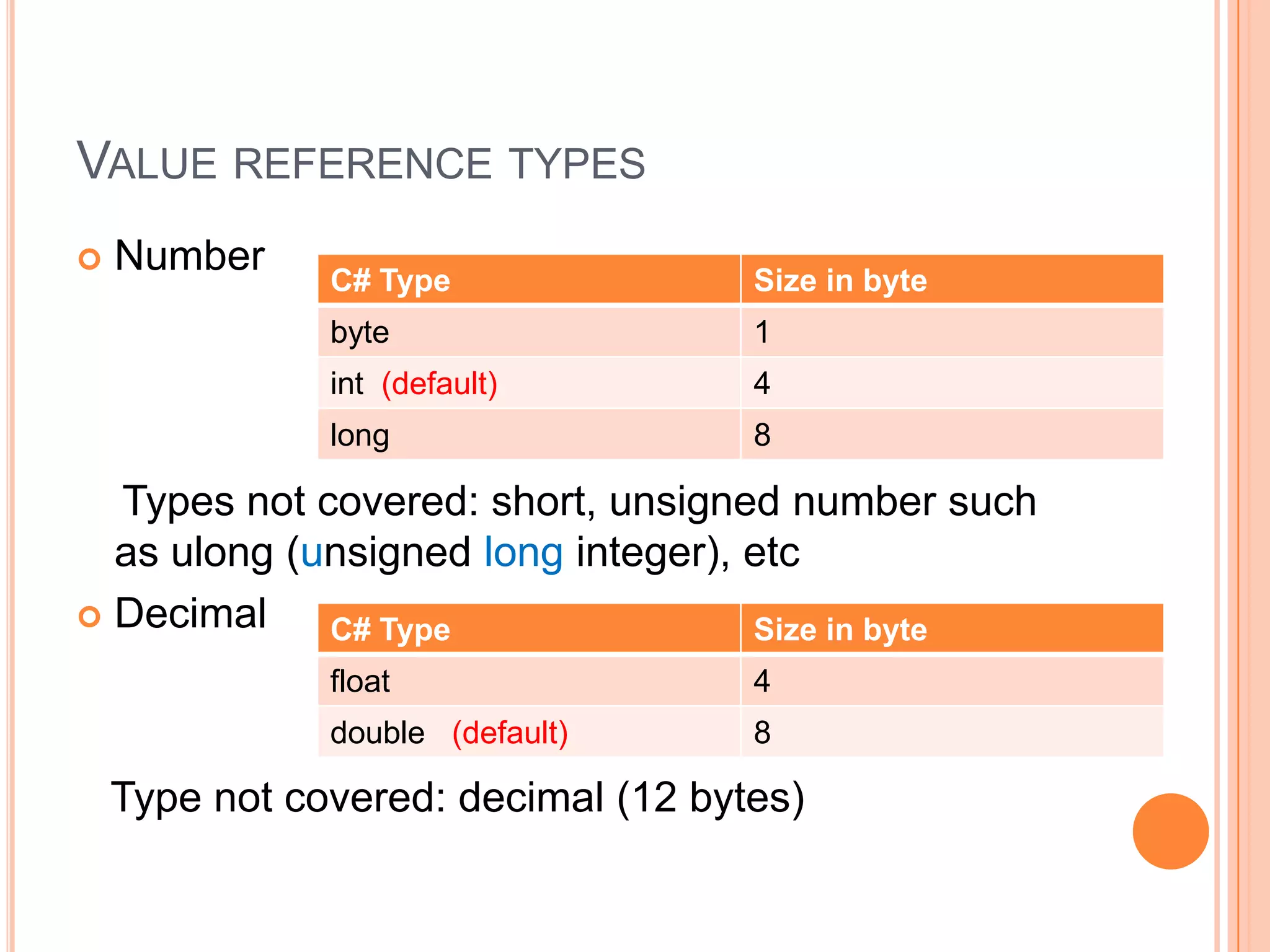
Value reference typesNumber    Types not covered: short, unsigned number such as ulong (unsigned long integer), etcDecimal   Type not covered: decimal (12 bytes)
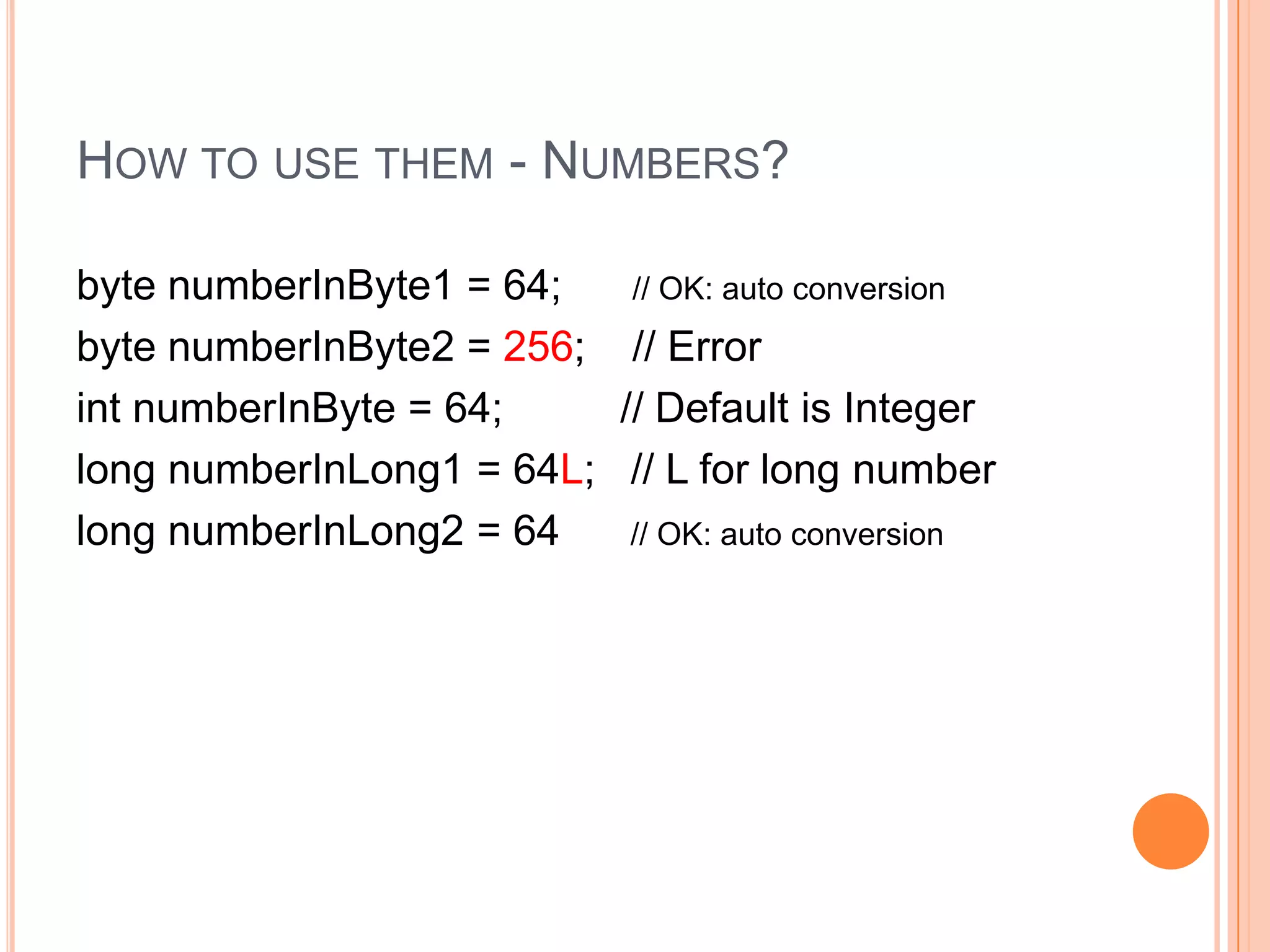
How to use them - Numbers?byte numberInByte1 = 64;      // OK: auto conversionbyte numberInByte2 = 256;    // ErrorintnumberInByte = 64;          // Default is Integerlong numberInLong1 = 64L;   // L for long numberlong numberInLong2 = 64      // OK: auto conversion
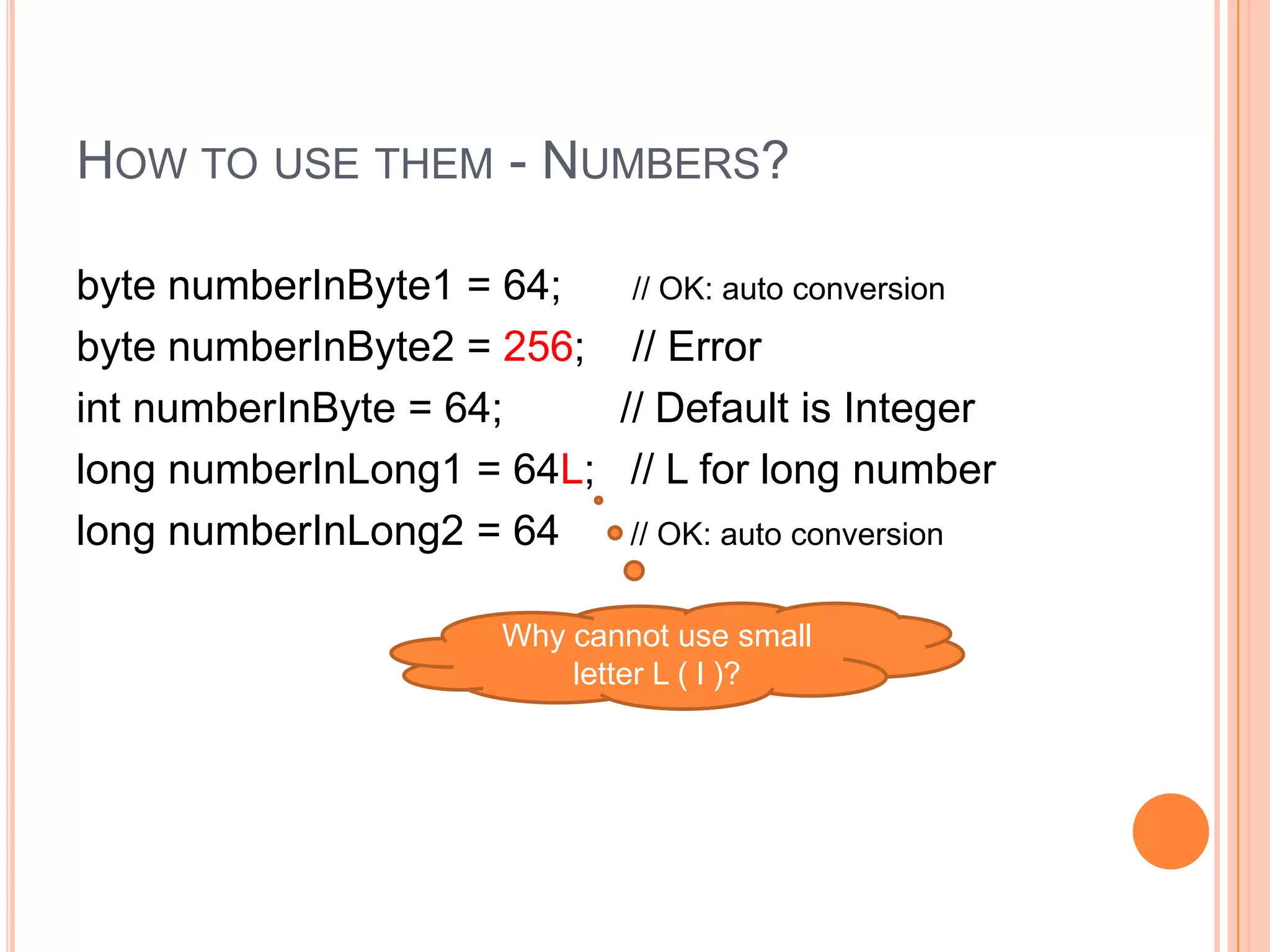
How to use them - Numbers?byte numberInByte1 = 64;      // OK: auto conversionbyte numberInByte2 = 256;    // ErrorintnumberInByte = 64;          // Default is Integerlong numberInLong1 = 64L;   // L for long numberlong numberInLong2 = 64      // OK: auto conversionWhy cannot use small letter L ( l )?
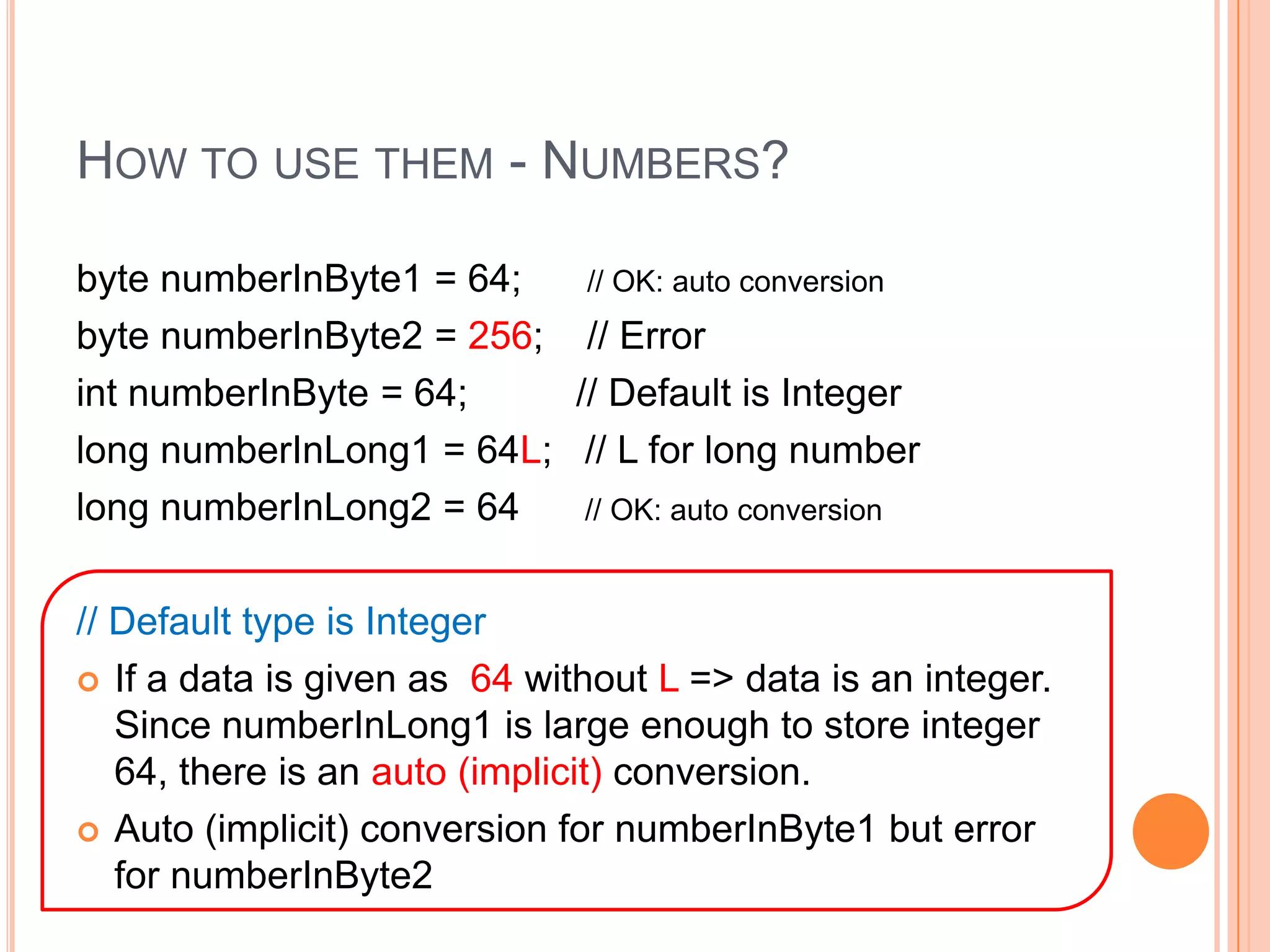
How to use them - Numbers?byte numberInByte1 = 64;      // OK: auto conversionbyte numberInByte2 = 256;    // ErrorintnumberInByte = 64;          // Default is Integerlong numberInLong1 = 64L;   // L for long numberlong numberInLong2 = 64      // OK: auto conversion// Default type is IntegerIf a data is given as  64 without L => data is an integer.   Since numberInLong1 is large enough to store integer 64, there is an auto (implicit) conversion.  Auto (implicit) conversion for numberInByte1 but error for numberInByte2
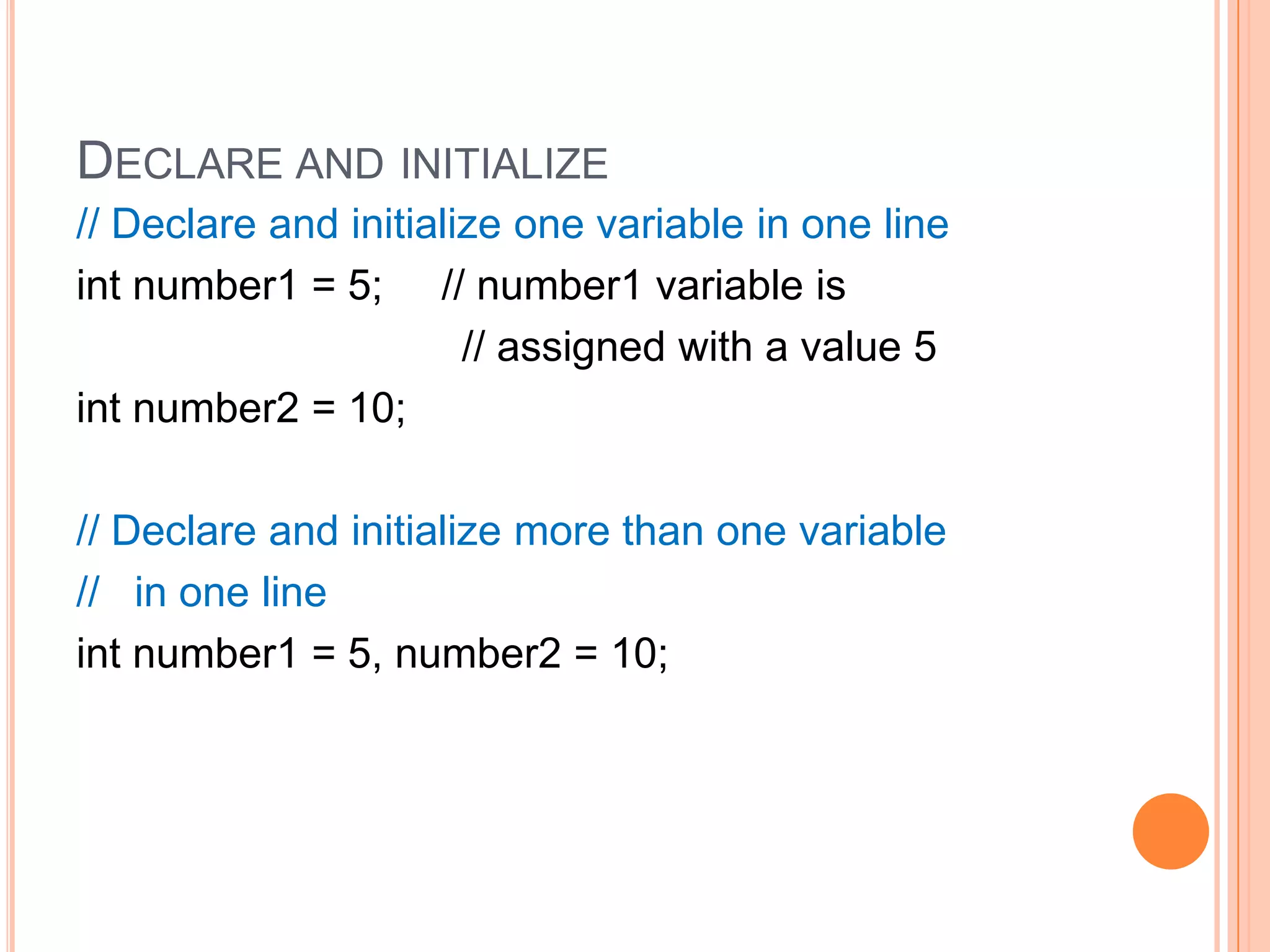
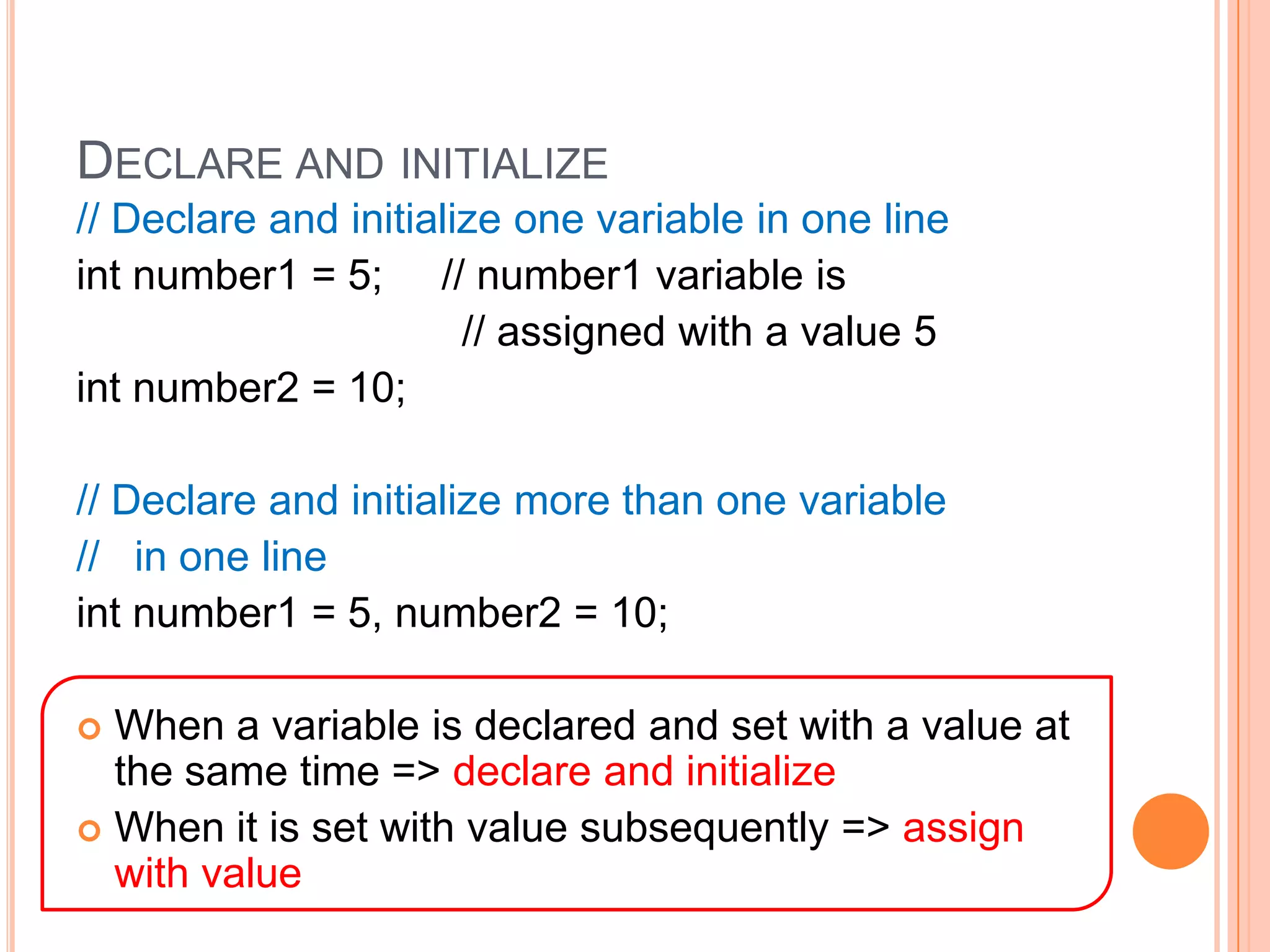
Declare and initialize// Declare and initialize one variable in one lineint number1 = 5;     // number1 variable is                                 // assigned with a value 5int number2 = 10;// Declare and initialize more than one variable  //   in one lineint number1 = 5, number2 = 10;
Declare and initialize// Declare and initialize one variable in one lineint number1 = 5;     // number1 variable is                                 // assigned with a value 5int number2 = 10;// Declare and initialize more than one variable  //   in one lineint number1 = 5, number2 = 10;When a variable is declared and set with a value at the same time => declare and initializeWhen it is set with value subsequently => assign with value
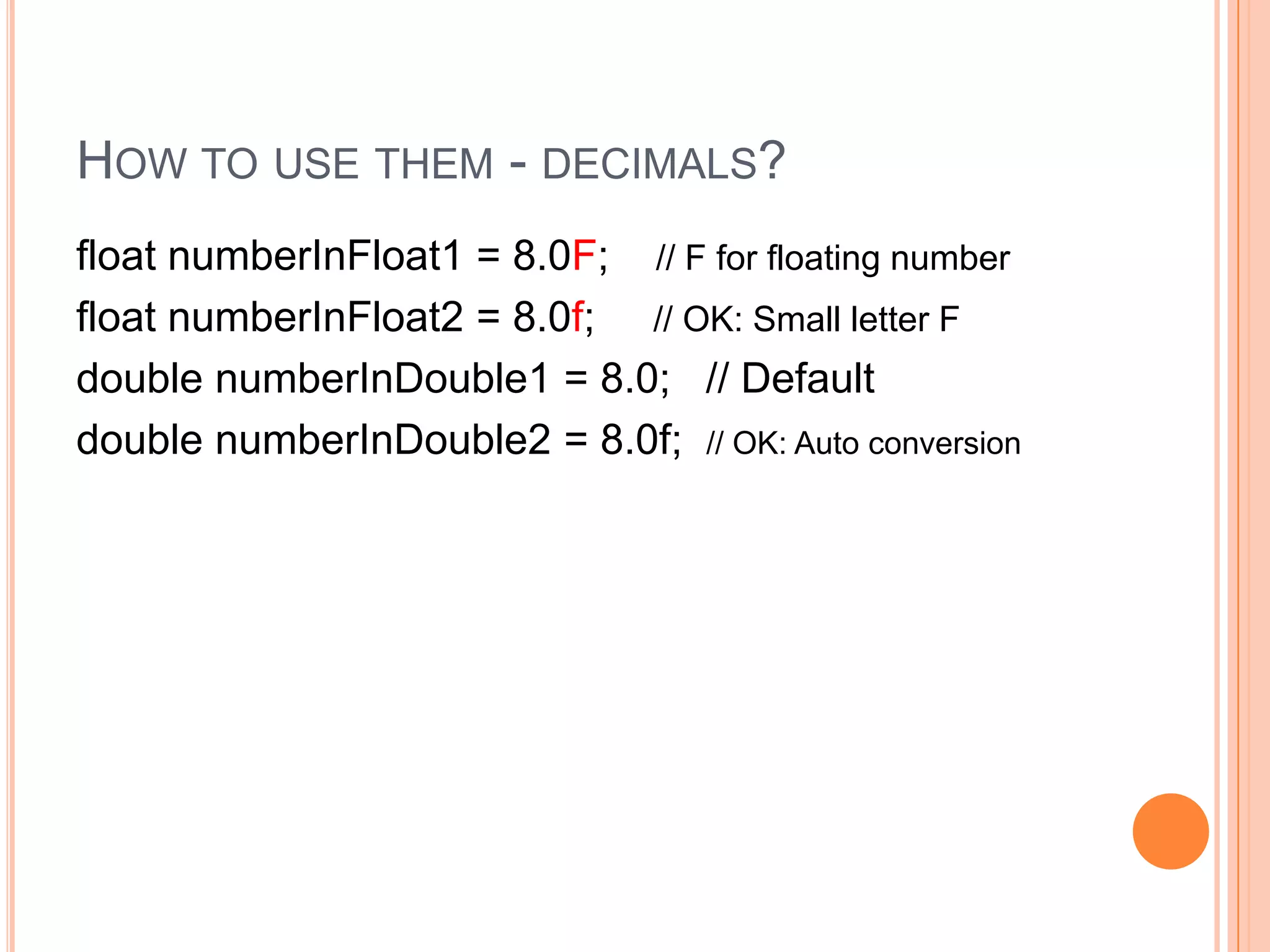
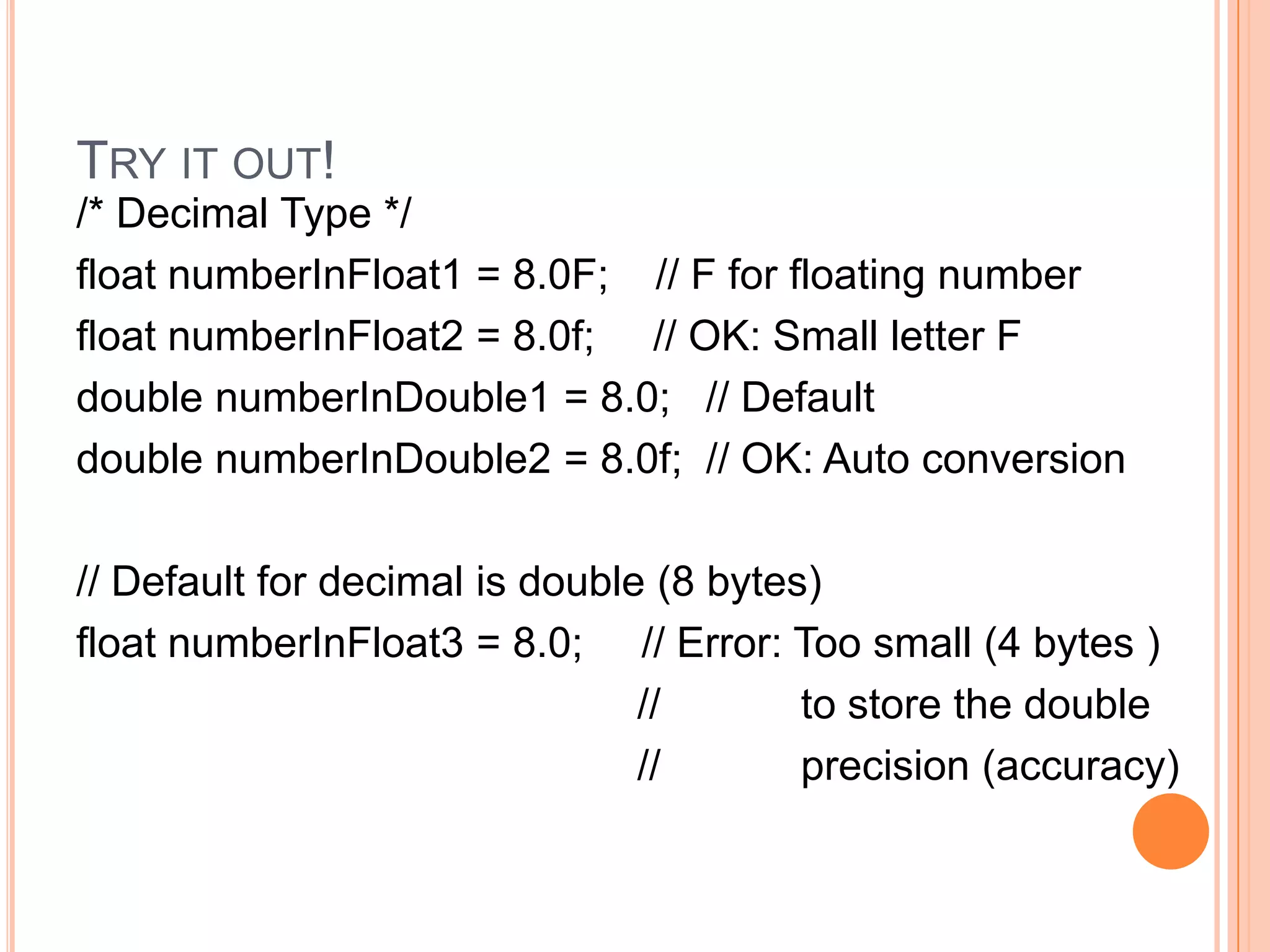
How to use them - decimals?float numberInFloat1 = 8.0F;    // F for floating number   float numberInFloat2 = 8.0f;     // OK: Small letter Fdouble numberInDouble1 = 8.0;   // Defaultdouble numberInDouble2 = 8.0f;  // OK: Auto conversion
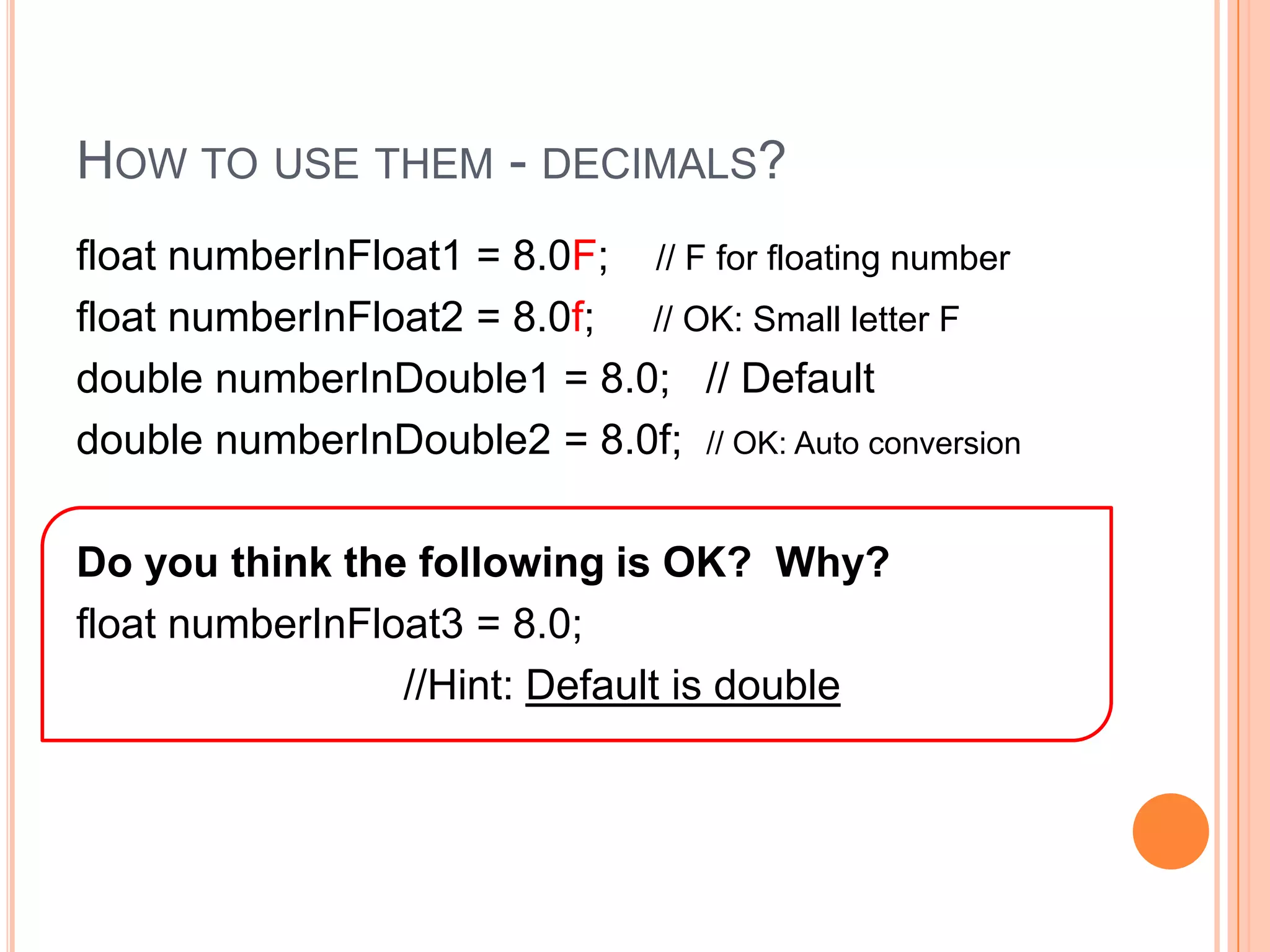
How to use them - decimals?float numberInFloat1 = 8.0F;    // F for floating number   float numberInFloat2 = 8.0f;     // OK: Small letter Fdouble numberInDouble1 = 8.0;   // Defaultdouble numberInDouble2 = 8.0f;  // OK: Auto conversionDo you think the following is OK?  Why?float numberInFloat3 = 8.0;                              //Hint: Default is double
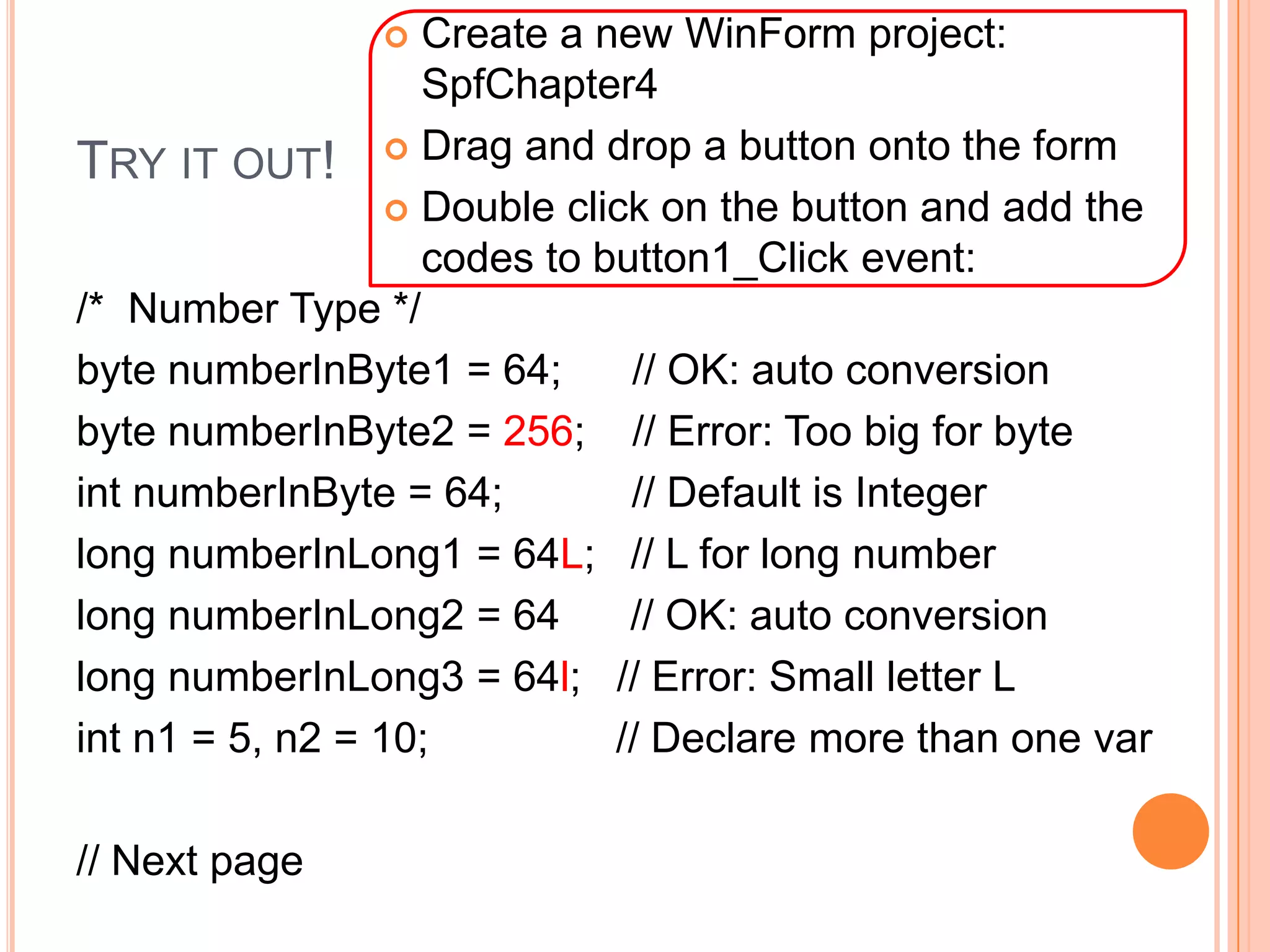
Try it out!Create a new WinForm project: SpfChapter4
Drag and drop a button onto the form
Double click on the button and add the codes to button1_Click event:/*  Number Type */byte numberInByte1 = 64;      // OK: auto conversionbyte numberInByte2 = 256;    // Error: Too big for byteintnumberInByte = 64;           // Default is Integerlong numberInLong1 = 64L;   // L for long numberlong numberInLong2 = 64      // OK: auto conversionlong numberInLong3 = 64l;   // Error: Small letter L int n1 = 5, n2 = 10;                // Declare more than one var// Next page
Try it out!/* Decimal Type */float numberInFloat1 = 8.0F;    // F for floating number   float numberInFloat2 = 8.0f;     // OK: Small letter Fdouble numberInDouble1 = 8.0;   // Defaultdouble numberInDouble2 = 8.0f;  // OK: Auto conversion// Default for decimal is double (8 bytes)float numberInFloat3 = 8.0;     // Error: Too small (4 bytes )                                                 //            to store the double                                                 //            precision (accuracy)
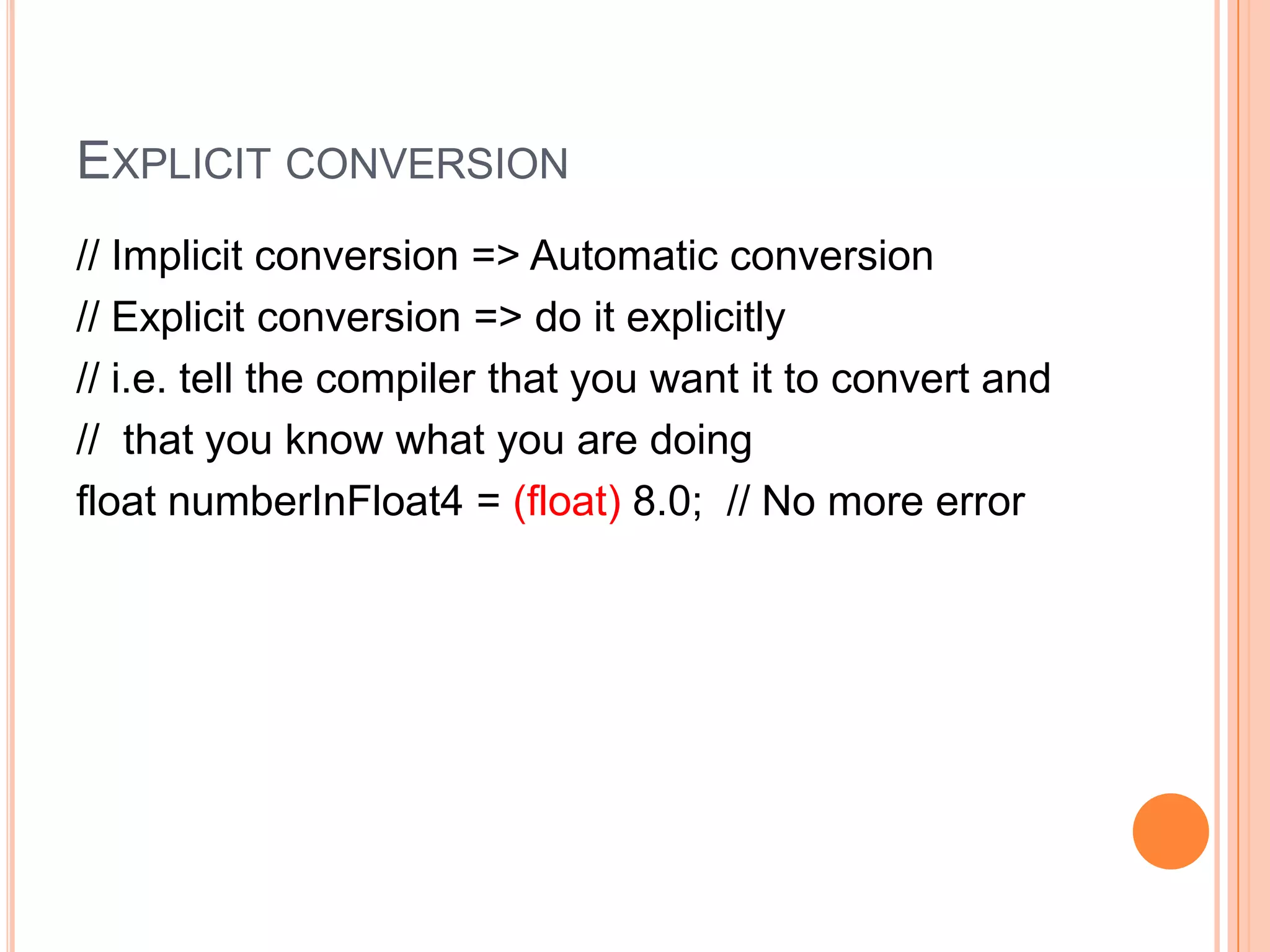
Explicit conversion// Implicit conversion => Automatic conversion// Explicit conversion => do it explicitly// i.e. tell the compiler that you want it to convert and//  that you know what you are doingfloat numberInFloat4 = (float) 8.0;  // No more error
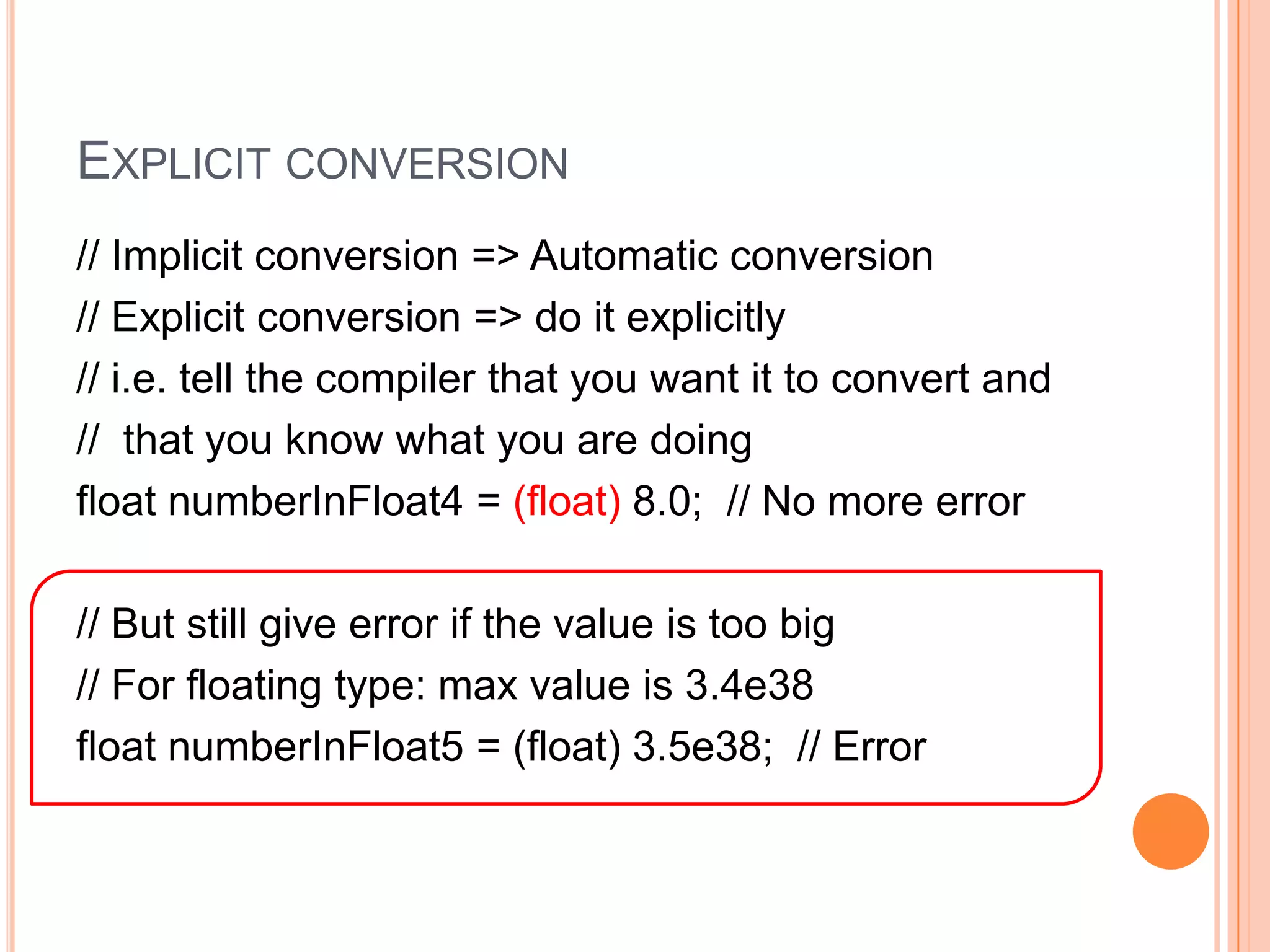
Explicit conversion// Implicit conversion => Automatic conversion// Explicit conversion => do it explicitly// i.e. tell the compiler that you want it to convert and//  that you know what you are doingfloat numberInFloat4 = (float) 8.0;  // No more error// But still give error if the value is too big// For floating type: max value is 3.4e38float numberInFloat5 = (float) 3.5e38;  // Error
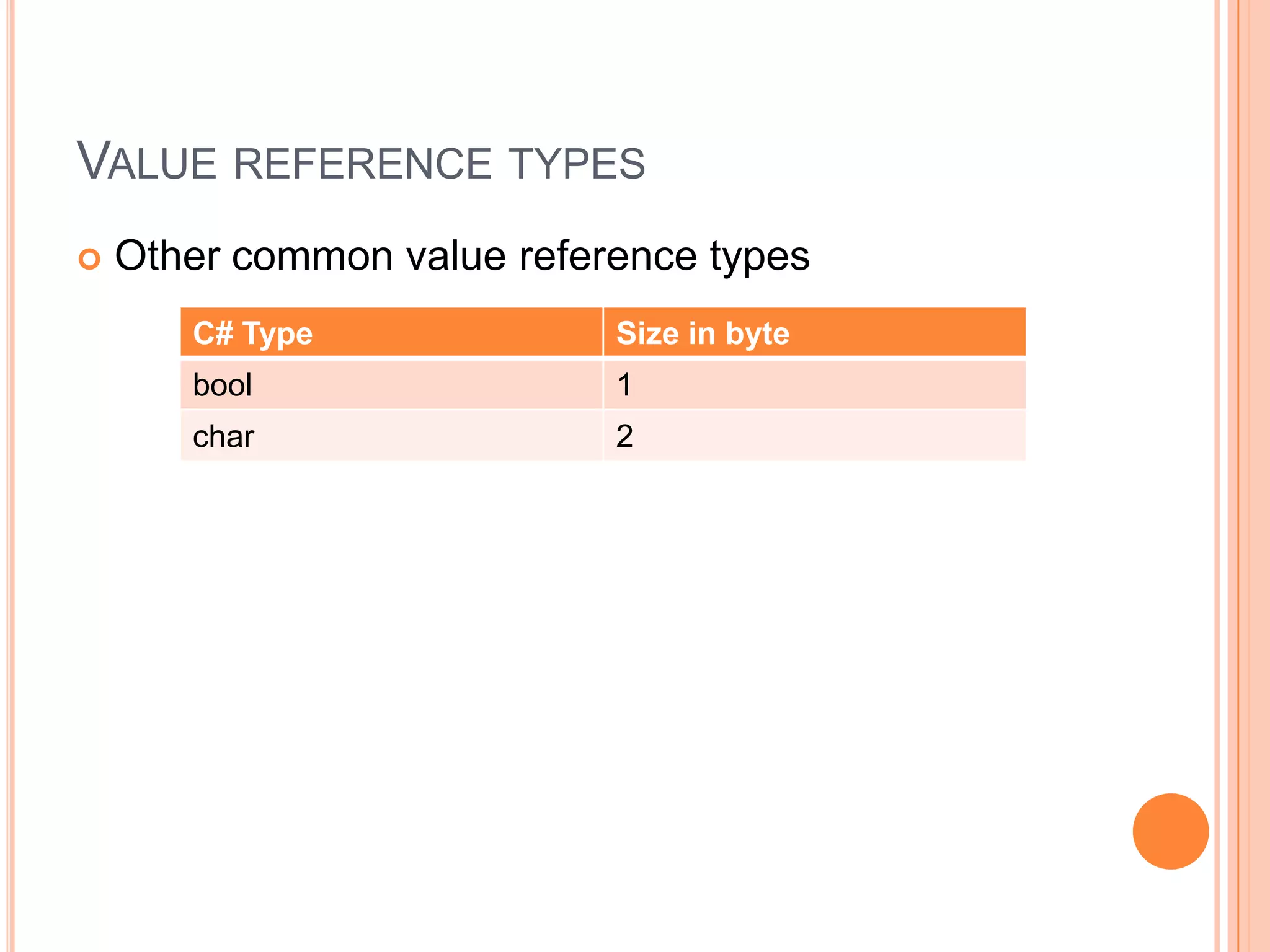
Value reference typesOther common value reference types
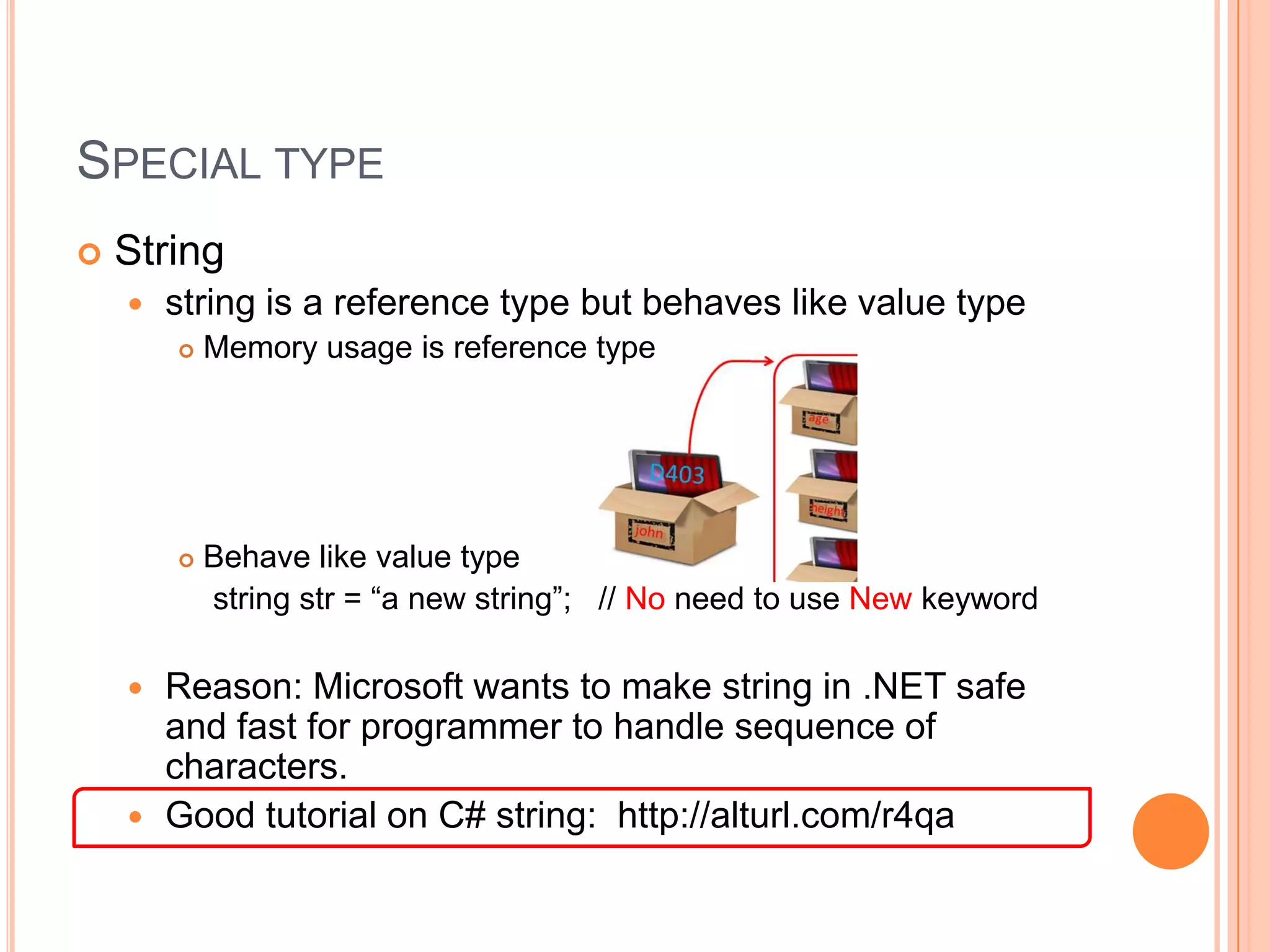
Special typeStringstring is a reference type but behaves like value type Memory usage is reference typeBehave like value type    string str = “a new string”;   // No need to use New keywordReason: Microsoft wants to make string in .NET safe and fast for programmer to handle sequence of characters.       Good tutorial on C# string:  http://alturl.com/r4qa
How to use them?boolisMoving = true;               // Use true or falseboolhasCompleted = false;char answer = ‘ Y ’;                   // Between ‘ ’string str = “my name”;            // Between “   ”
Try it out!Continue from previous project and add the codes to button1_Click event:boolisMoving = true;               // Boolean use true or falseboolhasCompleted = false;char answer = 'Y';                     // Between ‘ ’string str = "my name";             // Between “   ”
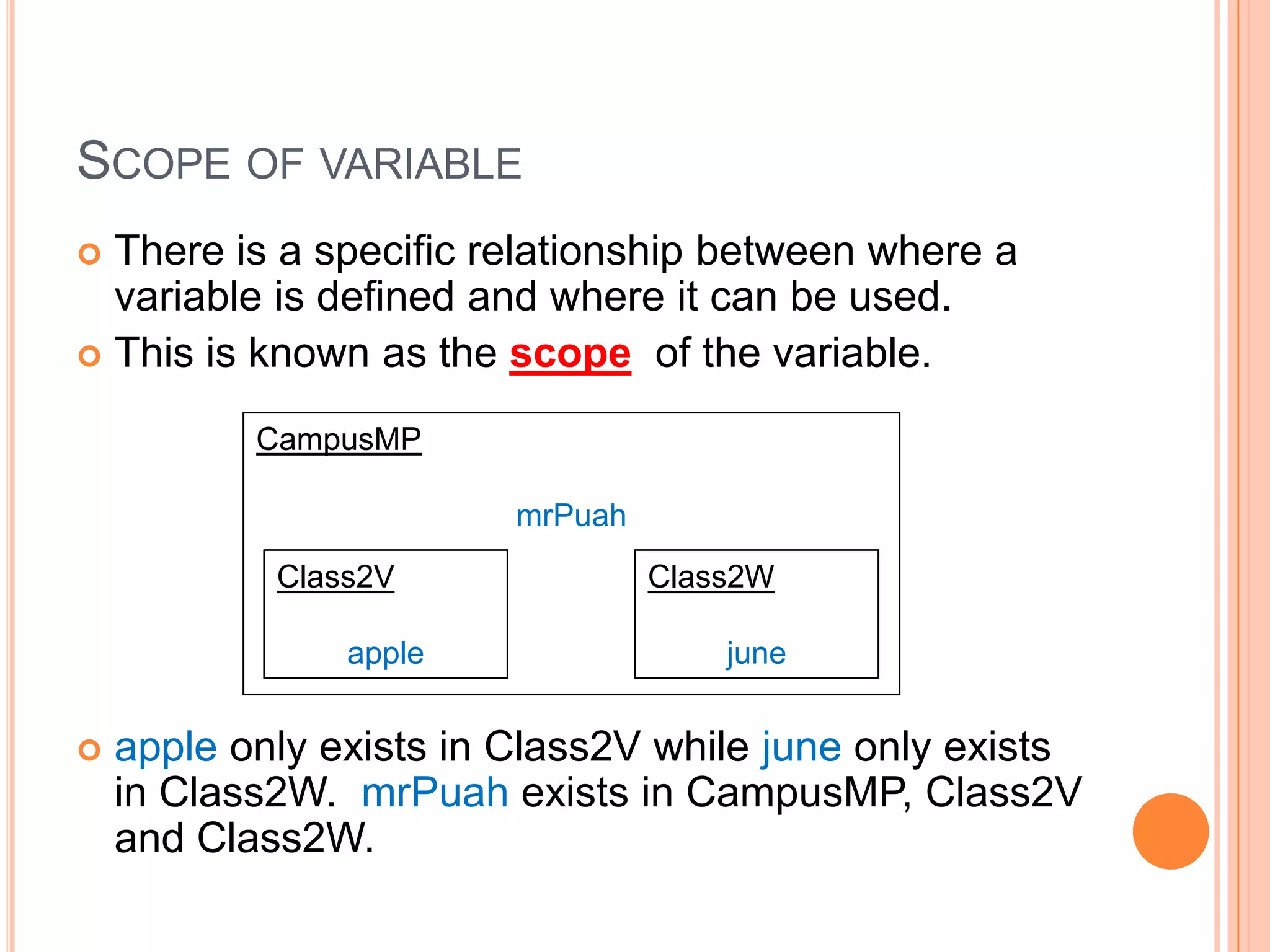
There is a specific relationship between where a variable is defined and where it can be used. This is known as the scope  of the variable. apple only exists in Class2V while june only exists in Class2W. mrPuahexists in CampusMP, Class2V and Class2W.CampusMPmrPuahScope of variableClass2VappleClass2Wjune
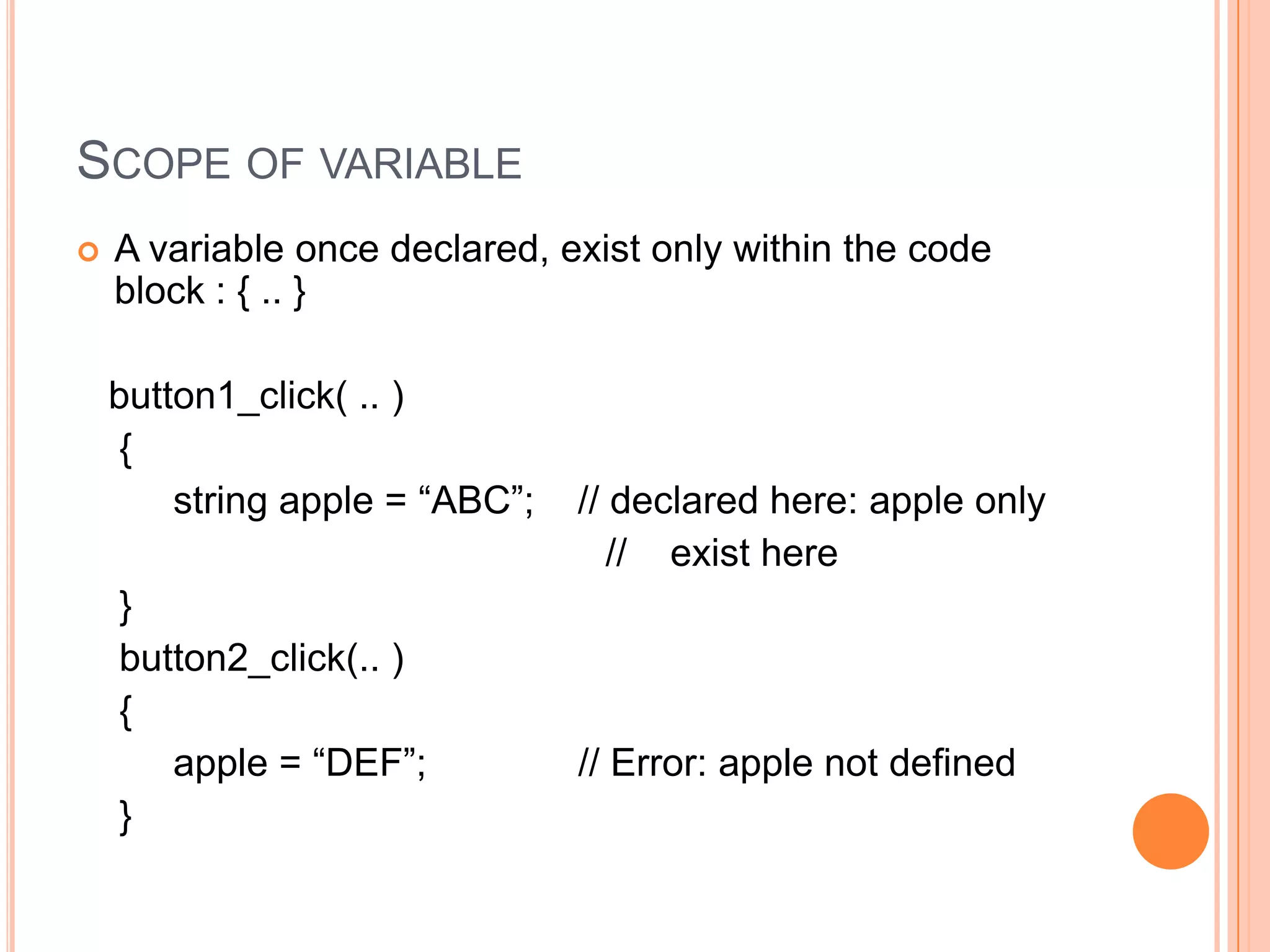
Scope of variableA variable once declared, exist only within the code block : { .. }   button1_click( .. )    {         string apple = “ABC”;    // declared here: apple only                                                  //    exist here    }    button2_click(.. )    {         apple = “DEF”;              // Error: apple not defined    }
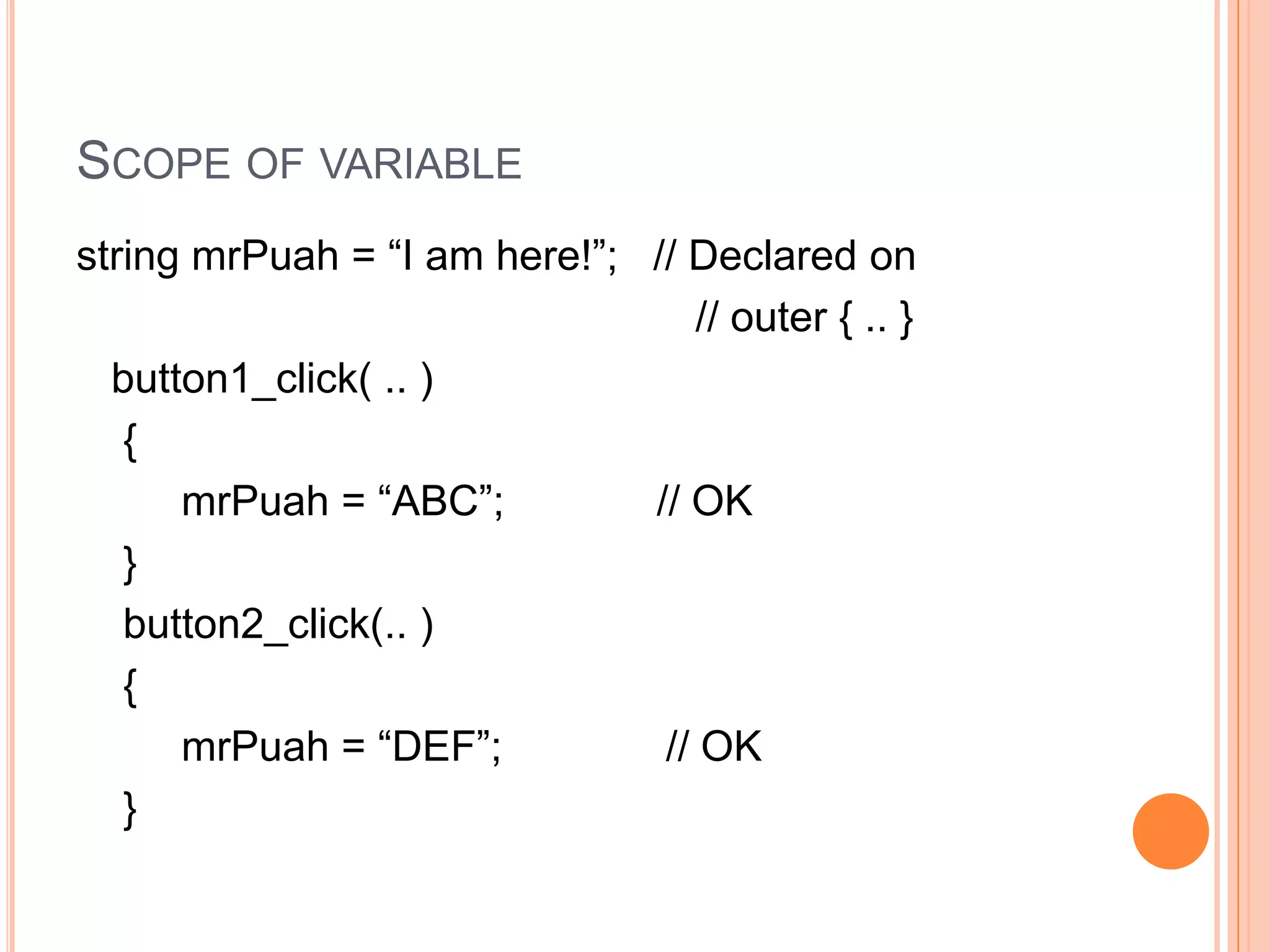
Scope of variablestring mrPuah = “I am here!”;   // Declared on                                                     // outer { .. }   button1_click( .. )    {mrPuah = “ABC”;             // OK    }    button2_click(.. )    {mrPuah = “DEF”;              // OK    }
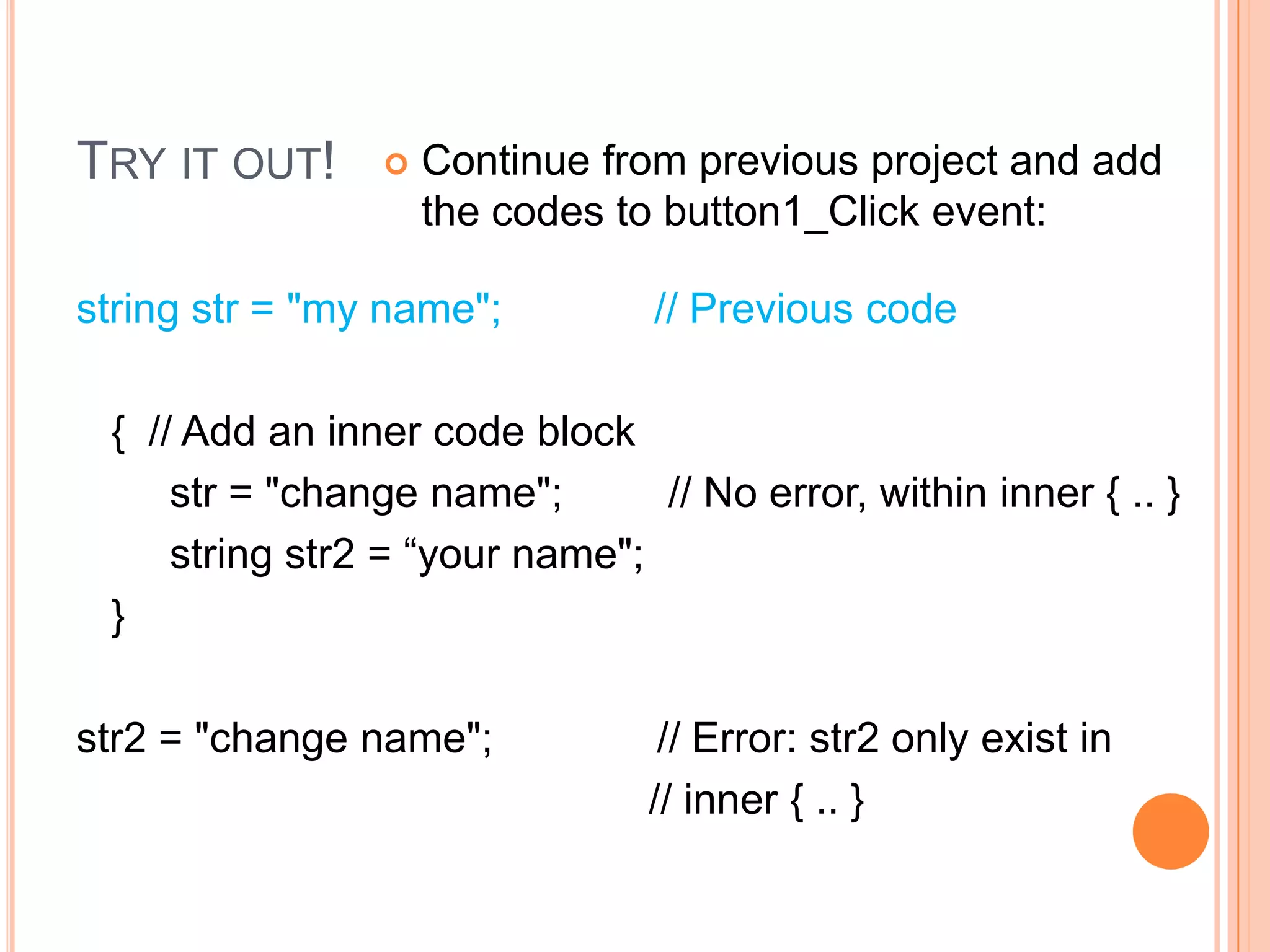
Try it out!Continue from previous project and add the codes to button1_Click event:string str = "my name";             // Previous code   {  // Add an inner code blockstr = "change name";         // No error, within inner { .. }        string str2 = “your name";   }str2 = "change name";              // Error: str2 only exist in                                                  // inner { .. }
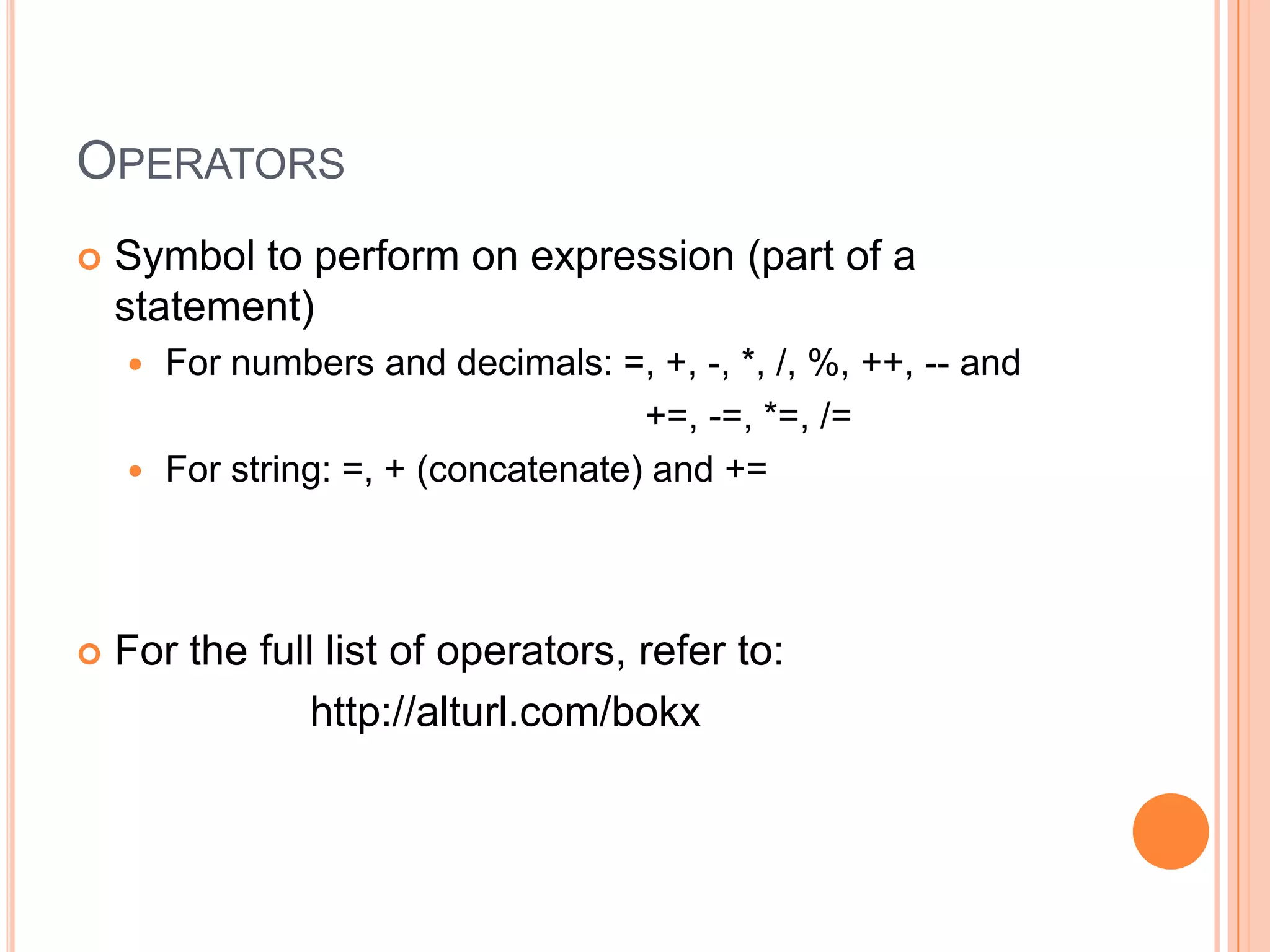
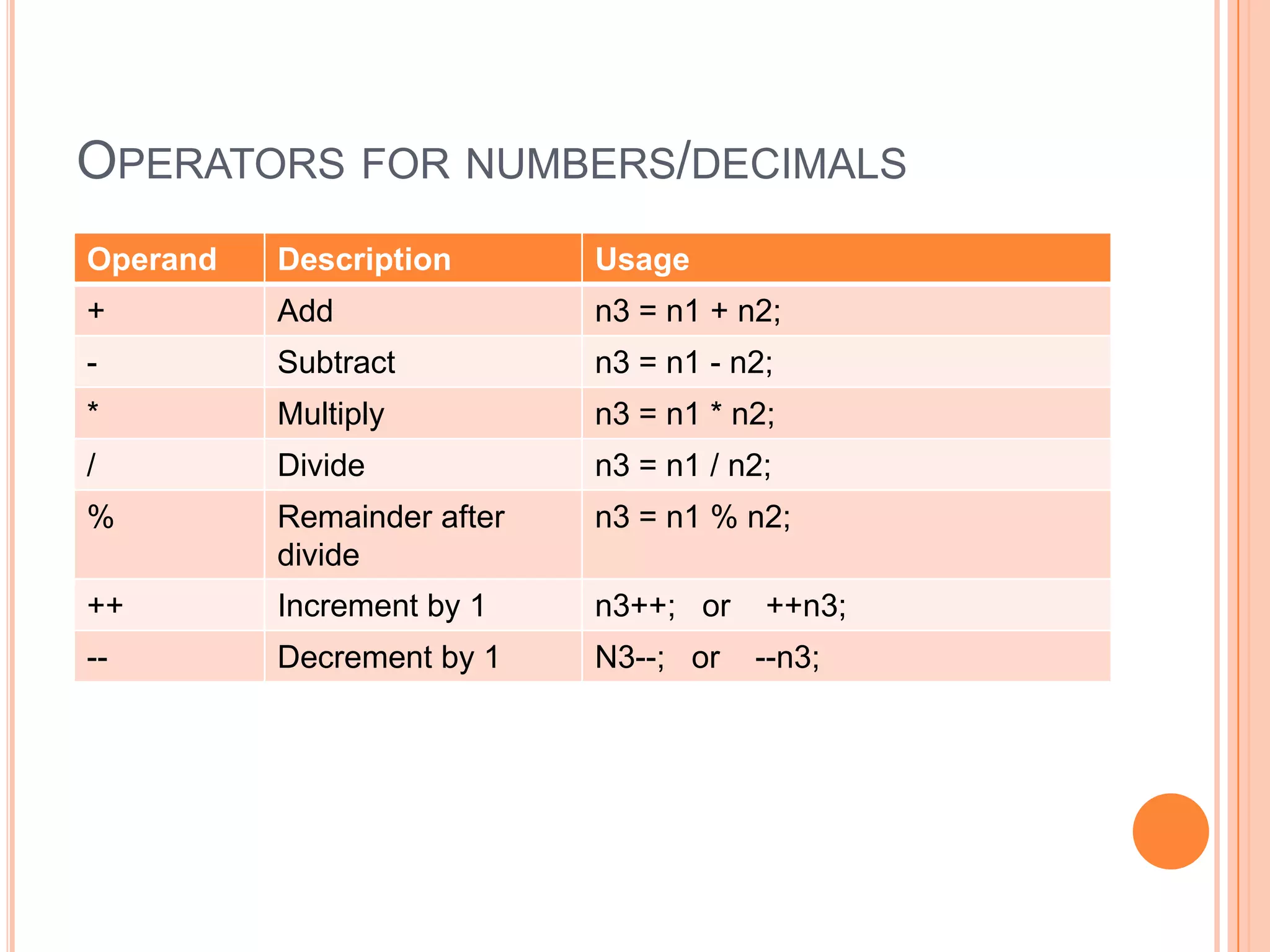
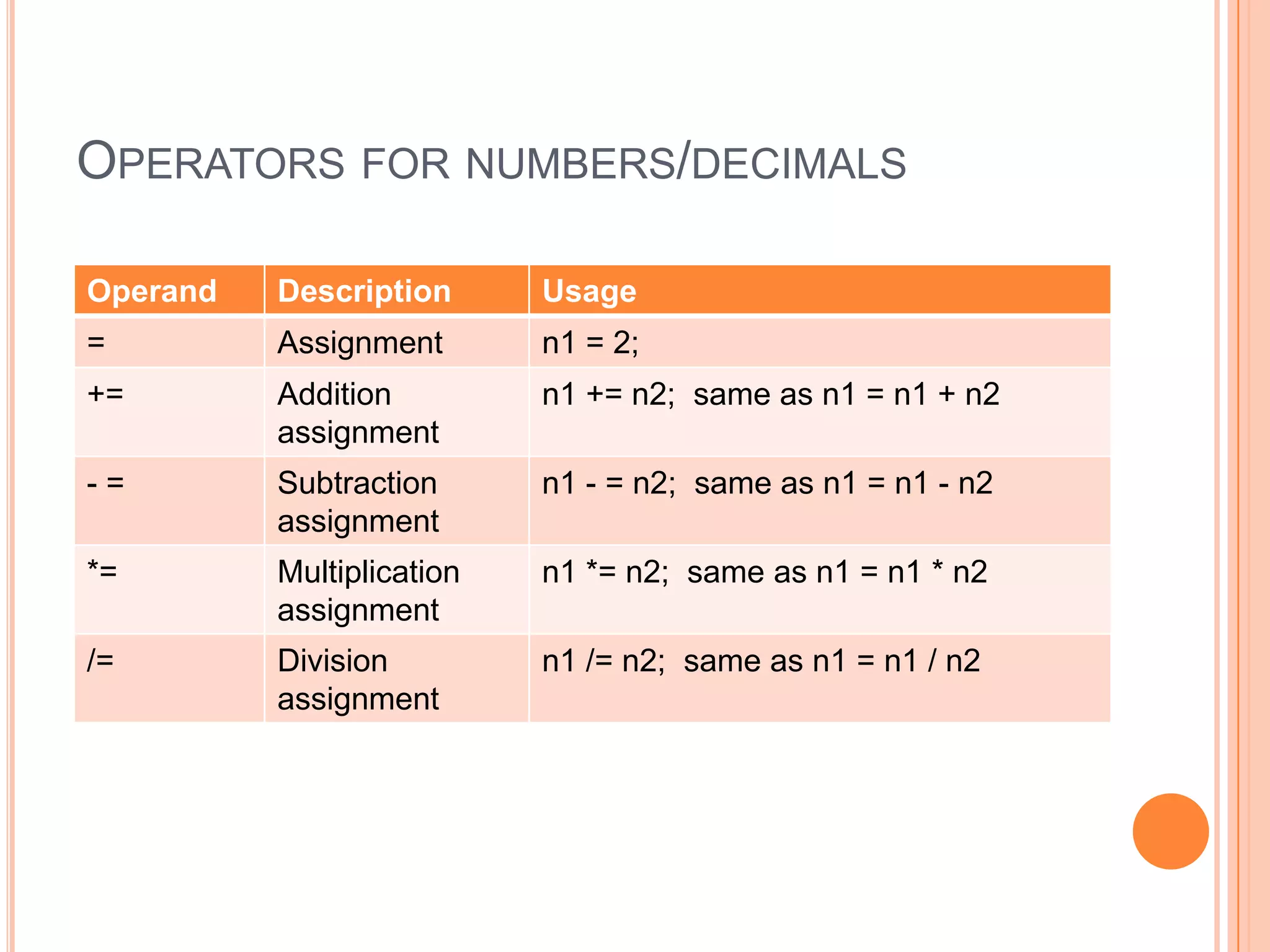
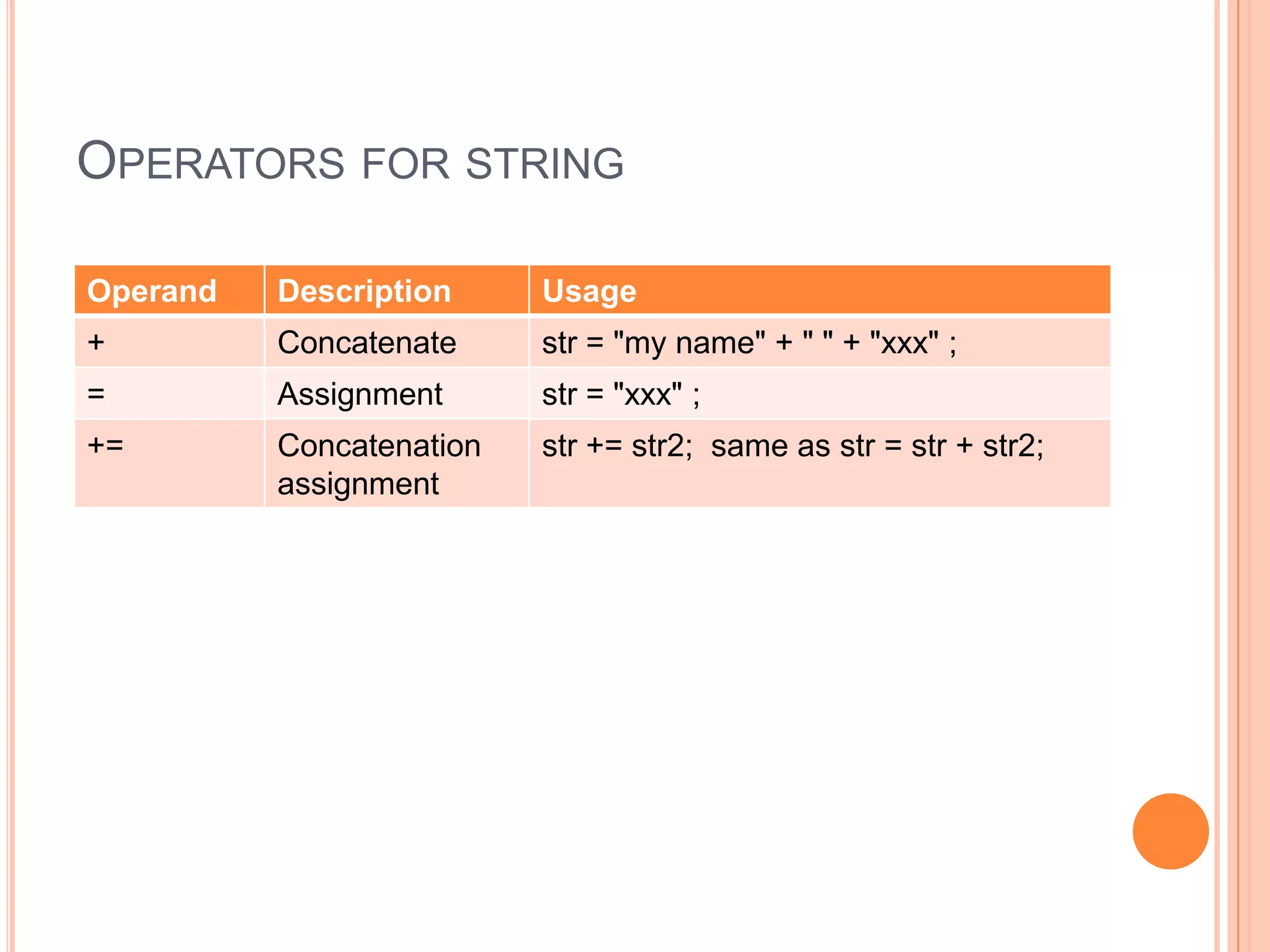
OperatorsSymbol to perform on expression (part of a statement)For numbers and decimals: =, +, -, *, /, %, ++, -- and                                                  +=, -=, *=, /= For string: =, + (concatenate) and += For the full list of operators, refer to:                    http://alturl.com/bokx
Operators for numbers/decimals
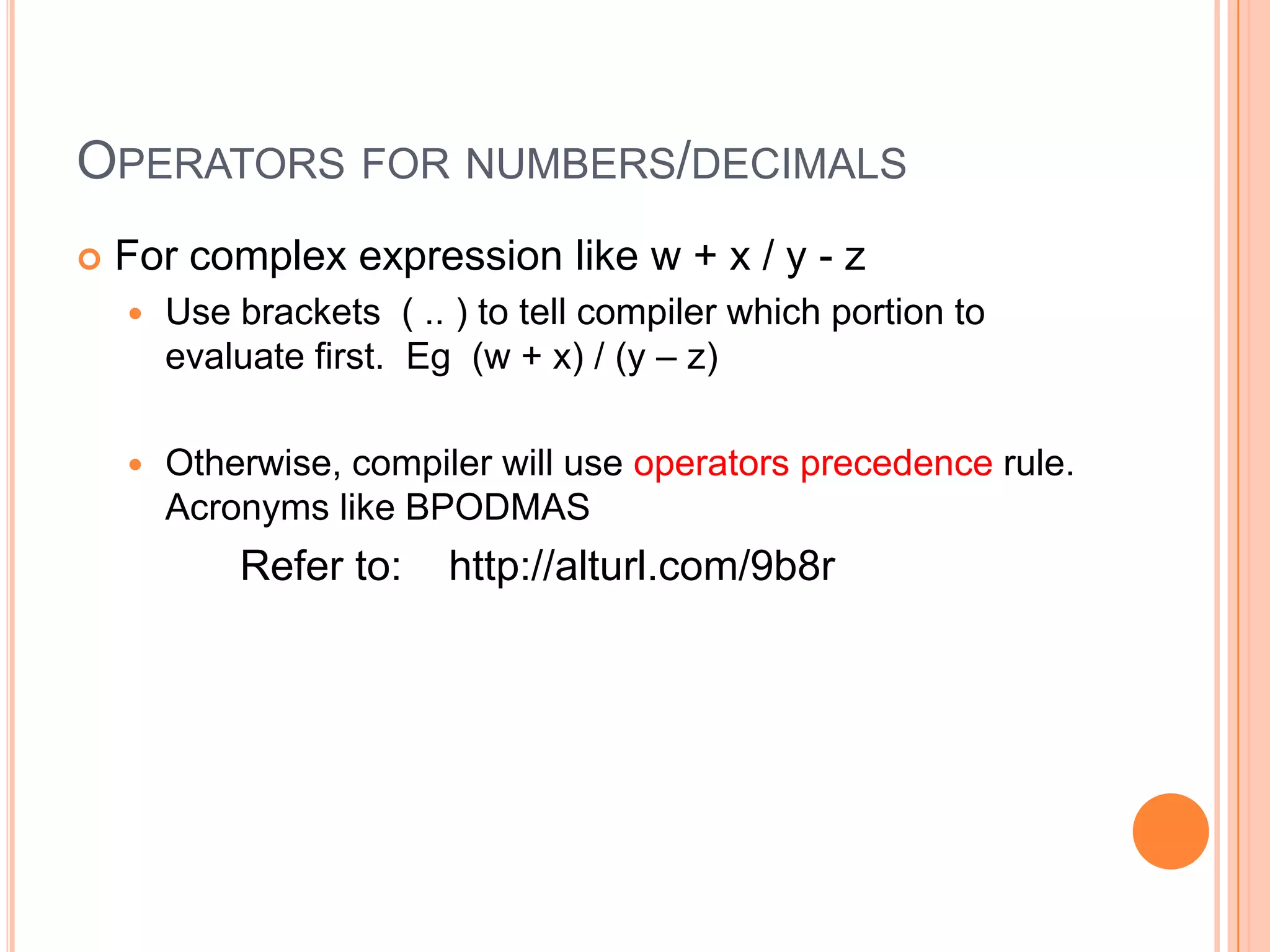
Operators for numbers/decimalsFor complex expression like w + x / y - zUse brackets  ( .. ) to tell compiler which portion to evaluate first.  Eg  (w + x) / (y – z)Otherwise, compiler will use operators precedence rule.  Acronyms like BPODMAS              Refer to:    http://alturl.com/9b8r
Operators for numbers/decimals
Operators for string
Exercise 4.1Textbook from page 52 – 71:Part 1 String Variables in C#.NETPart 2 Assigning Text to a String Variable Part 3 Concatenation in C#.NET Part 4 Comments in C#.NET
Exercise 4.2Textbook from page 71 – 83:Part 5 Integer Variables Part 6 Double and Float Variables Part 7 Double Variables in C# .NET

Spf Chapter4 Variables

  • 1.
  • 2.
    Variables: value andreference typesRecall what we covered in week 1 using pictures to explain the difference between value types and reference types. This chapter will cover value types in detail
  • 3.
    Chapter 4 topicsVariablesin detailsNumber – byte, int and longDecimal – float and doubleCharacterBooleanStringImplicit and explicit conversion Numbers, Decimals and their operations (=, +, -, *, / and others)Strings and operations (assigning value, concatenation)
  • 4.
    Value reference typesNumber Types not covered: short, unsigned number such as ulong (unsigned long integer), etcDecimal Type not covered: decimal (12 bytes)
  • 5.
    How to usethem - Numbers?byte numberInByte1 = 64; // OK: auto conversionbyte numberInByte2 = 256; // ErrorintnumberInByte = 64; // Default is Integerlong numberInLong1 = 64L; // L for long numberlong numberInLong2 = 64 // OK: auto conversion
  • 6.
    How to usethem - Numbers?byte numberInByte1 = 64; // OK: auto conversionbyte numberInByte2 = 256; // ErrorintnumberInByte = 64; // Default is Integerlong numberInLong1 = 64L; // L for long numberlong numberInLong2 = 64 // OK: auto conversionWhy cannot use small letter L ( l )?
  • 7.
    How to usethem - Numbers?byte numberInByte1 = 64; // OK: auto conversionbyte numberInByte2 = 256; // ErrorintnumberInByte = 64; // Default is Integerlong numberInLong1 = 64L; // L for long numberlong numberInLong2 = 64 // OK: auto conversion// Default type is IntegerIf a data is given as 64 without L => data is an integer. Since numberInLong1 is large enough to store integer 64, there is an auto (implicit) conversion. Auto (implicit) conversion for numberInByte1 but error for numberInByte2
  • 8.
    Declare and initialize//Declare and initialize one variable in one lineint number1 = 5; // number1 variable is // assigned with a value 5int number2 = 10;// Declare and initialize more than one variable // in one lineint number1 = 5, number2 = 10;
  • 9.
    Declare and initialize//Declare and initialize one variable in one lineint number1 = 5; // number1 variable is // assigned with a value 5int number2 = 10;// Declare and initialize more than one variable // in one lineint number1 = 5, number2 = 10;When a variable is declared and set with a value at the same time => declare and initializeWhen it is set with value subsequently => assign with value
  • 10.
    How to usethem - decimals?float numberInFloat1 = 8.0F; // F for floating number float numberInFloat2 = 8.0f; // OK: Small letter Fdouble numberInDouble1 = 8.0; // Defaultdouble numberInDouble2 = 8.0f; // OK: Auto conversion
  • 11.
    How to usethem - decimals?float numberInFloat1 = 8.0F; // F for floating number float numberInFloat2 = 8.0f; // OK: Small letter Fdouble numberInDouble1 = 8.0; // Defaultdouble numberInDouble2 = 8.0f; // OK: Auto conversionDo you think the following is OK? Why?float numberInFloat3 = 8.0; //Hint: Default is double
  • 12.
    Try it out!Createa new WinForm project: SpfChapter4
  • 13.
    Drag and dropa button onto the form
  • 14.
    Double click onthe button and add the codes to button1_Click event:/* Number Type */byte numberInByte1 = 64; // OK: auto conversionbyte numberInByte2 = 256; // Error: Too big for byteintnumberInByte = 64; // Default is Integerlong numberInLong1 = 64L; // L for long numberlong numberInLong2 = 64 // OK: auto conversionlong numberInLong3 = 64l; // Error: Small letter L int n1 = 5, n2 = 10; // Declare more than one var// Next page
  • 15.
    Try it out!/*Decimal Type */float numberInFloat1 = 8.0F; // F for floating number float numberInFloat2 = 8.0f; // OK: Small letter Fdouble numberInDouble1 = 8.0; // Defaultdouble numberInDouble2 = 8.0f; // OK: Auto conversion// Default for decimal is double (8 bytes)float numberInFloat3 = 8.0; // Error: Too small (4 bytes ) // to store the double // precision (accuracy)
  • 16.
    Explicit conversion// Implicitconversion => Automatic conversion// Explicit conversion => do it explicitly// i.e. tell the compiler that you want it to convert and// that you know what you are doingfloat numberInFloat4 = (float) 8.0; // No more error
  • 17.
    Explicit conversion// Implicitconversion => Automatic conversion// Explicit conversion => do it explicitly// i.e. tell the compiler that you want it to convert and// that you know what you are doingfloat numberInFloat4 = (float) 8.0; // No more error// But still give error if the value is too big// For floating type: max value is 3.4e38float numberInFloat5 = (float) 3.5e38; // Error
  • 18.
    Value reference typesOthercommon value reference types
  • 19.
    Special typeStringstring isa reference type but behaves like value type Memory usage is reference typeBehave like value type string str = “a new string”; // No need to use New keywordReason: Microsoft wants to make string in .NET safe and fast for programmer to handle sequence of characters. Good tutorial on C# string: http://alturl.com/r4qa
  • 20.
    How to usethem?boolisMoving = true; // Use true or falseboolhasCompleted = false;char answer = ‘ Y ’; // Between ‘ ’string str = “my name”; // Between “ ”
  • 21.
    Try it out!Continuefrom previous project and add the codes to button1_Click event:boolisMoving = true; // Boolean use true or falseboolhasCompleted = false;char answer = 'Y'; // Between ‘ ’string str = "my name"; // Between “ ”
  • 22.
    There is aspecific relationship between where a variable is defined and where it can be used. This is known as the scope of the variable. apple only exists in Class2V while june only exists in Class2W. mrPuahexists in CampusMP, Class2V and Class2W.CampusMPmrPuahScope of variableClass2VappleClass2Wjune
  • 23.
    Scope of variableAvariable once declared, exist only within the code block : { .. } button1_click( .. ) { string apple = “ABC”; // declared here: apple only // exist here } button2_click(.. ) { apple = “DEF”; // Error: apple not defined }
  • 24.
    Scope of variablestringmrPuah = “I am here!”; // Declared on // outer { .. } button1_click( .. ) {mrPuah = “ABC”; // OK } button2_click(.. ) {mrPuah = “DEF”; // OK }
  • 25.
    Try it out!Continuefrom previous project and add the codes to button1_Click event:string str = "my name"; // Previous code { // Add an inner code blockstr = "change name"; // No error, within inner { .. } string str2 = “your name"; }str2 = "change name"; // Error: str2 only exist in // inner { .. }
  • 26.
    OperatorsSymbol to performon expression (part of a statement)For numbers and decimals: =, +, -, *, /, %, ++, -- and +=, -=, *=, /= For string: =, + (concatenate) and += For the full list of operators, refer to: http://alturl.com/bokx
  • 27.
  • 28.
    Operators for numbers/decimalsForcomplex expression like w + x / y - zUse brackets ( .. ) to tell compiler which portion to evaluate first. Eg (w + x) / (y – z)Otherwise, compiler will use operators precedence rule. Acronyms like BPODMAS Refer to: http://alturl.com/9b8r
  • 29.
  • 30.
  • 31.
    Exercise 4.1Textbook frompage 52 – 71:Part 1 String Variables in C#.NETPart 2 Assigning Text to a String Variable Part 3 Concatenation in C#.NET Part 4 Comments in C#.NET
  • 32.
    Exercise 4.2Textbook frompage 71 – 83:Part 5 Integer Variables Part 6 Double and Float Variables Part 7 Double Variables in C# .NET
  • 33.
    Exercise 4.3Textbook frompage 83 – 92:Part 8 Addition in C# .NET Part 9 Subtraction in C# .NET Part 10 Multiplication and Division in C#.NET
  • 34.
    SummaryVariables in detailsNumber– byte, int and longDecimal – float and doubleCharacterBooleanStringImplicit and explicit conversion Numbers, Decimals and their operations (=, +, -, *, / and others)Strings and operations (assigning value, concatenation)