How to use the
SlideShare widget?
SlideShare
• for presentations: pdf, ppt, pps, pptx, pot, potx, odp;
• for documents: pdf, doc, docx, rtf, odt, txt;
• for infographics: pdf.
Available formats:
SlideShare is a service that allows all registered users to upload
and share presentations, documents, and infographics.
Maximum size allowed to upload a file is 300 MB.
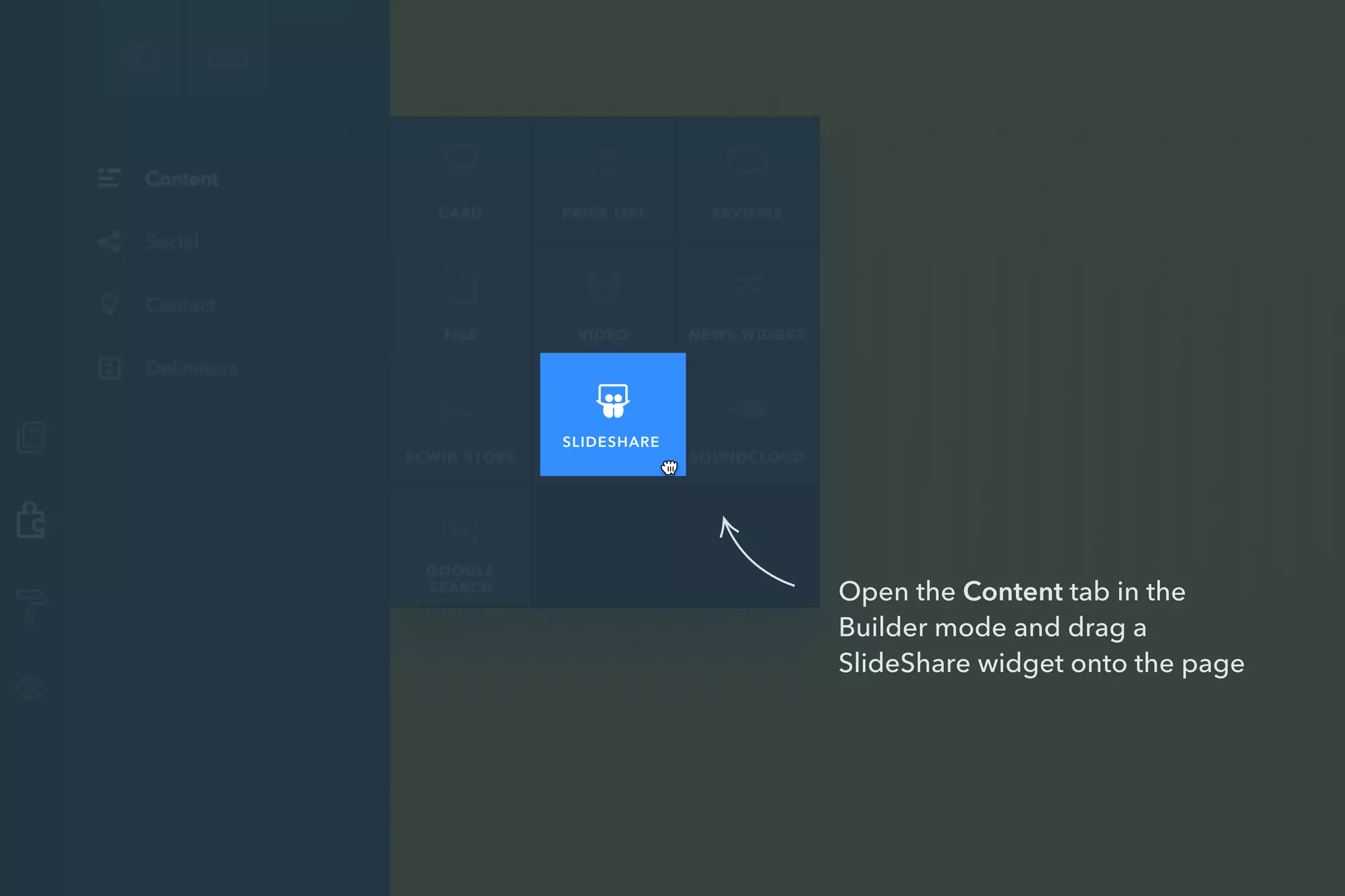
Open the Content tab in the
Builder mode and drag a
SlideShare widget onto the page
SLIDESHARE
How to add a presentation, document or
infographics to your website?
1 Sign up to slideshare.net or log in with your username and
password or with a LinkedIn profile.
2 Upload your file to slideshare.net.
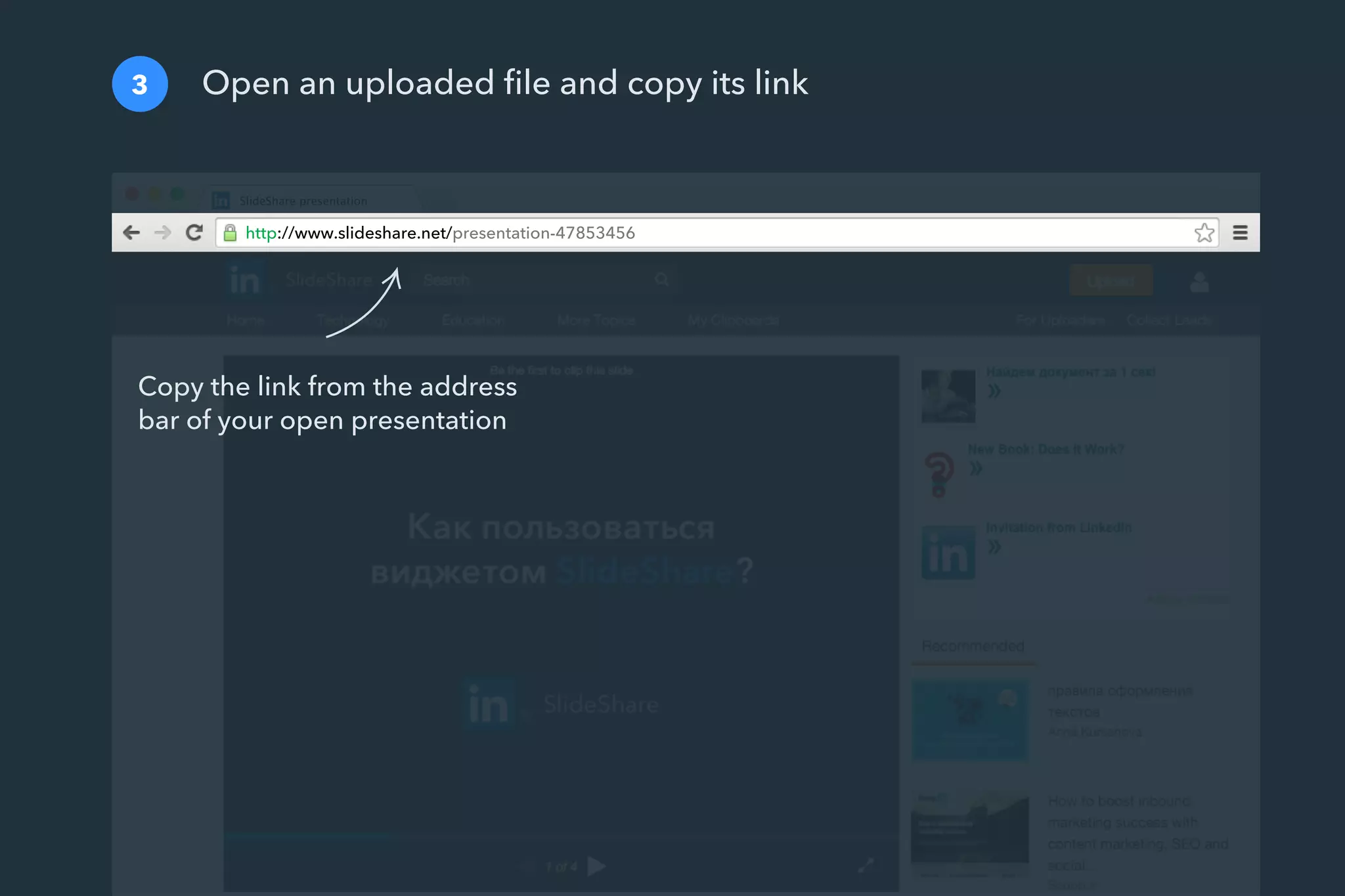
3 Open an uploaded file and copy its link.
4 In the Builder mode, paste the link into the SlideShare menu
on the left.
Sign up to slideshare.net or log in with your username and
password or with a LinkedIn profile
1
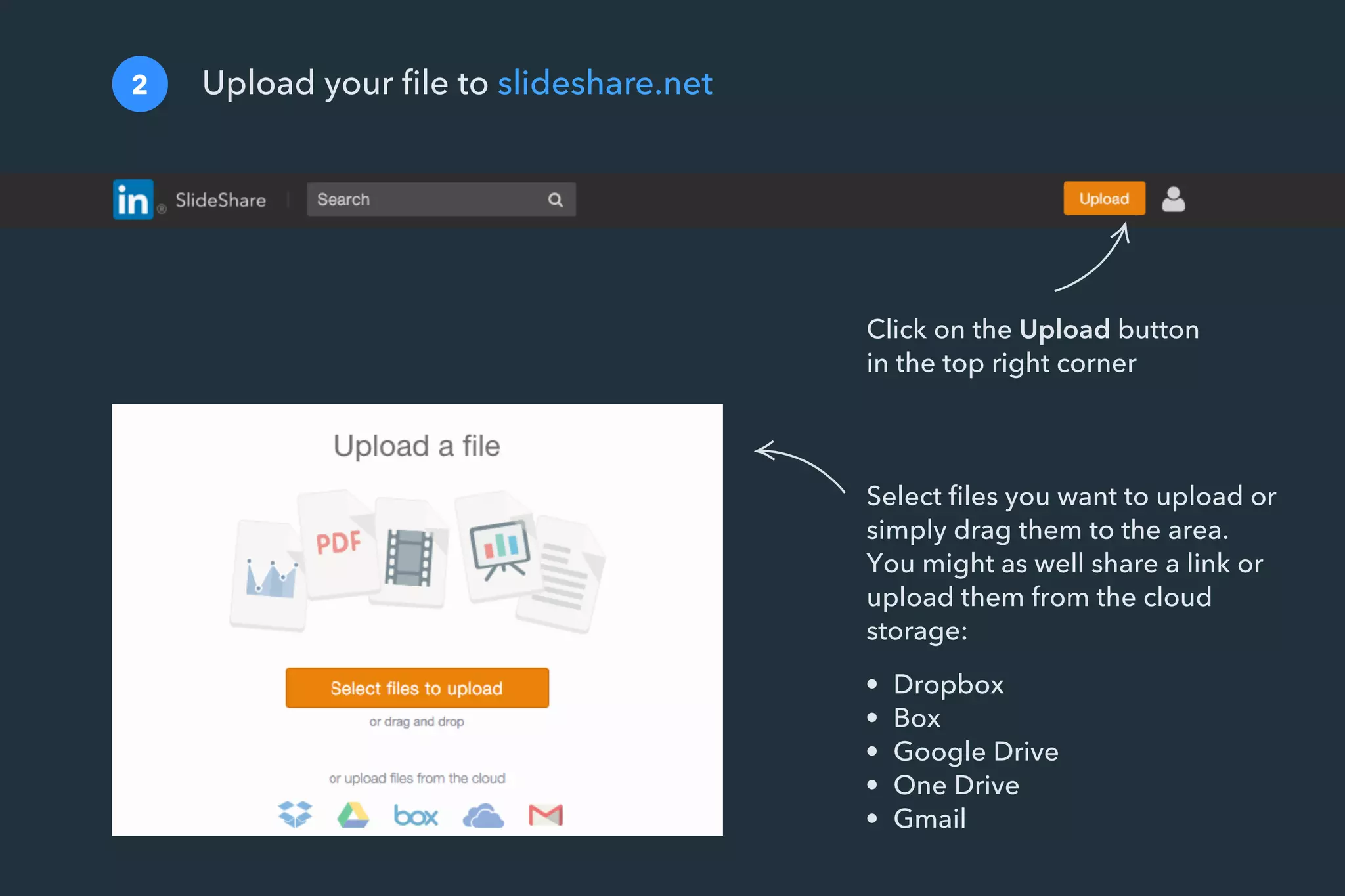
Upload your file to slideshare.net2
• Dropbox
• Box
• Google Drive
• One Drive
• Gmail
Select files you want to upload or
simply drag them to the area.
You might as well share a link or
upload them from the cloud
storage:
Click on the Upload button
in the top right corner
http://www.slideshare.net/presentation-47853456
Open an uploaded file and copy its link3
Copy the link from the address
bar of your open presentation
Paste the link into the SlideShare menu on the left.
That’s it! Your presentation, document or infographics has been added
4
8 of 8 SlideShare
Как пользоваться
виджетом SlideShare?
SlideShare
S T Y L E
Border
Enter the link to a
presentation.
http://www.slideshare.net/prese
L I N K T O A P R E S E N TAT I O N
SlideShare
BACK

SlideShare

  • 1.
    How to usethe SlideShare widget? SlideShare
  • 2.
    • for presentations:pdf, ppt, pps, pptx, pot, potx, odp; • for documents: pdf, doc, docx, rtf, odt, txt; • for infographics: pdf. Available formats: SlideShare is a service that allows all registered users to upload and share presentations, documents, and infographics. Maximum size allowed to upload a file is 300 MB.
  • 3.
    Open the Contenttab in the Builder mode and drag a SlideShare widget onto the page SLIDESHARE
  • 4.
    How to adda presentation, document or infographics to your website? 1 Sign up to slideshare.net or log in with your username and password or with a LinkedIn profile. 2 Upload your file to slideshare.net. 3 Open an uploaded file and copy its link. 4 In the Builder mode, paste the link into the SlideShare menu on the left.
  • 5.
    Sign up toslideshare.net or log in with your username and password or with a LinkedIn profile 1
  • 6.
    Upload your fileto slideshare.net2 • Dropbox • Box • Google Drive • One Drive • Gmail Select files you want to upload or simply drag them to the area. You might as well share a link or upload them from the cloud storage: Click on the Upload button in the top right corner
  • 7.
    http://www.slideshare.net/presentation-47853456 Open an uploadedfile and copy its link3 Copy the link from the address bar of your open presentation
  • 8.
    Paste the linkinto the SlideShare menu on the left. That’s it! Your presentation, document or infographics has been added 4 8 of 8 SlideShare Как пользоваться виджетом SlideShare? SlideShare S T Y L E Border Enter the link to a presentation. http://www.slideshare.net/prese L I N K T O A P R E S E N TAT I O N SlideShare BACK