Sitecore MVC renderings
Converting Web Forms sublayouts
Prepared by: Jason St-Cyr and Nick Allen
November 2014
Converting Sitecore Web Forms to MVC
• Sublayouts to Controller Renderings
• The ViewModel
• The View
• Things to watch out for
Resources
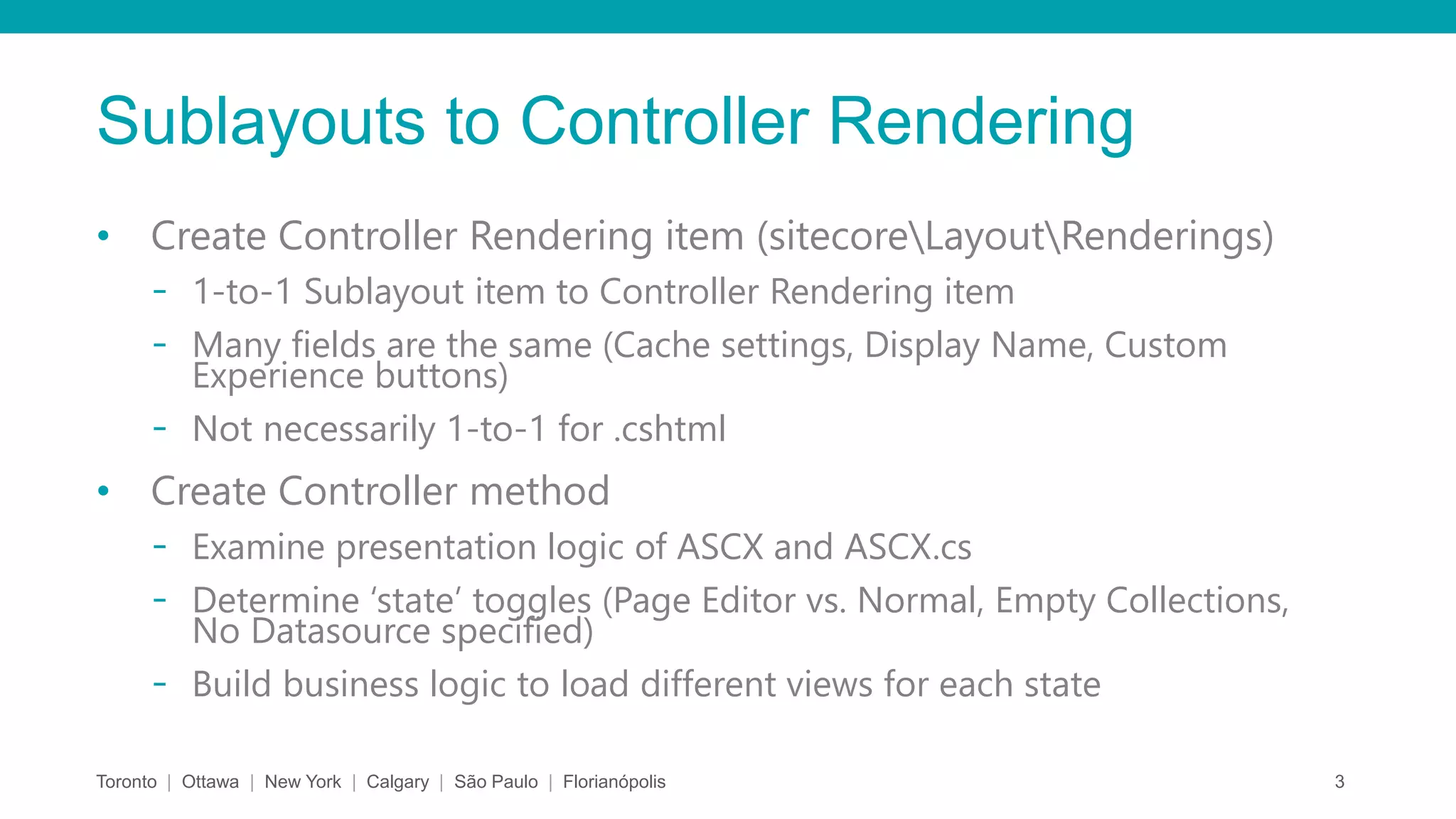
Sublayouts to Controller Rendering
• Create Controller Rendering item (sitecoreLayoutRenderings)
- 1-to-1 Sublayout item to Controller Rendering item
- Many fields are the same (Cache settings, Display Name, Custom
Experience buttons)
- Not necessarily 1-to-1 for .cshtml
• Create Controller method
- Examine presentation logic of ASCX and ASCX.cs
- Determine ‘state’ toggles (Page Editor vs. Normal, Empty Collections,
No Datasource specified)
- Build business logic to load different views for each state
Toronto | Ottawa | New York | Calgary | São Paulo | Florianópolis 3
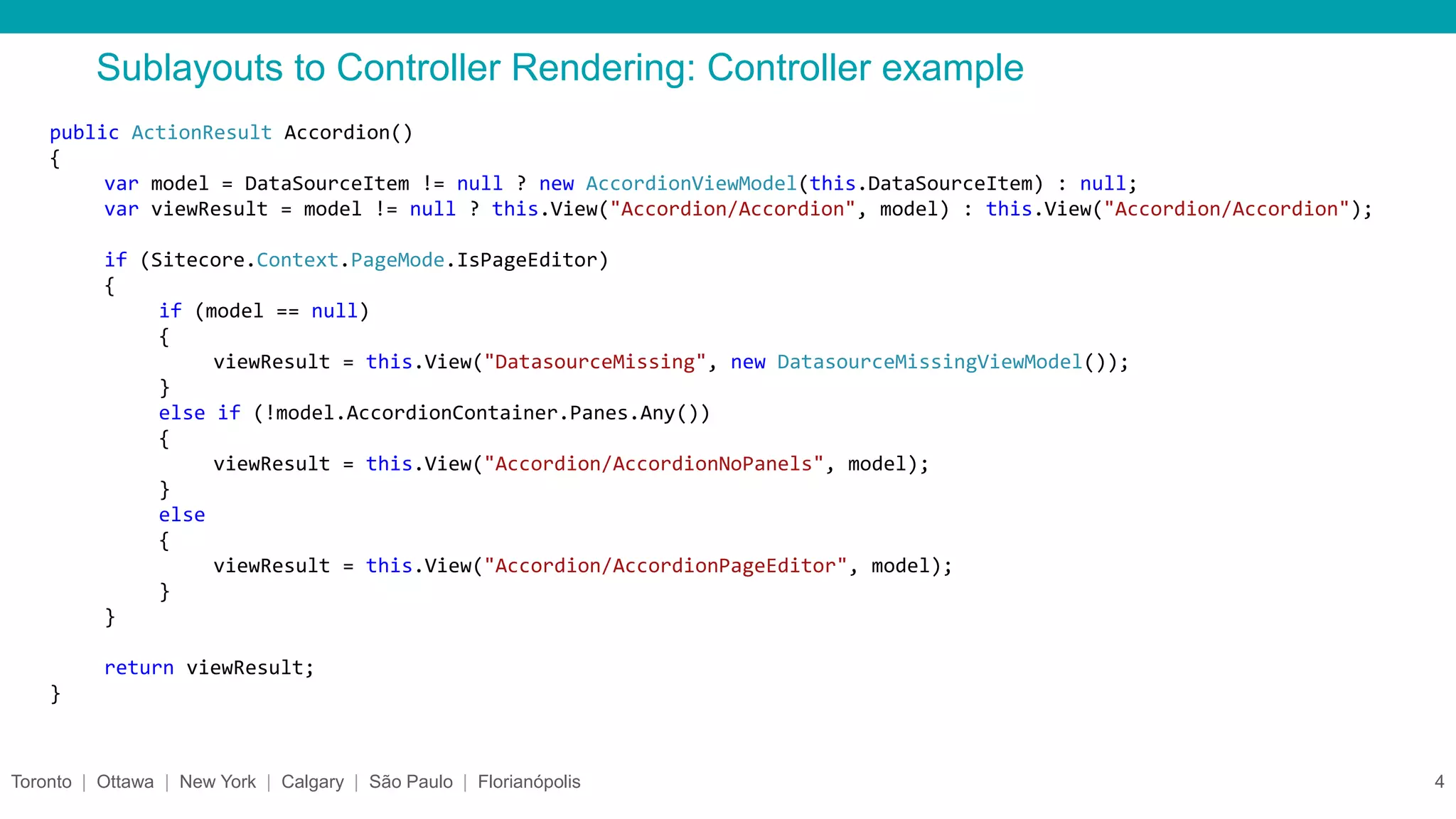
Sublayouts to Controller Rendering: Controller example
Toronto | Ottawa | New York | Calgary | São Paulo | Florianópolis 4
public ActionResult Accordion()
{
var model = DataSourceItem != null ? new AccordionViewModel(this.DataSourceItem) : null;
var viewResult = model != null ? this.View("Accordion/Accordion", model) : this.View("Accordion/Accordion");
if (Sitecore.Context.PageMode.IsPageEditor)
{
if (model == null)
{
viewResult = this.View("DatasourceMissing", new DatasourceMissingViewModel());
}
else if (!model.AccordionContainer.Panes.Any())
{
viewResult = this.View("Accordion/AccordionNoPanels", model);
}
else
{
viewResult = this.View("Accordion/AccordionPageEditor", model);
}
}
return viewResult;
}
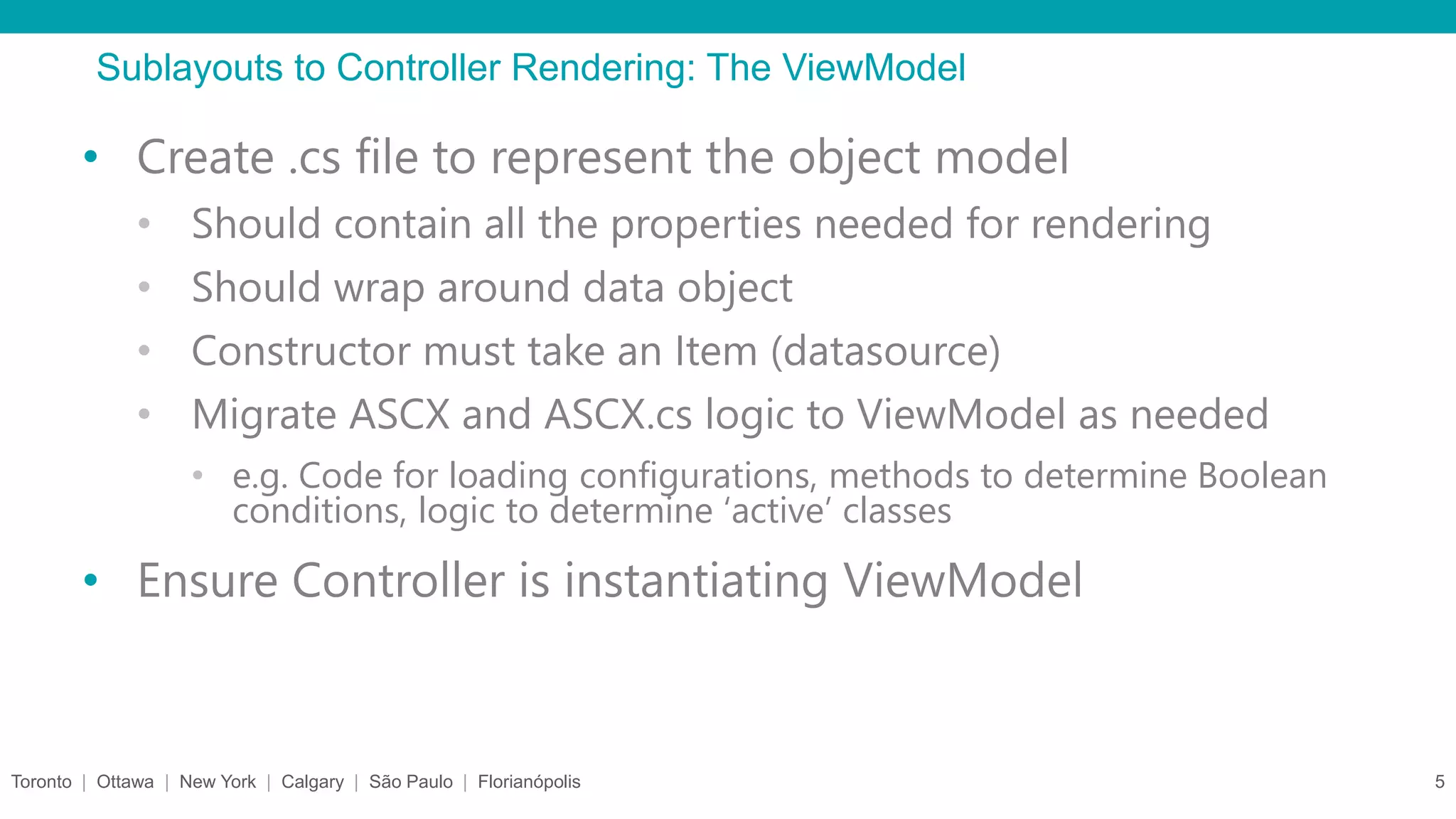
Sublayouts to Controller Rendering: The ViewModel
Toronto | Ottawa | New York | Calgary | São Paulo | Florianópolis 5
• Create .cs file to represent the object model
• Should contain all the properties needed for rendering
• Should wrap around data object
• Constructor must take an Item (datasource)
• Migrate ASCX and ASCX.cs logic to ViewModel as needed
• e.g. Code for loading configurations, methods to determine Boolean
conditions, logic to determine ‘active’ classes
• Ensure Controller is instantiating ViewModel
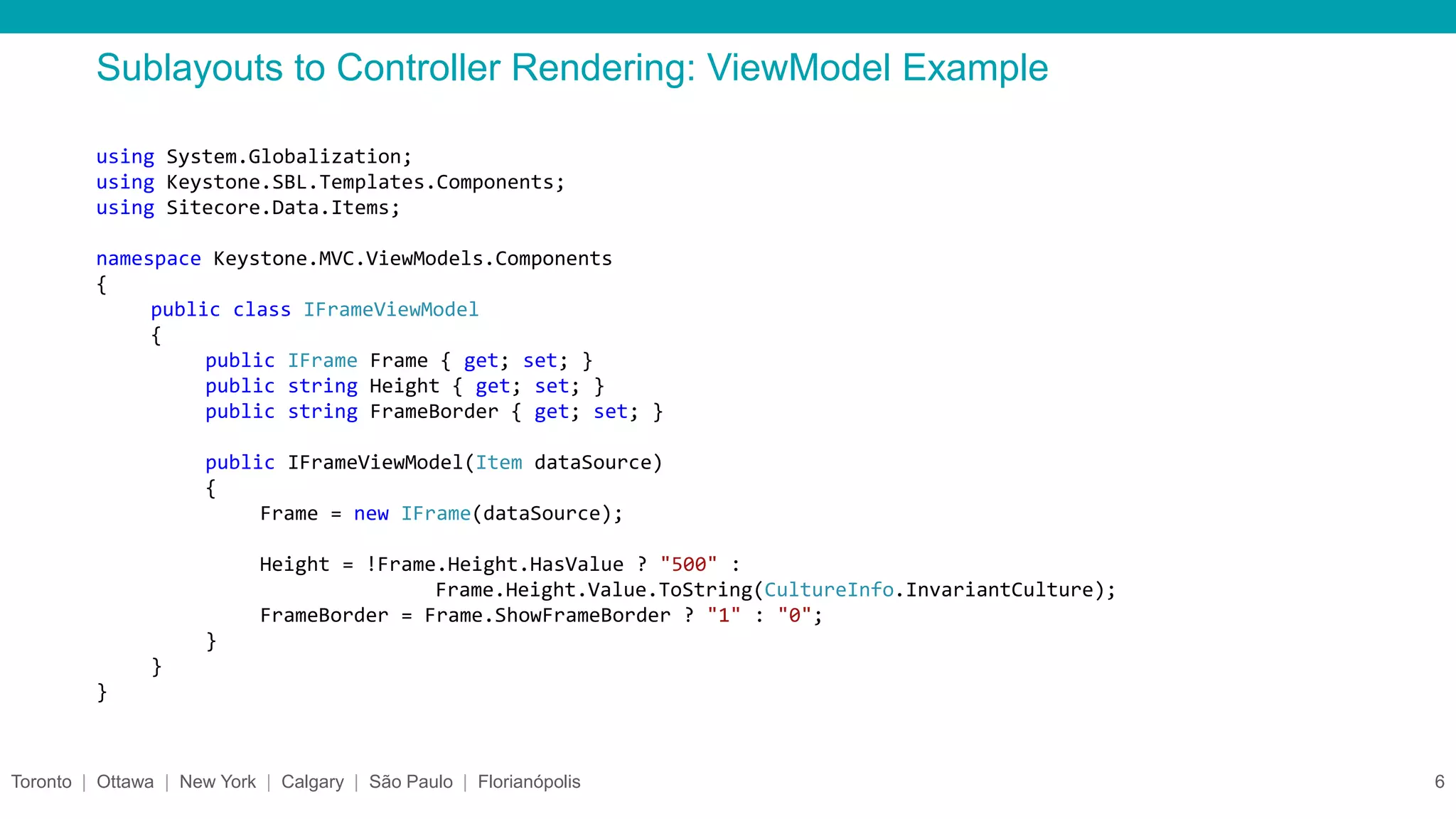
Sublayouts to Controller Rendering: ViewModel Example
Toronto | Ottawa | New York | Calgary | São Paulo | Florianópolis 6
using System.Globalization;
using Keystone.SBL.Templates.Components;
using Sitecore.Data.Items;
namespace Keystone.MVC.ViewModels.Components
{
public class IFrameViewModel
{
public IFrame Frame { get; set; }
public string Height { get; set; }
public string FrameBorder { get; set; }
public IFrameViewModel(Item dataSource)
{
Frame = new IFrame(dataSource);
Height = !Frame.Height.HasValue ? "500" :
Frame.Height.Value.ToString(CultureInfo.InvariantCulture);
FrameBorder = Frame.ShowFrameBorder ? "1" : "0";
}
}
}
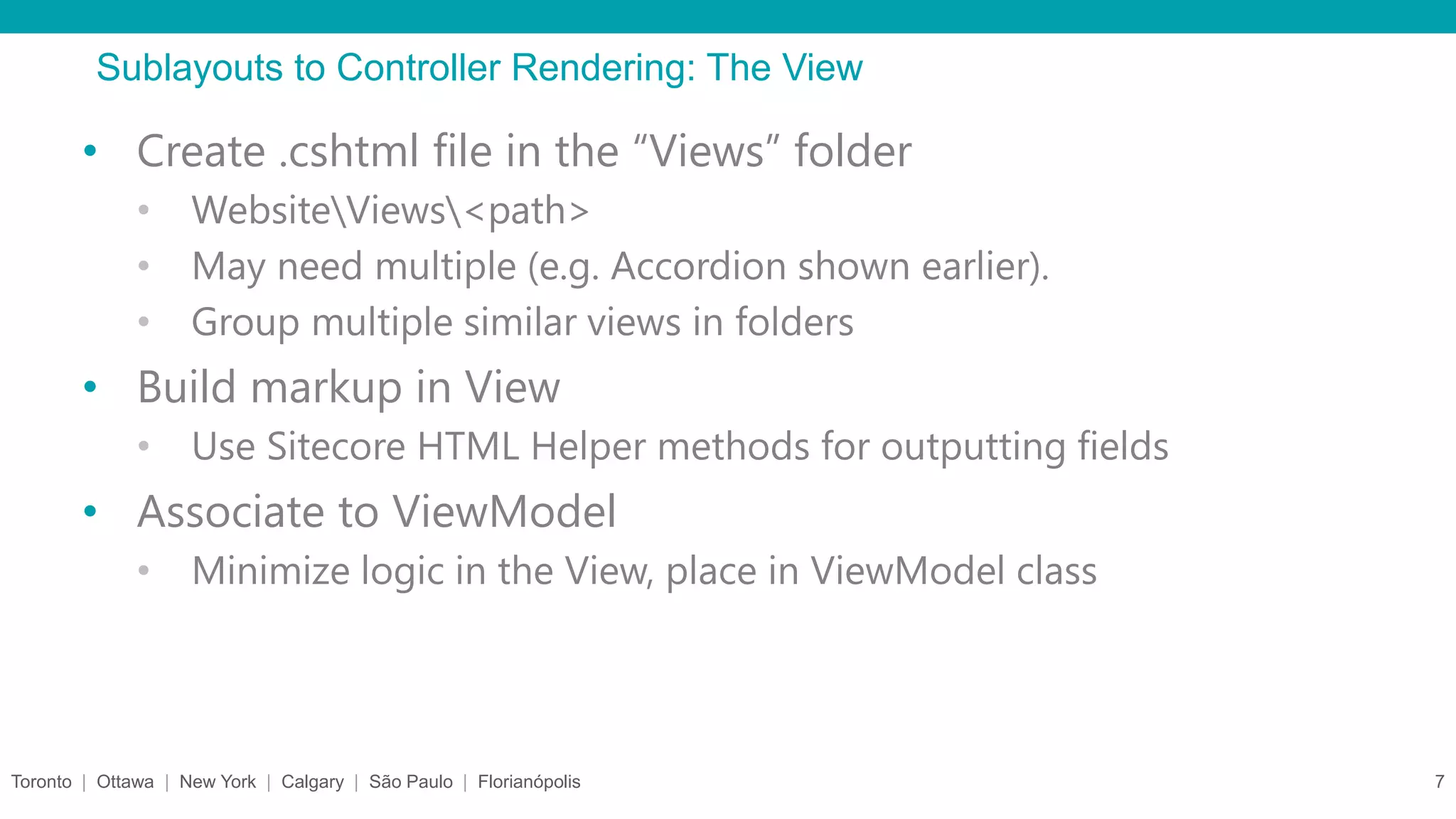
Sublayouts to Controller Rendering: The View
Toronto | Ottawa | New York | Calgary | São Paulo | Florianópolis 7
• Create .cshtml file in the “Views” folder
• WebsiteViews<path>
• May need multiple (e.g. Accordion shown earlier).
• Group multiple similar views in folders
• Build markup in View
• Use Sitecore HTML Helper methods for outputting fields
• Associate to ViewModel
• Minimize logic in the View, place in ViewModel class
Sublayouts to Controller Rendering: View Example
Toronto | Ottawa | New York | Calgary | São Paulo | Florianópolis 8
@using Keystone.SBL.Templates.Components
@using Sitecore.Mvc
@model Keystone.MVC.ViewModels.Components.PanelViewModel
<div class="panel @Model.StyleCode @Model.Panel.BaseComponent["Additional Styles"]">
<div class="panel-heading">
<h3 class="panel-title">@Html.Sitecore().Field(Panel.FieldIds.Title.ToString())</h3>
</div>
<div class="panel-body">
@Html.Sitecore().Field(Panel.FieldIds.Content.ToString())
</div>
</div>
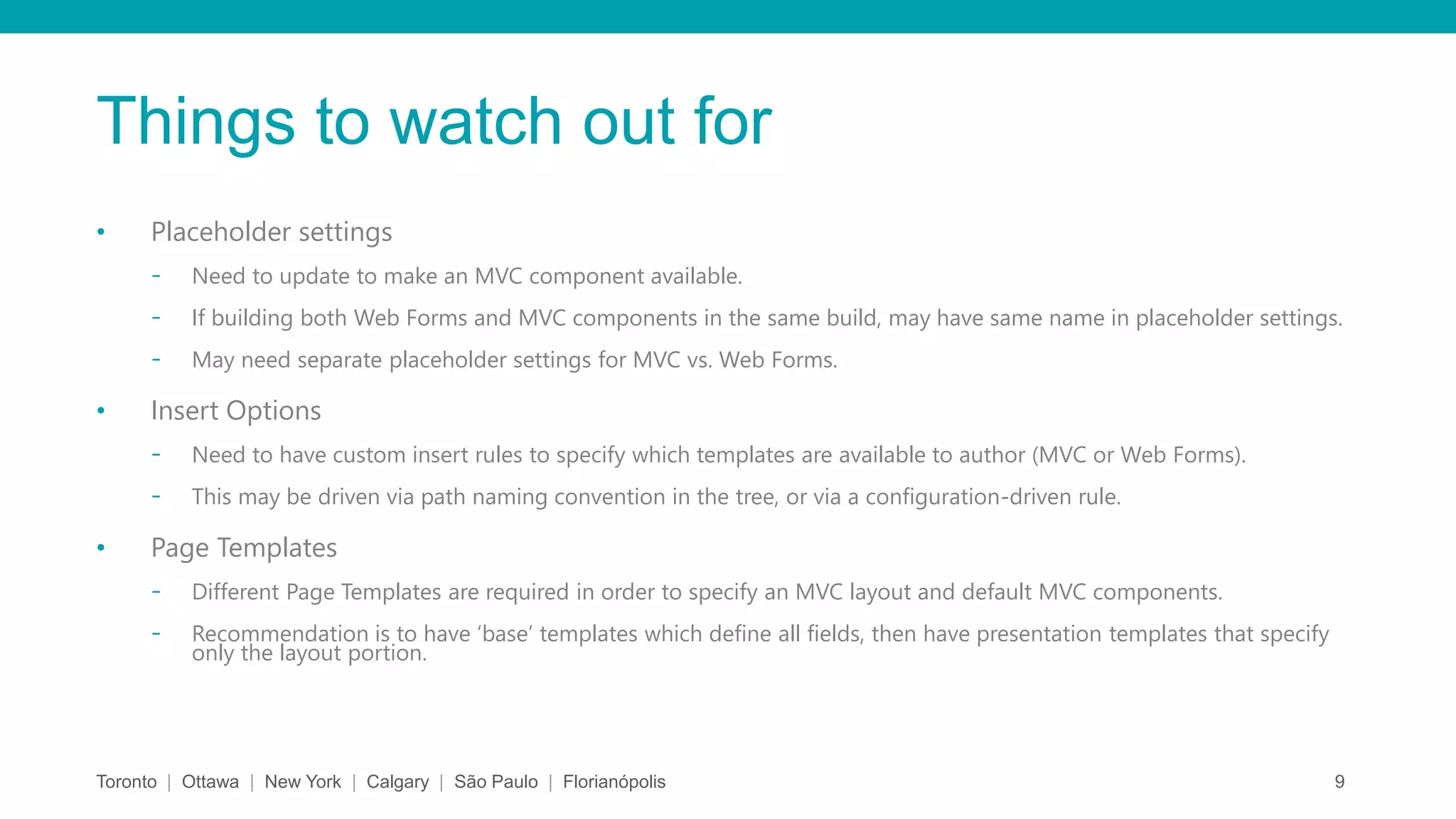
Things to watch out for
• Placeholder settings
- Need to update to make an MVC component available.
- If building both Web Forms and MVC components in the same build, may have same name in placeholder settings.
- May need separate placeholder settings for MVC vs. Web Forms.
• Insert Options
- Need to have custom insert rules to specify which templates are available to author (MVC or Web Forms).
- This may be driven via path naming convention in the tree, or via a configuration-driven rule.
• Page Templates
- Different Page Templates are required in order to specify an MVC layout and default MVC components.
- Recommendation is to have ‘base’ templates which define all fields, then have presentation templates that specify
only the layout portion.
Toronto | Ottawa | New York | Calgary | São Paulo | Florianópolis 9
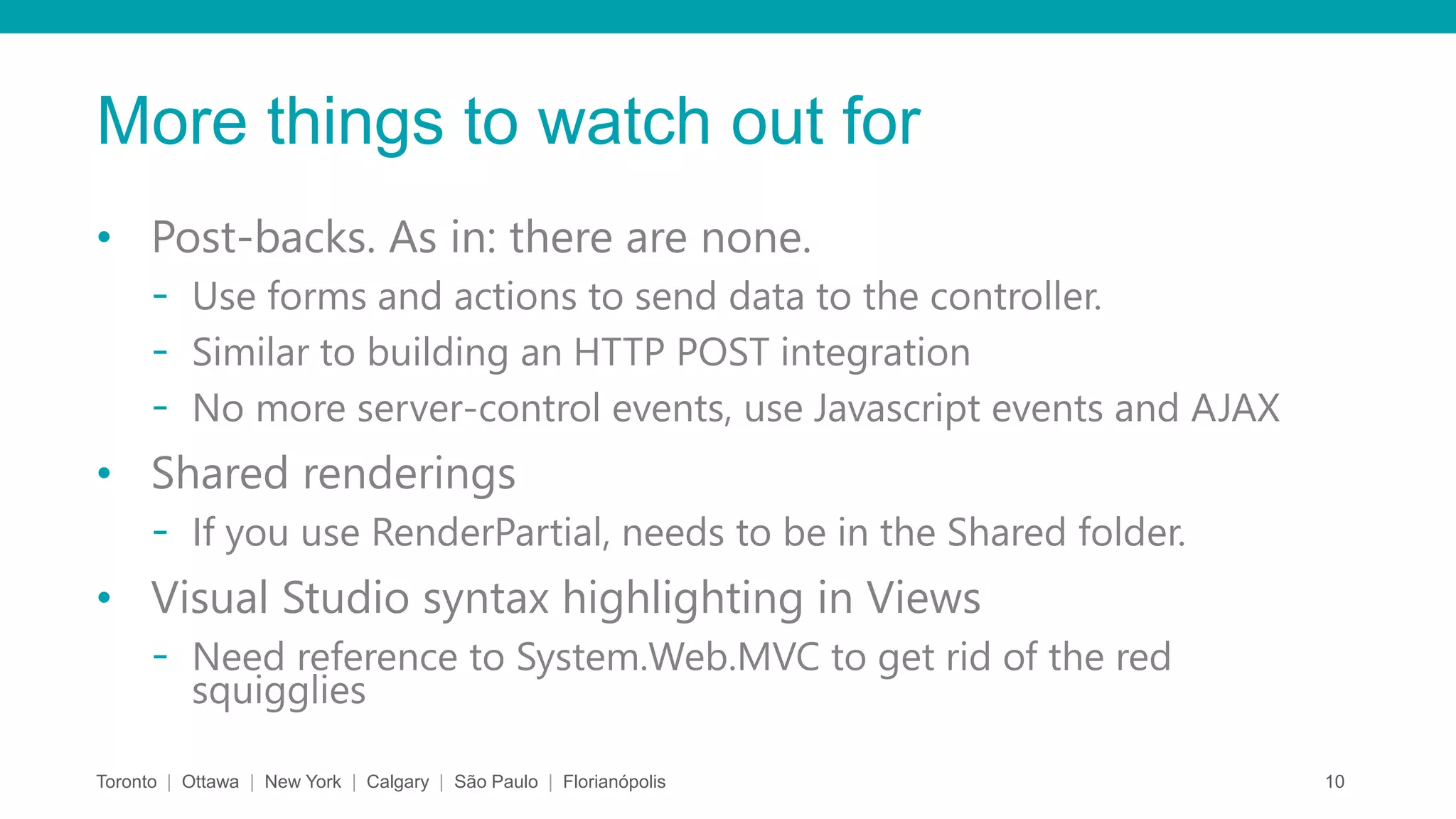
More things to watch out for
• Post-backs. As in: there are none.
- Use forms and actions to send data to the controller.
- Similar to building an HTTP POST integration
- No more server-control events, use Javascript events and AJAX
• Shared renderings
- If you use RenderPartial, needs to be in the Shared folder.
• Visual Studio syntax highlighting in Views
- Need reference to System.Web.MVC to get rid of the red
squigglies
Toronto | Ottawa | New York | Calgary | São Paulo | Florianópolis 10
Resources
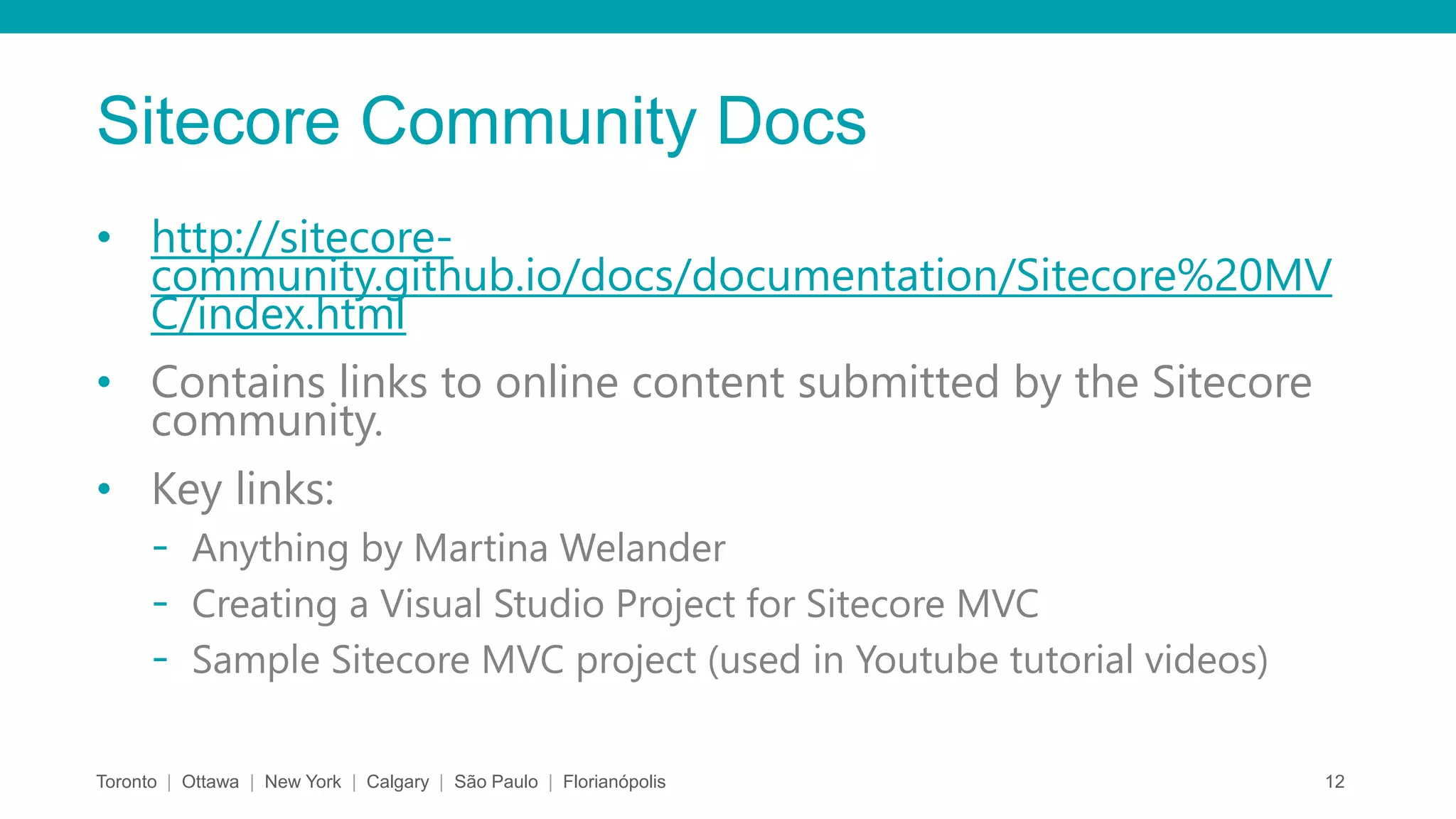
Sitecore Community Docs
• http://sitecore-
community.github.io/docs/documentation/Sitecore%20MV
C/index.html
• Contains links to online content submitted by the Sitecore
community.
• Key links:
- Anything by Martina Welander
- Creating a Visual Studio Project for Sitecore MVC
- Sample Sitecore MVC project (used in Youtube tutorial videos)
Toronto | Ottawa | New York | Calgary | São Paulo | Florianópolis 12
MSDN and others
• ASP.NET MVC Overview:
- http://msdn.microsoft.com/en-
us/library/dd381412(v=vs.100).aspx
• Getting Started with ASP.NET MVC 5
- http://www.asp.net/mvc/overview/getting-
started/introduction/getting-started
• PluralSight ASP.NET MVC 5 Fundamentals
- http://www.pluralsight.com/courses/aspdotnet-mvc5-
fundamentals
Lessons Learned
Jason St-Cyr
 Solution Architect and Sitecore MVP, nonlinear digital
 Background in .NET software development and Application Lifecycle
Management
 Contact me: jst-cyr@nonlinear.ca
 Around the web:
 Technical Blog:
http://theagilecoder.wordpress.com
 LinkedIn Profile:
http://www.linkedin.com/pub/jason-st-cyr/26/a73/645
 Nonlinear Thinking:
http://www.nonlinearcreations.com/Digital/how-we-think
 Twitter: @AgileStCyr
Lessons Learned
Nick Allen
 Solution Architect and Sitecore MVP, nonlinear digital
 Background in .NET software development
 Contact me: nallen@nonlinear.ca
 Around the web:
 Technical Blog:
http://sitecorecreative.wordpress.com
 LinkedIn Profile:
https://www.linkedin.com/in/nickallen80
 Nonlinear Thinking:
http://www.nonlinearcreations.com/Digital/how-we-think
 Twitter: @sitecoretweet

Sitecore MVC: Converting Web Forms sublayouts

  • 1.
    Sitecore MVC renderings ConvertingWeb Forms sublayouts Prepared by: Jason St-Cyr and Nick Allen November 2014
  • 2.
    Converting Sitecore WebForms to MVC • Sublayouts to Controller Renderings • The ViewModel • The View • Things to watch out for Resources
  • 3.
    Sublayouts to ControllerRendering • Create Controller Rendering item (sitecoreLayoutRenderings) - 1-to-1 Sublayout item to Controller Rendering item - Many fields are the same (Cache settings, Display Name, Custom Experience buttons) - Not necessarily 1-to-1 for .cshtml • Create Controller method - Examine presentation logic of ASCX and ASCX.cs - Determine ‘state’ toggles (Page Editor vs. Normal, Empty Collections, No Datasource specified) - Build business logic to load different views for each state Toronto | Ottawa | New York | Calgary | São Paulo | Florianópolis 3
  • 4.
    Sublayouts to ControllerRendering: Controller example Toronto | Ottawa | New York | Calgary | São Paulo | Florianópolis 4 public ActionResult Accordion() { var model = DataSourceItem != null ? new AccordionViewModel(this.DataSourceItem) : null; var viewResult = model != null ? this.View("Accordion/Accordion", model) : this.View("Accordion/Accordion"); if (Sitecore.Context.PageMode.IsPageEditor) { if (model == null) { viewResult = this.View("DatasourceMissing", new DatasourceMissingViewModel()); } else if (!model.AccordionContainer.Panes.Any()) { viewResult = this.View("Accordion/AccordionNoPanels", model); } else { viewResult = this.View("Accordion/AccordionPageEditor", model); } } return viewResult; }
  • 5.
    Sublayouts to ControllerRendering: The ViewModel Toronto | Ottawa | New York | Calgary | São Paulo | Florianópolis 5 • Create .cs file to represent the object model • Should contain all the properties needed for rendering • Should wrap around data object • Constructor must take an Item (datasource) • Migrate ASCX and ASCX.cs logic to ViewModel as needed • e.g. Code for loading configurations, methods to determine Boolean conditions, logic to determine ‘active’ classes • Ensure Controller is instantiating ViewModel
  • 6.
    Sublayouts to ControllerRendering: ViewModel Example Toronto | Ottawa | New York | Calgary | São Paulo | Florianópolis 6 using System.Globalization; using Keystone.SBL.Templates.Components; using Sitecore.Data.Items; namespace Keystone.MVC.ViewModels.Components { public class IFrameViewModel { public IFrame Frame { get; set; } public string Height { get; set; } public string FrameBorder { get; set; } public IFrameViewModel(Item dataSource) { Frame = new IFrame(dataSource); Height = !Frame.Height.HasValue ? "500" : Frame.Height.Value.ToString(CultureInfo.InvariantCulture); FrameBorder = Frame.ShowFrameBorder ? "1" : "0"; } } }
  • 7.
    Sublayouts to ControllerRendering: The View Toronto | Ottawa | New York | Calgary | São Paulo | Florianópolis 7 • Create .cshtml file in the “Views” folder • WebsiteViews<path> • May need multiple (e.g. Accordion shown earlier). • Group multiple similar views in folders • Build markup in View • Use Sitecore HTML Helper methods for outputting fields • Associate to ViewModel • Minimize logic in the View, place in ViewModel class
  • 8.
    Sublayouts to ControllerRendering: View Example Toronto | Ottawa | New York | Calgary | São Paulo | Florianópolis 8 @using Keystone.SBL.Templates.Components @using Sitecore.Mvc @model Keystone.MVC.ViewModels.Components.PanelViewModel <div class="panel @Model.StyleCode @Model.Panel.BaseComponent["Additional Styles"]"> <div class="panel-heading"> <h3 class="panel-title">@Html.Sitecore().Field(Panel.FieldIds.Title.ToString())</h3> </div> <div class="panel-body"> @Html.Sitecore().Field(Panel.FieldIds.Content.ToString()) </div> </div>
  • 9.
    Things to watchout for • Placeholder settings - Need to update to make an MVC component available. - If building both Web Forms and MVC components in the same build, may have same name in placeholder settings. - May need separate placeholder settings for MVC vs. Web Forms. • Insert Options - Need to have custom insert rules to specify which templates are available to author (MVC or Web Forms). - This may be driven via path naming convention in the tree, or via a configuration-driven rule. • Page Templates - Different Page Templates are required in order to specify an MVC layout and default MVC components. - Recommendation is to have ‘base’ templates which define all fields, then have presentation templates that specify only the layout portion. Toronto | Ottawa | New York | Calgary | São Paulo | Florianópolis 9
  • 10.
    More things towatch out for • Post-backs. As in: there are none. - Use forms and actions to send data to the controller. - Similar to building an HTTP POST integration - No more server-control events, use Javascript events and AJAX • Shared renderings - If you use RenderPartial, needs to be in the Shared folder. • Visual Studio syntax highlighting in Views - Need reference to System.Web.MVC to get rid of the red squigglies Toronto | Ottawa | New York | Calgary | São Paulo | Florianópolis 10
  • 11.
  • 12.
    Sitecore Community Docs •http://sitecore- community.github.io/docs/documentation/Sitecore%20MV C/index.html • Contains links to online content submitted by the Sitecore community. • Key links: - Anything by Martina Welander - Creating a Visual Studio Project for Sitecore MVC - Sample Sitecore MVC project (used in Youtube tutorial videos) Toronto | Ottawa | New York | Calgary | São Paulo | Florianópolis 12
  • 13.
    MSDN and others •ASP.NET MVC Overview: - http://msdn.microsoft.com/en- us/library/dd381412(v=vs.100).aspx • Getting Started with ASP.NET MVC 5 - http://www.asp.net/mvc/overview/getting- started/introduction/getting-started • PluralSight ASP.NET MVC 5 Fundamentals - http://www.pluralsight.com/courses/aspdotnet-mvc5- fundamentals
  • 14.
    Lessons Learned Jason St-Cyr Solution Architect and Sitecore MVP, nonlinear digital  Background in .NET software development and Application Lifecycle Management  Contact me: jst-cyr@nonlinear.ca  Around the web:  Technical Blog: http://theagilecoder.wordpress.com  LinkedIn Profile: http://www.linkedin.com/pub/jason-st-cyr/26/a73/645  Nonlinear Thinking: http://www.nonlinearcreations.com/Digital/how-we-think  Twitter: @AgileStCyr
  • 15.
    Lessons Learned Nick Allen Solution Architect and Sitecore MVP, nonlinear digital  Background in .NET software development  Contact me: nallen@nonlinear.ca  Around the web:  Technical Blog: http://sitecorecreative.wordpress.com  LinkedIn Profile: https://www.linkedin.com/in/nickallen80  Nonlinear Thinking: http://www.nonlinearcreations.com/Digital/how-we-think  Twitter: @sitecoretweet