Short intro to Scala and the 
Play! Framework 
50 - 60 minutes 
Last updated: Sept 2014 falmeida1988@gmail.com 
Leveraging modern programming techniques to make 
safer, faster and more predictable applications
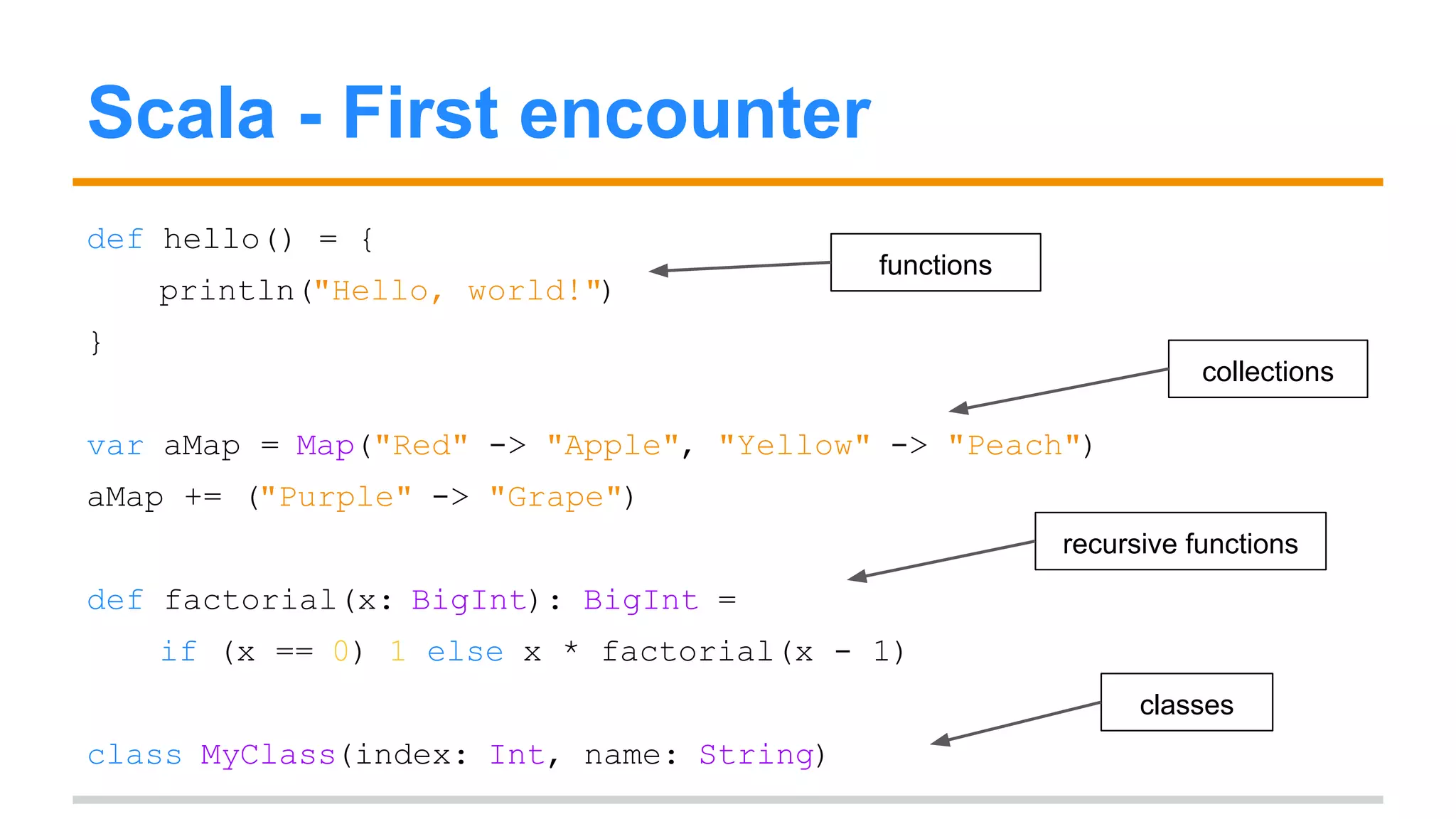
Scala - First encounter 
def hello() = { 
println("Hello, world!") 
} 
var aMap = Map("Red" -> "Apple", "Yellow" -> "Peach") 
aMap += ("Purple" -> "Grape") 
def factorial(x: BigInt): BigInt = 
if (x == 0) 1 else x * factorial(x - 1) 
class MyClass(index: Int, name: String) 
functions 
collections 
recursive functions 
classes
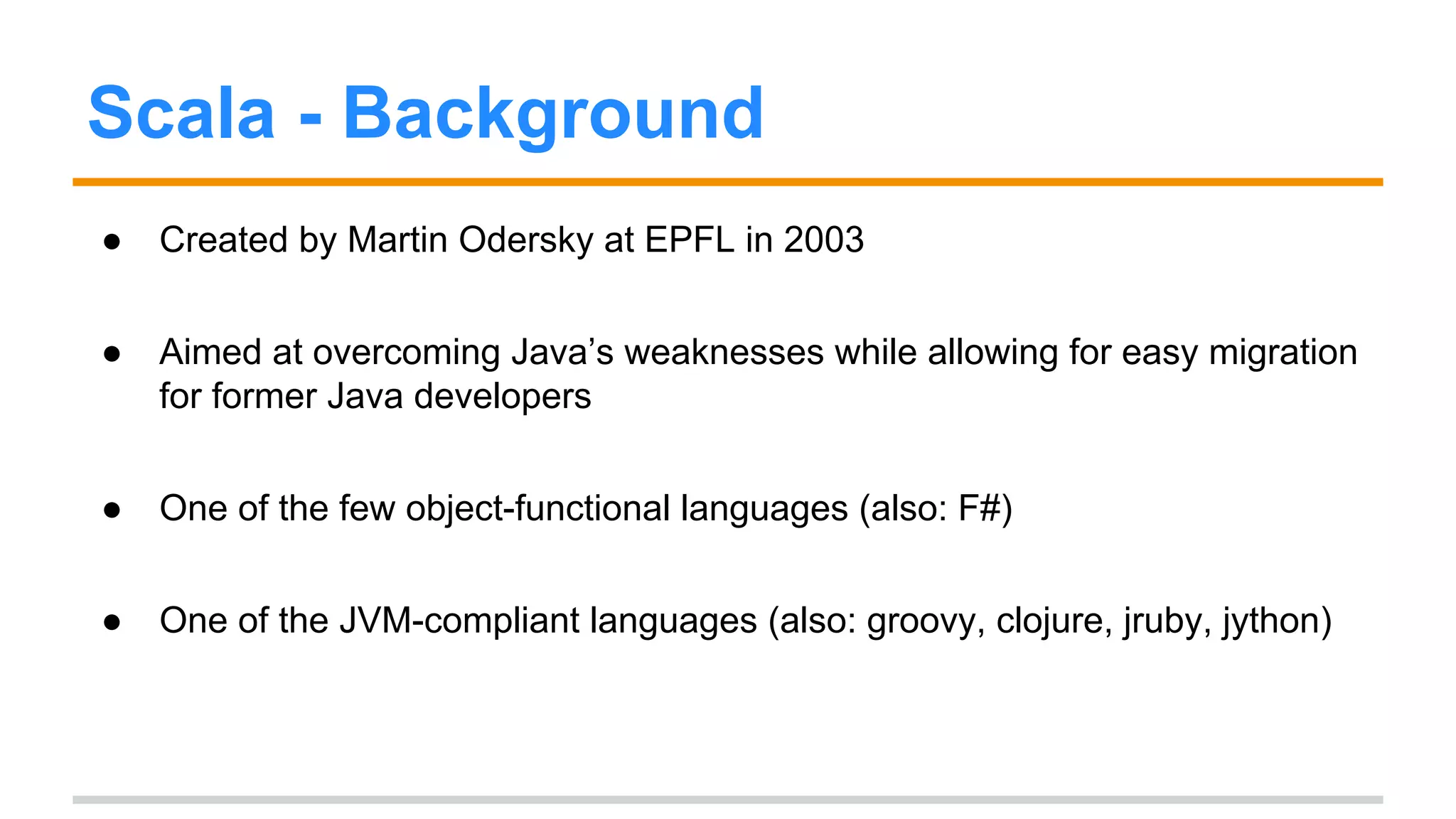
Scala - Background 
● Created by Martin Odersky at EPFL in 2003 
● Aimed at overcoming Java’s weaknesses while allowing for easy migration 
for former Java developers 
● One of the few object-functional languages (also: F#) 
● One of the JVM-compliant languages (also: groovy, clojure, jruby, jython)
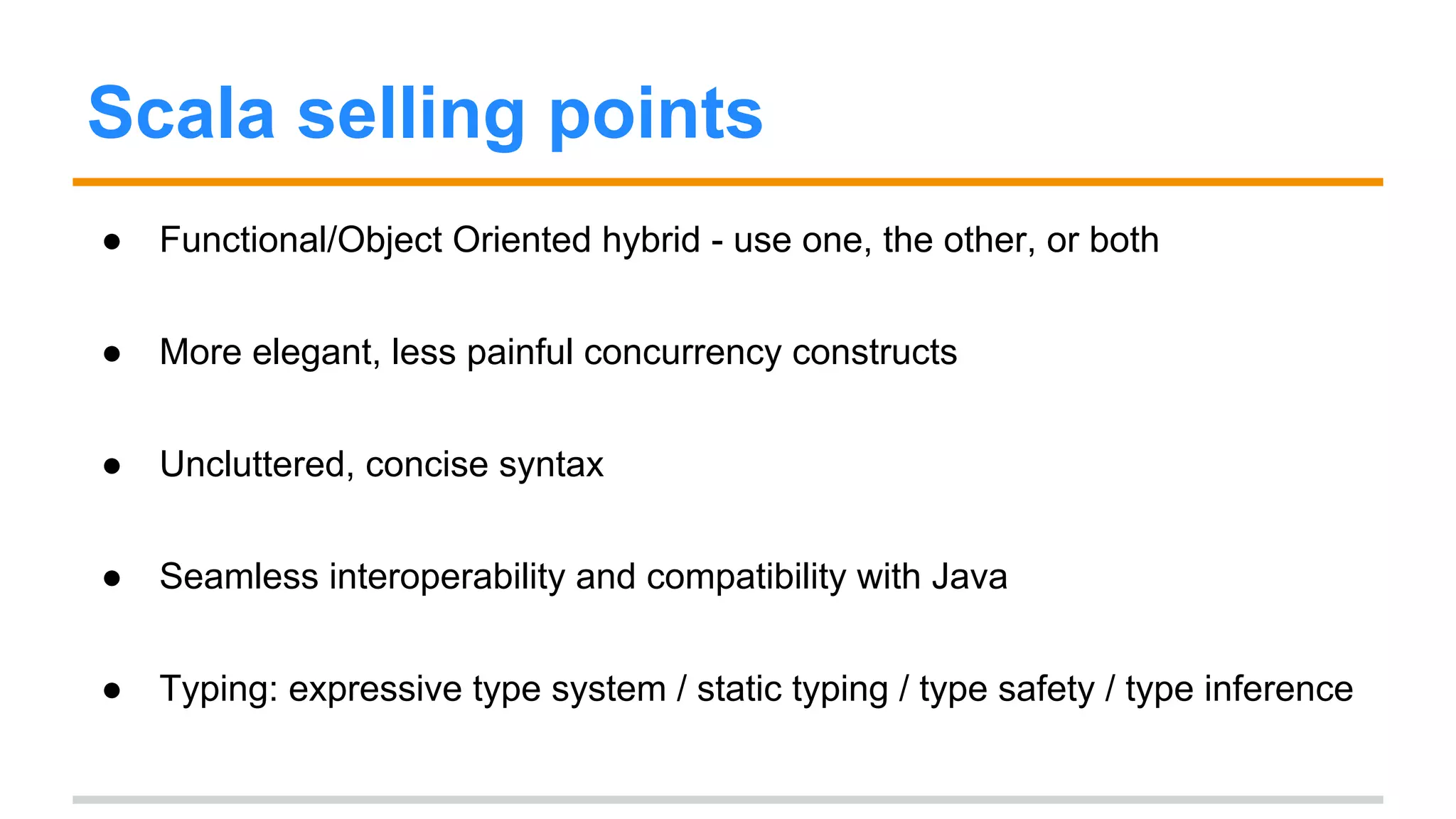
Scala selling points 
● Functional/Object Oriented hybrid - use one, the other, or both 
● More elegant, less painful concurrency constructs 
● Uncluttered, concise syntax 
● Seamless interoperability and compatibility with Java 
● Typing: expressive type system / static typing / type safety / type inference
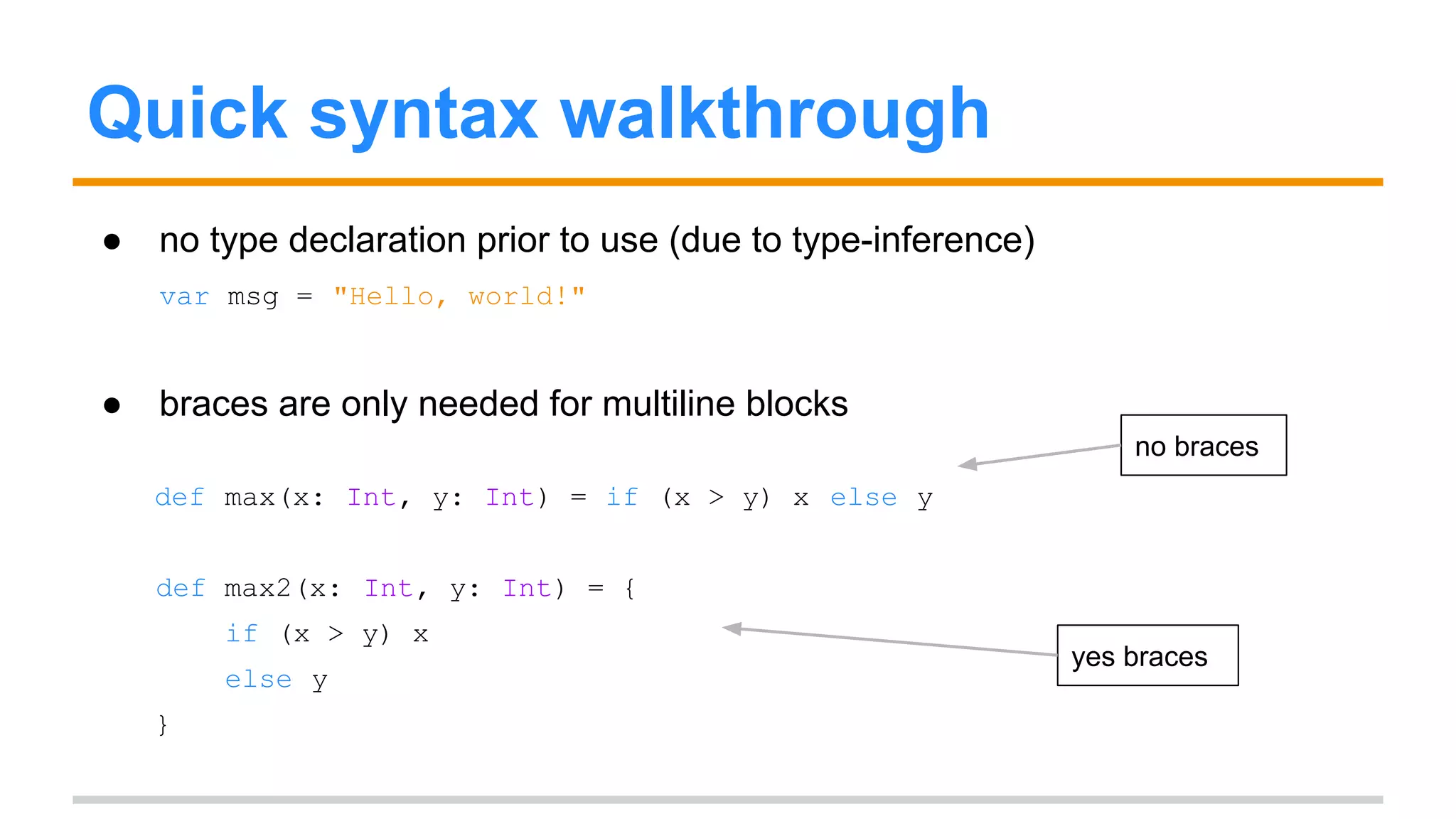
Quick syntax walkthrough 
● no type declaration prior to use (due to type-inference) 
var msg = "Hello, world!" 
● braces are only needed for multiline blocks 
def max(x: Int, y: Int) = if (x > y) x else y 
def max2(x: Int, y: Int) = { 
if (x > y) x 
else y 
} 
no braces 
yes braces
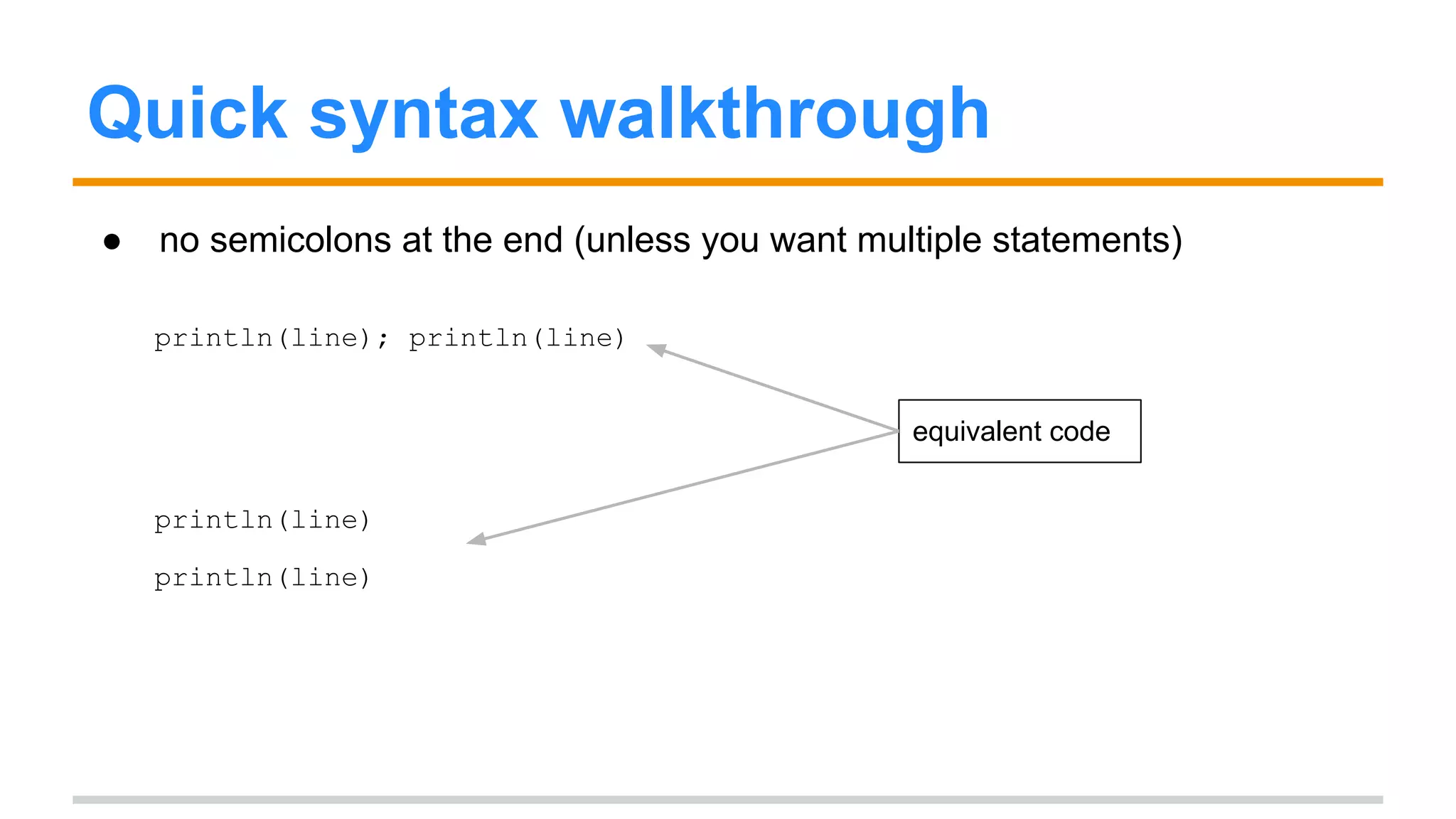
Quick syntax walkthrough 
● no semicolons at the end (unless you want multiple statements) 
println(line); println(line) 
println(line) 
println(line) 
equivalent code
Quick syntax walkthrough 
● type comes after variable name (only when required or for usability) 
def max(x: Int, y: Int): Int = 
if (x > y) x else y 
val m = new HashMap[Int, String] () 
required types for 
val m1: Map[Int, String] = new HashMap() 
arguments 
optional return type 
either is acceptable 
not necessary to annotate both sides 
val m2: HashMap[Int, String] = new HashMap[Int, String] ()
Quick syntax walkthrough 
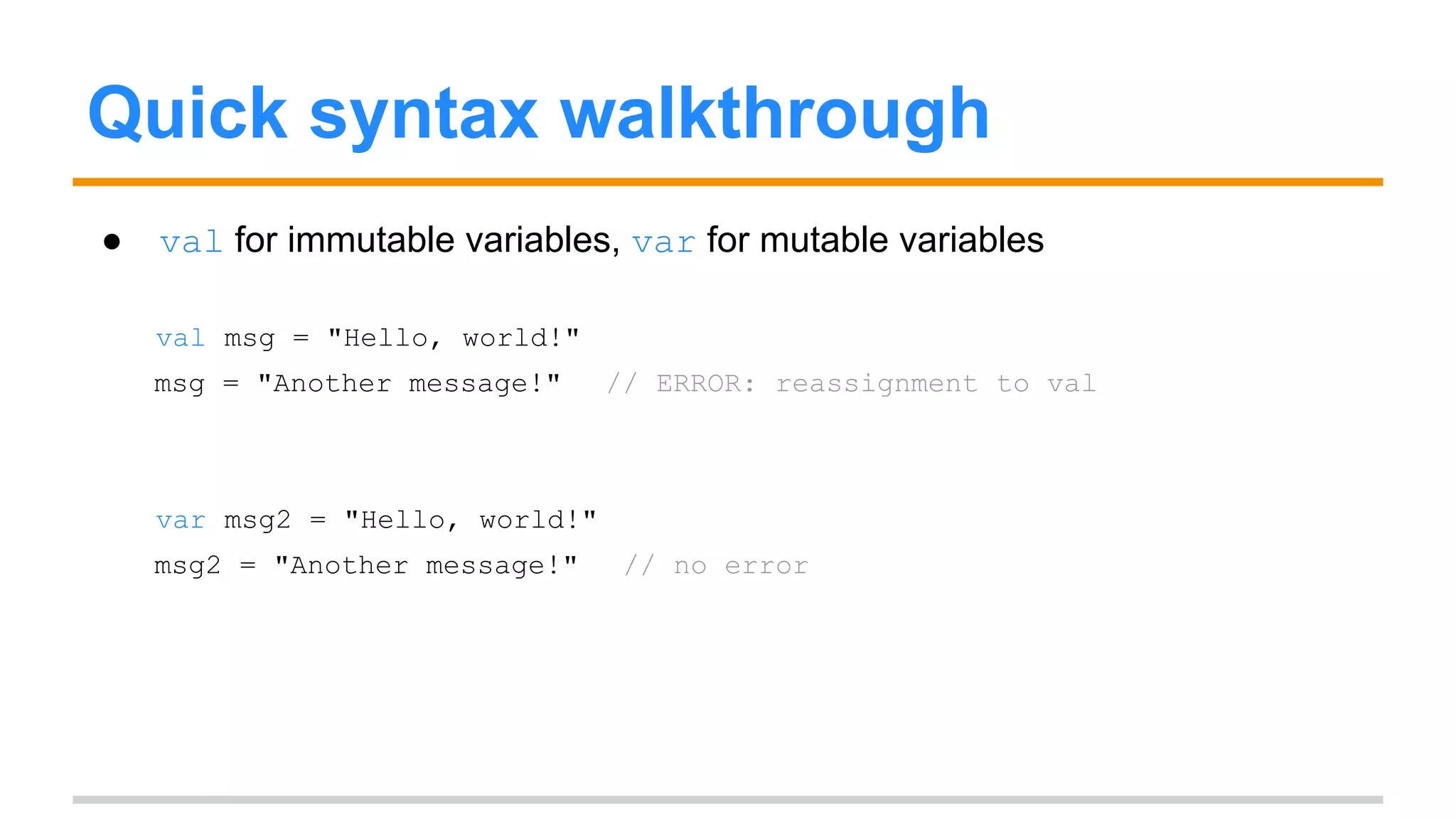
● val for immutable variables, var for mutable variables 
val msg = "Hello, world!" 
msg = "Another message!" // ERROR: reassignment to val 
var msg2 = "Hello, world!" 
msg2 = "Another message!" // no error
Quick syntax walkthrough 
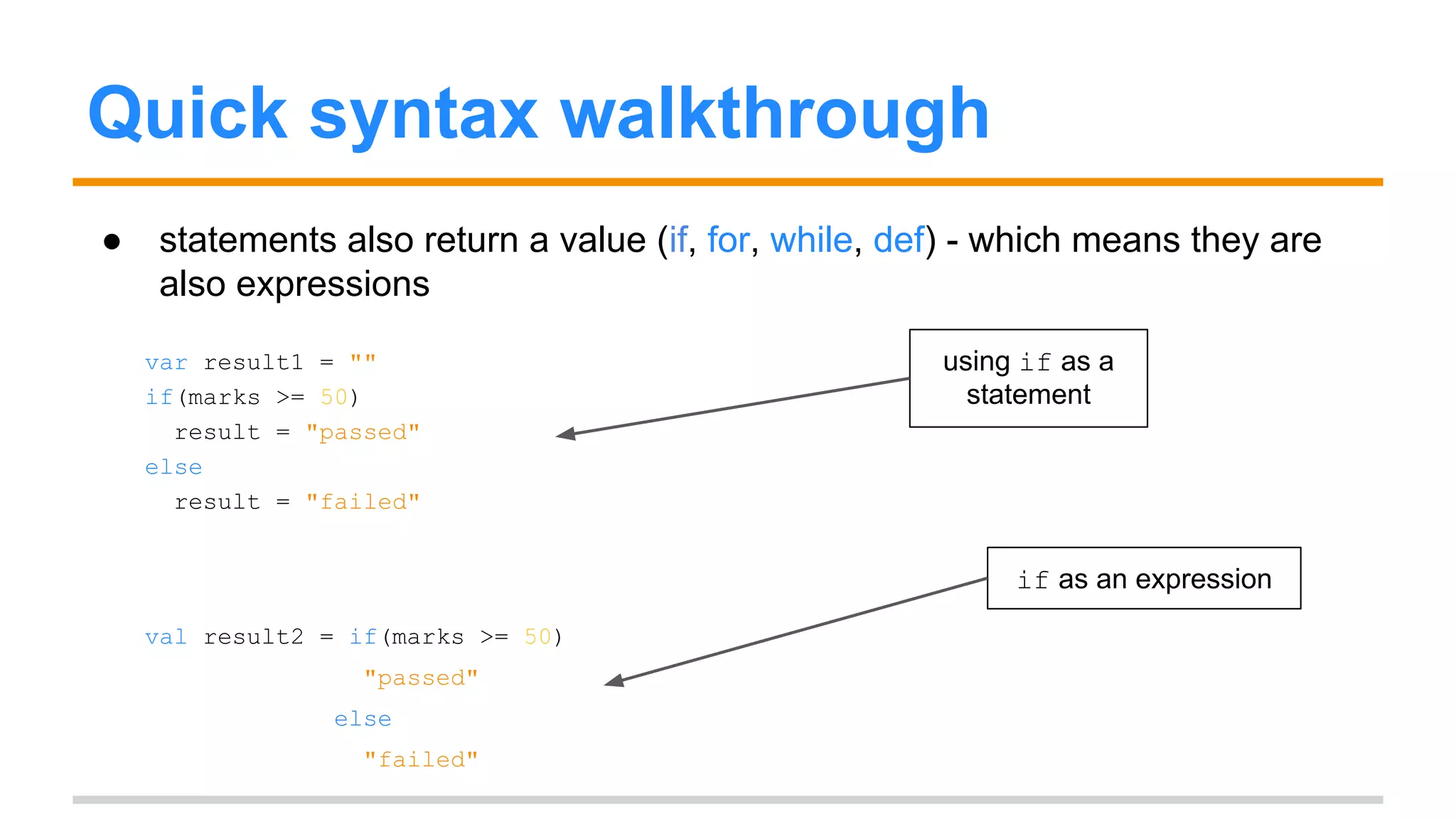
● statements also return a value (if, for, while, def) - which means they are 
also expressions 
var result1 = "" 
if(marks >= 50) 
result = "passed" 
else 
result = "failed" 
val result2 = if(marks >= 50) 
"passed" 
else 
"failed" 
using if as a 
statement 
if as an expression
Quick syntax walkthrough 
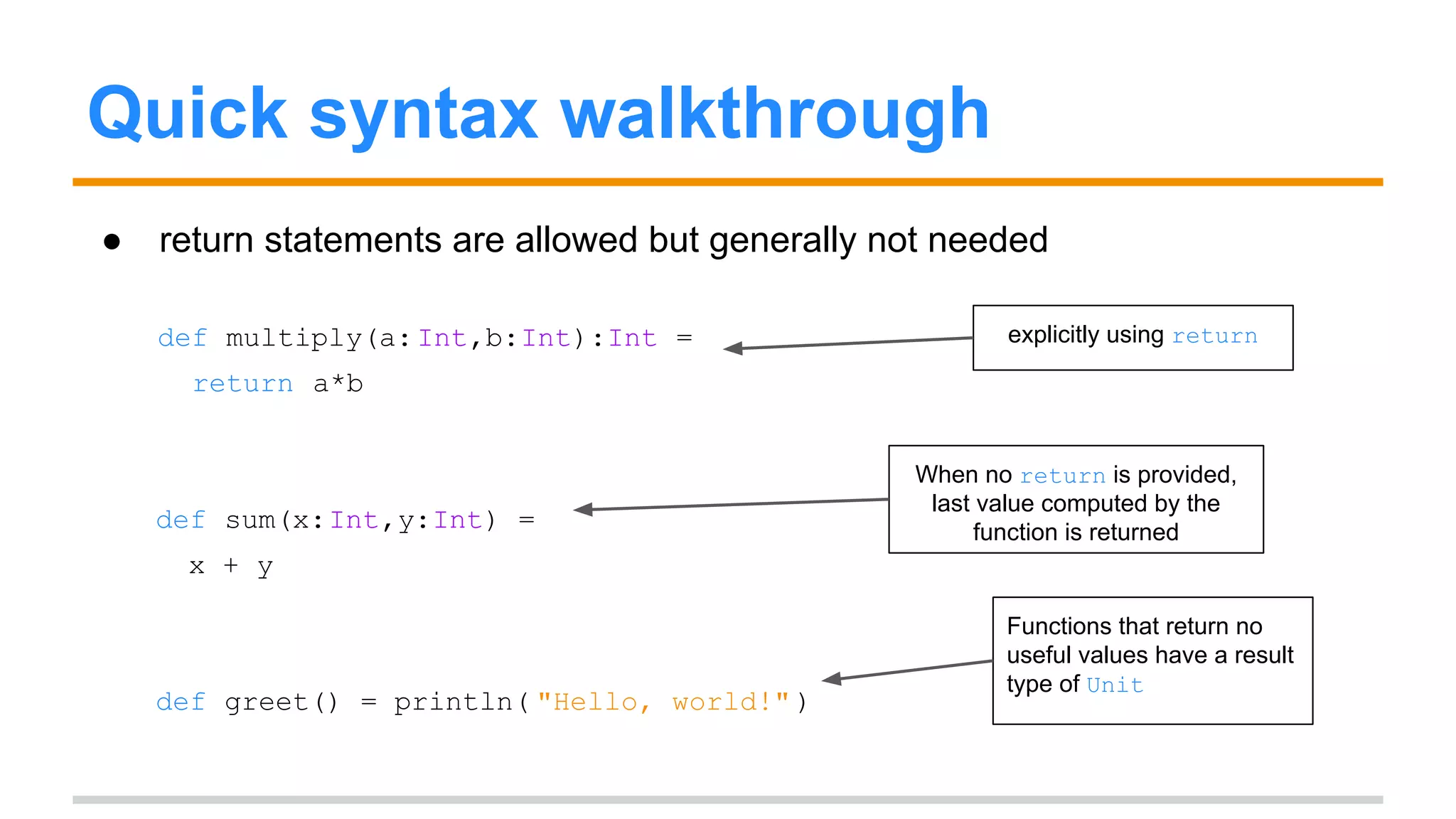
● return statements are allowed but generally not needed 
def multiply(a: Int,b:Int):Int = 
return a*b 
def sum(x:Int,y:Int) = 
x + y 
def greet() = println( "Hello, world!" ) 
explicitly using return 
When no return is provided, 
last value computed by the 
function is returned 
Functions that return no 
useful values have a result 
type of Unit
Quick syntax walkthrough 
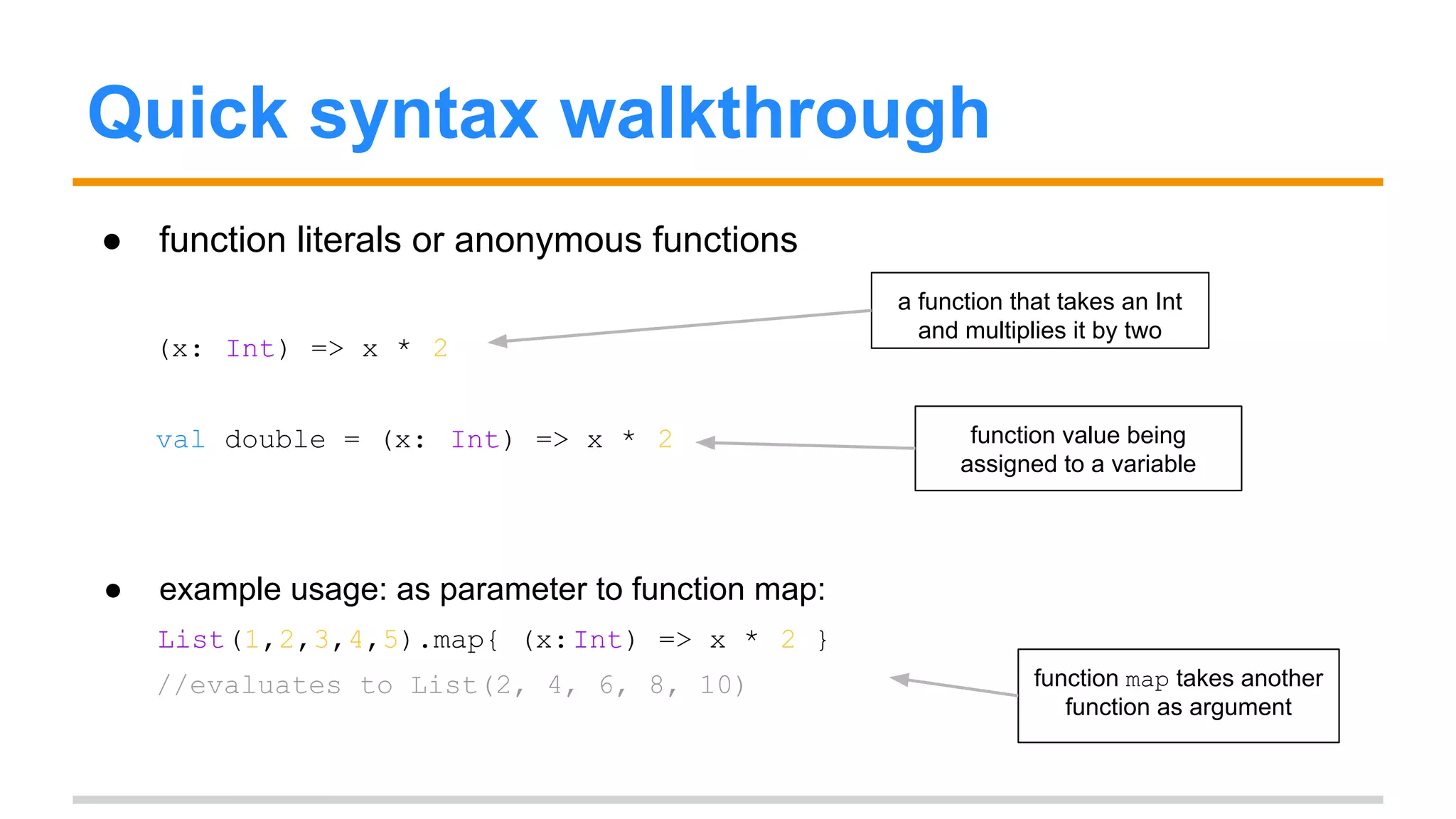
● function literals or anonymous functions 
(x: Int) => x * 2 
val double = (x: Int) => x * 2 
● example usage: as parameter to function map: 
List(1,2,3,4,5).map{ (x: Int) => x * 2 } 
//evaluates to List(2, 4, 6, 8, 10) 
a function that takes an Int 
and multiplies it by two 
function value being 
assigned to a variable 
function map takes another 
function as argument
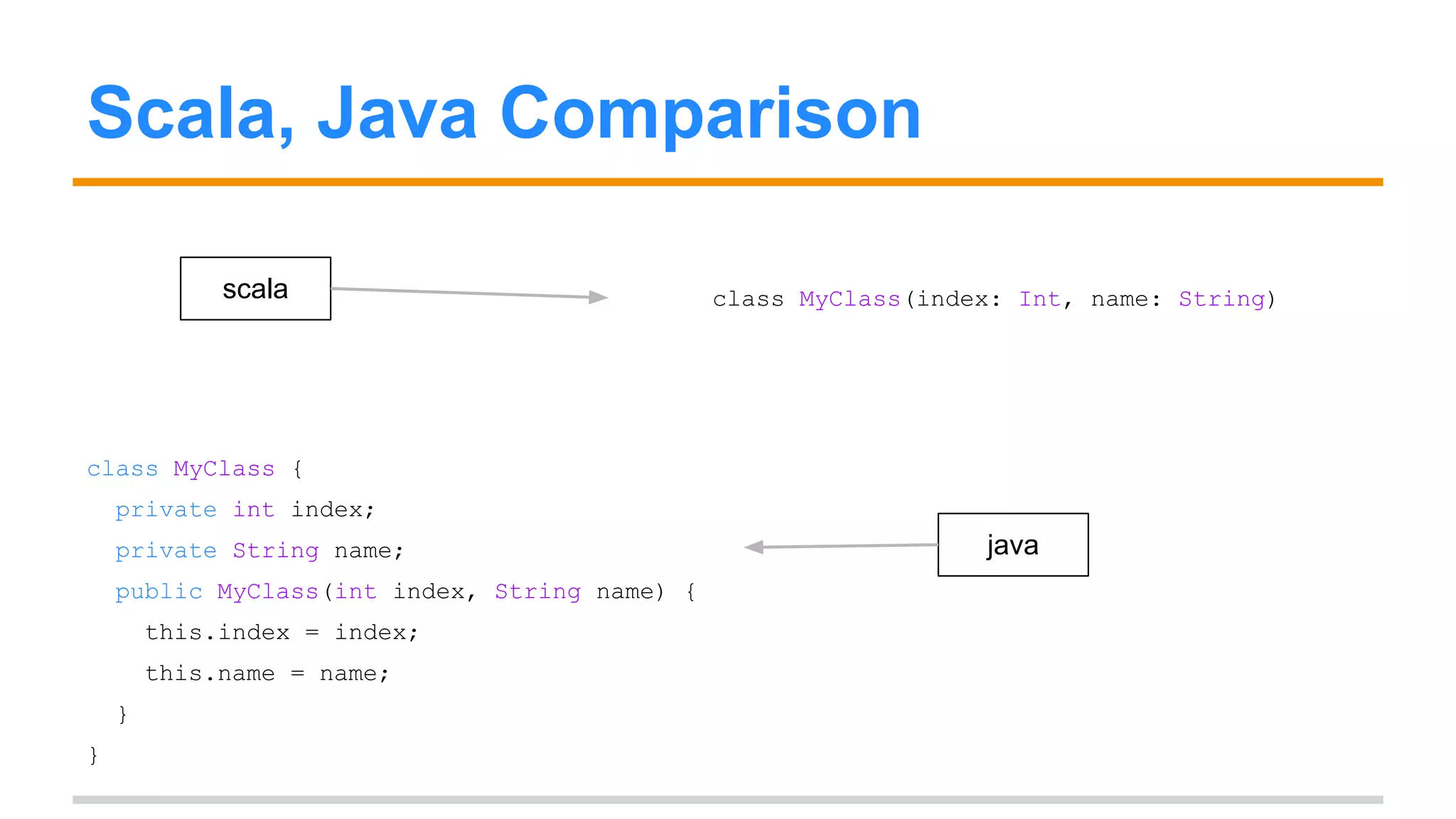
Scala, Java Comparison 
scala class MyClass(index: Int, name: String) 
class MyClass { 
private int index; 
private String name; 
public MyClass(int index, String name) { 
this.index = index; 
this.name = name; 
} 
} 
java
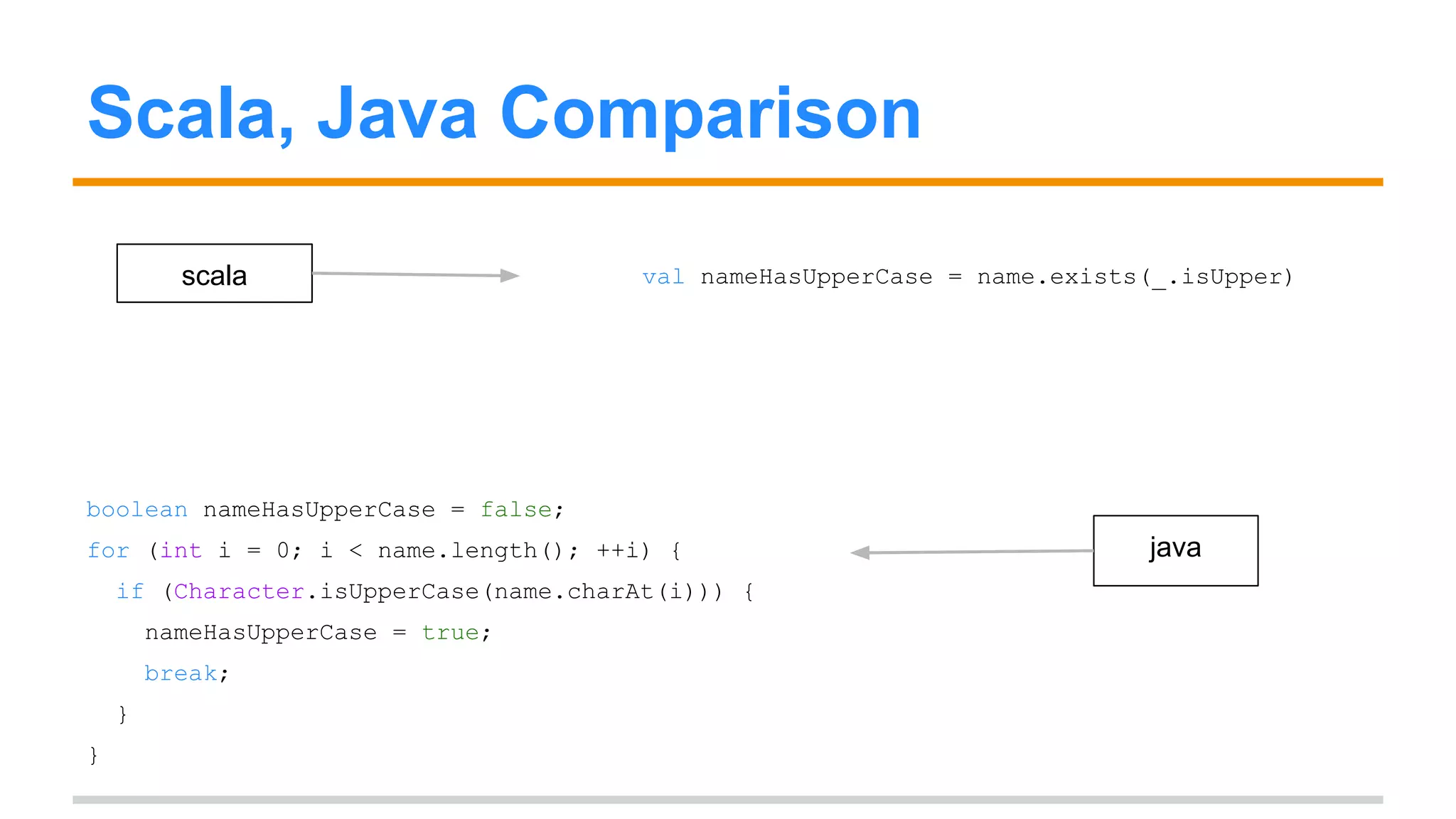
Scala, Java Comparison 
scala val nameHasUpperCase = name.exists(_.isUpper) 
boolean nameHasUpperCase = false; 
for (int i = 0; i < name.length(); ++i) { 
if (Character.isUpperCase(name.charAt(i))) { 
nameHasUpperCase = true; 
break; 
} 
} 
java
Scala, Java Interoperability 
● You can use Java code in Scala as-is (i.e. no changes needed). 
● Scala classes can subclass Java classes, you can instantiate Java classes 
in Scala, you can access methods, fields (even if they are static), etc. 
● You can also use Scala code in Java projects, as long as you don’t use 
many advanced Scala concepts that are not possible in Java. 
● Similar code generated by Scala and Java usually generates the exact 
same bytecode, as can be verified using tools like javap
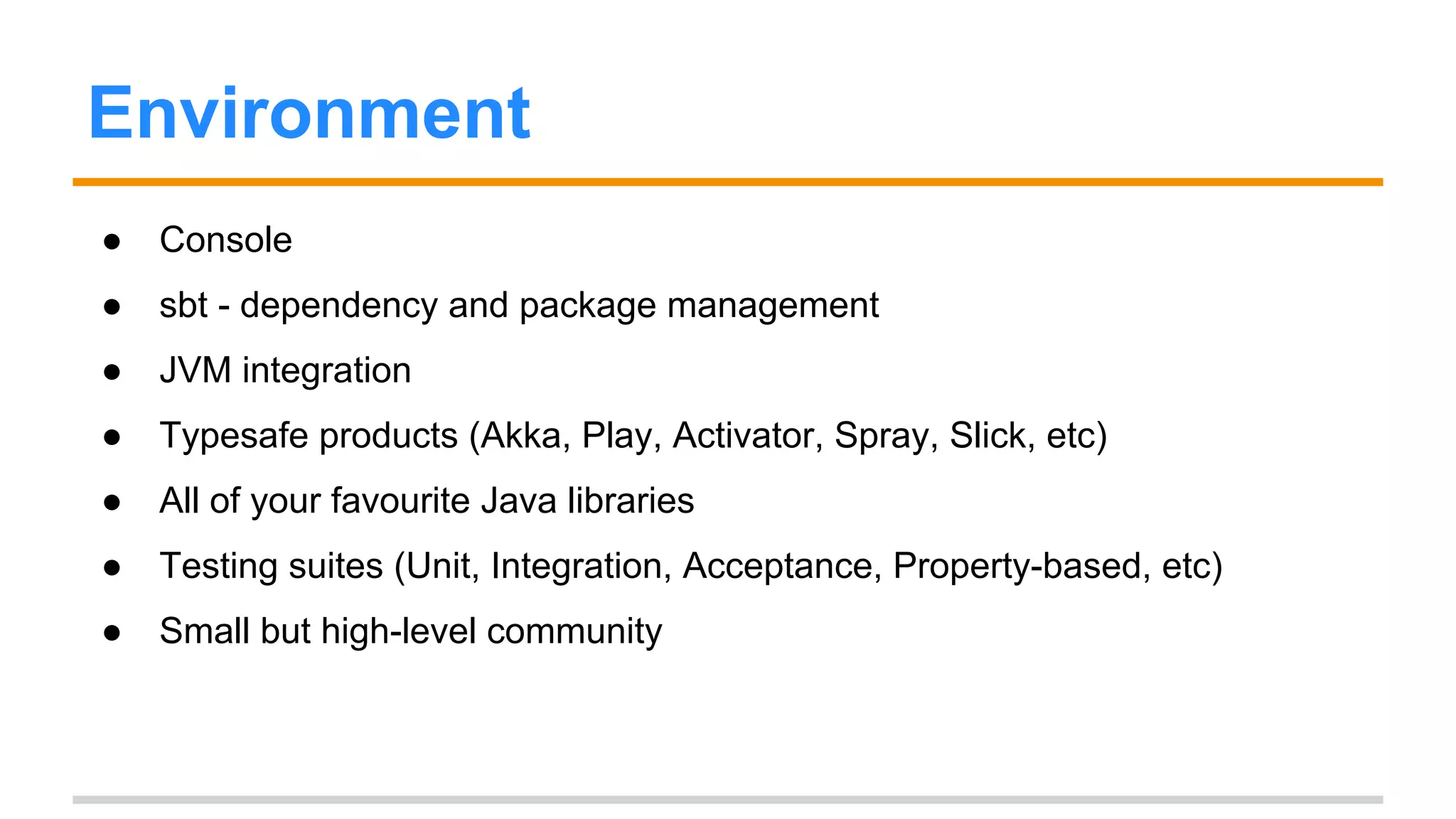
Environment 
● Console 
● sbt - dependency and package management 
● JVM integration 
● Typesafe products (Akka, Play, Activator, Spray, Slick, etc) 
● All of your favourite Java libraries 
● Testing suites (Unit, Integration, Acceptance, Property-based, etc) 
● Small but high-level community
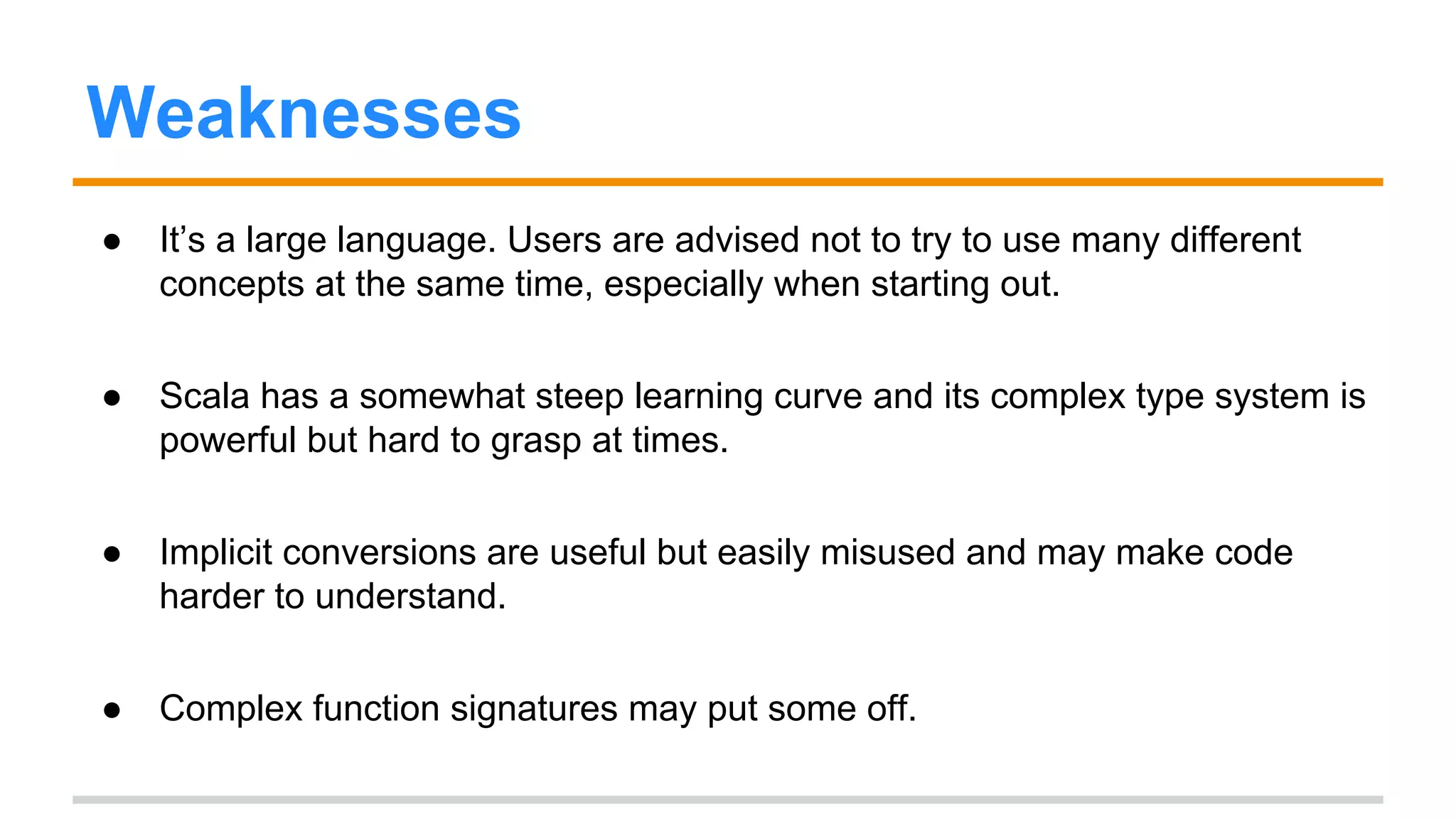
Weaknesses 
● It’s a large language. Users are advised not to try to use many different 
concepts at the same time, especially when starting out. 
● Scala has a somewhat steep learning curve and its complex type system is 
powerful but hard to grasp at times. 
● Implicit conversions are useful but easily misused and may make code 
harder to understand. 
● Complex function signatures may put some off.
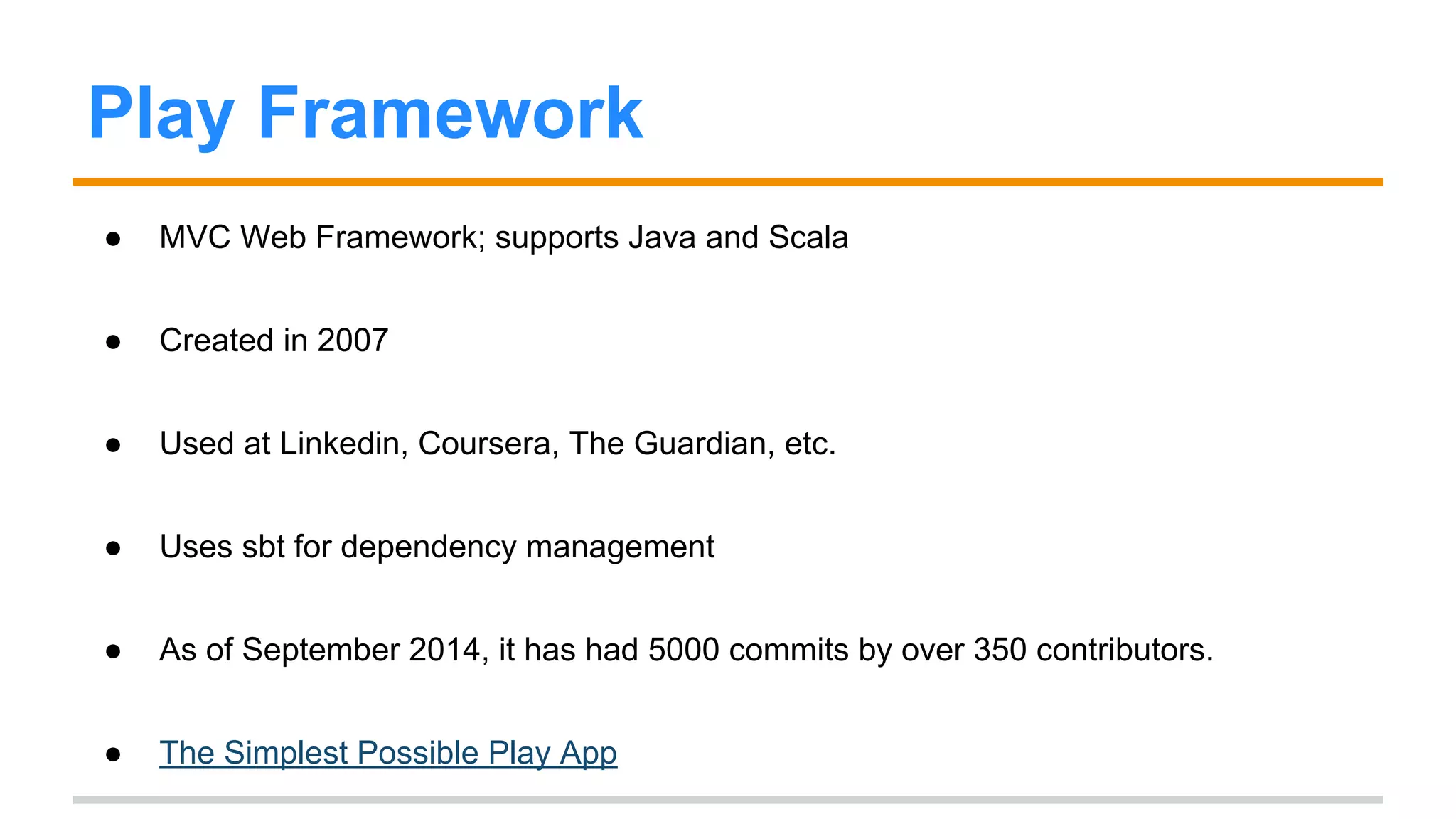
Play Framework 
● MVC Web Framework; supports Java and Scala 
● Created in 2007 
● Used at Linkedin, Coursera, The Guardian, etc. 
● Uses sbt for dependency management 
● As of September 2014, it has had 5000 commits by over 350 contributors. 
● The Simplest Possible Play App
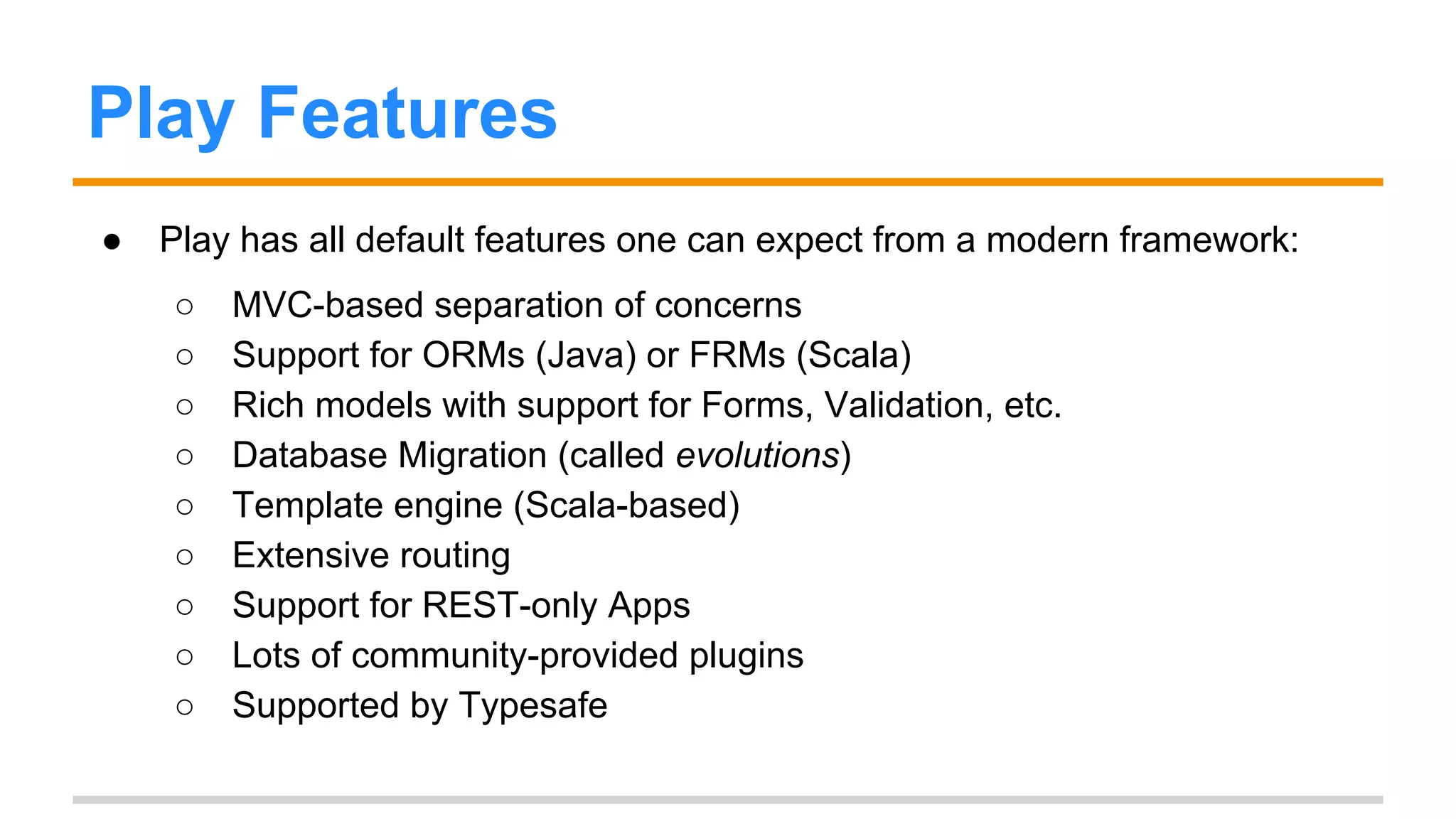
Play Features 
● Play has all default features one can expect from a modern framework: 
○ MVC-based separation of concerns 
○ Support for ORMs (Java) or FRMs (Scala) 
○ Rich models with support for Forms, Validation, etc. 
○ Database Migration (called evolutions) 
○ Template engine (Scala-based) 
○ Extensive routing 
○ Support for REST-only Apps 
○ Lots of community-provided plugins 
○ Supported by Typesafe
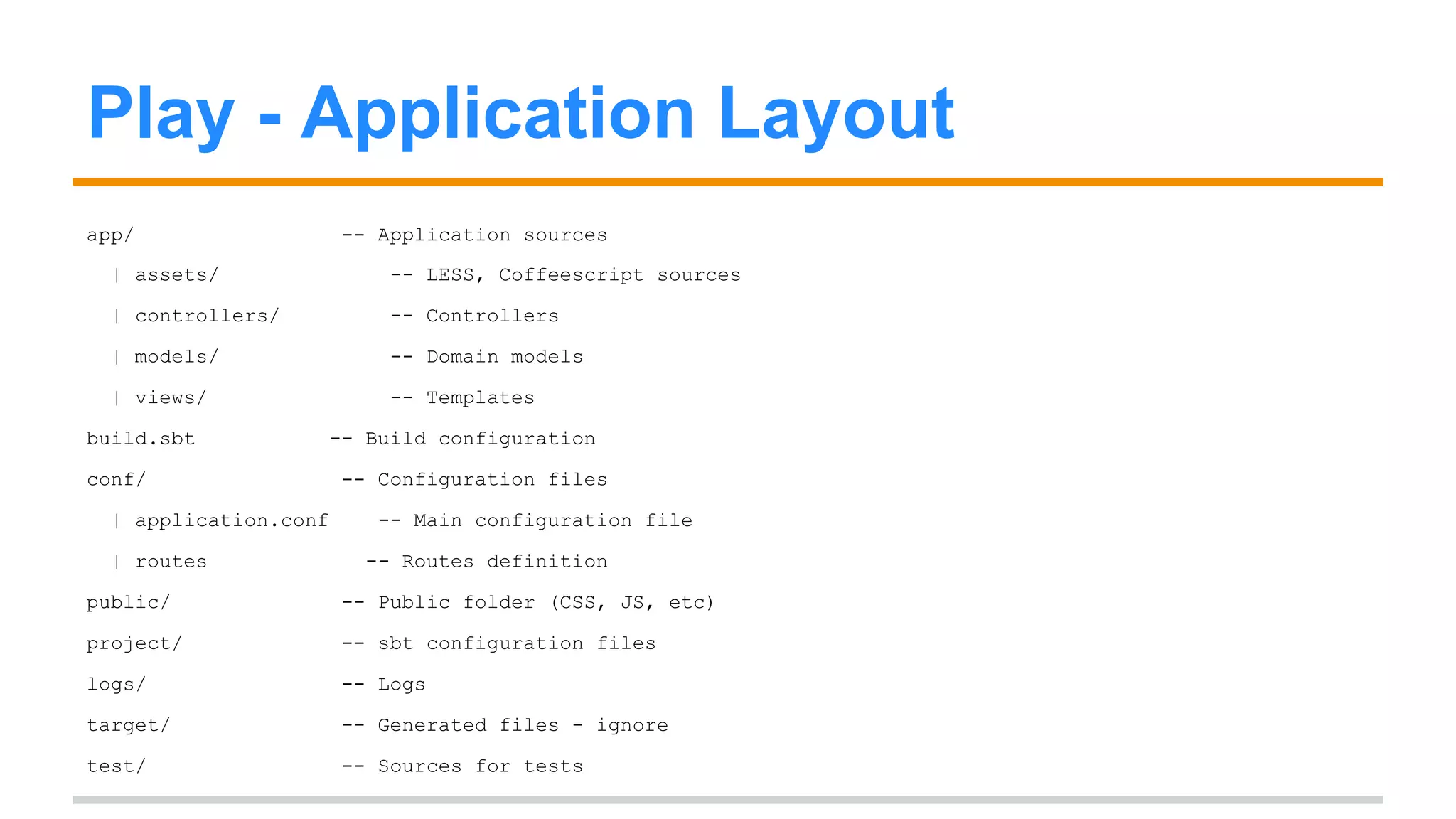
Play - Application Layout 
app/ -- Application sources 
| assets/ -- LESS, Coffeescript sources 
| controllers/ -- Controllers 
| models/ -- Domain models 
| views/ -- Templates 
build.sbt -- Build configuration 
conf/ -- Configuration files 
| application.conf -- Main configuration file 
| routes -- Routes definition 
public/ -- Public folder (CSS, JS, etc) 
project/ -- sbt configuration files 
logs/ -- Logs 
target/ -- Generated files - ignore 
test/ -- Sources for tests
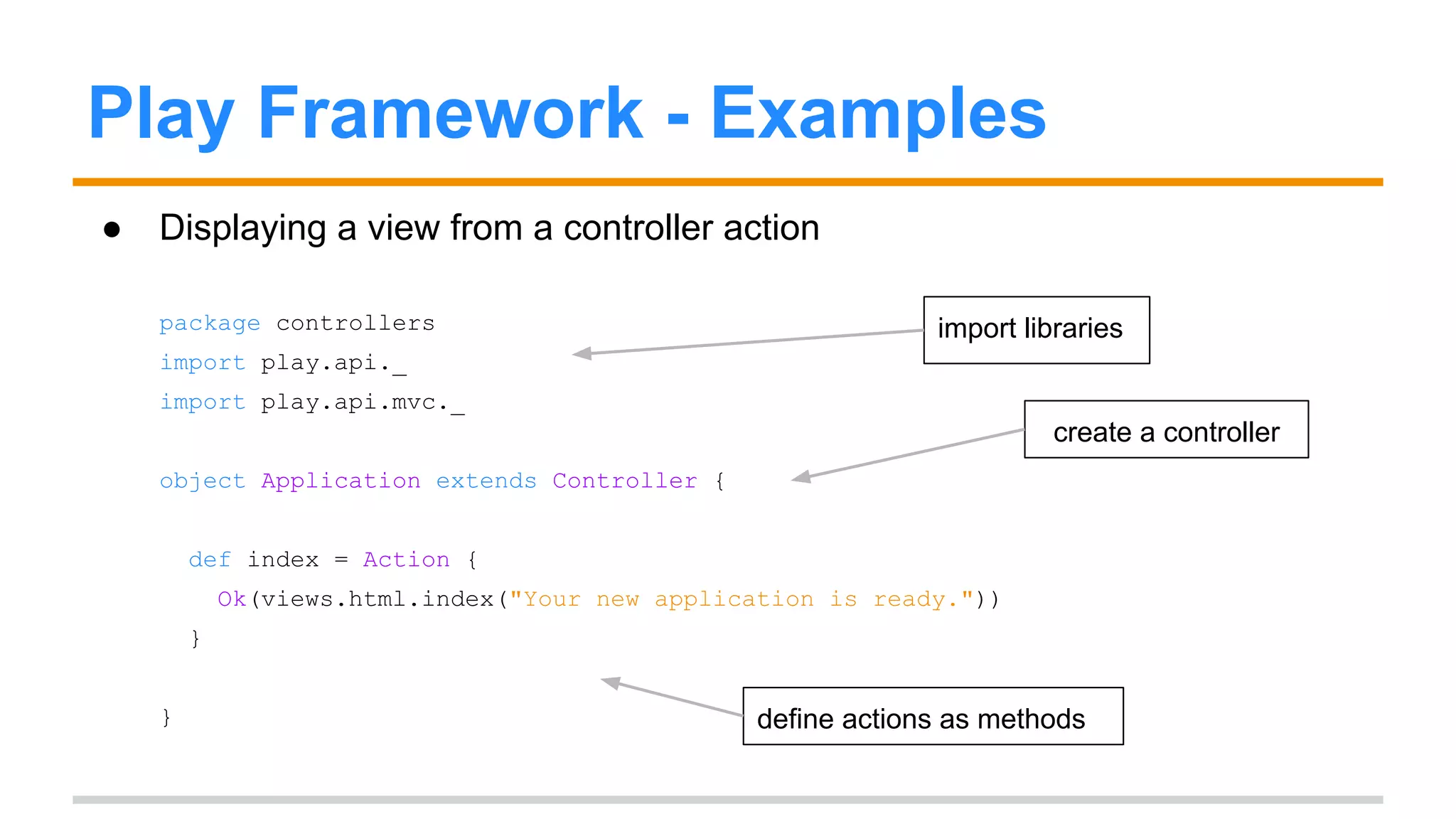
Play Framework - Examples 
● Displaying a view from a controller action 
package controllers 
import play.api._ 
import play.api.mvc._ 
object Application extends Controller { 
def index = Action { 
Ok(views.html.index("Your new application is ready.")) 
} 
} 
import libraries 
create a controller 
define actions as methods
Play Framework - Examples 
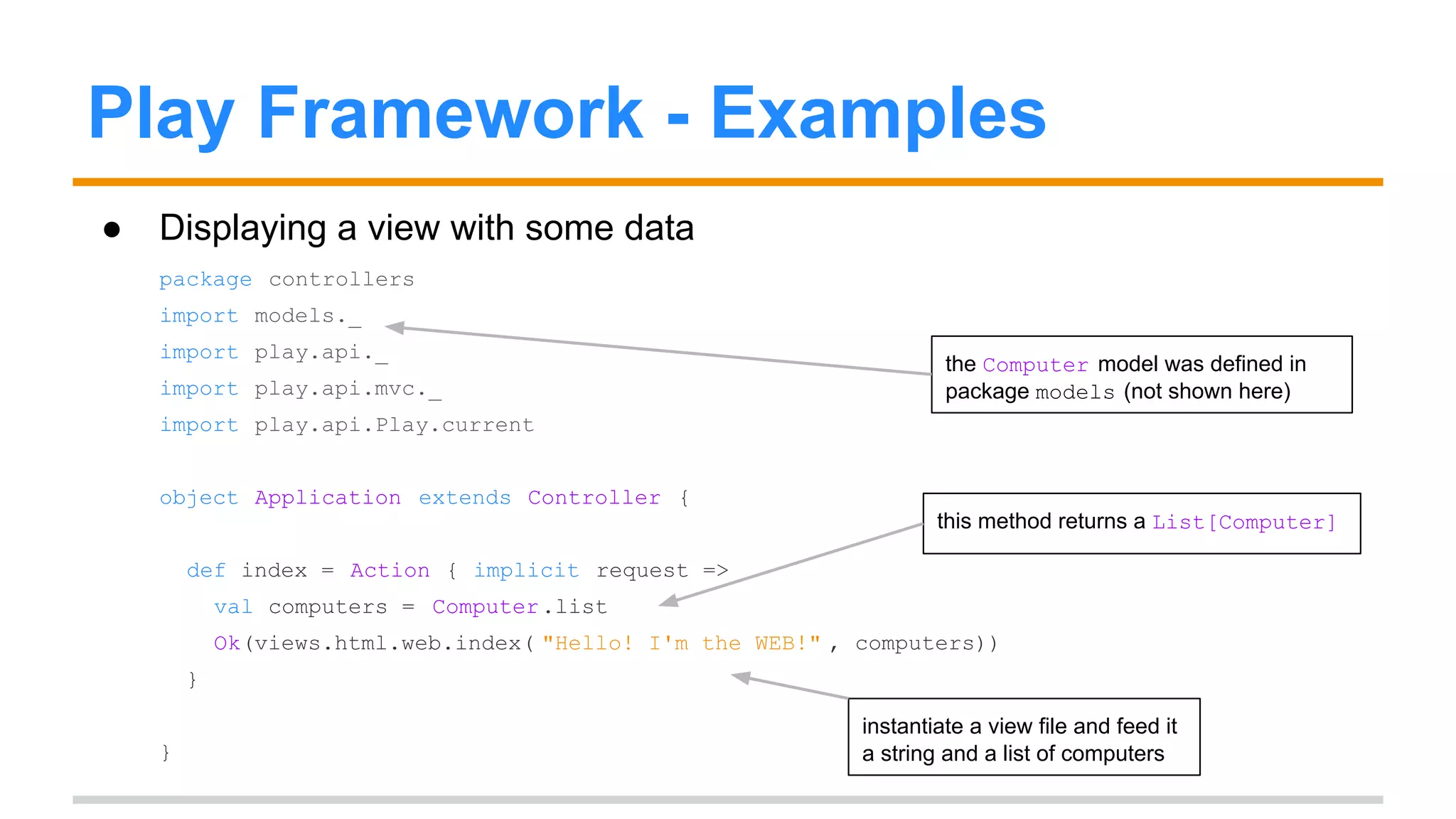
● Displaying a view with some data 
package controllers 
import models._ 
import play.api._ 
import play.api.mvc._ 
import play.api.Play.current 
object Application extends Controller { 
this method returns a List[Computer] 
def index = Action { implicit request => 
val computers = Computer .list 
Ok(views.html.web.index( "Hello! I'm the WEB!" , computers)) 
} 
} 
the Computer model was defined in 
package models (not shown here) 
instantiate a view file and feed it 
a string and a list of computers
Activator 
● Web-based IDE and project viewer, built by Typesafe 
● A large number of sample applications (templates) to study and learn from
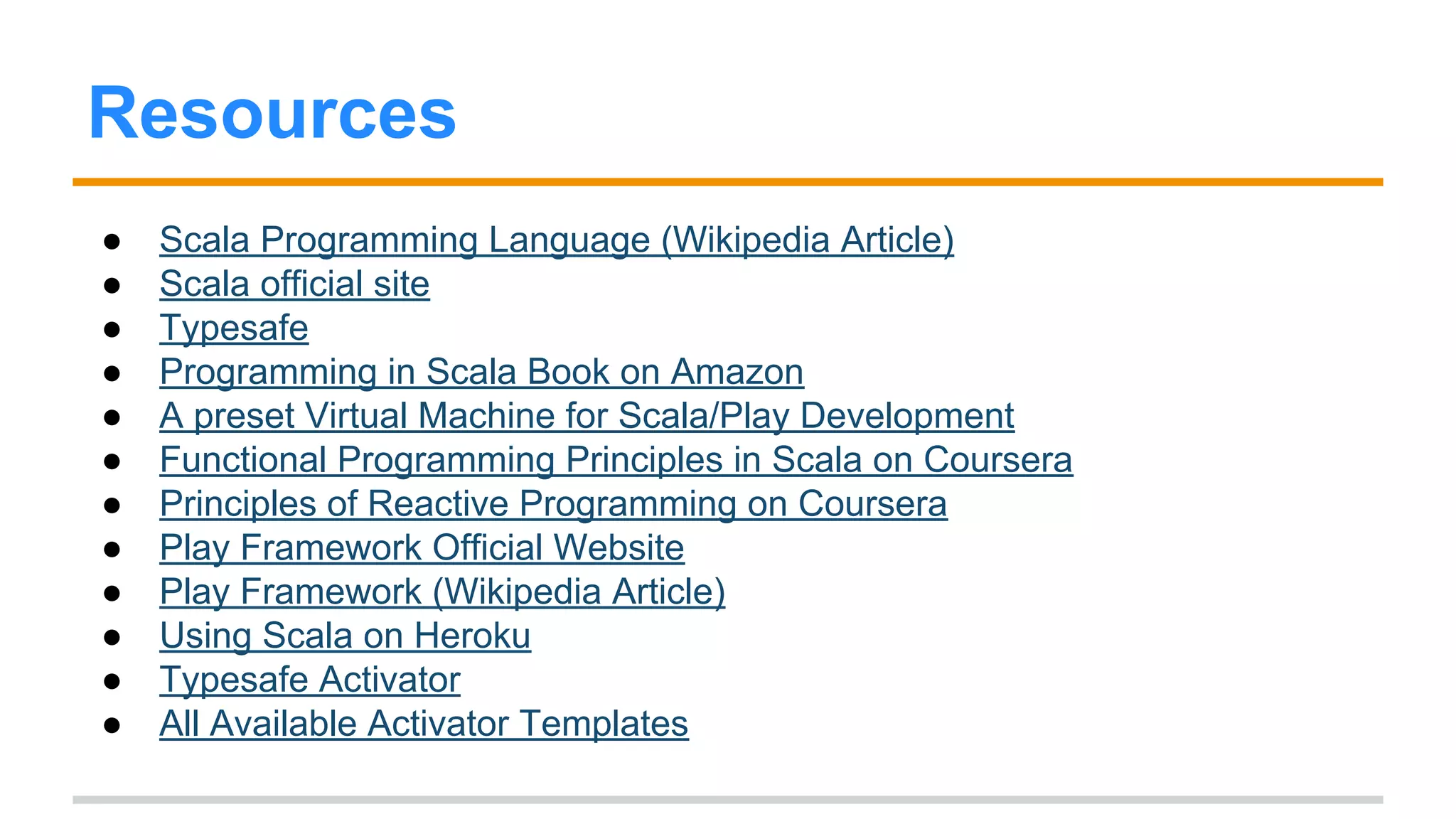
Resources 
● Scala Programming Language (Wikipedia Article) 
● Scala official site 
● Typesafe 
● Programming in Scala Book on Amazon 
● A preset Virtual Machine for Scala/Play Development 
● Functional Programming Principles in Scala on Coursera 
● Principles of Reactive Programming on Coursera 
● Play Framework Official Website 
● ScalaJavaInterop Project 
● Play Framework (Wikipedia Article) 
● Using Scala on Heroku 
● Typesafe Activator 
● All Available Activator Templates

Short intro to scala and the play framework

  • 1.
    Short intro toScala and the Play! Framework 50 - 60 minutes Last updated: Sept 2014 falmeida1988@gmail.com Leveraging modern programming techniques to make safer, faster and more predictable applications
  • 2.
    Scala - Firstencounter def hello() = { println("Hello, world!") } var aMap = Map("Red" -> "Apple", "Yellow" -> "Peach") aMap += ("Purple" -> "Grape") def factorial(x: BigInt): BigInt = if (x == 0) 1 else x * factorial(x - 1) class MyClass(index: Int, name: String) functions collections recursive functions classes
  • 3.
    Scala - Background ● Created by Martin Odersky at EPFL in 2003 ● Aimed at overcoming Java’s weaknesses while allowing for easy migration for former Java developers ● One of the few object-functional languages (also: F#) ● One of the JVM-compliant languages (also: groovy, clojure, jruby, jython)
  • 4.
    Scala selling points ● Functional/Object Oriented hybrid - use one, the other, or both ● More elegant, less painful concurrency constructs ● Uncluttered, concise syntax ● Seamless interoperability and compatibility with Java ● Typing: expressive type system / static typing / type safety / type inference
  • 5.
    Quick syntax walkthrough ● no type declaration prior to use (due to type-inference) var msg = "Hello, world!" ● braces are only needed for multiline blocks def max(x: Int, y: Int) = if (x > y) x else y def max2(x: Int, y: Int) = { if (x > y) x else y } no braces yes braces
  • 6.
    Quick syntax walkthrough ● no semicolons at the end (unless you want multiple statements) println(line); println(line) println(line) println(line) equivalent code
  • 7.
    Quick syntax walkthrough ● type comes after variable name (only when required or for usability) def max(x: Int, y: Int): Int = if (x > y) x else y val m = new HashMap[Int, String] () required types for val m1: Map[Int, String] = new HashMap() arguments optional return type either is acceptable not necessary to annotate both sides val m2: HashMap[Int, String] = new HashMap[Int, String] ()
  • 8.
    Quick syntax walkthrough ● val for immutable variables, var for mutable variables val msg = "Hello, world!" msg = "Another message!" // ERROR: reassignment to val var msg2 = "Hello, world!" msg2 = "Another message!" // no error
  • 9.
    Quick syntax walkthrough ● statements also return a value (if, for, while, def) - which means they are also expressions var result1 = "" if(marks >= 50) result = "passed" else result = "failed" val result2 = if(marks >= 50) "passed" else "failed" using if as a statement if as an expression
  • 10.
    Quick syntax walkthrough ● return statements are allowed but generally not needed def multiply(a: Int,b:Int):Int = return a*b def sum(x:Int,y:Int) = x + y def greet() = println( "Hello, world!" ) explicitly using return When no return is provided, last value computed by the function is returned Functions that return no useful values have a result type of Unit
  • 11.
    Quick syntax walkthrough ● function literals or anonymous functions (x: Int) => x * 2 val double = (x: Int) => x * 2 ● example usage: as parameter to function map: List(1,2,3,4,5).map{ (x: Int) => x * 2 } //evaluates to List(2, 4, 6, 8, 10) a function that takes an Int and multiplies it by two function value being assigned to a variable function map takes another function as argument
  • 12.
    Scala, Java Comparison scala class MyClass(index: Int, name: String) class MyClass { private int index; private String name; public MyClass(int index, String name) { this.index = index; this.name = name; } } java
  • 13.
    Scala, Java Comparison scala val nameHasUpperCase = name.exists(_.isUpper) boolean nameHasUpperCase = false; for (int i = 0; i < name.length(); ++i) { if (Character.isUpperCase(name.charAt(i))) { nameHasUpperCase = true; break; } } java
  • 14.
    Scala, Java Interoperability ● You can use Java code in Scala as-is (i.e. no changes needed). ● Scala classes can subclass Java classes, you can instantiate Java classes in Scala, you can access methods, fields (even if they are static), etc. ● You can also use Scala code in Java projects, as long as you don’t use many advanced Scala concepts that are not possible in Java. ● Similar code generated by Scala and Java usually generates the exact same bytecode, as can be verified using tools like javap
  • 15.
    Environment ● Console ● sbt - dependency and package management ● JVM integration ● Typesafe products (Akka, Play, Activator, Spray, Slick, etc) ● All of your favourite Java libraries ● Testing suites (Unit, Integration, Acceptance, Property-based, etc) ● Small but high-level community
  • 16.
    Weaknesses ● It’sa large language. Users are advised not to try to use many different concepts at the same time, especially when starting out. ● Scala has a somewhat steep learning curve and its complex type system is powerful but hard to grasp at times. ● Implicit conversions are useful but easily misused and may make code harder to understand. ● Complex function signatures may put some off.
  • 17.
    Play Framework ●MVC Web Framework; supports Java and Scala ● Created in 2007 ● Used at Linkedin, Coursera, The Guardian, etc. ● Uses sbt for dependency management ● As of September 2014, it has had 5000 commits by over 350 contributors. ● The Simplest Possible Play App
  • 18.
    Play Features ●Play has all default features one can expect from a modern framework: ○ MVC-based separation of concerns ○ Support for ORMs (Java) or FRMs (Scala) ○ Rich models with support for Forms, Validation, etc. ○ Database Migration (called evolutions) ○ Template engine (Scala-based) ○ Extensive routing ○ Support for REST-only Apps ○ Lots of community-provided plugins ○ Supported by Typesafe
  • 19.
    Play - ApplicationLayout app/ -- Application sources | assets/ -- LESS, Coffeescript sources | controllers/ -- Controllers | models/ -- Domain models | views/ -- Templates build.sbt -- Build configuration conf/ -- Configuration files | application.conf -- Main configuration file | routes -- Routes definition public/ -- Public folder (CSS, JS, etc) project/ -- sbt configuration files logs/ -- Logs target/ -- Generated files - ignore test/ -- Sources for tests
  • 20.
    Play Framework -Examples ● Displaying a view from a controller action package controllers import play.api._ import play.api.mvc._ object Application extends Controller { def index = Action { Ok(views.html.index("Your new application is ready.")) } } import libraries create a controller define actions as methods
  • 21.
    Play Framework -Examples ● Displaying a view with some data package controllers import models._ import play.api._ import play.api.mvc._ import play.api.Play.current object Application extends Controller { this method returns a List[Computer] def index = Action { implicit request => val computers = Computer .list Ok(views.html.web.index( "Hello! I'm the WEB!" , computers)) } } the Computer model was defined in package models (not shown here) instantiate a view file and feed it a string and a list of computers
  • 22.
    Activator ● Web-basedIDE and project viewer, built by Typesafe ● A large number of sample applications (templates) to study and learn from
  • 23.
    Resources ● ScalaProgramming Language (Wikipedia Article) ● Scala official site ● Typesafe ● Programming in Scala Book on Amazon ● A preset Virtual Machine for Scala/Play Development ● Functional Programming Principles in Scala on Coursera ● Principles of Reactive Programming on Coursera ● Play Framework Official Website ● ScalaJavaInterop Project ● Play Framework (Wikipedia Article) ● Using Scala on Heroku ● Typesafe Activator ● All Available Activator Templates