Short	
  into	
  to	
  JQuery	
  and	
  
          Modernizr	
  
            Jussi	
  Pohjolainen	
  
Tampere	
  University	
  of	
  Applied	
  Sciences	
  
JQuery?	
  
•  Mo?va?on	
  
   –  Simple	
  things	
  may	
  require	
  lot	
  of	
  coding	
  
   –  Common	
  browsers	
  are	
  different	
  and	
  
      implementa?on	
  varies	
  
•  Solu?on,	
  use	
  a	
  framework	
  
   –  jQuery	
  is	
  a	
  fast	
  and	
  concise	
  JavaScript	
  Library	
  that	
  
        simplifies	
  HTML	
  document	
  traversing,	
  event	
  
        handling,	
  anima?ng,	
  and	
  Ajax	
  interac?ons	
  for	
  
        rapid	
  web	
  development.	


How?	
  
•  Download	
  JQuery	
  file	
  (hOp://jquery.com/)	
  
    –  hOp://code.jquery.com/jquery-­‐1.7.1.min.js	
  
•  Make	
  your	
  xhtml	
  page	
  and	
  reference	
  to	
  the	
  
   file	
  in	
  script	
  block	
  
•  Make	
  your	
  code	
  and	
  use	
  JQuery	
  func?ons!	
  
<script type="text/javascript" src="jquery.js"></script>

   <script type="text/javascript">
   //<![CDATA[

    // When document is ready to be manipulated
    jQuery(document).ready( pageReadyToBeManipulated );

    function pageReadyToBeManipulated() {
        // If link is clicked
        jQuery("a").click( linkClick );
    }

    function linkClick(event) {
        alert("Thanks for visiting!");
        // Prevent the default action
        event.preventDefault();
    }

    //]]>
   </script>
Some	
  Basic	
  Syntax	
  
•  JQuery	
  can	
  be	
  used	
  in	
  two	
  ways:	
  
    –  JQuery()	
  
    –  Or	
  
    –  $()	
  
•  $	
  is	
  an	
  alias	
  to	
  JQuery()!	
  $	
  more	
  commonly	
  
   used	
  
<script type="text/javascript" src="jquery.js"></script>

<script type="text/javascript">
//<![CDATA[

 // When document is ready to be manipulated
 $(document).ready( pageReadyToBeManipulated );

 function pageReadyToBeManipulated() {
     // If link is clicked
     $("a").click( linkClick );
 }

 function linkClick(event) {
     alert("Thanks for visiting!");
     // Prevent the default action
     event.preventDefault();
 }

 //]]>
</script>
// USING ANONYMOUS FUNCTIONS

<script type="text/javascript" src="jquery.js"></script>

 <script type="text/javascript">
 //<![CDATA[

  $(document).ready(function(){
      $("a").click(function(event){
          alert("Thanks for visiting!");
          event.preventDefault();
      });
  });

  //]]>
 </script>
// EVEN SHORTER SYNTAX, FORGET THE DOCUMENT PARAMETER

<script type="text/javascript" src="jquery.js"></script>

 <script type="text/javascript">
 //<![CDATA[

  $().ready(function(){
      $("a").click(function(event){
          alert("Thanks for visiting!");
          event.preventDefault();
      });
  });

  //]]>
 </script>
GeOers	
  in	
  the	
  Tradi?onal	
  Way	
  
•  getElementsById

•  getElementsByTagName

•  getAttribute
JQuery	
  and	
  Selectors	
  
•  Select	
  all	
  h1	
  elements	
  
    –  $(“h1”)	
  
•  Select	
  the	
  first	
  one	
  
    –  $(“h1”)[0]	
  
•  Add	
  contents	
  
    –  $(“h1”)[0].innerHTML	
  =	
  “hello!”;	
  
•  Lot	
  of	
  different	
  selectors	
  
    –  hOp://api.jquery.com/category/selectors/	
  
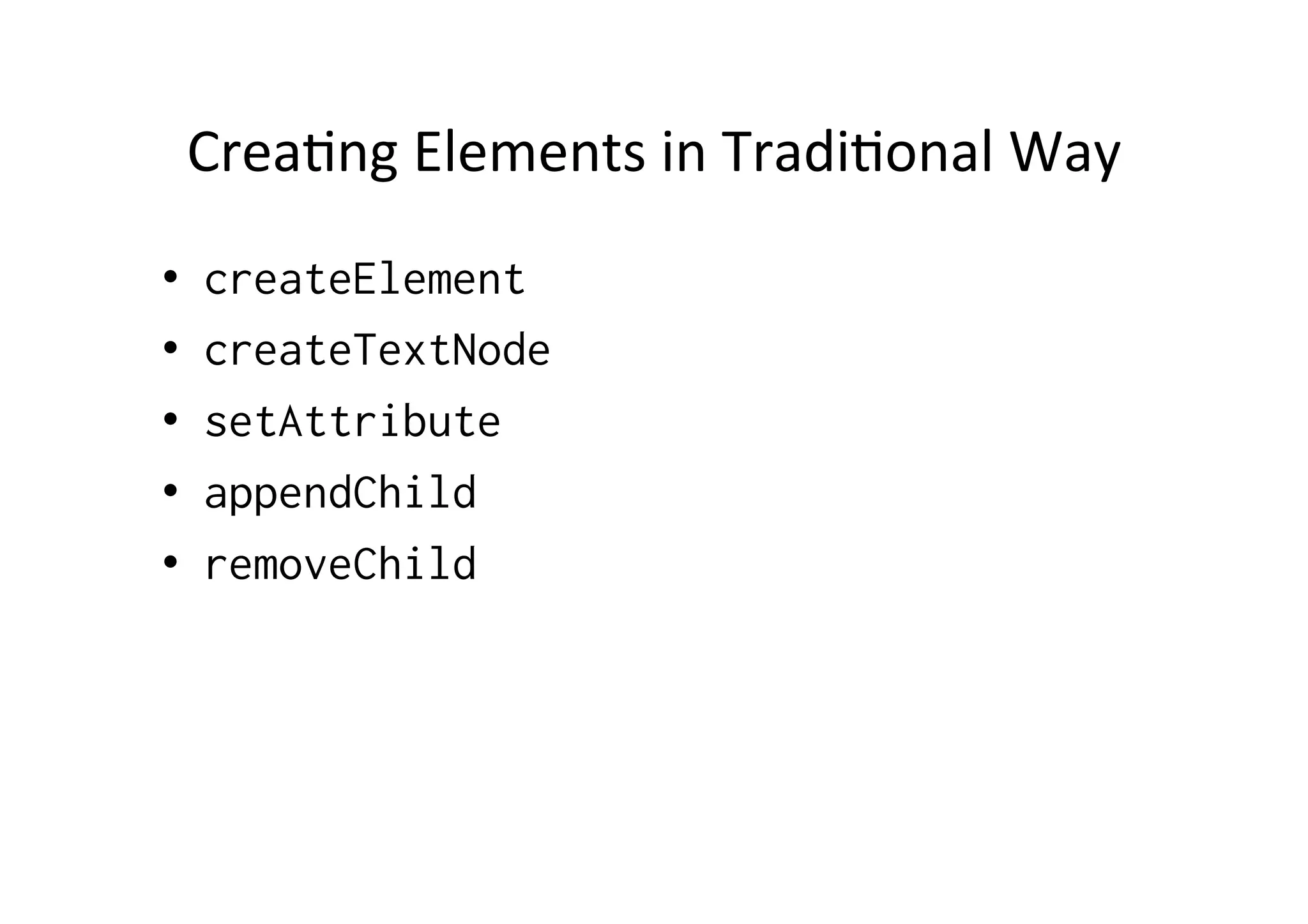
Crea?ng	
  Elements	
  in	
  Tradi?onal	
  Way	
  
•    createElement
•    createTextNode
•    setAttribute
•    appendChild
•    removeChild
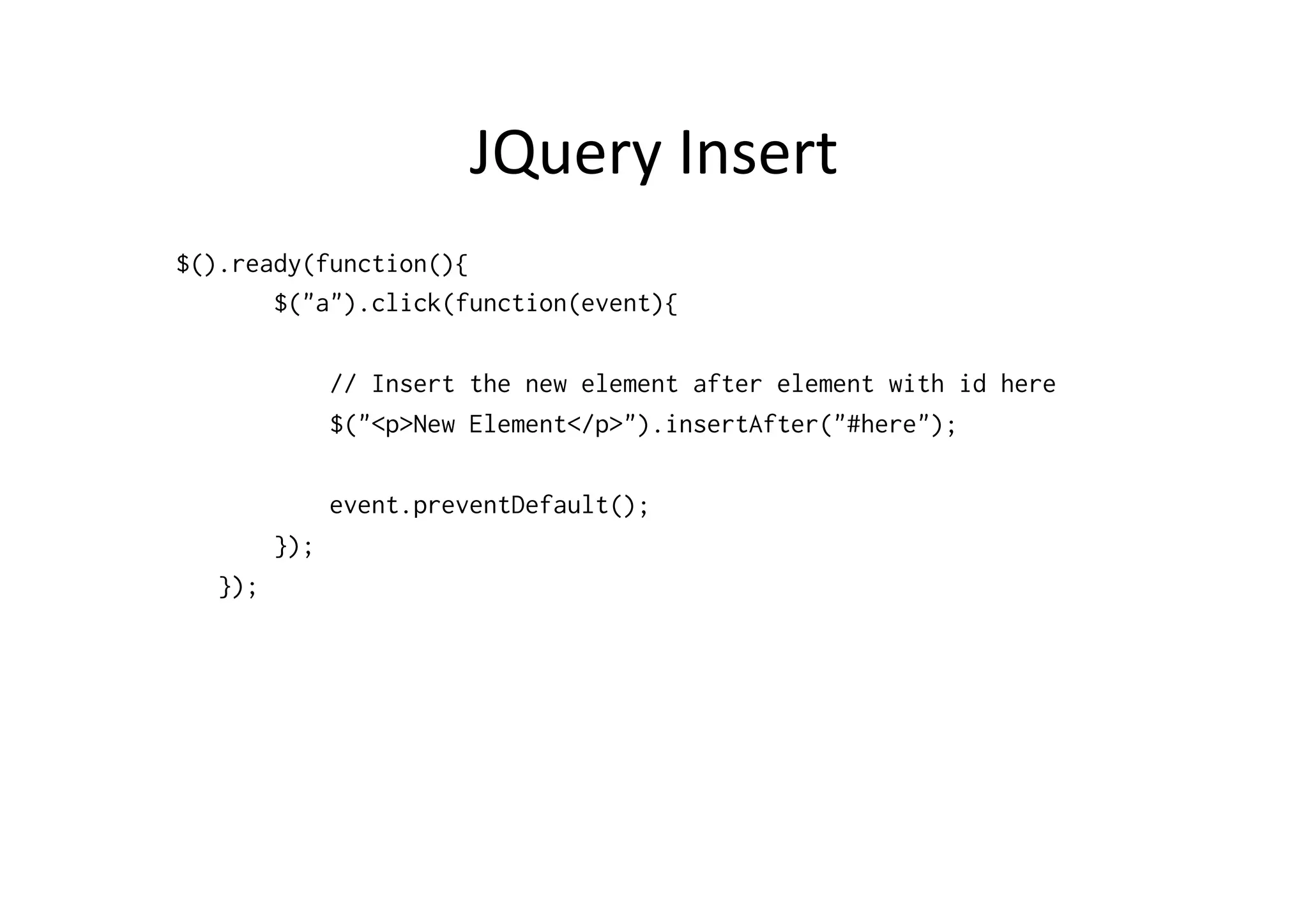
JQuery	
  Insert	
  
$().ready(function(){
       $("a").click(function(event){

               // Insert the new element after element with id here
               $("<p>New Element</p>").insertAfter("#here");

               event.preventDefault();
         });
   });
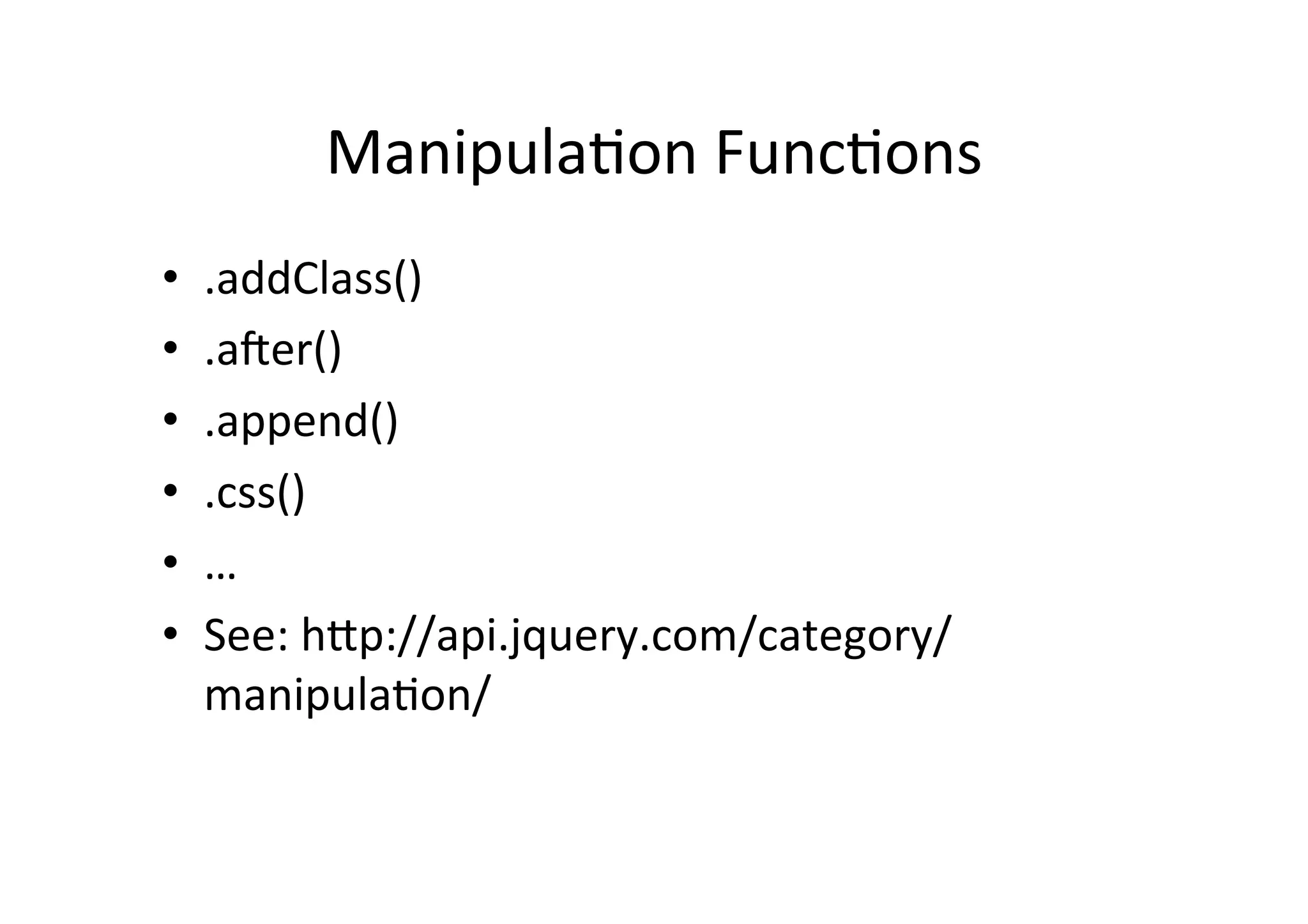
Manipula?on	
  Func?ons	
  
•    .addClass()	
  
•    .afer()	
  
•    .append()	
  
•    .css()	
  
•    …	
  
•    See:	
  hOp://api.jquery.com/category/
     manipula?on/	
  
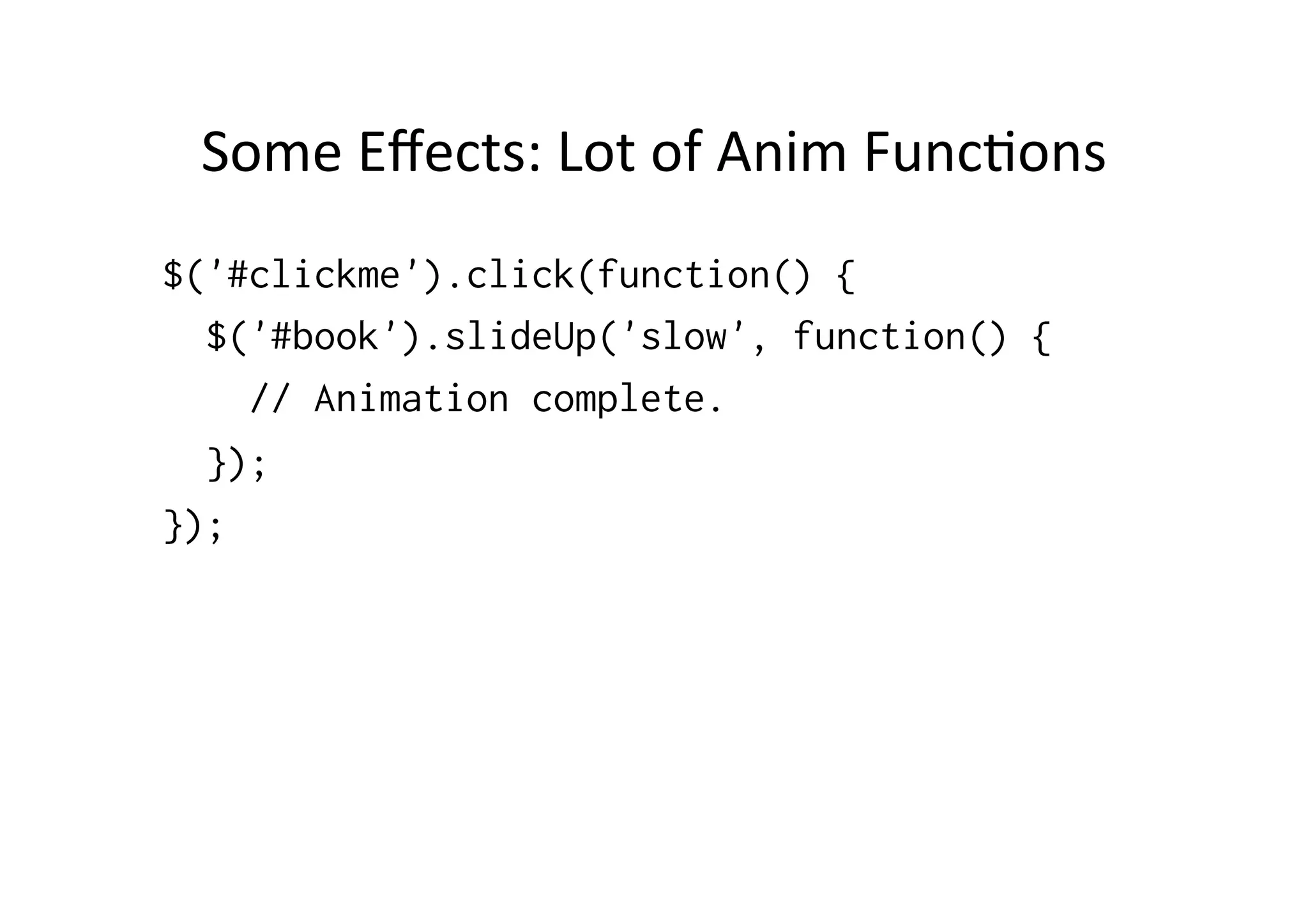
Some	
  Effects:	
  Lot	
  of	
  Anim	
  Func?ons	
  
$('#clickme').click(function() {
  $('#book').slideUp('slow', function() {
    // Animation complete.
  });
});
MODERNIZR	
  
Modernizr	
  
•  Small	
  JS	
  library	
  for	
  detec?ng	
  browser	
  features	
  
•  Replaces	
  highly	
  unreliable	
  user	
  agent	
  sniffing	
  
•  Feature	
  detec?on	
  for	
  each	
  browser	
  what	
  the	
  
   browser	
  can	
  or	
  cannot	
  do	
  
•  Tests	
  over	
  40	
  features	
  
    –  Creates	
  Modernizr	
  object	
  containing	
  the	
  results	
  
How	
  
•  Download	
  and	
  install	
  modernizr.js	
  
•  Add	
  
    –  <html	
  class=“no-­‐js”>	
  
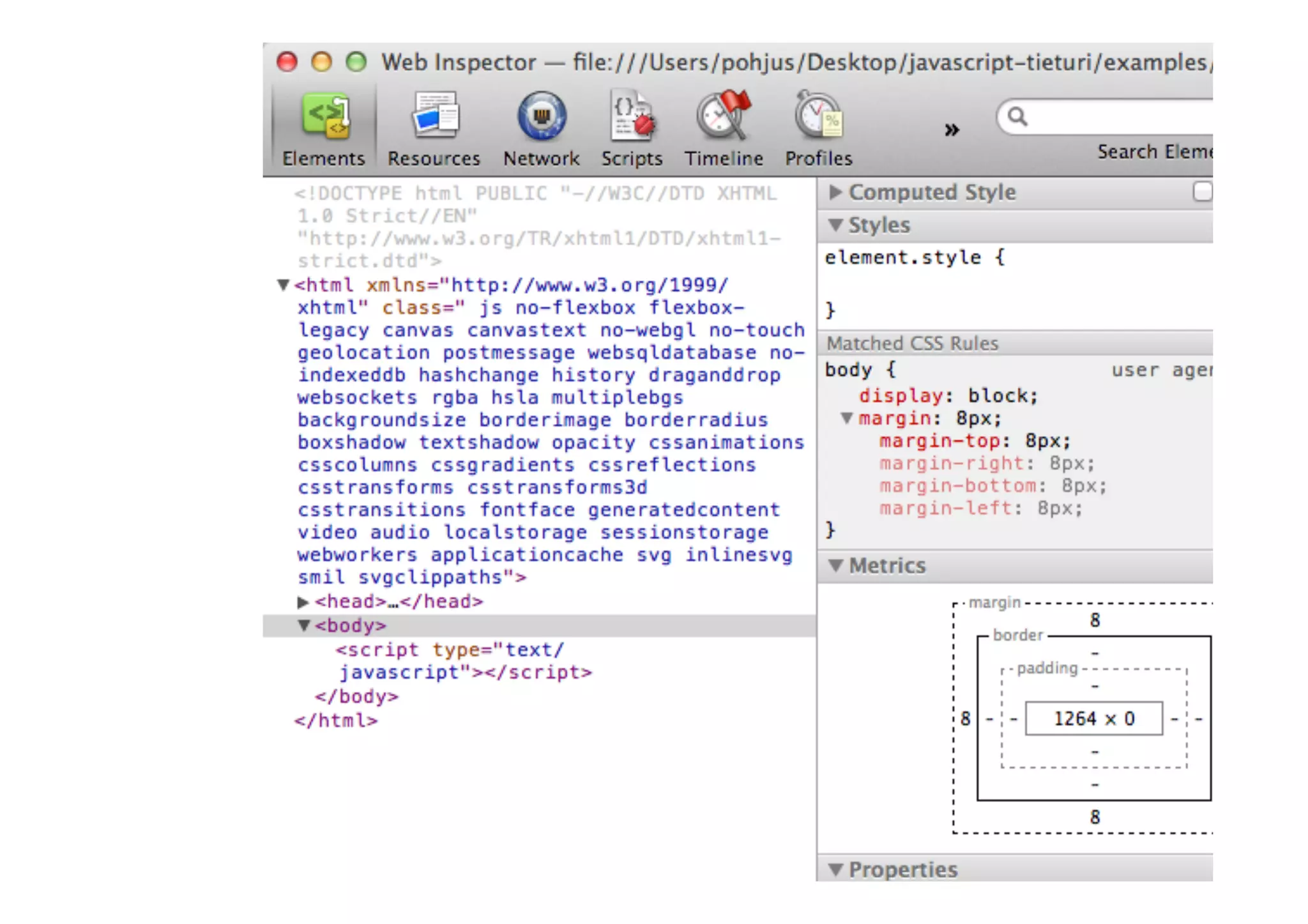
•  Modernizr	
  replaces	
  this	
  
    –  <html	
  class=“canvas	
  canvastext	
  geoloca?on..”>	
  
•  Classes	
  for	
  every	
  feature	
  it	
  detects!	
  
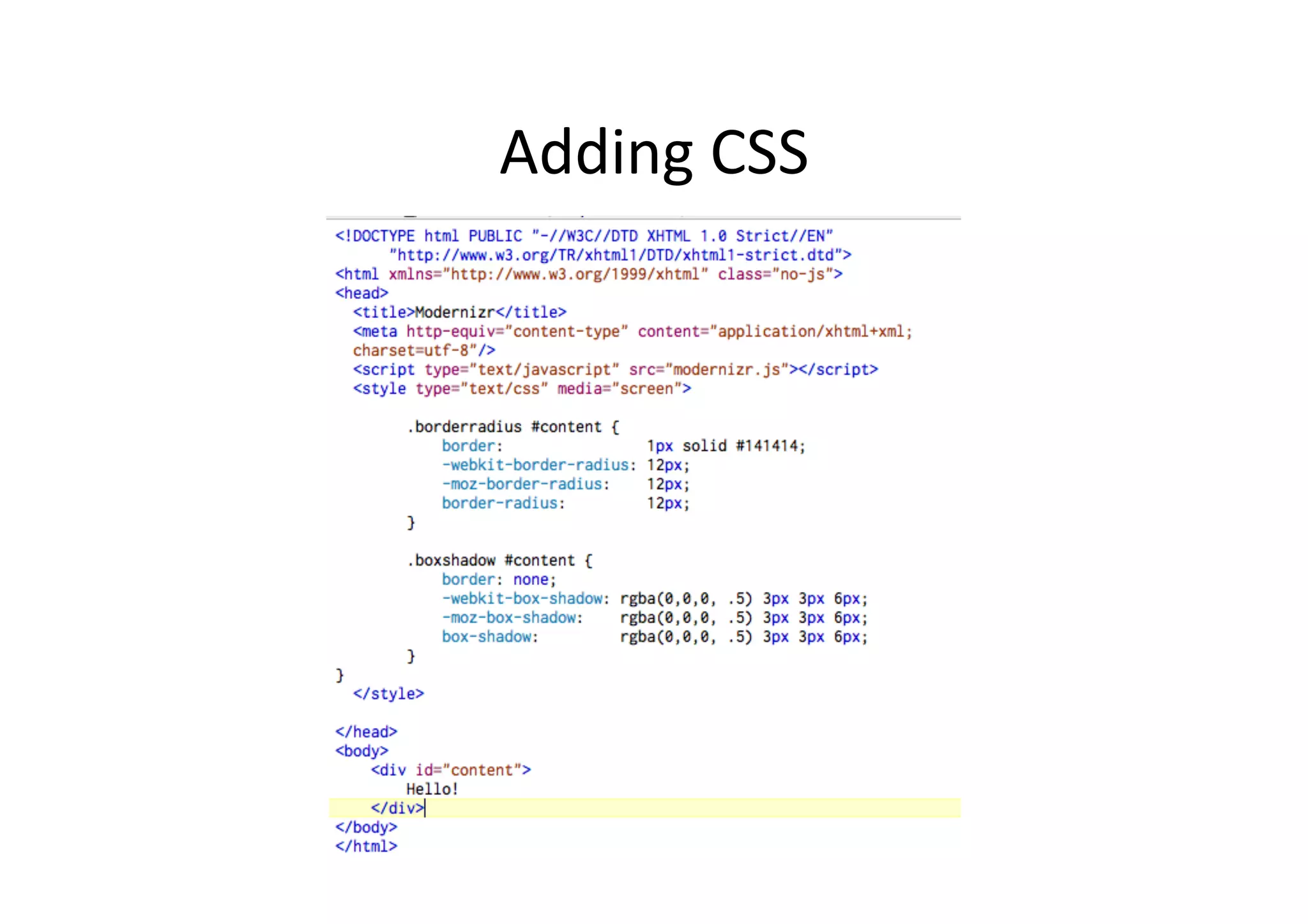
Adding	
  CSS	
  
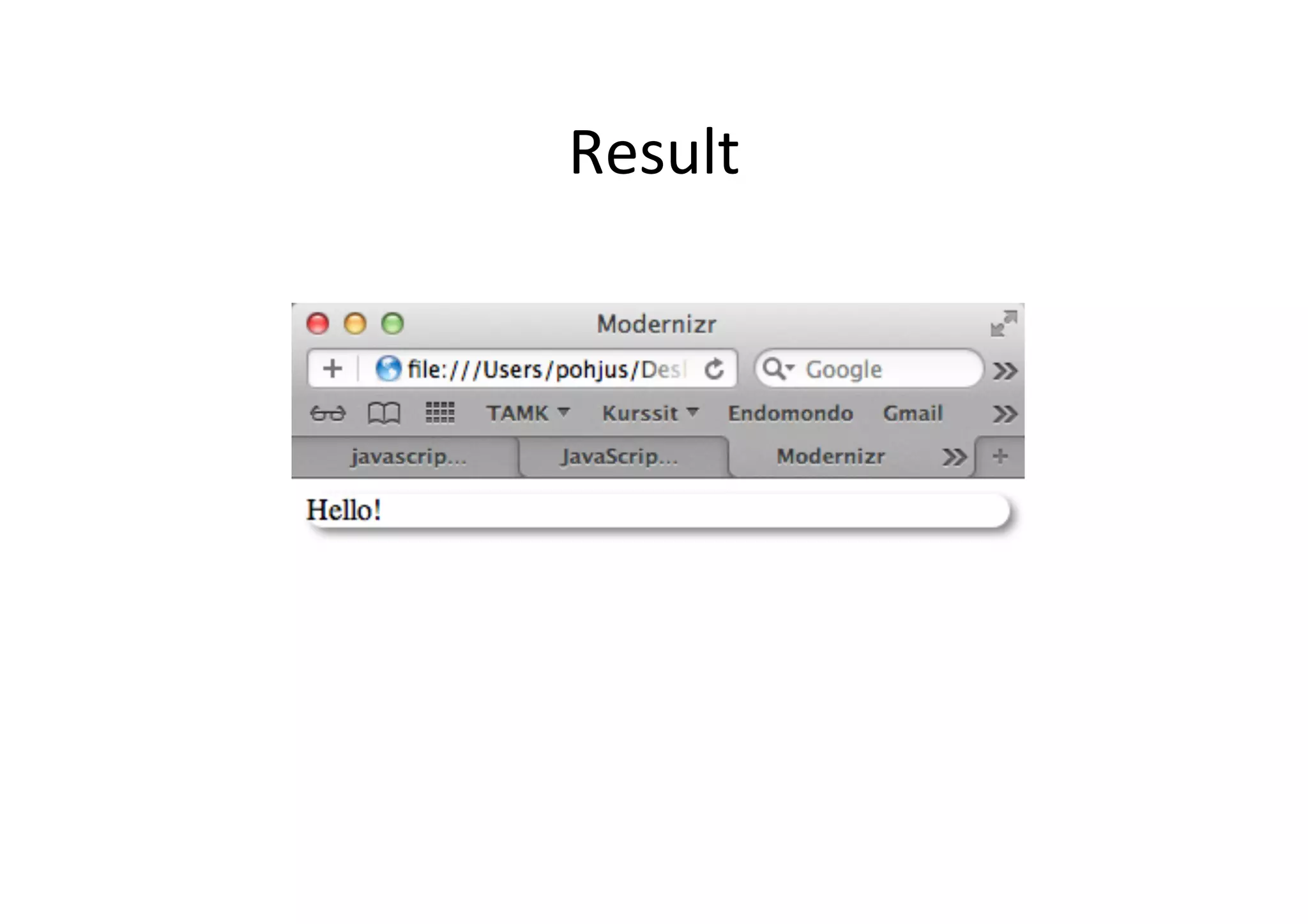
Result	
  
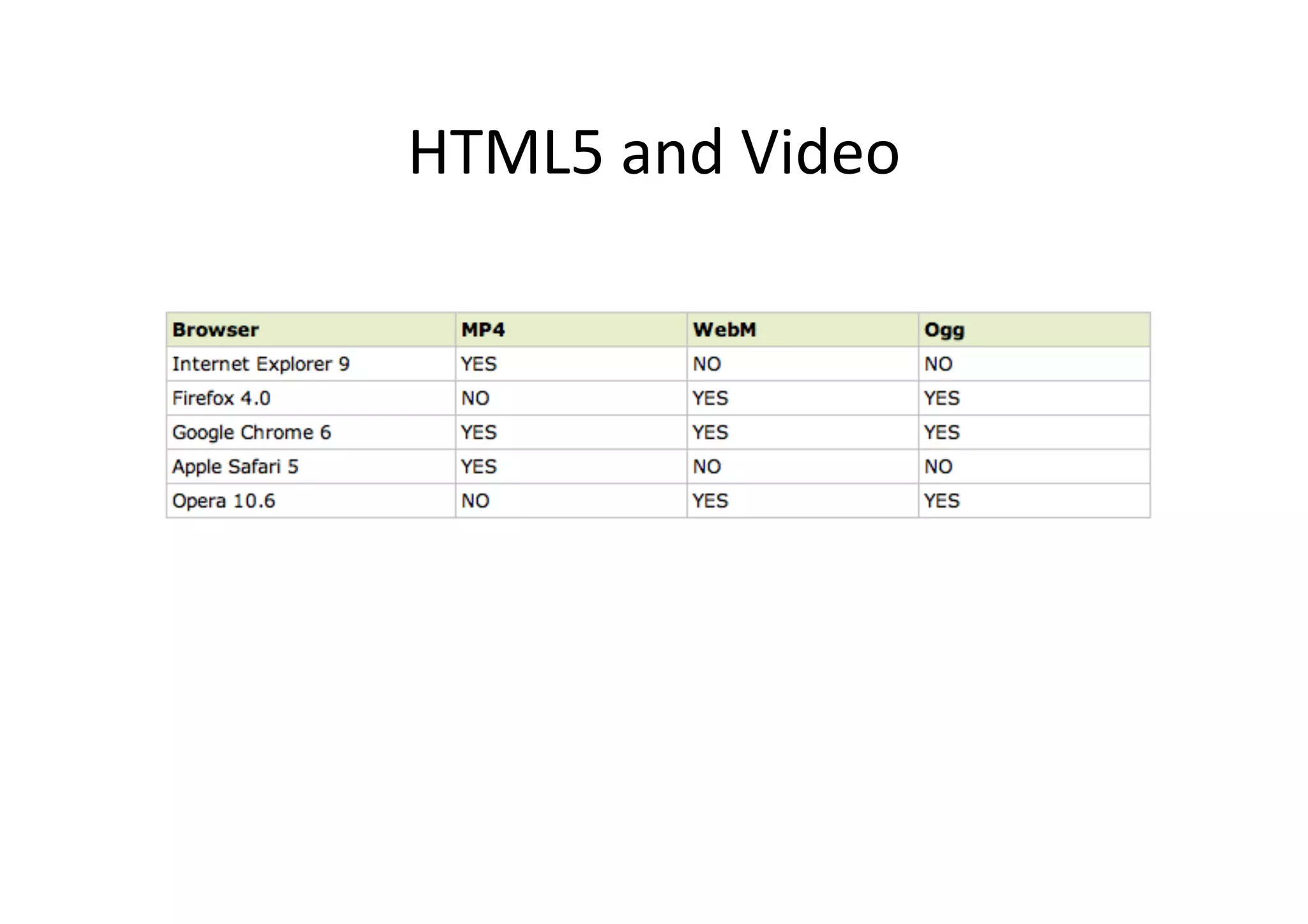
HTML5	
  and	
  Video	
  
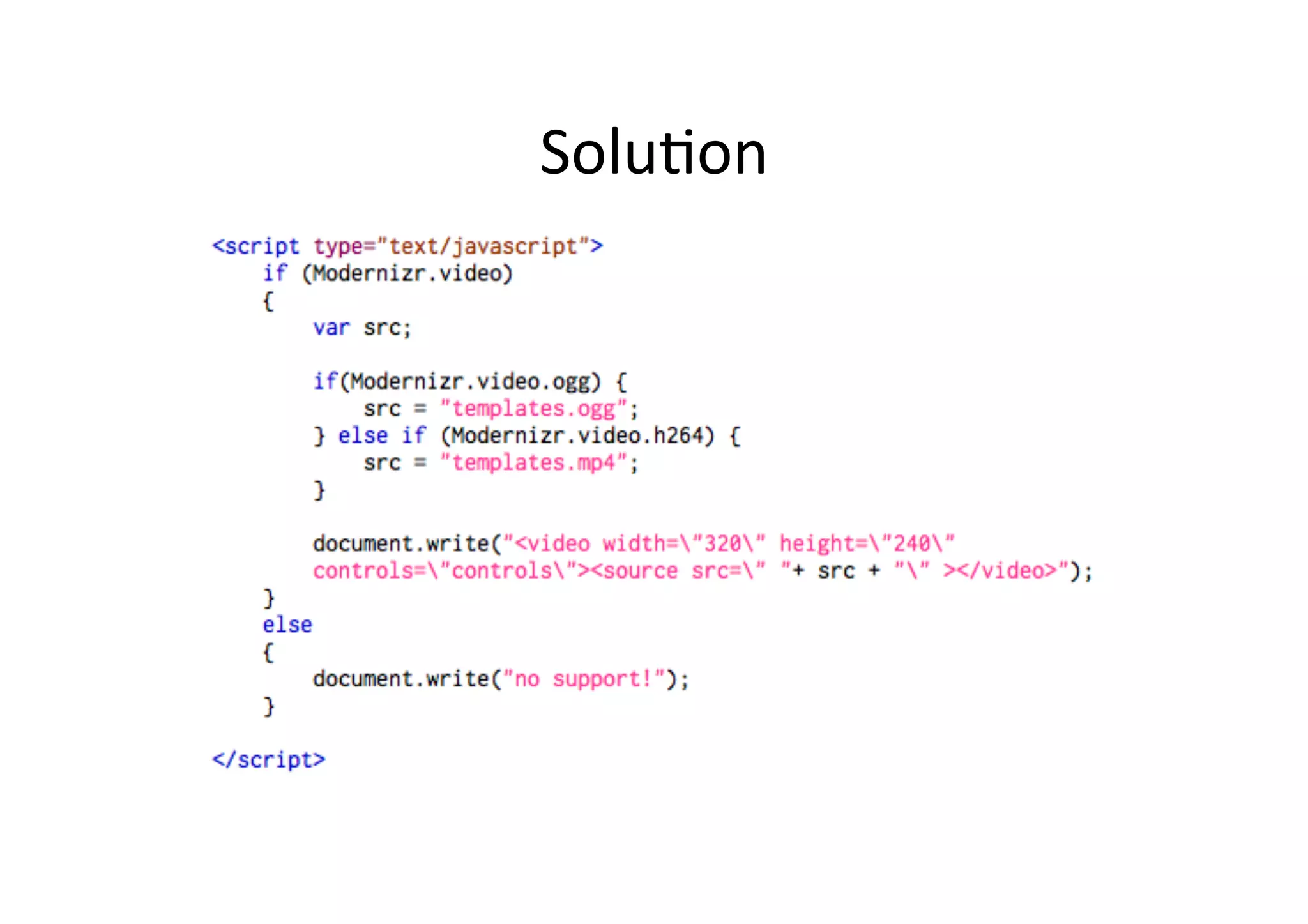
Solu?on	
  

Short intro to JQuery and Modernizr

  • 1.
    Short  into  to  JQuery  and   Modernizr   Jussi  Pohjolainen   Tampere  University  of  Applied  Sciences  
  • 2.
    JQuery?   •  Mo?va?on   –  Simple  things  may  require  lot  of  coding   –  Common  browsers  are  different  and   implementa?on  varies   •  Solu?on,  use  a  framework   –  jQuery  is  a  fast  and  concise  JavaScript  Library  that   simplifies  HTML  document  traversing,  event   handling,  anima?ng,  and  Ajax  interac?ons  for   rapid  web  development.      
  • 3.
    How?   •  Download  JQuery  file  (hOp://jquery.com/)   –  hOp://code.jquery.com/jquery-­‐1.7.1.min.js   •  Make  your  xhtml  page  and  reference  to  the   file  in  script  block   •  Make  your  code  and  use  JQuery  func?ons!  
  • 4.
    <script type="text/javascript" src="jquery.js"></script> <script type="text/javascript"> //<![CDATA[ // When document is ready to be manipulated jQuery(document).ready( pageReadyToBeManipulated ); function pageReadyToBeManipulated() { // If link is clicked jQuery("a").click( linkClick ); } function linkClick(event) { alert("Thanks for visiting!"); // Prevent the default action event.preventDefault(); } //]]> </script>
  • 5.
    Some  Basic  Syntax   •  JQuery  can  be  used  in  two  ways:   –  JQuery()   –  Or   –  $()   •  $  is  an  alias  to  JQuery()!  $  more  commonly   used  
  • 6.
    <script type="text/javascript" src="jquery.js"></script> <scripttype="text/javascript"> //<![CDATA[ // When document is ready to be manipulated $(document).ready( pageReadyToBeManipulated ); function pageReadyToBeManipulated() { // If link is clicked $("a").click( linkClick ); } function linkClick(event) { alert("Thanks for visiting!"); // Prevent the default action event.preventDefault(); } //]]> </script>
  • 7.
    // USING ANONYMOUSFUNCTIONS <script type="text/javascript" src="jquery.js"></script> <script type="text/javascript"> //<![CDATA[ $(document).ready(function(){ $("a").click(function(event){ alert("Thanks for visiting!"); event.preventDefault(); }); }); //]]> </script>
  • 8.
    // EVEN SHORTERSYNTAX, FORGET THE DOCUMENT PARAMETER <script type="text/javascript" src="jquery.js"></script> <script type="text/javascript"> //<![CDATA[ $().ready(function(){ $("a").click(function(event){ alert("Thanks for visiting!"); event.preventDefault(); }); }); //]]> </script>
  • 9.
    GeOers  in  the  Tradi?onal  Way   •  getElementsById •  getElementsByTagName •  getAttribute
  • 10.
    JQuery  and  Selectors   •  Select  all  h1  elements   –  $(“h1”)   •  Select  the  first  one   –  $(“h1”)[0]   •  Add  contents   –  $(“h1”)[0].innerHTML  =  “hello!”;   •  Lot  of  different  selectors   –  hOp://api.jquery.com/category/selectors/  
  • 11.
    Crea?ng  Elements  in  Tradi?onal  Way   •  createElement •  createTextNode •  setAttribute •  appendChild •  removeChild
  • 12.
    JQuery  Insert   $().ready(function(){ $("a").click(function(event){ // Insert the new element after element with id here $("<p>New Element</p>").insertAfter("#here"); event.preventDefault(); }); });
  • 13.
    Manipula?on  Func?ons   •  .addClass()   •  .afer()   •  .append()   •  .css()   •  …   •  See:  hOp://api.jquery.com/category/ manipula?on/  
  • 14.
    Some  Effects:  Lot  of  Anim  Func?ons   $('#clickme').click(function() { $('#book').slideUp('slow', function() { // Animation complete. }); });
  • 15.
  • 16.
    Modernizr   •  Small  JS  library  for  detec?ng  browser  features   •  Replaces  highly  unreliable  user  agent  sniffing   •  Feature  detec?on  for  each  browser  what  the   browser  can  or  cannot  do   •  Tests  over  40  features   –  Creates  Modernizr  object  containing  the  results  
  • 17.
    How   •  Download  and  install  modernizr.js   •  Add   –  <html  class=“no-­‐js”>   •  Modernizr  replaces  this   –  <html  class=“canvas  canvastext  geoloca?on..”>   •  Classes  for  every  feature  it  detects!  
  • 19.
  • 20.
  • 21.
  • 22.