




24 Sep 2010Sharing with Slideshareby Wayne ChiaEngaging Your Customers Online
What is Slideshare?videos=docs / books==presentations
Why should you bother?
Slide copied from:http://www.slideshare.net/rashmi/why-use-leadshare
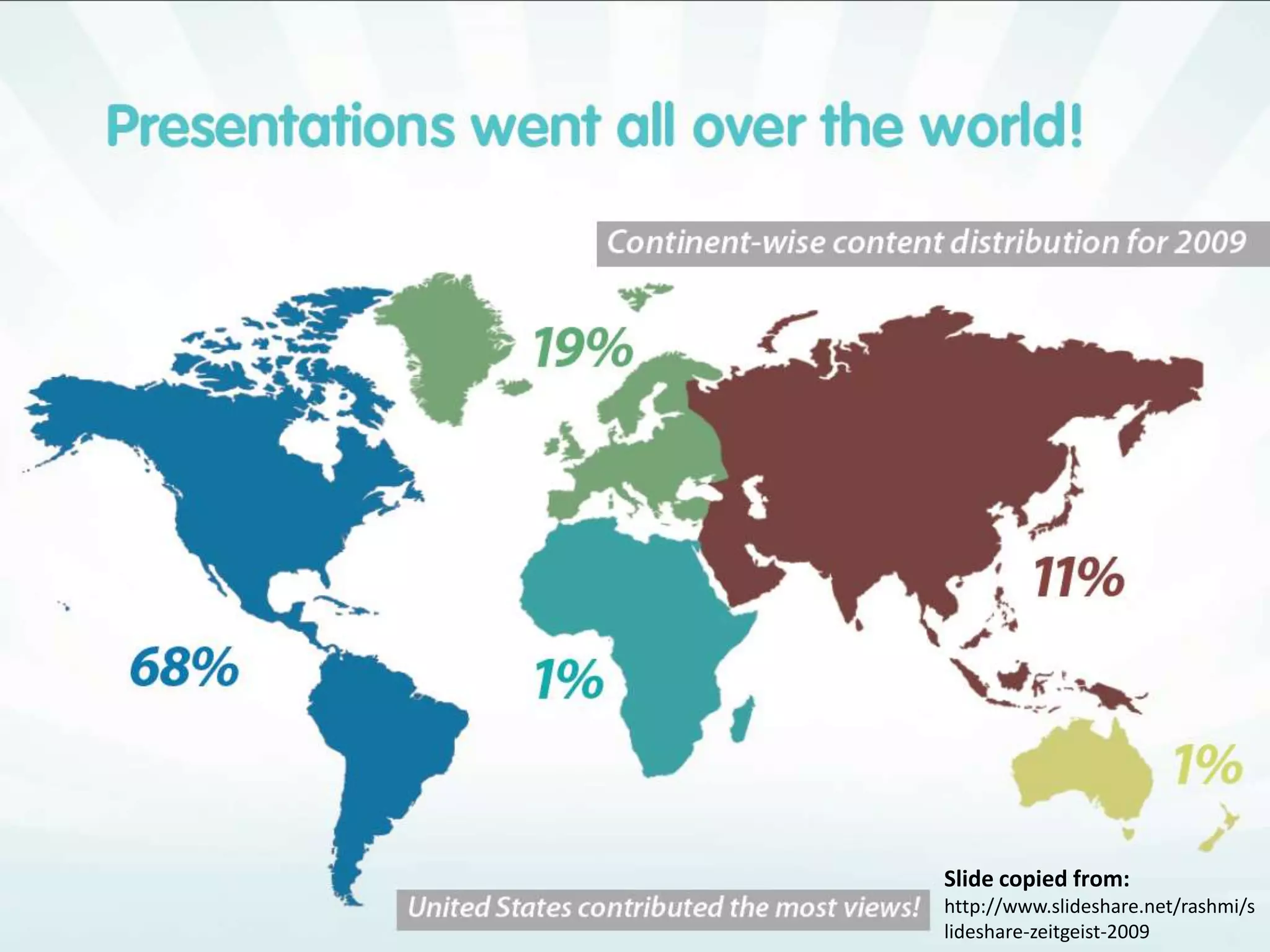
Slide copied from:http://www.slideshare.net/rashmi/slideshare-zeitgeist-2009
How many of these is relevant to you?Slide copied from:http://www.slideshare.net/rashmi/slideshare-zeitgeist-2009
1 Advantages of SlideshareWhat Slideshare can do for you
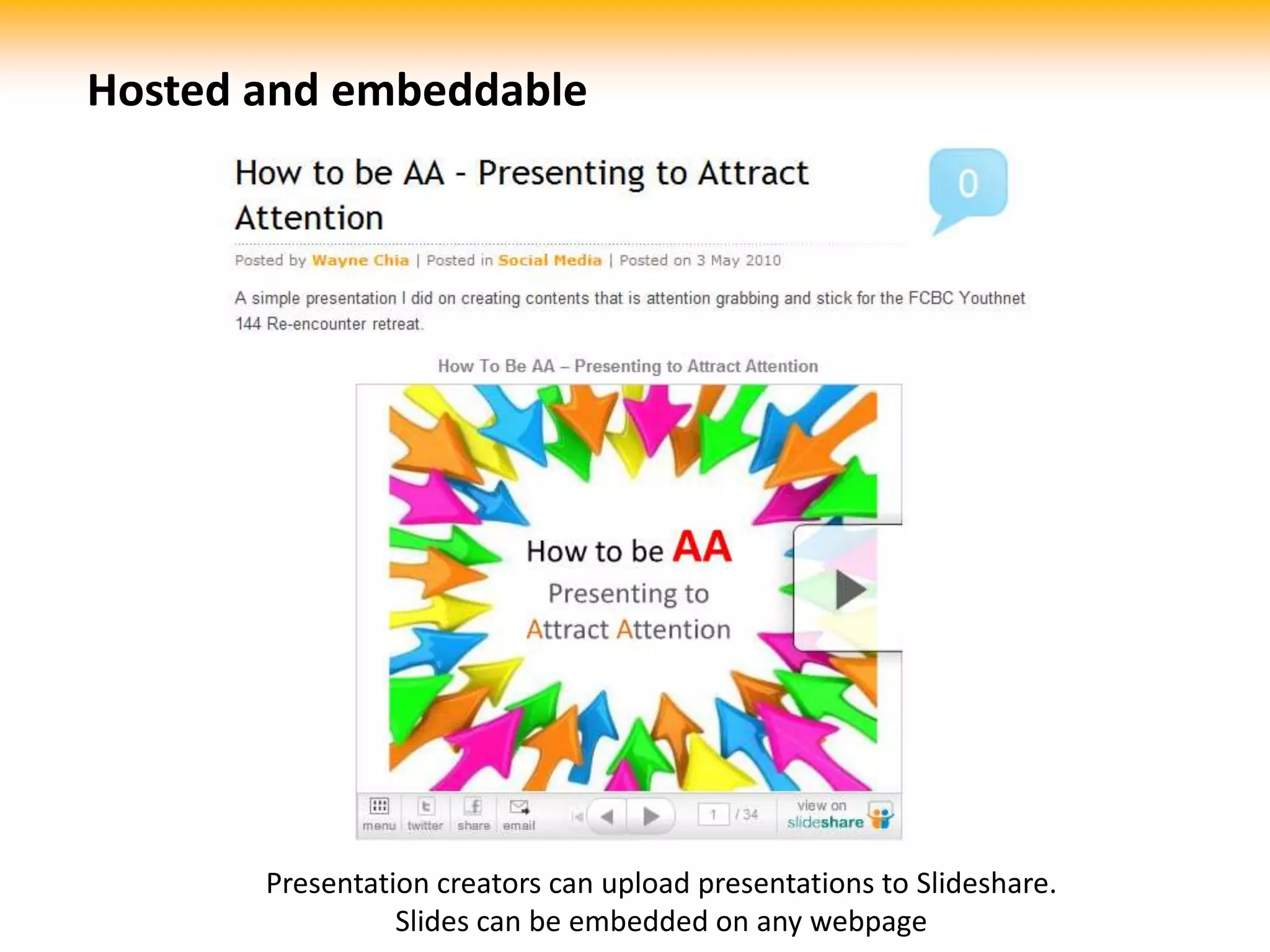
Hosted and embeddablePresentation creators can upload presentations to Slideshare. Slides can be embedded on any webpage
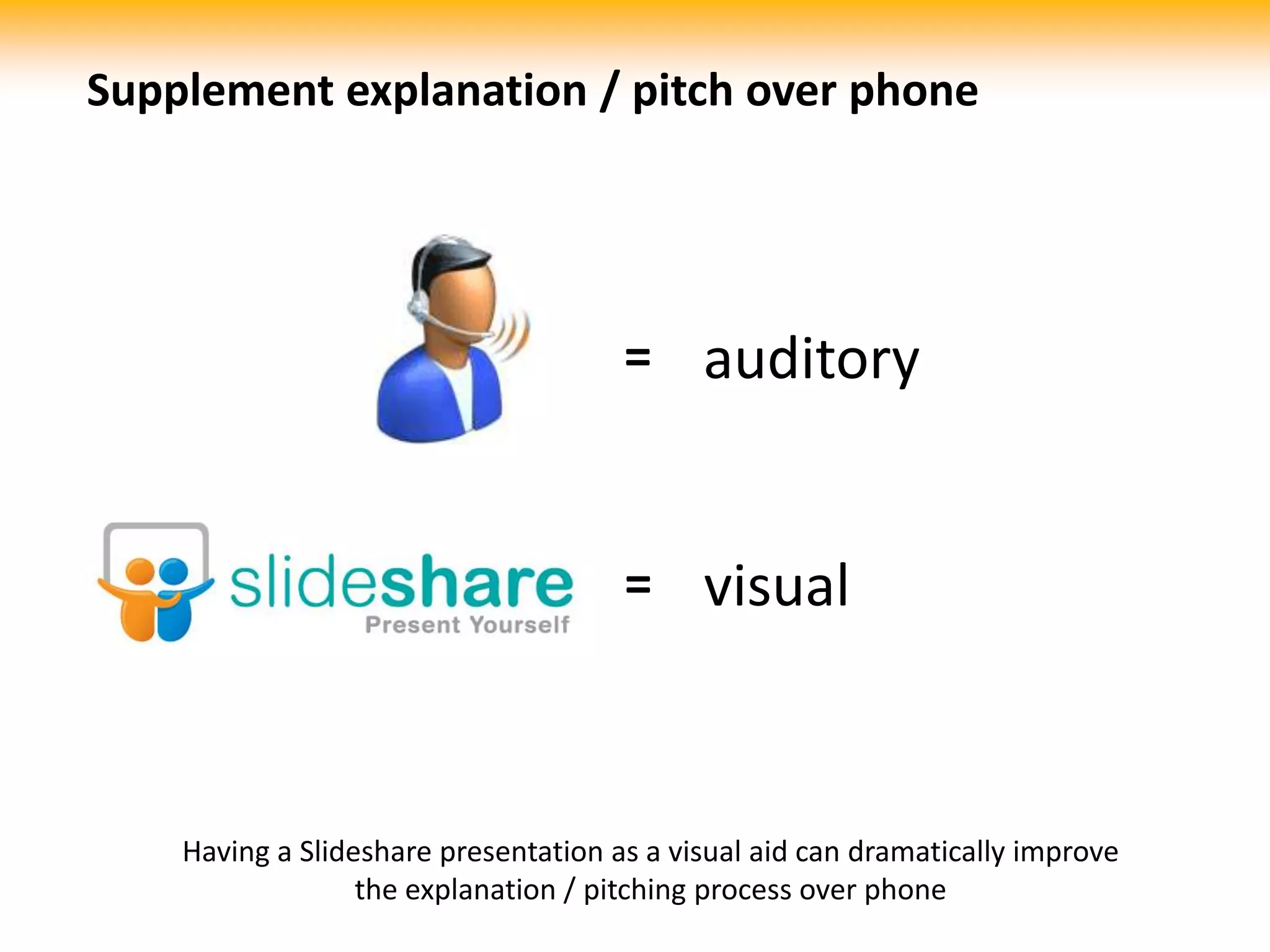
Supplement explanation / pitch over phoneauditory=visual=Having a Slideshare presentation as a visual aid can dramatically improve the explanation / pitching process over phone
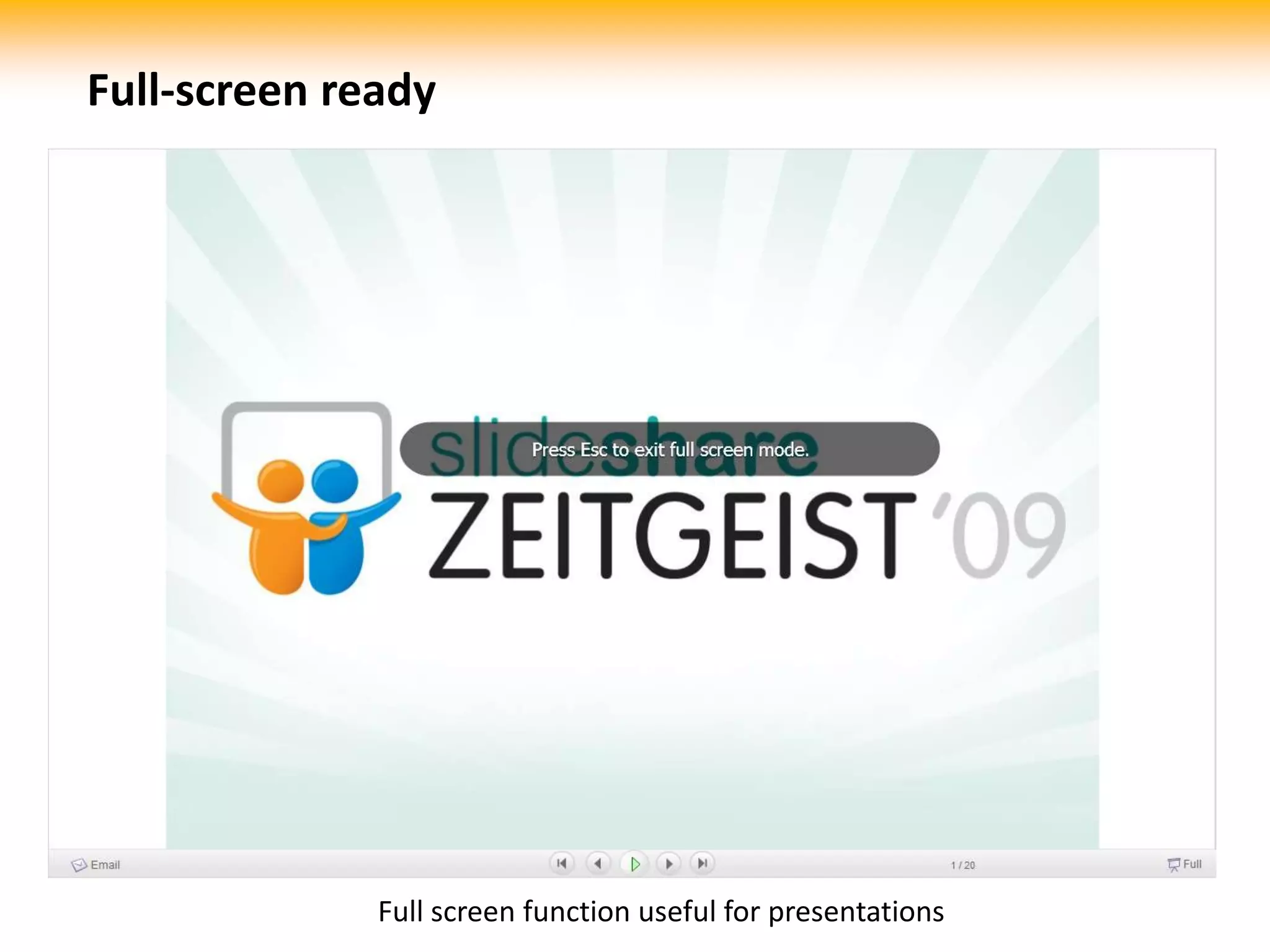
Full-screen readyFull screen function useful for presentations
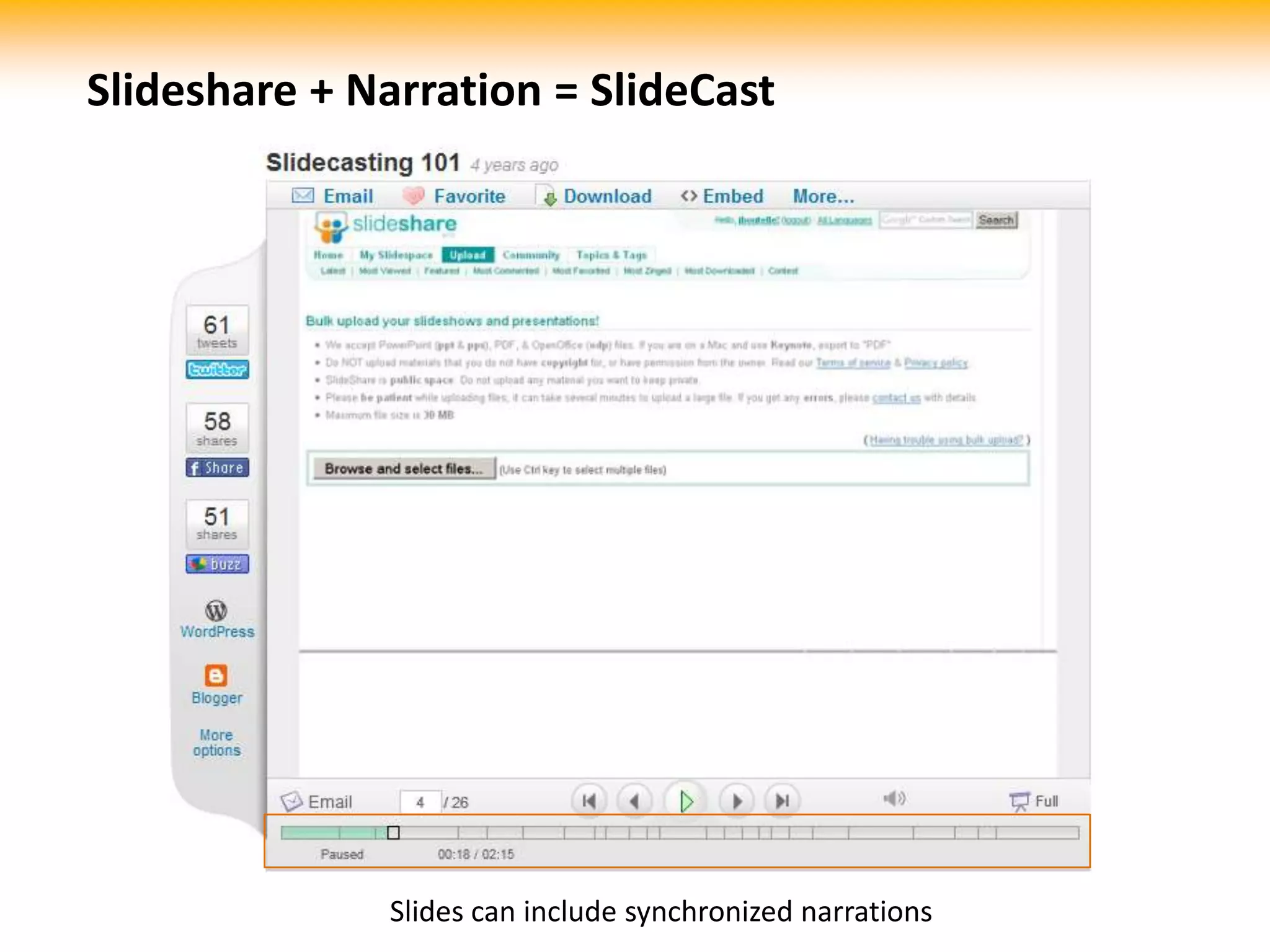
Slideshare + Narration = SlideCastSlides can include synchronized narrations
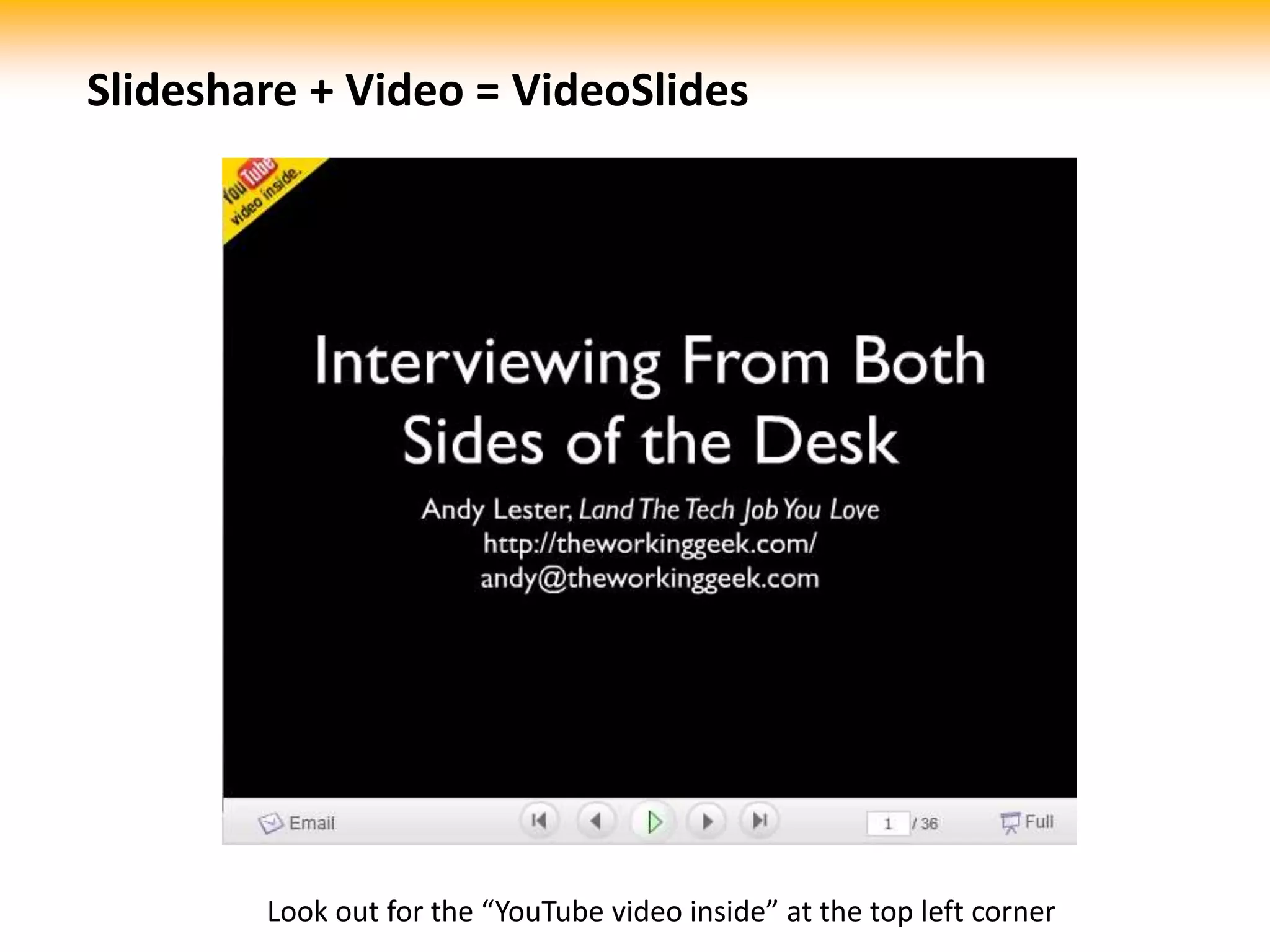
Slideshare + Video = VideoSlidesLook out for the “YouTube video inside” at the top left corner
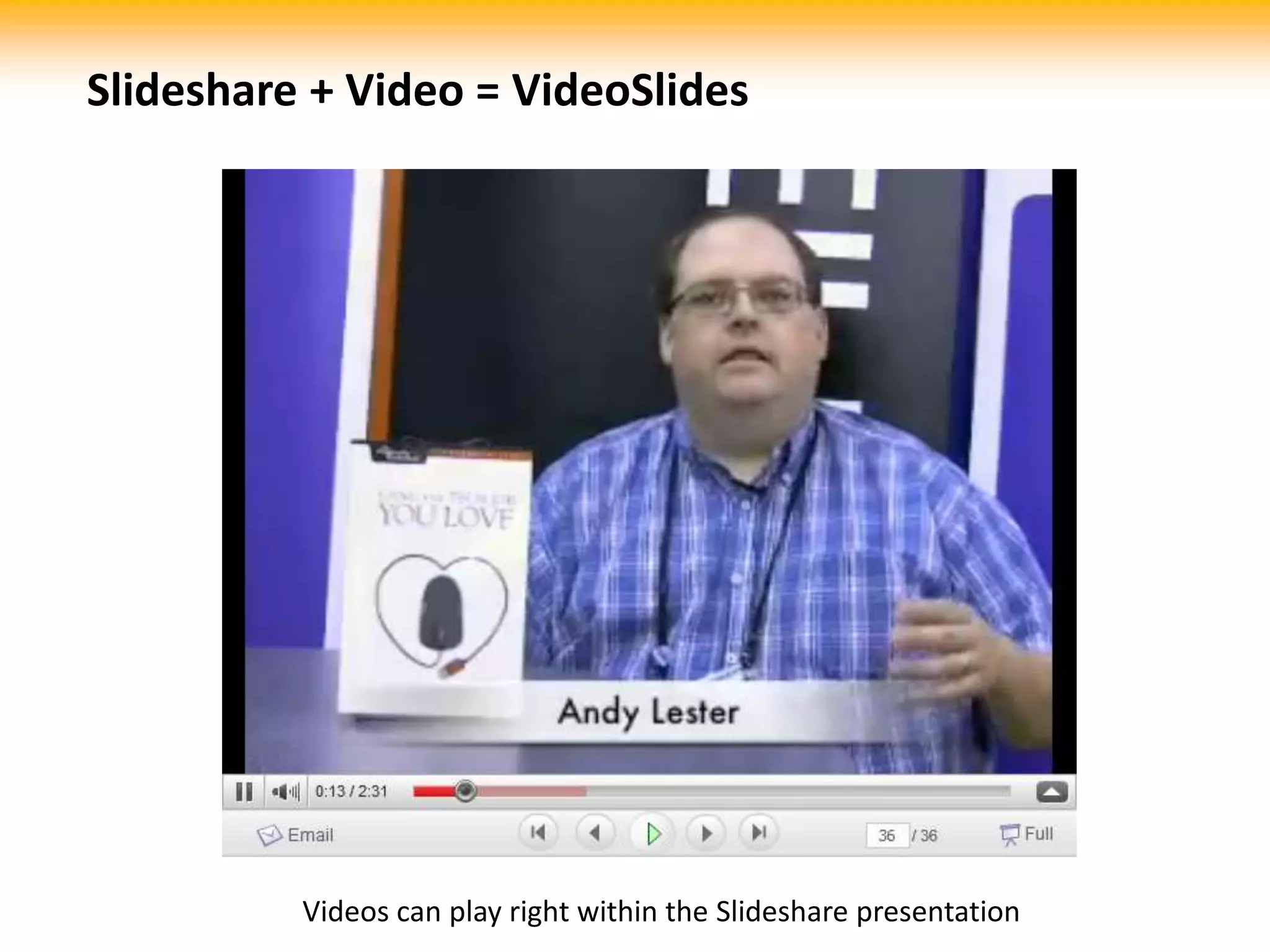
Slideshare + Video = VideoSlidesVideos can play right within the Slideshare presentation
2 Getting “Slideshare Ready”Preparing your slides for Slideshare
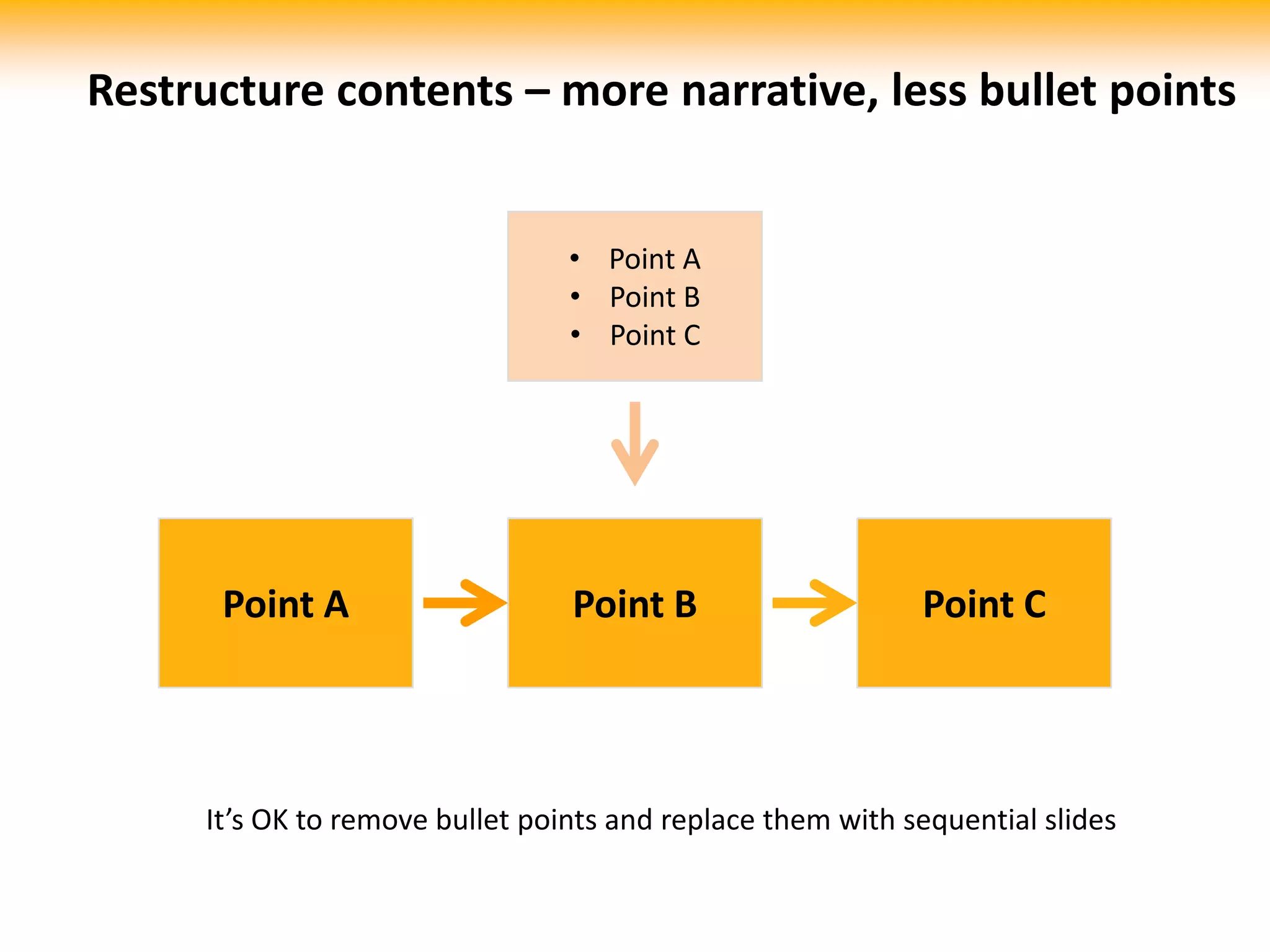
Restructure contents – more narrative, less bullet pointsPoint A
Point B
Point CPoint APoint BPoint CIt’s OK to remove bullet points and replace them with sequential slides
Warning:This is not an excuse to bloat your slide count!Just that simple sequential narration helps info stick better than boring bullet points.
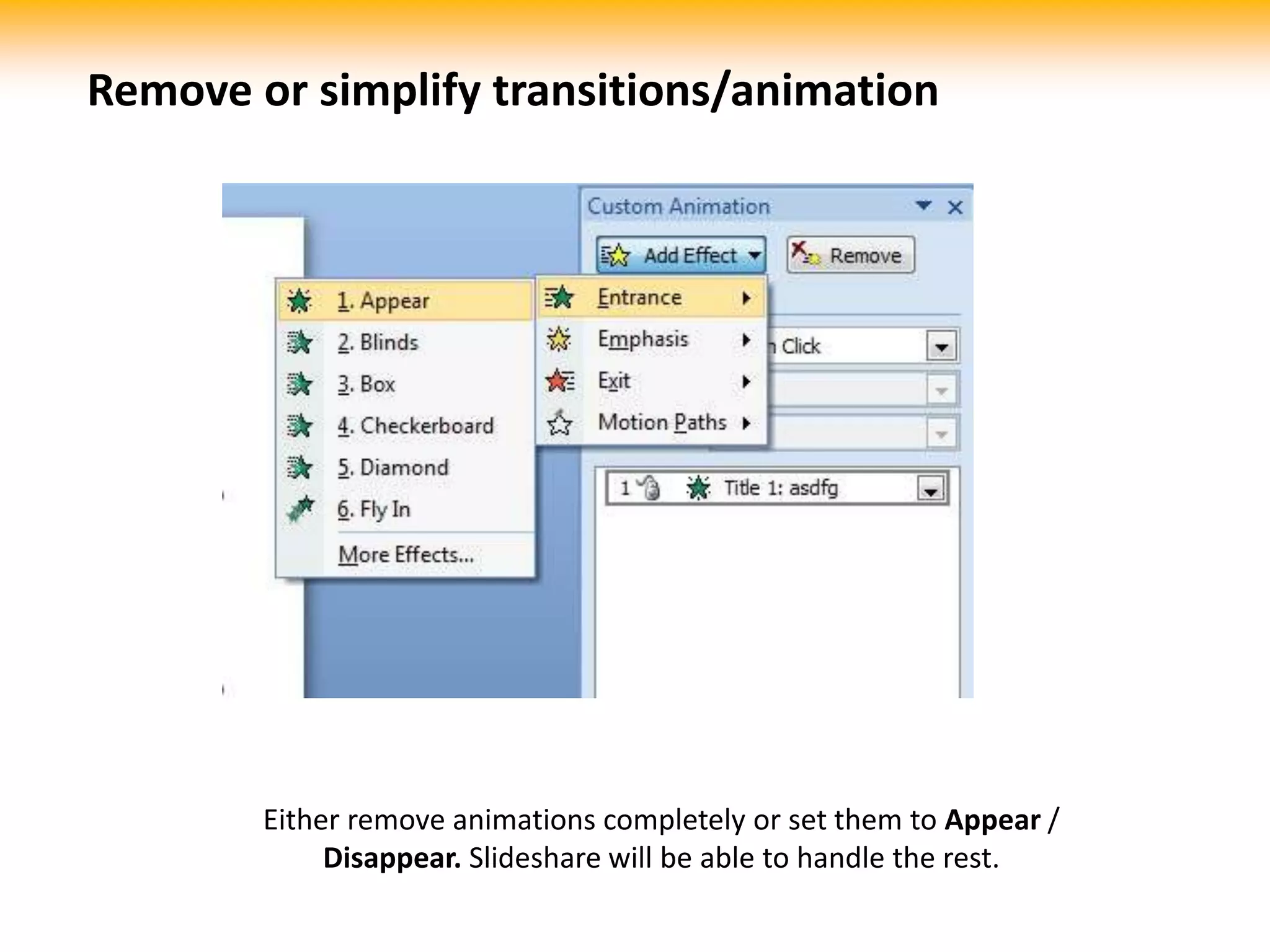
Remove or simplify transitions/animationEither remove animations completely or set them to Appear / Disappear.Slideshare will be able to handle the rest.
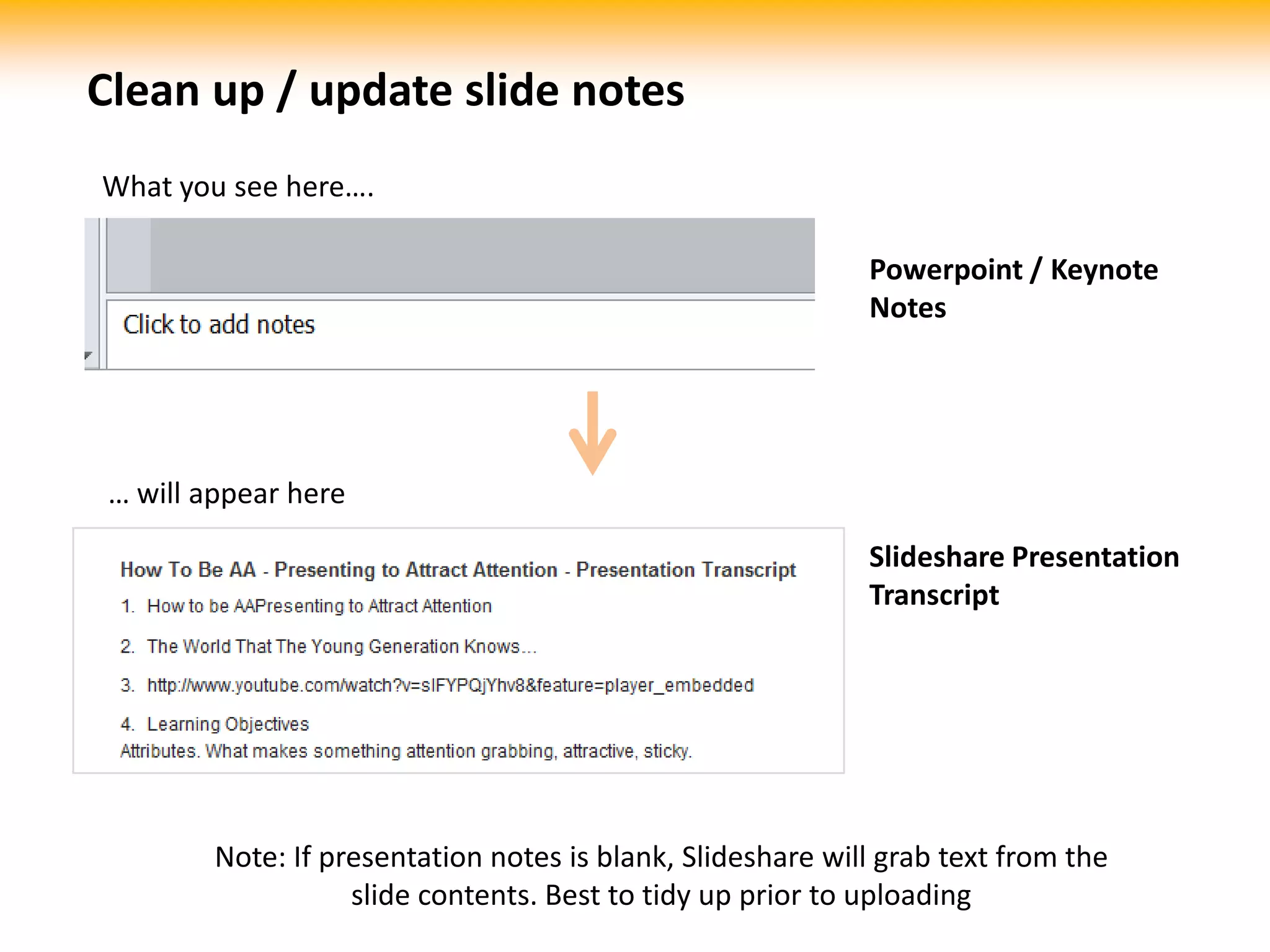
Clean up / update slide notesWhat you see here….Powerpoint / KeynoteNotes… will appear hereSlideshare Presentation TranscriptNote: If presentation notes is blank, Slideshare will grab text from the slide contents. Best to tidy up prior to uploading
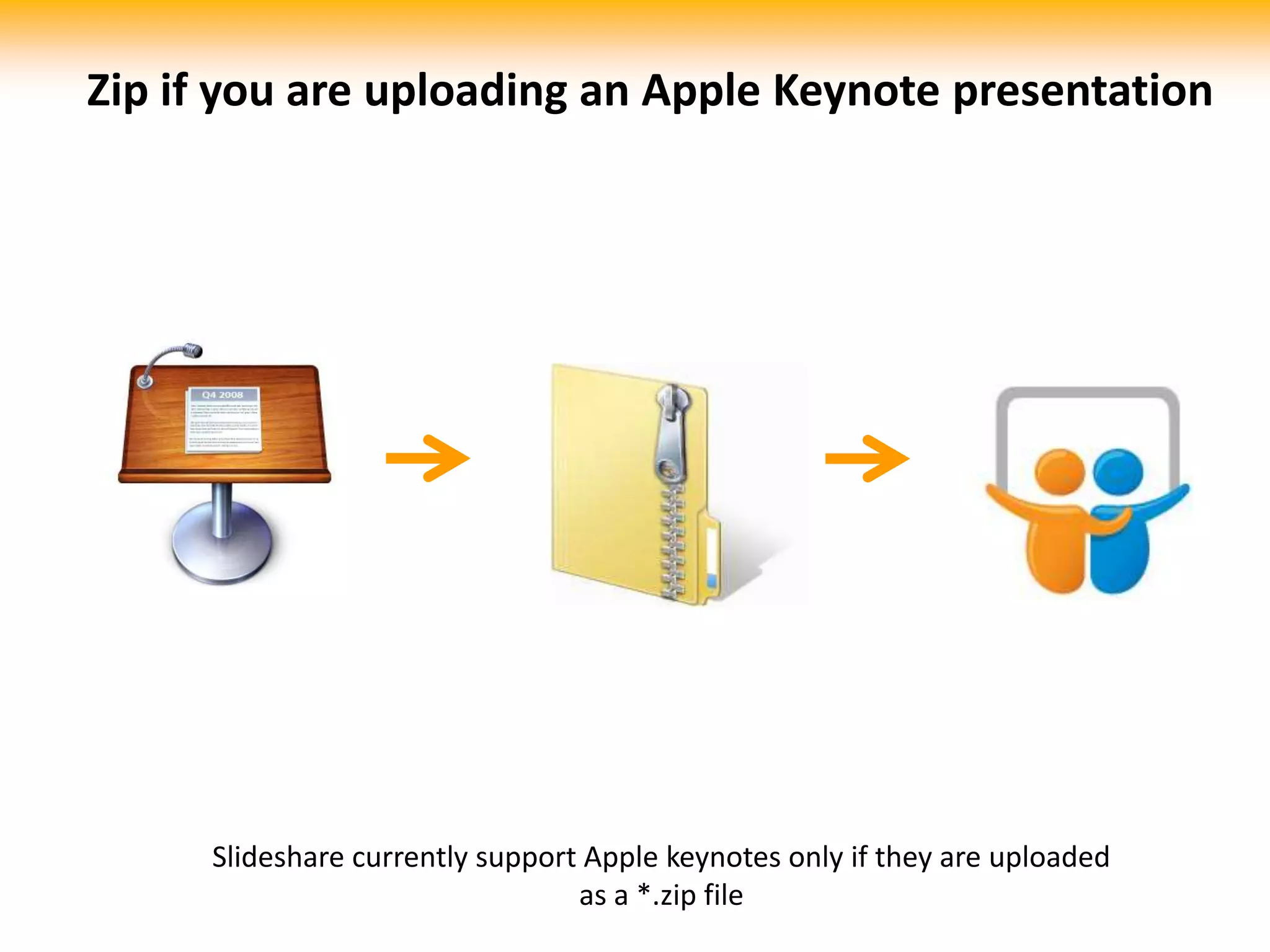
Zip if you are uploading an Apple Keynote presentationSlideshare currently support Apple keynotes only if they are uploaded as a *.zip file
Obtain royalty rights for imagesIt can be embarrassing to put up a slide on the public domain with a watermarked image. Make sure you obtain the rights to display them.(watermarked image property of i-Stockphoto;pun intended)
3 Other cool featuresNice things about Slideshare
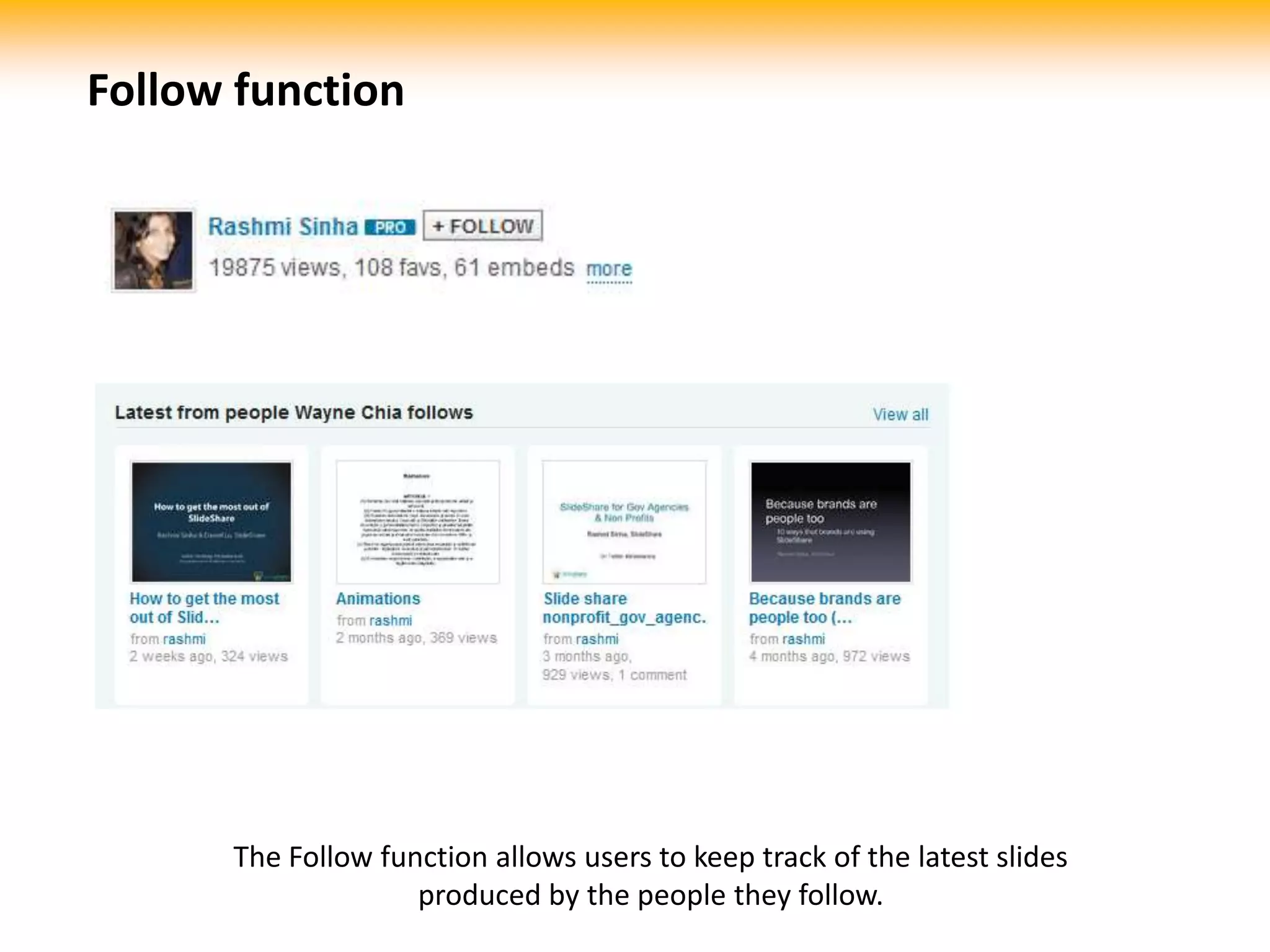
Follow functionThe Follow function allows users to keep track of the latest slides produced by the people they follow.
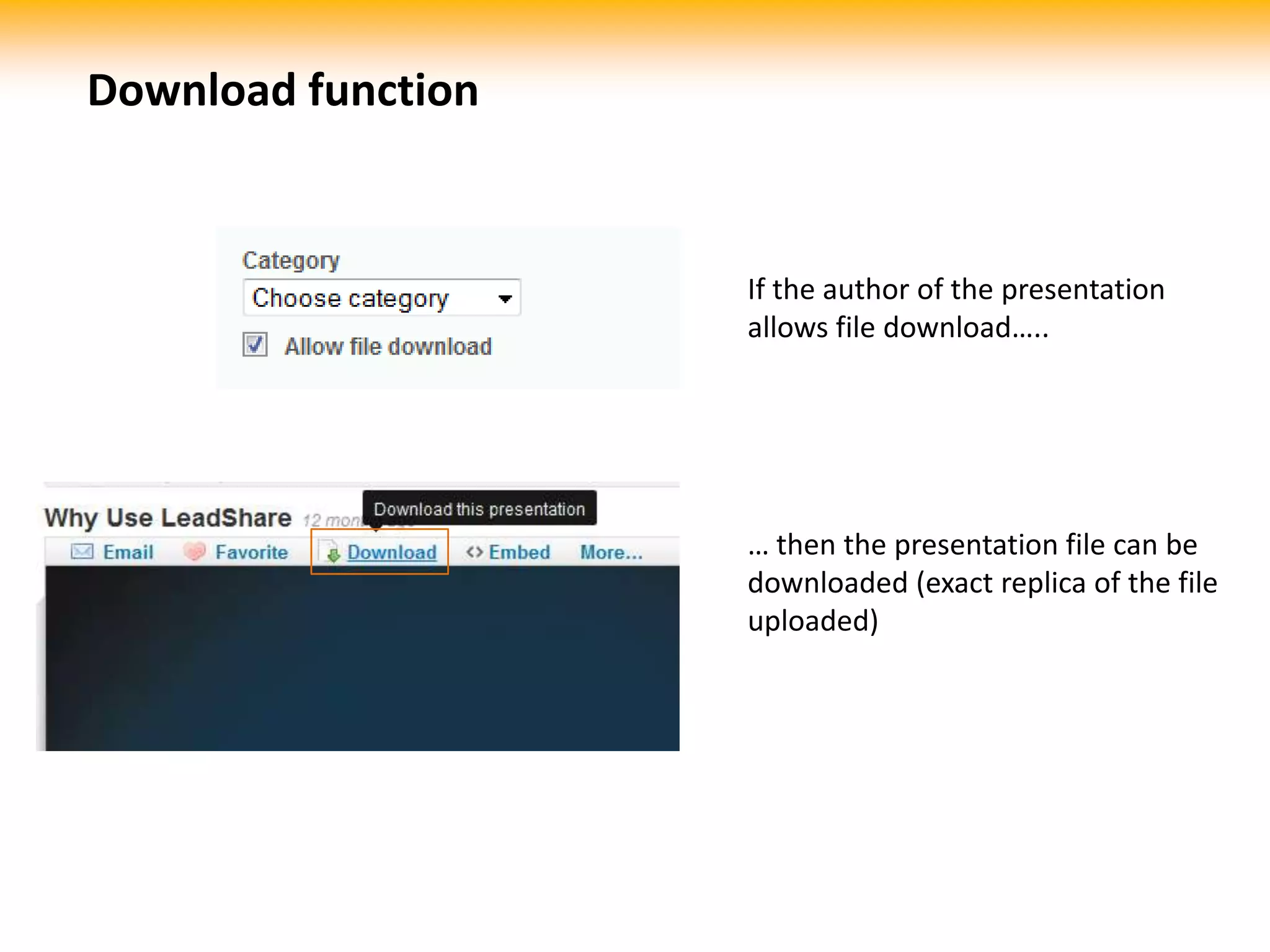
Download functionIf the author of the presentation allows file download…..… then the presentation file can be downloaded (exact replica of the file uploaded)

Sharing with Slideshare

  • 1.
    24 Sep 2010Sharingwith Slideshareby Wayne ChiaEngaging Your Customers Online
  • 2.
    What is Slideshare?videos=docs/ books==presentations
  • 3.
  • 4.
  • 5.
  • 6.
    How many ofthese is relevant to you?Slide copied from:http://www.slideshare.net/rashmi/slideshare-zeitgeist-2009
  • 7.
    1 Advantages ofSlideshareWhat Slideshare can do for you
  • 8.
    Hosted and embeddablePresentationcreators can upload presentations to Slideshare. Slides can be embedded on any webpage
  • 9.
    Supplement explanation /pitch over phoneauditory=visual=Having a Slideshare presentation as a visual aid can dramatically improve the explanation / pitching process over phone
  • 10.
    Full-screen readyFull screenfunction useful for presentations
  • 11.
    Slideshare + Narration= SlideCastSlides can include synchronized narrations
  • 12.
    Slideshare + Video= VideoSlidesLook out for the “YouTube video inside” at the top left corner
  • 13.
    Slideshare + Video= VideoSlidesVideos can play right within the Slideshare presentation
  • 14.
    2 Getting “SlideshareReady”Preparing your slides for Slideshare
  • 15.
    Restructure contents –more narrative, less bullet pointsPoint A
  • 16.
  • 17.
    Point CPoint APointBPoint CIt’s OK to remove bullet points and replace them with sequential slides
  • 18.
    Warning:This is notan excuse to bloat your slide count!Just that simple sequential narration helps info stick better than boring bullet points.
  • 19.
    Remove or simplifytransitions/animationEither remove animations completely or set them to Appear / Disappear.Slideshare will be able to handle the rest.
  • 20.
    Clean up /update slide notesWhat you see here….Powerpoint / KeynoteNotes… will appear hereSlideshare Presentation TranscriptNote: If presentation notes is blank, Slideshare will grab text from the slide contents. Best to tidy up prior to uploading
  • 21.
    Zip if youare uploading an Apple Keynote presentationSlideshare currently support Apple keynotes only if they are uploaded as a *.zip file
  • 22.
    Obtain royalty rightsfor imagesIt can be embarrassing to put up a slide on the public domain with a watermarked image. Make sure you obtain the rights to display them.(watermarked image property of i-Stockphoto;pun intended)
  • 23.
    3 Other coolfeaturesNice things about Slideshare
  • 24.
    Follow functionThe Followfunction allows users to keep track of the latest slides produced by the people they follow.
  • 25.
    Download functionIf theauthor of the presentation allows file download…..… then the presentation file can be downloaded (exact replica of the file uploaded)
  • 26.
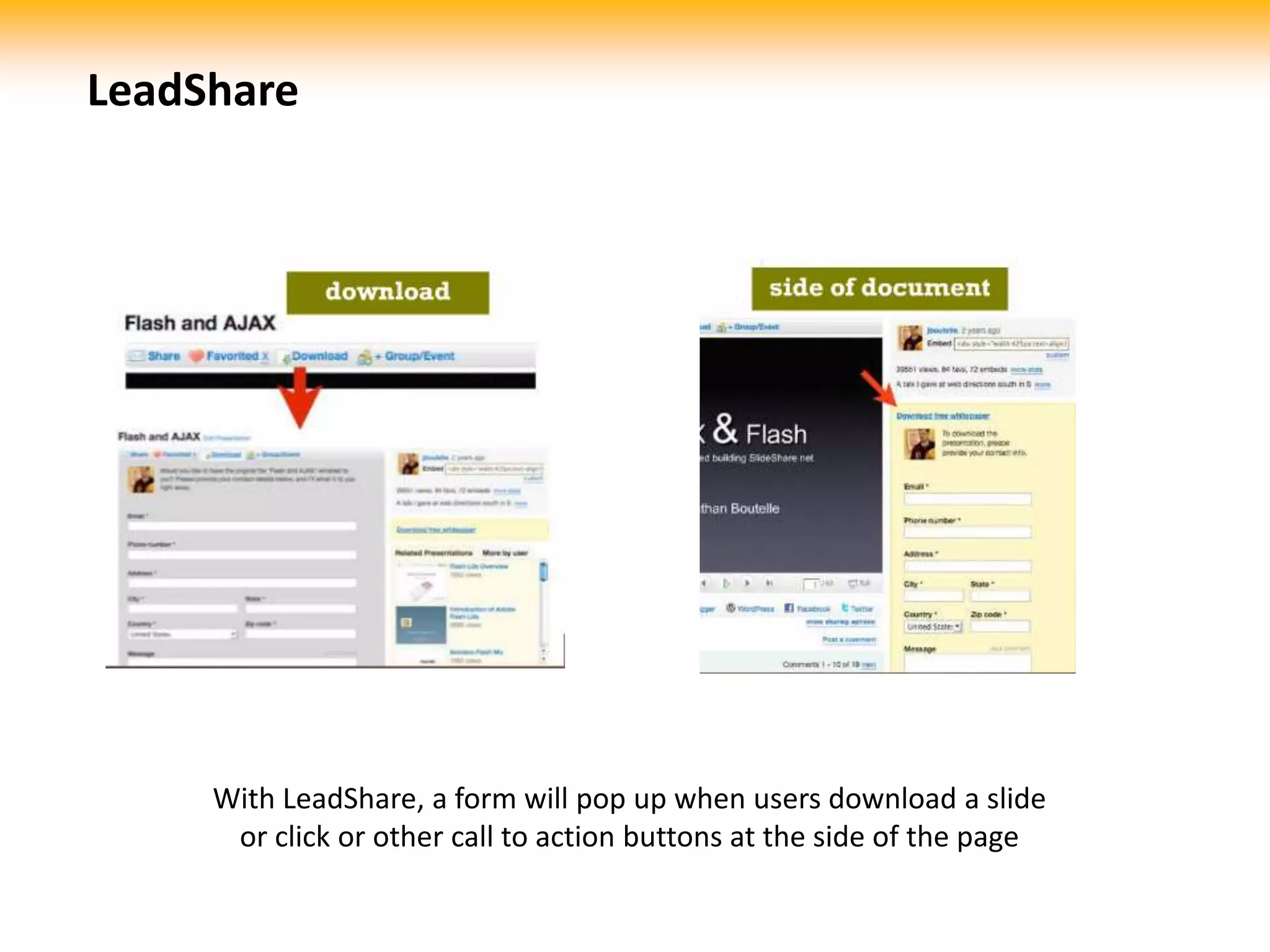
    LeadShareWith LeadShare, aform will pop up when users download a slide or click or other call to action buttons at the side of the page
  • 27.
    Thank youEmail :info@techsailor.com Website : http://www.techsailor.comChina中国广东省广州市天河区黄埔大道中207号海景花园C栋1801邮编:510665 电话 : +86 020 8567 0704传真 : +86 020 8567 0704MalaysiaLot 2-1A, Support Services, Technology Park Malaysia, LebuhrayaPuchong-Sg. Besi, Bukit Jalil, 57000 Kuala Lumpur, Malaysia. Tel: +60 38994 1750 / 1751Fax: +60 32297 5390Singapore156 Macpherson Road, #08-01, Singapore 348528Tel: +65 6748 8522Fax: +65 6836 4963

Editor's Notes

  • #2 Techsharing 24 Sep 2010 - Sharing with Slideshare. By Wayne Chia, Techsailor Group
  • #3 Slideshare is to presentations what Youtube is to videos and Scribd is to documents and books
  • #4 Why should you bother with Slideshare
  • #5 Some statistics on the traffic on Slideshare:20 million monthly visitors80% of them business decision makers
  • #6 Viewers of theSlideshare presentations come from all over the world, with the majority from the US
  • #7 Of all the slides on Slideshare, the top 12 tags are business, management, marketing, social, media, hotel, travel, finance, earnings, quarterly, income and web. If your business or area of expertise fall under these tags, it’s time you get serious about Slideshare.
  • #8 Advantages of Slideshare – what Slideshare can do for you?
  • #9 Hosted and embeddable - Presentation creators can upload presentations to Slideshare. Slides can be embedded on any webpage
  • #10 Supplement explanation / pitch over phone - Having a Slideshare presentation as a visual aid can dramatically improve the explanation / pitching process over phone
  • #11 Full-screen ready – Full-screen function can be extremely useful for live-size presentations
  • #12 Slideshare + Narration = SlideCast - Slides can include narrations synchronized with specific transitions
  • #13 Slideshare + Video = VideoSlides – Look out for the “YouTube video inside” at the top left cornerto identify videoslides
  • #14 Videoslides plays Youtube videos within the slides seamlessly
  • #15 Getting “Slideshare Ready” – preparing your slides for Slideshare
  • #16 Restructure contents – more narrative, less bullet points - It’s OK to remove bullet points and replace them with sequential slides
  • #17 Warning: This is not an excuse to bloat your slide count!Just that simple sequential narration helps info stick better than boring bullet points.
  • #18 Remove or simplify transitions/animation - Either remove animations completely or set them to Appear / Disappear.Slideshare will be able to convert the animation as separate slides.
  • #19 Clean up / update slide notes - Slide notes within powerpoint and keynote files will appear as presentation transcript of a Slideshare slide. If presentation notes is blank, Slideshare will grab text from the slide contents. Best to tidy up prior to uploading.
  • #20 Zip if you are uploading an Apple Keynote presentation - Slideshare currently support Apple keynotes only if they are uploaded as a *.zip file
  • #21 Obtain royalty rights for images - It can be embarrassing to put up a slide on the public domain with a watermarked image. Make sure you obtain the rights to display them.
  • #22 Other cool features – Nice things about Slideshare
  • #23 Follow function - The Follow function allows users to keep track of the latest slides produced by the people they follow.
  • #24 Download function - If the author of the presentation allows file download, then the presentation file can be downloaded (exact replica of the file uploaded).
  • #25 Leadshare - With LeadShare, a form will pop up when users download a slide or click or other call to action buttons at the side of the page
  • #26 Thank you. If you have any more questions, do not hesitate to contact us!