Shaders
A brief introduction to rendering,
shaders and Unity CG shaders
Matias Lavik Dimension10
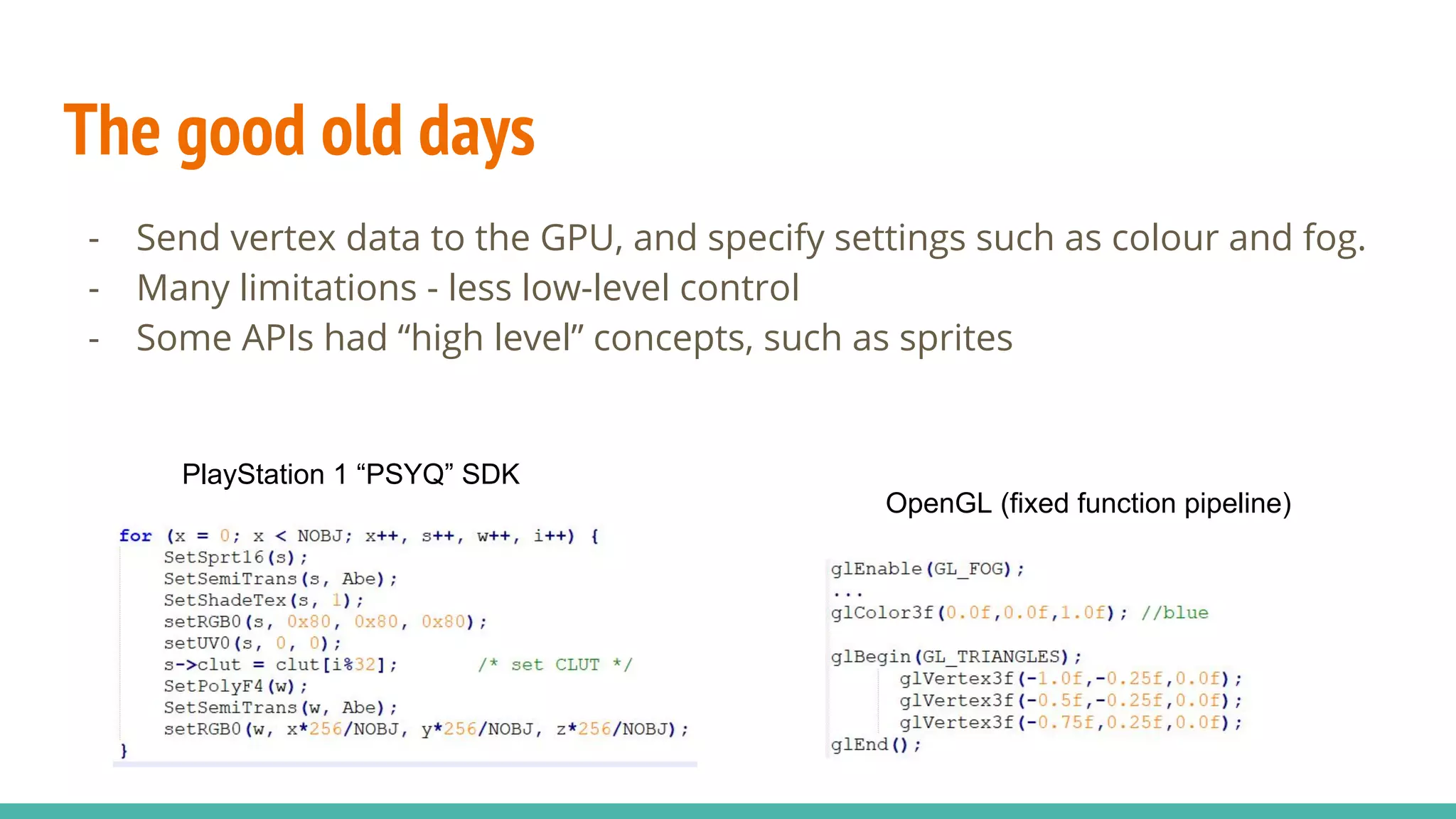
The good old days
- Send vertex data to the GPU, and specify settings such as colour and fog.
- Many limitations - less low-level control
- Some APIs had “high level” concepts, such as sprites
PlayStation 1 “PSYQ” SDK
OpenGL (fixed function pipeline)
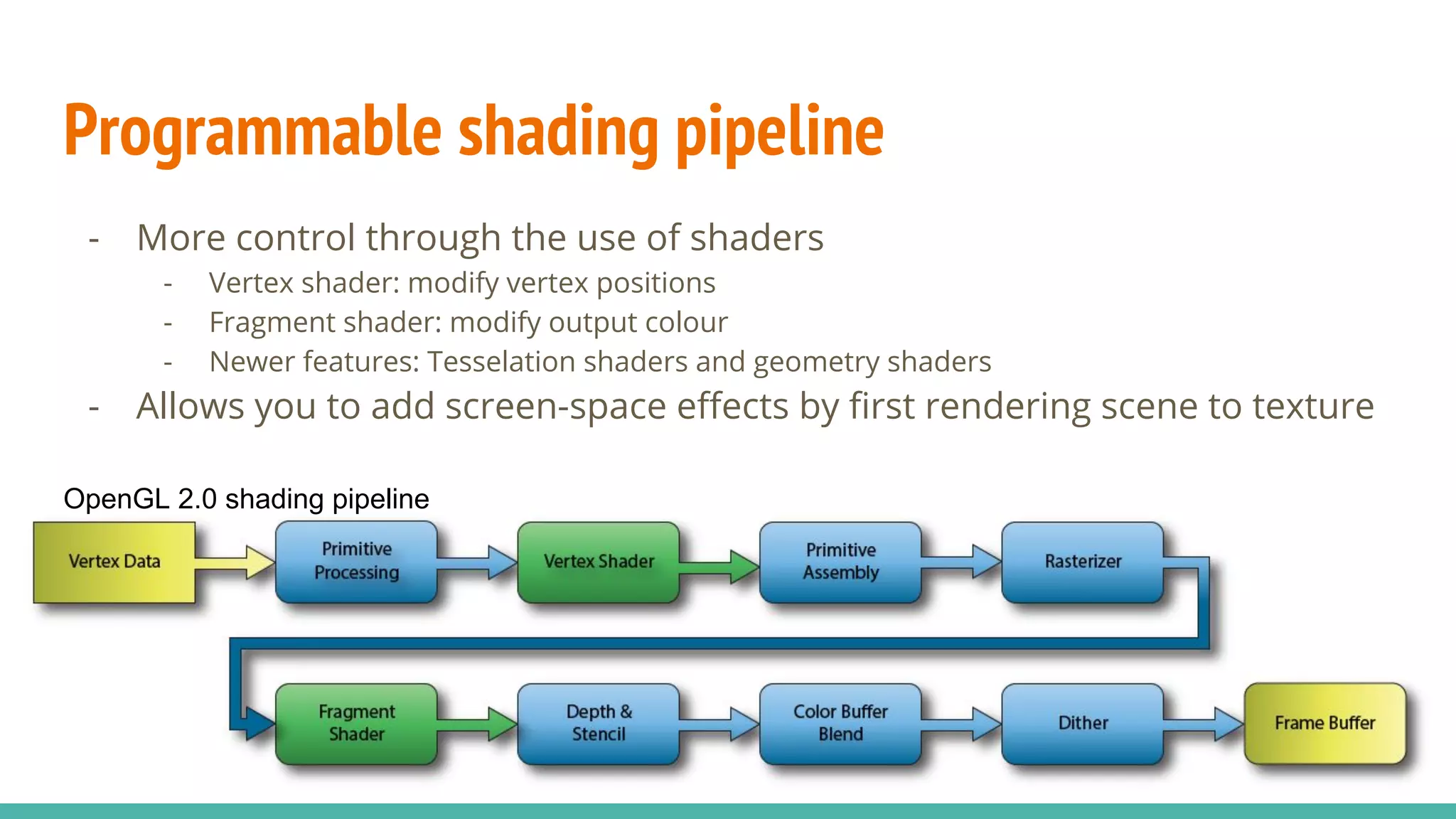
Programmable shading pipeline
- More control through the use of shaders
- Vertex shader: modify vertex positions
- Fragment shader: modify output colour
- Newer features: Tesselation shaders and geometry shaders
- Allows you to add screen-space effects by first rendering scene to texture
OpenGL 2.0 shading pipeline
Some terminology
Vertex
- Wikipedia: “a point where two or more curves, lines, or edges meet”
- Usually: A point (and its position, normal, texCoord, etc.) in a triangle
● Position
● Normal
● Texture coordinate
● Tangent / Bitangent
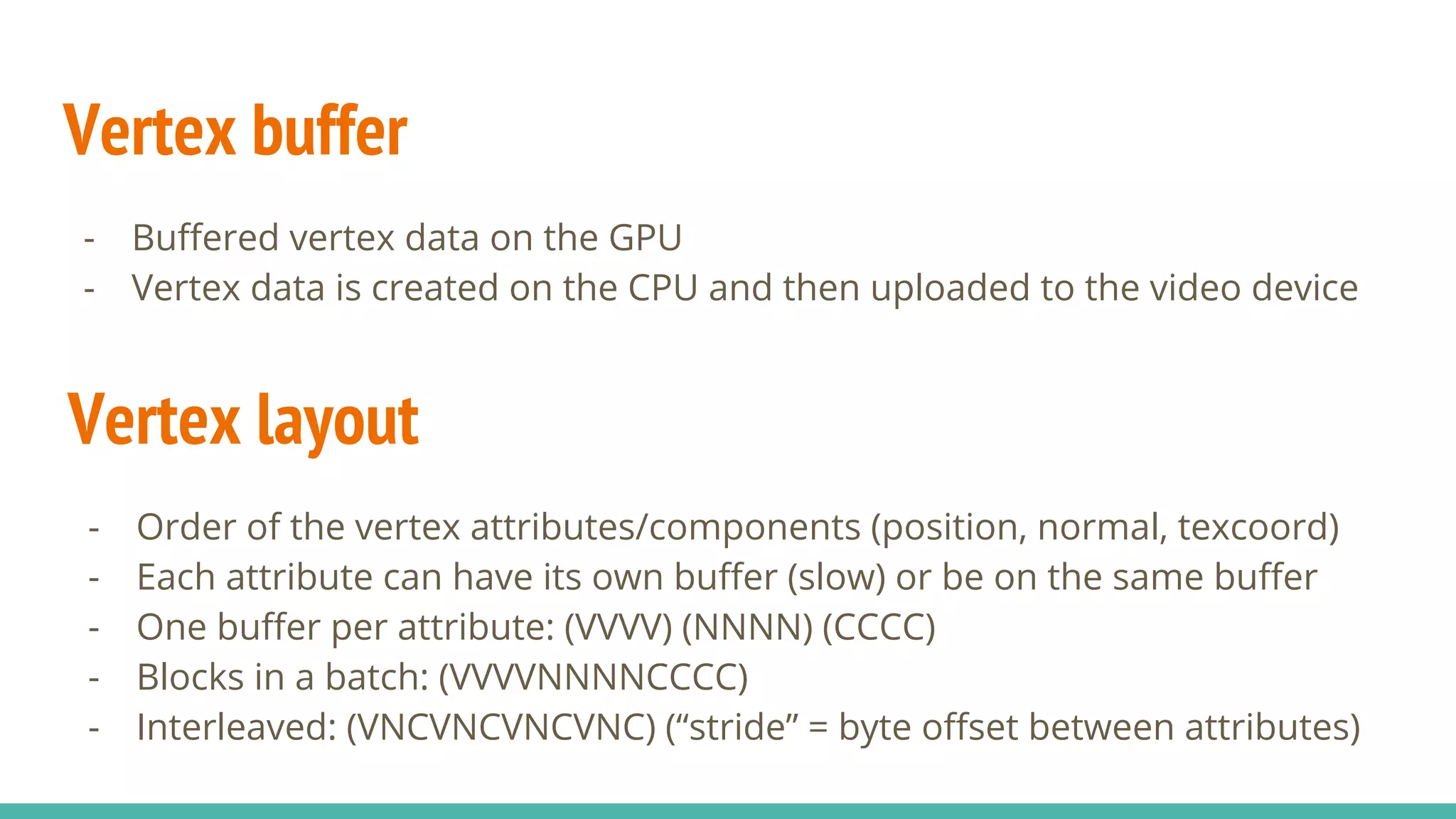
Vertex buffer
- Buffered vertex data on the GPU
- Vertex data is created on the CPU and then uploaded to the video device
Vertex layout
- Order of the vertex attributes/components (position, normal, texcoord)
- Each attribute can have its own buffer (slow) or be on the same buffer
- One buffer per attribute: (VVVV) (NNNN) (CCCC)
- Blocks in a batch: (VVVVNNNNCCCC)
- Interleaved: (VNCVNCVNCVNC) (“stride” = byte offset between attributes)
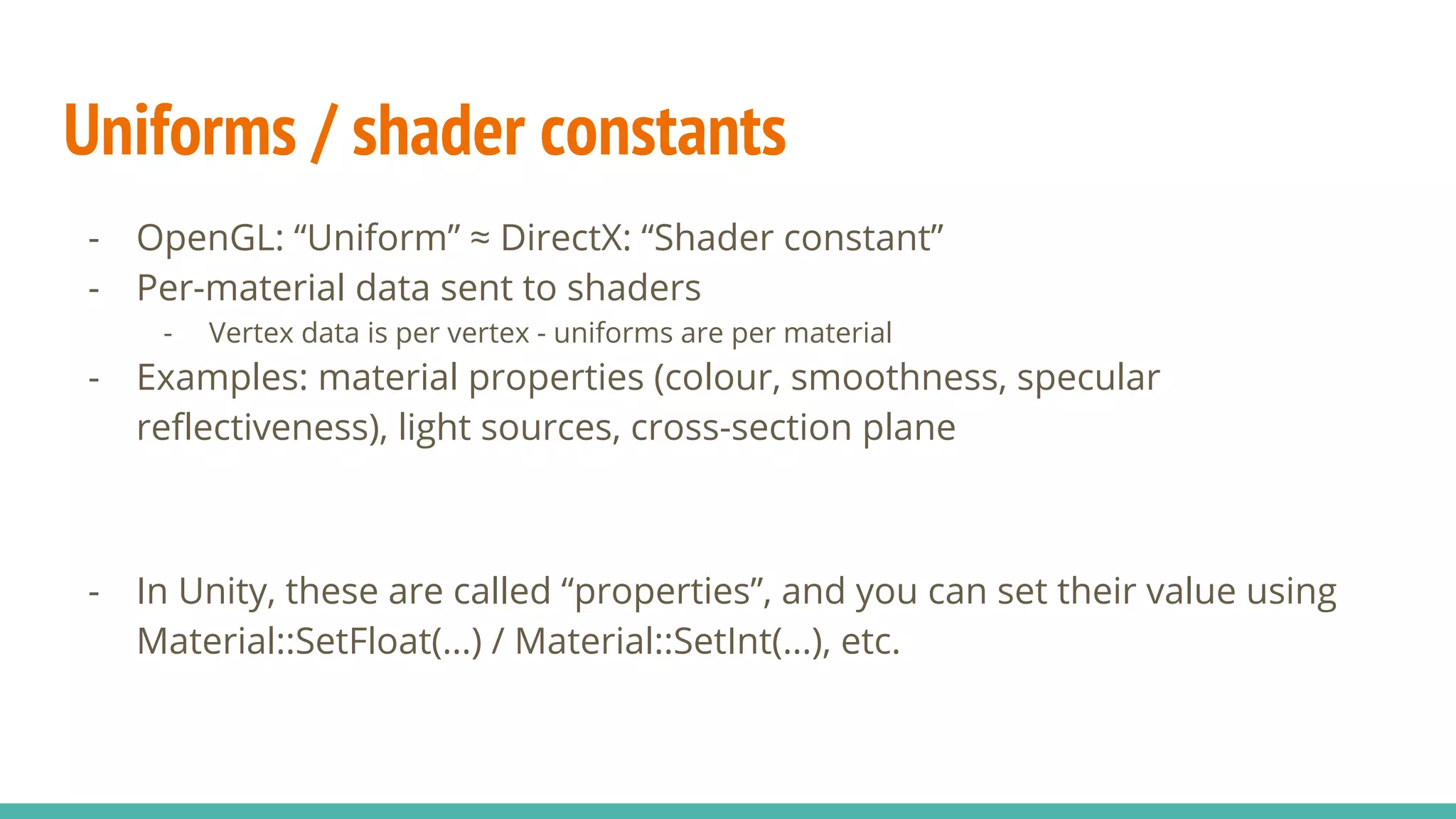
Uniforms / shader constants
- OpenGL: “Uniform” ≈ DirectX: “Shader constant”
- Per-material data sent to shaders
- Vertex data is per vertex - uniforms are per material
- Examples: material properties (colour, smoothness, specular
reflectiveness), light sources, cross-section plane
- In Unity, these are called “properties”, and you can set their value using
Material::SetFloat(...) / Material::SetInt(...), etc.
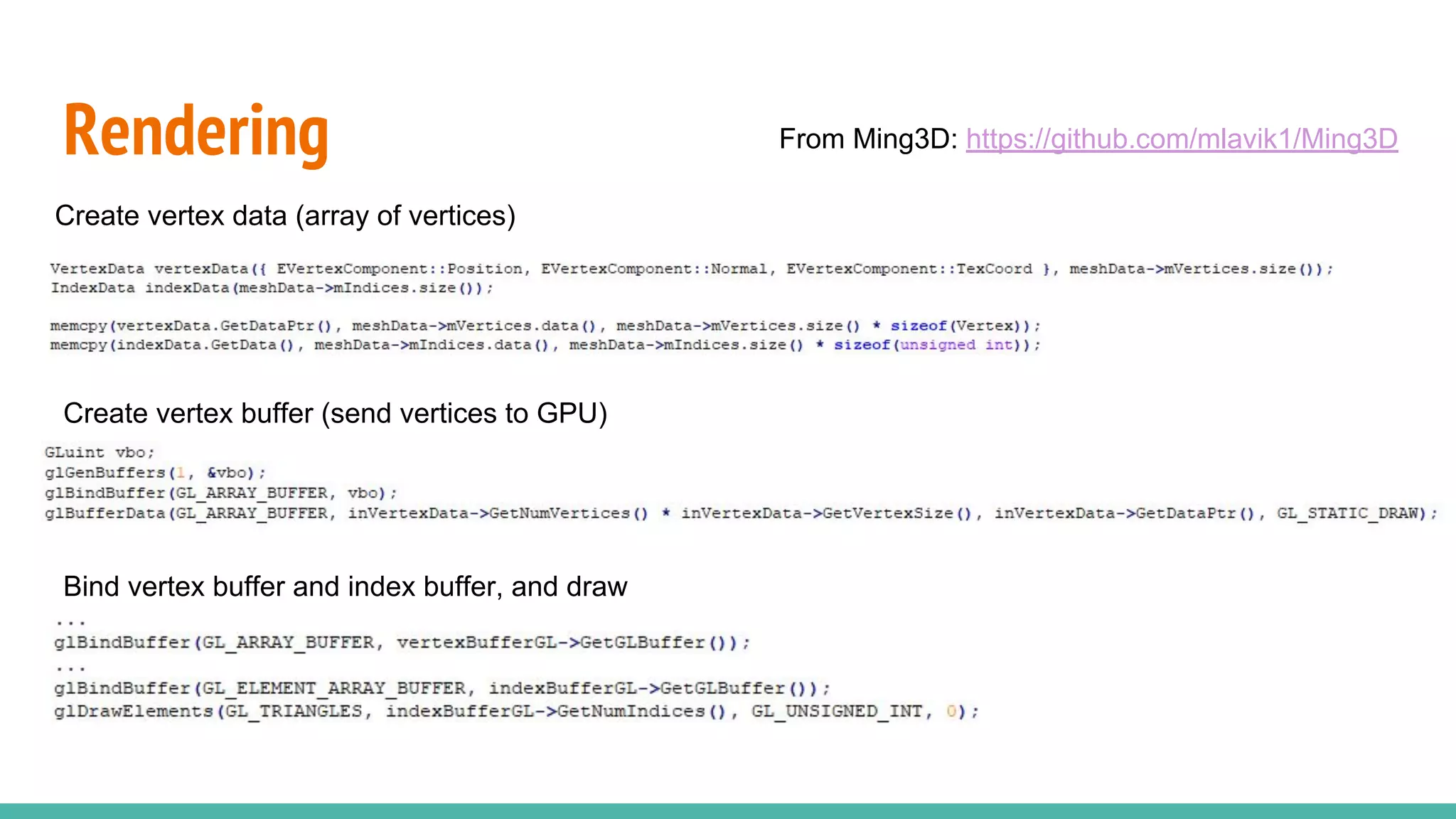
Rendering
Create vertex data (array of vertices)
Create vertex buffer (send vertices to GPU)
Bind vertex buffer and index buffer, and draw
From Ming3D: https://github.com/mlavik1/Ming3D
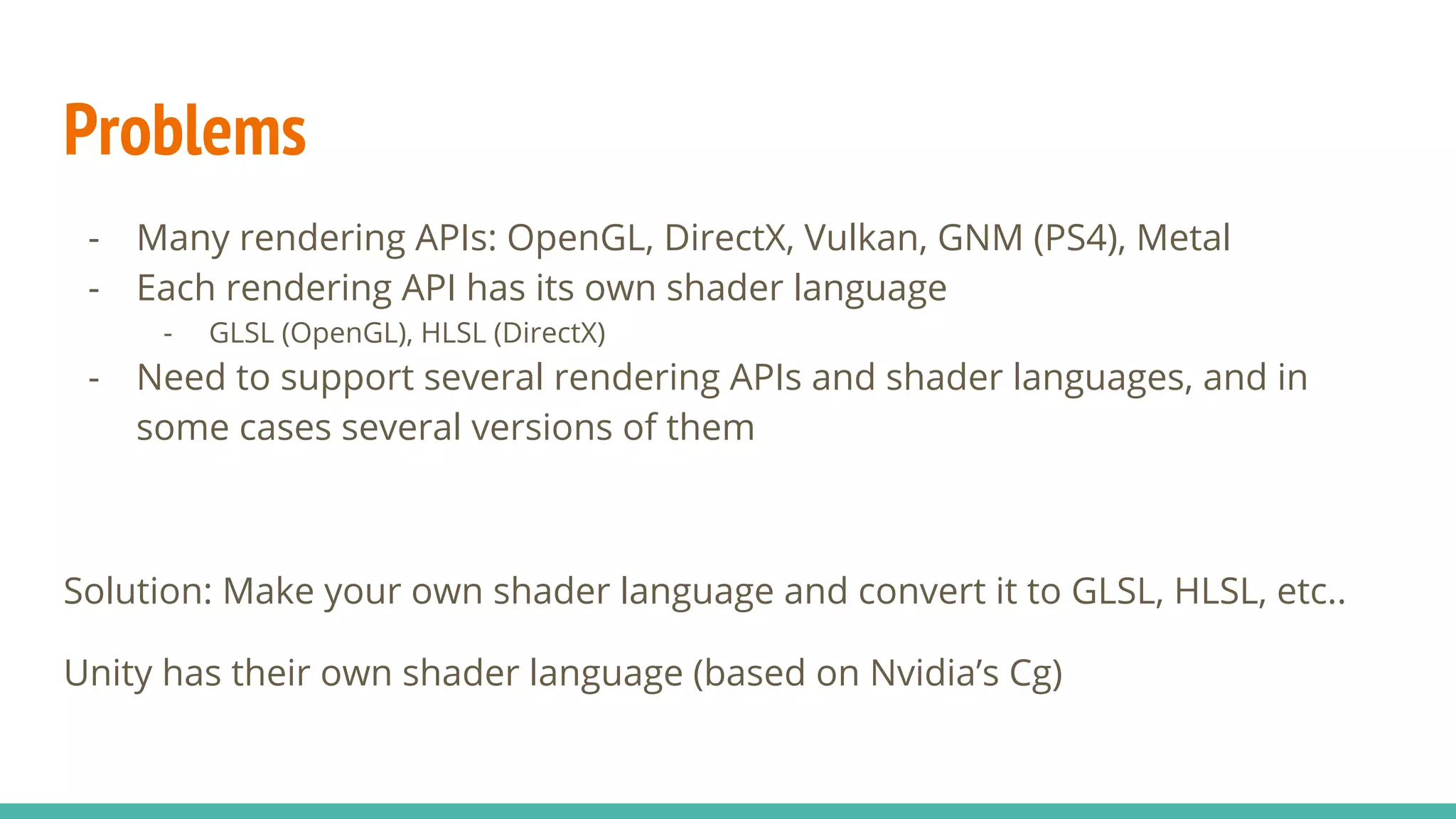
Problems
- Many rendering APIs: OpenGL, DirectX, Vulkan, GNM (PS4), Metal
- Each rendering API has its own shader language
- GLSL (OpenGL), HLSL (DirectX)
- Need to support several rendering APIs and shader languages, and in
some cases several versions of them
Solution: Make your own shader language and convert it to GLSL, HLSL, etc..
Unity has their own shader language (based on Nvidia’s Cg)
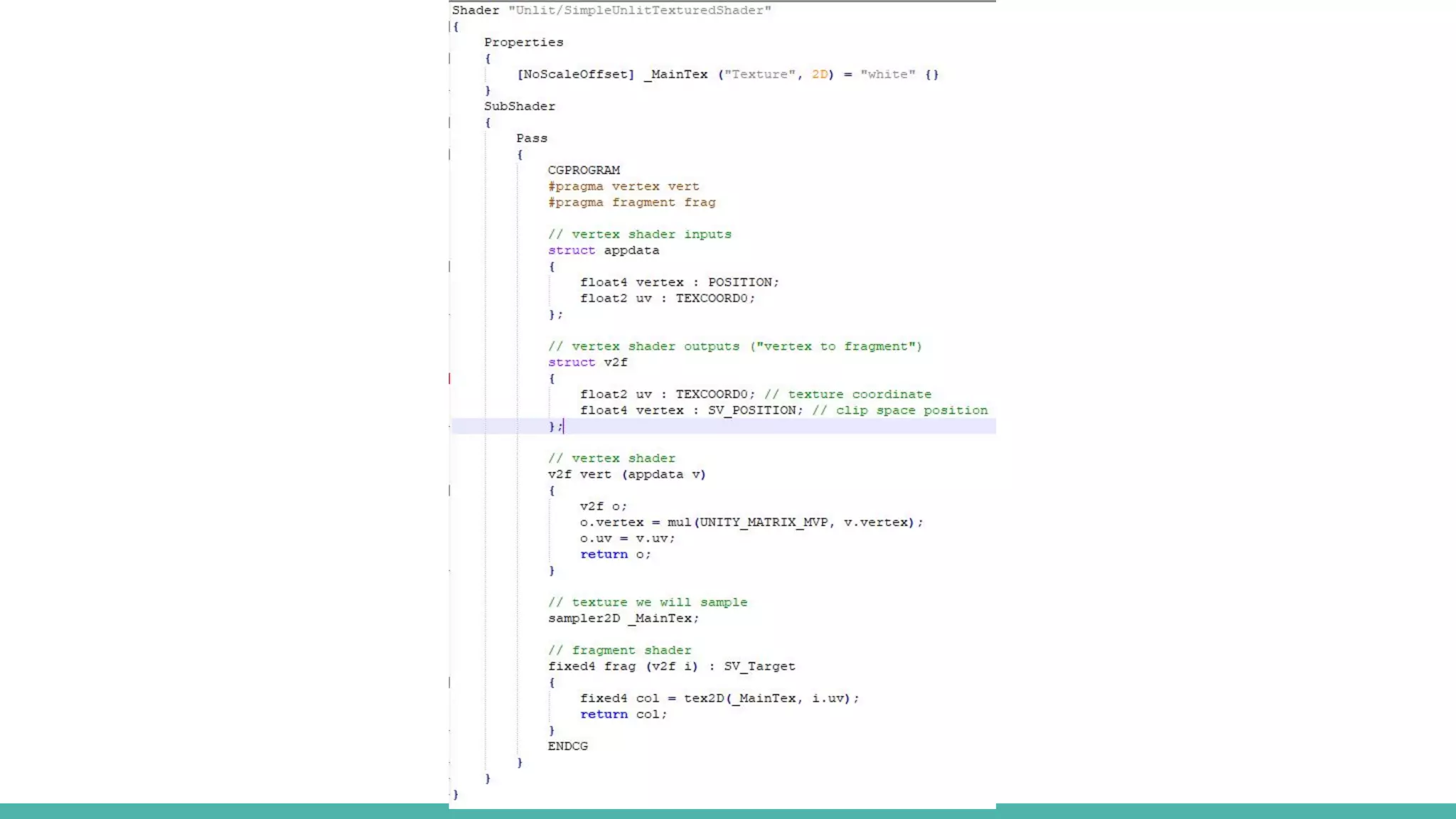
Unity shader example
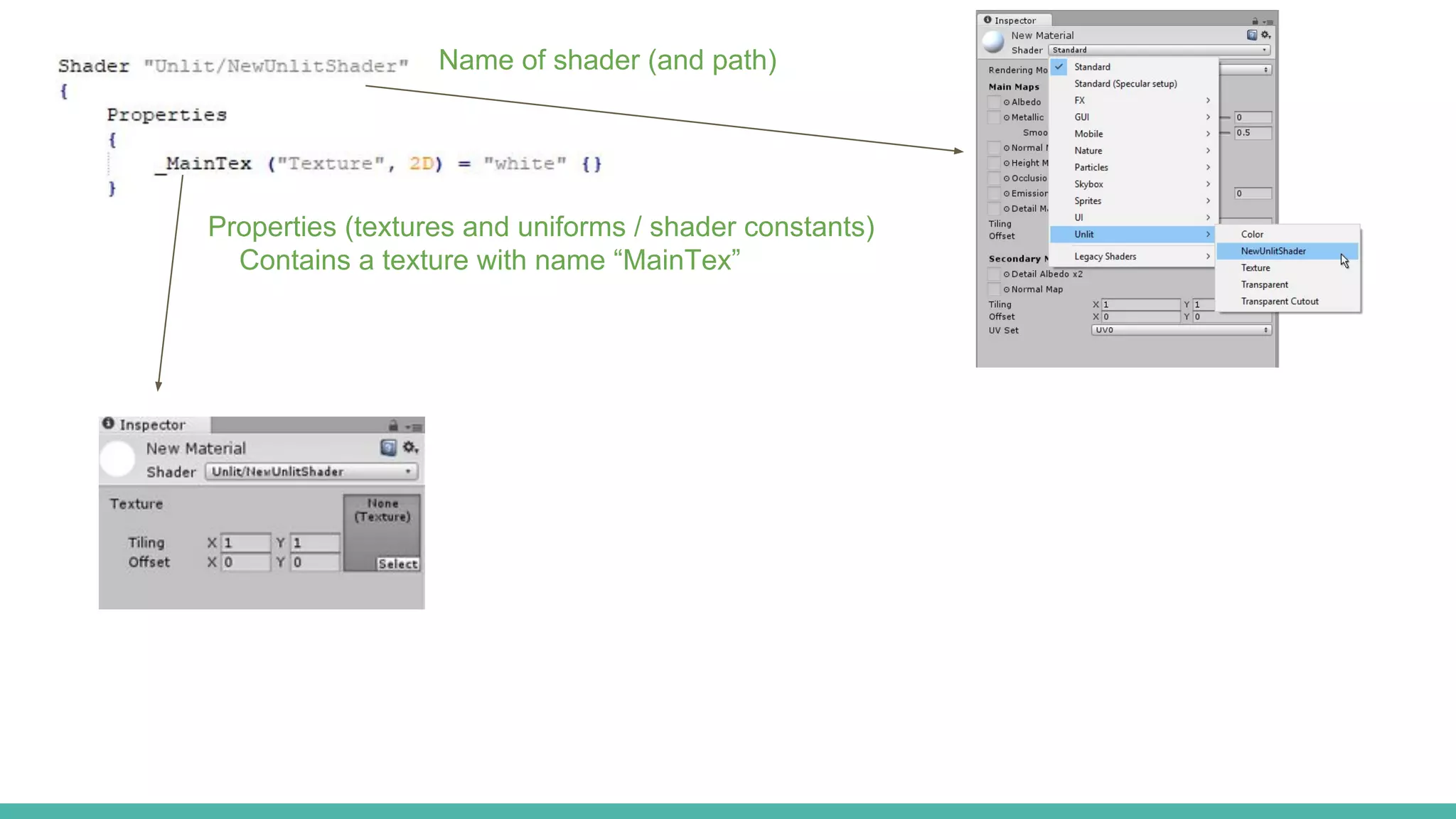
Name of shader (and path)
Properties (textures and uniforms / shader constants)
Contains a texture with name “MainTex”
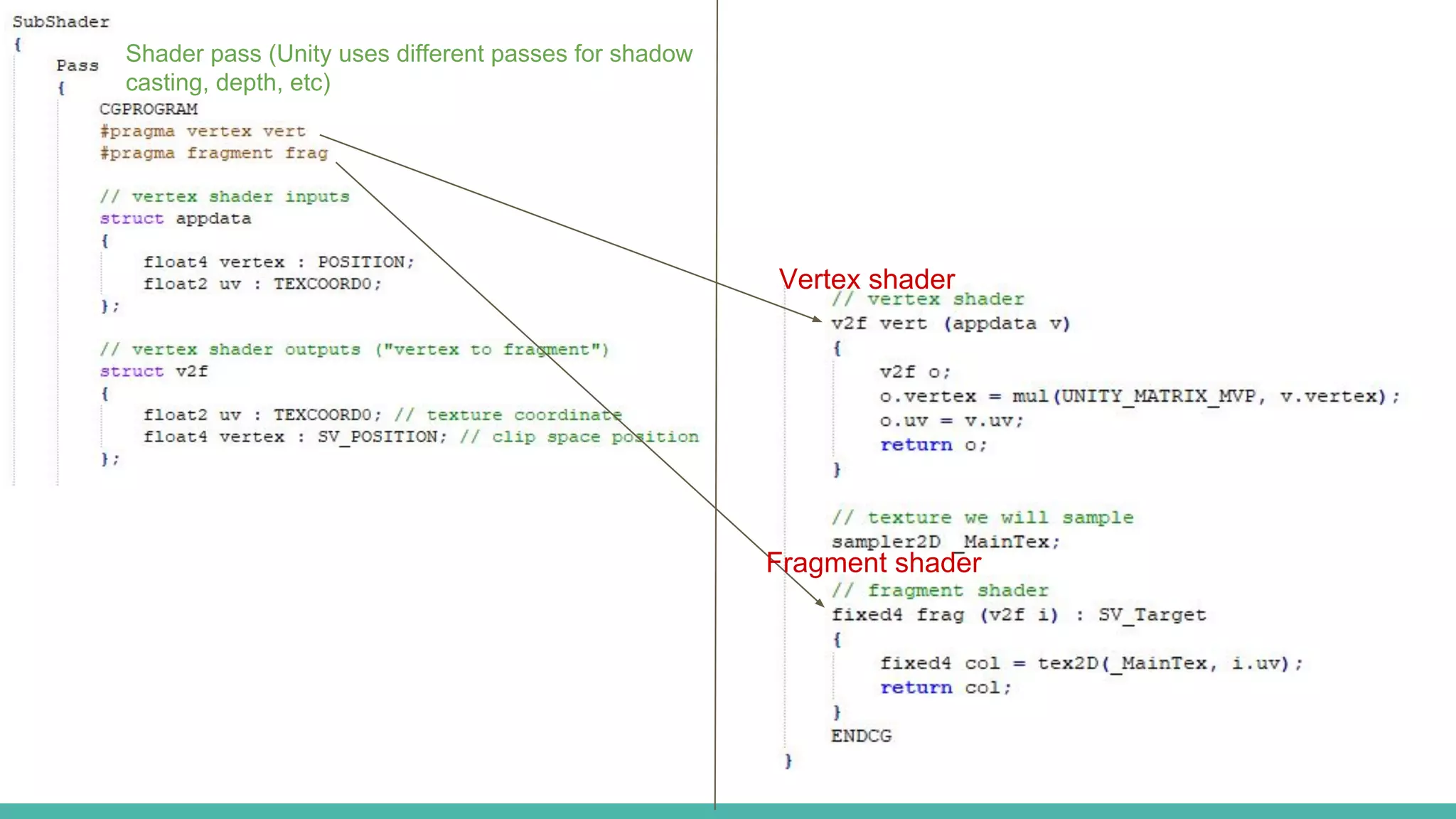
Shader pass (Unity uses different passes for shadow
casting, depth, etc)
Vertex shader
Fragment shader
Various features
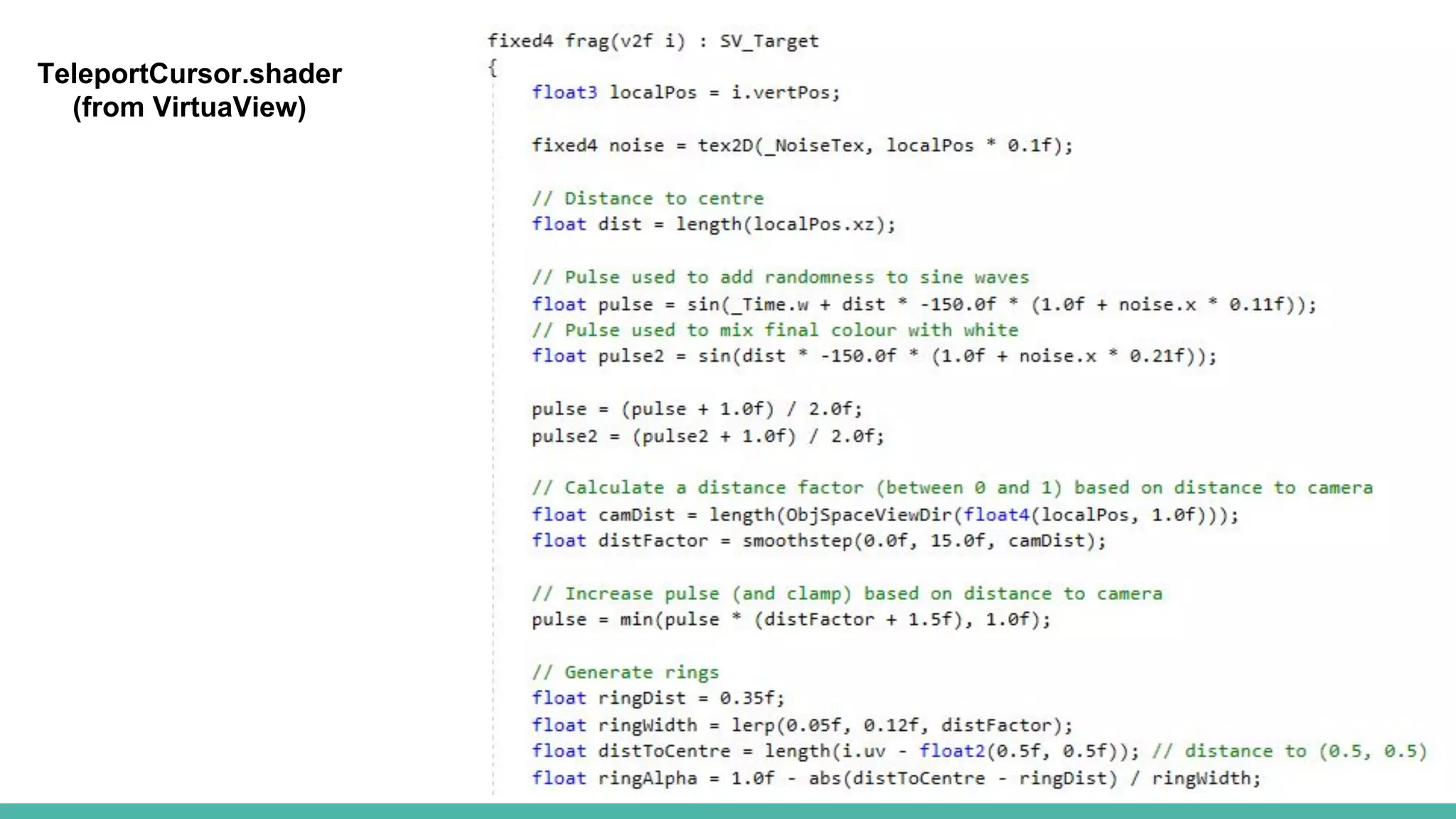
- Math functions
- sin(x), cos(x), tan(x)
- Standard library functions
- lerp(a, b, t)
- smoothstep(a, b, t)
- clamp(x, a, b)
- length(v)
- tex2D(texture, texCoord)
- http://developer.download.nvidia.com/CgTutorial/cg_tutorial_appendix_e.html
- Built-in shader variables
- _Time: Time since level load (t/20, t, t*2, t*3)
- https://docs.unity3d.com/Manual/SL-ShaderPrograms.html
TeleportCursor.shader
(from VirtuaView)
Shader semantic
- MSDN: “A semantic is a string attached to a shader input or output that
conveys information about the intended use of a parameter”
- Unity needs to know which attributes in the vertex layout are position,
normal, etc. (so it can buffer your mesh correctly)
- Some rendering APIs require semantics on all input/output data
- Vertex input/output: POSITION, TEXCOORD0, TEXCOORD1, NORMAL,
COLOR, TANGENT
- Fragment shader output: SV_Target
- Multiple render targets: SV_Target0, SV_Target1,..
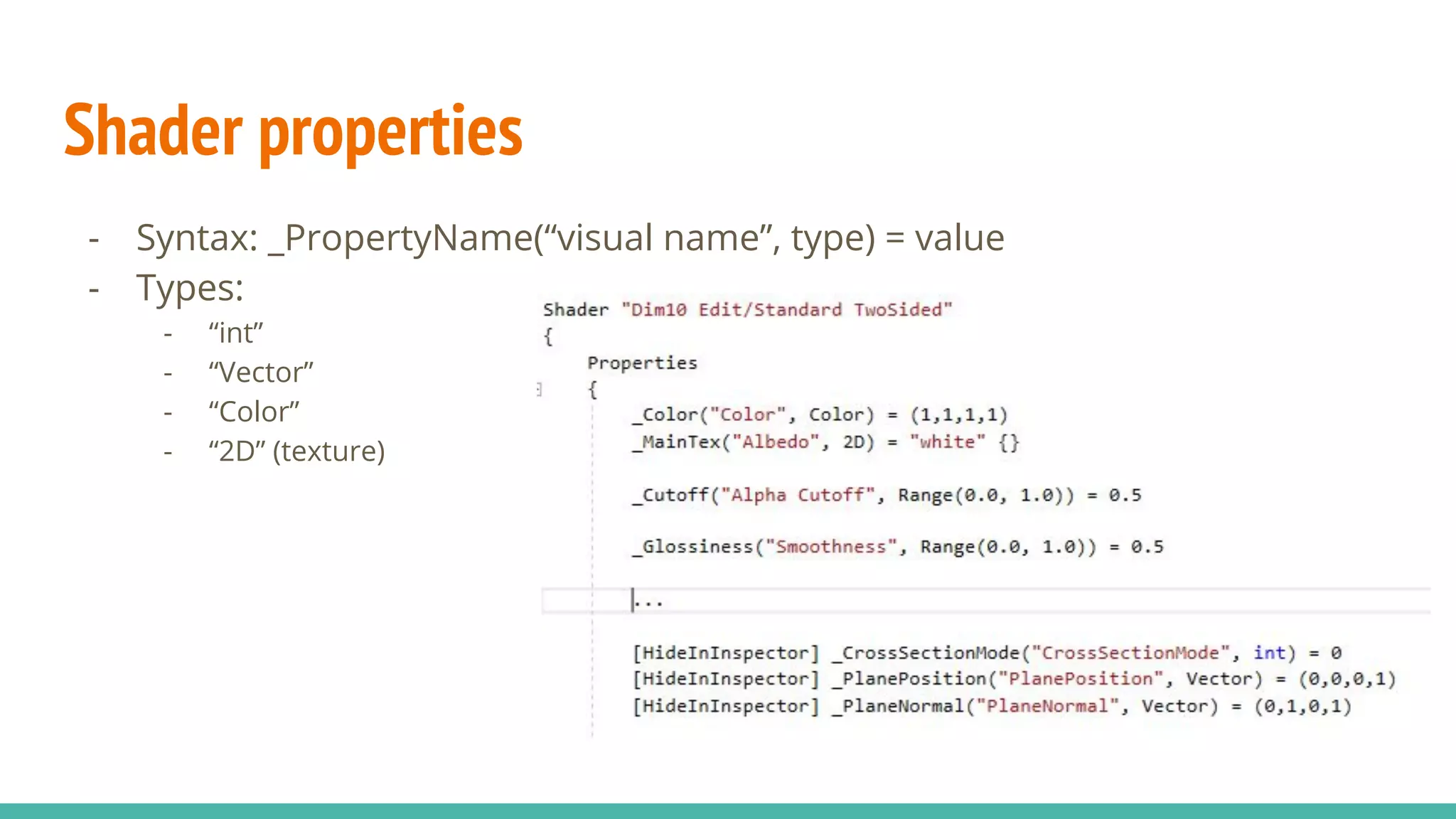
Shader properties
- Syntax: _PropertyName(“visual name”, type) = value
- Types:
- “int”
- “Vector”
- “Color”
- “2D” (texture)
Including
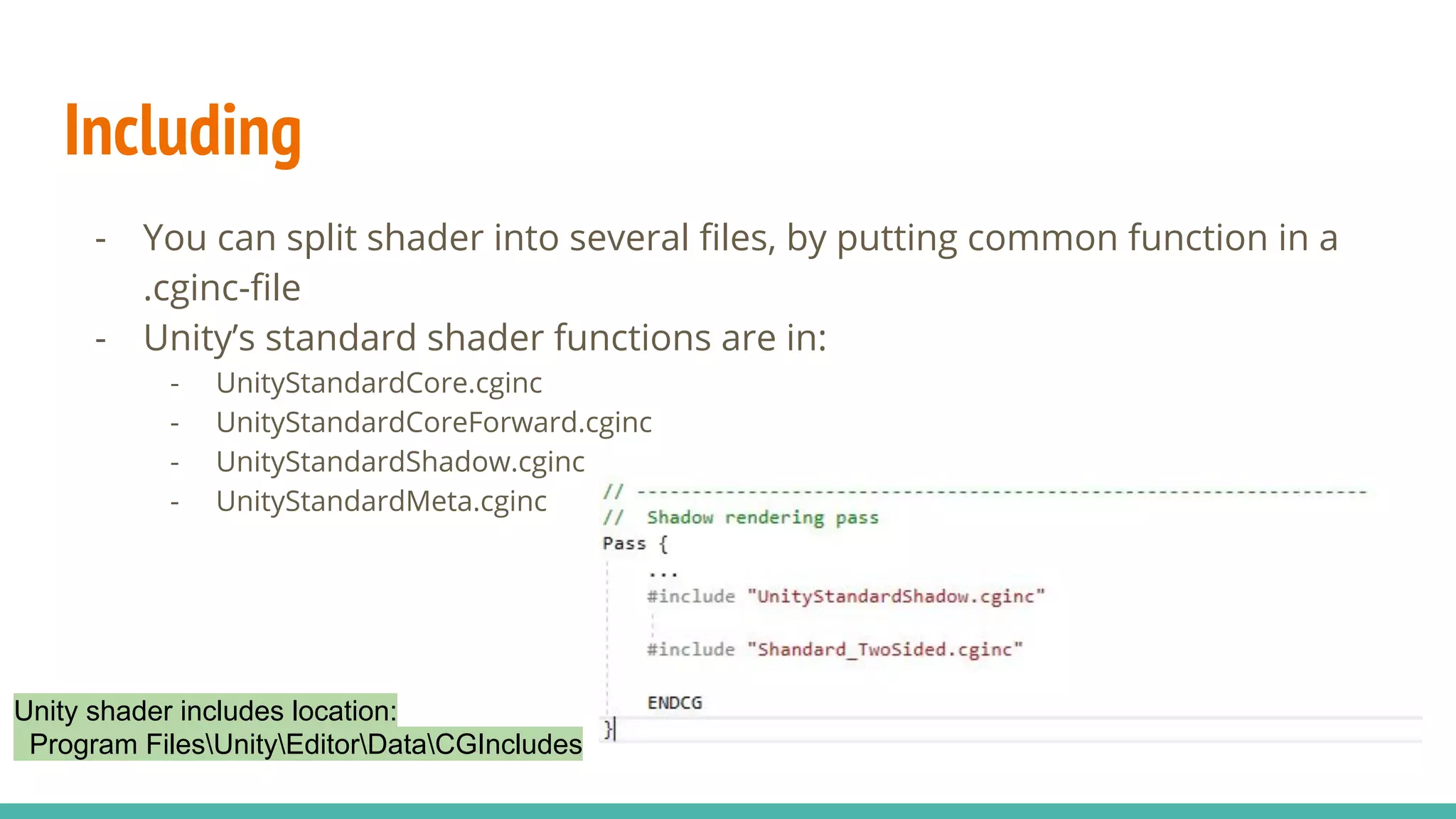
- You can split shader into several files, by putting common function in a
.cginc-file
- Unity’s standard shader functions are in:
- UnityStandardCore.cginc
- UnityStandardCoreForward.cginc
- UnityStandardShadow.cginc
- UnityStandardMeta.cginc
Unity shader includes location:
Program FilesUnityEditorDataCGIncludes
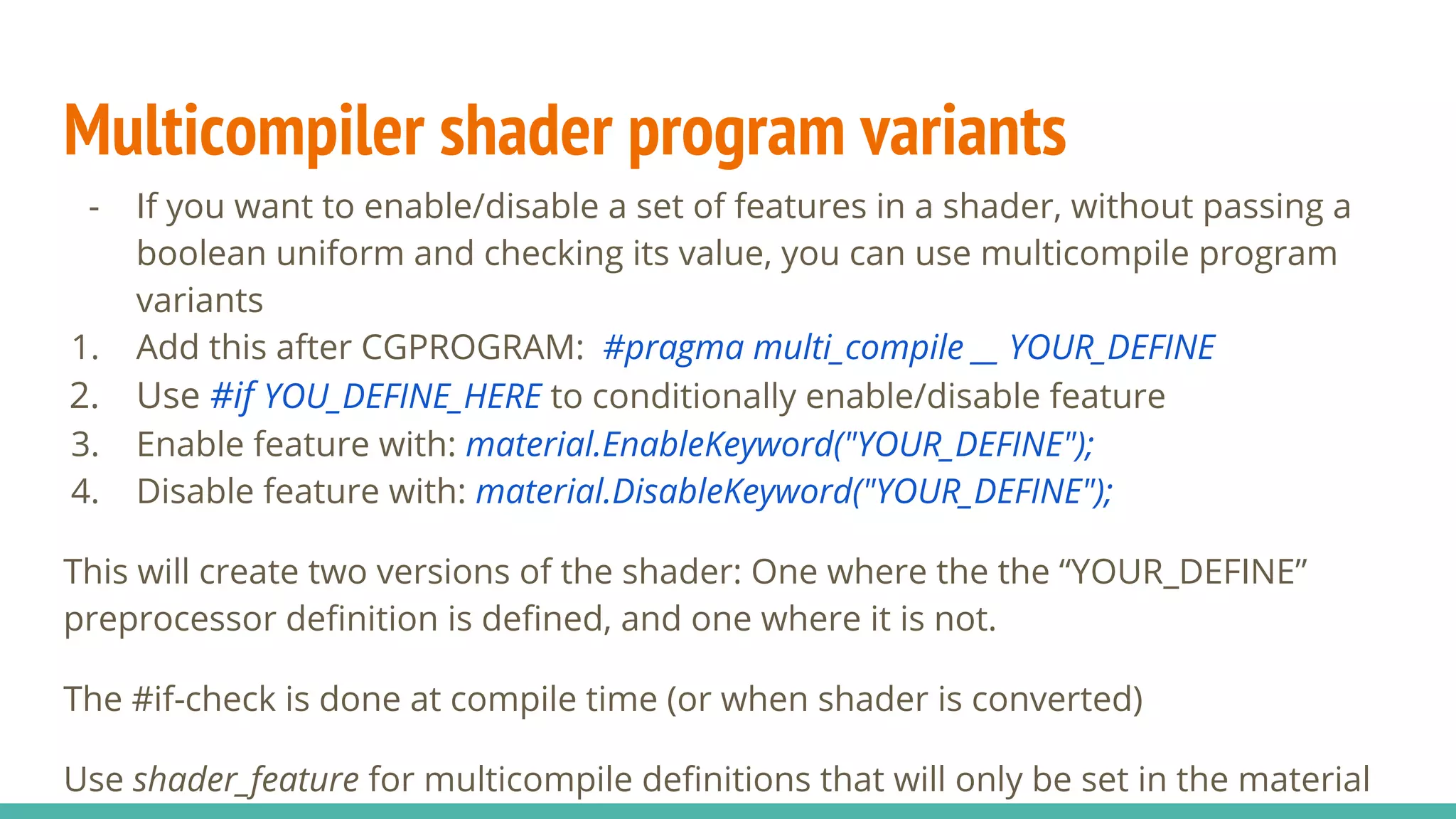
Multicompiler shader program variants
- If you want to enable/disable a set of features in a shader, without passing a
boolean uniform and checking its value, you can use multicompile program
variants
1. Add this after CGPROGRAM: #pragma multi_compile __ YOUR_DEFINE
2. Use #if YOU_DEFINE_HERE to conditionally enable/disable feature
3. Enable feature with: material.EnableKeyword("YOUR_DEFINE");
4. Disable feature with: material.DisableKeyword("YOUR_DEFINE");
This will create two versions of the shader: One where the the “YOUR_DEFINE”
preprocessor definition is defined, and one where it is not.
The #if-check is done at compile time (or when shader is converted)
Use shader_feature for multicompile definitions that will only be set in the material
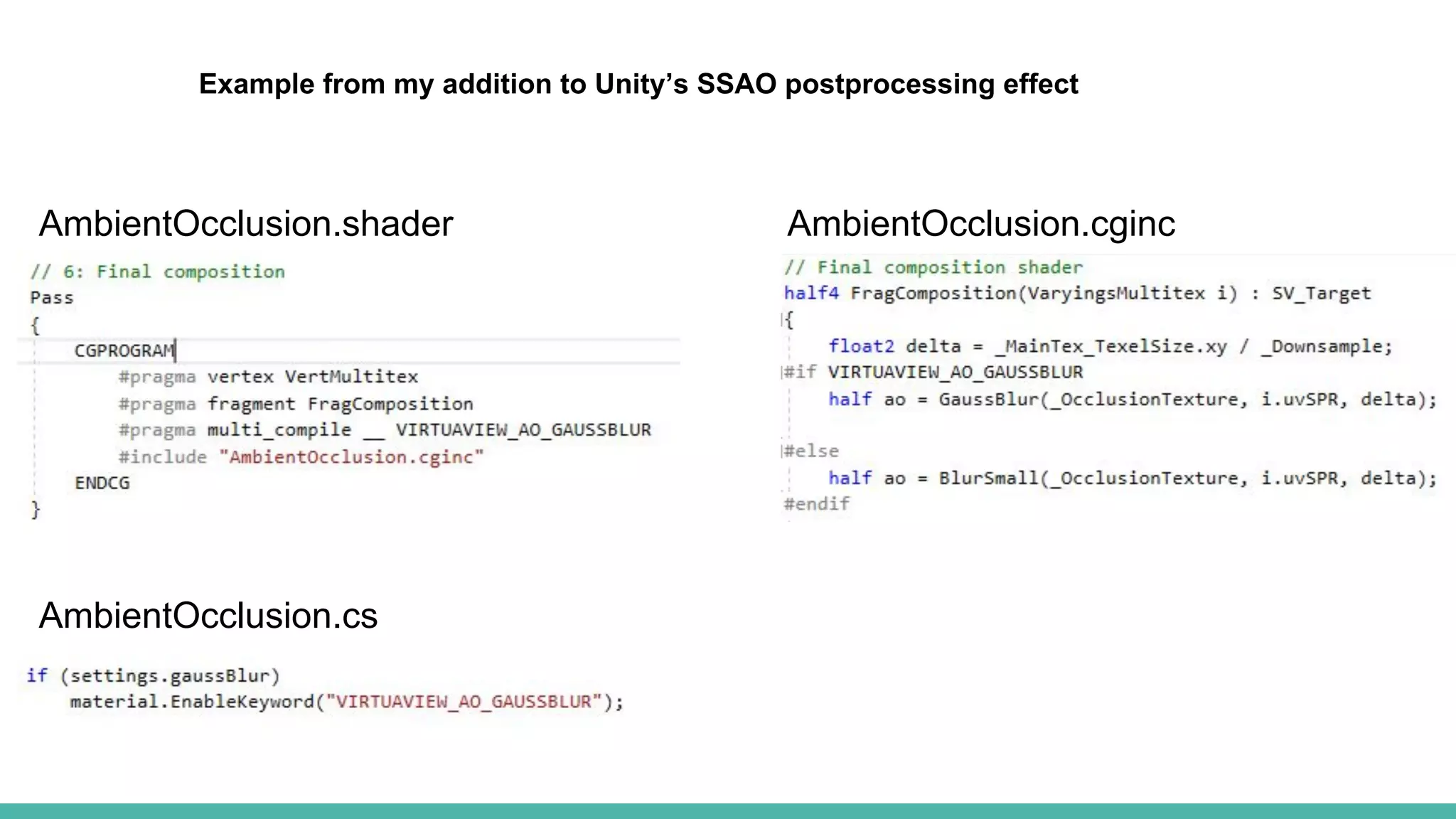
AmbientOcclusion.shader AmbientOcclusion.cginc
AmbientOcclusion.cs
Example from my addition to Unity’s SSAO postprocessing effect
Debugging
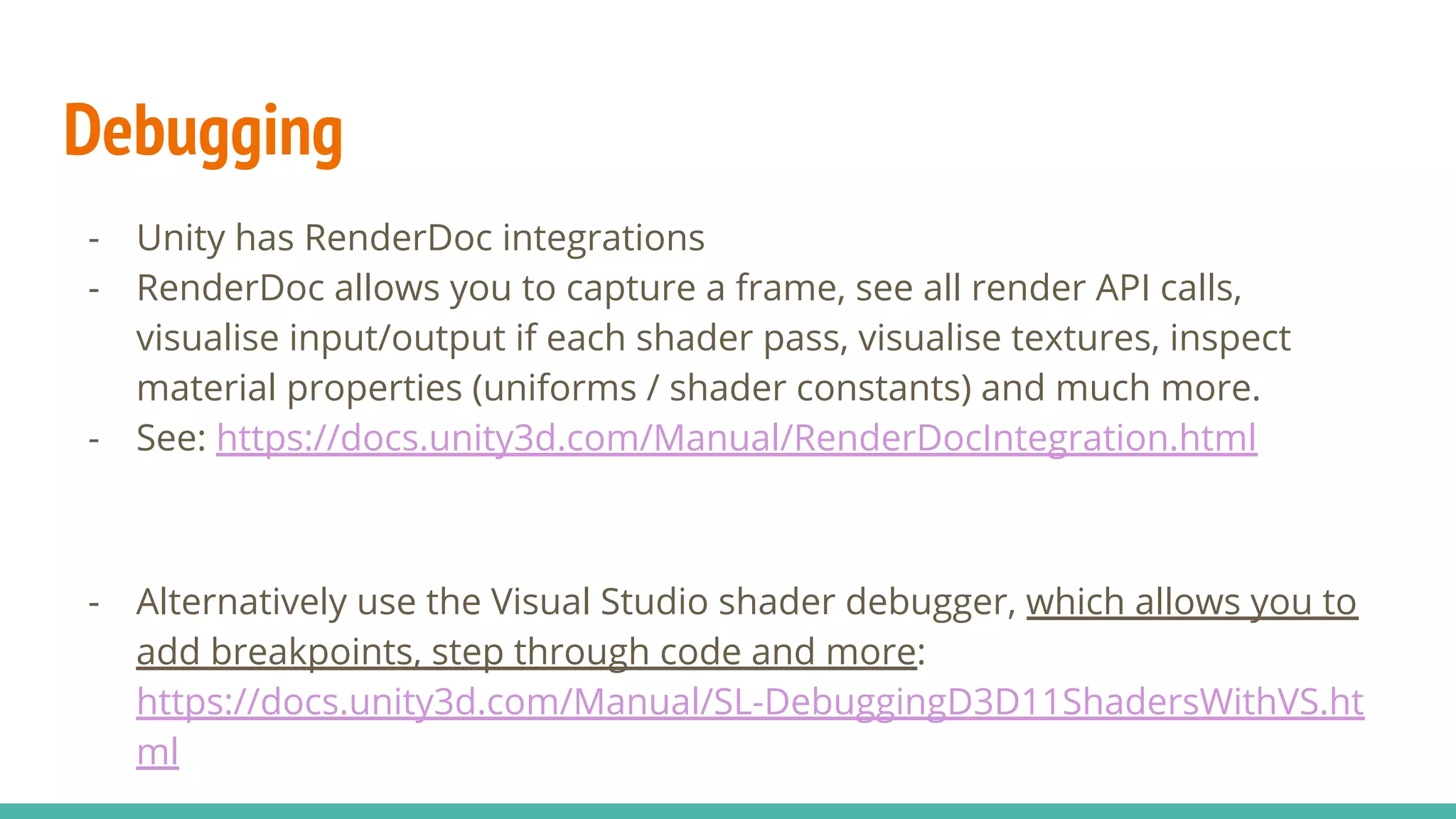
- Unity has RenderDoc integrations
- RenderDoc allows you to capture a frame, see all render API calls,
visualise input/output if each shader pass, visualise textures, inspect
material properties (uniforms / shader constants) and much more.
- See: https://docs.unity3d.com/Manual/RenderDocIntegration.html
- Alternatively use the Visual Studio shader debugger, which allows you to
add breakpoints, step through code and more:
https://docs.unity3d.com/Manual/SL-DebuggingD3D11ShadersWithVS.ht
ml
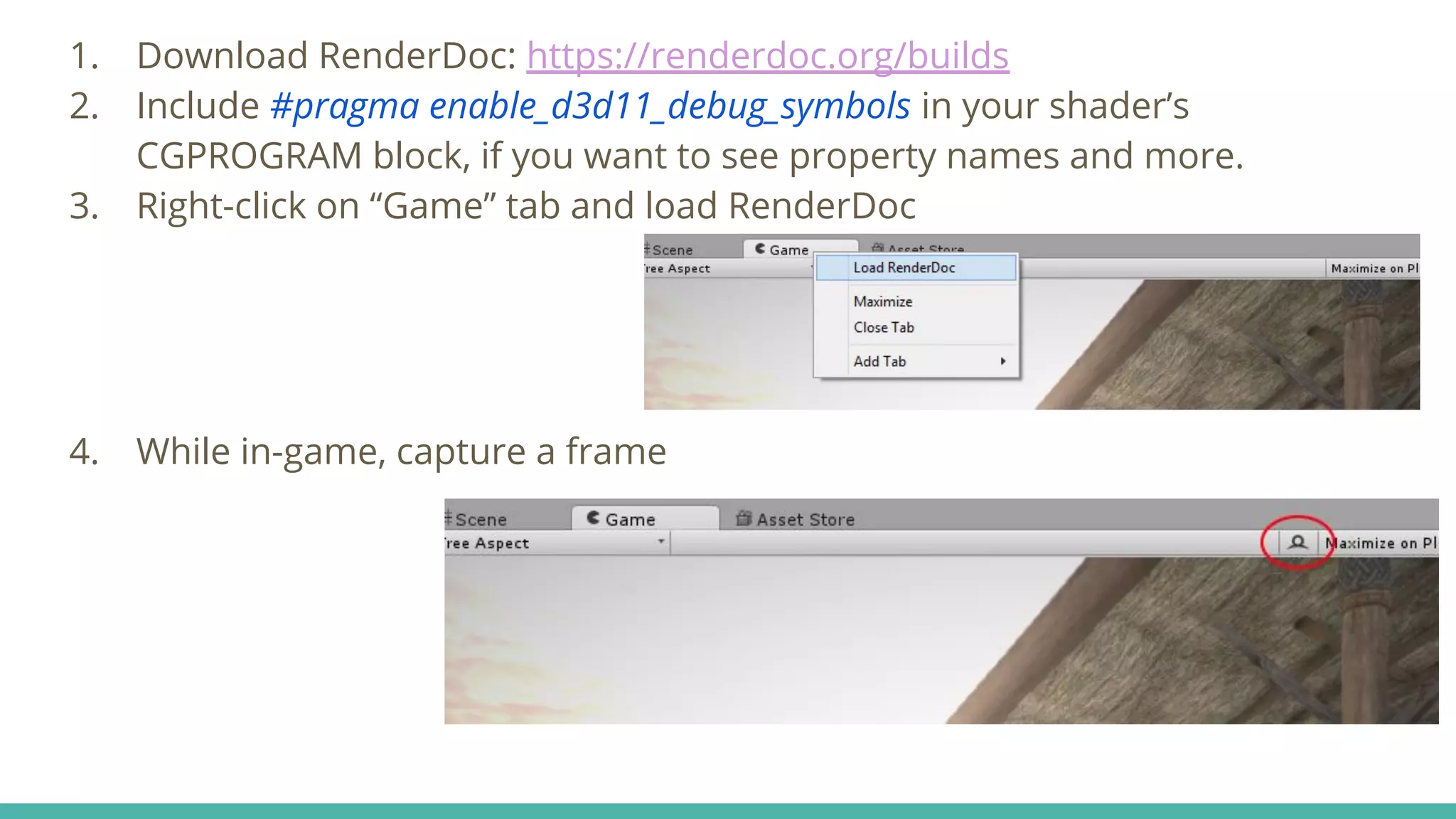
1. Download RenderDoc: https://renderdoc.org/builds
2. Include #pragma enable_d3d11_debug_symbols in your shader’s
CGPROGRAM block, if you want to see property names and more.
3. Right-click on “Game” tab and load RenderDoc
4. While in-game, capture a frame

Shaders in Unity

  • 1.
    Shaders A brief introductionto rendering, shaders and Unity CG shaders Matias Lavik Dimension10
  • 2.
    The good olddays - Send vertex data to the GPU, and specify settings such as colour and fog. - Many limitations - less low-level control - Some APIs had “high level” concepts, such as sprites PlayStation 1 “PSYQ” SDK OpenGL (fixed function pipeline)
  • 3.
    Programmable shading pipeline -More control through the use of shaders - Vertex shader: modify vertex positions - Fragment shader: modify output colour - Newer features: Tesselation shaders and geometry shaders - Allows you to add screen-space effects by first rendering scene to texture OpenGL 2.0 shading pipeline
  • 4.
  • 5.
    Vertex - Wikipedia: “apoint where two or more curves, lines, or edges meet” - Usually: A point (and its position, normal, texCoord, etc.) in a triangle ● Position ● Normal ● Texture coordinate ● Tangent / Bitangent
  • 6.
    Vertex buffer - Bufferedvertex data on the GPU - Vertex data is created on the CPU and then uploaded to the video device Vertex layout - Order of the vertex attributes/components (position, normal, texcoord) - Each attribute can have its own buffer (slow) or be on the same buffer - One buffer per attribute: (VVVV) (NNNN) (CCCC) - Blocks in a batch: (VVVVNNNNCCCC) - Interleaved: (VNCVNCVNCVNC) (“stride” = byte offset between attributes)
  • 7.
    Uniforms / shaderconstants - OpenGL: “Uniform” ≈ DirectX: “Shader constant” - Per-material data sent to shaders - Vertex data is per vertex - uniforms are per material - Examples: material properties (colour, smoothness, specular reflectiveness), light sources, cross-section plane - In Unity, these are called “properties”, and you can set their value using Material::SetFloat(...) / Material::SetInt(...), etc.
  • 8.
    Rendering Create vertex data(array of vertices) Create vertex buffer (send vertices to GPU) Bind vertex buffer and index buffer, and draw From Ming3D: https://github.com/mlavik1/Ming3D
  • 9.
    Problems - Many renderingAPIs: OpenGL, DirectX, Vulkan, GNM (PS4), Metal - Each rendering API has its own shader language - GLSL (OpenGL), HLSL (DirectX) - Need to support several rendering APIs and shader languages, and in some cases several versions of them Solution: Make your own shader language and convert it to GLSL, HLSL, etc.. Unity has their own shader language (based on Nvidia’s Cg)
  • 10.
  • 12.
    Name of shader(and path) Properties (textures and uniforms / shader constants) Contains a texture with name “MainTex”
  • 13.
    Shader pass (Unityuses different passes for shadow casting, depth, etc) Vertex shader Fragment shader
  • 14.
    Various features - Mathfunctions - sin(x), cos(x), tan(x) - Standard library functions - lerp(a, b, t) - smoothstep(a, b, t) - clamp(x, a, b) - length(v) - tex2D(texture, texCoord) - http://developer.download.nvidia.com/CgTutorial/cg_tutorial_appendix_e.html - Built-in shader variables - _Time: Time since level load (t/20, t, t*2, t*3) - https://docs.unity3d.com/Manual/SL-ShaderPrograms.html
  • 15.
  • 16.
    Shader semantic - MSDN:“A semantic is a string attached to a shader input or output that conveys information about the intended use of a parameter” - Unity needs to know which attributes in the vertex layout are position, normal, etc. (so it can buffer your mesh correctly) - Some rendering APIs require semantics on all input/output data - Vertex input/output: POSITION, TEXCOORD0, TEXCOORD1, NORMAL, COLOR, TANGENT - Fragment shader output: SV_Target - Multiple render targets: SV_Target0, SV_Target1,..
  • 17.
    Shader properties - Syntax:_PropertyName(“visual name”, type) = value - Types: - “int” - “Vector” - “Color” - “2D” (texture)
  • 18.
    Including - You cansplit shader into several files, by putting common function in a .cginc-file - Unity’s standard shader functions are in: - UnityStandardCore.cginc - UnityStandardCoreForward.cginc - UnityStandardShadow.cginc - UnityStandardMeta.cginc Unity shader includes location: Program FilesUnityEditorDataCGIncludes
  • 19.
    Multicompiler shader programvariants - If you want to enable/disable a set of features in a shader, without passing a boolean uniform and checking its value, you can use multicompile program variants 1. Add this after CGPROGRAM: #pragma multi_compile __ YOUR_DEFINE 2. Use #if YOU_DEFINE_HERE to conditionally enable/disable feature 3. Enable feature with: material.EnableKeyword("YOUR_DEFINE"); 4. Disable feature with: material.DisableKeyword("YOUR_DEFINE"); This will create two versions of the shader: One where the the “YOUR_DEFINE” preprocessor definition is defined, and one where it is not. The #if-check is done at compile time (or when shader is converted) Use shader_feature for multicompile definitions that will only be set in the material
  • 20.
  • 21.
    Debugging - Unity hasRenderDoc integrations - RenderDoc allows you to capture a frame, see all render API calls, visualise input/output if each shader pass, visualise textures, inspect material properties (uniforms / shader constants) and much more. - See: https://docs.unity3d.com/Manual/RenderDocIntegration.html - Alternatively use the Visual Studio shader debugger, which allows you to add breakpoints, step through code and more: https://docs.unity3d.com/Manual/SL-DebuggingD3D11ShadersWithVS.ht ml
  • 22.
    1. Download RenderDoc:https://renderdoc.org/builds 2. Include #pragma enable_d3d11_debug_symbols in your shader’s CGPROGRAM block, if you want to see property names and more. 3. Right-click on “Game” tab and load RenderDoc 4. While in-game, capture a frame