SECURITY TESTING USING ZAP IN
SFDC
-MUSTAFAJHABUAWALA
Overview
• What is ZAP ?
• Introduction
• Features
• Benefits of Security Testing using ZAP
• Installation
• Troubleshooting Errors
• How to use ZAP
• Report analysis
What is ZAP ?
• OWASP ZAP (short for Zed Attack Proxy)
• The Zed Attack Proxy (ZAP) is penetration testing tool for
finding vulnerabilities in web applications
• Web application security scanner
Introduction to ZAP
• Open-Source web application security scanner
• Intended to be used by both those new to application security
as well as professional penetration testers.
• When used as a proxy server it allows the user to manipulate
all of the traffic that passes through it, including traffic using
https.
• This cross-platform tool is written in Java and is available in all
of the popular operating systems including Microsoft
Windows, Linux and Mac OS X.
Introduction to ZAP
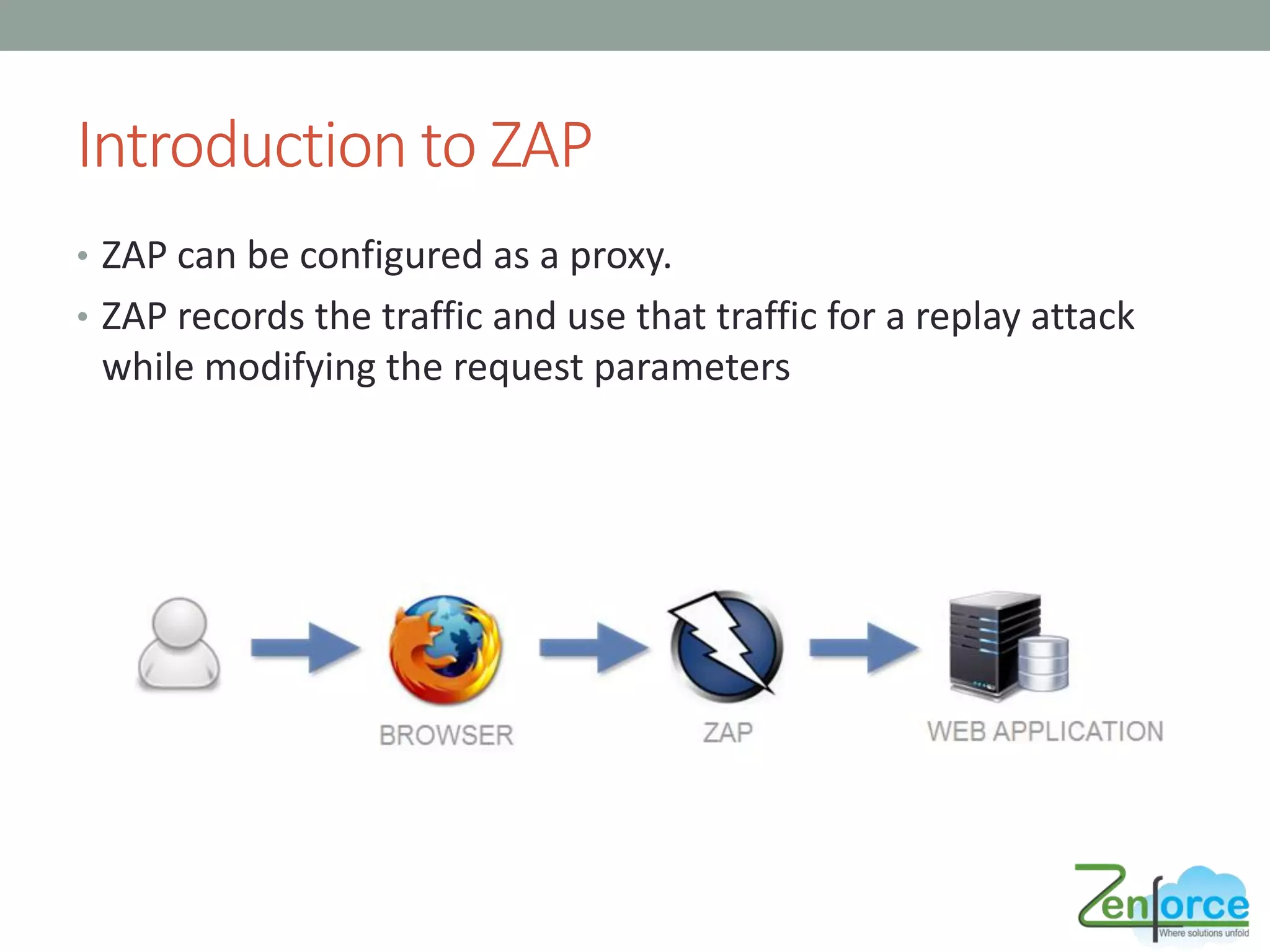
• ZAP can be configured as a proxy.
• ZAP records the traffic and use that traffic for a replay attack
while modifying the request parameters
Features of ZAP
• Intercepting Proxy
• Automated Scanner
• Passive Scanner
• Brute Force Scanner
• Fuzzer
• Port Scanner
• Spider
• Web Sockets
• REST API
Benefits of Security Testing using ZAP
• Identify issues and problems with the implementation of
business security policies.
• Better coverage over the entire code base.
• Improvement in the quality of the application before going live.
• Report will have the complete information, so no experts are
required.
• Does not affect the QA schedule or activities.
Installation of ZAP
• Download Link:
• https://www.owasp.org/index.php/OWASP_Zed_Attack_Proxy_Project
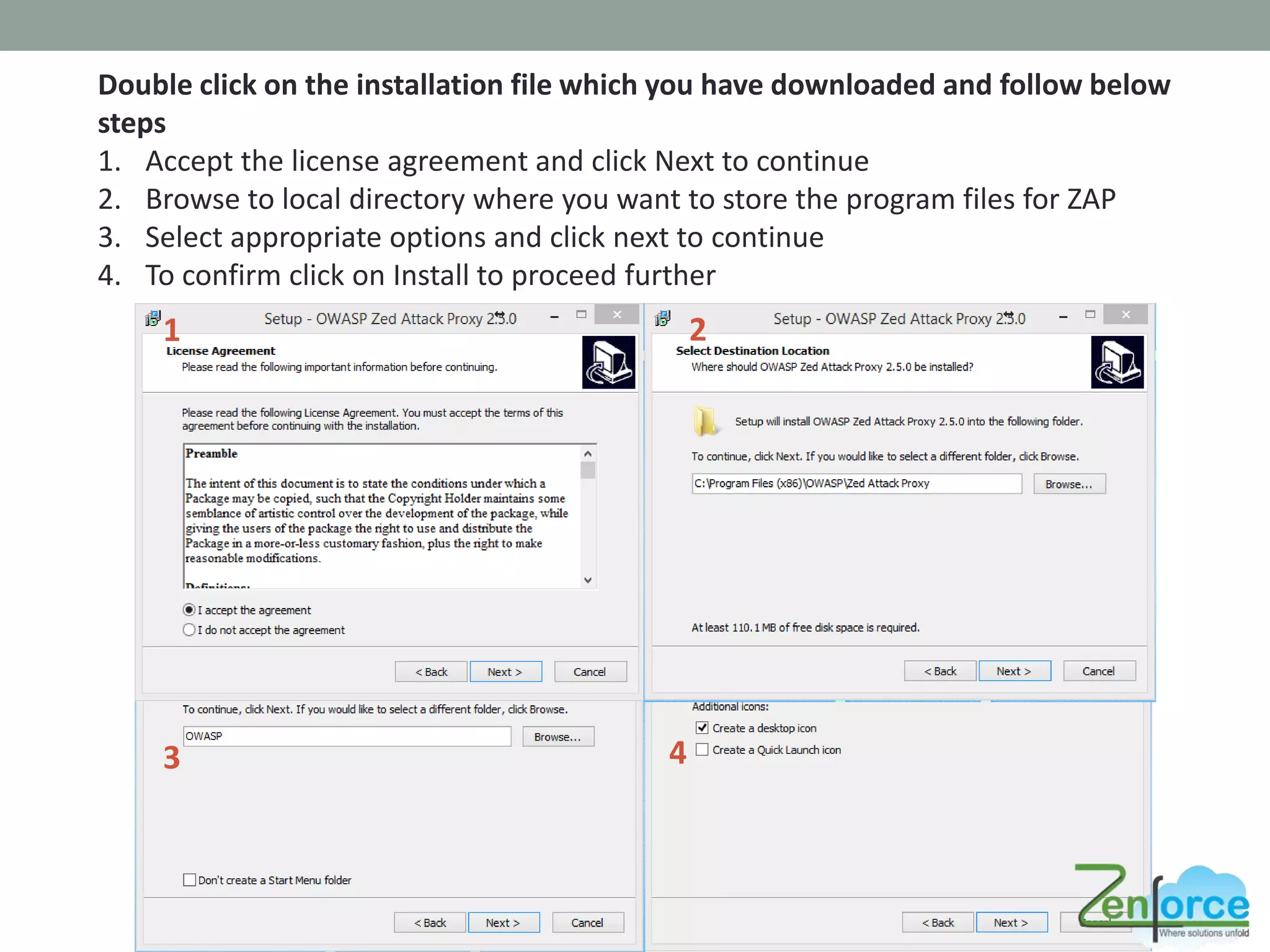
Double click on the installation file which you have downloaded and follow below
steps
1. Accept the license agreement and click Next to continue
2. Browse to local directory where you want to store the program files for ZAP
3. Select appropriate options and click next to continue
4. To confirm click on Install to proceed further
3 4
1 2
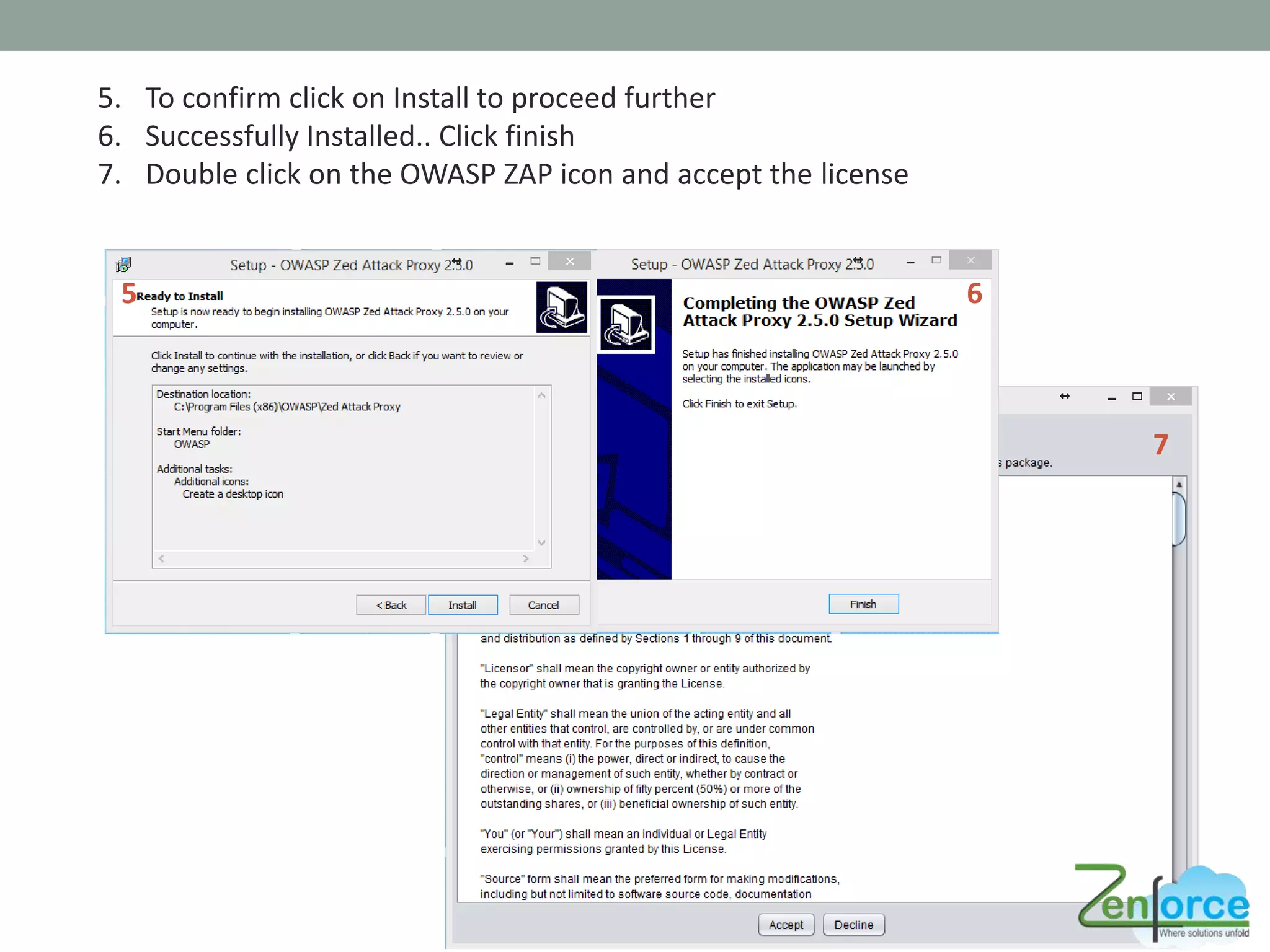
5. To confirm click on Install to proceed further
6. Successfully Installed.. Click finish
7. Double click on the OWASP ZAP icon and accept the license
7
65
Installing Certificates
• Since all requests and responses are proxied by ZAP, the
certificate verification will fail for sites using SSL (HTTPS) and
the connection will be terminated.
• To prevent this from happening, ZAP generates an SSL
certificate for each host, signed by its own Certificate Authority
(CA) certificate.
• This CA certificate is generated the first time ZAP is run, and is
stored locally.
• To use the ZAP Proxy with these websites, you will need to
install ZAP’s CA certificate as a trusted root in your browser.
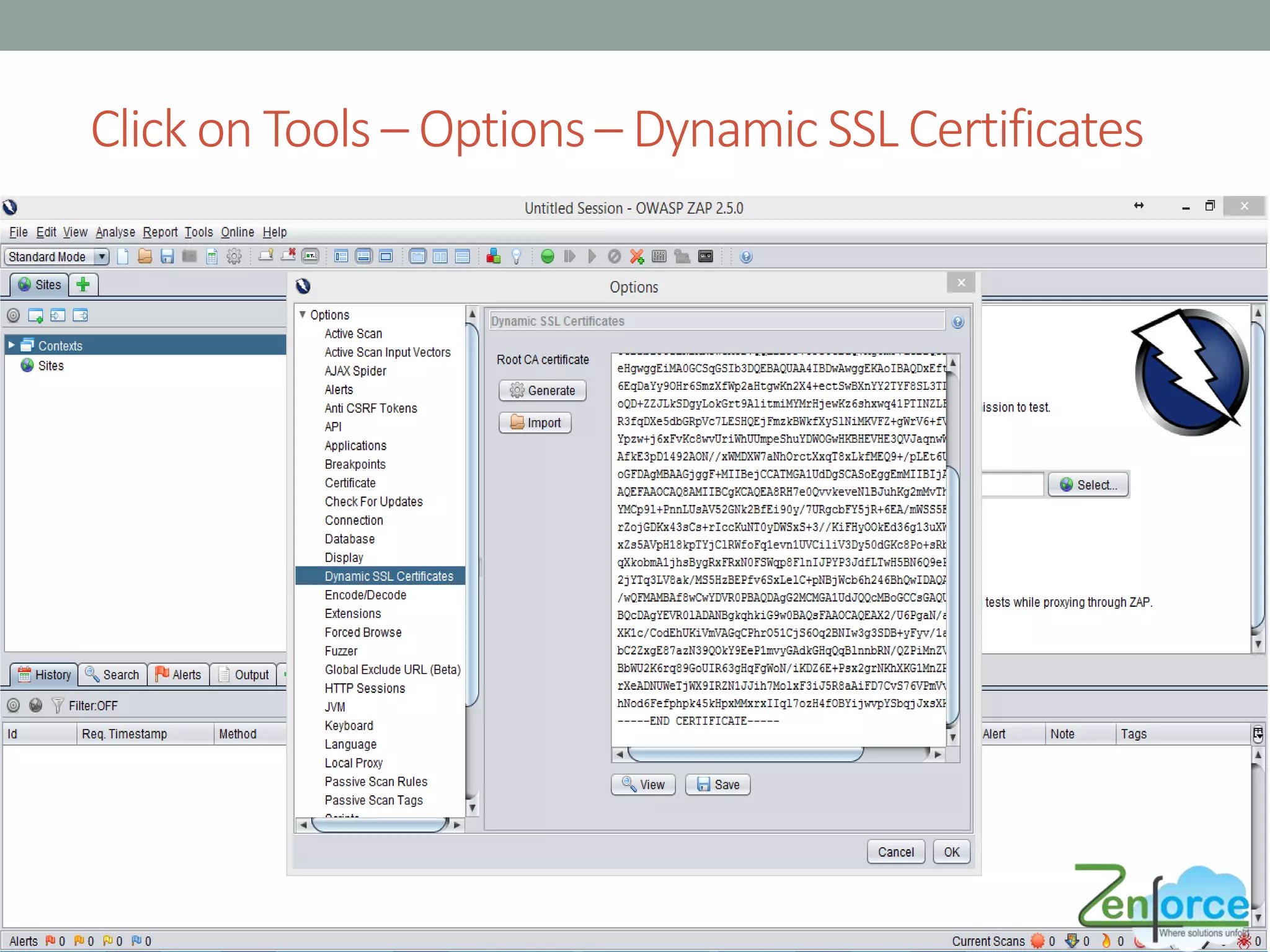
Click on Tools – Options – Dynamic SSL Certificates
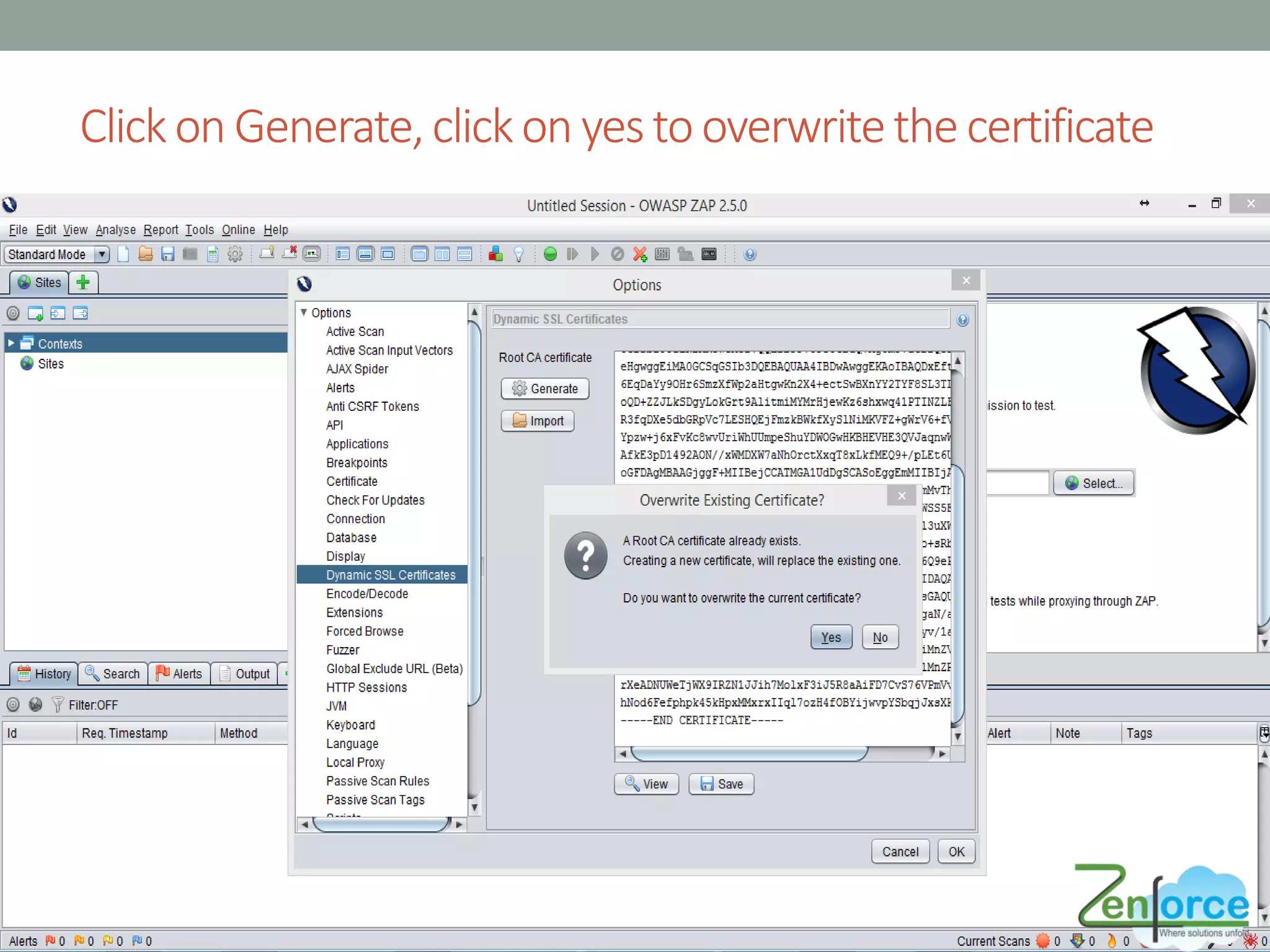
Clickon Generate,clickon yestooverwritethecertificate
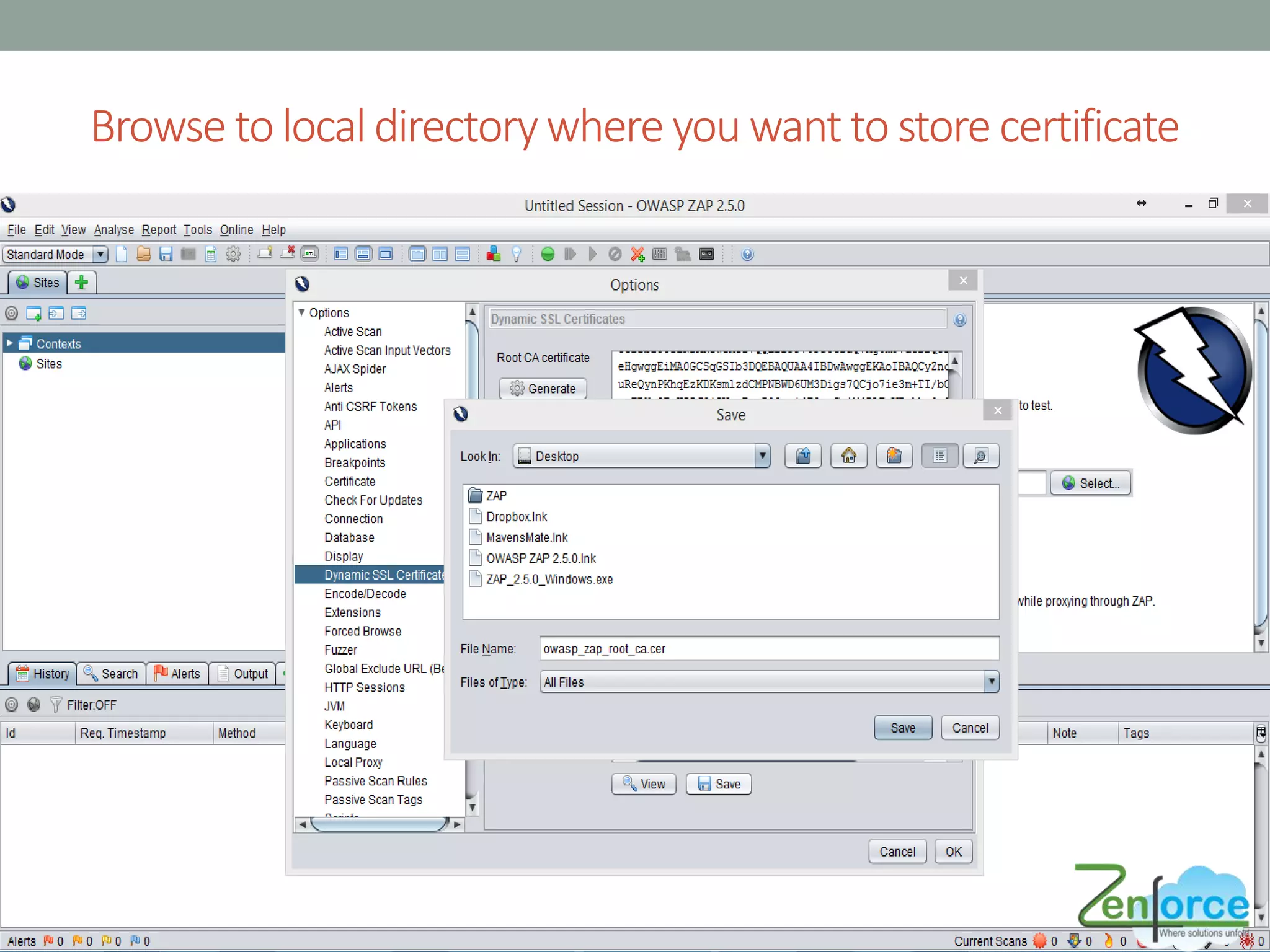
Browse to localdirectorywhere you want to store certificate
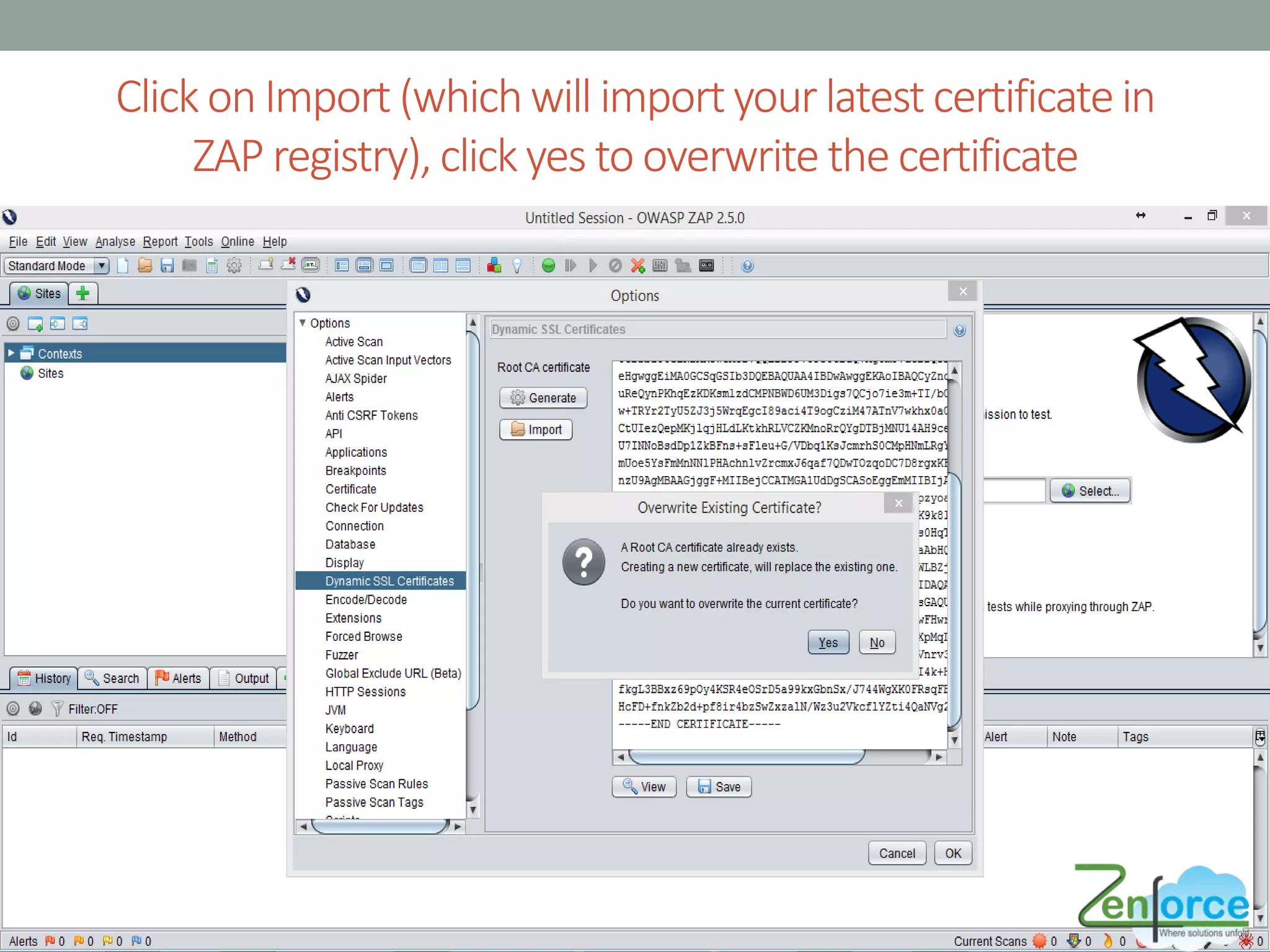
Click on Import (whichwill import yourlatest certificatein
ZAP registry), clickyes to overwrite the certificate
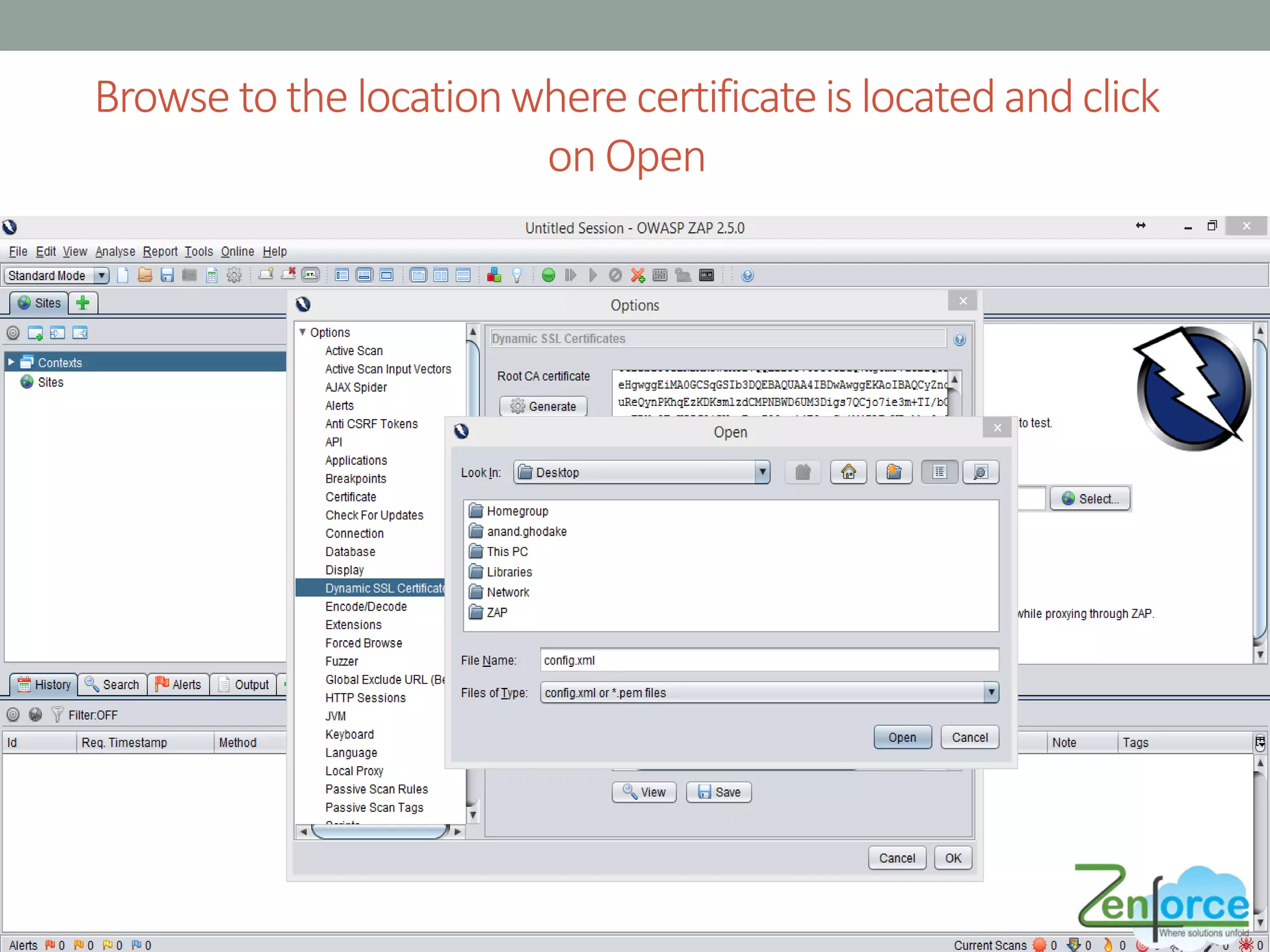
Browse to the locationwhere certificateis locatedandclick
on Open
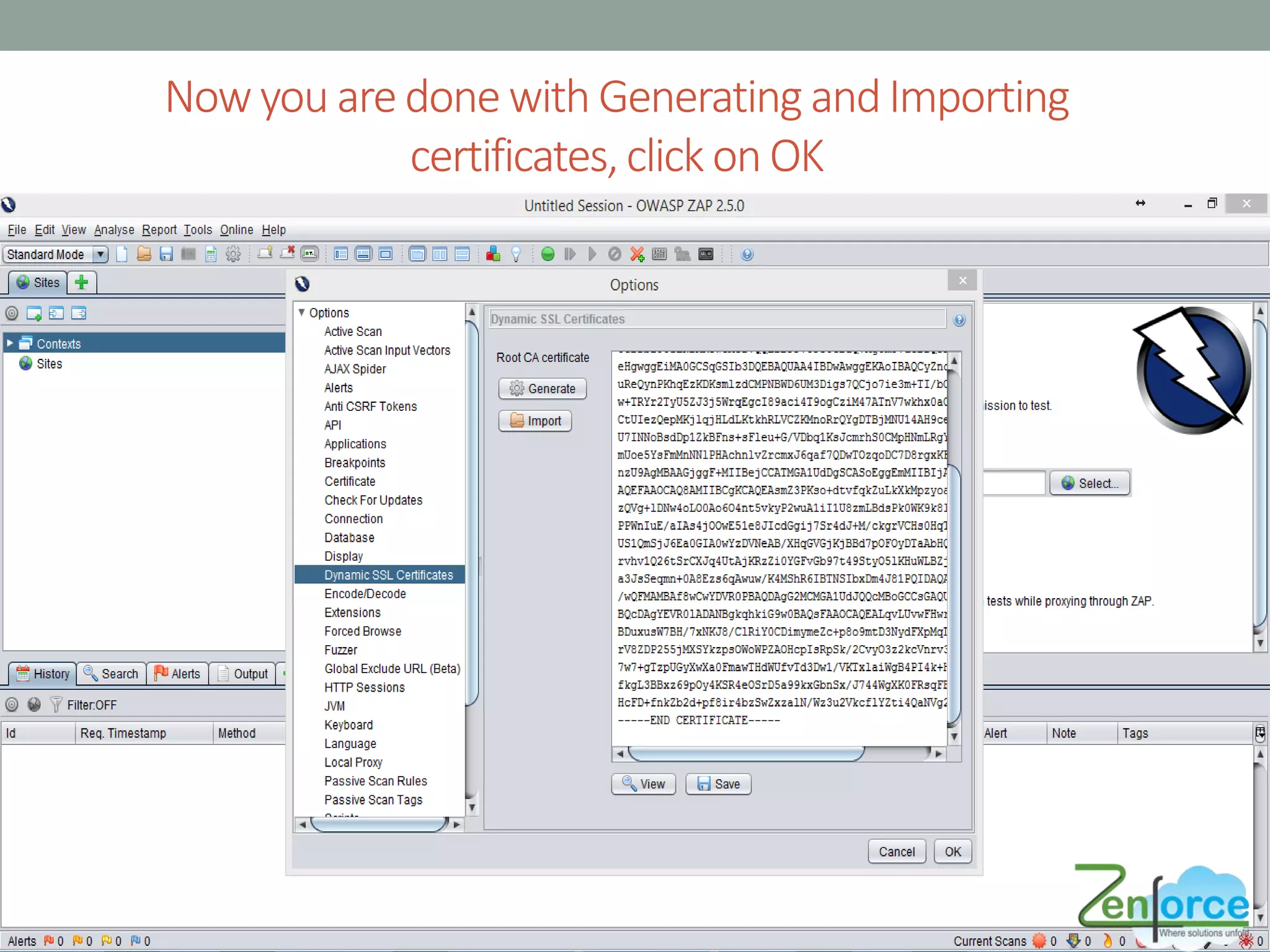
Now you are done with Generating andImporting
certificates,click onOK
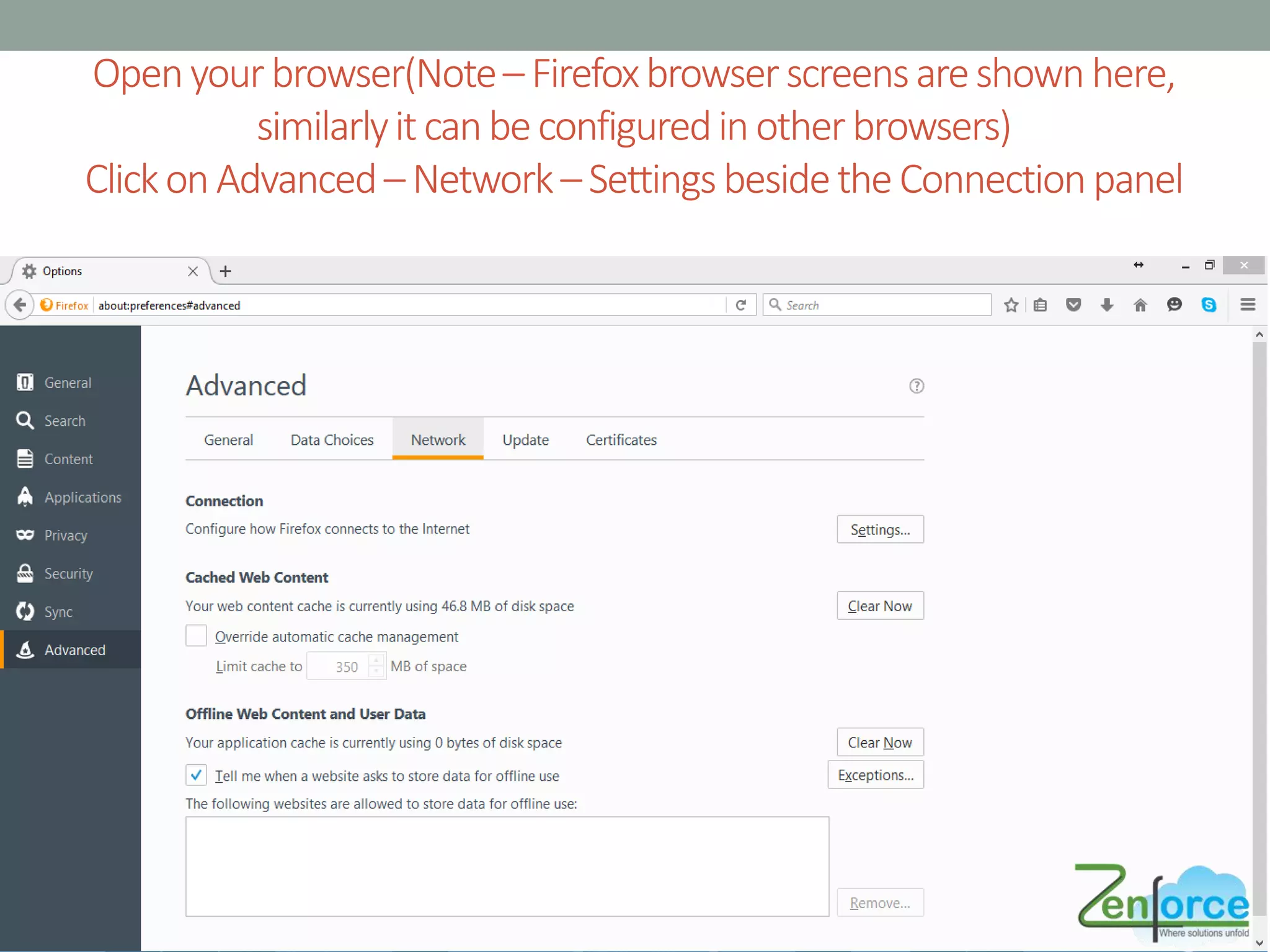
Openyourbrowser(Note– Firefoxbrowserscreensareshownhere,
similarlyitcanbeconfiguredinotherbrowsers)
ClickonAdvanced–Network–Settingsbesidethe Connectionpanel
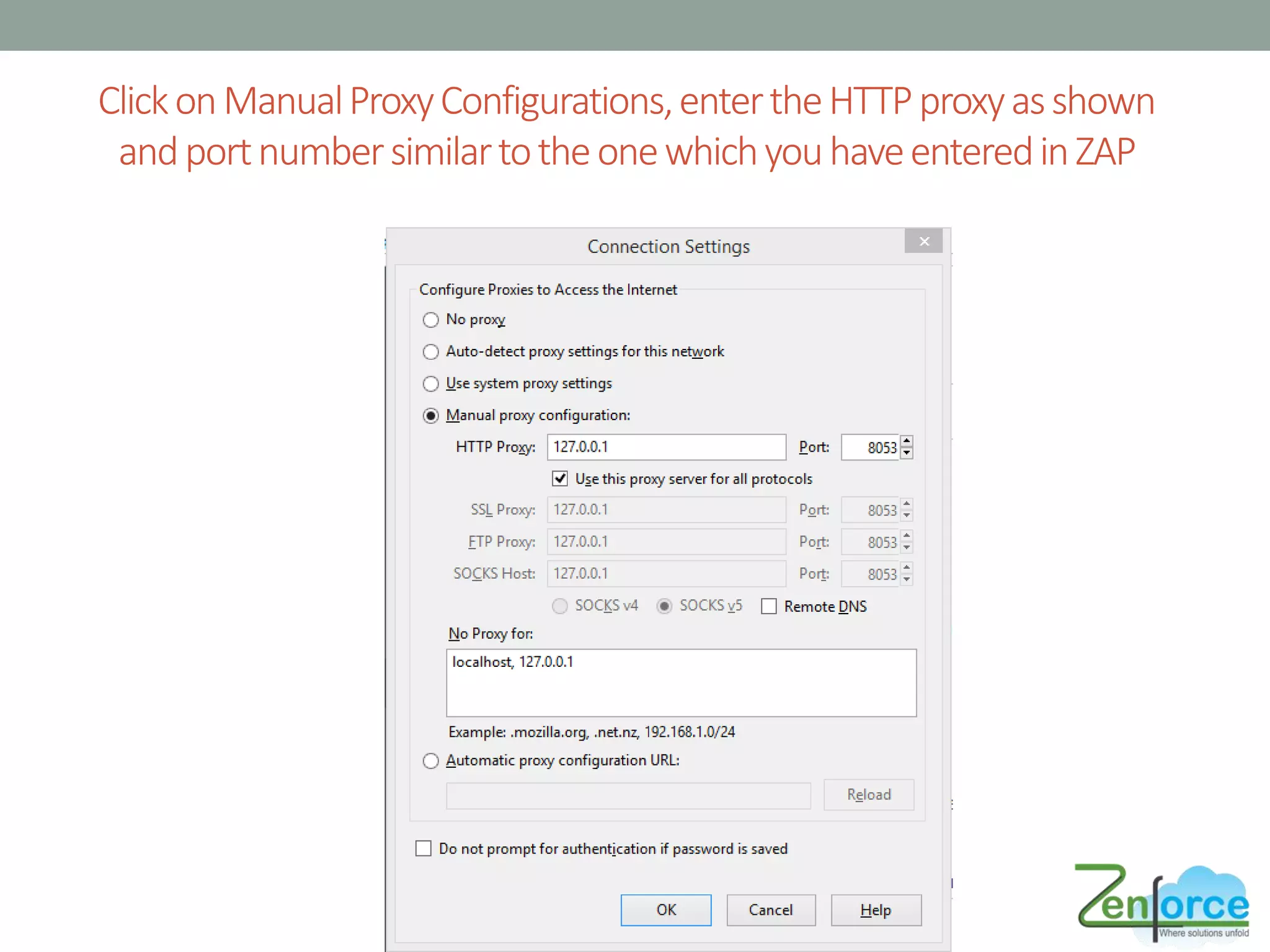
ClickonManualProxyConfigurations,entertheHTTPproxyasshown
andportnumbersimilartotheonewhichyouhaveenteredinZAP
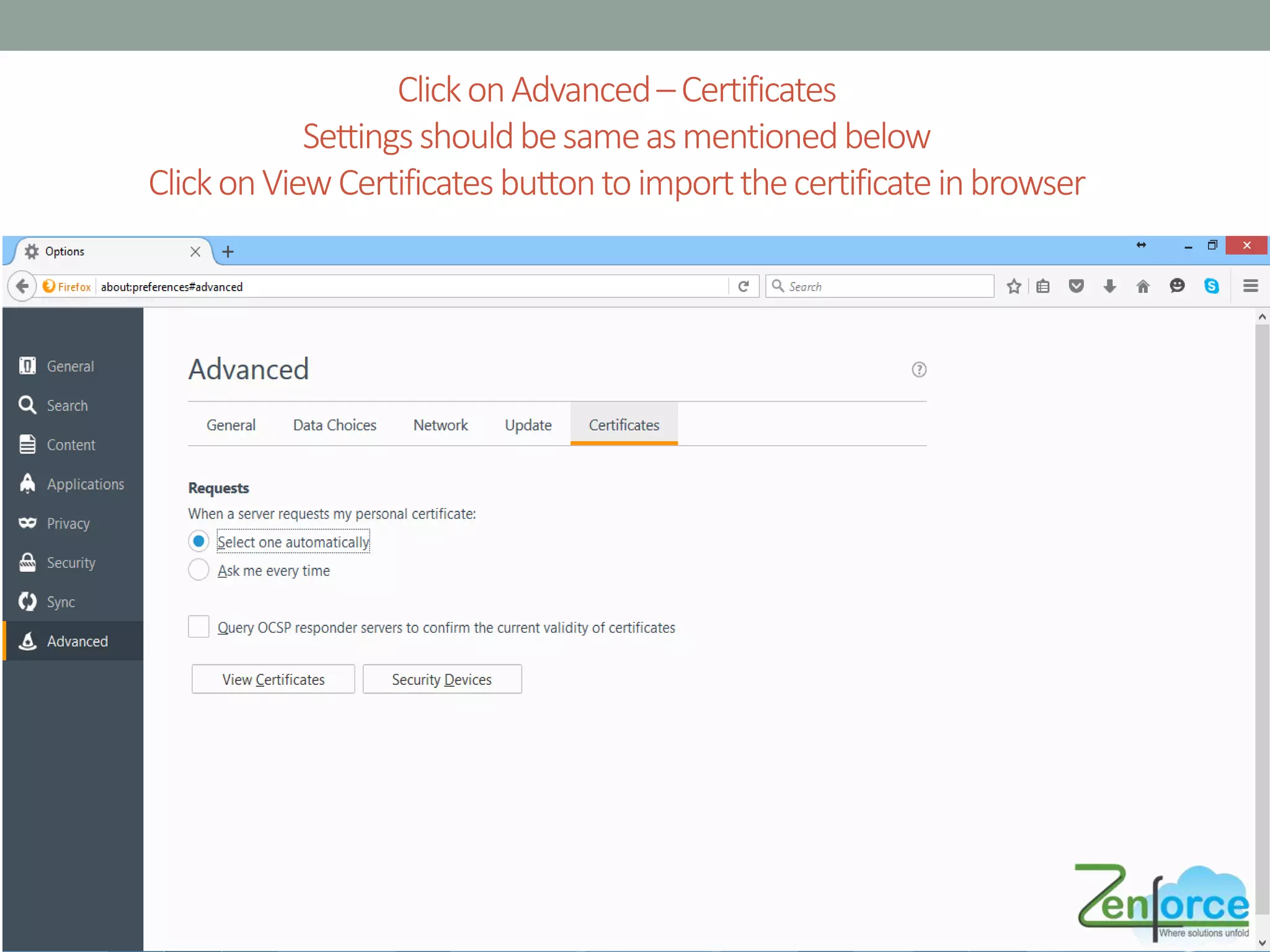
ClickonAdvanced–Certificates
Settingsshouldbesameasmentionedbelow
ClickonViewCertificatesbuttontoimportthecertificateinbrowser
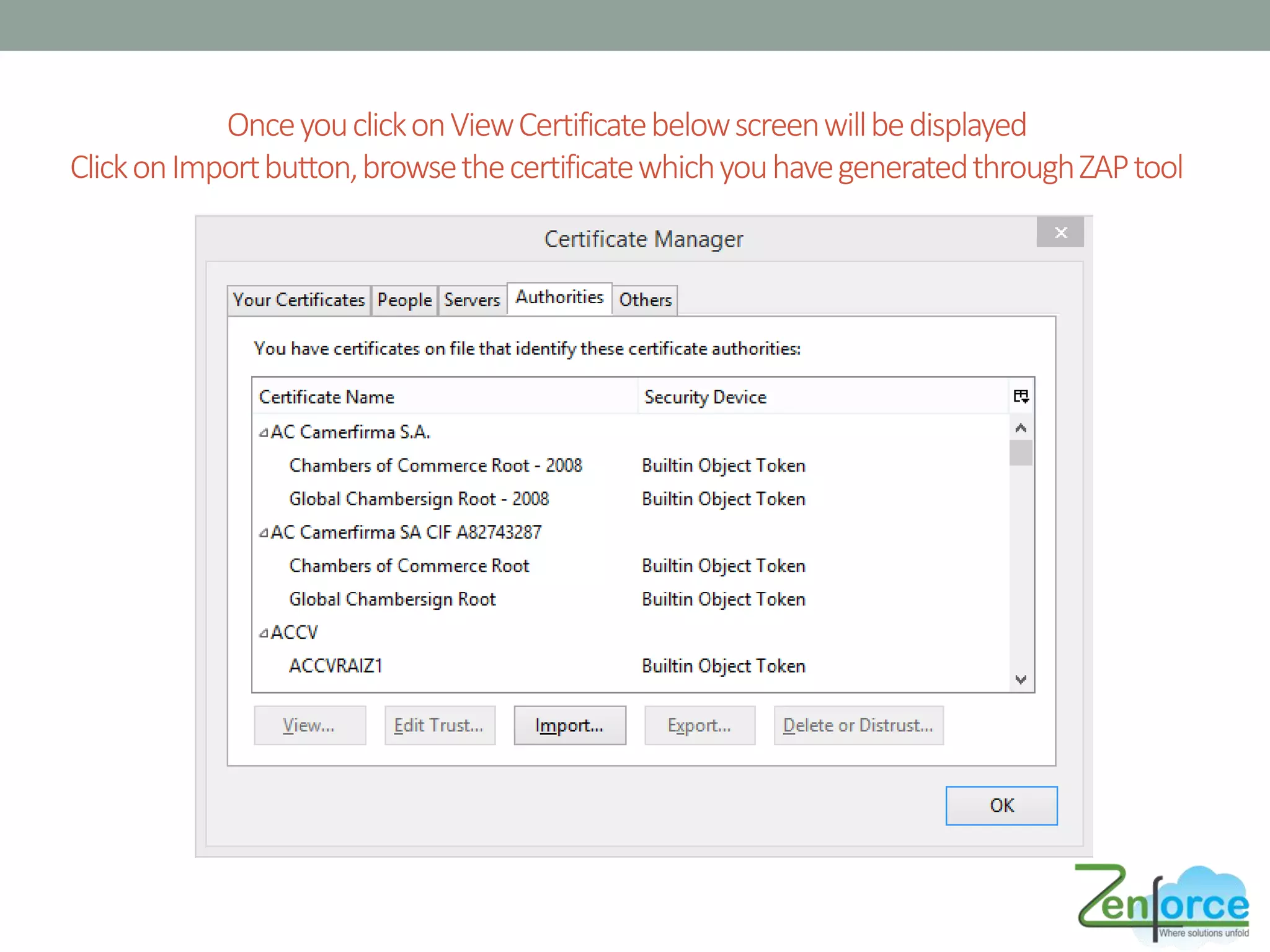
OnceyouclickonViewCertificatebelowscreenwillbedisplayed
ClickonImportbutton,browsethecertificatewhichyouhavegeneratedthroughZAPtool
YOU ARE DONE 
You have successfully installed and configured ZAP tool
TROUBLESHOOT ERRORS
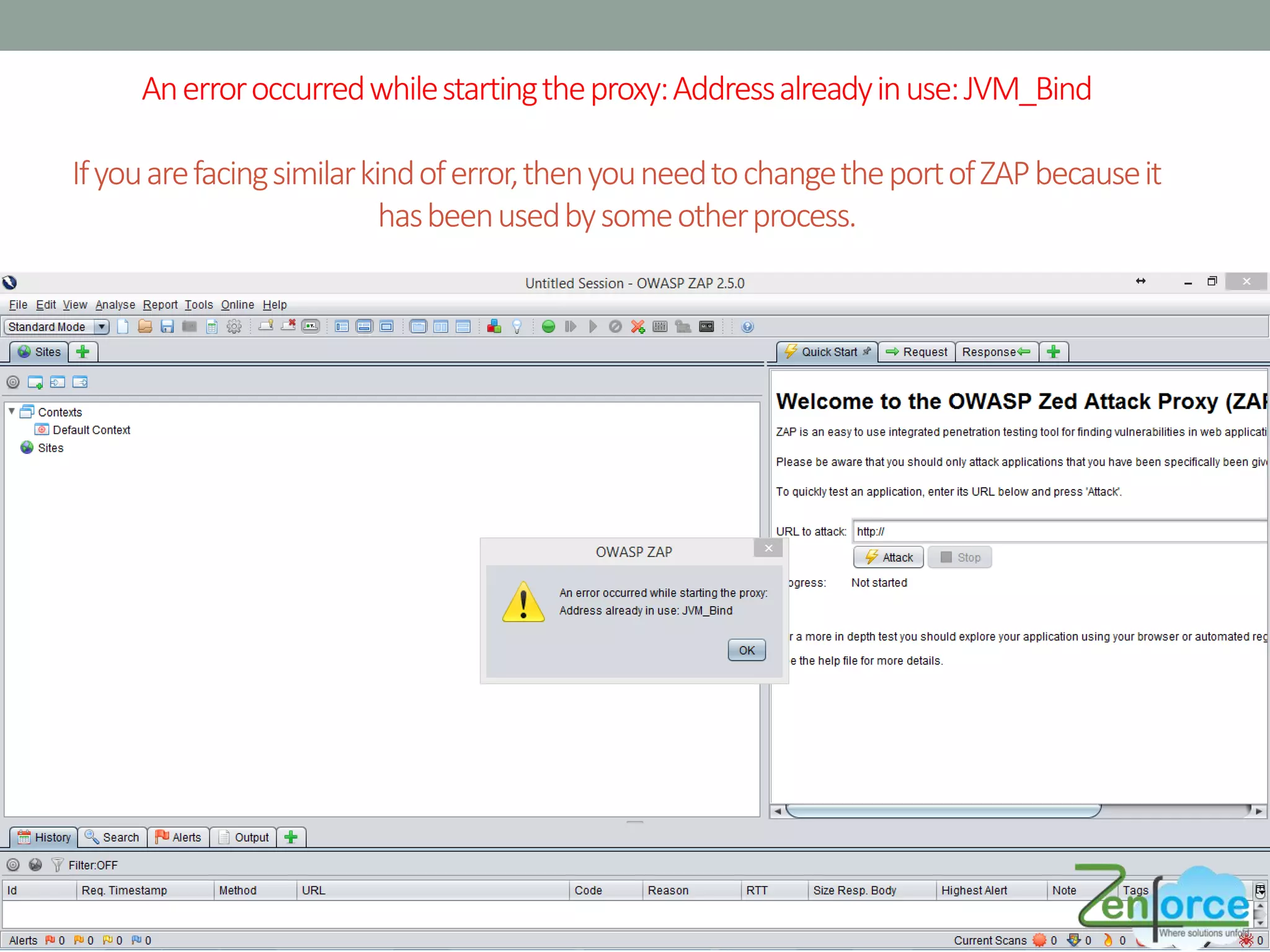
Anerroroccurredwhilestartingtheproxy:Addressalreadyinuse:JVM_Bind
Ifyouarefacingsimilarkindoferror,thenyouneedtochangetheportofZAPbecauseit
hasbeenusedbysomeotherprocess.
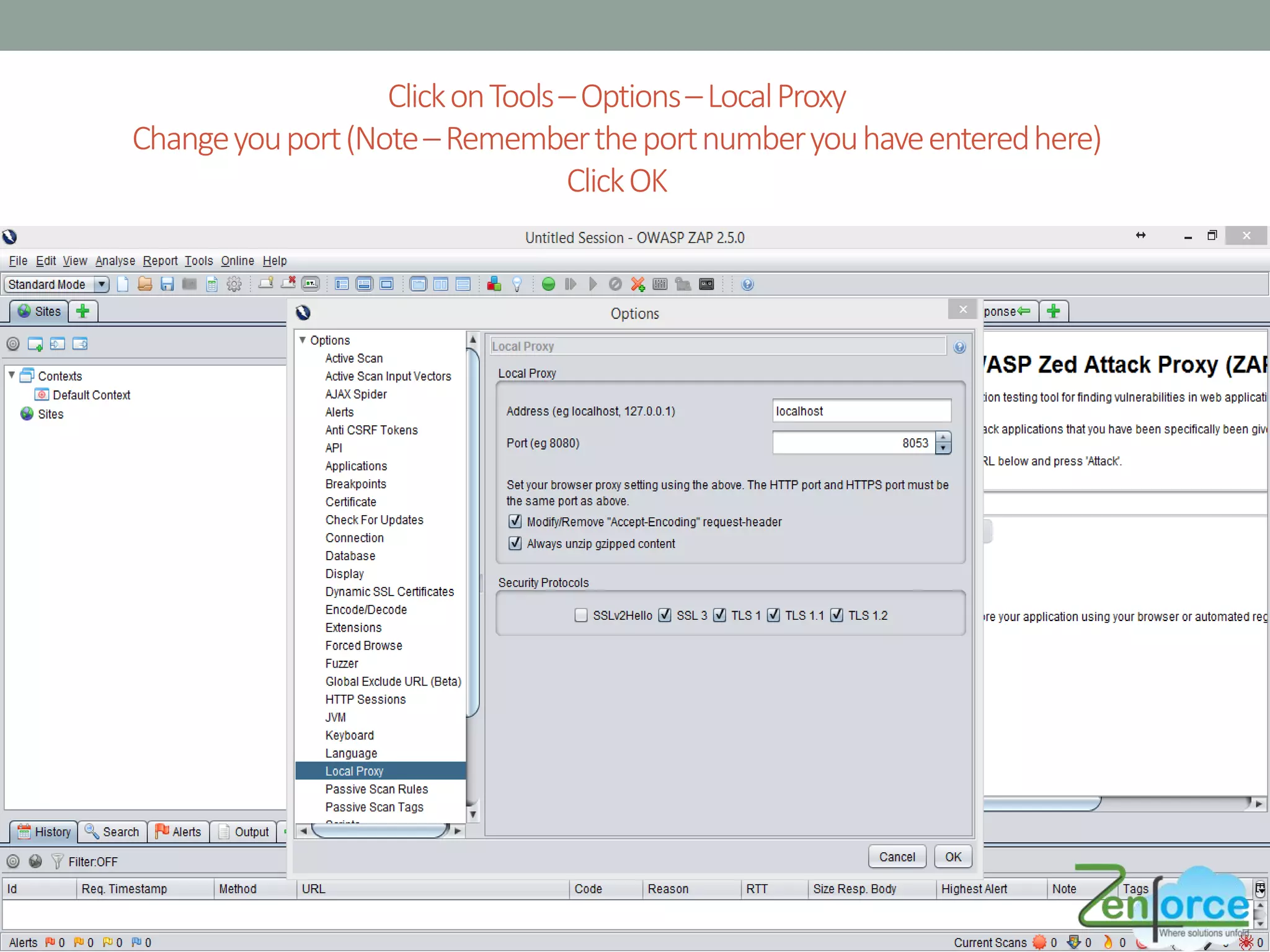
ClickonTools–Options–LocalProxy
Changeyouport(Note–Remembertheportnumberyouhaveenteredhere)
ClickOK
HOW TO USE ZAP ?
How to Use ZAP ?
• Once you have configured certificates and port in your browser
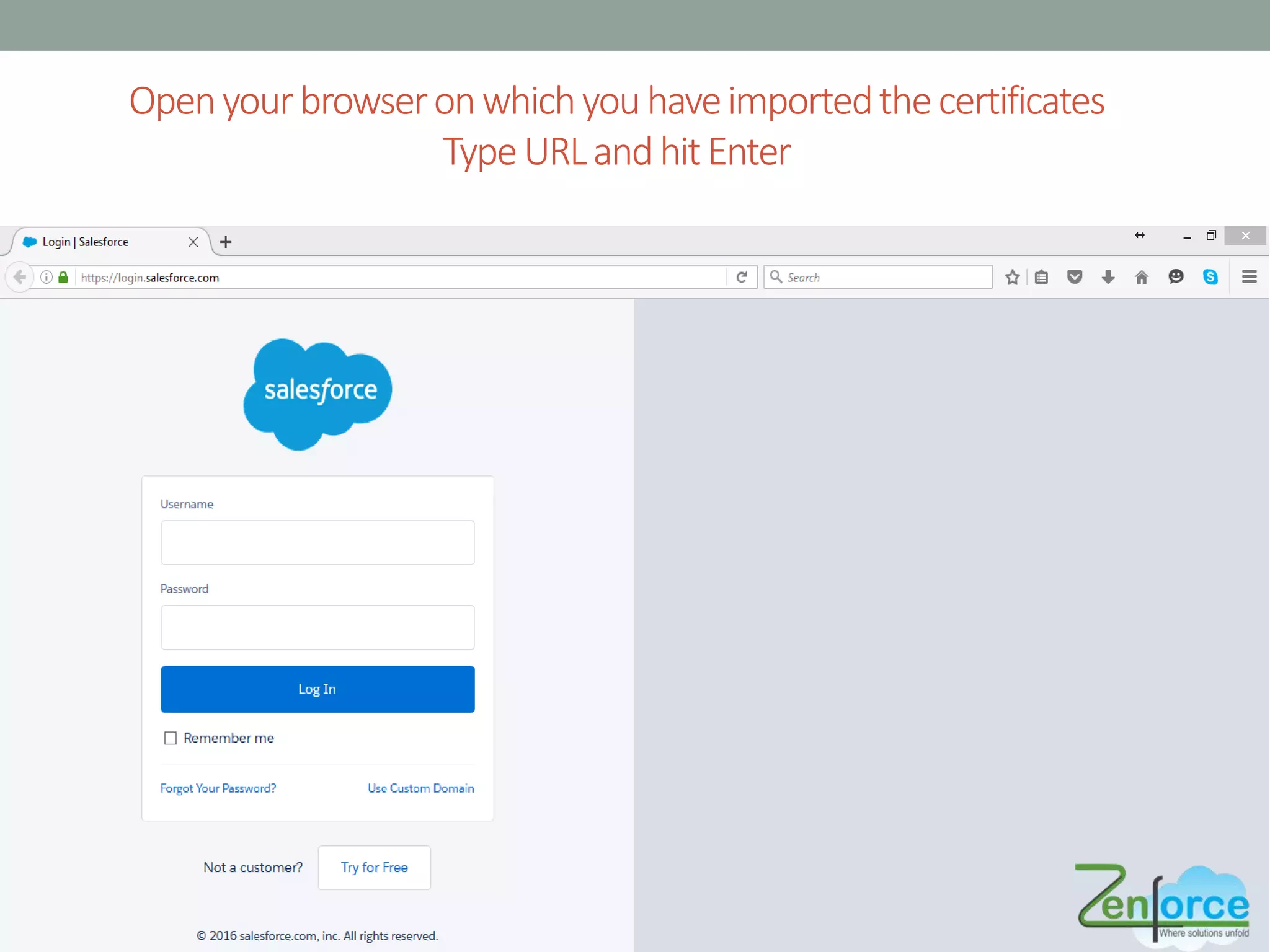
• Enter the URL in browser on which you want to perform
security testing, ZAP will start analyzing the site
• URL can be your SFDC ORG link, or a Visual force page link,
lightning page link, it can be any link
Openyourbrowseronwhichyouhaveimportedthecertificates
TypeURLandhitEnter
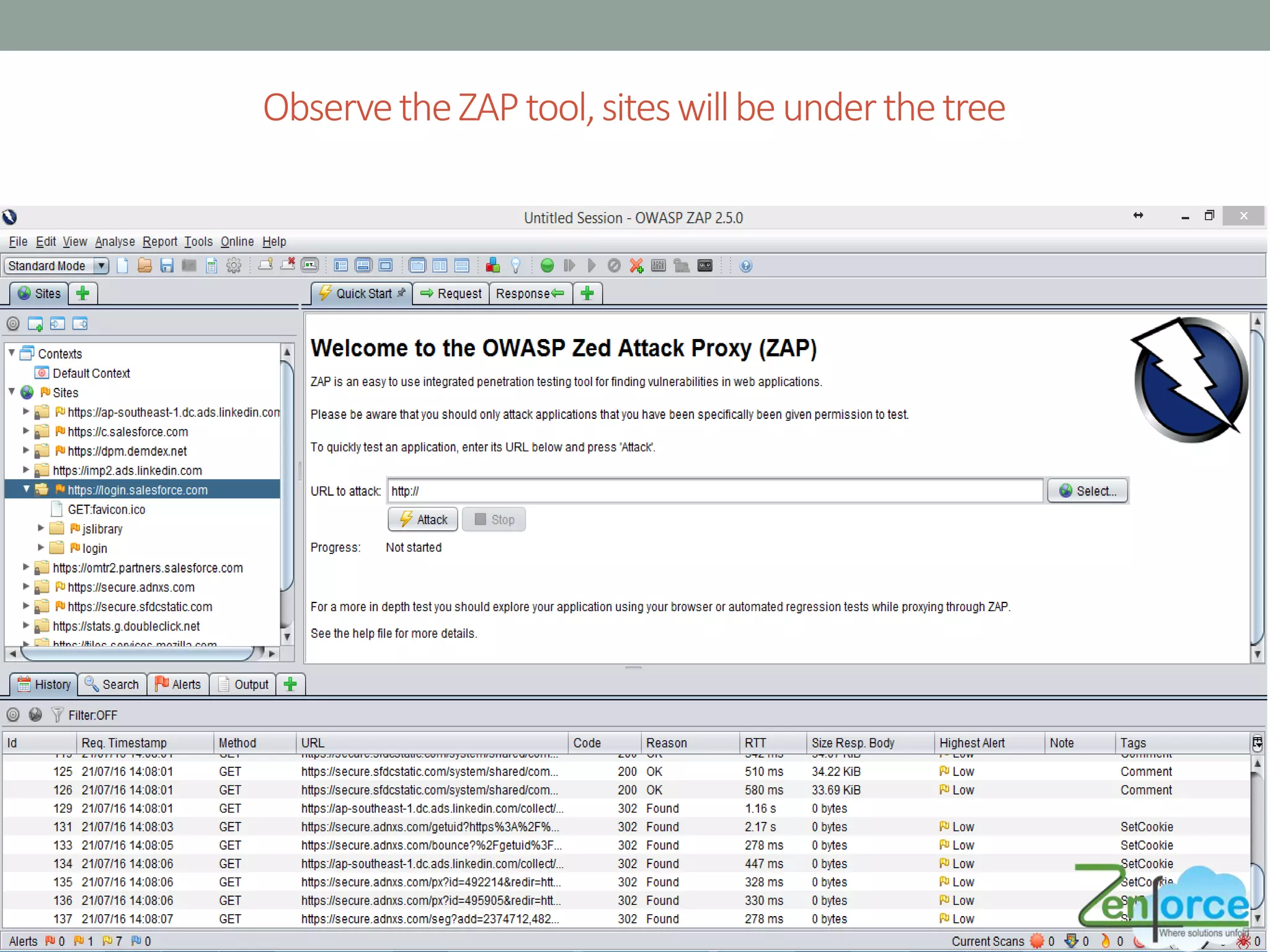
ObservetheZAPtool,siteswillbeunderthetree
REPORT ANALYSIS
Generating Reports
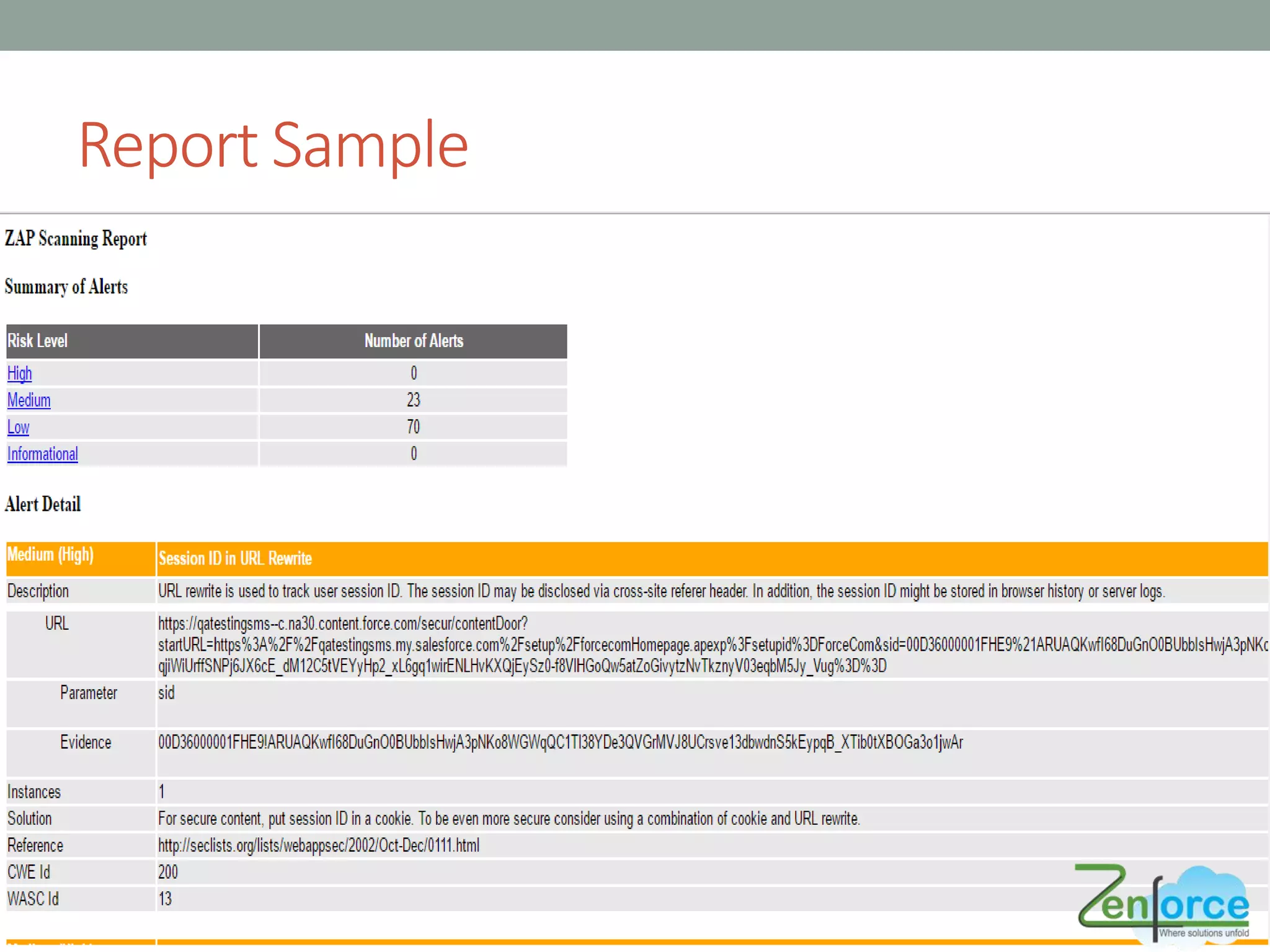
• Reports generated by ZAP contains different risk levels
• High
• Medium
• Low
• Informational
• Details with description, URL, Solution will be mentioned in
report by ZAP
• Sample errors are as follows
• Session ID in URL Rewrite
• X-Frame-Options Header Not Set
• Referrer Exposes Session ID
• Application Error Disclosure and many others..
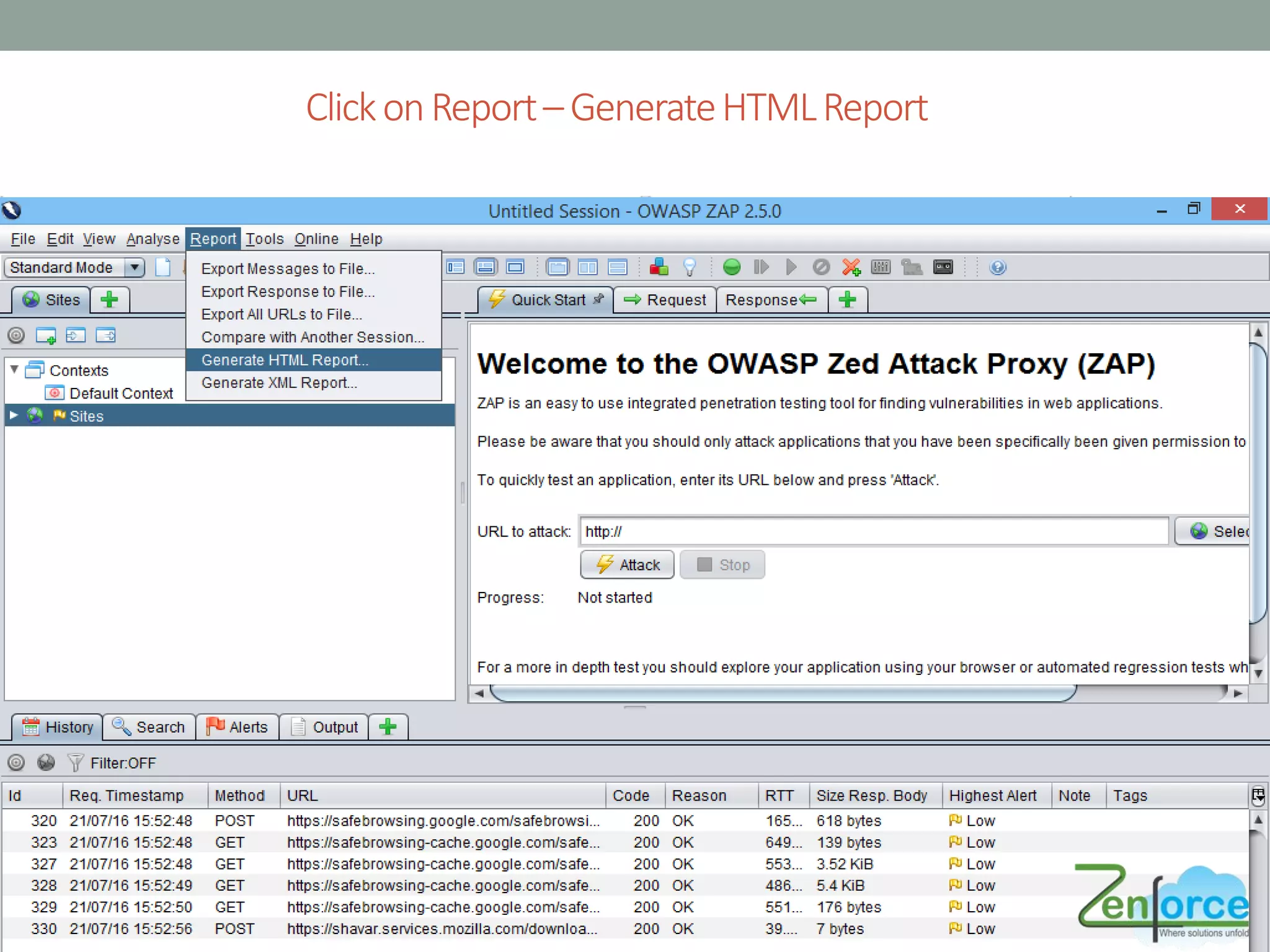
ClickonReport–GenerateHTMLReport
Report Sample
References
• https://en.wikipedia.org/wiki/OWASP_ZAP
• https://security.secure.force.com/security/tools/webapp/zapbr
owsersetup
THANK YOU !!!

Security Testing using ZAP in SFDC