Salesforce REST API
Remote SOQL, SOSL, CRUD and other available actions
Introduction
About myself:
Bohdan Dovhan
Salesforce Development Team Lead
Salesforce Certified Force.com Developer
Salesforce Certified Force.com Advanced Developer
7 years of Development experience
Representational state transfer
Representational state transfer is the software architectural style of the World Wide
Web. The purpose of REST architecture is to induce
* Performance Продуктивність?
* Scalability Масштабованість?
* Simplicity Простота?
* Modifiability Змінюваність?
* Visibility Видимість?
* Portability Переносність?
* Reliability Надійність
Roy Fielding coined the term
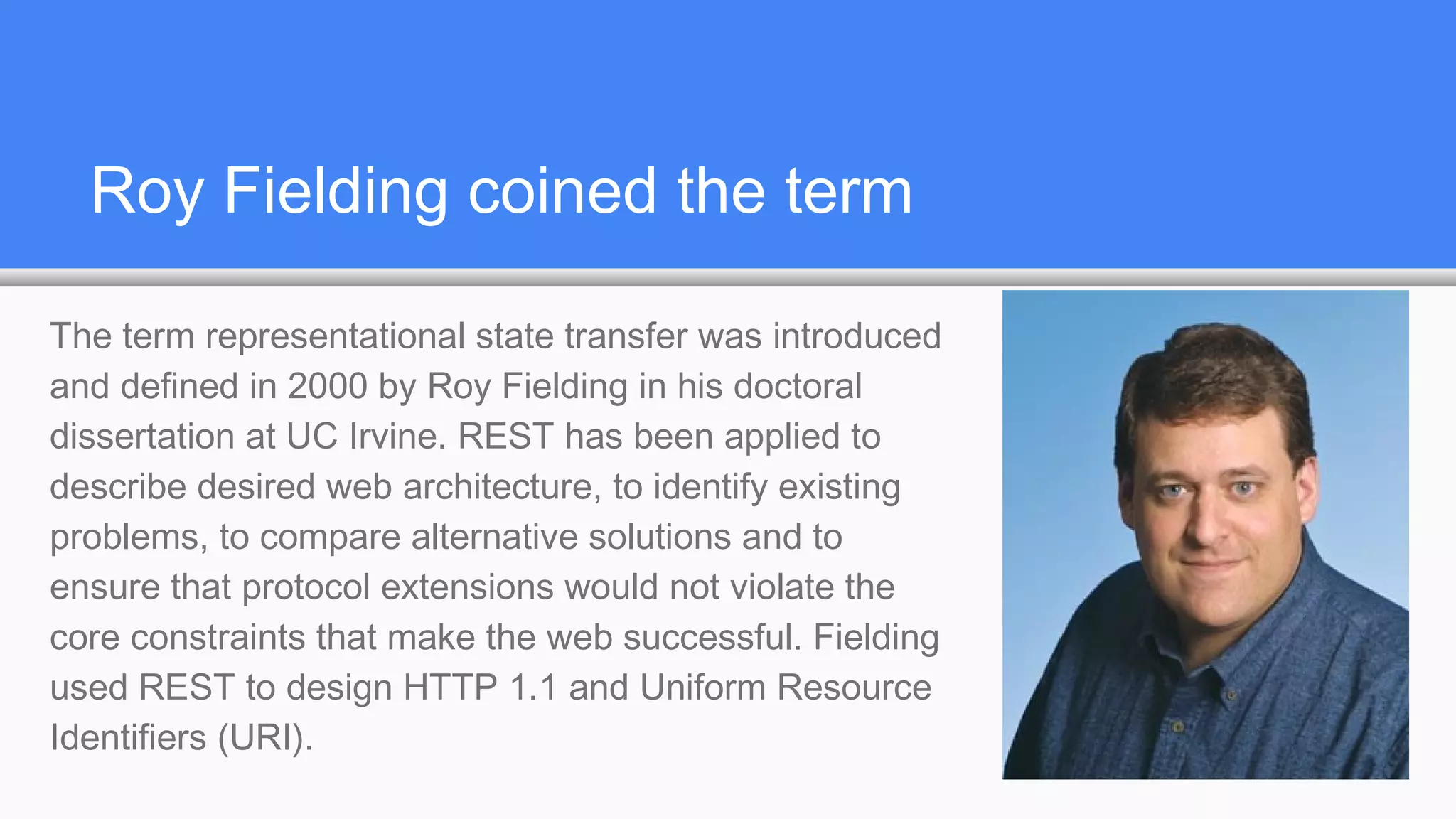
The term representational state transfer was introduced
and defined in 2000 by Roy Fielding in his doctoral
dissertation at UC Irvine. REST has been applied to
describe desired web architecture, to identify existing
problems, to compare alternative solutions and to
ensure that protocol extensions would not violate the
core constraints that make the web successful. Fielding
used REST to design HTTP 1.1 and Uniform Resource
Identifiers (URI).
RESTful systems
To the extent that systems conform to the constraints of REST they can be
called RESTful. RESTful systems typically, but not always, communicate over
Hypertext Transfer Protocol (HTTP) with the same HTTP verbs (GET, POST,
PUT, DELETE, PATCH ) that web browsers use to retrieve web pages and to
send data to remote servers. REST systems interface with external systems as
web resources identified by Uniform Resource Identifiers (URIs), for example
/people/tom, which can be operated upon using standard verbs such as GET
/people/tom.
Examples
* Google Glass API
* Twitter API
* Amazon Web Services
* Atom (RESTful alternative to RSS)
* Tesla Model S uses RESTful calls to communicate between mobile devices and car:
http://docs.timdorr.apiary.io/
Understanding Force.com REST Resources
A REST resource is an abstraction of a piece of information, such as a single data
record, a collection of records, or even dynamic real-time information. Each resource in
the Force.com REST API is identified by a named URI, and is accessed using standard
HTTP methods (HEAD, GET, POST, PATCH, DELETE). The Force.com REST API is
based on the usage of resources, their URIs, and the links between them.
NOTA BENE: no “PUT” verb. PUT was used to replace the entire resource, not used in
Force.com REST API
Understanding Force.com REST Resources
You use a resource to interact with your Salesforce or Force.com organization. For
example, you can:
Retrieve summary information about the API versions available to you.
Obtain detailed information about a Salesforce object such as an Account or a custom
object.
Obtain detailed information about Force.com objects, such as User or a custom object.
Perform a query or search.
Update or delete records.
What is the difference between HEAD and
GET?
The HTTP methods are used to indicate the desired action, such as retrieving
information, as well as creating, updating, and deleting records.
• HEAD is used to retrieve resource metadata. The same as GET but lacks resp. body
• GET is used to retrieve information, such as basic resource summary information.
• POST is used to create a new object.
• PATCH is used to update a record.
• DELETE is used to delete a record.
REST Principles: Stateless and Caching
Stateless
Each request from client to server must contain all the information necessary to
understand the request, and not use any stored context on the server. However, the
representations of the resources are interconnected using URLs, which allow the client
to progress between states.
Caching behavior
Responses are labeled as cacheable or non-cacheable.
REST Principles: Uniformity and Naming
Uniform interface
All resources are accessed with a generic interface over HTTP.
Named resources
All resources are named using a base URI that follows your Force.com URI.
REST Principles: Layers and Authentication
Layered components
The Force.com REST API architecture allows for the existence of such intermediaries as
proxy servers and gateways to exist between the client and the resources.
Authentication
The Force.com REST API supports OAuth 2.0 (an open protocol to allow secure API
authorization).
JSON vs. XML
Support for JSON and XML
JSON is the default. You can use the HTTP ACCEPT header to select either JSON or
XML, or append .json or .xml to the URI (for example, /Account/001D000000INjVe.json).
The JavaScript Object Notation (JSON) format is supported with UTF-8. Date-time
information is in ISO8601 format.
XML serialization is similar to SOAP API. XML requests are supported in UTF-8 and
UTF-16, and XML responses are provided in UTF-8.
Relationship URLs a.k.a. “Friendly”
Why make two API calls when you can make just one? A friendly URL provides an
intuitive way to construct REST API requests and minimizes the number of round-trips
between your app and Salesforce org. Friendly URLs are available in API version 36.0
and later. This functionality is exposed via the SObject Relationships resource.
Accessing a contact’s parent account without a friendly URL involves requesting the
contact record using the SObject Rows resource. Then you examine the account
relationship field to obtain the account ID and request the account record with another
call to SObject Rows. Using a friendly URL, you can access the account in a single call
directly from the contact’s path: /services/data/v36.0/sobjects/contact/id/account.
REST API vs. SOAP API vs. Bulk API
SOAP API may be more convenient to process multiple records ( it has the same
method for one or multiple records DML operation while REST API has different
resource for multiple records DML operation /composite/tree/ )
If you need to process huge amount of data, use Bulk API
While it is possible to query or search for multiple records in REST API using one
request, to perform UpdateDelete operations you need to perform one request per each
record or use /composite/batch/ to unite DML operations in a batch
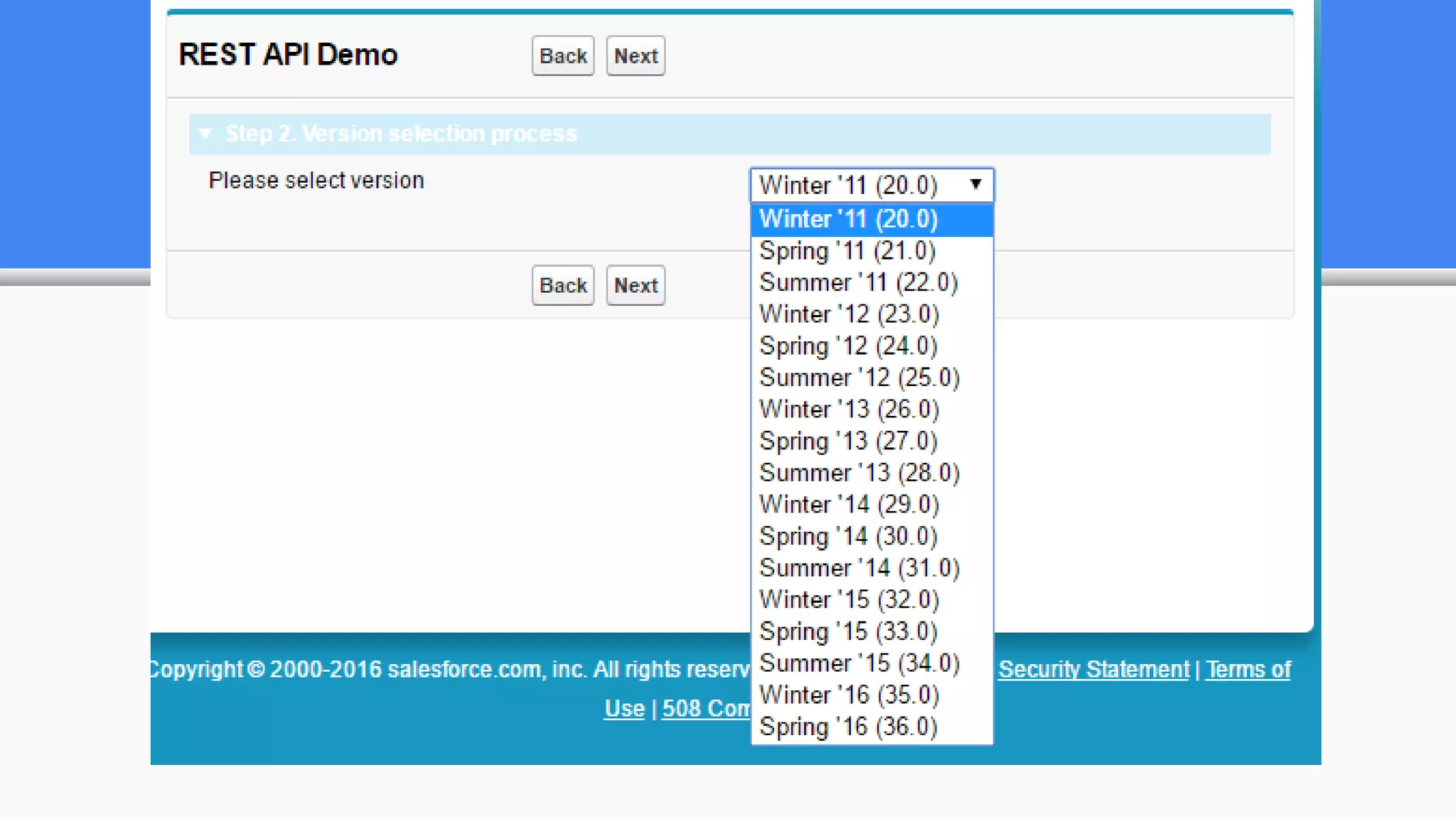
How can we know available versions?
Versions resource. URI: /
Formats: JSON, XML; HTTP Method: GET; Authentication: none; Parameters: none
Lists summary information about each Salesforce version currently available, including
the version, label, and a link to each version's root.
http://login.salesforce.com/services/data/
http://login.salesforce.com/services/data/v37.0 Is Summer’16 is on your production?
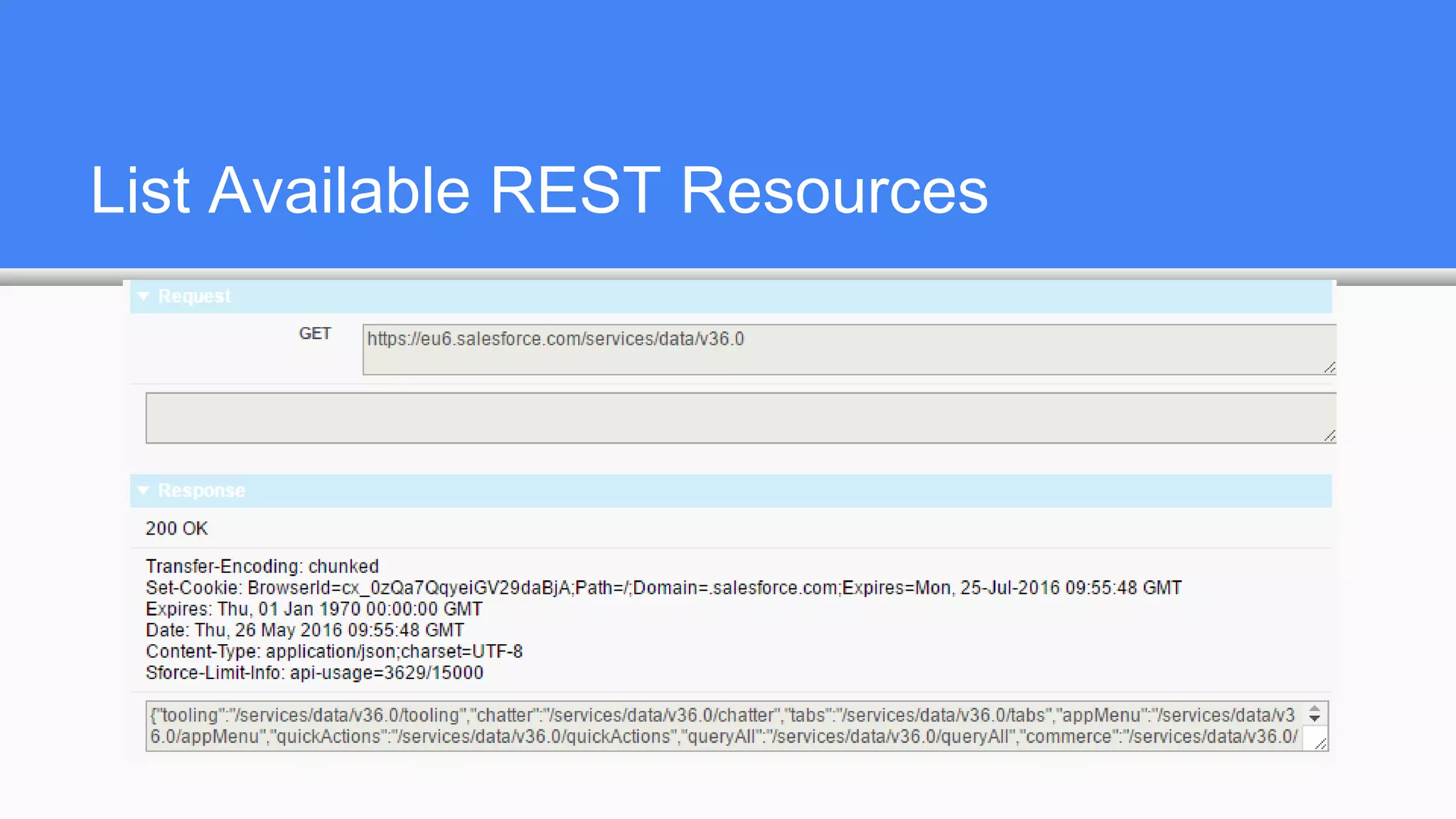
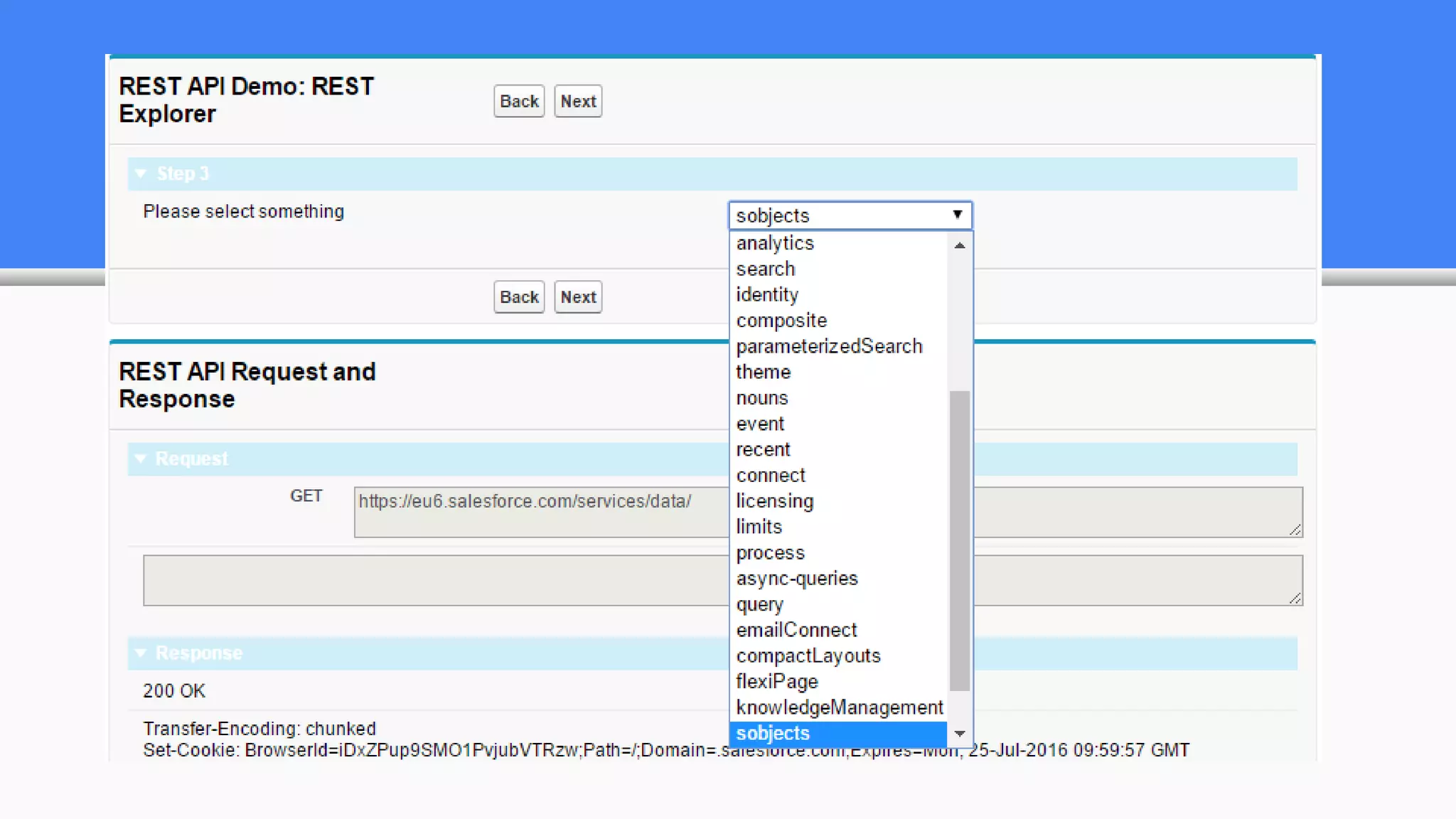
List Available REST Resources
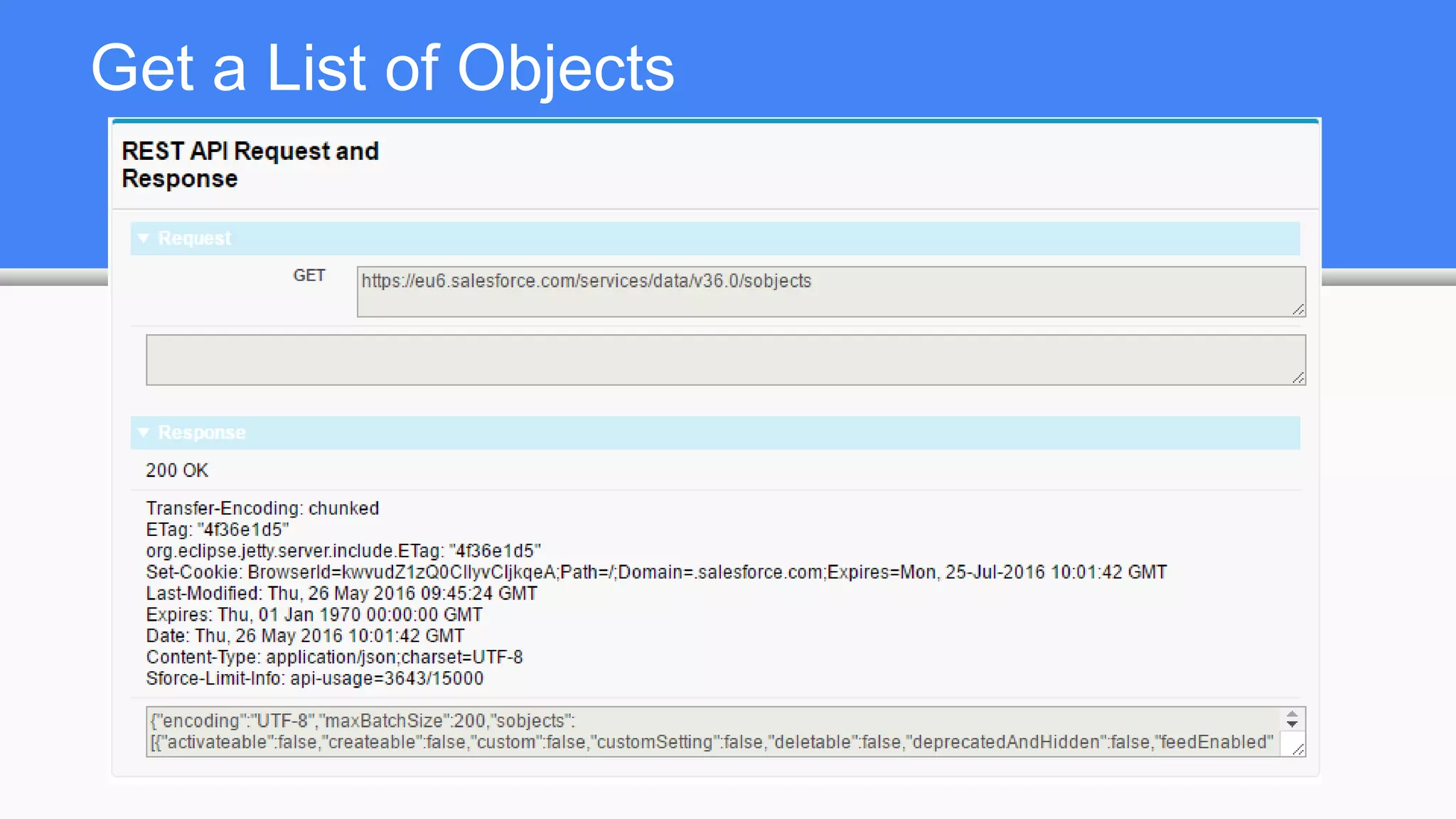
Get a List of Objects
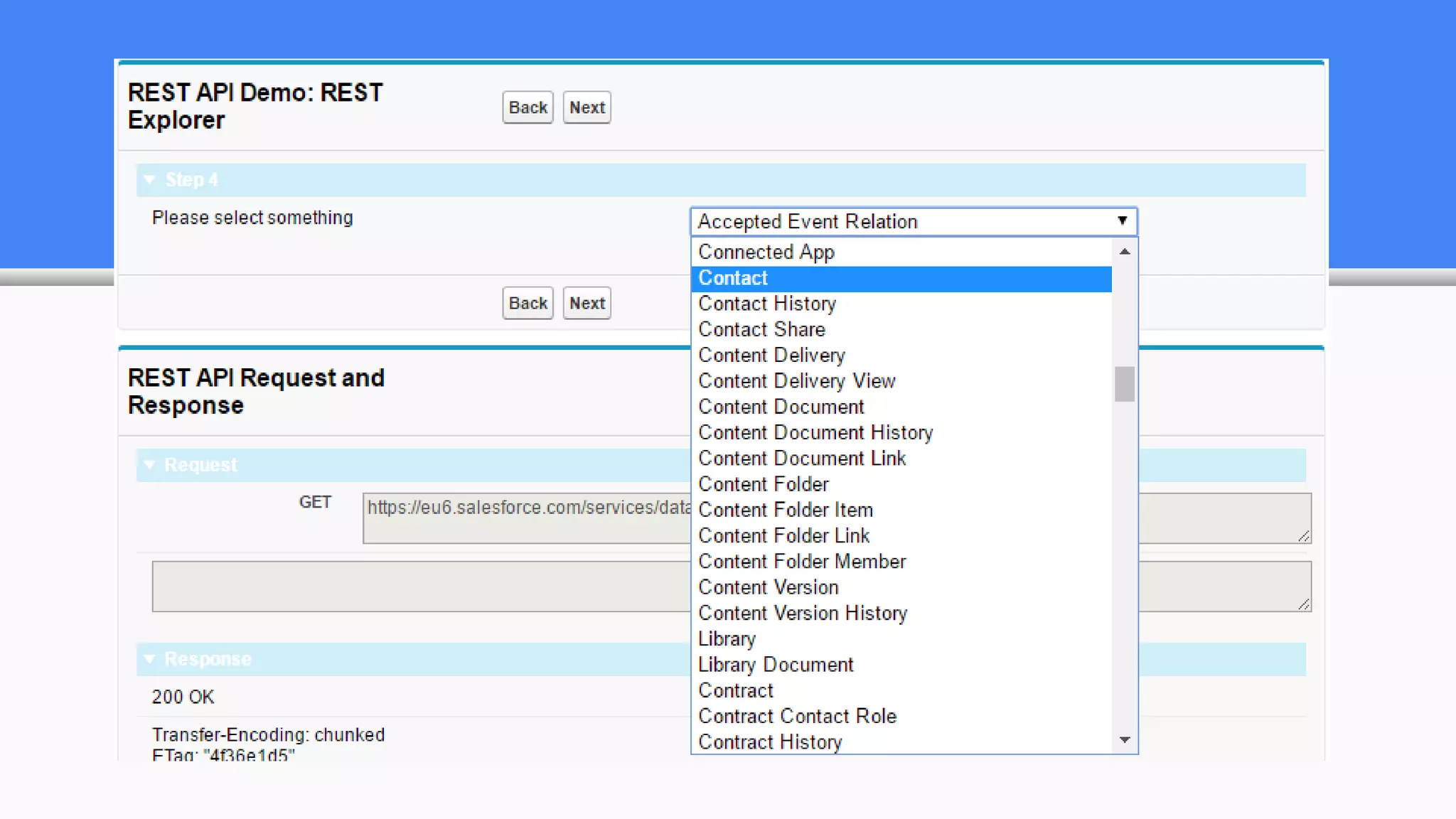
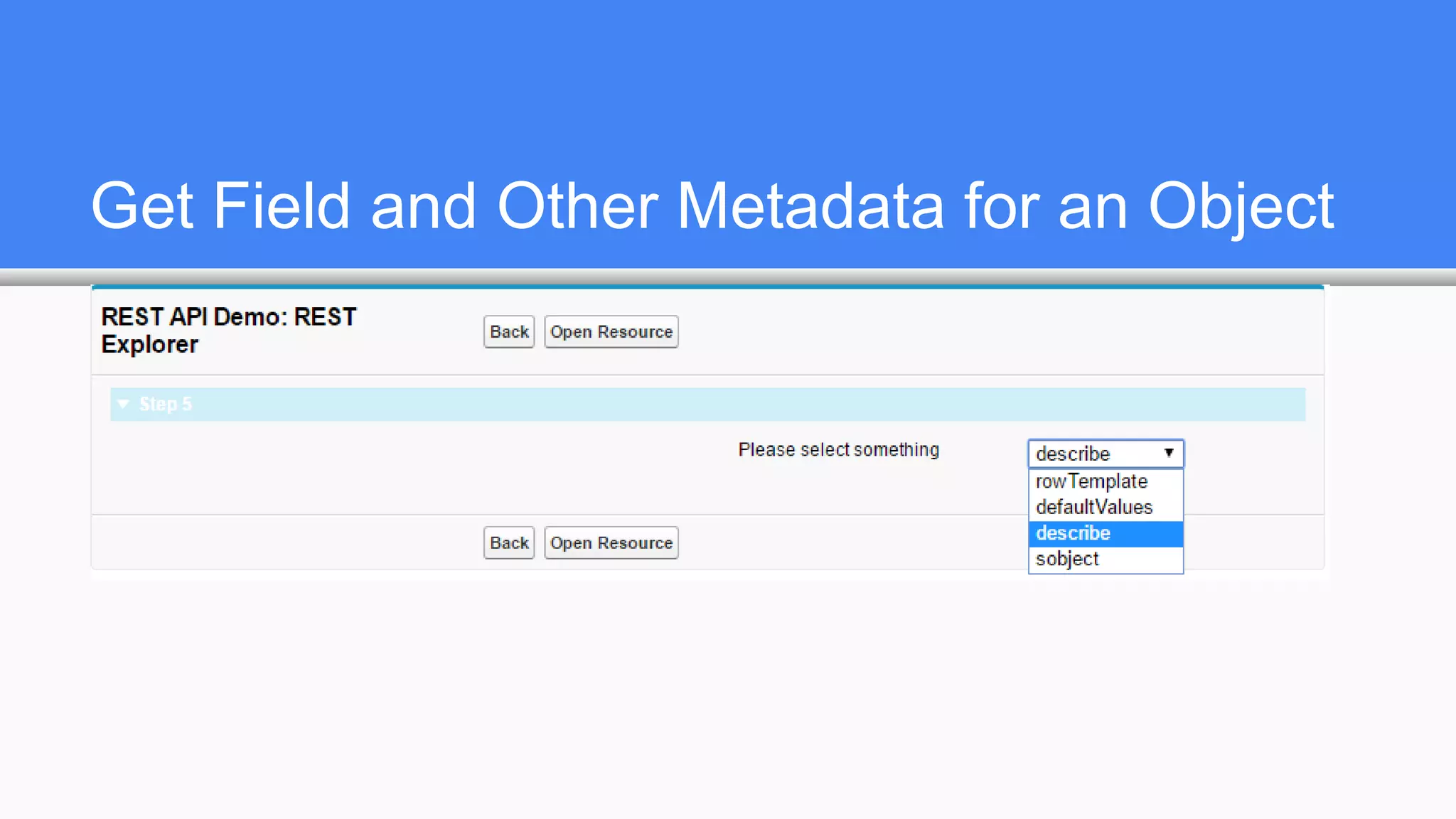
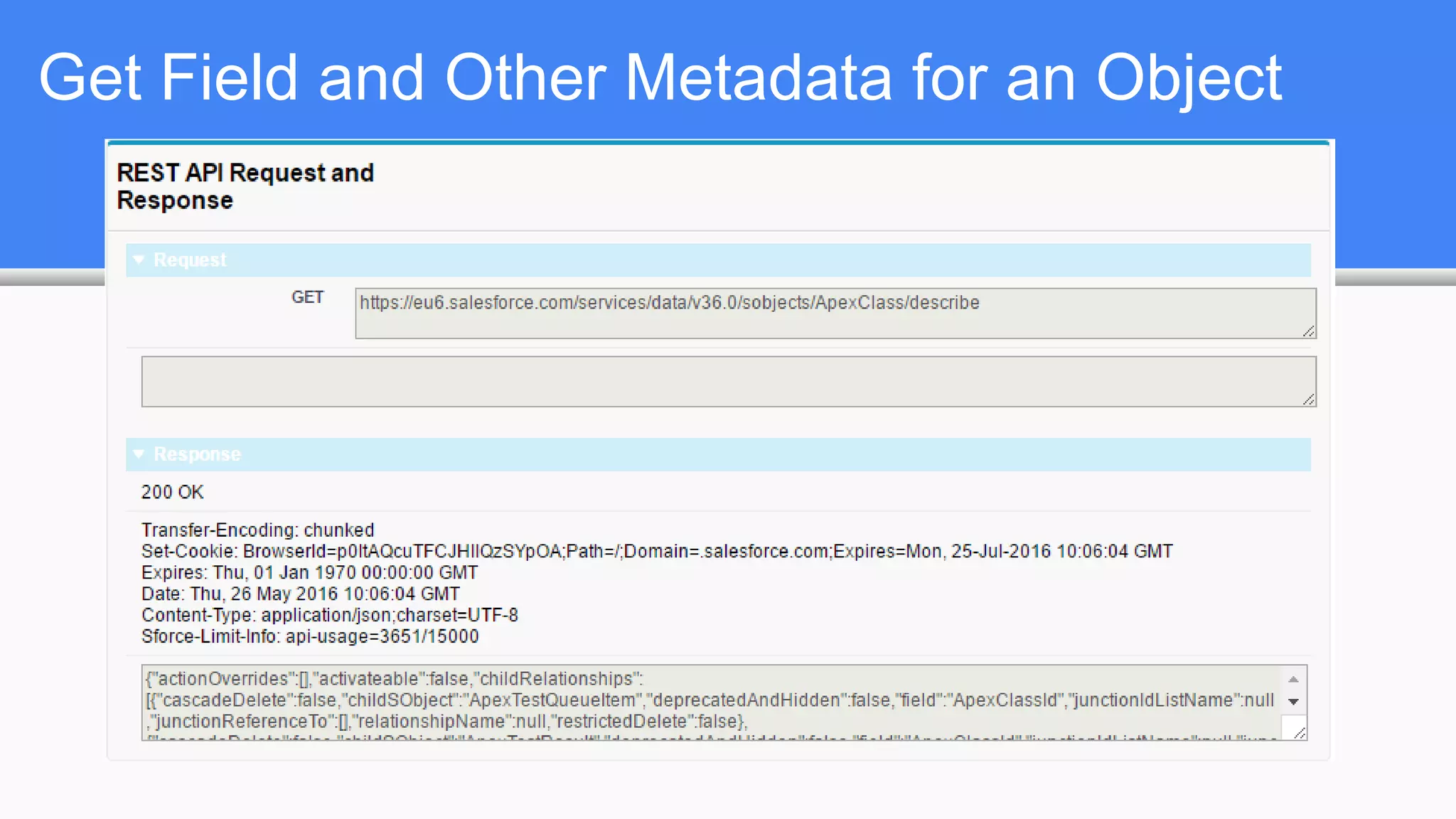
Get Field and Other Metadata for an Object
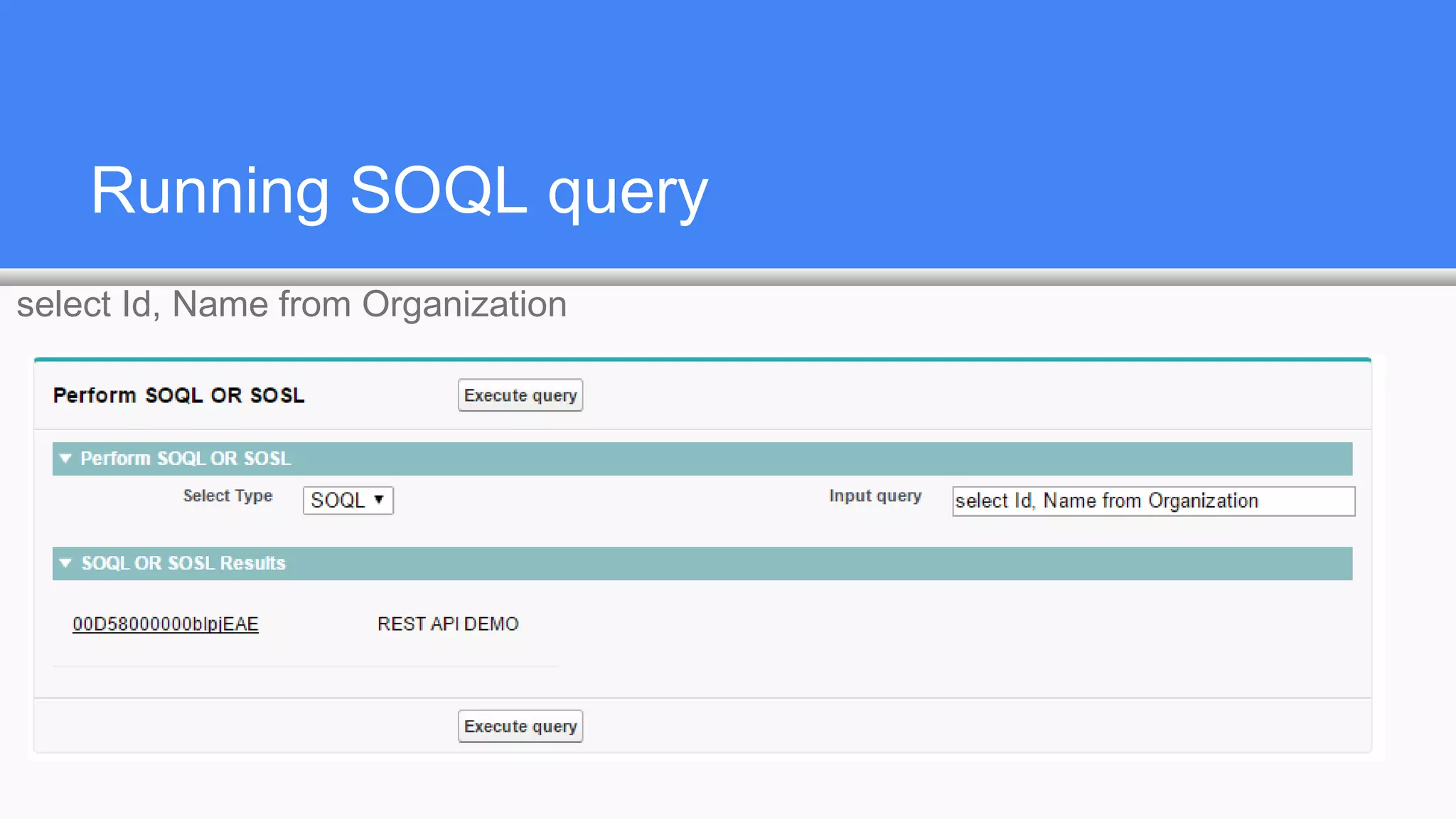
Running SOQL query
select Id, Name from Organization
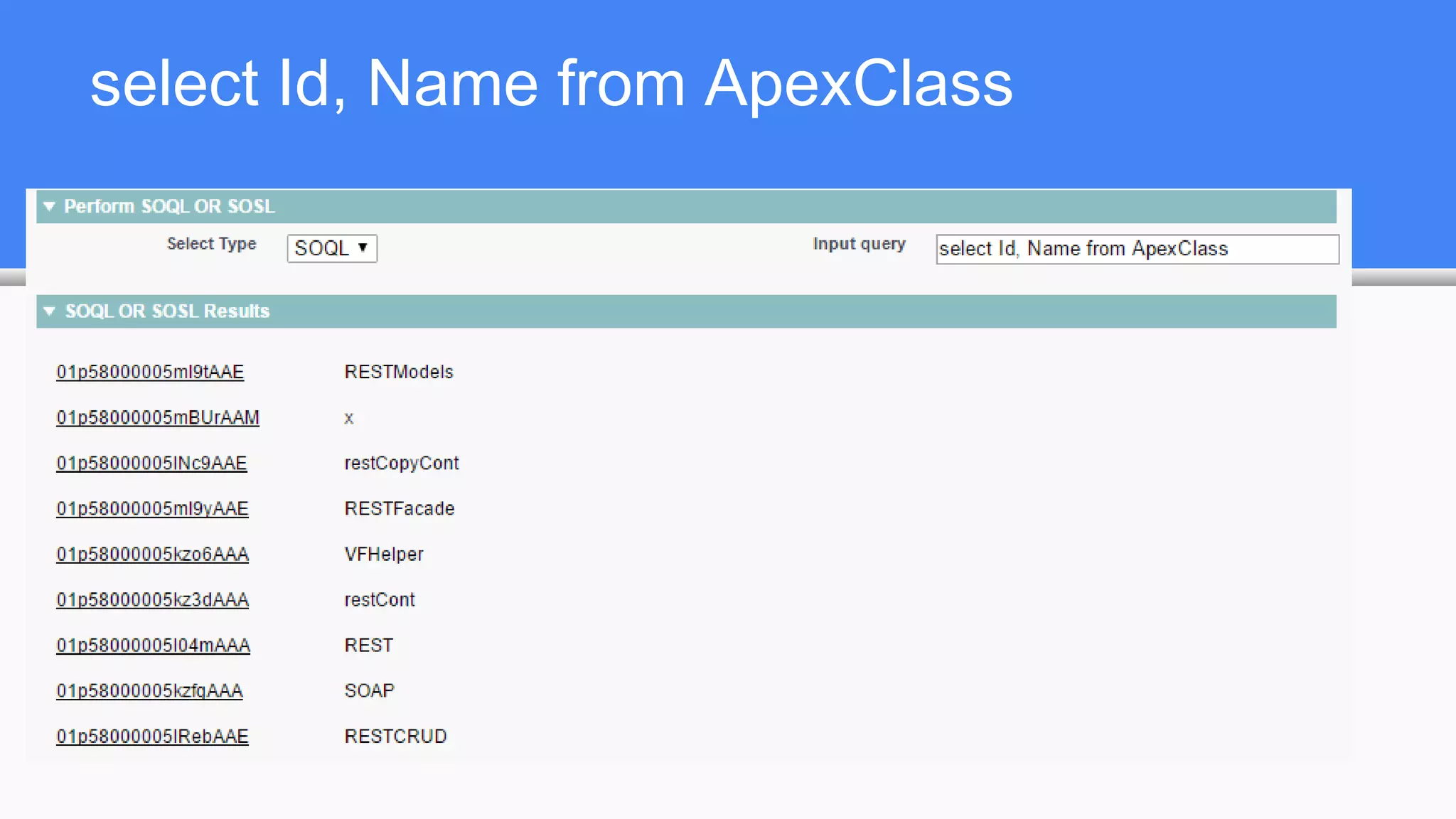
select Id, Name from ApexClass
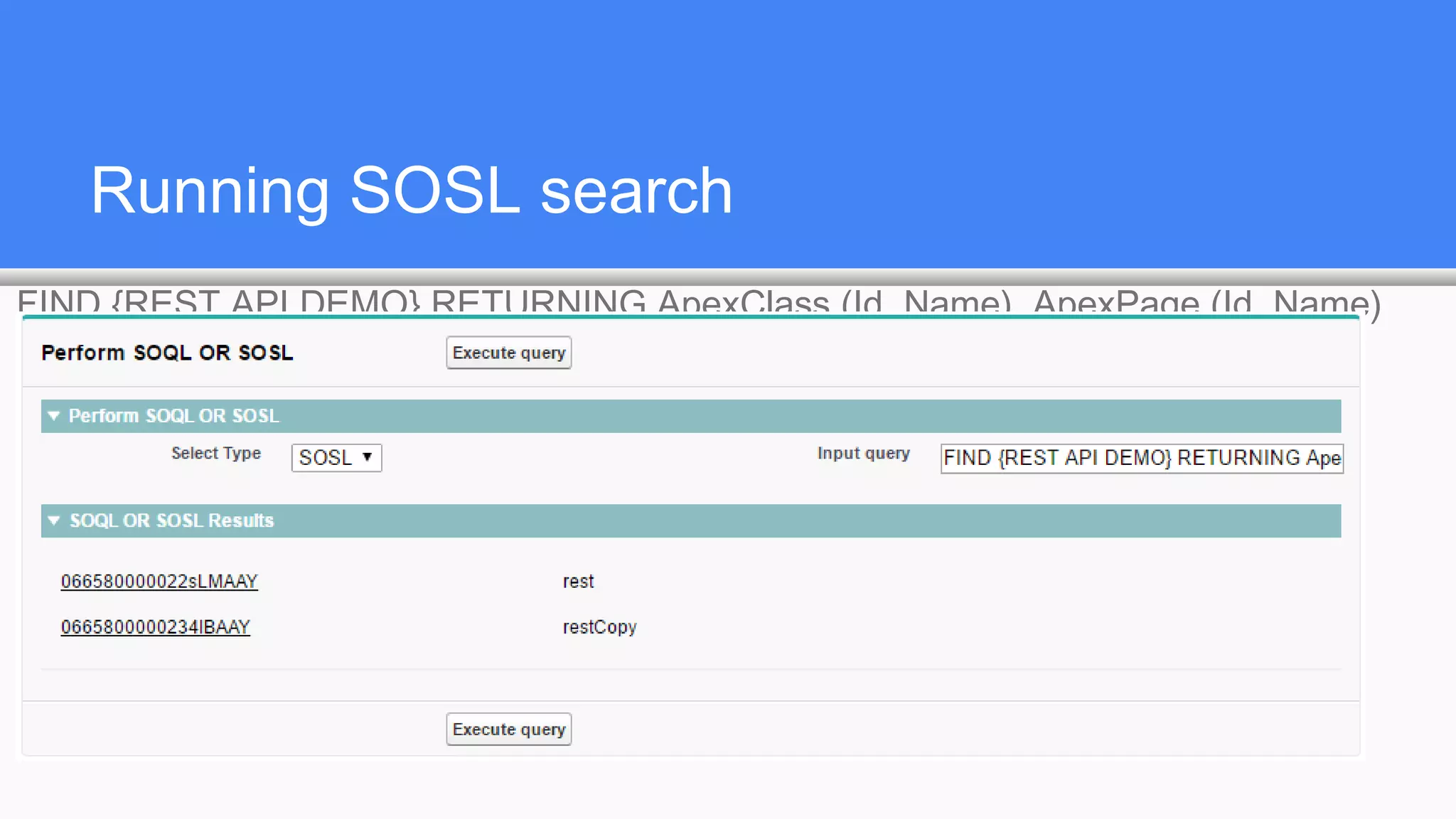
Running SOSL search
FIND {REST API DEMO} RETURNING ApexClass (Id, Name), ApexPage (Id, Name)
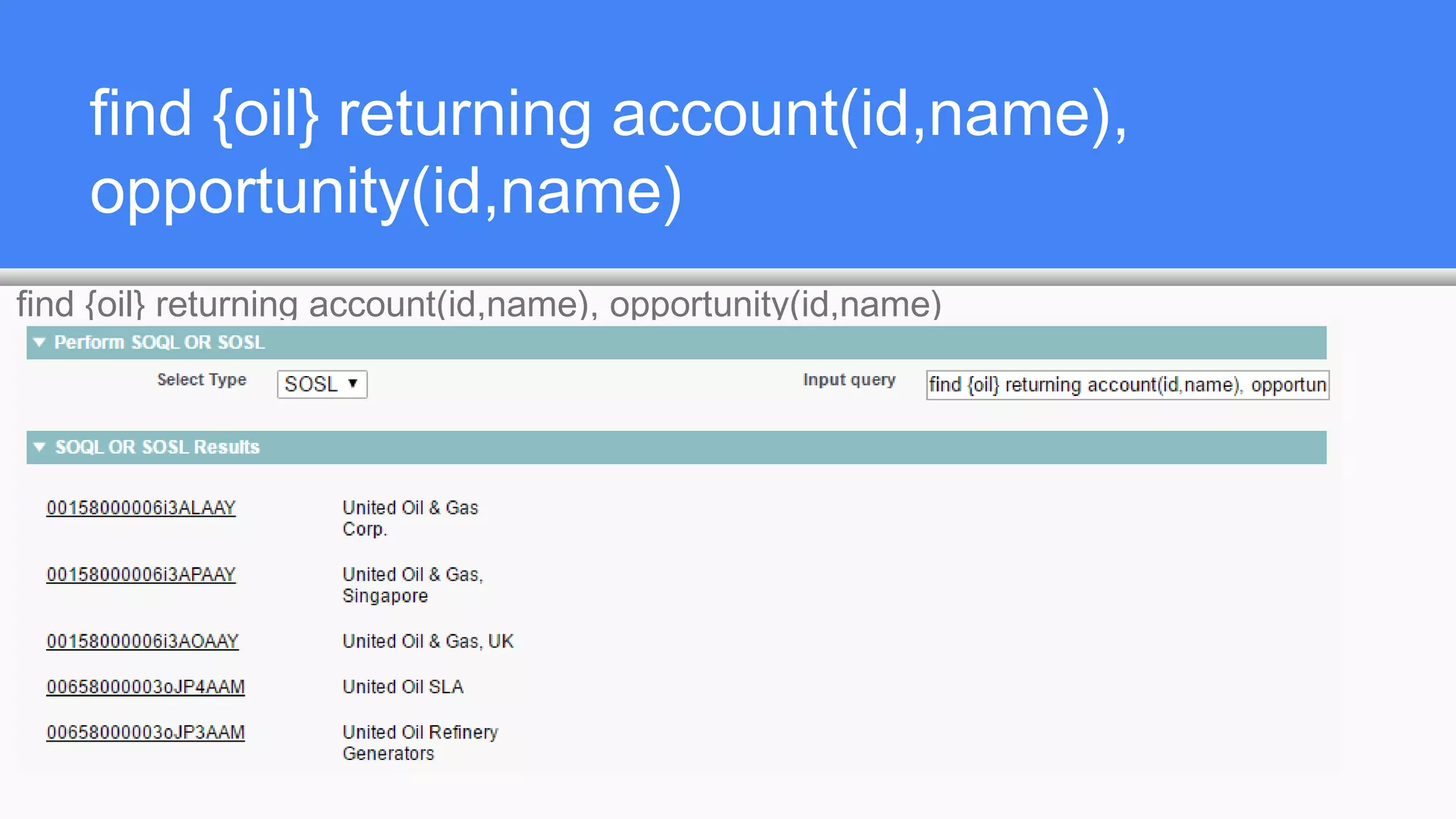
find {oil} returning account(id,name),
opportunity(id,name)
find {oil} returning account(id,name), opportunity(id,name)
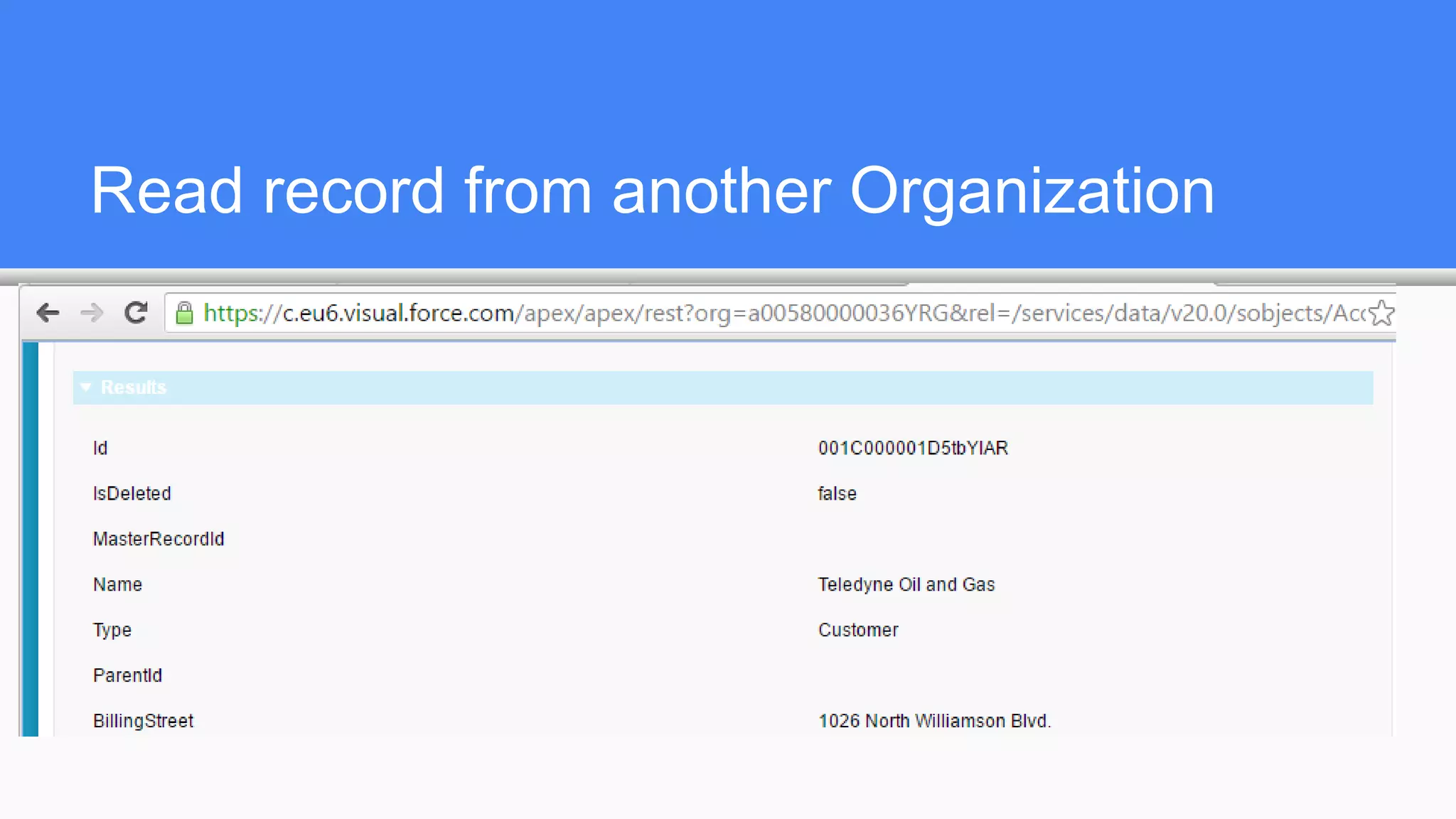
Read record from another Organization
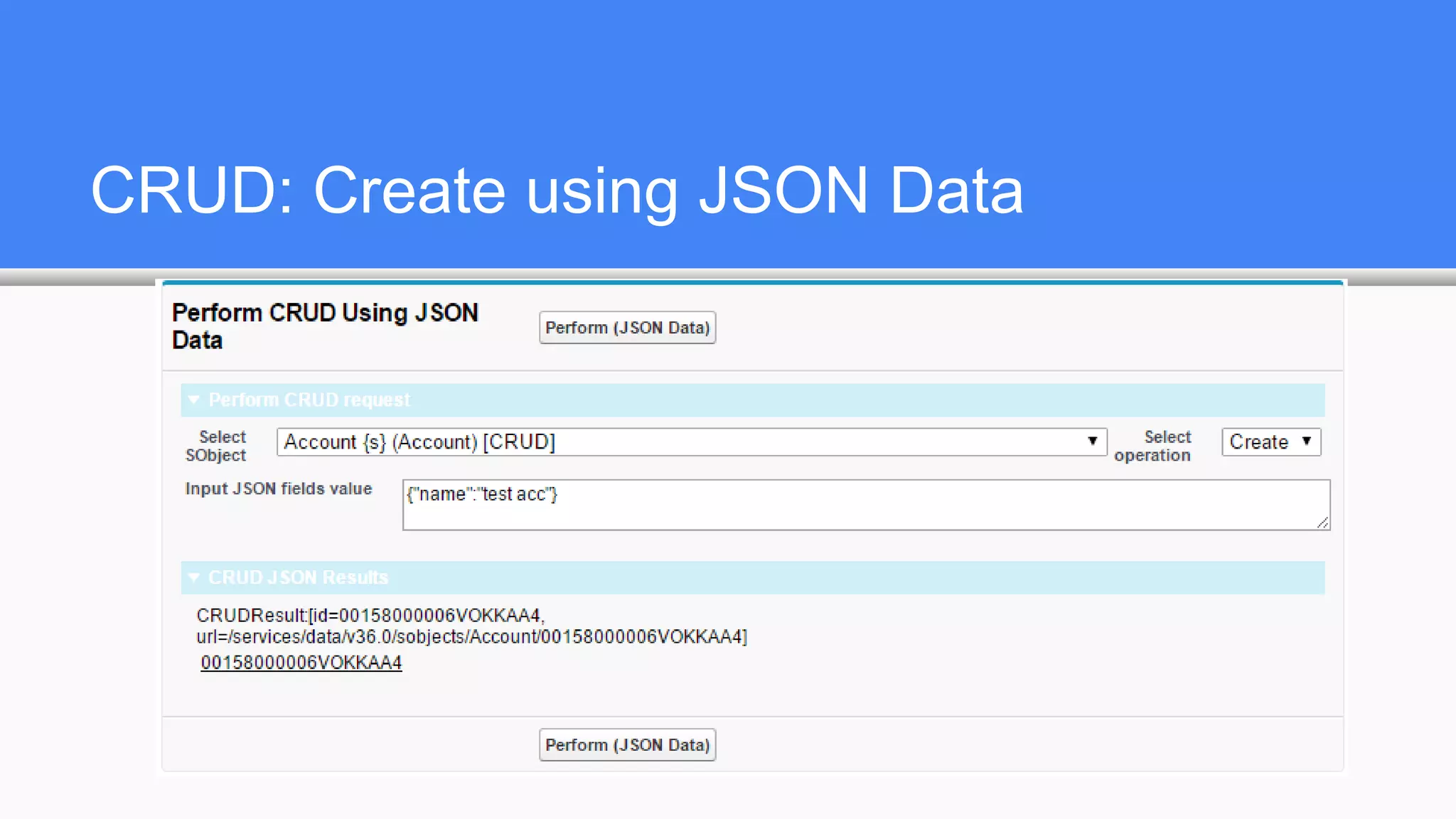
CRUD: Create using JSON Data
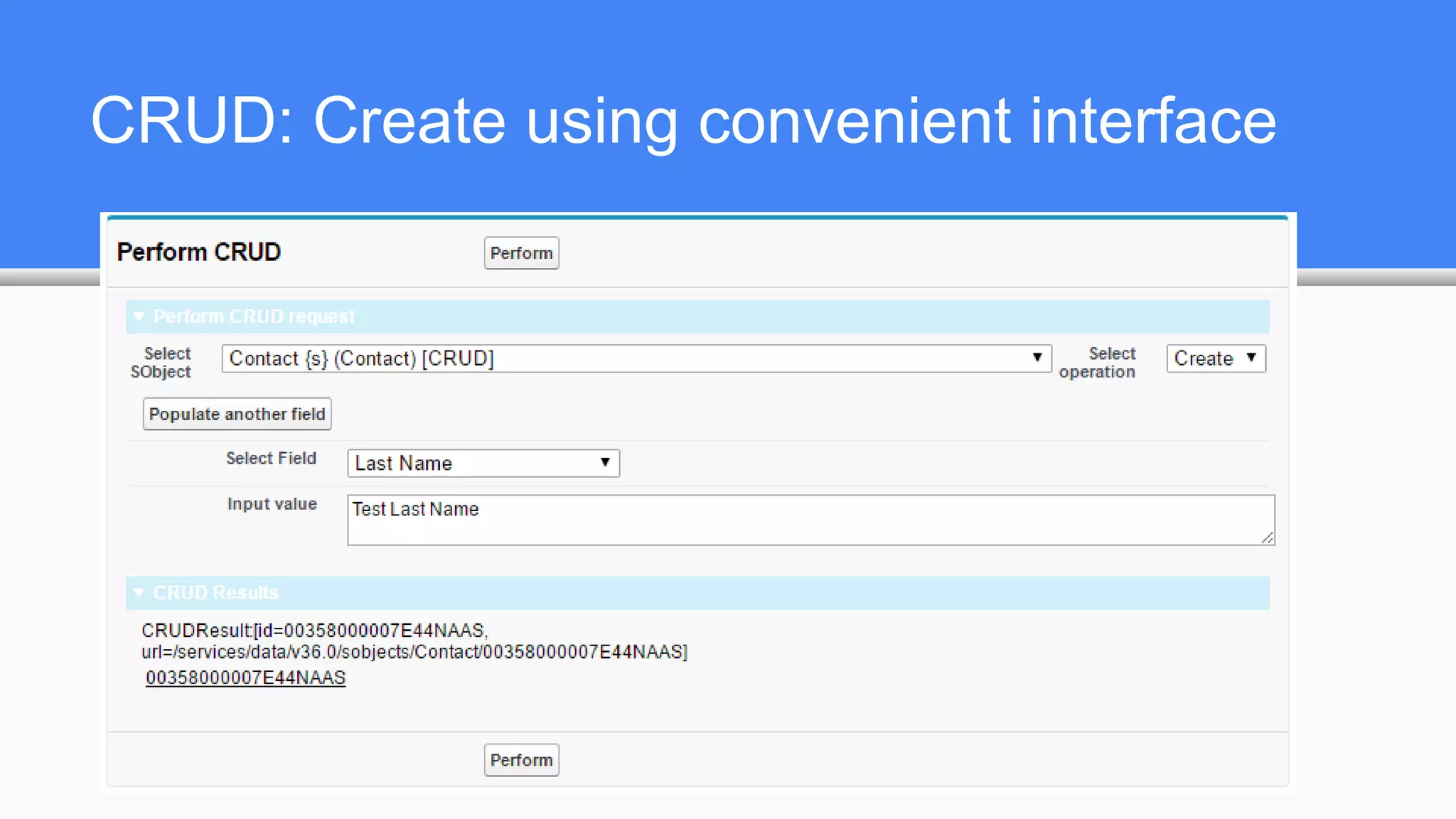
CRUD: Create using convenient interface
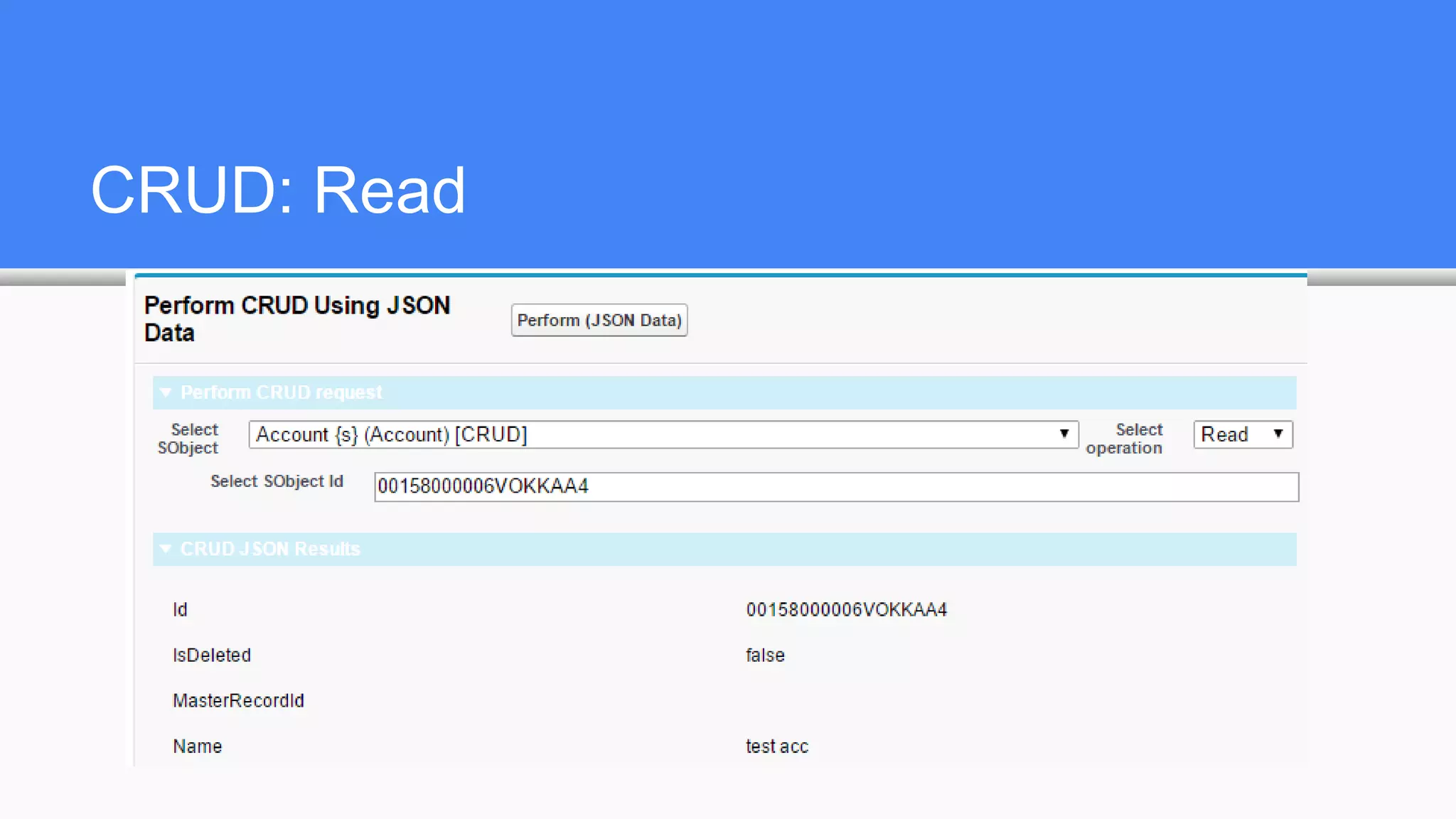
CRUD: Read
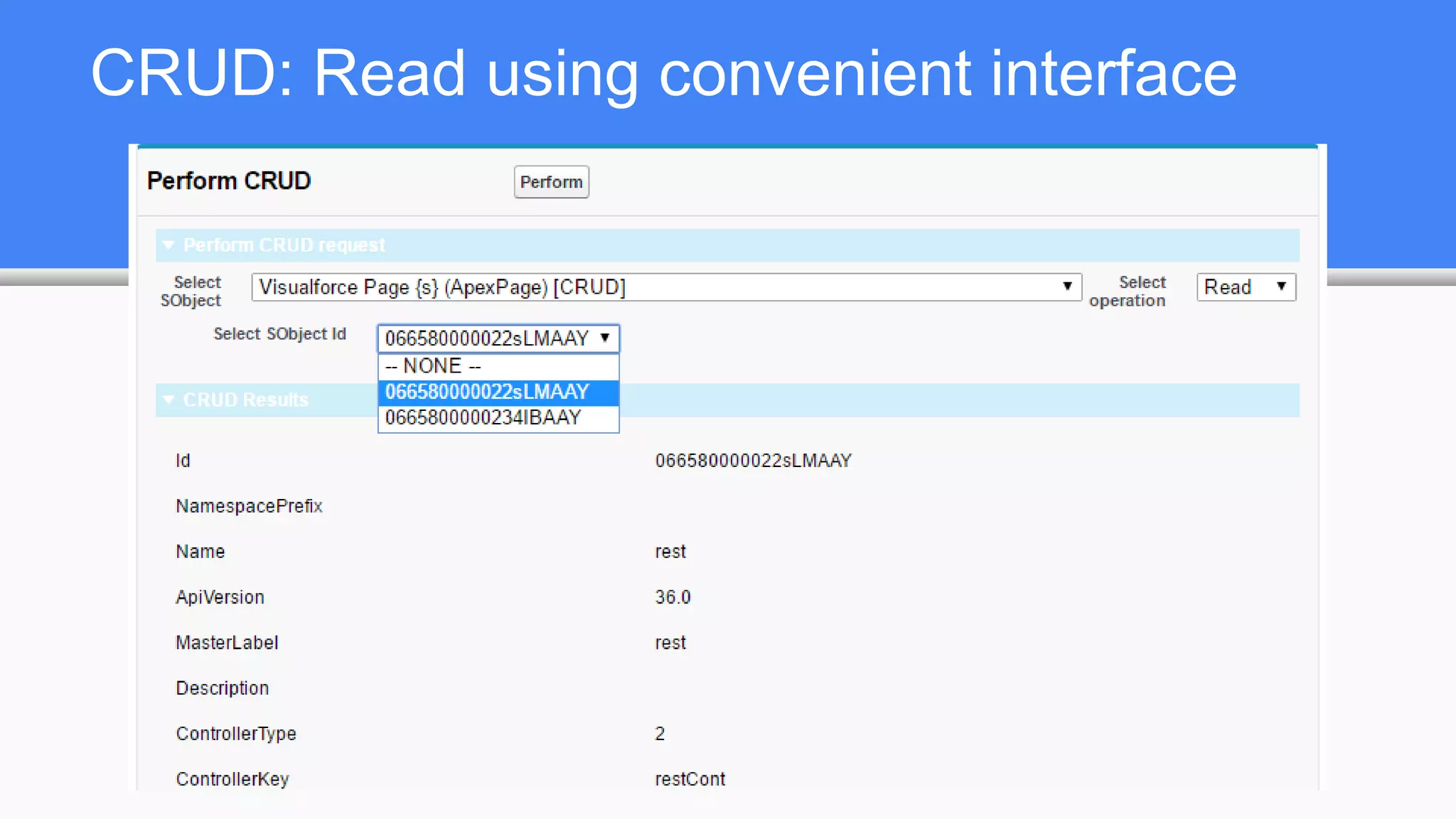
CRUD: Read using convenient interface
Certain objects do not allow DML in Apex
Organization o = [ select Id, Name from Organization ];
o.Name += 'x';
update o;
yields: Line: 3, Column: 1 DML not allowed on Organization
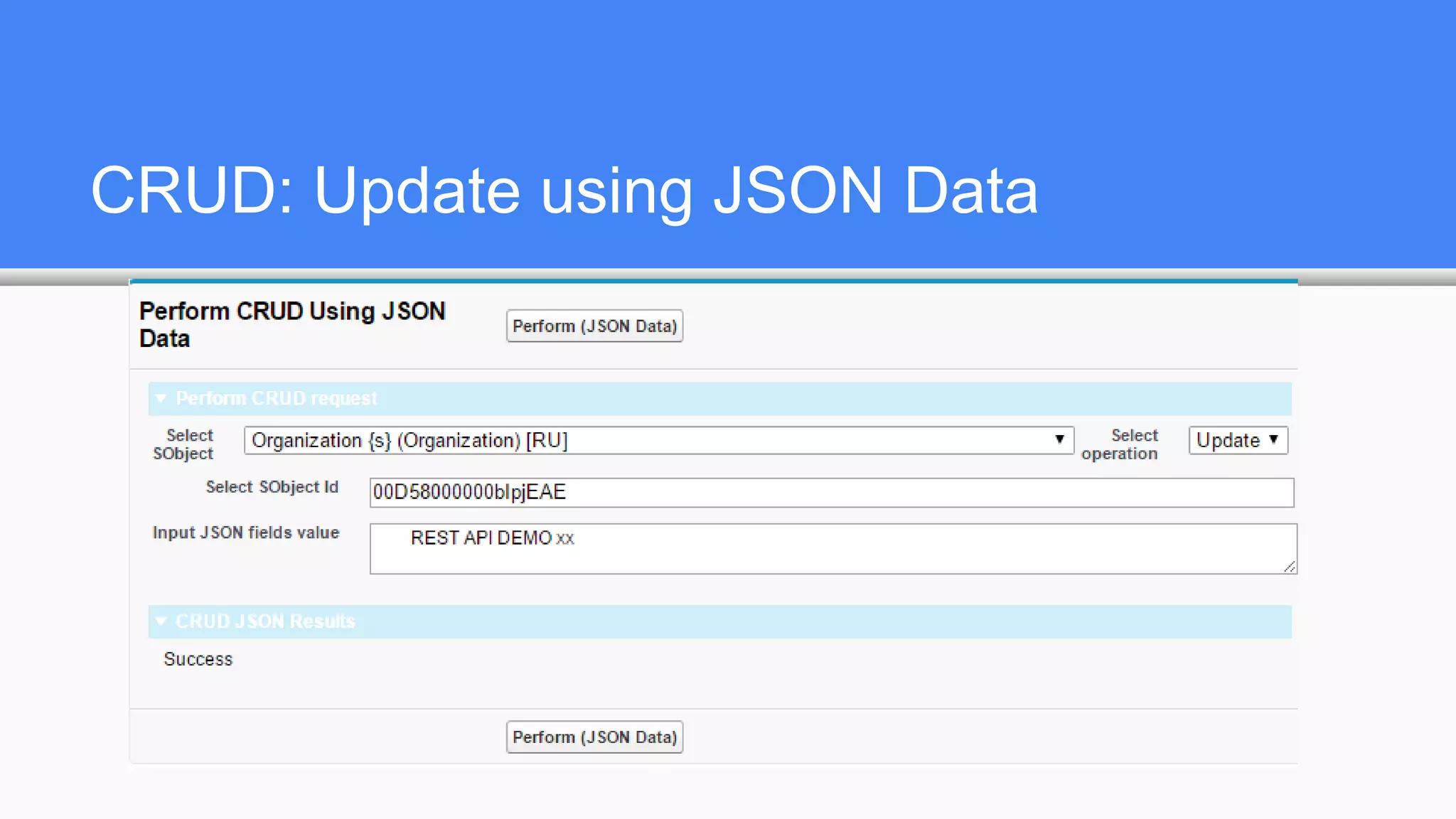
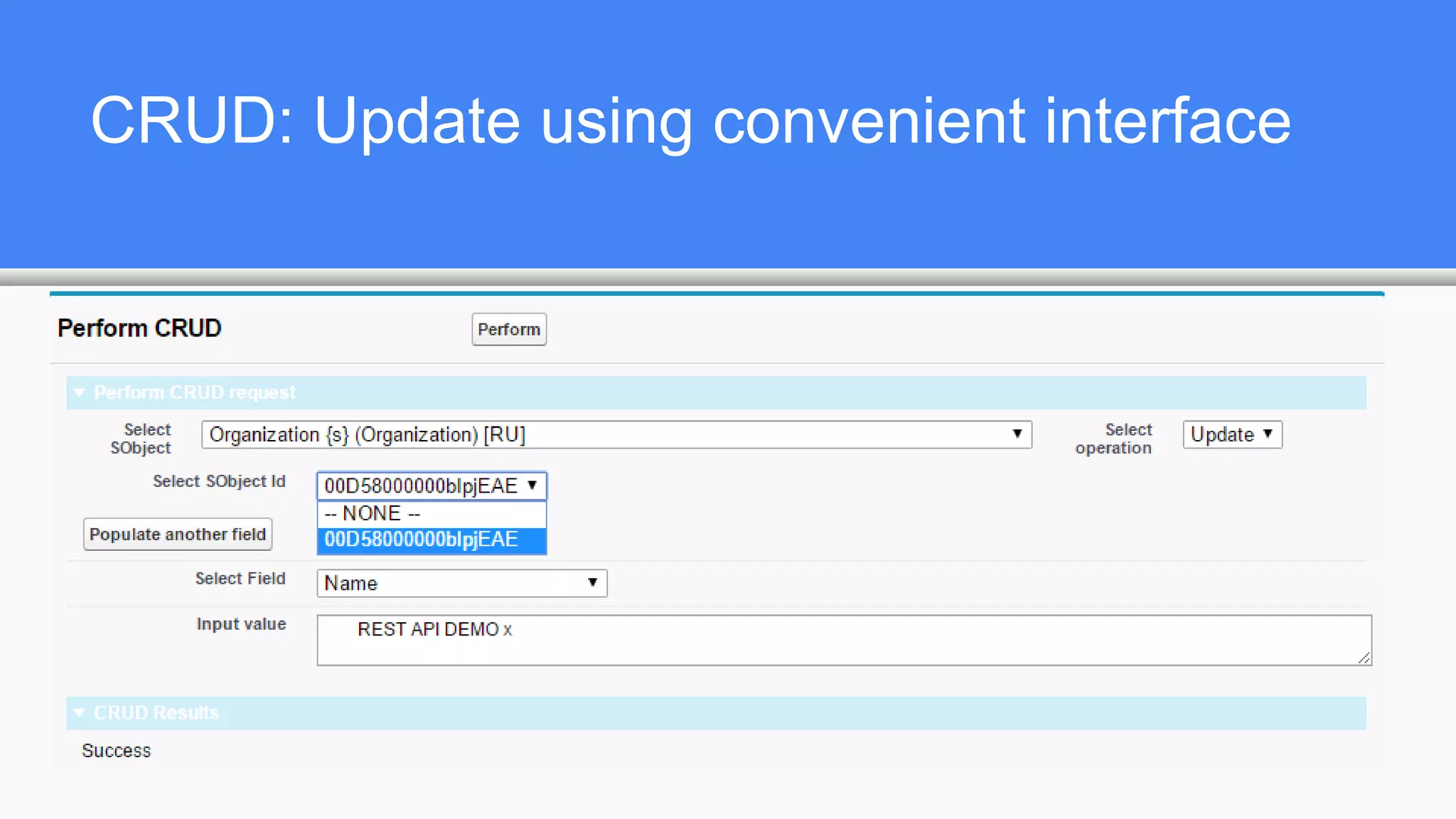
However, some of them allow REST API Update operations
CRUD: Update using JSON Data
CRUD: Update using convenient interface
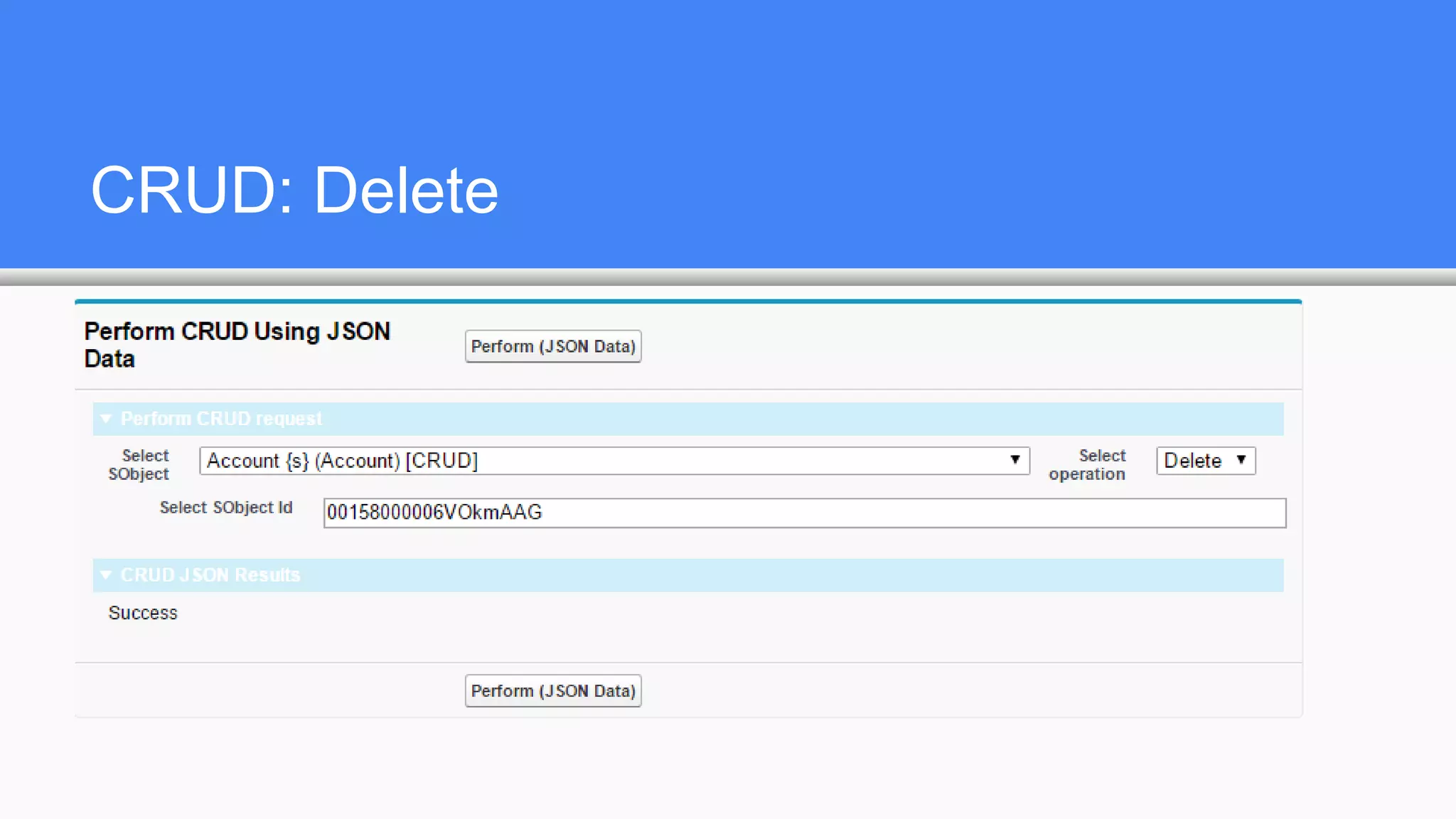
CRUD: Delete
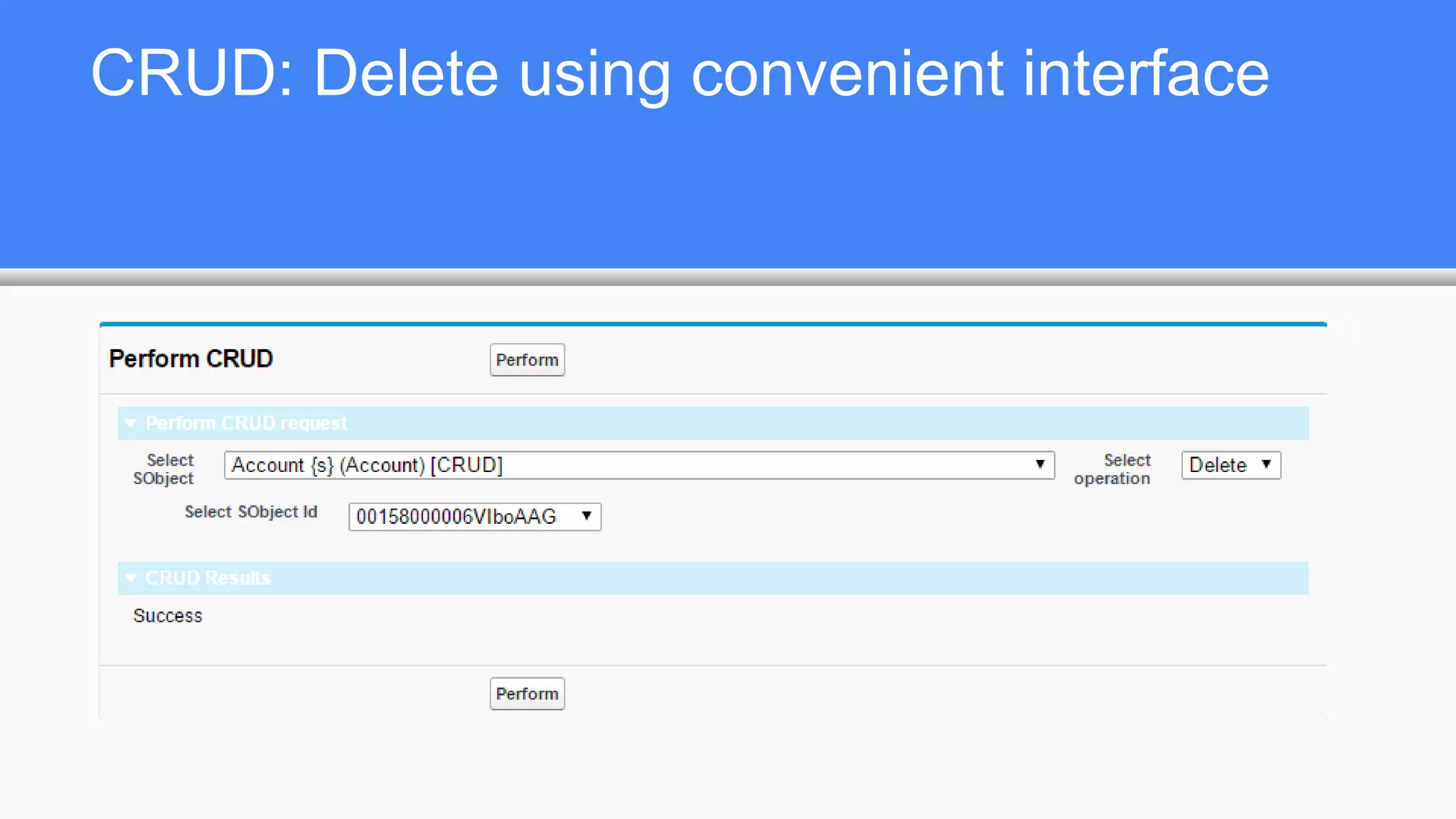
CRUD: Delete using convenient interface
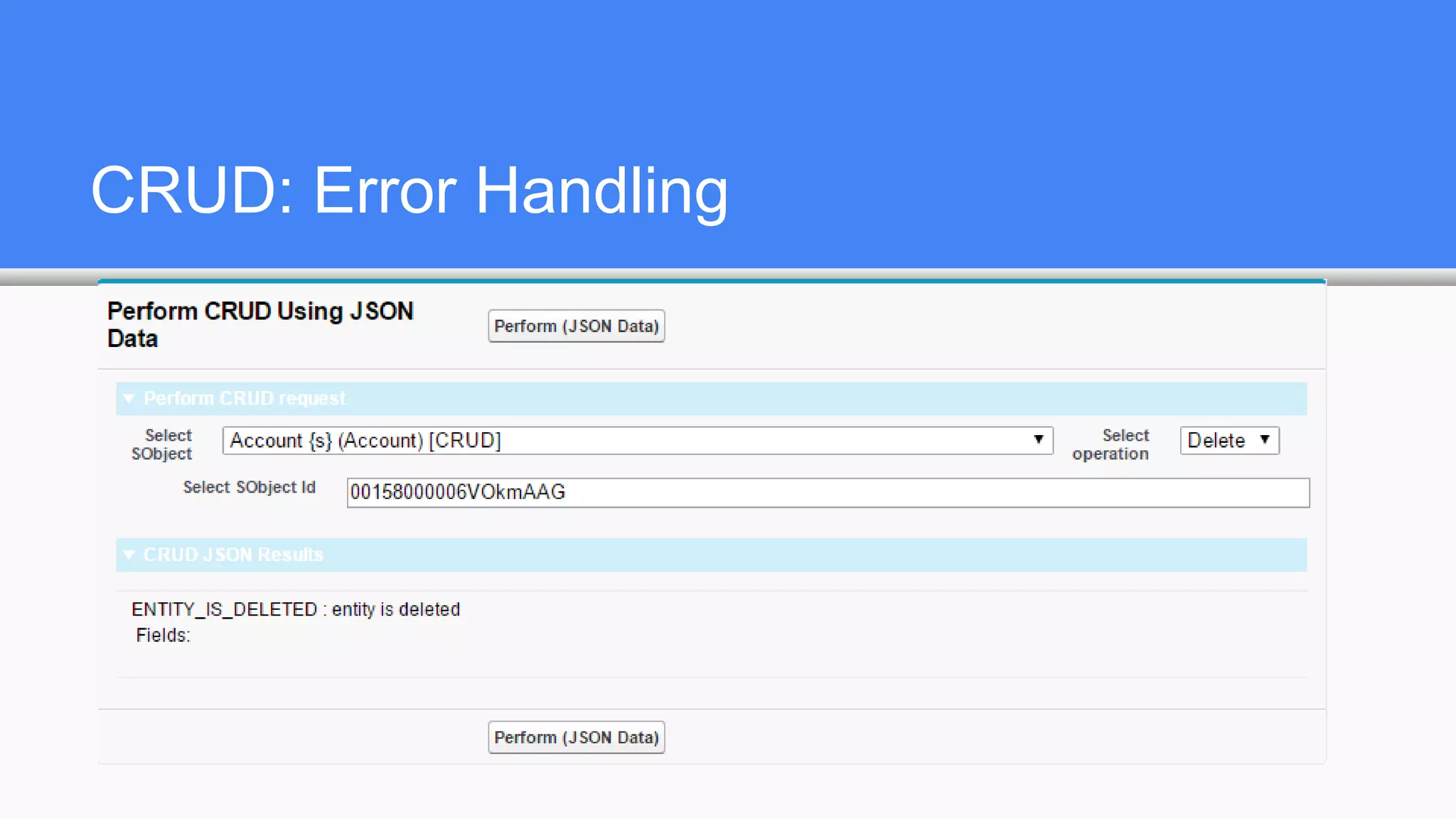
CRUD: Error Handling
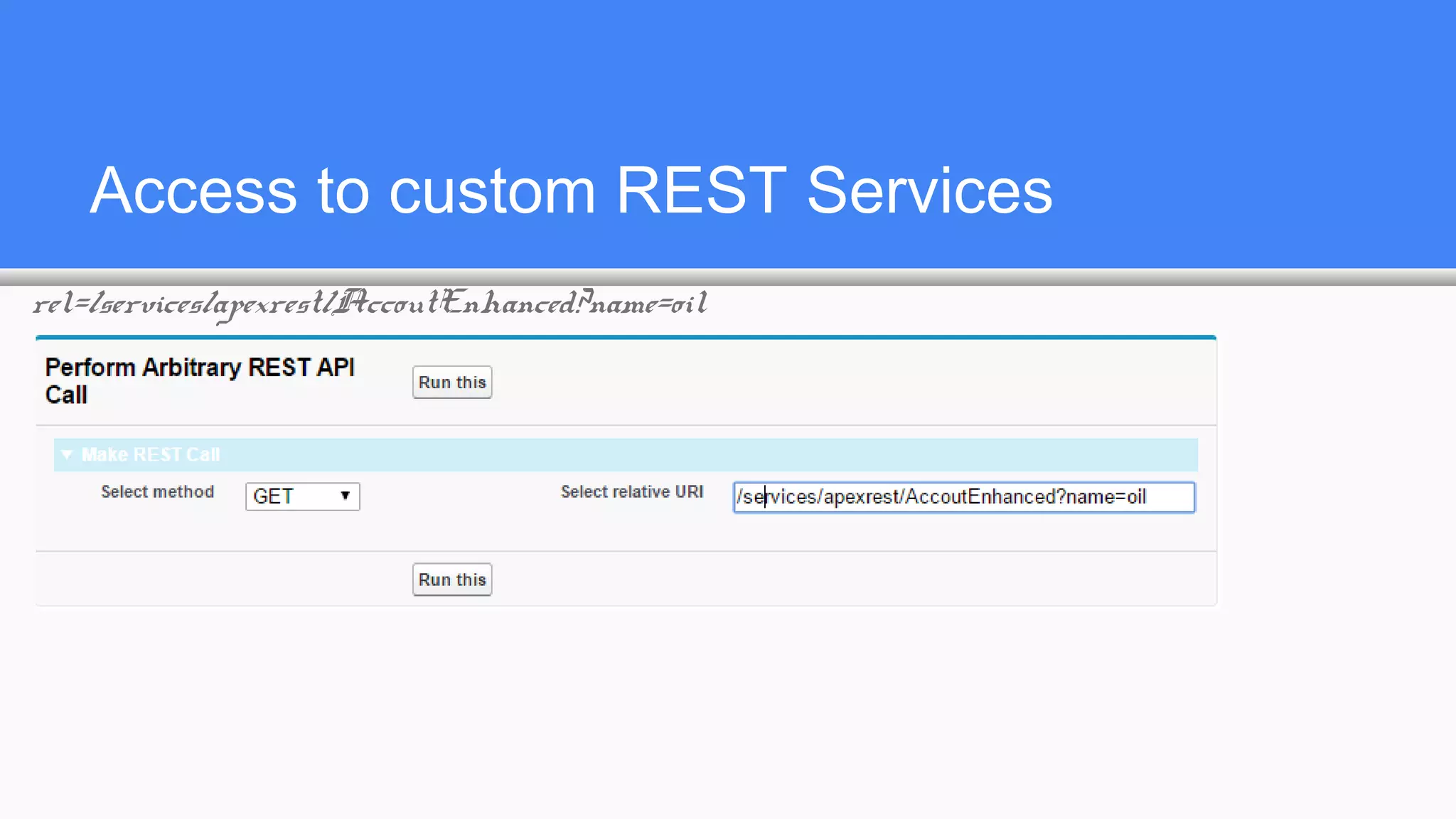
Access to custom REST Services
rel=/services/apexrest/AccoutEnhanced?name=oil
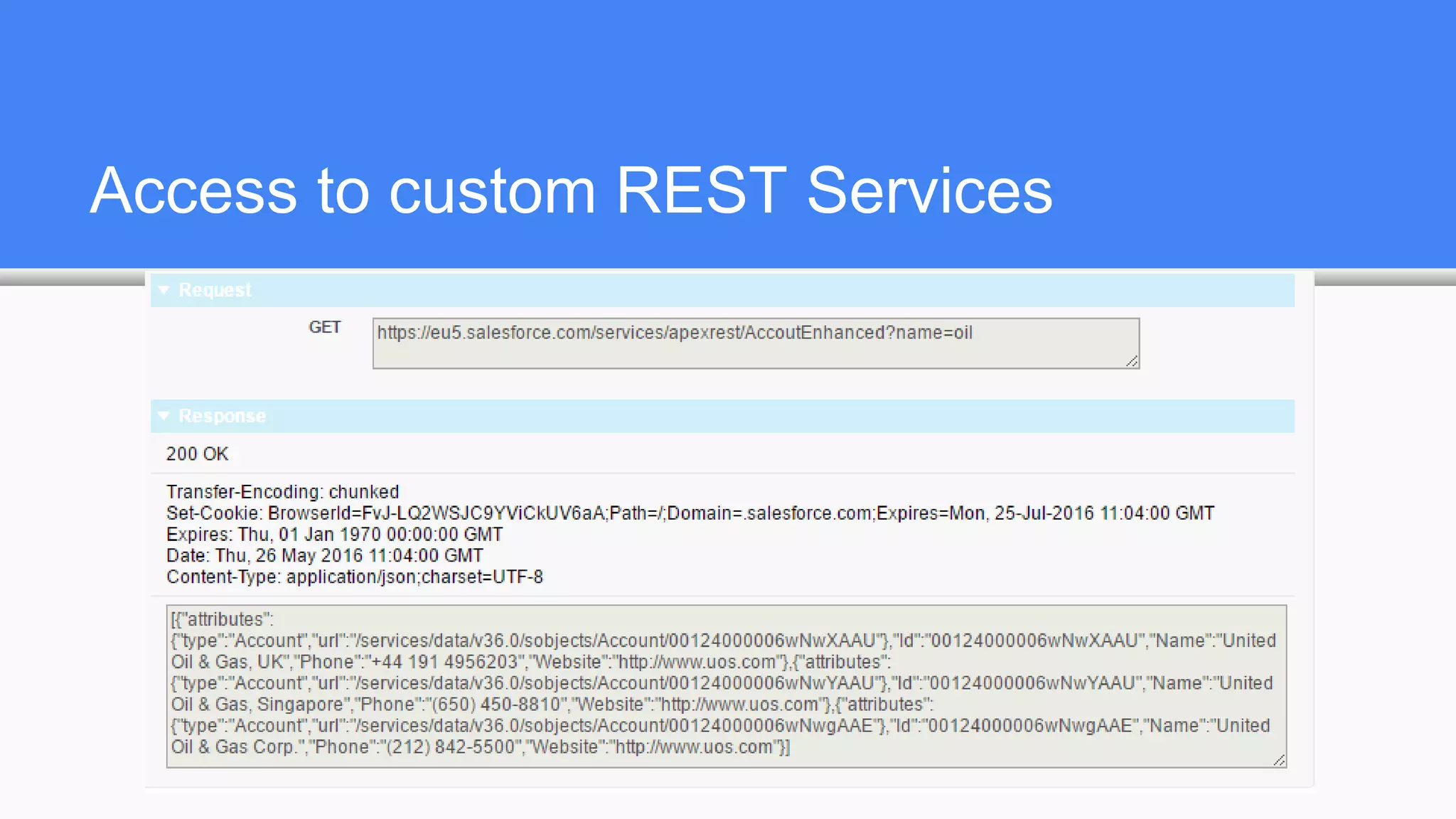
Access to custom REST Services
References
1. http://en.wikipedia.org/wiki/REST
2. http://docs.timdorr.apiary.io/#
3. http://www.slideshare.net/alexeiskachykhin/representational-state-transfer-36518469
4. http://www.slideshare.net/AshishGore3/dt-meetup-django-rest-framework-vs-tasty-pie
5. https://habrahabr.ru/post/38730/
6. https://developer.salesforce.com/docs/atlas.en-us.api_rest.meta/api_rest/
Q & A? Questions?
AND FINALLY:
MAY BE THE FORCE.COM WITH YOU...

Salesforce REST API

  • 1.
    Salesforce REST API RemoteSOQL, SOSL, CRUD and other available actions
  • 2.
    Introduction About myself: Bohdan Dovhan SalesforceDevelopment Team Lead Salesforce Certified Force.com Developer Salesforce Certified Force.com Advanced Developer 7 years of Development experience
  • 3.
    Representational state transfer Representationalstate transfer is the software architectural style of the World Wide Web. The purpose of REST architecture is to induce * Performance Продуктивність? * Scalability Масштабованість? * Simplicity Простота? * Modifiability Змінюваність? * Visibility Видимість? * Portability Переносність? * Reliability Надійність
  • 4.
    Roy Fielding coinedthe term The term representational state transfer was introduced and defined in 2000 by Roy Fielding in his doctoral dissertation at UC Irvine. REST has been applied to describe desired web architecture, to identify existing problems, to compare alternative solutions and to ensure that protocol extensions would not violate the core constraints that make the web successful. Fielding used REST to design HTTP 1.1 and Uniform Resource Identifiers (URI).
  • 5.
    RESTful systems To theextent that systems conform to the constraints of REST they can be called RESTful. RESTful systems typically, but not always, communicate over Hypertext Transfer Protocol (HTTP) with the same HTTP verbs (GET, POST, PUT, DELETE, PATCH ) that web browsers use to retrieve web pages and to send data to remote servers. REST systems interface with external systems as web resources identified by Uniform Resource Identifiers (URIs), for example /people/tom, which can be operated upon using standard verbs such as GET /people/tom.
  • 6.
    Examples * Google GlassAPI * Twitter API * Amazon Web Services * Atom (RESTful alternative to RSS) * Tesla Model S uses RESTful calls to communicate between mobile devices and car: http://docs.timdorr.apiary.io/
  • 7.
    Understanding Force.com RESTResources A REST resource is an abstraction of a piece of information, such as a single data record, a collection of records, or even dynamic real-time information. Each resource in the Force.com REST API is identified by a named URI, and is accessed using standard HTTP methods (HEAD, GET, POST, PATCH, DELETE). The Force.com REST API is based on the usage of resources, their URIs, and the links between them. NOTA BENE: no “PUT” verb. PUT was used to replace the entire resource, not used in Force.com REST API
  • 8.
    Understanding Force.com RESTResources You use a resource to interact with your Salesforce or Force.com organization. For example, you can: Retrieve summary information about the API versions available to you. Obtain detailed information about a Salesforce object such as an Account or a custom object. Obtain detailed information about Force.com objects, such as User or a custom object. Perform a query or search. Update or delete records.
  • 9.
    What is thedifference between HEAD and GET? The HTTP methods are used to indicate the desired action, such as retrieving information, as well as creating, updating, and deleting records. • HEAD is used to retrieve resource metadata. The same as GET but lacks resp. body • GET is used to retrieve information, such as basic resource summary information. • POST is used to create a new object. • PATCH is used to update a record. • DELETE is used to delete a record.
  • 10.
    REST Principles: Statelessand Caching Stateless Each request from client to server must contain all the information necessary to understand the request, and not use any stored context on the server. However, the representations of the resources are interconnected using URLs, which allow the client to progress between states. Caching behavior Responses are labeled as cacheable or non-cacheable.
  • 11.
    REST Principles: Uniformityand Naming Uniform interface All resources are accessed with a generic interface over HTTP. Named resources All resources are named using a base URI that follows your Force.com URI.
  • 12.
    REST Principles: Layersand Authentication Layered components The Force.com REST API architecture allows for the existence of such intermediaries as proxy servers and gateways to exist between the client and the resources. Authentication The Force.com REST API supports OAuth 2.0 (an open protocol to allow secure API authorization).
  • 13.
    JSON vs. XML Supportfor JSON and XML JSON is the default. You can use the HTTP ACCEPT header to select either JSON or XML, or append .json or .xml to the URI (for example, /Account/001D000000INjVe.json). The JavaScript Object Notation (JSON) format is supported with UTF-8. Date-time information is in ISO8601 format. XML serialization is similar to SOAP API. XML requests are supported in UTF-8 and UTF-16, and XML responses are provided in UTF-8.
  • 14.
    Relationship URLs a.k.a.“Friendly” Why make two API calls when you can make just one? A friendly URL provides an intuitive way to construct REST API requests and minimizes the number of round-trips between your app and Salesforce org. Friendly URLs are available in API version 36.0 and later. This functionality is exposed via the SObject Relationships resource. Accessing a contact’s parent account without a friendly URL involves requesting the contact record using the SObject Rows resource. Then you examine the account relationship field to obtain the account ID and request the account record with another call to SObject Rows. Using a friendly URL, you can access the account in a single call directly from the contact’s path: /services/data/v36.0/sobjects/contact/id/account.
  • 15.
    REST API vs.SOAP API vs. Bulk API SOAP API may be more convenient to process multiple records ( it has the same method for one or multiple records DML operation while REST API has different resource for multiple records DML operation /composite/tree/ ) If you need to process huge amount of data, use Bulk API While it is possible to query or search for multiple records in REST API using one request, to perform UpdateDelete operations you need to perform one request per each record or use /composite/batch/ to unite DML operations in a batch
  • 16.
    How can weknow available versions? Versions resource. URI: / Formats: JSON, XML; HTTP Method: GET; Authentication: none; Parameters: none Lists summary information about each Salesforce version currently available, including the version, label, and a link to each version's root. http://login.salesforce.com/services/data/ http://login.salesforce.com/services/data/v37.0 Is Summer’16 is on your production?
  • 18.
  • 20.
    Get a Listof Objects
  • 22.
    Get Field andOther Metadata for an Object
  • 23.
    Get Field andOther Metadata for an Object
  • 24.
    Running SOQL query selectId, Name from Organization
  • 25.
    select Id, Namefrom ApexClass
  • 26.
    Running SOSL search FIND{REST API DEMO} RETURNING ApexClass (Id, Name), ApexPage (Id, Name)
  • 27.
    find {oil} returningaccount(id,name), opportunity(id,name) find {oil} returning account(id,name), opportunity(id,name)
  • 28.
    Read record fromanother Organization
  • 29.
  • 30.
    CRUD: Create usingconvenient interface
  • 31.
  • 32.
    CRUD: Read usingconvenient interface
  • 33.
    Certain objects donot allow DML in Apex Organization o = [ select Id, Name from Organization ]; o.Name += 'x'; update o; yields: Line: 3, Column: 1 DML not allowed on Organization However, some of them allow REST API Update operations
  • 34.
  • 35.
    CRUD: Update usingconvenient interface
  • 36.
  • 37.
    CRUD: Delete usingconvenient interface
  • 38.
  • 39.
    Access to customREST Services rel=/services/apexrest/AccoutEnhanced?name=oil
  • 40.
    Access to customREST Services
  • 41.
    References 1. http://en.wikipedia.org/wiki/REST 2. http://docs.timdorr.apiary.io/# 3.http://www.slideshare.net/alexeiskachykhin/representational-state-transfer-36518469 4. http://www.slideshare.net/AshishGore3/dt-meetup-django-rest-framework-vs-tasty-pie 5. https://habrahabr.ru/post/38730/ 6. https://developer.salesforce.com/docs/atlas.en-us.api_rest.meta/api_rest/
  • 42.
    Q & A?Questions?
  • 45.
    AND FINALLY: MAY BETHE FORCE.COM WITH YOU...