Using RxJava on the
Android platform:
motivation, gains, tradeoffs
So, what is that RFP
thing, anyway?
(think Excel, SQL, etc.)
Motivation
(or “lifecycle’s a bitch”)
After a few hard months of development I figured that I do not understand what’s
going on in the app anymore:
• current state was virtually impossible to figure out in a reliable way
• it was practically impossible to collect all the data required for statistics
• some async tasks were fired and some events were propagated via the bus, but
due to that quirky phenomenon known as lifecycle some of the components
simply weren’t alive to receive events
• for the same lifecycle reason, callbacks were often called on already dead
components
I desperately needed a way to orchestrate all that mayhem. A way to combine
results of multiple interdependent async calls in a meaningful way and make it
available to components that did not necessarily exist yet at the time when the
calls returned.
There were a few frameworks for
chaining async calls, but none to
combine their results in time and space.
Until I came across Rx.
It was hard to understand.
It required to change the way of thinking.
It required to learn new building blocks instead of
familiar Android techniques and GoF patterns.
But it was definitely worth it.
…and hey, Retrofit supported it too!
– one colleague from a web/backend project
“Are you mad? It’s just a simple app.”
The ‘simple app’ happened
to be the biggest
consumer of our API’s.
Management perspective
• with Rx, there is a considerable one-time
investment in education of every single dev team
member. But it pays off by making the codebase
complexity manageable in the long term.
• without Rx, any more or less experienced dev can
be productive from day one, but in case of a
more or less complex app, the overall complexity
of the codebase can and will grow beyond being
manageable, guaranteed.
Tradeoffs
(or: “don’t lose your marbles”
The best way of understanding Rx is looking at so-
called marble diagrams.
Here’s an awesome resource, describing most
building blocks of Rx -
http://rxmarbles.com/
– Captain Obvious
“You’re gonna need RxJava lib.”
You will also need
RxAndroid lib
…for 1 method only: AndroidSchedulers.mainThread()
RxJava
• available on Android
• looks scary in pre-Java8 syntax
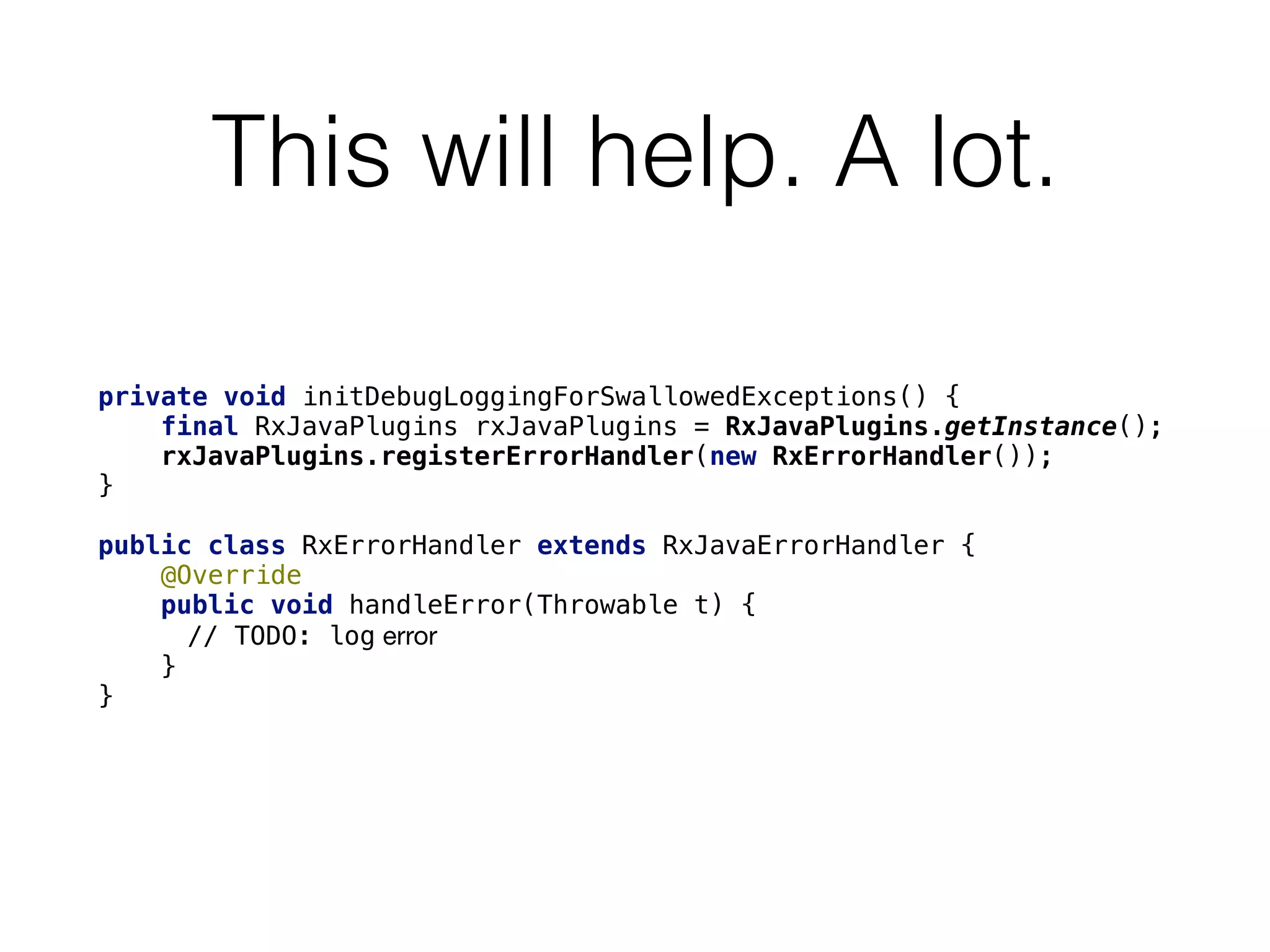
This will help. A lot.
private void initDebugLoggingForSwallowedExceptions() {
    final RxJavaPlugins rxJavaPlugins = RxJavaPlugins.getInstance();
    rxJavaPlugins.registerErrorHandler(new RxErrorHandler());
}

public class RxErrorHandler extends RxJavaErrorHandler {
    @Override
    public void handleError(Throwable t) {
// TODO: log error 

    }
}
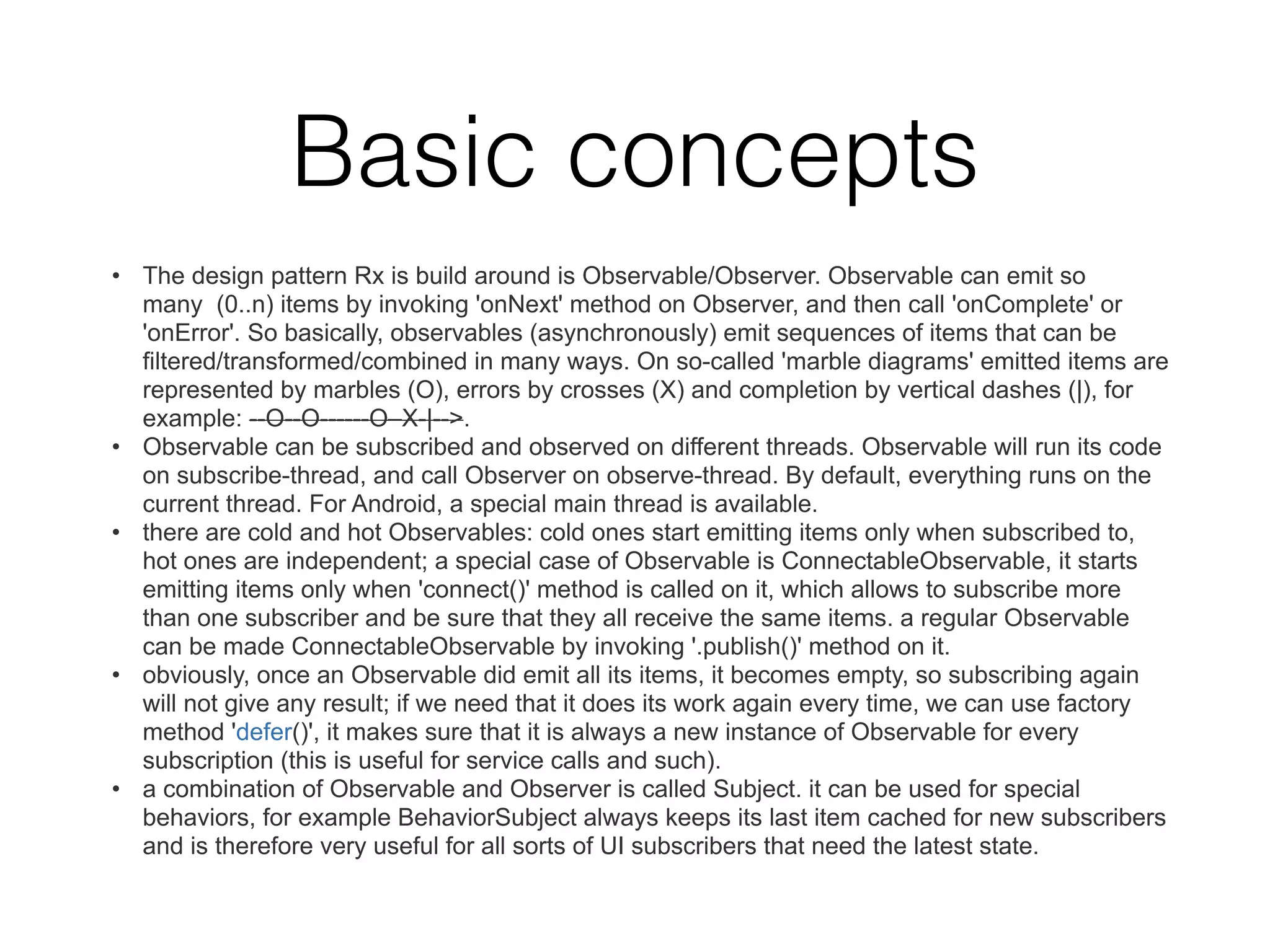
Basic concepts
• The design pattern Rx is build around is Observable/Observer. Observable can emit so
many (0..n) items by invoking 'onNext' method on Observer, and then call 'onComplete' or
'onError'. So basically, observables (asynchronously) emit sequences of items that can be
filtered/transformed/combined in many ways. On so-called 'marble diagrams' emitted items are
represented by marbles (O), errors by crosses (X) and completion by vertical dashes (|), for
example: --O--O------O–X-|-->.
• Observable can be subscribed and observed on different threads. Observable will run its code
on subscribe-thread, and call Observer on observe-thread. By default, everything runs on the
current thread. For Android, a special main thread is available.
• there are cold and hot Observables: cold ones start emitting items only when subscribed to,
hot ones are independent; a special case of Observable is ConnectableObservable, it starts
emitting items only when 'connect()' method is called on it, which allows to subscribe more
than one subscriber and be sure that they all receive the same items. a regular Observable
can be made ConnectableObservable by invoking '.publish()' method on it.
• obviously, once an Observable did emit all its items, it becomes empty, so subscribing again
will not give any result; if we need that it does its work again every time, we can use factory
method 'defer()', it makes sure that it is always a new instance of Observable for every
subscription (this is useful for service calls and such).
• a combination of Observable and Observer is called Subject. it can be used for special
behaviors, for example BehaviorSubject always keeps its last item cached for new subscribers
and is therefore very useful for all sorts of UI subscribers that need the latest state.
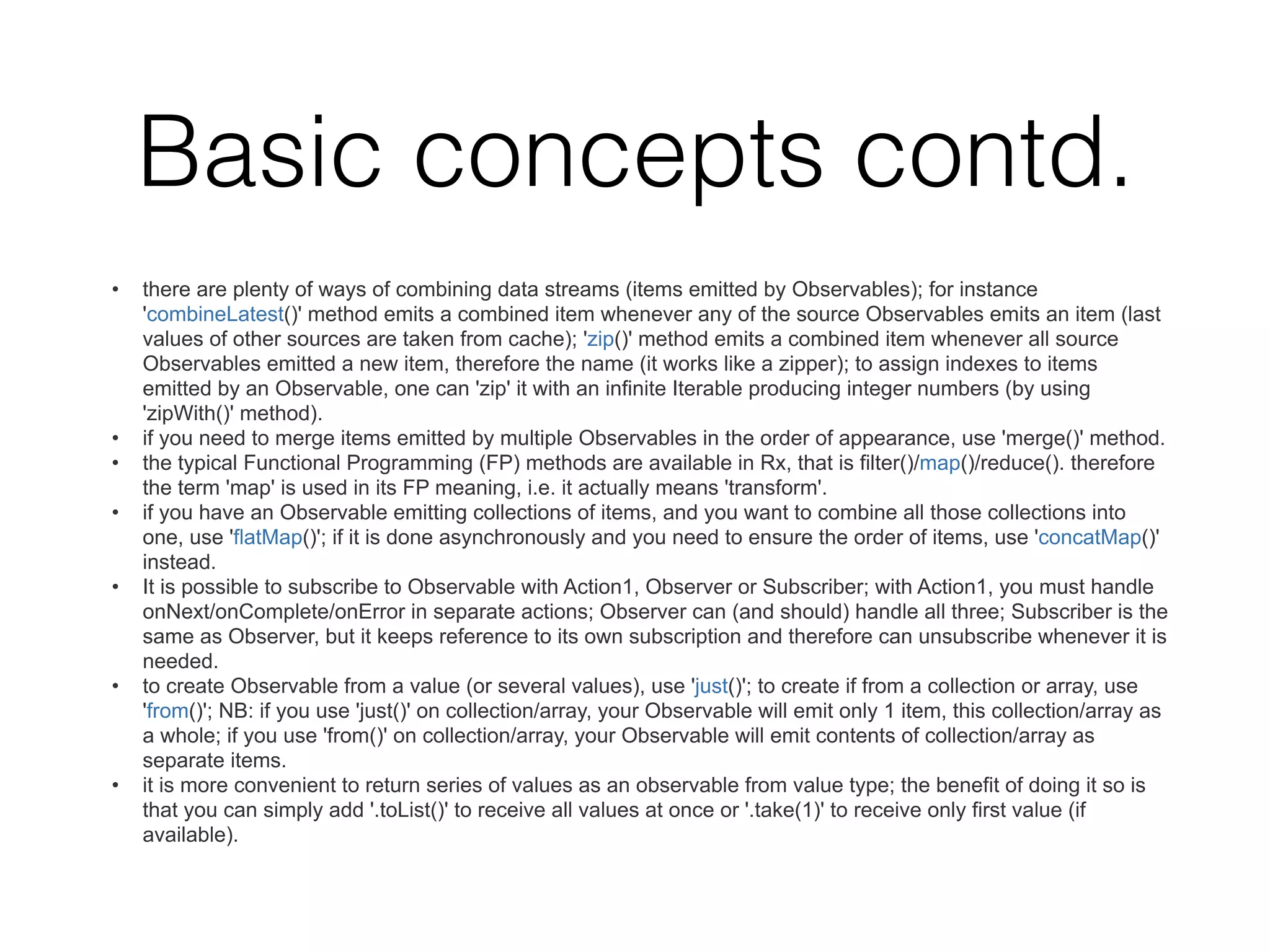
Basic concepts contd.
• there are plenty of ways of combining data streams (items emitted by Observables); for instance
'combineLatest()' method emits a combined item whenever any of the source Observables emits an item (last
values of other sources are taken from cache); 'zip()' method emits a combined item whenever all source
Observables emitted a new item, therefore the name (it works like a zipper); to assign indexes to items
emitted by an Observable, one can 'zip' it with an infinite Iterable producing integer numbers (by using
'zipWith()' method).
• if you need to merge items emitted by multiple Observables in the order of appearance, use 'merge()' method.
• the typical Functional Programming (FP) methods are available in Rx, that is filter()/map()/reduce(). therefore
the term 'map' is used in its FP meaning, i.e. it actually means 'transform'.
• if you have an Observable emitting collections of items, and you want to combine all those collections into
one, use 'flatMap()'; if it is done asynchronously and you need to ensure the order of items, use 'concatMap()'
instead.
• It is possible to subscribe to Observable with Action1, Observer or Subscriber; with Action1, you must handle
onNext/onComplete/onError in separate actions; Observer can (and should) handle all three; Subscriber is the
same as Observer, but it keeps reference to its own subscription and therefore can unsubscribe whenever it is
needed.
• to create Observable from a value (or several values), use 'just()'; to create if from a collection or array, use
'from()'; NB: if you use 'just()' on collection/array, your Observable will emit only 1 item, this collection/array as
a whole; if you use 'from()' on collection/array, your Observable will emit contents of collection/array as
separate items.
• it is more convenient to return series of values as an observable from value type; the benefit of doing it so is
that you can simply add '.toList()' to receive all values at once or '.take(1)' to receive only first value (if
available).
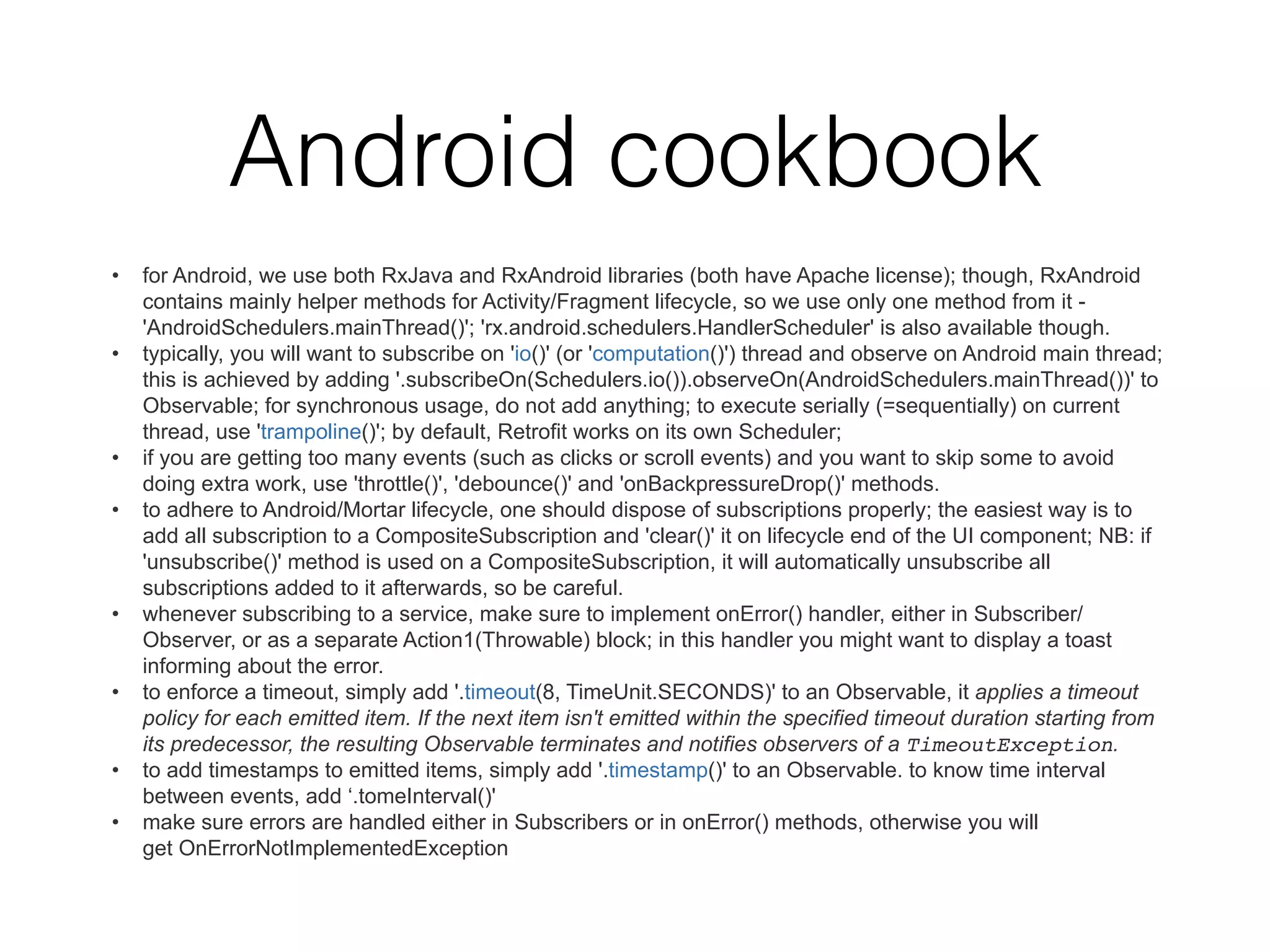
Android cookbook
• for Android, we use both RxJava and RxAndroid libraries (both have Apache license); though, RxAndroid
contains mainly helper methods for Activity/Fragment lifecycle, so we use only one method from it -
'AndroidSchedulers.mainThread()'; 'rx.android.schedulers.HandlerScheduler' is also available though.
• typically, you will want to subscribe on 'io()' (or 'computation()') thread and observe on Android main thread;
this is achieved by adding '.subscribeOn(Schedulers.io()).observeOn(AndroidSchedulers.mainThread())' to
Observable; for synchronous usage, do not add anything; to execute serially (=sequentially) on current
thread, use 'trampoline()'; by default, Retrofit works on its own Scheduler;
• if you are getting too many events (such as clicks or scroll events) and you want to skip some to avoid
doing extra work, use 'throttle()', 'debounce()' and 'onBackpressureDrop()' methods.
• to adhere to Android/Mortar lifecycle, one should dispose of subscriptions properly; the easiest way is to
add all subscription to a CompositeSubscription and 'clear()' it on lifecycle end of the UI component; NB: if
'unsubscribe()' method is used on a CompositeSubscription, it will automatically unsubscribe all
subscriptions added to it afterwards, so be careful.
• whenever subscribing to a service, make sure to implement onError() handler, either in Subscriber/
Observer, or as a separate Action1(Throwable) block; in this handler you might want to display a toast
informing about the error.
• to enforce a timeout, simply add '.timeout(8, TimeUnit.SECONDS)' to an Observable, it applies a timeout
policy for each emitted item. If the next item isn't emitted within the specified timeout duration starting from
its predecessor, the resulting Observable terminates and notifies observers of a TimeoutException.
• to add timestamps to emitted items, simply add '.timestamp()' to an Observable. to know time interval
between events, add ‘.tomeInterval()'
• make sure errors are handled either in Subscribers or in onError() methods, otherwise you will
get OnErrorNotImplementedException
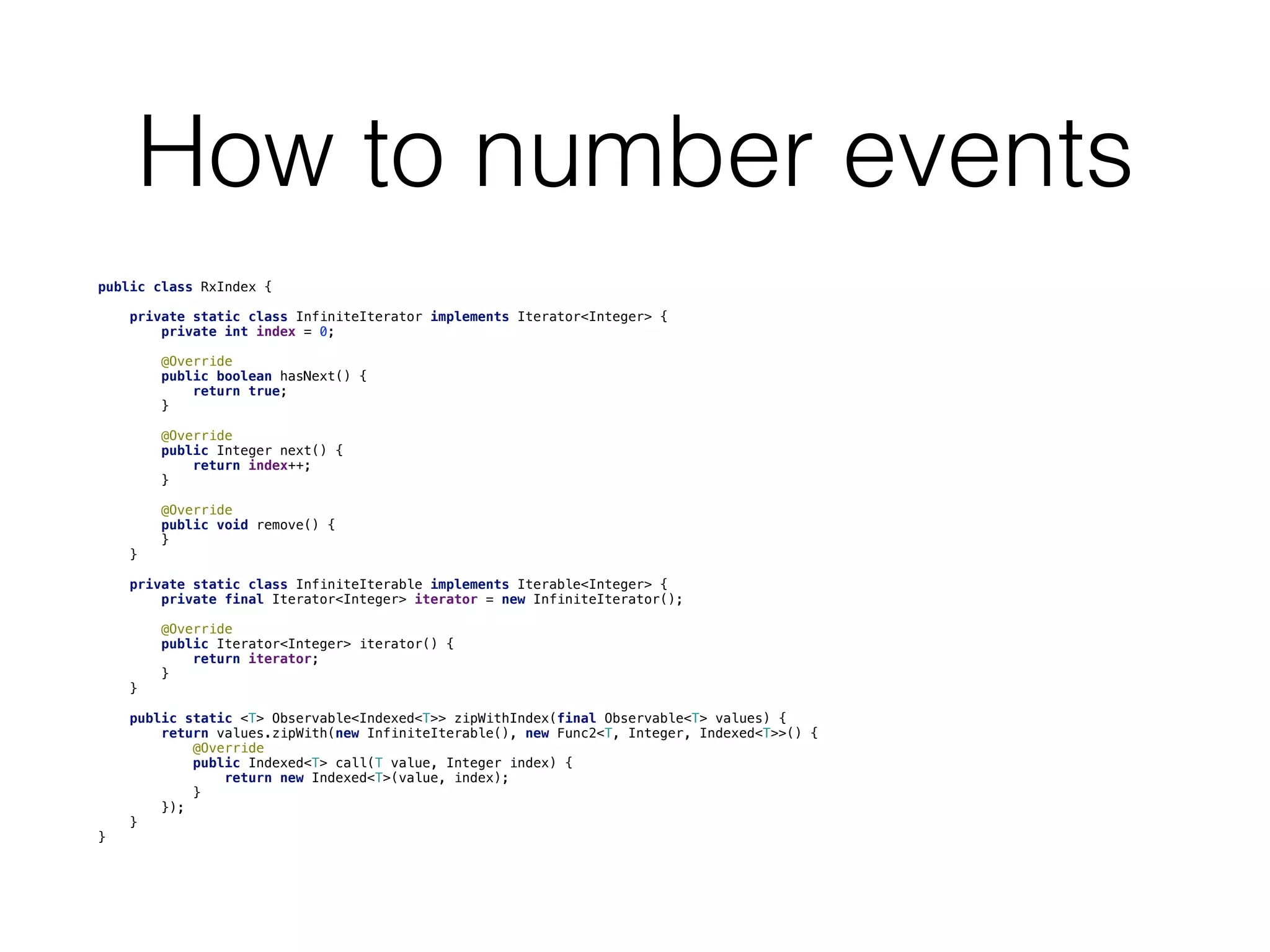
How to number events
public class RxIndex {
    private static class InfiniteIterator implements Iterator<Integer> {
        private int index = 0;
        @Override
        public boolean hasNext() {
            return true;
        }
        @Override
        public Integer next() {
            return index++;
        }
        @Override
        public void remove() {
        }
    }
    private static class InfiniteIterable implements Iterable<Integer> {
        private final Iterator<Integer> iterator = new InfiniteIterator();
        @Override
        public Iterator<Integer> iterator() {
            return iterator;
        }
    }
    public static <T> Observable<Indexed<T>> zipWithIndex(final Observable<T> values) {
        return values.zipWith(new InfiniteIterable(), new Func2<T, Integer, Indexed<T>>() {
            @Override
            public Indexed<T> call(T value, Integer index) {
                return new Indexed<T>(value, index);
            }
        });
    }
}
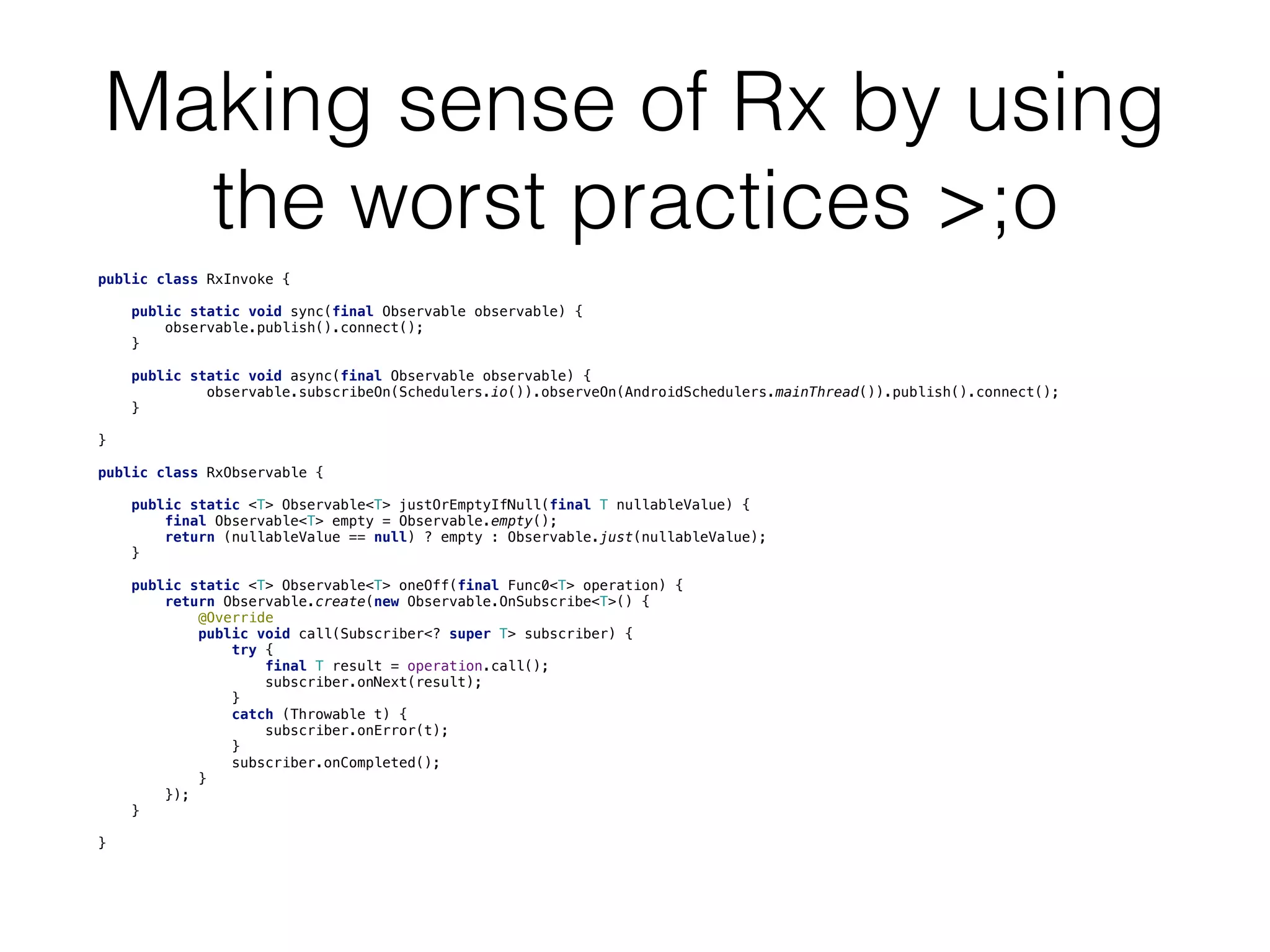
Making sense of Rx by using
the worst practices >;o
public class RxInvoke {
    public static void sync(final Observable observable) {
        observable.publish().connect();
    }
    public static void async(final Observable observable) {
             observable.subscribeOn(Schedulers.io()).observeOn(AndroidSchedulers.mainThread()).publish().connect();

    }
}
public class RxObservable {
    public static <T> Observable<T> justOrEmptyIfNull(final T nullableValue) {
        final Observable<T> empty = Observable.empty();
        return (nullableValue == null) ? empty : Observable.just(nullableValue);
    }
    public static <T> Observable<T> oneOff(final Func0<T> operation) {
        return Observable.create(new Observable.OnSubscribe<T>() {
            @Override
            public void call(Subscriber<? super T> subscriber) {
                try {
                    final T result = operation.call();
                    subscriber.onNext(result);
                }
                catch (Throwable t) {
                    subscriber.onError(t);
                }
                subscriber.onCompleted();
            }
        });
    }
}
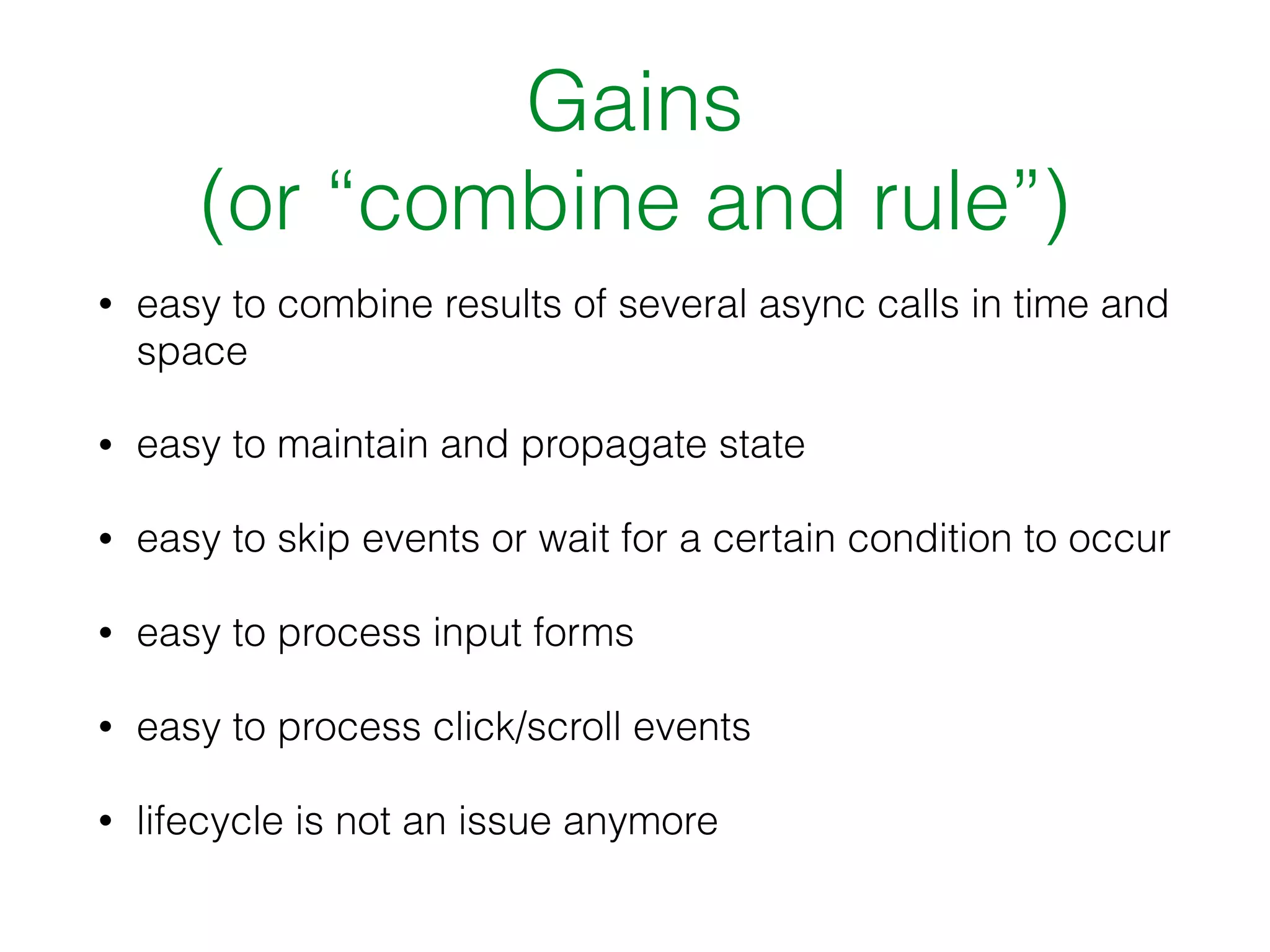
Gains
(or “combine and rule”)
• easy to combine results of several async calls in time and
space
• easy to maintain and propagate state
• easy to skip events or wait for a certain condition to occur
• easy to process input forms
• easy to process click/scroll events
• lifecycle is not an issue anymore
What? Questions?
maxim.volgin@gmail.com
Resources on the web
• Rx JavaDoc: http://reactivex.io/RxJava/javadoc/
overview-summary.html
• Rx marble diagrams: http://rxmarbles.com/
• “The introduction to Reactive Programming you've
been missing by André Staltz”: https://
gist.github.com/staltz/868e7e9bc2a7b8c1f754
• an awesome GOTO presentation “Going Reactive, An
Android Architectural Journey by Matthias Käppler”
- https://www.youtube.com/watch?v=R16OHcZJTno

RxJava@Android

  • 1.
    Using RxJava onthe Android platform: motivation, gains, tradeoffs
  • 2.
    So, what isthat RFP thing, anyway? (think Excel, SQL, etc.)
  • 3.
    Motivation (or “lifecycle’s abitch”) After a few hard months of development I figured that I do not understand what’s going on in the app anymore: • current state was virtually impossible to figure out in a reliable way • it was practically impossible to collect all the data required for statistics • some async tasks were fired and some events were propagated via the bus, but due to that quirky phenomenon known as lifecycle some of the components simply weren’t alive to receive events • for the same lifecycle reason, callbacks were often called on already dead components I desperately needed a way to orchestrate all that mayhem. A way to combine results of multiple interdependent async calls in a meaningful way and make it available to components that did not necessarily exist yet at the time when the calls returned.
  • 4.
    There were afew frameworks for chaining async calls, but none to combine their results in time and space. Until I came across Rx.
  • 5.
    It was hardto understand. It required to change the way of thinking. It required to learn new building blocks instead of familiar Android techniques and GoF patterns. But it was definitely worth it. …and hey, Retrofit supported it too!
  • 6.
    – one colleaguefrom a web/backend project “Are you mad? It’s just a simple app.”
  • 7.
    The ‘simple app’happened to be the biggest consumer of our API’s.
  • 8.
    Management perspective • withRx, there is a considerable one-time investment in education of every single dev team member. But it pays off by making the codebase complexity manageable in the long term. • without Rx, any more or less experienced dev can be productive from day one, but in case of a more or less complex app, the overall complexity of the codebase can and will grow beyond being manageable, guaranteed.
  • 9.
    Tradeoffs (or: “don’t loseyour marbles” The best way of understanding Rx is looking at so- called marble diagrams. Here’s an awesome resource, describing most building blocks of Rx - http://rxmarbles.com/
  • 10.
    – Captain Obvious “You’regonna need RxJava lib.”
  • 11.
    You will alsoneed RxAndroid lib …for 1 method only: AndroidSchedulers.mainThread()
  • 12.
    RxJava • available onAndroid • looks scary in pre-Java8 syntax
  • 13.
    This will help.A lot. private void initDebugLoggingForSwallowedExceptions() {     final RxJavaPlugins rxJavaPlugins = RxJavaPlugins.getInstance();     rxJavaPlugins.registerErrorHandler(new RxErrorHandler()); } public class RxErrorHandler extends RxJavaErrorHandler {     @Override     public void handleError(Throwable t) { // TODO: log error     } }
  • 14.
    Basic concepts • Thedesign pattern Rx is build around is Observable/Observer. Observable can emit so many (0..n) items by invoking 'onNext' method on Observer, and then call 'onComplete' or 'onError'. So basically, observables (asynchronously) emit sequences of items that can be filtered/transformed/combined in many ways. On so-called 'marble diagrams' emitted items are represented by marbles (O), errors by crosses (X) and completion by vertical dashes (|), for example: --O--O------O–X-|-->. • Observable can be subscribed and observed on different threads. Observable will run its code on subscribe-thread, and call Observer on observe-thread. By default, everything runs on the current thread. For Android, a special main thread is available. • there are cold and hot Observables: cold ones start emitting items only when subscribed to, hot ones are independent; a special case of Observable is ConnectableObservable, it starts emitting items only when 'connect()' method is called on it, which allows to subscribe more than one subscriber and be sure that they all receive the same items. a regular Observable can be made ConnectableObservable by invoking '.publish()' method on it. • obviously, once an Observable did emit all its items, it becomes empty, so subscribing again will not give any result; if we need that it does its work again every time, we can use factory method 'defer()', it makes sure that it is always a new instance of Observable for every subscription (this is useful for service calls and such). • a combination of Observable and Observer is called Subject. it can be used for special behaviors, for example BehaviorSubject always keeps its last item cached for new subscribers and is therefore very useful for all sorts of UI subscribers that need the latest state.
  • 15.
    Basic concepts contd. •there are plenty of ways of combining data streams (items emitted by Observables); for instance 'combineLatest()' method emits a combined item whenever any of the source Observables emits an item (last values of other sources are taken from cache); 'zip()' method emits a combined item whenever all source Observables emitted a new item, therefore the name (it works like a zipper); to assign indexes to items emitted by an Observable, one can 'zip' it with an infinite Iterable producing integer numbers (by using 'zipWith()' method). • if you need to merge items emitted by multiple Observables in the order of appearance, use 'merge()' method. • the typical Functional Programming (FP) methods are available in Rx, that is filter()/map()/reduce(). therefore the term 'map' is used in its FP meaning, i.e. it actually means 'transform'. • if you have an Observable emitting collections of items, and you want to combine all those collections into one, use 'flatMap()'; if it is done asynchronously and you need to ensure the order of items, use 'concatMap()' instead. • It is possible to subscribe to Observable with Action1, Observer or Subscriber; with Action1, you must handle onNext/onComplete/onError in separate actions; Observer can (and should) handle all three; Subscriber is the same as Observer, but it keeps reference to its own subscription and therefore can unsubscribe whenever it is needed. • to create Observable from a value (or several values), use 'just()'; to create if from a collection or array, use 'from()'; NB: if you use 'just()' on collection/array, your Observable will emit only 1 item, this collection/array as a whole; if you use 'from()' on collection/array, your Observable will emit contents of collection/array as separate items. • it is more convenient to return series of values as an observable from value type; the benefit of doing it so is that you can simply add '.toList()' to receive all values at once or '.take(1)' to receive only first value (if available).
  • 16.
    Android cookbook • forAndroid, we use both RxJava and RxAndroid libraries (both have Apache license); though, RxAndroid contains mainly helper methods for Activity/Fragment lifecycle, so we use only one method from it - 'AndroidSchedulers.mainThread()'; 'rx.android.schedulers.HandlerScheduler' is also available though. • typically, you will want to subscribe on 'io()' (or 'computation()') thread and observe on Android main thread; this is achieved by adding '.subscribeOn(Schedulers.io()).observeOn(AndroidSchedulers.mainThread())' to Observable; for synchronous usage, do not add anything; to execute serially (=sequentially) on current thread, use 'trampoline()'; by default, Retrofit works on its own Scheduler; • if you are getting too many events (such as clicks or scroll events) and you want to skip some to avoid doing extra work, use 'throttle()', 'debounce()' and 'onBackpressureDrop()' methods. • to adhere to Android/Mortar lifecycle, one should dispose of subscriptions properly; the easiest way is to add all subscription to a CompositeSubscription and 'clear()' it on lifecycle end of the UI component; NB: if 'unsubscribe()' method is used on a CompositeSubscription, it will automatically unsubscribe all subscriptions added to it afterwards, so be careful. • whenever subscribing to a service, make sure to implement onError() handler, either in Subscriber/ Observer, or as a separate Action1(Throwable) block; in this handler you might want to display a toast informing about the error. • to enforce a timeout, simply add '.timeout(8, TimeUnit.SECONDS)' to an Observable, it applies a timeout policy for each emitted item. If the next item isn't emitted within the specified timeout duration starting from its predecessor, the resulting Observable terminates and notifies observers of a TimeoutException. • to add timestamps to emitted items, simply add '.timestamp()' to an Observable. to know time interval between events, add ‘.tomeInterval()' • make sure errors are handled either in Subscribers or in onError() methods, otherwise you will get OnErrorNotImplementedException
  • 17.
    How to numberevents public class RxIndex {     private static class InfiniteIterator implements Iterator<Integer> {         private int index = 0;         @Override         public boolean hasNext() {             return true;         }         @Override         public Integer next() {             return index++;         }         @Override         public void remove() {         }     }     private static class InfiniteIterable implements Iterable<Integer> {         private final Iterator<Integer> iterator = new InfiniteIterator();         @Override         public Iterator<Integer> iterator() {             return iterator;         }     }     public static <T> Observable<Indexed<T>> zipWithIndex(final Observable<T> values) {         return values.zipWith(new InfiniteIterable(), new Func2<T, Integer, Indexed<T>>() {             @Override             public Indexed<T> call(T value, Integer index) {                 return new Indexed<T>(value, index);             }         });     } }
  • 18.
    Making sense ofRx by using the worst practices >;o public class RxInvoke {     public static void sync(final Observable observable) {         observable.publish().connect();     }     public static void async(final Observable observable) {              observable.subscribeOn(Schedulers.io()).observeOn(AndroidSchedulers.mainThread()).publish().connect();     } } public class RxObservable {     public static <T> Observable<T> justOrEmptyIfNull(final T nullableValue) {         final Observable<T> empty = Observable.empty();         return (nullableValue == null) ? empty : Observable.just(nullableValue);     }     public static <T> Observable<T> oneOff(final Func0<T> operation) {         return Observable.create(new Observable.OnSubscribe<T>() {             @Override             public void call(Subscriber<? super T> subscriber) {                 try {                     final T result = operation.call();                     subscriber.onNext(result);                 }                 catch (Throwable t) {                     subscriber.onError(t);                 }                 subscriber.onCompleted();             }         });     } }
  • 19.
    Gains (or “combine andrule”) • easy to combine results of several async calls in time and space • easy to maintain and propagate state • easy to skip events or wait for a certain condition to occur • easy to process input forms • easy to process click/scroll events • lifecycle is not an issue anymore
  • 20.
  • 21.
    Resources on theweb • Rx JavaDoc: http://reactivex.io/RxJava/javadoc/ overview-summary.html • Rx marble diagrams: http://rxmarbles.com/ • “The introduction to Reactive Programming you've been missing by André Staltz”: https:// gist.github.com/staltz/868e7e9bc2a7b8c1f754 • an awesome GOTO presentation “Going Reactive, An Android Architectural Journey by Matthias Käppler” - https://www.youtube.com/watch?v=R16OHcZJTno