Advanced Programming
Remote Method Invocation
Gera
2020
1
Remote Method Invocation (RMI)
•RMI stands for Remote Method Invocation.
•It is a mechanism that allows an object residing in
one system (JVM) to access/invoke an object
running on another JVM.
•RMI is used to build distributed applications; it
provides remote communication between Java
programs.
•It is provided in the package java.rmi.
2
Architecture of an RMI Application
•In an RMI application, we write two programs, a
server program (resides on the server) and a client
program (resides on the client).
• Inside the server program, a remote object is
created and reference of that object is made
available for the client (using the registry).
• The client program requests the remote objects
on the server and tries to invoke its methods
3
Architecture of an RMI Application…
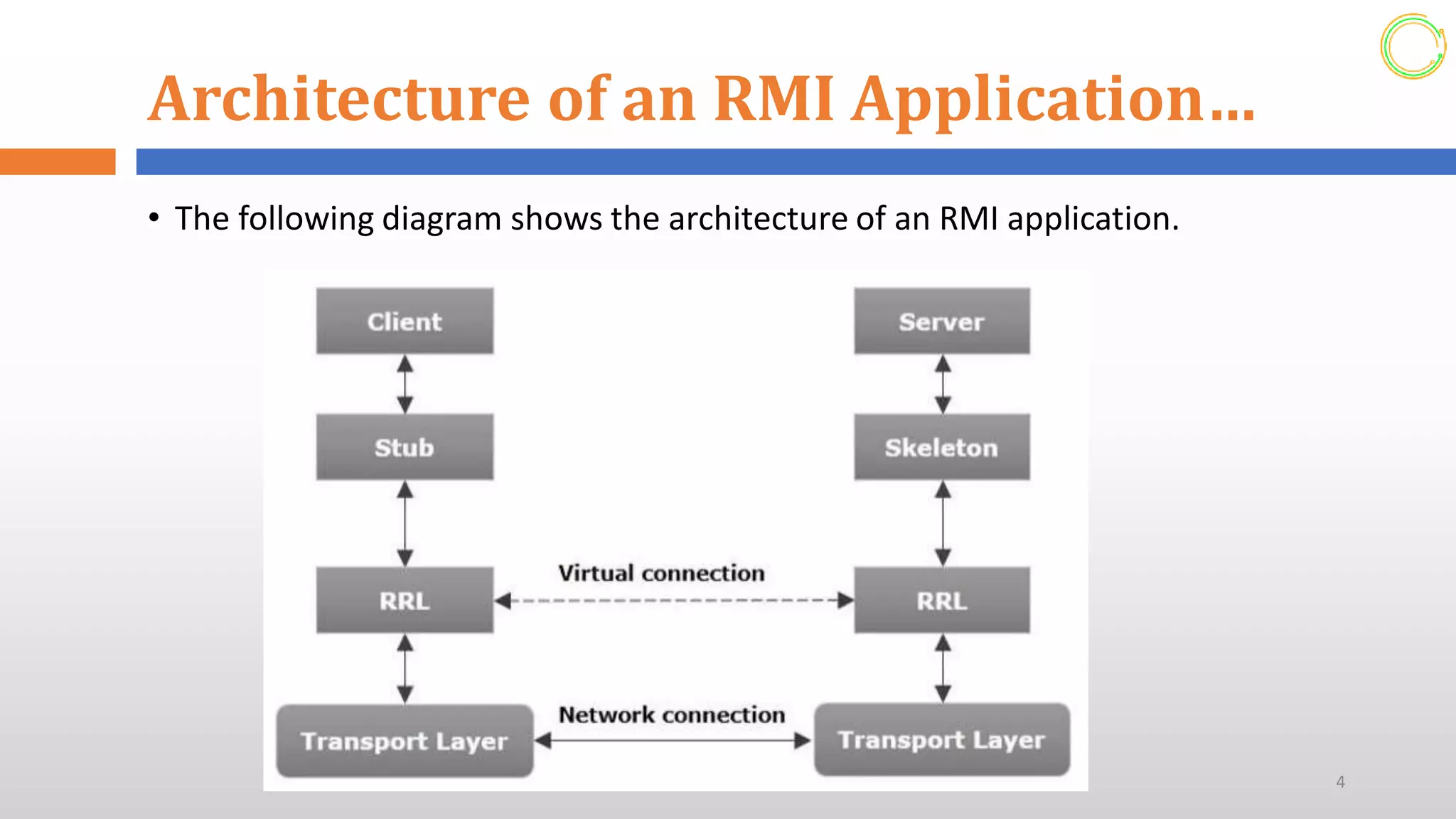
• The following diagram shows the architecture of an RMI application.
4
Architecture of an RMI Application…
Let us now discuss the components of this architecture.
• Transport Layer ─ This layer connects the client and the server. It
manages the existing connection and also sets up new connections.
• Stub ─ A stub is a representation (proxy) of the remote object at
client. It resides in the client system; it acts as a gateway for the
client program.
• Skeleton ─ This is the object which resides on the server side. stub
communicates with this skeleton to pass request to the remote
object.
• RRL (Remote Reference Layer) ─ It is the layer which manages the
references made by the client to the remote object.
5
Working of an RMI Application
• When the client makes a call to the remote object, it is
received by the stub which eventually passes this request
to the RRL.
• When the client-side RRL receives the request, it invokes
a method called invoke() of the object remoteRef. It
passes the request to the RRL on the server side.
• The RRL on the server side passes the request to the
Skeleton (proxy on the server) which finally invokes the
required object on the server.
• The result is passed all the way back to the client.
6
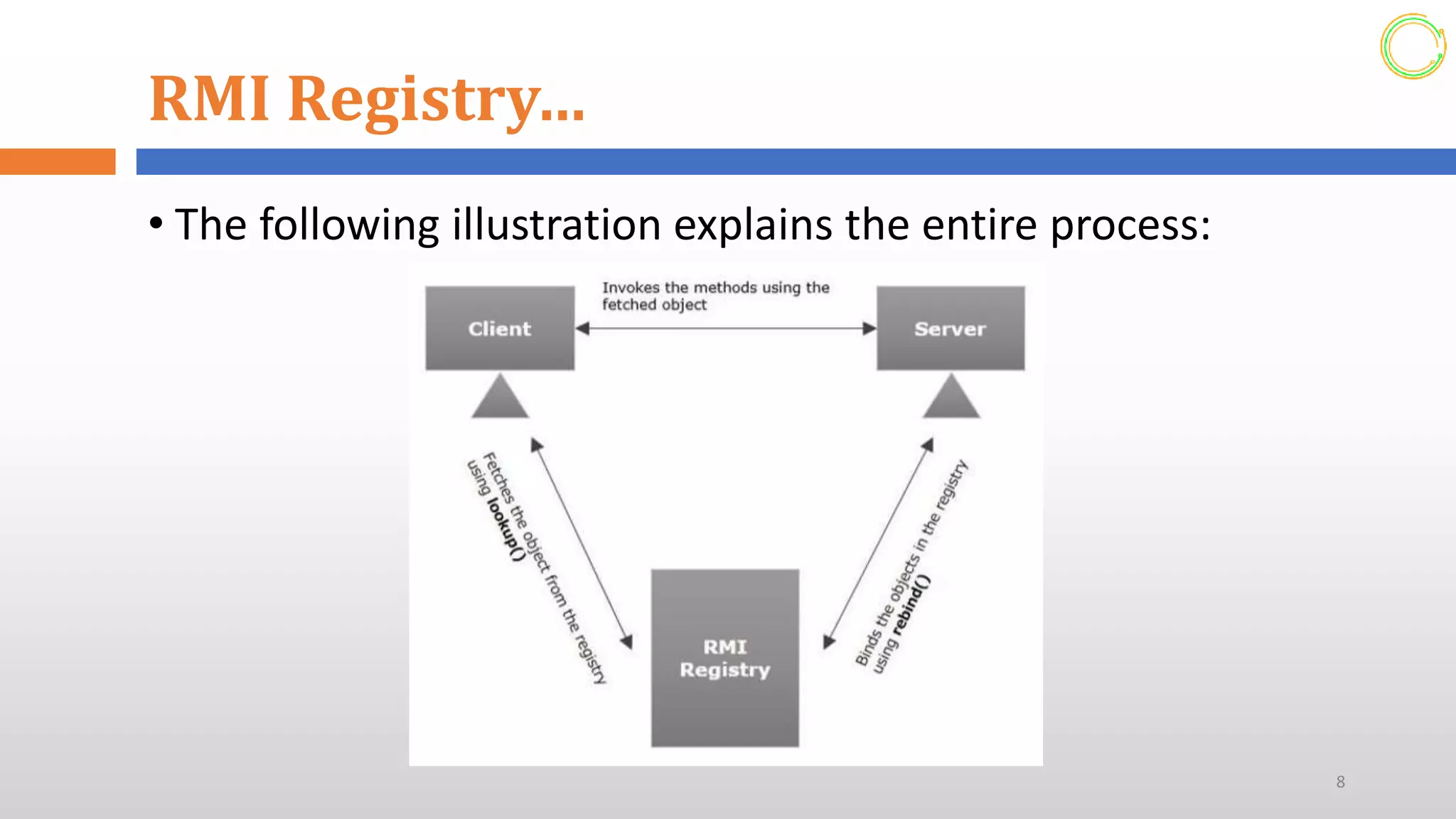
RMI Registry
• RMIregistry is a namespace on which all server objects
are placed.
• Each time the server creates an object, it registers this
object with the RMIregistry (using bind() or reBind()
methods). These are registered using a unique name
known as bind name.
• To invoke a remote object, the client needs a reference
of that object.
• At that time, the client fetches the object from the
registry using its bind name (using lookup() method).
7
RMI Registry…
• The following illustration explains the entire process:
8
Goals of RMI
Following are the goals of RMI:
• To minimize the complexity of the application
• To preserve type safety
• Distributed garbage collection
• Minimize the difference between working with local and
remote objects
9
The Remote Interface
• A remote interface provides the description of all the
methods of a particular remote object.
• The client communicates with this remote interface.
To create a remote interface –
• Create an interface that extends the predefined interface
Remote which belongs to the package.
• Declare all the business methods that can be invoked by the
client in this interface.
• Since there is a chance of network issues during remote calls,
an exception named RemoteException may occur;
10
Developing the Implementation Class
(Remote Object)
•We need to implement the remote interface
created in the earlier step. (We can write an
implementation class separately or we can directly
make the server program implement this
interface.)
To develop an implementation class –
• Implement the interface created in the previous step.
• Provide implementation to all the abstract methods of
the remote interface.
11
Developing the Server Program
• An RMI server program should implement the remote interface
or extend the implementation class. Here, we should create a
remote object and bind it to the RMIregistry.
To develop a server program –
• Create a class that extends the implementation class implemented in the previous
step. (or implement the remote interface)
• Create a remote object by instantiating the implementation class as shown below.
• Export the remote object using the method exportObject() of the class named
UnicastRemoteObject which belongs to the package java.rmi.server.
• Get the RMI registry using the getRegistry() method of the LocateRegistry class
which belongs to the package java.rmi.registry.
• Bind the remote object created to the registry using the bind() method of the class
named Registry. To this method, pass a string representing the bind name and the
object exported, as parameters.
12
Developing the Client Program
• Write a client program in it, fetch the remote object and invoke
the required method using this object.
To develop a client program –
• Create a client class from where you want invoke the remote object.
• Get the RMI registry using the getRegistry() method of the
LocateRegistry class which belongs to the package java.rmi.registry.
• Fetch the object from the registry using the method lookup() of the class
Registry which belongs to the package java.rmi.registry. To this method
you need to pass a string value representing the bind name as a
parameter. This will return you the remote object down cast it.
• The lookup() returns an object of type remote, down cast it to the type
Hello.
• Finally invoke the required method using the obtained remote object. 13
Developing the Client Program
• Write a client program in it, fetch the remote object and invoke
the required method using this object.
To develop a client program –
• Create a client class from where you want invoke the remote object.
• Get the RMI registry using the getRegistry() method of the
LocateRegistry class which belongs to the package java.rmi.registry.
• Fetch the object from the registry using the method lookup() of the class
Registry which belongs to the package java.rmi.registry. To this method
you need to pass a string value representing the bind name as a
parameter. This will return you the remote object down cast it.
• The lookup() returns an object of type remote, down cast it to the type
Hello.
• Finally invoke the required method using the obtained remote object. 14
RMI Implementation
For implementing RMI system The steps are as follows:
• Step–1: Create an Remote interface
• A remote interface specifies the methods that can be invoked
remotely by a client.
• Such interfaces includes the types of objects that will be used as
the parameters and return values for these methods.
• This interface extends java.rmi.Remote interface, It is part of
java.rmi package.
• Its purpose is simply indicate that an interface uses remote
methods and must specify the exception RemoteException in
throws statement. 15
RMI Implementation…
Step–2: Create a Class that implements the interface
• This class must extends java.rmi.UnicastRemoteObject
and must implements an interface defined in step–1.
• This class provides the functionality needed to make
object available from remote machines.
• The Constructor must call super(), and it should call
Naming.rebind(name, this):- It makes RMI registry
which informs that an object having “name” is
available.
16
RMI Implementation…
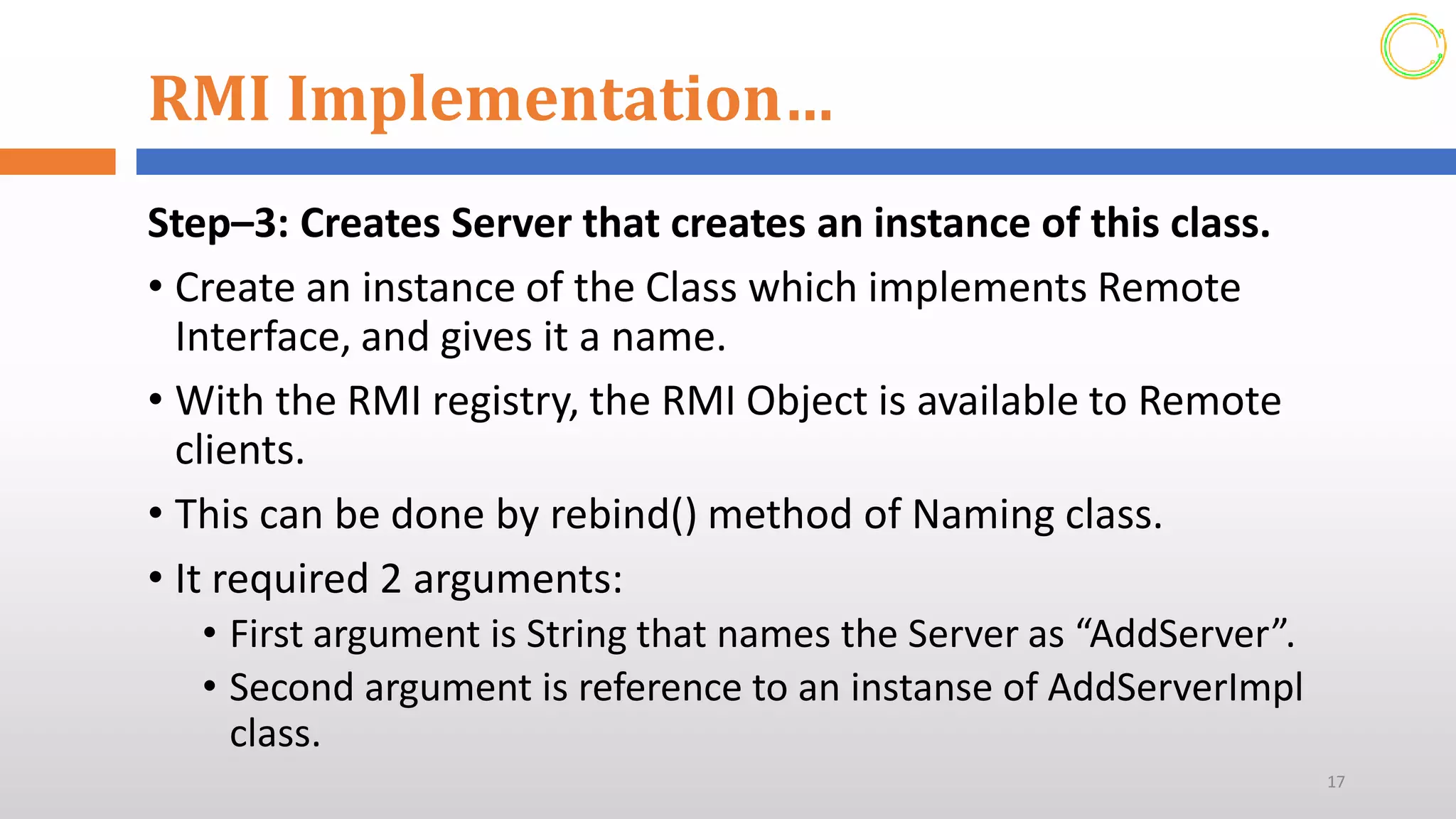
Step–3: Creates Server that creates an instance of this class.
• Create an instance of the Class which implements Remote
Interface, and gives it a name.
• With the RMI registry, the RMI Object is available to Remote
clients.
• This can be done by rebind() method of Naming class.
• It required 2 arguments:
• First argument is String that names the Server as “AddServer”.
• Second argument is reference to an instanse of AddServerImpl
class.
17
RMI Implementation…
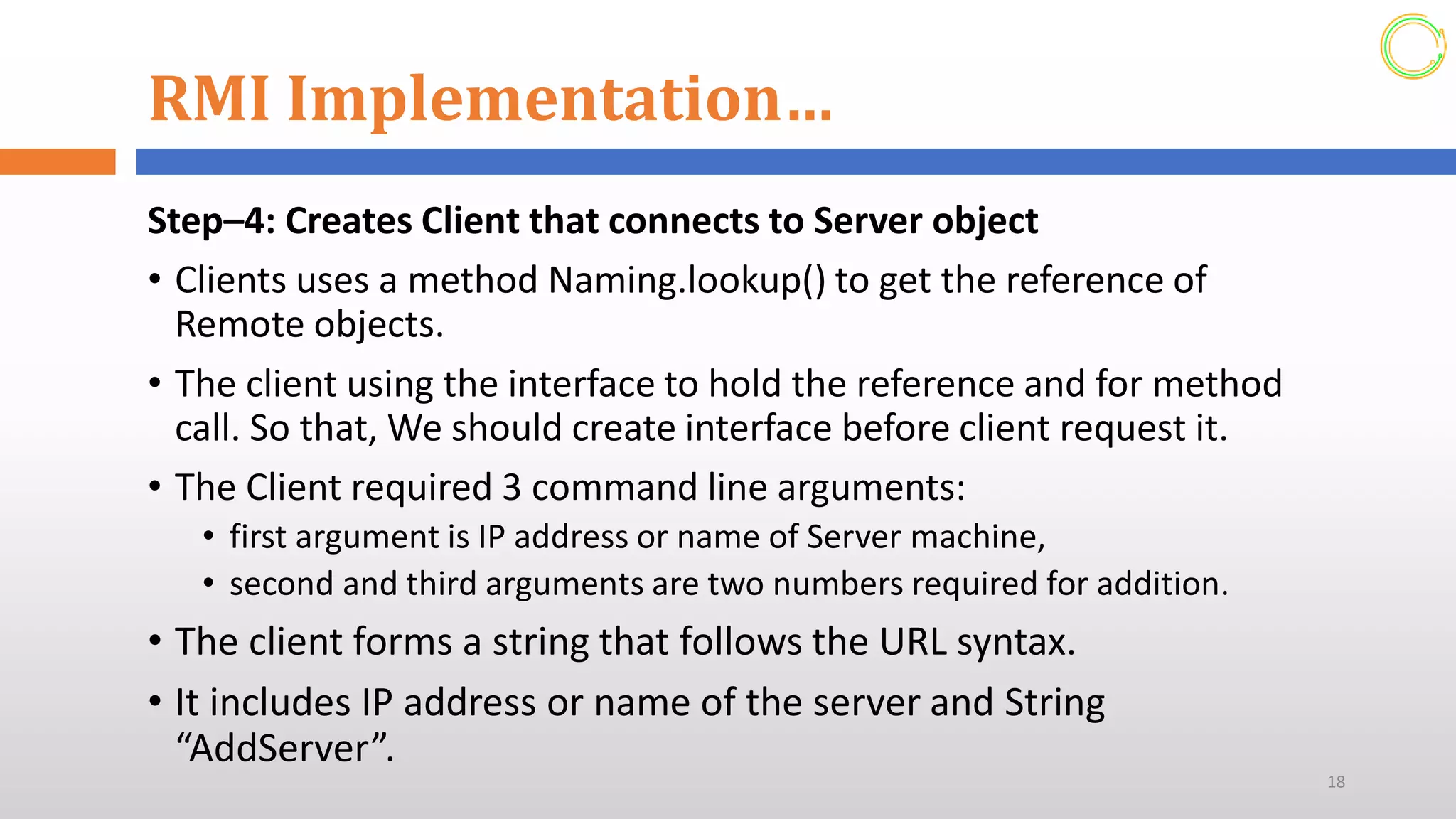
Step–4: Creates Client that connects to Server object
• Clients uses a method Naming.lookup() to get the reference of
Remote objects.
• The client using the interface to hold the reference and for method
call. So that, We should create interface before client request it.
• The Client required 3 command line arguments:
• first argument is IP address or name of Server machine,
• second and third arguments are two numbers required for addition.
• The client forms a string that follows the URL syntax.
• It includes IP address or name of the server and String
“AddServer”.
18
RMI Implementation…
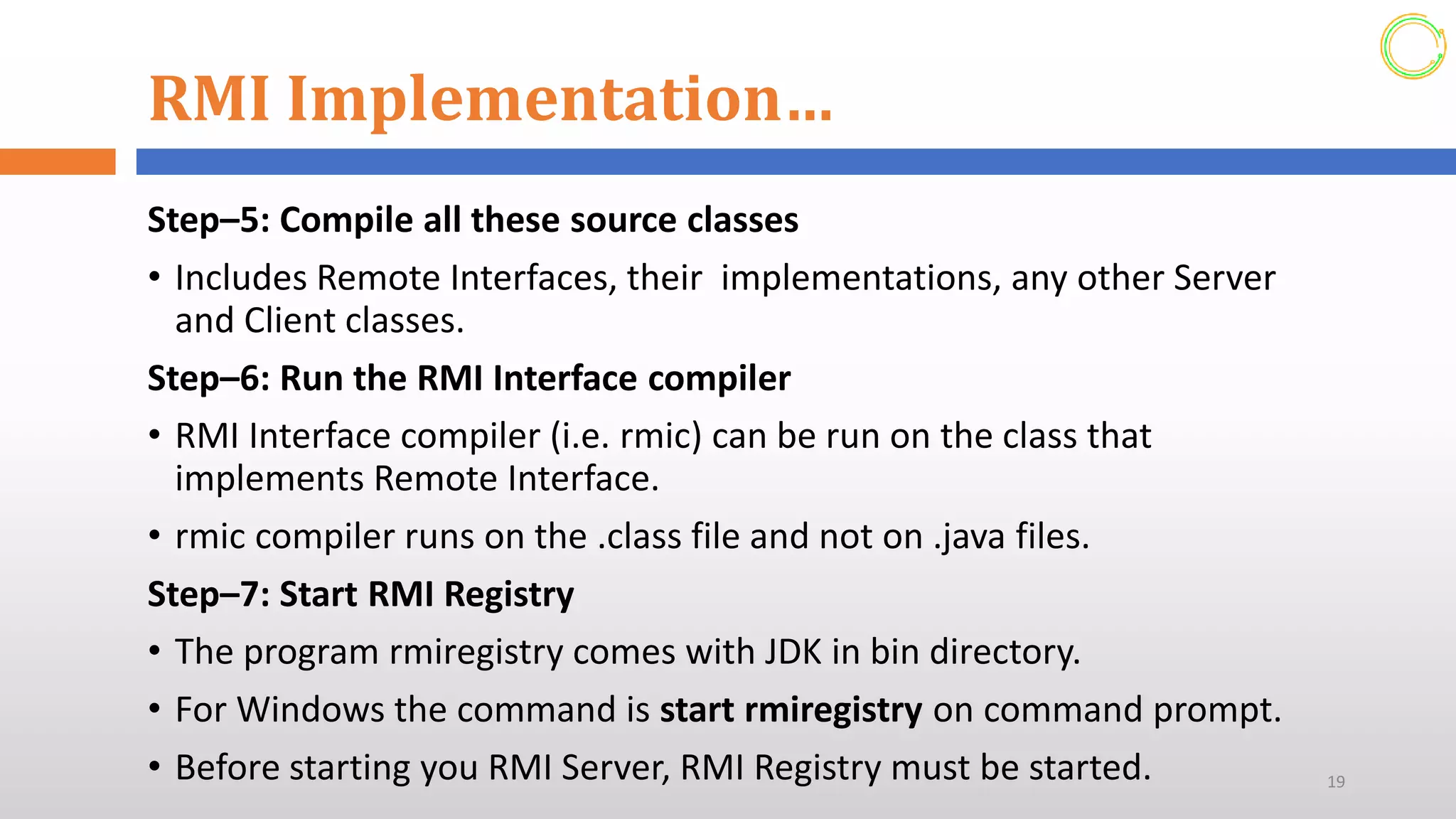
Step–5: Compile all these source classes
• Includes Remote Interfaces, their implementations, any other Server
and Client classes.
Step–6: Run the RMI Interface compiler
• RMI Interface compiler (i.e. rmic) can be run on the class that
implements Remote Interface.
• rmic compiler runs on the .class file and not on .java files.
Step–7: Start RMI Registry
• The program rmiregistry comes with JDK in bin directory.
• For Windows the command is start rmiregistry on command prompt.
• Before starting you RMI Server, RMI Registry must be started. 19
RMI Implementation…
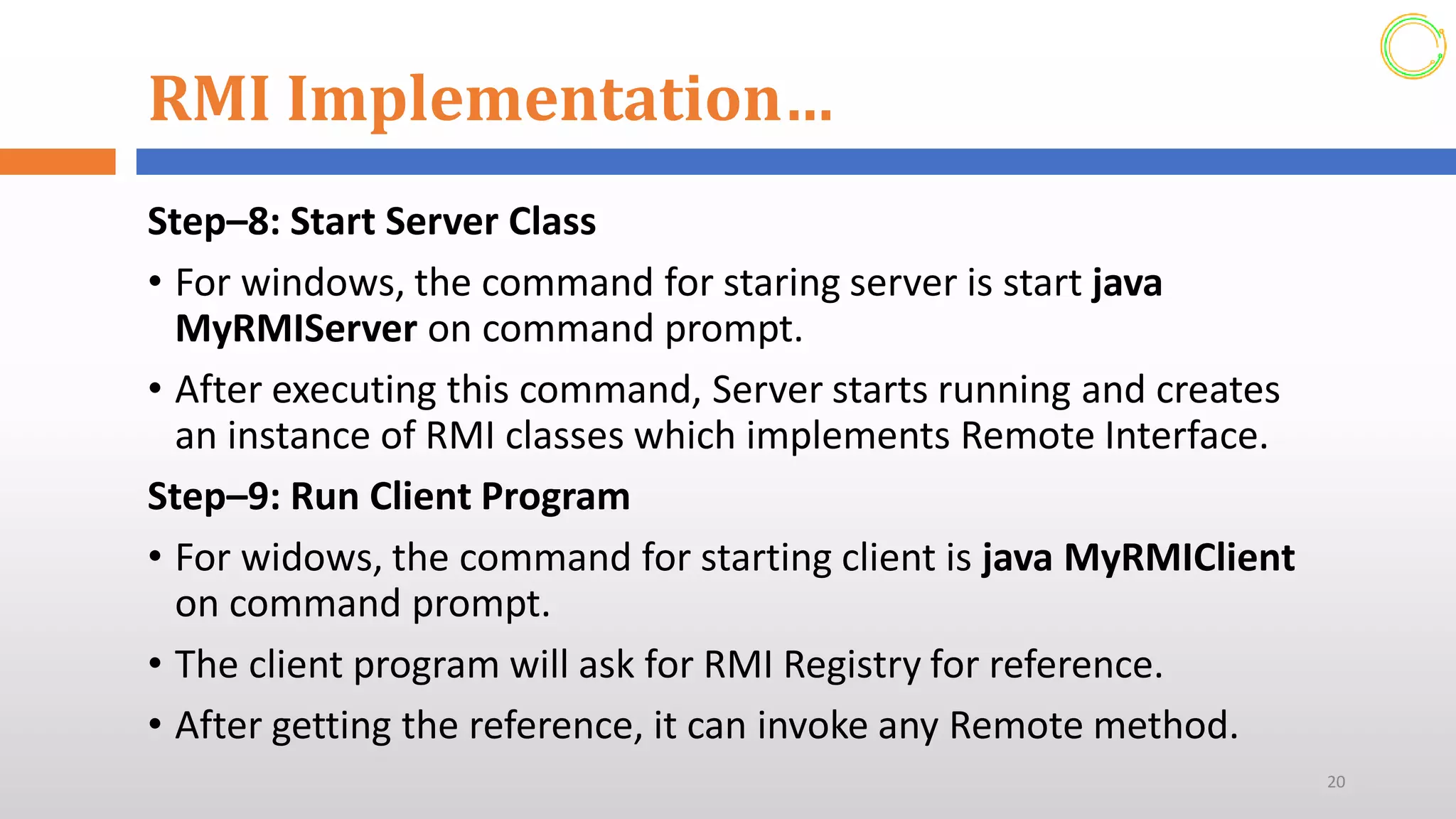
Step–8: Start Server Class
• For windows, the command for staring server is start java
MyRMIServer on command prompt.
• After executing this command, Server starts running and creates
an instance of RMI classes which implements Remote Interface.
Step–9: Run Client Program
• For widows, the command for starting client is java MyRMIClient
on command prompt.
• The client program will ask for RMI Registry for reference.
• After getting the reference, it can invoke any Remote method.
20
Marshalling
• Marshalling is the process of transforming the memory
representation of an object to a data format suitable for storage
or transmission. i.e. It is the process of converting a data
structure or object into a sequence of bits so that it can be stored
in a file, a memory buffer, or transmitted across a network.
• It is typically used when data must be moved between different
parts of a computer program or from one program to another.
Unmarshalling
• The reverse process of marshalling is called unmarshalling.
• The process of, extracting a data structure from a series of bytes,
is called unmarshalling.
21
References
➢S. Horstmann and Gary Cornell, Core Java 2 – Volume II-
Advanced Features, Sun Microsystems Press
➢Harvey M. Deitel and Paul J. Deitel, Java How to
Program, Deitel & Associates
➢Tutorials Point “Java RMI,” tutorialspoint.com
➢Prof. Shailesh T. Gahane, Dr. D Y Patil School of MCA,
Pune, “Java Programming Remote Method Invocation ”
22
Gerabirhan Paulos
ToCourseInfo@gmail.com

Remote Method Invocation, Advanced programming

  • 1.
    Advanced Programming Remote MethodInvocation Gera 2020 1
  • 2.
    Remote Method Invocation(RMI) •RMI stands for Remote Method Invocation. •It is a mechanism that allows an object residing in one system (JVM) to access/invoke an object running on another JVM. •RMI is used to build distributed applications; it provides remote communication between Java programs. •It is provided in the package java.rmi. 2
  • 3.
    Architecture of anRMI Application •In an RMI application, we write two programs, a server program (resides on the server) and a client program (resides on the client). • Inside the server program, a remote object is created and reference of that object is made available for the client (using the registry). • The client program requests the remote objects on the server and tries to invoke its methods 3
  • 4.
    Architecture of anRMI Application… • The following diagram shows the architecture of an RMI application. 4
  • 5.
    Architecture of anRMI Application… Let us now discuss the components of this architecture. • Transport Layer ─ This layer connects the client and the server. It manages the existing connection and also sets up new connections. • Stub ─ A stub is a representation (proxy) of the remote object at client. It resides in the client system; it acts as a gateway for the client program. • Skeleton ─ This is the object which resides on the server side. stub communicates with this skeleton to pass request to the remote object. • RRL (Remote Reference Layer) ─ It is the layer which manages the references made by the client to the remote object. 5
  • 6.
    Working of anRMI Application • When the client makes a call to the remote object, it is received by the stub which eventually passes this request to the RRL. • When the client-side RRL receives the request, it invokes a method called invoke() of the object remoteRef. It passes the request to the RRL on the server side. • The RRL on the server side passes the request to the Skeleton (proxy on the server) which finally invokes the required object on the server. • The result is passed all the way back to the client. 6
  • 7.
    RMI Registry • RMIregistryis a namespace on which all server objects are placed. • Each time the server creates an object, it registers this object with the RMIregistry (using bind() or reBind() methods). These are registered using a unique name known as bind name. • To invoke a remote object, the client needs a reference of that object. • At that time, the client fetches the object from the registry using its bind name (using lookup() method). 7
  • 8.
    RMI Registry… • Thefollowing illustration explains the entire process: 8
  • 9.
    Goals of RMI Followingare the goals of RMI: • To minimize the complexity of the application • To preserve type safety • Distributed garbage collection • Minimize the difference between working with local and remote objects 9
  • 10.
    The Remote Interface •A remote interface provides the description of all the methods of a particular remote object. • The client communicates with this remote interface. To create a remote interface – • Create an interface that extends the predefined interface Remote which belongs to the package. • Declare all the business methods that can be invoked by the client in this interface. • Since there is a chance of network issues during remote calls, an exception named RemoteException may occur; 10
  • 11.
    Developing the ImplementationClass (Remote Object) •We need to implement the remote interface created in the earlier step. (We can write an implementation class separately or we can directly make the server program implement this interface.) To develop an implementation class – • Implement the interface created in the previous step. • Provide implementation to all the abstract methods of the remote interface. 11
  • 12.
    Developing the ServerProgram • An RMI server program should implement the remote interface or extend the implementation class. Here, we should create a remote object and bind it to the RMIregistry. To develop a server program – • Create a class that extends the implementation class implemented in the previous step. (or implement the remote interface) • Create a remote object by instantiating the implementation class as shown below. • Export the remote object using the method exportObject() of the class named UnicastRemoteObject which belongs to the package java.rmi.server. • Get the RMI registry using the getRegistry() method of the LocateRegistry class which belongs to the package java.rmi.registry. • Bind the remote object created to the registry using the bind() method of the class named Registry. To this method, pass a string representing the bind name and the object exported, as parameters. 12
  • 13.
    Developing the ClientProgram • Write a client program in it, fetch the remote object and invoke the required method using this object. To develop a client program – • Create a client class from where you want invoke the remote object. • Get the RMI registry using the getRegistry() method of the LocateRegistry class which belongs to the package java.rmi.registry. • Fetch the object from the registry using the method lookup() of the class Registry which belongs to the package java.rmi.registry. To this method you need to pass a string value representing the bind name as a parameter. This will return you the remote object down cast it. • The lookup() returns an object of type remote, down cast it to the type Hello. • Finally invoke the required method using the obtained remote object. 13
  • 14.
    Developing the ClientProgram • Write a client program in it, fetch the remote object and invoke the required method using this object. To develop a client program – • Create a client class from where you want invoke the remote object. • Get the RMI registry using the getRegistry() method of the LocateRegistry class which belongs to the package java.rmi.registry. • Fetch the object from the registry using the method lookup() of the class Registry which belongs to the package java.rmi.registry. To this method you need to pass a string value representing the bind name as a parameter. This will return you the remote object down cast it. • The lookup() returns an object of type remote, down cast it to the type Hello. • Finally invoke the required method using the obtained remote object. 14
  • 15.
    RMI Implementation For implementingRMI system The steps are as follows: • Step–1: Create an Remote interface • A remote interface specifies the methods that can be invoked remotely by a client. • Such interfaces includes the types of objects that will be used as the parameters and return values for these methods. • This interface extends java.rmi.Remote interface, It is part of java.rmi package. • Its purpose is simply indicate that an interface uses remote methods and must specify the exception RemoteException in throws statement. 15
  • 16.
    RMI Implementation… Step–2: Createa Class that implements the interface • This class must extends java.rmi.UnicastRemoteObject and must implements an interface defined in step–1. • This class provides the functionality needed to make object available from remote machines. • The Constructor must call super(), and it should call Naming.rebind(name, this):- It makes RMI registry which informs that an object having “name” is available. 16
  • 17.
    RMI Implementation… Step–3: CreatesServer that creates an instance of this class. • Create an instance of the Class which implements Remote Interface, and gives it a name. • With the RMI registry, the RMI Object is available to Remote clients. • This can be done by rebind() method of Naming class. • It required 2 arguments: • First argument is String that names the Server as “AddServer”. • Second argument is reference to an instanse of AddServerImpl class. 17
  • 18.
    RMI Implementation… Step–4: CreatesClient that connects to Server object • Clients uses a method Naming.lookup() to get the reference of Remote objects. • The client using the interface to hold the reference and for method call. So that, We should create interface before client request it. • The Client required 3 command line arguments: • first argument is IP address or name of Server machine, • second and third arguments are two numbers required for addition. • The client forms a string that follows the URL syntax. • It includes IP address or name of the server and String “AddServer”. 18
  • 19.
    RMI Implementation… Step–5: Compileall these source classes • Includes Remote Interfaces, their implementations, any other Server and Client classes. Step–6: Run the RMI Interface compiler • RMI Interface compiler (i.e. rmic) can be run on the class that implements Remote Interface. • rmic compiler runs on the .class file and not on .java files. Step–7: Start RMI Registry • The program rmiregistry comes with JDK in bin directory. • For Windows the command is start rmiregistry on command prompt. • Before starting you RMI Server, RMI Registry must be started. 19
  • 20.
    RMI Implementation… Step–8: StartServer Class • For windows, the command for staring server is start java MyRMIServer on command prompt. • After executing this command, Server starts running and creates an instance of RMI classes which implements Remote Interface. Step–9: Run Client Program • For widows, the command for starting client is java MyRMIClient on command prompt. • The client program will ask for RMI Registry for reference. • After getting the reference, it can invoke any Remote method. 20
  • 21.
    Marshalling • Marshalling isthe process of transforming the memory representation of an object to a data format suitable for storage or transmission. i.e. It is the process of converting a data structure or object into a sequence of bits so that it can be stored in a file, a memory buffer, or transmitted across a network. • It is typically used when data must be moved between different parts of a computer program or from one program to another. Unmarshalling • The reverse process of marshalling is called unmarshalling. • The process of, extracting a data structure from a series of bytes, is called unmarshalling. 21
  • 22.
    References ➢S. Horstmann andGary Cornell, Core Java 2 – Volume II- Advanced Features, Sun Microsystems Press ➢Harvey M. Deitel and Paul J. Deitel, Java How to Program, Deitel & Associates ➢Tutorials Point “Java RMI,” tutorialspoint.com ➢Prof. Shailesh T. Gahane, Dr. D Y Patil School of MCA, Pune, “Java Programming Remote Method Invocation ” 22 Gerabirhan Paulos ToCourseInfo@gmail.com