Lecture 11: Database in App:

AsyncStorage, Realm.

by Completing Selfies Scoreboard App
Kobkrit Viriyayudhakorn, Ph.D.
CEO of iApp Technology Limited.
kobkrit@gmail.com
http://www.kobkrit.com
Important Links
• Source Codes 

https://github.com/kobkrit/learn-react-native
• Course Materials

http://www.kobkrit.com/category/programming/react-
native/
• Score Announcement

http://bit.ly/its484quizscore
• Facebook Group

https://web.facebook.com/groups/ReactNativeThai/

Database on the App
• When you are develop the app, at one point, you
will need to store information permanently for an
application (it does not gone after the forced close
and re-open).
• For faster loading time, Line app use a local
database to remember all of your conversations.
• For caching propose, Facebook app use a local
database to record all of the previously loaded
news feed.
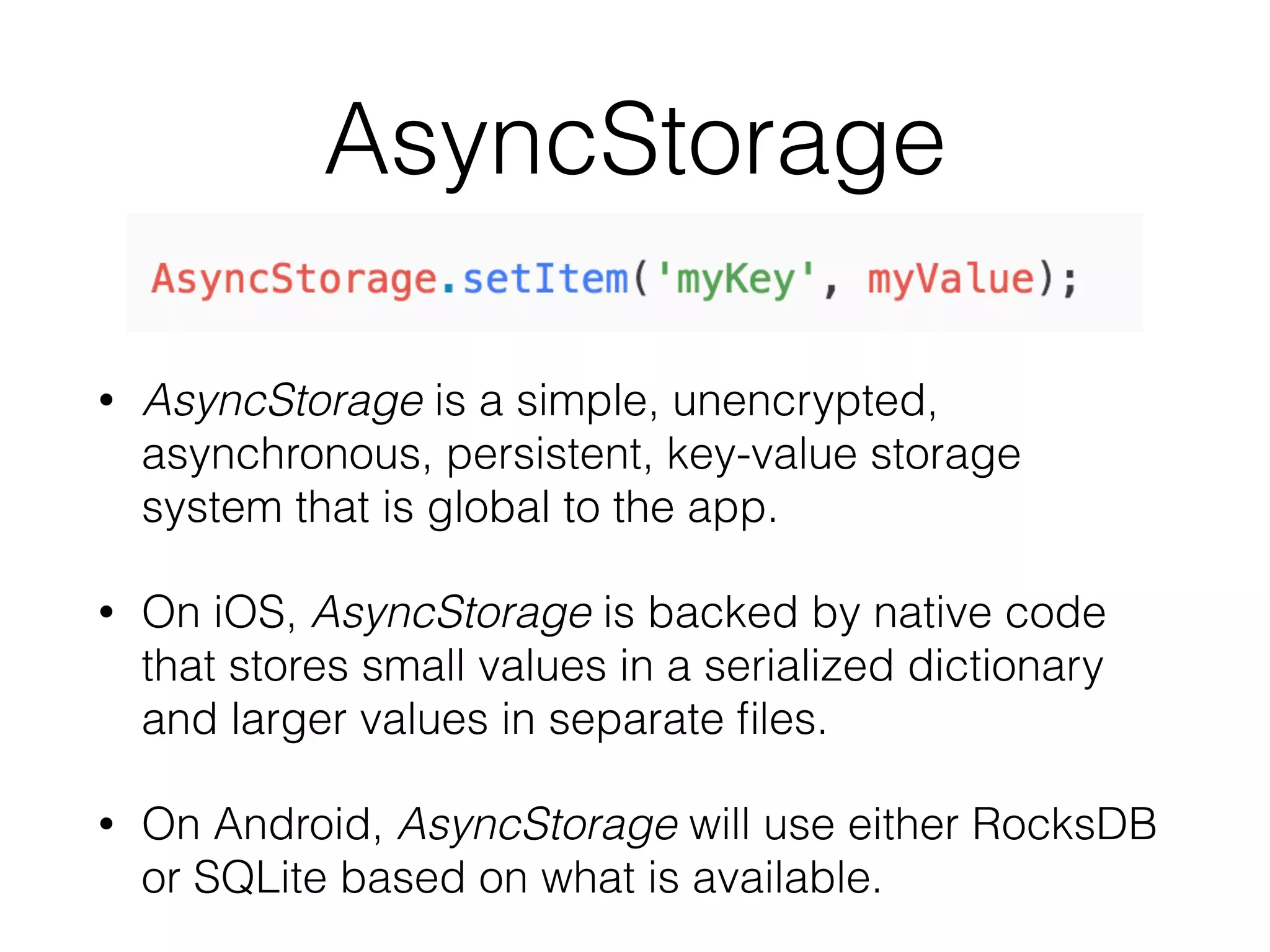
AsyncStorage
• AsyncStorage is a simple, unencrypted,
asynchronous, persistent, key-value storage
system that is global to the app.
• On iOS, AsyncStorage is backed by native code
that stores small values in a serialized dictionary
and larger values in separate files.
• On Android, AsyncStorage will use either RocksDB
or SQLite based on what is available.
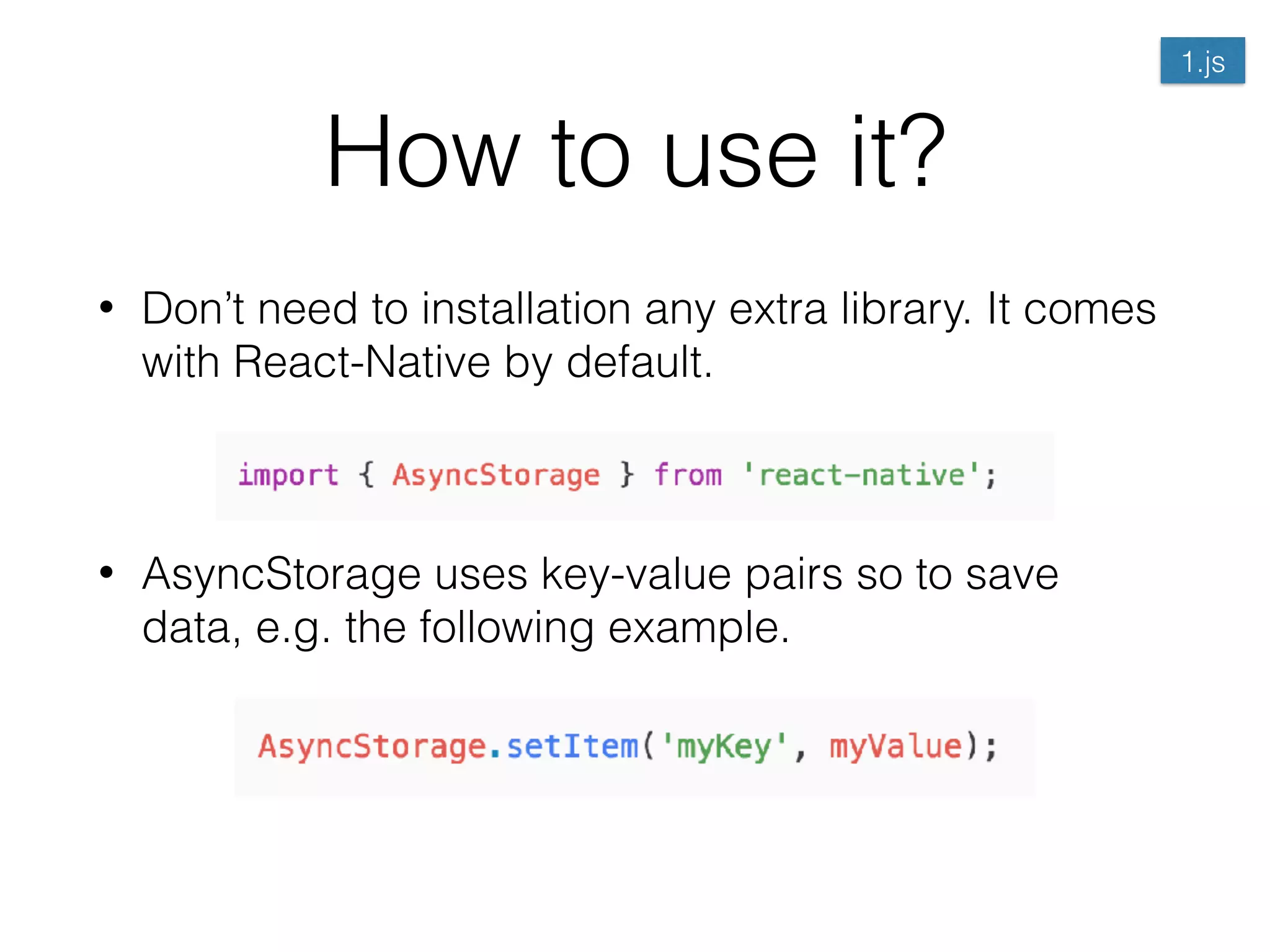
How to use it?
• Don’t need to installation any extra library. It comes
with React-Native by default.


• AsyncStorage uses key-value pairs so to save
data, e.g. the following example.


1.js
How to use it?
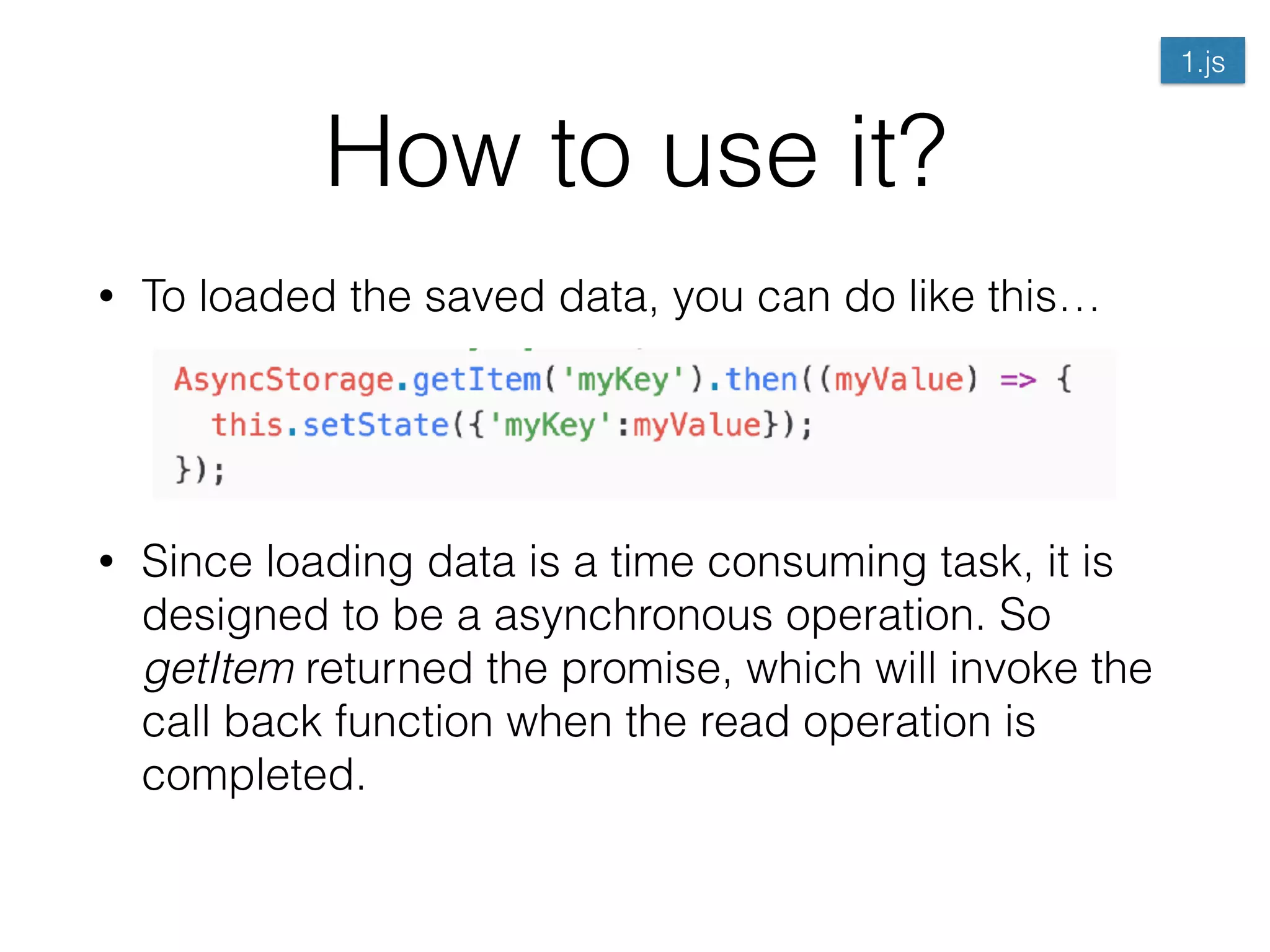
• To loaded the saved data, you can do like this…


• Since loading data is a time consuming task, it is
designed to be a asynchronous operation. So
getItem returned the promise, which will invoke the
call back function when the read operation is
completed.
1.js
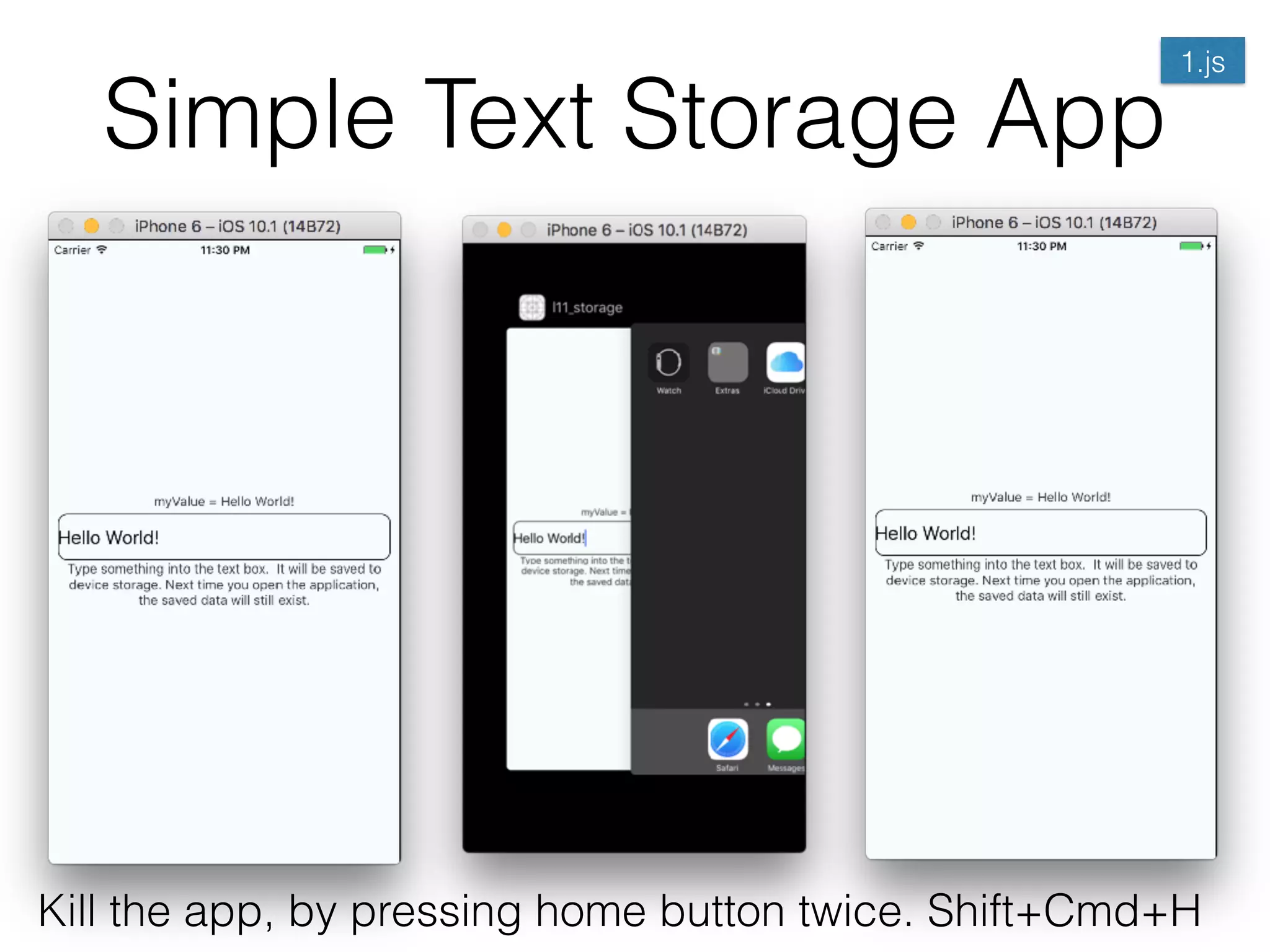
Simple Text Storage App
Kill the app, by pressing home button twice. Shift+Cmd+H
1.js
Create a new React-Native
Project
• $|> react-native init l11_storage
• Write down the code from 1.js into index.ios.js
• $|> react-native run-ios
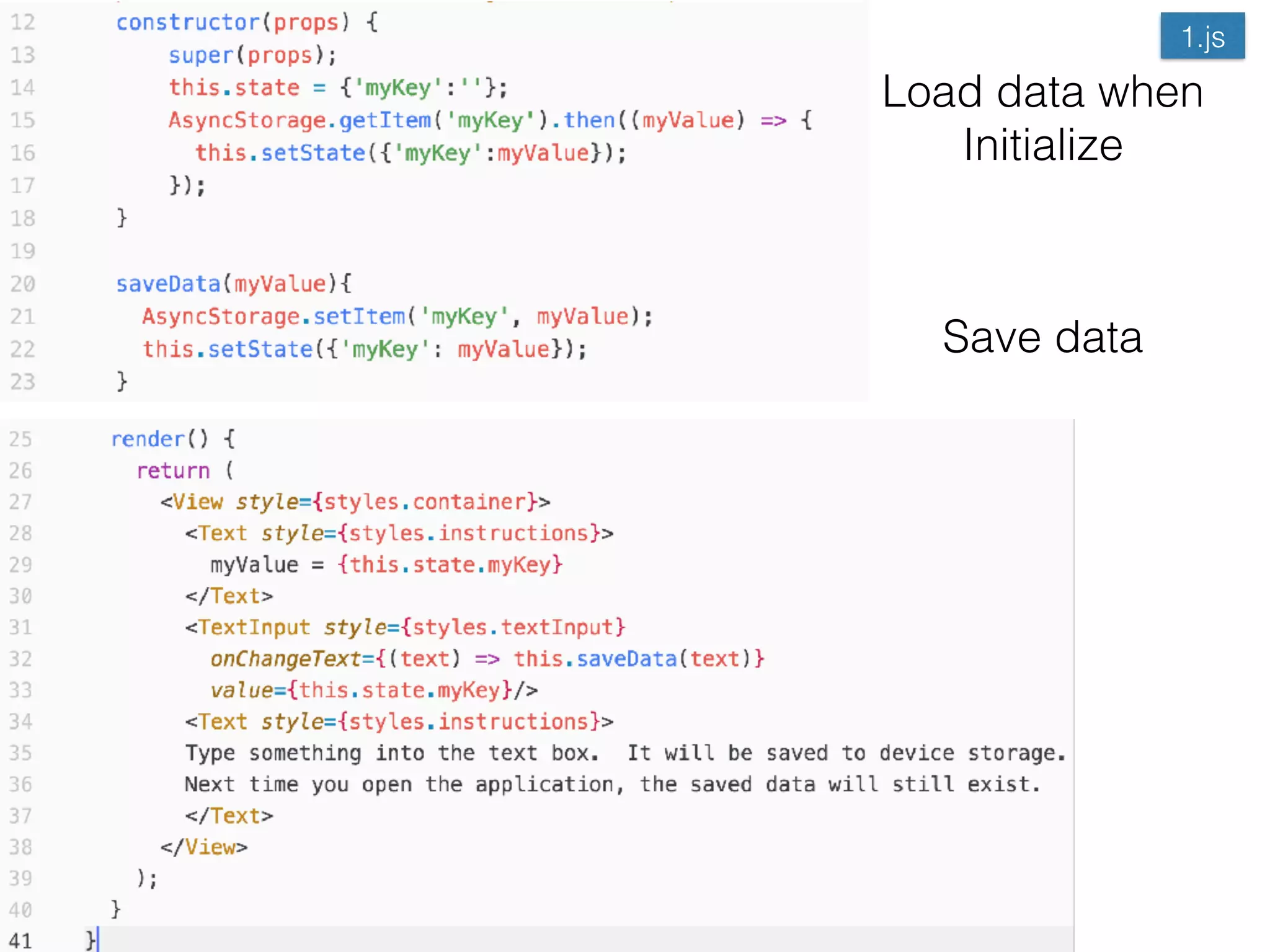
Save data
Load data when

Initialize
1.js
What if.. the whole state is
save?
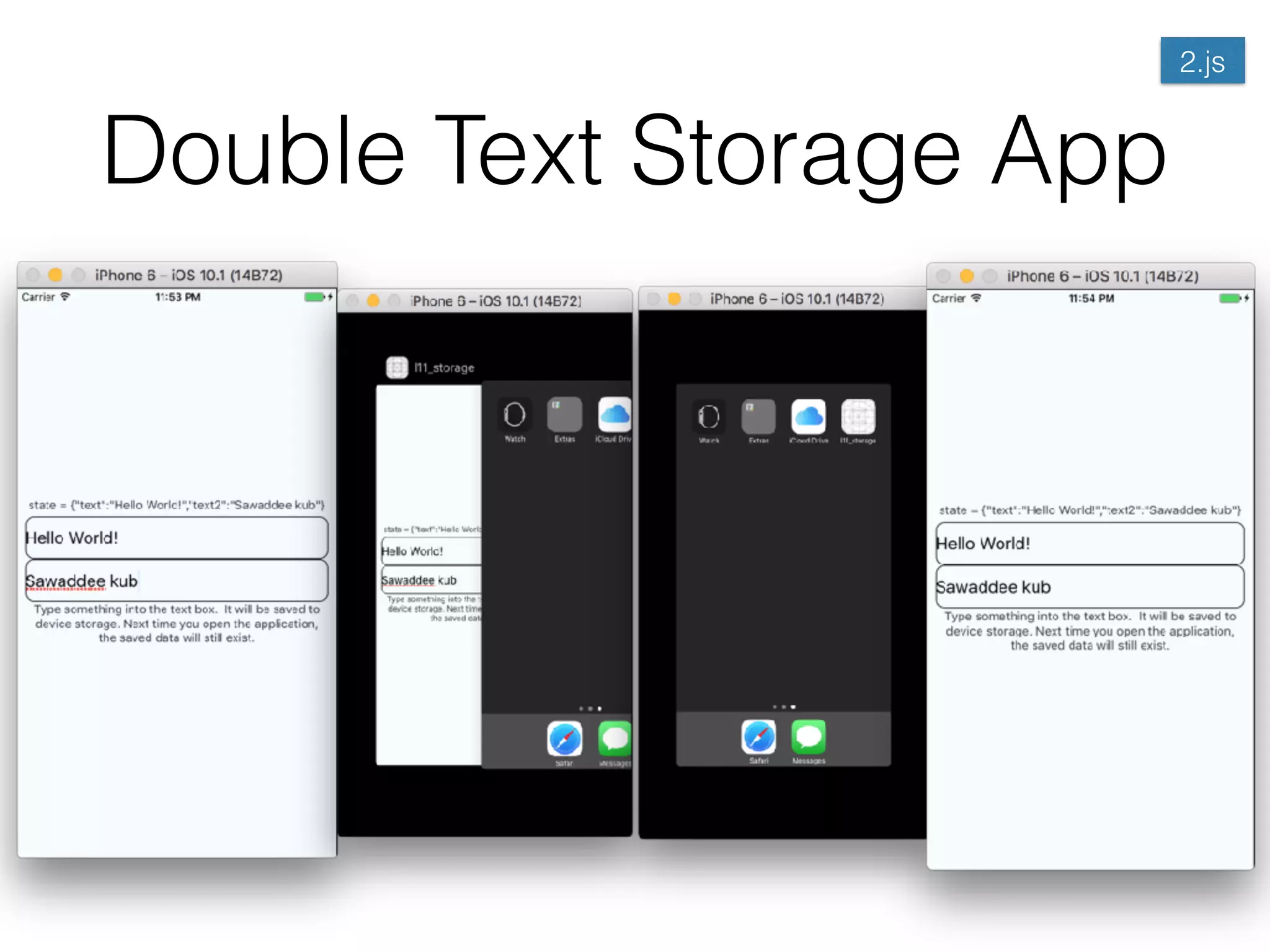
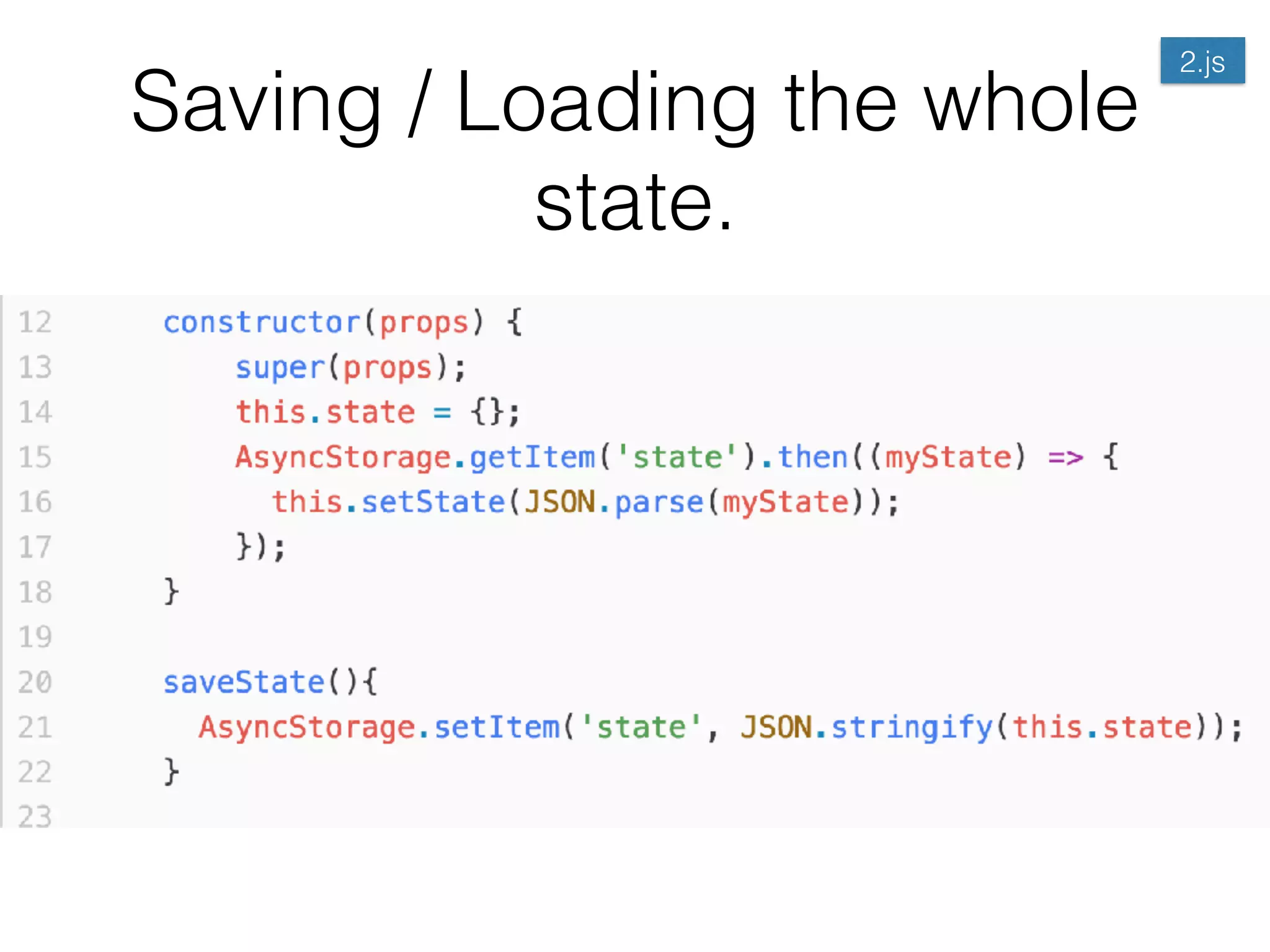
• For faster application development, Instead of we
manipulate the field one-by-one, we can save the
whole state into the AsyncStorage.
• setItem(), and getItem() accept only the string
arguments. How we can store the whole JSON
object?
• Use JSON.stringify() and JSON.parse() to
convert between string and JSON object.
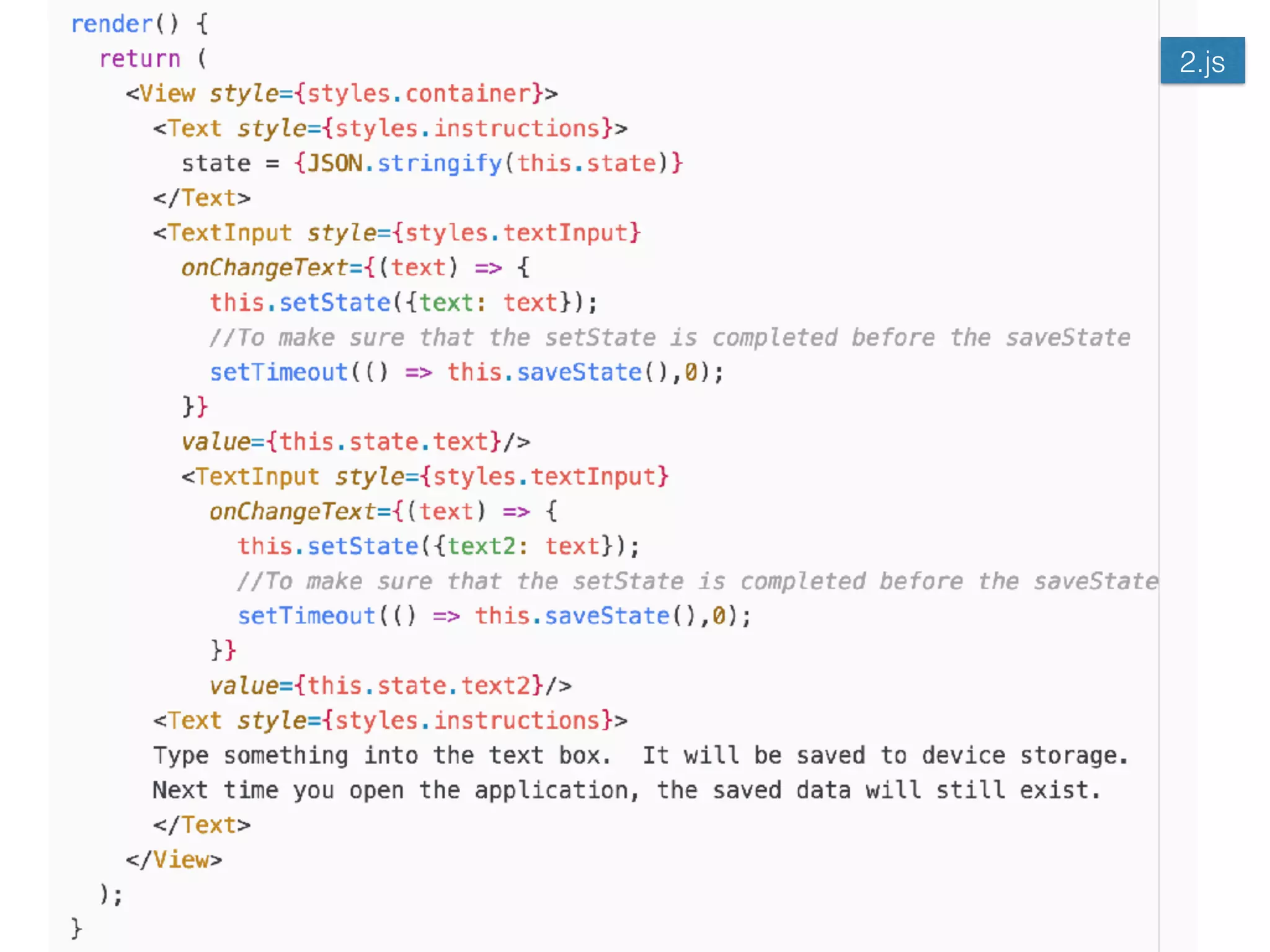
2.js
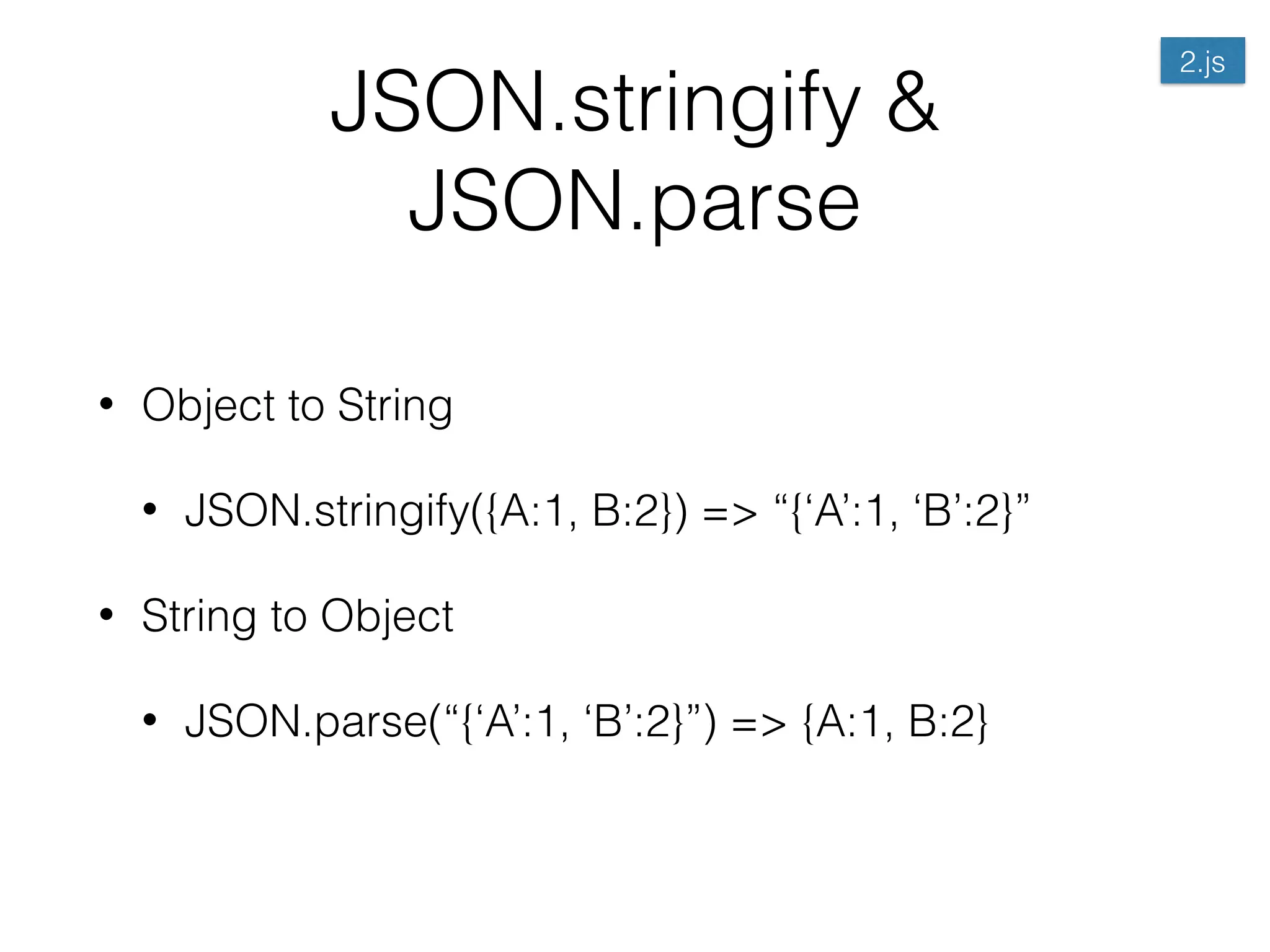
JSON.stringify &
JSON.parse
• Object to String
• JSON.stringify({A:1, B:2}) => “{‘A’:1, ‘B’:2}”
• String to Object
• JSON.parse(“{‘A’:1, ‘B’:2}”) => {A:1, B:2}
2.js
Double Text Storage App
2.js
Saving / Loading the whole
state.
2.js
2.js
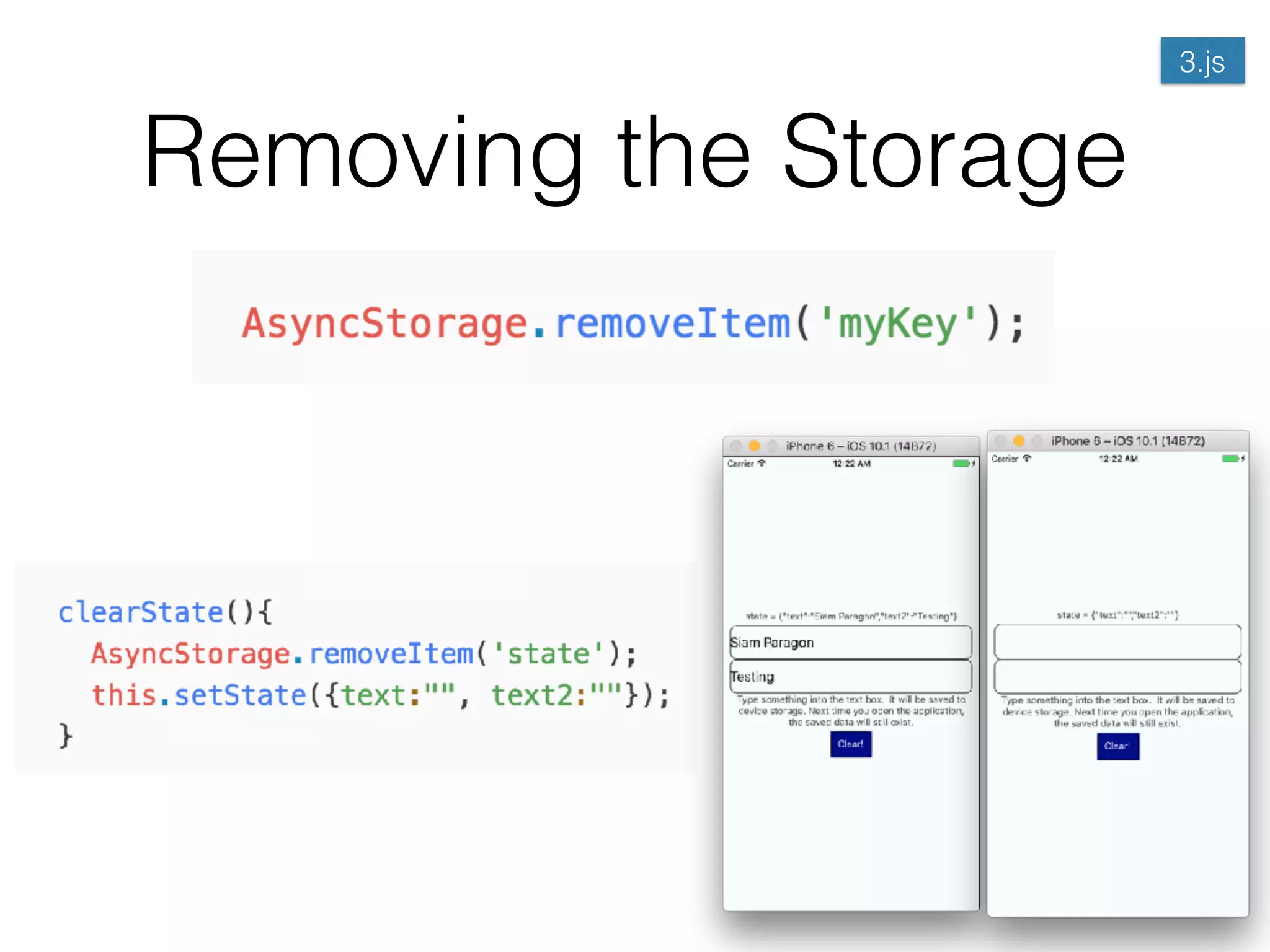
Removing the Storage
3.js
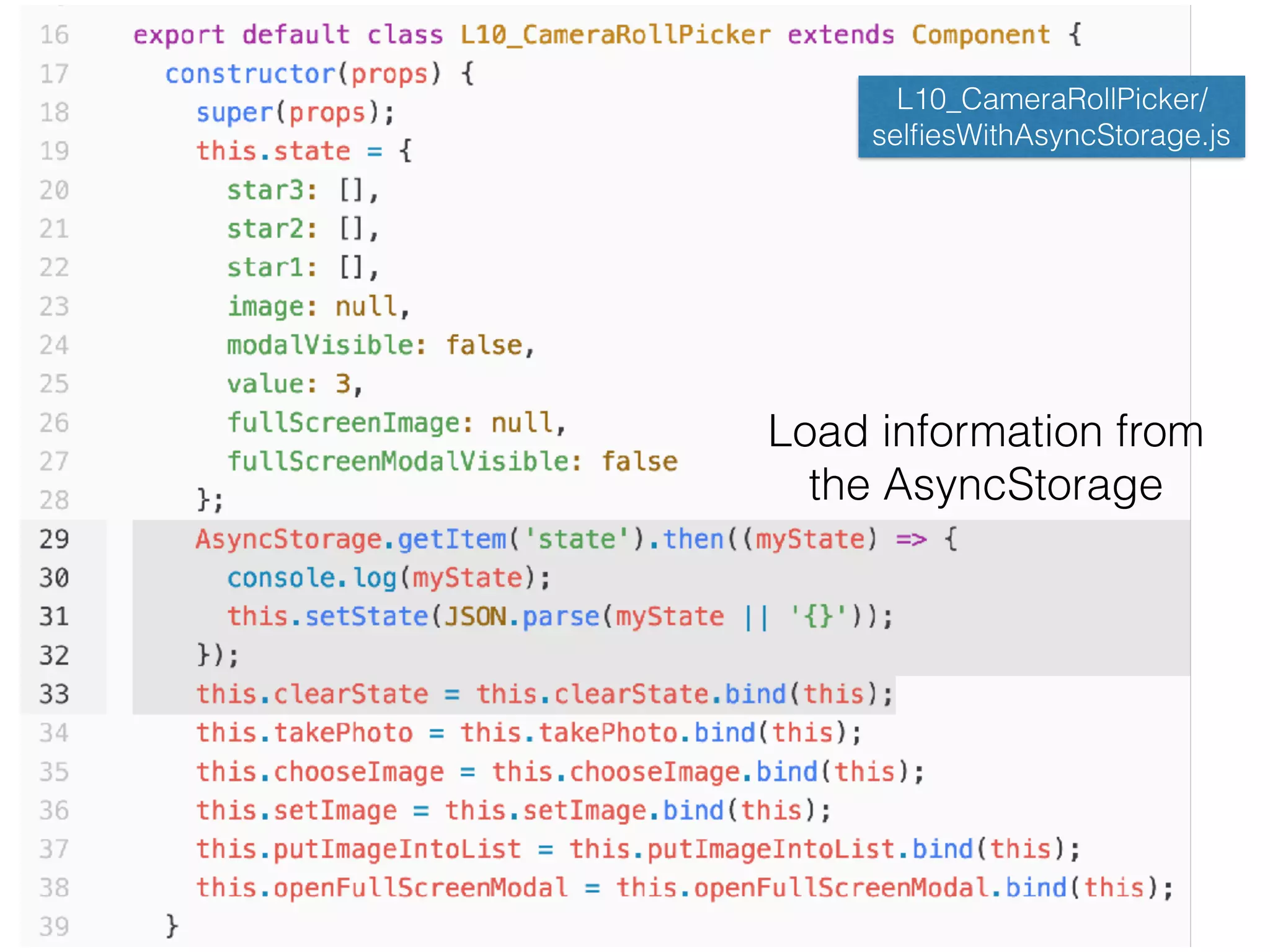
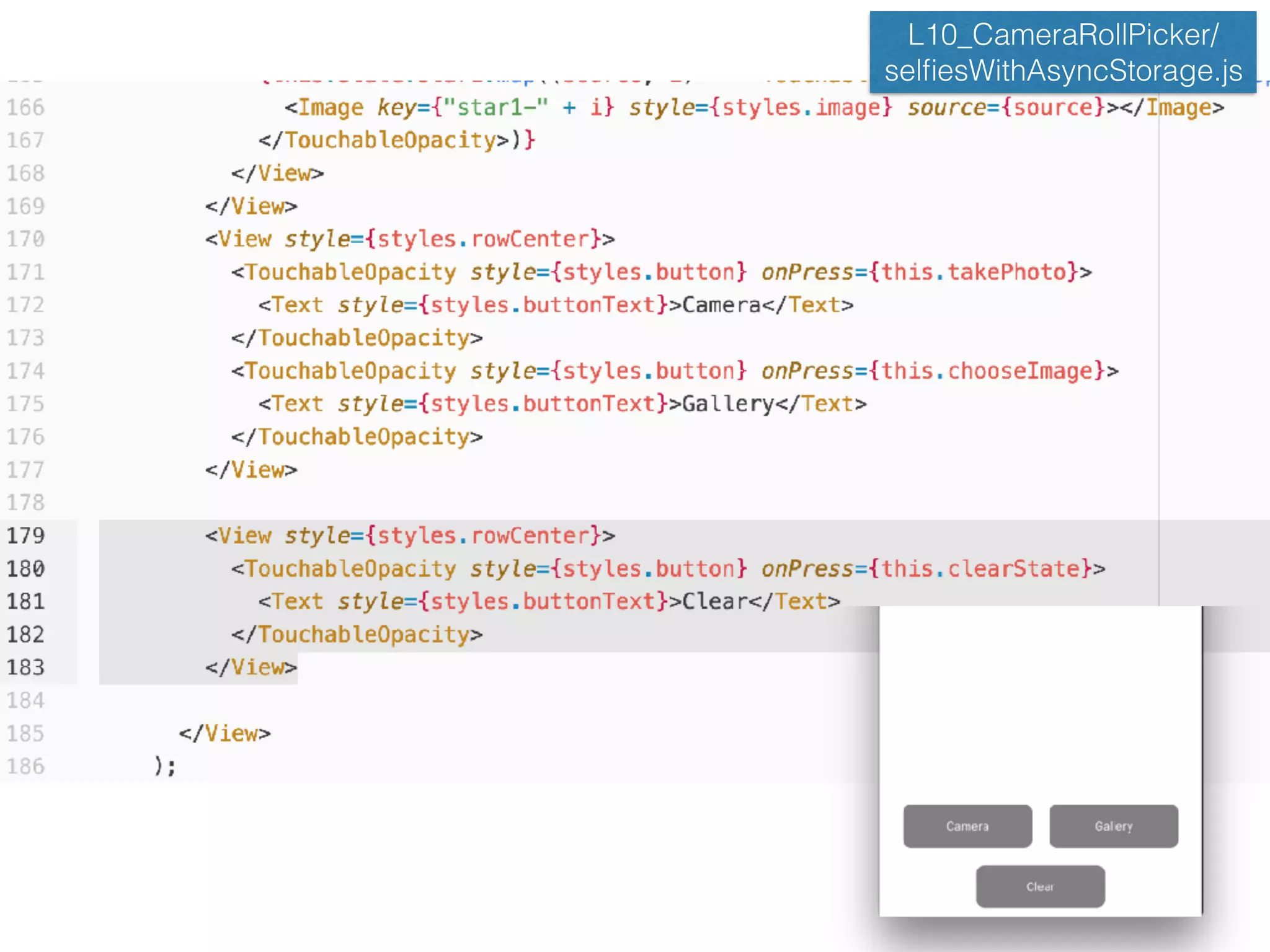
AsyncStorage in Selfies
Scoreboard App L10_CameraRollPicker/
selfiesWithAsyncStorage.js
Load information from 

the AsyncStorage
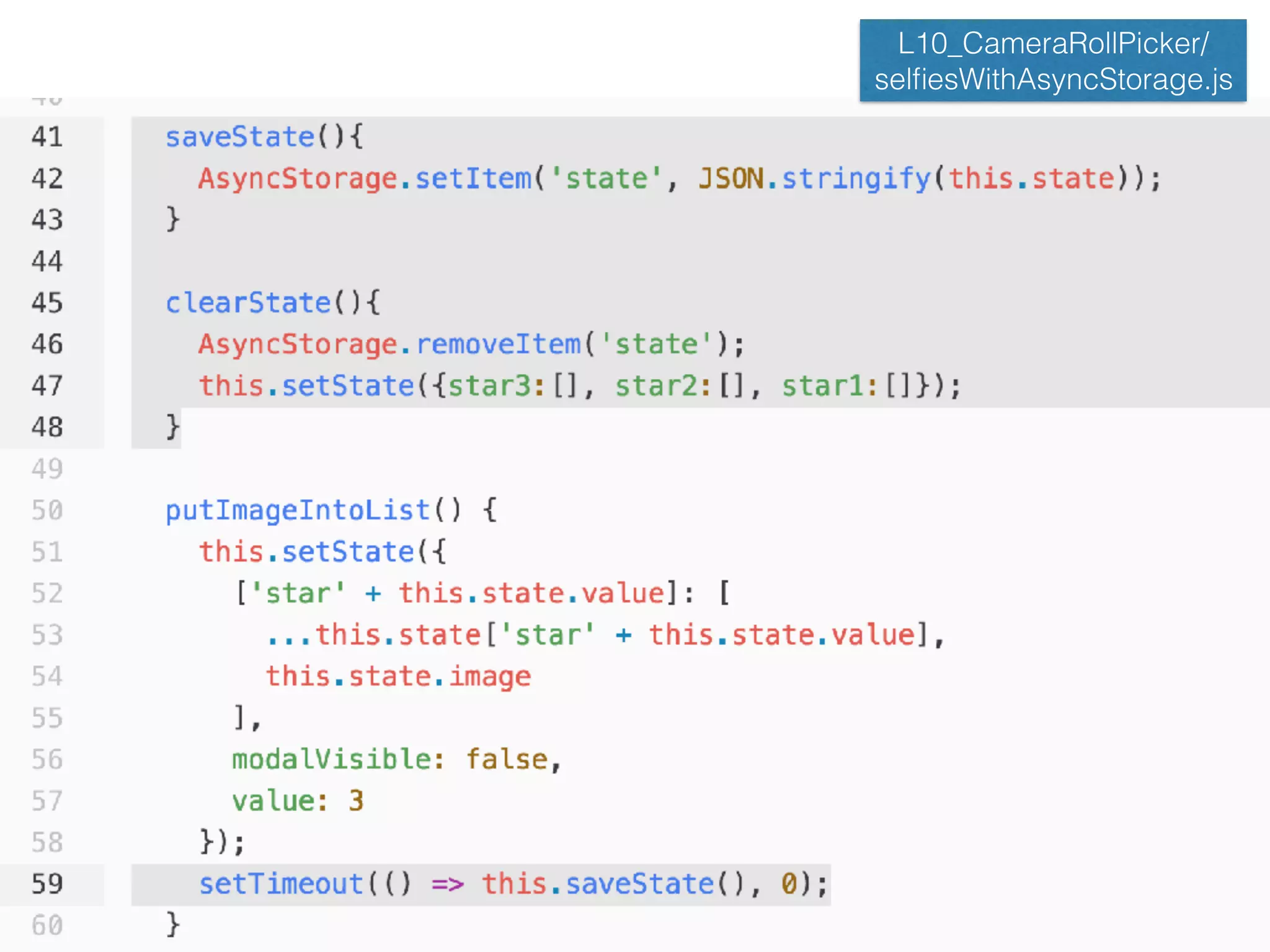
L10_CameraRollPicker/
selfiesWithAsyncStorage.js
L10_CameraRollPicker/
selfiesWithAsyncStorage.js
L10_CameraRollPicker/
selfiesWithAsyncStorage.js
But if we want more complex
database to use?
• AsyncStorage is just a key-value pair storage
• In practical application, we need to store complex
information much more than key-value pair.
• What if we want the database that can query,
search, and support encryption with data
modeling?
• is the answer!
Realm Database
• A flexible platform for creating offline-first, reactive
mobile apps effortlessly.
Realm Database
Realm Installation
• Change directories into the new project (cd
<project-name>) and add the realm dependency:
• $|> npm install --save realm
• Next use react-native to link your project to the
realm native module.
• $|> react-native link realm
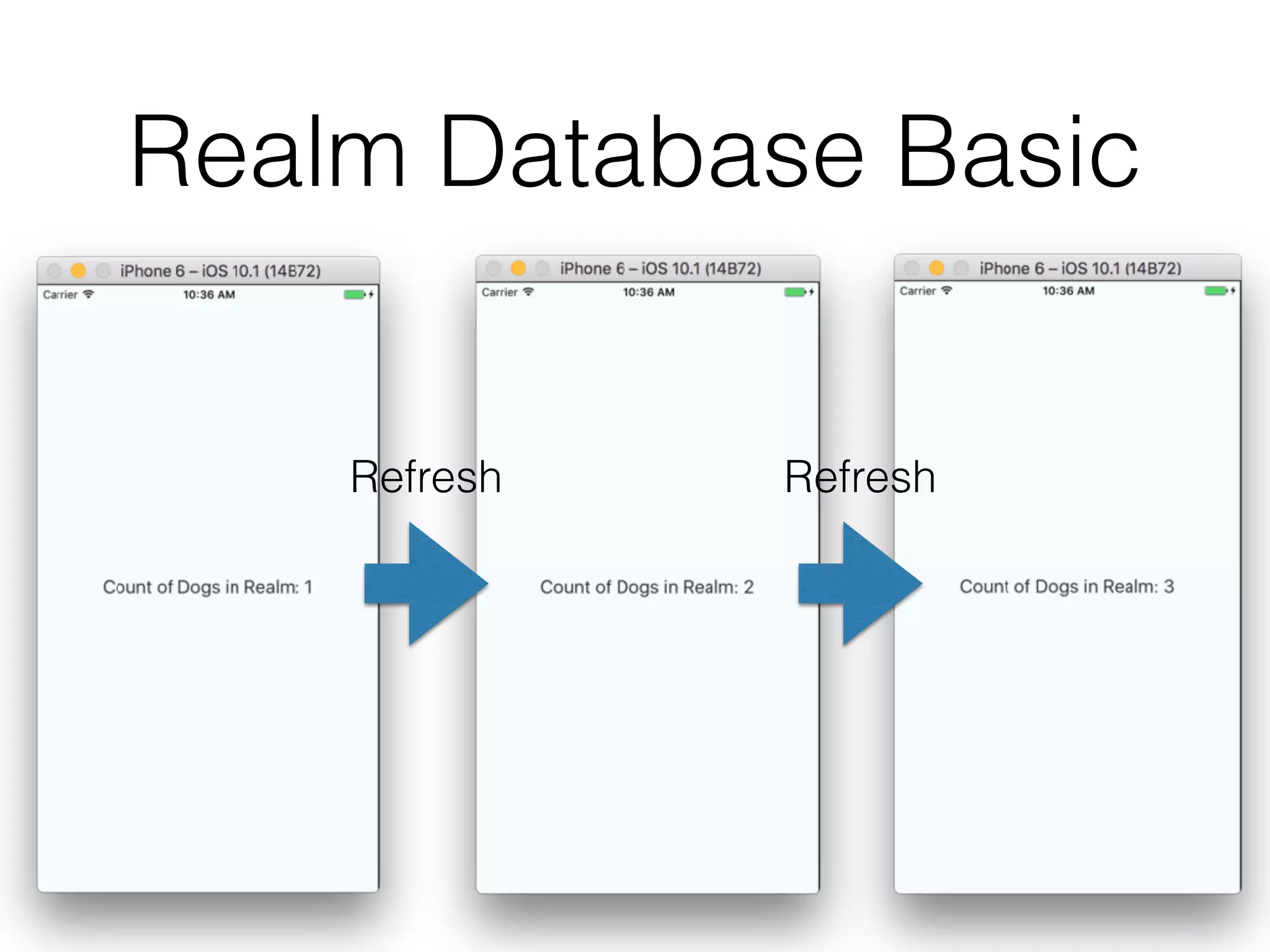
Realm Database Basic
Refresh Refresh
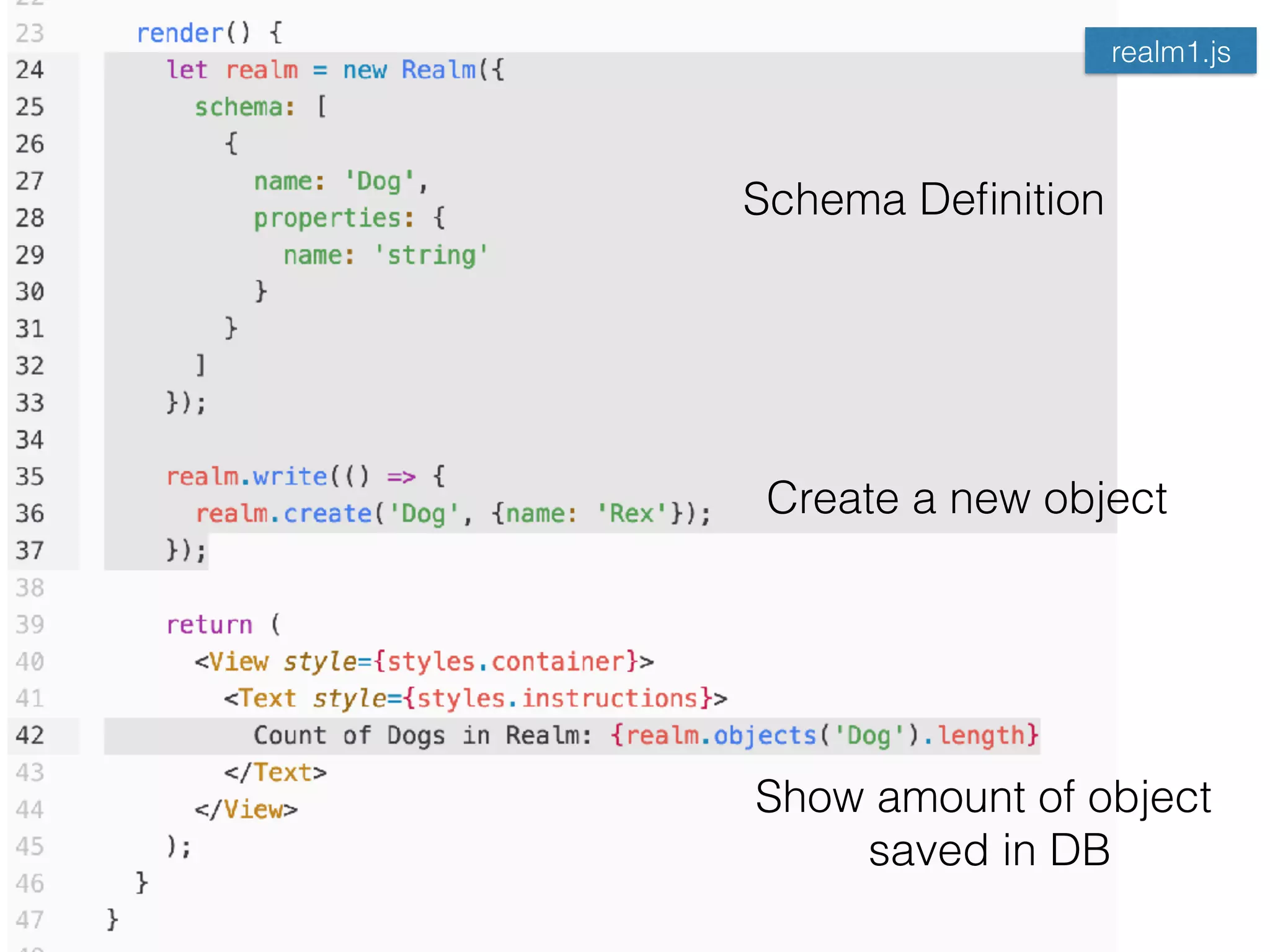
realm1.js
Schema Definition
Create a new object
Show amount of object

saved in DB
Realm Database Model
• Realm data models are defined by the schema
information passed into a Realm during
initialization.
• The schema for an object consists of the object’s
name and a set of properties each of which has a
name and type as well as the objectType for object
and list properties.
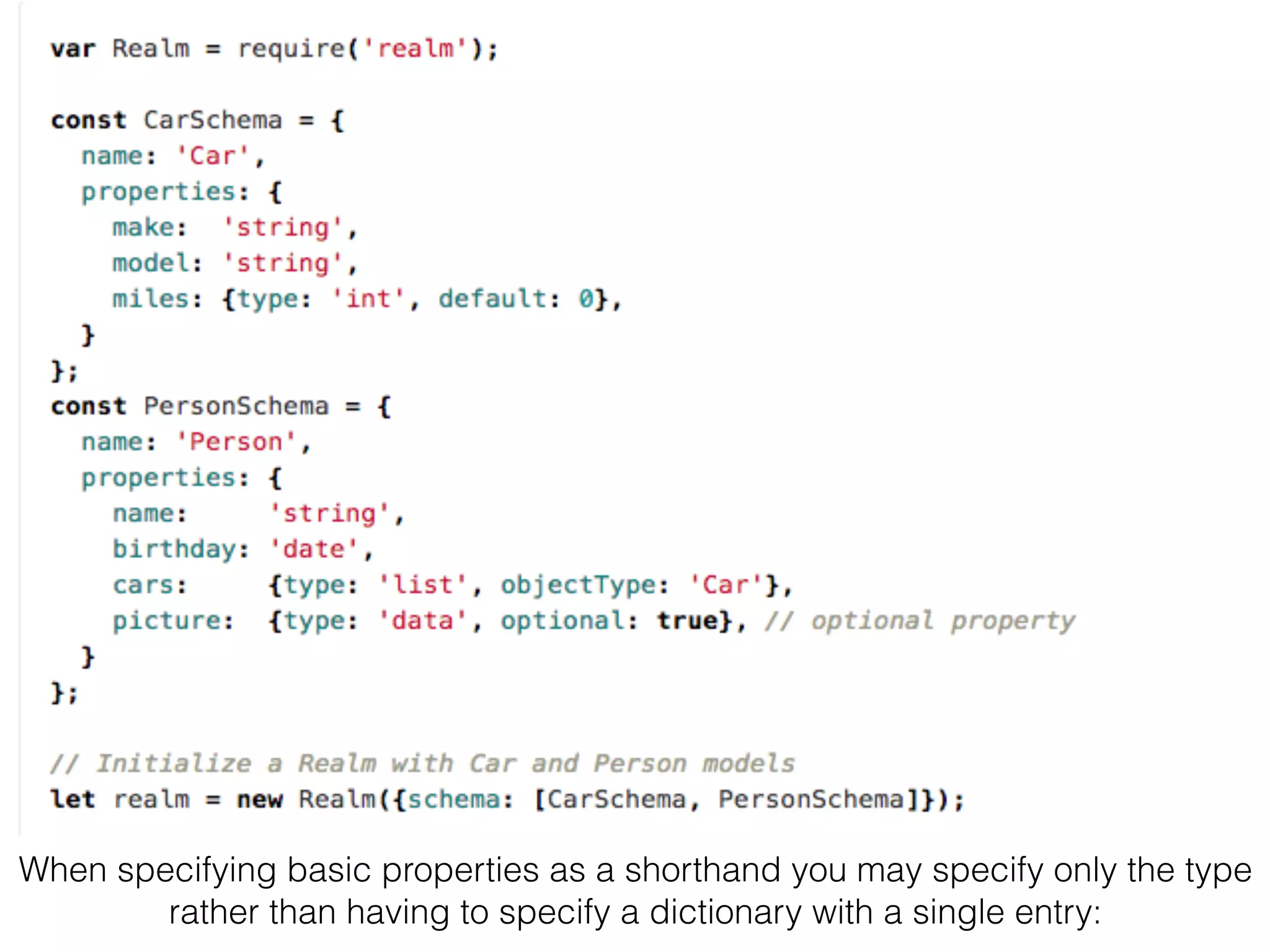
• We can also designate each property to be
optional or to have a default value.
When specifying basic properties as a shorthand you may specify only the type
rather than having to specify a dictionary with a single entry:
Realm’s Basic Property Type
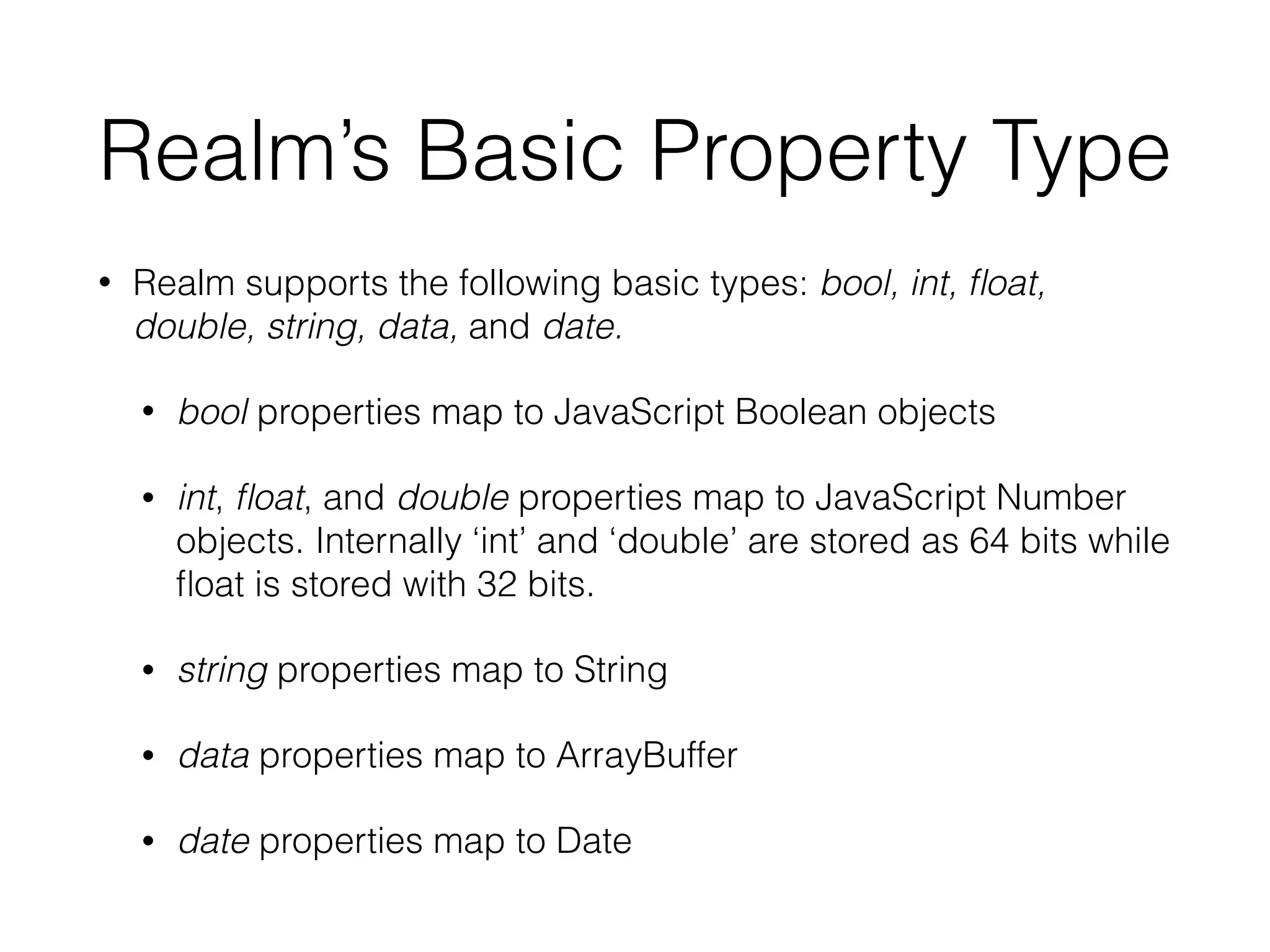
• Realm supports the following basic types: bool, int, float,
double, string, data, and date.
• bool properties map to JavaScript Boolean objects
• int, float, and double properties map to JavaScript Number
objects. Internally ‘int’ and ‘double’ are stored as 64 bits while
float is stored with 32 bits.
• string properties map to String
• data properties map to ArrayBuffer
• date properties map to Date
Object Properties
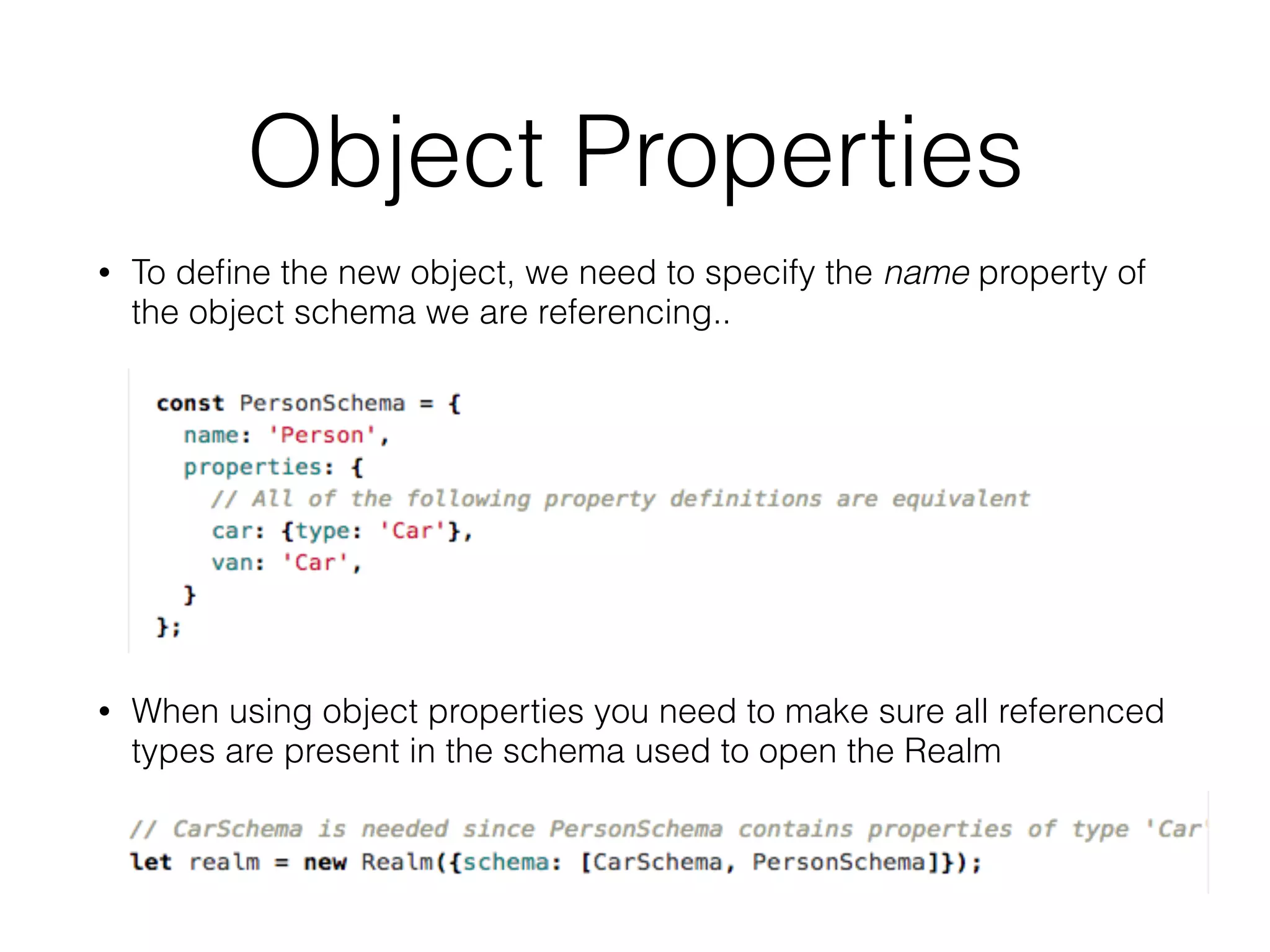
• To define the new object, we need to specify the name property of
the object schema we are referencing..
• When using object properties you need to make sure all referenced
types are present in the schema used to open the Realm
Accessing Object Properties
• When accessing object properties, you can access
nested properties using normal property syntax
List Properties
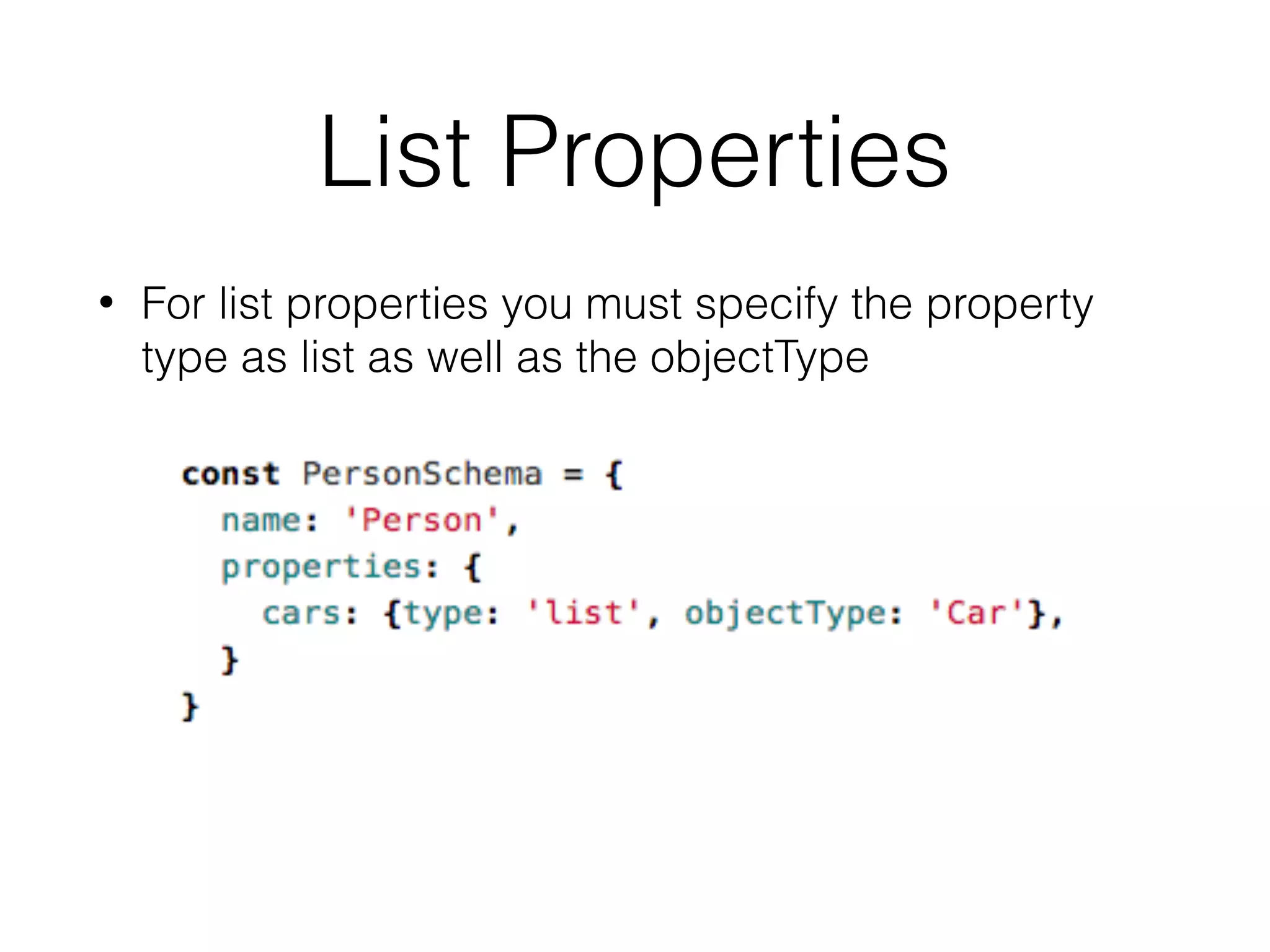
• For list properties you must specify the property
type as list as well as the objectType
Accessing List Property
• When accessing list properties a List object is
returned. List has methods very similar to a regular
JavaScript array. The big difference is that any
changes made to a List are automatically
persisted to the underlying Realm.
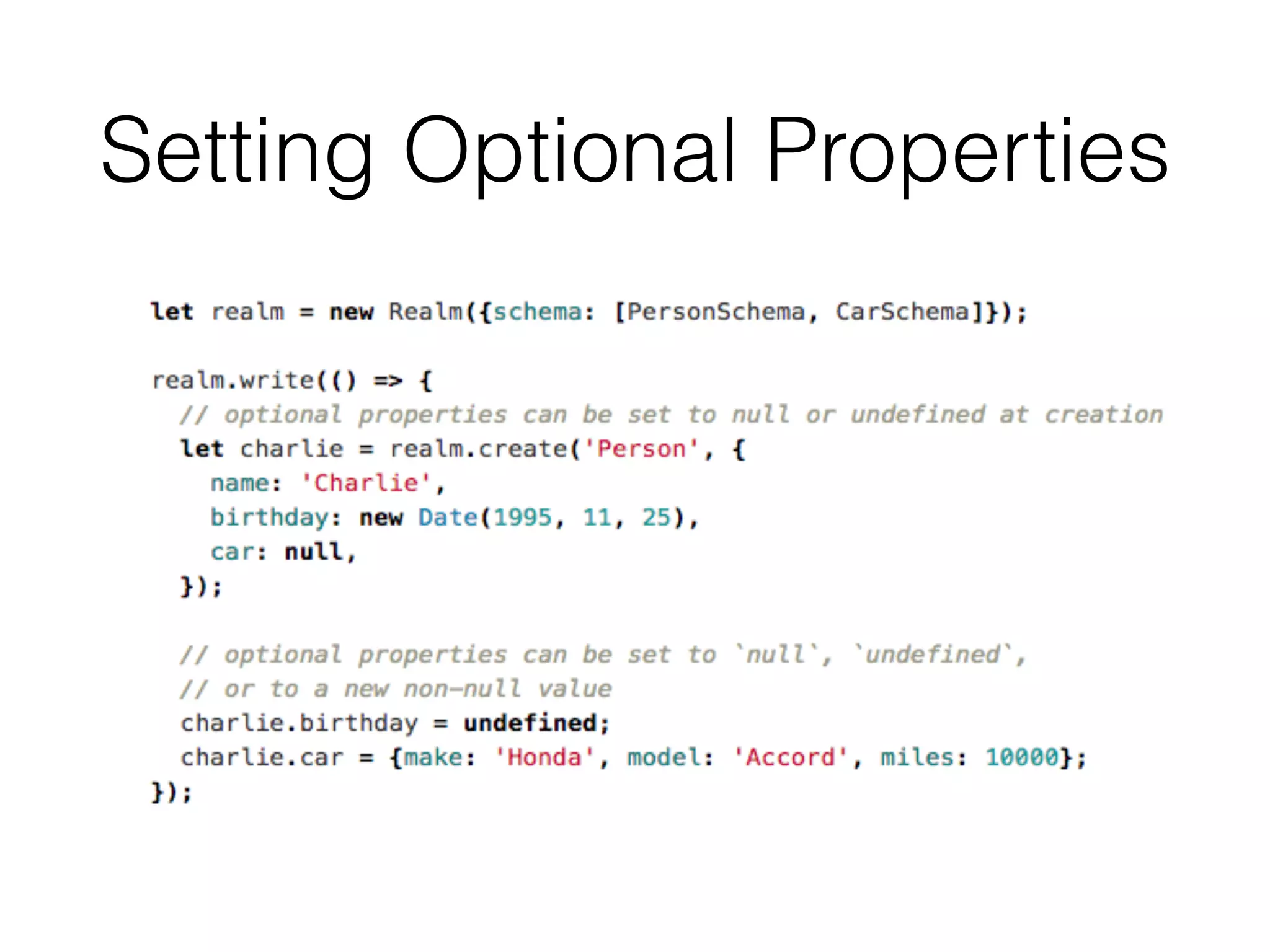
Optional Properties
• Properties can be declared as optional or non-
optional by specifying the optional designator in
your property definition:
Setting Optional Properties
Default Property
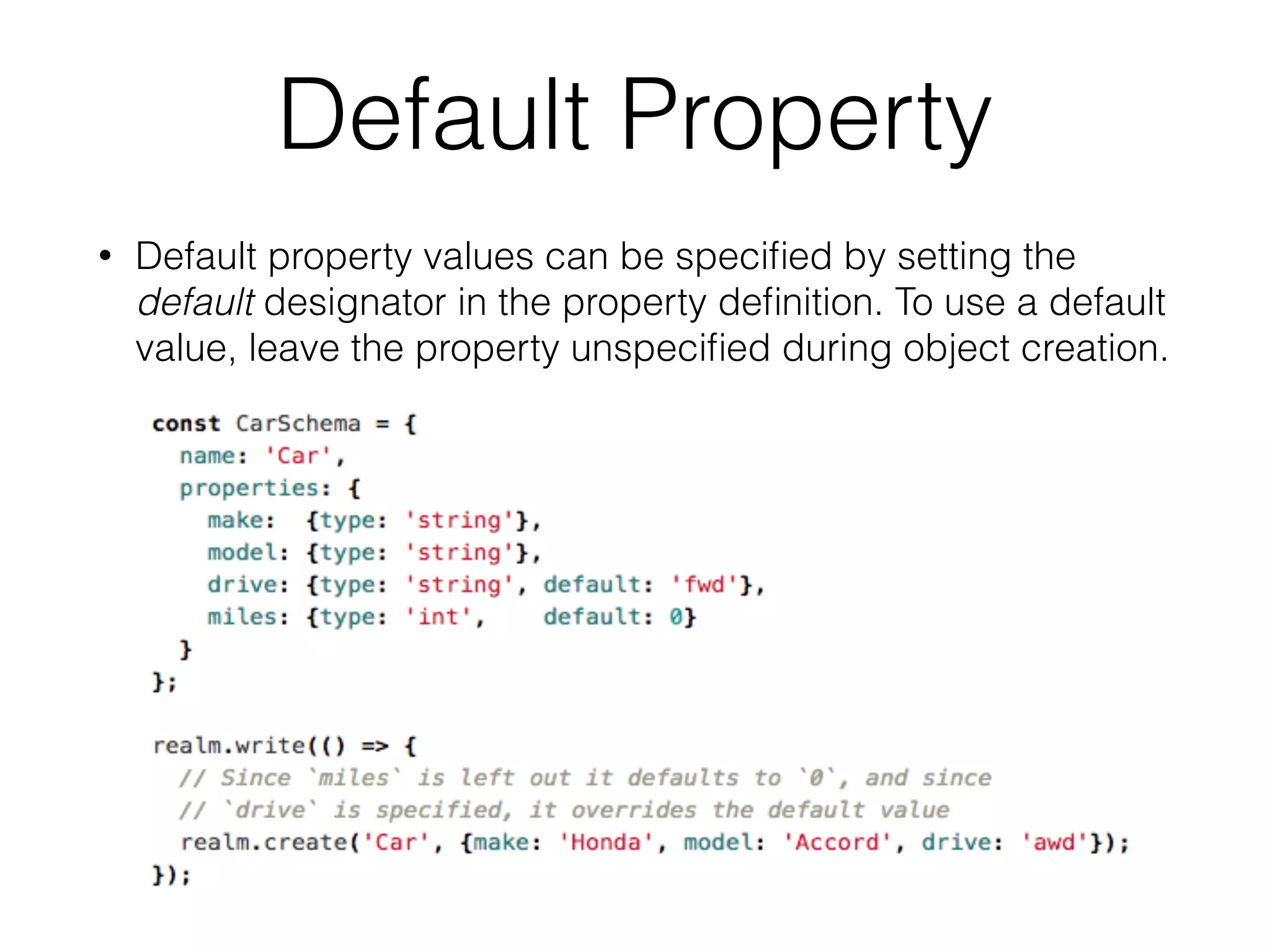
• Default property values can be specified by setting the
default designator in the property definition. To use a default
value, leave the property unspecified during object creation.
Index Property
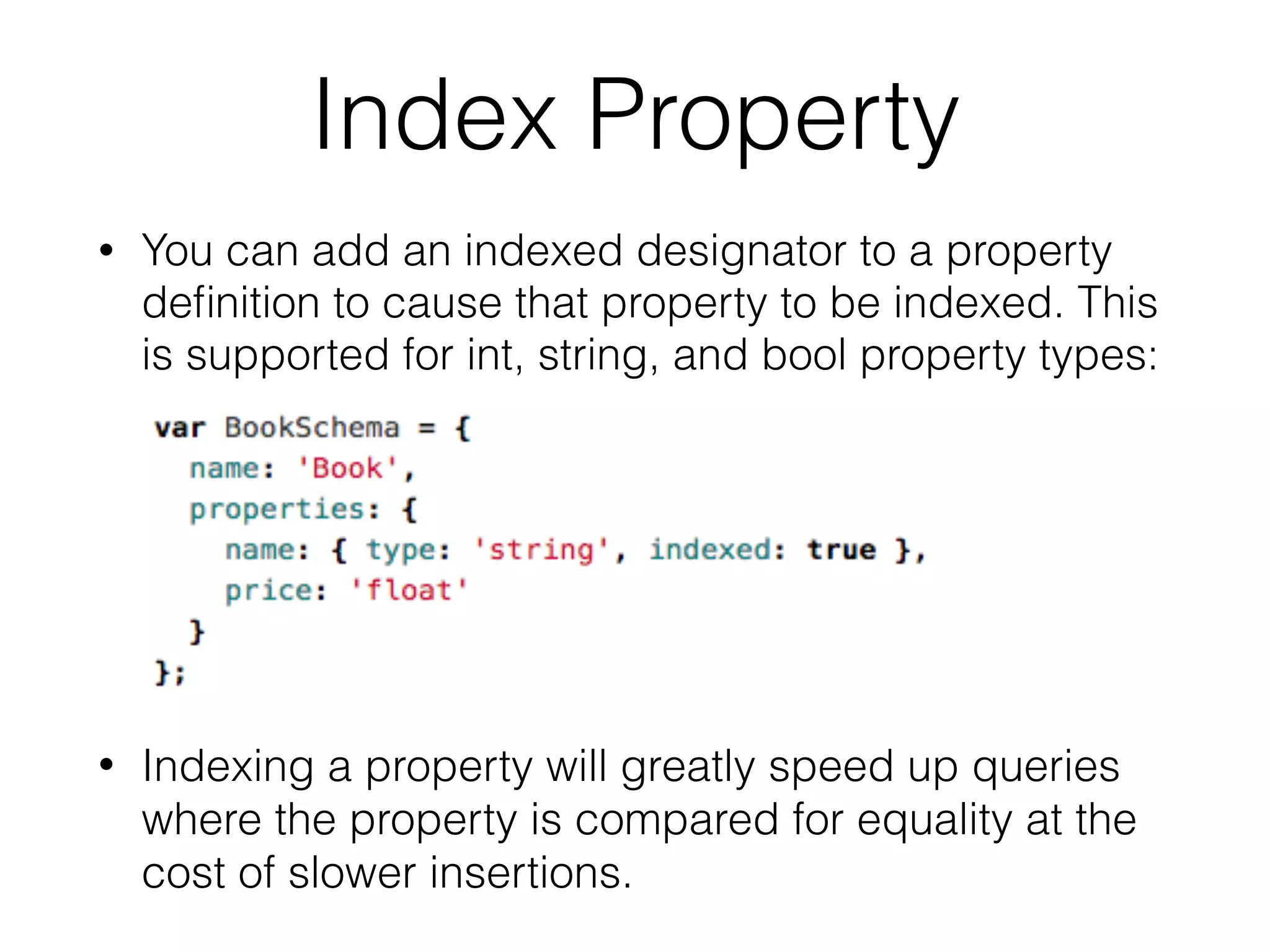
• You can add an indexed designator to a property
definition to cause that property to be indexed. This
is supported for int, string, and bool property types:
• Indexing a property will greatly speed up queries
where the property is compared for equality at the
cost of slower insertions.
PrimaryKey Properties
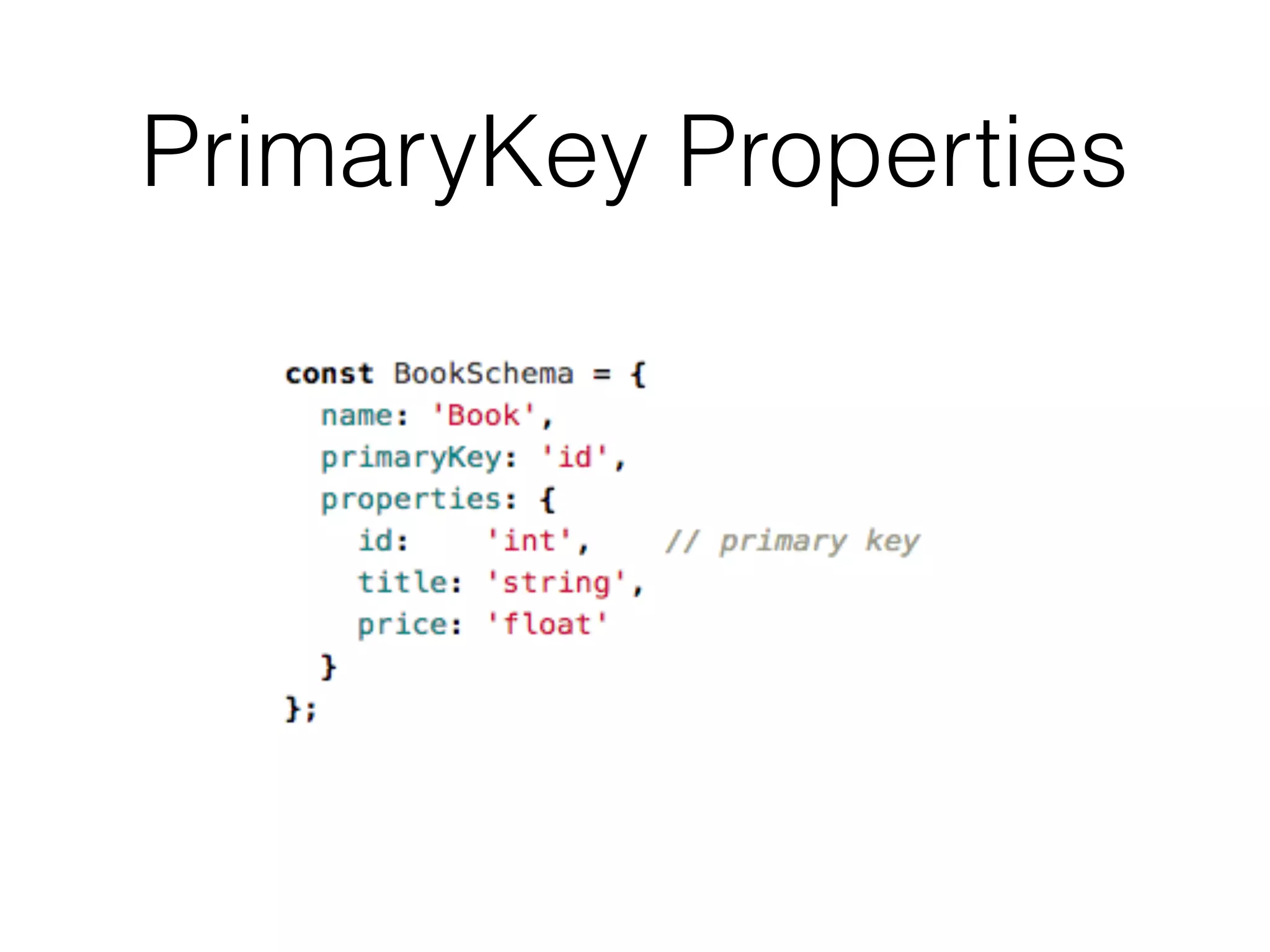
• You can specify the primaryKey property in an object
model for string and int properties.
• Declaring a primary key allows objects to be looked up
and updated efficiently and enforces uniqueness for
each value.
• Once an object with a primary key has been added to
a Realm the primary key cannot be changed.
• Note that, Primary key properties are automatically
indexed.
PrimaryKey Properties
Writes: Creating Objects
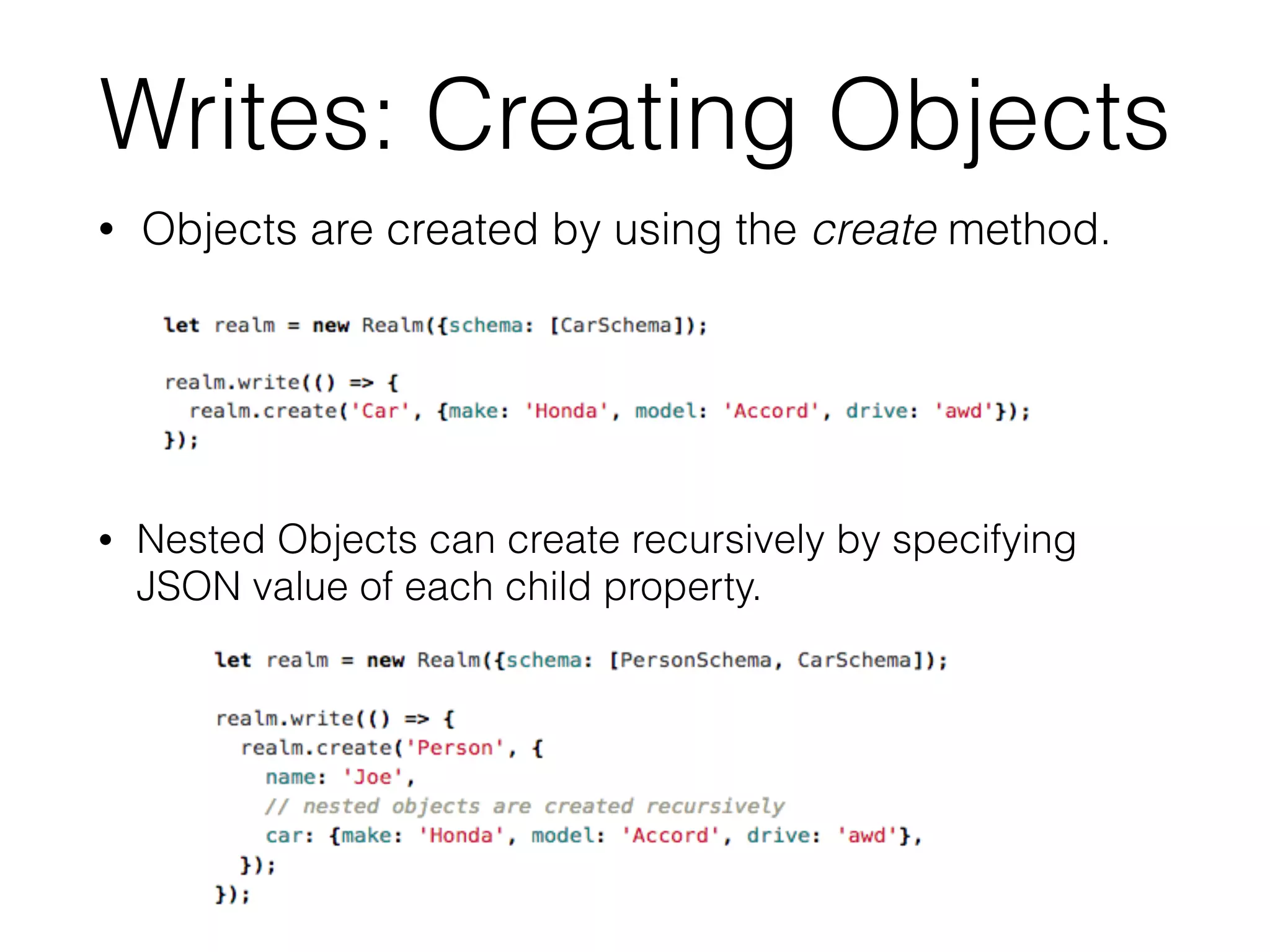
• Objects are created by using the create method.
• Nested Objects can create recursively by specifying
JSON value of each child property.
Writes: Updating Objects
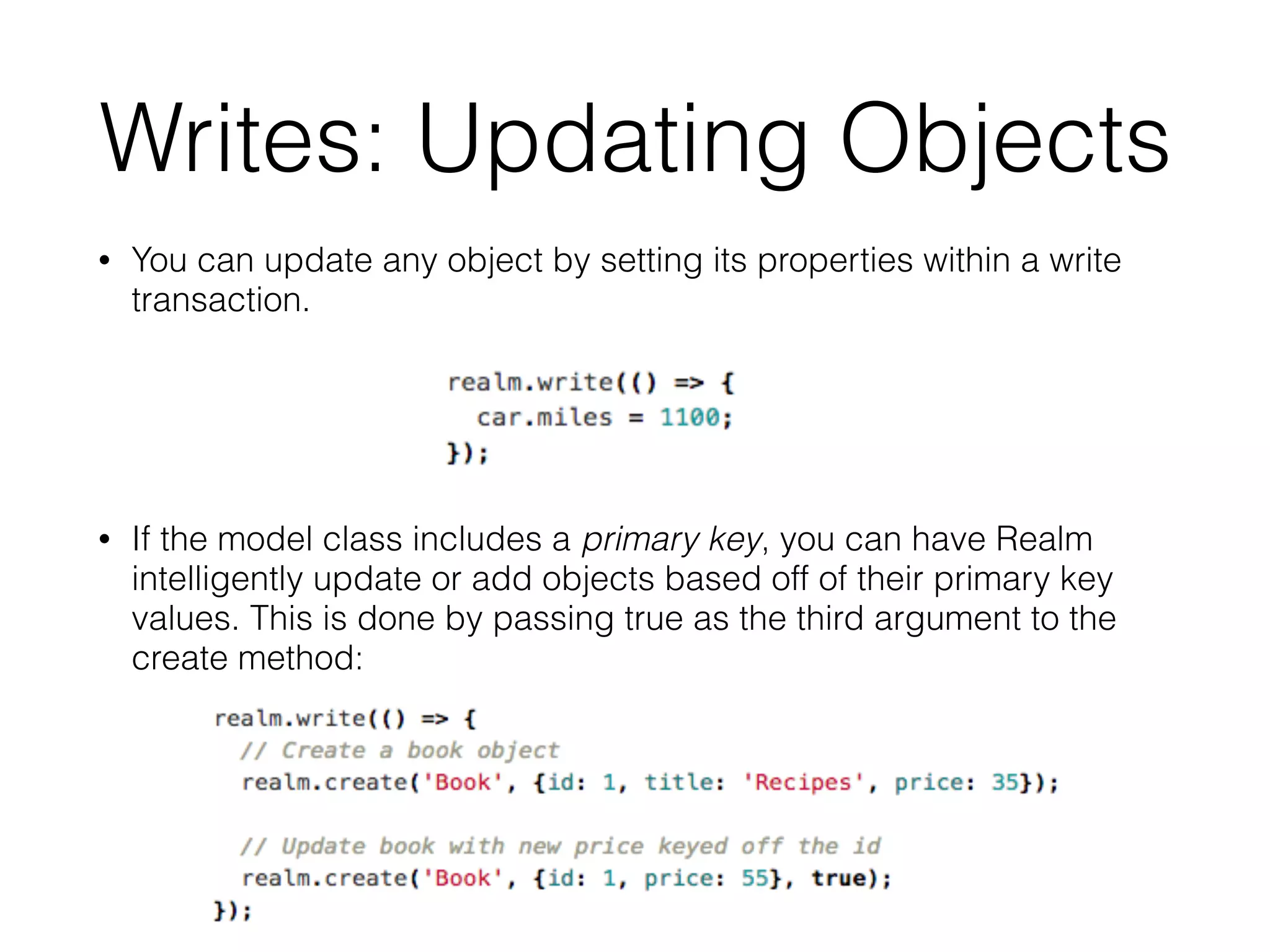
• You can update any object by setting its properties within a write
transaction.
• If the model class includes a primary key, you can have Realm
intelligently update or add objects based off of their primary key
values. This is done by passing true as the third argument to the
create method:
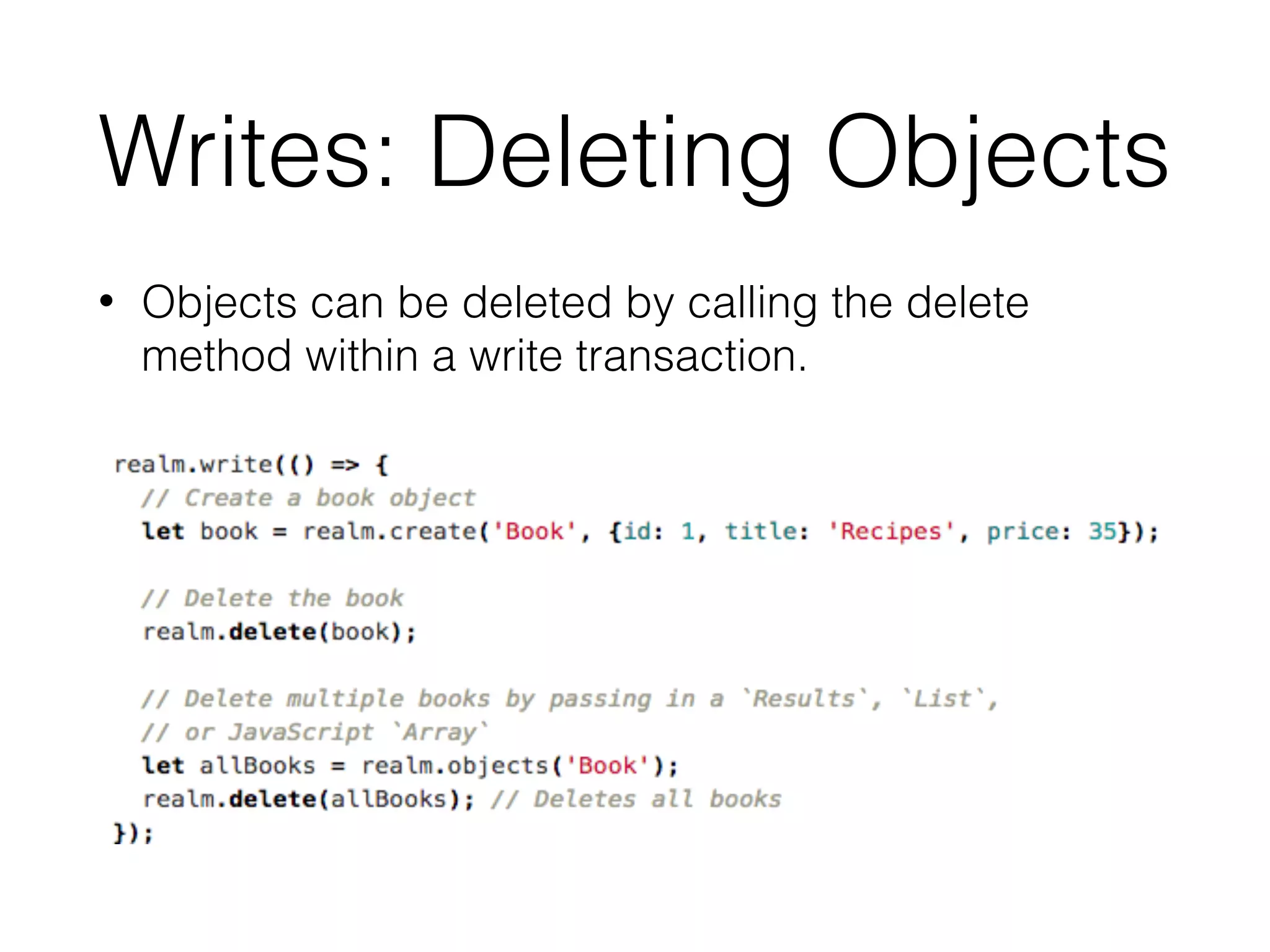
Writes: Deleting Objects
• Objects can be deleted by calling the delete
method within a write transaction.
Queries
• Queries allow you to get objects of a single type from a
Realm, with the option of filtering and sorting those
results.
• All queries (including queries and property access) are
lazy in Realm. Data is only read when objects and
properties are accessed. This allows you to represent
large sets of data in a performant way.
• When performing queries you are returned a Results
object. Results are simply a view of your data and are
not mutable.
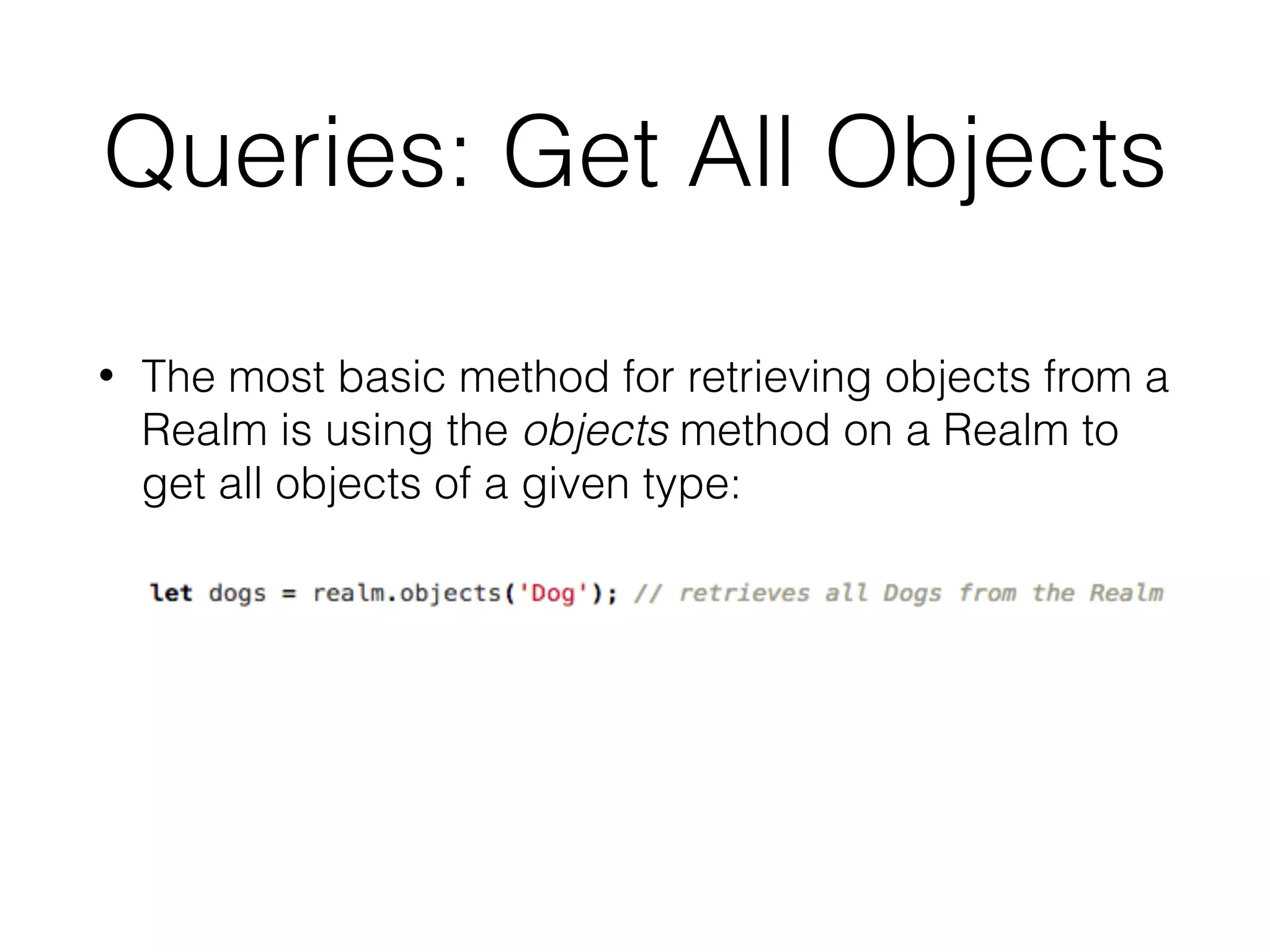
Queries: Get All Objects
• The most basic method for retrieving objects from a
Realm is using the objects method on a Realm to
get all objects of a given type:
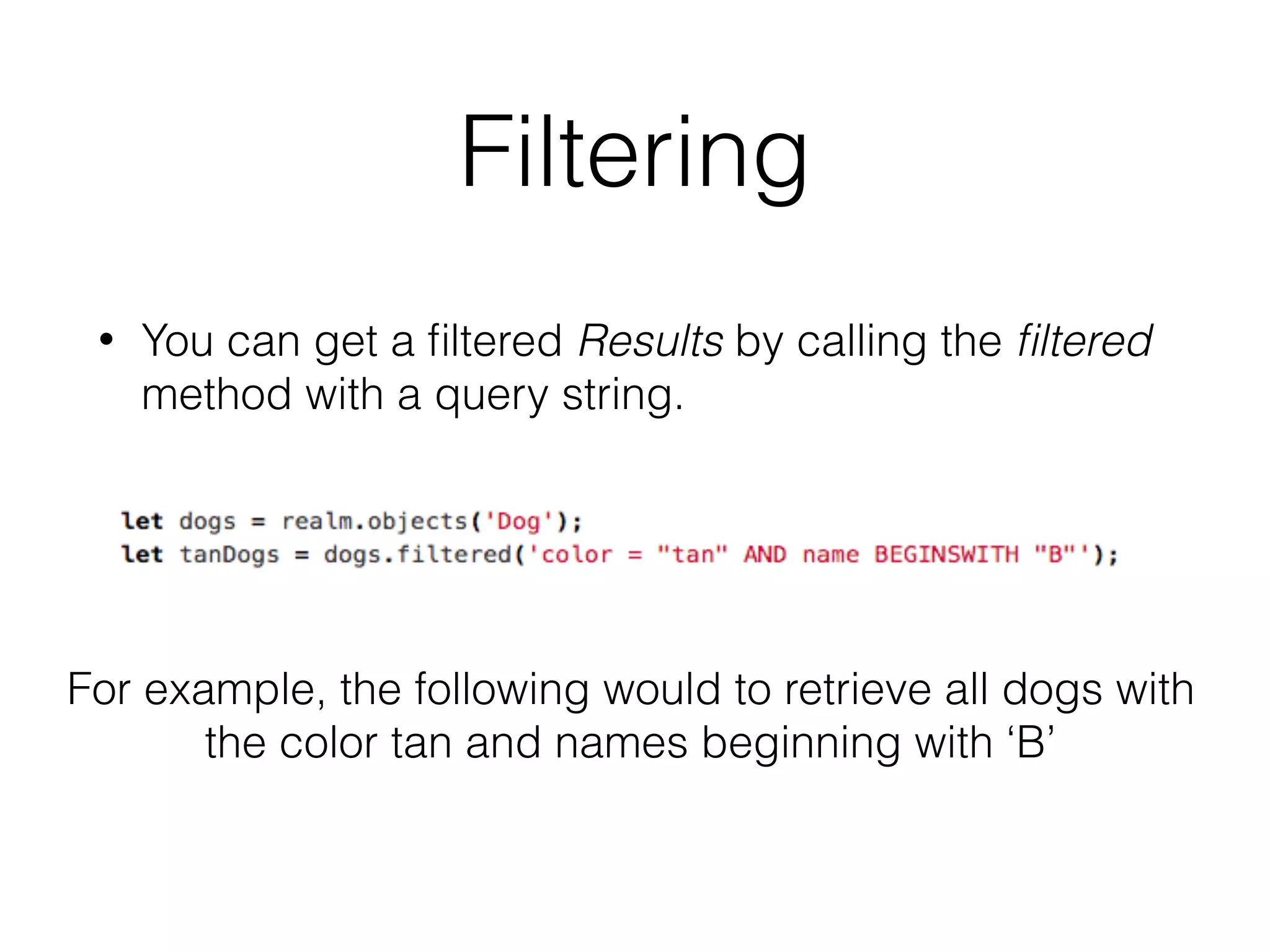
Filtering
• You can get a filtered Results by calling the filtered
method with a query string.
For example, the following would to retrieve all dogs with
the color tan and names beginning with ‘B’
Filtering Support Operations
• Basic comparison operators ==, !=, >, >=, <, and <= are
supported for numeric properties.
• ==, BEGINSWITH, ENDSWITH, and CONTAINS are
supported for string properties.
• String comparisons can be made case insensitive by
appending [c] to the operator: ==[c], BEGINSWITH[c] etc.
• Filtering by properties on linked or child objects can by
done by specifying a keypath in the query eg car.color ==
'blue'.
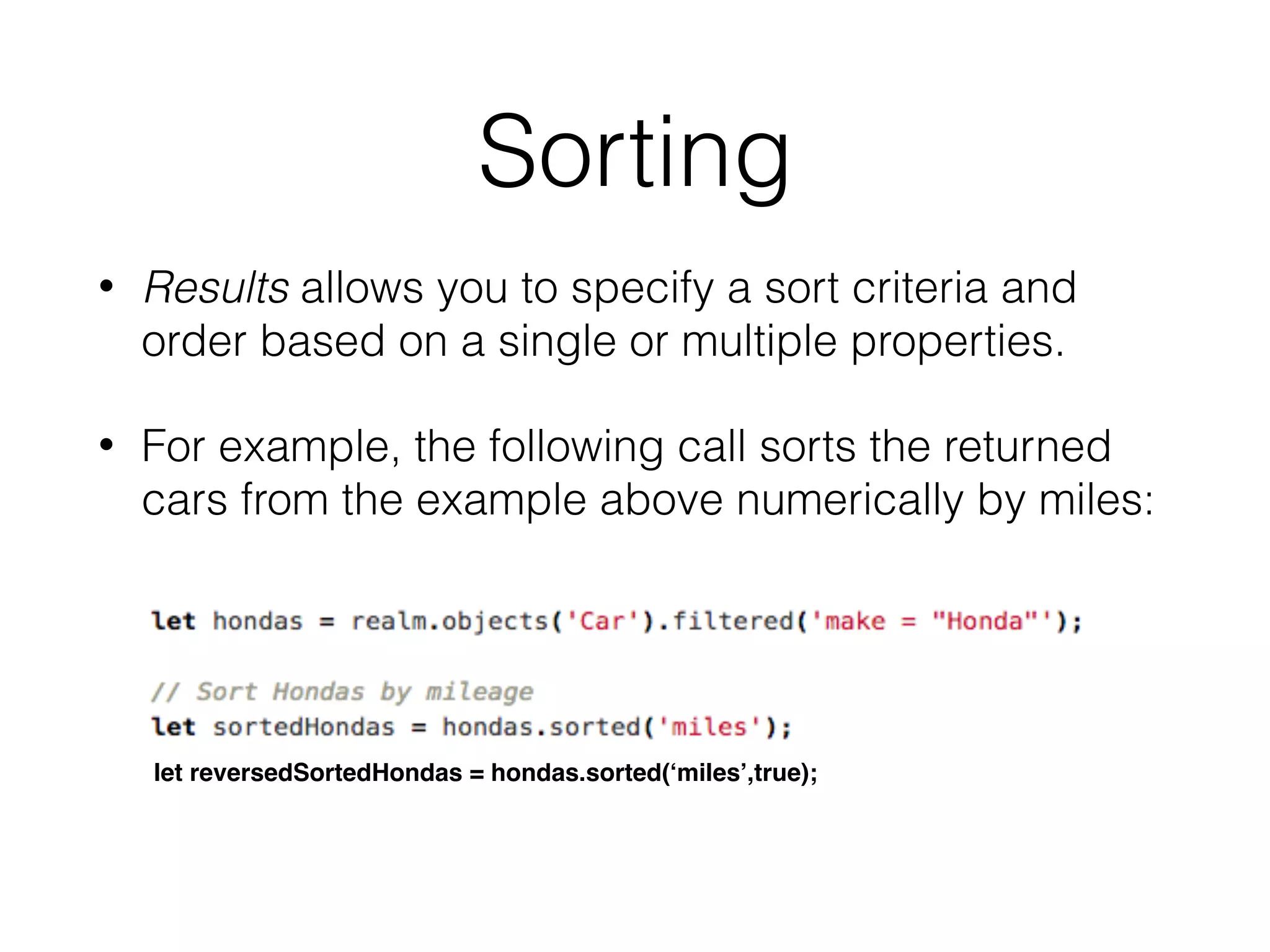
Sorting
• Results allows you to specify a sort criteria and
order based on a single or multiple properties.
• For example, the following call sorts the returned
cars from the example above numerically by miles:
let reversedSortedHondas = hondas.sorted(‘miles’,true);
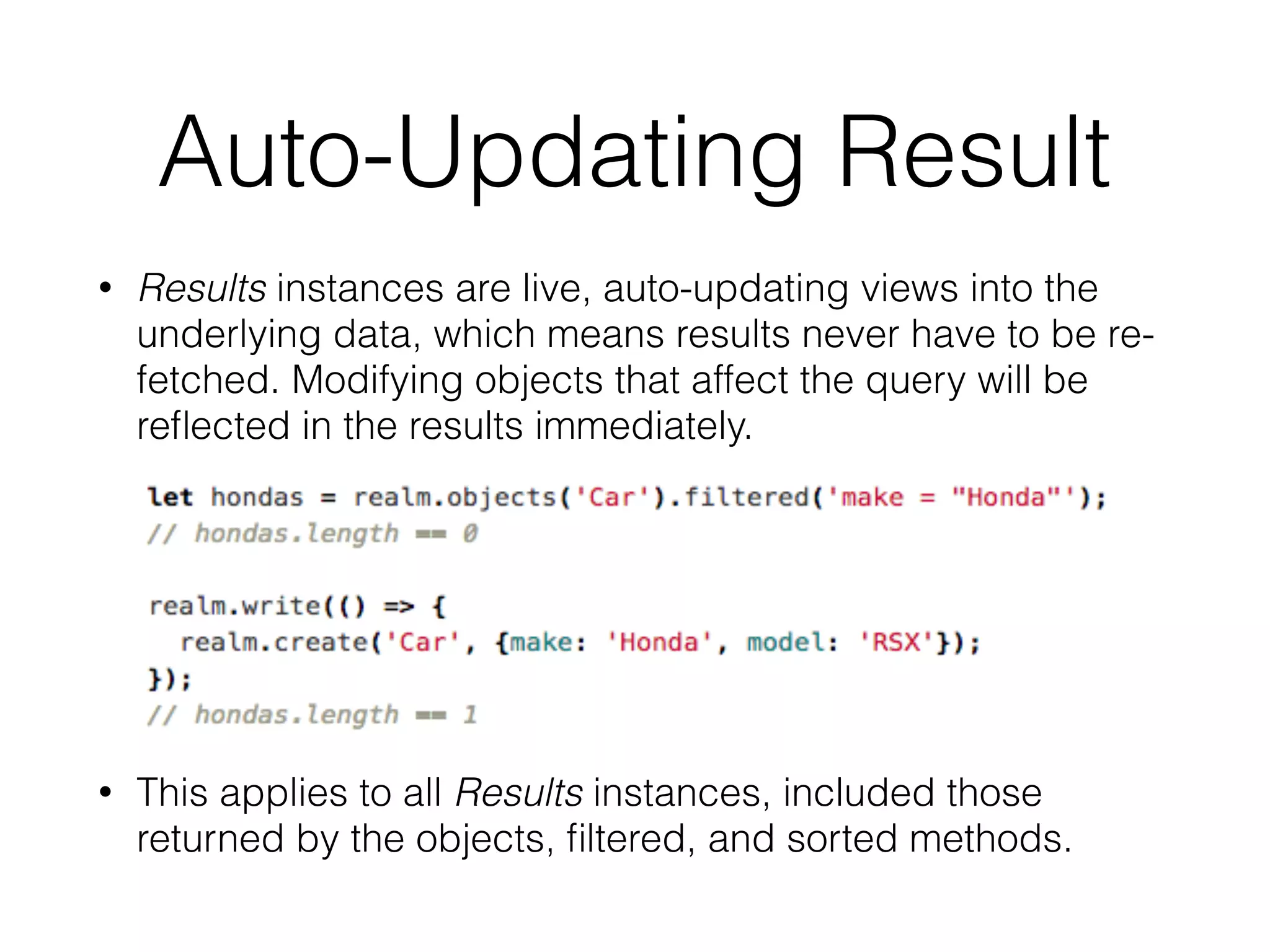
Auto-Updating Result
• Results instances are live, auto-updating views into the
underlying data, which means results never have to be re-
fetched. Modifying objects that affect the query will be
reflected in the results immediately.
• This applies to all Results instances, included those
returned by the objects, filtered, and sorted methods.
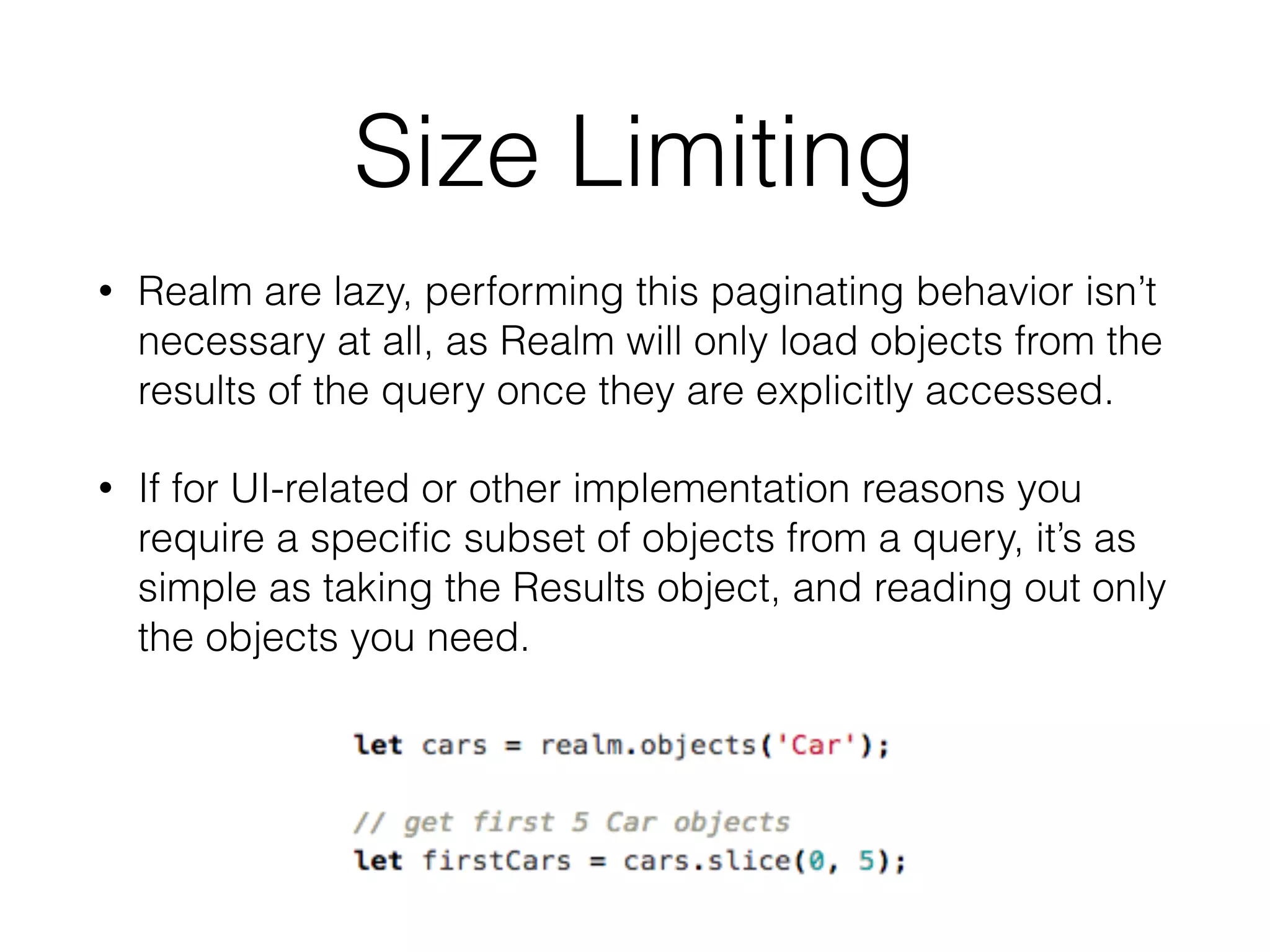
Size Limiting
• Realm are lazy, performing this paginating behavior isn’t
necessary at all, as Realm will only load objects from the
results of the query once they are explicitly accessed.
• If for UI-related or other implementation reasons you
require a specific subset of objects from a query, it’s as
simple as taking the Results object, and reading out only
the objects you need.
Realm API Doc
• Realm API Reference
• https://realm.io/docs/react-native/latest/api/
• Realm Tutorial
• https://realm.io/docs/react-native/latest/#getting-
started

React-Native Lecture 11: In App Storage

  • 1.
    Lecture 11: Databasein App:
 AsyncStorage, Realm.
 by Completing Selfies Scoreboard App Kobkrit Viriyayudhakorn, Ph.D. CEO of iApp Technology Limited. kobkrit@gmail.com http://www.kobkrit.com
  • 2.
    Important Links • SourceCodes 
 https://github.com/kobkrit/learn-react-native • Course Materials
 http://www.kobkrit.com/category/programming/react- native/ • Score Announcement
 http://bit.ly/its484quizscore • Facebook Group
 https://web.facebook.com/groups/ReactNativeThai/

  • 3.
    Database on theApp • When you are develop the app, at one point, you will need to store information permanently for an application (it does not gone after the forced close and re-open). • For faster loading time, Line app use a local database to remember all of your conversations. • For caching propose, Facebook app use a local database to record all of the previously loaded news feed.
  • 4.
    AsyncStorage • AsyncStorage isa simple, unencrypted, asynchronous, persistent, key-value storage system that is global to the app. • On iOS, AsyncStorage is backed by native code that stores small values in a serialized dictionary and larger values in separate files. • On Android, AsyncStorage will use either RocksDB or SQLite based on what is available.
  • 5.
    How to useit? • Don’t need to installation any extra library. It comes with React-Native by default.
 
 • AsyncStorage uses key-value pairs so to save data, e.g. the following example.


 1.js
  • 6.
    How to useit? • To loaded the saved data, you can do like this…
 
 
 • Since loading data is a time consuming task, it is designed to be a asynchronous operation. So getItem returned the promise, which will invoke the call back function when the read operation is completed. 1.js
  • 7.
    Simple Text StorageApp Kill the app, by pressing home button twice. Shift+Cmd+H 1.js
  • 8.
    Create a newReact-Native Project • $|> react-native init l11_storage • Write down the code from 1.js into index.ios.js • $|> react-native run-ios
  • 9.
    Save data Load datawhen
 Initialize 1.js
  • 10.
    What if.. thewhole state is save? • For faster application development, Instead of we manipulate the field one-by-one, we can save the whole state into the AsyncStorage. • setItem(), and getItem() accept only the string arguments. How we can store the whole JSON object? • Use JSON.stringify() and JSON.parse() to convert between string and JSON object. 2.js
  • 11.
    JSON.stringify & JSON.parse • Objectto String • JSON.stringify({A:1, B:2}) => “{‘A’:1, ‘B’:2}” • String to Object • JSON.parse(“{‘A’:1, ‘B’:2}”) => {A:1, B:2} 2.js
  • 12.
  • 13.
    Saving / Loadingthe whole state. 2.js
  • 14.
  • 15.
  • 16.
    AsyncStorage in Selfies ScoreboardApp L10_CameraRollPicker/ selfiesWithAsyncStorage.js
  • 17.
    Load information from
 the AsyncStorage L10_CameraRollPicker/ selfiesWithAsyncStorage.js
  • 18.
  • 19.
  • 20.
    But if wewant more complex database to use? • AsyncStorage is just a key-value pair storage • In practical application, we need to store complex information much more than key-value pair. • What if we want the database that can query, search, and support encryption with data modeling? • is the answer!
  • 21.
    Realm Database • Aflexible platform for creating offline-first, reactive mobile apps effortlessly.
  • 22.
  • 24.
    Realm Installation • Changedirectories into the new project (cd <project-name>) and add the realm dependency: • $|> npm install --save realm • Next use react-native to link your project to the realm native module. • $|> react-native link realm
  • 25.
  • 26.
    realm1.js Schema Definition Create anew object Show amount of object
 saved in DB
  • 27.
    Realm Database Model •Realm data models are defined by the schema information passed into a Realm during initialization. • The schema for an object consists of the object’s name and a set of properties each of which has a name and type as well as the objectType for object and list properties. • We can also designate each property to be optional or to have a default value.
  • 28.
    When specifying basicproperties as a shorthand you may specify only the type rather than having to specify a dictionary with a single entry:
  • 29.
    Realm’s Basic PropertyType • Realm supports the following basic types: bool, int, float, double, string, data, and date. • bool properties map to JavaScript Boolean objects • int, float, and double properties map to JavaScript Number objects. Internally ‘int’ and ‘double’ are stored as 64 bits while float is stored with 32 bits. • string properties map to String • data properties map to ArrayBuffer • date properties map to Date
  • 30.
    Object Properties • Todefine the new object, we need to specify the name property of the object schema we are referencing.. • When using object properties you need to make sure all referenced types are present in the schema used to open the Realm
  • 31.
    Accessing Object Properties •When accessing object properties, you can access nested properties using normal property syntax
  • 32.
    List Properties • Forlist properties you must specify the property type as list as well as the objectType
  • 33.
    Accessing List Property •When accessing list properties a List object is returned. List has methods very similar to a regular JavaScript array. The big difference is that any changes made to a List are automatically persisted to the underlying Realm.
  • 34.
    Optional Properties • Propertiescan be declared as optional or non- optional by specifying the optional designator in your property definition:
  • 35.
  • 36.
    Default Property • Defaultproperty values can be specified by setting the default designator in the property definition. To use a default value, leave the property unspecified during object creation.
  • 37.
    Index Property • Youcan add an indexed designator to a property definition to cause that property to be indexed. This is supported for int, string, and bool property types: • Indexing a property will greatly speed up queries where the property is compared for equality at the cost of slower insertions.
  • 38.
    PrimaryKey Properties • Youcan specify the primaryKey property in an object model for string and int properties. • Declaring a primary key allows objects to be looked up and updated efficiently and enforces uniqueness for each value. • Once an object with a primary key has been added to a Realm the primary key cannot be changed. • Note that, Primary key properties are automatically indexed.
  • 39.
  • 40.
    Writes: Creating Objects •Objects are created by using the create method. • Nested Objects can create recursively by specifying JSON value of each child property.
  • 41.
    Writes: Updating Objects •You can update any object by setting its properties within a write transaction. • If the model class includes a primary key, you can have Realm intelligently update or add objects based off of their primary key values. This is done by passing true as the third argument to the create method:
  • 42.
    Writes: Deleting Objects •Objects can be deleted by calling the delete method within a write transaction.
  • 43.
    Queries • Queries allowyou to get objects of a single type from a Realm, with the option of filtering and sorting those results. • All queries (including queries and property access) are lazy in Realm. Data is only read when objects and properties are accessed. This allows you to represent large sets of data in a performant way. • When performing queries you are returned a Results object. Results are simply a view of your data and are not mutable.
  • 44.
    Queries: Get AllObjects • The most basic method for retrieving objects from a Realm is using the objects method on a Realm to get all objects of a given type:
  • 45.
    Filtering • You canget a filtered Results by calling the filtered method with a query string. For example, the following would to retrieve all dogs with the color tan and names beginning with ‘B’
  • 46.
    Filtering Support Operations •Basic comparison operators ==, !=, >, >=, <, and <= are supported for numeric properties. • ==, BEGINSWITH, ENDSWITH, and CONTAINS are supported for string properties. • String comparisons can be made case insensitive by appending [c] to the operator: ==[c], BEGINSWITH[c] etc. • Filtering by properties on linked or child objects can by done by specifying a keypath in the query eg car.color == 'blue'.
  • 47.
    Sorting • Results allowsyou to specify a sort criteria and order based on a single or multiple properties. • For example, the following call sorts the returned cars from the example above numerically by miles: let reversedSortedHondas = hondas.sorted(‘miles’,true);
  • 48.
    Auto-Updating Result • Resultsinstances are live, auto-updating views into the underlying data, which means results never have to be re- fetched. Modifying objects that affect the query will be reflected in the results immediately. • This applies to all Results instances, included those returned by the objects, filtered, and sorted methods.
  • 49.
    Size Limiting • Realmare lazy, performing this paginating behavior isn’t necessary at all, as Realm will only load objects from the results of the query once they are explicitly accessed. • If for UI-related or other implementation reasons you require a specific subset of objects from a query, it’s as simple as taking the Results object, and reading out only the objects you need.
  • 50.
    Realm API Doc •Realm API Reference • https://realm.io/docs/react-native/latest/api/ • Realm Tutorial • https://realm.io/docs/react-native/latest/#getting- started