Introduction to PyTorch
ESE 201503120 박준영
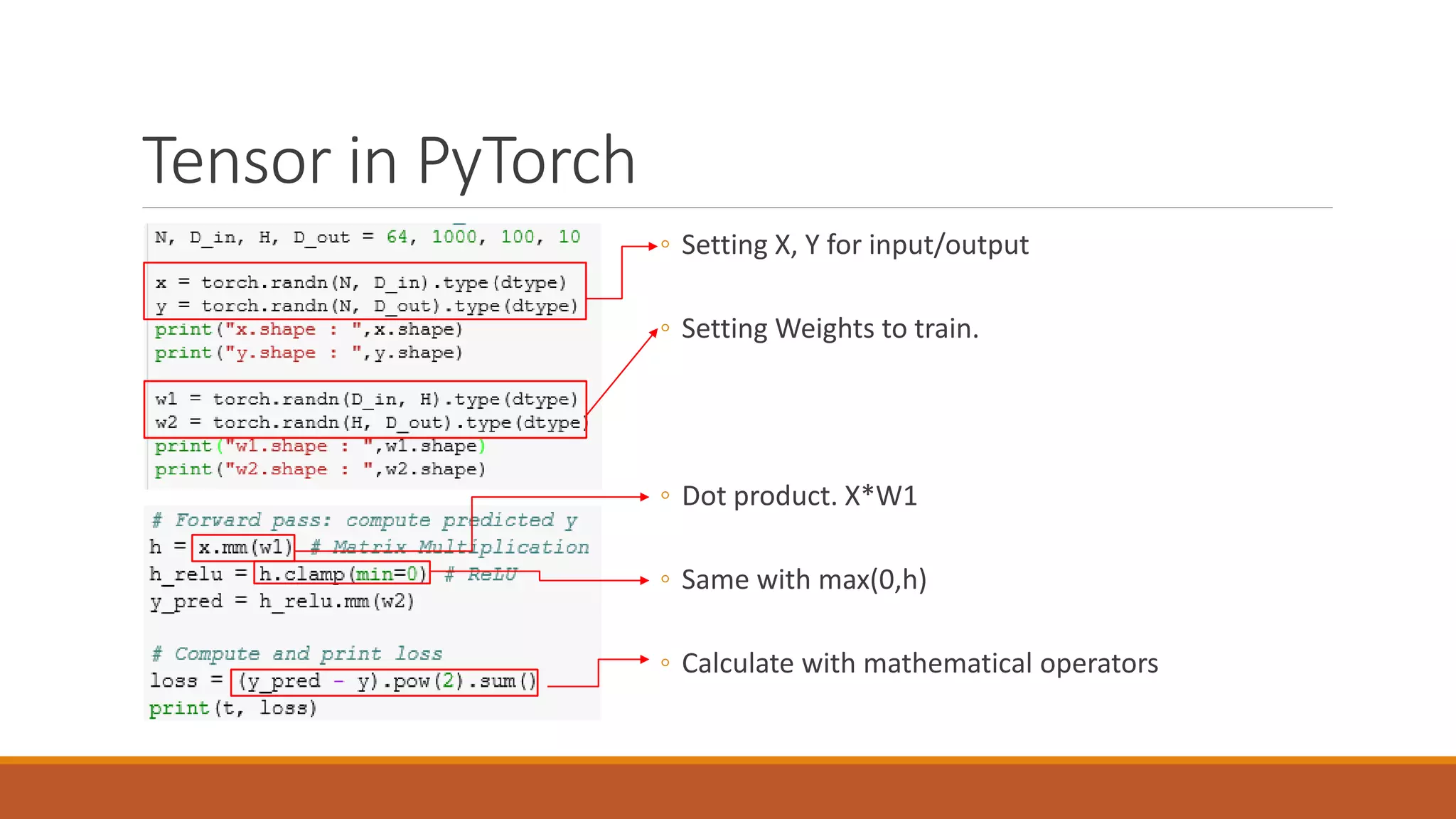
Tensor in PyTorch
◦ Setting X, Y for input/output
◦ Setting Weights to train.
◦ Dot product. X*W1
◦ Same with max(0,h)
◦ Calculate with mathematical operators
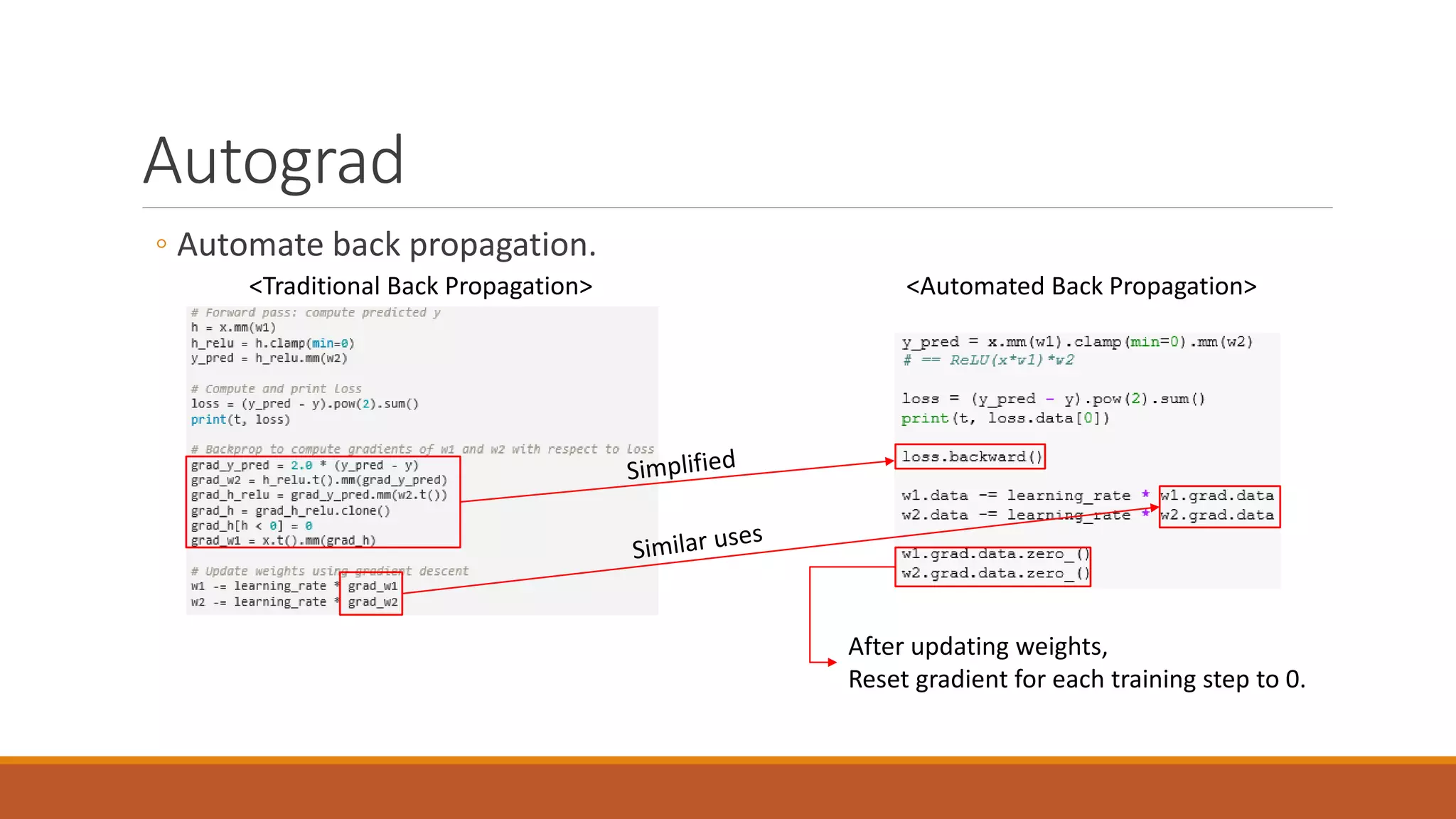
Autograd
◦ Automate back propagation.
After updating weights,
Reset gradient for each training step to 0.
<Traditional Back Propagation> <Automated Back Propagation>
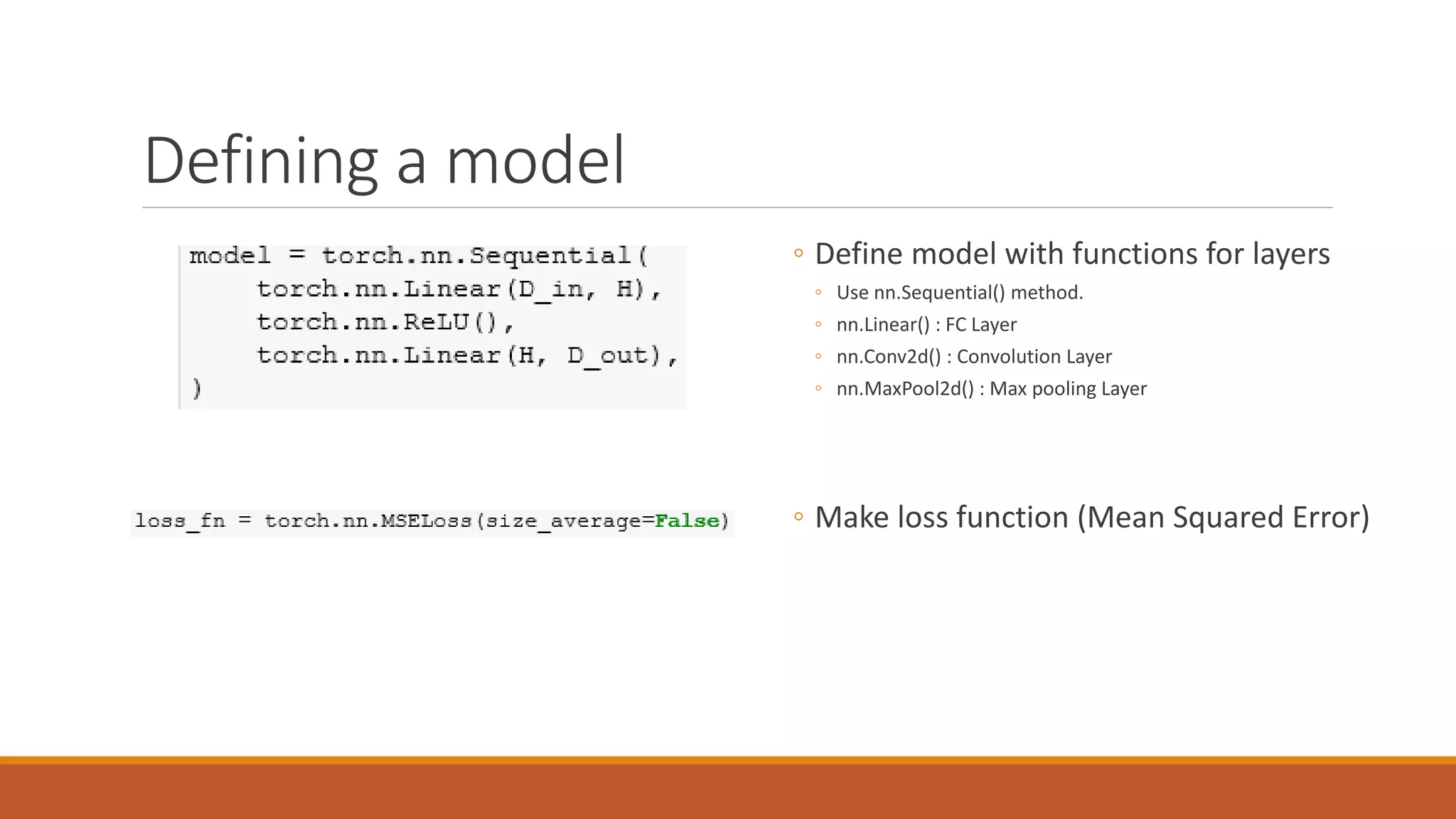
Defining a model
◦ Define model with functions for layers
◦ Use nn.Sequential() method.
◦ nn.Linear() : FC Layer
◦ nn.Conv2d() : Convolution Layer
◦ nn.MaxPool2d() : Max pooling Layer
◦ Make loss function (Mean Squared Error)
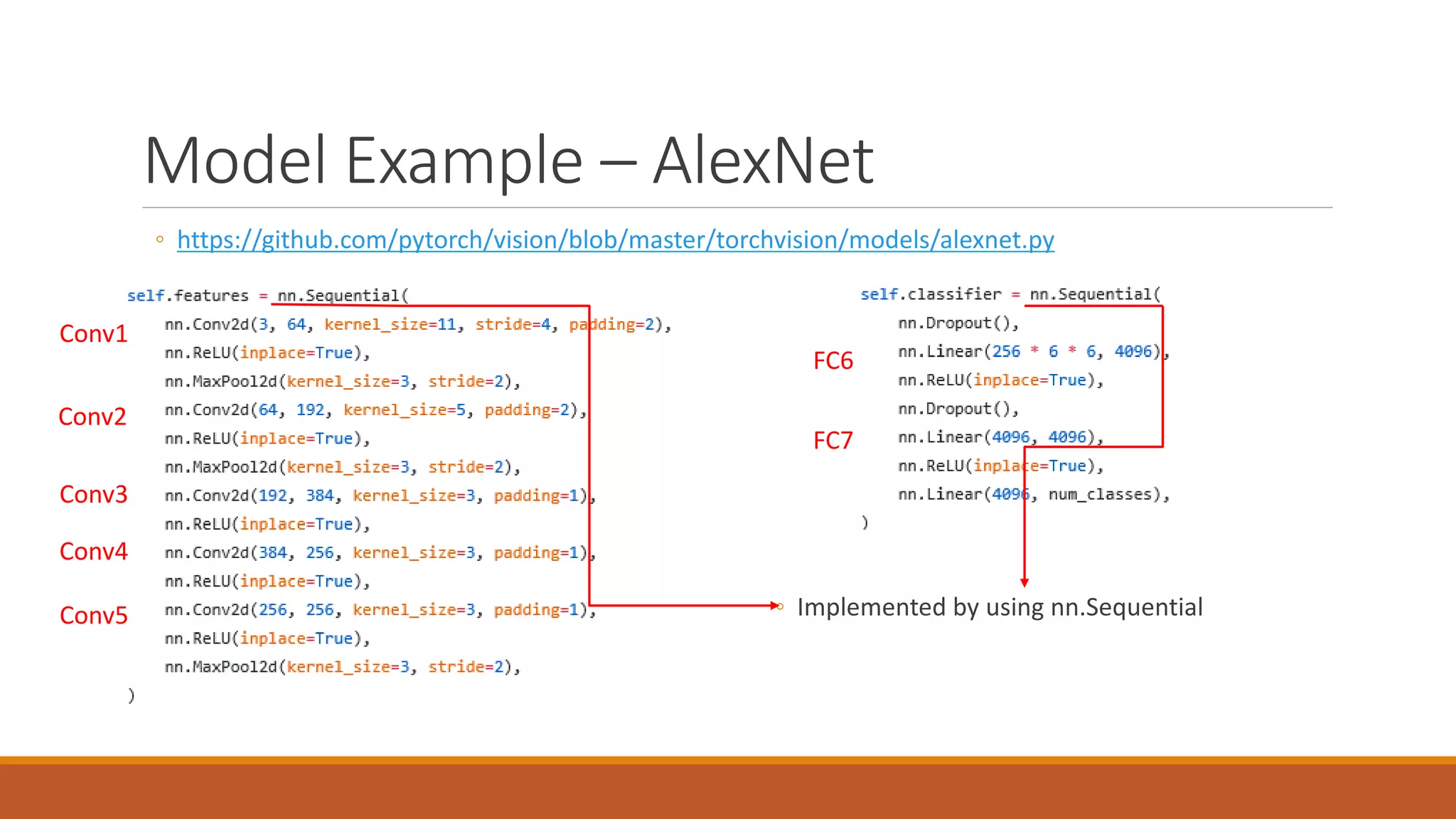
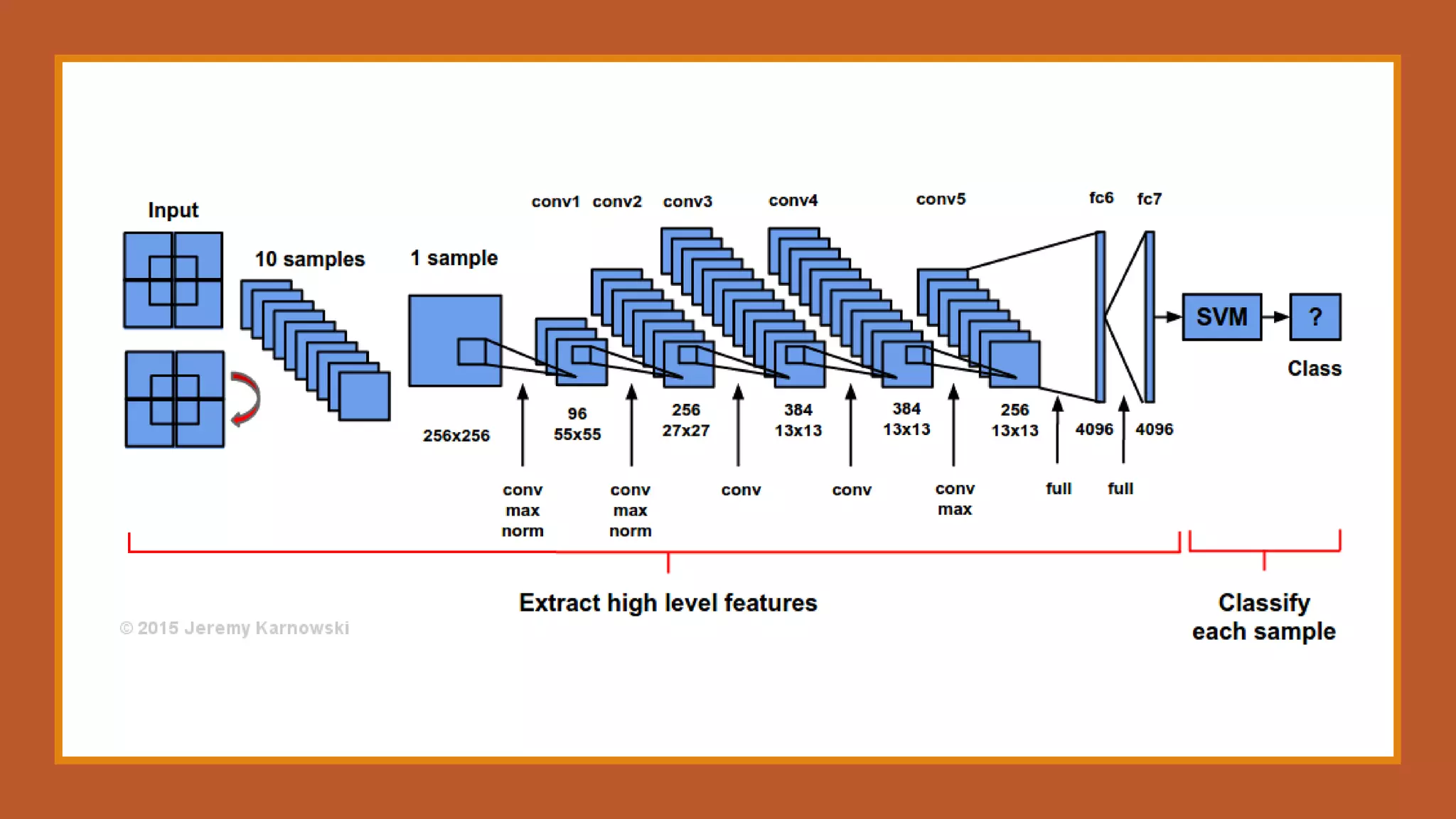
Model Example – AlexNet
◦ https://github.com/pytorch/vision/blob/master/torchvision/models/alexnet.py
◦ Implemented by using nn.Sequential
Conv1
Conv2
Conv3
Conv4
Conv5
FC6
FC7
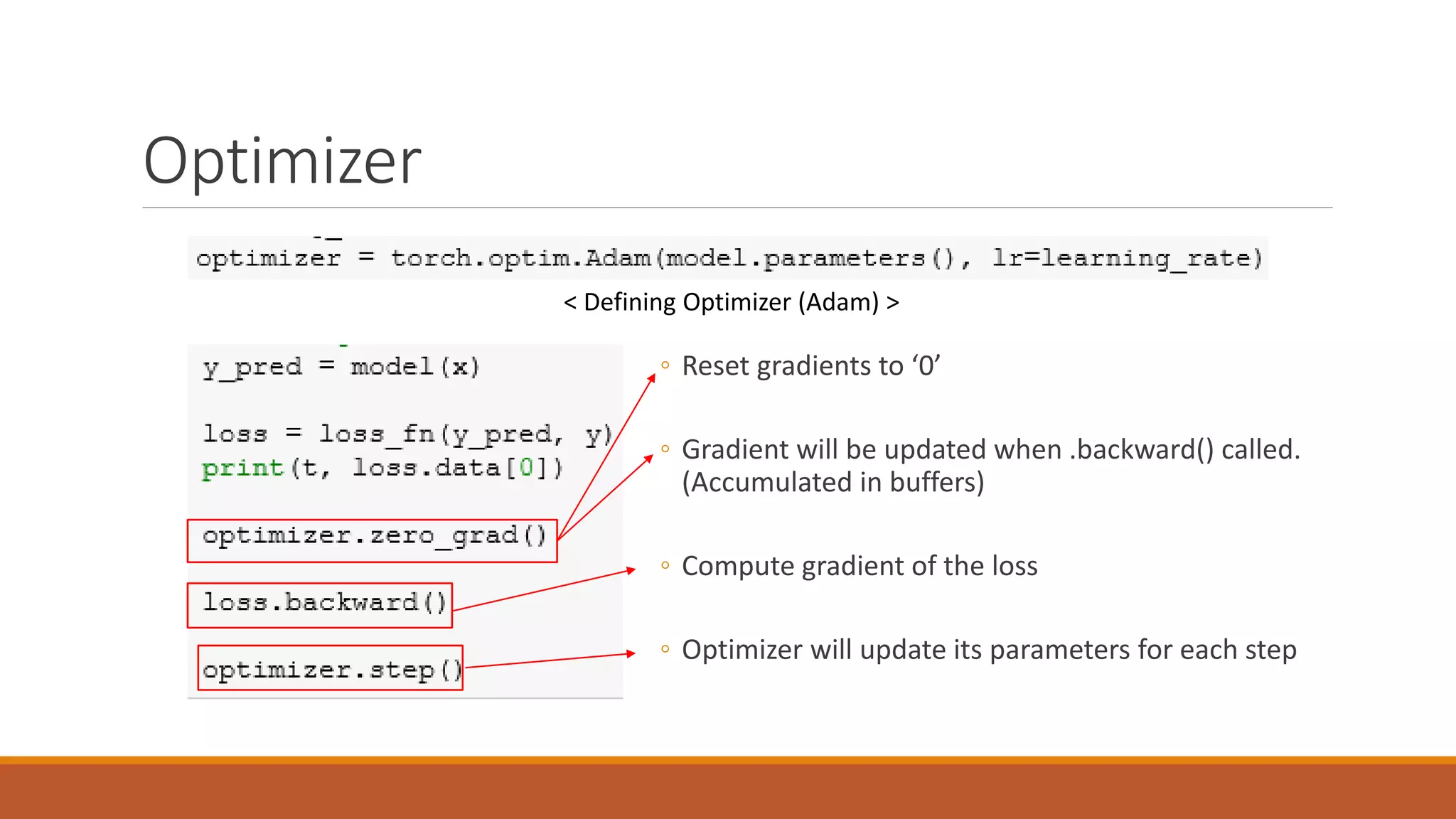
Optimizer
< Defining Optimizer (Adam) >
◦ Reset gradients to ‘0’
◦ Gradient will be updated when .backward() called.
(Accumulated in buffers)
◦ Compute gradient of the loss
◦ Optimizer will update its parameters for each step
Transfer Learning
ESE 201503120 박준영
Transfer Learning
◦ Reference
◦ http://cs231n.github.io/transfer-learning/
◦ http://incredible.ai/artificial-intelligence/2017/05/13/Transfer-Learning/
◦ http://pytorch.org/tutorials/beginner/transfer_learning_tutorial.html
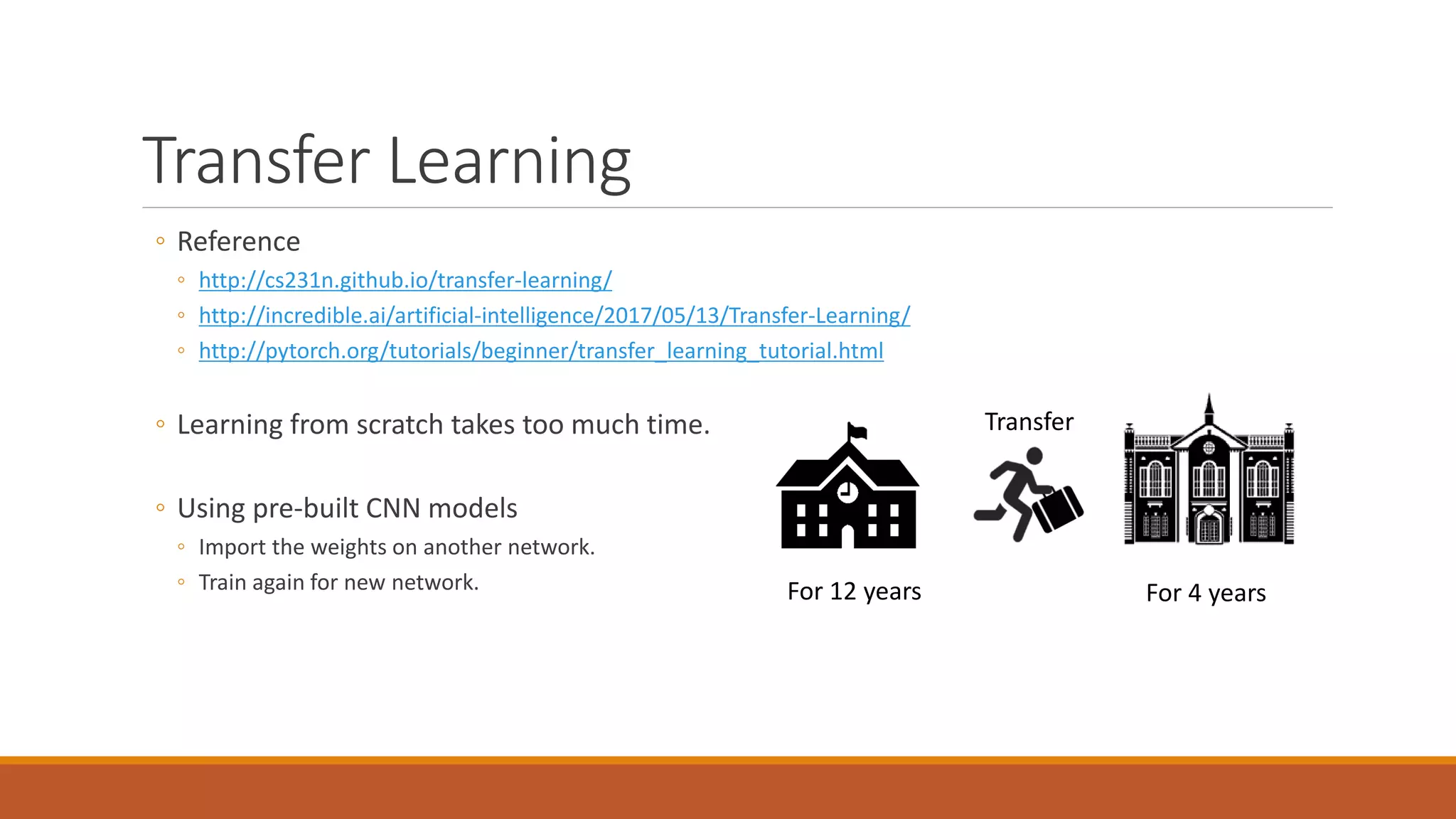
◦ Learning from scratch takes too much time.
◦ Using pre-built CNN models
◦ Import the weights on another network.
◦ Train again for new network. For 12 years For 4 years
Transfer
Difference
◦ Fine tuning
◦ Update weights of whole layer for new dataset
◦ ConvNet as fixed feature extractor
◦ Only train final Fully-Connected Layer.
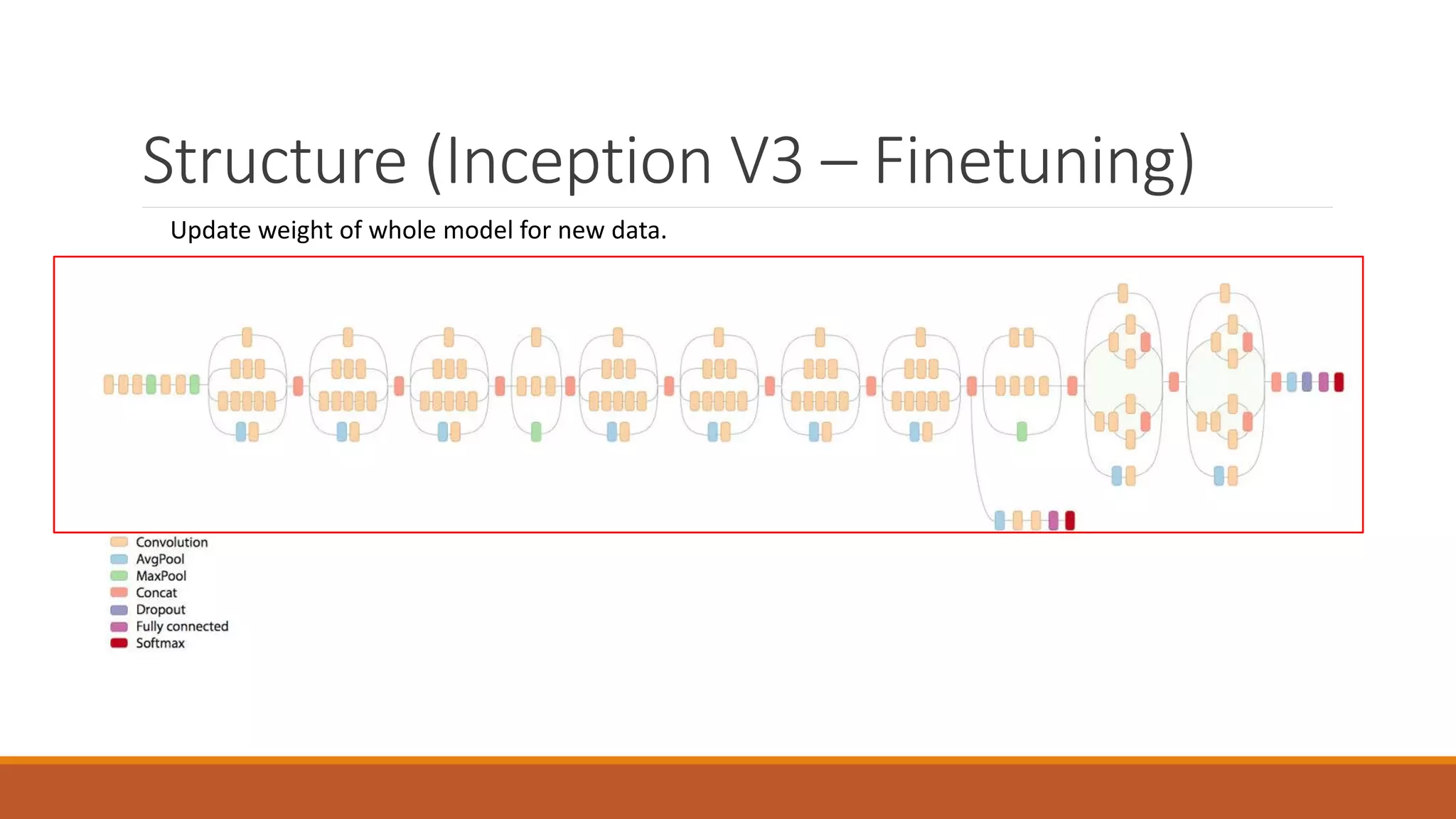
Structure (Inception V3 – Finetuning)
Update weight of whole model for new data.
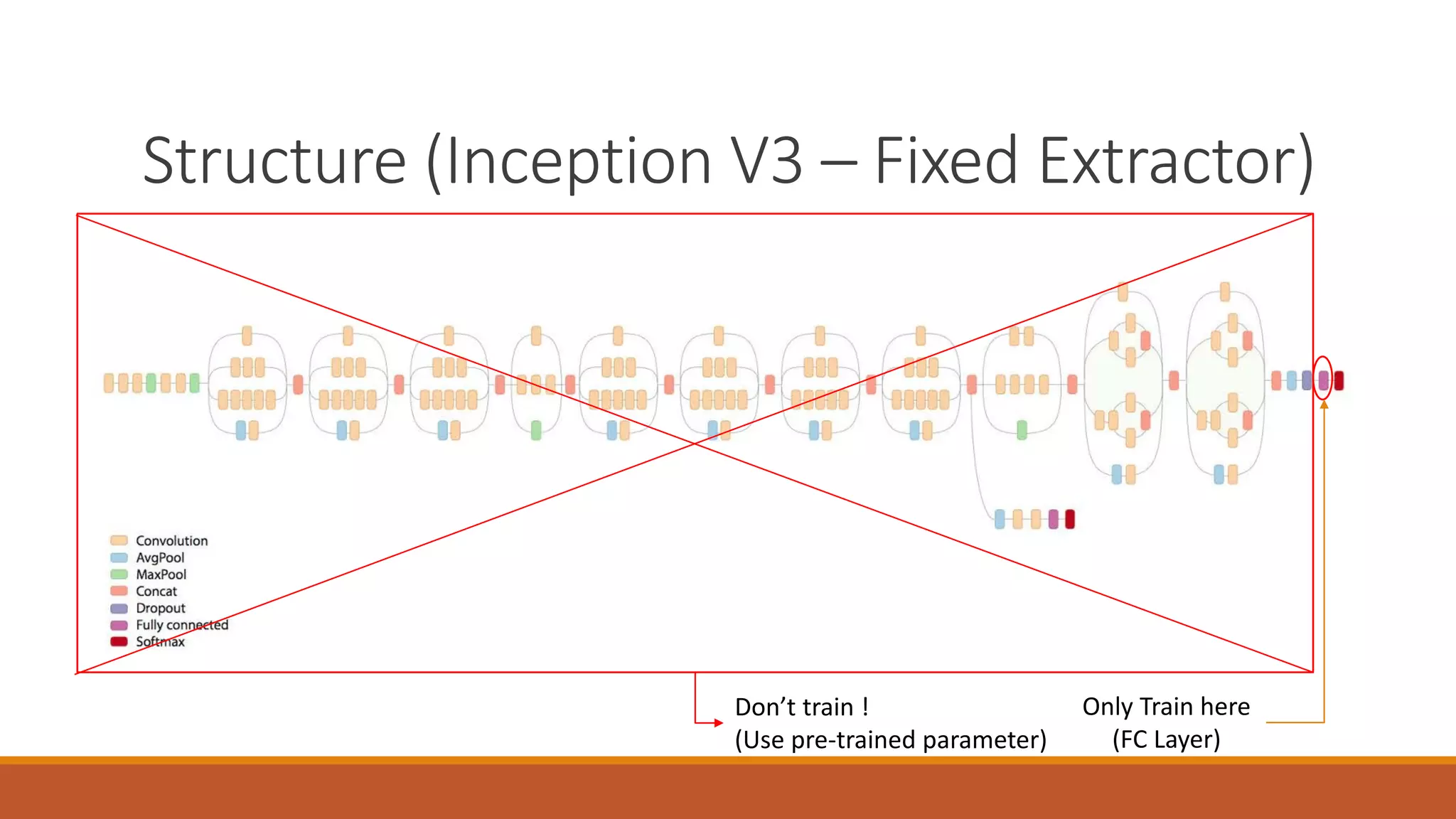
Structure (Inception V3 – Fixed Extractor)
Don’t train !
(Use pre-trained parameter)
Only Train here
(FC Layer)
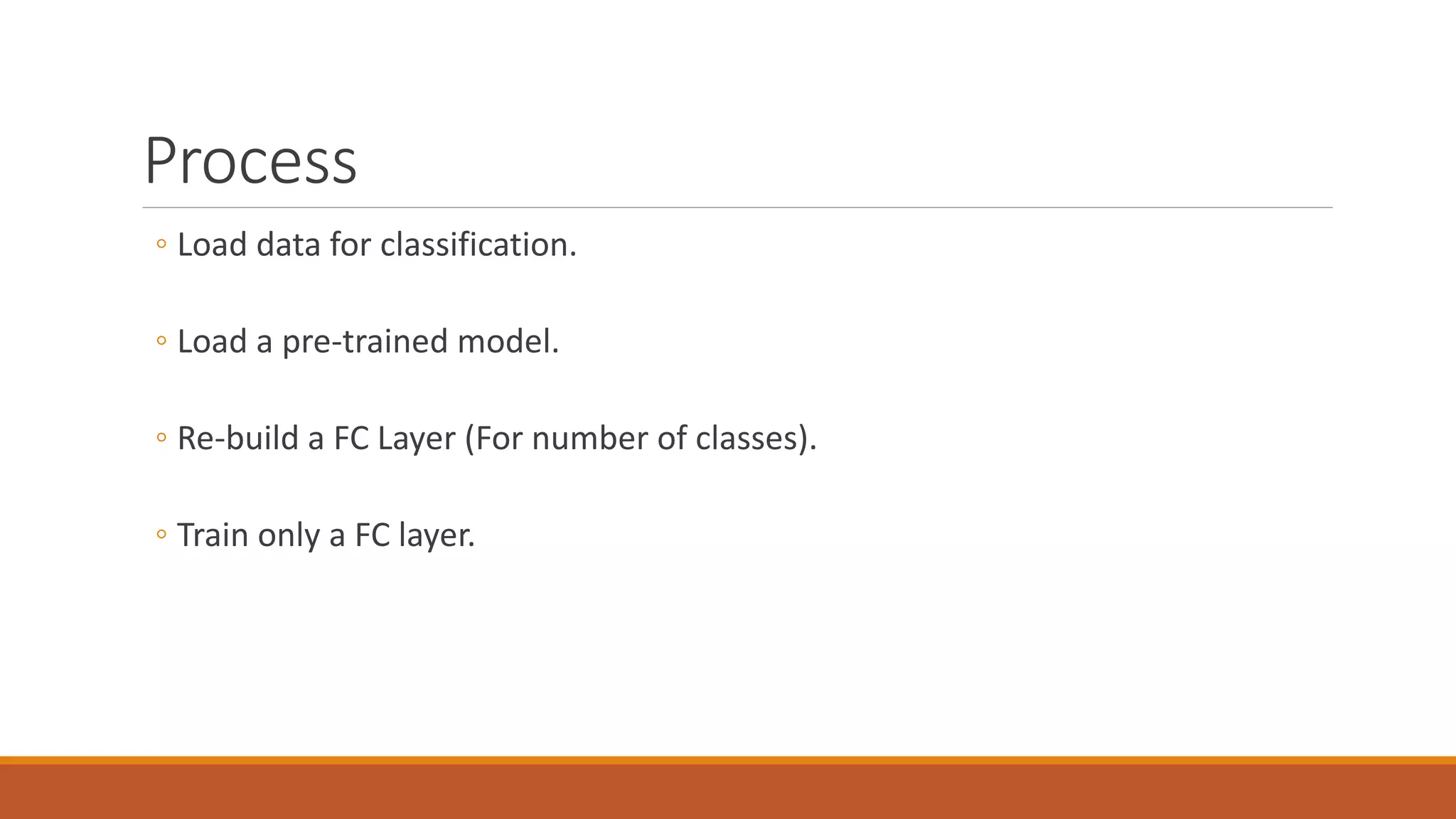
Process
◦ Load data for classification.
◦ Load a pre-trained model.
◦ Re-build a FC Layer (For number of classes).
◦ Train only a FC layer.
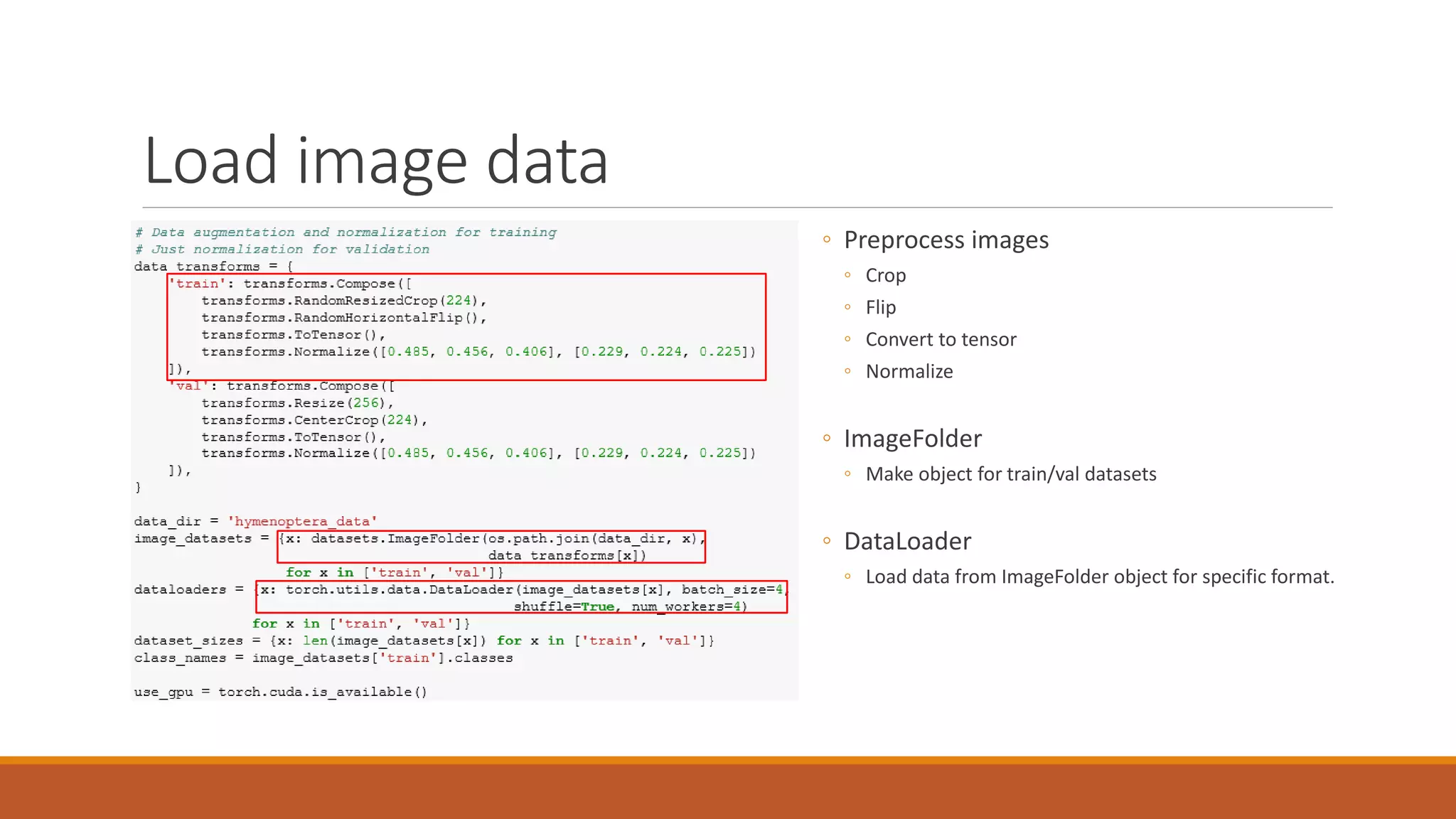
Load image data
◦ Preprocess images
◦ Crop
◦ Flip
◦ Convert to tensor
◦ Normalize
◦ ImageFolder
◦ Make object for train/val datasets
◦ DataLoader
◦ Load data from ImageFolder object for specific format.
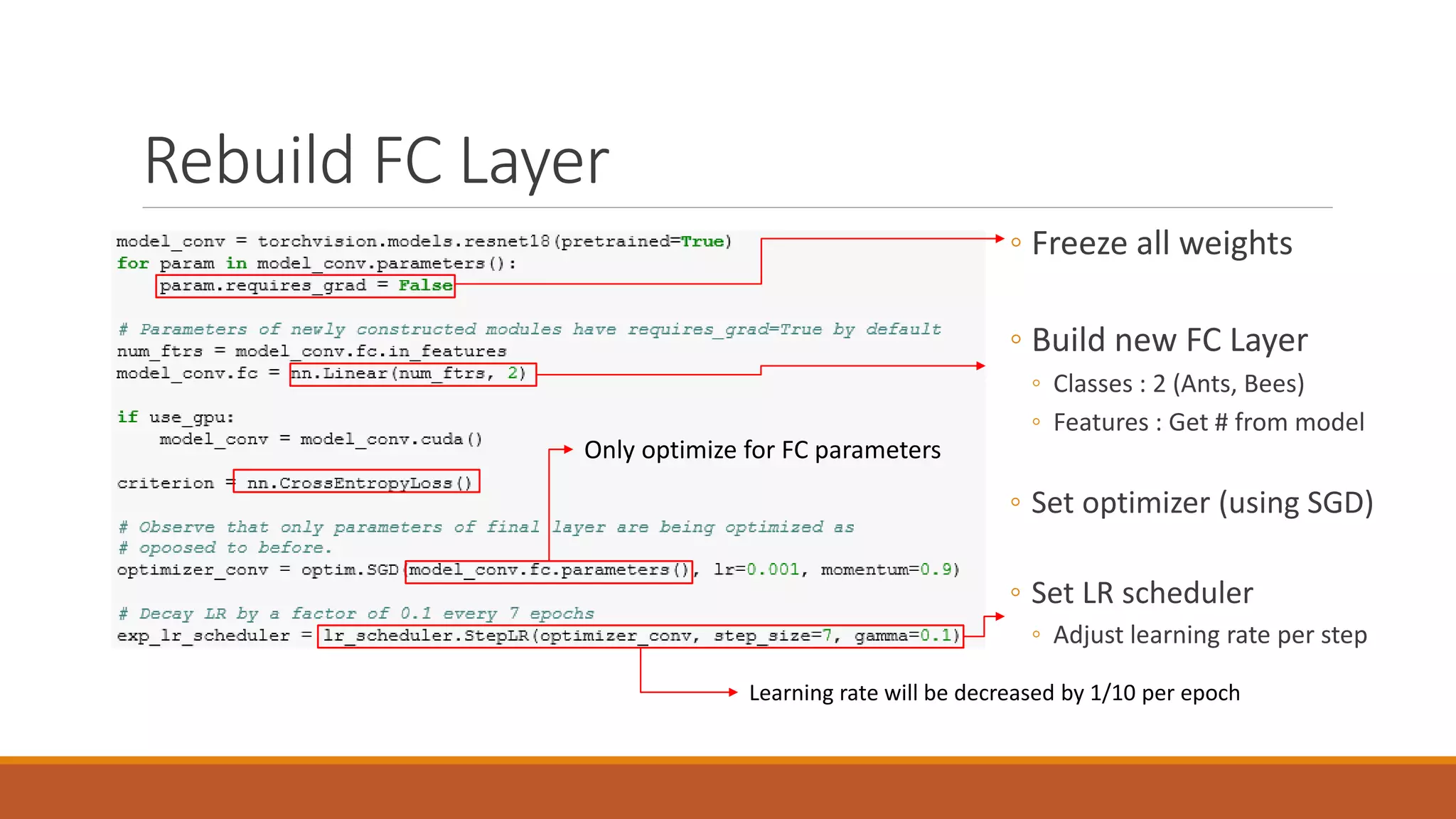
Rebuild FC Layer
◦ Freeze all weights
◦ Build new FC Layer
◦ Classes : 2 (Ants, Bees)
◦ Features : Get # from model
◦ Set optimizer (using SGD)
◦ Set LR scheduler
◦ Adjust learning rate per step
Learning rate will be decreased by 1/10 per epoch
Only optimize for FC parameters
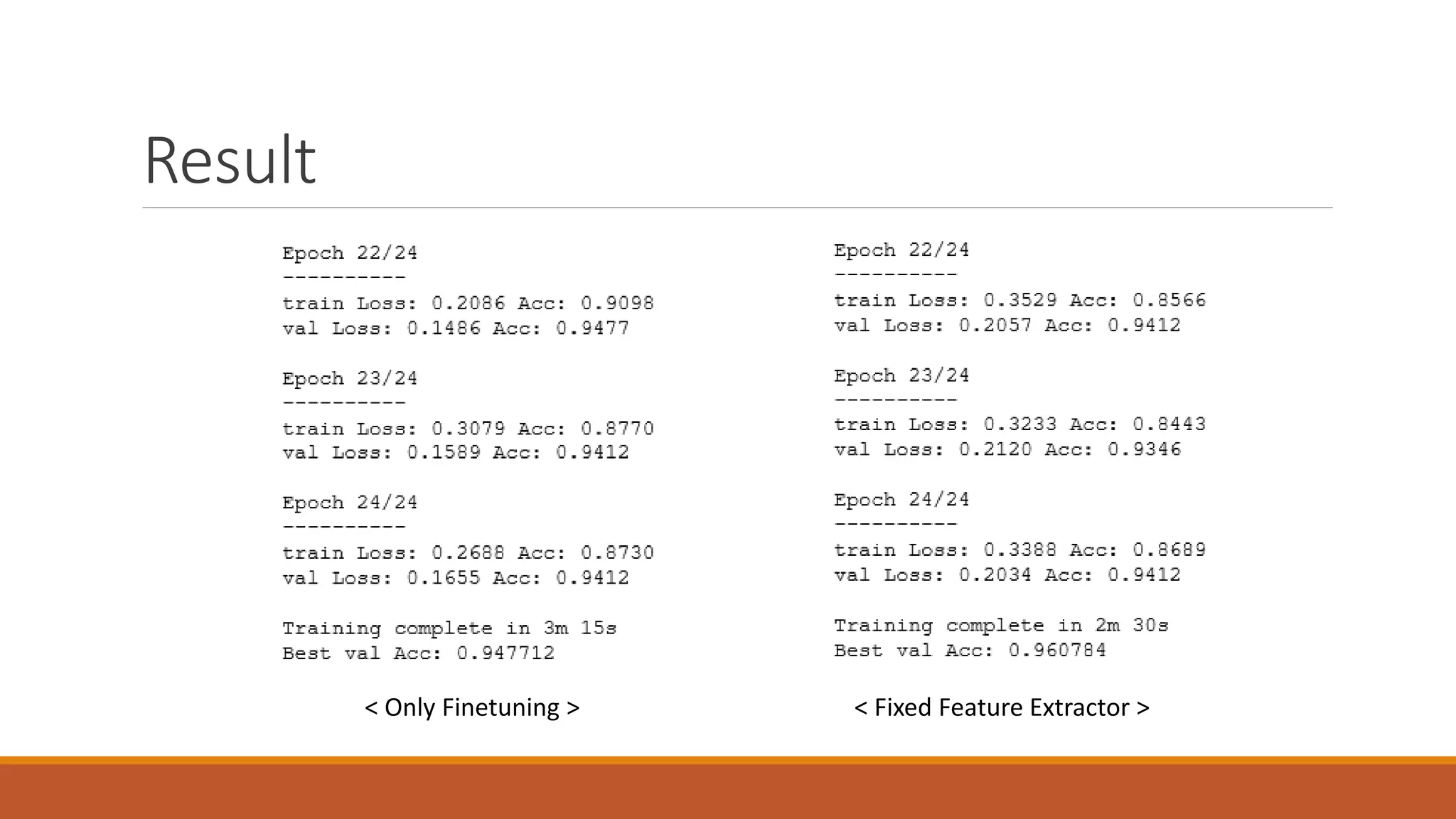
Result
< Only Finetuning > < Fixed Feature Extractor >
Assignment
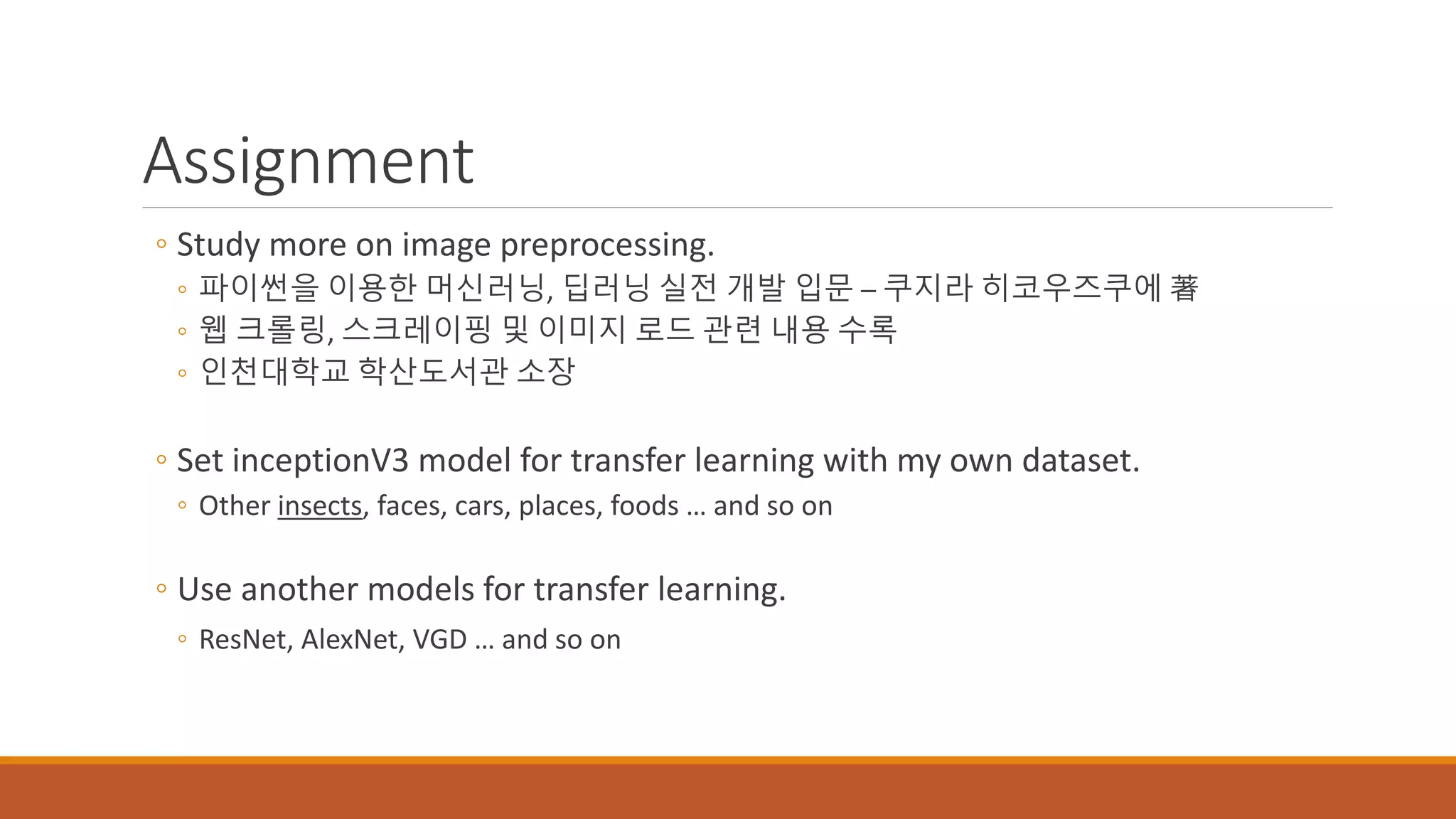
◦ Study more on image preprocessing.
◦ 파이썬을 이용한 머신러닝, 딥러닝 실전 개발 입문 – 쿠지라 히코우즈쿠에 著
◦ 웹 크롤링, 스크레이핑 및 이미지 로드 관련 내용 수록
◦ 인천대학교 학산도서관 소장
◦ Set inceptionV3 model for transfer learning with my own dataset.
◦ Other insects, faces, cars, places, foods … and so on
◦ Use another models for transfer learning.
◦ ResNet, AlexNet, VGD … and so on
Self Check
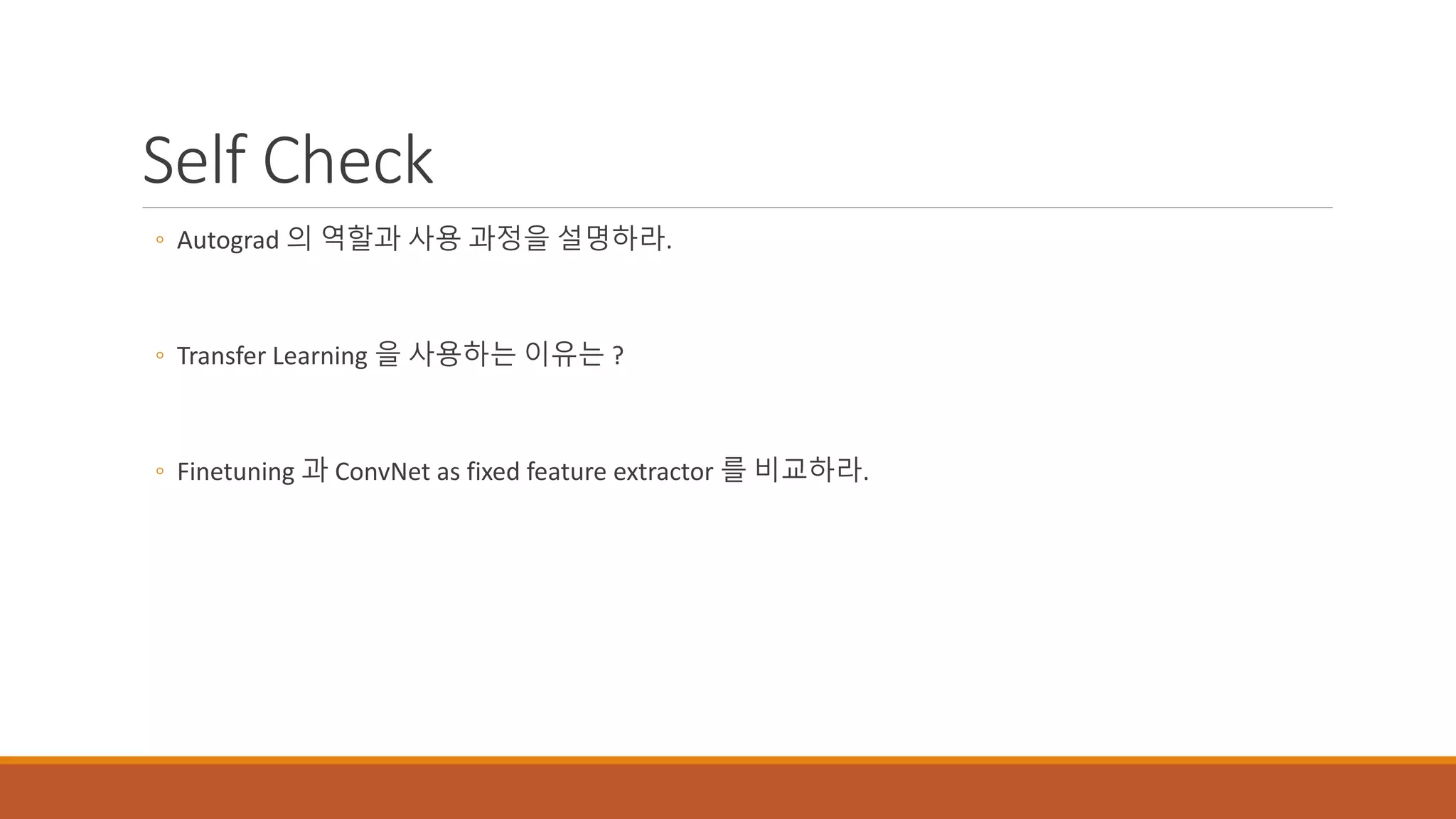
◦ Autograd 의 역할과 사용 과정을 설명하라.
◦ Transfer Learning 을 사용하는 이유는 ?
◦ Finetuning 과 ConvNet as fixed feature extractor 를 비교하라.

PyTorch and Transfer Learning

  • 1.
    Introduction to PyTorch ESE201503120 박준영
  • 2.
    Tensor in PyTorch ◦Setting X, Y for input/output ◦ Setting Weights to train. ◦ Dot product. X*W1 ◦ Same with max(0,h) ◦ Calculate with mathematical operators
  • 3.
    Autograd ◦ Automate backpropagation. After updating weights, Reset gradient for each training step to 0. <Traditional Back Propagation> <Automated Back Propagation>
  • 4.
    Defining a model ◦Define model with functions for layers ◦ Use nn.Sequential() method. ◦ nn.Linear() : FC Layer ◦ nn.Conv2d() : Convolution Layer ◦ nn.MaxPool2d() : Max pooling Layer ◦ Make loss function (Mean Squared Error)
  • 5.
    Model Example –AlexNet ◦ https://github.com/pytorch/vision/blob/master/torchvision/models/alexnet.py ◦ Implemented by using nn.Sequential Conv1 Conv2 Conv3 Conv4 Conv5 FC6 FC7
  • 7.
    Optimizer < Defining Optimizer(Adam) > ◦ Reset gradients to ‘0’ ◦ Gradient will be updated when .backward() called. (Accumulated in buffers) ◦ Compute gradient of the loss ◦ Optimizer will update its parameters for each step
  • 8.
  • 9.
    Transfer Learning ◦ Reference ◦http://cs231n.github.io/transfer-learning/ ◦ http://incredible.ai/artificial-intelligence/2017/05/13/Transfer-Learning/ ◦ http://pytorch.org/tutorials/beginner/transfer_learning_tutorial.html ◦ Learning from scratch takes too much time. ◦ Using pre-built CNN models ◦ Import the weights on another network. ◦ Train again for new network. For 12 years For 4 years Transfer
  • 10.
    Difference ◦ Fine tuning ◦Update weights of whole layer for new dataset ◦ ConvNet as fixed feature extractor ◦ Only train final Fully-Connected Layer.
  • 11.
    Structure (Inception V3– Finetuning) Update weight of whole model for new data.
  • 12.
    Structure (Inception V3– Fixed Extractor) Don’t train ! (Use pre-trained parameter) Only Train here (FC Layer)
  • 13.
    Process ◦ Load datafor classification. ◦ Load a pre-trained model. ◦ Re-build a FC Layer (For number of classes). ◦ Train only a FC layer.
  • 14.
    Load image data ◦Preprocess images ◦ Crop ◦ Flip ◦ Convert to tensor ◦ Normalize ◦ ImageFolder ◦ Make object for train/val datasets ◦ DataLoader ◦ Load data from ImageFolder object for specific format.
  • 15.
    Rebuild FC Layer ◦Freeze all weights ◦ Build new FC Layer ◦ Classes : 2 (Ants, Bees) ◦ Features : Get # from model ◦ Set optimizer (using SGD) ◦ Set LR scheduler ◦ Adjust learning rate per step Learning rate will be decreased by 1/10 per epoch Only optimize for FC parameters
  • 16.
    Result < Only Finetuning> < Fixed Feature Extractor >
  • 17.
    Assignment ◦ Study moreon image preprocessing. ◦ 파이썬을 이용한 머신러닝, 딥러닝 실전 개발 입문 – 쿠지라 히코우즈쿠에 著 ◦ 웹 크롤링, 스크레이핑 및 이미지 로드 관련 내용 수록 ◦ 인천대학교 학산도서관 소장 ◦ Set inceptionV3 model for transfer learning with my own dataset. ◦ Other insects, faces, cars, places, foods … and so on ◦ Use another models for transfer learning. ◦ ResNet, AlexNet, VGD … and so on
  • 18.
    Self Check ◦ Autograd의 역할과 사용 과정을 설명하라. ◦ Transfer Learning 을 사용하는 이유는 ? ◦ Finetuning 과 ConvNet as fixed feature extractor 를 비교하라.