Using Matplotlib
Ms. Sonali Mahendra Sonavane
G. H. Raisoni Institute of Engineering & Technology, Pune
Contents
• Why Data Visualization?
• What is Data Visualization?
• What is matplotlib?
• Types of charts
• Basic of matplotlib
• Bar chart
• Histogram
• Pie chart
• Scatter chart
• Stack plot
• Subplot
• References
Need of Data Visualization
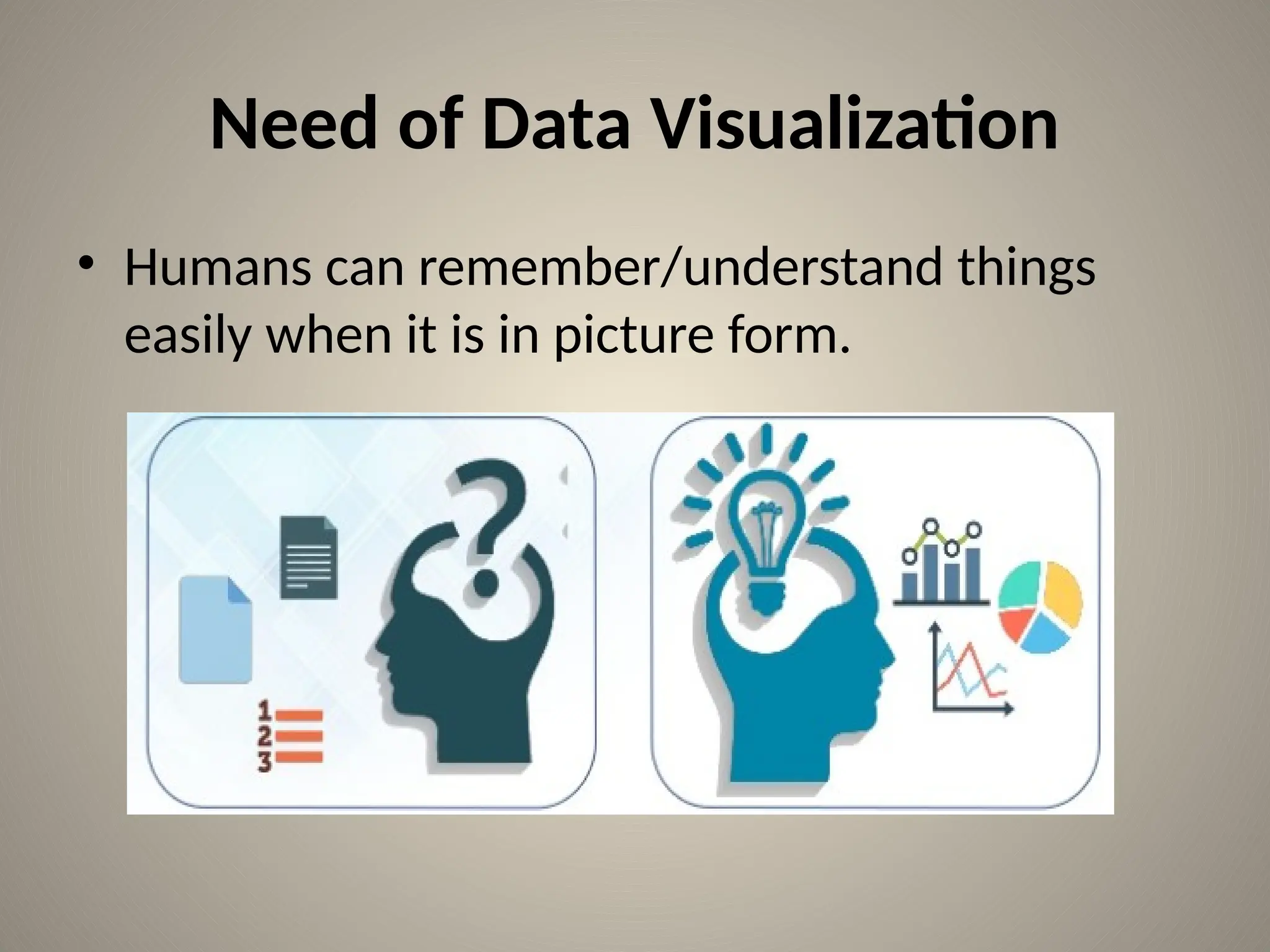
• Humans can remember/understand things
easily when it is in picture form.
Cont…
• Data visualization helps us to rapidly
understand the data and alter different
variables as per our requirement.
What is Data Visualization?
• Data visualization is the graphical
representation of information & data.
• Common ways of Data Visualization are:
– Tables
– Charts
– Graphs
– Maps
What is matplotlib?
• Matplotlib is widely used Python library for data
visualization.
• It is a library for generating 2 Dimensional plots
from data in arrays.
• It was invented by John Hunter in the year 2002.
• Matplotlib has many plots like pie chart, line, bar
chart, scatter plot, histogram, area plot etc.
• Matplotlib is inscribed in Python and uses NumPy
library, the numerical mathematics extension of
Python.
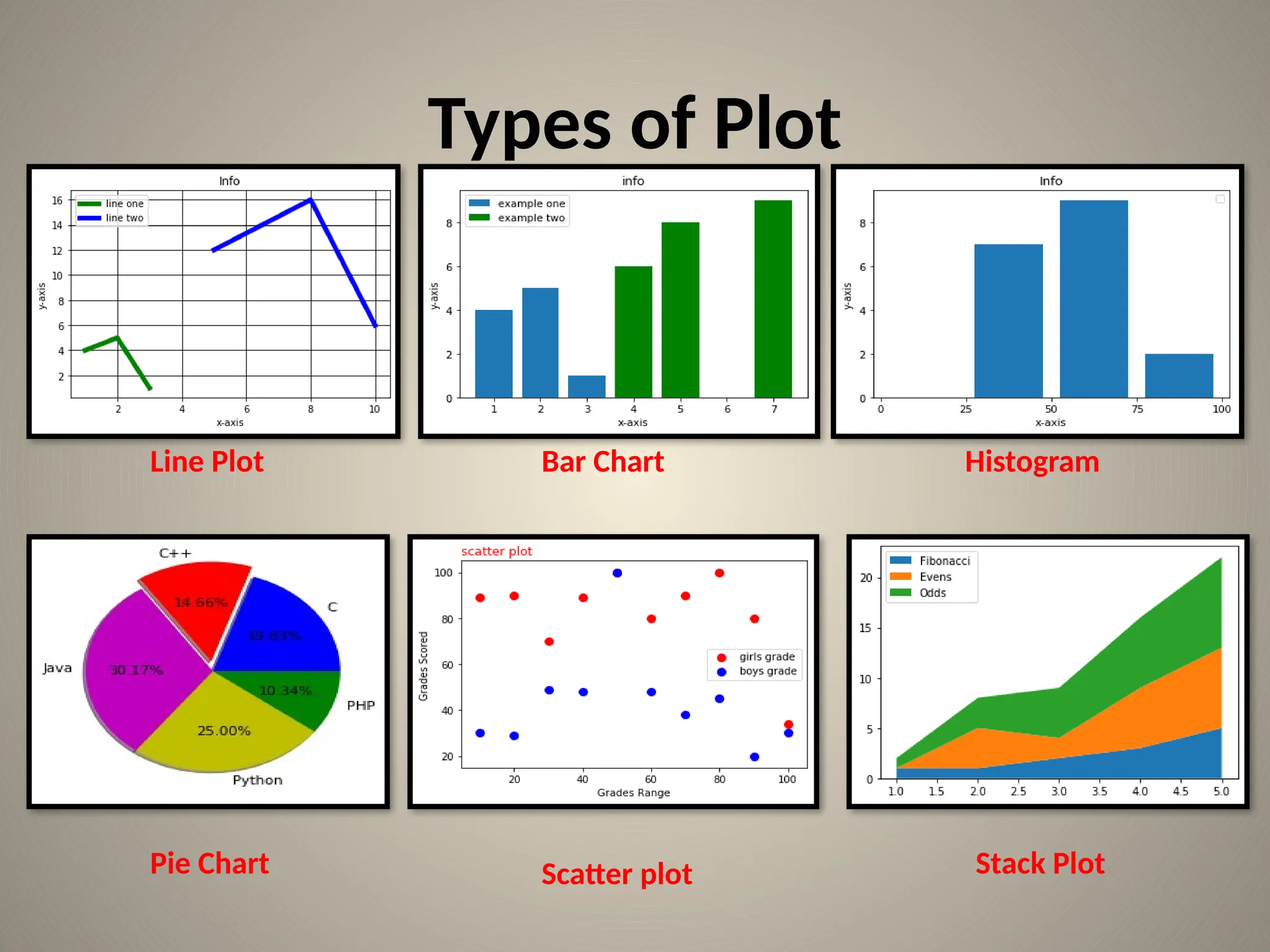
Types of Plot
Line Plot
Stack Plot
Scatter plot
Pie Chart
Histogram
Bar Chart
Line plot
• Some basic code to plot simple graph.
• Co-ordinates:(1,4)(2,5)(3,1)
import matplotlib.pyplot as plt
plt.plot([1,2,3],[4,5,1])
plt.show()
Line plot Cont…
• Lets add label to the graph:
import matplotlib.pyplot as plt
x=[1,2,3]
y=[4,5,1]
plt.plot(x , y)
plt.title("Info")
plt.xlabel("x-axis")
plt.ylabel("y-axis")
plt.show()
Line Plot cont…
import matplotlib.pyplot as plt
x1=[1,2,3]
y1=[4,5,1]
x2=[5,8,10]
y2=[12,16,6]
plt.plot(x1,y1,color='g', label='line one', linewidth=6)
plt.plot(x2,y2,color='b', label='line two', linewidth=6)
plt.title("Info")
plt.xlabel("x-axis")
plt.ylabel("y-axis")
plt.legend()
plt.grid(True, color='k')
plt.show()
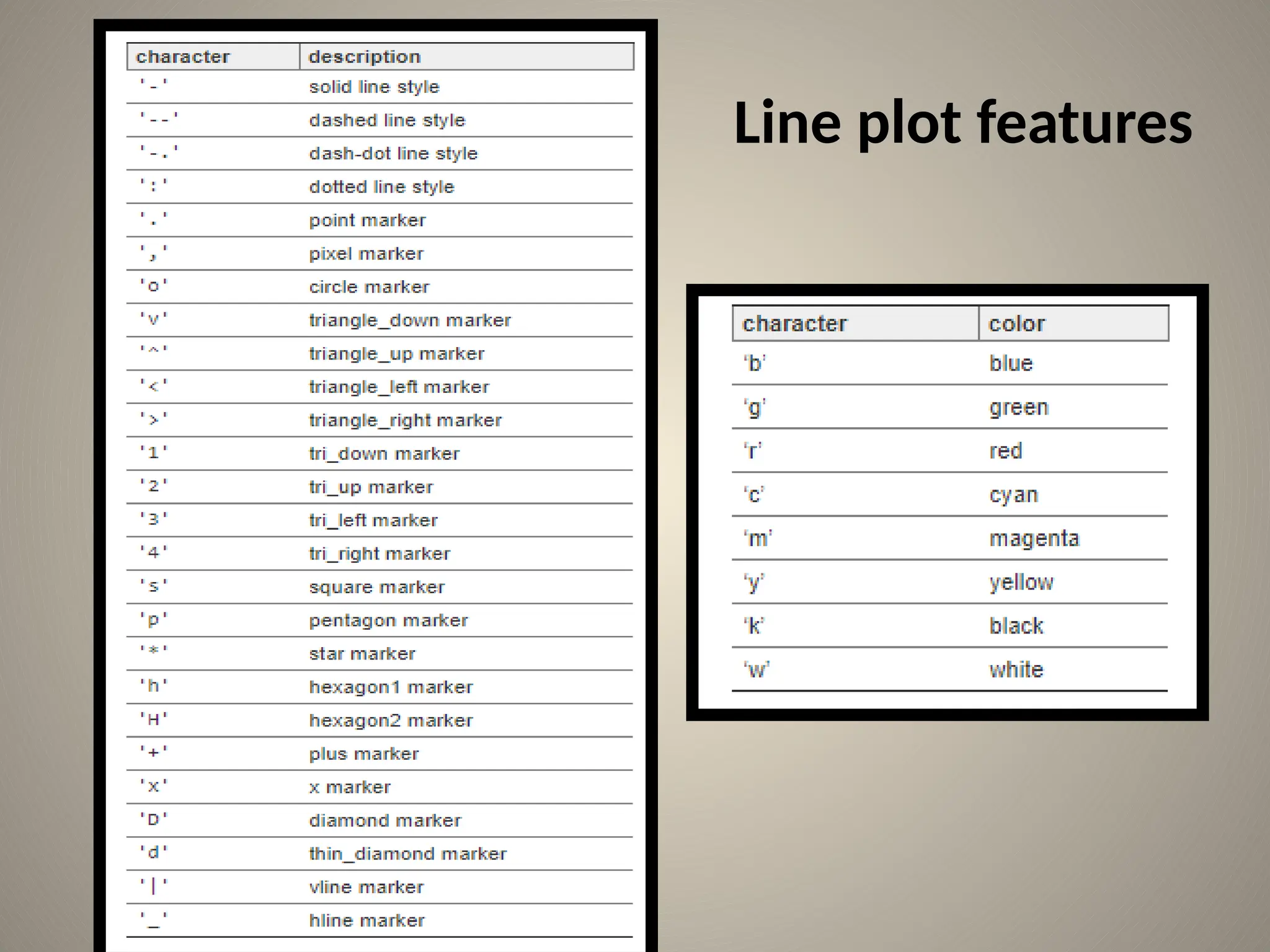
Line plot features
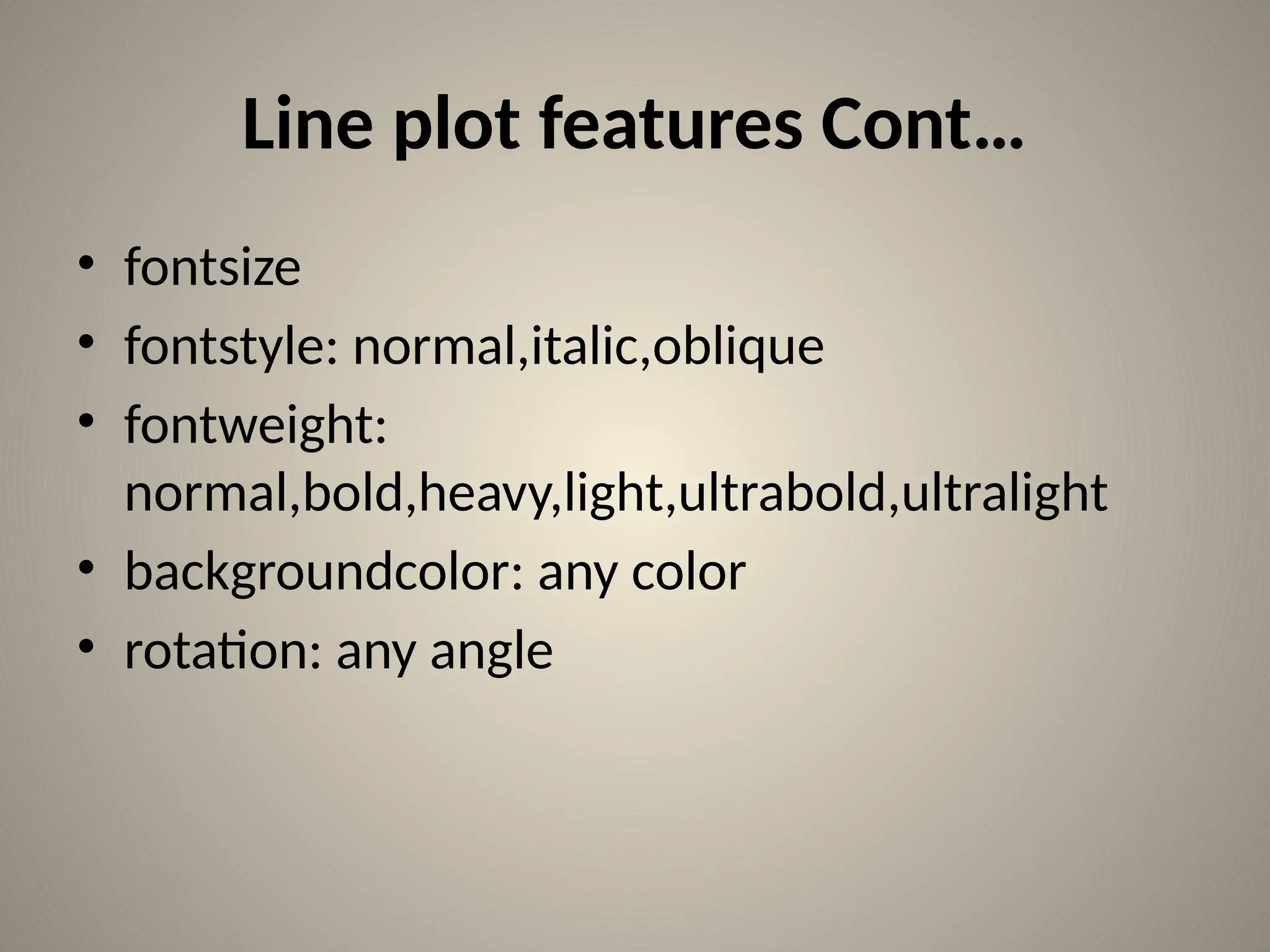
Line plot features Cont…
• fontsize
• fontstyle: normal,italic,oblique
• fontweight:
normal,bold,heavy,light,ultrabold,ultralight
• backgroundcolor: any color
• rotation: any angle
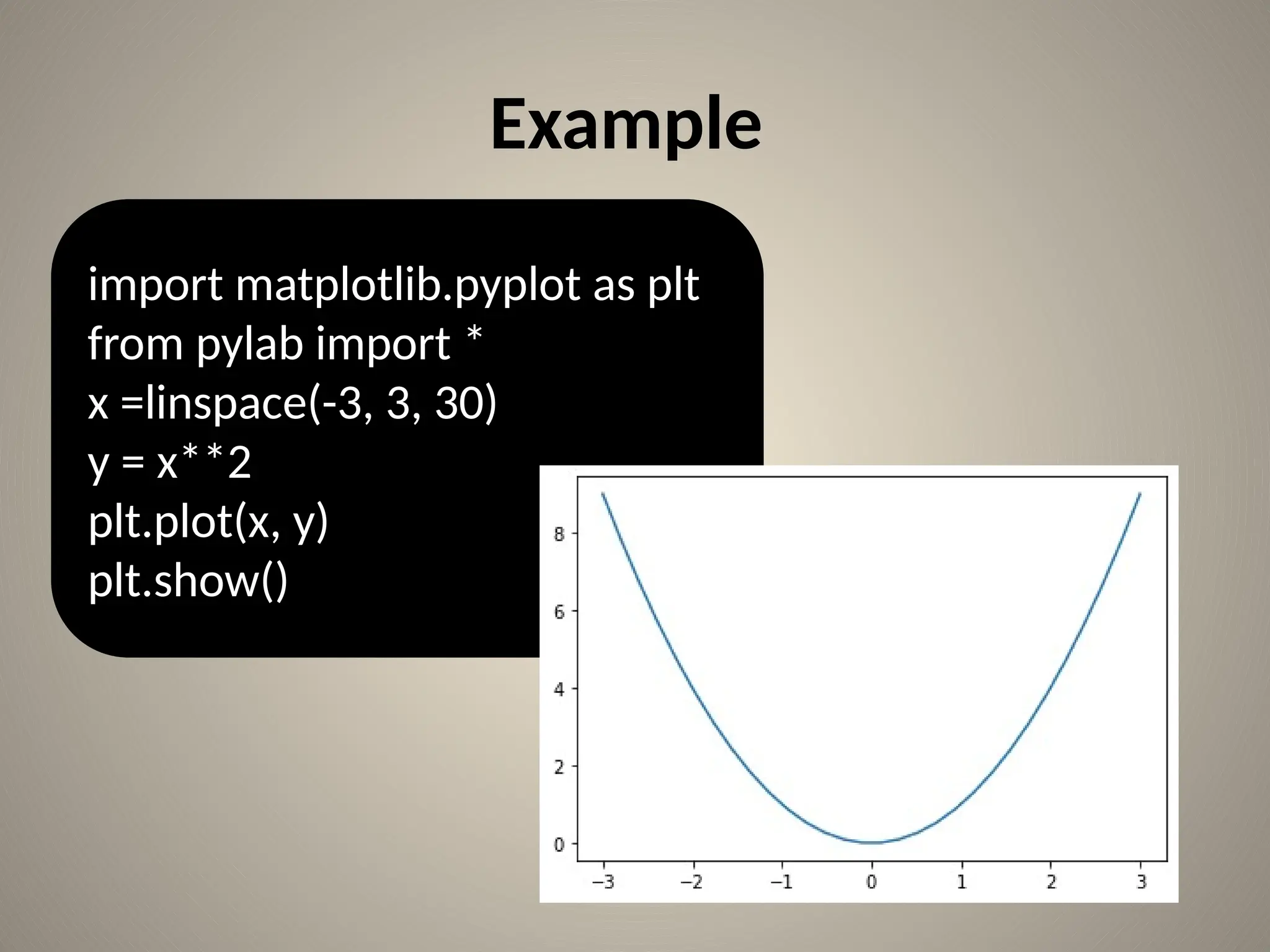
Example
import matplotlib.pyplot as plt
from pylab import *
x =linspace(-3, 3, 30)
y = x**2
plt.plot(x, y)
plt.show()
Example
import matplotlib.pyplot as plt
from pylab import *
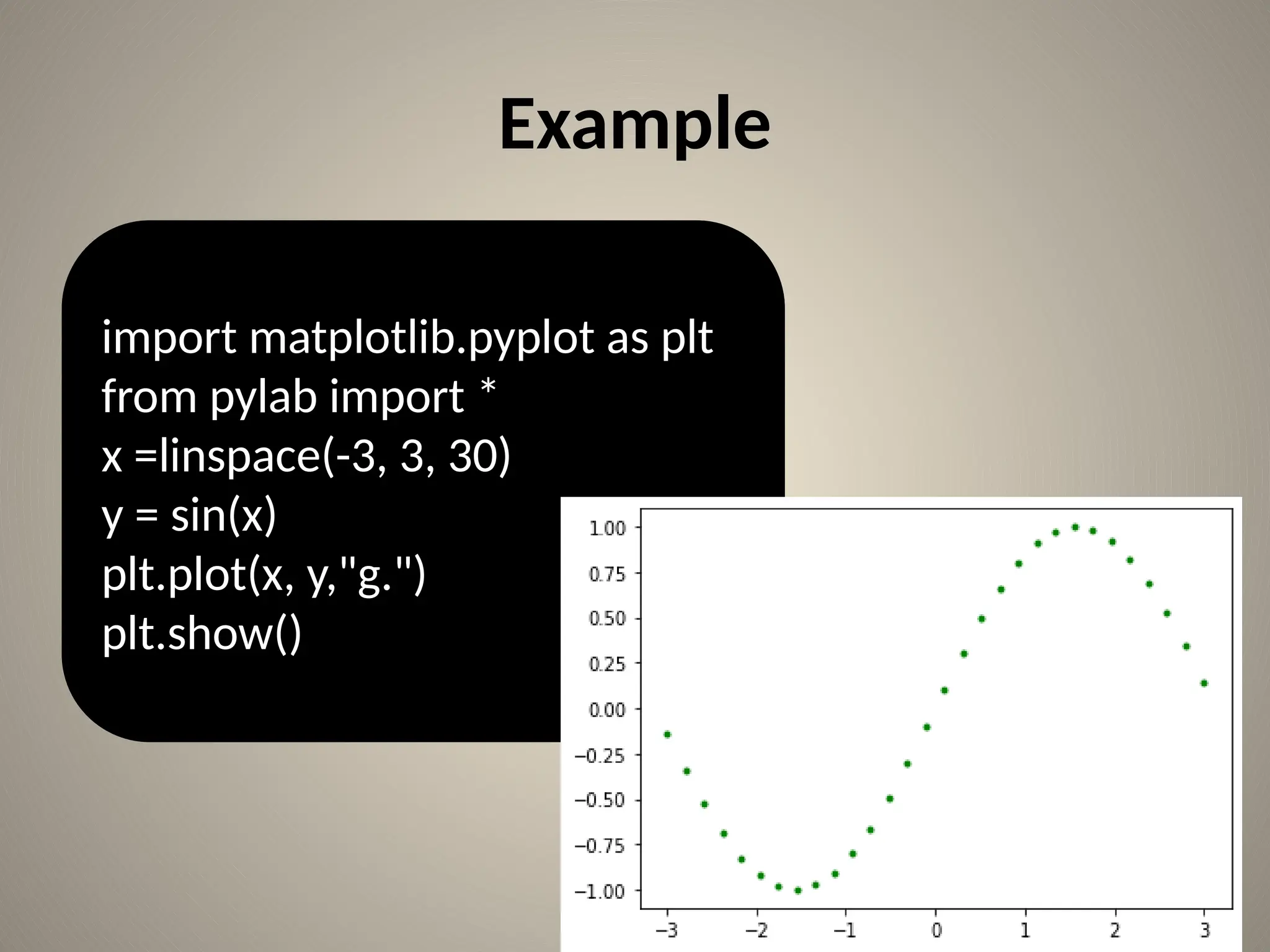
x =linspace(-3, 3, 30)
y = sin(x)
plt.plot(x, y,"g.")
plt.show()
Example
import matplotlib.pyplot as plt
from pylab import *
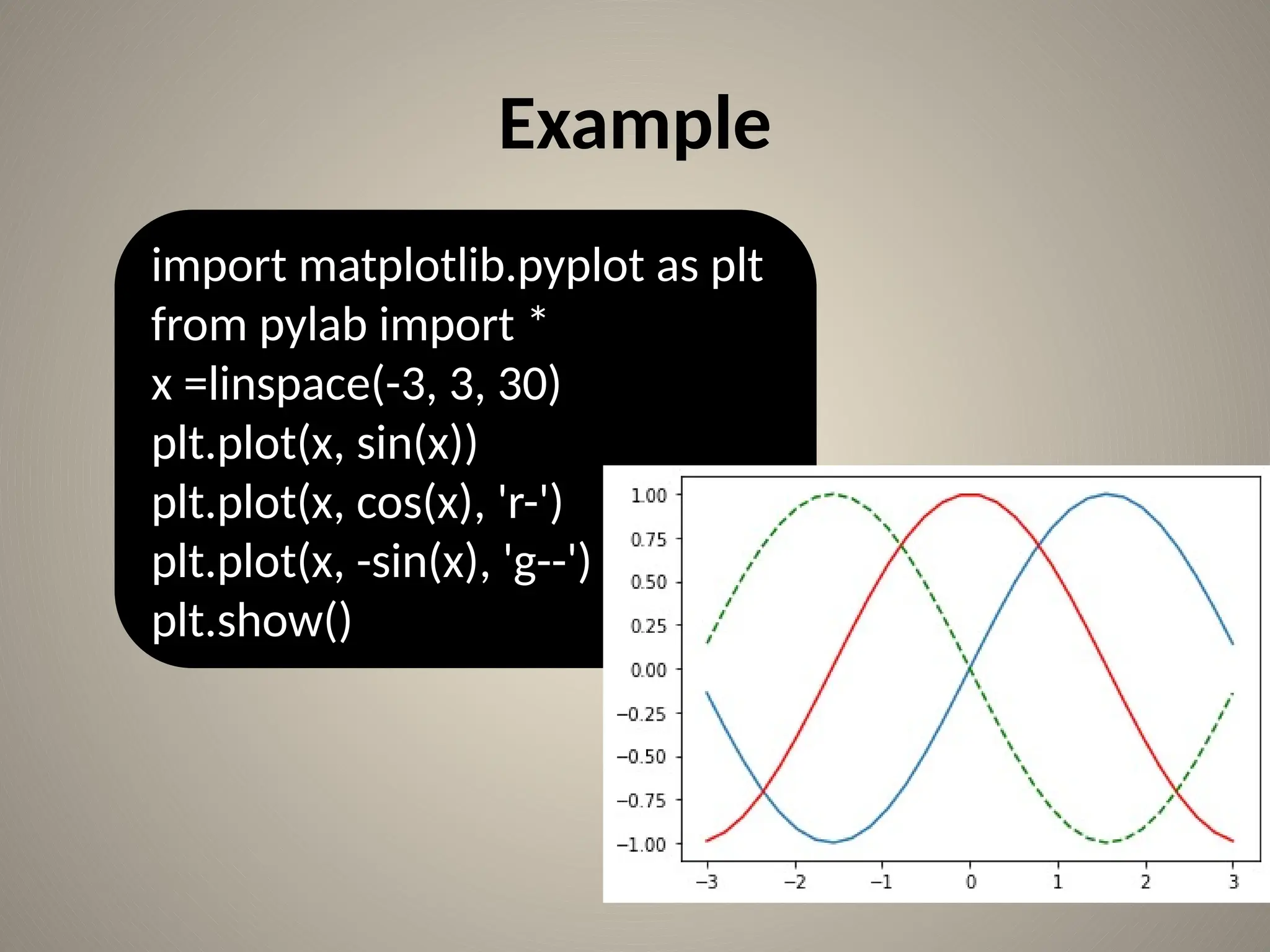
x =linspace(-3, 3, 30)
plt.plot(x, sin(x))
plt.plot(x, cos(x), 'r-')
plt.plot(x, -sin(x), 'g--')
plt.show()
Bar chart
import matplotlib.pyplot as plt
plt.bar([1,2,3],[4,5,1],label='example one')
plt.bar([4,5,7],[6,8,9],label="example two",
color='g')
plt.legend()
plt.title("info")
plt.xlabel("x-axis")
plt.ylabel("y-axis")
plt.show()
Bar chart cont…
Q)Create Bar chart for following data:
Languages known = [c++,c,java,python,php]
No. of students=[26,25,34,54,23]
Bar chart cont…
from matplotlib import pyplot as plt
import numpy as np
no_of_students=[22,34,54,34,45]
lang_known=['c','c++','java', 'python', 'php']
plt.bar(lang_known, no_of_students)
plt.show()
from matplotlib import pyplot as plt Example
import numpy as np
no_of_students=[22,34,54,34,45]
lang_known=['c', 'c++','java', 'python', 'php']
plt.bar(lang_known, no_of_students)
plt.minorticks_on()
plt.grid(which='major', linestyle='-', linewidth='0.5', color='red')
# Customize the minor grid
plt.grid(which='minor', linestyle=':', linewidth='0.5', color='black')
plt.show()
Example
import numpy as np
import matplotlib.pyplot as plt
data = [30, 25, 50, 20],
[39, 23, 51.5, 17],
[34.8, 21.8, 45, 19]]
X = np.arange(4)
plt.bar(X + 0.00, data[0], color = 'b', width = 0.25,label='raisoni college')
plt.bar(X + 0.25, data[1], color = 'g', width = 0.25,label='JSPM')
plt.bar(X + 0.50, data[2], color = 'r', width = 0.25,label='DPCOE')
plt.legend()
plt.xticks(X,('2015','2016','2017','2018'))
plt.show()
Histogram
• A histogram is an correct illustration of the
distribution of numeric data
• To create a histogram, use following steps:
Bin is collection of values.
Distribute the entire values into a chain of
intervals.
Sum how many values are in each interval.
Assignment
• stud_marks=[45,56,32,67,56,76,34,28,67,70,59,61,
34,42,76,54,52,47]
• bins=[0,25,50,75,100]
• Find the students makes in range 0-24,25-49,50-
74,75-100
• Solution: 0-24: 0
25-49:7
50-74:9
75-100:2
Solution
import matplotlib.pyplot as plt
stud_marks=[45,56,32,67,56,76,34,28,67,70,59,61,34,42,76,54,52,47]
bins=[0,25,50,75,100]
plt.hist(stud_marks, bins, histtype='bar', rwidth=0.8)
plt.title("Info")
plt.xlabel("x-axis")
plt.ylabel("y-axis")
plt.xticks([0,25,50,75,100])
plt.legend()
plt.show()
Histogram
• Histogram types
– ‘bar’ is a customary bar chart type histogram. In
this several data are arranged as bars side by side.
– ‘barstacked’ is another bar-type histogram where
numerous data are arranged on top of each other.
– ‘step’ makes a lineplot which is not filled.
– ‘stepfilled’ produces a lineplot which is filled by
default.
Histogram Example
Q)Draw histogram for following data:
[3,5,8,11,13,2,19,23,22,25,3,10,21,14,9,12,17,
22,23,14]
• Use range as 1-8,9-16,17-25
• plot histogram type as ‘stepfilled’.
Pie Chart
• A Pie Chart can show sequence of data.
• The information points in a pie chart are displayed as a
percentage of the total pie.
following are the parameters used for a pie chart :
• X: array like, The wedge sizes.
• Labels list: A arrangement of strings which provides the
tags/name for each slice.
• Colors: An order of matplotlibcolorargs through which the pie
chart will rotate. If Not any, It uses the the currently active cycle
color.
• Autopct : It is a string used to name the pie slice with their
numeric value. The name is placed inside the pie slice. The format
of the name is enclosed in %pct%.
Pie chart example
from matplotlib import pyplot as plt
import numpy as np
langs = ['C', 'C++', 'Java', 'Python', 'PHP']
students = [23,17,35,29,12]
plt.pie(students, labels = langs,autopct='%1.2f%%')
plt.show()
Example
from matplotlib import pyplot as plt
import numpy as np
langs = ['C', 'C++', 'Java', 'Python', 'PHP']
students = [23,17,35,29,12]
cols=['b' ,'r', 'm', 'y', 'g']
plt.pie(students, labels = langs, colors=cols, autopct='%1.2f%
%',shadow=True ,explode=(0,0.1,0,0,0))
plt.show()
Assignment
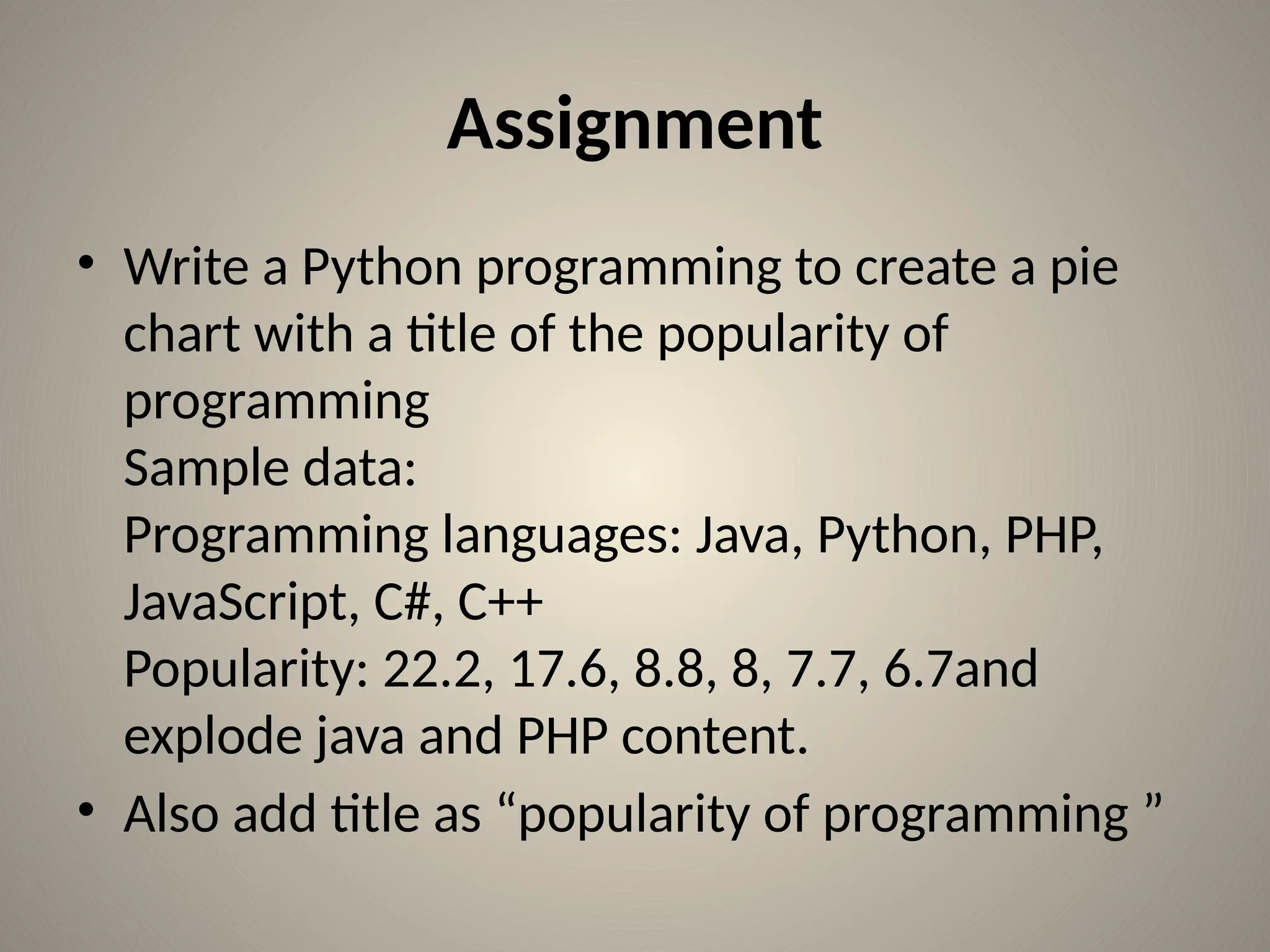
• Write a Python programming to create a pie
chart with a title of the popularity of
programming
Sample data:
Programming languages: Java, Python, PHP,
JavaScript, C#, C++
Popularity: 22.2, 17.6, 8.8, 8, 7.7, 6.7and
explode java and PHP content.
• Also add title as “popularity of programming ”
Scatter Plot
• Scatter plot plots data on vertical & horizontal
axis as per its values.
import matplotlib.pyplot as plt
x=[1,2,3]
y=[4,5,1]
plt.scatter(x, y)
plt.title("Info")
plt.xlabel("x-axis")
plt.ylabel("y-axis")
plt.show()
Example
import matplotlib.pyplot as plt
girls_grades = [89, 90, 70, 89, 100, 80, 90, 100, 80, 34]
boys_grades = [30, 29, 49, 48, 100, 48, 38, 45, 20, 30]
grades_range = [10, 20, 30, 40, 50, 60, 70, 80, 90, 100]
plt.scatter(grades_range, girls_grades, color='r',label='girls grade',linewidths=3)
plt.scatter(grades_range, boys_grades, color='b',label='boys grade',linewidths=3)
plt.xlabel('Grades Range')
plt.ylabel('Grades Scored')
plt.title('scatter plot',color='r',loc='left')
plt.legend()
plt.show()
Assignment
• Write a Python program to draw a scatter plot
comparing two subject marks of Mathematics and
Science. Use marks of 10 students.
• Test Data:
math_marks = [88, 92, 80, 89, 100, 80, 60, 100, 80,
34]
science_marks = [35, 79, 79, 48, 100, 88, 32, 45, 20,
30]
marks_range = [10, 20, 30, 40, 50, 60, 70, 80, 90,
100]
Stack plots
• Stackplots are formed by plotting different
datasets vertically on top of one another
rather than overlapping with one another.
import numpy as np
import matplotlib.pyplot as plt
x = [1, 2, 3, 4, 5]
y1 = [1, 1, 2, 3, 5]
y2 = [0, 4, 2, 6, 8]
y3 = [1, 3, 5, 7, 9]
labels = ["Fibonacci ", "Evens", "Odds"]
plt.stackplot(x, y1, y2, y3, labels=labels)
plt.legend(loc='upper left')
plt.show()
Working with multiple plots
• In Matplotlib, subplot() function is used to
plot two or more plots in one figure.
• Matplotlib supports various types of subplots
i.e. 2x1 horizontal ,2x1 vertical, or a 2x2 grid.
Example
import matplotlib.pyplot as plt
import numpy as np
t = np.arange(0.0, 20.0, 1)
s = [1,2,3,4,5,6,7,8,9,10,11,12,13,14,15,16,17,18,19,20]
plt.subplot(2,1,1)
plt.title('subplot(2,1,1)')
plt.plot(t,s)
plt.subplot(2,1,2)
plt.title('subplot(2,1,2)')
plt.plot(t,s,'r-')
plt.show()
Example
import matplotlib.pyplot as plt
import numpy as np
t = np.arange(0.0, 20.0, 1)
s = [1,2,3,4,5,6,7,8,9,10,11,12,13,14,15,16,17,18,19,20]
plt.subplot(2,2,1)
plt.title('subplot(2,2,1)')
plt.plot(t,s,'k')
plt.subplot(2,2,2)
plt.title('subplot(2,2,2)')
plt.plot(t,s,'r')
plt.subplot(2,2,3)
plt.title('subplot(2,2,3)')
plt.plot(t,s,'g')
plt.subplot(2,2,4)
plt.title('subplot(2,2,4)')
plt.plot(t,s,'y')
plt.show()
Example
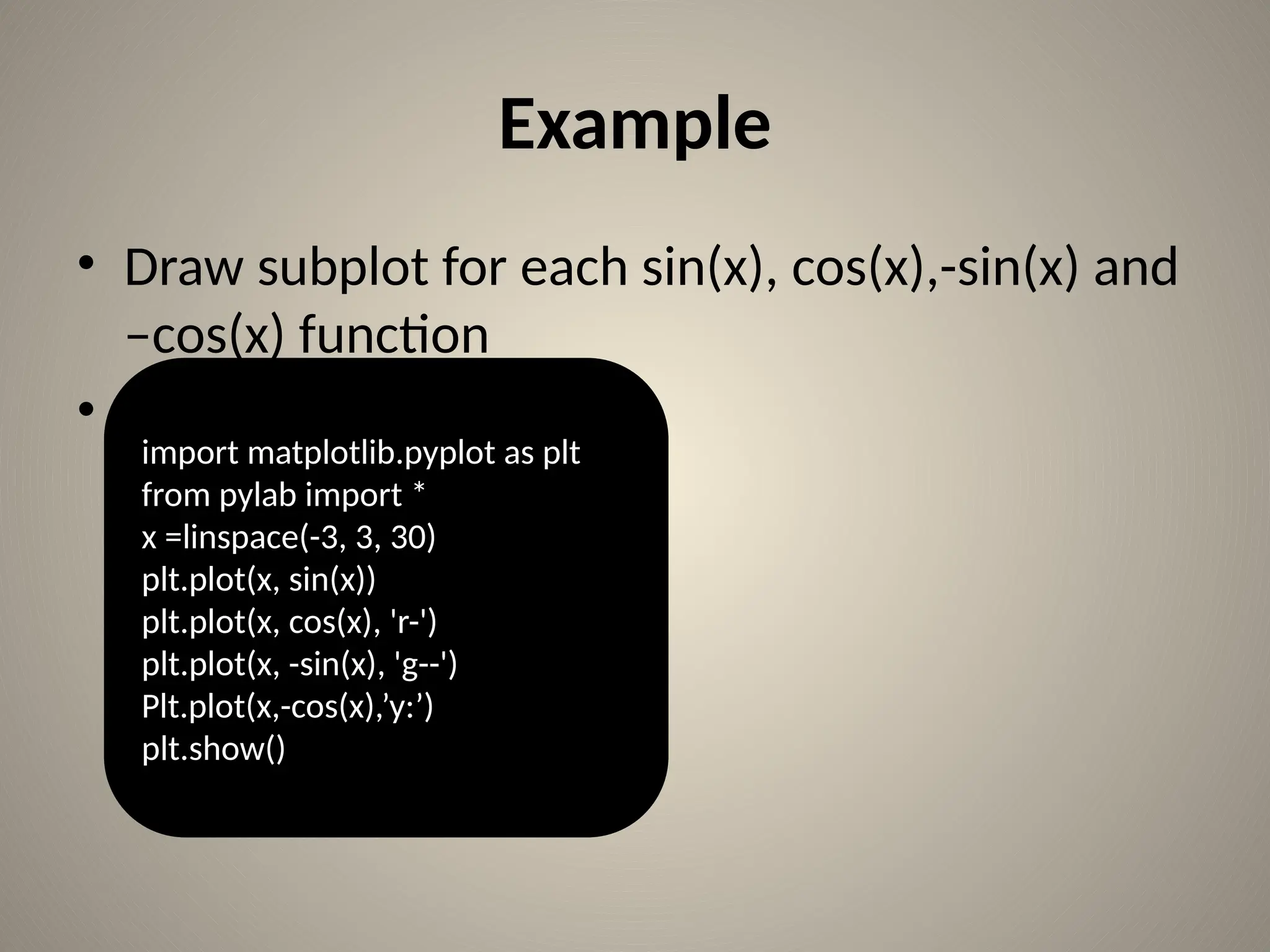
• Draw subplot for each sin(x), cos(x),-sin(x) and
–cos(x) function
•
import matplotlib.pyplot as plt
from pylab import *
x =linspace(-3, 3, 30)
plt.plot(x, sin(x))
plt.plot(x, cos(x), 'r-')
plt.plot(x, -sin(x), 'g--')
Plt.plot(x,-cos(x),’y:’)
plt.show()
References
[1] https://www.geeksforgeeks.org/python-
introduction-matplotlib/
[2]https://matplotlib.org
[3]https://www.tutorialspoint.com/matplotlib/
index.htm
Thank you!!!
sonali.sonavane@raisoni.net

Python chart plotting using Matplotlib.pptx

  • 1.
    Using Matplotlib Ms. SonaliMahendra Sonavane G. H. Raisoni Institute of Engineering & Technology, Pune
  • 2.
    Contents • Why DataVisualization? • What is Data Visualization? • What is matplotlib? • Types of charts • Basic of matplotlib • Bar chart • Histogram • Pie chart • Scatter chart • Stack plot • Subplot • References
  • 3.
    Need of DataVisualization • Humans can remember/understand things easily when it is in picture form.
  • 4.
    Cont… • Data visualizationhelps us to rapidly understand the data and alter different variables as per our requirement.
  • 5.
    What is DataVisualization? • Data visualization is the graphical representation of information & data. • Common ways of Data Visualization are: – Tables – Charts – Graphs – Maps
  • 6.
    What is matplotlib? •Matplotlib is widely used Python library for data visualization. • It is a library for generating 2 Dimensional plots from data in arrays. • It was invented by John Hunter in the year 2002. • Matplotlib has many plots like pie chart, line, bar chart, scatter plot, histogram, area plot etc. • Matplotlib is inscribed in Python and uses NumPy library, the numerical mathematics extension of Python.
  • 7.
    Types of Plot LinePlot Stack Plot Scatter plot Pie Chart Histogram Bar Chart
  • 8.
    Line plot • Somebasic code to plot simple graph. • Co-ordinates:(1,4)(2,5)(3,1) import matplotlib.pyplot as plt plt.plot([1,2,3],[4,5,1]) plt.show()
  • 9.
    Line plot Cont… •Lets add label to the graph: import matplotlib.pyplot as plt x=[1,2,3] y=[4,5,1] plt.plot(x , y) plt.title("Info") plt.xlabel("x-axis") plt.ylabel("y-axis") plt.show()
  • 10.
    Line Plot cont… importmatplotlib.pyplot as plt x1=[1,2,3] y1=[4,5,1] x2=[5,8,10] y2=[12,16,6] plt.plot(x1,y1,color='g', label='line one', linewidth=6) plt.plot(x2,y2,color='b', label='line two', linewidth=6) plt.title("Info") plt.xlabel("x-axis") plt.ylabel("y-axis") plt.legend() plt.grid(True, color='k') plt.show()
  • 11.
  • 12.
    Line plot featuresCont… • fontsize • fontstyle: normal,italic,oblique • fontweight: normal,bold,heavy,light,ultrabold,ultralight • backgroundcolor: any color • rotation: any angle
  • 13.
    Example import matplotlib.pyplot asplt from pylab import * x =linspace(-3, 3, 30) y = x**2 plt.plot(x, y) plt.show()
  • 14.
    Example import matplotlib.pyplot asplt from pylab import * x =linspace(-3, 3, 30) y = sin(x) plt.plot(x, y,"g.") plt.show()
  • 15.
    Example import matplotlib.pyplot asplt from pylab import * x =linspace(-3, 3, 30) plt.plot(x, sin(x)) plt.plot(x, cos(x), 'r-') plt.plot(x, -sin(x), 'g--') plt.show()
  • 16.
    Bar chart import matplotlib.pyplotas plt plt.bar([1,2,3],[4,5,1],label='example one') plt.bar([4,5,7],[6,8,9],label="example two", color='g') plt.legend() plt.title("info") plt.xlabel("x-axis") plt.ylabel("y-axis") plt.show()
  • 17.
    Bar chart cont… Q)CreateBar chart for following data: Languages known = [c++,c,java,python,php] No. of students=[26,25,34,54,23]
  • 18.
    Bar chart cont… frommatplotlib import pyplot as plt import numpy as np no_of_students=[22,34,54,34,45] lang_known=['c','c++','java', 'python', 'php'] plt.bar(lang_known, no_of_students) plt.show()
  • 19.
    from matplotlib importpyplot as plt Example import numpy as np no_of_students=[22,34,54,34,45] lang_known=['c', 'c++','java', 'python', 'php'] plt.bar(lang_known, no_of_students) plt.minorticks_on() plt.grid(which='major', linestyle='-', linewidth='0.5', color='red') # Customize the minor grid plt.grid(which='minor', linestyle=':', linewidth='0.5', color='black') plt.show()
  • 20.
    Example import numpy asnp import matplotlib.pyplot as plt data = [30, 25, 50, 20], [39, 23, 51.5, 17], [34.8, 21.8, 45, 19]] X = np.arange(4) plt.bar(X + 0.00, data[0], color = 'b', width = 0.25,label='raisoni college') plt.bar(X + 0.25, data[1], color = 'g', width = 0.25,label='JSPM') plt.bar(X + 0.50, data[2], color = 'r', width = 0.25,label='DPCOE') plt.legend() plt.xticks(X,('2015','2016','2017','2018')) plt.show()
  • 21.
    Histogram • A histogramis an correct illustration of the distribution of numeric data • To create a histogram, use following steps: Bin is collection of values. Distribute the entire values into a chain of intervals. Sum how many values are in each interval.
  • 22.
    Assignment • stud_marks=[45,56,32,67,56,76,34,28,67,70,59,61, 34,42,76,54,52,47] • bins=[0,25,50,75,100] •Find the students makes in range 0-24,25-49,50- 74,75-100 • Solution: 0-24: 0 25-49:7 50-74:9 75-100:2
  • 23.
    Solution import matplotlib.pyplot asplt stud_marks=[45,56,32,67,56,76,34,28,67,70,59,61,34,42,76,54,52,47] bins=[0,25,50,75,100] plt.hist(stud_marks, bins, histtype='bar', rwidth=0.8) plt.title("Info") plt.xlabel("x-axis") plt.ylabel("y-axis") plt.xticks([0,25,50,75,100]) plt.legend() plt.show()
  • 24.
    Histogram • Histogram types –‘bar’ is a customary bar chart type histogram. In this several data are arranged as bars side by side. – ‘barstacked’ is another bar-type histogram where numerous data are arranged on top of each other. – ‘step’ makes a lineplot which is not filled. – ‘stepfilled’ produces a lineplot which is filled by default.
  • 25.
    Histogram Example Q)Draw histogramfor following data: [3,5,8,11,13,2,19,23,22,25,3,10,21,14,9,12,17, 22,23,14] • Use range as 1-8,9-16,17-25 • plot histogram type as ‘stepfilled’.
  • 26.
    Pie Chart • APie Chart can show sequence of data. • The information points in a pie chart are displayed as a percentage of the total pie. following are the parameters used for a pie chart : • X: array like, The wedge sizes. • Labels list: A arrangement of strings which provides the tags/name for each slice. • Colors: An order of matplotlibcolorargs through which the pie chart will rotate. If Not any, It uses the the currently active cycle color. • Autopct : It is a string used to name the pie slice with their numeric value. The name is placed inside the pie slice. The format of the name is enclosed in %pct%.
  • 27.
    Pie chart example frommatplotlib import pyplot as plt import numpy as np langs = ['C', 'C++', 'Java', 'Python', 'PHP'] students = [23,17,35,29,12] plt.pie(students, labels = langs,autopct='%1.2f%%') plt.show()
  • 28.
    Example from matplotlib importpyplot as plt import numpy as np langs = ['C', 'C++', 'Java', 'Python', 'PHP'] students = [23,17,35,29,12] cols=['b' ,'r', 'm', 'y', 'g'] plt.pie(students, labels = langs, colors=cols, autopct='%1.2f% %',shadow=True ,explode=(0,0.1,0,0,0)) plt.show()
  • 29.
    Assignment • Write aPython programming to create a pie chart with a title of the popularity of programming Sample data: Programming languages: Java, Python, PHP, JavaScript, C#, C++ Popularity: 22.2, 17.6, 8.8, 8, 7.7, 6.7and explode java and PHP content. • Also add title as “popularity of programming ”
  • 30.
    Scatter Plot • Scatterplot plots data on vertical & horizontal axis as per its values. import matplotlib.pyplot as plt x=[1,2,3] y=[4,5,1] plt.scatter(x, y) plt.title("Info") plt.xlabel("x-axis") plt.ylabel("y-axis") plt.show()
  • 31.
    Example import matplotlib.pyplot asplt girls_grades = [89, 90, 70, 89, 100, 80, 90, 100, 80, 34] boys_grades = [30, 29, 49, 48, 100, 48, 38, 45, 20, 30] grades_range = [10, 20, 30, 40, 50, 60, 70, 80, 90, 100] plt.scatter(grades_range, girls_grades, color='r',label='girls grade',linewidths=3) plt.scatter(grades_range, boys_grades, color='b',label='boys grade',linewidths=3) plt.xlabel('Grades Range') plt.ylabel('Grades Scored') plt.title('scatter plot',color='r',loc='left') plt.legend() plt.show()
  • 32.
    Assignment • Write aPython program to draw a scatter plot comparing two subject marks of Mathematics and Science. Use marks of 10 students. • Test Data: math_marks = [88, 92, 80, 89, 100, 80, 60, 100, 80, 34] science_marks = [35, 79, 79, 48, 100, 88, 32, 45, 20, 30] marks_range = [10, 20, 30, 40, 50, 60, 70, 80, 90, 100]
  • 33.
    Stack plots • Stackplotsare formed by plotting different datasets vertically on top of one another rather than overlapping with one another. import numpy as np import matplotlib.pyplot as plt x = [1, 2, 3, 4, 5] y1 = [1, 1, 2, 3, 5] y2 = [0, 4, 2, 6, 8] y3 = [1, 3, 5, 7, 9] labels = ["Fibonacci ", "Evens", "Odds"] plt.stackplot(x, y1, y2, y3, labels=labels) plt.legend(loc='upper left') plt.show()
  • 34.
    Working with multipleplots • In Matplotlib, subplot() function is used to plot two or more plots in one figure. • Matplotlib supports various types of subplots i.e. 2x1 horizontal ,2x1 vertical, or a 2x2 grid.
  • 35.
    Example import matplotlib.pyplot asplt import numpy as np t = np.arange(0.0, 20.0, 1) s = [1,2,3,4,5,6,7,8,9,10,11,12,13,14,15,16,17,18,19,20] plt.subplot(2,1,1) plt.title('subplot(2,1,1)') plt.plot(t,s) plt.subplot(2,1,2) plt.title('subplot(2,1,2)') plt.plot(t,s,'r-') plt.show()
  • 36.
    Example import matplotlib.pyplot asplt import numpy as np t = np.arange(0.0, 20.0, 1) s = [1,2,3,4,5,6,7,8,9,10,11,12,13,14,15,16,17,18,19,20] plt.subplot(2,2,1) plt.title('subplot(2,2,1)') plt.plot(t,s,'k') plt.subplot(2,2,2) plt.title('subplot(2,2,2)') plt.plot(t,s,'r') plt.subplot(2,2,3) plt.title('subplot(2,2,3)') plt.plot(t,s,'g') plt.subplot(2,2,4) plt.title('subplot(2,2,4)') plt.plot(t,s,'y') plt.show()
  • 37.
    Example • Draw subplotfor each sin(x), cos(x),-sin(x) and –cos(x) function • import matplotlib.pyplot as plt from pylab import * x =linspace(-3, 3, 30) plt.plot(x, sin(x)) plt.plot(x, cos(x), 'r-') plt.plot(x, -sin(x), 'g--') Plt.plot(x,-cos(x),’y:’) plt.show()
  • 38.
  • 39.