PYTHON REGULAR EXPRESSIONS
John Zhang
Tuesday, December 11, 2012
Regular Expressions
• Regular expressions are a powerful string
manipulation tool
• All modern languages have similar library
packages for regular expressions
• Use regular expressions to:
– Search a string (search and match)
– Replace parts of a string (sub)
– Break stings into smaller pieces (split)
Regular Expression Python Syntax
• regular match:
Example: the regular expression “test” only
matches the string ‘test’
• [x] matches any one of a list of characters
Example: “*abc+” matches ‘a’,‘b’,or ‘c’
• [^x] matches any one character that is not
included in x
“*^abc+” matches any single character except
‘a’,’b’,or ‘c’
Regular Expressions Syntax
• “.” matches any single character
• Parentheses can be used for grouping by ()
Example: “(abc)+” matches ’abc’, ‘abcabc’,
‘abcabcabc’, etc.
• x|y matches x or y
Example: “this|that” matches ‘this’ and ‘that’,
but not ‘thisthat’.
Regular Expression Syntax
• x* matches zero or more x’s
“a*” matches ’’, ’a’, ’aa’, etc.
• x+ matches one or more x’s
“a+” matches ’a’,’aa’,’aaa’, etc.
• x? matches zero or one x’s
“a?” matches ’’ or ’a’ .
• x{m, n} matches i x‘s, where m<i< n
“a,2,3-” matches ’aa’ or ’aaa’
Regular Expression Syntax
• “d” matches any digit; “D” matches any non-digit
• “s” matches any whitespace character; “S”
matches any non-whitespace character
• “w” matches any alphanumeric character; “W”
matches any non-alphanumeric character
• “^” matches the beginning of the string; “$”
matches the end of the string
• “b” matches a word boundary; “B” matches
position that is not a word boundary
Search and Match
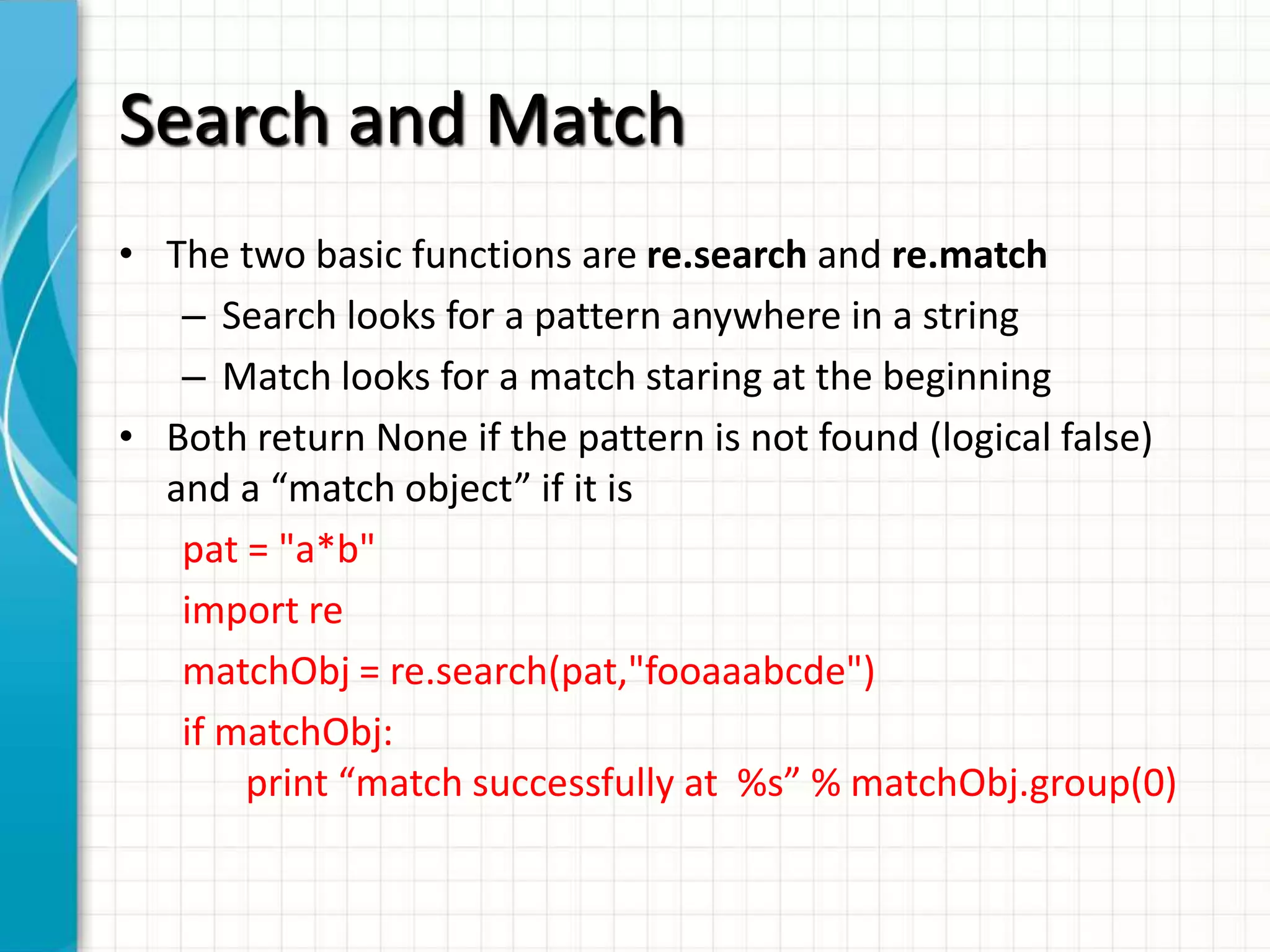
• The two basic functions are re.search and re.match
– Search looks for a pattern anywhere in a string
– Match looks for a match staring at the beginning
• Both return None if the pattern is not found (logical false)
and a “match object” if it is
pat = "a*b"
import re
matchObj = re.search(pat,"fooaaabcde")
if matchObj:
print “match successfully at %s” % matchObj.group(0)
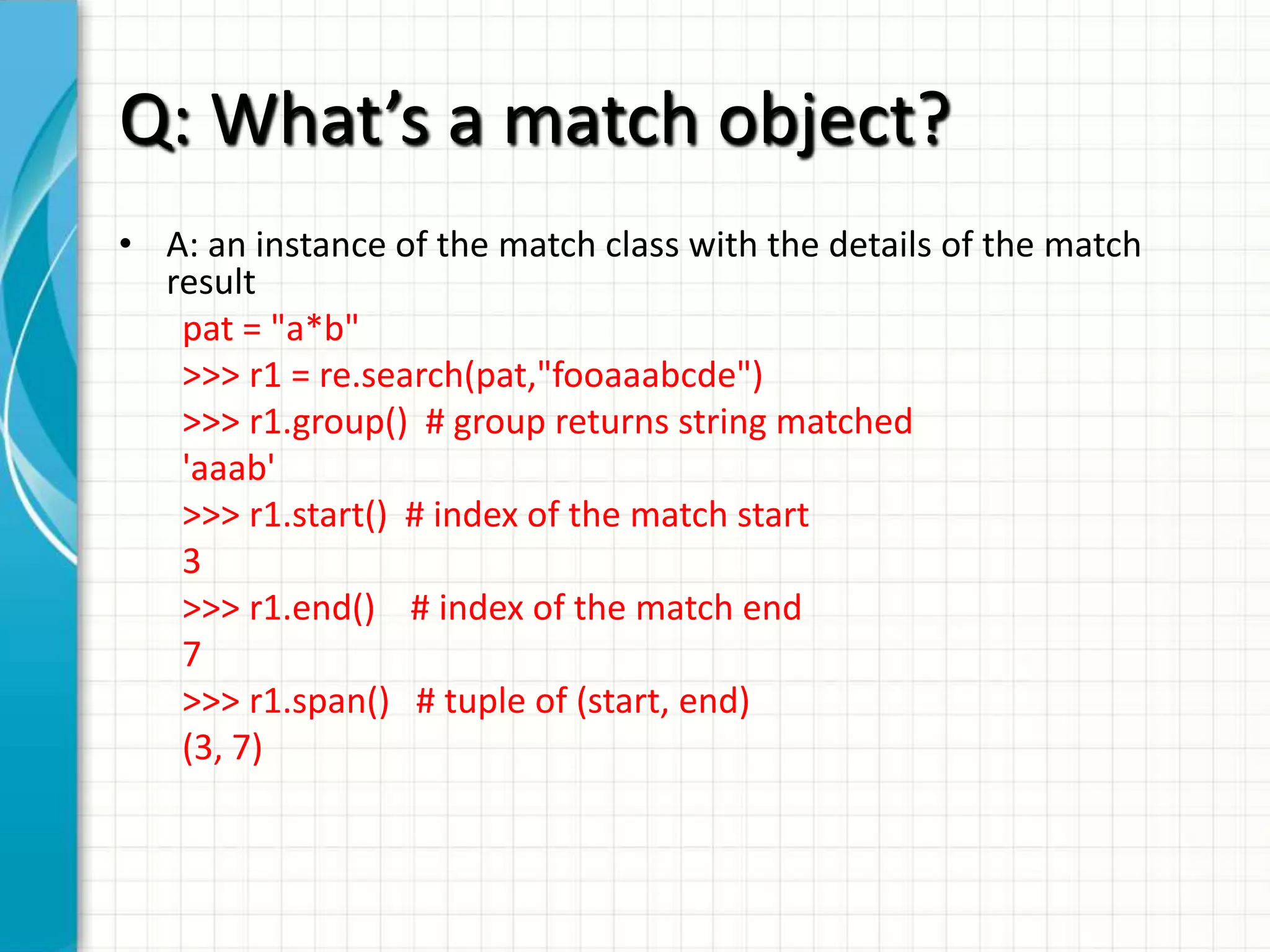
Q: What’s a match object?
• A: an instance of the match class with the details of the match
result
pat = "a*b"
>>> r1 = re.search(pat,"fooaaabcde")
>>> r1.group() # group returns string matched
'aaab'
>>> r1.start() # index of the match start
3
>>> r1.end() # index of the match end
7
>>> r1.span() # tuple of (start, end)
(3, 7)
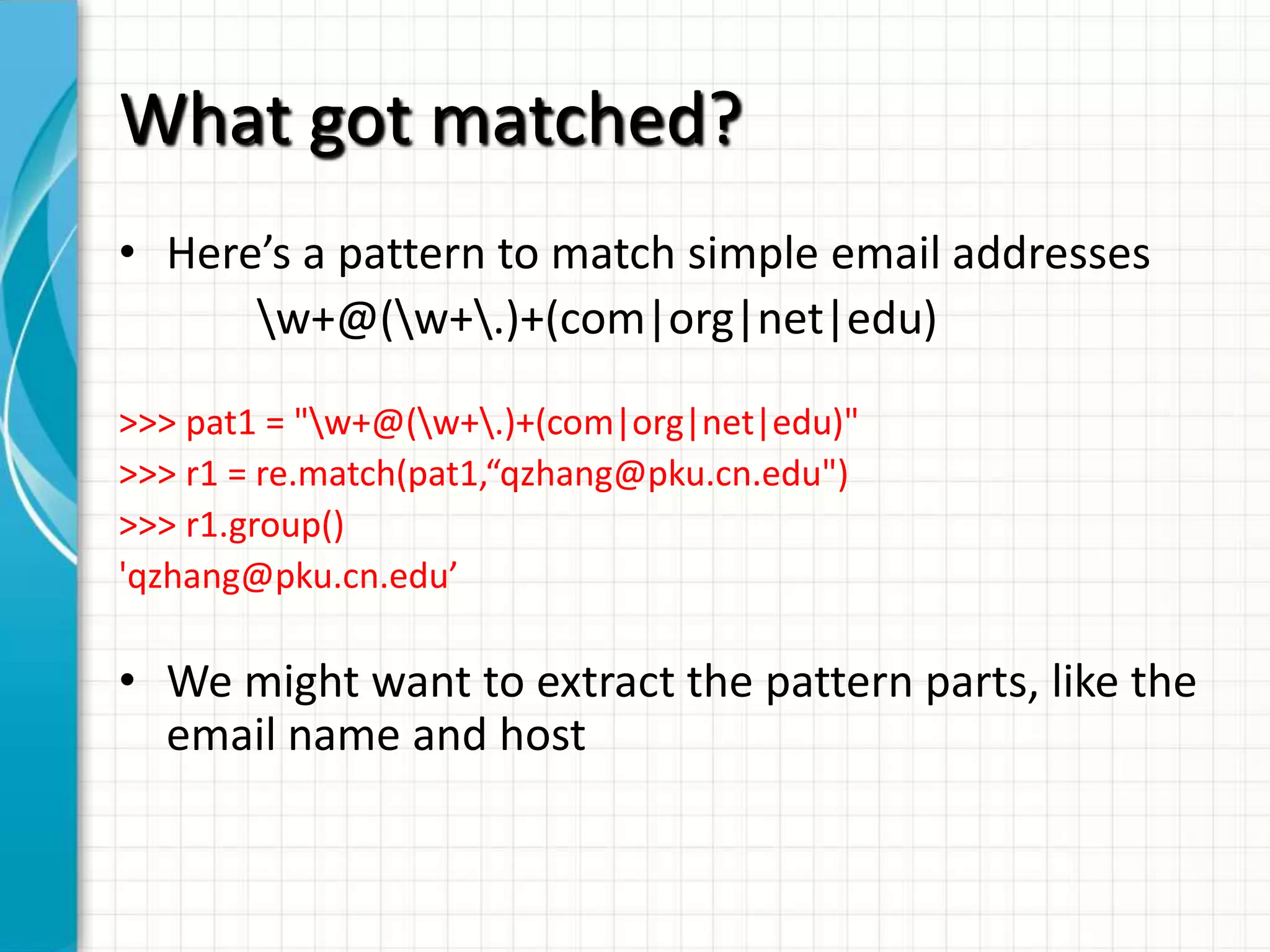
What got matched?
• Here’s a pattern to match simple email addresses
w+@(w+.)+(com|org|net|edu)
>>> pat1 = "w+@(w+.)+(com|org|net|edu)"
>>> r1 = re.match(pat1,“qzhang@pku.cn.edu")
>>> r1.group()
'qzhang@pku.cn.edu’

• We might want to extract the pattern parts, like the
email name and host
What got matched?
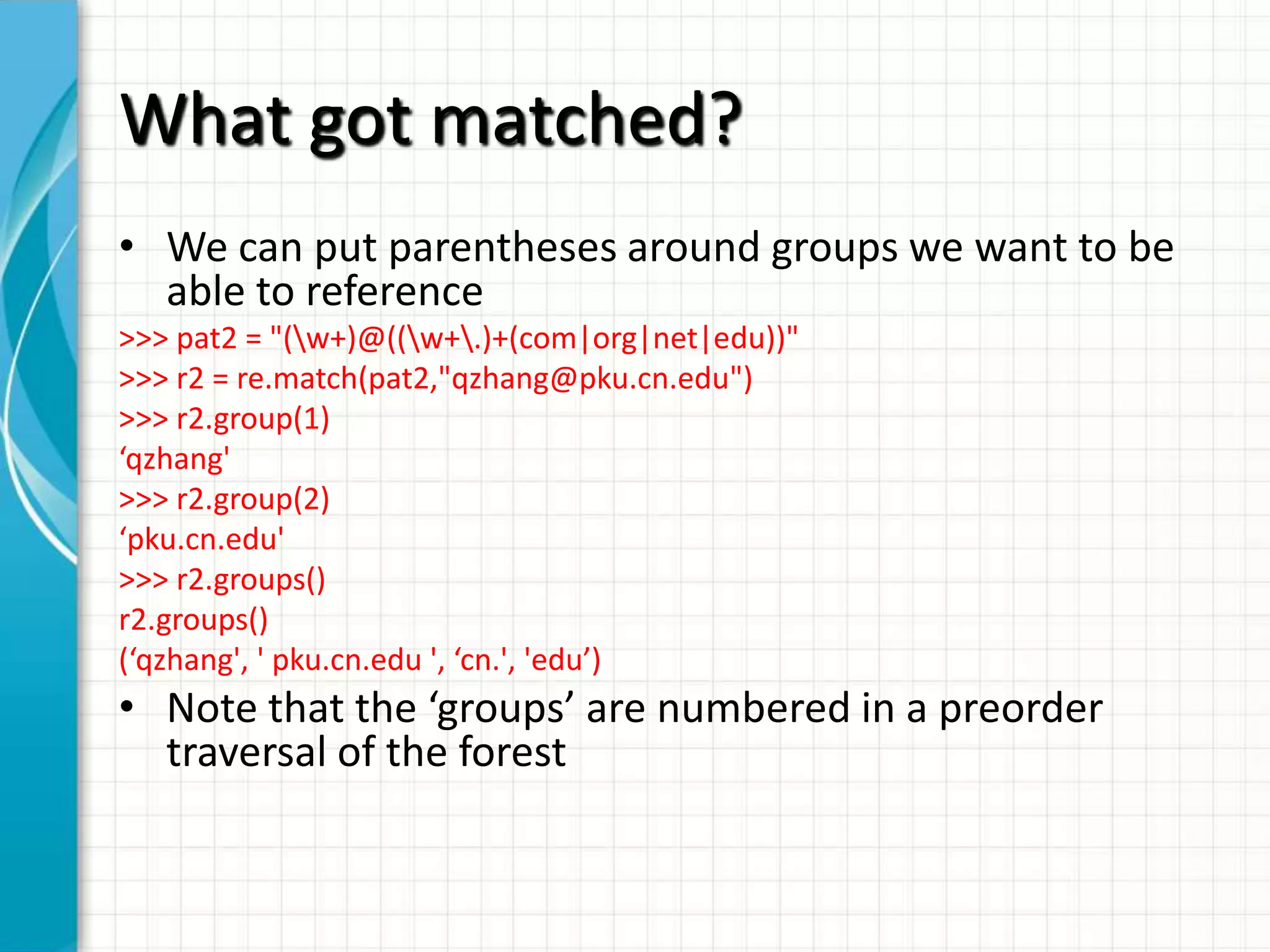
• We can put parentheses around groups we want to be
able to reference
>>> pat2 = "(w+)@((w+.)+(com|org|net|edu))"
>>> r2 = re.match(pat2,"qzhang@pku.cn.edu")
>>> r2.group(1)
‘qzhang'
>>> r2.group(2)
‘pku.cn.edu'
>>> r2.groups()
r2.groups()
(‘qzhang', ' pku.cn.edu ', ‘cn.', 'edu’)

• Note that the ‘groups’ are numbered in a preorder
traversal of the forest
What got matched?
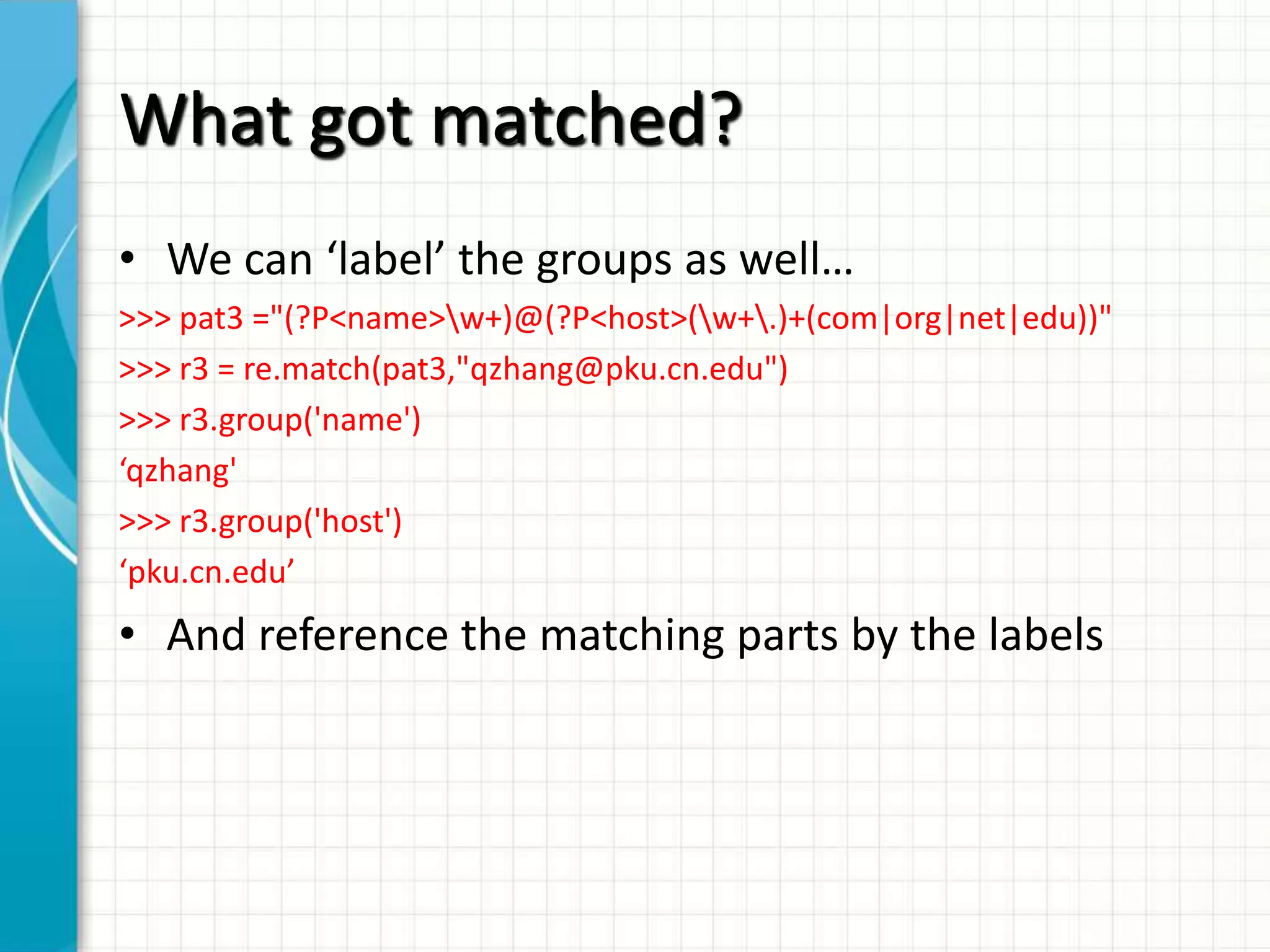
• We can ‘label’ the groups as well…
>>> pat3 ="(?P<name>w+)@(?P<host>(w+.)+(com|org|net|edu))"
>>> r3 = re.match(pat3,"qzhang@pku.cn.edu")
>>> r3.group('name')
‘qzhang'
>>> r3.group('host')
‘pku.cn.edu’

• And reference the matching parts by the labels
More re functions
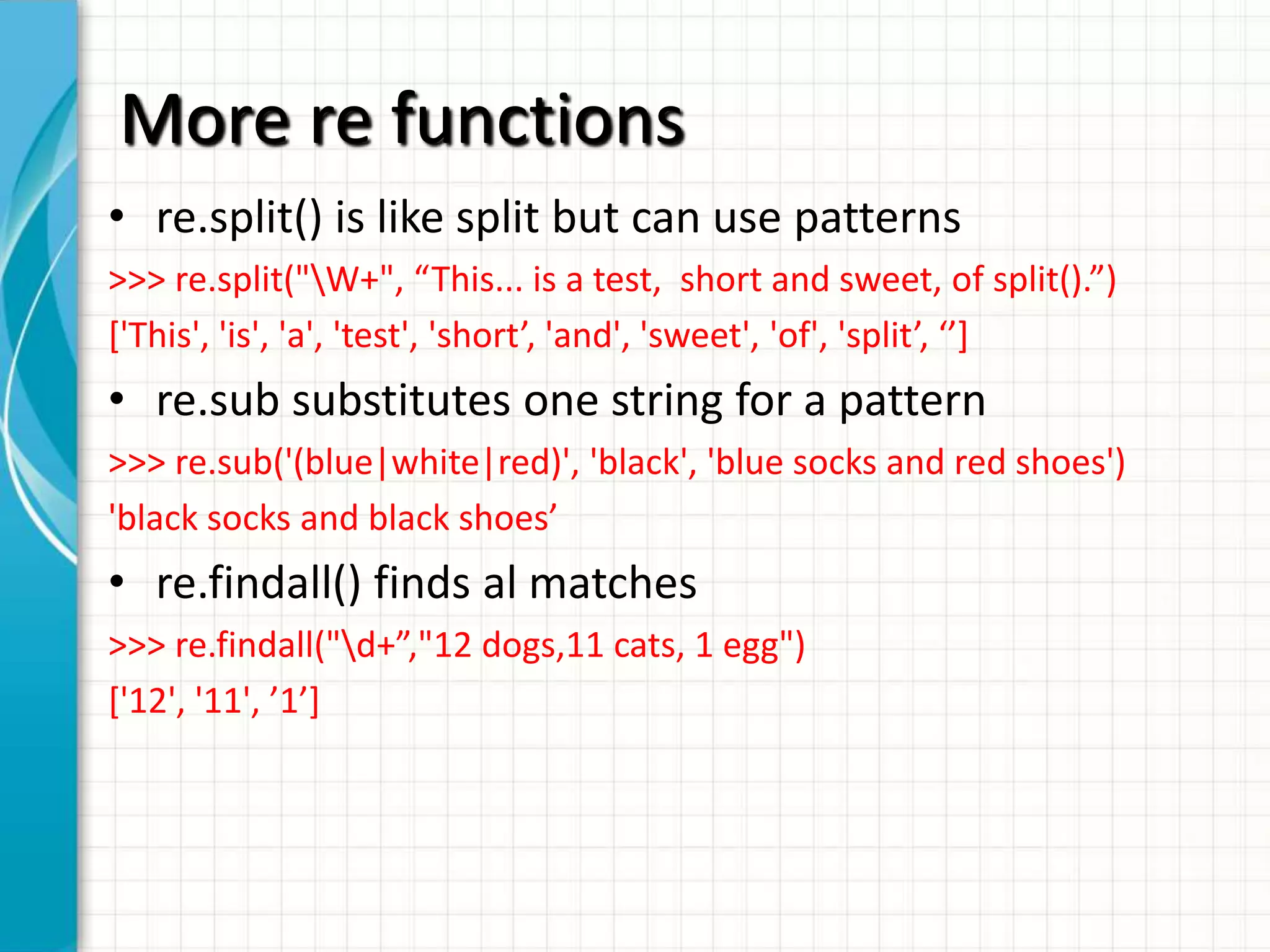
• re.split() is like split but can use patterns
>>> re.split("W+", “This... is a test, short and sweet, of split().”)
*'This', 'is', 'a', 'test', 'short’, 'and', 'sweet', 'of', 'split’, ‘’+

• re.sub substitutes one string for a pattern
>>> re.sub('(blue|white|red)', 'black', 'blue socks and red shoes')
'black socks and black shoes’

• re.findall() finds al matches
>>> re.findall("d+”,"12 dogs,11 cats, 1 egg")
*'12', '11', ’1’+
Compiling regular expressions
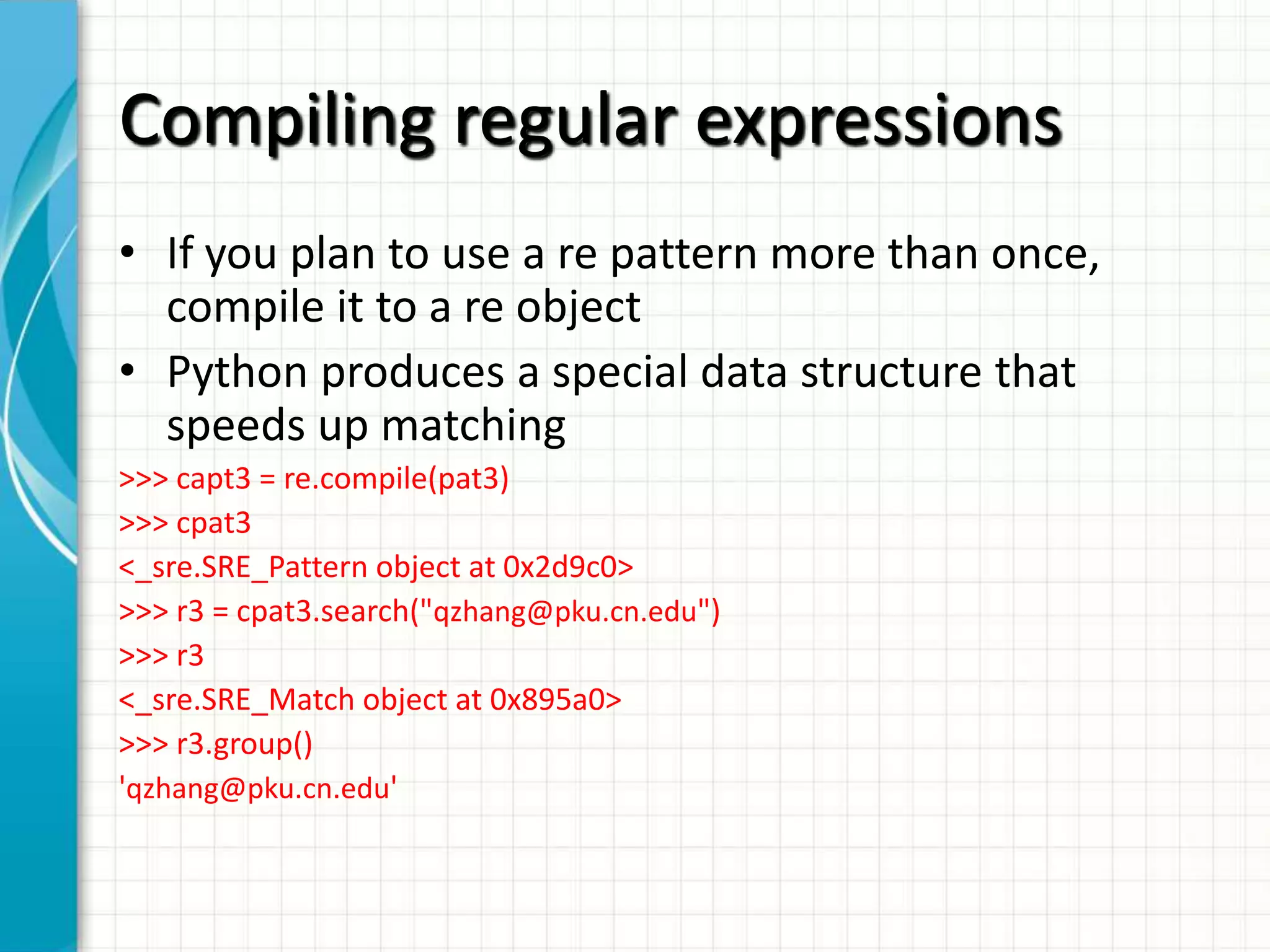
• If you plan to use a re pattern more than once,
compile it to a re object
• Python produces a special data structure that
speeds up matching
>>> capt3 = re.compile(pat3)
>>> cpat3
<_sre.SRE_Pattern object at 0x2d9c0>
>>> r3 = cpat3.search("qzhang@pku.cn.edu")
>>> r3
<_sre.SRE_Match object at 0x895a0>
>>> r3.group()
'qzhang@pku.cn.edu'
Pattern object methods
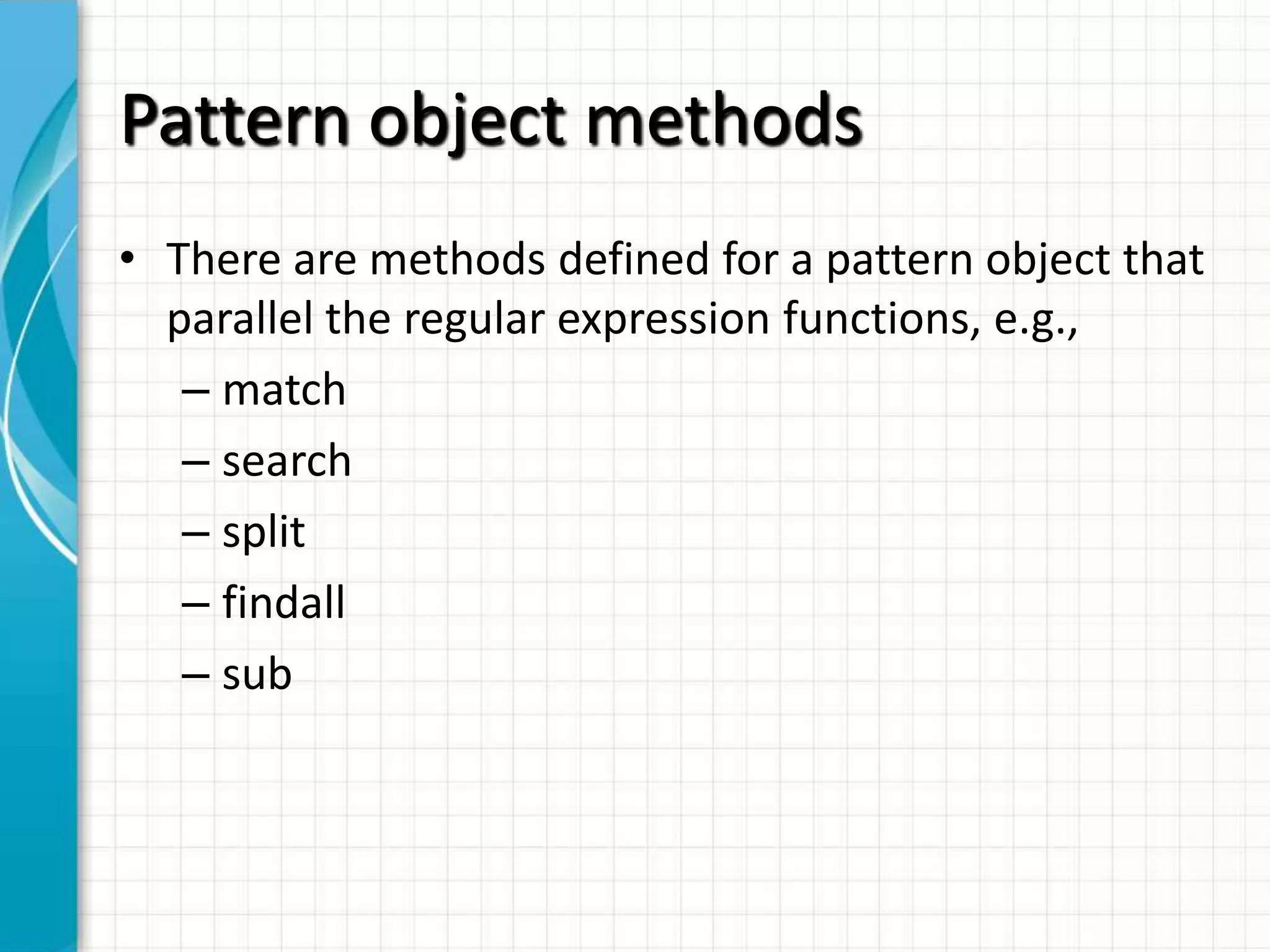
• There are methods defined for a pattern object that
parallel the regular expression functions, e.g.,
– match
– search
– split
– findall
– sub

Python advanced 2. regular expression in python

  • 1.
    PYTHON REGULAR EXPRESSIONS JohnZhang Tuesday, December 11, 2012
  • 2.
    Regular Expressions • Regularexpressions are a powerful string manipulation tool • All modern languages have similar library packages for regular expressions • Use regular expressions to: – Search a string (search and match) – Replace parts of a string (sub) – Break stings into smaller pieces (split)
  • 3.
    Regular Expression PythonSyntax • regular match: Example: the regular expression “test” only matches the string ‘test’ • [x] matches any one of a list of characters Example: “*abc+” matches ‘a’,‘b’,or ‘c’ • [^x] matches any one character that is not included in x “*^abc+” matches any single character except ‘a’,’b’,or ‘c’
  • 4.
    Regular Expressions Syntax •“.” matches any single character • Parentheses can be used for grouping by () Example: “(abc)+” matches ’abc’, ‘abcabc’, ‘abcabcabc’, etc. • x|y matches x or y Example: “this|that” matches ‘this’ and ‘that’, but not ‘thisthat’.
  • 5.
    Regular Expression Syntax •x* matches zero or more x’s “a*” matches ’’, ’a’, ’aa’, etc. • x+ matches one or more x’s “a+” matches ’a’,’aa’,’aaa’, etc. • x? matches zero or one x’s “a?” matches ’’ or ’a’ . • x{m, n} matches i x‘s, where m<i< n “a,2,3-” matches ’aa’ or ’aaa’
  • 6.
    Regular Expression Syntax •“d” matches any digit; “D” matches any non-digit • “s” matches any whitespace character; “S” matches any non-whitespace character • “w” matches any alphanumeric character; “W” matches any non-alphanumeric character • “^” matches the beginning of the string; “$” matches the end of the string • “b” matches a word boundary; “B” matches position that is not a word boundary
  • 7.
    Search and Match •The two basic functions are re.search and re.match – Search looks for a pattern anywhere in a string – Match looks for a match staring at the beginning • Both return None if the pattern is not found (logical false) and a “match object” if it is pat = "a*b" import re matchObj = re.search(pat,"fooaaabcde") if matchObj: print “match successfully at %s” % matchObj.group(0)
  • 8.
    Q: What’s amatch object? • A: an instance of the match class with the details of the match result pat = "a*b" >>> r1 = re.search(pat,"fooaaabcde") >>> r1.group() # group returns string matched 'aaab' >>> r1.start() # index of the match start 3 >>> r1.end() # index of the match end 7 >>> r1.span() # tuple of (start, end) (3, 7)
  • 9.
    What got matched? •Here’s a pattern to match simple email addresses w+@(w+.)+(com|org|net|edu) >>> pat1 = "w+@(w+.)+(com|org|net|edu)" >>> r1 = re.match(pat1,“qzhang@pku.cn.edu") >>> r1.group() 'qzhang@pku.cn.edu’ • We might want to extract the pattern parts, like the email name and host
  • 10.
    What got matched? •We can put parentheses around groups we want to be able to reference >>> pat2 = "(w+)@((w+.)+(com|org|net|edu))" >>> r2 = re.match(pat2,"qzhang@pku.cn.edu") >>> r2.group(1) ‘qzhang' >>> r2.group(2) ‘pku.cn.edu' >>> r2.groups() r2.groups() (‘qzhang', ' pku.cn.edu ', ‘cn.', 'edu’) • Note that the ‘groups’ are numbered in a preorder traversal of the forest
  • 11.
    What got matched? •We can ‘label’ the groups as well… >>> pat3 ="(?P<name>w+)@(?P<host>(w+.)+(com|org|net|edu))" >>> r3 = re.match(pat3,"qzhang@pku.cn.edu") >>> r3.group('name') ‘qzhang' >>> r3.group('host') ‘pku.cn.edu’ • And reference the matching parts by the labels
  • 12.
    More re functions •re.split() is like split but can use patterns >>> re.split("W+", “This... is a test, short and sweet, of split().”) *'This', 'is', 'a', 'test', 'short’, 'and', 'sweet', 'of', 'split’, ‘’+ • re.sub substitutes one string for a pattern >>> re.sub('(blue|white|red)', 'black', 'blue socks and red shoes') 'black socks and black shoes’ • re.findall() finds al matches >>> re.findall("d+”,"12 dogs,11 cats, 1 egg") *'12', '11', ’1’+
  • 13.
    Compiling regular expressions •If you plan to use a re pattern more than once, compile it to a re object • Python produces a special data structure that speeds up matching >>> capt3 = re.compile(pat3) >>> cpat3 <_sre.SRE_Pattern object at 0x2d9c0> >>> r3 = cpat3.search("qzhang@pku.cn.edu") >>> r3 <_sre.SRE_Match object at 0x895a0> >>> r3.group() 'qzhang@pku.cn.edu'
  • 14.
    Pattern object methods •There are methods defined for a pattern object that parallel the regular expression functions, e.g., – match – search – split – findall – sub