Submitted by:
Ken M. Sahashi
  BM10203


 http://eglobiotraining.com/
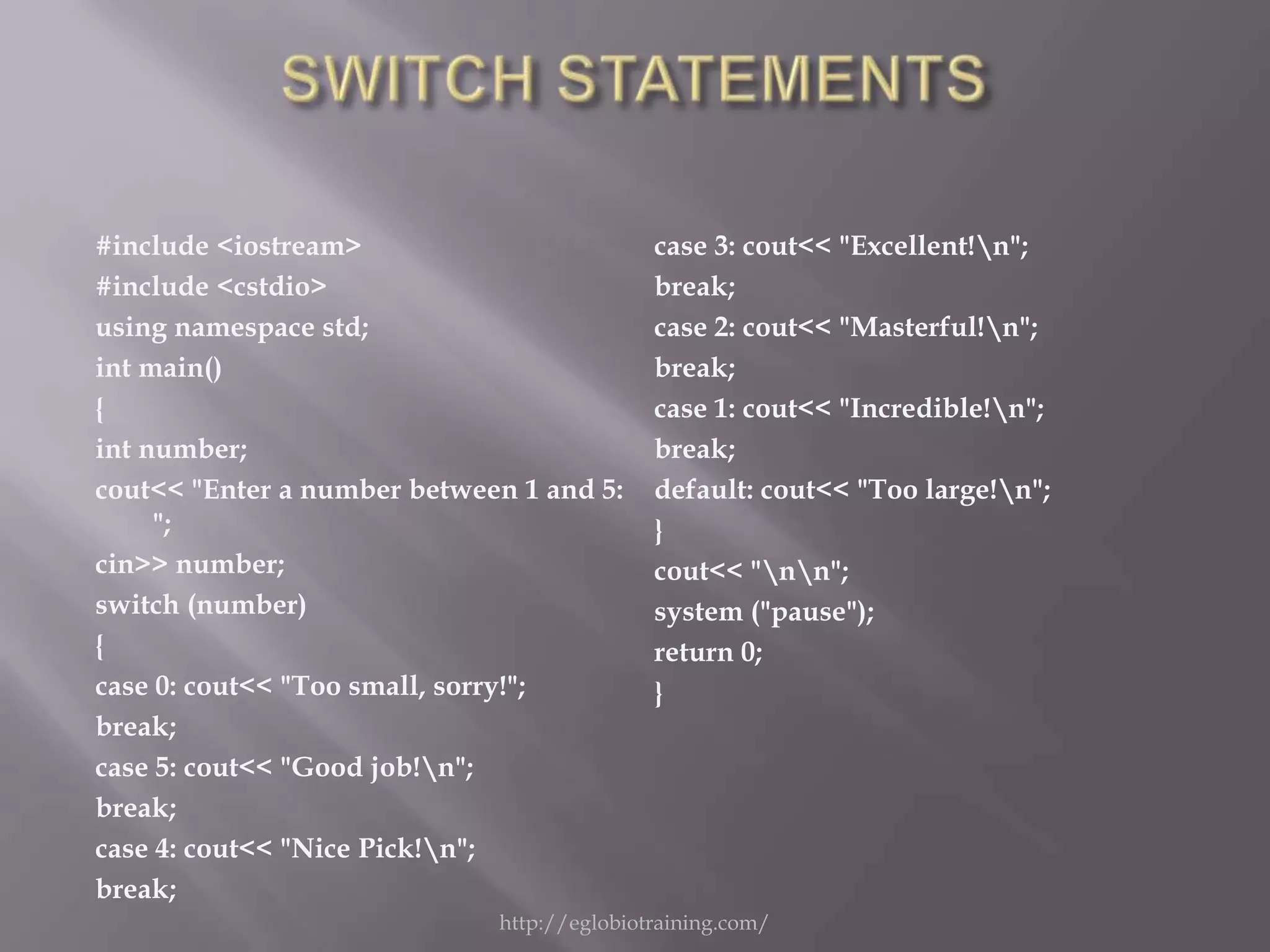
#include <iostream>                         case 3: cout<< "Excellent!n";
#include <cstdio>                           break;
using namespace std;                        case 2: cout<< "Masterful!n";
int main()                                  break;
{                                           case 1: cout<< "Incredible!n";
int number;                                 break;
cout<< "Enter a number between 1 and 5:     default: cout<< "Too large!n";
     ";                                     }
cin>> number;                               cout<< "nn";
switch (number)                             system ("pause");
{                                           return 0;
case 0: cout<< "Too small, sorry!";         }
break;
case 5: cout<< "Good job!n";
break;
case 4: cout<< "Nice Pick!n";
break;
                             http://eglobiotraining.com/
http://eglobiotraining.com/
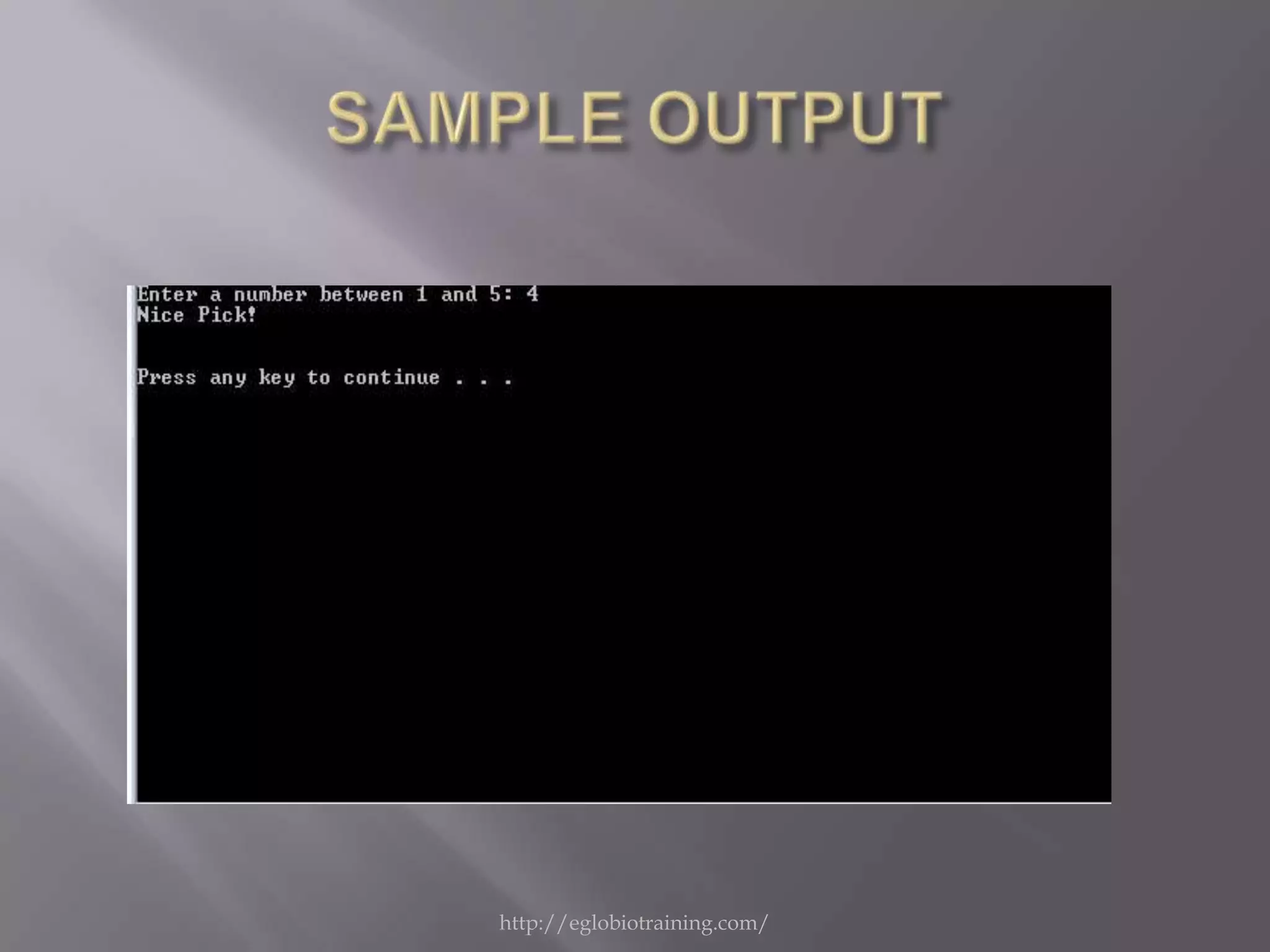
   This programming accepts a number between 1
    and 5 . If the user enters a right number the
    programming will show an output according
    to its number.


                   http://eglobiotraining.com/
#include <iostream>                      cout<< " Enter the width : ";
#include <cstdio>                        cin>>wid;
using namespace std;                     area=len*wid;
int main()                               per=(2*len)+(2*wid);
{                                        switch (ch)
intch, len , wid , area , per ;          {
balik:                                   case 1 : cout<< " The Area is : " <<
system ("cls");                              area <<endl;break;
cout<< " ***** Area - Perimeter          case 2 : cout<< " The perimeter is : "
    Program *******                          <<per<<endl;break;
    "<<endl<<"tt(Rectangle)"<<en       default: gotobalik;
    dl;                                  }
cout<< "n [1] Area n [2] Perimeter
    nnnnn " <<endl;                 system ("pause");
cout<< "Enter your choice here : " ;     return 0;
cin>>ch;                                 }
cout<< " Enter the length : ";
cin>>len;


                            http://eglobiotraining.com/
http://eglobiotraining.com/
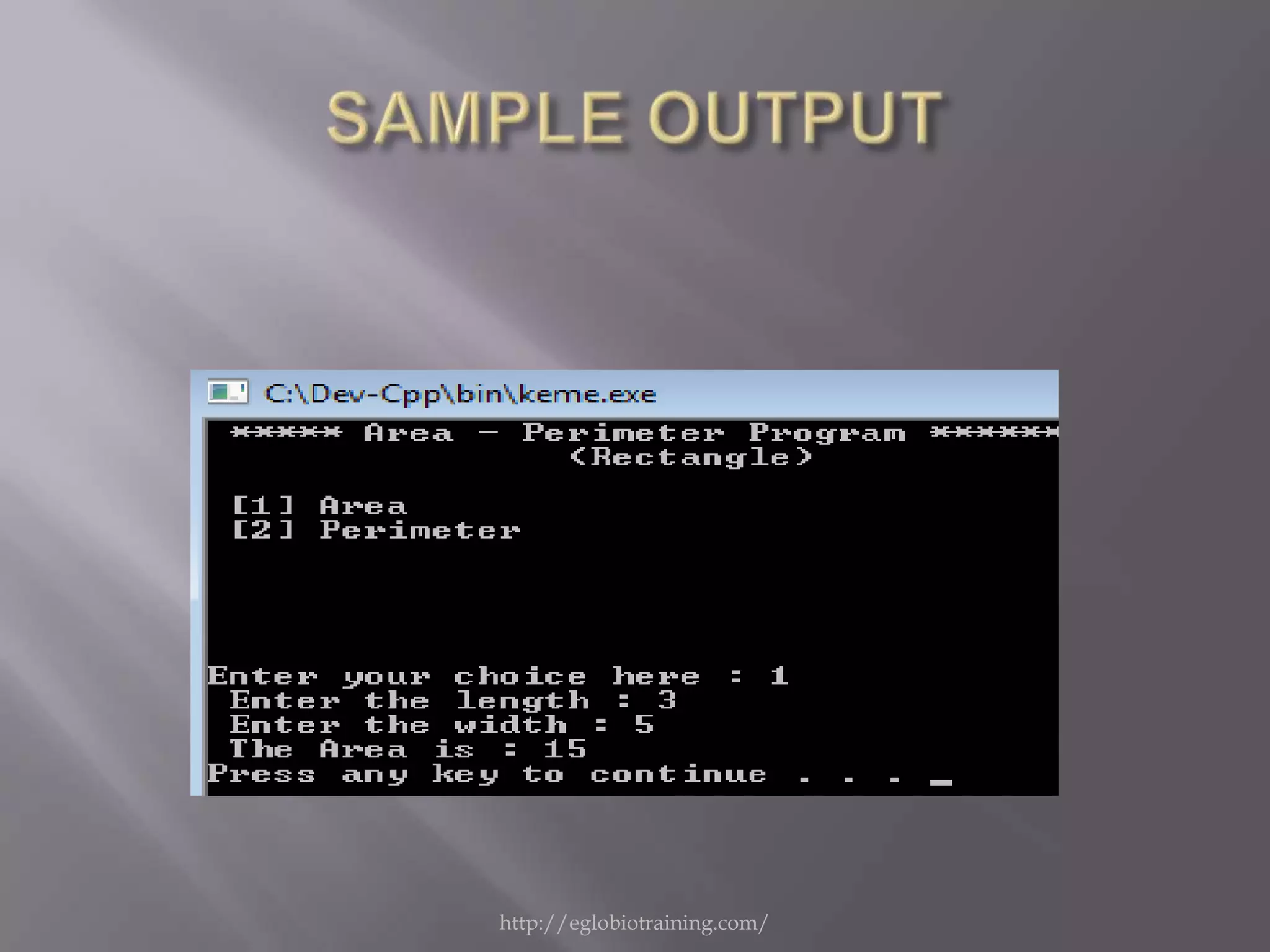
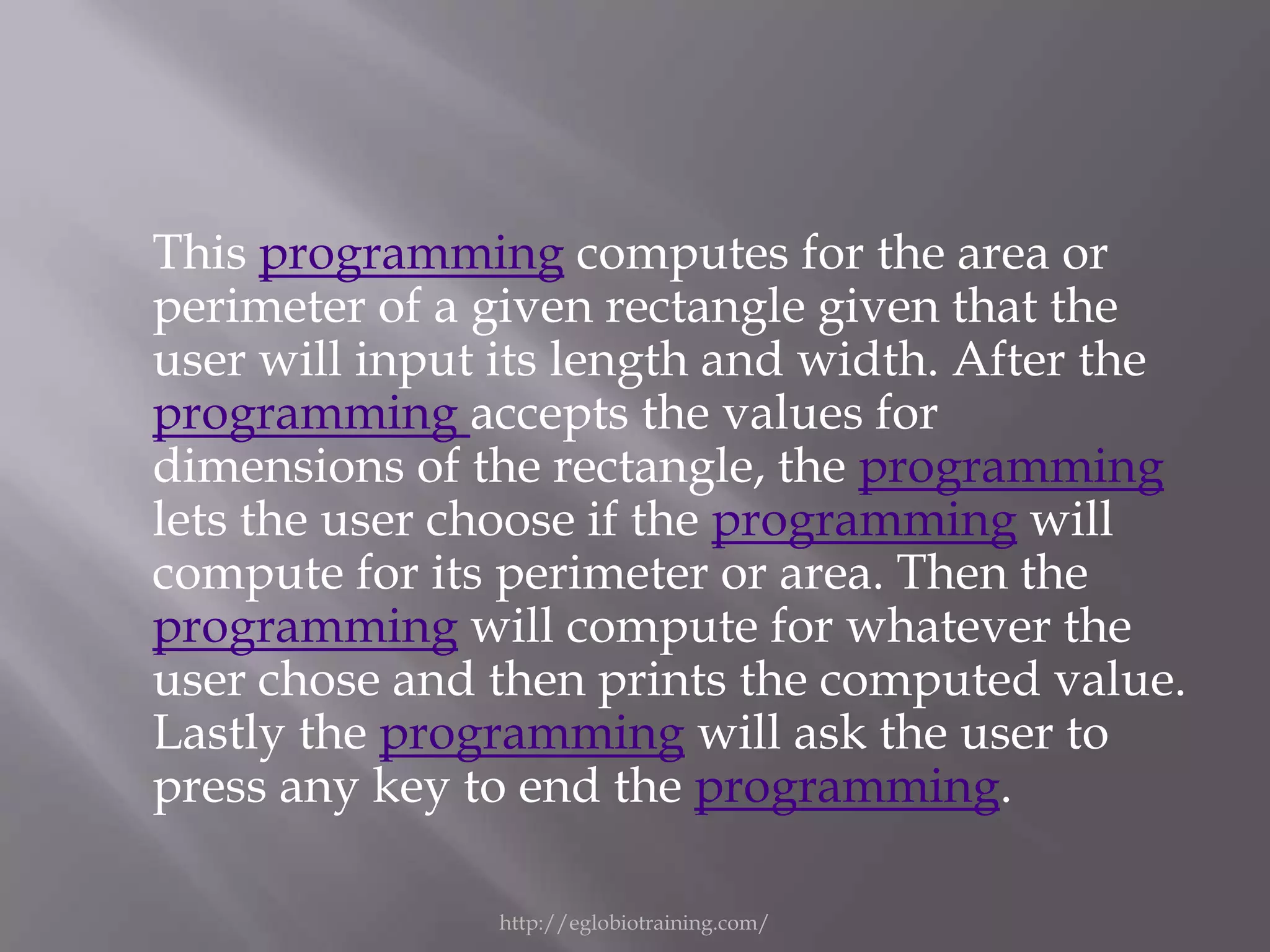
This programming computes for the area or
perimeter of a given rectangle given that the
user will input its length and width. After the
programming accepts the values for
dimensions of the rectangle, the programming
lets the user choose if the programming will
compute for its perimeter or area. Then the
programming will compute for whatever the
user chose and then prints the computed value.
Lastly the programming will ask the user to
press any key to end the programming.

               http://eglobiotraining.com/
#include "iostream"                                ";
    using namespace std;                           cin >> x;
    int main ()
    { int rem , x;                                 switch (x)
    balik:                                         {
    system ("cls");                                case 1: cout<< "Your birthstone is
    cout << "[1] January "<<endl;;                 Garnet "<<endl;break;
    cout << "[2] February "<<endl;                 case 2: cout<< "Your birthstone is
    cout << "[3] March "<<endl;                    Amethyst "<<endl;break;
    cout << "[4] April "<<endl;                    case 3: cout<< "Your birthstone is
    cout << "[5] May "<<endl;                      Aquamarine "<<endl;break;
    cout << "[6] June "<<endl;                     case 4: cout<< "Your birthstone is
    cout << "[7] July "<<endl;                     Diamond "<<endl;break;
    cout << "[8] August "<<endl;                   case 5: cout<< "Your birthstone is
    cout << "[9] September "<<endl;                Shamrock "<<endl;break;
    cout << "[10] October "<<endl;                 case 6: cout<< "Your birthstone is
    cout << "[11] November "<<endl;                Alexandrite "<<endl;break;
    cout << "[12] December                         case 7: cout<< "Your birthstone is
    "<<endl<<endl;                                 Ruby "<<
    cout << "Enter the number of month :
                               http://eglobiotraining.com/
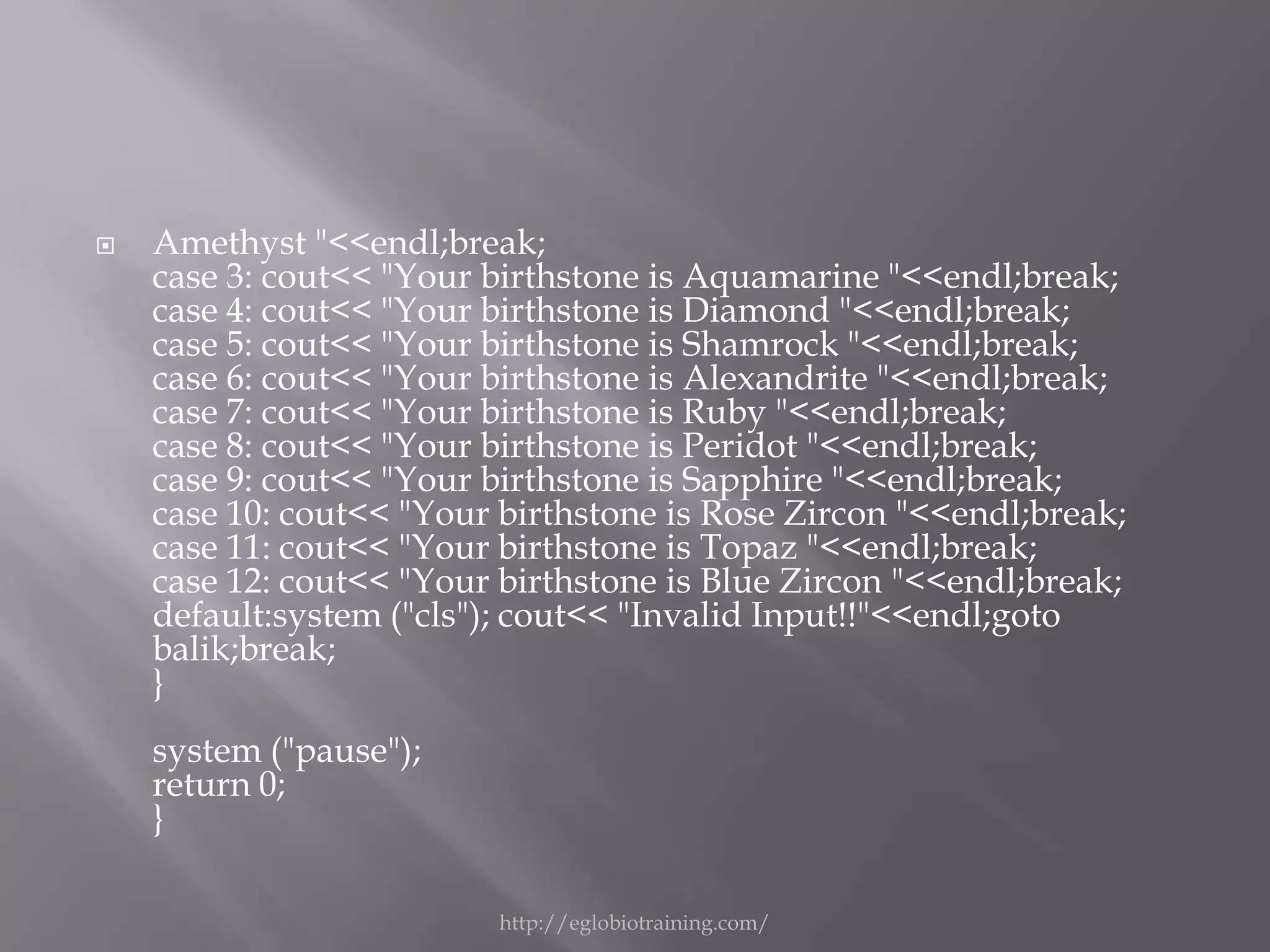
   Amethyst "<<endl;break;
    case 3: cout<< "Your birthstone is Aquamarine "<<endl;break;
    case 4: cout<< "Your birthstone is Diamond "<<endl;break;
    case 5: cout<< "Your birthstone is Shamrock "<<endl;break;
    case 6: cout<< "Your birthstone is Alexandrite "<<endl;break;
    case 7: cout<< "Your birthstone is Ruby "<<endl;break;
    case 8: cout<< "Your birthstone is Peridot "<<endl;break;
    case 9: cout<< "Your birthstone is Sapphire "<<endl;break;
    case 10: cout<< "Your birthstone is Rose Zircon "<<endl;break;
    case 11: cout<< "Your birthstone is Topaz "<<endl;break;
    case 12: cout<< "Your birthstone is Blue Zircon "<<endl;break;
    default:system ("cls"); cout<< "Invalid Input!!"<<endl;goto
    balik;break;
    }
    system ("pause");
    return 0;
    }

                          http://eglobiotraining.com/
http://eglobiotraining.com/
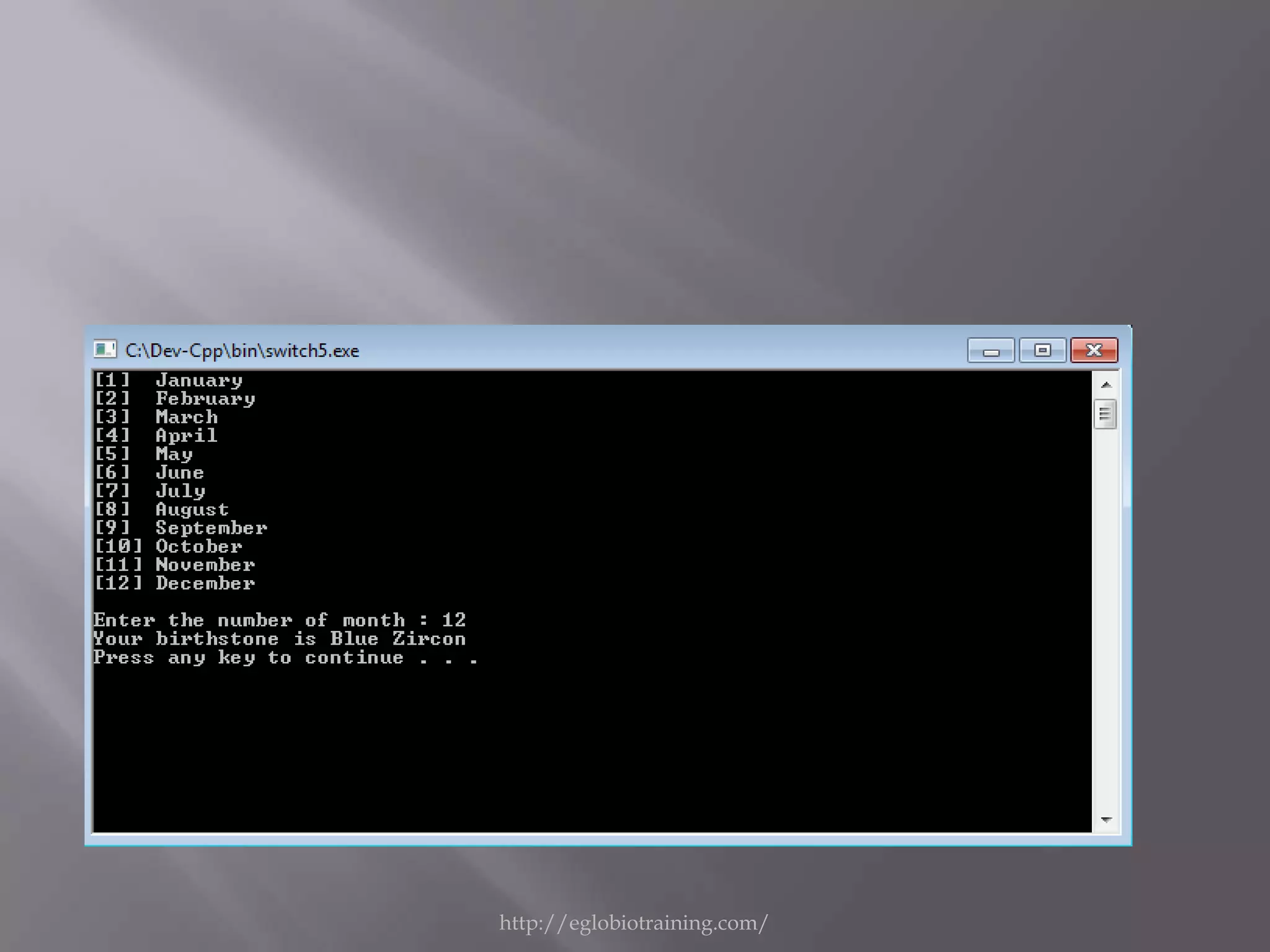
This programming will
display the equivalent
birthstone of each month
using switch statement.

           http://eglobiotraining.com/
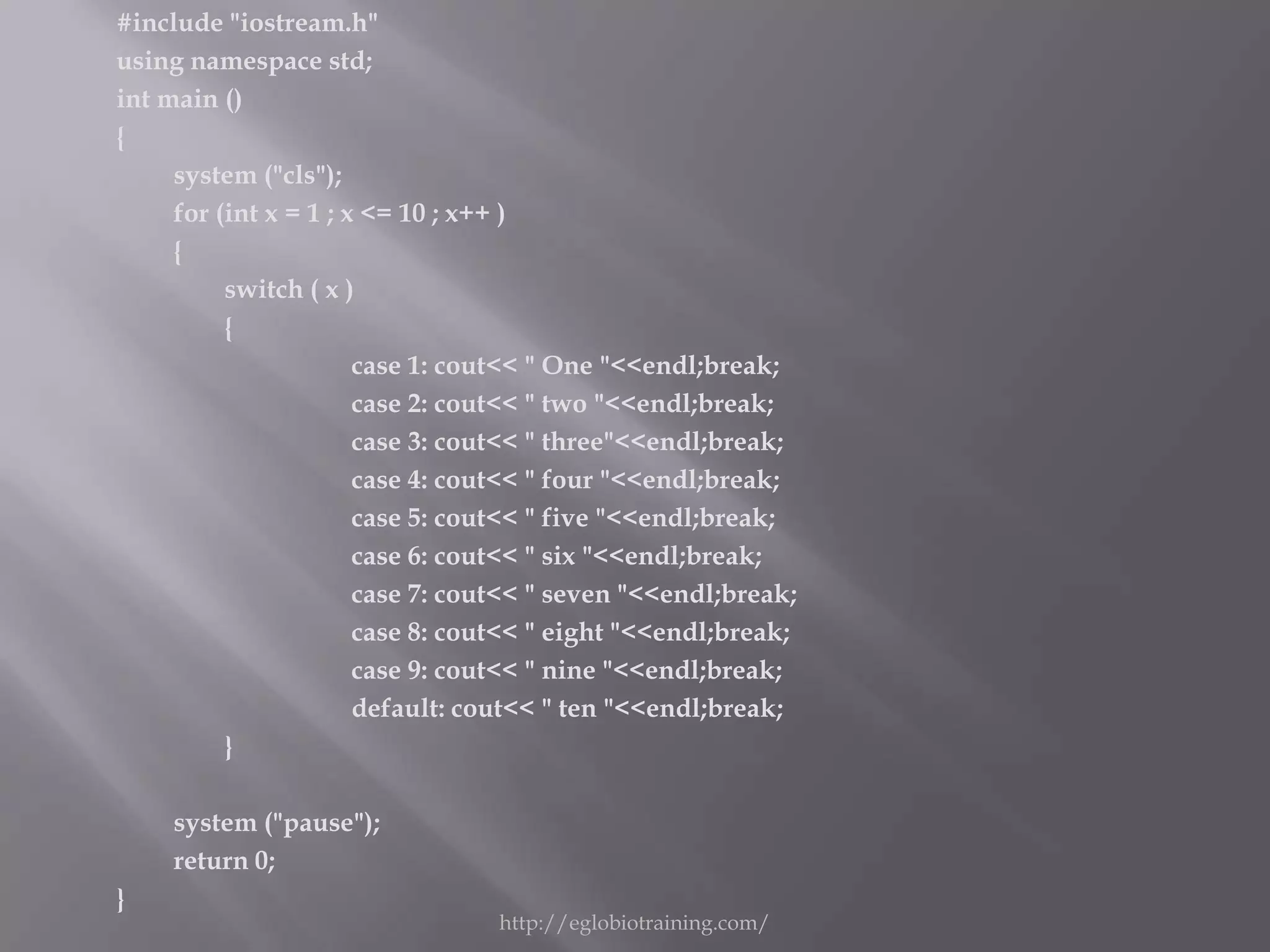
#include "iostream.h"
using namespace std;
int main ()
{
     system ("cls");
     for (int x = 1 ; x <= 10 ; x++ )
     {
          switch ( x )
          {
                       case 1: cout<< " One "<<endl;break;
                       case 2: cout<< " two "<<endl;break;
                       case 3: cout<< " three"<<endl;break;
                       case 4: cout<< " four "<<endl;break;
                       case 5: cout<< " five "<<endl;break;
                       case 6: cout<< " six "<<endl;break;
                       case 7: cout<< " seven "<<endl;break;
                       case 8: cout<< " eight "<<endl;break;
                       case 9: cout<< " nine "<<endl;break;
                       default: cout<< " ten "<<endl;break;
          }

     system ("pause");
     return 0;
}
                                 http://eglobiotraining.com/
http://eglobiotraining.com/
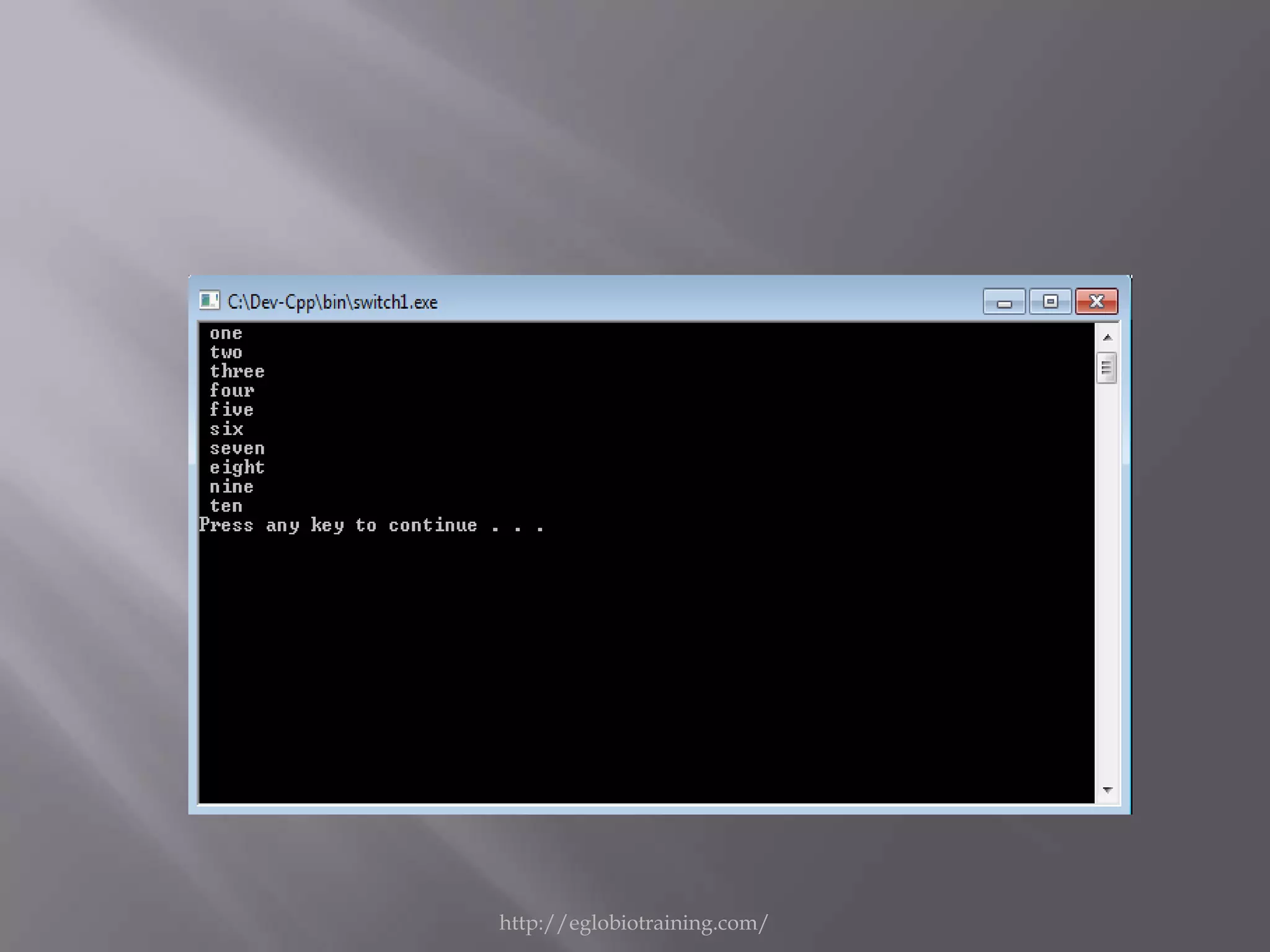
   This programming allows the user to input a
    number from 1 to 10. If the user input a right
    number,the programming will run correctly
    and it will display the equivalent of the
    number in words.


                    http://eglobiotraining.com/
#include "iostream.h"
using namespace std;
int main ()
{ int rem , x;
    system ("cls")
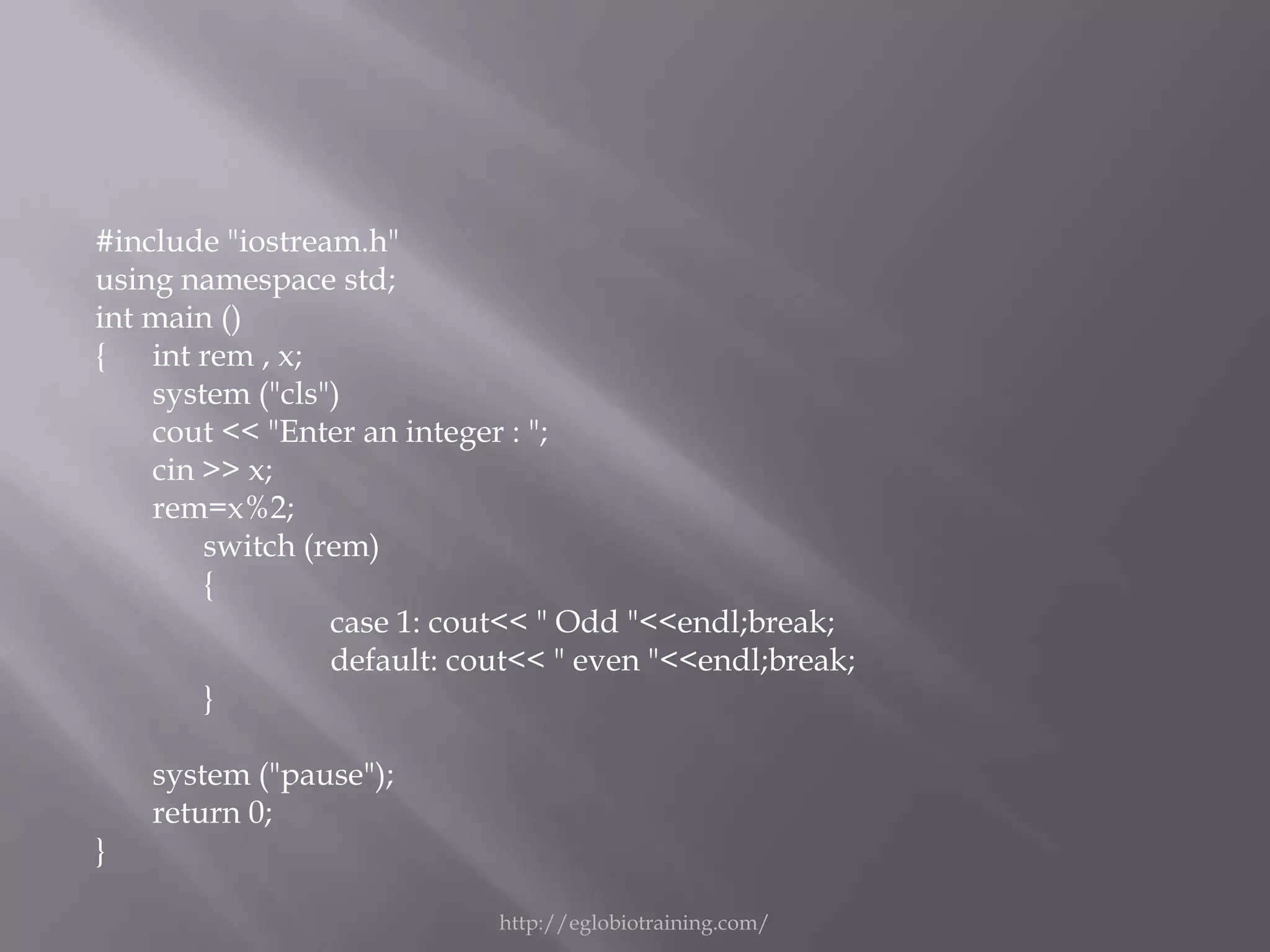
    cout << "Enter an integer : ";
    cin >> x;
    rem=x%2;
        switch (rem)
        {
                 case 1: cout<< " Odd "<<endl;break;
                 default: cout<< " even "<<endl;break;
        }

    system ("pause");
    return 0;
}

                            http://eglobiotraining.com/
http://eglobiotraining.com/
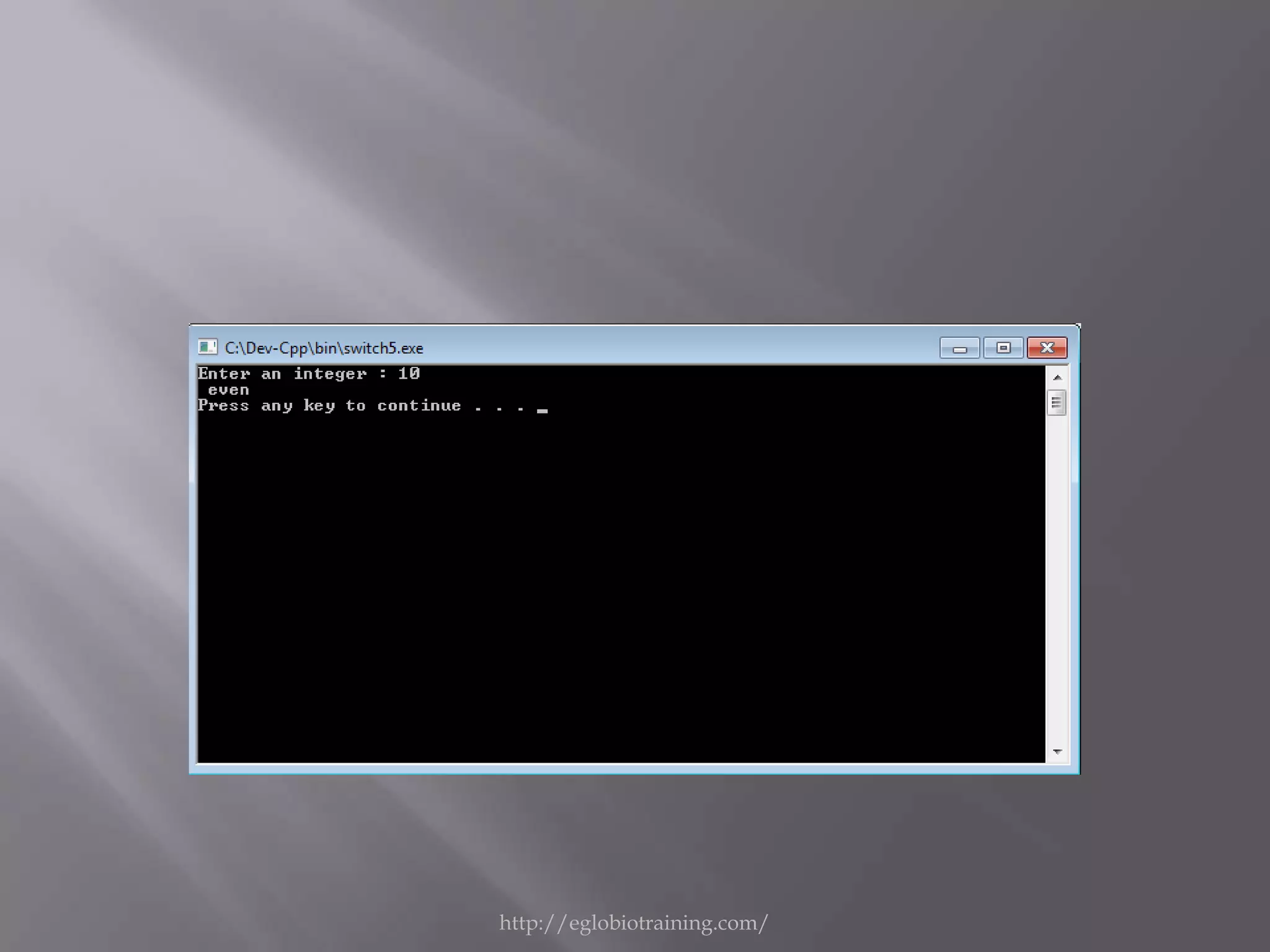
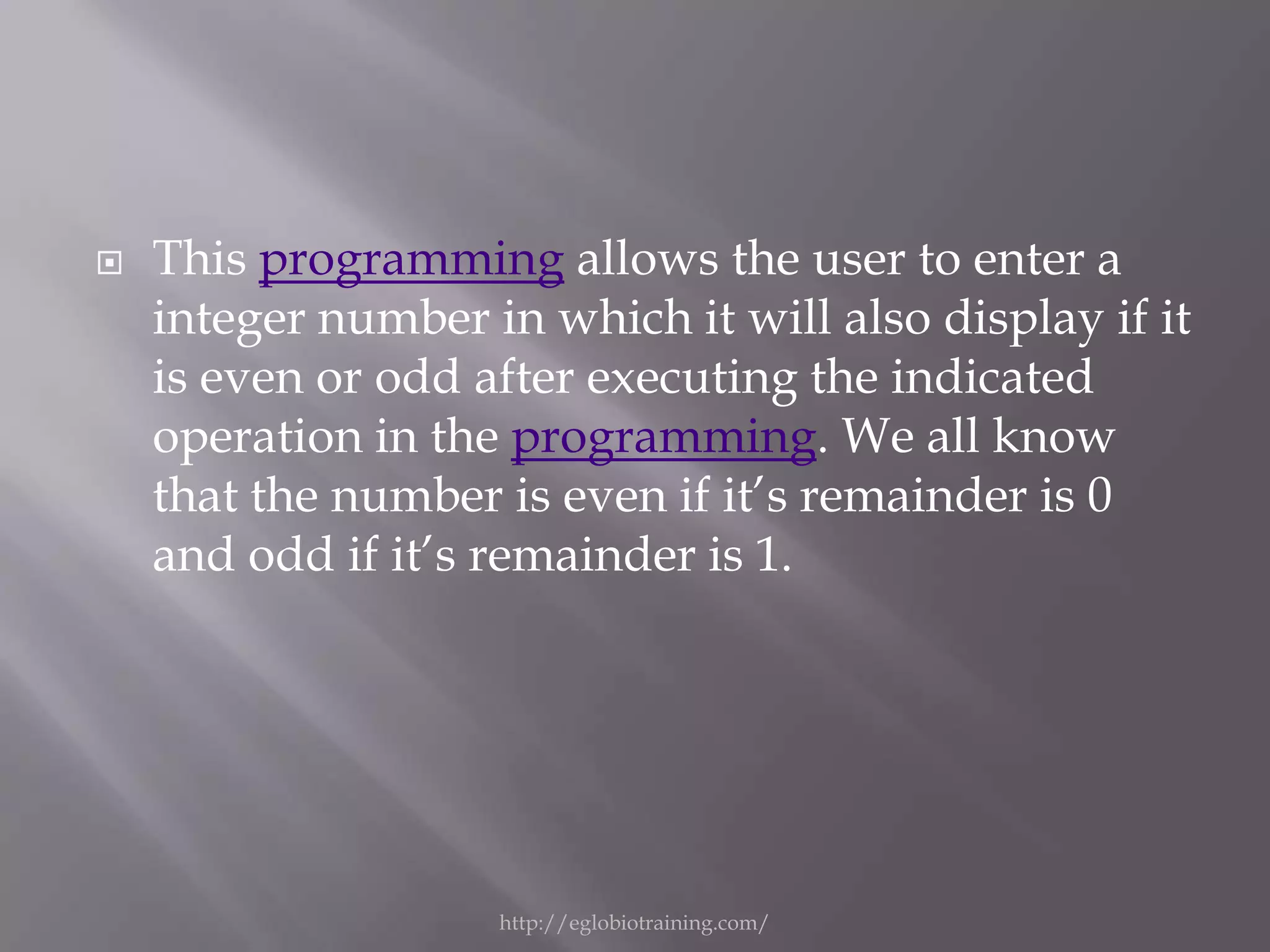
   This programming allows the user to enter a
    integer number in which it will also display if it
    is even or odd after executing the indicated
    operation in the programming. We all know
    that the number is even if it’s remainder is 0
    and odd if it’s remainder is 1.


                    http://eglobiotraining.com/
#include <iostream>                     fact+=1;
#include <conio.h>                      }
using namespace std;                    }
int main()                              if(fact>0)
{                                       cout<<"COMPOSITE!";
intnum, ctr=2, fact=0;                  else
system ("cls");                         cout<<"PRIME!";
cout<<"Enter a number: ";               }
cin>>num;                               cout<< "n";
{                                       system ("pause");
for (;ctr<num;ctr++)                    return 0;
{                                       }
if(num%ctr==0)        http://eglobiotraining.com/
http://eglobiotraining.com/
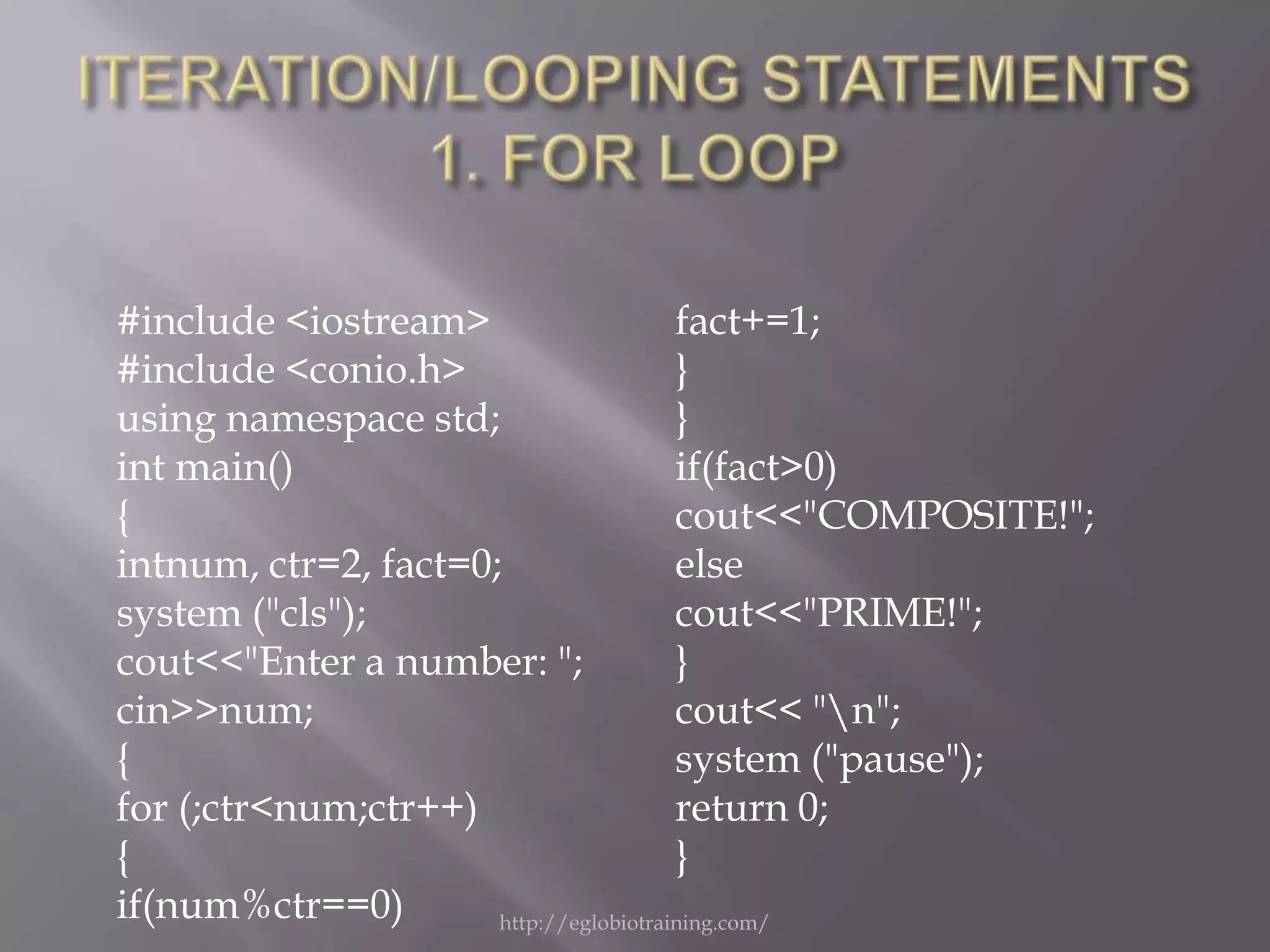
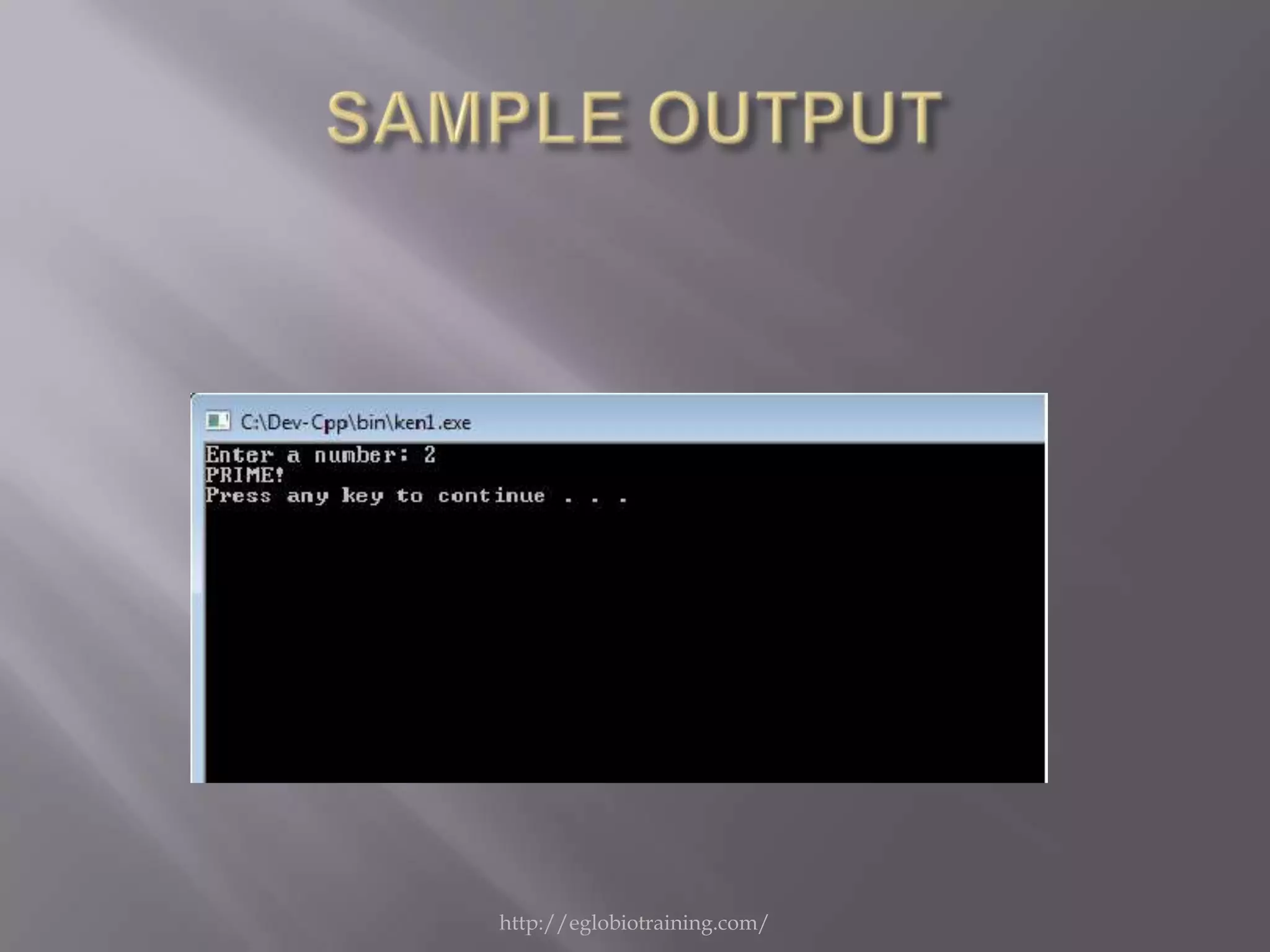
   This programming allows the user to input a
    number. This number will be test if it’s a
    PRIME or COMPOSITE.


                   http://eglobiotraining.com/
#include "iostream.h"
using namespace std;
int main ()
{
   system ("cls");
   for (int x = 1 ; x <= 10 ; x++ )
   cout << x << "t" << x*x<< endl;
   system ("pause");
   return 0;
}
                  http://eglobiotraining.com/
http://eglobiotraining.com/
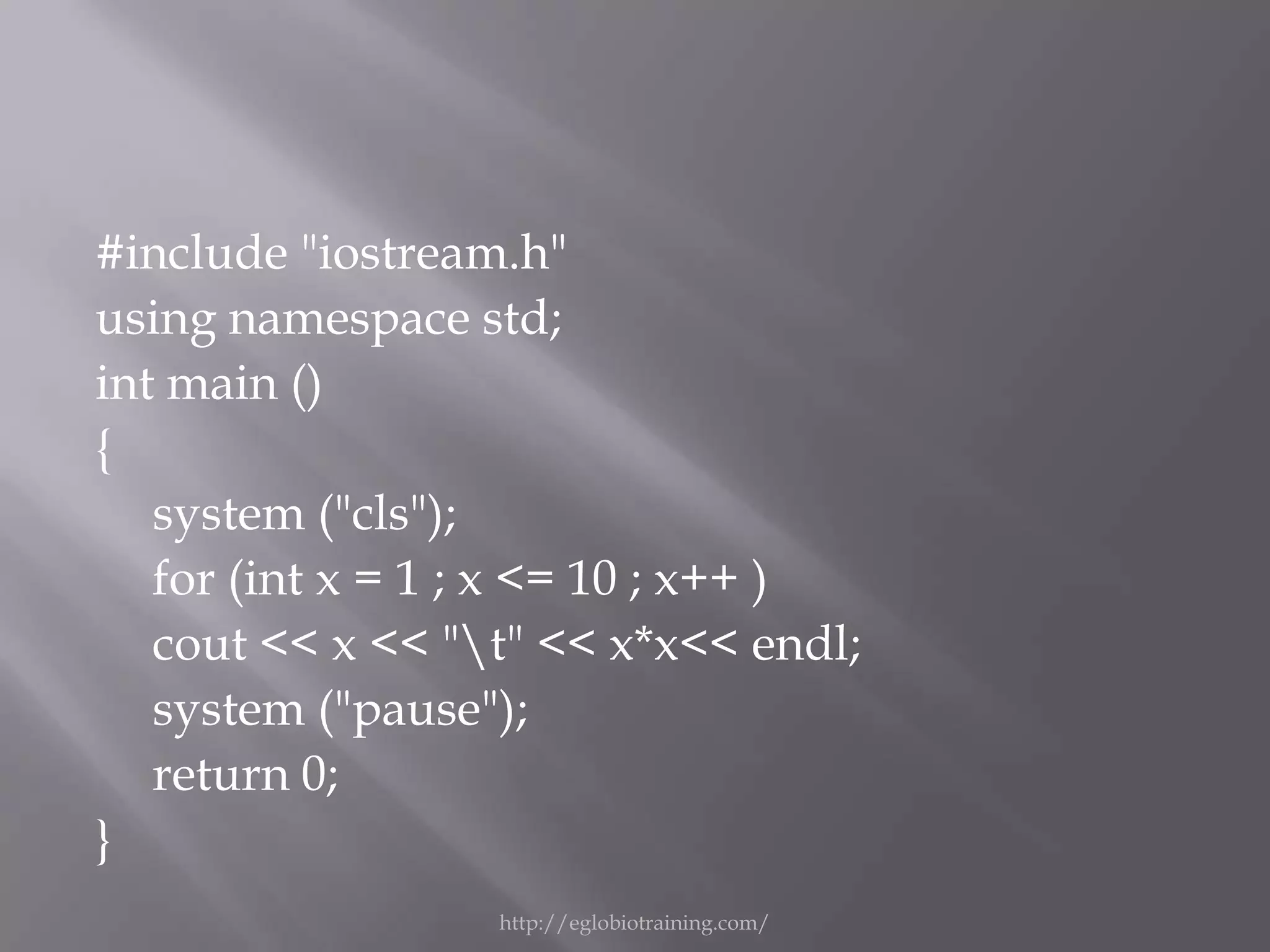
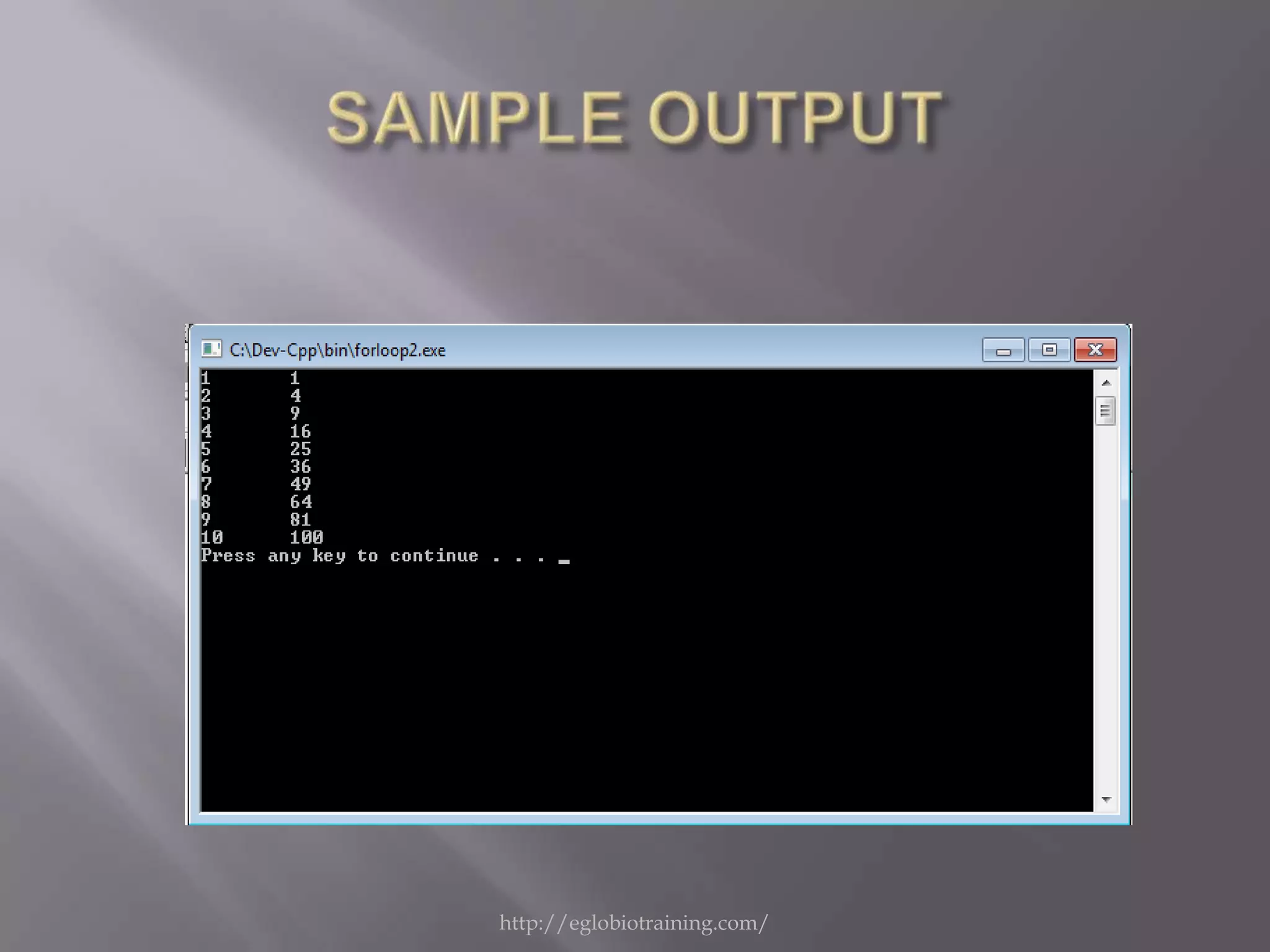
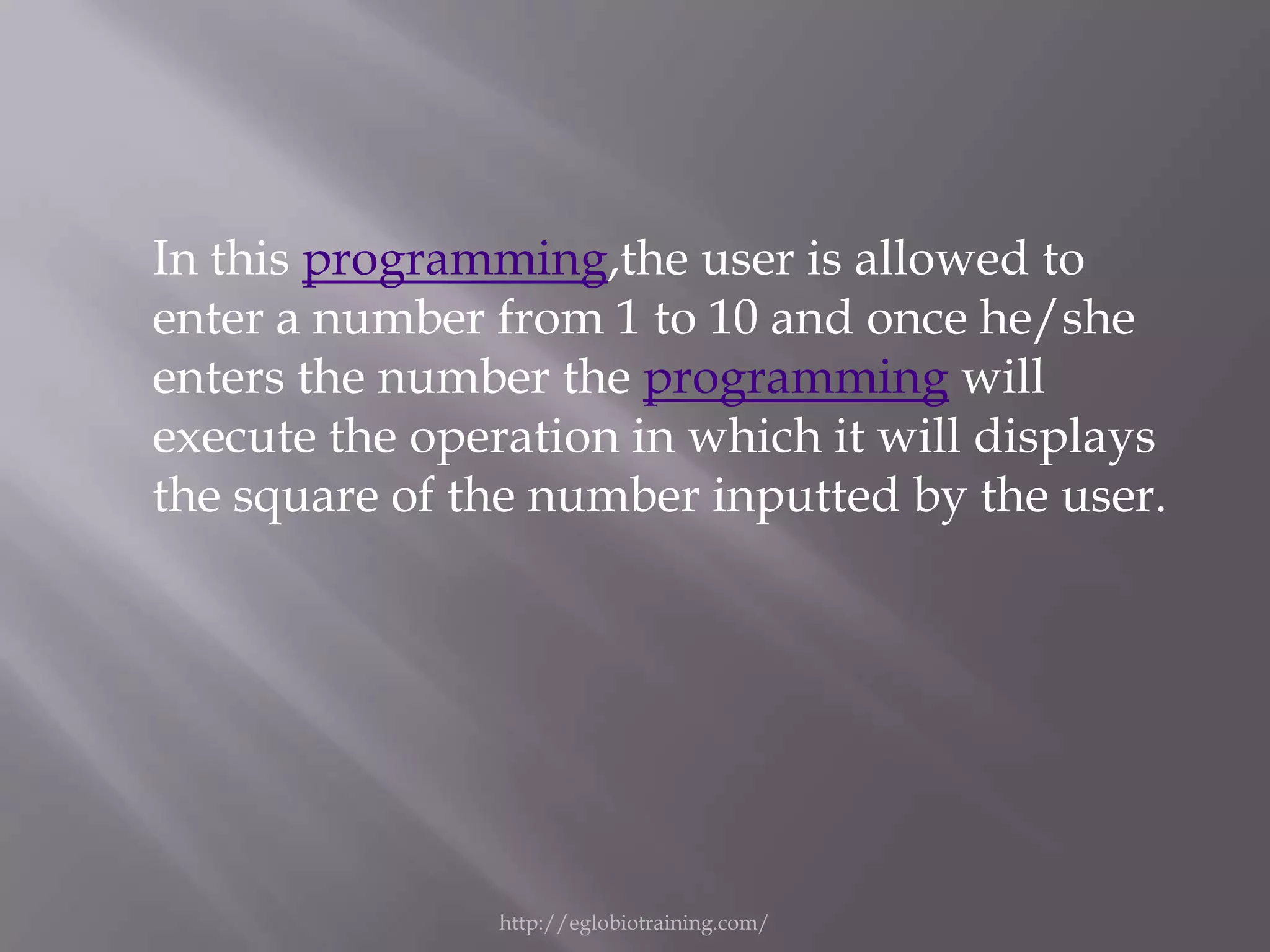
In this programming,the user is allowed to
enter a number from 1 to 10 and once he/she
enters the number the programming will
execute the operation in which it will displays
the square of the number inputted by the user.


                http://eglobiotraining.com/
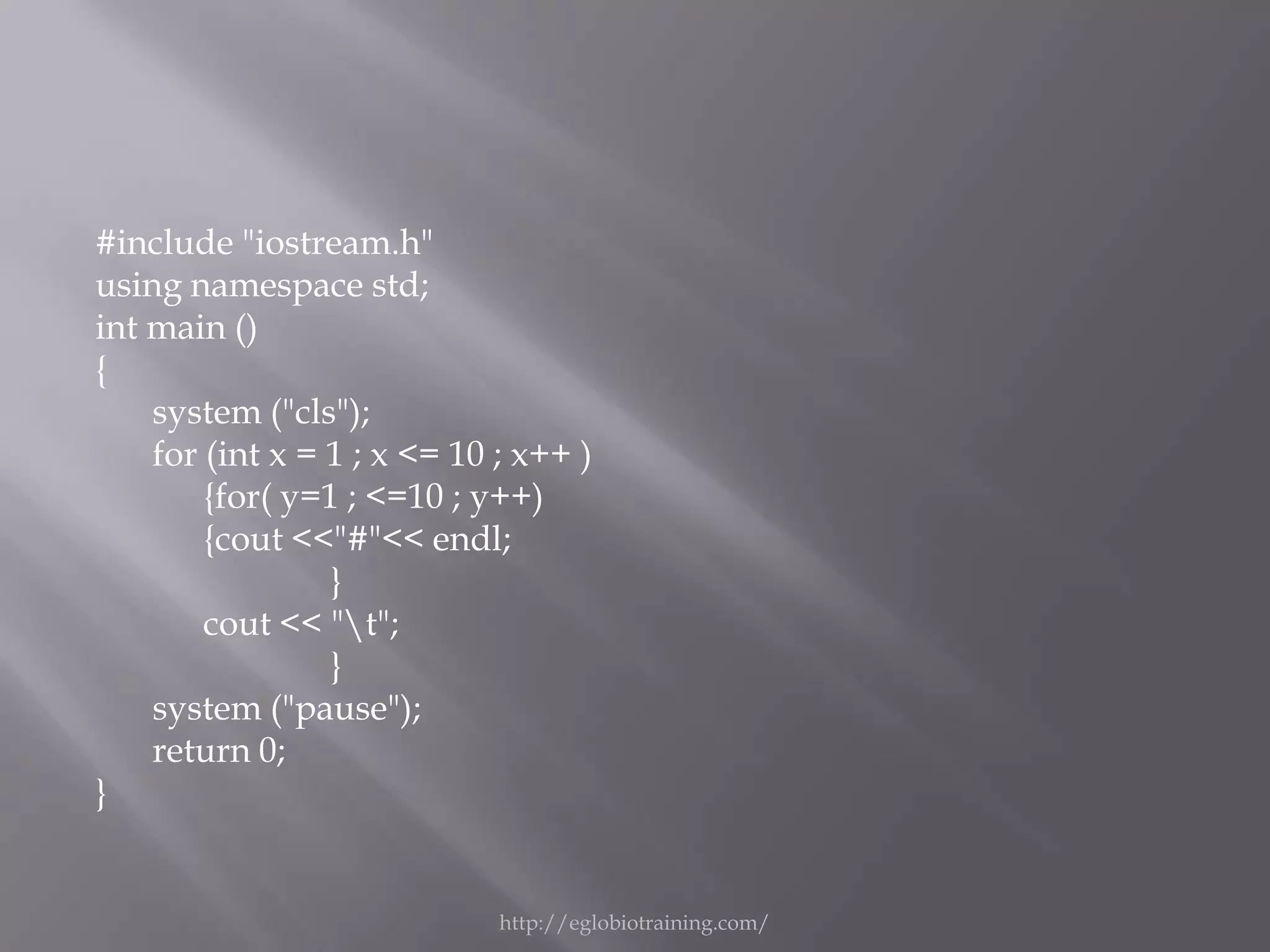
#include "iostream.h"
using namespace std;
int main ()
{
    system ("cls");
    for (int x = 1 ; x <= 10 ; x++ )
        {for( y=1 ; <=10 ; y++)
        {cout <<"#"<< endl;
                 }
        cout << "t";
                 }
    system ("pause");
    return 0;
}


                             http://eglobiotraining.com/
http://eglobiotraining.com/
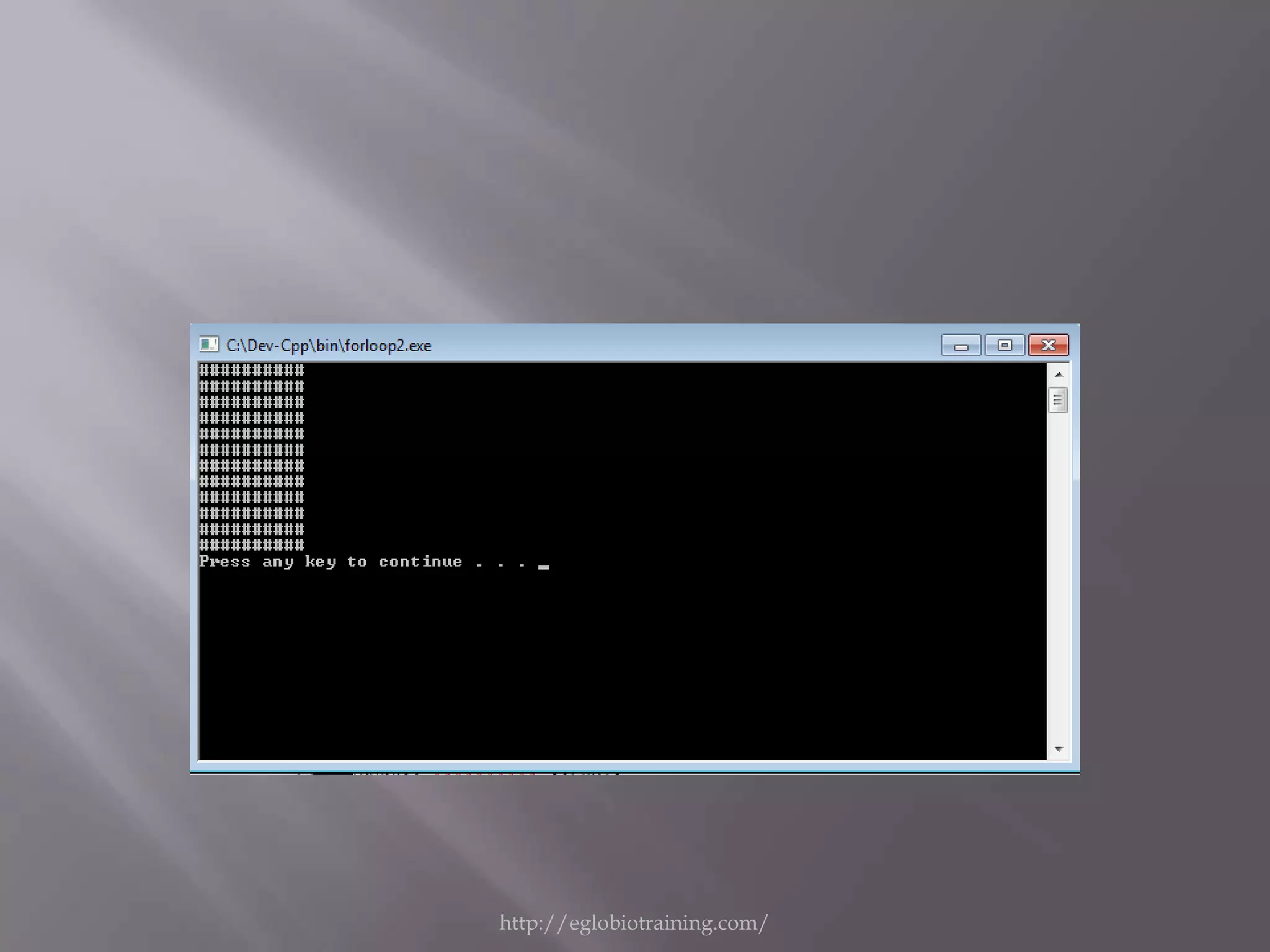
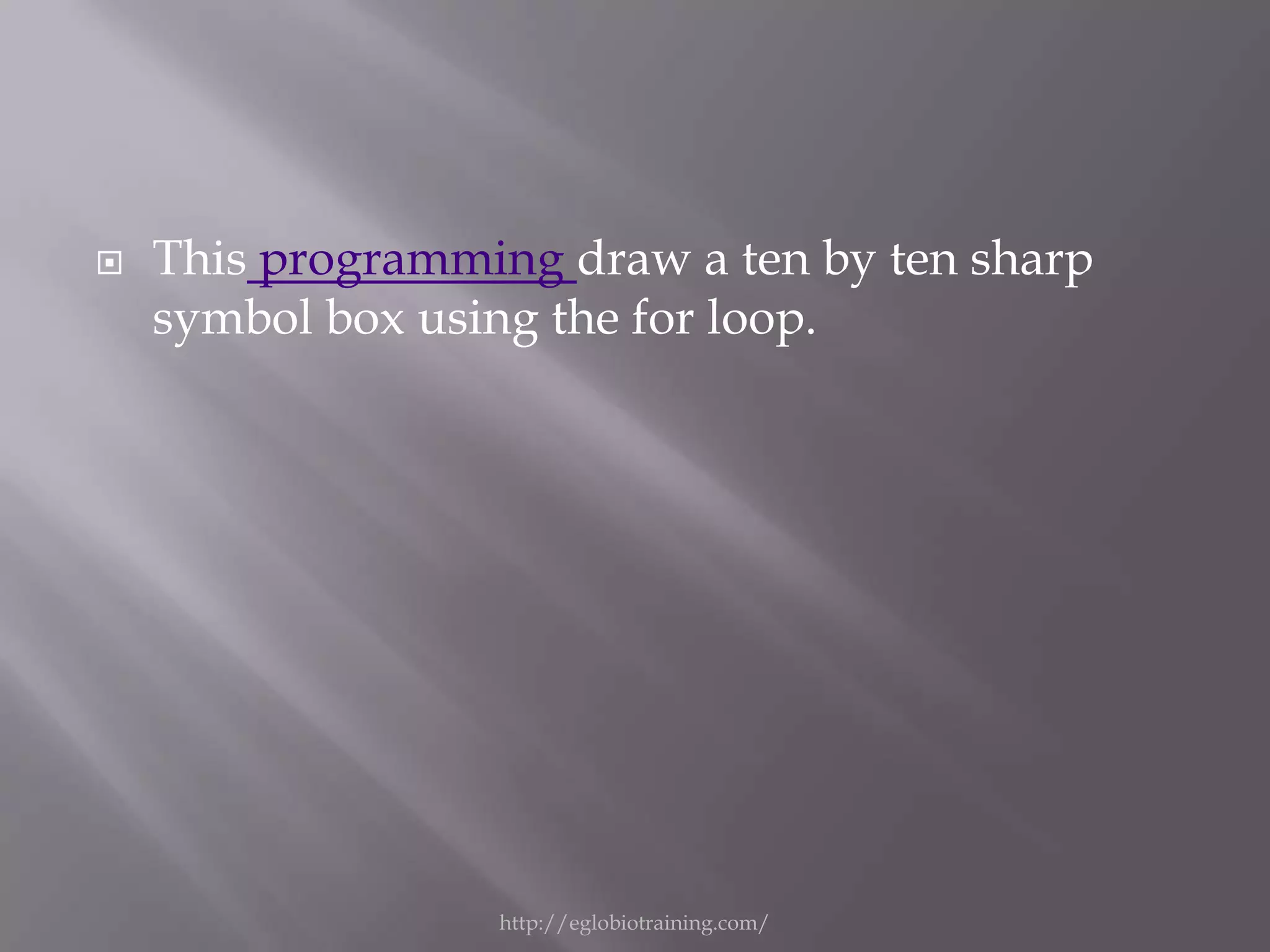
   This programming draw a ten by ten sharp
    symbol box using the for loop.


                  http://eglobiotraining.com/
Octal is : "
#include <iostream>                    <<oct<<dec<<endl<<end
using namespace std;                   l;
int main()                          cout<< "Do you wish to try
                                       again [Y/N]? : ";
{ intdec;charch;
                                    cin>>ch;
do
                                    }while (toupper(ch)== 'Y');
  {
                                    system ("pause");
system ("cls");
                                    return 0;
cout<< "Enter a decimal: ";
                                    }
cin>>dec;
cout<< " THe number in

                     http://eglobiotraining.com/
http://eglobiotraining.com/
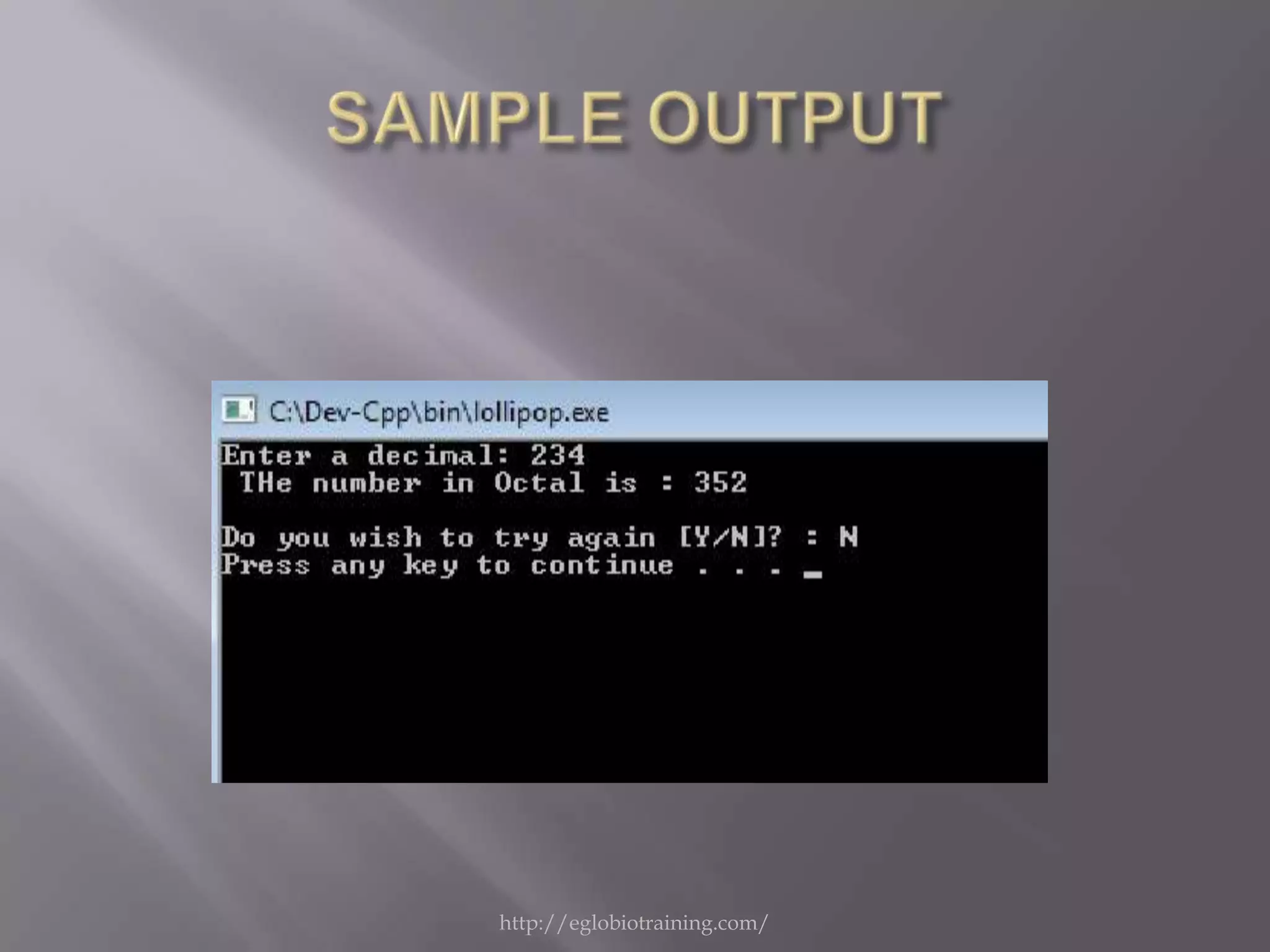
This programming converts the user’s input of decimal
number system into octal number system. The first step
in this programming is to ask the user to input an
integer of base 10(decimal). Next, the programming
will compute the value of the base 10 into base 8 or
octal number system. After the programming has
computed the value of base 10 integer to octal, now it
will output or print the answer of conversion of
decimal to octal. Then the programming will ask the
user if he/she wants to try again. The programming
accepts only Y for yes and N for a no. Lastly the
programming asks the user to press any key to end the
programming.

                  http://eglobiotraining.com/
#include "iostream"                     }
#include "conio.h"                    cout<< "Trip Executed !!!
using namespace std;                      "<<endl<<endl;
int main ()                           system ("pause");
{                                     return 0;
charch = 'a';                         }
system ("cls");
while (ch !='q')
  {
cin>>ch;

                       http://eglobiotraining.com/
http://eglobiotraining.com/
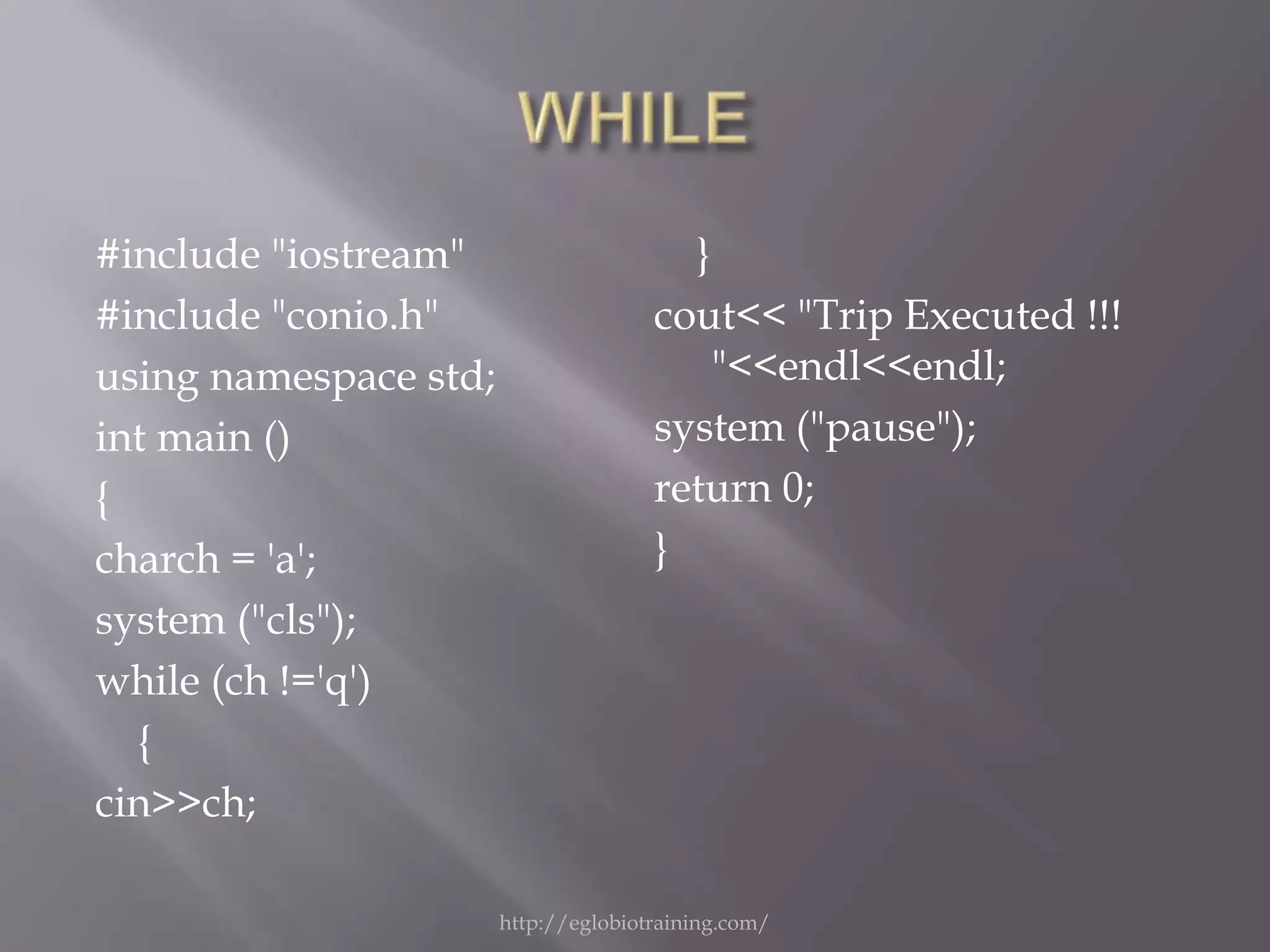
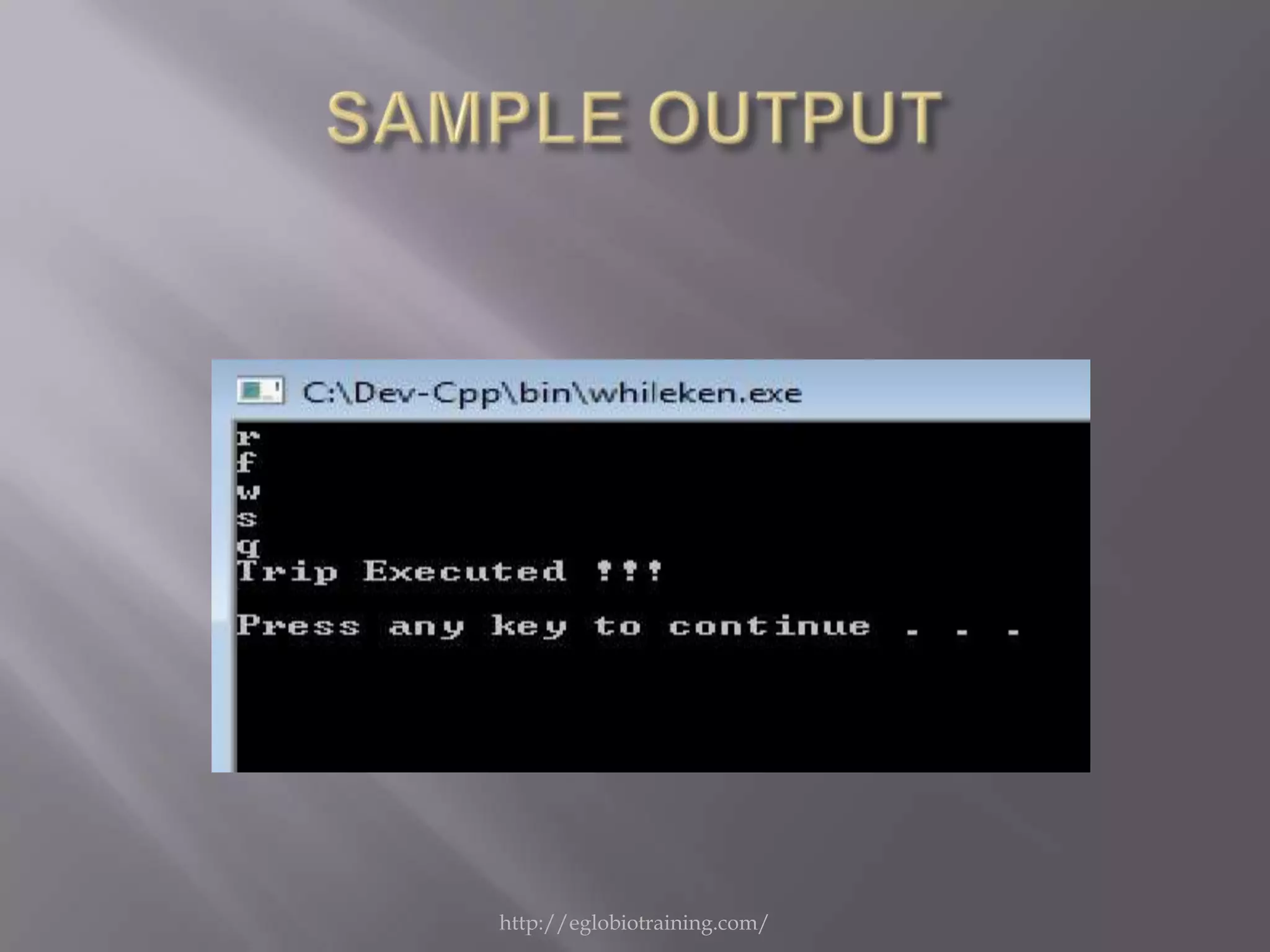
This programming accepts any character
such as alphanumeric and special
characters(symbols and the like). After
the input of the user, the programming
will now test the entered character. If the
programming reads the letter q or Q the
programming will end and outputs
“PROGRAM EXECUTED”.


              http://eglobiotraining.com/
This powerpoint is saved at
http://www.slideshare.net/

This project is submitted to:
Prof. Erwin Globio
http://eglobiotraining.com/


                  http://eglobiotraining.com/

Project in programming

  • 1.
    Submitted by: Ken M.Sahashi BM10203 http://eglobiotraining.com/
  • 2.
    #include <iostream> case 3: cout<< "Excellent!n"; #include <cstdio> break; using namespace std; case 2: cout<< "Masterful!n"; int main() break; { case 1: cout<< "Incredible!n"; int number; break; cout<< "Enter a number between 1 and 5: default: cout<< "Too large!n"; "; } cin>> number; cout<< "nn"; switch (number) system ("pause"); { return 0; case 0: cout<< "Too small, sorry!"; } break; case 5: cout<< "Good job!n"; break; case 4: cout<< "Nice Pick!n"; break; http://eglobiotraining.com/
  • 3.
  • 4.
    This programming accepts a number between 1 and 5 . If the user enters a right number the programming will show an output according to its number. http://eglobiotraining.com/
  • 5.
    #include <iostream> cout<< " Enter the width : "; #include <cstdio> cin>>wid; using namespace std; area=len*wid; int main() per=(2*len)+(2*wid); { switch (ch) intch, len , wid , area , per ; { balik: case 1 : cout<< " The Area is : " << system ("cls"); area <<endl;break; cout<< " ***** Area - Perimeter case 2 : cout<< " The perimeter is : " Program ******* <<per<<endl;break; "<<endl<<"tt(Rectangle)"<<en default: gotobalik; dl; } cout<< "n [1] Area n [2] Perimeter nnnnn " <<endl; system ("pause"); cout<< "Enter your choice here : " ; return 0; cin>>ch; } cout<< " Enter the length : "; cin>>len; http://eglobiotraining.com/
  • 6.
  • 7.
    This programming computesfor the area or perimeter of a given rectangle given that the user will input its length and width. After the programming accepts the values for dimensions of the rectangle, the programming lets the user choose if the programming will compute for its perimeter or area. Then the programming will compute for whatever the user chose and then prints the computed value. Lastly the programming will ask the user to press any key to end the programming. http://eglobiotraining.com/
  • 8.
    #include "iostream" "; using namespace std; cin >> x; int main () { int rem , x; switch (x) balik: { system ("cls"); case 1: cout<< "Your birthstone is cout << "[1] January "<<endl;; Garnet "<<endl;break; cout << "[2] February "<<endl; case 2: cout<< "Your birthstone is cout << "[3] March "<<endl; Amethyst "<<endl;break; cout << "[4] April "<<endl; case 3: cout<< "Your birthstone is cout << "[5] May "<<endl; Aquamarine "<<endl;break; cout << "[6] June "<<endl; case 4: cout<< "Your birthstone is cout << "[7] July "<<endl; Diamond "<<endl;break; cout << "[8] August "<<endl; case 5: cout<< "Your birthstone is cout << "[9] September "<<endl; Shamrock "<<endl;break; cout << "[10] October "<<endl; case 6: cout<< "Your birthstone is cout << "[11] November "<<endl; Alexandrite "<<endl;break; cout << "[12] December case 7: cout<< "Your birthstone is "<<endl<<endl; Ruby "<< cout << "Enter the number of month : http://eglobiotraining.com/
  • 9.
    Amethyst "<<endl;break; case 3: cout<< "Your birthstone is Aquamarine "<<endl;break; case 4: cout<< "Your birthstone is Diamond "<<endl;break; case 5: cout<< "Your birthstone is Shamrock "<<endl;break; case 6: cout<< "Your birthstone is Alexandrite "<<endl;break; case 7: cout<< "Your birthstone is Ruby "<<endl;break; case 8: cout<< "Your birthstone is Peridot "<<endl;break; case 9: cout<< "Your birthstone is Sapphire "<<endl;break; case 10: cout<< "Your birthstone is Rose Zircon "<<endl;break; case 11: cout<< "Your birthstone is Topaz "<<endl;break; case 12: cout<< "Your birthstone is Blue Zircon "<<endl;break; default:system ("cls"); cout<< "Invalid Input!!"<<endl;goto balik;break; } system ("pause"); return 0; } http://eglobiotraining.com/
  • 10.
  • 11.
    This programming will displaythe equivalent birthstone of each month using switch statement. http://eglobiotraining.com/
  • 12.
    #include "iostream.h" using namespacestd; int main () { system ("cls"); for (int x = 1 ; x <= 10 ; x++ ) { switch ( x ) { case 1: cout<< " One "<<endl;break; case 2: cout<< " two "<<endl;break; case 3: cout<< " three"<<endl;break; case 4: cout<< " four "<<endl;break; case 5: cout<< " five "<<endl;break; case 6: cout<< " six "<<endl;break; case 7: cout<< " seven "<<endl;break; case 8: cout<< " eight "<<endl;break; case 9: cout<< " nine "<<endl;break; default: cout<< " ten "<<endl;break; } system ("pause"); return 0; } http://eglobiotraining.com/
  • 13.
  • 14.
    This programming allows the user to input a number from 1 to 10. If the user input a right number,the programming will run correctly and it will display the equivalent of the number in words. http://eglobiotraining.com/
  • 15.
    #include "iostream.h" using namespacestd; int main () { int rem , x; system ("cls") cout << "Enter an integer : "; cin >> x; rem=x%2; switch (rem) { case 1: cout<< " Odd "<<endl;break; default: cout<< " even "<<endl;break; } system ("pause"); return 0; } http://eglobiotraining.com/
  • 16.
  • 17.
    This programming allows the user to enter a integer number in which it will also display if it is even or odd after executing the indicated operation in the programming. We all know that the number is even if it’s remainder is 0 and odd if it’s remainder is 1. http://eglobiotraining.com/
  • 18.
    #include <iostream> fact+=1; #include <conio.h> } using namespace std; } int main() if(fact>0) { cout<<"COMPOSITE!"; intnum, ctr=2, fact=0; else system ("cls"); cout<<"PRIME!"; cout<<"Enter a number: "; } cin>>num; cout<< "n"; { system ("pause"); for (;ctr<num;ctr++) return 0; { } if(num%ctr==0) http://eglobiotraining.com/
  • 19.
  • 20.
    This programming allows the user to input a number. This number will be test if it’s a PRIME or COMPOSITE. http://eglobiotraining.com/
  • 21.
    #include "iostream.h" using namespacestd; int main () { system ("cls"); for (int x = 1 ; x <= 10 ; x++ ) cout << x << "t" << x*x<< endl; system ("pause"); return 0; } http://eglobiotraining.com/
  • 22.
  • 23.
    In this programming,theuser is allowed to enter a number from 1 to 10 and once he/she enters the number the programming will execute the operation in which it will displays the square of the number inputted by the user. http://eglobiotraining.com/
  • 24.
    #include "iostream.h" using namespacestd; int main () { system ("cls"); for (int x = 1 ; x <= 10 ; x++ ) {for( y=1 ; <=10 ; y++) {cout <<"#"<< endl; } cout << "t"; } system ("pause"); return 0; } http://eglobiotraining.com/
  • 25.
  • 26.
    This programming draw a ten by ten sharp symbol box using the for loop. http://eglobiotraining.com/
  • 27.
    Octal is :" #include <iostream> <<oct<<dec<<endl<<end using namespace std; l; int main() cout<< "Do you wish to try again [Y/N]? : "; { intdec;charch; cin>>ch; do }while (toupper(ch)== 'Y'); { system ("pause"); system ("cls"); return 0; cout<< "Enter a decimal: "; } cin>>dec; cout<< " THe number in http://eglobiotraining.com/
  • 28.
  • 29.
    This programming convertsthe user’s input of decimal number system into octal number system. The first step in this programming is to ask the user to input an integer of base 10(decimal). Next, the programming will compute the value of the base 10 into base 8 or octal number system. After the programming has computed the value of base 10 integer to octal, now it will output or print the answer of conversion of decimal to octal. Then the programming will ask the user if he/she wants to try again. The programming accepts only Y for yes and N for a no. Lastly the programming asks the user to press any key to end the programming. http://eglobiotraining.com/
  • 30.
    #include "iostream" } #include "conio.h" cout<< "Trip Executed !!! using namespace std; "<<endl<<endl; int main () system ("pause"); { return 0; charch = 'a'; } system ("cls"); while (ch !='q') { cin>>ch; http://eglobiotraining.com/
  • 31.
  • 32.
    This programming acceptsany character such as alphanumeric and special characters(symbols and the like). After the input of the user, the programming will now test the entered character. If the programming reads the letter q or Q the programming will end and outputs “PROGRAM EXECUTED”. http://eglobiotraining.com/
  • 33.
    This powerpoint issaved at http://www.slideshare.net/ This project is submitted to: Prof. Erwin Globio http://eglobiotraining.com/ http://eglobiotraining.com/