Module1
By,
B.Prabadevi
SCORE, VIT
SWE1007-Programming in
Java
1/5/2025 2
ICSE103E Computer Programming java By Prabadevi.B
Syllabus
•Module 1: Java Basics
1/5/2025 ICSE103E Computer Programming java By Prabadevi.B 3
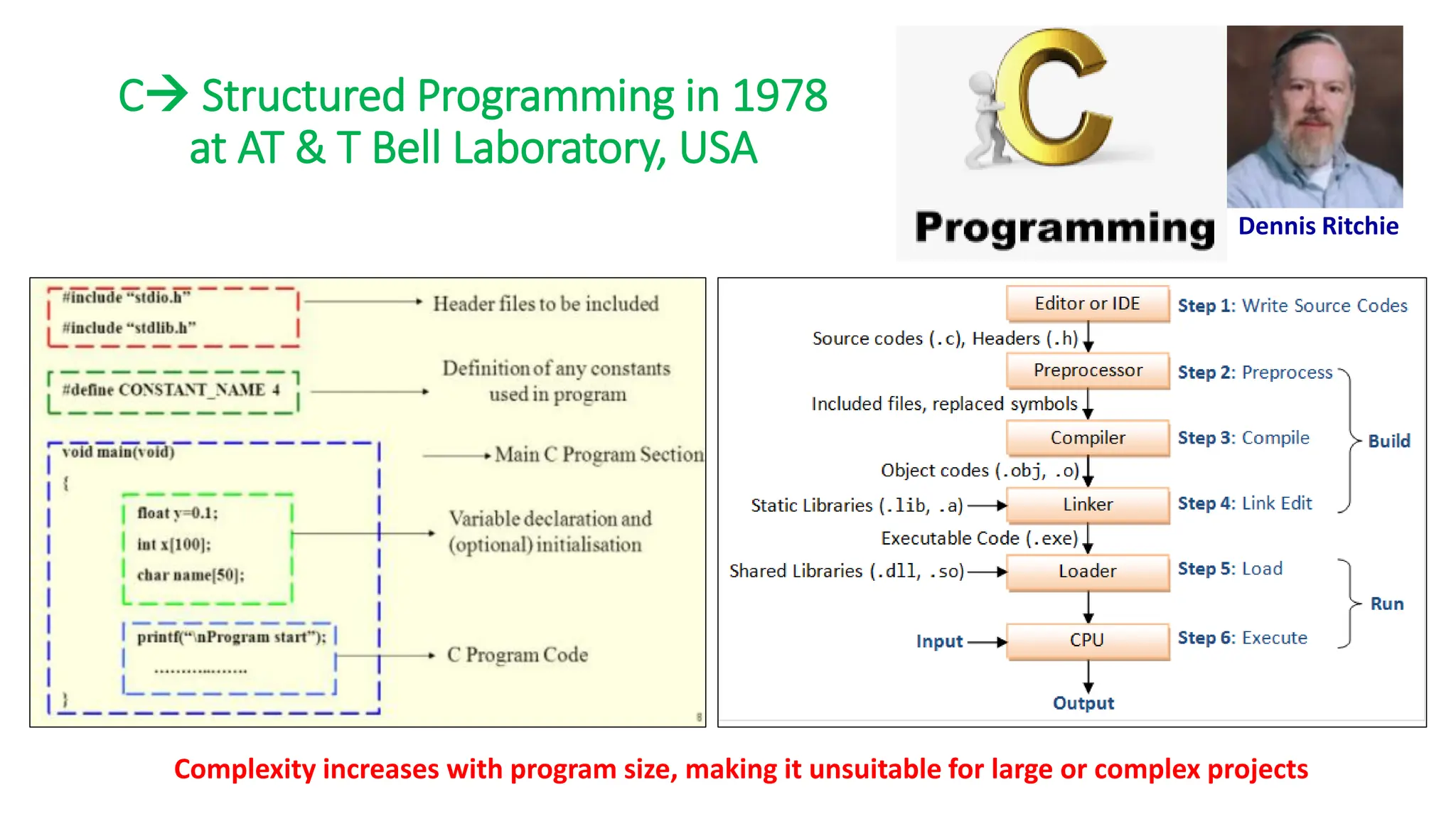
C→ Structured Programming in 1978
at AT & T Bell Laboratory, USA
Dennis Ritchie
Complexity increases with program size, making it unsuitable for large or complex projects
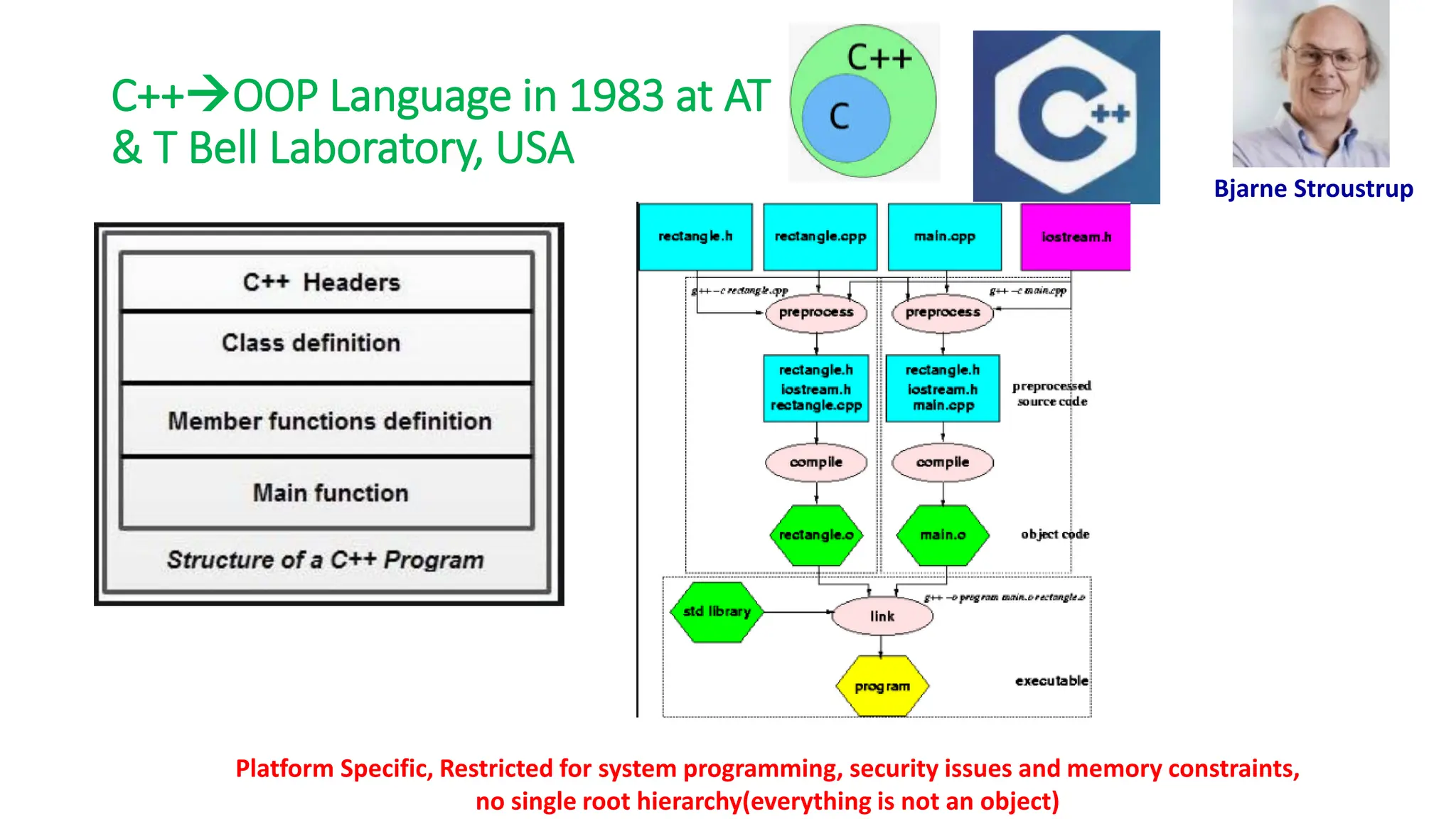
C++→OOP Language in 1983 at AT
& T Bell Laboratory, USA
Bjarne Stroustrup
Platform Specific, Restricted for system programming, security issues and memory constraints,
no single root hierarchy(everything is not an object)
Bytecode versus Objectcode
• Bytecode is platform-independent, while object code is machine-
specific.
• When you compile a Java program, you create a bytecode file, which is like an
object file for a virtual machine. The same bytecode file can be used on any
platform
• Bytecode is executed by a bytecode interpreter, while object code is
executed by the processor
• Bytecode is an intermediate representation of code, while object
code is written in binary language
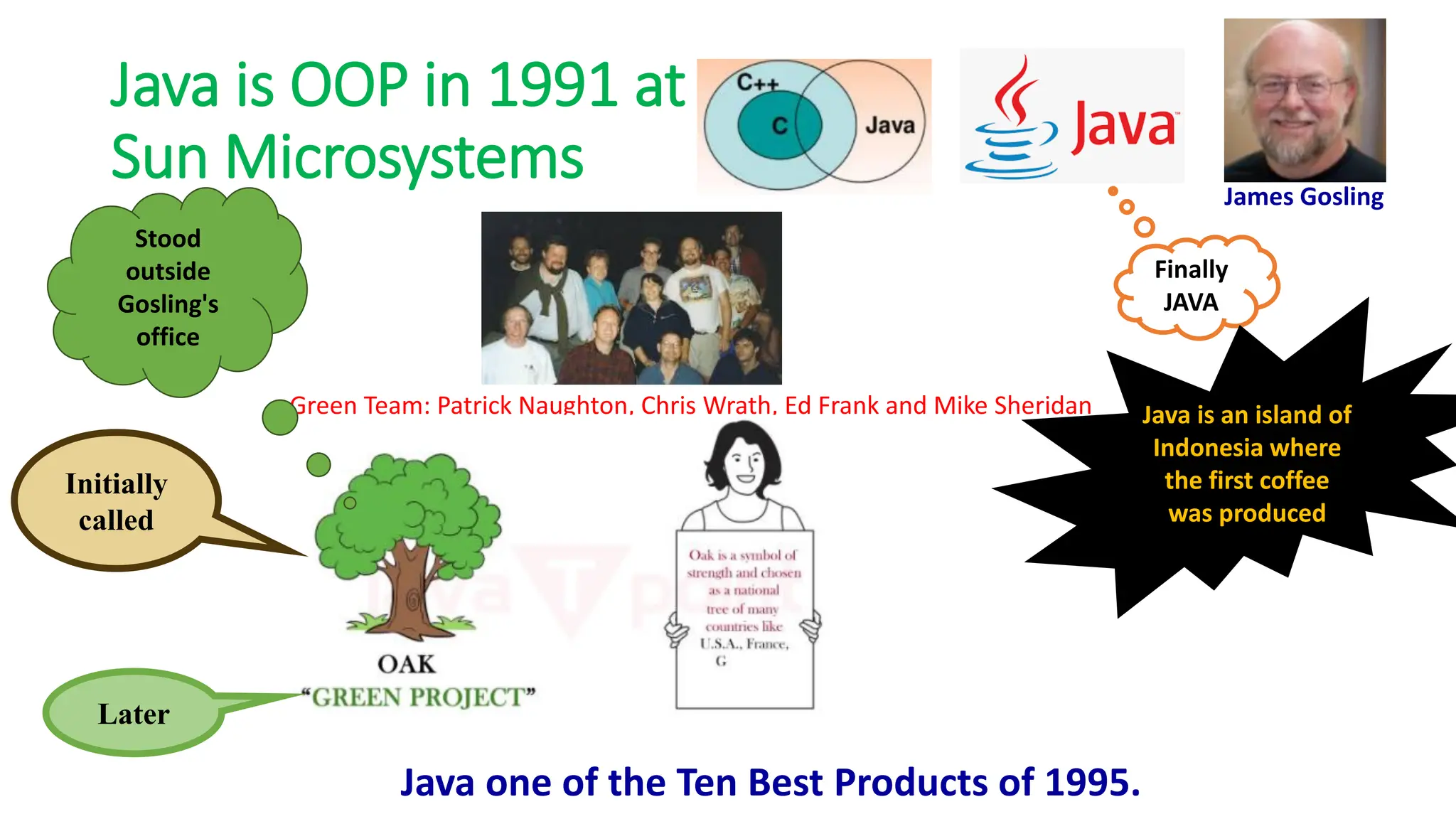
Java is OOP in 1991 at
Sun Microsystems
Green Team: Patrick Naughton, Chris Wrath, Ed Frank and Mike Sheridan
James Gosling
Initially
called
Later
Finally
JAVA
Stood
outside
Gosling's
office
Java is an island of
Indonesia where
the first coffee
was produced
Java one of the Ten Best Products of 1995.
Why Java?
• Platform-independent: they are not designed to be compiled for a
specific target as C and C++.
• Java code would run on a variety of CPUs under differing environments
• Emergence of World Wide Web(with heterogeneous devices)
• switch from consumer electronics (small scale) to Internet programming
(large scale)
• can use Java to develop rich Internet applications.
• A rich Internet application (RIA) is a Web application designed to
deliver the same features and functions normally associated with
deskop applications.
Run anywhere!!
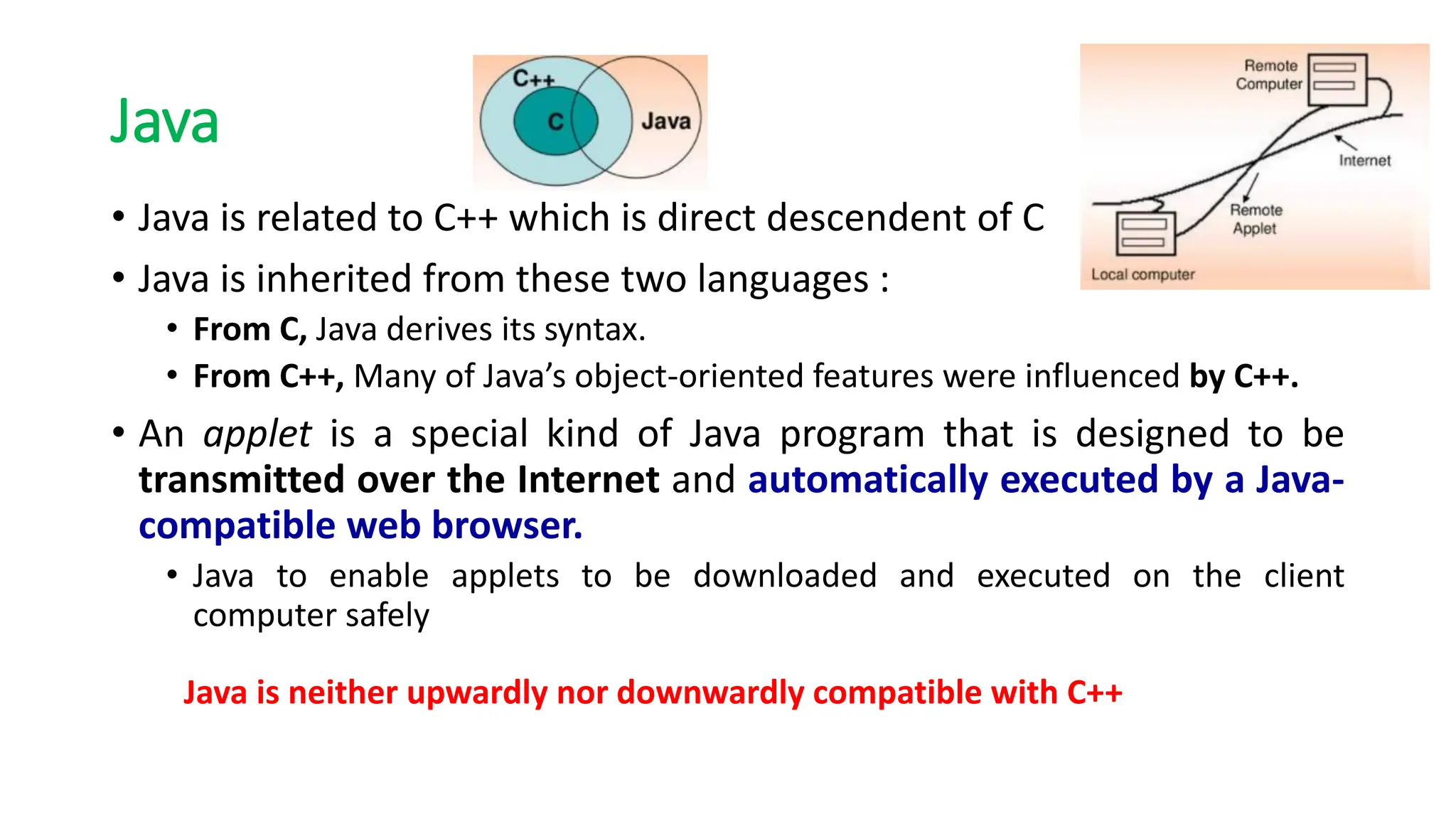
Java
• Java is related to C++ which is direct descendent of C
• Java is inherited from these two languages :
• From C, Java derives its syntax.
• From C++, Many of Java’s object-oriented features were influenced by C++.
• An applet is a special kind of Java program that is designed to be
transmitted over the Internet and automatically executed by a Java-
compatible web browser.
• Java to enable applets to be downloaded and executed on the client
computer safely
Java is neither upwardly nor downwardly compatible with C++
Applets
Impact of Java on internet
• Security:
• No!!
• Java confined an applet to the Java execution environment and not allowing
it access to other parts of the computer
• Portability: -> An important aspect in an distributed environment:
• The same code must work on all computers
Applets downloaded
from web browser is
prone to virus??
Java’s Magic :
Byte code
solves this!!
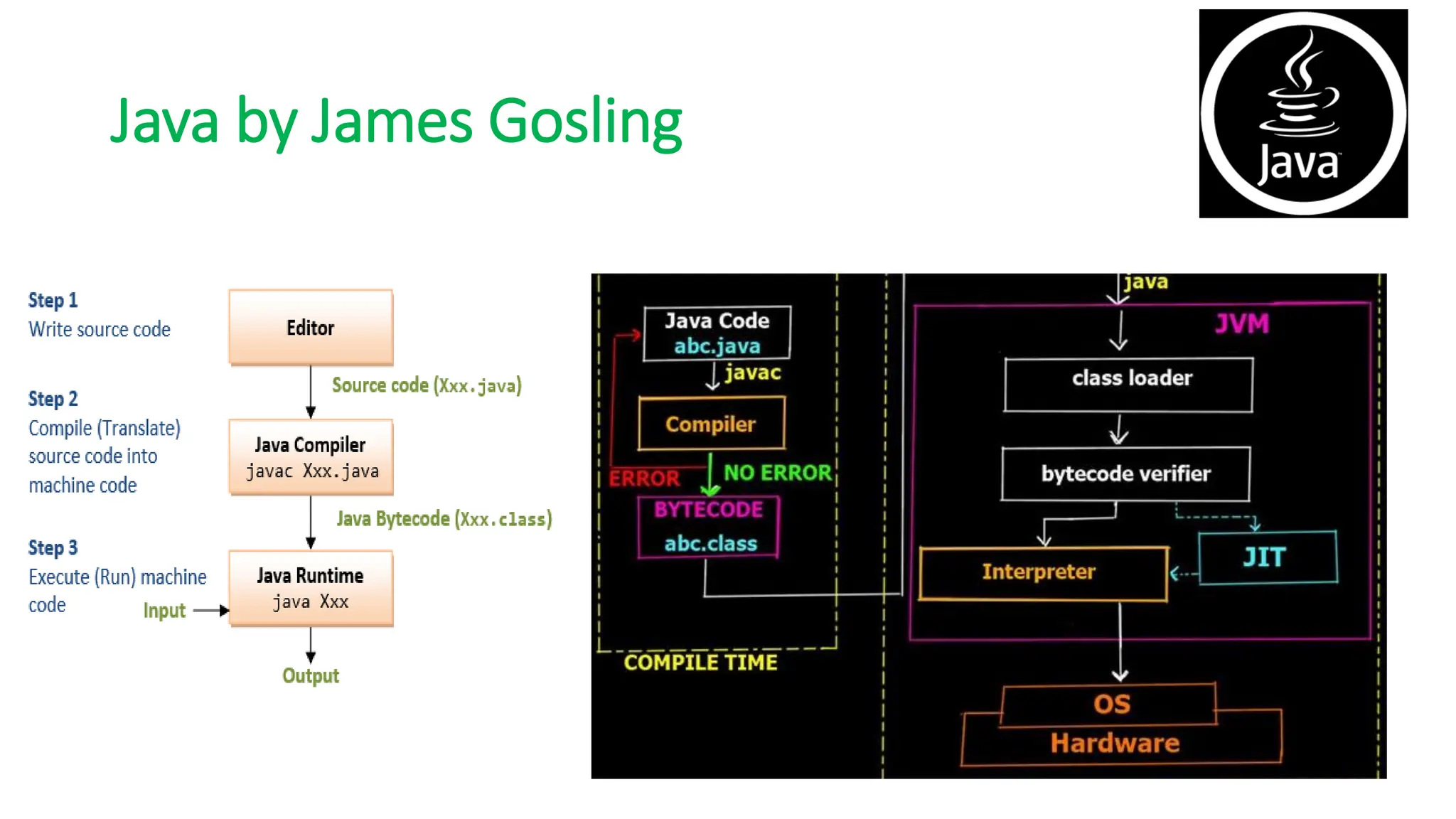
Java by James Gosling
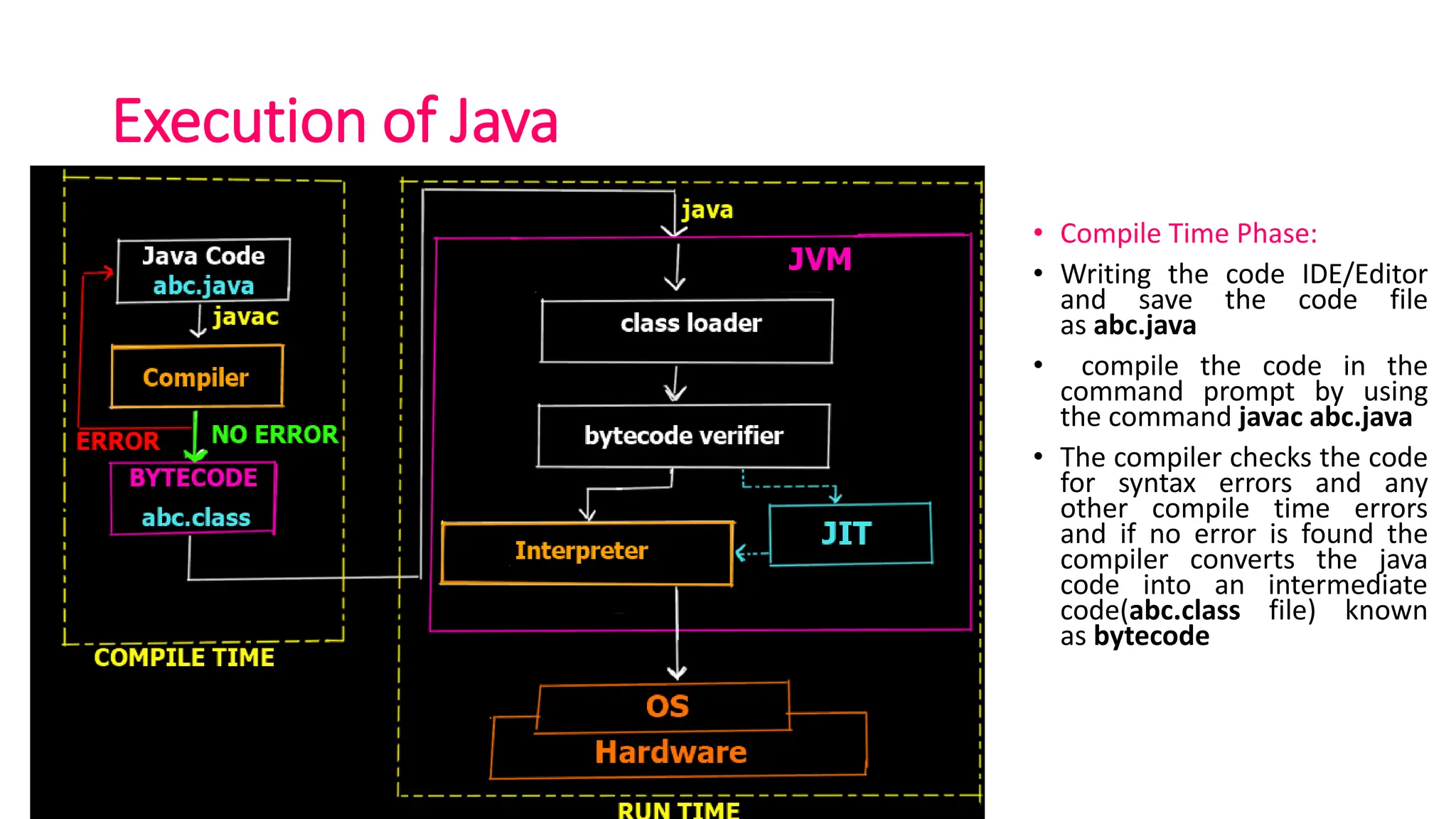
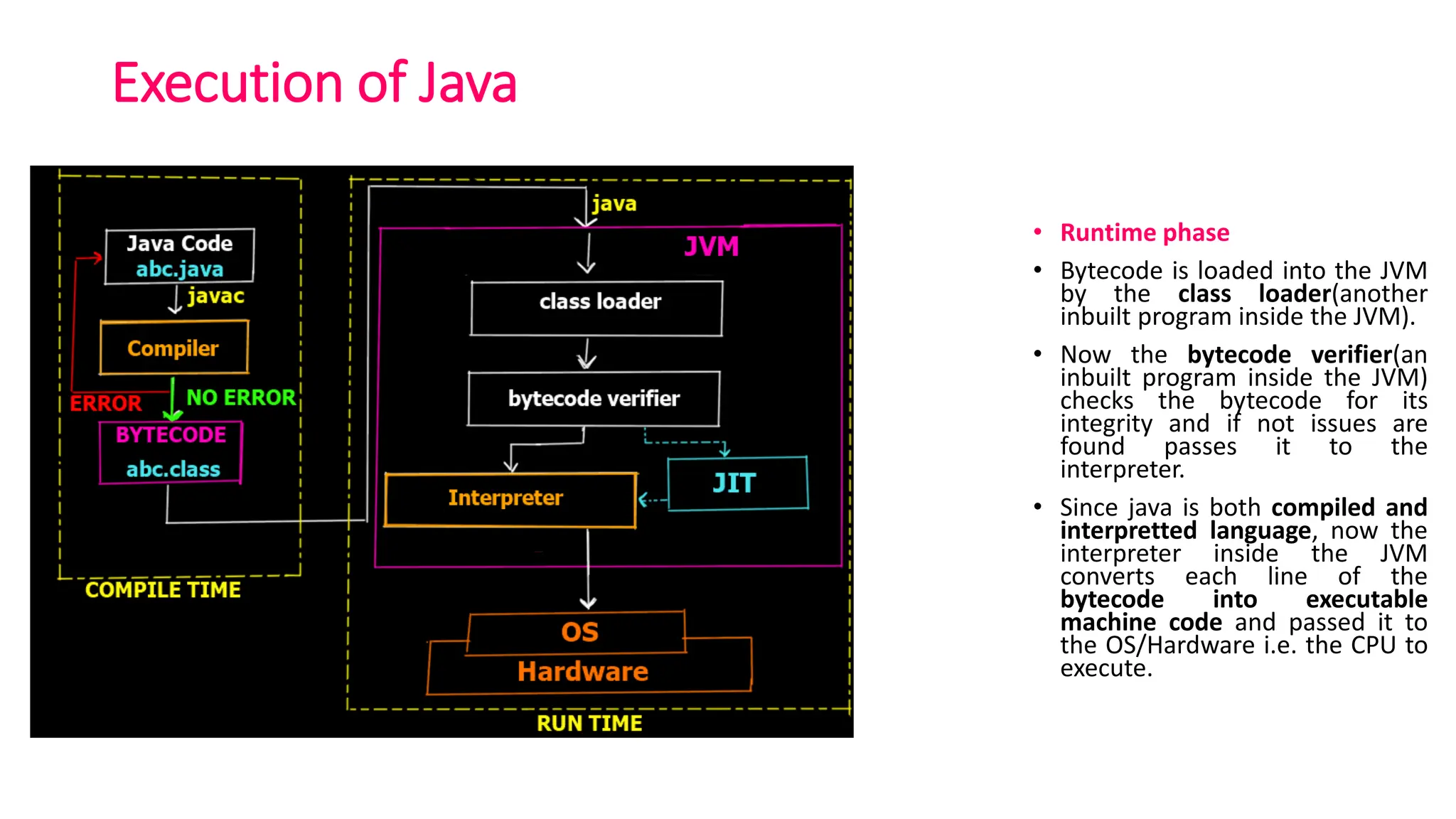
Execution of Java
• Compile Time Phase:
• Writing the code IDE/Editor
and save the code file
as abc.java
• compile the code in the
command prompt by using
the command javac abc.java
• The compiler checks the code
for syntax errors and any
other compile time errors
and if no error is found the
compiler converts the java
code into an intermediate
code(abc.class file) known
as bytecode
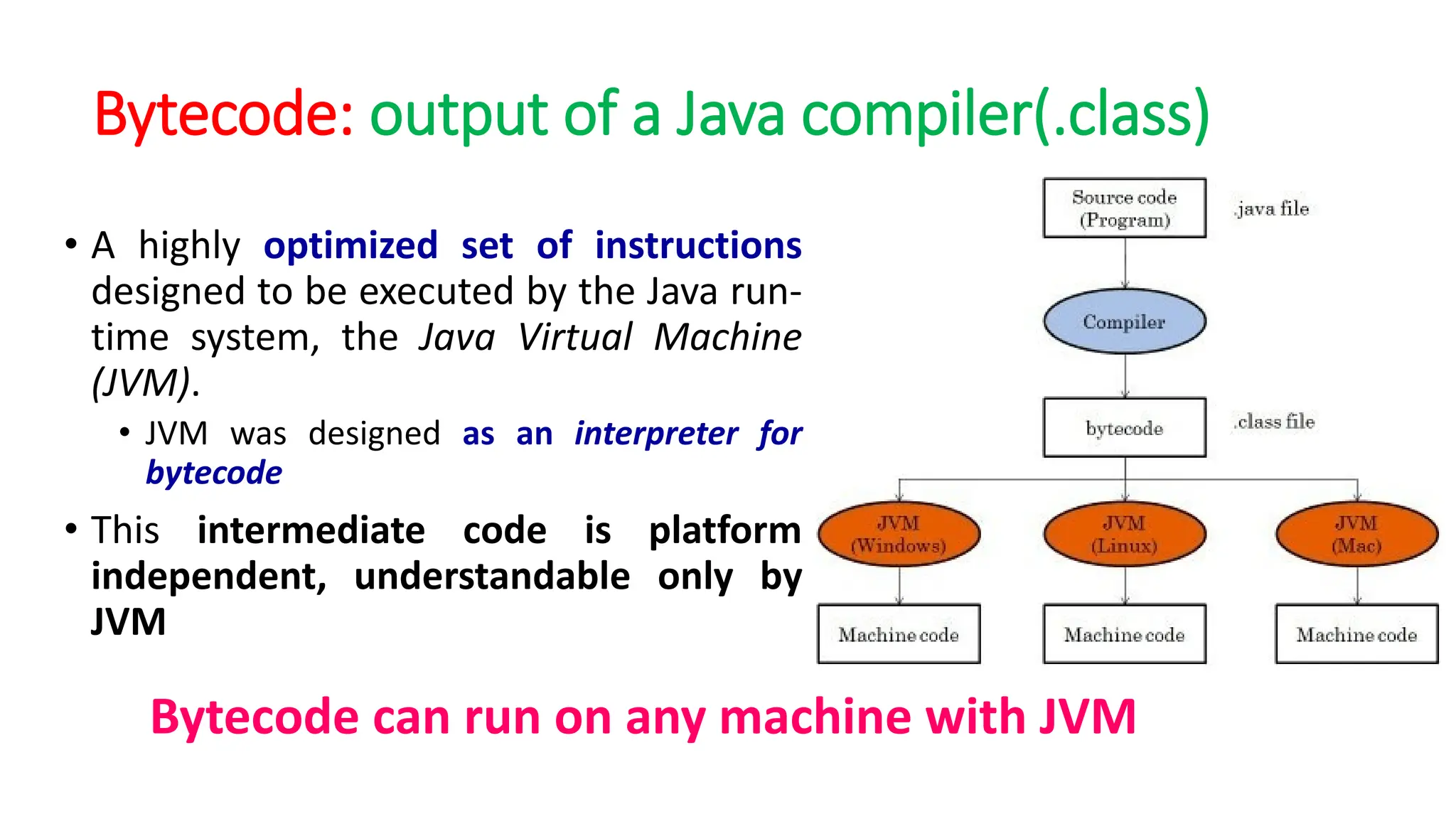
Bytecode: output of a Java compiler(.class)
• A highly optimized set of instructions
designed to be executed by the Java run-
time system, the Java Virtual Machine
(JVM).
• JVM was designed as an interpreter for
bytecode
• This intermediate code is platform
independent, understandable only by
JVM
Bytecode can run on any machine with JVM
Execution of Java
• Runtime phase
• Bytecode is loaded into the JVM
by the class loader(another
inbuilt program inside the JVM).
• Now the bytecode verifier(an
inbuilt program inside the JVM)
checks the bytecode for its
integrity and if not issues are
found passes it to the
interpreter.
• Since java is both compiled and
interpretted language, now the
interpreter inside the JVM
converts each line of the
bytecode into executable
machine code and passed it to
the OS/Hardware i.e. the CPU to
execute.
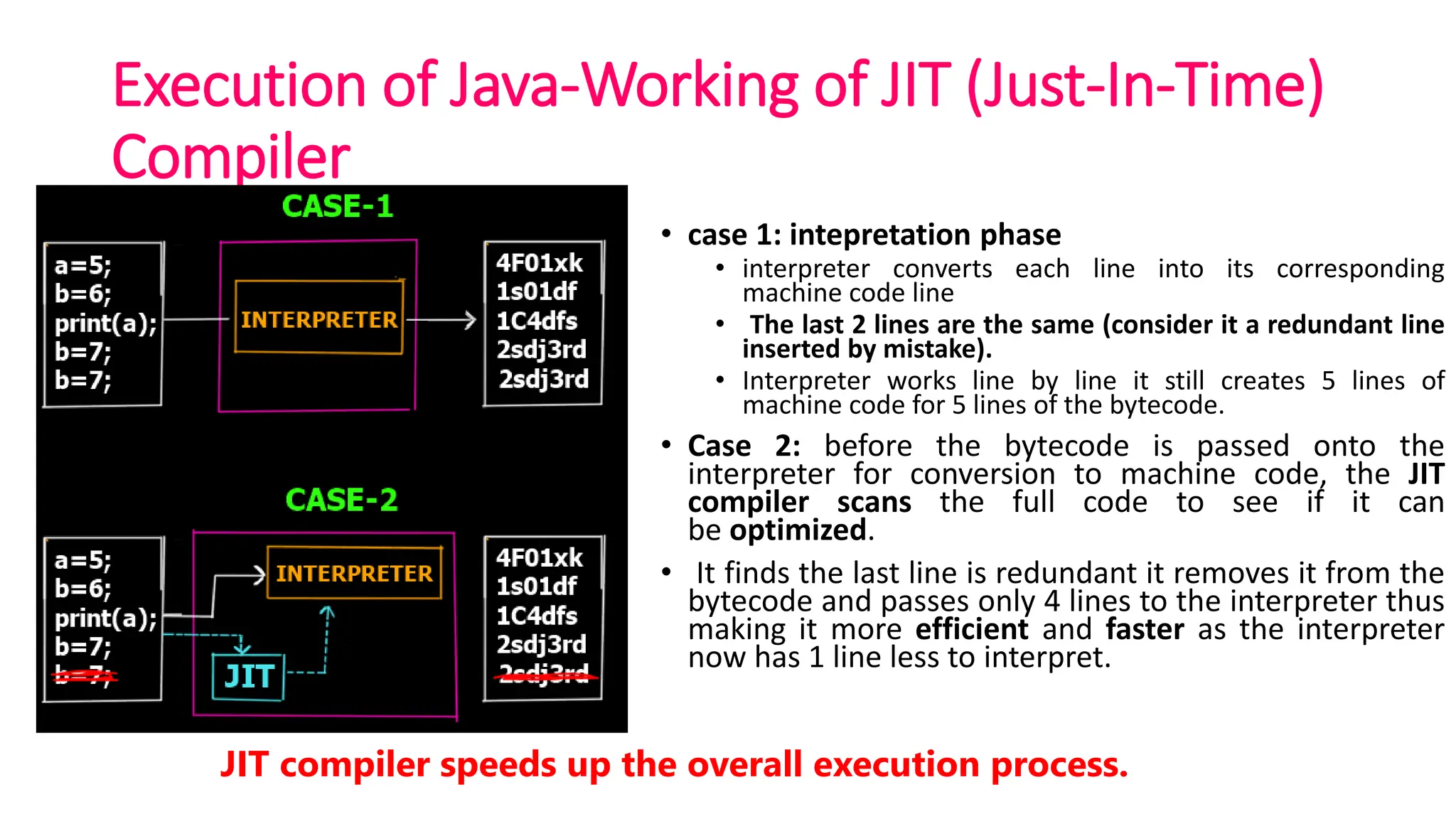
Execution of Java-Working of JIT (Just-In-Time)
Compiler
• case 1: intepretation phase
• interpreter converts each line into its corresponding
machine code line
• The last 2 lines are the same (consider it a redundant line
inserted by mistake).
• Interpreter works line by line it still creates 5 lines of
machine code for 5 lines of the bytecode.
• Case 2: before the bytecode is passed onto the
interpreter for conversion to machine code, the JIT
compiler scans the full code to see if it can
be optimized.
• It finds the last line is redundant it removes it from the
bytecode and passes only 4 lines to the interpreter thus
making it more efficient and faster as the interpreter
now has 1 line less to interpret.
JIT compiler speeds up the overall execution process.
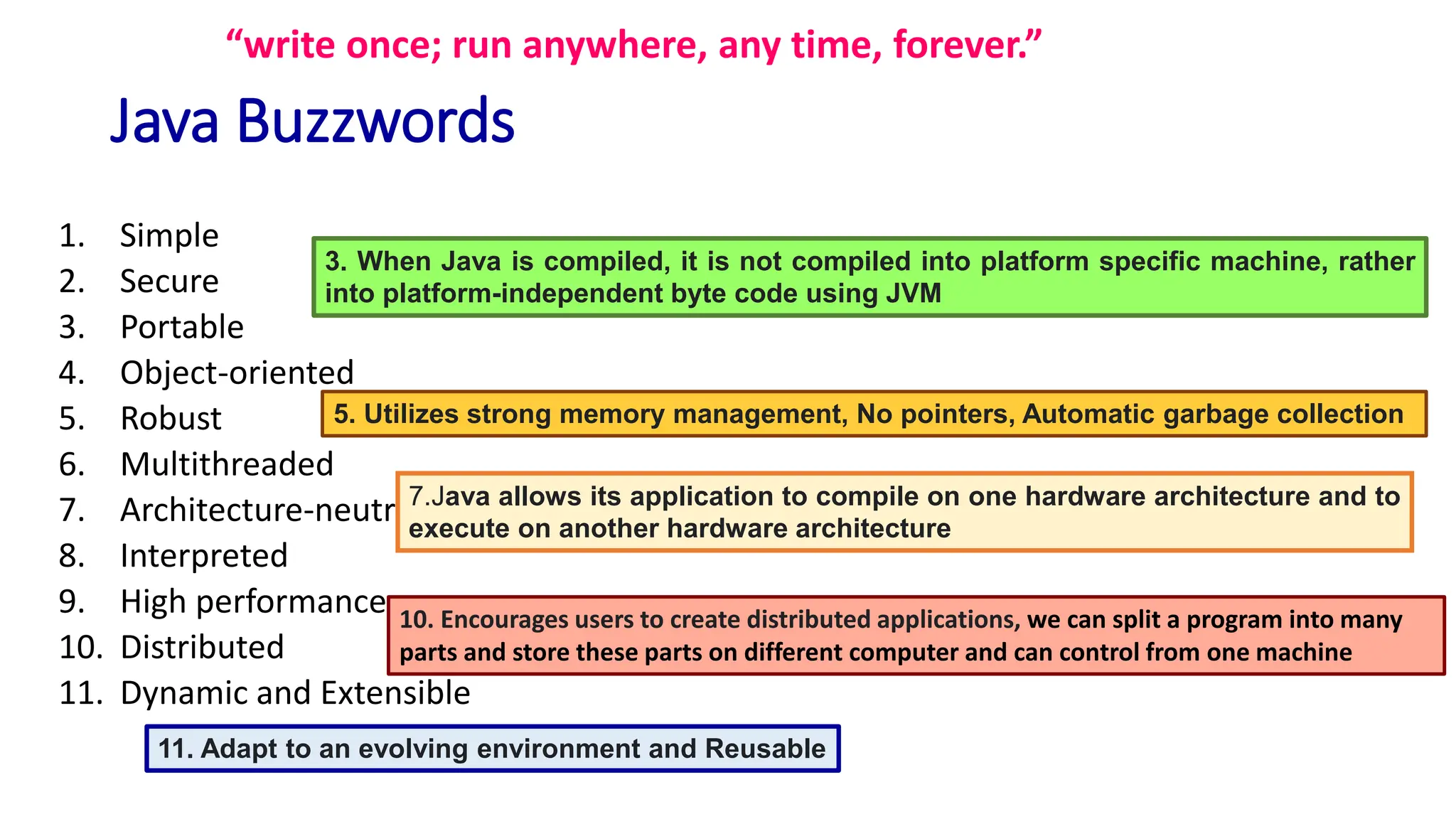
Java Buzzwords
1. Simple
2. Secure
3. Portable
4. Object-oriented
5. Robust
6. Multithreaded
7. Architecture-neutral
8. Interpreted
9. High performance
10. Distributed
11. Dynamic and Extensible
“write once; run anywhere, any time, forever.”
7.Java allows its application to compile on one hardware architecture and to
execute on another hardware architecture
3. When Java is compiled, it is not compiled into platform specific machine, rather
into platform-independent byte code using JVM
11. Adapt to an evolving environment and Reusable
5. Utilizes strong memory management, No pointers, Automatic garbage collection
10. Encourages users to create distributed applications, we can split a program into many
parts and store these parts on different computer and can control from one machine
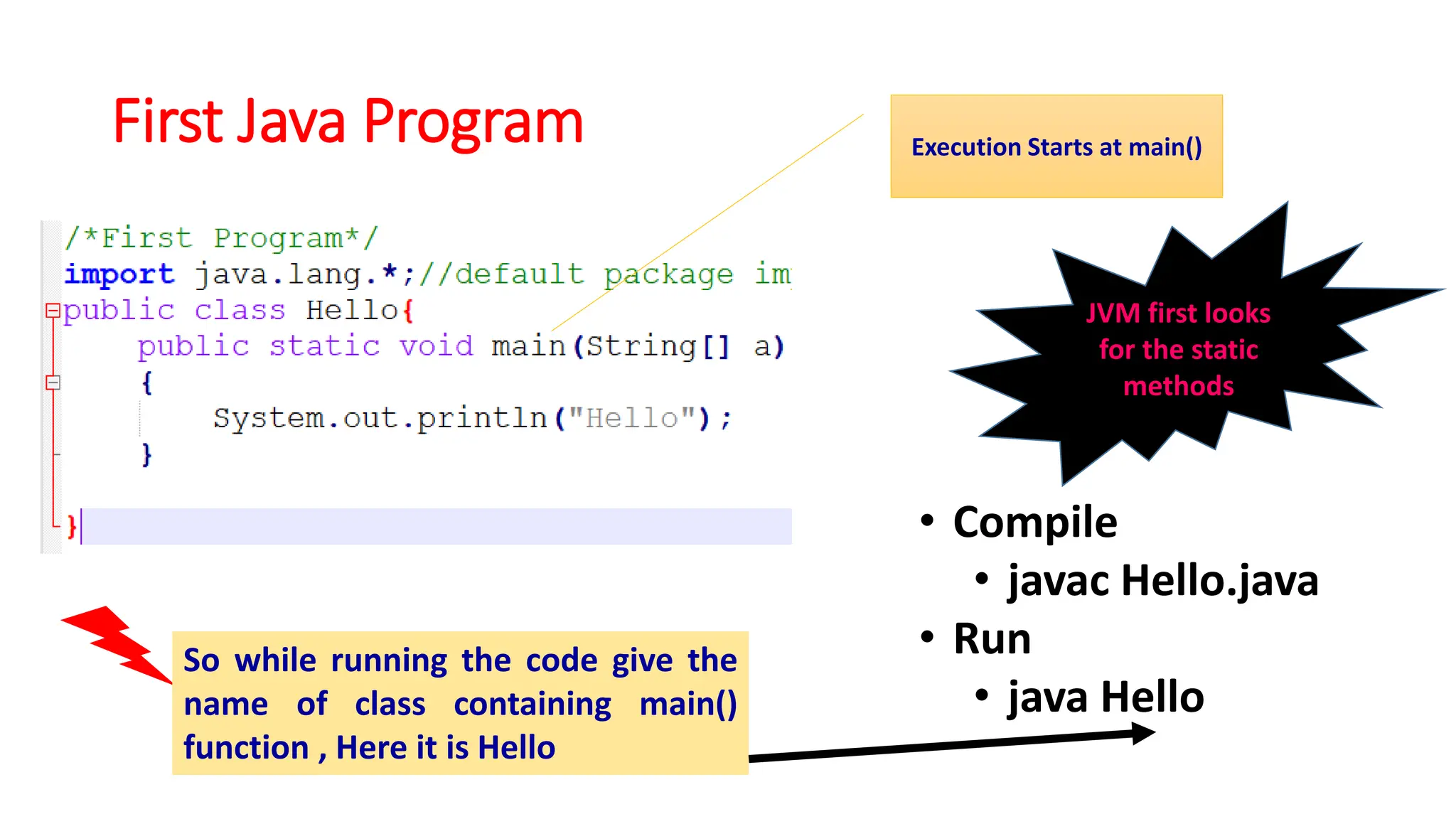
First Java Program
• Compile
• javac Hello.java
• Run
• java Hello
JVM first looks
for the static
methods
Execution Starts at main()
So while running the code give the
name of class containing main()
function , Here it is Hello
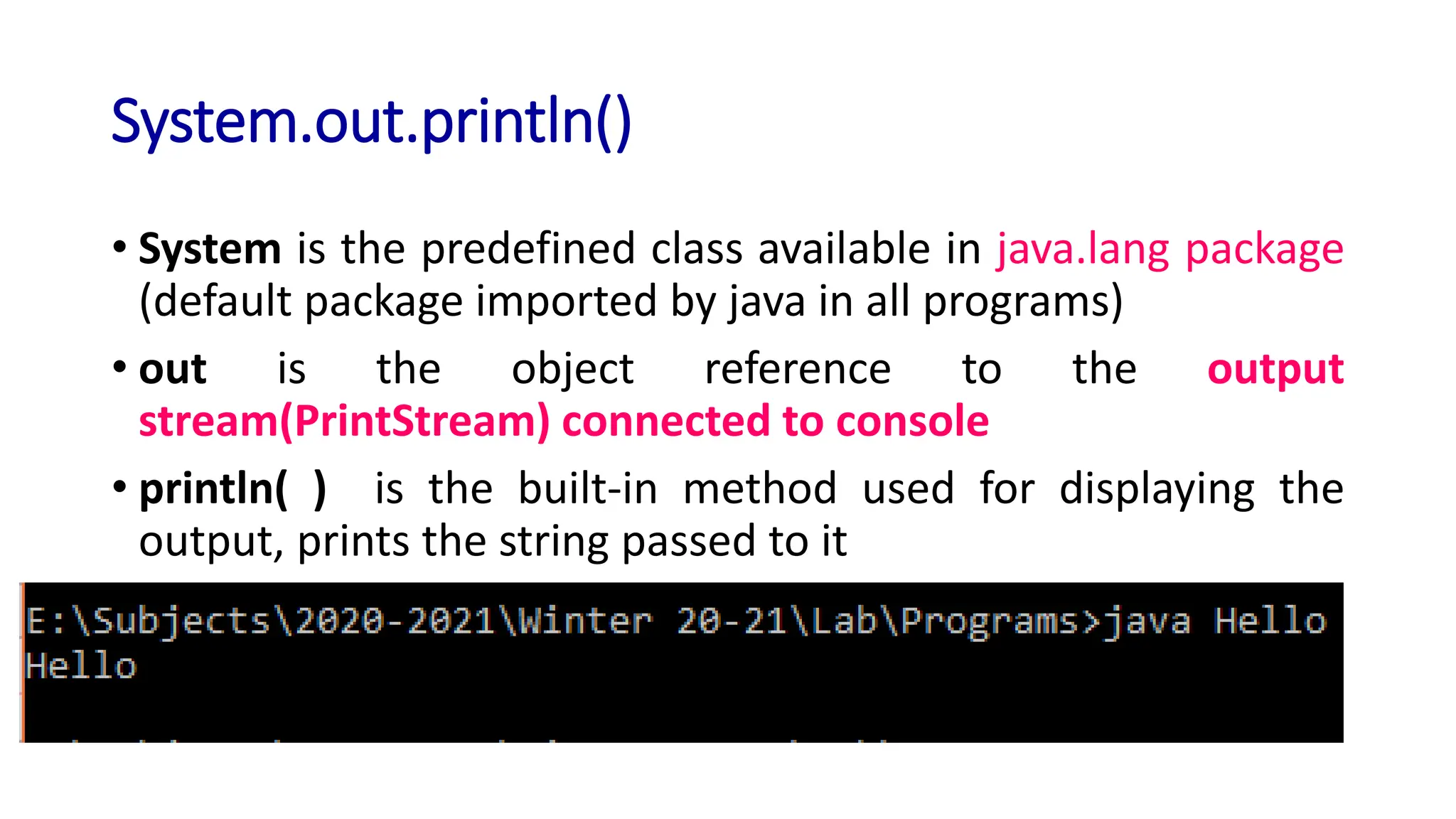
System.out.println()
• System is the predefined class available in java.lang package
(default package imported by java in all programs)
• out is the object reference to the output
stream(PrintStream) connected to console
• println( ) is the built-in method used for displaying the
output, prints the string passed to it
Applets doesnot require main() function
• When creating applets—Java programs that are embedded in web
browsers won’t use main( )
• since the web browser uses a different means of starting the execution of
applets
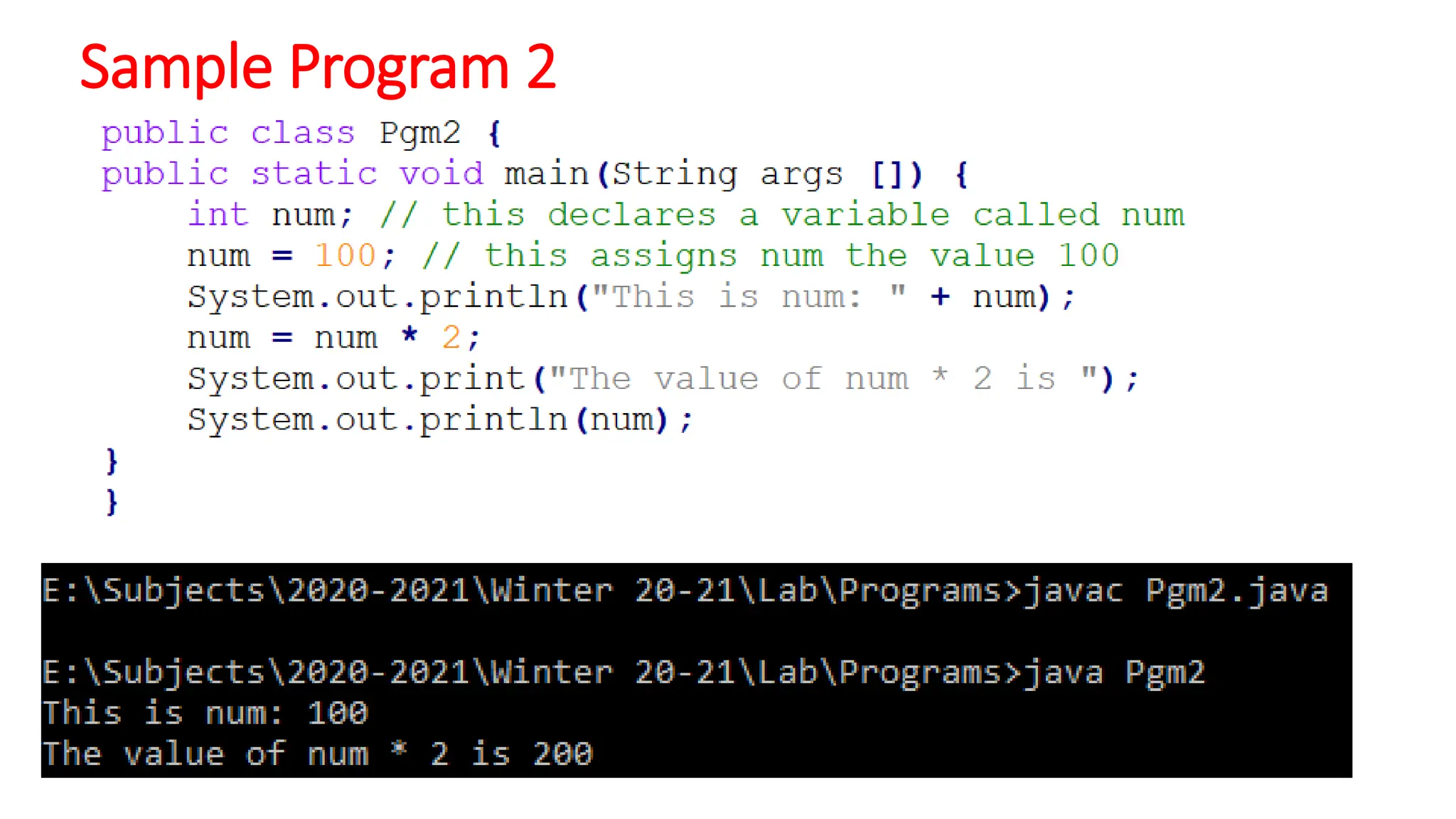
Sample Program 2
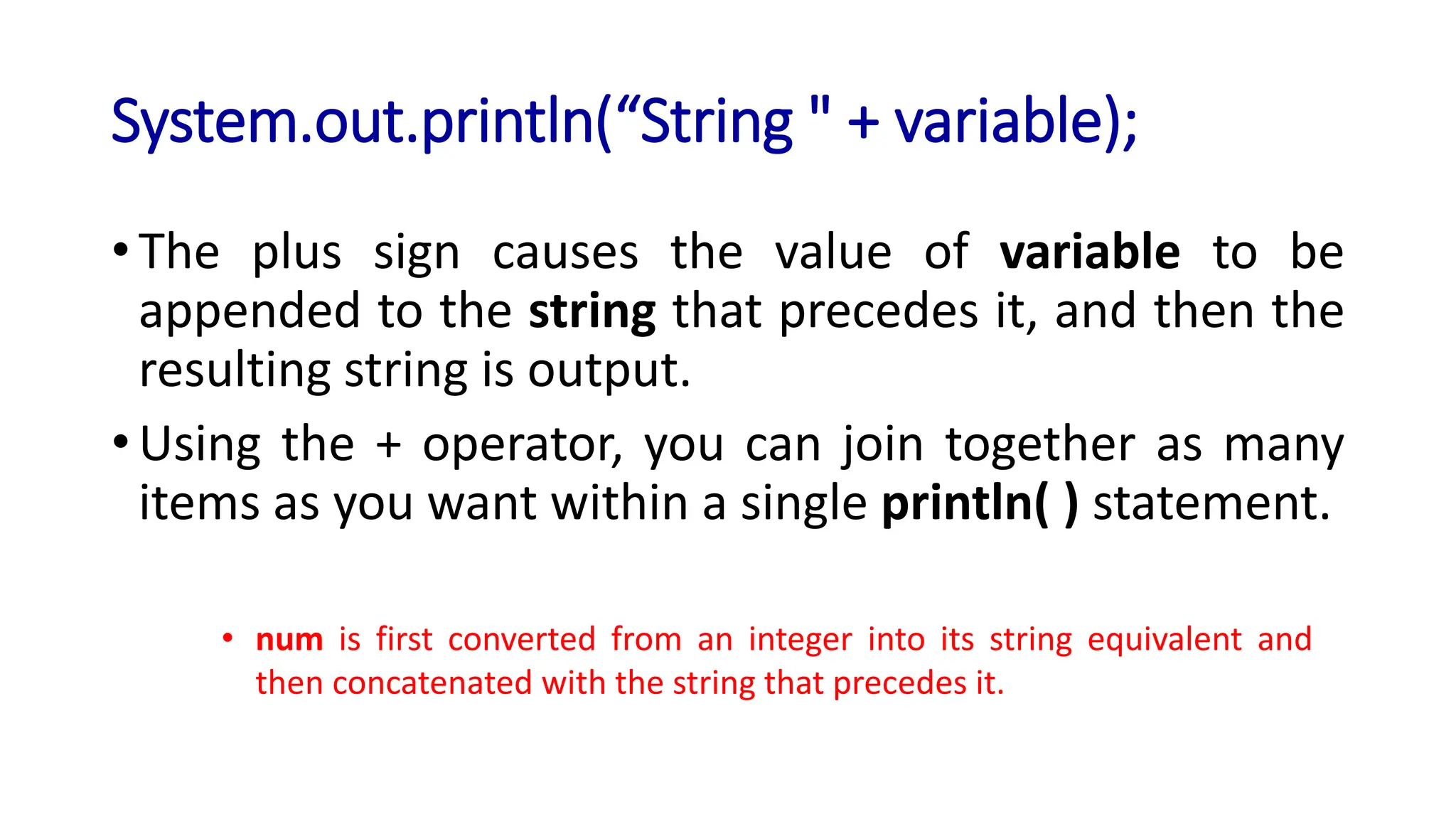
System.out.println(“String " + variable);
• The plus sign causes the value of variable to be
appended to the string that precedes it, and then the
resulting string is output.
• Using the + operator, you can join together as many
items as you want within a single println( ) statement.
• num is first converted from an integer into its string equivalent and
then concatenated with the string that precedes it.
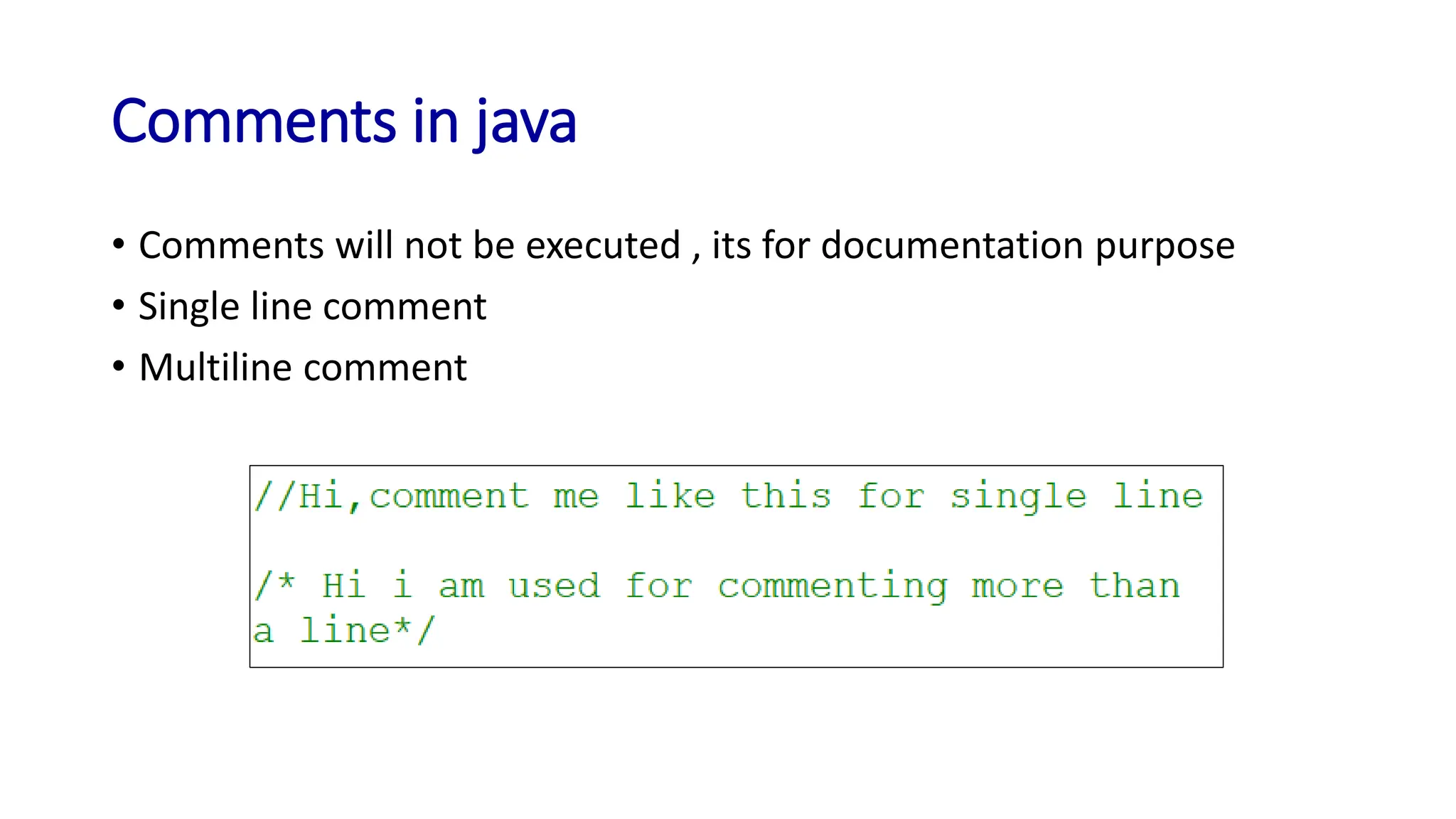
Comments in java
• Comments will not be executed , its for documentation purpose
• Single line comment
• Multiline comment
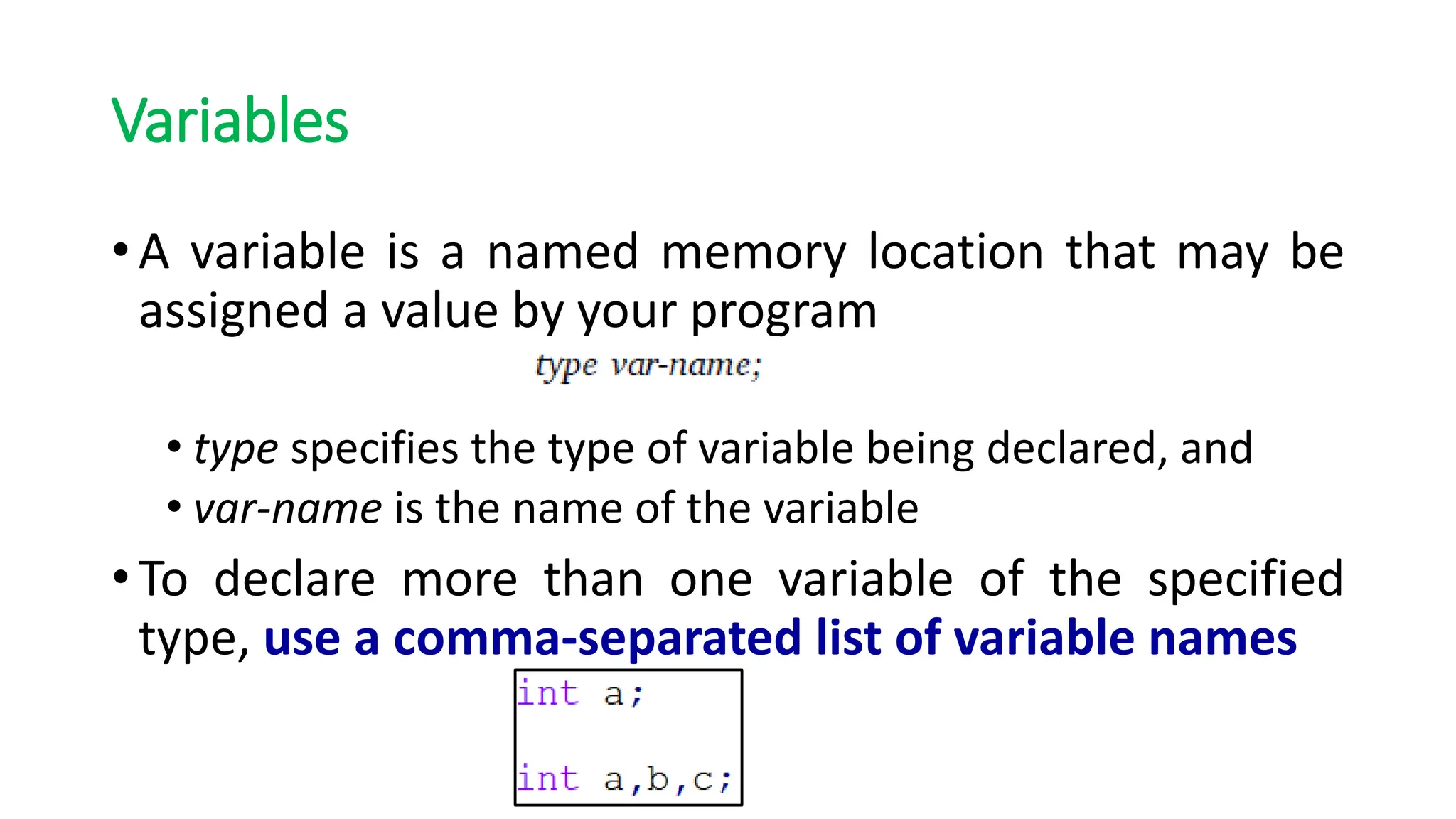
Variables
• A variable is a named memory location that may be
assigned a value by your program
• type specifies the type of variable being declared, and
• var-name is the name of the variable
• To declare more than one variable of the specified
type, use a comma-separated list of variable names
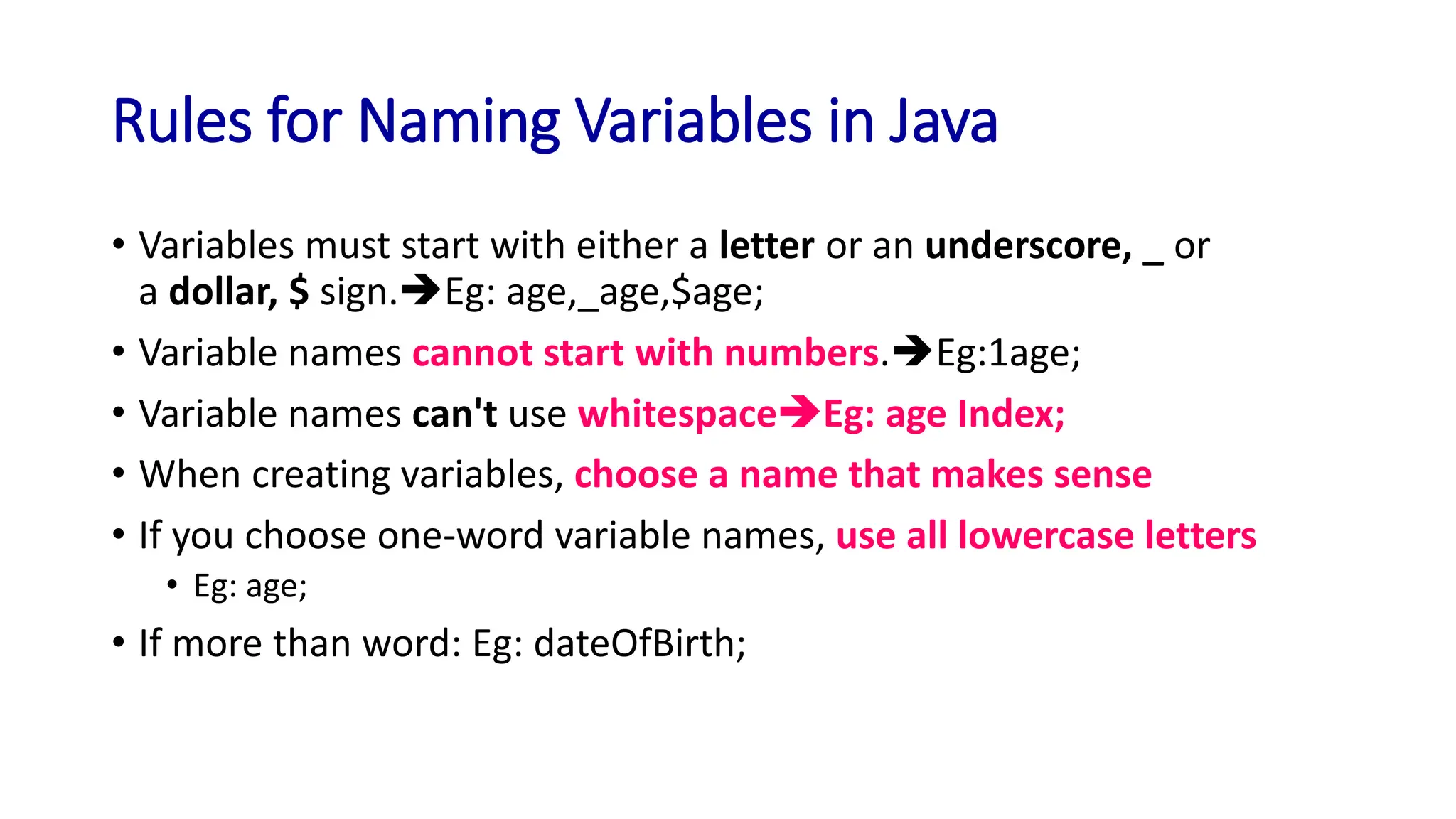
Rules for Naming Variables in Java
• Variables must start with either a letter or an underscore, _ or
a dollar, $ sign.➔Eg: age,_age,$age;
• Variable names cannot start with numbers.➔Eg:1age;
• Variable names can't use whitespace➔Eg: age Index;
• When creating variables, choose a name that makes sense
• If you choose one-word variable names, use all lowercase letters
• Eg: age;
• If more than word: Eg: dateOfBirth;
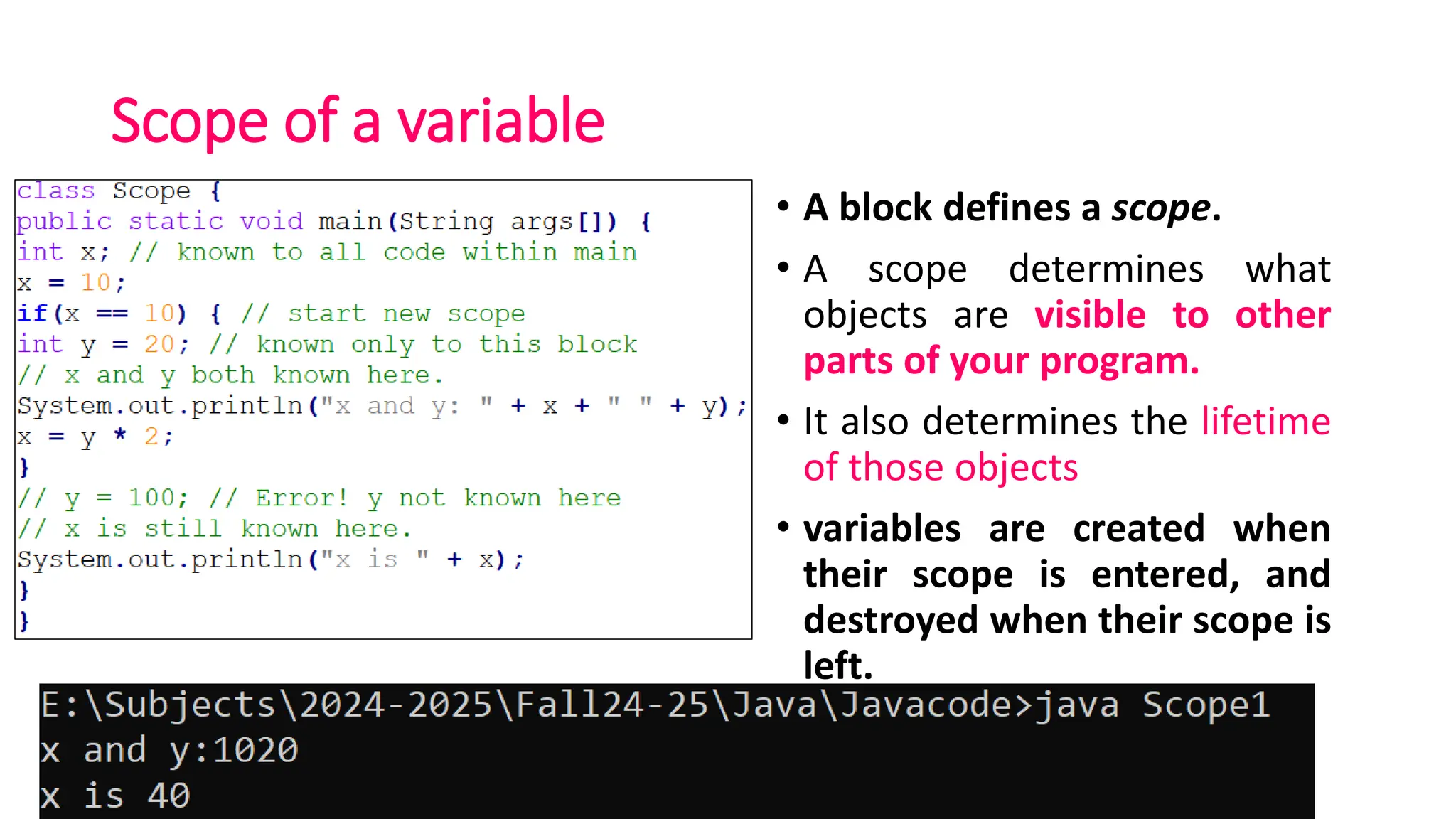
Scope of a variable
• A block defines a scope.
• A scope determines what
objects are visible to other
parts of your program.
• It also determines the lifetime
of those objects
• variables are created when
their scope is entered, and
destroyed when their scope is
left.
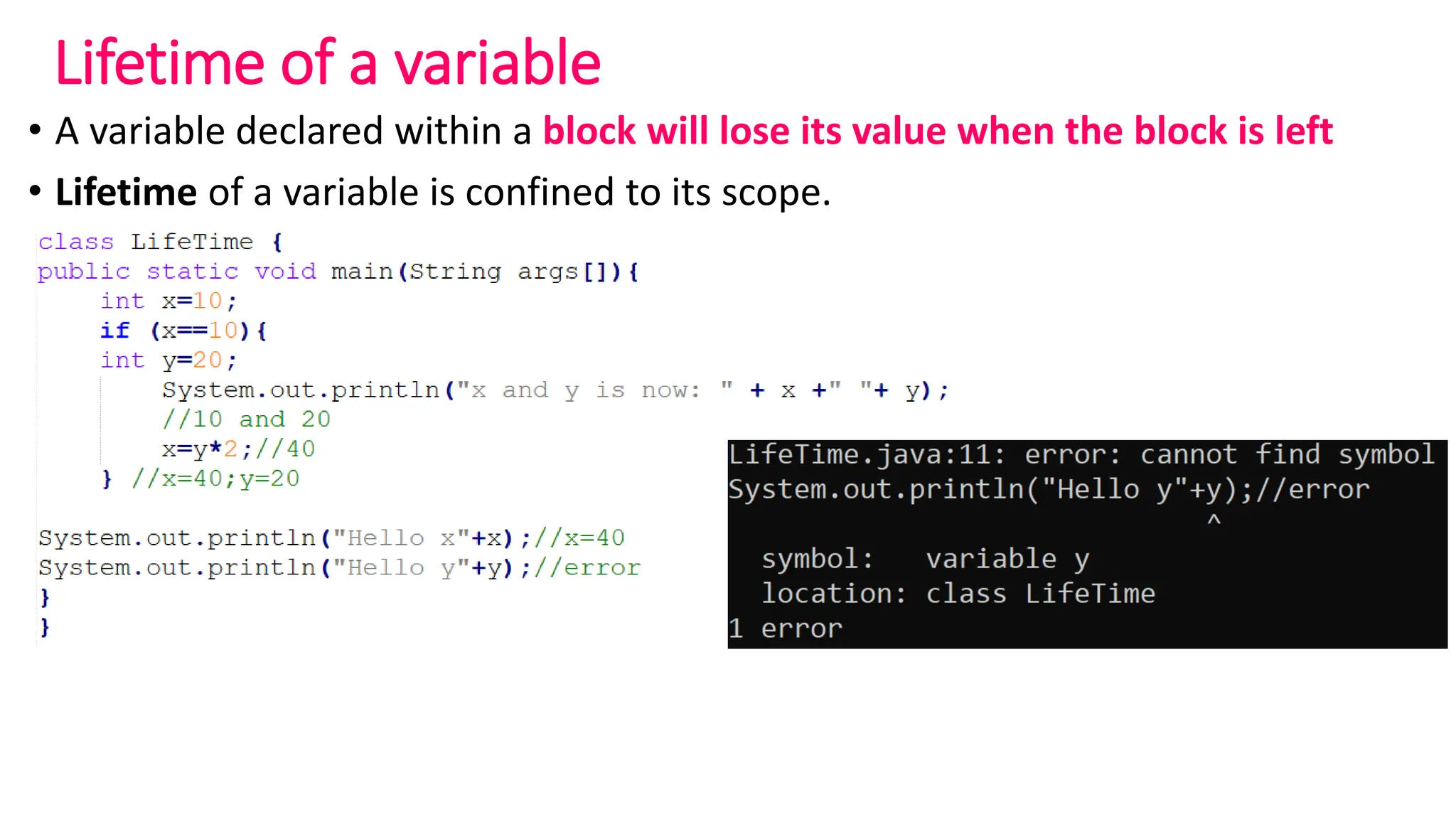
Lifetime of a variable
• A variable declared within a block will lose its value when the block is left
• Lifetime of a variable is confined to its scope.
Practice Programs
• Write java program to print your details like reg.no, number of
courses registered, number of credits completed and cgpa.
• Write Java program print the two numbers passed in the command
line
Simple Control statements
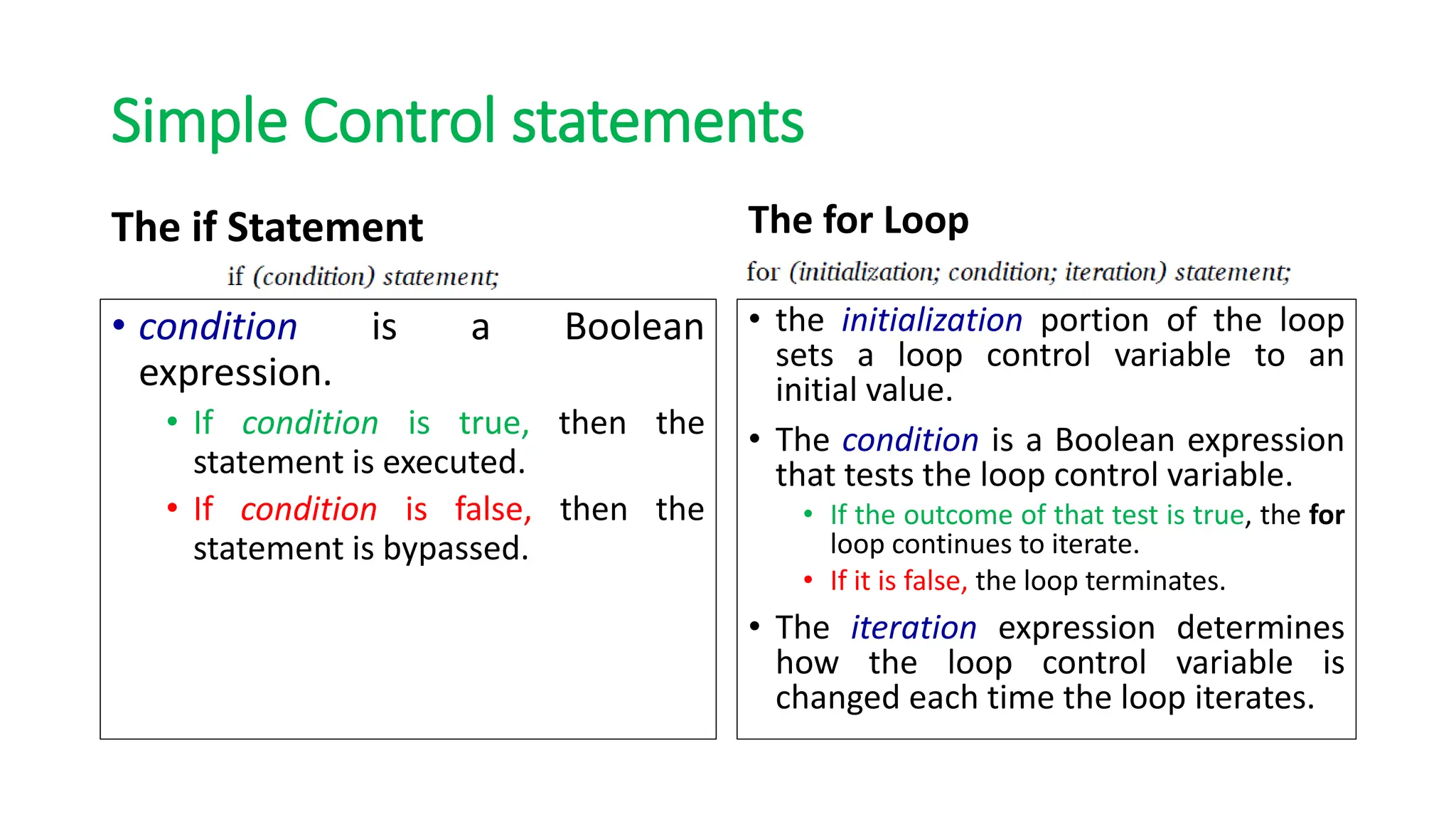
The if Statement
• condition is a Boolean
expression.
• If condition is true, then the
statement is executed.
• If condition is false, then the
statement is bypassed.
The for Loop
• the initialization portion of the loop
sets a loop control variable to an
initial value.
• The condition is a Boolean expression
that tests the loop control variable.
• If the outcome of that test is true, the for
loop continues to iterate.
• If it is false, the loop terminates.
• The iteration expression determines
how the loop control variable is
changed each time the loop iterates.
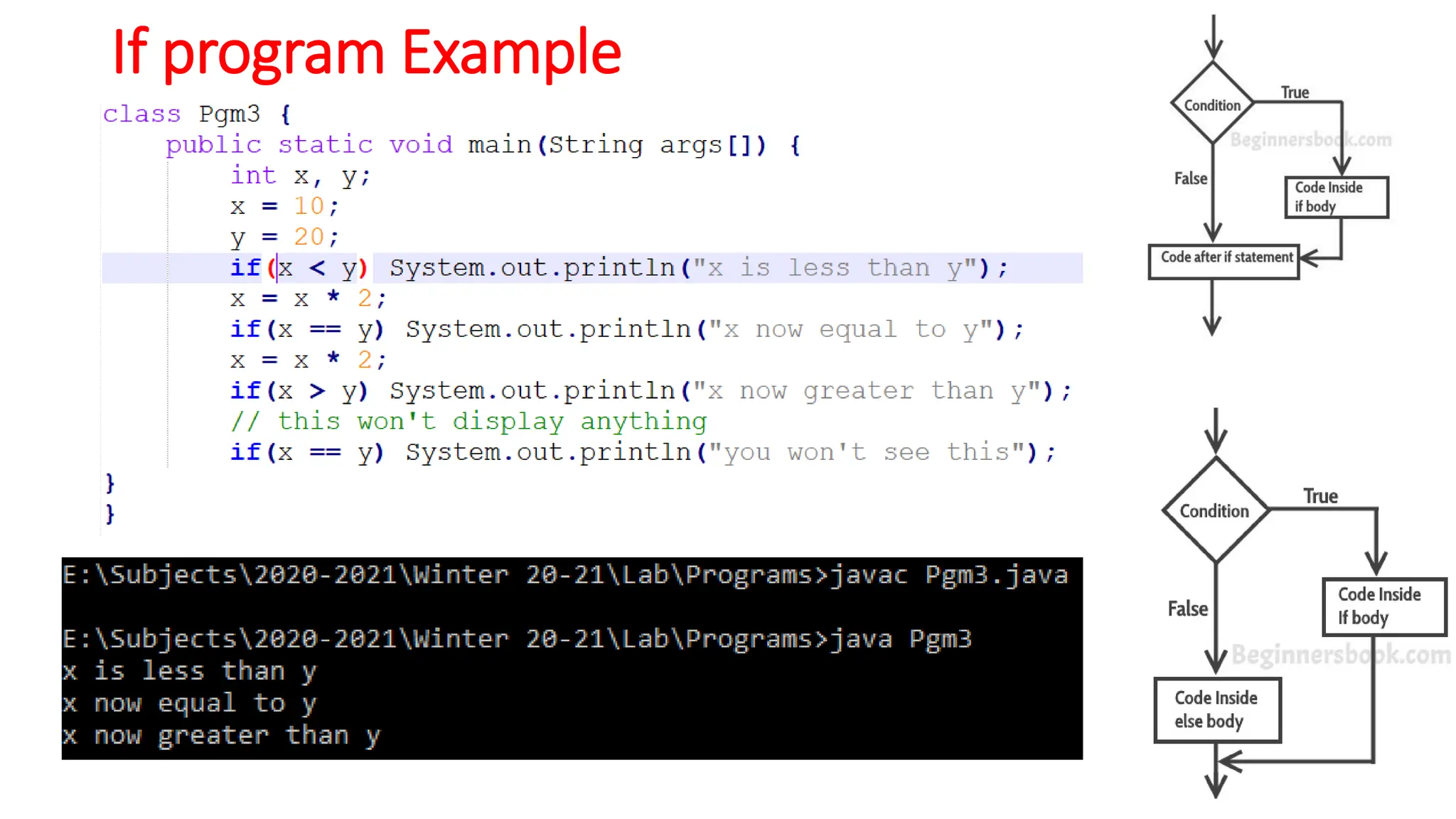
If program Example
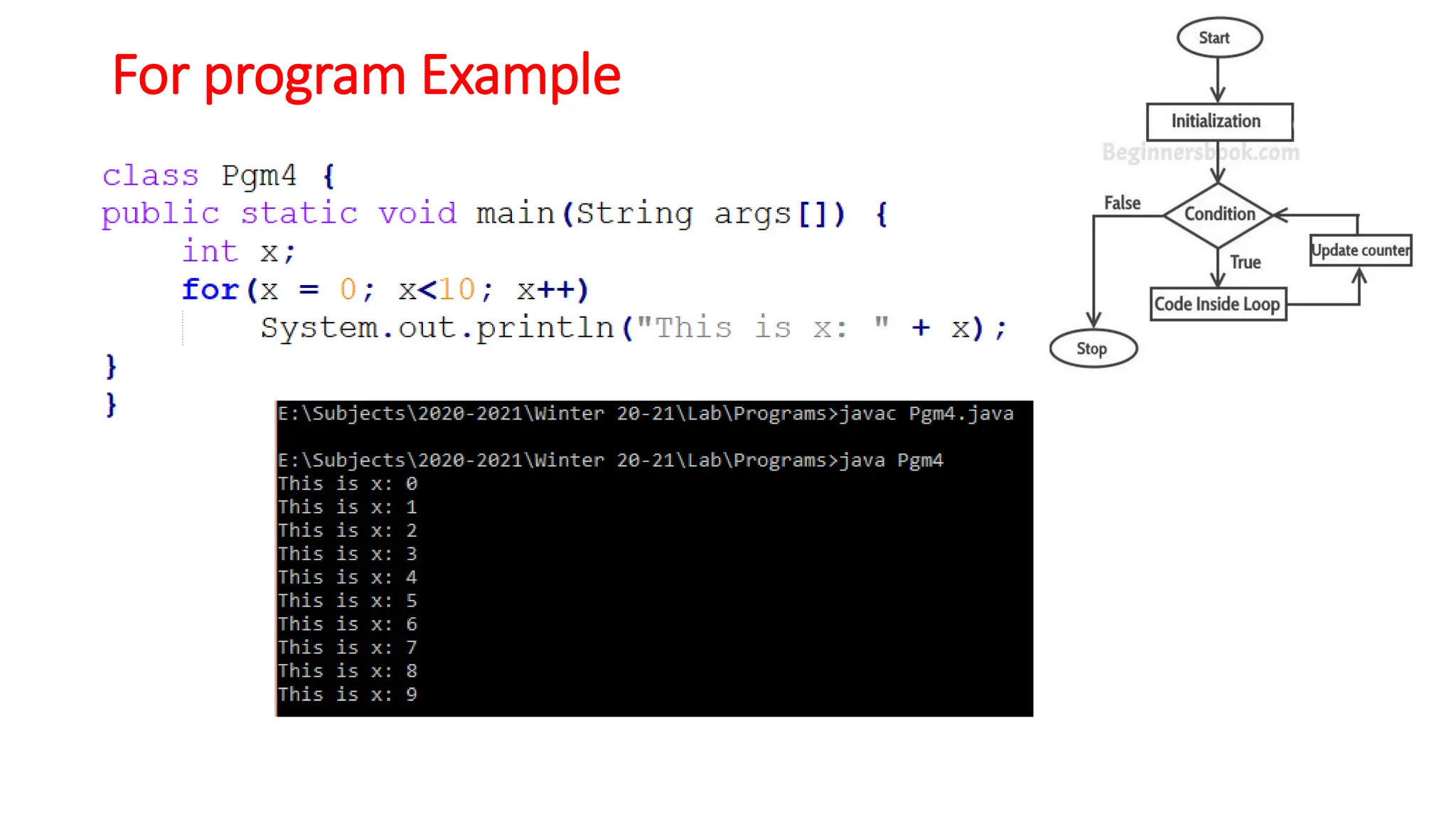
For program Example
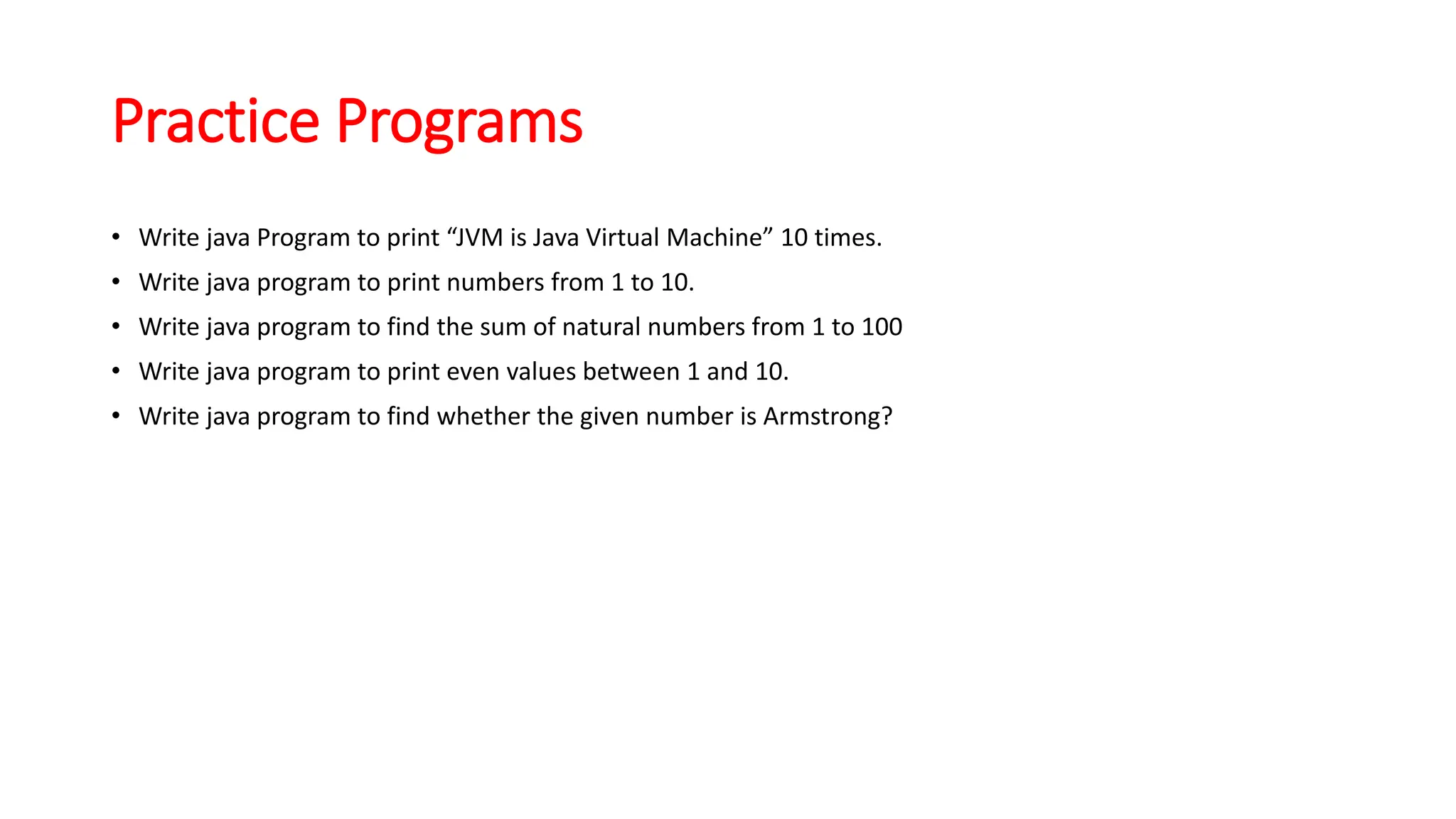
Practice Programs
• Write java Program to print “JVM is Java Virtual Machine” 10 times.
• Write java program to print numbers from 1 to 10.
• Write java program to find the sum of natural numbers from 1 to 100
• Write java program to print even values between 1 and 10.
• Write java program to find whether the given number is Armstrong?
Introduction to Java
• Execution
• Platform independent-JVM’s
• Simple program
• Main
• Scanner
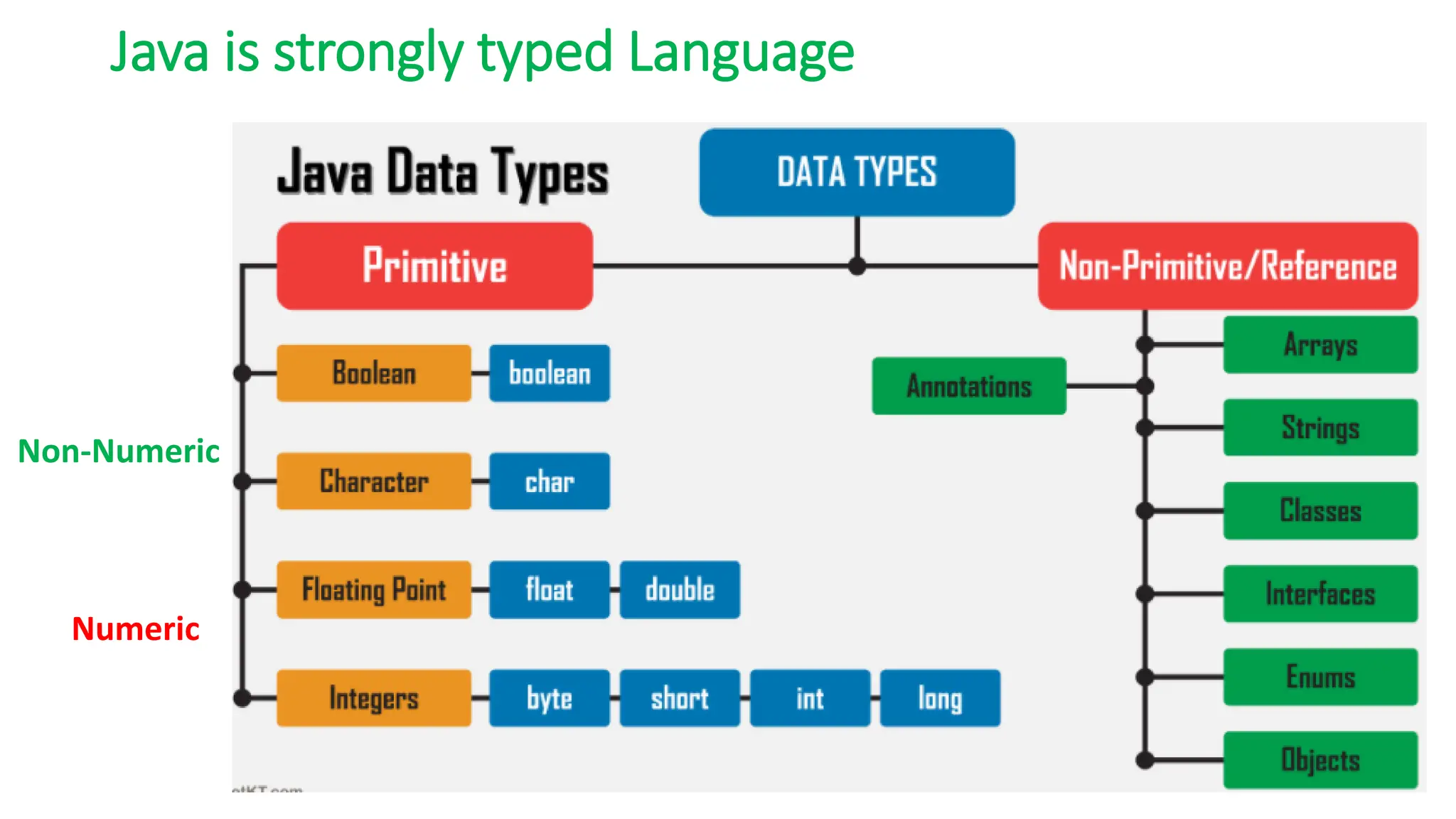
Java is strongly typed Language
Numeric
Non-Numeric
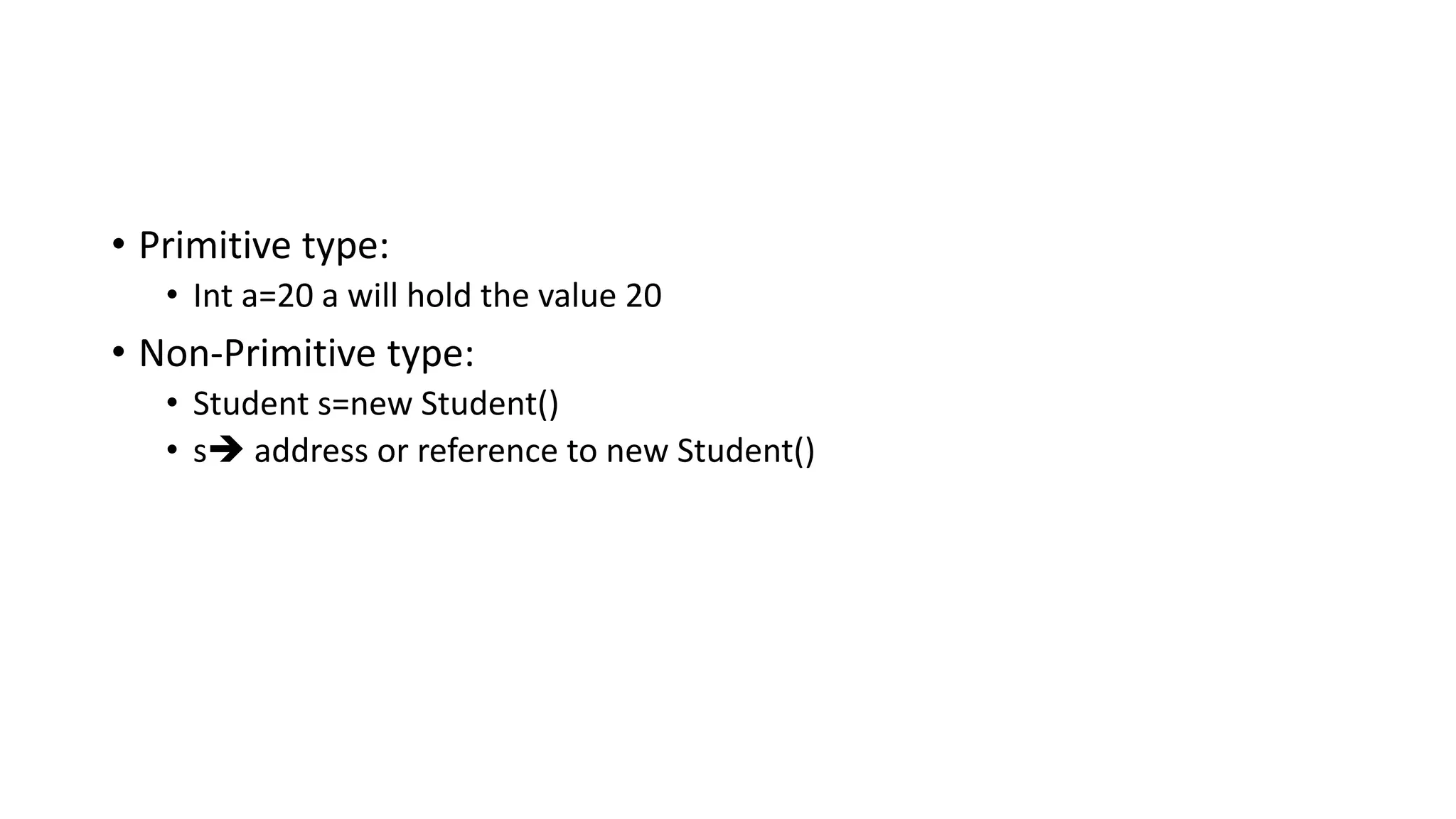
• Primitive type:
• Int a=20 a will hold the value 20
• Non-Primitive type:
• Student s=new Student()
• s➔ address or reference to new Student()
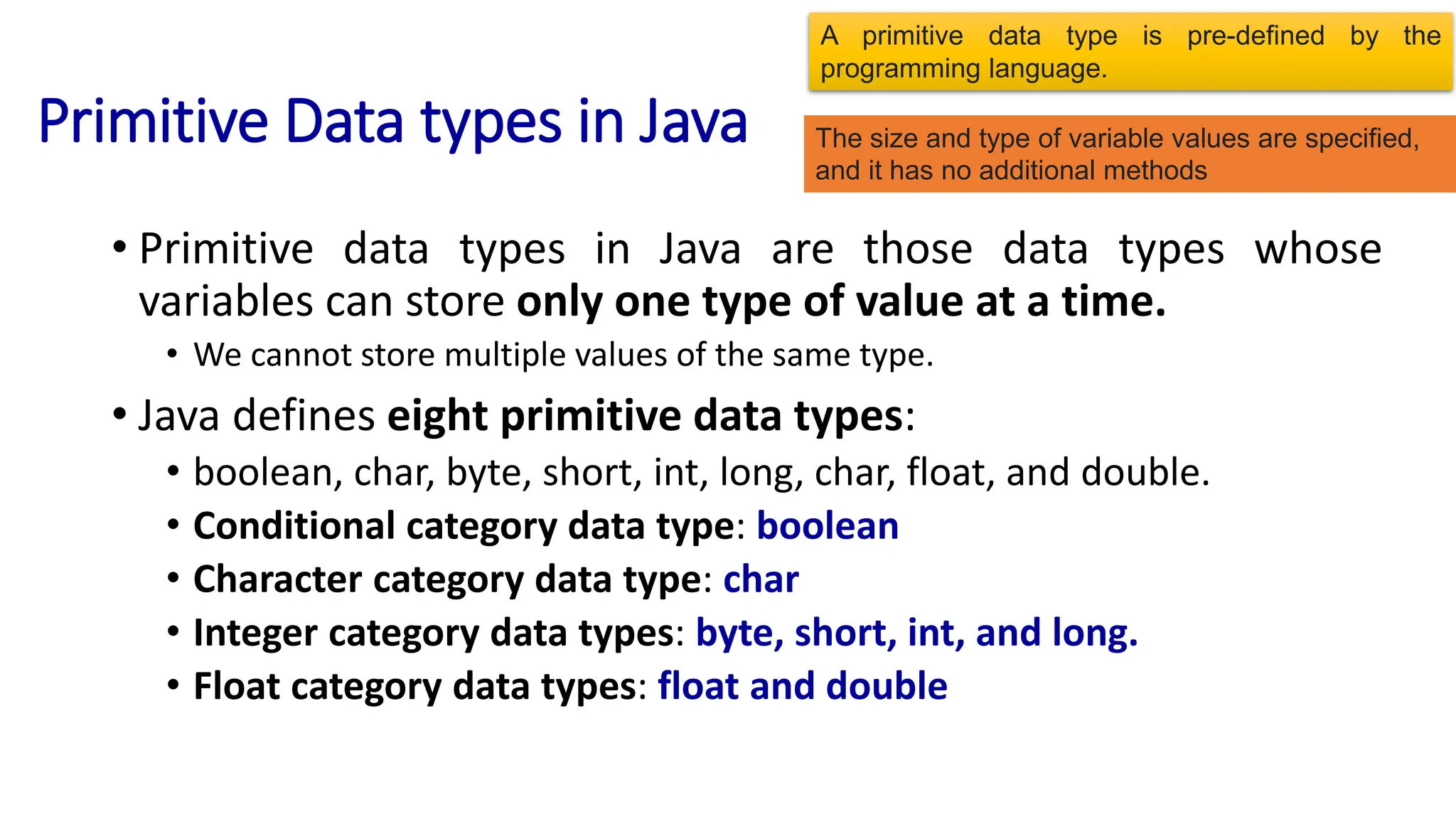
Primitive Data types in Java
• Primitive data types in Java are those data types whose
variables can store only one type of value at a time.
• We cannot store multiple values of the same type.
• Java defines eight primitive data types:
• boolean, char, byte, short, int, long, char, float, and double.
• Conditional category data type: boolean
• Character category data type: char
• Integer category data types: byte, short, int, and long.
• Float category data types: float and double
A primitive data type is pre-defined by the
programming language.
The size and type of variable values are specified,
and it has no additional methods
Primitive data types
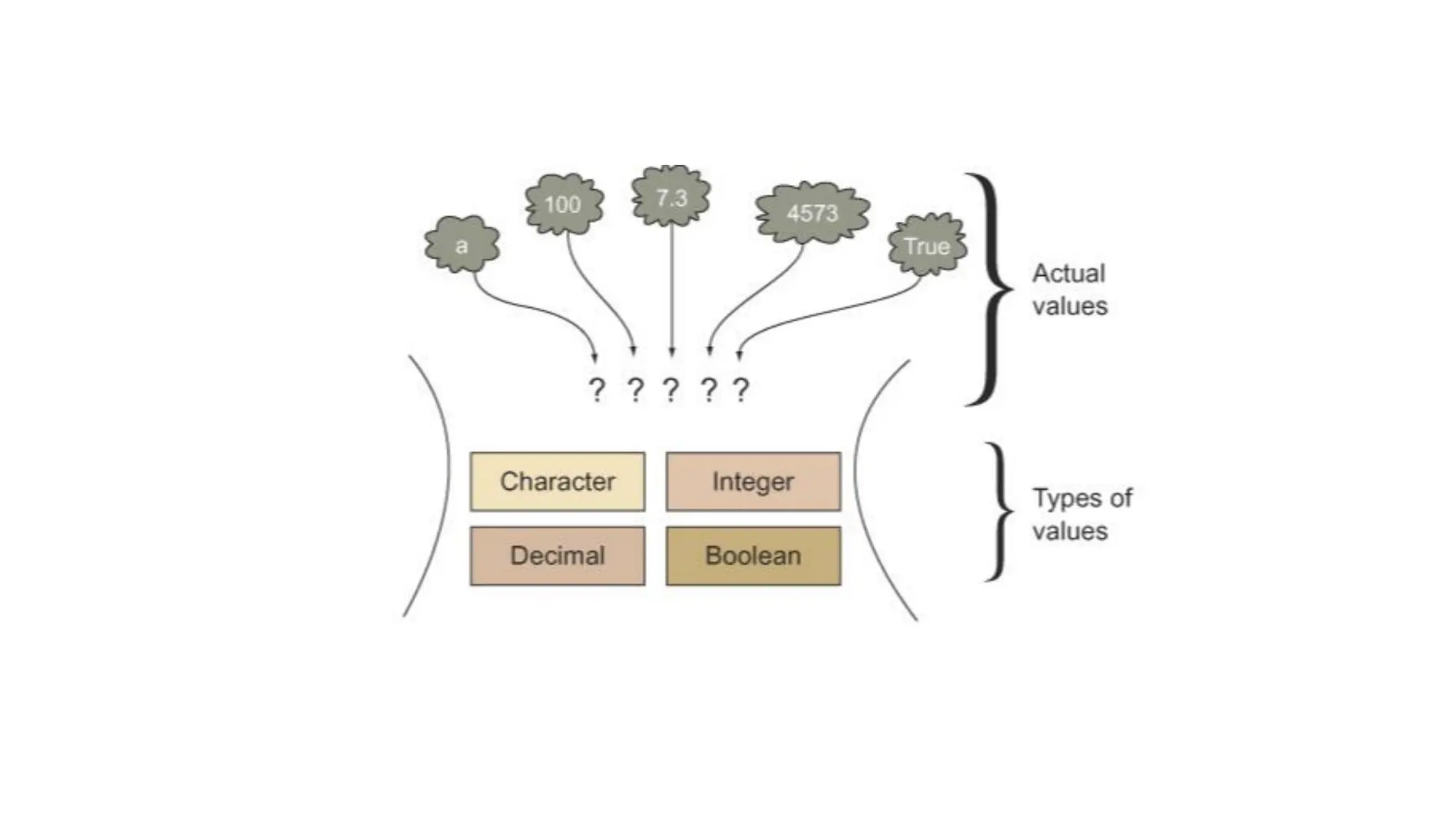
• Integers This group includes byte, short, int, and long, which are for
whole-valued signed numbers.
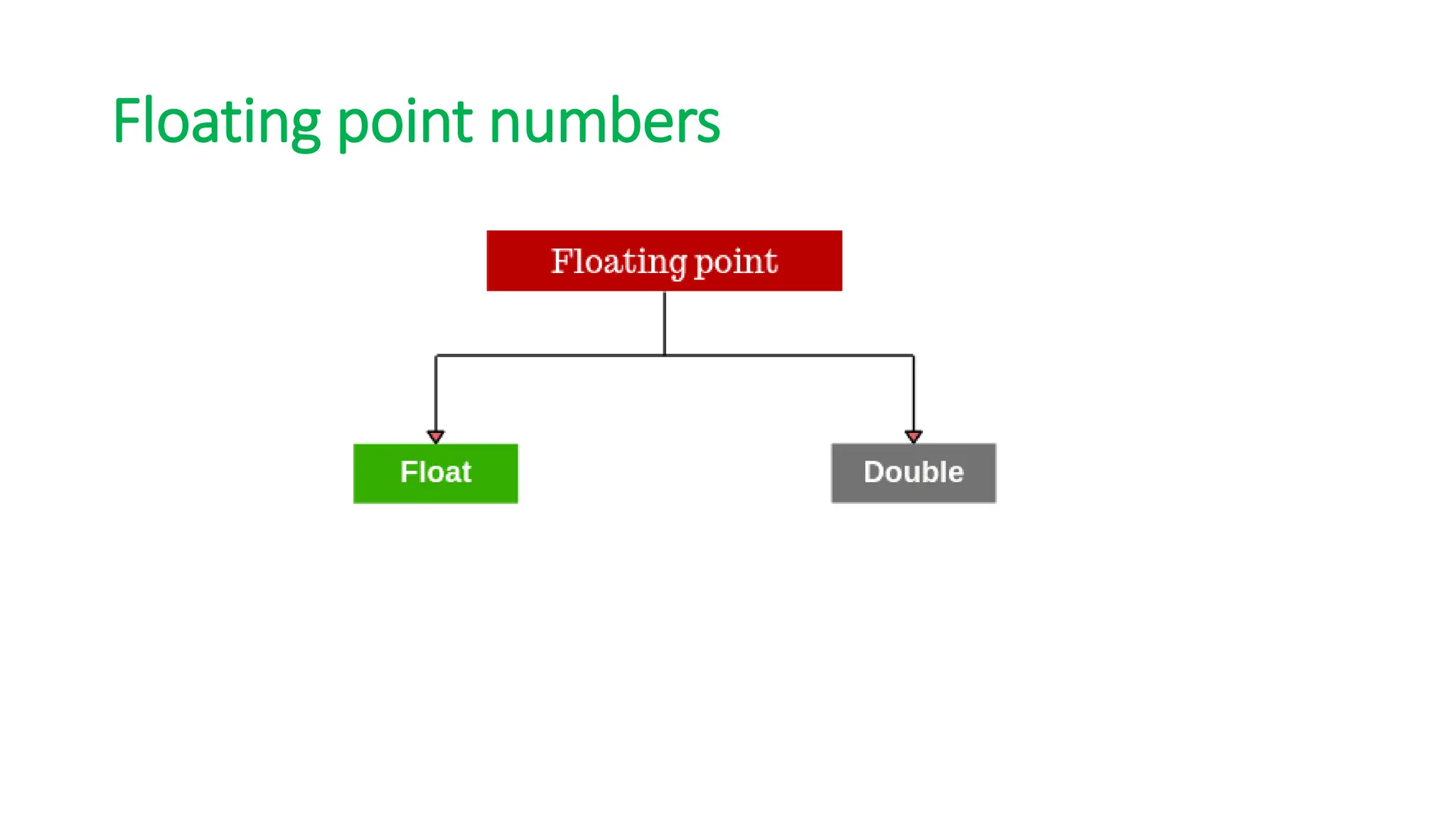
• Floating-point numbers This group includes float and double, which
represent numbers with fractional precision.
• Characters This group includes char, which represents symbols in a
character set, like letters and numbers.
• Boolean This group includes Boolean →true/false values
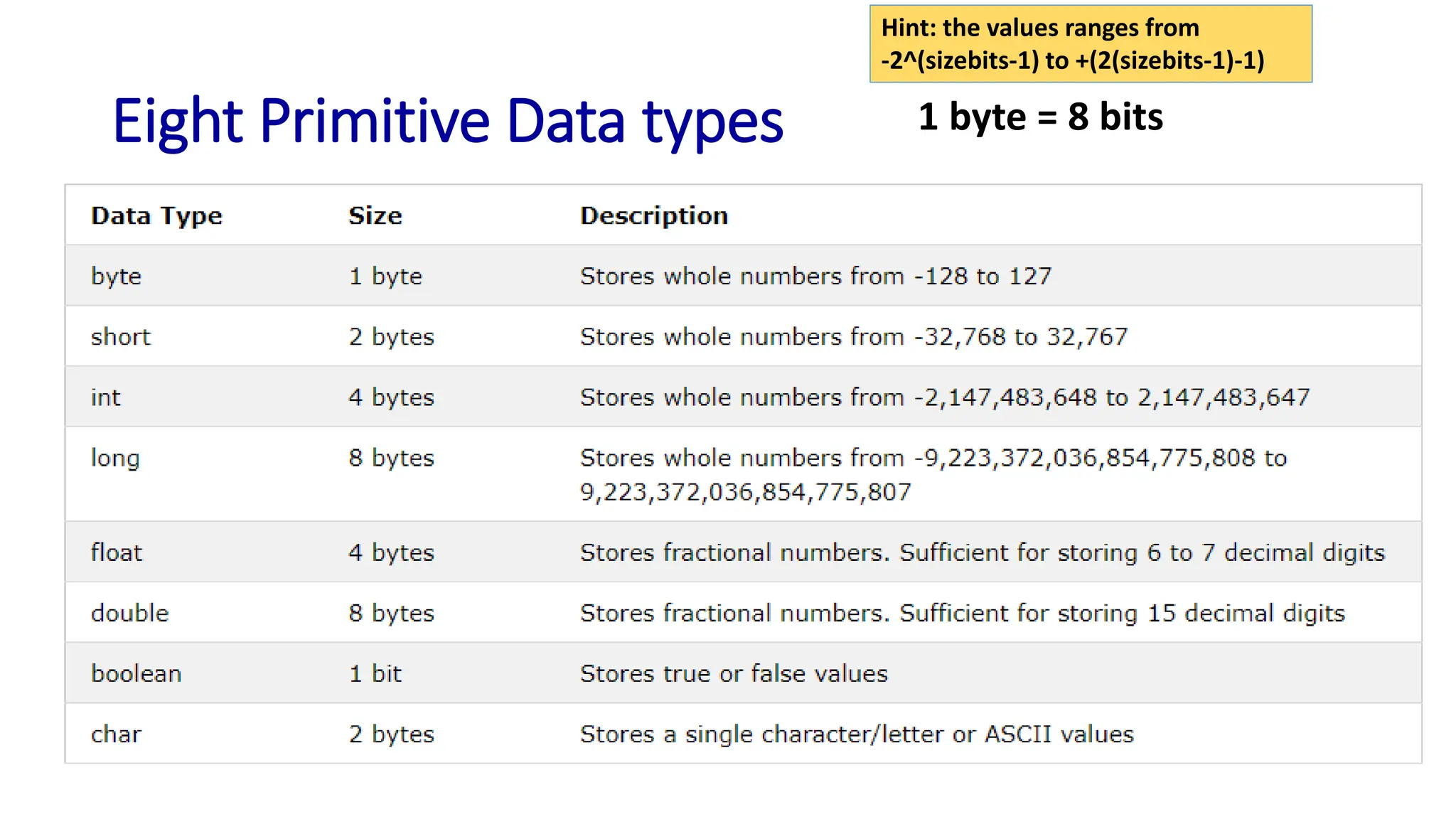
Eight Primitive Data types 1 byte = 8 bits
Hint: the values ranges from
-2^(sizebits-1) to +(2(sizebits-1)-1)
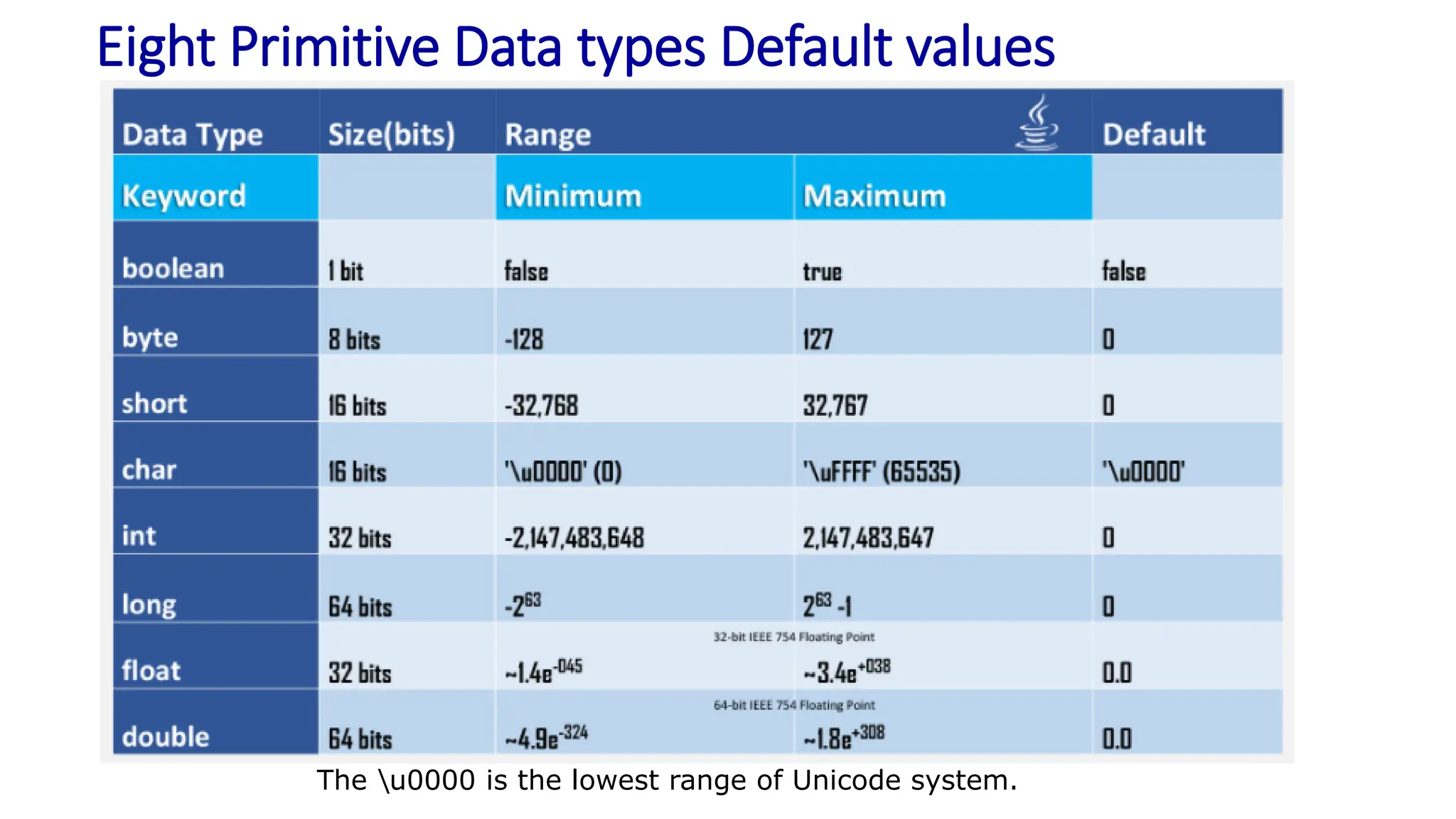
Eight Primitive Data types Default values
The u0000 is the lowest range of Unicode system.
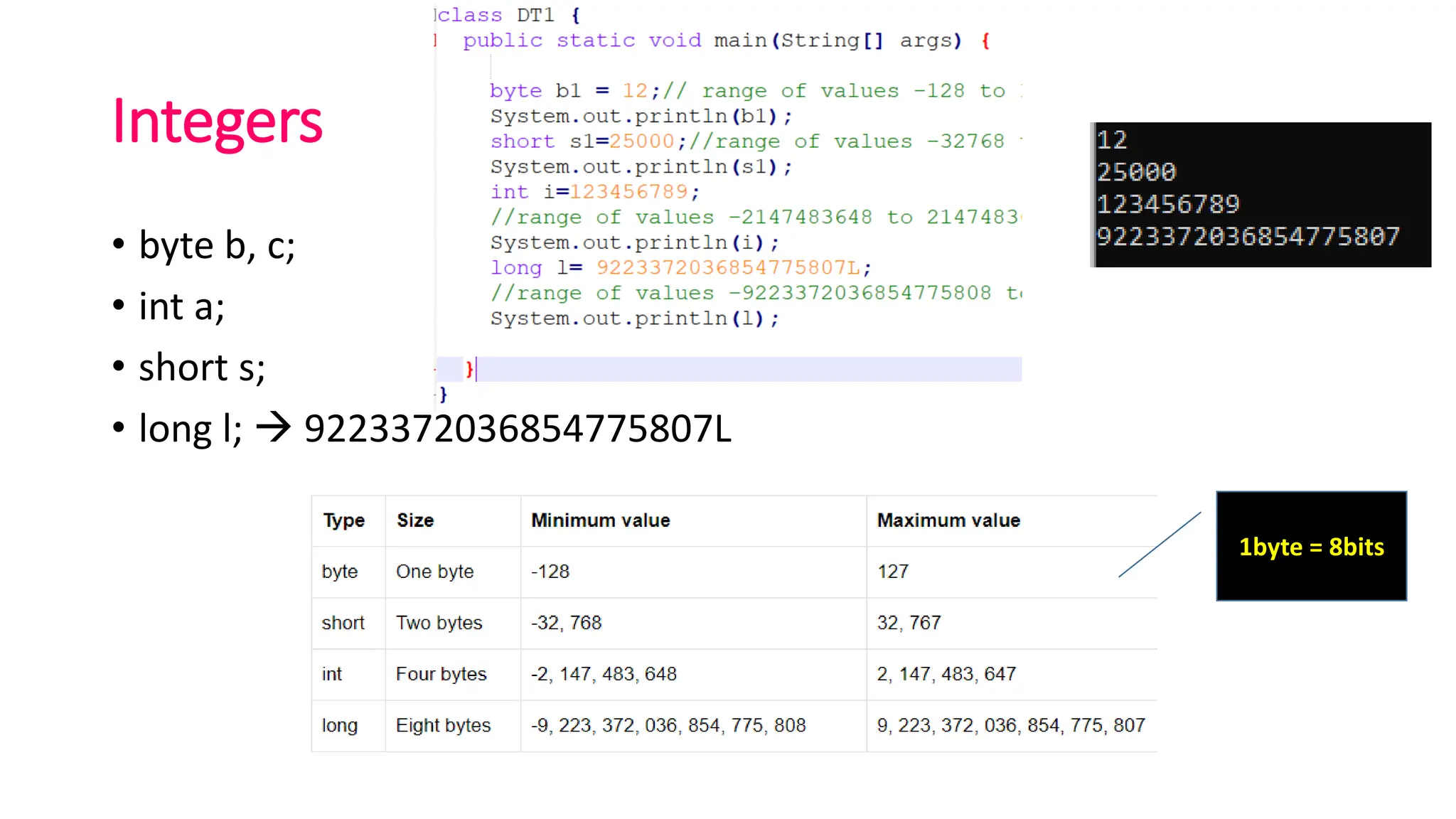
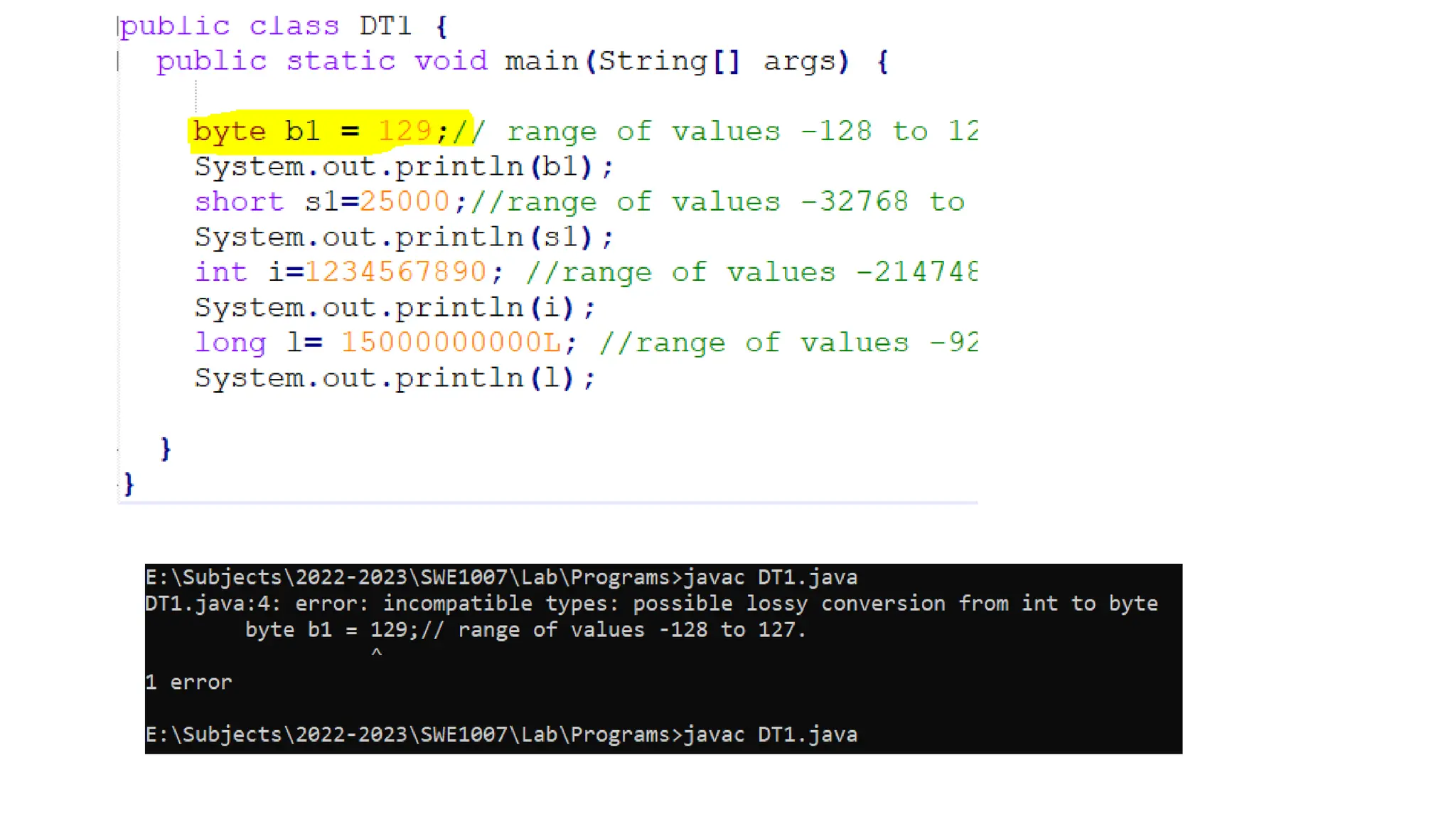
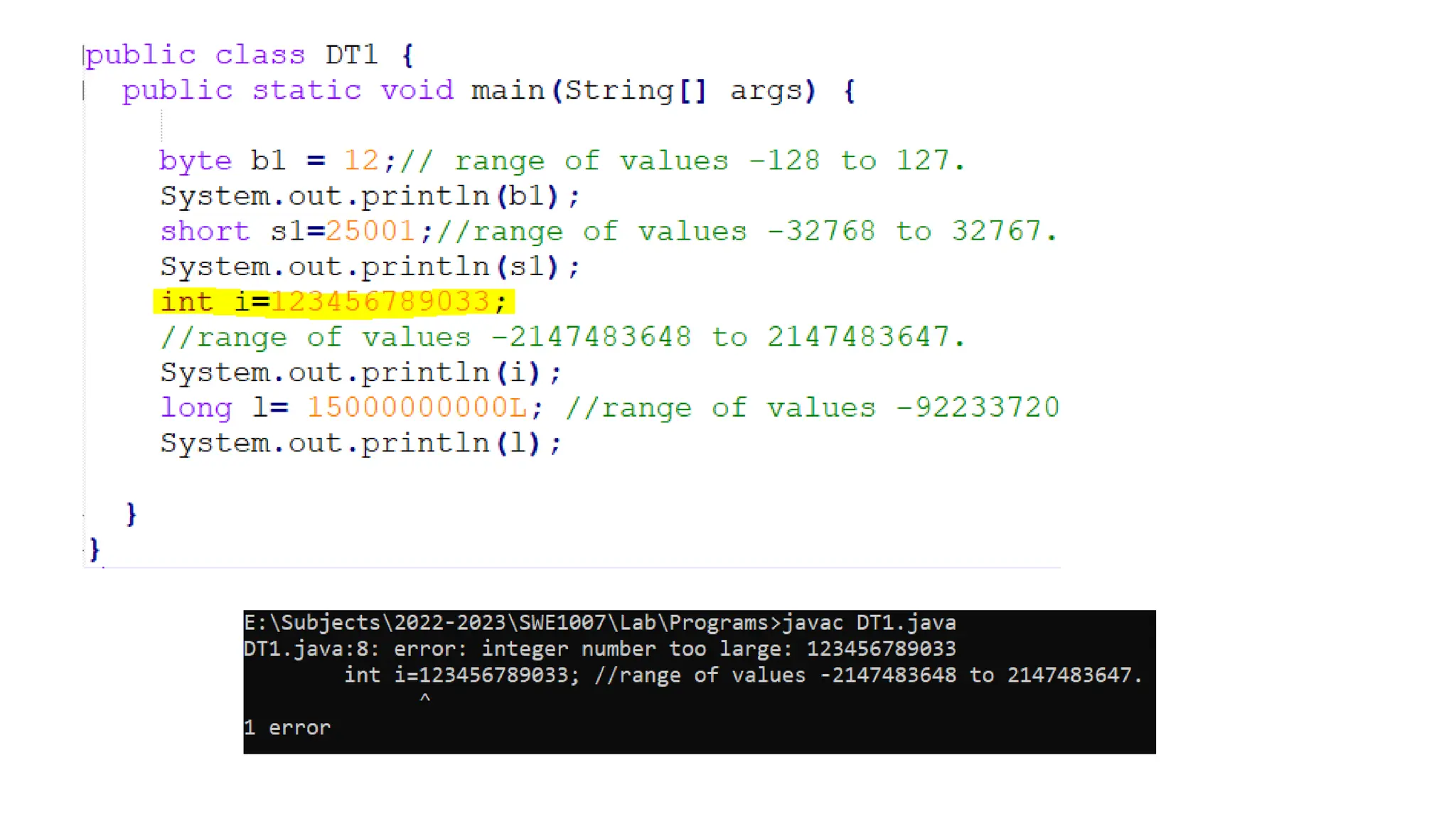
Integers
• byte b, c;
• int a;
• short s;
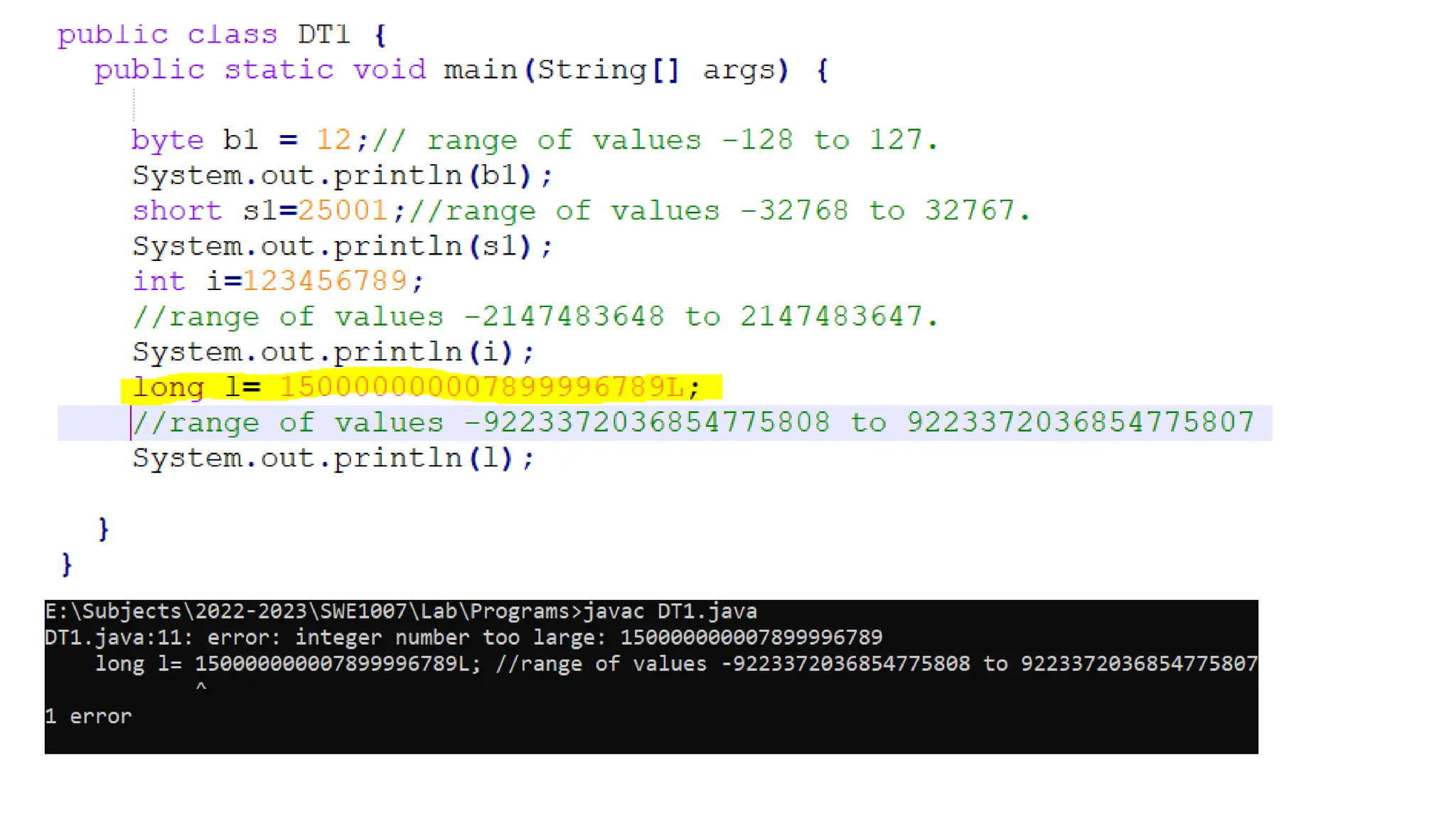
• long l; → 9223372036854775807L
1byte = 8bits
Floating point numbers
Floating-point numbers
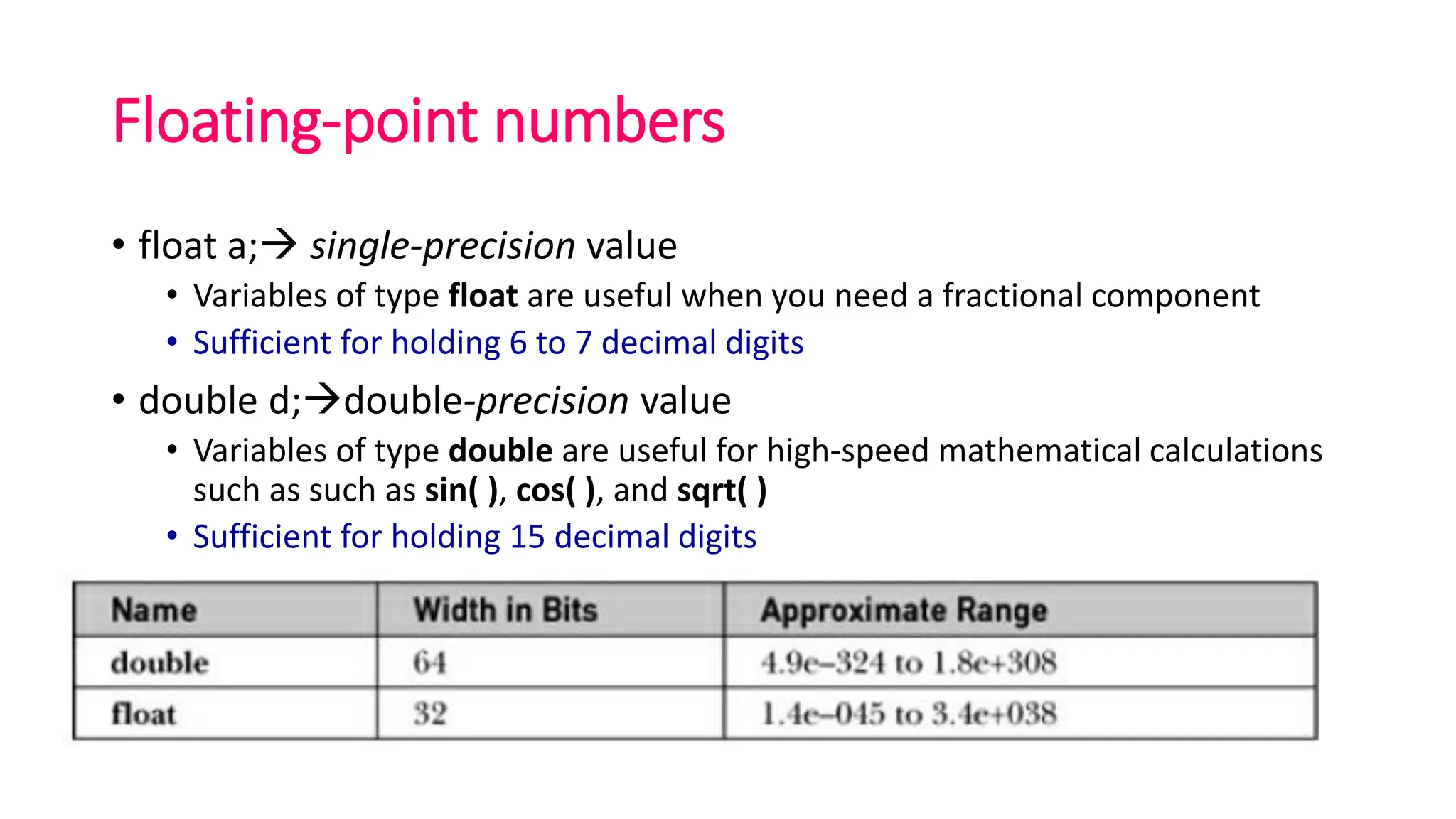
• float a;→ single-precision value
• Variables of type float are useful when you need a fractional component
• Sufficient for holding 6 to 7 decimal digits
• double d;→double-precision value
• Variables of type double are useful for high-speed mathematical calculations
such as such as sin( ), cos( ), and sqrt( )
• Sufficient for holding 15 decimal digits
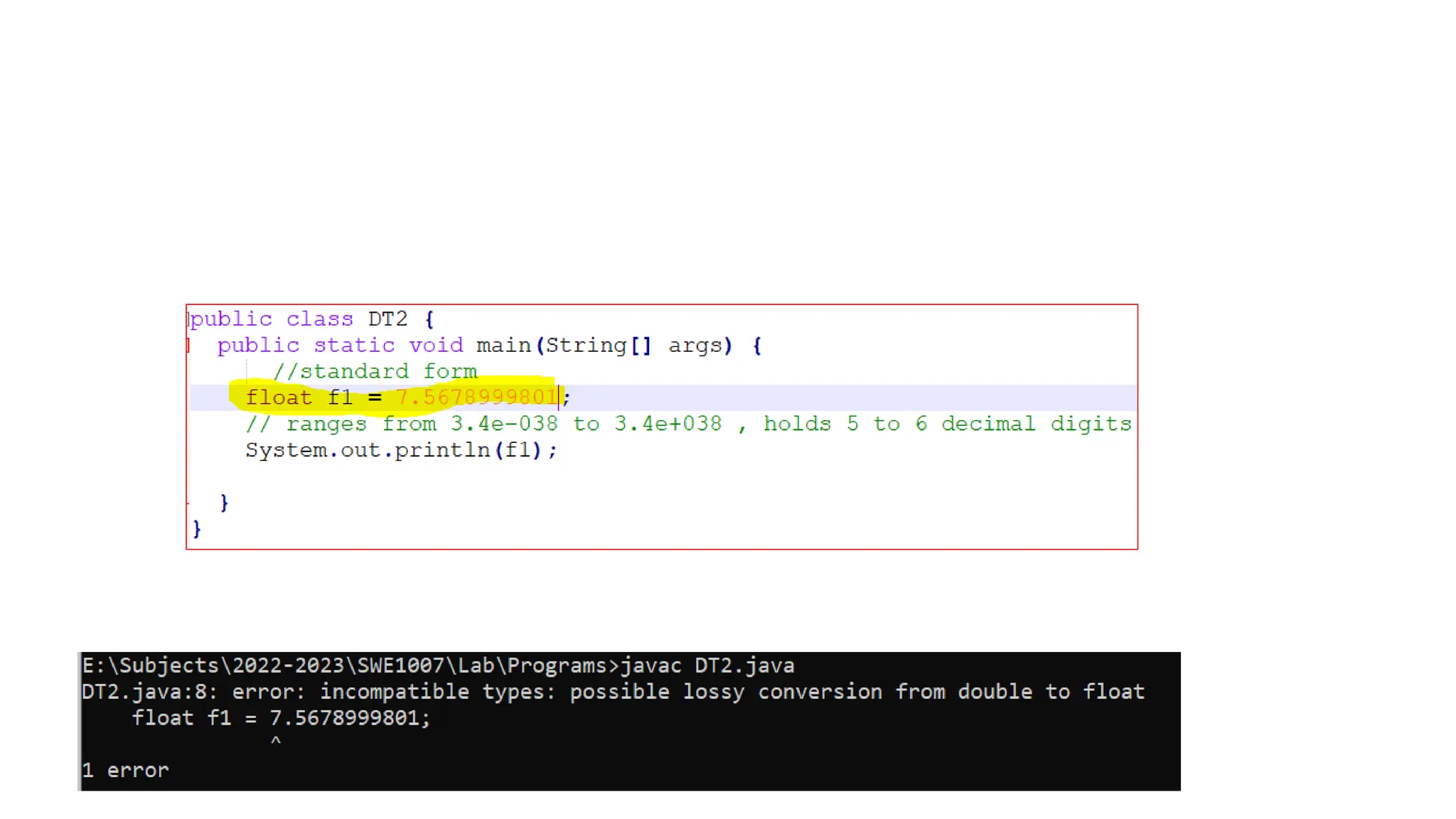
Float data type
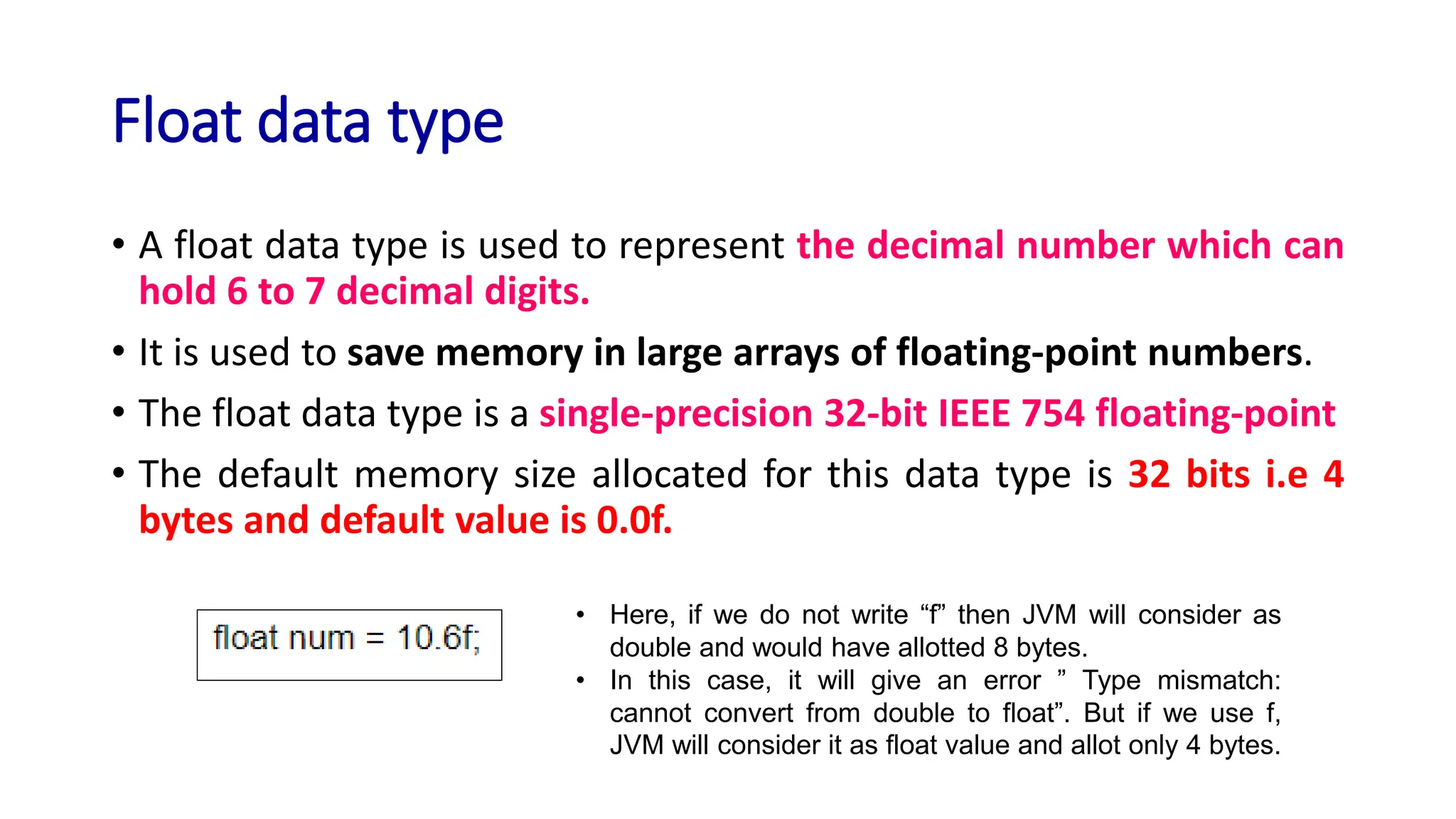
• A float data type is used to represent the decimal number which can
hold 6 to 7 decimal digits.
• It is used to save memory in large arrays of floating-point numbers.
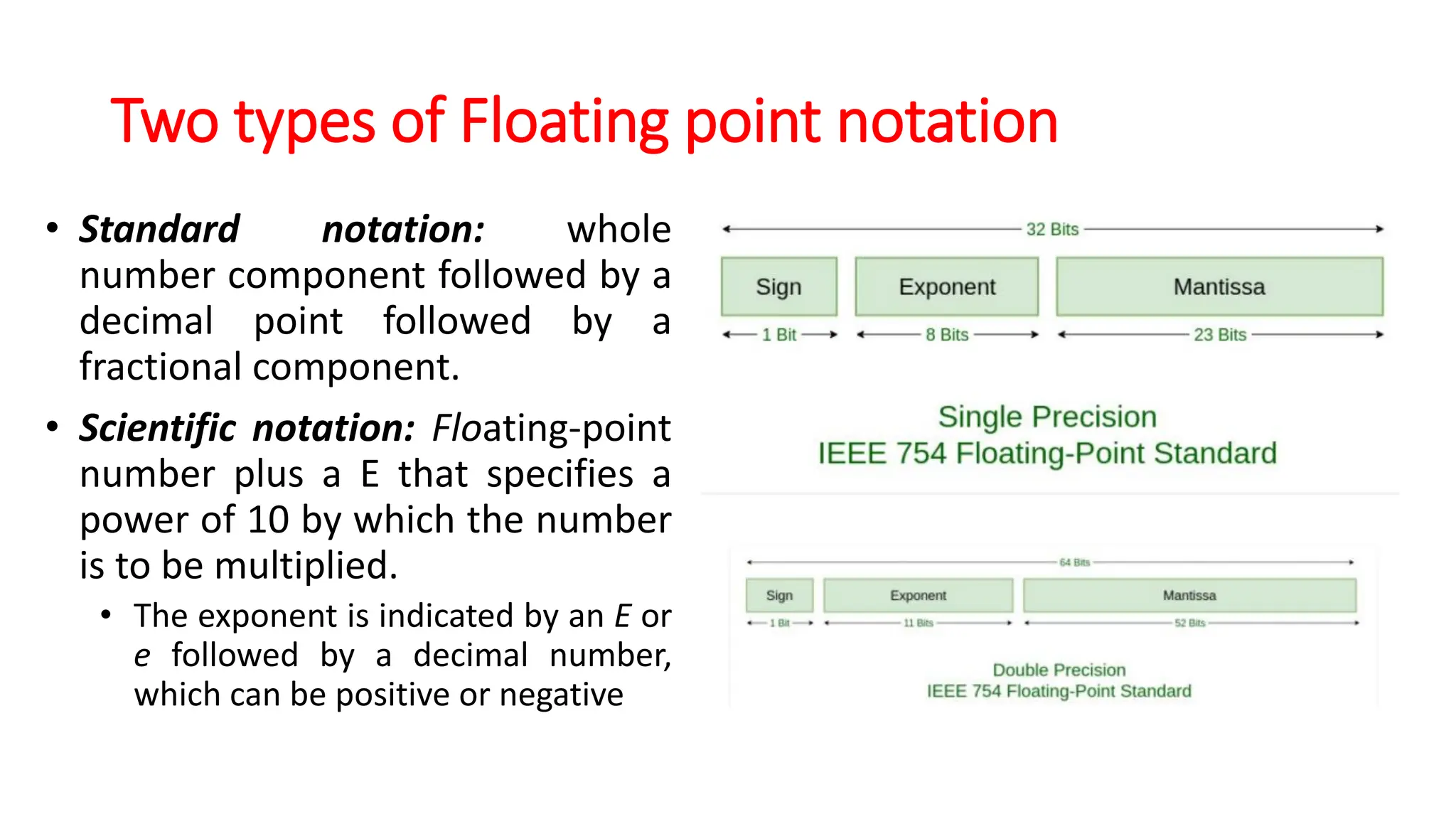
• The float data type is a single-precision 32-bit IEEE 754 floating-point
• The default memory size allocated for this data type is 32 bits i.e 4
bytes and default value is 0.0f.
• Here, if we do not write “f” then JVM will consider as
double and would have allotted 8 bytes.
• In this case, it will give an error ” Type mismatch:
cannot convert from double to float”. But if we use f,
JVM will consider it as float value and allot only 4 bytes.
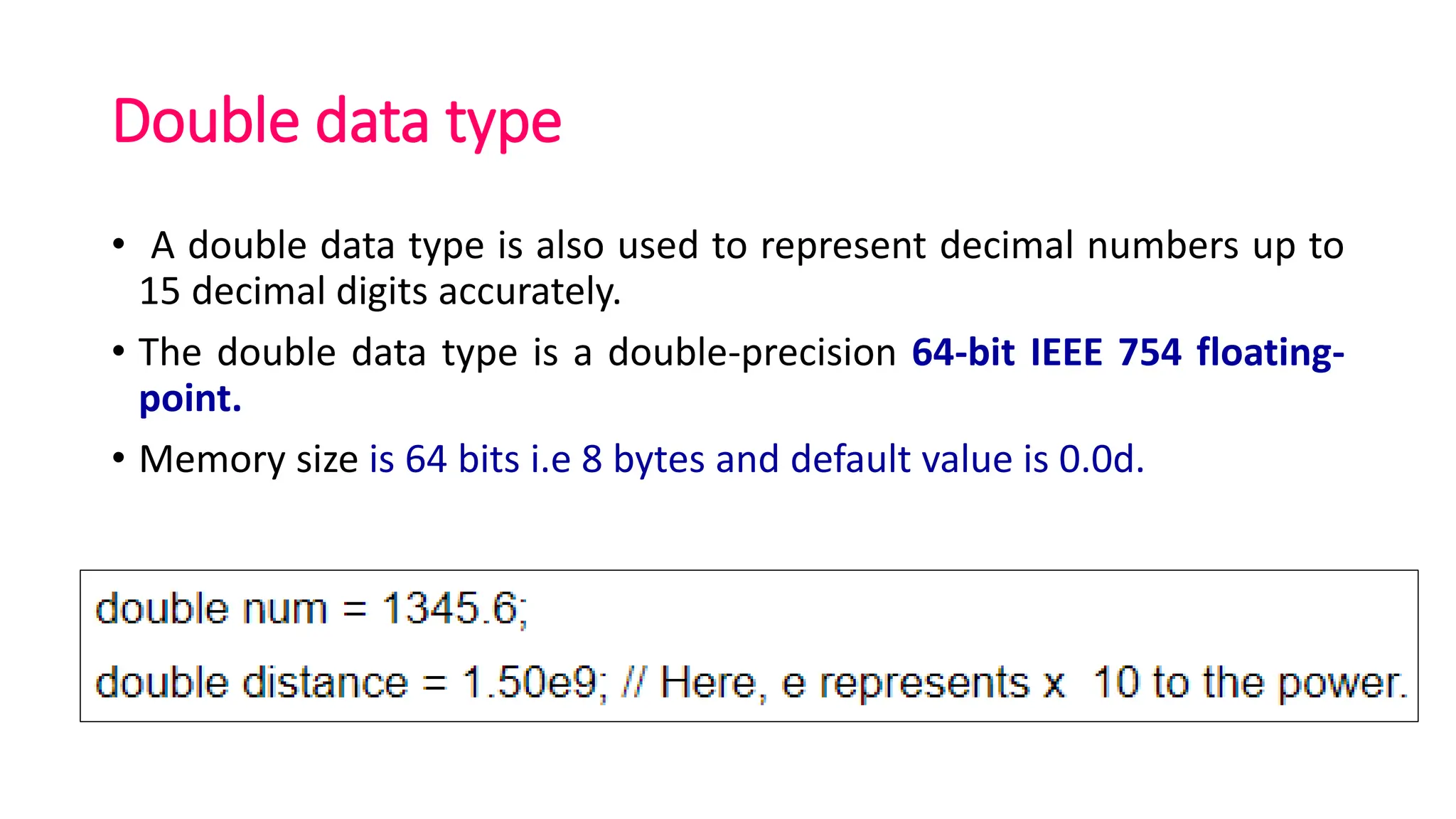
Double data type
• A double data type is also used to represent decimal numbers up to
15 decimal digits accurately.
• The double data type is a double-precision 64-bit IEEE 754 floating-
point.
• Memory size is 64 bits i.e 8 bytes and default value is 0.0d.
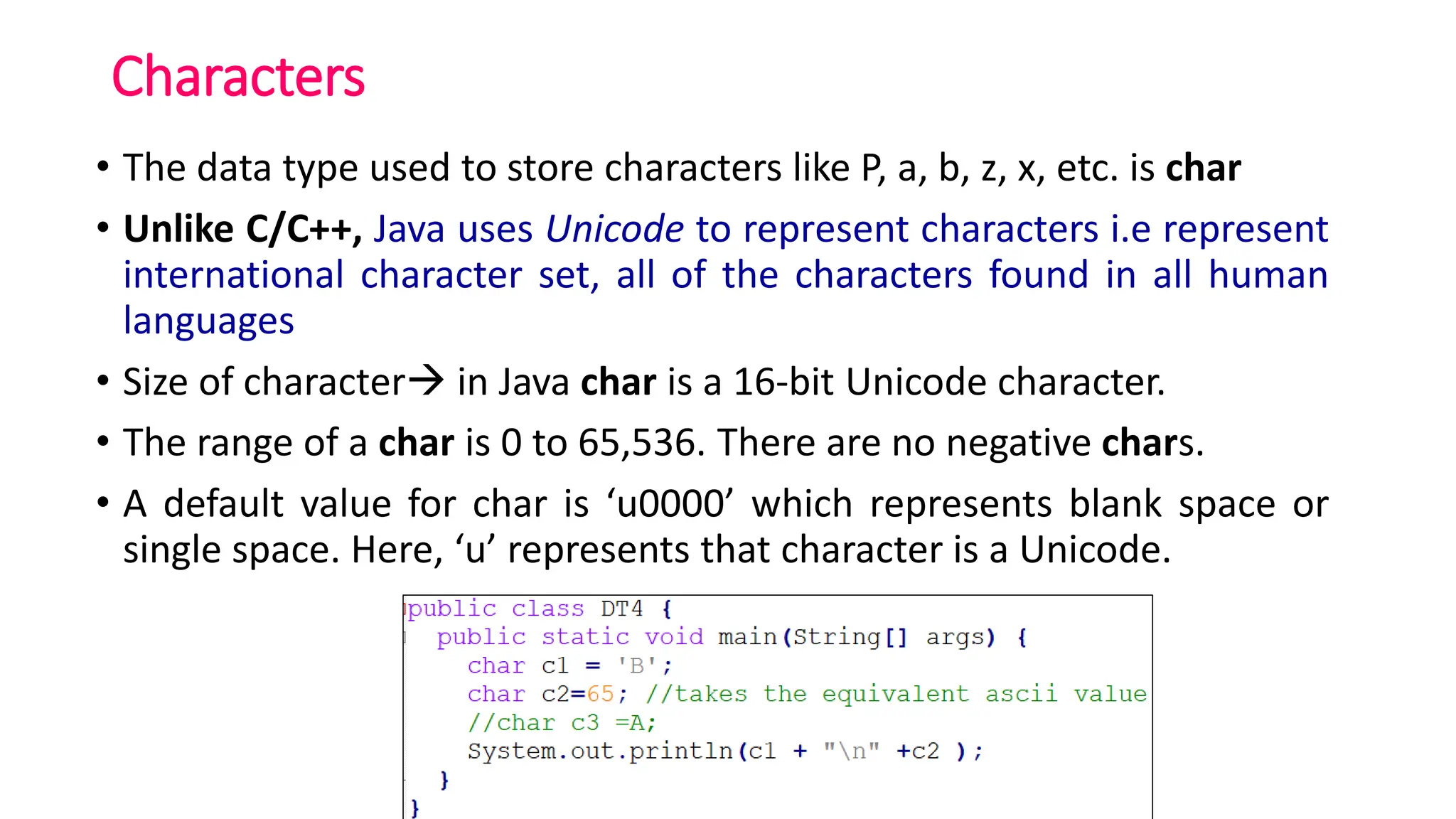
Characters
• The data type used to store characters like P, a, b, z, x, etc. is char
• Unlike C/C++, Java uses Unicode to represent characters i.e represent
international character set, all of the characters found in all human
languages
• Size of character→ in Java char is a 16-bit Unicode character.
• The range of a char is 0 to 65,536. There are no negative chars.
• A default value for char is ‘u0000’ which represents blank space or
single space. Here, ‘u’ represents that character is a Unicode.
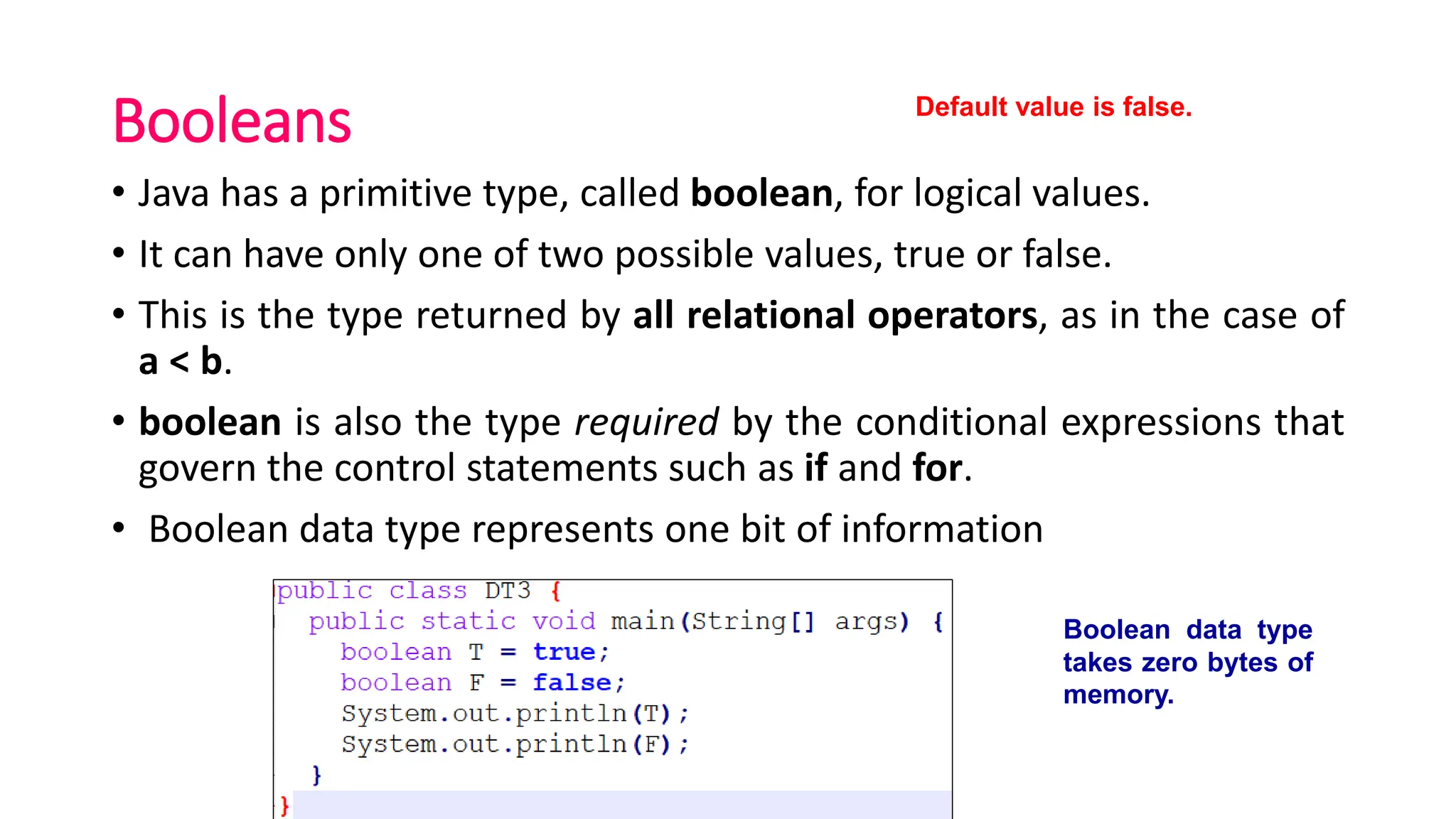
Booleans
• Java has a primitive type, called boolean, for logical values.
• It can have only one of two possible values, true or false.
• This is the type returned by all relational operators, as in the case of
a < b.
• boolean is also the type required by the conditional expressions that
govern the control statements such as if and for.
• Boolean data type represents one bit of information
Boolean data type
takes zero bytes of
memory.
Default value is false.
Why boolean data type takes zero bytes of
memory?
• Boolean data type takes zero bytes of memory space because
boolean data type in Java is implemented by Sun Micro System using
the concept of a flip-flop.
• A flip-flop is a general-purpose register that stores one bit of
information (one for true and zero for false).
• Size of Byte is JVM specific, this data type represents one bit of
information, but its "size" isn't something that's precisely defined.
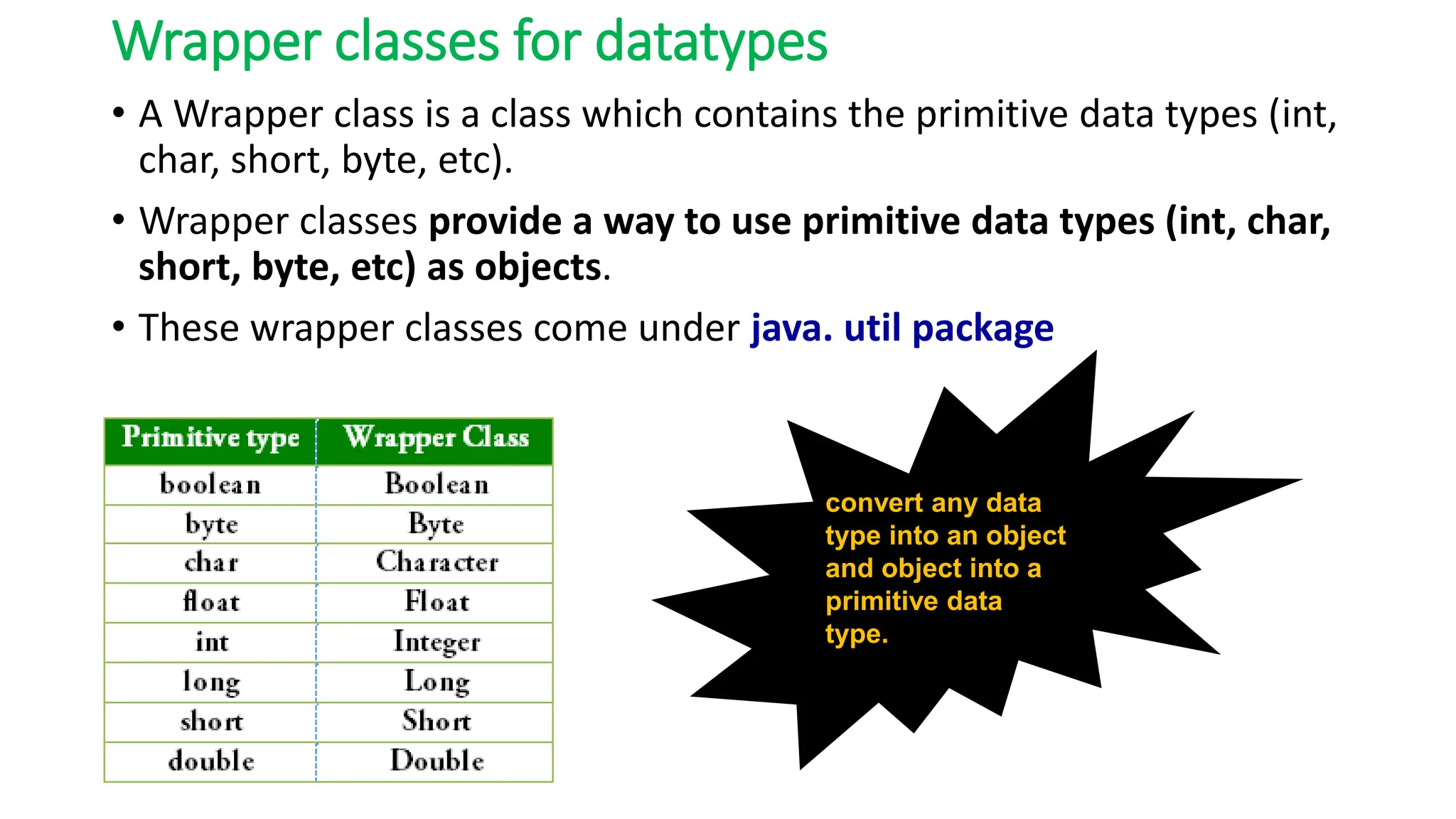
Wrapper classes for datatypes
• A Wrapper class is a class which contains the primitive data types (int,
char, short, byte, etc).
• Wrapper classes provide a way to use primitive data types (int, char,
short, byte, etc) as objects.
• These wrapper classes come under java. util package
convert any data
type into an object
and object into a
primitive data
type.
Literals in Java
• A literal is a fixed value that we assign to a variable in a Program.
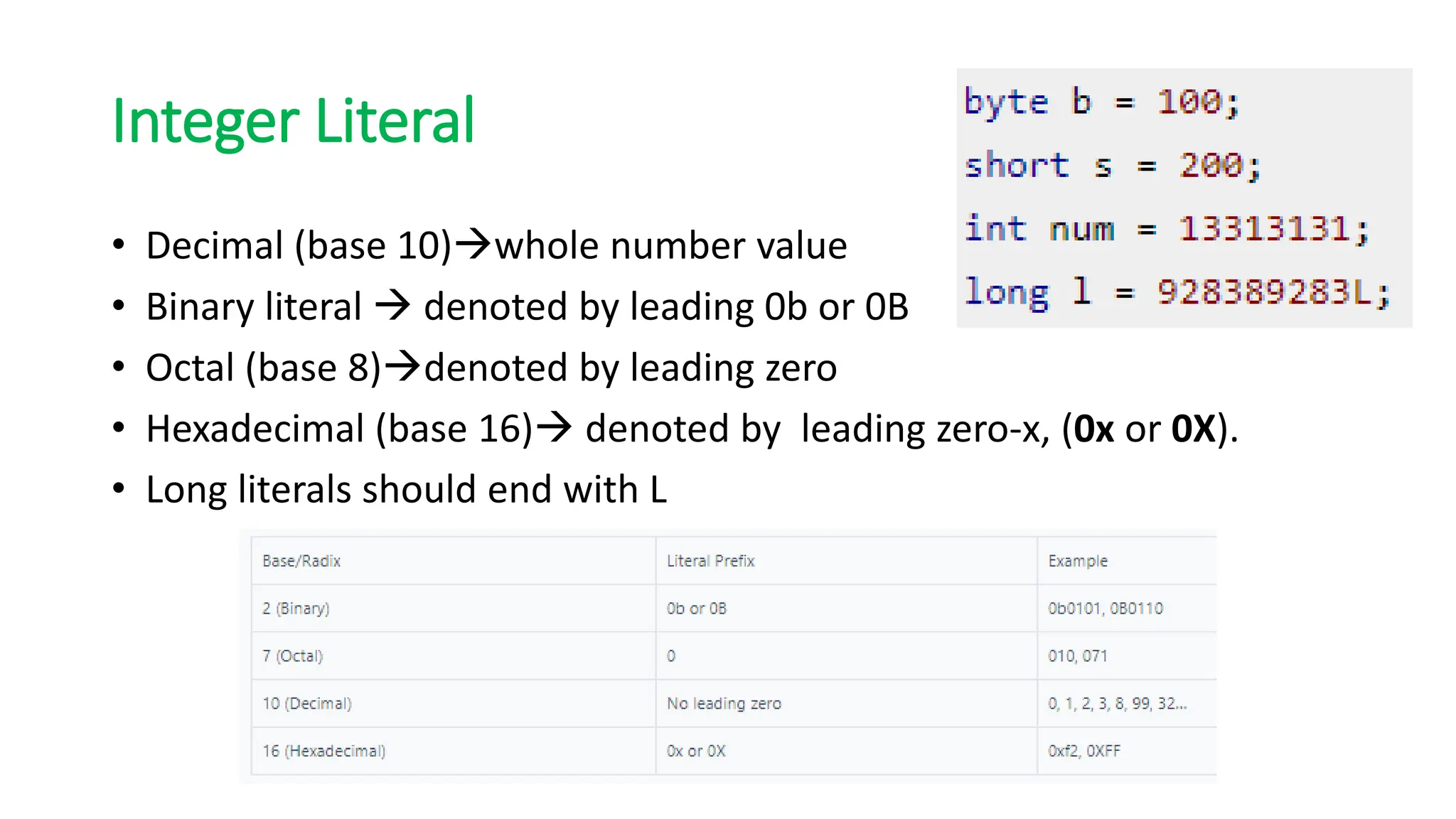
Integer Literal
• Decimal (base 10)→whole number value
• Binary literal → denoted by leading 0b or 0B
• Octal (base 8)→denoted by leading zero
• Hexadecimal (base 16)→ denoted by leading zero-x, (0x or 0X).
• Long literals should end with L
Floating point literal
• A float literal➔ append an F or f to the constant
• A double literal➔ append an D or d to the constant
• Hexadecimal floating point → but a P or p, rather than an E or e,
• Floating-point literals in Java default to double precision.
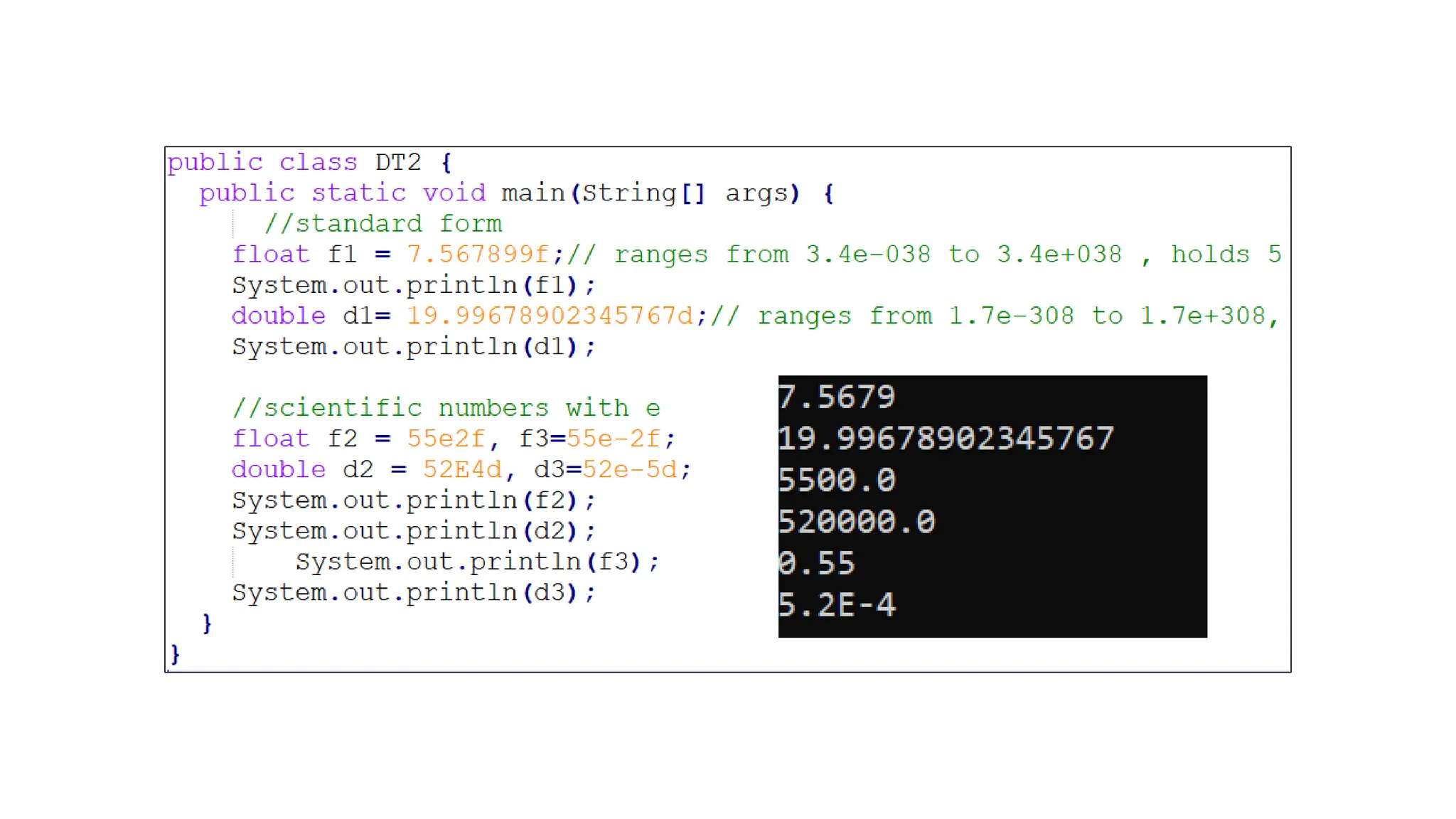
Two types of Floating point notation
• Standard notation: whole
number component followed by a
decimal point followed by a
fractional component.
• Scientific notation: Floating-point
number plus a E that specifies a
power of 10 by which the number
is to be multiplied.
• The exponent is indicated by an E or
e followed by a decimal number,
which can be positive or negative
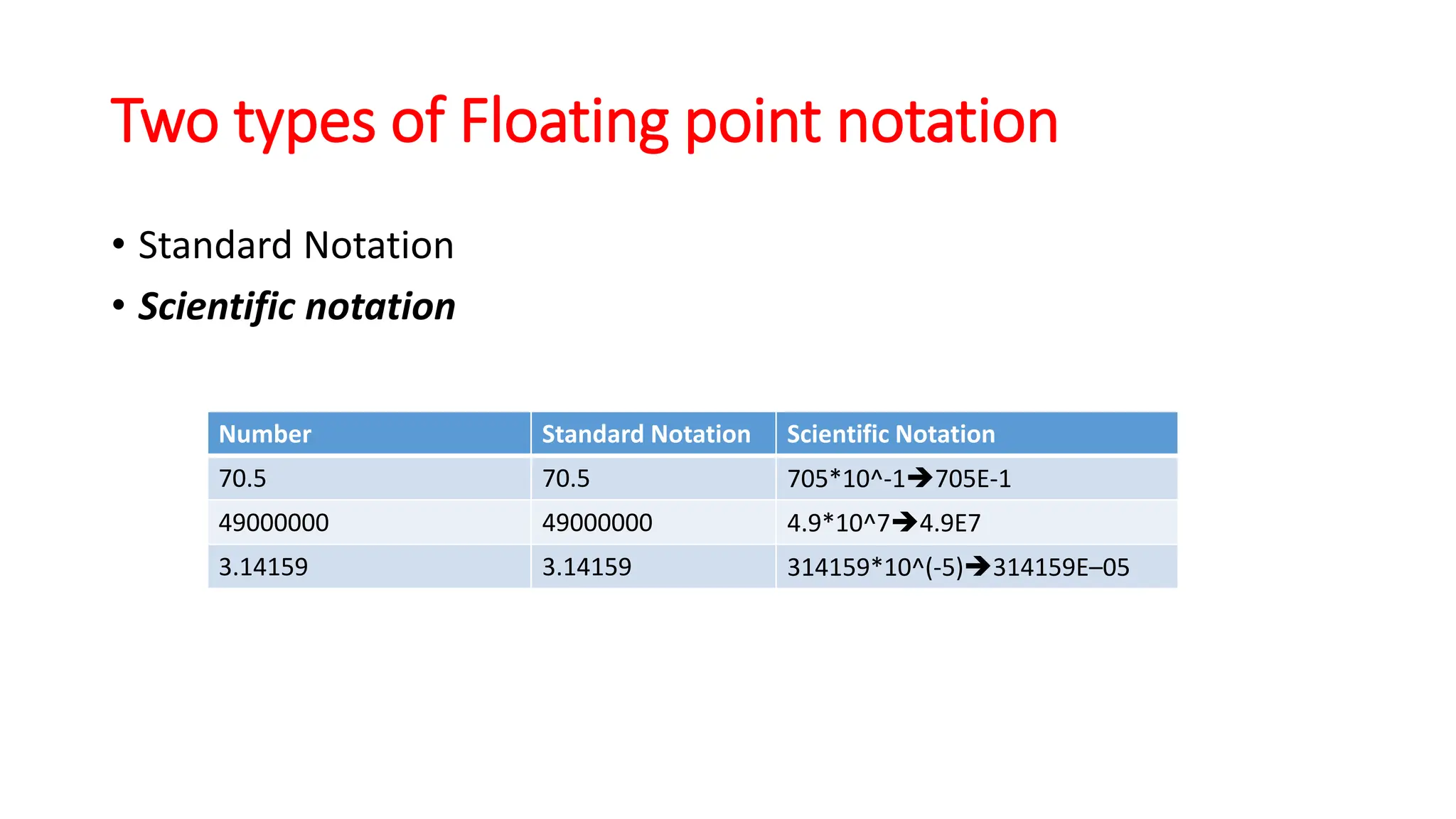
Two types of Floating point notation
• Standard Notation
• Scientific notation
Number Standard Notation Scientific Notation
70.5 70.5 705*10^-1➔705E-1
49000000 49000000 4.9*10^7➔4.9E7
3.14159 3.14159 314159*10^(-5)➔314159E–05
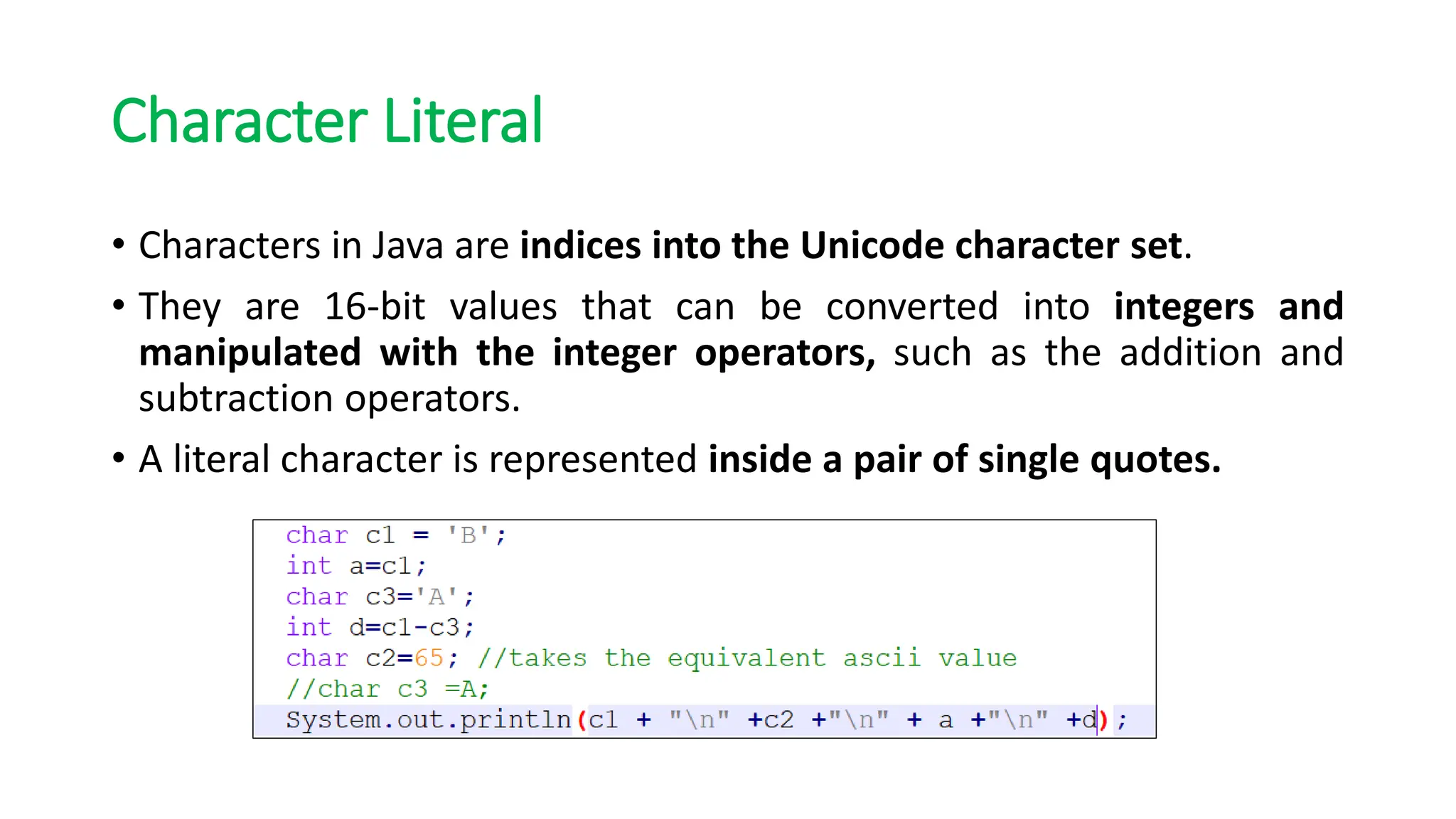
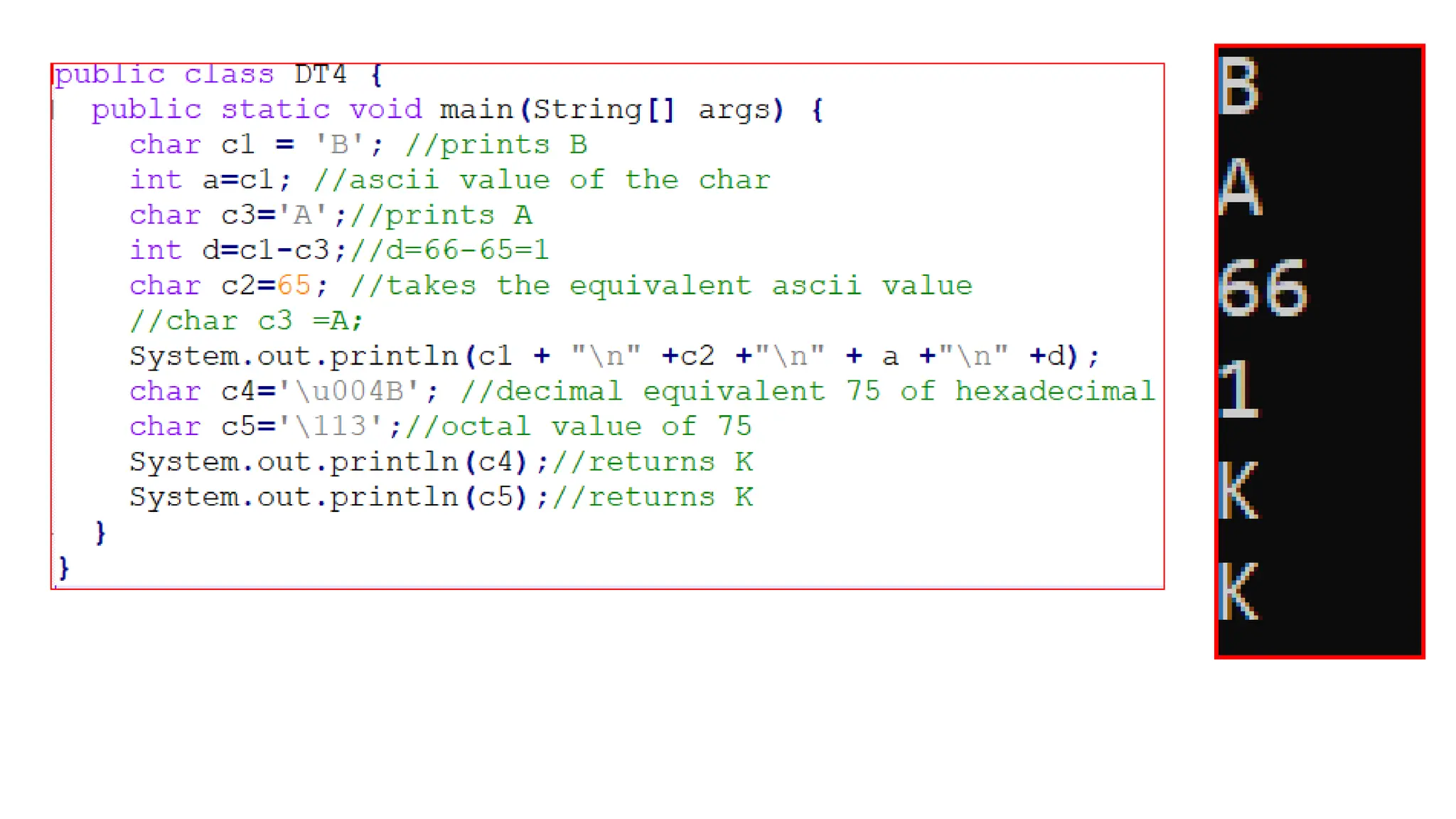
Character Literal
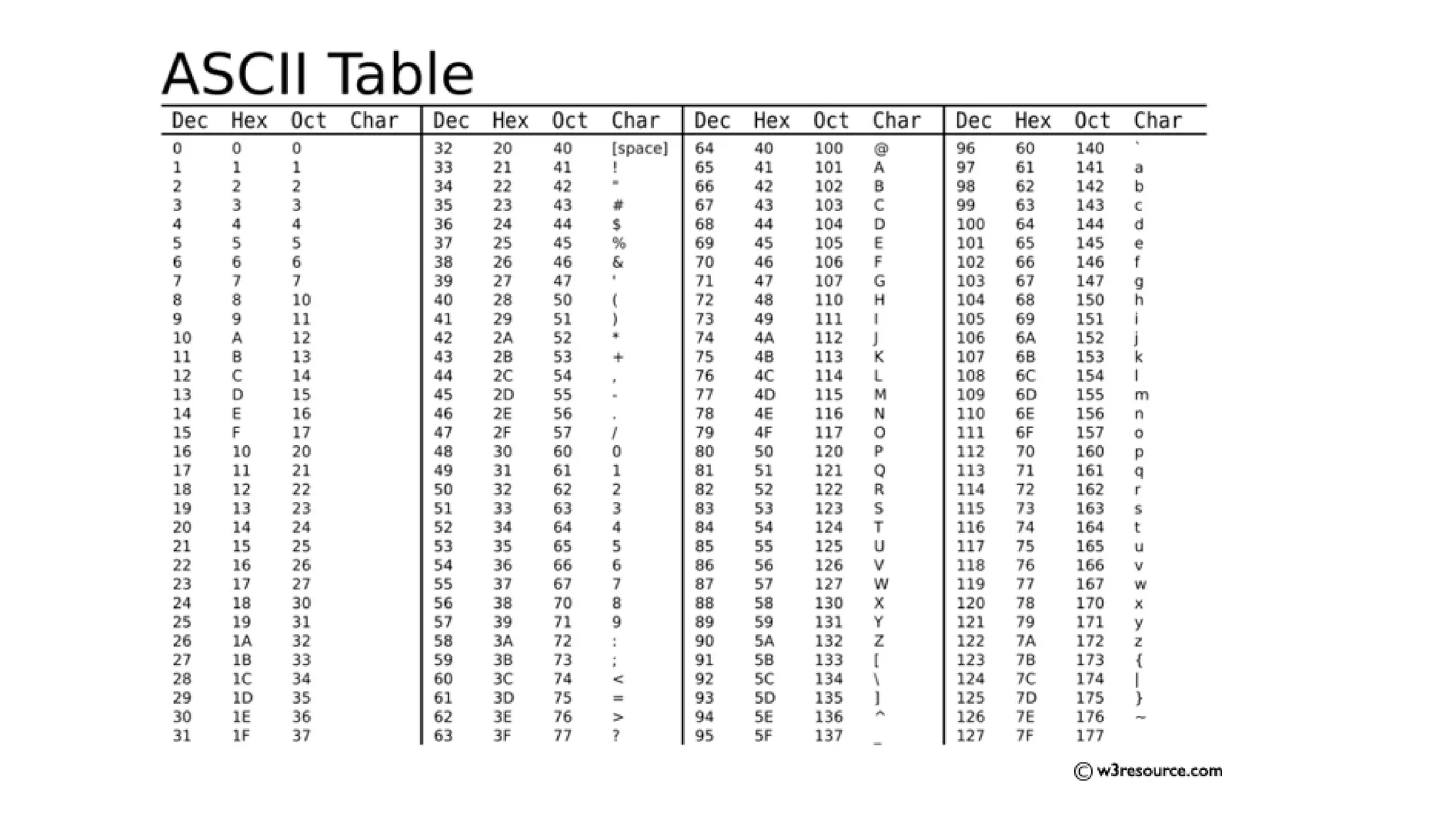
• Characters in Java are indices into the Unicode character set.
• They are 16-bit values that can be converted into integers and
manipulated with the integer operators, such as the addition and
subtraction operators.
• A literal character is represented inside a pair of single quotes.
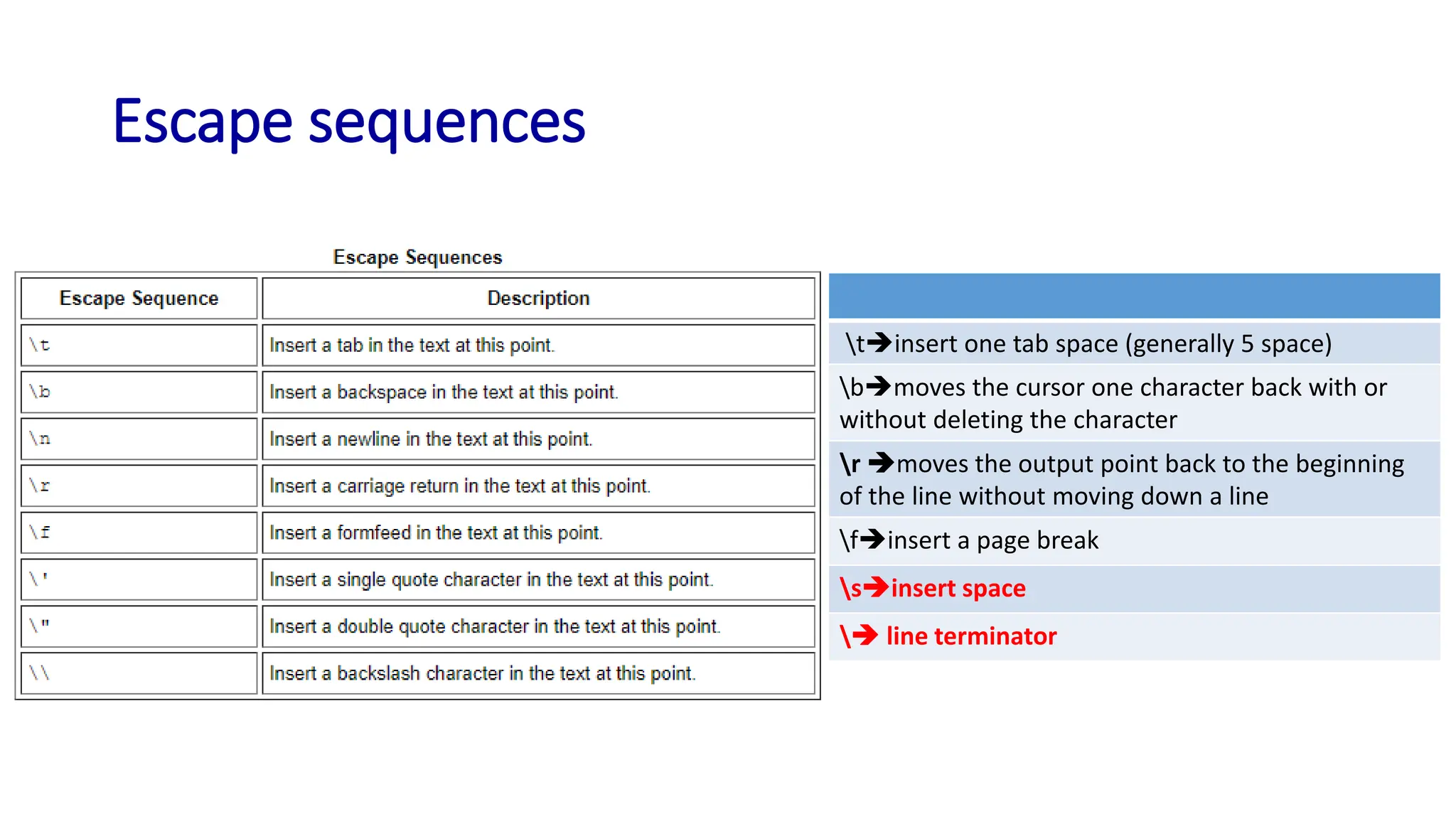
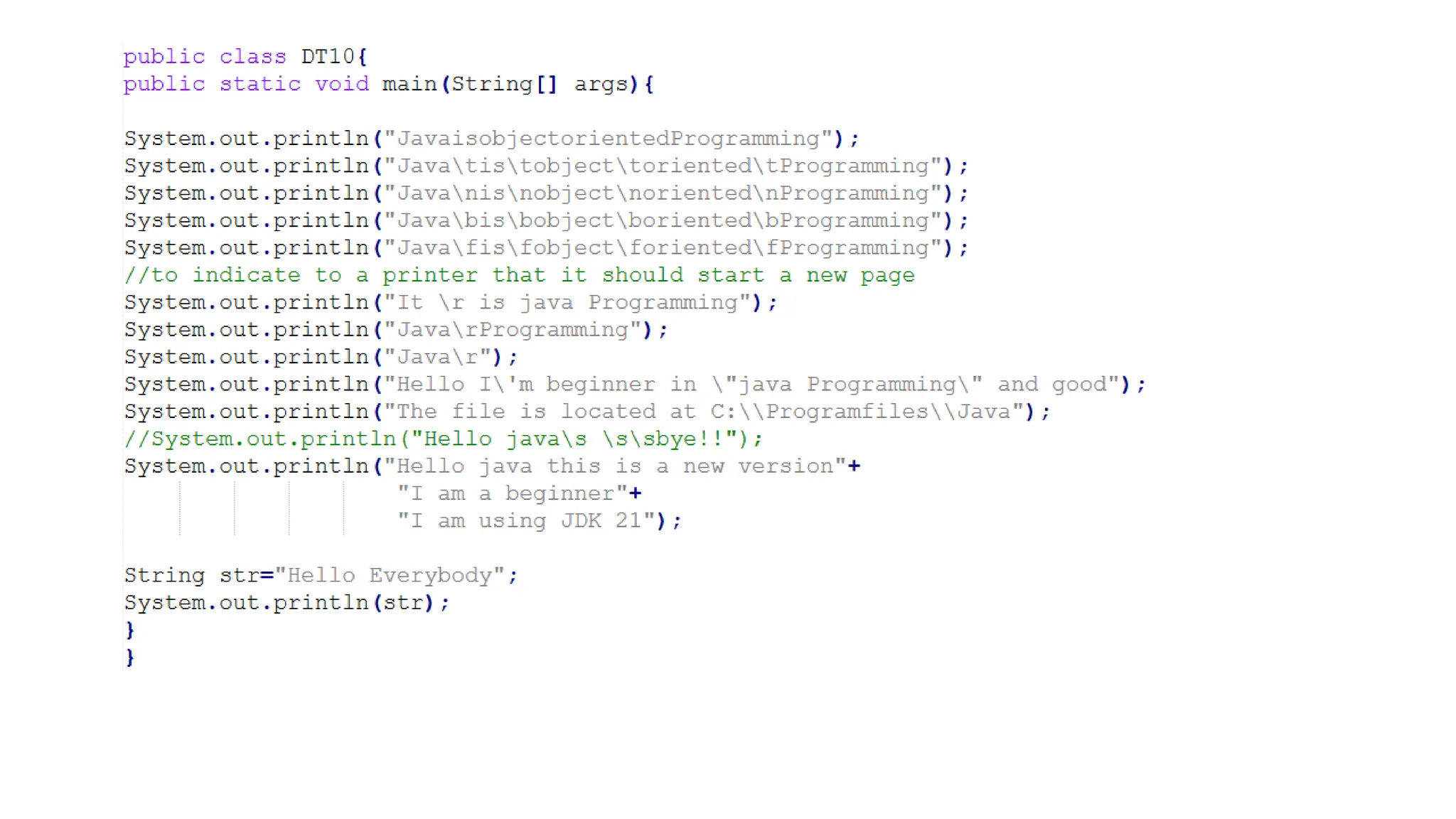
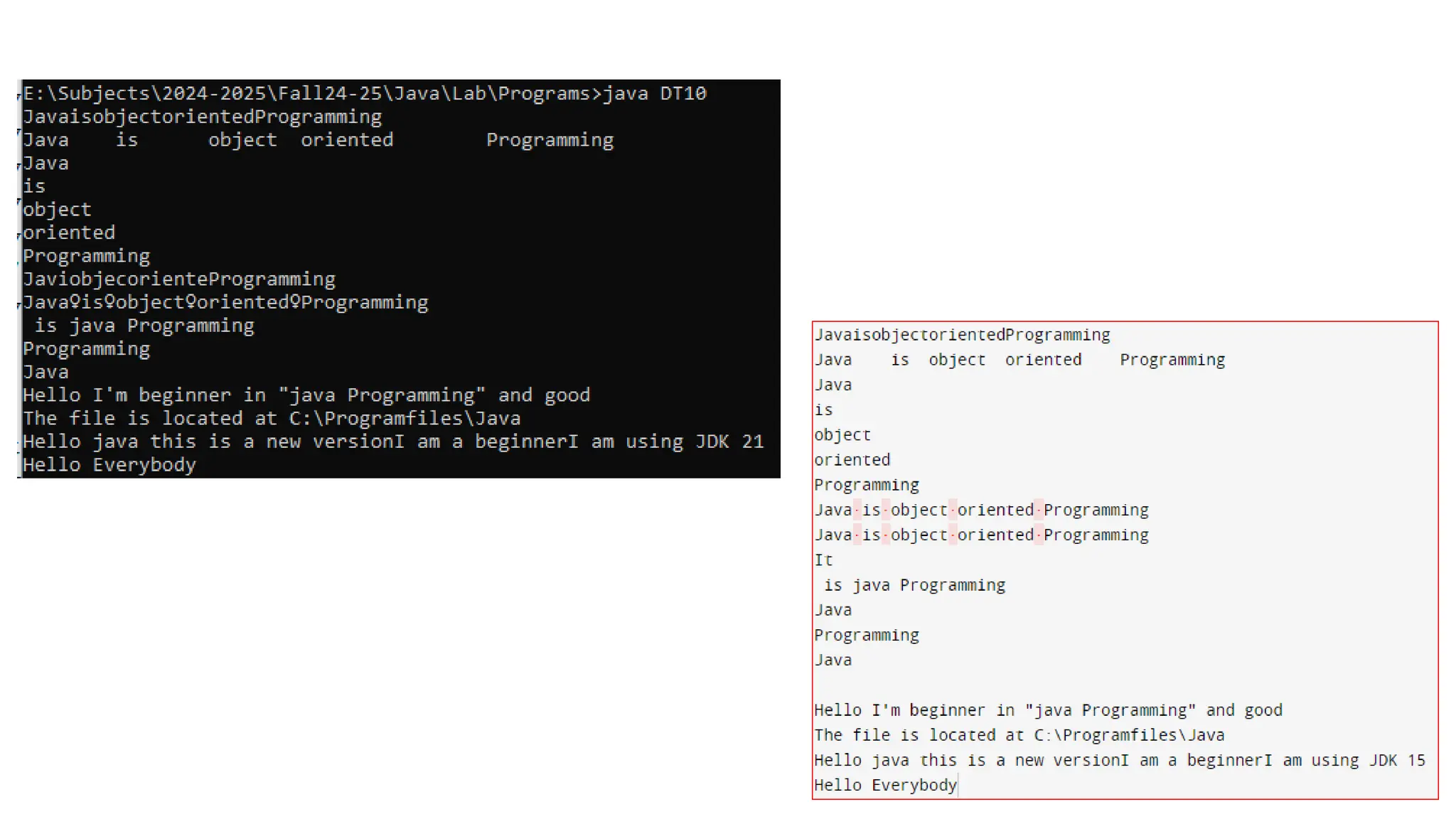
Escape sequences
t➔insert one tab space (generally 5 space)
b➔moves the cursor one character back with or
without deleting the character
r ➔moves the output point back to the beginning
of the line without moving down a line
f➔insert a page break
s➔insert space
➔ line terminator
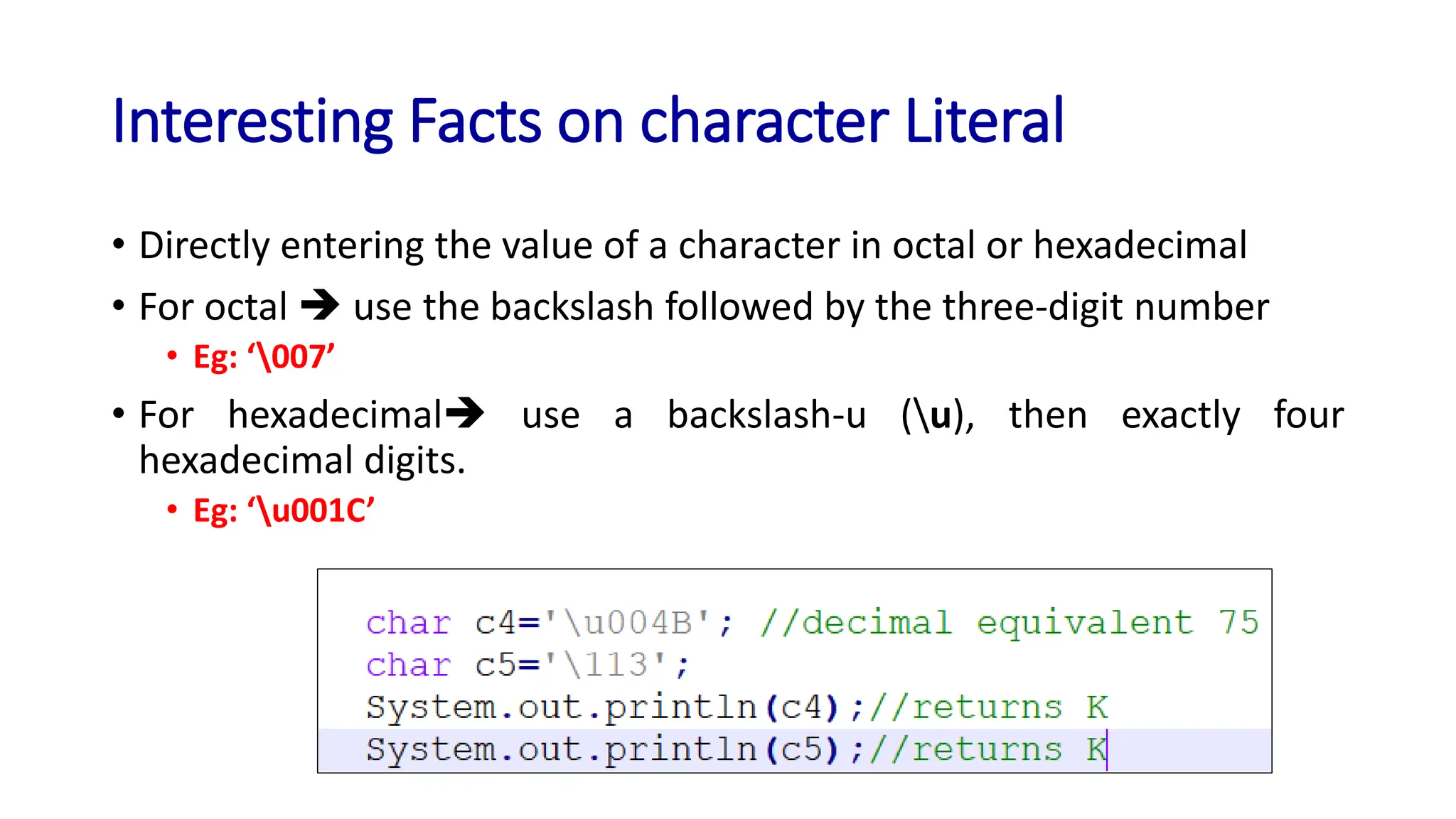
Interesting Facts on character Literal
• Directly entering the value of a character in octal or hexadecimal
• For octal ➔ use the backslash followed by the three-digit number
• Eg: ‘007’
• For hexadecimal➔ use a backslash-u (u), then exactly four
hexadecimal digits.
• Eg: ‘u001C’
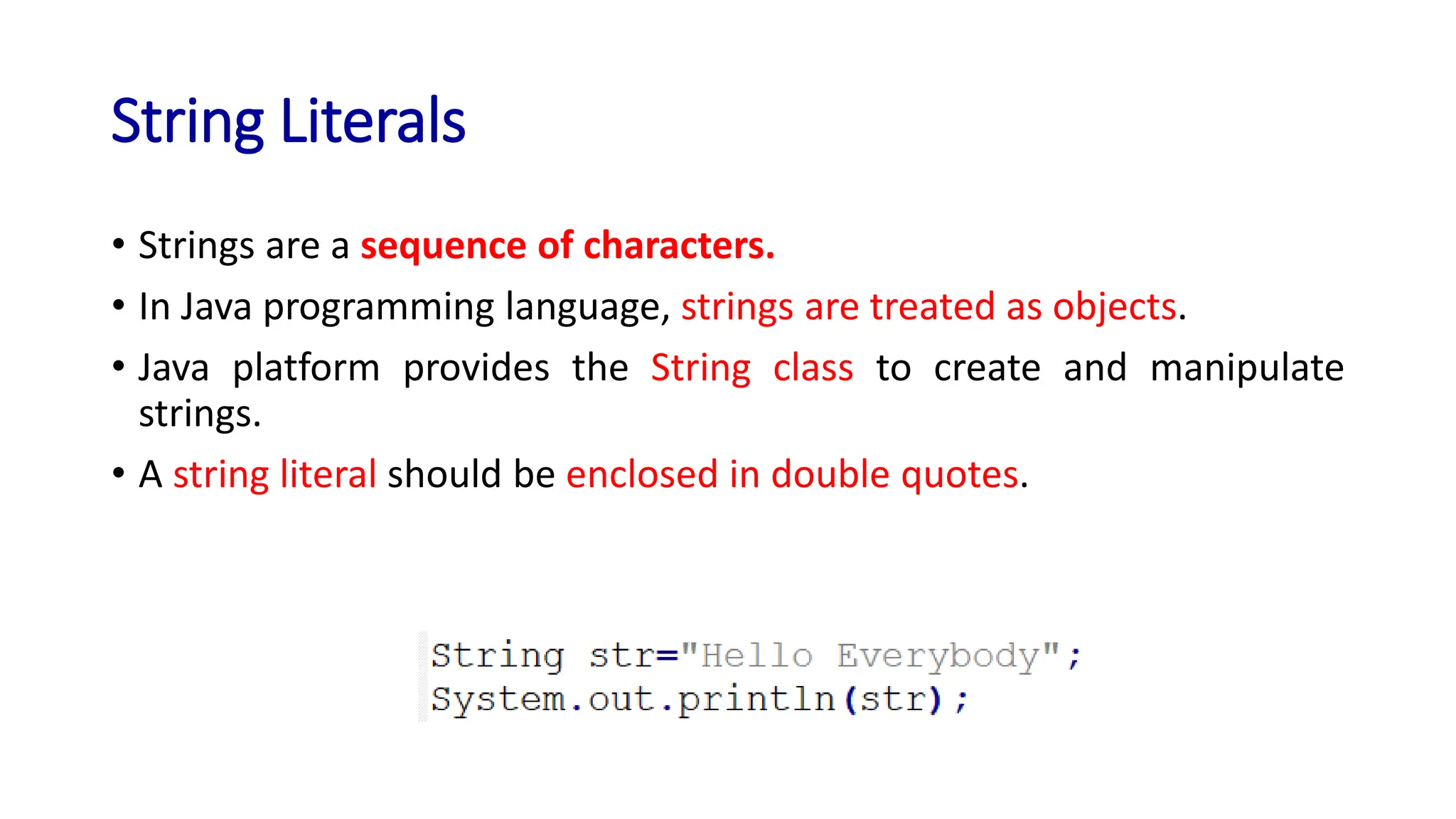
String Literals
• Strings are a sequence of characters.
• In Java programming language, strings are treated as objects.
• Java platform provides the String class to create and manipulate
strings.
• A string literal should be enclosed in double quotes.
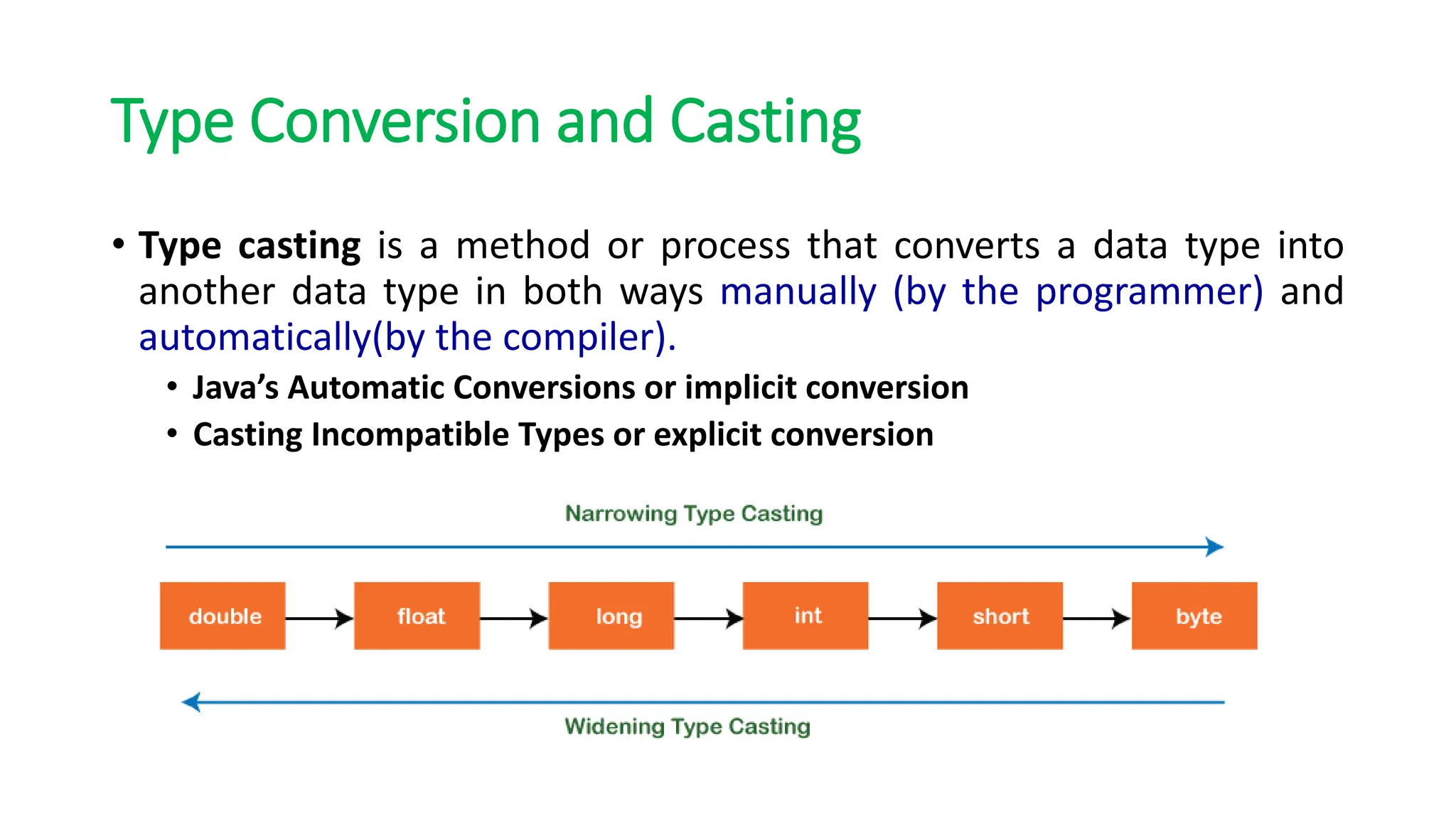
Type Conversion and Casting
• Type casting is a method or process that converts a data type into
another data type in both ways manually (by the programmer) and
automatically(by the compiler).
• Java’s Automatic Conversions or implicit conversion
• Casting Incompatible Types or explicit conversion
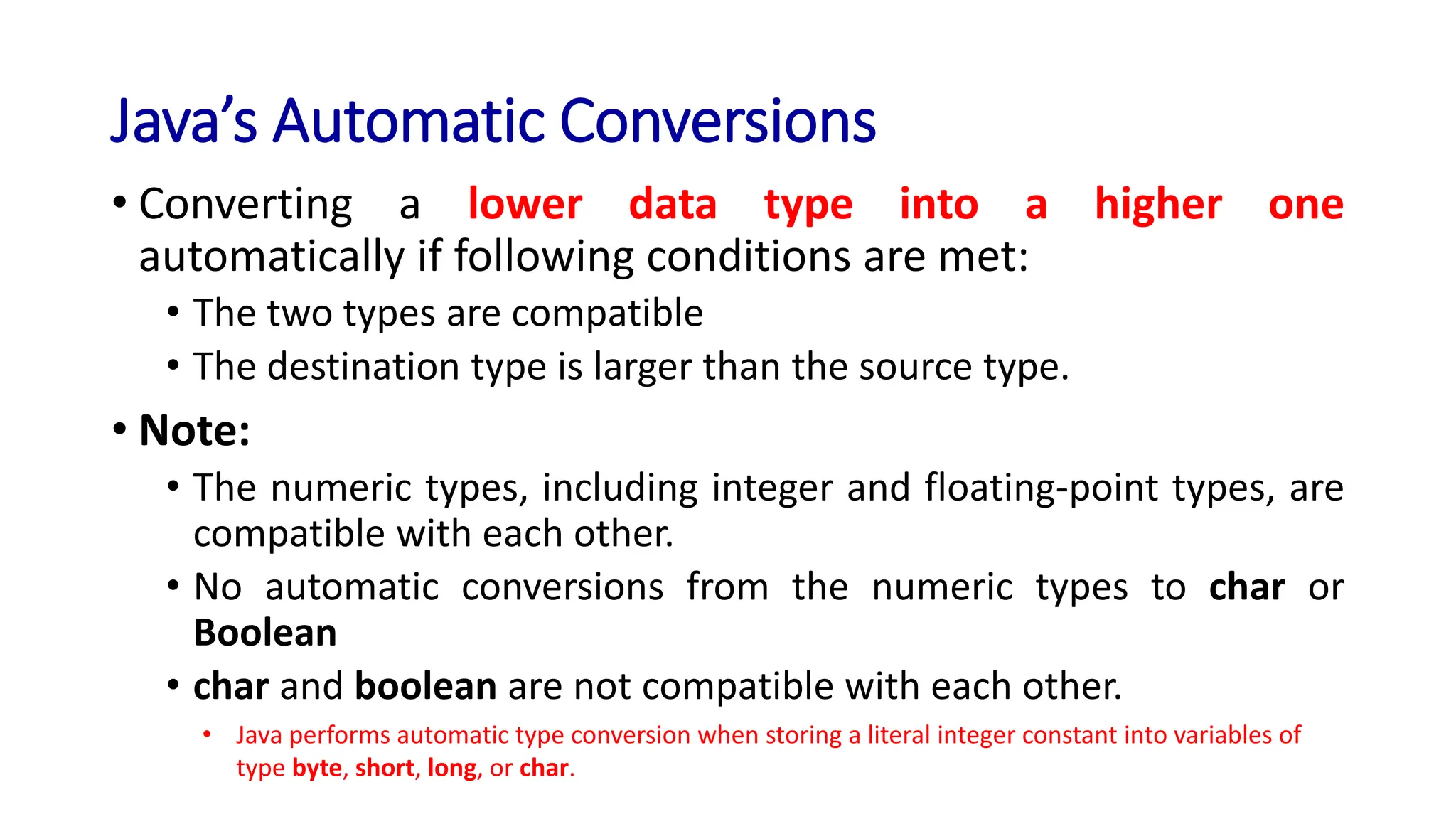
Java’s Automatic Conversions
• Converting a lower data type into a higher one
automatically if following conditions are met:
• The two types are compatible
• The destination type is larger than the source type.
• Note:
• The numeric types, including integer and floating-point types, are
compatible with each other.
• No automatic conversions from the numeric types to char or
Boolean
• char and boolean are not compatible with each other.
• Java performs automatic type conversion when storing a literal integer constant into variables of
type byte, short, long, or char.
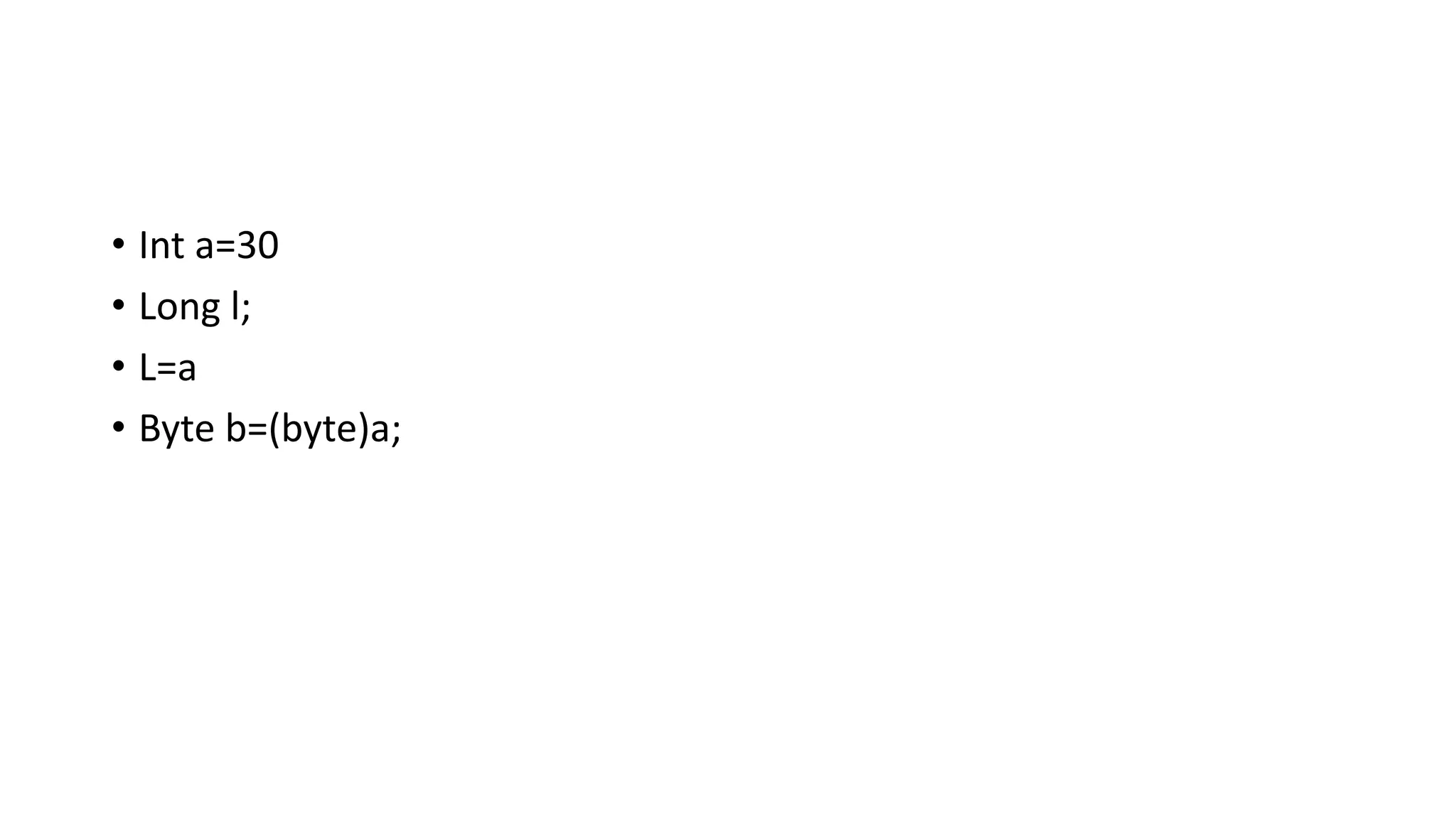
• Int a=30
• Long l;
• L=a
• Byte b=(byte)a;
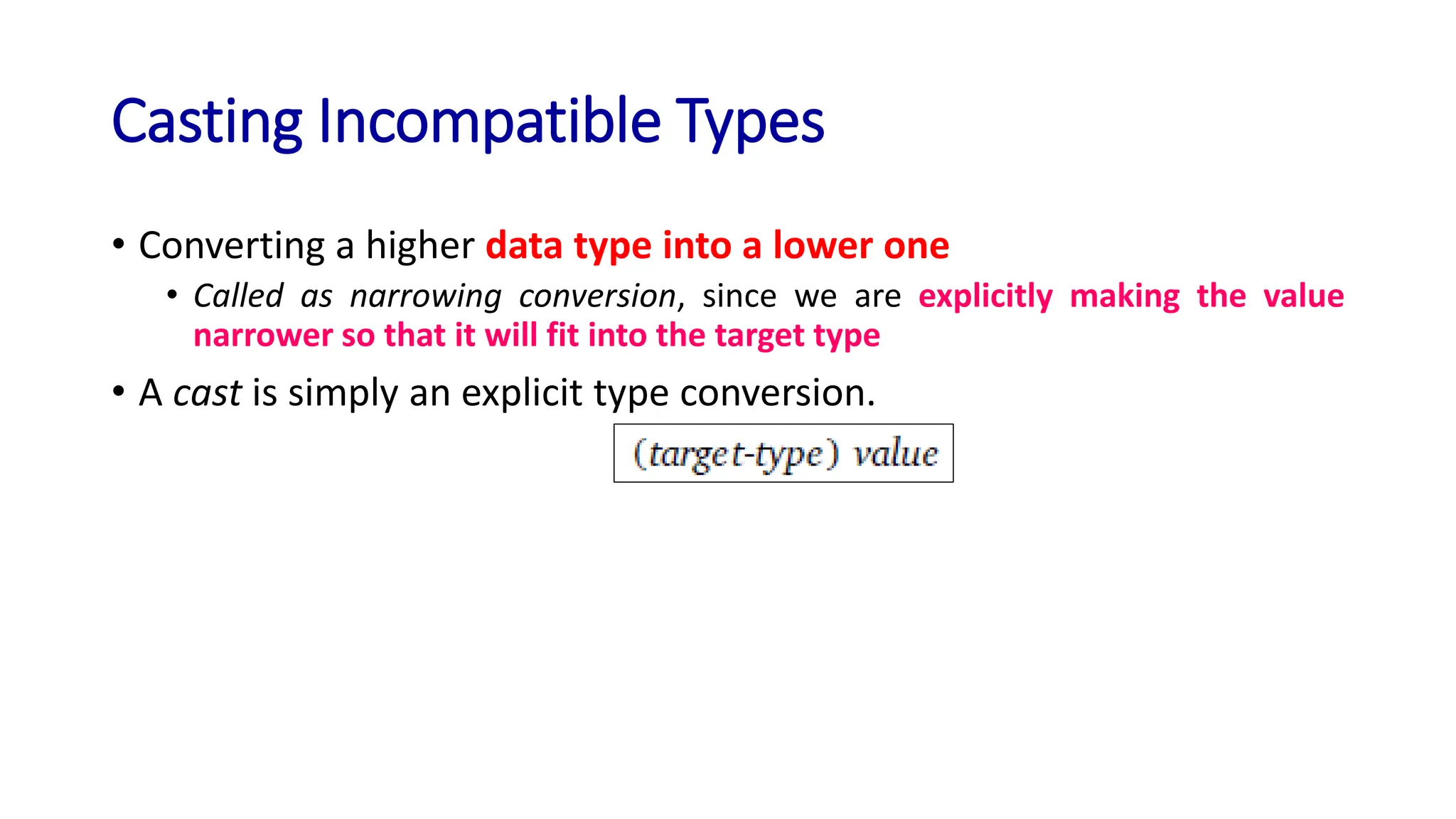
Casting Incompatible Types
• Converting a higher data type into a lower one
• Called as narrowing conversion, since we are explicitly making the value
narrower so that it will fit into the target type
• A cast is simply an explicit type conversion.
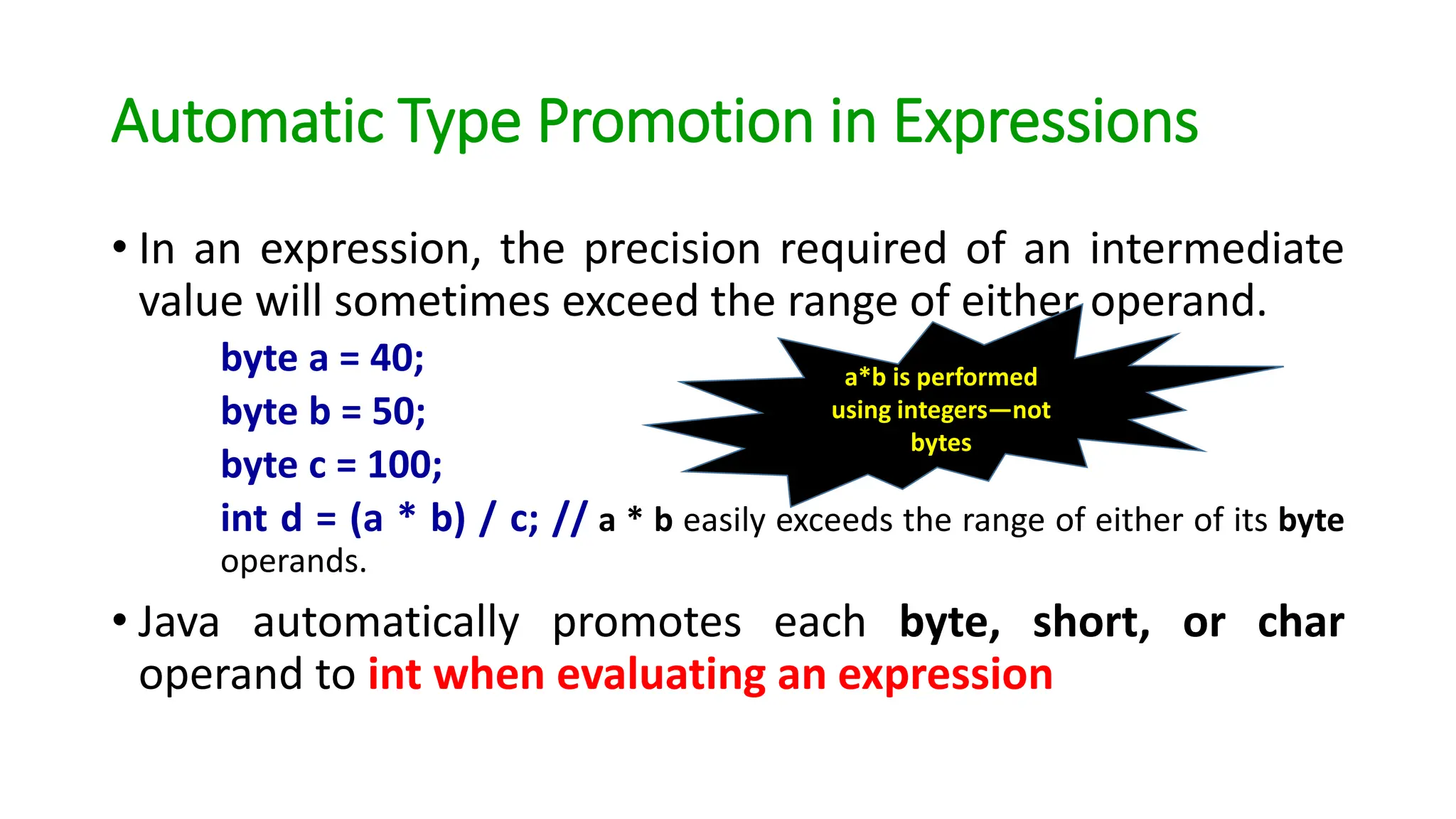
Automatic Type Promotion in Expressions
• In an expression, the precision required of an intermediate
value will sometimes exceed the range of either operand.
byte a = 40;
byte b = 50;
byte c = 100;
int d = (a * b) / c; // a * b easily exceeds the range of either of its byte
operands.
• Java automatically promotes each byte, short, or char
operand to int when evaluating an expression
a*b is performed
using integers—not
bytes
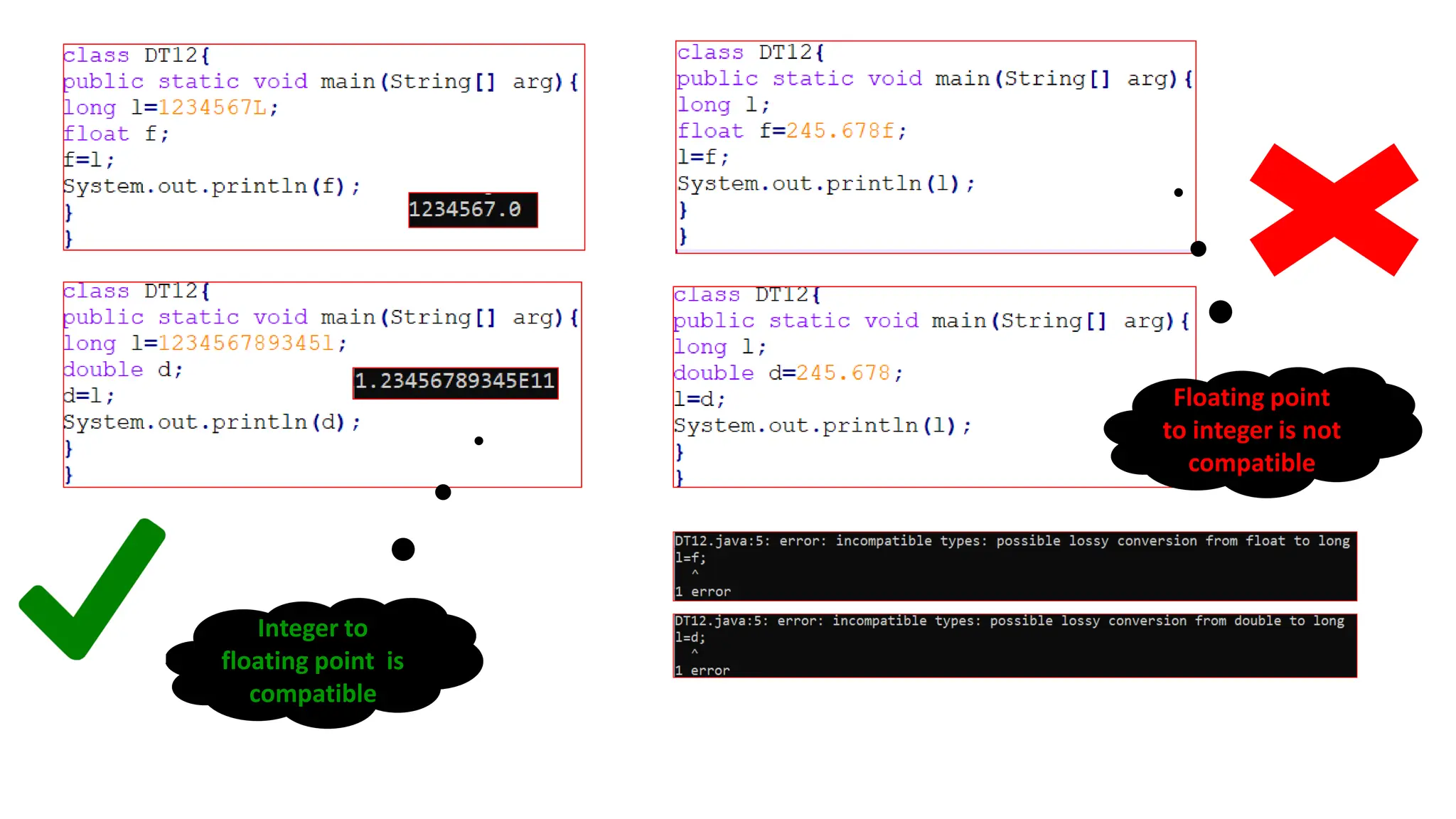
Floating point
to integer is not
compatible
Integer to
floating point is
compatible
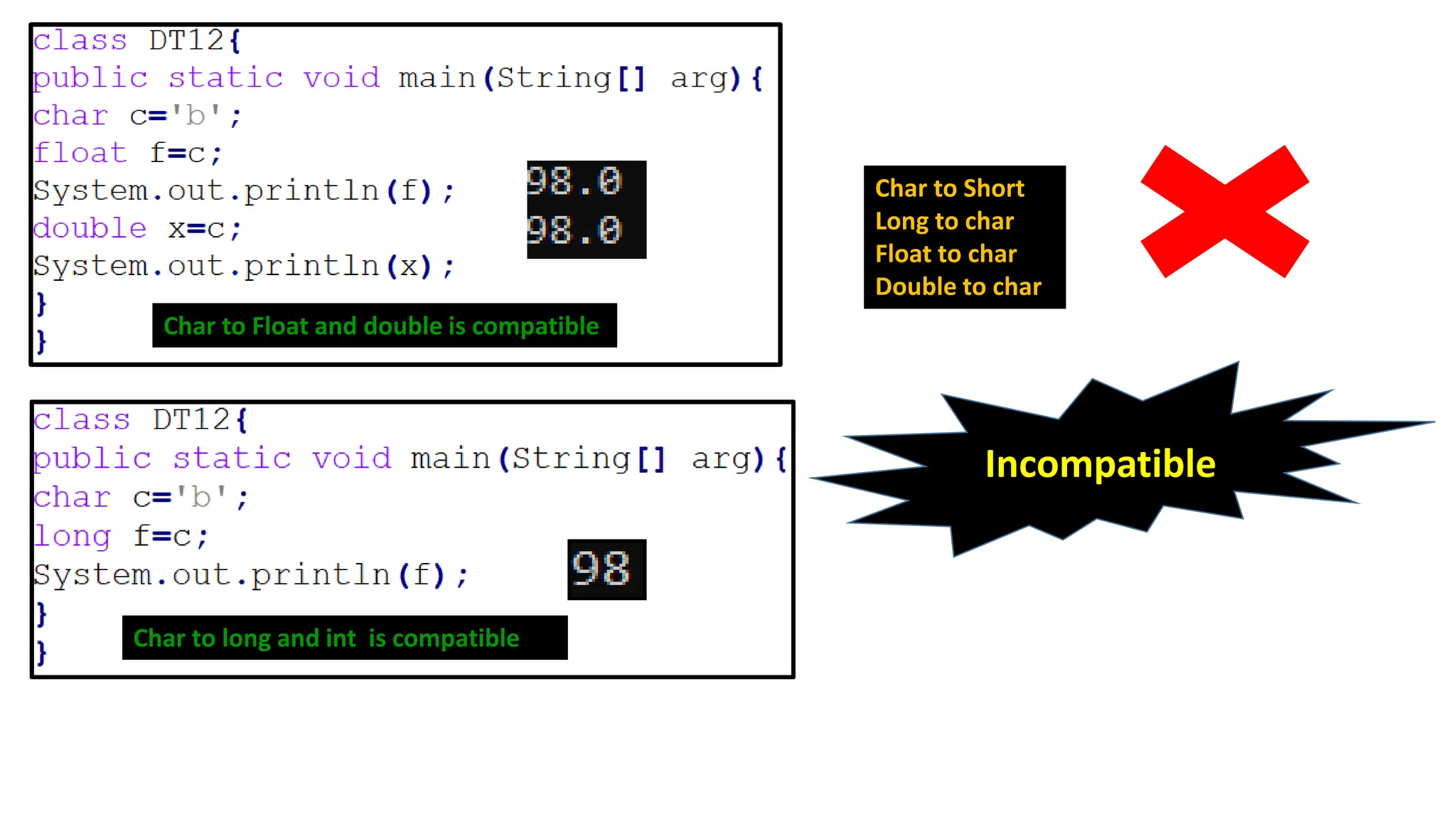
Char to Float and double is compatible
Char to long and int is compatible
Char to Short
Long to char
Float to char
Double to char
Incompatible
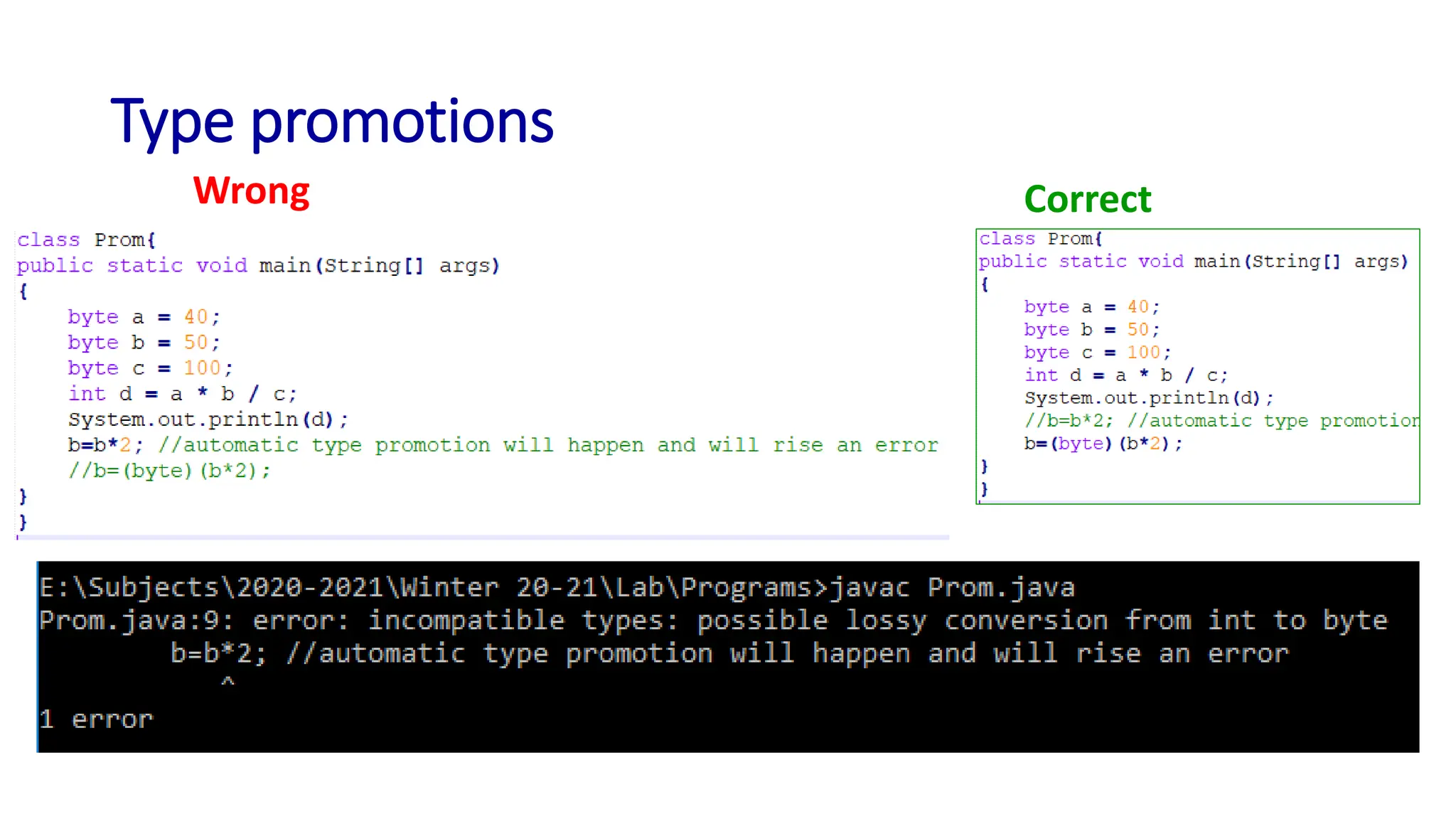
Type promotions
Wrong Correct
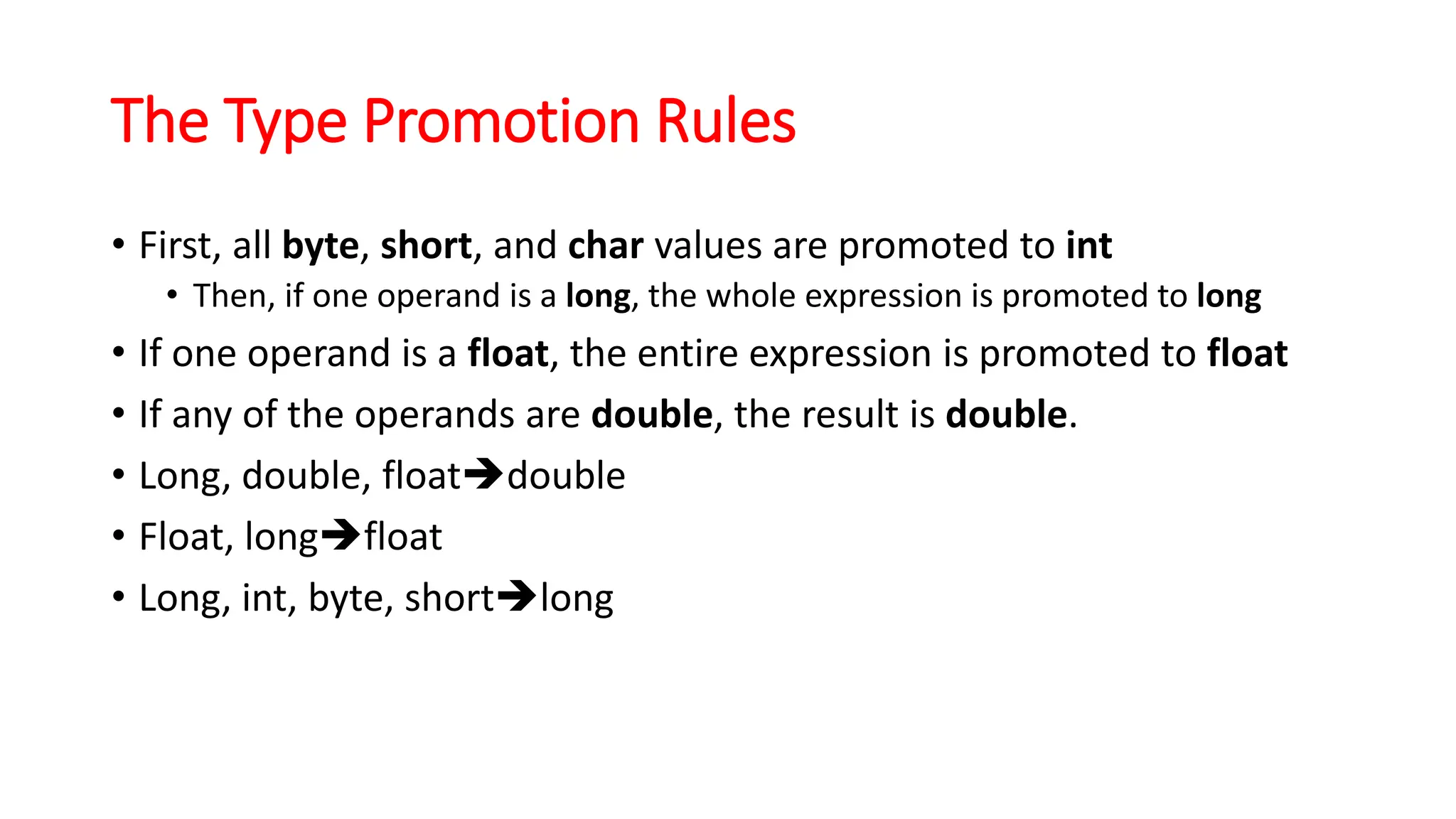
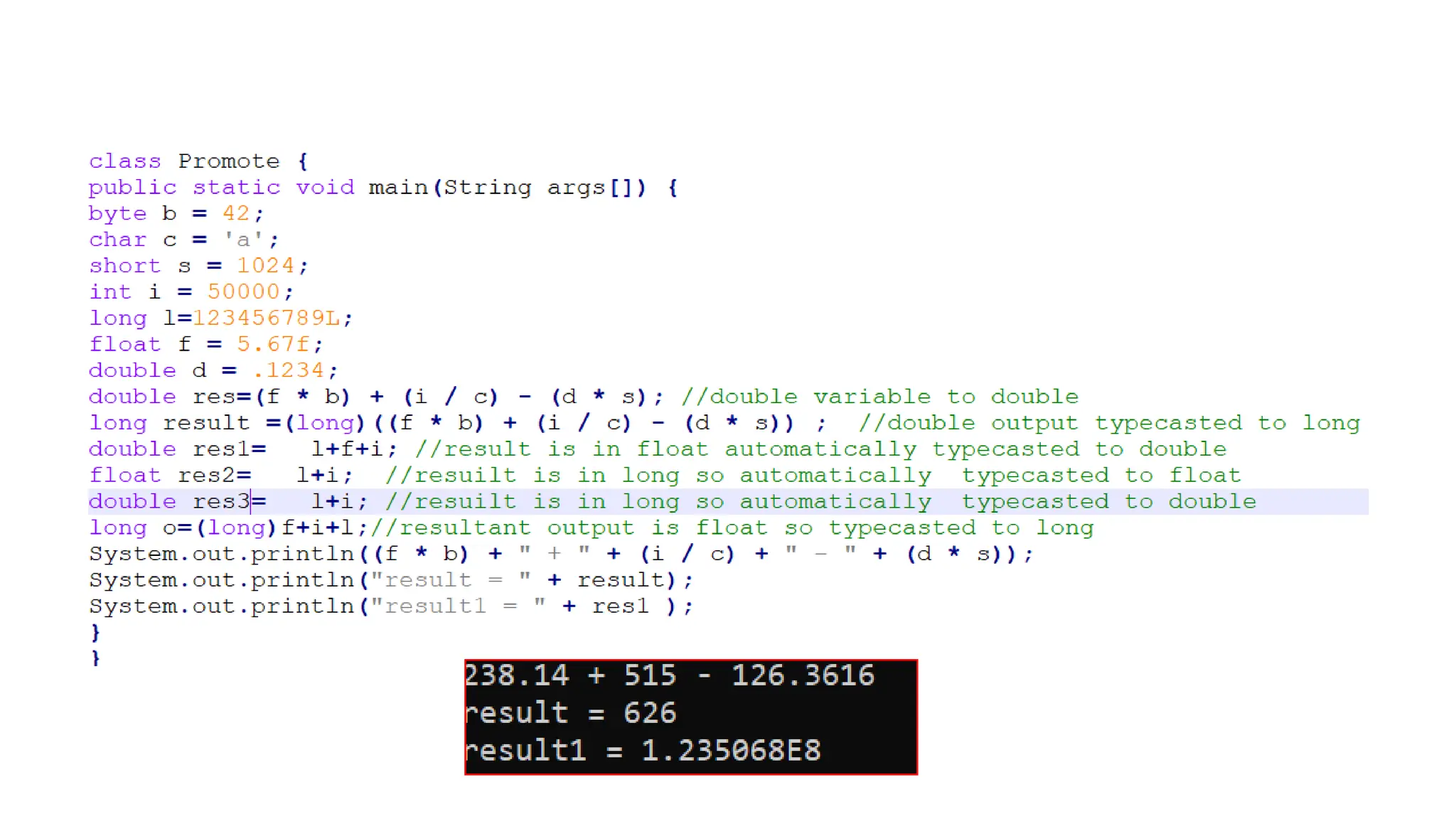
The Type Promotion Rules
• First, all byte, short, and char values are promoted to int
• Then, if one operand is a long, the whole expression is promoted to long
• If one operand is a float, the entire expression is promoted to float
• If any of the operands are double, the result is double.
• Long, double, float➔double
• Float, long➔float
• Long, int, byte, short➔long
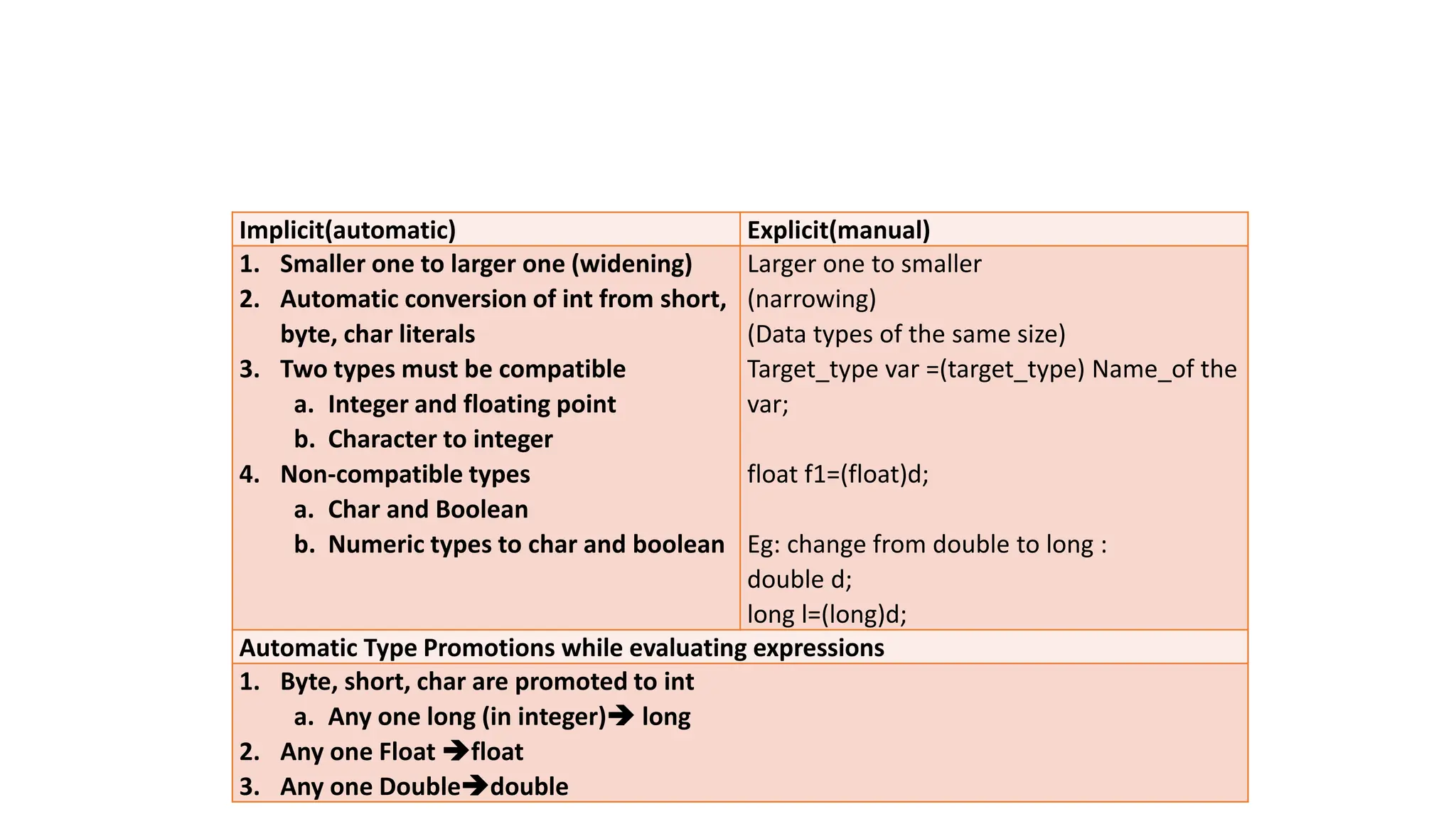
Implicit(automatic) Explicit(manual)
1. Smaller one to larger one (widening)
2. Automatic conversion of int from short,
byte, char literals
3. Two types must be compatible
a. Integer and floating point
b. Character to integer
4. Non-compatible types
a. Char and Boolean
b. Numeric types to char and boolean
Larger one to smaller
(narrowing)
(Data types of the same size)
Target_type var =(target_type) Name_of the
var;
float f1=(float)d;
Eg: change from double to long :
double d;
long l=(long)d;
Automatic Type Promotions while evaluating expressions
1. Byte, short, char are promoted to int
a. Any one long (in integer)➔ long
2. Any one Float ➔float
3. Any one Double➔double
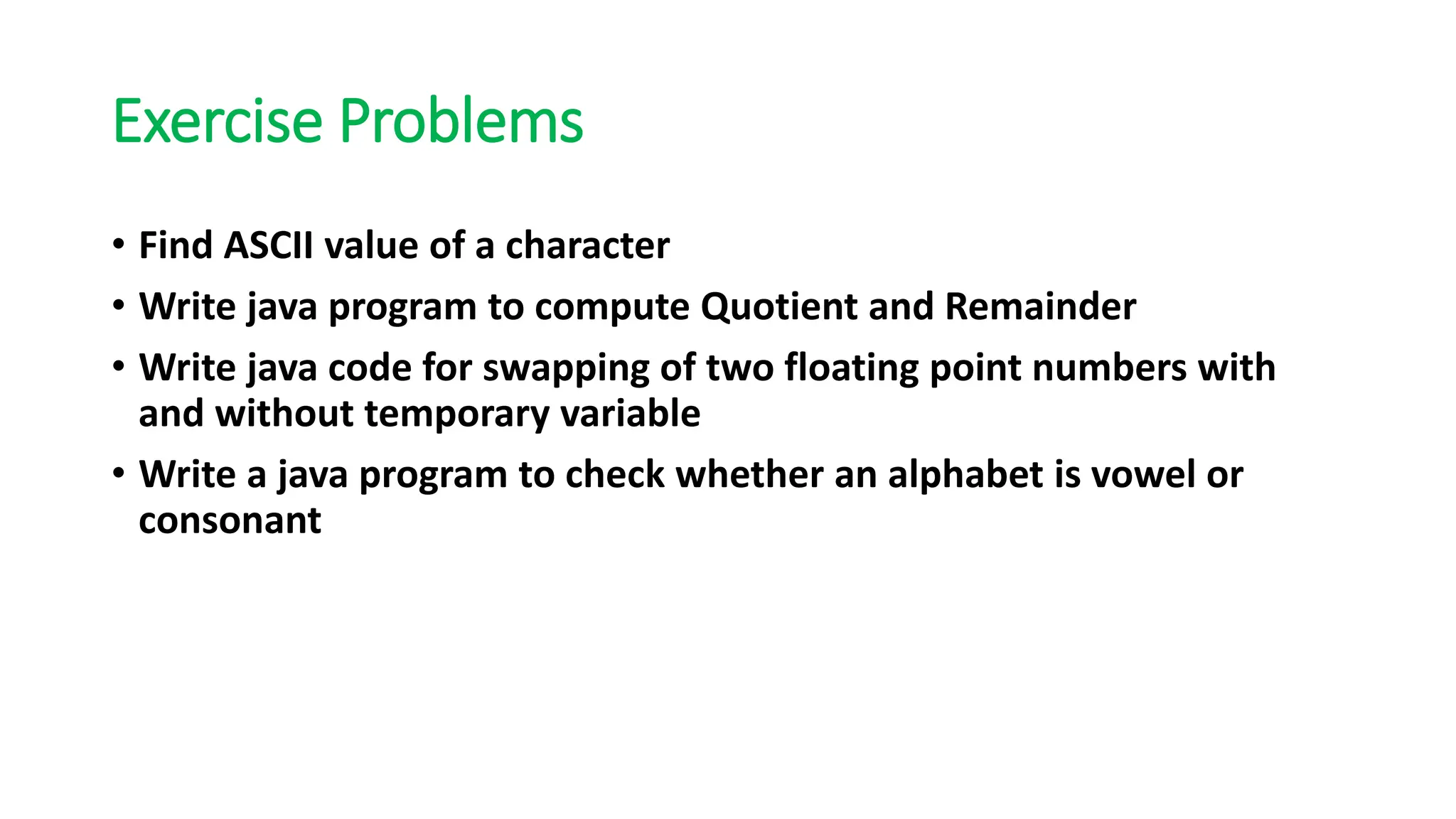
Exercise Problems
• Find ASCII value of a character
• Write java program to compute Quotient and Remainder
• Write java code for swapping of two floating point numbers with
and without temporary variable
• Write a java program to check whether an alphabet is vowel or
consonant
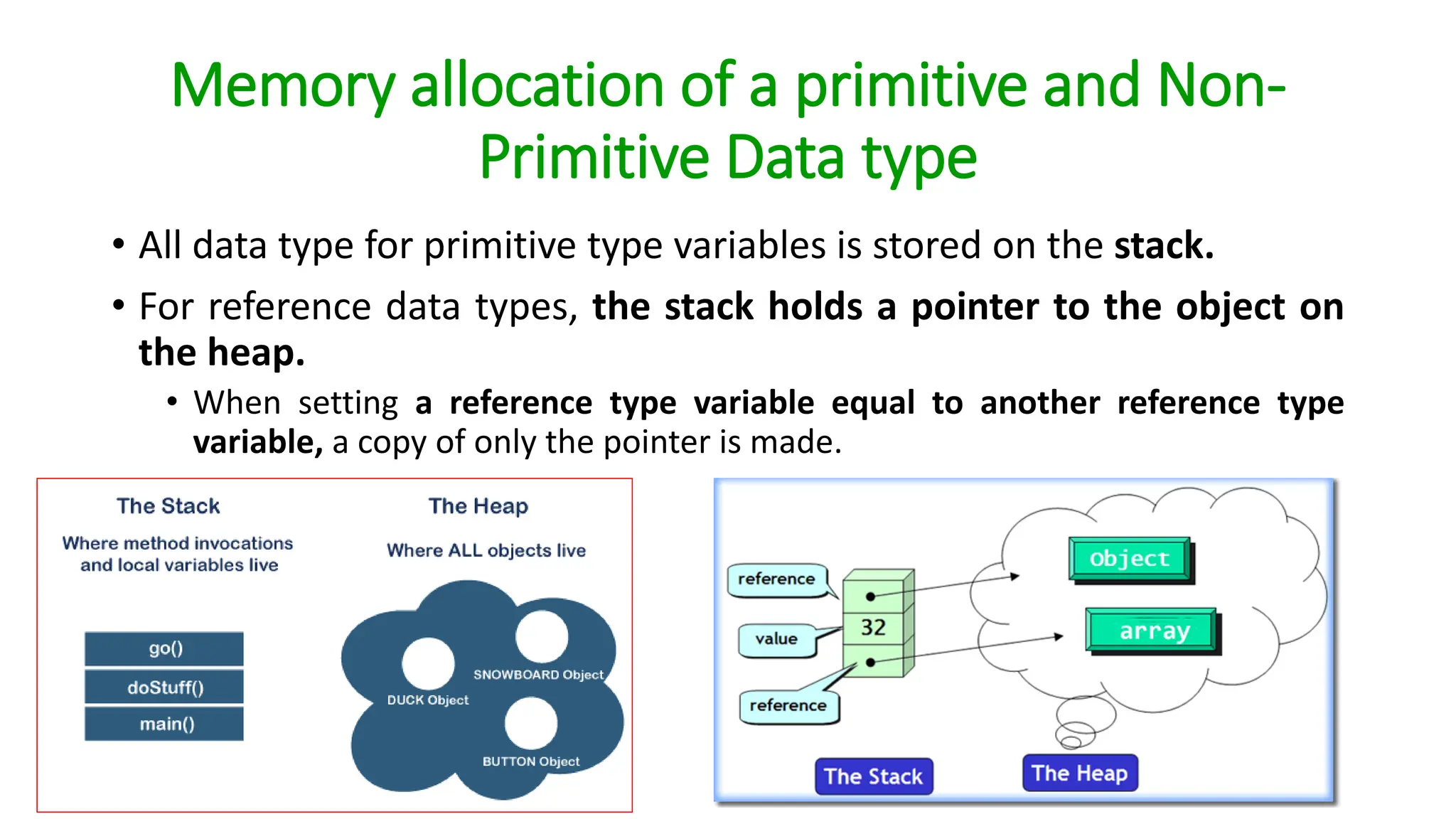
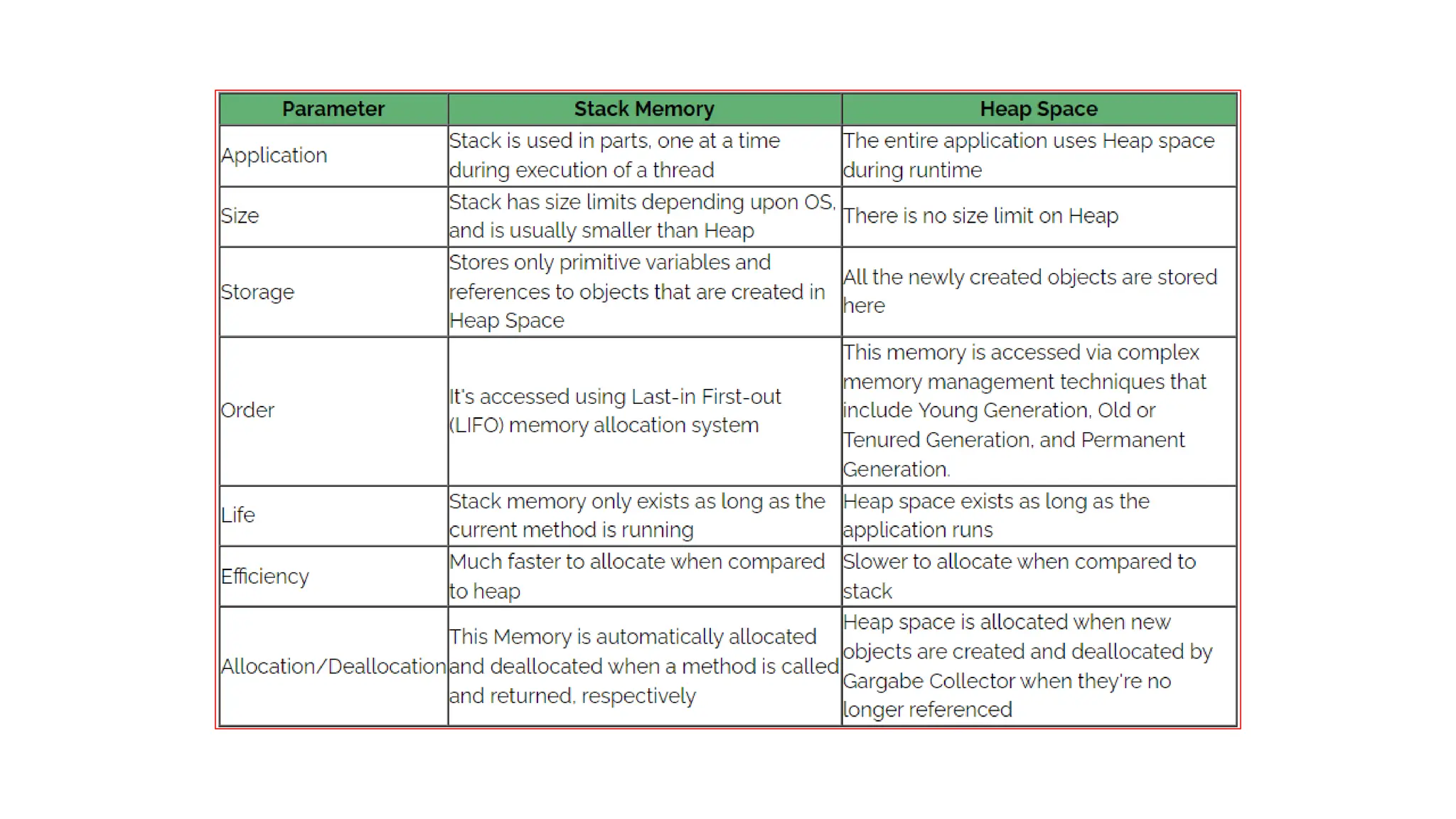
Memory allocation of a primitive and Non-
Primitive Data type
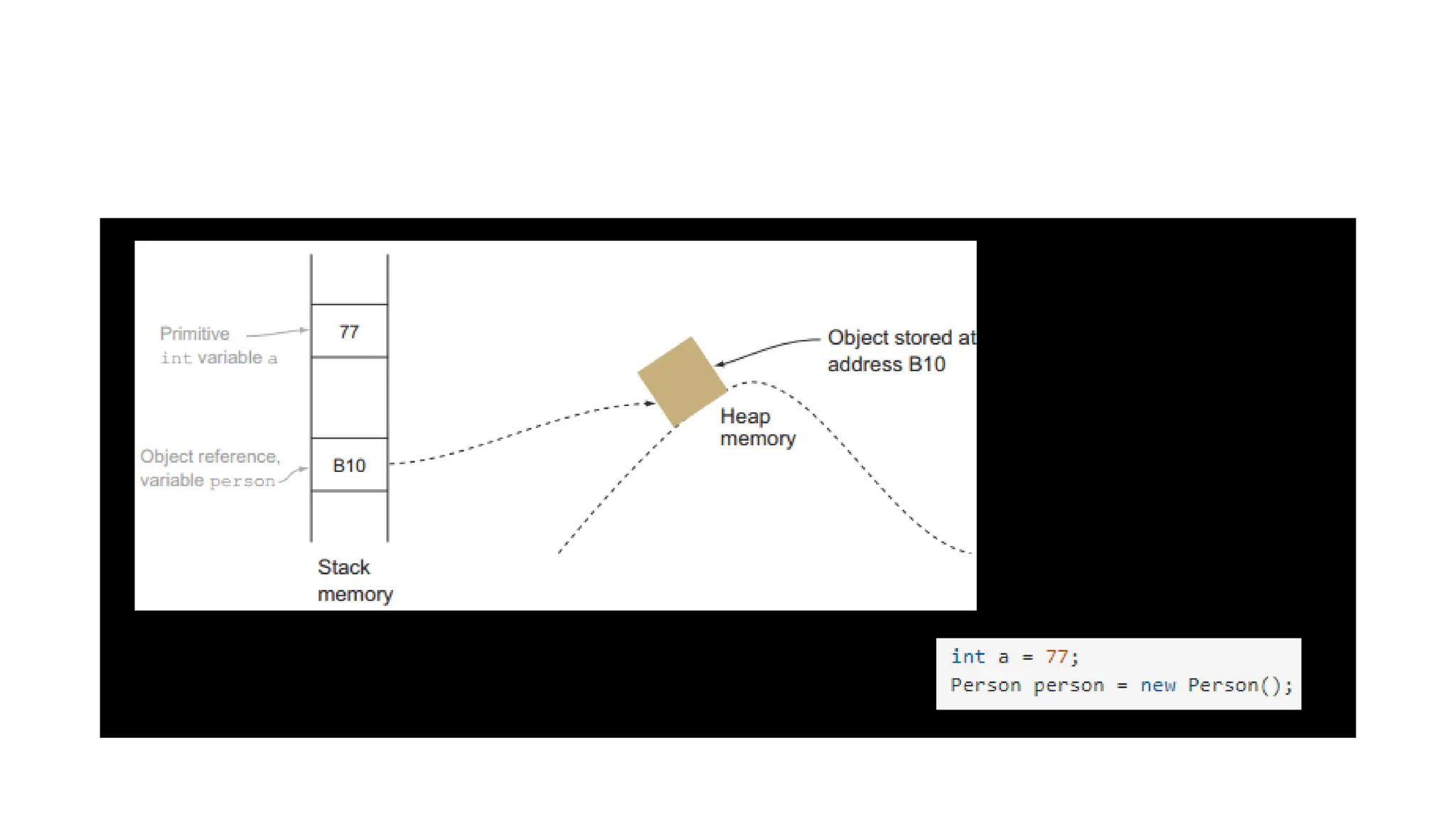
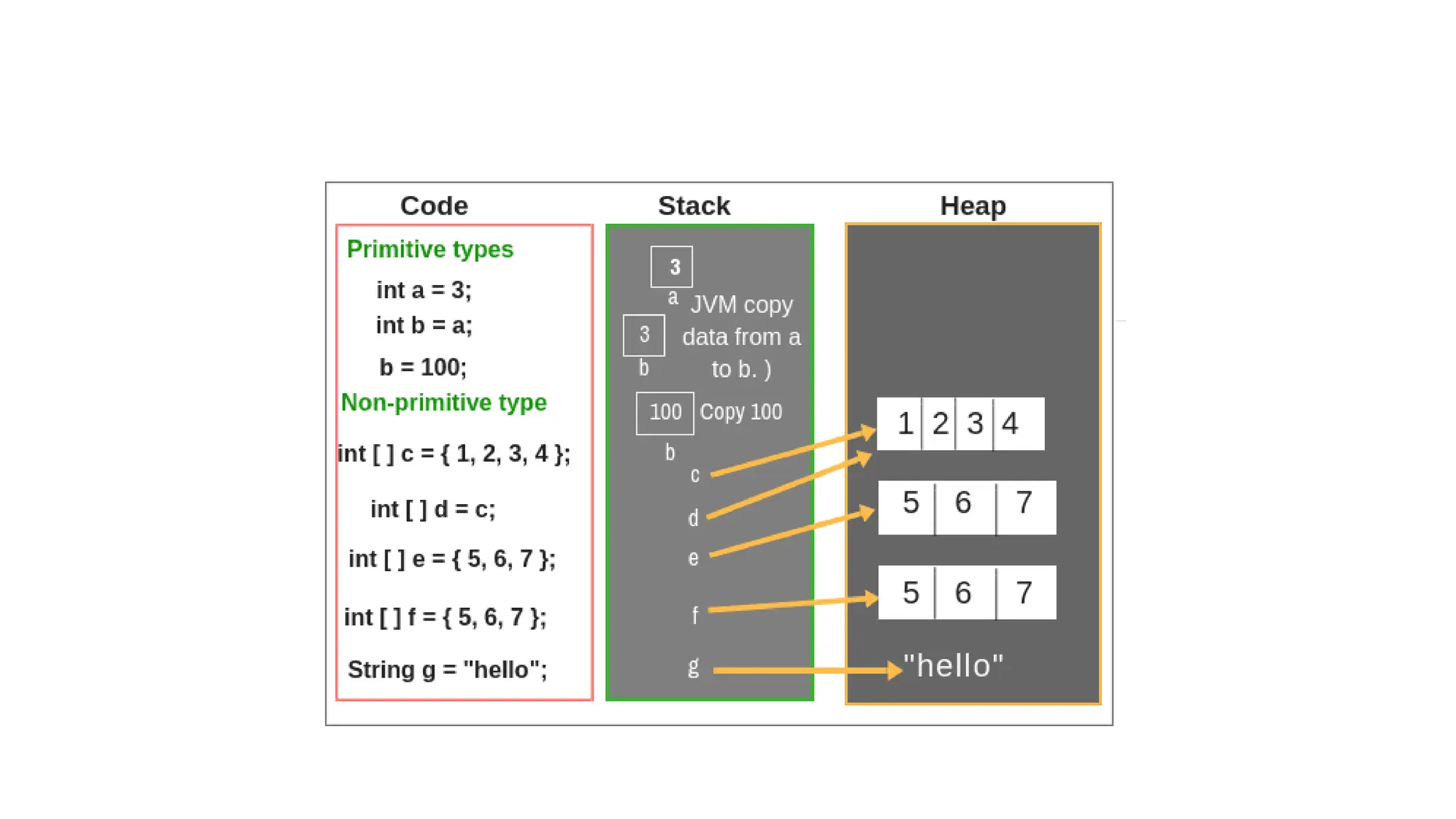
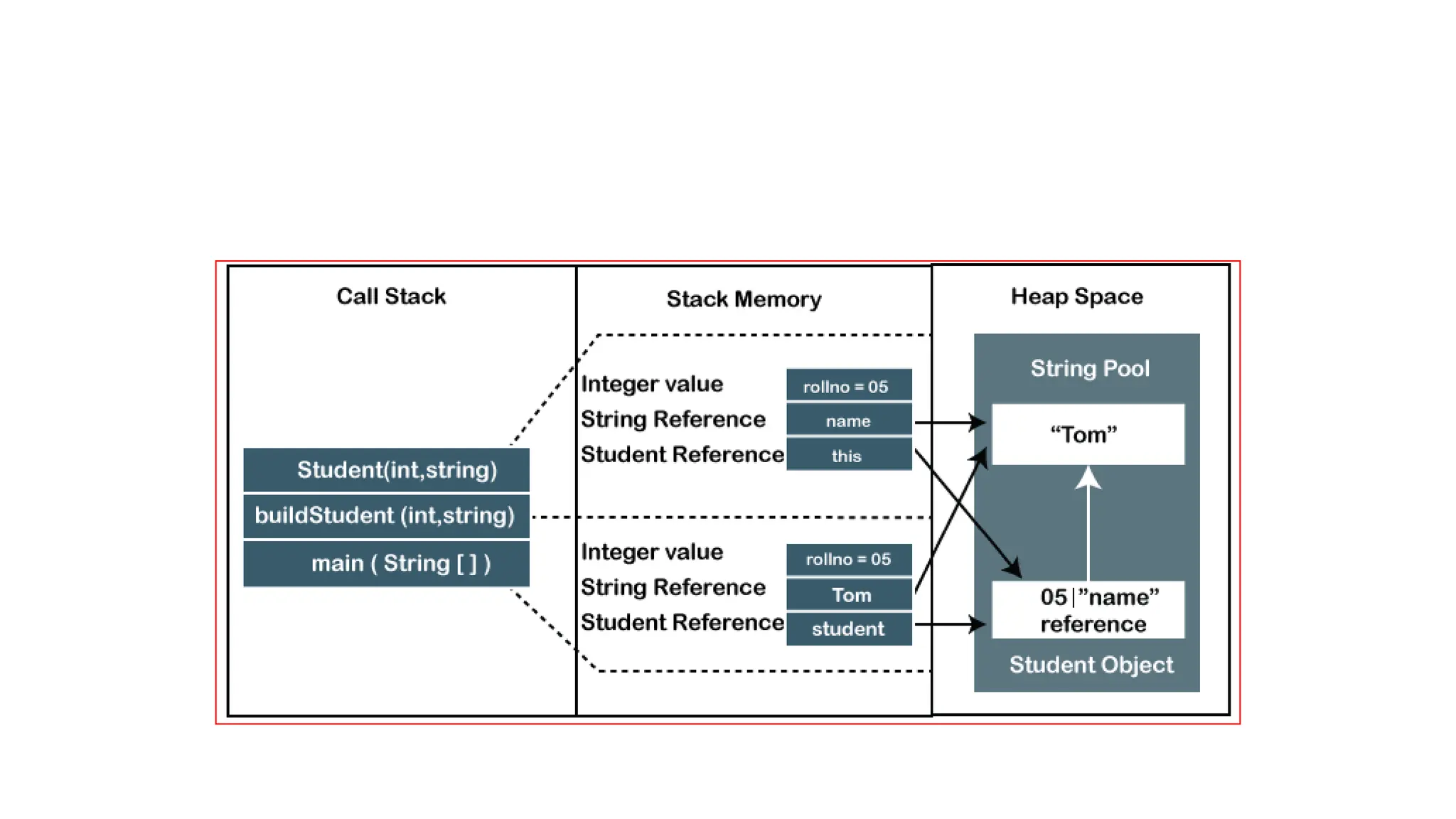
• All data type for primitive type variables is stored on the stack.
• For reference data types, the stack holds a pointer to the object on
the heap.
• When setting a reference type variable equal to another reference type
variable, a copy of only the pointer is made.
Programming in java Basics_Reference-Material-I.pdf

Programming in java Basics_Reference-Material-I.pdf

  • 1.
  • 2.
    SWE1007-Programming in Java 1/5/2025 2 ICSE103EComputer Programming java By Prabadevi.B
  • 3.
    Syllabus •Module 1: JavaBasics 1/5/2025 ICSE103E Computer Programming java By Prabadevi.B 3
  • 4.
    C→ Structured Programmingin 1978 at AT & T Bell Laboratory, USA Dennis Ritchie Complexity increases with program size, making it unsuitable for large or complex projects
  • 5.
    C++→OOP Language in1983 at AT & T Bell Laboratory, USA Bjarne Stroustrup Platform Specific, Restricted for system programming, security issues and memory constraints, no single root hierarchy(everything is not an object)
  • 6.
    Bytecode versus Objectcode •Bytecode is platform-independent, while object code is machine- specific. • When you compile a Java program, you create a bytecode file, which is like an object file for a virtual machine. The same bytecode file can be used on any platform • Bytecode is executed by a bytecode interpreter, while object code is executed by the processor • Bytecode is an intermediate representation of code, while object code is written in binary language
  • 7.
    Java is OOPin 1991 at Sun Microsystems Green Team: Patrick Naughton, Chris Wrath, Ed Frank and Mike Sheridan James Gosling Initially called Later Finally JAVA Stood outside Gosling's office Java is an island of Indonesia where the first coffee was produced Java one of the Ten Best Products of 1995.
  • 8.
    Why Java? • Platform-independent:they are not designed to be compiled for a specific target as C and C++. • Java code would run on a variety of CPUs under differing environments • Emergence of World Wide Web(with heterogeneous devices) • switch from consumer electronics (small scale) to Internet programming (large scale) • can use Java to develop rich Internet applications. • A rich Internet application (RIA) is a Web application designed to deliver the same features and functions normally associated with deskop applications. Run anywhere!!
  • 9.
    Java • Java isrelated to C++ which is direct descendent of C • Java is inherited from these two languages : • From C, Java derives its syntax. • From C++, Many of Java’s object-oriented features were influenced by C++. • An applet is a special kind of Java program that is designed to be transmitted over the Internet and automatically executed by a Java- compatible web browser. • Java to enable applets to be downloaded and executed on the client computer safely Java is neither upwardly nor downwardly compatible with C++
  • 10.
  • 11.
    Impact of Javaon internet • Security: • No!! • Java confined an applet to the Java execution environment and not allowing it access to other parts of the computer • Portability: -> An important aspect in an distributed environment: • The same code must work on all computers Applets downloaded from web browser is prone to virus?? Java’s Magic : Byte code solves this!!
  • 12.
  • 13.
    Execution of Java •Compile Time Phase: • Writing the code IDE/Editor and save the code file as abc.java • compile the code in the command prompt by using the command javac abc.java • The compiler checks the code for syntax errors and any other compile time errors and if no error is found the compiler converts the java code into an intermediate code(abc.class file) known as bytecode
  • 14.
    Bytecode: output ofa Java compiler(.class) • A highly optimized set of instructions designed to be executed by the Java run- time system, the Java Virtual Machine (JVM). • JVM was designed as an interpreter for bytecode • This intermediate code is platform independent, understandable only by JVM Bytecode can run on any machine with JVM
  • 15.
    Execution of Java •Runtime phase • Bytecode is loaded into the JVM by the class loader(another inbuilt program inside the JVM). • Now the bytecode verifier(an inbuilt program inside the JVM) checks the bytecode for its integrity and if not issues are found passes it to the interpreter. • Since java is both compiled and interpretted language, now the interpreter inside the JVM converts each line of the bytecode into executable machine code and passed it to the OS/Hardware i.e. the CPU to execute.
  • 16.
    Execution of Java-Workingof JIT (Just-In-Time) Compiler • case 1: intepretation phase • interpreter converts each line into its corresponding machine code line • The last 2 lines are the same (consider it a redundant line inserted by mistake). • Interpreter works line by line it still creates 5 lines of machine code for 5 lines of the bytecode. • Case 2: before the bytecode is passed onto the interpreter for conversion to machine code, the JIT compiler scans the full code to see if it can be optimized. • It finds the last line is redundant it removes it from the bytecode and passes only 4 lines to the interpreter thus making it more efficient and faster as the interpreter now has 1 line less to interpret. JIT compiler speeds up the overall execution process.
  • 17.
    Java Buzzwords 1. Simple 2.Secure 3. Portable 4. Object-oriented 5. Robust 6. Multithreaded 7. Architecture-neutral 8. Interpreted 9. High performance 10. Distributed 11. Dynamic and Extensible “write once; run anywhere, any time, forever.” 7.Java allows its application to compile on one hardware architecture and to execute on another hardware architecture 3. When Java is compiled, it is not compiled into platform specific machine, rather into platform-independent byte code using JVM 11. Adapt to an evolving environment and Reusable 5. Utilizes strong memory management, No pointers, Automatic garbage collection 10. Encourages users to create distributed applications, we can split a program into many parts and store these parts on different computer and can control from one machine
  • 18.
    First Java Program •Compile • javac Hello.java • Run • java Hello JVM first looks for the static methods Execution Starts at main() So while running the code give the name of class containing main() function , Here it is Hello
  • 19.
    System.out.println() • System isthe predefined class available in java.lang package (default package imported by java in all programs) • out is the object reference to the output stream(PrintStream) connected to console • println( ) is the built-in method used for displaying the output, prints the string passed to it
  • 21.
    Applets doesnot requiremain() function • When creating applets—Java programs that are embedded in web browsers won’t use main( ) • since the web browser uses a different means of starting the execution of applets
  • 22.
  • 23.
    System.out.println(“String " +variable); • The plus sign causes the value of variable to be appended to the string that precedes it, and then the resulting string is output. • Using the + operator, you can join together as many items as you want within a single println( ) statement. • num is first converted from an integer into its string equivalent and then concatenated with the string that precedes it.
  • 24.
    Comments in java •Comments will not be executed , its for documentation purpose • Single line comment • Multiline comment
  • 25.
    Variables • A variableis a named memory location that may be assigned a value by your program • type specifies the type of variable being declared, and • var-name is the name of the variable • To declare more than one variable of the specified type, use a comma-separated list of variable names
  • 26.
    Rules for NamingVariables in Java • Variables must start with either a letter or an underscore, _ or a dollar, $ sign.➔Eg: age,_age,$age; • Variable names cannot start with numbers.➔Eg:1age; • Variable names can't use whitespace➔Eg: age Index; • When creating variables, choose a name that makes sense • If you choose one-word variable names, use all lowercase letters • Eg: age; • If more than word: Eg: dateOfBirth;
  • 27.
    Scope of avariable • A block defines a scope. • A scope determines what objects are visible to other parts of your program. • It also determines the lifetime of those objects • variables are created when their scope is entered, and destroyed when their scope is left.
  • 28.
    Lifetime of avariable • A variable declared within a block will lose its value when the block is left • Lifetime of a variable is confined to its scope.
  • 29.
    Practice Programs • Writejava program to print your details like reg.no, number of courses registered, number of credits completed and cgpa. • Write Java program print the two numbers passed in the command line
  • 30.
    Simple Control statements Theif Statement • condition is a Boolean expression. • If condition is true, then the statement is executed. • If condition is false, then the statement is bypassed. The for Loop • the initialization portion of the loop sets a loop control variable to an initial value. • The condition is a Boolean expression that tests the loop control variable. • If the outcome of that test is true, the for loop continues to iterate. • If it is false, the loop terminates. • The iteration expression determines how the loop control variable is changed each time the loop iterates.
  • 31.
  • 32.
  • 33.
    Practice Programs • Writejava Program to print “JVM is Java Virtual Machine” 10 times. • Write java program to print numbers from 1 to 10. • Write java program to find the sum of natural numbers from 1 to 100 • Write java program to print even values between 1 and 10. • Write java program to find whether the given number is Armstrong?
  • 34.
    Introduction to Java •Execution • Platform independent-JVM’s • Simple program • Main • Scanner
  • 35.
    Java is stronglytyped Language Numeric Non-Numeric
  • 37.
    • Primitive type: •Int a=20 a will hold the value 20 • Non-Primitive type: • Student s=new Student() • s➔ address or reference to new Student()
  • 38.
    Primitive Data typesin Java • Primitive data types in Java are those data types whose variables can store only one type of value at a time. • We cannot store multiple values of the same type. • Java defines eight primitive data types: • boolean, char, byte, short, int, long, char, float, and double. • Conditional category data type: boolean • Character category data type: char • Integer category data types: byte, short, int, and long. • Float category data types: float and double A primitive data type is pre-defined by the programming language. The size and type of variable values are specified, and it has no additional methods
  • 39.
    Primitive data types •Integers This group includes byte, short, int, and long, which are for whole-valued signed numbers. • Floating-point numbers This group includes float and double, which represent numbers with fractional precision. • Characters This group includes char, which represents symbols in a character set, like letters and numbers. • Boolean This group includes Boolean →true/false values
  • 40.
    Eight Primitive Datatypes 1 byte = 8 bits Hint: the values ranges from -2^(sizebits-1) to +(2(sizebits-1)-1)
  • 41.
    Eight Primitive Datatypes Default values The u0000 is the lowest range of Unicode system.
  • 42.
    Integers • byte b,c; • int a; • short s; • long l; → 9223372036854775807L 1byte = 8bits
  • 46.
  • 47.
    Floating-point numbers • floata;→ single-precision value • Variables of type float are useful when you need a fractional component • Sufficient for holding 6 to 7 decimal digits • double d;→double-precision value • Variables of type double are useful for high-speed mathematical calculations such as such as sin( ), cos( ), and sqrt( ) • Sufficient for holding 15 decimal digits
  • 48.
    Float data type •A float data type is used to represent the decimal number which can hold 6 to 7 decimal digits. • It is used to save memory in large arrays of floating-point numbers. • The float data type is a single-precision 32-bit IEEE 754 floating-point • The default memory size allocated for this data type is 32 bits i.e 4 bytes and default value is 0.0f. • Here, if we do not write “f” then JVM will consider as double and would have allotted 8 bytes. • In this case, it will give an error ” Type mismatch: cannot convert from double to float”. But if we use f, JVM will consider it as float value and allot only 4 bytes.
  • 50.
    Double data type •A double data type is also used to represent decimal numbers up to 15 decimal digits accurately. • The double data type is a double-precision 64-bit IEEE 754 floating- point. • Memory size is 64 bits i.e 8 bytes and default value is 0.0d.
  • 51.
    Characters • The datatype used to store characters like P, a, b, z, x, etc. is char • Unlike C/C++, Java uses Unicode to represent characters i.e represent international character set, all of the characters found in all human languages • Size of character→ in Java char is a 16-bit Unicode character. • The range of a char is 0 to 65,536. There are no negative chars. • A default value for char is ‘u0000’ which represents blank space or single space. Here, ‘u’ represents that character is a Unicode.
  • 52.
    Booleans • Java hasa primitive type, called boolean, for logical values. • It can have only one of two possible values, true or false. • This is the type returned by all relational operators, as in the case of a < b. • boolean is also the type required by the conditional expressions that govern the control statements such as if and for. • Boolean data type represents one bit of information Boolean data type takes zero bytes of memory. Default value is false.
  • 53.
    Why boolean datatype takes zero bytes of memory? • Boolean data type takes zero bytes of memory space because boolean data type in Java is implemented by Sun Micro System using the concept of a flip-flop. • A flip-flop is a general-purpose register that stores one bit of information (one for true and zero for false). • Size of Byte is JVM specific, this data type represents one bit of information, but its "size" isn't something that's precisely defined.
  • 54.
    Wrapper classes fordatatypes • A Wrapper class is a class which contains the primitive data types (int, char, short, byte, etc). • Wrapper classes provide a way to use primitive data types (int, char, short, byte, etc) as objects. • These wrapper classes come under java. util package convert any data type into an object and object into a primitive data type.
  • 55.
    Literals in Java •A literal is a fixed value that we assign to a variable in a Program.
  • 56.
    Integer Literal • Decimal(base 10)→whole number value • Binary literal → denoted by leading 0b or 0B • Octal (base 8)→denoted by leading zero • Hexadecimal (base 16)→ denoted by leading zero-x, (0x or 0X). • Long literals should end with L
  • 57.
    Floating point literal •A float literal➔ append an F or f to the constant • A double literal➔ append an D or d to the constant • Hexadecimal floating point → but a P or p, rather than an E or e, • Floating-point literals in Java default to double precision.
  • 58.
    Two types ofFloating point notation • Standard notation: whole number component followed by a decimal point followed by a fractional component. • Scientific notation: Floating-point number plus a E that specifies a power of 10 by which the number is to be multiplied. • The exponent is indicated by an E or e followed by a decimal number, which can be positive or negative
  • 59.
    Two types ofFloating point notation • Standard Notation • Scientific notation Number Standard Notation Scientific Notation 70.5 70.5 705*10^-1➔705E-1 49000000 49000000 4.9*10^7➔4.9E7 3.14159 3.14159 314159*10^(-5)➔314159E–05
  • 61.
    Character Literal • Charactersin Java are indices into the Unicode character set. • They are 16-bit values that can be converted into integers and manipulated with the integer operators, such as the addition and subtraction operators. • A literal character is represented inside a pair of single quotes.
  • 63.
    Escape sequences t➔insert onetab space (generally 5 space) b➔moves the cursor one character back with or without deleting the character r ➔moves the output point back to the beginning of the line without moving down a line f➔insert a page break s➔insert space ➔ line terminator
  • 66.
    Interesting Facts oncharacter Literal • Directly entering the value of a character in octal or hexadecimal • For octal ➔ use the backslash followed by the three-digit number • Eg: ‘007’ • For hexadecimal➔ use a backslash-u (u), then exactly four hexadecimal digits. • Eg: ‘u001C’
  • 68.
    String Literals • Stringsare a sequence of characters. • In Java programming language, strings are treated as objects. • Java platform provides the String class to create and manipulate strings. • A string literal should be enclosed in double quotes.
  • 69.
    Type Conversion andCasting • Type casting is a method or process that converts a data type into another data type in both ways manually (by the programmer) and automatically(by the compiler). • Java’s Automatic Conversions or implicit conversion • Casting Incompatible Types or explicit conversion
  • 70.
    Java’s Automatic Conversions •Converting a lower data type into a higher one automatically if following conditions are met: • The two types are compatible • The destination type is larger than the source type. • Note: • The numeric types, including integer and floating-point types, are compatible with each other. • No automatic conversions from the numeric types to char or Boolean • char and boolean are not compatible with each other. • Java performs automatic type conversion when storing a literal integer constant into variables of type byte, short, long, or char.
  • 71.
    • Int a=30 •Long l; • L=a • Byte b=(byte)a;
  • 72.
    Casting Incompatible Types •Converting a higher data type into a lower one • Called as narrowing conversion, since we are explicitly making the value narrower so that it will fit into the target type • A cast is simply an explicit type conversion.
  • 73.
    Automatic Type Promotionin Expressions • In an expression, the precision required of an intermediate value will sometimes exceed the range of either operand. byte a = 40; byte b = 50; byte c = 100; int d = (a * b) / c; // a * b easily exceeds the range of either of its byte operands. • Java automatically promotes each byte, short, or char operand to int when evaluating an expression a*b is performed using integers—not bytes
  • 74.
    Floating point to integeris not compatible Integer to floating point is compatible
  • 75.
    Char to Floatand double is compatible Char to long and int is compatible Char to Short Long to char Float to char Double to char Incompatible
  • 76.
  • 77.
    The Type PromotionRules • First, all byte, short, and char values are promoted to int • Then, if one operand is a long, the whole expression is promoted to long • If one operand is a float, the entire expression is promoted to float • If any of the operands are double, the result is double. • Long, double, float➔double • Float, long➔float • Long, int, byte, short➔long
  • 79.
    Implicit(automatic) Explicit(manual) 1. Smallerone to larger one (widening) 2. Automatic conversion of int from short, byte, char literals 3. Two types must be compatible a. Integer and floating point b. Character to integer 4. Non-compatible types a. Char and Boolean b. Numeric types to char and boolean Larger one to smaller (narrowing) (Data types of the same size) Target_type var =(target_type) Name_of the var; float f1=(float)d; Eg: change from double to long : double d; long l=(long)d; Automatic Type Promotions while evaluating expressions 1. Byte, short, char are promoted to int a. Any one long (in integer)➔ long 2. Any one Float ➔float 3. Any one Double➔double
  • 80.
    Exercise Problems • FindASCII value of a character • Write java program to compute Quotient and Remainder • Write java code for swapping of two floating point numbers with and without temporary variable • Write a java program to check whether an alphabet is vowel or consonant
  • 81.
    Memory allocation ofa primitive and Non- Primitive Data type • All data type for primitive type variables is stored on the stack. • For reference data types, the stack holds a pointer to the object on the heap. • When setting a reference type variable equal to another reference type variable, a copy of only the pointer is made.