Practical ngx_mruby
Middleware as a Code
self.introduce
=>
{
name: “SHIBATA Hiroshi”,
nickname: “hsbt”,
title: “Chief engineer at GMO Pepabo, Inc.”,
commit_bits: [“ruby”, “rake”, “rubygems”, “rdoc”, “tdiary”,
“hiki”, “railsgirls”, “railsgirls-jp”, …],
sites: [“hsbt.org”, ruby-lang.org”, “rubyci.org”, “railsgirls.com”,
“railsgirls.jp”],
}
pepabo.com
ngx_mruby
Introduction to ngx_mruby
“ngx_mruby is A Fast and Memory-Efficient Web Server Extension
Mechanism Using Scripting Language mruby for nginx.”
https://github.com/matsumoto-r/ngx_mruby#whats-ngx_mruby
location /proxy {
mruby_set_code $backend '
backends = [
"test1.example.com",
"test2.example.com",
"test3.example.com",
]
backends[rand(backends.length)]
';
}
location /hello {
mruby_content_handler /path/to/hello.rb cache;
}
In “nginx.conf”!!!
Why mruby?
See http://hb.matsumoto-r.jp/entry/2016/02/05/140442
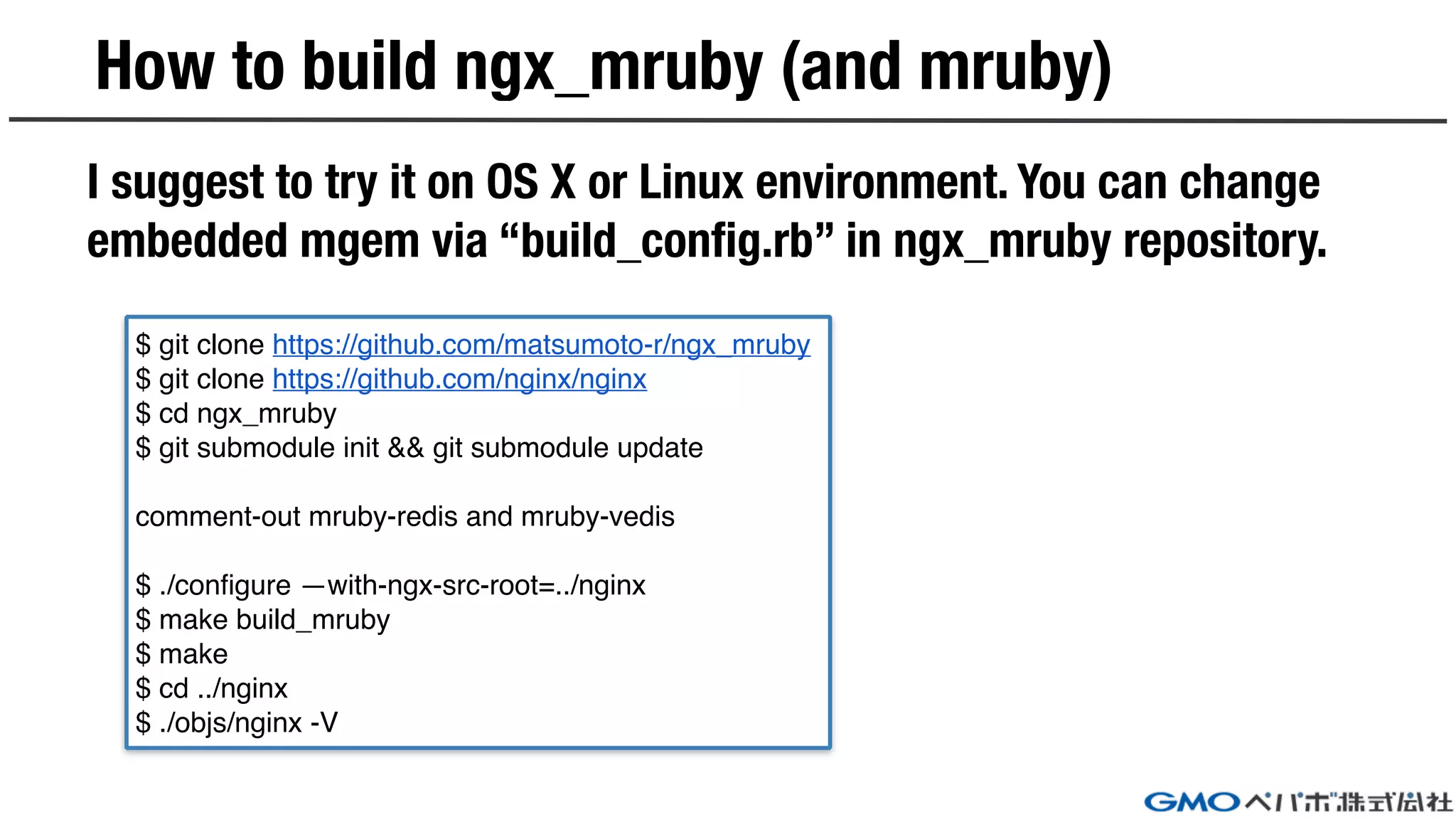
How to build ngx_mruby (and mruby)
I suggest to try it on OS X or Linux environment. You can change
embedded mgem via “build_config.rb” in ngx_mruby repository.
$ git clone https://github.com/matsumoto-r/ngx_mruby
$ git clone https://github.com/nginx/nginx
$ cd ngx_mruby
$ git submodule init && git submodule update
comment-out mruby-redis and mruby-vedis
$ ./configure —with-ngx-src-root=../nginx
$ make build_mruby
$ make
$ cd ../nginx
$ ./objs/nginx -V
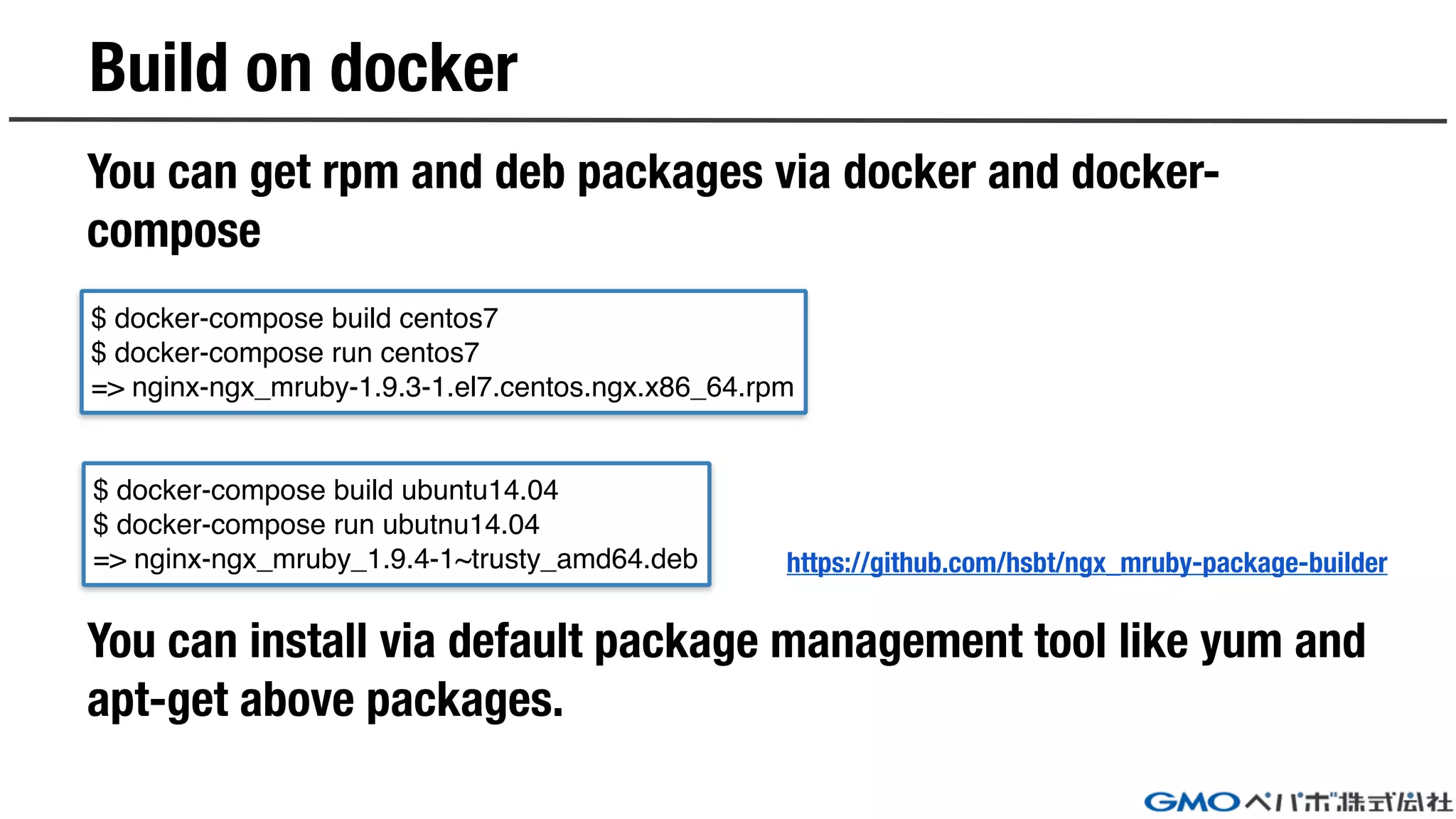
You can get rpm and deb packages via docker and docker-
compose
You can install via default package management tool like yum and
apt-get above packages.
Build on docker
https://github.com/hsbt/ngx_mruby-package-builder
$ docker-compose build centos7
$ docker-compose run centos7
=> nginx-ngx_mruby-1.9.3-1.el7.centos.ngx.x86_64.rpm
$ docker-compose build ubuntu14.04
$ docker-compose run ubutnu14.04
=> nginx-ngx_mruby_1.9.4-1~trusty_amd64.deb
Practical
example code
https://github.com/hsbt/nginx-tech-talk
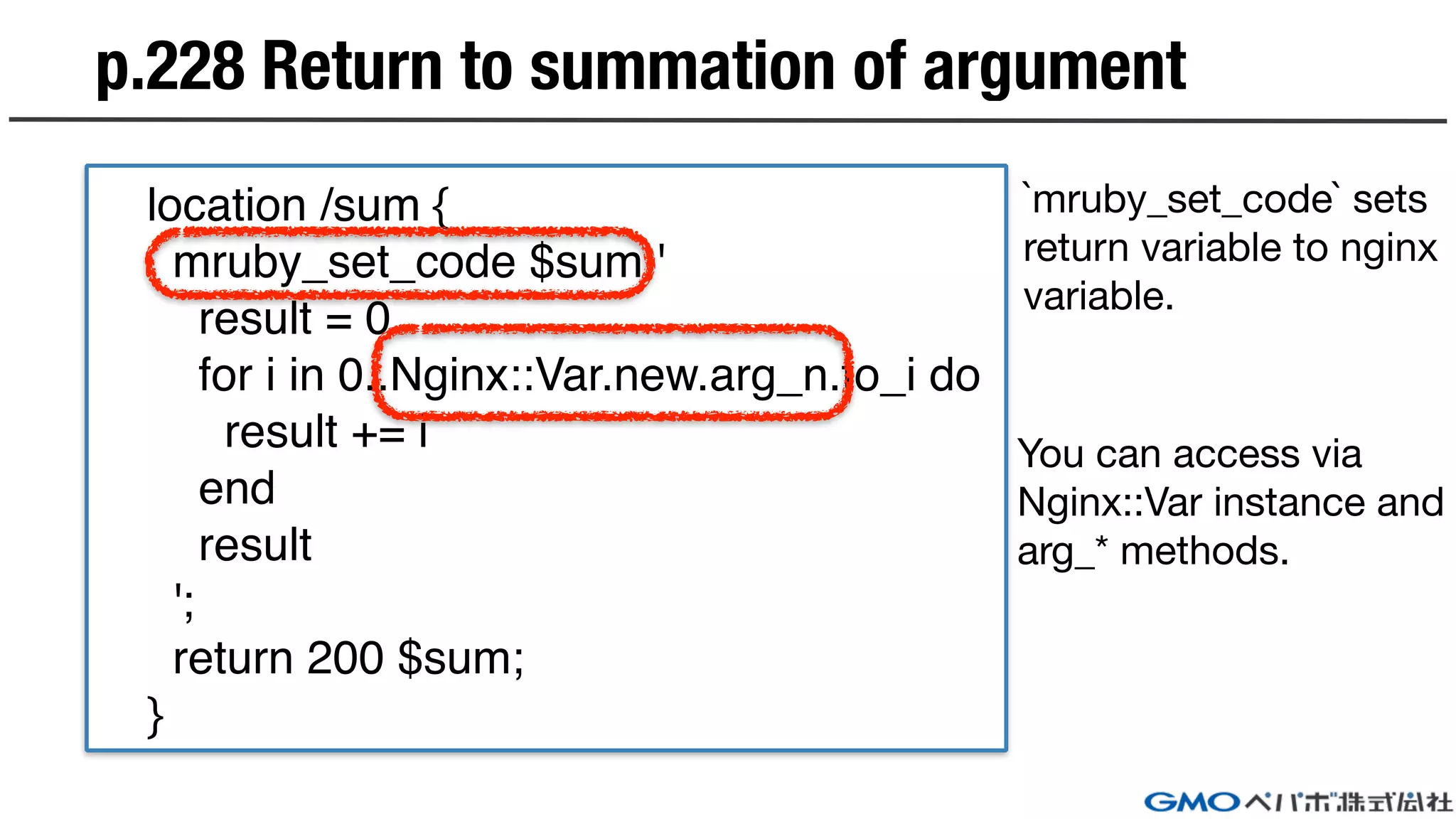
p.228 Return to summation of argument
location /sum {
mruby_set_code $sum '
result = 0
for i in 0..Nginx::Var.new.arg_n.to_i do
result += i
end
result
';
return 200 $sum;
}
`mruby_set_code` sets

return variable to nginx

variable.
You can access via

Nginx::Var instance and

arg_* methods.
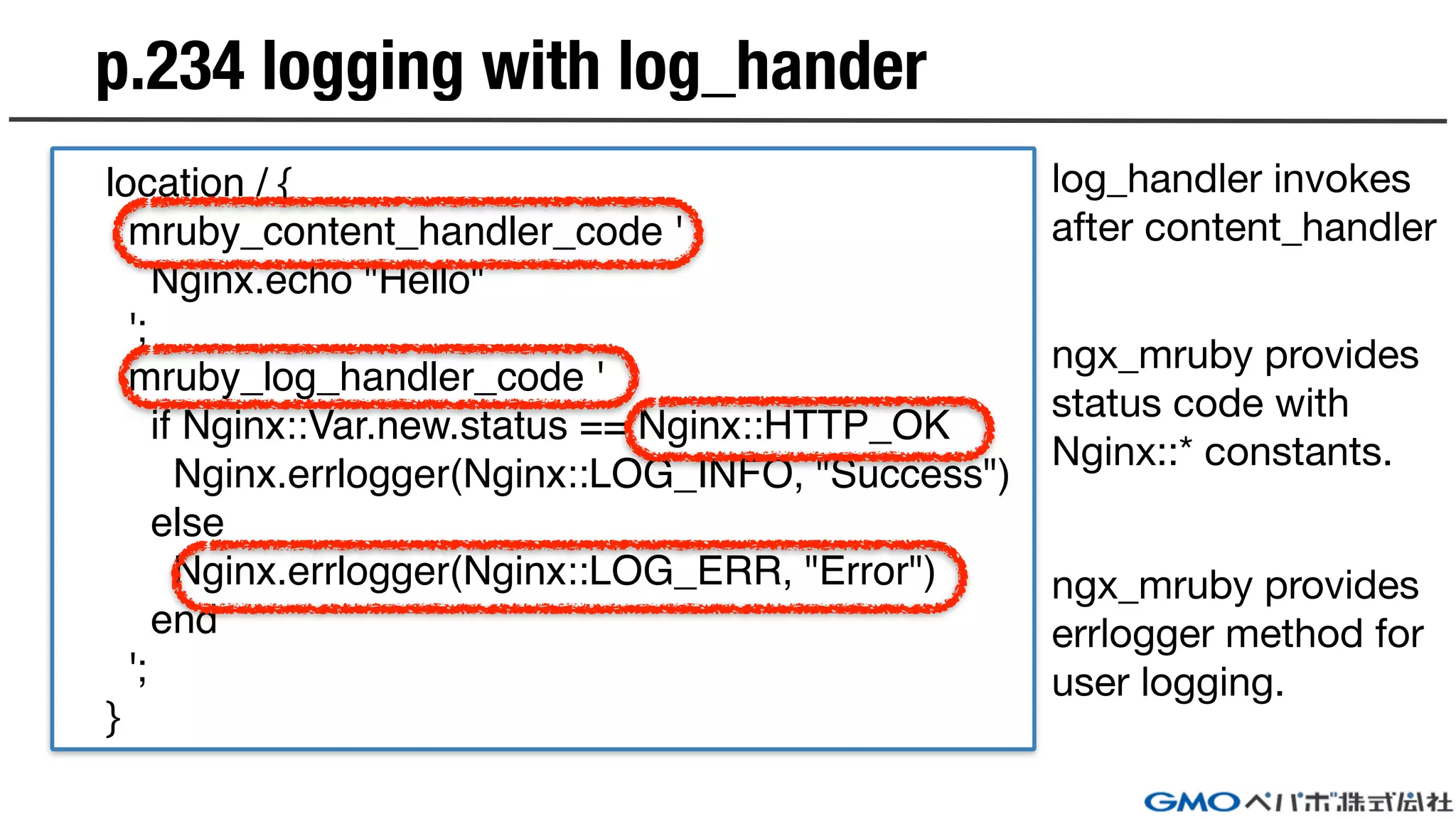
p.234 logging with log_hander
location / {
mruby_content_handler_code '
Nginx.echo "Hello"
';
mruby_log_handler_code '
if Nginx::Var.new.status == Nginx::HTTP_OK
Nginx.errlogger(Nginx::LOG_INFO, "Success")
else
Nginx.errlogger(Nginx::LOG_ERR, "Error")
end
';
}
log_handler invokes
after content_handler
ngx_mruby provides
status code with
Nginx::* constants.
ngx_mruby provides
errlogger method for

user logging.
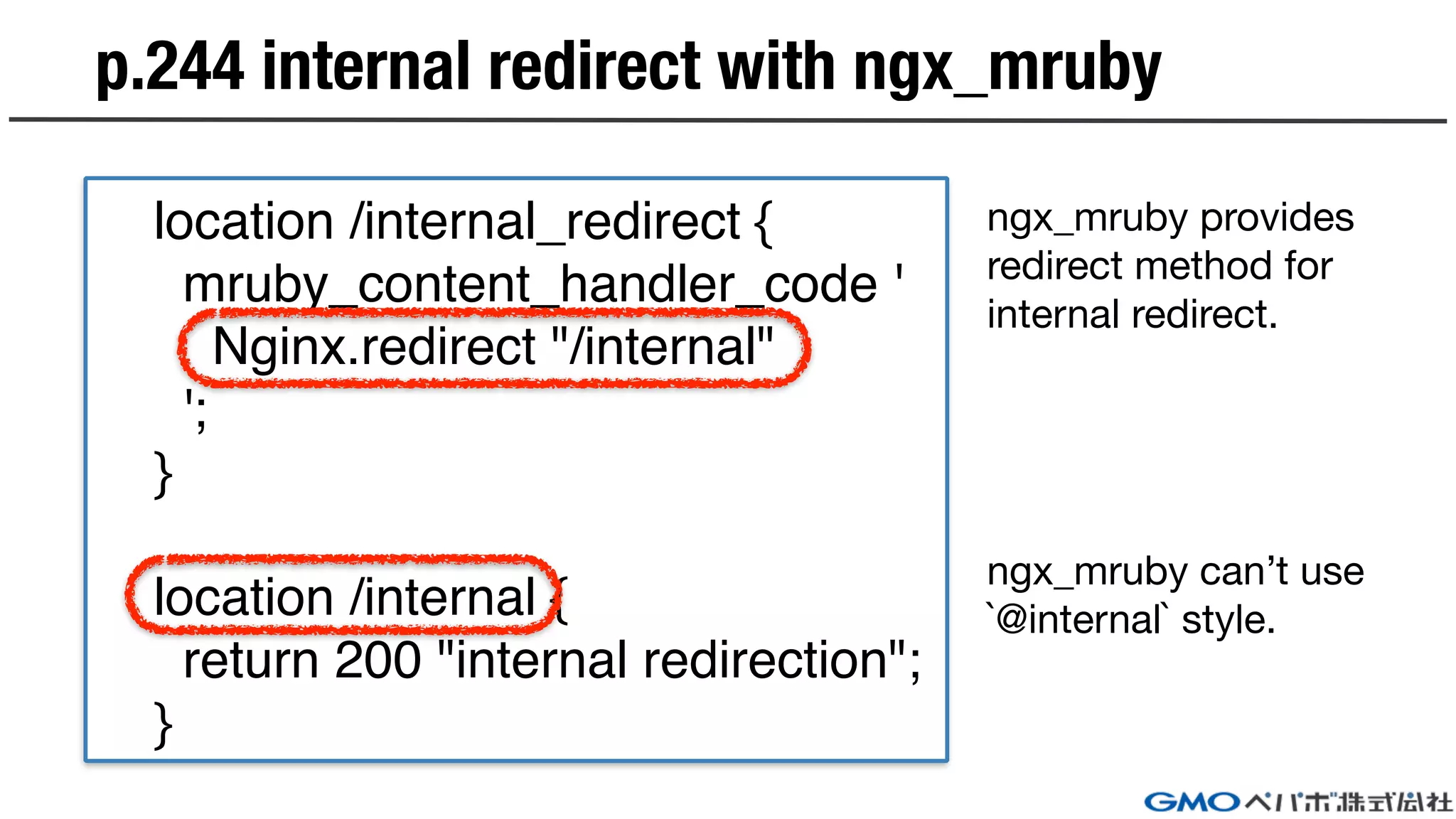
p.244 internal redirect with ngx_mruby
location /internal_redirect {
mruby_content_handler_code '
Nginx.redirect "/internal"
';
}
location /internal {
return 200 "internal redirection";
}
ngx_mruby provides
redirect method for
internal redirect.
ngx_mruby can’t use
`@internal` style.
p.246 Rewrite URI using ngx_mruby
location /image/ {
mruby_rewrite_handler_code '
file = Nginx::Var.new.uri.match(/^/image/(.+.jpg)$/)
if !file
return Nginx::HTTP_FORBIDDEN
end
url = "/image/jpg/" + file[1]
Nginx.redirect url
';
}
You can rewrite uri
with rewrite_handler
phase.
String#match
provides Regexp
matcher.
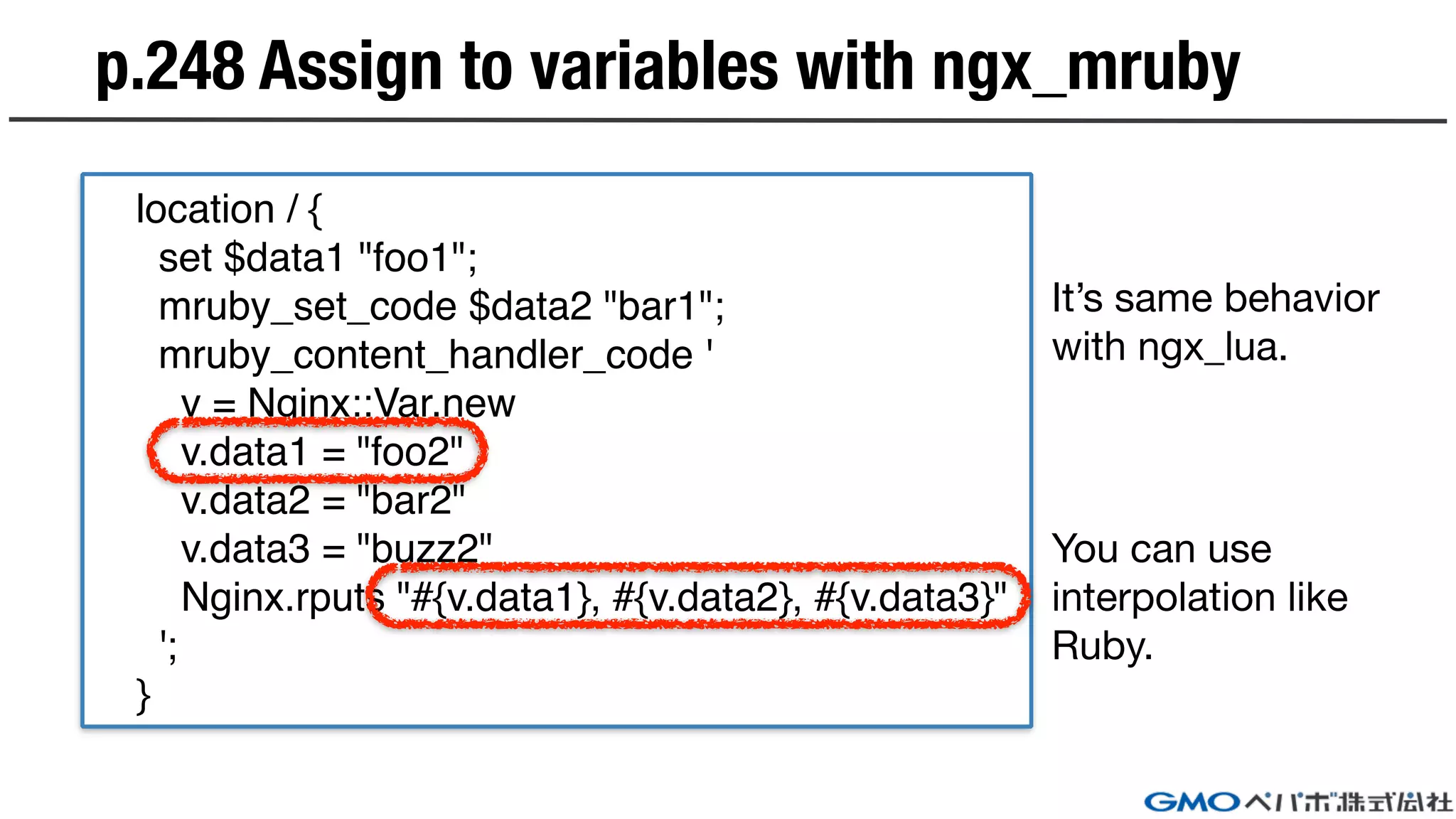
p.248 Assign to variables with ngx_mruby
location / {
set $data1 "foo1";
mruby_set_code $data2 "bar1";
mruby_content_handler_code '
v = Nginx::Var.new
v.data1 = "foo2"
v.data2 = "bar2"
v.data3 = "buzz2"
Nginx.rputs "#{v.data1}, #{v.data2}, #{v.data3}"
';
}
It’s same behavior
with ngx_lua.
You can use
interpolation like
Ruby.
p.250 Reference with request arguments
location / {
mruby_content_handler_code '
args = Hash[*Nginx::Request.new.args.split("&").map{|arg| arg.split("=")}.flatten]
args.each do |k, v|
Nginx.echo "#{k}:#{v}"
end
';
}
args = Nginx::Request.new.get_uri_args You can access
Nginx::Request#args and modified
it for Hash access.I added helper method like ngx_lua
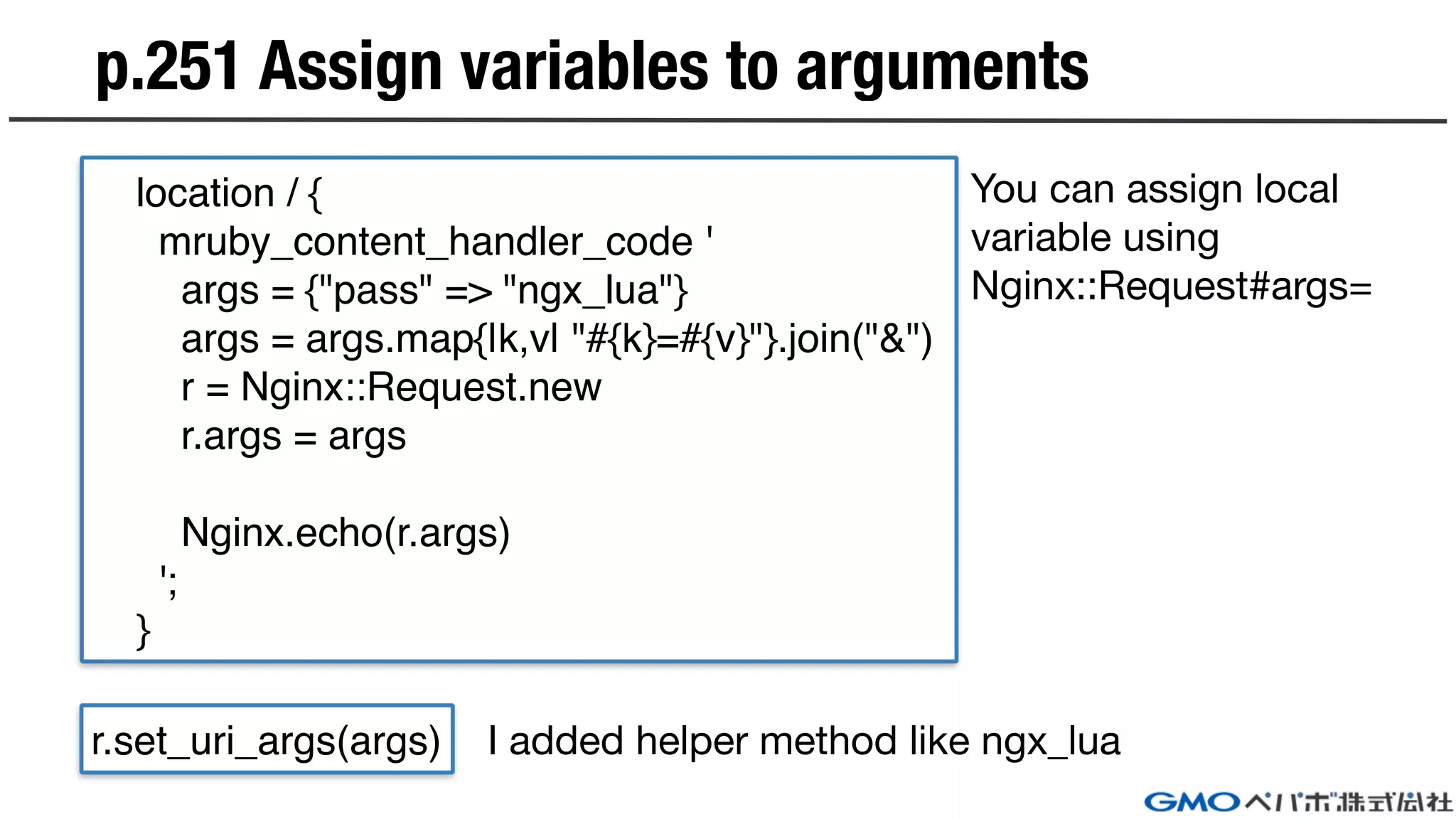
p.251 Assign variables to arguments
location / {
mruby_content_handler_code '
args = {"pass" => "ngx_lua"}
args = args.map{|k,v| "#{k}=#{v}"}.join("&")
r = Nginx::Request.new
r.args = args
Nginx.echo(r.args)
';
}
r.set_uri_args(args) I added helper method like ngx_lua
You can assign local
variable using
Nginx::Request#args=
p.253 Reference with post parameters
location / {
mruby_content_handler_code '
r = Nginx::Request.new
args = Nginx::Request.new.body
if !args
Nginx.echo "failed to get post args."
return
end
Hash[*args.split("&").map{|arg| arg.split("=")}.flatten]
args.each do |k, v|
Nginx.echo "#{k}:#{v}"
end
';
}
args = r.get_post_args
You can access using
Nginx::Request#body
when post request.
I added helper method like ngx_lua
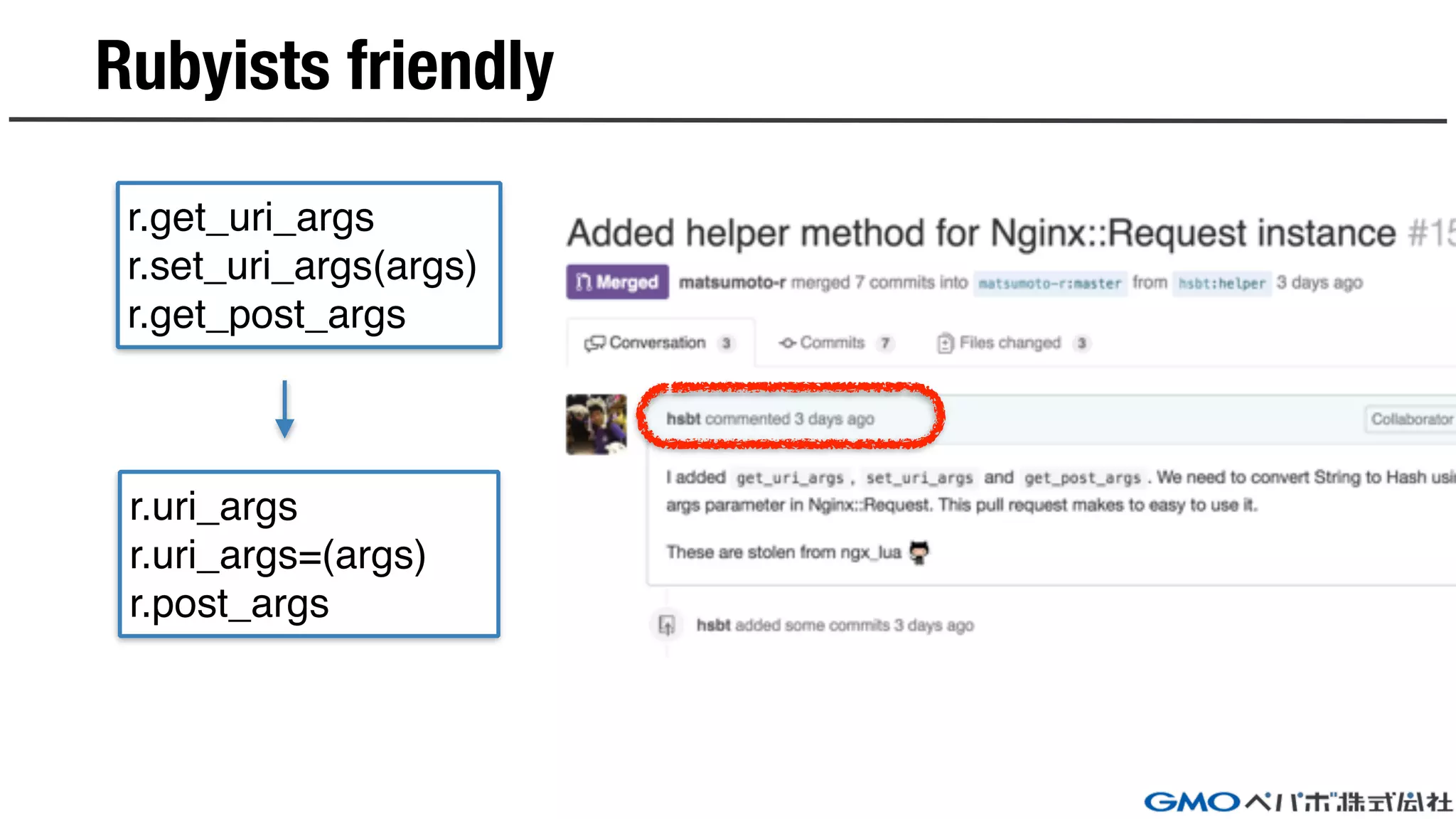
Rubyists friendly
r.get_uri_args
r.set_uri_args(args)
r.get_post_args
r.uri_args
r.uri_args=(args)
r.post_args
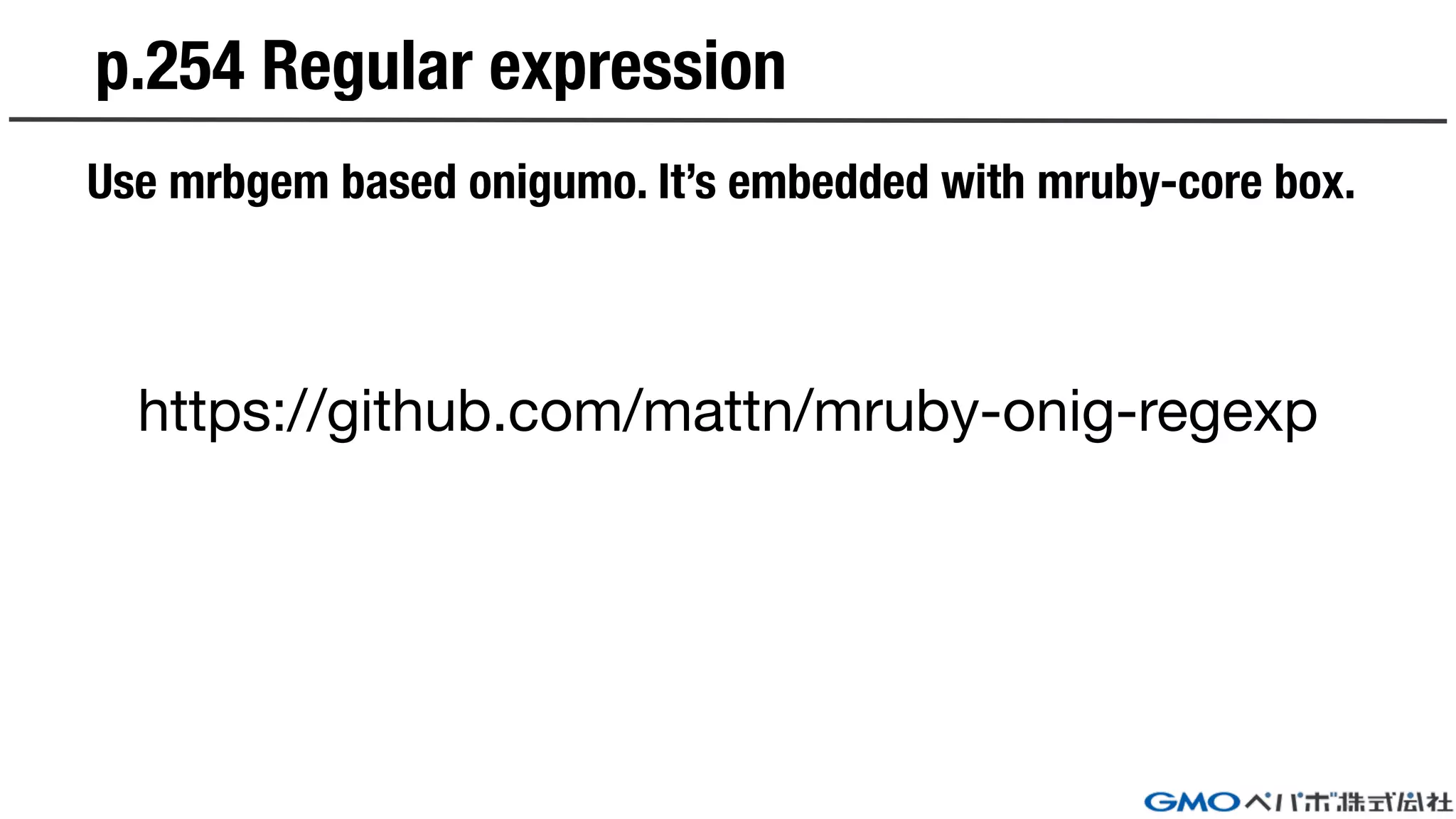
p.254 Regular expression
Use mrbgem based onigumo. It’s embedded with mruby-core box.
https://github.com/mattn/mruby-onig-regexp
p.256 Data sharing with request phase
location / {
mruby_rewrite_handler_code '
Userdata.new.phases = ["rewrite"]
Nginx.return Nginx::DECLINED
';
mruby_access_handler_code '
Userdata.new.phases << "access"
Nginx.return Nginx::DECLINED
';
mruby_content_handler_code '
Userdata.new.phases << "content"
Userdata.new.phases.each do |phase|
Nginx.echo phase
end
';
}
You can share local variables use
`mruby-userdata` gem across
handlers.
You need to return
`Nginx::DECLINED` when finished to
handler processes. It’s specification
of ngx_mruby.
p.258 Data sharing with worker processes
mruby_init_code '
c = Cache.new :namespace => "writing"
c["publisher"] = "技術評論社"
c["book"] = "nginx実践入門"
';
server {
listen 3000;
location / {
mruby_content_handler_code '
c = Cache.new :namespace => "writing"
Nginx.echo "出版社: #{c["publisher"]}"
Nginx.echo "書籍名: #{c["book"]}"
';
}
}
You can share variables use `mruby-
cache` gem across master and
worker processes.
`mruby-cache` handles only string
keys. It’s limitation.
p.260 Processing with non blocking
Nothing. Stay tune…
Or You can implement it.
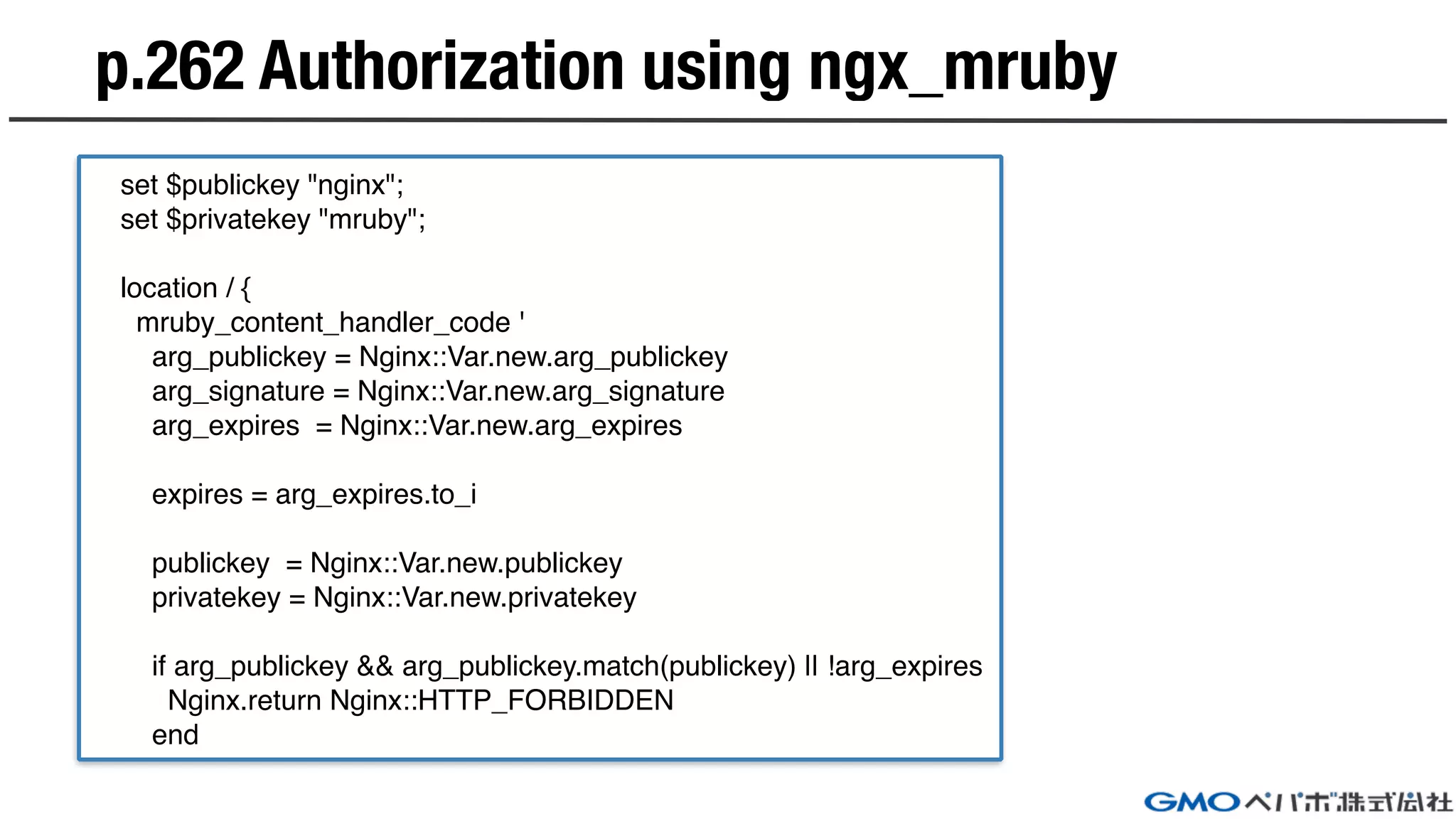
p.262 Authorization using ngx_mruby
set $publickey "nginx";
set $privatekey "mruby";
location / {
mruby_content_handler_code '
arg_publickey = Nginx::Var.new.arg_publickey
arg_signature = Nginx::Var.new.arg_signature
arg_expires = Nginx::Var.new.arg_expires
expires = arg_expires.to_i
publickey = Nginx::Var.new.publickey
privatekey = Nginx::Var.new.privatekey
if arg_publickey && arg_publickey.match(publickey) || !arg_expires
Nginx.return Nginx::HTTP_FORBIDDEN
end
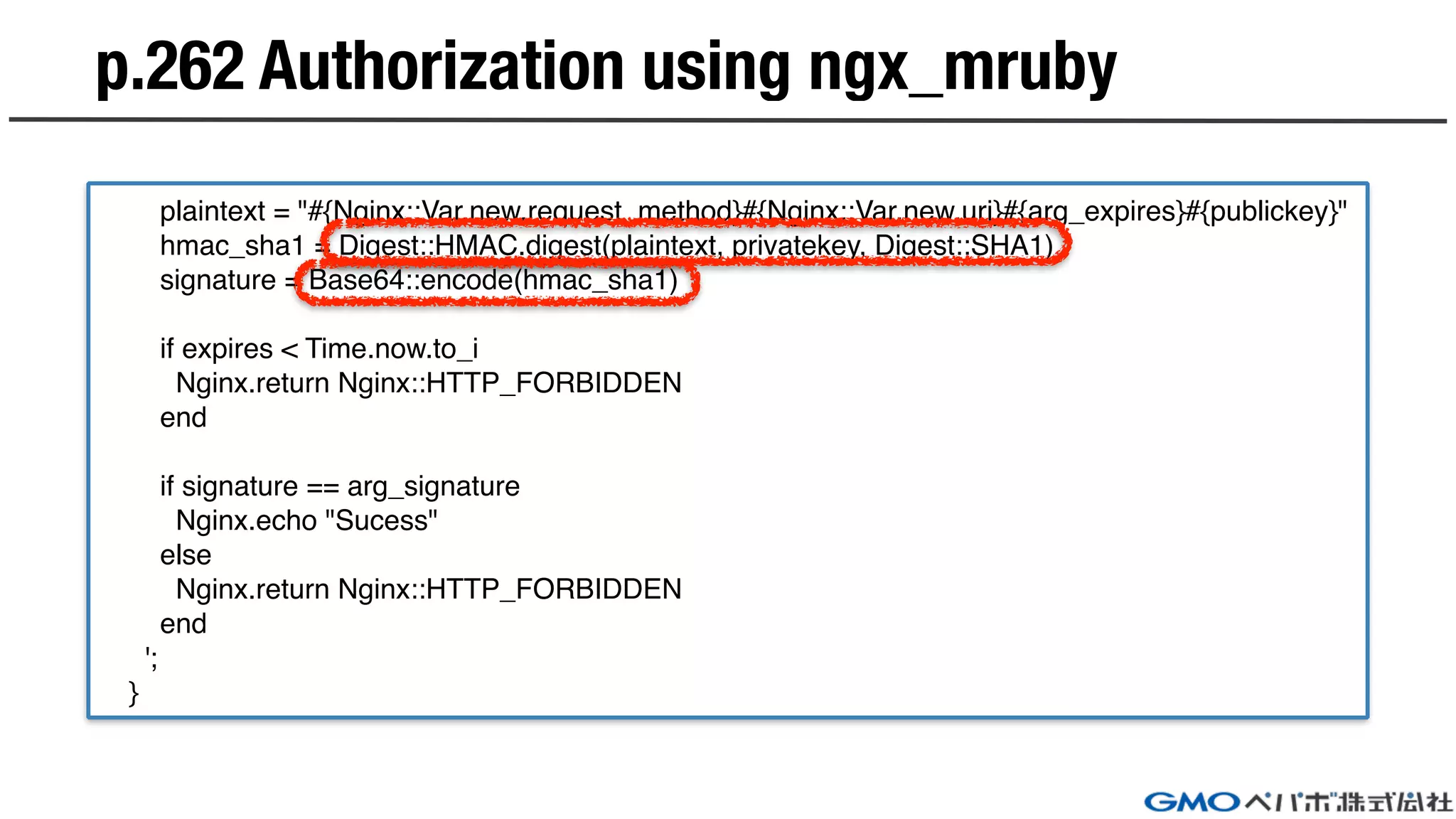
plaintext = "#{Nginx::Var.new.request_method}#{Nginx::Var.new.uri}#{arg_expires}#{publickey}"
hmac_sha1 = Digest::HMAC.digest(plaintext, privatekey, Digest::SHA1)
signature = Base64::encode(hmac_sha1)
if expires < Time.now.to_i
Nginx.return Nginx::HTTP_FORBIDDEN
end
if signature == arg_signature
Nginx.echo "Sucess"
else
Nginx.return Nginx::HTTP_FORBIDDEN
end
';
}
p.262 Authorization using ngx_mruby
https://github.com/matsumoto-r/
ngx_mruby

Practical ngx_mruby

  • 1.
  • 2.
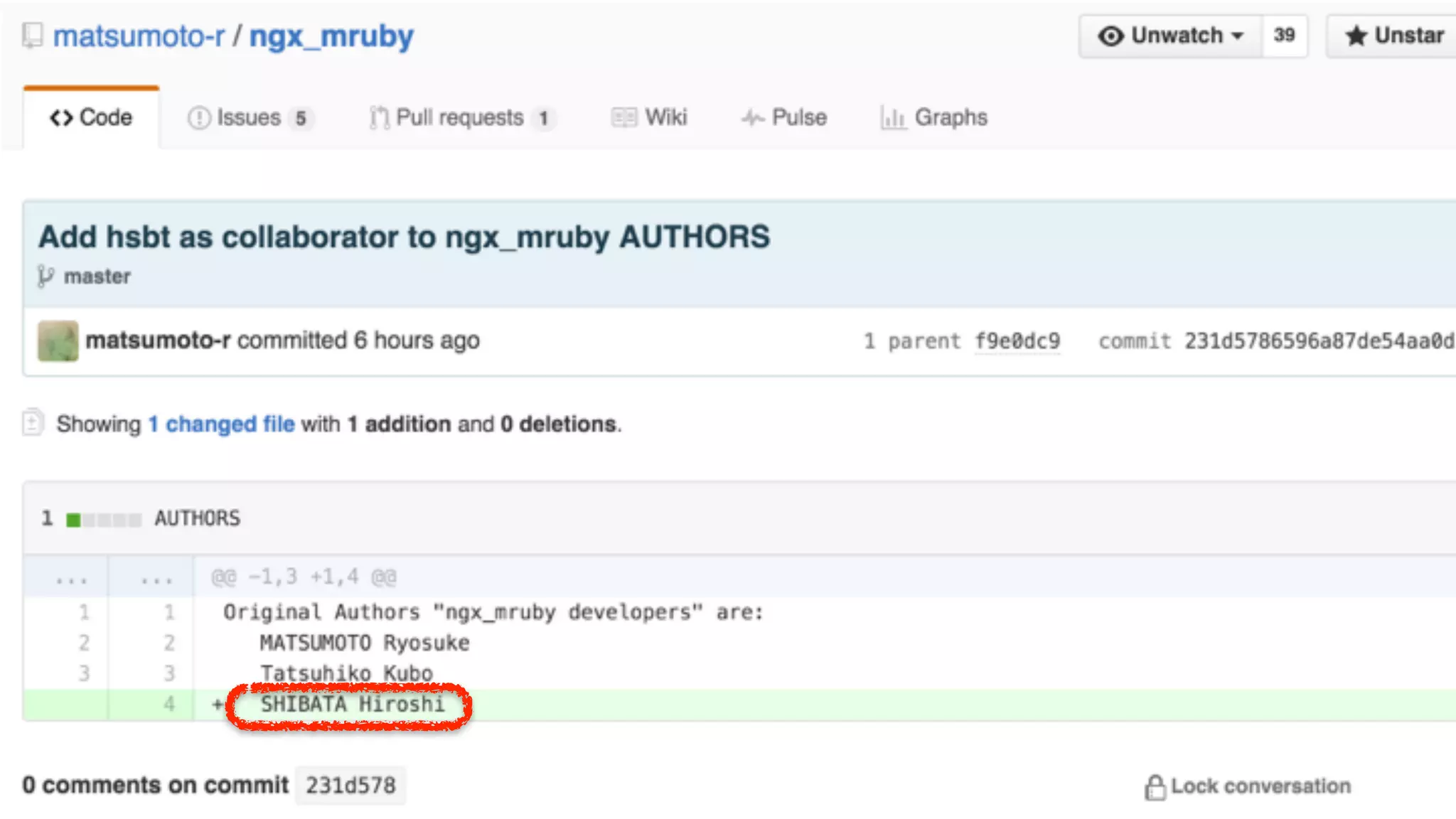
    self.introduce => { name: “SHIBATA Hiroshi”, nickname:“hsbt”, title: “Chief engineer at GMO Pepabo, Inc.”, commit_bits: [“ruby”, “rake”, “rubygems”, “rdoc”, “tdiary”, “hiki”, “railsgirls”, “railsgirls-jp”, …], sites: [“hsbt.org”, ruby-lang.org”, “rubyci.org”, “railsgirls.com”, “railsgirls.jp”], }
  • 3.
  • 4.
  • 5.
    Introduction to ngx_mruby “ngx_mrubyis A Fast and Memory-Efficient Web Server Extension Mechanism Using Scripting Language mruby for nginx.” https://github.com/matsumoto-r/ngx_mruby#whats-ngx_mruby location /proxy { mruby_set_code $backend ' backends = [ "test1.example.com", "test2.example.com", "test3.example.com", ] backends[rand(backends.length)] '; } location /hello { mruby_content_handler /path/to/hello.rb cache; } In “nginx.conf”!!!
  • 6.
  • 7.
    How to buildngx_mruby (and mruby) I suggest to try it on OS X or Linux environment. You can change embedded mgem via “build_config.rb” in ngx_mruby repository. $ git clone https://github.com/matsumoto-r/ngx_mruby $ git clone https://github.com/nginx/nginx $ cd ngx_mruby $ git submodule init && git submodule update comment-out mruby-redis and mruby-vedis $ ./configure —with-ngx-src-root=../nginx $ make build_mruby $ make $ cd ../nginx $ ./objs/nginx -V
  • 8.
    You can getrpm and deb packages via docker and docker- compose You can install via default package management tool like yum and apt-get above packages. Build on docker https://github.com/hsbt/ngx_mruby-package-builder $ docker-compose build centos7 $ docker-compose run centos7 => nginx-ngx_mruby-1.9.3-1.el7.centos.ngx.x86_64.rpm $ docker-compose build ubuntu14.04 $ docker-compose run ubutnu14.04 => nginx-ngx_mruby_1.9.4-1~trusty_amd64.deb
  • 9.
  • 10.
  • 11.
    p.228 Return tosummation of argument location /sum { mruby_set_code $sum ' result = 0 for i in 0..Nginx::Var.new.arg_n.to_i do result += i end result '; return 200 $sum; } `mruby_set_code` sets return variable to nginx variable. You can access via Nginx::Var instance and arg_* methods.
  • 12.
    p.234 logging withlog_hander location / { mruby_content_handler_code ' Nginx.echo "Hello" '; mruby_log_handler_code ' if Nginx::Var.new.status == Nginx::HTTP_OK Nginx.errlogger(Nginx::LOG_INFO, "Success") else Nginx.errlogger(Nginx::LOG_ERR, "Error") end '; } log_handler invokes after content_handler ngx_mruby provides status code with Nginx::* constants. ngx_mruby provides errlogger method for user logging.
  • 13.
    p.244 internal redirectwith ngx_mruby location /internal_redirect { mruby_content_handler_code ' Nginx.redirect "/internal" '; } location /internal { return 200 "internal redirection"; } ngx_mruby provides redirect method for internal redirect. ngx_mruby can’t use `@internal` style.
  • 14.
    p.246 Rewrite URIusing ngx_mruby location /image/ { mruby_rewrite_handler_code ' file = Nginx::Var.new.uri.match(/^/image/(.+.jpg)$/) if !file return Nginx::HTTP_FORBIDDEN end url = "/image/jpg/" + file[1] Nginx.redirect url '; } You can rewrite uri with rewrite_handler phase. String#match provides Regexp matcher.
  • 15.
    p.248 Assign tovariables with ngx_mruby location / { set $data1 "foo1"; mruby_set_code $data2 "bar1"; mruby_content_handler_code ' v = Nginx::Var.new v.data1 = "foo2" v.data2 = "bar2" v.data3 = "buzz2" Nginx.rputs "#{v.data1}, #{v.data2}, #{v.data3}" '; } It’s same behavior with ngx_lua. You can use interpolation like Ruby.
  • 16.
    p.250 Reference withrequest arguments location / { mruby_content_handler_code ' args = Hash[*Nginx::Request.new.args.split("&").map{|arg| arg.split("=")}.flatten] args.each do |k, v| Nginx.echo "#{k}:#{v}" end '; } args = Nginx::Request.new.get_uri_args You can access Nginx::Request#args and modified it for Hash access.I added helper method like ngx_lua
  • 17.
    p.251 Assign variablesto arguments location / { mruby_content_handler_code ' args = {"pass" => "ngx_lua"} args = args.map{|k,v| "#{k}=#{v}"}.join("&") r = Nginx::Request.new r.args = args Nginx.echo(r.args) '; } r.set_uri_args(args) I added helper method like ngx_lua You can assign local variable using Nginx::Request#args=
  • 18.
    p.253 Reference withpost parameters location / { mruby_content_handler_code ' r = Nginx::Request.new args = Nginx::Request.new.body if !args Nginx.echo "failed to get post args." return end Hash[*args.split("&").map{|arg| arg.split("=")}.flatten] args.each do |k, v| Nginx.echo "#{k}:#{v}" end '; } args = r.get_post_args You can access using Nginx::Request#body when post request. I added helper method like ngx_lua
  • 19.
  • 20.
    p.254 Regular expression Usemrbgem based onigumo. It’s embedded with mruby-core box. https://github.com/mattn/mruby-onig-regexp
  • 21.
    p.256 Data sharingwith request phase location / { mruby_rewrite_handler_code ' Userdata.new.phases = ["rewrite"] Nginx.return Nginx::DECLINED '; mruby_access_handler_code ' Userdata.new.phases << "access" Nginx.return Nginx::DECLINED '; mruby_content_handler_code ' Userdata.new.phases << "content" Userdata.new.phases.each do |phase| Nginx.echo phase end '; } You can share local variables use `mruby-userdata` gem across handlers. You need to return `Nginx::DECLINED` when finished to handler processes. It’s specification of ngx_mruby.
  • 22.
    p.258 Data sharingwith worker processes mruby_init_code ' c = Cache.new :namespace => "writing" c["publisher"] = "技術評論社" c["book"] = "nginx実践入門" '; server { listen 3000; location / { mruby_content_handler_code ' c = Cache.new :namespace => "writing" Nginx.echo "出版社: #{c["publisher"]}" Nginx.echo "書籍名: #{c["book"]}" '; } } You can share variables use `mruby- cache` gem across master and worker processes. `mruby-cache` handles only string keys. It’s limitation.
  • 23.
    p.260 Processing withnon blocking Nothing. Stay tune… Or You can implement it.
  • 24.
    p.262 Authorization usingngx_mruby set $publickey "nginx"; set $privatekey "mruby"; location / { mruby_content_handler_code ' arg_publickey = Nginx::Var.new.arg_publickey arg_signature = Nginx::Var.new.arg_signature arg_expires = Nginx::Var.new.arg_expires expires = arg_expires.to_i publickey = Nginx::Var.new.publickey privatekey = Nginx::Var.new.privatekey if arg_publickey && arg_publickey.match(publickey) || !arg_expires Nginx.return Nginx::HTTP_FORBIDDEN end
  • 25.
    plaintext = "#{Nginx::Var.new.request_method}#{Nginx::Var.new.uri}#{arg_expires}#{publickey}" hmac_sha1= Digest::HMAC.digest(plaintext, privatekey, Digest::SHA1) signature = Base64::encode(hmac_sha1) if expires < Time.now.to_i Nginx.return Nginx::HTTP_FORBIDDEN end if signature == arg_signature Nginx.echo "Sucess" else Nginx.return Nginx::HTTP_FORBIDDEN end '; } p.262 Authorization using ngx_mruby
  • 27.