Date:30/01/2015
pinjut@gmail.com
sanooja jabbar t.com/baabtra
twitter.com/baabtra
in.linkedin.com/in/baabtra
OOPs in
Object Oriented Programming
❖ Python is an object-oriented programming language.
❖ Python doesn't force to use the object-oriented paradigm
exclusively.
❖ Python also supports procedural programming with
modules and functions, so you can select the most suitable
programming paradigm for each part of your program.
“Generally, the object-oriented paradigm is suitable when you want to
group state (data) and behavior (code) together in handy packets of
functionality.”
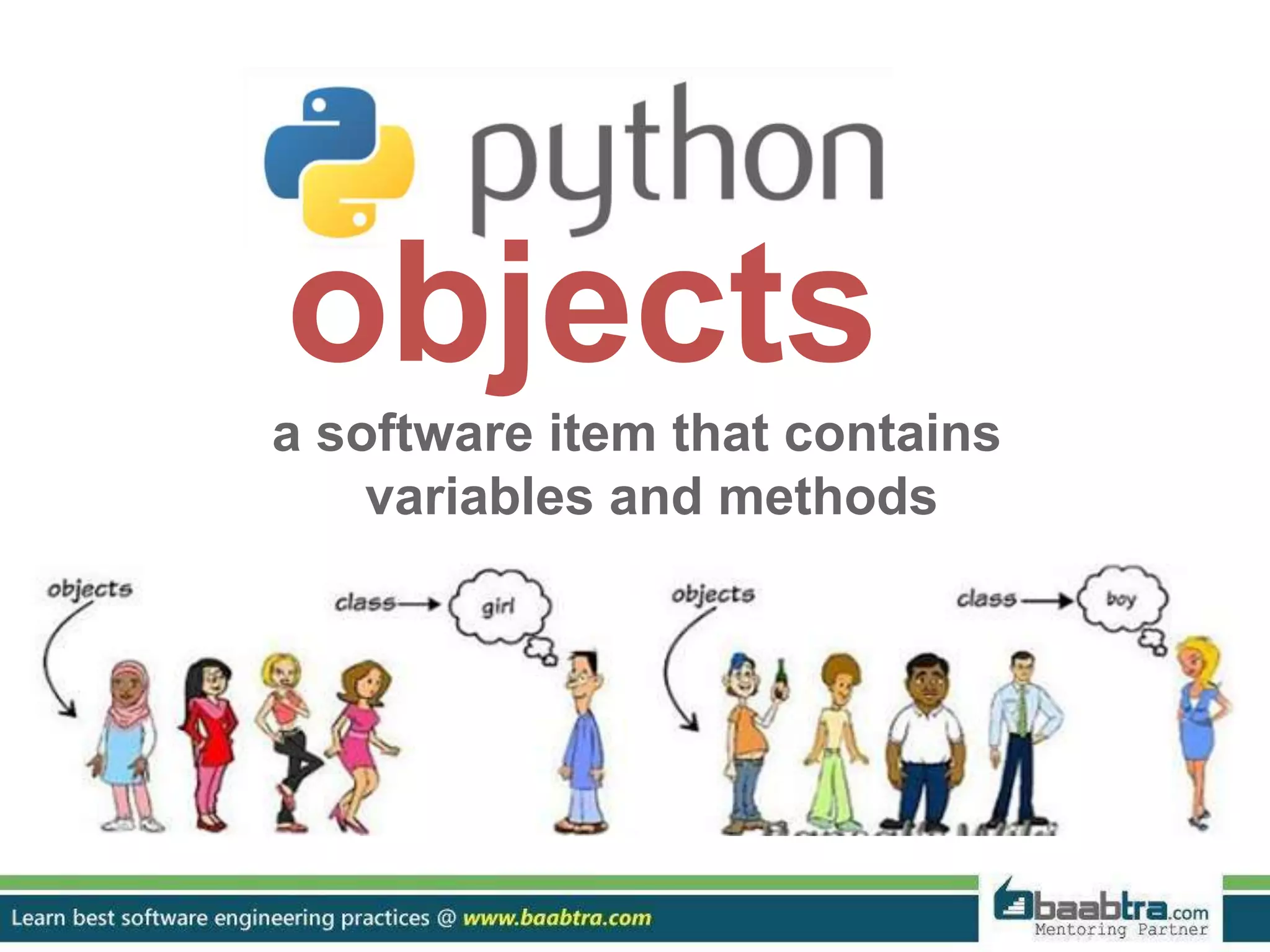
objects
a software item that contains
variables and methods
❖ Objects are the basic run-time entities in an object-oriented
system.
❖ They may represent a person, a place, a bank account, a table
of data or any item that the program must handle.
❖ When a program is executed the objects interact by sending
messages to one another.
❖ Objects have two components:
Data (i.e., attributes)
Behaviors (i.e., methods)
classes
binds the member variables and
methods
into a single unit
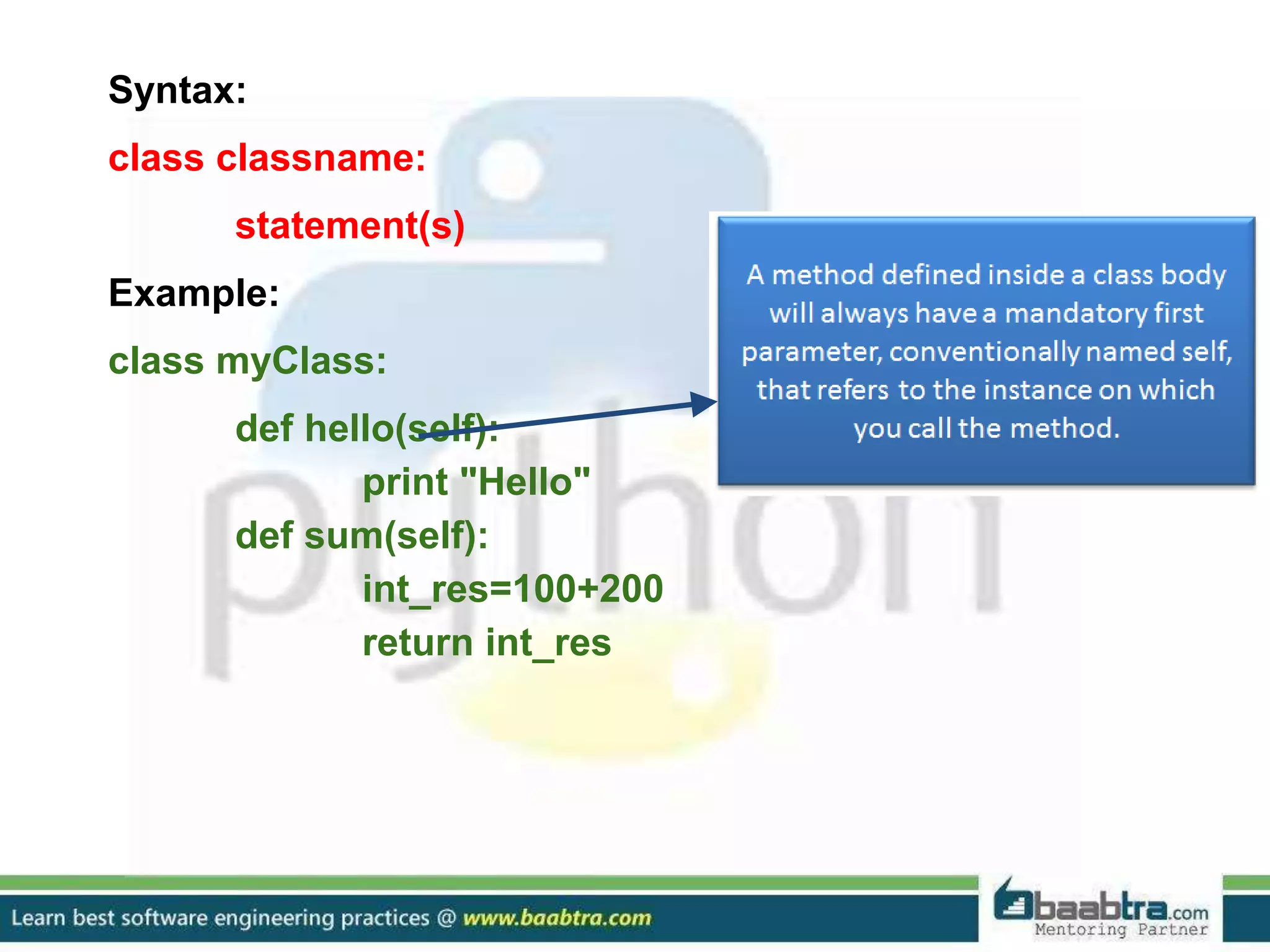
Syntax:
class classname:
statement(s)
Example:
class myClass:
def hello(self):
print "Hello"
def sum(self):
int_res=100+200
return int_res
Creating Instance Objects
Syntax
anInstance=class_name()
Example
classObj=myClass()
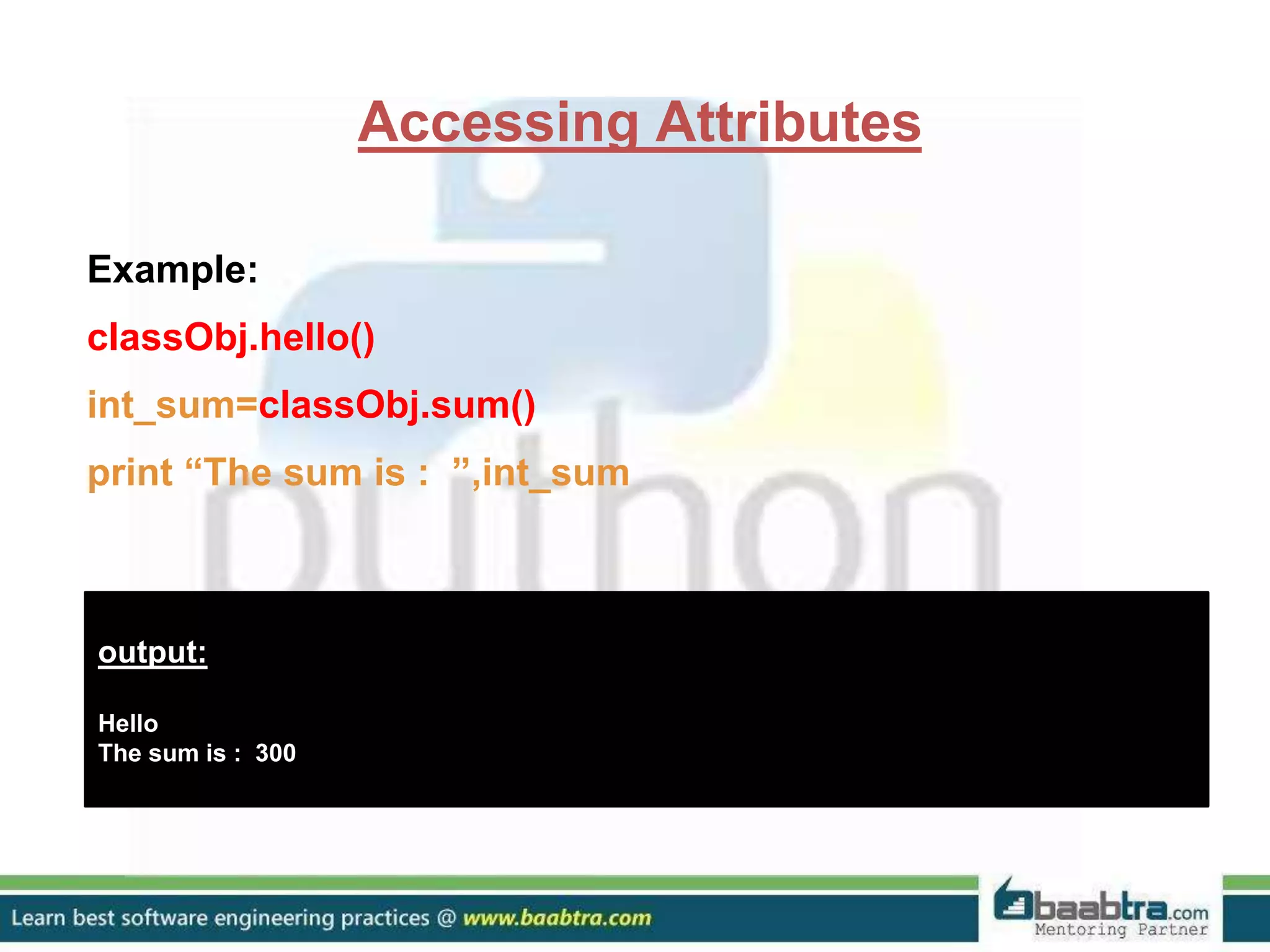
Accessing Attributes
Example:
classObj.hello()
int_sum=classObj.sum()
print “The sum is : ”,int_sum
output:
Hello
The sum is : 300
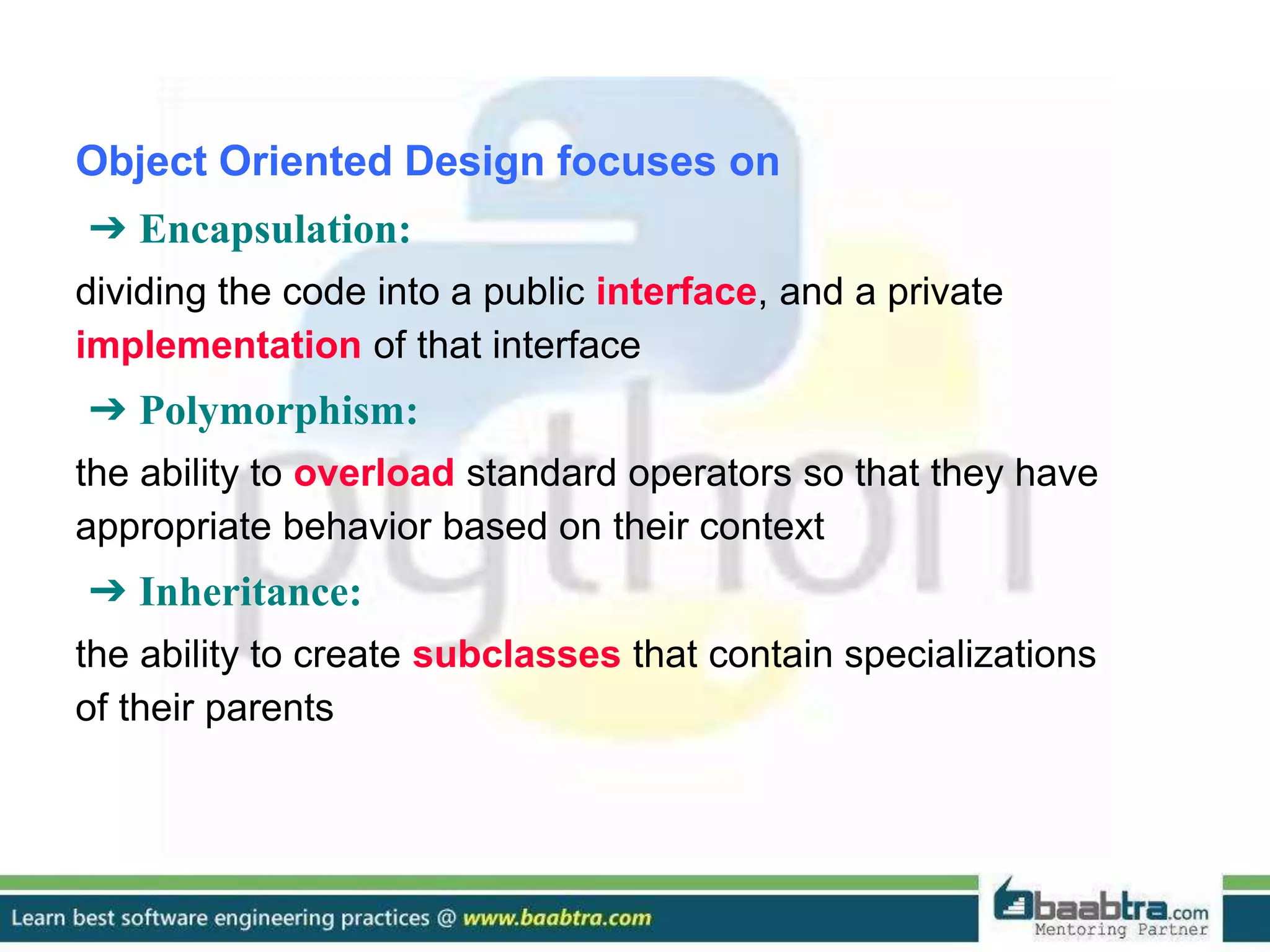
Object Oriented Design focuses on
➔ Encapsulation:
dividing the code into a public interface, and a private
implementation of that interface
➔ Polymorphism:
the ability to overload standard operators so that they have
appropriate behavior based on their context
➔ Inheritance:
the ability to create subclasses that contain specializations
of their parents
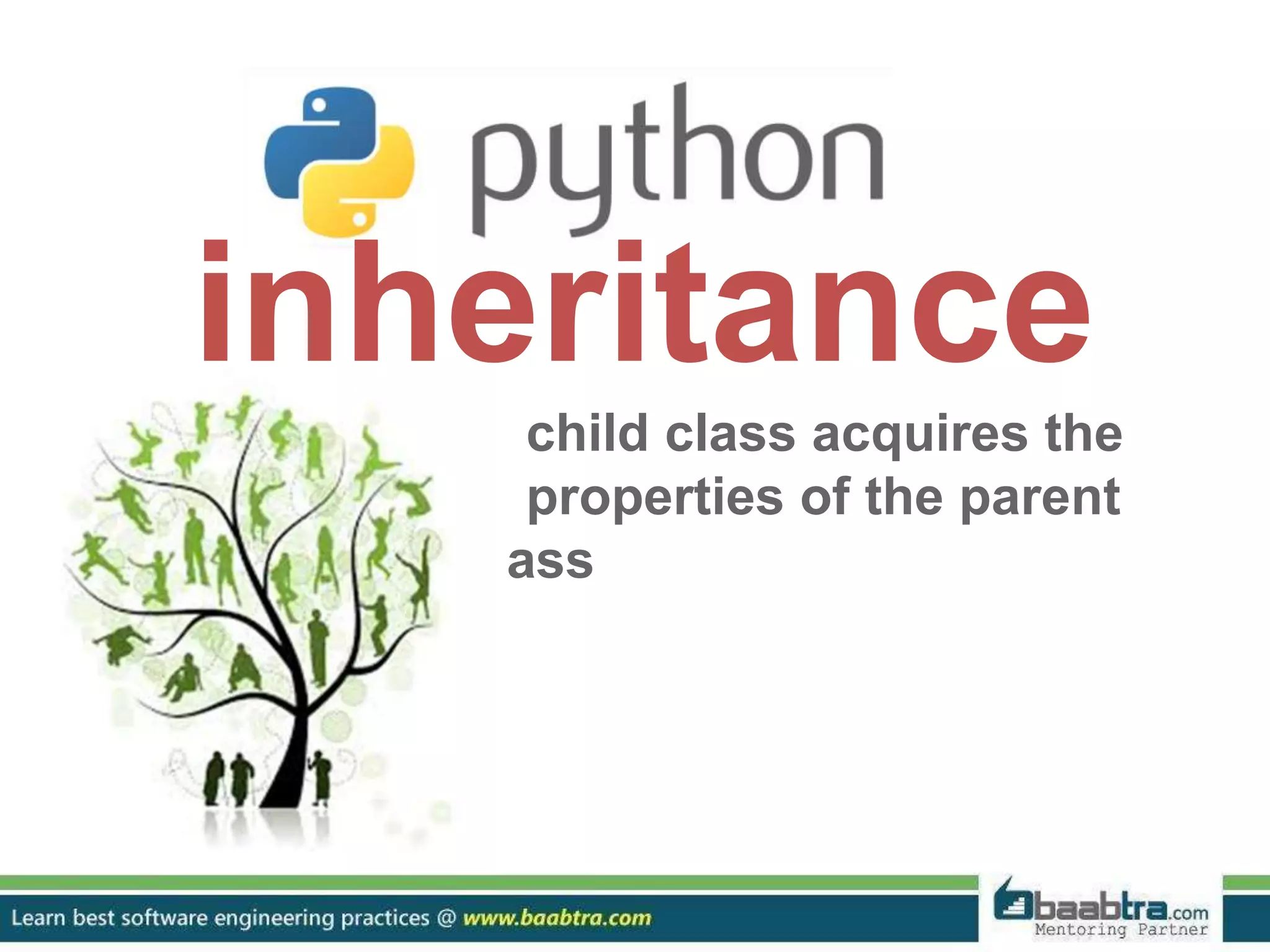
inheritance
child class acquires the
properties of the parent
class
➔ Simple Inheritance
Syntax
derived_class(base_class)
➔ Multiple Inheritance
Syntax
derived_class(base_class[,base_class1][,base_class2
][....])
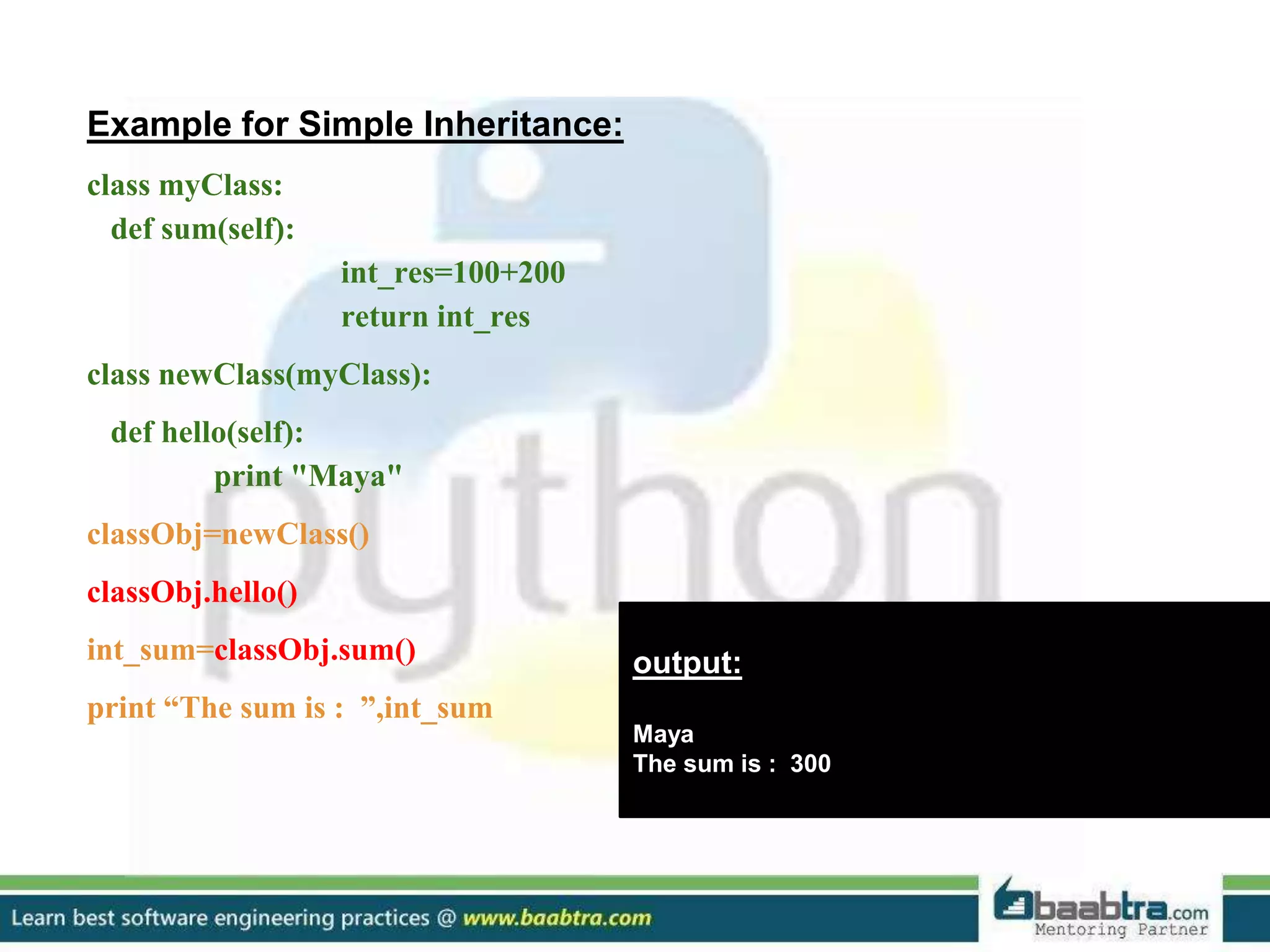
Example for Simple Inheritance:
class myClass:
def sum(self):
int_res=100+200
return int_res
class newClass(myClass):
def hello(self):
print "Maya"
classObj=newClass()
classObj.hello()
int_sum=classObj.sum()
print “The sum is : ”,int_sum
output:
Maya
The sum is : 300
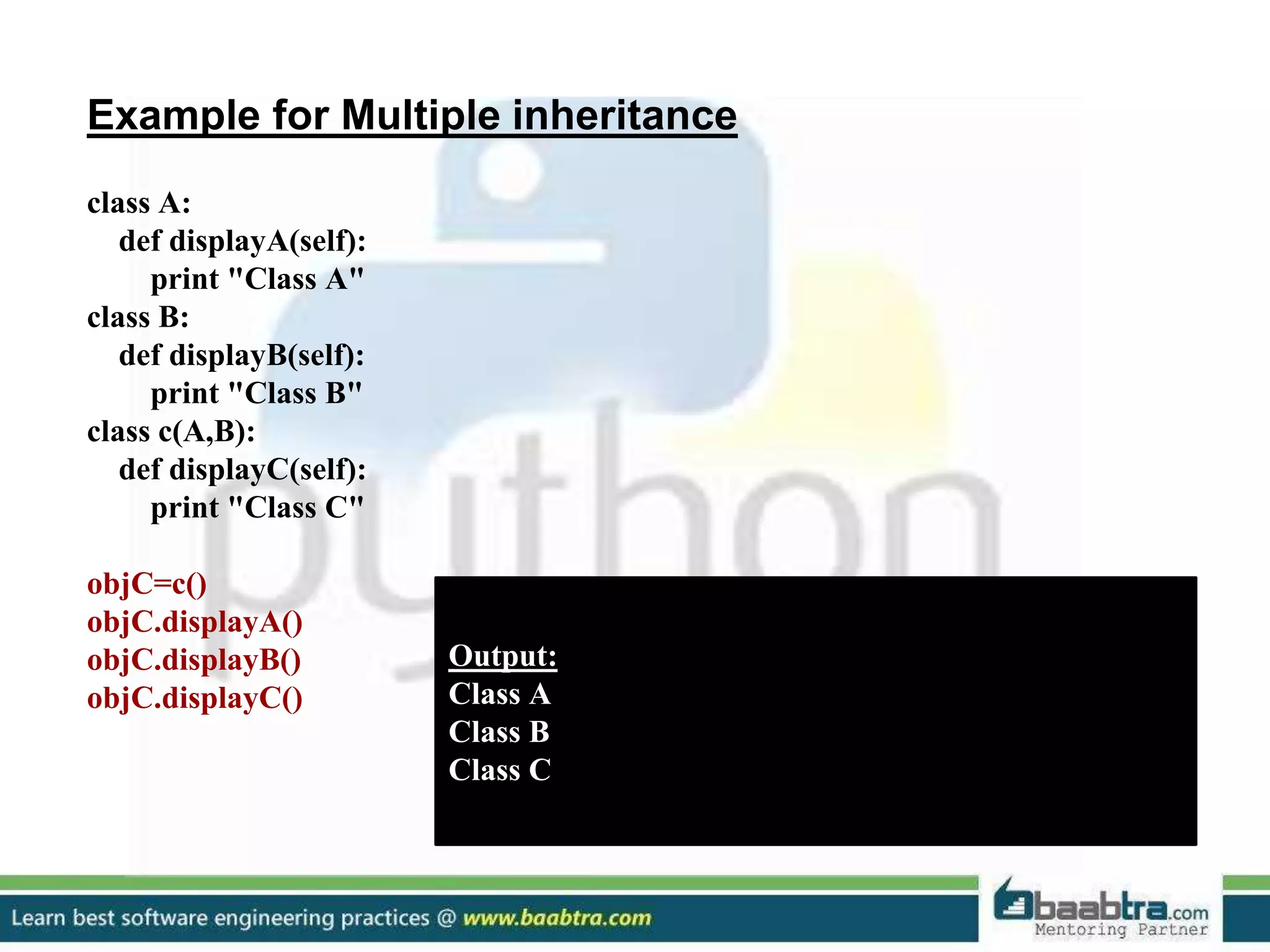
Example for Multiple inheritance
class A:
def displayA(self):
print "Class A"
class B:
def displayB(self):
print "Class B"
class c(A,B):
def displayC(self):
print "Class C"
objC=c()
objC.displayA()
objC.displayB()
objC.displayC()
Output:
Class A
Class B
Class C
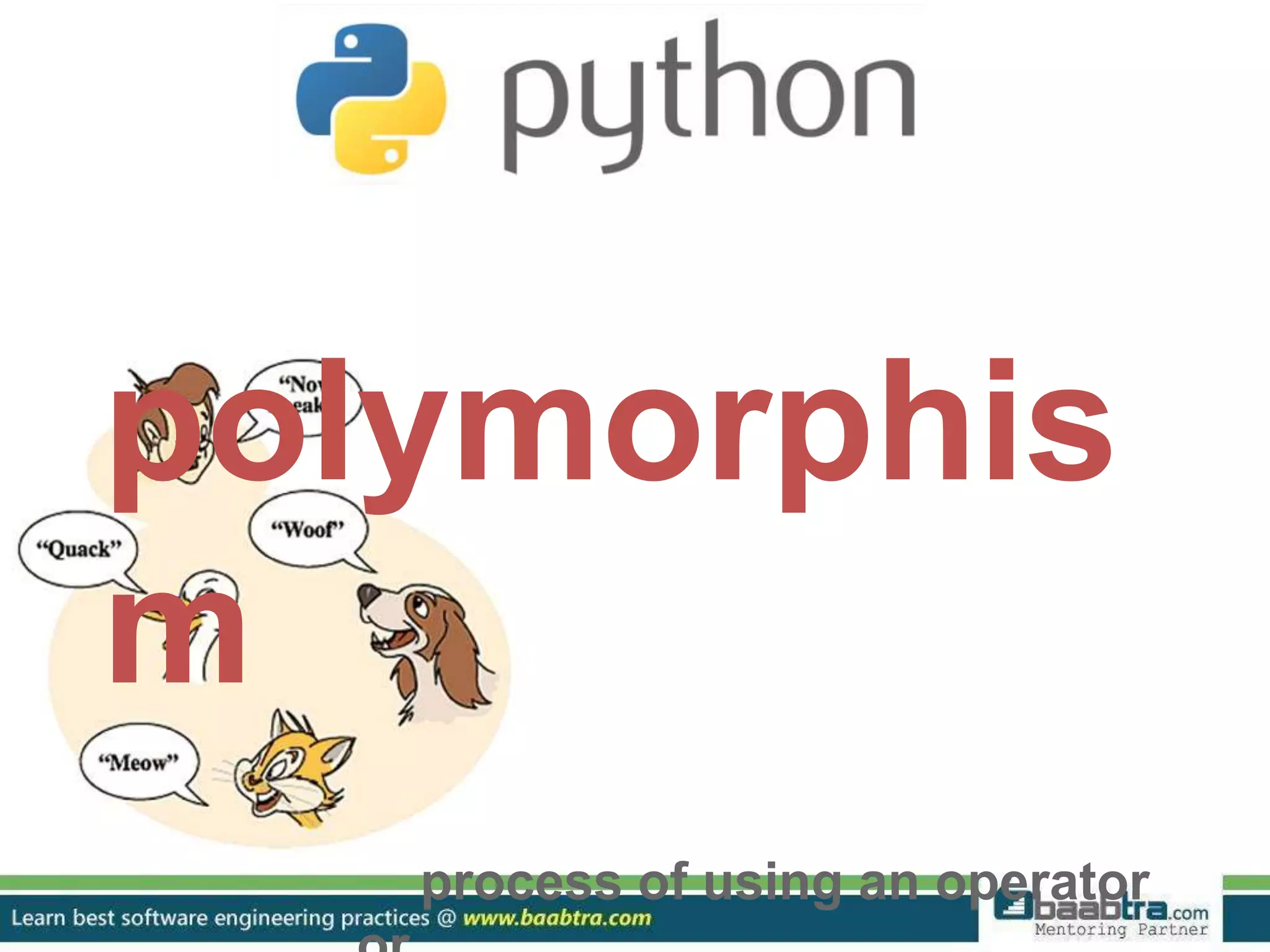
polymorphis
m
process of using an operator
❖ Uses polymorphism extensively in built-in types.
❖ Here we use the same indexing operator for three different
data types.
❖ Polymorphism is most commonly used when dealing with
inheritance.
❖ Example:
a = "alfa" # string
b = (1, 2, 3, 4) # tuple
c = ['o', 'm', 'e', 'g', 'a'] # list
print a[2]
print b[1]
print c[3]
Output:
f
2
g
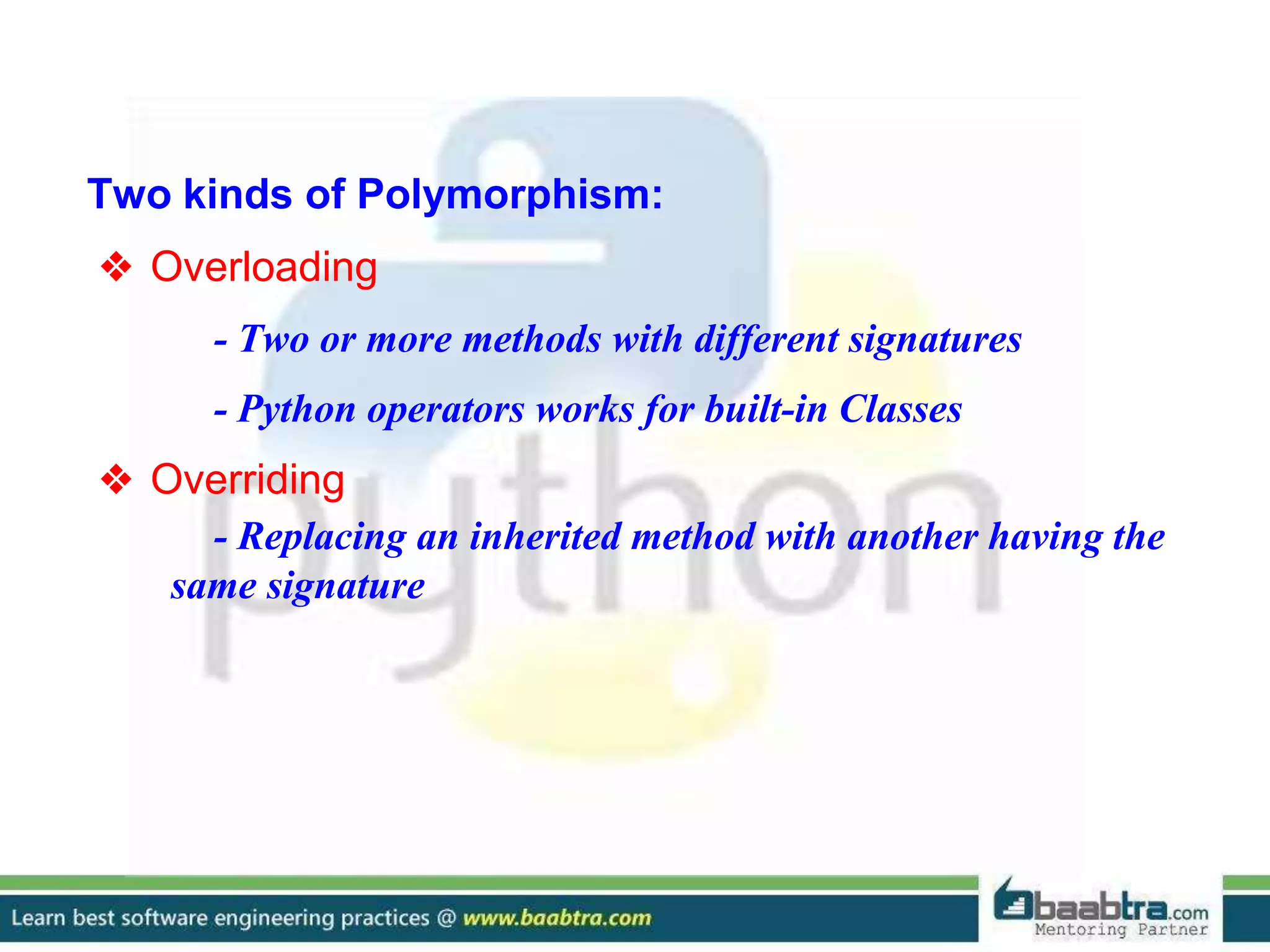
Two kinds of Polymorphism:
❖ Overloading
- Two or more methods with different signatures
- Python operators works for built-in Classes
❖ Overriding
- Replacing an inherited method with another having the
same signature
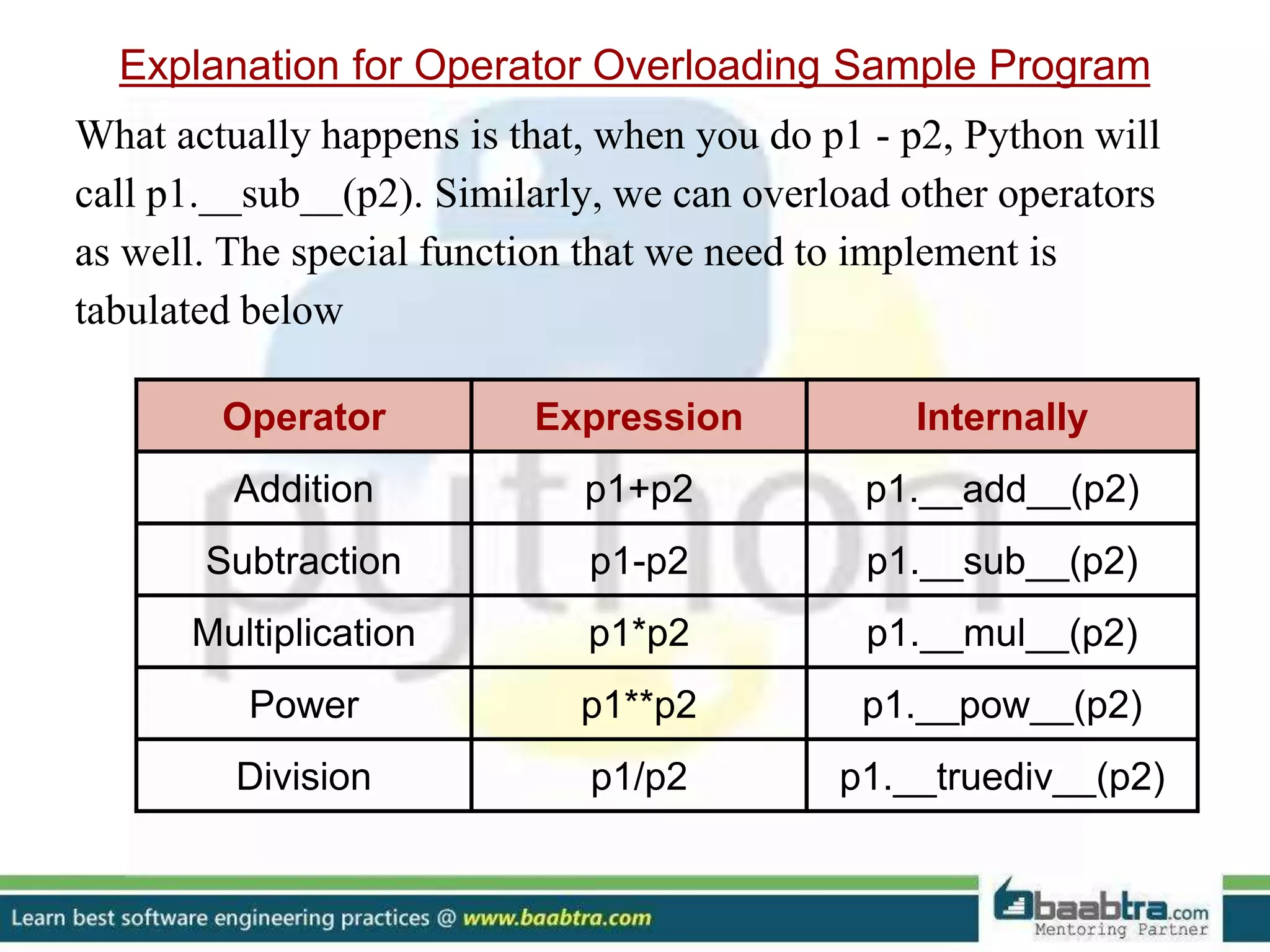
Operator Expression Internally
Addition p1+p2 p1.__add__(p2)
Subtraction p1-p2 p1.__sub__(p2)
Multiplication p1*p2 p1.__mul__(p2)
Power p1**p2 p1.__pow__(p2)
Division p1/p2 p1.__truediv__(p2)
Explanation for Operator Overloading Sample Program
What actually happens is that, when you do p1 - p2, Python will
call p1.__sub__(p2). Similarly, we can overload other operators
as well. The special function that we need to implement is
tabulated below
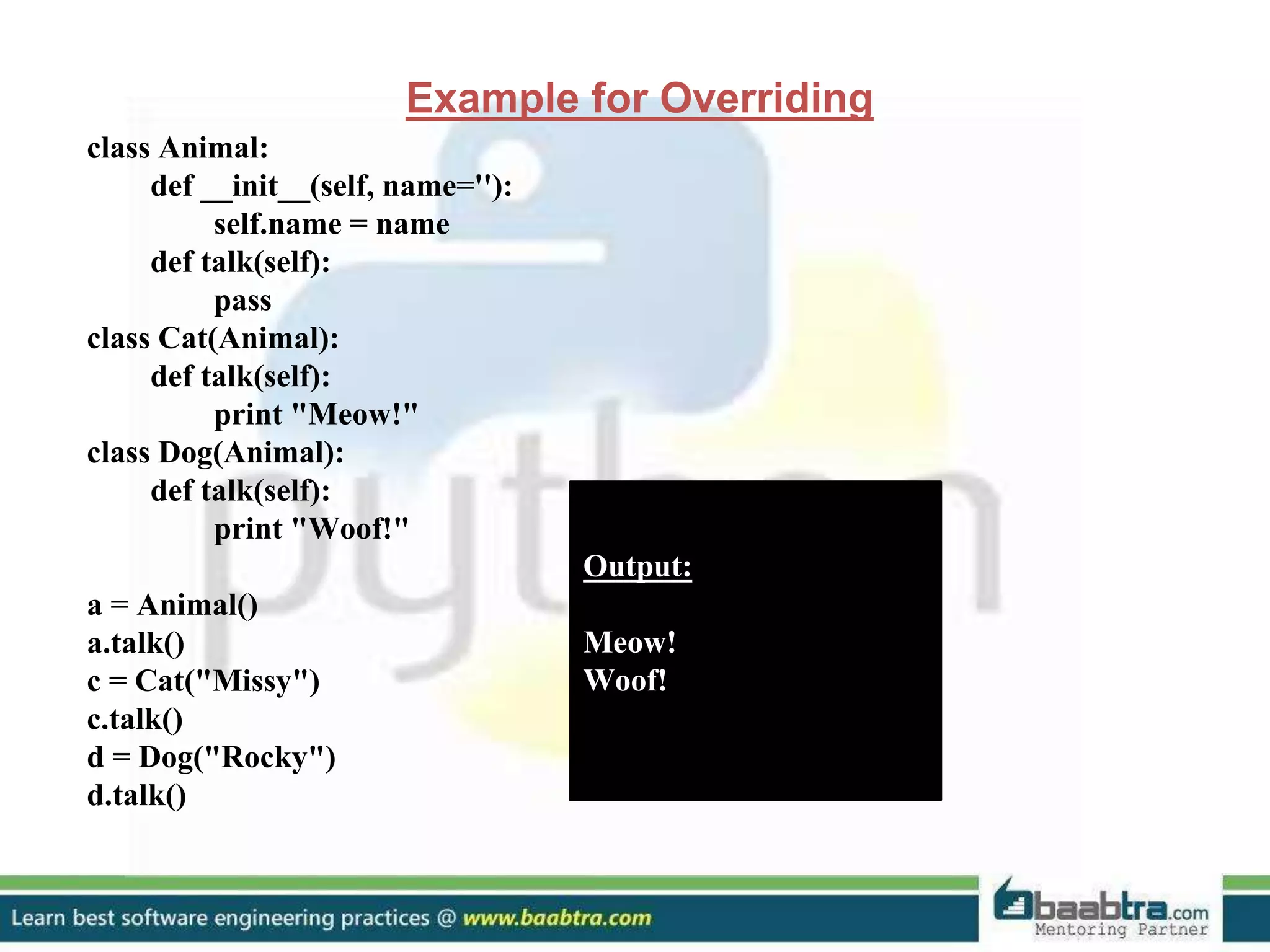
Example for Overriding
class Animal:
def __init__(self, name=''):
self.name = name
def talk(self):
pass
class Cat(Animal):
def talk(self):
print "Meow!"
class Dog(Animal):
def talk(self):
print "Woof!"
a = Animal()
a.talk()
c = Cat("Missy")
c.talk()
d = Dog("Rocky")
d.talk()
Output:
Meow!
Woof!
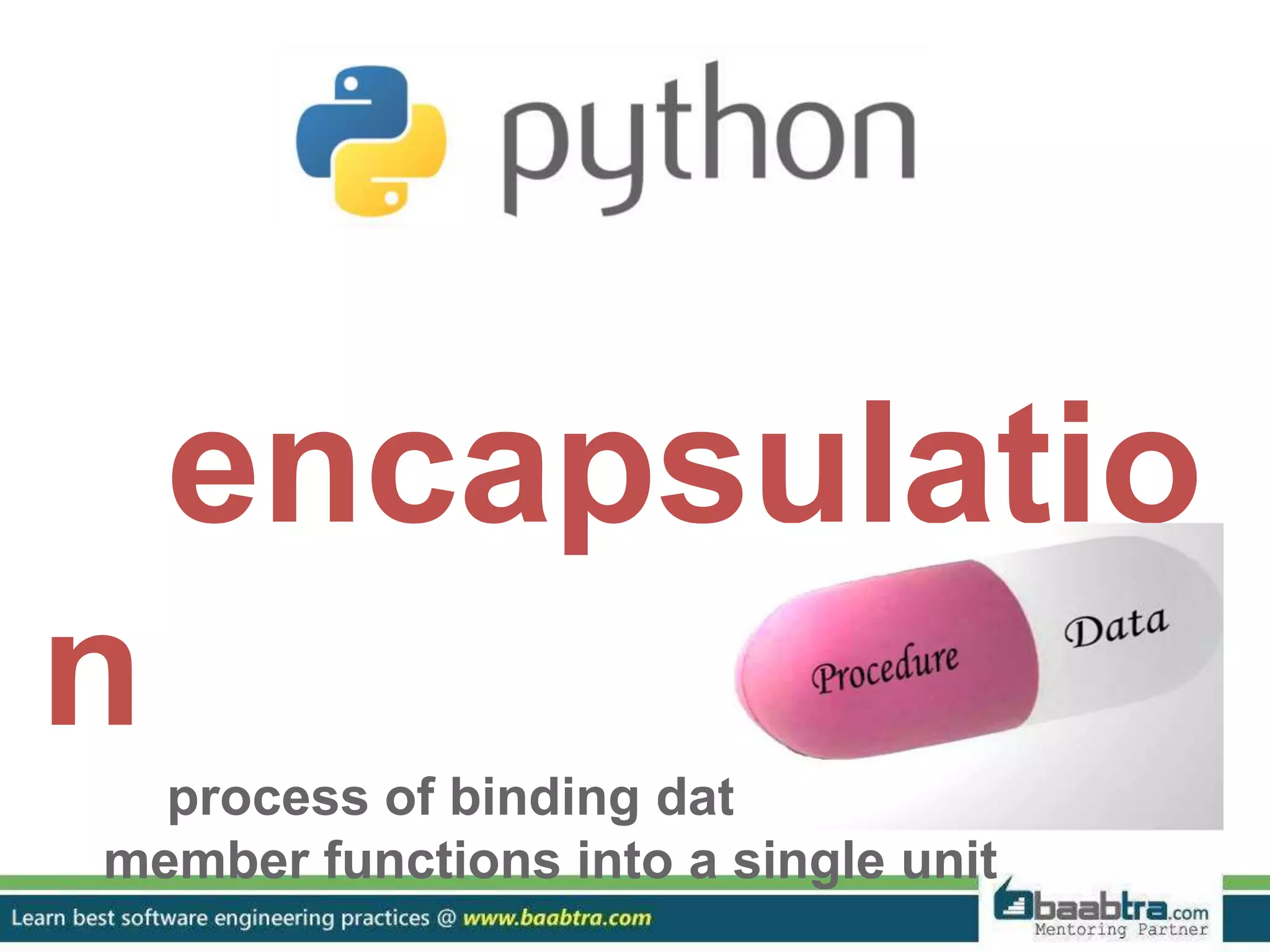
encapsulatio
n
process of binding data members and
member functions into a single unit
❖ An important concept in OOP
❖ Data Abstraction is achieved through Encapsulation
❖ Generally speaking encapsulation is the mechanism for
restricting the access to some of an object's components, this
means, that the internal representation of an object can't be
seen from outside of the objects definition.
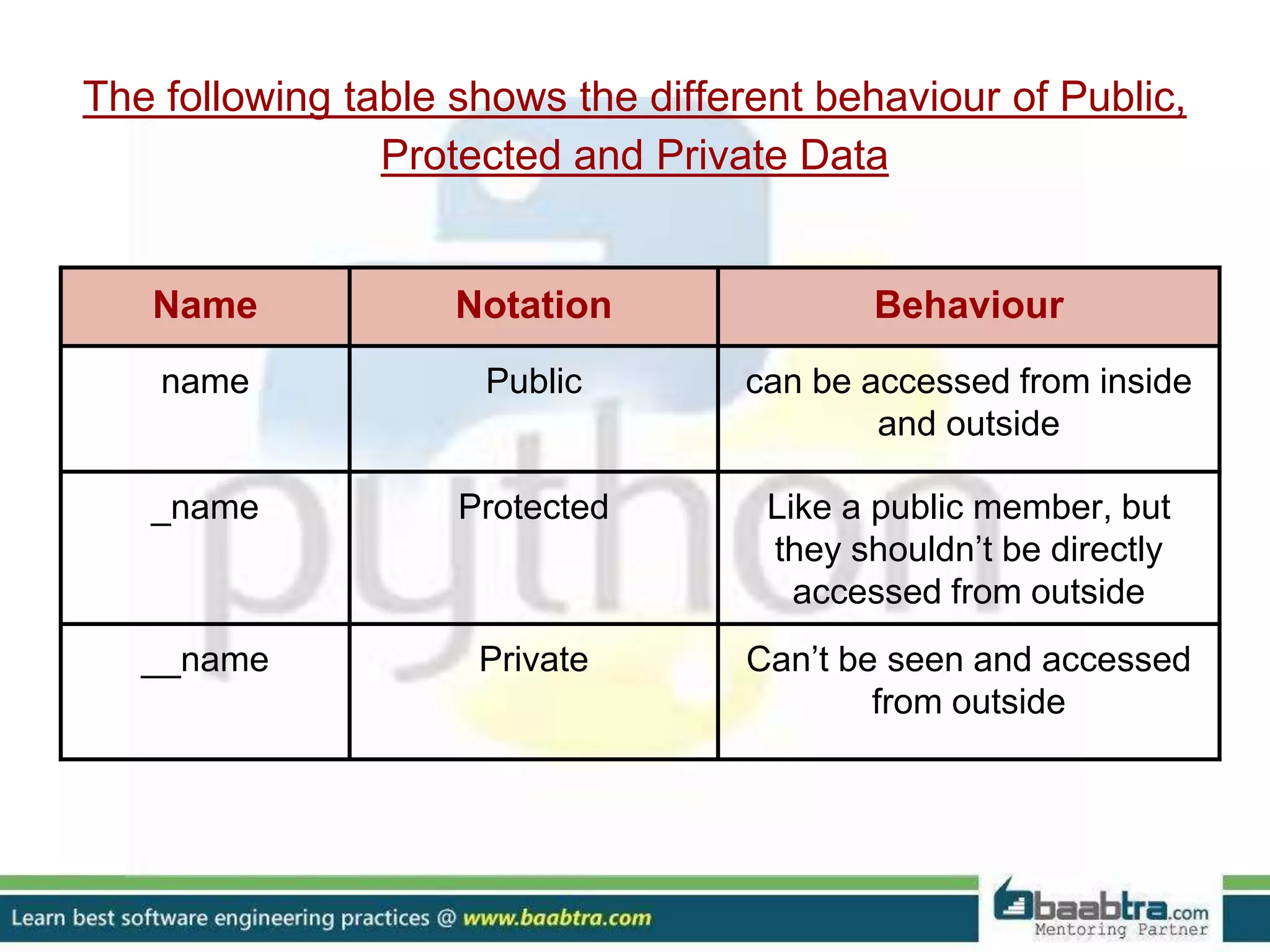
Name Notation Behaviour
name Public can be accessed from inside
and outside
_name Protected Like a public member, but
they shouldn’t be directly
accessed from outside
__name Private Can’t be seen and accessed
from outside
The following table shows the different behaviour of Public,
Protected and Private Data
Example for Public, Private and Protected Data
>>> class Encapsulation():
def __init__(self,a,b,c):
self.public=a
self._protected=b
self.__private=c
>>> x=Encapsulation(11,13,17)
>>> x.public
11
>>> x._protected
13
>>> x._protected=23
>>> x._protected
23
>>> x.__private
Traceback (most recent call last):
File "<pyshell#12>", line 1, in <module>
x.private
AttributeError: 'Encapsulation' object has no attribute '__private'
>>>
special
methods
classes in python can implement
certain operations with special
method names.
❖ They are also called “Magic Methods”
❖ They are not called directly, but by a specific language
syntax
❖ This is similar to what is known as operator overloading in
C++
❖ Contains clumsy syntax, ie., double underscore at the
beginning and end
❖ So simplicity __init__() can be read as “dunder init
dunder”
❖ So magic methods also called “Dunder Methods”
Some special methods are:
1) __init__()
default constructor, when an instance of class is created
2) __str__()
If we print an object then its __str__() method will get
called
3) __len__()
Returns the length of the container
4) __del__()
It destructs the constructors that have created using
__init__()
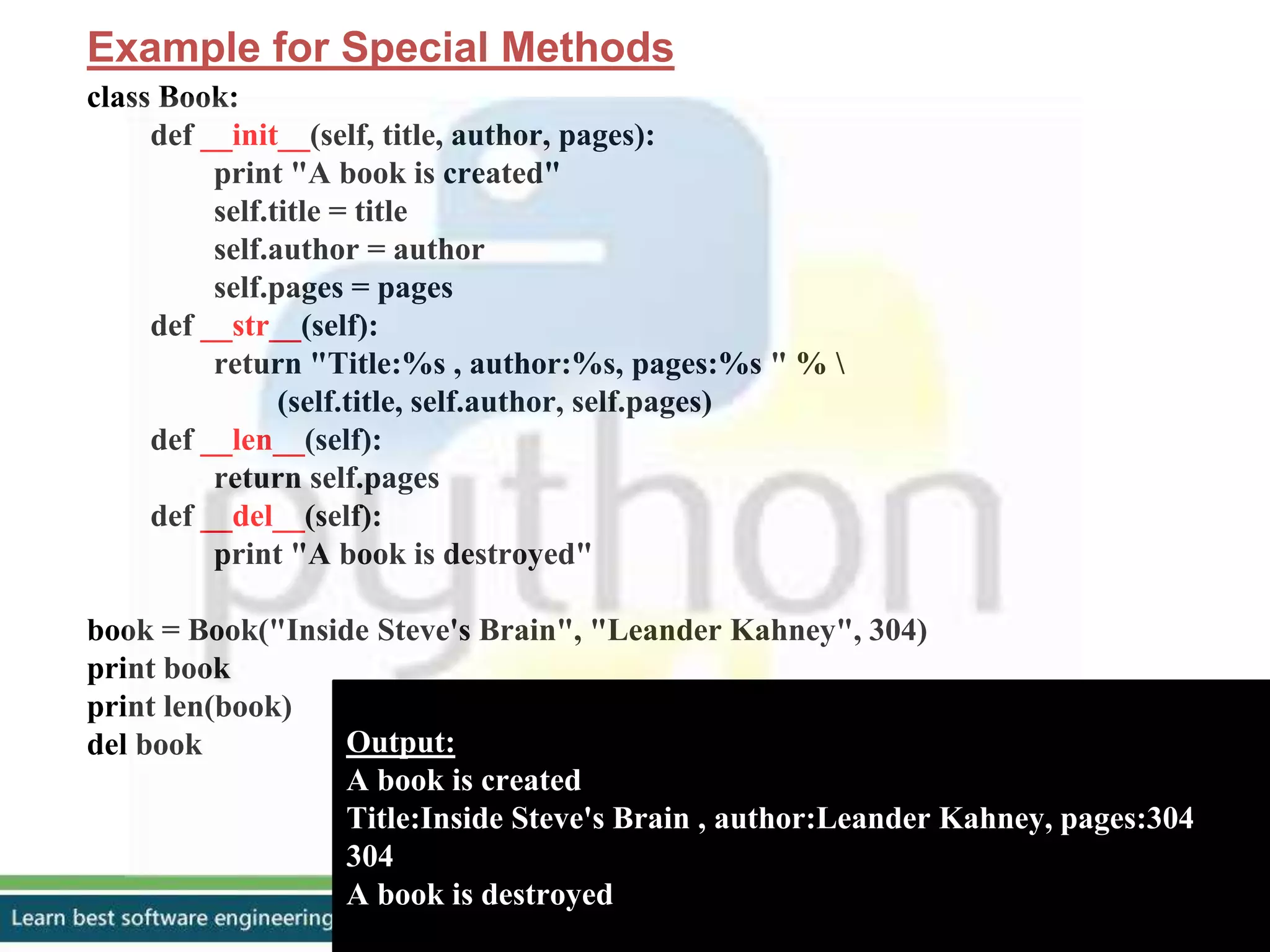
Example for Special Methods
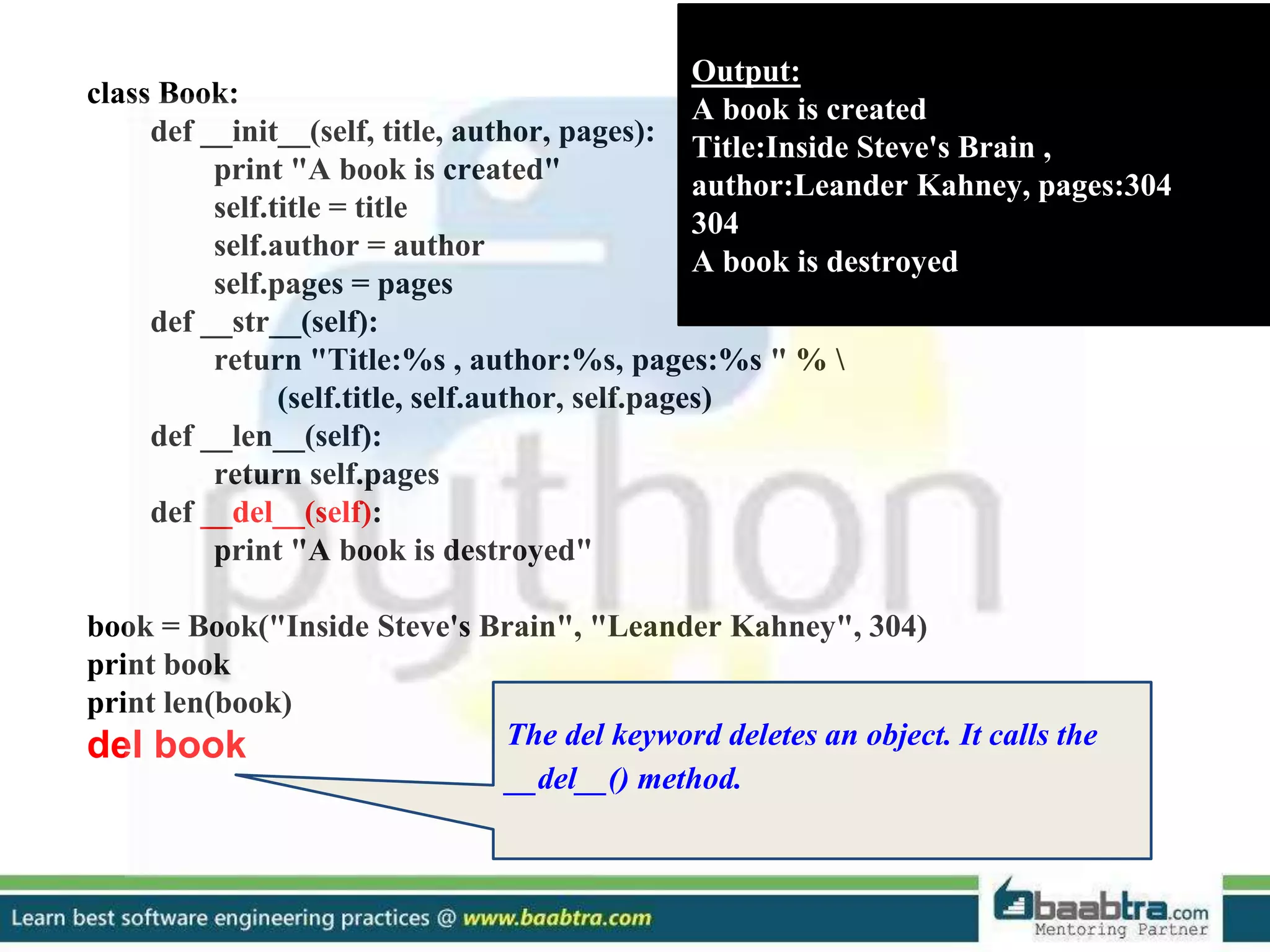
class Book:
def __init__(self, title, author, pages):
print "A book is created"
self.title = title
self.author = author
self.pages = pages
def __str__(self):
return "Title:%s , author:%s, pages:%s " % 
(self.title, self.author, self.pages)
def __len__(self):
return self.pages
def __del__(self):
print "A book is destroyed"
book = Book("Inside Steve's Brain", "Leander Kahney", 304)
print book
print len(book)
del book Output:
A book is created
Title:Inside Steve's Brain , author:Leander Kahney, pages:304
304
A book is destroyed
class Book:
def __init__(self, title, author, pages):
print "A book is created"
self.title = title
self.author = author
self.pages = pages
def __str__(self):
return "Title:%s , author:%s, pages:%s " % 
(self.title, self.author, self.pages)
def __len__(self):
return self.pages
def __del__(self):
print "A book is destroyed"
book = Book("Inside Steve's Brain", "Leander Kahney",
304)
print book
print len(book)
del book
Output:
A book is created
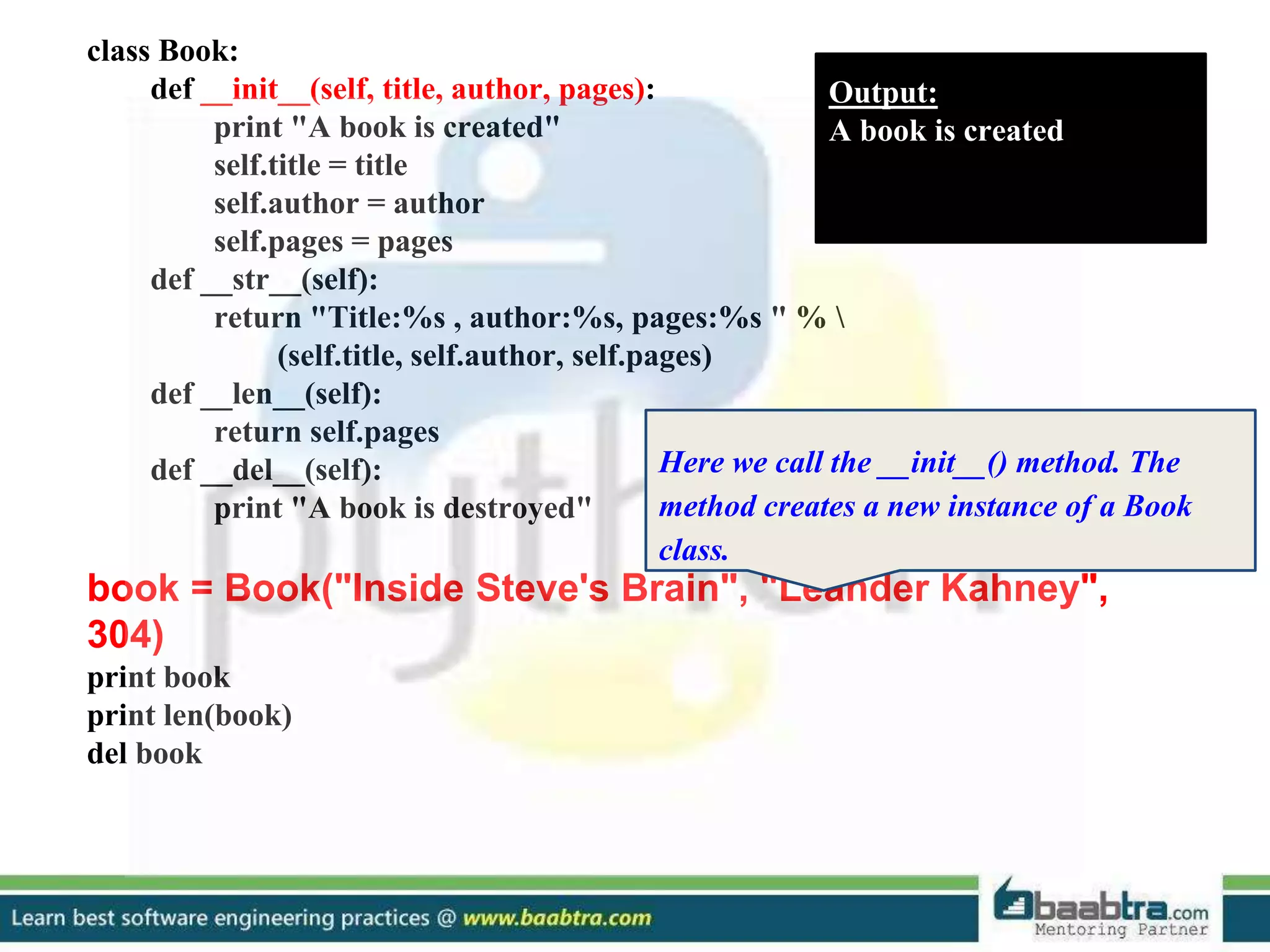
Here we call the __init__() method. The
method creates a new instance of a Book
class.
class Book:
def __init__(self, title, author, pages):
print "A book is created"
self.title = title
self.author = author
self.pages = pages
def __str__(self):
return "Title:%s , author:%s, pages:%s " % 
(self.title, self.author, self.pages)
def __len__(self):
return self.pages
def __del__(self):
print "A book is destroyed"
book = Book("Inside Steve's Brain", "Leander Kahney", 304)
print book
print len(book)
del book
Output:
A book is created
Title:Inside Steve's Brain ,
author:Leander Kahney, pages:304
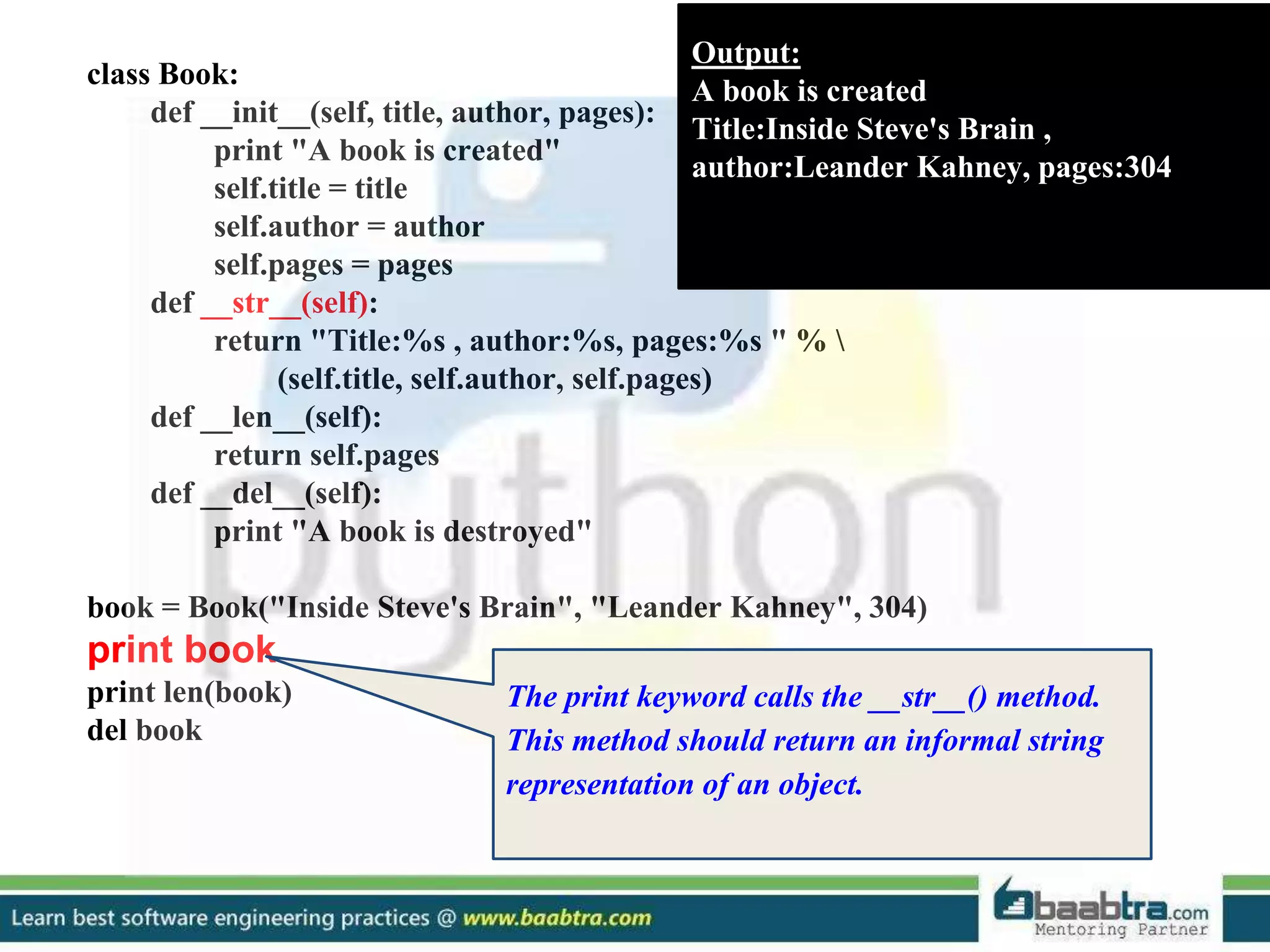
The print keyword calls the __str__() method.
This method should return an informal string
representation of an object.
class Book:
def __init__(self, title, author, pages):
print "A book is created"
self.title = title
self.author = author
self.pages = pages
def __str__(self):
return "Title:%s , author:%s, pages:%s " % 
(self.title, self.author, self.pages)
def __len__(self):
return self.pages
def __del__(self):
print "A book is destroyed"
book = Book("Inside Steve's Brain", "Leander Kahney", 304)
print book
print len(book)
del book
Output:
A book is created
Title:Inside Steve's Brain ,
author:Leander Kahney, pages:304
304
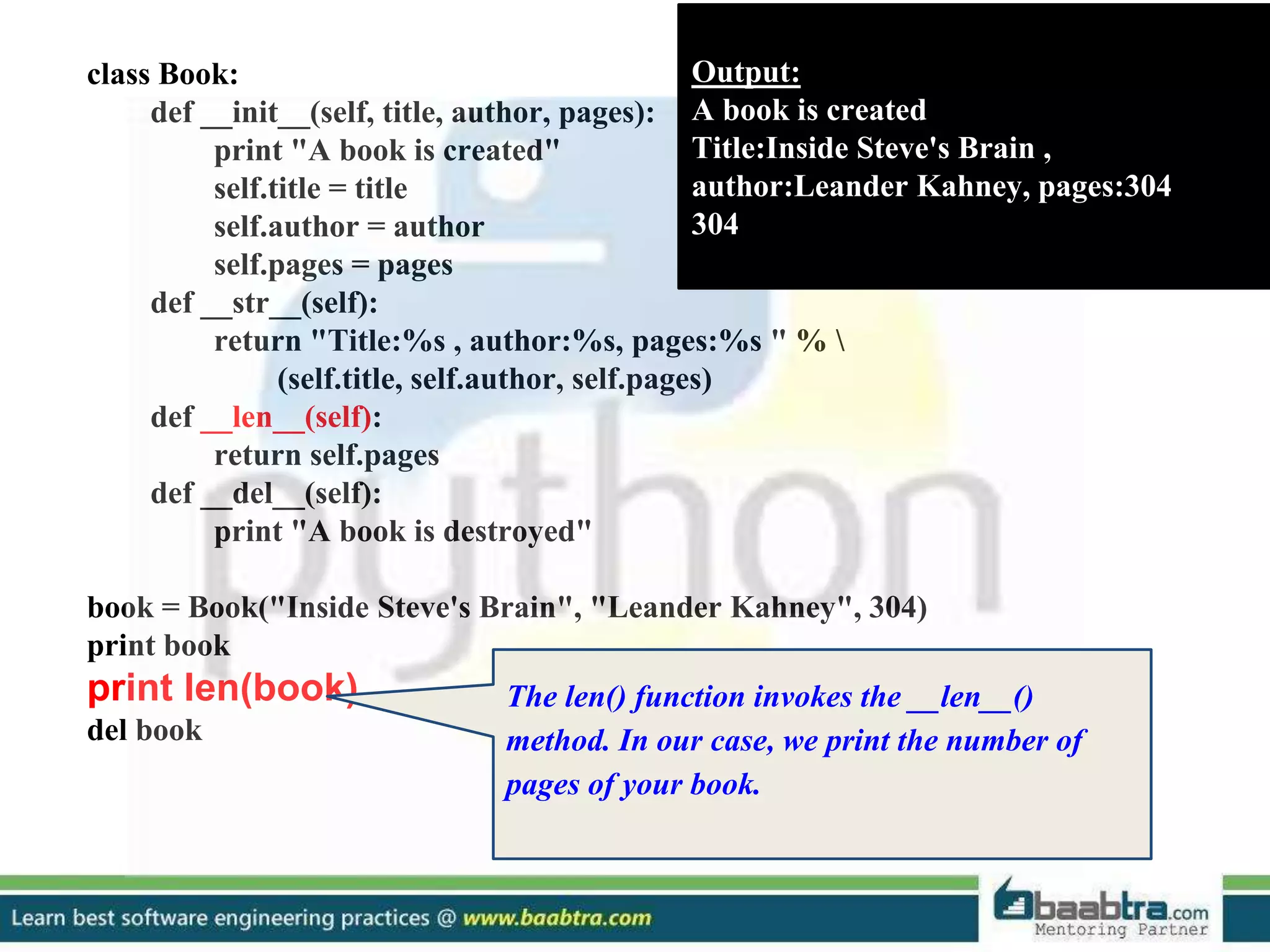
The len() function invokes the __len__()
method. In our case, we print the number of
pages of your book.
class Book:
def __init__(self, title, author, pages):
print "A book is created"
self.title = title
self.author = author
self.pages = pages
def __str__(self):
return "Title:%s , author:%s, pages:%s " % 
(self.title, self.author, self.pages)
def __len__(self):
return self.pages
def __del__(self):
print "A book is destroyed"
book = Book("Inside Steve's Brain", "Leander Kahney", 304)
print book
print len(book)
del book
Output:
A book is created
Title:Inside Steve's Brain ,
author:Leander Kahney, pages:304
304
A book is destroyed
The del keyword deletes an object. It calls the
__del__() method.
modules
using import statement
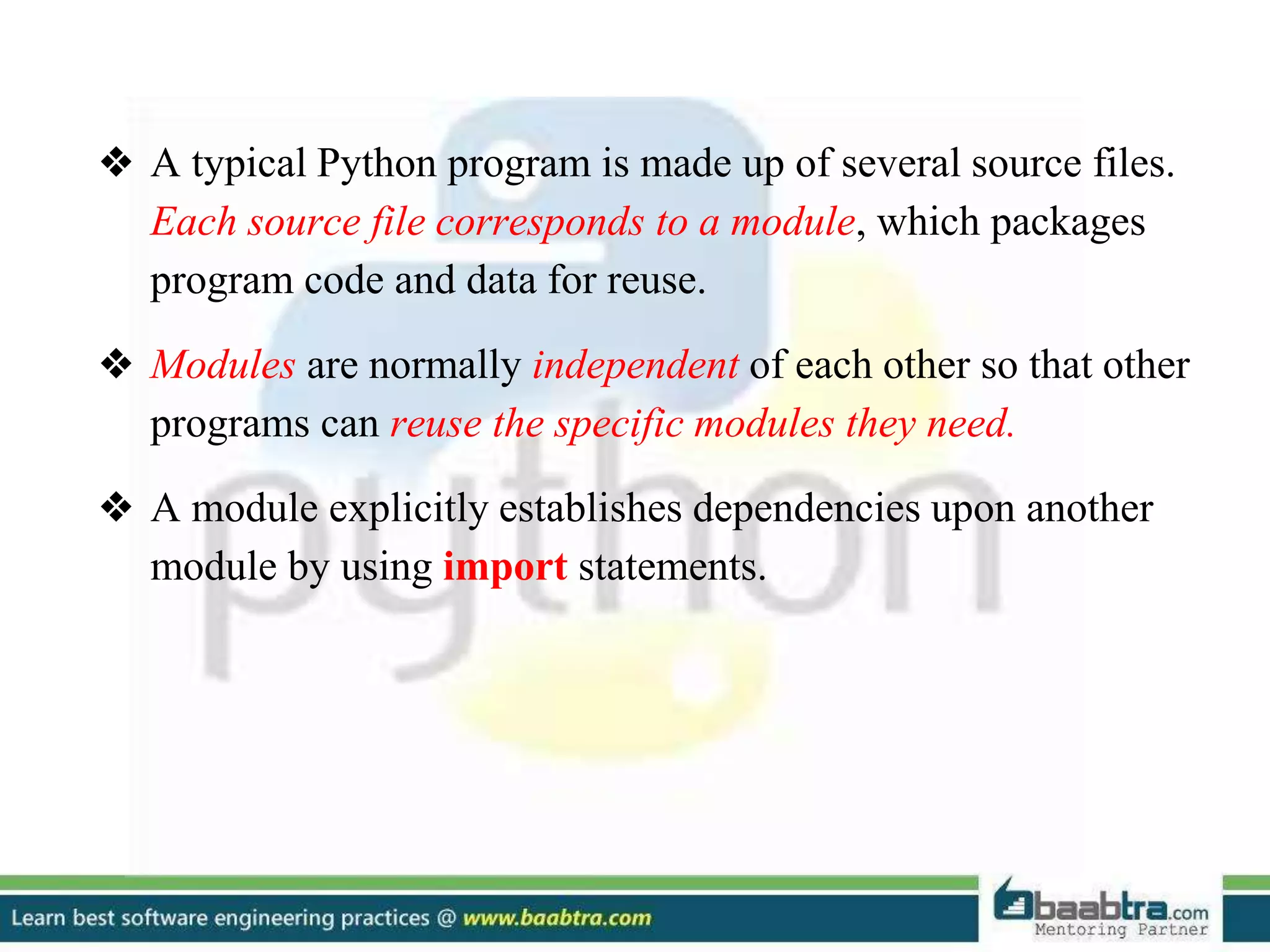
❖ A typical Python program is made up of several source files.
Each source file corresponds to a module, which packages
program code and data for reuse.
❖ Modules are normally independent of each other so that other
programs can reuse the specific modules they need.
❖ A module explicitly establishes dependencies upon another
module by using import statements.
Import Statement
Syntax
import modname [as varname][,...]
Example
import MyModule1
import MyModule as Alias
Import Statement
Syntax
import modname [as varname][,...]
Example
import MyModule1
import MyModule as Alias
In the simplest and most
common case, modname is an
identifier, the name of a
variable that Python binds to
the module object when the
import statement finishes
Import Statement
Syntax
import modname [as varname][,...]
Example
import MyModule1
import MyModule as Alias
looks for the module named
MyModule and binds the
variable named Alias in the
current scope to the module
object. varname is always a
simple identifier.
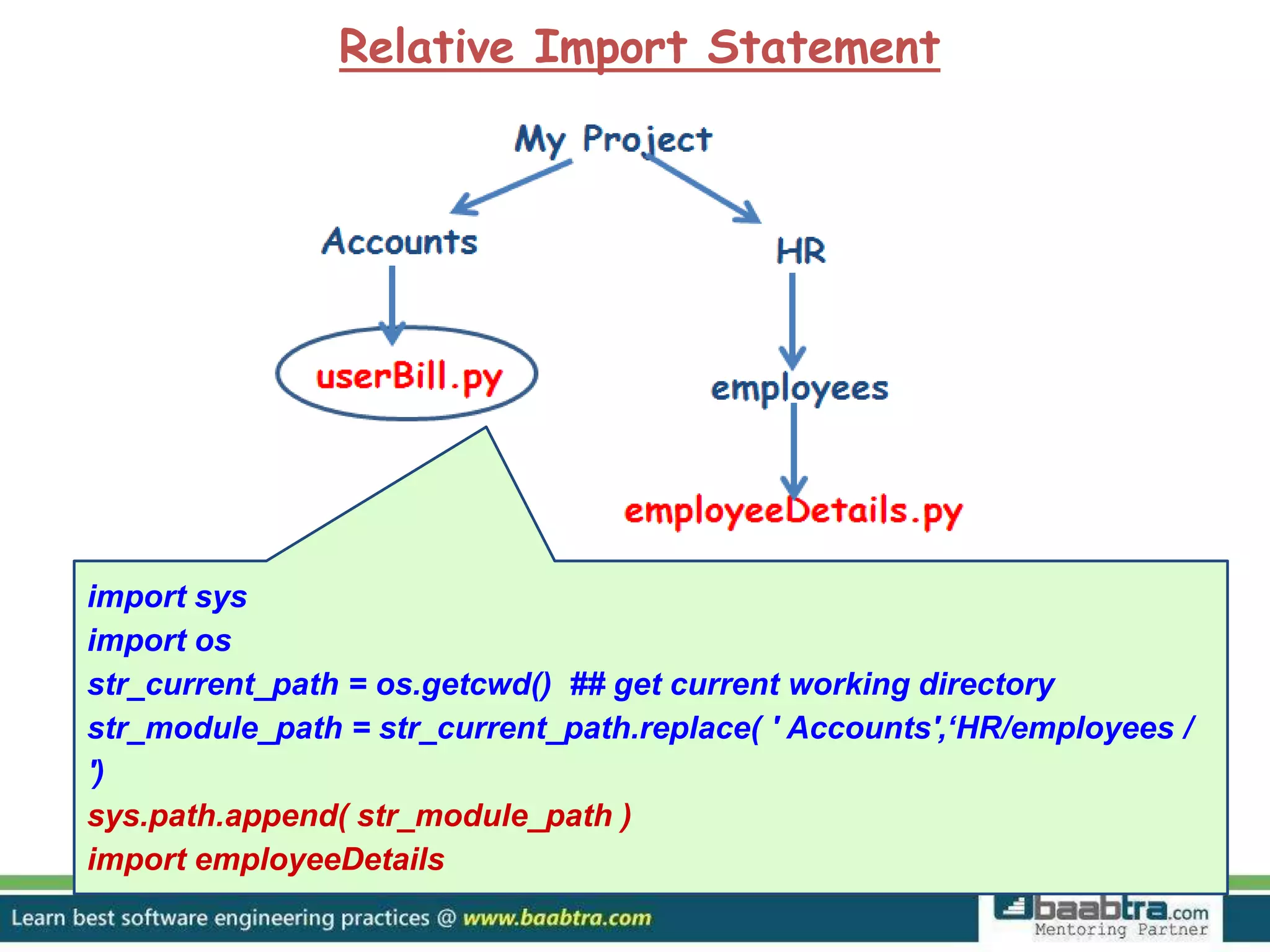
Relative Import Statement
Suppose we are here and we want to
import the file employeeDetails.py
which resides in a directory as shown
Relative Import Statement
import sys
import os
str_current_path = os.getcwd() ## get current working directory
str_module_path = str_current_path.replace( ' Accounts',‘HR/employees /
')
sys.path.append( str_module_path )
import employeeDetails
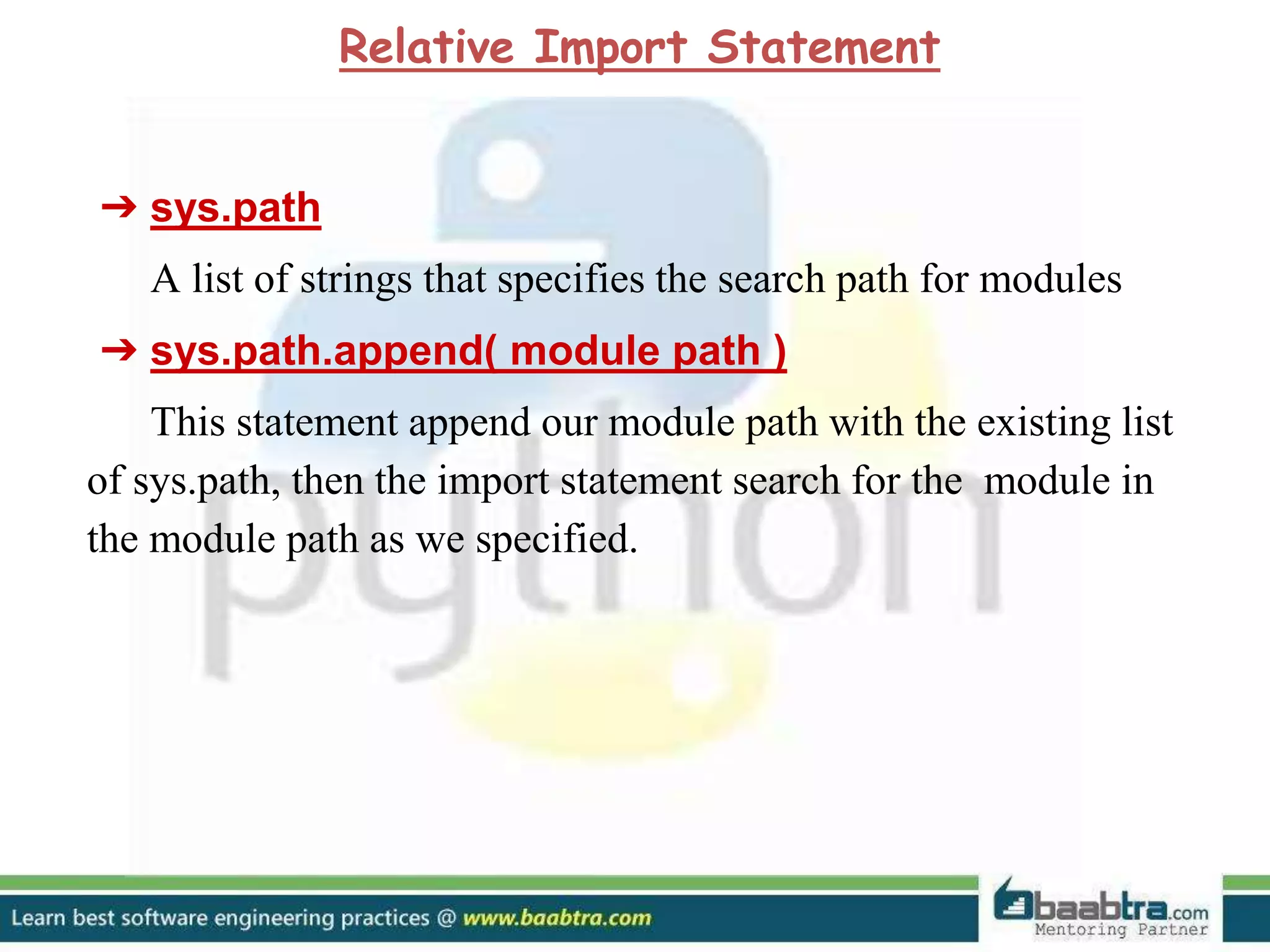
➔ sys.path
A list of strings that specifies the search path for modules
➔ sys.path.append( module path )
This statement append our module path with the existing list
of sys.path, then the import statement search for the module in
the module path as we specified.
Relative Import Statement
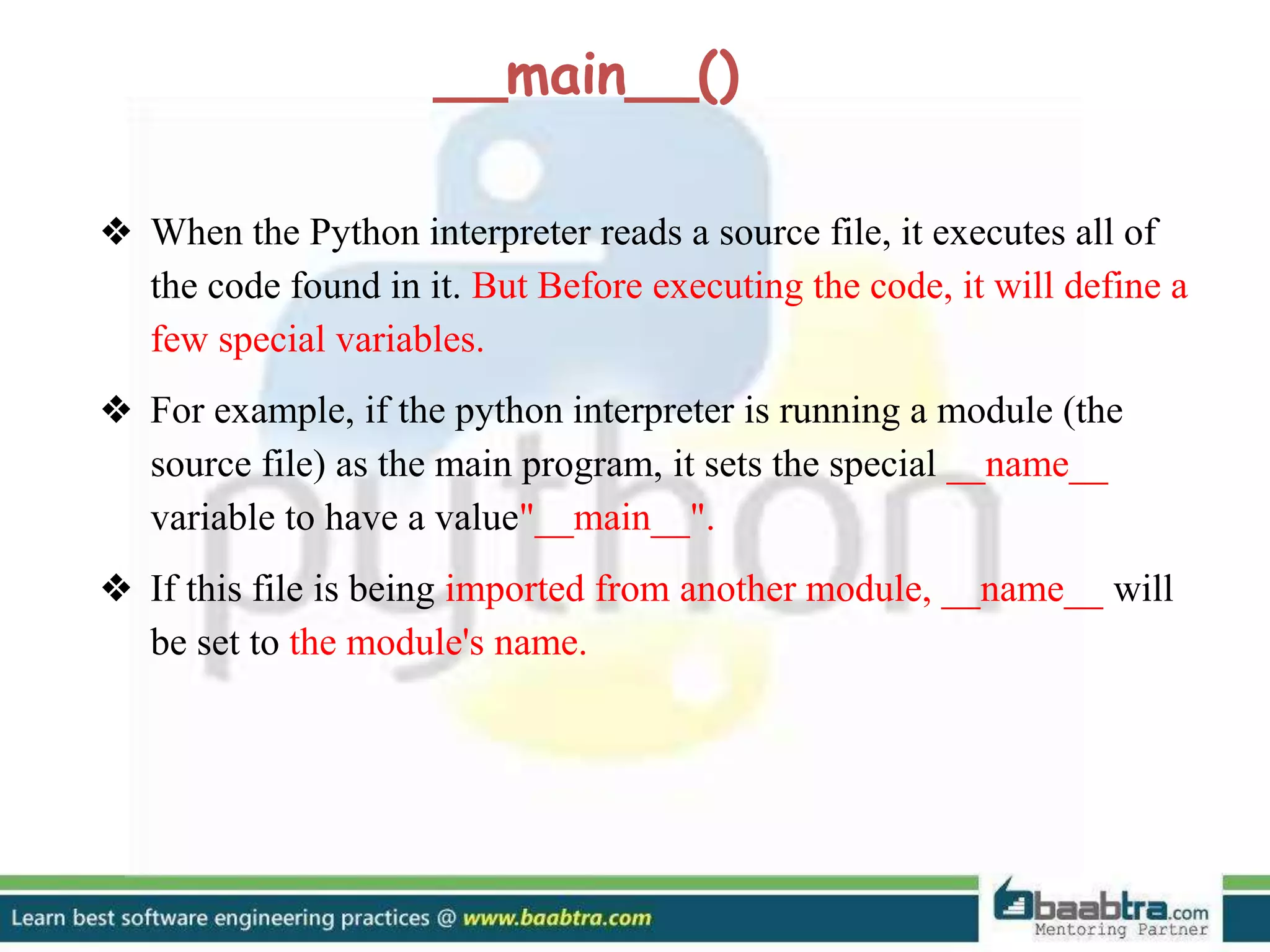
❖ When the Python interpreter reads a source file, it executes all of
the code found in it. But Before executing the code, it will define a
few special variables.
❖ For example, if the python interpreter is running a module (the
source file) as the main program, it sets the special __name__
variable to have a value"__main__".
❖ If this file is being imported from another module, __name__ will
be set to the module's name.
__main__()
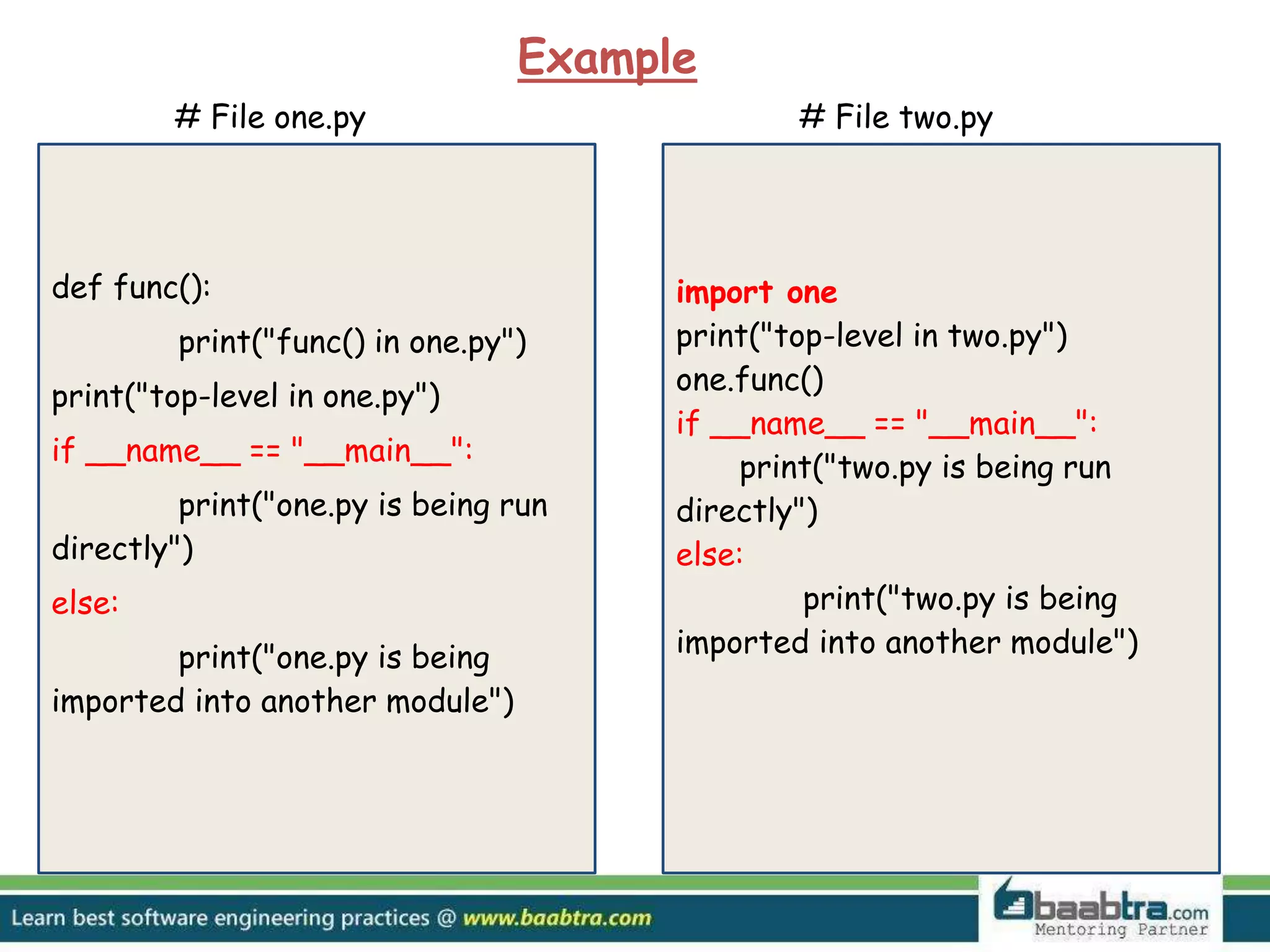
def func():
print("func() in one.py")
print("top-level in one.py")
if __name__ == "__main__":
print("one.py is being run
directly")
else:
print("one.py is being
imported into another module")
# File one.py # File two.py
import one
print("top-level in two.py")
one.func()
if __name__ == "__main__":
print("two.py is being run
directly")
else:
print("two.py is being
imported into another module")
Example
def func():
print("func() in one.py")
print("top-level in one.py")
if __name__ == "__main__":
print("one.py is being run
directly")
else:
print("one.py is being
imported into another module")
# File one.py # File two.py
import one
print("top-level in two.py")
one.func()
if __name__ == "__main__":
print("two.py is being run
directly")
else:
print("two.py is being
imported into another module")
Example
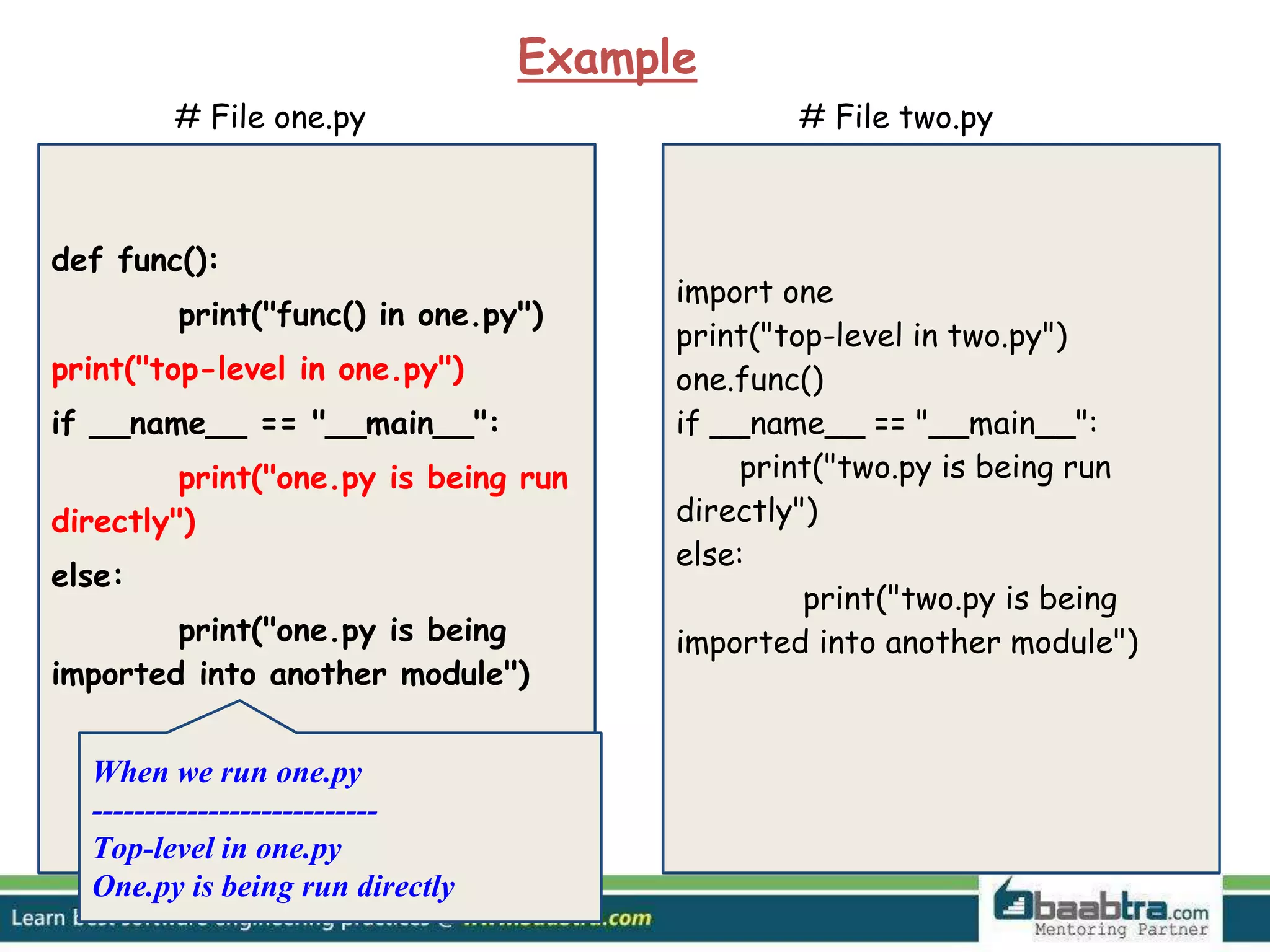
When we run one.py
---------------------------
Top-level in one.py
One.py is being run directly
def func():
print("func() in one.py")
print("top-level in one.py")
if __name__ == "__main__":
print("one.py is being run
directly")
else:
print("one.py is being
imported into another module")
# File one.py # File two.py
import one
print("top-level in two.py")
one.func()
if __name__ == "__main__":
print("two.py is being run
directly")
else:
print("two.py is being
imported into another module")
Example
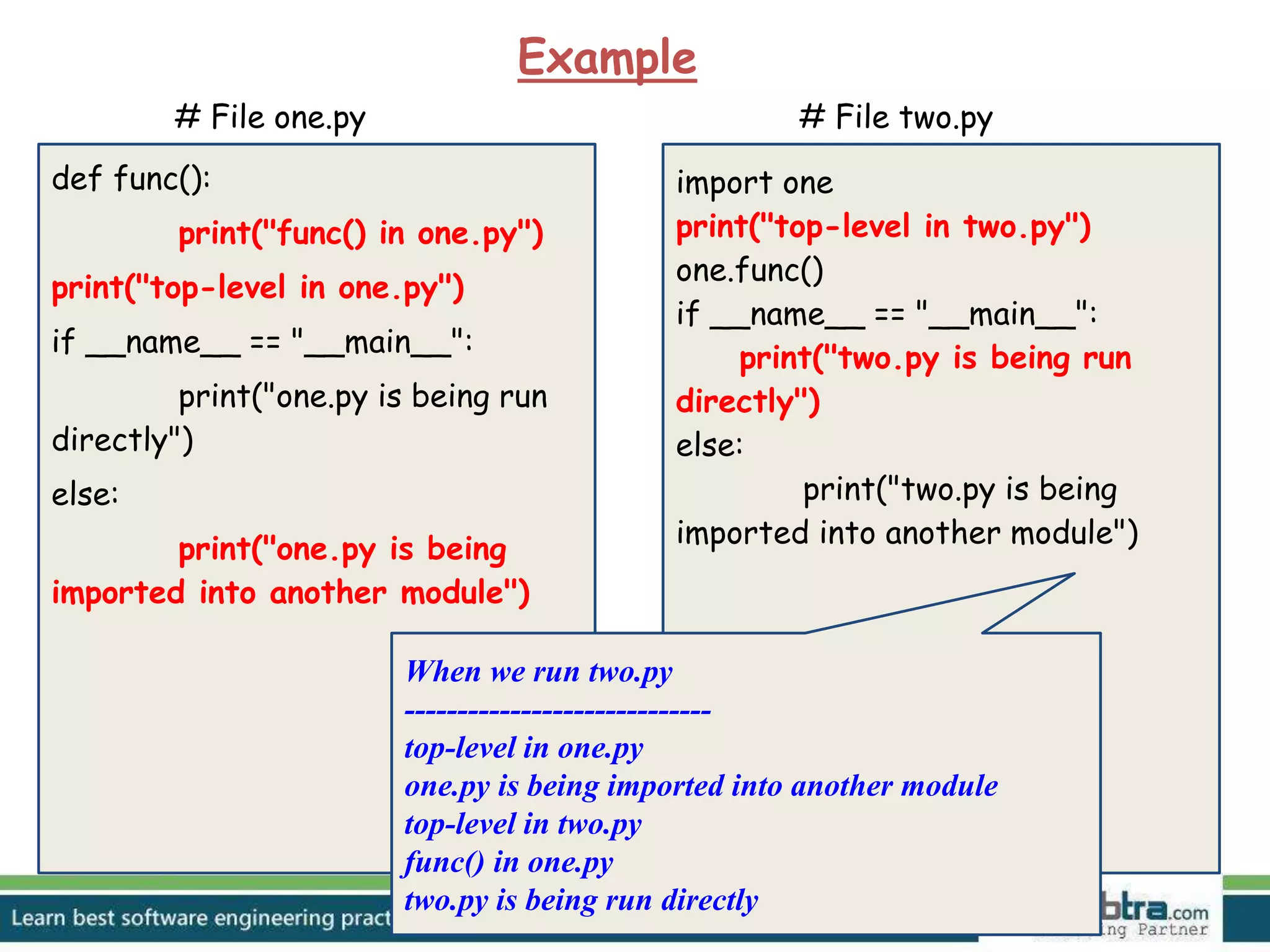
When we run two.py
-----------------------------
top-level in one.py
one.py is being imported into another module
top-level in two.py
func() in one.py
two.py is being run directly
US UK UAE
7002 Hana Road,
Edison NJ 08817,
United States of America.
90 High Street,
Cherry Hinton,
Cambridge, CB1 9HZ,
United Kingdom.
Suite No: 51, Oasis Center,
Sheikh Zayed Road, Dubai,
UAE
Email to info@baabtra.com or Visit baabtra.com
Looking for learning more about the above
topic?
India Centres
Emarald Mall (Big Bazar Building)
Mavoor Road, Kozhikode,
Kerala, India.
Ph: + 91 – 495 40 25 550
NC Complex, Near Bus Stand
Mukkam, Kozhikode,
Kerala, India.
Ph: + 91 – 495 40 25 550
Cafit Square IT Park,
Hilite Business Park,
Kozhikode
Kerala, India.
Email: info@baabtra.com
TBI - NITC
NIT Campus, Kozhikode.
Kerala, India.
Start up Village
Eranakulam,
Kerala, India.
Start up Village
UL CC
Kozhikode, Kerala
Follow us @ twitter.com/baabtra
Like us @ facebook.com/baabtra
Subscribe to us @ youtube.com/baabtra
Become a follower @ slideshare.net/BaabtraMentoringPartner
Connect to us @ in.linkedin.com/in/baabtra
Give a feedback @ massbaab.com/baabtra
Thanks in advance
www.baabtra.com | www.massbaab.com |www.baabte.com
Want to learn more about programming or Looking to become a good programmer?
Are you wasting time on searching so many contents online?
Do you want to learn things quickly?
Tired of spending huge amount of money to become a Software professional?
Do an online course
@ baabtra.com
We put industry standards to practice. Our structured, activity based courses are so designed
to make a quick, good software professional out of anybody who holds a passion for coding.

Oop concepts in python

  • 2.
  • 3.
    Object Oriented Programming ❖Python is an object-oriented programming language. ❖ Python doesn't force to use the object-oriented paradigm exclusively. ❖ Python also supports procedural programming with modules and functions, so you can select the most suitable programming paradigm for each part of your program. “Generally, the object-oriented paradigm is suitable when you want to group state (data) and behavior (code) together in handy packets of functionality.”
  • 4.
    objects a software itemthat contains variables and methods
  • 5.
    ❖ Objects arethe basic run-time entities in an object-oriented system. ❖ They may represent a person, a place, a bank account, a table of data or any item that the program must handle. ❖ When a program is executed the objects interact by sending messages to one another. ❖ Objects have two components: Data (i.e., attributes) Behaviors (i.e., methods)
  • 6.
    classes binds the membervariables and methods into a single unit
  • 7.
    Syntax: class classname: statement(s) Example: class myClass: defhello(self): print "Hello" def sum(self): int_res=100+200 return int_res
  • 8.
  • 9.
  • 10.
    Object Oriented Designfocuses on ➔ Encapsulation: dividing the code into a public interface, and a private implementation of that interface ➔ Polymorphism: the ability to overload standard operators so that they have appropriate behavior based on their context ➔ Inheritance: the ability to create subclasses that contain specializations of their parents
  • 11.
    inheritance child class acquiresthe properties of the parent class
  • 12.
    ➔ Simple Inheritance Syntax derived_class(base_class) ➔Multiple Inheritance Syntax derived_class(base_class[,base_class1][,base_class2 ][....])
  • 13.
    Example for SimpleInheritance: class myClass: def sum(self): int_res=100+200 return int_res class newClass(myClass): def hello(self): print "Maya" classObj=newClass() classObj.hello() int_sum=classObj.sum() print “The sum is : ”,int_sum output: Maya The sum is : 300
  • 14.
    Example for Multipleinheritance class A: def displayA(self): print "Class A" class B: def displayB(self): print "Class B" class c(A,B): def displayC(self): print "Class C" objC=c() objC.displayA() objC.displayB() objC.displayC() Output: Class A Class B Class C
  • 15.
  • 16.
    ❖ Uses polymorphismextensively in built-in types. ❖ Here we use the same indexing operator for three different data types. ❖ Polymorphism is most commonly used when dealing with inheritance. ❖ Example: a = "alfa" # string b = (1, 2, 3, 4) # tuple c = ['o', 'm', 'e', 'g', 'a'] # list print a[2] print b[1] print c[3] Output: f 2 g
  • 17.
    Two kinds ofPolymorphism: ❖ Overloading - Two or more methods with different signatures - Python operators works for built-in Classes ❖ Overriding - Replacing an inherited method with another having the same signature
  • 18.
    Operator Expression Internally Additionp1+p2 p1.__add__(p2) Subtraction p1-p2 p1.__sub__(p2) Multiplication p1*p2 p1.__mul__(p2) Power p1**p2 p1.__pow__(p2) Division p1/p2 p1.__truediv__(p2) Explanation for Operator Overloading Sample Program What actually happens is that, when you do p1 - p2, Python will call p1.__sub__(p2). Similarly, we can overload other operators as well. The special function that we need to implement is tabulated below
  • 19.
    Example for Overriding classAnimal: def __init__(self, name=''): self.name = name def talk(self): pass class Cat(Animal): def talk(self): print "Meow!" class Dog(Animal): def talk(self): print "Woof!" a = Animal() a.talk() c = Cat("Missy") c.talk() d = Dog("Rocky") d.talk() Output: Meow! Woof!
  • 20.
    encapsulatio n process of bindingdata members and member functions into a single unit
  • 21.
    ❖ An importantconcept in OOP ❖ Data Abstraction is achieved through Encapsulation ❖ Generally speaking encapsulation is the mechanism for restricting the access to some of an object's components, this means, that the internal representation of an object can't be seen from outside of the objects definition.
  • 22.
    Name Notation Behaviour namePublic can be accessed from inside and outside _name Protected Like a public member, but they shouldn’t be directly accessed from outside __name Private Can’t be seen and accessed from outside The following table shows the different behaviour of Public, Protected and Private Data
  • 23.
    Example for Public,Private and Protected Data >>> class Encapsulation(): def __init__(self,a,b,c): self.public=a self._protected=b self.__private=c >>> x=Encapsulation(11,13,17) >>> x.public 11 >>> x._protected 13 >>> x._protected=23 >>> x._protected 23 >>> x.__private Traceback (most recent call last): File "<pyshell#12>", line 1, in <module> x.private AttributeError: 'Encapsulation' object has no attribute '__private' >>>
  • 24.
    special methods classes in pythoncan implement certain operations with special method names.
  • 25.
    ❖ They arealso called “Magic Methods” ❖ They are not called directly, but by a specific language syntax ❖ This is similar to what is known as operator overloading in C++ ❖ Contains clumsy syntax, ie., double underscore at the beginning and end ❖ So simplicity __init__() can be read as “dunder init dunder” ❖ So magic methods also called “Dunder Methods”
  • 26.
    Some special methodsare: 1) __init__() default constructor, when an instance of class is created 2) __str__() If we print an object then its __str__() method will get called 3) __len__() Returns the length of the container 4) __del__() It destructs the constructors that have created using __init__()
  • 27.
    Example for SpecialMethods class Book: def __init__(self, title, author, pages): print "A book is created" self.title = title self.author = author self.pages = pages def __str__(self): return "Title:%s , author:%s, pages:%s " % (self.title, self.author, self.pages) def __len__(self): return self.pages def __del__(self): print "A book is destroyed" book = Book("Inside Steve's Brain", "Leander Kahney", 304) print book print len(book) del book Output: A book is created Title:Inside Steve's Brain , author:Leander Kahney, pages:304 304 A book is destroyed
  • 28.
    class Book: def __init__(self,title, author, pages): print "A book is created" self.title = title self.author = author self.pages = pages def __str__(self): return "Title:%s , author:%s, pages:%s " % (self.title, self.author, self.pages) def __len__(self): return self.pages def __del__(self): print "A book is destroyed" book = Book("Inside Steve's Brain", "Leander Kahney", 304) print book print len(book) del book Output: A book is created Here we call the __init__() method. The method creates a new instance of a Book class.
  • 29.
    class Book: def __init__(self,title, author, pages): print "A book is created" self.title = title self.author = author self.pages = pages def __str__(self): return "Title:%s , author:%s, pages:%s " % (self.title, self.author, self.pages) def __len__(self): return self.pages def __del__(self): print "A book is destroyed" book = Book("Inside Steve's Brain", "Leander Kahney", 304) print book print len(book) del book Output: A book is created Title:Inside Steve's Brain , author:Leander Kahney, pages:304 The print keyword calls the __str__() method. This method should return an informal string representation of an object.
  • 30.
    class Book: def __init__(self,title, author, pages): print "A book is created" self.title = title self.author = author self.pages = pages def __str__(self): return "Title:%s , author:%s, pages:%s " % (self.title, self.author, self.pages) def __len__(self): return self.pages def __del__(self): print "A book is destroyed" book = Book("Inside Steve's Brain", "Leander Kahney", 304) print book print len(book) del book Output: A book is created Title:Inside Steve's Brain , author:Leander Kahney, pages:304 304 The len() function invokes the __len__() method. In our case, we print the number of pages of your book.
  • 31.
    class Book: def __init__(self,title, author, pages): print "A book is created" self.title = title self.author = author self.pages = pages def __str__(self): return "Title:%s , author:%s, pages:%s " % (self.title, self.author, self.pages) def __len__(self): return self.pages def __del__(self): print "A book is destroyed" book = Book("Inside Steve's Brain", "Leander Kahney", 304) print book print len(book) del book Output: A book is created Title:Inside Steve's Brain , author:Leander Kahney, pages:304 304 A book is destroyed The del keyword deletes an object. It calls the __del__() method.
  • 32.
  • 33.
    ❖ A typicalPython program is made up of several source files. Each source file corresponds to a module, which packages program code and data for reuse. ❖ Modules are normally independent of each other so that other programs can reuse the specific modules they need. ❖ A module explicitly establishes dependencies upon another module by using import statements.
  • 34.
    Import Statement Syntax import modname[as varname][,...] Example import MyModule1 import MyModule as Alias
  • 35.
    Import Statement Syntax import modname[as varname][,...] Example import MyModule1 import MyModule as Alias In the simplest and most common case, modname is an identifier, the name of a variable that Python binds to the module object when the import statement finishes
  • 36.
    Import Statement Syntax import modname[as varname][,...] Example import MyModule1 import MyModule as Alias looks for the module named MyModule and binds the variable named Alias in the current scope to the module object. varname is always a simple identifier.
  • 37.
    Relative Import Statement Supposewe are here and we want to import the file employeeDetails.py which resides in a directory as shown
  • 38.
    Relative Import Statement importsys import os str_current_path = os.getcwd() ## get current working directory str_module_path = str_current_path.replace( ' Accounts',‘HR/employees / ') sys.path.append( str_module_path ) import employeeDetails
  • 39.
    ➔ sys.path A listof strings that specifies the search path for modules ➔ sys.path.append( module path ) This statement append our module path with the existing list of sys.path, then the import statement search for the module in the module path as we specified. Relative Import Statement
  • 40.
    ❖ When thePython interpreter reads a source file, it executes all of the code found in it. But Before executing the code, it will define a few special variables. ❖ For example, if the python interpreter is running a module (the source file) as the main program, it sets the special __name__ variable to have a value"__main__". ❖ If this file is being imported from another module, __name__ will be set to the module's name. __main__()
  • 41.
    def func(): print("func() inone.py") print("top-level in one.py") if __name__ == "__main__": print("one.py is being run directly") else: print("one.py is being imported into another module") # File one.py # File two.py import one print("top-level in two.py") one.func() if __name__ == "__main__": print("two.py is being run directly") else: print("two.py is being imported into another module") Example
  • 42.
    def func(): print("func() inone.py") print("top-level in one.py") if __name__ == "__main__": print("one.py is being run directly") else: print("one.py is being imported into another module") # File one.py # File two.py import one print("top-level in two.py") one.func() if __name__ == "__main__": print("two.py is being run directly") else: print("two.py is being imported into another module") Example When we run one.py --------------------------- Top-level in one.py One.py is being run directly
  • 43.
    def func(): print("func() inone.py") print("top-level in one.py") if __name__ == "__main__": print("one.py is being run directly") else: print("one.py is being imported into another module") # File one.py # File two.py import one print("top-level in two.py") one.func() if __name__ == "__main__": print("two.py is being run directly") else: print("two.py is being imported into another module") Example When we run two.py ----------------------------- top-level in one.py one.py is being imported into another module top-level in two.py func() in one.py two.py is being run directly
  • 44.
    US UK UAE 7002Hana Road, Edison NJ 08817, United States of America. 90 High Street, Cherry Hinton, Cambridge, CB1 9HZ, United Kingdom. Suite No: 51, Oasis Center, Sheikh Zayed Road, Dubai, UAE Email to info@baabtra.com or Visit baabtra.com Looking for learning more about the above topic?
  • 45.
    India Centres Emarald Mall(Big Bazar Building) Mavoor Road, Kozhikode, Kerala, India. Ph: + 91 – 495 40 25 550 NC Complex, Near Bus Stand Mukkam, Kozhikode, Kerala, India. Ph: + 91 – 495 40 25 550 Cafit Square IT Park, Hilite Business Park, Kozhikode Kerala, India. Email: info@baabtra.com TBI - NITC NIT Campus, Kozhikode. Kerala, India. Start up Village Eranakulam, Kerala, India. Start up Village UL CC Kozhikode, Kerala
  • 46.
    Follow us @twitter.com/baabtra Like us @ facebook.com/baabtra Subscribe to us @ youtube.com/baabtra Become a follower @ slideshare.net/BaabtraMentoringPartner Connect to us @ in.linkedin.com/in/baabtra Give a feedback @ massbaab.com/baabtra Thanks in advance www.baabtra.com | www.massbaab.com |www.baabte.com
  • 47.
    Want to learnmore about programming or Looking to become a good programmer? Are you wasting time on searching so many contents online? Do you want to learn things quickly? Tired of spending huge amount of money to become a Software professional? Do an online course @ baabtra.com We put industry standards to practice. Our structured, activity based courses are so designed to make a quick, good software professional out of anybody who holds a passion for coding.