21CSC101T OBJECT ORIENTED DESIGN AND PROGRAMMING
UNIT V
Dr.M.Sivakumar
AP/NWC
SRMIST
DEPARTMENT OF NETWORKING AND COMMUNICATIONS
Course Outcomes (CO)
At the end of this course, learners will be able to:
• CO-1: Create programs using object-oriented approach and
design methodologies
• CO-2: Construct programs using method overloading and
operator overloading
• CO-3: Create programs using inline, friend and virtual
functions, construct programs using standard templates
• CO-4: Construct programs using exceptional handling and
collections
• CO-5: Create Models of the system using UML Diagrams
Unit-5 - Standard Template Library
• STL
• Containers: Sequence and Associative Container
• Sequence Container: Vector, List, Deque, Array, Stack
• Associative Containers: Map, Multimap
• Iterator and Specialized iterator - Functions of iterator
• Algorithms: find(), count(), sort()
• Algorithms: search(), merge(), for_each(), transform()
What is STL?
• The Standard Template Library (STL) is a set of C++
template classes to provide common programming data
structures and functions such as lists, stacks, arrays, etc.
• It is a library of container classes, algorithms, and
iterators.
• It is a generalized library and so, its components are
parameterized.
• A working knowledge of template classes is a
prerequisite for working with STL.
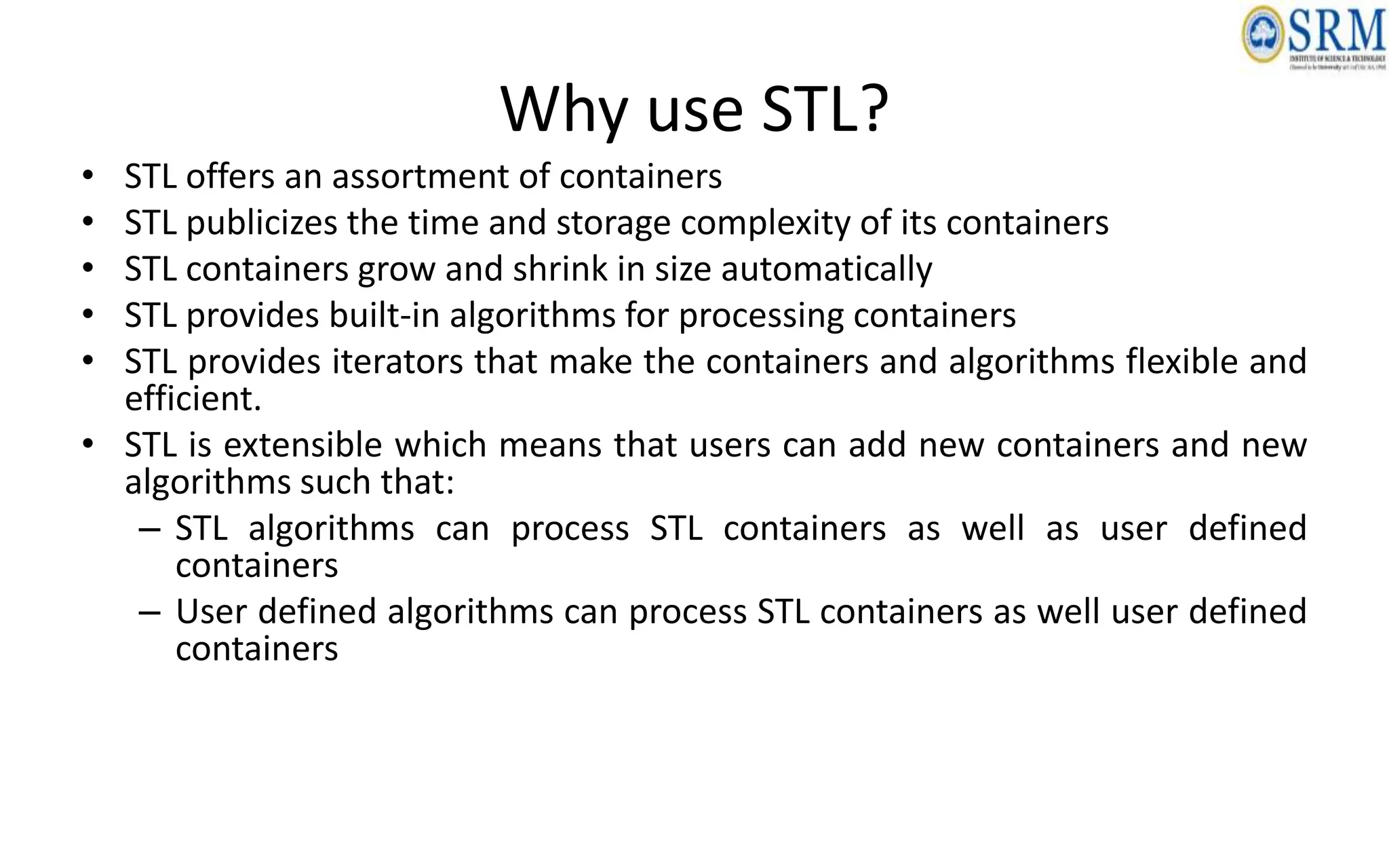
Why use STL?
• STL offers an assortment of containers
• STL publicizes the time and storage complexity of its containers
• STL containers grow and shrink in size automatically
• STL provides built-in algorithms for processing containers
• STL provides iterators that make the containers and algorithms flexible and
efficient.
• STL is extensible which means that users can add new containers and new
algorithms such that:
– STL algorithms can process STL containers as well as user defined
containers
– User defined algorithms can process STL containers as well user defined
containers
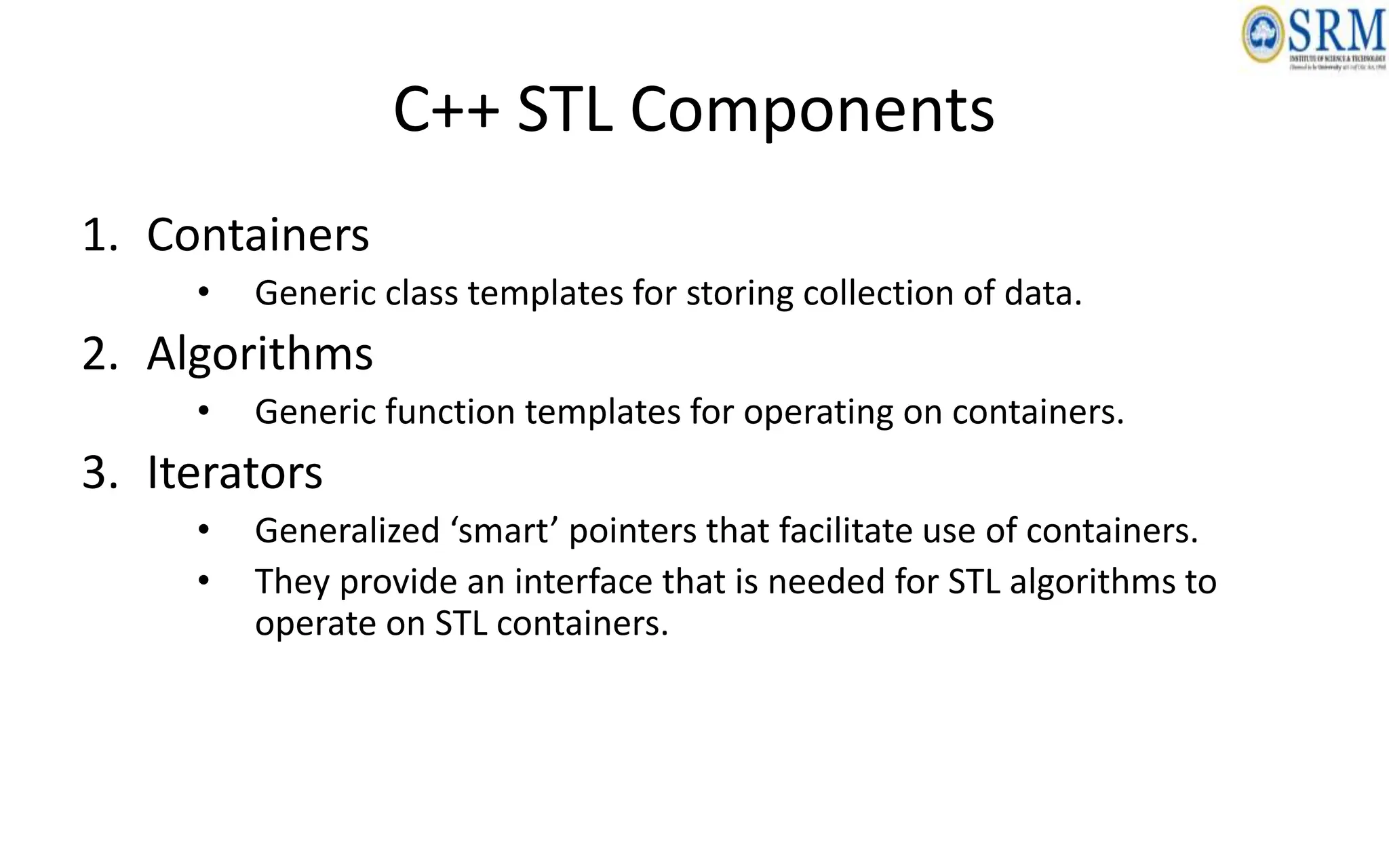
C++ STL Components
1. Containers
• Generic class templates for storing collection of data.
2. Algorithms
• Generic function templates for operating on containers.
3. Iterators
• Generalized ‘smart’ pointers that facilitate use of containers.
• They provide an interface that is needed for STL algorithms to
operate on STL containers.
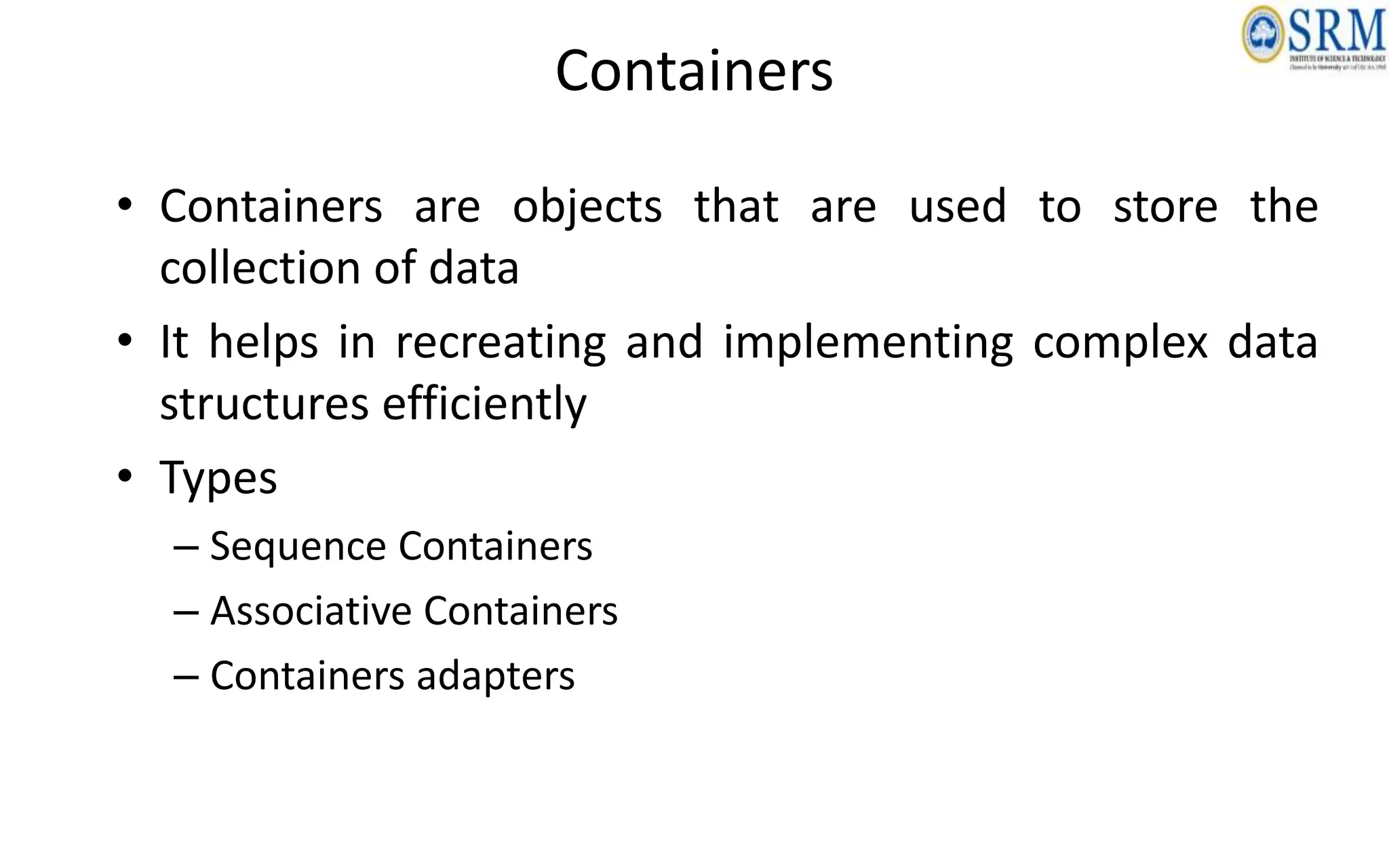
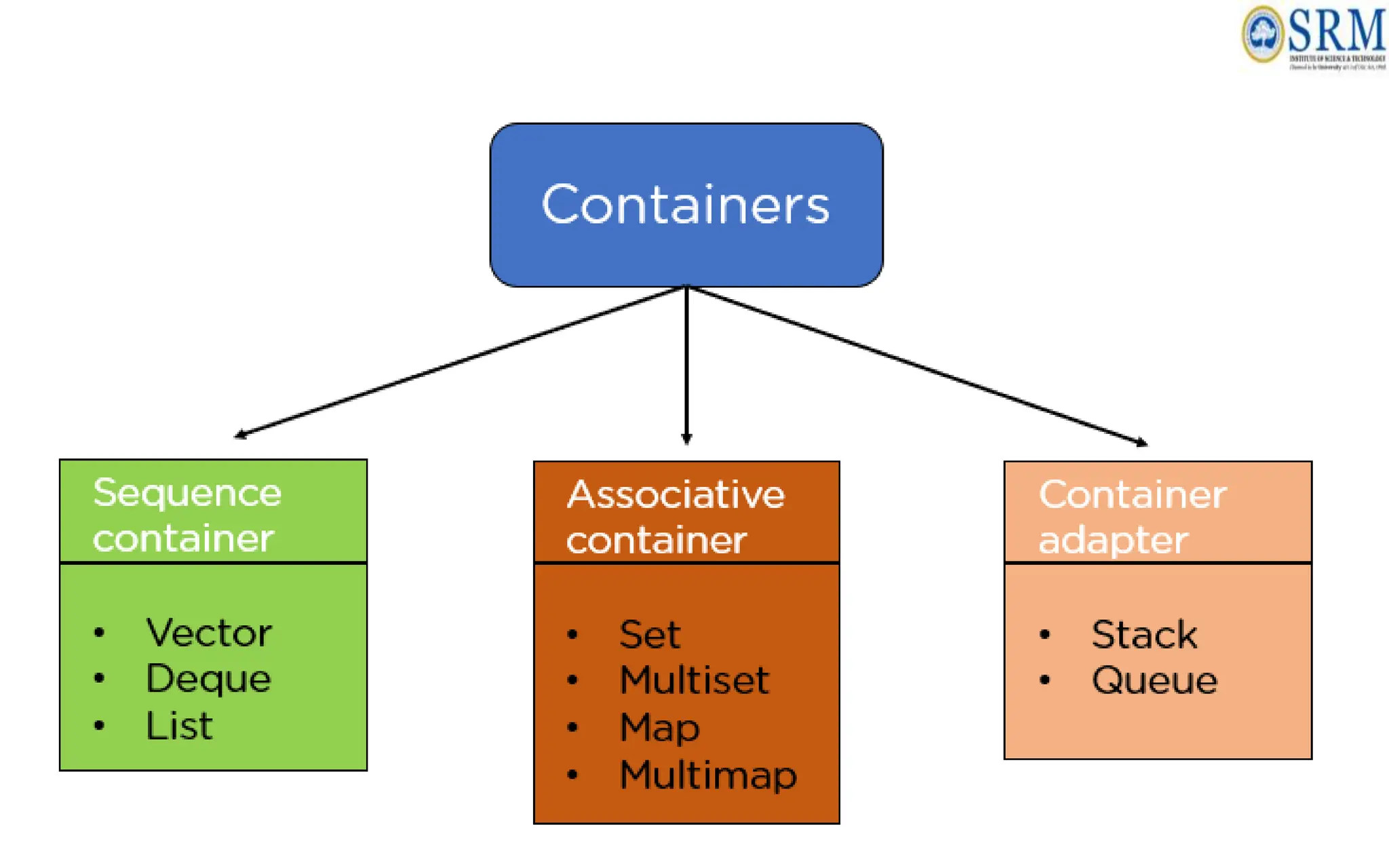
Containers
• Containers are objects that are used to store the
collection of data
• It helps in recreating and implementing complex data
structures efficiently
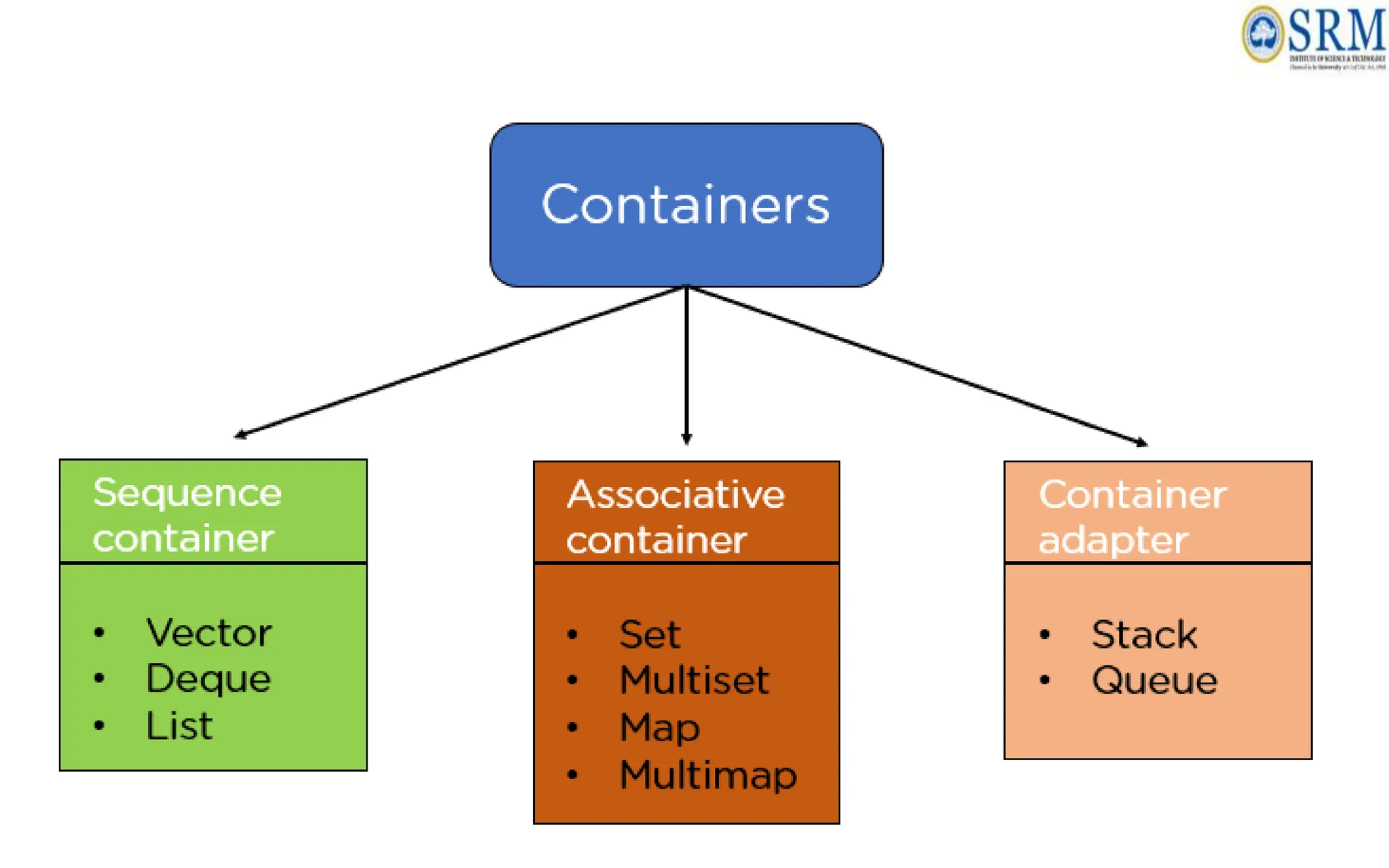
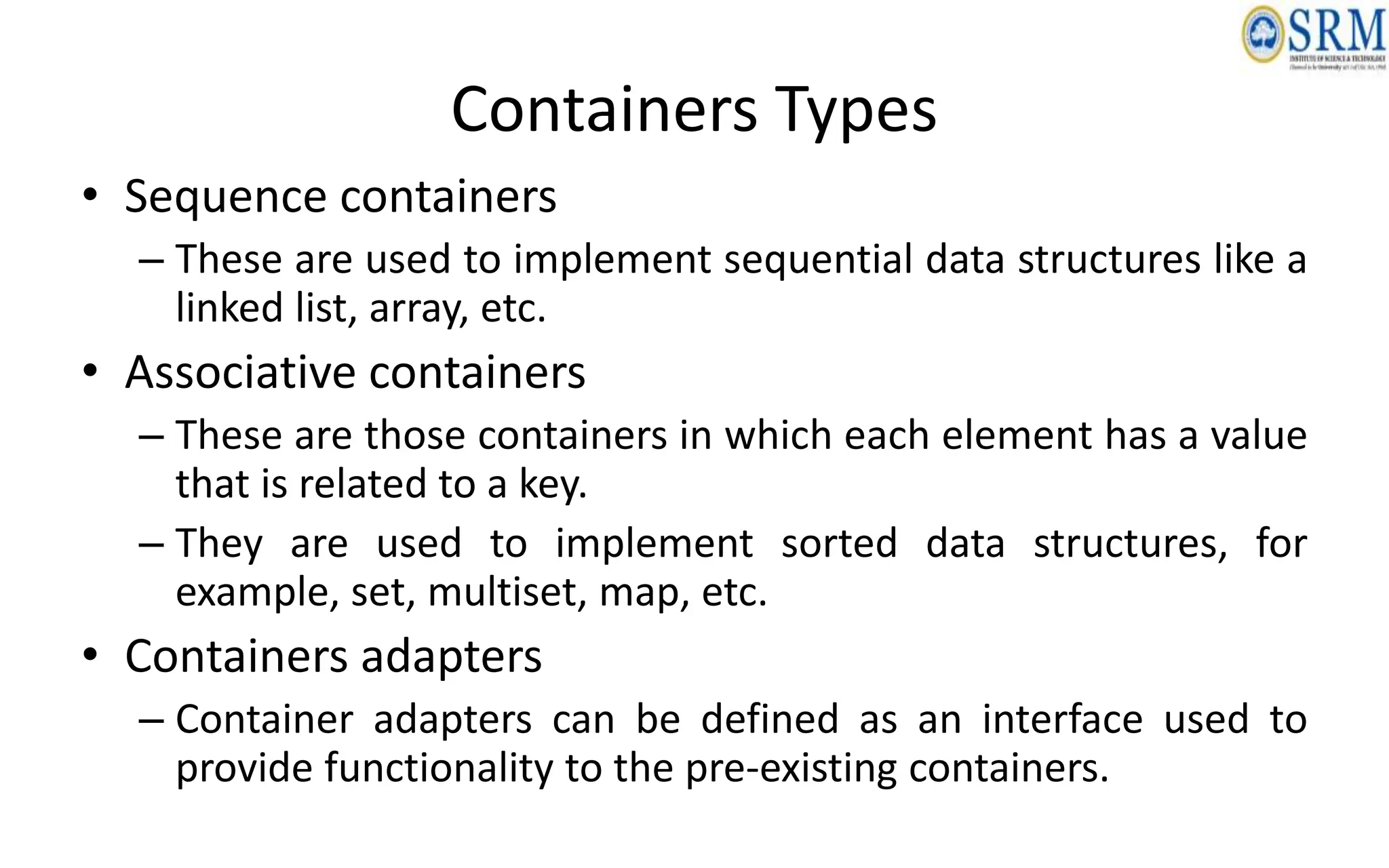
• Types
– Sequence Containers
– Associative Containers
– Containers adapters
• Sequence containers
– These are used to implement sequential data structures like a
linked list, array, etc.
• Associative containers
– These are those containers in which each element has a value
that is related to a key.
– They are used to implement sorted data structures, for
example, set, multiset, map, etc.
• Containers adapters
– Container adapters can be defined as an interface used to
provide functionality to the pre-existing containers.
Containers Types
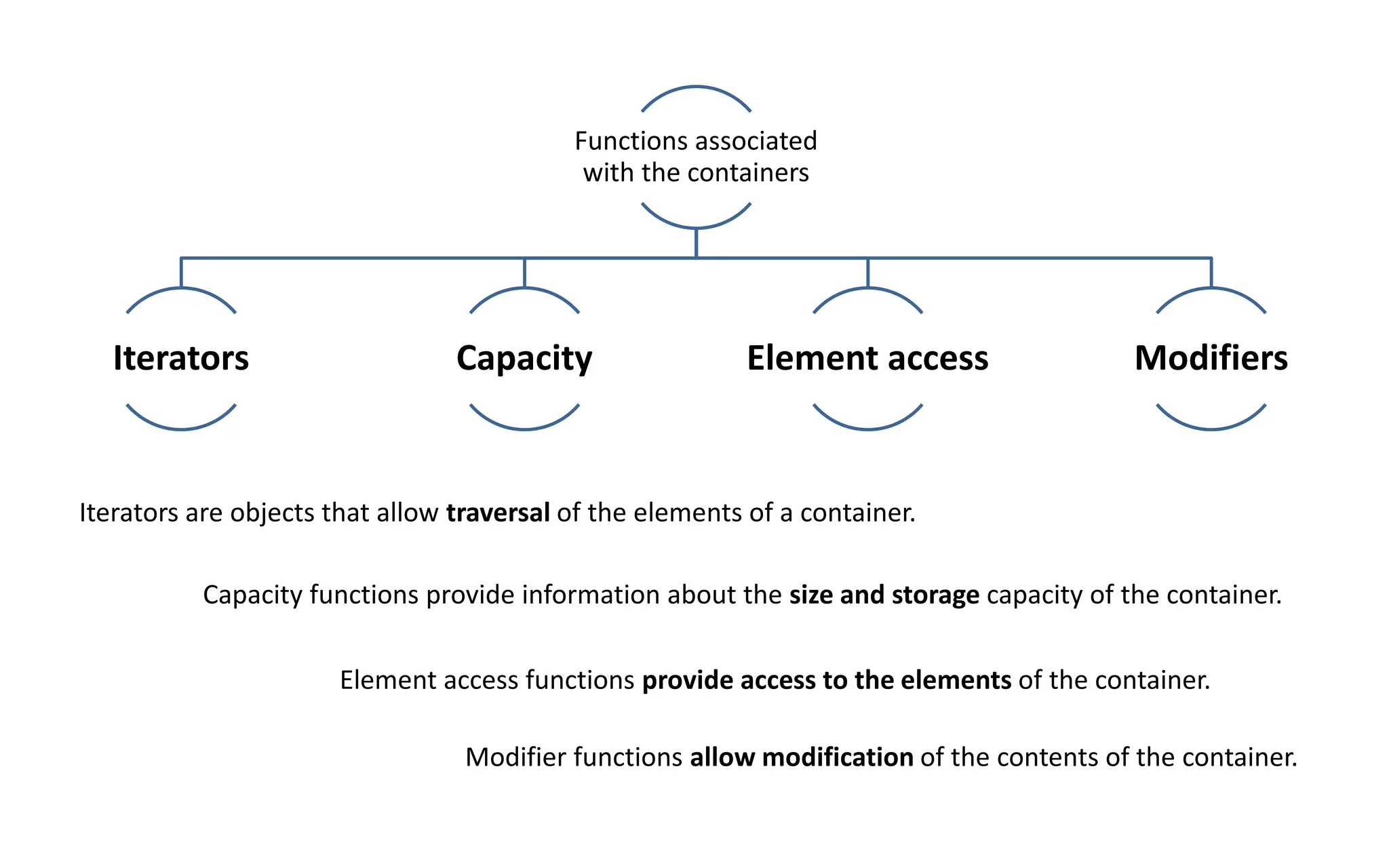
Functions associated
with the containers
Iterators Capacity Element access Modifiers
Element access functions provide access to the elements of the container.
Modifier functions allow modification of the contents of the container.
Iterators are objects that allow traversal of the elements of a container.
Capacity functions provide information about the size and storage capacity of the container.
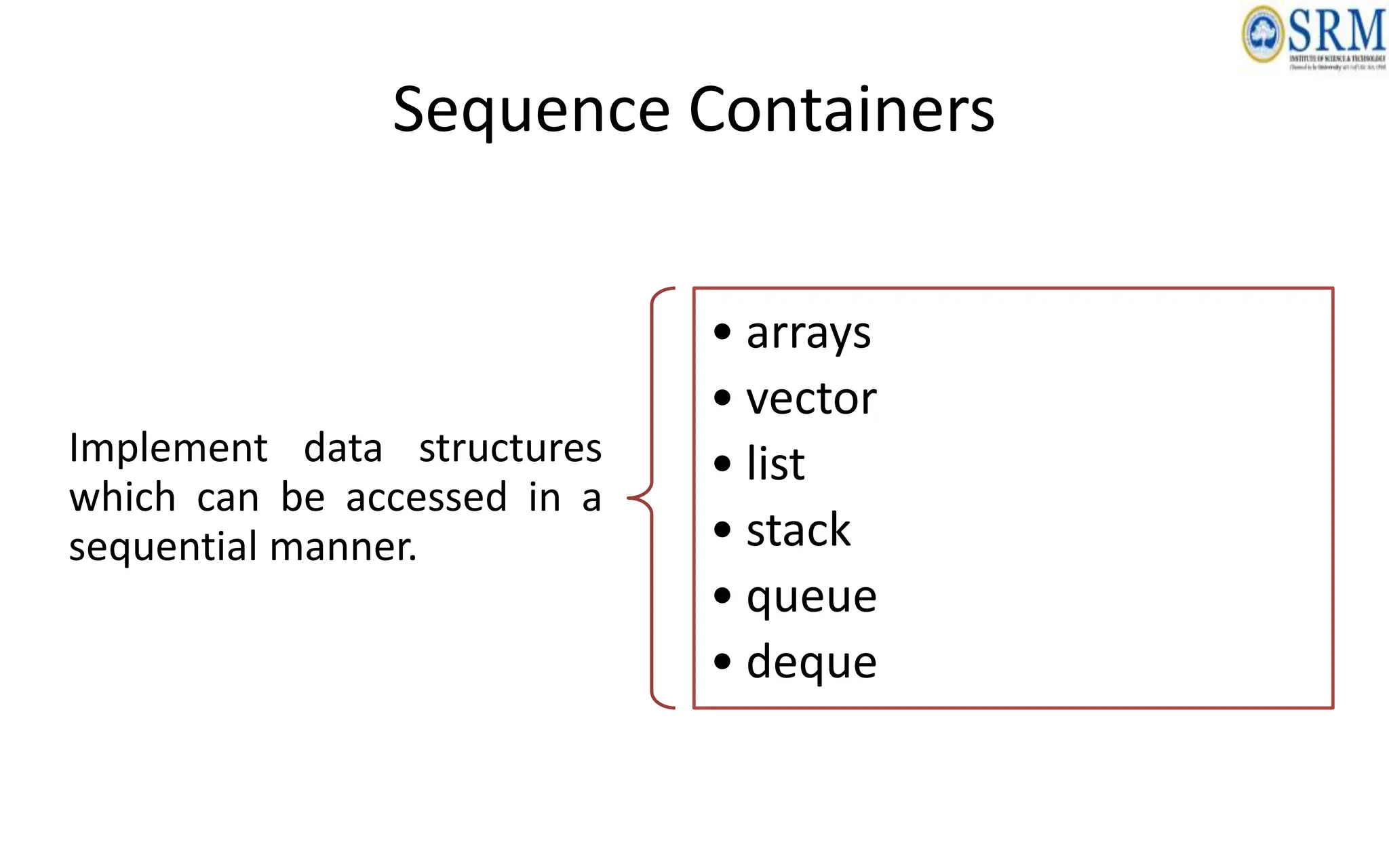
Sequence Containers
Implement data structures
which can be accessed in a
sequential manner.
• arrays
• vector
• list
• stack
• queue
• deque
STL: array
• A container class that encapsulates fixed size arrays.
• It is similar to the C-style arrays as it stores multiple
values of similar type.
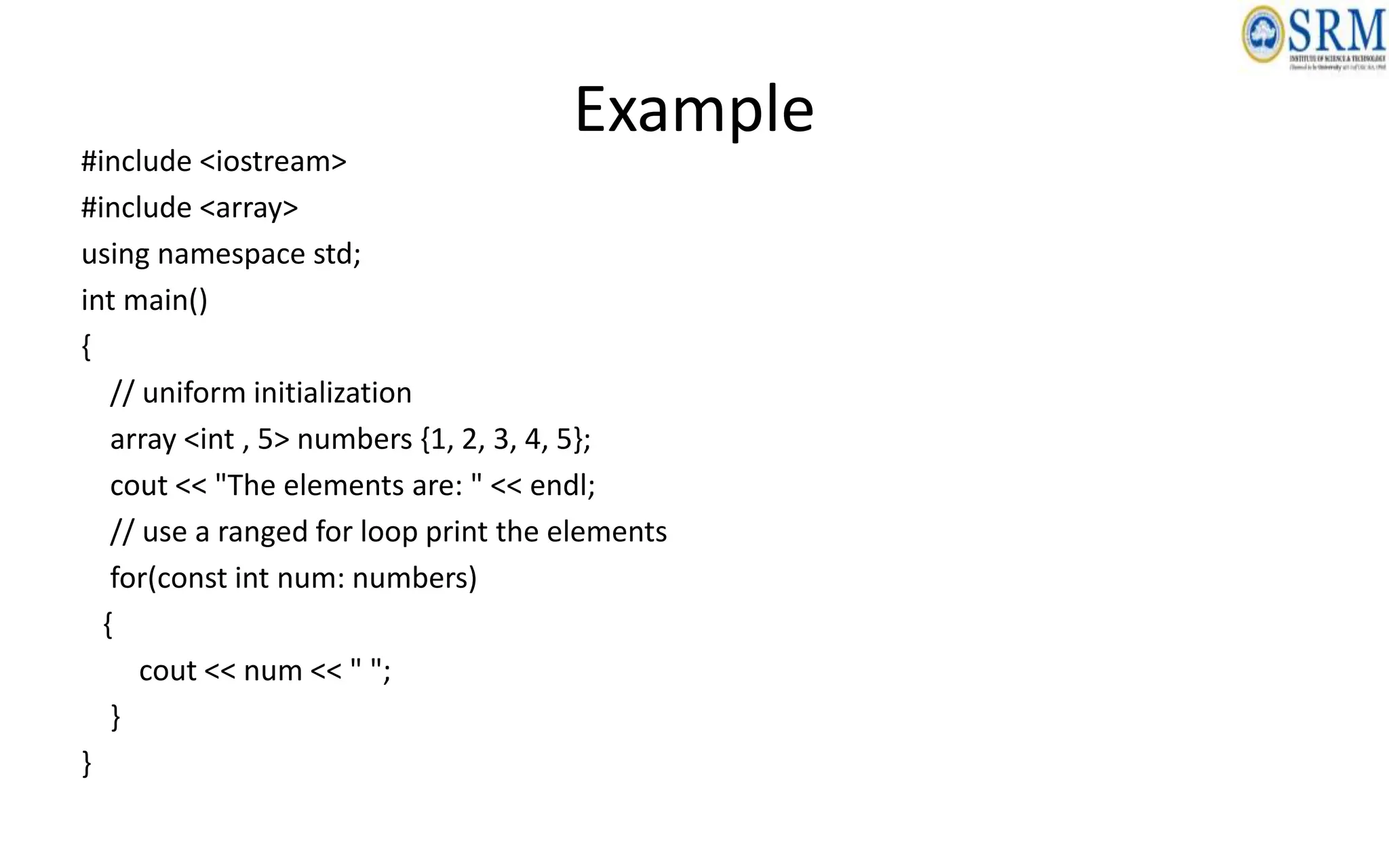
Example
#include <iostream>
#include <array>
using namespace std;
int main()
{
// uniform initialization
array <int , 5> numbers {1, 2, 3, 4, 5};
cout << "The elements are: " << endl;
// use a ranged for loop print the elements
for(const int num: numbers)
{
cout << num << " ";
}
}
Functions on arrays
• [i]: It is used to access the element stored at index i.
• at(i): It is also used to access the element stored at index i.
• front(): It returns the first element of the array.
• back(): It returns the last element of the array.
• size(): It tells us the number of elements in the array.
• fill(element): It inserts the given value at every array index.
• front(): It returns an iterator pointing to the first element of the array.
• back(): It returns an iterator pointing to the last element of the array.
• empty(): It tells us whether the array is empty or not.
• data(): It returns a pointer pointing to the first element of the array.
• swap(array_name): It swaps the content of the two arrays.
#include <iostream>
#include <array>
using namespace std;
int main()
{
// Create an array of integers with size 5
array<int, 5> myArray = {1, 2, 3, 4, 5};
// Access elements of the array using [] operator
cout << "Elements of the array:";
for (int i = 0; i < myArray.size(); ++i)
{
cout << " " << myArray[i];
}
cout << endl;
// Access elements of the array using range-based for loop
cout << "Elements of the array (using range-based for loop):";
for (int num : myArray)
{
cout << " " << num;
}
cout << endl;
// Modify an element of the array
myArray[2] = 10;
// Print the modified array
cout << "Modified array:";
for (int num : myArray)
{
cout << " " << num;
}
cout << endl;
// Access the first and last element of the array
cout << "First element: " << myArray.front() << endl;
cout << "Last element: " << myArray.back() << endl;
// Check if the array is empty
cout << "Is the array empty? " << (myArray.empty() ? "Yes" : "No") << endl;
// Print the size of the array
cout << "Size of the array: " << myArray.size() << endl;
return 0;
}
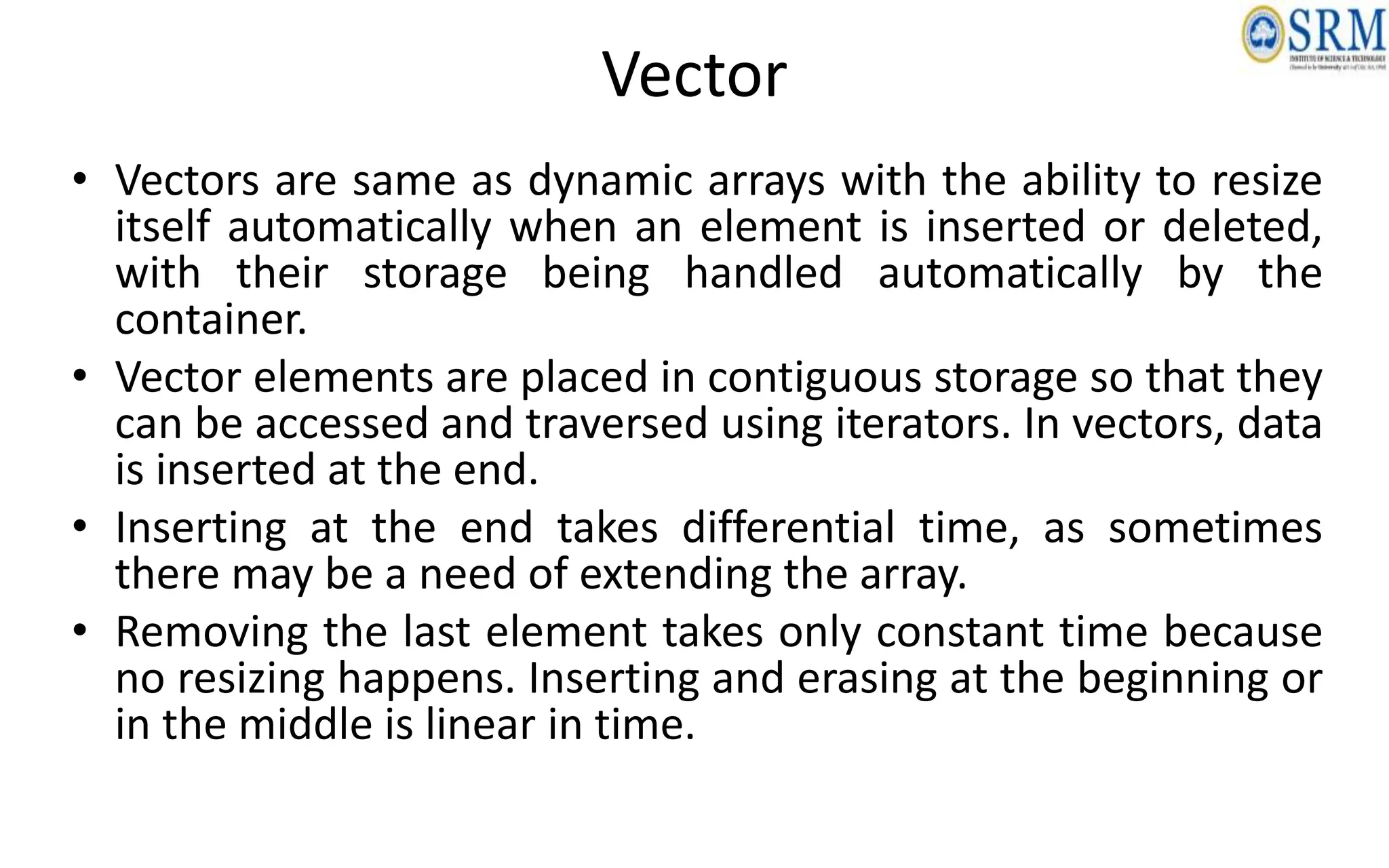
Vector
• Vectors are same as dynamic arrays with the ability to resize
itself automatically when an element is inserted or deleted,
with their storage being handled automatically by the
container.
• Vector elements are placed in contiguous storage so that they
can be accessed and traversed using iterators. In vectors, data
is inserted at the end.
• Inserting at the end takes differential time, as sometimes
there may be a need of extending the array.
• Removing the last element takes only constant time because
no resizing happens. Inserting and erasing at the beginning or
in the middle is linear in time.
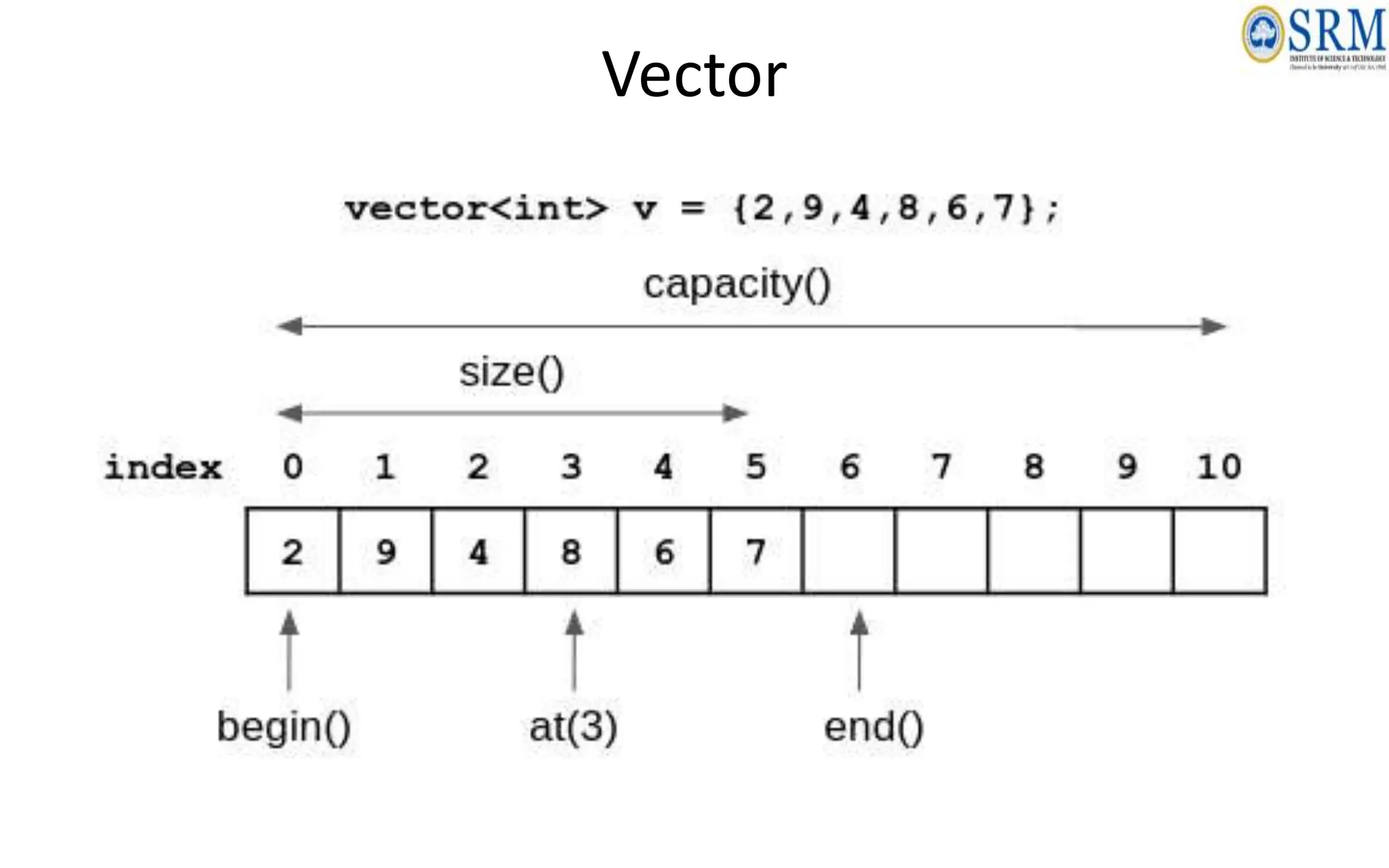
Vector
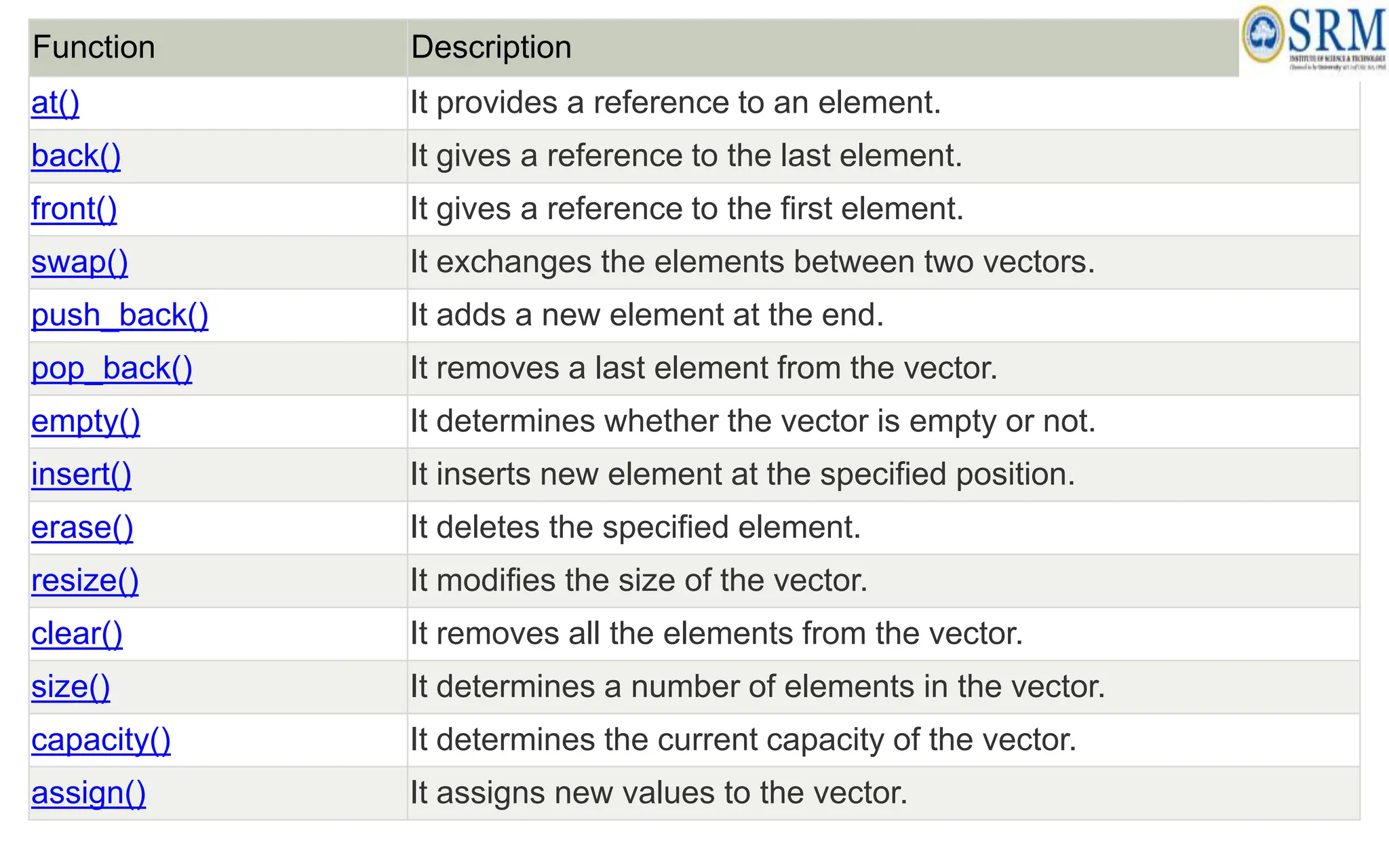
Function Description
at() It provides a reference to an element.
back() It gives a reference to the last element.
front() It gives a reference to the first element.
swap() It exchanges the elements between two vectors.
push_back() It adds a new element at the end.
pop_back() It removes a last element from the vector.
empty() It determines whether the vector is empty or not.
insert() It inserts new element at the specified position.
erase() It deletes the specified element.
resize() It modifies the size of the vector.
clear() It removes all the elements from the vector.
size() It determines a number of elements in the vector.
capacity() It determines the current capacity of the vector.
assign() It assigns new values to the vector.
Function Description
operator=() It assigns new values to the vector container.
operator[]() It access a specified element.
end() It refers to the past-lats-element in the vector.
emplace() It inserts a new element just before the position pos.
emplace_back() It inserts a new element at the end.
rend() It points the element preceding the first element of the vector.
rbegin() It points the last element of the vector.
begin() It points the first element of the vector.
max_size() It determines the maximum size that vector can hold.
cend() It refers to the past-last-element in the vector.
cbegin() It refers to the first element of the vector.
crbegin() It refers to the last character of the vector.
crend() It refers to the element preceding the first element of the vector.
data() It writes the data of the vector into an array.
shrink_to_fit() It reduces the capacity and makes it equal to the size of the vector.
Basic Vector Operations
• Add elements
• Access elements
• Change elements
• Remove elements
#include <iostream>
#include <vector>
using namespace std;
int main()
{
// Declare an empty vector of integers
vector<int> vec;
// Add elements to the vector
vec.push_back(10);
vec.push_back(20);
vec.push_back(30);
// Access elements using [] operator
cout << "First element: " << vec[0] << endl;
cout << "Second element: " << vec[1] << endl;
// Iterate over the vector using iterators
cout << "Vector elements: ";
for (auto it = vec.begin(); it != vec.end(); ++it) {
cout << *it << " ";
}
cout <<endl;
// Size of the vector
cout << "Vector size: " << vec.size() << endl;
// Remove the last element
vec.pop_back();
// Size after removing an element
cout << "Vector size after pop_back: " << vec.size() << endl;
return 0;
}
Output:
First element: 10
Second element: 20
Vector elements: 10 20 30
Vector size: 3
Vector size after pop_back: 2
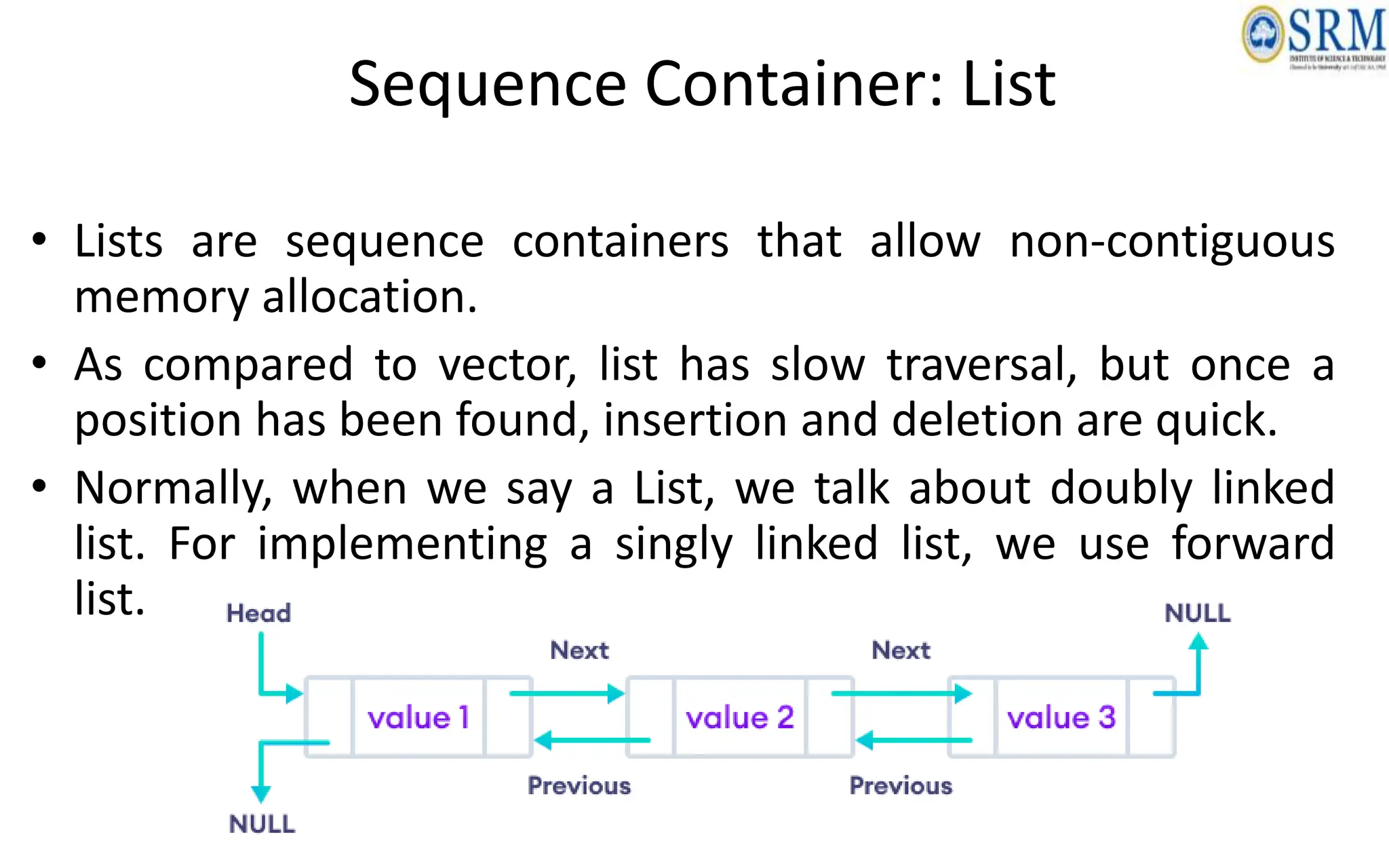
Sequence Container: List
• Lists are sequence containers that allow non-contiguous
memory allocation.
• As compared to vector, list has slow traversal, but once a
position has been found, insertion and deletion are quick.
• Normally, when we say a List, we talk about doubly linked
list. For implementing a singly linked list, we use forward
list.
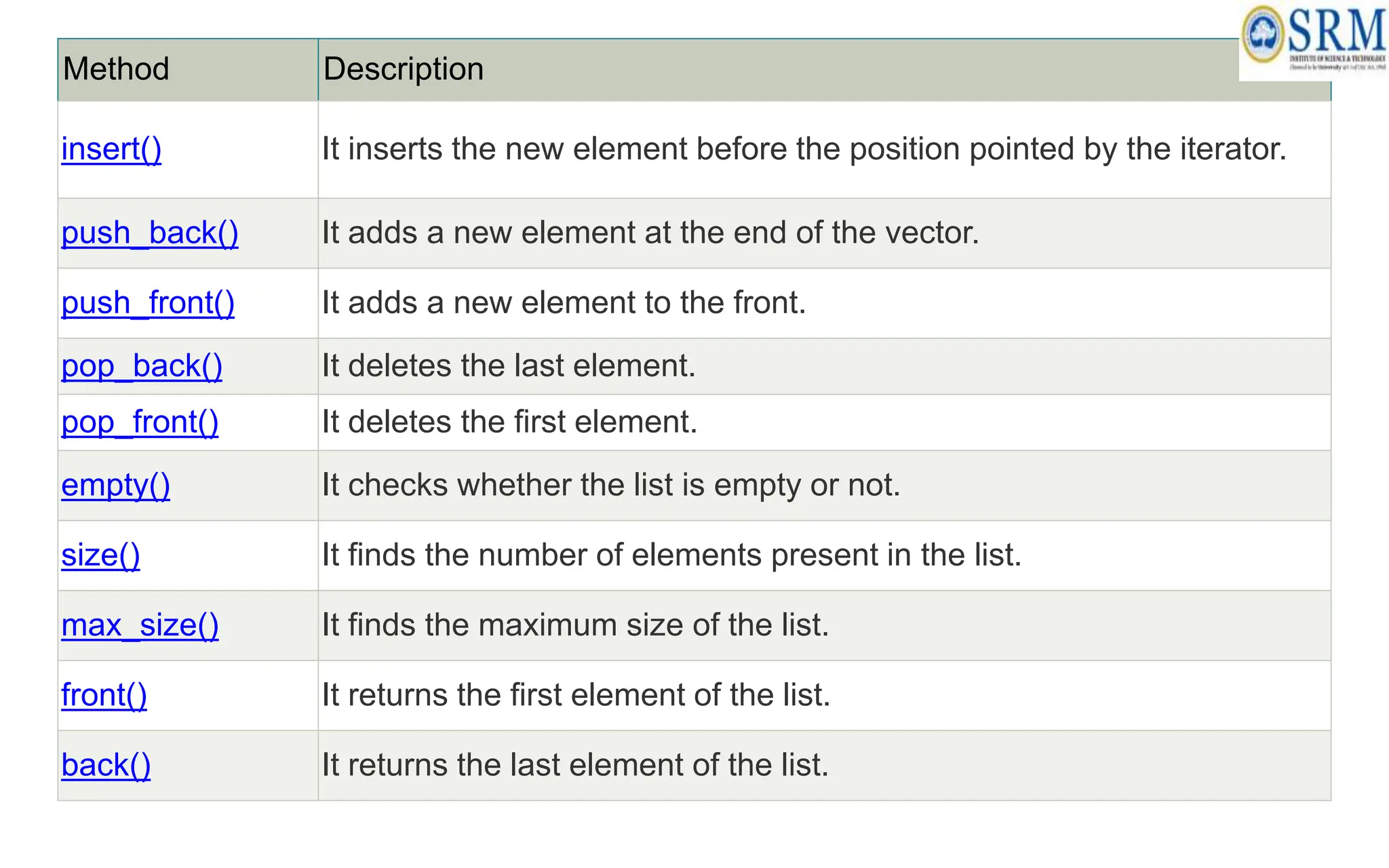
Method Description
insert() It inserts the new element before the position pointed by the iterator.
push_back() It adds a new element at the end of the vector.
push_front() It adds a new element to the front.
pop_back() It deletes the last element.
pop_front() It deletes the first element.
empty() It checks whether the list is empty or not.
size() It finds the number of elements present in the list.
max_size() It finds the maximum size of the list.
front() It returns the first element of the list.
back() It returns the last element of the list.
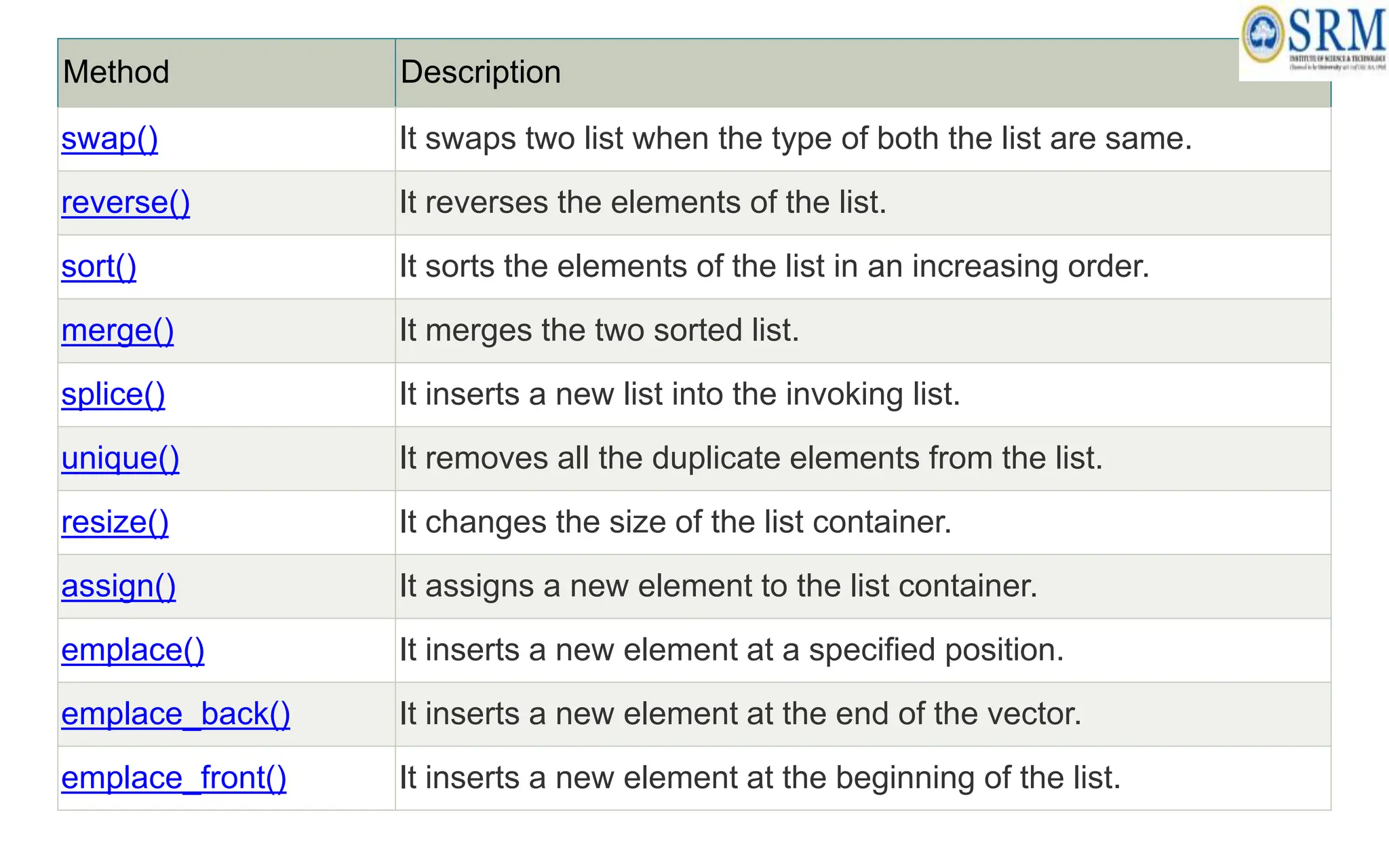
Method Description
swap() It swaps two list when the type of both the list are same.
reverse() It reverses the elements of the list.
sort() It sorts the elements of the list in an increasing order.
merge() It merges the two sorted list.
splice() It inserts a new list into the invoking list.
unique() It removes all the duplicate elements from the list.
resize() It changes the size of the list container.
assign() It assigns a new element to the list container.
emplace() It inserts a new element at a specified position.
emplace_back() It inserts a new element at the end of the vector.
emplace_front() It inserts a new element at the beginning of the list.
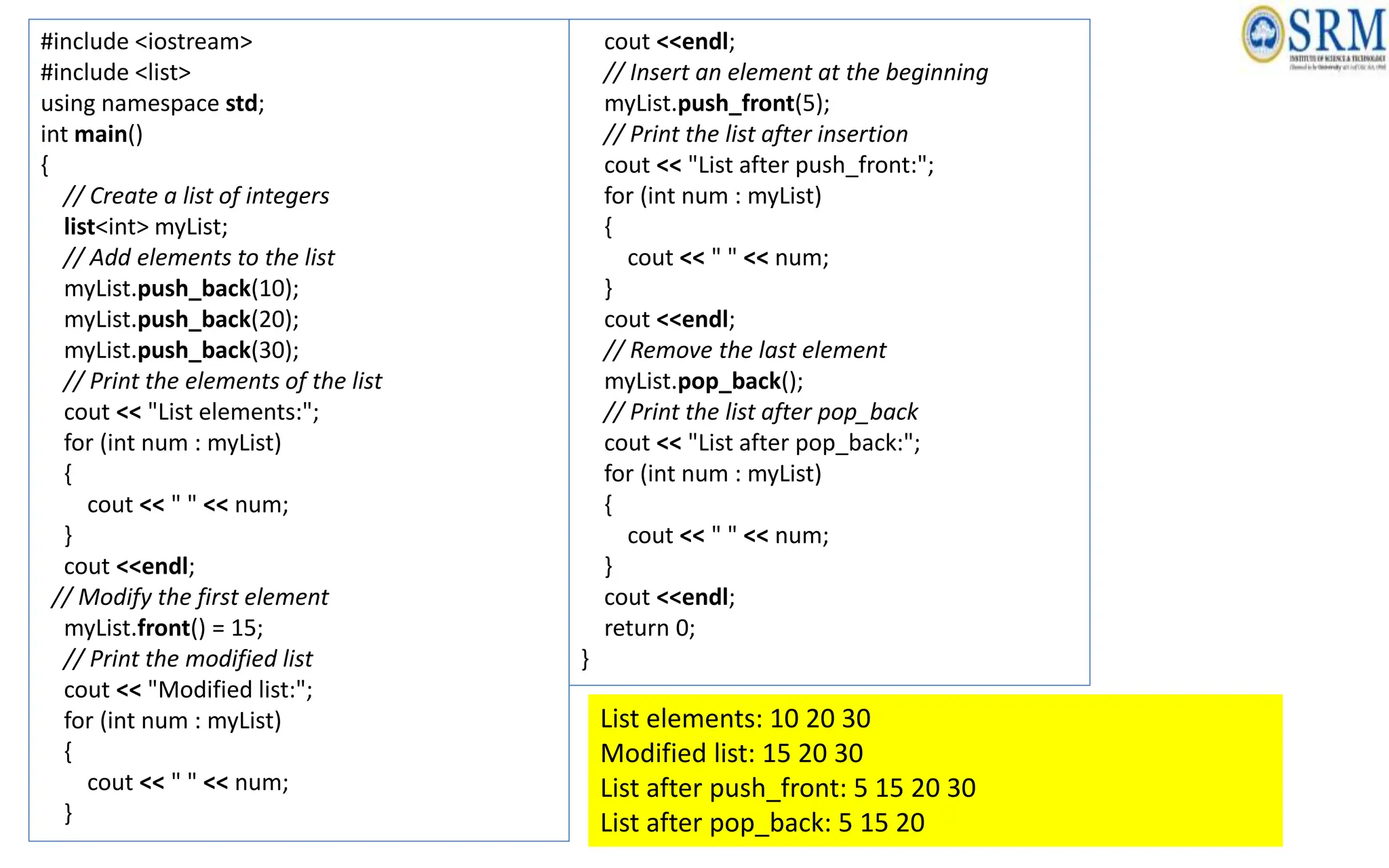
#include <iostream>
#include <list>
using namespace std;
int main()
{
// Create a list of integers
list<int> myList;
// Add elements to the list
myList.push_back(10);
myList.push_back(20);
myList.push_back(30);
// Print the elements of the list
cout << "List elements:";
for (int num : myList)
{
cout << " " << num;
}
cout <<endl;
// Modify the first element
myList.front() = 15;
// Print the modified list
cout << "Modified list:";
for (int num : myList)
{
cout << " " << num;
}
cout <<endl;
// Insert an element at the beginning
myList.push_front(5);
// Print the list after insertion
cout << "List after push_front:";
for (int num : myList)
{
cout << " " << num;
}
cout <<endl;
// Remove the last element
myList.pop_back();
// Print the list after pop_back
cout << "List after pop_back:";
for (int num : myList)
{
cout << " " << num;
}
cout <<endl;
return 0;
}
List elements: 10 20 30
Modified list: 15 20 30
List after push_front: 5 15 20 30
List after pop_back: 5 15 20
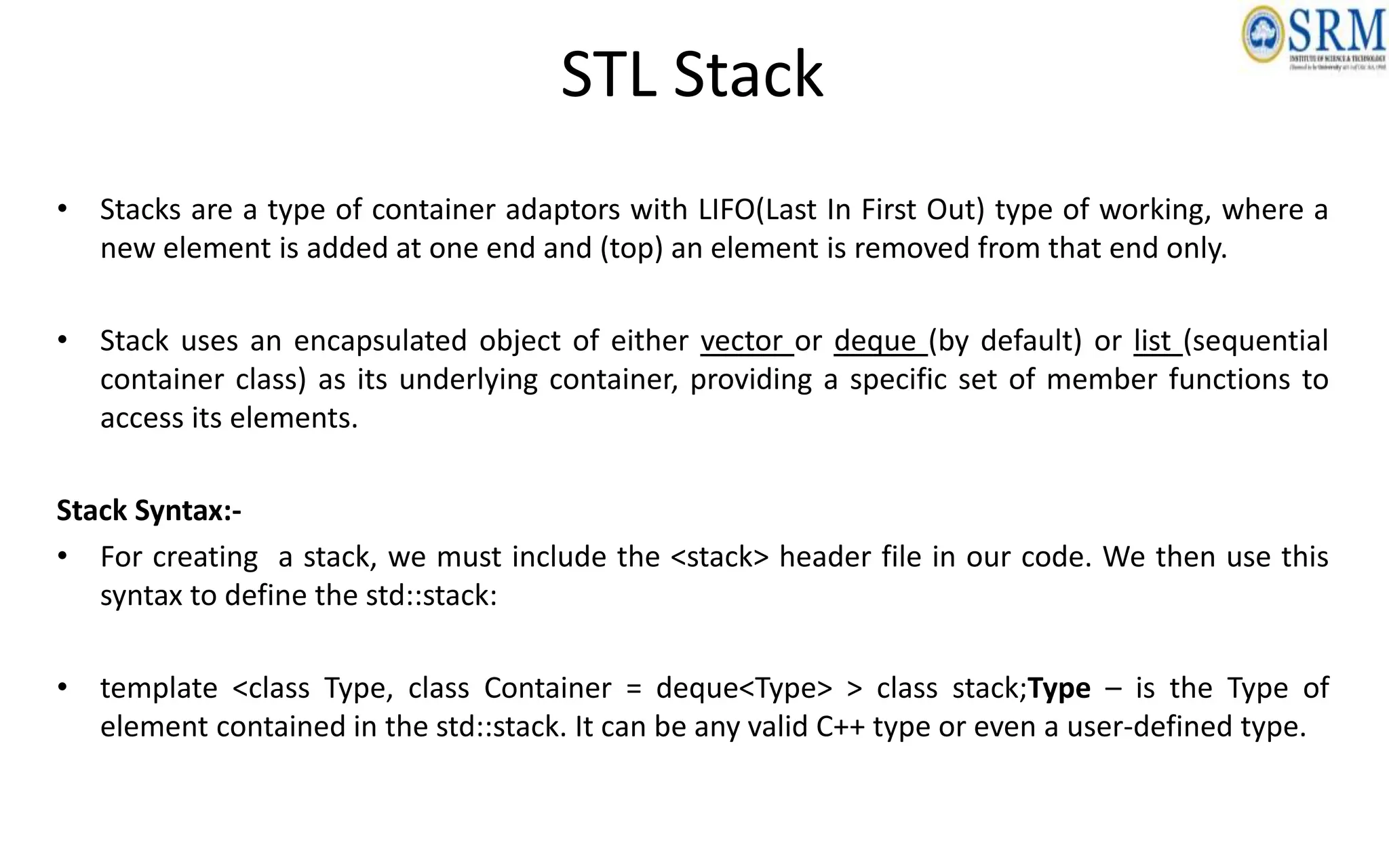
STL Stack
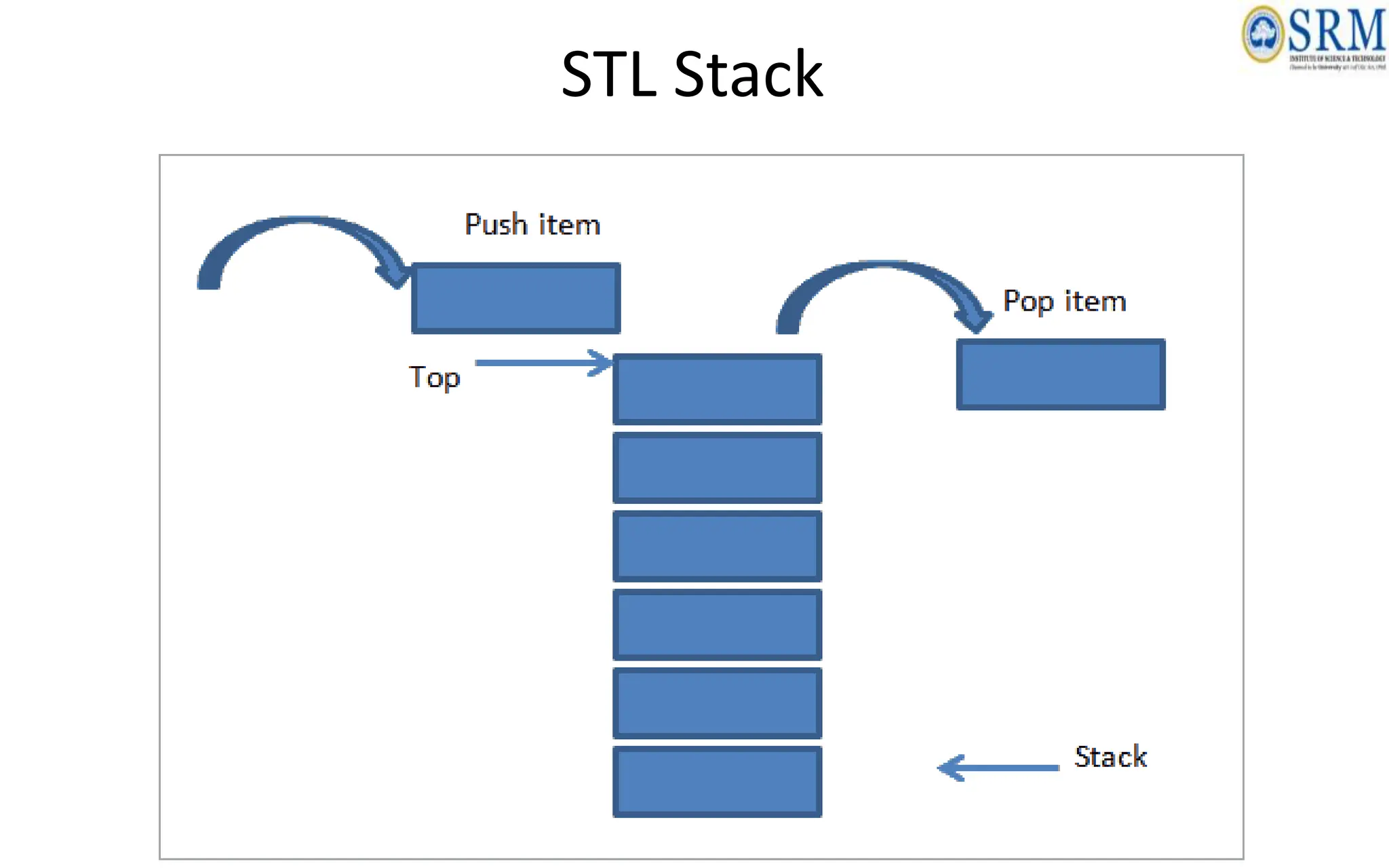
• Stacks are a type of container adaptors with LIFO(Last In First Out) type of working, where a
new element is added at one end and (top) an element is removed from that end only.
• Stack uses an encapsulated object of either vector or deque (by default) or list (sequential
container class) as its underlying container, providing a specific set of member functions to
access its elements.
Stack Syntax:-
• For creating a stack, we must include the <stack> header file in our code. We then use this
syntax to define the std::stack:
• template <class Type, class Container = deque<Type> > class stack;Type – is the Type of
element contained in the std::stack. It can be any valid C++ type or even a user-defined type.
STL Stack
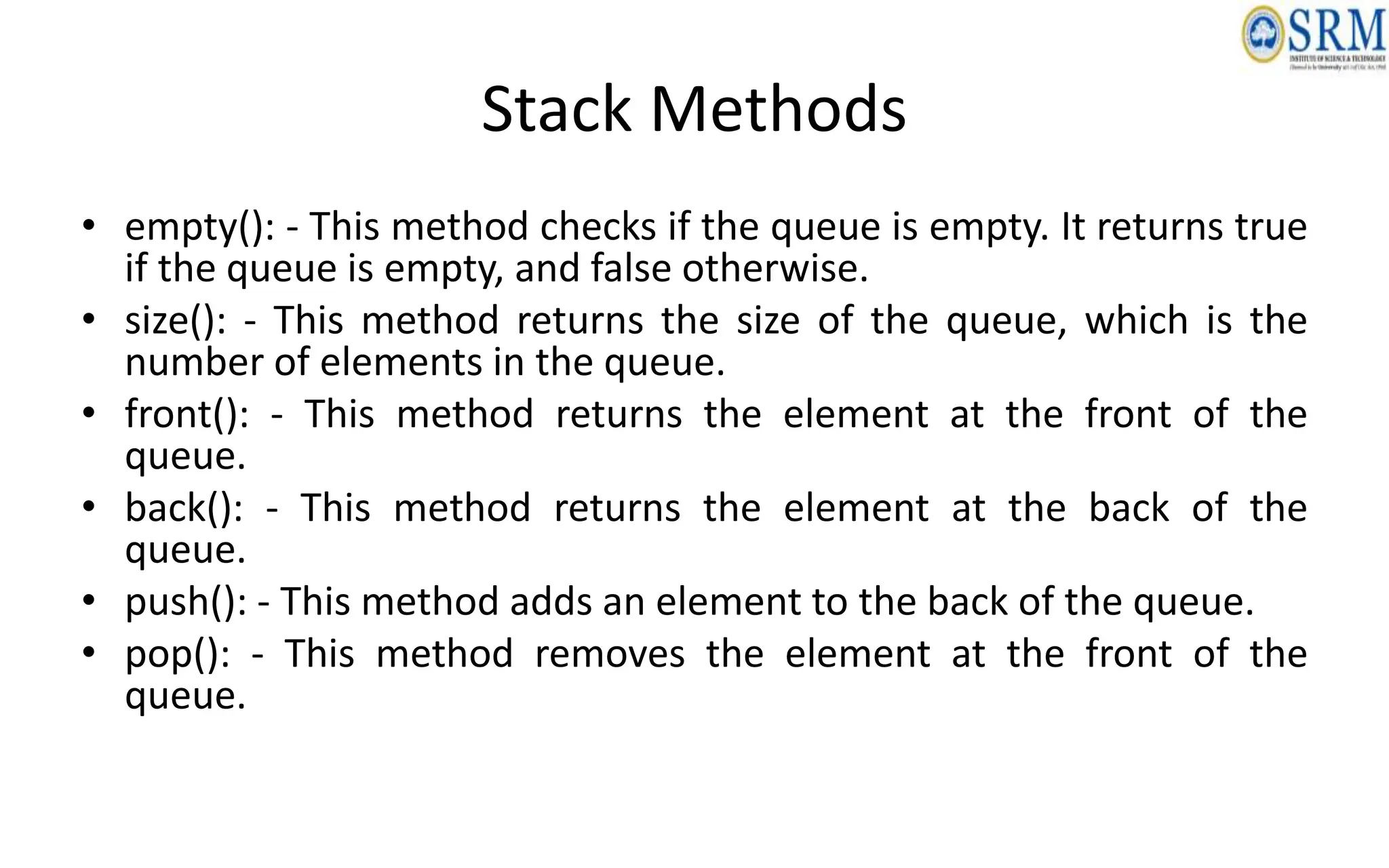
Stack Methods
• empty(): - This method checks if the queue is empty. It returns true
if the queue is empty, and false otherwise.
• size(): - This method returns the size of the queue, which is the
number of elements in the queue.
• front(): - This method returns the element at the front of the
queue.
• back(): - This method returns the element at the back of the
queue.
• push(): - This method adds an element to the back of the queue.
• pop(): - This method removes the element at the front of the
queue.
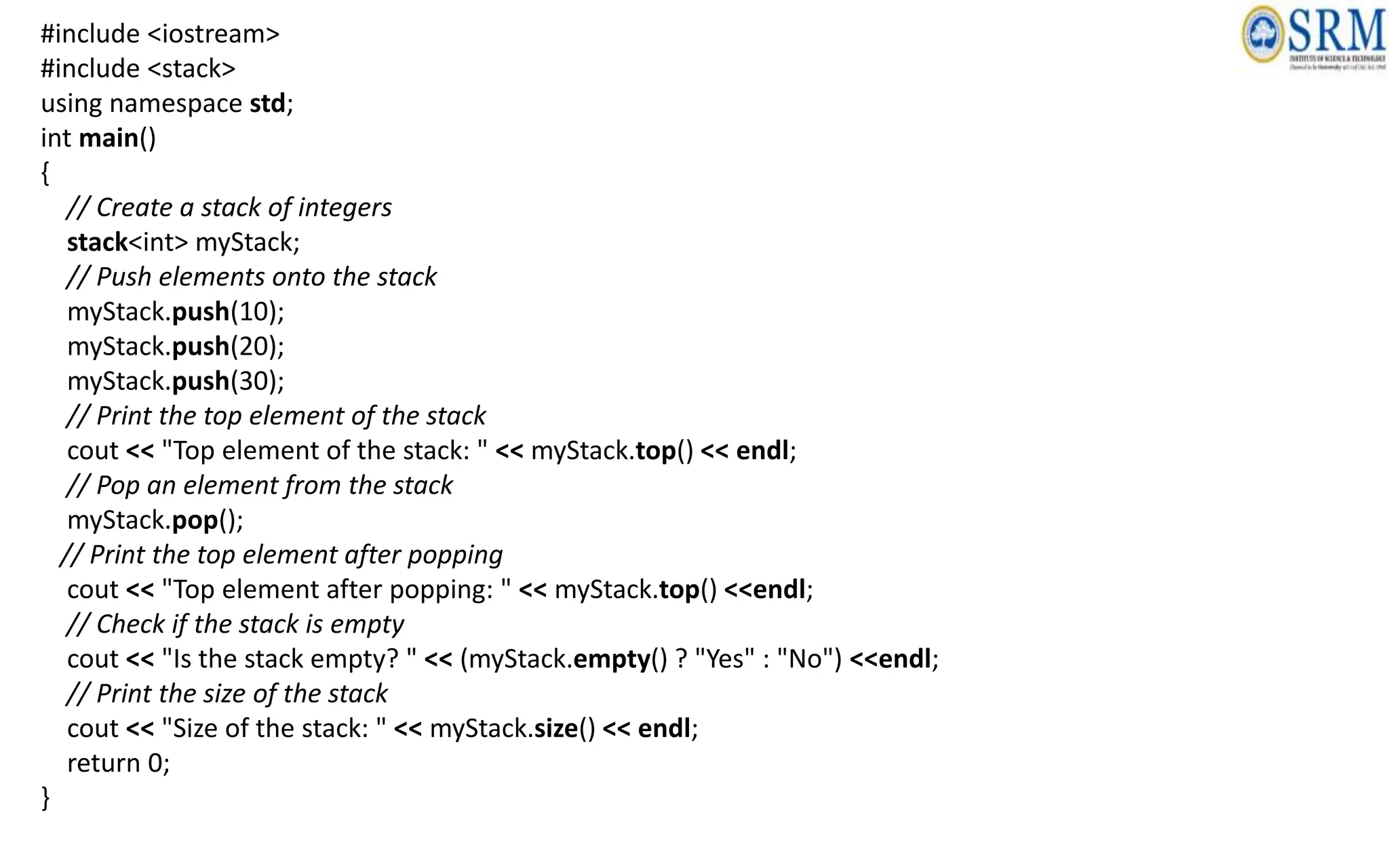
#include <iostream>
#include <stack>
using namespace std;
int main()
{
// Create a stack of integers
stack<int> myStack;
// Push elements onto the stack
myStack.push(10);
myStack.push(20);
myStack.push(30);
// Print the top element of the stack
cout << "Top element of the stack: " << myStack.top() << endl;
// Pop an element from the stack
myStack.pop();
// Print the top element after popping
cout << "Top element after popping: " << myStack.top() <<endl;
// Check if the stack is empty
cout << "Is the stack empty? " << (myStack.empty() ? "Yes" : "No") <<endl;
// Print the size of the stack
cout << "Size of the stack: " << myStack.size() << endl;
return 0;
}
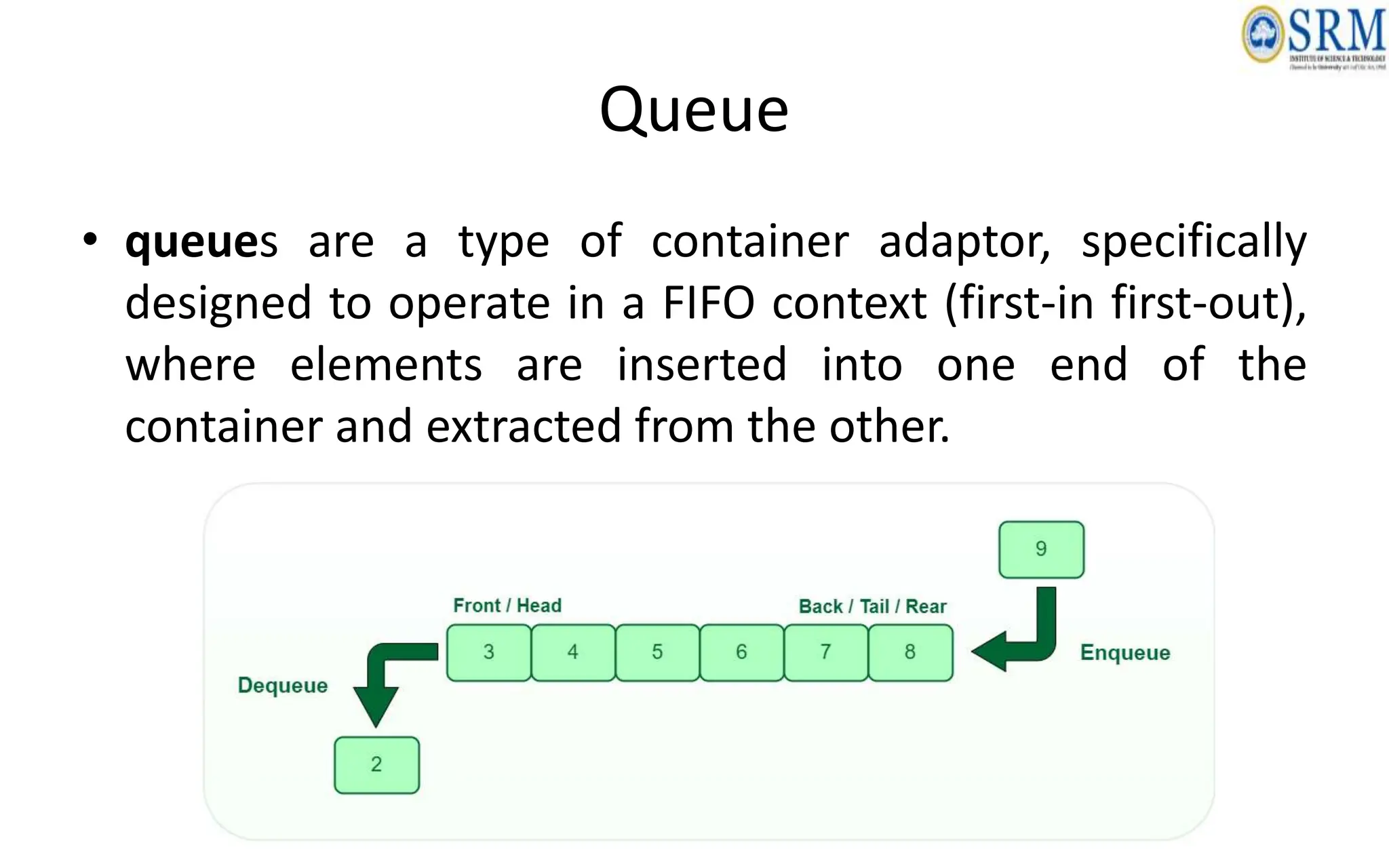
Queue
• queues are a type of container adaptor, specifically
designed to operate in a FIFO context (first-in first-out),
where elements are inserted into one end of the
container and extracted from the other.
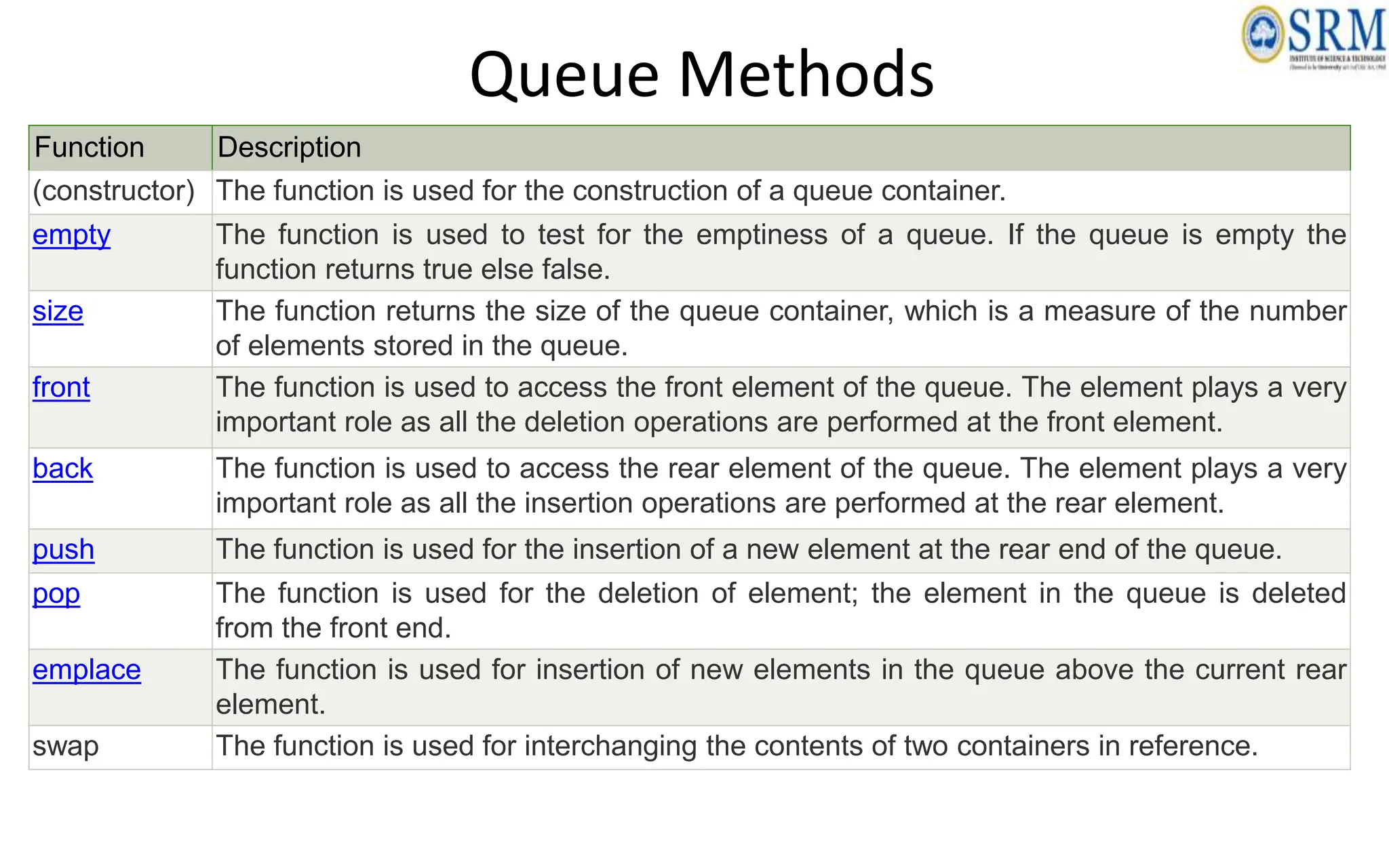
Queue Methods
Function Description
(constructor) The function is used for the construction of a queue container.
empty The function is used to test for the emptiness of a queue. If the queue is empty the
function returns true else false.
size The function returns the size of the queue container, which is a measure of the number
of elements stored in the queue.
front The function is used to access the front element of the queue. The element plays a very
important role as all the deletion operations are performed at the front element.
back The function is used to access the rear element of the queue. The element plays a very
important role as all the insertion operations are performed at the rear element.
push The function is used for the insertion of a new element at the rear end of the queue.
pop The function is used for the deletion of element; the element in the queue is deleted
from the front end.
emplace The function is used for insertion of new elements in the queue above the current rear
element.
swap The function is used for interchanging the contents of two containers in reference.
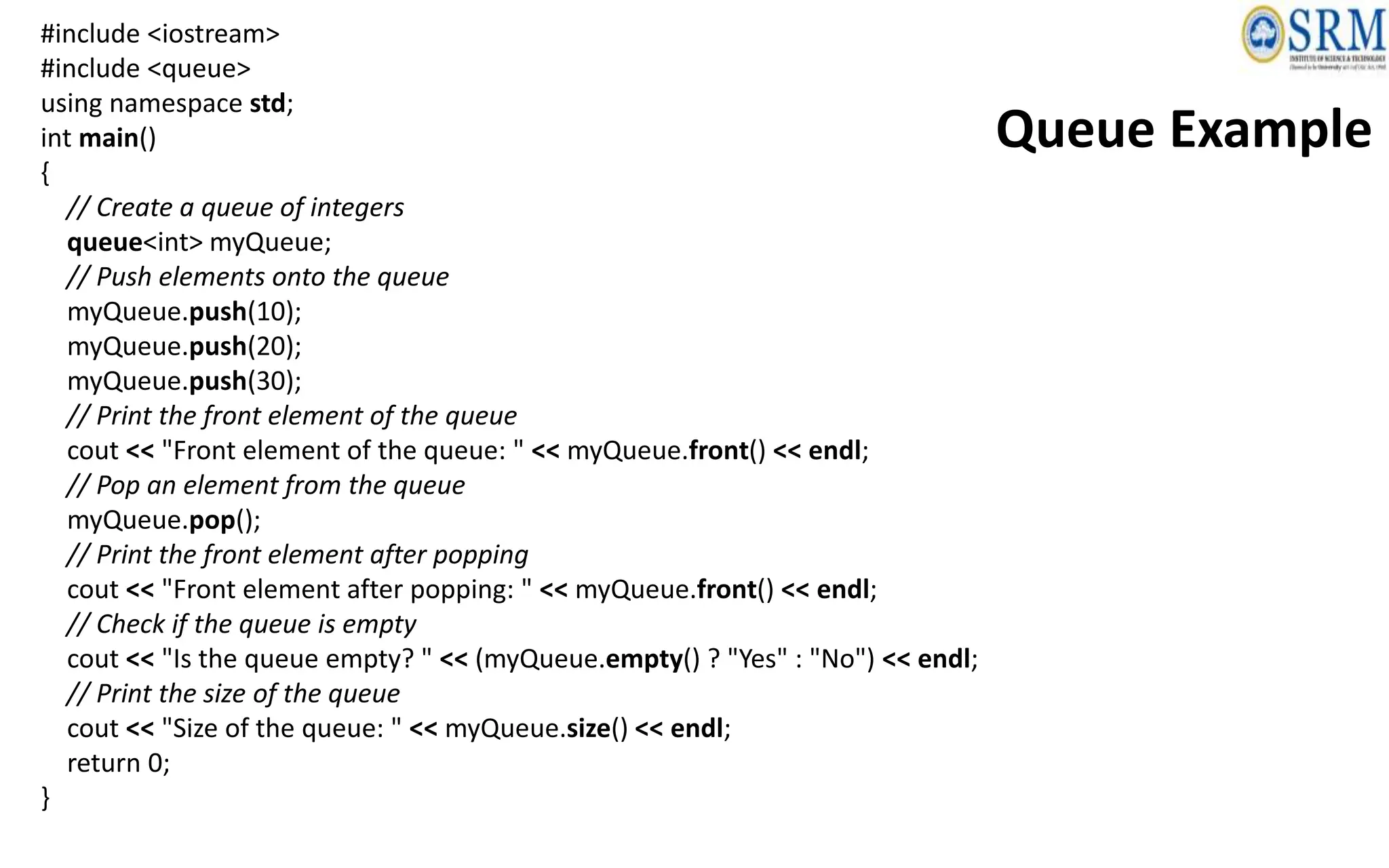
#include <iostream>
#include <queue>
using namespace std;
int main()
{
// Create a queue of integers
queue<int> myQueue;
// Push elements onto the queue
myQueue.push(10);
myQueue.push(20);
myQueue.push(30);
// Print the front element of the queue
cout << "Front element of the queue: " << myQueue.front() << endl;
// Pop an element from the queue
myQueue.pop();
// Print the front element after popping
cout << "Front element after popping: " << myQueue.front() << endl;
// Check if the queue is empty
cout << "Is the queue empty? " << (myQueue.empty() ? "Yes" : "No") << endl;
// Print the size of the queue
cout << "Size of the queue: " << myQueue.size() << endl;
return 0;
}
Queue Example
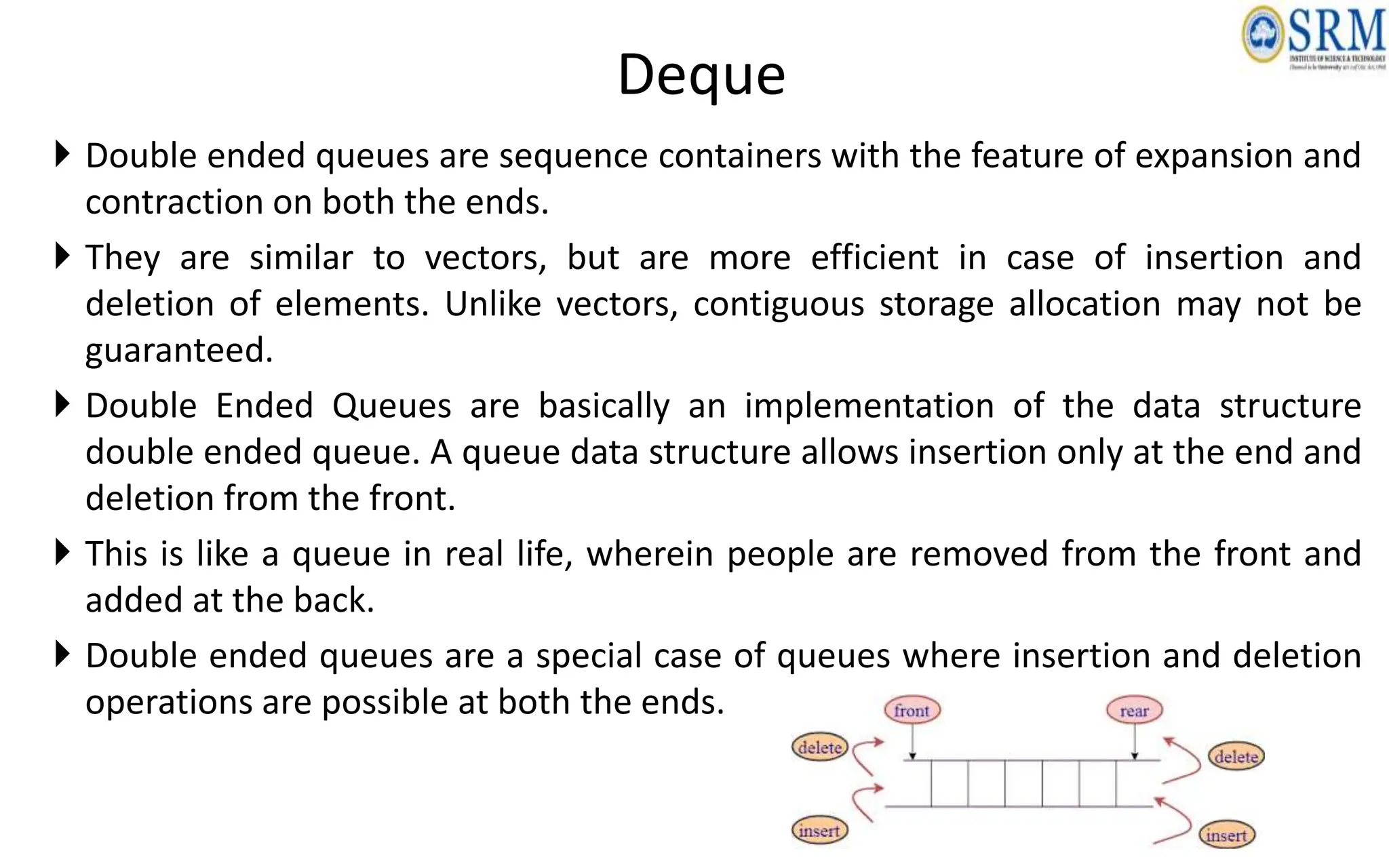
Deque
 Double ended queues are sequence containers with the feature of expansion and
contraction on both the ends.
 They are similar to vectors, but are more efficient in case of insertion and
deletion of elements. Unlike vectors, contiguous storage allocation may not be
guaranteed.
 Double Ended Queues are basically an implementation of the data structure
double ended queue. A queue data structure allows insertion only at the end and
deletion from the front.
 This is like a queue in real life, wherein people are removed from the front and
added at the back.
 Double ended queues are a special case of queues where insertion and deletion
operations are possible at both the ends.
Deque Methods
• assign(): - Assigns new contents to the deque, replacing its current
contents.
• at(): - Returns a reference to the element at a specified position in the
deque.
• back(): - Returns a reference to the last element in the deque.
• begin(): - Returns an iterator to the beginning of the deque.
• clear(): - Removes all elements from the deque.
• empty(): - Checks if the deque is empty.
• end(): - Returns an iterator to the end of the deque.
• erase(): - Removes elements from the deque.
• front(): - Returns a reference to the first element in the deque.
• insert(): - Inserts new elements into the deque.
Deque Methods
• max_size(): - Returns the maximum number of elements that the deque
can hold.
• pop_back(): - Removes the last element from the deque.
• pop_front(): - Removes the first element from the deque.
• push_back(): - Inserts a new element at the end of the deque.
• push_front(): - Inserts a new element at the beginning of the deque.
• resize(): - Resizes the deque to a specified size.
• rbegin(): - Returns a reverse iterator to the beginning of the deque.
• rend(): - Returns a reverse iterator to the end of the deque.
• size(): - Returns the number of elements in the deque.
• swap(): - Exchanges the contents of the deque with another deque.
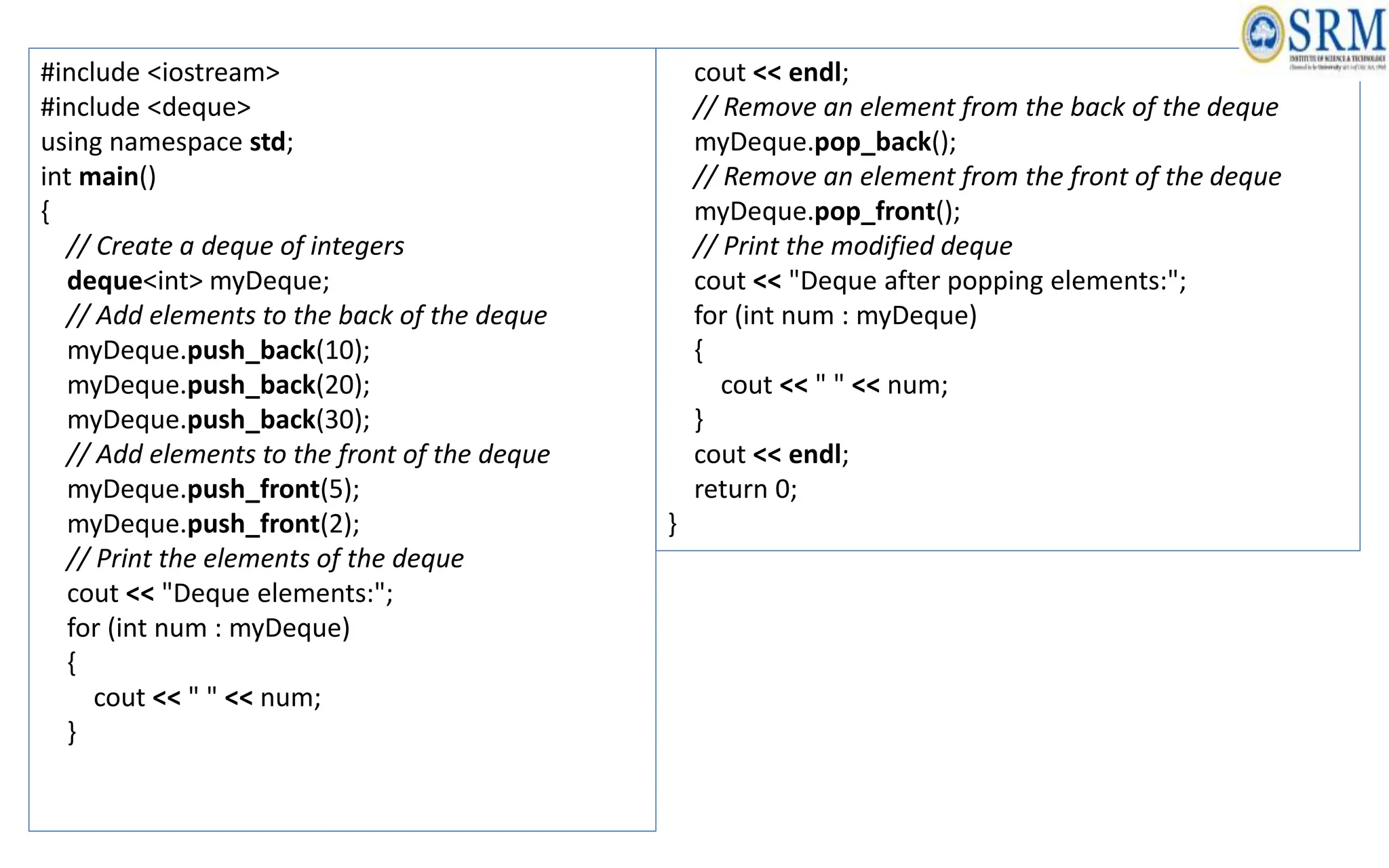
#include <iostream>
#include <deque>
using namespace std;
int main()
{
// Create a deque of integers
deque<int> myDeque;
// Add elements to the back of the deque
myDeque.push_back(10);
myDeque.push_back(20);
myDeque.push_back(30);
// Add elements to the front of the deque
myDeque.push_front(5);
myDeque.push_front(2);
// Print the elements of the deque
cout << "Deque elements:";
for (int num : myDeque)
{
cout << " " << num;
}
cout << endl;
// Remove an element from the back of the deque
myDeque.pop_back();
// Remove an element from the front of the deque
myDeque.pop_front();
// Print the modified deque
cout << "Deque after popping elements:";
for (int num : myDeque)
{
cout << " " << num;
}
cout << endl;
return 0;
}
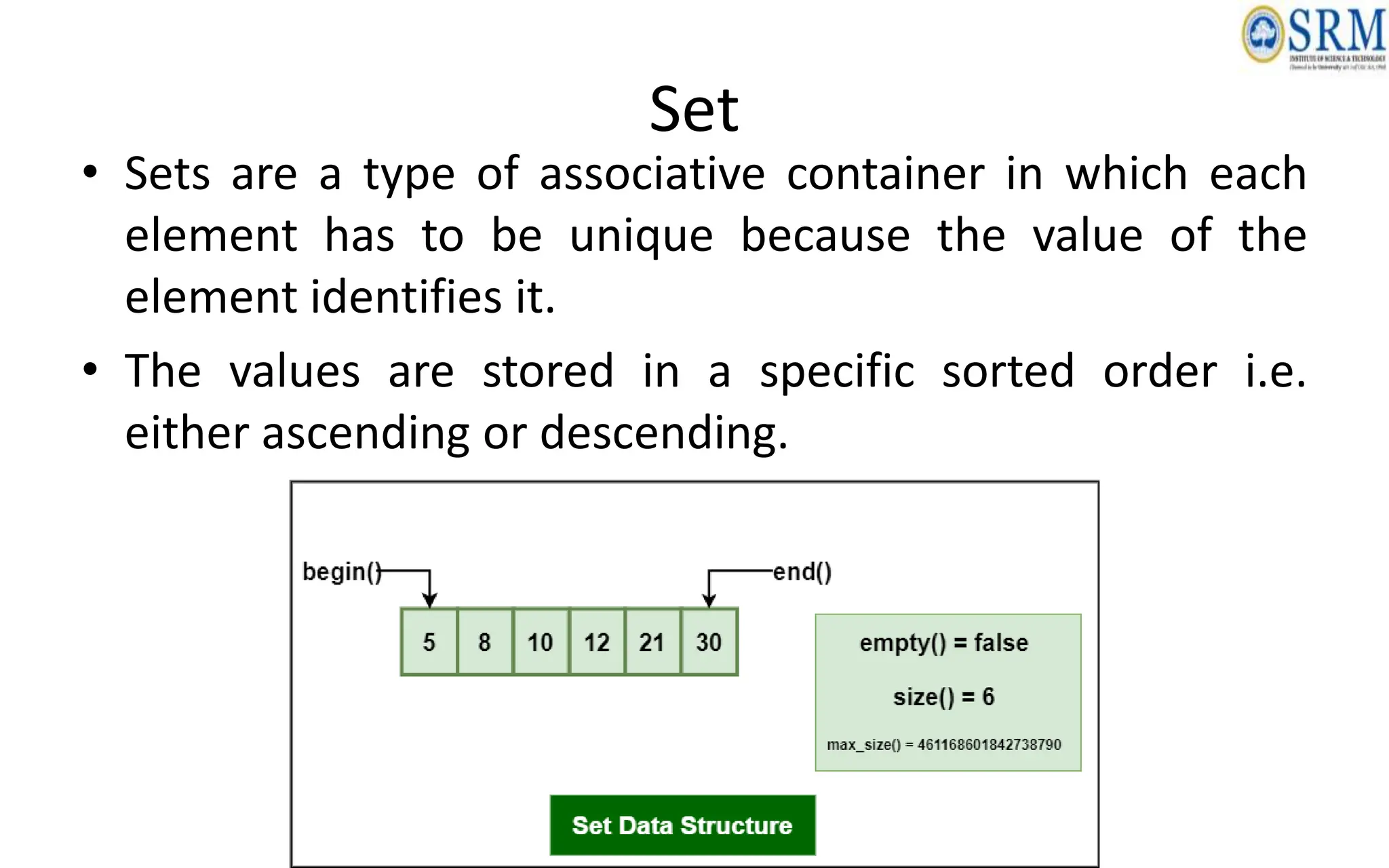
Set
• Sets are a type of associative container in which each
element has to be unique because the value of the
element identifies it.
• The values are stored in a specific sorted order i.e.
either ascending or descending.
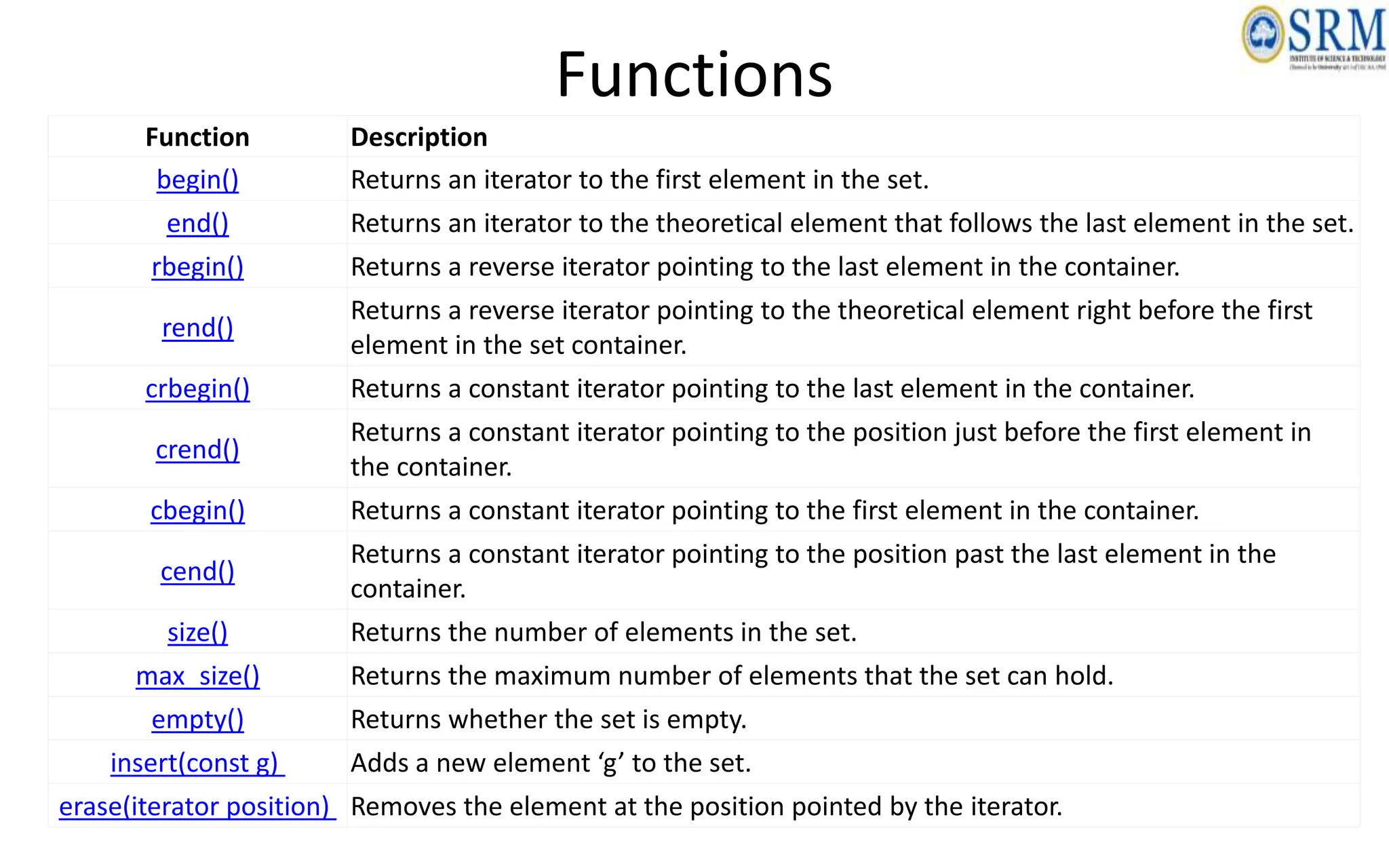
Functions
Function Description
begin() Returns an iterator to the first element in the set.
end() Returns an iterator to the theoretical element that follows the last element in the set.
rbegin() Returns a reverse iterator pointing to the last element in the container.
rend()
Returns a reverse iterator pointing to the theoretical element right before the first
element in the set container.
crbegin() Returns a constant iterator pointing to the last element in the container.
crend()
Returns a constant iterator pointing to the position just before the first element in
the container.
cbegin() Returns a constant iterator pointing to the first element in the container.
cend()
Returns a constant iterator pointing to the position past the last element in the
container.
size() Returns the number of elements in the set.
max_size() Returns the maximum number of elements that the set can hold.
empty() Returns whether the set is empty.
insert(const g) Adds a new element ‘g’ to the set.
erase(iterator position) Removes the element at the position pointed by the iterator.
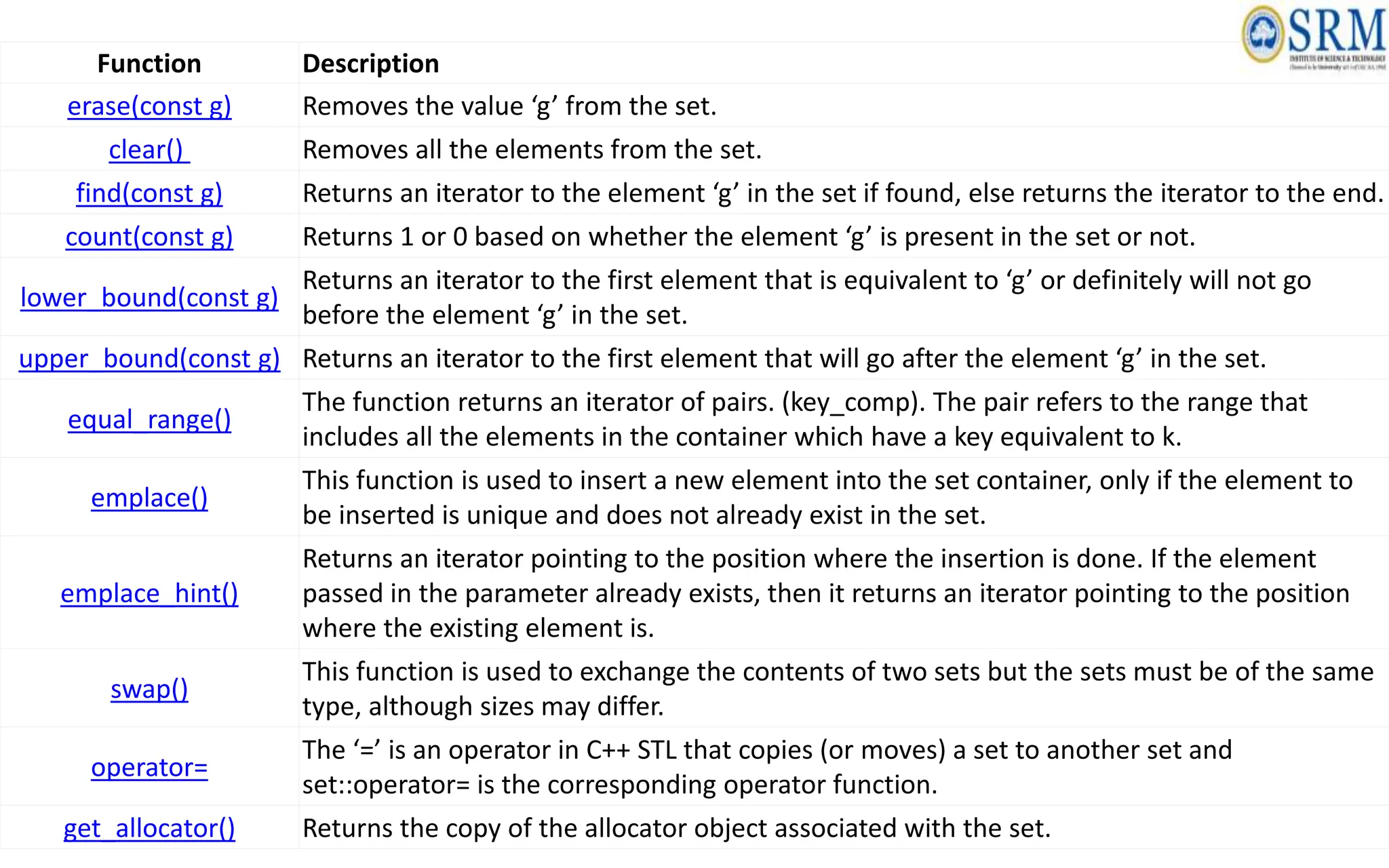
Function Description
erase(const g) Removes the value ‘g’ from the set.
clear() Removes all the elements from the set.
find(const g) Returns an iterator to the element ‘g’ in the set if found, else returns the iterator to the end.
count(const g) Returns 1 or 0 based on whether the element ‘g’ is present in the set or not.
lower_bound(const g)
Returns an iterator to the first element that is equivalent to ‘g’ or definitely will not go
before the element ‘g’ in the set.
upper_bound(const g) Returns an iterator to the first element that will go after the element ‘g’ in the set.
equal_range()
The function returns an iterator of pairs. (key_comp). The pair refers to the range that
includes all the elements in the container which have a key equivalent to k.
emplace()
This function is used to insert a new element into the set container, only if the element to
be inserted is unique and does not already exist in the set.
emplace_hint()
Returns an iterator pointing to the position where the insertion is done. If the element
passed in the parameter already exists, then it returns an iterator pointing to the position
where the existing element is.
swap()
This function is used to exchange the contents of two sets but the sets must be of the same
type, although sizes may differ.
operator=
The ‘=’ is an operator in C++ STL that copies (or moves) a set to another set and
set::operator= is the corresponding operator function.
get_allocator() Returns the copy of the allocator object associated with the set.
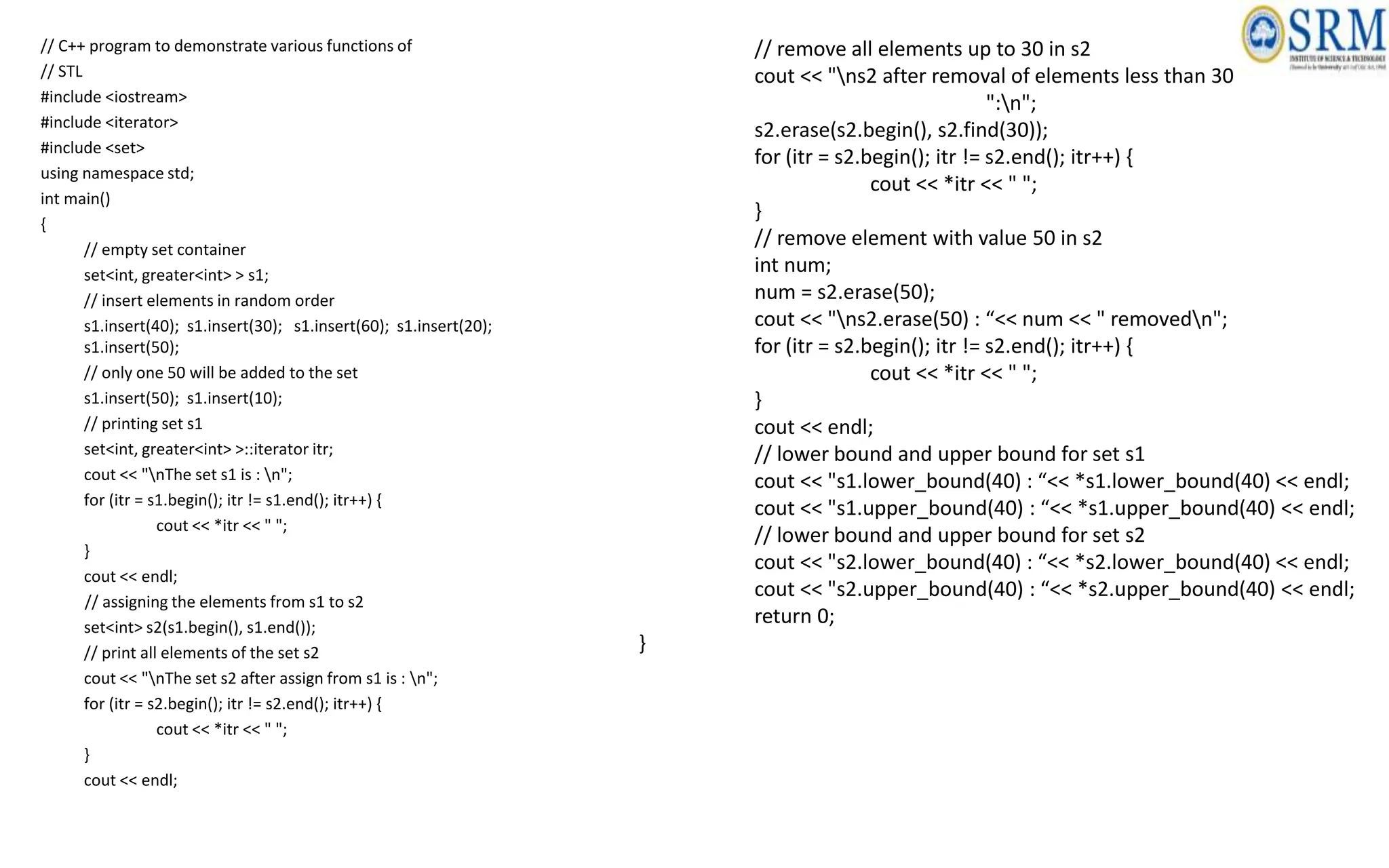
// C++ program to demonstrate various functions of
// STL
#include <iostream>
#include <iterator>
#include <set>
using namespace std;
int main()
{
// empty set container
set<int, greater<int> > s1;
// insert elements in random order
s1.insert(40); s1.insert(30); s1.insert(60); s1.insert(20);
s1.insert(50);
// only one 50 will be added to the set
s1.insert(50); s1.insert(10);
// printing set s1
set<int, greater<int> >::iterator itr;
cout << "nThe set s1 is : n";
for (itr = s1.begin(); itr != s1.end(); itr++) {
cout << *itr << " ";
}
cout << endl;
// assigning the elements from s1 to s2
set<int> s2(s1.begin(), s1.end());
// print all elements of the set s2
cout << "nThe set s2 after assign from s1 is : n";
for (itr = s2.begin(); itr != s2.end(); itr++) {
cout << *itr << " ";
}
cout << endl;
// remove all elements up to 30 in s2
cout << "ns2 after removal of elements less than 30 "
":n";
s2.erase(s2.begin(), s2.find(30));
for (itr = s2.begin(); itr != s2.end(); itr++) {
cout << *itr << " ";
}
// remove element with value 50 in s2
int num;
num = s2.erase(50);
cout << "ns2.erase(50) : “<< num << " removedn";
for (itr = s2.begin(); itr != s2.end(); itr++) {
cout << *itr << " ";
}
cout << endl;
// lower bound and upper bound for set s1
cout << "s1.lower_bound(40) : “<< *s1.lower_bound(40) << endl;
cout << "s1.upper_bound(40) : “<< *s1.upper_bound(40) << endl;
// lower bound and upper bound for set s2
cout << "s2.lower_bound(40) : “<< *s2.lower_bound(40) << endl;
cout << "s2.upper_bound(40) : “<< *s2.upper_bound(40) << endl;
return 0;
}
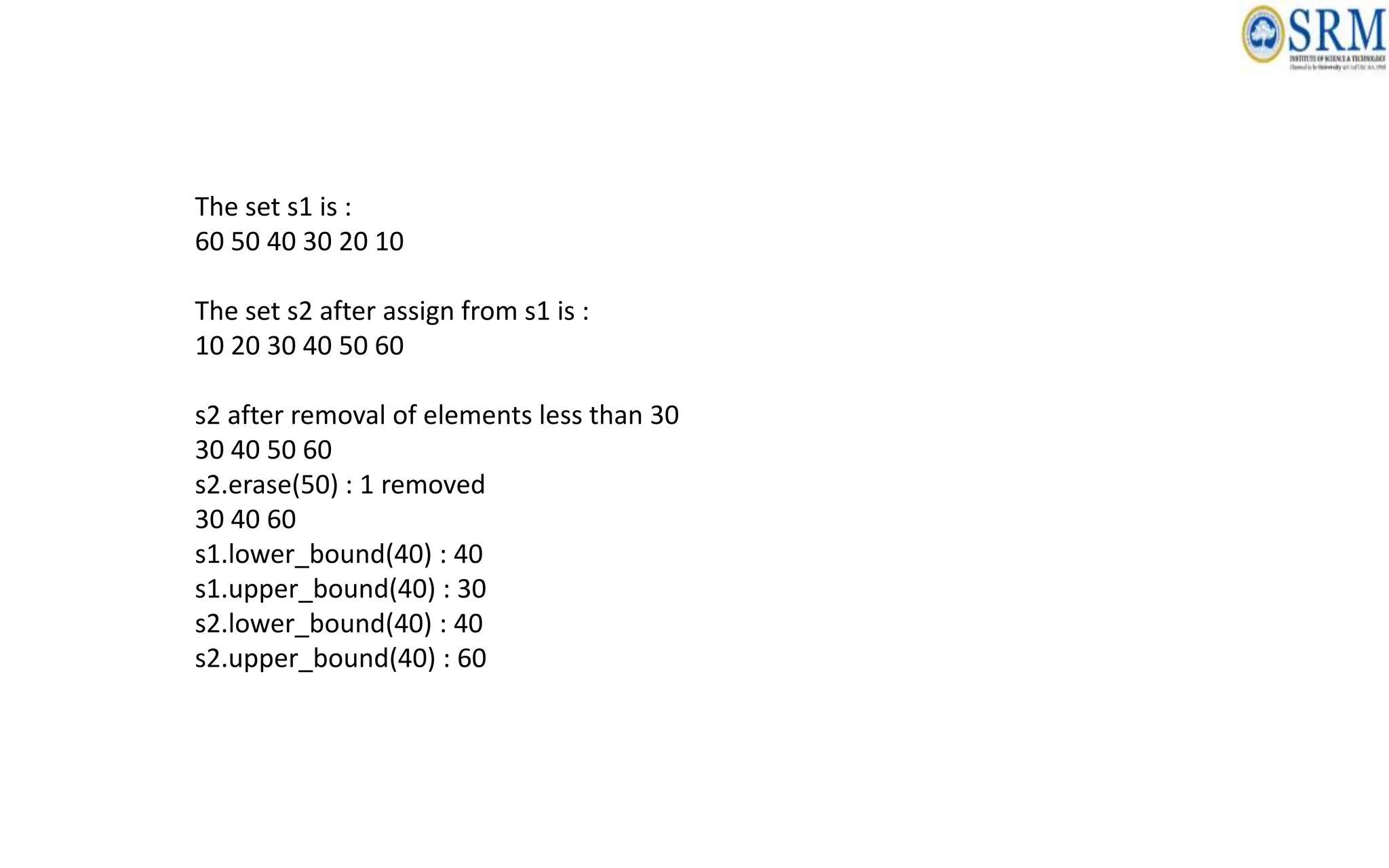
The set s1 is :
60 50 40 30 20 10
The set s2 after assign from s1 is :
10 20 30 40 50 60
s2 after removal of elements less than 30
30 40 50 60
s2.erase(50) : 1 removed
30 40 60
s1.lower_bound(40) : 40
s1.upper_bound(40) : 30
s2.lower_bound(40) : 40
s2.upper_bound(40) : 60
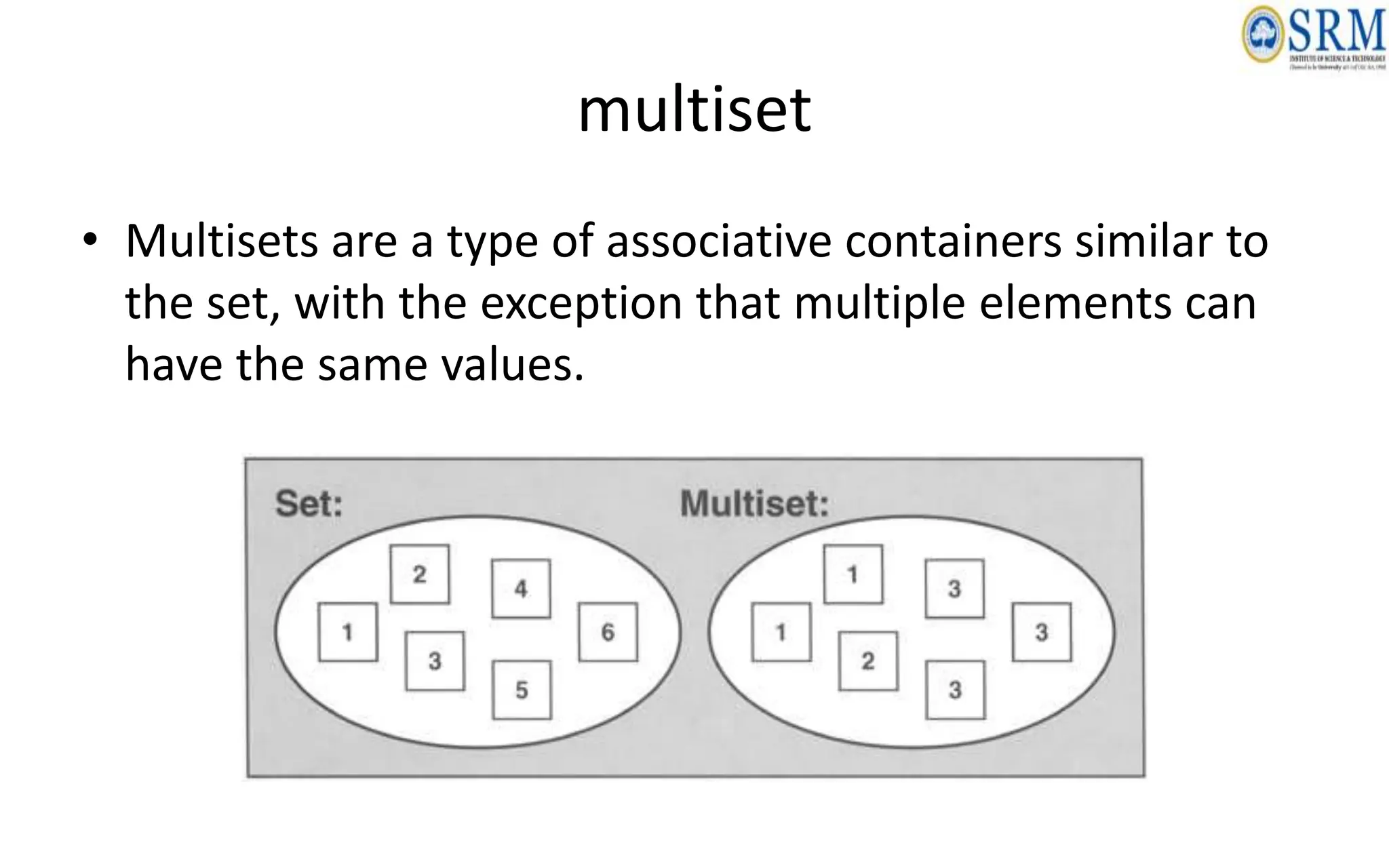
multiset
• Multisets are a type of associative containers similar to
the set, with the exception that multiple elements can
have the same values.
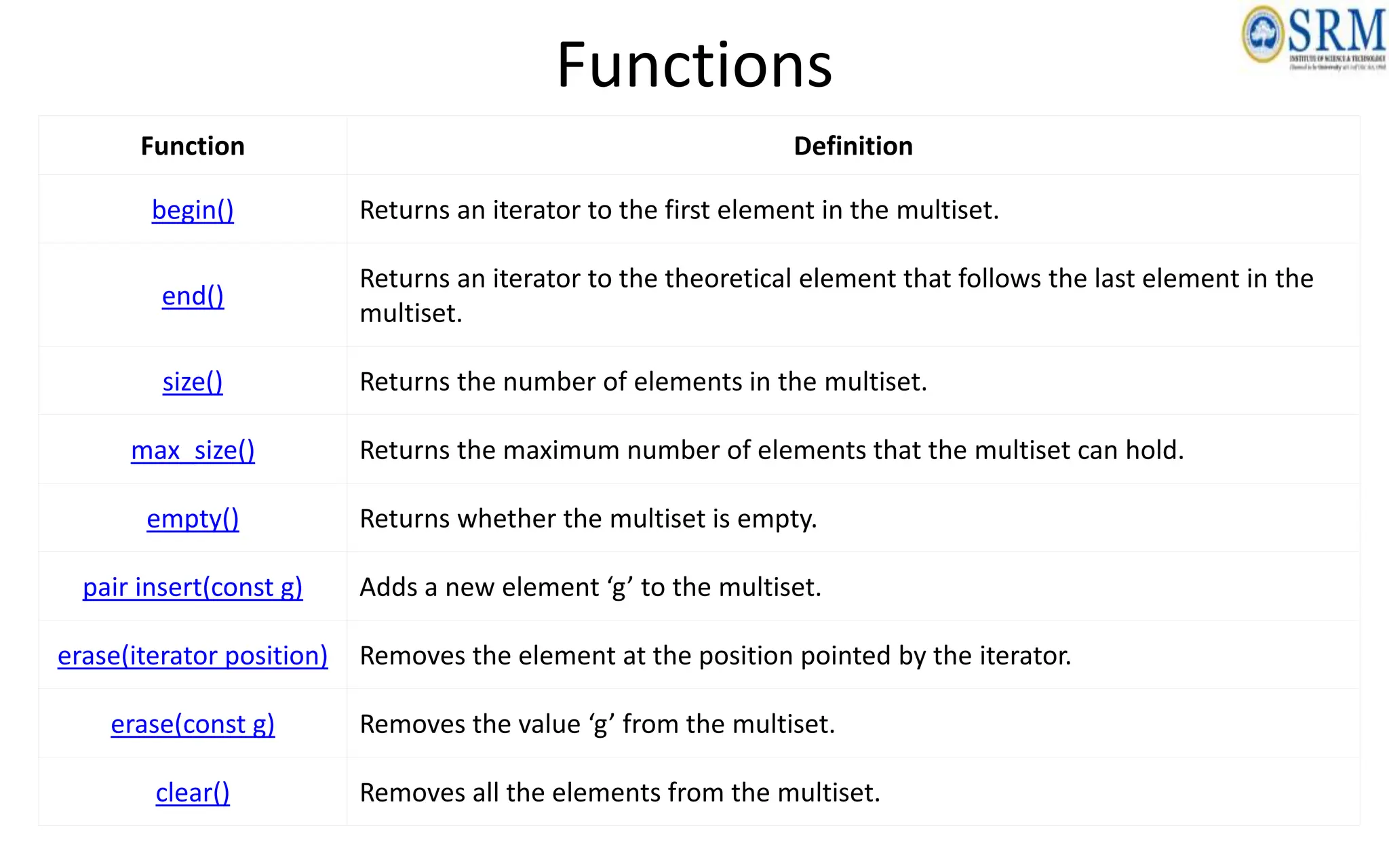
Functions
Function Definition
begin() Returns an iterator to the first element in the multiset.
end()
Returns an iterator to the theoretical element that follows the last element in the
multiset.
size() Returns the number of elements in the multiset.
max_size() Returns the maximum number of elements that the multiset can hold.
empty() Returns whether the multiset is empty.
pair insert(const g) Adds a new element ‘g’ to the multiset.
erase(iterator position) Removes the element at the position pointed by the iterator.
erase(const g) Removes the value ‘g’ from the multiset.
clear() Removes all the elements from the multiset.
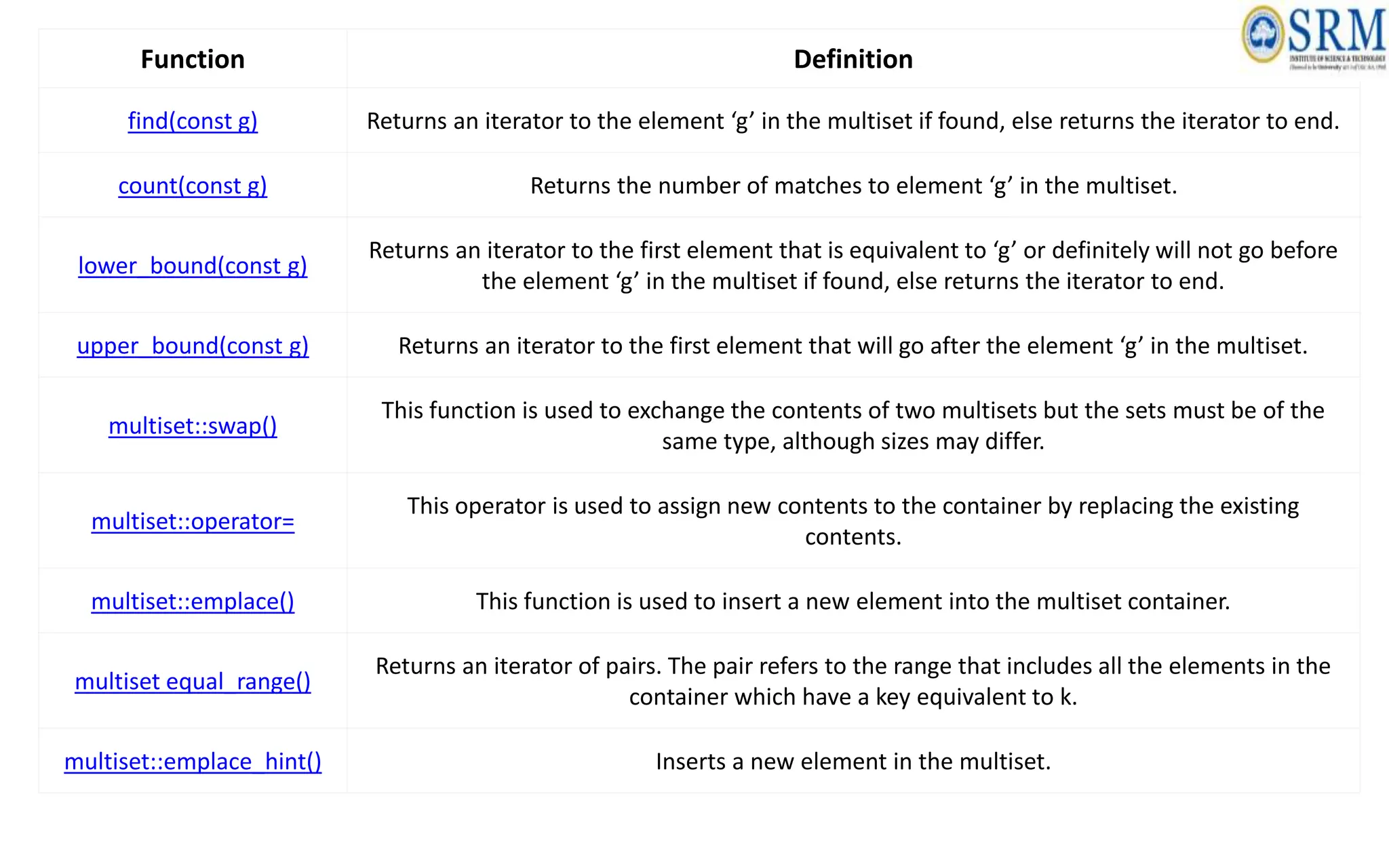
Function Definition
find(const g) Returns an iterator to the element ‘g’ in the multiset if found, else returns the iterator to end.
count(const g) Returns the number of matches to element ‘g’ in the multiset.
lower_bound(const g)
Returns an iterator to the first element that is equivalent to ‘g’ or definitely will not go before
the element ‘g’ in the multiset if found, else returns the iterator to end.
upper_bound(const g) Returns an iterator to the first element that will go after the element ‘g’ in the multiset.
multiset::swap()
This function is used to exchange the contents of two multisets but the sets must be of the
same type, although sizes may differ.
multiset::operator=
This operator is used to assign new contents to the container by replacing the existing
contents.
multiset::emplace() This function is used to insert a new element into the multiset container.
multiset equal_range()
Returns an iterator of pairs. The pair refers to the range that includes all the elements in the
container which have a key equivalent to k.
multiset::emplace_hint() Inserts a new element in the multiset.
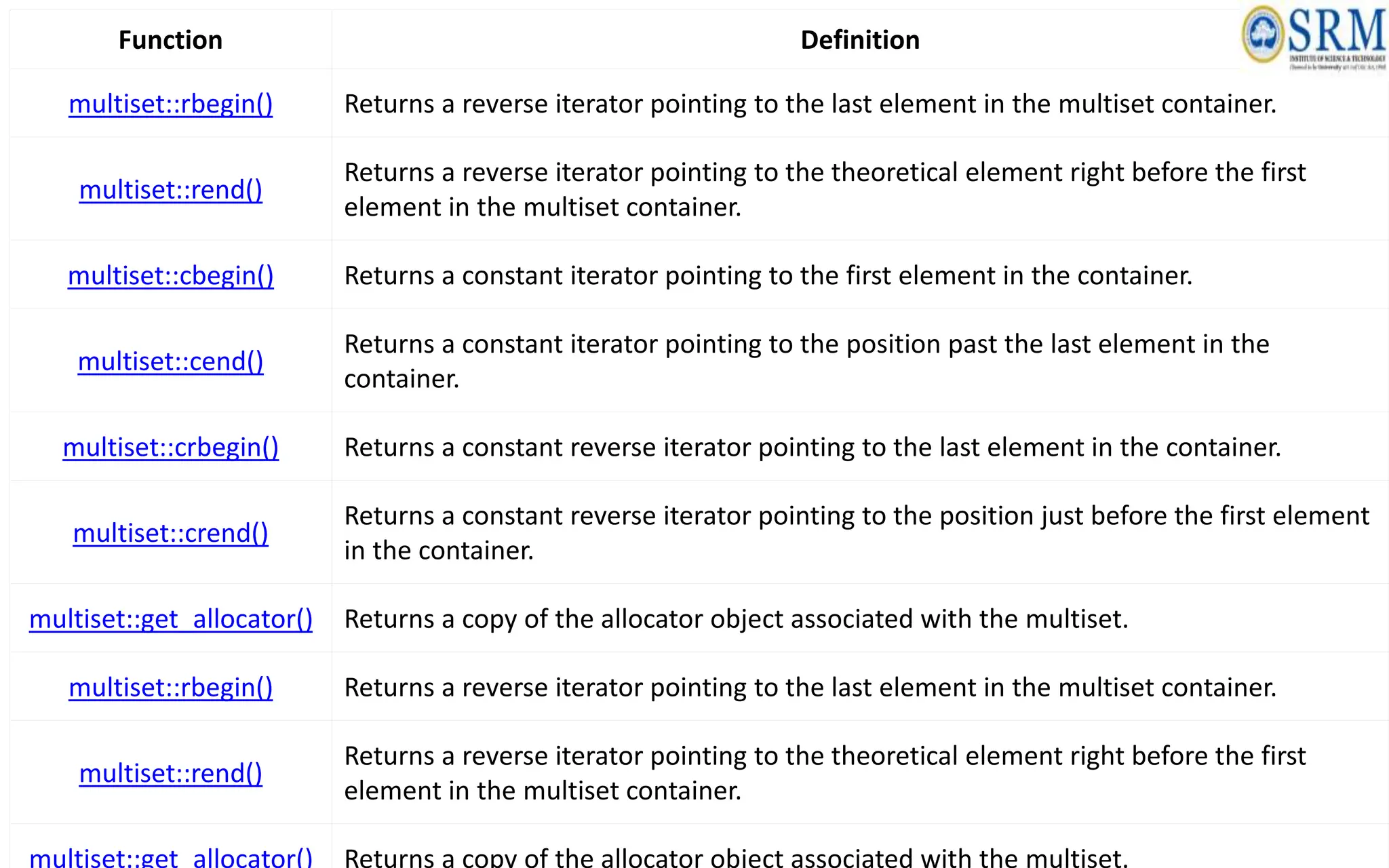
Function Definition
multiset::rbegin() Returns a reverse iterator pointing to the last element in the multiset container.
multiset::rend()
Returns a reverse iterator pointing to the theoretical element right before the first
element in the multiset container.
multiset::cbegin() Returns a constant iterator pointing to the first element in the container.
multiset::cend()
Returns a constant iterator pointing to the position past the last element in the
container.
multiset::crbegin() Returns a constant reverse iterator pointing to the last element in the container.
multiset::crend()
Returns a constant reverse iterator pointing to the position just before the first element
in the container.
multiset::get_allocator() Returns a copy of the allocator object associated with the multiset.
multiset::rbegin() Returns a reverse iterator pointing to the last element in the multiset container.
multiset::rend()
Returns a reverse iterator pointing to the theoretical element right before the first
element in the multiset container.
multiset::get_allocator() Returns a copy of the allocator object associated with the multiset.
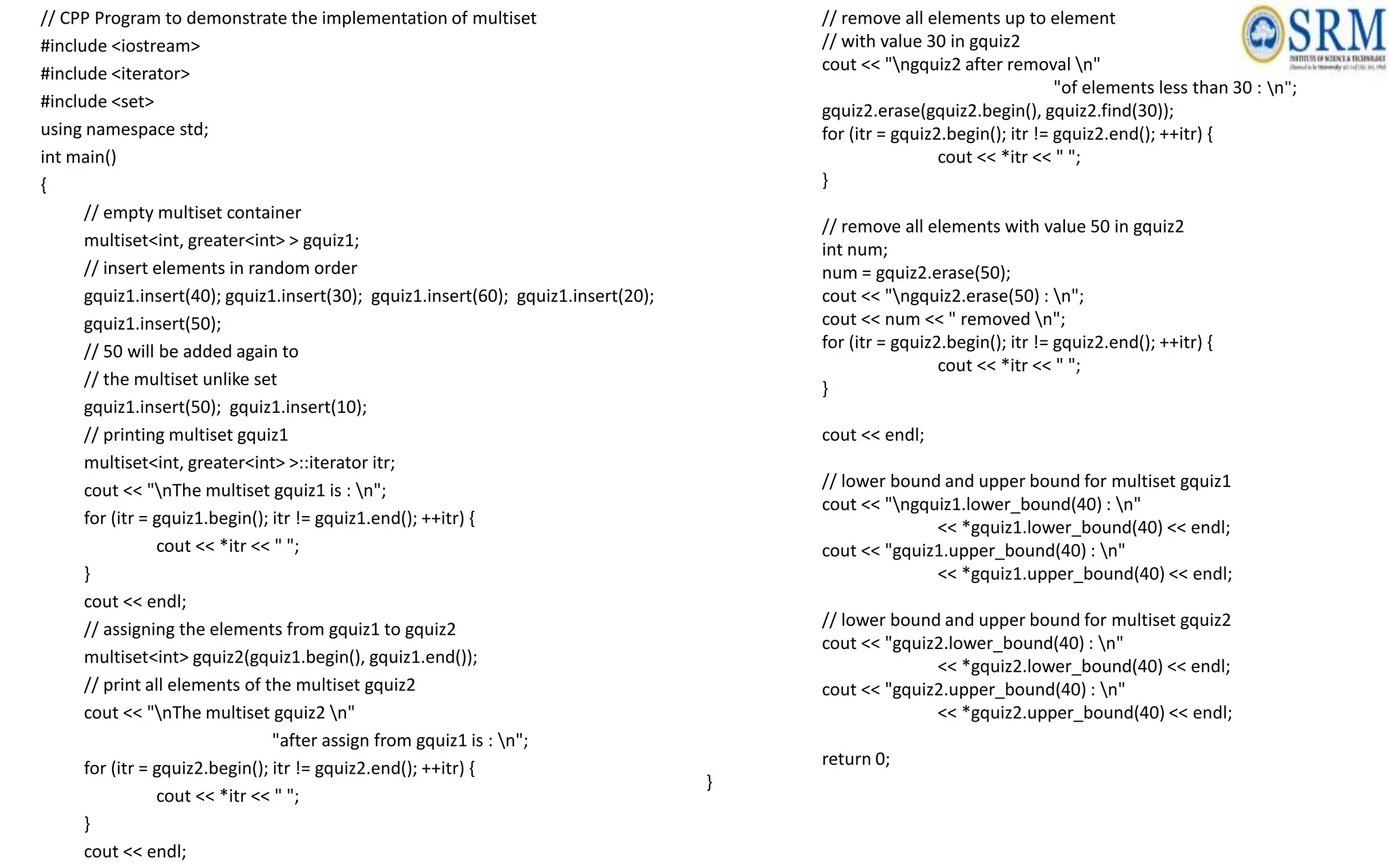
// CPP Program to demonstrate the implementation of multiset
#include <iostream>
#include <iterator>
#include <set>
using namespace std;
int main()
{
// empty multiset container
multiset<int, greater<int> > gquiz1;
// insert elements in random order
gquiz1.insert(40); gquiz1.insert(30); gquiz1.insert(60); gquiz1.insert(20);
gquiz1.insert(50);
// 50 will be added again to
// the multiset unlike set
gquiz1.insert(50); gquiz1.insert(10);
// printing multiset gquiz1
multiset<int, greater<int> >::iterator itr;
cout << "nThe multiset gquiz1 is : n";
for (itr = gquiz1.begin(); itr != gquiz1.end(); ++itr) {
cout << *itr << " ";
}
cout << endl;
// assigning the elements from gquiz1 to gquiz2
multiset<int> gquiz2(gquiz1.begin(), gquiz1.end());
// print all elements of the multiset gquiz2
cout << "nThe multiset gquiz2 n"
"after assign from gquiz1 is : n";
for (itr = gquiz2.begin(); itr != gquiz2.end(); ++itr) {
cout << *itr << " ";
}
cout << endl;
// remove all elements up to element
// with value 30 in gquiz2
cout << "ngquiz2 after removal n"
"of elements less than 30 : n";
gquiz2.erase(gquiz2.begin(), gquiz2.find(30));
for (itr = gquiz2.begin(); itr != gquiz2.end(); ++itr) {
cout << *itr << " ";
}
// remove all elements with value 50 in gquiz2
int num;
num = gquiz2.erase(50);
cout << "ngquiz2.erase(50) : n";
cout << num << " removed n";
for (itr = gquiz2.begin(); itr != gquiz2.end(); ++itr) {
cout << *itr << " ";
}
cout << endl;
// lower bound and upper bound for multiset gquiz1
cout << "ngquiz1.lower_bound(40) : n"
<< *gquiz1.lower_bound(40) << endl;
cout << "gquiz1.upper_bound(40) : n"
<< *gquiz1.upper_bound(40) << endl;
// lower bound and upper bound for multiset gquiz2
cout << "gquiz2.lower_bound(40) : n"
<< *gquiz2.lower_bound(40) << endl;
cout << "gquiz2.upper_bound(40) : n"
<< *gquiz2.upper_bound(40) << endl;
return 0;
}
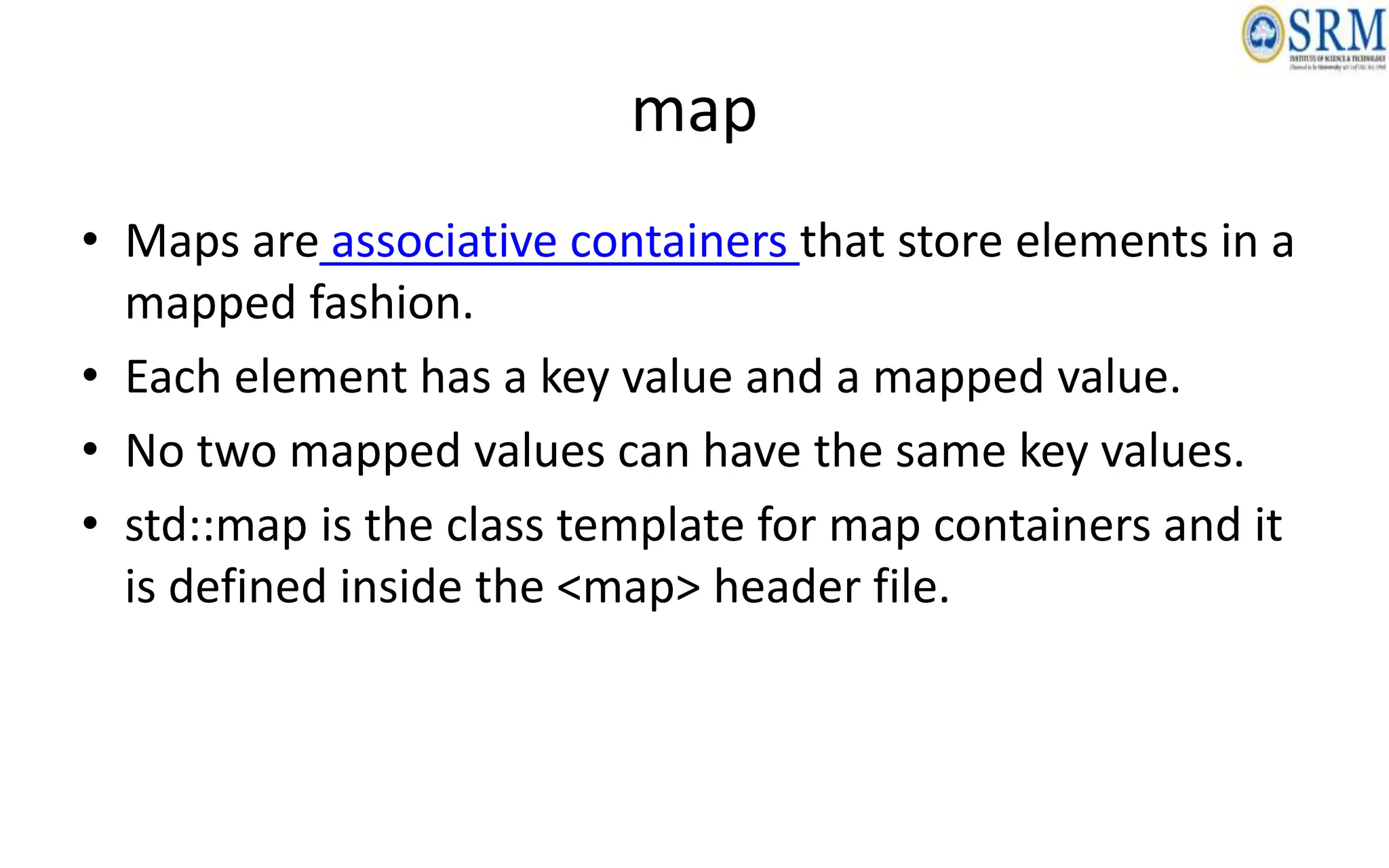
map
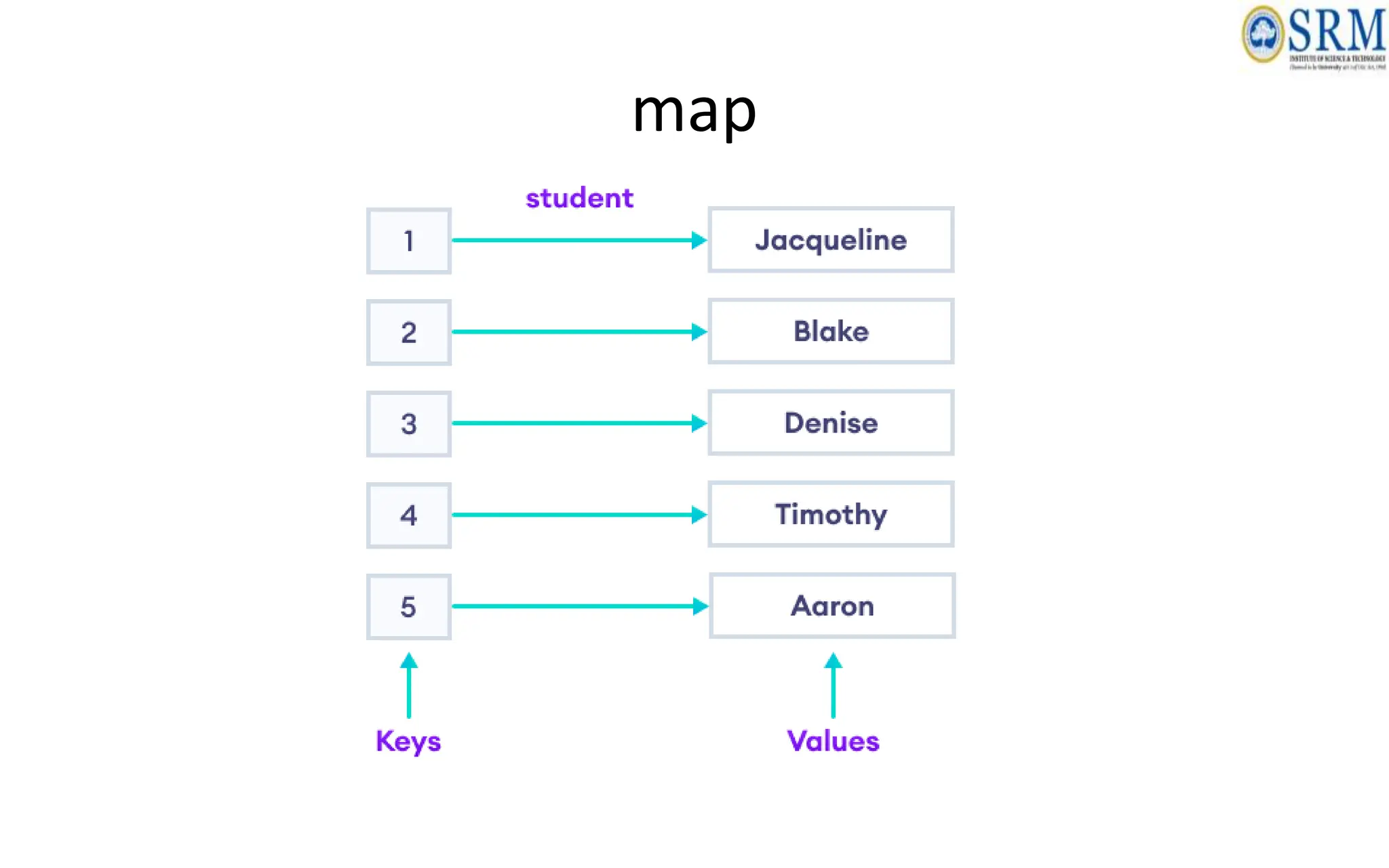
• Maps are associative containers that store elements in a
mapped fashion.
• Each element has a key value and a mapped value.
• No two mapped values can have the same key values.
• std::map is the class template for map containers and it
is defined inside the <map> header file.
map
Methods
Function Definition
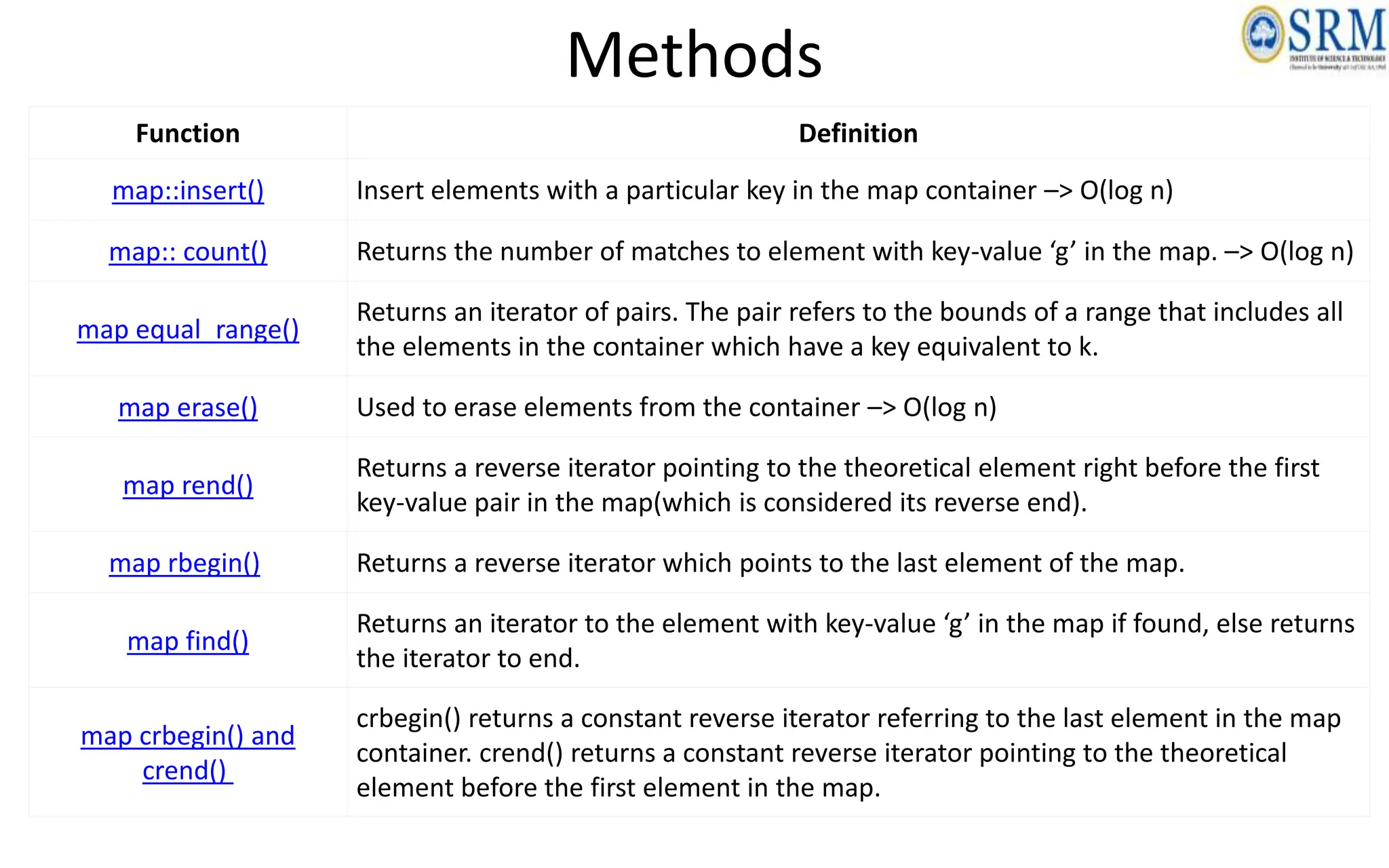
map::insert() Insert elements with a particular key in the map container –> O(log n)
map:: count() Returns the number of matches to element with key-value ‘g’ in the map. –> O(log n)
map equal_range()
Returns an iterator of pairs. The pair refers to the bounds of a range that includes all
the elements in the container which have a key equivalent to k.
map erase() Used to erase elements from the container –> O(log n)
map rend()
Returns a reverse iterator pointing to the theoretical element right before the first
key-value pair in the map(which is considered its reverse end).
map rbegin() Returns a reverse iterator which points to the last element of the map.
map find()
Returns an iterator to the element with key-value ‘g’ in the map if found, else returns
the iterator to end.
map crbegin() and
crend()
crbegin() returns a constant reverse iterator referring to the last element in the map
container. crend() returns a constant reverse iterator pointing to the theoretical
element before the first element in the map.
Function Definition
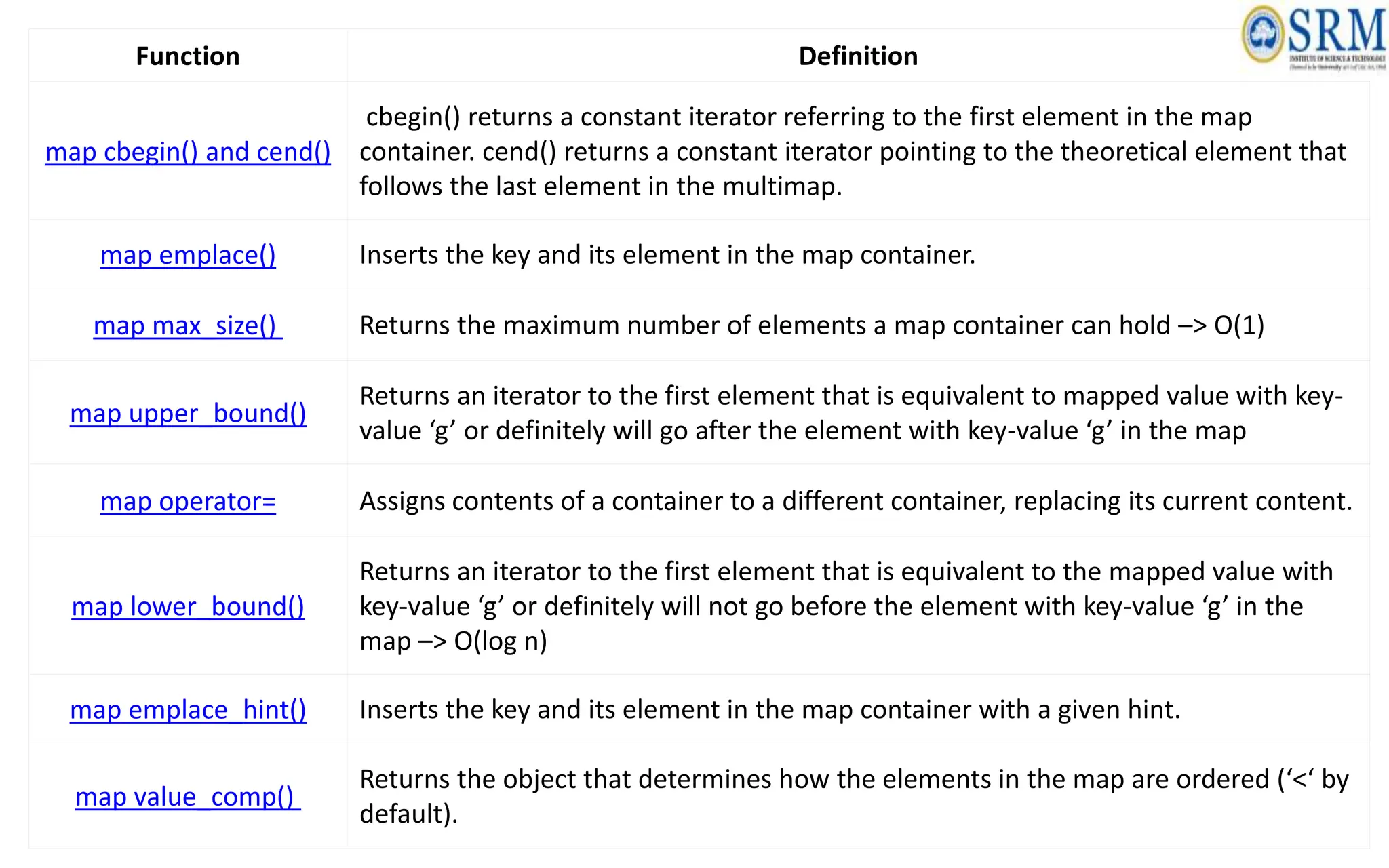
map cbegin() and cend()
cbegin() returns a constant iterator referring to the first element in the map
container. cend() returns a constant iterator pointing to the theoretical element that
follows the last element in the multimap.
map emplace() Inserts the key and its element in the map container.
map max_size() Returns the maximum number of elements a map container can hold –> O(1)
map upper_bound()
Returns an iterator to the first element that is equivalent to mapped value with key-
value ‘g’ or definitely will go after the element with key-value ‘g’ in the map
map operator= Assigns contents of a container to a different container, replacing its current content.
map lower_bound()
Returns an iterator to the first element that is equivalent to the mapped value with
key-value ‘g’ or definitely will not go before the element with key-value ‘g’ in the
map –> O(log n)
map emplace_hint() Inserts the key and its element in the map container with a given hint.
map value_comp()
Returns the object that determines how the elements in the map are ordered (‘<‘ by
default).
Function Definition
map::size() Returns the number of elements in the map.
map::empty() Returns whether the map is empty
map::begin() and end()
begin() returns an iterator to the first element in the map. end() returns an iterator
to the theoretical element that follows the last element in the map
map::operator[]
This operator is used to reference the element present at the position given inside
the operator.
map::clear() Removes all the elements from the map.
map::at() and
map::swap()
at() function is used to return the reference to the element associated with the key
k. swap() function is used to exchange the contents of two maps but the maps must
be of the same type, although sizes may differ.
// CPP Program to demonstrate the implementation in Map
// divyansh mishra --> divyanshmishra101010
#include <iostream>
#include <iterator>
#include <map>
using namespace std;
int main()
{
// empty map container
map<int, int> gquiz1;
// insert elements in random order
gquiz1.insert(pair<int, int>(1, 40));
gquiz1.insert(pair<int, int>(2, 30));
gquiz1.insert(pair<int, int>(3, 60));
gquiz1.insert(pair<int, int>(4, 20));
gquiz1.insert(pair<int, int>(5, 50));
gquiz1.insert(pair<int, int>(6, 50));
// another way of inserting a value in a map
gquiz1[7] = 10;
// printing map gquiz1
map<int, int>::iterator itr;
cout << "nThe map gquiz1 is : n";
cout << "tKEYtELEMENTn";
for (itr = gquiz1.begin(); itr != gquiz1.end(); ++itr) {
cout << 't' << itr->first << 't' << itr->second
<< 'n';
}
cout << endl;
// assigning the elements from gquiz1 to gquiz2
map<int, int> gquiz2(gquiz1.begin(), gquiz1.end());
// print all elements of the map gquiz2
cout << "nThe map gquiz2 after"
<< " assign from gquiz1 is : n";
cout << "tKEYtELEMENTn";
for (itr = gquiz2.begin(); itr != gquiz2.end(); ++itr) {
cout << 't' << itr->first << 't' << itr->second
<< 'n';
}
cout << endl;
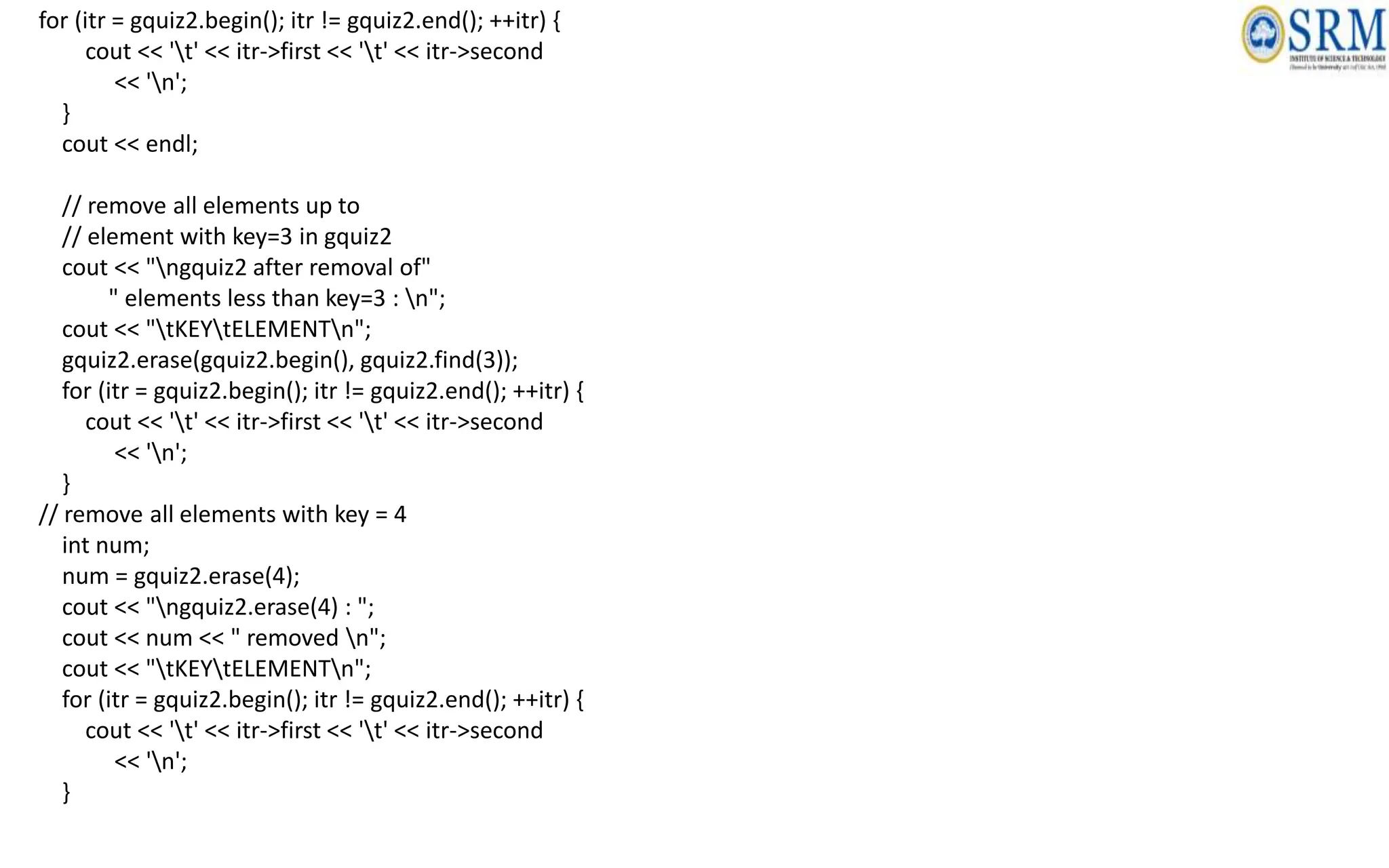
// remove all elements up to
// element with key=3 in gquiz2
cout << "ngquiz2 after removal of"
" elements less than key=3 : n";
cout << "tKEYtELEMENTn";
gquiz2.erase(gquiz2.begin(), gquiz2.find(3));
for (itr = gquiz2.begin(); itr != gquiz2.end(); ++itr) {
cout << 't' << itr->first << 't' << itr->second
<< 'n';
}
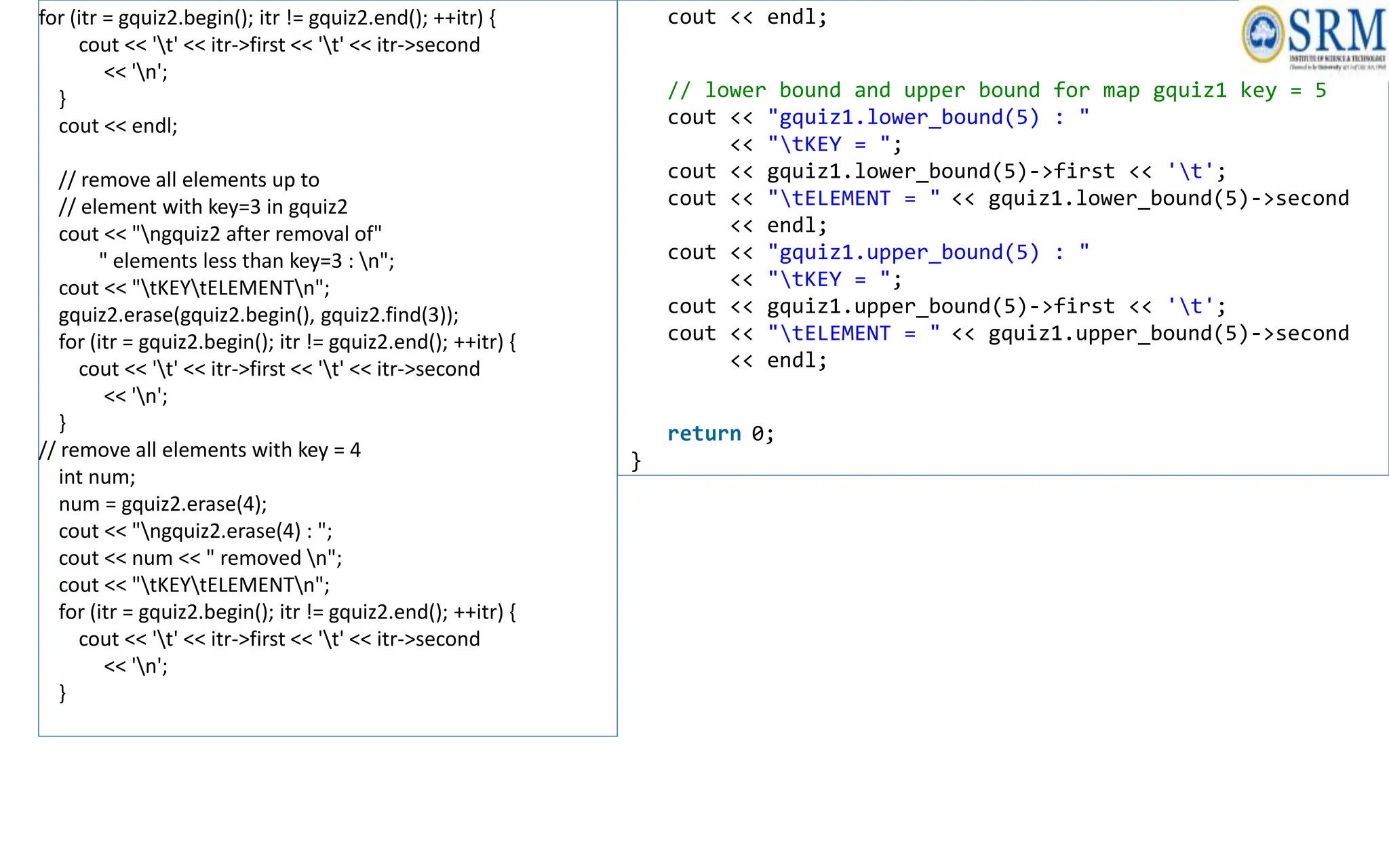
// remove all elements with key = 4
int num;
num = gquiz2.erase(4);
cout << "ngquiz2.erase(4) : ";
cout << num << " removed n";
cout << "tKEYtELEMENTn";
for (itr = gquiz2.begin(); itr != gquiz2.end(); ++itr) {
cout << 't' << itr->first << 't' << itr->second
<< 'n';
}
for (itr = gquiz2.begin(); itr != gquiz2.end(); ++itr) {
cout << 't' << itr->first << 't' << itr->second
<< 'n';
}
cout << endl;
// remove all elements up to
// element with key=3 in gquiz2
cout << "ngquiz2 after removal of"
" elements less than key=3 : n";
cout << "tKEYtELEMENTn";
gquiz2.erase(gquiz2.begin(), gquiz2.find(3));
for (itr = gquiz2.begin(); itr != gquiz2.end(); ++itr) {
cout << 't' << itr->first << 't' << itr->second
<< 'n';
}
// remove all elements with key = 4
int num;
num = gquiz2.erase(4);
cout << "ngquiz2.erase(4) : ";
cout << num << " removed n";
cout << "tKEYtELEMENTn";
for (itr = gquiz2.begin(); itr != gquiz2.end(); ++itr) {
cout << 't' << itr->first << 't' << itr->second
<< 'n';
}
cout << endl;
// lower bound and upper bound for map gquiz1 key = 5
cout << "gquiz1.lower_bound(5) : "
<< "tKEY = ";
cout << gquiz1.lower_bound(5)->first << 't';
cout << "tELEMENT = " << gquiz1.lower_bound(5)->second
<< endl;
cout << "gquiz1.upper_bound(5) : "
<< "tKEY = ";
cout << gquiz1.upper_bound(5)->first << 't';
cout << "tELEMENT = " << gquiz1.upper_bound(5)->second
<< endl;
return 0;
}
multimap
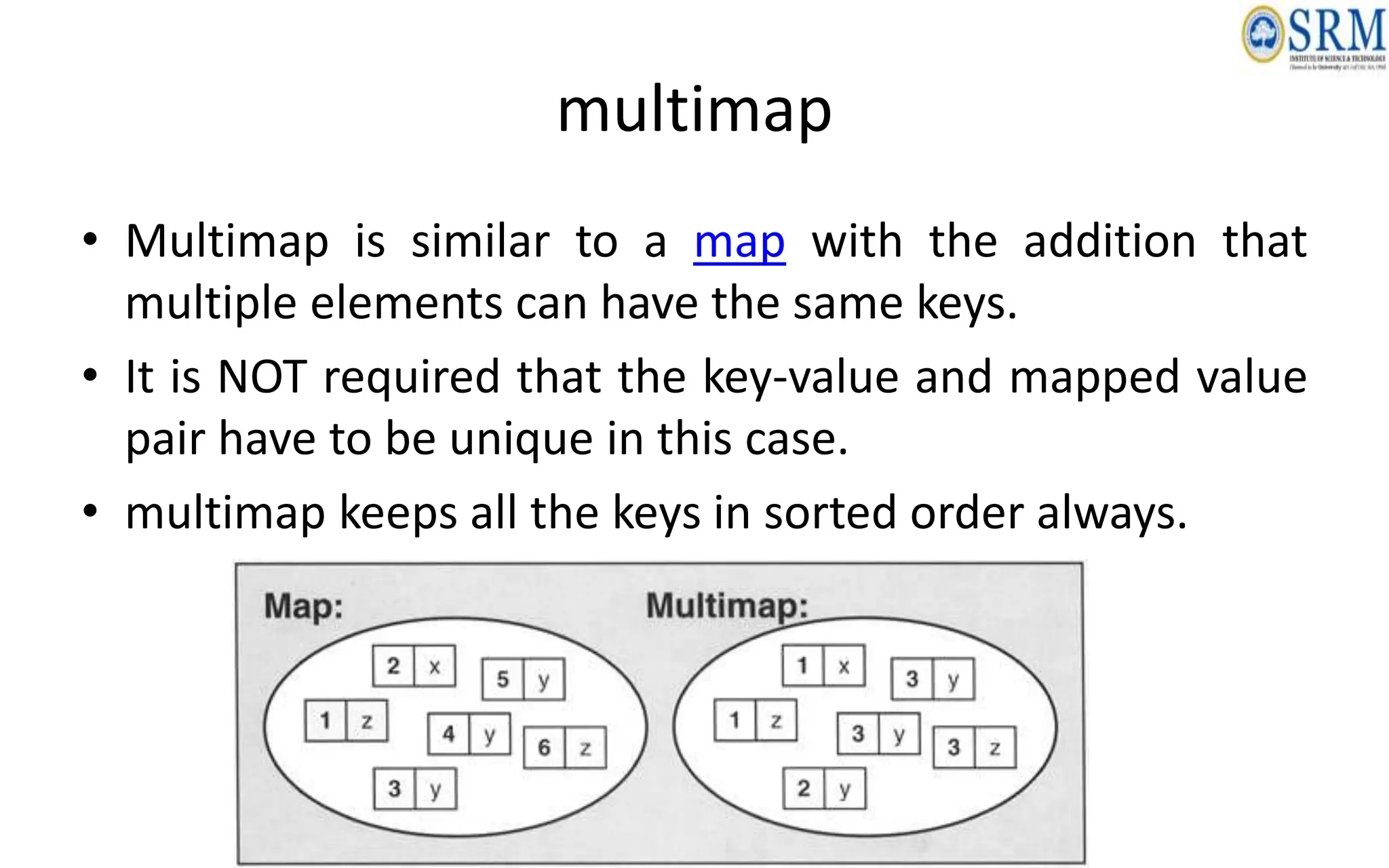
• Multimap is similar to a map with the addition that
multiple elements can have the same keys.
• It is NOT required that the key-value and mapped value
pair have to be unique in this case.
• multimap keeps all the keys in sorted order always.
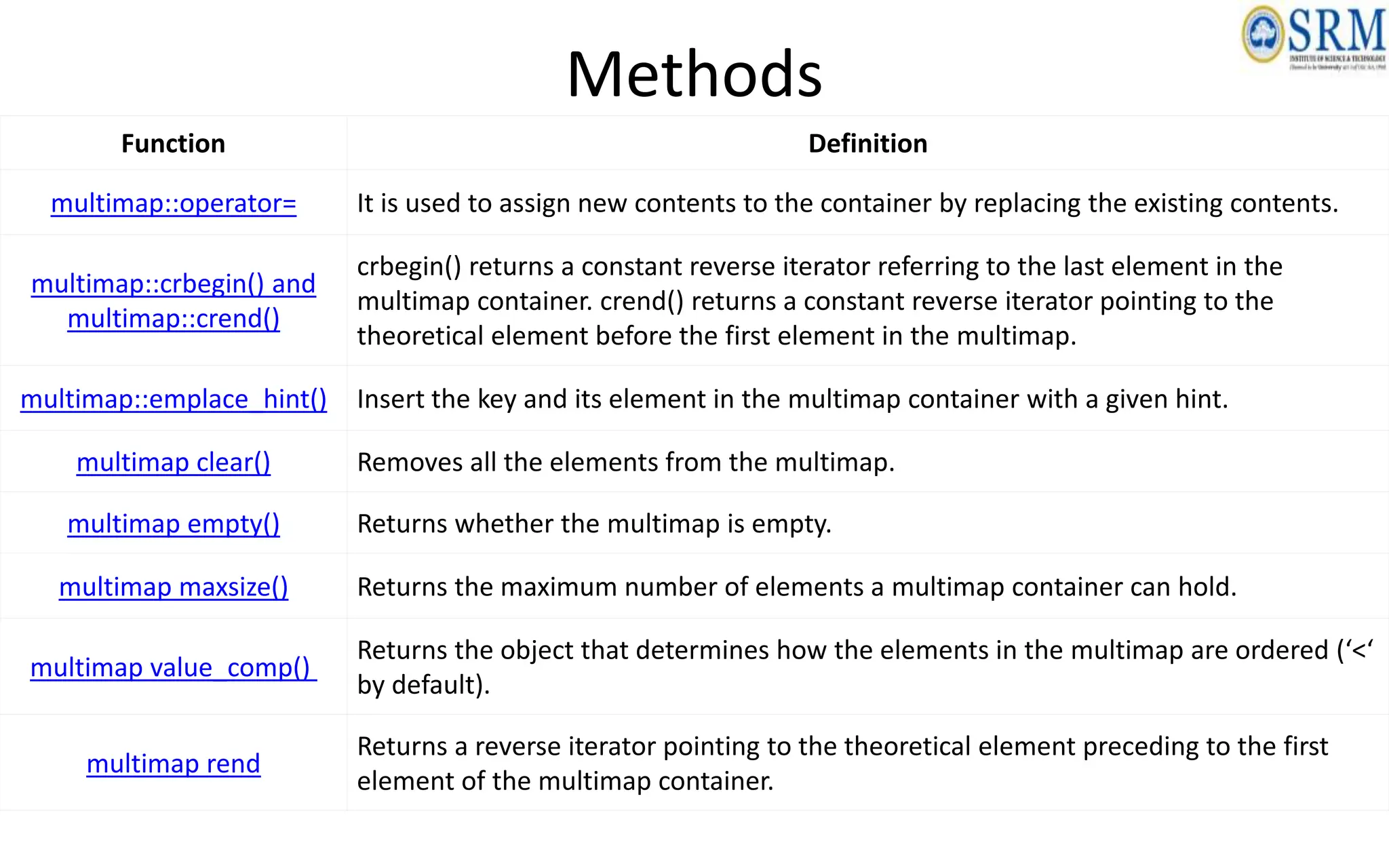
Methods
Function Definition
multimap::operator= It is used to assign new contents to the container by replacing the existing contents.
multimap::crbegin() and
multimap::crend()
crbegin() returns a constant reverse iterator referring to the last element in the
multimap container. crend() returns a constant reverse iterator pointing to the
theoretical element before the first element in the multimap.
multimap::emplace_hint() Insert the key and its element in the multimap container with a given hint.
multimap clear() Removes all the elements from the multimap.
multimap empty() Returns whether the multimap is empty.
multimap maxsize() Returns the maximum number of elements a multimap container can hold.
multimap value_comp()
Returns the object that determines how the elements in the multimap are ordered (‘<‘
by default).
multimap rend
Returns a reverse iterator pointing to the theoretical element preceding to the first
element of the multimap container.
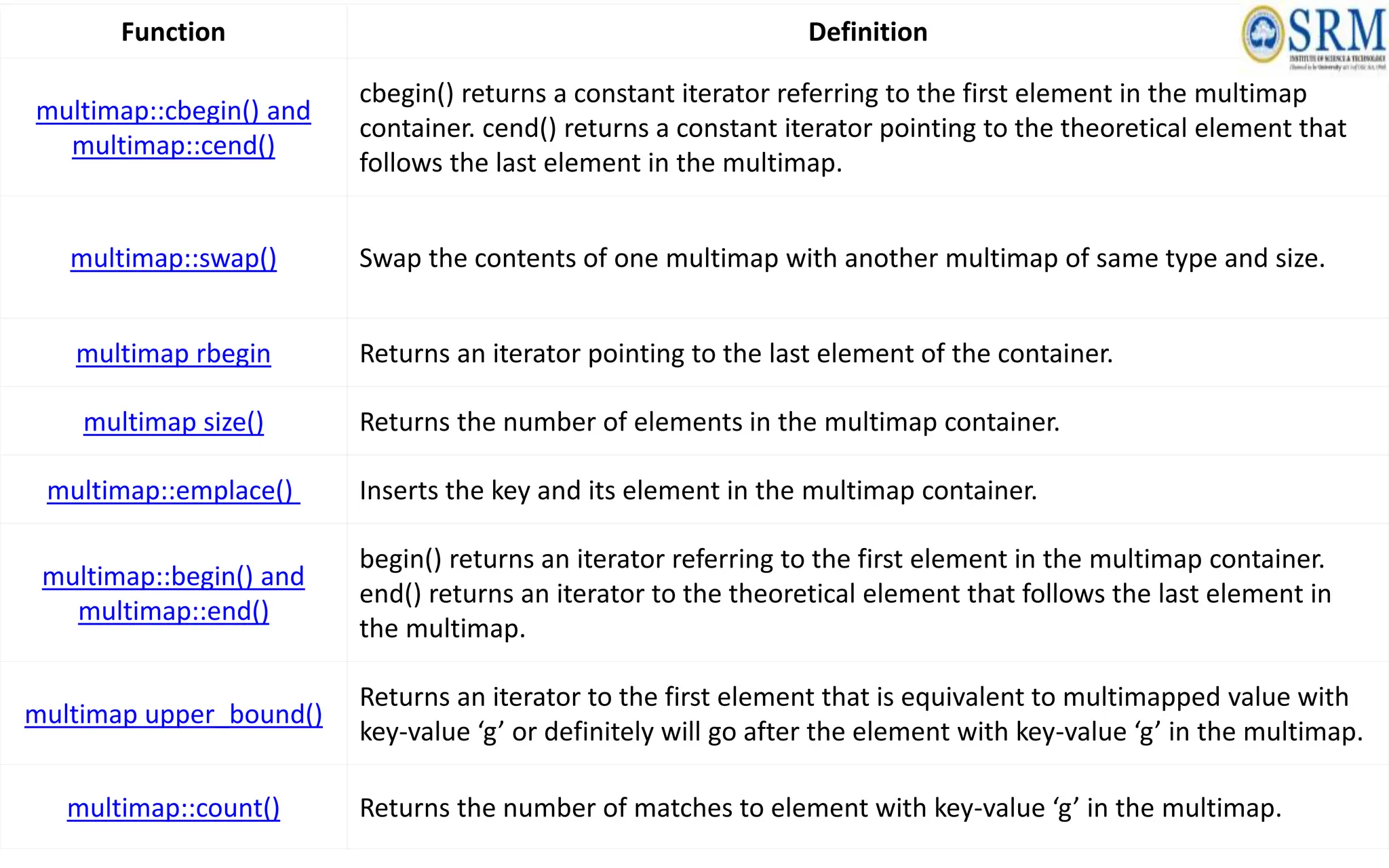
Function Definition
multimap::cbegin() and
multimap::cend()
cbegin() returns a constant iterator referring to the first element in the multimap
container. cend() returns a constant iterator pointing to the theoretical element that
follows the last element in the multimap.
multimap::swap() Swap the contents of one multimap with another multimap of same type and size.
multimap rbegin Returns an iterator pointing to the last element of the container.
multimap size() Returns the number of elements in the multimap container.
multimap::emplace() Inserts the key and its element in the multimap container.
multimap::begin() and
multimap::end()
begin() returns an iterator referring to the first element in the multimap container.
end() returns an iterator to the theoretical element that follows the last element in
the multimap.
multimap upper_bound()
Returns an iterator to the first element that is equivalent to multimapped value with
key-value ‘g’ or definitely will go after the element with key-value ‘g’ in the multimap.
multimap::count() Returns the number of matches to element with key-value ‘g’ in the multimap.
Function Definition
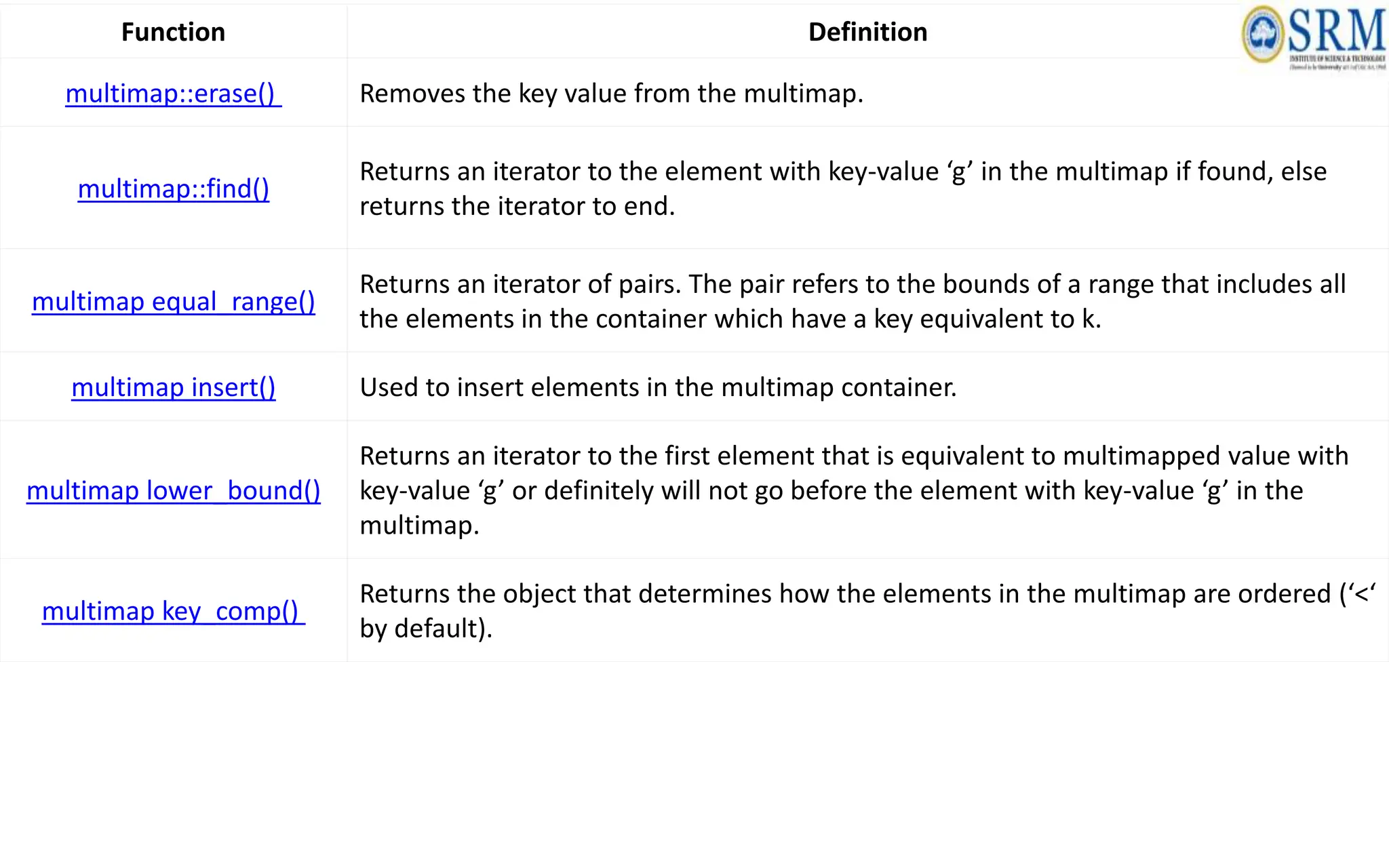
multimap::erase() Removes the key value from the multimap.
multimap::find()
Returns an iterator to the element with key-value ‘g’ in the multimap if found, else
returns the iterator to end.
multimap equal_range()
Returns an iterator of pairs. The pair refers to the bounds of a range that includes all
the elements in the container which have a key equivalent to k.
multimap insert() Used to insert elements in the multimap container.
multimap lower_bound()
Returns an iterator to the first element that is equivalent to multimapped value with
key-value ‘g’ or definitely will not go before the element with key-value ‘g’ in the
multimap.
multimap key_comp()
Returns the object that determines how the elements in the multimap are ordered (‘<‘
by default).
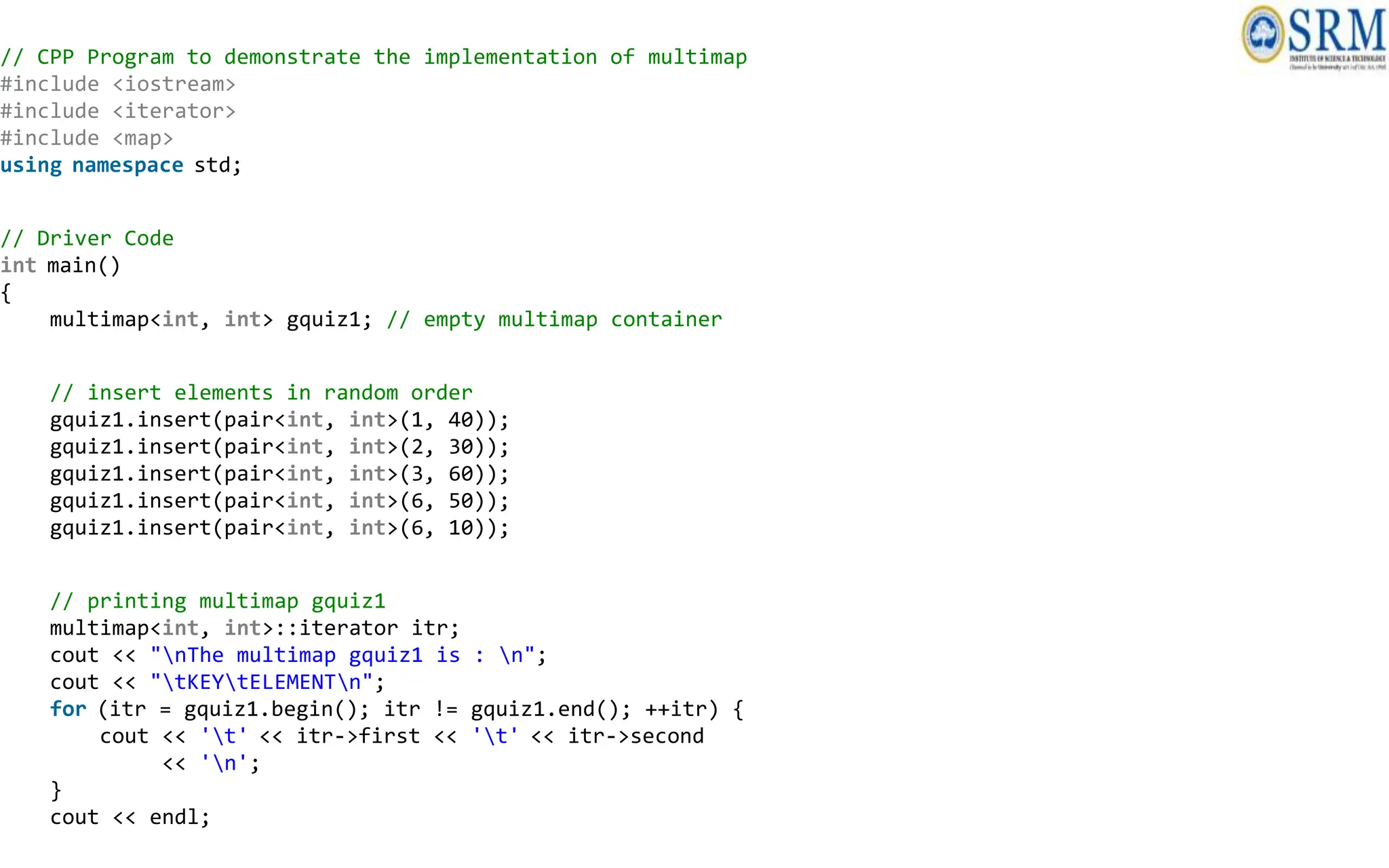
// CPP Program to demonstrate the implementation of multimap
#include <iostream>
#include <iterator>
#include <map>
using namespace std;
// Driver Code
int main()
{
multimap<int, int> gquiz1; // empty multimap container
// insert elements in random order
gquiz1.insert(pair<int, int>(1, 40));
gquiz1.insert(pair<int, int>(2, 30));
gquiz1.insert(pair<int, int>(3, 60));
gquiz1.insert(pair<int, int>(6, 50));
gquiz1.insert(pair<int, int>(6, 10));
// printing multimap gquiz1
multimap<int, int>::iterator itr;
cout << "nThe multimap gquiz1 is : n";
cout << "tKEYtELEMENTn";
for (itr = gquiz1.begin(); itr != gquiz1.end(); ++itr) {
cout << 't' << itr->first << 't' << itr->second
<< 'n';
}
cout << endl;
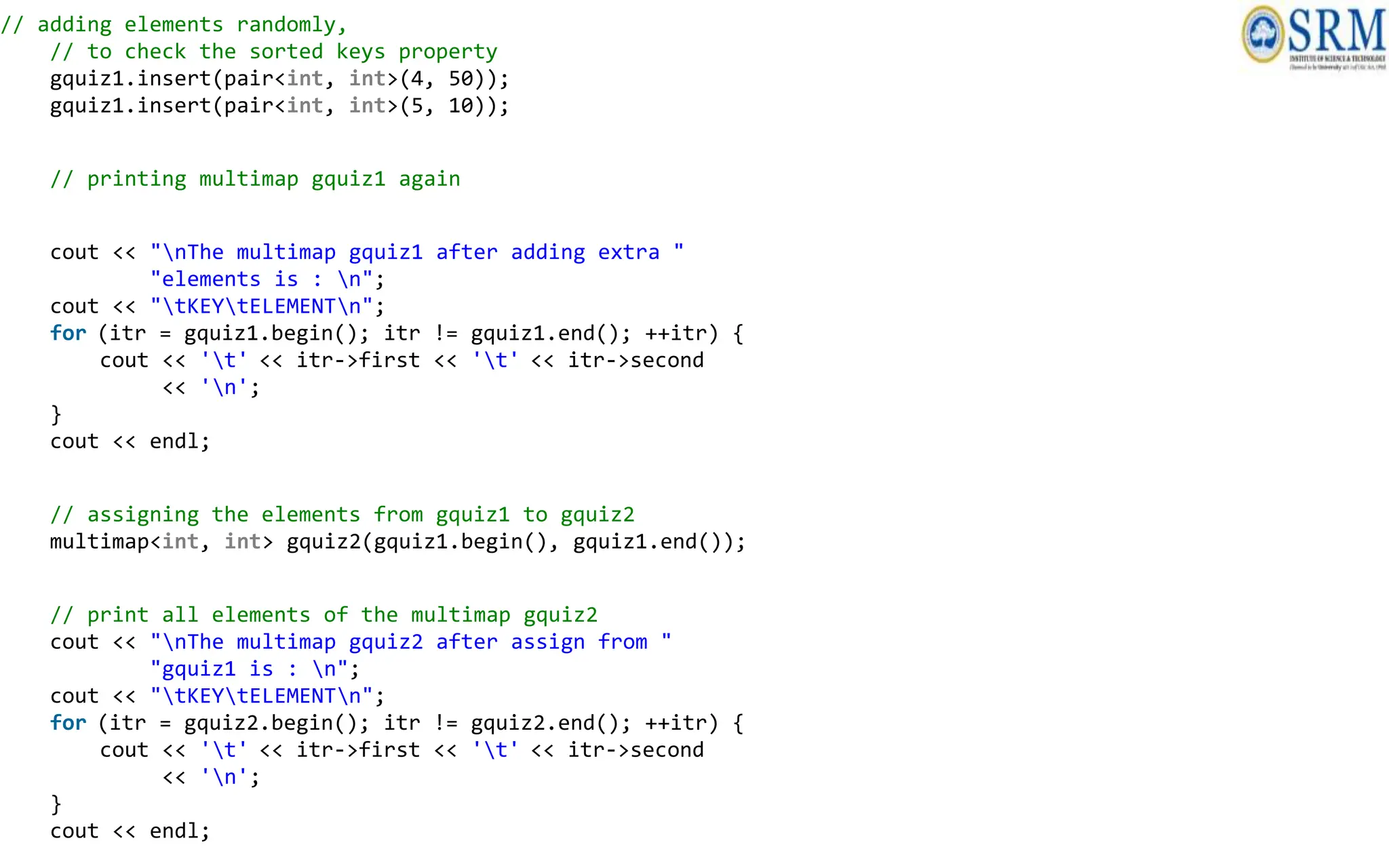
// adding elements randomly,
// to check the sorted keys property
gquiz1.insert(pair<int, int>(4, 50));
gquiz1.insert(pair<int, int>(5, 10));
// printing multimap gquiz1 again
cout << "nThe multimap gquiz1 after adding extra "
"elements is : n";
cout << "tKEYtELEMENTn";
for (itr = gquiz1.begin(); itr != gquiz1.end(); ++itr) {
cout << 't' << itr->first << 't' << itr->second
<< 'n';
}
cout << endl;
// assigning the elements from gquiz1 to gquiz2
multimap<int, int> gquiz2(gquiz1.begin(), gquiz1.end());
// print all elements of the multimap gquiz2
cout << "nThe multimap gquiz2 after assign from "
"gquiz1 is : n";
cout << "tKEYtELEMENTn";
for (itr = gquiz2.begin(); itr != gquiz2.end(); ++itr) {
cout << 't' << itr->first << 't' << itr->second
<< 'n';
}
cout << endl;
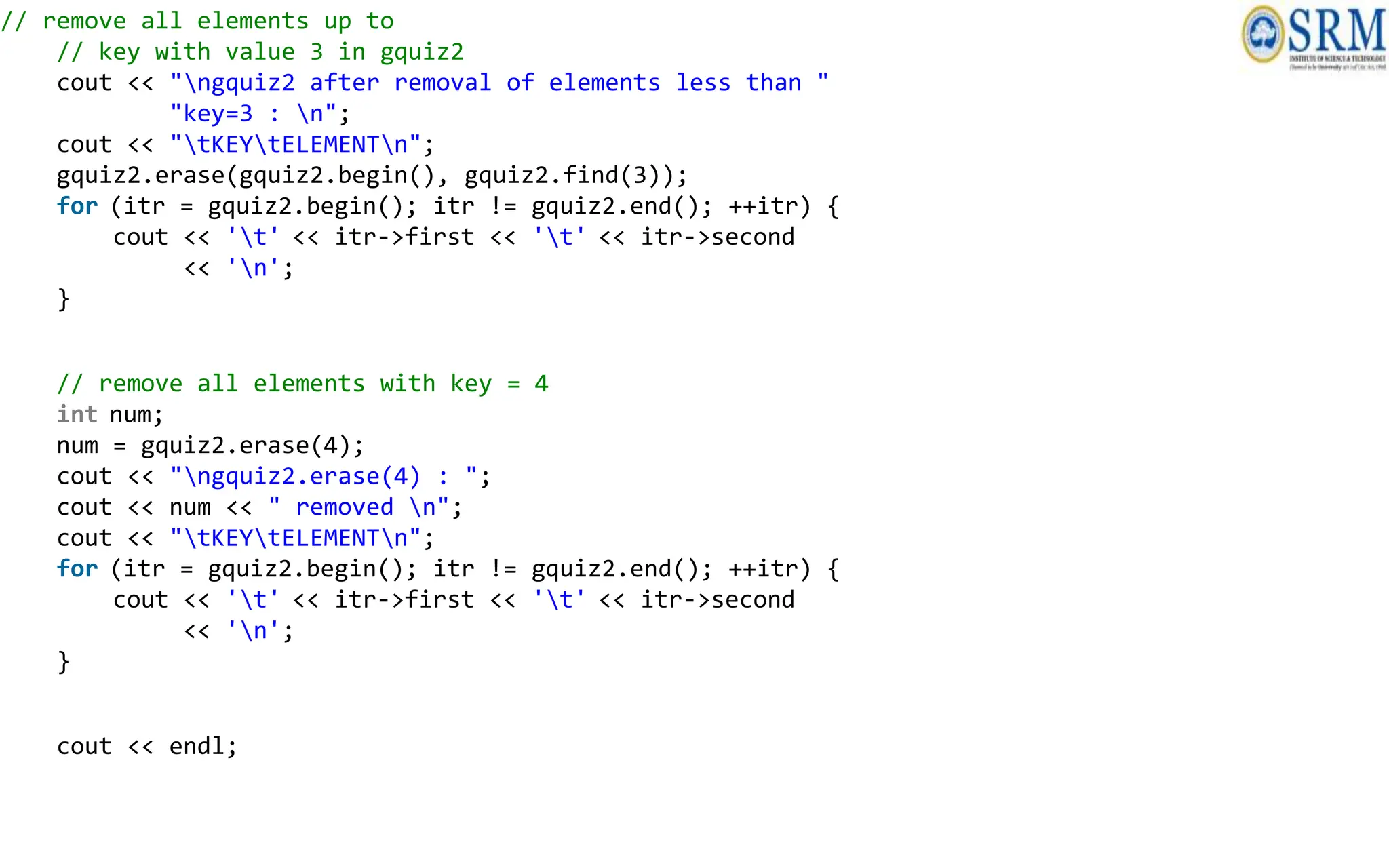
// remove all elements up to
// key with value 3 in gquiz2
cout << "ngquiz2 after removal of elements less than "
"key=3 : n";
cout << "tKEYtELEMENTn";
gquiz2.erase(gquiz2.begin(), gquiz2.find(3));
for (itr = gquiz2.begin(); itr != gquiz2.end(); ++itr) {
cout << 't' << itr->first << 't' << itr->second
<< 'n';
}
// remove all elements with key = 4
int num;
num = gquiz2.erase(4);
cout << "ngquiz2.erase(4) : ";
cout << num << " removed n";
cout << "tKEYtELEMENTn";
for (itr = gquiz2.begin(); itr != gquiz2.end(); ++itr) {
cout << 't' << itr->first << 't' << itr->second
<< 'n';
}
cout << endl;
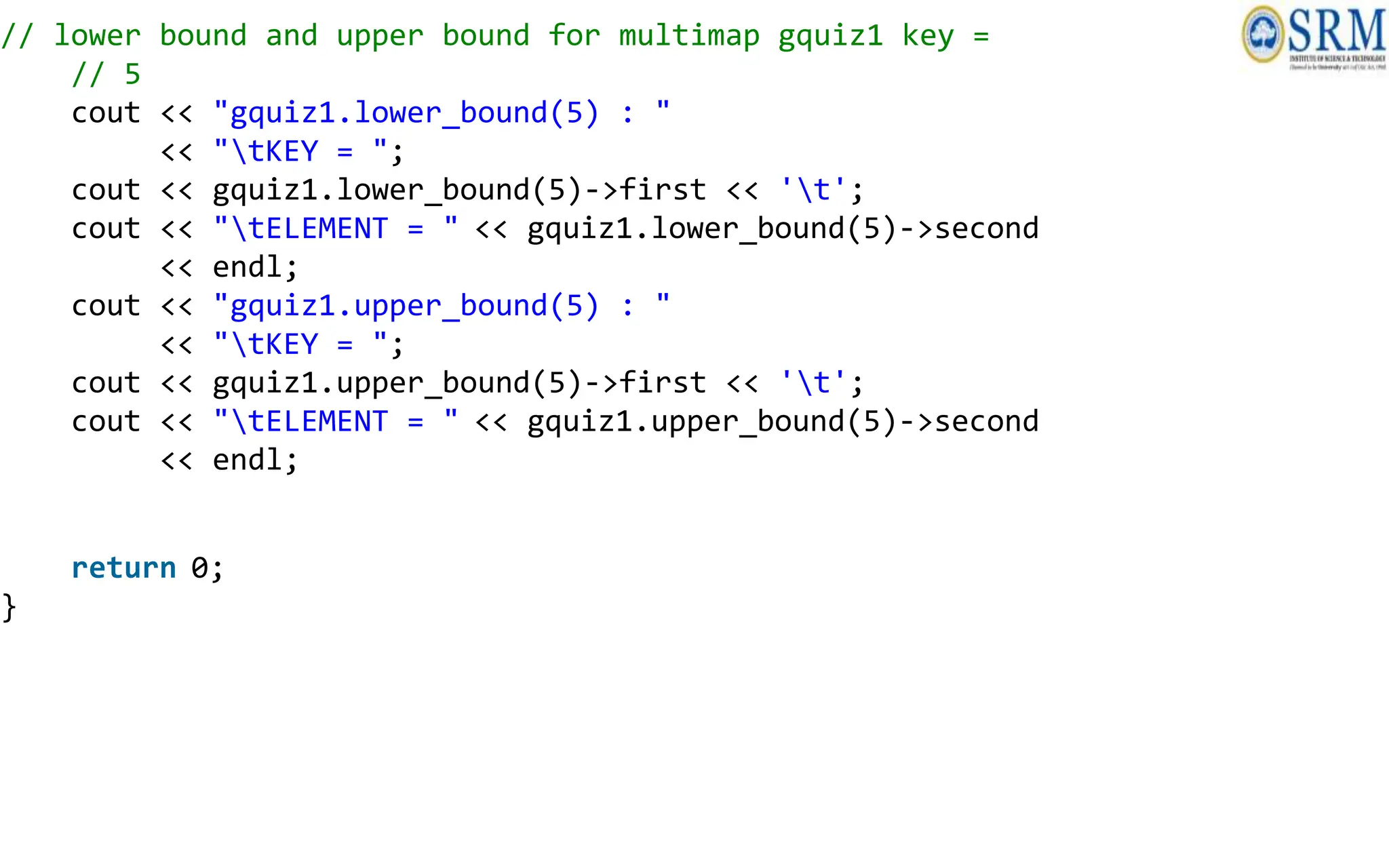
// lower bound and upper bound for multimap gquiz1 key =
// 5
cout << "gquiz1.lower_bound(5) : "
<< "tKEY = ";
cout << gquiz1.lower_bound(5)->first << 't';
cout << "tELEMENT = " << gquiz1.lower_bound(5)->second
<< endl;
cout << "gquiz1.upper_bound(5) : "
<< "tKEY = ";
cout << gquiz1.upper_bound(5)->first << 't';
cout << "tELEMENT = " << gquiz1.upper_bound(5)->second
<< endl;
return 0;
}
Iterator and Specialized iterator
• An iterator is used to point to the memory address of
the STL container classes.
Iterator
• An iterator is used to point to the memory address of
the STL container classes.
• Iterators act as a bridge that connects algorithms to STL
containers and allows the modifications of the data
present inside the container.
• They allow you to iterate over the container, access and
assign the values, and run different operators over
them, to get the desired result.
Use of Iterators in C++
• The primary objective of an iterator is to access the STL container
elements and perform certain operations on them.
• The internal structure of a container does not matter, since the
iterators provide common usage for all of them.
• Iterator algorithms are not dependent on the container type.
• An iterator can be used to iterate over the container elements. It
can also provide access to those elements to modify their values.
• Iterators follow a generic approach for STL container classes. This
way, the programmers don’t need to learn about different iterators
for different containers.
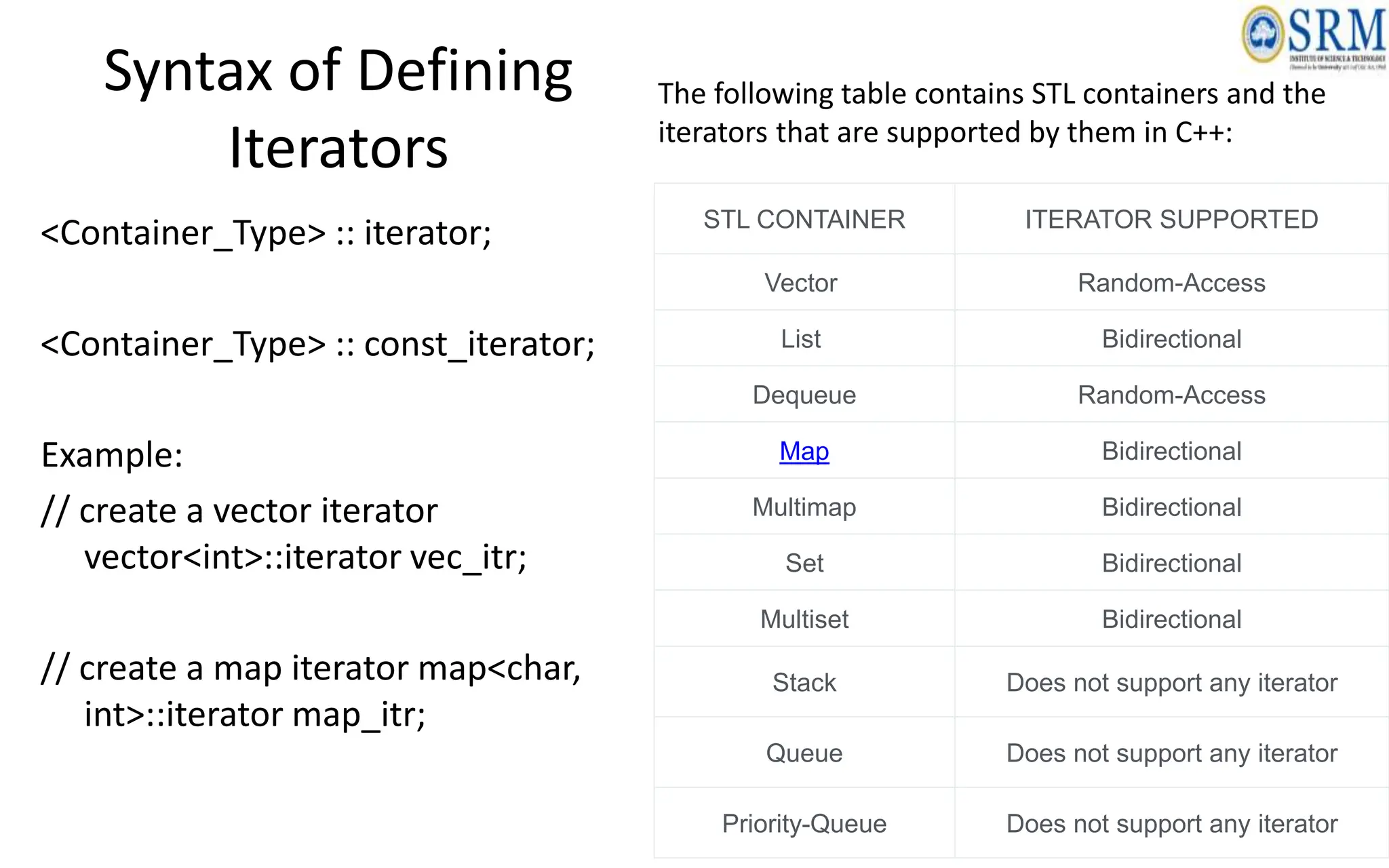
Syntax of Defining
Iterators
<Container_Type> :: iterator;
<Container_Type> :: const_iterator;
Example:
// create a vector iterator
vector<int>::iterator vec_itr;
// create a map iterator map<char,
int>::iterator map_itr;
STL CONTAINER ITERATOR SUPPORTED
Vector Random-Access
List Bidirectional
Dequeue Random-Access
Map Bidirectional
Multimap Bidirectional
Set Bidirectional
Multiset Bidirectional
Stack Does not support any iterator
Queue Does not support any iterator
Priority-Queue Does not support any iterator
The following table contains STL containers and the
iterators that are supported by them in C++:
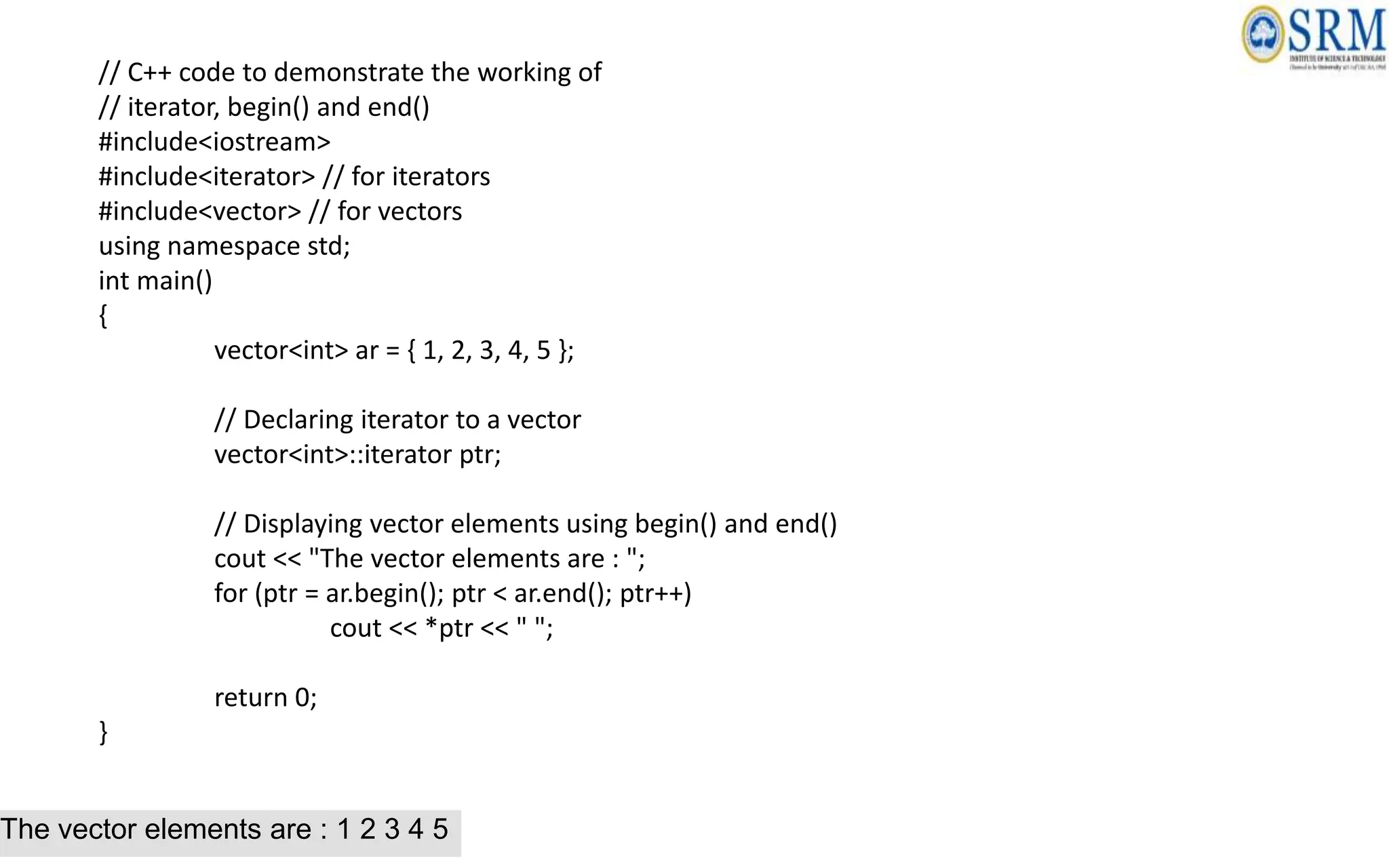
// C++ code to demonstrate the working of
// iterator, begin() and end()
#include<iostream>
#include<iterator> // for iterators
#include<vector> // for vectors
using namespace std;
int main()
{
vector<int> ar = { 1, 2, 3, 4, 5 };
// Declaring iterator to a vector
vector<int>::iterator ptr;
// Displaying vector elements using begin() and end()
cout << "The vector elements are : ";
for (ptr = ar.begin(); ptr < ar.end(); ptr++)
cout << *ptr << " ";
return 0;
}
The vector elements are : 1 2 3 4 5
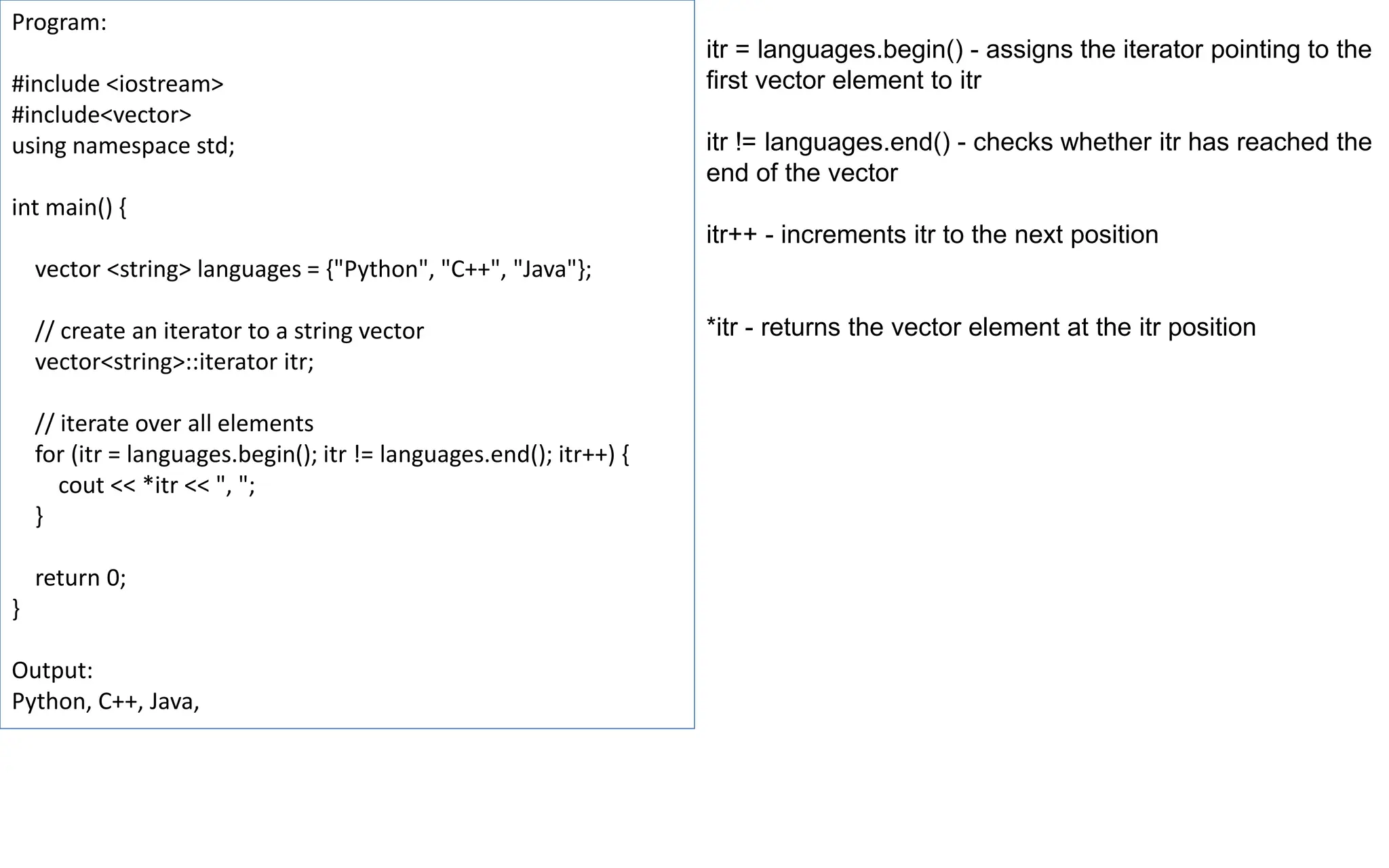
Program:
#include <iostream>
#include<vector>
using namespace std;
int main() {
vector <string> languages = {"Python", "C++", "Java"};
// create an iterator to a string vector
vector<string>::iterator itr;
// iterate over all elements
for (itr = languages.begin(); itr != languages.end(); itr++) {
cout << *itr << ", ";
}
return 0;
}
Output:
Python, C++, Java,
itr = languages.begin() - assigns the iterator pointing to the
first vector element to itr
itr != languages.end() - checks whether itr has reached the
end of the vector
itr++ - increments itr to the next position
*itr - returns the vector element at the itr position
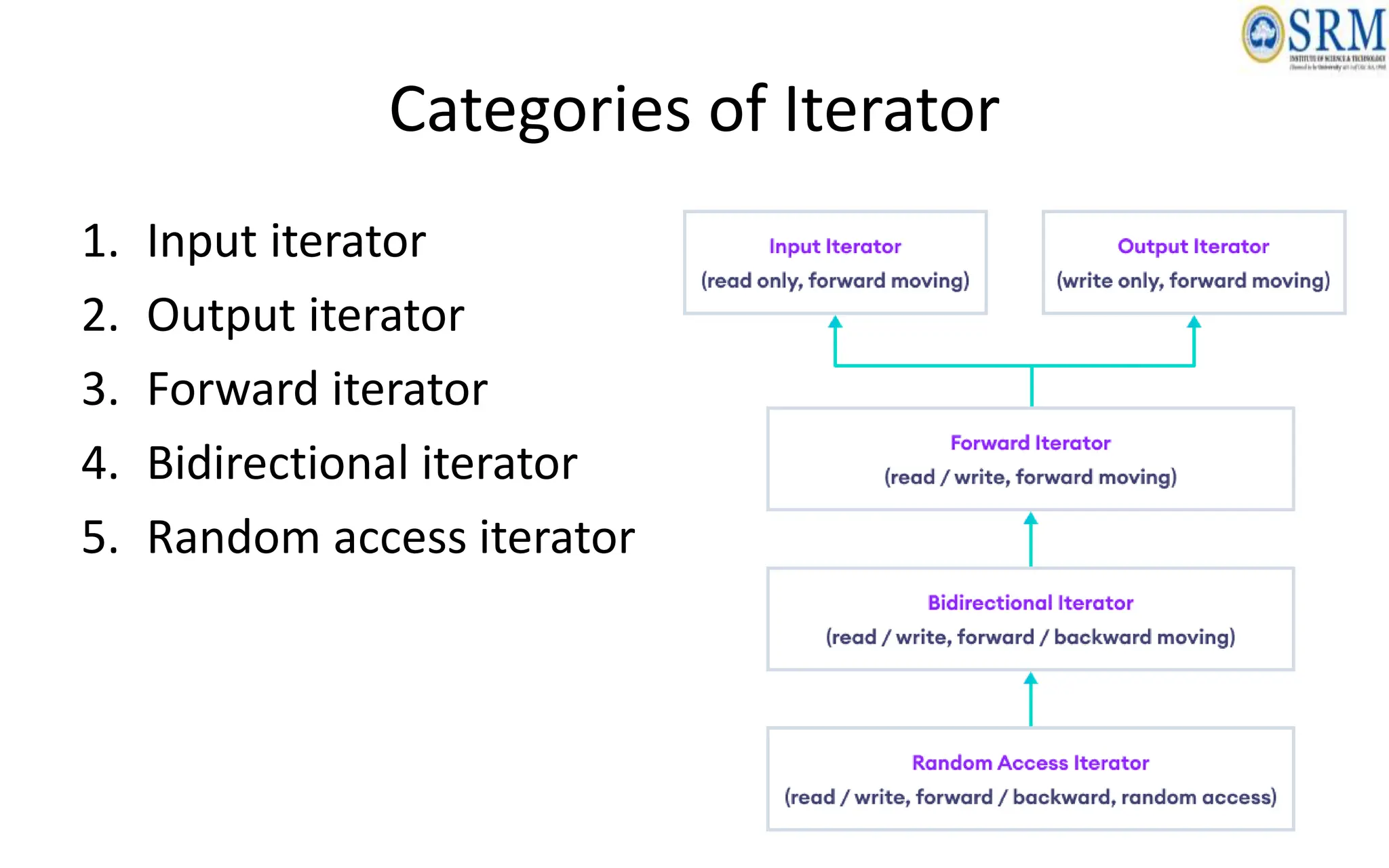
Categories of Iterator
1. Input iterator
2. Output iterator
3. Forward iterator
4. Bidirectional iterator
5. Random access iterator
Algorithms: find()
• The find() algorithm searches for a specific element in
an array.
• It takes two arguments:
– the array to be searched
– the element to be found
• The algorithm returns an iterator to the first occurrence
of the element in the array, or an iterator to the end of
the array if the element is not found.
Algorithms: find()
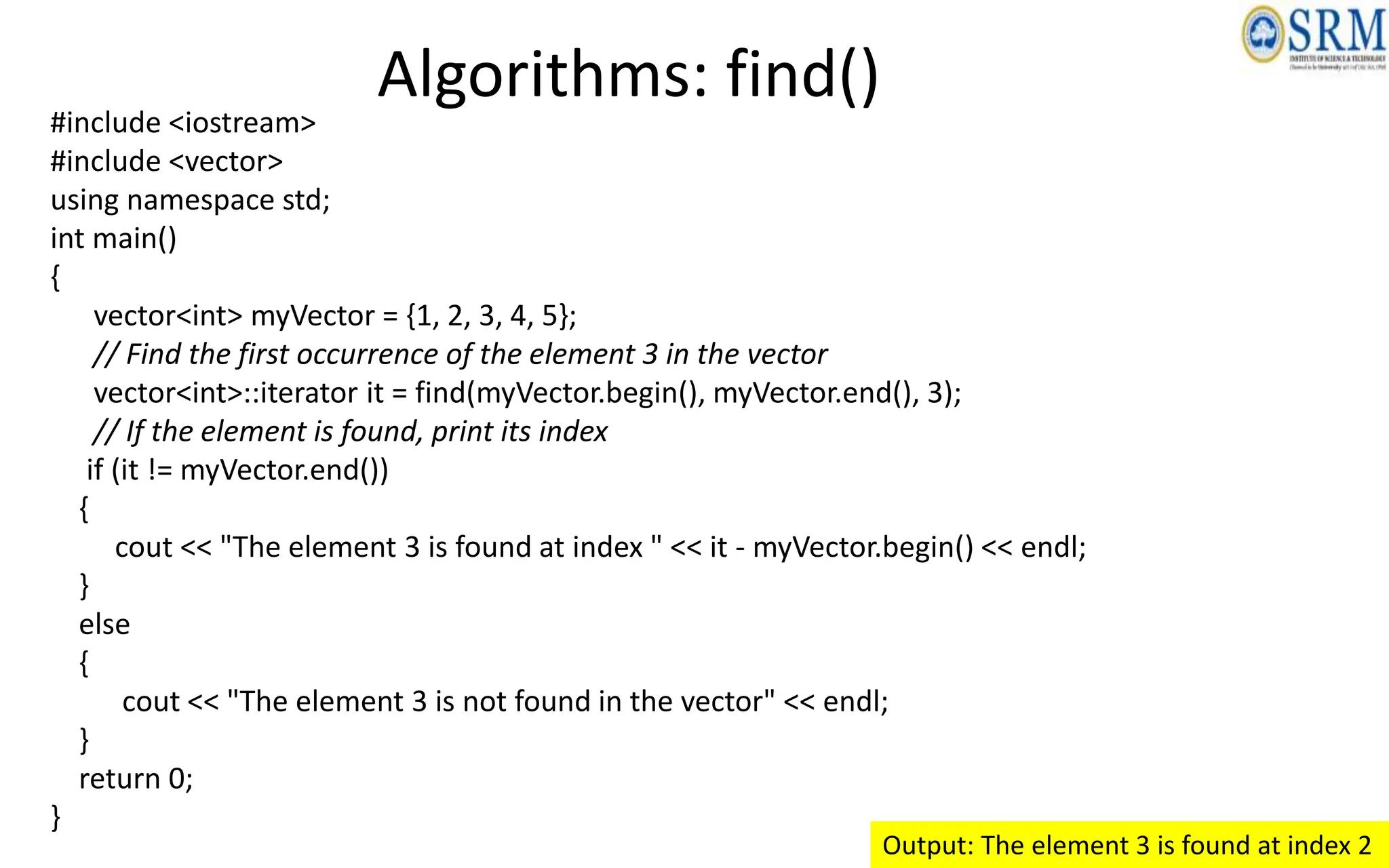
#include <iostream>
#include <vector>
using namespace std;
int main()
{
vector<int> myVector = {1, 2, 3, 4, 5};
// Find the first occurrence of the element 3 in the vector
vector<int>::iterator it = find(myVector.begin(), myVector.end(), 3);
// If the element is found, print its index
if (it != myVector.end())
{
cout << "The element 3 is found at index " << it - myVector.begin() << endl;
}
else
{
cout << "The element 3 is not found in the vector" << endl;
}
return 0;
}
Output: The element 3 is found at index 2
Algorithms: count()
• The count() algorithm counts the number of
occurrences of a specific element in an array.
• It takes two arguments
– the array to be searched
– the element to be counted
• The algorithm returns the number of times the element
appears in the array.
Algorithms: count()
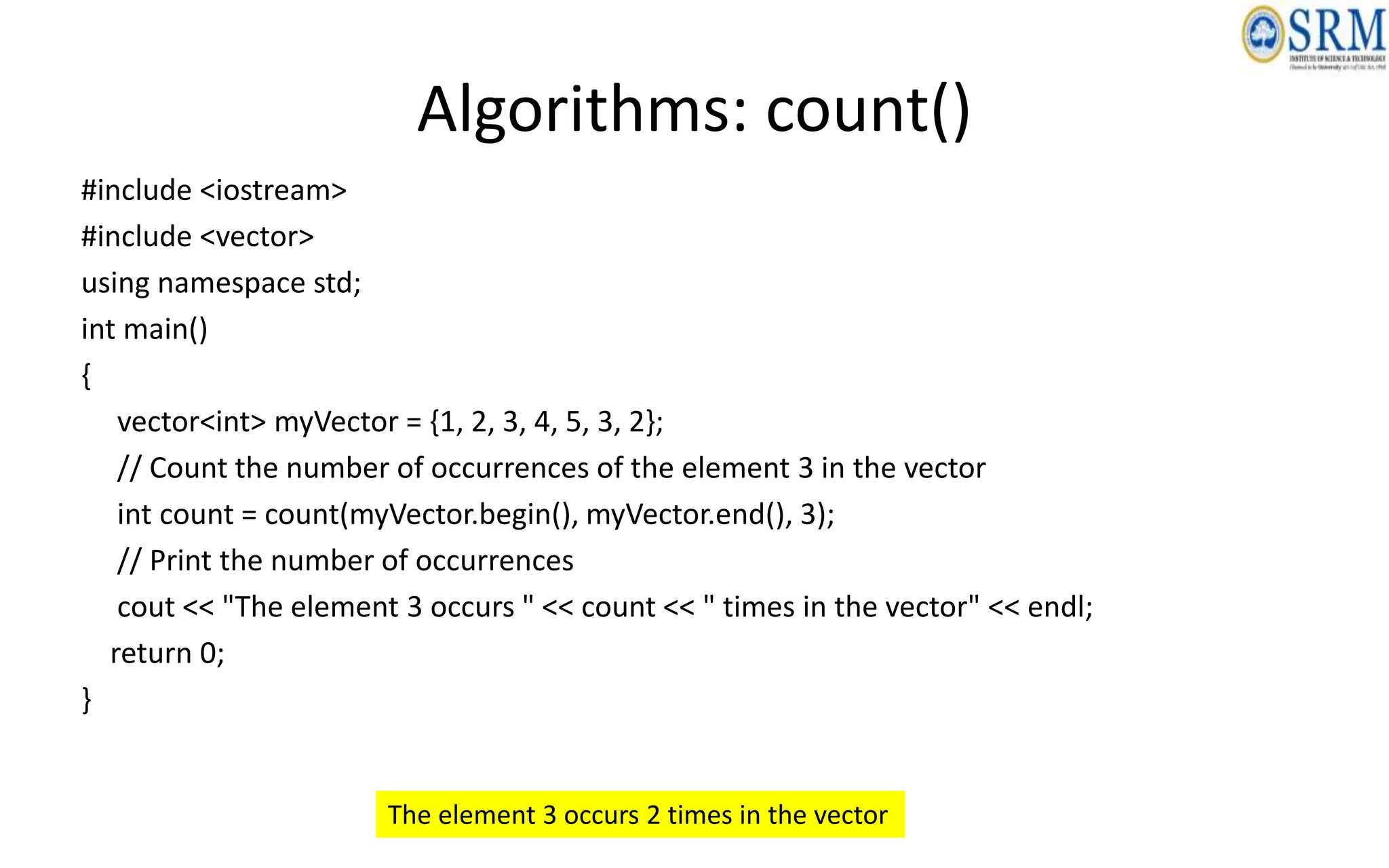
#include <iostream>
#include <vector>
using namespace std;
int main()
{
vector<int> myVector = {1, 2, 3, 4, 5, 3, 2};
// Count the number of occurrences of the element 3 in the vector
int count = count(myVector.begin(), myVector.end(), 3);
// Print the number of occurrences
cout << "The element 3 occurs " << count << " times in the vector" << endl;
return 0;
}
The element 3 occurs 2 times in the vector
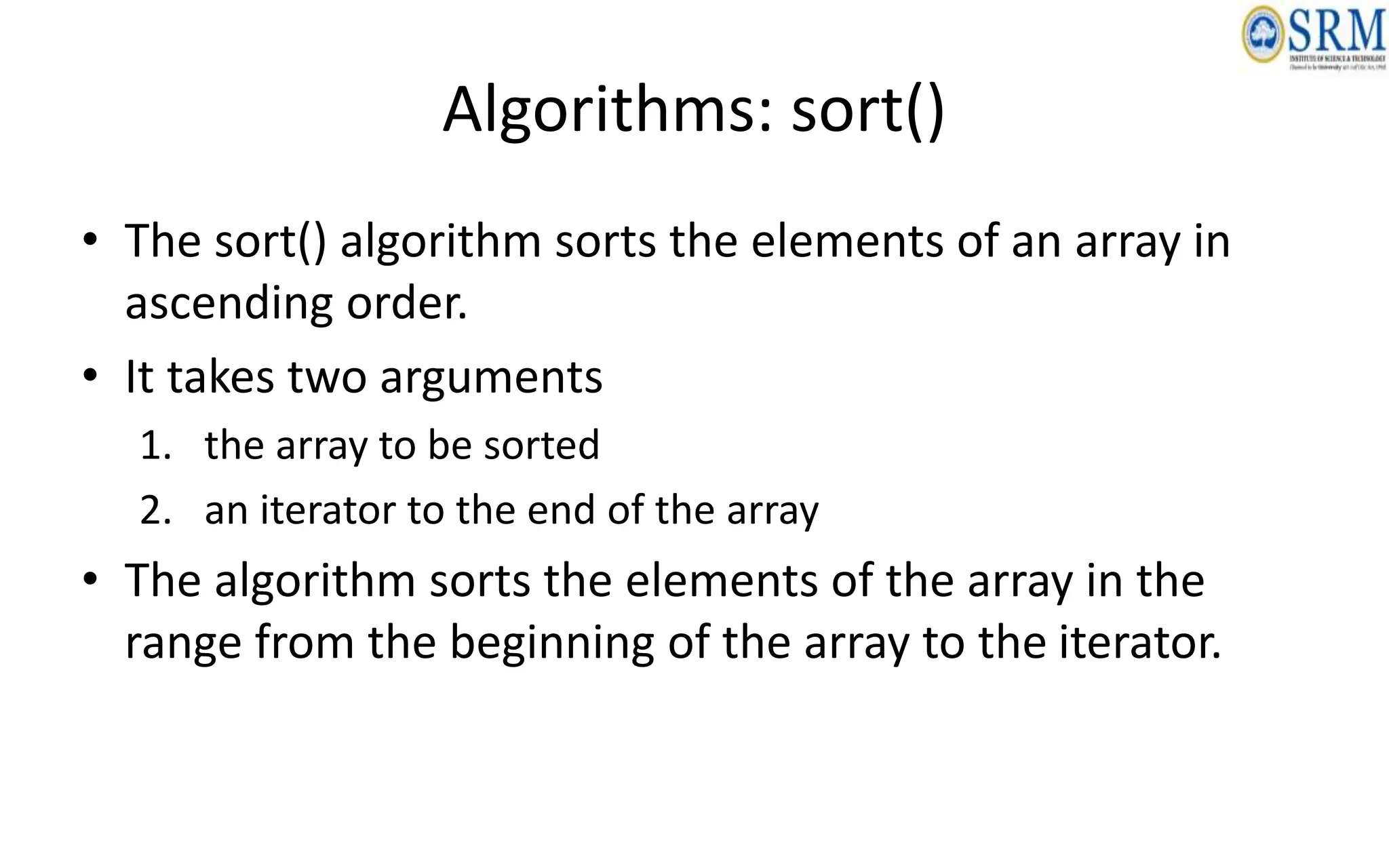
Algorithms: sort()
• The sort() algorithm sorts the elements of an array in
ascending order.
• It takes two arguments
1. the array to be sorted
2. an iterator to the end of the array
• The algorithm sorts the elements of the array in the
range from the beginning of the array to the iterator.
Algorithms: sort()
#include <iostream>
#include <vector>
using namespace std;
int main()
{
vector<int> myVector = {5, 3, 2, 1, 4};
// Sort the elements of the vector in ascending order
sort(myVector.begin(), myVector.end());
// Print the sorted vector
cout<<“Sorted Elements:”;
for (int i = 0; i < myVector.size(); i++)
{
cout << myVector[i] << " ";
}
cout << endl;
return 0;
} Sorted Elements:1 2 3 4 5
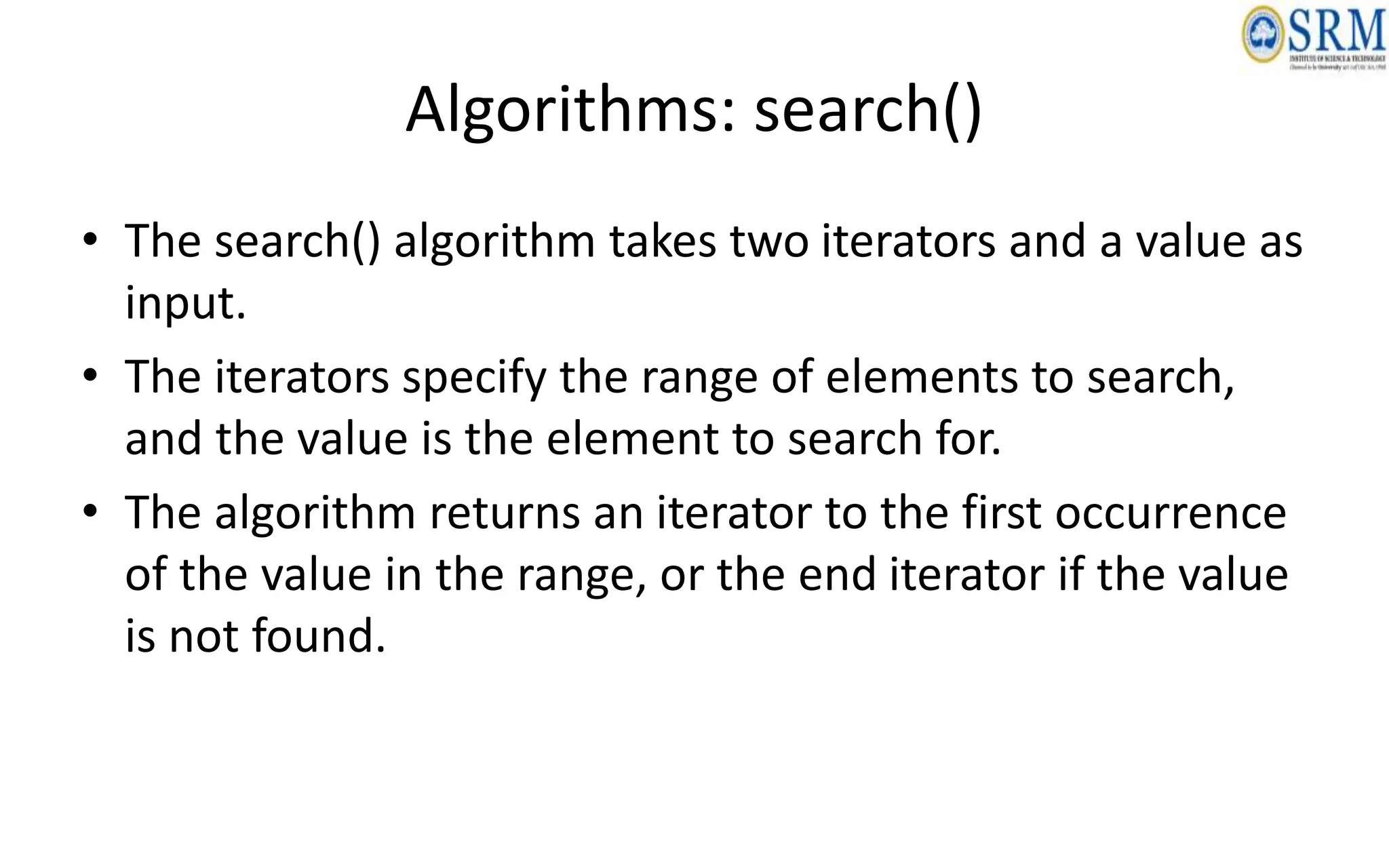
Algorithms: search()
• The search() algorithm takes two iterators and a value as
input.
• The iterators specify the range of elements to search,
and the value is the element to search for.
• The algorithm returns an iterator to the first occurrence
of the value in the range, or the end iterator if the value
is not found.
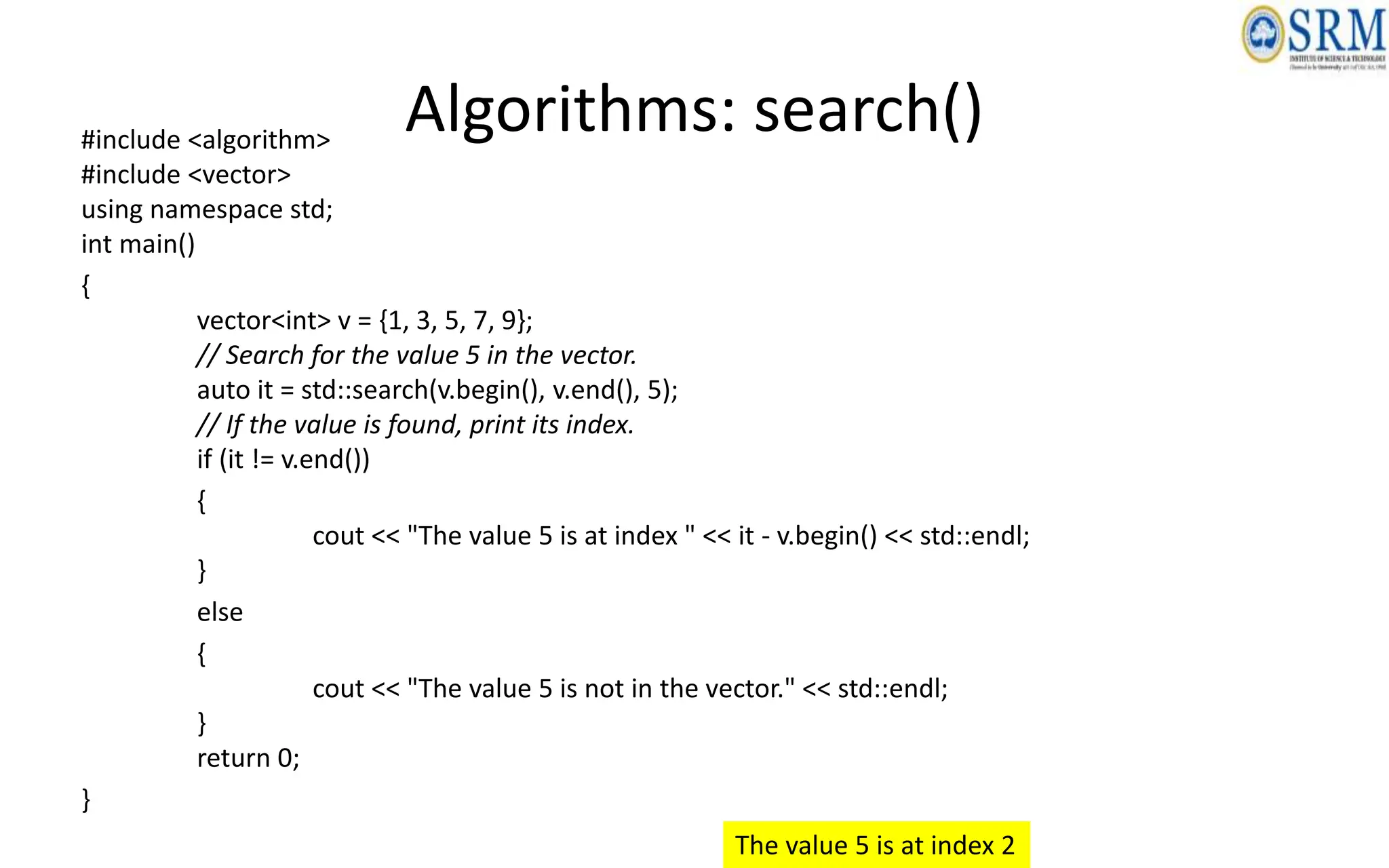
Algorithms: search()
#include <algorithm>
#include <vector>
using namespace std;
int main()
{
vector<int> v = {1, 3, 5, 7, 9};
// Search for the value 5 in the vector.
auto it = std::search(v.begin(), v.end(), 5);
// If the value is found, print its index.
if (it != v.end())
{
cout << "The value 5 is at index " << it - v.begin() << std::endl;
}
else
{
cout << "The value 5 is not in the vector." << std::endl;
}
return 0;
}
The value 5 is at index 2
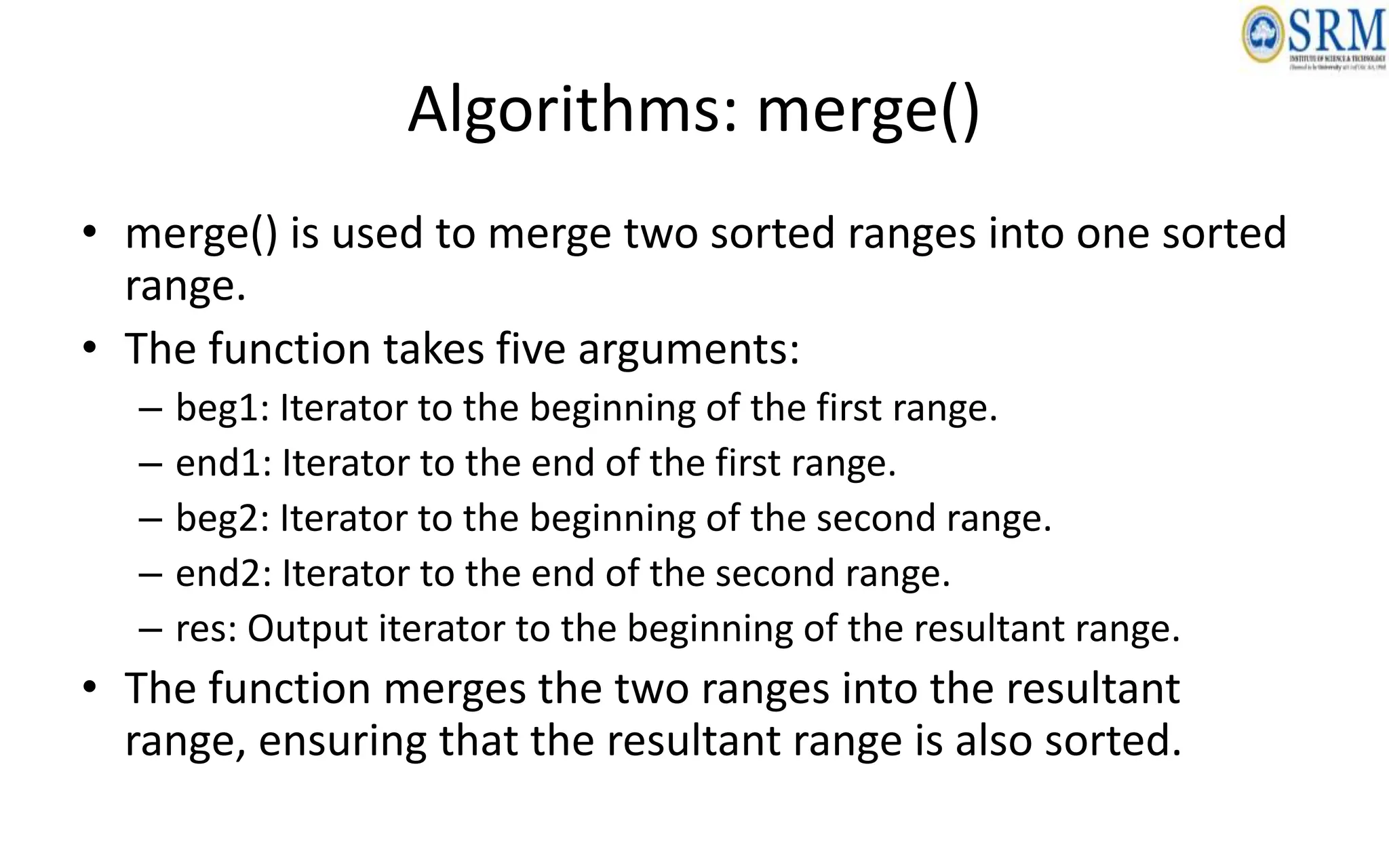
Algorithms: merge()
• merge() is used to merge two sorted ranges into one sorted
range.
• The function takes five arguments:
– beg1: Iterator to the beginning of the first range.
– end1: Iterator to the end of the first range.
– beg2: Iterator to the beginning of the second range.
– end2: Iterator to the end of the second range.
– res: Output iterator to the beginning of the resultant range.
• The function merges the two ranges into the resultant
range, ensuring that the resultant range is also sorted.
Algorithms: merge()
#include <algorithm>
#include <vector>
using namespace std;
int main()
{
vector<int> v1 = {1, 3, 5, 7};
vector<int> v2 = {2, 4, 6, 8};
vector<int> v3;
merge(v1.begin(), v1.end(), v2.begin(), v2.end(), back_inserter(v3));
for (int i = 0; i < v3.size(); i++)
{
cout << v3[i] << " ";
}
cout << endl;
return 0;
}
Output:
1 2 3 4 5 6 7 8
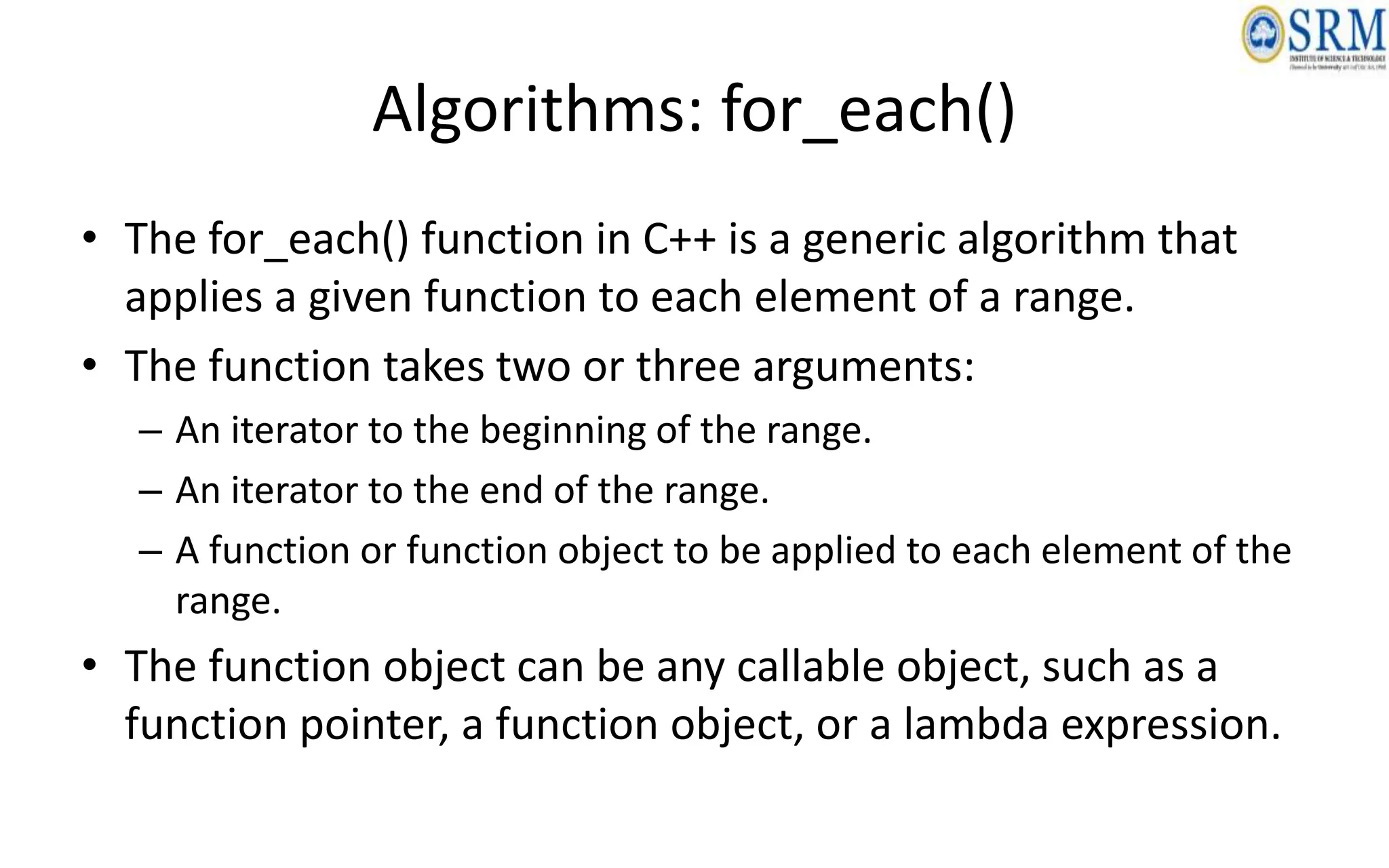
Algorithms: for_each()
• The for_each() function in C++ is a generic algorithm that
applies a given function to each element of a range.
• The function takes two or three arguments:
– An iterator to the beginning of the range.
– An iterator to the end of the range.
– A function or function object to be applied to each element of the
range.
• The function object can be any callable object, such as a
function pointer, a function object, or a lambda expression.
Algorithms: for_each()
#include <algorithm>
#include <iostream>
using namespace std;
int main()
{
int arr[] = {1, 2, 3, 4, 5};
// Print each element of the array using for_each()
for_each(begin(arr), end(arr), [](int x) { cout << x << " "; });
cout << endl;
return 0;
}
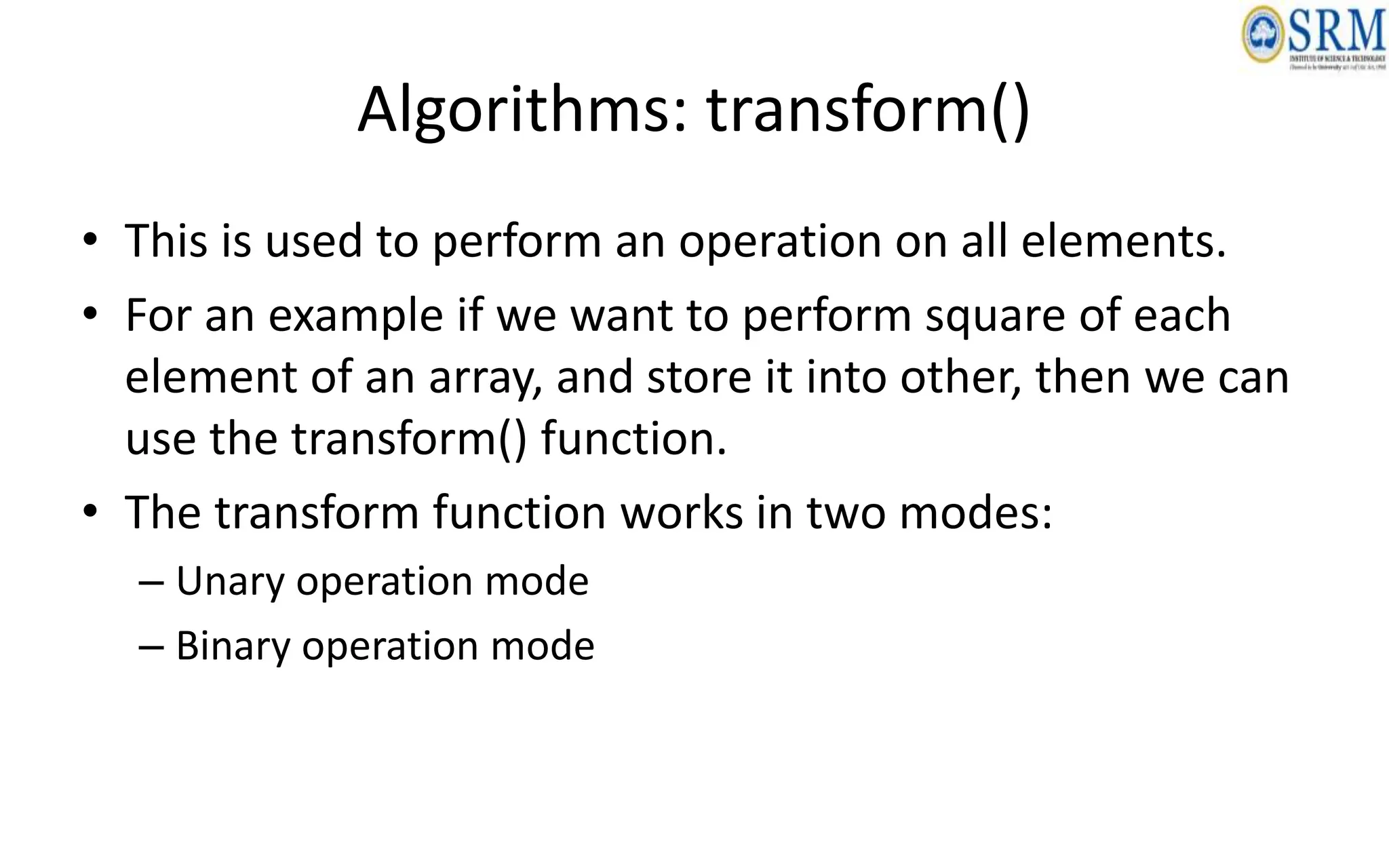
Algorithms: transform()
• This is used to perform an operation on all elements.
• For an example if we want to perform square of each
element of an array, and store it into other, then we can
use the transform() function.
• The transform function works in two modes:
– Unary operation mode
– Binary operation mode
Algorithms: transform() – Unary Mode
• In this mode the function takes only one operator (or function) and convert into output.
#include <iostream>
#include <algorithm>
using namespace std;
int square(int x)
{
//define square function
return x*x;
}
int main(int argc, char **argv)
{
int arr[10] = {1, 2, 3, 4, 5, 6, 7, 8, 9, 10};
int res[10];
transform(arr, arr+10, res, square);
for(int i = 0; i<10; i++)
{
cout<< res[i] << "n";
}
return 0;
}
Algorithms: transform() – Binary Mode
• In this mode the it can perform binary operation on the given data.
• If we want to add elements of two different array, then we have to use binary operator
mode.
#include <iostream>
#include <algorithm>
using namespace std;
int multiply(int x, int y)
{
//define multiplication function
return x*y;
}
int main(int argc, char **argv)
{
int arr1[10] = {1, 2, 3, 4, 5, 6, 7, 8, 9, 10};
int arr2[10] = {54, 21, 32, 65, 58, 74, 21, 84, 20, 35};
int res[10];
transform(arr1, arr1+10, arr2, res, multiply);
for(int i = 0; i<10; i++)
{
cout << res[i] << "n";
}
}

Object Oriented Design and Programming Unit-05

  • 1.
    21CSC101T OBJECT ORIENTEDDESIGN AND PROGRAMMING UNIT V Dr.M.Sivakumar AP/NWC SRMIST DEPARTMENT OF NETWORKING AND COMMUNICATIONS
  • 2.
    Course Outcomes (CO) Atthe end of this course, learners will be able to: • CO-1: Create programs using object-oriented approach and design methodologies • CO-2: Construct programs using method overloading and operator overloading • CO-3: Create programs using inline, friend and virtual functions, construct programs using standard templates • CO-4: Construct programs using exceptional handling and collections • CO-5: Create Models of the system using UML Diagrams
  • 3.
    Unit-5 - StandardTemplate Library • STL • Containers: Sequence and Associative Container • Sequence Container: Vector, List, Deque, Array, Stack • Associative Containers: Map, Multimap • Iterator and Specialized iterator - Functions of iterator • Algorithms: find(), count(), sort() • Algorithms: search(), merge(), for_each(), transform()
  • 4.
    What is STL? •The Standard Template Library (STL) is a set of C++ template classes to provide common programming data structures and functions such as lists, stacks, arrays, etc. • It is a library of container classes, algorithms, and iterators. • It is a generalized library and so, its components are parameterized. • A working knowledge of template classes is a prerequisite for working with STL.
  • 5.
    Why use STL? •STL offers an assortment of containers • STL publicizes the time and storage complexity of its containers • STL containers grow and shrink in size automatically • STL provides built-in algorithms for processing containers • STL provides iterators that make the containers and algorithms flexible and efficient. • STL is extensible which means that users can add new containers and new algorithms such that: – STL algorithms can process STL containers as well as user defined containers – User defined algorithms can process STL containers as well user defined containers
  • 6.
    C++ STL Components 1.Containers • Generic class templates for storing collection of data. 2. Algorithms • Generic function templates for operating on containers. 3. Iterators • Generalized ‘smart’ pointers that facilitate use of containers. • They provide an interface that is needed for STL algorithms to operate on STL containers.
  • 7.
    Containers • Containers areobjects that are used to store the collection of data • It helps in recreating and implementing complex data structures efficiently • Types – Sequence Containers – Associative Containers – Containers adapters
  • 9.
    • Sequence containers –These are used to implement sequential data structures like a linked list, array, etc. • Associative containers – These are those containers in which each element has a value that is related to a key. – They are used to implement sorted data structures, for example, set, multiset, map, etc. • Containers adapters – Container adapters can be defined as an interface used to provide functionality to the pre-existing containers. Containers Types
  • 10.
    Functions associated with thecontainers Iterators Capacity Element access Modifiers Element access functions provide access to the elements of the container. Modifier functions allow modification of the contents of the container. Iterators are objects that allow traversal of the elements of a container. Capacity functions provide information about the size and storage capacity of the container.
  • 11.
    Sequence Containers Implement datastructures which can be accessed in a sequential manner. • arrays • vector • list • stack • queue • deque
  • 12.
    STL: array • Acontainer class that encapsulates fixed size arrays. • It is similar to the C-style arrays as it stores multiple values of similar type.
  • 13.
    Example #include <iostream> #include <array> usingnamespace std; int main() { // uniform initialization array <int , 5> numbers {1, 2, 3, 4, 5}; cout << "The elements are: " << endl; // use a ranged for loop print the elements for(const int num: numbers) { cout << num << " "; } }
  • 14.
    Functions on arrays •[i]: It is used to access the element stored at index i. • at(i): It is also used to access the element stored at index i. • front(): It returns the first element of the array. • back(): It returns the last element of the array. • size(): It tells us the number of elements in the array. • fill(element): It inserts the given value at every array index. • front(): It returns an iterator pointing to the first element of the array. • back(): It returns an iterator pointing to the last element of the array. • empty(): It tells us whether the array is empty or not. • data(): It returns a pointer pointing to the first element of the array. • swap(array_name): It swaps the content of the two arrays.
  • 15.
    #include <iostream> #include <array> usingnamespace std; int main() { // Create an array of integers with size 5 array<int, 5> myArray = {1, 2, 3, 4, 5}; // Access elements of the array using [] operator cout << "Elements of the array:"; for (int i = 0; i < myArray.size(); ++i) { cout << " " << myArray[i]; } cout << endl; // Access elements of the array using range-based for loop cout << "Elements of the array (using range-based for loop):"; for (int num : myArray) { cout << " " << num; } cout << endl;
  • 16.
    // Modify anelement of the array myArray[2] = 10; // Print the modified array cout << "Modified array:"; for (int num : myArray) { cout << " " << num; } cout << endl; // Access the first and last element of the array cout << "First element: " << myArray.front() << endl; cout << "Last element: " << myArray.back() << endl; // Check if the array is empty cout << "Is the array empty? " << (myArray.empty() ? "Yes" : "No") << endl; // Print the size of the array cout << "Size of the array: " << myArray.size() << endl; return 0; }
  • 17.
    Vector • Vectors aresame as dynamic arrays with the ability to resize itself automatically when an element is inserted or deleted, with their storage being handled automatically by the container. • Vector elements are placed in contiguous storage so that they can be accessed and traversed using iterators. In vectors, data is inserted at the end. • Inserting at the end takes differential time, as sometimes there may be a need of extending the array. • Removing the last element takes only constant time because no resizing happens. Inserting and erasing at the beginning or in the middle is linear in time.
  • 18.
  • 19.
    Function Description at() Itprovides a reference to an element. back() It gives a reference to the last element. front() It gives a reference to the first element. swap() It exchanges the elements between two vectors. push_back() It adds a new element at the end. pop_back() It removes a last element from the vector. empty() It determines whether the vector is empty or not. insert() It inserts new element at the specified position. erase() It deletes the specified element. resize() It modifies the size of the vector. clear() It removes all the elements from the vector. size() It determines a number of elements in the vector. capacity() It determines the current capacity of the vector. assign() It assigns new values to the vector.
  • 20.
    Function Description operator=() Itassigns new values to the vector container. operator[]() It access a specified element. end() It refers to the past-lats-element in the vector. emplace() It inserts a new element just before the position pos. emplace_back() It inserts a new element at the end. rend() It points the element preceding the first element of the vector. rbegin() It points the last element of the vector. begin() It points the first element of the vector. max_size() It determines the maximum size that vector can hold. cend() It refers to the past-last-element in the vector. cbegin() It refers to the first element of the vector. crbegin() It refers to the last character of the vector. crend() It refers to the element preceding the first element of the vector. data() It writes the data of the vector into an array. shrink_to_fit() It reduces the capacity and makes it equal to the size of the vector.
  • 21.
    Basic Vector Operations •Add elements • Access elements • Change elements • Remove elements
  • 22.
    #include <iostream> #include <vector> usingnamespace std; int main() { // Declare an empty vector of integers vector<int> vec; // Add elements to the vector vec.push_back(10); vec.push_back(20); vec.push_back(30); // Access elements using [] operator cout << "First element: " << vec[0] << endl; cout << "Second element: " << vec[1] << endl; // Iterate over the vector using iterators cout << "Vector elements: "; for (auto it = vec.begin(); it != vec.end(); ++it) { cout << *it << " "; } cout <<endl; // Size of the vector cout << "Vector size: " << vec.size() << endl; // Remove the last element vec.pop_back(); // Size after removing an element cout << "Vector size after pop_back: " << vec.size() << endl; return 0; } Output: First element: 10 Second element: 20 Vector elements: 10 20 30 Vector size: 3 Vector size after pop_back: 2
  • 23.
    Sequence Container: List •Lists are sequence containers that allow non-contiguous memory allocation. • As compared to vector, list has slow traversal, but once a position has been found, insertion and deletion are quick. • Normally, when we say a List, we talk about doubly linked list. For implementing a singly linked list, we use forward list.
  • 24.
    Method Description insert() Itinserts the new element before the position pointed by the iterator. push_back() It adds a new element at the end of the vector. push_front() It adds a new element to the front. pop_back() It deletes the last element. pop_front() It deletes the first element. empty() It checks whether the list is empty or not. size() It finds the number of elements present in the list. max_size() It finds the maximum size of the list. front() It returns the first element of the list. back() It returns the last element of the list.
  • 25.
    Method Description swap() Itswaps two list when the type of both the list are same. reverse() It reverses the elements of the list. sort() It sorts the elements of the list in an increasing order. merge() It merges the two sorted list. splice() It inserts a new list into the invoking list. unique() It removes all the duplicate elements from the list. resize() It changes the size of the list container. assign() It assigns a new element to the list container. emplace() It inserts a new element at a specified position. emplace_back() It inserts a new element at the end of the vector. emplace_front() It inserts a new element at the beginning of the list.
  • 26.
    #include <iostream> #include <list> usingnamespace std; int main() { // Create a list of integers list<int> myList; // Add elements to the list myList.push_back(10); myList.push_back(20); myList.push_back(30); // Print the elements of the list cout << "List elements:"; for (int num : myList) { cout << " " << num; } cout <<endl; // Modify the first element myList.front() = 15; // Print the modified list cout << "Modified list:"; for (int num : myList) { cout << " " << num; } cout <<endl; // Insert an element at the beginning myList.push_front(5); // Print the list after insertion cout << "List after push_front:"; for (int num : myList) { cout << " " << num; } cout <<endl; // Remove the last element myList.pop_back(); // Print the list after pop_back cout << "List after pop_back:"; for (int num : myList) { cout << " " << num; } cout <<endl; return 0; } List elements: 10 20 30 Modified list: 15 20 30 List after push_front: 5 15 20 30 List after pop_back: 5 15 20
  • 27.
    STL Stack • Stacksare a type of container adaptors with LIFO(Last In First Out) type of working, where a new element is added at one end and (top) an element is removed from that end only. • Stack uses an encapsulated object of either vector or deque (by default) or list (sequential container class) as its underlying container, providing a specific set of member functions to access its elements. Stack Syntax:- • For creating a stack, we must include the <stack> header file in our code. We then use this syntax to define the std::stack: • template <class Type, class Container = deque<Type> > class stack;Type – is the Type of element contained in the std::stack. It can be any valid C++ type or even a user-defined type.
  • 28.
  • 29.
    Stack Methods • empty():- This method checks if the queue is empty. It returns true if the queue is empty, and false otherwise. • size(): - This method returns the size of the queue, which is the number of elements in the queue. • front(): - This method returns the element at the front of the queue. • back(): - This method returns the element at the back of the queue. • push(): - This method adds an element to the back of the queue. • pop(): - This method removes the element at the front of the queue.
  • 30.
    #include <iostream> #include <stack> usingnamespace std; int main() { // Create a stack of integers stack<int> myStack; // Push elements onto the stack myStack.push(10); myStack.push(20); myStack.push(30); // Print the top element of the stack cout << "Top element of the stack: " << myStack.top() << endl; // Pop an element from the stack myStack.pop(); // Print the top element after popping cout << "Top element after popping: " << myStack.top() <<endl; // Check if the stack is empty cout << "Is the stack empty? " << (myStack.empty() ? "Yes" : "No") <<endl; // Print the size of the stack cout << "Size of the stack: " << myStack.size() << endl; return 0; }
  • 31.
    Queue • queues area type of container adaptor, specifically designed to operate in a FIFO context (first-in first-out), where elements are inserted into one end of the container and extracted from the other.
  • 32.
    Queue Methods Function Description (constructor)The function is used for the construction of a queue container. empty The function is used to test for the emptiness of a queue. If the queue is empty the function returns true else false. size The function returns the size of the queue container, which is a measure of the number of elements stored in the queue. front The function is used to access the front element of the queue. The element plays a very important role as all the deletion operations are performed at the front element. back The function is used to access the rear element of the queue. The element plays a very important role as all the insertion operations are performed at the rear element. push The function is used for the insertion of a new element at the rear end of the queue. pop The function is used for the deletion of element; the element in the queue is deleted from the front end. emplace The function is used for insertion of new elements in the queue above the current rear element. swap The function is used for interchanging the contents of two containers in reference.
  • 33.
    #include <iostream> #include <queue> usingnamespace std; int main() { // Create a queue of integers queue<int> myQueue; // Push elements onto the queue myQueue.push(10); myQueue.push(20); myQueue.push(30); // Print the front element of the queue cout << "Front element of the queue: " << myQueue.front() << endl; // Pop an element from the queue myQueue.pop(); // Print the front element after popping cout << "Front element after popping: " << myQueue.front() << endl; // Check if the queue is empty cout << "Is the queue empty? " << (myQueue.empty() ? "Yes" : "No") << endl; // Print the size of the queue cout << "Size of the queue: " << myQueue.size() << endl; return 0; } Queue Example
  • 34.
    Deque  Double endedqueues are sequence containers with the feature of expansion and contraction on both the ends.  They are similar to vectors, but are more efficient in case of insertion and deletion of elements. Unlike vectors, contiguous storage allocation may not be guaranteed.  Double Ended Queues are basically an implementation of the data structure double ended queue. A queue data structure allows insertion only at the end and deletion from the front.  This is like a queue in real life, wherein people are removed from the front and added at the back.  Double ended queues are a special case of queues where insertion and deletion operations are possible at both the ends.
  • 35.
    Deque Methods • assign():- Assigns new contents to the deque, replacing its current contents. • at(): - Returns a reference to the element at a specified position in the deque. • back(): - Returns a reference to the last element in the deque. • begin(): - Returns an iterator to the beginning of the deque. • clear(): - Removes all elements from the deque. • empty(): - Checks if the deque is empty. • end(): - Returns an iterator to the end of the deque. • erase(): - Removes elements from the deque. • front(): - Returns a reference to the first element in the deque. • insert(): - Inserts new elements into the deque.
  • 36.
    Deque Methods • max_size():- Returns the maximum number of elements that the deque can hold. • pop_back(): - Removes the last element from the deque. • pop_front(): - Removes the first element from the deque. • push_back(): - Inserts a new element at the end of the deque. • push_front(): - Inserts a new element at the beginning of the deque. • resize(): - Resizes the deque to a specified size. • rbegin(): - Returns a reverse iterator to the beginning of the deque. • rend(): - Returns a reverse iterator to the end of the deque. • size(): - Returns the number of elements in the deque. • swap(): - Exchanges the contents of the deque with another deque.
  • 37.
    #include <iostream> #include <deque> usingnamespace std; int main() { // Create a deque of integers deque<int> myDeque; // Add elements to the back of the deque myDeque.push_back(10); myDeque.push_back(20); myDeque.push_back(30); // Add elements to the front of the deque myDeque.push_front(5); myDeque.push_front(2); // Print the elements of the deque cout << "Deque elements:"; for (int num : myDeque) { cout << " " << num; } cout << endl; // Remove an element from the back of the deque myDeque.pop_back(); // Remove an element from the front of the deque myDeque.pop_front(); // Print the modified deque cout << "Deque after popping elements:"; for (int num : myDeque) { cout << " " << num; } cout << endl; return 0; }
  • 39.
    Set • Sets area type of associative container in which each element has to be unique because the value of the element identifies it. • The values are stored in a specific sorted order i.e. either ascending or descending.
  • 40.
    Functions Function Description begin() Returnsan iterator to the first element in the set. end() Returns an iterator to the theoretical element that follows the last element in the set. rbegin() Returns a reverse iterator pointing to the last element in the container. rend() Returns a reverse iterator pointing to the theoretical element right before the first element in the set container. crbegin() Returns a constant iterator pointing to the last element in the container. crend() Returns a constant iterator pointing to the position just before the first element in the container. cbegin() Returns a constant iterator pointing to the first element in the container. cend() Returns a constant iterator pointing to the position past the last element in the container. size() Returns the number of elements in the set. max_size() Returns the maximum number of elements that the set can hold. empty() Returns whether the set is empty. insert(const g) Adds a new element ‘g’ to the set. erase(iterator position) Removes the element at the position pointed by the iterator.
  • 41.
    Function Description erase(const g)Removes the value ‘g’ from the set. clear() Removes all the elements from the set. find(const g) Returns an iterator to the element ‘g’ in the set if found, else returns the iterator to the end. count(const g) Returns 1 or 0 based on whether the element ‘g’ is present in the set or not. lower_bound(const g) Returns an iterator to the first element that is equivalent to ‘g’ or definitely will not go before the element ‘g’ in the set. upper_bound(const g) Returns an iterator to the first element that will go after the element ‘g’ in the set. equal_range() The function returns an iterator of pairs. (key_comp). The pair refers to the range that includes all the elements in the container which have a key equivalent to k. emplace() This function is used to insert a new element into the set container, only if the element to be inserted is unique and does not already exist in the set. emplace_hint() Returns an iterator pointing to the position where the insertion is done. If the element passed in the parameter already exists, then it returns an iterator pointing to the position where the existing element is. swap() This function is used to exchange the contents of two sets but the sets must be of the same type, although sizes may differ. operator= The ‘=’ is an operator in C++ STL that copies (or moves) a set to another set and set::operator= is the corresponding operator function. get_allocator() Returns the copy of the allocator object associated with the set.
  • 42.
    // C++ programto demonstrate various functions of // STL #include <iostream> #include <iterator> #include <set> using namespace std; int main() { // empty set container set<int, greater<int> > s1; // insert elements in random order s1.insert(40); s1.insert(30); s1.insert(60); s1.insert(20); s1.insert(50); // only one 50 will be added to the set s1.insert(50); s1.insert(10); // printing set s1 set<int, greater<int> >::iterator itr; cout << "nThe set s1 is : n"; for (itr = s1.begin(); itr != s1.end(); itr++) { cout << *itr << " "; } cout << endl; // assigning the elements from s1 to s2 set<int> s2(s1.begin(), s1.end()); // print all elements of the set s2 cout << "nThe set s2 after assign from s1 is : n"; for (itr = s2.begin(); itr != s2.end(); itr++) { cout << *itr << " "; } cout << endl; // remove all elements up to 30 in s2 cout << "ns2 after removal of elements less than 30 " ":n"; s2.erase(s2.begin(), s2.find(30)); for (itr = s2.begin(); itr != s2.end(); itr++) { cout << *itr << " "; } // remove element with value 50 in s2 int num; num = s2.erase(50); cout << "ns2.erase(50) : “<< num << " removedn"; for (itr = s2.begin(); itr != s2.end(); itr++) { cout << *itr << " "; } cout << endl; // lower bound and upper bound for set s1 cout << "s1.lower_bound(40) : “<< *s1.lower_bound(40) << endl; cout << "s1.upper_bound(40) : “<< *s1.upper_bound(40) << endl; // lower bound and upper bound for set s2 cout << "s2.lower_bound(40) : “<< *s2.lower_bound(40) << endl; cout << "s2.upper_bound(40) : “<< *s2.upper_bound(40) << endl; return 0; }
  • 43.
    The set s1is : 60 50 40 30 20 10 The set s2 after assign from s1 is : 10 20 30 40 50 60 s2 after removal of elements less than 30 30 40 50 60 s2.erase(50) : 1 removed 30 40 60 s1.lower_bound(40) : 40 s1.upper_bound(40) : 30 s2.lower_bound(40) : 40 s2.upper_bound(40) : 60
  • 44.
    multiset • Multisets area type of associative containers similar to the set, with the exception that multiple elements can have the same values.
  • 45.
    Functions Function Definition begin() Returnsan iterator to the first element in the multiset. end() Returns an iterator to the theoretical element that follows the last element in the multiset. size() Returns the number of elements in the multiset. max_size() Returns the maximum number of elements that the multiset can hold. empty() Returns whether the multiset is empty. pair insert(const g) Adds a new element ‘g’ to the multiset. erase(iterator position) Removes the element at the position pointed by the iterator. erase(const g) Removes the value ‘g’ from the multiset. clear() Removes all the elements from the multiset.
  • 46.
    Function Definition find(const g)Returns an iterator to the element ‘g’ in the multiset if found, else returns the iterator to end. count(const g) Returns the number of matches to element ‘g’ in the multiset. lower_bound(const g) Returns an iterator to the first element that is equivalent to ‘g’ or definitely will not go before the element ‘g’ in the multiset if found, else returns the iterator to end. upper_bound(const g) Returns an iterator to the first element that will go after the element ‘g’ in the multiset. multiset::swap() This function is used to exchange the contents of two multisets but the sets must be of the same type, although sizes may differ. multiset::operator= This operator is used to assign new contents to the container by replacing the existing contents. multiset::emplace() This function is used to insert a new element into the multiset container. multiset equal_range() Returns an iterator of pairs. The pair refers to the range that includes all the elements in the container which have a key equivalent to k. multiset::emplace_hint() Inserts a new element in the multiset.
  • 47.
    Function Definition multiset::rbegin() Returnsa reverse iterator pointing to the last element in the multiset container. multiset::rend() Returns a reverse iterator pointing to the theoretical element right before the first element in the multiset container. multiset::cbegin() Returns a constant iterator pointing to the first element in the container. multiset::cend() Returns a constant iterator pointing to the position past the last element in the container. multiset::crbegin() Returns a constant reverse iterator pointing to the last element in the container. multiset::crend() Returns a constant reverse iterator pointing to the position just before the first element in the container. multiset::get_allocator() Returns a copy of the allocator object associated with the multiset. multiset::rbegin() Returns a reverse iterator pointing to the last element in the multiset container. multiset::rend() Returns a reverse iterator pointing to the theoretical element right before the first element in the multiset container. multiset::get_allocator() Returns a copy of the allocator object associated with the multiset.
  • 48.
    // CPP Programto demonstrate the implementation of multiset #include <iostream> #include <iterator> #include <set> using namespace std; int main() { // empty multiset container multiset<int, greater<int> > gquiz1; // insert elements in random order gquiz1.insert(40); gquiz1.insert(30); gquiz1.insert(60); gquiz1.insert(20); gquiz1.insert(50); // 50 will be added again to // the multiset unlike set gquiz1.insert(50); gquiz1.insert(10); // printing multiset gquiz1 multiset<int, greater<int> >::iterator itr; cout << "nThe multiset gquiz1 is : n"; for (itr = gquiz1.begin(); itr != gquiz1.end(); ++itr) { cout << *itr << " "; } cout << endl; // assigning the elements from gquiz1 to gquiz2 multiset<int> gquiz2(gquiz1.begin(), gquiz1.end()); // print all elements of the multiset gquiz2 cout << "nThe multiset gquiz2 n" "after assign from gquiz1 is : n"; for (itr = gquiz2.begin(); itr != gquiz2.end(); ++itr) { cout << *itr << " "; } cout << endl; // remove all elements up to element // with value 30 in gquiz2 cout << "ngquiz2 after removal n" "of elements less than 30 : n"; gquiz2.erase(gquiz2.begin(), gquiz2.find(30)); for (itr = gquiz2.begin(); itr != gquiz2.end(); ++itr) { cout << *itr << " "; } // remove all elements with value 50 in gquiz2 int num; num = gquiz2.erase(50); cout << "ngquiz2.erase(50) : n"; cout << num << " removed n"; for (itr = gquiz2.begin(); itr != gquiz2.end(); ++itr) { cout << *itr << " "; } cout << endl; // lower bound and upper bound for multiset gquiz1 cout << "ngquiz1.lower_bound(40) : n" << *gquiz1.lower_bound(40) << endl; cout << "gquiz1.upper_bound(40) : n" << *gquiz1.upper_bound(40) << endl; // lower bound and upper bound for multiset gquiz2 cout << "gquiz2.lower_bound(40) : n" << *gquiz2.lower_bound(40) << endl; cout << "gquiz2.upper_bound(40) : n" << *gquiz2.upper_bound(40) << endl; return 0; }
  • 49.
    map • Maps areassociative containers that store elements in a mapped fashion. • Each element has a key value and a mapped value. • No two mapped values can have the same key values. • std::map is the class template for map containers and it is defined inside the <map> header file.
  • 50.
  • 51.
    Methods Function Definition map::insert() Insertelements with a particular key in the map container –> O(log n) map:: count() Returns the number of matches to element with key-value ‘g’ in the map. –> O(log n) map equal_range() Returns an iterator of pairs. The pair refers to the bounds of a range that includes all the elements in the container which have a key equivalent to k. map erase() Used to erase elements from the container –> O(log n) map rend() Returns a reverse iterator pointing to the theoretical element right before the first key-value pair in the map(which is considered its reverse end). map rbegin() Returns a reverse iterator which points to the last element of the map. map find() Returns an iterator to the element with key-value ‘g’ in the map if found, else returns the iterator to end. map crbegin() and crend() crbegin() returns a constant reverse iterator referring to the last element in the map container. crend() returns a constant reverse iterator pointing to the theoretical element before the first element in the map.
  • 52.
    Function Definition map cbegin()and cend() cbegin() returns a constant iterator referring to the first element in the map container. cend() returns a constant iterator pointing to the theoretical element that follows the last element in the multimap. map emplace() Inserts the key and its element in the map container. map max_size() Returns the maximum number of elements a map container can hold –> O(1) map upper_bound() Returns an iterator to the first element that is equivalent to mapped value with key- value ‘g’ or definitely will go after the element with key-value ‘g’ in the map map operator= Assigns contents of a container to a different container, replacing its current content. map lower_bound() Returns an iterator to the first element that is equivalent to the mapped value with key-value ‘g’ or definitely will not go before the element with key-value ‘g’ in the map –> O(log n) map emplace_hint() Inserts the key and its element in the map container with a given hint. map value_comp() Returns the object that determines how the elements in the map are ordered (‘<‘ by default).
  • 53.
    Function Definition map::size() Returnsthe number of elements in the map. map::empty() Returns whether the map is empty map::begin() and end() begin() returns an iterator to the first element in the map. end() returns an iterator to the theoretical element that follows the last element in the map map::operator[] This operator is used to reference the element present at the position given inside the operator. map::clear() Removes all the elements from the map. map::at() and map::swap() at() function is used to return the reference to the element associated with the key k. swap() function is used to exchange the contents of two maps but the maps must be of the same type, although sizes may differ.
  • 54.
    // CPP Programto demonstrate the implementation in Map // divyansh mishra --> divyanshmishra101010 #include <iostream> #include <iterator> #include <map> using namespace std; int main() { // empty map container map<int, int> gquiz1; // insert elements in random order gquiz1.insert(pair<int, int>(1, 40)); gquiz1.insert(pair<int, int>(2, 30)); gquiz1.insert(pair<int, int>(3, 60)); gquiz1.insert(pair<int, int>(4, 20)); gquiz1.insert(pair<int, int>(5, 50)); gquiz1.insert(pair<int, int>(6, 50)); // another way of inserting a value in a map gquiz1[7] = 10; // printing map gquiz1 map<int, int>::iterator itr; cout << "nThe map gquiz1 is : n"; cout << "tKEYtELEMENTn"; for (itr = gquiz1.begin(); itr != gquiz1.end(); ++itr) { cout << 't' << itr->first << 't' << itr->second << 'n'; } cout << endl; // assigning the elements from gquiz1 to gquiz2 map<int, int> gquiz2(gquiz1.begin(), gquiz1.end()); // print all elements of the map gquiz2 cout << "nThe map gquiz2 after" << " assign from gquiz1 is : n"; cout << "tKEYtELEMENTn";
  • 55.
    for (itr =gquiz2.begin(); itr != gquiz2.end(); ++itr) { cout << 't' << itr->first << 't' << itr->second << 'n'; } cout << endl; // remove all elements up to // element with key=3 in gquiz2 cout << "ngquiz2 after removal of" " elements less than key=3 : n"; cout << "tKEYtELEMENTn"; gquiz2.erase(gquiz2.begin(), gquiz2.find(3)); for (itr = gquiz2.begin(); itr != gquiz2.end(); ++itr) { cout << 't' << itr->first << 't' << itr->second << 'n'; } // remove all elements with key = 4 int num; num = gquiz2.erase(4); cout << "ngquiz2.erase(4) : "; cout << num << " removed n"; cout << "tKEYtELEMENTn"; for (itr = gquiz2.begin(); itr != gquiz2.end(); ++itr) { cout << 't' << itr->first << 't' << itr->second << 'n'; }
  • 56.
    for (itr =gquiz2.begin(); itr != gquiz2.end(); ++itr) { cout << 't' << itr->first << 't' << itr->second << 'n'; } cout << endl; // remove all elements up to // element with key=3 in gquiz2 cout << "ngquiz2 after removal of" " elements less than key=3 : n"; cout << "tKEYtELEMENTn"; gquiz2.erase(gquiz2.begin(), gquiz2.find(3)); for (itr = gquiz2.begin(); itr != gquiz2.end(); ++itr) { cout << 't' << itr->first << 't' << itr->second << 'n'; } // remove all elements with key = 4 int num; num = gquiz2.erase(4); cout << "ngquiz2.erase(4) : "; cout << num << " removed n"; cout << "tKEYtELEMENTn"; for (itr = gquiz2.begin(); itr != gquiz2.end(); ++itr) { cout << 't' << itr->first << 't' << itr->second << 'n'; } cout << endl; // lower bound and upper bound for map gquiz1 key = 5 cout << "gquiz1.lower_bound(5) : " << "tKEY = "; cout << gquiz1.lower_bound(5)->first << 't'; cout << "tELEMENT = " << gquiz1.lower_bound(5)->second << endl; cout << "gquiz1.upper_bound(5) : " << "tKEY = "; cout << gquiz1.upper_bound(5)->first << 't'; cout << "tELEMENT = " << gquiz1.upper_bound(5)->second << endl; return 0; }
  • 57.
    multimap • Multimap issimilar to a map with the addition that multiple elements can have the same keys. • It is NOT required that the key-value and mapped value pair have to be unique in this case. • multimap keeps all the keys in sorted order always.
  • 58.
    Methods Function Definition multimap::operator= Itis used to assign new contents to the container by replacing the existing contents. multimap::crbegin() and multimap::crend() crbegin() returns a constant reverse iterator referring to the last element in the multimap container. crend() returns a constant reverse iterator pointing to the theoretical element before the first element in the multimap. multimap::emplace_hint() Insert the key and its element in the multimap container with a given hint. multimap clear() Removes all the elements from the multimap. multimap empty() Returns whether the multimap is empty. multimap maxsize() Returns the maximum number of elements a multimap container can hold. multimap value_comp() Returns the object that determines how the elements in the multimap are ordered (‘<‘ by default). multimap rend Returns a reverse iterator pointing to the theoretical element preceding to the first element of the multimap container.
  • 59.
    Function Definition multimap::cbegin() and multimap::cend() cbegin()returns a constant iterator referring to the first element in the multimap container. cend() returns a constant iterator pointing to the theoretical element that follows the last element in the multimap. multimap::swap() Swap the contents of one multimap with another multimap of same type and size. multimap rbegin Returns an iterator pointing to the last element of the container. multimap size() Returns the number of elements in the multimap container. multimap::emplace() Inserts the key and its element in the multimap container. multimap::begin() and multimap::end() begin() returns an iterator referring to the first element in the multimap container. end() returns an iterator to the theoretical element that follows the last element in the multimap. multimap upper_bound() Returns an iterator to the first element that is equivalent to multimapped value with key-value ‘g’ or definitely will go after the element with key-value ‘g’ in the multimap. multimap::count() Returns the number of matches to element with key-value ‘g’ in the multimap.
  • 60.
    Function Definition multimap::erase() Removesthe key value from the multimap. multimap::find() Returns an iterator to the element with key-value ‘g’ in the multimap if found, else returns the iterator to end. multimap equal_range() Returns an iterator of pairs. The pair refers to the bounds of a range that includes all the elements in the container which have a key equivalent to k. multimap insert() Used to insert elements in the multimap container. multimap lower_bound() Returns an iterator to the first element that is equivalent to multimapped value with key-value ‘g’ or definitely will not go before the element with key-value ‘g’ in the multimap. multimap key_comp() Returns the object that determines how the elements in the multimap are ordered (‘<‘ by default).
  • 61.
    // CPP Programto demonstrate the implementation of multimap #include <iostream> #include <iterator> #include <map> using namespace std; // Driver Code int main() { multimap<int, int> gquiz1; // empty multimap container // insert elements in random order gquiz1.insert(pair<int, int>(1, 40)); gquiz1.insert(pair<int, int>(2, 30)); gquiz1.insert(pair<int, int>(3, 60)); gquiz1.insert(pair<int, int>(6, 50)); gquiz1.insert(pair<int, int>(6, 10)); // printing multimap gquiz1 multimap<int, int>::iterator itr; cout << "nThe multimap gquiz1 is : n"; cout << "tKEYtELEMENTn"; for (itr = gquiz1.begin(); itr != gquiz1.end(); ++itr) { cout << 't' << itr->first << 't' << itr->second << 'n'; } cout << endl;
  • 62.
    // adding elementsrandomly, // to check the sorted keys property gquiz1.insert(pair<int, int>(4, 50)); gquiz1.insert(pair<int, int>(5, 10)); // printing multimap gquiz1 again cout << "nThe multimap gquiz1 after adding extra " "elements is : n"; cout << "tKEYtELEMENTn"; for (itr = gquiz1.begin(); itr != gquiz1.end(); ++itr) { cout << 't' << itr->first << 't' << itr->second << 'n'; } cout << endl; // assigning the elements from gquiz1 to gquiz2 multimap<int, int> gquiz2(gquiz1.begin(), gquiz1.end()); // print all elements of the multimap gquiz2 cout << "nThe multimap gquiz2 after assign from " "gquiz1 is : n"; cout << "tKEYtELEMENTn"; for (itr = gquiz2.begin(); itr != gquiz2.end(); ++itr) { cout << 't' << itr->first << 't' << itr->second << 'n'; } cout << endl;
  • 63.
    // remove allelements up to // key with value 3 in gquiz2 cout << "ngquiz2 after removal of elements less than " "key=3 : n"; cout << "tKEYtELEMENTn"; gquiz2.erase(gquiz2.begin(), gquiz2.find(3)); for (itr = gquiz2.begin(); itr != gquiz2.end(); ++itr) { cout << 't' << itr->first << 't' << itr->second << 'n'; } // remove all elements with key = 4 int num; num = gquiz2.erase(4); cout << "ngquiz2.erase(4) : "; cout << num << " removed n"; cout << "tKEYtELEMENTn"; for (itr = gquiz2.begin(); itr != gquiz2.end(); ++itr) { cout << 't' << itr->first << 't' << itr->second << 'n'; } cout << endl;
  • 64.
    // lower boundand upper bound for multimap gquiz1 key = // 5 cout << "gquiz1.lower_bound(5) : " << "tKEY = "; cout << gquiz1.lower_bound(5)->first << 't'; cout << "tELEMENT = " << gquiz1.lower_bound(5)->second << endl; cout << "gquiz1.upper_bound(5) : " << "tKEY = "; cout << gquiz1.upper_bound(5)->first << 't'; cout << "tELEMENT = " << gquiz1.upper_bound(5)->second << endl; return 0; }
  • 65.
    Iterator and Specializediterator • An iterator is used to point to the memory address of the STL container classes.
  • 66.
    Iterator • An iteratoris used to point to the memory address of the STL container classes. • Iterators act as a bridge that connects algorithms to STL containers and allows the modifications of the data present inside the container. • They allow you to iterate over the container, access and assign the values, and run different operators over them, to get the desired result.
  • 67.
    Use of Iteratorsin C++ • The primary objective of an iterator is to access the STL container elements and perform certain operations on them. • The internal structure of a container does not matter, since the iterators provide common usage for all of them. • Iterator algorithms are not dependent on the container type. • An iterator can be used to iterate over the container elements. It can also provide access to those elements to modify their values. • Iterators follow a generic approach for STL container classes. This way, the programmers don’t need to learn about different iterators for different containers.
  • 68.
    Syntax of Defining Iterators <Container_Type>:: iterator; <Container_Type> :: const_iterator; Example: // create a vector iterator vector<int>::iterator vec_itr; // create a map iterator map<char, int>::iterator map_itr; STL CONTAINER ITERATOR SUPPORTED Vector Random-Access List Bidirectional Dequeue Random-Access Map Bidirectional Multimap Bidirectional Set Bidirectional Multiset Bidirectional Stack Does not support any iterator Queue Does not support any iterator Priority-Queue Does not support any iterator The following table contains STL containers and the iterators that are supported by them in C++:
  • 69.
    // C++ codeto demonstrate the working of // iterator, begin() and end() #include<iostream> #include<iterator> // for iterators #include<vector> // for vectors using namespace std; int main() { vector<int> ar = { 1, 2, 3, 4, 5 }; // Declaring iterator to a vector vector<int>::iterator ptr; // Displaying vector elements using begin() and end() cout << "The vector elements are : "; for (ptr = ar.begin(); ptr < ar.end(); ptr++) cout << *ptr << " "; return 0; } The vector elements are : 1 2 3 4 5
  • 70.
    Program: #include <iostream> #include<vector> using namespacestd; int main() { vector <string> languages = {"Python", "C++", "Java"}; // create an iterator to a string vector vector<string>::iterator itr; // iterate over all elements for (itr = languages.begin(); itr != languages.end(); itr++) { cout << *itr << ", "; } return 0; } Output: Python, C++, Java, itr = languages.begin() - assigns the iterator pointing to the first vector element to itr itr != languages.end() - checks whether itr has reached the end of the vector itr++ - increments itr to the next position *itr - returns the vector element at the itr position
  • 71.
    Categories of Iterator 1.Input iterator 2. Output iterator 3. Forward iterator 4. Bidirectional iterator 5. Random access iterator
  • 72.
    Algorithms: find() • Thefind() algorithm searches for a specific element in an array. • It takes two arguments: – the array to be searched – the element to be found • The algorithm returns an iterator to the first occurrence of the element in the array, or an iterator to the end of the array if the element is not found.
  • 73.
    Algorithms: find() #include <iostream> #include<vector> using namespace std; int main() { vector<int> myVector = {1, 2, 3, 4, 5}; // Find the first occurrence of the element 3 in the vector vector<int>::iterator it = find(myVector.begin(), myVector.end(), 3); // If the element is found, print its index if (it != myVector.end()) { cout << "The element 3 is found at index " << it - myVector.begin() << endl; } else { cout << "The element 3 is not found in the vector" << endl; } return 0; } Output: The element 3 is found at index 2
  • 74.
    Algorithms: count() • Thecount() algorithm counts the number of occurrences of a specific element in an array. • It takes two arguments – the array to be searched – the element to be counted • The algorithm returns the number of times the element appears in the array.
  • 75.
    Algorithms: count() #include <iostream> #include<vector> using namespace std; int main() { vector<int> myVector = {1, 2, 3, 4, 5, 3, 2}; // Count the number of occurrences of the element 3 in the vector int count = count(myVector.begin(), myVector.end(), 3); // Print the number of occurrences cout << "The element 3 occurs " << count << " times in the vector" << endl; return 0; } The element 3 occurs 2 times in the vector
  • 76.
    Algorithms: sort() • Thesort() algorithm sorts the elements of an array in ascending order. • It takes two arguments 1. the array to be sorted 2. an iterator to the end of the array • The algorithm sorts the elements of the array in the range from the beginning of the array to the iterator.
  • 77.
    Algorithms: sort() #include <iostream> #include<vector> using namespace std; int main() { vector<int> myVector = {5, 3, 2, 1, 4}; // Sort the elements of the vector in ascending order sort(myVector.begin(), myVector.end()); // Print the sorted vector cout<<“Sorted Elements:”; for (int i = 0; i < myVector.size(); i++) { cout << myVector[i] << " "; } cout << endl; return 0; } Sorted Elements:1 2 3 4 5
  • 78.
    Algorithms: search() • Thesearch() algorithm takes two iterators and a value as input. • The iterators specify the range of elements to search, and the value is the element to search for. • The algorithm returns an iterator to the first occurrence of the value in the range, or the end iterator if the value is not found.
  • 79.
    Algorithms: search() #include <algorithm> #include<vector> using namespace std; int main() { vector<int> v = {1, 3, 5, 7, 9}; // Search for the value 5 in the vector. auto it = std::search(v.begin(), v.end(), 5); // If the value is found, print its index. if (it != v.end()) { cout << "The value 5 is at index " << it - v.begin() << std::endl; } else { cout << "The value 5 is not in the vector." << std::endl; } return 0; } The value 5 is at index 2
  • 80.
    Algorithms: merge() • merge()is used to merge two sorted ranges into one sorted range. • The function takes five arguments: – beg1: Iterator to the beginning of the first range. – end1: Iterator to the end of the first range. – beg2: Iterator to the beginning of the second range. – end2: Iterator to the end of the second range. – res: Output iterator to the beginning of the resultant range. • The function merges the two ranges into the resultant range, ensuring that the resultant range is also sorted.
  • 81.
    Algorithms: merge() #include <algorithm> #include<vector> using namespace std; int main() { vector<int> v1 = {1, 3, 5, 7}; vector<int> v2 = {2, 4, 6, 8}; vector<int> v3; merge(v1.begin(), v1.end(), v2.begin(), v2.end(), back_inserter(v3)); for (int i = 0; i < v3.size(); i++) { cout << v3[i] << " "; } cout << endl; return 0; } Output: 1 2 3 4 5 6 7 8
  • 82.
    Algorithms: for_each() • Thefor_each() function in C++ is a generic algorithm that applies a given function to each element of a range. • The function takes two or three arguments: – An iterator to the beginning of the range. – An iterator to the end of the range. – A function or function object to be applied to each element of the range. • The function object can be any callable object, such as a function pointer, a function object, or a lambda expression.
  • 83.
    Algorithms: for_each() #include <algorithm> #include<iostream> using namespace std; int main() { int arr[] = {1, 2, 3, 4, 5}; // Print each element of the array using for_each() for_each(begin(arr), end(arr), [](int x) { cout << x << " "; }); cout << endl; return 0; }
  • 84.
    Algorithms: transform() • Thisis used to perform an operation on all elements. • For an example if we want to perform square of each element of an array, and store it into other, then we can use the transform() function. • The transform function works in two modes: – Unary operation mode – Binary operation mode
  • 85.
    Algorithms: transform() –Unary Mode • In this mode the function takes only one operator (or function) and convert into output. #include <iostream> #include <algorithm> using namespace std; int square(int x) { //define square function return x*x; } int main(int argc, char **argv) { int arr[10] = {1, 2, 3, 4, 5, 6, 7, 8, 9, 10}; int res[10]; transform(arr, arr+10, res, square); for(int i = 0; i<10; i++) { cout<< res[i] << "n"; } return 0; }
  • 86.
    Algorithms: transform() –Binary Mode • In this mode the it can perform binary operation on the given data. • If we want to add elements of two different array, then we have to use binary operator mode. #include <iostream> #include <algorithm> using namespace std; int multiply(int x, int y) { //define multiplication function return x*y; } int main(int argc, char **argv) { int arr1[10] = {1, 2, 3, 4, 5, 6, 7, 8, 9, 10}; int arr2[10] = {54, 21, 32, 65, 58, 74, 21, 84, 20, 35}; int res[10]; transform(arr1, arr1+10, arr2, res, multiply); for(int i = 0; i<10; i++) { cout << res[i] << "n"; } }