Imtiaz Rahman
SBAC Bank Limited
NETWORK
AUTOMATION (NetDevOps)
with ANSIBLE
writeimtiaz@gmail.com
https://imtiazrahman.com
BDNOG 7
18 November 2017
Lakeshore Hotel
Dhaka
Today’s Talk
1. Devops/NetDevOps ?
2. Why automation ?
3. Tools for automation
4. Why Ansible ?
5. Ansible introduction
6. Ansible Security
7. Ansible Language Basics
8. How to run
9. SBAC Case (case study)
10. Demo time
>devops ?
DevOps
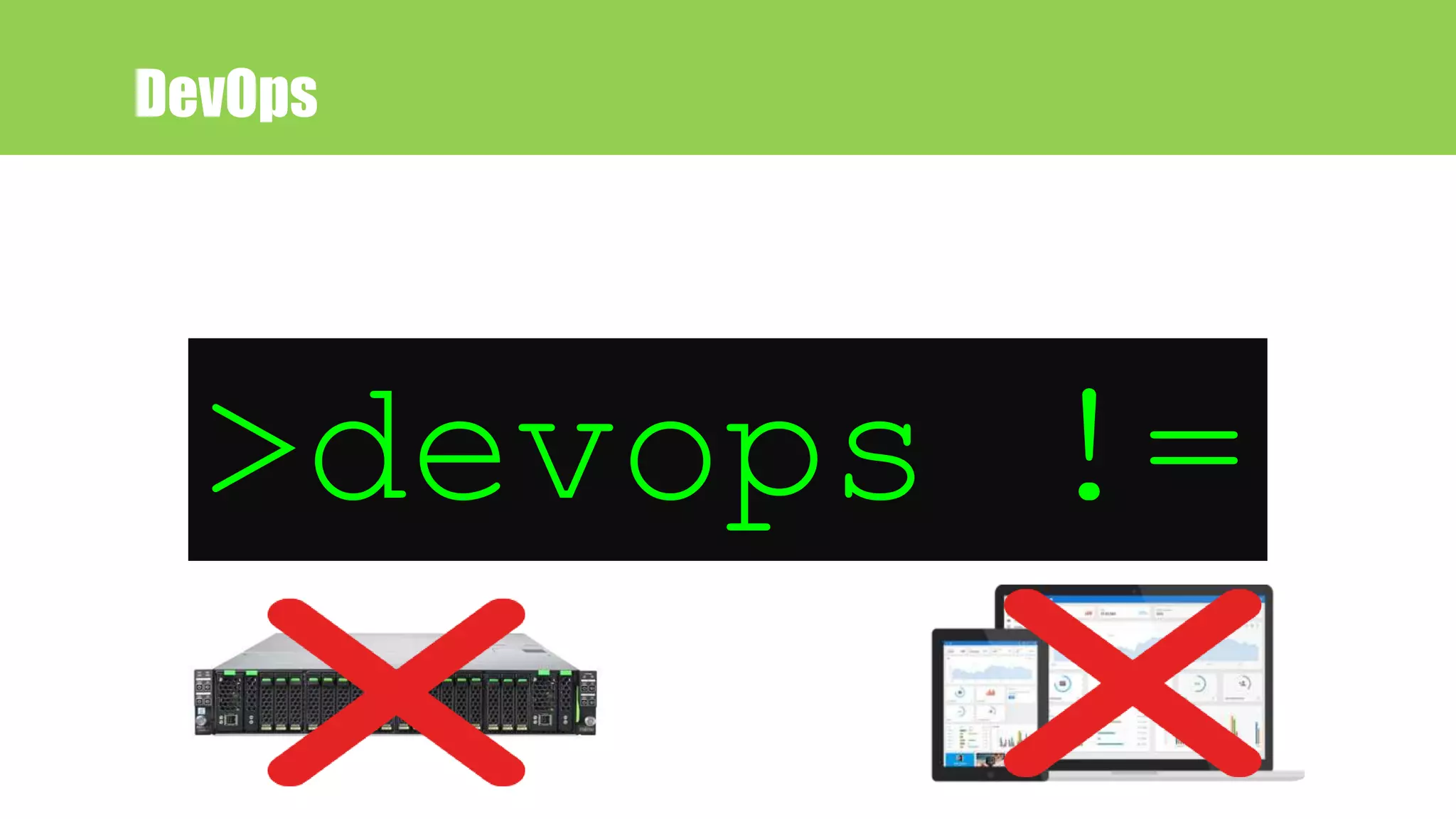
>devops !=
DevOps
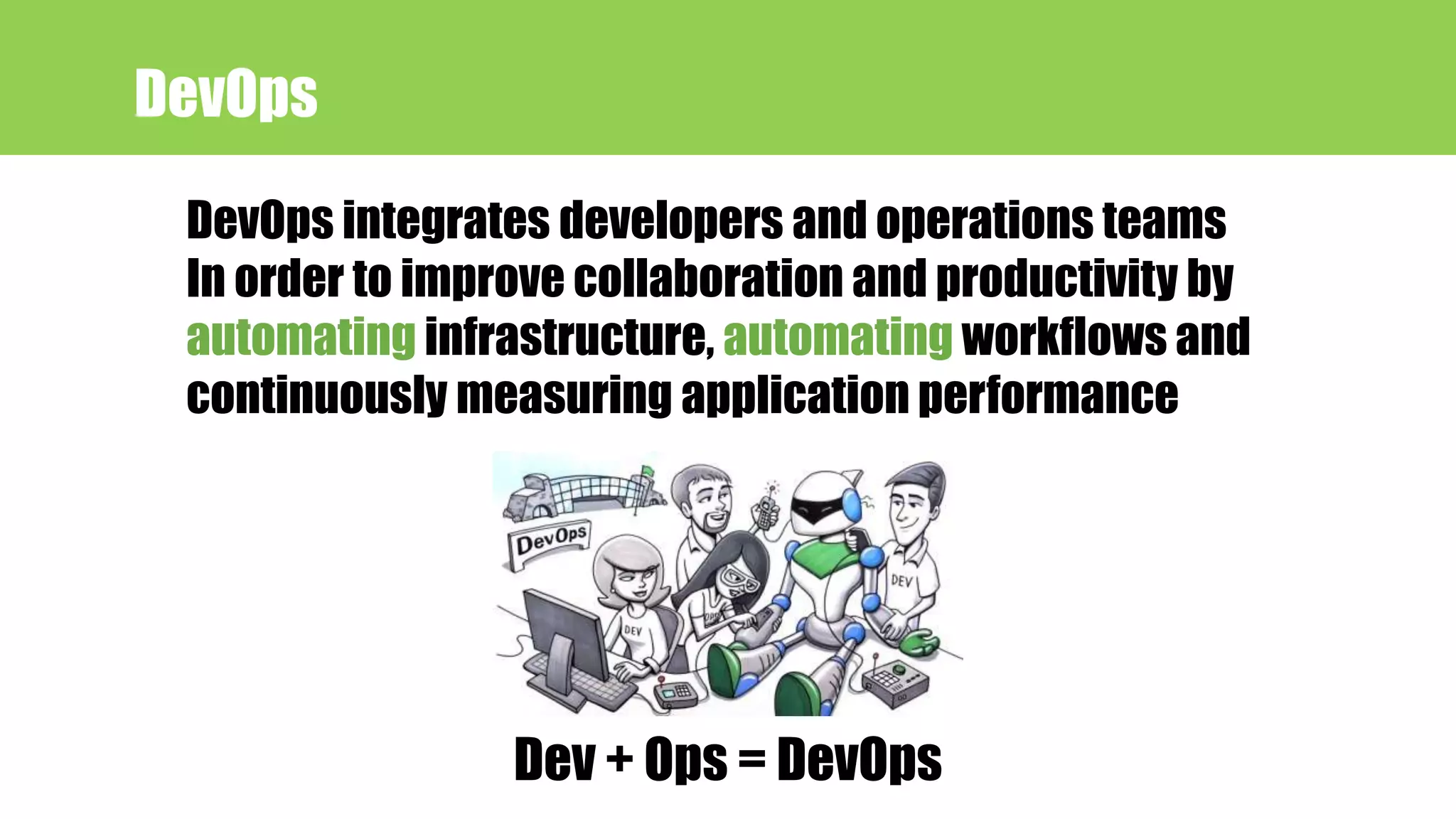
DevOps integrates developers and operations teams
In order to improve collaboration and productivity by
automating infrastructure, automating workflows and
continuously measuring application performance
Dev + Ops = DevOps
DevOps
NetDevOps = Networking + DevOps
infrastructure as code
NetDevOps
• Avoid repeated task
• Avoid typographical error (Typos)
• Faster deployment
• Identical configuration
Why automation ?
Tools for automation
• Open source IT automation tool
• Red hat Enterprise Linux, CentOS, Debian, OS X, Ubuntu etc.
• Need python
What is ANSIBLE?
Why ANSIBLE?
• Simple
• Agentless
• Push model
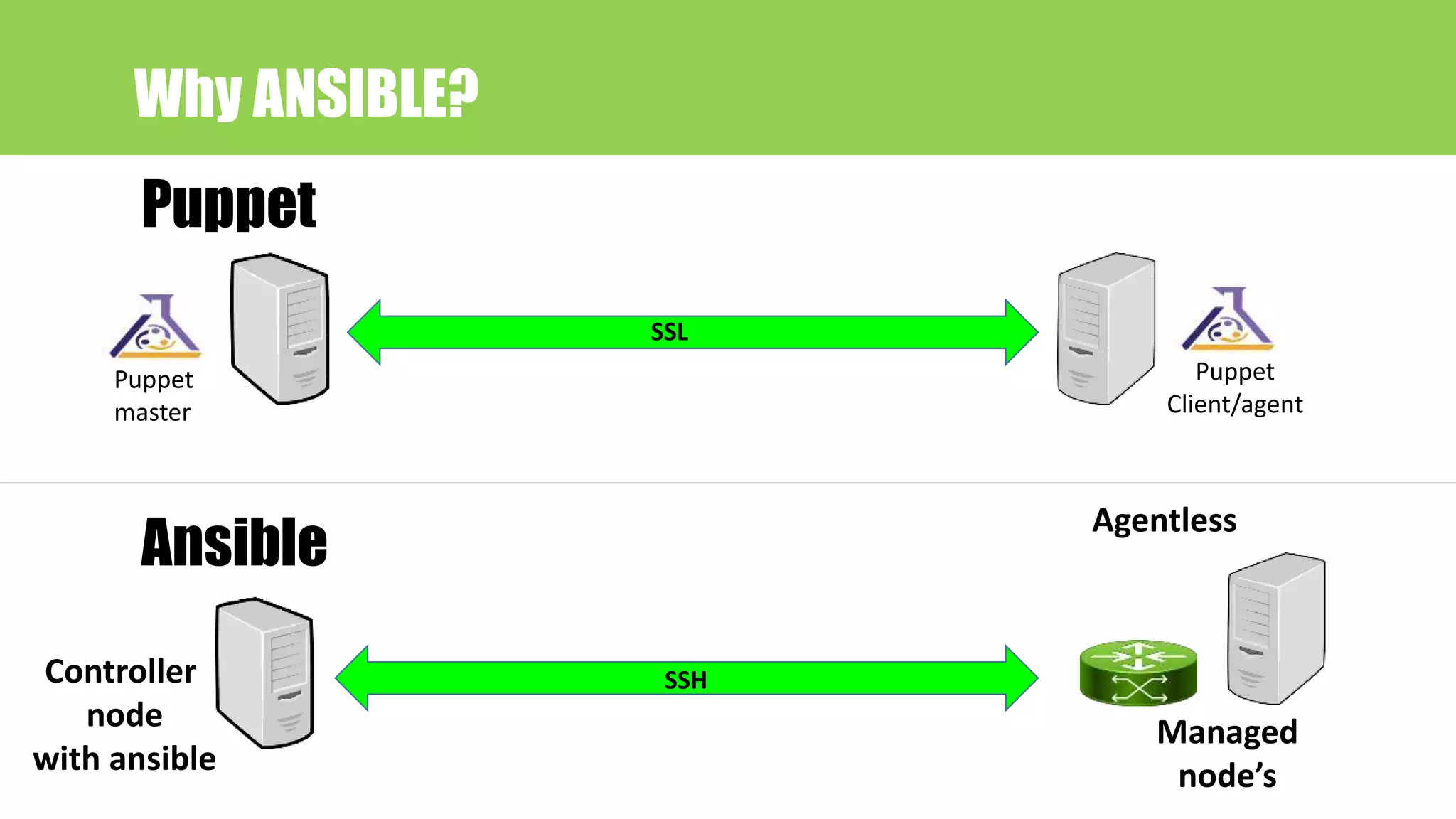
SSL
Puppet
Puppet
master
Puppet
Client/agent
Why ANSIBLE?
SSH
Agentless
Ansible
Controller
node
with ansible
Managed
node’s
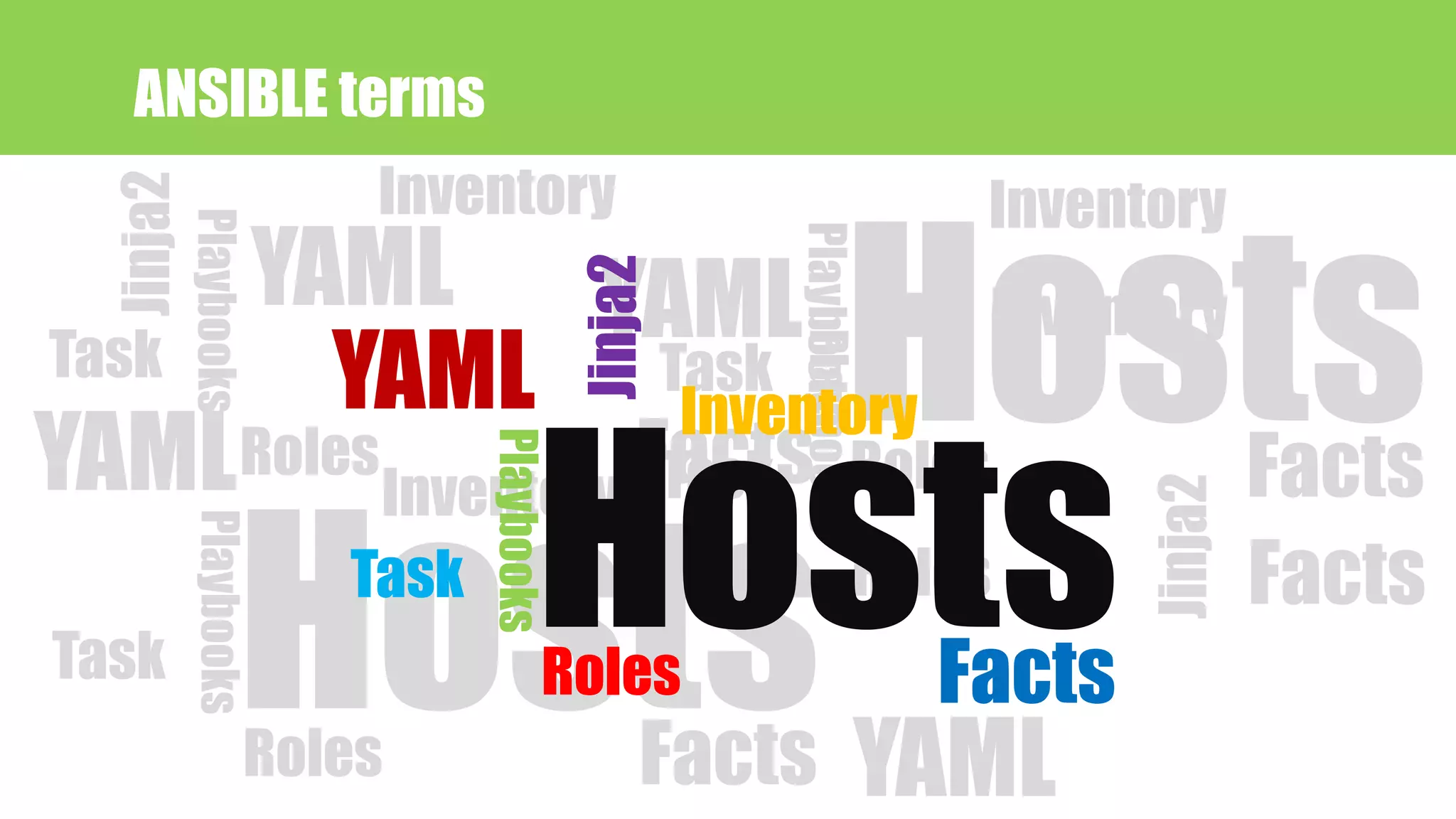
YAML
Jinja2 Playbooks
Facts
Inventory
Roles
Task
YAML
Jinja2
Hosts
Playbooks
Facts
Inventory
Roles
Task
YAML
Playbooks
Facts
Inventory
Roles
TaskYAML
Hosts
Playbooks
Facts
Inventory
Roles
Task
YAML
Jinja2Hosts
Playbooks
Facts
Inventory
Roles
Task
ANSIBLE terms
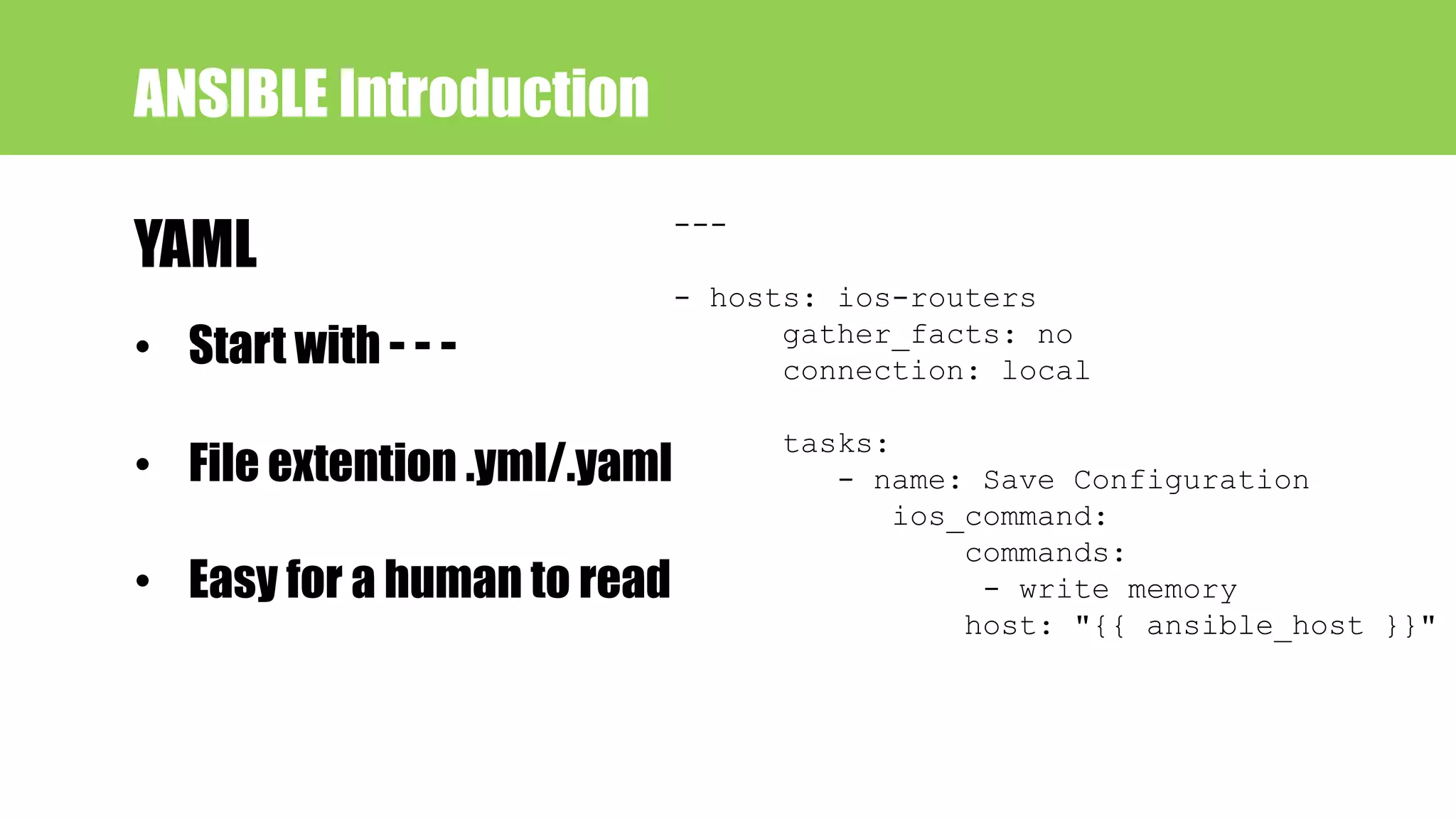
• Start with - - -
• File extention .yml/.yaml
• Easy for a human to read
ANSIBLE Introduction
YAML
---
- hosts: ios-routers
gather_facts: no
connection: local
tasks:
- name: Save Configuration
ios_command:
commands:
- write memory
host: "{{ ansible_host }}"
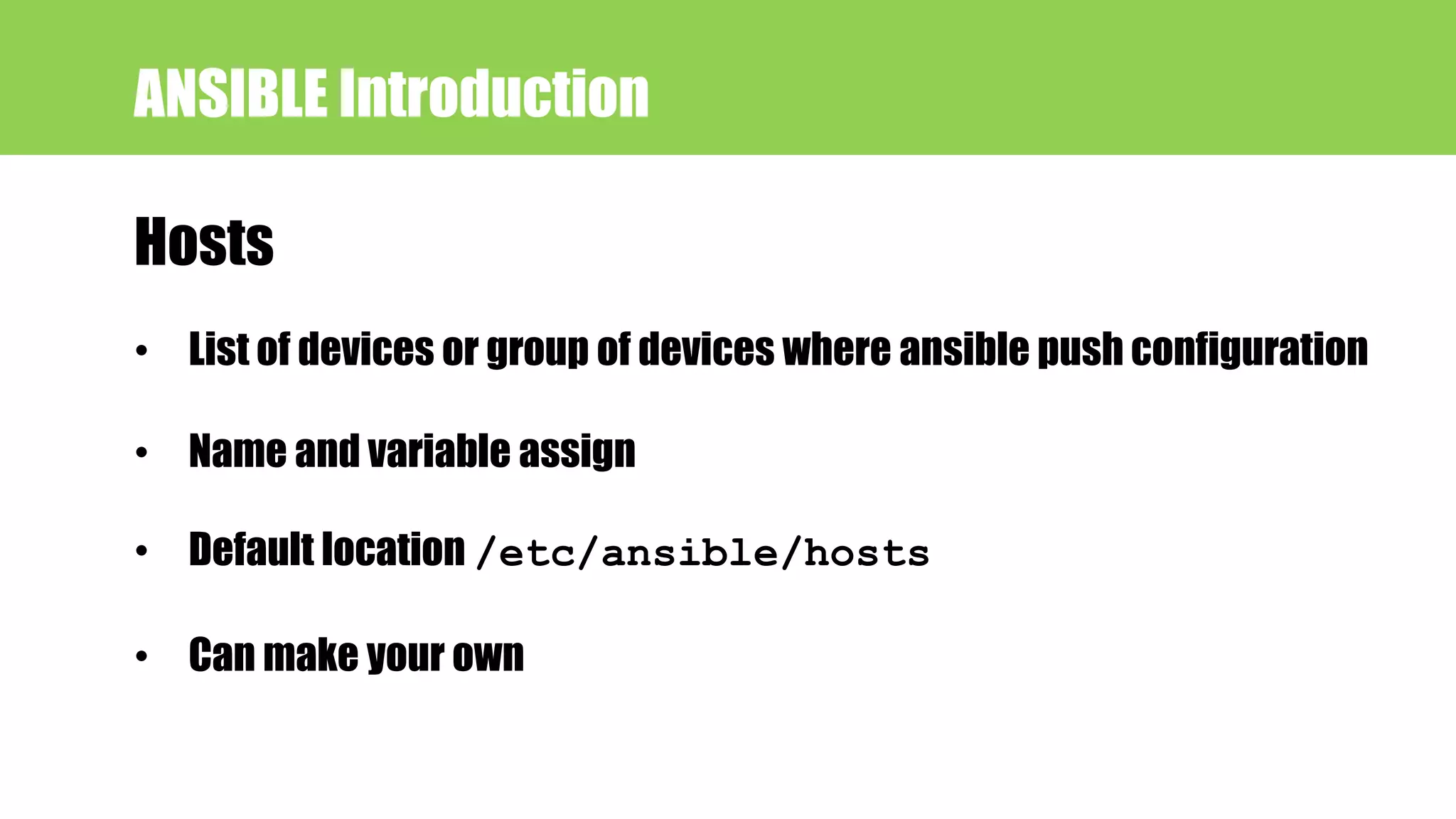
Hosts
ANSIBLE Introduction
• List of devices or group of devices where ansible push configuration
• Name and variable assign
• Default location /etc/ansible/hosts
• Can make your own
ANSIBLE Introduction Hosts file sample
[ios-routers]
R_2691 ansible_host=192.168.45.3
R_3745 ansible_host=192.168.45.4
[v6-router]
R_7200 ansible_host=2001:db8::1001::1
Inventory
ANSIBLE Introduction
• Static lines of devices
• Can be accessed across multiple roles
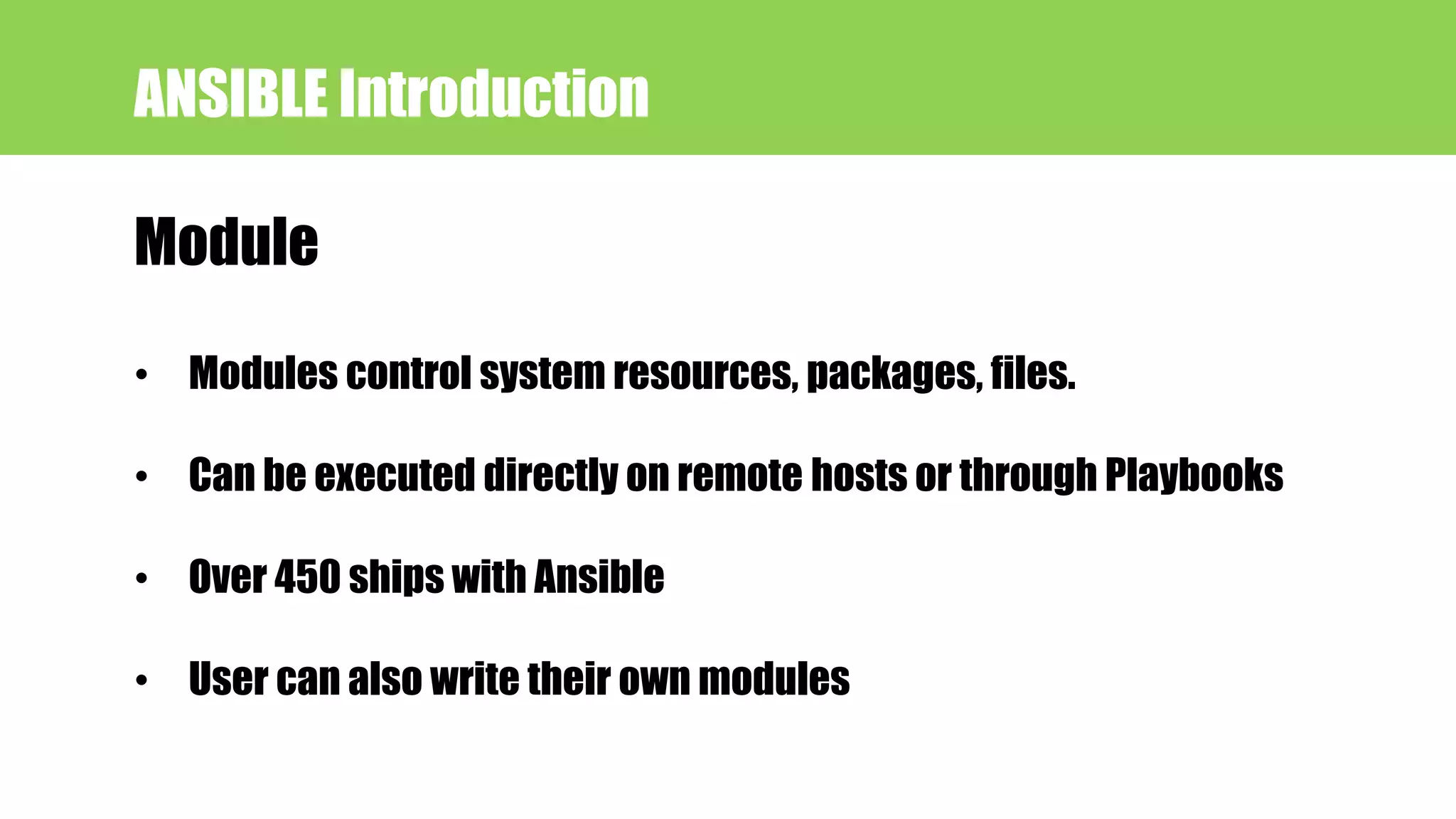
Module
ANSIBLE Introduction
• Modules control system resources, packages, files.
• Can be executed directly on remote hosts or through Playbooks
• Over 450 ships with Ansible
• User can also write their own modules
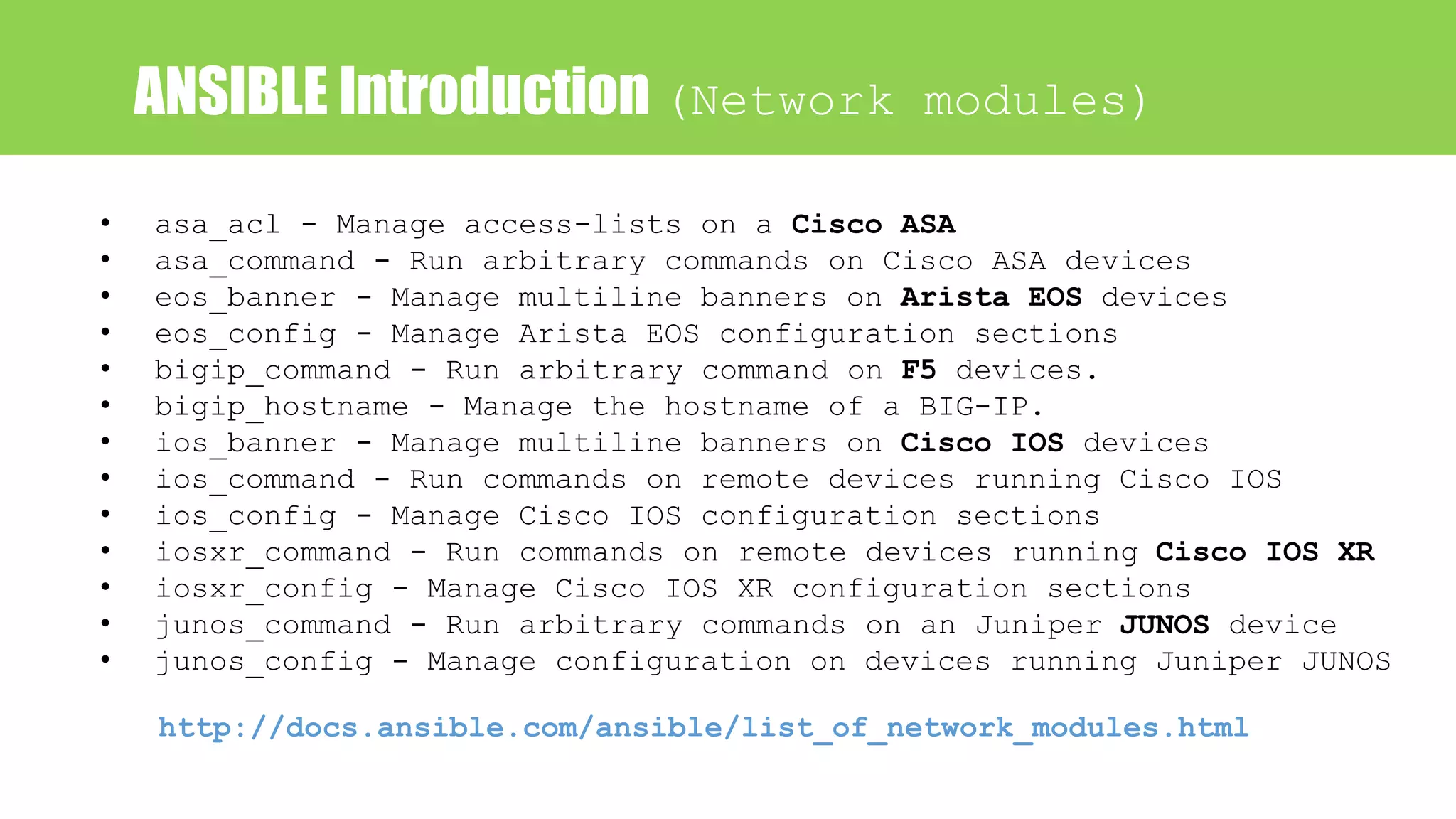
ANSIBLE Introduction (Network modules)
• asa_acl - Manage access-lists on a Cisco ASA
• asa_command - Run arbitrary commands on Cisco ASA devices
• eos_banner - Manage multiline banners on Arista EOS devices
• eos_config - Manage Arista EOS configuration sections
• bigip_command - Run arbitrary command on F5 devices.
• bigip_hostname - Manage the hostname of a BIG-IP.
• ios_banner - Manage multiline banners on Cisco IOS devices
• ios_command - Run commands on remote devices running Cisco IOS
• ios_config - Manage Cisco IOS configuration sections
• iosxr_command - Run commands on remote devices running Cisco IOS XR
• iosxr_config - Manage Cisco IOS XR configuration sections
• junos_command - Run arbitrary commands on an Juniper JUNOS device
• junos_config - Manage configuration on devices running Juniper JUNOS
http://docs.ansible.com/ansible/list_of_network_modules.html
Task
ANSIBLE Introduction
• At a basic level, a task is nothing more than a call to
an ansible module
• Task run sequentially
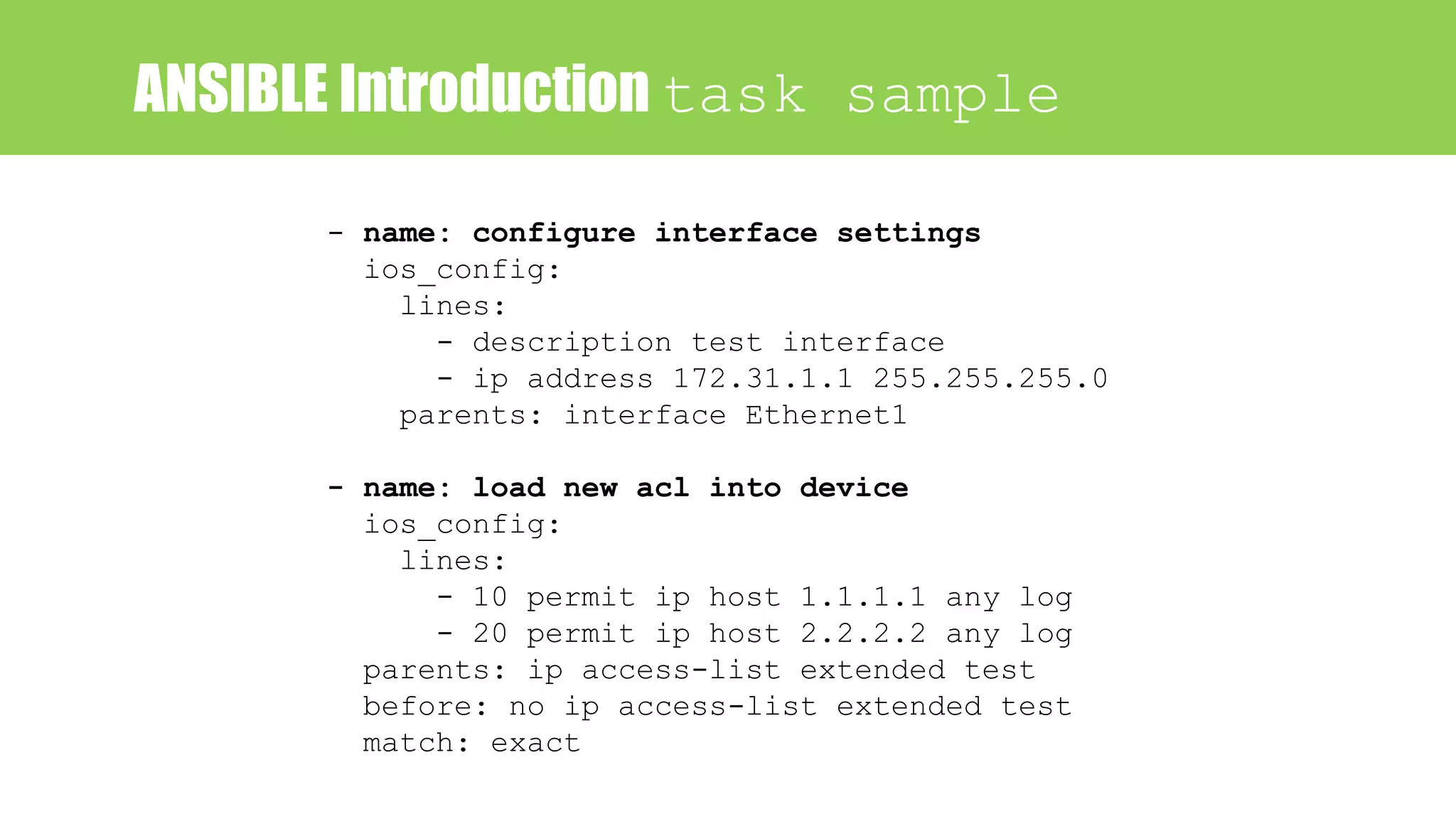
ANSIBLE Introduction task sample
- name: configure interface settings
ios_config:
lines:
- description test interface
- ip address 172.31.1.1 255.255.255.0
parents: interface Ethernet1
- name: load new acl into device
ios_config:
lines:
- 10 permit ip host 1.1.1.1 any log
- 20 permit ip host 2.2.2.2 any log
parents: ip access-list extended test
before: no ip access-list extended test
match: exact
Roles
ANSIBLE Introduction
• Ansible roles are a special kind of playbook that are fully
self-contained with tasks, variables, configuration
templates and other supporting files
• Has it’s own directory structure
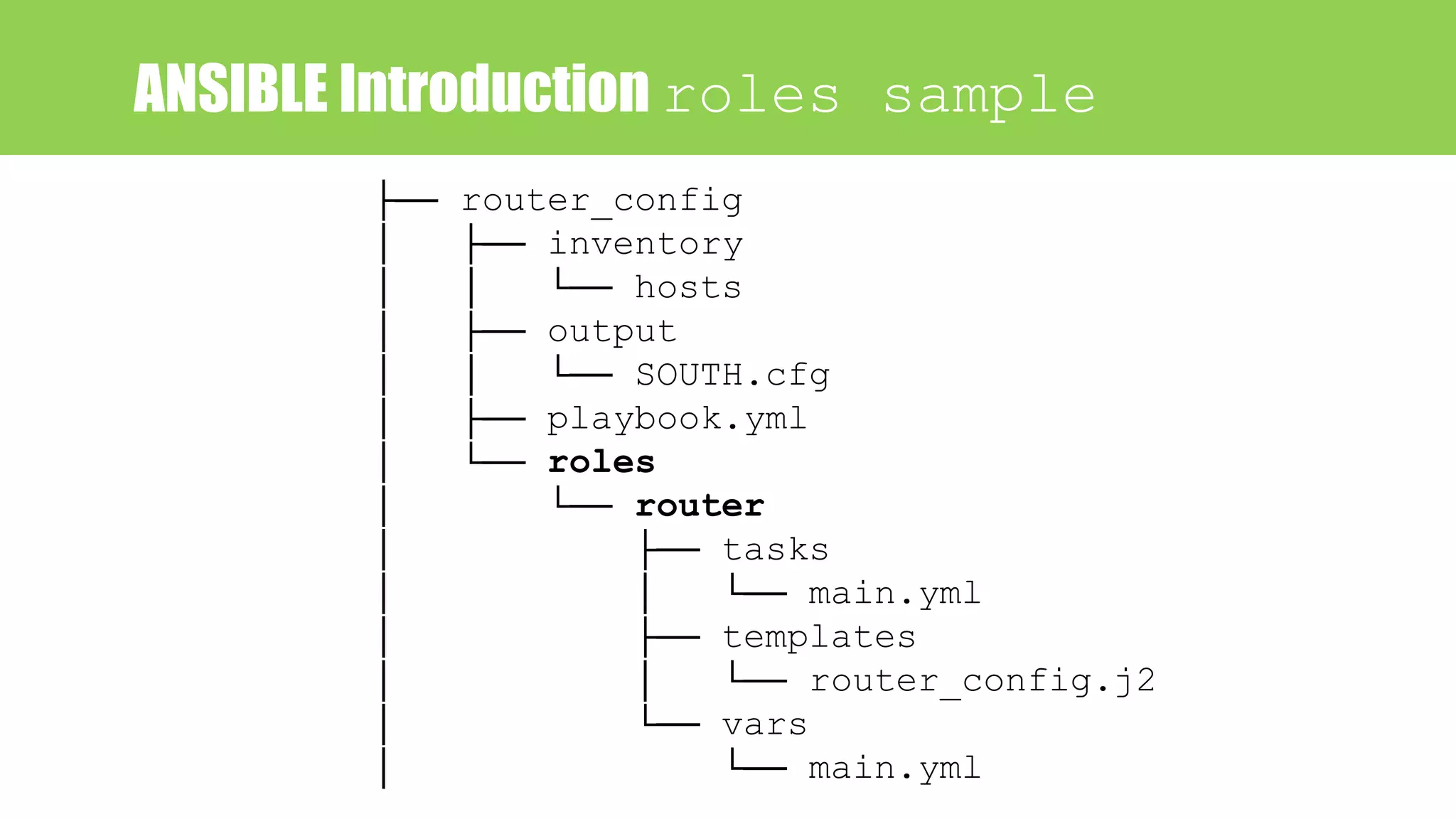
ANSIBLE Introduction roles sample
├── router_config
│ ├── inventory
│ │ └── hosts
│ ├── output
│ │ └── SOUTH.cfg
│ ├── playbook.yml
│ └── roles
│ └── router
│ ├── tasks
│ │ └── main.yml
│ ├── templates
│ │ └── router_config.j2
│ └── vars
│ └── main.yml
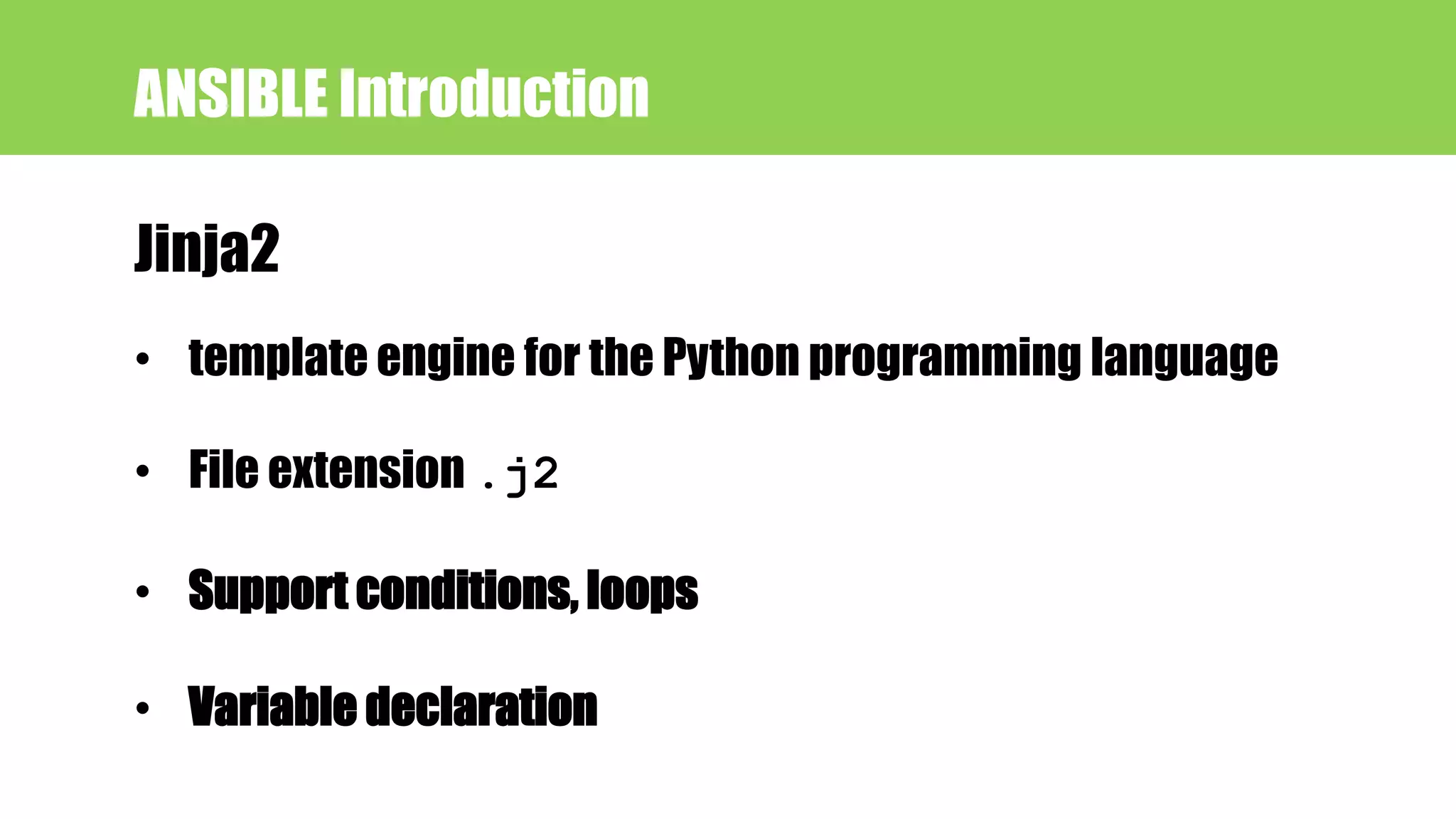
Jinja2
ANSIBLE Introduction
• template engine for the Python programming language
• File extension .j2
• Support conditions, loops
• Variable declaration
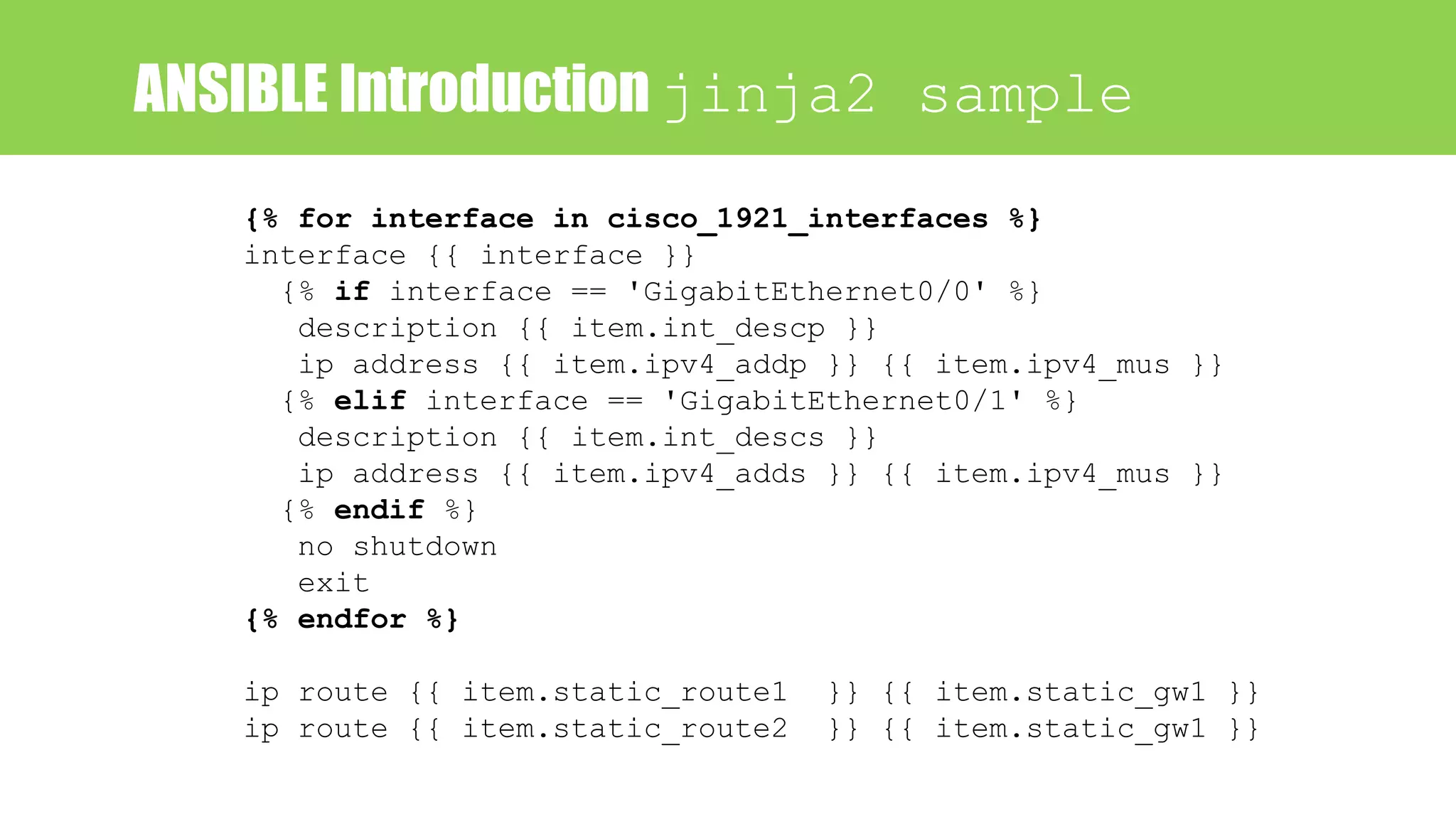
ANSIBLE Introduction jinja2 sample
{% for interface in cisco_1921_interfaces %}
interface {{ interface }}
{% if interface == 'GigabitEthernet0/0' %}
description {{ item.int_descp }}
ip address {{ item.ipv4_addp }} {{ item.ipv4_mus }}
{% elif interface == 'GigabitEthernet0/1' %}
description {{ item.int_descs }}
ip address {{ item.ipv4_adds }} {{ item.ipv4_mus }}
{% endif %}
no shutdown
exit
{% endfor %}
ip route {{ item.static_route1 }} {{ item.static_gw1 }}
ip route {{ item.static_route2 }} {{ item.static_gw1 }}
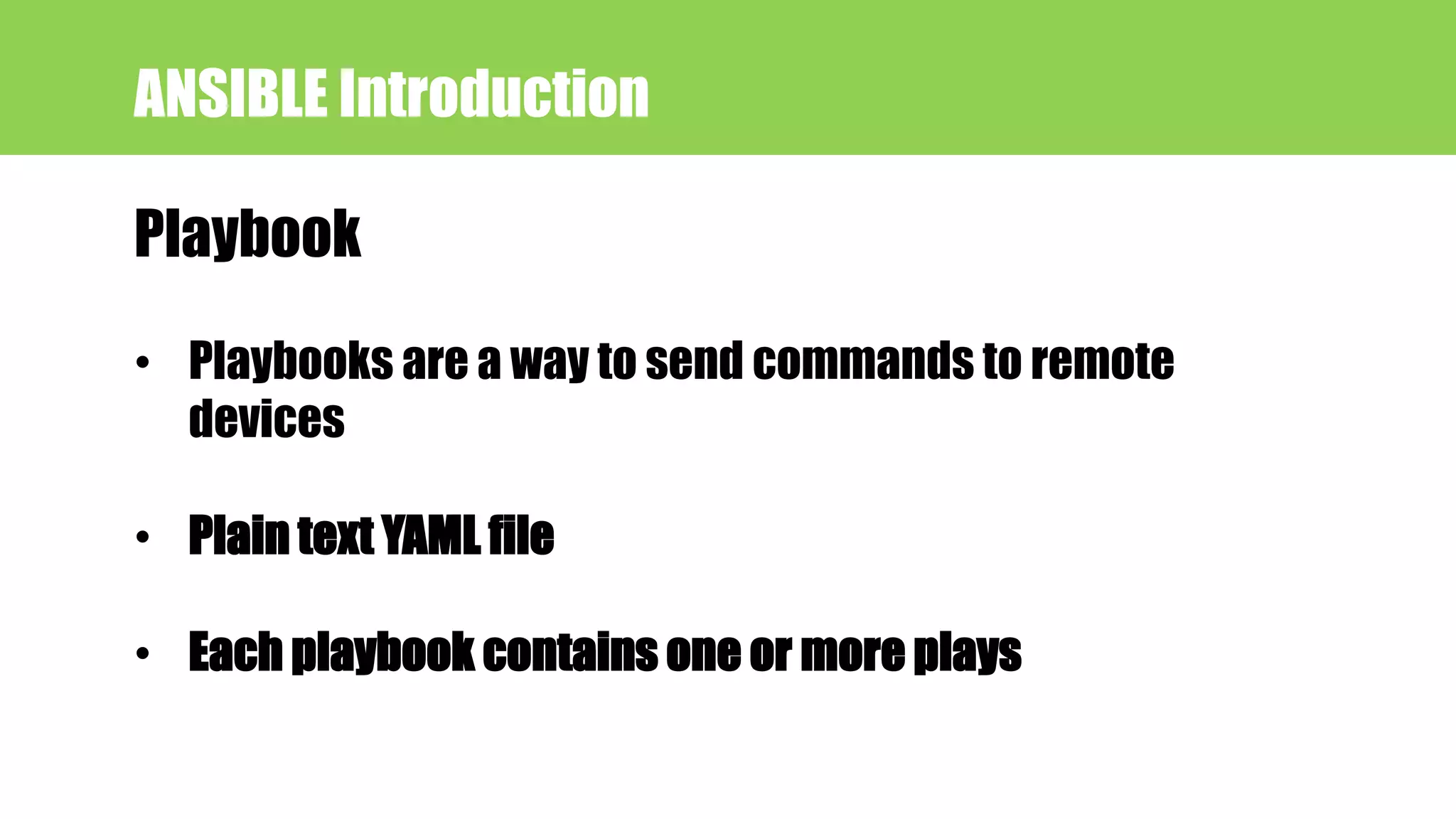
Playbook
ANSIBLE Introduction
• Playbooks are a way to send commands to remote
devices
• Plain text YAML file
• Each playbook contains one or more plays
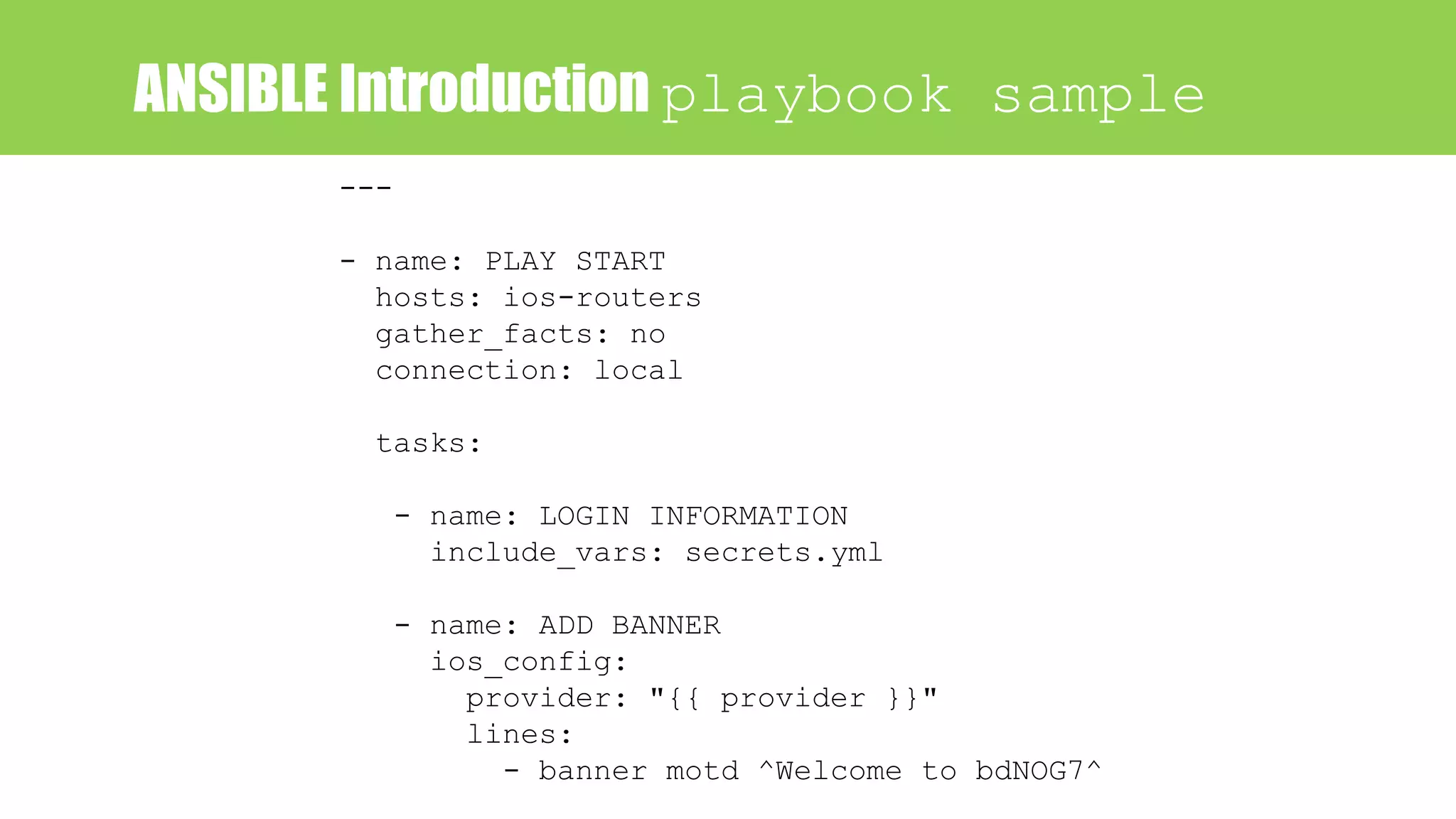
ANSIBLE Introduction playbook sample
---
- name: PLAY START
hosts: ios-routers
gather_facts: no
connection: local
tasks:
- name: LOGIN INFORMATION
include_vars: secrets.yml
- name: ADD BANNER
ios_config:
provider: "{{ provider }}"
lines:
- banner motd ^Welcome to bdNOG7^
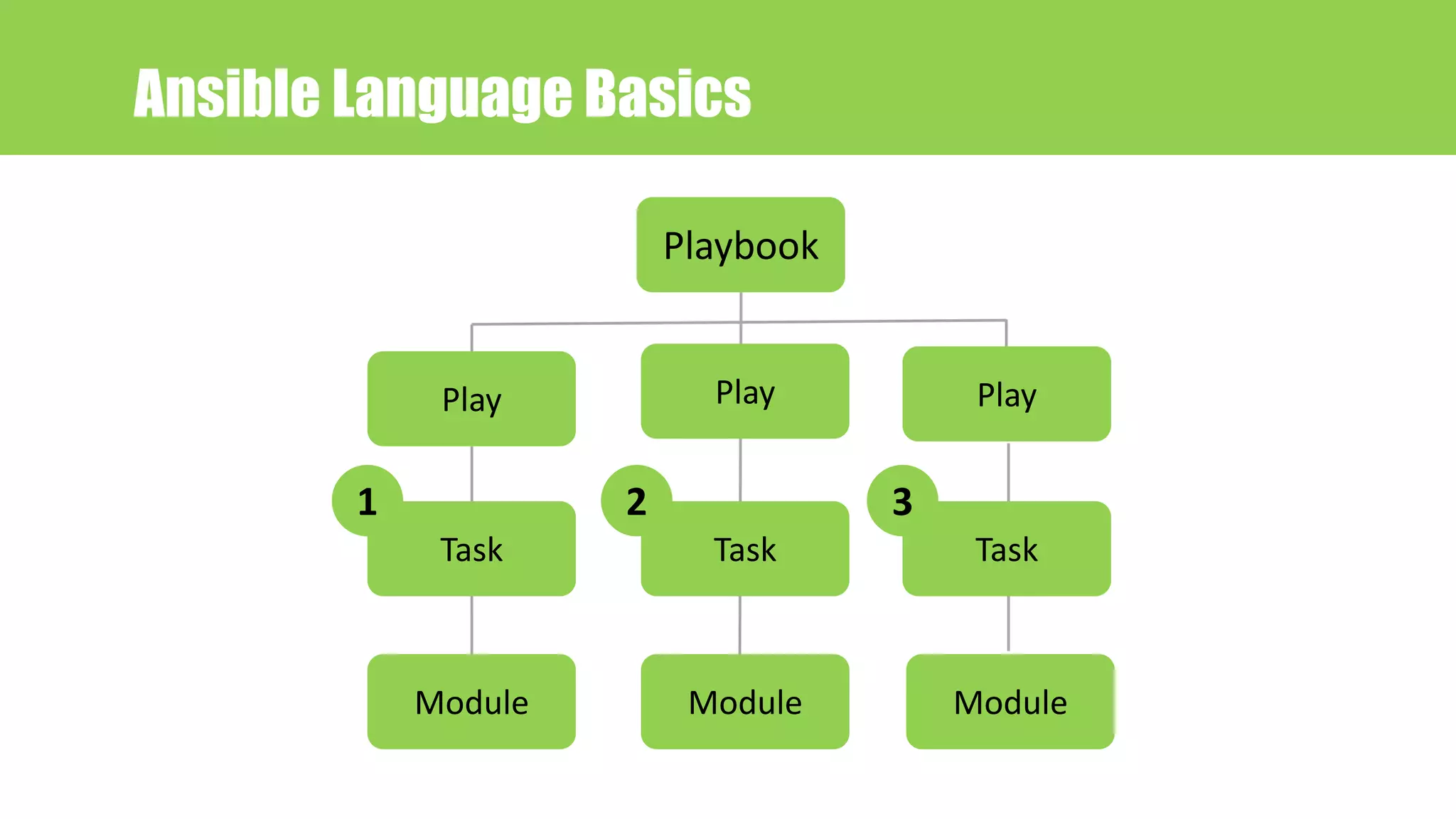
Ansible Language Basics
Task Task Task
ModuleModule Module
Play Play Play
1 2 3
Playbook
---
- hosts: all-ios
gather_facts: no
connection: local
tasks:
- name: OBTAIN LOGIN INFORMATION
include_vars: secrets.yml
- name: DEFINE PROVIDER
set_fact:
provider:
host: "{{ ansible_host }}"
username: "{{ creds['username'] }}"
password: "{{ creds['password'] }}"
auth_pass: "{{ creds['auth_pass'] }}"
- name: ADD BANNER
ios_config:
provider: "{{ provider }}"
authorize: yes
lines:
- banner motd ^Welcom to BDNOG7^
Ansible Language Basics
Play
task
Module
task
Module
task
Module
1
2
3
Playbook
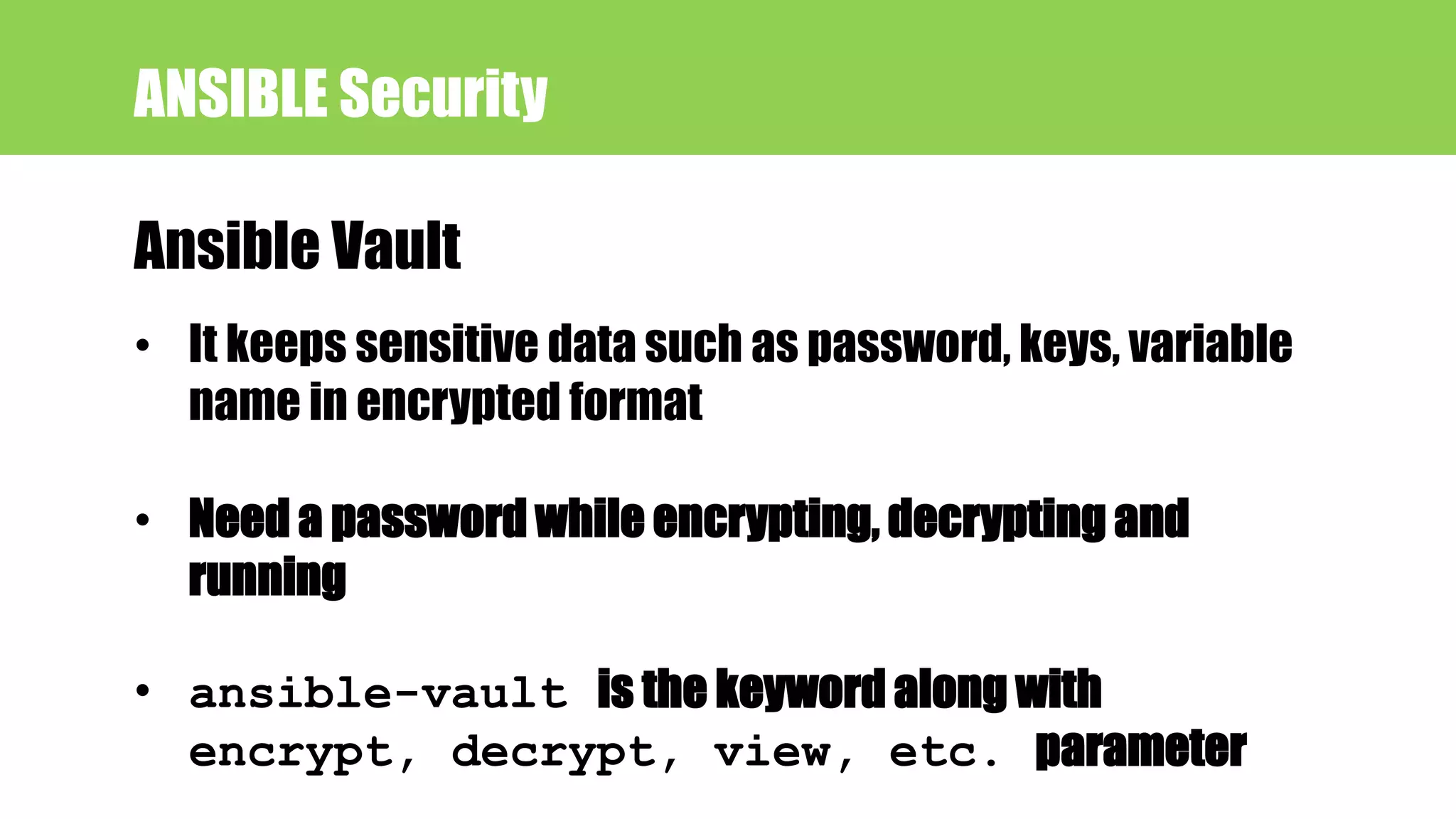
ANSIBLE Security
Ansible Vault
• It keeps sensitive data such as password, keys, variable
name in encrypted format
• Need a password while encrypting, decrypting and
running
• ansible-vault is the keyword along with
encrypt, decrypt, view, etc. parameter
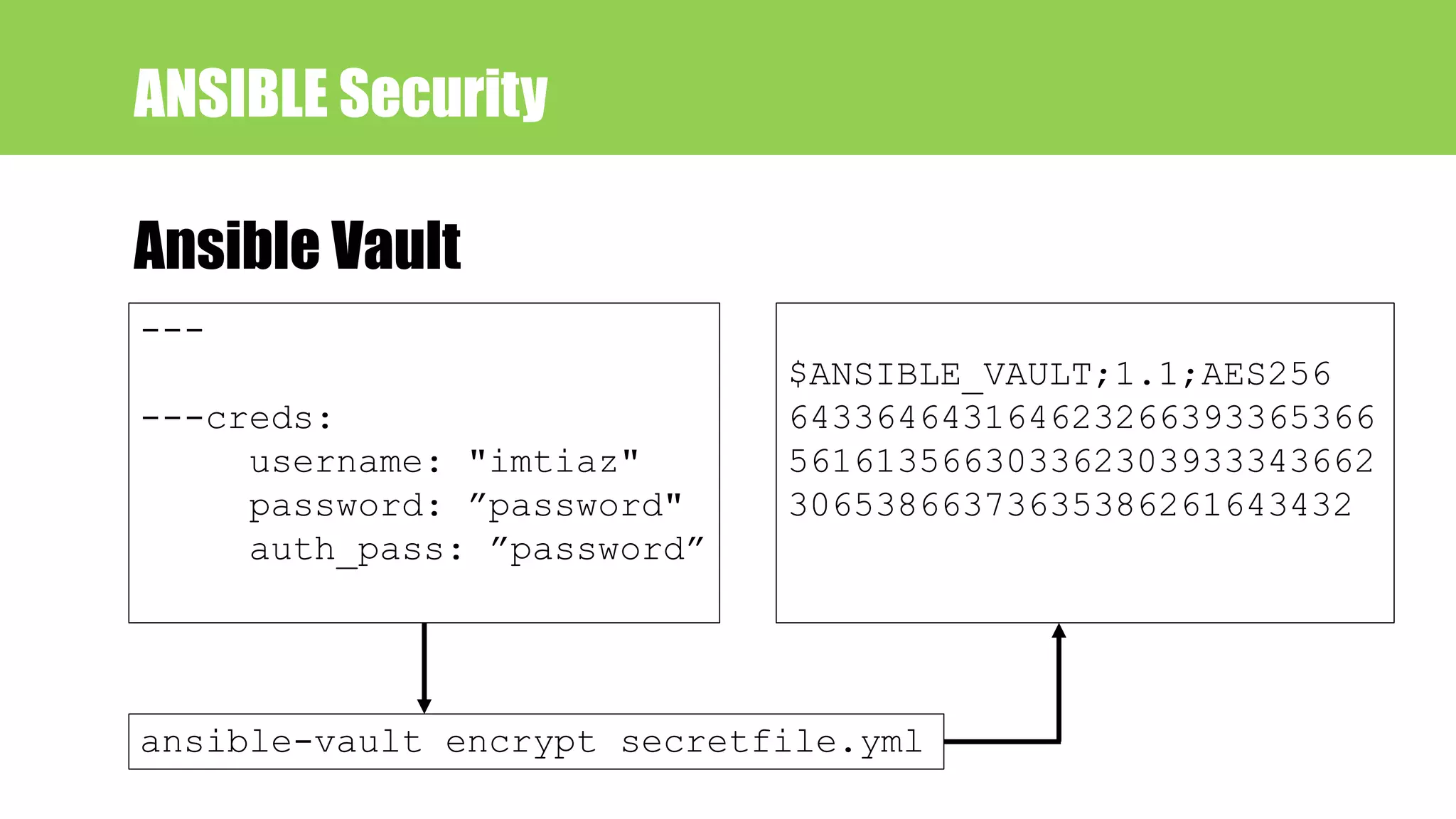
ANSIBLE Security
Ansible Vault
---
---creds:
username: "imtiaz"
password: ”password"
auth_pass: ”password”
$ANSIBLE_VAULT;1.1;AES256
643364643164623266393365366
561613566303362303933343662
30653866373635386261643432
ansible-vault encrypt secretfile.yml
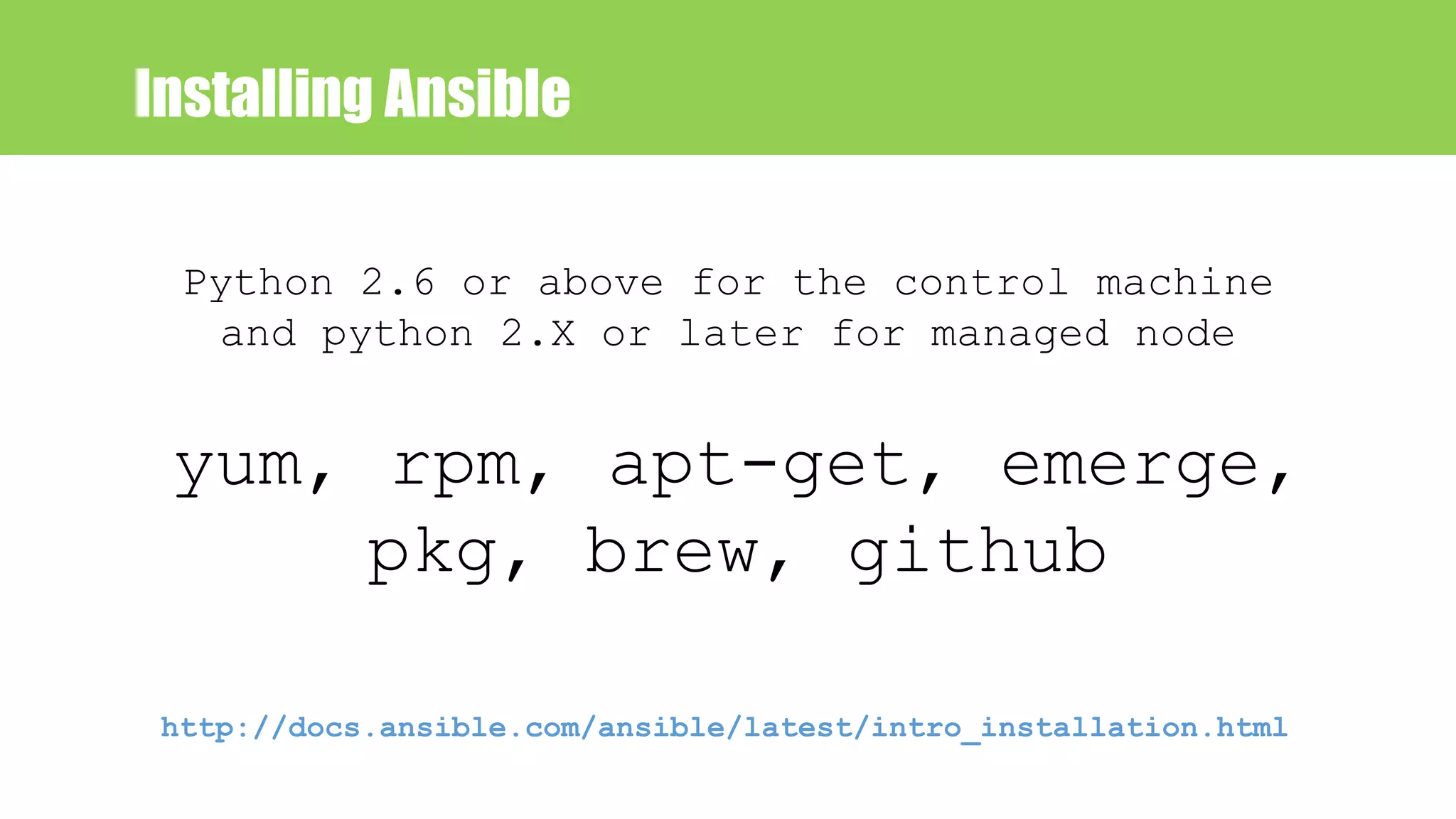
Installing Ansible
yum, rpm, apt-get, emerge,
pkg, brew, github
Python 2.6 or above for the control machine
and python 2.X or later for managed node
http://docs.ansible.com/ansible/latest/intro_installation.html
How to run
• ansible <inventory> -m
• ansible-playbook
• Ansible tower
SBAC Case
• Country: Bangladesh
• Organization: SBAC Bank Limited
• Branch: 61
• Customer: 80K
• Journey start: April, 2013
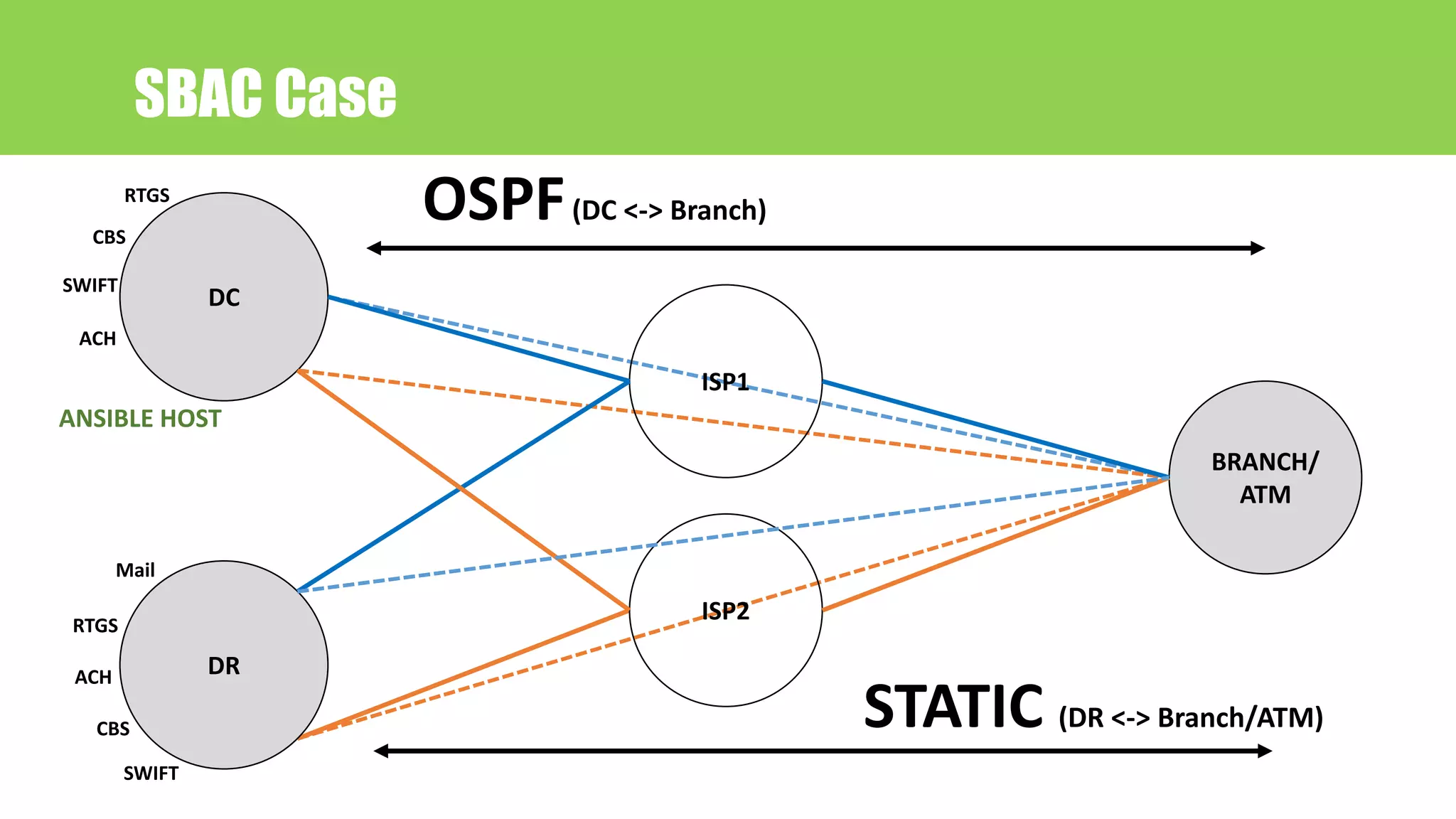
SBAC Case
DC
DR
ISP1
ISP2
BRANCH/
ATM
OSPF(DC <-> Branch)
STATIC (DR <-> Branch/ATM)
ANSIBLE HOST
CBS
SWIFT
RTGS
ACH
Mail
RTGS
ACH
CBS
SWIFT
SBAC Case
• Generate router configuration for new
branch or ATM
• Manage static route, access list, ospf cost
etc.
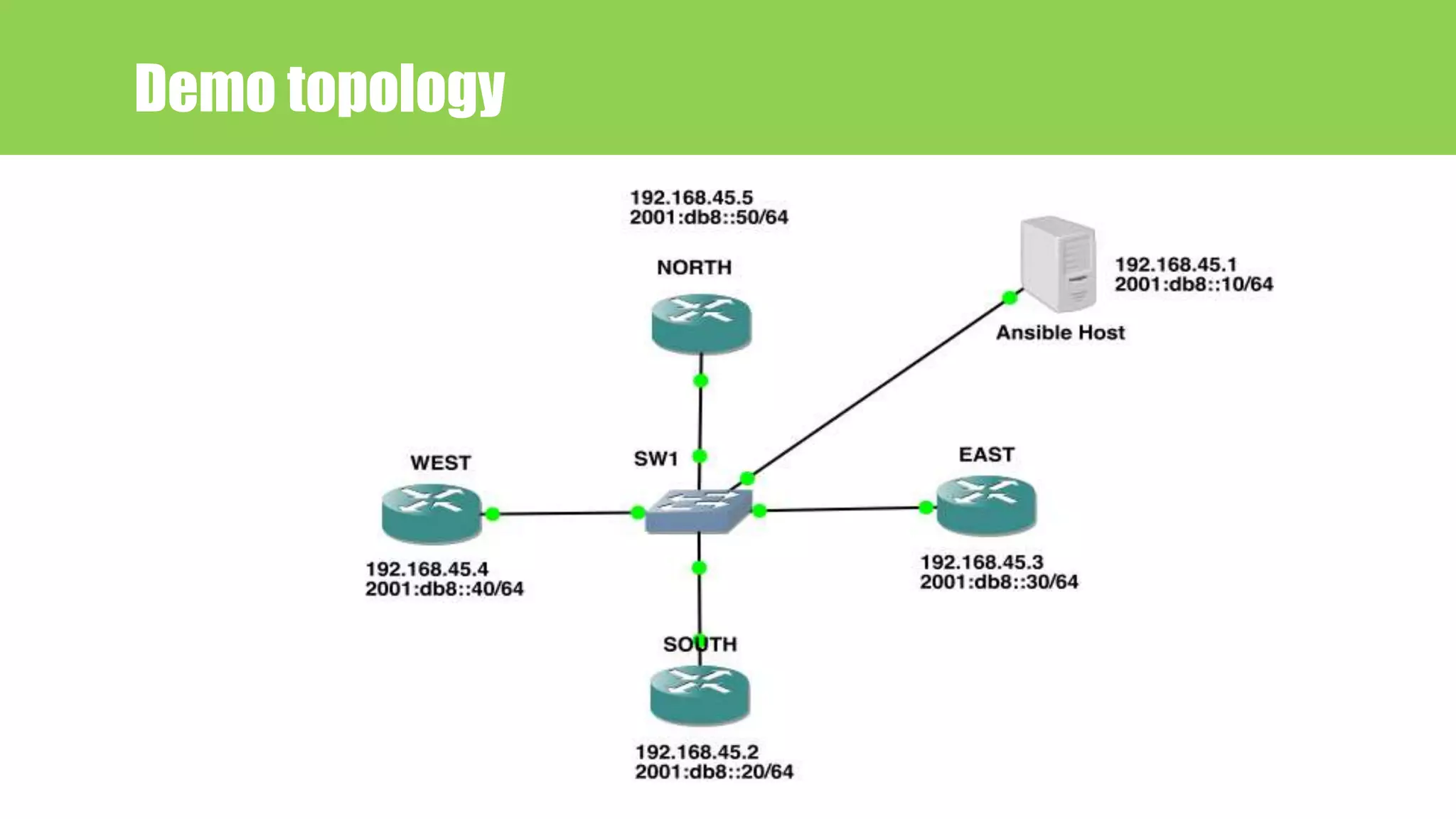
Demo topology
Demo Time

Network automation (NetDevOps) with Ansible

  • 1.
    Imtiaz Rahman SBAC BankLimited NETWORK AUTOMATION (NetDevOps) with ANSIBLE writeimtiaz@gmail.com https://imtiazrahman.com BDNOG 7 18 November 2017 Lakeshore Hotel Dhaka
  • 2.
    Today’s Talk 1. Devops/NetDevOps? 2. Why automation ? 3. Tools for automation 4. Why Ansible ? 5. Ansible introduction 6. Ansible Security 7. Ansible Language Basics 8. How to run 9. SBAC Case (case study) 10. Demo time
  • 3.
  • 4.
  • 5.
    DevOps integrates developersand operations teams In order to improve collaboration and productivity by automating infrastructure, automating workflows and continuously measuring application performance Dev + Ops = DevOps DevOps
  • 6.
    NetDevOps = Networking+ DevOps infrastructure as code NetDevOps
  • 7.
    • Avoid repeatedtask • Avoid typographical error (Typos) • Faster deployment • Identical configuration Why automation ?
  • 8.
  • 9.
    • Open sourceIT automation tool • Red hat Enterprise Linux, CentOS, Debian, OS X, Ubuntu etc. • Need python What is ANSIBLE?
  • 10.
    Why ANSIBLE? • Simple •Agentless • Push model
  • 11.
  • 12.
  • 13.
    • Start with- - - • File extention .yml/.yaml • Easy for a human to read ANSIBLE Introduction YAML --- - hosts: ios-routers gather_facts: no connection: local tasks: - name: Save Configuration ios_command: commands: - write memory host: "{{ ansible_host }}"
  • 14.
    Hosts ANSIBLE Introduction • Listof devices or group of devices where ansible push configuration • Name and variable assign • Default location /etc/ansible/hosts • Can make your own
  • 15.
    ANSIBLE Introduction Hostsfile sample [ios-routers] R_2691 ansible_host=192.168.45.3 R_3745 ansible_host=192.168.45.4 [v6-router] R_7200 ansible_host=2001:db8::1001::1
  • 16.
    Inventory ANSIBLE Introduction • Staticlines of devices • Can be accessed across multiple roles
  • 17.
    Module ANSIBLE Introduction • Modulescontrol system resources, packages, files. • Can be executed directly on remote hosts or through Playbooks • Over 450 ships with Ansible • User can also write their own modules
  • 18.
    ANSIBLE Introduction (Networkmodules) • asa_acl - Manage access-lists on a Cisco ASA • asa_command - Run arbitrary commands on Cisco ASA devices • eos_banner - Manage multiline banners on Arista EOS devices • eos_config - Manage Arista EOS configuration sections • bigip_command - Run arbitrary command on F5 devices. • bigip_hostname - Manage the hostname of a BIG-IP. • ios_banner - Manage multiline banners on Cisco IOS devices • ios_command - Run commands on remote devices running Cisco IOS • ios_config - Manage Cisco IOS configuration sections • iosxr_command - Run commands on remote devices running Cisco IOS XR • iosxr_config - Manage Cisco IOS XR configuration sections • junos_command - Run arbitrary commands on an Juniper JUNOS device • junos_config - Manage configuration on devices running Juniper JUNOS http://docs.ansible.com/ansible/list_of_network_modules.html
  • 19.
    Task ANSIBLE Introduction • Ata basic level, a task is nothing more than a call to an ansible module • Task run sequentially
  • 20.
    ANSIBLE Introduction tasksample - name: configure interface settings ios_config: lines: - description test interface - ip address 172.31.1.1 255.255.255.0 parents: interface Ethernet1 - name: load new acl into device ios_config: lines: - 10 permit ip host 1.1.1.1 any log - 20 permit ip host 2.2.2.2 any log parents: ip access-list extended test before: no ip access-list extended test match: exact
  • 21.
    Roles ANSIBLE Introduction • Ansibleroles are a special kind of playbook that are fully self-contained with tasks, variables, configuration templates and other supporting files • Has it’s own directory structure
  • 22.
    ANSIBLE Introduction rolessample ├── router_config │ ├── inventory │ │ └── hosts │ ├── output │ │ └── SOUTH.cfg │ ├── playbook.yml │ └── roles │ └── router │ ├── tasks │ │ └── main.yml │ ├── templates │ │ └── router_config.j2 │ └── vars │ └── main.yml
  • 23.
    Jinja2 ANSIBLE Introduction • templateengine for the Python programming language • File extension .j2 • Support conditions, loops • Variable declaration
  • 24.
    ANSIBLE Introduction jinja2sample {% for interface in cisco_1921_interfaces %} interface {{ interface }} {% if interface == 'GigabitEthernet0/0' %} description {{ item.int_descp }} ip address {{ item.ipv4_addp }} {{ item.ipv4_mus }} {% elif interface == 'GigabitEthernet0/1' %} description {{ item.int_descs }} ip address {{ item.ipv4_adds }} {{ item.ipv4_mus }} {% endif %} no shutdown exit {% endfor %} ip route {{ item.static_route1 }} {{ item.static_gw1 }} ip route {{ item.static_route2 }} {{ item.static_gw1 }}
  • 25.
    Playbook ANSIBLE Introduction • Playbooksare a way to send commands to remote devices • Plain text YAML file • Each playbook contains one or more plays
  • 26.
    ANSIBLE Introduction playbooksample --- - name: PLAY START hosts: ios-routers gather_facts: no connection: local tasks: - name: LOGIN INFORMATION include_vars: secrets.yml - name: ADD BANNER ios_config: provider: "{{ provider }}" lines: - banner motd ^Welcome to bdNOG7^
  • 27.
    Ansible Language Basics TaskTask Task ModuleModule Module Play Play Play 1 2 3 Playbook
  • 28.
    --- - hosts: all-ios gather_facts:no connection: local tasks: - name: OBTAIN LOGIN INFORMATION include_vars: secrets.yml - name: DEFINE PROVIDER set_fact: provider: host: "{{ ansible_host }}" username: "{{ creds['username'] }}" password: "{{ creds['password'] }}" auth_pass: "{{ creds['auth_pass'] }}" - name: ADD BANNER ios_config: provider: "{{ provider }}" authorize: yes lines: - banner motd ^Welcom to BDNOG7^ Ansible Language Basics Play task Module task Module task Module 1 2 3 Playbook
  • 29.
    ANSIBLE Security Ansible Vault •It keeps sensitive data such as password, keys, variable name in encrypted format • Need a password while encrypting, decrypting and running • ansible-vault is the keyword along with encrypt, decrypt, view, etc. parameter
  • 30.
    ANSIBLE Security Ansible Vault --- ---creds: username:"imtiaz" password: ”password" auth_pass: ”password” $ANSIBLE_VAULT;1.1;AES256 643364643164623266393365366 561613566303362303933343662 30653866373635386261643432 ansible-vault encrypt secretfile.yml
  • 31.
    Installing Ansible yum, rpm,apt-get, emerge, pkg, brew, github Python 2.6 or above for the control machine and python 2.X or later for managed node http://docs.ansible.com/ansible/latest/intro_installation.html
  • 32.
    How to run •ansible <inventory> -m • ansible-playbook • Ansible tower
  • 33.
    SBAC Case • Country:Bangladesh • Organization: SBAC Bank Limited • Branch: 61 • Customer: 80K • Journey start: April, 2013
  • 34.
    SBAC Case DC DR ISP1 ISP2 BRANCH/ ATM OSPF(DC <->Branch) STATIC (DR <-> Branch/ATM) ANSIBLE HOST CBS SWIFT RTGS ACH Mail RTGS ACH CBS SWIFT
  • 35.
    SBAC Case • Generaterouter configuration for new branch or ATM • Manage static route, access list, ospf cost etc.
  • 36.
  • 37.