MULTITHREADING ON IOS
AGENDA
Multithreading Basics
Interlude: Closures
Multithreading on iOS
Multithreading Challenges
MULTITHREADING BASICS
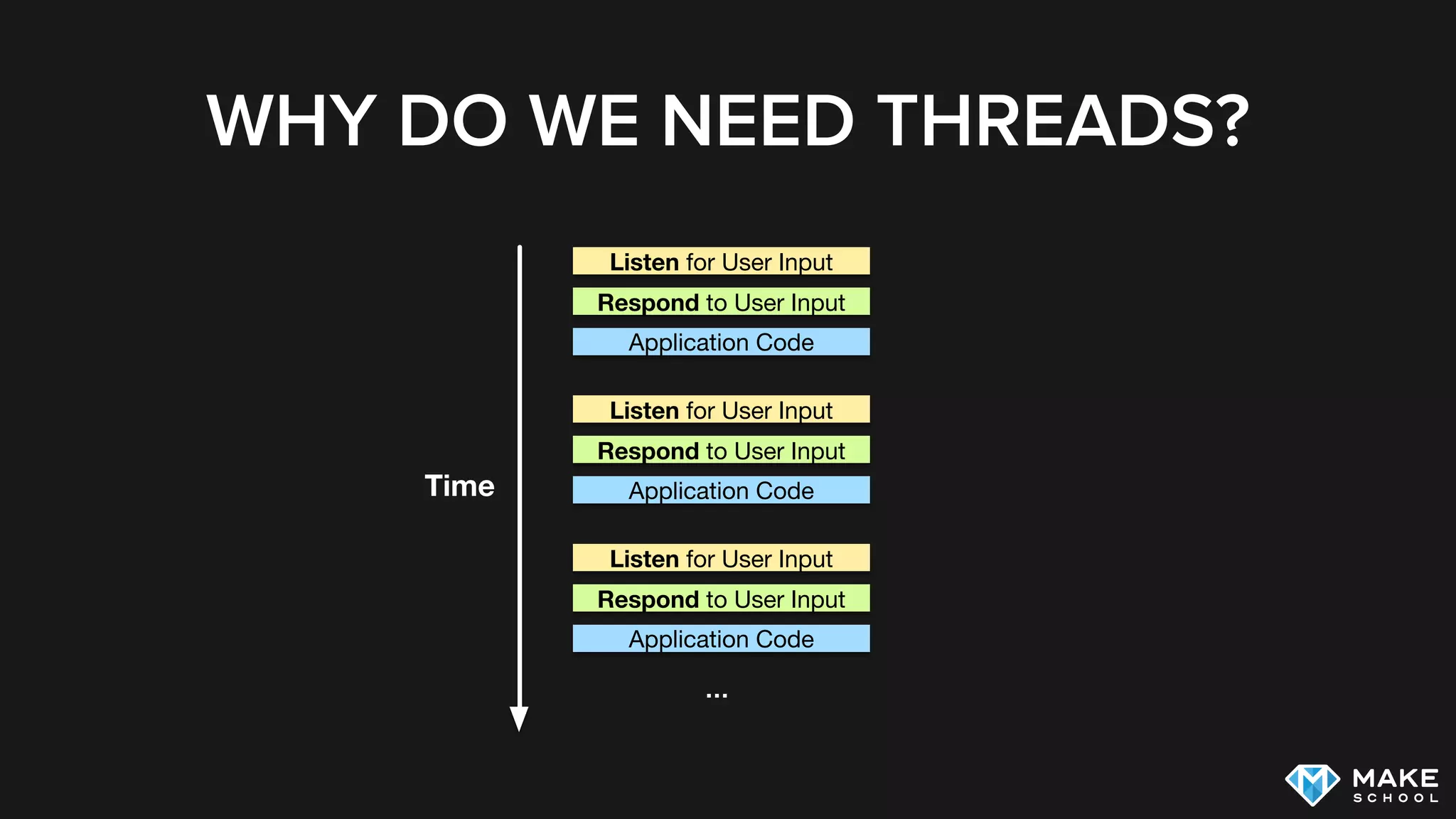
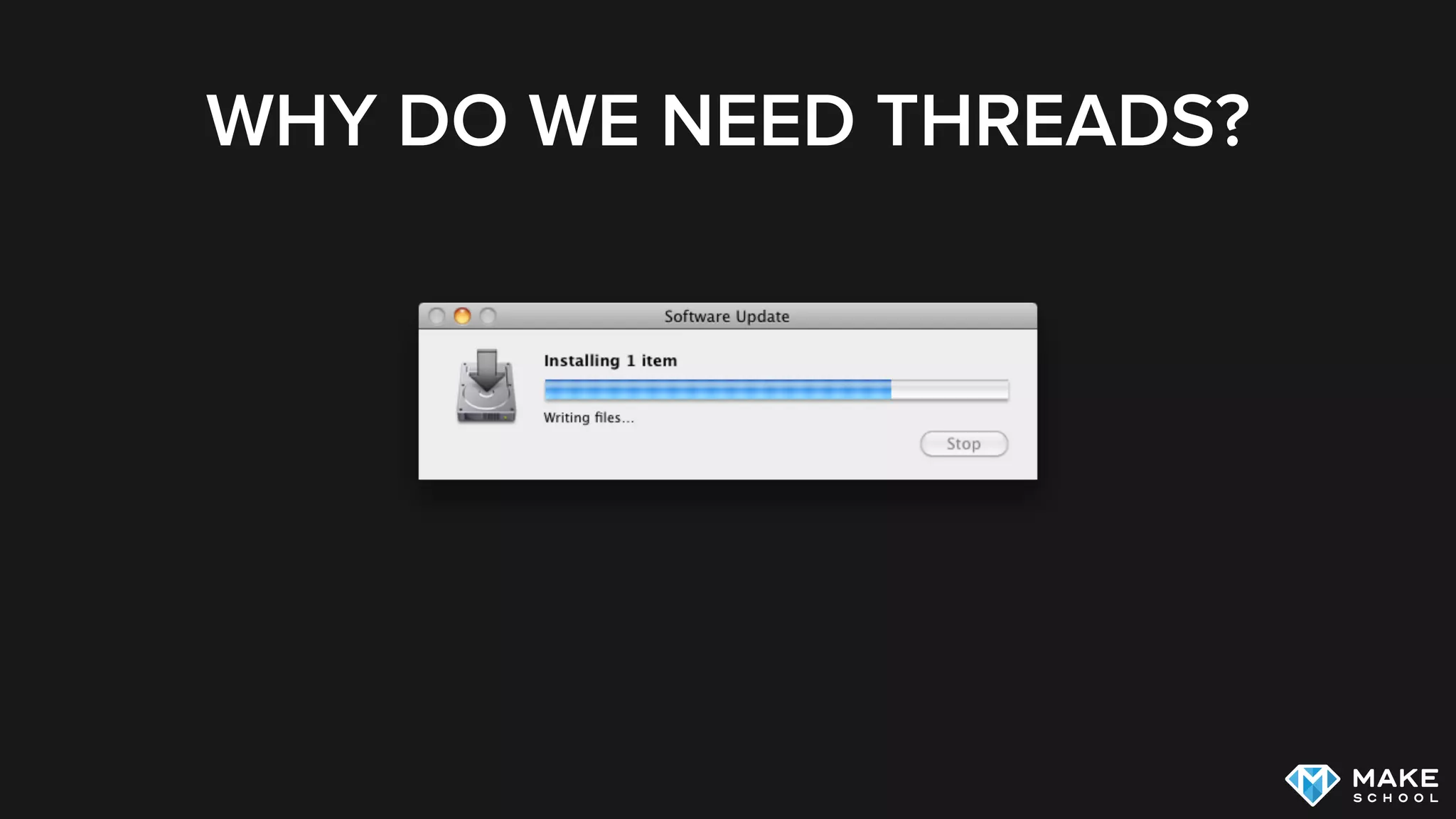
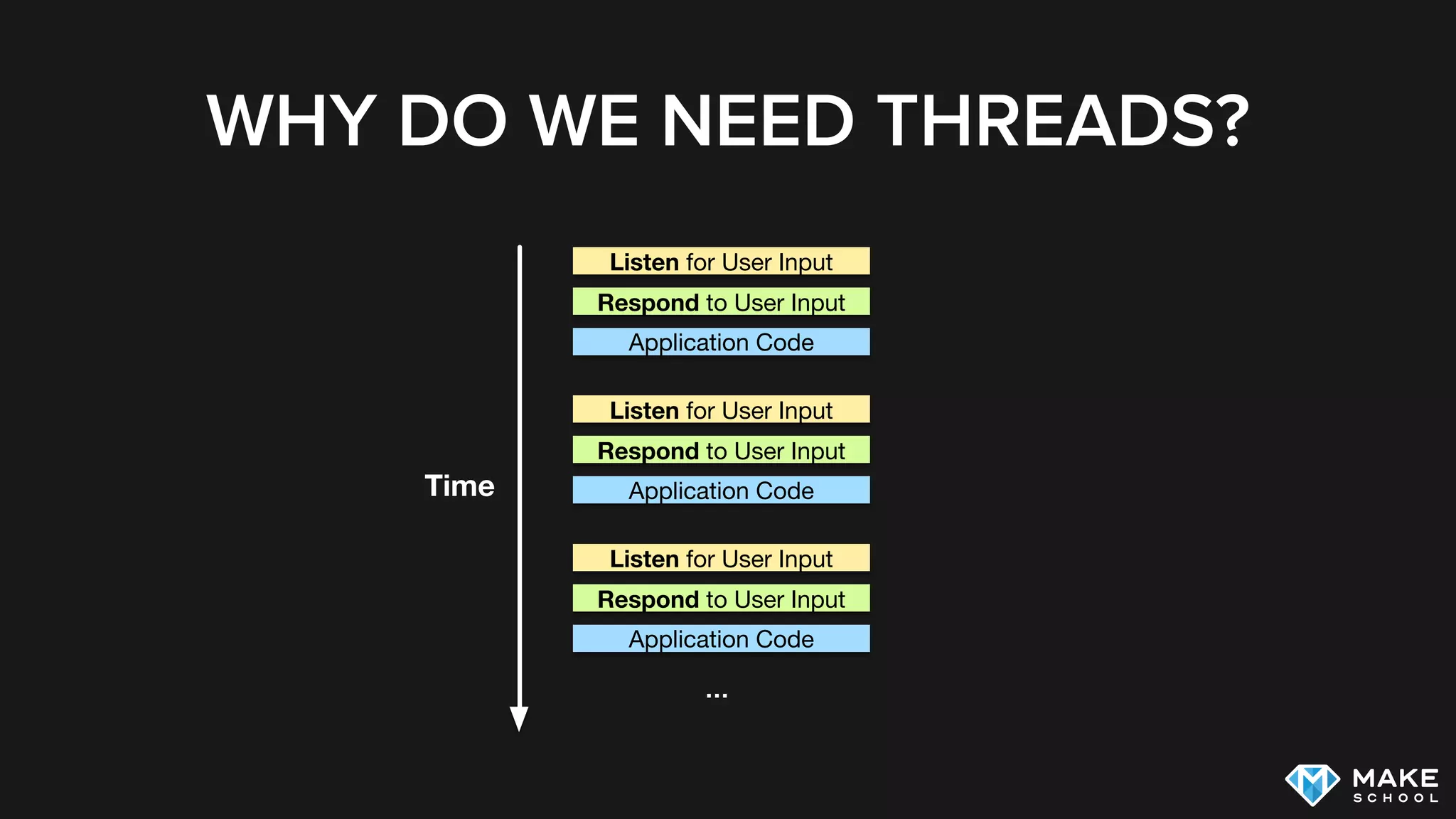
WHY DO WE NEED THREADS?
Listen for User Input
Respond to User Input
Application Code
Time
Listen for User Input
Respond to User Input
Application Code
Listen for User Input
Respond to User Input
Application Code
…
WHY DO WE NEED THREADS?
MULTITHREADING BASICS
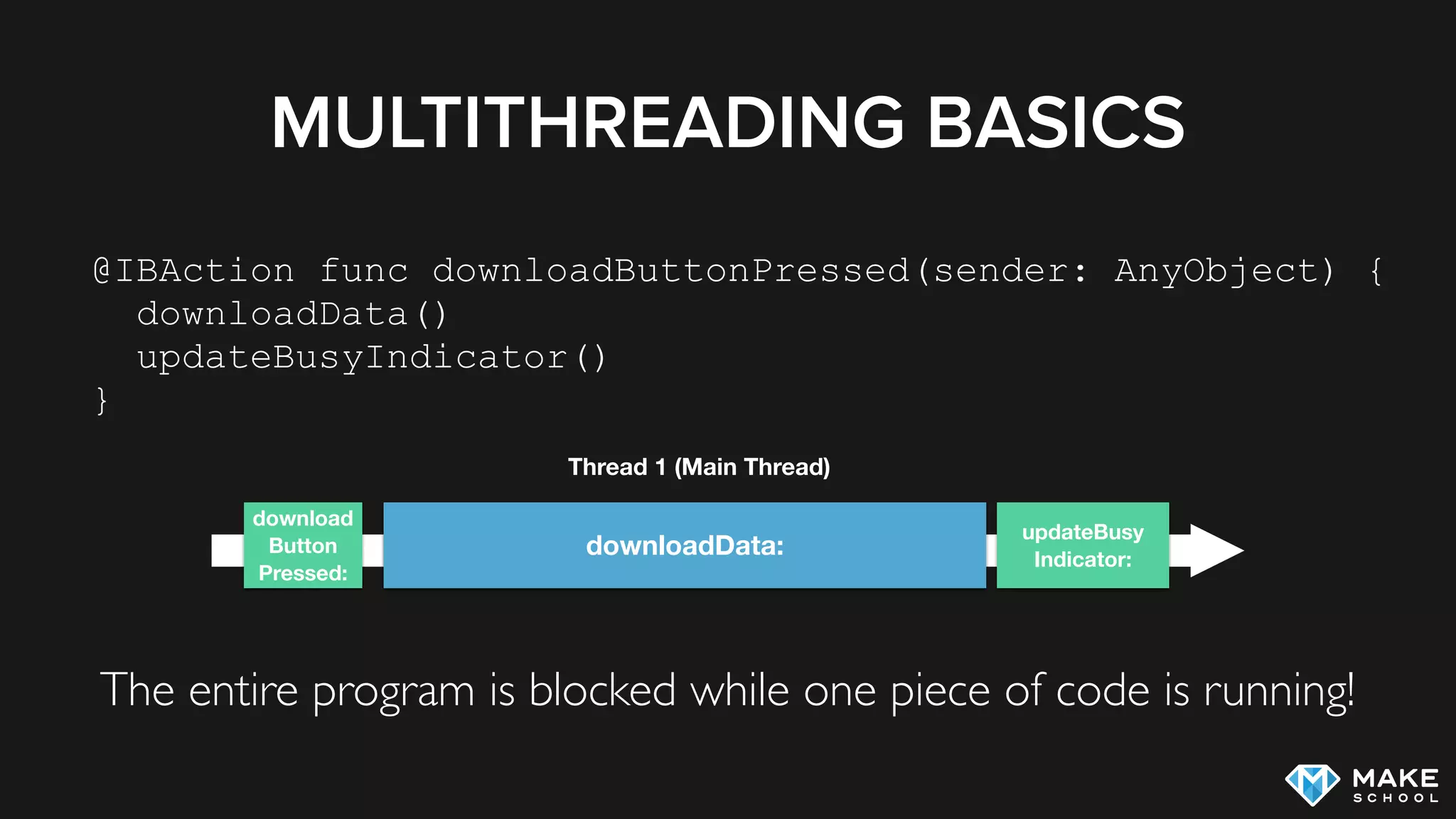
The entire program is blocked while one piece of code is running!
@IBAction func downloadButtonPressed(sender: AnyObject) {
downloadData()
updateBusyIndicator()
}
updateBusy
Indicator:
downloadData:
download
Button
Pressed:
Thread 1 (Main Thread)
MULTITHREADING BASICS
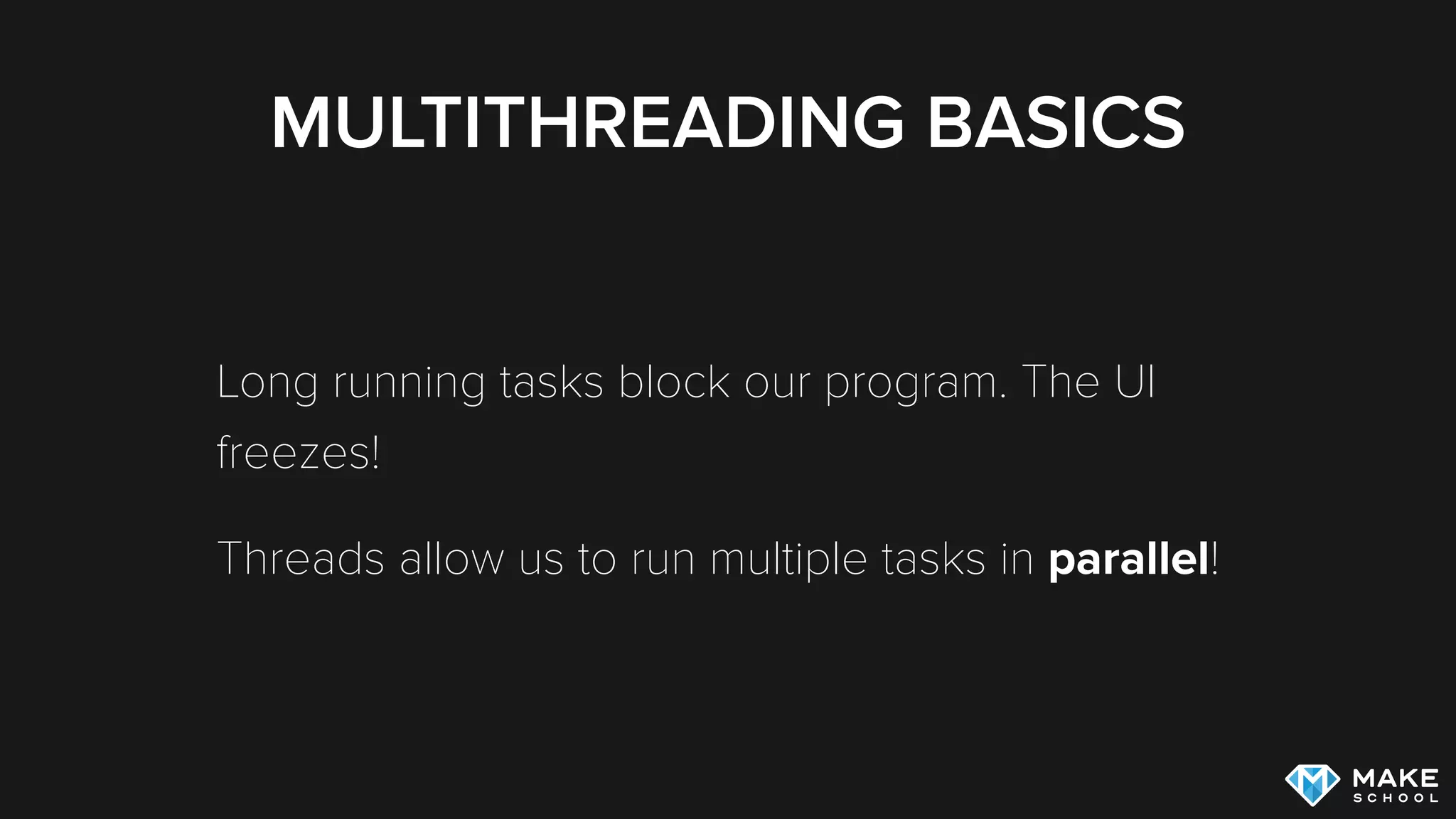
Long running tasks block our program. The UI
freezes!
Threads allow us to run multiple tasks in parallel!
MULTITHREADING BASICS
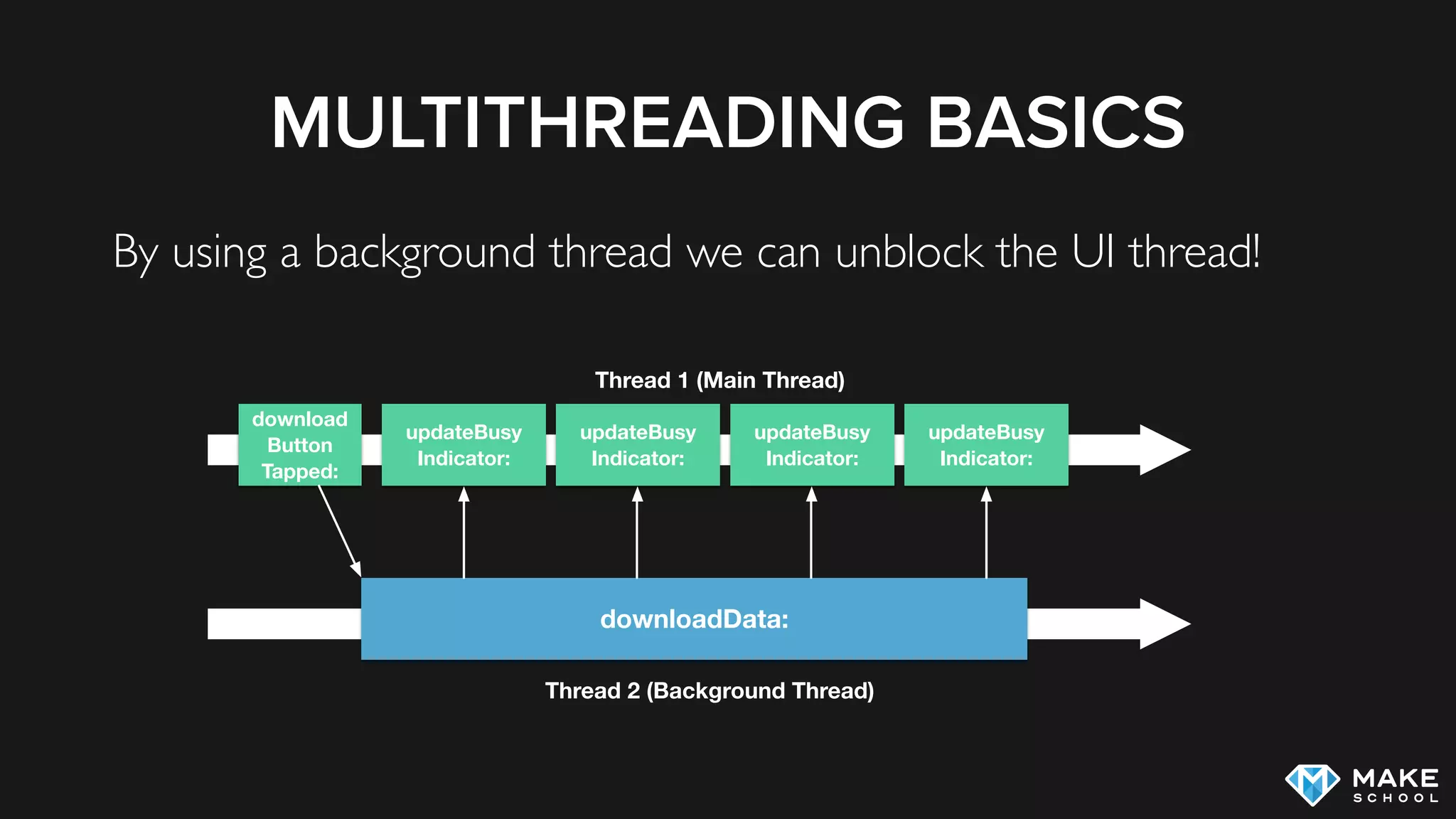
By using a background thread we can unblock the UI thread!
updateBusy
Indicator:
download
Button
Tapped:
Thread 1 (Main Thread)
Thread 2 (Background Thread)
downloadData:
updateBusy
Indicator:
updateBusy
Indicator:
updateBusy
Indicator:
WHY DO WE NEED THREADS?
Listen for User Input
Respond to User Input
Application Code
Time
Listen for User Input
Respond to User Input
Application Code
Listen for User Input
Respond to User Input
Application Code
…
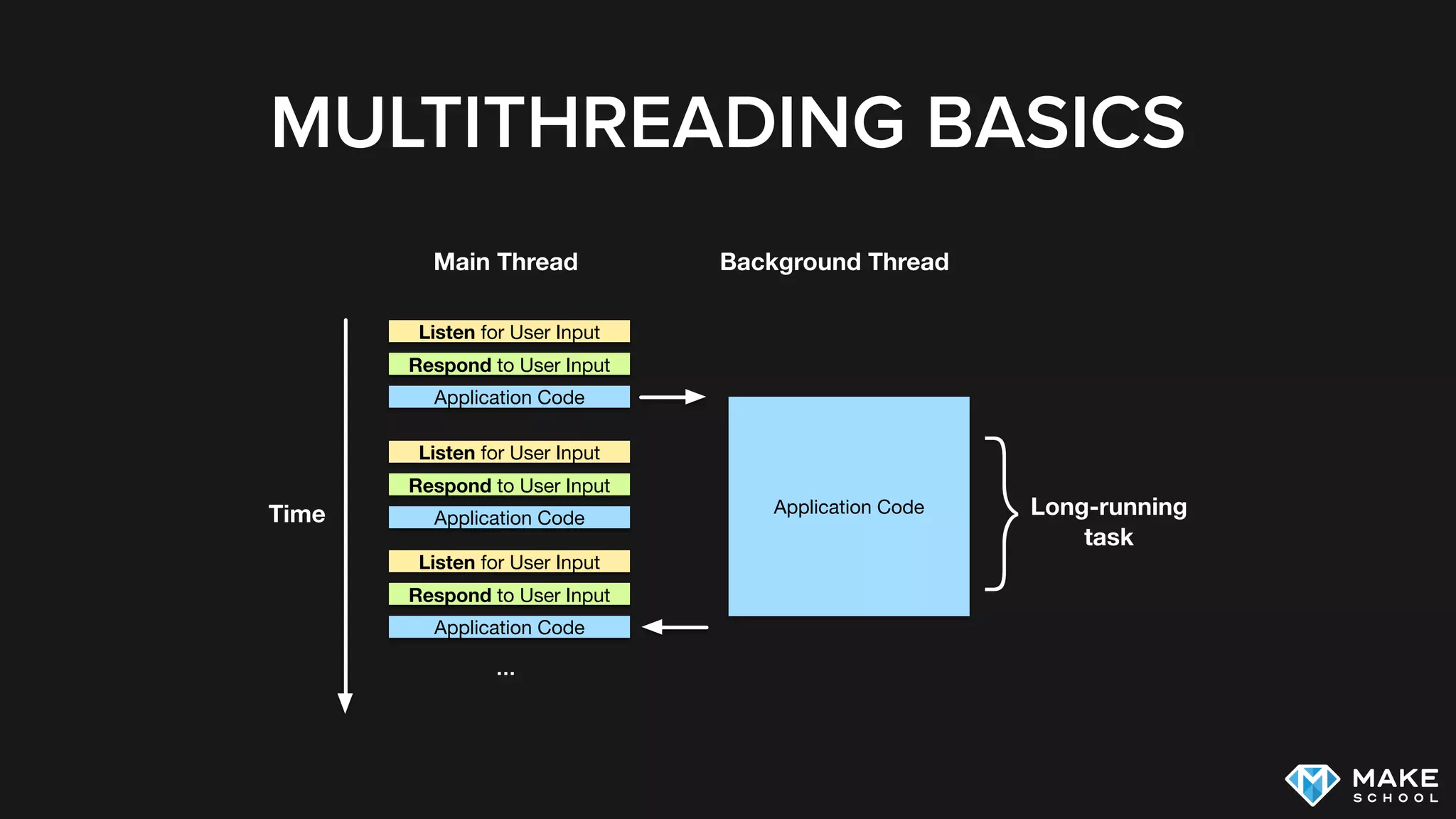
MULTITHREADING BASICS
Listen for User Input
Respond to User Input
Application CodeTime
Listen for User Input
Respond to User Input
Application Code
…
}Long-running
task
Application Code
Listen for User Input
Respond to User Input
Application Code
Main Thread Background Thread
MULTITHREADING BASICS
Multithreading works independently of the underlying
hardware architecture
Multiple threads can run on a single core, each thread gets
a certain amount of execution time
MULTITHREADING BASICS
Spawning and executing a thread and switching
between threads consumes resources, especially on a
single core system multithreading hurts overall
performance (even though it can improve perceived
performance through responsiveness)
In most UI Frameworks (including UIKit) UI updates are only
possible from the main thread
WHEN TO USE MULTITHREADING
Improve responsiveness of application by performing long
running tasks in background threads
Improve Performance by utilizing multiple cores at once
INTERLUDE: CLOSURES
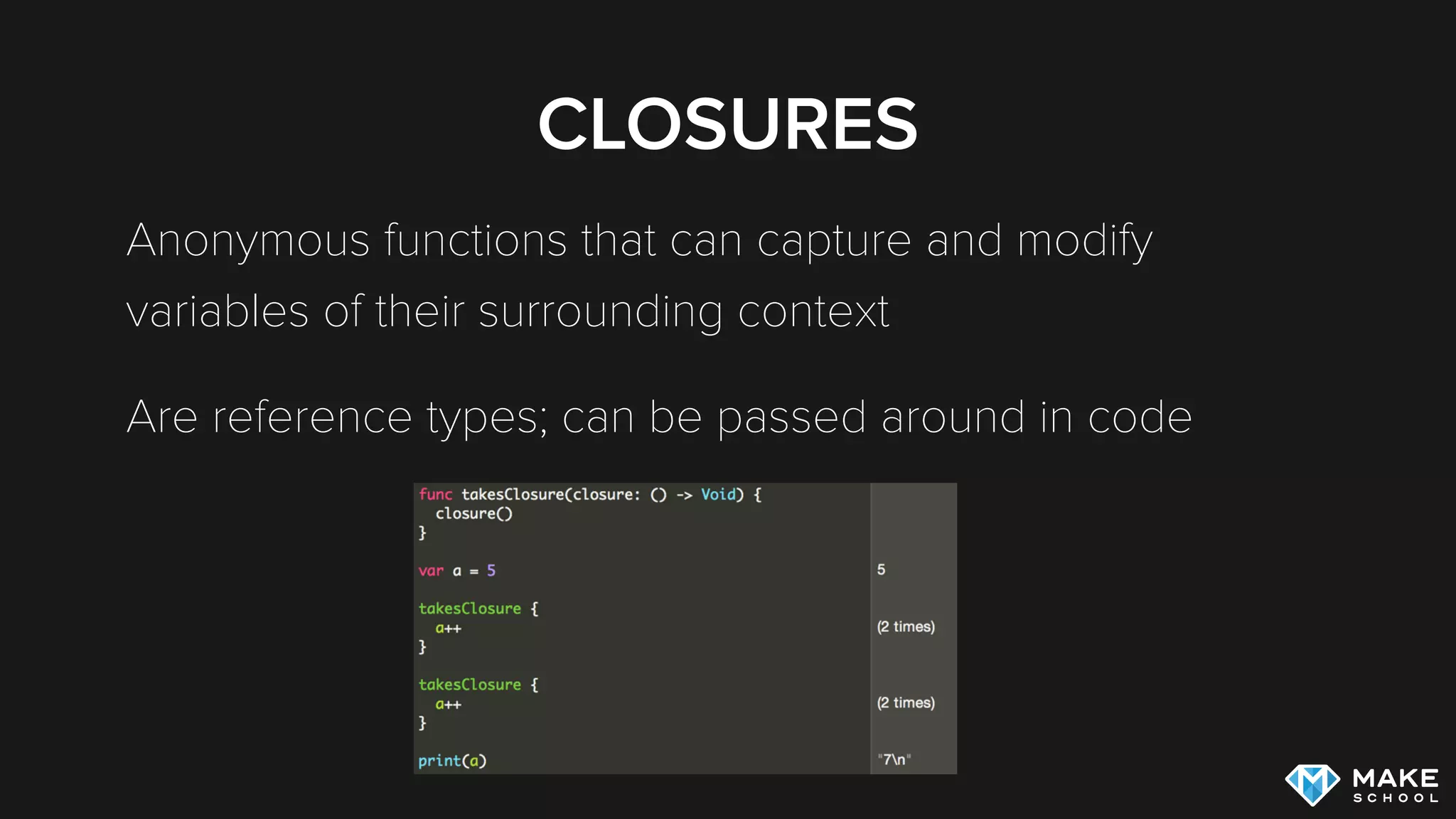
CLOSURES
Anonymous functions that can capture and modify
variables of their surrounding context
Are reference types; can be passed around in code
MULTITHREADING ON IOS
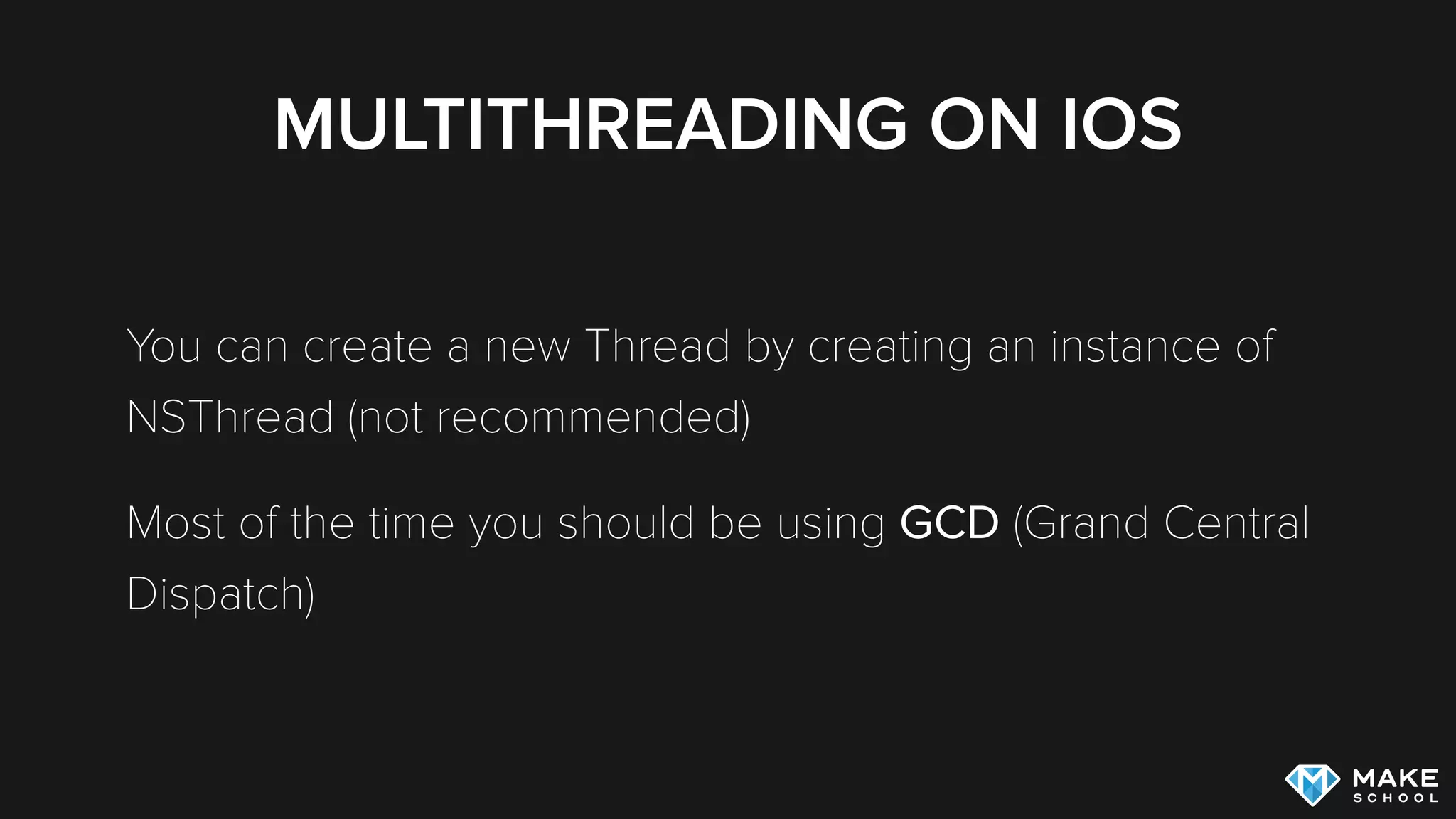
You can create a new Thread by creating an instance of
NSThread (not recommended)
Most of the time you should be using GCD (Grand Central
Dispatch)
GCD
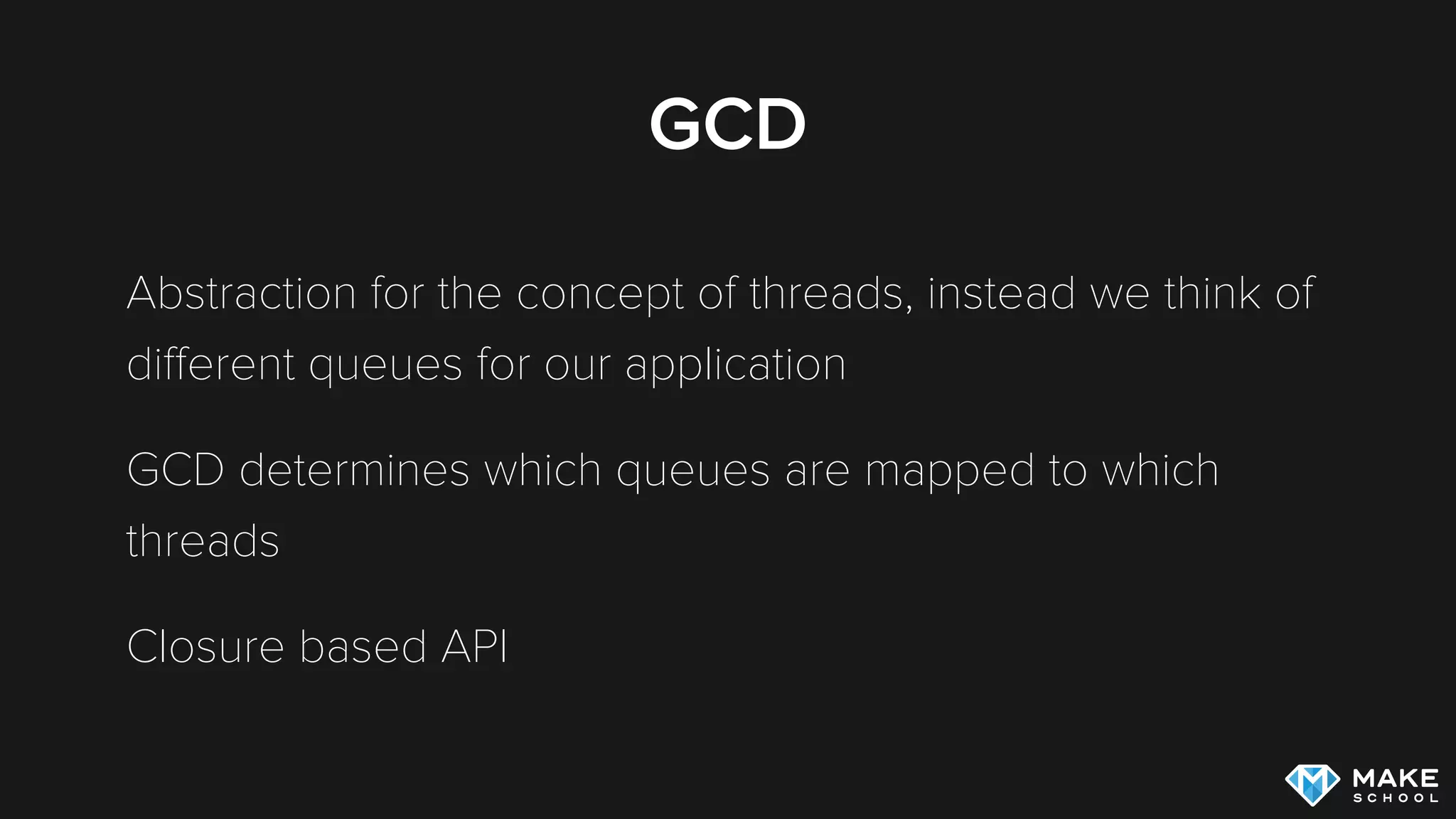
Abstraction for the concept of threads, instead we think of
different queues for our application
GCD determines which queues are mapped to which
threads
Closure based API
GCD MINDSET
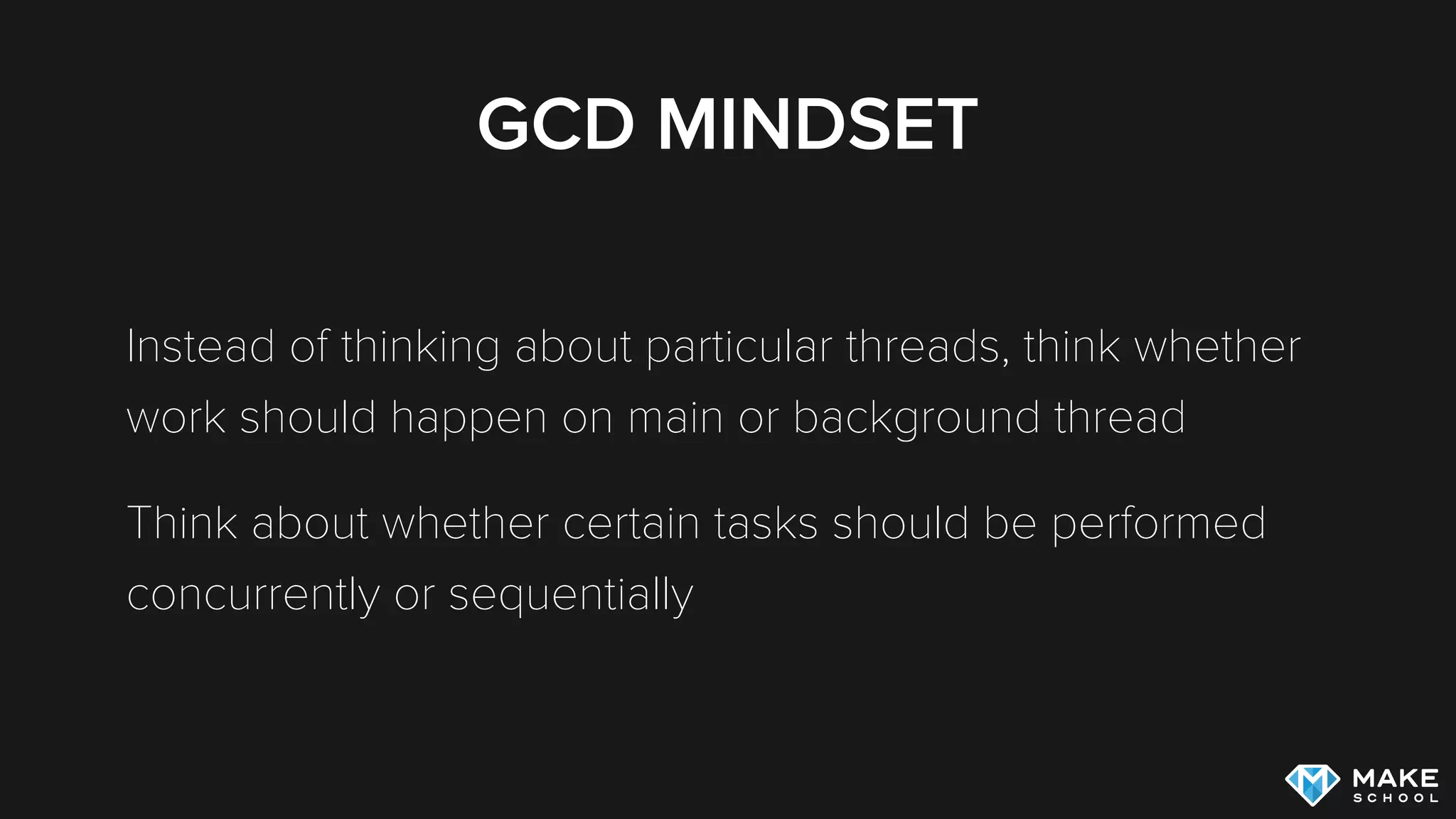
Instead of thinking about particular threads, think whether
work should happen on main or background thread
Think about whether certain tasks should be performed
concurrently or sequentially
GCD
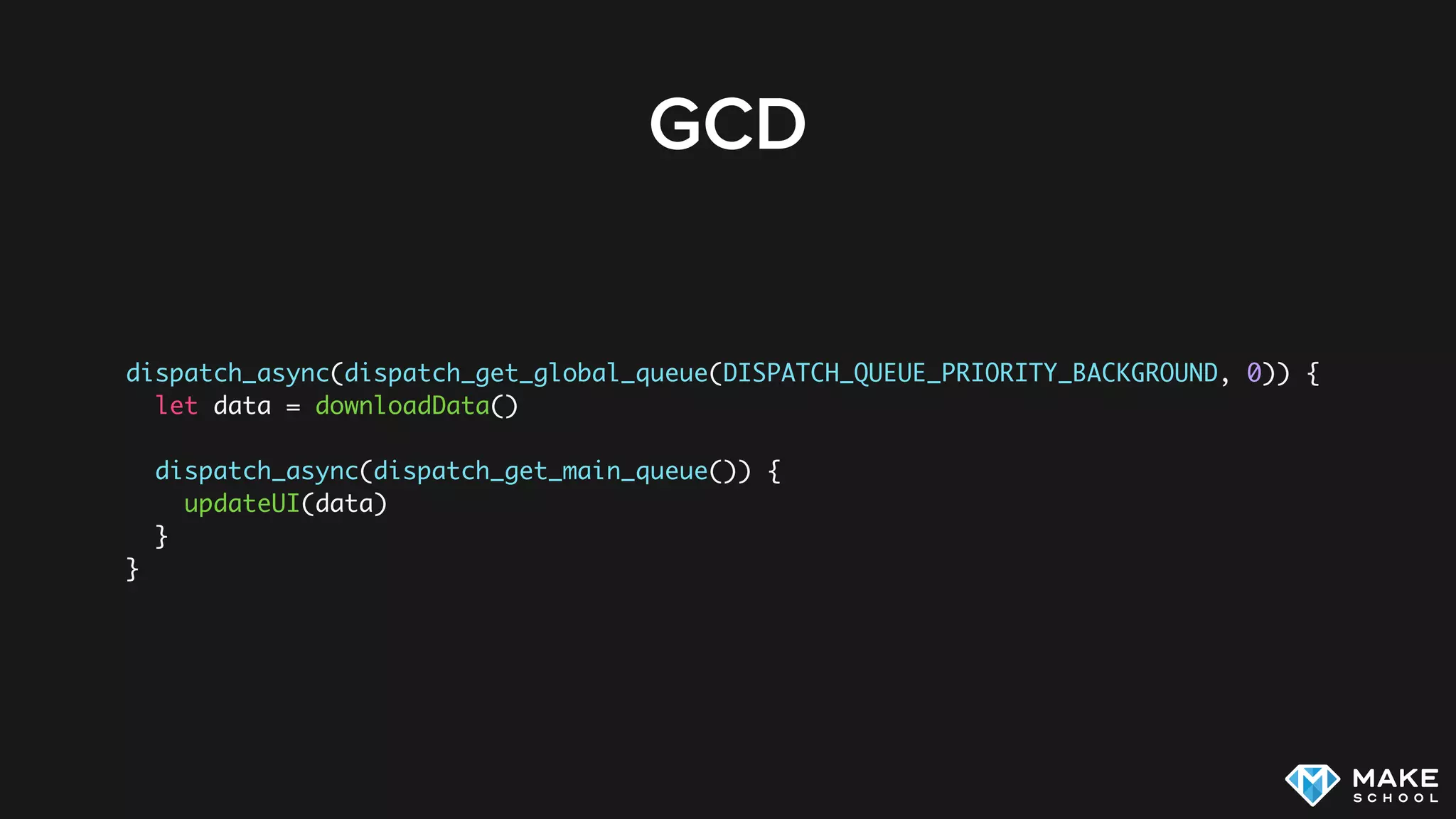
dispatch_async(dispatch_get_global_queue(DISPATCH_QUEUE_PRIORITY_BACKGROUND, 0)) {
let data = downloadData()
dispatch_async(dispatch_get_main_queue()) {
updateUI(data)
}
}
GCD
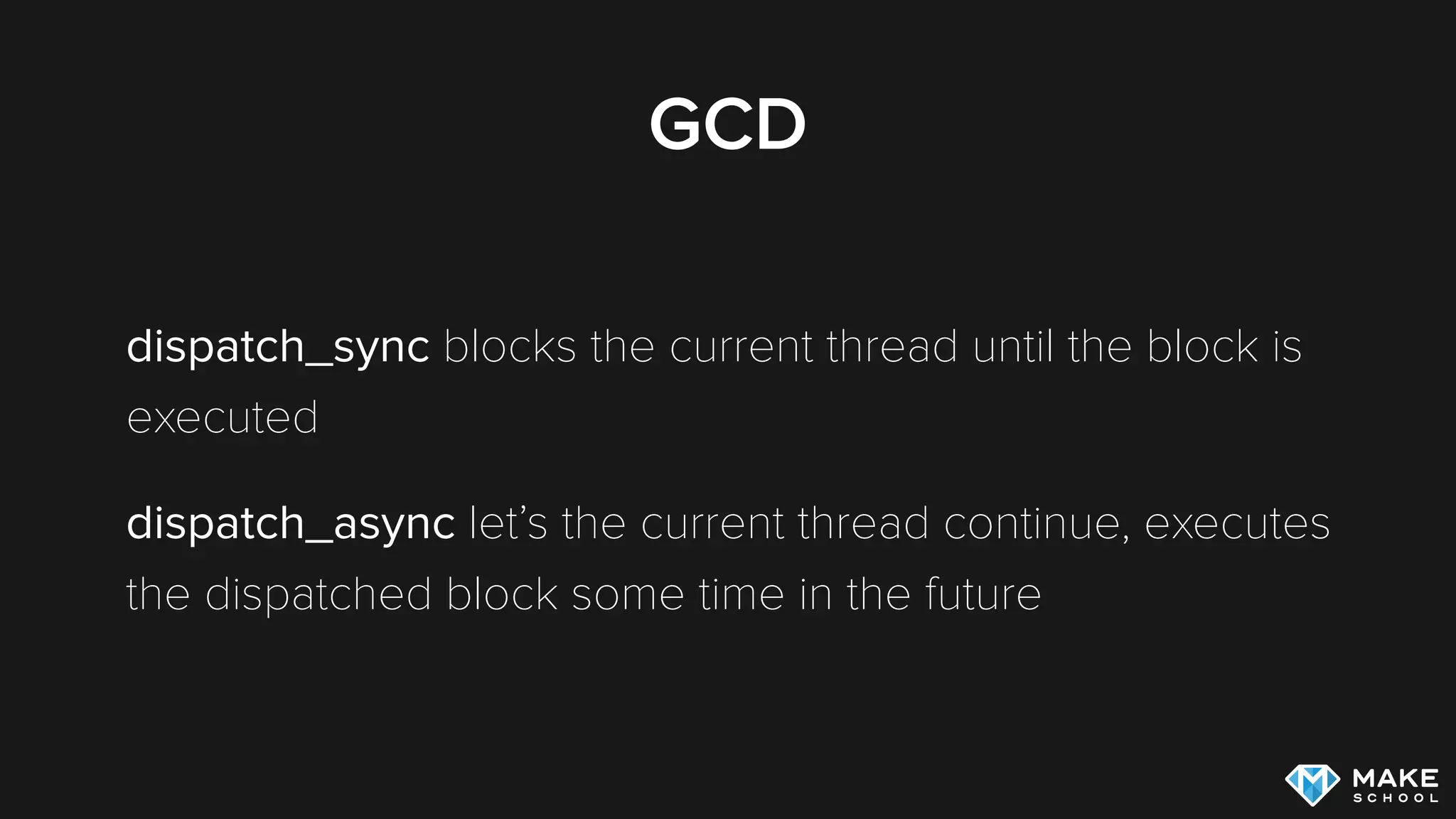
dispatch_sync blocks the current thread until the block is
executed
dispatch_async let’s the current thread continue, executes
the dispatched block some time in the future
MULTITHREADING
CHALLENGES
SYNCHRONIZATION OF THREADS
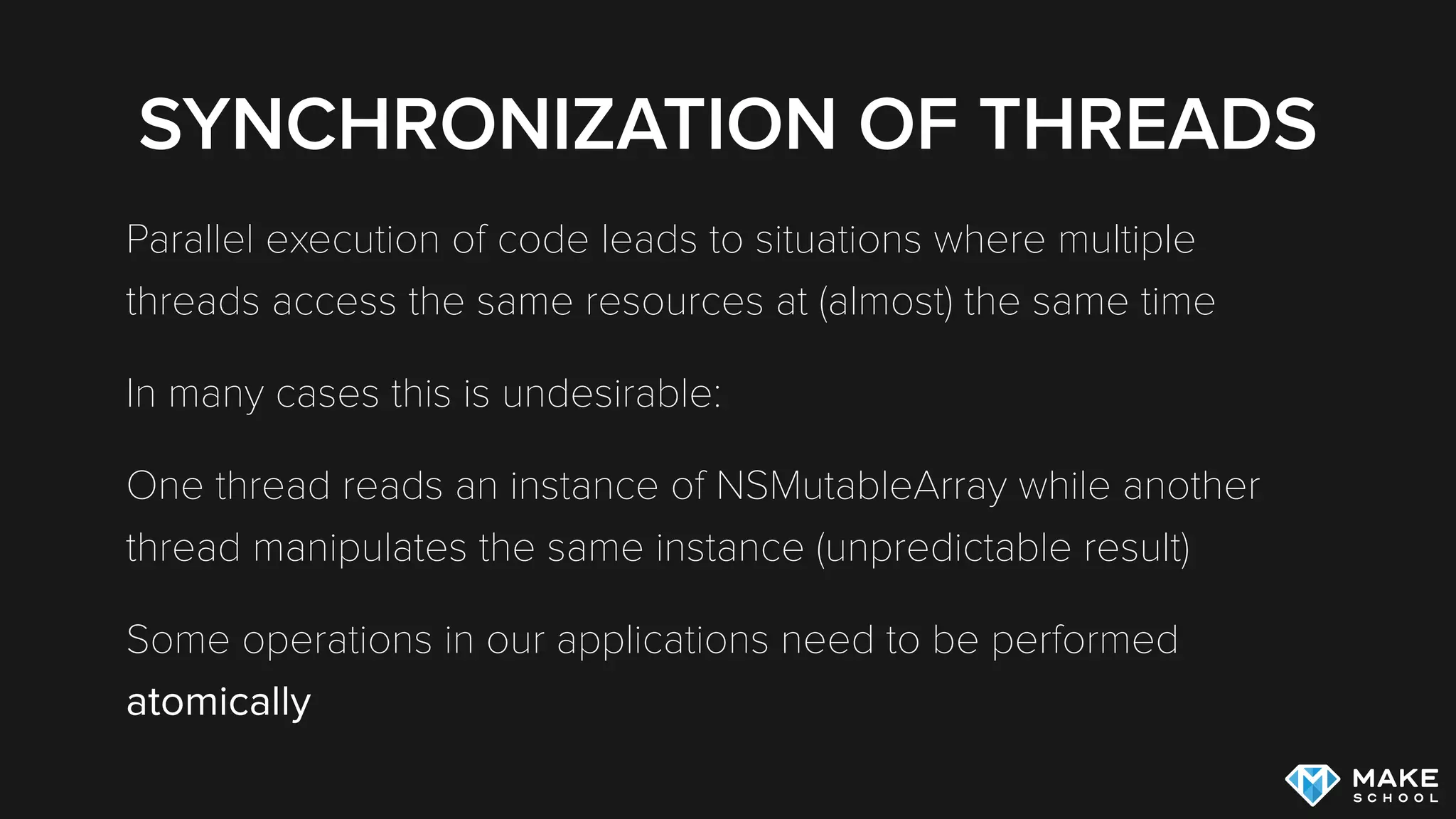
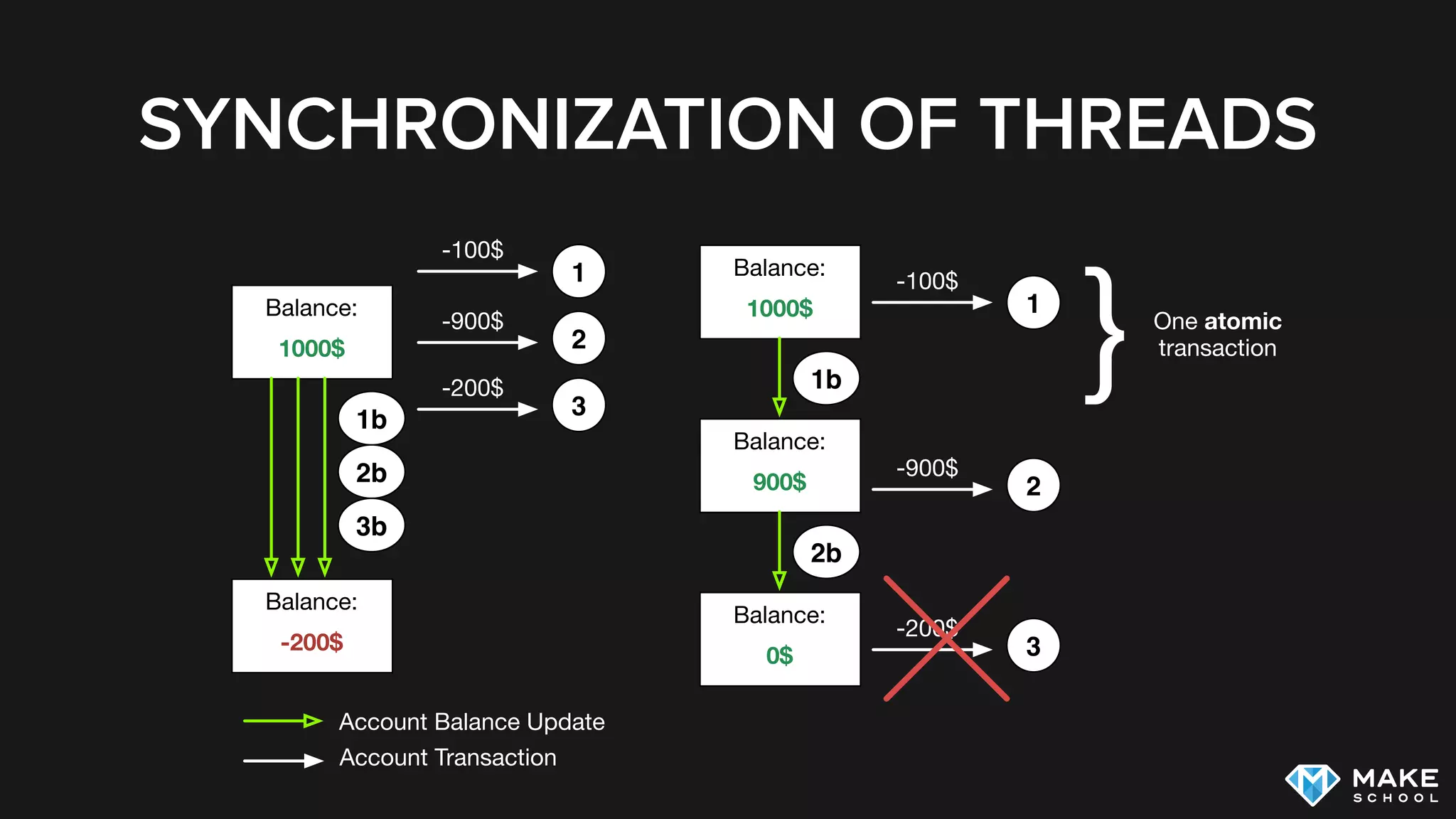
Parallel execution of code leads to situations where multiple
threads access the same resources at (almost) the same time
In many cases this is undesirable:
One thread reads an instance of NSMutableArray while another
thread manipulates the same instance (unpredictable result)
Some operations in our applications need to be performed
atomically
SYNCHRONIZATION OF THREADS
Balance:
1000$
1
2
3
-100$
-900$
-200$
Balance:
-200$
1b
2b
3b
Account Balance Update
Account Transaction
Balance:
1000$ 1
-100$
1b
Balance:
900$ 2
-900$
2b
Balance:
0$ 3
-200$
} One atomic
transaction
SYNCHRONIZATION OF THREADS
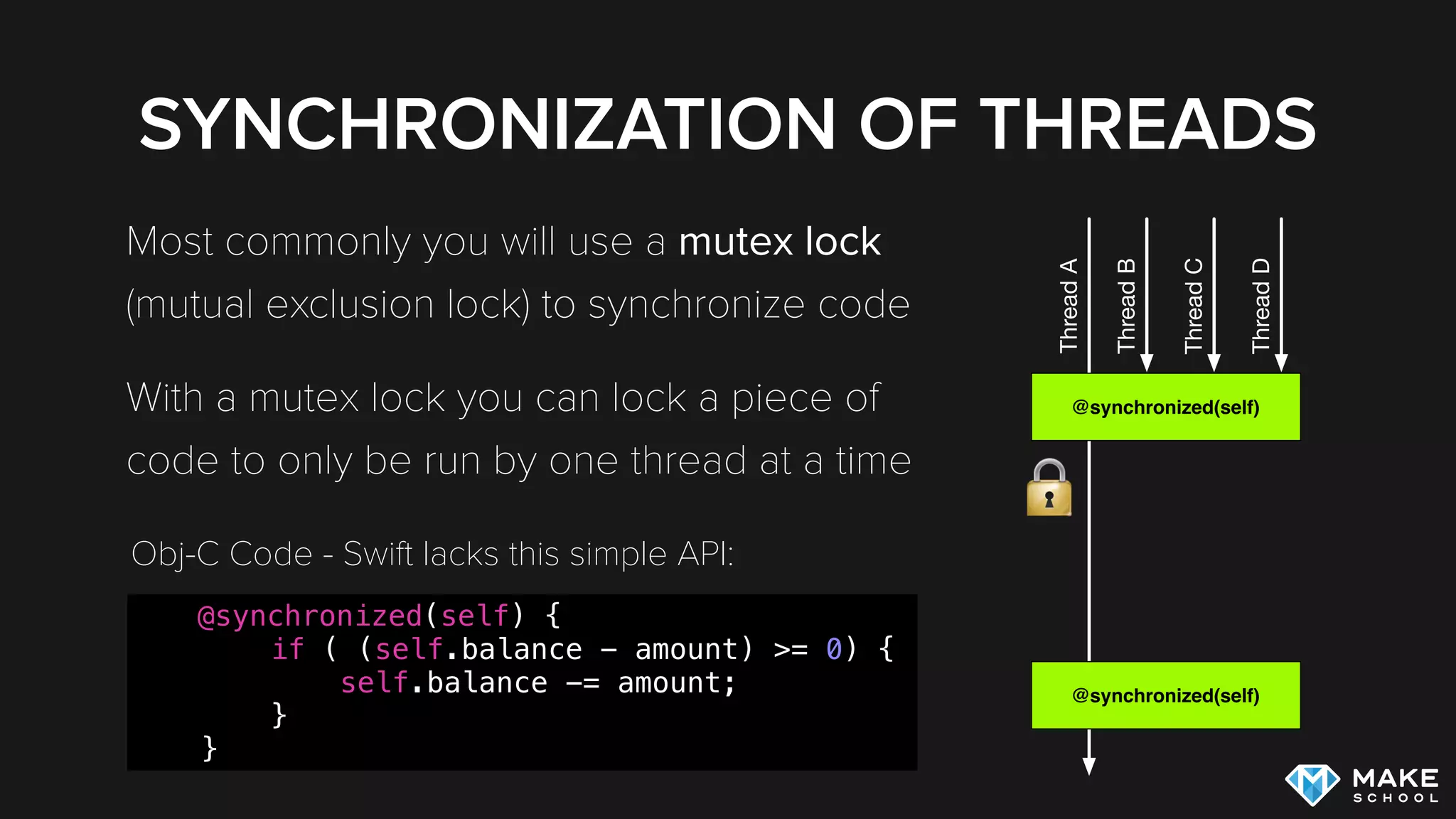
Most commonly you will use a mutex lock
(mutual exclusion lock) to synchronize code
With a mutex lock you can lock a piece of
code to only be run by one thread at a time
@synchronized(self)
ThreadA
@synchronized(self)
ThreadB
ThreadC
ThreadD
@synchronized(self) {
if ( (self.balance - amount) >= 0) {
self.balance -= amount;
}
}
Obj-C Code - Swift lacks this simple API:
DEADLOCKS
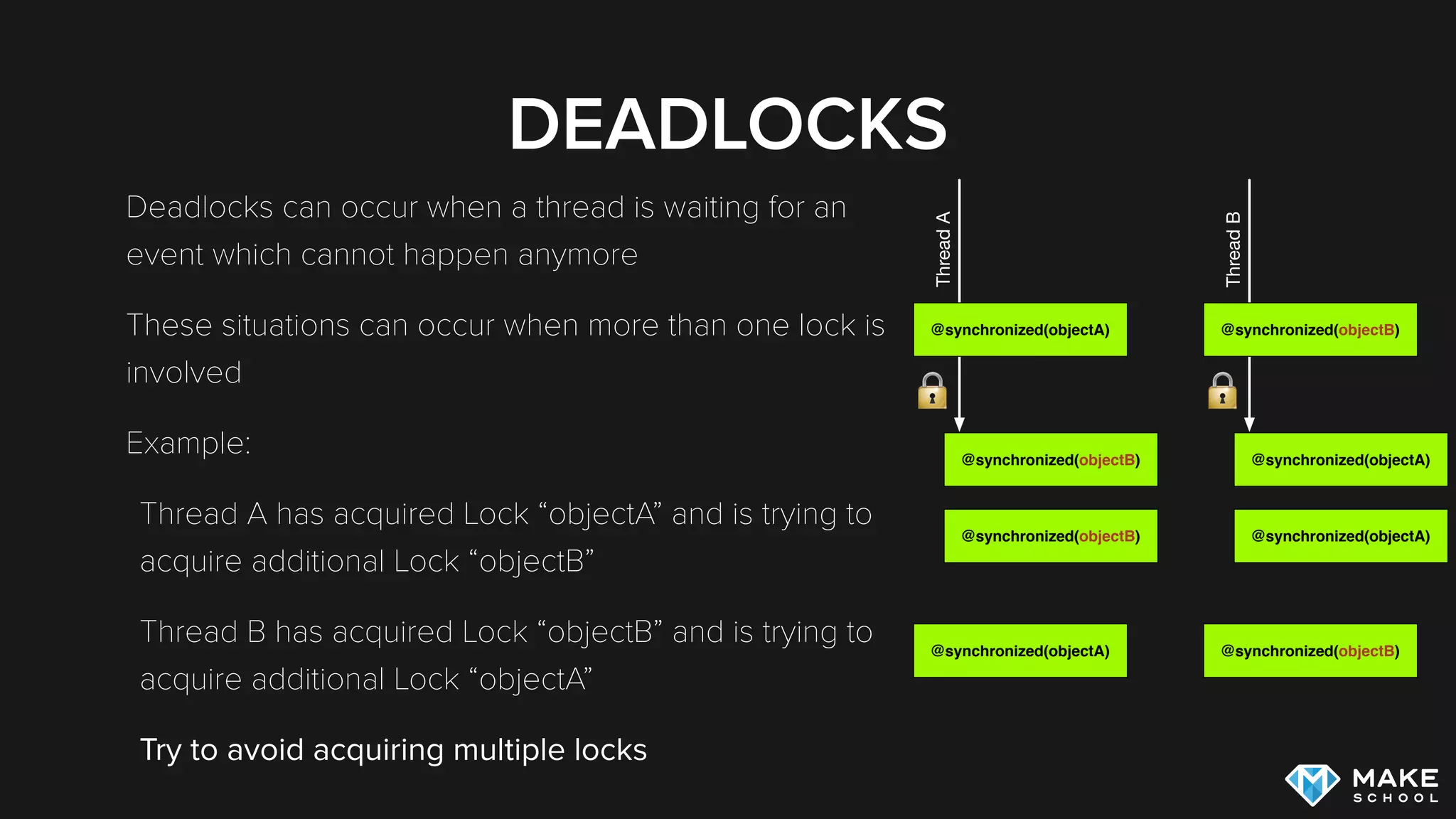
Deadlocks can occur when a thread is waiting for an
event which cannot happen anymore
These situations can occur when more than one lock is
involved
Example:
Thread A has acquired Lock “objectA” and is trying to
acquire additional Lock “objectB”
Thread B has acquired Lock “objectB” and is trying to
acquire additional Lock “objectA”
Try to avoid acquiring multiple locks
@synchronized(objectA)
ThreadA
@synchronized(objectB)
@synchronized(objectA)
@synchronized(objectB)
ThreadB
@synchronized(objectA)
@synchronized(objectB)
RACE CONDITIONS
Race Conditions are bugs that only occur when multiple threads
access shared resources in a specific order
For this reason Race Conditions are very hard to debug
Critical shared resources should be protected by synchronization
Debugging threading issues can become almost impossible -
good design upfront is extremely important
SYNCHRONIZATION TOOLS
USED WITH SWIFT
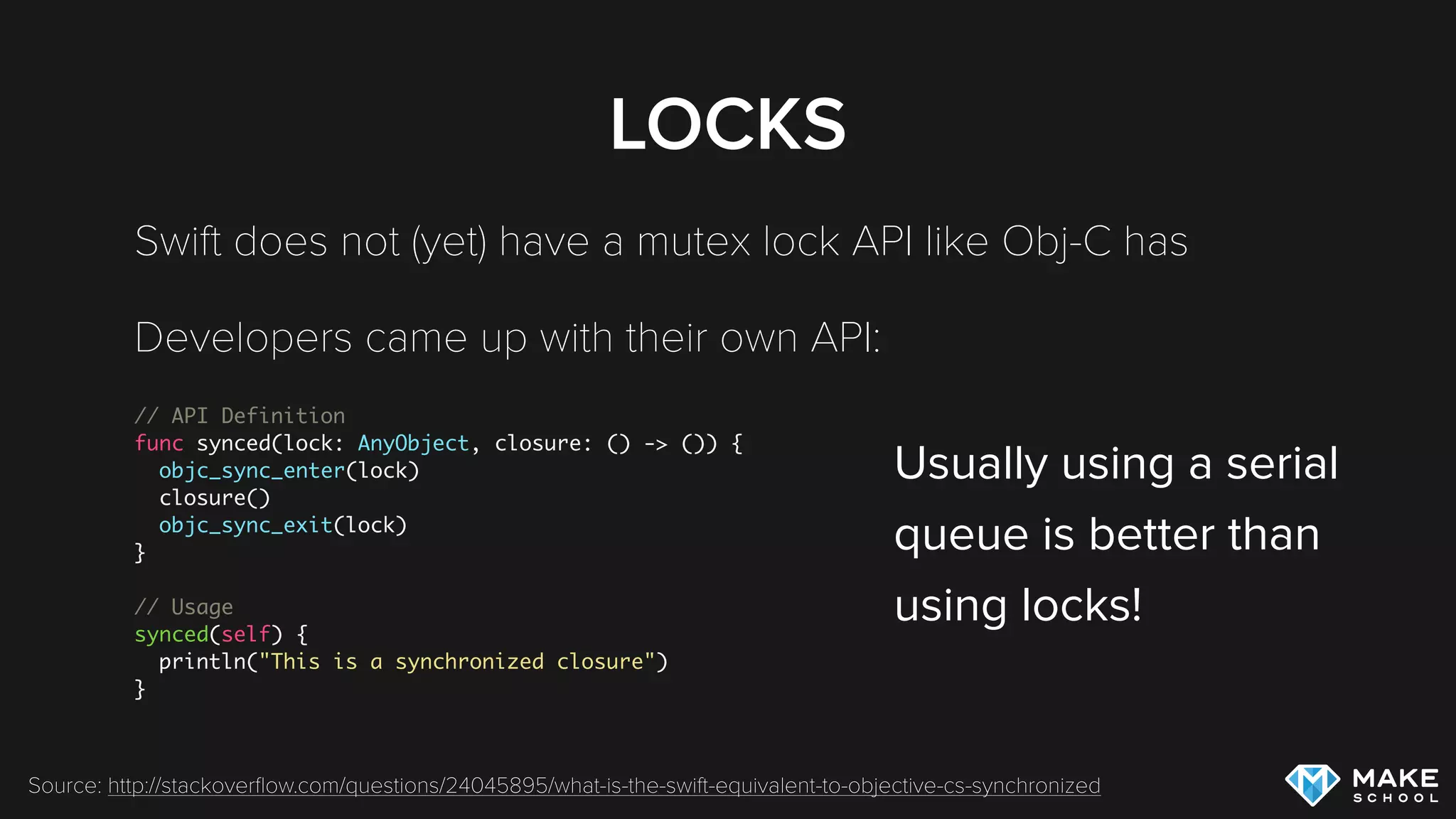
LOCKS
Swift does not (yet) have a mutex lock API like Obj-C has
Developers came up with their own API:
// API Definition
func synced(lock: AnyObject, closure: () -> ()) {
objc_sync_enter(lock)
closure()
objc_sync_exit(lock)
}
// Usage
synced(self) {
println("This is a synchronized closure")
}
Source: http://stackoverflow.com/questions/24045895/what-is-the-swift-equivalent-to-objective-cs-synchronized
Usually using a serial

queue is better than 

using locks!
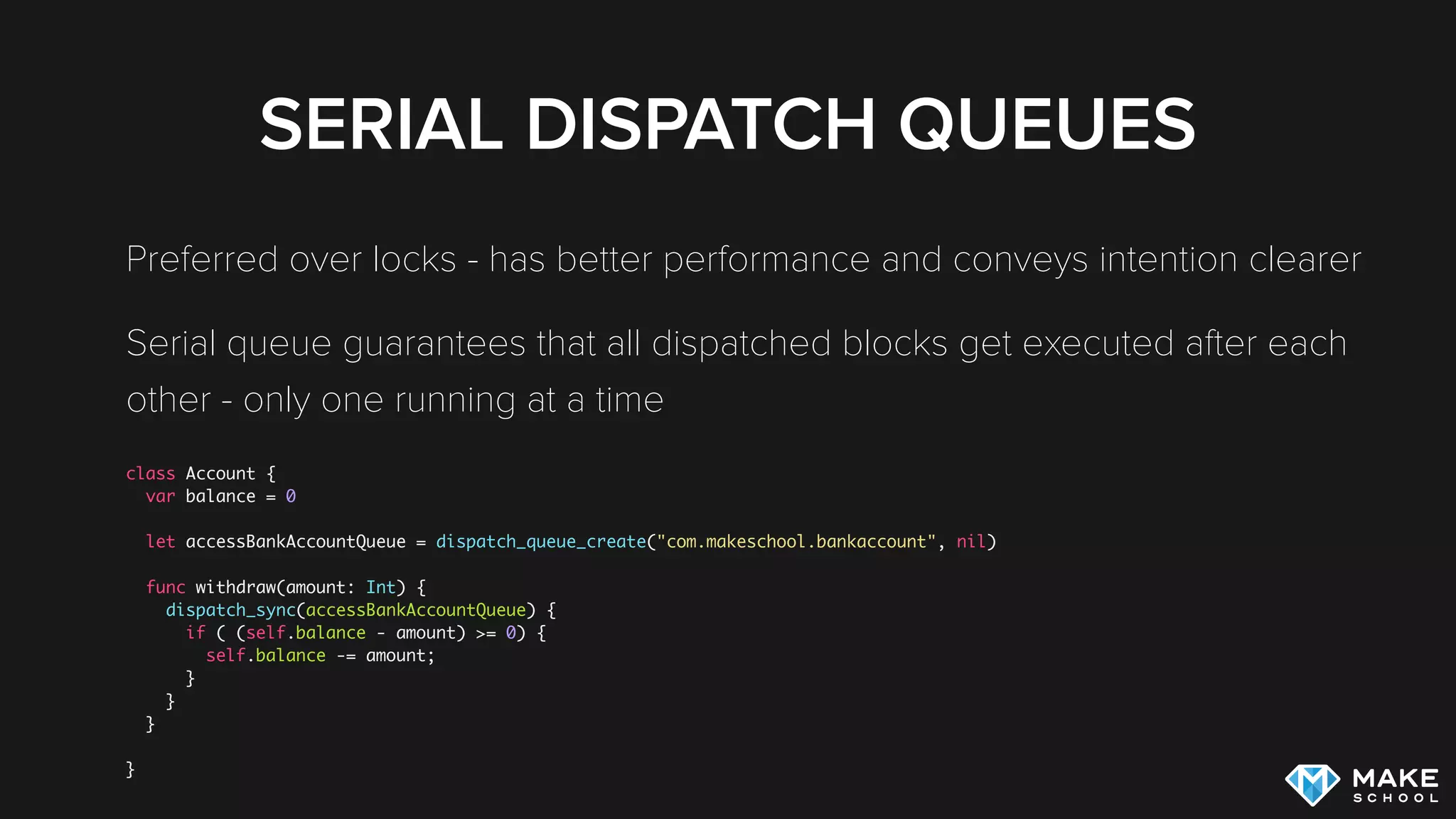
SERIAL DISPATCH QUEUES
Preferred over locks - has better performance and conveys intention clearer
Serial queue guarantees that all dispatched blocks get executed after each
other - only one running at a time
class Account {
var balance = 0
let accessBankAccountQueue = dispatch_queue_create("com.makeschool.bankaccount", nil)
func withdraw(amount: Int) {
dispatch_sync(accessBankAccountQueue) {
if ( (self.balance - amount) >= 0) {
self.balance -= amount;
}
}
}
}
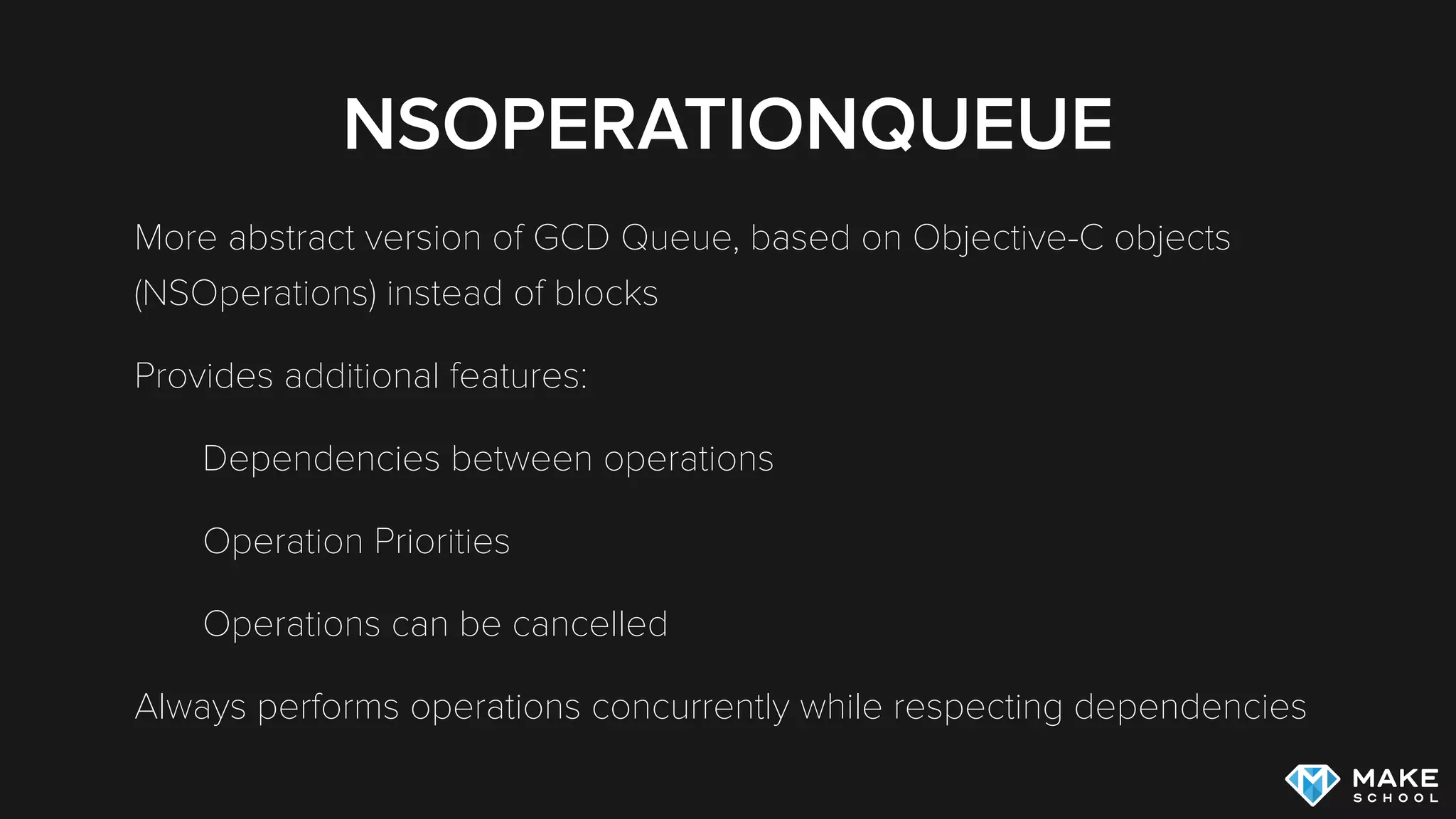
NSOPERATIONQUEUE
More abstract version of GCD Queue, based on Objective-C objects
(NSOperations) instead of blocks
Provides additional features:
Dependencies between operations
Operation Priorities
Operations can be cancelled
Always performs operations concurrently while respecting dependencies
NSOPERATIONQUEUE
let downloadQueue = NSOperationQueue()
let downloadOperation = NSBlockOperation {
// perform download here
print("downloading")
}
downloadOperation.queuePriority = .Low
let updateDBOperation = NSBlockOperation {
// update DB here
print("update DB")
}
// update DB after download completes
updateDBOperation.addDependency(downloadOperation)
// add operations to queue to get them started
downloadQueue.addOperations([downloadOperation, updateDBOperation], waitUntilFinished: false)
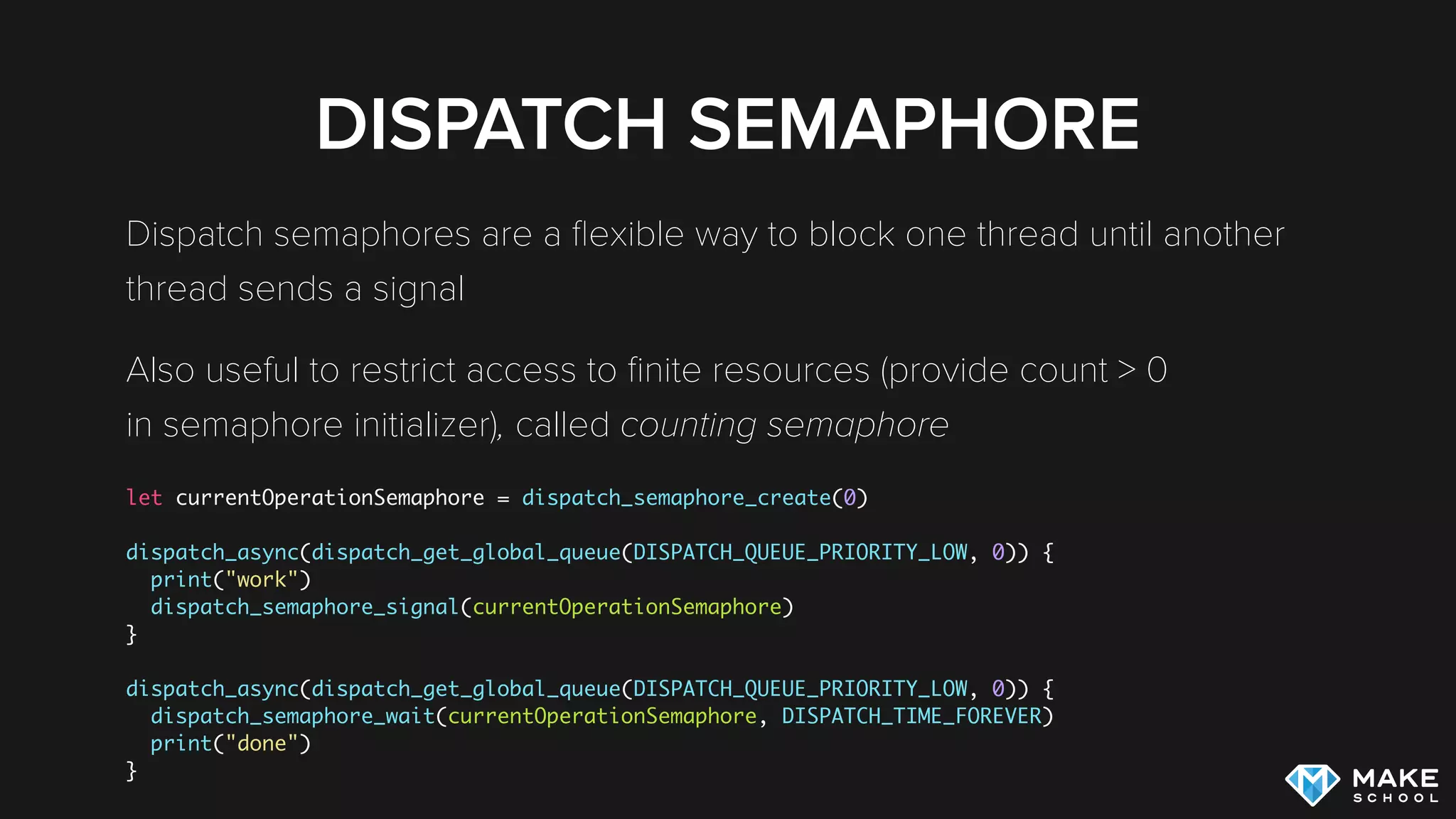
DISPATCH SEMAPHORE
Dispatch semaphores are a flexible way to block one thread until another
thread sends a signal
Also useful to restrict access to finite resources (provide count > 0

in semaphore initializer), called counting semaphore
let currentOperationSemaphore = dispatch_semaphore_create(0)
dispatch_async(dispatch_get_global_queue(DISPATCH_QUEUE_PRIORITY_LOW, 0)) {
print("work")
dispatch_semaphore_signal(currentOperationSemaphore)
}
dispatch_async(dispatch_get_global_queue(DISPATCH_QUEUE_PRIORITY_LOW, 0)) {
dispatch_semaphore_wait(currentOperationSemaphore, DISPATCH_TIME_FOREVER)
print("done")
}
DISPATCH GROUPS
When you want to create a group of actions and wait until all actions in
that group are completed you can use dispatch groups
let mainQueueGroup = dispatch_group_create()
for (var i = 0; i < 10; i++) {
dispatch_group_async(mainQueueGroup, dispatch_get_global_queue(DISPATCH_QUEUE_PRIORITY_BACKGROUND, 0)) { [i] in
print("Download Data: (i)")
}
}
dispatch_group_wait(mainQueueGroup, DISPATCH_TIME_FOREVER)
print("All Downloads Completed")
dispatch_group_wait blocks the current thread until all operations in the dispatch group are
completed
Alternatively you can define a block that shall be called when the group completes by using
dispatch_group_notify
DISPATCH GROUPS
let mainQueueGroup = dispatch_group_create()
for (var i = 0; i < 10; i++) {
dispatch_group_async(mainQueueGroup, dispatch_get_global_queue(DISPATCH_QUEUE_PRIORITY_BACKGROUND, 0)) { [i] in
print("Download Data: (i)")
}
}
dispatch_group_wait(mainQueueGroup, DISPATCH_TIME_FOREVER)
print("All Downloads Completed")
Example Output:
Download Data: 2
Download Data: 0
Download Data: 3
Download Data: 1
Download Data: 4
Download Data: 5
Download Data: 6
Download Data: 7
Download Data: 8
Download Data: 9
All Downloads Completed
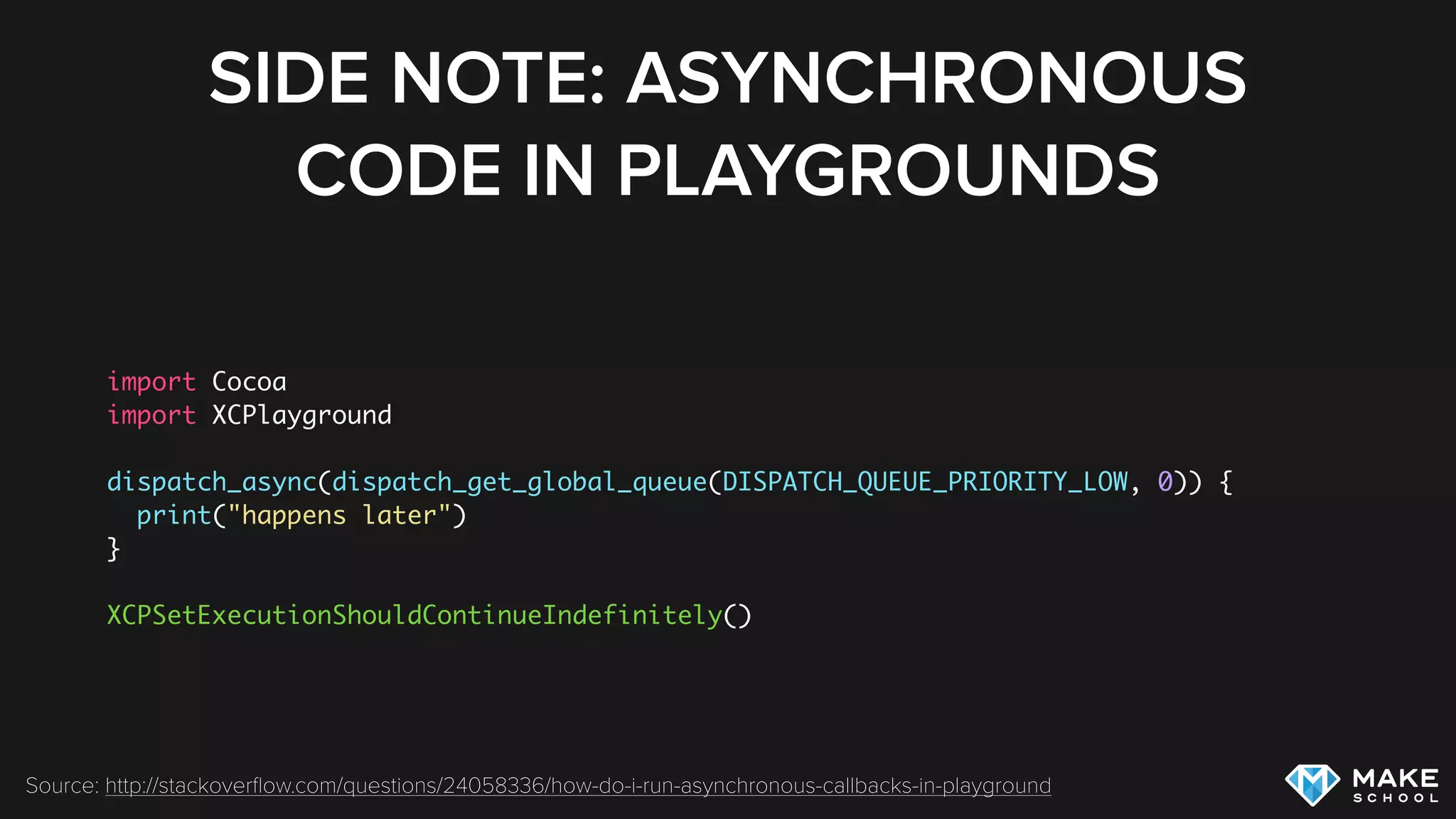
SIDE NOTE: ASYNCHRONOUS
CODE IN PLAYGROUNDS
import Cocoa
import XCPlayground
dispatch_async(dispatch_get_global_queue(DISPATCH_QUEUE_PRIORITY_LOW, 0)) {
print("happens later")
}
XCPSetExecutionShouldContinueIndefinitely()
Source: http://stackoverflow.com/questions/24058336/how-do-i-run-asynchronous-callbacks-in-playground
SUMMARY
SUMMARY
Mostly we use multithreaded code to create non-blocking UIs by executing
long running tasks on a background thread
GCD that uses blocks is our favorite way to implement multithreading on
iOS because it allows the OS to choose the most efficient implementation
Multithreaded code needs to be designed well to avoid race conditions
and deadlocks and to group certain tasks into transactions
Our favorite tools to implement well designed multithreaded code are the
serial dispatch queue and the NSOperationQueue
EXERCISE
Download the Starter Project.
1. Create a non-blocking version of the app that updates the progress label correctly
using GCD
2. Improve the performance of the app by submitting each operation as an individual
block, ensure that the “Completed” message is still displayed correctly
3. Refactor the code to use GCD groups to determine when all tasks have completed
4. Increase the operation count from 20 to 1000 and add buttons to start and cancel
operations (hint: use NSOperationQueue)
REFERENCES
Apple Docs: Swift Closures
Erica Sadun: Capturing References in Closures
Apple Docs: Migrating Away From Threads
Apple Docs: GCD Reference
Blog Post: More than you want to know about @synchronized

Multithreading on iOS

  • 2.
  • 3.
  • 4.
  • 5.
    WHY DO WENEED THREADS? Listen for User Input Respond to User Input Application Code Time Listen for User Input Respond to User Input Application Code Listen for User Input Respond to User Input Application Code …
  • 6.
    WHY DO WENEED THREADS?
  • 7.
    MULTITHREADING BASICS The entireprogram is blocked while one piece of code is running! @IBAction func downloadButtonPressed(sender: AnyObject) { downloadData() updateBusyIndicator() } updateBusy Indicator: downloadData: download Button Pressed: Thread 1 (Main Thread)
  • 8.
    MULTITHREADING BASICS Long runningtasks block our program. The UI freezes! Threads allow us to run multiple tasks in parallel!
  • 9.
    MULTITHREADING BASICS By usinga background thread we can unblock the UI thread! updateBusy Indicator: download Button Tapped: Thread 1 (Main Thread) Thread 2 (Background Thread) downloadData: updateBusy Indicator: updateBusy Indicator: updateBusy Indicator:
  • 10.
    WHY DO WENEED THREADS? Listen for User Input Respond to User Input Application Code Time Listen for User Input Respond to User Input Application Code Listen for User Input Respond to User Input Application Code …
  • 11.
    MULTITHREADING BASICS Listen forUser Input Respond to User Input Application CodeTime Listen for User Input Respond to User Input Application Code … }Long-running task Application Code Listen for User Input Respond to User Input Application Code Main Thread Background Thread
  • 12.
    MULTITHREADING BASICS Multithreading worksindependently of the underlying hardware architecture Multiple threads can run on a single core, each thread gets a certain amount of execution time
  • 13.
    MULTITHREADING BASICS Spawning andexecuting a thread and switching between threads consumes resources, especially on a single core system multithreading hurts overall performance (even though it can improve perceived performance through responsiveness) In most UI Frameworks (including UIKit) UI updates are only possible from the main thread
  • 14.
    WHEN TO USEMULTITHREADING Improve responsiveness of application by performing long running tasks in background threads Improve Performance by utilizing multiple cores at once
  • 15.
  • 16.
    CLOSURES Anonymous functions thatcan capture and modify variables of their surrounding context Are reference types; can be passed around in code
  • 17.
  • 18.
    MULTITHREADING ON IOS Youcan create a new Thread by creating an instance of NSThread (not recommended) Most of the time you should be using GCD (Grand Central Dispatch)
  • 19.
    GCD Abstraction for theconcept of threads, instead we think of different queues for our application GCD determines which queues are mapped to which threads Closure based API
  • 20.
    GCD MINDSET Instead ofthinking about particular threads, think whether work should happen on main or background thread Think about whether certain tasks should be performed concurrently or sequentially
  • 21.
    GCD dispatch_async(dispatch_get_global_queue(DISPATCH_QUEUE_PRIORITY_BACKGROUND, 0)) { letdata = downloadData() dispatch_async(dispatch_get_main_queue()) { updateUI(data) } }
  • 22.
    GCD dispatch_sync blocks thecurrent thread until the block is executed dispatch_async let’s the current thread continue, executes the dispatched block some time in the future
  • 23.
  • 24.
    SYNCHRONIZATION OF THREADS Parallelexecution of code leads to situations where multiple threads access the same resources at (almost) the same time In many cases this is undesirable: One thread reads an instance of NSMutableArray while another thread manipulates the same instance (unpredictable result) Some operations in our applications need to be performed atomically
  • 25.
    SYNCHRONIZATION OF THREADS Balance: 1000$ 1 2 3 -100$ -900$ -200$ Balance: -200$ 1b 2b 3b AccountBalance Update Account Transaction Balance: 1000$ 1 -100$ 1b Balance: 900$ 2 -900$ 2b Balance: 0$ 3 -200$ } One atomic transaction
  • 26.
    SYNCHRONIZATION OF THREADS Mostcommonly you will use a mutex lock (mutual exclusion lock) to synchronize code With a mutex lock you can lock a piece of code to only be run by one thread at a time @synchronized(self) ThreadA @synchronized(self) ThreadB ThreadC ThreadD @synchronized(self) { if ( (self.balance - amount) >= 0) { self.balance -= amount; } } Obj-C Code - Swift lacks this simple API:
  • 27.
    DEADLOCKS Deadlocks can occurwhen a thread is waiting for an event which cannot happen anymore These situations can occur when more than one lock is involved Example: Thread A has acquired Lock “objectA” and is trying to acquire additional Lock “objectB” Thread B has acquired Lock “objectB” and is trying to acquire additional Lock “objectA” Try to avoid acquiring multiple locks @synchronized(objectA) ThreadA @synchronized(objectB) @synchronized(objectB) @synchronized(objectA) @synchronized(objectB) ThreadB @synchronized(objectA) @synchronized(objectA) @synchronized(objectB)
  • 28.
    RACE CONDITIONS Race Conditionsare bugs that only occur when multiple threads access shared resources in a specific order For this reason Race Conditions are very hard to debug Critical shared resources should be protected by synchronization Debugging threading issues can become almost impossible - good design upfront is extremely important
  • 29.
  • 30.
    LOCKS Swift does not(yet) have a mutex lock API like Obj-C has Developers came up with their own API: // API Definition func synced(lock: AnyObject, closure: () -> ()) { objc_sync_enter(lock) closure() objc_sync_exit(lock) } // Usage synced(self) { println("This is a synchronized closure") } Source: http://stackoverflow.com/questions/24045895/what-is-the-swift-equivalent-to-objective-cs-synchronized Usually using a serial
 queue is better than 
 using locks!
  • 31.
    SERIAL DISPATCH QUEUES Preferredover locks - has better performance and conveys intention clearer Serial queue guarantees that all dispatched blocks get executed after each other - only one running at a time class Account { var balance = 0 let accessBankAccountQueue = dispatch_queue_create("com.makeschool.bankaccount", nil) func withdraw(amount: Int) { dispatch_sync(accessBankAccountQueue) { if ( (self.balance - amount) >= 0) { self.balance -= amount; } } } }
  • 32.
    NSOPERATIONQUEUE More abstract versionof GCD Queue, based on Objective-C objects (NSOperations) instead of blocks Provides additional features: Dependencies between operations Operation Priorities Operations can be cancelled Always performs operations concurrently while respecting dependencies
  • 33.
    NSOPERATIONQUEUE let downloadQueue =NSOperationQueue() let downloadOperation = NSBlockOperation { // perform download here print("downloading") } downloadOperation.queuePriority = .Low let updateDBOperation = NSBlockOperation { // update DB here print("update DB") } // update DB after download completes updateDBOperation.addDependency(downloadOperation) // add operations to queue to get them started downloadQueue.addOperations([downloadOperation, updateDBOperation], waitUntilFinished: false)
  • 34.
    DISPATCH SEMAPHORE Dispatch semaphoresare a flexible way to block one thread until another thread sends a signal Also useful to restrict access to finite resources (provide count > 0
 in semaphore initializer), called counting semaphore let currentOperationSemaphore = dispatch_semaphore_create(0) dispatch_async(dispatch_get_global_queue(DISPATCH_QUEUE_PRIORITY_LOW, 0)) { print("work") dispatch_semaphore_signal(currentOperationSemaphore) } dispatch_async(dispatch_get_global_queue(DISPATCH_QUEUE_PRIORITY_LOW, 0)) { dispatch_semaphore_wait(currentOperationSemaphore, DISPATCH_TIME_FOREVER) print("done") }
  • 35.
    DISPATCH GROUPS When youwant to create a group of actions and wait until all actions in that group are completed you can use dispatch groups let mainQueueGroup = dispatch_group_create() for (var i = 0; i < 10; i++) { dispatch_group_async(mainQueueGroup, dispatch_get_global_queue(DISPATCH_QUEUE_PRIORITY_BACKGROUND, 0)) { [i] in print("Download Data: (i)") } } dispatch_group_wait(mainQueueGroup, DISPATCH_TIME_FOREVER) print("All Downloads Completed") dispatch_group_wait blocks the current thread until all operations in the dispatch group are completed Alternatively you can define a block that shall be called when the group completes by using dispatch_group_notify
  • 36.
    DISPATCH GROUPS let mainQueueGroup= dispatch_group_create() for (var i = 0; i < 10; i++) { dispatch_group_async(mainQueueGroup, dispatch_get_global_queue(DISPATCH_QUEUE_PRIORITY_BACKGROUND, 0)) { [i] in print("Download Data: (i)") } } dispatch_group_wait(mainQueueGroup, DISPATCH_TIME_FOREVER) print("All Downloads Completed") Example Output: Download Data: 2 Download Data: 0 Download Data: 3 Download Data: 1 Download Data: 4 Download Data: 5 Download Data: 6 Download Data: 7 Download Data: 8 Download Data: 9 All Downloads Completed
  • 37.
    SIDE NOTE: ASYNCHRONOUS CODEIN PLAYGROUNDS import Cocoa import XCPlayground dispatch_async(dispatch_get_global_queue(DISPATCH_QUEUE_PRIORITY_LOW, 0)) { print("happens later") } XCPSetExecutionShouldContinueIndefinitely() Source: http://stackoverflow.com/questions/24058336/how-do-i-run-asynchronous-callbacks-in-playground
  • 38.
  • 39.
    SUMMARY Mostly we usemultithreaded code to create non-blocking UIs by executing long running tasks on a background thread GCD that uses blocks is our favorite way to implement multithreading on iOS because it allows the OS to choose the most efficient implementation Multithreaded code needs to be designed well to avoid race conditions and deadlocks and to group certain tasks into transactions Our favorite tools to implement well designed multithreaded code are the serial dispatch queue and the NSOperationQueue
  • 40.
    EXERCISE Download the StarterProject. 1. Create a non-blocking version of the app that updates the progress label correctly using GCD 2. Improve the performance of the app by submitting each operation as an individual block, ensure that the “Completed” message is still displayed correctly 3. Refactor the code to use GCD groups to determine when all tasks have completed 4. Increase the operation count from 20 to 1000 and add buttons to start and cancel operations (hint: use NSOperationQueue)
  • 41.
    REFERENCES Apple Docs: SwiftClosures Erica Sadun: Capturing References in Closures Apple Docs: Migrating Away From Threads Apple Docs: GCD Reference Blog Post: More than you want to know about @synchronized