
Multithreading and Concurrency
in Android
Rakesh Kumar Jha
M. Tech, MBA
Delivery Manager
Multithreading and Concurrency
What is Multithreading
What is concurrency
Process Vs Thread
 Improvements and issues with concurrency
 Limits of concurrency gains
 Concurrency issues
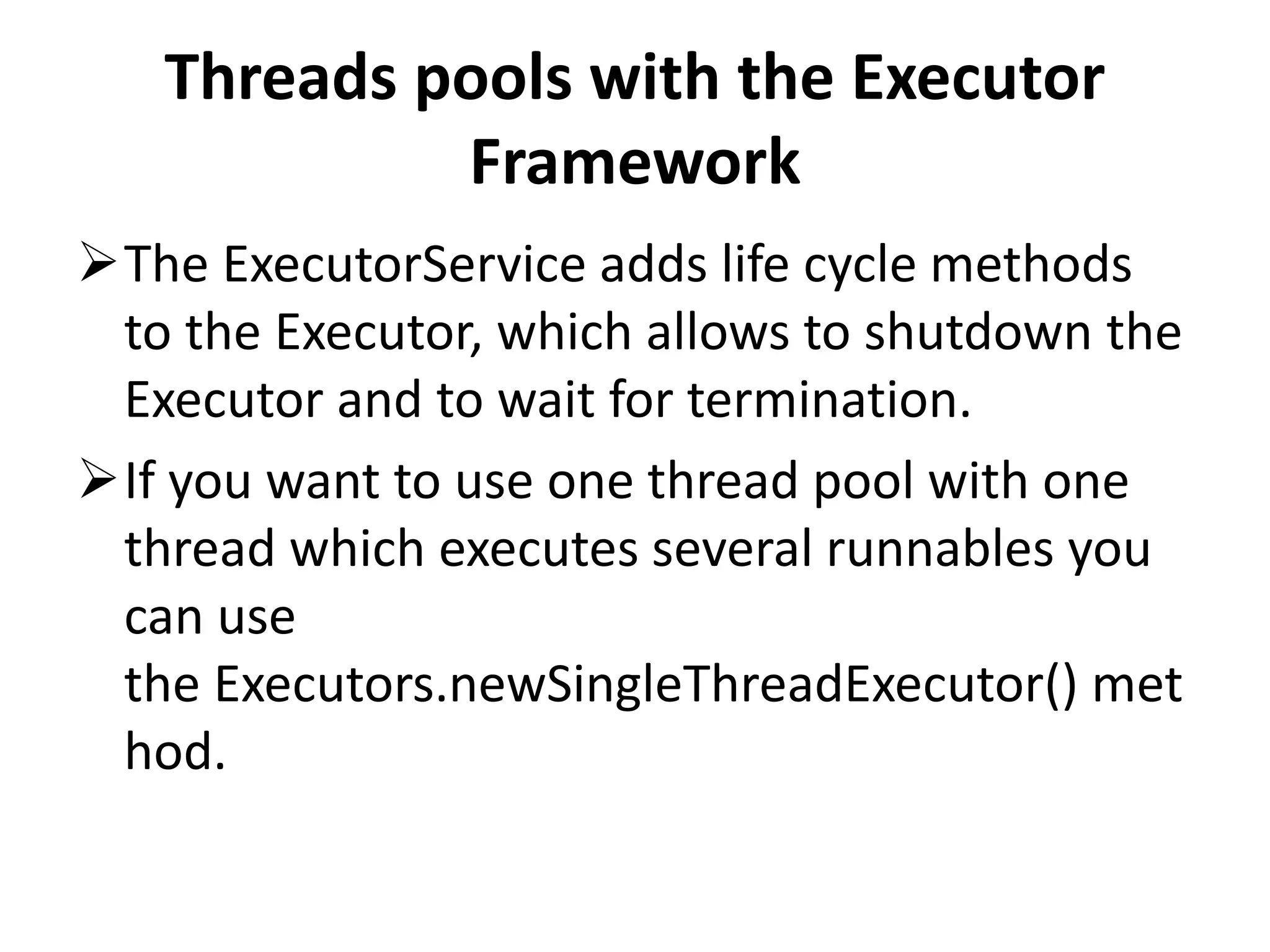
Threads pools with the Executor Framework
AsyncTask and the UI Thread
Code
Q & A
What is Concurrency
Concurrency is the ability to run several
programs or several parts of a program in
parallel.
If a time consuming task can be performed
asynchronously or in parallel, this improve the
throughput and the interactivity of the
program
Process vs. threads
Process
A process runs independently and isolated of
other processes.
It cannot directly access shared data in other
processes.
The resources of the process, e.g. memory
and CPU time, are allocated to it via the
operating system.
Thread
A thread is a so called lightweight process.
It has its own call stack, but can access shared
data of other threads in the same process.
Every thread has its own memory cache. If a
thread reads shared data it stores this data in
its own memory cache.
A thread can re-read the shared data.
Improvements and issues with
concurrency
• Within a Java application we work with several
threads to achieve parallel processing or
asynchronous behavior.
Limits of concurrency gains
Concurrency promises to perform certain task
faster as these tasks can be divided into
subtasks and these subtasks can be executed
in parallel.
Of course the runtime is limited by parts of
the task which can be performed in parallel.
Limits of concurrency gains
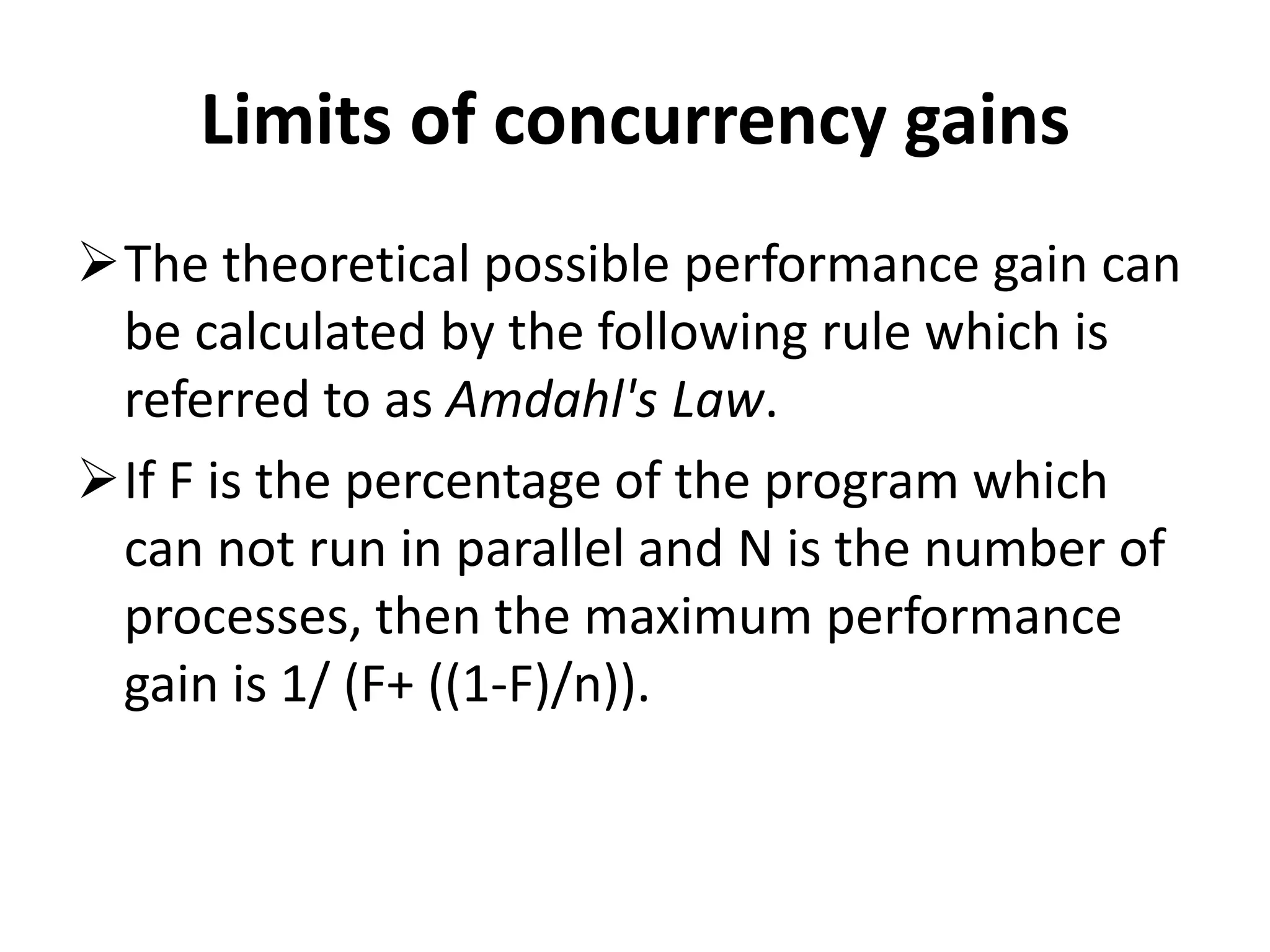
The theoretical possible performance gain can
be calculated by the following rule which is
referred to as Amdahl's Law.
If F is the percentage of the program which
can not run in parallel and N is the number of
processes, then the maximum performance
gain is 1/ (F+ ((1-F)/n)).
Concurrency issues
Threads have their own call stack, but can also
access shared data.
Therefore you have two basic problems:-
visibility and
access problems
Concurrency issues
A visibility problem occurs if thread A reads
shared data which is later changed by thread B
and thread A is unaware of this change.
An access problem can occur if several thread
access and change the same shared data at
the same time.
Locks and thread synchronization
Visibility and access problem can lead to
Live ness failure: The program does not react
anymore due to problems in the concurrent
access of data, e.g. deadlocks.
Safety failure: The program creates incorrect
data.
Locks and thread synchronization
Java provides locks to protect certain parts of
the code to be executed by several threads at
the same time.
The simplest way of locking a certain method
or Java class is to define the method or class
with the synchronized keyword.
Locks and thread synchronization
The synchronized keyword in Java ensures:
that only a single thread can execute a block
of code at the same time
that each thread entering a synchronized
block of code sees the effects of all previous
modifications that were guarded by the same
lock
Locks and thread synchronization
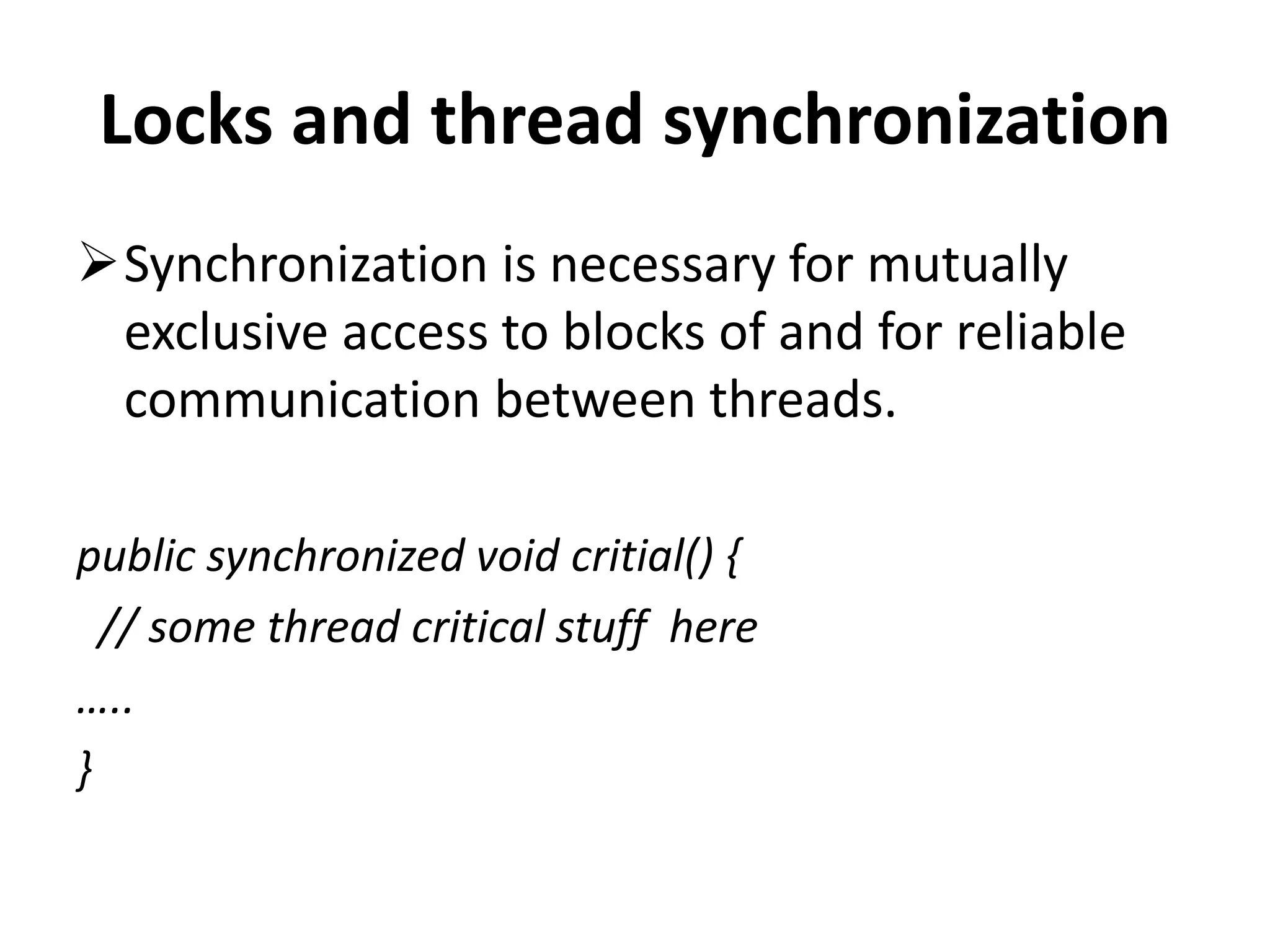
Synchronization is necessary for mutually
exclusive access to blocks of and for reliable
communication between threads.
public synchronized void critial() {
// some thread critical stuff here
…..
}
Locks and thread synchronization
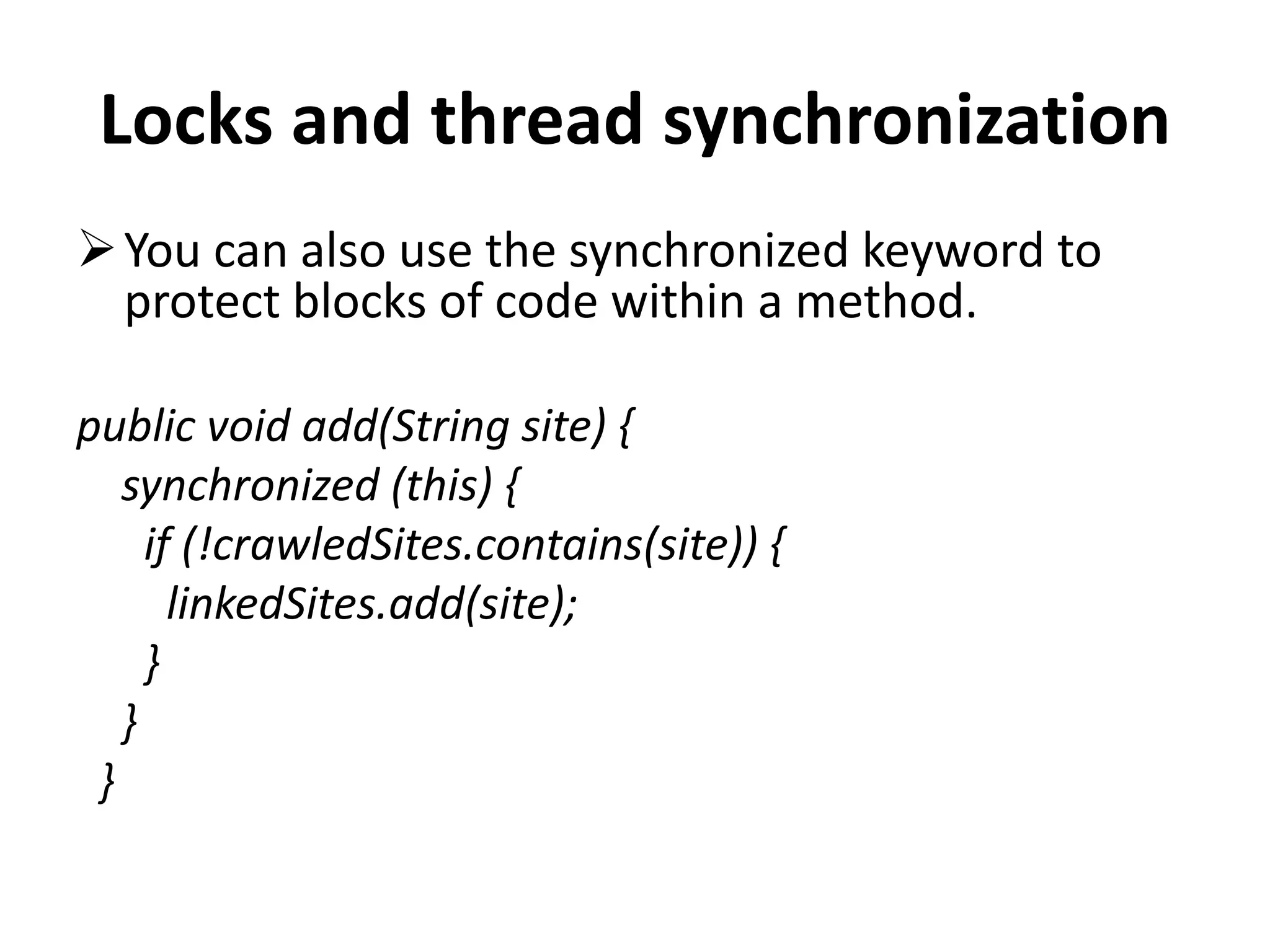
You can also use the synchronized keyword to
protect blocks of code within a method.
public void add(String site) {
synchronized (this) {
if (!crawledSites.contains(site)) {
linkedSites.add(site);
}
}
}
Locks and thread synchronization
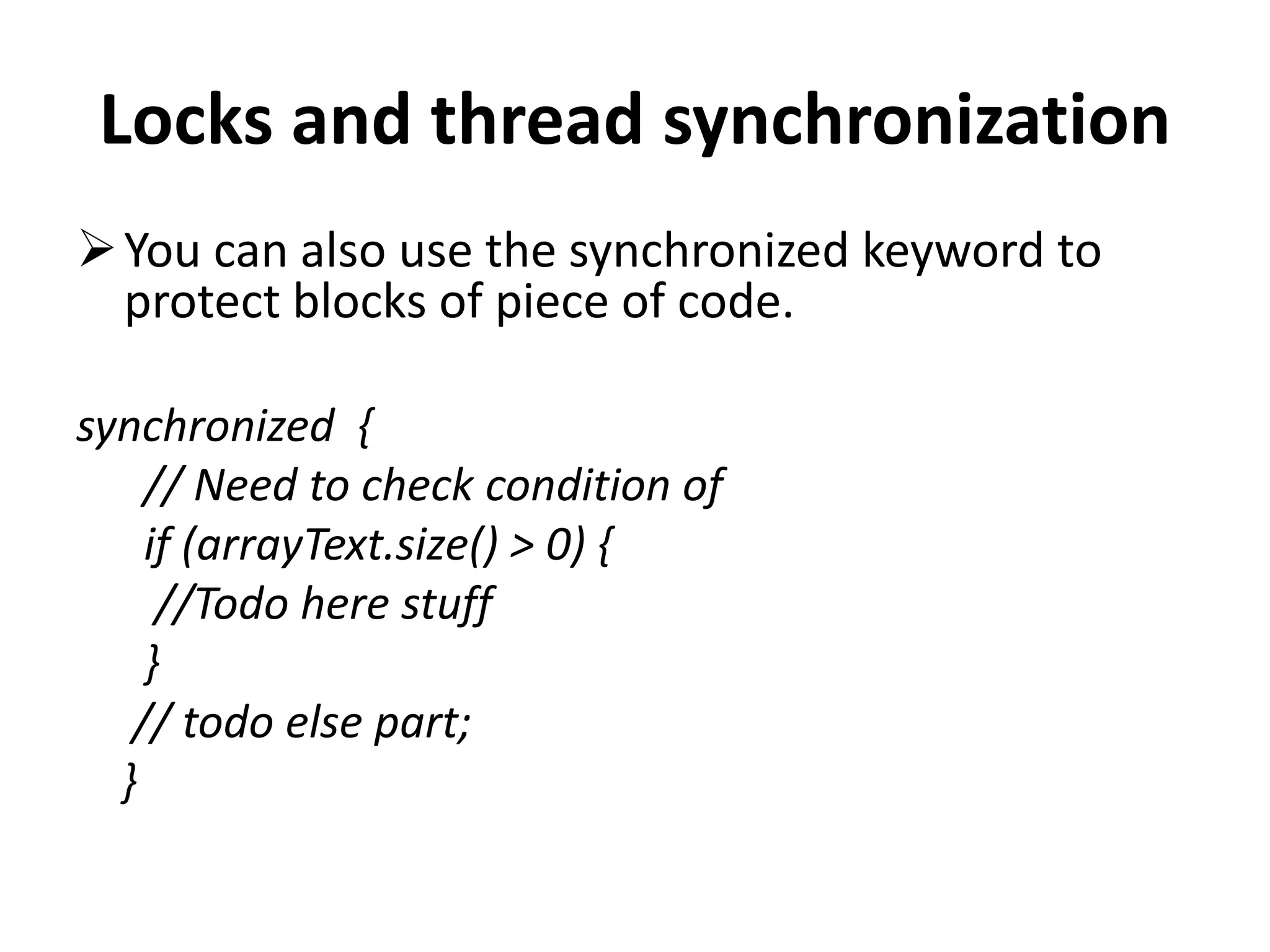
You can also use the synchronized keyword to
protect blocks of piece of code.
synchronized {
// Need to check condition of
if (arrayText.size() > 0) {
//Todo here stuff
}
// todo else part;
}
Volatile
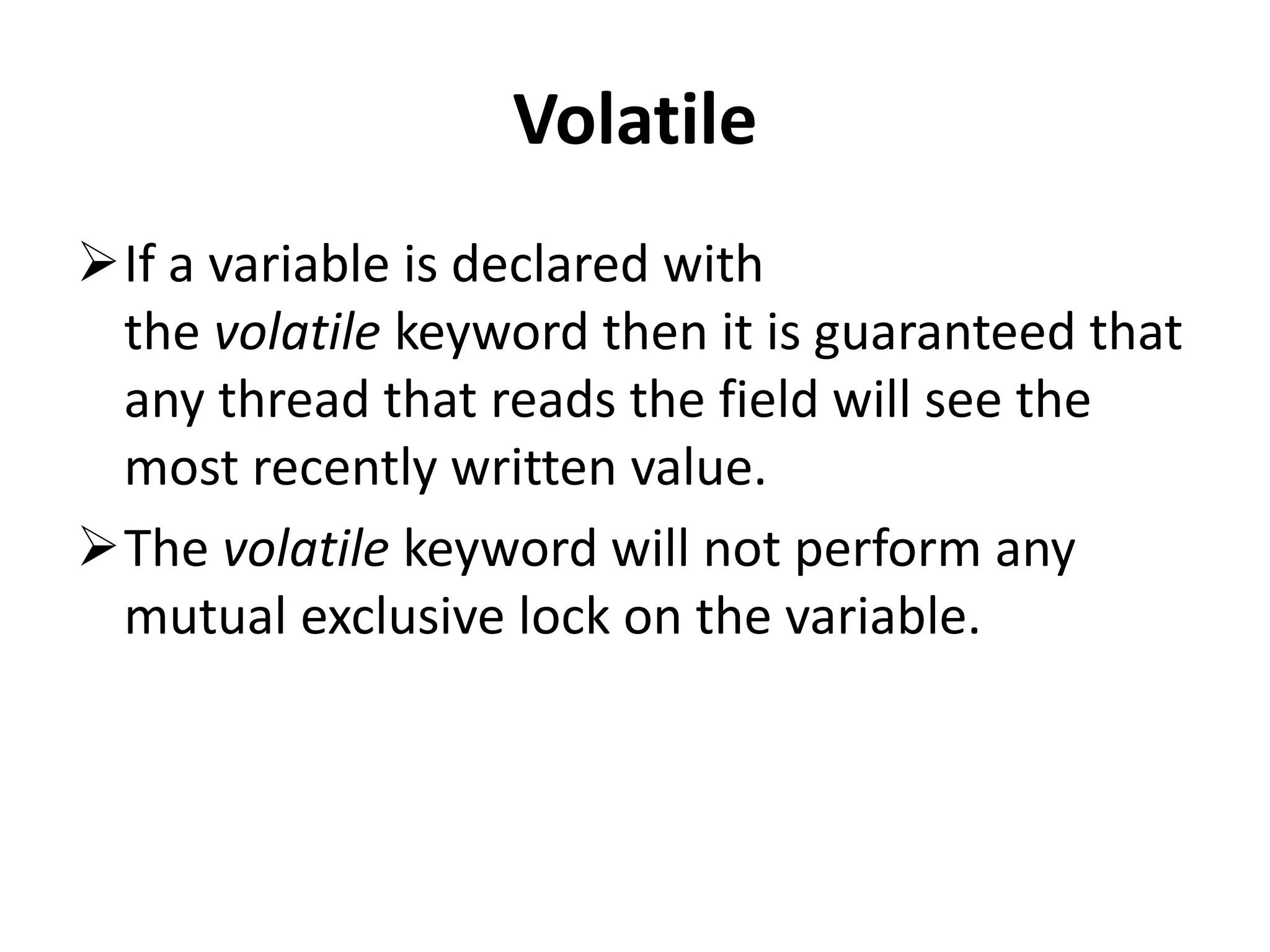
If a variable is declared with
the volatile keyword then it is guaranteed that
any thread that reads the field will see the
most recently written value.
The volatile keyword will not perform any
mutual exclusive lock on the variable.
The Java memory model
The Java memory model describes the
communication between the memory of the
threads and the main memory of the
application.
It defines the rules how changes in the
memory done by threads are propagated to
other threads.
The Java memory model
The Java memory model also defines the
situations in which a thread re-fresh its own
memory from the main memory.
It also describes which operations are atomic
and the ordering of the operations.
Atomic operation
An atomic operation is an operation which is
performed as a single unit of work without the
possibility of interference from other
operations
reading or writing a variable is an atomic
operation(unless the variable is of
typelong or double).
Atomic operation
Operations variables of
type long or double are only atomic if they
declared with the volatile keyword.
Memory updates in synchronized
code
• The Java memory model guarantees that each
thread entering a synchronized block of code
sees the effects of all previous modifications
that were guarded by the same lock
Threads in Java
The base means for concurrency are is
the java.lang.Threads class.
A Thread executes an object of
type java.lang.Runnable .
Threads in Java
Runnable is an interface with defines
the run() method.
This method is called by the Thread object and
contains the work which should be done
Threads in Java
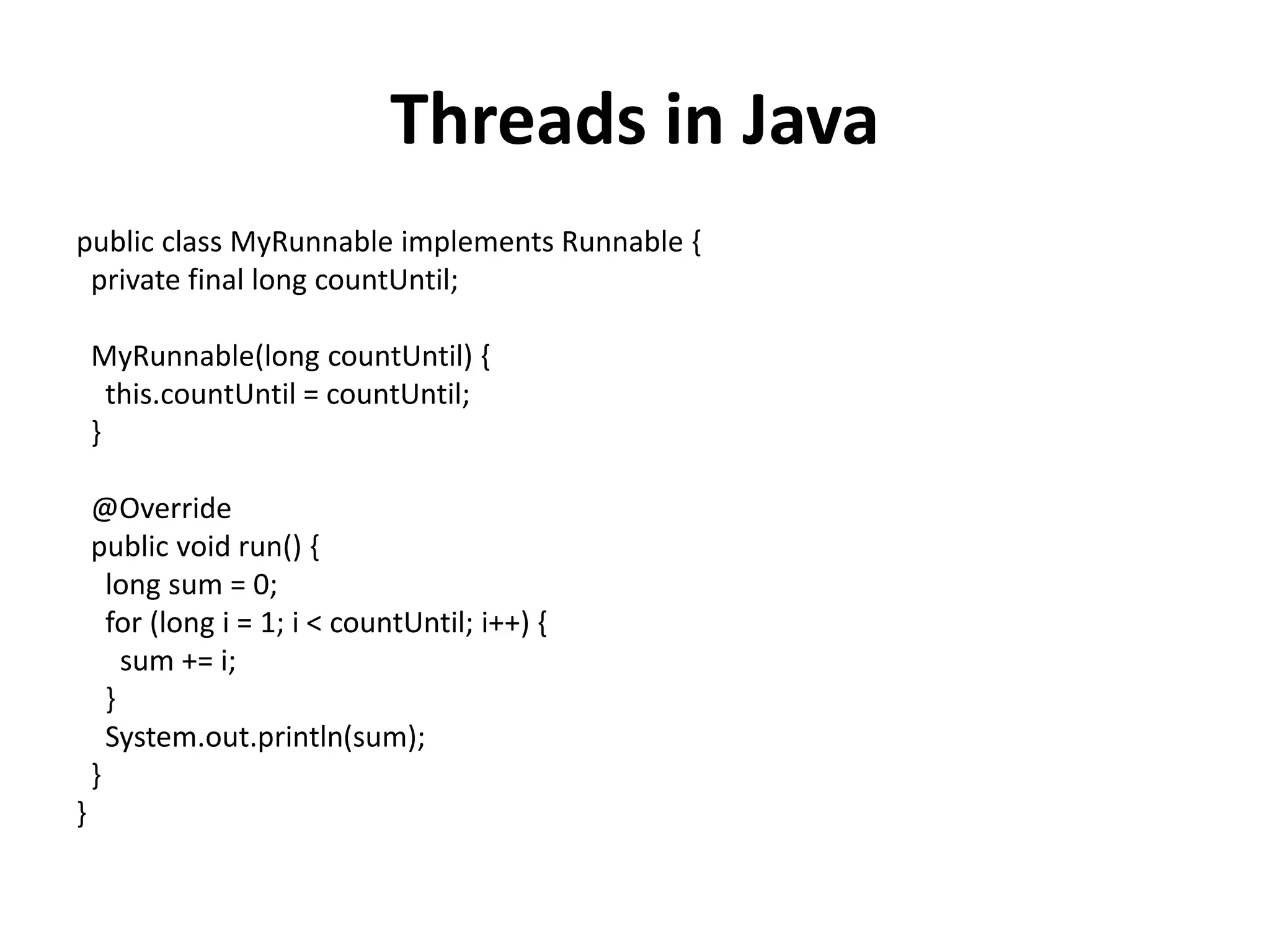
public class MyRunnable implements Runnable {
private final long countUntil;
MyRunnable(long countUntil) {
this.countUntil = countUntil;
}
@Override
public void run() {
long sum = 0;
for (long i = 1; i < countUntil; i++) {
sum += i;
}
System.out.println(sum);
}
}
import java.util.ArrayList;
import java.util.List;
public class Main {
public static void main(String[] args) {
// We will store the threads so that we can check if they are done
List<Thread> threads = new ArrayList<Thread>();
// We will create 500 threads
for (int i = 0; i < 500; i++) {
Runnable task = new MyRunnable(10000000L + i);
Thread worker = new Thread(task);
// We can set the name of the thread
worker.setName(String.valueOf(i));
// Start the thread, never call method run() direct
worker.start();
// Remember the thread for later usage
threads.add(worker);
}
int running = 0;
do {
running = 0;
for (Thread thread : threads) {
if (thread.isAlive()) {
running++;
}
}
System.out.println("We have " + running + " running threads. ");
} while (running > 0);
}
}
Disadvantage of Thread
The java.util.concurrent package offers
improved support for concurrency compared to
the direct usage of Threads.
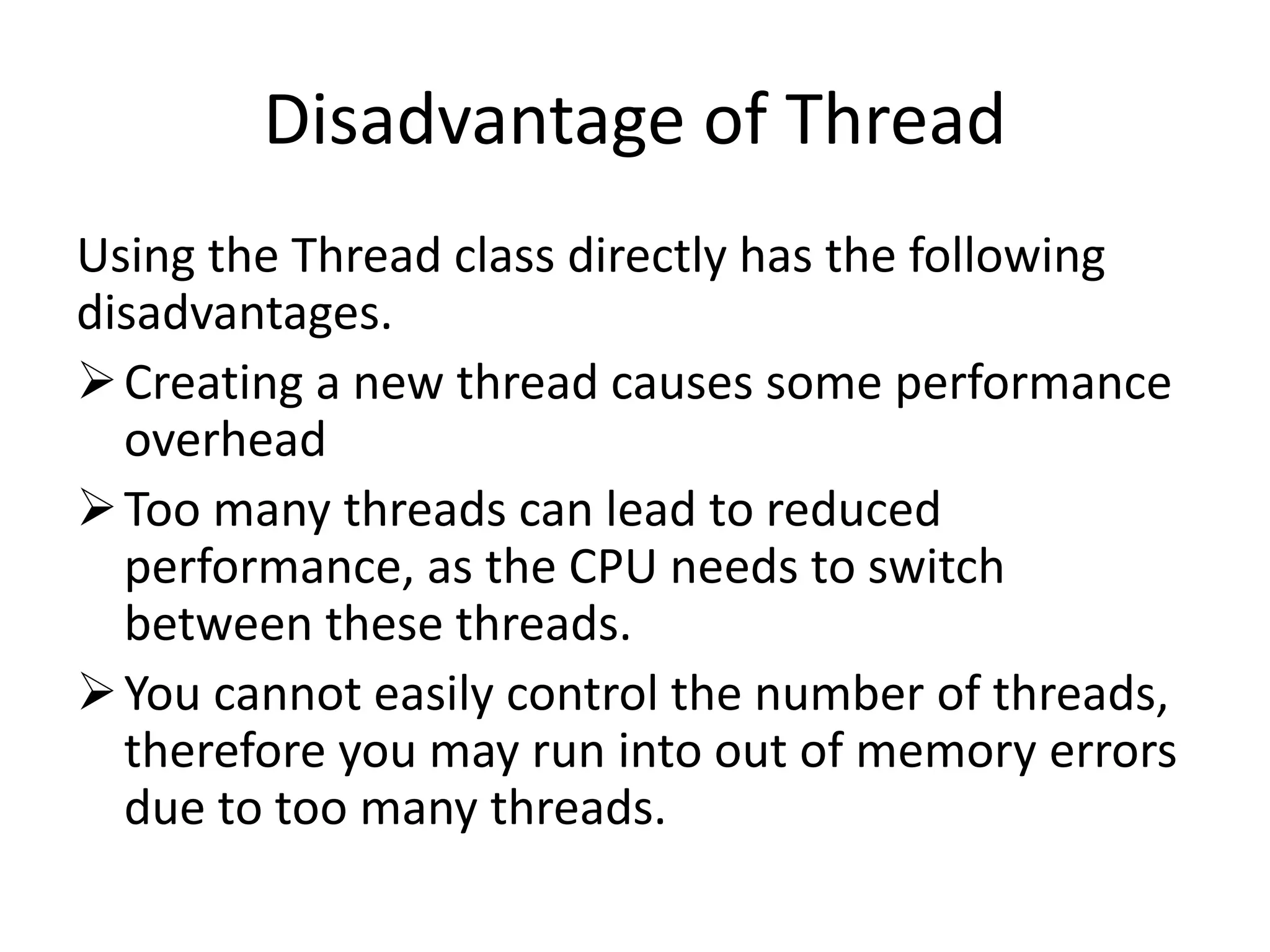
Disadvantage of Thread
Using the Thread class directly has the following
disadvantages.
Creating a new thread causes some performance
overhead
Too many threads can lead to reduced
performance, as the CPU needs to switch
between these threads.
You cannot easily control the number of threads,
therefore you may run into out of memory errors
due to too many threads.
Threads pools with the Executor
Framework
Thread pools manage a pool of worker
threads. The thread pools contains a work
queue which holds tasks waiting to get
executed.
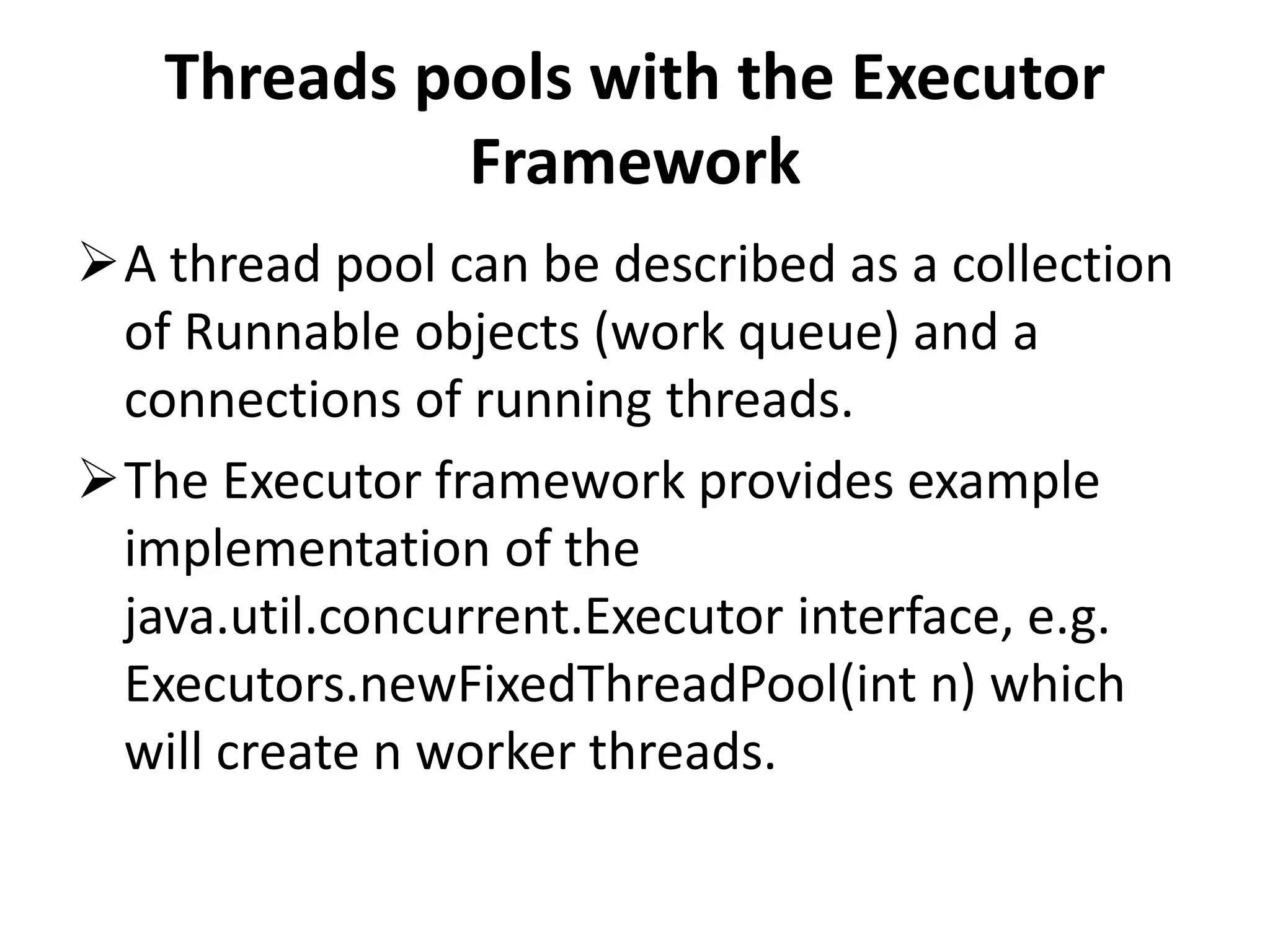
Threads pools with the Executor
Framework
A thread pool can be described as a collection
of Runnable objects (work queue) and a
connections of running threads.
The Executor framework provides example
implementation of the
java.util.concurrent.Executor interface, e.g.
Executors.newFixedThreadPool(int n) which
will create n worker threads.
Threads pools with the Executor
Framework
The ExecutorService adds life cycle methods
to the Executor, which allows to shutdown the
Executor and to wait for termination.
If you want to use one thread pool with one
thread which executes several runnables you
can use
the Executors.newSingleThreadExecutor() met
hod.
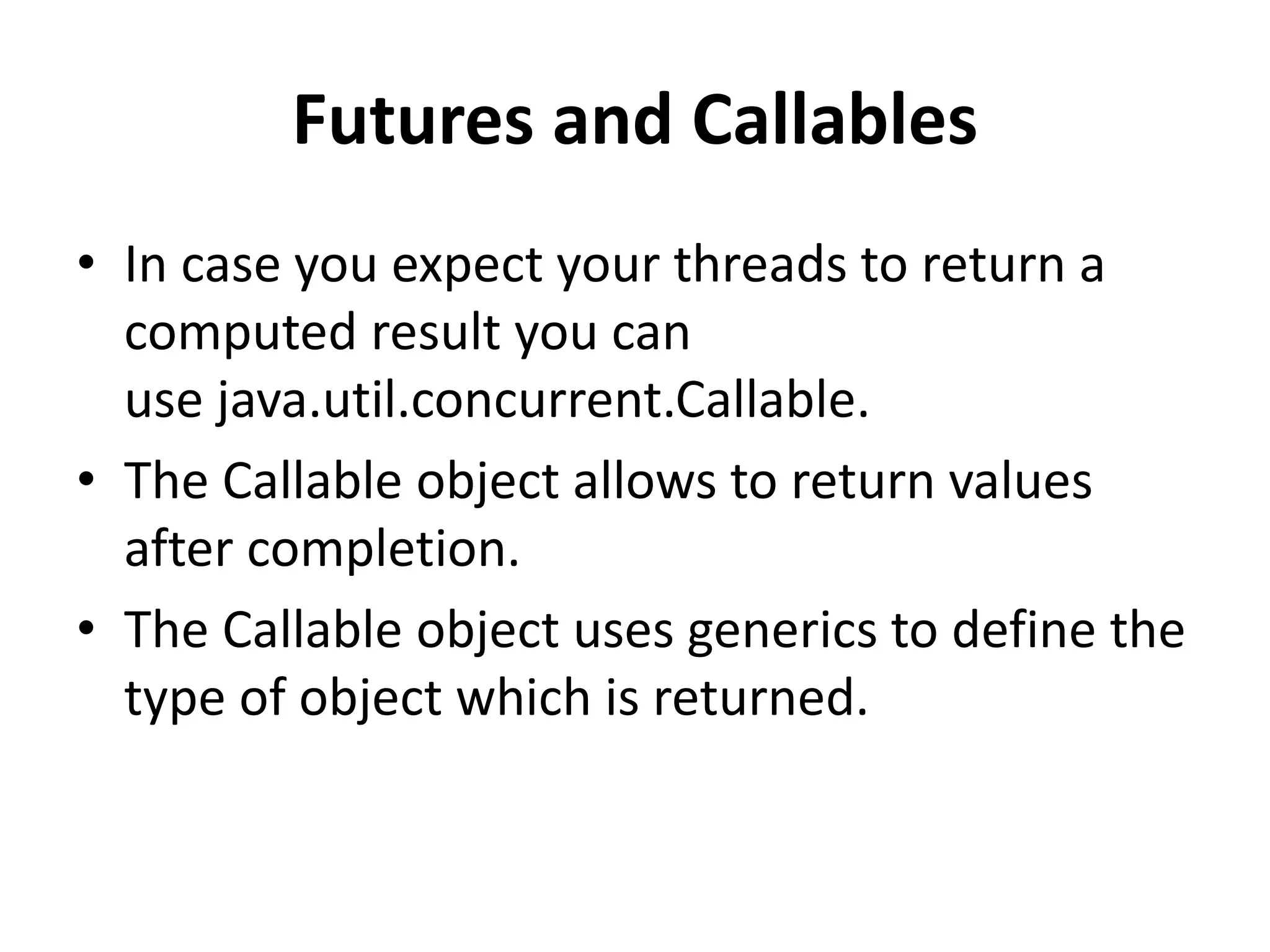
Futures and Callables
• In case you expect your threads to return a
computed result you can
use java.util.concurrent.Callable.
• The Callable object allows to return values
after completion.
• The Callable object uses generics to define the
type of object which is returned.
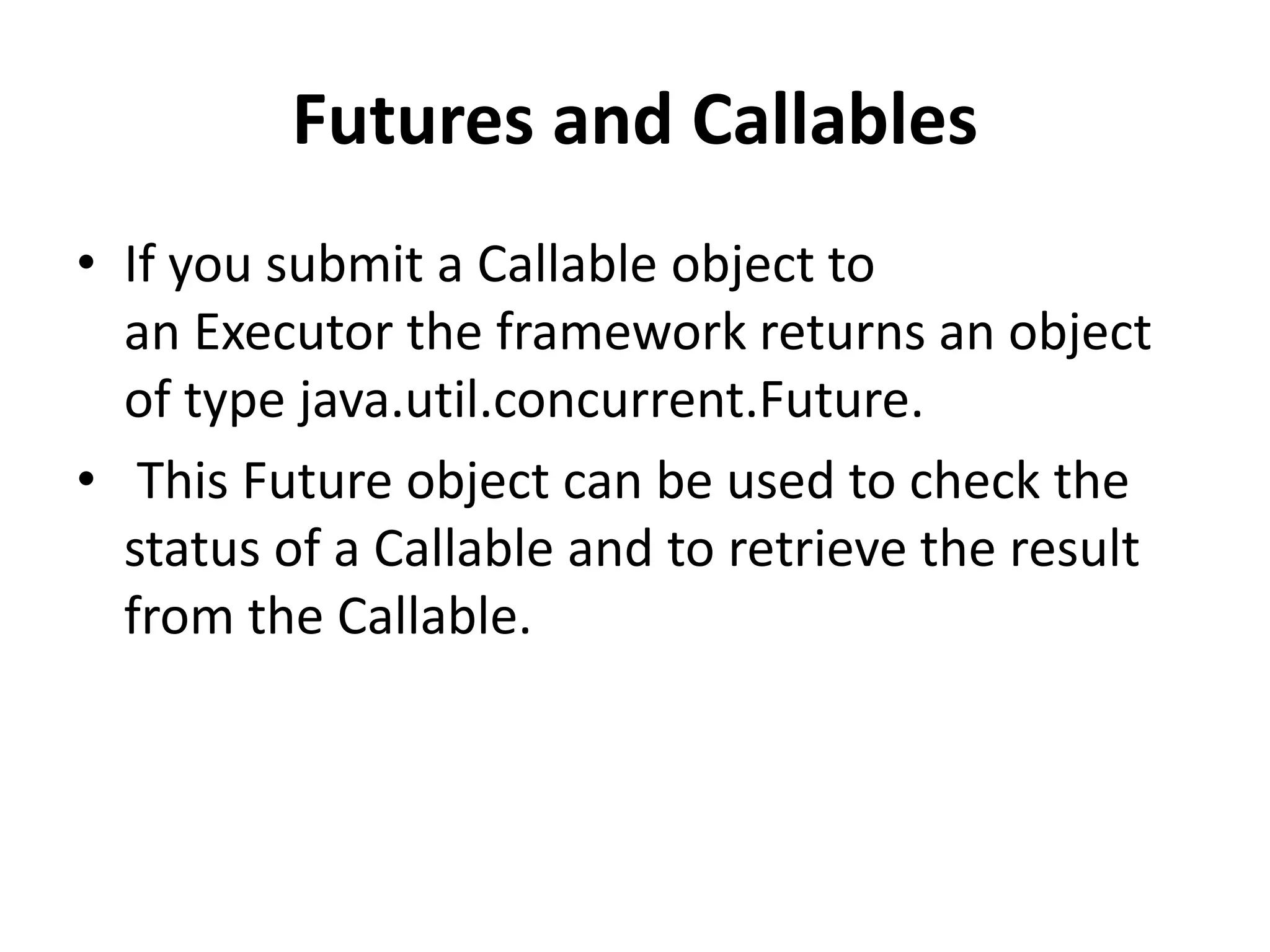
Futures and Callables
• If you submit a Callable object to
an Executor the framework returns an object
of type java.util.concurrent.Future.
• This Future object can be used to check the
status of a Callable and to retrieve the result
from the Callable.
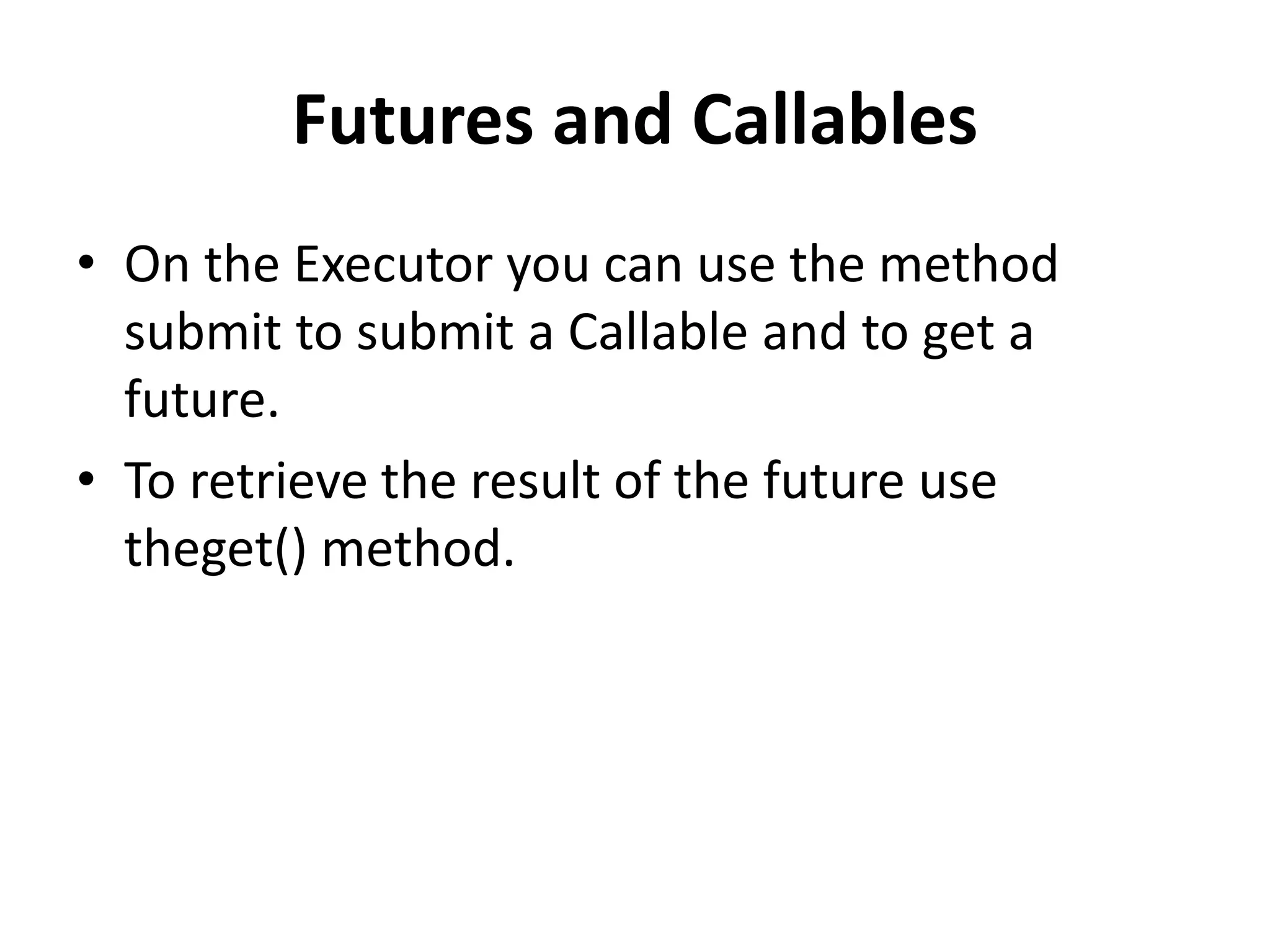
Futures and Callables
• On the Executor you can use the method
submit to submit a Callable and to get a
future.
• To retrieve the result of the future use
theget() method.
Deadlock
• A concurrent application has the risk of
a deadlock.
• A set of processes are deadlocked if all
processes are waiting for an event which
another process in the same set has to cause.
Deadlock
• For example if thread A waits for a lock on
object Z which thread B holds and thread B
wait for a look on object Y which is hold be
process A then these two processes are
looked and cannot continue in their
processing.
Concurrency in Android
• The Android libraries provide some
convenient tools to make concurrency both
easier and safer.
• writing code with multiple threads actually
causes those threads to execute at the same
time
Android AsyncTask & UI Main Thread
Android UI Main Thread
Android handles input events/tasks with a
single User Interface (UI) thread and the
thread is called Main thread.
Main thread cannot handle concurrent
operations as it handles only one
event/operation at a time
Concurrent Processing in Android
If input events or tasks are not handled
concurrently, whole code of an Android
application runs in the main thread and each
line of code is executed one after each other.
Concurrent Processing in Android
• Assume if you perform a long lasting
operation, for example accessing resource
(like MP3, JSON, Image) from the Internet, the
application goes hung state until the
corresponding operation is finished.
• To bring good user experience in Android
applications, all potentially slow running
operations or tasks in an Android application
should be made to run asynchronously.
Concurrent Processing in Android
Here are some examples for slow running tasks
Accessing resources (like MP3, JSON, Image)
from Internet
Database operations
Webservice calls
Complex logic that takes quite long time
AsyncTask in Android
What is AsyncTask?
• AsyncTask is an abstract Android class which
helps the Android applications to handle the
Main UI thread in efficient way.
• AsyncTask class allows us to perform long
lasting tasks/background operations and show
the result on the UI thread without affecting
the main thread.
When to use AsyncTask?
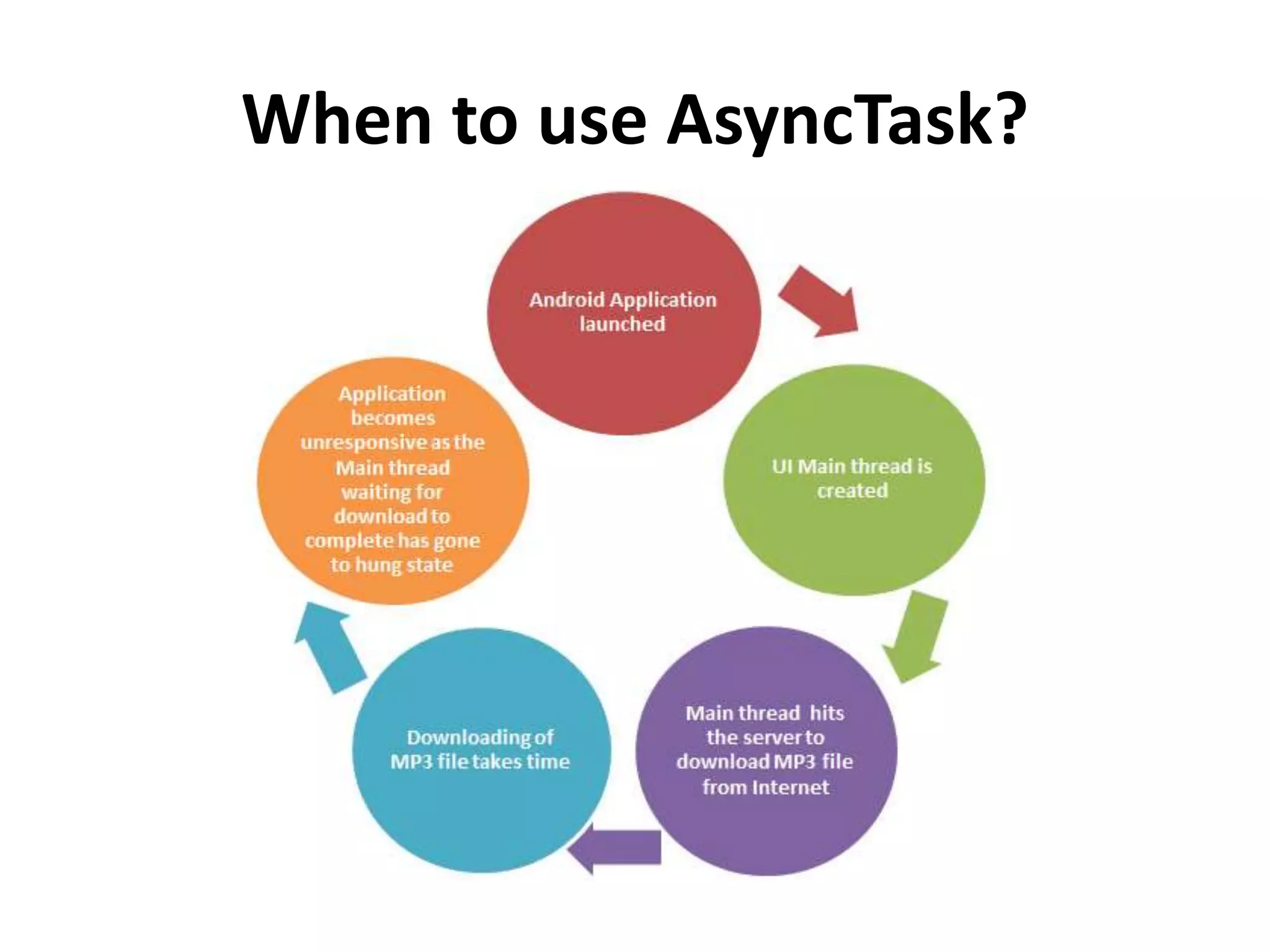
• Assume you have created a simple Android
application which downloads MP3 file from
Internet on launching the application.
• The below state diagram shows the series of
operations that will take place when you
launch the application you created:
When to use AsyncTask?
How to implement AsyncTask in
Android applications?
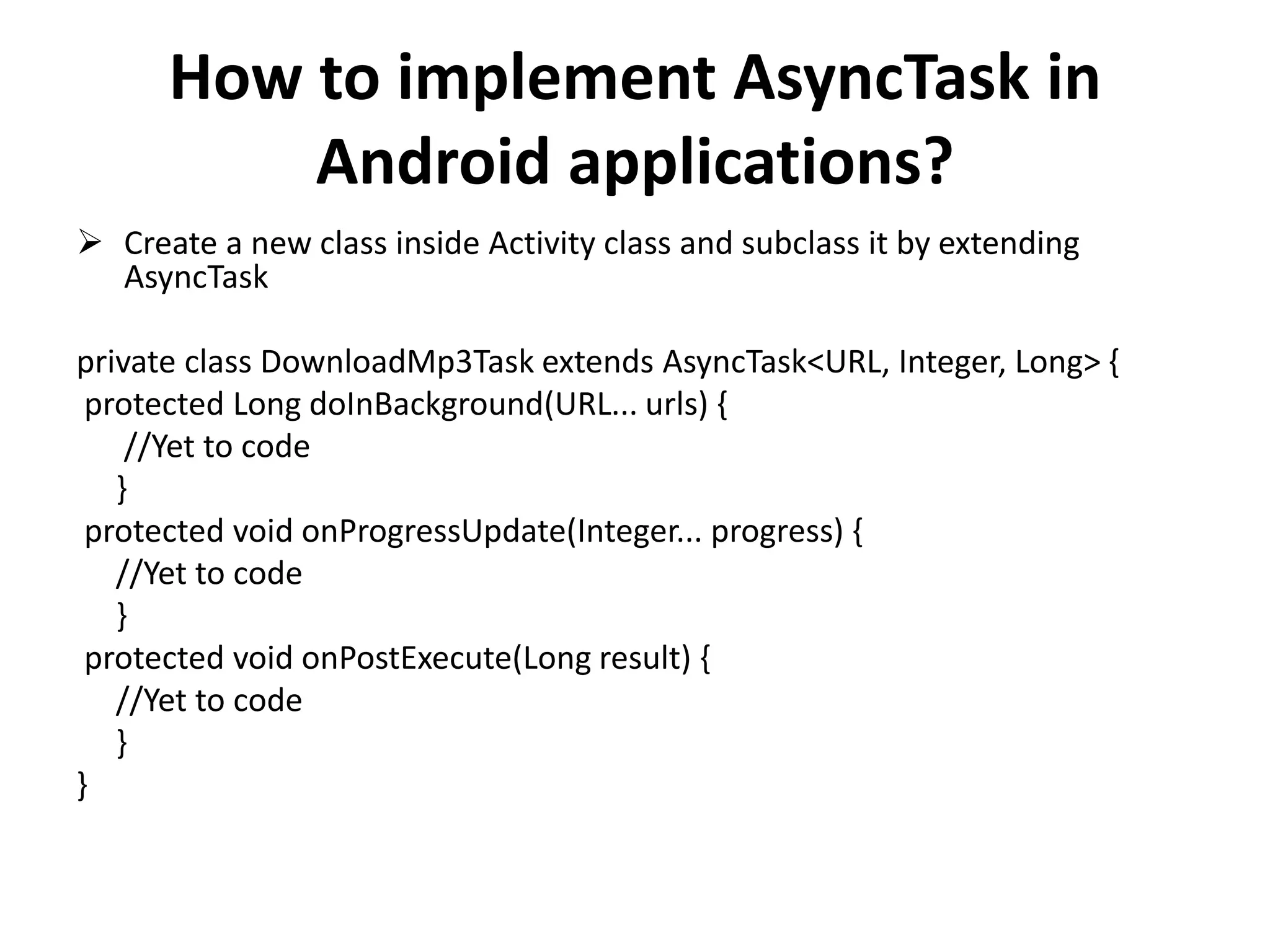
 Create a new class inside Activity class and subclass it by extending
AsyncTask
private class DownloadMp3Task extends AsyncTask<URL, Integer, Long> {
protected Long doInBackground(URL... urls) {
//Yet to code
}
protected void onProgressUpdate(Integer... progress) {
//Yet to code
}
protected void onPostExecute(Long result) {
//Yet to code
}
}
How to implement AsyncTask in
Android applications?
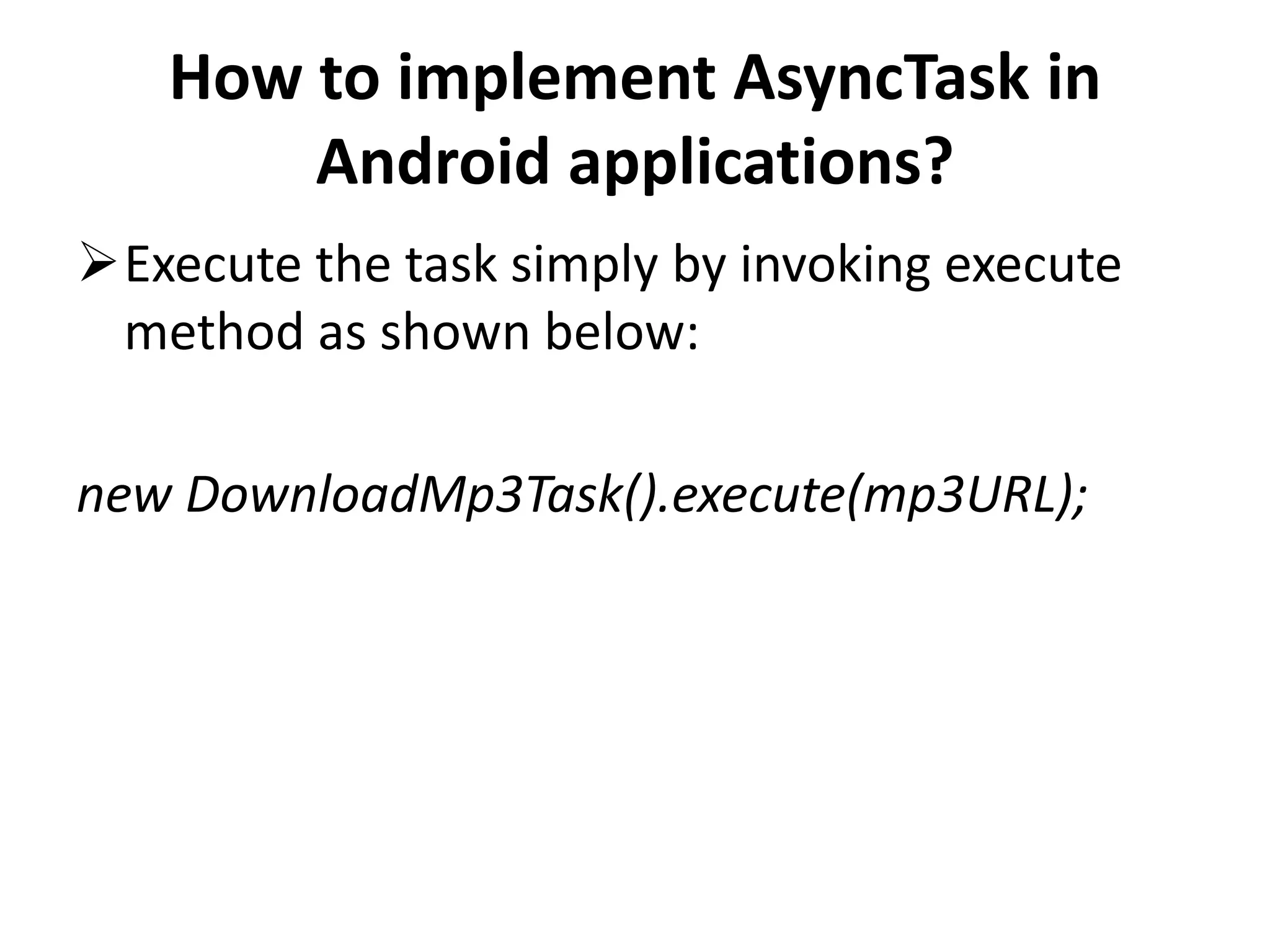
Execute the task simply by invoking execute
method as shown below:
new DownloadMp3Task().execute(mp3URL);
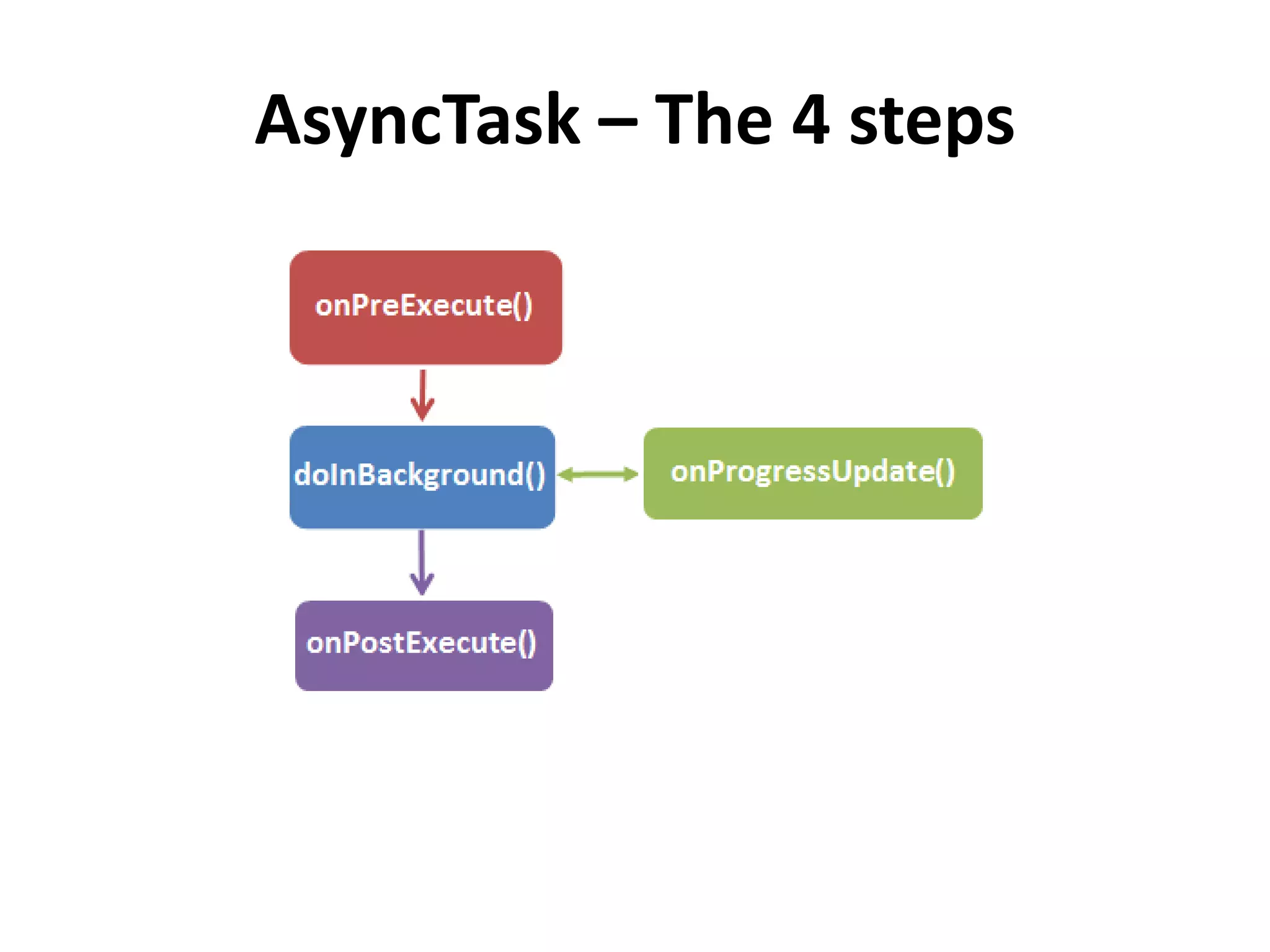
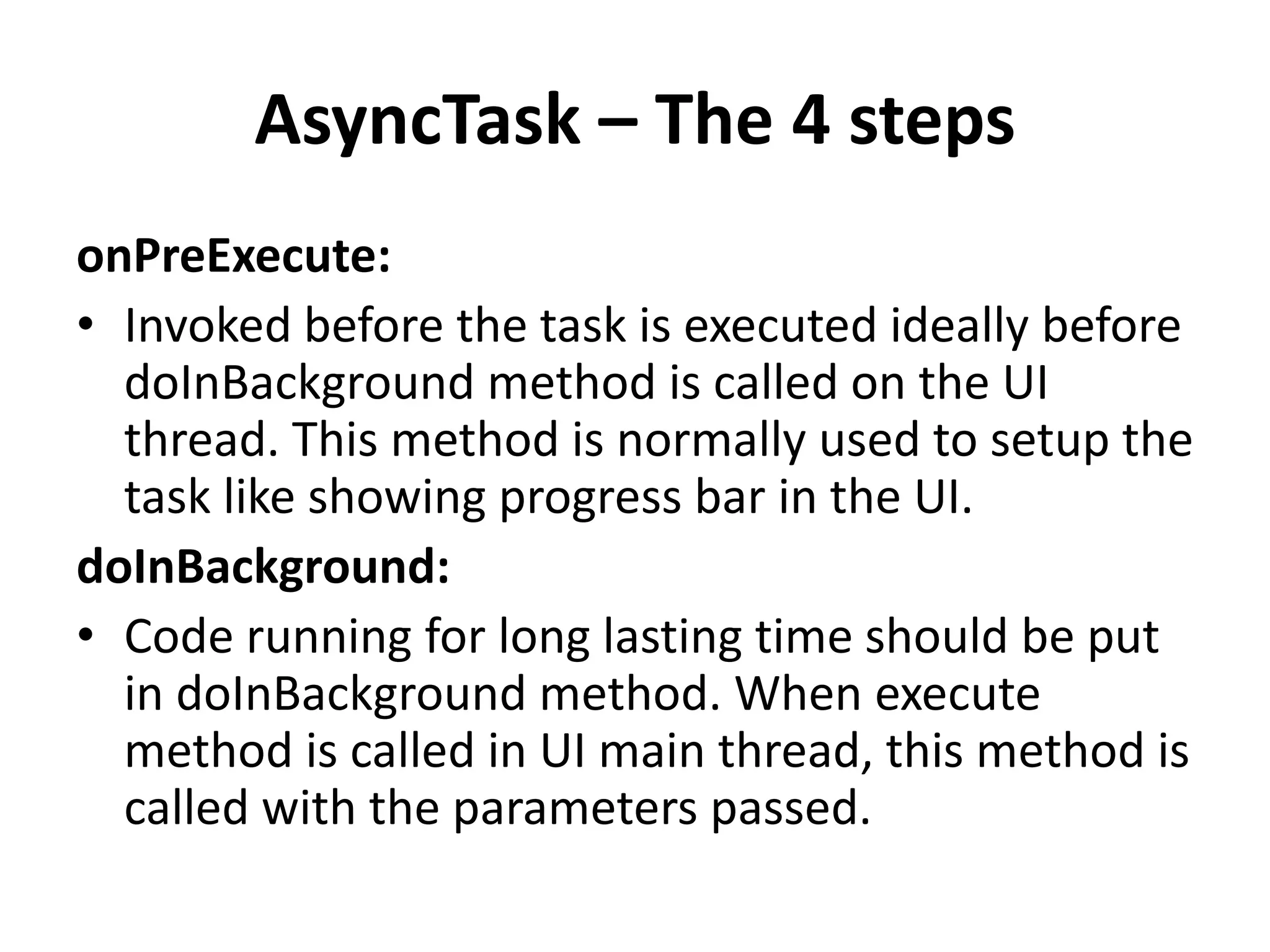
AsyncTask – The 4 steps
onPreExecute:
• Invoked before the task is executed ideally before
doInBackground method is called on the UI
thread. This method is normally used to setup the
task like showing progress bar in the UI.
doInBackground:
• Code running for long lasting time should be put
in doInBackground method. When execute
method is called in UI main thread, this method is
called with the parameters passed.
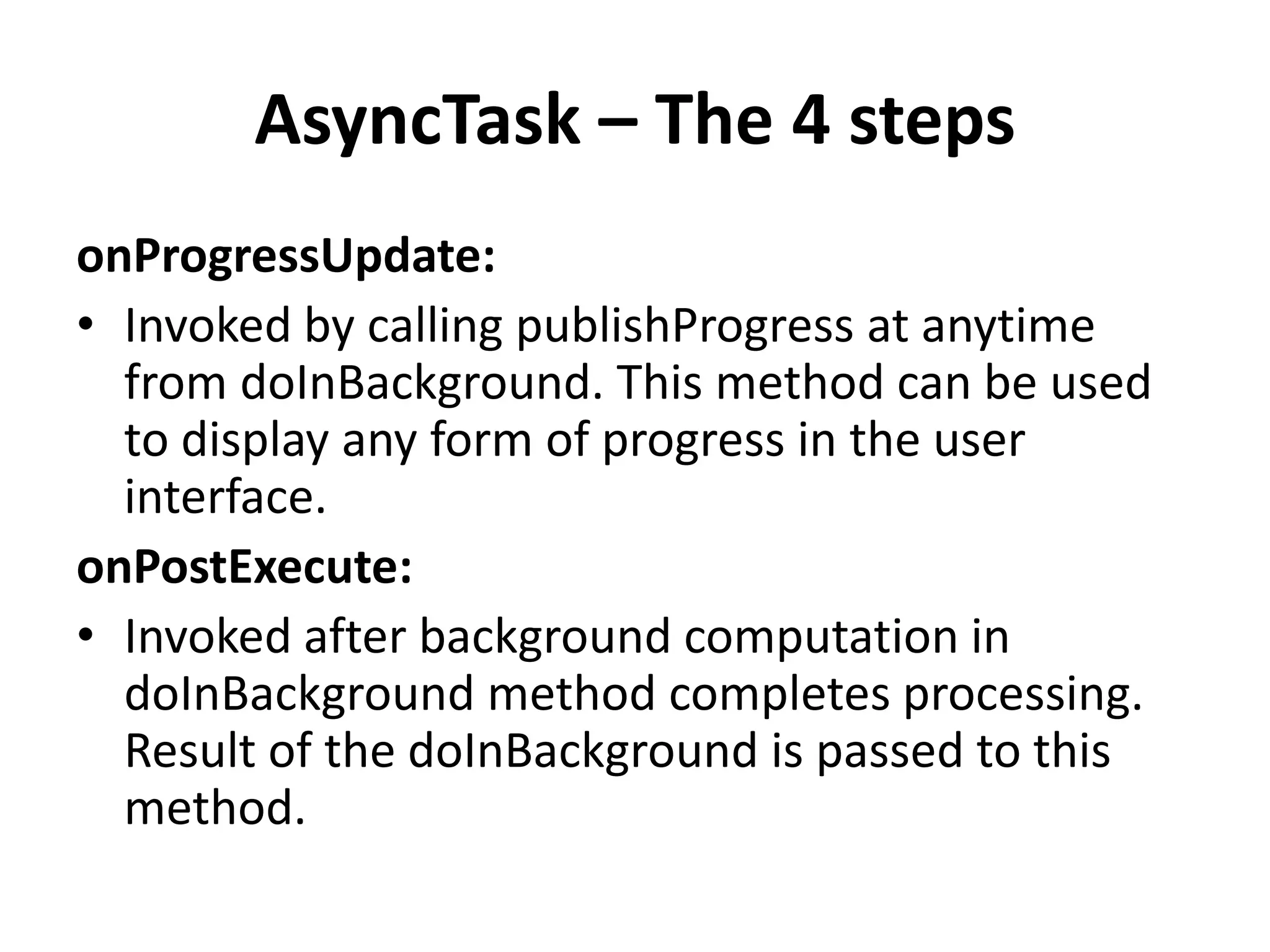
AsyncTask – The 4 steps
onProgressUpdate:
• Invoked by calling publishProgress at anytime
from doInBackground. This method can be used
to display any form of progress in the user
interface.
onPostExecute:
• Invoked after background computation in
doInBackground method completes processing.
Result of the doInBackground is passed to this
method.
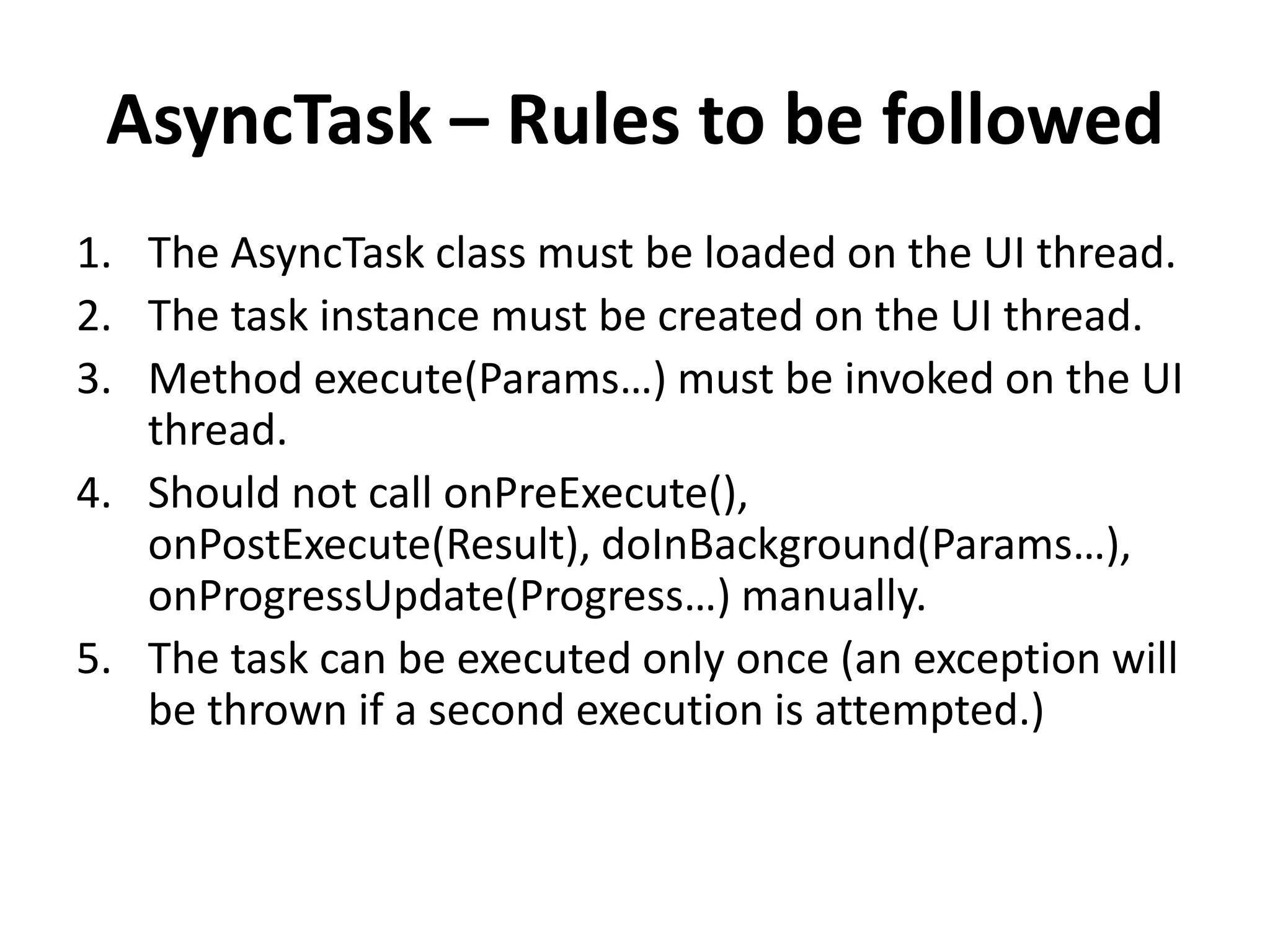
AsyncTask – Rules to be followed
1. The AsyncTask class must be loaded on the UI thread.
2. The task instance must be created on the UI thread.
3. Method execute(Params…) must be invoked on the UI
thread.
4. Should not call onPreExecute(),
onPostExecute(Result), doInBackground(Params…),
onProgressUpdate(Progress…) manually.
5. The task can be executed only once (an exception will
be thrown if a second execution is attempted.)
AsyncTask and the UI Thread
If you’ve worked with any modern GUI
framework, the Android UI will look entirely
familiar.
It is event-driven, built on a library of nestable
components, and, most relevant here, single-
threaded
AsyncTask and the UI Thread
While the UI runs on a single thread, nearly
any nontrivial Android application will be
multithreaded.
The UI must be quick and responsive and
cannot, fundamentally, be ordered with
respect to other, long-running processes. The
long-running processes must be run
asynchronously.
AsyncTask and the UI Thread
One convenient tool for implementing an
asynchronous task in the Android system is, in
fact, called AsyncTask.
It completely hides many of the details of the
threads used to run the task.
AsyncTask and the UI Thread
AsyncTask enables proper and easy use of the
UI thread.
This class allows to perform background
operations and publish results on the UI
thread without having to manipulate threads
and/or handlers.
AsyncTask and the UI Thread
AsyncTask is designed to be a helper class
around Thread and Handler and does not
constitute a generic threading framework.
AsyncTasks should ideally be used for short
operations
AsyncTask and the UI Thread
AsyncTaskExample > onCreate() – Triggers
Downloading and playing of Music File
AsyncTaskExample > onCreateDialog() – Shows
Progress Bar Dialog when showDialog method
is called in onPreExecute method
AsyncTask and the UI Thread
AsyncTaskExample >
DownloadMusicfromInternet >
onPreExecute() – Executed when execute()
method is called inside onCreate() (In short
When AsyncTask is triggered).
AsyncTask and the UI Thread
AsyncTaskExample >
DownloadMusicfromInternet > doInBackground()
– Executed when onPreExecute() completed
executing.
Downloading of Music file happens in this
method which keeps updating the progress bar
with progress of music file download by calling
publishProgress() method. publishProgress()
method calls onProgressUpdate() method where
the progress bar’s progress is being updated.
AsyncTask and the UI Thread
AsyncTaskExample >
DownloadMusicfromInternet >
onPostExecute() – Progress Bar Dialog is
dismissed as the download of music file is
completed and calls playMusic() method to
play the Music file downloaded.
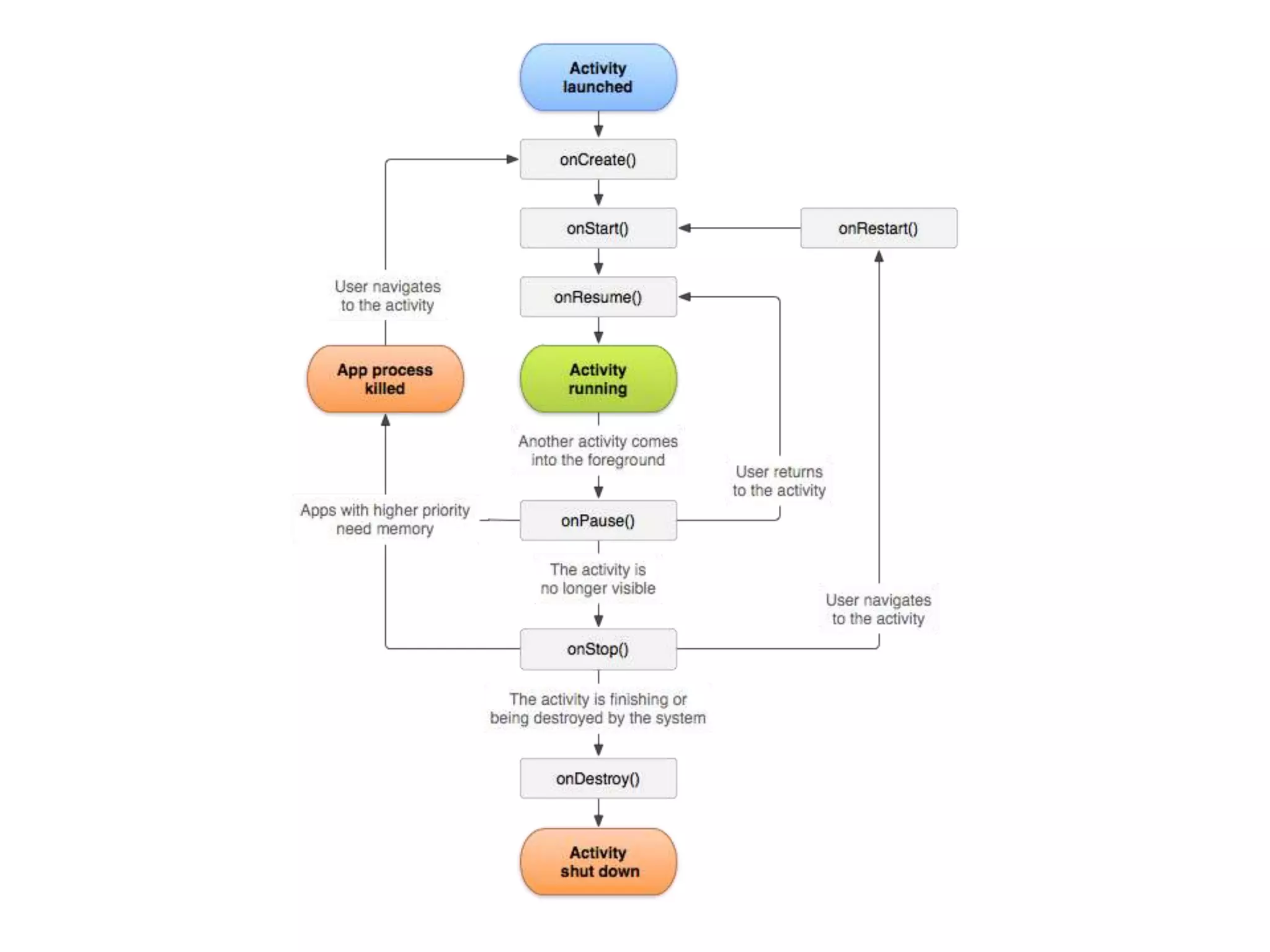
Activity Lifecycle
• Android devices have limited resources,
therefore the Android system is allowed to
manage the available resources by
terminating running processes or recycling
Android components.
onCreate
This is the first method to be called when an
activity is created.
OnCreate is always overridden to perform any
startup initializations that may be required by an
Activity such as:
Creating views
Initializing variables
Binding static data to lists
onStart
• Once OnCreate has finished, Android will
call OnStart.
• Activities may override this method if they
need to perform any specific tasks right before
an activity becomes visible such as refreshing
current values of views within the activity.
• Android will call OnResume immediately after
this method.
onResume
The system calls this method when the Activity is
ready to start interacting with the user. Activities
should override this method to perform tasks such
as:
Ramping up frame rates (a common task in game
building)
Starting animations
Listening for GPS updates
Display any relevant alerts or dialogs
Wire up external event handlers
onPause
Commit unsaved changes to persistent data
Destroy or clean up other objects consuming
resources
Ramp down frame rates and pausing animations
Unregister external event handlers or notification
handlers (i.e. those that are tied to a service).
This must be done to prevent Activity memory
leaks.
Likewise, if the Activity has displayed any dialogs
or alerts, they must be cleaned up with
the.Dismiss() method.
onPause
There are two possible lifecycle methods that
will be called after OnPause:
• OnResume will be called if the Activity is to be
returned to the foreground.
• OnStop will be called if the Activity is being
placed in the background.
onStop
This method is called when the activity is no
longer visible to the user. This happens when
one of the following occurs:
A new activity is being started and is covering up
this activity.
An existing activity is being brought to the
foreground.
The activity is being destroyed.
OnSaveInstanceState
This method will be called as the Activity is
being stopped.
It will receive a bundle parameter that the
Activity can store its state in.
When a device experiences a configuration
change, an Activity can use theBundle object
that is passed in to preserve the Activity state
by overriding OnSaveInstanceState.
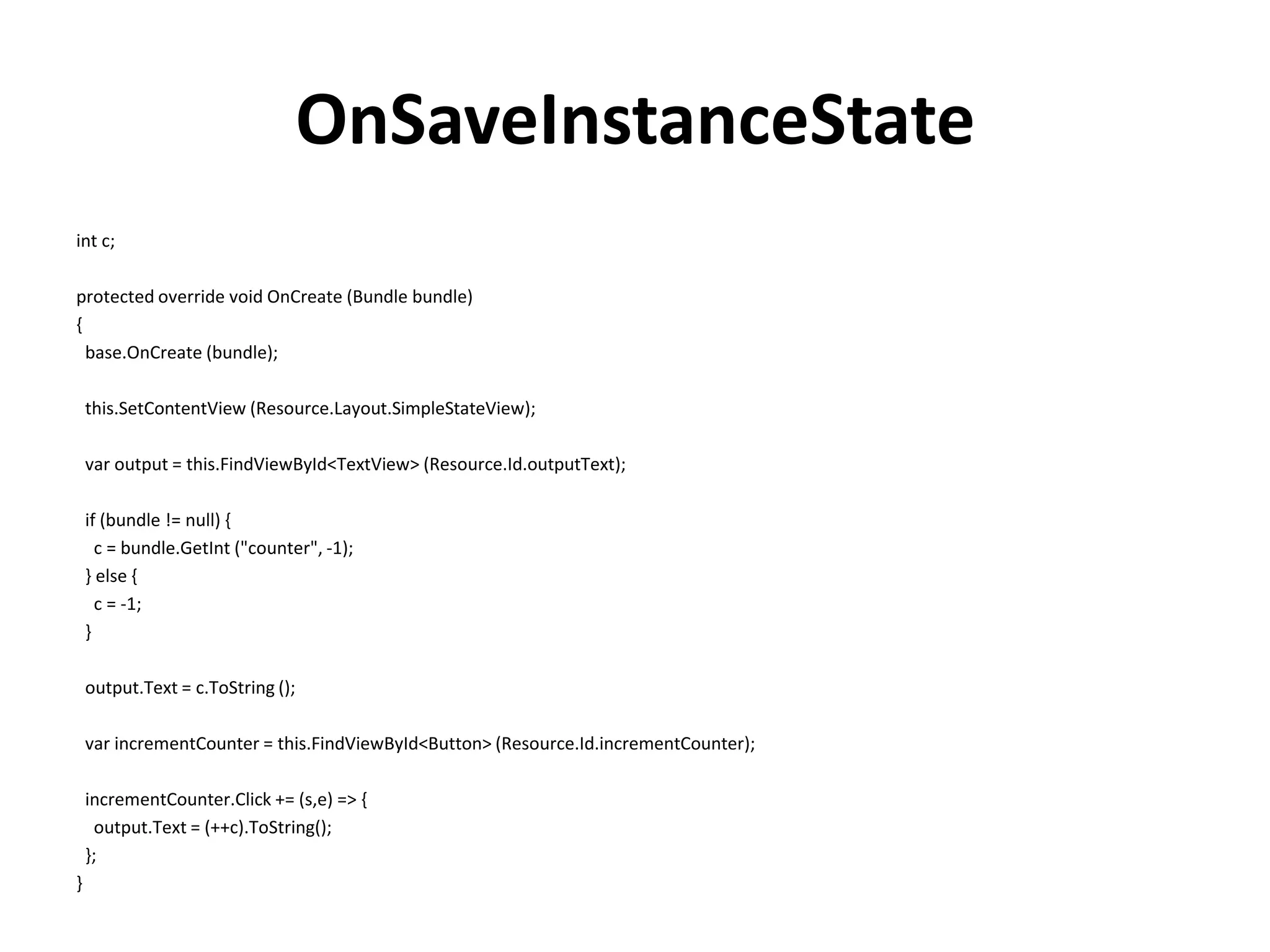
For example, consider the following code:
OnSaveInstanceState
int c;
protected override void OnCreate (Bundle bundle)
{
base.OnCreate (bundle);
this.SetContentView (Resource.Layout.SimpleStateView);
var output = this.FindViewById<TextView> (Resource.Id.outputText);
if (bundle != null) {
c = bundle.GetInt ("counter", -1);
} else {
c = -1;
}
output.Text = c.ToString ();
var incrementCounter = this.FindViewById<Button> (Resource.Id.incrementCounter);
incrementCounter.Click += (s,e) => {
output.Text = (++c).ToString();
};
}
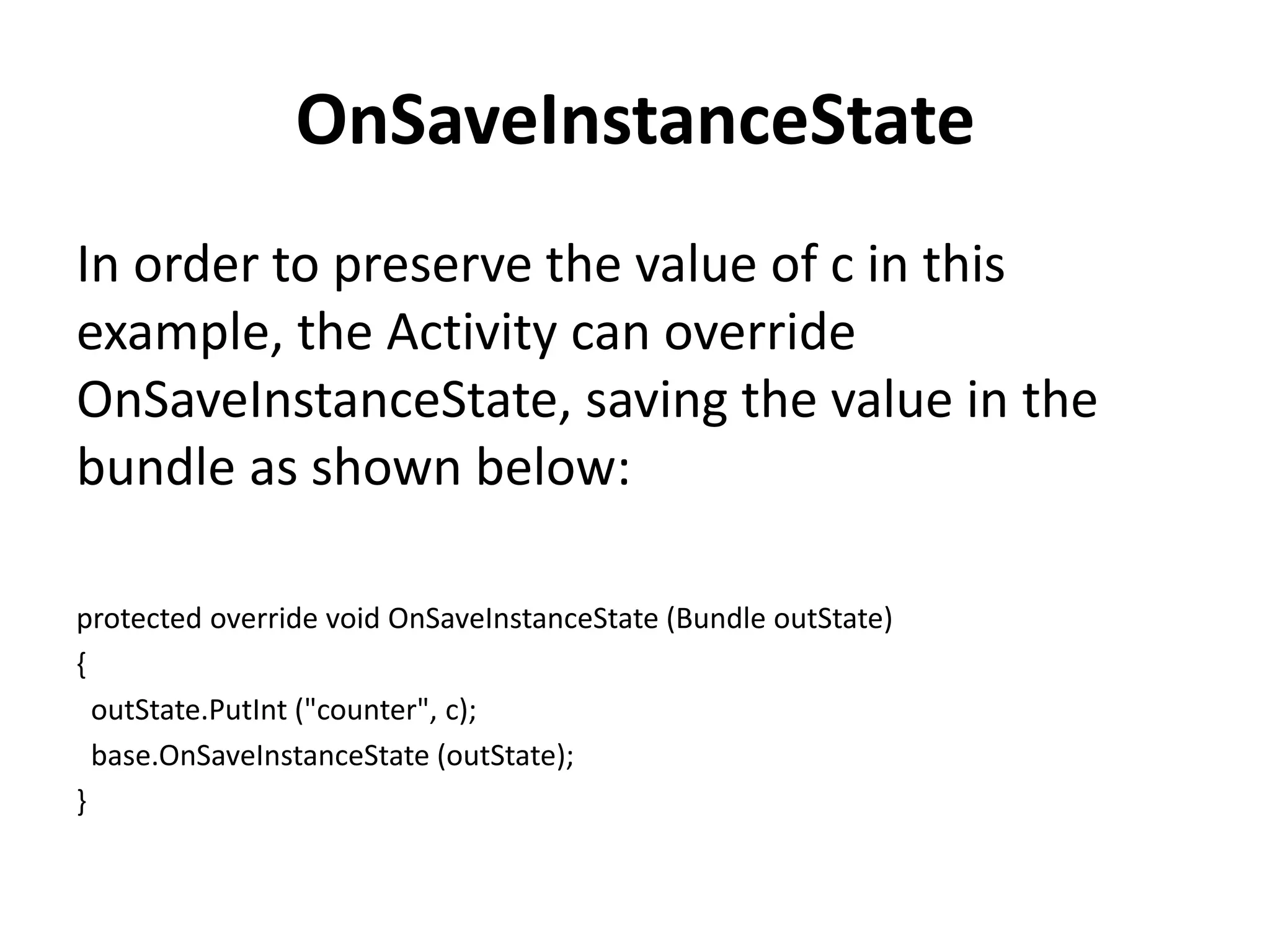
OnSaveInstanceState
In order to preserve the value of c in this
example, the Activity can override
OnSaveInstanceState, saving the value in the
bundle as shown below:
protected override void OnSaveInstanceState (Bundle outState)
{
outState.PutInt ("counter", c);
base.OnSaveInstanceState (outState);
}

Multithreading and concurrency in android

  • 1.
    Multithreading and Concurrency inAndroid Rakesh Kumar Jha M. Tech, MBA Delivery Manager
  • 2.
    Multithreading and Concurrency Whatis Multithreading What is concurrency Process Vs Thread  Improvements and issues with concurrency  Limits of concurrency gains  Concurrency issues Threads pools with the Executor Framework AsyncTask and the UI Thread Code Q & A
  • 3.
    What is Concurrency Concurrencyis the ability to run several programs or several parts of a program in parallel. If a time consuming task can be performed asynchronously or in parallel, this improve the throughput and the interactivity of the program
  • 4.
  • 5.
    Process A process runsindependently and isolated of other processes. It cannot directly access shared data in other processes. The resources of the process, e.g. memory and CPU time, are allocated to it via the operating system.
  • 6.
    Thread A thread isa so called lightweight process. It has its own call stack, but can access shared data of other threads in the same process. Every thread has its own memory cache. If a thread reads shared data it stores this data in its own memory cache. A thread can re-read the shared data.
  • 7.
    Improvements and issueswith concurrency
  • 8.
    • Within aJava application we work with several threads to achieve parallel processing or asynchronous behavior.
  • 9.
    Limits of concurrencygains Concurrency promises to perform certain task faster as these tasks can be divided into subtasks and these subtasks can be executed in parallel. Of course the runtime is limited by parts of the task which can be performed in parallel.
  • 10.
    Limits of concurrencygains The theoretical possible performance gain can be calculated by the following rule which is referred to as Amdahl's Law. If F is the percentage of the program which can not run in parallel and N is the number of processes, then the maximum performance gain is 1/ (F+ ((1-F)/n)).
  • 11.
    Concurrency issues Threads havetheir own call stack, but can also access shared data. Therefore you have two basic problems:- visibility and access problems
  • 12.
    Concurrency issues A visibilityproblem occurs if thread A reads shared data which is later changed by thread B and thread A is unaware of this change. An access problem can occur if several thread access and change the same shared data at the same time.
  • 13.
    Locks and threadsynchronization Visibility and access problem can lead to Live ness failure: The program does not react anymore due to problems in the concurrent access of data, e.g. deadlocks. Safety failure: The program creates incorrect data.
  • 14.
    Locks and threadsynchronization Java provides locks to protect certain parts of the code to be executed by several threads at the same time. The simplest way of locking a certain method or Java class is to define the method or class with the synchronized keyword.
  • 15.
    Locks and threadsynchronization The synchronized keyword in Java ensures: that only a single thread can execute a block of code at the same time that each thread entering a synchronized block of code sees the effects of all previous modifications that were guarded by the same lock
  • 16.
    Locks and threadsynchronization Synchronization is necessary for mutually exclusive access to blocks of and for reliable communication between threads. public synchronized void critial() { // some thread critical stuff here ….. }
  • 17.
    Locks and threadsynchronization You can also use the synchronized keyword to protect blocks of code within a method. public void add(String site) { synchronized (this) { if (!crawledSites.contains(site)) { linkedSites.add(site); } } }
  • 18.
    Locks and threadsynchronization You can also use the synchronized keyword to protect blocks of piece of code. synchronized { // Need to check condition of if (arrayText.size() > 0) { //Todo here stuff } // todo else part; }
  • 19.
    Volatile If a variableis declared with the volatile keyword then it is guaranteed that any thread that reads the field will see the most recently written value. The volatile keyword will not perform any mutual exclusive lock on the variable.
  • 20.
  • 21.
    The Java memorymodel The Java memory model describes the communication between the memory of the threads and the main memory of the application. It defines the rules how changes in the memory done by threads are propagated to other threads.
  • 22.
    The Java memorymodel The Java memory model also defines the situations in which a thread re-fresh its own memory from the main memory. It also describes which operations are atomic and the ordering of the operations.
  • 23.
    Atomic operation An atomicoperation is an operation which is performed as a single unit of work without the possibility of interference from other operations reading or writing a variable is an atomic operation(unless the variable is of typelong or double).
  • 24.
    Atomic operation Operations variablesof type long or double are only atomic if they declared with the volatile keyword.
  • 25.
    Memory updates insynchronized code • The Java memory model guarantees that each thread entering a synchronized block of code sees the effects of all previous modifications that were guarded by the same lock
  • 26.
    Threads in Java Thebase means for concurrency are is the java.lang.Threads class. A Thread executes an object of type java.lang.Runnable .
  • 27.
    Threads in Java Runnableis an interface with defines the run() method. This method is called by the Thread object and contains the work which should be done
  • 28.
    Threads in Java publicclass MyRunnable implements Runnable { private final long countUntil; MyRunnable(long countUntil) { this.countUntil = countUntil; } @Override public void run() { long sum = 0; for (long i = 1; i < countUntil; i++) { sum += i; } System.out.println(sum); } }
  • 29.
    import java.util.ArrayList; import java.util.List; publicclass Main { public static void main(String[] args) { // We will store the threads so that we can check if they are done List<Thread> threads = new ArrayList<Thread>(); // We will create 500 threads for (int i = 0; i < 500; i++) { Runnable task = new MyRunnable(10000000L + i); Thread worker = new Thread(task); // We can set the name of the thread worker.setName(String.valueOf(i)); // Start the thread, never call method run() direct worker.start(); // Remember the thread for later usage threads.add(worker); } int running = 0; do { running = 0; for (Thread thread : threads) { if (thread.isAlive()) { running++; } } System.out.println("We have " + running + " running threads. "); } while (running > 0); } }
  • 30.
    Disadvantage of Thread Thejava.util.concurrent package offers improved support for concurrency compared to the direct usage of Threads.
  • 31.
    Disadvantage of Thread Usingthe Thread class directly has the following disadvantages. Creating a new thread causes some performance overhead Too many threads can lead to reduced performance, as the CPU needs to switch between these threads. You cannot easily control the number of threads, therefore you may run into out of memory errors due to too many threads.
  • 32.
    Threads pools withthe Executor Framework Thread pools manage a pool of worker threads. The thread pools contains a work queue which holds tasks waiting to get executed.
  • 33.
    Threads pools withthe Executor Framework A thread pool can be described as a collection of Runnable objects (work queue) and a connections of running threads. The Executor framework provides example implementation of the java.util.concurrent.Executor interface, e.g. Executors.newFixedThreadPool(int n) which will create n worker threads.
  • 34.
    Threads pools withthe Executor Framework The ExecutorService adds life cycle methods to the Executor, which allows to shutdown the Executor and to wait for termination. If you want to use one thread pool with one thread which executes several runnables you can use the Executors.newSingleThreadExecutor() met hod.
  • 35.
    Futures and Callables •In case you expect your threads to return a computed result you can use java.util.concurrent.Callable. • The Callable object allows to return values after completion. • The Callable object uses generics to define the type of object which is returned.
  • 36.
    Futures and Callables •If you submit a Callable object to an Executor the framework returns an object of type java.util.concurrent.Future. • This Future object can be used to check the status of a Callable and to retrieve the result from the Callable.
  • 37.
    Futures and Callables •On the Executor you can use the method submit to submit a Callable and to get a future. • To retrieve the result of the future use theget() method.
  • 38.
    Deadlock • A concurrentapplication has the risk of a deadlock. • A set of processes are deadlocked if all processes are waiting for an event which another process in the same set has to cause.
  • 39.
    Deadlock • For exampleif thread A waits for a lock on object Z which thread B holds and thread B wait for a look on object Y which is hold be process A then these two processes are looked and cannot continue in their processing.
  • 40.
    Concurrency in Android •The Android libraries provide some convenient tools to make concurrency both easier and safer. • writing code with multiple threads actually causes those threads to execute at the same time
  • 41.
    Android AsyncTask &UI Main Thread
  • 42.
    Android UI MainThread Android handles input events/tasks with a single User Interface (UI) thread and the thread is called Main thread. Main thread cannot handle concurrent operations as it handles only one event/operation at a time
  • 43.
    Concurrent Processing inAndroid If input events or tasks are not handled concurrently, whole code of an Android application runs in the main thread and each line of code is executed one after each other.
  • 44.
    Concurrent Processing inAndroid • Assume if you perform a long lasting operation, for example accessing resource (like MP3, JSON, Image) from the Internet, the application goes hung state until the corresponding operation is finished. • To bring good user experience in Android applications, all potentially slow running operations or tasks in an Android application should be made to run asynchronously.
  • 45.
    Concurrent Processing inAndroid Here are some examples for slow running tasks Accessing resources (like MP3, JSON, Image) from Internet Database operations Webservice calls Complex logic that takes quite long time
  • 46.
    AsyncTask in Android Whatis AsyncTask? • AsyncTask is an abstract Android class which helps the Android applications to handle the Main UI thread in efficient way. • AsyncTask class allows us to perform long lasting tasks/background operations and show the result on the UI thread without affecting the main thread.
  • 47.
    When to useAsyncTask? • Assume you have created a simple Android application which downloads MP3 file from Internet on launching the application. • The below state diagram shows the series of operations that will take place when you launch the application you created:
  • 48.
    When to useAsyncTask?
  • 49.
    How to implementAsyncTask in Android applications?  Create a new class inside Activity class and subclass it by extending AsyncTask private class DownloadMp3Task extends AsyncTask<URL, Integer, Long> { protected Long doInBackground(URL... urls) { //Yet to code } protected void onProgressUpdate(Integer... progress) { //Yet to code } protected void onPostExecute(Long result) { //Yet to code } }
  • 50.
    How to implementAsyncTask in Android applications? Execute the task simply by invoking execute method as shown below: new DownloadMp3Task().execute(mp3URL);
  • 51.
  • 52.
    AsyncTask – The4 steps onPreExecute: • Invoked before the task is executed ideally before doInBackground method is called on the UI thread. This method is normally used to setup the task like showing progress bar in the UI. doInBackground: • Code running for long lasting time should be put in doInBackground method. When execute method is called in UI main thread, this method is called with the parameters passed.
  • 53.
    AsyncTask – The4 steps onProgressUpdate: • Invoked by calling publishProgress at anytime from doInBackground. This method can be used to display any form of progress in the user interface. onPostExecute: • Invoked after background computation in doInBackground method completes processing. Result of the doInBackground is passed to this method.
  • 54.
    AsyncTask – Rulesto be followed 1. The AsyncTask class must be loaded on the UI thread. 2. The task instance must be created on the UI thread. 3. Method execute(Params…) must be invoked on the UI thread. 4. Should not call onPreExecute(), onPostExecute(Result), doInBackground(Params…), onProgressUpdate(Progress…) manually. 5. The task can be executed only once (an exception will be thrown if a second execution is attempted.)
  • 55.
    AsyncTask and theUI Thread If you’ve worked with any modern GUI framework, the Android UI will look entirely familiar. It is event-driven, built on a library of nestable components, and, most relevant here, single- threaded
  • 56.
    AsyncTask and theUI Thread While the UI runs on a single thread, nearly any nontrivial Android application will be multithreaded. The UI must be quick and responsive and cannot, fundamentally, be ordered with respect to other, long-running processes. The long-running processes must be run asynchronously.
  • 57.
    AsyncTask and theUI Thread One convenient tool for implementing an asynchronous task in the Android system is, in fact, called AsyncTask. It completely hides many of the details of the threads used to run the task.
  • 58.
    AsyncTask and theUI Thread AsyncTask enables proper and easy use of the UI thread. This class allows to perform background operations and publish results on the UI thread without having to manipulate threads and/or handlers.
  • 59.
    AsyncTask and theUI Thread AsyncTask is designed to be a helper class around Thread and Handler and does not constitute a generic threading framework. AsyncTasks should ideally be used for short operations
  • 60.
    AsyncTask and theUI Thread AsyncTaskExample > onCreate() – Triggers Downloading and playing of Music File AsyncTaskExample > onCreateDialog() – Shows Progress Bar Dialog when showDialog method is called in onPreExecute method
  • 61.
    AsyncTask and theUI Thread AsyncTaskExample > DownloadMusicfromInternet > onPreExecute() – Executed when execute() method is called inside onCreate() (In short When AsyncTask is triggered).
  • 62.
    AsyncTask and theUI Thread AsyncTaskExample > DownloadMusicfromInternet > doInBackground() – Executed when onPreExecute() completed executing. Downloading of Music file happens in this method which keeps updating the progress bar with progress of music file download by calling publishProgress() method. publishProgress() method calls onProgressUpdate() method where the progress bar’s progress is being updated.
  • 63.
    AsyncTask and theUI Thread AsyncTaskExample > DownloadMusicfromInternet > onPostExecute() – Progress Bar Dialog is dismissed as the download of music file is completed and calls playMusic() method to play the Music file downloaded.
  • 64.
  • 66.
    • Android deviceshave limited resources, therefore the Android system is allowed to manage the available resources by terminating running processes or recycling Android components.
  • 67.
    onCreate This is thefirst method to be called when an activity is created. OnCreate is always overridden to perform any startup initializations that may be required by an Activity such as: Creating views Initializing variables Binding static data to lists
  • 68.
    onStart • Once OnCreatehas finished, Android will call OnStart. • Activities may override this method if they need to perform any specific tasks right before an activity becomes visible such as refreshing current values of views within the activity. • Android will call OnResume immediately after this method.
  • 69.
    onResume The system callsthis method when the Activity is ready to start interacting with the user. Activities should override this method to perform tasks such as: Ramping up frame rates (a common task in game building) Starting animations Listening for GPS updates Display any relevant alerts or dialogs Wire up external event handlers
  • 70.
    onPause Commit unsaved changesto persistent data Destroy or clean up other objects consuming resources Ramp down frame rates and pausing animations Unregister external event handlers or notification handlers (i.e. those that are tied to a service). This must be done to prevent Activity memory leaks. Likewise, if the Activity has displayed any dialogs or alerts, they must be cleaned up with the.Dismiss() method.
  • 71.
    onPause There are twopossible lifecycle methods that will be called after OnPause: • OnResume will be called if the Activity is to be returned to the foreground. • OnStop will be called if the Activity is being placed in the background.
  • 72.
    onStop This method iscalled when the activity is no longer visible to the user. This happens when one of the following occurs: A new activity is being started and is covering up this activity. An existing activity is being brought to the foreground. The activity is being destroyed.
  • 73.
    OnSaveInstanceState This method willbe called as the Activity is being stopped. It will receive a bundle parameter that the Activity can store its state in. When a device experiences a configuration change, an Activity can use theBundle object that is passed in to preserve the Activity state by overriding OnSaveInstanceState. For example, consider the following code:
  • 74.
    OnSaveInstanceState int c; protected overridevoid OnCreate (Bundle bundle) { base.OnCreate (bundle); this.SetContentView (Resource.Layout.SimpleStateView); var output = this.FindViewById<TextView> (Resource.Id.outputText); if (bundle != null) { c = bundle.GetInt ("counter", -1); } else { c = -1; } output.Text = c.ToString (); var incrementCounter = this.FindViewById<Button> (Resource.Id.incrementCounter); incrementCounter.Click += (s,e) => { output.Text = (++c).ToString(); }; }
  • 75.
    OnSaveInstanceState In order topreserve the value of c in this example, the Activity can override OnSaveInstanceState, saving the value in the bundle as shown below: protected override void OnSaveInstanceState (Bundle outState) { outState.PutInt ("counter", c); base.OnSaveInstanceState (outState); }