Ext JS 7 -
Modernizing the Ext JS Class
System
And Tooling
Marc Gusmano
Senior Sales Engineer
marc.gusmano@sencha.com
Agenda
• Ext JS 7 Class system content
- Modules
- Classes & Mixins
- Life-cycle
- Goals for language and tools
• Sencha’s New Tooling
• The Road Ahead
Ext JS Class System Contents
Namespaces vs Modules
Ext = {};
Ext.global = window;
Ext.global.Ext = Ext;
Ext.define('App.some.Thing', {
extend: 'App.foo.Bar',
requires: [ 'Ext.grid.Panel' ],
ExtJS: Namespaces
• Namespaces are nested objects
• Ext.define() defines class & adds to
the namespace
• The Loader maps names to URL’s
• Files are loaded at global scope
Ext = {
global: {
Ext: Ext,
App: {
foo: {
Bar: constructor
},
some: {
Thing: constructor
}
}
},
grid: {
Panel: constructor
}
}
Ext.Loader.setPath({
Ext: '../ext/src',
App: './app'
});
// Ext.grid.Panel
// => '../ext/src/grid/Panel.js'
// App.foo.Bar
// => './app/foo/Bar.js'
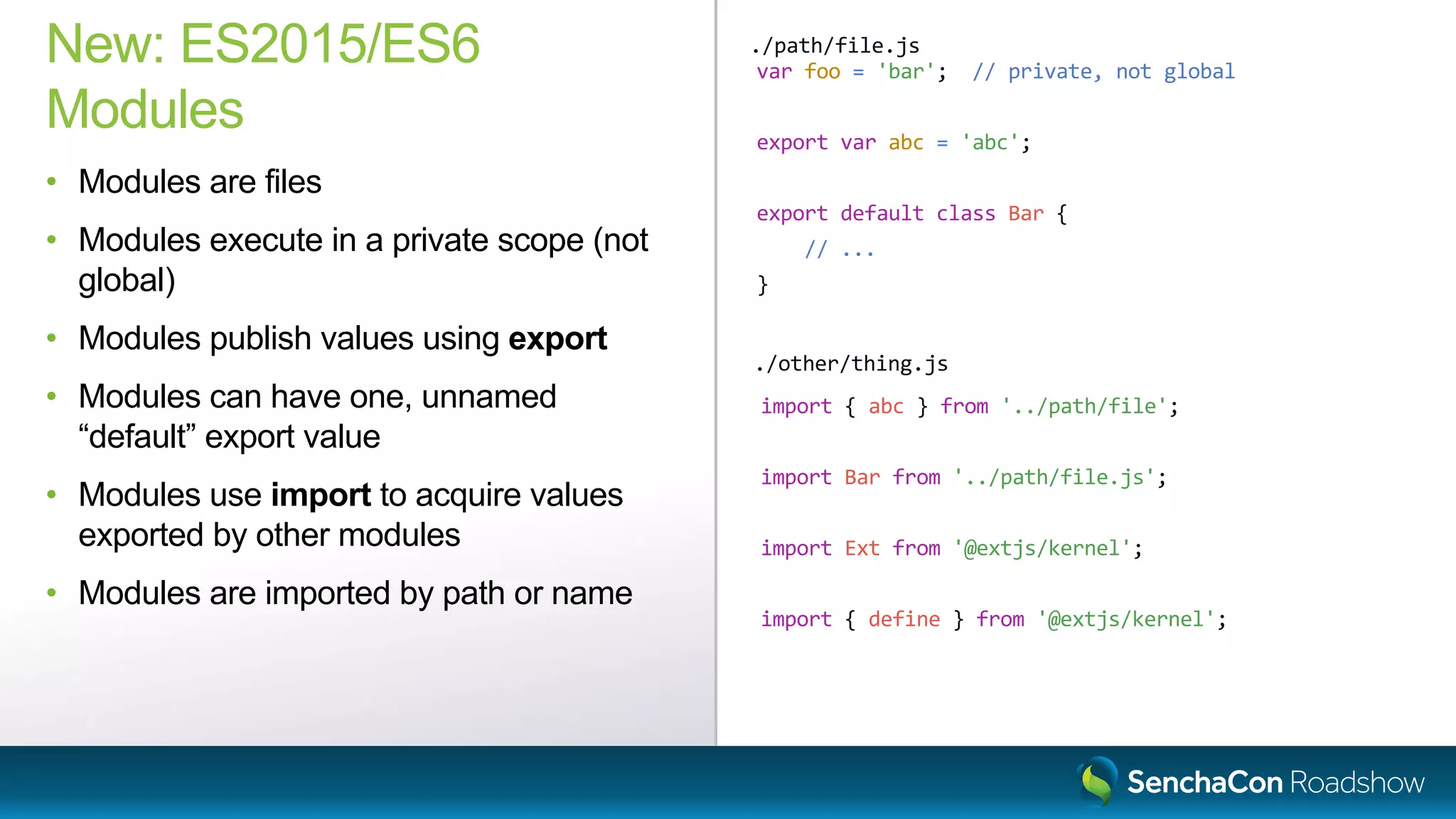
var foo = 'bar'; // private, not global
export var abc = 'abc';
export default class Bar {
// ...
}
New: ES2015/ES6
Modules
• Modules are files
• Modules execute in a private scope (not
global)
• Modules publish values using export
• Modules can have one, unnamed
“default” export value
• Modules use import to acquire values
exported by other modules
• Modules are imported by path or name
./path/file.js
import { abc } from '../path/file';
import Bar from '../path/file.js';
import Ext from '@extjs/kernel';
import { define } from '@extjs/kernel';
./other/thing.js
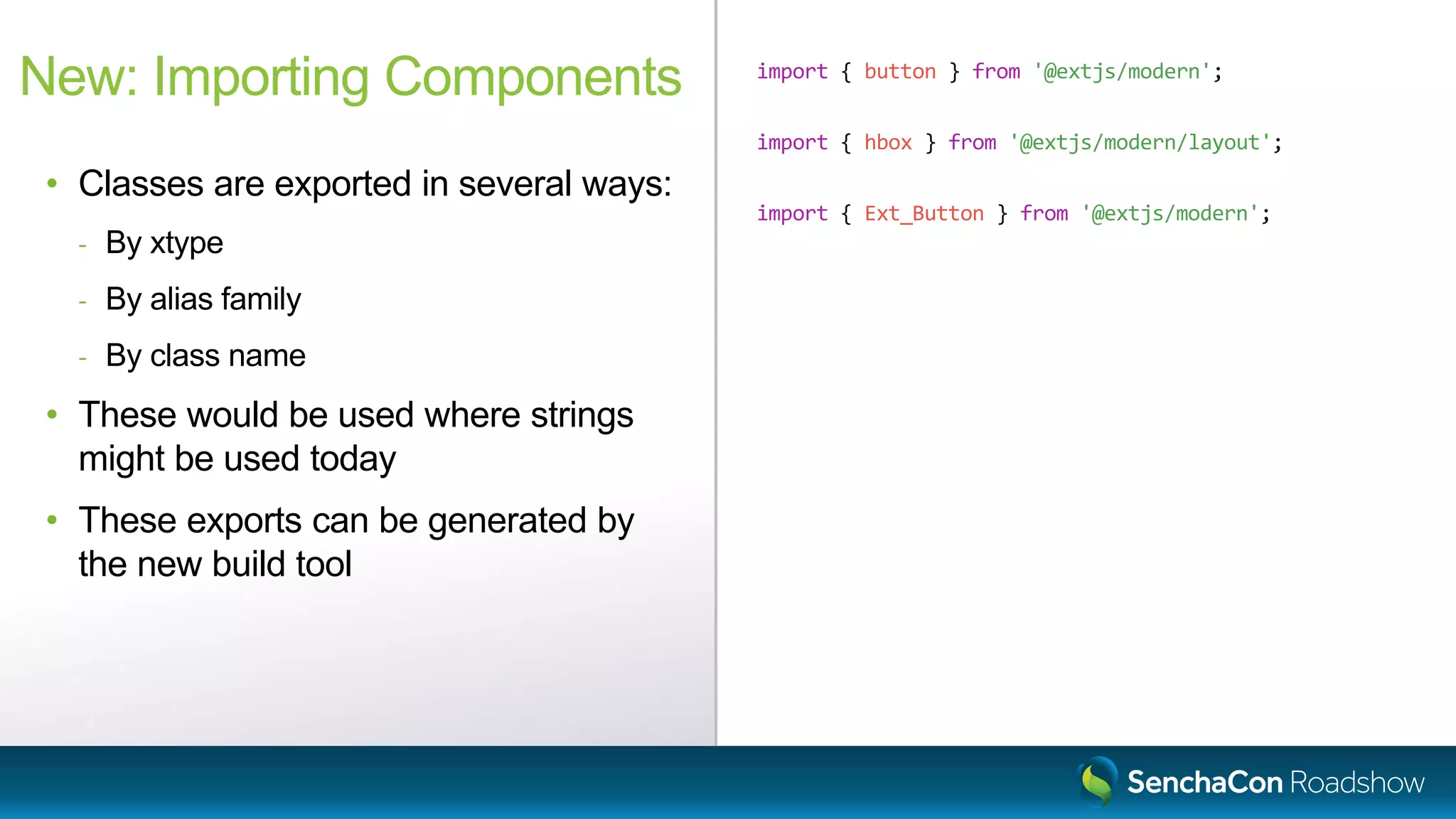
import { button } from '@extjs/modern';
import { hbox } from '@extjs/modern/layout';
import { Ext_Button } from '@extjs/modern';
New: Importing Components
• Classes are exported in several ways:
- By xtype
- By alias family
- By class name
• These would be used where strings
might be used today
• These exports can be generated by
the new build tool
Sencha Cmd Understands Namespaces
New Build Tools Understands Modules
Classes
Ext.define('App.some.Thing', {
extend: 'App.foo.Bar',
requires: [ 'Ext.grid.Panel' ],
alias: 'thing',
text: 'Hello',
constructor: function (config) {
this.callParent([config]);
},
method: function (x) {
return this.callParent([x]) * 42;
},
statics: {
create: function (cfg) {
cfg.type = 'thing';
return this.callParent([cfg]);
}
}
});
ExtJS: Classes
Ext.define()
• Inheritance
• Requires (directives)
• Properties
• Constructors
• Methods
• Static methods
• callParent
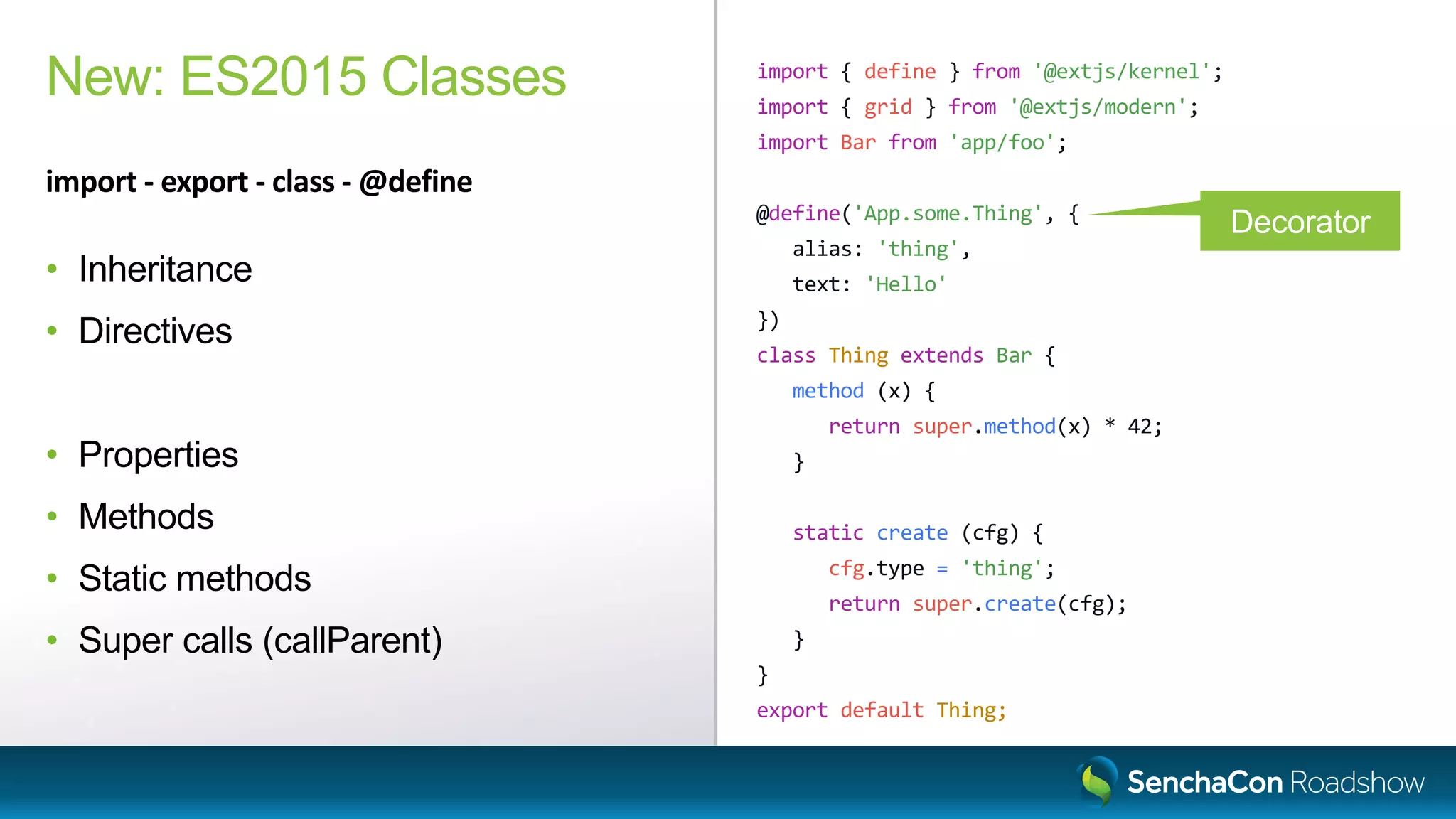
import { define } from '@extjs/kernel';
import { grid } from '@extjs/modern';
import Bar from 'app/foo';
@define('App.some.Thing', {
alias: 'thing',
text: 'Hello'
})
class Thing extends Bar {
method (x) {
return super.method(x) * 42;
}
static create (cfg) {
cfg.type = 'thing';
return super.create(cfg);
}
}
export default Thing;
New: ES2015 Classes
import - export - class - @define
• Inheritance
• Directives
• Properties
• Methods
• Static methods
• Super calls (callParent)
Decorator
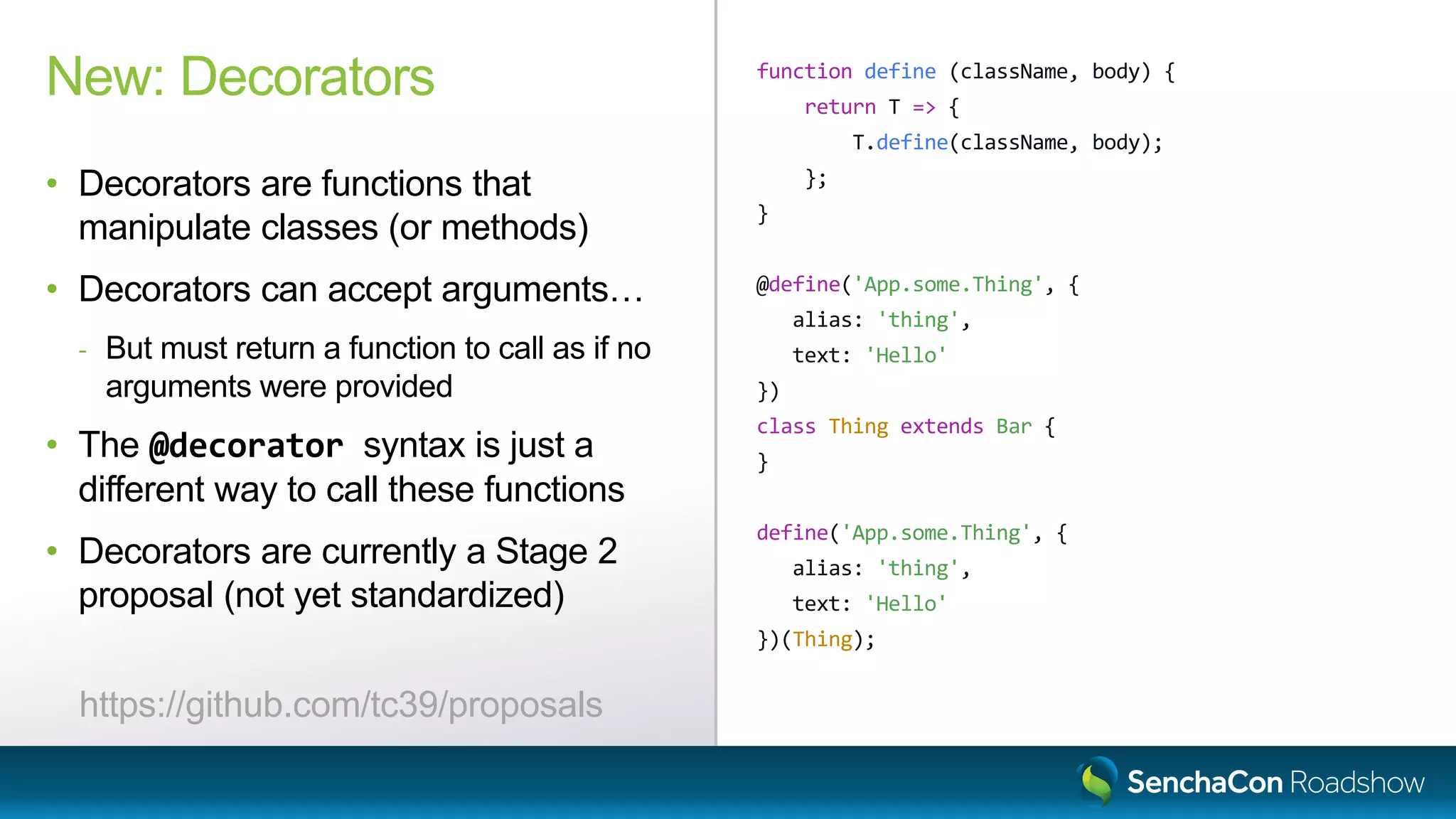
function define (className, body) {
return T => {
T.define(className, body);
};
}
@define('App.some.Thing', {
alias: 'thing',
text: 'Hello'
})
class Thing extends Bar {
}
define('App.some.Thing', {
alias: 'thing',
text: 'Hello'
})(Thing);
New: Decorators
• Decorators are functions that
manipulate classes (or methods)
• Decorators can accept arguments…
- But must return a function to call as if no
arguments were provided
• The @decorator syntax is just a
different way to call these functions
• Decorators are currently a Stage 2
proposal (not yet standardized)
https://github.com/tc39/proposals
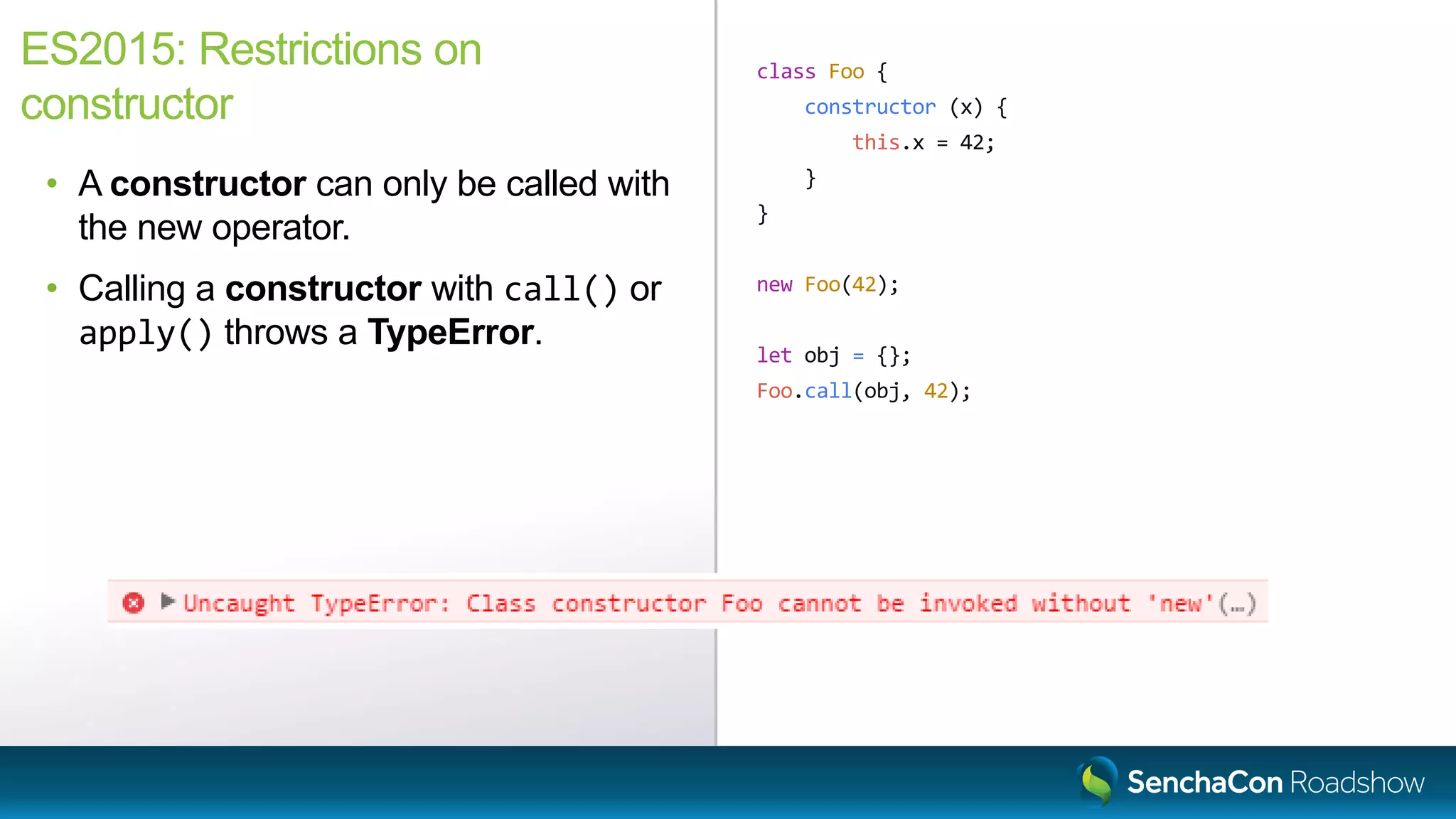
class Foo {
constructor (x) {
this.x = 42;
}
}
new Foo(42);
let obj = {};
Foo.call(obj, 42);
ES2015: Restrictions on
constructor
• A constructor can only be called with
the new operator.
• Calling a constructor with call() or
apply() throws a TypeError.
Mixins
Ext.define('App.mixin.Foo', {
method: function (x) {
return x * 42;
}
});
Ext.define('App.some.Thing', {
extend: 'App.foo.Bar',
mixins: [ 'App.mixin.Foo' ],
});
Ext.define('App.some.OtherThing', {
extend: 'App.foo.Bar',
mixins: [ 'App.mixin.Foo' ],
method: function (x) {
return 10 * this.mixins.foo.method.call(this, x);
}
});
ExtJS: Mixins
• Mixins is multiple inheritance
• Mixins are classes
• Methods from the mixin prototype are
copied to the target class prototype
• Unless there is already a method
present
import { Ext, define } from '@extjs/kernel';
import Bar from 'app/foo';
class Mixable extends Ext.Base {
method (x) {
return x * 42;
}
}
@define({ mixins: [ Mixable ] })
class Thing extends Bar {
method (x) {
return 10 * this.mixins.mixable.method.call(this, x);
}
}
@define({ extend: [ Mixable ] })
class OtherThing extends Bar {
method (x) {
return 10 * super.method(x);
}
}
ES2015: Mixins
• Mixins are classes (that extend
Ext.Base)
• Use @define to mix in the mixin(s)
• Mixins will be able to act more like a
true base
- The extend directive accepts mixins
- Calls to overlapping methods are handled
in the super call
Common Object Life-cycle
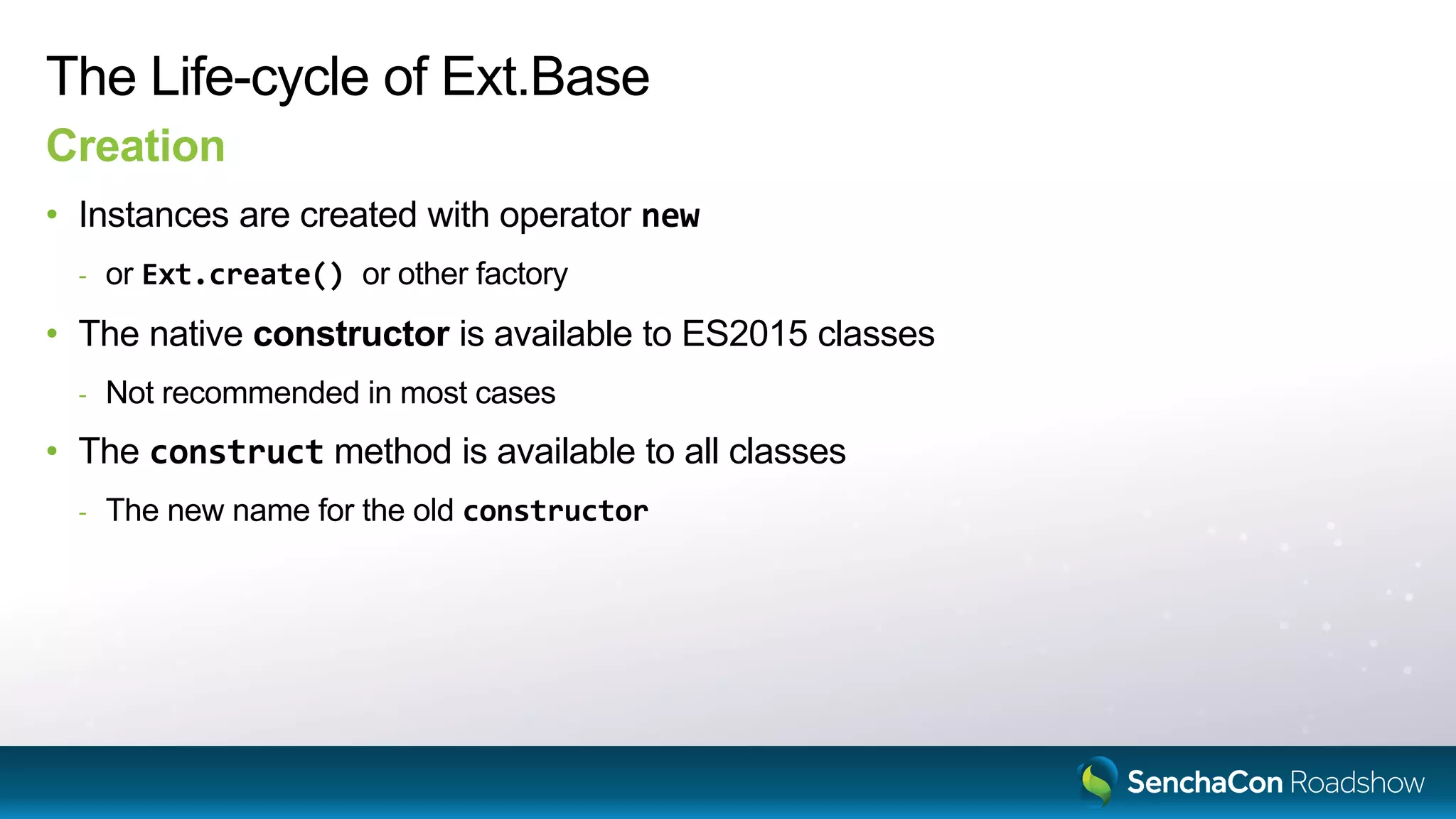
The Life-cycle of Ext.Base
Creation
• Instances are created with operator new
- or Ext.create() or other factory
• The native constructor is available to ES2015 classes
- Not recommended in most cases
• The construct method is available to all classes
- The new name for the old constructor
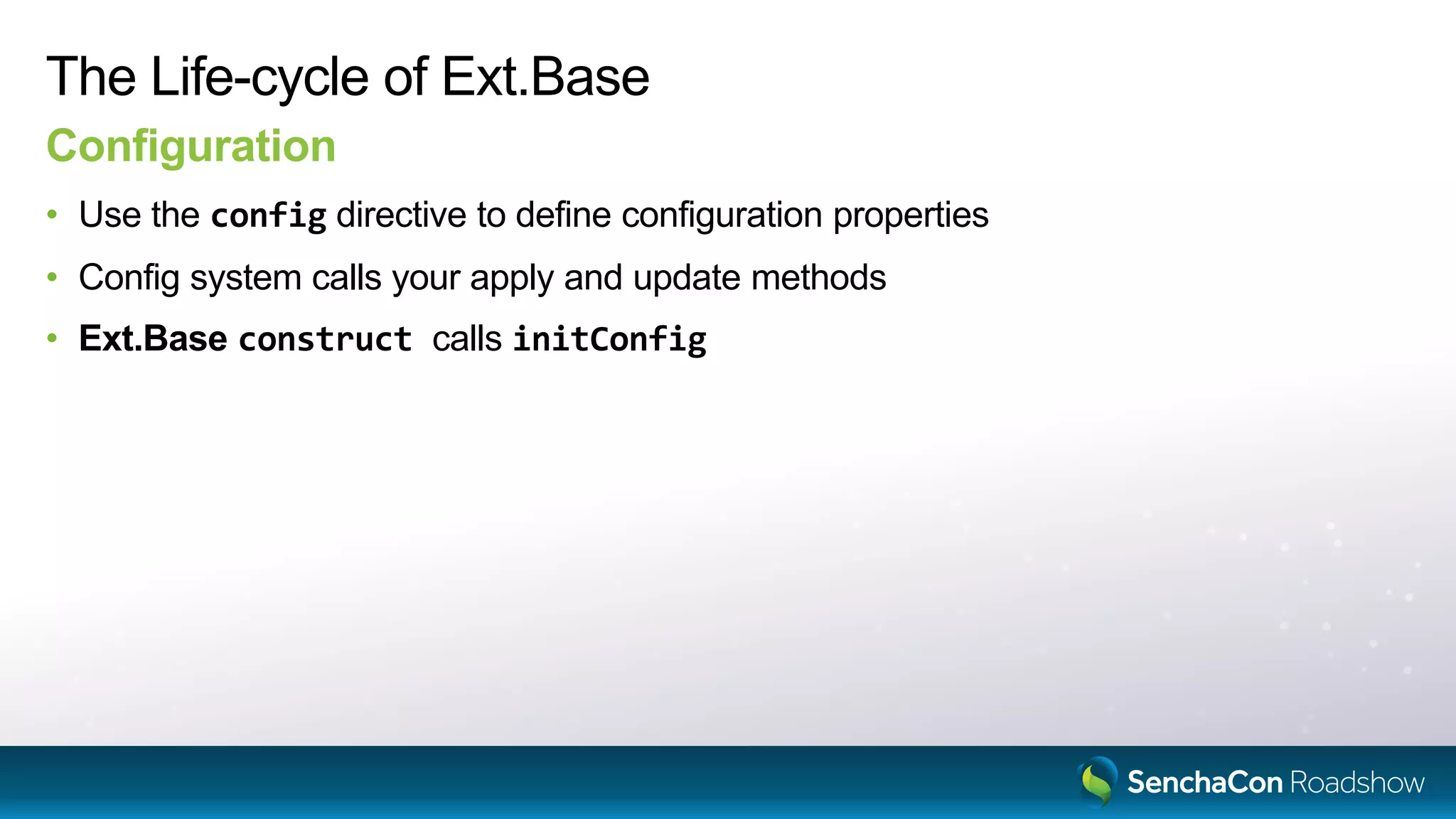
The Life-cycle of Ext.Base
Configuration
• Use the config directive to define configuration properties
• Config system calls your apply and update methods
• Ext.Base construct calls initConfig
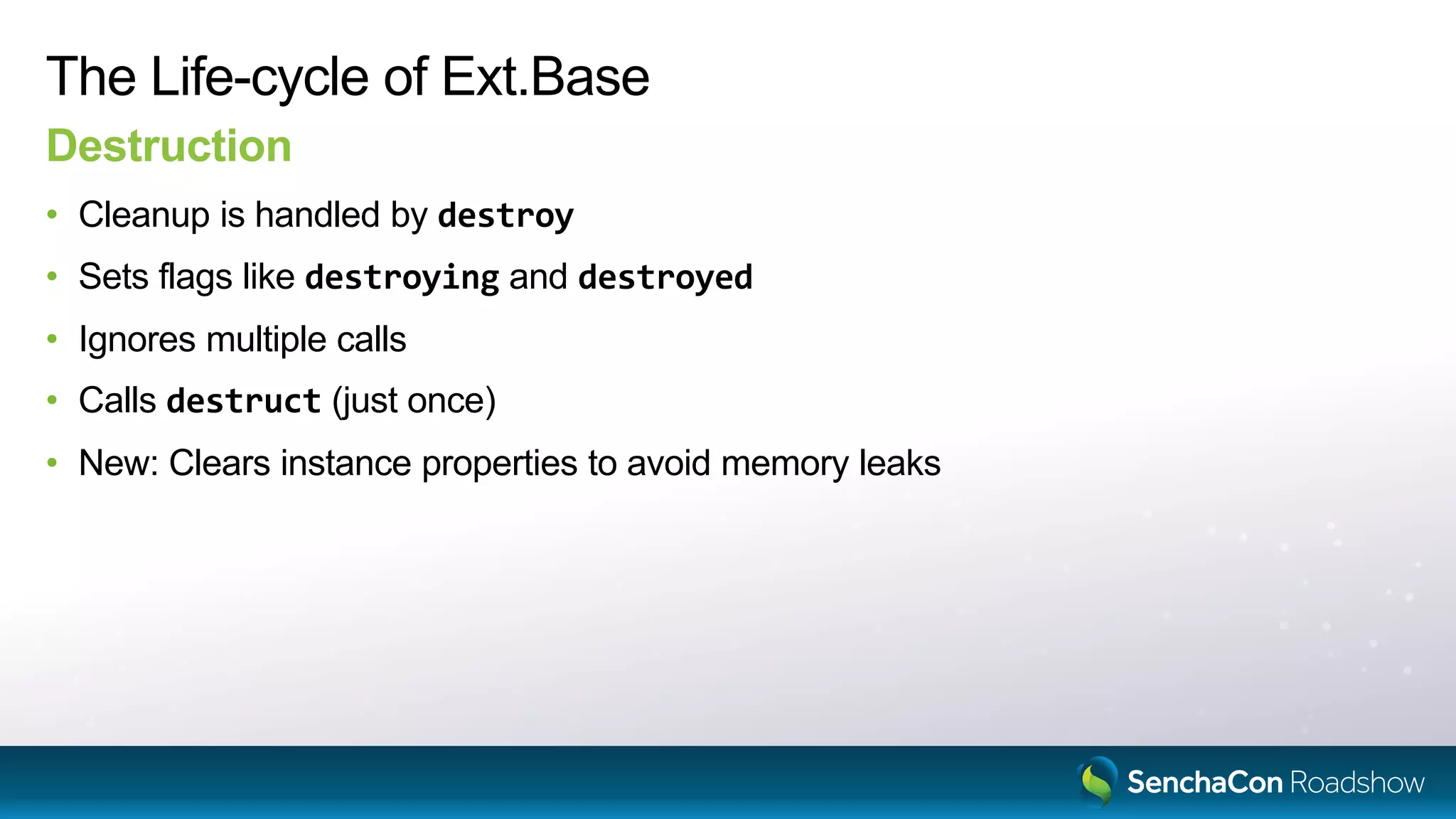
The Life-cycle of Ext.Base
Destruction
• Cleanup is handled by destroy
• Sets flags like destroying and destroyed
• Ignores multiple calls
• Calls destruct (just once)
• New: Clears instance properties to avoid memory leaks
Sencha’s New Tooling
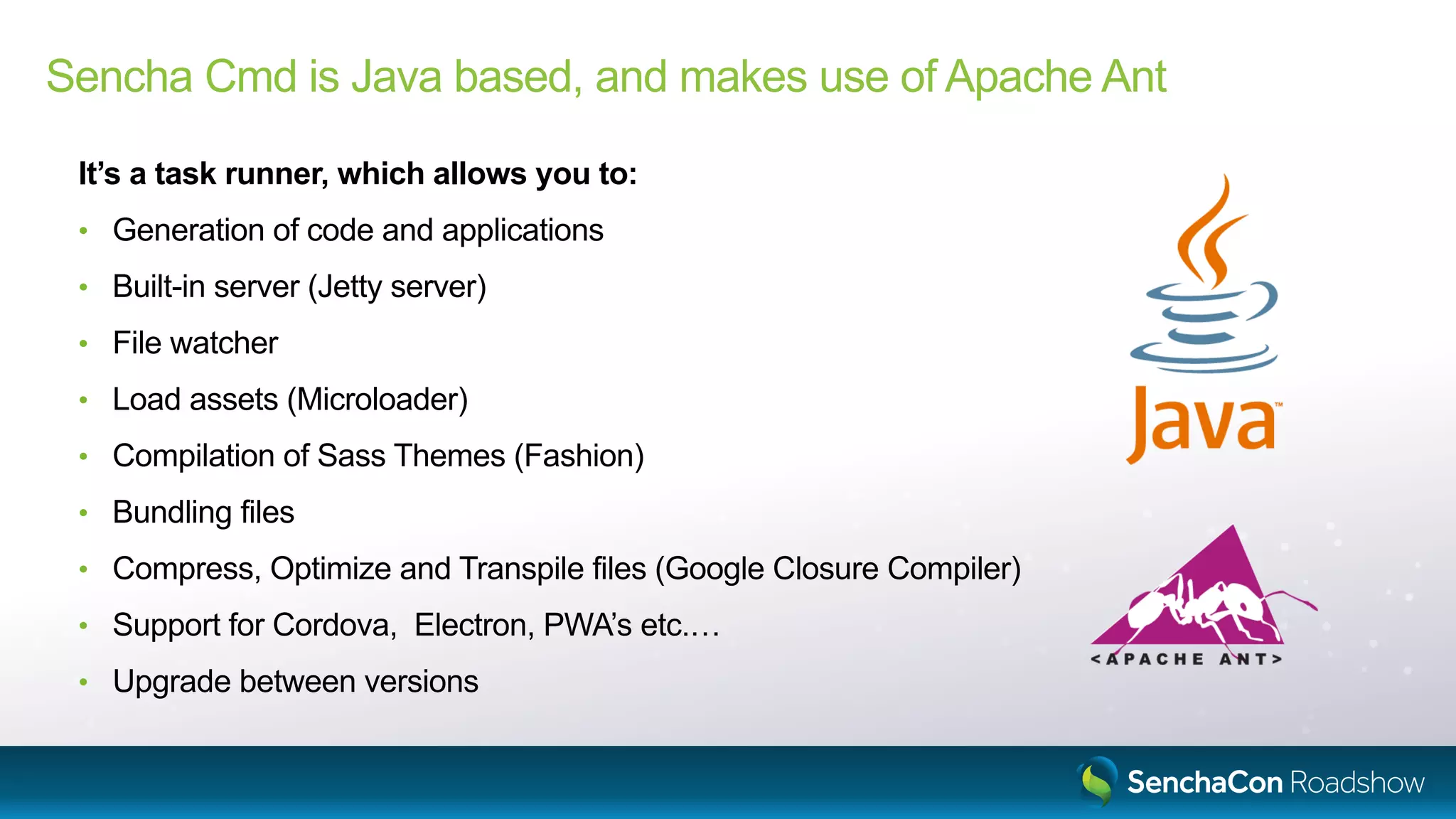
Sencha Cmd is Java based, and makes use of Apache Ant
It’s a task runner, which allows you to:
• Generation of code and applications
• Built-in server (Jetty server)
• File watcher
• Load assets (Microloader)
• Compilation of Sass Themes (Fashion)
• Bundling files
• Compress, Optimize and Transpile files (Google Closure Compiler)
• Support for Cordova, Electron, PWA’s etc.…
• Upgrade between versions
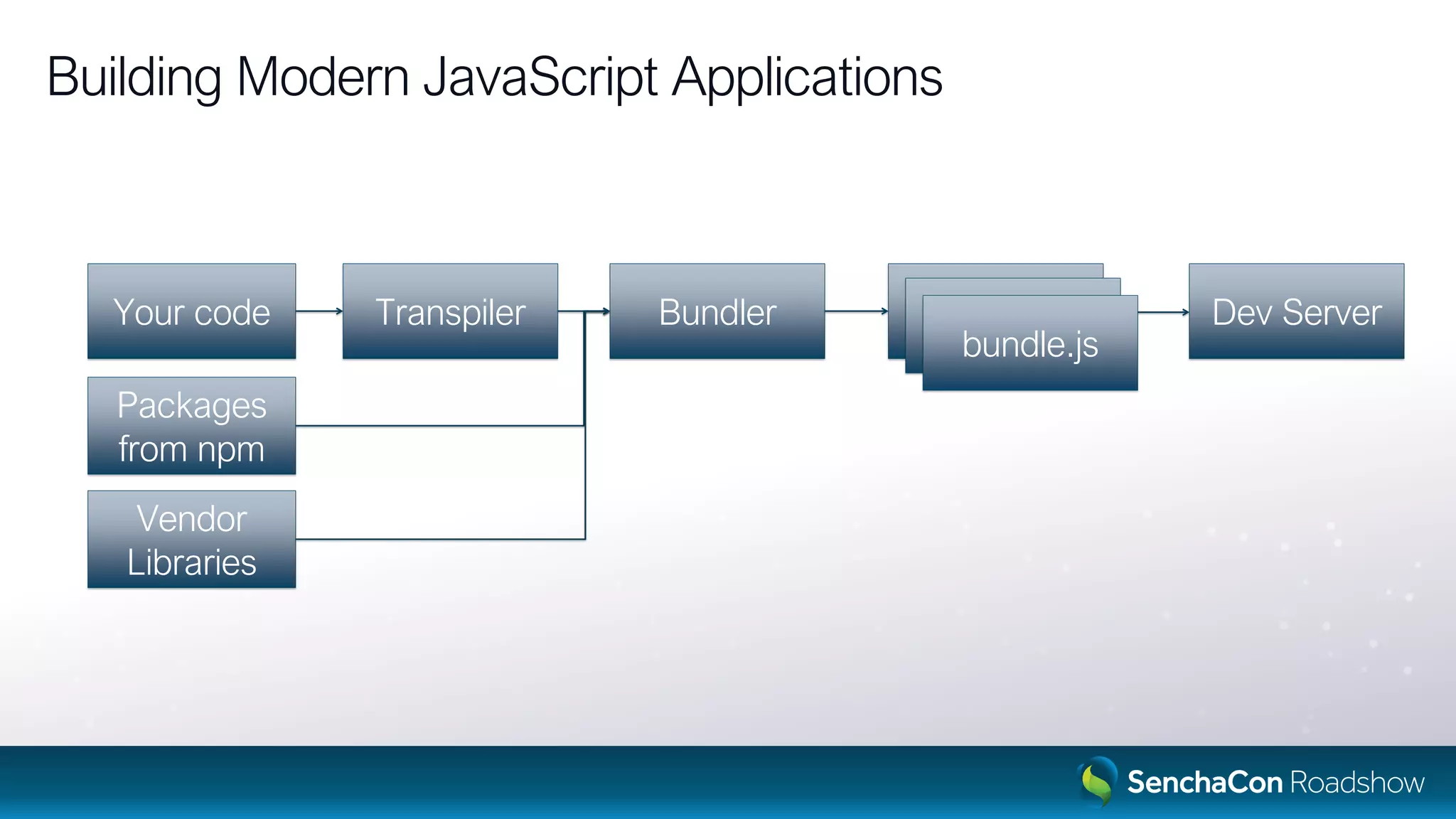
Building Modern JavaScript Applications
Your code
Packages
from npm
Vendor
Libraries
Transpiler Bundler Bundle.jsBundle.jsbundle.js
Dev Server
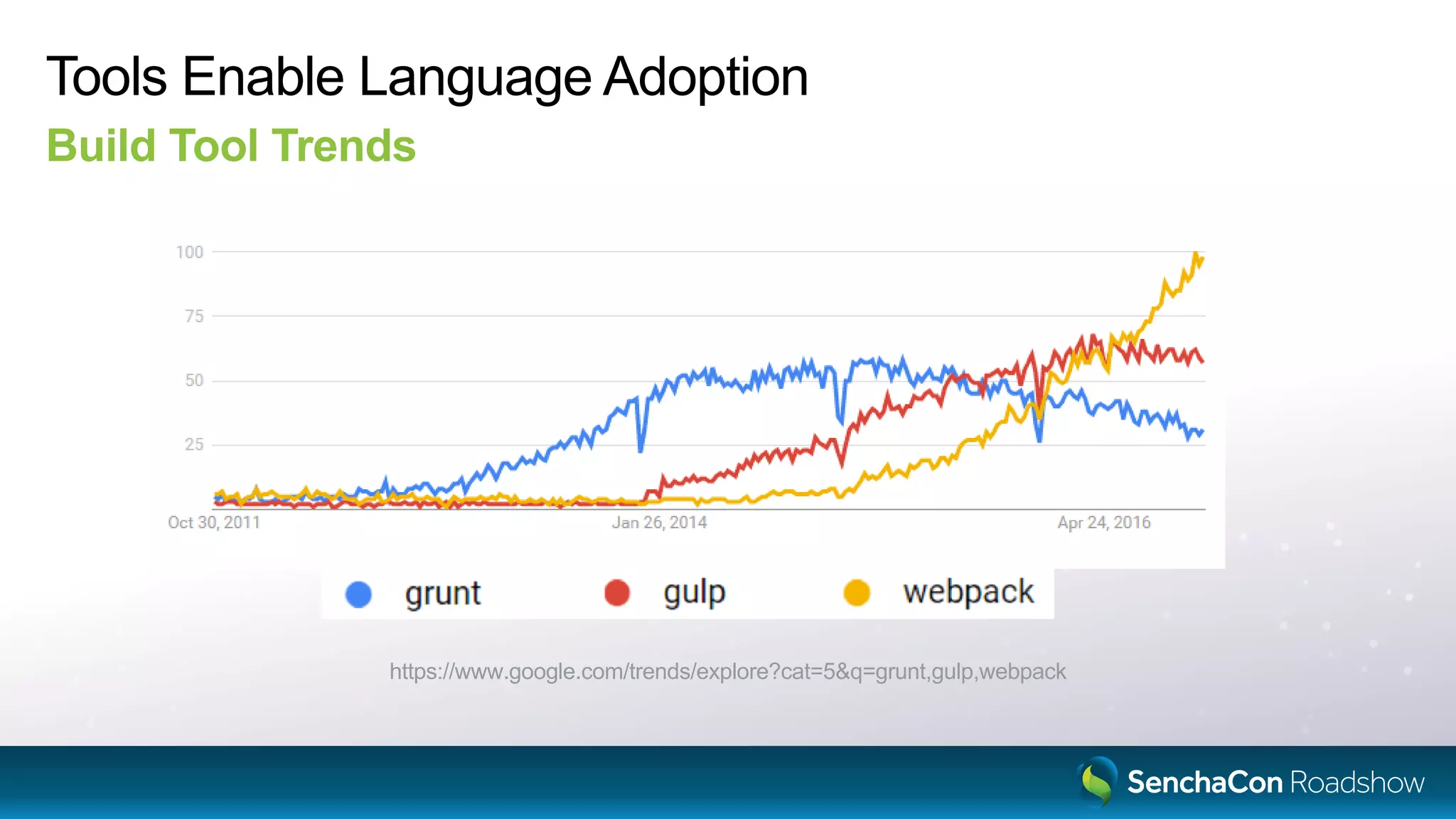
Tools Enable Language Adoption
Build Tool Trends
https://www.google.com/trends/explore?cat=5&q=grunt,gulp,webpack
New build tool, based on NodeJS
“NodeJS is a JavaScript runtime built on Chrome’s V8 JavaScript engine”
Open toolchain
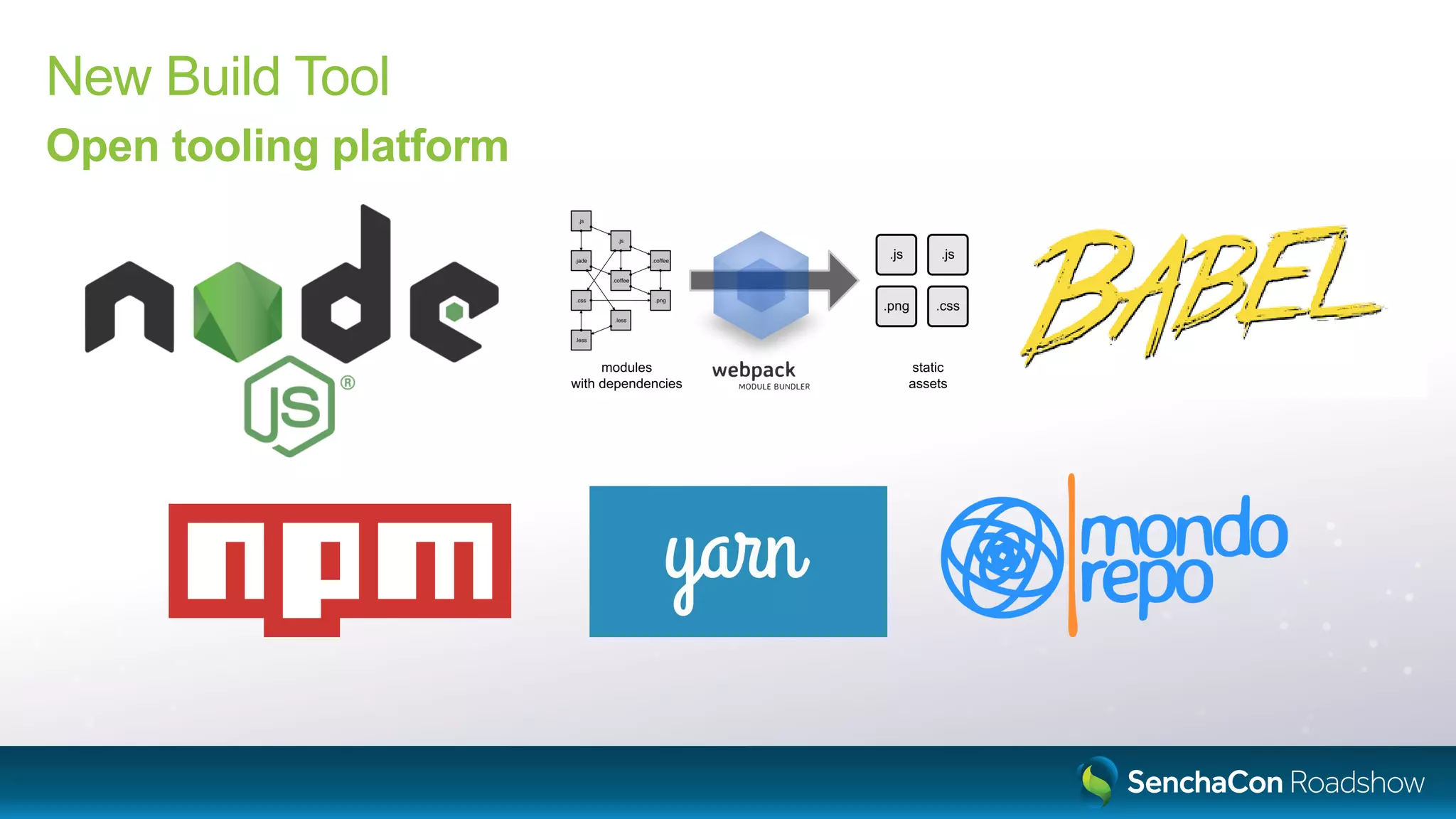
New Build Tool
Open tooling platform
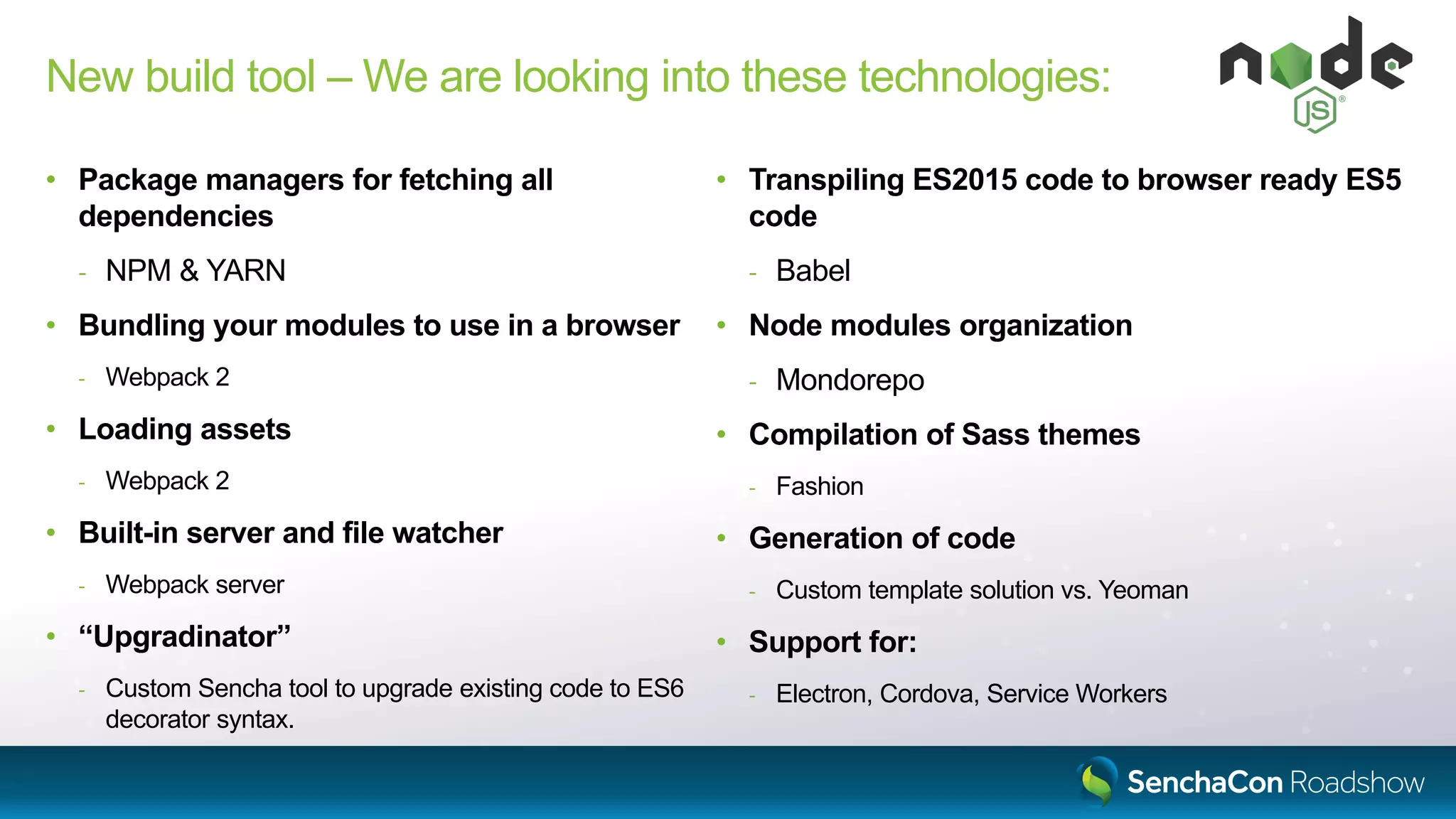
New build tool – We are looking into these technologies:
• Package managers for fetching all
dependencies
- NPM & YARN
• Bundling your modules to use in a browser
- Webpack 2
• Loading assets
- Webpack 2
• Built-in server and file watcher
- Webpack server
• “Upgradinator”
- Custom Sencha tool to upgrade existing code to ES6
decorator syntax.
• Transpiling ES2015 code to browser ready ES5
code
- Babel
• Node modules organization
- Mondorepo
• Compilation of Sass themes
- Fashion
• Generation of code
- Custom template solution vs. Yeoman
• Support for:
- Electron, Cordova, Service Workers
The Road Ahead
The Road Ahead
Sencha Cmd 6.5
• Available now!
• Uses Google Closure Compiler
• Supports much of the ES2015 syntax (http://kangax.github.io/compat-table/es6/)
• Provides polyfills as well
• Transpiling is optional
• New compressor (replaces YUI) can process native ES2015 code
The Road Ahead
Ext JS.Next
• Framework will have changes in Ext.Base
• New Build Tool and new Sencha Cmd
• Upgrade tool to convert from projects from Cmd to Build
Questions?
Sencha Roadshow 2017: Modernizing the Ext JS Class System and Tooling

Sencha Roadshow 2017: Modernizing the Ext JS Class System and Tooling

  • 1.
    Ext JS 7- Modernizing the Ext JS Class System And Tooling Marc Gusmano Senior Sales Engineer marc.gusmano@sencha.com
  • 2.
    Agenda • Ext JS7 Class system content - Modules - Classes & Mixins - Life-cycle - Goals for language and tools • Sencha’s New Tooling • The Road Ahead
  • 3.
    Ext JS ClassSystem Contents
  • 4.
  • 5.
    Ext = {}; Ext.global= window; Ext.global.Ext = Ext; Ext.define('App.some.Thing', { extend: 'App.foo.Bar', requires: [ 'Ext.grid.Panel' ], ExtJS: Namespaces • Namespaces are nested objects • Ext.define() defines class & adds to the namespace • The Loader maps names to URL’s • Files are loaded at global scope Ext = { global: { Ext: Ext, App: { foo: { Bar: constructor }, some: { Thing: constructor } } }, grid: { Panel: constructor } } Ext.Loader.setPath({ Ext: '../ext/src', App: './app' }); // Ext.grid.Panel // => '../ext/src/grid/Panel.js' // App.foo.Bar // => './app/foo/Bar.js'
  • 6.
    var foo ='bar'; // private, not global export var abc = 'abc'; export default class Bar { // ... } New: ES2015/ES6 Modules • Modules are files • Modules execute in a private scope (not global) • Modules publish values using export • Modules can have one, unnamed “default” export value • Modules use import to acquire values exported by other modules • Modules are imported by path or name ./path/file.js import { abc } from '../path/file'; import Bar from '../path/file.js'; import Ext from '@extjs/kernel'; import { define } from '@extjs/kernel'; ./other/thing.js
  • 7.
    import { button} from '@extjs/modern'; import { hbox } from '@extjs/modern/layout'; import { Ext_Button } from '@extjs/modern'; New: Importing Components • Classes are exported in several ways: - By xtype - By alias family - By class name • These would be used where strings might be used today • These exports can be generated by the new build tool
  • 8.
    Sencha Cmd UnderstandsNamespaces New Build Tools Understands Modules
  • 9.
  • 10.
    Ext.define('App.some.Thing', { extend: 'App.foo.Bar', requires:[ 'Ext.grid.Panel' ], alias: 'thing', text: 'Hello', constructor: function (config) { this.callParent([config]); }, method: function (x) { return this.callParent([x]) * 42; }, statics: { create: function (cfg) { cfg.type = 'thing'; return this.callParent([cfg]); } } }); ExtJS: Classes Ext.define() • Inheritance • Requires (directives) • Properties • Constructors • Methods • Static methods • callParent
  • 11.
    import { define} from '@extjs/kernel'; import { grid } from '@extjs/modern'; import Bar from 'app/foo'; @define('App.some.Thing', { alias: 'thing', text: 'Hello' }) class Thing extends Bar { method (x) { return super.method(x) * 42; } static create (cfg) { cfg.type = 'thing'; return super.create(cfg); } } export default Thing; New: ES2015 Classes import - export - class - @define • Inheritance • Directives • Properties • Methods • Static methods • Super calls (callParent) Decorator
  • 12.
    function define (className,body) { return T => { T.define(className, body); }; } @define('App.some.Thing', { alias: 'thing', text: 'Hello' }) class Thing extends Bar { } define('App.some.Thing', { alias: 'thing', text: 'Hello' })(Thing); New: Decorators • Decorators are functions that manipulate classes (or methods) • Decorators can accept arguments… - But must return a function to call as if no arguments were provided • The @decorator syntax is just a different way to call these functions • Decorators are currently a Stage 2 proposal (not yet standardized) https://github.com/tc39/proposals
  • 13.
    class Foo { constructor(x) { this.x = 42; } } new Foo(42); let obj = {}; Foo.call(obj, 42); ES2015: Restrictions on constructor • A constructor can only be called with the new operator. • Calling a constructor with call() or apply() throws a TypeError.
  • 14.
  • 15.
    Ext.define('App.mixin.Foo', { method: function(x) { return x * 42; } }); Ext.define('App.some.Thing', { extend: 'App.foo.Bar', mixins: [ 'App.mixin.Foo' ], }); Ext.define('App.some.OtherThing', { extend: 'App.foo.Bar', mixins: [ 'App.mixin.Foo' ], method: function (x) { return 10 * this.mixins.foo.method.call(this, x); } }); ExtJS: Mixins • Mixins is multiple inheritance • Mixins are classes • Methods from the mixin prototype are copied to the target class prototype • Unless there is already a method present
  • 16.
    import { Ext,define } from '@extjs/kernel'; import Bar from 'app/foo'; class Mixable extends Ext.Base { method (x) { return x * 42; } } @define({ mixins: [ Mixable ] }) class Thing extends Bar { method (x) { return 10 * this.mixins.mixable.method.call(this, x); } } @define({ extend: [ Mixable ] }) class OtherThing extends Bar { method (x) { return 10 * super.method(x); } } ES2015: Mixins • Mixins are classes (that extend Ext.Base) • Use @define to mix in the mixin(s) • Mixins will be able to act more like a true base - The extend directive accepts mixins - Calls to overlapping methods are handled in the super call
  • 17.
  • 18.
    The Life-cycle ofExt.Base Creation • Instances are created with operator new - or Ext.create() or other factory • The native constructor is available to ES2015 classes - Not recommended in most cases • The construct method is available to all classes - The new name for the old constructor
  • 19.
    The Life-cycle ofExt.Base Configuration • Use the config directive to define configuration properties • Config system calls your apply and update methods • Ext.Base construct calls initConfig
  • 20.
    The Life-cycle ofExt.Base Destruction • Cleanup is handled by destroy • Sets flags like destroying and destroyed • Ignores multiple calls • Calls destruct (just once) • New: Clears instance properties to avoid memory leaks
  • 21.
  • 22.
    Sencha Cmd isJava based, and makes use of Apache Ant It’s a task runner, which allows you to: • Generation of code and applications • Built-in server (Jetty server) • File watcher • Load assets (Microloader) • Compilation of Sass Themes (Fashion) • Bundling files • Compress, Optimize and Transpile files (Google Closure Compiler) • Support for Cordova, Electron, PWA’s etc.… • Upgrade between versions
  • 23.
    Building Modern JavaScriptApplications Your code Packages from npm Vendor Libraries Transpiler Bundler Bundle.jsBundle.jsbundle.js Dev Server
  • 24.
    Tools Enable LanguageAdoption Build Tool Trends https://www.google.com/trends/explore?cat=5&q=grunt,gulp,webpack
  • 25.
    New build tool,based on NodeJS “NodeJS is a JavaScript runtime built on Chrome’s V8 JavaScript engine”
  • 26.
  • 27.
    New Build Tool Opentooling platform
  • 28.
    New build tool– We are looking into these technologies: • Package managers for fetching all dependencies - NPM & YARN • Bundling your modules to use in a browser - Webpack 2 • Loading assets - Webpack 2 • Built-in server and file watcher - Webpack server • “Upgradinator” - Custom Sencha tool to upgrade existing code to ES6 decorator syntax. • Transpiling ES2015 code to browser ready ES5 code - Babel • Node modules organization - Mondorepo • Compilation of Sass themes - Fashion • Generation of code - Custom template solution vs. Yeoman • Support for: - Electron, Cordova, Service Workers
  • 29.
  • 30.
    The Road Ahead SenchaCmd 6.5 • Available now! • Uses Google Closure Compiler • Supports much of the ES2015 syntax (http://kangax.github.io/compat-table/es6/) • Provides polyfills as well • Transpiling is optional • New compressor (replaces YUI) can process native ES2015 code
  • 31.
    The Road Ahead ExtJS.Next • Framework will have changes in Ext.Base • New Build Tool and new Sencha Cmd • Upgrade tool to convert from projects from Cmd to Build
  • 32.