2
Android Jetpack
Jetpack is a suite of libraries to help developers follow best
practices, reduce boilerplate code, and write code that
works consistently across Android versions and devices so
that developers can focus on the code they care about.
3
Jetpack encompasses a collection of Android libraries that incorporate
best practices and provide backwards compatibility in your Android
apps.
The Jetpack guide to app architecture provides an overview of the best
practices and recommended architecture to consider as you build your
Android app.
Jetpack as Android Library
4
Use a Jetpack
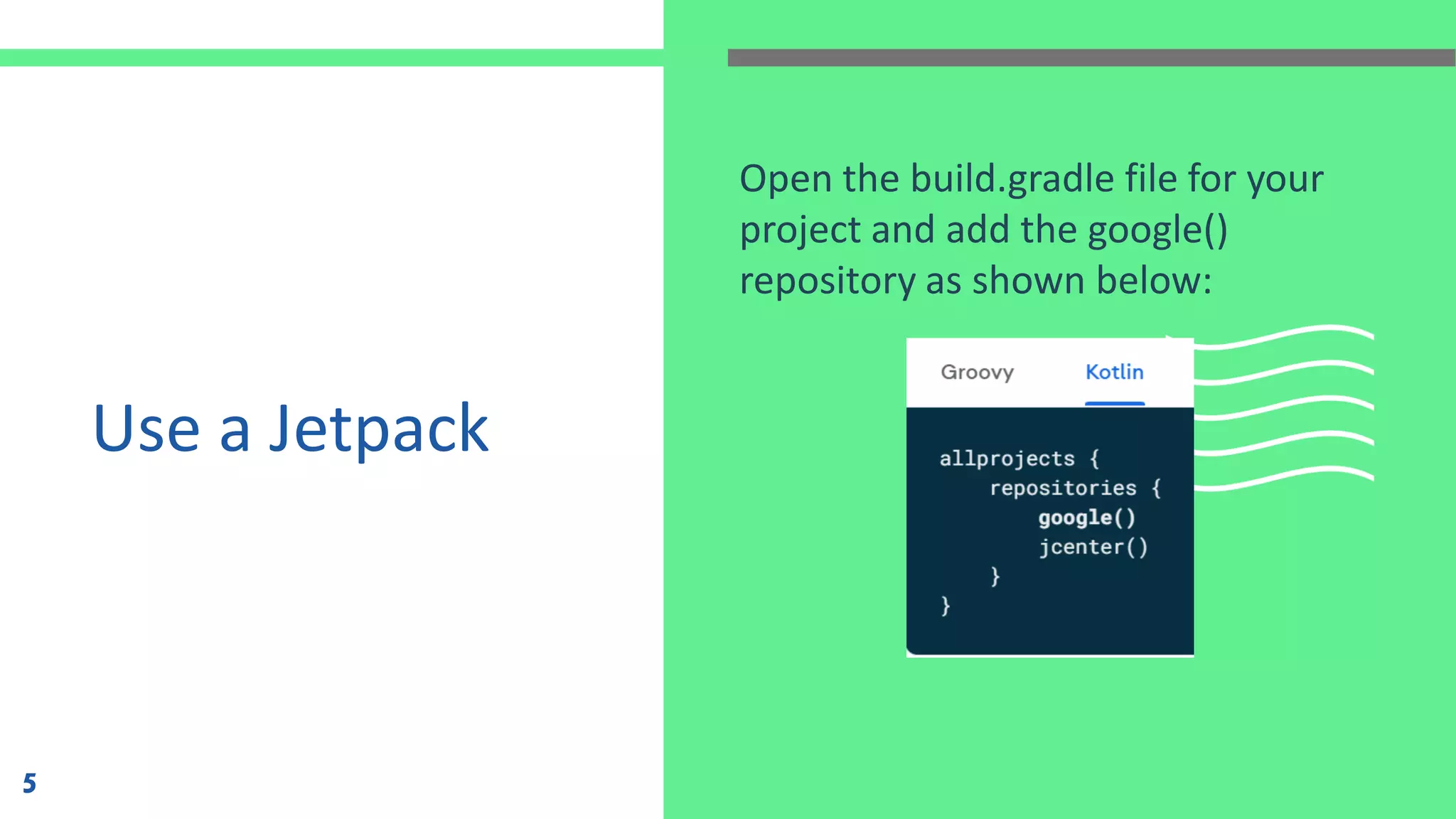
Open the build.gradle file for your
project and add the google()
repository as shown below:
5
Use a Jetpack
(cont)
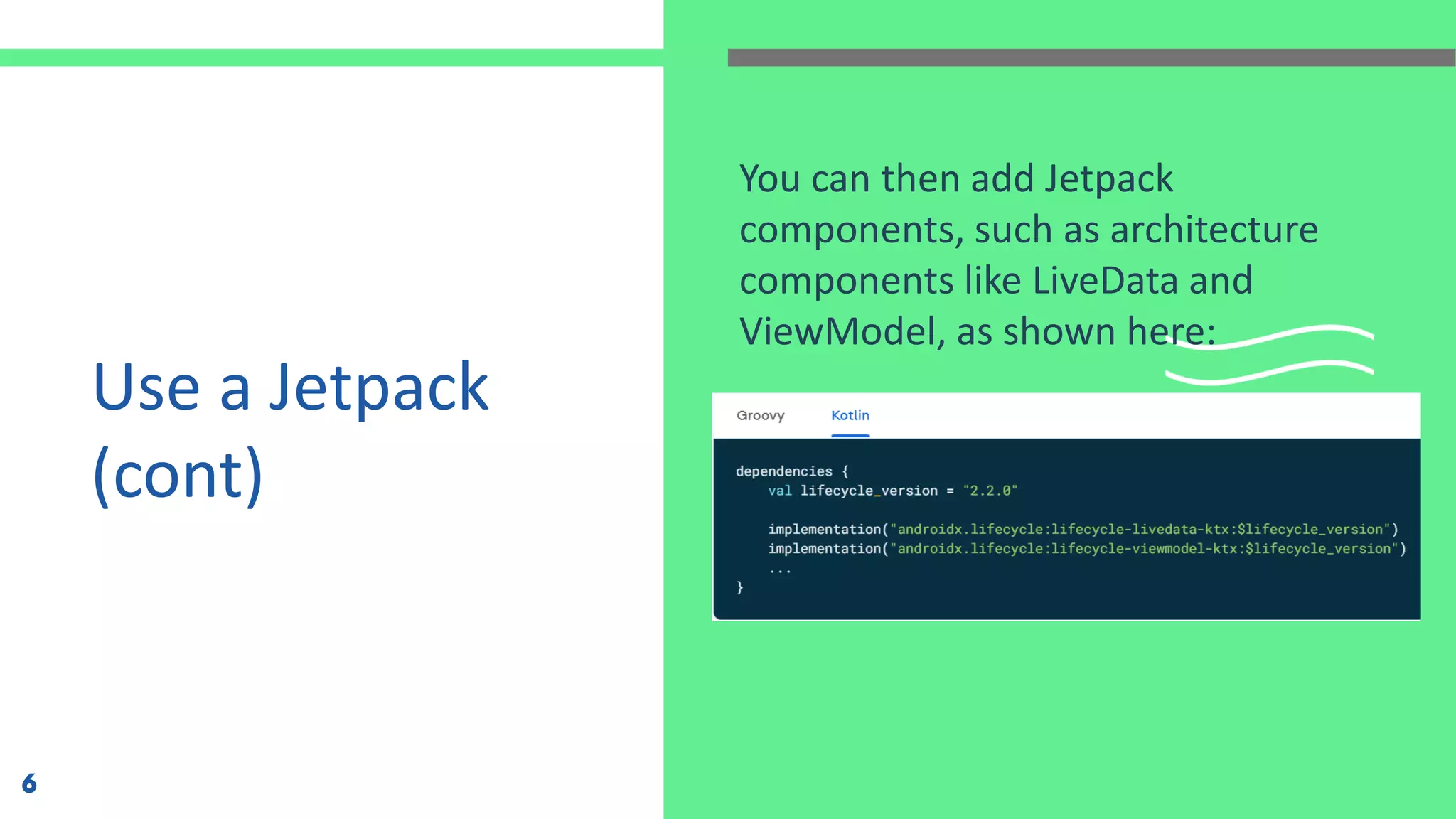
You can then add Jetpack
components, such as architecture
components like LiveData and
ViewModel, as shown here:
6
• Jetpack libraries may be used alone or in
combination to address different needs in your
apps.
• WorkManager for your background scheduling
needs.
• Room for data storage persistence.
Advantage of Jetpack
7
• Navigation to manage your application navigation flow.
• CameraX for your camera app needs.
Advantage of Jetpack (cont.)
8
What is Jetpack
Compose?
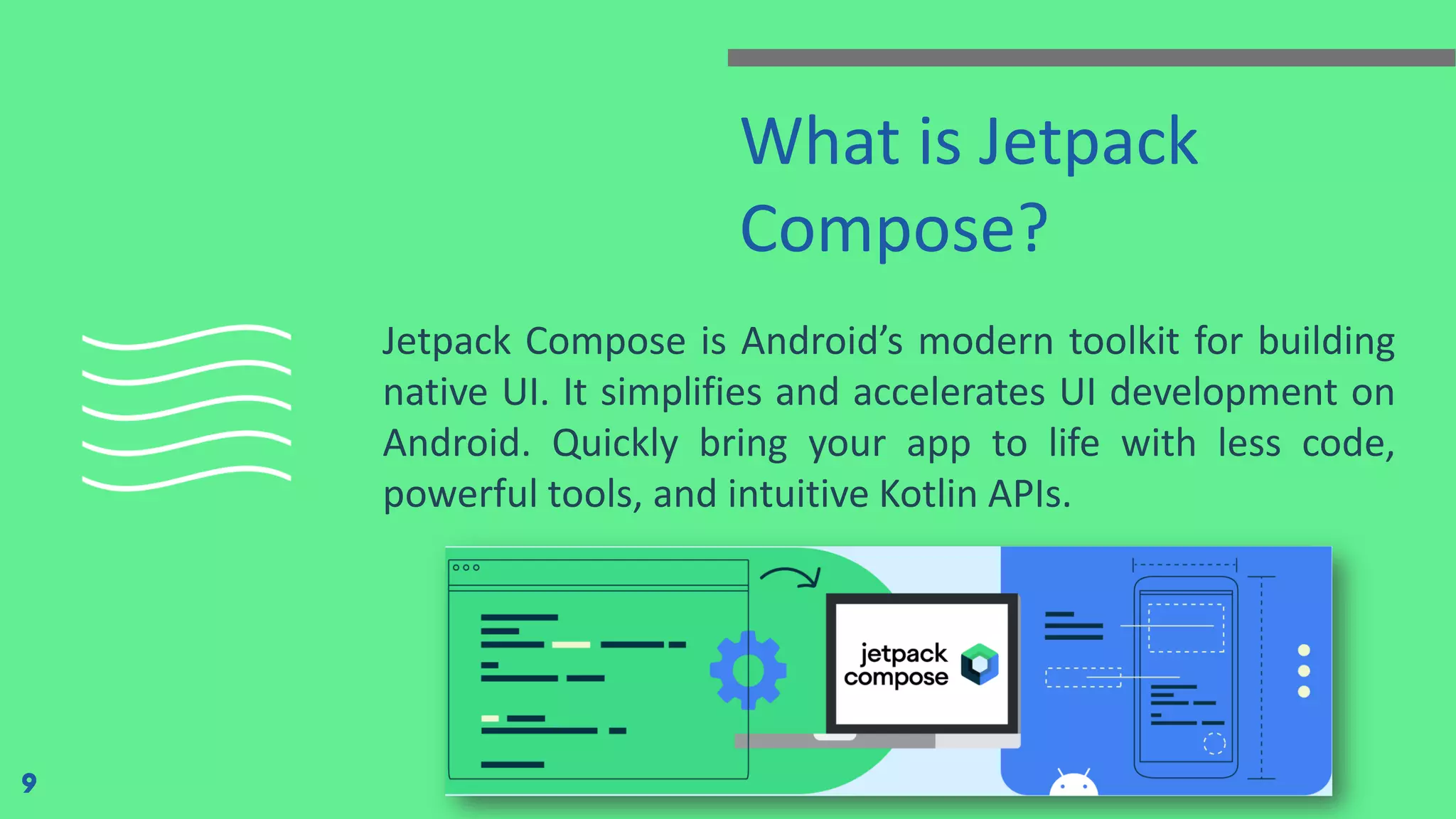
Jetpack Compose is Android’s modern toolkit for building
native UI. It simplifies and accelerates UI development on
Android. Quickly bring your app to life with less code,
powerful tools, and intuitive Kotlin APIs.
9
it’s a revolutionary declarative way of composing UI
in Android using Kotlin. Until now, we created
layouts using XML and never dared to create via
code (except for custom views, no choice) due to
its complexity, non-intuitiveness, and maintenance
issues.
Jetpack Compose for UI
10
In Android, we normally create an XML of a layout and then update
(sync) each element every time based on the input received, business
rules using findViewById/Kotlin Semantics/View Binding/ Data Binding.
But with Compose, we simply write a function that has both elements
and rules, which is called whenever information gets updated. In short,
a part of the UI is recreated every time without performance issues.
Declarative UI
11
Why is Compose
Getting So Popular?
• It is 100% made in Kotlin which makes it a modern
approach in Android development.
• Interoperable: Similar to Kotlin, Compose is also
interoperable with earlier UI design frameworks.
• Jetpack library and material component built-in
support: Reduce developer efforts and time in building
beautiful UI with fewer lines of code.
12
Why is Compose
Getting So Popular?
(cont.)
• Declarative UI: With a new way of building UI, we are
now in harmony with all other major frontend
development frameworks like SwiftUI, Flutter, and
React Native, making it easier for the developer to use
concepts/paradigms from other platforms.
13
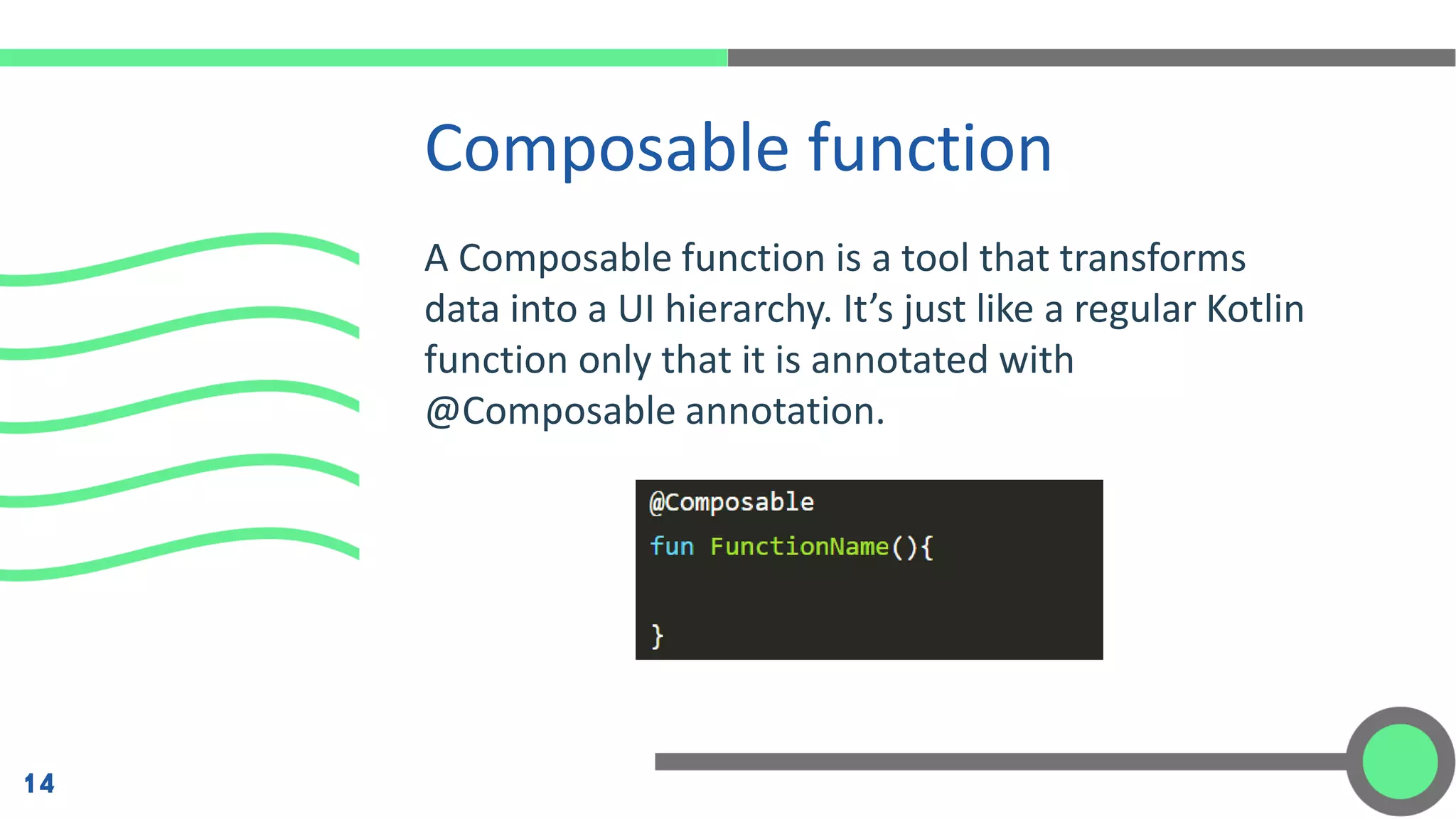
A Composable function is a tool that transforms
data into a UI hierarchy. It’s just like a regular Kotlin
function only that it is annotated with
@Composable annotation.
Composable function
14
A Composable function can take parameters of any type if need be.
Notice that the function’s name starts with an uppercase letter.
Otherwise, the IDE yells at you! raising a warning over the same.
When working with composable functions that accept arguments, it is
recommended to use named parameters strategy to let the compiler
know which properties are being implemented since we may not use
all available properties.
Composable function (cont.)
15
Mobile Programming - 2 Jetpack Compose

Mobile Programming - 2 Jetpack Compose

  • 2.
  • 3.
    Android Jetpack Jetpack isa suite of libraries to help developers follow best practices, reduce boilerplate code, and write code that works consistently across Android versions and devices so that developers can focus on the code they care about. 3
  • 4.
    Jetpack encompasses acollection of Android libraries that incorporate best practices and provide backwards compatibility in your Android apps. The Jetpack guide to app architecture provides an overview of the best practices and recommended architecture to consider as you build your Android app. Jetpack as Android Library 4
  • 5.
    Use a Jetpack Openthe build.gradle file for your project and add the google() repository as shown below: 5
  • 6.
    Use a Jetpack (cont) Youcan then add Jetpack components, such as architecture components like LiveData and ViewModel, as shown here: 6
  • 7.
    • Jetpack librariesmay be used alone or in combination to address different needs in your apps. • WorkManager for your background scheduling needs. • Room for data storage persistence. Advantage of Jetpack 7
  • 8.
    • Navigation tomanage your application navigation flow. • CameraX for your camera app needs. Advantage of Jetpack (cont.) 8
  • 9.
    What is Jetpack Compose? JetpackCompose is Android’s modern toolkit for building native UI. It simplifies and accelerates UI development on Android. Quickly bring your app to life with less code, powerful tools, and intuitive Kotlin APIs. 9
  • 10.
    it’s a revolutionarydeclarative way of composing UI in Android using Kotlin. Until now, we created layouts using XML and never dared to create via code (except for custom views, no choice) due to its complexity, non-intuitiveness, and maintenance issues. Jetpack Compose for UI 10
  • 11.
    In Android, wenormally create an XML of a layout and then update (sync) each element every time based on the input received, business rules using findViewById/Kotlin Semantics/View Binding/ Data Binding. But with Compose, we simply write a function that has both elements and rules, which is called whenever information gets updated. In short, a part of the UI is recreated every time without performance issues. Declarative UI 11
  • 12.
    Why is Compose GettingSo Popular? • It is 100% made in Kotlin which makes it a modern approach in Android development. • Interoperable: Similar to Kotlin, Compose is also interoperable with earlier UI design frameworks. • Jetpack library and material component built-in support: Reduce developer efforts and time in building beautiful UI with fewer lines of code. 12
  • 13.
    Why is Compose GettingSo Popular? (cont.) • Declarative UI: With a new way of building UI, we are now in harmony with all other major frontend development frameworks like SwiftUI, Flutter, and React Native, making it easier for the developer to use concepts/paradigms from other platforms. 13
  • 14.
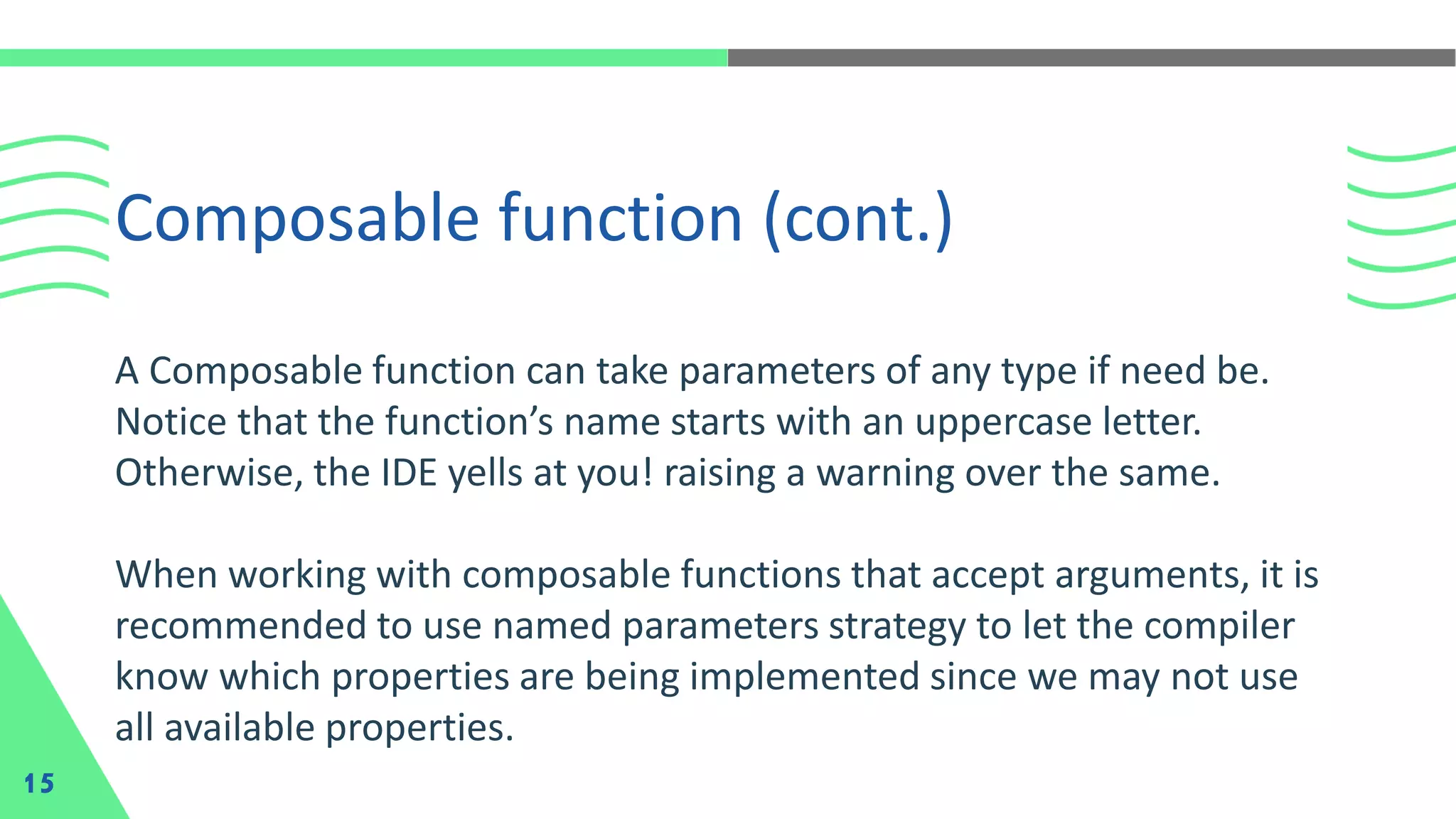
    A Composable functionis a tool that transforms data into a UI hierarchy. It’s just like a regular Kotlin function only that it is annotated with @Composable annotation. Composable function 14
  • 15.
    A Composable functioncan take parameters of any type if need be. Notice that the function’s name starts with an uppercase letter. Otherwise, the IDE yells at you! raising a warning over the same. When working with composable functions that accept arguments, it is recommended to use named parameters strategy to let the compiler know which properties are being implemented since we may not use all available properties. Composable function (cont.) 15