Course Evaluation BreakDown
Evaluation methods Theory
Weight (%)
[T]
Lab
Weight (%)
Quizzes (4 minimum) 15 -
Assignments / Practical
Assignments (4
minimum)
10 25
Mid-Term 25 25
Terminal Exam 50 50
Sub Total 100 100
Total 75% 25%
8.
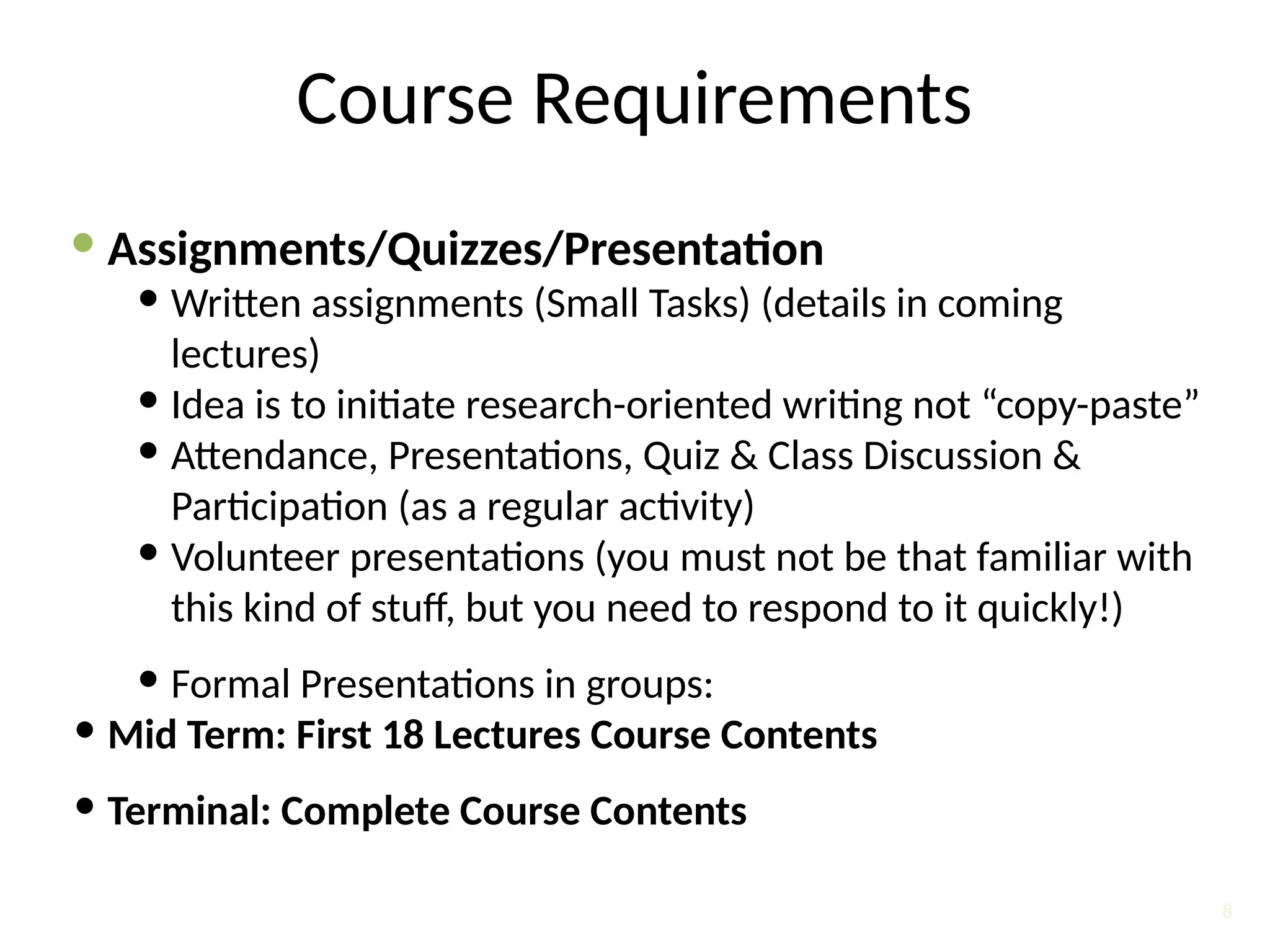
Course Requirements
Assignments/Quizzes/Presentation
Written assignments (Small Tasks) (details in coming
lectures)
Idea is to initiate research-oriented writing not “copy-paste”
Attendance, Presentations, Quiz & Class Discussion &
Participation (as a regular activity)
Volunteer presentations (you must not be that familiar with
this kind of stuff, but you need to respond to it quickly!)
Formal Presentations in groups:
Mid Term: First 18 Lectures Course Contents
Terminal: Complete Course Contents
8
9.
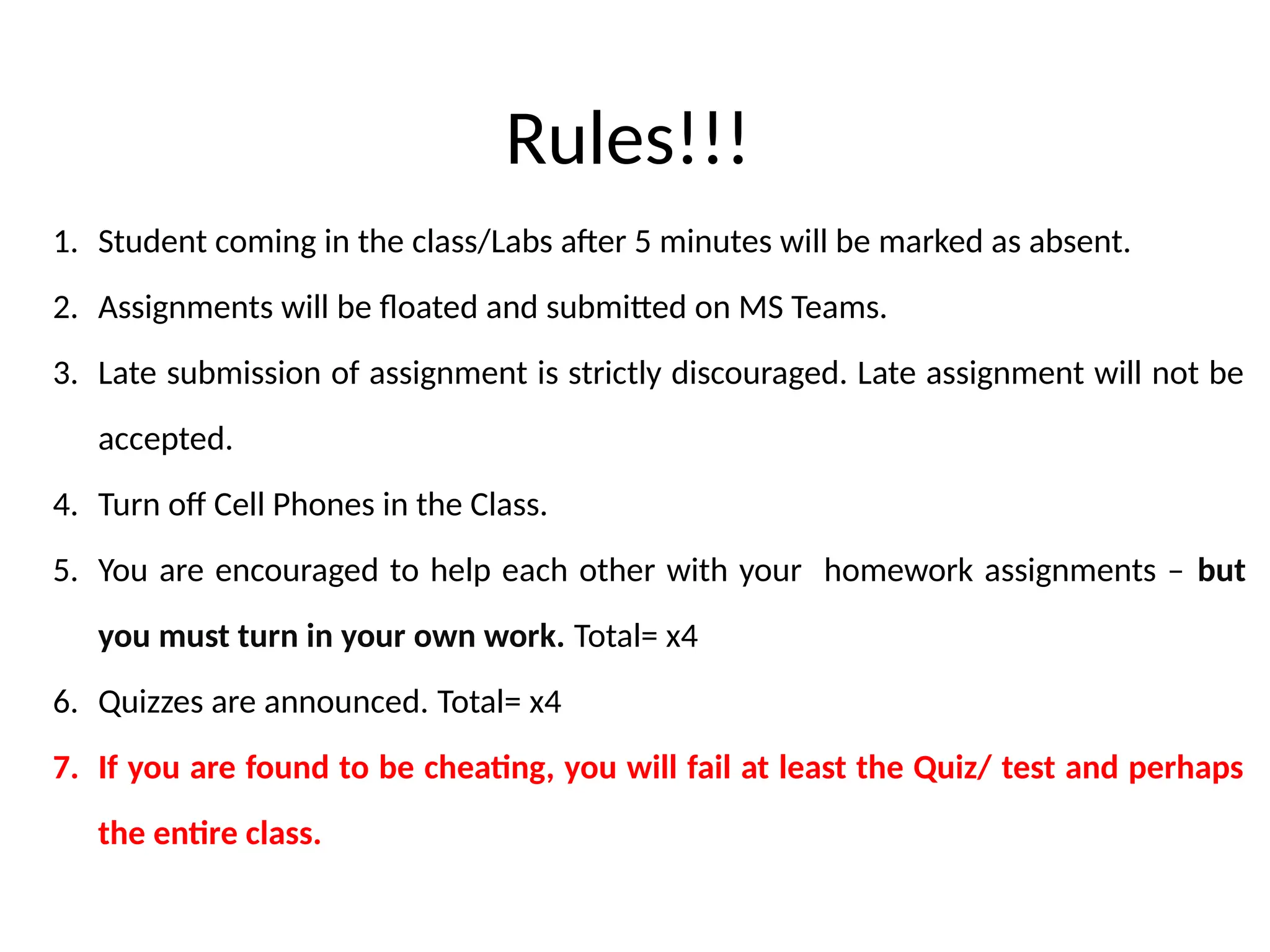
Rules!!!
1. Student comingin the class/Labs after 5 minutes will be marked as absent.
2. Assignments will be floated and submitted on MS Teams.
3. Late submission of assignment is strictly discouraged. Late assignment will not be
accepted.
4. Turn off Cell Phones in the Class.
5. You are encouraged to help each other with your homework assignments – but
you must turn in your own work. Total= x4
6. Quizzes are announced. Total= x4
7. If you are found to be cheating, you will fail at least the Quiz/ test and perhaps
the entire class.
11.
7
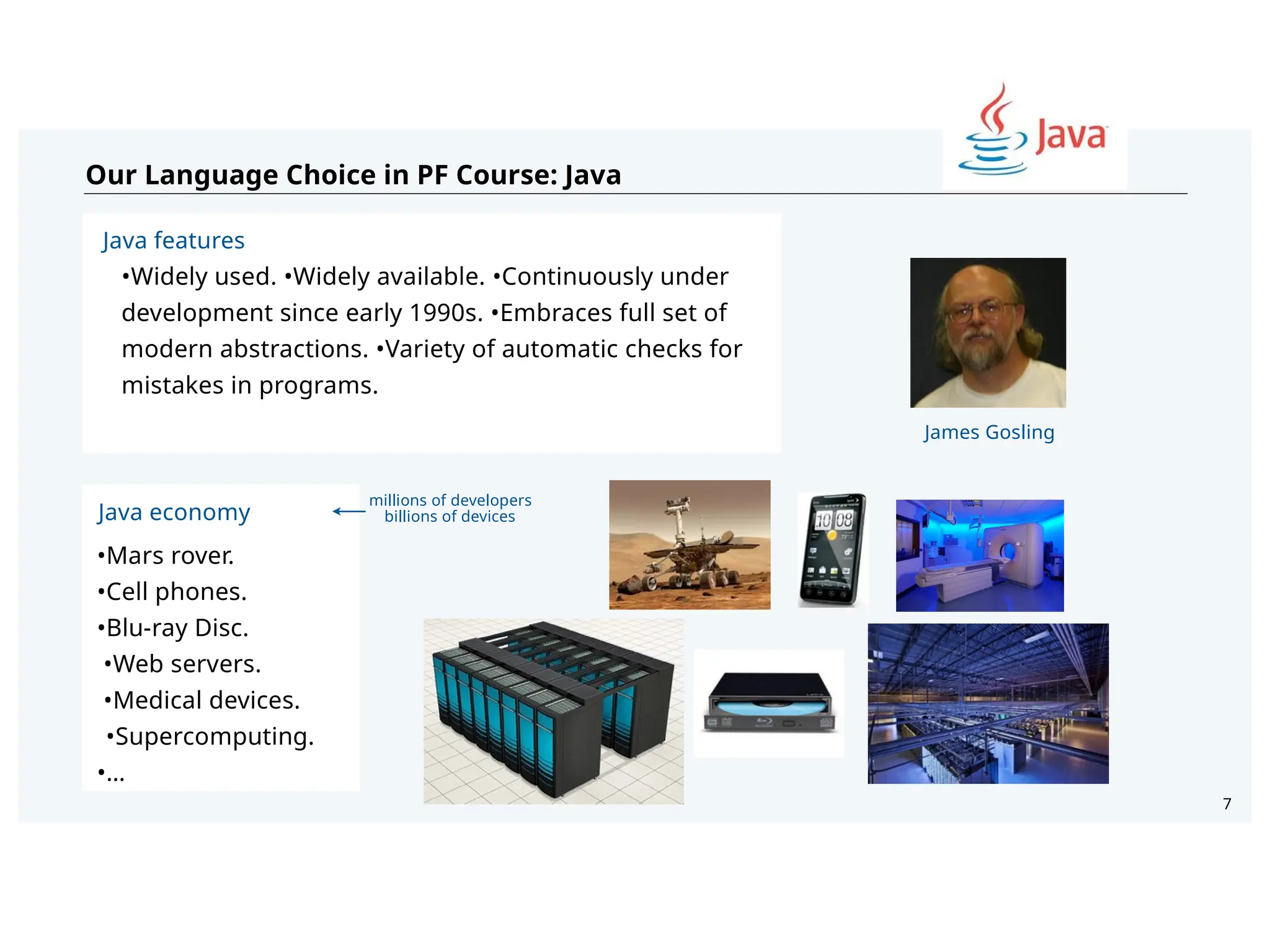
Our Language Choicein PF Course: Java
Java economy
•Mars rover.
•Cell phones.
•Blu-ray Disc.
•Web servers.
•Medical devices.
•Supercomputing.
•…
Java features
•Widely used. •Widely available. •Continuously under
development since early 1990s. •Embraces full set of
modern abstractions. •Variety of automatic checks for
mistakes in programs.
James Gosling
millions of developers
billions of devices
12.
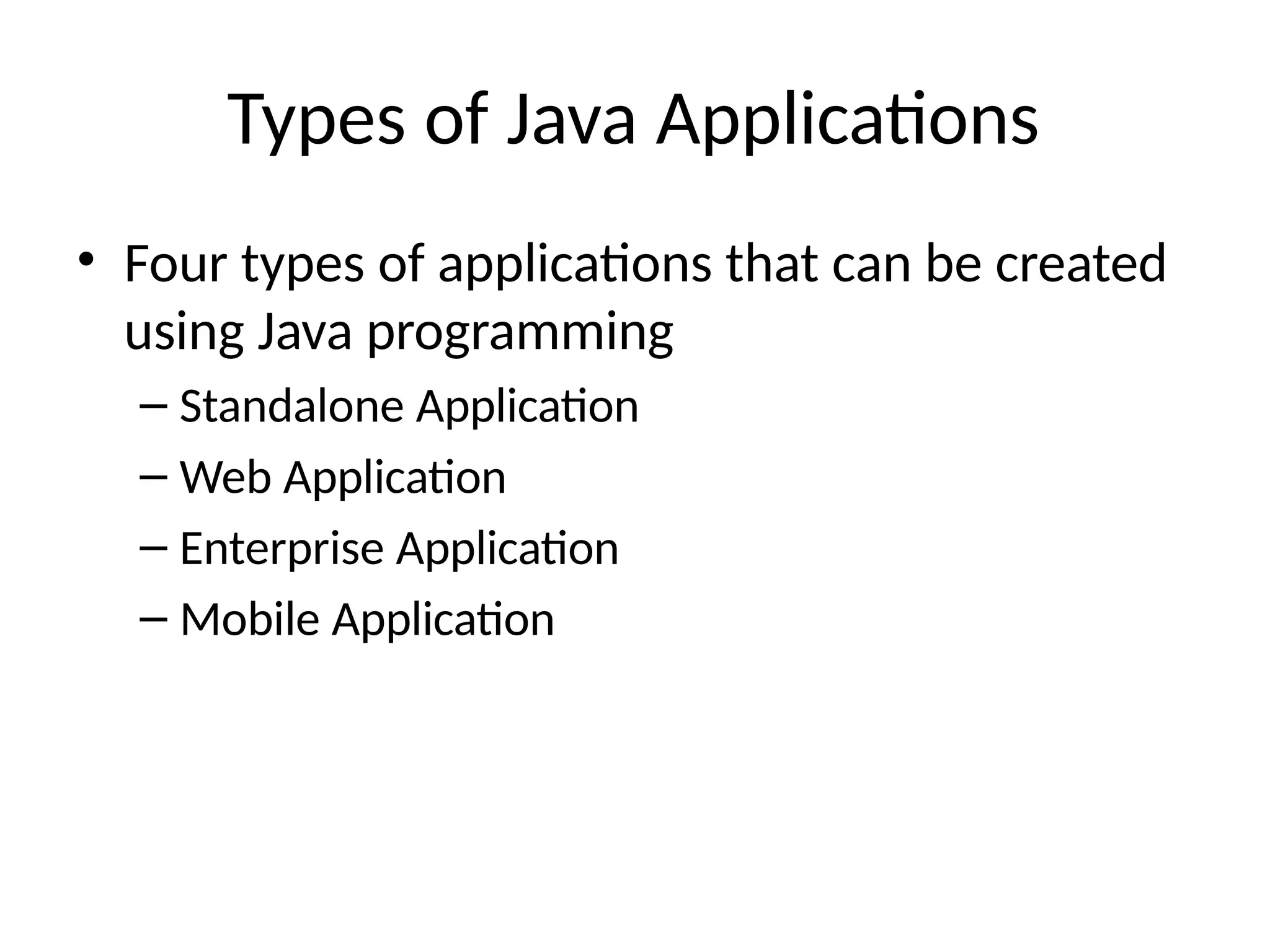
Types of JavaApplications
• Four types of applications that can be created
using Java programming
– Standalone Application
– Web Application
– Enterprise Application
– Mobile Application
JDK Versions
History ofJDK version
https://en.wikipedia.org/wiki/Java_version
_history
Latest is Java SE 23[Java SE 23] Download from:
https://www.oracle.com/java/technologie
s/downloads/#jdk23-windows
15.
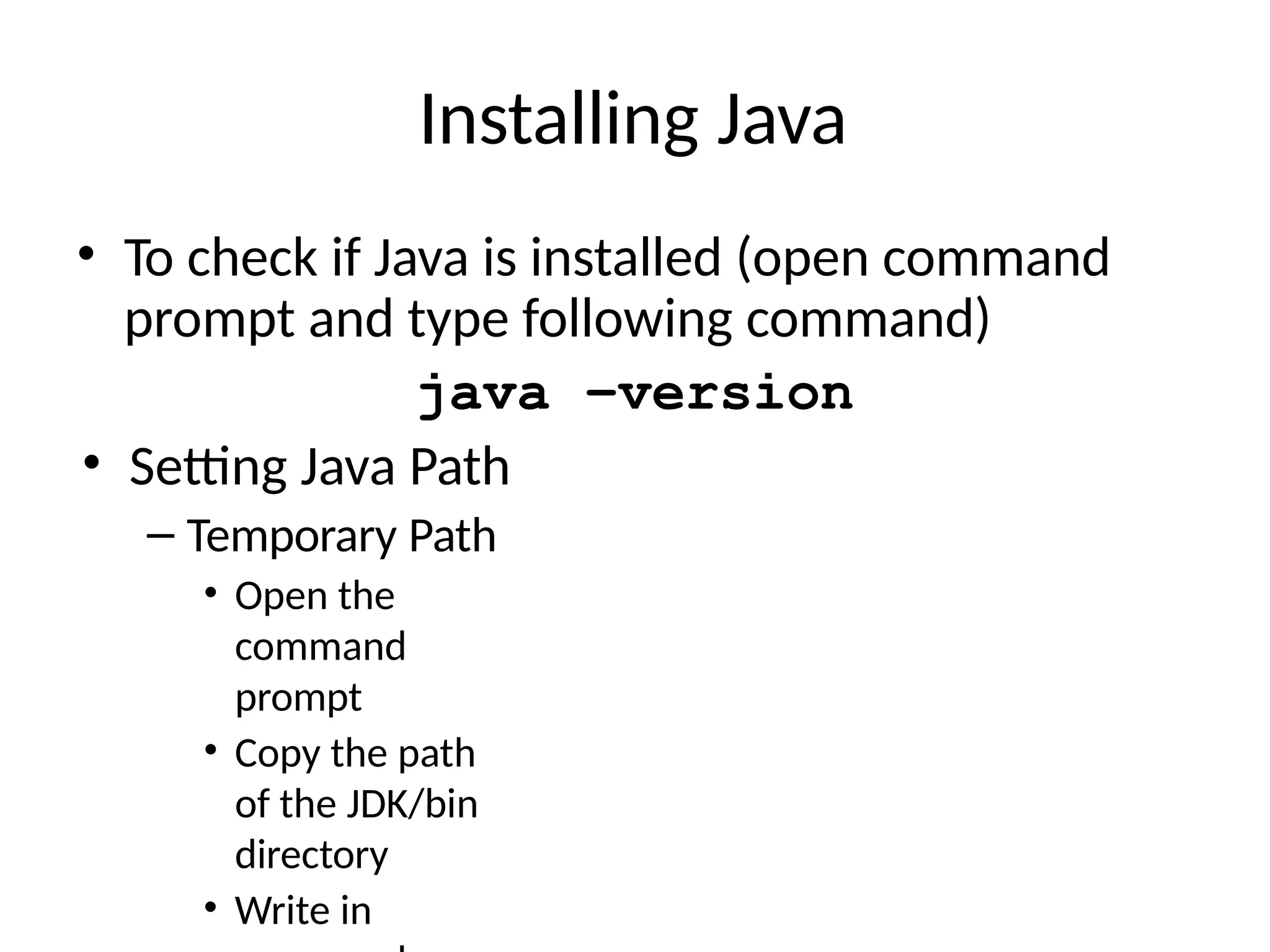
Installing Java
• Tocheck if Java is installed (open command
prompt and type following command)
java –version
• Setting Java Path
– Temporary Path
• Open the
command
prompt
• Copy the path
of the JDK/bin
directory
• Write in
16.
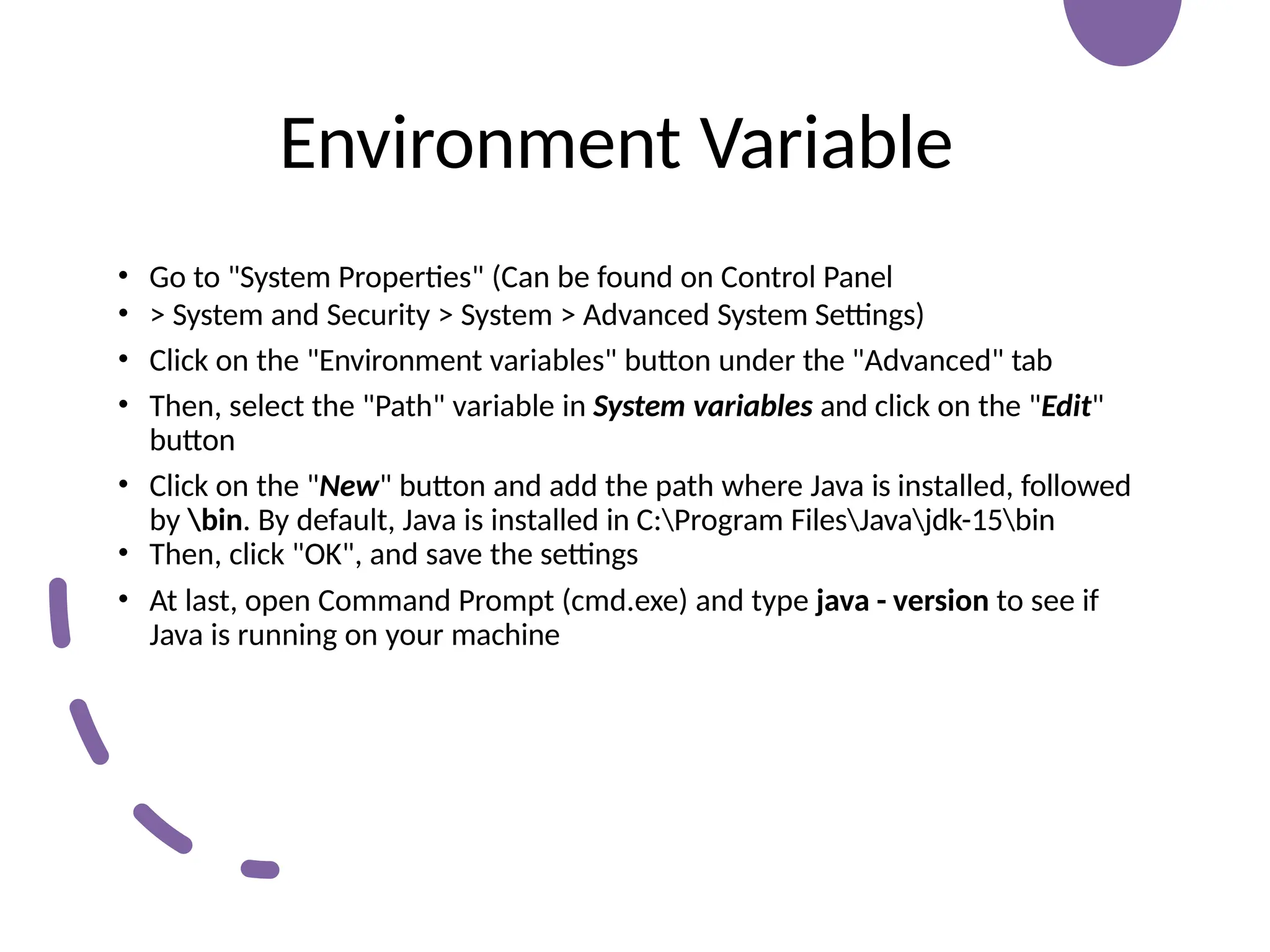
Environment Variable
• Goto "System Properties" (Can be found on Control Panel
• > System and Security > System > Advanced System Settings)
• Click on the "Environment variables" button under the "Advanced" tab
• Then, select the "Path" variable in System variables and click on the "Edit"
button
• Click on the "New" button and add the path where Java is installed, followed
by bin. By default, Java is installed in C:Program FilesJavajdk-15bin
• Then, click "OK", and save the settings
• At last, open Command Prompt (cmd.exe) and type java - version to see if
Java is running on your machine
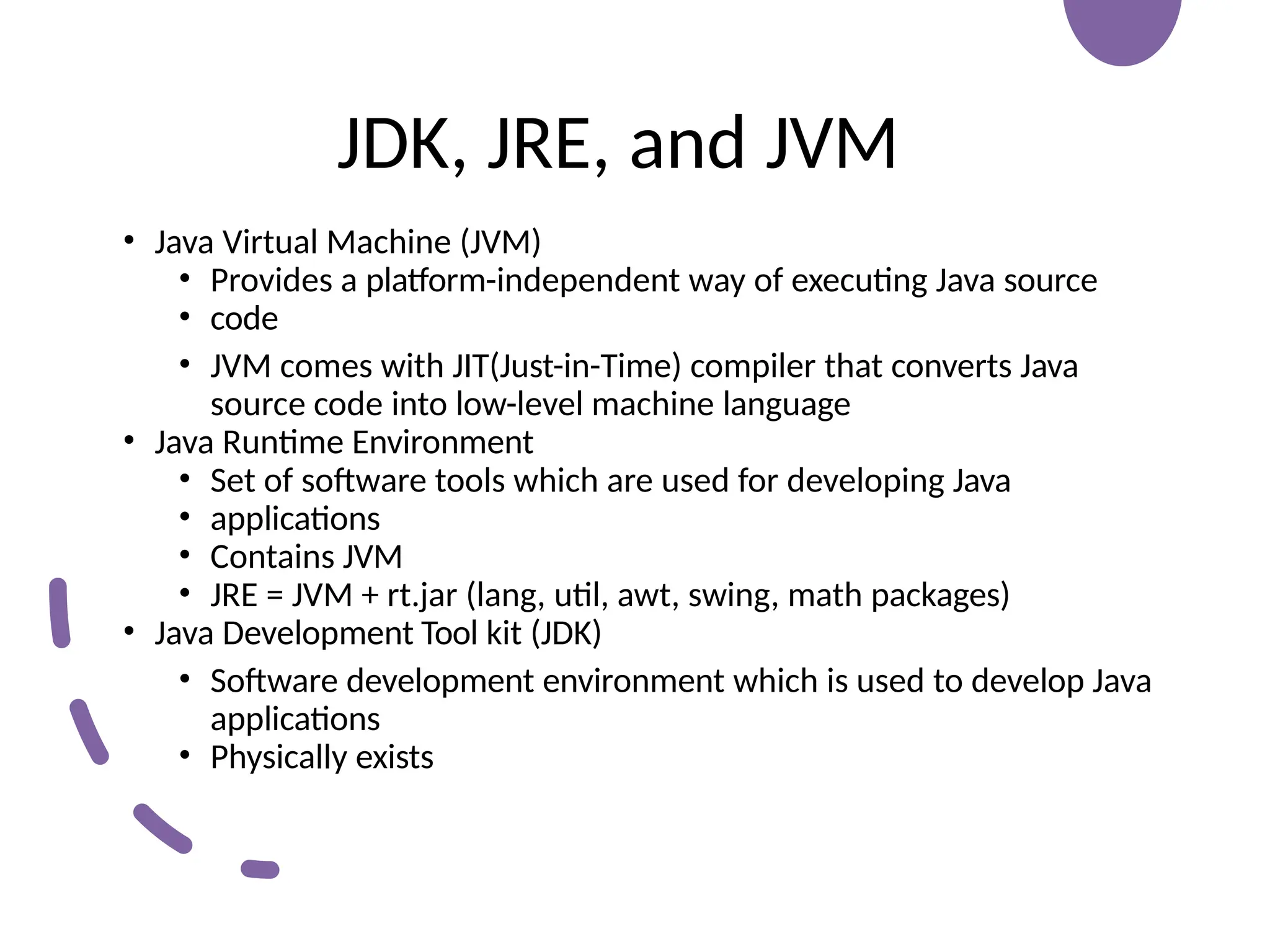
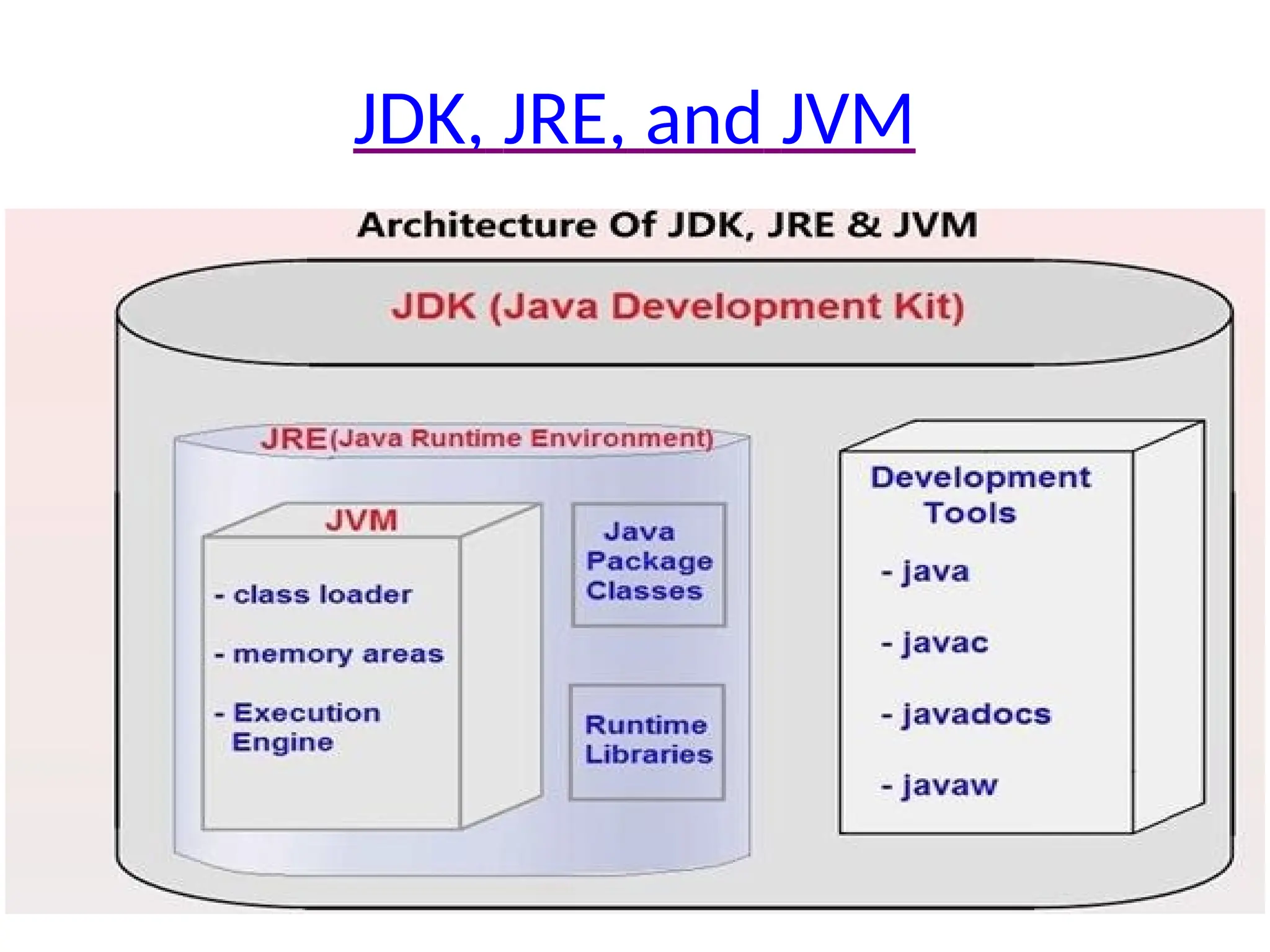
JDK, JRE, andJVM
• Java Virtual Machine (JVM)
• Provides a platform-independent way of executing Java source
• code
• JVM comes with JIT(Just-in-Time) compiler that converts Java
source code into low-level machine language
• Java Runtime Environment
• Set of software tools which are used for developing Java
• applications
• Contains JVM
• JRE = JVM + rt.jar (lang, util, awt, swing, math packages)
• Java Development Tool kit (JDK)
• Software development environment which is used to develop Java
applications
• Physically exists
Interpreting/Compiling Source Code
•A program written in a high-level language is
called a source program or source code
• A source program must be translated into
machine code for execution
22.
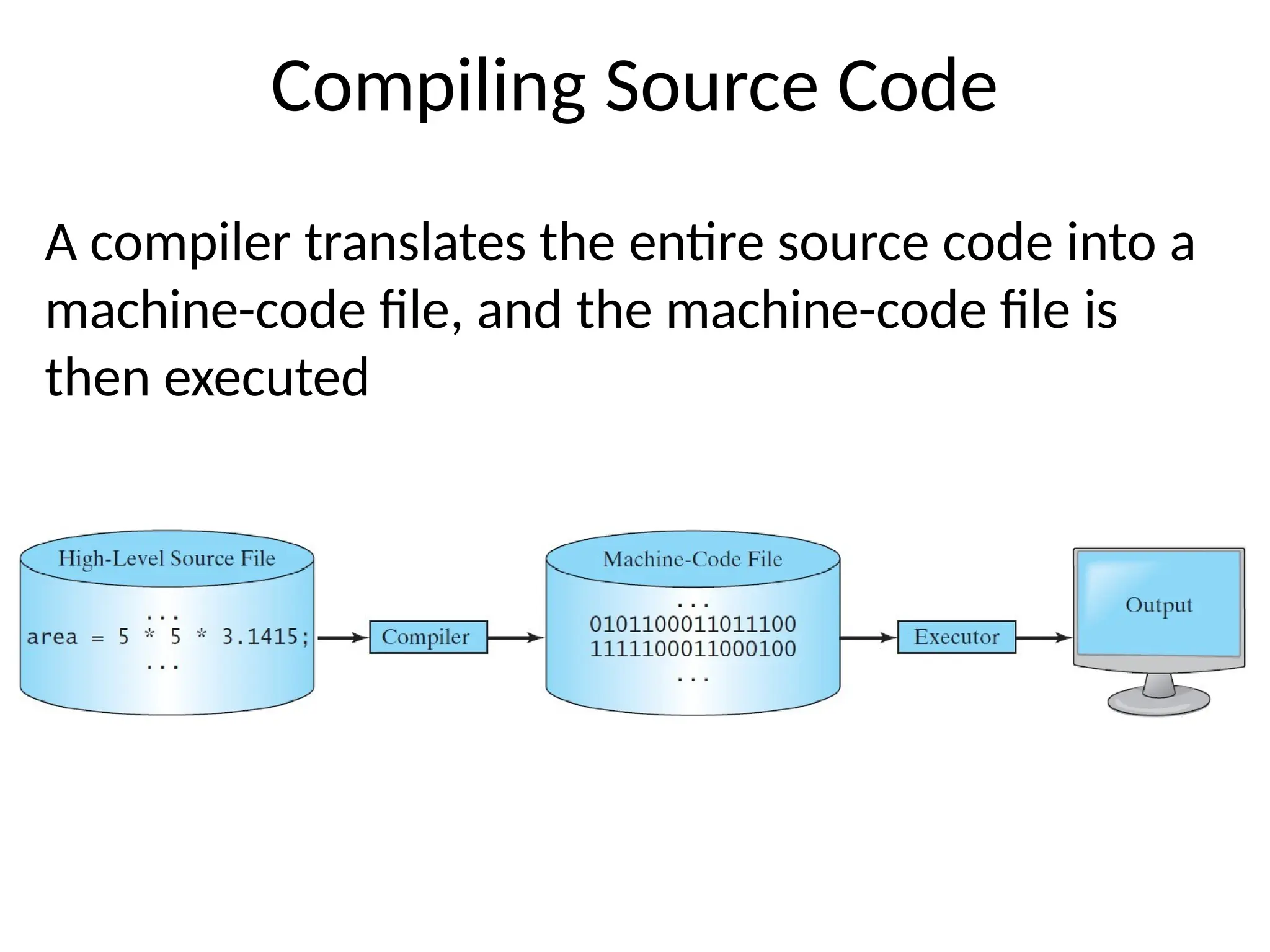
Compiling Source Code
Acompiler translates the entire source code into a
machine-code file, and the machine-code file is
then executed
23.
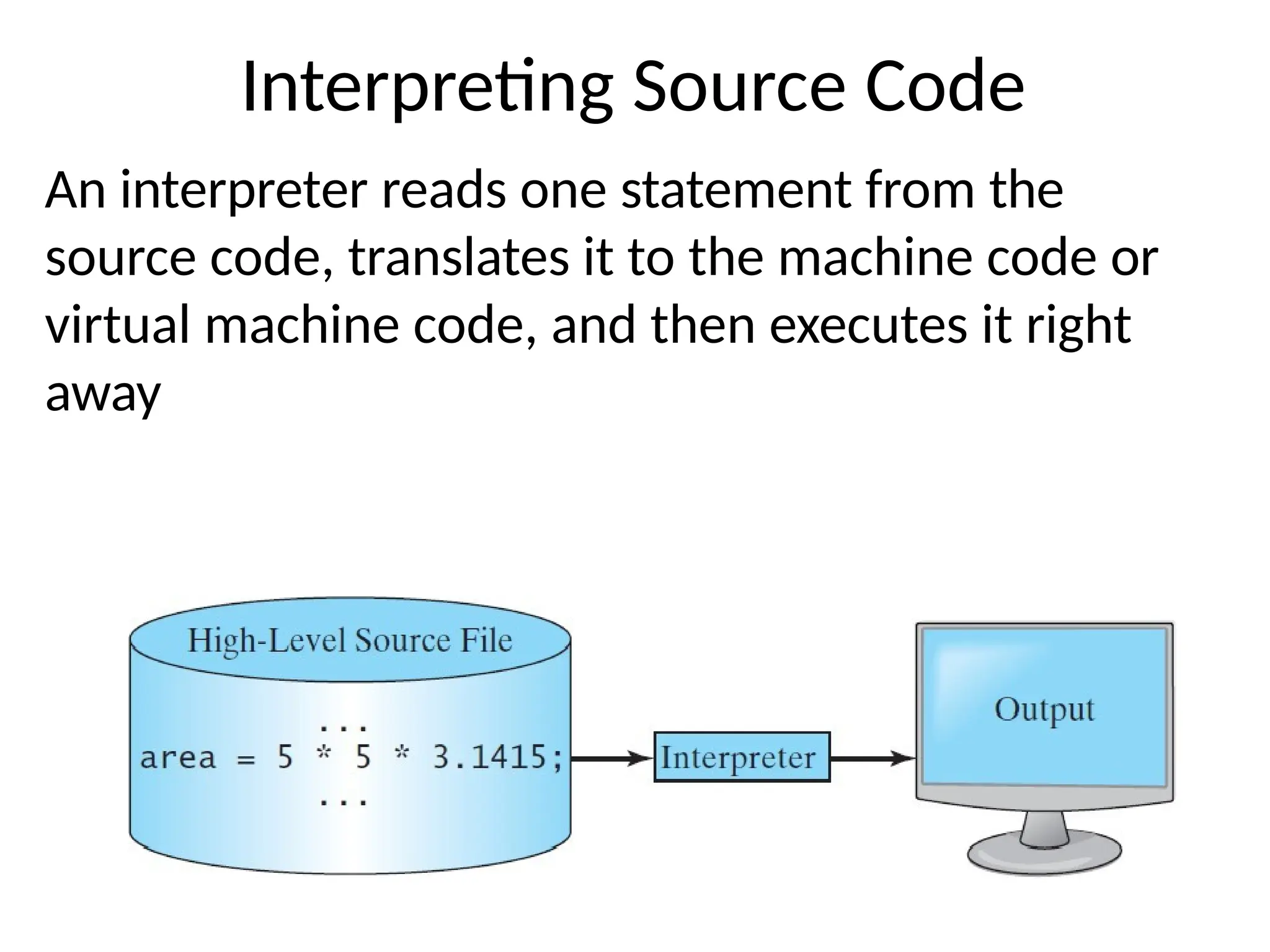
Interpreting Source Code
Aninterpreter reads one statement from the
source code, translates it to the machine code or
virtual machine code, and then executes it right
away
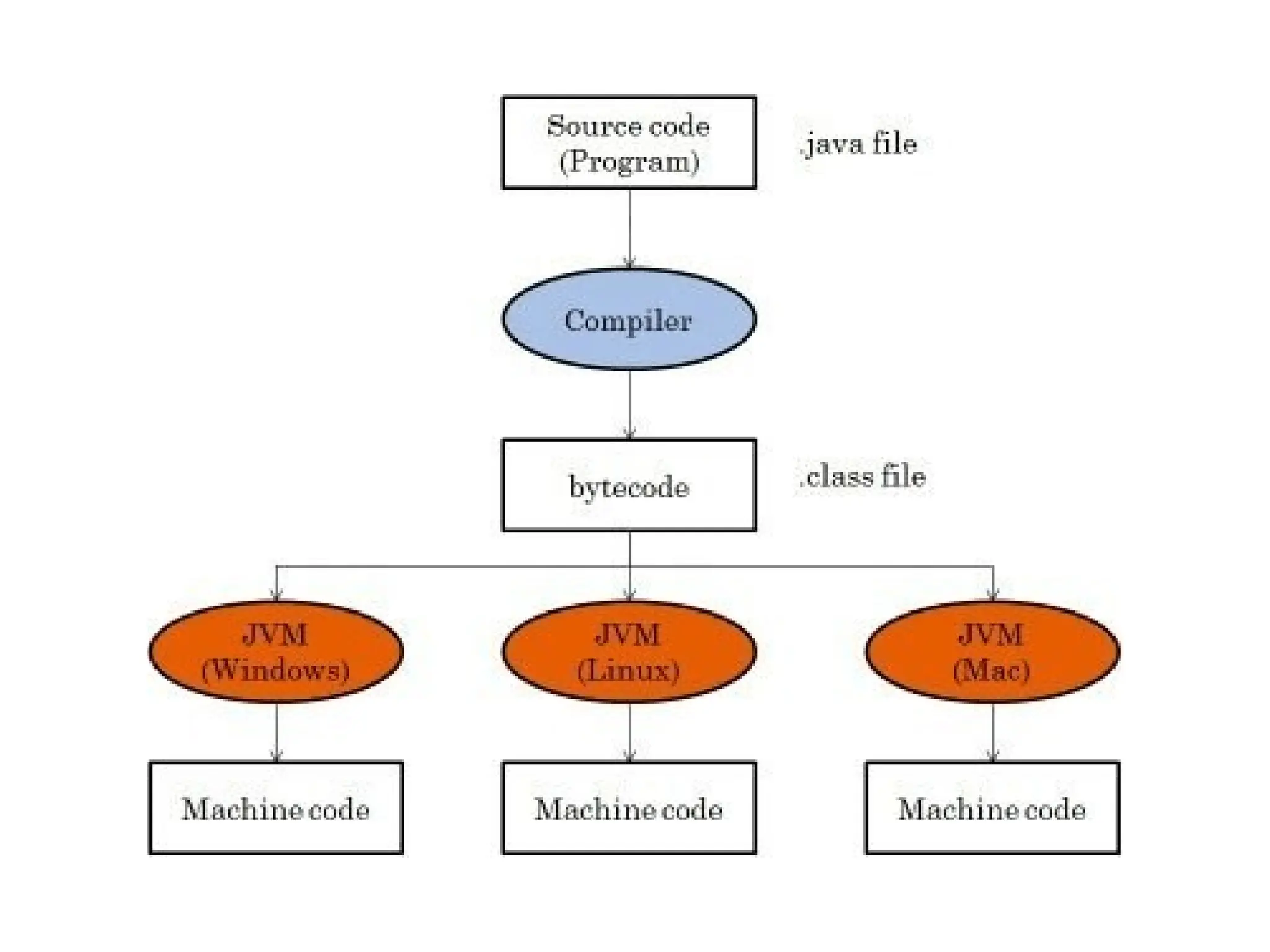
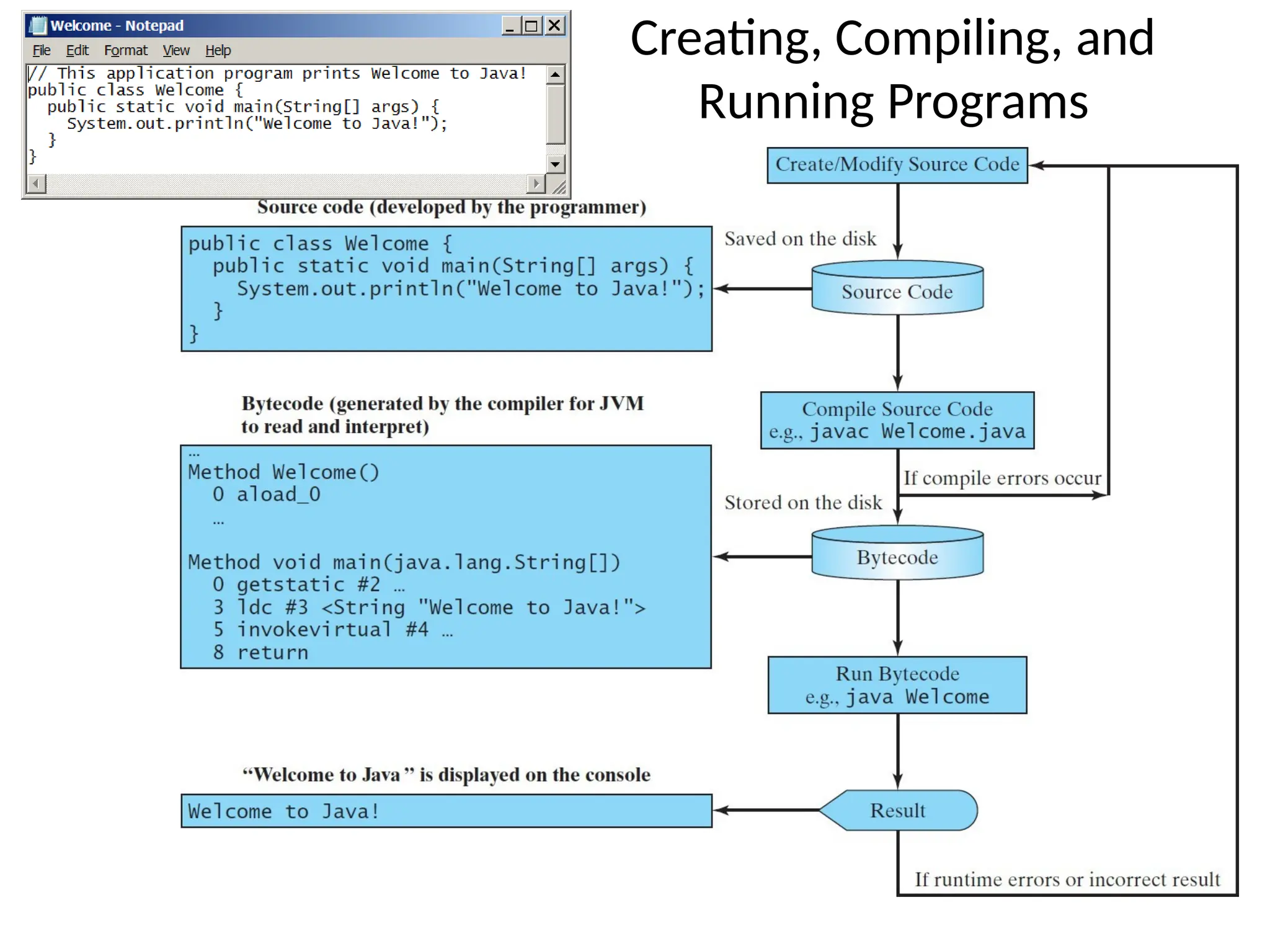
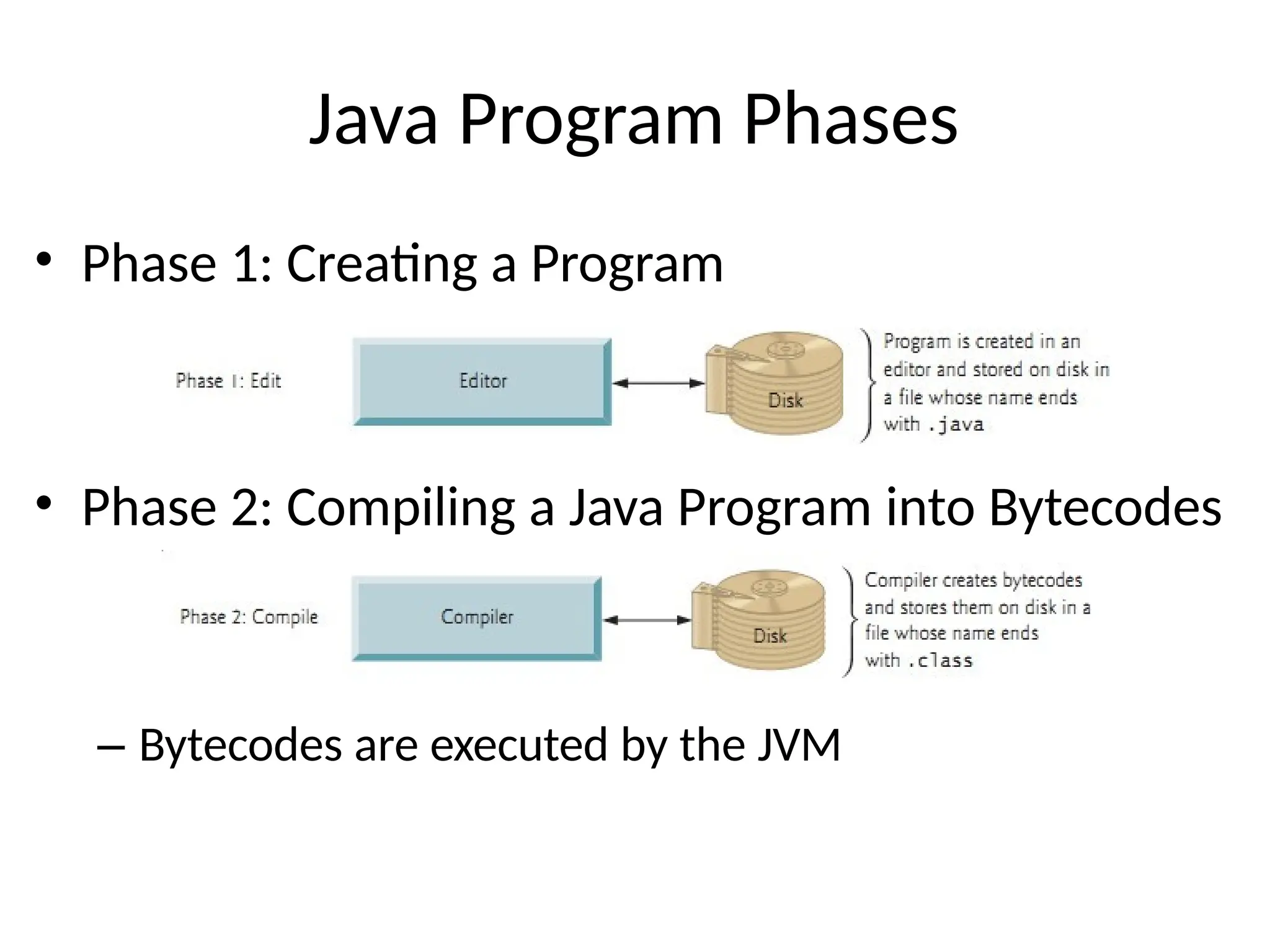
Java Program Phases
•Phase 1: Creating a Program
• Phase 2: Compiling a Java Program into Bytecodes
– Bytecodes are executed by the JVM
26.
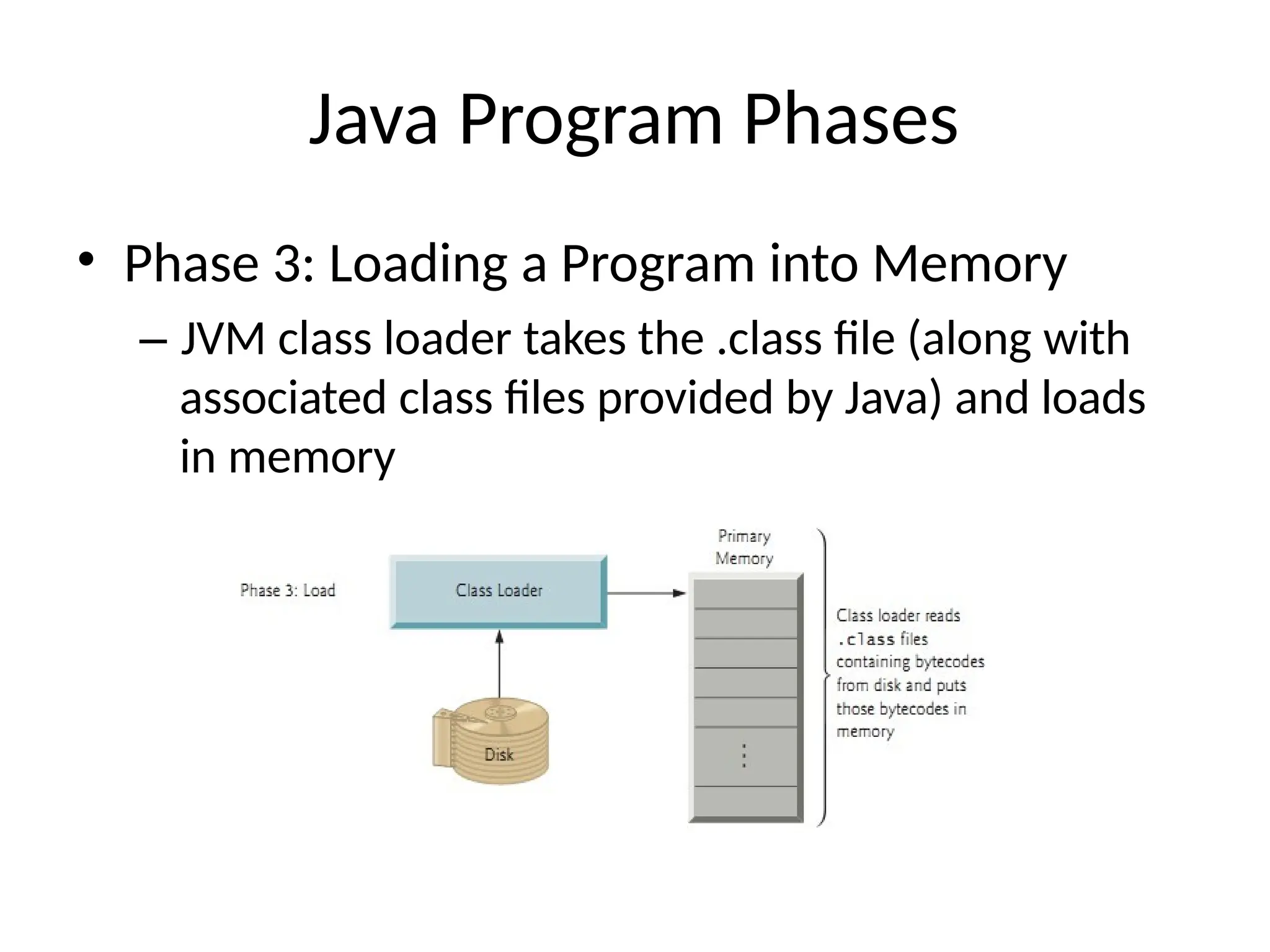
Java Program Phases
•Phase 3: Loading a Program into Memory
– JVM class loader takes the .class file (along with
associated class files provided by Java) and loads
in memory
27.
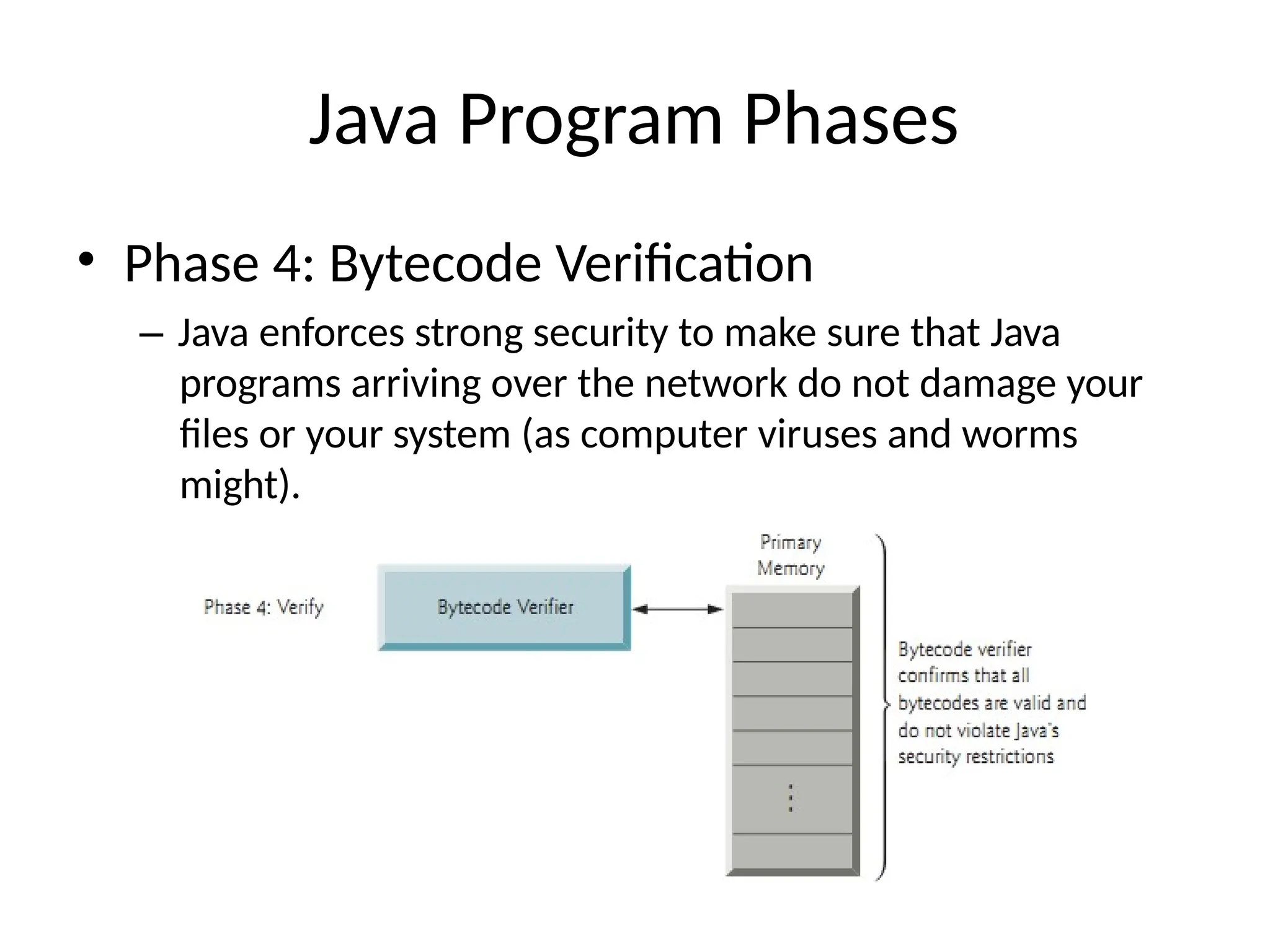
Java Program Phases
•Phase 4: Bytecode Verification
– Java enforces strong security to make sure that Java
programs arriving over the network do not damage your
files or your system (as computer viruses and worms
might).
28.
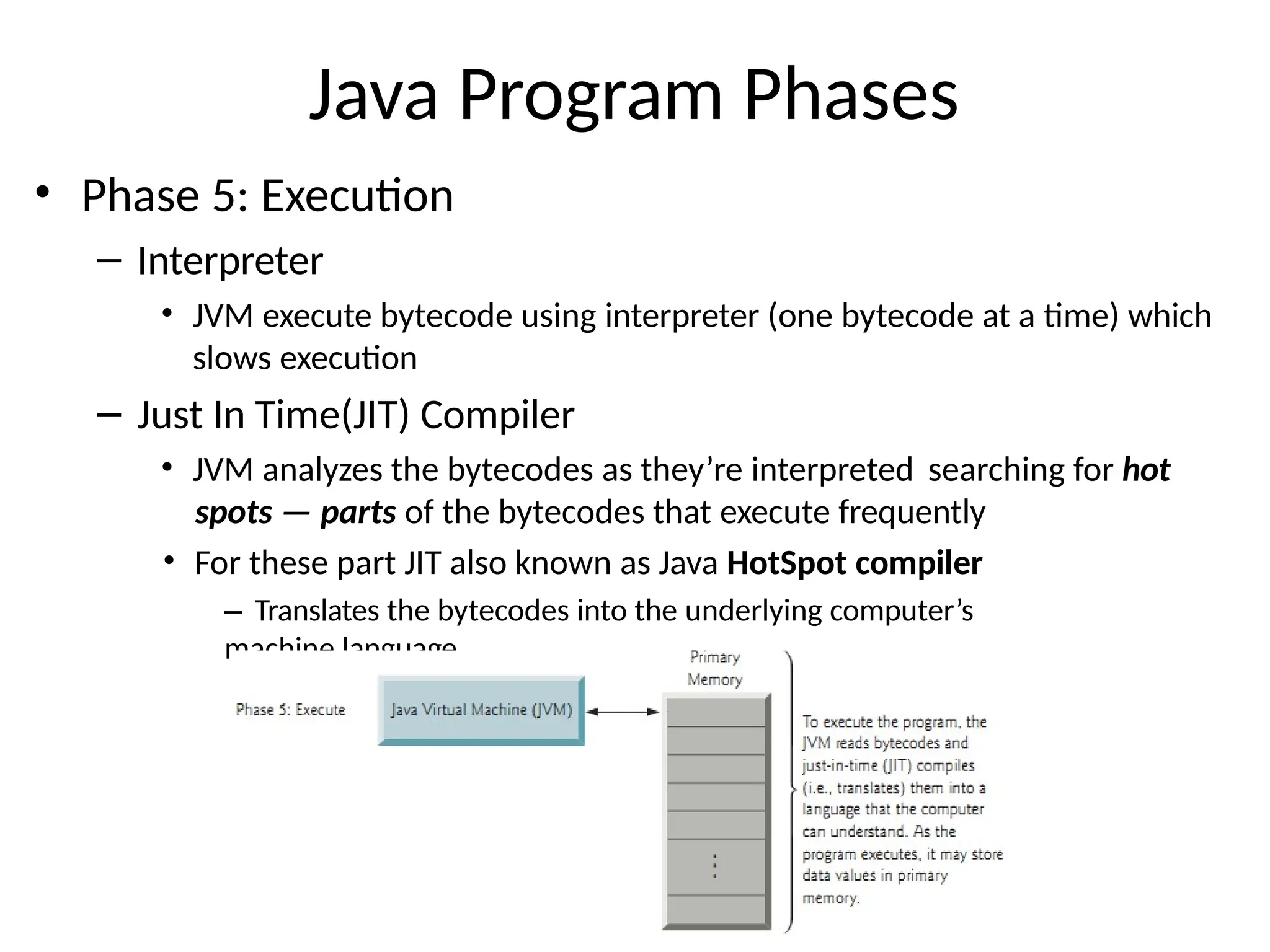
Java Program Phases
•Phase 5: Execution
– Interpreter
• JVM execute bytecode using interpreter (one bytecode at a time) which
slows execution
– Just In Time(JIT) Compiler
• JVM analyzes the bytecodes as they’re interpreted searching for hot
spots — parts of the bytecodes that execute frequently
• For these part JIT also known as Java HotSpot compiler
– Translates the bytecodes into the underlying computer’s
machine language
29.
Anatomy of yourfirst program
1
0
public class HelloWorld {
public static void main(String[] args) {
System.out.println("Hello, World");
}
}
text file named
body of main()
(a single statement)
method
HelloWorld.java
main()
program name
30.
Anatomy of yournext several programs
1
1
}
}
public class MyProgram {
public static void main(String[] args) {
...
MyProgram.java
main()
text file named
body of main()
(a sequence of statements)
method
program name
31.
Pop quiz on"your first
program"
Q. Use common sense to cope with the following error messages.
1
2
% javac MyProgram.java
% java MyProgram Main
method not public.
% javac MyProgram.java MyProgram.java:3: invalid method declaration; return
type required
public static main(String[] args)
^
32.
Pop quiz on"your first
program"
A. Must have forgotten “ ”.
Q. Use common sense to cope with the following error messages.
1
3
% javac MyProgram.java
% java MyProgram Main
method not public.
% javac MyProgram.java MyProgram.java:3: invalid method declaration; return
type required
public static main(String[] args)
^
public
public static void main(String[] args)
public static void main(String[] args)
A. Check . Aha! Forgot “ ”.
HelloWorld void
33.
Three versions ofthe same program.
1
4
/*************************************************************************
* * * * * * * *
*************************************************************************/
Compilation:
Execution:
javac HelloWorld.java java
HelloWorld
Prints "Hello, World". By tradition, this is everyone's first program. % java HelloWorld Hello,
World
public class HelloWorld {
public static void main(String[] args) {
System.out.println("Hello, World");
}
}
public class HelloWorld { public static void main(String[] args) { System.out.println("Hello, World"); } }
public class HelloWorld {
public static void main(String[] args) {
System.out.println("Hello, World");
}
}
Lesson: Fonts, color, comments, and extra space are not relevant in Java
language.
34.
1
8
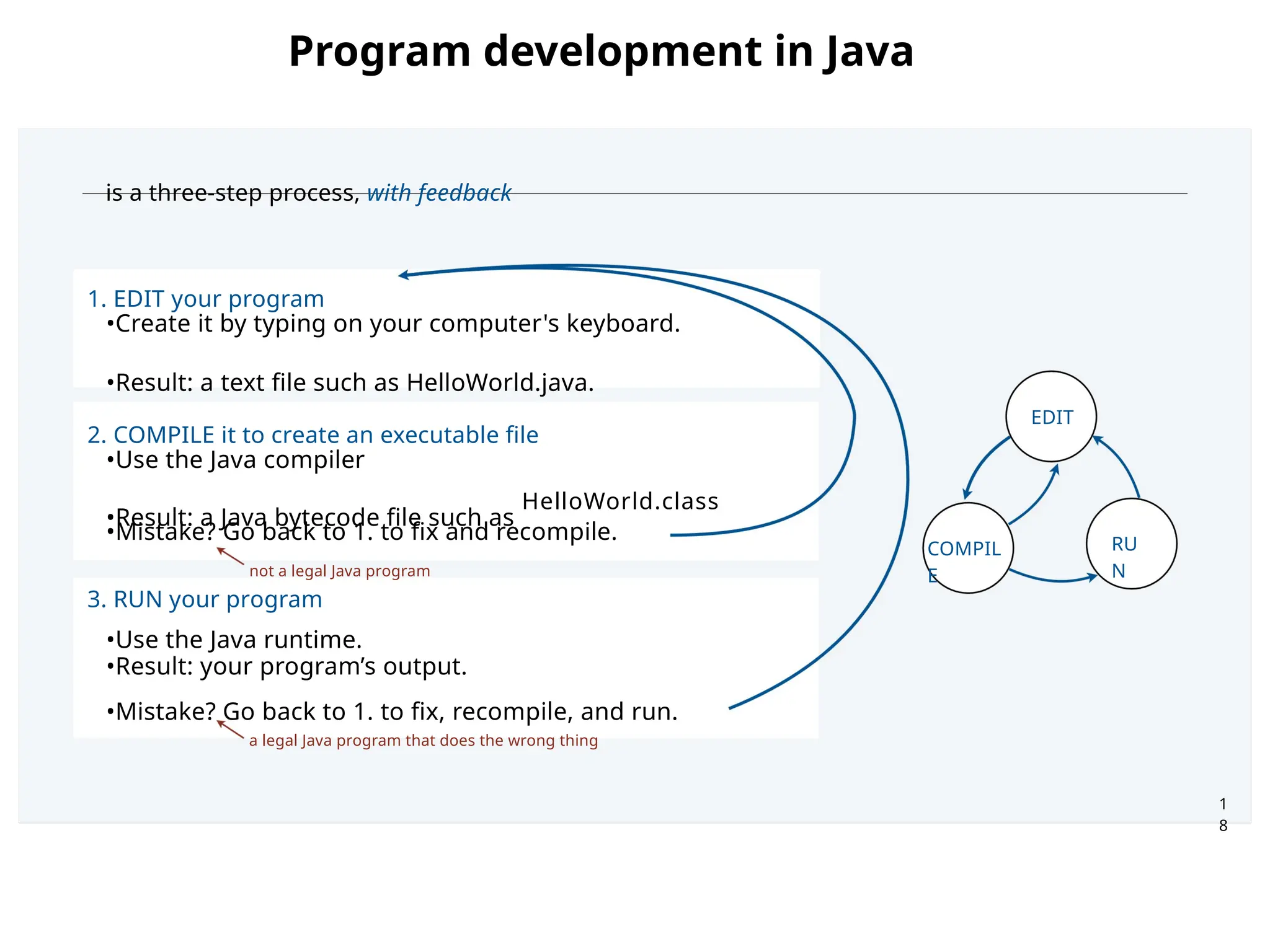
is a three-stepprocess, with feedback
1. EDIT your program
•Create it by typing on your computer's keyboard.
•Result: a text file such as HelloWorld.java.
2. COMPILE it to create an executable file
•Use the Java compiler
•Result: a Java bytecode file such as
•Mistake? Go back to 1. to fix and recompile.
not a legal Java program
3. RUN your program
•Use the Java runtime.
•Result: your program’s output.
•Mistake? Go back to 1. to fix, recompile, and run.
HelloWorld.class
a legal Java program that does the wrong thing
COMPIL
E
EDIT
RU
N
Program development in Java
35.
A rich subsetof the Java language vocabulary
9
built-in
types
int long
double
char
String
boolean
punctuation
{ } ( ) , ;
comparisons
< <= > >= ==
!=
operations on
numeric types
+ - * / % ++ --
String
operations
+ "" length()
charAt()
compareTo()
matches()
boolean
operations
true false
! && ||
arrays
a[]
length
new
assignment
=
flow control
if else for
while
object
oriented
static class
public
private new
final
toString()
main()
type conversion methods
Integer.parseInt()
Double.parseDouble()
Math
methods
Math.sin()
Math.cos()
Math.log()
Math.exp()
Math.pow()
Math.sqrt()
Math.min()
Math.max()
Math.abs()
Math.PI
System methods
System.print()
System.println()
System.printf()
our Std methods
StdIn.read*()
StdOut.print*()
StdDraw.*()
StdAudio.*()
StdRandom.*()
p
Your programs will primarily consist of these plus identifiers (names) that you make up.

![Course Evaluation Break Down
Evaluation methods Theory
Weight (%)
[T]
Lab
Weight (%)
Quizzes (4 minimum) 15 -
Assignments / Practical
Assignments (4
minimum)
10 25
Mid-Term 25 25
Terminal Exam 50 50
Sub Total 100 100
Total 75% 25%](https://image.slidesharecdn.com/lecture-1-250512131206-e7c46977/75/LLLecture-JAVAPROGRAMMINGBasics1-KI-pptx-7-2048.jpg)

![JDK Versions
History of JDK version
https://en.wikipedia.org/wiki/Java_version
_history
Latest is Java SE 23[Java SE 23] Download from:
https://www.oracle.com/java/technologie
s/downloads/#jdk23-windows](https://image.slidesharecdn.com/lecture-1-250512131206-e7c46977/75/LLLecture-JAVAPROGRAMMINGBasics1-KI-pptx-14-2048.jpg)
![Anatomy of your first program
1
0
public class HelloWorld {
public static void main(String[] args) {
System.out.println("Hello, World");
}
}
text file named
body of main()
(a single statement)
method
HelloWorld.java
main()
program name](https://image.slidesharecdn.com/lecture-1-250512131206-e7c46977/75/LLLecture-JAVAPROGRAMMINGBasics1-KI-pptx-29-2048.jpg)
![Anatomy of your next several programs
1
1
}
}
public class MyProgram {
public static void main(String[] args) {
...
MyProgram.java
main()
text file named
body of main()
(a sequence of statements)
method
program name](https://image.slidesharecdn.com/lecture-1-250512131206-e7c46977/75/LLLecture-JAVAPROGRAMMINGBasics1-KI-pptx-30-2048.jpg)
![Pop quiz on "your first
program"
Q. Use common sense to cope with the following error messages.
1
2
% javac MyProgram.java
% java MyProgram Main
method not public.
% javac MyProgram.java MyProgram.java:3: invalid method declaration; return
type required
public static main(String[] args)
^](https://image.slidesharecdn.com/lecture-1-250512131206-e7c46977/75/LLLecture-JAVAPROGRAMMINGBasics1-KI-pptx-31-2048.jpg)
![Pop quiz on "your first
program"
A. Must have forgotten “ ”.
Q. Use common sense to cope with the following error messages.
1
3
% javac MyProgram.java
% java MyProgram Main
method not public.
% javac MyProgram.java MyProgram.java:3: invalid method declaration; return
type required
public static main(String[] args)
^
public
public static void main(String[] args)
public static void main(String[] args)
A. Check . Aha! Forgot “ ”.
HelloWorld void](https://image.slidesharecdn.com/lecture-1-250512131206-e7c46977/75/LLLecture-JAVAPROGRAMMINGBasics1-KI-pptx-32-2048.jpg)
![Three versions of the same program.
1
4
/*************************************************************************
* * * * * * * *
*************************************************************************/
Compilation:
Execution:
javac HelloWorld.java java
HelloWorld
Prints "Hello, World". By tradition, this is everyone's first program. % java HelloWorld Hello,
World
public class HelloWorld {
public static void main(String[] args) {
System.out.println("Hello, World");
}
}
public class HelloWorld { public static void main(String[] args) { System.out.println("Hello, World"); } }
public class HelloWorld {
public static void main(String[] args) {
System.out.println("Hello, World");
}
}
Lesson: Fonts, color, comments, and extra space are not relevant in Java
language.](https://image.slidesharecdn.com/lecture-1-250512131206-e7c46977/75/LLLecture-JAVAPROGRAMMINGBasics1-KI-pptx-33-2048.jpg)
![A rich subset of the Java language vocabulary
9
built-in
types
int long
double
char
String
boolean
punctuation
{ } ( ) , ;
comparisons
< <= > >= ==
!=
operations on
numeric types
+ - * / % ++ --
String
operations
+ "" length()
charAt()
compareTo()
matches()
boolean
operations
true false
! && ||
arrays
a[]
length
new
assignment
=
flow control
if else for
while
object
oriented
static class
public
private new
final
toString()
main()
type conversion methods
Integer.parseInt()
Double.parseDouble()
Math
methods
Math.sin()
Math.cos()
Math.log()
Math.exp()
Math.pow()
Math.sqrt()
Math.min()
Math.max()
Math.abs()
Math.PI
System methods
System.print()
System.println()
System.printf()
our Std methods
StdIn.read*()
StdOut.print*()
StdDraw.*()
StdAudio.*()
StdRandom.*()
p
Your programs will primarily consist of these plus identifiers (names) that you make up.](https://image.slidesharecdn.com/lecture-1-250512131206-e7c46977/75/LLLecture-JAVAPROGRAMMINGBasics1-KI-pptx-35-2048.jpg)


![[DSC Europe 25] Jovan Bogicevic - Legacy to AI-Driven Defense: Transforming D...](https://cdn.slidesharecdn.com/ss_thumbnails/rsarluadt563hntyfc8q-3-251211083849-3e7bc4c0-thumbnail.jpg?width=640&height=640&fit=bounds)

![[DSC Europe 25] Ivan Peric - Intelligence Swarm Logic and Techno-Functional M...](https://cdn.slidesharecdn.com/ss_thumbnails/7my7c97fsduiccadgavw-2-251212103249-5a03f7c6-thumbnail.jpg?width=640&height=640&fit=bounds)
![[DSC Europe 25] Hans Kleinsman - The Compliance Gearbox: How Tax Tech Mediate...](https://cdn.slidesharecdn.com/ss_thumbnails/dxdytie1toel0hr90bjs-2-251212103250-174fdbe7-thumbnail.jpg?width=640&height=640&fit=bounds)
![[DSC Europe 25] Behzad Hosseini - AI Agents in the Wild: Deploying Models tha...](https://cdn.slidesharecdn.com/ss_thumbnails/3qtejajvsjqrzwfept2c-10-251212103250-7f2b1068-thumbnail.jpg?width=640&height=640&fit=bounds)


![[DSC Europe 25] Nikolay Burlutskiy - Best Practices for Building Enterprise M...](https://cdn.slidesharecdn.com/ss_thumbnails/uirvaiuvq8y1w8hzd9tx-7-251212103249-2619edb4-thumbnail.jpg?width=640&height=640&fit=bounds)


