

Linux containers & Devops
Maciej Lasyk
Atmosphere Shuttle #02 – Wrocław
2015-04-17
Join Fedora Infrastructure!
- learn Ansible
- learn Docker with Fedora Dockerfiles
http://fedoraproject.org/en/join-fedora
How many of you...
Quick survey
How many of you...
→Knows what Docker is?
Quick survey
How many of you...
→Knows what Docker is?
→Played with Docker?
Quick survey
How many of you...
→Knows what Docker is?
→Played with Docker?
→Runs it on production?
Quick survey
With Docker we can solve many problems
Why use Docker?
With Docker we can solve many problems
→“it works on my machine”
Why use Docker?
With Docker we can solve many problems
→“it works on my machine”
→reducing build & deploy time
Why use Docker?
With Docker we can solve many problems
→“it works on my machine”
→reducing build & deploy time
→Infrastructure configuration spaghetti – automation!
Why use Docker?
With Docker we can solve many problems
→“it works on my machine”
→reducing build & deploy time
→Infrastructure configuration spaghetti – automation!
→Libs dependency hell
Why use Docker?
With Docker we can solve many problems
→“it works on my machine”
→reducing build & deploy time
→Infrastructure configuration spaghetti – automation!
→Libs dependency hell
→Cost control and granularity
Why use Docker?
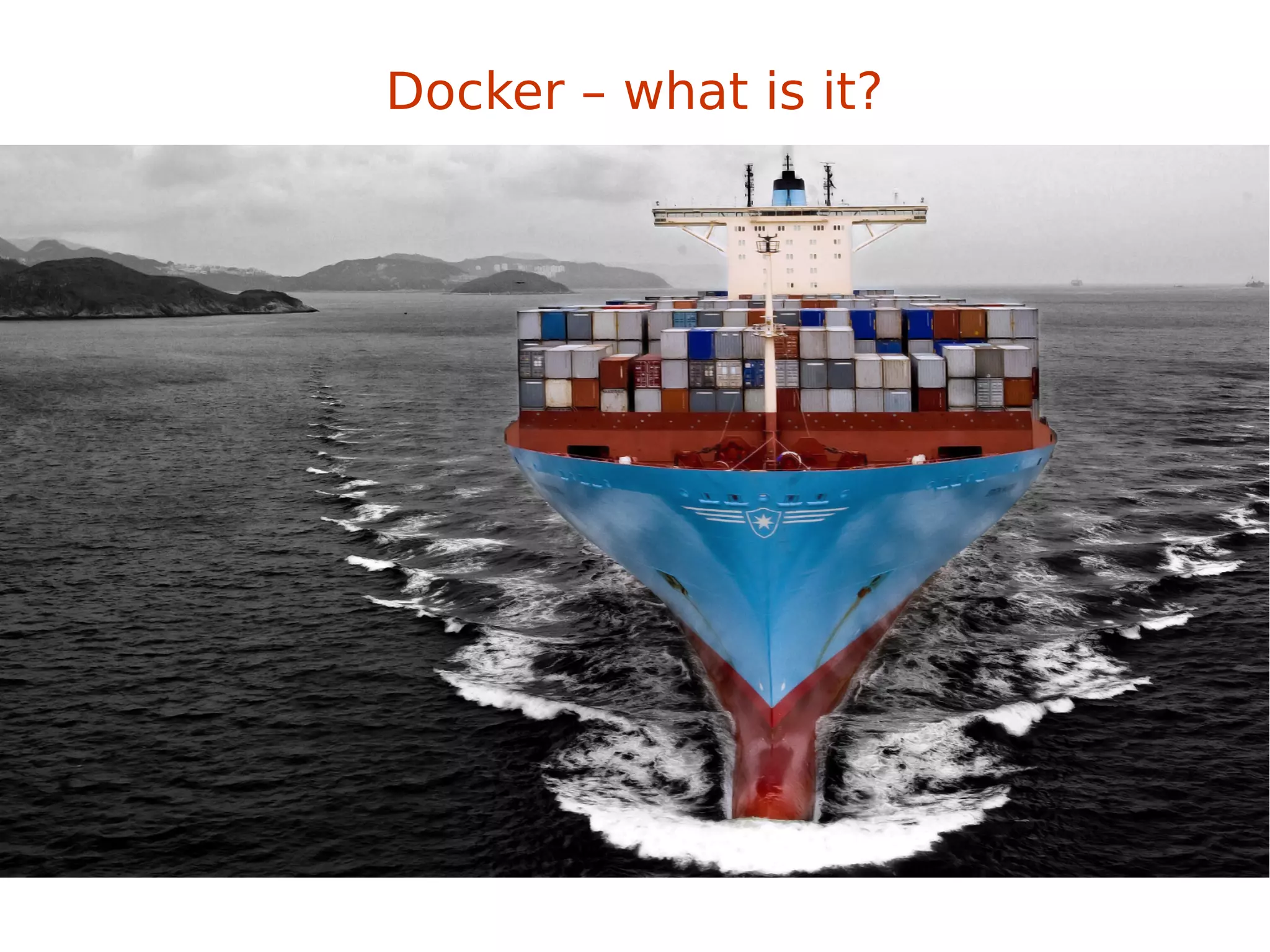
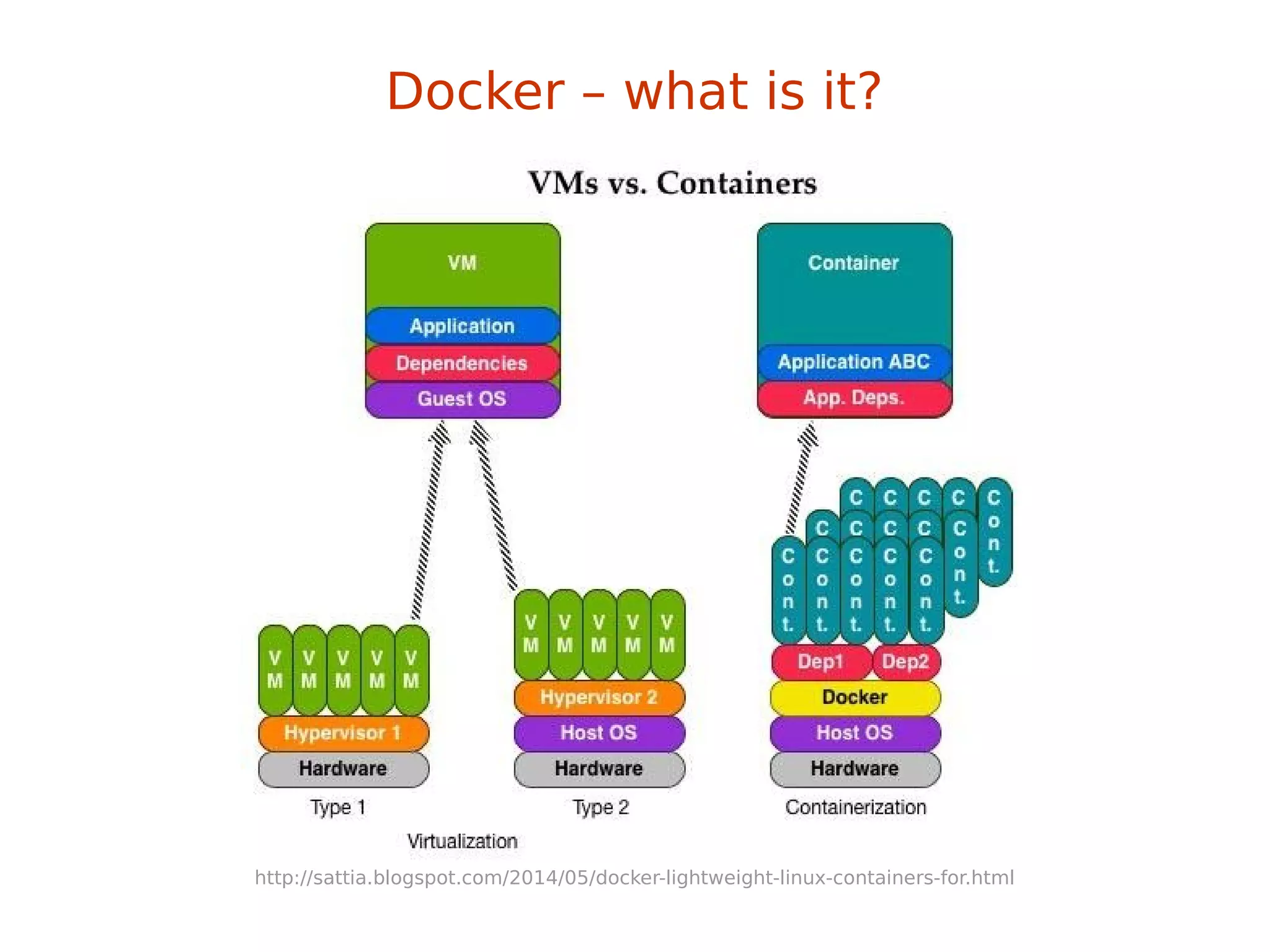
Docker – what is it?
“automates the deployment of any
application as a lightweight, portable,
self-sufficient container
that will run virtually anywhere”
Docker – what is it?
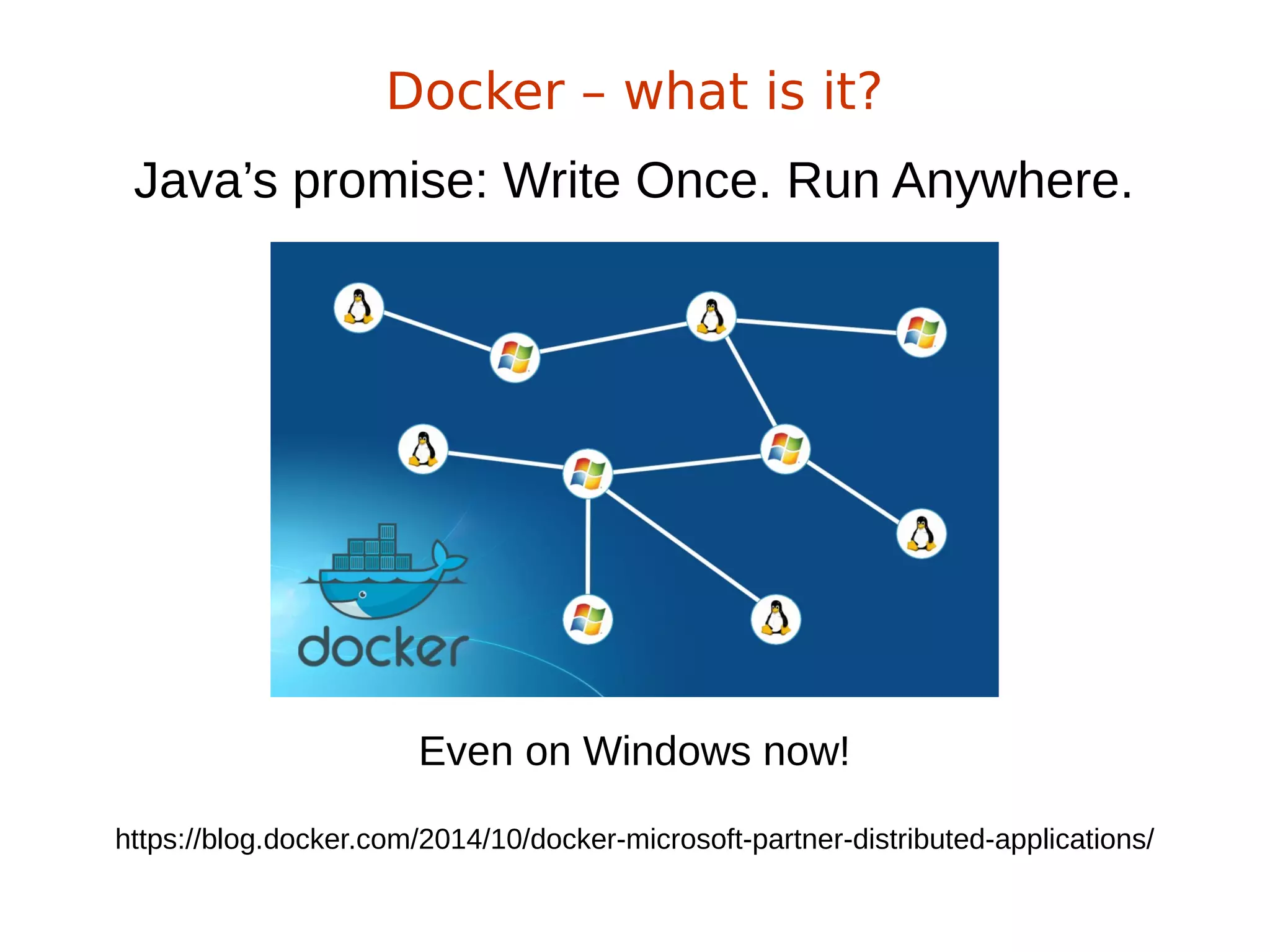
Java’s promise: Write Once. Run Anywhere.
Docker – what is it?
Even on Windows now!
https://blog.docker.com/2014/10/docker-microsoft-partner-distributed-applications/
Java’s promise: Write Once. Run Anywhere.
Docker – what is it?
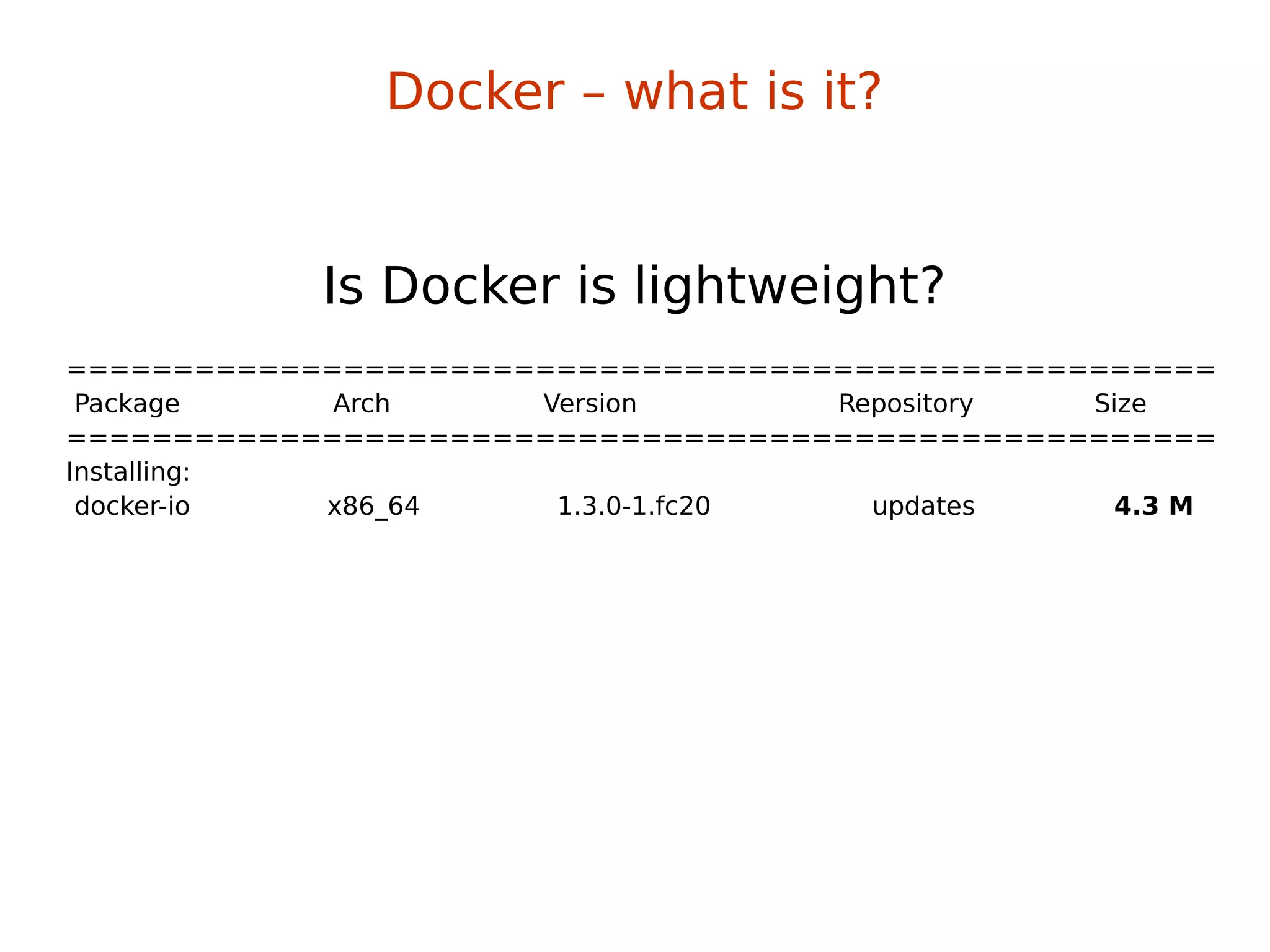
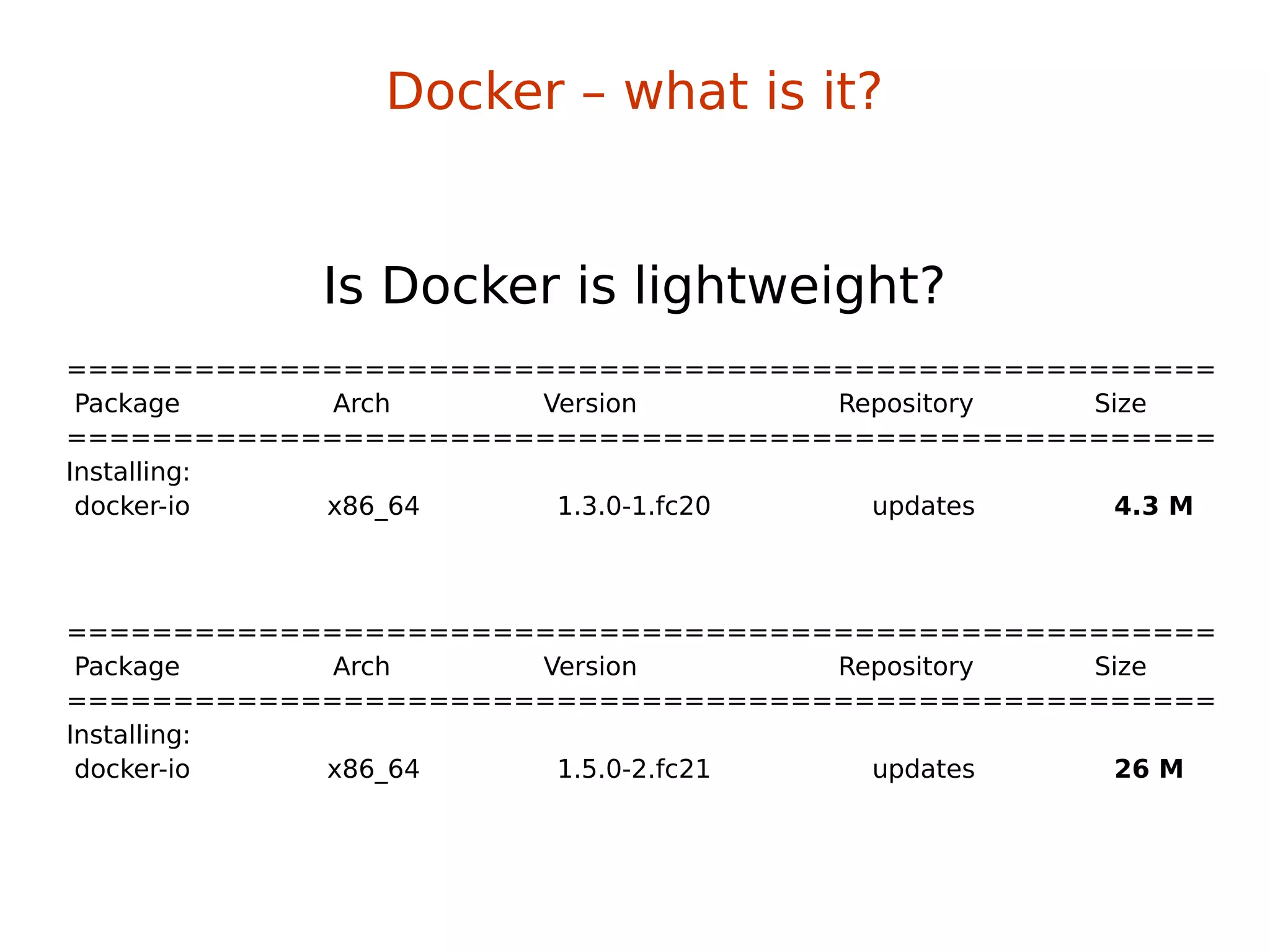
Is Docker is lightweight?
======================================================
Package Arch Version Repository Size
======================================================
Installing:
docker-io x86_64 1.3.0-1.fc20 updates 4.3 M
Is Docker is lightweight?
Docker – what is it?
======================================================
Package Arch Version Repository Size
======================================================
Installing:
docker-io x86_64 1.3.0-1.fc20 updates 4.3 M
Is Docker is lightweight?
======================================================
Package Arch Version Repository Size
======================================================
Installing:
docker-io x86_64 1.5.0-2.fc21 updates 26 M
Docker – what is it?
http://sattia.blogspot.com/2014/05/docker-lightweight-linux-containers-for.html
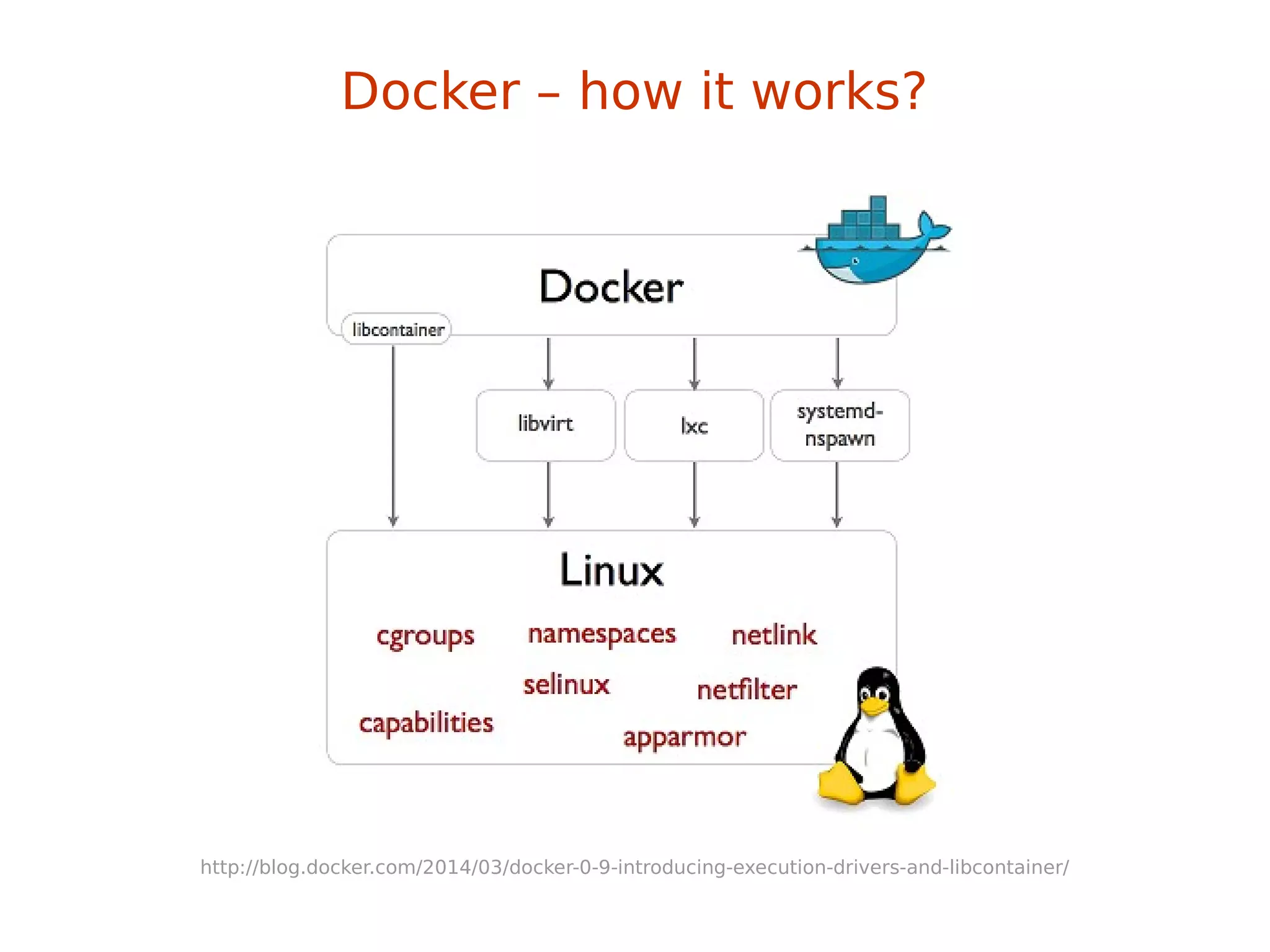
Docker – how it works?
http://blog.docker.com/2014/03/docker-0-9-introducing-execution-drivers-and-libcontainer/
→LXC & libcontainer
Docker – how it works?
→LXC & libcontainer
→control groups
Docker – how it works?
→LXC & libcontainer
→control groups
→kernel namespaces
Docker – how it works?
→LXC & libcontainer
→control groups
→kernel namespaces
→layered filesystem
→devmapper thin provisioning & loopback mounts
→no more AUFS (perf sucks)
→OverlayFS!
Docker – how it works?
Control Groups provide a mechanism for
aggregating/partitioning sets of tasks, and
all their future children, into hierarchical groups
with specialized behavior
control groups (cgroups)
Control Groups provide a mechanism for
aggregating/partitioning sets of tasks, and
all their future children, into hierarchical groups
with specialized behavior
→grouping processes
→allocating resources to particular groups
→memory
→network
→CPU
→storage bandwidth (I/O throttling)
→device whitelisting
control groups (cgroups)
little demo #1
control groups (cgroups)
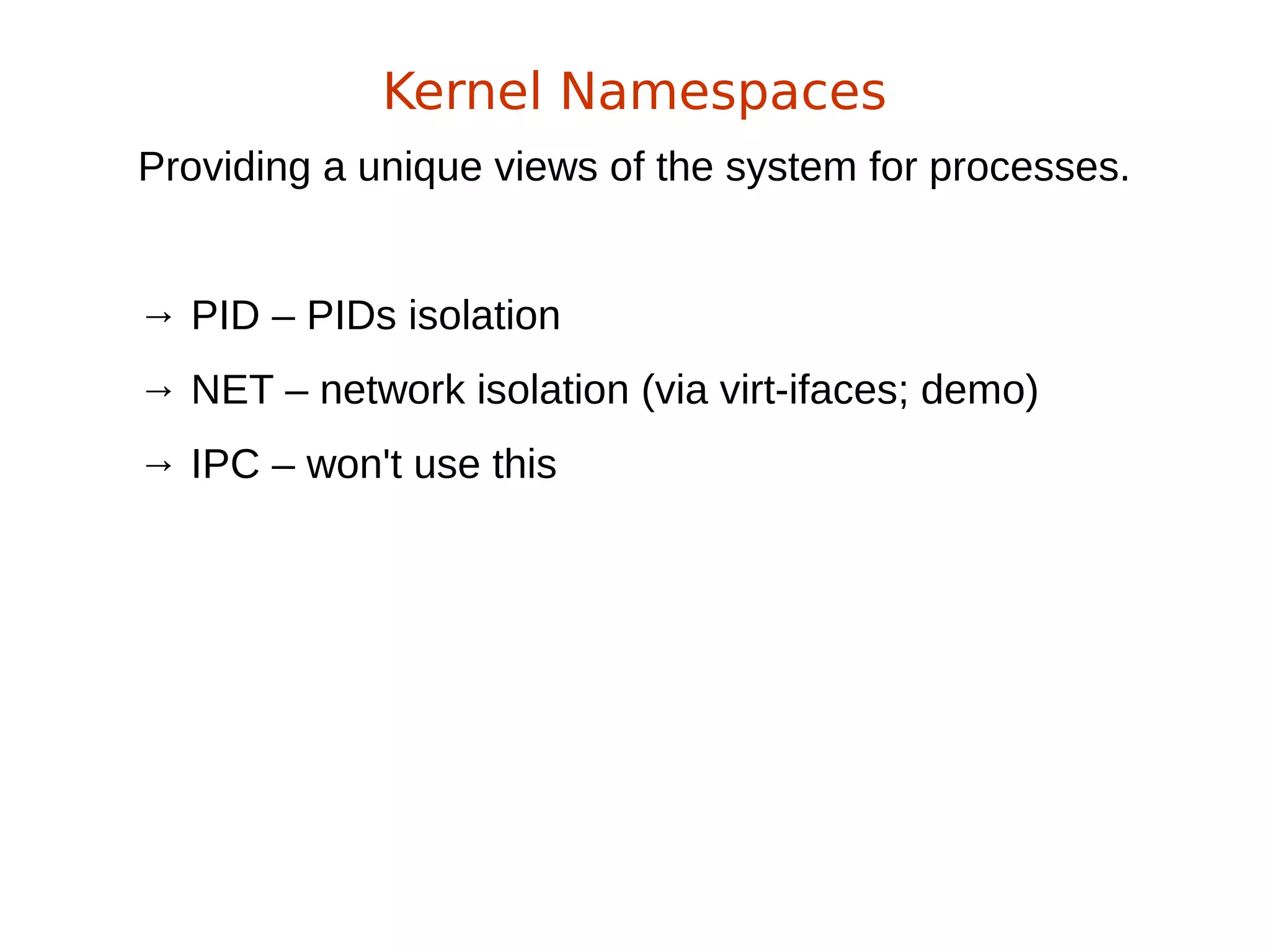
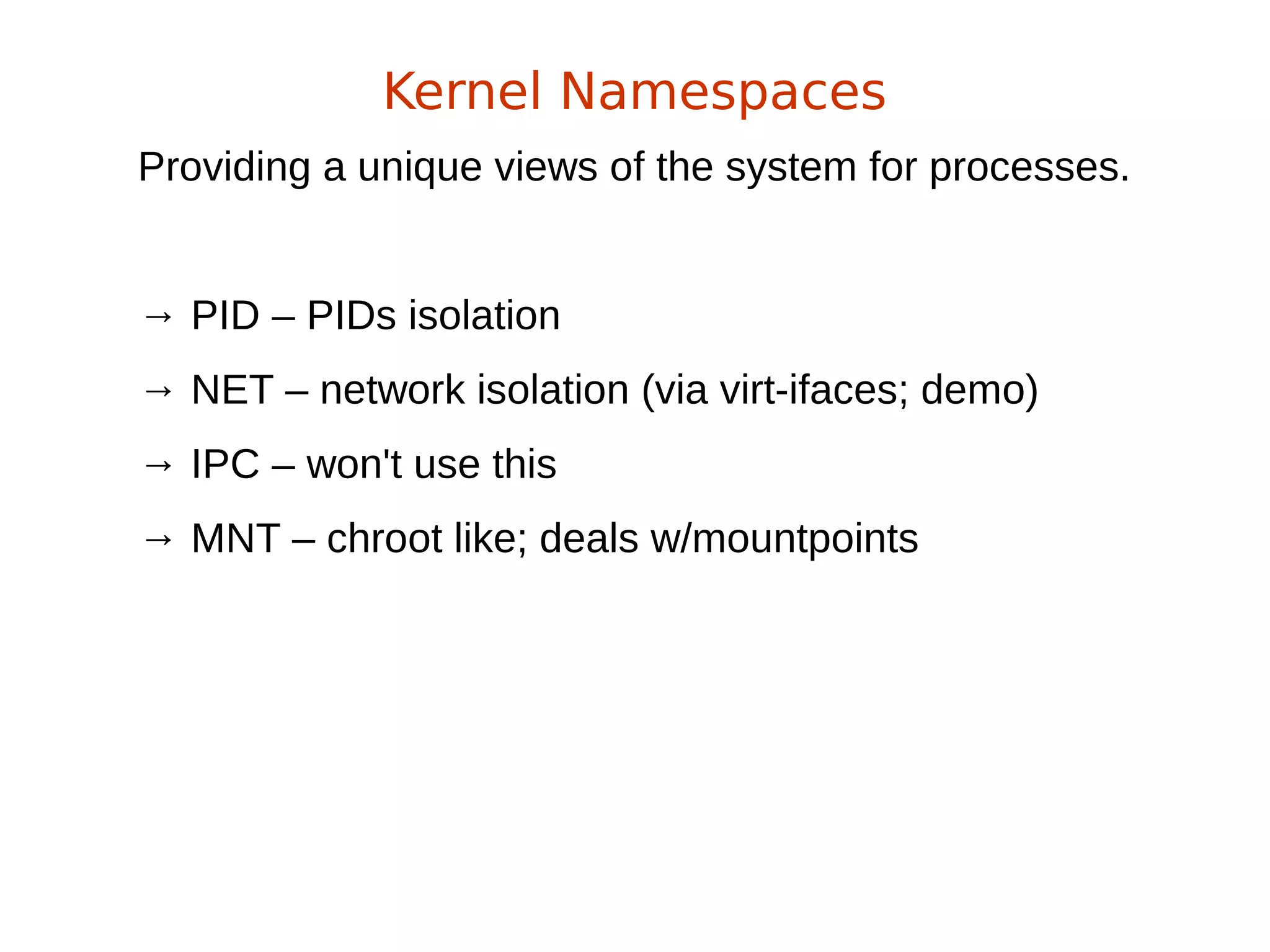
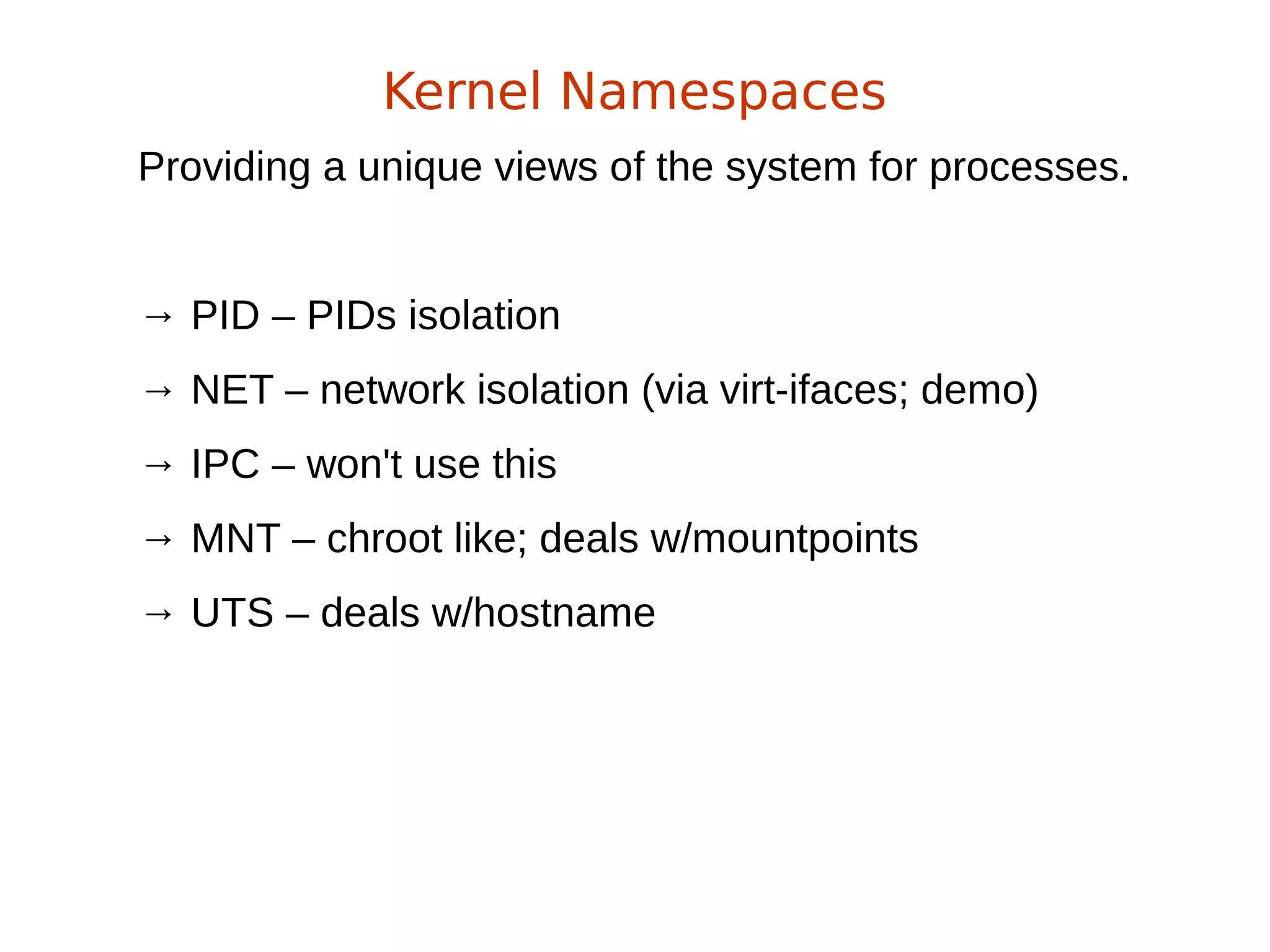
Providing a unique views of the system for processes.
Kernel Namespaces
Providing a unique views of the system for processes.
→ PID – PIDs isolation
Kernel Namespaces
Providing a unique views of the system for processes.
→ PID – PIDs isolation
→ NET – network isolation (via virt-ifaces; demo)
Kernel Namespaces
Providing a unique views of the system for processes.
→ PID – PIDs isolation
→ NET – network isolation (via virt-ifaces; demo)
→ IPC – won't use this
Kernel Namespaces
Providing a unique views of the system for processes.
→ PID – PIDs isolation
→ NET – network isolation (via virt-ifaces; demo)
→ IPC – won't use this
→ MNT – chroot like; deals w/mountpoints
Kernel Namespaces
Providing a unique views of the system for processes.
→ PID – PIDs isolation
→ NET – network isolation (via virt-ifaces; demo)
→ IPC – won't use this
→ MNT – chroot like; deals w/mountpoints
→ UTS – deals w/hostname
Kernel Namespaces
Kernel Namespaces
little demo #2
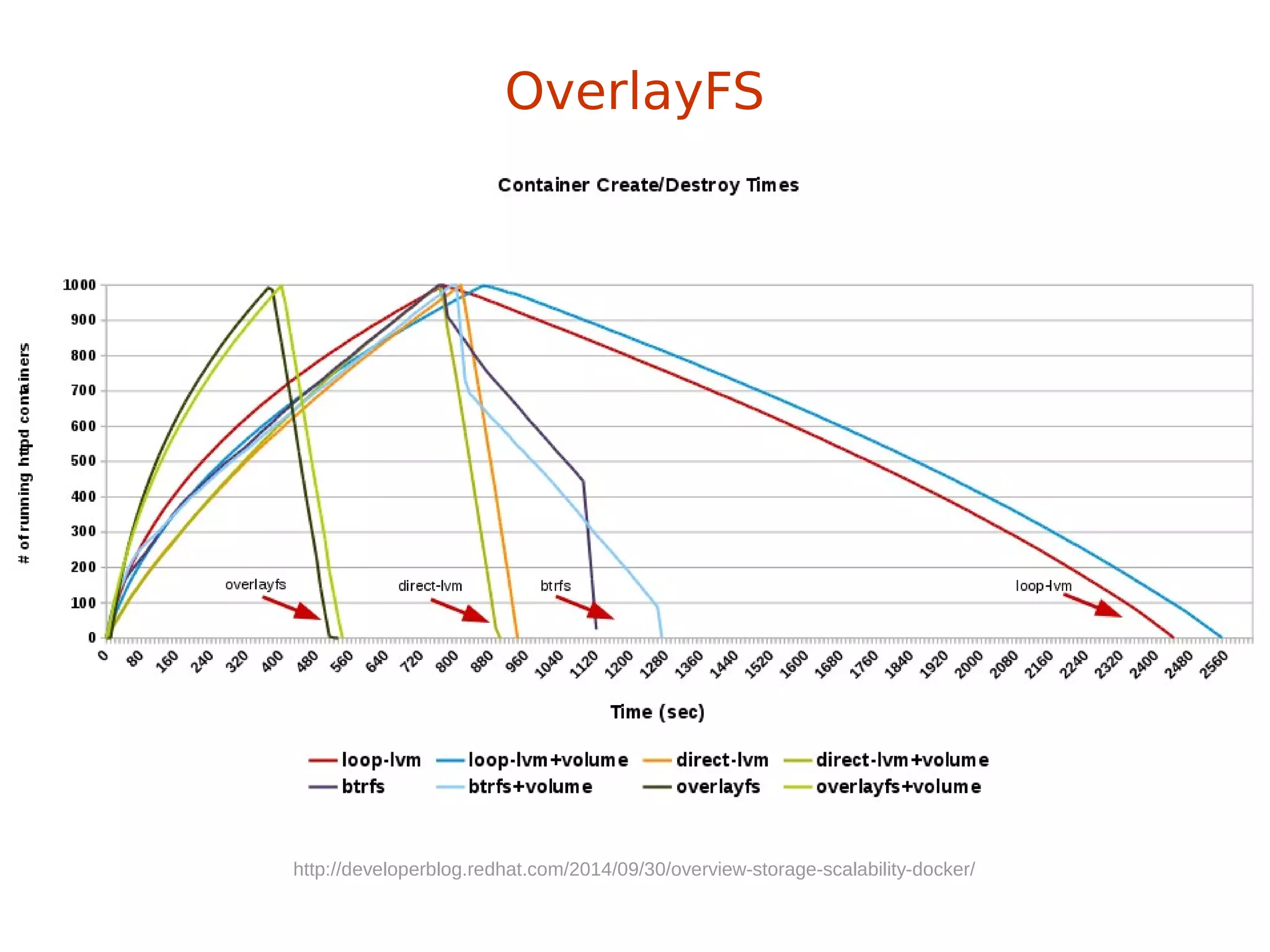
+ hell fast (you'll see)
OverlayFS
+ hell fast (you'll see)
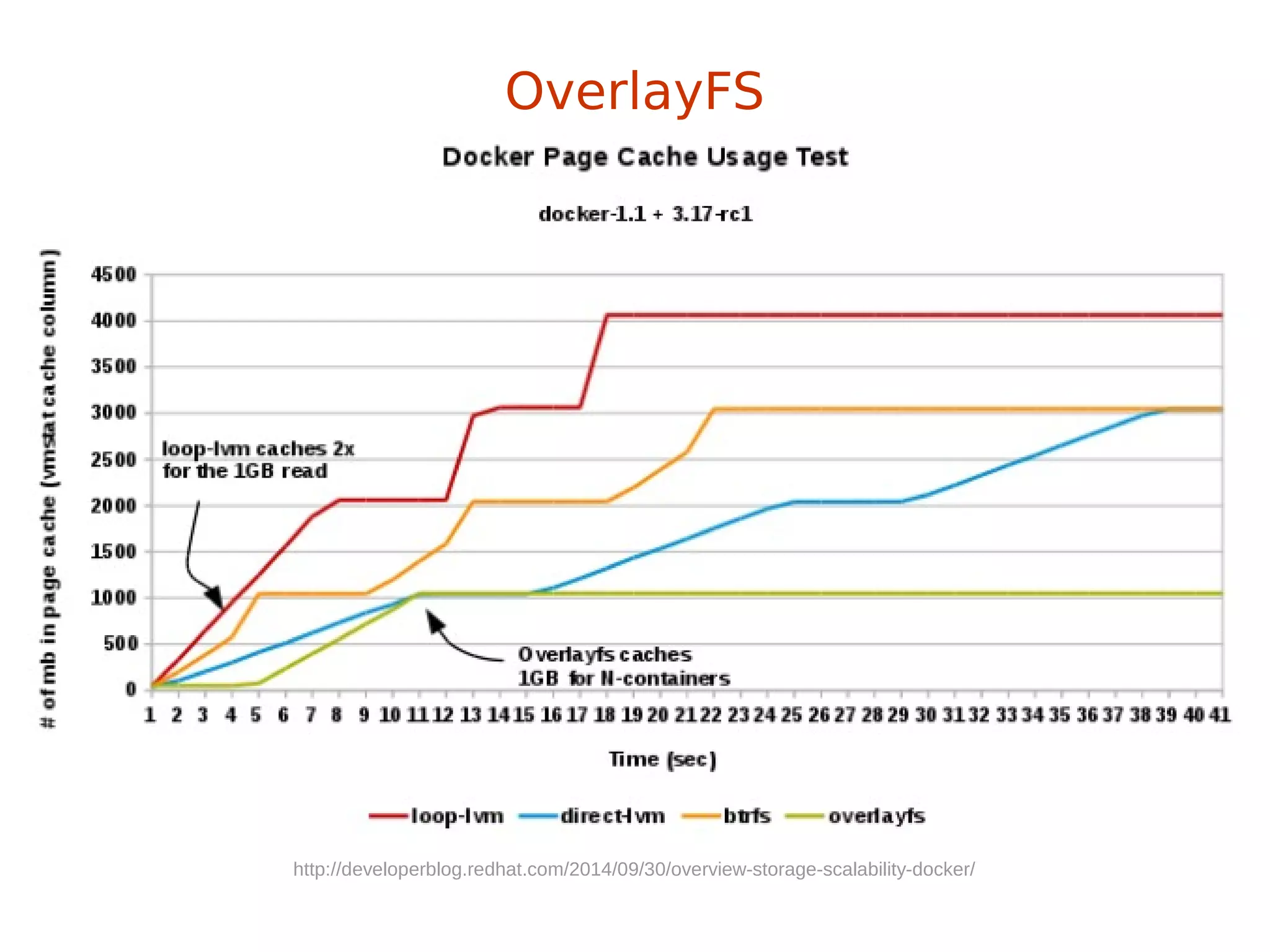
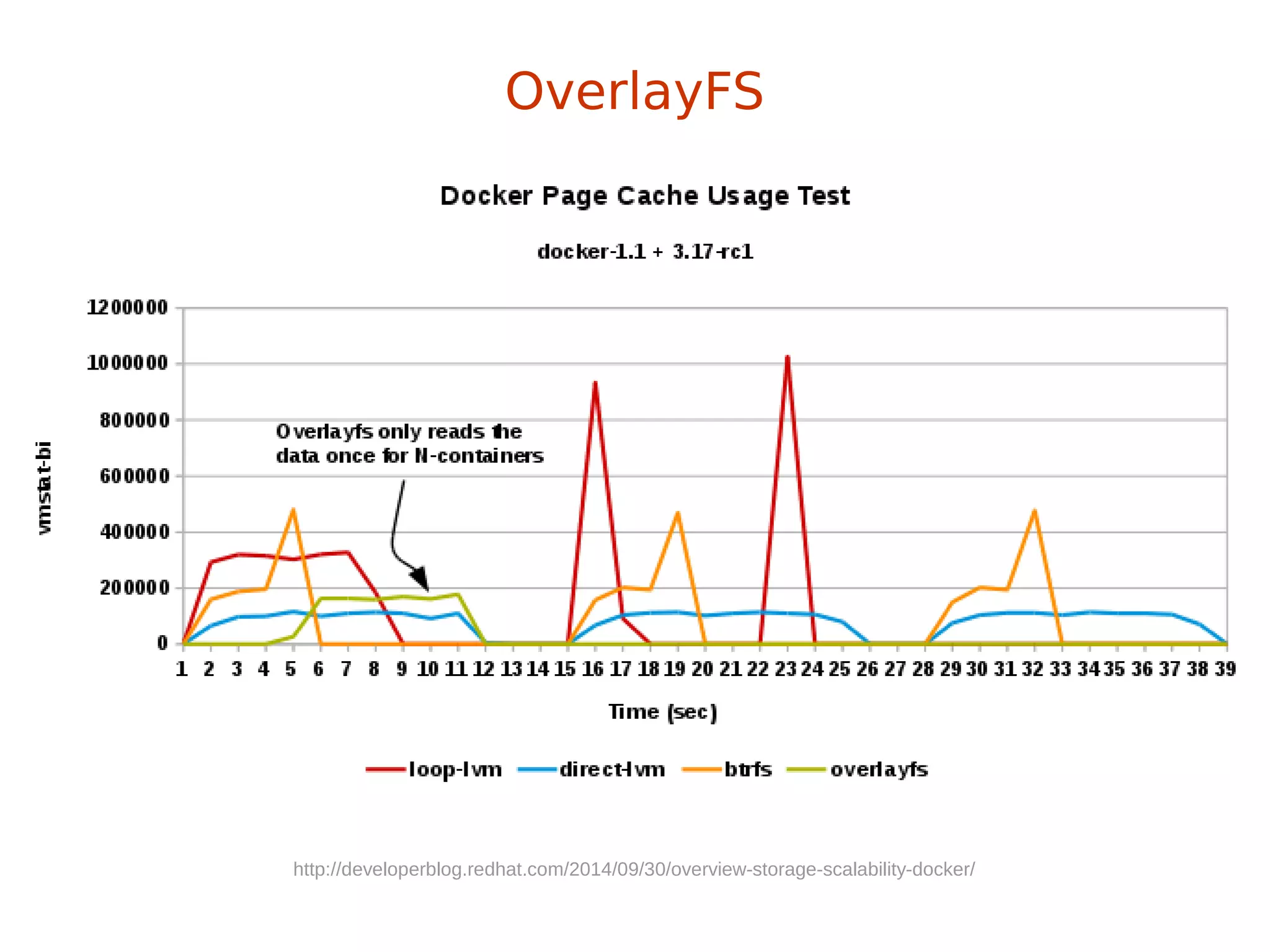
+ page cache sharing
OverlayFS
+ hell fast (you'll see)
+ page cache sharing
+ finally in upstream kernel (in rhel from 7.2, 3.18)
OverlayFS
+ hell fast (you'll see)
+ page cache sharing
+ finally in upstream kernel (in rhel from 7.2, 3.18)
+ finally supported by docker (-s overlay)
OverlayFS
+ hell fast (you'll see)
+ page cache sharing
+ finally in upstream kernel (in rhel from 7.2, 3.18)
+ finally supported by docker (-s overlay)
- SELinux not there yet (but will be)
OverlayFS
http://developerblog.redhat.com/2014/09/30/overview-storage-scalability-docker/
OverlayFS
http://developerblog.redhat.com/2014/09/30/overview-storage-scalability-docker/
OverlayFS
http://developerblog.redhat.com/2014/09/30/overview-storage-scalability-docker/
OverlayFS
let's demo again
OverlayFS
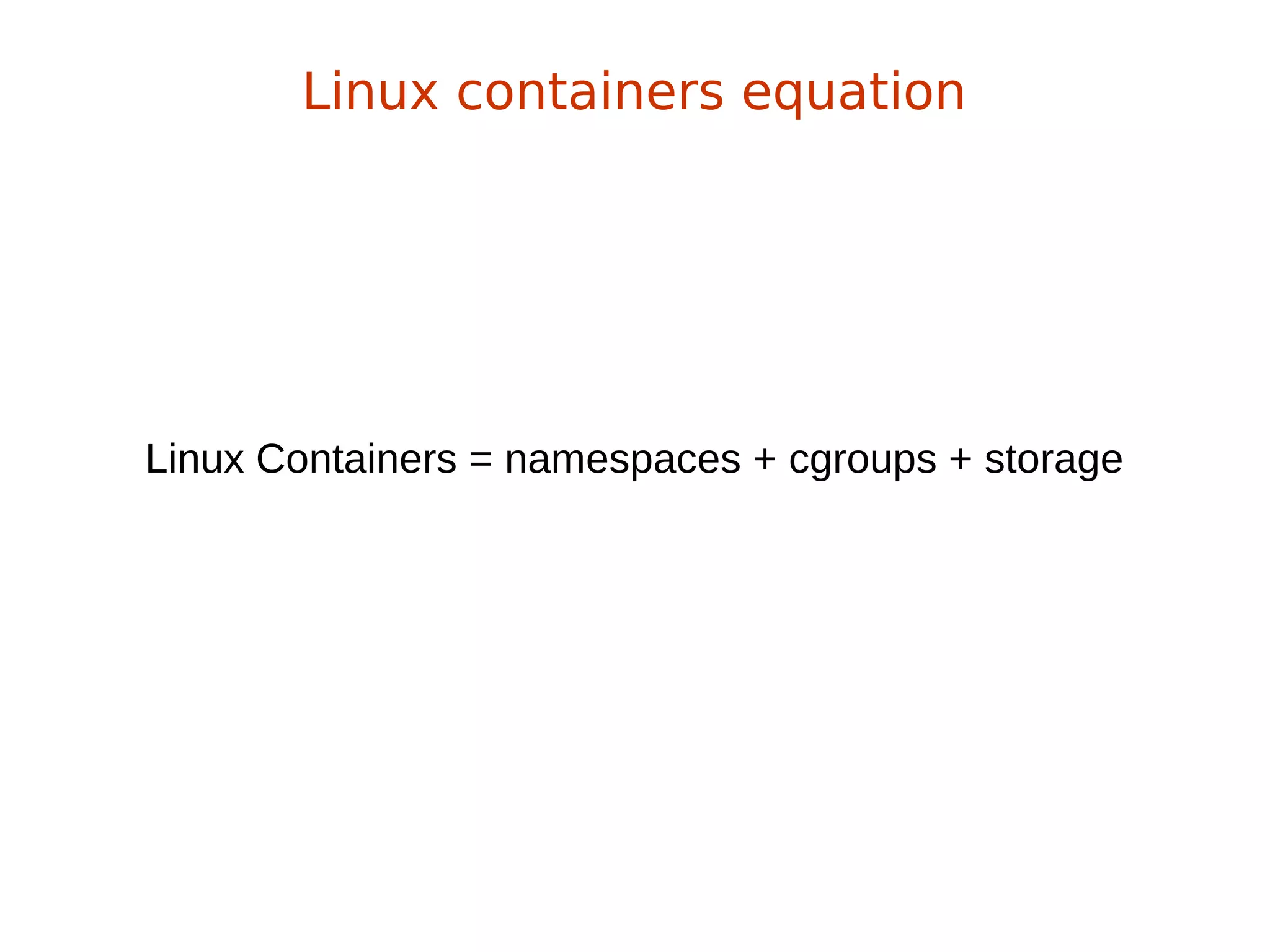
Linux Containers = namespaces + cgroups + storage
Linux containers equation
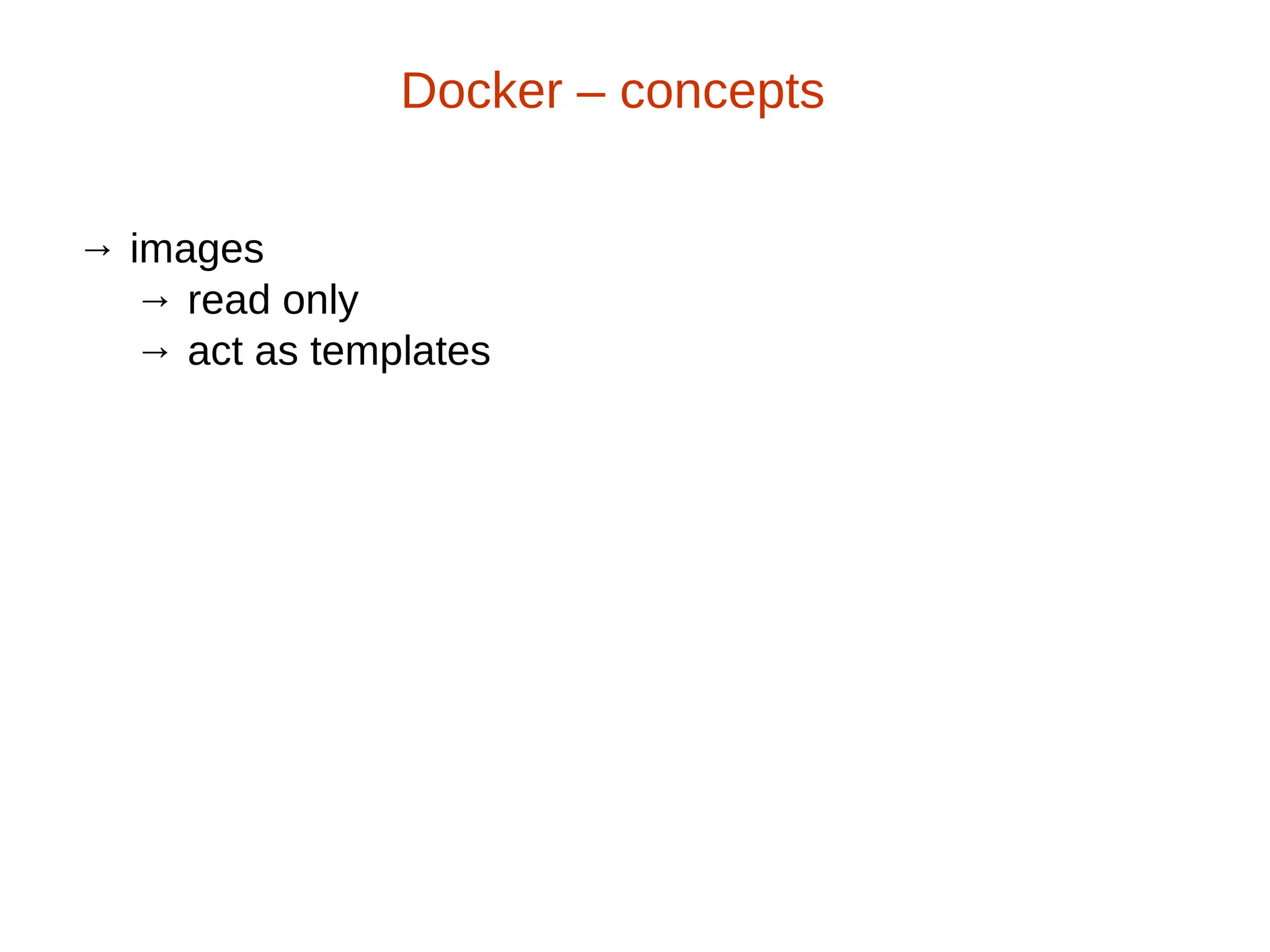
→ images
→ read only
→ act as templates
Docker – concepts
→ images
→ read only
→ act as templates
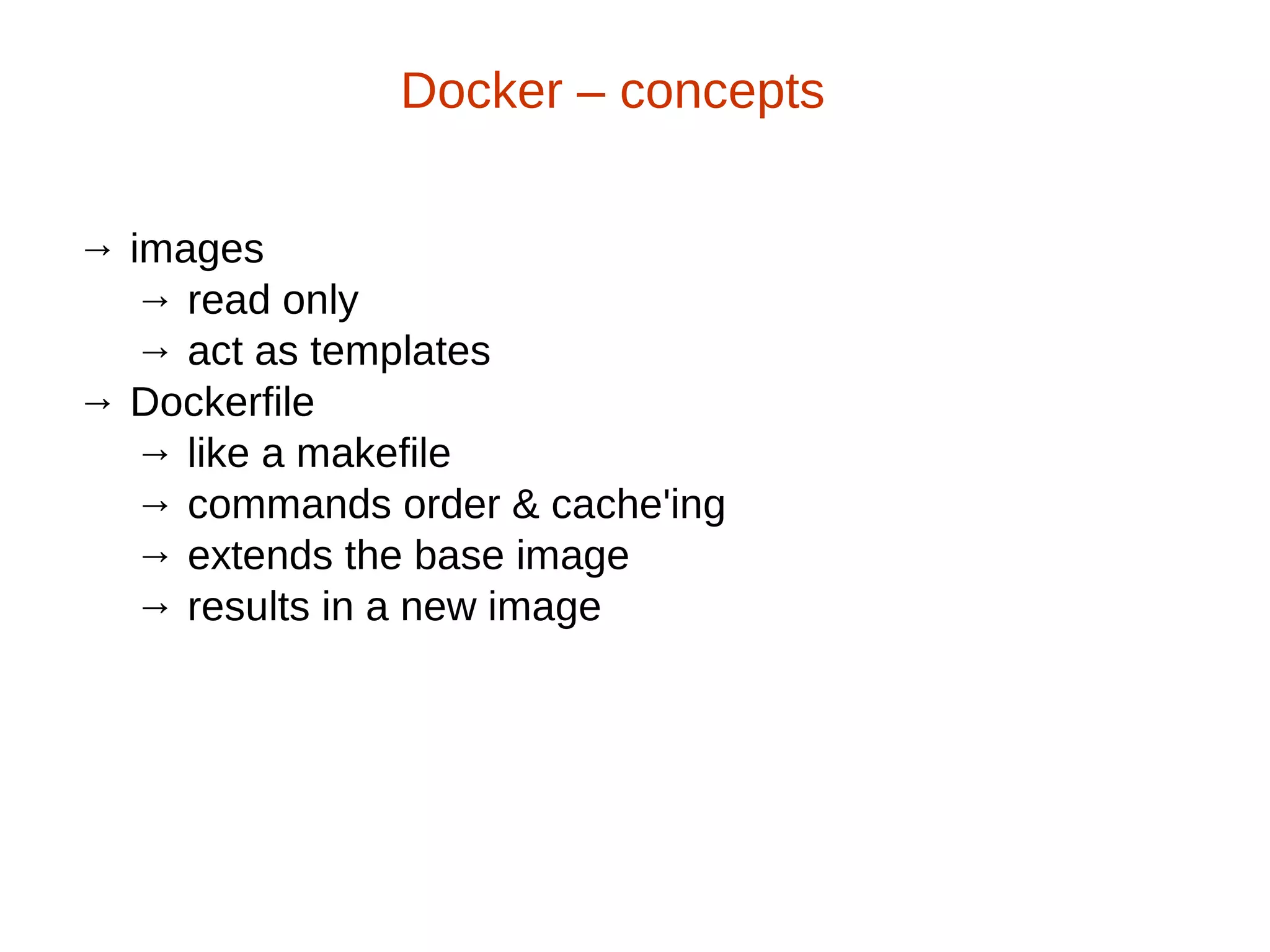
→ Dockerfile
→ like a makefile
→ commands order & cache'ing
→ extends the base image
→ results in a new image
Docker – concepts
→ images
→ read only
→ act as templates
→ Dockerfile
→ like a makefile
→ commands order & cache'ing
→ extends the base image
→ results in a new image
→ Containers: instances running apps
Docker – concepts
→ images
→ read only
→ act as templates
→ Dockerfile
→ like a makefile
→ commands order & cache'ing
→ extends the base image
→ results in a new image
→ Containers: instances running apps
Docker – concepts
dockerfile + base image = docker container
FROM fedora
MAINTAINER scollier <scollier@redhat.com>
RUN yum -y update && yum clean all
RUN yum -y install nginx && yum clean all
RUN echo "daemon off;" >> /etc/nginx/nginx.conf
RUN echo "nginx on Fedora" > /srv/www/index.html
EXPOSE 80
CMD [ "/usr/sbin/nginx" ]
Dockerfile
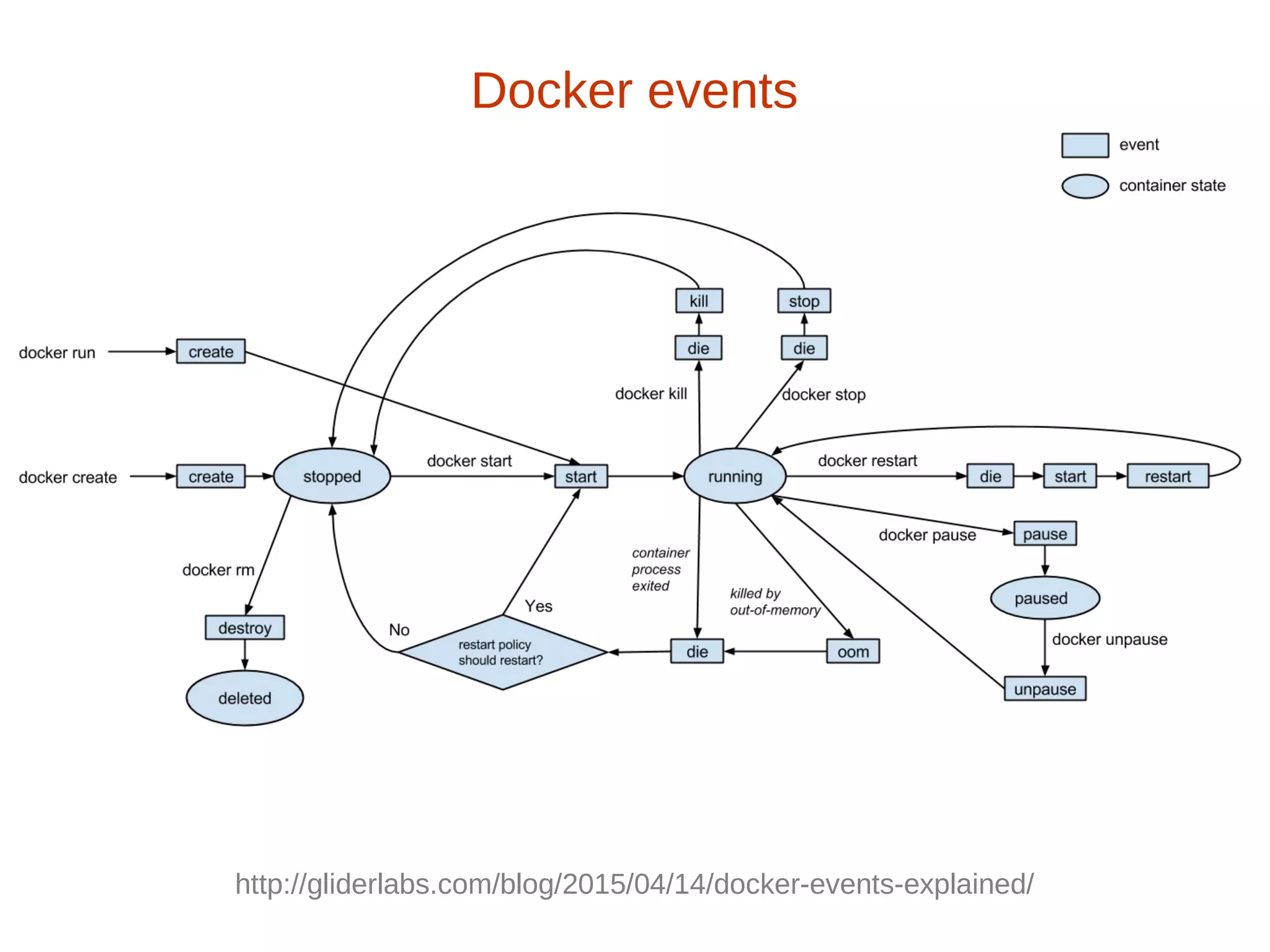
Docker events
http://gliderlabs.com/blog/2015/04/14/docker-events-explained/
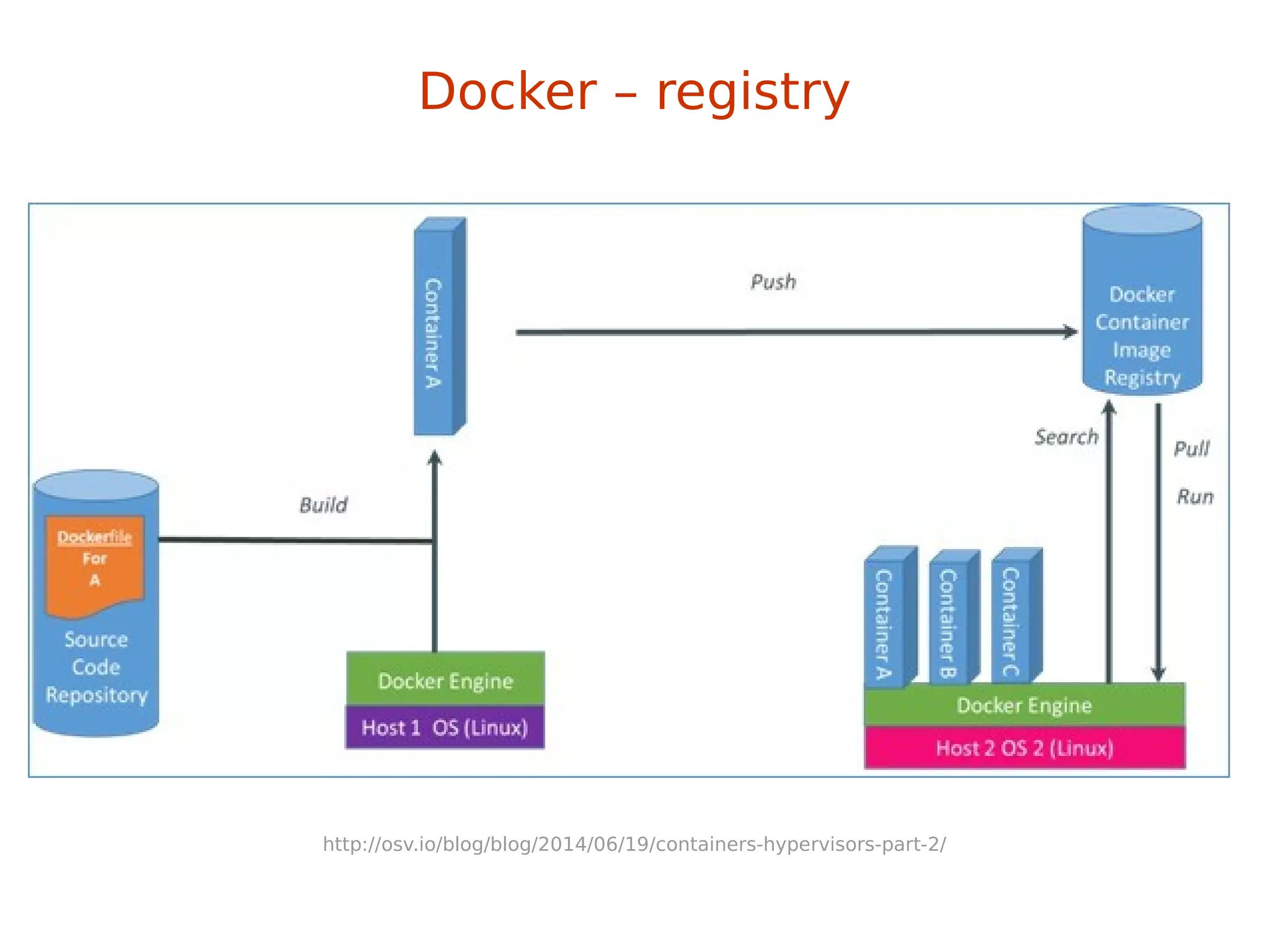
Docker – registry
http://osv.io/blog/blog/2014/06/19/containers-hypervisors-part-2/
Docker – registry
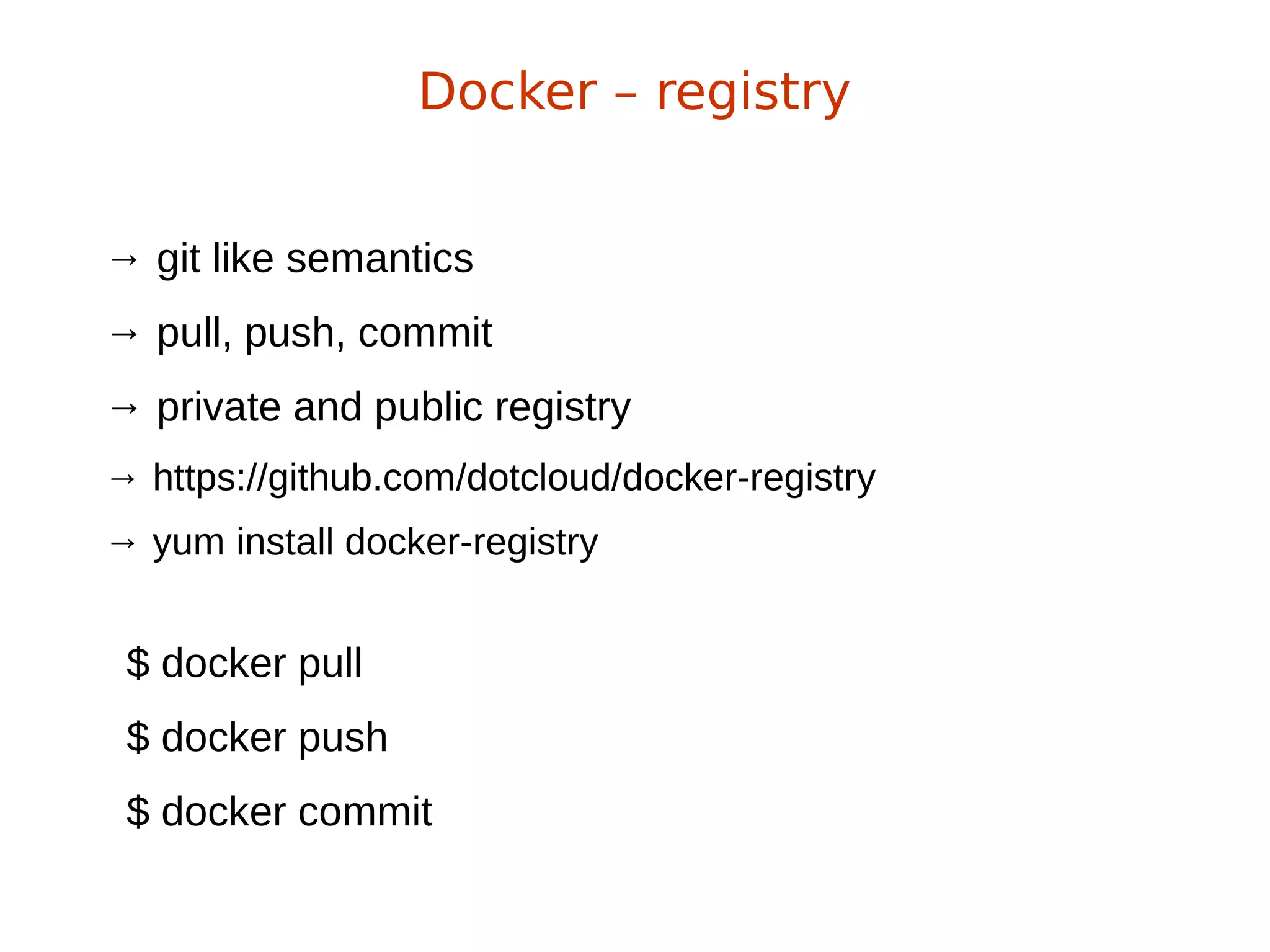
→ git like semantics
→ pull, push, commit
→ private and public registry
→ https://github.com/dotcloud/docker-registry
→ yum install docker-registry
$ docker pull
$ docker push
$ docker commit
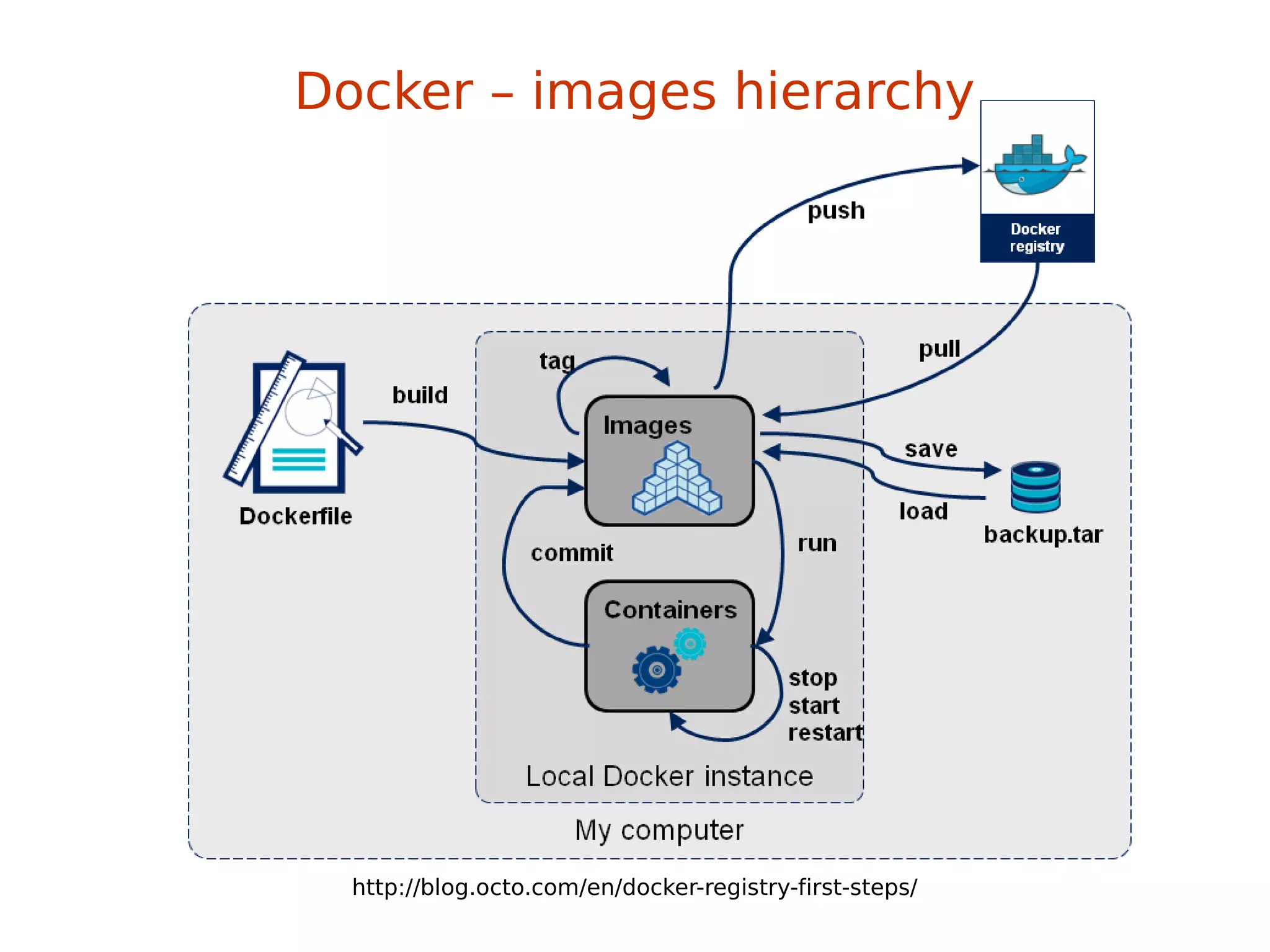
Docker – images hierarchy
http://blog.octo.com/en/docker-registry-first-steps/
base image
-> child image
-> grandchild image
Docker – images hierarchy
base image
-> child image
-> grandchild image
Docker – images hierarchy
Git’s promise: Tiny footprint with
lightning fast performance
→ Isolation via kernel namespaces
→ Additional layer of security: SELinux / AppArmor / GRSEC
→ Each container gets own network stack
→ control groups for resources limiting
Docker – security
f20 policy: https://git.fedorahosted.org/cgit/selinux-policy.git/tree/docker.te?h=f20-contrib
What's there?
seinfo -t -x | grep docker
sesearch -A -s docker_t (and the rest)
or just unpack docker.pp with semodule_unpackage
Docker – security
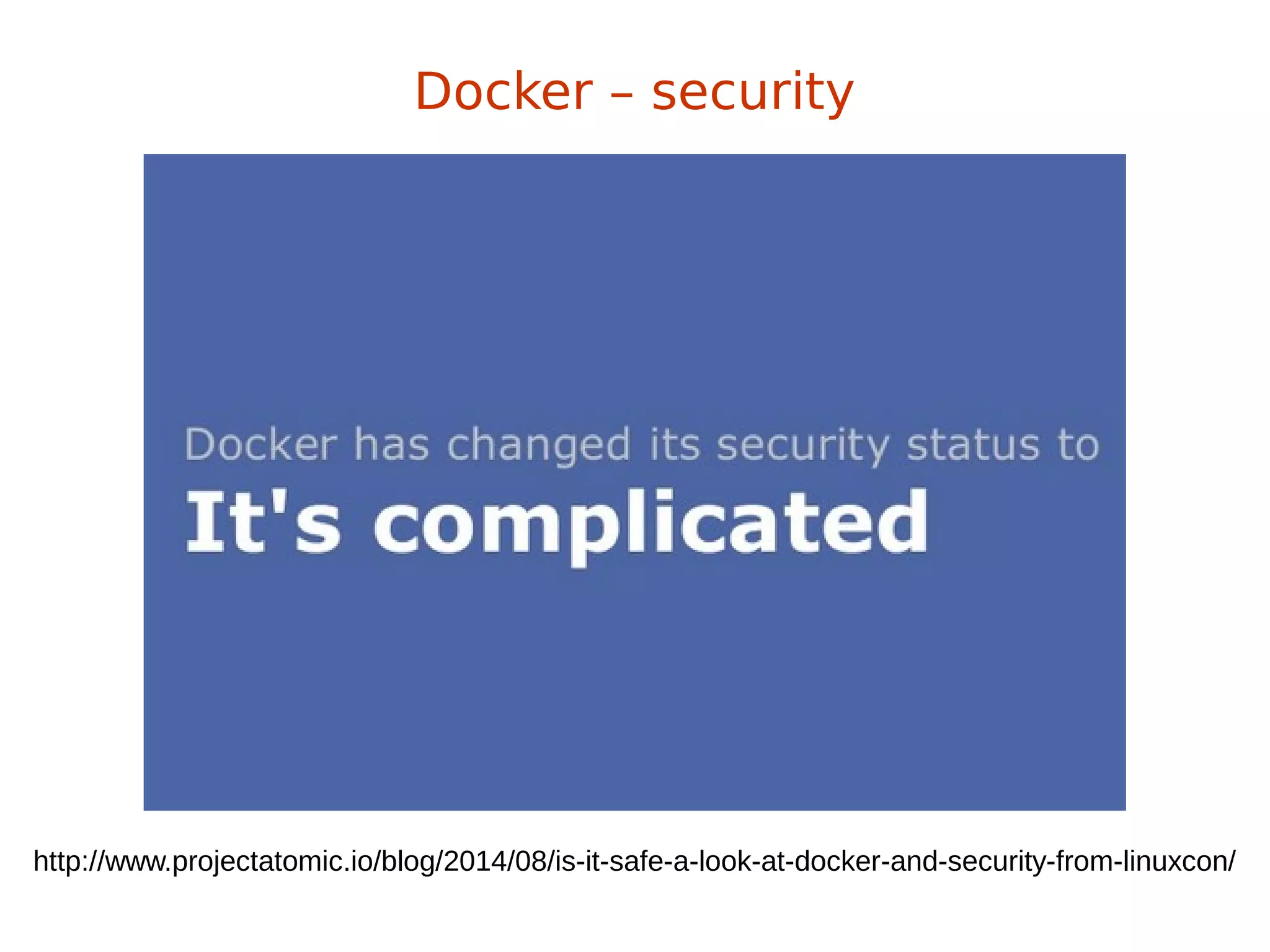
http://www.projectatomic.io/blog/2014/08/is-it-safe-a-look-at-docker-and-security-from-linuxcon/
Docker – security
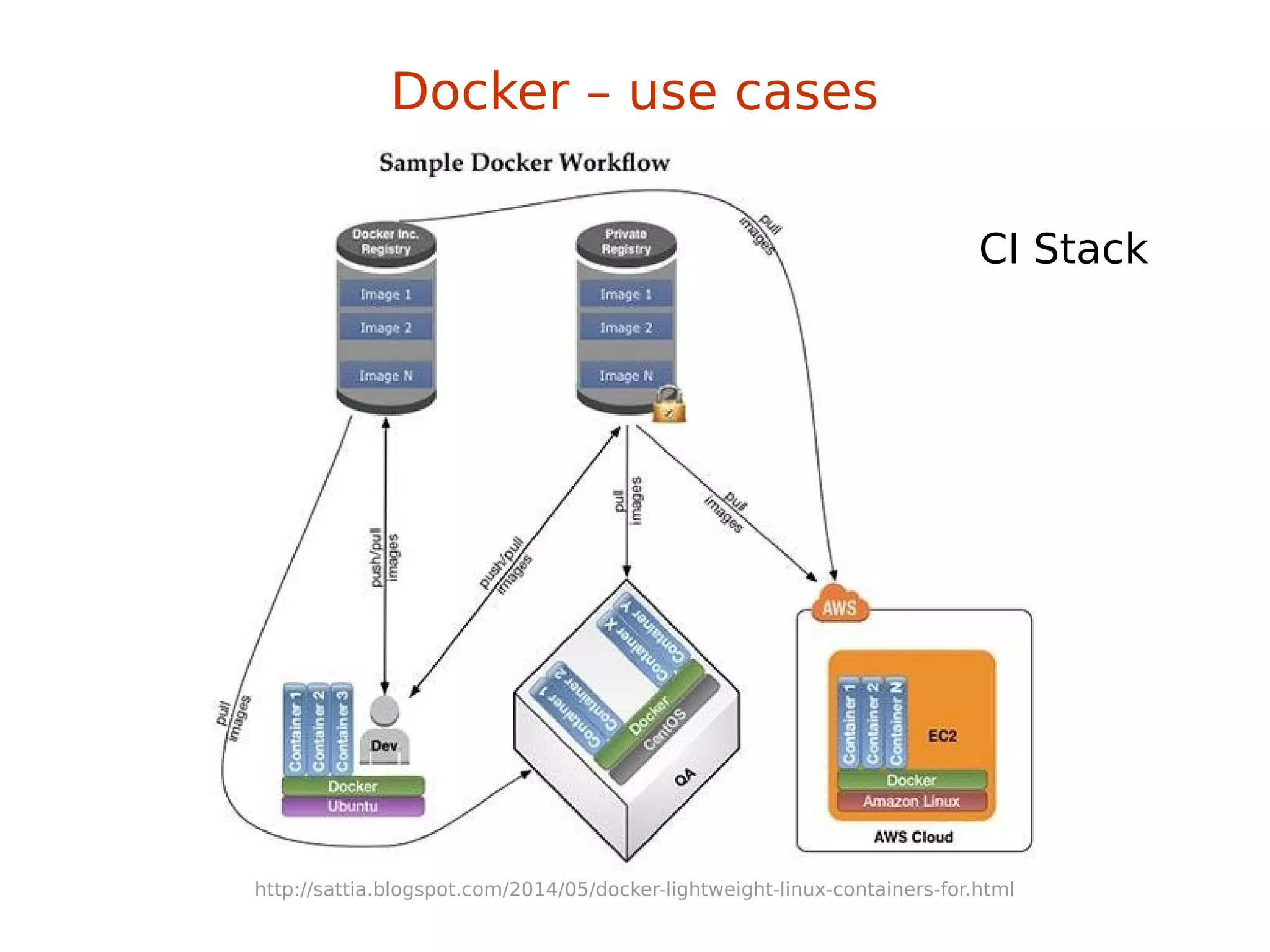
Docker – use cases
CI Stack
http://sattia.blogspot.com/2014/05/docker-lightweight-linux-containers-for.html
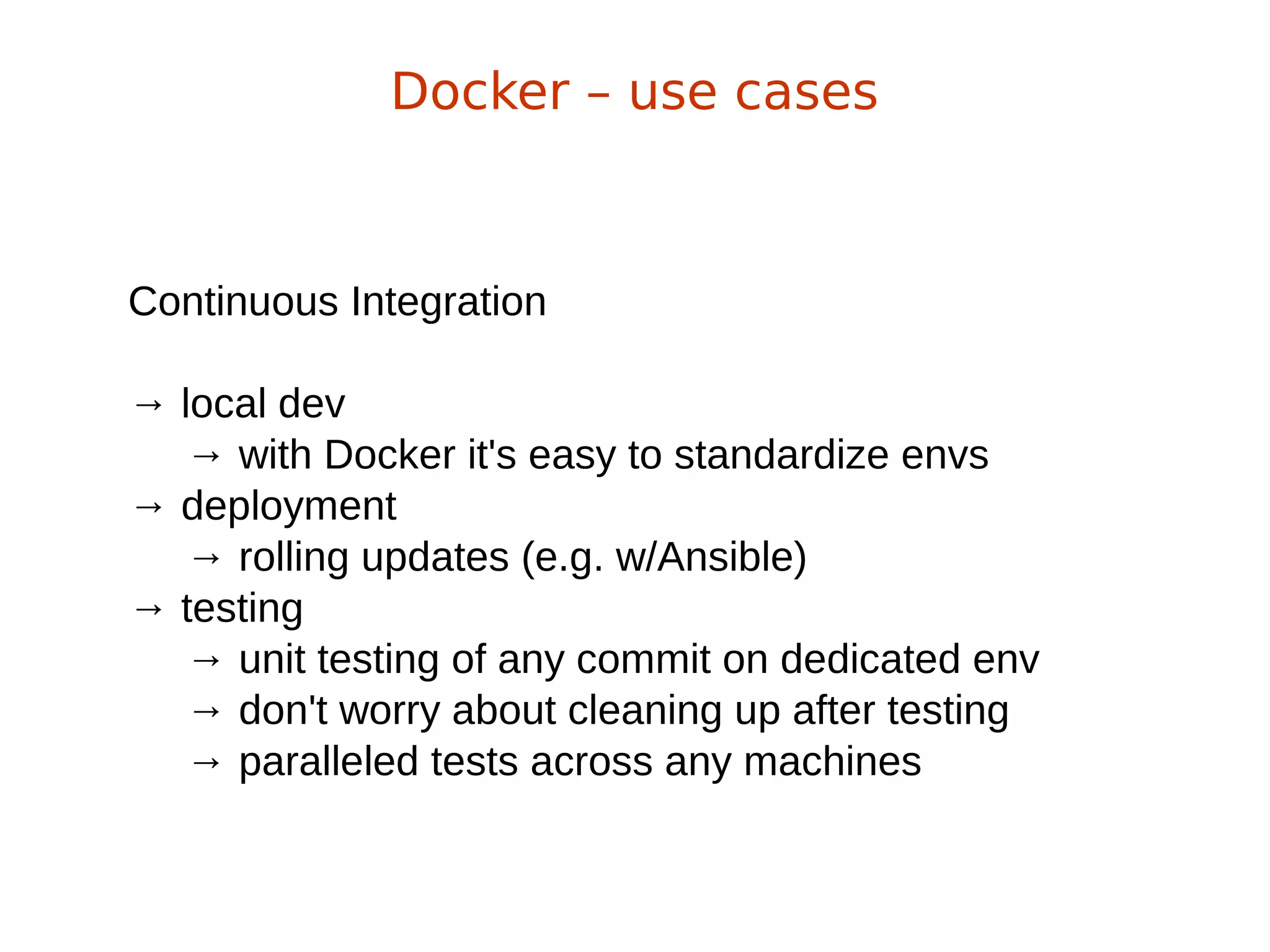
Continuous Integration
→ local dev
→ with Docker it's easy to standardize envs
→ deployment
→ rolling updates (e.g. w/Ansible)
→ testing
→ unit testing of any commit on dedicated env
→ don't worry about cleaning up after testing
→ paralleled tests across any machines
Docker – use cases
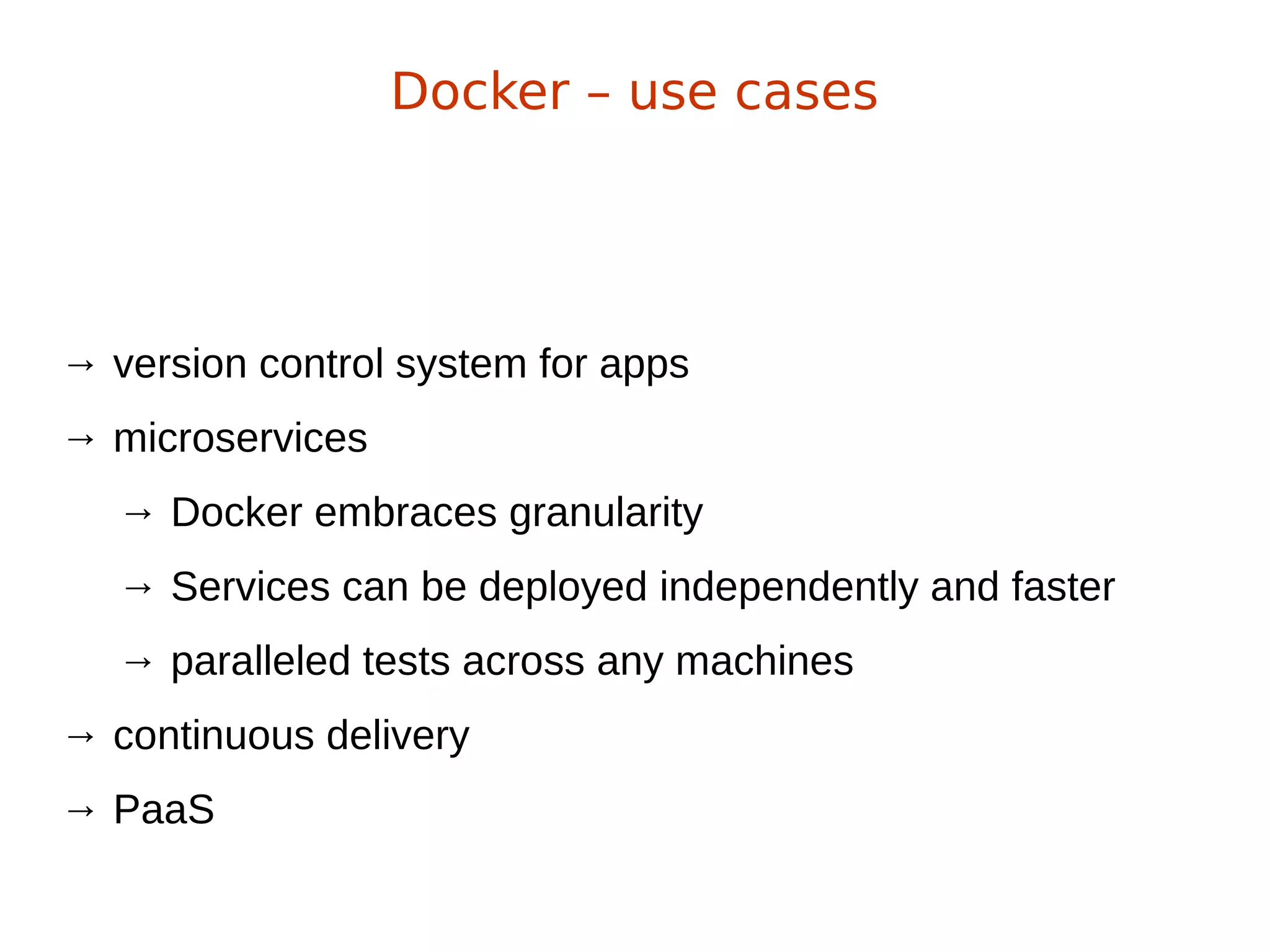
→ version control system for apps
→ microservices
→ Docker embraces granularity
→ Services can be deployed independently and faster
→ paralleled tests across any machines
→ continuous delivery
→ PaaS
Docker – use cases
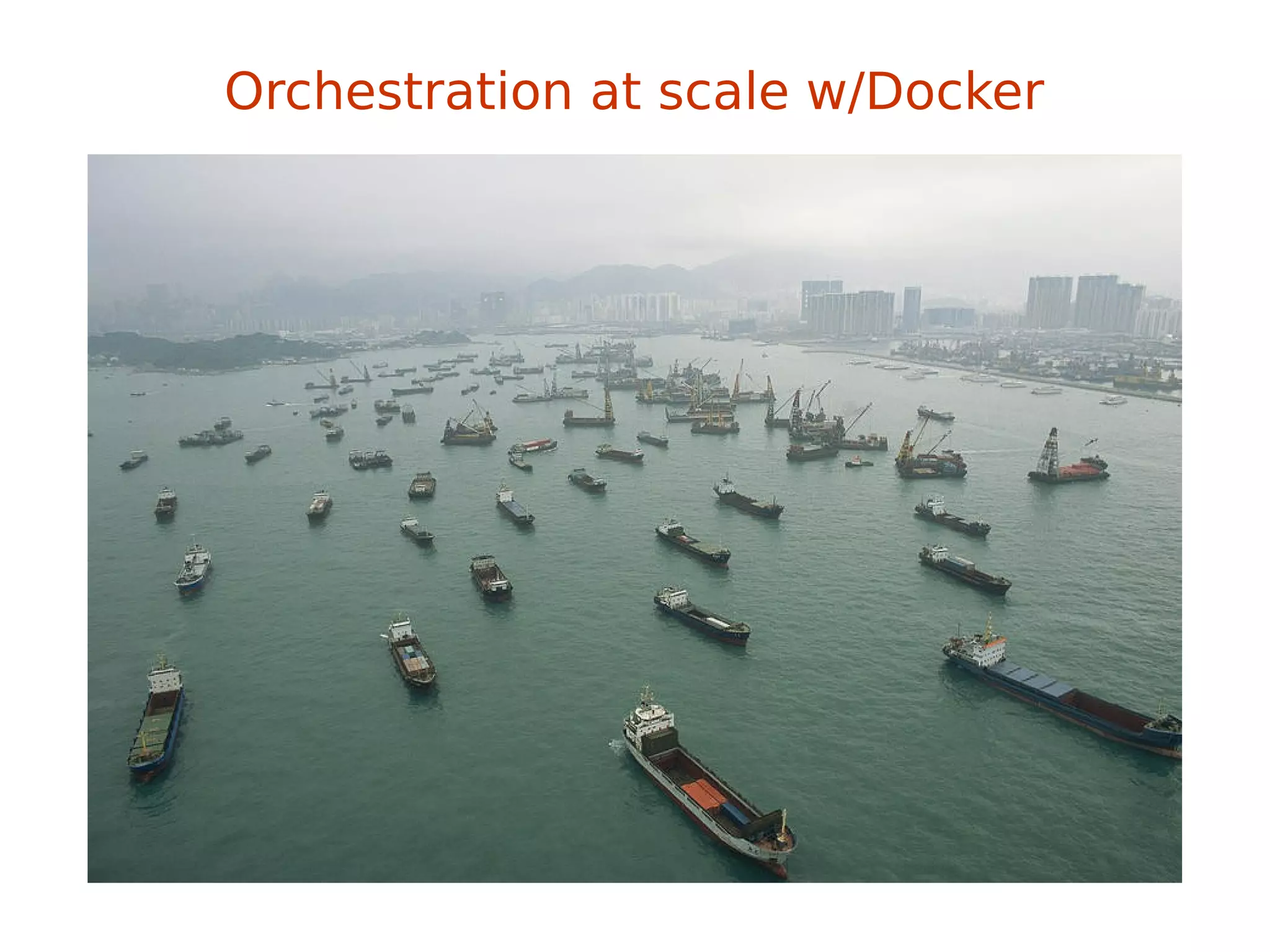
Orchestration at scale w/Docker
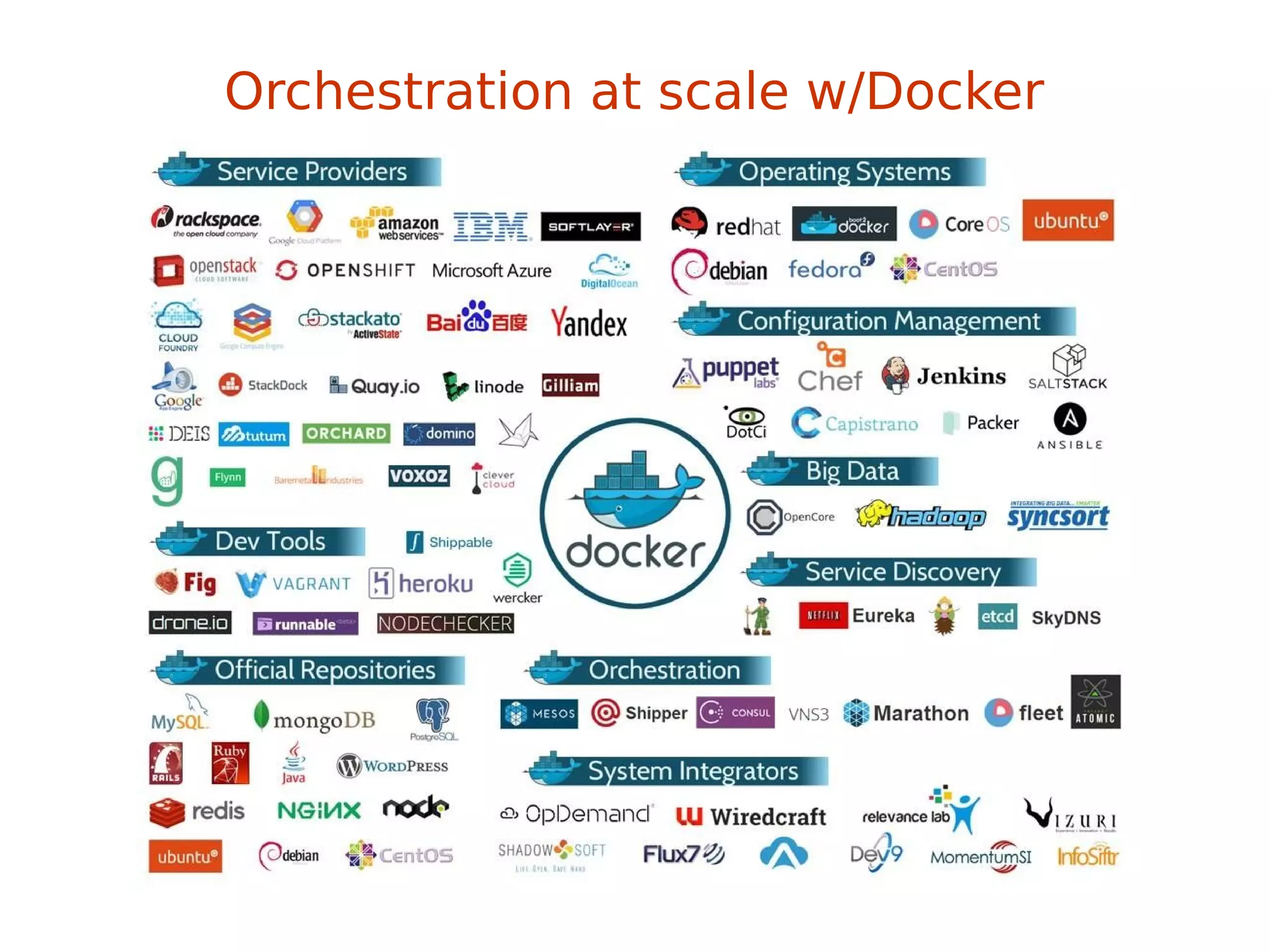
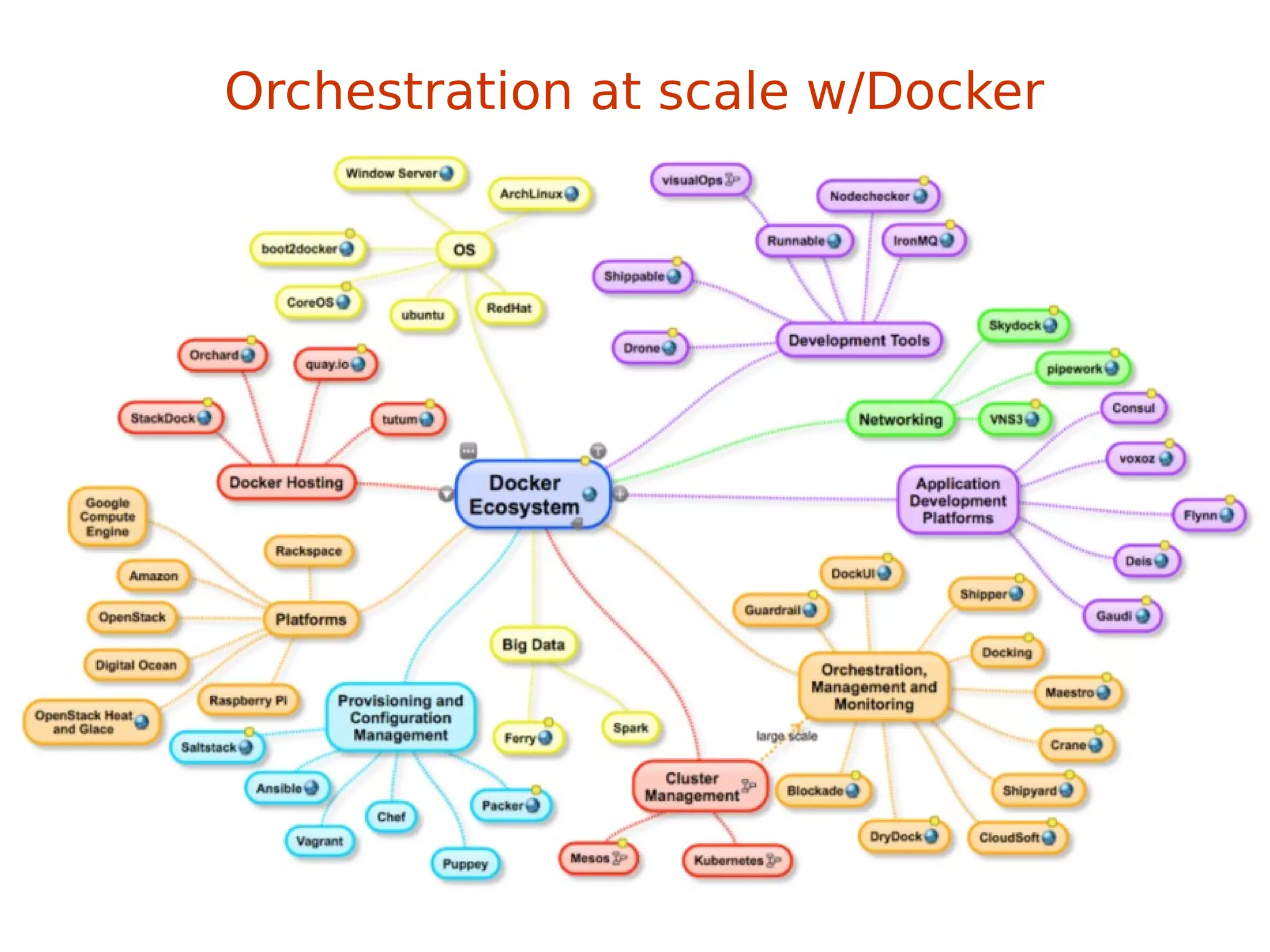
This might be a little problem
Orchestration at scale w/Docker
This might be a little problem
Orchestration at scale w/Docker
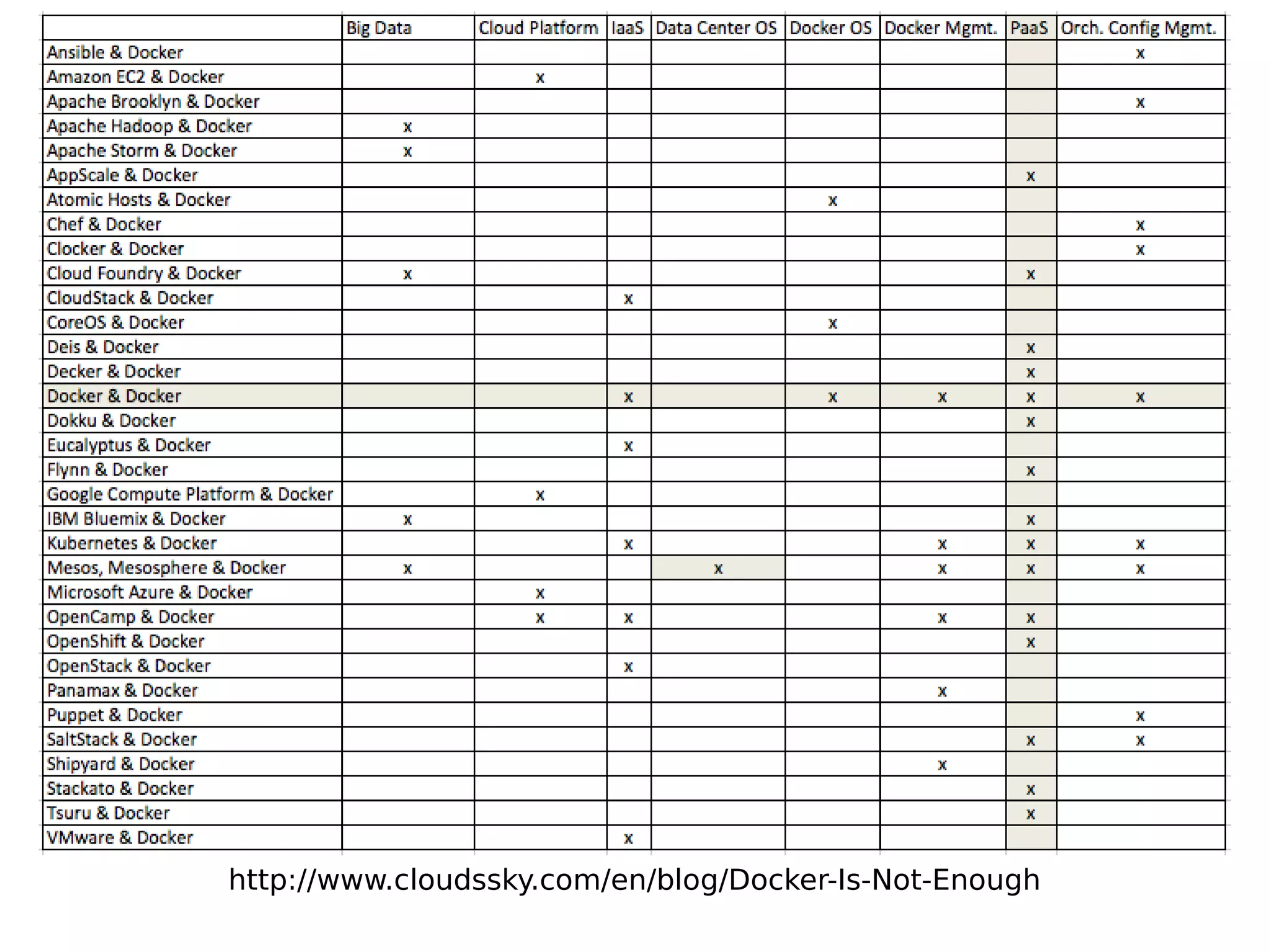
http://www.cloudssky.com/en/blog/Docker-Is-Not-Enough
Ansible + Docker
&
Docker + Ansible
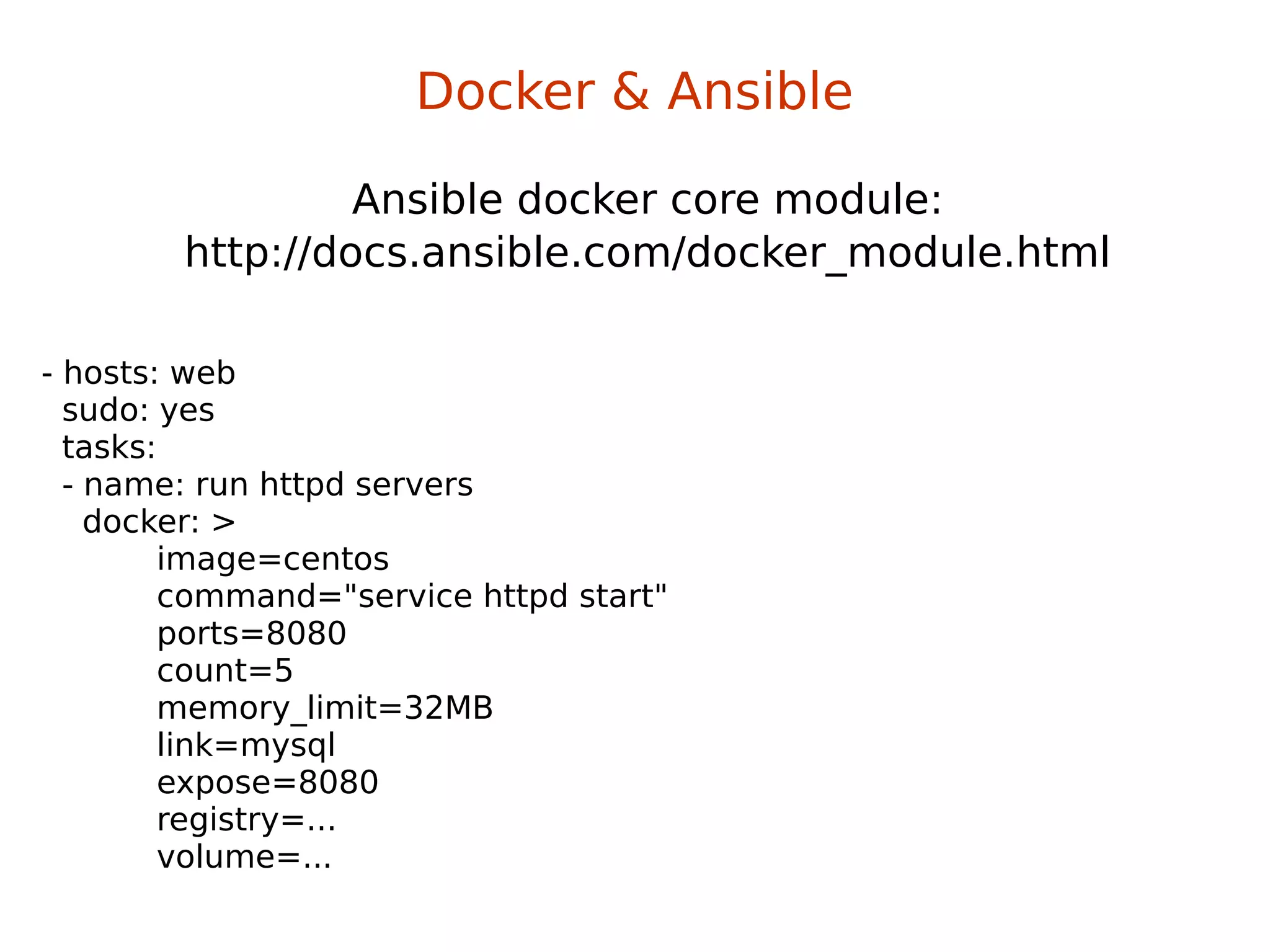
Ansible docker core module:
http://docs.ansible.com/docker_module.html
Docker & Ansible
- hosts: web
sudo: yes
tasks:
- name: run httpd servers
docker: >
image=centos
command="service httpd start"
ports=8080
count=5
memory_limit=32MB
link=mysql
expose=8080
registry=...
volume=...
Building image with Ansible:
Docker & Ansible
FROM ansible/centos7-ansible:stable
ADD ansible /srv/example
WORKDIR /srv/example
RUN ansible-playbook web.yml -c local
EXPOSE 80
CMD ["/usr/sbin/nginx"]
Building image with Ansible:
Docker & Ansible
FROM ansible/centos7-ansible:stable
ADD ansible /srv/example
WORKDIR /srv/example
RUN ansible-playbook web.yml -c local
EXPOSE 80
CMD ["/usr/sbin/nginx"]
ansible/web.yml:
- name: Install webserver
hosts: localhost
tasks:
- yum: pkg=nginx state=latest
- shell: echo "ansible" > /usr/share/nginx/html/index.html
Docker & Ansible
Yet another demo?
→ automated service discovery and registration framework
→ ideal for SOA architectures
→ ideal for continuous integration & delivery
→ solves “works on my machine” problem
SmartStack
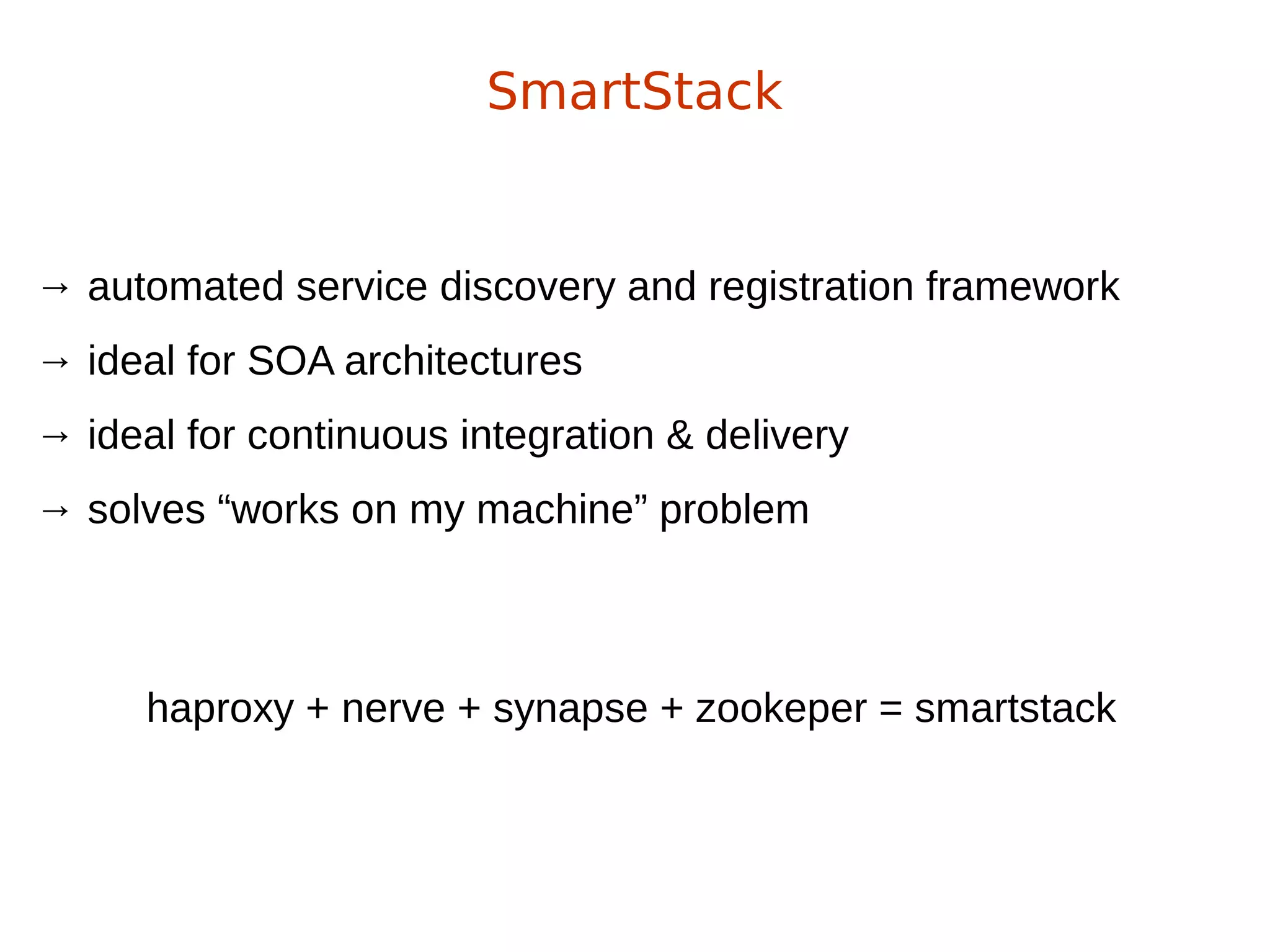
→ automated service discovery and registration framework
→ ideal for SOA architectures
→ ideal for continuous integration & delivery
→ solves “works on my machine” problem
SmartStack
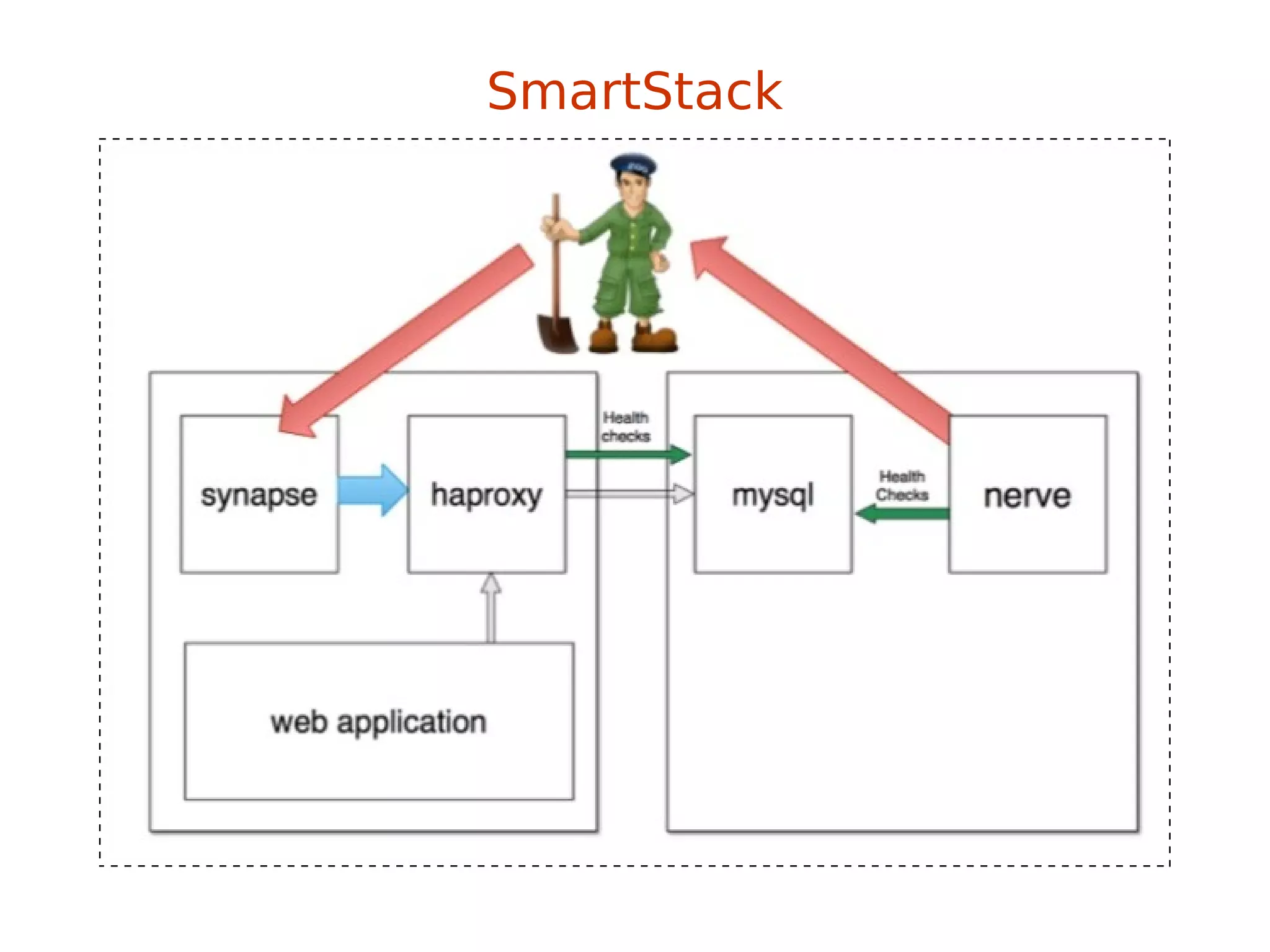
haproxy + nerve + synapse + zookeper = smartstack
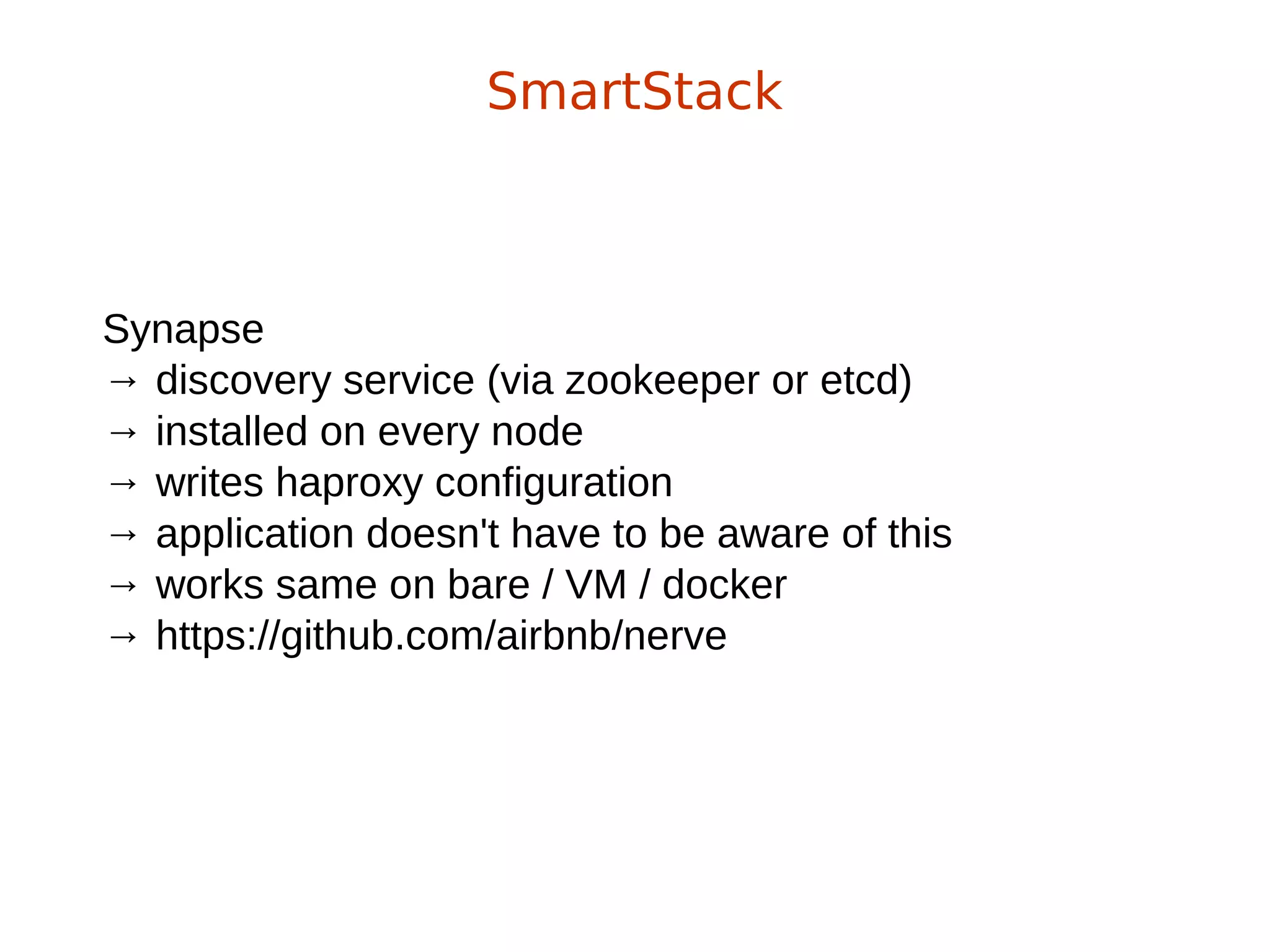
Synapse
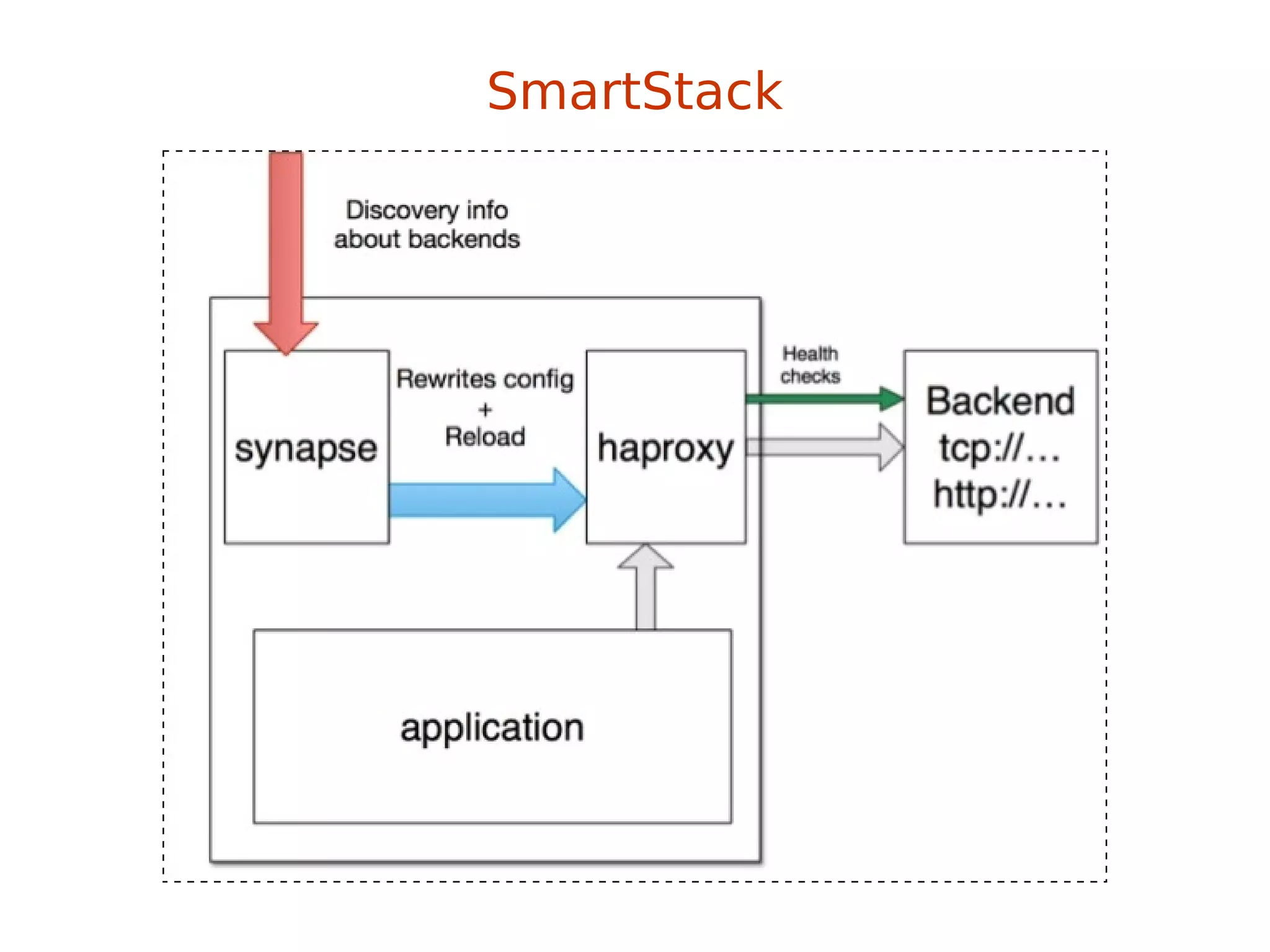
→ discovery service (via zookeeper or etcd)
→ installed on every node
→ writes haproxy configuration
→ application doesn't have to be aware of this
→ works same on bare / VM / docker
→ https://github.com/airbnb/nerve
SmartStack
SmartStack
Nerve
→ health checks (pluggable)
→ register service info to zookeper (or etcd)
→ https://github.com/airbnb/synapse
SmartStack
SmartStack
SmartStack
Smartstack + Docker = <3
but also remember about Consul
(come to #dockerkrk 2 meetup!)
Wanna learn Docker?
http://dockerbook.com/
Freenode #docker
#KrkDocker meetups (http://www.meetup.com/Docker-Krakow-Poland/)
https://github.com/docker/docker
sources?
→ docker.io documentation
→ dockerbook.com
→ slideshare!
→ zounds of blogposts (urls provided)
→ and some experience ;)
Looking for a job?
- Software Engineer (java)
- Information Security Manager
- Product Analyst
Catch me: maciek@lasyk.info
Linux containers & Devops
Maciej Lasyk
Atmosphere Shuttle #02 – Wrocław
2015-04-17

Linux containers & Devops

  • 1.
    Linux containers &Devops Maciej Lasyk Atmosphere Shuttle #02 – Wrocław 2015-04-17
  • 2.
    Join Fedora Infrastructure! -learn Ansible - learn Docker with Fedora Dockerfiles http://fedoraproject.org/en/join-fedora
  • 3.
    How many ofyou... Quick survey
  • 4.
    How many ofyou... →Knows what Docker is? Quick survey
  • 5.
    How many ofyou... →Knows what Docker is? →Played with Docker? Quick survey
  • 6.
    How many ofyou... →Knows what Docker is? →Played with Docker? →Runs it on production? Quick survey
  • 7.
    With Docker wecan solve many problems Why use Docker?
  • 8.
    With Docker wecan solve many problems →“it works on my machine” Why use Docker?
  • 9.
    With Docker wecan solve many problems →“it works on my machine” →reducing build & deploy time Why use Docker?
  • 10.
    With Docker wecan solve many problems →“it works on my machine” →reducing build & deploy time →Infrastructure configuration spaghetti – automation! Why use Docker?
  • 11.
    With Docker wecan solve many problems →“it works on my machine” →reducing build & deploy time →Infrastructure configuration spaghetti – automation! →Libs dependency hell Why use Docker?
  • 12.
    With Docker wecan solve many problems →“it works on my machine” →reducing build & deploy time →Infrastructure configuration spaghetti – automation! →Libs dependency hell →Cost control and granularity Why use Docker?
  • 13.
  • 14.
    “automates the deploymentof any application as a lightweight, portable, self-sufficient container that will run virtually anywhere” Docker – what is it?
  • 15.
    Java’s promise: WriteOnce. Run Anywhere. Docker – what is it?
  • 16.
    Docker – whatis it? Even on Windows now! https://blog.docker.com/2014/10/docker-microsoft-partner-distributed-applications/ Java’s promise: Write Once. Run Anywhere.
  • 17.
    Docker – whatis it? Is Docker is lightweight?
  • 18.
    ====================================================== Package Arch VersionRepository Size ====================================================== Installing: docker-io x86_64 1.3.0-1.fc20 updates 4.3 M Is Docker is lightweight? Docker – what is it?
  • 19.
    ====================================================== Package Arch VersionRepository Size ====================================================== Installing: docker-io x86_64 1.3.0-1.fc20 updates 4.3 M Is Docker is lightweight? ====================================================== Package Arch Version Repository Size ====================================================== Installing: docker-io x86_64 1.5.0-2.fc21 updates 26 M Docker – what is it?
  • 20.
    Docker – whatis it? http://sattia.blogspot.com/2014/05/docker-lightweight-linux-containers-for.html
  • 21.
    Docker – howit works? http://blog.docker.com/2014/03/docker-0-9-introducing-execution-drivers-and-libcontainer/
  • 22.
  • 23.
    →LXC & libcontainer →controlgroups Docker – how it works?
  • 24.
    →LXC & libcontainer →controlgroups →kernel namespaces Docker – how it works?
  • 25.
    →LXC & libcontainer →controlgroups →kernel namespaces →layered filesystem →devmapper thin provisioning & loopback mounts →no more AUFS (perf sucks) →OverlayFS! Docker – how it works?
  • 26.
    Control Groups providea mechanism for aggregating/partitioning sets of tasks, and all their future children, into hierarchical groups with specialized behavior control groups (cgroups)
  • 27.
    Control Groups providea mechanism for aggregating/partitioning sets of tasks, and all their future children, into hierarchical groups with specialized behavior →grouping processes →allocating resources to particular groups →memory →network →CPU →storage bandwidth (I/O throttling) →device whitelisting control groups (cgroups)
  • 28.
    little demo #1 controlgroups (cgroups)
  • 29.
    Providing a uniqueviews of the system for processes. Kernel Namespaces
  • 30.
    Providing a uniqueviews of the system for processes. → PID – PIDs isolation Kernel Namespaces
  • 31.
    Providing a uniqueviews of the system for processes. → PID – PIDs isolation → NET – network isolation (via virt-ifaces; demo) Kernel Namespaces
  • 32.
    Providing a uniqueviews of the system for processes. → PID – PIDs isolation → NET – network isolation (via virt-ifaces; demo) → IPC – won't use this Kernel Namespaces
  • 33.
    Providing a uniqueviews of the system for processes. → PID – PIDs isolation → NET – network isolation (via virt-ifaces; demo) → IPC – won't use this → MNT – chroot like; deals w/mountpoints Kernel Namespaces
  • 34.
    Providing a uniqueviews of the system for processes. → PID – PIDs isolation → NET – network isolation (via virt-ifaces; demo) → IPC – won't use this → MNT – chroot like; deals w/mountpoints → UTS – deals w/hostname Kernel Namespaces
  • 35.
  • 36.
    + hell fast(you'll see) OverlayFS
  • 37.
    + hell fast(you'll see) + page cache sharing OverlayFS
  • 38.
    + hell fast(you'll see) + page cache sharing + finally in upstream kernel (in rhel from 7.2, 3.18) OverlayFS
  • 39.
    + hell fast(you'll see) + page cache sharing + finally in upstream kernel (in rhel from 7.2, 3.18) + finally supported by docker (-s overlay) OverlayFS
  • 40.
    + hell fast(you'll see) + page cache sharing + finally in upstream kernel (in rhel from 7.2, 3.18) + finally supported by docker (-s overlay) - SELinux not there yet (but will be) OverlayFS
  • 41.
  • 42.
  • 43.
  • 44.
  • 45.
    Linux Containers =namespaces + cgroups + storage Linux containers equation
  • 46.
    → images → readonly → act as templates Docker – concepts
  • 47.
    → images → readonly → act as templates → Dockerfile → like a makefile → commands order & cache'ing → extends the base image → results in a new image Docker – concepts
  • 48.
    → images → readonly → act as templates → Dockerfile → like a makefile → commands order & cache'ing → extends the base image → results in a new image → Containers: instances running apps Docker – concepts
  • 49.
    → images → readonly → act as templates → Dockerfile → like a makefile → commands order & cache'ing → extends the base image → results in a new image → Containers: instances running apps Docker – concepts dockerfile + base image = docker container
  • 50.
    FROM fedora MAINTAINER scollier<scollier@redhat.com> RUN yum -y update && yum clean all RUN yum -y install nginx && yum clean all RUN echo "daemon off;" >> /etc/nginx/nginx.conf RUN echo "nginx on Fedora" > /srv/www/index.html EXPOSE 80 CMD [ "/usr/sbin/nginx" ] Dockerfile
  • 51.
  • 52.
  • 53.
    Docker – registry →git like semantics → pull, push, commit → private and public registry → https://github.com/dotcloud/docker-registry → yum install docker-registry $ docker pull $ docker push $ docker commit
  • 54.
    Docker – imageshierarchy http://blog.octo.com/en/docker-registry-first-steps/
  • 55.
    base image -> childimage -> grandchild image Docker – images hierarchy
  • 56.
    base image -> childimage -> grandchild image Docker – images hierarchy Git’s promise: Tiny footprint with lightning fast performance
  • 57.
    → Isolation viakernel namespaces → Additional layer of security: SELinux / AppArmor / GRSEC → Each container gets own network stack → control groups for resources limiting Docker – security f20 policy: https://git.fedorahosted.org/cgit/selinux-policy.git/tree/docker.te?h=f20-contrib What's there? seinfo -t -x | grep docker sesearch -A -s docker_t (and the rest) or just unpack docker.pp with semodule_unpackage
  • 58.
  • 59.
  • 60.
    Docker – usecases CI Stack http://sattia.blogspot.com/2014/05/docker-lightweight-linux-containers-for.html
  • 61.
    Continuous Integration → localdev → with Docker it's easy to standardize envs → deployment → rolling updates (e.g. w/Ansible) → testing → unit testing of any commit on dedicated env → don't worry about cleaning up after testing → paralleled tests across any machines Docker – use cases
  • 62.
    → version controlsystem for apps → microservices → Docker embraces granularity → Services can be deployed independently and faster → paralleled tests across any machines → continuous delivery → PaaS Docker – use cases
  • 63.
  • 64.
    This might bea little problem Orchestration at scale w/Docker
  • 65.
    This might bea little problem Orchestration at scale w/Docker
  • 66.
  • 67.
  • 68.
  • 69.
    Ansible docker coremodule: http://docs.ansible.com/docker_module.html Docker & Ansible - hosts: web sudo: yes tasks: - name: run httpd servers docker: > image=centos command="service httpd start" ports=8080 count=5 memory_limit=32MB link=mysql expose=8080 registry=... volume=...
  • 70.
    Building image withAnsible: Docker & Ansible FROM ansible/centos7-ansible:stable ADD ansible /srv/example WORKDIR /srv/example RUN ansible-playbook web.yml -c local EXPOSE 80 CMD ["/usr/sbin/nginx"]
  • 71.
    Building image withAnsible: Docker & Ansible FROM ansible/centos7-ansible:stable ADD ansible /srv/example WORKDIR /srv/example RUN ansible-playbook web.yml -c local EXPOSE 80 CMD ["/usr/sbin/nginx"] ansible/web.yml: - name: Install webserver hosts: localhost tasks: - yum: pkg=nginx state=latest - shell: echo "ansible" > /usr/share/nginx/html/index.html
  • 72.
    Docker & Ansible Yetanother demo?
  • 73.
    → automated servicediscovery and registration framework → ideal for SOA architectures → ideal for continuous integration & delivery → solves “works on my machine” problem SmartStack
  • 74.
    → automated servicediscovery and registration framework → ideal for SOA architectures → ideal for continuous integration & delivery → solves “works on my machine” problem SmartStack haproxy + nerve + synapse + zookeper = smartstack
  • 75.
    Synapse → discovery service(via zookeeper or etcd) → installed on every node → writes haproxy configuration → application doesn't have to be aware of this → works same on bare / VM / docker → https://github.com/airbnb/nerve SmartStack
  • 76.
  • 77.
    Nerve → health checks(pluggable) → register service info to zookeper (or etcd) → https://github.com/airbnb/synapse SmartStack
  • 78.
  • 79.
  • 80.
  • 81.
    Smartstack + Docker= <3 but also remember about Consul (come to #dockerkrk 2 meetup!)
  • 82.
  • 83.
    Freenode #docker #KrkDocker meetups(http://www.meetup.com/Docker-Krakow-Poland/) https://github.com/docker/docker
  • 84.
    sources? → docker.io documentation →dockerbook.com → slideshare! → zounds of blogposts (urls provided) → and some experience ;)
  • 85.
    Looking for ajob? - Software Engineer (java) - Information Security Manager - Product Analyst Catch me: maciek@lasyk.info
  • 86.
    Linux containers &Devops Maciej Lasyk Atmosphere Shuttle #02 – Wrocław 2015-04-17

Editor's Notes

  • #4 - knows vagrant? - knows differences between hyplev2 hyplev1 and containers? - czy quick sort jest szybszy od heap sorta (kopcowanie)?
  • #5 - knows vagrant? - knows differences between hyplev2 hyplev1 and containers? - czy quick sort jest szybszy od heap sorta (kopcowanie)?
  • #6 - knows vagrant? - knows differences between hyplev2 hyplev1 and containers? - czy quick sort jest szybszy od heap sorta (kopcowanie)?
  • #7 - knows vagrant? - knows differences between hyplev2 hyplev1 and containers? - czy quick sort jest szybszy od heap sorta (kopcowanie)?
  • #27 Google, 2006 (process containers), 2007 published as control groups Podział procesów na grupy hierarhiczne Kernel zarządza dostępem do wybrancyh kontrolerów (subsystemów)
  • #29 ps -o cgroup cat /proc/self/cgroup cgcreate -t docent:docent -g cpu:/test-subgroup1 cgset -r cpuset.cpus=0 test-subgroup1 cgexec -g cpu:-subgroup1 /bin/bash cgdelete -g cpu:/test-subgroup1 ps -o cgroup cat /proc/self/cgroup Cd /sys/fs/cgroup/memory Ls Mkdir test1 &amp;&amp; cd test1 &amp;&amp; ls Cat memory.iimit_in_bytes echo 104857600 &amp;gt; memory.limit_in_bytes Cat memory.limit_in_bytes &amp;&amp; Cat memory.oom_control Echo $$ &amp;gt;&amp;gt; tasks Vim ~/mem-hog.c &amp;&amp; ~/mem-hog Echo 1 &amp;gt; memory.oom_control ~/mem-hog I na drugiej konsoli cat memory.oom_control Echo 0 &amp;gt; memory.oom_control
  • #31 PID: pid 1, main view different PIDs NET: own routing table, iptables rules and chains
  • #32 PID: pid 1, main view different PIDs NET: own routing table, iptables rules and chains
  • #33 PID: pid 1, main view different PIDs NET: own routing table, iptables rules and chains
  • #34 PID: pid 1, main view different PIDs NET: own routing table, iptables rules and chains
  • #35 PID: pid 1, main view different PIDs NET: own routing table, iptables rules and chains
  • #36 ip netns list ip netns add green ip link add veth0 type veth peer name veth1 ip link list ip link set veth1 netns green ip netns exec green ip link list ip netns exec green ip addr add 10.11.12.13/24 dev veth1 ip netns exec green ip a
  • #45 systemctl status docker -l docker info cd /etc/sysconfig ls docker* vim docker-storage restart...
  • #46 systemctl status docker -l cd /etc/sysconfig ls docker* vim docker-storage restart...
  • #73 cd ~/Dropbox/private/Prezentacje/atmosphere-shuttle-2-2015/dockerfiles Pokazać dockerfile I web.yml docker build --rm -t fedora-ansible-docker-nginx . docker create --name docker-ansible-test -p 127.0.0.1:83:80 -t fedora-ansible-docker-nginx Docekr ps -a &amp;&amp; docker start ABC