Introduction to Swift
Lecture 02
Jonathan R. Engelsma, Ph.D.
TOPICS
• Swift Language Overview
• Our first program!
• Variables and constants
• Strings
• CollectionTypes
• Control Flow
• Functions
THE SWIFT PROGRAMMING
LANGUAGE
• A surprise introduced by Apple @ WWDC in June 2014.
• An industrial-quality systems programming language that is as
expressive and enjoyable to use as a scripting language.
• Seamless access to existing Cocoa frameworks.
• Successor to legacy Objective-C language, but provides mix-
and-match interoperability with Objective-C code.
WHY A NEW LANGUAGE?
• Easier for new programmers to get up to speed in iOS
development.
• New language was necessary in order to ensure compatibility
with existing frameworks.
• Easier to create a new language that feels modern, but still
adapts to Objective-C / C conventions.
SWIFT CHARACTERISTICS
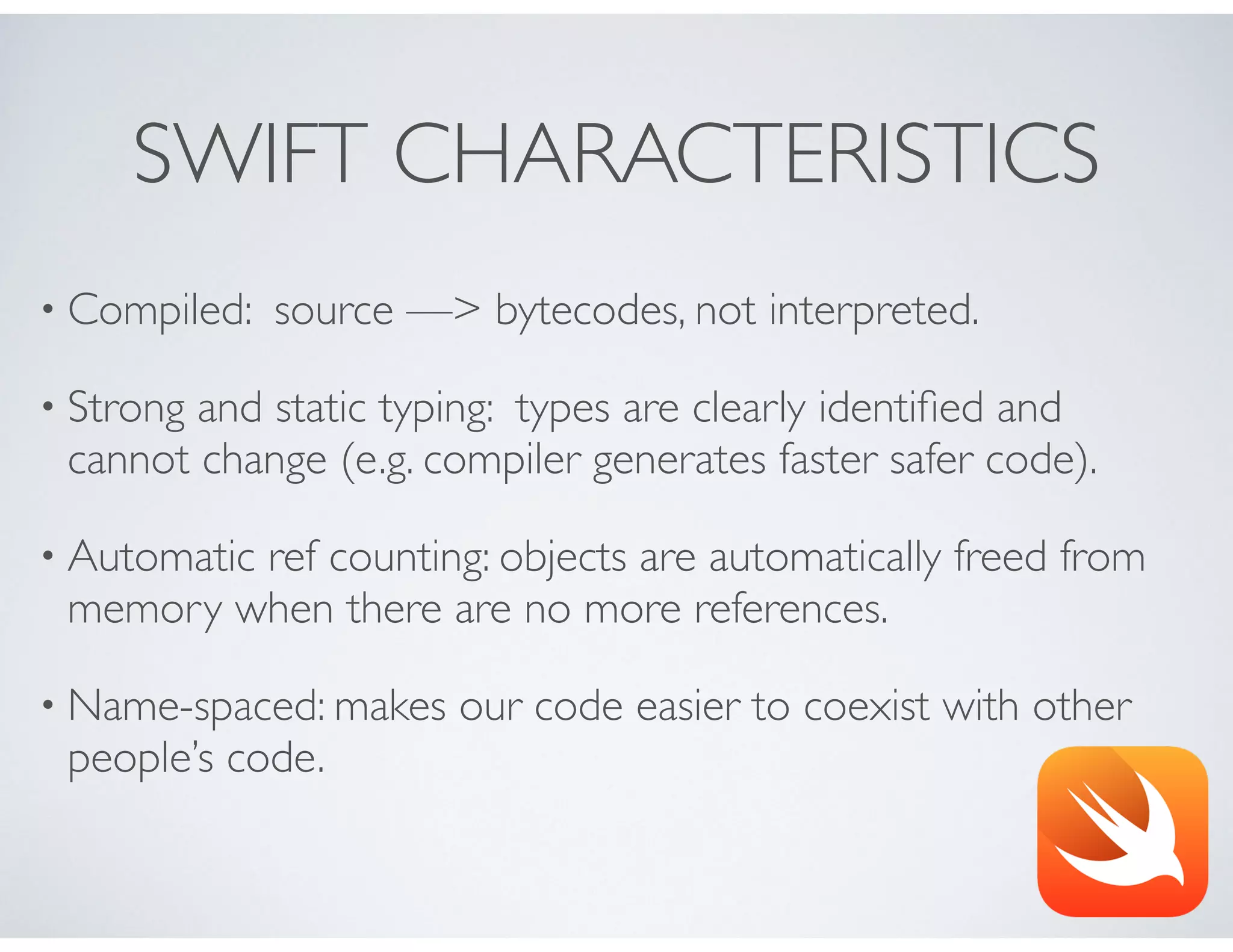
• Compiled: source —> bytecodes, not interpreted.
• Strong and static typing: types are clearly identified and
cannot change (e.g. compiler generates faster safer code).
• Automatic ref counting: objects are automatically freed from
memory when there are no more references.
• Name-spaced: makes our code easier to coexist with other
people’s code.
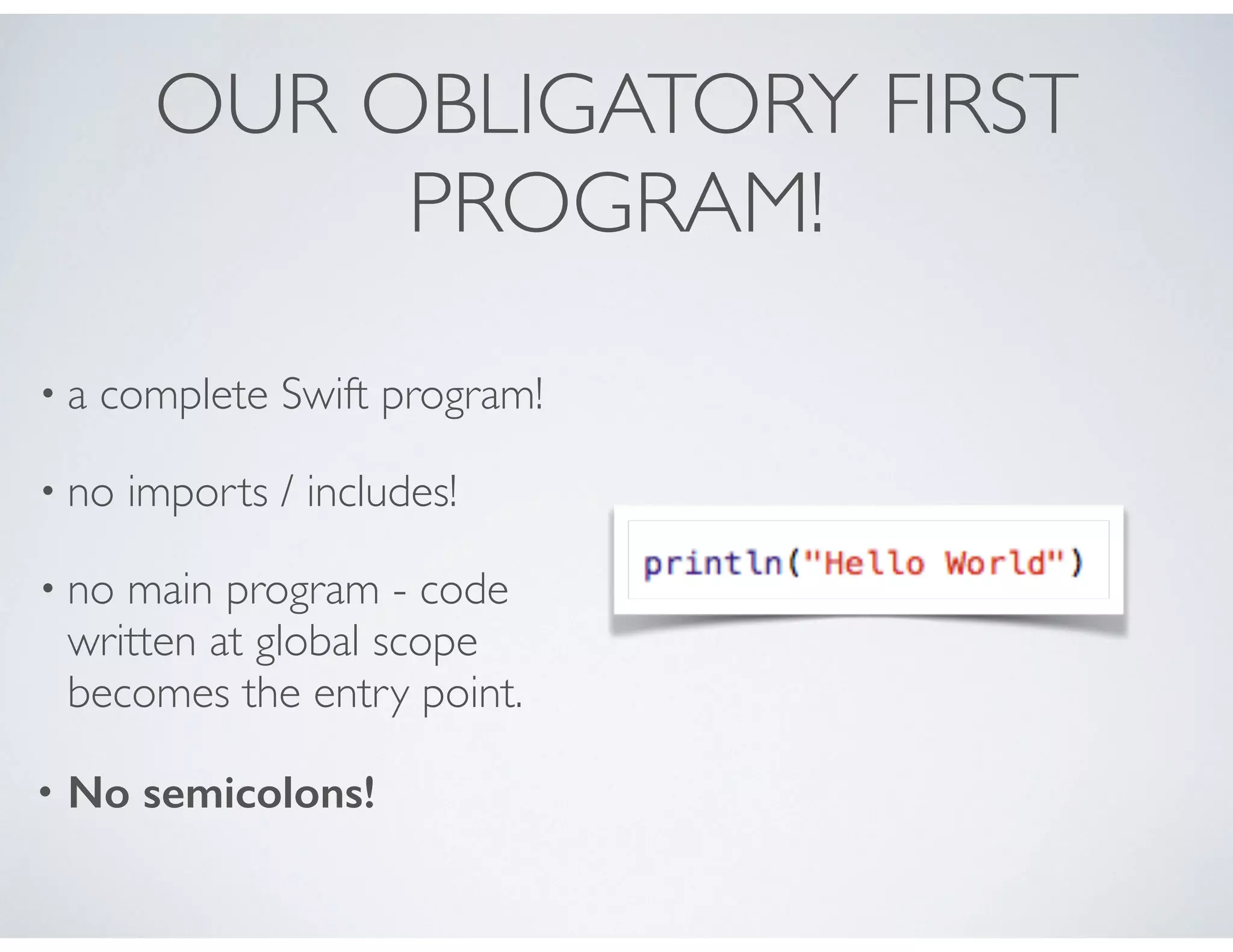
OUR OBLIGATORY FIRST
PROGRAM!
• a complete Swift program!
• no imports / includes!
• no main program - code
written at global scope
becomes the entry point.
• No semicolons!
CONSTANTS
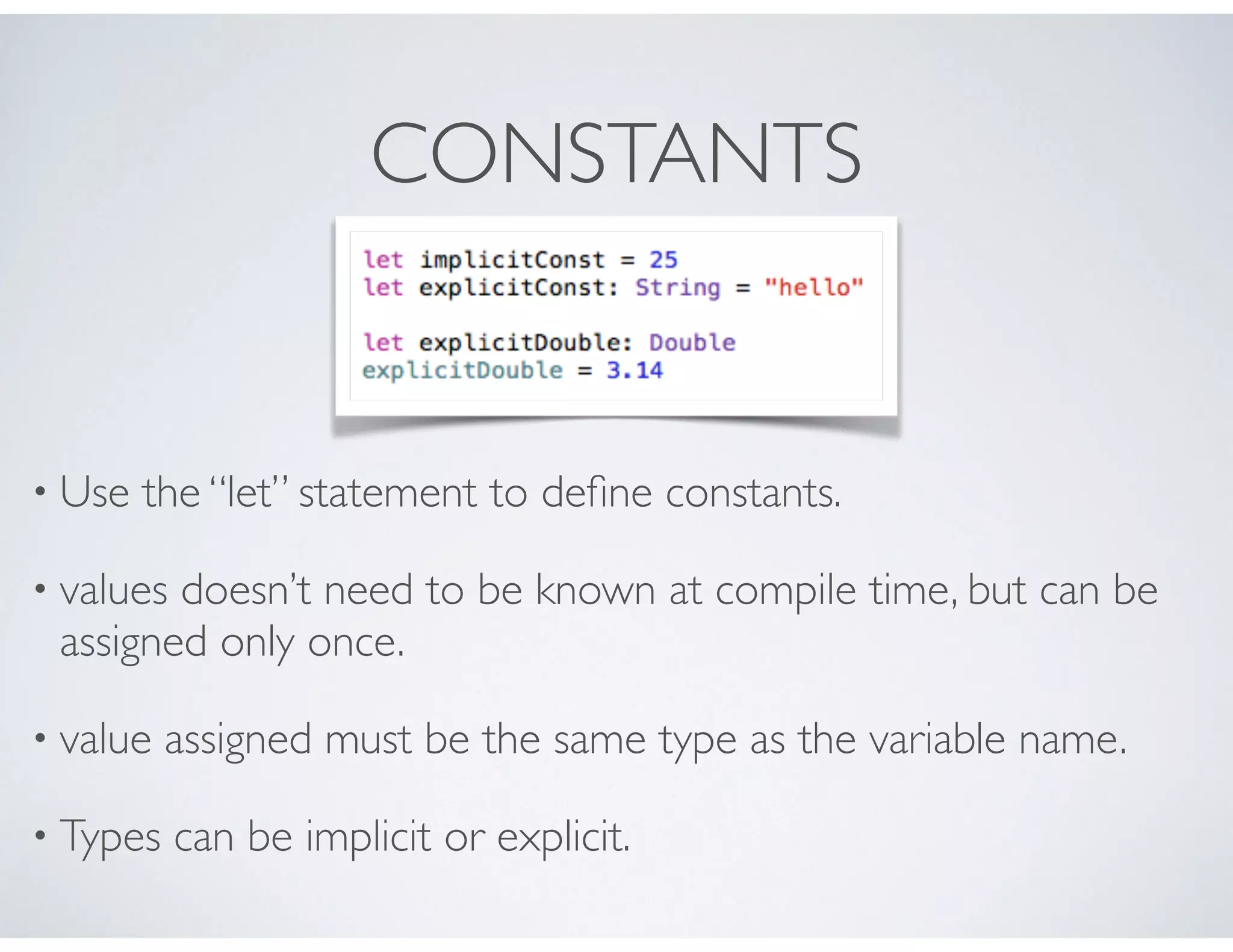
• Use the “let” statement to define constants.
• values doesn’t need to be known at compile time, but can be
assigned only once.
• value assigned must be the same type as the variable name.
• Types can be implicit or explicit.
VARIABLES
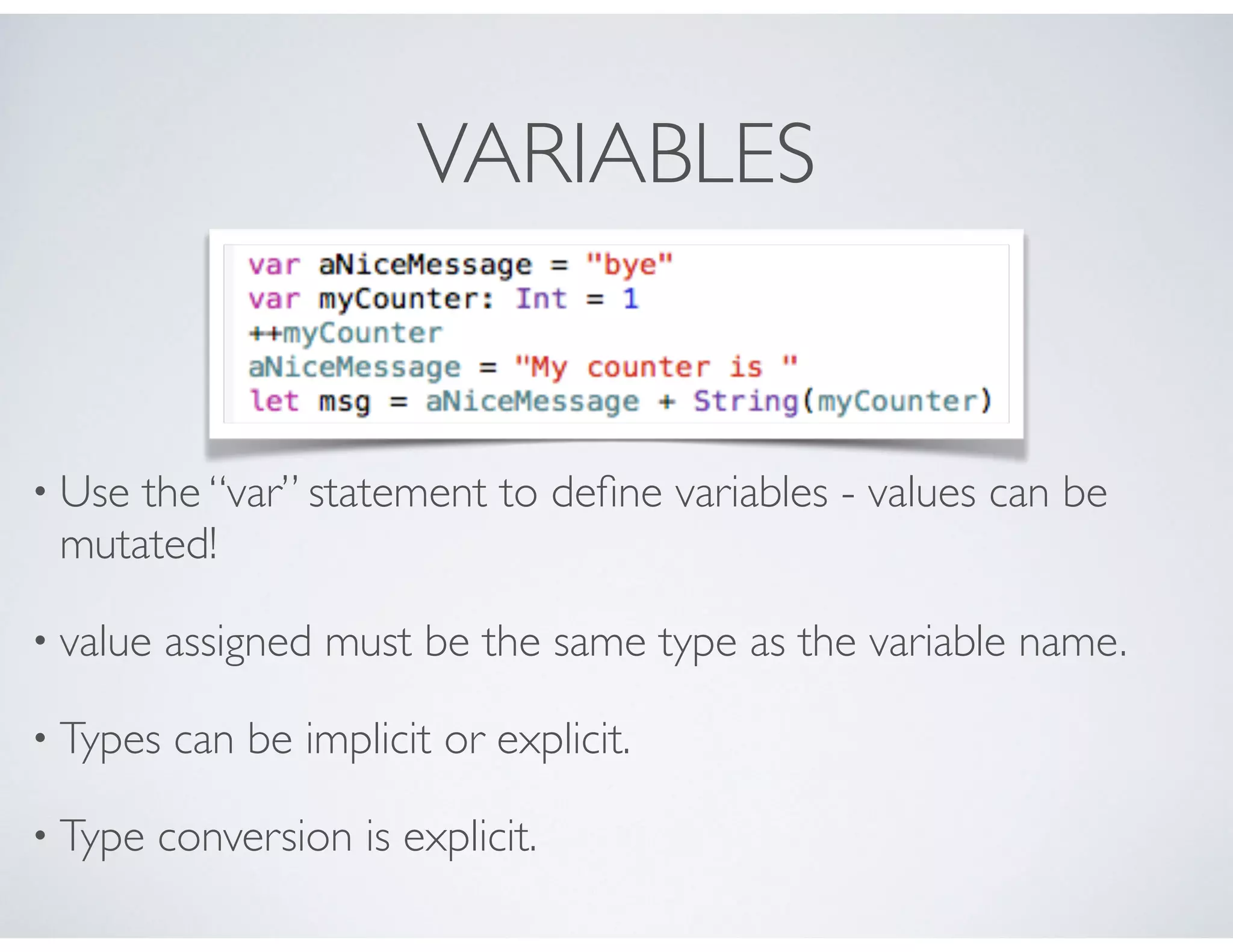
• Use the “var” statement to define variables - values can be
mutated!
• value assigned must be the same type as the variable name.
• Types can be implicit or explicit.
• Type conversion is explicit.
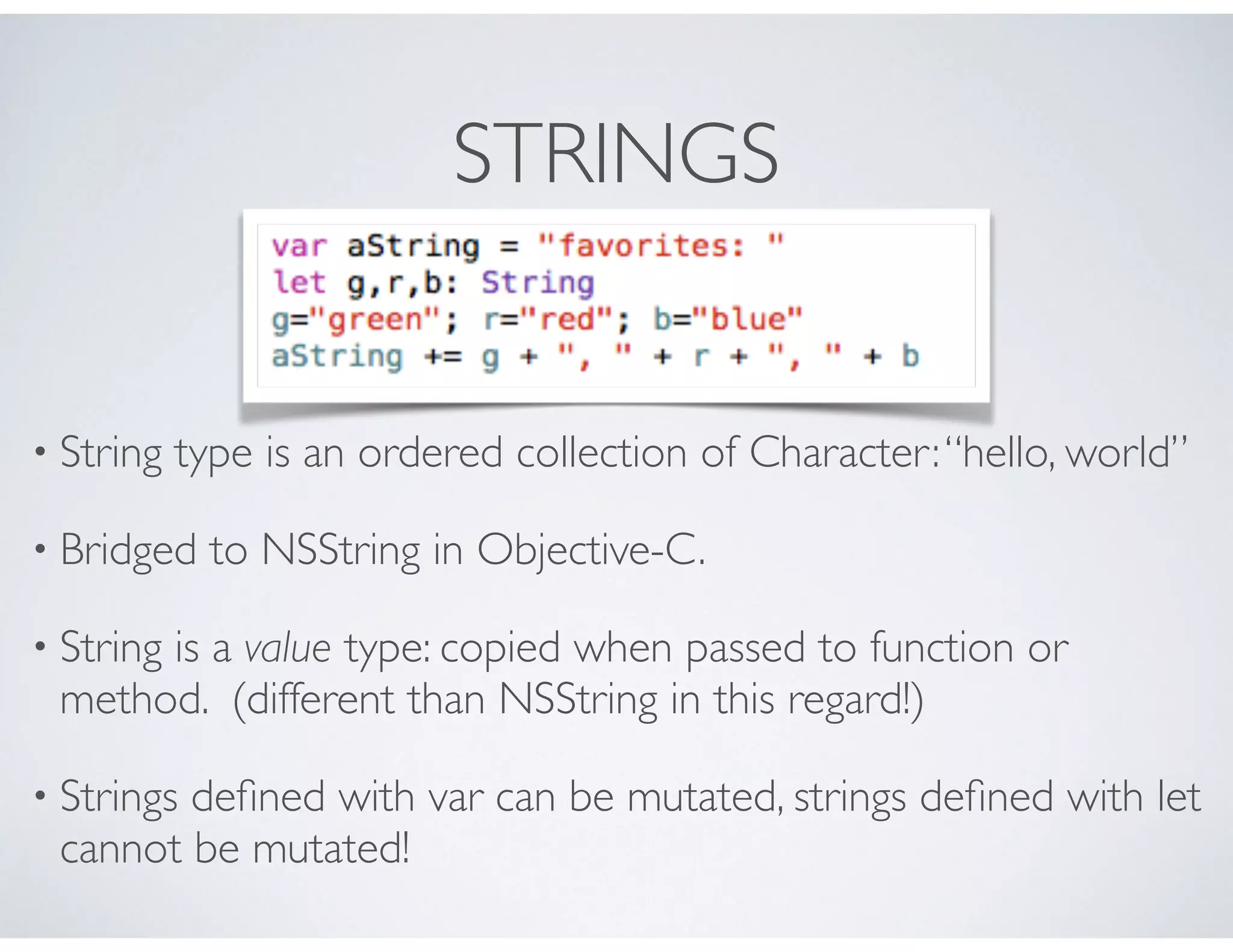
STRINGS
• String type is an ordered collection of Character:“hello, world”
• Bridged to NSString in Objective-C.
• String is a value type: copied when passed to function or
method. (different than NSString in this regard!)
• Strings defined with var can be mutated, strings defined with let
cannot be mutated!
STRINGS
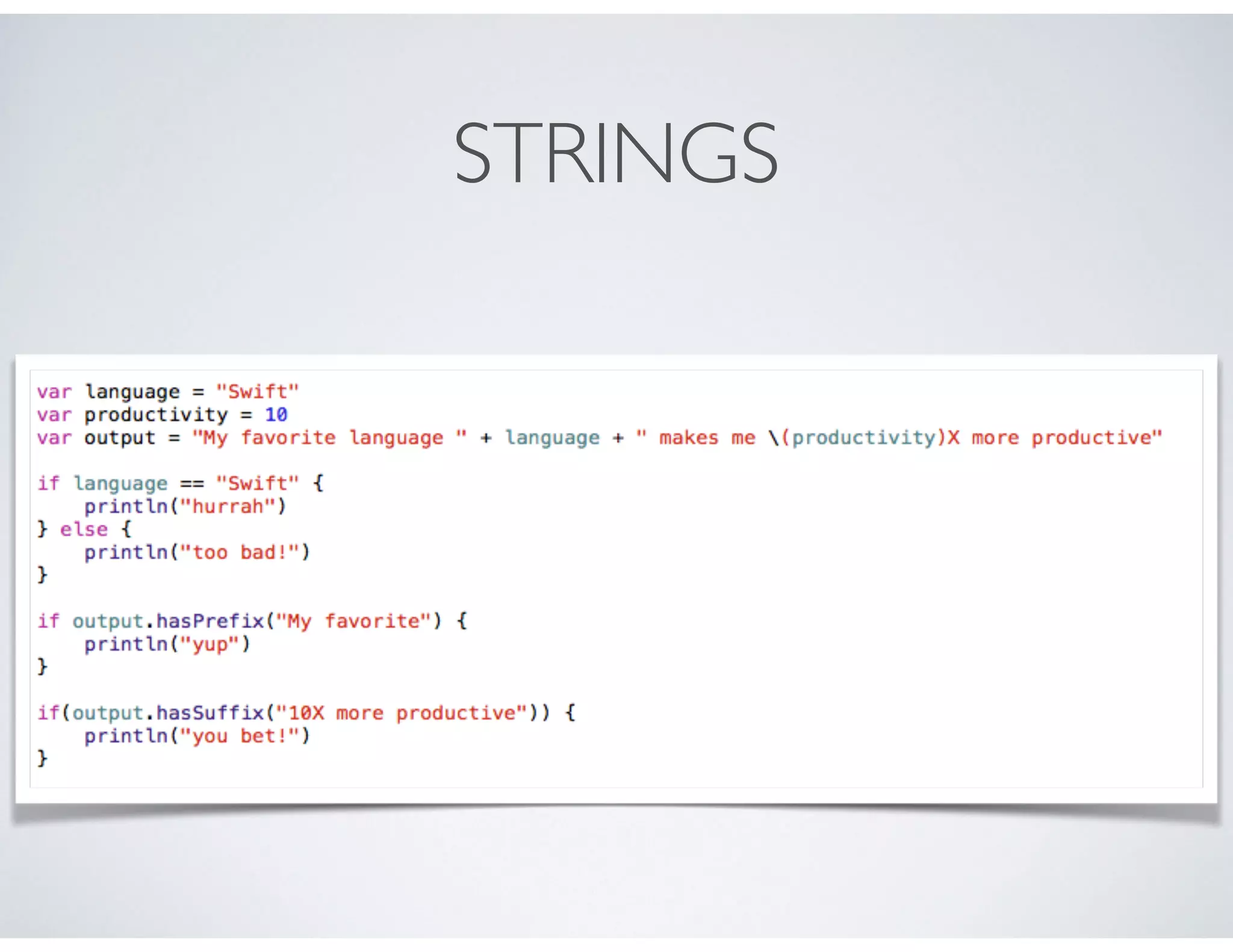
• concatenation: can be accomplished with the + operator
• interpolation: can construct new strings from a mix of values/
expressions. using ().
• Compare using == operator.
• Use the hasPrefix / hasSuffix methods to check how a string
starts/ends.
STRINGS
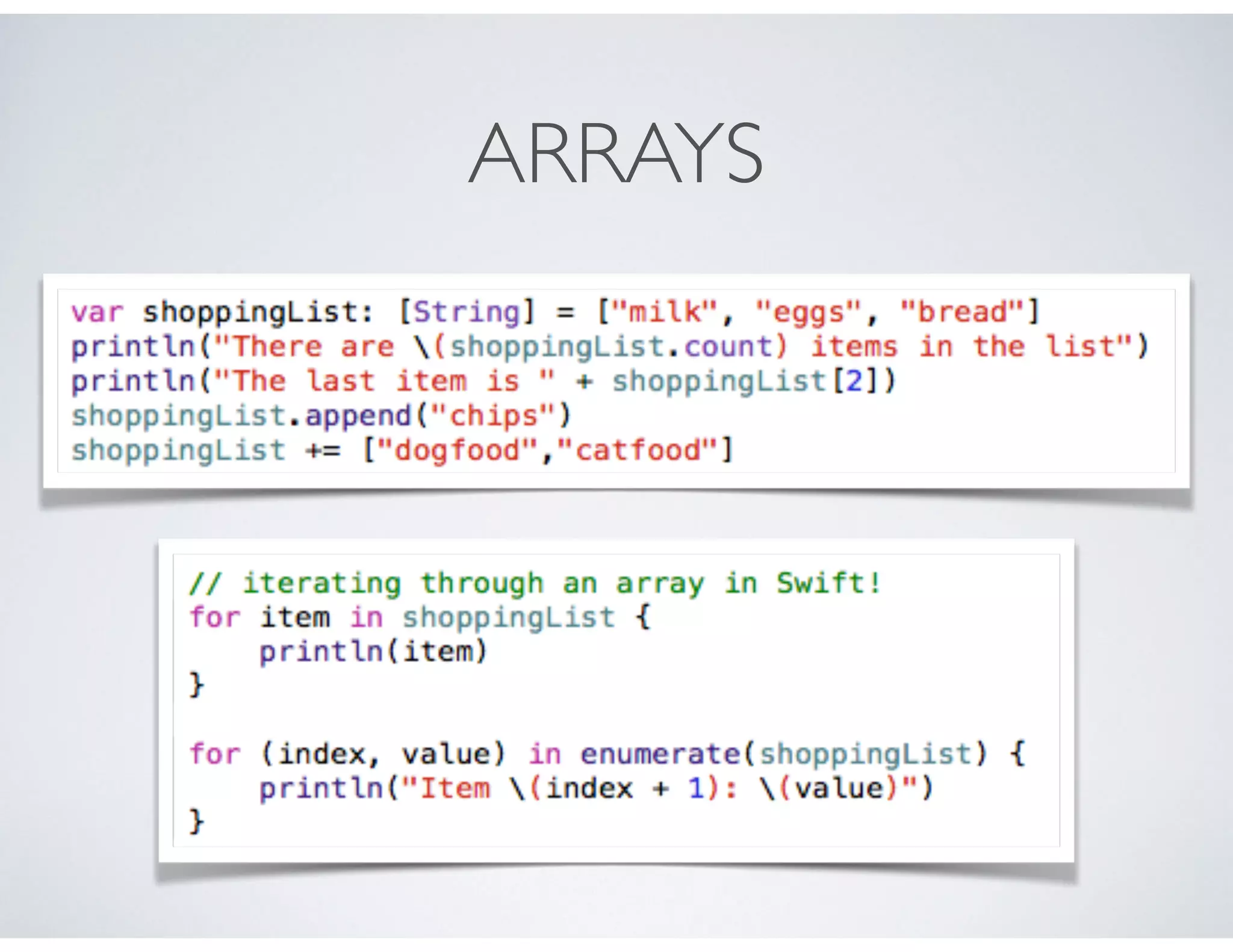
ARRAYS IN SWIFT
• Arrays store ordered lists of values
• All values in a given array are of the same type
• Values are accessed via methods, properties and subscripting.
ARRAYS
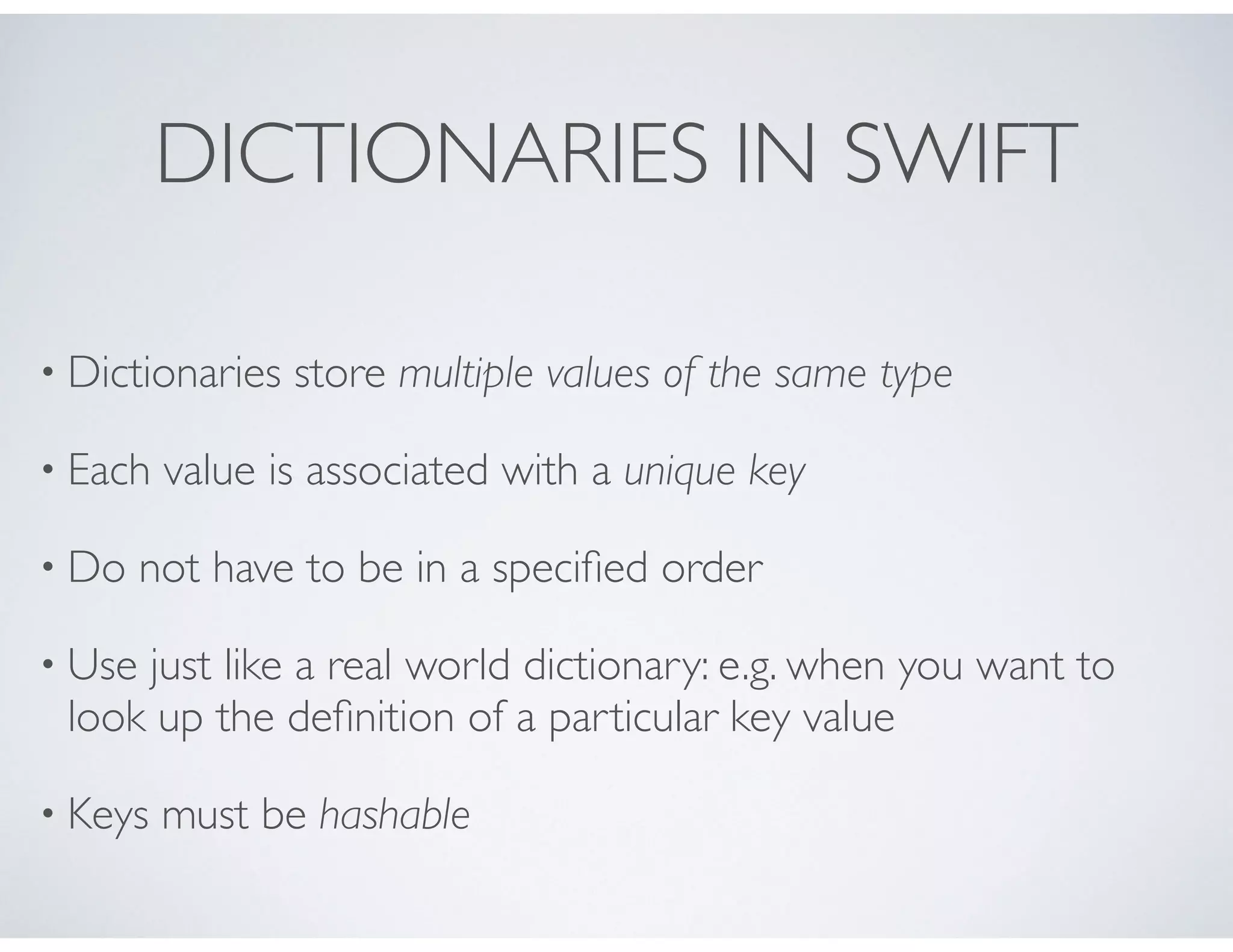
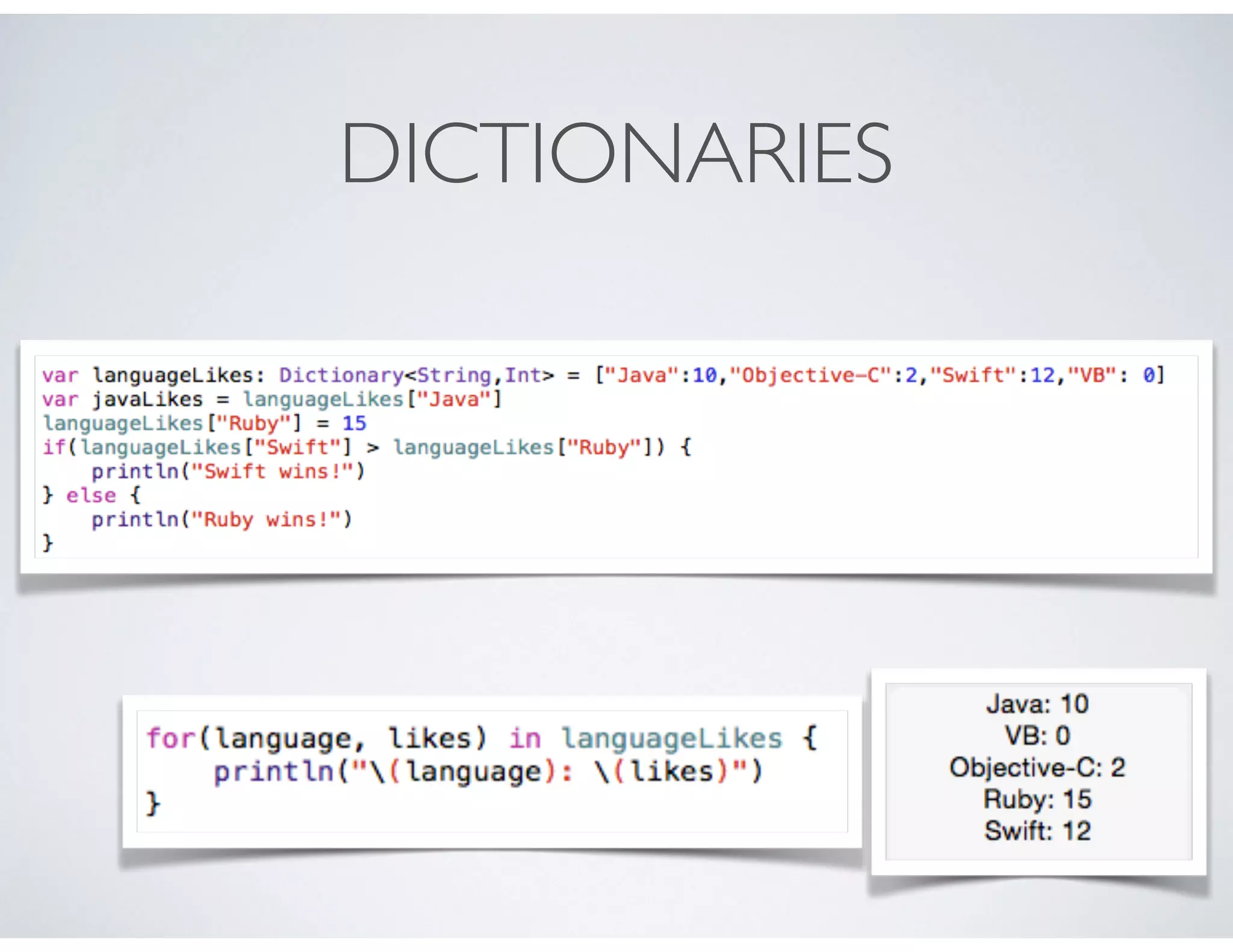
DICTIONARIES IN SWIFT
• Dictionaries store multiple values of the same type
• Each value is associated with a unique key
• Do not have to be in a specified order
• Use just like a real world dictionary: e.g. when you want to
look up the definition of a particular key value
• Keys must be hashable
DICTIONARIES
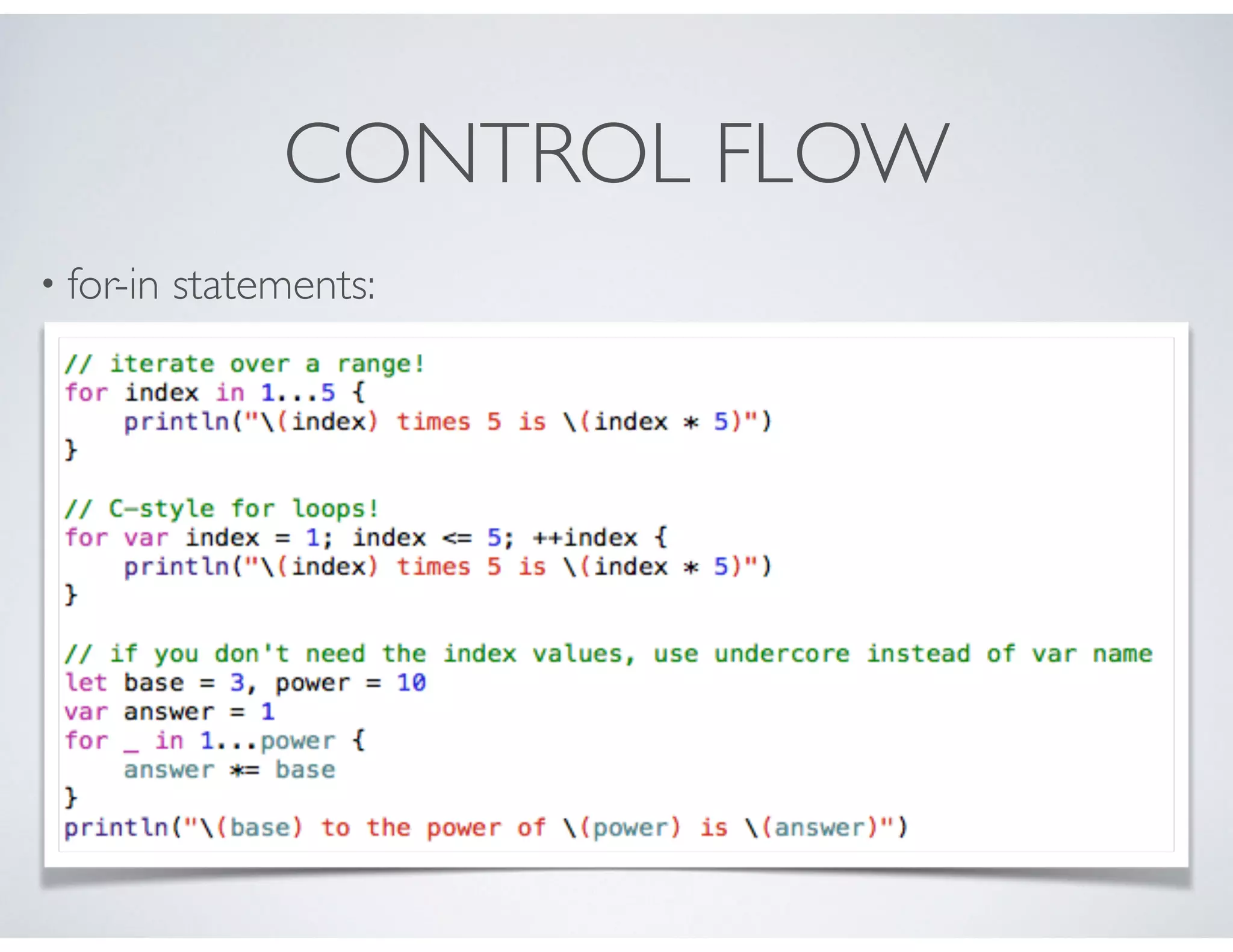
CONTROL FLOW
• for-in statements:
CONTROL FLOW
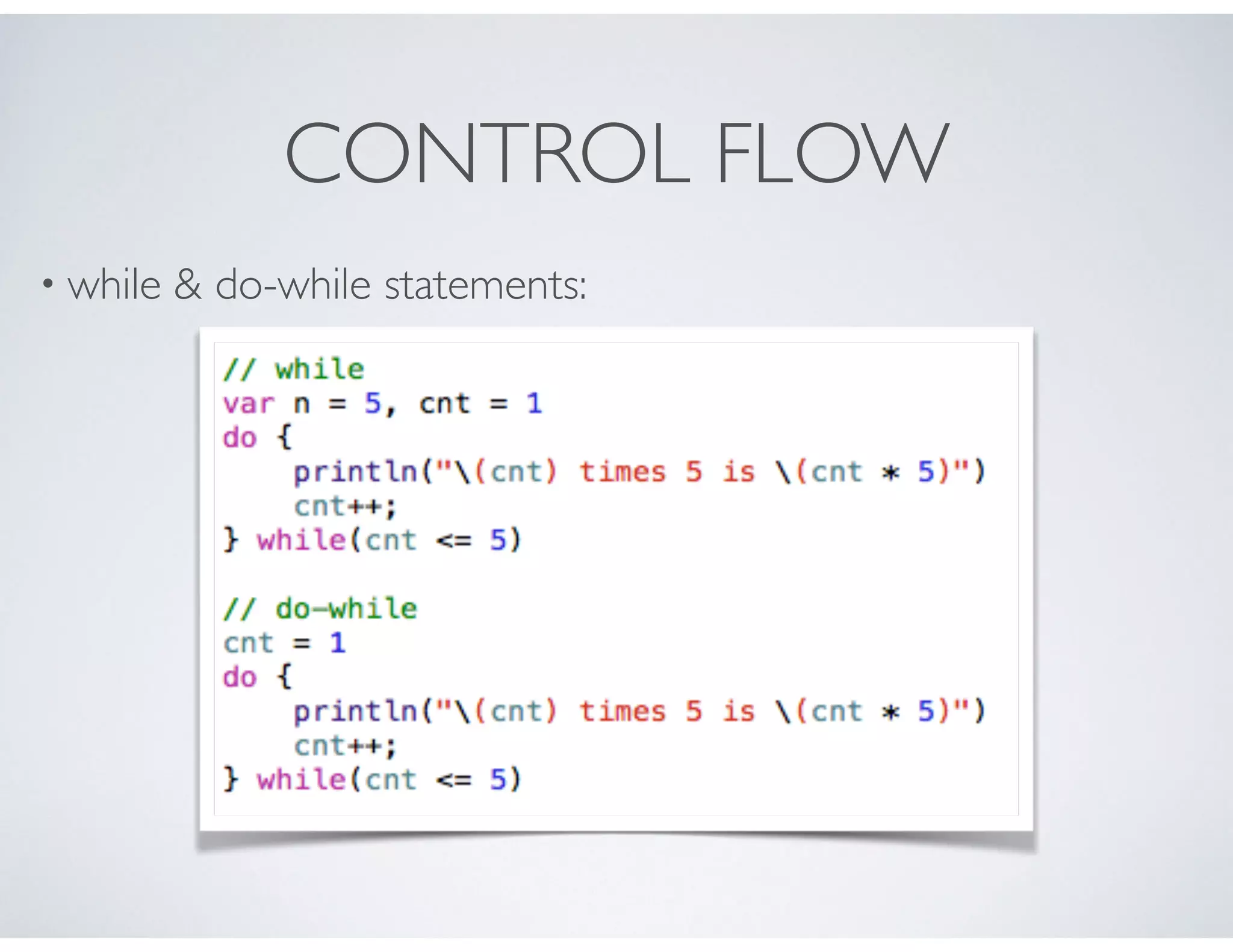
• while & do-while statements:
CONTROL FLOW
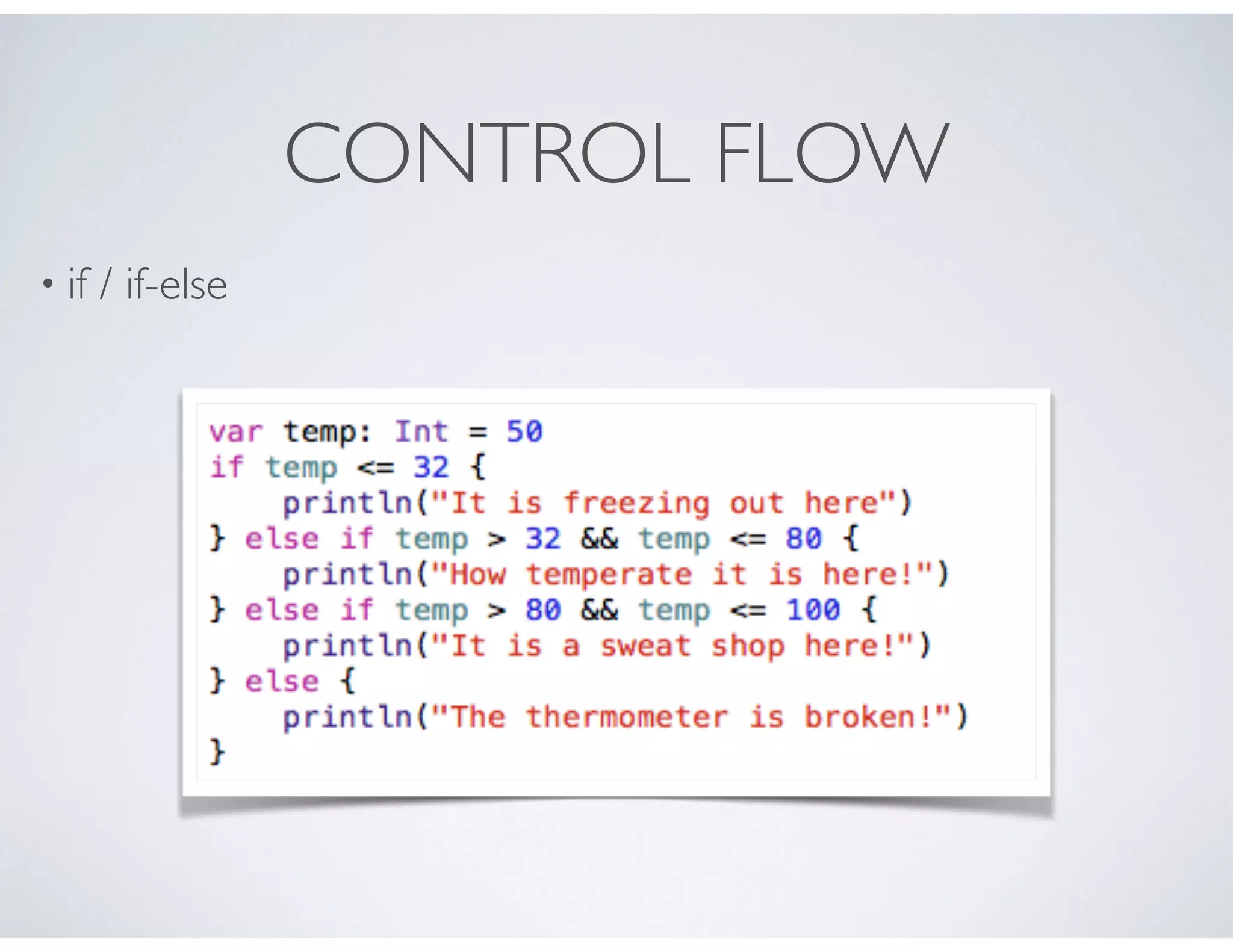
• if / if-else
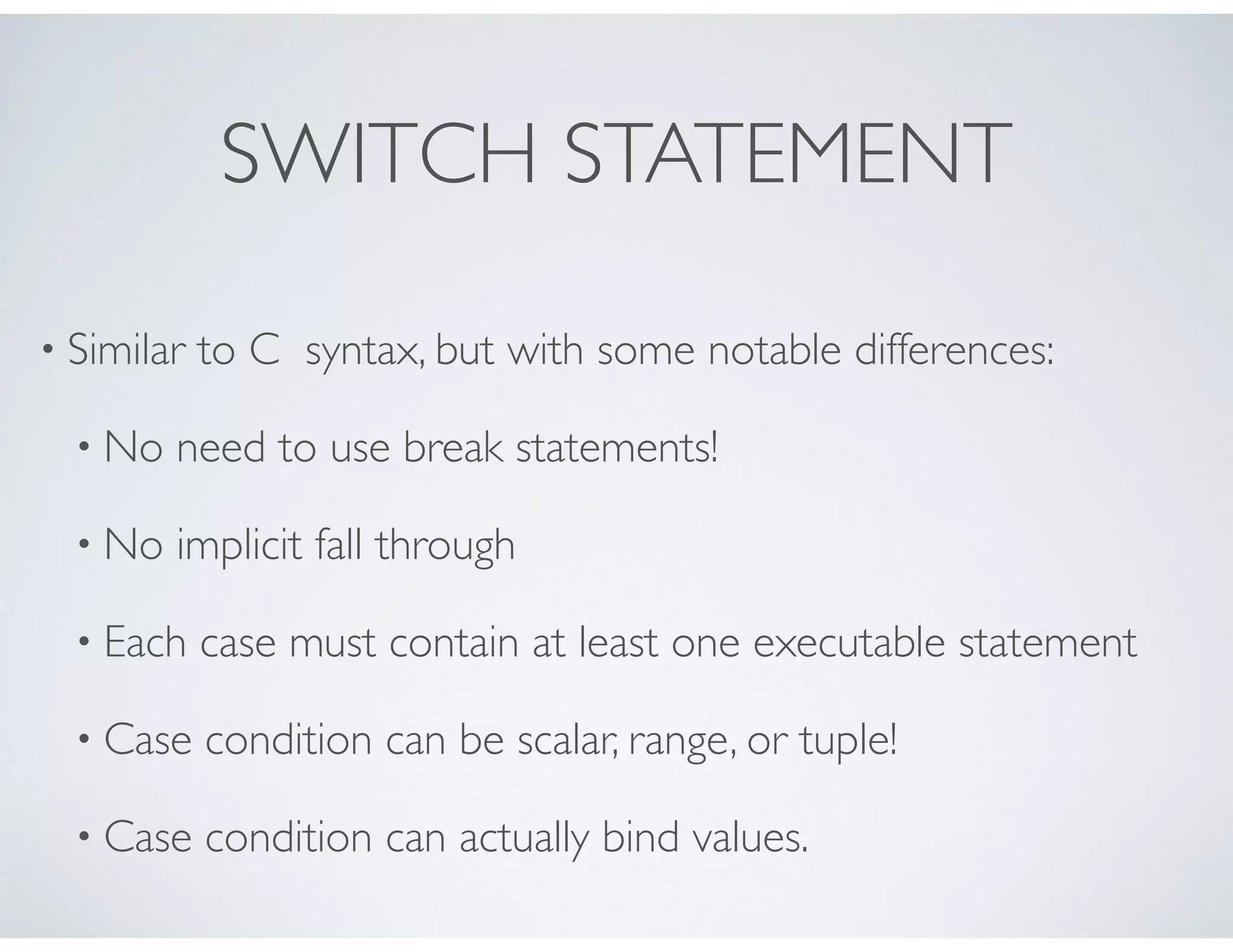
SWITCH STATEMENT
• Similar to C syntax, but with some notable differences:
• No need to use break statements!
• No implicit fall through
• Each case must contain at least one executable statement
• Case condition can be scalar, range, or tuple!
• Case condition can actually bind values.
CONTROL FLOW
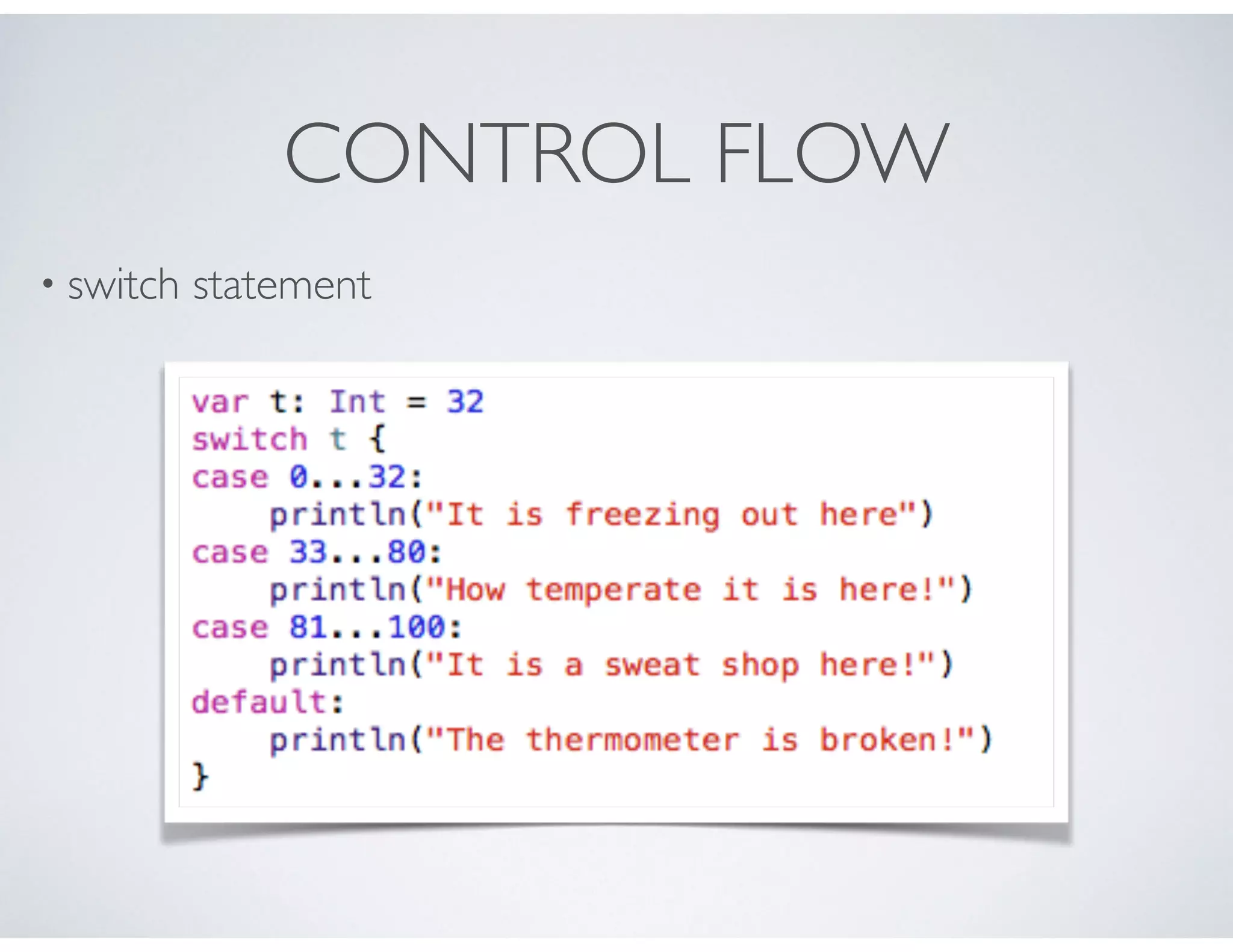
• switch statement
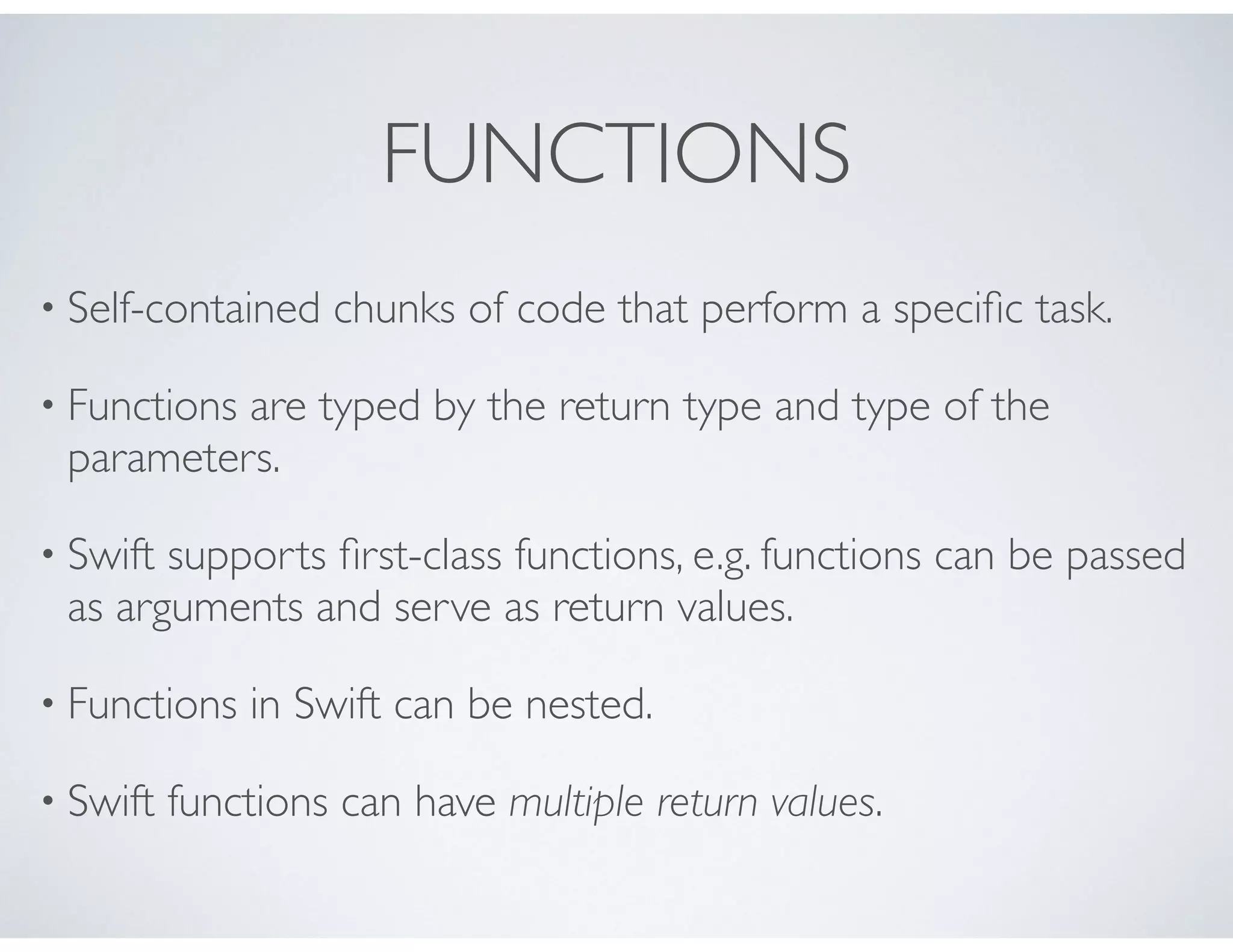
FUNCTIONS
• Self-contained chunks of code that perform a specific task.
• Functions are typed by the return type and type of the
parameters.
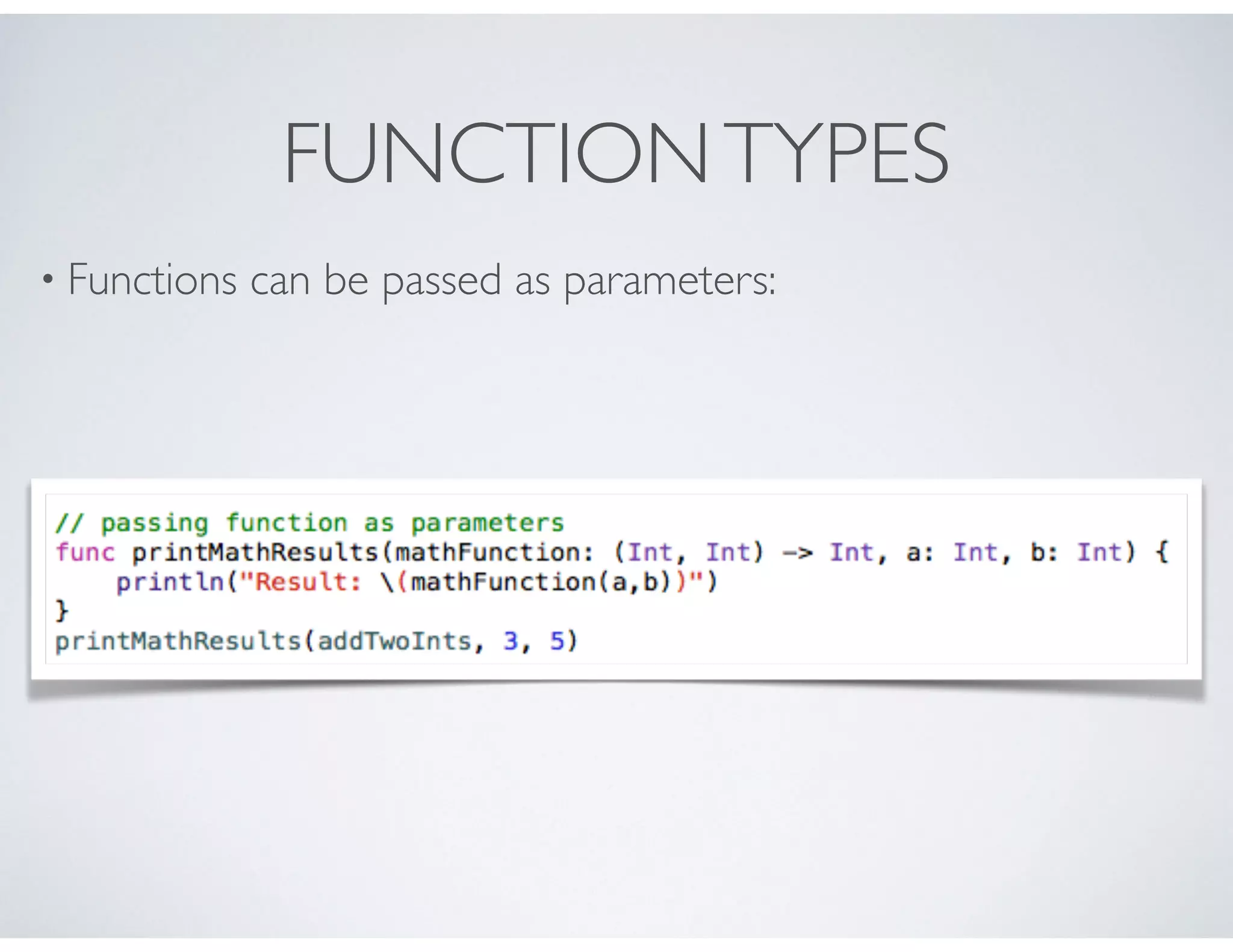
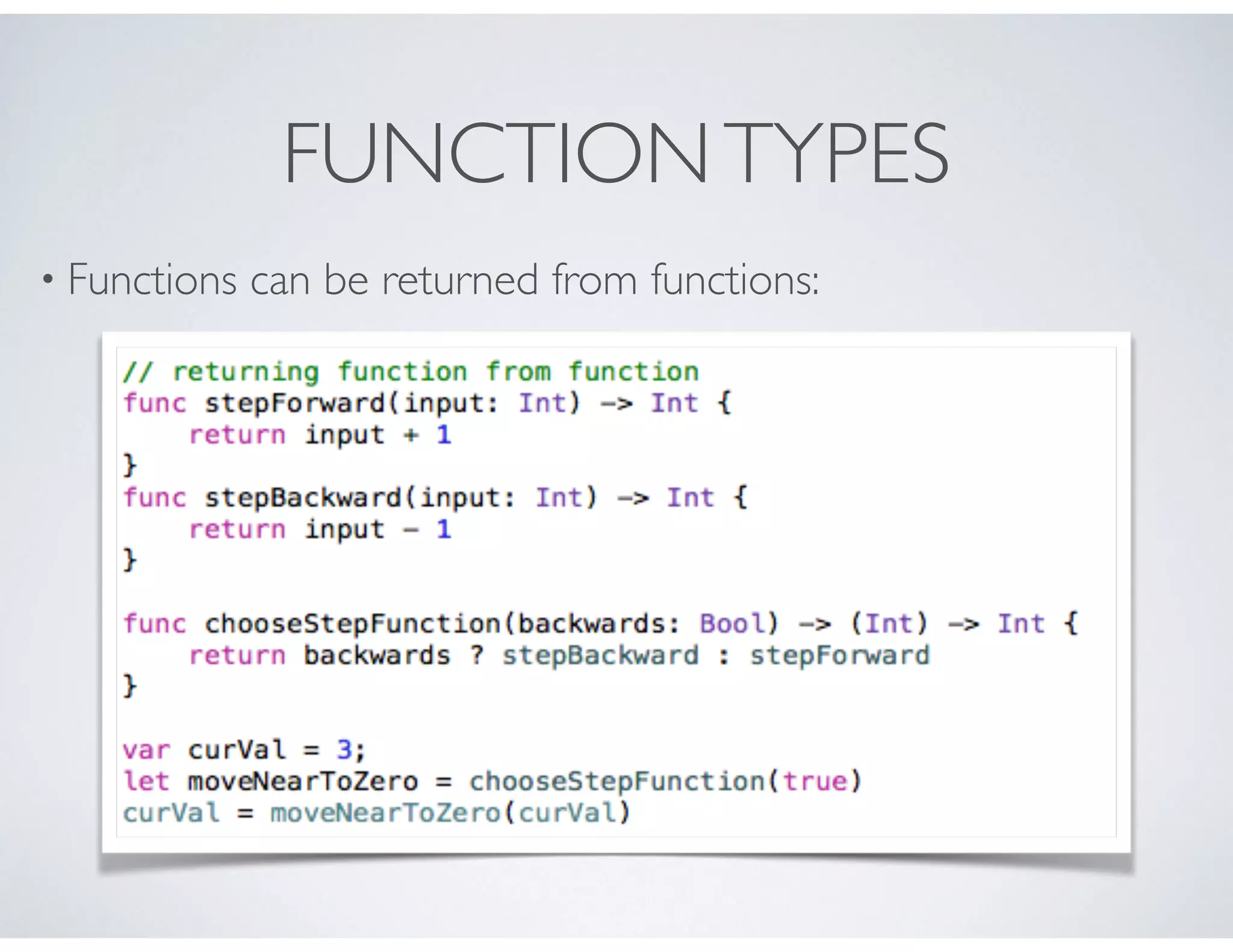
• Swift supports first-class functions, e.g. functions can be passed
as arguments and serve as return values.
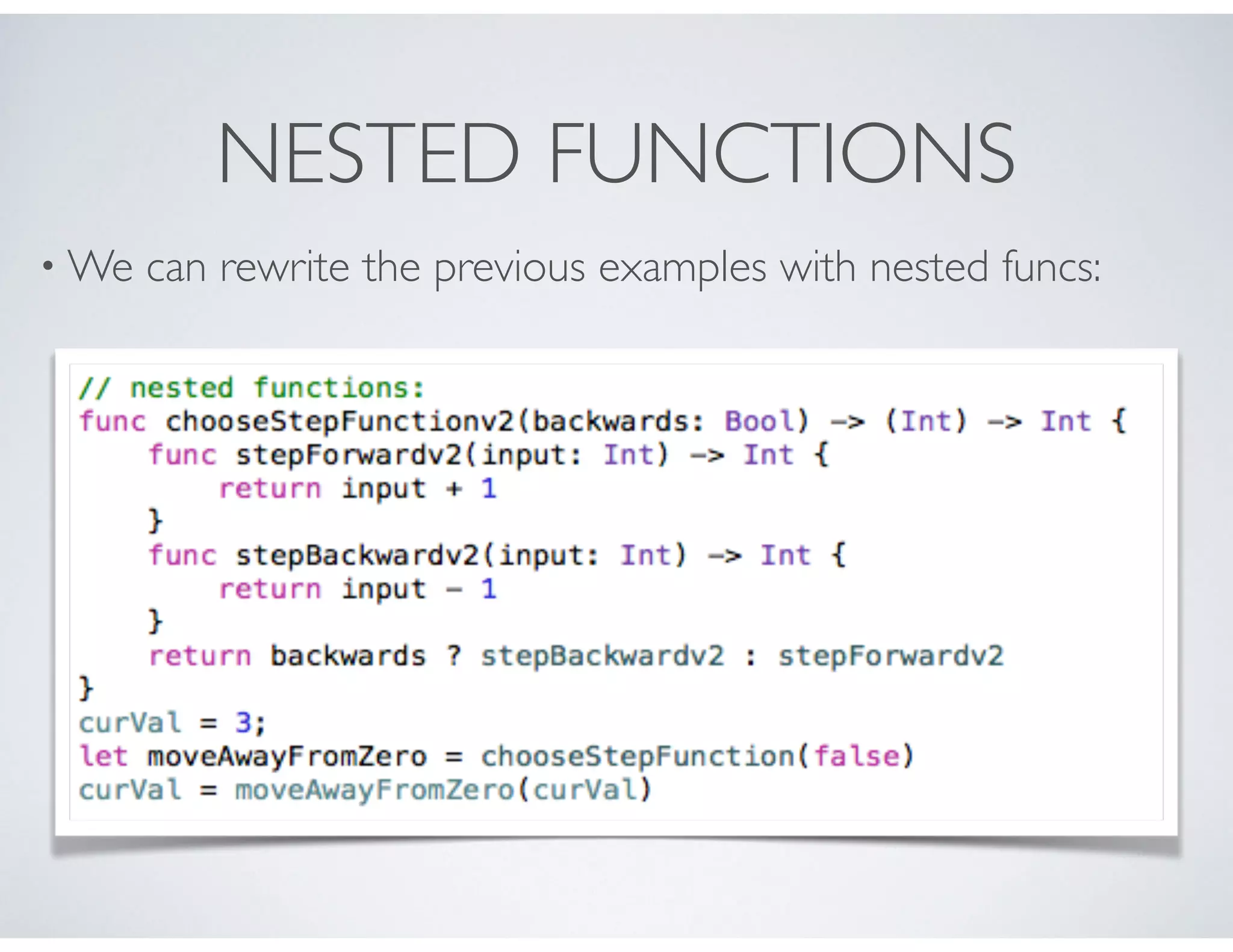
• Functions in Swift can be nested.
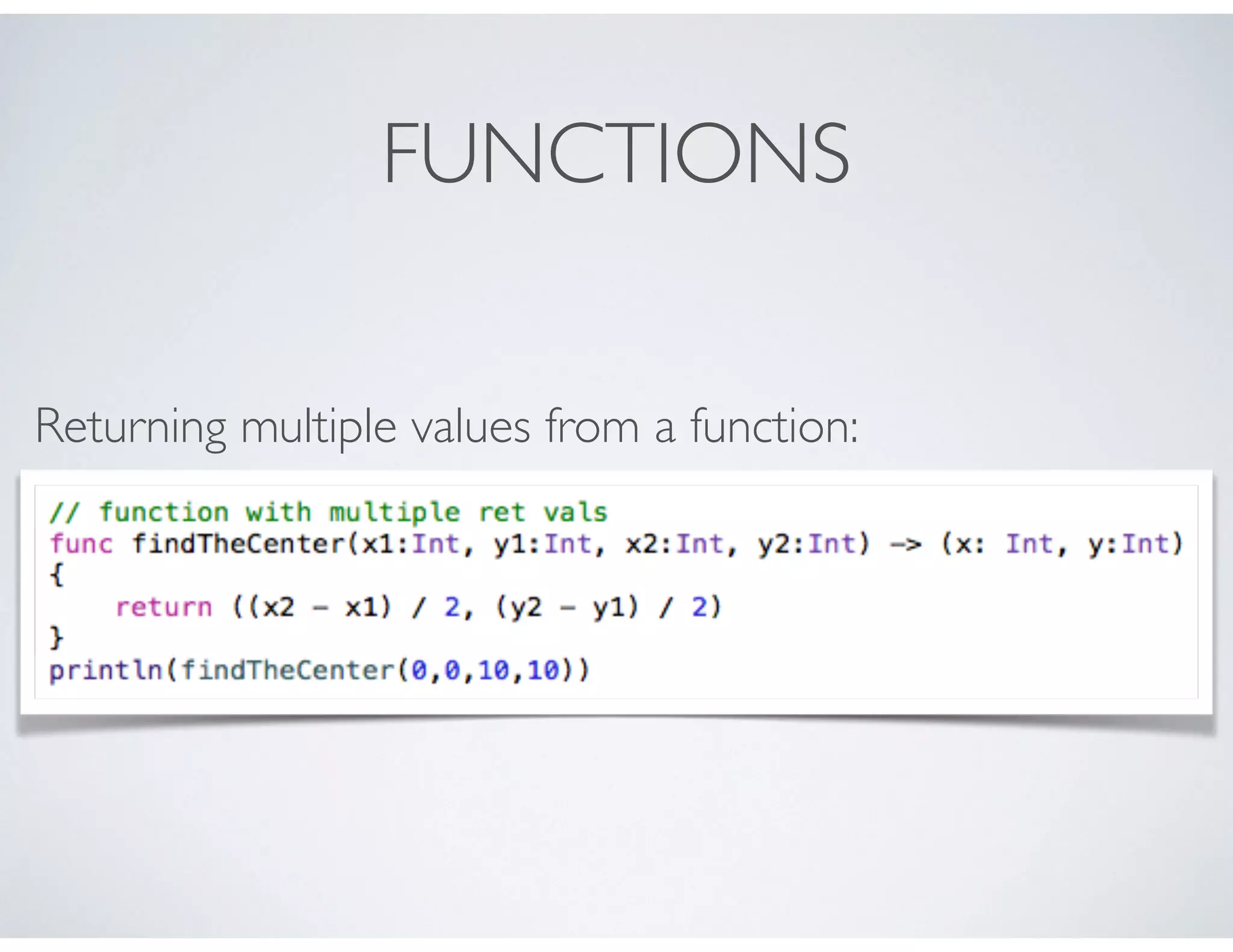
• Swift functions can have multiple return values.
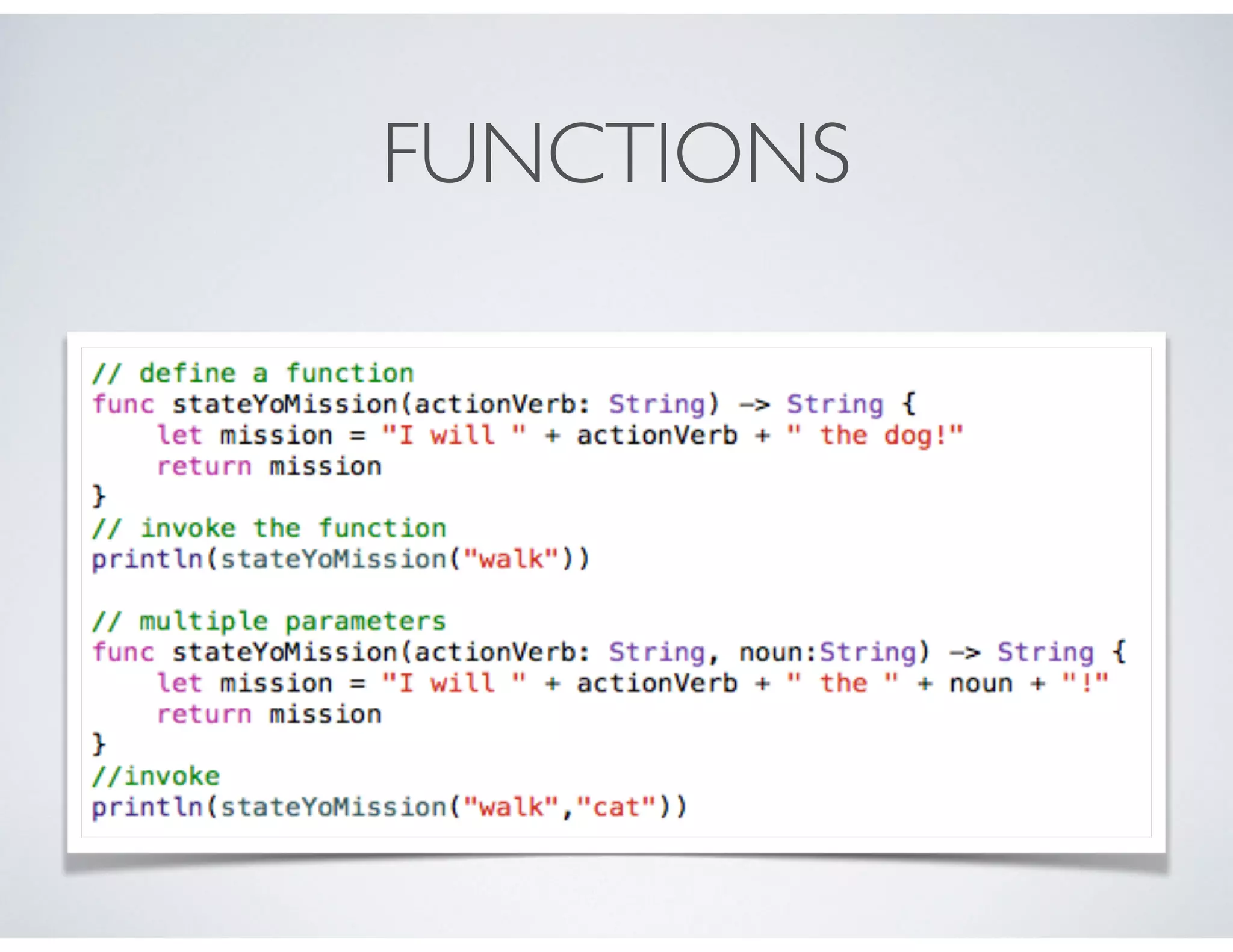
FUNCTIONS
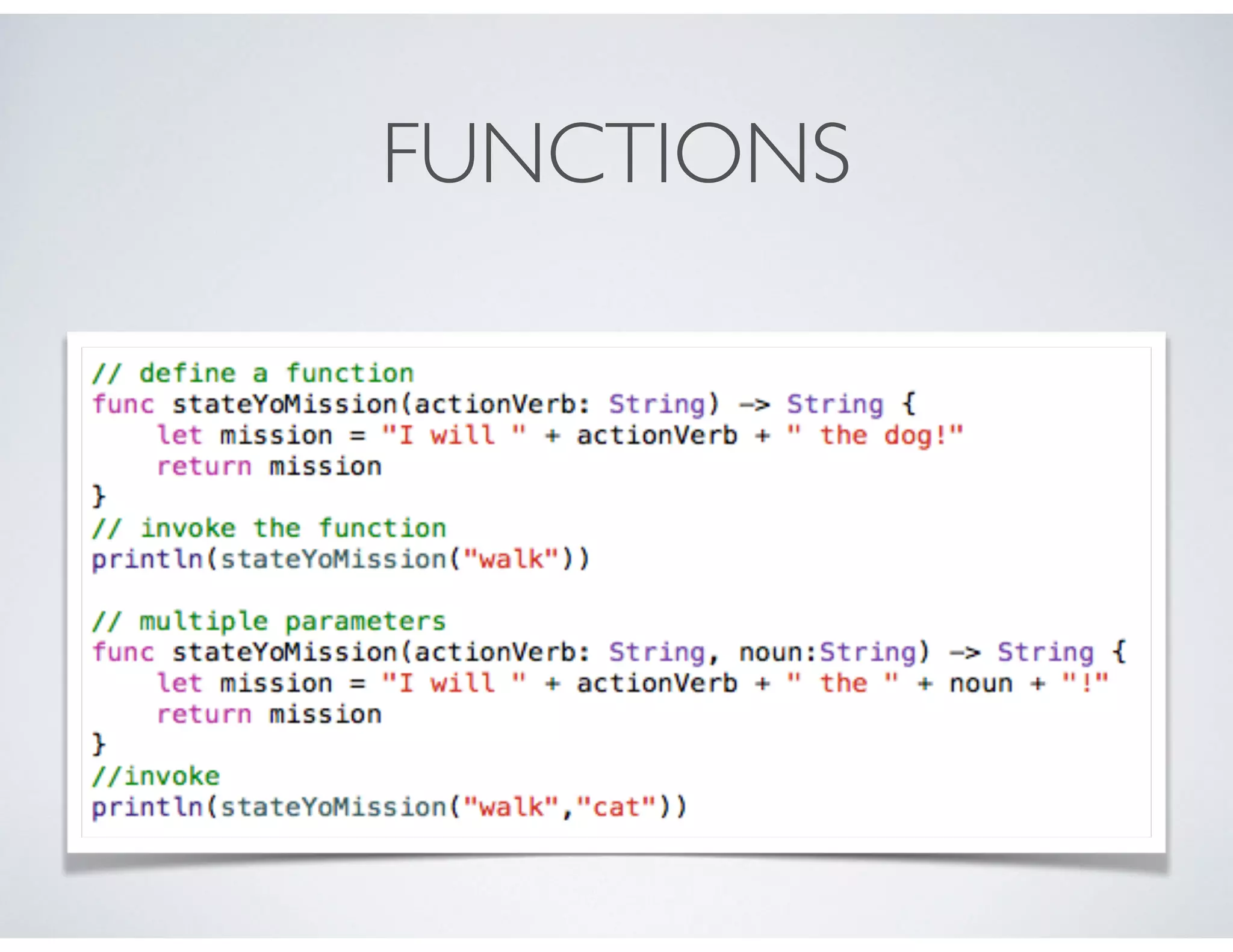
FUNCTIONS
FUNCTIONS
Returning multiple values from a function:
FUNCTIONS
• So far, all the functions we’ve seen defined what are known as
local parameter names. E.g. they are only referred to in the
function implementation.
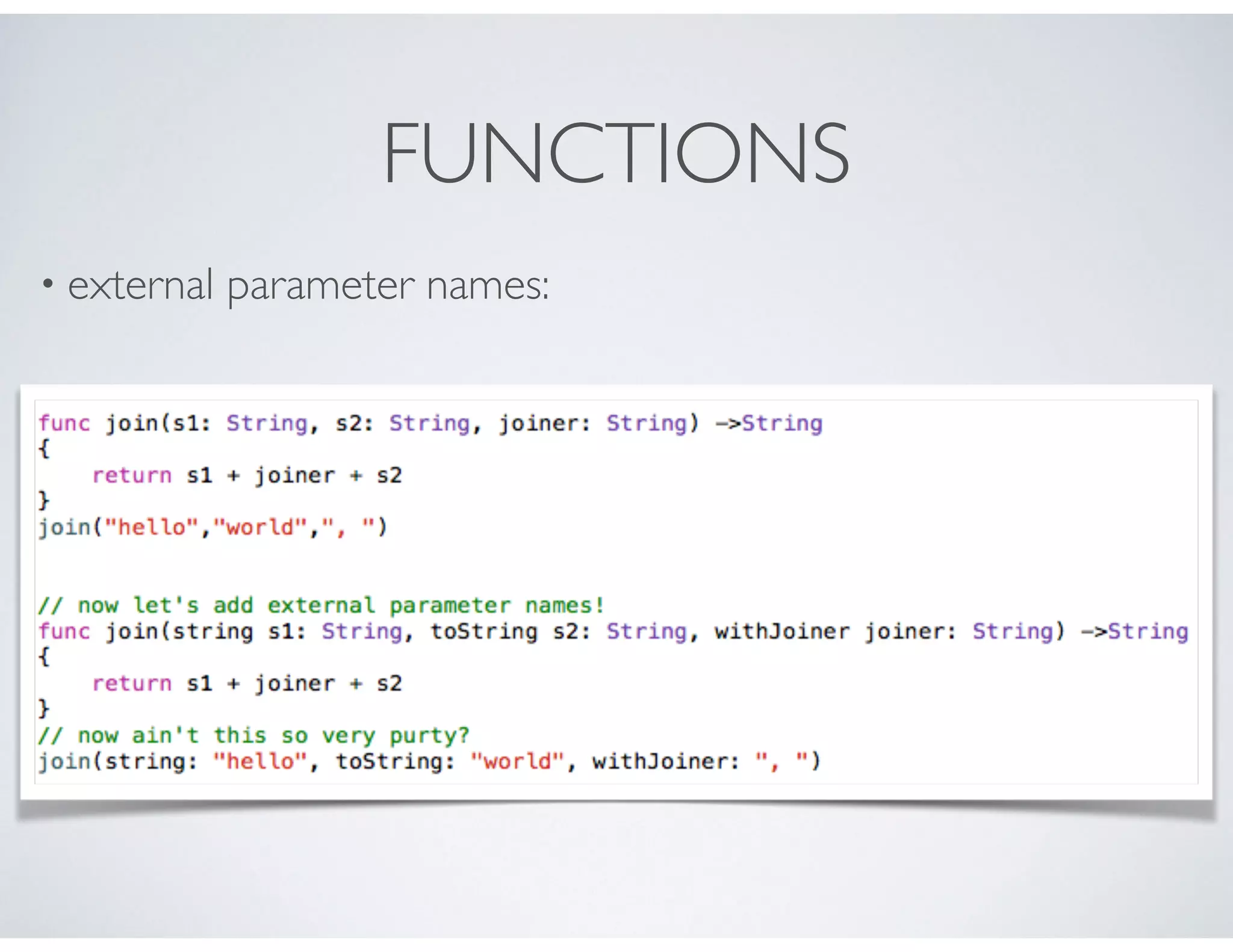
• Sometimes its useful to name parameters when you call a
function. These are called external parameter names.
FUNCTIONS
• external parameter names:
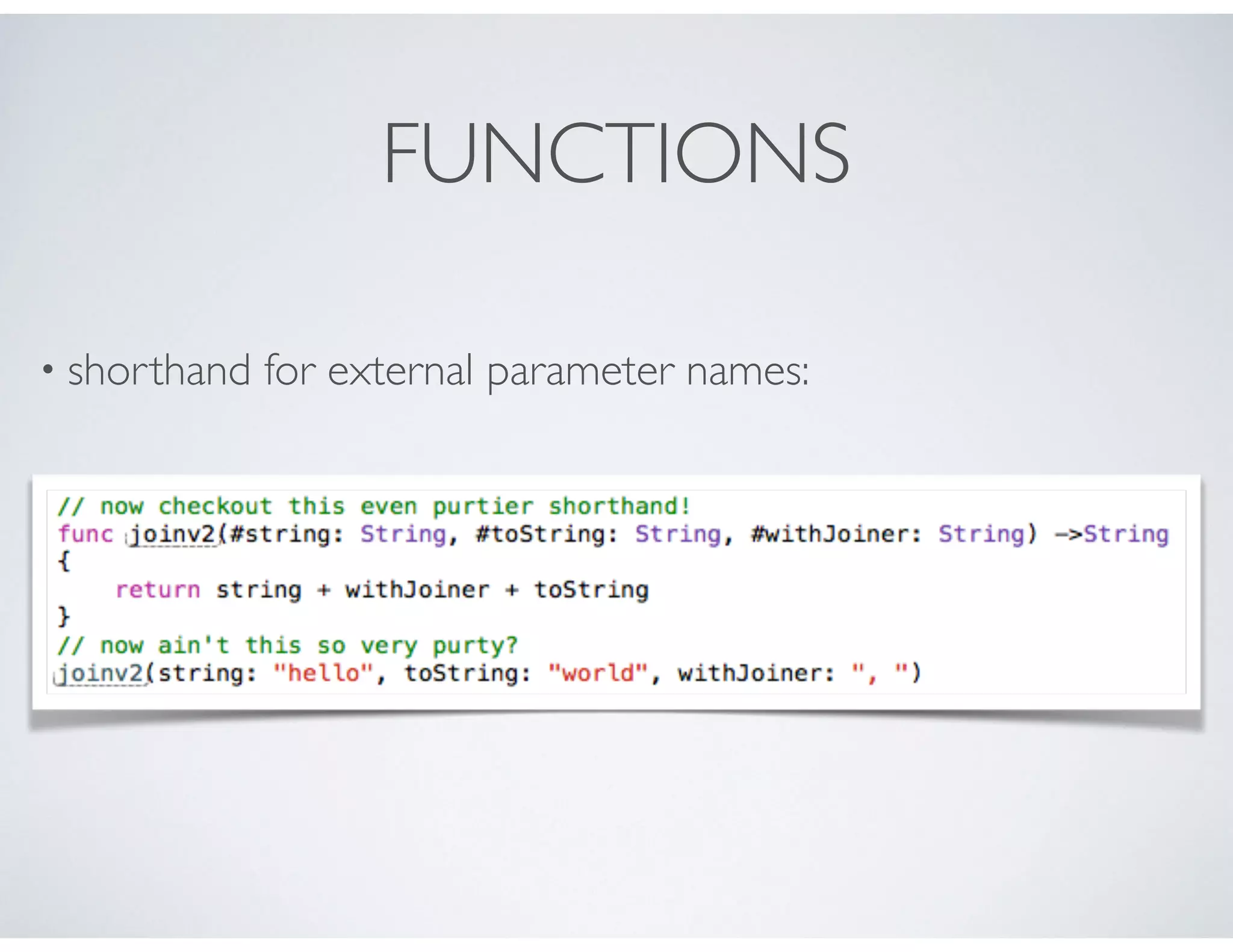
FUNCTIONS
• shorthand for external parameter names:
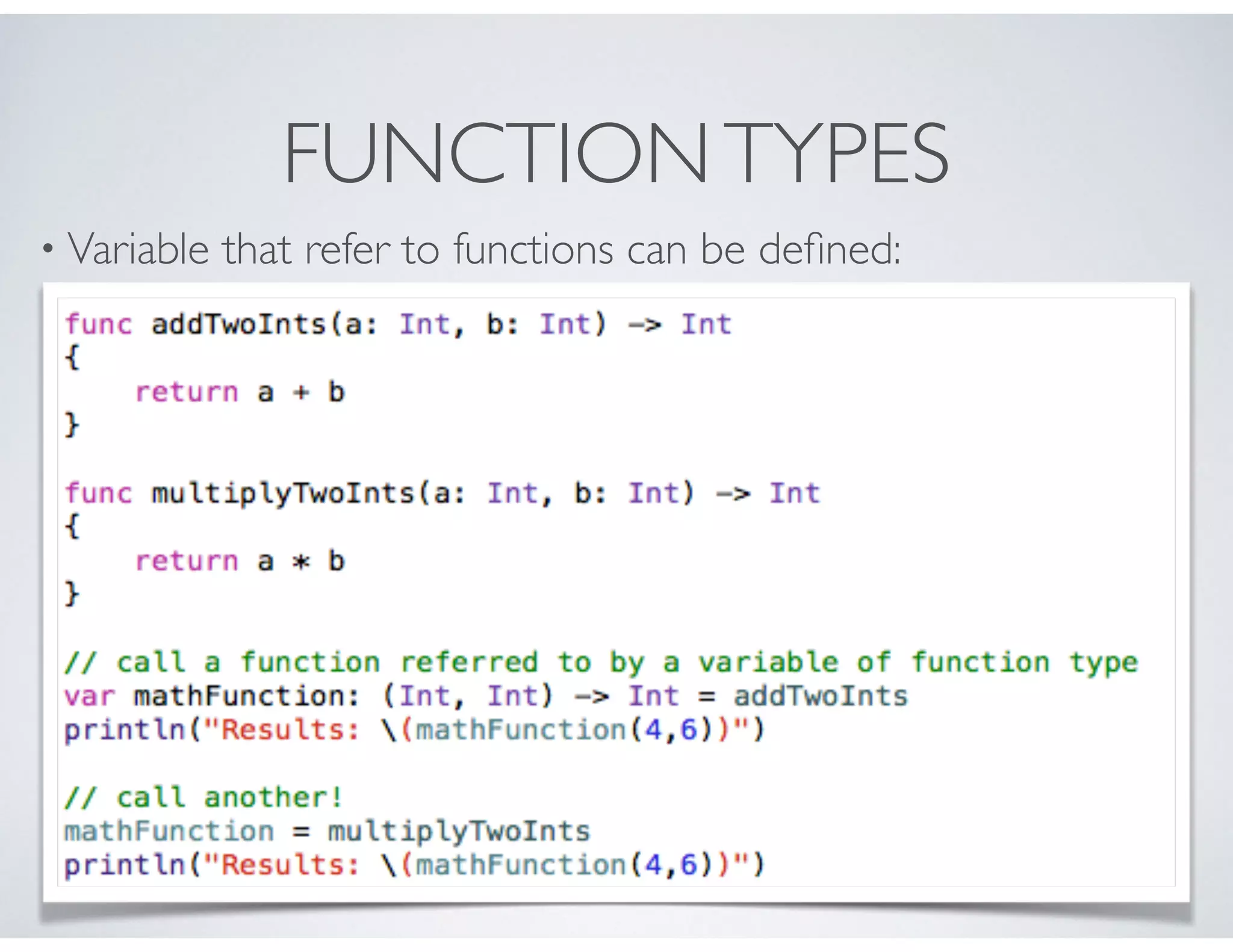
FUNCTIONTYPES
• Variable that refer to functions can be defined:
FUNCTIONTYPES
• Functions can be passed as parameters:
FUNCTIONTYPES
• Functions can be returned from functions:
NESTED FUNCTIONS
• We can rewrite the previous examples with nested funcs:

iOS Bootcamp: learning to create awesome apps on iOS using Swift (Lecture 02)

  • 1.
    Introduction to Swift Lecture02 Jonathan R. Engelsma, Ph.D.
  • 2.
    TOPICS • Swift LanguageOverview • Our first program! • Variables and constants • Strings • CollectionTypes • Control Flow • Functions
  • 3.
    THE SWIFT PROGRAMMING LANGUAGE •A surprise introduced by Apple @ WWDC in June 2014. • An industrial-quality systems programming language that is as expressive and enjoyable to use as a scripting language. • Seamless access to existing Cocoa frameworks. • Successor to legacy Objective-C language, but provides mix- and-match interoperability with Objective-C code.
  • 4.
    WHY A NEWLANGUAGE? • Easier for new programmers to get up to speed in iOS development. • New language was necessary in order to ensure compatibility with existing frameworks. • Easier to create a new language that feels modern, but still adapts to Objective-C / C conventions.
  • 5.
    SWIFT CHARACTERISTICS • Compiled:source —> bytecodes, not interpreted. • Strong and static typing: types are clearly identified and cannot change (e.g. compiler generates faster safer code). • Automatic ref counting: objects are automatically freed from memory when there are no more references. • Name-spaced: makes our code easier to coexist with other people’s code.
  • 6.
    OUR OBLIGATORY FIRST PROGRAM! •a complete Swift program! • no imports / includes! • no main program - code written at global scope becomes the entry point. • No semicolons!
  • 7.
    CONSTANTS • Use the“let” statement to define constants. • values doesn’t need to be known at compile time, but can be assigned only once. • value assigned must be the same type as the variable name. • Types can be implicit or explicit.
  • 8.
    VARIABLES • Use the“var” statement to define variables - values can be mutated! • value assigned must be the same type as the variable name. • Types can be implicit or explicit. • Type conversion is explicit.
  • 9.
    STRINGS • String typeis an ordered collection of Character:“hello, world” • Bridged to NSString in Objective-C. • String is a value type: copied when passed to function or method. (different than NSString in this regard!) • Strings defined with var can be mutated, strings defined with let cannot be mutated!
  • 10.
    STRINGS • concatenation: canbe accomplished with the + operator • interpolation: can construct new strings from a mix of values/ expressions. using (). • Compare using == operator. • Use the hasPrefix / hasSuffix methods to check how a string starts/ends.
  • 11.
  • 12.
    ARRAYS IN SWIFT •Arrays store ordered lists of values • All values in a given array are of the same type • Values are accessed via methods, properties and subscripting.
  • 13.
  • 14.
    DICTIONARIES IN SWIFT •Dictionaries store multiple values of the same type • Each value is associated with a unique key • Do not have to be in a specified order • Use just like a real world dictionary: e.g. when you want to look up the definition of a particular key value • Keys must be hashable
  • 15.
  • 16.
  • 17.
    CONTROL FLOW • while& do-while statements:
  • 18.
  • 19.
    SWITCH STATEMENT • Similarto C syntax, but with some notable differences: • No need to use break statements! • No implicit fall through • Each case must contain at least one executable statement • Case condition can be scalar, range, or tuple! • Case condition can actually bind values.
  • 20.
  • 21.
    FUNCTIONS • Self-contained chunksof code that perform a specific task. • Functions are typed by the return type and type of the parameters. • Swift supports first-class functions, e.g. functions can be passed as arguments and serve as return values. • Functions in Swift can be nested. • Swift functions can have multiple return values.
  • 22.
  • 23.
  • 24.
  • 25.
    FUNCTIONS • So far,all the functions we’ve seen defined what are known as local parameter names. E.g. they are only referred to in the function implementation. • Sometimes its useful to name parameters when you call a function. These are called external parameter names.
  • 26.
  • 27.
    FUNCTIONS • shorthand forexternal parameter names:
  • 28.
    FUNCTIONTYPES • Variable thatrefer to functions can be defined:
  • 29.
    FUNCTIONTYPES • Functions canbe passed as parameters:
  • 30.
    FUNCTIONTYPES • Functions canbe returned from functions:
  • 31.
    NESTED FUNCTIONS • Wecan rewrite the previous examples with nested funcs: