Lecture 2: ES6/ES2015 and
Beyonds with the Best Practices
Kobkrit Viriyayudhakorn, Ph.D.
CEO of iApp Technology Limited.
kobkrit@gmail.com
http://www.kobkrit.com
What we will learn today?
• A bit on JavaScript History
• Learn how to program in the modern JavaScript
i.e., ECMAScript 2015 (Version 6) / ECMAScript 6 /
ES2015 / ES6 complied by BabelJS
• Program with the best practices (Airbnb coding
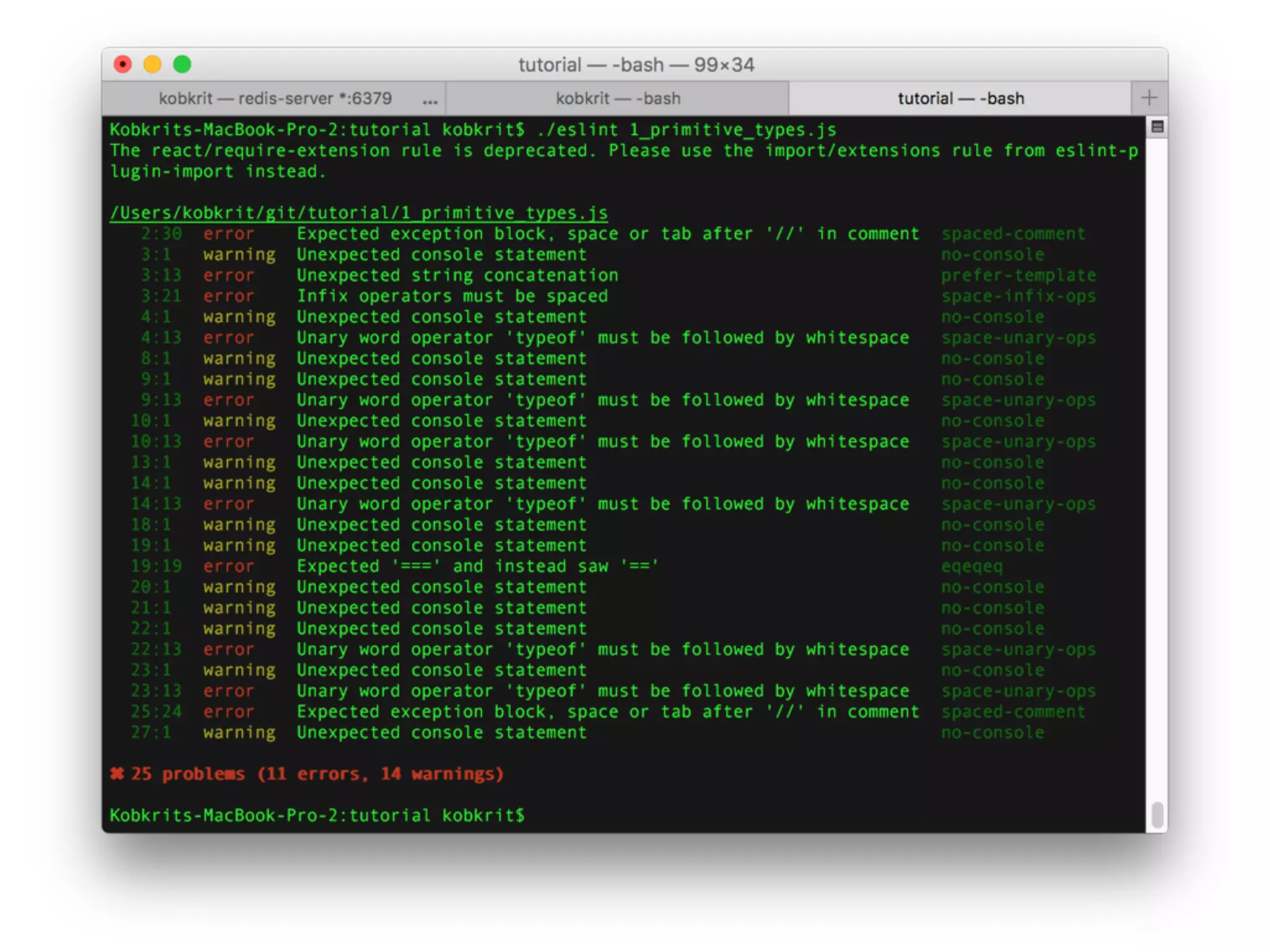
style) and style checking tools by ESLint
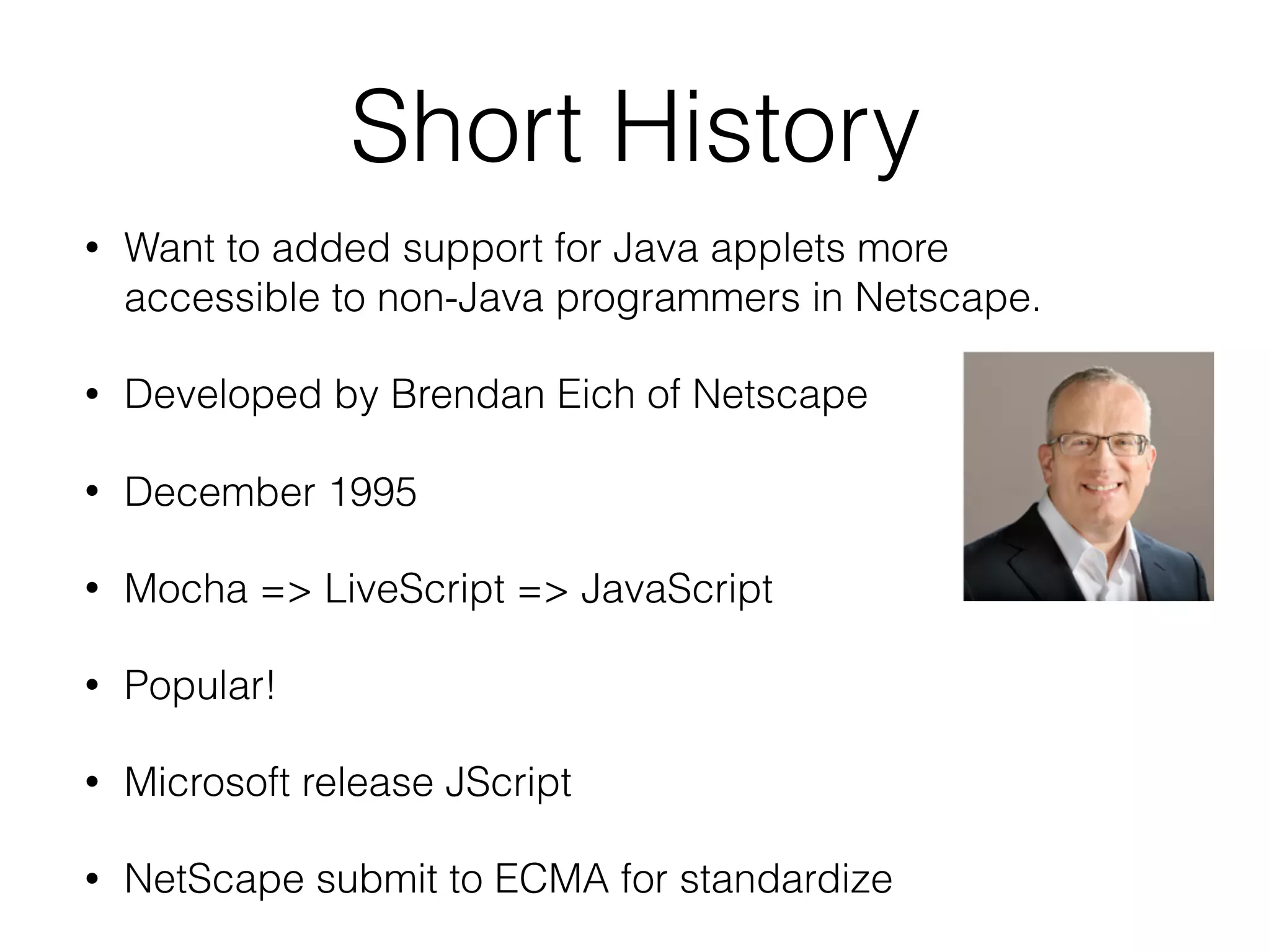
Short History
• Want to added support for Java applets more
accessible to non-Java programmers in Netscape.
• Developed by Brendan Eich of Netscape
• December 1995
• Mocha => LiveScript => JavaScript
• Popular!
• Microsoft release JScript
• NetScape submit to ECMA for standardize
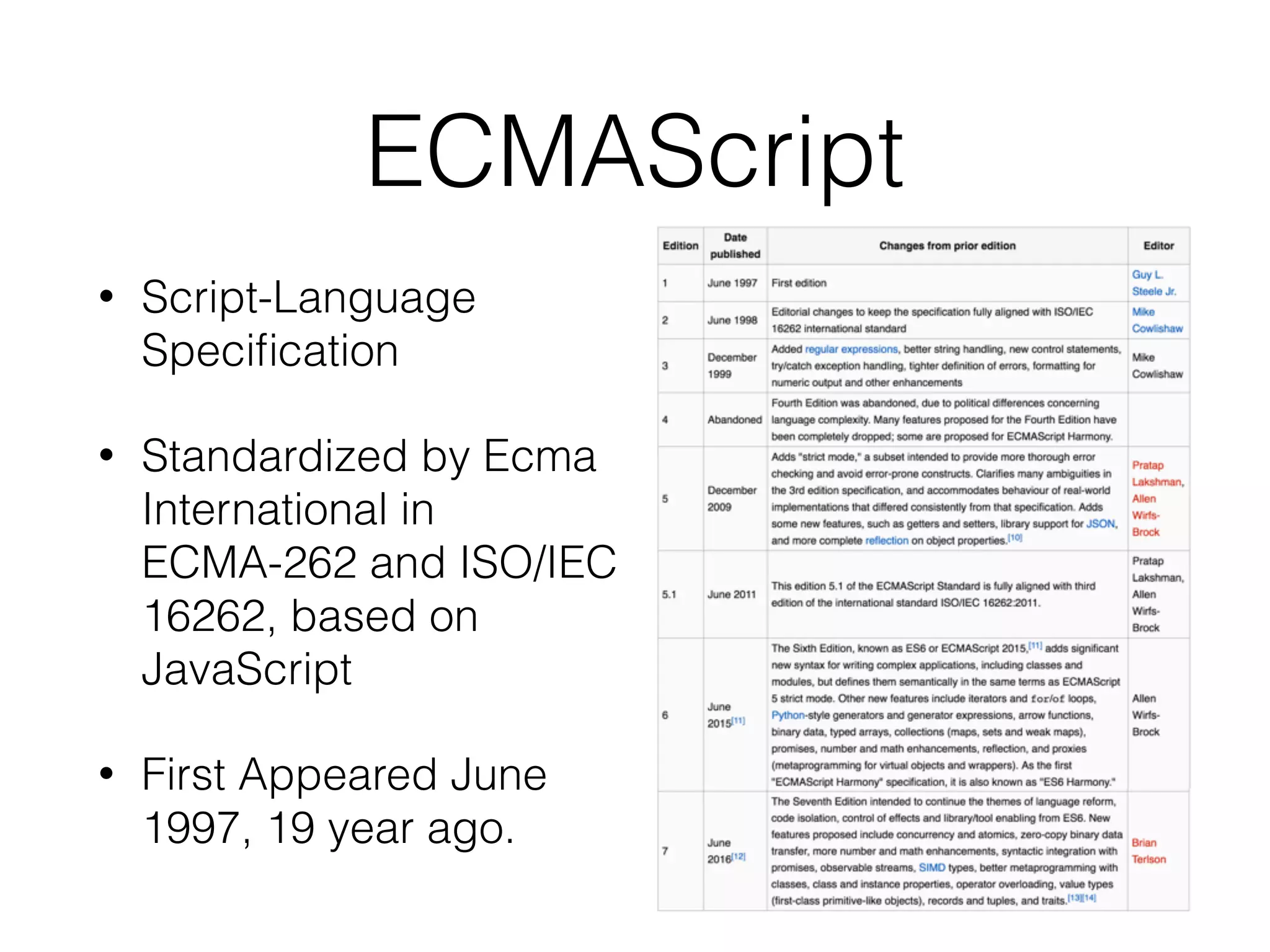
ECMAScript
• Script-Language
Specification
• Standardized by Ecma
International in
ECMA-262 and ISO/IEC
16262, based on
JavaScript
• First Appeared June
1997, 19 year ago.
Significant Development
• V8 JavaScript engine (2008). To compete with Internet
Explorer on JavaScript benchmark, Google developed v8 that
can compile JavaScript to Native Machine code. It is very fast.
• NodeJS + NPM (2009): Using V8 to make server-side
JavaScript Web Application.
• MongoDB (2009): No SQL database based on V8 engine.
• React (2013): JavaScript Front-end Web framework for
creating Interactive UI.
• React-Native (2015): Enable to Mobile App Development
https://www.youtube.com/watch?v=8ybquJSjZHg
HomeBrew Installation
• Open Terminal (Click on Find icon on the top right
of the screen)
• Type “Terminal”
• Enter $ /usr/bin/ruby -e "$(curl -fsSL https://
raw.githubusercontent.com/Homebrew/install/
master/install)"
Install React-Native in Mac
for iOS Development.
React-Native-Cli Command
Atom IDE
https://atom.io/
Setup the Project
• Download atom IDE and install
• $ cd workingFolder
• $ react-native init l2es6
• $ cd l2es6
• $ react-native run-ios
• $ atom .
Making a new JS file
Right click on l2es6, Select New File, Type down a new file
with JS extension
Running JS Script
• Open Terminal (Open
Spotlight  , Type
Terminal)
• Change Directory to
working directory 

($ cd {working dir})
• $ node {filename.js}
Let’s Start with ES6
ES6 Basic
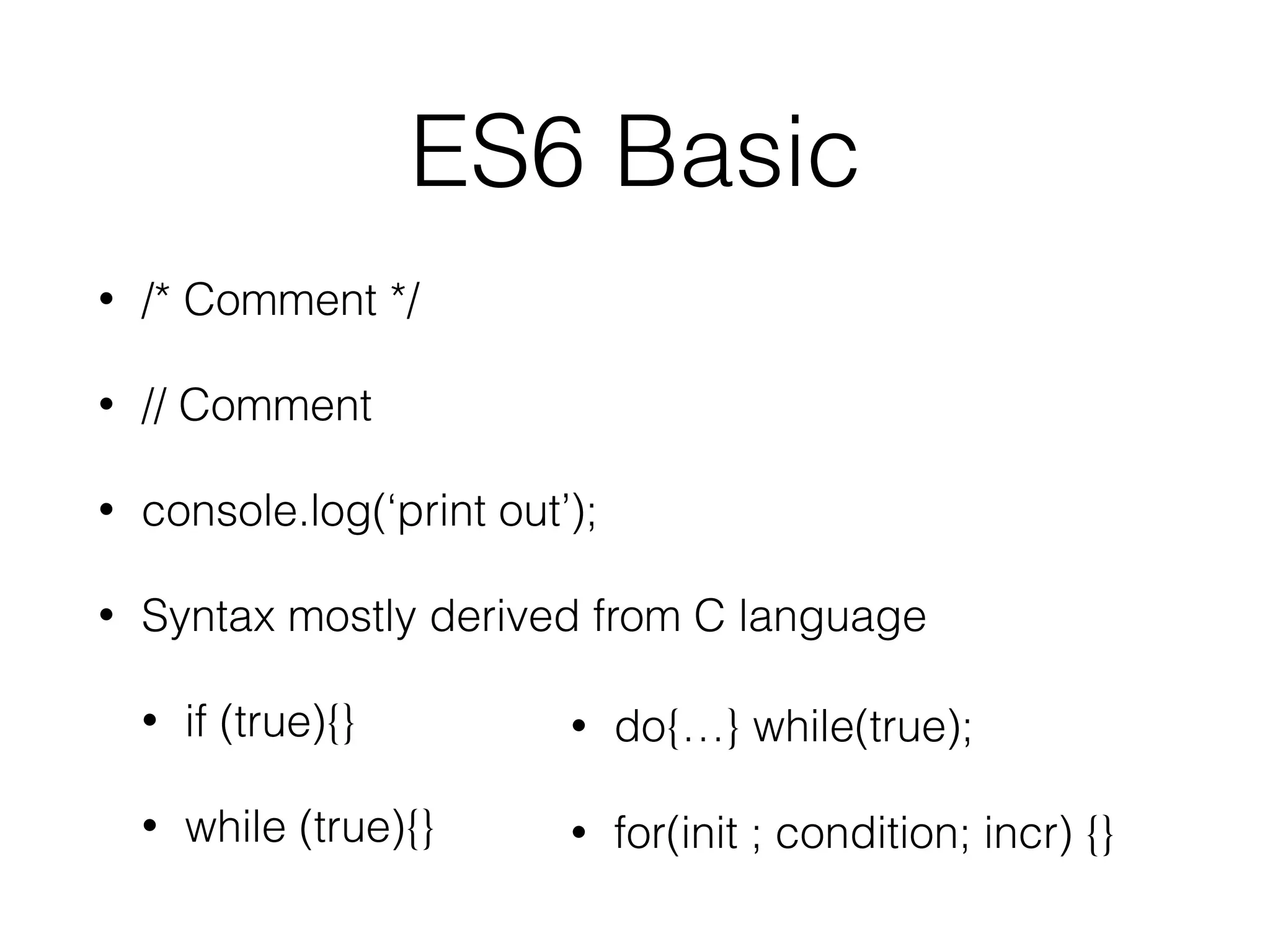
• /* Comment */
• // Comment
• console.log(‘print out’);
• Syntax mostly derived from C language
• if (true){}
• while (true){}
• do{…} while(true);
• for(init ; condition; incr) {}
Primitive Types
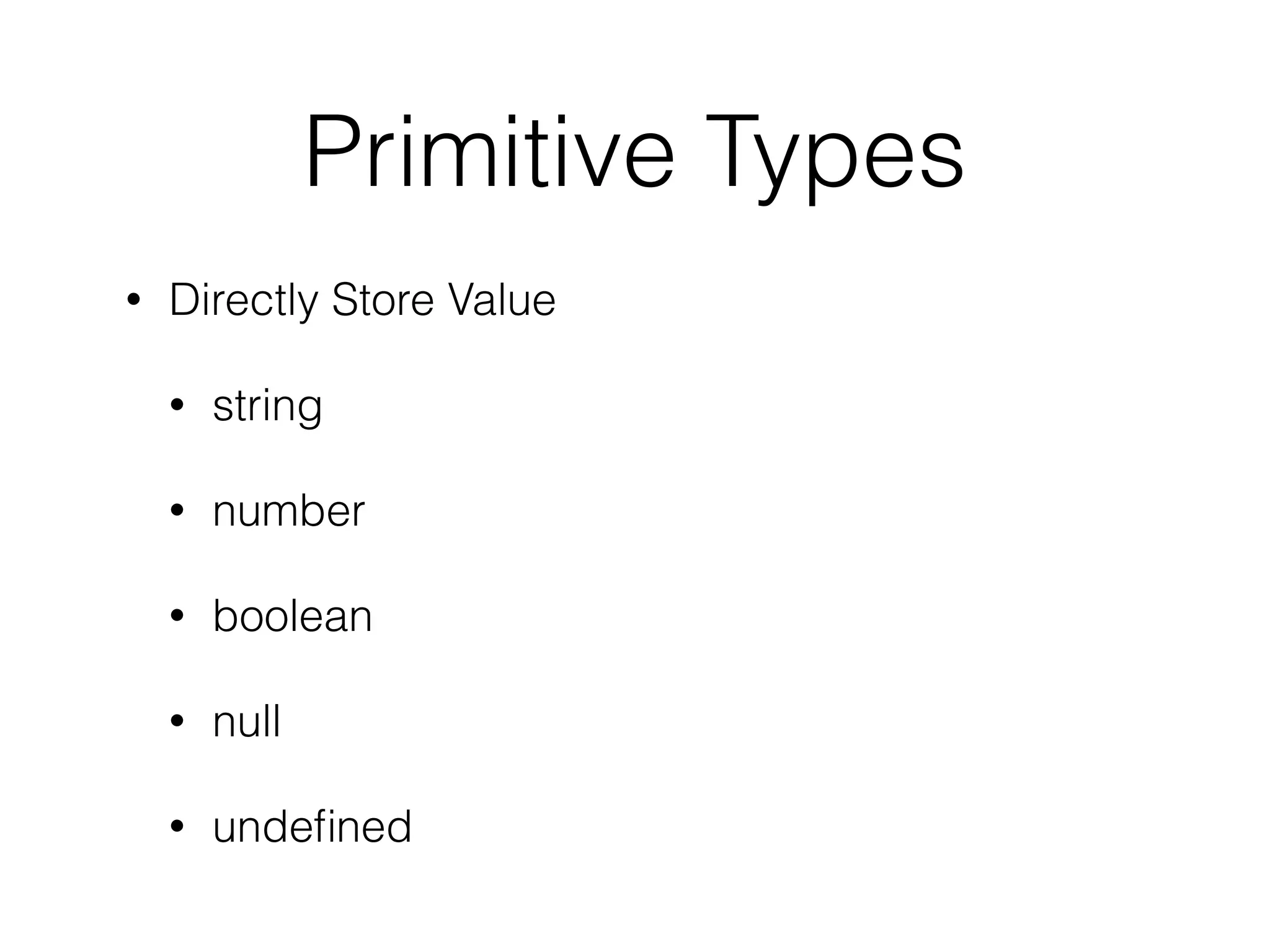
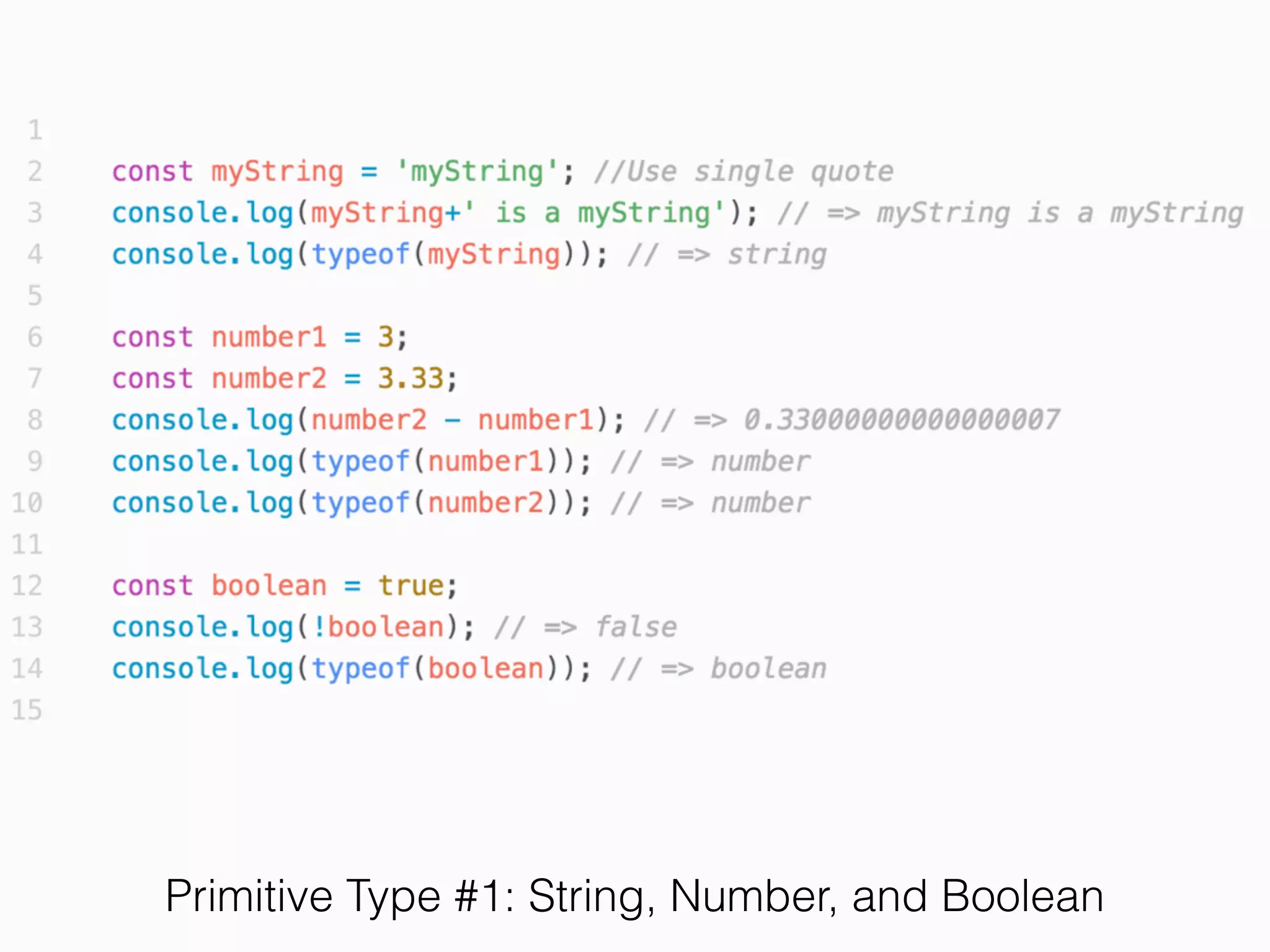
• Directly Store Value
• string
• number
• boolean
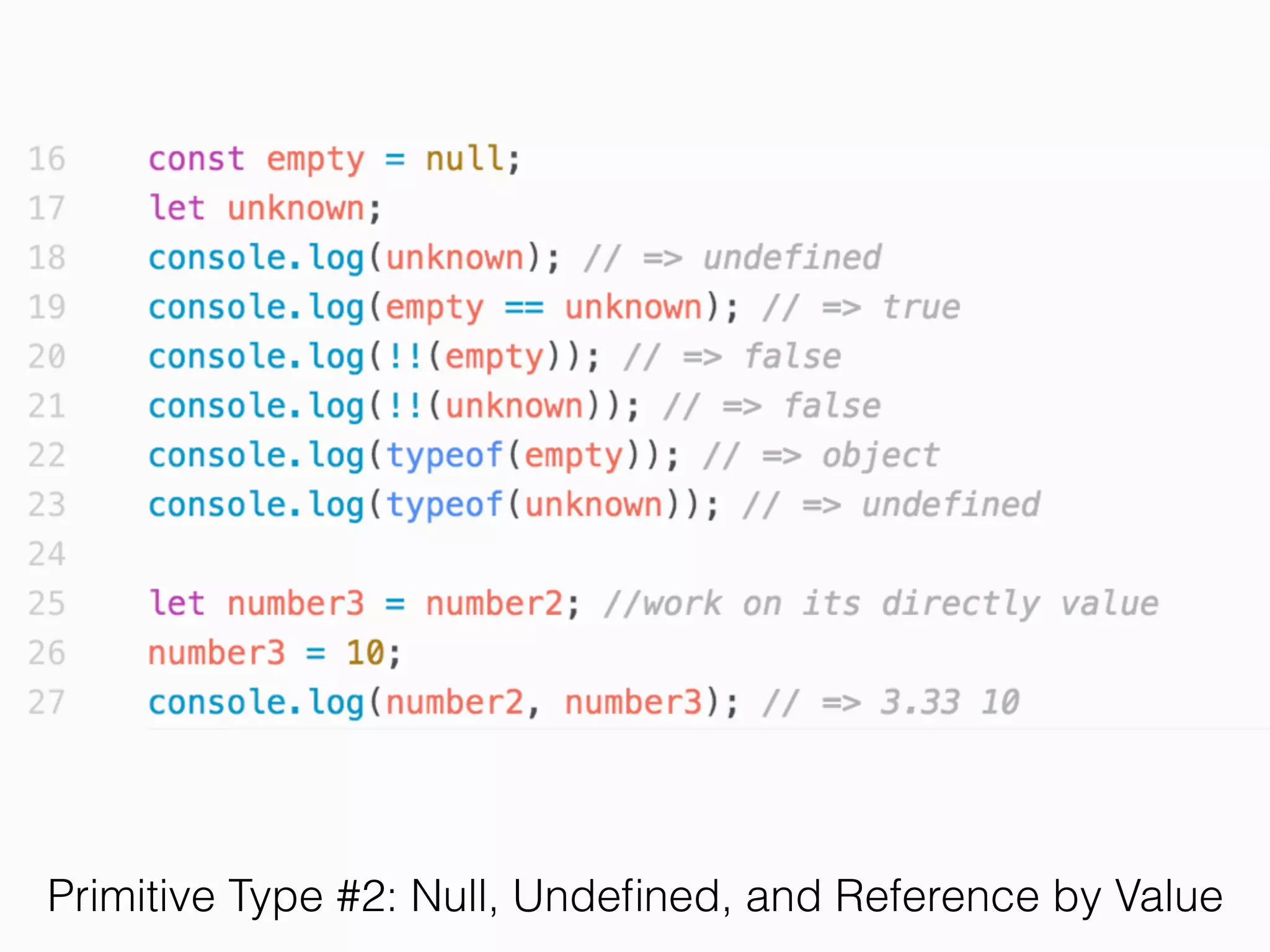
• null
• undefined
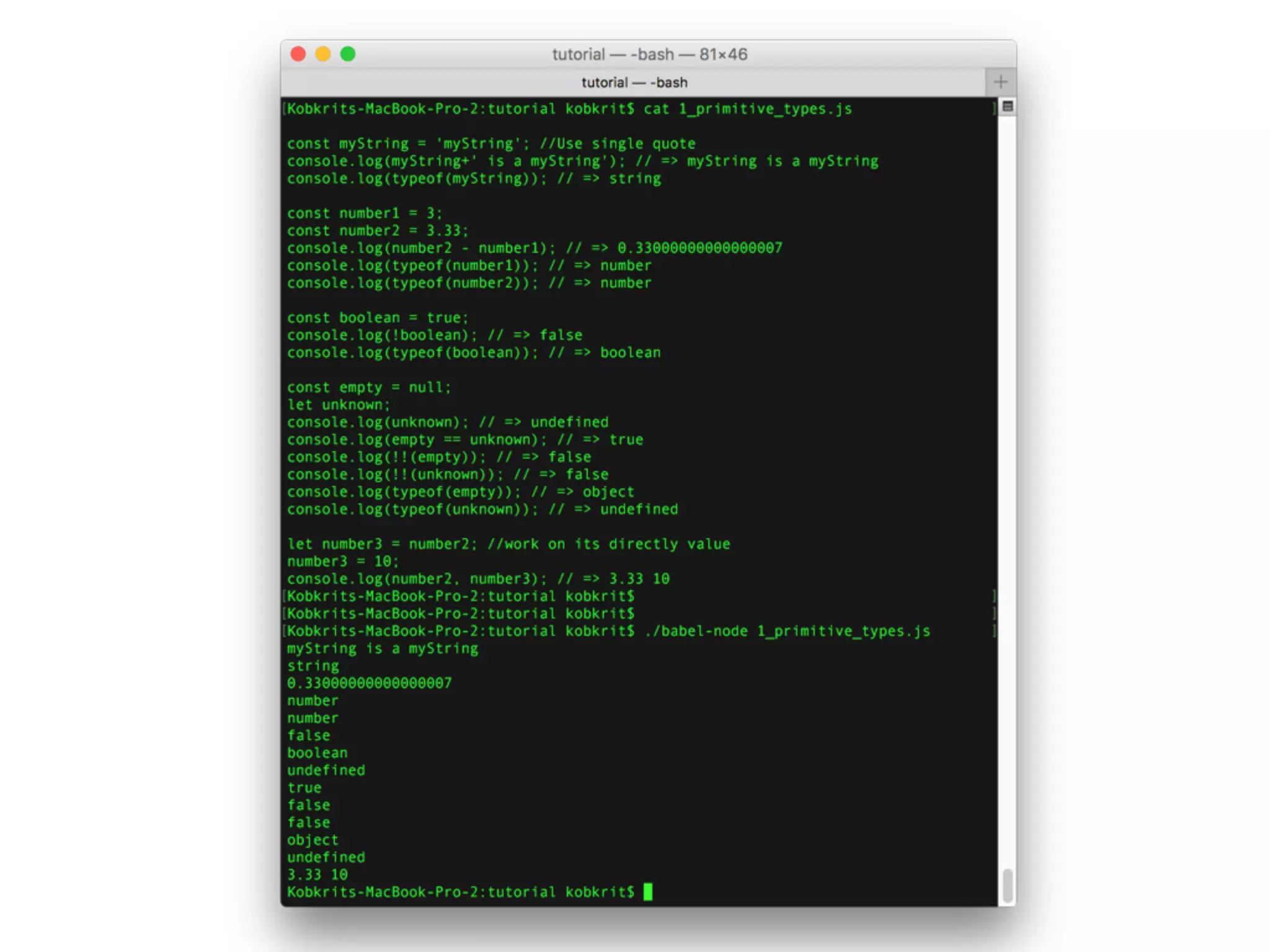
Primitive Type #1: String, Number, and Boolean
Primitive Type #2: Null, Undefined, and Reference by Value
Exercise 1
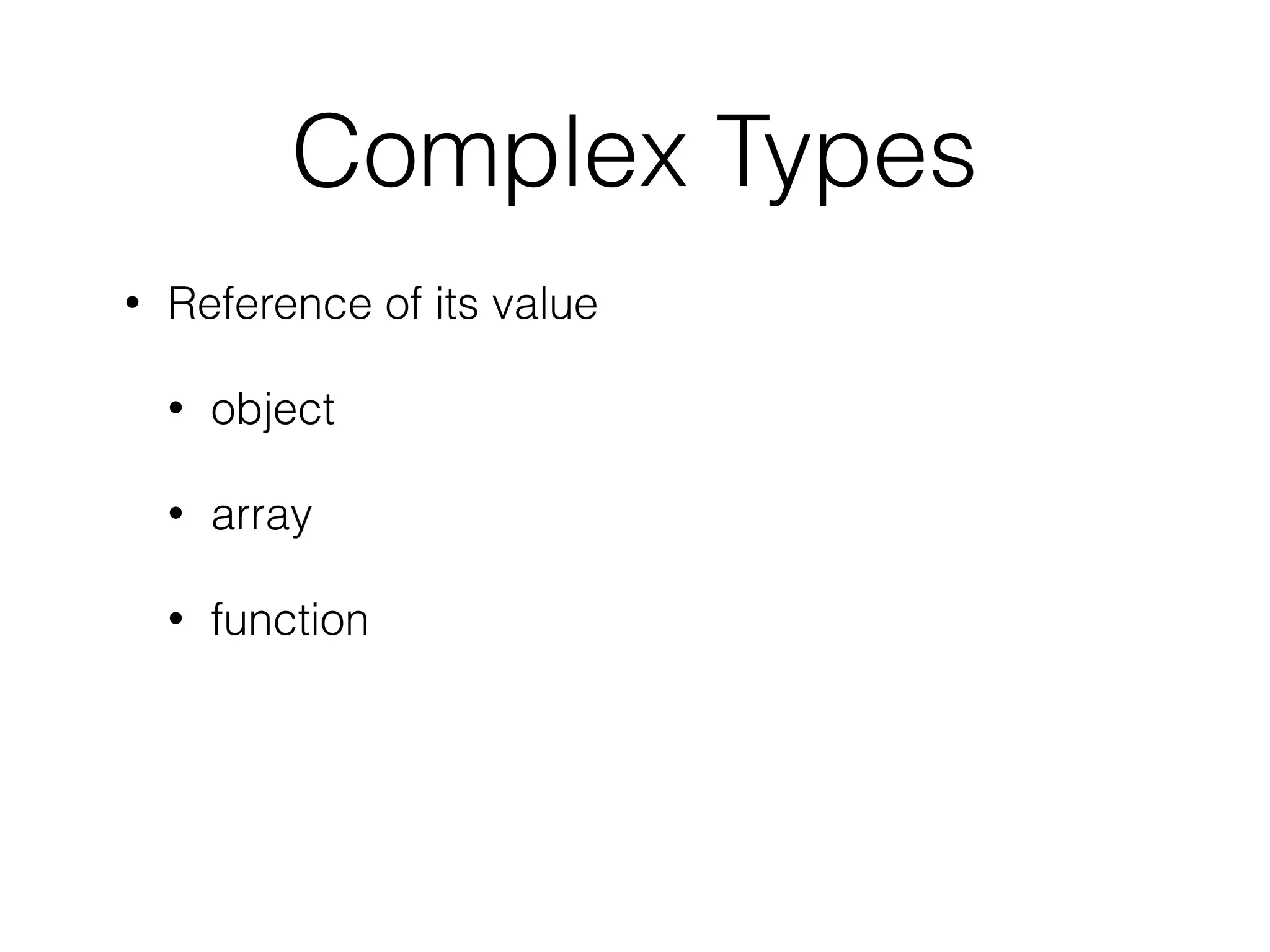
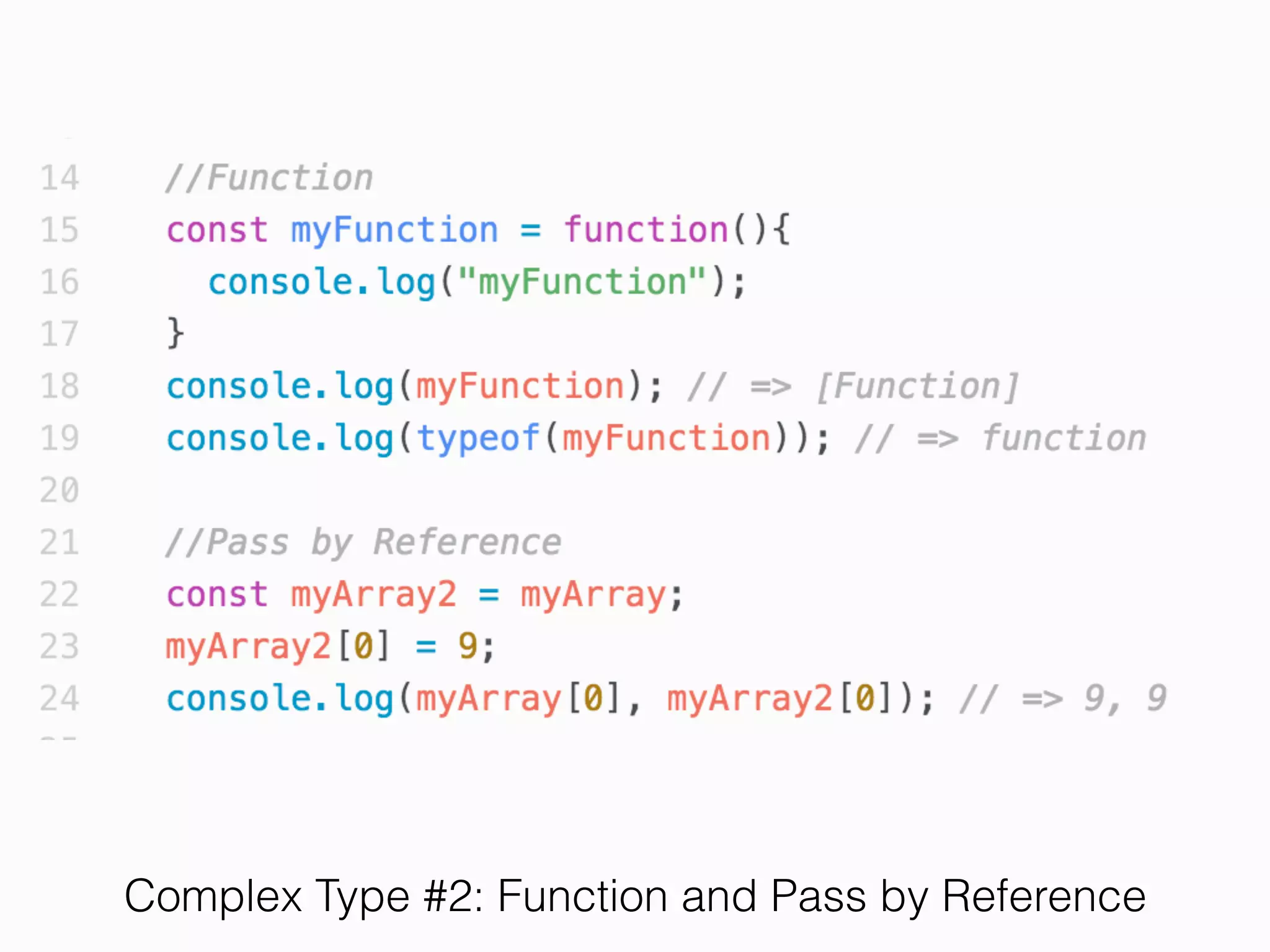
Complex Types
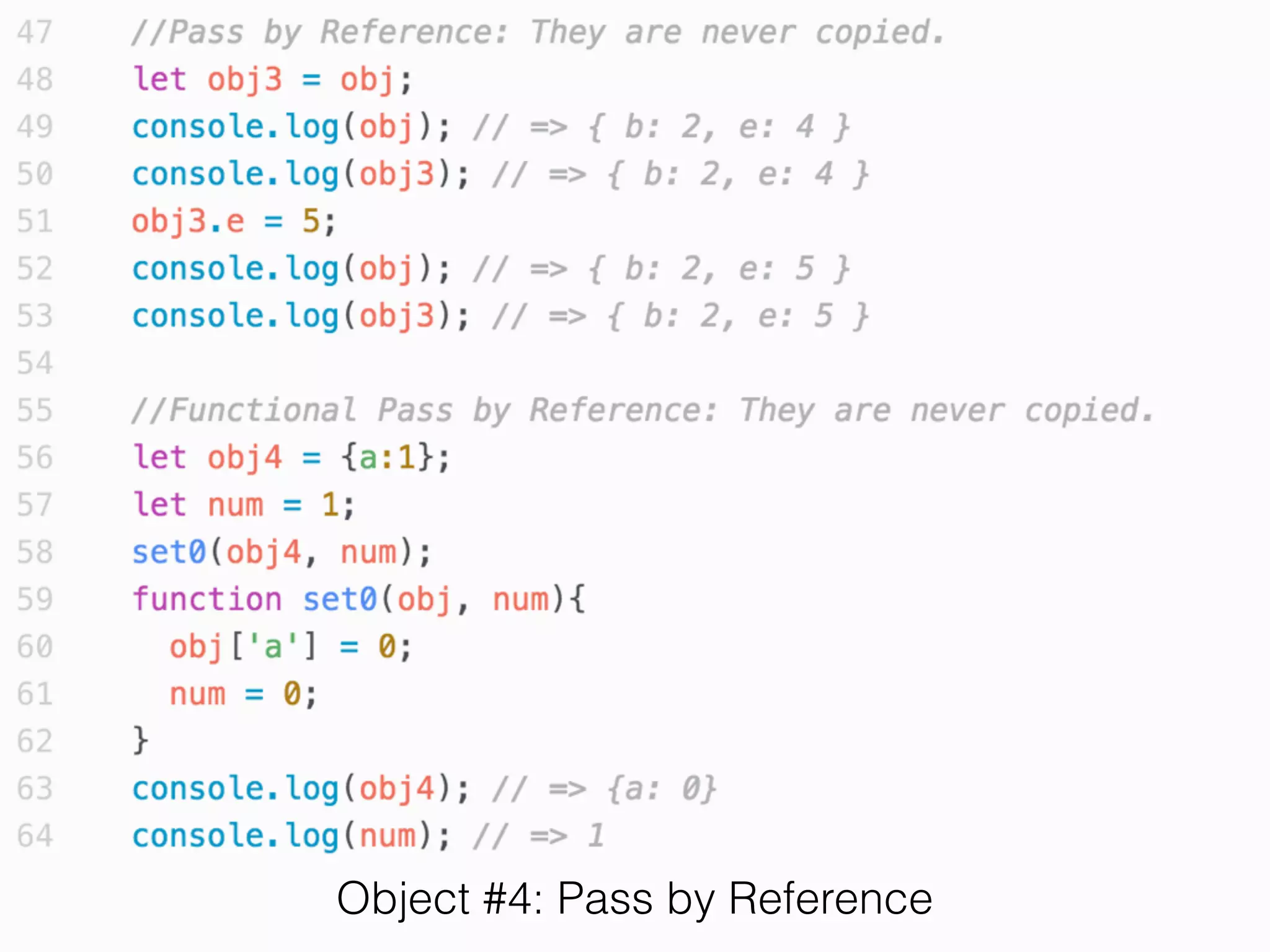
• Reference of its value
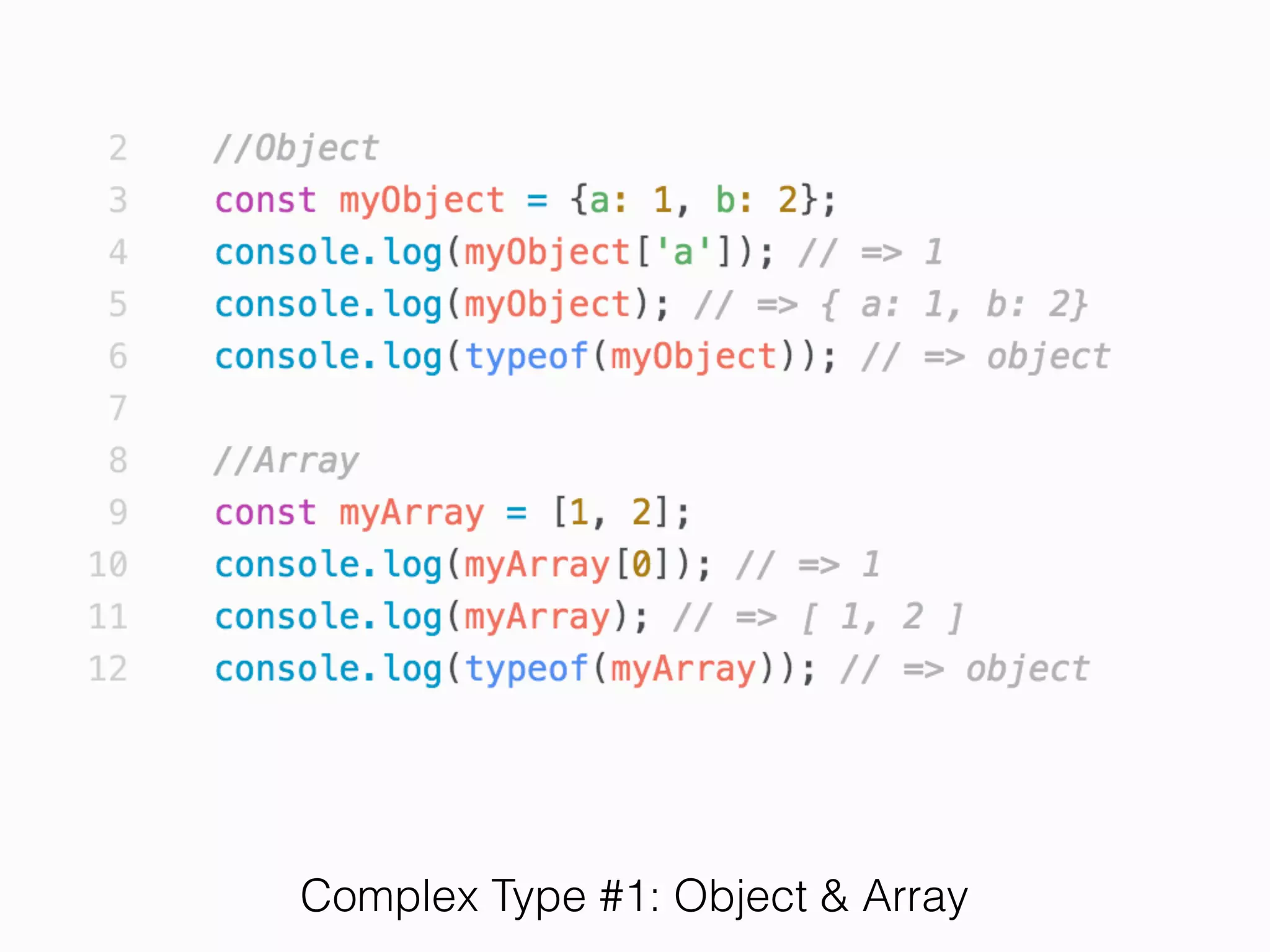
• object
• array
• function
Complex Type #1: Object & Array
Complex Type #2: Function and Pass by Reference
Exercise 2
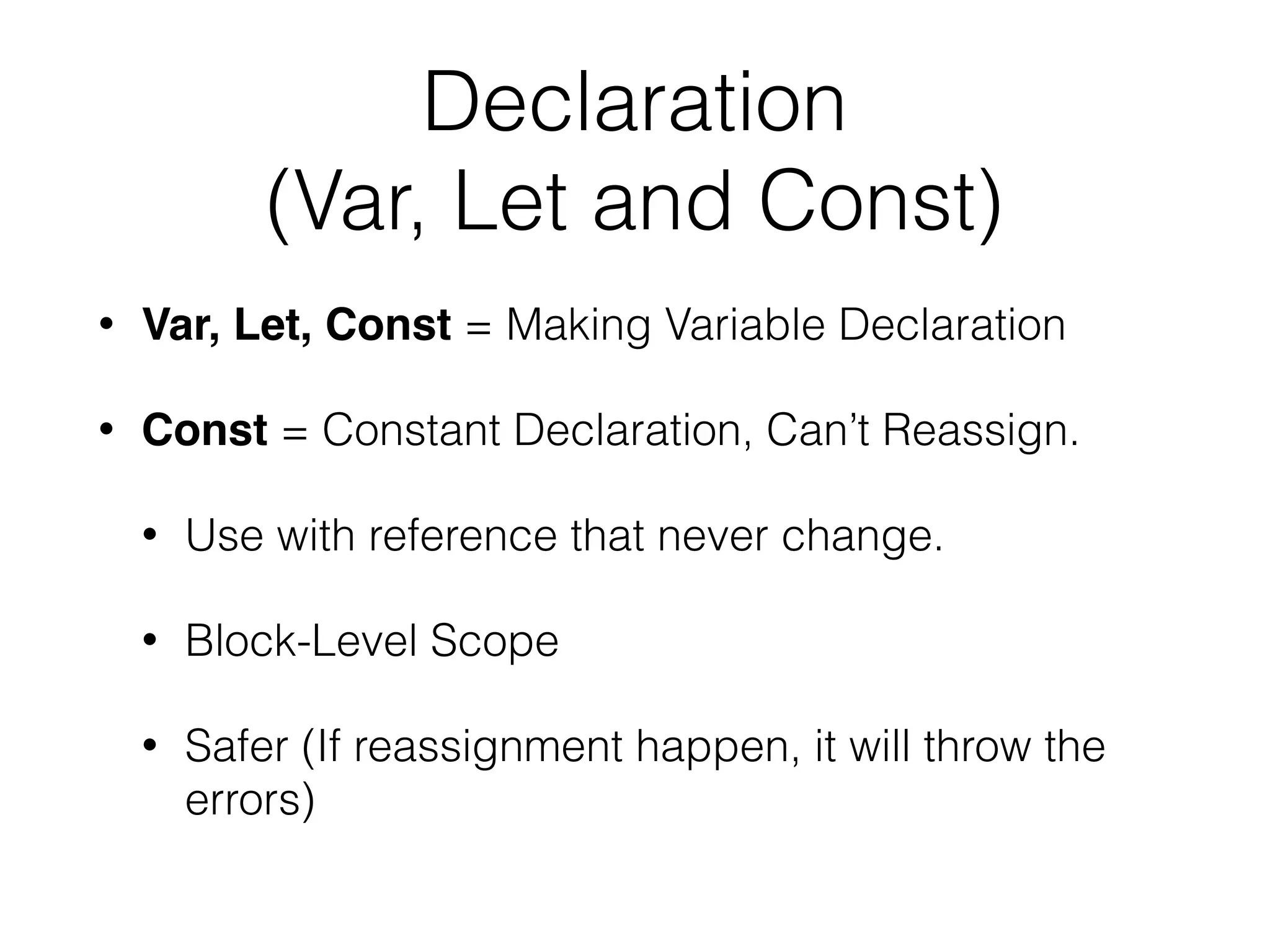
Declaration 

(Var, Let and Const)
• Var, Let, Const = Making Variable Declaration
• Const = Constant Declaration, Can’t Reassign.
• Use with reference that never change.
• Block-Level Scope
• Safer (If reassignment happen, it will throw the
errors)
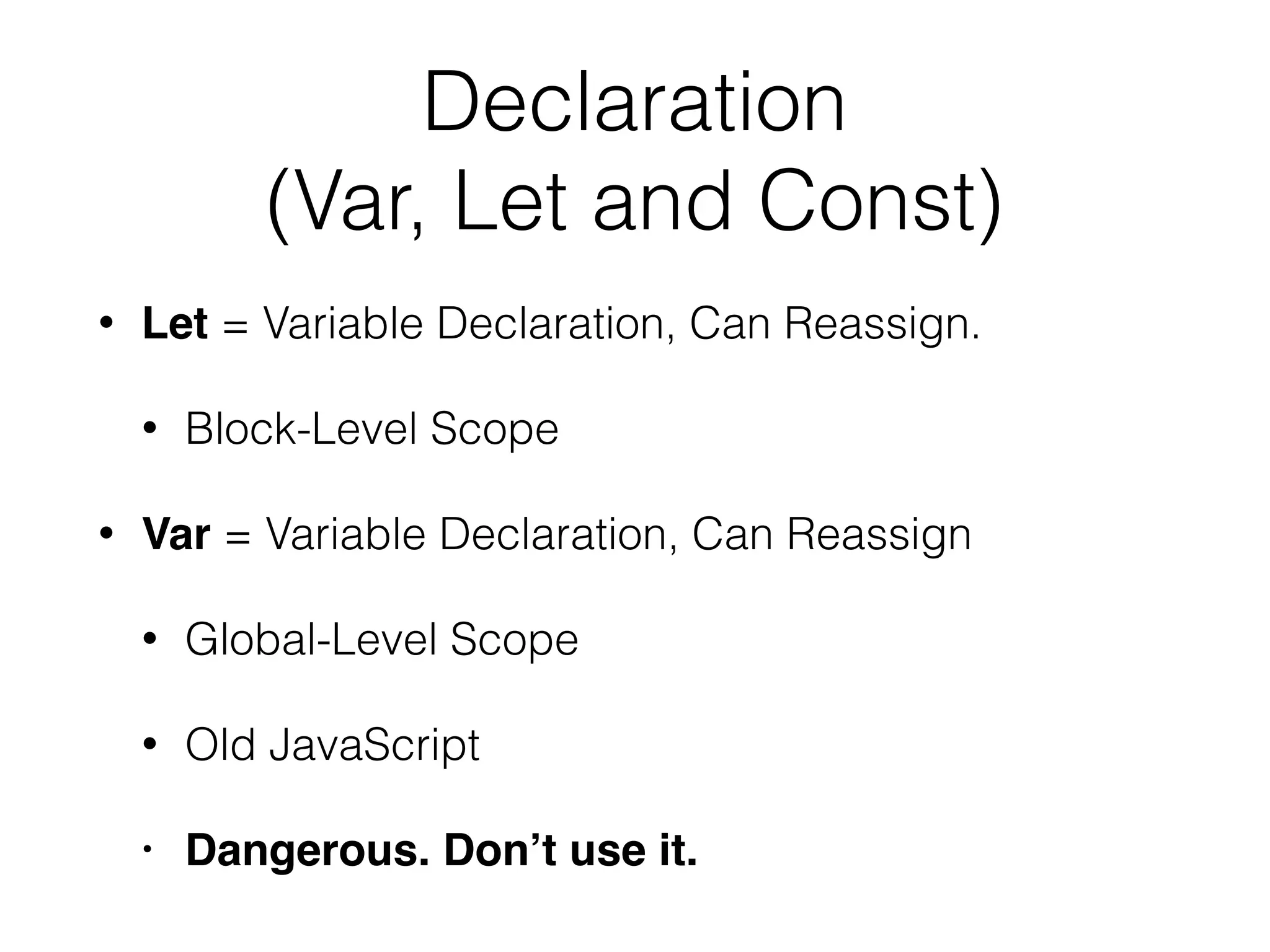
Declaration

(Var, Let and Const)
• Let = Variable Declaration, Can Reassign.
• Block-Level Scope
• Var = Variable Declaration, Can Reassign
• Global-Level Scope
• Old JavaScript
• Dangerous. Don’t use it.
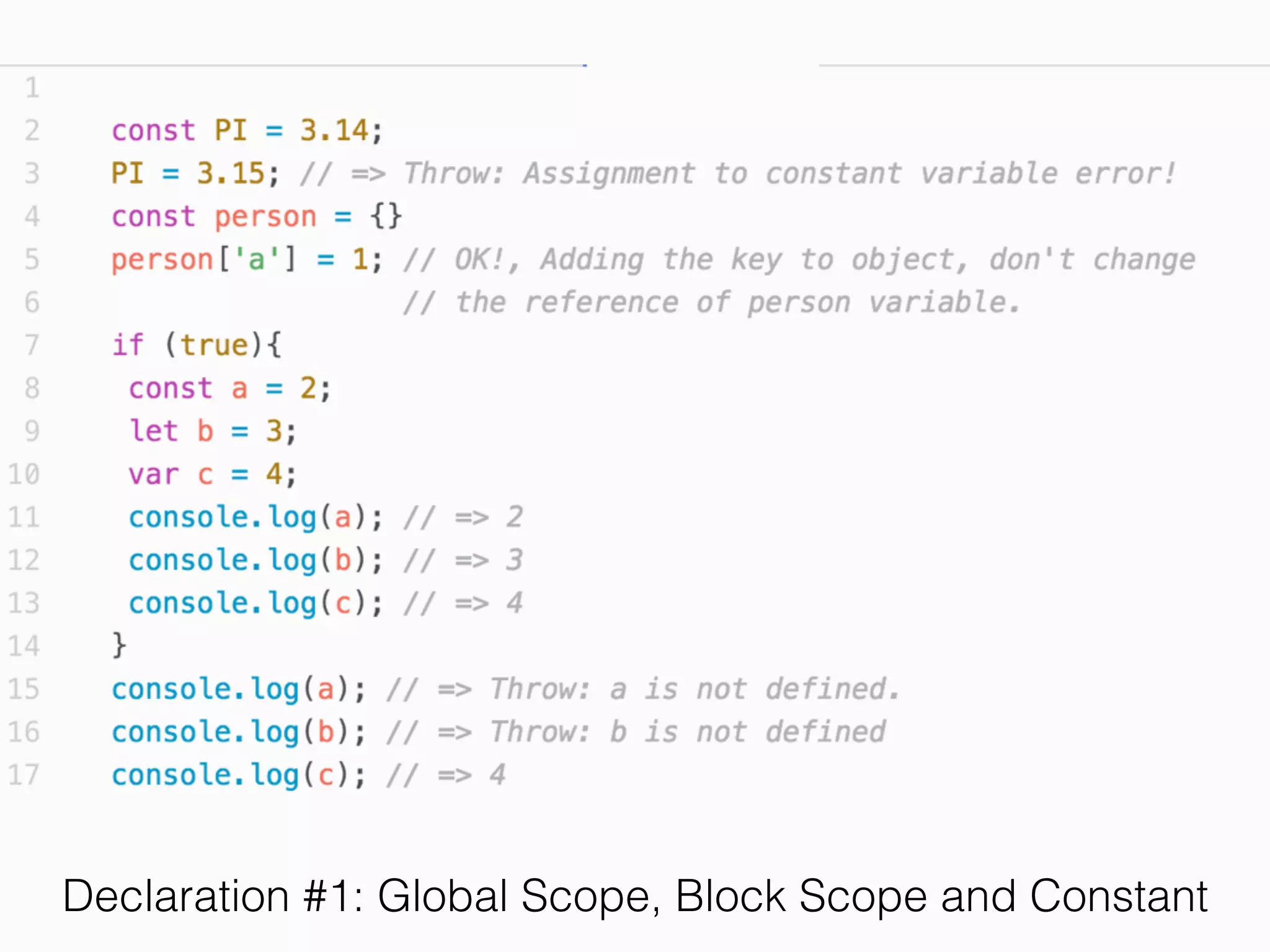
Declaration #1: Global Scope, Block Scope and Constant
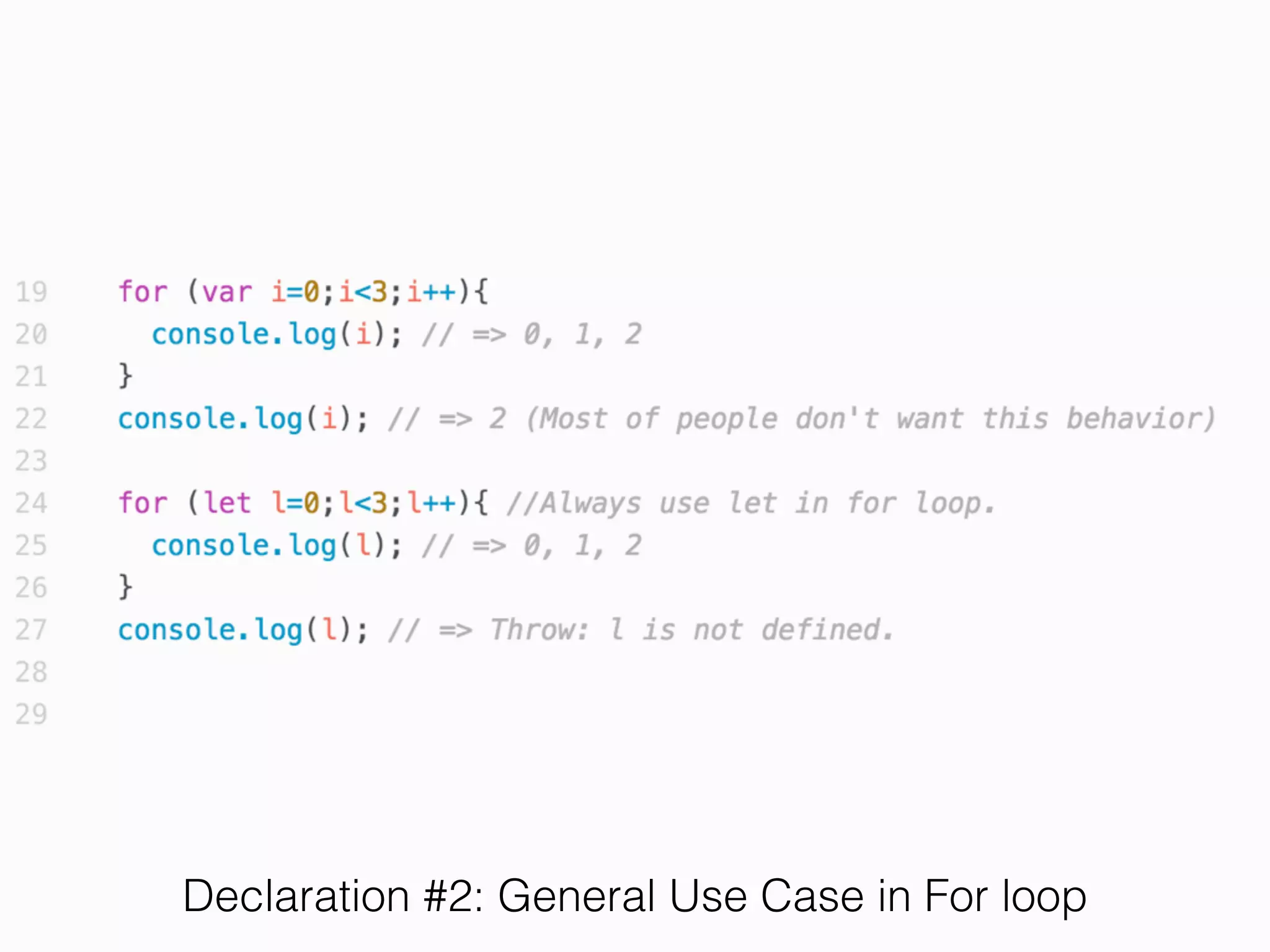
Declaration #2: General Use Case in For loop
Exercise 3
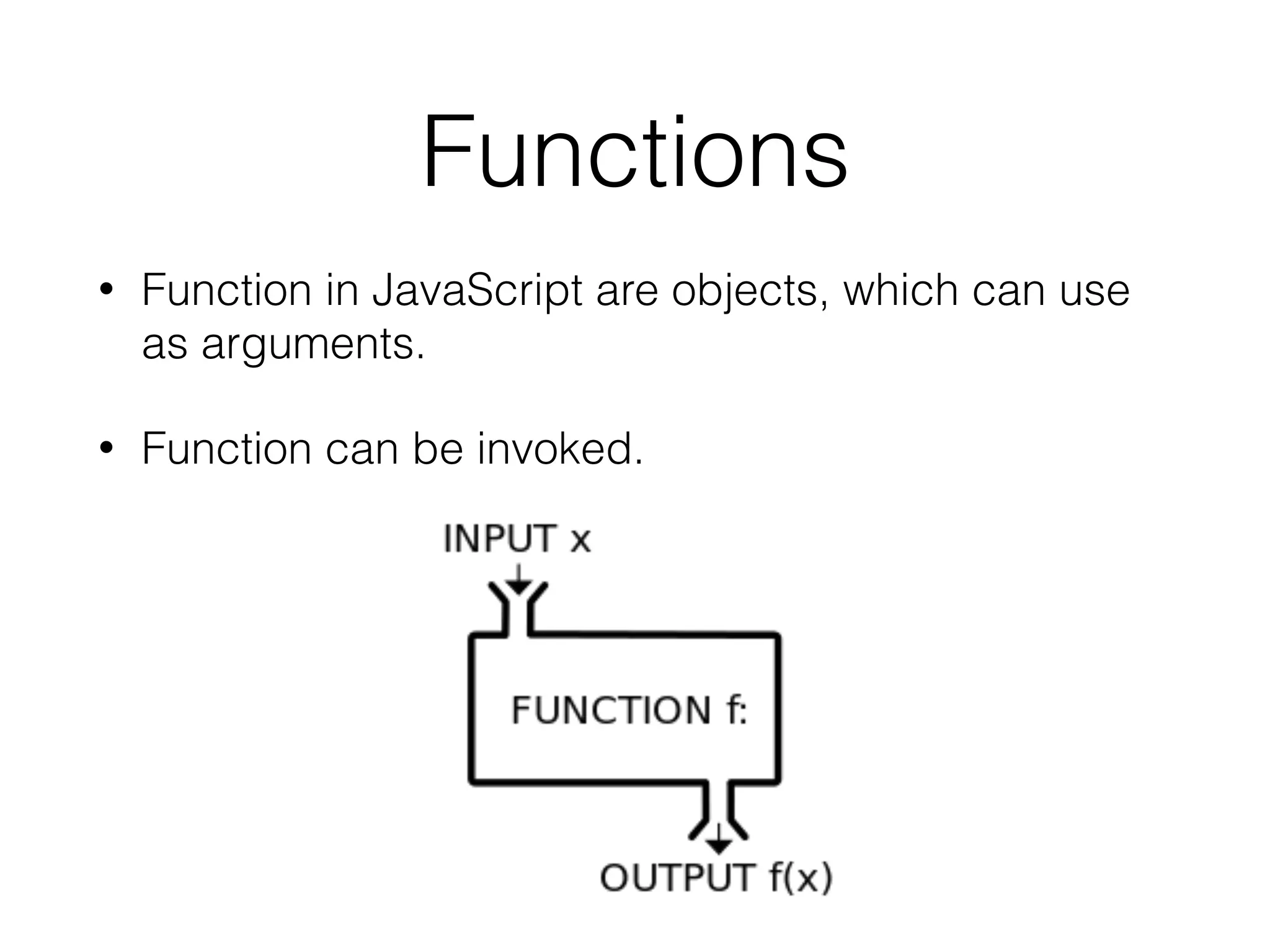
Functions
• Function in JavaScript are objects, which can use
as arguments.
• Function can be invoked.
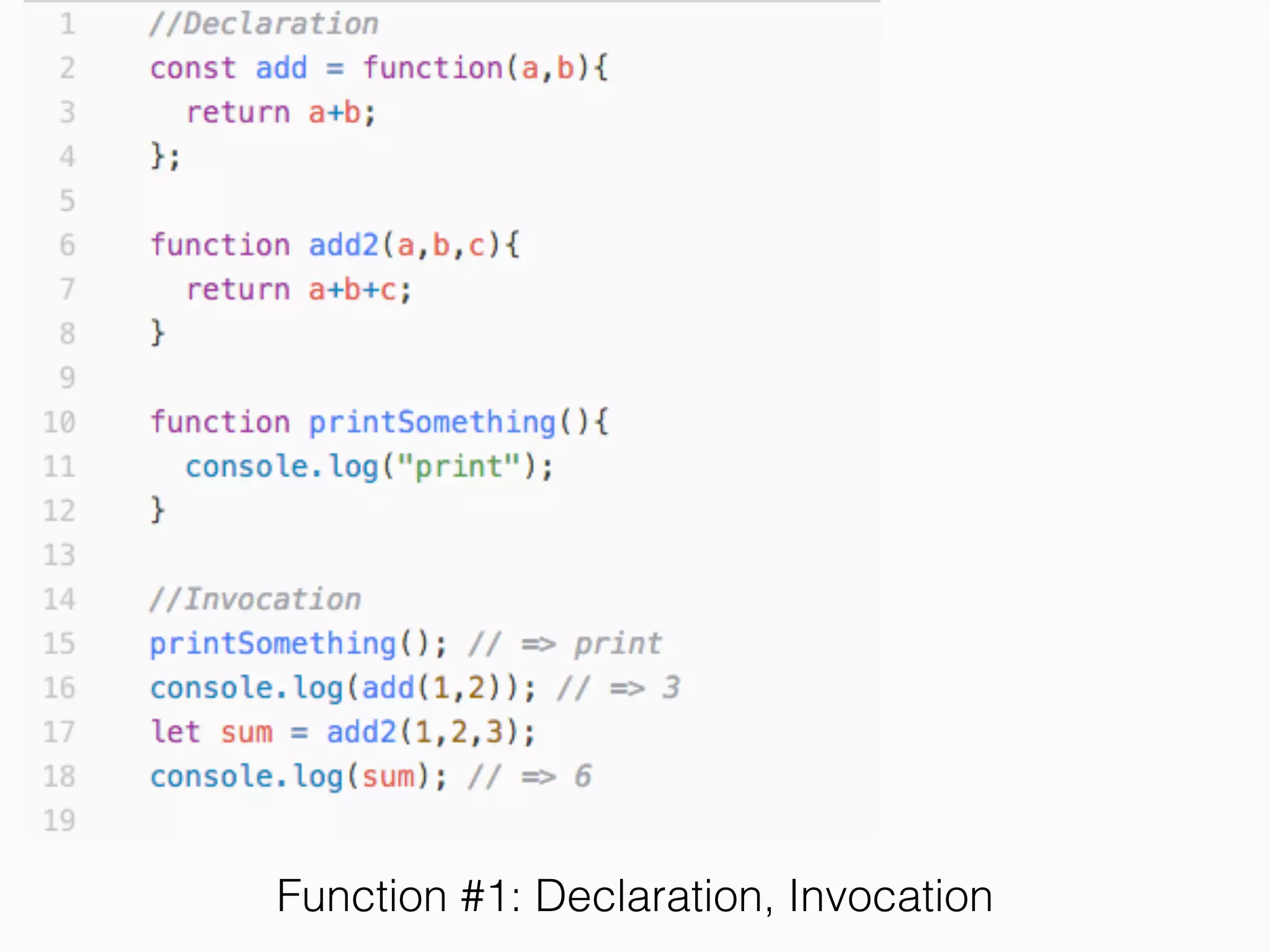
Function #1: Declaration, Invocation
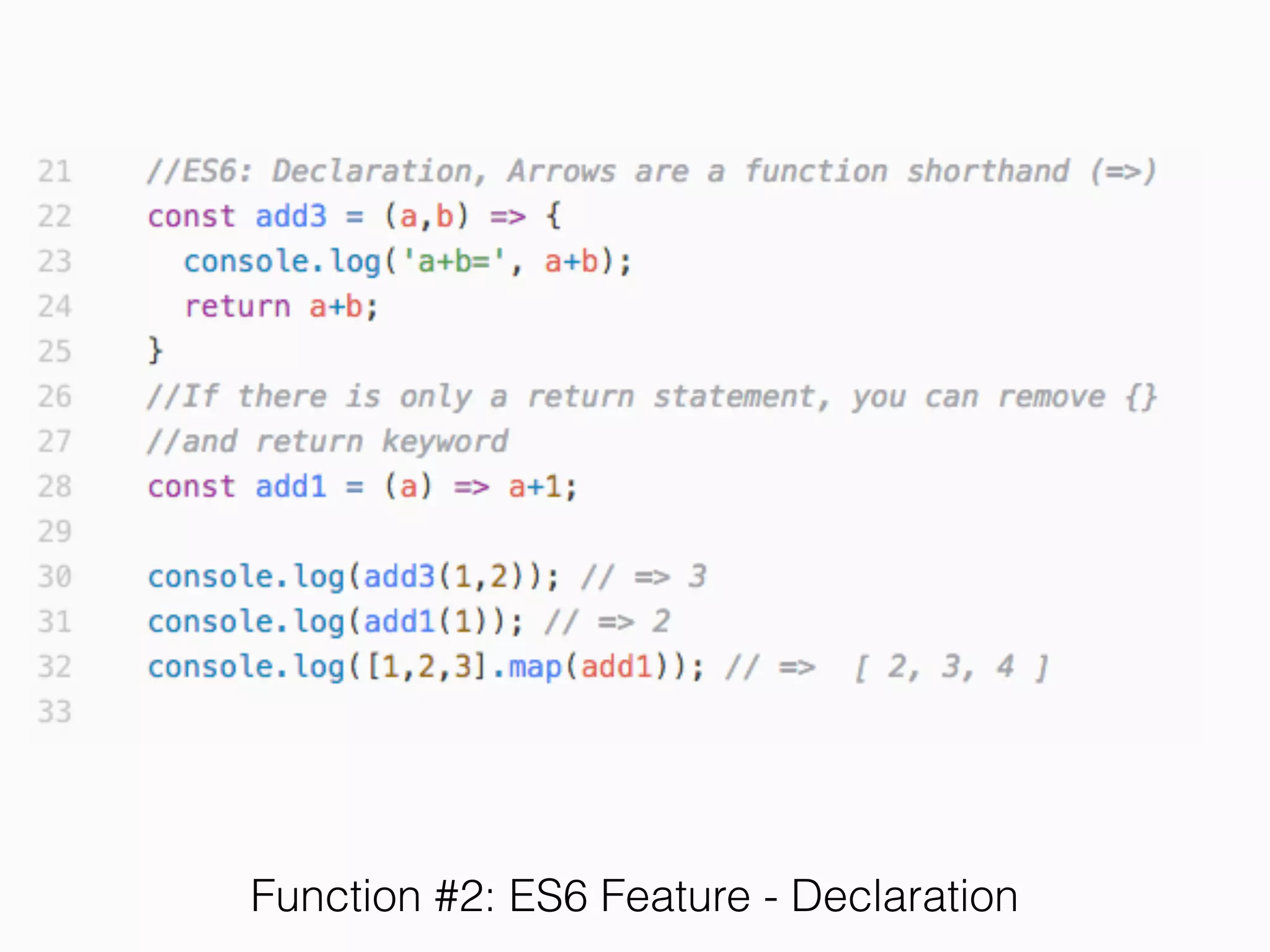
Function #2: ES6 Feature - Declaration
Exercise 4
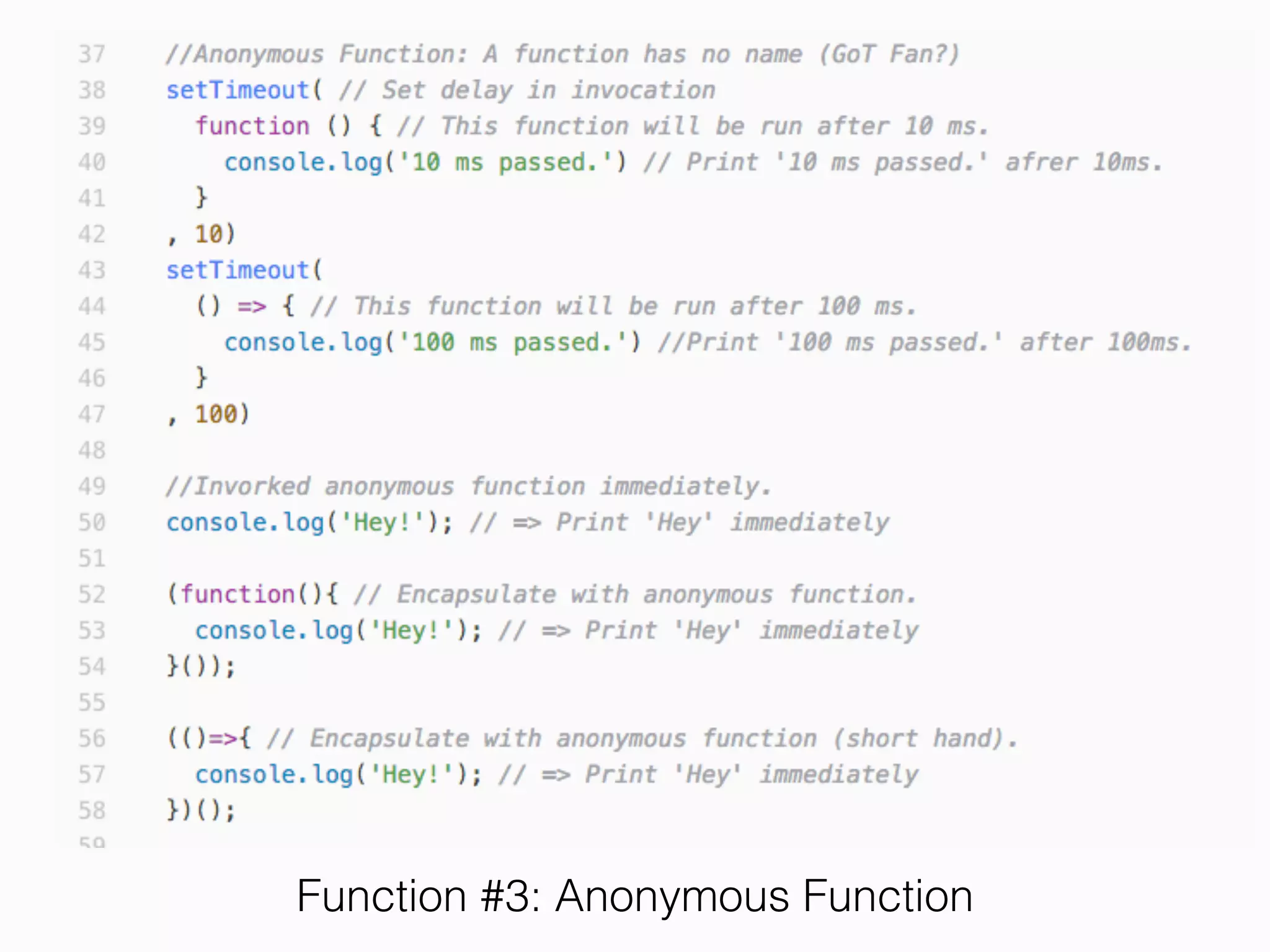
Function #3: Anonymous Function
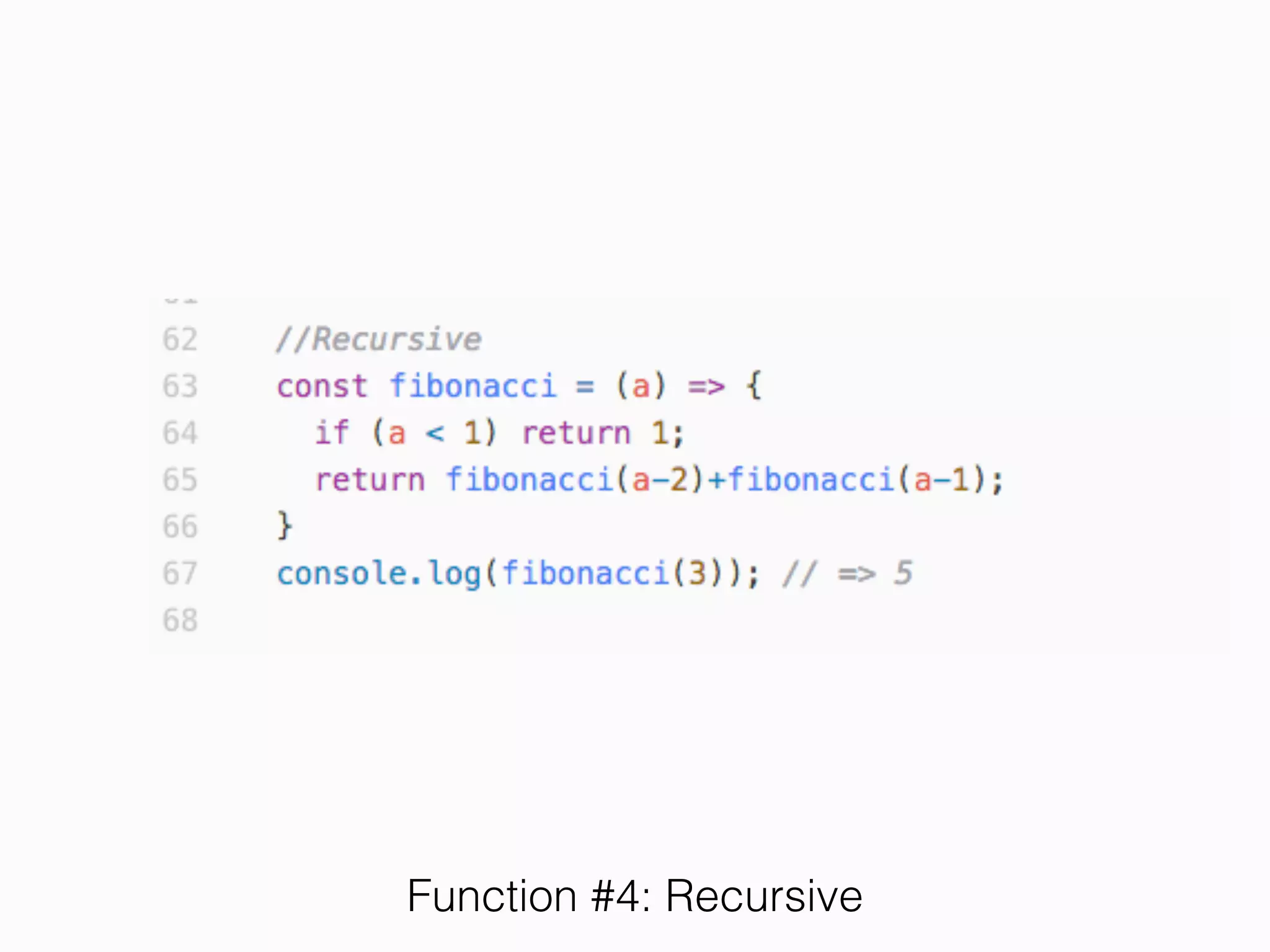
Function #4: Recursive
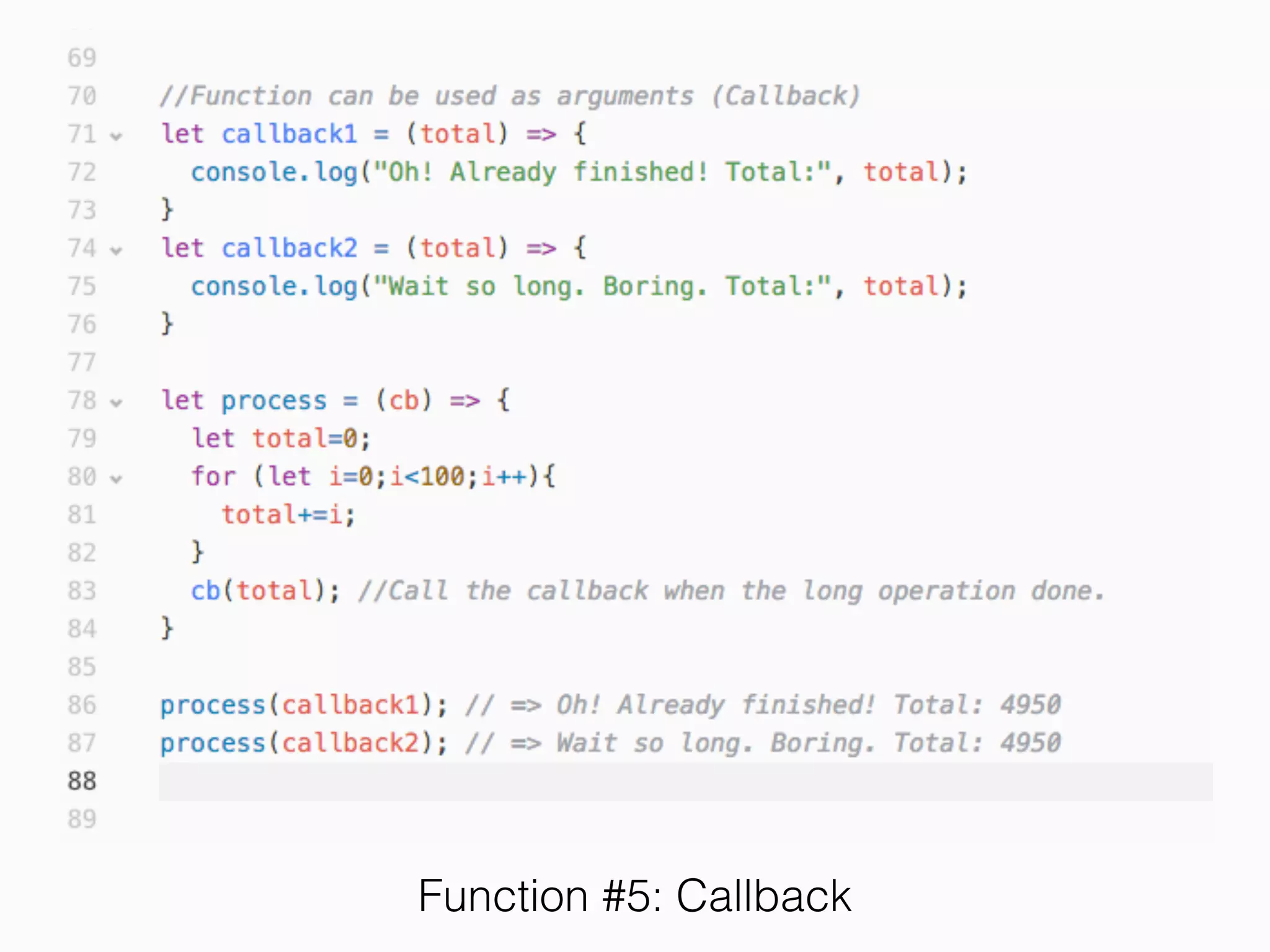
Function #5: Callback
Exercise 5
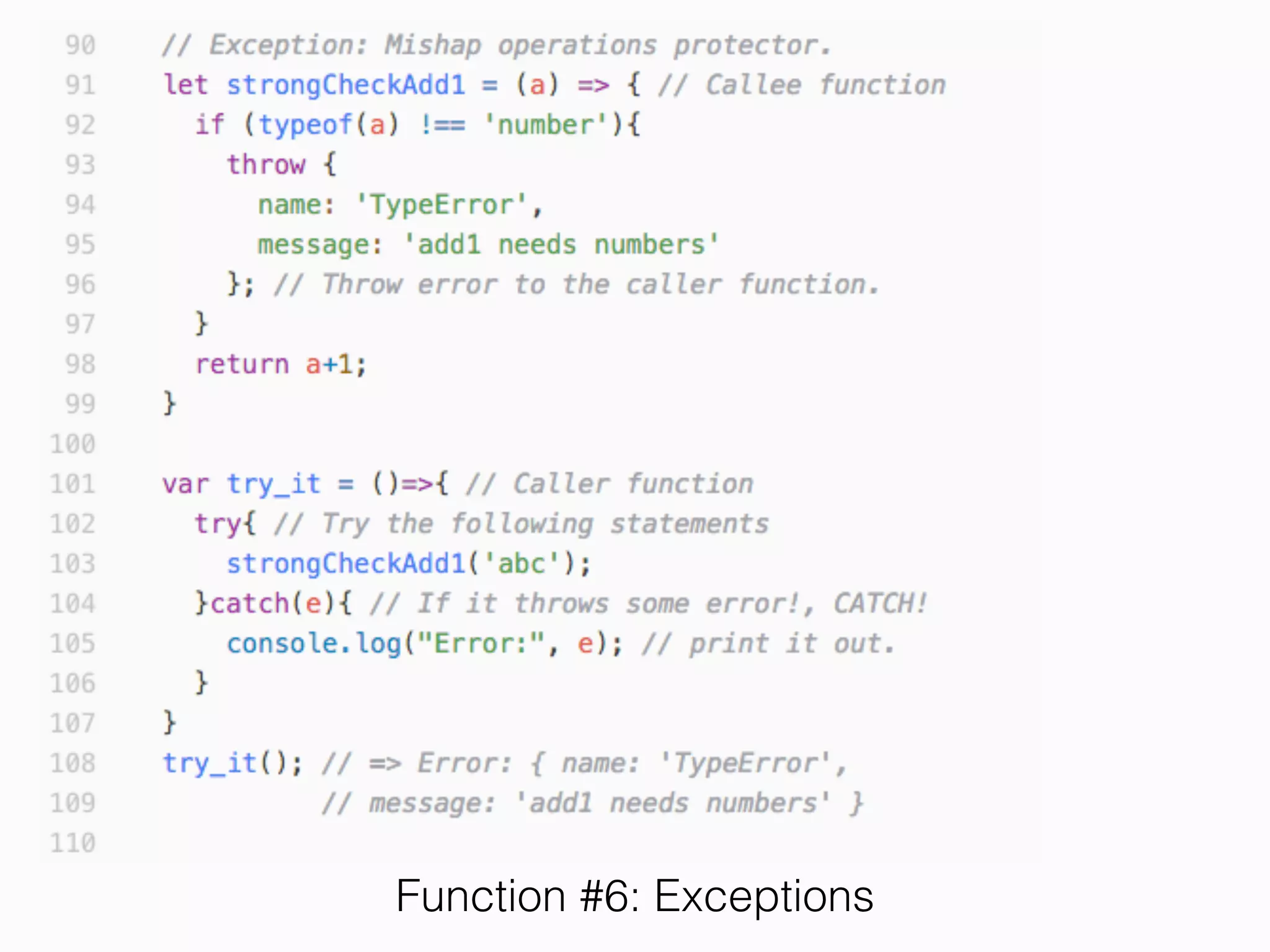
Function #6: Exceptions
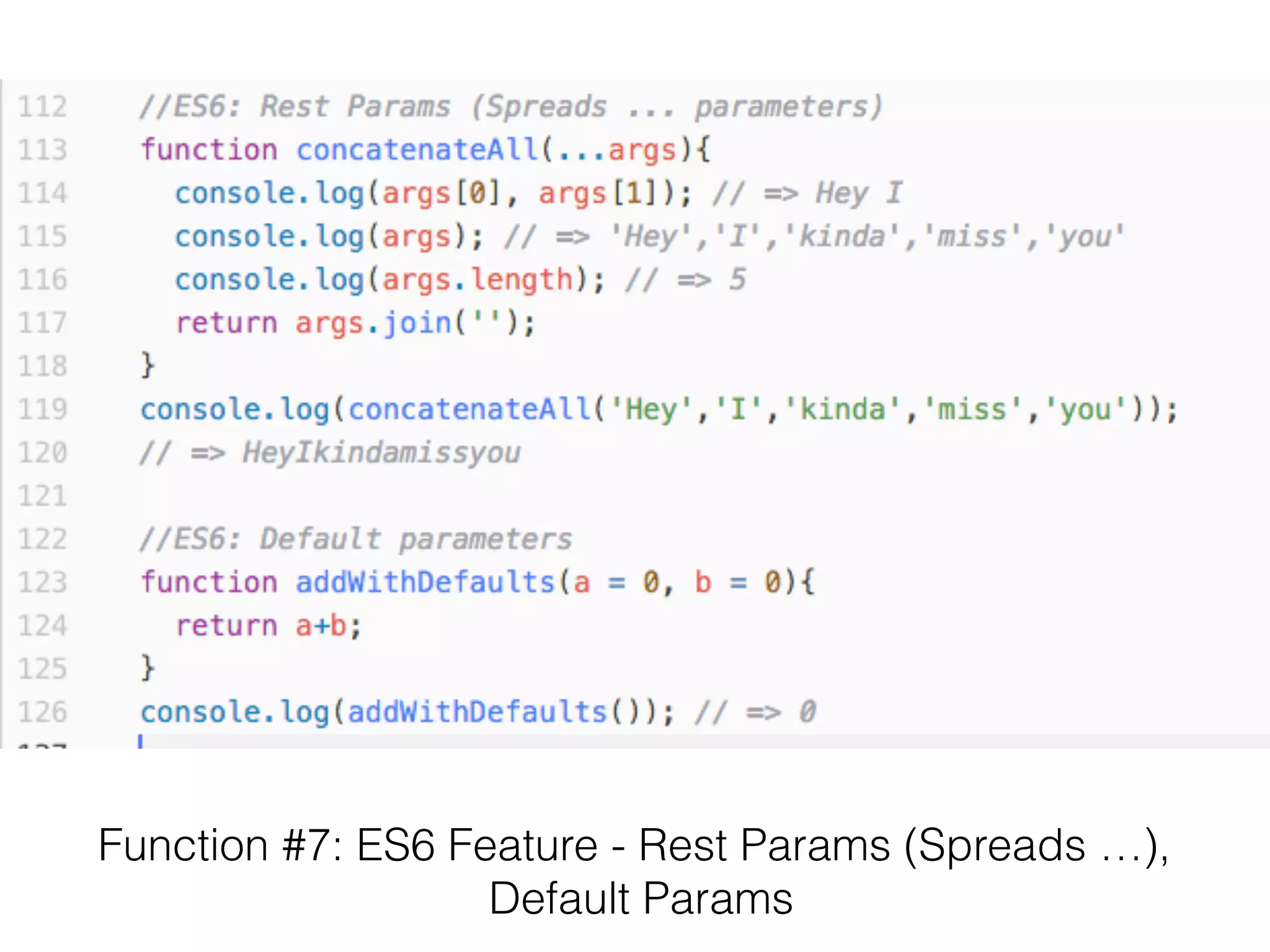
Function #7: ES6 Feature - Rest Params (Spreads …),

Default Params
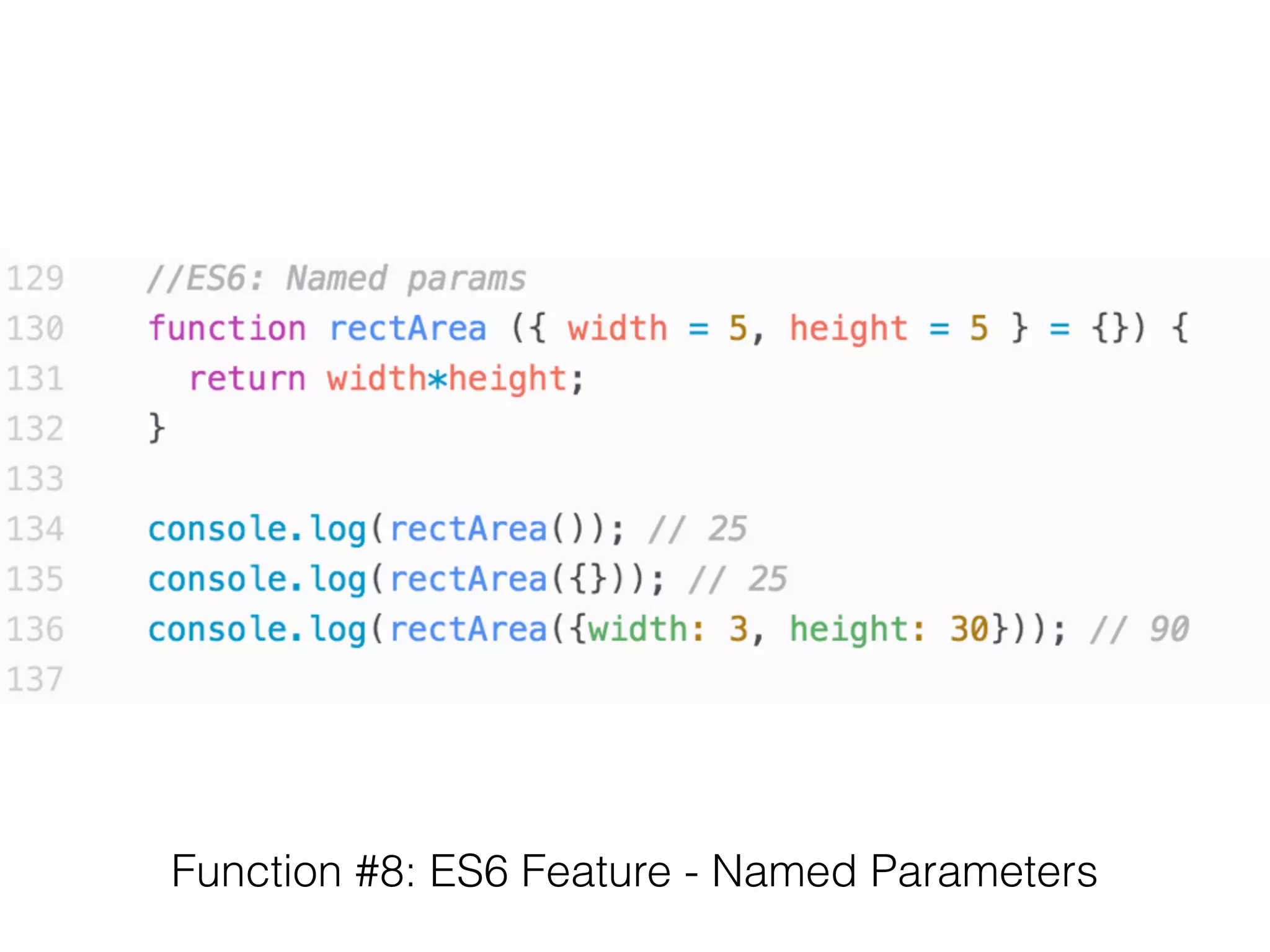
Function #8: ES6 Feature - Named Parameters
Exercise 6
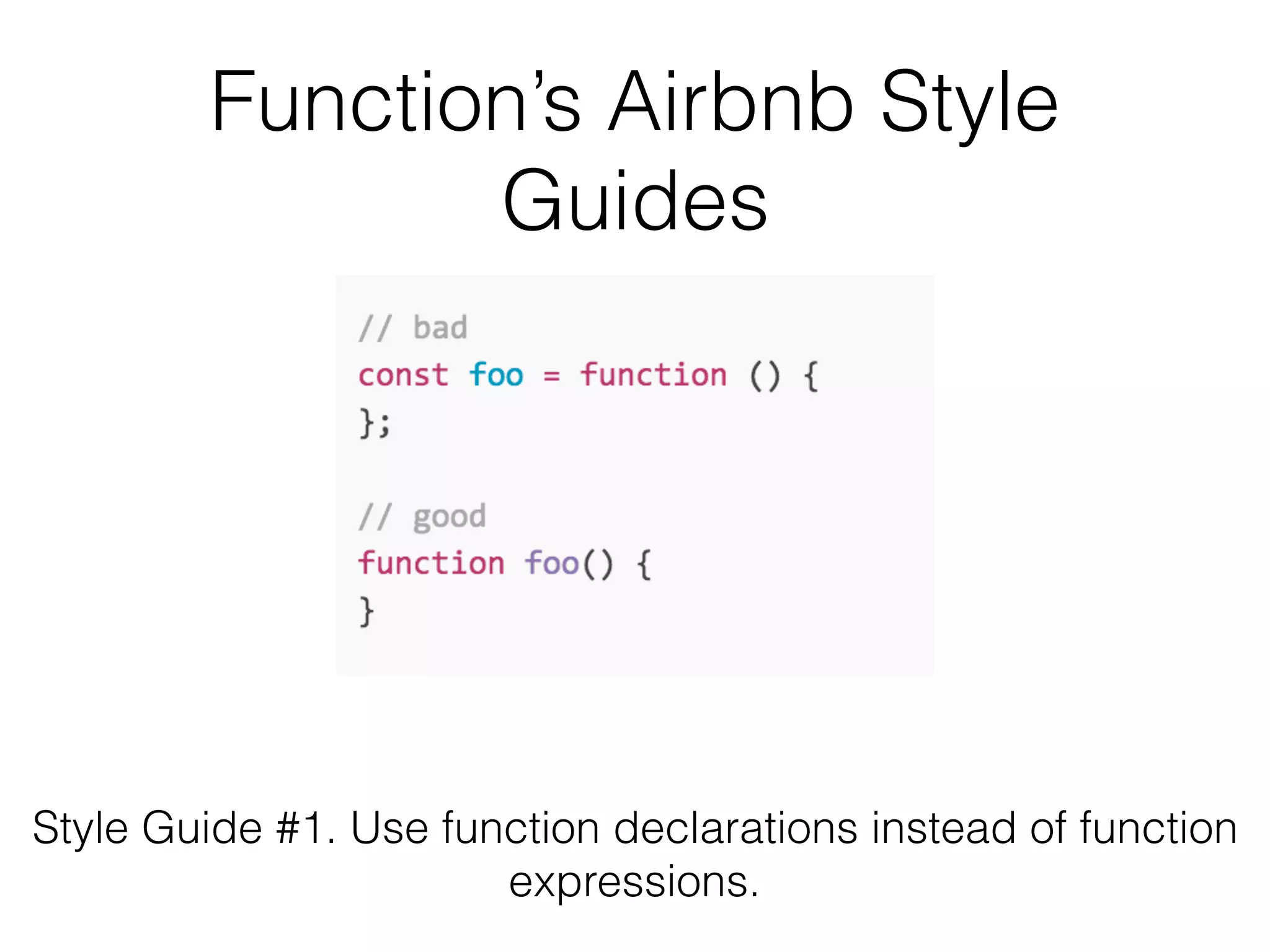
Function’s Airbnb Style
Guides
Style Guide #1. Use function declarations instead of function
expressions.
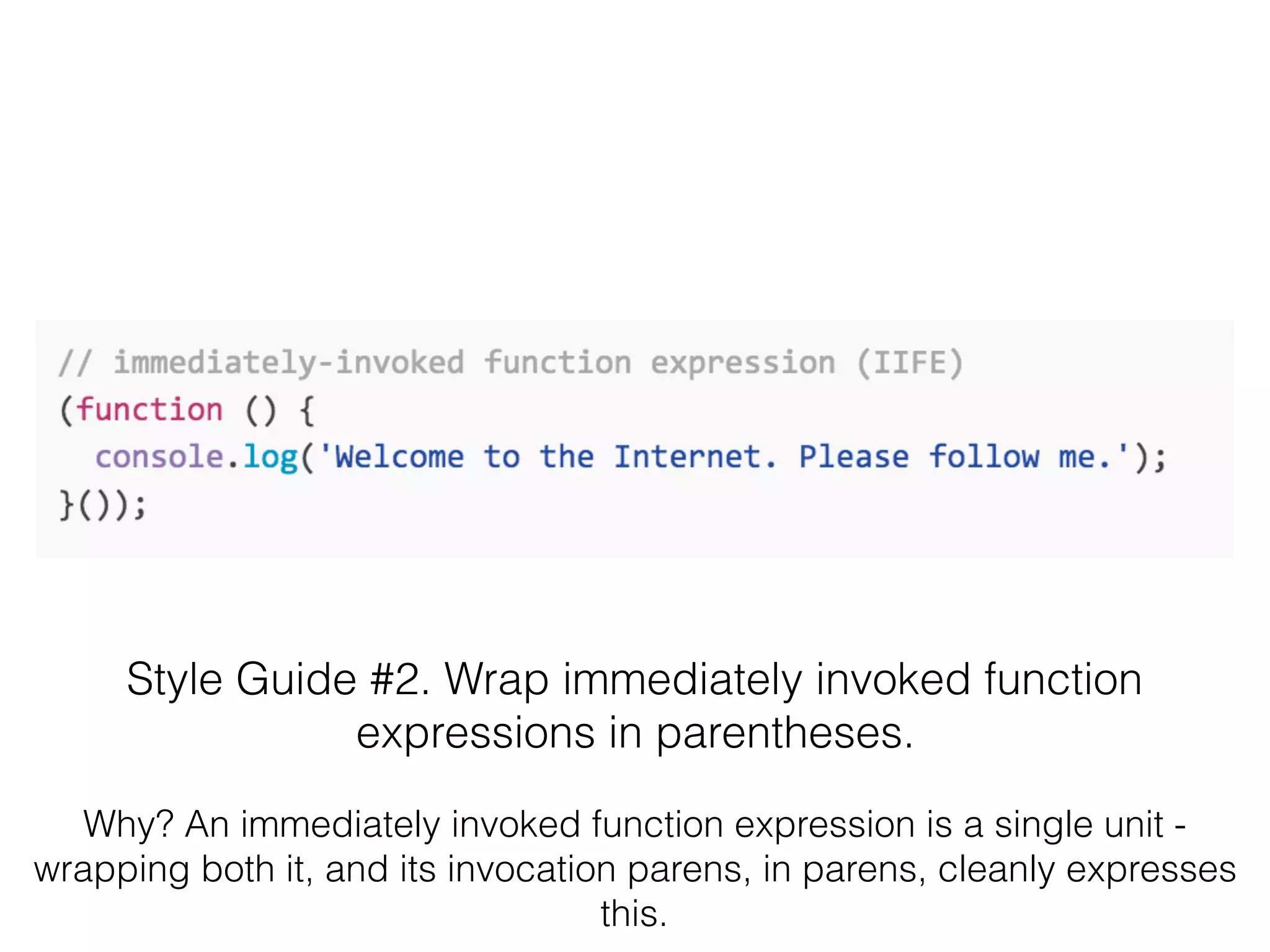
Style Guide #2. Wrap immediately invoked function
expressions in parentheses.
Why? An immediately invoked function expression is a single unit -
wrapping both it, and its invocation parens, in parens, cleanly expresses
this.
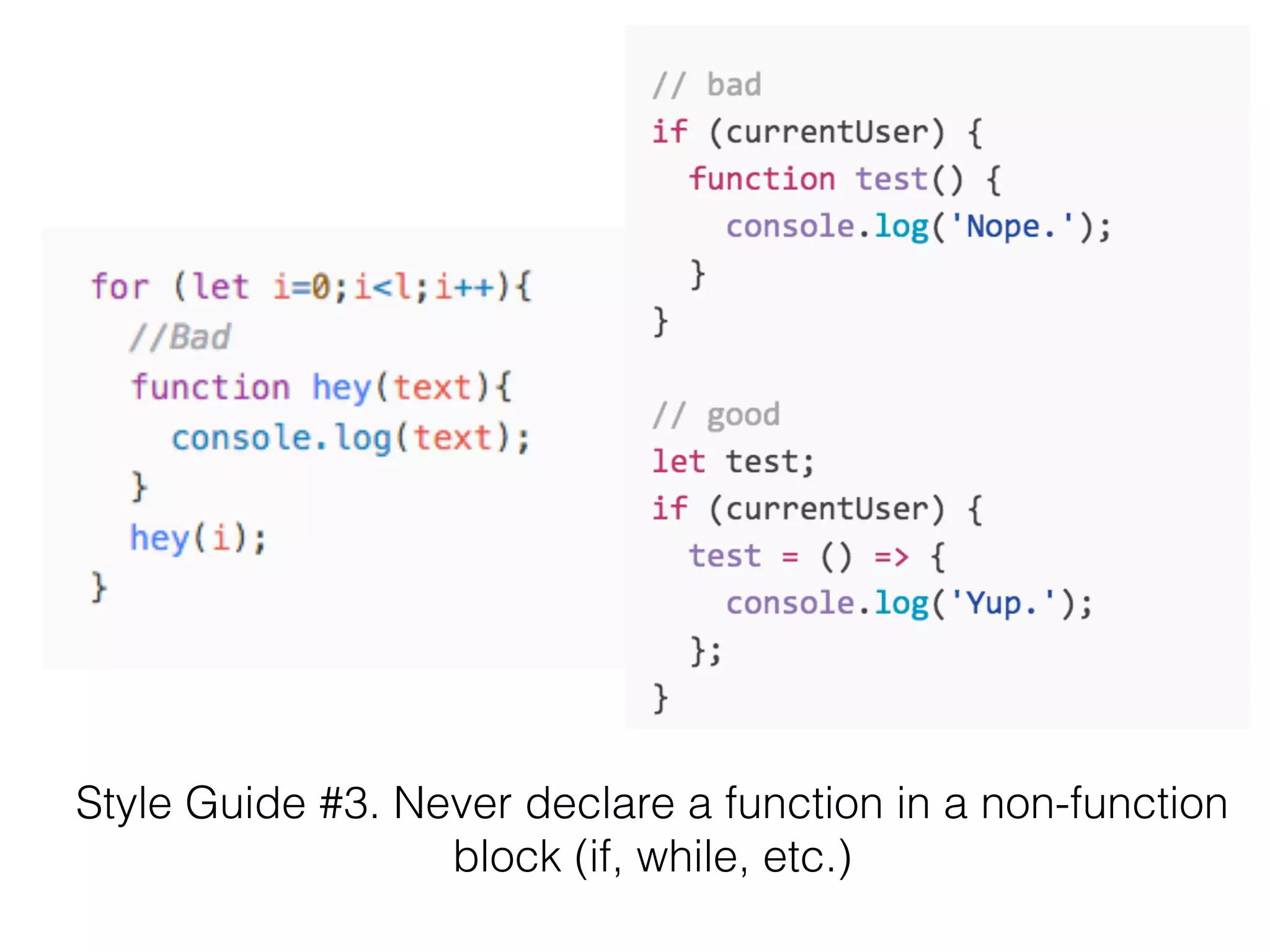
Style Guide #3. Never declare a function in a non-function
block (if, while, etc.)
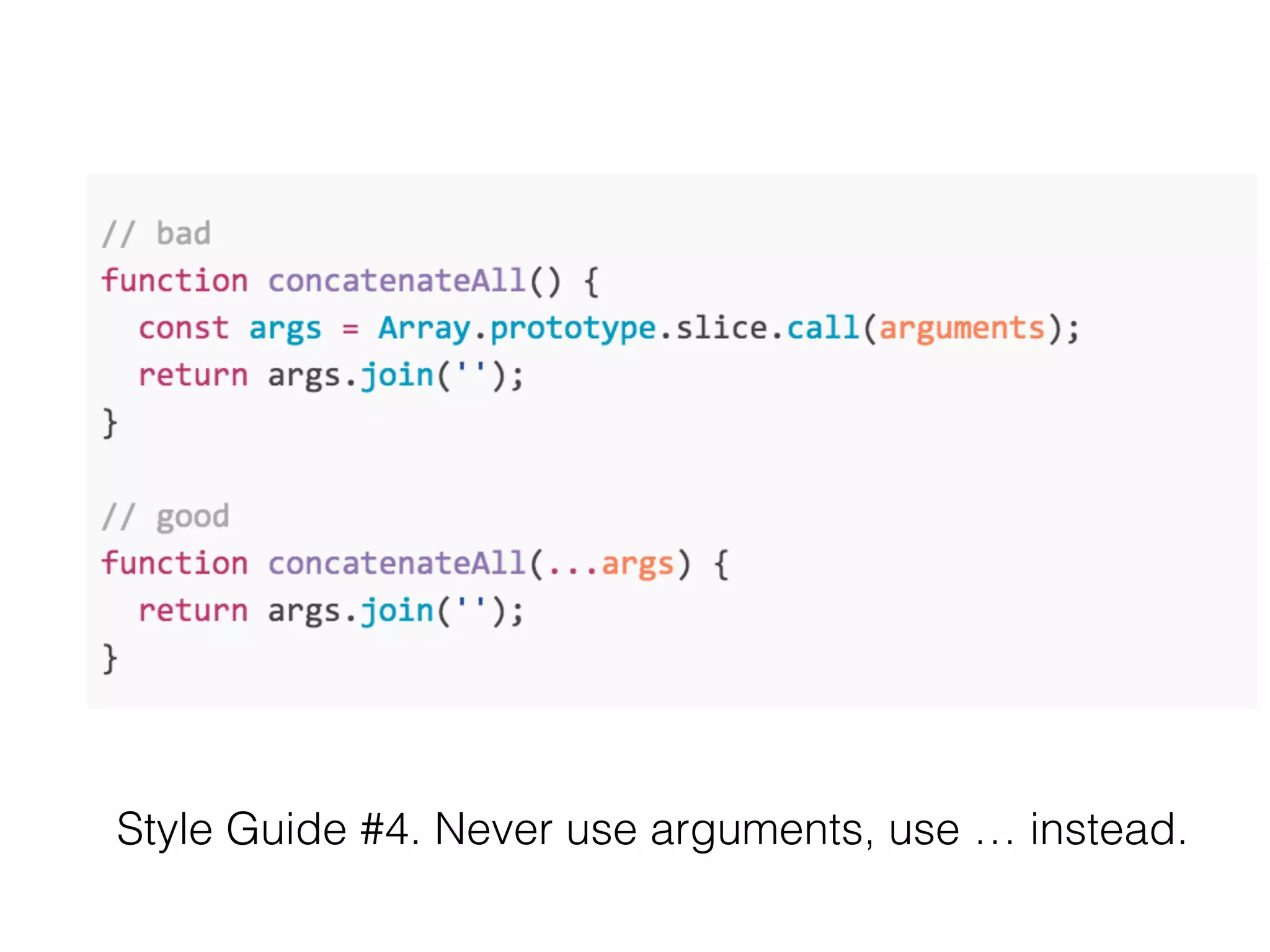
Style Guide #4. Never use arguments, use … instead.
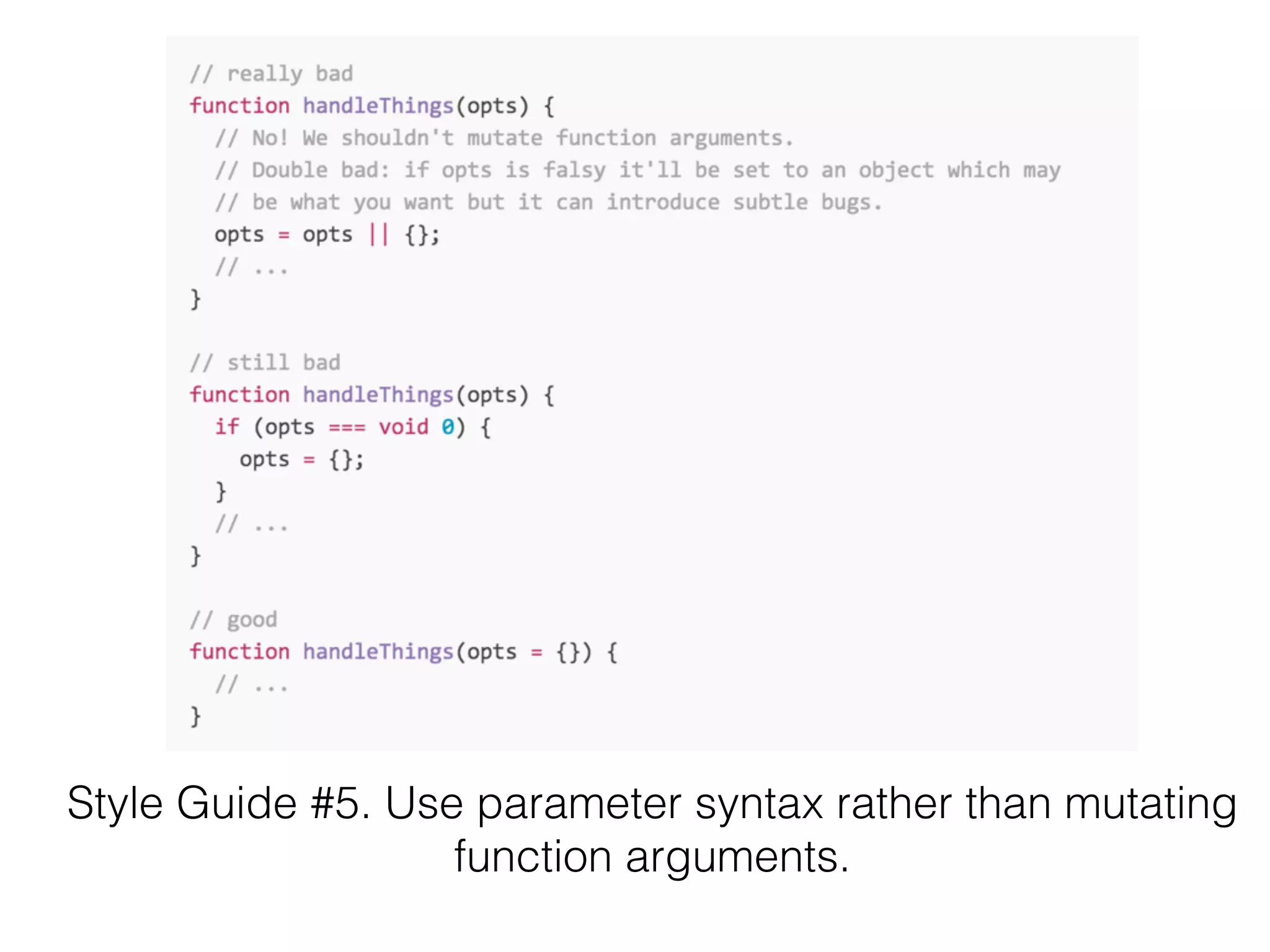
Style Guide #5. Use parameter syntax rather than mutating
function arguments.
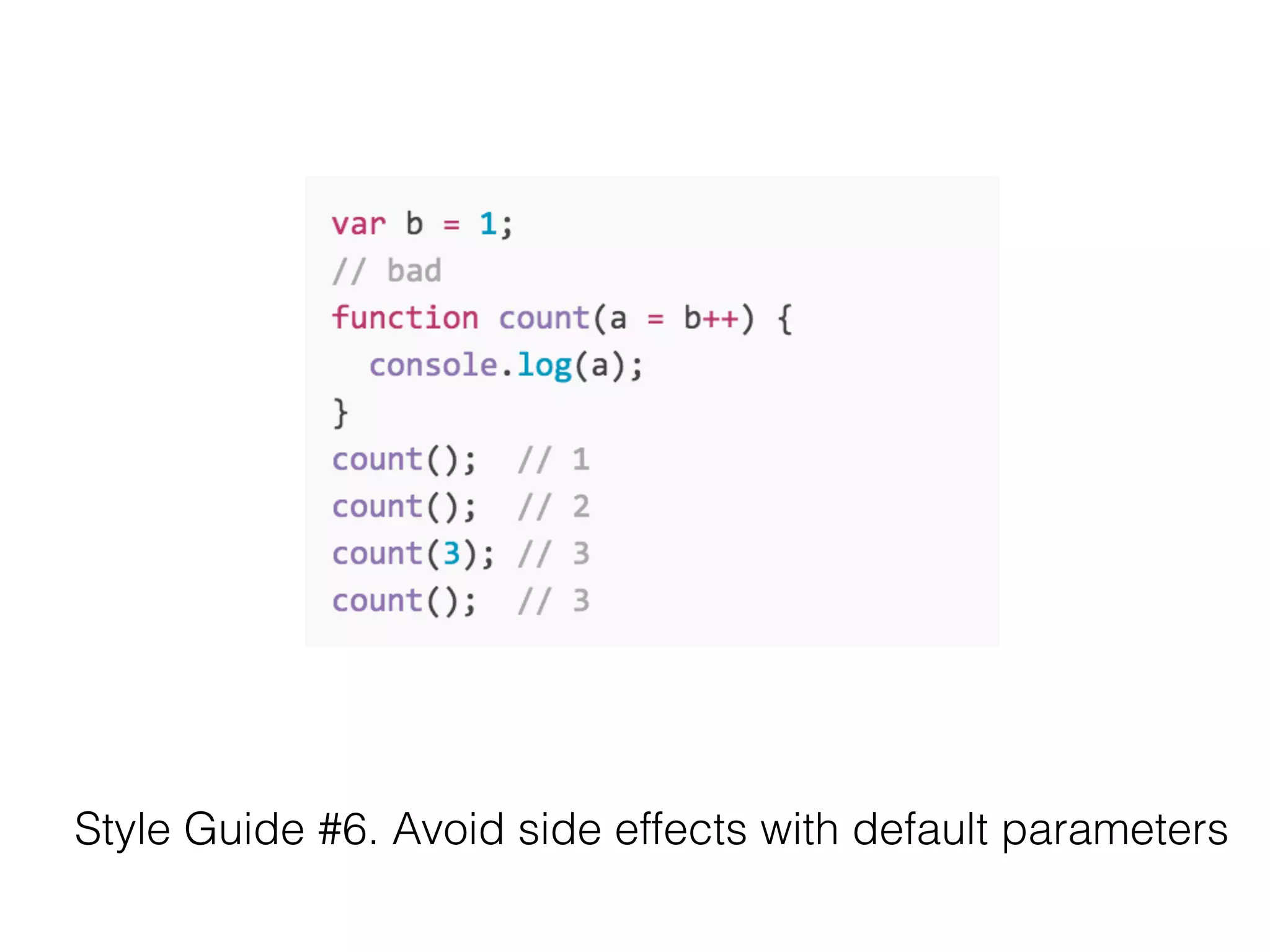
Style Guide #6. Avoid side effects with default parameters
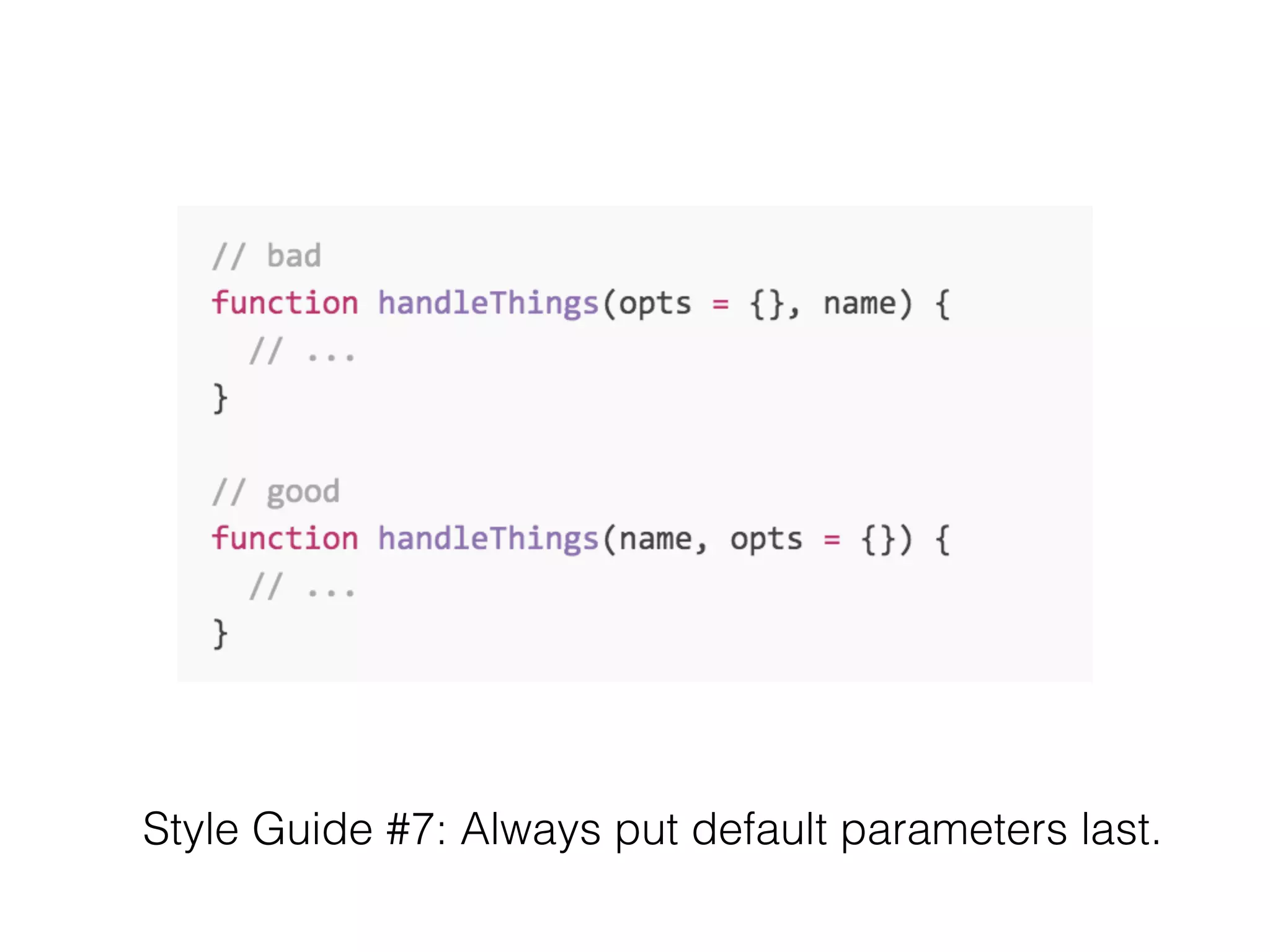
Style Guide #7: Always put default parameters last.
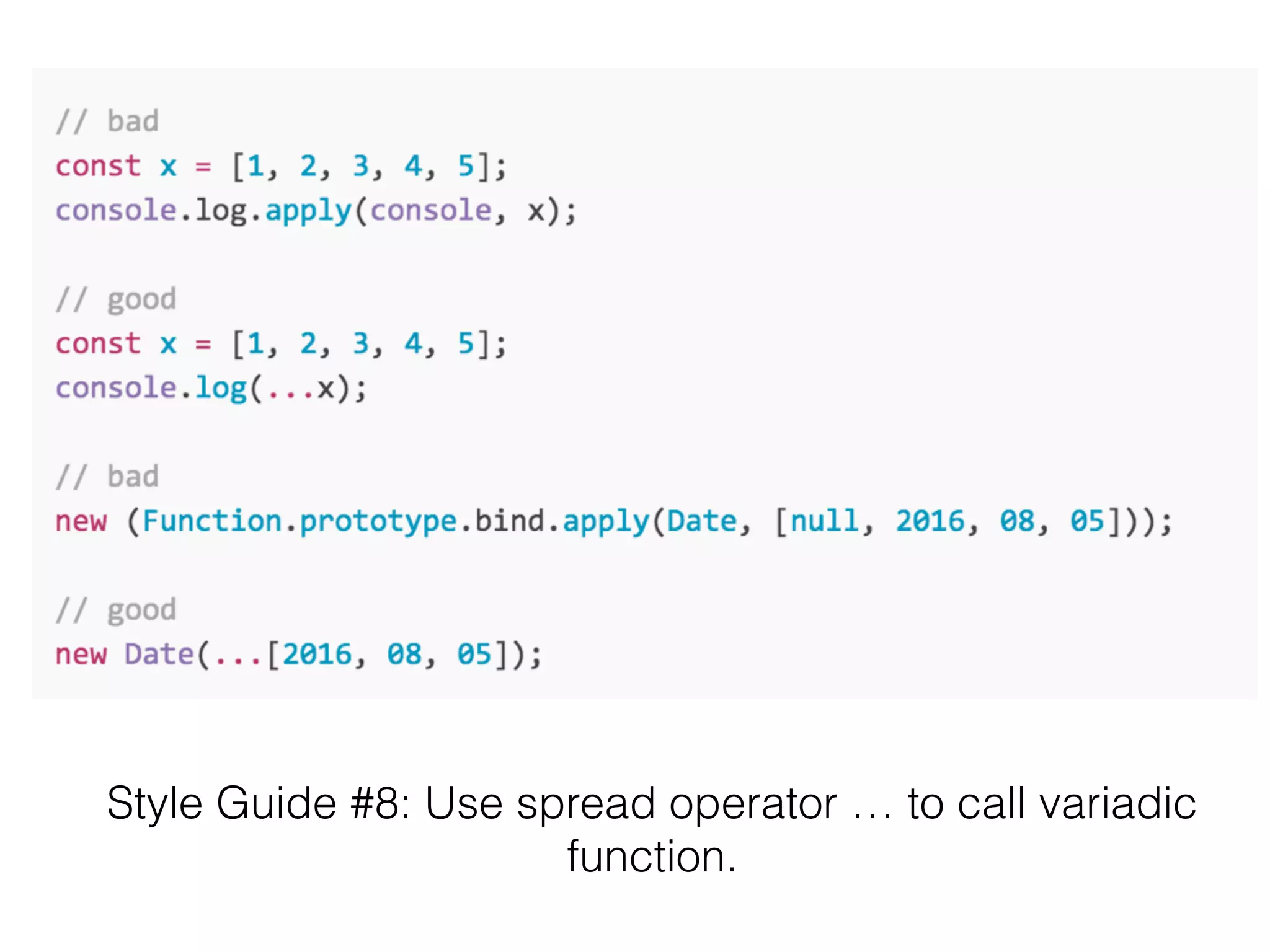
Style Guide #8: Use spread operator … to call variadic
function.
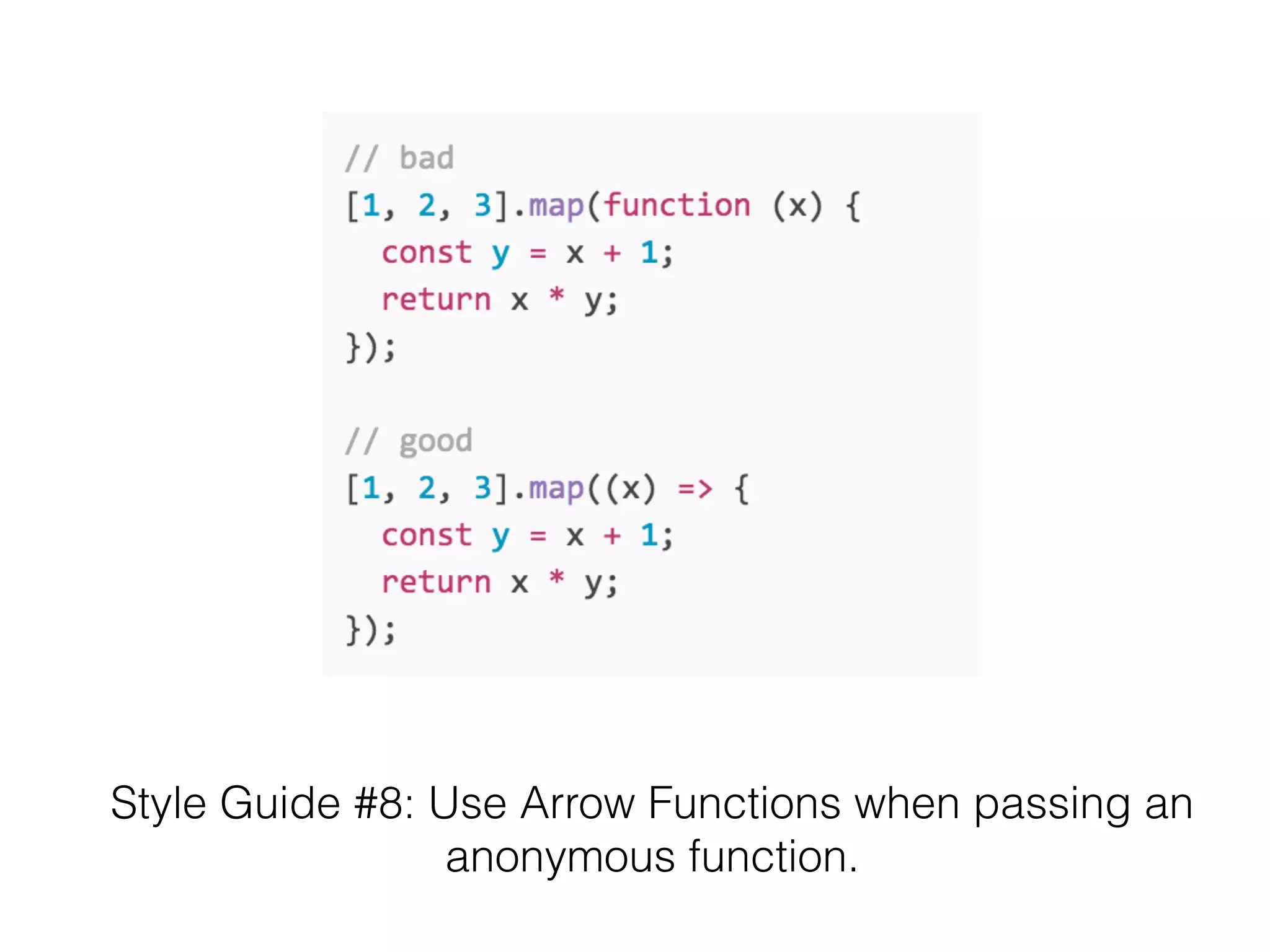
Style Guide #8: Use Arrow Functions when passing an 

anonymous function.
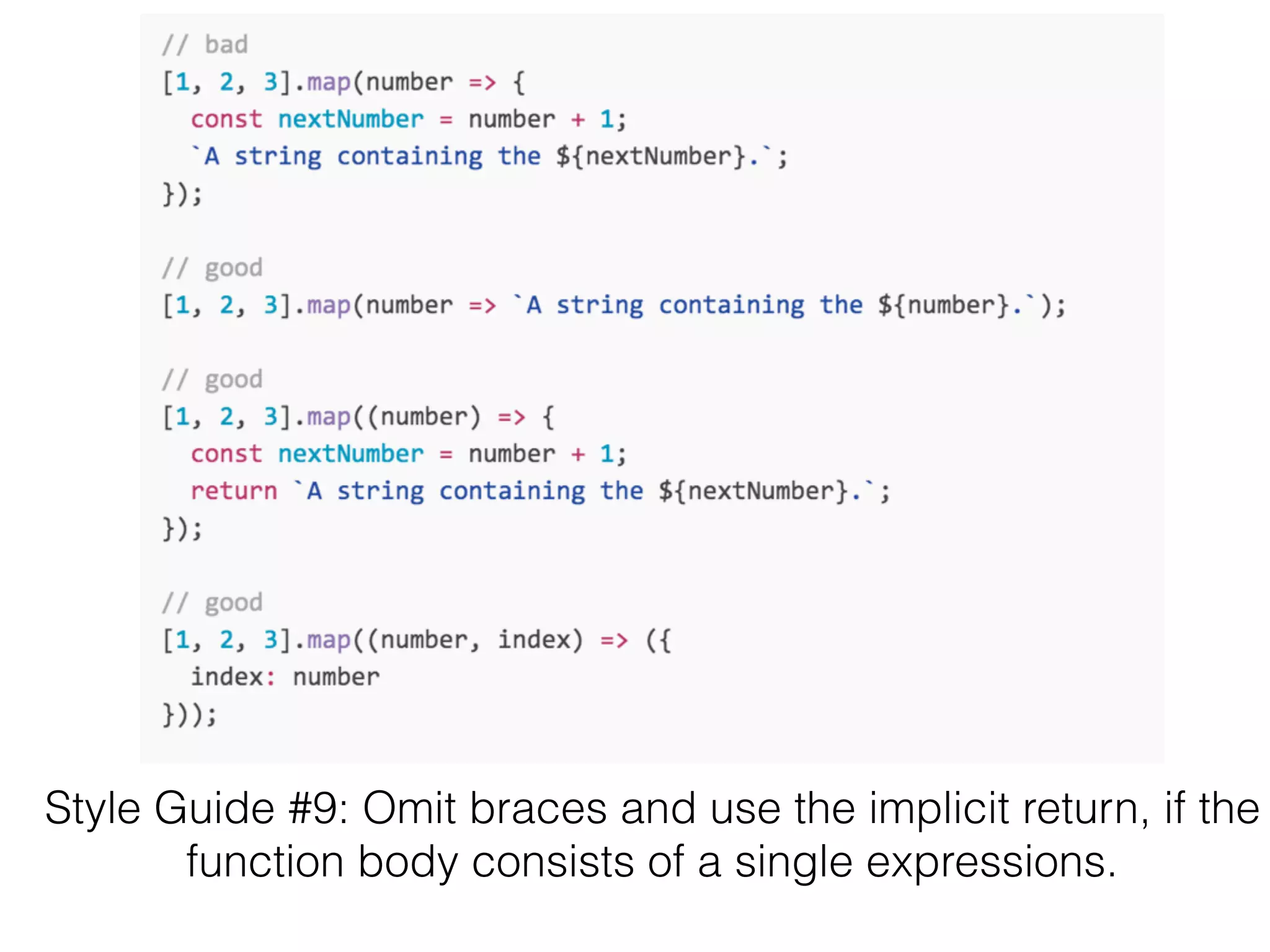
Style Guide #9: Omit braces and use the implicit return, if the
function body consists of a single expressions.
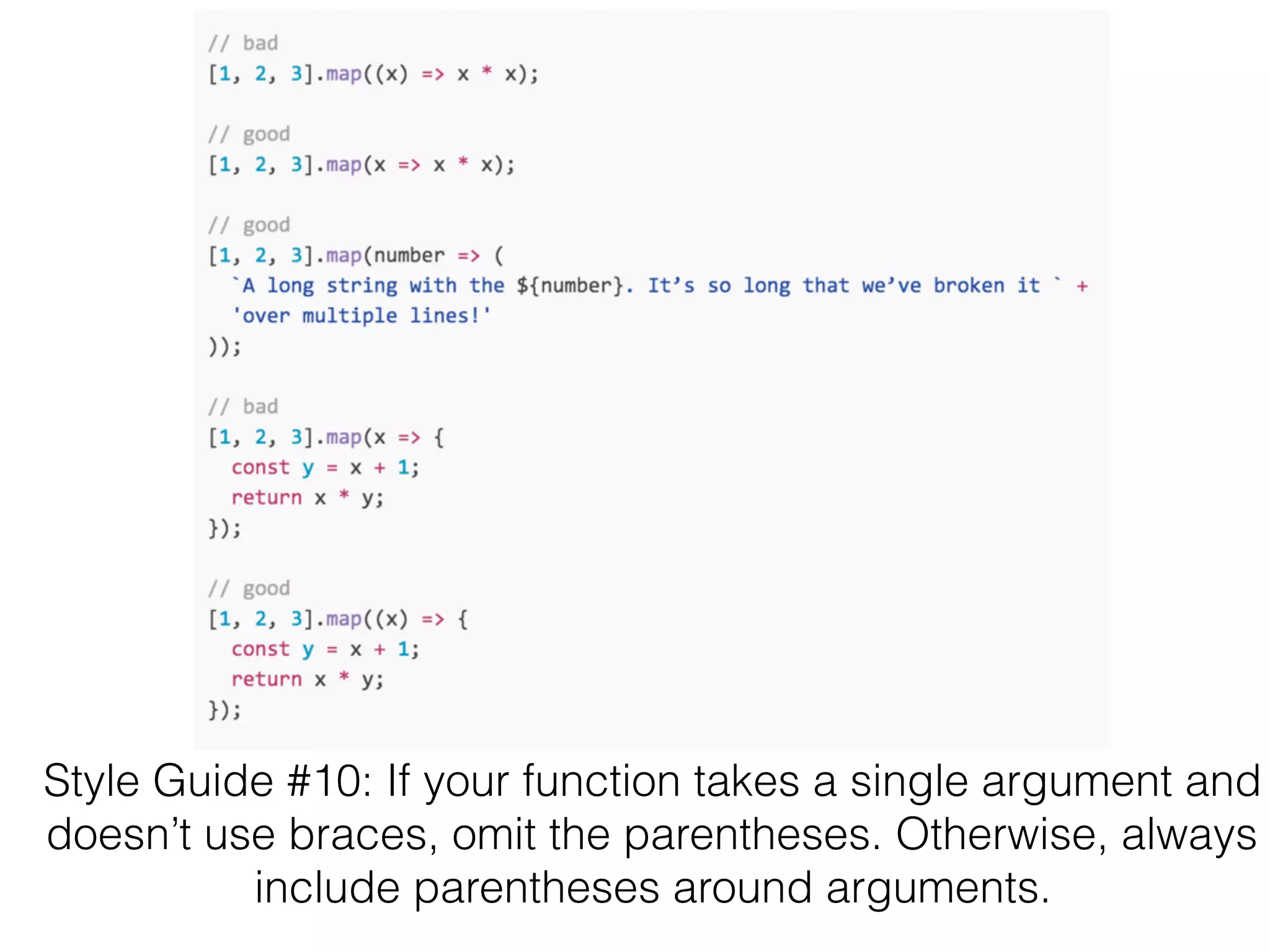
Style Guide #10: If your function takes a single argument and
doesn’t use braces, omit the parentheses. Otherwise, always
include parentheses around arguments.
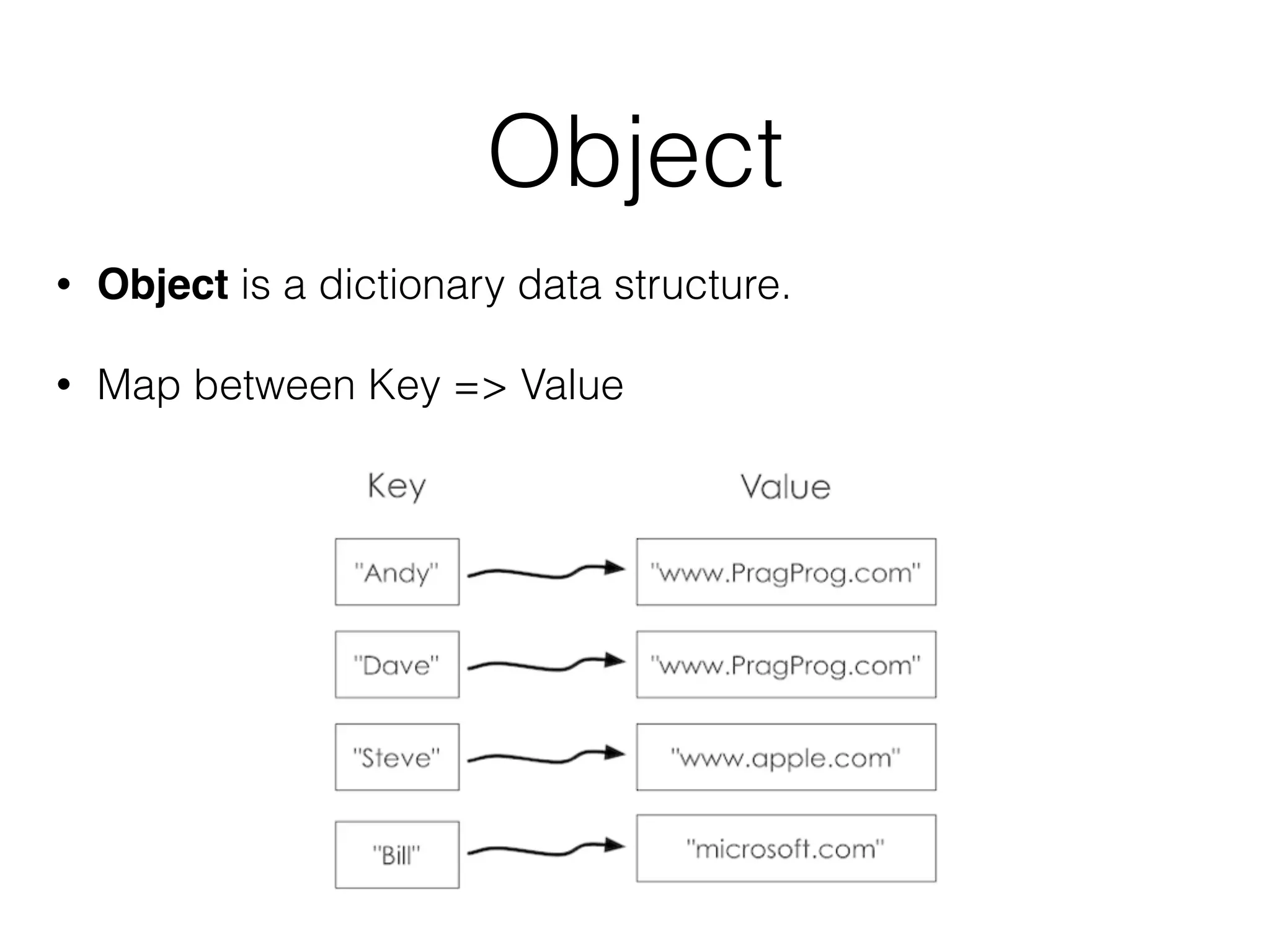
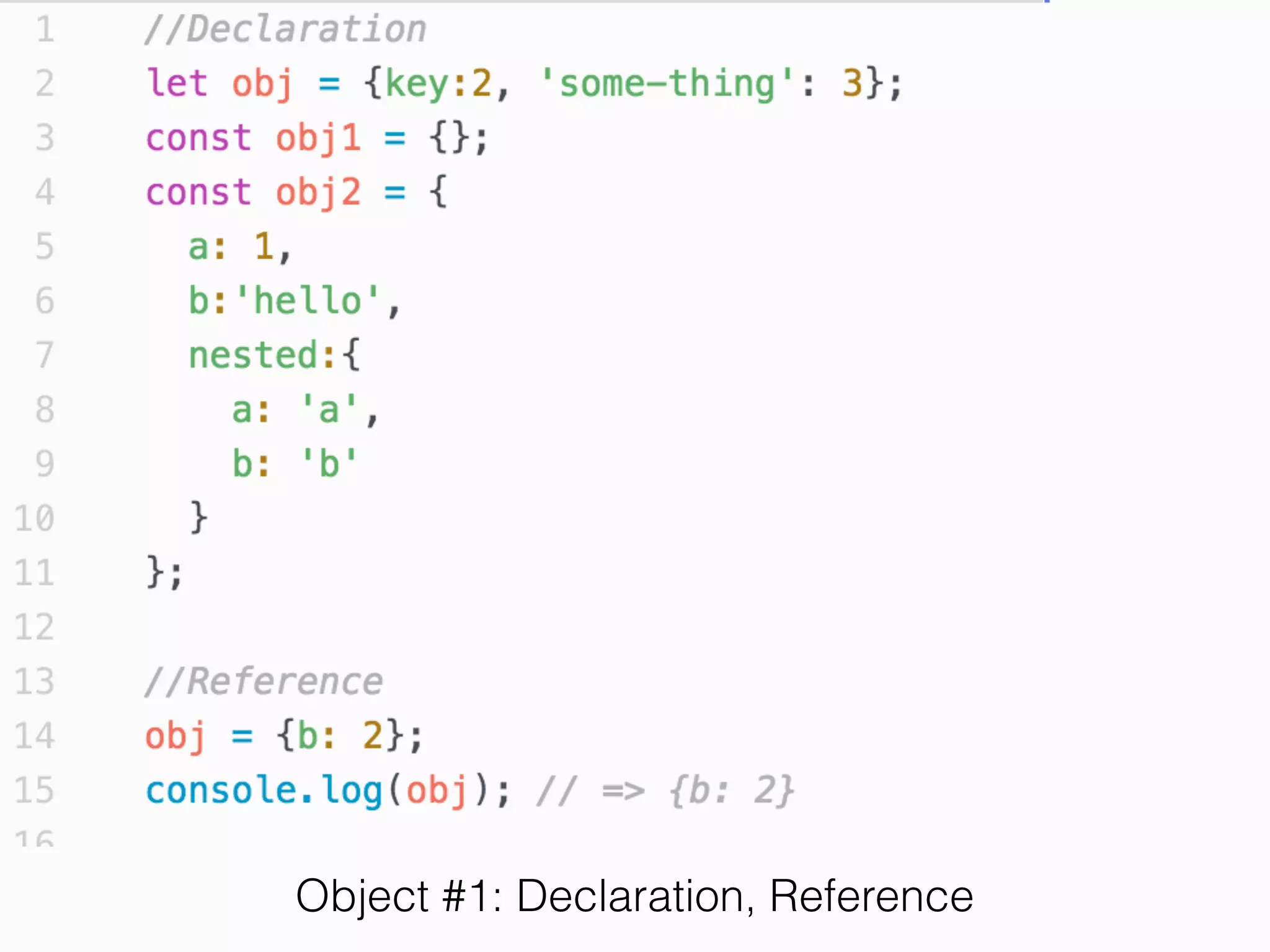
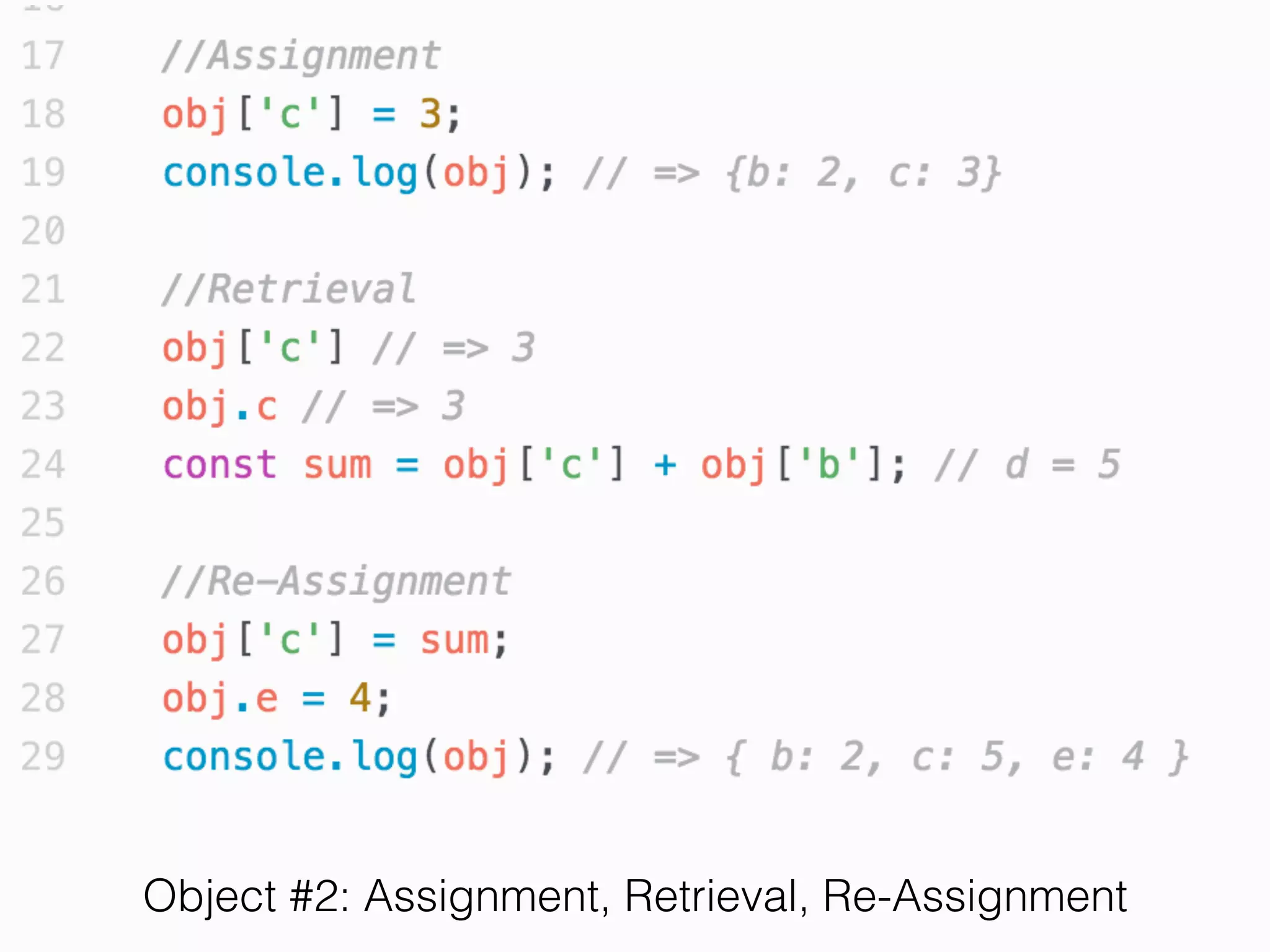
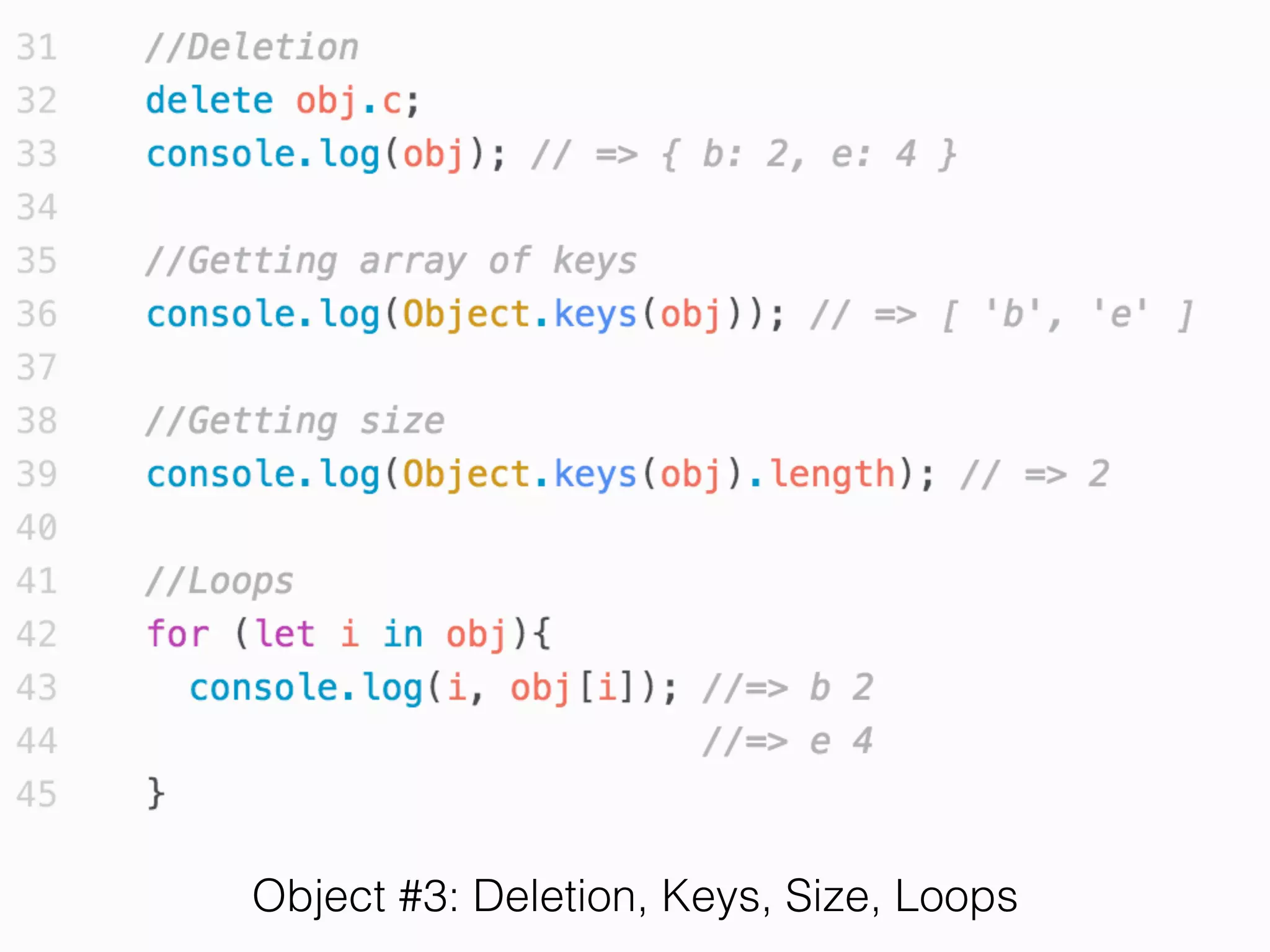
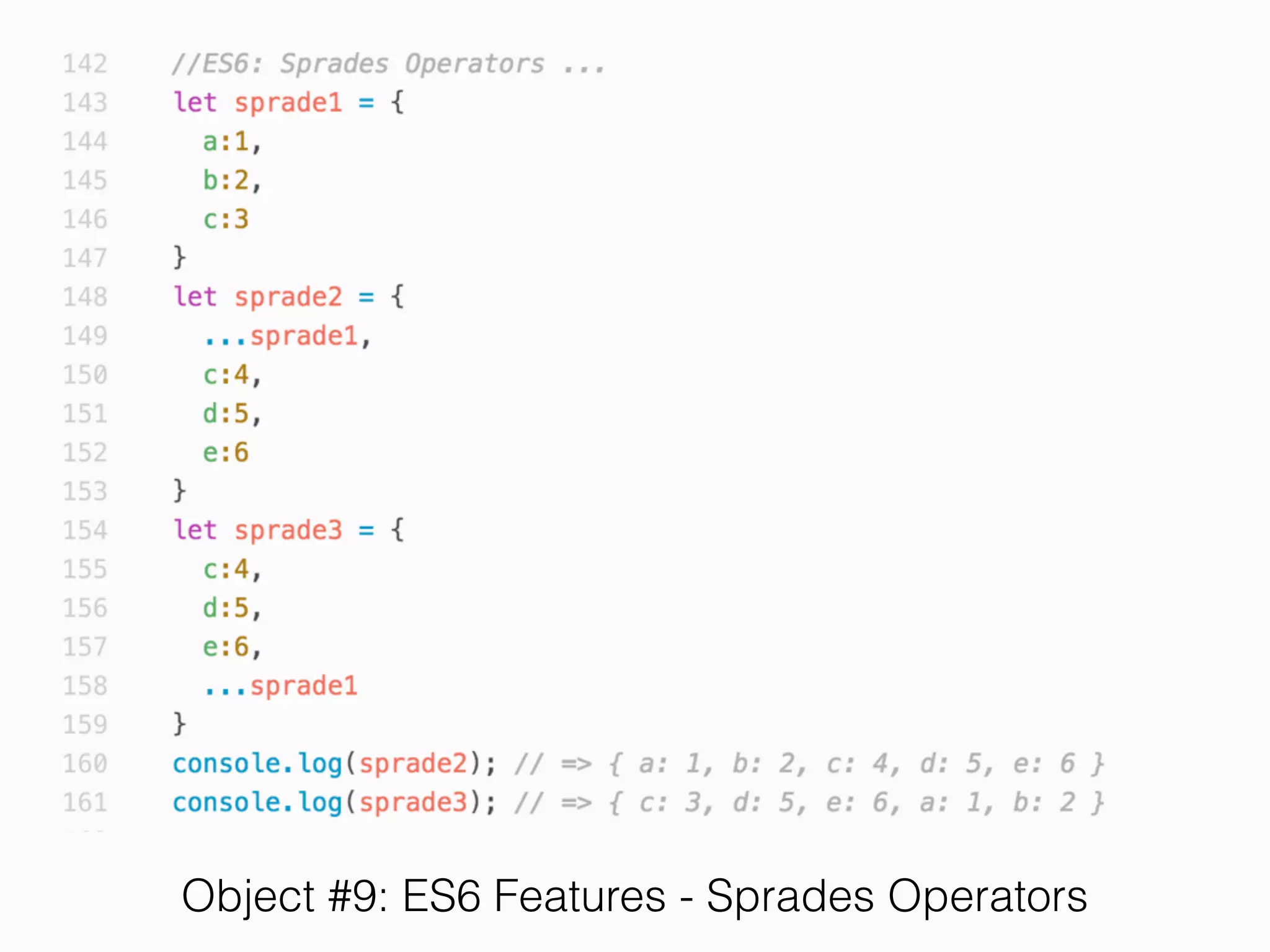
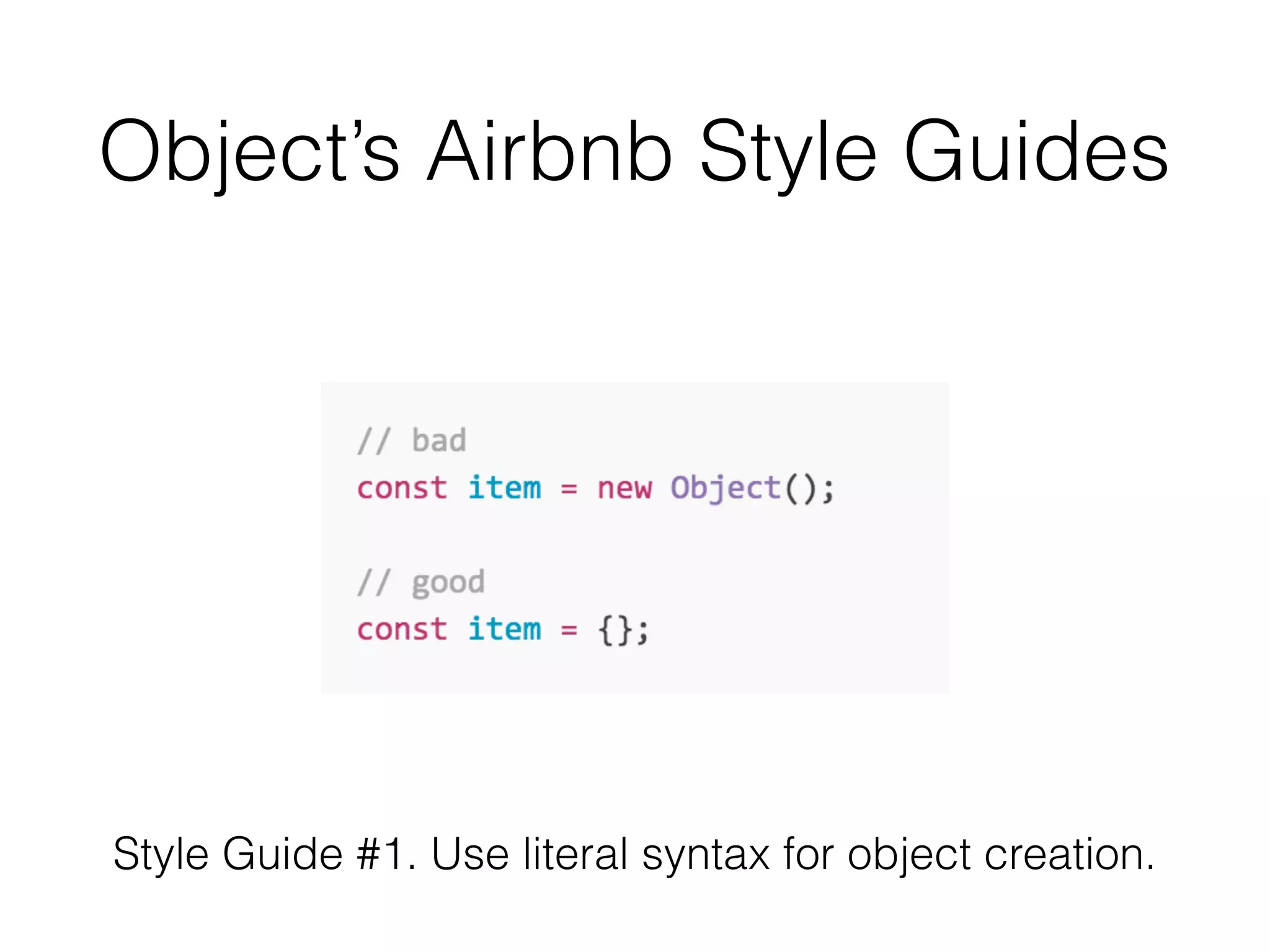
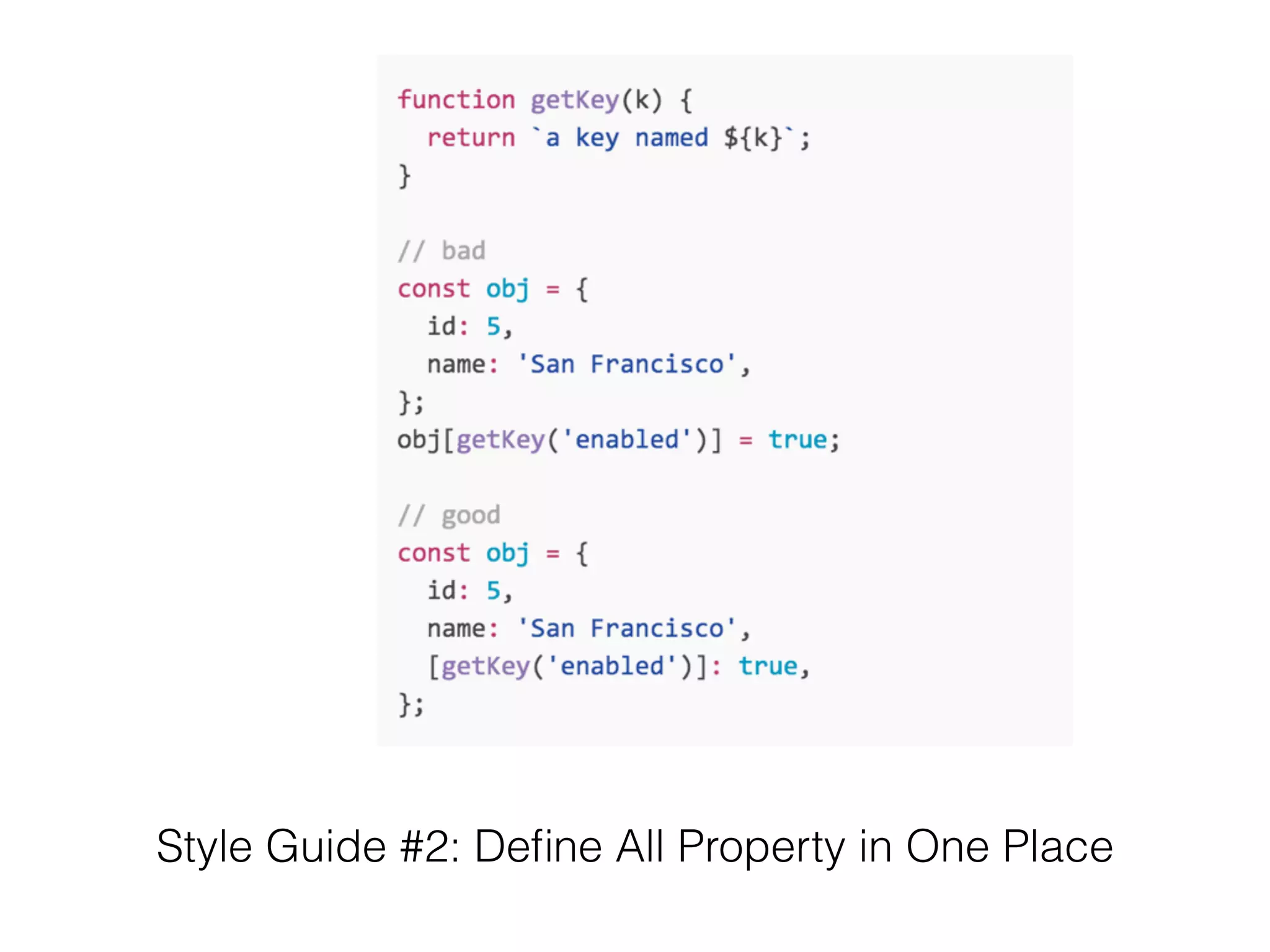
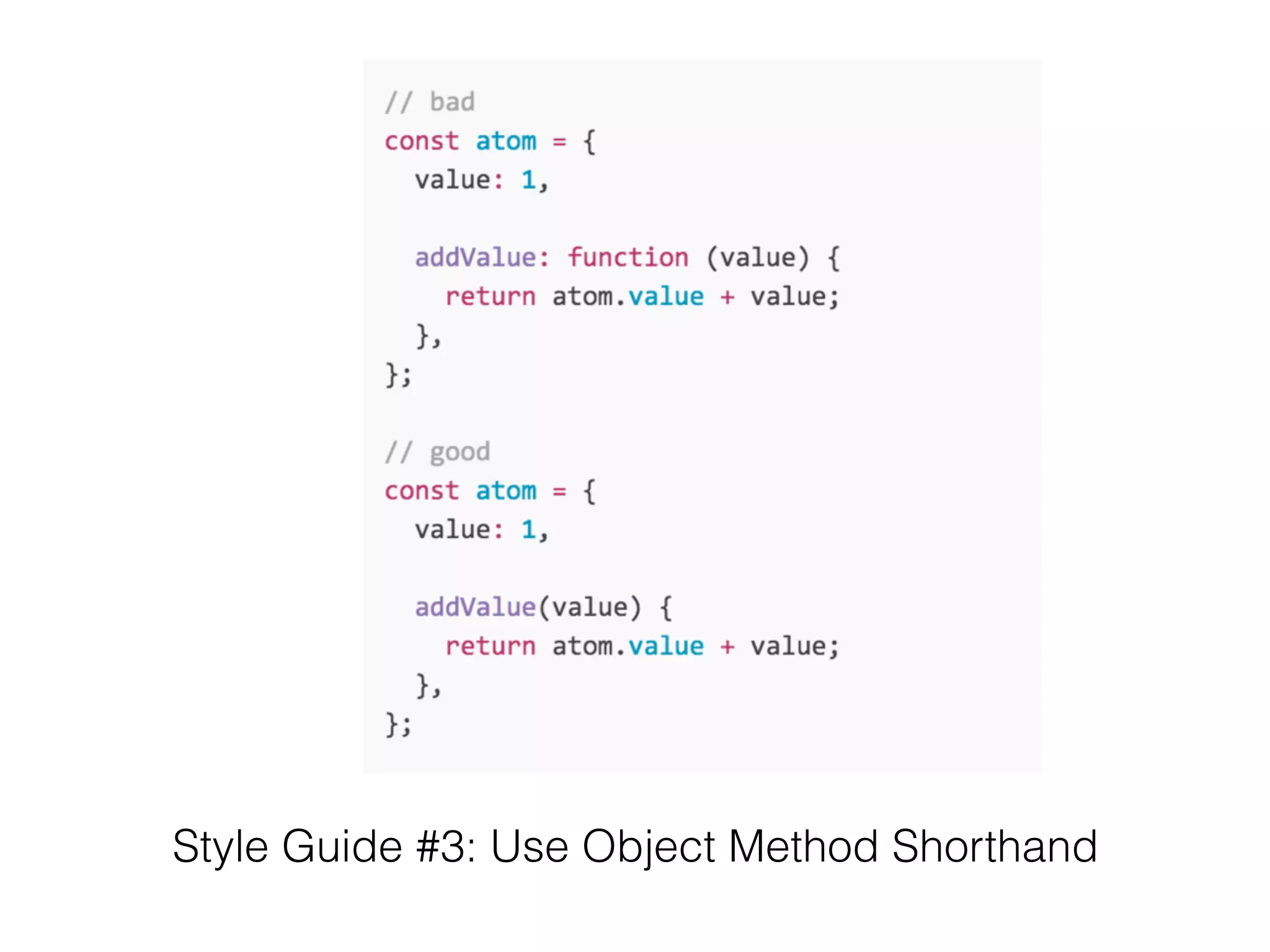
Object
• Object is a dictionary data structure.
• Map between Key => Value
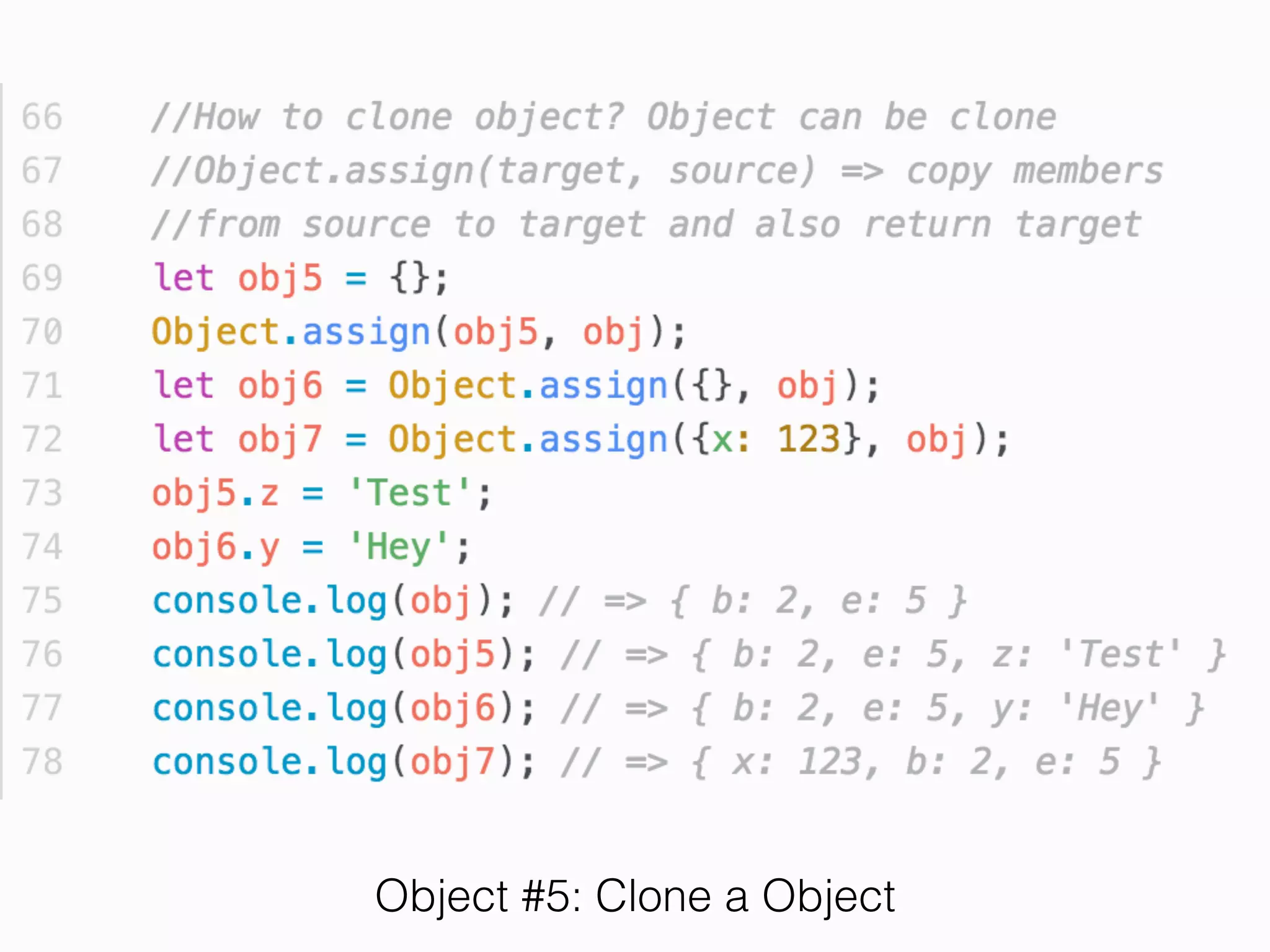
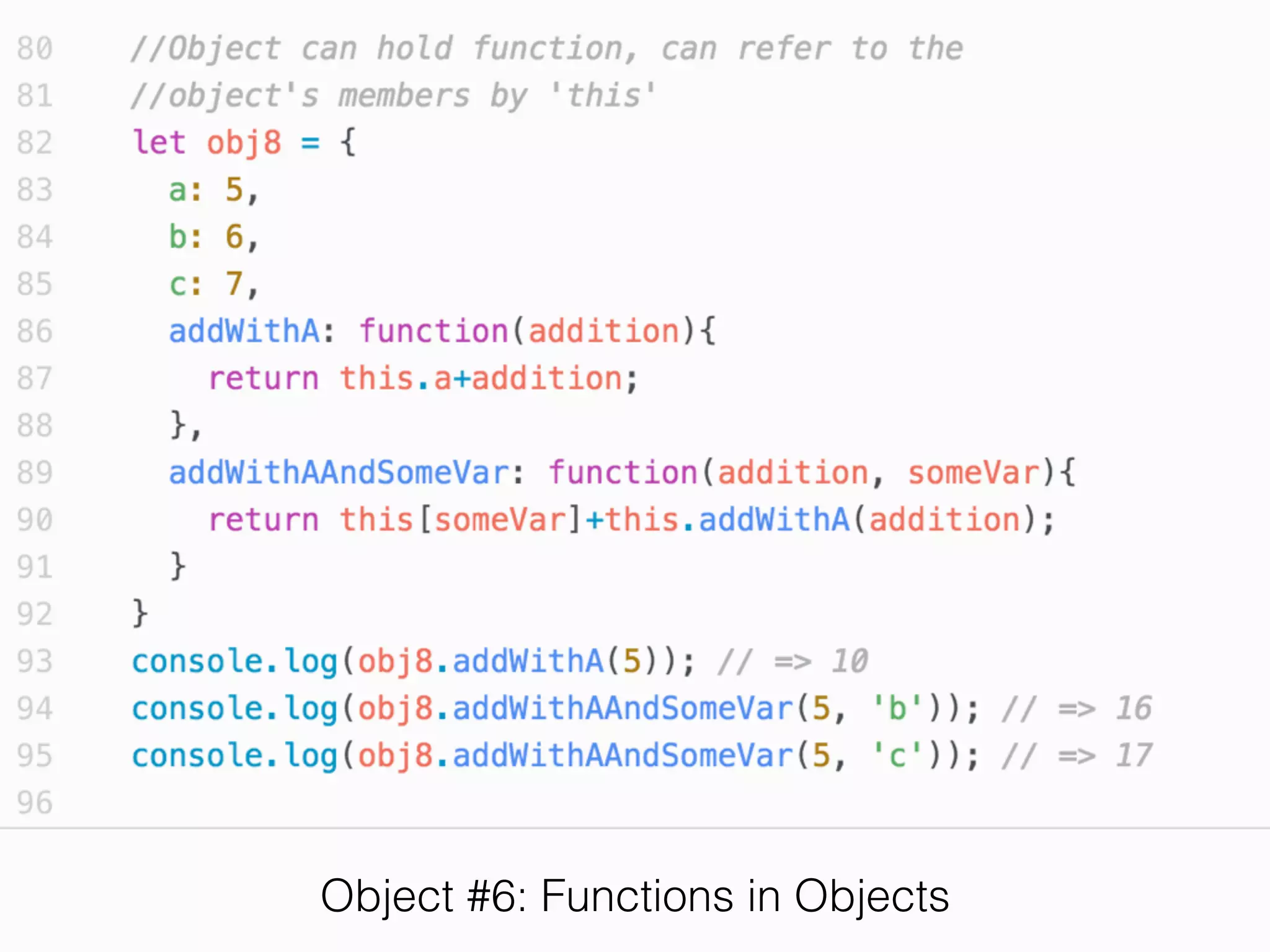
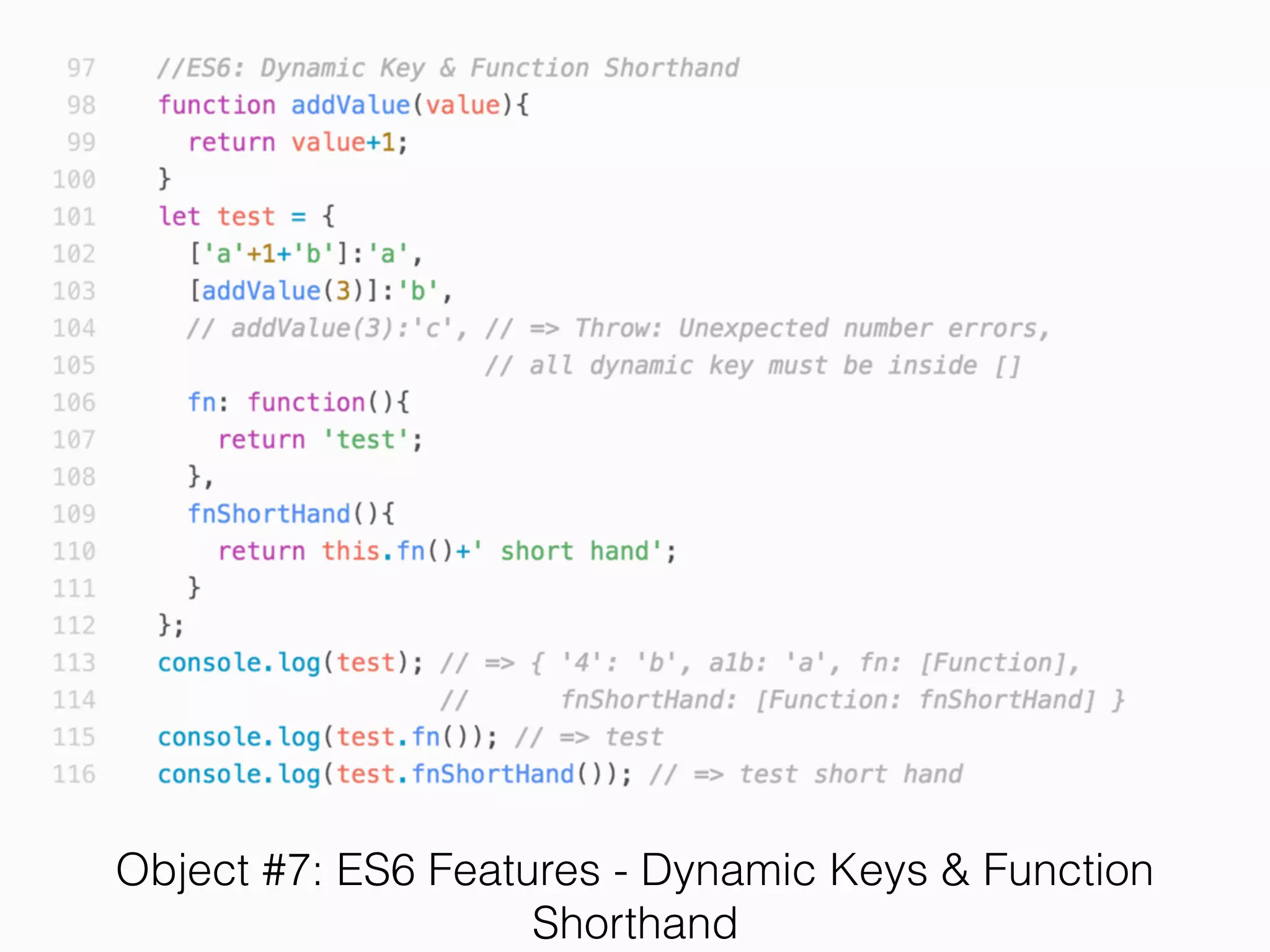
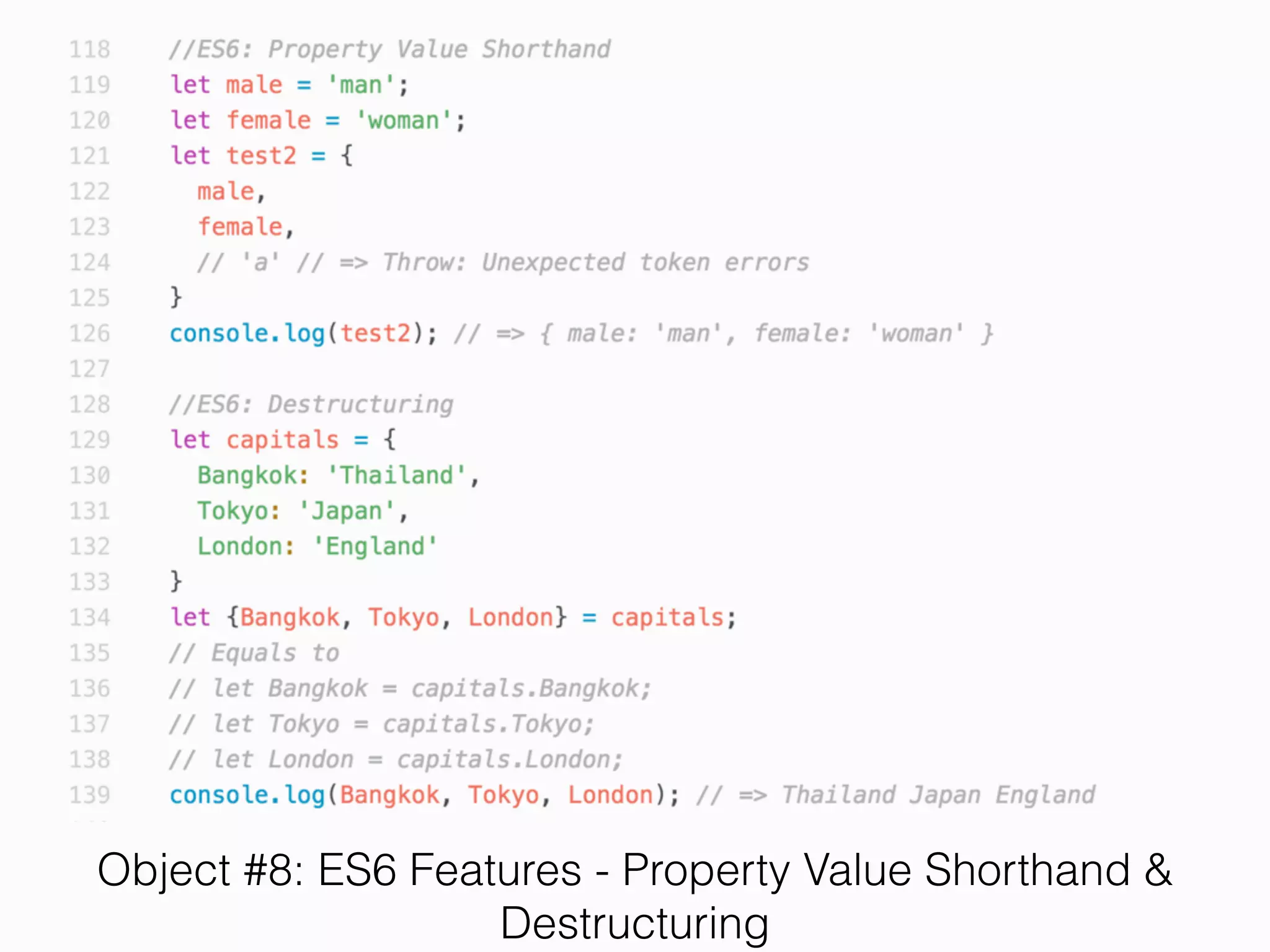
Object #1: Declaration, Reference
Object #2: Assignment, Retrieval, Re-Assignment
Object #3: Deletion, Keys, Size, Loops
Exercise 7
• Complete the following code that can change digit
to reading word.


For example, 12.3 => “one two dot three”
Starting code
HomeWork 1
(1) Write down a function that sum every element in
array. E.g. sumArray([12,3,4,1,2,3]) = 25
HomeWork 2
(2) Write function that count word size case-insensitively.
Input: "Hello world hello hello earth earth" (Not limited to
these word, it can be any words)
Output: Object{hello : 3, world : 1, earth : 2 }
Q/A

Lecture 2: ES6 / ES2015 Slide