LEARNING PYTHON 
FROM DATA 
Mosky 
1
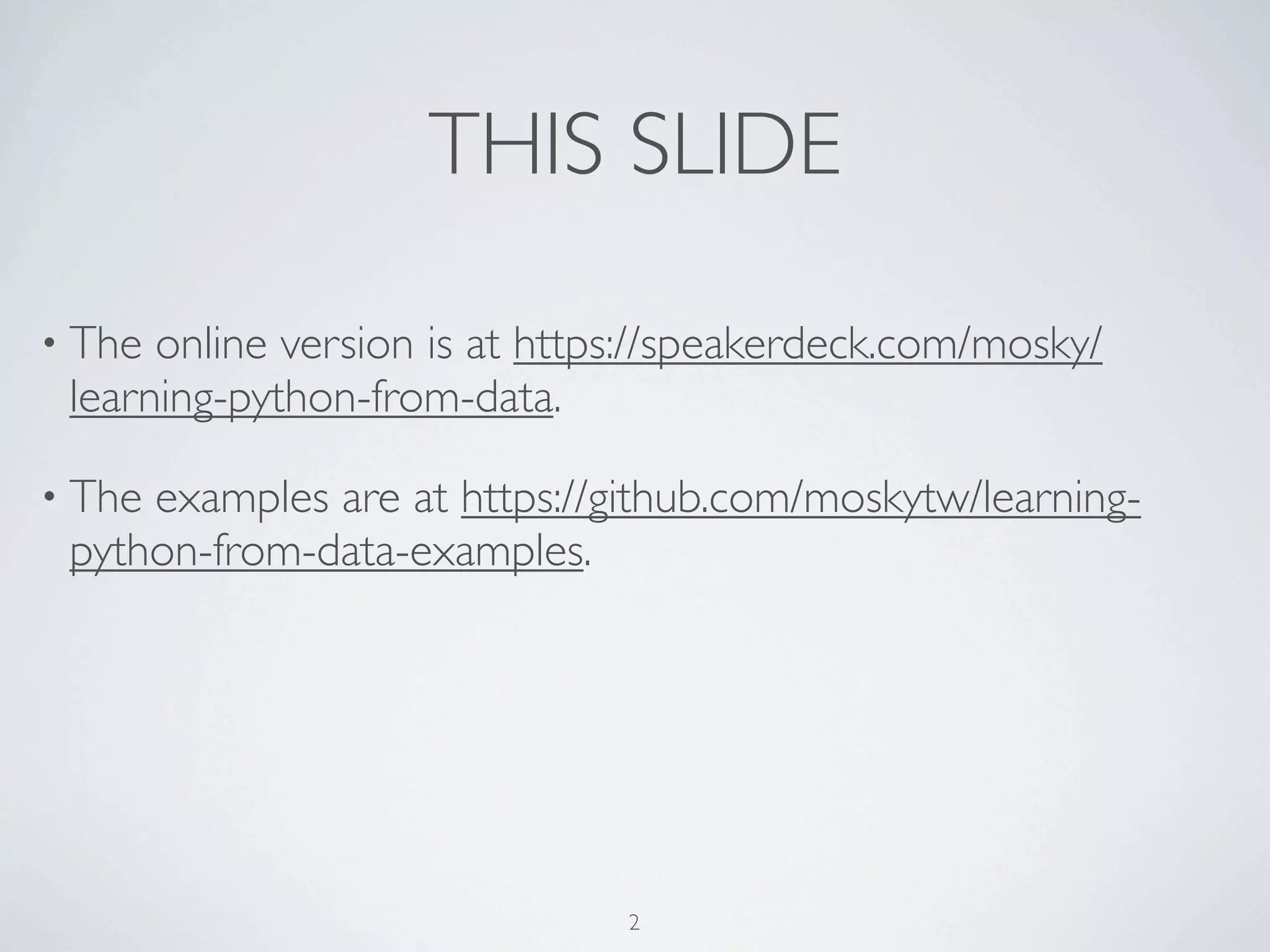
THIS SLIDE 
• The online version is at 
https://speakerdeck.com/mosky/learning-python-from-data. 
• The examples are at 
https://github.com/moskytw/learning-python-from-data-examples. 
2
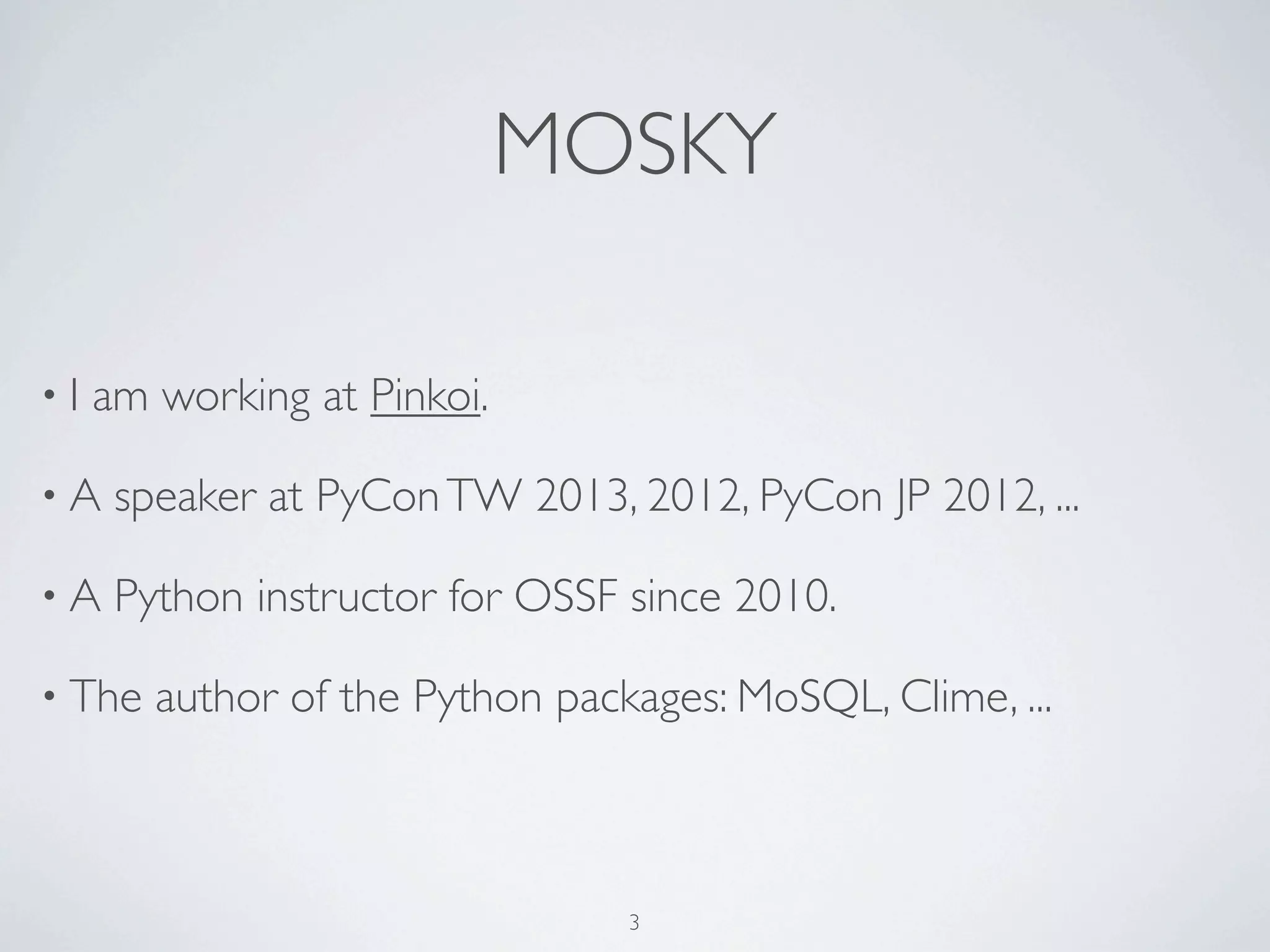
MOSKY 
3
MOSKY 
• I am working at Pinkoi. 
3
MOSKY 
• I am working at Pinkoi. 
• I've taught Python for 100+ hours. 
3
MOSKY 
• I am working at Pinkoi. 
• I've taught Python for 100+ hours. 
• A speaker at 
COSCUP 2014, PyCon SG 2014, PyCon APAC 014, 
OSDC 2014, PyCon APAC 2013, COSCUP 2014, ... 
3
MOSKY 
• I am working at Pinkoi. 
• I've taught Python for 100+ hours. 
• A speaker at 
COSCUP 2014, PyCon SG 2014, PyCon APAC 014, 
OSDC 2014, PyCon APAC 2013, COSCUP 2014, ... 
• The author of the Python packages: 
MoSQL, Clime, ZIPCodeTW, ... 
3
MOSKY 
• I am working at Pinkoi. 
• I've taught Python for 100+ hours. 
• A speaker at 
COSCUP 2014, PyCon SG 2014, PyCon APAC 014, 
OSDC 2014, PyCon APAC 2013, COSCUP 2014, ... 
• The author of the Python packages: 
MoSQL, Clime, ZIPCodeTW, ... 
• http://mosky.tw/ 
3
SCHEDULE 
4
SCHEDULE 
•Warm-up 
4
SCHEDULE 
•Warm-up 
• Packages - Install the packages we need. 
4
SCHEDULE 
•Warm-up 
• Packages - Install the packages we need. 
• CSV - Download a CSV from the Internet and handle it. 
4
SCHEDULE 
•Warm-up 
• Packages - Install the packages we need. 
• CSV - Download a CSV from the Internet and handle it. 
• HTML - Parse a HTML source code and write a Web crawler. 
4
SCHEDULE 
•Warm-up 
• Packages - Install the packages we need. 
• CSV - Download a CSV from the Internet and handle it. 
• HTML - Parse a HTML source code and write a Web crawler. 
• SQL - Save data into a SQLite database. 
4
SCHEDULE 
•Warm-up 
• Packages - Install the packages we need. 
• CSV - Download a CSV from the Internet and handle it. 
• HTML - Parse a HTML source code and write a Web crawler. 
• SQL - Save data into a SQLite database. 
• The End 
4
FIRST OF ALL, 
5
6
PYTHON IS AWESOME! 
6
2 OR 3? 
7
2 OR 3? 
• Use Python 3! 
7
2 OR 3? 
• Use Python 3! 
• But it actually depends on the libs you need. 
7
2 OR 3? 
• Use Python 3! 
• But it actually depends on the libs you need. 
• https://python3wos.appspot.com/ 
7
2 OR 3? 
• Use Python 3! 
• But it actually depends on the libs you need. 
• https://python3wos.appspot.com/ 
•We will go ahead with Python 2.7, 
but I will also introduce the changes in Python 3. 
7
THE ONLINE RESOURCES 
8
THE ONLINE RESOURCES 
• The Python Official Doc 
• http://docs.python.org 
• The Python Tutorial 
• The Python Standard 
Library 
8
THE ONLINE RESOURCES 
• The Python Official Doc 
• http://docs.python.org 
• The Python Tutorial 
• The Python Standard 
Library 
• My Past Slides 
• Programming with Python 
- Basic 
• Programming with Python 
- Adv. 
8
THE BOOKS 
9
THE BOOKS 
• Learning Python by Mark Lutz 
9
THE BOOKS 
• Learning Python by Mark Lutz 
• Programming in Python 3 by Mark Summerfield 
9
THE BOOKS 
• Learning Python by Mark Lutz 
• Programming in Python 3 by Mark Summerfield 
• Python Essential Reference by David Beazley 
9
PREPARATION 
10
PREPARATION 
• Did you say "hello" to Python? 
10
PREPARATION 
• Did you say "hello" to Python? 
• If no, visit 
• http://www.slideshare.net/moskytw/programming-with-python- 
basic. 
10
PREPARATION 
• Did you say "hello" to Python? 
• If no, visit 
• http://www.slideshare.net/moskytw/programming-with-python- 
basic. 
• If yes, open your Python shell. 
10
WARM-UP 
The things you must know. 
11
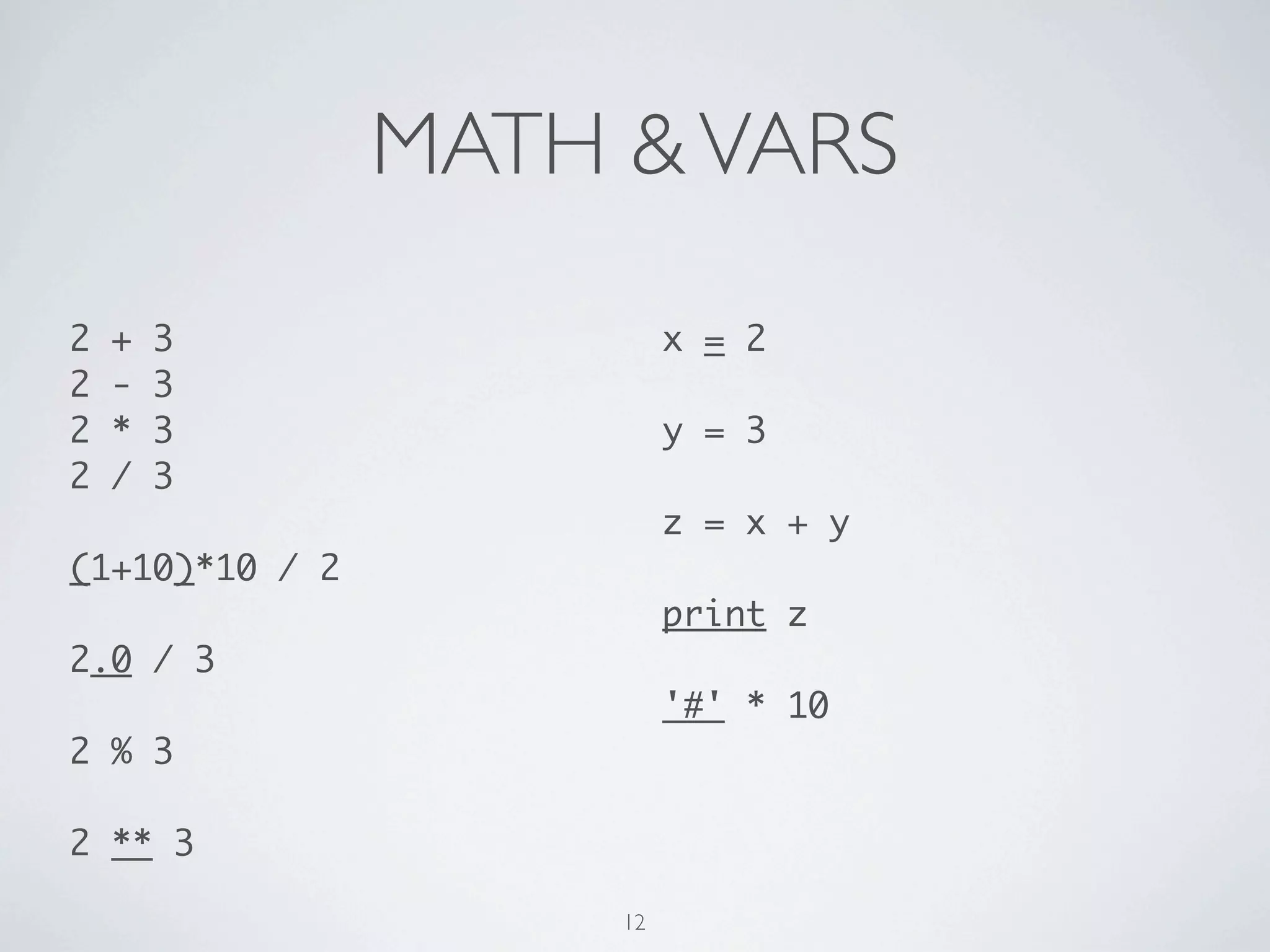
MATH & VARS 
2 + 3 
2 - 3 
2 * 3 
2 / 3, -2 / 3 
! 
(1+10)*10 / 2 
! 
2.0 / 3 
! 
2 % 3 
! 
2 ** 3 
x = 2 
! 
y = 3 
! 
z = x + y 
! 
print z 
! 
'#' * 10 
12
FOR 
for i in [0, 1, 2, 3, 4]: 
print i 
! 
items = [0, 1, 2, 3, 4] 
for i in items: 
print i 
! 
for i in range(5): 
print i 
! 
! 
! 
chars = 'SAHFI' 
for i, c in enumerate(chars): 
print i, c 
! 
! 
words = ('Samsung', 'Apple', 
'HP', 'Foxconn', 'IBM') 
for c, w in zip(chars, words): 
print c, w 
13
IF 
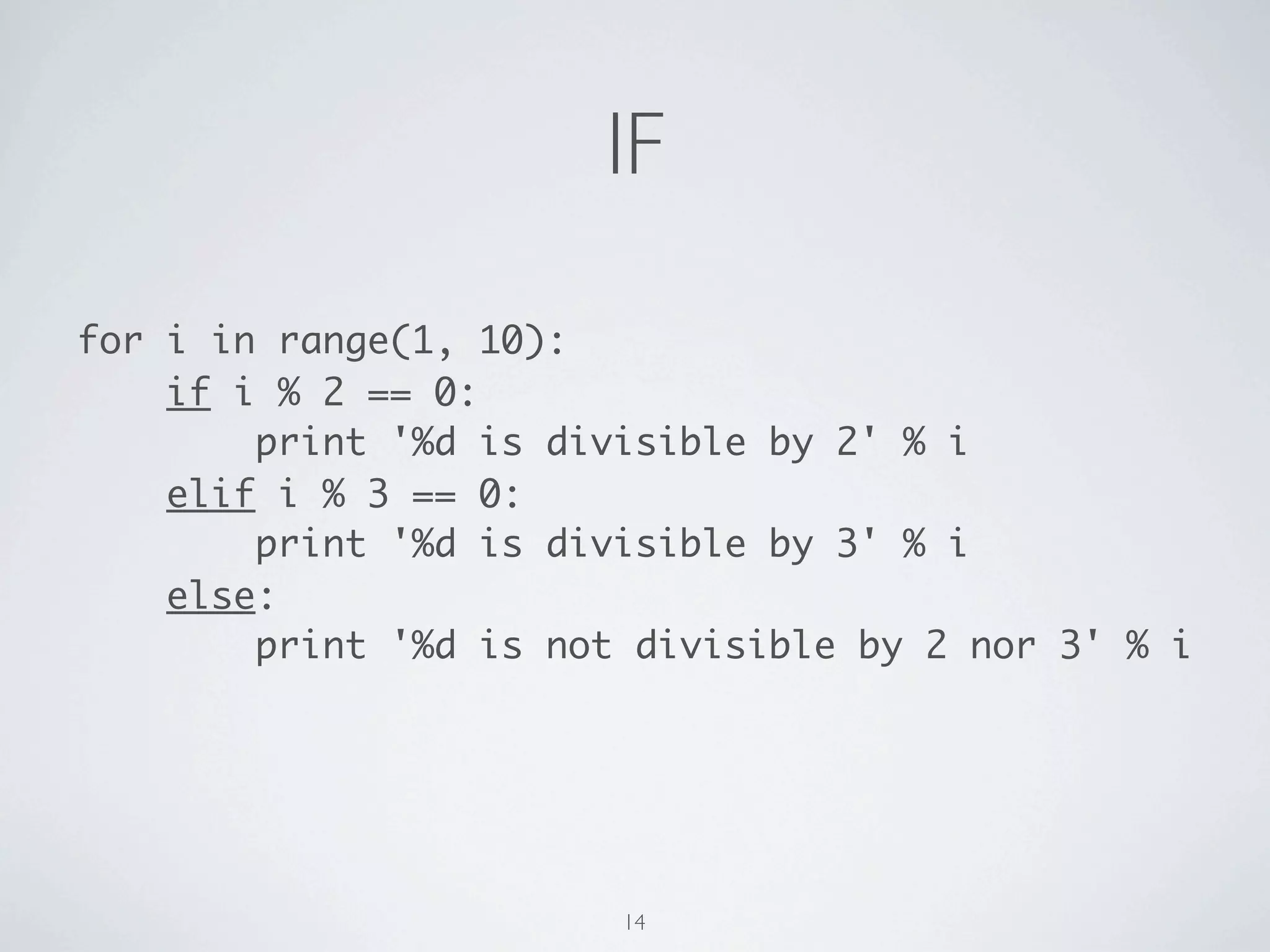
for i in range(1, 10): 
if i % 2 == 0: 
print '{} is divisible by 2'.format(i) 
elif i % 3 == 0: 
print '{} is divisible by 3'.format(i) 
else: 
print '{} is not divisible by 2 nor 3'.format(i) 
14
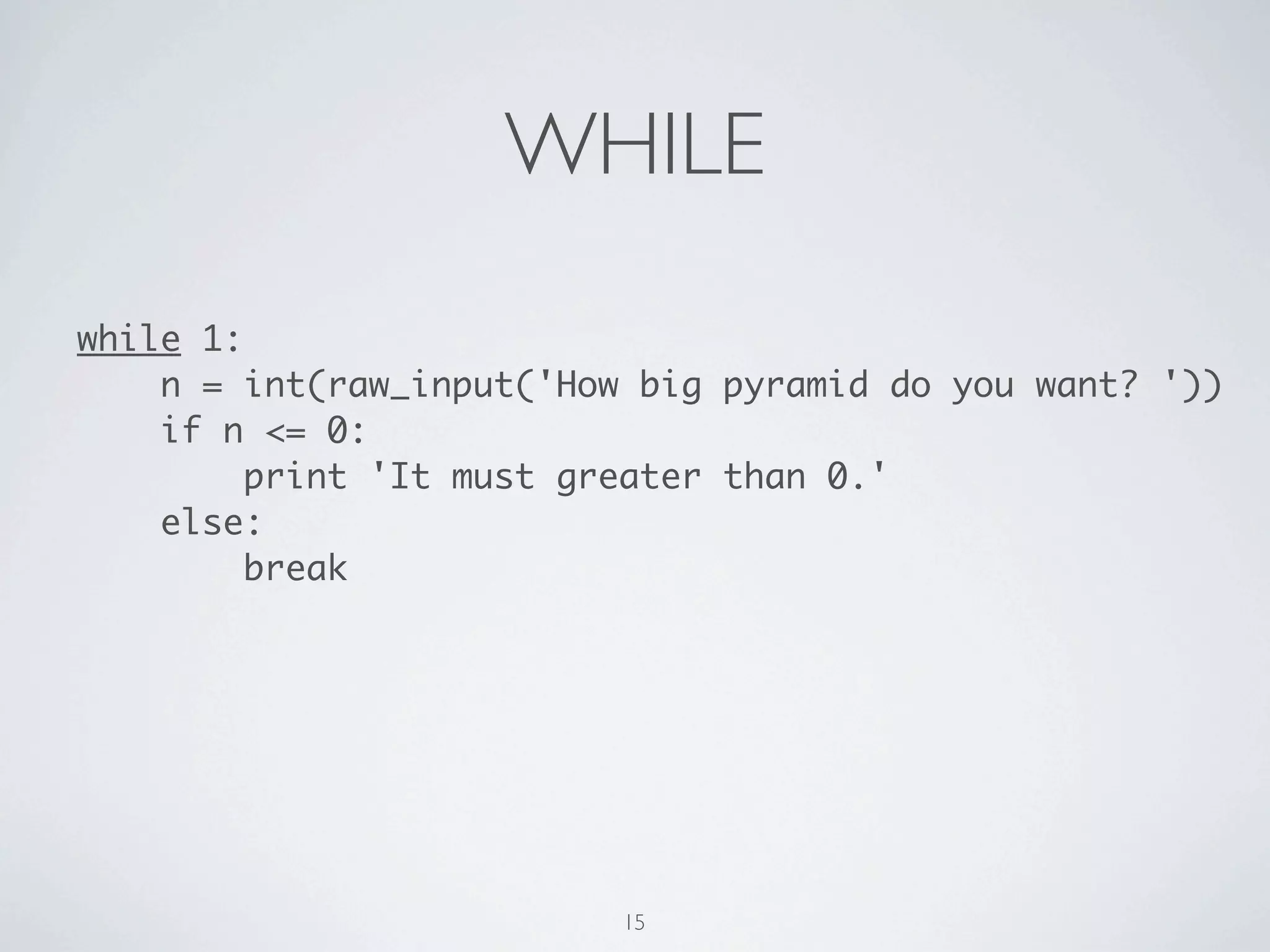
WHILE 
while 1: 
n = int(raw_input('How big pyramid do you want? ')) 
if n <= 0: 
print 'It must greater than 0: {}'.format(n) 
continue 
break 
15
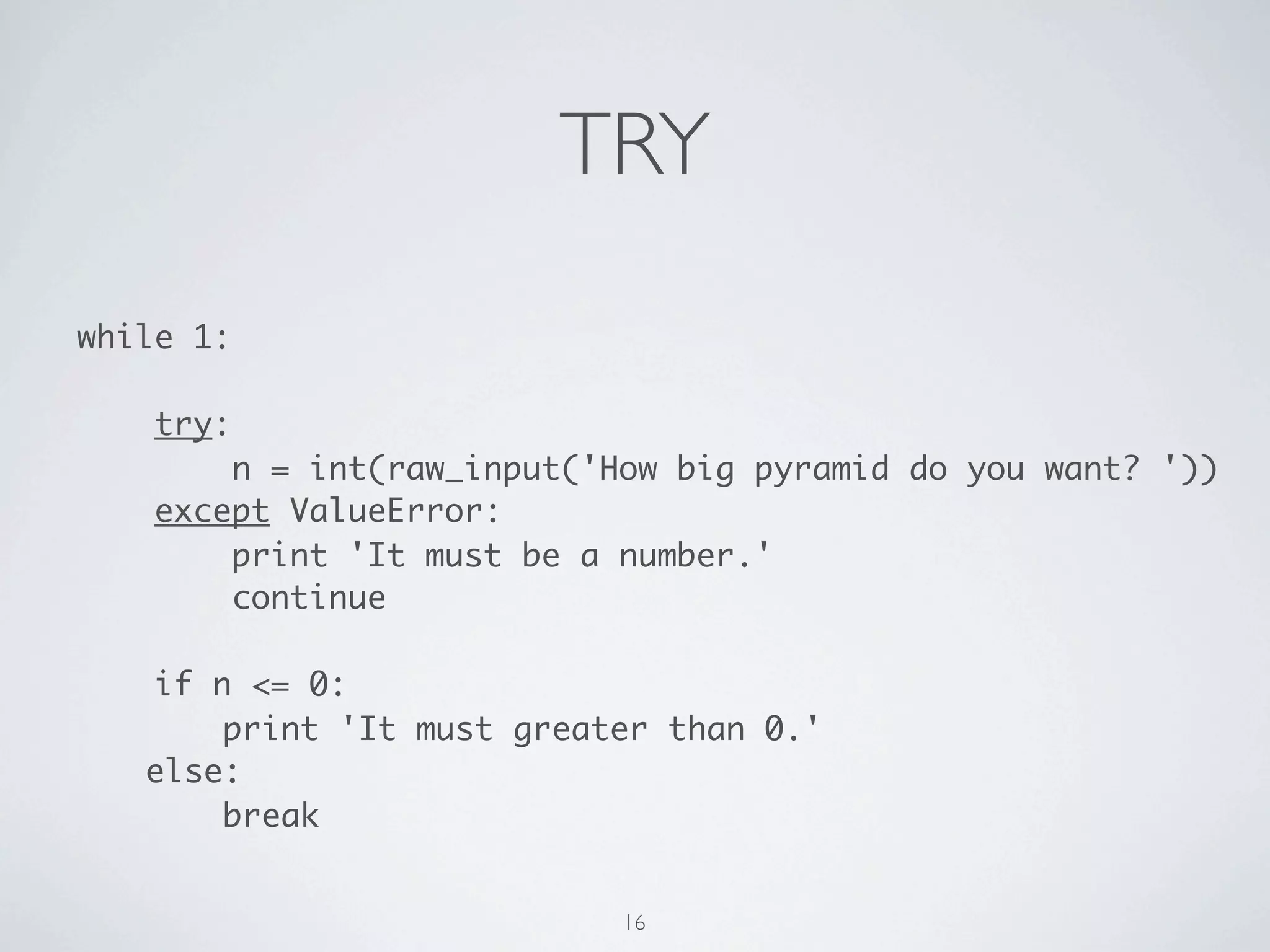
TRY 
while 1: 
! 
try: 
n = int(raw_input('How big pyramid do you want? ')) 
except ValueError as e: 
print 'It must be a number: {}'.format(e) 
continue 
! 
if n <= 0: 
print 'It must greater than 0: {}'.format(n) 
continue 
! 
break 
16
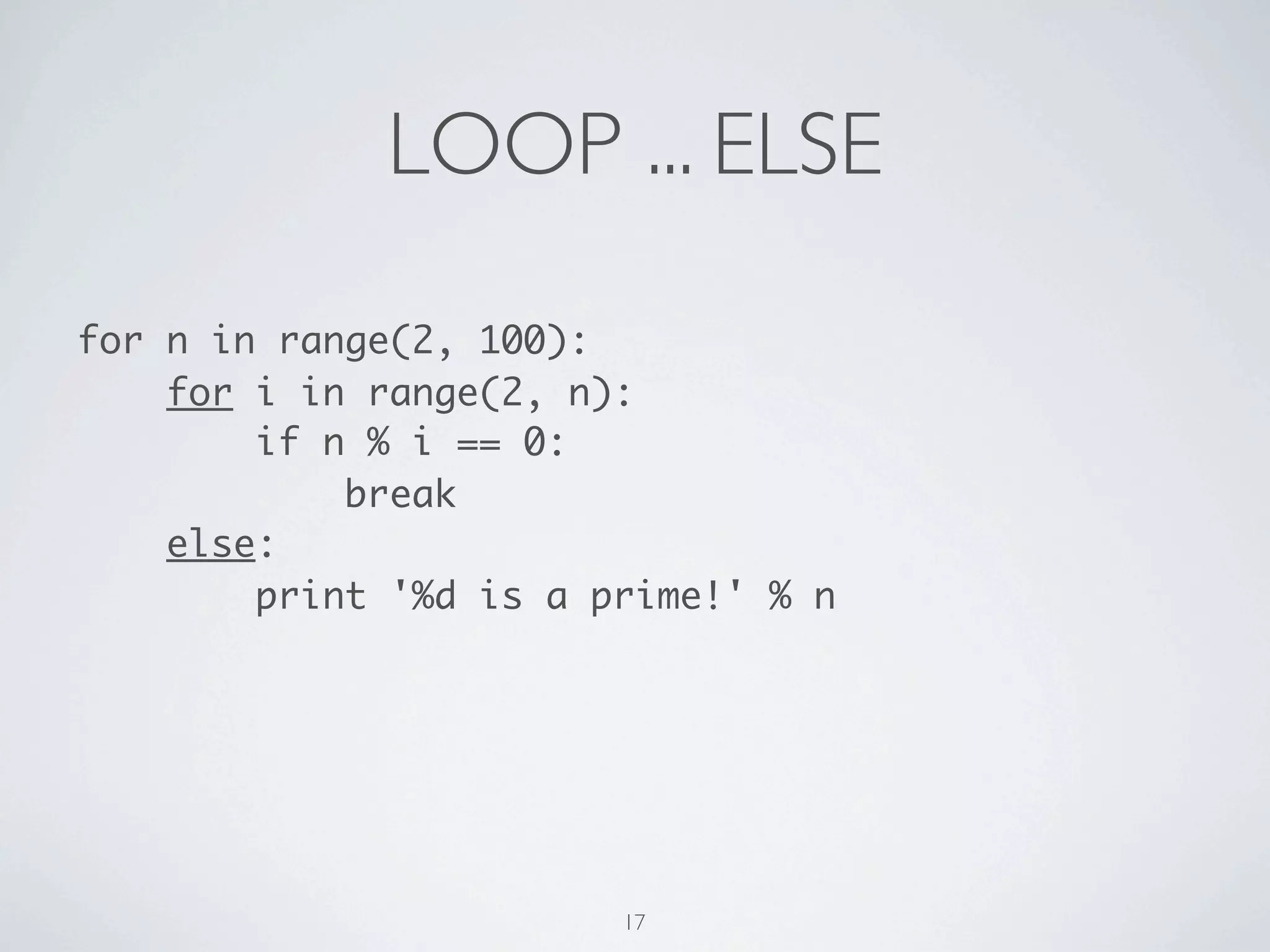
LOOP ... ELSE 
for n in range(2, 100): 
for i in range(2, n): 
if n % i == 0: 
break 
else: 
print '{} is a prime!'.format(n) 
17
A PYRAMID 
* 
*** 
***** 
******* 
********* 
*********** 
************* 
*************** 
***************** 
******************* 
18
A FATER PYRAMID 
* 
***** 
********* 
************* 
******************* 
19
YOUR TURN! 
20
LIST COMPREHENSION 
[ 
n 
for n in range(2, 100) 
if not any(n % i == 0 for i in range(2, n)) 
] 
21
PACKAGES 
import is important. 
22
23
GET PIP - UN*X 
24
GET PIP - UN*X 
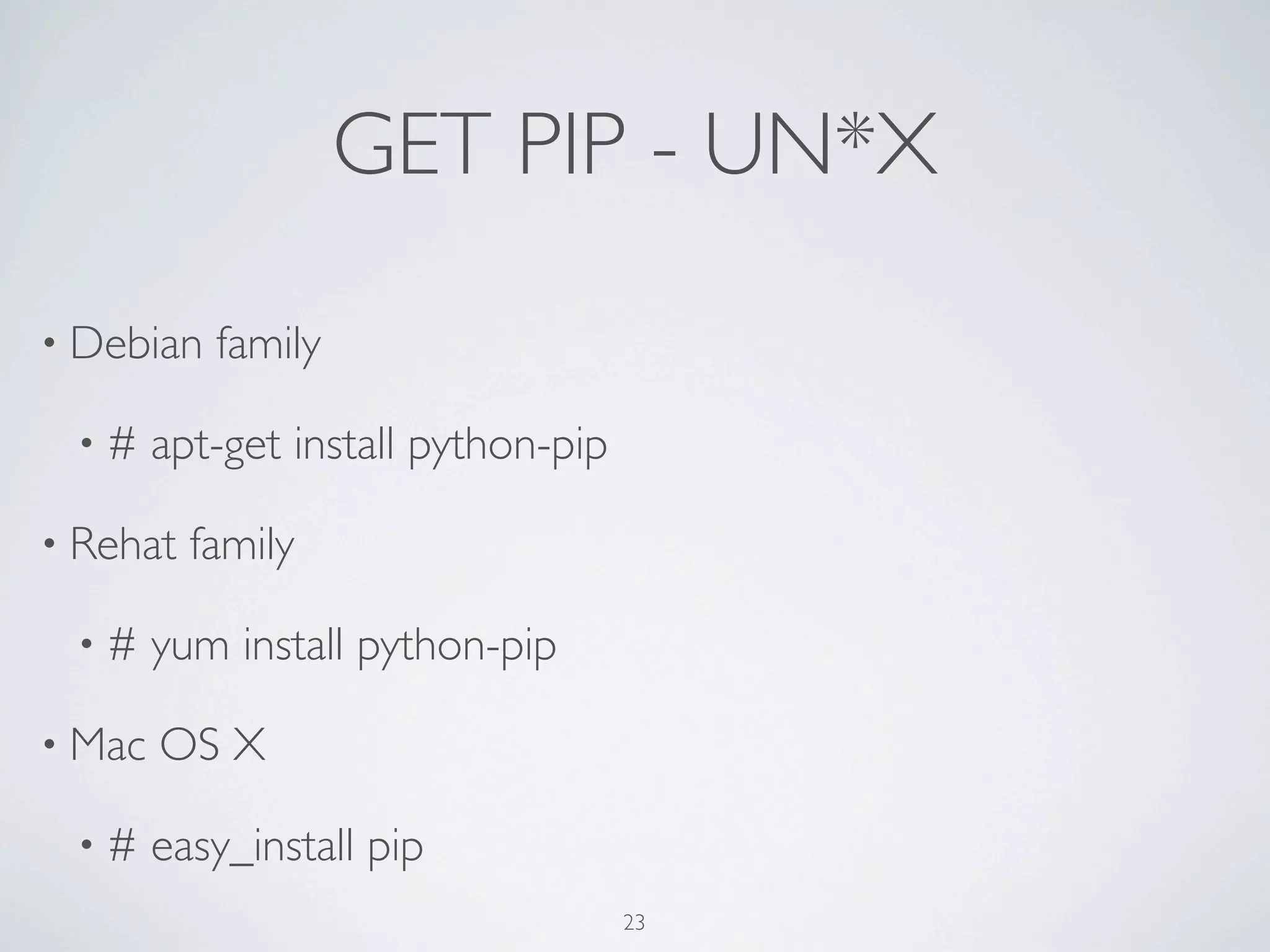
• Debian family 
• # apt-get install python-pip 
24
GET PIP - UN*X 
• Debian family 
• # apt-get install python-pip 
• Rehat family 
• # yum install python-pip 
24
GET PIP - UN*X 
• Debian family 
• # apt-get install python-pip 
• Rehat family 
• # yum install python-pip 
• Mac OS X 
• # easy_install pip 
24
GET PIP - WIN * 
25
GET PIP - WIN * 
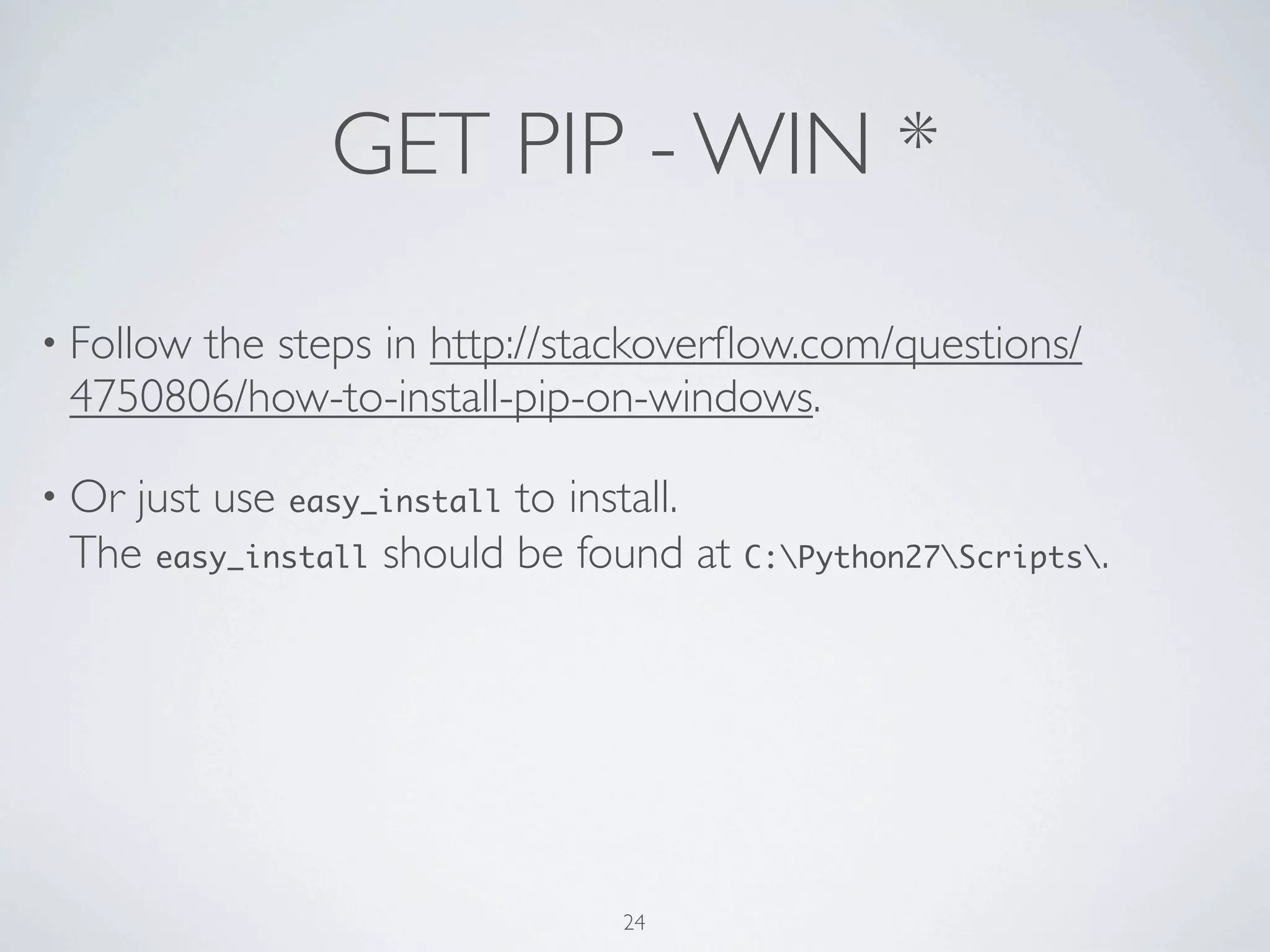
• Follow the steps in http://stackoverflow.com/questions/ 
4750806/how-to-install-pip-on-windows. 
25
GET PIP - WIN * 
• Follow the steps in http://stackoverflow.com/questions/ 
4750806/how-to-install-pip-on-windows. 
• Or just use easy_install to install. 
The easy_install should be found at C:Python27Scripts. 
25
GET PIP - WIN * 
• Follow the steps in http://stackoverflow.com/questions/ 
4750806/how-to-install-pip-on-windows. 
• Or just use easy_install to install. 
The easy_install should be found at C:Python27Scripts. 
• Or find the Windows installer on Python Package Index. 
25
3-RD PARTY PACKAGES 
26
3-RD PARTY PACKAGES 
• requests - Python HTTP for Humans 
26
3-RD PARTY PACKAGES 
• requests - Python HTTP for Humans 
• lxml - Pythonic XML processing library 
26
3-RD PARTY PACKAGES 
• requests - Python HTTP for Humans 
• lxml - Pythonic XML processing library 
• uniout - Print the object representation in readable chars. 
26
3-RD PARTY PACKAGES 
• requests - Python HTTP for Humans 
• lxml - Pythonic XML processing library 
• uniout - Print the object representation in readable chars. 
• clime - Convert module into a CLI program w/o any config. 
26
YOUR TURN! 
27
CSV 
Let's start from making a HTTP request! 
28
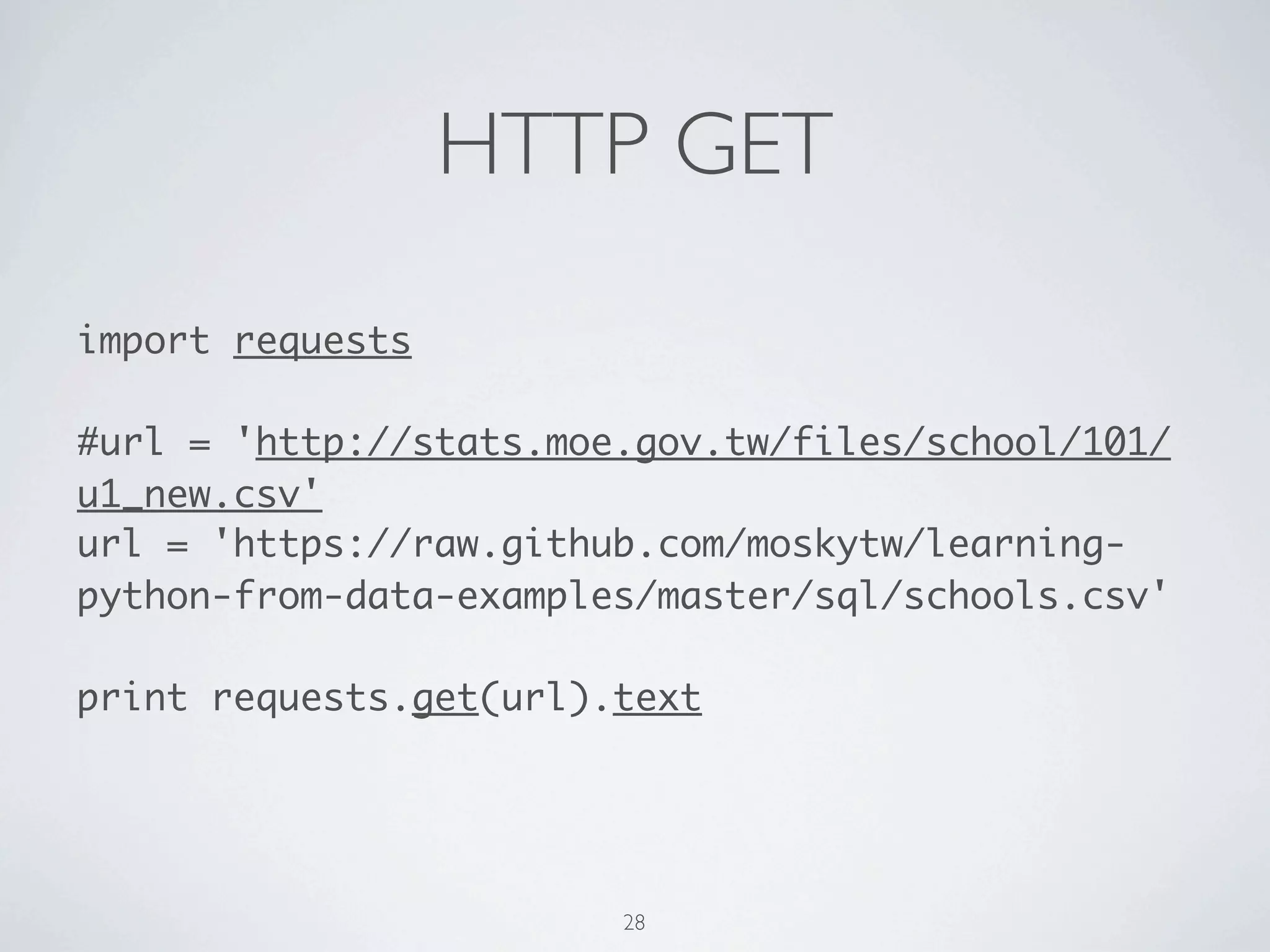
HTTP GET 
import requests 
! 
#url = 'http://stats.moe.gov.tw/files/school/101/ 
u1_new.csv' 
url = 'https://raw.github.com/moskytw/learning-python- 
from-data-examples/master/sql/schools.csv' 
! 
print requests.get(url).content 
! 
#print requests.get(url).text 
29
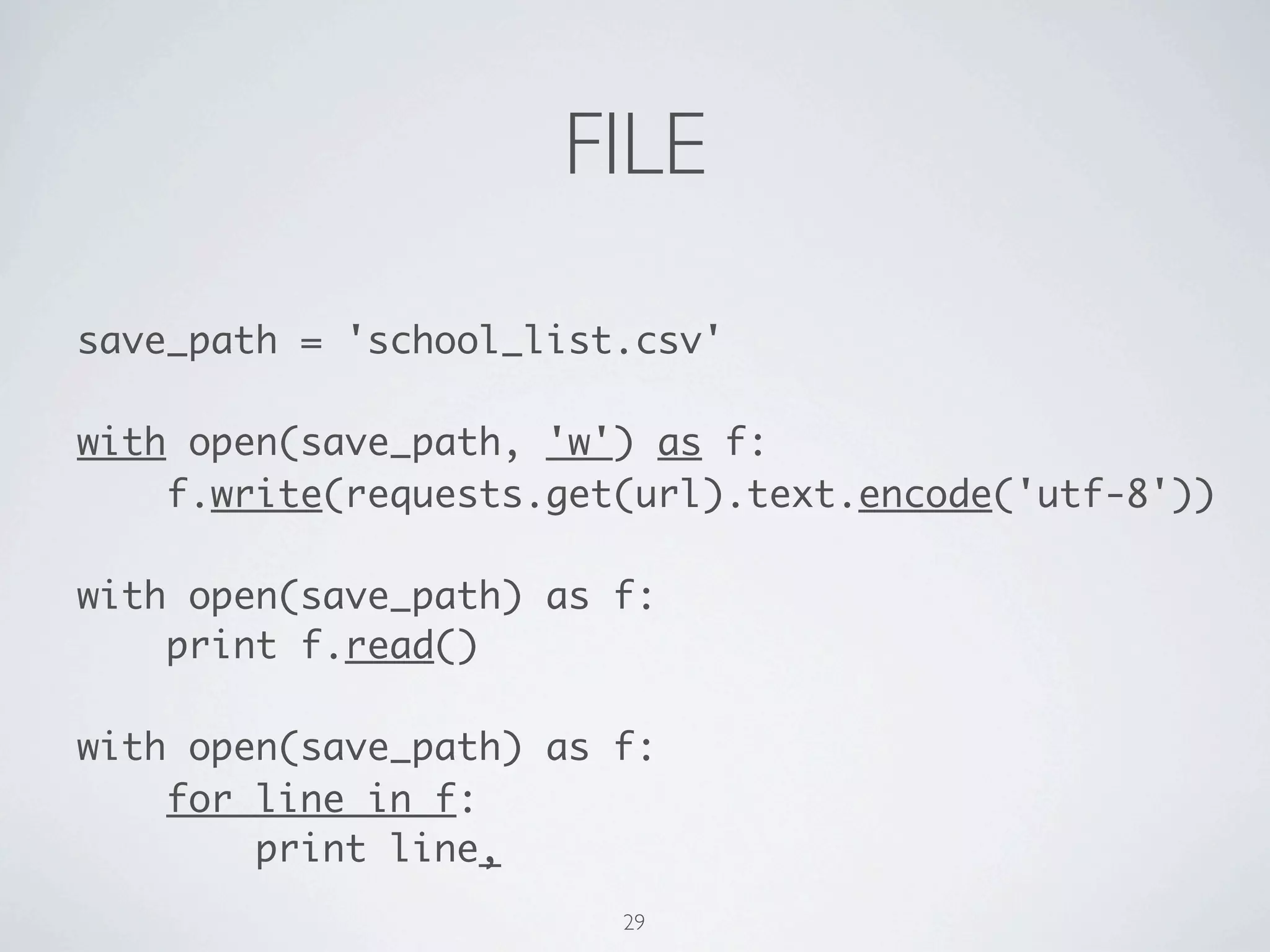
FILE 
save_path = 'school_list.csv' 
! 
with open(save_path, 'w') as f: 
f.write(requests.get(url).content) 
! 
with open(save_path) as f: 
print f.read() 
! 
with open(save_path) as f: 
for line in f: 
print line, 
30
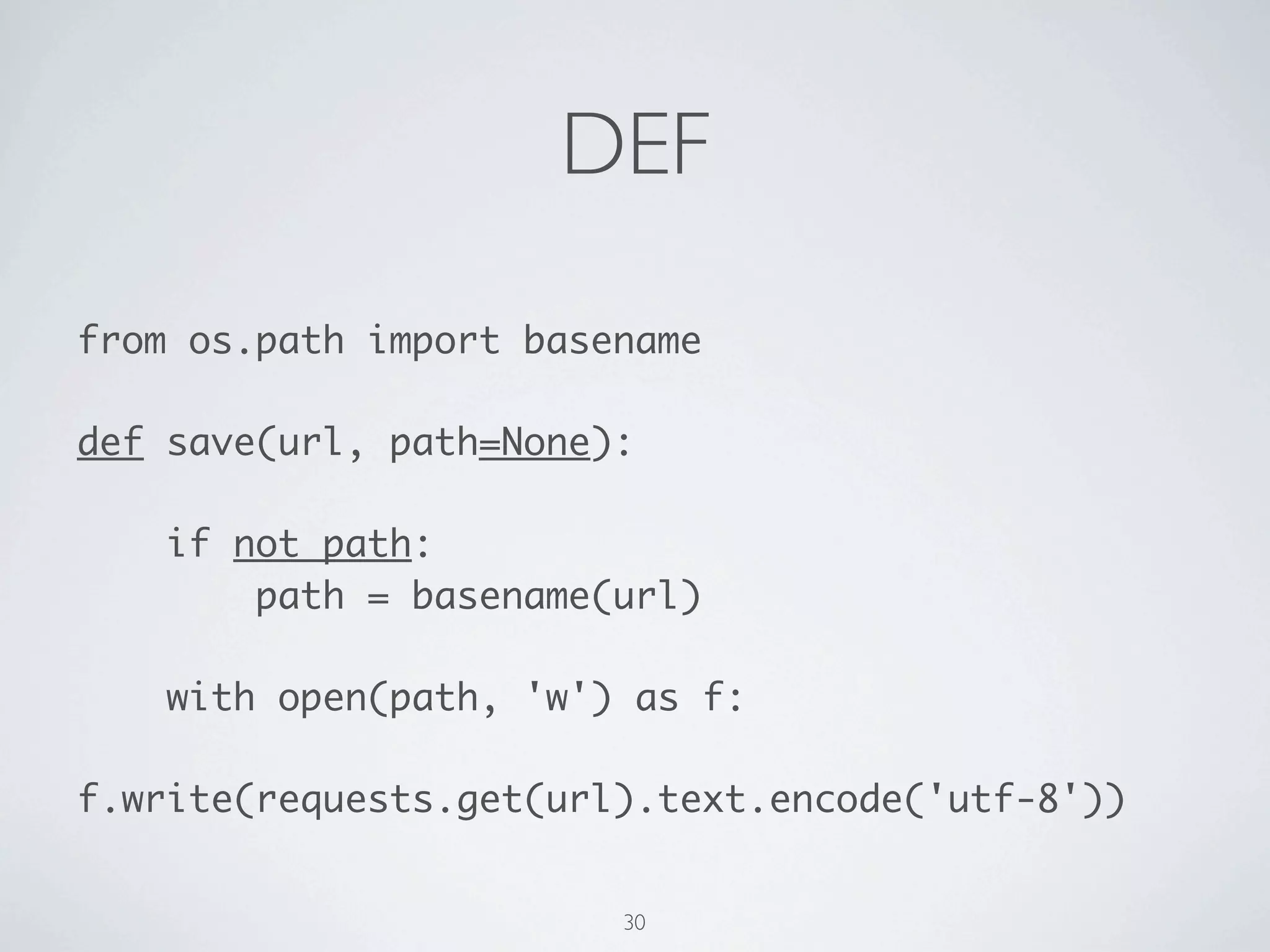
DEF 
from os.path import basename 
! 
def save(url, path=None): 
! 
if not path: 
path = basename(url) 
! 
with open(path, 'w') as f: 
f.write(requests.get(url).content) 
31
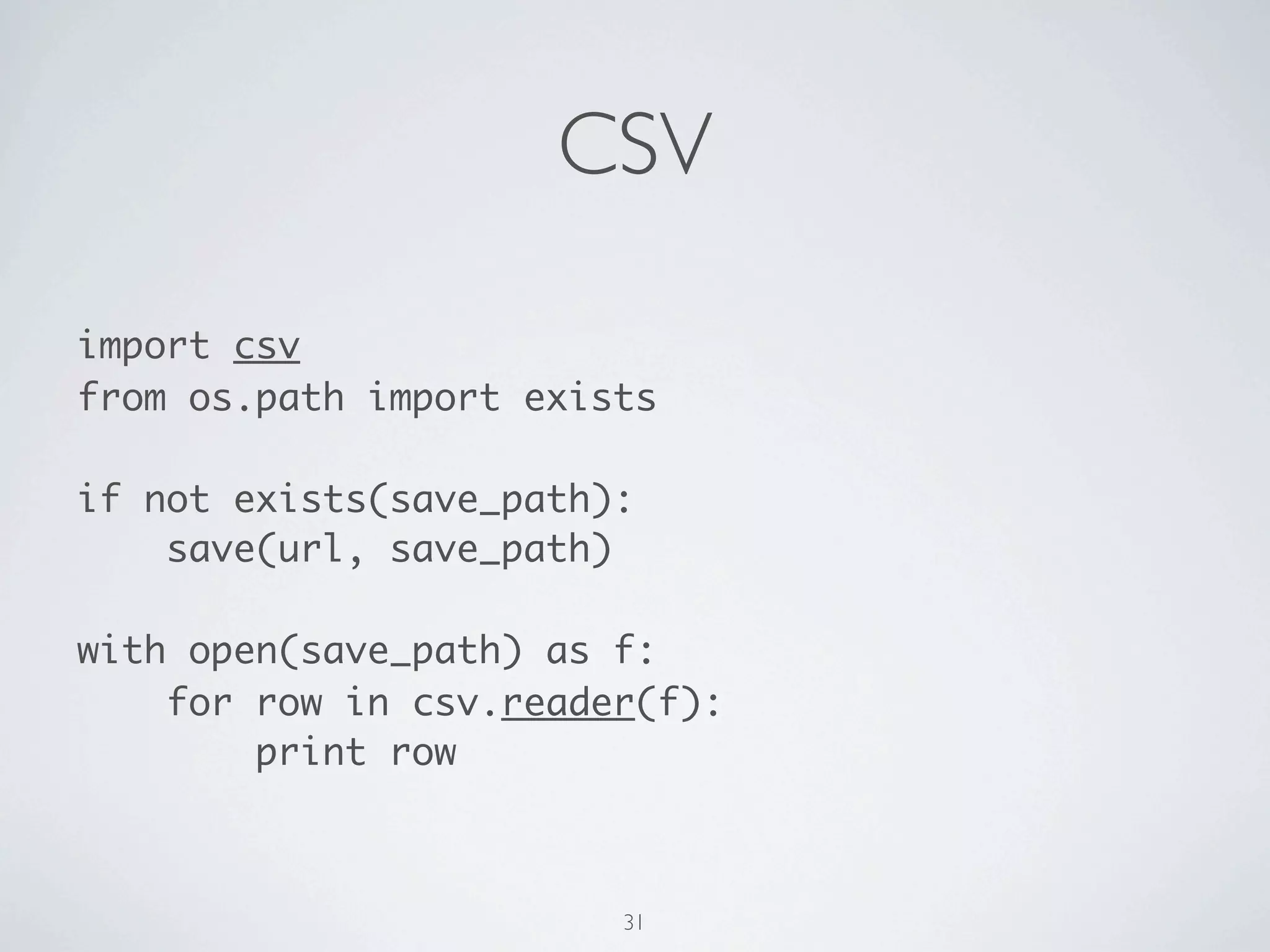
CSV 
import csv 
from os.path import exists 
! 
if not exists(save_path): 
save(url, save_path) 
! 
with open(save_path) as f: 
for row in csv.reader(f): 
print row 
32
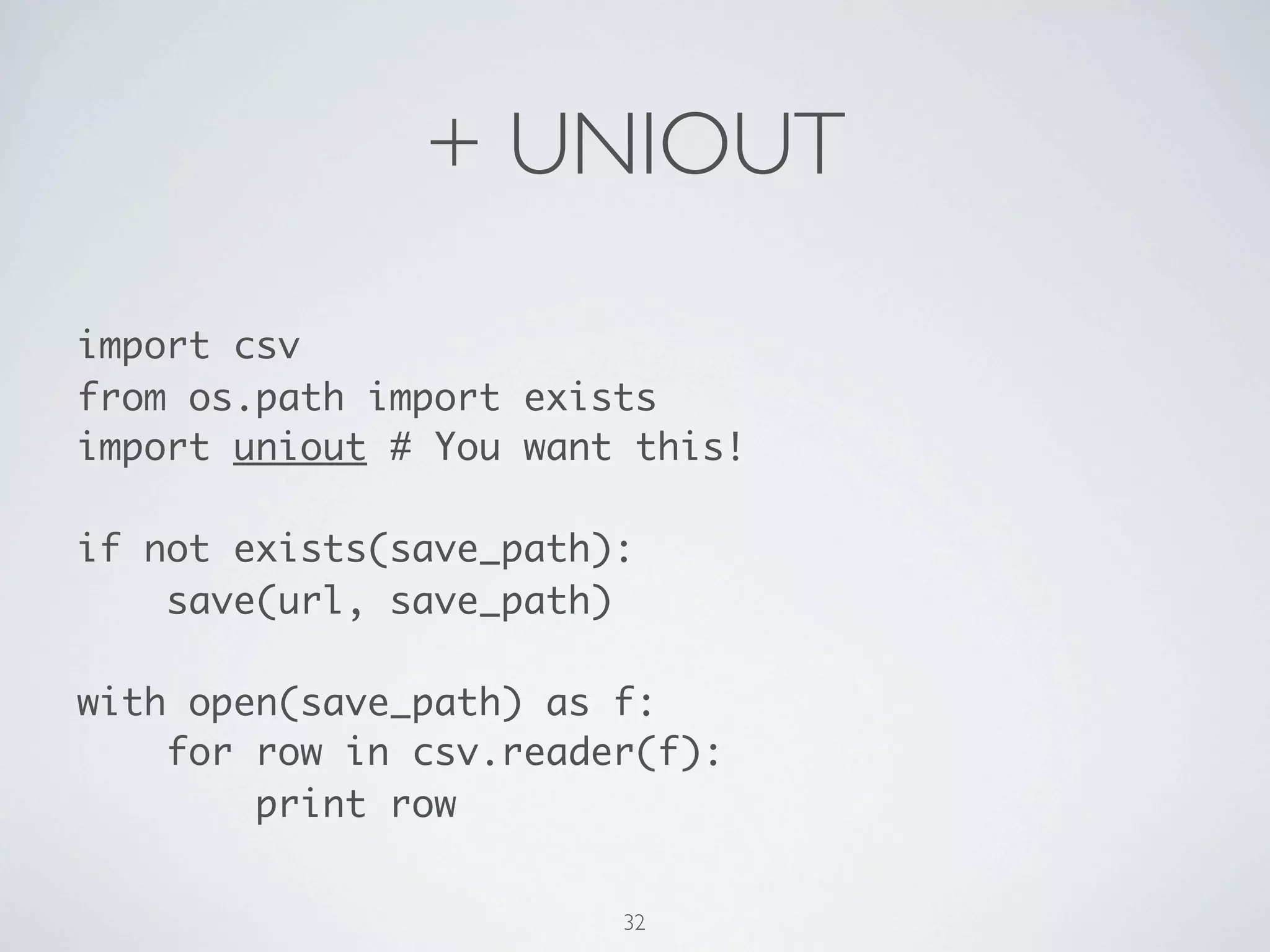
+ UNIOUT 
import csv 
from os.path import exists 
import uniout # You want this! 
! 
if not exists(save_path): 
save(url, save_path) 
! 
with open(save_path) as f: 
for row in csv.reader(f): 
print row 
33
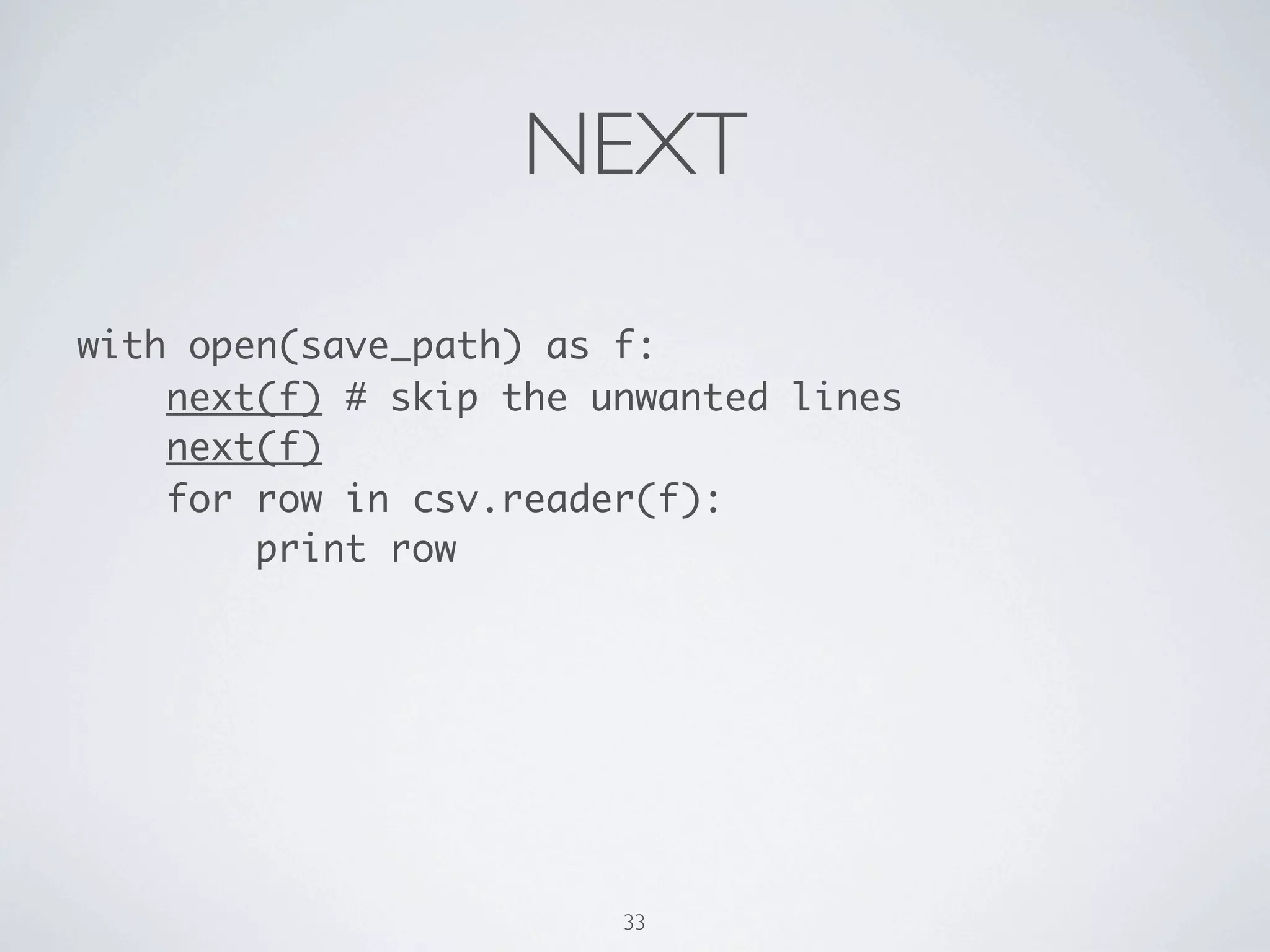
NEXT 
with open(save_path) as f: 
next(f) # skip the unwanted lines 
next(f) 
for row in csv.reader(f): 
print row 
34
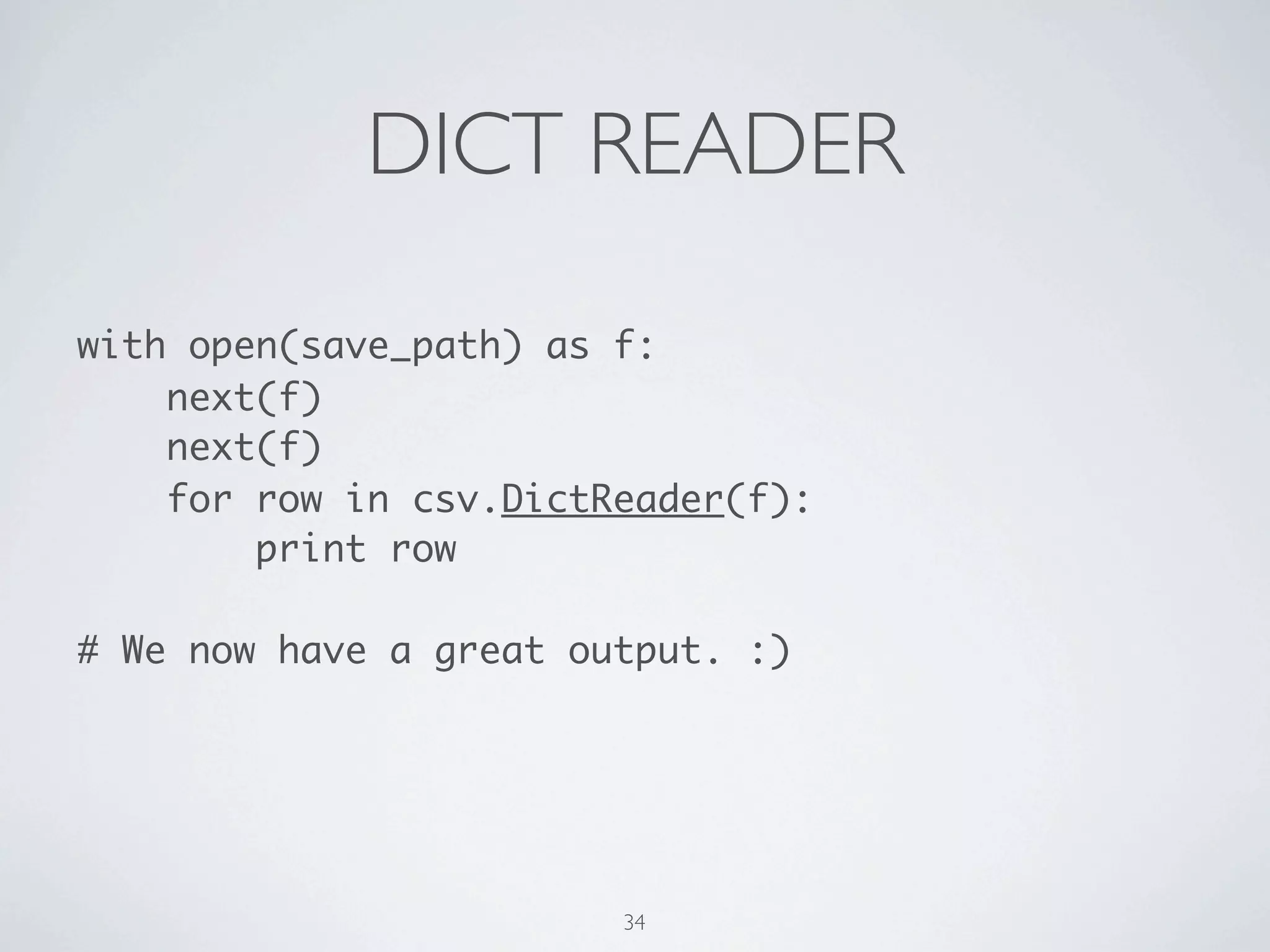
DICT READER 
with open(save_path) as f: 
next(f) 
next(f) 
for row in csv.DictReader(f): 
print row 
! 
# We now have a great output. :) 
35
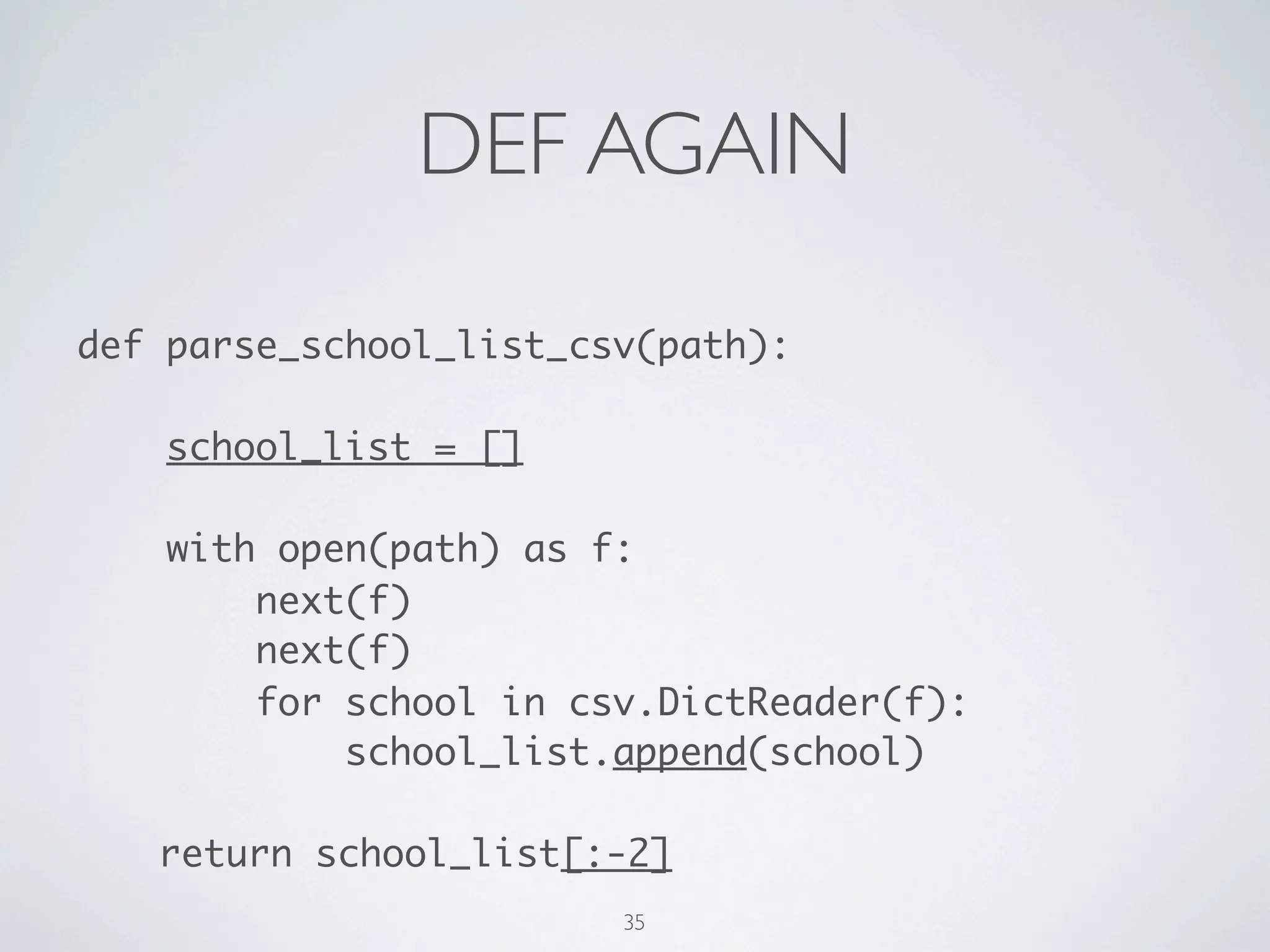
DEF AGAIN 
def parse_to_school_list(path): 
school_list = [] 
with open(path) as f: 
next(f) 
next(f) 
for school in csv.DictReader(f): 
school_list.append(school) 
! 
return school_list[:-2] 
36
+ COMPREHENSION 
def parse_to_school_list(path='schools.csv'): 
with open(path) as f: 
next(f) 
next(f) 
school_list = [school for school in 
csv.DictReader(f)][:-2] 
! 
return school_list 
37
+ PRETTY PRINT 
from pprint import pprint 
! 
pprint(parse_to_school_list(save_path)) 
! 
# AWESOME! 
38
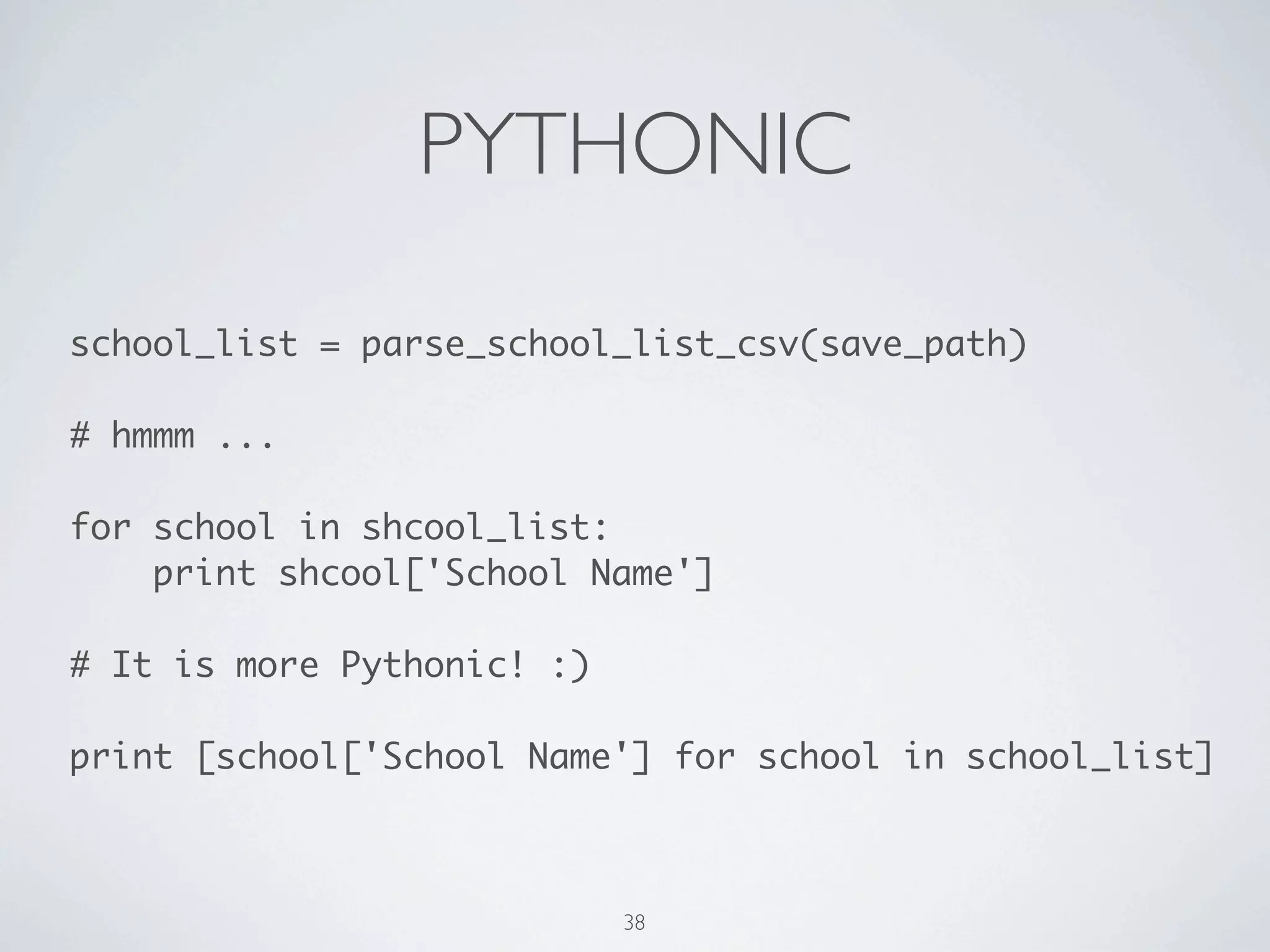
PYTHONIC 
school_list = parse_to_school_list(save_path) 
! 
# hmmm ... 
! 
for school in shcool_list: 
print shcool['School Name'] 
! 
# It is more Pythonic! :) 
! 
print [school['School Name'] for school in school_list] 
39
GROUP BY 
from itertools import groupby 
! 
# You MUST sort it. 
keyfunc = lambda school: school['County'] 
school_list.sort(key=keyfunc) 
! 
for county, schools in groupby(school_list, keyfunc): 
for school in schools: 
print '%s %r' % (county, school) 
print '---' 
40
DOCSTRING 
'''It contains some useful function for paring data 
from government.''' 
! 
def save(url, path=None): 
'''It saves data from `url` to `path`.''' 
... 
! 
--- Shell --- 
! 
$ pydoc csv_docstring 
41
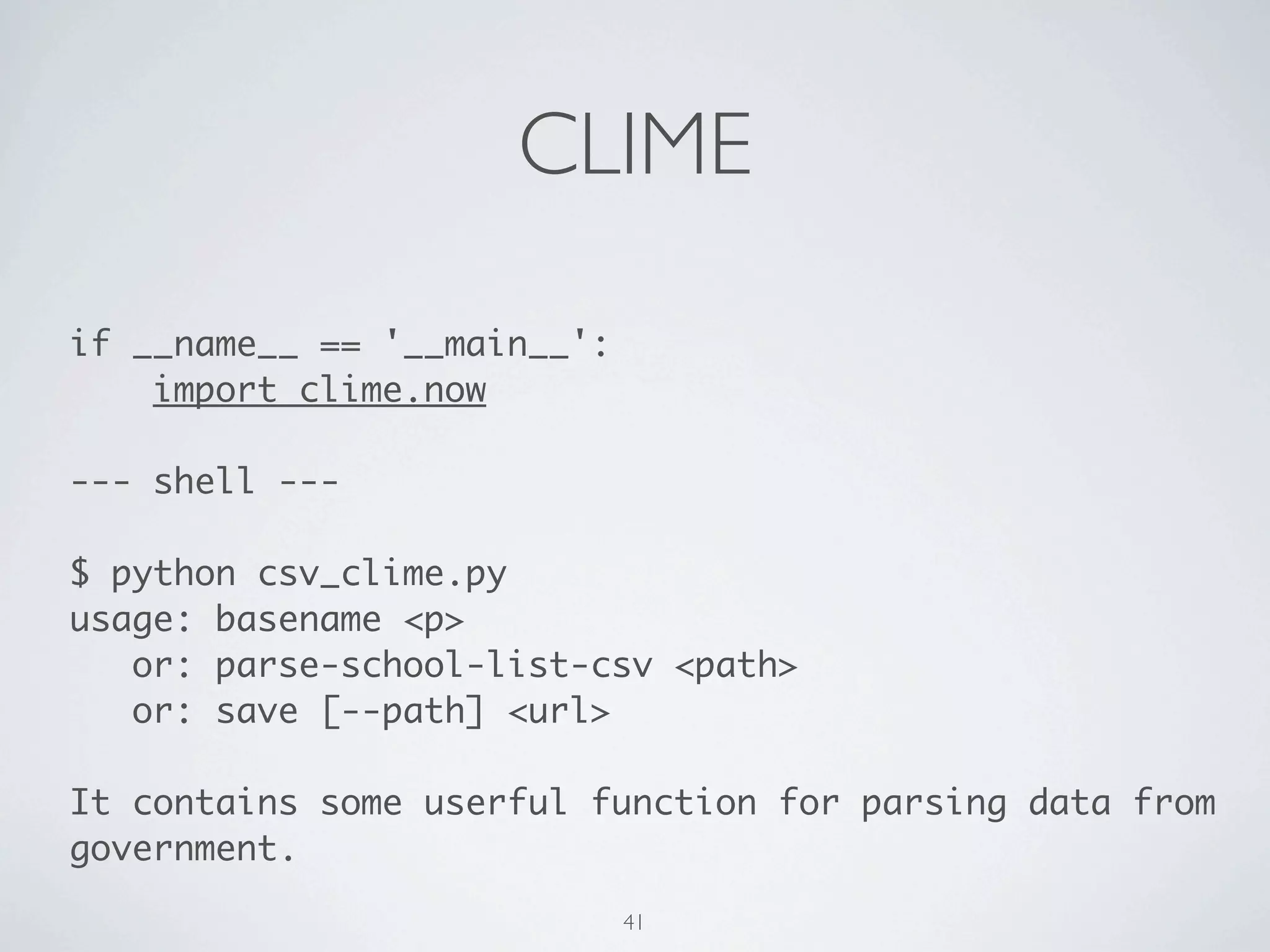
CLIME 
if __name__ == '__main__': 
import clime.now 
! 
--- shell --- 
! 
$ python csv_clime.py 
usage: basename <p> 
or: parse-to-school-list <path> 
or: save [--path] <url> 
! 
It contains some userful function for parsing data from 
government. 
42
DOC TIPS 
help(requests) 
! 
print dir(requests) 
! 
print 'n'.join(dir(requests)) 
43
YOUR TURN! 
44
HTML 
Have fun with the final crawler. ;) 
45
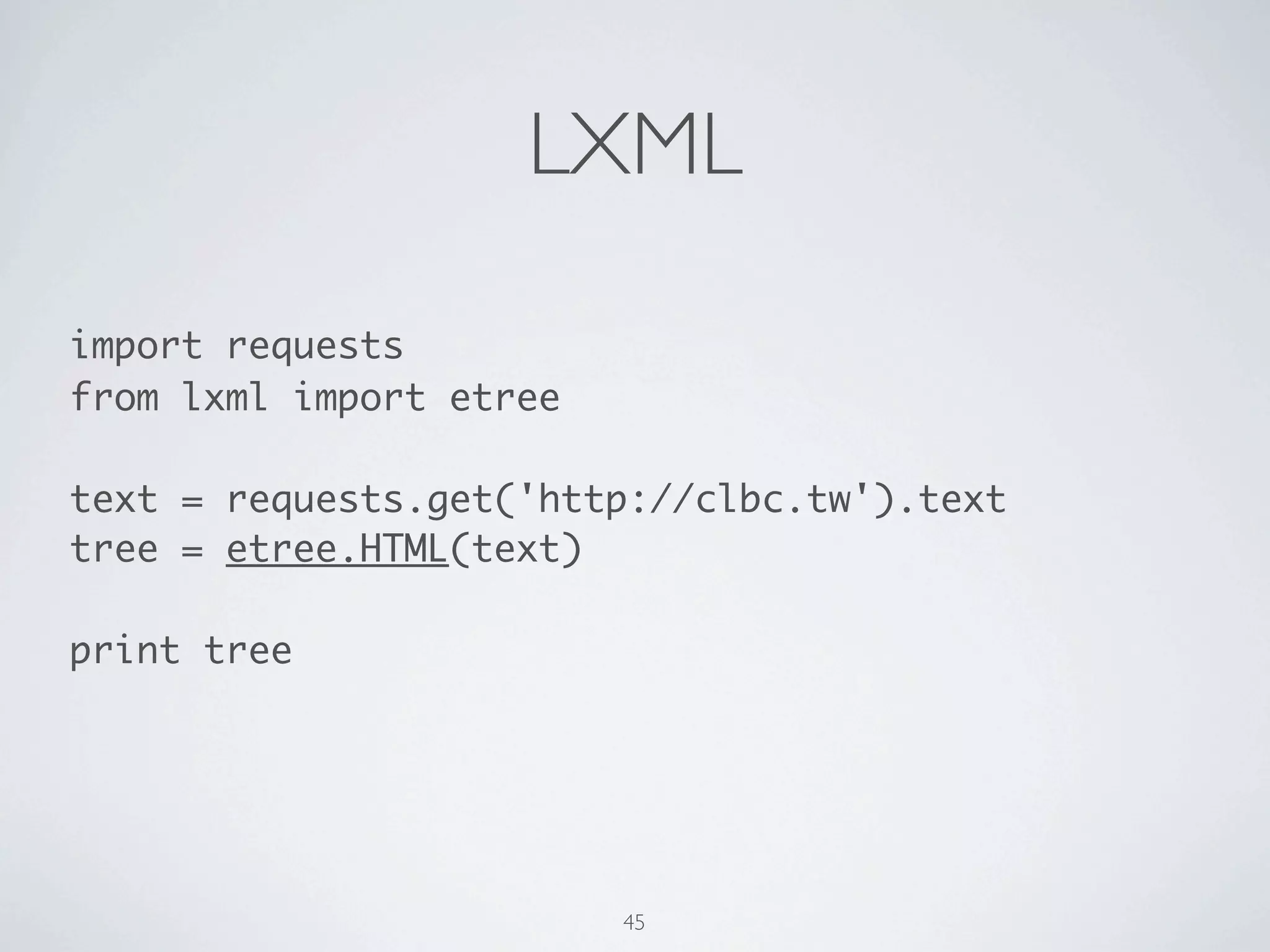
LXML 
import requests 
from lxml import etree 
! 
content = requests.get('http://clbc.tw').content 
root = etree.HTML(content) 
! 
print root 
46
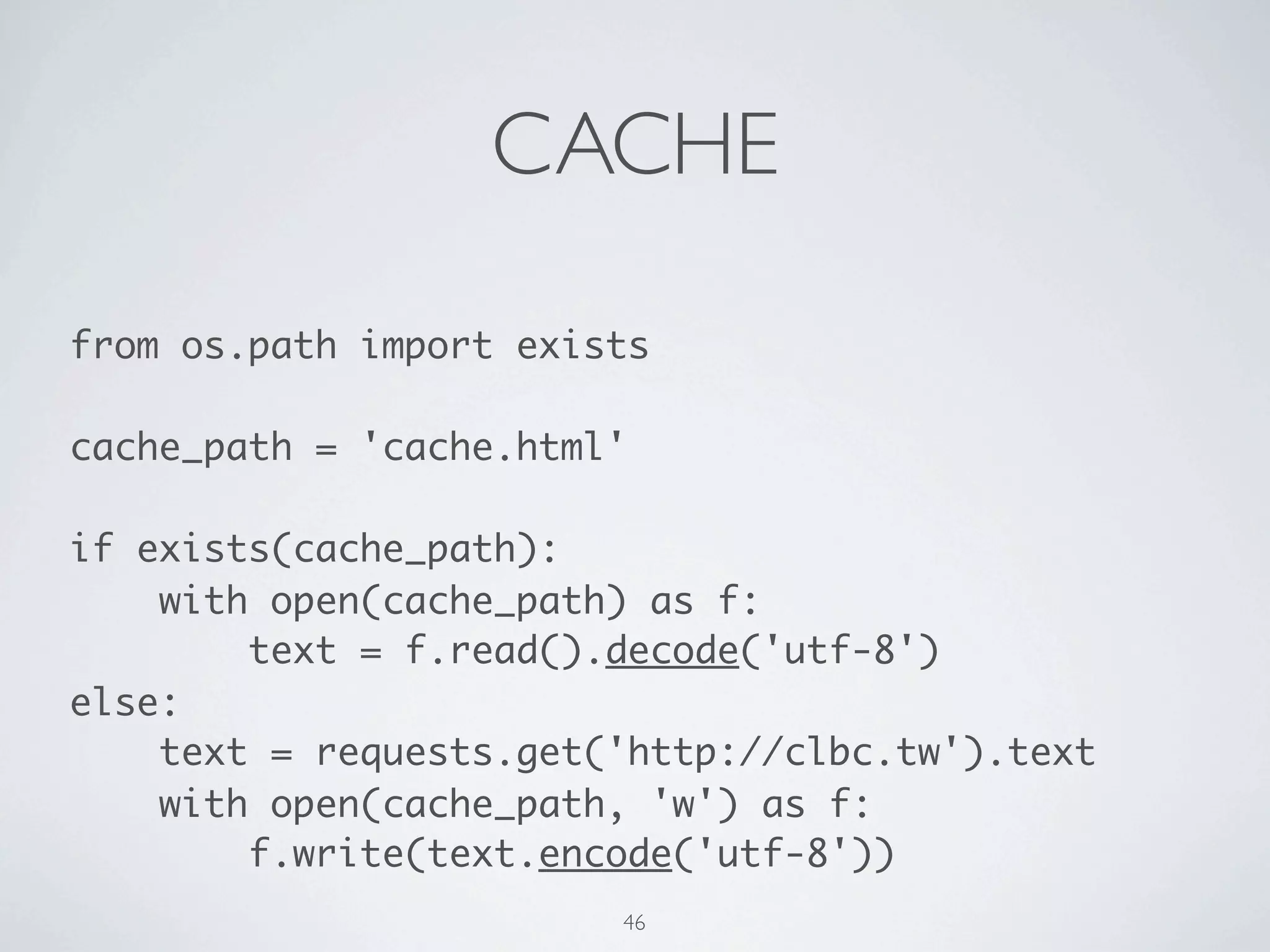
CACHE 
from os.path import exists 
! 
cache_path = 'cache.html' 
! 
if exists(cache_path): 
with open(cache_path) as f: 
content = f.read() 
else: 
content = requests.get('http://clbc.tw').content 
with open(cache_path, 'w') as f: 
f.write(content) 
47
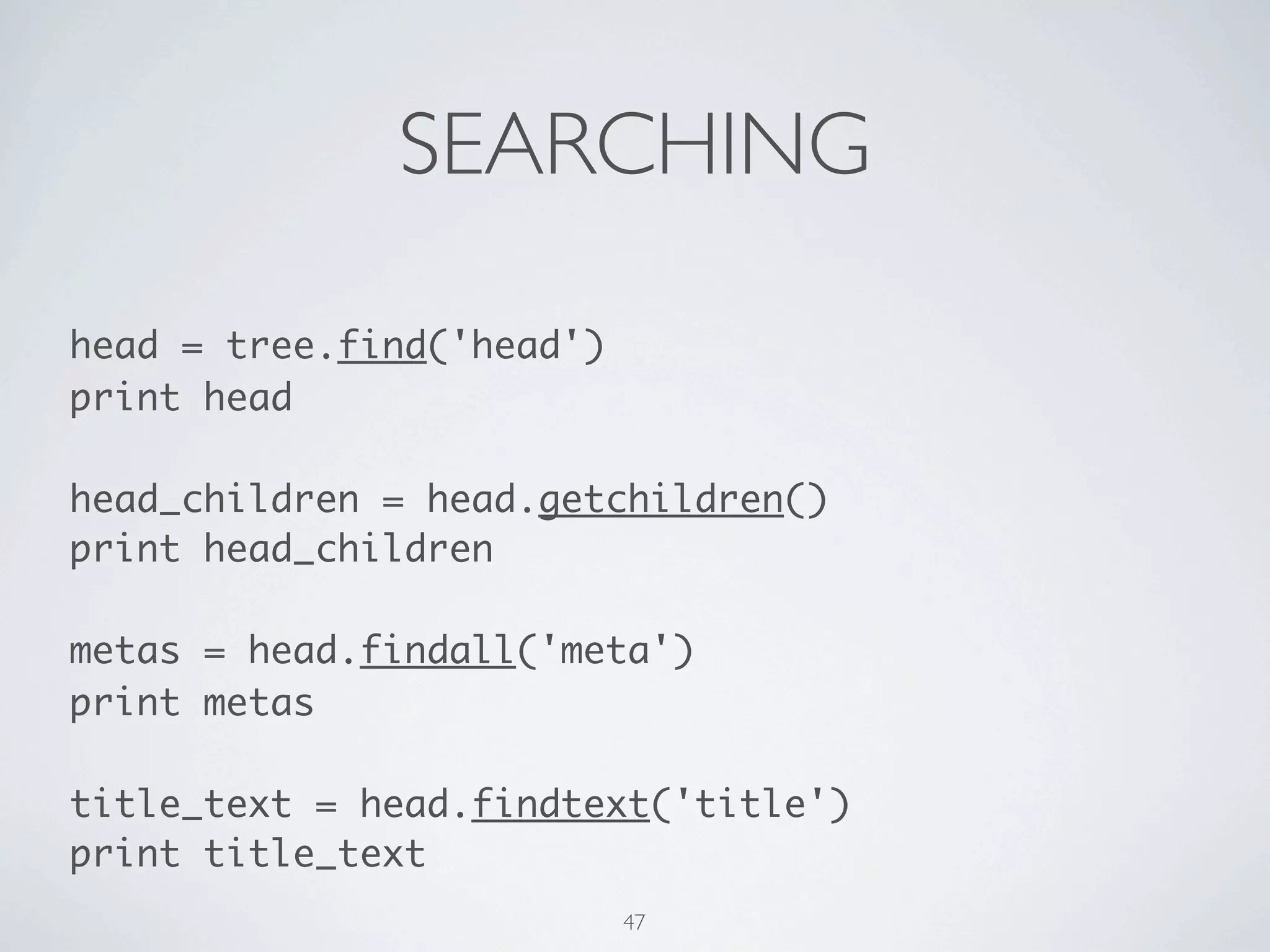
SEARCHING 
head = root.find('head') 
print head 
! 
head_children = head.getchildren() 
print head_children 
! 
metas = head.findall('meta') 
print metas 
! 
title_text = head.findtext('title') 
print title_text 
48
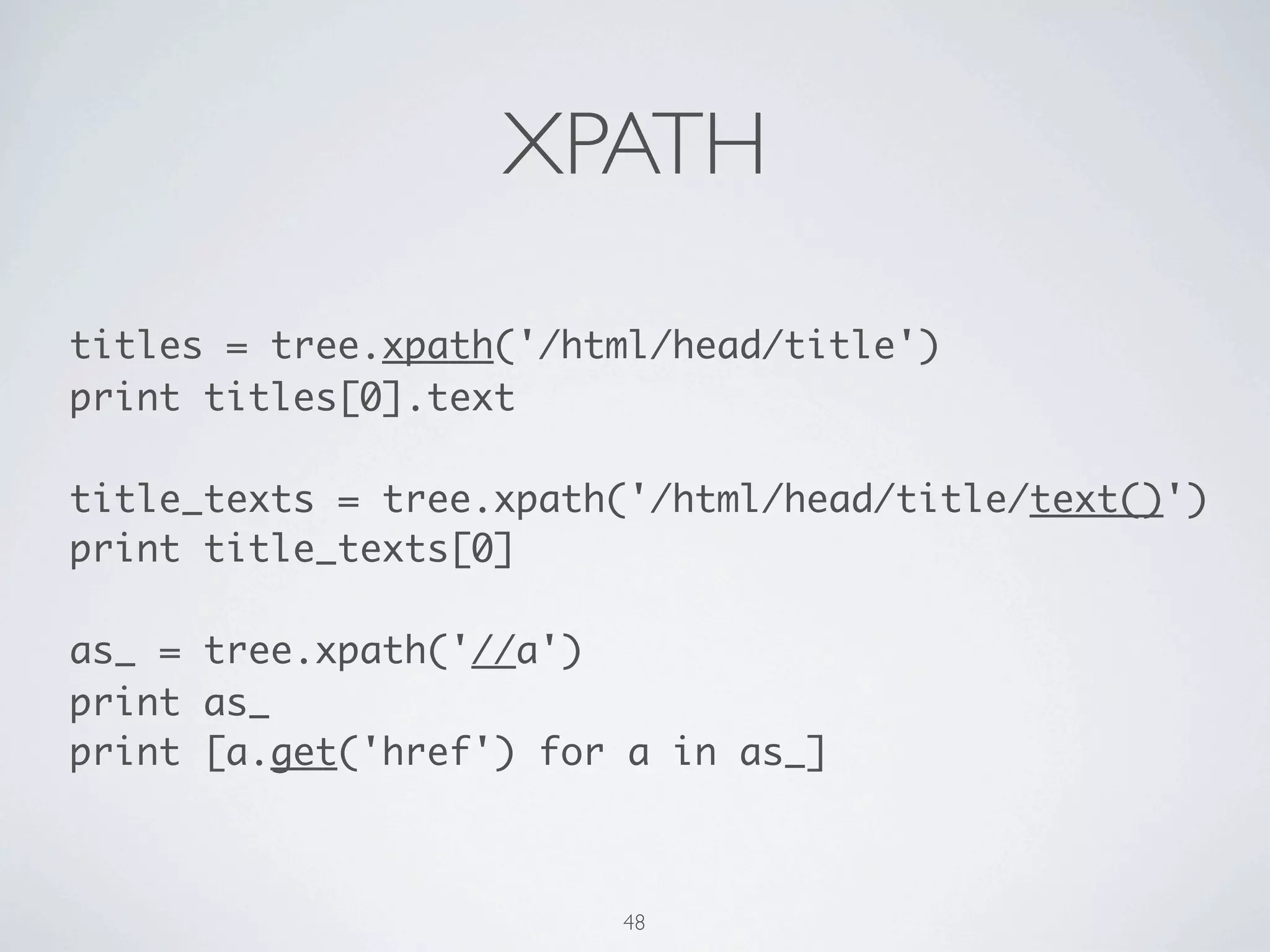
XPATH 
titles = root.xpath('/html/head/title') 
print titles[0].text 
! 
title_texts = root.xpath('/html/head/title/text()') 
print title_texts[0] 
! 
as_ = root.xpath('//a') 
print as_ 
print [a.get('href') for a in as_] 
49
MD5 
from hashlib import md5 
! 
message = 'There should be one-- and preferably 
only one --obvious way to do it.' 
! 
print md5(message).hexdigest() 
! 
# Actually, it is noting about HTML. 
50
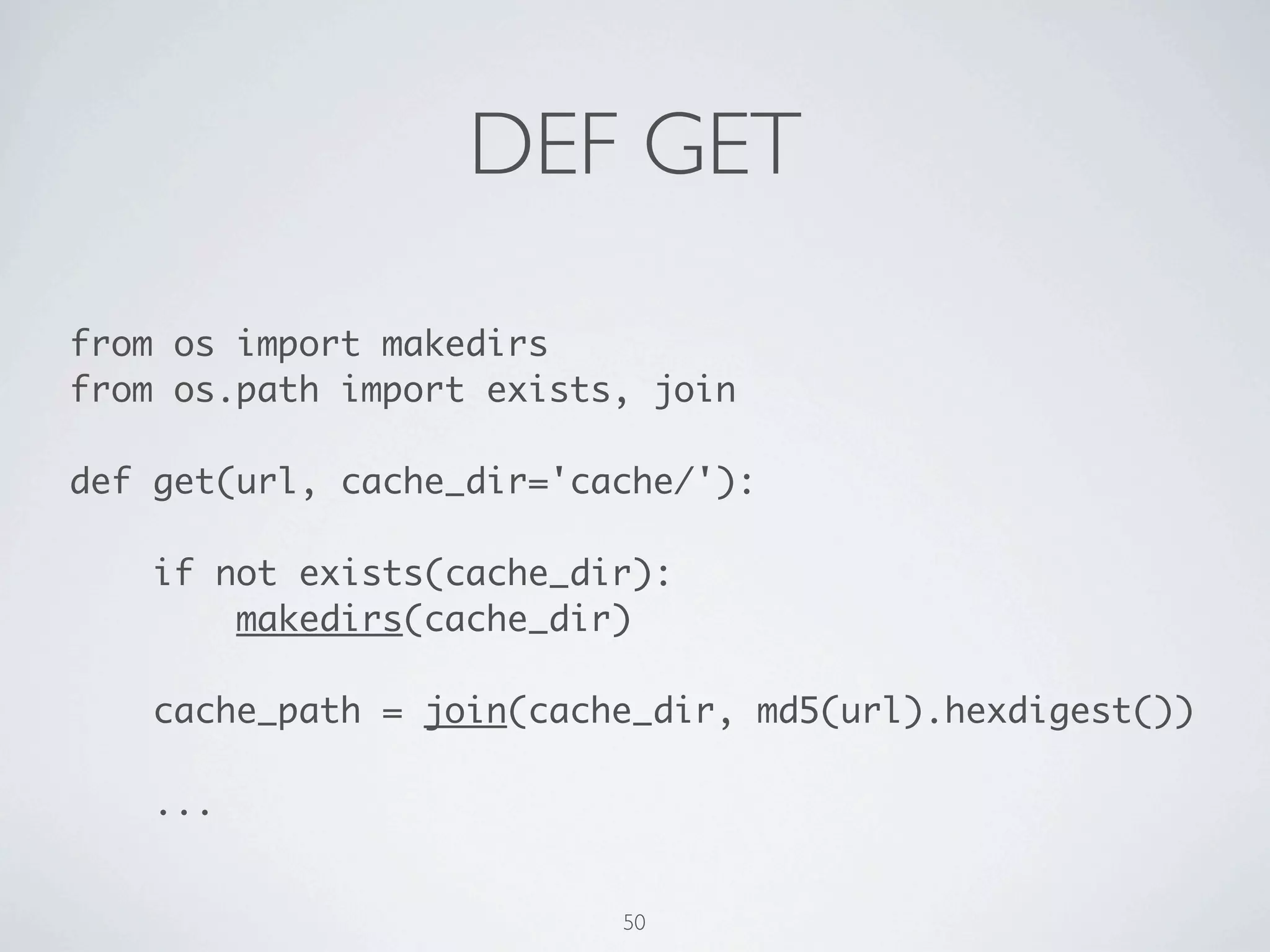
DEF GET 
from os import makedirs 
from os.path import exists, join 
! 
def get(url, cache_dir_path='cache/'): 
! 
if not exists(cache_dir_path): 
makedirs(cache_dir) 
! 
cache_path = join(cache_dir_path, 
md5(url).hexdigest()) 
! 
... 
51
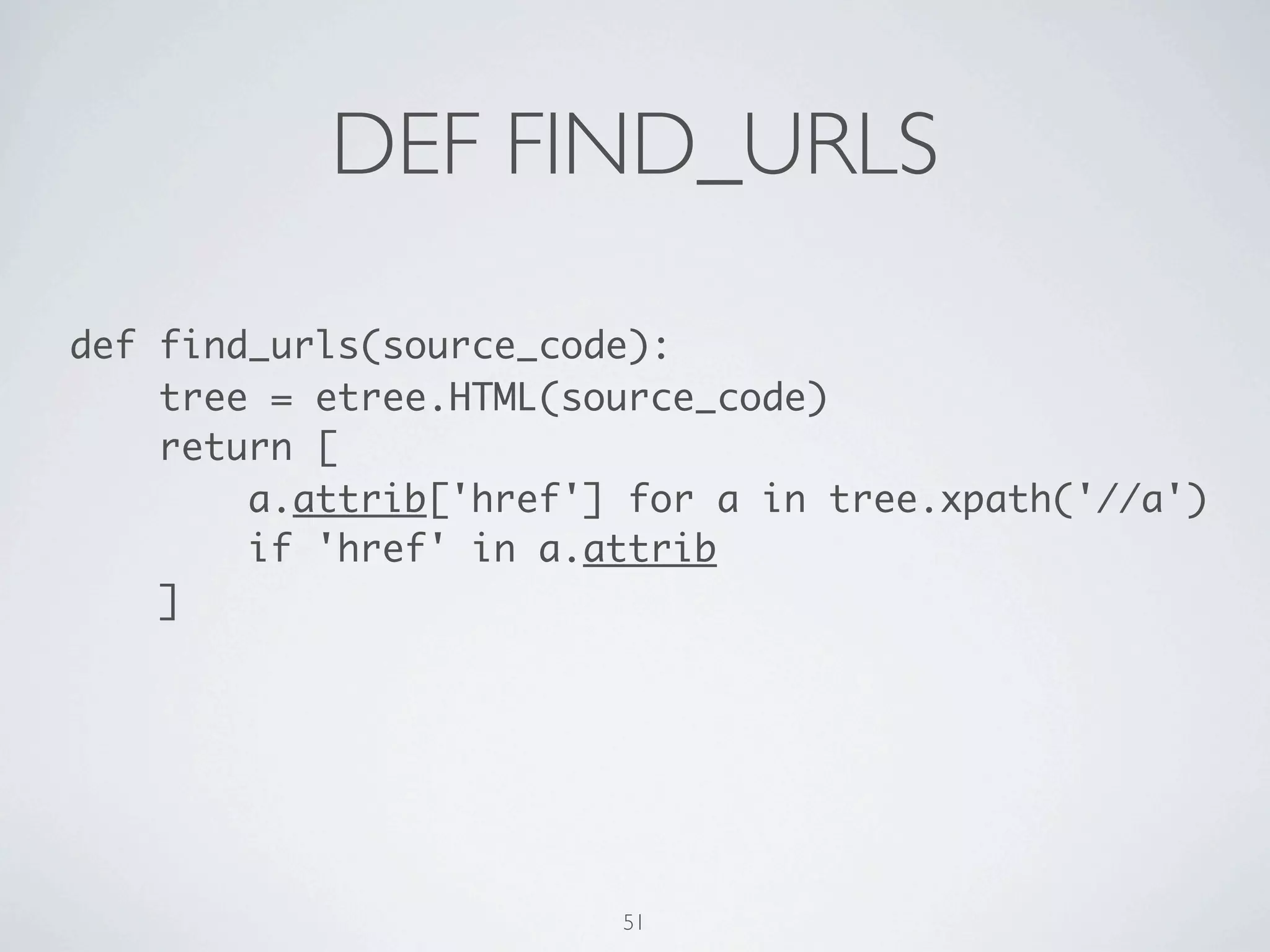
DEF FIND_URLS 
def find_urls(content): 
root = etree.HTML(content) 
return [ 
a.attrib['href'] for a in root.xpath('//a') 
if 'href' in a.attrib 
] 
52
BFS 1/2 
NEW = 0 
QUEUED = 1 
VISITED = 2 
! 
def search_urls(url): 
! 
url_queue = [url] 
url_state_map = {url: QUEUED} 
! 
while url_queue: 
! 
url = url_queue.pop(0) 
print url 
53
BFS 2/2 
# continue the previous page 
try: 
found_urls = find_urls(get(url)) 
except Exception, e: 
url_state_map[url] = e 
print 'Exception: %s' % e 
except KeyboardInterrupt, e: 
return url_state_map 
else: 
for found_url in found_urls: 
if not url_state_map.get(found_url, NEW): 
url_queue.append(found_url) 
url_state_map[found_url] = QUEUED 
url_state_map[url] = VISITED 
54
DEQUE 
from collections import deque 
... 
! 
def search_urls(url): 
url_queue = deque([url]) 
... 
while url_queue: 
! 
url = url_queue.popleft() 
print url 
... 
55
YIELD 
... 
! 
def search_urls(url): 
... 
while url_queue: 
! 
url = url_queue.pop(0) 
yield url 
... 
except KeyboardInterrupt, e: 
print url_state_map 
return 
... 
56
YOUR TURN! 
57
SQL 
How about saving the CSV file into a db? 
58
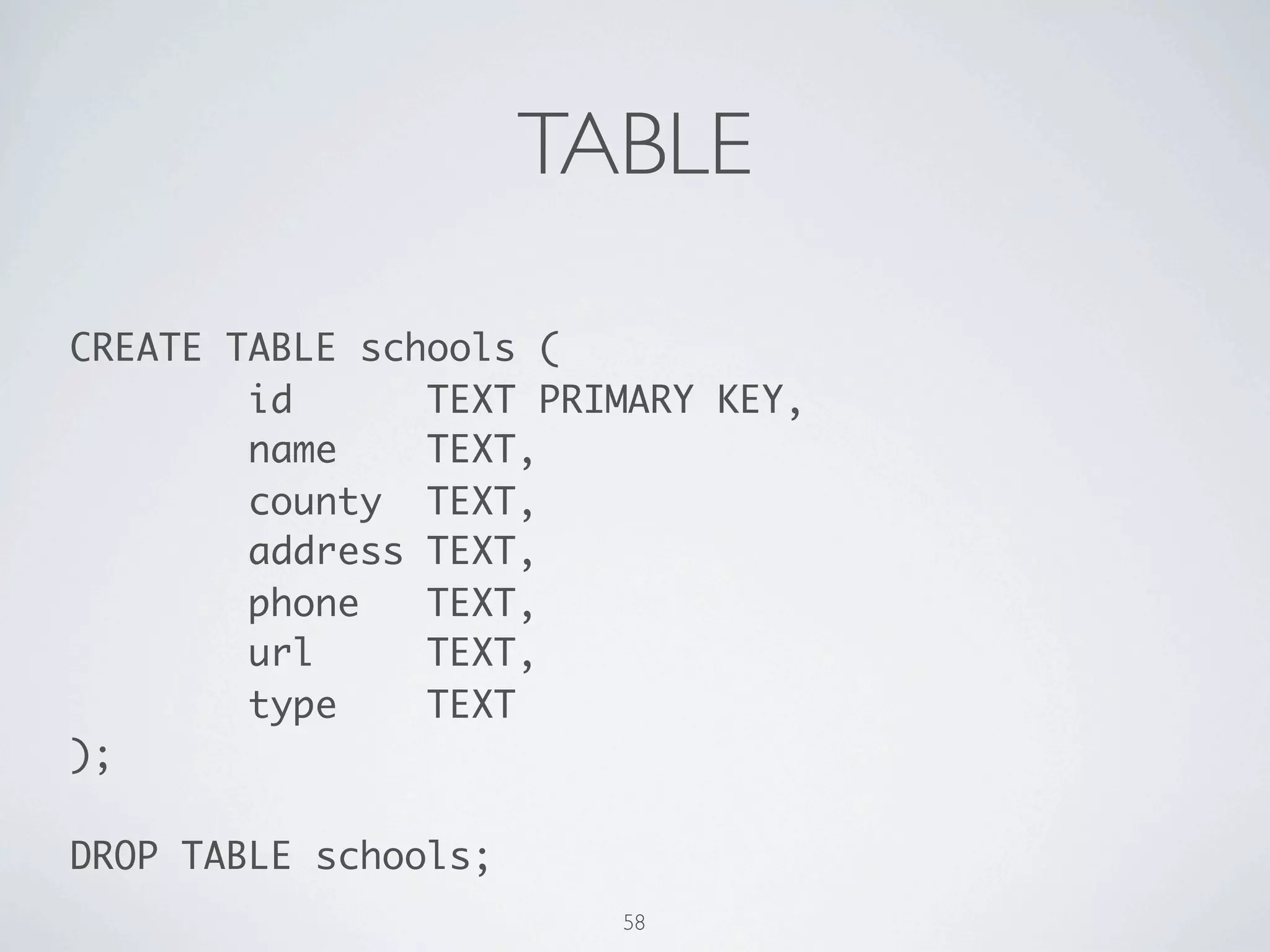
TABLE 
CREATE TABLE schools ( 
id TEXT PRIMARY KEY, 
name TEXT, 
county TEXT, 
address TEXT, 
phone TEXT, 
url TEXT, 
type TEXT 
); 
! 
DROP TABLE schools; 
59
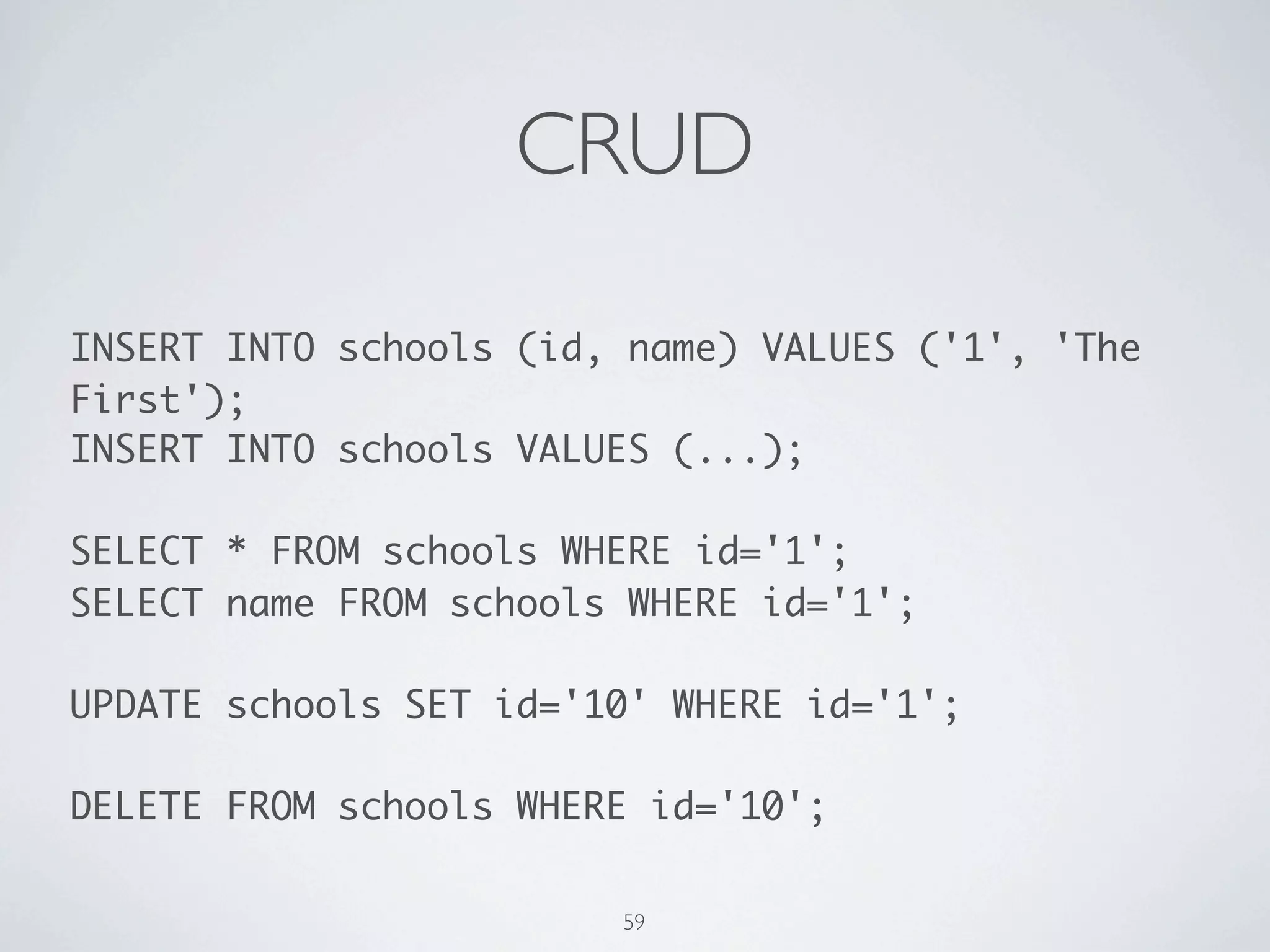
CRUD 
INSERT INTO schools (id, name) VALUES ('1', 'The 
First'); 
INSERT INTO schools VALUES (...); 
! 
SELECT * FROM schools WHERE id='1'; 
SELECT name FROM schools WHERE id='1'; 
! 
UPDATE schools SET id='10' WHERE id='1'; 
! 
DELETE FROM schools WHERE id='10'; 
60
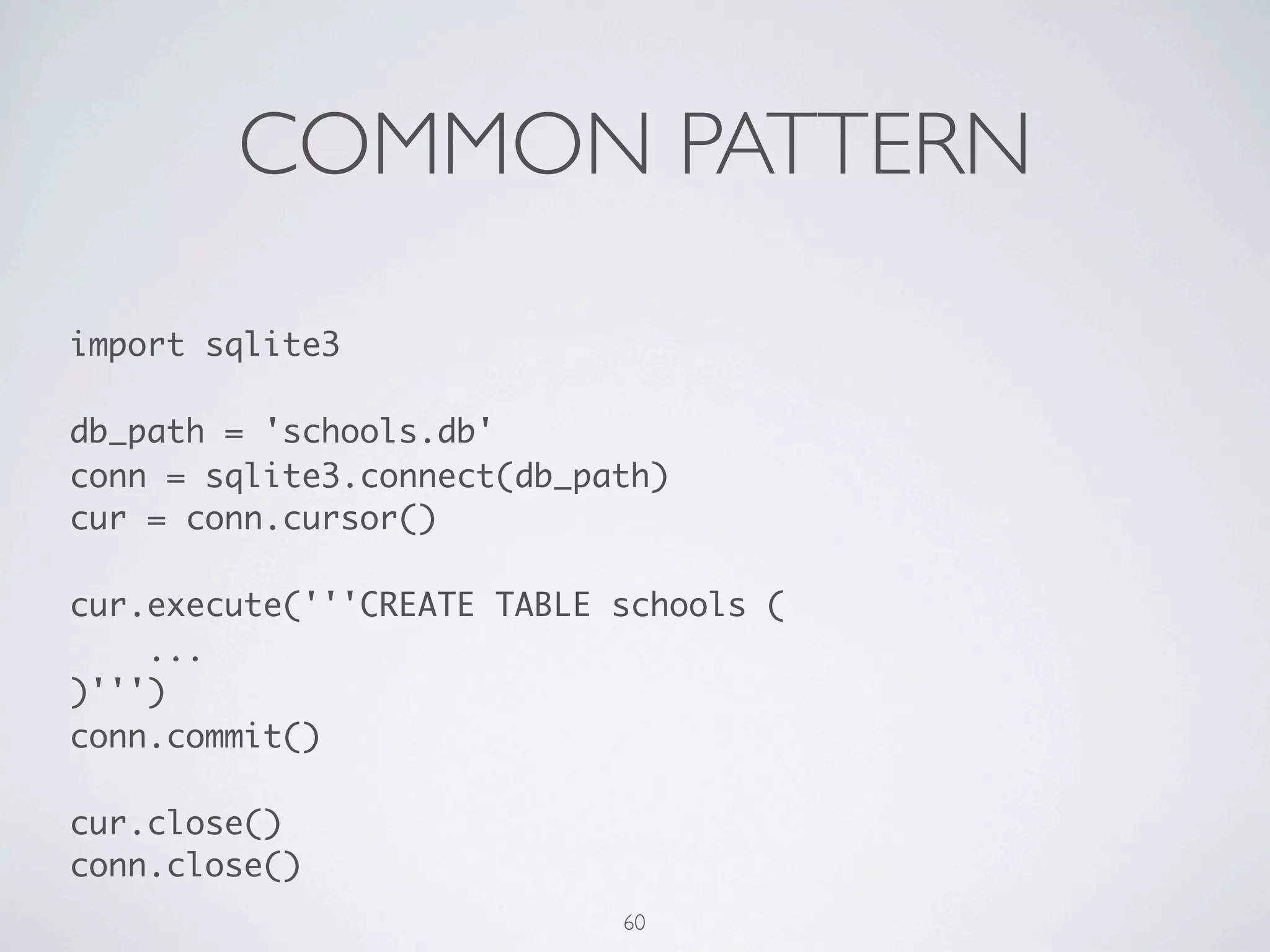
COMMON PATTERN 
import sqlite3 
! 
db_path = 'schools.db' 
conn = sqlite3.connect(db_path) 
cur = conn.cursor() 
! 
cur.execute('''CREATE TABLE schools ( 
... 
)''') 
conn.commit() 
! 
cur.close() 
conn.close() 
61
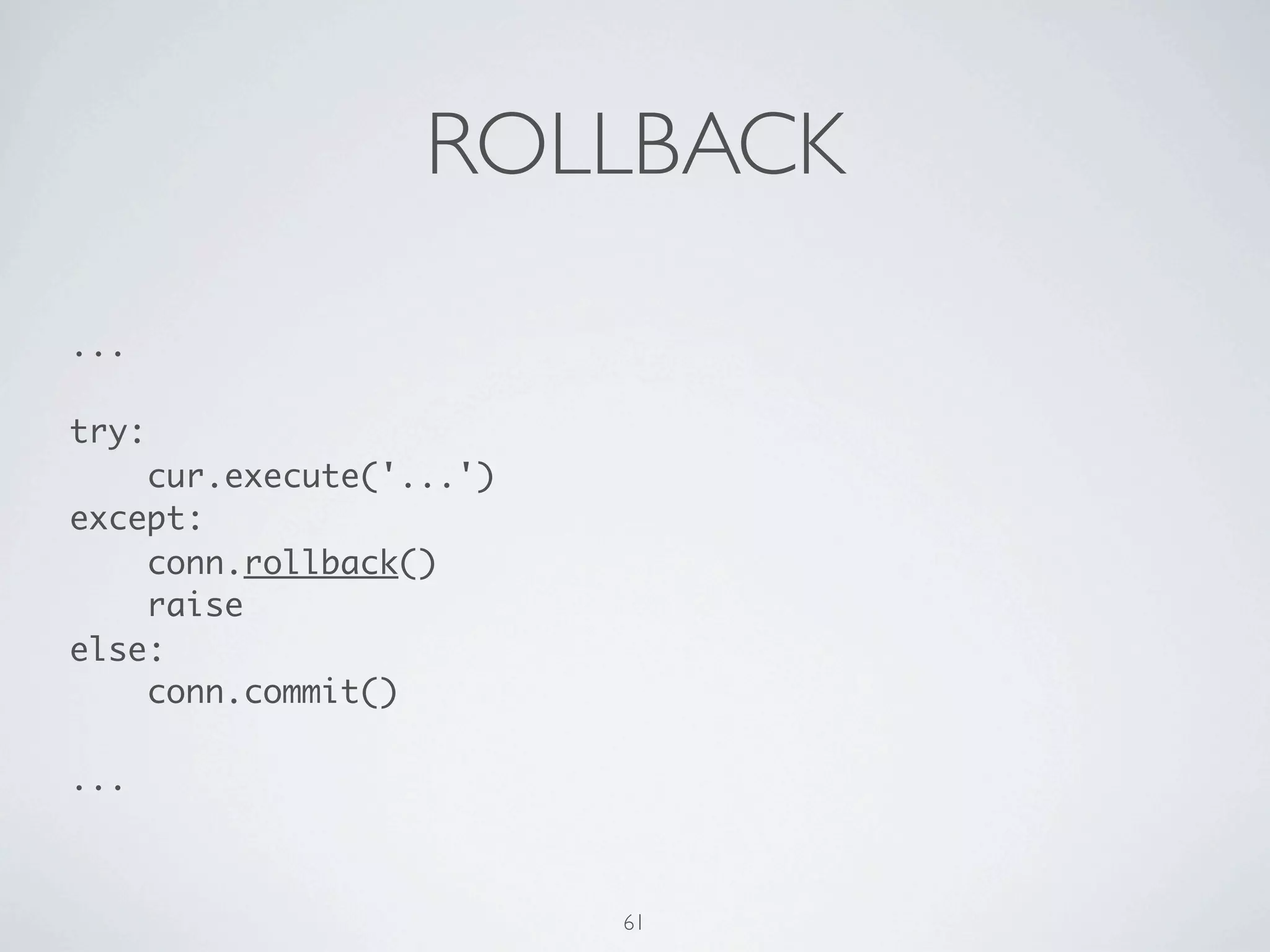
ROLLBACK 
... 
! 
try: 
cur.execute('...') 
except: 
conn.rollback() 
raise 
else: 
conn.commit() 
! 
... 
62
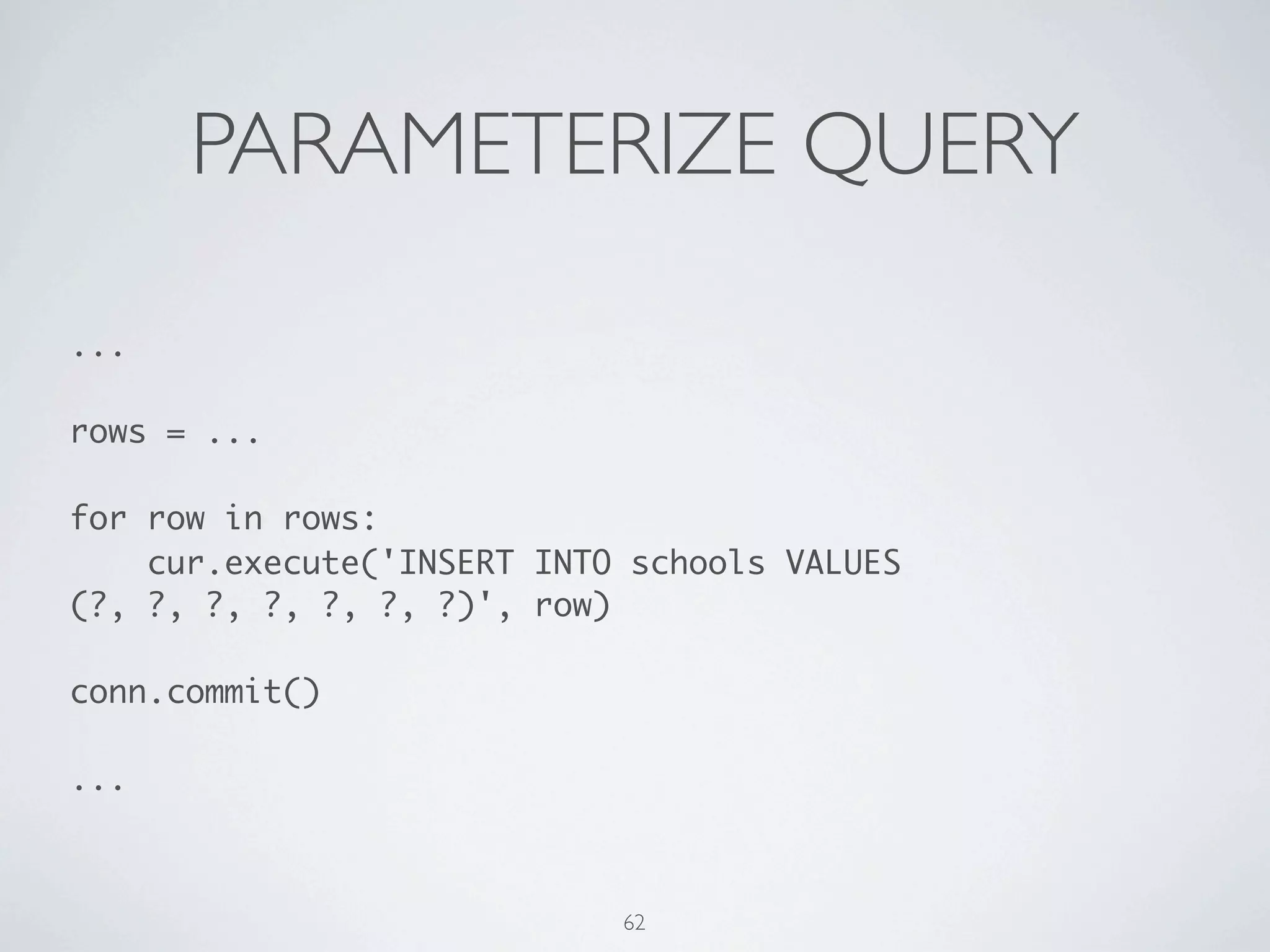
PARAMETERIZE QUERY 
... 
! 
rows = ... 
! 
for row in rows: 
cur.execute('INSERT INTO schools VALUES (?, ?, ?, ?, ?, 
?, ?)', row) 
! 
conn.commit() 
! 
... 
63
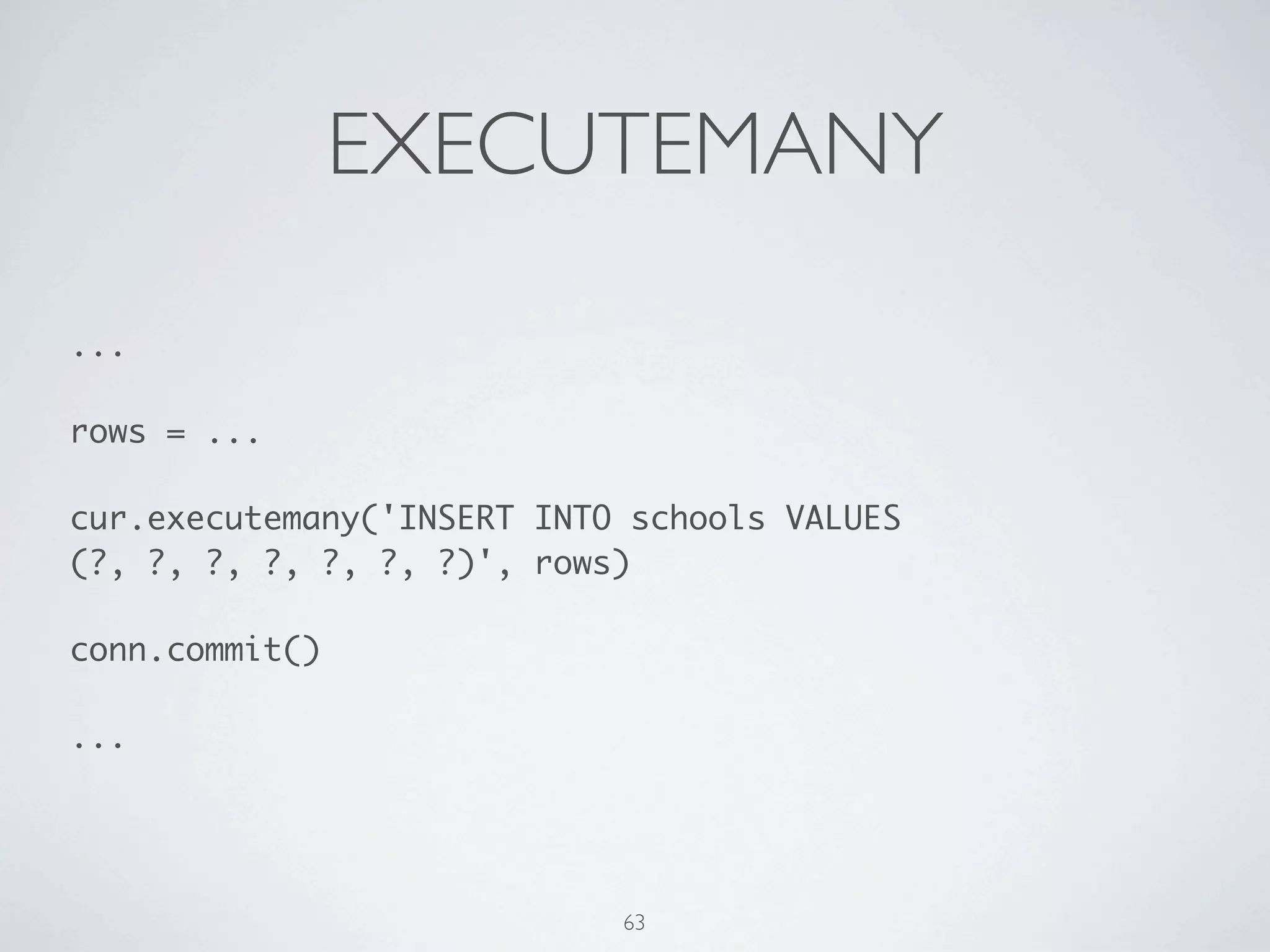
EXECUTEMANY 
... 
! 
rows = ... 
! 
cur.executemany('INSERT INTO schools VALUES (?, ?, ?, ?, ?, 
?, ?)', rows) 
! 
conn.commit() 
! 
... 
64
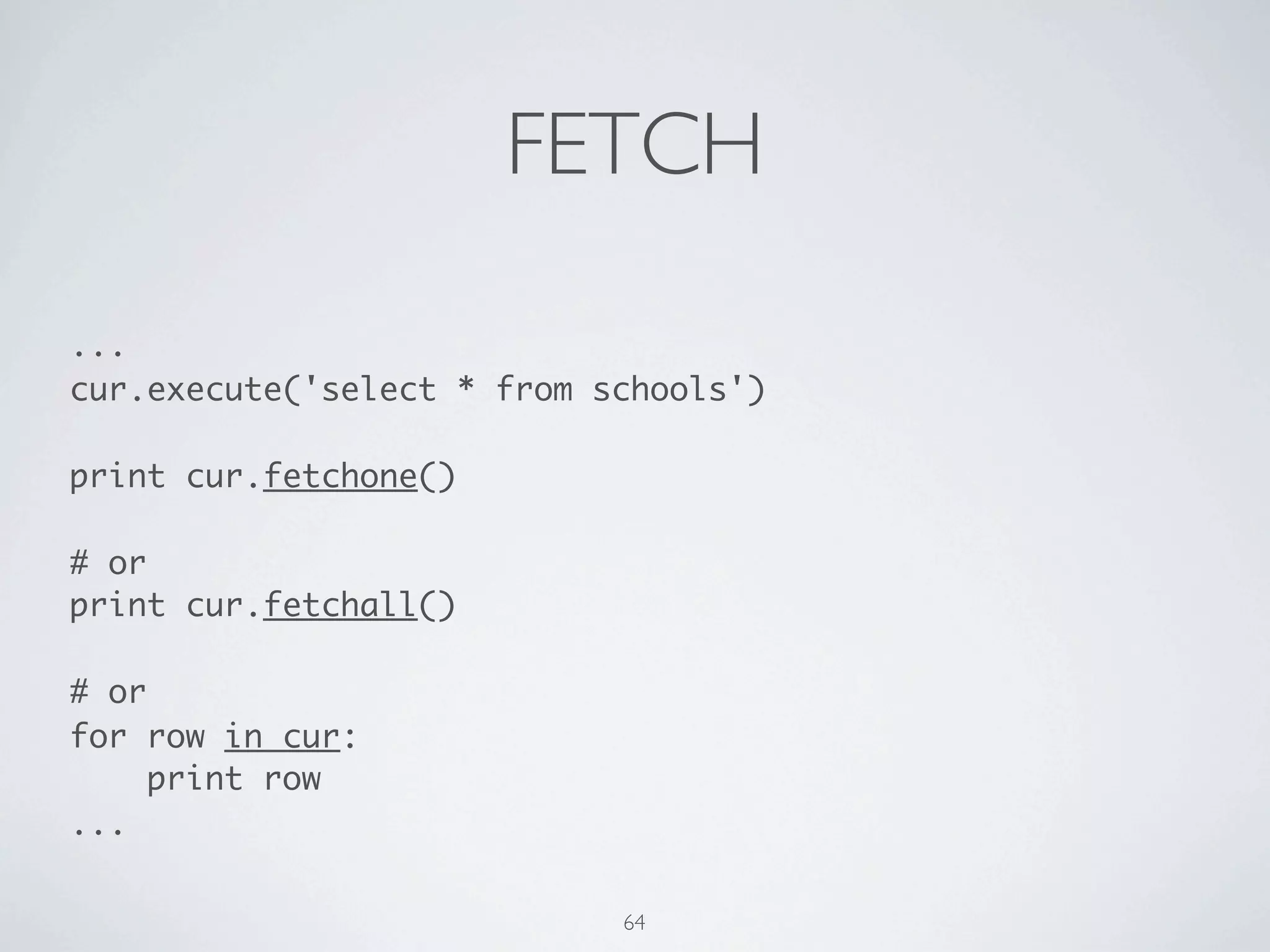
FETCH 
... 
cur.execute('select * from schools') 
! 
print cur.fetchone() 
! 
# or 
print cur.fetchall() 
! 
# or 
for row in cur: 
print row 
... 
65
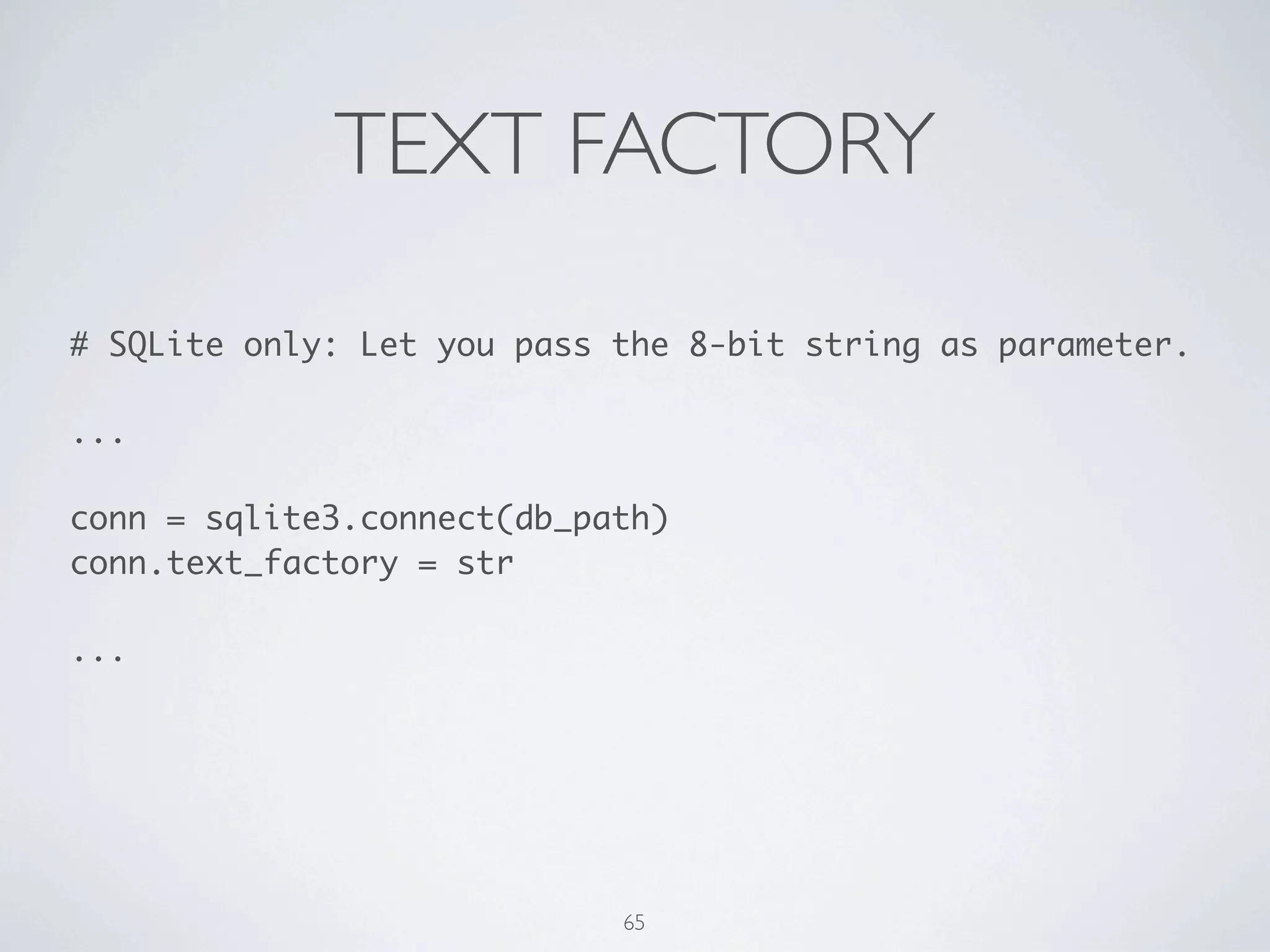
TEXT FACTORY 
# SQLite only: Let you pass the 8-bit string as parameter. 
! 
... 
! 
conn = sqlite3.connect(db_path) 
conn.text_factory = str 
! 
... 
66
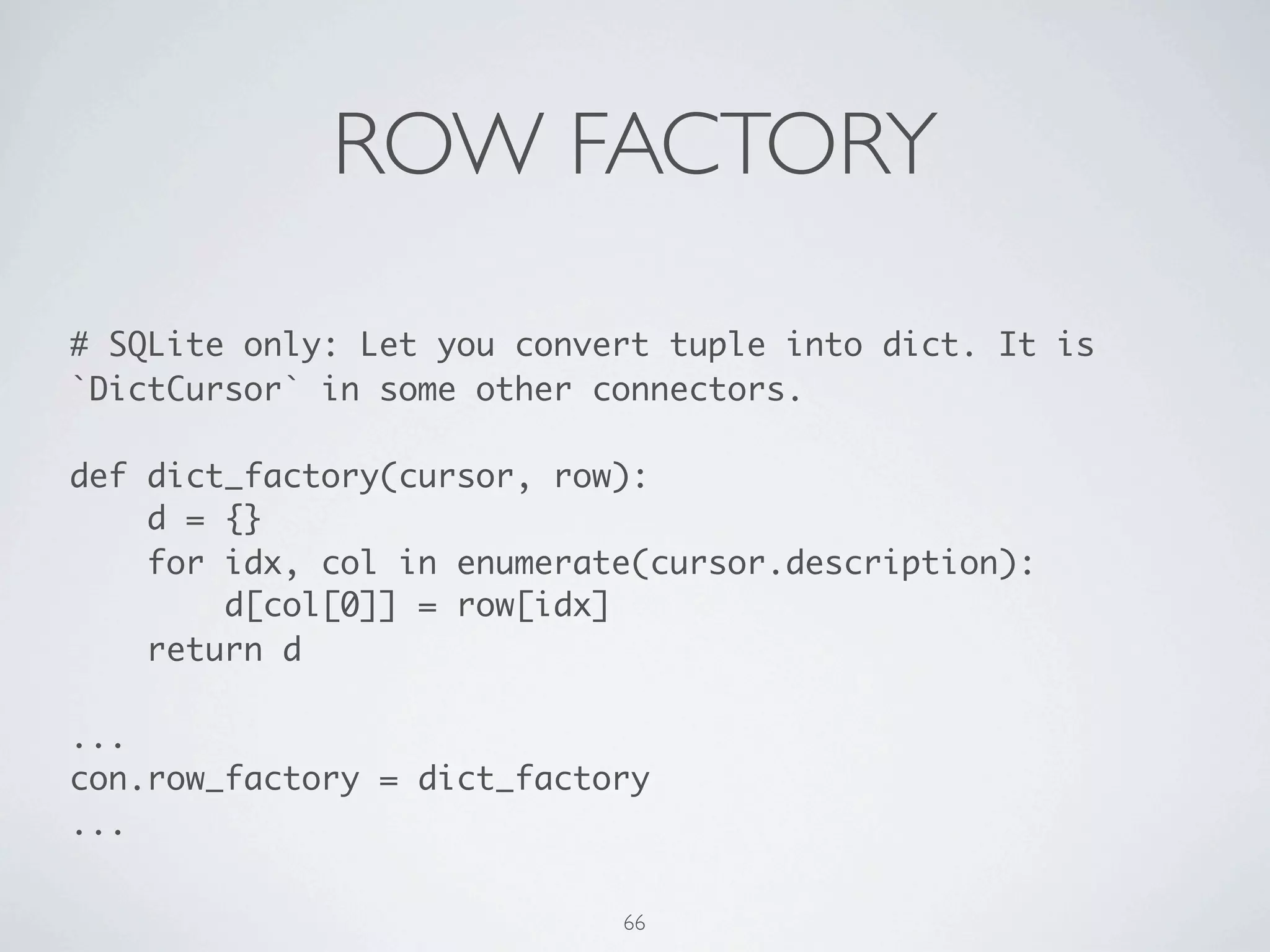
ROW FACTORY 
# SQLite only: Let you convert tuple into dict. It is 
`DictCursor` in some other connectors. 
! 
def dict_factory(cursor, row): 
d = {} 
for idx, col in enumerate(cursor.description): 
d[col[0]] = row[idx] 
return d 
! 
... 
con.row_factory = dict_factory 
... 
67
MORE 
68
MORE 
• Python DB API 2.0 
68
MORE 
• Python DB API 2.0 
• MySQLdb - MySQL connector for Python 
68
MORE 
• Python DB API 2.0 
• MySQLdb - MySQL connector for Python 
• Psycopg2 - PostgreSQL adapter for Python 
68
MORE 
• Python DB API 2.0 
• MySQLdb - MySQL connector for Python 
• Psycopg2 - PostgreSQL adapter for Python 
• SQLAlchemy - the Python SQL toolkit and ORM 
68
MORE 
• Python DB API 2.0 
• MySQLdb - MySQL connector for Python 
• Psycopg2 - PostgreSQL adapter for Python 
• SQLAlchemy - the Python SQL toolkit and ORM 
• MoSQL - Build SQL from common Python data structure. 
68
THE END 
69
THE END 
• You learned how to ... 
69
THE END 
• You learned how to ... 
• make a HTTP request 
69
THE END 
• You learned how to ... 
• make a HTTP request 
• load a CSV file 
69
THE END 
• You learned how to ... 
• make a HTTP request 
• load a CSV file 
• parse a HTML file 
69
THE END 
• You learned how to ... 
• make a HTTP request 
• load a CSV file 
• parse a HTML file 
• write a Web crawler 
69
THE END 
• You learned how to ... 
• make a HTTP request 
• load a CSV file 
• parse a HTML file 
• write a Web crawler 
• use SQL with SQLite 
69
THE END 
• You learned how to ... 
• make a HTTP request 
• load a CSV file 
• parse a HTML file 
• write a Web crawler 
• use SQL with SQLite 
• and lot of techniques today. ;) 
69

Learning Python from Data

  • 1.
  • 2.
    THIS SLIDE •The online version is at https://speakerdeck.com/mosky/learning-python-from-data. • The examples are at https://github.com/moskytw/learning-python-from-data-examples. 2
  • 3.
  • 4.
    MOSKY • Iam working at Pinkoi. 3
  • 5.
    MOSKY • Iam working at Pinkoi. • I've taught Python for 100+ hours. 3
  • 6.
    MOSKY • Iam working at Pinkoi. • I've taught Python for 100+ hours. • A speaker at COSCUP 2014, PyCon SG 2014, PyCon APAC 014, OSDC 2014, PyCon APAC 2013, COSCUP 2014, ... 3
  • 7.
    MOSKY • Iam working at Pinkoi. • I've taught Python for 100+ hours. • A speaker at COSCUP 2014, PyCon SG 2014, PyCon APAC 014, OSDC 2014, PyCon APAC 2013, COSCUP 2014, ... • The author of the Python packages: MoSQL, Clime, ZIPCodeTW, ... 3
  • 8.
    MOSKY • Iam working at Pinkoi. • I've taught Python for 100+ hours. • A speaker at COSCUP 2014, PyCon SG 2014, PyCon APAC 014, OSDC 2014, PyCon APAC 2013, COSCUP 2014, ... • The author of the Python packages: MoSQL, Clime, ZIPCodeTW, ... • http://mosky.tw/ 3
  • 9.
  • 10.
  • 11.
    SCHEDULE •Warm-up •Packages - Install the packages we need. 4
  • 12.
    SCHEDULE •Warm-up •Packages - Install the packages we need. • CSV - Download a CSV from the Internet and handle it. 4
  • 13.
    SCHEDULE •Warm-up •Packages - Install the packages we need. • CSV - Download a CSV from the Internet and handle it. • HTML - Parse a HTML source code and write a Web crawler. 4
  • 14.
    SCHEDULE •Warm-up •Packages - Install the packages we need. • CSV - Download a CSV from the Internet and handle it. • HTML - Parse a HTML source code and write a Web crawler. • SQL - Save data into a SQLite database. 4
  • 15.
    SCHEDULE •Warm-up •Packages - Install the packages we need. • CSV - Download a CSV from the Internet and handle it. • HTML - Parse a HTML source code and write a Web crawler. • SQL - Save data into a SQLite database. • The End 4
  • 16.
  • 17.
  • 18.
  • 19.
  • 20.
    2 OR 3? • Use Python 3! 7
  • 21.
    2 OR 3? • Use Python 3! • But it actually depends on the libs you need. 7
  • 22.
    2 OR 3? • Use Python 3! • But it actually depends on the libs you need. • https://python3wos.appspot.com/ 7
  • 23.
    2 OR 3? • Use Python 3! • But it actually depends on the libs you need. • https://python3wos.appspot.com/ •We will go ahead with Python 2.7, but I will also introduce the changes in Python 3. 7
  • 24.
  • 25.
    THE ONLINE RESOURCES • The Python Official Doc • http://docs.python.org • The Python Tutorial • The Python Standard Library 8
  • 26.
    THE ONLINE RESOURCES • The Python Official Doc • http://docs.python.org • The Python Tutorial • The Python Standard Library • My Past Slides • Programming with Python - Basic • Programming with Python - Adv. 8
  • 27.
  • 28.
    THE BOOKS •Learning Python by Mark Lutz 9
  • 29.
    THE BOOKS •Learning Python by Mark Lutz • Programming in Python 3 by Mark Summerfield 9
  • 30.
    THE BOOKS •Learning Python by Mark Lutz • Programming in Python 3 by Mark Summerfield • Python Essential Reference by David Beazley 9
  • 31.
  • 32.
    PREPARATION • Didyou say "hello" to Python? 10
  • 33.
    PREPARATION • Didyou say "hello" to Python? • If no, visit • http://www.slideshare.net/moskytw/programming-with-python- basic. 10
  • 34.
    PREPARATION • Didyou say "hello" to Python? • If no, visit • http://www.slideshare.net/moskytw/programming-with-python- basic. • If yes, open your Python shell. 10
  • 35.
    WARM-UP The thingsyou must know. 11
  • 36.
    MATH & VARS 2 + 3 2 - 3 2 * 3 2 / 3, -2 / 3 ! (1+10)*10 / 2 ! 2.0 / 3 ! 2 % 3 ! 2 ** 3 x = 2 ! y = 3 ! z = x + y ! print z ! '#' * 10 12
  • 37.
    FOR for iin [0, 1, 2, 3, 4]: print i ! items = [0, 1, 2, 3, 4] for i in items: print i ! for i in range(5): print i ! ! ! chars = 'SAHFI' for i, c in enumerate(chars): print i, c ! ! words = ('Samsung', 'Apple', 'HP', 'Foxconn', 'IBM') for c, w in zip(chars, words): print c, w 13
  • 38.
    IF for iin range(1, 10): if i % 2 == 0: print '{} is divisible by 2'.format(i) elif i % 3 == 0: print '{} is divisible by 3'.format(i) else: print '{} is not divisible by 2 nor 3'.format(i) 14
  • 39.
    WHILE while 1: n = int(raw_input('How big pyramid do you want? ')) if n <= 0: print 'It must greater than 0: {}'.format(n) continue break 15
  • 40.
    TRY while 1: ! try: n = int(raw_input('How big pyramid do you want? ')) except ValueError as e: print 'It must be a number: {}'.format(e) continue ! if n <= 0: print 'It must greater than 0: {}'.format(n) continue ! break 16
  • 41.
    LOOP ... ELSE for n in range(2, 100): for i in range(2, n): if n % i == 0: break else: print '{} is a prime!'.format(n) 17
  • 42.
    A PYRAMID * *** ***** ******* ********* *********** ************* *************** ***************** ******************* 18
  • 43.
    A FATER PYRAMID * ***** ********* ************* ******************* 19
  • 44.
  • 45.
    LIST COMPREHENSION [ n for n in range(2, 100) if not any(n % i == 0 for i in range(2, n)) ] 21
  • 46.
    PACKAGES import isimportant. 22
  • 47.
  • 48.
    GET PIP -UN*X 24
  • 49.
    GET PIP -UN*X • Debian family • # apt-get install python-pip 24
  • 50.
    GET PIP -UN*X • Debian family • # apt-get install python-pip • Rehat family • # yum install python-pip 24
  • 51.
    GET PIP -UN*X • Debian family • # apt-get install python-pip • Rehat family • # yum install python-pip • Mac OS X • # easy_install pip 24
  • 52.
    GET PIP -WIN * 25
  • 53.
    GET PIP -WIN * • Follow the steps in http://stackoverflow.com/questions/ 4750806/how-to-install-pip-on-windows. 25
  • 54.
    GET PIP -WIN * • Follow the steps in http://stackoverflow.com/questions/ 4750806/how-to-install-pip-on-windows. • Or just use easy_install to install. The easy_install should be found at C:Python27Scripts. 25
  • 55.
    GET PIP -WIN * • Follow the steps in http://stackoverflow.com/questions/ 4750806/how-to-install-pip-on-windows. • Or just use easy_install to install. The easy_install should be found at C:Python27Scripts. • Or find the Windows installer on Python Package Index. 25
  • 56.
  • 57.
    3-RD PARTY PACKAGES • requests - Python HTTP for Humans 26
  • 58.
    3-RD PARTY PACKAGES • requests - Python HTTP for Humans • lxml - Pythonic XML processing library 26
  • 59.
    3-RD PARTY PACKAGES • requests - Python HTTP for Humans • lxml - Pythonic XML processing library • uniout - Print the object representation in readable chars. 26
  • 60.
    3-RD PARTY PACKAGES • requests - Python HTTP for Humans • lxml - Pythonic XML processing library • uniout - Print the object representation in readable chars. • clime - Convert module into a CLI program w/o any config. 26
  • 61.
  • 62.
    CSV Let's startfrom making a HTTP request! 28
  • 63.
    HTTP GET importrequests ! #url = 'http://stats.moe.gov.tw/files/school/101/ u1_new.csv' url = 'https://raw.github.com/moskytw/learning-python- from-data-examples/master/sql/schools.csv' ! print requests.get(url).content ! #print requests.get(url).text 29
  • 64.
    FILE save_path ='school_list.csv' ! with open(save_path, 'w') as f: f.write(requests.get(url).content) ! with open(save_path) as f: print f.read() ! with open(save_path) as f: for line in f: print line, 30
  • 65.
    DEF from os.pathimport basename ! def save(url, path=None): ! if not path: path = basename(url) ! with open(path, 'w') as f: f.write(requests.get(url).content) 31
  • 66.
    CSV import csv from os.path import exists ! if not exists(save_path): save(url, save_path) ! with open(save_path) as f: for row in csv.reader(f): print row 32
  • 67.
    + UNIOUT importcsv from os.path import exists import uniout # You want this! ! if not exists(save_path): save(url, save_path) ! with open(save_path) as f: for row in csv.reader(f): print row 33
  • 68.
    NEXT with open(save_path)as f: next(f) # skip the unwanted lines next(f) for row in csv.reader(f): print row 34
  • 69.
    DICT READER withopen(save_path) as f: next(f) next(f) for row in csv.DictReader(f): print row ! # We now have a great output. :) 35
  • 70.
    DEF AGAIN defparse_to_school_list(path): school_list = [] with open(path) as f: next(f) next(f) for school in csv.DictReader(f): school_list.append(school) ! return school_list[:-2] 36
  • 71.
    + COMPREHENSION defparse_to_school_list(path='schools.csv'): with open(path) as f: next(f) next(f) school_list = [school for school in csv.DictReader(f)][:-2] ! return school_list 37
  • 72.
    + PRETTY PRINT from pprint import pprint ! pprint(parse_to_school_list(save_path)) ! # AWESOME! 38
  • 73.
    PYTHONIC school_list =parse_to_school_list(save_path) ! # hmmm ... ! for school in shcool_list: print shcool['School Name'] ! # It is more Pythonic! :) ! print [school['School Name'] for school in school_list] 39
  • 74.
    GROUP BY fromitertools import groupby ! # You MUST sort it. keyfunc = lambda school: school['County'] school_list.sort(key=keyfunc) ! for county, schools in groupby(school_list, keyfunc): for school in schools: print '%s %r' % (county, school) print '---' 40
  • 75.
    DOCSTRING '''It containssome useful function for paring data from government.''' ! def save(url, path=None): '''It saves data from `url` to `path`.''' ... ! --- Shell --- ! $ pydoc csv_docstring 41
  • 76.
    CLIME if __name__== '__main__': import clime.now ! --- shell --- ! $ python csv_clime.py usage: basename <p> or: parse-to-school-list <path> or: save [--path] <url> ! It contains some userful function for parsing data from government. 42
  • 77.
    DOC TIPS help(requests) ! print dir(requests) ! print 'n'.join(dir(requests)) 43
  • 78.
  • 79.
    HTML Have funwith the final crawler. ;) 45
  • 80.
    LXML import requests from lxml import etree ! content = requests.get('http://clbc.tw').content root = etree.HTML(content) ! print root 46
  • 81.
    CACHE from os.pathimport exists ! cache_path = 'cache.html' ! if exists(cache_path): with open(cache_path) as f: content = f.read() else: content = requests.get('http://clbc.tw').content with open(cache_path, 'w') as f: f.write(content) 47
  • 82.
    SEARCHING head =root.find('head') print head ! head_children = head.getchildren() print head_children ! metas = head.findall('meta') print metas ! title_text = head.findtext('title') print title_text 48
  • 83.
    XPATH titles =root.xpath('/html/head/title') print titles[0].text ! title_texts = root.xpath('/html/head/title/text()') print title_texts[0] ! as_ = root.xpath('//a') print as_ print [a.get('href') for a in as_] 49
  • 84.
    MD5 from hashlibimport md5 ! message = 'There should be one-- and preferably only one --obvious way to do it.' ! print md5(message).hexdigest() ! # Actually, it is noting about HTML. 50
  • 85.
    DEF GET fromos import makedirs from os.path import exists, join ! def get(url, cache_dir_path='cache/'): ! if not exists(cache_dir_path): makedirs(cache_dir) ! cache_path = join(cache_dir_path, md5(url).hexdigest()) ! ... 51
  • 86.
    DEF FIND_URLS deffind_urls(content): root = etree.HTML(content) return [ a.attrib['href'] for a in root.xpath('//a') if 'href' in a.attrib ] 52
  • 87.
    BFS 1/2 NEW= 0 QUEUED = 1 VISITED = 2 ! def search_urls(url): ! url_queue = [url] url_state_map = {url: QUEUED} ! while url_queue: ! url = url_queue.pop(0) print url 53
  • 88.
    BFS 2/2 #continue the previous page try: found_urls = find_urls(get(url)) except Exception, e: url_state_map[url] = e print 'Exception: %s' % e except KeyboardInterrupt, e: return url_state_map else: for found_url in found_urls: if not url_state_map.get(found_url, NEW): url_queue.append(found_url) url_state_map[found_url] = QUEUED url_state_map[url] = VISITED 54
  • 89.
    DEQUE from collectionsimport deque ... ! def search_urls(url): url_queue = deque([url]) ... while url_queue: ! url = url_queue.popleft() print url ... 55
  • 90.
    YIELD ... ! def search_urls(url): ... while url_queue: ! url = url_queue.pop(0) yield url ... except KeyboardInterrupt, e: print url_state_map return ... 56
  • 91.
  • 92.
    SQL How aboutsaving the CSV file into a db? 58
  • 93.
    TABLE CREATE TABLEschools ( id TEXT PRIMARY KEY, name TEXT, county TEXT, address TEXT, phone TEXT, url TEXT, type TEXT ); ! DROP TABLE schools; 59
  • 94.
    CRUD INSERT INTOschools (id, name) VALUES ('1', 'The First'); INSERT INTO schools VALUES (...); ! SELECT * FROM schools WHERE id='1'; SELECT name FROM schools WHERE id='1'; ! UPDATE schools SET id='10' WHERE id='1'; ! DELETE FROM schools WHERE id='10'; 60
  • 95.
    COMMON PATTERN importsqlite3 ! db_path = 'schools.db' conn = sqlite3.connect(db_path) cur = conn.cursor() ! cur.execute('''CREATE TABLE schools ( ... )''') conn.commit() ! cur.close() conn.close() 61
  • 96.
    ROLLBACK ... ! try: cur.execute('...') except: conn.rollback() raise else: conn.commit() ! ... 62
  • 97.
    PARAMETERIZE QUERY ... ! rows = ... ! for row in rows: cur.execute('INSERT INTO schools VALUES (?, ?, ?, ?, ?, ?, ?)', row) ! conn.commit() ! ... 63
  • 98.
    EXECUTEMANY ... ! rows = ... ! cur.executemany('INSERT INTO schools VALUES (?, ?, ?, ?, ?, ?, ?)', rows) ! conn.commit() ! ... 64
  • 99.
    FETCH ... cur.execute('select* from schools') ! print cur.fetchone() ! # or print cur.fetchall() ! # or for row in cur: print row ... 65
  • 100.
    TEXT FACTORY #SQLite only: Let you pass the 8-bit string as parameter. ! ... ! conn = sqlite3.connect(db_path) conn.text_factory = str ! ... 66
  • 101.
    ROW FACTORY #SQLite only: Let you convert tuple into dict. It is `DictCursor` in some other connectors. ! def dict_factory(cursor, row): d = {} for idx, col in enumerate(cursor.description): d[col[0]] = row[idx] return d ! ... con.row_factory = dict_factory ... 67
  • 102.
  • 103.
    MORE • PythonDB API 2.0 68
  • 104.
    MORE • PythonDB API 2.0 • MySQLdb - MySQL connector for Python 68
  • 105.
    MORE • PythonDB API 2.0 • MySQLdb - MySQL connector for Python • Psycopg2 - PostgreSQL adapter for Python 68
  • 106.
    MORE • PythonDB API 2.0 • MySQLdb - MySQL connector for Python • Psycopg2 - PostgreSQL adapter for Python • SQLAlchemy - the Python SQL toolkit and ORM 68
  • 107.
    MORE • PythonDB API 2.0 • MySQLdb - MySQL connector for Python • Psycopg2 - PostgreSQL adapter for Python • SQLAlchemy - the Python SQL toolkit and ORM • MoSQL - Build SQL from common Python data structure. 68
  • 108.
  • 109.
    THE END •You learned how to ... 69
  • 110.
    THE END •You learned how to ... • make a HTTP request 69
  • 111.
    THE END •You learned how to ... • make a HTTP request • load a CSV file 69
  • 112.
    THE END •You learned how to ... • make a HTTP request • load a CSV file • parse a HTML file 69
  • 113.
    THE END •You learned how to ... • make a HTTP request • load a CSV file • parse a HTML file • write a Web crawler 69
  • 114.
    THE END •You learned how to ... • make a HTTP request • load a CSV file • parse a HTML file • write a Web crawler • use SQL with SQLite 69
  • 115.
    THE END •You learned how to ... • make a HTTP request • load a CSV file • parse a HTML file • write a Web crawler • use SQL with SQLite • and lot of techniques today. ;) 69